RSS
 

Posts Tagged ‘Lights’

Stealing Light – Using Street Lights for Portraits

07 Feb

Turn the street into your studio by using street lights for portraits Most people that I see taking photos after dark around the city have a flash mounted on the camera pointing at their subject. If shooting outdoors with nothing to bounce the flash off, the result usually is that rabbit out in front of headlights look, and flat lighting that rarely flatters your subject. As a professional wedding and portrait photographer, I will share with you my secrets of stealing available light when taking portraits around cities. No need for softboxes, beauty dishes, just put that flash away and start hunting for good light available in a city near you. It’s liberating carrying less gear and after a few light foraging trips, you will be well trained to find that tasty light!

Types of light sources

Illuminated advertisement signs

Docklandsphoto 4

f/1.8, 1/100th, ISO 1600

One of my favorite methods is to light up my subjects with illuminated advertisement signs, every city has them. Above is a portrait of the couple lit with the bus stop’s advertisement. Just find a nice one with not too much colour if possible and it’s like photographing with a giant softbox. You get a nice soft light perfect for head shots. I’ve even used this method to great effect shooting friends in a nightclub with an iPhone.

Street lights

Tungsten streetlights are common, you see them everywhere. I prefer wall lights to give a nice directional light. The second bonus with using tungsten lights is that if there is any ambient light in the picture like you see in the back, it turns into a deep shade of blue. Great effect with no photoshop needed, all you have to do is to set your white balance to tungsten or if your camera has a manual colour temperature setting you can set it to 3000K (degrees Kelvin) during the shoot and play around with it. If I am under time pressure I usually leave the WB to auto and do the colour correction in post production. There is no loss of quality that way when shooting in RAW. Below image shot in London, notice how the background ambient light turns blue.

Docklandsphoto 1

f/2.8, 1/80th, ISO 1000, Tungsten White Balance

LED lights

LED lighting can be seen all over cites these days. They are getting popular as they are more power efficient than tungsten lights. They will offer a colder colour temperature compared to tungsten lights. The main thing to remember with LED lights is that there is a rapid light falloff. You need to have your subject as close as possible to the light source, normally within three feet, for the best quality of light. The couple below were lit with the LED lights attached to bridge hand rails. In the left image you can see where the light source was coming from, and I had to get the couple quite close to it for the effect.

Docklandsphoto 2

f/4, 1/30th, ISO 3200

Learn to see the light

When I first started out as a wedding photographer I would quiz other photographers and ask how they took their images. I recall posting on a forum asking a seasoned professional how he created such stunning portraiture, half expecting a response in the form of ISO, aperture, shutter values and lighting setup. He responded to a forum post with what I thought a rather abrupt and smug response. “Learn to see the light”. I now really do “see the light”, excuse the pun. For the photography that I shoot, it really is a case of training myself to understand and recognize good quality light. Below image left was shot after sunset and lit with the flood lights used to light St Paul’s Cathedral. A fast lens such as a 50mm f/1.4 comes in handy in these situations. The right image was just shot outside a Vietnamese restaurant lit with none other than a common halogen spotlight. The key to shooting with light source from above is to pose your subject so that their heads tilt up, to avoid the dreaded panda eyes!

Docklandsphoto 3

f/1.4, 1/80th, ISO 1600 left image
f/1.4, 1/100th, ISO 1600 right image

For more wedding and lighting tips read:

  • Are you Ready to be a Wedding Photographer?
  • “Photography Business Secrets” – A Review
  • Balancing Color for Flash and Ambient Light using Gels
  • 6 Portrait Lighting Patterns Every Photographer Should Know

The post Stealing Light – Using Street Lights for Portraits by Garry Chung appeared first on Digital Photography School.


Digital Photography School

 
Comments Off on Stealing Light – Using Street Lights for Portraits

Posted in Photography


How to Shoot Festive Lights from a Car

04 Jan

In keeping with the holiday season I found this video and thought it was not only a unique idea but very timely if you want to give it a go before all the lights come down.

How to shoot festive lights from a car!

Some of the things mentioned in the video:

  • Vanguard Alta Pro 284CT Carbon Fiber Tripod Legs with Multi-Angle Central Column System
  • Canon EF 8-15mm f/4L Fisheye USM Ultra-Wide Zoom Lens for Canon EOS SLR Cameras

Further reading on how to shoot festive lights:

  • How to Create a Winter Wonderland Holiday Photo
  • How to Take Beautiful Bokeh Christmas Images [With 39 Stunning Examples]
  • 23 Christmas Lights Photos – With a Twist

The post How to Shoot Festive Lights from a Car by Darlene Hildebrandt appeared first on Digital Photography School.


Digital Photography School

 
Comments Off on How to Shoot Festive Lights from a Car

Posted in Photography


21 Abstract Images of Christmas Lights

04 Jan

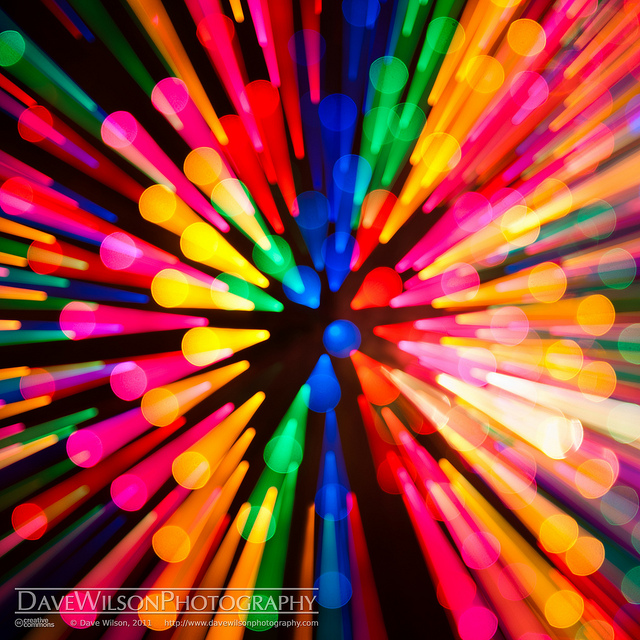
It’s well into 2014 now but hopefully you still have some festive feelings stirring inside you, eager to create something! Today let’s look at Christmas lights in a different way, simply as blogs of light. Just think what you can do with those blogs using some fun ideas with long exposures like zooming and moving the camera.

For some tips on how they might have done this here’s some reading on the subject:

  • How it was Done – Zooming the Exposure
  • 3 Tips for Creating Dramatic Images using Motion
  • Impressionist Photo Techniques

21 Abstract Images of Christmas Lights

By Dave Wilson

By Alex Dram

By Kevin Dooley

By Kevin Dooley

By Kevin Dooley

By James Marvin Phelps

By Kevin Dooley

By cobalt123

By tanakawho

By Jon Matthies

By Dave Wilson

By Scott Mohrman Photography

By Ricardo Wang

By Steve Crane

By cobalt123

By Thomas Quine

By Dave Wilson

By Daniel Pietzsch

By Mrs eNil

By Visual Artist Frank Bonilla

By Keoni Cabral

By inabeanpod

By Steve Corey

By Mo

The post 21 Abstract Images of Christmas Lights by Darlene Hildebrandt appeared first on Digital Photography School.


Digital Photography School

 
Comments Off on 21 Abstract Images of Christmas Lights

Posted in Photography


Fotodiox announces LED-based DY-200 Fresnel Lights

14 Jun

fresnel_small.png

Fotodiox has announced the new DY-200 LED-based Fresnel Light for film work and studio photography. The lamps use very little power, are cool to the touch, and are flicker-free. They can be controlled via a built-in LED display, wireless remote, or with a DMX-compatible lighting control system. The DY-200 is available in daylight or ‘W’ tungsten versions, and is now available for $ 1199.95.

News: Digital Photography Review (dpreview.com)

 
Comments Off on Fotodiox announces LED-based DY-200 Fresnel Lights

Posted in Uncategorized


Northern lights play over the USA

08 Jun

Screen_Shot_2013-06-07_at_2.58.55_PM.png

Photographers and star-gazers in the upper United States were treated to a rare display of Aurora Borealis when the ‘Earth passed through a region of south-pointing magnetism in the solar wind,’ according to spaceweather.com. More aurorae are expected in the late hours of June 8 or early June 9, with NOAA forecasters estimating a 65% chance of geomagnetic storms. Click through for images and more details.

News: Digital Photography Review (dpreview.com)

 
Comments Off on Northern lights play over the USA

Posted in Uncategorized


The Yukon’s Northern Lights – Behind the Scenes

05 Jun

A guest post by Phil Hart – author of the Shooting Stars eBook (use code DPSTARS for a 25% discount).

My three favourite things in the world are mountains, aurora and snow. In early 2012 I got all three of them in spades when I spent nine weeks in the frozen north of Canada’s Yukon Territory.

With four cameras and dozens of lenses, tripods and a truck full of extreme cold weather gear, I journeyed across the Yukon and chased every gap in the clouds I could find. Three terabytes and a long learning curve later, this video is short, fast and high-impact two minute compilation of some of the best footage I captured during my aurora adventures.

In this post, let me share some of the ‘behind the scenes’ work that went into producing it. First the video, which you really do have to watch in full-screen with the lights down and the music up!

The Yukon’s Northern Lights from Phil Hart on Vimeo.

Camera Gear

Cameras: 2 * Canon 5D Mark II and a Canon 1100D (aka Rebel T3).

Lenses: Canon 24mm f1.4L (I & II) and 14mm f2.8L with the full-frame cameras and Canon 10-22mm f3.5-5.6 and 15-85mm f3.5-5.6 with the cropped sensor camera.

Tripods: Various Manfrotto and Induro tripods with mainly ball-heads. The grease in the Manfrotto heads froze at around -25 ºC (~15 ºF) but were still workable.

Remote Releases: I was using both programmable and simpler push-button cable releases. Most often I simply had the camera in Manual mode, set with a particular aperture, ISO and exposure duration. With the camera set to Continuous Shooting mode (aka Sports mode) I could lock the button down on the cable release and the camera would fire off a long sequence of images with the same setting (and almost no gap in between) until I came back to stop the sequence (or the battery ran flat).

Dew Heaters: Dew is a common problem for night sky photography, but in sub-arctic climates like that in the Yukon, the air is so dry that it is less of a problem (although it forms as frost, not dew with the temperature well below freezing). Some nights when the cameras were running on long sequences, I did need a little protection from frost on the lenses, and was generally using little 2-inch heater straps from from Dew-Not.

Power Supplies: 12 volt lithium-ion batteries to power dew-heaters, motion control (below) and also one of the cameras via a DC-power adapter for long all-night sequences. Lithium-ion is about the only type of widely available battery-chemistry that can cope with extremely cold temperatures. While their capacity did drop, I could still get 1 hour of continuous operation out of my Canon 5D Mark II even at temperatures down to -40 degrees and a very respectable 2 hours at milder temperatures of -15 ºC (~0 ºF).

Setting Up Gear in the Cold

Exposure Settings

The aurora can vary enormously in brightness. When it is quiet, it can be as faint or fainter than the Milky Way, requiring 30 seconds with a high ISO setting (~1600-3200) to capture it nicely (like the final aurora sequences in the video). However, when it is bright it can be as bright as the Full Moon. On those few nights of the greatest aurora storms (like the two main sequences in the video), exposures of just 2-4 seconds can be enough (still with the aperture wide open and a high ISO).

The other challenge with aurora is how fast it can move. Generally there is a balance here with the brightness. Faint aurora displays are usually also quiet in terms of movement, so longer exposures do not blur out too much of the movement. The fast moving auroras also tend to be bright, and the curtains and rays move rapidly, enough to cause them to blur significantly even in 8-10 second exposures. So it’s important to keep carefully balancing the trade-off in this regard. You get more experienced at this quite quickly, but fast lenses also help a lot, which is why I particularly valued the 24mm f1.4 lenses I was using extensively during this trip for images like this one:

Fast and Bright Aurora: 2 second exposure with 24mm lens at f1.4, ISO3200.

Focus

Focus at night is difficult already, but with timelapse you have the additional complexity of often incorporating some foreground elements without the daytime luxury of stopping the lens down to provide high depth-of-field. In most cases this can be avoided by trying to work with large foreground elements that can be kept a couple of meters away from the camera. Although focus on the stars and the foreground is not perfectly the same, at this distance the difference is not significant enough for most people to notice or object to. The eye is also a lot more forgiving of these kind of compromises in video than it is high with a large format still image.

Motion Control

Vixen Polarie: A compact little mount designed for taking tracked long-exposures of the stars but which can also be easily used as a simple panning mount when the motorized axis is pointed vertically.

Dynamic Perception Stage Zero Dolly: A six-foot long aluminium dolly rail with controller, used to provide the sliding sequences in the video. The LCD screen on this was very difficult to read and slow to update in extreme cold conditions.

Custom controller: Developed jointly with Fred Vanderhaven, this provided pan/tilt motion control and almost fully automated day-to-night twilight exposure control. It was only used for two of the clips in this video and the functionality in that case was similar to the Vixen Polarie.

One of the strongest sequences in the video (as the music really kicks in) has the camera moving in between two trees, with aurora on the left and moonrise on the right. Here is the scene as that sequence was being captured:

Dynamic Perception Dolly in Action

And here is a still from the resulting image sequence:

Still image from sequence captured on Dynamic Perception Dolly as shown in previous image

Image Processing and Video Editing

My workflow for editing timelapse video from the RAW image sequences has improved a lot, but it is still a very time-consuming process. And while I am very experienced at using Lightroom and Photoshop to process astrophotography images, I am still a relative beginner at video editing.

I do the most significant development of the RAW files in Lightroom, choosing one frame that is representative of the sequence and then sync the settings across all the images so that they have the same processing. In some cases, where there is a big change in brightness (which happens a lot with aurora) I use Gunther Wegner’s LRTimelapse software to interpolate development settings between keyframes in the sequence, to cope with large changes.

After saving the settings to the Metadata for the images, I then I import the sequences into Adobe After Effects, and use that to render the sequence of RAW files to a loss-less intermediate video file. One of the most common effects I apply in After Effects is to use the Neat Video noise reduction plug-in. This has a ‘neat’ temporal noise reduction algorithm which compares changes between frames to help reduce noise (which varies between frames) without smearing out real detail (which is constant, but perhaps moving between frames). The Neat Video plug-in makes a significant difference to the quality of the end-result.

The other plug-in that I made some use of is the Granite Bay Deflicker plug-in. This was essential for smoothing out flicker that is present in the evening and morning twilight sequences, and was also used in the moonset clip.

The final video was compiled from the individual sequences using Adobe Premier Pro.

Composition: Reflections and Mountains

Many classic and beautiful images of the northern lights involve reflections in the foreground. The problem for me was that there is very little open water anywhere in the Yukon in the back half of winter, with the temperature having dropped as cold as -40 ºC (~40 ºF). The only place I found was an artificial deep water outlet from Fish Lake, near the capital Whitehorse. The night that I was there the aurora was very quiet but I did manage to capture a short sequence late in the night.

Fish Lake Aurora Reflections

Aside from that, one of my favourite locations was along Annie Lake Road which offered a nice mix of trees, open areas and mountain views as well. In this image, the reflections are in some relatively clean flat ice that had been cleared of snow by wind and some early spring sunshine during the day.

Annie Lake Aurora Reflections in Ice

One of the reasons I was keen to be in the Yukon rather than the even more desolate and flat Northwest Territories (where the weather and aurora prospects may be better) is the more interesting terrain. However, with very few roads and even less open in winter getting access to interesting locations was quite a challenge.

The image below is the most spectacular mountain view I captured (technically in the northern part of British Columbia), looking south from the road between Haines Junction and Haines Alaska. However, except on the biggest storm nights, the aurora was generally viewed to the north. So I never saw aurora over these mountains but they did make for a great sunrise sequences to end the video with. Aside from that, my favourite mountain location was way up north in Tombstone Park, which you can see in the image of ‘fast and bright aurora’ above.

Mountains viewed from the Haines Alaska Road

Music

Timelapse videos without music can still be interesting to watch, but are hardly captivating. Good music brings them alive, although it’s hard to suit everyone’s tastes. There are several online sites offering stock audio clips, but the images and the story flow so much stronger with music that is composed and produced to match the visuals. In this case, I again set my talented friend Dean Roberts (of ‘The Dirt Floor‘) the challenge of recording music for the video. Aside from watching the video the previous day, he recorded and edited the track for this in one (long) day. I hope you enjoy the rockin’ soundtrack he came up with.

If you’ve read this far and not watched the video yet, have a look – I know you’ll enjoy it! And if you’ve got a taste for aurora, you can read more about my adventures in the Yukon and see more videos on my blog: philhart.com/tag/yukon-aurora

Post originally from: Digital Photography Tips.

Check out our more Photography Tips at Photography Tips for Beginners, Portrait Photography Tips and Wedding Photography Tips.

The Yukon’s Northern Lights – Behind the Scenes


Digital Photography School

 
Comments Off on The Yukon’s Northern Lights – Behind the Scenes

Posted in Photography


All-in-One Bicycle Helmet: Sleek Integrated Lights & Signals

03 May

[ By WebUrbanist in Technology & Vehicles & Mods. ]

bike helmet signals

Bicyclists need this. Incredible design is not just about looking good (which this does) or working well (which this does), but weaving the solution so that each seems the natural outcome of the other.

bike helmet light controls

With a headlight on the front, break light on the back, and two swooping turn signals on the sides, this streamlined helmet (the result of numerous design iterations) puts signalling up high for maximum visibility and uses universally recognizable symbols and colors for clear communication.

bike helmet design diagrams

Balázs Filczer created this award-winning (IBDC 2013 – International Bicycle Design Competition) design with both style and everyday usability in mind. A Bluetooth handlebar controller lets the rider signal changes as simply and easily as possible. Rechargeable batteries slide into and pop out of the top for easy charging. And the four built-in lights are not just classy (helpful in promoting actual adoption) but useful as well.

Share on Facebook


[ By WebUrbanist in Technology & Vehicles & Mods. ]

[ WebUrbanist | Archives | Galleries | Privacy | TOS ]


WebUrbanist

 
Comments Off on All-in-One Bicycle Helmet: Sleek Integrated Lights & Signals

Posted in Creativity


Studio Lighting: Unravelling the Complexity of Multiple Lights

20 Apr

As one gets started in studio lighting I think it is pretty common to get over ensconced in the lighting scenarios. It is funny because everything you read tells you to start with one light until you really start getting a feel for how to shape, angle and manipulate it with purpose. Most of us end up getting lost in multiple light set-ups struggling to find proper lighting solutions. I was not any different.

Soon after I got started, I found myself using 4-5 lights in every setup and then getting frustrated with the nuclear explosion of light that was going off with each shutter click. It makes me laugh now, because at the time I was solely focused on getting light on the subject, background and in most cases everything else in the room that was touched by the mushroom cloud of illumination. I did not understand the importance of shadow, shape, depth and form.

Maturing with studio lighting takes time and patience, and always remember that each light should have a specific purpose. Understanding how to build the lighting with intent in mind takes plenty of practice and a fair number of mistakes and experimentation. Just remember to keep an open mind and never stop learning from both your successful and failed attempts. So, let’s get down to business and walk through a more challenging lighting set-up being mindful of the reasons and rational for each lights use.

Creative Winter-106(sRGB-websize)

Concept

In pre-planning for any shoot it is always good to have some structure and direction to the idea or concept. Some focus, no matter how vague, will always be helpful. Understand what sort of mood, feel or emotion you hope to portray and have some insight into what you want presented in your final image. In the shoot presented in this article, the overall theme was a creative portrait based on the beauty of ice, winter and cold.

This already set most of my color palette to blues, whites, silvers and other cooler tones. I also wanted to give a feeling like the model was being seen through a pane or block of ice and knew I wanted some crystal like texture incorporated. Simply put, I needed a lighting set-up that would maximize the crystalline texture, but that would also provide a flattering light for the model. Sounds simple right?

Lighting Plan

Let’s think through this lighting for a moment. In order to light for texture, one needs to light from the side so that the light skims the texture and creates shadows that give some shape, depth and form to the surface. Great! We can side light our crystalline forms. Oh but wait, if we side light the model we are likely going to see every blemish, hair or imperfection on the skin and either are going to resort to a lengthy saddle-sore ridden editing session, or have a very unflattering photo of our model.

How can I get a nice beautiful light on my model? I know, butterfly or clam shell lighting provides a very flattering look and has a way of smoothing out the complexion. Awesome! But wait, if I front light the texture, I will lose the depth and form of the crystals. Quite a conundrum, huh? Well, at least it provides a framework to help me set-up my lighting. I want some sort of combination of side lighting and butterfly lighting that will accomplish both of my needs. Lets break it down in a diagram.

LightingSetup

Set-up

All make-up and styling was performed by the amazingly creative Dina Bree. The model, Leslie, was shot against a blue seamless background through a piece of plexiglass that had been treated to create a crystalline or frozen texture. White and silver confetti was released over the model during shooting to gain an effect as if snow was falling lightly.

I had two strip boxes, one on either side of the plexiglass skimming the surface and providing some side lighting to the model. The key light was a diffused beauty dish that was placed directly above the plexiglass and angled down at the model and positioned so that it would not spill light on the textured surface. My fill light was a 7” reflector with blue gel bounced off of the floor beneath the plexiglass up at the model again trying to avoid spill on the plexiglass. I knew I wanted both the textured surface and the model in sharp focus so I chose a very small aperture at f/16 to gain a large depth of field.

Thus, I had found a pleasant combination of side lighting and butterfly lighting to accomplish my goals within the original framework I had outlined.

When I conceived the idea for this shoot, I have to admit I was not sure if I could pull it off effectively. I knew the lighting would be tricky and that it could take some subtle changes or modifications as I progressed through the shoot. I also knew that it could be a complete disaster with an ultimate failed result. Either way it was going to be a great learning opportunity. Lighting with intent and purpose is critical as you move into multiple light set-ups. Planning and understanding the need for each light serves to unravel a lot of the complexity encountered in studio lighting scenarios.

Also, don’t be afraid to experiment within the set-up. This final shot was a fantastic accident as I decided to turn the key light off for some production shots and I got a whole new look and feel to the image. Take your time and think it through and make sure you have an idea of where you are going before you start. There is no need to fly completely blind. Be confident, clever and calculated and you will soon find that you can amaze yourself and satiate that starving creative beast inside you with a nice healthy meal.

Creative Winter-314-Edit(sRGB-websize)

Post originally from: Digital Photography Tips.

Check out our more Photography Tips at Photography Tips for Beginners, Portrait Photography Tips and Wedding Photography Tips.

Studio Lighting: Unravelling the Complexity of Multiple Lights


Digital Photography School

 
Comments Off on Studio Lighting: Unravelling the Complexity of Multiple Lights

Posted in Photography


Northern lights over Fairbanks, Alaska (October 31, 2011)

01 Feb

Time-lapse movie of the northern lights over Fairbanks, Alaska. (10:42 – 11:22 pm AKDT, October 31, 2011) Camera: Nikon D90 Lens: AF-S NIKKOR 24mm f/1.4G ED Information: 24mm, F/1.4, Manual, 1.3 sec, +0.3EV, ISO3200, Interval: 2 sec, Movie: 10fps. BGM: Roots – Galdson www.jamendo.com License of music creativecommons.org
Video Rating: 5 / 5


How To – Low Light Photography (Slow Shutter/Christmas Lights)

29 Dec

hey guys ithree6mafia here, just showing you how to take pictures in low light and using slow shutter and hope you enjoy it., remember to SUBSCRIBE!COMMENT!RATE! and as usual send me a question of about anything as i will answer it:) THANKS FOR ALL THE SUPPORT:DD!! Submit Your photos to: zonloe@yahoo.com ADD ME ON FACEBOOK! www.facebook.com FOLLOW ME ON TWITTER! twitter.com JOIN THE FORUM 🙂 www.facebook.com