RSS
 

Posts Tagged ‘Without’

How to Shoot in Low-Light Conditions Without Using Flash

07 May

Photography is all about capturing the subject beautifully in the available light. Sometimes as the photographer you have more than optimum light (e.g., bright sunlight, halogens, etc.) to work with while some other times you have to work in suboptimal or low-light conditions. If you are not a pro photographer then it is always a great challenge, and sometimes it’s a nightmare, to capture great shots in low-light conditions.
Aperture 1

Exposure info: f/1.8, 1/50th at ISO 3200

In order to face the challenges that low-light conditions come with, I will be sharing five techniques that you can use to capture your subjects, effectively. For better understanding, I have divided these techniques into two categories: technical and non-technical considerations.

Technical considerations

  • Use of high ISO
  • Use of large aperture
  • Use of slow shutter speed

Non-technical considerations

  • Capture image(s) in raw format
  • Use of remote shutter and a tripod

Use of high ISO

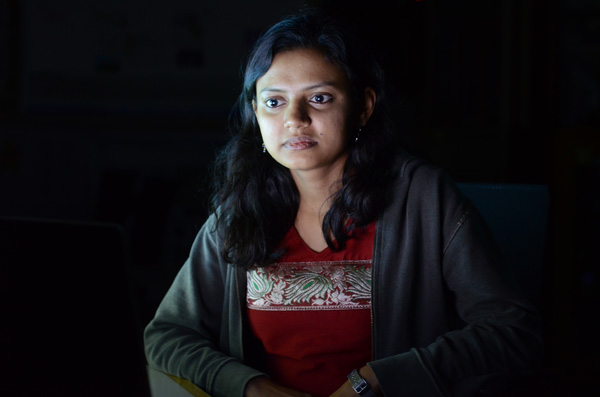
ISO is the sensitivity of your camera (sensor) towards available light. It is measured in numbers (for example 80, 100, 200, 400 etc.) The higher the number, the greater the sensitivity of your camera is towards light and thus, more light can be captured.

The amount of light captured is directly proportional to the selected ISO. In other words, at ISO 200 you can capture double the light than you can at ISO 100. Similarly, at ISO 800 you can capture 8 times more light than at ISO 100. Thus, in low-light conditions, you should use a higher ISO in order to capture your subject effectively.
Iso 2

Exposure info: f/3.2, 1/5th at ISO 1600

Limitations of using a high ISO

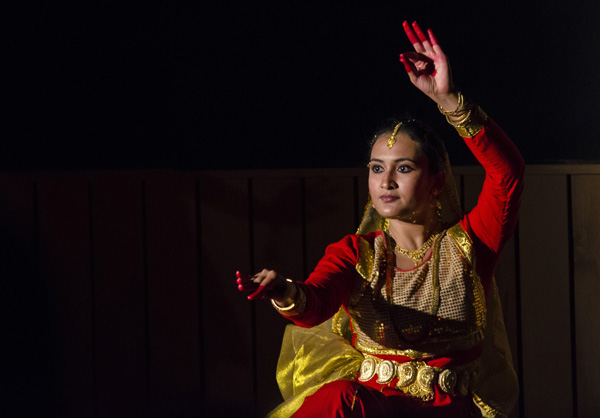
As it also impacts the image quality that your camera (sensor) produces, ISO comes with its own limitations. By image quality, I mean, the ability of your camera to produce noise (grain). At a higher ISO your camera will always produce more noise (grain) than at a lower ISO. So, you will have to test and check what the ideal ISO setting is (for your camera) at which you can capture your subject with optimum light, along with maintaining good image quality.

NOTE: ISO is a feature of the camera and not the lens that you are using.
Iso 1

Exposure info: f/5, 1/125th at ISO 2500

Use of large aperture

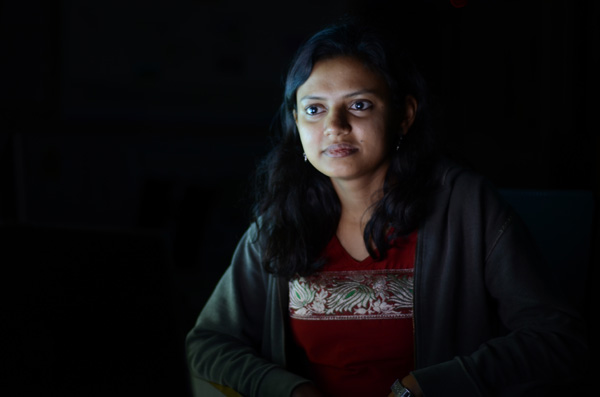
Aperture is the opening (eye or hole) in the lens, through which light enters into the camera. Aperture size is also represented in numbers (for e.g., f/1.4, f/1.8, f/2.2, f/2.8, etc). The smaller the number, the wider the opening is and thus, more light can be captured.

The amount of light captured is inversely proportional to the selected aperture. Say, for a lens with aperture values of f/1.4, f/1.8, f/2.2, f/2.8, f/3.3, f/4.0 etc., the amount of light captured at f/1.4 will be double the light than at aperture f/1.8. Similarly, at f/1.4 you can capture 8 times more light than at f/2.8. Thus, in low-light conditions, you should use a larger aperture (smaller value) in order to capture your subject effectively.
Aperture 2

Exposure info: f/1.8, 1/5th at ISO 400

Limitations of using a large aperture

As it also impacts the depth of field (sharpness or clear visibility) of the subject in your image, aperture comes with its own limitations. By depth of field, I mean, the ability of your lens to keep the subject in focus.

Generally, using a small aperture (higher f/number) you will be able to keep your entire subject in focus which is not possible using a large aperture (lower f/number). Again, you will have to test and check what the ideal aperture size is at which you can capture your subject with optimum light, keeping it in focus.

NOTE: Aperture is a feature of the lens and not the camera that you are using.

Use of slow shutter speed

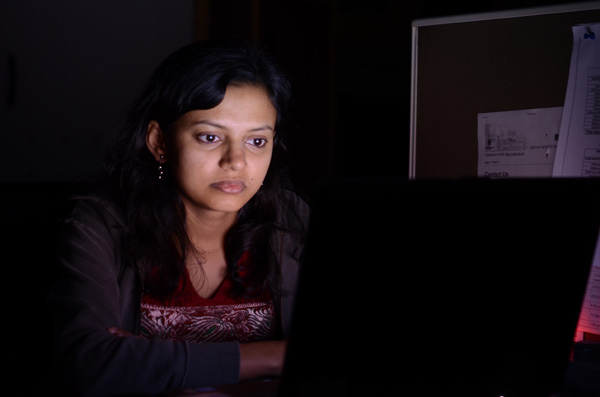
Shutter speed, also known as camera exposure, is the length of time a camera shutter remains open in order to capture the light. Shutter speed is also represented in numbers (for e.g. 1/2, 1/4, 1/8, 1/16, 1/32, 1/64, 1/125, 1/250, etc.) The higher the number, the longer the camera shutter remains open and thus, more light can be captured.

The amount of light captured is directly proportional to the selected shutter speed. For a camera with shutter speed values of 1/4, 1/8, 1/16, 1/32, 1/64, 1/125 etc., the light captured at 1/2 second is double the amount of light than that at a speed of 1/4 second. Similarly, at a shutter speed of 1/2 you can capture 8 times more light than at a shutter speed of 1/16th. Thus, in low-light conditions, you should use a slower shutter speed in order to capture your subject effectively.
Shutter speed 2

Exposure info: f/3.2, 1 second at ISO 400

Limitations of using a slow shutter speed

As it also impacts the motion or movement of your subject, shutter speed comes with limitations. If you want to freeze the motion of your subject then you should use a higher shutter speed (e.g., 1/250, 1/500, 1/1000, etc.) While if you want to capture your subject with a motion blur then you should use a slower shutter speed (e.g., 1/8, 1/4, ½, etc.) Once again, you will have to test and check what the ideal shutter speed is at which you can capture your subject with optimum light, freezing or blurring its motion.
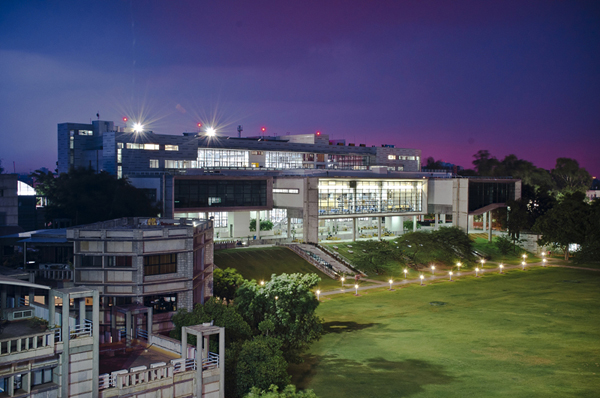
Shutter speed 1

Exposure info: f/10, for 8 seconds at ISO 200

NOTE: Shutter speed is a feature of the camera and not the lens that you are using.

Capture images in Raw format

A Raw image captures much more detail and information about the subject that you are shooting than a JPEG file. You get the luxury of improving the exposure, color, sharpness, etc., of the subject (using an editing software like Adobe Photoshop or Lightroom) while still preserving all the detail of the subject which is usually not possible while editing a JPEG file.
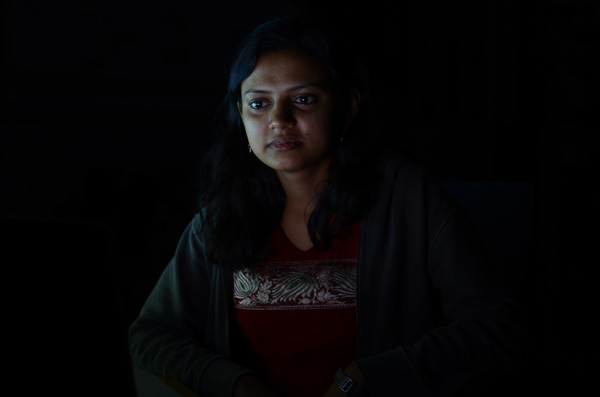
Raw 1 1

Exposure: f/3.2, 1/5th at ISO 400, before editing

Raw 2

Exposure: f/3.2, 1/5th at ISO 400, after editing

Note: the editing has been taken overly far just to show you the amount of detail in the Raw file.

Limitations of capturing images in raw format

  • Not all cameras can produce images in Raw format. Only selected higher-end cameras can. Most SLRs and Mirrorless camera can shoot Raw format as well as a few point and shoot models (check your manual if you are unsure, look for file formats)
  • Size of a Raw image is usually 4-5 times larger than the JPEG file that the camera produces. Thus, you will need more space for storing these images.
  • Only a handful of software can read and recognize Raw format files. Thus, you need specialized software (like Adobe Photoshop, Lightroom, etc.) to edit these images.
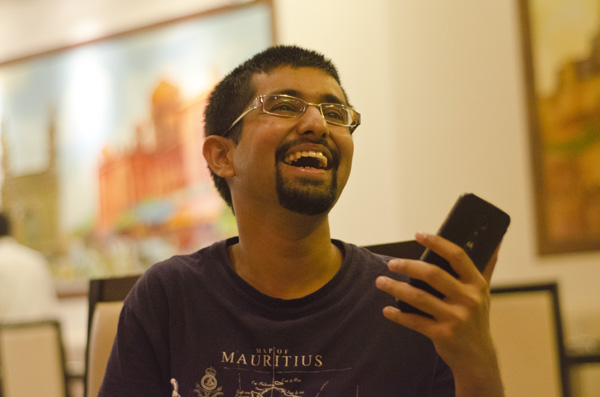
Raw 1

Exposure: f/2, 160th at ISO 2200

NOTE: I believe that capturing images in raw format comes with more advantages than disadvantages and that it is always better to shoot in Raw format.

Use of remote shutter release and a tripod

If you want to capture a stationary or slow moving subject in low-light conditions then it is always better to do so using a remote shutter release and a tripod. This will help you avoid possible camera shake and you will have a greater chance of capturing your subject, effectively.

NOTE: While most of the cameras can be mounted on a tripod, a smaller fraction of them can be used syncing with a remote shutter.

Conclusion

I have discussed in this article five techniques which you can use in order to take great photographs in low-light conditions. These techniques are: use of higher ISO, use of larger aperture, use of slower shutter speed, capturing images in Raw format and use of a remote shutter and a tripod. Almost all these techniques come with limitations, but they are also very effective, if tested properly for the camera and lens combination that you are using.

Which particular technique do you use for taking those challenging shots in low-light conditions? Did I miss any other technique which can be equally effective? I would love to have your thoughts regarding this issue.

googletag.cmd.push(function() {
tablet_slots.push( googletag.defineSlot( “/1005424/_dPSv4_tab-all-article-bottom_(300×250)”, [300, 250], “pb-ad-78623” ).addService( googletag.pubads() ) ); } );

googletag.cmd.push(function() {
mobile_slots.push( googletag.defineSlot( “/1005424/_dPSv4_mob-all-article-bottom_(300×250)”, [300, 250], “pb-ad-78158” ).addService( googletag.pubads() ) ); } );

The post How to Shoot in Low-Light Conditions Without Using Flash by Anshul Sukhwal appeared first on Digital Photography School.
Digital Photography School

 
Comments Off on How to Shoot in Low-Light Conditions Without Using Flash

Posted in Photography


Long Exposure Photography Without a Tripod

01 May

For me, as a travel photographer, the size and the weight of the photography equipment that I carry around is very important. Over the years, I learned how to carry only the items absolutely necessary for shooting in order to eliminate anything unessential.

Long_Exposure_Photography_Without_Tripod_Photo-2

Long exposure photo shot without a tripod, using the Align+Blend technique.

I was able to replace some of the pieces of equipment with software. For example, I stopped using ND Graduated filters a few years ago. For me, it was easier to take bracketed shots and blend two images in Photoshop or simply use the graduated filter in Lightroom. Next, I left behind the remote trigger because I learned that using the two second delay function on the camera allowed me to achieve the same result without an extra piece of equipment.

A couple of months ago, I pulled the trigger on the biggest change in my photography universe when I switched from a Canon DSLR to a Sony Mirrorless (read my article here 5 Lessons Learned Switching from DSLR to Mirrorless for Travel Photography). That drastic switch resulted in cutting the weight and the size of the equipment I carry around by more than half.

During my latest photography trip to Hawaii and Northern California, I did quite a bit of hiking and realized that, after the switch to mirrorless, the biggest and by far the bulkiest, piece of equipment I carried was my tripod. I love my Feisol tripod because it is light, tall, and steady like a rock. But, sometimes it is just impossible to bring with me.

Even though I learned how to take bracketed shots handheld and merge them effectively to HDR in Photomatix and Photoshop HDR Pro (read Natural Looking HDR in Photoshop and Lightroom in 5 Easy Steps), without a tripod I still could not accomplish one of the most important types of photography, which is long exposure photography.

Long_Exposure_Photography_Without_Tripod_Photo-1

Long exposure photo – shot with a tripod.

I use long exposure photography quite a bit, especially when shooting seascapes, and of course, I have plenty of seascapes in my portfolio. Longer shutter speed allows me to achieve beautiful, smooth and silky looking water plus, it works just as well for the sky.

Lately, I’ve been experimenting with a few techniques in an attempt to achieve the same long exposure effect in the water and the sky by shooting handheld without a tripod. After I started to produce predictable results on a consistent basis, I am now ready to share the technique with you.

Shooting

Below is the effect I achieved using my new technique that I call Align+Blend.

Normally, I shoot in bracketing mode, taking at least three exposures. In order to use the Align+Blend technique, I had to switch from bracketing mode (AEB) to the Single Shot Mode. I shot 10 consecutive shots of the scene, trying to be as steady as possible, without too many movements. I was shooting at an approximate speed of one shot per second and, it took me nine seconds to complete the series. In order to get the sharp images, I used a shutter speed of 1/200th of a second.

Long_Exposure_Photography_Without_Tripod_Photo-22

Single RAW image, unprocessed (1/200 sec).

That was it. The shooting part was done. The rest was accomplished in post-processing.

Processing

Step 1 Import

I imported the 10 RAW files into Lightroom.

Step 2 Process in LR

I applied one of my landscape presets to the entire set making sure that each image had an identical look (If you are interested you can download my free preset collection on my blog).

Step 3 Open as layers in Photoshop

I selected 10 images in Lightroom and opened them in Photoshop as layers in the same document (right/option click).

Long Exposure Photography Without Tripod Photo 3

Step 4 Align Layers

I used the Auto Align Layers feature in Photoshop to align all 10 layers with Projection set to AUTO. The Auto Align is a fairly sophisticated tool, and Photoshop had no issue aligning all of the 10 individual layers.

Long Exposure Photography Without Tripod Photo 4

Step 5 Convert to one Smart Object

I converted the 10 layers to one single Smart Object (right/option click).

Long Exposure Photography Without Tripod Photo 5

Step 6 Set Stack Mode

I used the following command to blend the 10 original layers inside of the Smart Object. Layer > Smart Object > Stack Mode > Mean. This resulted in a long exposure effect by moving elements of the scene (water, sky).

Long Exposure Photography Without Tripod Photo 6

Step 7 Fix any areas with issues using a layer mask

At the same time, the windy weather created some unwanted effects by moving tree branches and the grass in the foreground. To fix the blurry effects I placed one of the 10 original RAW images on top of the Smart Object layer and blended together two layers with the help of transparency (layer) masks. I used the area of the water and the sky from the smart object layer and, the rest of the scene from the single RAW layer.

Long Exposure Photography Without Tripod Photo 7

I managed to achieve the long exposure effect without a tripod and without sacrificing the quality of the final image.

This technique also works as the replacement for Neutral Density filters. In broad daylight, even when you have a tripod but the smallest aperture (f/22) is still not small enough to slow down the shutter speed, take multiple shots and blend them together later in Photoshop in a similar manner.

Here’s the final image again:

Long Exposure Photography Without Tripod Photo 2

googletag.cmd.push(function() {
tablet_slots.push( googletag.defineSlot( “/1005424/_dPSv4_tab-all-article-bottom_(300×250)”, [300, 250], “pb-ad-78623” ).addService( googletag.pubads() ) ); } );

googletag.cmd.push(function() {
mobile_slots.push( googletag.defineSlot( “/1005424/_dPSv4_mob-all-article-bottom_(300×250)”, [300, 250], “pb-ad-78158” ).addService( googletag.pubads() ) ); } );

The post Long Exposure Photography Without a Tripod by Viktor Elizarov appeared first on Digital Photography School.


Digital Photography School

 
Comments Off on Long Exposure Photography Without a Tripod

Posted in Photography


Posing Guide: How to Pose Groups without Losing Your Mind

09 Mar

The other day I had mom bring her daughter in for fine art dance pictures. “Oh, just snap away while she’s doing her competition routine… she doesn’t like to be interrupted,“ the mom said as the daughter grand jeted halfway off my roll paper half in the storage room, facing completely away from me. Shooting that would be crazy, right? Continue Reading

The post Posing Guide: How to Pose Groups without Losing Your Mind appeared first on Photodoto.


Photodoto

 
Comments Off on Posing Guide: How to Pose Groups without Losing Your Mind

Posted in Photography


Soon, 40MP without the tripod: A conversation with Setsuya Kataoka from Olympus

14 Feb

According to Setsuya Kataoka, future OM-D cameras will create their multi-shot high resolution images in such a short time that photographers will be able to use the feature handheld. Mr Kataoka, General Manager of Olympus’s product and marketing planning division and the man behind the R&D of the OM film cameras and the E system, spoke to DPReview in the Czech Republic during a European event to demonstrate the features of the new OM-D E-M5 ll. Learn more

Articles: Digital Photography Review (dpreview.com)

 
Comments Off on Soon, 40MP without the tripod: A conversation with Setsuya Kataoka from Olympus

Posted in Uncategorized


5 Tips for Underwater Photography Without Spending a Fortune

26 Oct

Underwater photography is so much fun that it will take you to the farthest reaches of the world, inspire you to buy thousands of dollars of dive gear, and thousands of dollars more worth of underwater photography gear. It can also make you want to throw your underwater camera rig against the side of the dive boat, then into the water, then dive down and get it just so you can throw it to the bottom again. Spending six hours of planning and preparation just to find out the water is murky or that the fish aren’t there, or that the manta rays aren’t at their feeding station is incredibly frustrating.

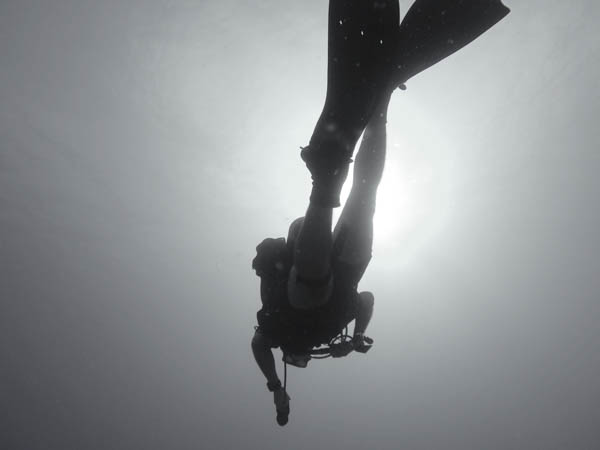
Diver Swimming

On the other hand, you can see such beautiful things, experience such euphoria when everything stays in place long enough to compose your shot properly, and discover the joy of finding out that it was all wonderfully in focus when you review your images on the computer. You can capture some of nature’s finest and most majestic moments in a way that most people will never see. You can open your audience’s eyes to the beauty of nature from a perspective that those who don’t SCUBA dive may never be able to experience.

There are many hurdles to being an underwater photographer. The first is the diving skill. There is no substitute for being a proficient and safe diver. You must be able to maintain neutral buoyancy and safely complete all dives.

The next challenge is the gear. As if photography wasn’t a gear intensive enough activity, to do it underwater you need special housings, dome ports, and even strobes.

Bridge 2

Don’t let these hurdles stop you. Underwater photography is worth every bit of pain and sacrifice when you become proficient.

The problem most beginners face is that there’s really no good ambient light because the colors are filtered by the water. In my
experience, around 10 feet, you’ve lost any good color of light and you get the characteristic baby blue, boring pictures. So, you’re left with a conundrum – buy expensive strobes or have your pictures stink … or are you?

What if there was a better way to get underwater images without a strobe; one that didn’t require an expensive setup and the risky
business of bringing your DSLR into the water? What if you could learn a few simple but powerful techniques to let your underwater
images sing without a strobe?

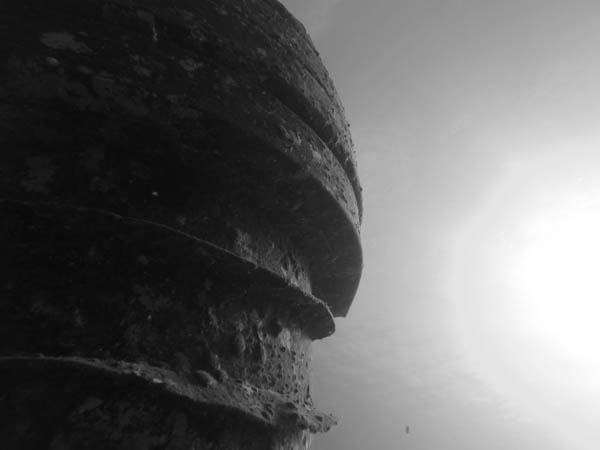
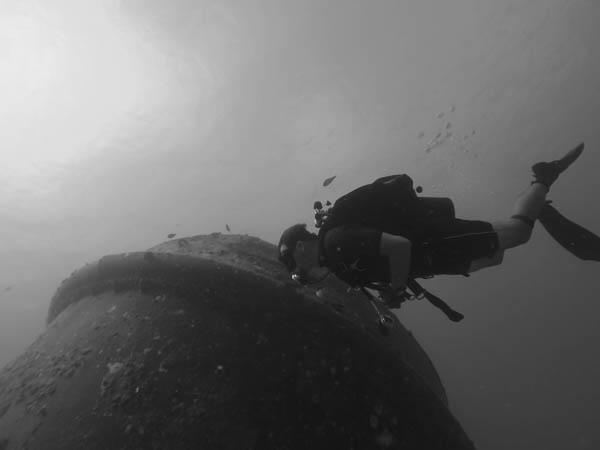
Here’s what I recommend, go big or go black and white. Go big means dive into the deep end (pun intended) and buy the housings and strobes (you’re not planning on using just one are you?). This is an expensive but professional option. The second option is to go black and white.

Bow Looking Down

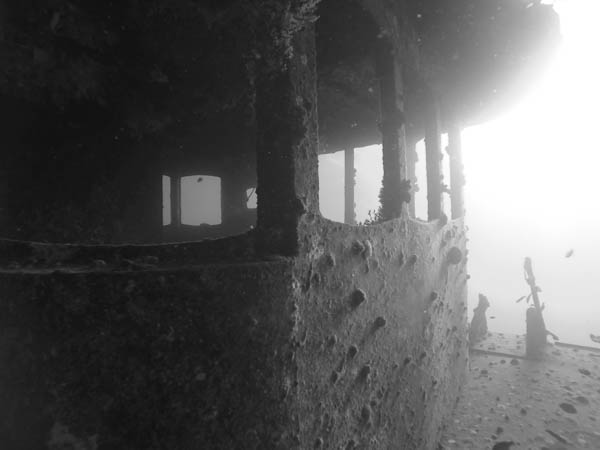
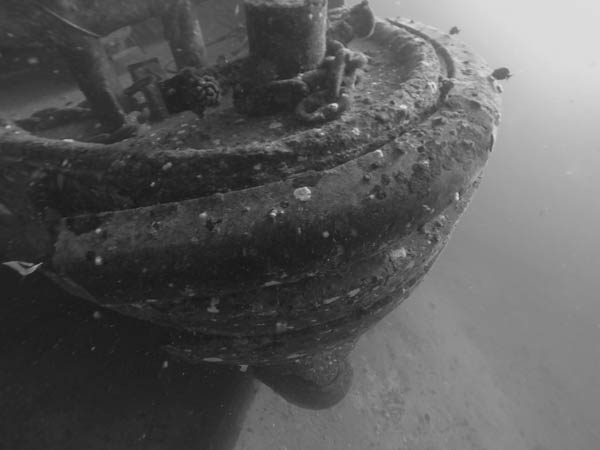
If you compose and think about getting good black and white images your underwater results will be very compelling, easy to post-process, and simple to take. Some rules to live by include:

  1. Safety first (enough said)
  2. Don’t try for little fast moving, colorful fish – these won’t turn out without a strobe
  3. Look for compelling images of your dive buddies or large objects (like wrecks, turtles, and sharks – but no touching please)
  4. Get close
  5. Look for long lines (like a descent line) and compose them across the screen (not vertical please) with a good subject (like other divers)

Bow Crowss View

If you start with these five simple rules you’ll be able to shoot hang-it-on-the-wall quality images without an expensive strobe or underwater-housing. Who knows, you may even like shooting underwater so much you get a full setup one day. If you do, remember, throwing your gear never solves anything – expect exposure problems with your strobes, rig floods, focus problems, corroded buttons, cracked seals, or backscatter from murky water.

Now you’re ready to take your camera and start shooting underwater. Using a fisheye lens will make your life much easier when you start out. It makes issues like focus and composition much easier to get right. It also lends itself very well to black and white images.

Bow and diver

The post 5 Tips for Underwater Photography Without Spending a Fortune by Jon Haase appeared first on Digital Photography School.


Digital Photography School

 
Comments Off on 5 Tips for Underwater Photography Without Spending a Fortune

Posted in Photography


Surfing Without Waves: Electric Wakeboard Powers Itself

07 Oct

[ By Steph in Design & Products & Packaging. ]

electric wakeboard 5

Surfers living inland, or anyone who’s ever eyeballed their city’s river wishing they could use it to get around stalled traffic, could make their waveless surfing dreams come true with a self-propelled electric wakeboard. Developed by Swedish water sport company Radinn, the board is controlled via a wireless handheld remote and can zoom along the surface of the water at up to 30 miles per hour.

Electric wakeboard 4

Electric wakeboard 3

electric wakeboard 7

Jet-propelled by lightweight lithium batteries, the board is small enough to carry and has a carbon fiber body. It’s compatible with standard wakeboard bindings. Radinn created several generations of prototypes, testing and refining the design to prep it for production of the first batch of pre-orders this winter.

electric wakeboard 1

Electric wakeboard 2

electric wakeboard 6

That means you can take it virtually anywhere, freeing the sport of surfing beyond the confines of beaches that get good waves. The electric wakeboard takes urban surfing even further than artificial waves in places like Munich’s English Garden, making it possible to cruise along virtually any body of water.

Share on Facebook


[ By Steph in Design & Products & Packaging. ]

[ WebUrbanist | Archives | Galleries | Privacy | TOS ]


WebUrbanist

 
Comments Off on Surfing Without Waves: Electric Wakeboard Powers Itself

Posted in Creativity


5 Ways to Create Better Images Without Buying More Gear

17 Jul

You are a photographer. You love getting out there and doing your best to create great images. Photographers also love something else. Camera equipment. Sometimes you may find that you spend more time searching for a new lens, filter or accessory than actually photographing with it. When you meet other photographers you will hear them talking about the latest piece of equipment that has just launched.

Why is this? Why are some photographers obsessed with equipment. My personal opinion is that we fall into the marketing trap. Sometimes we really do think that a new lens, or new camera body, will improve our images simply because it is a better piece of equipment. That might be true, but it’s only half true. A new lens might make your images a little sharper or have better bokeh, but the best way to get better images is to improve your ability as a photographer. Here are some thoughts that may help you create better images.

The key ingredient in any image is light

The key ingredient in any image is light

1. Become a light snob

Light is the key to every image you make. If you want a good image, shoot in good light, if you want a dramatic image, shoot in dramatic light. There really is no such thing as bad light, there is simply better light for creating images.

Light is the all important component of great photography. You may feel that shooting in the middle of the day is best because it is bright, and all the light you need is in that shot. Yes, there may be lots of light, but there is also a lot of contrast (bright highlights and dark shadows). The resulting shot may be unappealing because the light is flat or uninteresting.

How do you overcome this tendency to photograph at any time? Become a light snob. What does that mean? I mean in a good way, try this next time you go out with your camera. Make a point of shooting in the golden hours. Think about the light you are shooting in, go out in the early morning or early evening. Choose your subject carefully, compose your scene purposefully and shoot it with intention. Don’t shoot the same scene twice, work with the light, make sure you think about the exposure, try your best to get the shot and walk away from the scene. Make sure you expose for the light the results will speak for themselves.

2. Become more flexible – in more ways than one

POV2

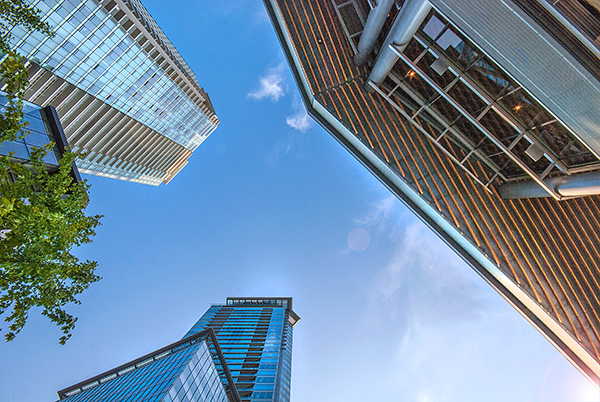
How often do you photograph from your standing height and mostly in landscape orientation? I know I do, it is natural to do that, we shoot they way we feel comfortable. Change this up a little. Look for unusual angles and vantage points. We have all seen the photographs of children looking up at the camera. Change that, kneel down or even lie down in front of a child you are photographing. Turn your camera to portrait orientation, that changes the scene immediately. If you are photographing a street scene, maybe get to a higher vantage point on a balcony. If you are in a city, shoot straight up! The key thing here is, change your viewing angle and you will change the view of your image. You will give your viewers a unique perspective on a familiar topic and that can make for some very dramatic images.

A unique point of view can make for dramatic images

A unique point of view can make for dramatic images

3. Time it right

You have probably heard this about many things, particularly sports:  “its all about the timing”. This is true in certain genres of photography too. In street photography, timing can be crucial to making or breaking the image. The famed street photographer Henri Cartier-Bresson spoke about “The Decisive Moment”. What he was saying was this, if you take the shot a moment too soon, the scene has not yet unfolded, if you are a moment too late, the scene has passed, you have to release the shutter at the precise moment.

This is not easy to get right. It requires lots of practice and the ability to sense or anticipate what will happen next. With practice you will get better and better, and in time, you will find that you will “time” the shot better. When is the right moment? It is different for every photographer and every photograph. It might be the moment before a smile, or the moment the first tear appears, the moment of surprise or elation. Each moment is different and each photographer will shoot it differently. You will know when you get that moment captured because the image will be memorable. The moment will come, but you have to be ready and you may have to be patient.

Photographing fireworks is often about timing.

Photographing fireworks is often about timing.

4. Get your exposure right

We all know this one, it’s an old one, but exposure is all important. How do you affect exposure? You take control of your aperture and your shutter speed. This alone is a topic for another article, but what is important is that you, as the photographer, need to take control of your image exposure and not let the camera do that. If you still shoot on Auto and hope for the best, now might be a good time to start venturing into the world of shooting on manual or even aperture priority. Learning how the aperture and shutter speed affect your images will help you make stronger images in just about any light. This is what makes the difference between a good image and a spectacular image, the exposure.

Mastering exposure will make a big difference in your images

Mastering exposure will make a big difference in your images

5. Use what you have

You have a great camera, seriously, you do! If your camera is less than five years old, it is perfect for taking astounding images. A new camera body will take pictures with more megapixels or better noise reduction, but I am pretty sure, in fact I am CERTAIN, that you can get some amazing images on your current camera. One key element in getting great images is choosing the right lens for the scene. The lens is the eye to the camera. If you are going to invest in any equipment, save up and buy good lenses. Buy some prime lenses and see the results.

First though, use the current lenses you have, make sure you know how each lens affects a scene. A wide angle lens has the effect of making everything in the scene seem far away and spread out, a telephoto lens (say a 200mm) has the effect of compressing everything in the scene (bringing the elements closer together). If you were to photograph a mountain scene with a wide angle lens and switch to a long (or telephoto) lens and shoot the same scene, the elements in that scene would look really different. The perspective and viewing angle changes on each lens, so make sure that you use your lenses and understand the effect that they have on your scene.

Exposure2

Putting it all together

By using these techniques with light, composition, timing, exposure and current equipment, your images will improve. You need to practice, constantly. Keep pushing the boundaries, do the weekly challenges that dPS puts out, try different techniques. Only buy new equipment if your current setup is limiting your photography. The best way to create better images is by practicing and spending hours and hours behind the camera.

I heard a story that a professional golfer who was one of the top three golfers in the world used a very unique way of practicing. Before playing a golf course in an upcoming tournament, he would book the whole course for a week. He would then take 300 golf balls and set up on the first tee. He would tee off from there, hitting each ball from that tee. He would then play each ball from where it landed. He did this on every hole of the golf course. By the end of the week he knew every inch of that course and he knew exactly which clubs he could use from where on the course. Try this in photography. Shoot 100 shots on aperture priority or shoot 100 shots with your 50mm only. Don’t change lenses until you have 100 shots with that lens. Then move to your next lens and do the same. Try each lens with different subject, use a 500mm and shoot some sports, landscapes and macro photos. Mix it up, but learn how that lens works and learn how your camera works and pretty soon, you will be making great images with all your equipment and that shiny new camera will not seem so tempting!

Look for the light, work with the scene and practice, practice, practice.

Look for the light, work with the scene and practice, practice, practice.

I will end off with a quote from the actor Will Smith, which sums it up in a good way:  “The separation of talent and skill is one of the greatest misunderstood concepts for people who are trying to excel, who have dreams, who want to do things. Talent you have naturally. Skill is only developed by hours and hours and hours of beating on your craft.” – True enough!

Have you put in the hours? Do you have any other additional tips? Please share in the comments section below.

The post 5 Ways to Create Better Images Without Buying More Gear by Barry J Brady appeared first on Digital Photography School.


Digital Photography School

 
Comments Off on 5 Ways to Create Better Images Without Buying More Gear

Posted in Photography


How to do Surreal Digital Infrared Photography Without Expensive Gear or Camera Conversions

17 Jun

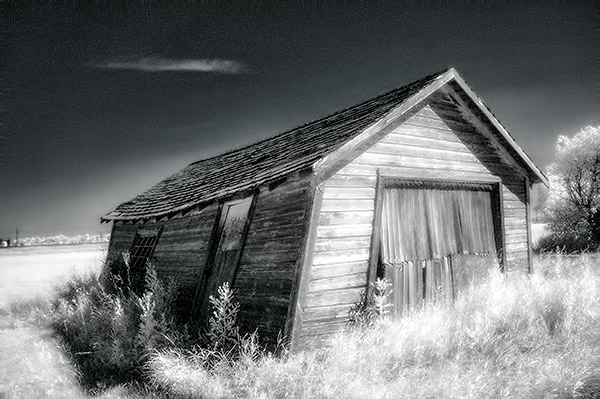
Photos made with invisible infrared light, rather than visible light, yield wildly strange and eerie photographs that always have the “WOW Factor.”  For landscapes or scenic imagery, infrared (IR) photography is highly regarded as fine art. But back in the days of film photography, shooting infrared was complicated, expensive and the results were often not great. For those with determination though, that one image that did ‘work” was always worth the trouble.

But now the complexity of capturing infrared photos has changed – digital cameras have made the technique almost foolproof, inexpensive, and a lot of fun! All you’ll need is a tripod, a special infrared filter, and any camera that is sensitive to infrared light. With a few easy steps you’ll be shooting infrared photos in no time at all.

But before I get into the process, it’s not my intention in this article to delve into the physics of infrared light, and all the scientific mumbo jumbo that goes along with understanding WHY infrared light creates amazing images, but rather to give you some simple steps to get you started in this super creative technique.

_DSC1747W

Visible Light Black and White Image

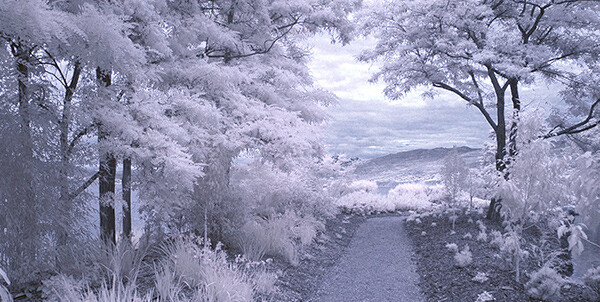
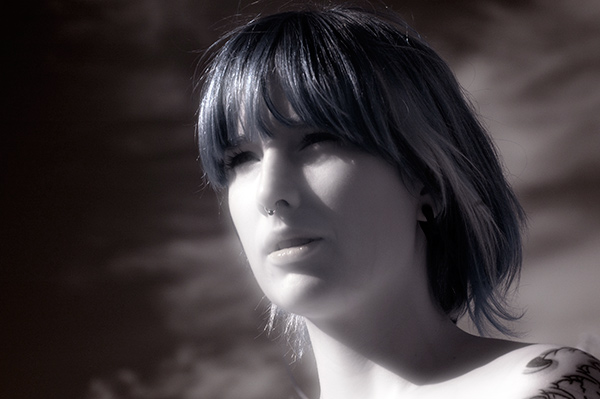
Just know that anything that is alive will reflect a greater amount of infrared light than inanimate objects. Leaves, foliage, and grass, along with skin, reflect the greatest amounts of infrared light, and so will be the whitest objects in your image. Stones, concrete, mountains, water and sky tend to absorb infrared light and so appear as darker objects in your images.  The tonality is very different from that of visible light black and white photography though. Notice how the tones of the leaves, seeds and sky are quite different in the infrared image below.

Digital Infrared Image

Digital Infrared Image

Okay, are you ready to give this a try? Here are the simple steps you need to follow so your images will turn out into hauntingly beautiful, surreal infrared photographs. The first steps deal with equipment and settings, and the last steps are all about how to best capture beautiful infrared light.

Step 1: Test your Camera

Before you go out and buy an infrared filter test your camera to make sure it’s sensitive to infrared light.  Not all digital camera sensors are able to “see” infrared light. In fact the newer the camera, the less sensitive to infrared light it may be. Try this simple test to see if your camera will give you good results.

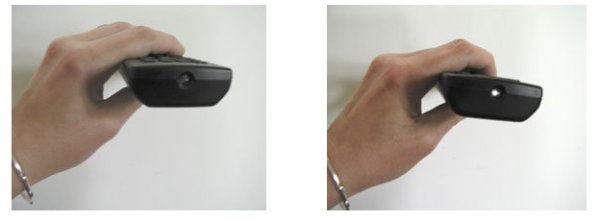
Testing your camera for infrared sensitivity.

Testing your camera for infrared sensitivity.

Hunt down a TV, VCR or DVD player remote control. Look at the end that points to the TV (or VCR etc), and you’ll see a little bulb or flat back plastic window. This is the transmitter that sends the signal from the remote to your device. That signal usually uses infrared light. You can see that it is invisible light – i.e. when you look at the remote with your eye, you can’t see anything when you press the buttons. But just wait until you do this looking through your camera! You’ll be able to see invisible light – the infrared spectrum that makes such cool photos.

If you have a point & shoot camera look through your LCD viewer while pressing any button on the remote. If you see the bulb light up, your camera can see infrared light.  If you have a DSLR you’ll have to take a photo to see the results, or if you camera has a live view feature, you will be able to see the the results on your LCD as well.

The whiter and brighter the light you see from the remote, the more sensitive your camera is to infrared. If the light is more purple or red your camera may not be a good candidate for shooting infrared photos.

Step 2: Equipment

If your camera passed the sensitivity test, you’ll need two more pieces of equipment before you can shoot infrared photos, a tripod and an infrared filter. The tripod will help you take a sharp shot, as your exposure times will be quite long. The filter will  block most of the visible light from reaching your camera sensor, but will allow the beautiful infrared light to pass through.

When I first started shooting infrared images, I used  a Hoya R72 screw-on infrared filter. B+W, Tiffen and other manufacturers also have equivalent infrared filters.  If you are using a slide in filter system, such as Cokin or Lee, they also make infrared filters to work with their holders. If this is the filter you’ll be using, make sure to slide it into the slot closest to the camera to prevent unwanted visible light from sneaking in. The R72 refers to the amount and type of infrared light that passes through to your sensor and I recommend using this to start. It allows some visible light to pass to the sensor so it will allow you do to all sorts of creative post processing with your images.

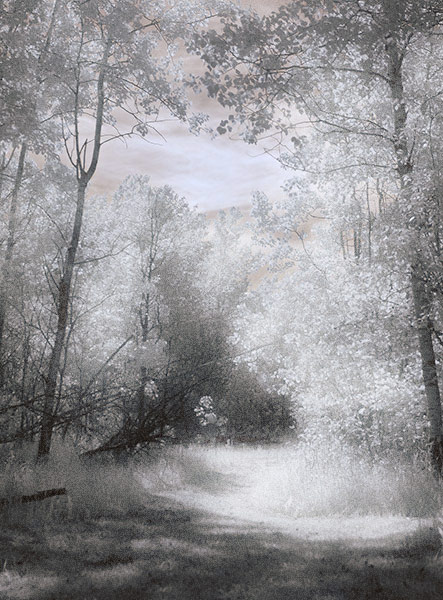
Infrared Image with creative post processing.

Infrared Image with creative post-processing

Step 3: Camera settings

Because the infrared filter blocks out most of the visible light, your exposures will be quite long. You’ll have to adjust your camera settings to ensure you get a good exposure, while keeping noise to a minimum.  Set up your camera on your tripod and make these adjustments:

  1. Set your ISO between 200 and 400, keep it as low as you can
  2. Set your Long Exposure noise reduction to ON
  3. Set your camera to shoot in RAW mode
  4. Set your camera to Aperture Priority (Av mode on a Canon), and your aperture to around f/8 for maximum sharpness
  5. If your camera does auto bracketing (refer to your owner’s manual), set your bracketing to +/-1 EV.  Your series should be -1 EV, 0 EV, good exposure, and + 1 EV. You can also bracket manually.

Shooting in RAW will give you a bit more latitude for processing and adjusting.  Bracketing will help you find the sweet spot for exposure at your preferred aperture and ISO.

I’m not going to go deep into the White Balance setting, as this could be an entire article on its own. But for now set your White Balance to the Sunny or Daylight preset.

Step 4: Composition

Just as in regular light photography, composition is a critical component of infrared photography. However there are a few additional considerations to keep foremost in your mind when planning your infrared composition.

A variety of textures make the image more dynamic.

A variety of textures make the image more dynamic.

Infrared photography is similar to black and white photography, in that you are dealing with a limited number of tones. To add more dynamism and energy to your infrared shots, add contrasting elements. By this I mean using dark and light objects in close proximity to each other. But also use smooth and textured objects together. You can mix and match for artistic composition and design.

 COLUMN 1  COLUMN 2
  • light
  • white
  • smooth
  • large patterns
  • light with fine textures
  • light with large textures
  • dark
  • black
  • textured
  • small patterns
  • dark with fine textures
  • dark with large textures

In every infrared shot you make, include at least one element from Column 1 with the corresponding one from Column 2. You can add as many elements as you want, but it’s best to keep your composition simple. You can use light and small patterns, with dark and large patterns and so on. Foliage and clouds will always be a light element in your image; the sky, stones, bark, water  and concrete will be darker. Leaves from a distance are a rough texture, with many small elements appearing rough and textured; while human skin is very smooth.  This should give you a great starting point for infrared compositional considerations.

Step 5: Shooting Infrared

There is only one critical thing to remember when shooting infrared – you must shoot when there is lots of sunshine, and in the summer when there is lots of deciduous foliage. Overcast days won’t give you great results, and because living things reflect the most infrared light, snowy winter days are usually devoid of anything that reflects infrared.  If there are clouds in the sky these can add an element of interest, but don’t make your capture until the sun is out, and shining on your subject.

Find a great place to shoot and adjust the settings on your camera. I like graveyards, parks, and old abandoned buildings. The contrast between the stones, the pathways, the old wood and leaves and grass provides outstanding tonality for infrared images. If you can get a few wisps of cloud in your sky all the better.

Put your camera on your tripod, and compose your image. Place the infrared filter on your camera, and use your autofocus as usual. Yes, it works just fine for infrared photos! Your light meter will work too but be sure to bracket on either end to make sure you have at least one usable exposure. Then click the shutter.  You’ve just made an infrared photograph.

Skin looks like alabaster when shot using infrared light.

Skin looks like alabaster when shot using infrared light

For techniques and ideas for post-processing our infrared images, watch for my article on post processing infrared photos coming soon!

The post How to do Surreal Digital Infrared Photography Without Expensive Gear or Camera Conversions by Alex Morrison appeared first on Digital Photography School.


Digital Photography School

 
Comments Off on How to do Surreal Digital Infrared Photography Without Expensive Gear or Camera Conversions

Posted in Photography


Travel Photography without the Travel – Going Local

07 Apr

Many photographers love to travel. They love the thrill of being in a new place, of capturing new scenes and experiences, and of coming home with quality images. But landscape and travel  photography do not need to be confined to weeks-long trips to far-flung locations. This article will explore how to get the most out of a weekend (or even weekday) local photography outing (all photographs in this article were taken within a few miles of where I live).

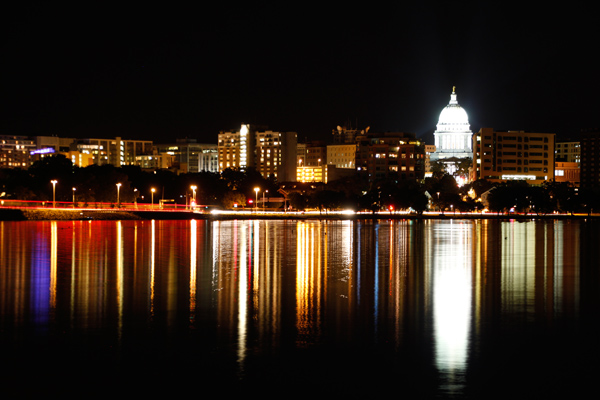
city, urban, night, lighttrails, reflection, traffic

Before: Planning and Packing

Making a plan or having a bucket list of photography wants is a great place to start. Always wanted to photograph a slow, silky waterfall? Looking to capture candid street photography shots of interesting people? Want to bring home that idyllic sunset shot over open water? Now is the time.

Start by spending a little time evaluating the photographic potential of what is already around you. We often become so accustomed to our day-to-day that we forget to recognize the possibilities of the familiar. Challenge yourself to find and seek out a nearby or local photography opportunity. Try browsing on Flickr for waterfalls and streams in your area or make a plan to spend some time in an older part of town watching for street photography opportunities.

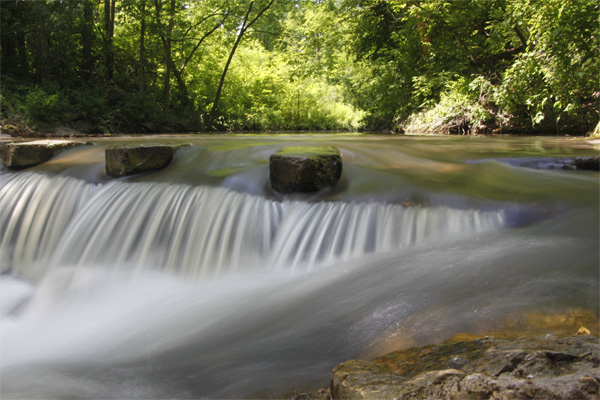
waterfall, silky water

Urban waterfall

Want to catch that sunset or sunrise? Plan for the light. Look up sunrise and sunset times for your date(s) and location, and decide where you want to be shooting during the blue hour and golden hour in the morning and evening. You can even use programs like the Photographers’ Ephemeris to determine the timing and angles of sunrise, sunset, moon rise, and moon set, which can help you capture dramatic photographs of these events and their relative surroundings.

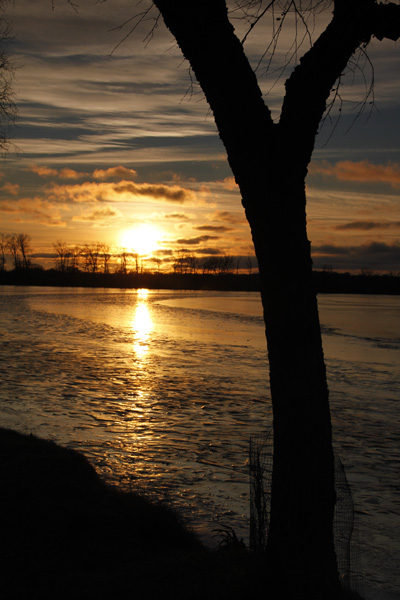
sunrise, tree, silhouette, reflection, morning

Now that you have a plan, create a packing list. Consider creating a ‘basic’ packing list for any photographic excursion that you can reuse for future trips. At a minimum, be sure to bring your camera body and any extra lenses, extra memory cards and batteries, your battery charger, a camera case, and basic cleaning supplies (blower, brush, and cloth). You may also wish to add a tripod, remote shutter release, and any additional filters or flash units, depending on your anticipated shots. Also do not forget about basic travel or emergency supplies like a flashlight or headlamp, cell phone, and snacks. Finally, I always stash a gallon sized plastic bag in my camera case or purse as well, which makes an impromptu rain or snow cover (cut out a corner to keep shooting) or just easy protection from unexpected weather.

During: Follow Your Plan, Amend Your Plan, and be Flexible

Getting the most out of a quick photography outing requires using your time wisely. This is where you will reap the benefits of your pre-trip planning and research. Give yourself extra time at each location to scope out the scene before you start photographing. Minutes spent walking around without your camera raised will help you zero in on the shots and angles you want rather than simply trying to capture it all and hoping something turns out well. Avoid the temptation to ‘lock’ yourself down once your tripod comes out. Be sure to consider alternate views of your subject. Read more about the importance of Perspective in Photography: don’t just stand there, move your feet!

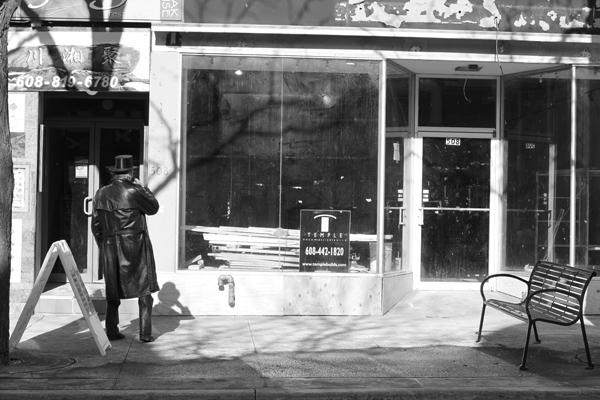
street photography, black and white, B&W, urban, city, decay

As with any photography, you should also be prepared to amend your plan as necessary. Weather, crowds, unexpected building closings, and innumerable other factors can interfere with even the best laid plans. Consider having a backup indoor plan for your outdoor day or an alternate location nearby, just in case. The benefit of exploring a nearby photography location is that it is much easier to return again if your first time does not work out the way you had planned.

After: Workflow and Reflection

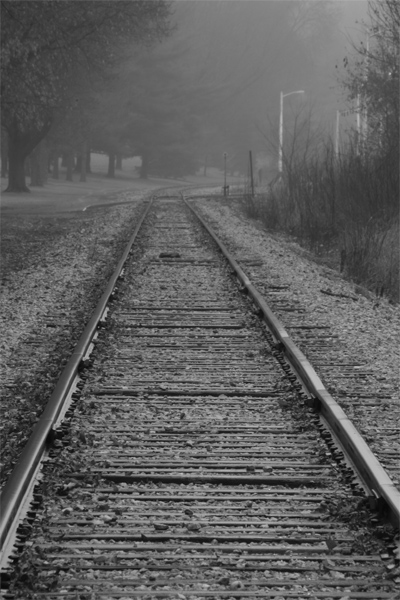
fog, foggy, morning, railroad, tracks, black and white, B&W

Once you get home, be sure to download all of your photographs immediately and back them up as well, using whatever system you have established (multiple hard drives or disks, portable hard drives, cloud backup, etc.). Establish a system for tagging and evaluating your shots so that you can find your favorites quickly and easily.

Don’t shortchange yourself after the outing either. Take some time to review the trip as well as to review your shots. Write yourself some notes about what worked well and what did not. Continue to add on to your bucket list by thinking of new ideas or missed opportunities. You may be surprised at how much photographic potential you can find around you!

Have you been able to check items off your photography bucket list by focusing on opportunities closer to home? Share your favorites in the comments below.

The post Travel Photography without the Travel – Going Local by Katie McEnaney appeared first on Digital Photography School.


Digital Photography School

 
Comments Off on Travel Photography without the Travel – Going Local

Posted in Photography


Hungarian law bans photos taken without consent

19 Mar

13116302753_33730a629a_c.jpg

According The Guardian newspaper, a new law in Hungary that took effect on March 15th could have a potentially chilling effect on photographic freedoms in that country. It will make it illegal to take a photograph of someone without their express permission. This new civil code covers anyone in the frame, which means that photographers will have to seek permission from anyone in the foreground or background. Learn more
News: Digital Photography Review (dpreview.com)

 
Comments Off on Hungarian law bans photos taken without consent

Posted in Uncategorized