RSS
 

Posts Tagged ‘White’

The Pro Photographers Guide to Black & White Vs Colour

21 Mar

Setting the tone of an image is arguable, the most important part of any photograph. As the photographer, this choice can help to define your overall style; making your work instantly recognisable purely by the tone of your chosen medium. You have to consider the composition, exposure and all those other technicalities. But it is how the subject is portrayed Continue Reading

The post The Pro Photographers Guide to Black & White Vs Colour appeared first on Photodoto.


Photodoto

 
Comments Off on The Pro Photographers Guide to Black & White Vs Colour

Posted in Photography


How to be Creative with White Balance

08 Mar

This is the fourth in a series of articles by Andrew S Gibson, the author of Understanding EOS: A Beginner’s Guide to Canon EOS cameras.
01

My approach to photography is to keep things as simple as possible from a technical point of view. That helps me concentrate on emphasising with my subject, finding beautiful light and getting the best possible composition. These concepts are harder to pin down but they are the ones that are really important when it comes to creating beautiful images. Of course, the technical settings are important too, because they help you capture and make the most of the vision that you have in your mind. But keeping the technical side as simple as possible gives you time to concentrate on the other stuff.
02

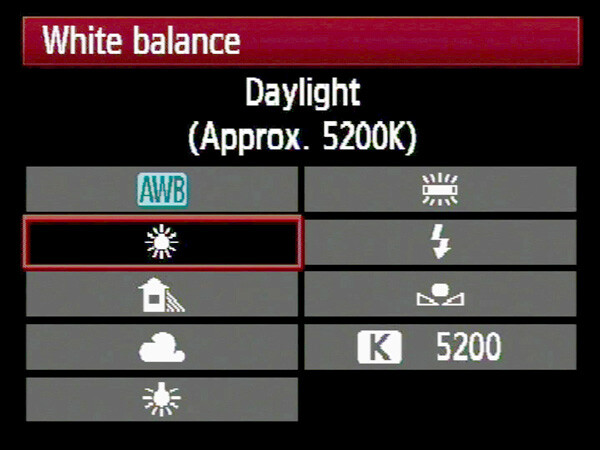
White balance

Now, you’re probably wondering what this has to do with white balance. Here’s the answer:

The simplest way to deal with white balance is to set your camera’s white balance setting to daylight and then forget about it.

If that statement puzzles you don’t worry, I’ll come back to it in a bit.

First, let’s take a brief look at what the white balance function does.

Colour temperature

If this is the first time you’ve come across an explanation of white balance you may be surprised to learn that the colour of ambient light can vary. Our eyes adjust to it automatically, so we often don’t realise until it is pointed out. This phenomena is called colour temperature.
03

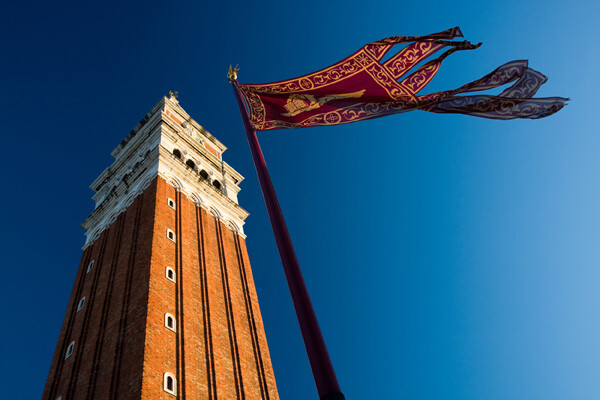
If you take photos by the light of the setting sun, then anything illuminated by the sun’s light turns orange. That’s because the light from the sun, at this time of day, has a strong warm cast (that’s why it’s called the ‘golden hour’).

Similarly, if you take a photo of something lit by the light of a tungsten bulb (ie at night or indoors) then the light has a strong orange colour and your subject will also come out orange.
04

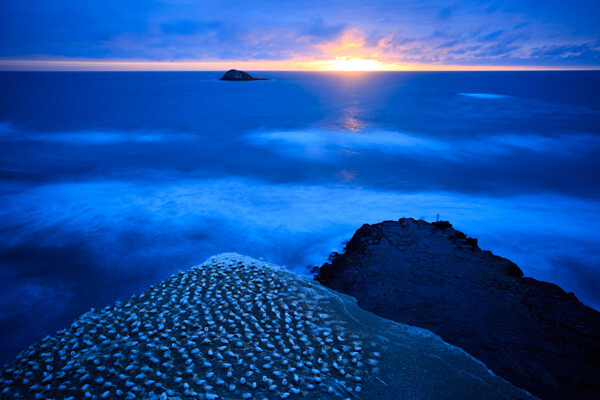
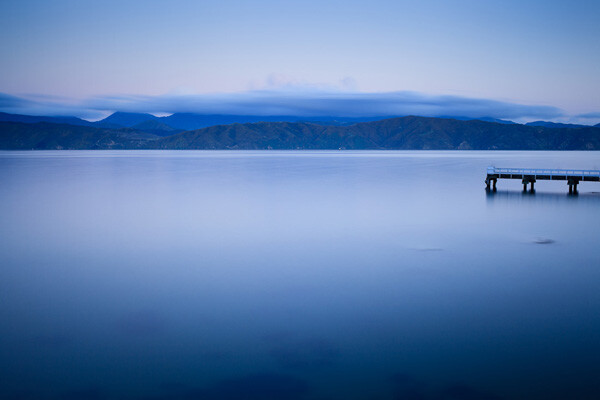
If you take a photo after the sun has set, but while there is still a little light in the sky, then the light has a strong blue colour. I mentioned the golden hour earlier, this period is called the ‘blue hour’ by landscape photographers.

If you take a photo on a cloudy day, the light also has a blue colour, although it is not so noticeable.

If you take a photo of something in the shade on a sunny day, the light also has a surprisingly strong blue colour.

If you take a photo lit by the sun at around midday it will have neutral colour. That’s because the white balance setting on your camera is calibrated to give photos with a neutral colour cast at this time of day. The exact colour of the light at this time of day depends on your geographic location and the season, so it does vary, but generally holds true.

Candescent light

What do all these scenarios have in common? The light in each is created by a candescent light source. That means that the light is generated by a burning object. In the case of daylight, that’s the sun (a burning ball of flammable gases). In the case of tungsten light, it’s the filament inside the bulb that is burning. There are no flames because there is a vacuum inside the bulb.

Light produced by candescent light sources behaves predictably and is easy for your camera to cope with. It is either neutral in colour (ie sunlight at midday) or it has a warm colour cast or it has a cool colour cast.

Daylight white balance setting

So, why do I use the daylight white balance setting on my camera? The reason is that I always use the Raw format. That lets me make the final decision regarding white balance when I process the images in Lightroom 4 (the software I use to process all my Raw files). I can warm up or cool down the white balance as required. I also use a calibrated monitor so I know the colours I see on-screen are accurate.

There are two benefits to setting colour temperature in post. One is that you can see the result of your adjustment right away on the monitor. The other is that you can also set the white balance on an individual basis per photo if you need to.

If you use the JPEG format life gets a little more complicated. While there is a lot you can do to a JPEG file in post, it’s not as flexible as a Raw file. You need to get the white balance setting as accurate as possible when you take the photo. That takes more work. It can distract your attention from making the most of the light and the subject at the time of shooting, so I avoid it.

There’s another reason I use the daylight setting, and it’s a personal one. I started in photography before the digital age, and I used daylight balanced slide film for most of my colour work. It taught me to appreciate the way that the colour of light changes throughout the day. With slide film, there is no post-processing, so you had to think about the colour temperature of the light and use filters to warm it up or cool it down if necessary. Now, I appreciate that my digital cameras make dealing with colour temperature much easier. That’s why I set it and forget it.

Using white balance

There are three ways to use the white balance function:

1. To create a photo with a neutral colour cast. This is important if you’re taking say, a product photo for a catalogue company, or you want a ‘clean’ look to your photos.

2. To emphasise the natural colour of the light. This is a creative way to use white balance. For example, if you are taking a photo of something lit by the setting sun, you may choose a white balance setting that emphasises the warmth of the light instead of trying to neutralise it.

3. To warm up photos that benefit from warm colours. A good example is portraits. Warm light is generally the best for creating a flattering portrait. There are exceptions, but warm is generally best.

There are some examples of photos with creative light balance at the end of the article.

Incandescent light sources

We’ve already looked at candescent light sources (light sources that burn). But light can also come from incandescent sources. These are light sources that produce light by a method other than burning something. The most common types you will see are fluorescent light, neon light and sodium lights (used in street lighting).

The light from these sources is more difficult for your camera to deal with as they don’t fit neatly on the cool to warm scale of candescent light sources. They are often mixed with daylight which makes your job even more difficult. You may be able to adjust the white balance to produce a neutral coloured image in daylight, you might also be able to do it with the artificial light, but (fancy post-processing techniques aside) you can’t get the white balance right for both light sources at the same time.

The lesson? Avoid fluorescent, neon and sodium lights as much as you can when you take photos. For example, if you are taking a photo in a building indoors lit by fluorescent light (and daylight coming through the windows) turn off the fluorescent lights (if you can) and just use daylight. Or turn off the lights and use flash instead (that’s how real estate photographers get such great results). The results will be better.

However, there are times when you can use these light sources creatively. A good example is if you take a photo of street scene at night or at dusk. The light from different light sources may add to the atmosphere.

Creative white balance examples

Here are some photos where I have used white balance creatively:
05

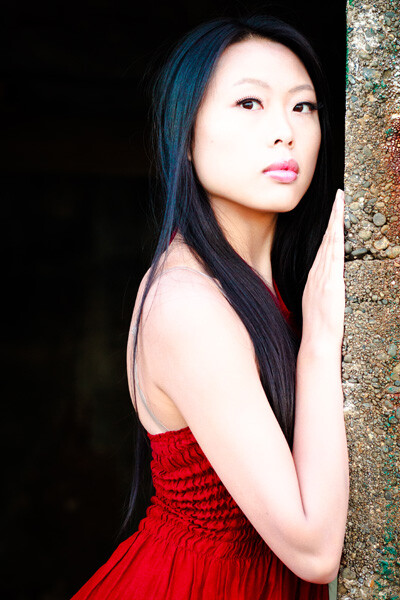
Here’s a portrait taken in shade. The quality of light in the shade is soft and beautiful – perfect for portraits. But the colour of the light is blue. I warmed up the image in Lightroom 4.

06
Here’s another portrait taken in the shade. The difference is that the girl’s hair is lit by the last rays of the setting sun. That’s what has produced that lovely warm colour on her hair.
07
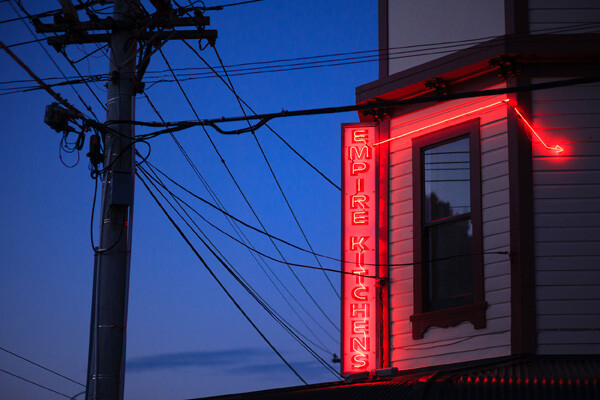
A neon light against the evening sky. The light from the neon sign is red, and the ambient light illuminating the rest of the scene is blue. The colour contrast between the two is what makes the photo.
08

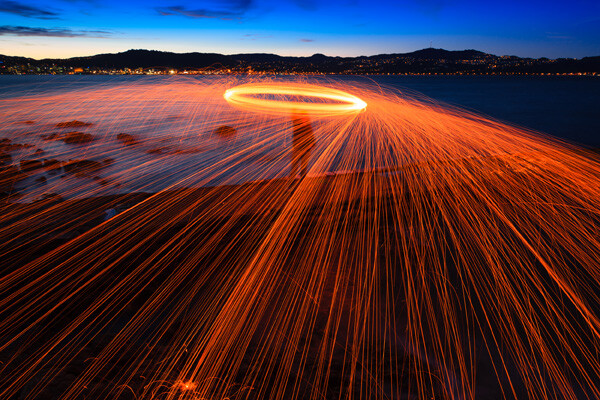
Steel wool spinning. Again, the colour of the ambient light at this late hour is blue. The light of the from the buildings in the distance and the burning sparks from the steel wool spinning is orange. There is a strong colour contrast between the two.

Previous articles

This is the fourth in a series of four articles. You can read the previous articles here:

Introducing the Creative Triangle

Finding Your Way Around the Mode Dial

Understanding Colour on Your Digital Camera

Understanding EOS
09

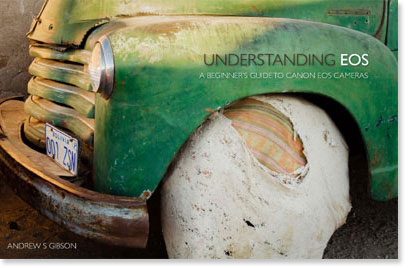
Andrew S Gibson is the author of Understanding EOS: A Beginner’s Guide to Canon EOS cameras. The use of white balance is one of many topics explored within the ebook.

Post originally from: Digital Photography Tips.

Check out our more Photography Tips at Photography Tips for Beginners, Portrait Photography Tips and Wedding Photography Tips.

How to be Creative with White Balance


Digital Photography School
 
Comments Off on How to be Creative with White Balance

Posted in Photography


DEAL: 50% Off The Art of Black and White Photography Online Course

07 Mar

NewImageThis week’s deal over at our sister site – SnapnDeals – is one that I know will appeal to a lot of dPS readers.
It is 50% off The Art of Black and White Photography Online Course at Udemy.

Created by David J. Nightingale this course will help you to:

  • Master the techniques to create amazing black and white photographs.
  • Make more of your black and white portraits.
  • Learn from a world-renowned expert.

It contains over 19 lectures and 6.5 hours of content – all delivered online.

It is normally $ 79 but this week through SnapnDeals it is just $ 39.50 USD. Check it out at SnapnDeals.

Post originally from: Digital Photography Tips.

Check out our more Photography Tips at Photography Tips for Beginners, Portrait Photography Tips and Wedding Photography Tips.

DEAL: 50% Off The Art of Black and White Photography Online Course


Digital Photography School

 
Comments Off on DEAL: 50% Off The Art of Black and White Photography Online Course

Posted in Photography


How to Set a Custom White Balance on a Canon 60D DSLR

13 Feb

Check out Bas Rutten’s Liver Shot on MMA Surge: bit.ly www.mahalo.com This video explains how to set up a custom white balance on your Canon 60D DSLR See the rest of our 60D Videos: www.youtube.comCheck Out These Related Mahalo Pages: DSLR Buying Guide: www.mahalo.com DSLR Comparison Guide: www.mahalo.com How to clean your DSLR: www.mahalo.com Digital SLR Camera: www.mahalo.com Check Out these Mahalo How-To Playlists: How To Apply Makeup: www.youtube.com How To Become a Pharmacist: www.youtube.com How To Become a Photographer: www.youtube.com How To Dance the Fox Trot: www.youtube.com How To Dance the Salsa: www.youtube.com How To Dance the Waltz: www.youtube.com How To Flirt: www.youtube.com How To Get 3 Stars on Angry Birds 1st World: www.youtube.com How To Get 3 Stars on Angry Birds 2nd World: www.youtube.com Royalty Free Music by DanoSongs.com
Video Rating: 4 / 5


Perfecting and Playing with White Balance

09 Feb

As photographers we often question the strength, type and direction of light, but because most of today’s cameras’ auto-functions are greatly enhanced, it can be easy to forget about the colour of light.

Seasoned shooters will undoubtedly be aware of the importance of white balance, but for those new to photography or for photographers looking to go ‘off piste’ and take a more manual approach to image-capture then this whistle stop guide might be able to help. In this handy tutorial, we’ll explain not only the importance of controlling white-balance, but how it’s done and what effects can be achieved.

Why bother with white-balance?

In this image we wanted to exaggerate the warmth in the light hitting the leaves in the trees, so we used a 'Cloudy' present in the White-Balance options.

In this image we wanted to exaggerate the warmth in the light hitting the leaves in the trees, so we used a ‘Cloudy’ present in the White-Balance options.

By controlling the colour of light photographers are able to shoot with a balance that is as neutral as possible, replicating the colour of natural daylight whilst resolving issues with colour casts. Alternatively shooters can manipulate white-balance values for creative effect.

What is the problem with using auto-white balance?

Most contemporary cameras do a solid job at rectifying ‘problems’ with colour casts in the light, and so when a scene is put in front of the camera it will attempt to compensate for any shift in values to make the scene look as close as possible to natural daylight as possible. So say you were using an auto-white balance setting to shoot a scene flooded with a rich amber afternoon light, you may be disappointed to find the camera diluted the richness of the hue as it has attempted to cool down the scene by using a blue cast to pull back the colour balance to replicate that of natural daylight. Conversely, when you shoot with flash a cool tone is usually projected from the bulb, as such cameras set to auto-white balance will warm the picture up in-camera using an orange/amber cast. Another issue is night photography, as the colour of neon signs or street lights can often affect the camera’s reading and results in confused colour-cast frames. By setting the white balance manually you’ll find a more realistic result is attained.

How can I control white balance?

1. Use Presets

Within your camera’s settings menu you should find a section labelled ‘White-Balance’. Here various presets are offered, each with an icon clarifying in what light the option should be used, for example; flash, cloudy, fluorescent, ambient, indoor, outdoor, sunset etc.  

By telling the camera what conditions you are shooting in, it can more accurately and consistently apply values to compensate. It is especially wise to use this mode if you feel the auto white-balance isn’t on point.

2. Use Custom

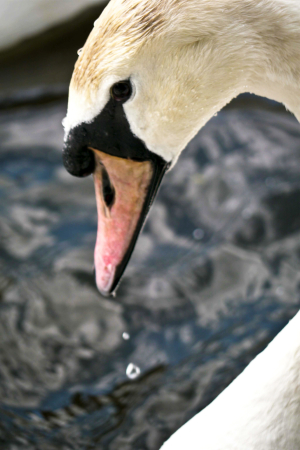
By taking a white-balance reading from the swan's white feathers we were able to get a more realistic and natural result

By taking a white-balance reading from the swan’s white feathers we were able to get a more realistic and natural result

Whilst presets have their place, they can sometimes be a little wide of the mark, so to influence greater control find ‘Custom’ within the White Balance settings. This option allows you to take a reading by photographing an area of white or natural grey so your camera recognises and understands the exact lighting conditions you are working in.

If this is the approach you want to go with, it can be a good idea to carry a piece of white or grey paper, card or plastic to take readings from when you’re out and about.

3. Post-Production
Should you return home to discover your images carry an unsightly colour cast, all is not lost. Almost all contemporary photo-editing software allows users to correct colour balance issues with a touch of an ‘auto colour balance’ button or slight incremental change with a slider, but by far the best option is to use a white balance Colour Picker or White Balance Tool to select a part of the image you know to be white or grey. What is more, most of these software products offer options to apply values to batches of images instantaneously, potentially saving you hours! To do this most effectively it’s best to shoot in RAW so you can have a wider scope of flexibility to resolve colour balance issue.

What if I don’t want a neutral balance?

Using a manual white balance will allow you resolve colour cast issues in-camera, but just as it is possible to neutralise the colour of light, it is also possible to manipulate values to create colour-thrown captures. For example, to exaggerate the rich red hues of a sunset force the camera to pump up the colour even further by using the Custom option or use a Preset such as Daylight or Cloudy to make the camera ‘think’ it is shooting a dreary scene and as such will add a warming cast. The result will be a vivacious and colour-striking sunset. There are dozens of situations when using the ‘wrong’ white balance can enhance or exaggerate the colour values of an image, it just takes a little imagination and practice.  Good luck!

Post originally from: Digital Photography Tips.

Check out our more Photography Tips at Photography Tips for Beginners, Portrait Photography Tips and Wedding Photography Tips.

Perfecting and Playing with White Balance


Digital Photography School

 
Comments Off on Perfecting and Playing with White Balance

Posted in Photography


How to get ANY Pokemon in Pokemon Black and White 100% Working!

29 Jan

This is an update to my previous video, which is posted as a video response. I made a higher quality version of this one because my older video was nominated to be a Youtube Partner video (yay!) but I can’t use it because of the Kingdom Hearts footage for my intro and the Breaking Benjamin music in the background. Anyways, same video, just higher quality and slightly more detailed. Enjoy! 😀 A foolproof and 100% working method on how to get any Pokemon in any of the Pokemon DS games. If you are using Diamond, Pearl, Platinum, HG or SS, follow the same exact instructions as that in the video. If you are having problems seeing the video, here’s a tutorial: 1) Go to www.pokegts.us (for non Black and white users, go to www.pokegts.us 2) Select the category you want (All Pokemon is recommended) 3) Select a Sub Catagory (Generation 1 = FireRed and LeafGreen, Generation 2 = Gold and Silver/HeartGold and SoulSilver, Generation 3 = Ruby, Sapphire and Emerald, Generation 4 = Diamond, Pearl and Platinum, XD is Pokemon XD Gale of Darkness, Colosseum is Pokemon Colosseum, Generation 5 is Pokemon Black and White [All the names will be in Japanese]) 4) Select the individual Pokemon you want 5) Customize the Pokemon in any way you desire (except Nature) 6) Go to the bottom and hit Submit Custom Stats DO NOT CLOSE THE WINDOW AFTER HITTING THAT! 1) Go to your DS and load the Game. 2) After pressing start, scroll down until you see Nintendo WFC Settings 3) Click the big blue button 4) Click
Video Rating: 4 / 5


See Nick Francher Create a ‘White Room’ with some Pegboard [Video]

29 Jan

While surfing on Youtube today I came across the following video from photographer Nick Francher creating a DIY studio setup that created a cool effect.

the-white-room-kerry.jpeg

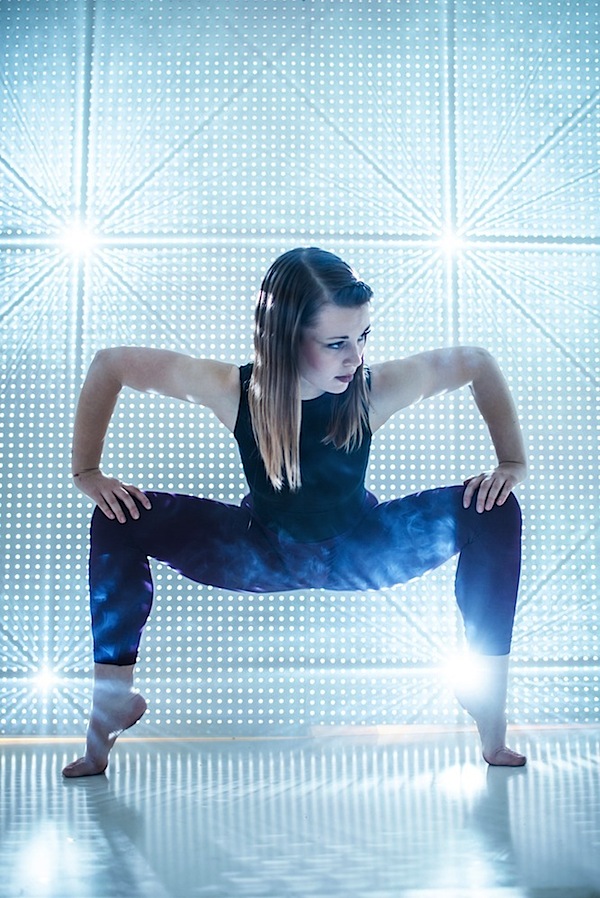
In it he uses peg board to create a background which he then shoots light through to create what he calls a ‘white room’ (he also has white hard board on the floor and ceiling which reflects light around). – check it out!

Nick has shared a lot of images taken in his White Room on his blog (here, here, here and here are just a few).

Post originally from: Digital Photography Tips.

Check out our more Photography Tips at Photography Tips for Beginners, Portrait Photography Tips and Wedding Photography Tips.

See Nick Francher Create a ‘White Room’ with some Pegboard [Video]


Digital Photography School

 
Comments Off on See Nick Francher Create a ‘White Room’ with some Pegboard [Video]

Posted in Photography


Kurv Magazine White Story + BTS Video

29 Jan

The Video

Shot and Edited by: Marty Martin


In keeping with my commitment to stay true to my vision and to continue shooting in a style that is my own, I shot this white story for Kurv Magazine’s spring issue in a way I’ve always wanted to see a White Story.
I’ve done plenty of white stories over the years, but I always sort of compromised here and there because whoever I was shooting for didn’t want to go exactly in the direction I wanted to take it in. In the end, I was always a bit disappointed in the results. But not this time. This shoot, I’m fairly pleased with.

Again, I collaborated with Rodney Burns from Church Boutique in Hollywood, California. I can’t even begin to describe how amazing it is to work with Rodney. He’s on my DVD, I write about him all the time, and yet every time I work with him it feels so magical, as if it’s the first time we’re collaborating and I can’t believe my eyes! He’s THAT good! He pulled these pieces from designer Furne One that truly blew my mind. And he coordinated the clothing to compliment the pieces. I trust his eye completely and just KNOW that my shoots are going to rock because of his amazing taste.

I wanted two blondes for this shoot. I’ve worked with Sarah Deanna before and she’s just amazing. She’s as beautiful on the inside as she is on the out! She also is publishing a book soon called Model Skinny. She writes about her healthy secrets on how one can get skinny and stay skinny the healthy way! I love a girl who gives back to our industry in a positive and loving way! I thought Jennifer was a good match for Sarah Deanna because, well ,she’s a stone cold fox as well! Both girls were on point and really knew how to emote for the story. James from Photogenics helped me cast this shoot. It was nice to work with “the old team”, so to speak.

I worked with make up artist Camille Clark from AIM Artists. I’ve worked with Camille many times when I lived in LA and she’s a very talented make up artist. I was excited to work with her again and ended up using her on 3 out of 4 editorials that I shot in LA. Hair stylist Jonathan Mason came on board that day. This was actually the first time I worked with Jonathan and that day we sort of bonded to the point that now when I am in LA, he’s my go to hair stylist. Thanks again to Timothy Priano, owner of Artists by Timothy Priano, for making that introduction!

I used window light and Christmas tree lights behind a silk against a backdrop  as my lighting sources. That’s it! I know, I’m sorry I don’t have some great big lighting set up to break off for you. This is my lighting and how I see fashion shot and I never have liked seeing things over-lit. I’ve said that numerous times. Over and over, I’ve reiterated how I use one light, or “less is more” or keep it simple. Well, I’ve gone even more simple now, using available light from a window or the continuous light from the room we are shooting in as my key or main lighting source.

Of course, I used the Nikon D3 and my 85mm lens for the shoot. I also used my 24mm lens and a 50mm lens as well. I think what makes this shoot really work is the amazing styling from Rodney and the emoting from two very professional models, Sarah Deanna and Jennifer. And me staying true to my vision! More to come and excited to continue to share with you my vision! Keep it real! xoxo


Fashion Photography Blog

 
Comments Off on Kurv Magazine White Story + BTS Video

Posted in Uncategorized


Understanding White Balance

28 Jan

Rob Barron, AKA ‘My Photo Tutor’ (www.myphototutor.com) explains why we need white balance, what it is and how to use the custom white balance function on your dSLR. The principles apply to all dSLRs, irrespective of make or model though method of selection will naturally differ.


27 Beautiful Black and White Portraits

25 Jan

Following are 27 beautiful black and white portraits to inspire you to take some portraits this week – enjoy!

Click on images to learn more about it and the photographer behind it on their Flickr page.

Still Moment B&W

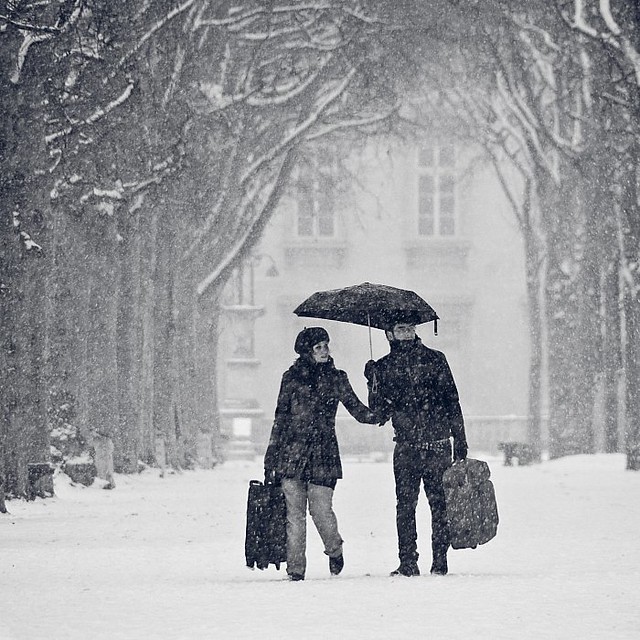
Paris under the snow
This little piggy (EXPLORED)
Shopaholic.
Portrait de rue - Tattoo, percing, etc.
lolita
Portrait de rue - Zeghdoud
Serie "Life is" #1 (unfair)
It's Just a Number
Reflection
Rockstar Teri
81/365, l'ombra del vento

Portraits_468x190px.jpeg

288/365 - Dotty
the tatoo man
That Newsie Smile
Pentecost
Angel
Thomas in the rain.
Fun Contrast and Light
JHC
Face to Face
Construction Worker
gotische damen

Laissé pour compte
workstation

Post originally from: Digital Photography Tips.

Check out our more Photography Tips at Photography Tips for Beginners, Portrait Photography Tips and Wedding Photography Tips.

27 Beautiful Black and White Portraits


Digital Photography School

 
Comments Off on 27 Beautiful Black and White Portraits

Posted in Photography