RSS
 

Posts Tagged ‘Understanding’

Understanding Colour on Your Digital Camera

05 Mar

This is the third in a series of articles by Andrew S Gibson, the author of Understanding EOS: A Beginner’s Guide to Canon EOS cameras.
01

Joel Meyerowitz once asked ‘If the world is in colour, why shoot it in black and white?

Okay, I can think of plenty of good reasons for working in black and white, but it seems that most photographers work in colour a great deal of the time. And when you work in colour, you naturally want to configure your camera to give the best possible results. To do so, it’s important to understand how your digital camera records colour.

You may be wondering why this matters. Surely, digital cameras just accurately record the colours of the subject? Well, the truth is it doesn’t work like that. To understand why, we need to look at the nature of digital capture.
02

Digital capture

The creation of a digital photo occurs in two stages.

The first step happens when you take a photo. The shutter opens, light reaches the sensor, and then the shutter closes again. The sensor’s photodiodes react to the light that hits them and this information is converted to electronic form in a series of millions of bits and bytes.

The second step depends on the file format setting you have selected on your camera.

When you select Raw, the data captured by the camera’s sensor is compressed and recorded onto the memory card as a Raw file. The camera also generates a small JPEG file that is embedded in the Raw file so that you can preview it on your camera’s LCD screen.

When you select JPEG, the camera converts the information captured by the sensor into a JPEG file and then ditches the information captured by the sensor. The main aim of the JPEG format is to save memory card space (the file sizes are smaller) and to give you a file that doesn’t need any post-processing.

When the camera creates a JPEG file, it does so using the colour settings that you have dialled into the camera. Changing those settings alters the way the camera records colour.
03

Colour settings

There are two colour related settings you need to know how to use. One is white balance (I’ll tackle that in the next article in this series).

The second setting has a different name depending on the camera you have. It is called Picture Style on my Canon EOS cameras. It’s the term I’m accustomed to so it’s the one I’m going to use in the article.

Nikon calls it Picture Control.

Sony calls it Creative Style.

Pentax calls it Custom Image.

Olympus calls it Picture Mode.

Fuji calls it Film Simulation Mode. I like this name as it describes exactly what the settings do – emulate the look of various Fuji film types.
04

What’s the purpose of Picture Styles?

The purpose of Picture Styles, believe it or not, are to imitate the effects of using different films in the camera. Let me elaborate (I realise that this will seem a little abstract to anybody who hasn’t used a film camera).

If you use film, then you would select a film type that records the subject in a way that suits the subject.

For example, the film of choice for many years for most landscape photographers was Fuji Velvia. This was a high quality slide film that recorded deeply saturated colours. It emphasised hues like green and blue, making it ideal for creating punchy landscape photos.

On the other hand, if you are taking photos of people, Fuji Velvia is a poor choice of film. You would be better off using something like Kodak Portra. This is a colour negative film designed to give a softer, less saturated image with good skin tones.

In digital cameras, the idea that photographers should be able to change the colour settings to suit the subject they are photographing led to the development of Picture Styles. The same principle applies – you set the Picture Style that is most appropriate to the subject that you’re shooting.

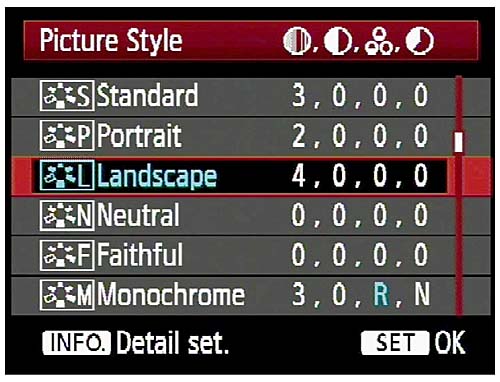
Let’s take a look at the default options on EOS cameras (check your camera’s manual for details if you own a different brand):
05

Out of the six, the three you would use most often are:

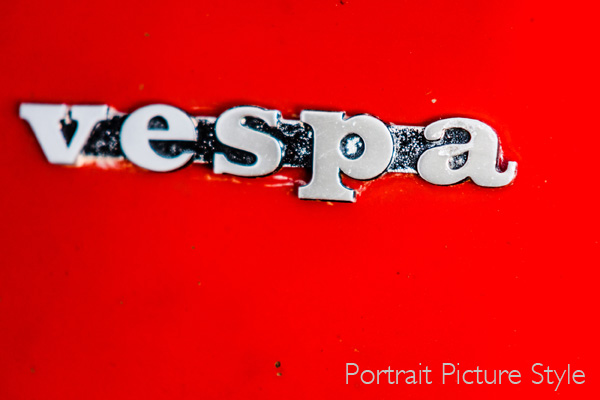
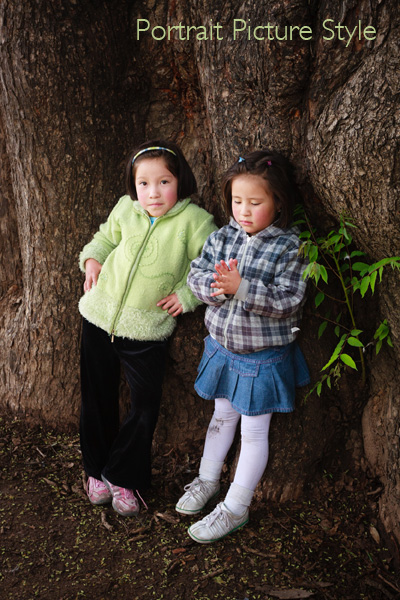
Portrait: For when you’re taking portraits. Obvious enough really. This Picture Style is designed to give warm, flattering skin tones.

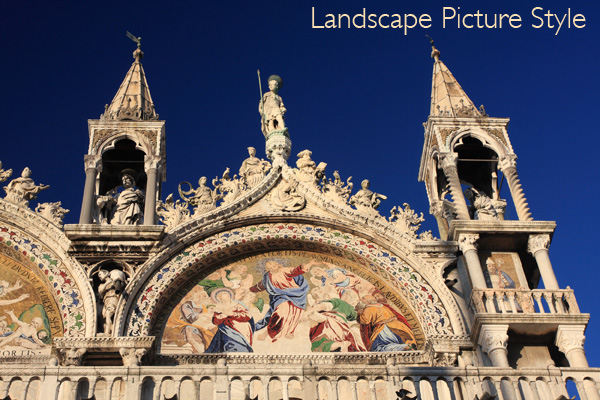
Landscape: Also straightforward. This Picture Style gives slightly sharper images than the portrait Picture Style and deeply saturated blue and green tones. It’s intended for landscape photos.

Standard: This is what you would use for just about every situation that isn’t a portrait or a landscape. It gives deeply saturated reds.

Neutral and faithful: These two Picture Styles are nearly identical and are designed to give soft, neutrally coloured JPEG files that are intended to be processed further in Photoshop. Given that most photographers who want to post-process now shoot Raw, these have virtually become redundant.

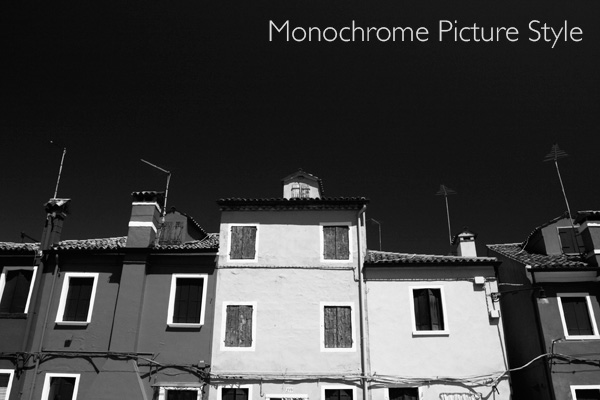
Monochrome: For black and white images. If you’re serious about black and white photography you’ll get much better results by shooting in Raw and converting the colour image to monochrome in post-processing. But, this Picture Style may come in useful if you want to dabble or simply don’t like to process images on a computer (not everybody does).
06

What is a Picture Style?

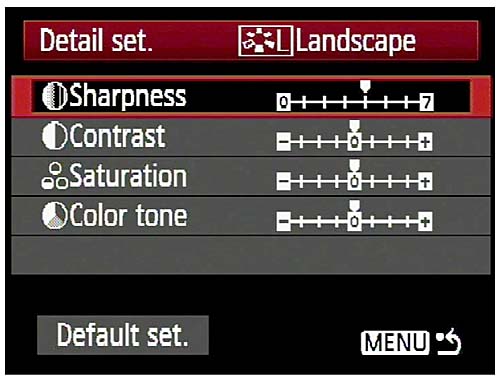
On Canon cameras, a Picture Style is made from four different settings. They are sharpness, contrast, colour saturation and colour tone. You can change any of these in the camera’s menu to alter the way a Picture Style works. This gives you a lot of control over the way your photos turn out.

Moving beyond Picture Styles

The Picture Style control is very useful if you use the JPEG format. But, as I touched on before, a lot of photographers now use the Raw format. Raw processing software has improved over the years to the point where the benefits in terms of image quality are too great to be ignored.
07

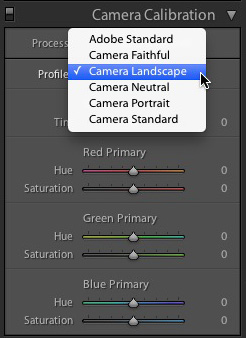
If you shoot Raw you don’t have to select the Picture Style at the time you take a photo. The Raw processing software lets you select the Picture Style at the time you process the file (the screenshot above is from Lightroom 4). That means you can select the Picture Style that most suits the image, and switch between the different options to see which you prefer.

Advanced workflow

If you use a program like Lightroom to process your Raw files, it has so many options for controlling and altering colour that the initial Picture Style you select may become irrelevant if you make lots of changes. If you use Lightroom presets to process your files the Picture Style hardly matters at all.

The same goes for Photoshop if you use Photoshop actions to change the look of your photos. Picture Style is just a starting point, and the result of the actions you use will have a much greater effect on the final result than the Picture Style you started with.

Conclusion

In short, the usefulness of the Picture Style setting depends very much on your shooting style and workflow.

If you use the JPEG format, then Picture Style is very useful as (along with the white balance setting) it determines the way in which your digital camera records colour.

If you use the Raw format, the Picture Style may not be very relevant at all. It provides a starting point and you may choose to use your Raw processing software to create a completely different look.

Did you know that the white balance setting is just as important as Picture Style when it comes to colour photography? I’ll explain why in my next article.

Previous articles

These are the earlier articles in the series:

Introducing the Creative Triangle

Finding Your Way Around the Mode Dial
08

Understanding EOS

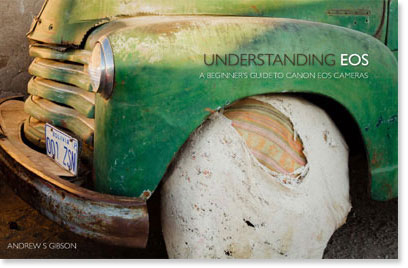
Andrew S Gibson is the author of Understanding EOS: A Beginner’s Guide to Canon EOS cameras. The use of Picture Style is one of many topics explored within the ebook.

Post originally from: Digital Photography Tips.

Check out our more Photography Tips at Photography Tips for Beginners, Portrait Photography Tips and Wedding Photography Tips.

Understanding Colour on Your Digital Camera

Digital Photography School

 
Comments Off on Understanding Colour on Your Digital Camera

Posted in Photography


Understanding HD Video [Book Review]

04 Mar

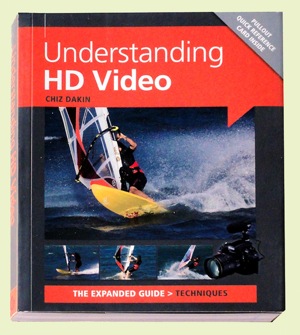
Understanding HD VideoAfter a careful read of Chiz Dakin’s book, I came to the conclusion that — for the right reader — her volume is the ant’s pants, the bees’ knees of ‘how to’ books in the video field.

The right reader? Well that comes down to those who are competent in stills photography, own a DSLR or a CSC camera and know how to work with different lenses, be savvy with ISO, histograms etc.

CSC? Compact System Camera or what could also be called a MILC (Mirrorless Interchangeable Lens Camera).

I also figure it would probably not be right for the hardened videographer, accustomed to video camcorders, as most of the info within its pages is aimed at the stills brigade … and how jump ship into the world of movies.

High end cameras such as Canon’s EOS MkII and MkIII and Nikon’s D800 are becoming increasingly popular with feature film and documentary makers due to their reasonable price (compared to high end video cameras) and ability to use lenses with focal lengths that image to a full frame 35mm area. Lenses of these focal lengths enable photographers to work with a reduced depth of field and produce that ‘film look’. The odd thing is that the true 35mm movie frame is roughly half the size of the 35mm still frame! Oh well!

The early chapters take the reader through the differences between camcorders and movie-enabled still cameras: their radically different ergonomics; limited recording time; tricky sound capture arrangements; challenging focus ergonomics etc.

Then we get into the language of video shooting: how to capture movement; framing the scene; managing or supplementing light; creating an acceptable storyline; selecting camera angles.

Quite a few pages are devoted to creating the story line, which may at first seem an odd subject in what could be seen as a techy book. But, different to stills photography, video making is a linear process: scene one comes before scene two etc.

It may seem overkill when there follows a chapter listing the personnel on a typical video crew but, as many festival entrants know, even on a simple, home made video you can often need a Director (of course!), a Producer, camera operator, lighting gaffer, grip, art director etc to produce something with more going for it than a simple home movie.

More about the basics: how to select locations; pick the right time of the day or even the right time of the year; choose camera angles; ‘crossing the line’ rules.

Then we get to discuss differing types of cameras, with an admission that even smartphones can have their place in the scheme of things, especially when ‘you need to record somewhere that you couldn’t (or wouldn’t) want to put a bigger camera.’

Lenses come into view with explanations of how effective focal length is affected by sensor size and the roles of prime lenses vs zooms, extreme wide angle lenses, macros, teles and shift lenses.

There is much essential and useful info on memory cards, transfer bit rates, the different file formats, NTSC vs PAL, bit rates, frame rates etc.

There is one piece of advice that is, to my mind, worth the book’s cover price alone: if you set the camera to auto exposure, when panning the camera from a dark area to a light one it will cause distracting exposure shifts. Better to switch to manual exposure so the lens aperture, shutter speed and ISO setting will all be locked.

Result: exposure stays the same wherever the camera is pointed.

Overall, an enormously useful book, full of all the stuff you need to make movies!

Author: C Dakin.
Publisher: Ammonite Press.
Distributor: Capricorn Link.
Size: 14.5x18x1.5cm. 192 pages.
ISBN: 978 1 90770 862 6.
Price: Get a price on Understanding HD Video (Expanded Guide Techniques) by Chiz Dakin at Amazon (22% off at present).

Post originally from: Digital Photography Tips.

Check out our more Photography Tips at Photography Tips for Beginners, Portrait Photography Tips and Wedding Photography Tips.

Understanding HD Video [Book Review]


Digital Photography School

 
Comments Off on Understanding HD Video [Book Review]

Posted in Photography


HDSLR 101 #3: Understanding how video works on a HDSLR

10 Feb

Download the entire HDSLR 101 series plus a BONUS EPISODE on our store site: store.nextwavedv.com Find more training resources on our website: nextwavedv.com Join our Facebook community facebook.nextwavedv.com Follow us on Twitter twitter.com In episode 3 of HDSLR 101 we discuss how video on a HDSLR works. Differences between ISO and gain, how your f-stop can dramatically affect the look of your video, and other functions to give you the proper look in your shoot.
Video Rating: 4 / 5

4000+ single frames shot over 8 hours. Artwork by Brisk and Shiz. Music and Video by 303db. Equipment used Nikon D5000 Tamrom 10-24mm, Lensbaby Composer with Double-glass and fish-eye optic. Shouts-out to: 2Rise, JXC, Hules, Box-Spinner, Clarkey, The Graffiti Queen, Joeppo, Datachump, Letty, Drax, Doze, WRH and TND.
Video Rating: 4 / 5


Digital Photography 1 on 1: Episode 39: Understanding RAW Files

10 Feb

This week Mark Wallace explains the difference between RAW and JPEG. There’s no right or wrong answer to the question “should I shoot RAW or JPEG?” but Mark will help explain the advantages of each format.

Plies – “Me Ho” from his mixtape “You Need People Like Me” (hosted by DJ Scream). Special thanks to Ben Evans and Jose Delosangeles who assisted with the shoot.
Video Rating: 4 / 5


Understanding White Balance

28 Jan

Rob Barron, AKA ‘My Photo Tutor’ (www.myphototutor.com) explains why we need white balance, what it is and how to use the custom white balance function on your dSLR. The principles apply to all dSLRs, irrespective of make or model though method of selection will naturally differ.


Canon 60D overview: Understanding the lens controls | lynda.com

20 Nov

This photography overview briefly explores the lens controls on the Canon 60D. Watch more at www.lynda.com This specific tutorial is just a single movie from chapter two of the Shooting with the Canon 60D course presented by lynda.com author Ben Long. The complete Shooting with the Canon 60D course has a total duration of 3 hours and 29 minutes, and reviews the components and operation of the Canon 60D camera, including changing lenses, navigating the menus, shooting in Auto mode, and reviewing and managing photos on the camera’s LCD screen. Shooting with the Canon 60D table of contents: Introduction 1. Getting to Know Your Canon SLR 2. Shooting in Auto Mode 3. Shooting in Program Mode 4. Controlling Autofocus 5. Controlling White Balance 6. Using Drive Mode and the Self-Timer 7. Using Exposure Control Options 8. More Playback Options 9. Shooting with Scene Modes 10. Shooting with Flash 11. Shooting with Picture Styles 12. Using Live View 13. Shooting Video 14. Customizing Menus and Functions 15. Using Custom Functions 16. Caring for Your Camera Conclusion
Video Rating: 4 / 5

 
Comments Off on Canon 60D overview: Understanding the lens controls | lynda.com

Posted in Nikon Videos


Digital Photography 1 on 1: Episode 47: Understanding Camera Settings: Adorama Photography TV

28 Oct

Adorama Photography TV presents: Pre-set modes like “Sports” and “Night Portrait” make it easy for us to just point and shoot. If you’re new to photography, two of the most important things to learn are aperture and shutter speed settings as these will give you a lot of creative control. If you’re not sure what settings to use Mark has an easy to follow spreadsheet to help you determine the right settings. Go here to download the spreadsheet and for related videos: www.adorama.com Visit www.adorama.com for more photography videos! Send your questions to: AskMark@Adorama.com

 
Comments Off on Digital Photography 1 on 1: Episode 47: Understanding Camera Settings: Adorama Photography TV

Posted in Photography Videos


A Guide To Understanding Exposure in Photography

21 Oct

www.PhotoEducationOnline.com -A basic overview of photographic exposure and how to use it to improve your image-making.

 
Comments Off on A Guide To Understanding Exposure in Photography

Posted in Photography Videos


Better Understanding The ISO Settings

16 Oct

I apologize for the bad editing, but in this video I bring back my D3000 to help understand the ISO settings and how to use them.

 
Comments Off on Better Understanding The ISO Settings

Posted in Nikon Videos


Nikon D60 – Understanding ISO

03 Sep

An explanation of what ISO is, how it increases with the sensitivity of the D60’s sensor, and why you should always set it yourself, from the Magic Lantern DVD Guide to the Nikon D60.
Video Rating: 4 / 5

Here’s your opportunity to ride on a Translink New Flyer D60 (B3009) along one of the busiest corridor within the transit system – the 99 B-Line along Broadway! This bus is powered by a Detroit Diesel 6V92TA engine and an Allison HTB-748 transmission
Video Rating: 4 / 5