RSS
 

Posts Tagged ‘Tips’

Tips for Photographing a Lunar Eclipse

02 Apr

_MG_5566-MWhile some obscure astronomical events get over-hyped, a total lunar eclipse is always a crowd-pleaser. It is easy to observe and photograph, even among the bright lights of the big cities. April’s Easter Lunar Eclipse (2015) is visible from North America, across the Pacific to Australia, and eastern parts of Asia. The photography advice below will also serve the rest of the world well in September when an eclipse is visible to those who miss out on this one.

Eclipse Details for Saturday April 4th, 2015

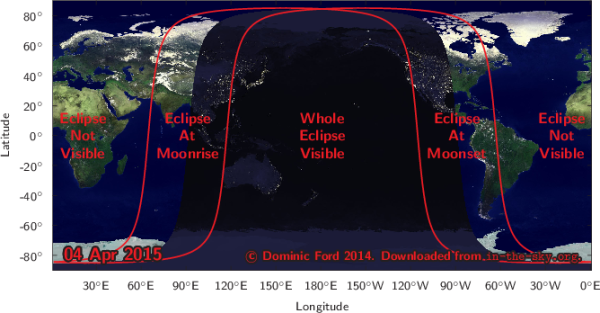
A lunar eclipse occurs when the alignment of the moon’s orbit is just right, taking it inside Earth’s shadow at the time of full moon, when the moon is opposite the sun. This total eclipse occurs on Saturday April 4th, 2015, in the morning for observers in the Americas, and the evening for those in Australia and Asia. In total, this eclipse lasts for three and a half hours but totality, where the moon is fully inside our shadow, only lasts for around five minutes.

Because the moon only grazes into the shadow, this eclipse is likely to be a little brighter than usual, and the color more orange than red. For people in eastern Canada and the United States, as well as western parts of South America, the moon will set before the total eclipse begins, but you will have the opportunity to create unique images of the moon setting partially eclipsed.
lunar_201504

Visit in-the-sky.org for event times in your area. Change your location on the right hand side if the automatic selection is incorrect.

Photographing a Lunar Eclipse

There are two main approaches to photographing a lunar eclipse using just a DSLR and a tripod, excluding more complex approaches with telescopes and tracking mounts.

  1. You can get in as close as possible with a telephoto lens to capture detail of the changing partial, and total phases of the eclipse.
  2. Create wide-field and composite images showing the stages of the eclipse as the moon moves through the sky.

Wide-field Eclipse Composites
Lunar Eclipse over Maryborough Station-M

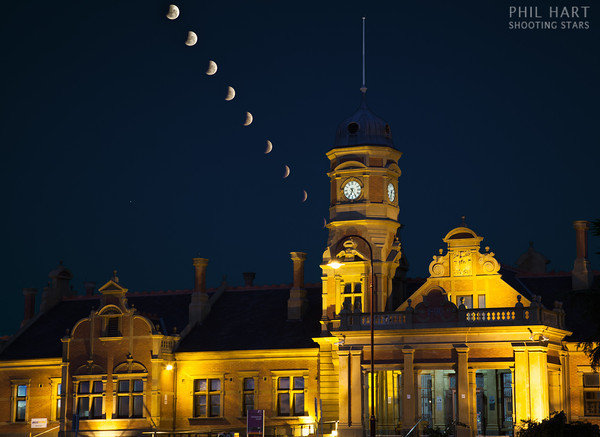
Partial phases of a lunar eclipse over Maryborough Station.
Canon 5D Mark II, 24-105mm lens at 82mm.
Nine exposures of the moon each 1/90 sec, f/8, ISO 200.
Images stacked is PS using lighten blending mode with one 2 second exposure of the foreground.

The moon moves across the sky at approximately 15 degrees per hour or 50 degrees over the full duration of the eclipse. You need a wide angle lens around 18mm focal length (28mm on a full frame camera) to capture all the stages of the eclipse in one field of view. An alternative is to frame up part of the eclipse with a longer focal length about 50mm (80mm on a full frame camera) like the image above which shows the partial stages in more detail.

In the northern hemisphere, the moon (like the sun) moves from left-to-right through the sky. So at the start of the eclipse, position the moon in the left side of the frame leaving it room to move across the image during the eclipse. Reverse that advice in the southern hemisphere. Night sky planetarium Apps such as Stellarium and SkySafari (iOS only) allow you to visualize the path of the moon through the sky to help plan your framing.

Telephoto Eclipse Images

With a moderate telephoto lens you can get nice detail of the changing stages of a lunar eclipse. During the partial stages the brightness of the moon allows for very short exposures, so trailing it should not be a problem, although you will need a sturdy tripod and use mirror lock-up to reduce vibration.
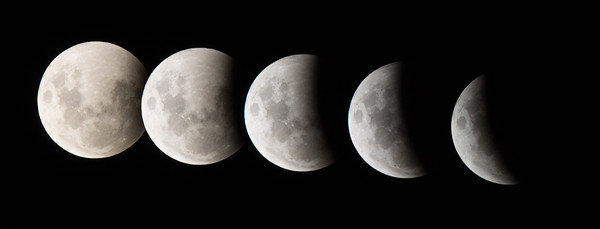
Lunar Eclipse Partial Phases Composite Canon 1100D, 300mm lens with 1.4x teleconverter, 1/125 sec, f5.6, ISO200

Lunar eclipse partial phases composite.
Canon 1100D, 300mm lens with 1.4x teleconverter, 1/125 sec, f/5.6, ISO 200

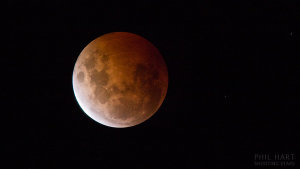
During totality, the Moon’s brightness greatly reduces, however this eclipse will be a little brighter than usual. Aim for exposures of around one second with the aperture wide open, and push the ISO as much as you need to, being careful not to blow the highlights on the brighter edge. You should be able to capture images like this one below, which is an example of what you can do even with regular affordable cameras (although nice lenses do help).
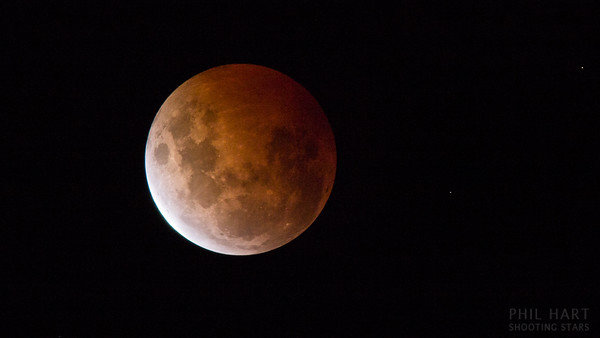
_MG_5566-M

Totality during a lunar eclipse
Canon 1100D, 300mm lens with 1.4x teleconverter, 1/2 sec, f/5.6, ISO 200

Eclipse at Moonset

In the eastern United States and Canada, and the western half of South America, the moon will set during the partial stages before total eclipse. Through central areas the moon will set while totally eclipsed which will make it much dimmer than a normal moonset and potentially hard to see amongst bright city lights. In the western half of North America you get to enjoy the partial phases leading up to, and including the total eclipse, then capture the moon setting as the partial phases reverse at the end of the eclipse.

You can use apps and software like The Photographers Ephemeris (Android/iOS) and Photo Pills (iOS only) to plan the alignment of the moon against landscape features as it rises or sets. Australian photographer Colin Legg captured this shot of the moon rising during an eclipse last year. An astronomer would immediately recognize the unusual configuration – a crescent moon can normally only appear in a twilight sky in the same direction as sunrise or sunset. Here the crescent moon appears amidst the beautiful shading of Earth’s shadow and The Belt of Venus, opposite where the sun set about 15 minutes earlier. Similar images before sunrise will be possible across North and South America during April’s lunar eclipse.
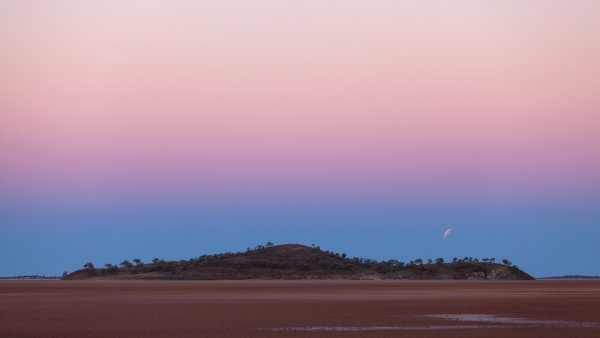
2014-10-08-Lake-Ballard-Lunar-Eclipse-115mm-1200

Lunar Eclipse over Lake Ballard, Western Australia – image courtesy of Colin Legg

Will you get out and give it a go? Share any comments and questions below, and if you get a great shot of the eclipse share it here too. You might want to share it on the weekly photography challenge Shoot the Moon also.

fi3-340x220Want more night sky photography tips? Right now Phil’s eBook Shooting Stars is 50% off over at Snapndeals. Now only until April 27th!

googletag.cmd.push(function() {
tablet_slots.push( googletag.defineSlot( “/1005424/_dPSv4_tab-all-article-bottom_(300×250)”, [300, 250], “pb-ad-78623” ).addService( googletag.pubads() ) ); } );

googletag.cmd.push(function() {
mobile_slots.push( googletag.defineSlot( “/1005424/_dPSv4_mob-all-article-bottom_(300×250)”, [300, 250], “pb-ad-78158” ).addService( googletag.pubads() ) ); } );

The post Tips for Photographing a Lunar Eclipse by Phil Hart appeared first on Digital Photography School.
Digital Photography School

 
Comments Off on Tips for Photographing a Lunar Eclipse

Posted in Photography


Post-Processing Tips for Overcoming Beginners Acts of Omission

02 Apr

In an old dressmaking shop in Paris, a master-tailor has finished stitching a bridal gown. He is eager to show it to the world, but he knows that the job is not yet done. He has a few thoughts passing through his mind, and he has to make sure that the dress is presentable before the bride arrives. He tells himself that these threads dangling from here and there need to be trimmed, the ruffles need to be neatened, and the seams still need to be pressed. The master in him criticizes the dress until the tailor in him fixes the final details.

When it comes to photography, the story is no different. You must lose ownership of your image for a few seconds, and look at your own work with a fine-tooth comb. As beginners, we often rush to upload or print our photos, eager for appreciation and likes from others.

I have also been impatient in this way, though with time, I have now made it a habit to review my image critically at the end of post-processing. Here are some tips I hope that will help you taking your post-processing experience to the next level and pick up on some things that beginners often miss. I use Adobe Lightroom and Photoshop, so I will be talking about both where applicable.

Crooked images

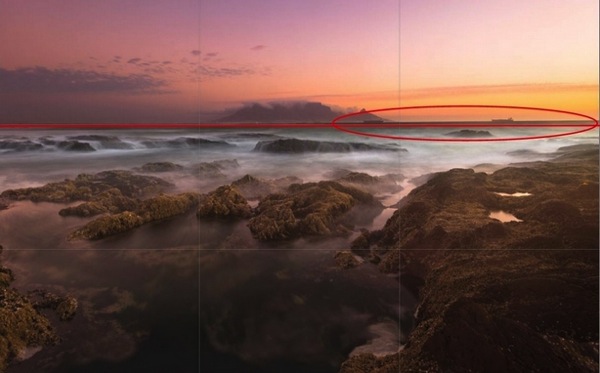
There is nothing more embarrassing than your client telling you that the photo is a bit askew. Once spotted, it is an eyesore that will forever jar when you look at your image. It is not easy to judge tilted images when it comes to mountains and forests, but landscapes are also more forgiving when it comes to a tilt. With seascapes, however, one needs to ensure that the sky meets water on the perfect horizontal for a harmonious and balanced image. Similarly, check the angles of your doorways and buildings, that they are aligned appropriately. Adobe Lightroom has a useful Straighten tool, as well as options in Photoshop.

Skew Horizon

A crooked horizon is not always obvious; verify it using the proper tools.

Spots

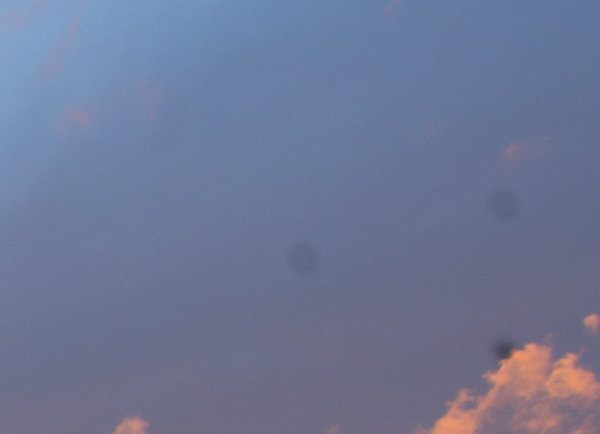
Zoom-in and inspect your photo to make sure that there are no spots. Dried water droplets and dust become more visible when you increase the contrast of colors in your post-processing. Adobe Lightroom has a Spot Removal tool, and Adobe Photoshop also provides various ways to remove spots from your image.

Spots

Imagine printing a large image with these spots. These are very visible.

Chromatic aberration

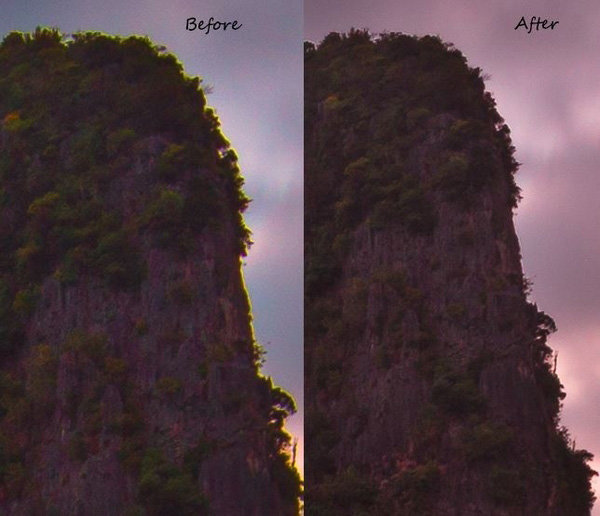
Chromatic aberration, or color fringing, often happens around the edges of objects in your images. Why this happens is a technical topic on its own related to your lens, but what you need to know is that modern tools help remove this problem. Adobe Lightroom has a Remove Chromatic Aberration tool that you can use to overcome this issue.

Chromatic_Aberration

With just one click, I was able to remove the color fringe from the edges.

Barrel distortion

Barrel distortion is associated with wide angle lenses. It causes your image to look more like a sphere. You might get away with it if the elements in your scene are uneven, and not particularly familiar to the eye. However, you need to be aware that the wider your focal length, the more distortion your image will have. Adobe Lightroom allows you to remove barrel distortion using the Lens Corrections feature. In the following image, people standing on each side of the image have elongated faces. I did not, of course, include this in the bridal album!

Raaiqah & Taariq Wedding, November 2014

Unwanted objects

Look for unwanted objects in the scene. Remove shopping bags, cans, tins, ships on the horizon, and even people if they are not desired in the scene. I use Adobe Photoshop’s Content Aware fill tool to achieve the desired results.

Image in black and white

Before and after post-processing, I usually check my images in black and white. By not allowing yourself to be distracted by colours, this is a good way to see if an image is flat. I do this for several reasons. Some images are just meant to be black and white, especially the ones in which the colour adds little by way of interest, and in fact may distract from the subject. You might also want to turn an image into black and white because the sky is overexposed, in this way salvaging, rather than discarding the image altogether. By converting an image to black and white, sometimes unwanted distracting elements in the background of your image can be de-emphasized, with some additional light adjustment (e.g. a person standing behind your main subject in a portrait).

Color_Landscape BW_Landscape

Black and White allows you to appreciate the landscape with emphasis on the harmonies and lines rather than on the colours.

Color_Portrait BW_Portrait

In black and white, the background is not as distracting.

Tip: Walk away

Once you have finished editing your image (or a batch of images), step back and give review it full screen. Turning off the room lights and leaning back is a good idea. Without the mouse and the keyboard in my reach, I can think about the image critically. I sometimes even walk away and let the image lie there for some time before returning for a fresh approach.

Whether you are a beginner or a professional, after putting effort into post-processing, you tend to think that you have done enough to make the image ready. You focus on certain areas too much, and your mind forgets to tell you that you need to look in other areas to see if the image is balanced and harmonious. So, take your time and allow the image to fully absorb without patience in the post-processing phase. A lovely image can be converted into a magical one by proper processing.

Though these steps may sound pedantic, a good image needs loving care.

I hope these tips are helpful. Your feedback and comments are welcome.

googletag.cmd.push(function() {
tablet_slots.push( googletag.defineSlot( “/1005424/_dPSv4_tab-all-article-bottom_(300×250)”, [300, 250], “pb-ad-78623” ).addService( googletag.pubads() ) ); } );

googletag.cmd.push(function() {
mobile_slots.push( googletag.defineSlot( “/1005424/_dPSv4_mob-all-article-bottom_(300×250)”, [300, 250], “pb-ad-78158” ).addService( googletag.pubads() ) ); } );

The post Post-Processing Tips for Overcoming Beginners Acts of Omission by Mujahid Urrehman appeared first on Digital Photography School.


Digital Photography School

 
Comments Off on Post-Processing Tips for Overcoming Beginners Acts of Omission

Posted in Photography


5 Tips for Doing Candid Wedding Photography

30 Mar

Weddings have changed drastically in the past few years. Couples want more from a wedding these days, they don’t want the traditional, normal photography anymore. They frequently ask for documentary or candid wedding photography because it captures the emotions of not only the couple, but also the guests enjoying themselves without lining them up in front of the camera.

IMG 0072

But, candid photography is so much more than just pointing your camera at people and shooting away to glory. You, as a photographer, need to know and understand the finer nuances involved in candid wedding photography; you need to know how to get good candid shots without people noticing you. Here are five tips to shoot a wedding in a lovely, unobtrusive and candid way which would make the entire task much easier for you.

1. Always be ready

The prime tip for candid wedding photography which I can give is, to be always ready. By that, I mean you must always keep an eye out for moments, and keep that camera ready. Your camera needs to be in your hands and ready to shoot at a moment’s notice. You must set the camera according to the light conditions (settings like the aperture, shutter speed, ISO, white balance, etc.) so that you don’t need to fiddle around with the settings while things happen in front of you. (IMG_7211)

IMG 7211

2. Know your equipment

I cannot tell you how many times I’ve seen photographers miss the shot while they are trying to change the camera settings. You must know the equipment that you are using, inside out. It helps to gauge the light conditions and set the camera accordingly, so that you don’t miss the events that would warrant a picture. It might very well be helpful to have a smaller camera handy, in addition to that big bulky DSLR, just incase.

IMG 6243

3. Use a telephoto zoom lens

Candid photography is all about taking pictures of the bride, groom, guests, etc., from a distance without them noticing you. Nothing will be more helpful in achieving this than a fairly long telephoto zoom lens. I regularly use lenses like a 100mm, 70-200mm or even a 100-400mm when I need to capture those emotions, those candid moments. You can, of course, use any lens you want (something like a 50mm could be helpful too!). But, since candid photography is all about being unobtrusive and capturing those emotions in a natural way, I would suggest using a zoom lens. What it essentially does is helps maintain the intimacy of the picture being taken, which is so important in wedding photography.

IMG 7210

4. Do not use flash

One sure-fire way of getting people to notice you is to use a flash (whether it be the onboard one, or an external flash gun). Not only this, light from a flash can be so unflattering and boring, to put it simply. If there is a dearth of light, you as a photographer need to find other ways to brighten up the scene that you are photographing, either by opening up the aperture, increasing the ISO, slowing up the shutter (to an acceptable range), etc. I understand that by increasing the ISO a little too much, you might include a fair bit of noise into the picture, but the idea is to capture the moment, and there are times when noise is actually a good thing.

IMG 2346

5. Foresee or plan ahead

As a candid wedding photographer, it is your job to foresee what is going to happen, or at least take your best calculated guess. If possible, I’d suggest you visit the location before the wedding so that you can scout out some good locations for taking pictures. If you are unable to go visit the location beforehand, then at least reach the venue well before the function is to start. That way you can scout out not only some great locations to take pictures from, but you can perhaps even scope out the main rooms that will be used for the wedding and the reception. A little bit of planning goes a long way in getting some great shots.

I hope these top five tips will help you the next time you are out photographing a wedding in a candid, documentary style.

googletag.cmd.push(function() {
tablet_slots.push( googletag.defineSlot( “/1005424/_dPSv4_tab-all-article-bottom_(300×250)”, [300, 250], “pb-ad-78623” ).addService( googletag.pubads() ) ); } );

googletag.cmd.push(function() {
mobile_slots.push( googletag.defineSlot( “/1005424/_dPSv4_mob-all-article-bottom_(300×250)”, [300, 250], “pb-ad-78158” ).addService( googletag.pubads() ) ); } );

The post 5 Tips for Doing Candid Wedding Photography by Bobby Roy appeared first on Digital Photography School.

Digital Photography School

 
Comments Off on 5 Tips for Doing Candid Wedding Photography

Posted in Photography


Tips for Creating Landscape Photos during the Golden Hour

26 Mar

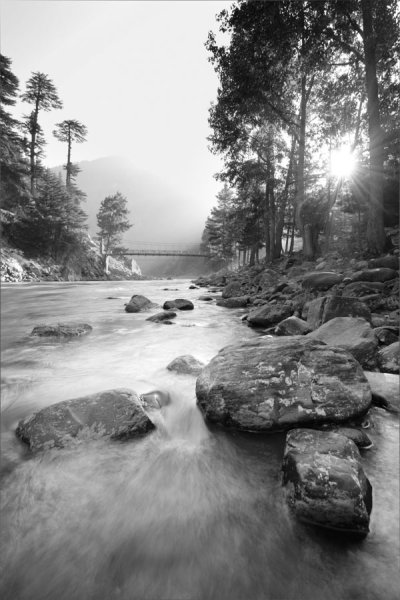
The golden hour. Even if you haven’t been involved in photography for very long, you undoubtedly have heard the term thrown around. As photographers we are in the business of capturing light, and there is no better light to have cast on our subjects, than sun light that is low on the horizon.

The golden hour is defined as periods of time; specifically, the hour after sunrise, and the hour before sunset. The length and time of these occurrences depends on your location on our planet, and time of the year.

siesta_silhouette

Regardless of the type of photography you do, natural light generally falls into two categories; harsh (hard) and soft. Harsh light is what you see when the sun is high in the sky, during the middle of the day (cloudless day).

Because the light is at its most intense during that time, and shining directly down from above, shadows are sharp and well defined. They can also appear in places you don’t want them, such as on a human subject’s face. You can sometimes counter this by using fill flash and reflectors. When you’re shooting landscapes, you see the more unwelcome effects on the sky, with less warmth and higher contrast.

Your subjects are well lit, but generally only from one direction. Images shot during at midday can be rather dull and uninspiring, and it becomes more difficult to capture something spectacular.

goldenhour_article_new4

After the sun lowers in the horizon and sunset approaches however, everything changes. Simply put, taking photos during the golden hour give the images atmosphere. These times give the best light for all kinds of photography, but what advantages do you gain by shooting your landscapes during the golden hour?

Reduced Contrast

Light from the golden hour effectively reduces the contrast in your images. A black and white street shot could benefit from harsher light in the middle of the day, because the higher contrast and sharp shadows better define the subject and the environment. For landscape photos however, the world comes alive when the sun is low, and the light is soft and diffused. Shadows become longer and less defined, and the tonal range changes significantly. Clouds are illuminated differently, and their visual transitions against the sky soften.

Colors

The position of the sun during the day creattes varying temperatures of light, as you can see by the different colors as it crosses the sky. When we discuss temperature in photography, we’re discussing tthat of color, instead of heat. Neutral temperatures are what you see during the middle of the day. The main point to take away from this is that neutral temperatures are fairly uninteresting in regards to their aesthetic effect on your photography.

sunsetcolors

Color ranges become more vibrant and pronounced when the sun is closer to the horizon.

During the golden hour periods, colors tend to bend to the extremes, and give you much more pronounced effects on your images. During the morning golden hour, just after sunrise, the color temperatures are cooler, and give a moody, bluish hue to the shot. In the evening before sunset occurs, the spectrum shifts to warmer colors, providing you with warm oranges and reds.

A photo captured during the golden hour has a wonderful warmth and feel that’s impossible to capture at midday.

Softer Light Through Diffusion

Diffusion can be visualized with the words, scattering and softening. Light that is diffused is soft with less defined edges, and scattered across a greater area than non-diffused light. A good example of that is a diffuser attachment for your DSLR flash unit. The translucency of the diffuser attachment emulates the soft light you get from the sun being in a low position in the sky, and takes away hard shadows.

diffusion

Diffused light is more evenly and softly applied throughout a scene, and a low-hanging sun or sunlight projecting through clouds becomes a great natural diffuser.

Your landscape photos benefit from this by less pronounced shadows from objects in your shot, and in general the light that falls on your subjects within the landscape scatters in a more even, favorable manner. What does this all give you? Again, the one thing you’re ultimately striving for in landscape shots; atmosphere.

Sun Flare Effects

Another advantage of shooting during the golden hours is the opportunity to introduce sun flare effects and backlighting into your images. Because of the sun’s position in the sky (low and near the horizon), you have the ability to better introduce it as a subject, or as a compliment to the subject in your shot.

flare

Sun flares are easier to capture during the golden hours, and produces a much more dramatic effect on the final image.

Flaring occurs when the sun is either at or near the edge of the frame of your photo, and while in some situations it is unwanted (photographers typically use lens hood attachments to minimize these effects), flares can add mood and drama to a landscape shot.

So now that you’re aware of the wonderful effects of photographing during the golden hour, how do you go about shooting our landscape images during these times?

Settings

Your camera settings for shooting during the early mornings or late evenings are going to depend on your exact subject, but in general, since less light is getting to your sensor, a larger aperture is usually required.

You may also need to bump up your ISO setting to compensate for the lower amount of light. This will increase noise, but usually not to a noticeable point, and even then, there are steps in post-processing that can easily remove it.

Again, this all depends on what type of shot you are doing. If you’re looking at a long exposure capture, you would set your camera for a smaller aperture and lower ISO.

goldenhour_article_new3

Use a Tripod

As a landscape photographer you are always encouraged to use a tripod. Since generally you will be shooting in one static location for each set of shots, the tripod will allow you a wider range of apertures to work with. You always want your landscapes crisp!

Prepare

By definition, you have two hours each day to shoot for the best light, so your preparation for those times are even more critical than usual (you’re always prepared for any shoot, right?). If you’re planning on just taking your gear and spending time to set everything up on location, you run the risk of missing the shots you’re looking to get in the first place.

Either prepare before you leave, or allow extra time well before the golden hour to get everything settled. Scout the location ahead of time. Have your settings ready for the appropriate shots, and pack anything extra that you might need, including food, drinks or something warm to cover up with.

Keep Shooting!

While the scope of this article has been the golden hour, don’t forget that the magic doesn’t stop after the sun dips below the horizon. After this point, the blue hour begins, when colors and tones change even more rapidly and dramatically. Keep adjusting your settings, and shoot until there’s no light left to capture. You’ll be surprised at what you have when you finally get those images unloaded on your computer.

White Balance

While white balance is a setting on your camera, because of its overall effect on the atmosphere of your images, it warrants a little extra attention when shooting landscapes during golden hour. My recommendation is to take your camera off of AWB (automatic white balance) because the camera will attempt to neutralize the warmth of the image on this setting. Most DSLR’s have a cloudy or shade setting that will retain that color tone.

If you’re shooting RAW images, this is a step that can be adjusted in post-production.

goldenhour_article_new2Helpful Apps

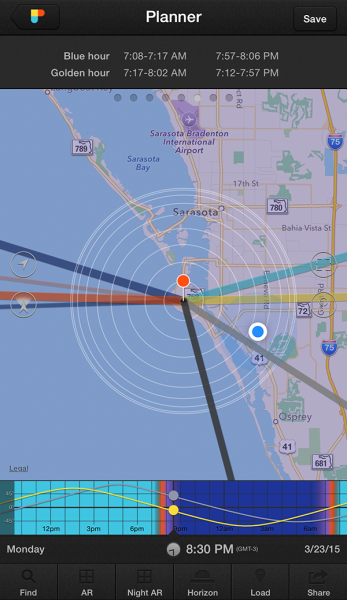
Thankfully, there are several Smartphone apps that can also help your planning process. A search on the Apple app store and Google Play shop will provide no shortage of this kind of apps, although there a few that I’ve used that seem a bit more robust, and worth the price you’ll pay. These apps provide calculators that will let you see when the golden and blue hours occur in any location in the world, and also include calculations for exposure, depth of field, time lapse, and more.

  • PhotoPills – iPhone/iPad, $ 9.99
  • Golden Hour – iPhone/iPad, £1.49
  • The Photographer’s Ephemeris – iPhone/iPad, $ 8.99, Android, $ 4.99

Enjoy the Light!

Shooting at optimal times of the day is one of the easiest things you can do to improve your photography. Nothing else adds character, atmosphere, and dimension to your work so dramatically.

What other golden hour tips do you have to share? How do you apply these guidelines to your own photography? Be sure to join in the conversation below, and keep churning out those golden shots!

googletag.cmd.push(function() {
tablet_slots.push( googletag.defineSlot( “/1005424/_dPSv4_tab-all-article-bottom_(300×250)”, [300, 250], “pb-ad-78623” ).addService( googletag.pubads() ) ); } );

googletag.cmd.push(function() {
mobile_slots.push( googletag.defineSlot( “/1005424/_dPSv4_mob-all-article-bottom_(300×250)”, [300, 250], “pb-ad-78158” ).addService( googletag.pubads() ) ); } );

The post Tips for Creating Landscape Photos during the Golden Hour by Tim Gilbreath appeared first on Digital Photography School.

Digital Photography School

 
Comments Off on Tips for Creating Landscape Photos during the Golden Hour

Posted in Photography


4 Tips for Creating Portraits with Impact

25 Mar

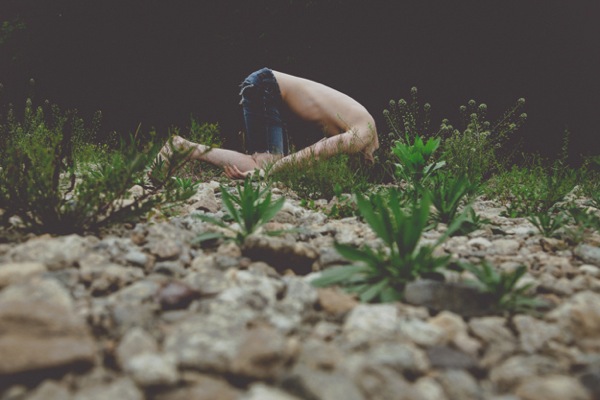
Faceplant

Since the birth of the camera, an overwhelming number of photographers have concentrated on portraiture. Capturing the personality, mood, or expression of a fellow human is sublimely beautiful. Because of this, many of us have thousands of portraits saved on hard drives, and eagerly await the next portrait contest. Honestly, how many of these portraits actually have visual impact? How many of our portraits are powerful enough to hold a viewer’s attention longer than a couple of seconds?

We can continue to produce countless portraits that are stale and void of visual power, or we can step back, evaluate our work, and begin to strategically create portraits that do have impact. Whether you are shooting on location or in a studio, begin adding some punch to your portraiture to captivate your audience. Here are a few ways to start creating portraits with impact immediately.

#1 INCLUDE ENVIRONMENT

When we pick up our cameras to snap a portrait, we almost instinctively move close to our subject. Yet, constantly shooting tight portraits can put us in a close-up rut. Simply moving your camera body closer to someone’s face, or using the telephoto aspect of your lens, doesn’t always lend itself to powerful photographs (the selfie is a perfect example of how easy it is to botch a close-up portrait).

Jun Temple

By physically taking several steps back, or by retracting your zoom, you allow context to enter the frame. Suddenly, what was just a photograph of a person’s face, can become an image rich with balance and environmental information. Additionally, a portrait with contextual information can easily appeal to a much wider audience by relating a story.

Steve wide

Shooting tip: When shooting wide portraits, make smart lens choices. Many wide-angle lenses (such as Canon’s 17-40mm L-Series) come with a great deal of distortion and will exaggerate a subject’s features. So that your subjects are not distorted, use a standard portrait lens (i.e. 85mm) and move your body in relation to your subject.

#2 USE NEGATIVE SPACE

Negative Monks

Stepping back and including environmental information can add impact to many portraits. However, the surrounding environment can also distract from your intended subject. At times, photographs are more powerful if the environment is minimal or void.

To draw the viewer’s eye directly to your subject, strategically add abundant negative space (area around or between a subject) in your frame. The use of negative space can be a key element in artistic composition in that it emphasizes and defines the main subject of a photograph (positive space) and adds impact.

#3 FORGET THE FACE

When we think of portraits, the first thing that usually comes to mind is a frame filled with a face. We can agree that there are many positives to this approach to portraiture. In a headshot we can see facial features, skin tones (unless we wipe them away in Photoshop or Elements) and the catchlights that draw us into the windows of the soul.

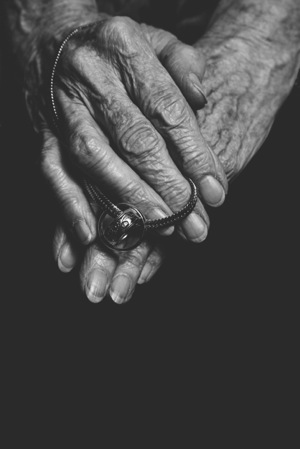
Alessa s Leg Grandmother s Hands

Luckily though, all of our photographs do not have to follow a headshot-only, antiquated view of portraiture. It is important to remind ourselves that a portrait is simply a representation of a person. Photographers are given the artistic license to determine how their subjects are portrayed. Instead of snapping a run-of-the-mill headshot, try shooting hands, feet, necks or even the cast shadow of a person. At times, moving away from a person’s face can lead to a frame that carries a tremendous amount of visual impact.

#4 CROP YOUR FRAMES

IMG 5902

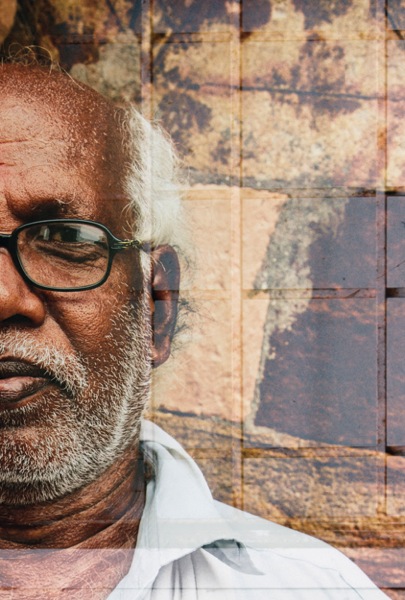
Another way to add impact to your portraits is to experiment with cropping. This is one of the simplest ways to add impact to a portrait and to showcase your aesthetic as a photographer. If you are finding it difficult to see fresh or unique frames while you are actually shooting, experiment with the crop tools in post-production.

Focusing on smaller portions of your subject can have much more impact than if you neglect to adjust the original frame. Moreover, a cropped picture can completely alter the photograph’s intention or interpretation. The more you experiment with cropping, the more apt you will be in spotting unique and powerful frames in the field.

Singh

Shooting tip: If you are photographing with particular frame in mind, it is better to take photographs that are a bit wider than your intended crop. You can always crop tighter, but you cannot widen the original frame.

Whether you are an amateur or a seasoned professional, rethinking the way you shoot portraits will inevitable invigorate your craft. The next time your camera is pointed toward another human, try something new. Experiment with a variety of strategies that will add impact to your portraits.

googletag.cmd.push(function() {
tablet_slots.push( googletag.defineSlot( “/1005424/_dPSv4_tab-all-article-bottom_(300×250)”, [300, 250], “pb-ad-78623” ).addService( googletag.pubads() ) ); } );

googletag.cmd.push(function() {
mobile_slots.push( googletag.defineSlot( “/1005424/_dPSv4_mob-all-article-bottom_(300×250)”, [300, 250], “pb-ad-78158” ).addService( googletag.pubads() ) ); } );

The post 4 Tips for Creating Portraits with Impact by Andrew Faulk appeared first on Digital Photography School.

Digital Photography School

 
Comments Off on 4 Tips for Creating Portraits with Impact

Posted in Photography


Tips for Using Golden Hour Light for Portraits

24 Mar

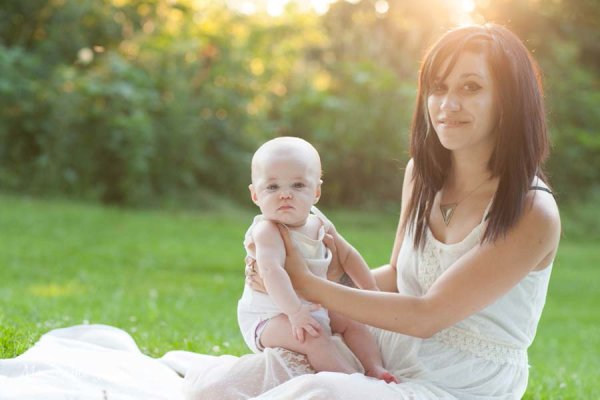
Memorable_Jaunts_Portraits_During_Golden_Hour_DPS_Article-12

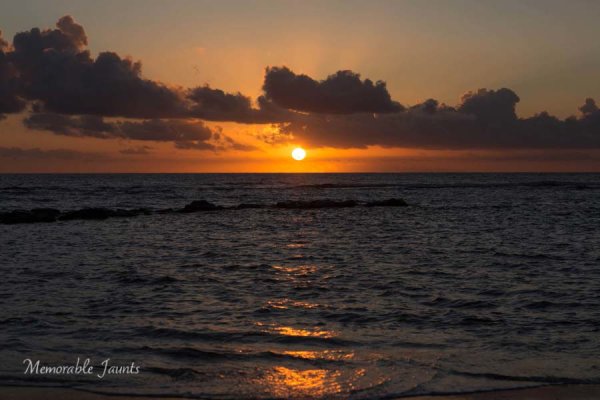
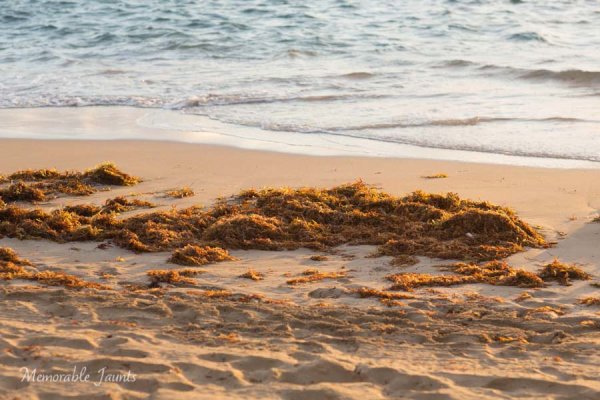
Most photographers will argue vehemently that the golden hour – that pocket of time just after sunrise and just before sunset – produces some of the most gorgeous light ever. Golden light shows up during this time, generally about an hour or so before sunset (after sunrise). However these times are not exact because golden light does depend on where you live. The further away from the equator you are located, the longer golden hour lasts. The closer to the equator you are, the shorter it is. Golden hour is also seasonal.

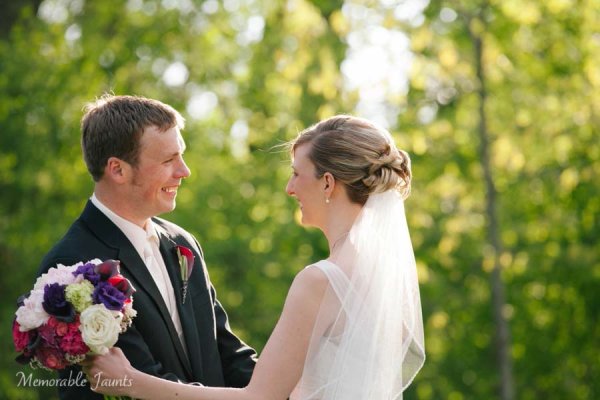
Memorable_Jaunts_Portraits_During_Golden_Hour_DPS_Article-13

There is a reason why most natural light photographers tend to schedule their portrait sessions around golden hour – to maximize the amount of golden light that they can use and get amazing results for their clients.

Why do you want to use golden light?

There are several reasons why golden light is so sought after.

Golden light is very soft

Memorable_Jaunts_Portraits_During_Golden_Hour_DPS_Article-7

Soft light illuminates the skin tones evenly.

Since the sun is almost setting or just rising during golden hour, the sunlight tends to be much softer than when the sun is high in the sky. During the golden hour, you can have your subjects look towards the sun and not have to squint or shield their eyes. Practice discretion on how long you want them to stare at the sun, and also take care not to point lens and cameras directly into the sun.

Golden light is warm

Memorable_Jaunts_Portraits_During_Golden_Hour_DPS_Article-10

The warm colors of sunlight are striking against the green grass.

It is easy to think that any form of sunlight is warm – whether the sun is high in the sky, or close to the horizon. But in reality, the warmth varies as the sun moves across the sky. Sun near the horizon has less intensity of direct light since it must travel through more of the atmosphere. You may notice, it is much easier to look at a sunrise and sunset with the naked eye – not that you should because it can damage the retina. As per wikipedia, more blue light is scattered during golden hour, so the sun’s light appears more reddish.

Golden light has dimension

When the sun is high in the sky, particularly around noon, the overhead light is very harsh, creating strong highlights and dark shadows. This type of lighting is not very flattering or desirable especially in portrait photography. Most photographers will use external flash or even a reflector to add additional light to the subject’s face or body, to make the light more even. Because the contrast is lower during golden hour, shadows and highlights are not that extreme. In addition, the sun’s smaller angle to the horizon produces long shadows.

Memorable_Jaunts_Portraits_During_Golden_Hour_DPS_Article-14

How do you use golden light?

Location scouting

Take the time to know the area that you are looking to do photography. There are many website and apps that can provide exact sunrise and sunset times. Some even take it a step further and provide golden hour times – which is specifically for photographers! Even the location matters when searching for golden light. If your photoshoot is in a park that has a lot of tree cover, the light will be further diffused, giving you the option of having a spotlight type effect for your portraits. If you are in a big city, take advantage of the natural block that tall buildings provide when photographing a subject.

Metering

Golden light can be challenging from a metering perspective. Most people leave it in standard (matrix or evaluative) mode and then play around in post-production to try and get the look they want. There is an easier way to eliminate all that time spent in front of the camera. Spot metering is my preferred metering method particularly for backlighting situations. I spot meter off the subject’s face or shadowy part of the image and then recompose and adjust exposure compensation half a stop or more to get the look I want.

Front lighting

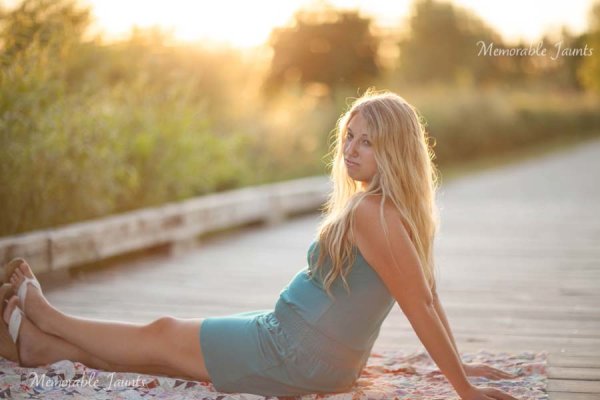
Memorable_Jaunts_Portraits_During_Golden_Hour_DPS_Article-1

Options for front lighting include the sun along the side of the subject as well as subject facing the sun.

Front lighting is when your subjects face the sun directly. Because of the low angle of the sun and the soft light, the sun isn’t as harsh and your subjects will not be squinting as they face the sun. The light is even and warm so make sure that is the look you want – gorgeous, warmly lit, imagery!

Backlighting

Memorable_Jaunts_Portraits_During_Golden_Hour_DPS_Article-9

Memorable_Jaunts_Portraits_During_Golden_Hour_DPS_Article-6

Backlighting is when you put the subjects between you and the sun. This creates a warm glow and looks really stunning. Make sure you expose for your subject’s skin tones. If you expose for the sun, then you will get a silhouette effect (which might not be the look you are going for, but is equally stunning).

Rim light

Memorable_Jaunts_Portraits_During_Golden_Hour_DPS_Article-3

Rim lighting occurs when you are using the sun to backlight the subject. Here the subject is between you and the sun. If you have a darker background, you can see a faint glow outlining them. That is a rim light and it really helps the subjects pop out in the image, drawing attention to them, adding separation of subject from the background.

No matter what type of golden hour lighting you use, you are bound to get some awesome images. Experiment with various locations and techniques. Also go back to the same location at various times of the year and track how golden hour lighting changes – you will learn to gauge, judge, and use light as a key element in your portrait photography.

googletag.cmd.push(function() {
tablet_slots.push( googletag.defineSlot( “/1005424/_dPSv4_tab-all-article-bottom_(300×250)”, [300, 250], “pb-ad-78623” ).addService( googletag.pubads() ) ); } );

googletag.cmd.push(function() {
mobile_slots.push( googletag.defineSlot( “/1005424/_dPSv4_mob-all-article-bottom_(300×250)”, [300, 250], “pb-ad-78158” ).addService( googletag.pubads() ) ); } );

The post Tips for Using Golden Hour Light for Portraits by Karthika Gupta appeared first on Digital Photography School.

Digital Photography School

 
Comments Off on Tips for Using Golden Hour Light for Portraits

Posted in Photography


Social Dance Photography Tips

23 Mar

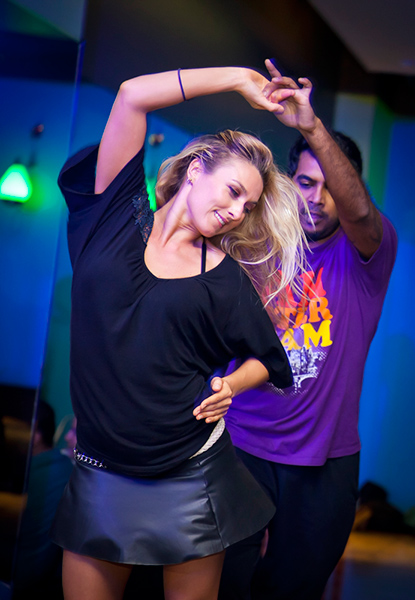
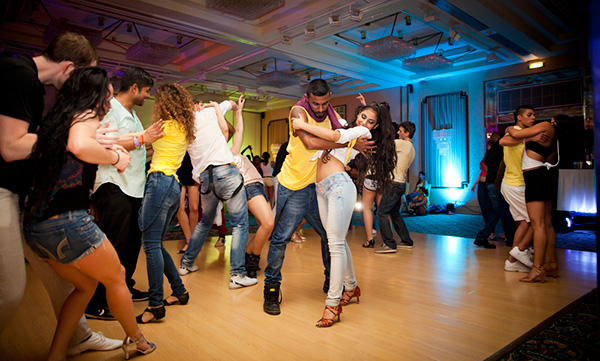
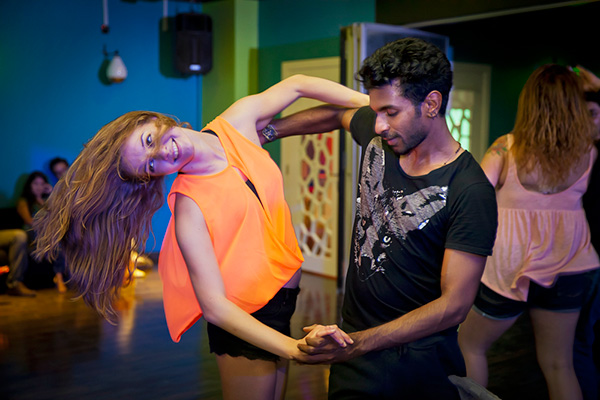
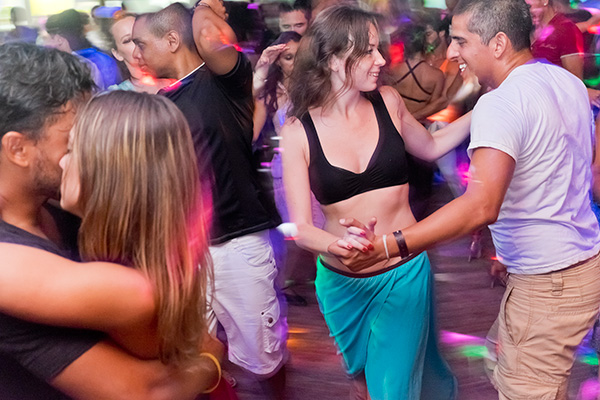
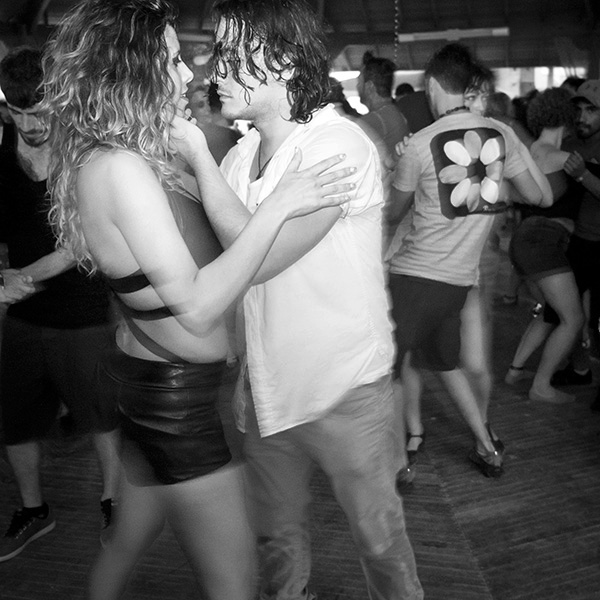
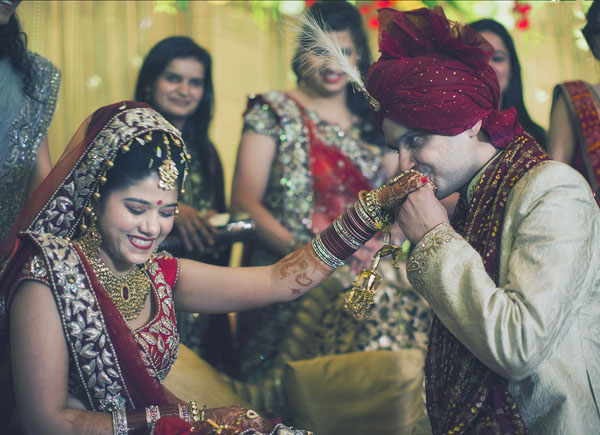
Nowadays it is very popular to have social dancing as hobby; people go dancing to the themed parties, special events, and travel to the international dance congresses. So definitely the subject of social dance photography is getting more interest worldwide. Doesn’t matter what kind of dance you enjoy the most – the challenges of capturing a great dance moment are very similar.

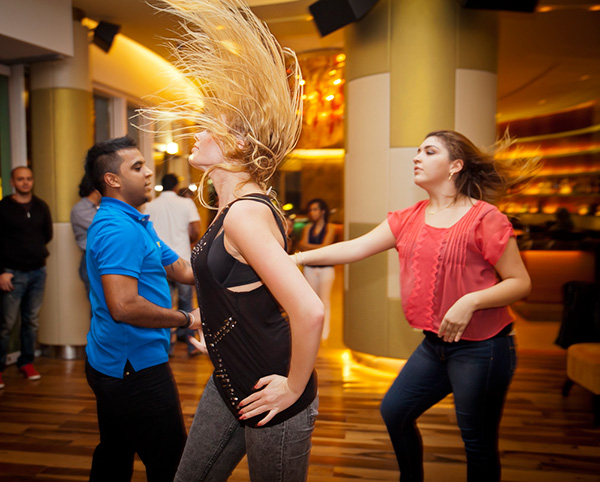
Photo1

Have you ever seen dark, blurry photos, taken from a weird angle of yourself on the dance floor? I bet your answer is yes. Being a dancer myself I could relate to such matters too, which made me realize that it’s not an easy task to get great dance shots. So I started practicing.

Photo2

Gladly I had a lot of opportunities to do so due my active role in growing Zouk community in Abu Dhabi, capital of United Arab Emirates.

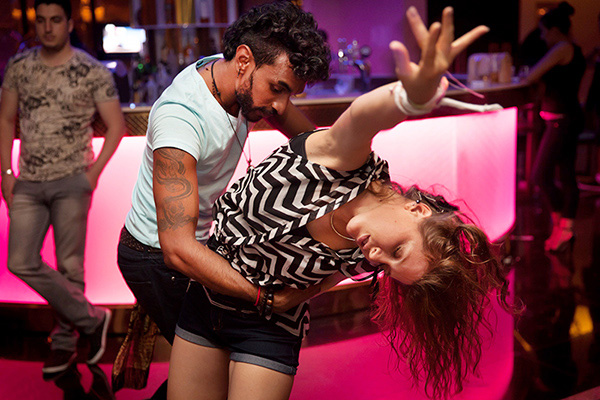
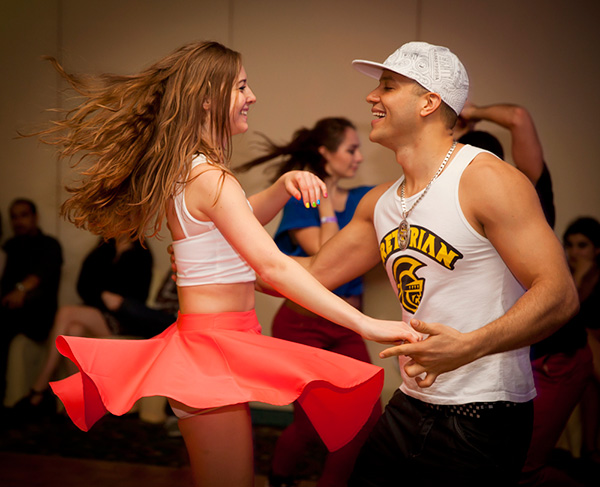
Zouk is a Brazilian dance; very sensual and addictive. It is known as the dance of the 21st century, and is becoming viral all over the world. The rhythm of Zouk gives dancers a lot of flexibility and freedom to experiment and adapt their style to the music. It offers a lot of beautiful poses for photographer to capture (head flicks, body rolls, spins, twirls, dips and various hip movements).

Let’s look at the challenges of capturing beautiful dance movements and how to overcome them:

Photo3

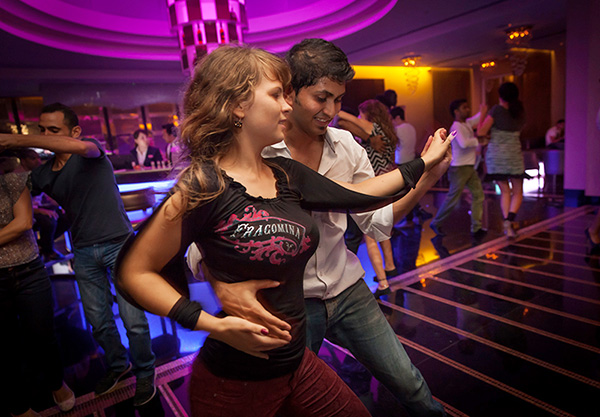
A dark environment

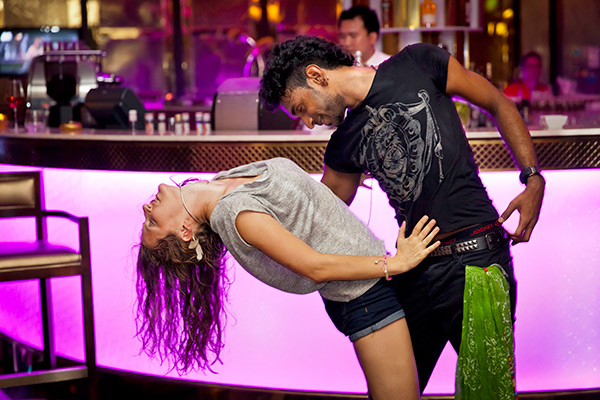
Social parties are usually happening in bars, restaurants, or ballrooms where the lights are dimmed. The trick is to expose for the ambient light (use a slower shutter speed, open your aperture as much as possible, increase ISO – up to 1600 worked fine with a Canon 5D Mark II), and use second curtain shutter sync for your flash. For Canon 5D Mark II users that option is located under External Speedlite control>Flash function settings>Shutter sync – check your camera’s manual if you have a different body. Not a problem if your shutter speed gets really low – you still will get last part of the frame frozen, thanks to those flash settings. You can get really creative if the ambient lights include lasers and rotating heads. By moving your camera sideways when the shutter is open you will get strikes and lines which will make your photos even more interesting. Sometimes it is hard to get focus right in a dark environment, so I usually have small pocket laser with me to light the dancers at the moment of focusing.

Photo4

Direct flash

Often with this option you get overexposed figures of dancers and a dark, underexposed background. If possible, scout the environment before the dance event. Search for white walls and ceiling, which can work as a large soft box to reflect light, and use bounce flash instead of direct flash. Another alternative is to use a portable speedlight softbox off-camera to diffuse, and soften strong light.

Photo5

Shutter delay

Have you ever pressed the shutter release button and the slight delay gets you a photo of dancers with their backs to the camera, instead of what you imagined? Try to study movements (if you are not dancer yourself) to oversee what move comes next and press the shutter just before that so you catch the right moment. Each camera is slightly different, so test yours to understand.

Photo6

Camera angle

If your camera angle is too high the dancers’ heads will look bigger and their legs shorter – not always pretty to look at. I usually shoot at the chest level, or in some situations – waist level. Sometimes experimenting with getting really low works well too. Decide on the go what works for you – judge the available space between you and the dancers, and keep in mind how you’re using your flash (if you are bouncing it – you need some distance).

Photo7

Lens choice

My favorite social dance photography lens is 24-70mm f/2.8. It serves me well most of the time, though it depends on size of the party. If the crowd is big and you would like to show that, you might switch to a wide angle lens from time to time, for example, a 16-35mm f/2.8.

Photo8

Full-body shots or close-ups?

This is up to you again, depending on dance aesthetics. One note: do not cut off hands or fingers and include a little space around the subject, so photo can breathe. Although this is very subjective, sometimes it can create a different mood when you fill the frame really tight.

Photo9

Lastly – keep practicing

Apply the general rule of photographers; the more you practice – the better shots you get!

Photo10

I wish you happy social dance photography; hope you will make dancers look beautiful and graceful! Catch your moments!

Please share your experiments in comments below and ask any questions there as well.

googletag.cmd.push(function() {
tablet_slots.push( googletag.defineSlot( “/1005424/_dPSv4_tab-all-article-bottom_(300×250)”, [300, 250], “pb-ad-78623” ).addService( googletag.pubads() ) ); } );

googletag.cmd.push(function() {
mobile_slots.push( googletag.defineSlot( “/1005424/_dPSv4_mob-all-article-bottom_(300×250)”, [300, 250], “pb-ad-78158” ).addService( googletag.pubads() ) ); } );

The post Social Dance Photography Tips by Viktoryia Vinnikava appeared first on Digital Photography School.

Digital Photography School

 
Comments Off on Social Dance Photography Tips

Posted in Photography


10 Quick Lightroom Tips and Shortcuts

21 Mar

Lightroom is a powerful and complex program. It’s great to have shortcuts and fast ways to do things you do often. Here are ten Lightroom tips to help you out:

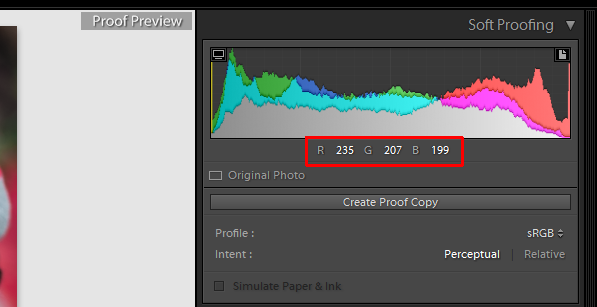
#1 Check RBG values

Did you know that you can check the RGB value of the pixels for an selected image in Lightroom? When you are working in the Develop module press S on the keyboard which will show you the soft proofing for the image. Hover the cursor over the image area, and it will display the RGB values (not percentages) of the pixel where your mouse is being located, look just below the histogram. (See the screenshot below)

Smarttips Lightroom 01

#2 Full screen mode

2. Making a clutter free workspace will not only provide you more working area but it will be distraction free as well. To enable full screen (without even the menu bar and the window frame )- press Shift+F (in LR4 and earlier just hit F). Pressing that combination repeatedly will give you another two options. Try it out for yourself. I use this all the time.

Smarttips Lightroom 02

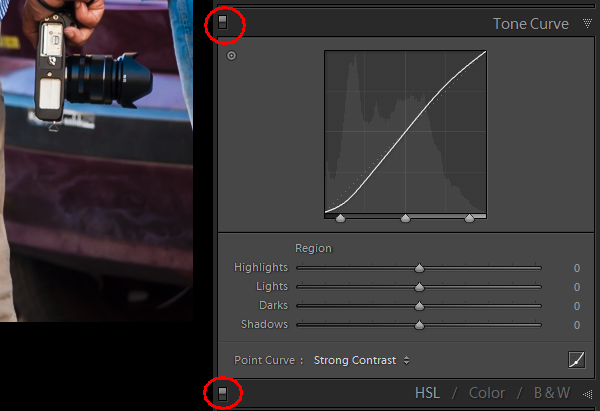
#3 Preview effects by panel

You can turn off one particular sub-panel’s effect on the image. Click that little button to see the effect of that particular panel on the image toggle off and on.

Smarttips Lightroom 03

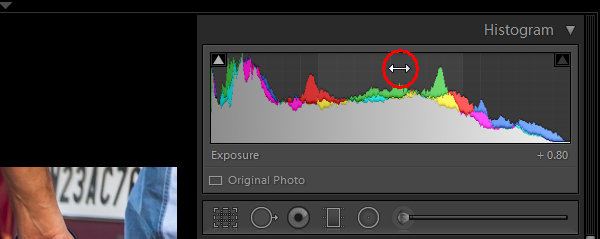
#4 Work with the histogram

4. If you are person who works based on the histogram, you can work directly on the image’s histogram itself inside Lightroom. Once hover your cursor over on the histogram, it will change into a double-sided arrow on specific areas. Then you only have to click and drag to the right or left, as you wish based on what values you want to change (Black, Shadows, Exposure or mid tones, Highlights, or Whites).

Smarttips Lightroom 04

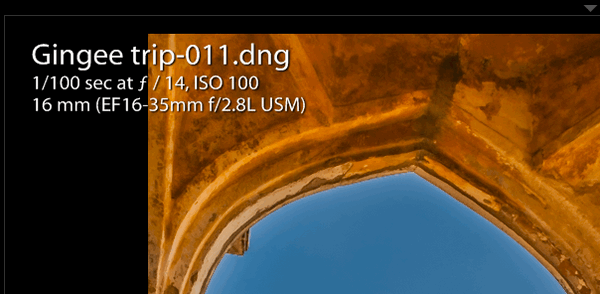
#5 View file properties

If, while working on your photograph, for whatever reason you want to check the image’s properties including size, format, you can do so by pressing I (it will display the size of the file, file type, date taken, lens model). Pressing I one more time will provide you another set of properties, clicking I again will remove all the details from displaying.

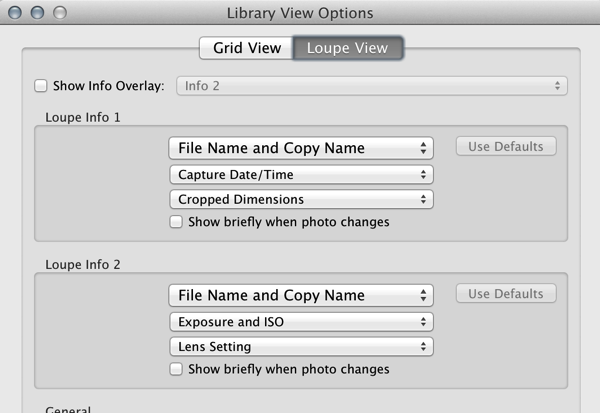
Smarttips Lightroom 05

If you do not see all of those options go to View > View Options (Cmd+J) where you can customize what is displayed in the Louse overlay mode using this pop-up dialog box.

Screen Shot 2015 03 14 at 5 35 25 PM

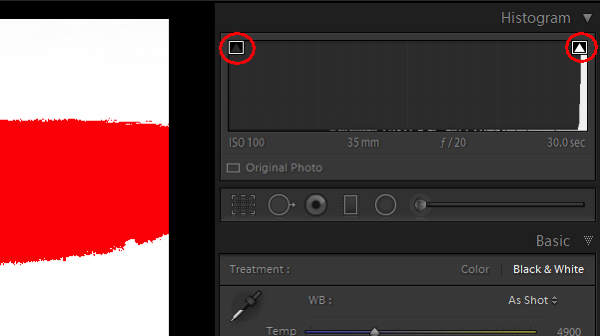
#6 Clipping warnings

To avoid processing outside of your image’s dynamic range, while working in develop module clicking J (keyboard shortcut) will activate the clipping warnings for highlights and shadows. If you push exposure towards the right far more, a red colour warning will be displayed on the region of the photograph where it is overexposed, Conversely if you bring down the exposure (for whatsoever reason) a blue colour warning will be displayed on the region of the photograph where it is underexposed. (Below screenshot is an example of overexposure)

Smarttips Lightroom 06

#7 Unflagging

In Library module, when you are flagging photographs for sorting purposes, if you mistakenly press pick (p) instead of rejecting (x), stay calm and press (u) for unpick or unflag. It will remove the flag, now you can mark it as you originally wished.

#8 Lesser known Develop keyboard shortcuts

If you are in the habit of using your keyboard, in Develop module the complete basic panel can be controlled by keyboard. Press period (.) or comma (,) for selecting a slider (e.g., Exposure) and then press plus (+) to increase the value and press minus (-) to decrease the value of the same. Now press period (.) to go the next. Repeat, enjoy.

#9 Shift key to lock

While applying a graduated filter, if you want to make it straight – press and hold Shift the key to make the filter locked into perfectly horizontal or vertical position. You can also hold Shift when applying the crop tool on your image (if required), to avoid changing the image proportions.

#10 Saving local adjustment tool presets

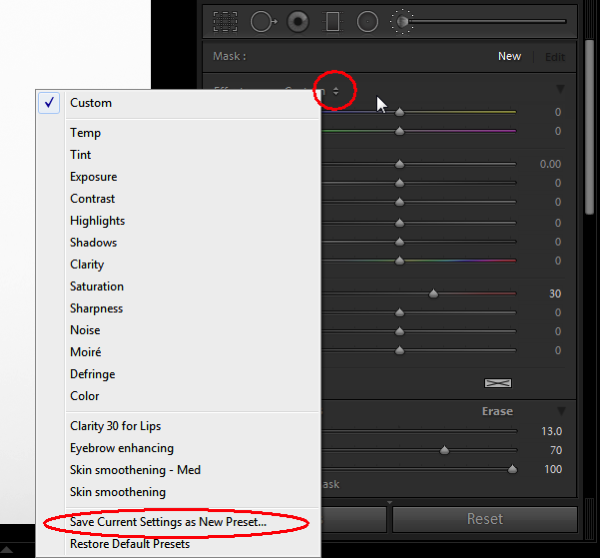
You can save any of the local adjustment tool settings as a preset which can be used for any of the tools. For example, if you are a portrait retoucher, you may want to save your favorite skin-softening settinsg as a preset. You can do that by clicking save as a preset at the bottom of the local correction tool set. Likewise you can save any kind of settings which you may use often.

Smarttips Lightroom 10

Do you have any others you’d like to add to this list of Lightroom quick tips?

googletag.cmd.push(function() {
tablet_slots.push( googletag.defineSlot( “/1005424/_dPSv4_tab-all-article-bottom_(300×250)”, [300, 250], “pb-ad-78623” ).addService( googletag.pubads() ) ); } );

googletag.cmd.push(function() {
mobile_slots.push( googletag.defineSlot( “/1005424/_dPSv4_mob-all-article-bottom_(300×250)”, [300, 250], “pb-ad-78158” ).addService( googletag.pubads() ) ); } );

The post 10 Quick Lightroom Tips and Shortcuts by Navan Viswa appeared first on Digital Photography School.

Digital Photography School

 
Comments Off on 10 Quick Lightroom Tips and Shortcuts

Posted in Photography


Where Did I Put That? Tips for Organizing Your Photos

21 Mar

In the interest of full disclosure, I must admit something. My photos are unorganized. By that, I mean terribly unorganized. Over the years, I’ve taken thousands and thousands of photos, all the while dumping them in folders automatically created and named by my computer’s default importing program. As such, I’d be hard-pressed to quickly find photos from a specific shoot Continue Reading

The post Where Did I Put That? Tips for Organizing Your Photos appeared first on Photodoto.


Photodoto

 
Comments Off on Where Did I Put That? Tips for Organizing Your Photos

Posted in Photography


Spring Photography Tips: Capturing the Full Bloom

16 Mar

Spring is a great season to capture different images. Here are some spring photography tips to help you capture the flowers, birds and animals for this colorful season. Spring is all about color, new life and lots of daylight. For a photographer there is nothing better than having a whole new world of landscape come alive to be captured through Continue Reading

The post Spring Photography Tips: Capturing the Full Bloom appeared first on Photodoto.


Photodoto

 
Comments Off on Spring Photography Tips: Capturing the Full Bloom

Posted in Photography