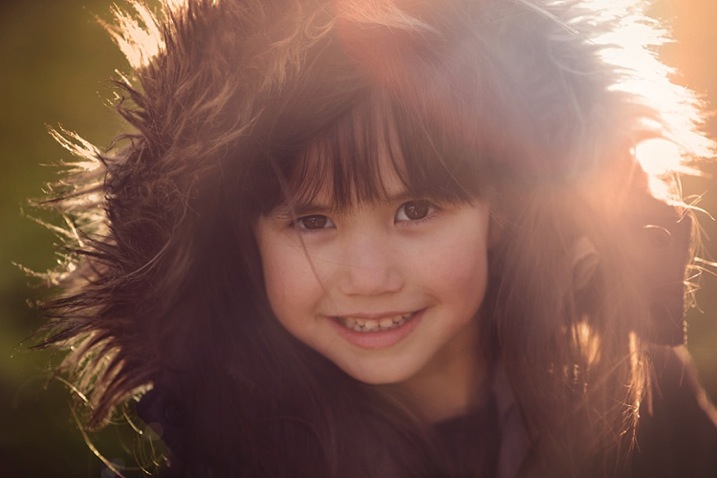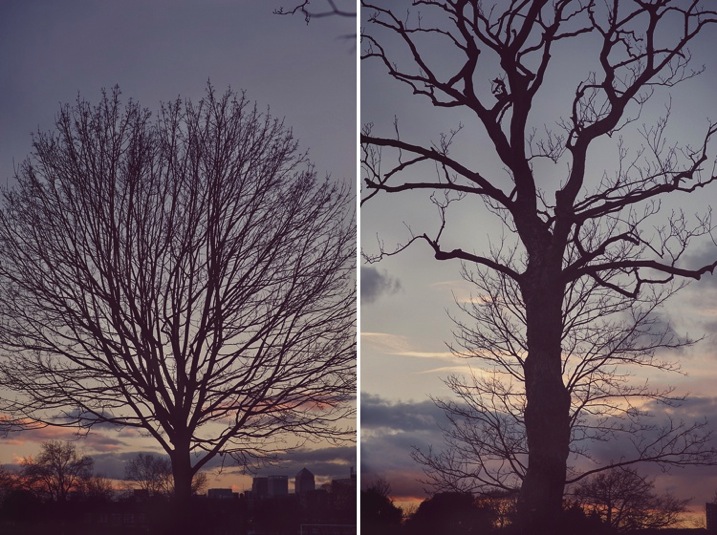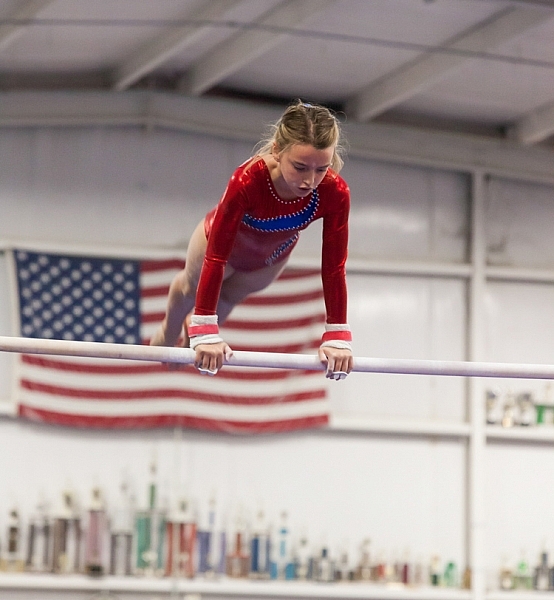
RSS
 

Posts Tagged ‘Tips’

Post-Processing Tips of the Year 2015 on dPS

31 Dec
Shaheer Shahid

By Shaheer Shahid

Continuing on this holiday week with a list of some of our most popular articles here on dPS, this time on post-processing.

Whether you use Lightroom, Photoshop, or something else entirely you can find some hidden gems in this bunch. Get your editor ready to try these tips on post-processing out:

Lightroom tips

  • Understanding the Difference Between Photoshop and Lightroom
  • A Super Simple Way to Make Landscape Photos POP Using Lightroom
  • How to Watermark Your Images Using Lightroom and Photoshop CC
  • Natural Looking HDR in Photoshop and Lightroom in 5 Easy Steps
  • How to Isolate Your Subject in Lightroom
  • Understanding the Radial Filter in Lightroom
  • 5 Things You Should Know About Lightroom Before Starting
  • 3 Simple Steps to Make Your Skies Pop in Lightroom
  • 10 Quick Lightroom Tips and Shortcuts
  • How to Choose Which Version of Lightroom to Buy
  • Five Useful Lightroom Keyboard Shortcuts
  • How to Retouch a Portrait with the Adjustment Brush in Lightroom
  • How to do Basic Processing on a Portrait in 5 Minutes Using Lightroom

You can find many more articles on Lightroom here if you haven’t had enough, or if you want to pick up some Lightroom presets dPS offers a set of those as well.

Photoshop tips

  • How to Make a Photoshop Collage in 9 Simple Steps
  • 12 Tips for Mastering the Clone Stamp Tool in Photoshop
  • 10 Things Photoshop Beginners Want to Know How to Do
  • How to use Photoshop’s Quick Selection Tool to Change a Background
  • 4 Photoshop Tools Every Photographer Should Know
  • How to Process a Landscape Photo in 5 Minutes Using Photoshop
  • How to do Frequency Separation Portrait Retouching in Photoshop
  • 5 Photoshop Layer Mask Tricks – Video Tutorial
  • Cheat Sheet Photoshop CS6 Shortcuts
  • The First 3 Photoshop Blend Modes You Need to Understand
  • Understanding the Basic Sliders in Adobe Camera Raw

Find even more Photoshop tips here.

Dave Wilson Cumbria

By Dave Wilson Cumbria

Other programs and random tips

  1. Macphun Noiseless Pro Software Review
  2. Post-processing RAW Files – ACR Compared to Some Free Software Options
  3. 3 Tips for Getting Great Skin Tones Using Adobe Camera Raw
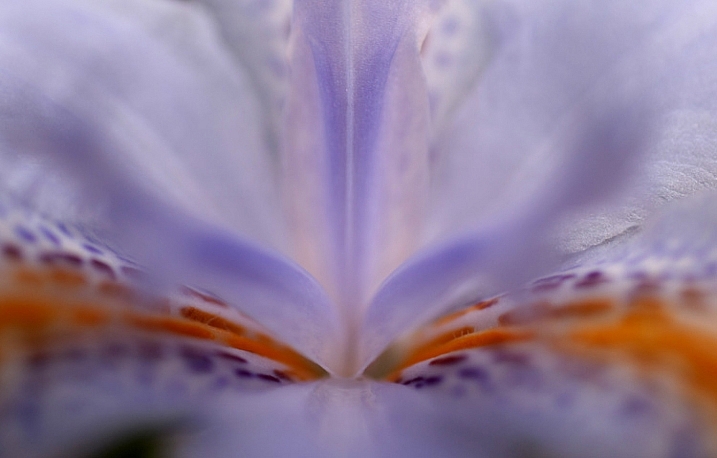
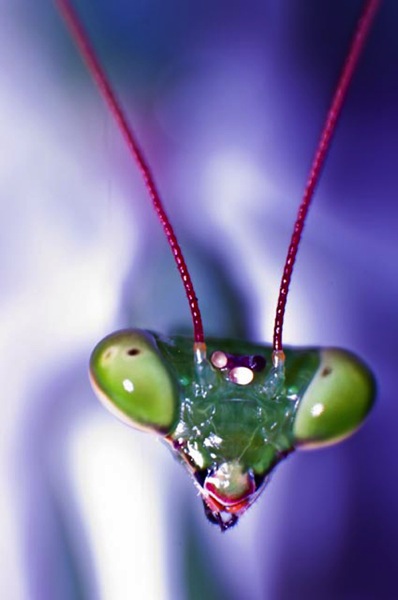
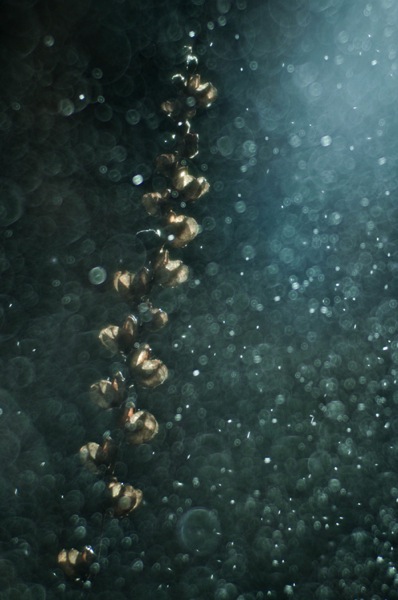
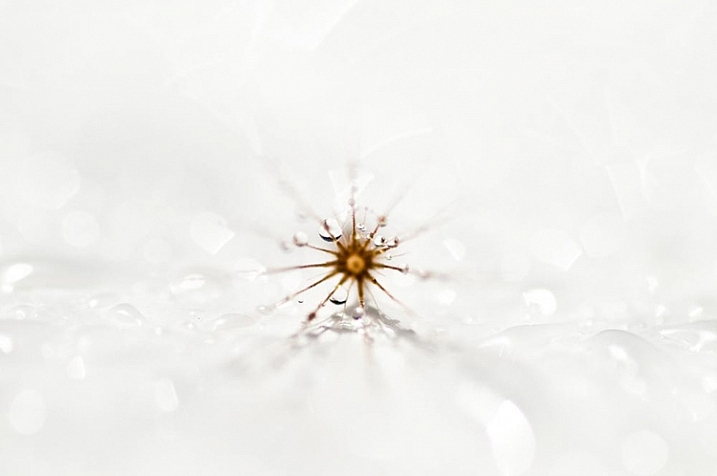
  4. How to Give Your Macro Photography a Fine Art Touch in Post-Processing
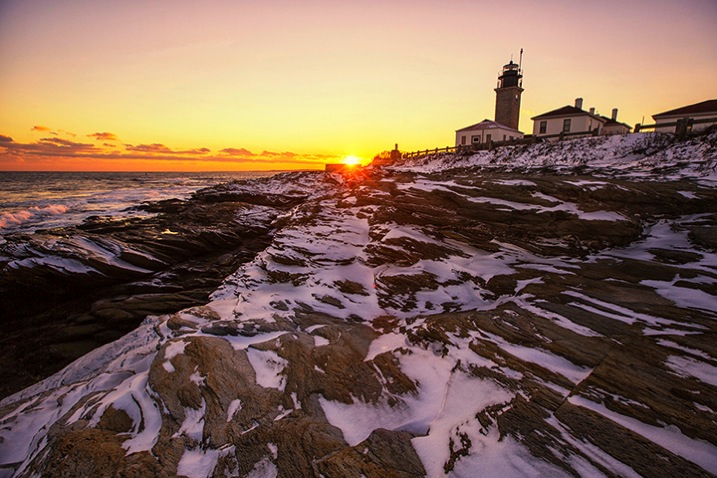
  5. 3 Simple Tips for Subtle Landscape Photography Post-Processing
  6. Post-Processing Tips for Overcoming Beginners Acts of Omission

googletag.cmd.push(function() {
tablet_slots.push( googletag.defineSlot( “/1005424/_dPSv4_tab-all-article-bottom_(300×250)”, [300, 250], “pb-ad-78623” ).addService( googletag.pubads() ) ); } );

googletag.cmd.push(function() {
mobile_slots.push( googletag.defineSlot( “/1005424/_dPSv4_mob-all-article-bottom_(300×250)”, [300, 250], “pb-ad-78158” ).addService( googletag.pubads() ) ); } );

The post Post-Processing Tips of the Year 2015 on dPS by Darlene Hildebrandt appeared first on Digital Photography School.


Digital Photography School

 
Comments Off on Post-Processing Tips of the Year 2015 on dPS

Posted in Photography


Beginners Photography Tips – Best of 2015

30 Dec

Every year it happens, maybe this year it happened to you too? Many people get a new camera as a gift over the holidays, and now the fun begins, learning how to use it! You need a beginners guide to help you out.

Beginners Guide to Photography - Best of 2015

Or maybe you got a new flash or other piece of gear, are new to post-processing, or want to try a new technique. Well, you’re in luck because you’re in the right place to find all that. We have a lot of really great articles for newbie photographers like yourself. Here are a few of the best from 2015.

Beginners photography tips – best of 2015

  • 7 Incredible Tips for Beginner Photographers
  • Next Level Techniques for Advanced Beginners
  • A Beginner’s Guide to Choosing Shooting Mode
  • Post-Processing Tips for Beginners
  • Mastering the Exposure Triangle for Newbies
  • 5 Tips for Newbie Landscape Photographers
  • 4 Mistakes New Photographers Make and How to Avoid Them
  • Top 10 Things to do When Your New Camera Arrives
  • Seeing in Depth of Field: A Simple Understanding of Aperture
  • How to Take Control of Aperture and Create Stronger Photos
  • 6 Ways to Use Shutter Speed Creatively
  • Demystifying Shutter Speed
  • 6 Tips for Using ISO Effectively With Your Camera
  • Back Button Focus: What is it and why should you try it?

If you can’t find what you’re looking for here, try the search function (look for the magnifying glass upper right corner). We have over 5700 articles in our archives. If what you seek isn’t there, first of all I’d be really surprised, please add a comment below and tell us what topic you’d like our writers to work on next. Perhaps we can add it to our list.

You can also check out our course: Photo Nuts and Bolts which is designed for beginners.

googletag.cmd.push(function() {
tablet_slots.push( googletag.defineSlot( “/1005424/_dPSv4_tab-all-article-bottom_(300×250)”, [300, 250], “pb-ad-78623” ).addService( googletag.pubads() ) ); } );

googletag.cmd.push(function() {
mobile_slots.push( googletag.defineSlot( “/1005424/_dPSv4_mob-all-article-bottom_(300×250)”, [300, 250], “pb-ad-78158” ).addService( googletag.pubads() ) ); } );

The post Beginners Photography Tips – Best of 2015 by Darlene Hildebrandt appeared first on Digital Photography School.


Digital Photography School

 
Comments Off on Beginners Photography Tips – Best of 2015

Posted in Photography


Tips for Capturing the Holiday Festivities at Home so You Can Enjoy Them Too

21 Dec

If you are a busy parent, you likely rely on your smart phone or pocket camera to capture the events of your daily life, especially at holiday times. But sometimes you want a little bit more than just the usual snaps, without the hassle of your bulky DSLR.

Photo4b details

There are some days when you often wish you had the time and ability to take meaningful photos of your family and capture special, magical times. Not the phone snaps that mostly end up as blurry images, but the ones that evoke emotion and feeling, and make new memories. There may be times when you wish you had a handful of quality photos as opposed to a hundred unrecognizable snaps on your phone or pocket camera.

This article has nothing to do with awesome DSLRs, it is about using the camera that you have with you to document fleeting moments of your family life. But it’s different from just snapping away without a little artistic vision. Instead, it’s about about seeing differently – with a creative eye, and most importantly, having fun doing so.

Note: Of course if you wish these tips can also be applied using your regular DSLR. It’s about whatever works for you so that you can still have fun participating in the activity with your family

Remember preparation is key, even if a lot of it is mental preparation and you only devote a few minutes to it. It gets you thinking and creative juices flowing.

1 photo1a

Christmas is just around the corner so let’s start get started creatively capturing Christmas at home in 10 images using the humble point and shoot pocket camera.

Part one: Capture a mini Christmas story at home in five photographs

Think of a simple theme (decorating a Christmas tree, making a Christmas card or décor, decorating a cake, etc.).
Choose a subject – a person, little or large. Find a location or corner in your own home and de-clutter the area. Choose a spot with ample light, or a light source such as next to a big window, lamps lit up, tree lights, or better yet just outside the house.

Select the macro or close-up scene mode. Turn your camera flash OFF as direct flash flattens the image and removes contrast making your photograph looking very two-dimensional. You want a play of light and shadow going on in your image to make it more interesting. Set the scene up as a fun activity with your family.

Top tip: When taking the photo, tuck both arms in, stay steady or lean on to something if that helps, and hold your breath as you press the shutter (some say press the shutter as you exhale but holding my breath works better for me).

Get ready to take photos. Wait for your moments. Take your time. Don’t snap loads of photos, rather try looking at the scene with an artistic eye. Remember you are only after 5 photos that tell a mini-story.

Photo 1: Get close and cosy

1 photo1

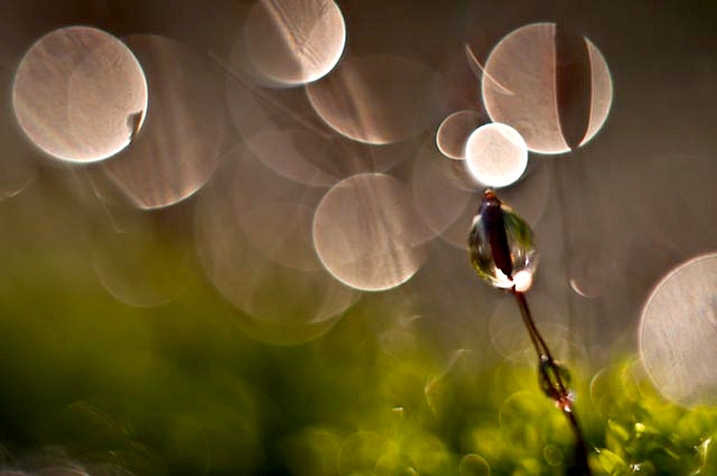
Choose a Christmas decoration in your home. Get really close to it and shoot at an angle so you need to tilt your camera. Shooting very close or with a wide aperture can help achieve nice blur (bokeh) in the background. In macro mode, shooting a scene that has several focal planes helps in achieving some bokeh.

Photo 2: Blur it all

Include beautiful blur in the background, or use blur as the subject of your photo. Make sure your subject is at some distance, and in front of the light source. Press the shutter while your camera is still focusing. This way you get intentional blur even while using the automatic mode.

4 photo4

Photo 3: Capture it

Choose a very simple activity, for example, ask your child to put a decoration on the tree. Tilt your camera, and fill the frame focusing in on the action. Avoid empty spaces in the background. You will have a more dynamic photo if you go close and fill the frame.

5 photo5

Photo 4: Mirror it

Make sure there is ample available light, then photograph a reflection instead of the subject. Try to use a mirror, or any reflective object like a bauble, to frame your subject.

3 photo3

Photo 5: Look straight down

Ask your subject to lie down under the tree and play with the baubles. Crack some jokes or tickle tummy and toes to get some genuine expressions. Make sure that the light from the window is illuminating your subject’s face so there is light in their eyes.

2 photo2

Part two: Capture a Christmas activity and document the process

Set the scene, the photos below show a Christmas decorating activity. Get everything ready. Buy a Christmas cake if you haven’t had the time to bake one.

Choose the look (outfits and colour scheme), as you want some sort of coordination so that there is a focus. For example, if the cake is colourful, you may want to put plainer aprons or outfits on your kids, so that there is contrast and focus, and vice versa. Limit your colour scheme to three or four colors, so there is some sort of harmony and cohesion. Try not to go too matching though.

Make it a fun activity, but explain to the children that there is a process to follow to ensure a successful outcome, therefore they must allow time for each process. In your head, plan to document this process. Give them a sequence of stages so they look forward to the next step.

Set your camera to portrait or macro. The automatic settings for these in-camera include a wide aperture so lots of light enters the lens, and a slower shutter speed which allows in more ambient light. The danger here is blur, but you can use that creatively too. To counteract blur, try to be very still, and hold your breath as you press the shutter. You can also steady yourself against a table or wall.

Get ready to document.

Photo 1: Set the context

Photo1 context

In this case, it’s the bare, undecorated cake. One of the ways you can shoot editorially is to take the photo from a bird’s eye view. To make it interesting, rather than just photographing the cake on its own, get the kids to wave their hands on top of it for some energy and action. The blurry action creates an effective contrast to the still cake.

Photo 2: Introduce the characters

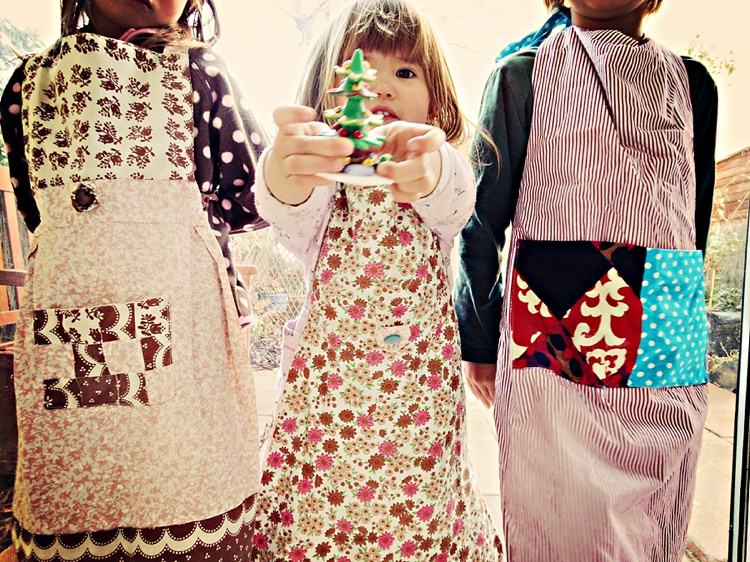
Take a photo of the kids kitted out in their aprons or outfits you planned for earlier, remember to try and capture expressions. You can introduce the kids by taking a more traditional front view image, or employing some creative cropping for a more interesting take.

Photo2 characters

Photo 3: Direct the spotlight on some details

Details are so important in telling a story, enhancing memory, and evoking emotions. Choose special, or key items in the process to focus on, and photograph them close-up. Avoid too many empty spaces in the background. A full frame engages the viewer more in this case.

Photo3 details

Photo3a details

Photo 4: Document some action

Movement and blur add so much dynamic and energy to a photograph. They strengthen a story and allows for fun moments too.

Photo4 action

Photo 5: Add fun

Talking about fun, allow some silliness in the process, such as painting their faces with a bit of flour, writing their names on flour, waving decorations around while singing Christmas tunes, etc. Make it an experience, not just a secret photoshoot!

Photo5 fun

So there you have it, 10 creative photos capturing some Christmas joy in your home.

Do you have any tips for photographing the Christmas spirit in your own home, or images to share? Share them in the comments below.

googletag.cmd.push(function() {
tablet_slots.push( googletag.defineSlot( “/1005424/_dPSv4_tab-all-article-bottom_(300×250)”, [300, 250], “pb-ad-78623” ).addService( googletag.pubads() ) ); } );

googletag.cmd.push(function() {
mobile_slots.push( googletag.defineSlot( “/1005424/_dPSv4_mob-all-article-bottom_(300×250)”, [300, 250], “pb-ad-78158” ).addService( googletag.pubads() ) ); } );

The post Tips for Capturing the Holiday Festivities at Home so You Can Enjoy Them Too by Lily Sawyer appeared first on Digital Photography School.


Digital Photography School

 
Comments Off on Tips for Capturing the Holiday Festivities at Home so You Can Enjoy Them Too

Posted in Photography


7 Quick Tips on How to Use Visual Balance to Make Better Photographs

19 Dec

Balance is one of the characteristics of good composition. It is the way elements of an image are arranged to create a feeling of stability. If you imagine that your image is a set of scales, all elements of your composition should be balanced to make a photograph feel stable.

balance 1 eva polak

There are many ways to create balanced images. The easiest way to achieve it is by using symmetry, as it guarantees left to right, or top to bottom balance. The results look formal, organized, and orderly.

If you would like to create a balanced composition that feels more casual, free, and energetic, then use asymmetry.
To understand this concept, let’s go back to our analogy of a set of scales. If you have several small items on one side, they can be easily balanced by one large object on the other side. Visual balance works in a very similar way, but it can be affected not only by the size of objects, but also by their value, colour, texture, quantity, orientation and isolation.

Different colours, shapes and sizes create different degrees of visual interest. So, to achieve asymmetrical balance you need to arrange elements of all different visual weights, when composing your image, in such a way that each side is still balanced out.

balance 2 eva polak

There are seven basic factors to consider when you compose your images with visual balance in mind. Let’s have a close look at how you can use these different factors affecting visual weight and gain some advantage.

1 – Colour

1 Colou by Eva Polak

Colour has many properties that can affect an object’s visual weight relative to others in the photograph, such as saturation, brightness, darkness, and hue. Warm colours advance into the foreground and tend to weigh more than cool colours, which recede into the background. Red attracts attention better than any other colour, and thus has the highest visual weight as opposed to yellow, which has the least visual weight. Also bright colours attract more attention than subdued colours.

2 – Size

2 Size by Eva Polak

Large elements appear heavier than small ones. Size is an evident visual weight factor because, in the physical world, an object that’s bigger than another will naturally be heavier, and will take up more physical space. Large elements command more attention. We naturally see them first, or spend more time looking at them anyway.

3 – Value


3-Value-by-Eva-Polak.jpg

Value is a powerful tool for balancing images. Dark elements feel heavier than light items. The higher the value-contrast (between object and background), the heavier will be the weight of the object.

4 – Texture

4-Texture-by-Eva-Polak.jpg


Texture adds visual weight to items in photographs. Texture is just more interesting and our eyes are drawn to it. Smooth areas will feel lighter than those with a lot of heavy texture.

5 – Isolation

Objects isolated in a space appear heavier than those surrounded by other elements. Look at the image below with a brown circle on it. Your eyes go directly to the brown circle first because there’s nothing else to see.

5-Isolation-by-Eva-Polak.JPG


6 – Quantity

A few small objects can balance out a single large object. Repetition of objects can be used here as well. In the example below, the three small berries are balancing out the large berry.

6-Quantity-by-Eva-Polak.jpg


7 – Orientation

Vertical objects appear heavier than horizontal objects. A diagonal orientation carries more visual weight than a horizontal or vertical one. Lines can be very powerful in your composition. Pay close attention to them.


7-Orientation-Eva-polak.JPG

Remember, you don’t have to balance colour with colour, or light with dark – you can mix and match your visual weights. For example, a counterweight to a large, bright area might be a small red object. Experiment with different kinds of balance and play around with visual weight. See what works best for your images and the story you want to tell.

As you go out exploring with your camera on your next photo shoot, keep balance in mind and the seven factors of visual weight. Look closely and try to determine which elements are commanding the most visual weight when you compose your photographs, and see how they affect balance in your images.

If you have any comments or questions please post them below. And we’d love to see your visually balanced images.

googletag.cmd.push(function() {
tablet_slots.push( googletag.defineSlot( “/1005424/_dPSv4_tab-all-article-bottom_(300×250)”, [300, 250], “pb-ad-78623” ).addService( googletag.pubads() ) ); } );

googletag.cmd.push(function() {
mobile_slots.push( googletag.defineSlot( “/1005424/_dPSv4_mob-all-article-bottom_(300×250)”, [300, 250], “pb-ad-78158” ).addService( googletag.pubads() ) ); } );

The post 7 Quick Tips on How to Use Visual Balance to Make Better Photographs by Eva Polak appeared first on Digital Photography School.


Digital Photography School

 
Comments Off on 7 Quick Tips on How to Use Visual Balance to Make Better Photographs

Posted in Photography


5 Tips for Better Landscape Photos

18 Dec

Landscape photography seems simple to most people – there’s a pretty scene, you walk in, take a couple shots and you’re done … and chances are that you end up with a version of the scene that everyone else has.  So how do you take your “snapshot” to the next level?  Other than the “straight horizon” suggestion that you may have heard before, here are five basic tips you can try out when next you are on the field to help you take better landscape photos:

WinterLighthouse

1. Survey Your Scene

Think about the scene differently. Is there another angle that you can shoot from? Can you get your camera higher or lower? Scouting your location to find different and more interesting vantage points is time well spent.  Also check for elements of interest in the location that can be used to give your photo a sense of scale or add texture. So take a moment, survey your scene, take a chance, shoot from a different perspective and see what you might have missed initially.

CastleHill

2. Look for the Light

Most surreal landscape photography moments happen in the golden hours (dawn and dusk). Sunrise is definitely worth getting out of your bed for in the wee hours of the morning, and sunset is a nice exercise in patience to catch that ideal, magical light. It certainly helps to do research before you head out to determine where the sun rises and sets, or even which season works well for the area you intend to shoot. If you’re still unsure about your directions, walk with a compass (a compass apps for your phone is an easy way to always have one with you).

DesertSun

SunsetBrickfield

There is no harm in light chasing during the day either – sometimes it’s the only time you have with a scene, and you have to make the most of it. You need to be aware that shooting in harsh sunlight produces very contrasty light, which means that you don’t capture much detail in the highlight and shadow areas. An overcast, or cloudy day, softens the light a bit. Outside of the golden hours, the key would be to find an angle where the light is flattering to your subject, or put the sun to your back and give it a go!

CaribbeanDay

HorseshoeBend

Note: I have found that midday sun works well for infrared landscape photography.

3. Lines and Repetition

Lines and repetition in a scene catch your viewer’s attention almost immediately, and serves to lead them into the photo. Lines also encourages their eyes to wander around the photo, especially if they start at a corner of the frame. Think about photos of roads and fences, and even the angle of the ocean when composing your shot. Repetitive items or patterns also have a way of holding your viewer’s fascination, and they are everywhere – any element that creates a nice line or geometric shape can give your images structure and form – look for them!

BeavertailLighthouse

PathwaytoGoodbye

4. Foreground Elements

Placing a foreground element in your shot gives the image extra depth and dimension. It can also be used to convey scale and distance, as well as balance out your photo. A dominant foreground object can draw your viewer in, and quite simply makes your photo a more interesting one.

SunsetWaterloo

SmokyCreek

5. Use a Tripod

There are different schools of thought on the necessity of always having a tripod, and yes there are many times you can get away without having one. However, outdoor photography comes with many elements of movement, from a gentle breeze to crashing waves, to the sun – something is always moving. Sharp images are ideally what you want, and using a tripod is one way to deal with such movements.

Tripods are also a must for when you lengthen your shutter speed. You may do this for several reasons; the most common are when using a smaller aperture (higher f-numbers equals smaller aperture opening, which equals less light hitting the sensor) or shooting long exposures (where moving elements are blurred intentionally, e.g., that silky water effect).

LighteningArches

SmokyFalls

Conclusion

Many of these may not be new to you, but the key is remembering a few when you are out there, and trying to make that scene before you, one that is your own. Maybe you’ll spend a little more time surveying the scene or perhaps looking for lines and repetition?

Feel free to share any of your landscape photos that you think successfully utilizes any one of these tips in the comments below.

googletag.cmd.push(function() {
tablet_slots.push( googletag.defineSlot( “/1005424/_dPSv4_tab-all-article-bottom_(300×250)”, [300, 250], “pb-ad-78623” ).addService( googletag.pubads() ) ); } );

googletag.cmd.push(function() {
mobile_slots.push( googletag.defineSlot( “/1005424/_dPSv4_mob-all-article-bottom_(300×250)”, [300, 250], “pb-ad-78158” ).addService( googletag.pubads() ) ); } );

The post 5 Tips for Better Landscape Photos by Nisha Ramroop appeared first on Digital Photography School.


Digital Photography School

 
Comments Off on 5 Tips for Better Landscape Photos

Posted in Photography


6 Tips for Capturing Dramatic Skies in your Landscape Photography

17 Dec

Don’t let the land in landscape photography fool you–a great landscape photo relies just as much on the sky. Boring gray skies make for boring landscape photos. But capturing a dramatic sky in camera is trickier than it seems. With the sky lighter than the land, the camera will typically overexpose the sky, turning a brilliant blue into a vague and unexciting gray.

But, with a little fine tuning, it is possible to capture a sky that is the cherry-on-top of a great scene on land. Here are six tips for capturing more dramatic skies in your landscape photography.

Desolation Wildernes Sunset Jkatzphoto

Photo Courtesy Justin Katz Photography.

1 – Time it right

Landscape photography may not require the split second timing that’s necessary for capturing a toddler’s smile, or a wide receiver’s catch, but timing is still a big part of the picture. The sky that’s gray one day, could be bright blue the next. When planning out a landscape photo, consider how the timing will impact the sky.

Watch for weather patterns that add could add interest to a shot, like a storm brewing just on the horizon. Weather plays a big role in the overall mood of the image–if you’re hoping to capture a dark and gloomy shot, head out when the sky is stormy. On the opposite end, if you’re hoping to capture a more relaxed or happy feeling, look for blue skies dotted with clouds.

Yosemite Tunnel View Jkatzphoto

Photo Courtesy Justin Katz Photography.

The time of day matters too. While the middle of the day will produce the most shadows on the land, the sky tends to be the bluest then. Just after sunset and just before sunrise is often a good time to capture wispy clouds and a warmer tint of light. Of course, sunrise and sunset makes for a dramatic sky as well.

2 – Try the wrong white balance

Photography rules are sometimes meant to be broken–sometimes, using the wrong white balance setting creates a more dramatic sky. This is especially true when shooting towards the beginning or end of the day–using a different preset will adjust the color in the sky. Auto, cloudy and shade presets will get you an orange-ish sunset with a light blue sky, with a slight variation between the settings. A florescent setting, on the other hand, will typically turn an orange sunset purple, with a brilliant blue sky. Tungsten offers a similar effect, but with even deeper colors.

Whitebalancepresets

Using Kelvin temperatures to adjust your white balance results in an even greater control over the colors in the sky. Around 5500K will usually capture a sunny sky with an accurate white balance–that is, where things that are white are still white in the picture, or neutral tones. A higher temperature, for example 6500K, will give the land an orange glow but also enhance the colors in a sunset. A cooler temperature, on the other hand (say 3000), will play up the blues and purples. By using the Kelvin scale, you have more options for picking a white balance setting that best captures those colors.

White Balance 16,000 K

Photo © Hillary Grigonis – White Balance edited to 160,000 K in post-processing to add orange

While it’s always best to get the shot right in camera, shooting in RAW allows you even more flexibility when it comes to adjusting the colors in the sky (and the rest of the image, for that matter). If you perhaps overdid it by making the shot too warm or too cool, you can easily adjust it to find the color temperature that fits the image the best. If you have a landscape photo that you already shot in RAW, open it and try different white balance presets, or the temperature slider, to see first hand how shooting with a different white balance would have impacted the shot.

3 – Compose for the sky

When the sky is more dramatic than the land, why not use that when determining your composition? Pay attention to where you place the horizon when you are composing your shot. Using the rule of thirds to imagine the image is dived into threes, place the horizon on one of those horizontal lines. If you are shooting a photo with an average looking sky, try placing the horizon on the upper third of the image, so more of the land is included in the photo. But if the sky is really dramatic, take advantage of that and include more of it in the frame by placing the horizon on the lower third.

Darlene Hildebrandt

By Darlene Hildebrandt – The sky is dramatic so the image was composed to show less ground and more sky by placing the horizon toward the bottom.

Ádám Tomkó

By Ádám Tomkó – as the sky is less dramatic, the horizon placed higher helps minimize the sky.


4 – Use a filter

There are two filters every landscape photographer should have in their camera bag in order to capture more dramatic skies. The first is a graduated neutral density filter. A regular neutral density filter is like putting sunglasses over your lens–it limits the light coming in for bright scenes or long exposures. But a graduated neutral density filter places that darkening effect only on a portion of the image. By placing the dark portion of the filter over the sky, you can properly expose the entire scene. Without the filter, the sky will either be overexposed and bland, or the land will be underexposed and dark. With the filter, you can achieve an exposure that works for both in one shot. The only downside is that graduated neutral density filters don’t work as well with an uneven horizon, like shooting a cityscape. Graduated neutral density filters come in both circular and square formats, but the square is often preferred because you can then place the horizon anywhere in the frame.

A graduated neutral density filter doesn’t work in every scenario–like a very uneven horizon, for example. A polarizing filter doesn’t have as much of an effect on the sky, but it can still be used with uneven horizons. Polarizing filters work by adjusting the reflected light rays coming through your camera lens. Since the sky is blue because of these reflecting rays, turning the front of the polarizing filter will adjust the intensity of the blues in the sky. Since it just affects reflected light rays, it can still be used when mountains or buildings make the horizon uneven. Polarizing filters are also great for enhancing reflections off water or other shiny surfaces too.

Lake Tahoe Sunset Nevada Jkatzphoto

Photo Courtesy Justin Katz Photography.

Experiment with motion blur and long exposures

Long exposures aren’t just for photographing waterfalls. If you use a long enough shutter speed, the clouds will blur too, creating a sky of wispy clouds and a slight feeling of motion. To capture motion blur in the clouds, you’ll need to use a long shutter speed. The best settings will depend a bit on the weather and how much motion blur you’d like, but you can try starting with a two minute exposure and adjust up or down from there.

Kris Williams

By Kris Williams (Exposure info: ISO 200, f/22 for 75 seconds)

If you are shooting during the day, you may not be able to balance out a two minute exposure with a narrow enough aperture or low enough ISO, ending up with a photo that’s way too bright. So how do photographers capture motion blur in the clouds when the photo obviously wasn’t taken at dusk or dawn? A neutral density filter helps block out some of that light so you can use a long exposure during the day (that’s the same thing as the graduated neutral density filter from the last tip, only the entire filter is dark instead of just half).

Image used with permission of Matt Kloskowski

Image used with permission of Matt Kloskowski (10 second exposure)


Use the Camera RAW graduated filter tool

While it’s always best to get the shot right in-camera, there are a few editing tools that can improve the sky in your landscape photos. One of those tools is the graduated filter inside Adobe Camera RAW (works the same in Photoshop and Lightroom). Using the tool, you can click over the sky on the image. Like an actual graduated filter, the effect will only cover that portion of the image and gradually fade away, making it possible to create natural looking edits.

The graduated filter tool can be used to adjust the exposure, creating an effect much like using the actual filter. But, the Camera RAW tool can also adjust brightness, contrast, saturation, clarity, sharpness and color. That opens up a lot of possibilities for applying edits just to the sky for more drama that sometimes can’t be done in-camera.

Original imag

Original image

Graduated filter added in post-processing stage

Graduated filter added in post-processing stage

The sky can make or break a landscape photo. From timing and composition to filters, when you consider the sky as you shoot, you’ll end up with more dramatic, frame-worthy shots.

Do you have any other tips for creating dramatic skies in landscape photography?

googletag.cmd.push(function() {
tablet_slots.push( googletag.defineSlot( “/1005424/_dPSv4_tab-all-article-bottom_(300×250)”, [300, 250], “pb-ad-78623” ).addService( googletag.pubads() ) ); } );

googletag.cmd.push(function() {
mobile_slots.push( googletag.defineSlot( “/1005424/_dPSv4_mob-all-article-bottom_(300×250)”, [300, 250], “pb-ad-78158” ).addService( googletag.pubads() ) ); } );

The post 6 Tips for Capturing Dramatic Skies in your Landscape Photography by Hillary Grigonis appeared first on Digital Photography School.


Digital Photography School

 
Comments Off on 6 Tips for Capturing Dramatic Skies in your Landscape Photography

Posted in Photography


13 Tips for Doing Action Photography in Bad Light

15 Dec

Elizabeth-Bars

Sometimes I feel cursed. Like any parent I want to take pictures of my kids doing their activities. However, I have a daughter who is a gymnast. For a photographer, that is a toxic combination of very fast action with generally poor light. But then it gets worse. My other daughter is very involved with her school’s theatre program. That means I’m trying to take pictures of her acting, singing, and dancing in the worst light imaginable.

As a result, I spend a lot of my time trying to photograph action in bad lighting. Having done so for a while now, I have a few tips to pass along, so hopefully this will be easier for you next time you find yourself in a similar a situation – shooting action photography in bad or low light conditions.

#1. Use Manual Mode

Before you even think about shooting, make sure your camera is set up for success. Let’s start with the shooting mode. No matter what mode you normally use, in this context you are going to need a large degree of control over your camera’s settings. Manual mode gives you complete control, so it is generally a good choice. If you are not comfortable using Manual, or if you face changing light conditions, use Aperture Priority.

Hannah1

Shutter speed: 1/320; Aperture: f/2.8; ISO 3200.

You will be using very specific exposure settings that the camera probably wouldn’t choose on its own. We will get to those settings in a moment, but using Manual (or Aperture Priority) will allow you to use them.

#2. Use Fast Glass

Next, you’ll need to decide which lens to use. Use your longest and fastest lens (fast glass) here. The low light environment means that you will want a lens with a wide aperture, that lets in a lot of light. The fact that your subject is likely to be rather far away from you means that you will also need a longer focal length. I personally use a 70-200mm f/2.8 and it works great. I could see even using a longer lens than that.

You may be inclined to use a teleconverter to get some extra reach. If you aren’t familiar with teleconverters, they are extensions that fit between your camera and lens, which increase the magnification of the lens, usually by 1.4 or 2 times. In other contexts, they work great – in a low light environment, however, they don’t. A 1.4x teleconverter costs you 1 stop of light and a 2x teleconverter costs you 2 stops of light. If you start with an f/4 lens, it is now an f/8 lens. That won’t work here. There just isn’t enough light. If you need the extra reach, you are better off taking the picture without it and then cropping it later.

Pub-music

Sometimes a slower shutter speed adds a sense of movement. Shutter speed: 1/10; Aperture: f/4; ISO: 6400.

#3. Shoot Wide Open

Now it is time to prepare the shot. The first exposure setting to make is the aperture. Deciding which aperture to use in this context is easy. Put the aperture at its widest setting, which is the smallest f-number. Doing so lets in the most light. The downside is that you will have a very shallow depth of field. However, in this context that should not matter. You will only want your subject in focus and having some background blur is just fine (sometimes even preferable).

#4. Set a Fast Shutter Speed

Next you will set your shutter speed. The trick here is to make sure you are using a fast enough one. If your subject is not moving, then your minimum shutter speed will be a function of your focal length. The Reciprocal Rule states that your minimum shutter speed for a sharp picture should be the inverse of your focal length. So if you are shooting at 100mm your shutter speed should be 1/100 of a second or faster.

When your subject is moving, things change a bit and you will need to use an even faster shutter speed. I find that 1/200th of a second is a minimum for a moving subject if you want to avoid any blur. Start with that setting, and increase it if you have enough light. Try hard to avoid using a slower shutter speed unless you are trying to add a slight blur to your subject, to show a sense of movement. Otherwise, even if you don’t see any blur when you look at your pictures in the LCD, it might still be there and you will be disappointed when you get back to your computer to find you have a card full of blurry pictures.
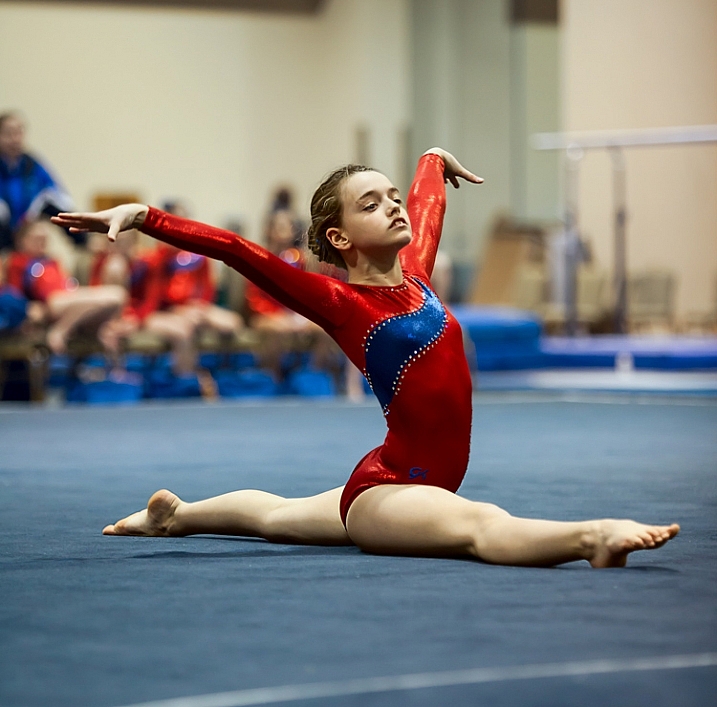
Elizabeth-Floor

In this picture, I was able to get away with a shutter speed of only 1/160th of a second because my subject wasn’t moving. . . (Shutter speed: 1/160; Aperture: f/2.8; ISO: 2000)

#5. Set the ISO (High)

The final exposure setting to make is ISO. Since you have already set your aperture and shutter speed, the ISO just is what it is. Set the ISO to whatever level is necessary to achieve a proper exposure.

Don’t be alarmed if you need to use a very high ISO to get a proper exposure. I routinely use ISO 1600 or 3200, and sometimes I even need to put it to ISO 6400. These are ISOs I would never even think about using in most other situations, but they are often necessary here.
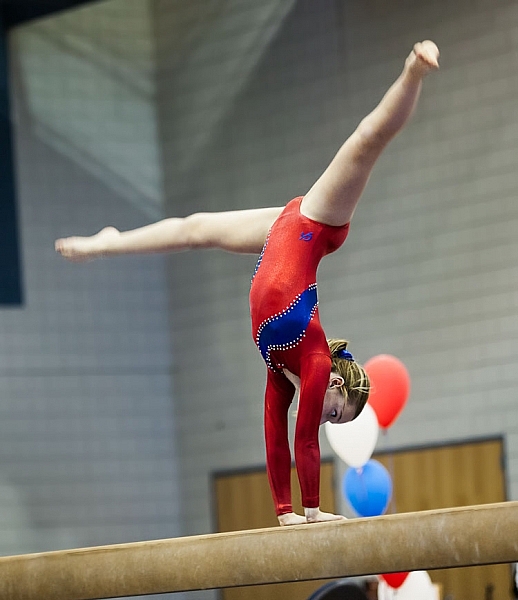
. . . but in this photo where my subject was moving, 1/160th of a second wasn't quite fast enough (Shutter speed: 1/160; Aperture: f/2.8; ISO 3200)

. . . but in this photo where my subject was moving, 1/160th of a second wasn’t quite fast enough. Arguably the blur in the legs implies movement, but it isn’t what I was trying to do (Shutter speed: 1/160; Aperture: f/2.8; ISO 3200).

#6 Test Your Exposure Settings Before the Action Begins

Test your exposure settings before the action starts. Since you are indoors, the light is often unchanging. In that case you can tweak the exposure settings and then more or less forget about them while you concentrate on the action. Where there is changing light, you will need to revisit the exposure settings often. In any case, start by making sure they are right, and do a test.

#7. Zoom In

Now let’s concentrate on the taking pictures part. In composing the picture, the first rule is to fill the frame. Zoom in on your subject. Don’t leave a lot of background. The important part of your picture is your subject, and they should dominate the picture.

#8. Wait for Peak Action
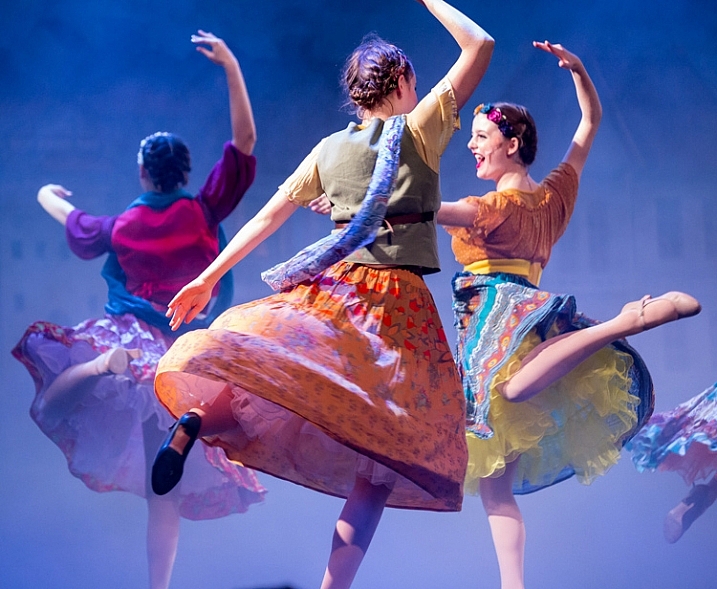
(Shutter speed 1/250th of a second; Aperture f/2.8; ISO 6400).

(Shutter speed 1/250th of a second; Aperture f/2.8; ISO 6400).

You may be inclined to machine gun your subject during the action. I know that there are many photographers who do that with great success, but I find it rarely works for me. Instead, anticipate moments of peak of action and prepare for them. When the peak action arrives take 2 – 4 shots very quickly (make sure your camera is in continuous shooting mode) and then recompose. When something else of interest happens, take 2 – 4 more shots, and so on.

Try to anticipate those moments of peak action. When you do so, and you shoot in a quick burst, you are more likely to get the best shots.

#9. Don’t Overlook Breaks in the Action

It may seem odd, but breaks in the action are often great times to shoot. By a break in the action, I mean two things.

The first is a momentary pause during the event. For example, in gymnastics after a difficult move there is typically a momentary pose. The same holds true in singing and dancing, as they hold a pose after finishing a part of a routine. The pose often makes a great shot, plus they aren’t moving so you won’t have as big of a problem with blur.
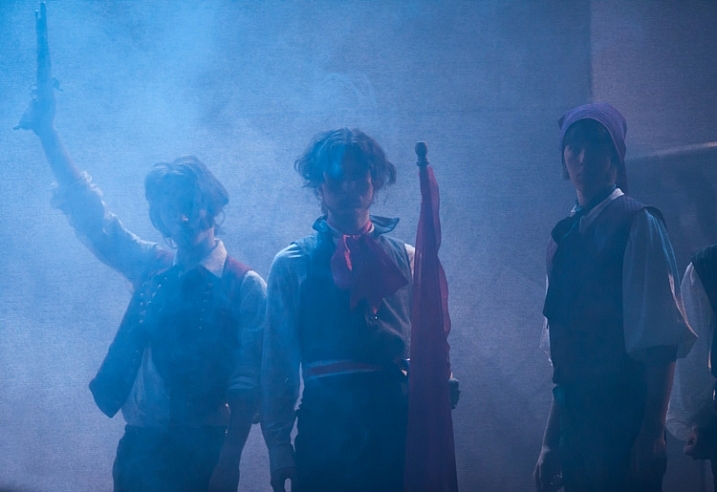
A break in the action will sometimes provide great shots while allowing you to use a slower shutter speed (Shutter speed: 1/50th of a second; Aperture f/2.8; ISO 3200).

A break in the action will sometimes provide great shots while allowing you to use a slower shutter speed (Shutter speed: 1/50th of a second; Aperture f/2.8; ISO 3200).

The second break in the action I am talking about is an actual break, like the end of a period in sports. There are often warm-up drills going on at that time that lend themselves to great shots. Plus you are typically allowed a bit more latitude in terms of your own movements, and you don’t have to worry about getting in anyone’s way. The best part is that no one will know whether you took the shot during a drill or the real game/match/meet. In fact, after a year or two, you probably won’t remember either!

#10. Nail the Focus

Because you are shooting with your aperture wide open, you will have a very shallow depth of field. That means the focus will be unforgiving and if you miss it there is no leeway.

So what should you focus on? Well, the subject, of course. If your subject is a person, then always focus on the eyes. If the eyes are on different planes, focus on the nearest eye.

This is an area where it pays to be comfortable with your camera’s autofocus modes. Your camera will have a mode designed to focus on stationary points (Canon calls this One-Shot and Nikon and Sony call it AF-S). Your camera will have another autofocus mode designed to track moving subjects, which Canon calls AI Servo and Nikon and Sony call AF-C. In the case of a moving subject, this mode will continuously track your initial focus point and readjust as it moves. Most photographers use this mode in the case of a subject that is moving. I personally almost always use the stationary autofocus, but use whichever one you are comfortable with.

Hannah2

Shutter speed: 1/640; Aperture: f/2.8; ISO 3200.

Another decision you should make to help with your focusing is whether to use back button focus. Normally, your camera focuses when you press your shutter button half way down. You can, however, set your camera to focus when you press a button on the back of the camera instead. I prefer this method because the focus will not automatically reset with each picture, Either way is fine, but back button focus gives you slightly more control over your camera’s focus so you might want to give it a try.

#11. Chimp!

That’s right, I want you to chimp. This refers to the act of looking at your photos on the camera’s LCD screen. Some photographers look down on this practice and referred to it as chimping (supposedly because the people looking at the LCD make “oo oo” noises while looking at their pictures, similar to chimpanzees). I actually think you should look at your LCD in any shooting context, but in this situation it is important to do so. There is just too much that can go wrong, and you need to make sure you are getting the shots. You might have the exposure wrong, your focus might be off, the action might be too fast for your shutter speed, and so on. You do not want to get home and discover you were doing something wrong, that could have been corrected while you were shooting.

#12. Additional Noise Reduction

You will have your own workflow for post-processing your pictures, so I will not dwell on that too much here. There are a few things, however, that are particularly important in this context, that I want to pass along. The first is that you will need to do some noise reduction since you will be using high ISOs for these shots, and you should probably do it in a manner that is a little different than you are used to doing.

Start off by using Lightroom’s noise reduction in the usual manner. Push the Luminance slider under Noise Reduction to the right. There is an equivalent slider in Adobe Camera Raw (ACR), if you use Photoshop or Photoshop Elements. Keep the increase moderate at this point, I find that is usually in the range of 10-15.

After that, reduce the noise in the background further. The background of your picture will usually be blurry because you used a large aperture, so the loss of detail from the additional noise reduction will not hurt anything. In Lightroom, use the Adjustment Brush and push the noise slider to the right, painting in where you want the noise reduction. Photoshop users can do the same thing in ACR or create a new layer with noise reduction, while masking off the subject.
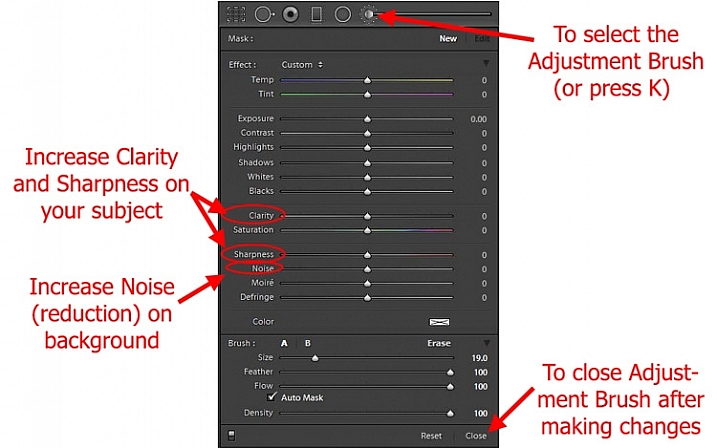
Using Lightroom's Adjustment Brush to Sharpen and Add Noise Reduction

Using Lightroom’s Adjustment Brush to Sharpen and add Noise Reduction – you will need two adjustment brush points added, one for the subject and a second for the background.

Note: you will need to add two adjustment brush points to do this (because you’re making different adjustments to each), one for the subject (to increase Clarity and Sharpness, see below) and a second for the background (to increase Noise Reduction).

#13. Sharpen the Subject

Next, sharpen your photo but, similar to the noise reduction you did above, you should tailor it to this situation. To start off, apply a slight amount of sharpening to the whole image, but not as much as you would usually apply because it will likely also cause an increase in noise.

Then apply sharpening to the subject only. In Lightroom, use the Adjustment Brush again. This time increase the Clarity and Sharpening amounts. Apply the effect only to your subject, while leaving the background alone. In Photoshop you can do the same thing in ACR or create a new layer that you sharpen, and mask off everything but your subject. The extra sharpening will help make your subject stand out a little bit better.

Conclusion

Photographing action in low light is a severe test of your camera equipment and your photography skills. It pays to have fast glass and a camera that performs well in low light. Using the tips in this article, you should be able to set up your camera and make the proper exposure settings. It will take practice to consistently nail the focus. It will take even more practice, and a little bit of luck, to capture the moments of peak action. But when you do, it is priceless.

Do you have any other tips or tricks that you use when shooting action in bad or low light? Please share in the comments below.

googletag.cmd.push(function() {
tablet_slots.push( googletag.defineSlot( “/1005424/_dPSv4_tab-all-article-bottom_(300×250)”, [300, 250], “pb-ad-78623” ).addService( googletag.pubads() ) ); } );

googletag.cmd.push(function() {
mobile_slots.push( googletag.defineSlot( “/1005424/_dPSv4_mob-all-article-bottom_(300×250)”, [300, 250], “pb-ad-78158” ).addService( googletag.pubads() ) ); } );

The post 13 Tips for Doing Action Photography in Bad Light by Jim Hamel appeared first on Digital Photography School.


Digital Photography School

 
Comments Off on 13 Tips for Doing Action Photography in Bad Light

Posted in Photography


Tips for Using Flash to Enhance Outdoor Nature and Landscape Photography

13 Dec

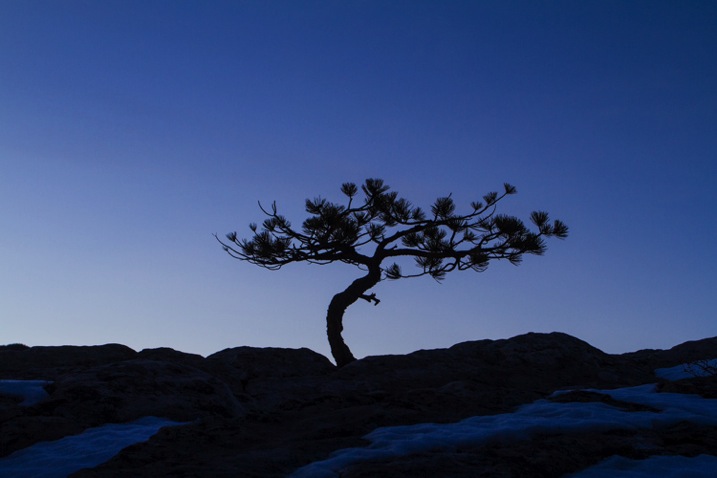
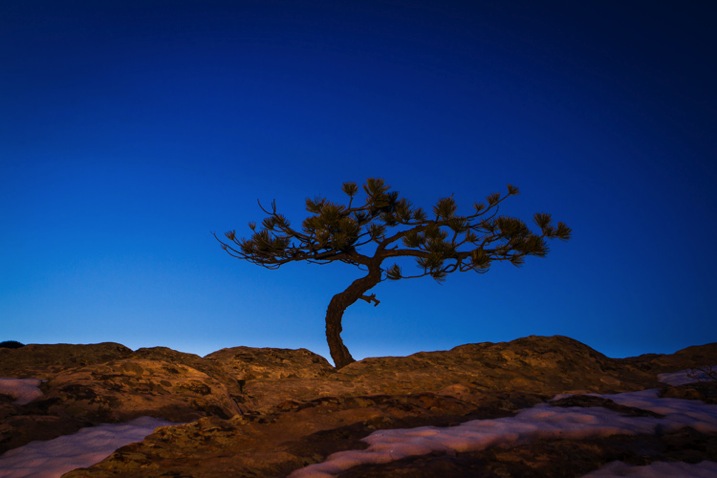
Late on a winter evening, I was photographing atop a ridge in Colorado’s Front Range. I had been working on some landscape shots, but with the light fading from the sky, the thought of beer and food was beginning to overwhelm my desire to stay out. The colors were shifting to the deep tones of blue hour, and the light was long gone from the hills. About to give up and head home, I spotted a lone juniper atop a rocky outcrop, perfectly silhouetted against the deep blue of the mountain sky. I sighed, tempted to ignore the scene, but instead put my camera back on the tripod, walked over and composed a shot. With a click, I snapped the shutter.

CO KenCaryl evening 30Dec2011 6

The image was decent, nice blues with a clean black foreground, but it needed some warmth, an element to contrast with the abundant cool tones. “If only I could get a beam of sunlight to reach back above the horizon…” I thought to myself.

Wait a second… I didn’t need the sun, I had a flash and a remote trigger in my bag. I pulled it out, all thoughts of beer and food forgotten, and placed the flash on a boulder a few feet to my left. I set it low, to 1/4 of full power, then took a shot.

Better, I thought, looking at the image glowing on the back of my camera, but still not right. The light coming from the flash was too cool, lacking the warmth I wanted. Digging back in my bag, I emerged with a pack of gels and slapped a half cut of CTO (color temperature orange) over the flash, and clicked off another.

CO KenCaryl evening 30Dec2011 7

“Now we’re talking”, I muttered. A warm beam of light crossed the rocky foreground to light up the tree. Never mind that the actual sunlight disappeared 45 minutes before, I could re-create it with a little artificial light trickery. A few adjustments to the flash’s positioning and brightness, and I had my keeper shot. Finally, I could go home.

Using Flash Outdoors

For most photographers, flash is relegated to the studio, and if used outside it is usually restricted to portraiture. But there is so much more potential for artificial light. Landscape and wildlife photography can often benefit from a little flash, and with some creativity, it can bring out the best in your images. Here are a few tips to help you get using flash for your outdoor nature and landscape photography.

To get started, you’ll need a few things in your bag:

  • At least one flash
  • Some kind of remote trigger (I use cheap and simple wireless triggers I found on Amazon for a few bucks)
  • A selection of multi-colored gels
  • A flash stand or assistant
  • For night photography, a strong headlamp or hand-held flashlight is a good addition to the kit
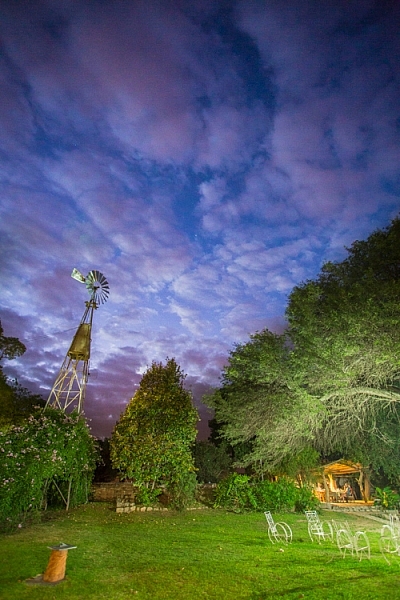
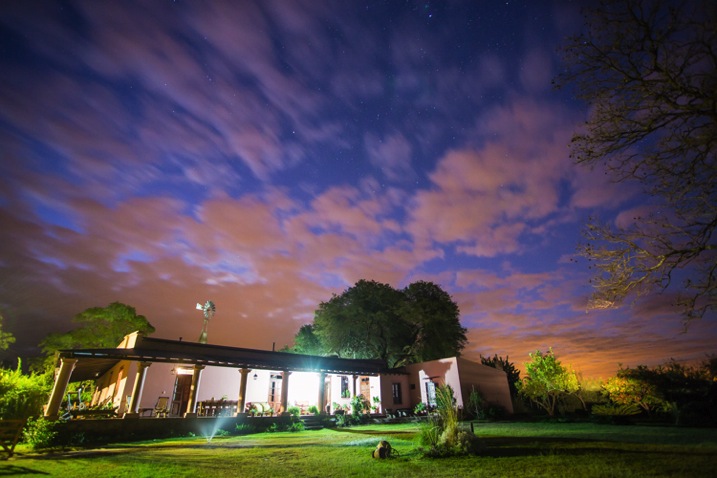
A windmill stands in the garden of the Finca Santa Anita in Salta Province, Argentina.

A windmill stands in the garden of the Finca Santa Anita in Salta Province, Argentina.

General Guidelines

As with almost all flash use, for best results, you’ve got to get the light off your camera. On-camera, straight flash, looks weird and unnatural. I like to say that photographic rules are meant to be broken, but this one seems universal: get the flash off your camera.

Get the flash off your camera

Direction of light, and how much to use it, is a matter of your personal vision, but here are my thoughts: Artificial light should either look so natural, you don’t notice it comes from a bulb, or so obvious, that it’s clear the scene was lit for artistic reasons. Anything in between usually doesn’t work.

As with all successful photography, you need to think through your image, and the story you are trying to tell. Do you want a natural-looking scene or are you aiming for an artistic portrayal of your subject? Once you have an answer to that question you can move forward.

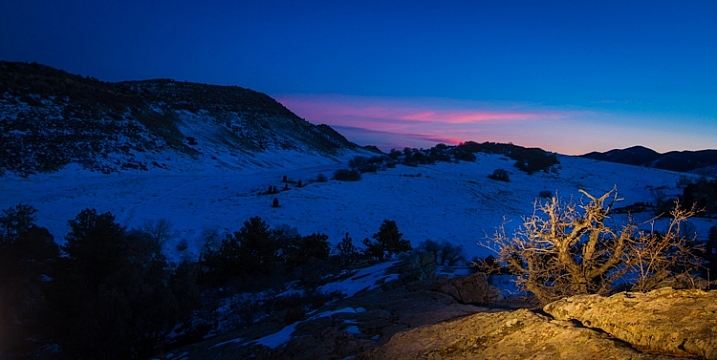
Scrubby pines grow from the rocks of the Dakota Hogback in the foothills of Colorado outside Denver, late evening.

Scrubby pines grow from the rocks of the Dakota Hogback in the foothills of Colorado outside Denver, late evening.

Imitating Natural Light on the Landscape

The near-dark hours before dawn and just after sunset, or full night, are the most suitable times to add a bit of light to a scene. A natural look is usually subtle and may rely heavily on the light that is already available to you. In my example of the juniper tree, I kept the flash setting low, and warmed the light with a gel to get a sun-like look. Finding the right balance between flash and ambient light is critical.

The further you get from the flash, the dimmer, and harder the light becomes. A flash aimed toward the ground will be very bright close to the strobe, fading quickly to invisibility. When setting your scene, use the test button to look at the throw of light across your subject. Aim it carefully, and take advantage of the flash’s zoom to consolidate the beam just where it is needed.

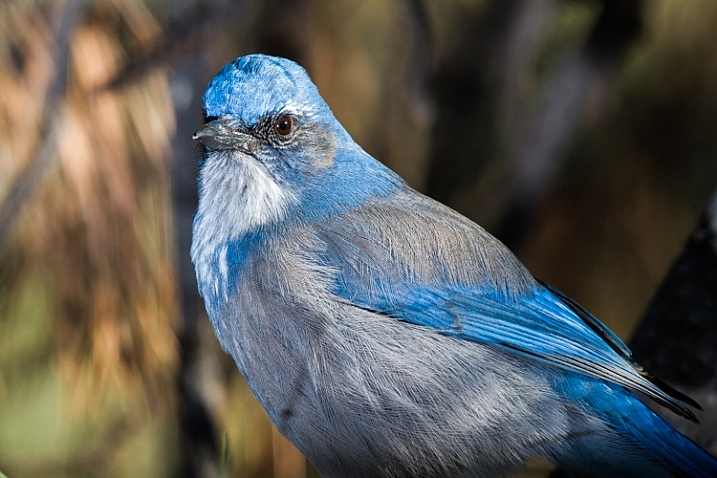
A Western Scrub Jay perches in a tree in the foothills of the Rocky Mountains outside Denver, CO, USA.

A Western Scrub Jay perches in a tree in the foothills of the Rocky Mountains outside Denver, CO, USA.

Adjusting Exposure

Once set, pop a shot or two, and check the results on your LCD. Almost always, you’ll find you need to adjust the flash brightness, placement, or the ambient light exposure.

When using flash remember this: adjust ambient light with the shutter speed, and flash with the f-stop (aperture).

For example, if you want to bring out more brightness in the sky, lengthen your shutter speed, if you want to increase the apparent brightness of your flash, open up the aperture. This is effective for small adjustments in camera, and keeps you from having to constantly readjust flash settings.

Lighting Your Vision – Artistic Styles

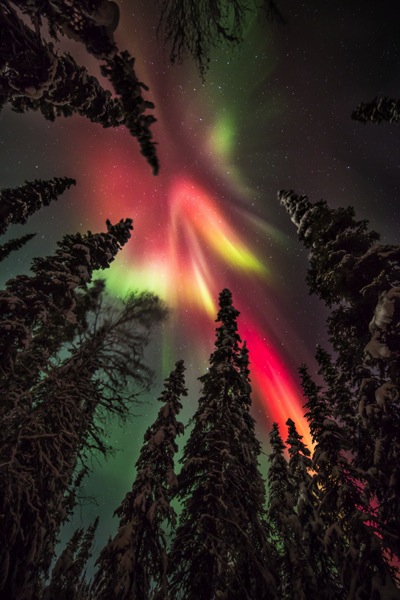
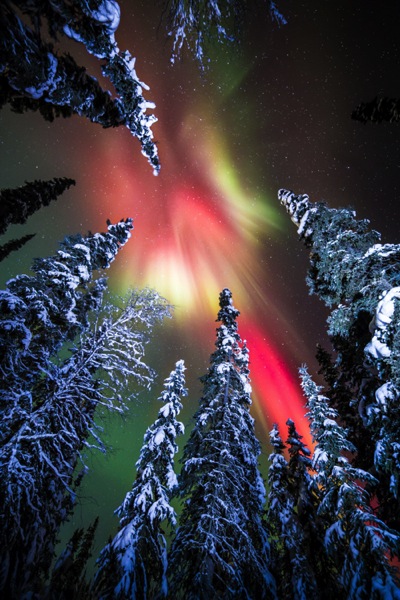
An artistic look is more straight forward, but light direction, intensity, and color are just as important. I often photograph the northern lights around my home in Fairbanks, Alaska. Often the moon, stars, or aurora itself, are sufficient to illuminate the foreground, but at times, it fades to black as you can see below.

AK FAI aurora 112073 17

In such cases, a splash of light is just what I need. When photographing the aurora, or the night sky in general, I rarely carry an actual flash, but I’m always wearing a headlamp. During a typical 5-10 second exposure, if I need a little extra texture or warmth, I can pan the beam quickly over the foreground, “painting” it with light as I did in this image.

AK FAI aurora 112073 18

Light from a typical LED is very cool, but cover it with CTO gel, and nice warm tones result. Light painting is a popular technique, but one that requires some practice to make sure your subject is evenly lit, and not too bright. Mixing light painting and ambient can be very effective to even out brightness in an image, and compensate for highlights. In Argentina, a few years ago, I was shooting a historic farmhouse during the late evening. Bright porch lights on the house needed to be evened out, so I painted some key parts of the scene.

Arg Salta SantAnita house night 104133 18

A warning: painting light can mess with the color of a digital image. If you use your camera’s automatic settings, as I do, light painted images will often require some color correction in post-processing. Shoot in RAW to be sure you retain this flexibility.

Wildlife

Flash can also play an important role in wildlife photography. Birds in particular are often down low in dark forests, where natural sunlight is rarely found. The flat, boring light beneath the foliage can be replaced by the directional light of a flash.

CO Dec2009 AMRO 3

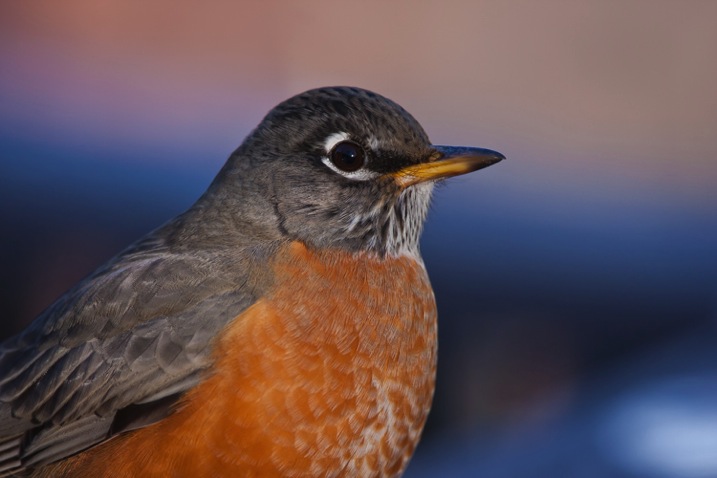
When using flash with a long telephoto, you can often get away with on-camera, or bracket-mounted flash, as I did of the portrait of the American Robin above. Using camera-mounted flash is easy with TTL (Through The Lens) compatible strobes. In fact, this technique is so easy, that I’m not even going to go into it, because more interesting possibilities exist.

Where I live in Alaska, the winters are long, and during the few hours of daylight, the sun is often hidden behind trees or clouds. The birds I love to photograph are usually stuck in flat, gray light. There are a few trees in my yard that the birds prefer. By setting up a flash (or two), gelled with CTO to emulate the absent sun, I’ve managed to create some well lit portraits of these guys.

RBNU 21Dec2011 2

The method is similar to lighting a landscape. You’ve got to choose your flash placement to avoid shadows, and since there is rarely a chance to replicate a poorly exposed shot, it’s best to get your settings right and then leave them in place throughout the shoot. In this case, I was going for an almost studio-like look, so I took advantage of the white snow as a background, making the final image appear almost as a cut-out.

ORJU 22Dec2011 2

I like to put my flashes atop a tall stand to get them over my head like a low angle sun. Done right, the set up and exposure takes only a few moments, and the results can be great.

Conclusion

Artificial light in the outdoors offers a great opportunity to create unique images. Think through your shots, consider where extra light can be added, and what role it will play in the final image. Not every situation requires it, in fact, most don’t. But there are times when that extra pop of light can take a photo from mundane to extraordinary.

Have you tried using flash with your nature or landscape photography? Please share your tips and images in the comments below.

googletag.cmd.push(function() {
tablet_slots.push( googletag.defineSlot( “/1005424/_dPSv4_tab-all-article-bottom_(300×250)”, [300, 250], “pb-ad-78623” ).addService( googletag.pubads() ) ); } );

googletag.cmd.push(function() {
mobile_slots.push( googletag.defineSlot( “/1005424/_dPSv4_mob-all-article-bottom_(300×250)”, [300, 250], “pb-ad-78158” ).addService( googletag.pubads() ) ); } );

The post Tips for Using Flash to Enhance Outdoor Nature and Landscape Photography by David Shaw appeared first on Digital Photography School.


Digital Photography School
 
Comments Off on Tips for Using Flash to Enhance Outdoor Nature and Landscape Photography

Posted in Photography


Tips for Getting Started with Still Life Photography

07 Dec

breakfastW

When photographing a still life subject, you are creating an image rather than capturing a moment. You are constructing your photograph; from background, to subject, to lighting. With the subject matter being inanimate objects, their tendency to stay very still allows you to take time to refine your lighting, and experiment with your composition. It’s a very pleasant way to photograph, and you don’t need any fancy gear. It’s also a great way to learn about lighting and composition, the key elements to any photographic style.

Here are some tips to get you started on still life photography:

Subject matter

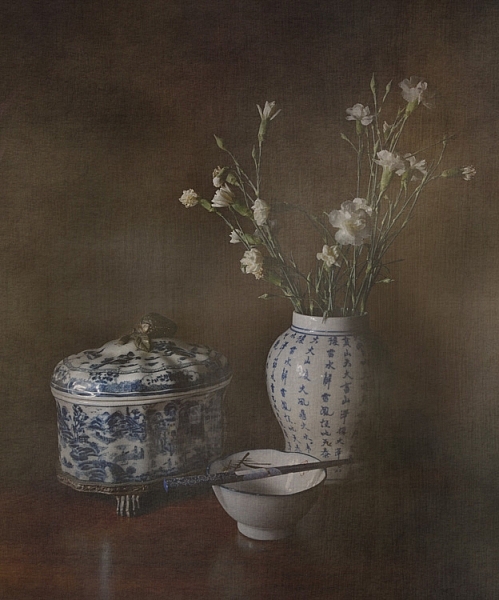
Subject matter doesn’t really matter. Generally the words “still life photography” conjures the image of traditional paintings of a vase of flowers, and a few carefully arranged items. But essentially as long at it stays still, it is a still life.

Still life photography

As long as it is still, technically it is a still life. This is a piece of dried seaweed on some calico.

You could group a bunch of items together simply because you like them, or they look pleasing, or you can gather related items to tell a story. The image at the beginning of this article tells the story of my breakfast.

Or you can find still life arrangements that already exist, their story or mood already set up for you.

Still Life Photography

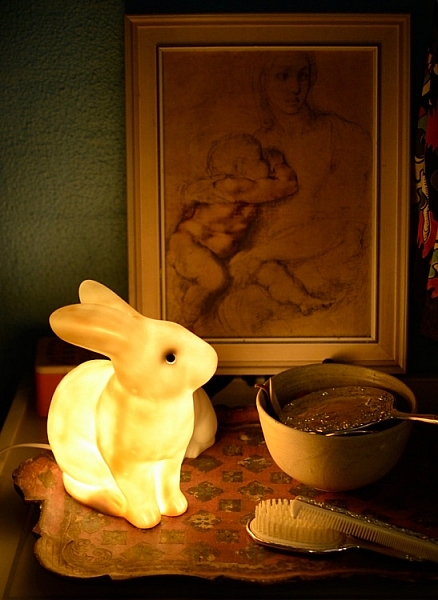
A arrangement on a friend’s bedside table of heirloom items, made for an already set up still life image.

You can use things that are simply visually pleasing, or you can make it personal. If you’re stuck for a still life subject, I suggest finding some things that are personal and important to you, give the photograph some meaning. Plus, then you’ll have a photograph of this important thing. Bonus!

Backgrounds

A good background can really make a still life. Fabric, cardboard or paper, or an existing wall, are all easily accessible backdrops. For the image of my breakfast I used old potato sacks. Just make sure whatever you use is not too distracting from your subject matter. Keep it simple. If you’re using fabric, make sure you iron it first! Few things are more distracting than a wrinkled backdrop.

Still Life Photography

I like to call this one, Still Life With Slightly Wrinkly Backdrop.

A bright color, or busy backdrop, can pull too much attention away from your subject matter. Plain, neutral-toned, backdrops are a good place to start, then experiment from there. You may be surprised what backdrop will end up making your image really pop.

Still Life Photography

After trying different colored, plain backdrops for this image, I experimented with some reflective cardboard, which worked much better.

You can also experiment with focus and depth of field, having the whole image completely sharp or certain elements, such as the background, in soft focus. A blurry background could help out, should you not have an iron handy, or if you are not handy with one and need to knock back that wrinkly background.

Lighting

You don’t need anything fancy to light a still life. Natural light from a window will do the trick. A lamp, light painting with a torch, or a makeshift soft box are great fun to experiment with. A bunch of tips on these lighting methods and more in my DIY  lighting using household items article.

Still life photography works well for longer exposures, allowing you to use a really subtle light source, such as single candle. You’ll need a tripod, or to steady your camera on a solid box, or pile of books. You can literally paint your still life with light using light painting, and all you need is a small flashlight.

Still Life Photography

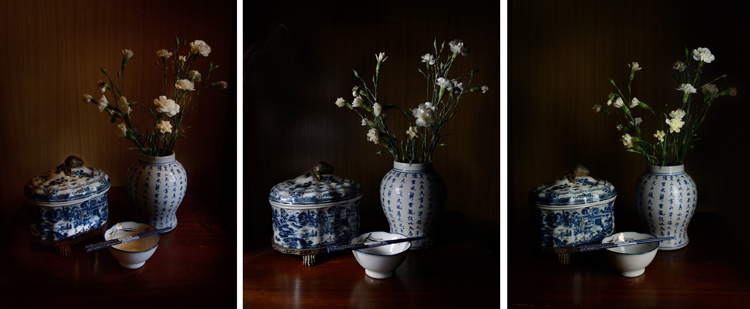
A quick setup of different lighting. From left: Natural light from nearby window, light painting with a flashlight, and lighting from a single soft box.

Your subject matter is still life, it’s not going to dash off on you, so take your time here and really play with your lighting.

Try out different intensities of light, by either a curtain if using window light, or moving your light source in and out. You can also combine different light sources such as a small flashlight to fill in any dark spots when using natural light, or perhaps use both a lamp and a candle. (Just be aware of different colors of light each may produce)

How you angle your lighting is important. Experiment with different positions for your light source. If you’re using natural light you’ll obviously have to move your subject to change angles, much easier than rebuilding your window! With a movable source, start with some side lighting, and then try a few different angles. Pay attention to where the shadows fall, as well as what happens with any reflective surfaces. You don’t necessarily want to turn your still life into a self-portrait, with a reflection of yourself and your camera staring back at you.

Composition

Good composition skills go a long way with still life, and is as important as good lighting. There are many wonderfully informative articles here on dPS on the basics, and sometimes not so basics of composition. Understanding things like the rule of thirds can be very helpful, even if you choose to then ignore it.

With still life photography, if you just keep moving your arrangement around, you will find one that works. Don’t just settle on the first one you set up. Keep your eye out for overly empty gaps, or too much going on. Placing an item on an angle will lead the eye in that direction, does the item lead the eye nowhere, out of the frame, or subtly towards another part of the arrangement? A small tweak of the angle of your subject’s placement can make all the difference.

Also try photographing from different angles, even if you need to shoot directly front on, try raising or lowering your camera for a few shots, then zoom in or out a bit and see what happens. It might work, it might not, you won’t know until you try.

Editing

There is loads of fun to be had in the editing stage. Different processes can completely change your still life image. HDR is a popular process for still life photography, and can be very effective. Or you could play with layer masks with a couple of different exposures, and paint in and out certain areas of your image. I like to add a texture to give the image a painting-like look. Here’s a link to a beginners guide to applying textures.

Still Life Photography

Adding a texture in the editing stage can give a painting like effect

Experiment and enjoy

Unlike most other forms of photography, when photographing still life you can really slow down and take your time, and enjoy the process . You don’t have to limit yourself  to the traditional still life, experiment with subject matter as well as your lighting and editing. Indulge in a little photographic play time!

Still Life photography

An arrangement of this monkey sculpture next to a post card made for an interesting still life image.

Try a still life today. Share your photographs or any further still life tips you’ve learned along the way in the comments below.

googletag.cmd.push(function() {
tablet_slots.push( googletag.defineSlot( “/1005424/_dPSv4_tab-all-article-bottom_(300×250)”, [300, 250], “pb-ad-78623” ).addService( googletag.pubads() ) ); } );

googletag.cmd.push(function() {
mobile_slots.push( googletag.defineSlot( “/1005424/_dPSv4_mob-all-article-bottom_(300×250)”, [300, 250], “pb-ad-78158” ).addService( googletag.pubads() ) ); } );

The post Tips for Getting Started with Still Life Photography by Lea Hawkins appeared first on Digital Photography School.


Digital Photography School
 
Comments Off on Tips for Getting Started with Still Life Photography

Posted in Photography


10 Tips for Taking Stunning Winter Portraits of Your Kids

03 Dec

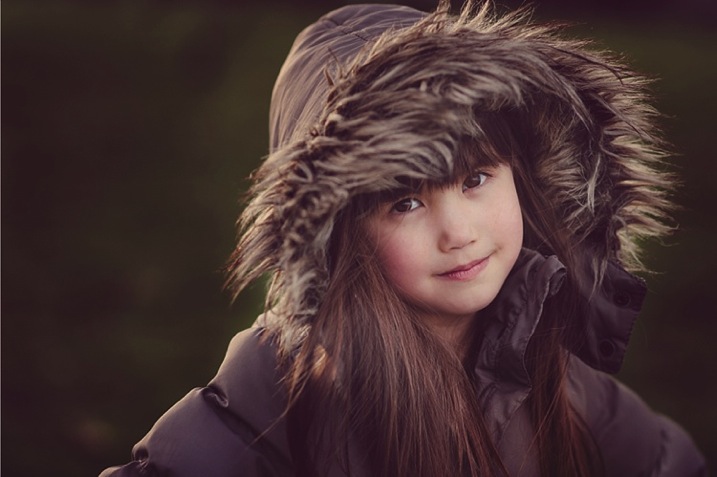
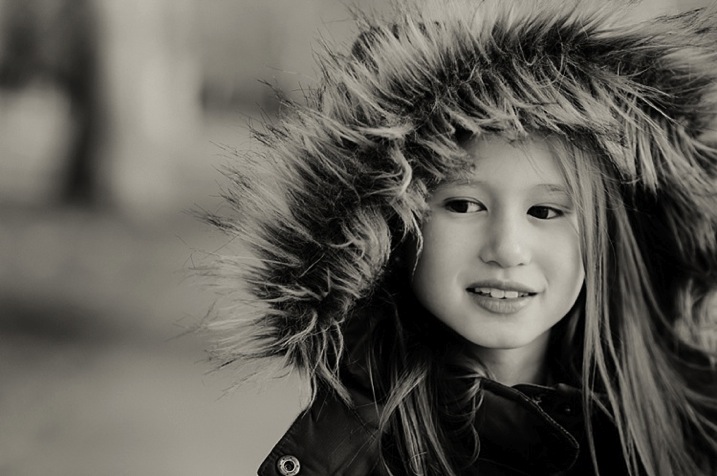
Just because it’s winter doesn’t mean we can only shoot indoors. It may be cold (and rainy if you’re in London) most days, but when the winter sun shows its face, it fills the earth with a beautiful warm glow, especially late in the day. This bring us to what is known as the golden hour – typically about an hour before sunset. The further you are from the equator, the more time you would need, in my case about 1 – 1.5 hours, before sunset.

Winter portrait1

Here are my 10 top tips on how to get stunning winter portraits of your own kids:

#1 Choose the right day and time

Choose a sunny day and plan to get to your shooting location a good hour or so before sunset.

#2 Dress them warmly and make it fun

Wrap your children up nice and toasty so they won’t complain. Tell them you are taking them out for one hour to the park or the playground (or your chosen location) but that you would like to take a few photos of them before you get to the actual promised site. The easiest for us was the playground, as we have to walk about 10 minutes from the entrance to the park to get to there. It is a good idea to choose a halfway point to stop.

Winter portrait3

#3 Have warm beverages during or after the session

Either bring a snack or warm drinks in a thermos (keep it light and simple though), promise to take them for a nice warm drink in a nearby cafe after your little trip to the playground, or make them hot chocolates when you get home (whatever works for you).

#4 Find the good light and start shooting

Halfway to the playground, your kids would already have been having fun running and chasing each other. Remind them of the photos you want to take, and show them the light is so beautiful and perfect. Ask for their suggestions where you could stop and take some nice picture. Make sure there is light coming from one side, but that they are fully in the shade of a tree (open shade) to avoid hotspots and mottled faces.

Winter portrait2

#5 Be fast

Keep it quick! Kids get bored if you take too long so just aim for a few portraits. Ask them to stand, cuddle and tickle, or make each other laugh, swap places, do their own poses and click away like nobody’s business.

Techie tips: If shooting in semi-automatic mode, choose a wide aperture or set it to Aperture Priority (and choose a large aperture, small f-number) so you get the blurry background effect. Always focus on the child’s eyes if possible.

Winter portrait5

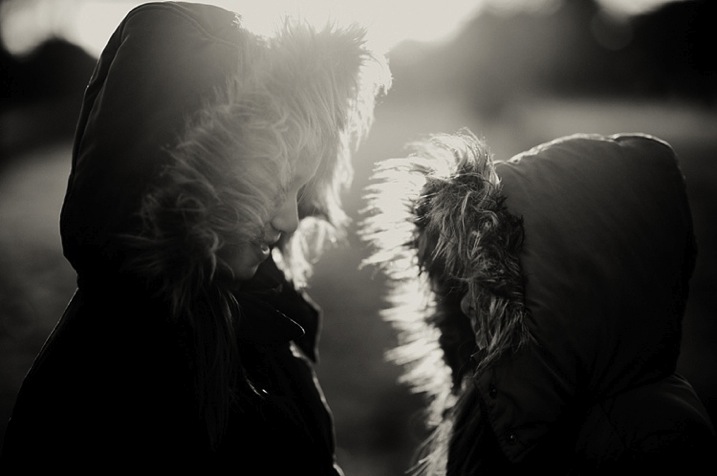
#6 Use backlight to your advantage

Shoot with the kids backlit. The best time to do this is during the golden hour. The sun is low, the sky is a reddish blue and the light is softer, more diffused, and indirect.

Shooting backlit is really quite a difficult technique which requires some mastering. This is when the sun or light source is in front of your camera, and behind your subject. The late sun gives stunning soft light, that illuminates your child’s hair or clothing like it has just been kissed by the sun.

Winter portrait4

You would also need either a really wide aperture, a flash, or a reflector to bring light back into your child’s face. A reflector can be a large white/silver/gold sheet that you angle towards their face, to bounce the light back into it. Or, you can choose a location with a natural reflector such as a white, or light coloured wall, facing the sunset and position your child in front of it, at an angle, so that part of their face gets the reflected light. I suggest a wide aperture for portraits as that helps give a nice glow to the skin, spot metered, and focused on the eyes.

#7 Go for lens flare

This is really quite difficult as you don’t want to be looking straight at the sun. When you see the sun’s rays streaming through the viewfinder of your camera, that’s a sure sign that you are capturing flare. Flare floods your camera with light and everything else becomes a muddy, hazy silhouette. So try to get only a very small bit of flare right at the top or side of the viewfinder, and you will still get some good details, rather than a completely hazy image, devoid of any definition or detail.

Winter portrait6

#8 Embrace the imperfections

From personal experience, my imperfections, mistakes, and lack of skills fuel creativity. So don’t be afraid to make mistakes and have imperfections; they are a blessing. Use them and learn from them.

Winter portrait7

#9 Capture some scene details after the portraits are done

When the portraits are done, capture some contextual details such as the sky, trees, plants, grass, flowers, etc. Years down the line, when you look back at these photographs, details will help you remember the mood, the time, and the emotions of that day. Now that there’s no need to rush and the kids are playing, take your time and choose which details grab you, and take your breath away.

Techie tips: Don’t forget to change your aperture when shooting the sky and trees to a much smaller one, in this case around f/5.6 or smaller. I find that while you can shoot wide opened it is more prone to have chromatic aberration than if you shoot at a smaller aperture. Really, it’s personal preference, but this is what I recommend.

Winter portrait10

#10 Last but definitely not least, reward and celebrate

Promise your kids not just the playground, but extra treats like snacks and hot drinks, and even a small surprise. It reinforces having a photoshoot as a positive experience, and ends it on a happy note. Then top it with a movie night at home!

Have you done any winter portraits of your kids? Please share your images and any other tips you have in the comments below.

googletag.cmd.push(function() {
tablet_slots.push( googletag.defineSlot( “/1005424/_dPSv4_tab-all-article-bottom_(300×250)”, [300, 250], “pb-ad-78623” ).addService( googletag.pubads() ) ); } );

googletag.cmd.push(function() {
mobile_slots.push( googletag.defineSlot( “/1005424/_dPSv4_mob-all-article-bottom_(300×250)”, [300, 250], “pb-ad-78158” ).addService( googletag.pubads() ) ); } );

The post 10 Tips for Taking Stunning Winter Portraits of Your Kids by Lily Sawyer appeared first on Digital Photography School.


Digital Photography School

 
Comments Off on 10 Tips for Taking Stunning Winter Portraits of Your Kids

Posted in Photography