RSS
 

Posts Tagged ‘Tips’

Tips for Understanding the Lightroom Adjustments Panel

28 Sep

Lightroom can be an intimidating program. Even longtime users sometimes find themselves confused at all the options or unsure of exactly what to do to achieve a specific type of look for their pictures. Fortunately much of this can be mitigated by learning new things slowly and carefully, and taking the time to master just one new tool, option, or set of sliders at a time. The first thing I usually recommend to beginners is the Basic panel because, as its name implies, those sliders can go a long way towards improving your pictures. However another set of sliders in the Develop module, called the Adjustments panel, can take your images to a whole new level if you learn to use it properly.
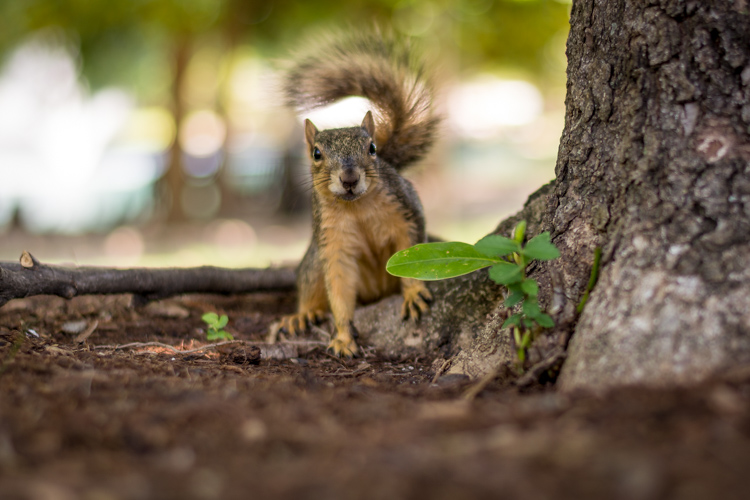
lightroom-adjustments-panel-squirrel

What is the Adjustments panel?

While the Basic panel allows you to adjust global settings on an image related to things like white balance, overall tint, and highlights/shadows, the Adjustments panel lets you get much more specific with selective color editing. To access this panel click on the Develop module and then look on the right-hand side of your screen. If you do not see it (it’s the third one down), right-click (ctrl-click on a Mac) on any of the Develop panels and make sure the Adjustments option in the pop-up menu is checked.

lightroom-adjustments-panel

Right away you might be a little confused because the options have odd-sounding acronyms with no explanation. But once you understand how they are related it should get a little easier. For starters, here’s a brief explanation of the three main categories of HSL / Color / B&W.

  • HSL: Allows you to control the Hue, Saturation, and Luminance of all the main colors that make up a picture (Red, Orange, Yellow, Green, Aqua, Blue, Purple, and Magenta)
  • Color: This is essentially the same thing as the HSL panel, as you will see shortly, but the options are organized in order to help you focus on specific colors, and then specific types of adjustments within those colors.
  • B&W: This panel is often the most misunderstood, but one of the most powerful tools available in Lightroom when it comes to converting your images to black and white.
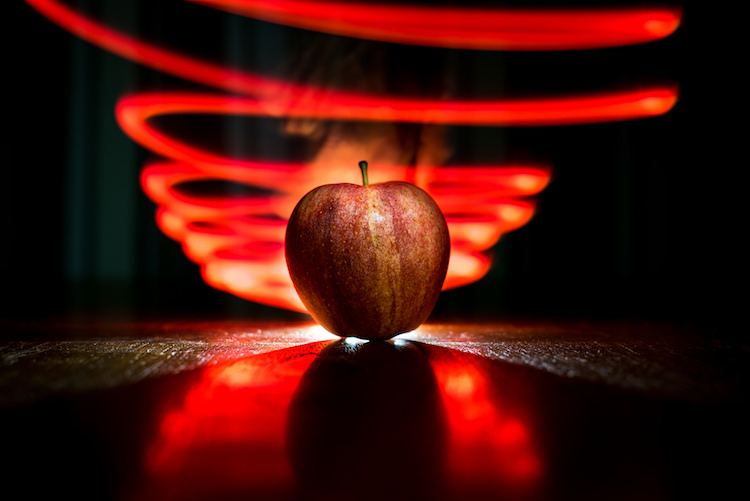
lightroom-adjustments-panel-apple

The HSL tab

This abbreviation stands for Hue, Saturation, and Luminance and allows you to control these parameters all at once for the various colors in your image. When you click the HSL option in the Adjustments panel you can then choose each of these three options to control, or you can click the “All” option and have access to all of the parameters at a glance.
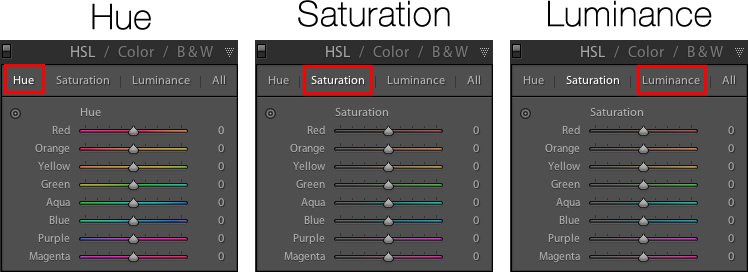
lightroom-adjustments-panel-hsl

Hue sliders

Click the Hue option and you will be able to change the look of specific colors such as Red, Green, Yellow, etc. for the entire image. For example, you could make your greens have more of a yellow tint to them, or make them look almost fluorescent just by changing the Green slider. You can give your skies a deep, rich blue or tone it down to make them look a bit pale. Your purples can be anywhere from reddish to deep violet, all with the click of a mouse button.
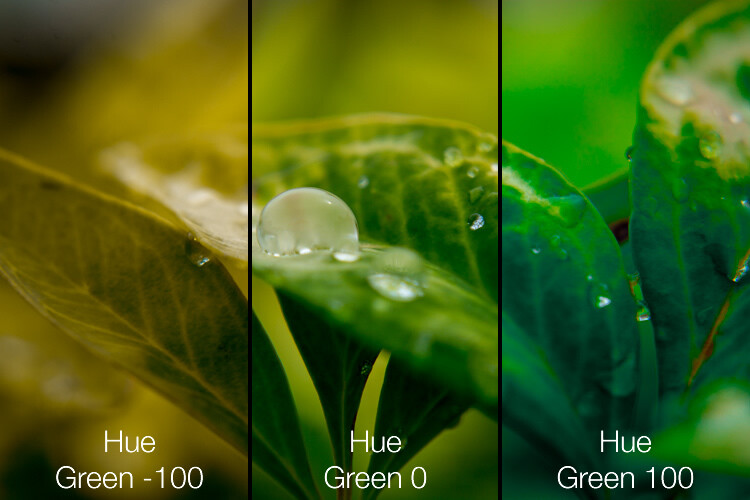
Simply adjusting the green hue can give your nature photos an entirely different look and feel.

Simply adjusting the green hue can give your nature photos an entirely different look and feel.

Adjusting the hue, as is the case with many editing decisions, can be most effective when used subtly and in combination with other options such as the tone curve or white balance. Too much editing can come across as obvious and give your images a look that seems overly processed, especially when it comes to portraits. Still, it’s a powerful and valuable adjustment that can greatly affect your pictures.

If you are not sure exactly which color option to select from the ones that are available to you, you can click the target button in the top-left corner of the Hue panel (circled in red below) then click and drag on a specific point in your image. This will adjust the hue that matches the target area, and all similar colors for your entire photo.
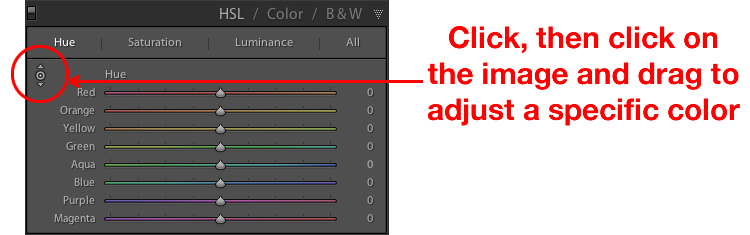
lightroom-adjustments-panel-hue-click-drag

One tip I like to use when adjusting the values is to click on the 0 and enter numerical values using my keyboard. I’ll start with something small like 5 and then press the up and down arrows on my keyboard to raise the value in increments of 1. Or you can hold down the shift key while tapping the arrows to raise and lower values in increments of 10. It’s a good way of making more precise adjustments rather than moving the slider with your mouse.

Saturation and Luminance

The Saturation and Luminance tabs function in much the same way. You use sliders or enter numerical values in order to adjust how much of each color is present (Saturation) or the brightness of each color (Luminance). Finally, clicking “All” will let you edit all three parameters at once. I find that a bit overwhelming but others can think is quite useful. See what works best for you.
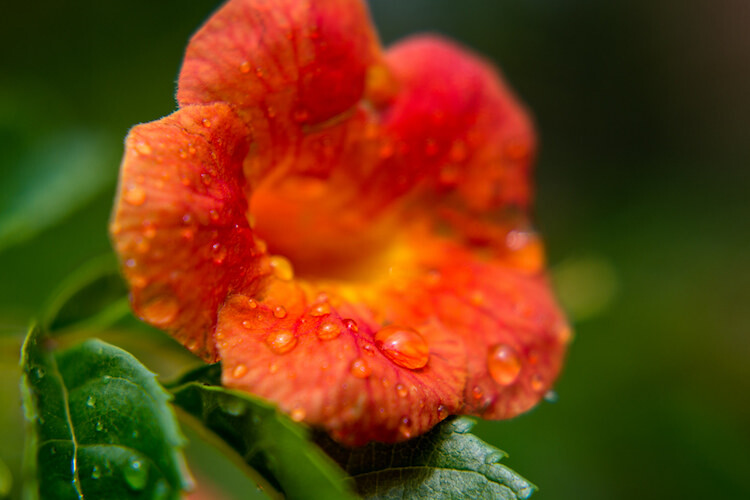
Subtly editing the HSL values on this picture helped me bring out more vibrant colors and produce the final image I was really going for.

Subtly editing the HSL values on this picture helped me bring out more vibrant colors and produce the final image I was really going for.

The Color tab

At first when you click on the Color tab of the Adjustments panel you might be hit with a feeling of déjà vu. The options look remarkably similar to what you might have already seen in the HSL tab, in that you can once again change the Hue, Saturation, and Luminance. The difference here has to do with how things are organized, and it’s why I find myself working more often in the Color tab than the HSL tab.

Here all three adjustments are available to you at the same time for each individual color, which makes it very easy to work with your image on a per-color basis as opposed to a per-adjustment basis. If I’m shooting portraits and want to tweak the color of my subject’s purple shirt I will probably want to adjust all three parameters at once, but just for the color purple. This tab gives me the option to do exactly that, and once again you can click on the All option to see all the colors, along with all their corresponding adjustment options, at the same time.
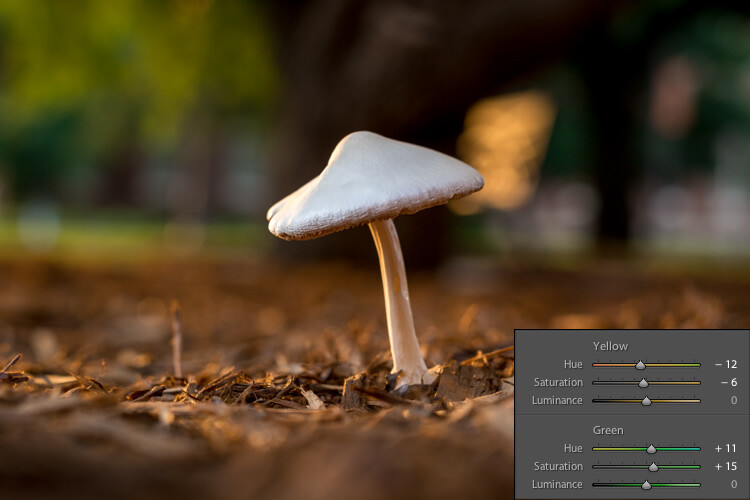
Working in the Color tab of the Adjustments panel let me tweak various parameters of the greens and yellows to get the final image I was going for.

Working in the Color tab of the Adjustments panel let me tweak various parameters of the greens and yellows to get the final image I was going for.

The B&W tab
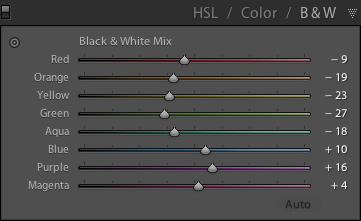
lightroom-adjustments-panel-bwThis part of the Adjustments panel is often the most confusing because as soon as you click on it, your image turns grey, and yet you still have all the same color sliders as on the other tabs. What’s going on here?

The answer lies in how Lightroom essentially tries to mimic the effect of black and white filters on color pictures. What you are doing with this panel is turning your image into a grayscale version of its colorized counterpart, then adjusting the tone of each of the individual colors as the image is processed. Incidentally, if you open this panel and then click on one of the Black and White filter presets in Lightroom (in the presets panel on the left side of LR) you will see the sliders move around because they are really just specific values for the sliders you see here.

An example B&W conversion to see how the sliders work

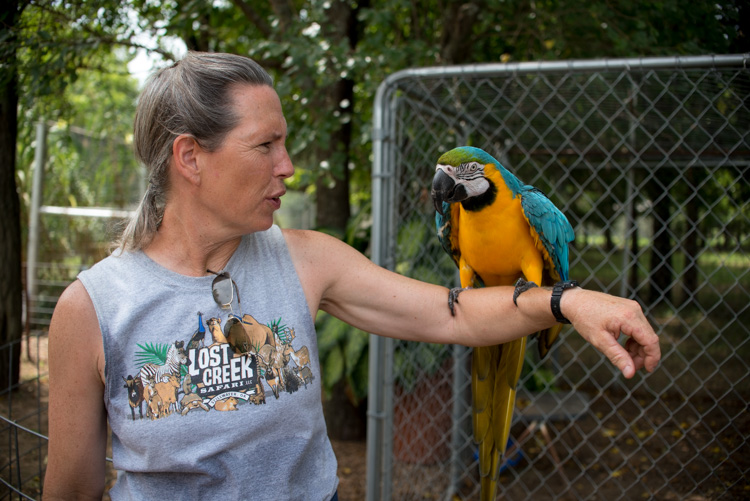
To demonstrate how these Adjustment options work, here’s an image of a woman who owns a wildlife refuge in Oklahoma holding a macaw.
lightroom-adjustments-panel-macaw-color

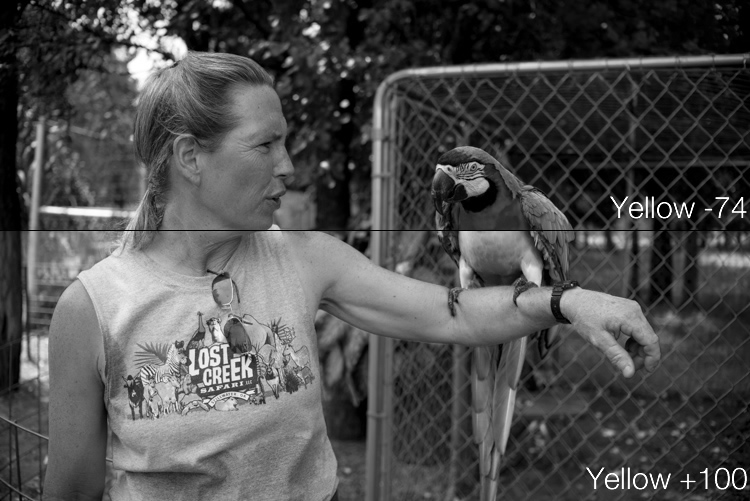
There are several distinct colors in this image such as yellow, aqua, and green, which makes it an ideal candidate for understanding how the B&W adjustments work. In this first example I have clicked the B&W filter and left all sliders at their default values, but changed the yellow option for two different results.
lightroom-adjustments-panel-macaw-bw-yellow

Most of the image remains unaffected except for the bird’s bright yellow chest, which is starkly different depending on the values I have selected for the Yellow slider. Increasing the numerical value of yellow has made the corresponding areas much lighter, and decreasing it has made them appear significantly darker. Once again you will likely find that in this B&W panel the best edits are the most subtle, and you can use the sliders to creatively adjust the look and feel of a monochromatic image. To further illustrate the effects of these sliders, compare the following images. The first one has higher values of colors that correspond to the skin tones of the woman and the chest plumage of the bird, and darker greens for the foliage in the background.
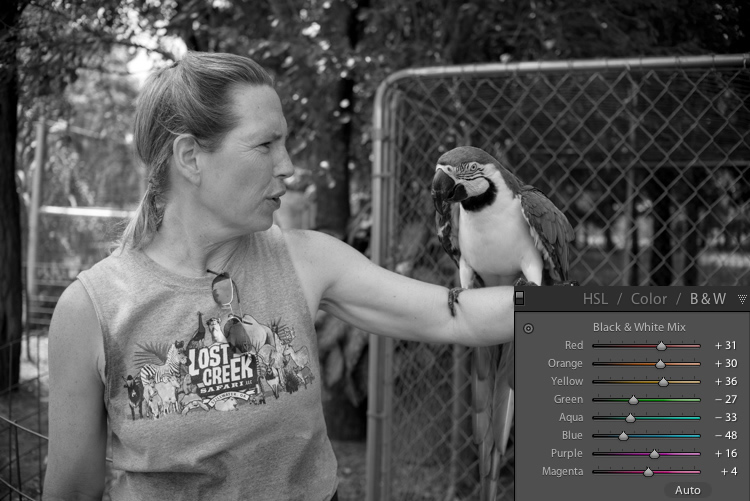
lightroom-adjustments-panel-macaw-bw-all-1

Be careful not to go too far

In the next example, the colors of the bird’s chest have been significantly darkened while the background is much lighter, and the woman’s skin tone has been toned down quite a bit as well. I find the top image much more natural and pleasing, whereas the bottom one significantly alters the appearance of the bird and makes the woman look almost as though her face has been burned, particularly if you look where her jawline meets her neck.
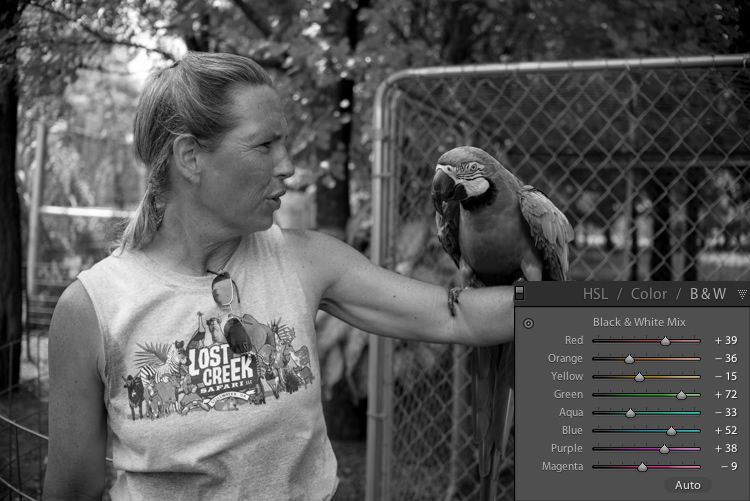
lightroom-adjustments-panel-macaw-bw-all-2

As you play around and experiment with the B&W sliders you will start to get a feel for how you might prefer various adjustments in your images. If you are the type of person who likes to try black and white photography this panel is significantly more useful than just clicking on a preset or using built-in filters in a program like Instagram.

Conclusions

I hope this article has helped you understand a bit more about some of Lightroom’s useful editing options. If you have never used the Adjustments panel before go ahead and try it out! Lightroom is non-destructive which means your edits are not permanent and can be undone at any time, so it never hurts to try something and see what happens.

If you find the Adjustments panel to be useful, or have your own tips to share, please leave your thoughts in the comments below. I’m sure other readers would enjoy hearing them.

googletag.cmd.push(function() {
tablet_slots.push( googletag.defineSlot( “/1005424/_dPSv4_tab-all-article-bottom_(300×250)”, [300, 250], “pb-ad-78623” ).addService( googletag.pubads() ) ); } );

googletag.cmd.push(function() {
mobile_slots.push( googletag.defineSlot( “/1005424/_dPSv4_mob-all-article-bottom_(300×250)”, [300, 250], “pb-ad-78158” ).addService( googletag.pubads() ) ); } );

The post Tips for Understanding the Lightroom Adjustments Panel by Simon Ringsmuth appeared first on Digital Photography School.
Digital Photography School

 
Comments Off on Tips for Understanding the Lightroom Adjustments Panel

Posted in Photography


Tips for Getting Started Doing Photography with Drones

26 Sep

Until very recently, my mindset was decidedly anti-drone. To me, drones seemed like a complicated plaything for geeks. After all, isn’t this photography hobby expensive enough without adding flying apparatuses to the equation? Plus there was very little doubt in my mind that if I bought a drone I would send it flying into the ocean on its first flight. No thanks.

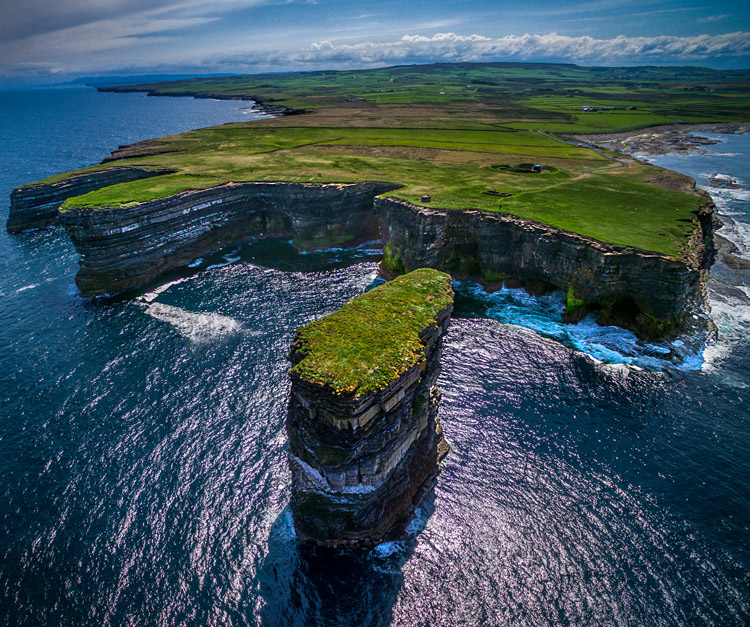
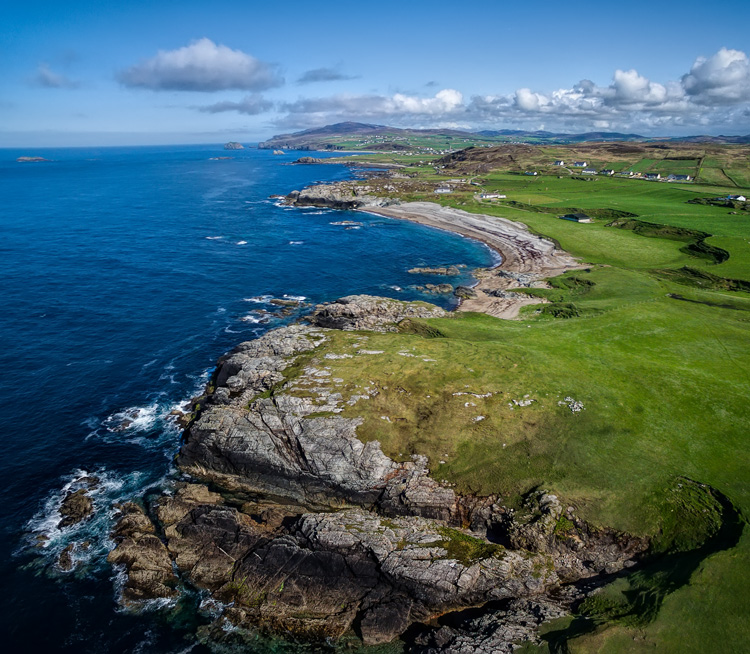
Downpatrick-Head photography with drones

Why a drone?

I had a problem though. I had a coastal photography trip planned, and in coastal photography it is often difficult to take pictures of the coast while standing on the coast. I have long wanted some way to be able to look back at the coast from out to sea and photograph it from that perspective. A drone was the only real answer for me, so I bit the bullet and bought one.

After having used the drone for several months now, I can say my attitude has changed markedly. Much of what I thought about drones was wrong, or at least the problems were overemphasized. Flying them is actually very easy. It isn’t that complicated. It isn’t even that expensive (at least not compared to what we spend on cameras and lenses).

You may be pondering buying a drone, or at least wondering what they are all about. You might also see all the video footage from drones and wonder how drones are used in still photography. So let me introduce you to drones and how they can add a new dimension to your photography.

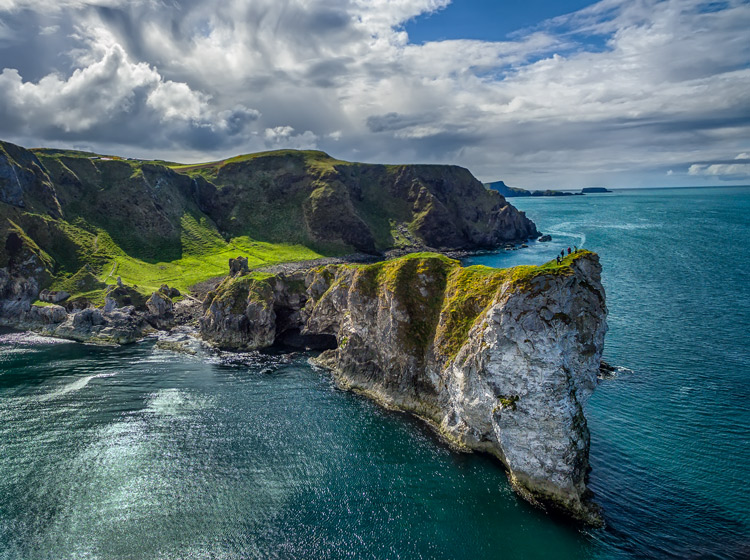
Kinbane-Head

Flying drones is easy

First, let’s talk about flying drones. This is something you are probably concerned about. You might wonder if flying will require skills you don’t have. Or perhaps you just don’t want to devote time to learning it. This is one area where you have nothing to worry about. Flying a drone is remarkably easy. That’s not to say you shouldn’t be careful or that you won’t be nervous every time you fly it, but flying is really easy.

The main thing to understand is that if you have your drone in the air, and you completely let go of the controls, it will just hover harmlessly in the air. It literally just sits there until you tell it what to do. Another thing that people worry about is having the battery run out while you are in the air. That won’t happen. Most drones have a feature that brings the drone back to its take-off point when the battery gets down to a certain level. In fact, most drones have a return to home feature you can press if you ever find yourself in an uncomfortable situation. You always have a way out.

Controlling the drone is easy. You have a controller with two joysticks on it. Pushing on one of them sends the drone up or down; doing the same to the other joystick sends it forward and backward. Each of the joysticks also goes right and left. One will turn the drone to the right and left; the other will make it move to whichever side you push to. I’ll talk more about the specifics of the control later. For now, I just want you to get a feel for how easy it is. If you were worried about being able to fly a drone, don’t be.

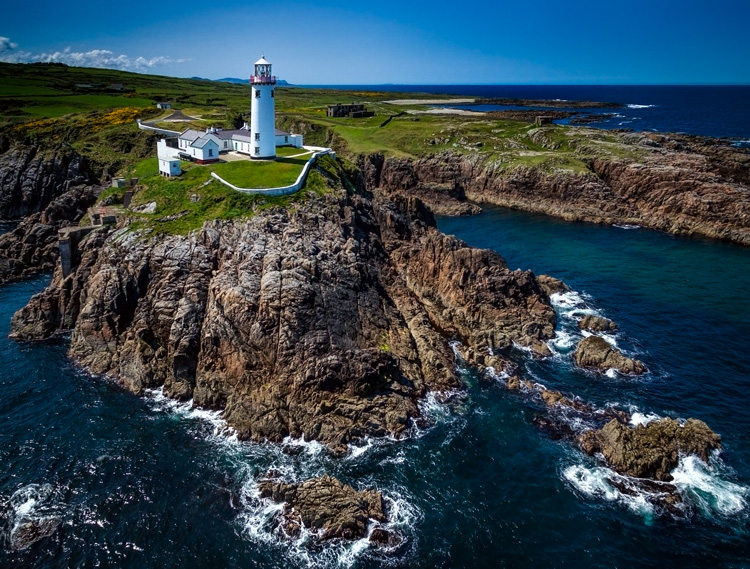
Fanad-Head

Watch where you fly

You may have heard a lot about the new laws affecting drones. It is true that most countries are enacting regulations for drones. In the U.S., the FAA has recently finalized its rules regarding drones. But many of the rules and restrictions apply to those using drones commercially. Most of us are just doing this for fun, so let me try to make this simple for you.

If you are flying your drone for recreational purposes, you don’t need a permit. There are no pilot requirements. Just register your drone with the FAA and you are set. The registration process is simple and only costs $ 5. To do so, just go to this page, create an account, and follow the instructions to register your drone.

That said, you cannot just fly your drone wherever you want. The main limitations you should understand are as follows:

  • You must always fly below 400 feet.
  • You must keep your drone within direct eyesight.
  • Never fly near other aircraft, or within five miles of any airport.
  • Never fly over groups of people, stadiums, or sporting events.

There are other restricted areas as well. For example, you cannot fly anywhere in Washington D.C. or in national parks. There are online maps and apps for your phone – including the FAA’s B4U Fly app – that will tell you when you are in a restricted space.

Anyway, the regulations above apply to the U.S. Other countries will have their own regulations. Here are links to the regulations for Australia, New Zealand, and the UK.

Old-Head

Getting the right drone

Next, let’s talk about getting a drone, if you don’t already have one.

You may have dreams of buying a drone and sending up your DSLR to take high quality pictures. Forget about that, unless you want to spend upwards of $ 6,000. Instead, you’ll probably want to get a drone that comes with its own camera, but there are also models that work with the GoPro. The most common models are the Phantom 4 by DJI (check prices on Amazon or B&H Photo) or the Typhoon H by Yuneec (check prices on Amazon or B&H Photo). These will cost you about $ 1,300 – $ 1,500 for the drone and camera, although you can still get older models cheaper.

What will you get for that? You’ll get a drone that will fly up to about 40 miles per hour, which can operate up to a few miles away from you. It will remain aloft on a battery charge for about 20-30 minutes. You can expect it to have features like an automatic return to home, collision avoidance, and the ability to follow you. Of course, specific features will depend on the actual model you choose.

As to the camera, you can expect to get one that shoots both stills and video (usually 4K). We’ll talk more about the specifics of the cameras in a minute. First let’s talk more about how to fly.

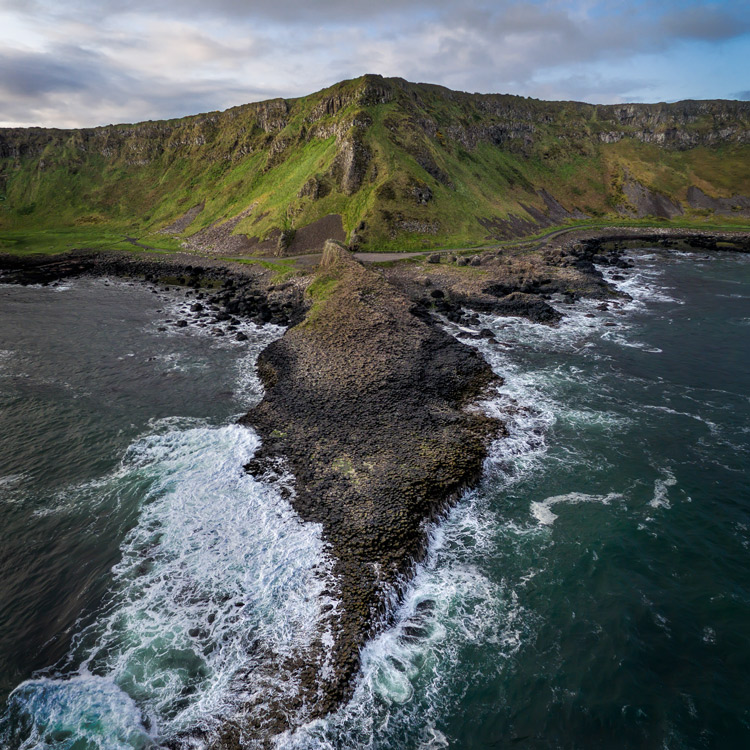
Giants-Causeway

How to fly

When you fly the drone for still photography, things are pretty simple. Unlike shooting video, you won’t need to do any fancy pans or reveals. You just want to get the drone to the right spot(s) to take the picture. It’s just a matter of getting it up in the air, watching where you are going with it, and moving it where you want.

Your drone will have a controller with two joysticks. The controller plugs into your phone or other device. You control the drone with the two joysticks. At the same time, you can see through the drones camera on your device. To send the drone up into the air, all you do is press up on the left joystick. That stick controls altitude. It is as simple as pushing up on the stick to increase the altitude, and pulling down to bring the drone down. That stick will also turn the drone from side to side. The other (right) joystick will fly the drone forward and backward by pressing up and down. When you press that joystick left or right, it moves the drone in that direction.

Monitoring the flight

To keep an eye on where your drone is going, you can either watch the drone itself or watch where it is going via the screen on your phone. Of course, you can operate the controller while keeping your eyes on the drone to make it go where you want.  But you can also see what the drone sees to control it, which is often much easier. You will have a controller that connects to your phone or other device. Your screen will show the view from the drone’s camera as well as other pertinent data. Remember that your drone has to be kept in direct eyesight though.

That doesn’t sound too difficult, does it? It’s really not. After a few flights, it will be even easier. Of course, there are additional nuances and things will be a little different depending on what model you buy. Be sure to read the instructions and watch a few online videos on your specific model.

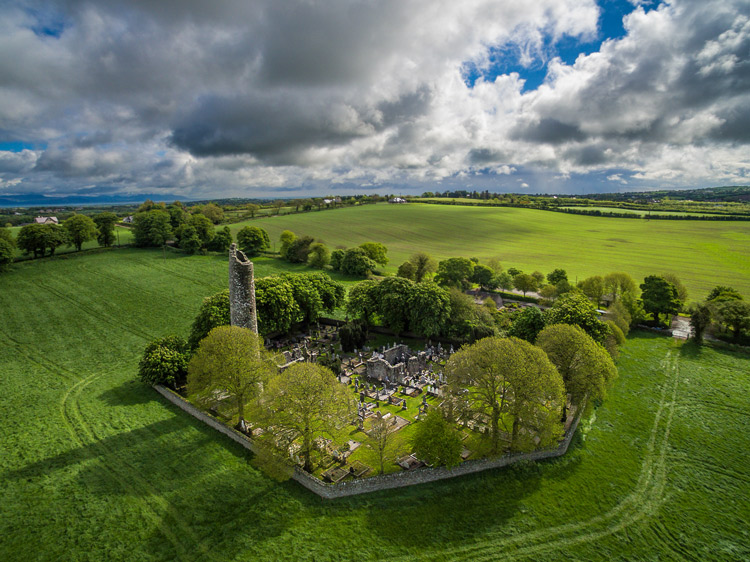
Monasterboice

You’ll be using a camera made for video

Next let’s talk about the camera that will come with your drone. First, the good news. When it comes to shooting video, the cameras in drones are top notch. They routinely shoot Ultra HD and most shoot 4K video. It doesn’t get better than that.

The bad news is that still photography is something of an afterthought for drones. The sensors are small. In most cases they are what you’d get in a compact camera. The resolution is moderate (12-16 MP is standard). The dynamic range is extremely limited and the low light performance isn’t great.

In addition, the lens will likely be very limited; a fixed focal length. It will be a wide angle lens, usually around 15-20 mm. The lens will also have a fixed aperture, meaning you cannot change it.

Working with the limitations

Virtually none of us would feel good about going out shooting with such a limited camera and lens. However, in drones it isn’t that bad. As to the camera, remember you will be shooting in daylight (you can only fly drones during the day – within 30 minutes of sunrise and sunset – in the U.S.), so there will usually be plenty of light. As to the lens, the fixed aperture isn’t as limiting as it would first appear. Keep in mind that everything in your picture will be so far away that the focus will be at infinity. You don’t need a lot of deep depth of field for everything to be sharp.

So the cameras are pretty limited, but you can make do. In any event, the cameras are getting better all the time, so you can expect significant improvements in camera quality in the near future.

Malin-Head

Tips for photographing with your drone

We’ve talked about the capabilities of drones and the basics of how to fly them. Let’s talk now about taking pictures with them. For the most part, it is similar to operating a normal camera. You have the normal modes to choose from. You can set the shutter speed and ISO yourself or have the camera set them for you. That said, there are some aspects of using cameras on drones you should be aware of. Here are some tips to get you started:

#1 Consider Shooting in Automatic Mode

I am a dedicated manual mode shooter when it comes to shooting with my DSLR. I would not think of using an automatic exposure mode. But when it comes to shooting with a drone, I put it in automatic exposure mode more often than not.

Why? Because there is enough to worry about when it comes to drones. I don’t want to add exposure control to my list of issues to think about. So when you are starting out using a drone for photography, consider using automatic mode. When you get more comfortable with the other controls, you can then set the exposure controls yourself. In any case, your camera will typically do a pretty good job setting the exposure level. You’ll rarely have tricky exposure scenarios here.

Connemara

#2 Bracket your photos

One way to make sure you get the right exposure every time is to bracket your photos. Drone cameras are usually capable of doing 3-shot brackets. Use this to overexpose and underexpose your shots by a stop. Think of this as exposure insurance. Sometimes you will just like one of the over or underexposed shots better. In that case, just use it. In addition, you can blend the exposures or use HDR software to combine the exposures later.

#3 Use filters

As mentioned earlier, the lens on your drone will likely have only one aperture. That leaves you limited options for changing shutter speeds. You aren’t completely out of luck though; you can still buy neutral density filters for your lens. These filters are used more for video, but they also help still photographers. They restrict the amount of light that gets into the camera, thereby forcing the camera to use a longer shutter speed.

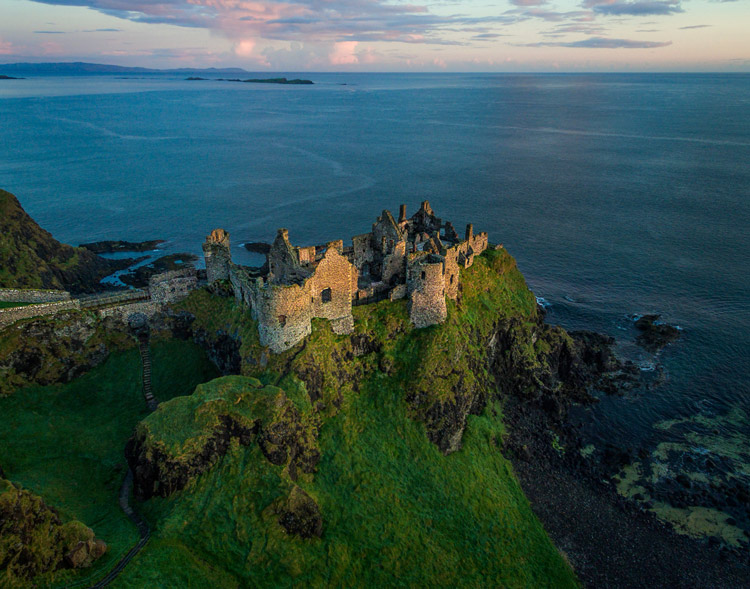
Dunluce

You can also get polarizing filters for your drone. These filters cut down on reflections and make skies appear a deeper, richer blue. This is helpful for drone photography, where the sky is often a significant part of the picture.

#4 Get multiple batteries

This isn’t strictly a photography tip, but it is important nonetheless. Be sure to get more than one battery for your drone. Drone batteries typically last only 20-30 minutes. That isn’t a lot of time. Further, you may also want to fly in a few different locations on the same day. Most of the time you won’t be able to charge your battery in between locations. So, you’ll need more than one.

How many do you need? That depends. You can get away with only two batteries (I do), but many drone photographers have three or four. You shouldn’t need more than that. Batteries are not cheap so think carefully about what you will need.

DownhillCastle

#5 Watch out for the deone’s blades in your pictures

Obviously, when you are flying the blades on your drone will be spinning. Remember that you will also be using an extremely wide angle lens. If you aren’t careful, your picture will include the spinning blades.

The best way to avoid this problem is to simply angle the camera down. That will keep the spinning blades out of the camera’s field of view. Of course, changing the angle of the camera will change the composition of your picture. Flying higher while angling the camera down might keep the composition similar to the picture you originally had in mind.

In any case, just be sure to look for blades in your pictures. You will need to look closely sometimes because it isn’t always obvious. You don’t want to get home and discover that your pictures are all ruined because there are spinning blades in all your pictures. If they are present, just change things up and take another shot without the blades in the picture.

#6  Keep it low

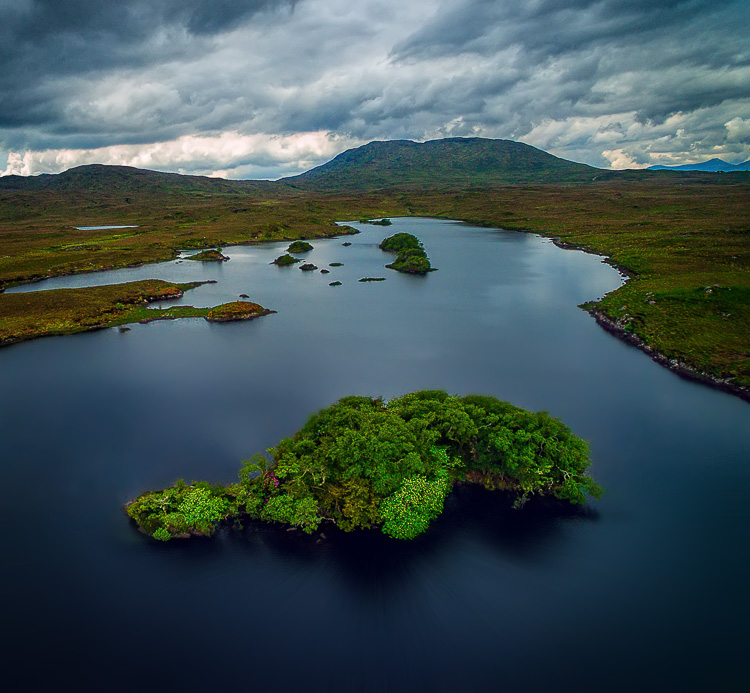
Your drone will fly up to 400 feet in the air. It is fun to fly it high, and it also ensures that you are far away from trees, power lines, and other obstacles. But for the best photos, you will not want to be anywhere near that high. Your shot will look like something from Google Earth. Instead, keep your drones pretty low to the ground (under 100 feet) to get the best shots. That will help you establish a foreground for your picture.

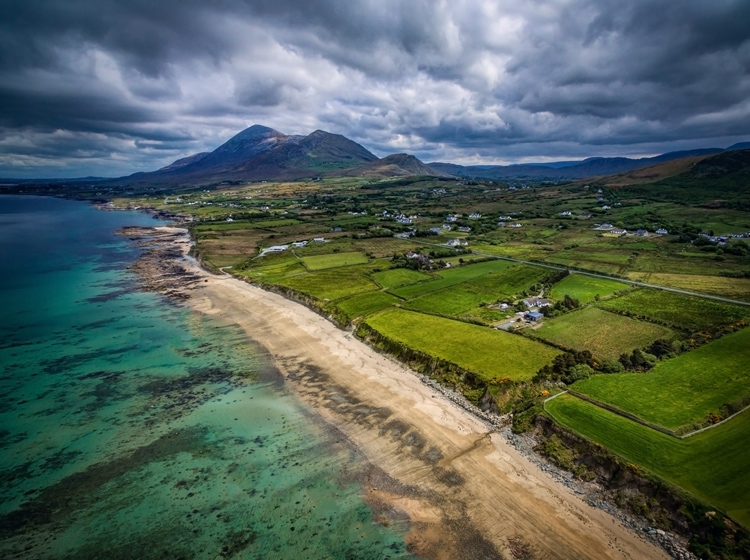
Connemara-2

Getting started with your new drone

So I admit it, I was wrong about drones. They are fun, easy to fly, and they really add something to your photography. Is one right for you? The answer will be different for everybody, but if you are on the fence I really encourage you to give it a shot.

A “just get out there and do it” attitude might not seem appropriate when it comes to drones. After all, any mistake can lead to a crash. But there is one simple rule that will make flying drones easy. That is to just stay away from everything. In fact, stay far away. Don’t go anywhere near trees, buildings, power lines, etc. If you do that, very little can go wrong.

Do you have any other drone tips to share with dPS readers? Please do so and share your drone images in the comments below.

googletag.cmd.push(function() {
tablet_slots.push( googletag.defineSlot( “/1005424/_dPSv4_tab-all-article-bottom_(300×250)”, [300, 250], “pb-ad-78623” ).addService( googletag.pubads() ) ); } );

googletag.cmd.push(function() {
mobile_slots.push( googletag.defineSlot( “/1005424/_dPSv4_mob-all-article-bottom_(300×250)”, [300, 250], “pb-ad-78158” ).addService( googletag.pubads() ) ); } );

The post Tips for Getting Started Doing Photography with Drones by Jim Hamel appeared first on Digital Photography School.

Digital Photography School

 
Comments Off on Tips for Getting Started Doing Photography with Drones

Posted in Photography


Tips for Fast and Effective Studio Product Photography

23 Sep

This is the second part of a series that will explore a studio setup aimed at product photography. You can see the first here: Equipment Tips for Quick and Efficient Studio Product Photography.

Although this is built primarily for product photography you can use it for a few other genres. In this second part I will be going hands on with an actual shoot. I will show you how to set up a shoot based on the equipment from part one and go over some tips that I have gathered over the years of using it. If you haven’t read part one yet, head over there and give it a quick look so that you are up to speed with how we are about to implement that system.

PICTURE 1

Getting set up

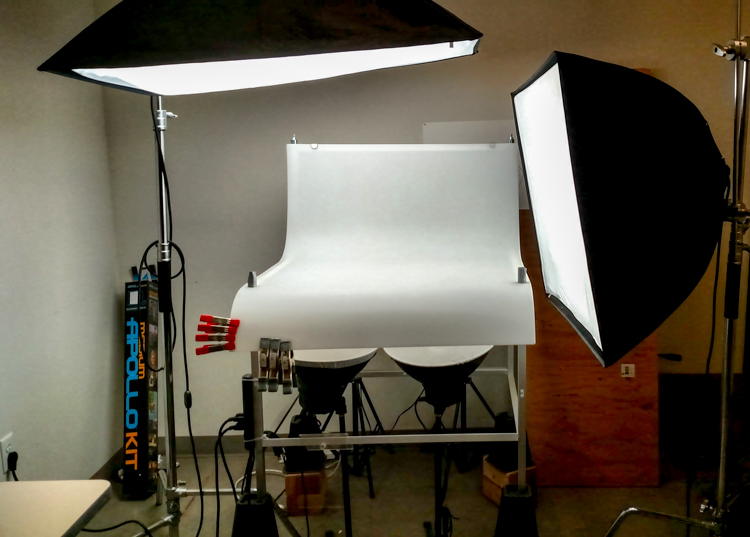
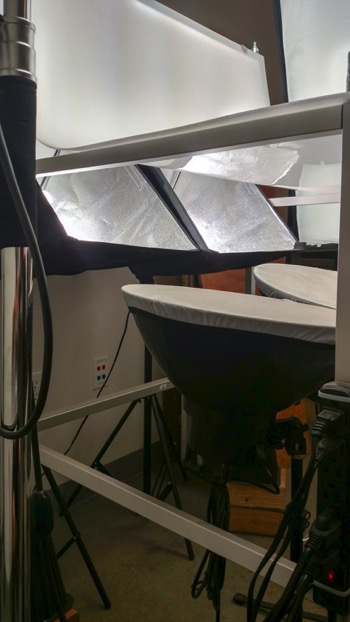
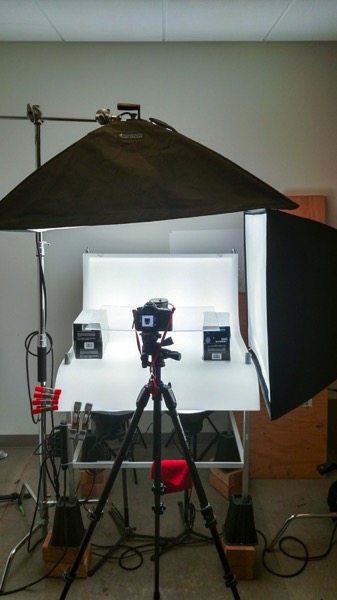
Now that you are caught up let’s dive in. For almost every shoot I start by turning on my table lights. Those include the lights behind and beneath my table to allow the surface to glow from within (see photo above).

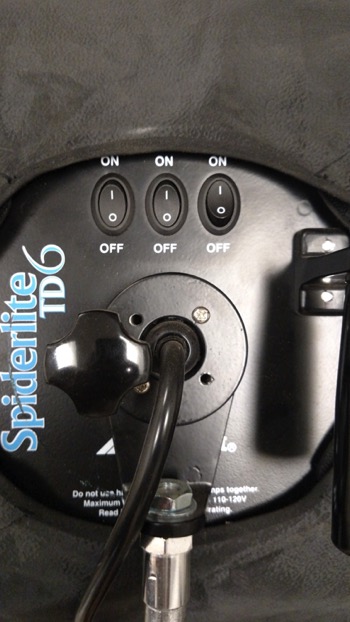
I have one of my Spiderlite TD6 heads above the table aimed straight down. This really helps fill in the top of the product and knock down the shadows caused by the table that underlights the product. My second TD6 light is the one that moves around my set. This is my main light as it is set brighter than the others and it is responsible for the main direction of light.

Settings for my lights will differ slightly from what you will need but this is a good starting point. The overhead TD6 is set for 30% power. The two Flashpoint lights under the table are set to 50% power. I have two small fluorescent softboxes behind the table at full power. My main TD6 is usually at 66% power (two switches turned on).

PICTURE 2 PICTURE 3

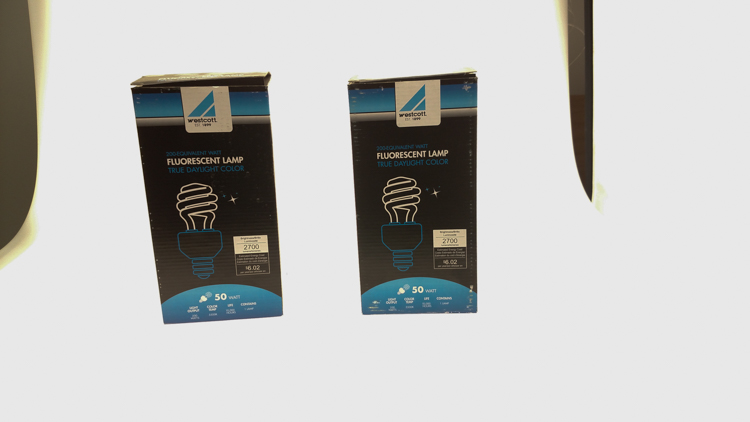
These are the settings I run on my lights, and they work for almost all of my clients that need photos shot for their Amazon, Ebay, Etsy stores or their online company catalog. You need to realize that all bulbs are not created equal and that if you are mixing different daylight balanced fluorescents that colors can come out altered in your shots.

Set the color balance

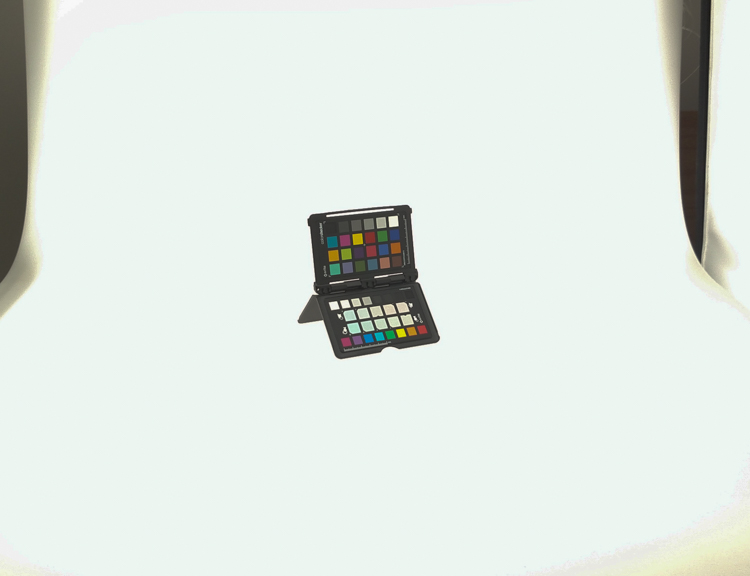
To counter this problem, invest in the Xrite color checker. Make a custom profile for your camera using your lights and this will ensure that colors are accurate. To find more information on incorporating the Xrite into your workflow check out this article by Andrew Gibson: How to Use the X-Rite ColorChecker Passport to Obtain Perfect Color.

PICTURE 4

Set the exposure

As for my camera, I have one of my custom buttons pre-programmed and ready to go, I simply switch to C2 and I am shooting in seconds. My C2 settings are fixed for Manual Mode at f/16 and 1/6th of a second, highlight detection on, and a square crop. This will get me very close with my studio setup. If I need a little more blowout on my white table I slow my shutter speed, or alternatively if any clipped whites creep into my product I can increase the shutter speed.

PICTURE 5

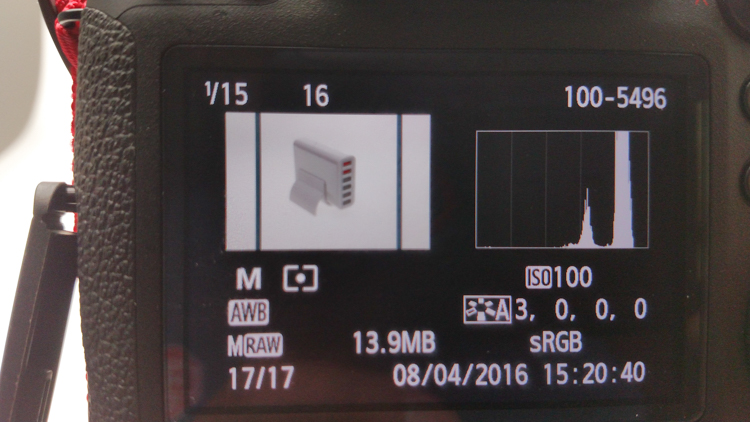
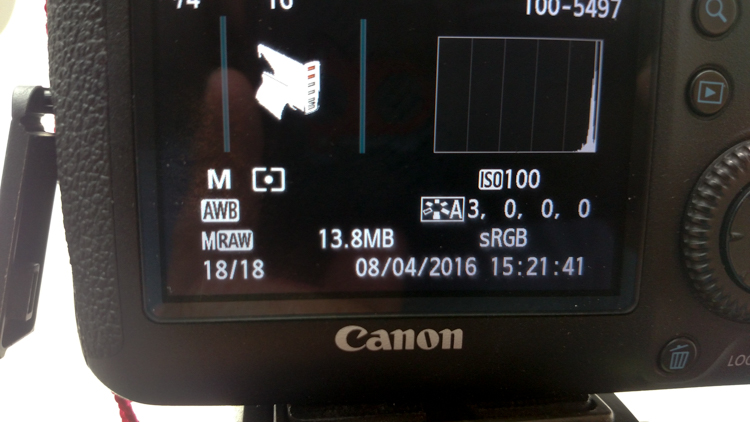
I also find that manual focus is much faster in this situation. Focus hunt happens a lot during shoots and it eats time quickly when you are shooting 20+ products with 4+ angles per part. With a quick flick of a button on the back of my camera, I can enter Live View mode, zoom in, and get the exact focus that I would like. I shoot with highlight detection on so that when the image comes up for review anything that is clipped will flash black.

PICTURE 7

From there I am able to determine if I obtained a proper exposure. The histogram doesn’t help very much here as it is always going to be spiked to the right because I am purposely blowing out the background. I have also set my camera to crop the image to a square as this tends to be the only format my customers want for this style of photography.

Make a raised platform

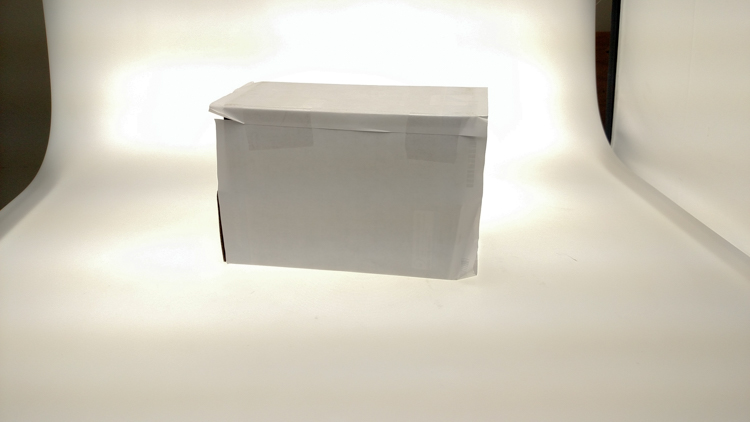
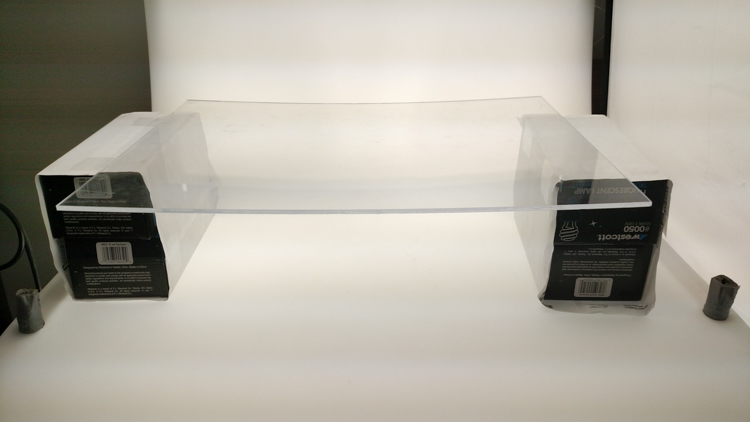
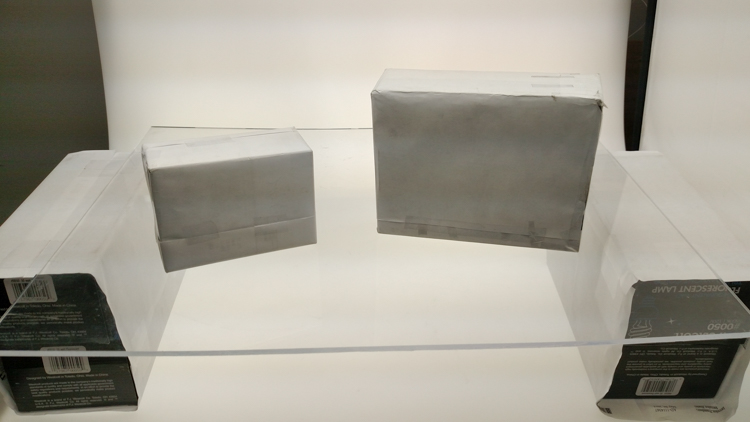
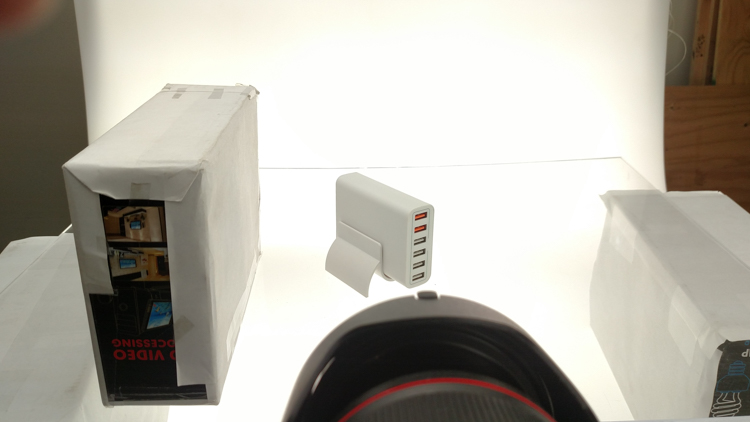
A big tip that I can share with you is to use a raised platform. The reason you need a raised platform is because when an object gets placed directly on the table surface it tends to add a glaring highlight to the bottom of the product. The tabletop and the highlight are so close in terms of power it becomes difficult to blow out your table and keep the highlight on the bottom of your product from clipping. I have a super easy solution to get around this dilemma. What I did was take two boxes, stack them on top of each other, and then wrapped both in regular old white printer paper.

PICTURE 8

PICTURE 9

If you leave them unwrapped then you will have black strips reflecting in your product. The next thing I did was get a sheet of clear acrylic from Lowes. It is a quarter inch thick, and is 18×24″. It cost me around $ 20. I place this acrylic on top of the wrapped boxes which raises the shooting surface by seven inches.

PICTURE 10

What this does is allow the table to blow out, but because of light falloff it prohibits the product from being overly lit on the bottom and clipping the highlight. While I was at it I wrapped two smaller boxes of different sizes in white paper as well. I use these quite often to bounce light back into the shadows.

PICTURE 11

Ready to place the subject

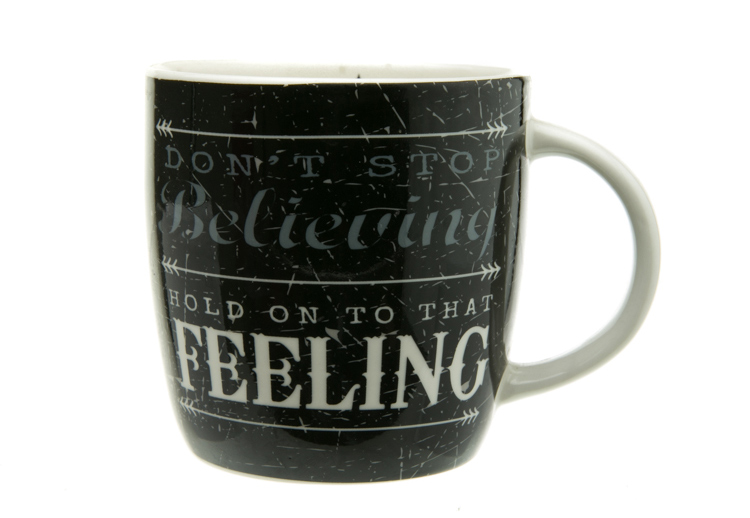
Now that we have gone over power settings for the lights, the configuration of my camera, and some tips on knocking down blown highlights by raising the surface, let’s set up an actual shoot. We will ease into it and start with something that doesn’t give you a whole lot to think about. Let’s do a regular coffee mug.

I placed the mug directly in the middle of the acrylic. The overhead light is directly over the mug aimed down. The other TD6 is at 90 degrees, hitting the mug from camera right.

PICTURE 12

Picture-13b

The resulting image is 95% ready to go online almost straight out of the camera. There are a few things you might want to obsess over, like adding more white reflection and narrowing the dark gap. But honestly, it’s ready to go as is. I did say this was an easy subject so let’s move onto something a bit harder, shall we?

Let’s try a harder subject

The next thing we will attempt is something that gives plenty of photographers fits; a white subject on a white background. Well, because we have a blown out table top and we are controlling the amount of light that the tabletop is introducing to our subject, it actually isn’t difficult to get great results.

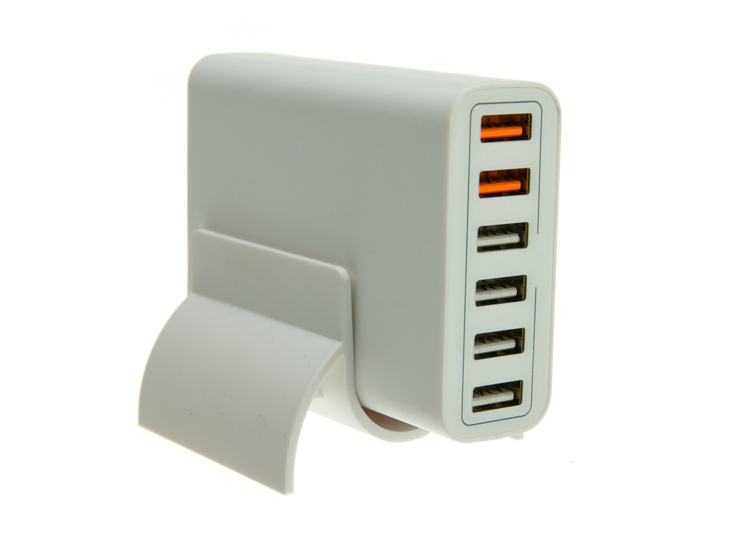
Let’s start with the same lighting. Light from directly above, and one more light at 90 degrees to camera right. Straight out of camera we can see we did a pretty good job.

Picture-14b

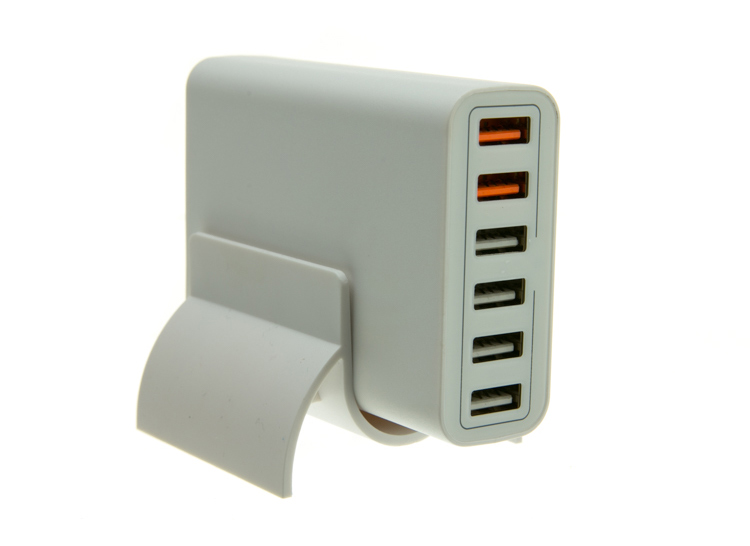
There is no major clipping going on the subject yet the background is completely white. There is not a lot of shape and dimension to the item, however. So let’s move the right light so that instead of 90 degrees it is 45 degrees. Now the light will hit the product on the front of this USB hub. Bingo.

Picture-15

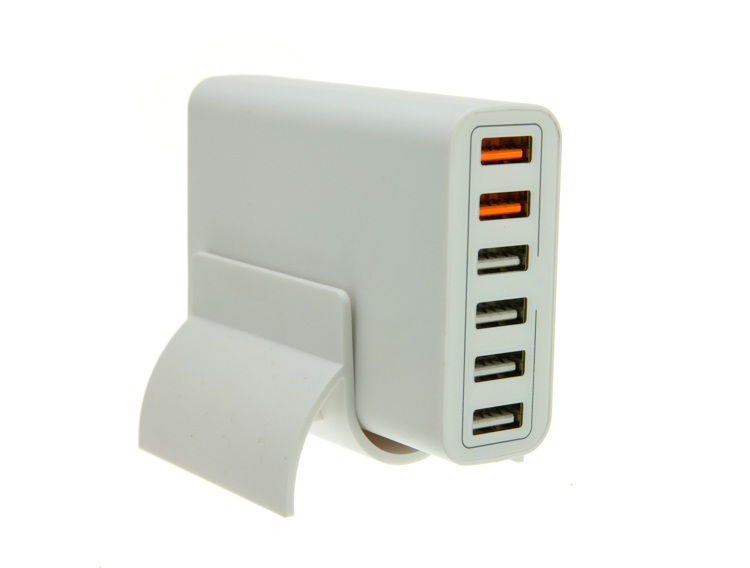
We now have highlights on the leading edges which helps give it shape and dimension. It’s very close, but we can still do a little better. Let’s add one of those white wrapped boxes we made earlier to the shadow side and bounce some of our key light back into the product.

PICTURE 16

Picture-17b

Now what we get is just a subtle fill in the shadow and that just about does it for this product. Yes, we could obsess further over some other details and finesse it some more, but remember this is a speed table. We are trying to get products on and off the table quickly. This image would pass for all of my clients.

Shooting reflective surfaces

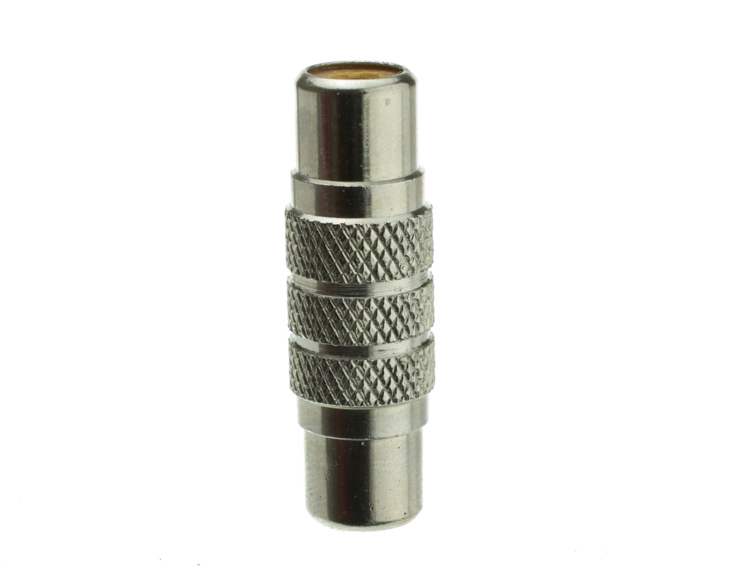
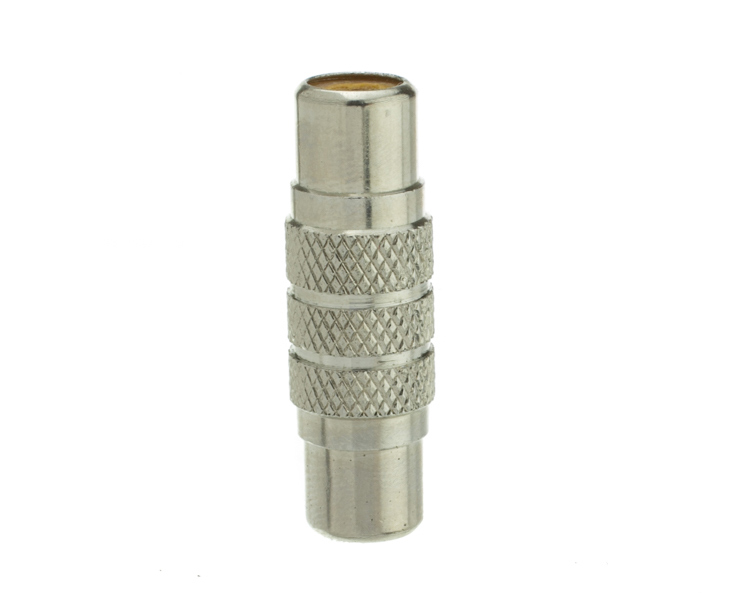
For our final demonstration let’s do a reflective surface. Leaving the lights exactly the same as the previous shot (again because this is about speed) I will remove the white box that is acting as a fill and shoot this RCA adapter.

PICTURE-18b

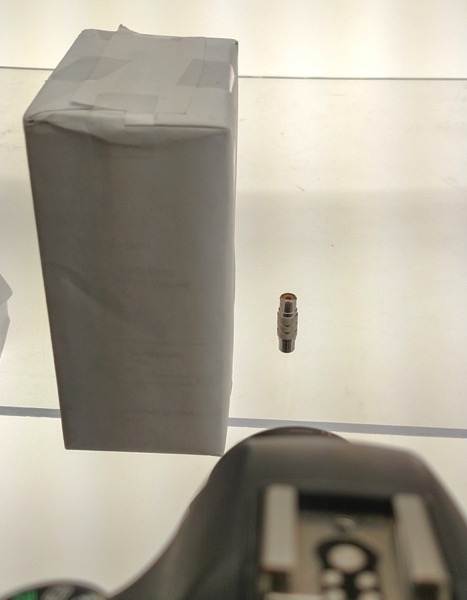
Again right out of camera it is pretty good. You can see some red reflecting on the shadow side in the lower left which is coming from a red bag out of frame, and there is a really dark strip running down the left/center side. Let’s clean those two things up and try again. I will remove the red bag from out of the frame and put the smaller white box fairly close to the adapter.

PICTURE 19

picture-20b

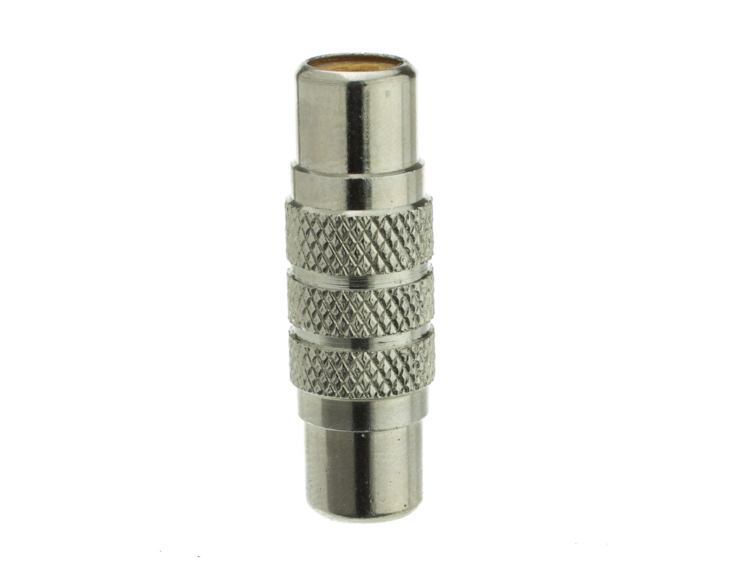
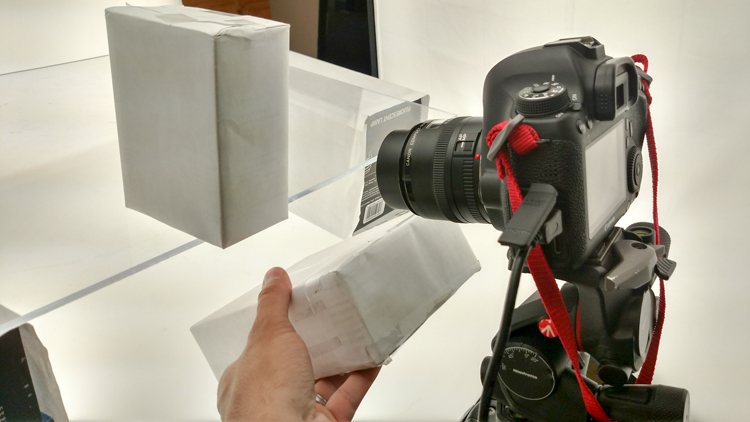
With just those two changes it has made a large difference in the shot. Let’s try and clean this up a tad more. The reason there is a black line is because it is reflecting the much darker room behind the camera. Using the angle of incidence I will use my large white box just below my lens and throw light back into the subject.

PICTURE 21

picture-22b

There we go! A perfectly acceptable image for an online catalog. The RCA adapter is cleanly lit, no harsh black lines, a fully white background and it is already squared because of our camera settings. This image is ready to go.

Read more info about shooting reflective surfaces here.

Summary

The reason I built this system is for speed. If you are trying to knock out 100 products a day, with this system you could absolutely do it. I know because I have done it.

Of course, there is the third and final part of the process and that is editing using your favorite software.

I use Lightroom, and it will really going up your product photography game. You need it to catalog all of your client’s images, keep track of the part numbers, export to their specification and clean up shoot errors using very little time.

Please share your questions and comments in the space below.

googletag.cmd.push(function() {
tablet_slots.push( googletag.defineSlot( “/1005424/_dPSv4_tab-all-article-bottom_(300×250)”, [300, 250], “pb-ad-78623” ).addService( googletag.pubads() ) ); } );

googletag.cmd.push(function() {
mobile_slots.push( googletag.defineSlot( “/1005424/_dPSv4_mob-all-article-bottom_(300×250)”, [300, 250], “pb-ad-78158” ).addService( googletag.pubads() ) ); } );

The post Tips for Fast and Effective Studio Product Photography by Jacob Macias appeared first on Digital Photography School.

Digital Photography School

 
Comments Off on Tips for Fast and Effective Studio Product Photography

Posted in Photography


5 Tips for Developing an Eye for Details in Your Photography

20 Sep

I’m a firm believer in the power of photographing details. Take a particular scenario… let’s say you walk into a restaurant. It’s busy, packed with people, and perhaps a little on the noisy side, even. You have just been told by the staff that it’s a 30-minute wait for a table and you have seconds to make up your mind. You take another glance at the buzzing scene before you and decide you like the feel of the place so you wait patiently in the queue. And then you ponder why….what made you stay?

You made your decision on a whim, a gut feeling, a mere glance at the place. Surely, there has to be a reason why this place has evoked such feeling enough for you to stay and wait. So you look carefully and analyze why.

5-tips-photographing-details-tutorial_0003

What’s in the details

The lights, they are all moody, set at different heights and levels, in nooks and crannies, giving an atmospheric ambience to the room. The low slung sofas in the corners are covered with lush velvet cushions, inviting you to come sit and relax. You feel relaxed already just at the thought of hunkering down on one of those. You then notice the little fireplace, alit with slow burning crackling flames, some interesting contemporary art hung above it on the chimney breast.

Your eyes dart to and fro across the room as you see many mismatched chairs full of character and wear and tear from being loved over the years. Each one deserving of a good look and admiration. Wild flowers and plants on the tables, a shelf filled with books and another with vinyls next to a turntable. It’s like your eyes have been opened and the list of details goes on. Now you know why.

The details – they may seem small and insignificant but never underestimate their power. It is the details that make anything – a place, a wedding, a special birthday, an anniversary, a family photoshoot.

Training your eye to see details

However, it takes a special eye and some practice to notice details immediately. In fact, practice help make you look for details instantly. What is so unique about the place, the wedding, or your client’s home? What is the trademark of the couple that makes the photoshoot so them? The fabric and designs on the clothes they wear, their accessories, their props, the style they have decorated their home, the colors. What is the place known for, what makes them stand out from the crowd? Often, the answer is in the details.

I have been a professional photographer for eight years and over that time I have learned to see details so that they are the first things I look for at a location. If you are new to this concept of photographing details, here are five quick tips to get you started and you’ll be capturing places and people’s uniqueness in no time. You don’t need to practice on a photoshoot to see details. You can make your own detail-finding project, use a family day trip, or just go for a walk outside your house. Details are everywhere. The trick is in the selection and in the art of seeing them.

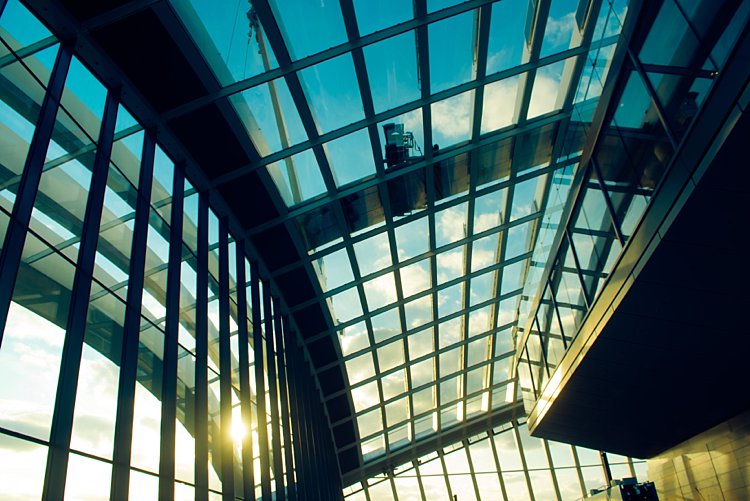
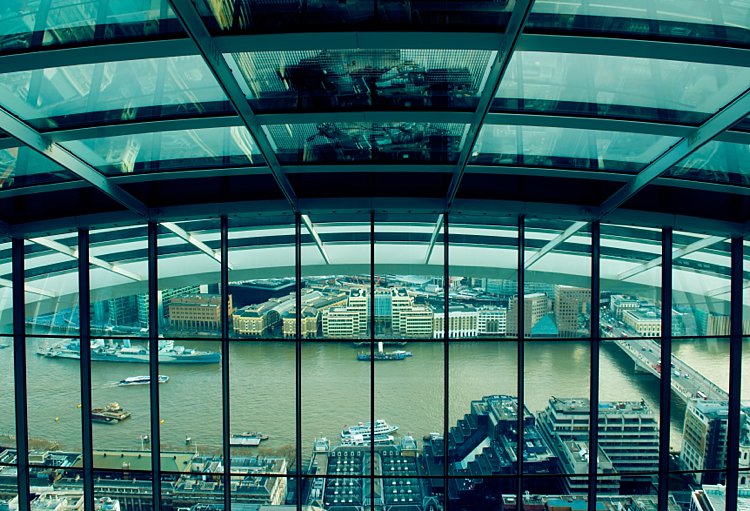
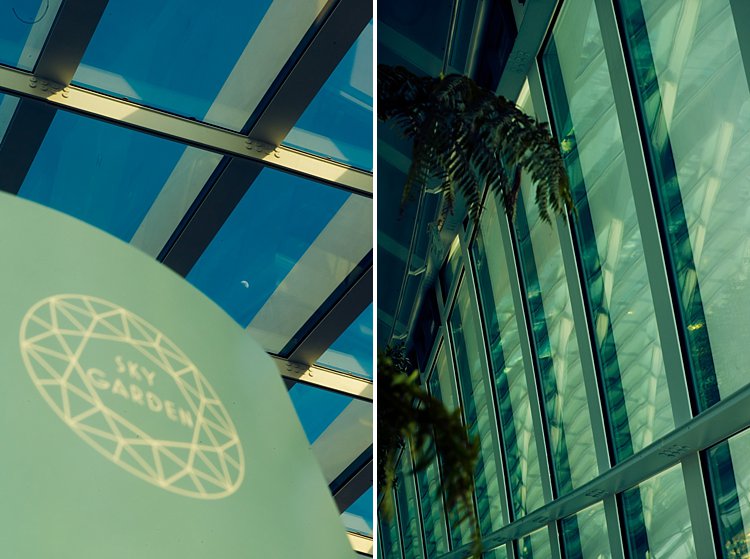
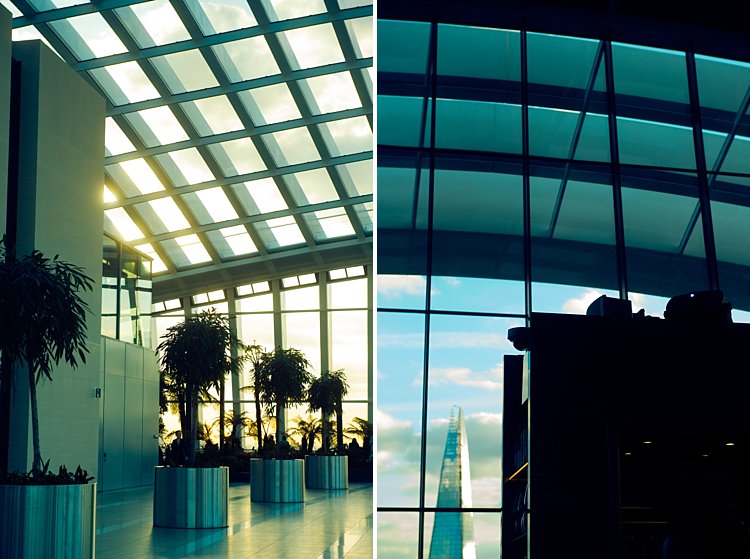
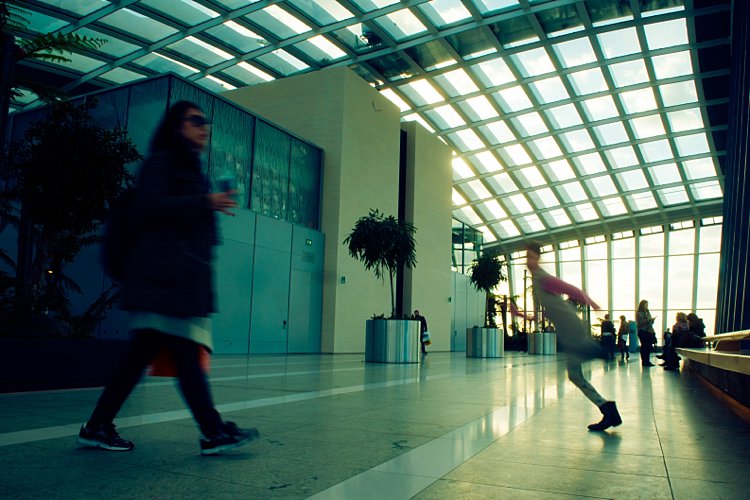
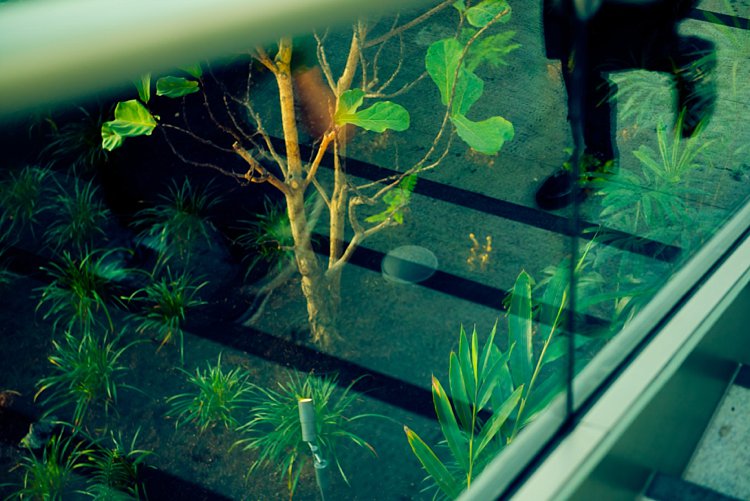
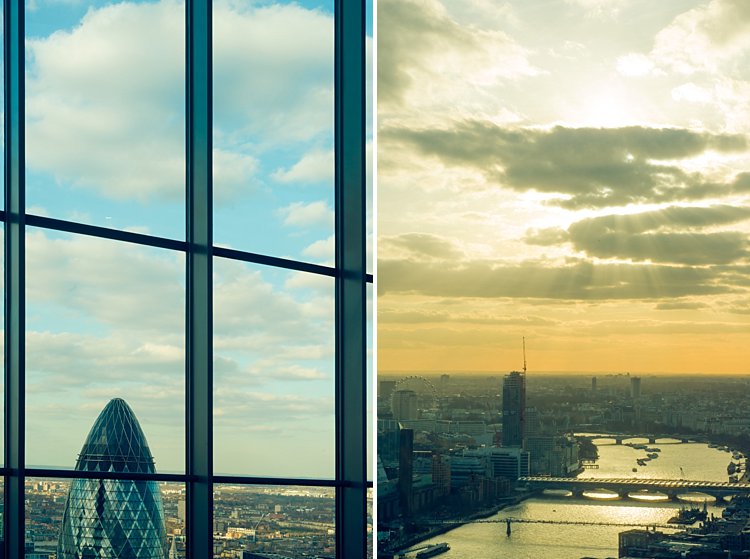
The photos below have been taken from a family visit to the Sky Garden in London.

#1 Follow the light

5-tips-photographing-details-tutorial_0000

Light is the most important element in photography. Study light, follow it, position yourself correctly in relation to the light when you take your image and you will be fine!

Soft light comes early and late in the day, filtering through at an angle, creating soft shadows. Adversely, harsh light often comes from when the sun is shining right over your subject or when they are facing the sun directly. This light creates harsh and dark shadows and is often avoided by photographers. Of course, there are ways you can counteract this effect by using strobes and light modifiers so that it is irrelevant at what time of day or night you shoot. It is important to understand light, its effect on your subject, and to look for light when you take your images.

#2 – Find patterns and shapes

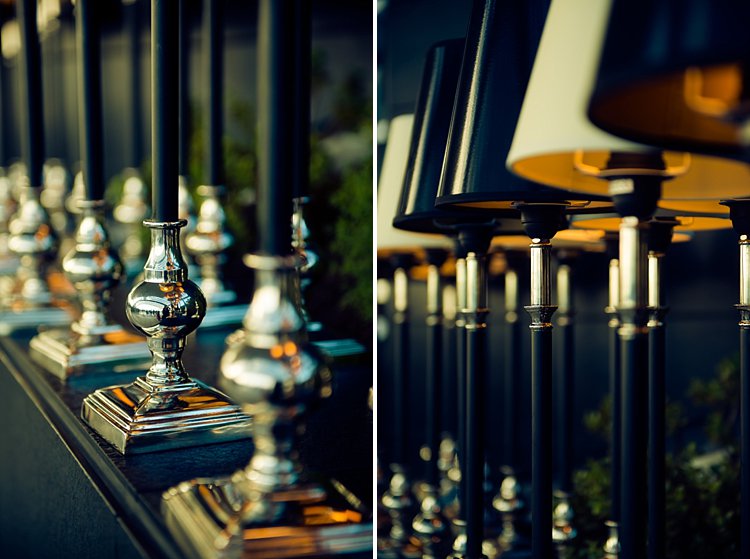
Anything that looks interesting or repetitive can be a good starting point for a good image. The images below were simply table lamps and candlesticks waiting to be placed on the tables, that were arranged at the back of the bar. I liked the different textures at play here: shiny against matte, metallic against vinyl.

5-tips-photographing-details-tutorial_0002

5-tips-photographing-details-tutorial_0011

5-tips-photographing-details-tutorial_0006

#3 – Look for contrast

Contrast is so crucial in photography. Without it, you will have a very flat image. You want enough contrast going on in your image so that it looks more 3 dimensional, with details intersecting planes and adding more interest to your picture. Possible contrasts include:

  • Light and shadow
  • Round and straight
  • Warm light and cold steel
  • Silhouettes against clouds or sky
  • Solid against translucent or transparent
  • Opposing colors in the spectrum
  • Motion and a still structure

5-tips-photographing-details-tutorial_0015

5-tips-photographing-details-tutorial_0013

5-tips-photographing-details-tutorial_0014

#4 – Train your eye to see the unusual

This is one of my favorite challenges. Often I have to push myself to really see the unusual or have an original take on something that is otherwise cliche. Reflections help a lot here, as does layering. Positioning yourself at uncommon angles just to get a fresh view helps.

5-tips-photographing-details-tutorial_0005

5-tips-photographing-details-tutorial_0004

5-tips-photographing-details-tutorial_0008

#5 – Use juxtaposition

Quite possibly the most difficult thing to do out of these five tips is using juxtaposition. It is tricky and requires a strong sense of what goes together effectively. It is one of those times when you just have to trust your gut a bit more and listen to that inner voice that says ‘”That does not quite look right” or “Yes those two go perfectly together”.

This is difficult to describe and rationalize in my own opinion but something that will probably come to you naturally after training yourself at looking enough. So remember to be patient with yourself, take your time, and most of all enjoy the journey.

5-tips-photographing-details-tutorial_0012

5-tips-photographing-details-tutorial_0010

I hope you found these tips helpful. Do share in the comments below your images of details or any additional tips you may have.

googletag.cmd.push(function() {
tablet_slots.push( googletag.defineSlot( “/1005424/_dPSv4_tab-all-article-bottom_(300×250)”, [300, 250], “pb-ad-78623” ).addService( googletag.pubads() ) ); } );

googletag.cmd.push(function() {
mobile_slots.push( googletag.defineSlot( “/1005424/_dPSv4_mob-all-article-bottom_(300×250)”, [300, 250], “pb-ad-78158” ).addService( googletag.pubads() ) ); } );

The post 5 Tips for Developing an Eye for Details in Your Photography by Lily Sawyer appeared first on Digital Photography School.

Digital Photography School

 
Comments Off on 5 Tips for Developing an Eye for Details in Your Photography

Posted in Photography


10 Tips to Help You Create Unique Storytelling People Photos

16 Sep

storytelling with photos leadFor most of us, the joy of photography goes beyond taking a great image, to being able to share our pictures and experiences with our friends and family. To do storytelling with images.

How many times have you been traveling and come across someone interesting that you wanted to share with your family? Did asking for permission hold you back? Did you get a photo or series of photos that really tell the story? Were your photographs different and did each add a new perspective?

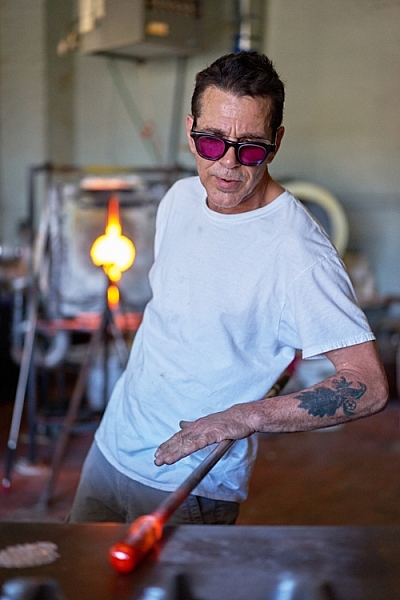
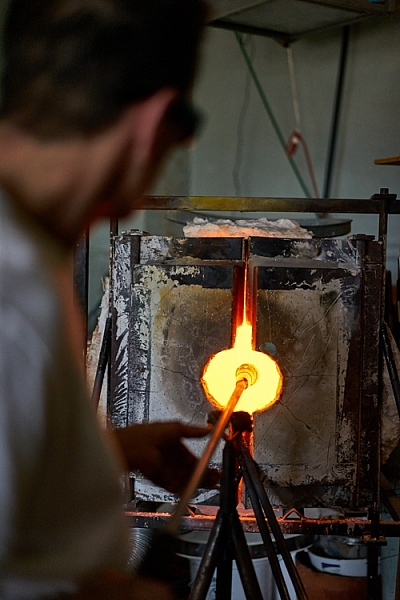
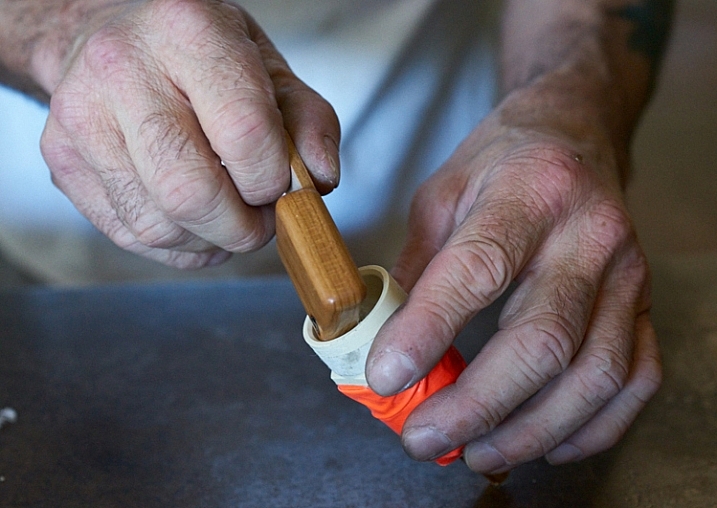
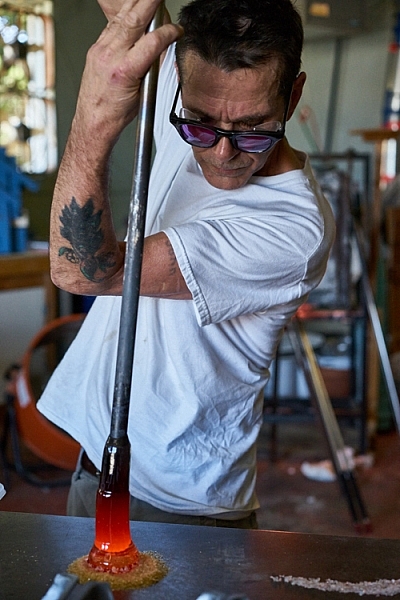
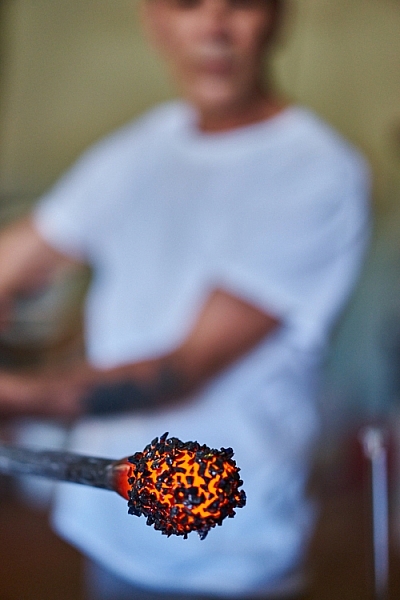
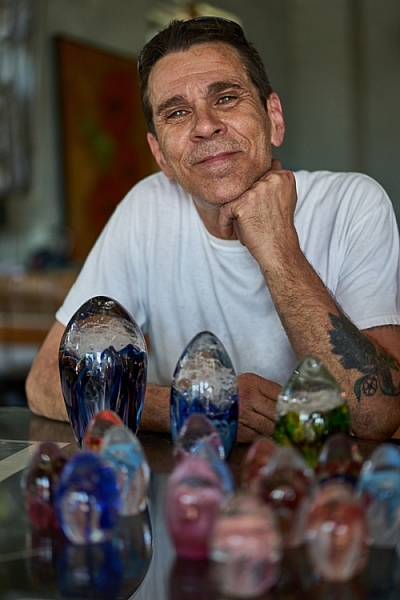
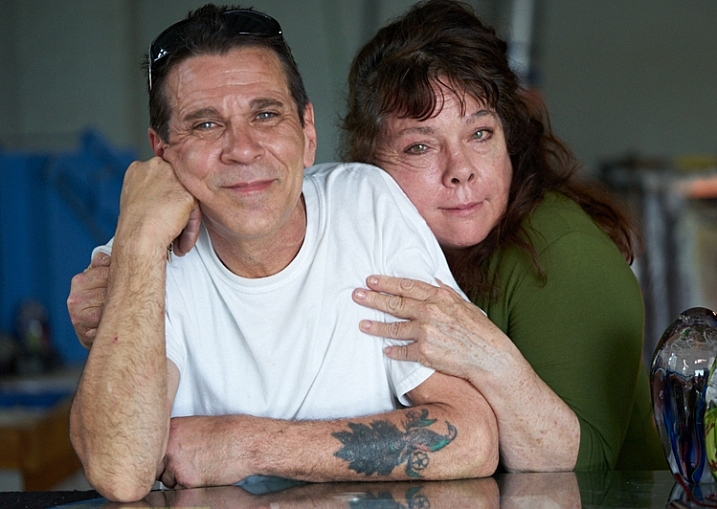
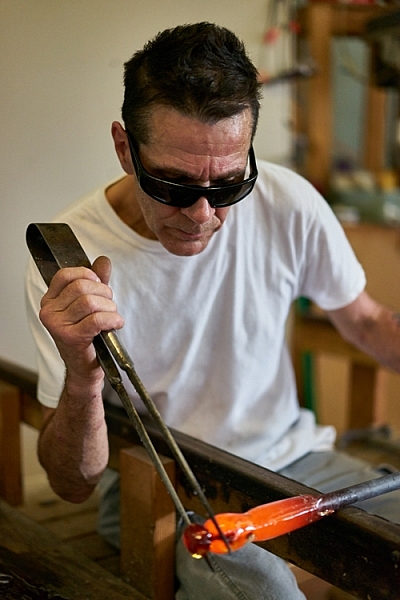
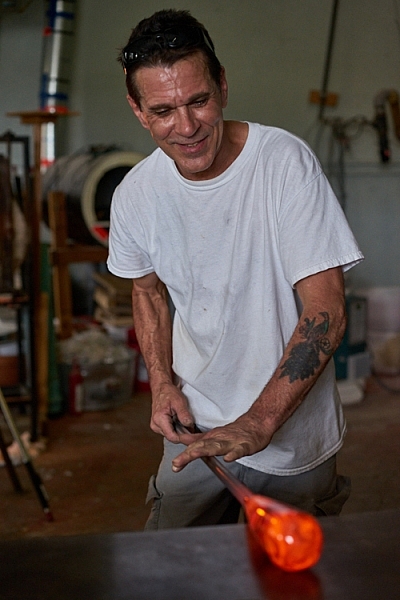
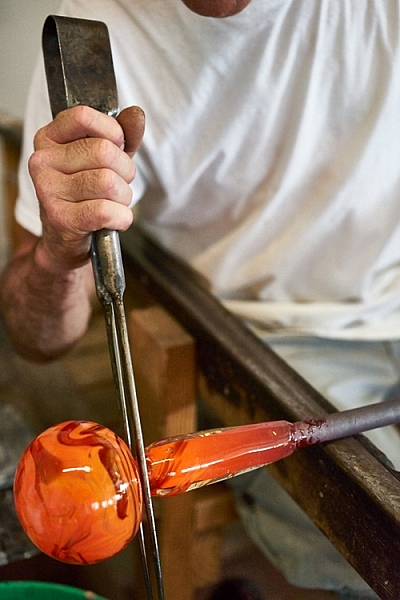
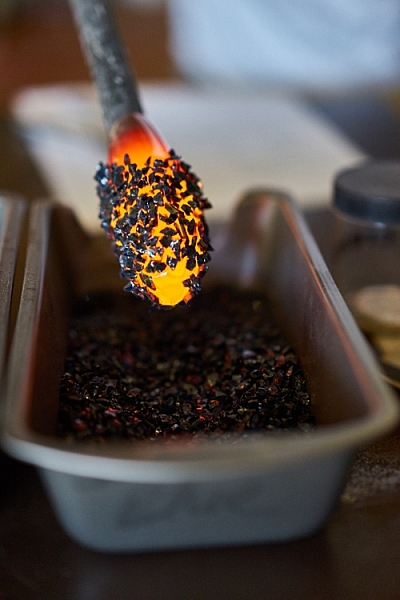
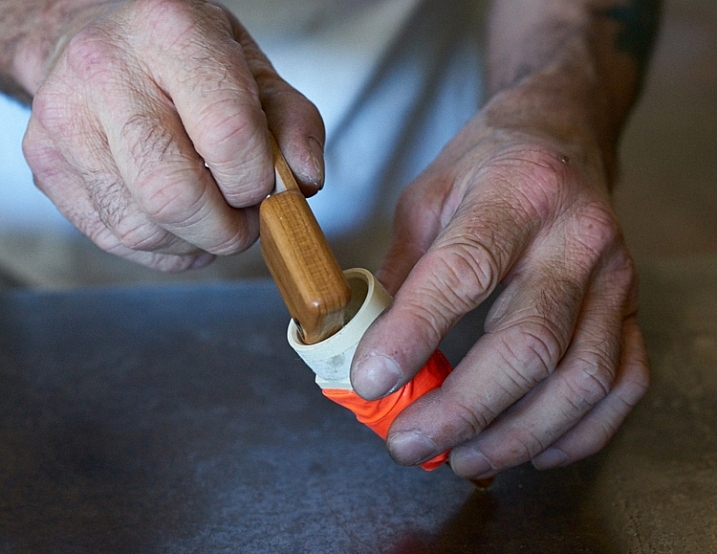
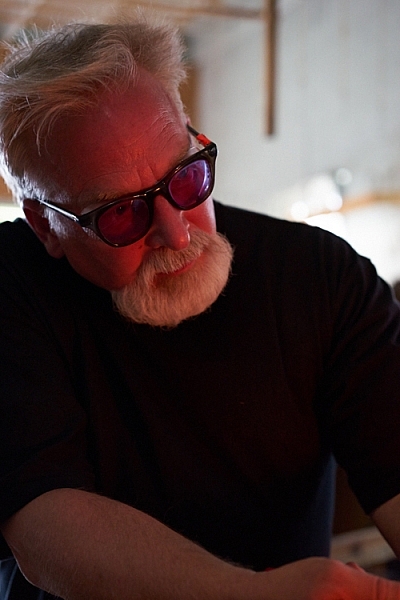
The following tips will walk you through a real-life example of how I shot a glassblower in his shop and created a series of unique photos to tell his story.

#1 – Get clear on your goals for the shoot

Something attracted you to this person or situation. What peaked your interest? Do you like the subject’s purple hair? Do you love photographing people having fun? Do you want to try to capture the beautiful light on someone’s face? Or perhaps you love dance and would like to capture a dancer in a beautiful portrait?

Here are my thoughts on the glassblower. What I wanted to photograph, what I wanted to do and why I wanted to do it.

Why I wanted to photograph the glassblower:

I have been a Canon user for a long time and Sony lent me one of their new cameras and two lenses (50mm and a 90mm) for a trial run. I had already spent some time playing with the camera by photographing squirrels and I was ready to try something with a little bit more potential.

storytelling with photographs

While on vacation in a small beach town, I noticed a small shop run by a local glass blower. He made beautiful glass as well as offered lessons to tourists. I liked the idea of photographing the glass blower for several reasons:

  • He makes beautiful art.
  • The workshop is interesting with a lot of picture possibilities.
  • I could shoot available light in his workshop.
  • He was there all day doing interesting things which means I had a lot of time to shoot.
  • He seemed very proud of his work.
  • He seemed to have an extroverted personality and a sense of showmanship.

What I wanted to do:

I wanted to be able to photograph him as he worked and interacted with others.

My most important goal was to have the opportunity to shoot something pretty simple as I learned to drive this new camera. I liked this situation because I could shoot available light and there was enough action and movement that I could test out the different autofocus settings as well as the creative features of the camera.

I also wanted to be able to shoot, leave to download my images, and come back to the same situation later to tweak my approach. I had found my subject, I just needed to get permission.

storytelling with photos

#2 – Be honest about what you want and don’t be afraid, just ask!

A lot of photographers are shy about asking friends, relatives, and strangers if they can take their photo. Asking is easy if you are honest, sincere, and you know why you want to photograph the person.

The truth is, some people hate to have their photo taken and so be prepared for a no. If someone shies away from the idea, perhaps they require more convincing. Some people actually enjoy being persuaded, so push gently after the first no. There could be a yes hiding behind a little bit of shyness.

And, if you get a no, remember that it’s never personal. Some people are just going to say no. Sometimes the person being asked has no idea why anyone would want to photograph them. They are afraid you are going to make them look dumb and they can’t imagine why anyone would want to take their photograph. That is why step #1 is important.

storytellings with photographs

Before you ask permission, get clear on what you want so you can explain it and overcome any objections. Yes, it’s partly sales, but if you are sincere and enthused and truly want to photograph them, most of the time they will feel flattered and say yes.

How I approached the glassblower

When I approached John to ask him if I could photograph him, I had my camera over my shoulder. I told him his work was beautiful and I’d love to take some photographs. He beamed. He loved the attention.

Note: I didn’t run into the shop taking pictures without permission. I intentionally had my camera, though, so he knew from the start that I was interested in taking photographs. Having your camera on your shoulder, hanging loosely is non-threatening. If he had an aversion to having his picture taken, he would have felt much more relaxed than if I had put a camera in his face. This isn’t paparazzi. It’s about connecting with someone you want to spend some time with.

I told him the truth. That I was in town visiting and I wanted to learn how to use this new camera. I smiled and told him I had already photographed every squirrel in town and was ready to shoot some people. He laughed.

telling stories with photographs

Being able to put people at ease is a great step toward getting a yes. I find it easier to connect with people as a student than a professional. When I approach people as a professional they put up more of a front. When I’m just trying to learn my camera, the pressure is off the subject to do or be anything.

If you are looking for great vacation photos and stories to share with your friends and family, say so. Imagine if a traveler approached you, said you looked amazing and would love to show people back home what people here looked like? You’d be flattered! Of course!

I also explained that I was testing the camera and I might shoot for awhile, go look at pictures, then come back again to shoot some more. Would that be okay? He got excited over the attention and immediately started to share photos another photographer had taken. He loved the idea of being photographed and I had a subject.

#3 – Be considerate

You are shooting in someone else’s home, yard, or business, so be courteous. If a customer comes in, the customer comes first. Always take the back seat. It’s a privilege when someone allows you to take their photo. Remember that and you will always be welcome.

telling stories with photos

#4 – Tell your subject to pretend you aren’t even there

First of all, you will get better pictures and expressions if your subject keeps busy doing what they love. You can watch how they do it and begin to anticipate their next move. Secondly, especially if you are working in a place of business, you don’t want to distract them from their livelihood. If you do, they will grow impatient and suggest the session is over.

I often get close to shoot and then back away for awhile. It relaxes the subject and keeps them off guard. It truly allows them to forget about me and get into their zone.

how to tell stories with photographs

#5 – Really work the situation

Create a variety of shots, with the goal that each shot adds a different element or idea to the story. Walk around, shoot high and low, and use a variety of lenses. Work on cleaning up the background and capturing great expressions. Look for opportunities and unique ways of showing it. Experiment. Have fun. Get creative.

telling stories with photographs

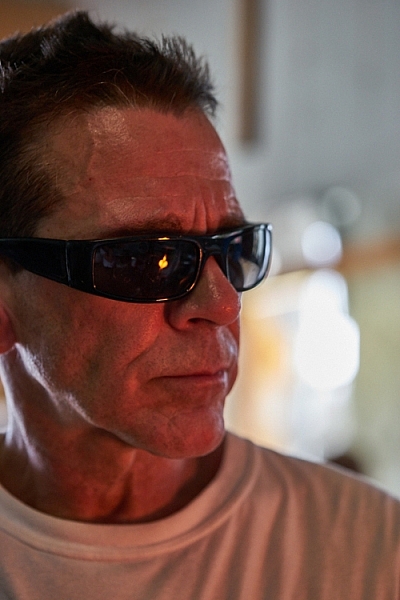
#6 – Shoot portraits

Look for different expressions, light, and angles. Shoot tight and shoot loose. Include the environment in some shots. Work on taking candids as well as photos with the subject looking at the camera. I loved the light on John’s face when he was looking at the fire and how it reflected in his glasses.

telling stories with photographs

Remember, variety is the key. Notice how many different expressions John has in the different photos in this article. Each expression helps to add an element to the story.

telling stories with photographs

#7 – Shoot action shots

Tell the story of what the person does. Try shooting the same activity in different ways.

telling stories with photos telling stories with photographs

#8 – Shoot close-ups and details

telling stories with photos telling stories with photographs

#9 – Shoot hands

telling stories with photographs

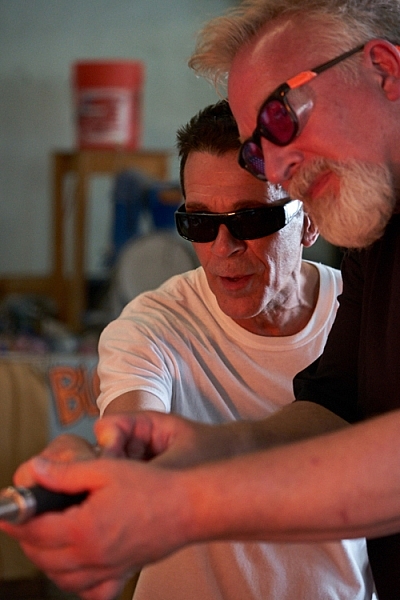
#10 – Photograph relationships

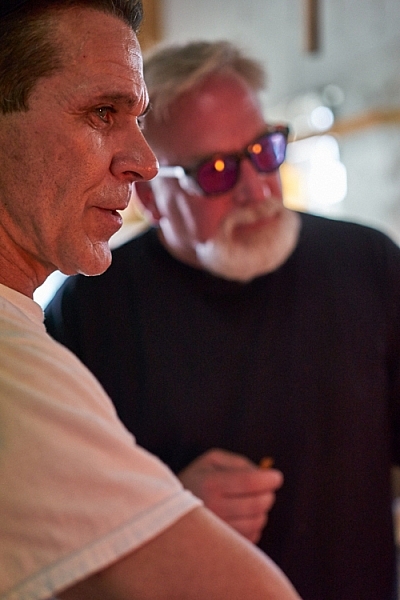
Try to capture the relationship your subject has with other people. In these photos, a tourist stopped by to blow his own piece of glass.

telling stories with photographs telling stories with photos

You now have the tools to approach strangers to ask them if you can spend time with them taking pictures. These rules apply to every situation, whether it’s a musician in the street, your child’s ballet class, or a homeless person. Remember to know your intention and be honest with the subject. Sincerity has opened many, many doors for me.

Once you are inside the door, really work your subject to tell the story. Try different angles and remember to shoot close as well as far away. Shoot portraits, close-up shots, focus on recording what the subject is doing, as well as their relationships.

What story would you love to shoot? Do you know a musician in your neighborhood or a craftsperson? Share your thoughts below, go out and shoot and then share your images in the comments below.

googletag.cmd.push(function() {
tablet_slots.push( googletag.defineSlot( “/1005424/_dPSv4_tab-all-article-bottom_(300×250)”, [300, 250], “pb-ad-78623” ).addService( googletag.pubads() ) ); } );

googletag.cmd.push(function() {
mobile_slots.push( googletag.defineSlot( “/1005424/_dPSv4_mob-all-article-bottom_(300×250)”, [300, 250], “pb-ad-78158” ).addService( googletag.pubads() ) ); } );

The post 10 Tips to Help You Create Unique Storytelling People Photos by Vickie Lewis appeared first on Digital Photography School.

Digital Photography School

 
Comments Off on 10 Tips to Help You Create Unique Storytelling People Photos

Posted in Photography


6 Tips for Planning the Perfect Landscape Photo Shoot

15 Sep

How many times have you shown your pictures to someone and said, ”You should have seen that sunset in person to understand how magic it was!” We can make many excuses as to why the photo doesn’t look the same, complaining about our equipment, settings or post-production, but let’s face reality, maybe there was something wrong with our landscape photo!

Before you open Photoshop, and even before you press the shutter button, you need to plan the kind of image you want to create. Planning plays a key role in landscape photography. Here are some things that are useful to think about if you want to capture the perfect light and transmit some feelings with your images.

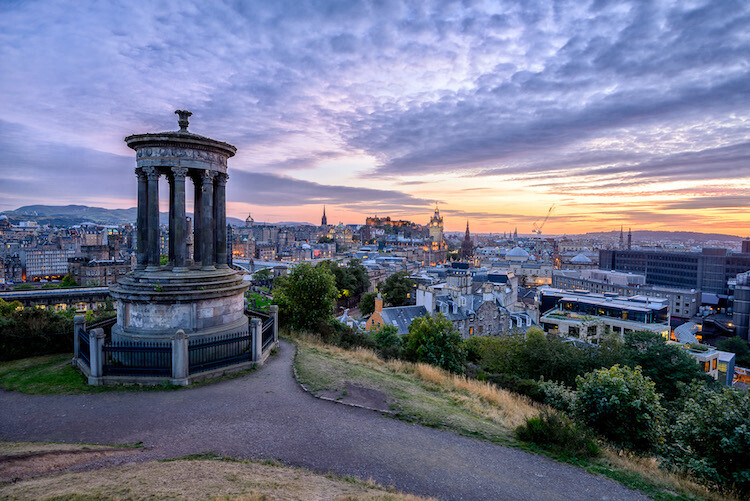
Tip 1: Check the weather forecast

landscape photography

Calton Hill – Edinburgh, Scotland

Landscape photography is one of the most difficult genres, or at least among the most unpredictable, as you don’t have any control over the weather at the scene.

What kind of atmosphere do you want to create with your image? The weather can completely transform a landscape, so think carefully about what mood you want to evoke. If you want to create a bright, cheerful image you might already know that a blue sky with fluffy white clouds would be better than a flat blue sky, or even worse a grey one.

So, before you drive for two hours and you arrive to see is a dull landscape, use the only weapon at your disposal: the weather forecast.

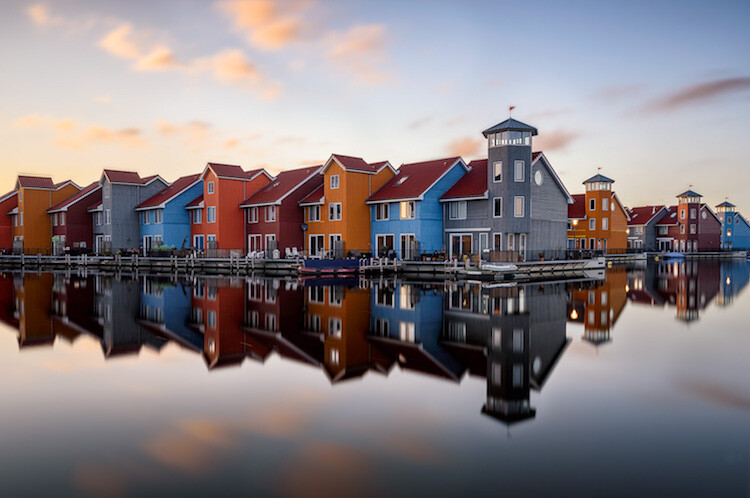
Tip 2: Choose the right time of the day and year

The perfect weather condition alone is useless without proper light. In landscape photography, the light is given by the position of the sun in the sky in relation to your subject. Fortunately, this is something more predictable than the weather. Calculate where the sun will be at particular times of day, and it will be easier for you to foresee how the scene will be illuminated. Again, think about the atmosphere you want to create. Light and peaceful? Dark and moody? Are there any particular landmarks you want to highlight? The answer to these questions will inform where you want your light to be, and consequently what time of day to shoot.

landscape photograph Groningen, Netherlands

Groningen, Netherlands

Bear in mind that the sun’s position doesn’t change only during the day, but also throughout the year. As a result, in one year there are many different lighting conditions for the same place. It would be a shame not to use them to your advantage. You can use many websites and apps for this; the one that I use the most is PhotoPills, which is very well outlined in this article.

Tip 3: Be inspired by other photographers

When you plan your holiday, after booking the tickets and the hotel, you may buy a travel guide with detailed information about the location. Like where to go and what to eat, to make sure you won’t miss anything. Or you might just ask some friends who have been there before. In both cases, you’re relying on someone who went there before you, and who therefore knows what’s worthwhile to visit, or what’s a good typical (local) dish to try.

Even if you can’t do exactly the same thing with photography, you can get pretty close, thanks to the multitude of photography websites and social networks full of pictures from all over the world. The ones I personally use most of the time are; Google Images, 500px, Instagram, Flickr, and Pinterest. Obviously, the list doesn’t end here.

Feel free to use whatever sites you want, as long as you do it. It doesn’t matter if the picture isn’t the best quality, after all, you don’t want to copy it, but you’re just looking for some inspiration

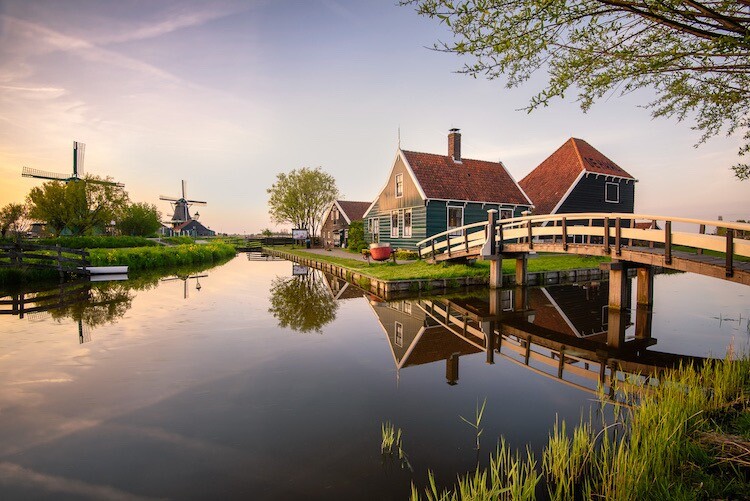
landscape photograph Zaanse Schaans, Netherlands

Zaanse Schaans, Netherlands

Tip 4: Enjoy the place and get familiar with it

When arriving somewhere, especially if it’s for the first time, it’s really tempting to take your camera and shoot whatever you see! This isn’t wrong in itself, but remember you’ll probably take dozens of nice pictures and lose the opportunity to take that single outstanding one. Because when the moment comes you’ll be tired of taking other pictures, or even worse, the battery is dead. (By the way, do you have a spare battery, don’t you?)

It’s better to be patient and spend more time exploring your location and the surrounding area. This way you are more likely to discover some interesting spots, hopefully different from the classic ones. You can use your smartphone for your normal tourist pictures, so don’t worry about anything but composition. This way, you can enjoy the place where you are, instead of spending all the time behind your camera. After all, landscape photography should be the happy ending of a good day outside, not the only reason for being there.

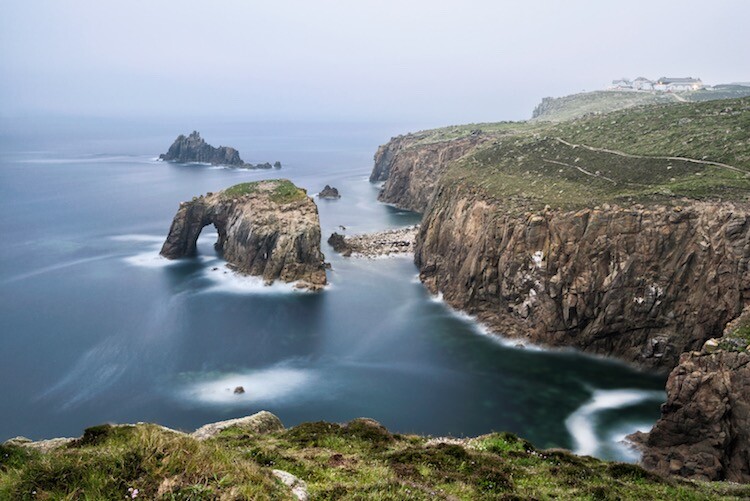
landscape photograph Land’s end - Cornwall, England

Land’s end – Cornwall, England

Tip 5: Use both golden and blue hours wisely

I’m sure you already know what the golden hour is: the time of the day around dawn and dusk when the sun gives its best warm light and long soft shadows. Hence the adjective golden. Many photographers, including me for a while, consider it as solely the right moment for obtaining good photos. This is wrong, because there is another one, called blue hour, which occurs just before the golden hour at sunrise, and just after sunset.

As you can imagine from the name, its particularity is in the blue colour of the sky, not warm anymore and not totally dark like in the middle of the night. It is very effective for urban landscapes, because it emphasizes artificial lights that wouldn’t be as visible during the golden hour. Furthermore, since the sky is not totally dark, you’ll have a better contrast with the warmer colours of the city, which will add drama to your picture.

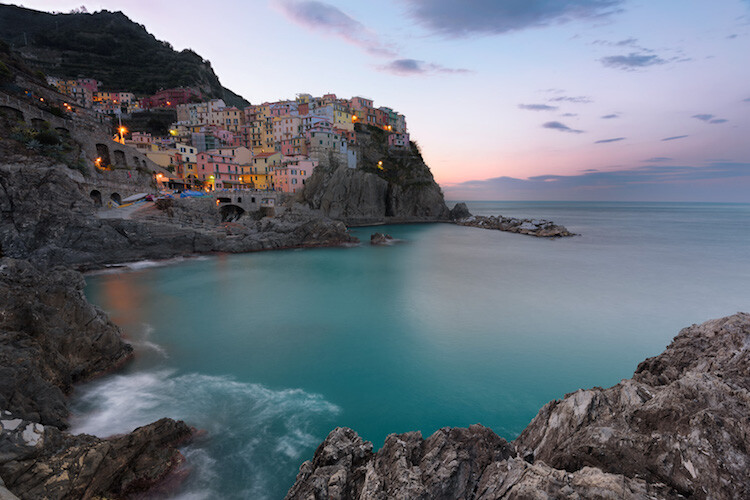
landscape photography Manarola - Liguria, Italy

Manarola – Liguria, Italy

Tip 6: Take location related issues into account

So, you’ve planned your shoot by choosing the right day, with good weather and explored the place properly. Is that all?

Almost… There’s still something to be considered and it depends on the place. For example, in the case that you want to photograph a coastline, you will need to consider tides. It can be useful for composition purposes, but most importantly it’s for your personal safety. Tides in the ocean are really rapid and wide, and in some cases, it could be difficult (if not impossible) to escape from the waves if you decided to shoot from the rocks along the shore, with a rocky wall behind you.

In the case of very famous landmarks, a common issue is that it will be full of other photographers and tourists that want the same shot as you. This can obviously create problems for your composition, or you won’t have enough space for your tripod. So, try to be in that place before it gets too busy. This not only reduces the risk of finding other photographers who have decided to photograph from your same spot, it also permits you to slow down and avoid making mistakes.

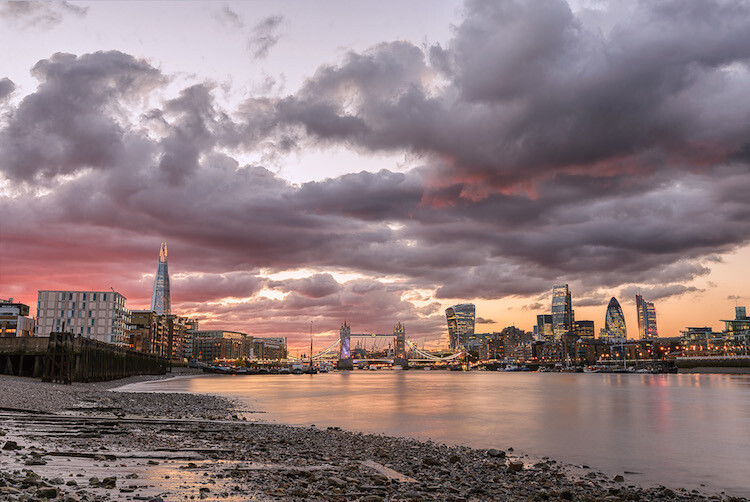
landscape photography London, England

London, England

Conclusions

When I started taking pictures several years ago, I didn’t have anything in my mind other than to take pictures of what I liked. But looking at other photographer’s work I realized that I was missing something. In my opinion, proper planning is the most important thing that I could have learned.

Obviously learning new techniques is useful, but it’s the most obvious. Planning is often underestimated, but it can really help you to go somewhere already having a picture in mind. If this isn’t the case, remember again: landscape photography is just the happy ending, you can still enjoy the place!

Do you have any other tips for planning your landscape photography shoots? I’d love if you shared them in the comments below as well as your images.

googletag.cmd.push(function() {
tablet_slots.push( googletag.defineSlot( “/1005424/_dPSv4_tab-all-article-bottom_(300×250)”, [300, 250], “pb-ad-78623” ).addService( googletag.pubads() ) ); } );

googletag.cmd.push(function() {
mobile_slots.push( googletag.defineSlot( “/1005424/_dPSv4_mob-all-article-bottom_(300×250)”, [300, 250], “pb-ad-78158” ).addService( googletag.pubads() ) ); } );

The post 6 Tips for Planning the Perfect Landscape Photo Shoot by Luigi Trevisi appeared first on Digital Photography School.

Digital Photography School

 
Comments Off on 6 Tips for Planning the Perfect Landscape Photo Shoot

Posted in Photography


Tips for Stress-Free Wedding Photography

08 Sep

As wedding photographers, we love to think photography is the most important element of a bride and groom’s wedding day. Surely they want fabulous wedding photography, so certainly they will give us all the time in the world to create beautiful images.

But it doesn’t really work that way. Weddings are busy. Often you are scrambling to get all the images you need really quickly, leaving no time for the fun, romantic images you really want to create for the couple. Worse yet, someone springs a pose list on you that you weren’t expecting, or changes the location everyone is meeting for family portraits.

Bride groom romantic location photograpy

The easiest way to make sure you have enough time for all the photographs you want to create on the wedding day, is to know how much time you need and to be prepared.

Know how much time you really need

Depending on their style and process, every photographer needs a different amount of time to take photographs at a wedding. As well every wedding is different, with unique locations, bridal parties, and families.

If you are not certain how long it takes you to create the images you need, time yourself. When you know your own process, you will be better able to help the bride and groom accurately schedule enough time for all the photographs.

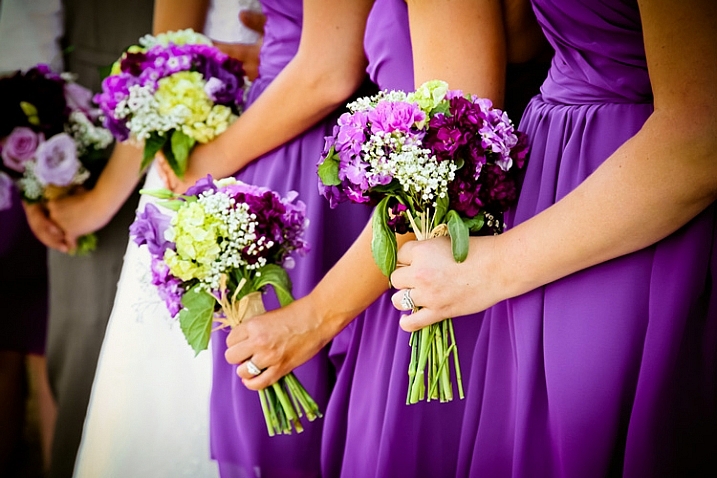
wedding-flower-bouquets-dresses

Can you travel to the beautiful park the couple wants to use for photographs between the ceremony and reception? Or did they forget to allow for the time it actually takes to drive there? Do you need 20 minutes to photograph the family, or is it really more like 45 minutes when you include the set up of lighting equipment?

Look for open pockets of time in their schedule during the day. You may not get all the photography time together in one block, but when you know how long you need for each session, you can schedule it to work within the couple’s timeline.

Tips for finding enough photography time on the wedding day

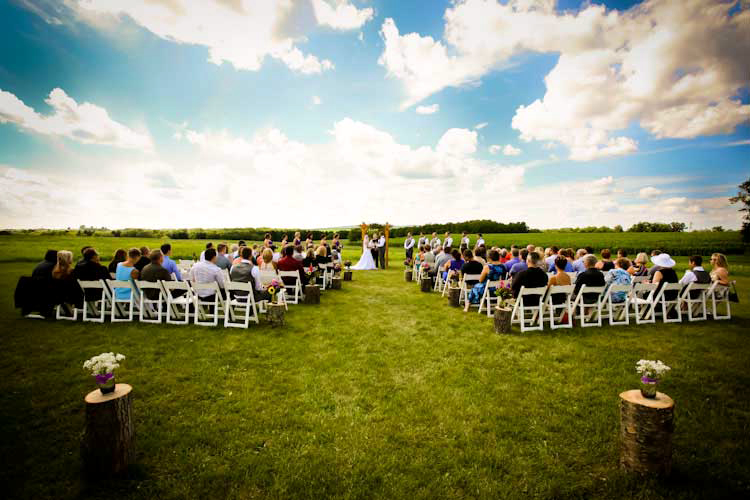
outdoor-location-ceremony-barn-wedding

Pre-Wedding planning consultation

Have a pre-wedding consultation. A final consultation one to two weeks before the wedding is a perfect time to go over details. Discussing the timeline with the bride and groom before the wedding will let you see where photography will best fit into the day. It will also help them see how much time you need to do your job well. This is close enough to the big day that they should know all the details, yet far enough out that they can tweak schedules, if need be.

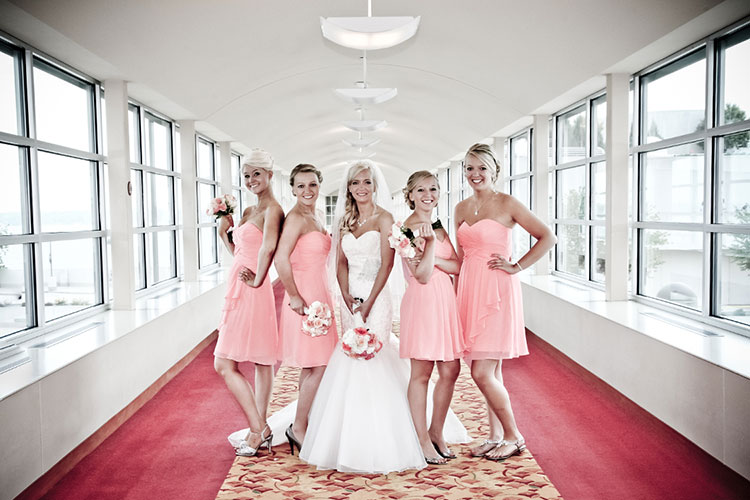
Bride bridesmaids posed wedding

Ask about other wedding vendors. Find out how everyone from the florist to the caterer will also fit into the couple’s day. The follow questions may help you:

  • Ask when hair and make-up appointments are scheduled to be done and where.
  • Find out where the flowers are being delivered and at what time.
  • Ask how long the ceremony will last and how they plan to personalize it.
  • Know if the couple will do a receiving line, or somehow greet guests formally right after the ceremony.
  • Confirm what time they want to arrive at the reception.
  • What time will dinner be served,
  • When would the DJ or band like to start the dance.

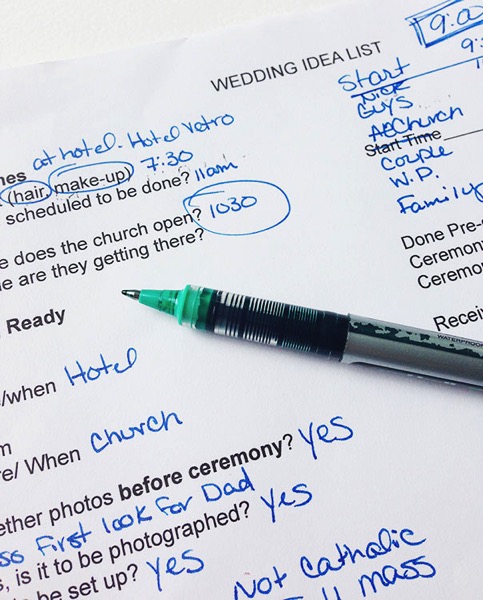
Wedding idea list for photographers

Knowing when the other professionals need the attention of the bride and groom will help you know when it’s your turn.

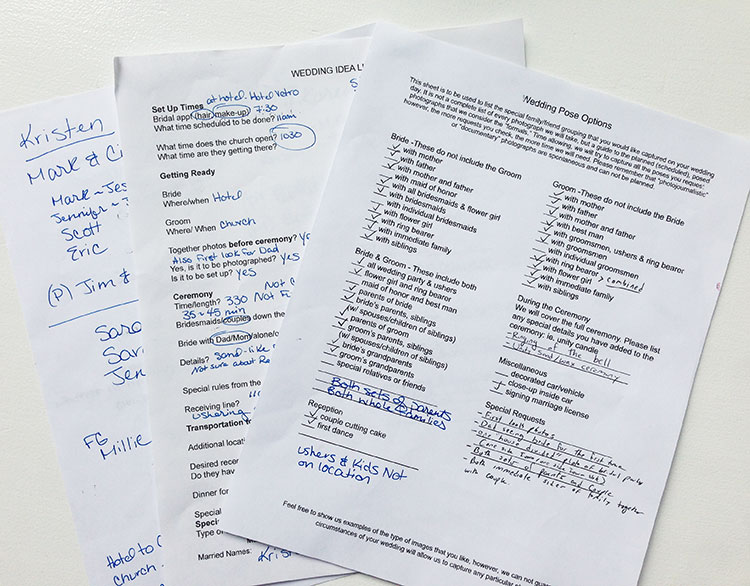
Plan for family portraits. Many photographers balk at the “dreaded pose list,” but capturing family photographs is an important part of wedding photography. To make the process of organizing family portraits easier, find out who’s in the their families, and what groupings are important to the couple. When you set the time for the wedding photographs, have the bride and groom inform everyone of the timeline, so they will be ready when it’s time to start.

Remember to add in travel time. Often the ceremony and reception are in different locations, and sometimes the couple likes to stop off at a third spot just for photographs. Make sure to add in the time that it will take to drive to these places into the schedule.

Wedding planning worksheets photogfaphers examples

Know the sunset time. Whether you want to make sure you have enough light for evening portraits or for sunset images, knowing beforehand when sunset is that day, let’s you plan accordingly.

bride-groom-sunset-romantic-wedding-location

Before the wedding day

Pre-scout your locations. Go to the wedding venues a day or two beforehand, to look over the locations for possible photography backdrops. If you can’t scout before the wedding day, plan to arrive early at the venues to find the spots you will use for photography.

Have the bridal details lined up beforehand. Let the bride and groom know if you’ll want to photograph cufflinks, rings, shoes, jewelry and such details before they get dressed. Having these together and ready saves time.

outdoor-wedding-ceremony-vintage-sign-theme

Consider a “first look.” If your time between ceremony and reception is tight, it can be hard to get all the photographs done. Allowing a special moment for the bride and groom to see each other for the first time at the beginning of the day, can open the couple up to the idea of doing photographs before the ceremony.

On the wedding day

Know how to pose people. Brides and grooms are usually not experienced at posing themselves for photographs. If they aren’t sure how they look, it can take longer for them to get comfortable in front of the camera. When you already have a variety of flattering poses in mind, you are able to quickly move through the session.

Bride groom wedding location photography

Avoid backtracking. Whether you need to set up lighting equipment, gather family for portraits, or go to a cool location with the couple and the whole wedding party, do it only once. When you consolidate, you save time and hassle for everyone.

For example, it’s much easier to ask grandparents, or small nieces and nephews, to attend just one photography session on the wedding day. Pick a time when both the bride and groom will be ready for photographs, and plan to do all the different combinations you need to do at once. There’s no need to ask Grandma to arrive two hours before the ceremony for one photograph, if she needs to stick around after the ceremony for one more.

When the couple does a “first look,” before the ceremony, it can work well to take all the family portraits at that time a as well. Otherwise, immediately after the ceremony is a good time to do them, before people wander off to the reception and start mingling.

Wedding party posed garden

Work down from the biggest groups to the smallest groups. When you have large, extended family photographs to organize, get those done first. It allows people that only need to be present for one or two photographs to leave, letting you focus on the smaller groups with less chaos.

Summary

When you look at all the elements that go into the schedule on the wedding day, you can be prepared. When the bride and groom see how the photography fits into their schedule, they can make sure they have allowed enough time for you to do your job.

wedding-party-bride-groom-kissing

Do you have other tips to add? How do you carve out enough time for photographs on the wedding day?

googletag.cmd.push(function() {
tablet_slots.push( googletag.defineSlot( “/1005424/_dPSv4_tab-all-article-bottom_(300×250)”, [300, 250], “pb-ad-78623” ).addService( googletag.pubads() ) ); } );

googletag.cmd.push(function() {
mobile_slots.push( googletag.defineSlot( “/1005424/_dPSv4_mob-all-article-bottom_(300×250)”, [300, 250], “pb-ad-78158” ).addService( googletag.pubads() ) ); } );

The post Tips for Stress-Free Wedding Photography by Becky Appleby appeared first on Digital Photography School.

Digital Photography School

 
Comments Off on Tips for Stress-Free Wedding Photography

Posted in Photography


Tips for Starting a Photography Business the Right Way

07 Sep

Are you ready to make the switch from a hobbyist to full-time professional photographer? That,s great, congratulations on your decision. It’s a great profession to be in, one that gets your creative juices flowing every time you pick up a camera. But along with the desire to start your own photography business, there are a few necessary steps that you need to take to make sure you start off on the right note!

Memorable Jaunts Starting a business Article for Digital Photography School-20

Define who you are as a photographer and what is your business all about.

Get all the necessary legal paperwork in place

As per wikipedia, a professional is a member of a profession, or any person who earns their living from a specified professional activity.

The fact that you are charging money to clients in exchange for photos means you also need to document said money, and pay appropriate taxes. In most parts of the world, this means registering your business with the local governing body, reporting income accurately ,and paying appropriate taxes. Make sure you research what the legal requirements are where you live, and follow them.

You don’t want to get into trouble with the government at a later stage. Part of the registration process may require you to have a business name, as well as get a tax id. Many photographers pick their own name for their business, while others like me, choose a generic name to represent their brand. There is no right or wrong way, just pick one that works for you.

Memorable Jaunts DPS Article about starting a business

Maintain an online presence for your photography business

The important thing to maintaining an online presence is have a way to represent your body of work, i.e., your portfolio. Luckily, there are many free options for uploading your images to the Internet. Sites like WordPress and Blogger (previously called Blogspot) offer a way to create a blog. Flickr and 500px are other options to upload and host your images.

Getting a custom website, with a custom URL (in most cases your business name) takes it up a notch in terms of creating brand awareness (you can look at low cost options like Square Space). It is much easier to tell a client that your portfolio can be found at (for example) “www.memorablejaunts.com”, rather than saying “memorablejaunts.blogspot.com”. Depending on your business name this can be a mouthful and difficult to remember.

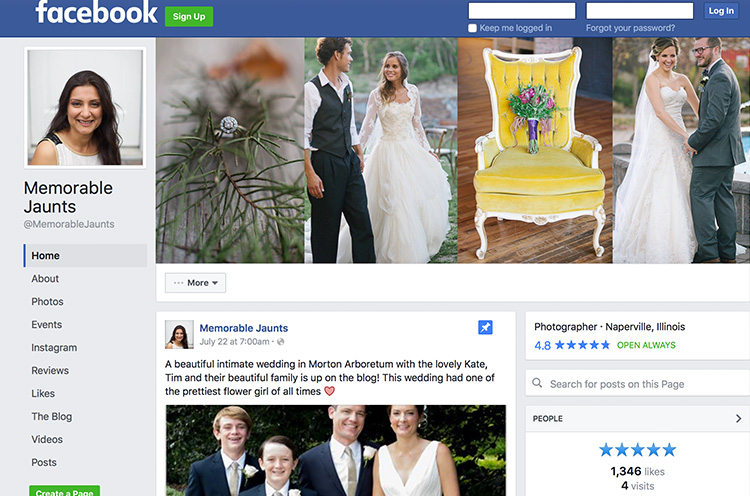
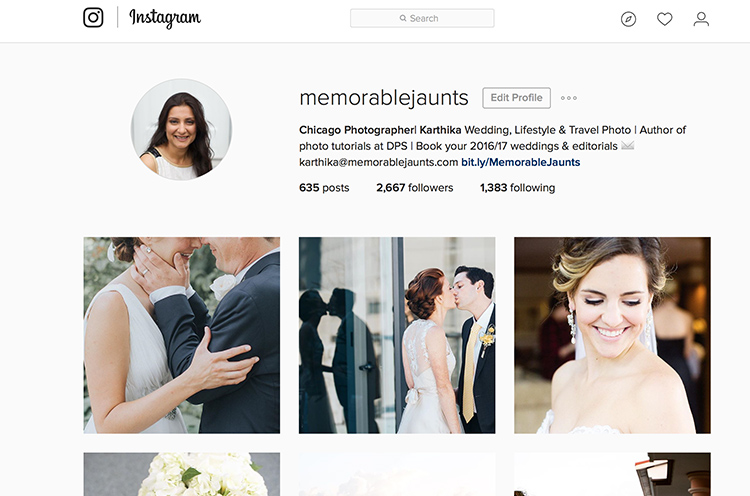
As you think about your online presence also consider social media. There are many options to choose from to be socially engaged with your clients, and more importantly, your potential clients. With so many social media platforms out there, it’s very easy to get overwhelmed. So my advice would be to pick two to three, and actively engage with your audience there. In the initial part of my career, I focused on Facebook, then added Twitter and Instagram to my social media strategy. As you create your own social media strategy, remember to be consistent across the board. Let your website and social media tools speak the same language, and showcase your style consistently.

Memorable Jaunts Urban Photography Article for Digital Photography School-20

Be social online AND offline

The internet has been a blessing in disguise for most small businesses. The world is no longer just limited to who we know, and our friends. It is very easy to find like-minded peers and colleagues all over the world. Reach out and form genuine connections. Don’t worry about what they can do for you. Instead focus on how you can help them.

Often times it is just being a positive voice – encourage them, congratulate them, and be genuinely happy for their success. Don’t be fake, being pretentious is a complete put-off. On that same note, make an effort to engage with local peers and colleagues. Take them out for lunch or just a cup of coffee – take the time to listen to their story and acknowledge their success. This is basic common courtesy, but you will be surprised at how many new and experienced photographers don’t seem to get this respect. It always pays to have a friend or a listening ear in the business!

Memorable Jaunts Starting a business Article for Digital Photography School-22

My Facebook Business Page speaks the same language as my website and Instagram business account – the look, the feel, as well as something as simple as a profile picture – they are consistent across all platforms.

Memorable Jaunts Starting a business Article for Digital Photography School-23

I have been more active on Instagram over the past six months and have met some really interesting people all over the world – it is such a perfect visual medium for photographers

Some sites that have communities of photographers (all various levels)

  • Meetup.com
  • Instagram – there are many photography related hashtags as well as geotags that you can search on to find other photographers, groups and peers.
  • Facebook – there are several public groups where photographers are welcome to join to ask questions, showcase their work, and get feedback
  • Local camera stores and community colleges – check your local camera store or community college to see if they have any groups that meet regularly. If not, don’t be afraid to start one.

Accurately track your income and expenses

I say this from experience! It is very painful, and time-consuming, to back-track and look through credit card receipts to tally expenses. The better and more sensible option is to spend one day every week to tally income and expenses. This will give you an idea on where you are financially at any given point of time.

Believe me, when you are just starting, expenses can add up very quickly. Before you know it, you can rack up a sizeable amount of debt that can be hard to get out of and handle.

Memorable Jaunts Starting a business Article for Digital Photography School-24

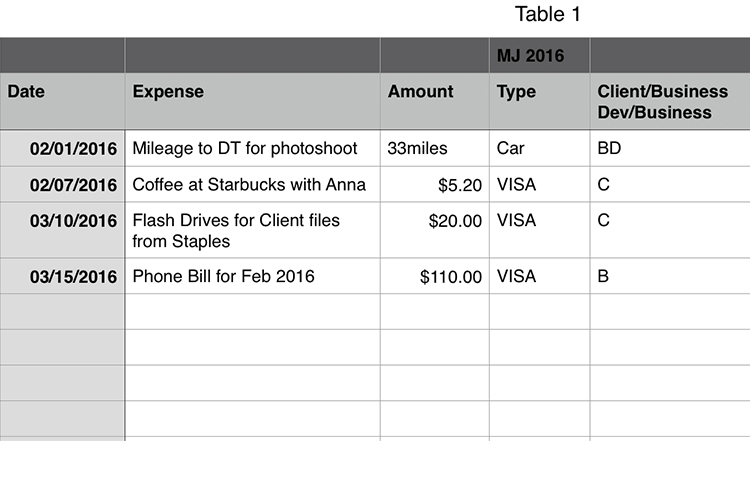
Keep it simple…I use a daily planner that has all items related to my business (to do tasks, as well as daily expenses). Once a week, I update a spreadsheet similar to this with all expenses, to keep a running tab of where I am financially.

Gear – need versus wants

This one is a hard one to control. It is human nature to want to have the best of everything, especially when you are starting something new. We have self-perpetuated this fantasy that having the best and latest/greatest, is essential to our success.

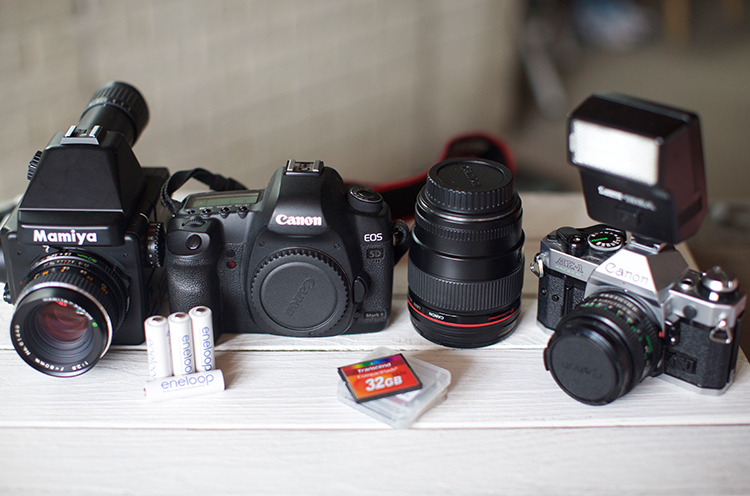
Gear, especially photographic gear, is very expensive and becomes obsolete very quickly. Really think through what you need to be successful in your job, and have a game plan on how to build up your gear. The first two years of my business I survived on a Canon 5D MarkII and Canon 24-70L 2.8 lens. My backup camera was an old Canon 10D whose battery life was less than two hours. But it was my backup, and I was really careful with my gear. If I needed another lens, I just rented it.

Once I started photographing weddings, for more than a year I rented the 70-200mmL 2.8 and a speedlight, before I saved up money to purchase them for myself. Also remember that there are other things that you will need to have a successful photography business like: a computer, editing software, and as well as business insurance. It is better to invest in those upfront (and they are needed to run a successful business) rather than just on camera gear!

Memorable Jaunts Starting a business Article for Digital Photography School-21

I shoot digital for client work and a mix of film and digital for personal work.

I hope all this did not scare you! Being a professional photographer is a hard thing to do, but it is incredibility satisfying. You can achieve a lot of success in this field if you are willing to put in the long hours and do what it takes to be successful.

Remember this is a business, one that you have willingly chosen to undertake. Give it your best, but also have fun. Don’t get too bogged down with all the mistakes you think you are making. They are not mistakes, they are learning opportunities, and they will make you a better photographer and better business owner in the long run.

googletag.cmd.push(function() {
tablet_slots.push( googletag.defineSlot( “/1005424/_dPSv4_tab-all-article-bottom_(300×250)”, [300, 250], “pb-ad-78623” ).addService( googletag.pubads() ) ); } );

googletag.cmd.push(function() {
mobile_slots.push( googletag.defineSlot( “/1005424/_dPSv4_mob-all-article-bottom_(300×250)”, [300, 250], “pb-ad-78158” ).addService( googletag.pubads() ) ); } );

The post Tips for Starting a Photography Business the Right Way by Karthika Gupta appeared first on Digital Photography School.
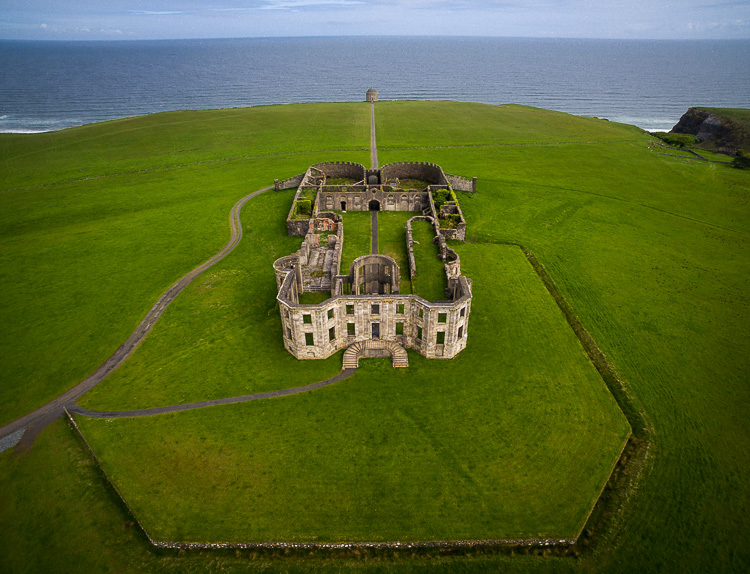

Digital Photography School

 
Comments Off on Tips for Starting a Photography Business the Right Way

Posted in Photography


6 tips for shooting fall color

04 Sep

6 tips for shooting fall color

The leaves are already starting to turn and the pumpkin beer is already flowing up here in the Pacific Northwest. Fall is just around the corner and photographing fall color is one of our favorite things to do when that autumn chill starts to take hold. Here are some fun and helpful tips to make shooting fall color that much more enjoyable!

Check the fall color reports

One of the first things that I always do prior to planning a trip to photograph fall color is to check the trip reports and the fall color or fall foliage reports.

  • The Weather Channel is a great place to get a broad feel for how the fall color season is shaping up. They have a variety of useful maps and tools to give users a good sense of when their region will have peak color.
  • The Smoky Mountain parks guide also has a unique predictive map that offers a bit of insight into how the current years foliage is developing and what it looks like two months out.
  • I also consult local hiking forums and other photographers through social media to get a good sense of how things are coming along. 

Visit your local Japanese Garden

One trip that I seem to make on an annual basis is to one of our local Japanese Gardens up here in Seattle. Here are a few tips for catching and shooting the gardens in their prime.

  • Call ahead to get a fall color report and to see if tripods are allowed. A number of the gardens in Seattle (and other cities) don’t allow tripods inside of their gates. 
  • Look for the Japanese Maples! Shooting up ‘inside’ of these gorgeous trees can give them a whole new perspective and can offer up some amazing possibilities in terms of composition.
  • Include the architecture- don’t be afraid to photograph the bridges, pagodas and other structures in the garden- let the fall color become a gorgeous backdrop to the architecture.
  • Go early or late- these gardens tend to get very crowded, so go around sunset or sunrise (depending upon the garden’s hours) to avoid the people and other photographers.
  • Look for abstract and macro possibilities in the garden- colors, patterns and structures can offer a seemingly endless amount of compositional choices.
  • Bring a wide selection of lenses and your circular polarizer- a CPL can really increase the vibrancy of the foliage and having a good selection of focal lengths can help you to expand your creativity.

Use fall color to add layers

Fall color can also add layers to a already interesting composition. Finding a way to incorporate fall color into a forest scene or a mountainous landscape can really add depth, character and interesting colors to your image.

  • Use a telephoto lens to minimize the scene and add depth through layers.
  • Look for patterns and textures – a mixture of fall foliage and evergreen trees can offer a nice variety of colors and textures to the scene.
  • Shoot panoramic images – scenes with fall foliage and layers tend to lend themselves very well to a panoramic treatment.
  • Utilize light at different times during the day to emphasize the fall color – the colors in the scene will change drastically throughout the day depending upon the direction and amount of light present in scene, so experiment and take lots of images throughout the day.

Shoot falling leaves

Fall foliage doesn’t last forever, but even the falling leaves can add interest and color to your images.

  • One of my favorite things to shoot just after the fall color has peaked are the leaf-covered driveways, streams and trails that seem to be everywhere after the leaves have begun to fall.
  • The fallen leaves can not only add texture and color to your images, but they can also convey motion and help to form leading lines in your composition.
  • If the colors have already peaked in your area, fear not! There are still a number of great shooting opportunities at your fingertips.    

Go abstract

Fall foliage offers a unique opportunity to try techniques such as motion blur while your out in the field:

  • Mount your camera on a tripod and adjust your settings to enable your camera to shoot for around 0.5″ to 2″ seconds with proper exposure.
  • You may need to use an ND filter to achieve the longer exposure depending upon the lighting conditions.
  • Press the shutter and while the camera is taking the longer exposure pan the camera vertically to achieve a vertical motion blur in your photo.
  • Experiment with different shutter speeds and varying amounts of movement to achieve your desired result.
  • Blend your motion blur shot with a tack sharp shot in your favorite photo editing program to give your abstract a nice sense of depth and a varying amount of texture.
  • If you’re shooting in windy conditions try taking a longer exposure to blur the leaves while leaving the tree trunks tack sharp.

Shoot in all types of weather

One of my biggest pet peeves in photography is the idea that you absolutely have to shoot in specific lighting and weather conditions and at specific times of day. Sure, sunrise and sunset are ideal but I honestly love shooting in anything from blue bird to adverse and frankly bad weather conditions at any time of day. 

  • Don’t get discouraged by the forecasts- fall color offers up some unique opportunities to photograph brilliant colors in snow, rain, sleet and wind. I often find those types of images even more appealing because they tell a story and are very unique.
  • Before you head out to shoot always check your local weather forecasts- fall is a time of year that tends to catch many people off guard, especially while venturing into the mountains, so it’s best to look ahead and plan accordingly.
  • Be prepared for anything – fall is one of the those seasons that can throw rain, sun and snow at you all on the same day.

Articles: Digital Photography Review (dpreview.com)

 
Comments Off on 6 tips for shooting fall color

Posted in Uncategorized


4 Tips for Using for Live View to Get Sharper and More Creative Images

02 Sep

Live View versus optical viewfinder on your DSLR, pros and cons?

Pascal

By Pascal

If you shoot with a DSLR you probably use the same method for taking pictures that most people do, holding the camera up to your eye and looking through the viewfinder before snapping the shutter button.

This tried-and-true method has several benefits, including letting you see precisely what you are going to take a picture of before you click the button. Also, allowing you to track fast-moving subjects without any lag time, and even stabilizing the camera due to the fact that it’s being held up against your face instead of away from your body.

Getting this shot using the optical viewfinder wouldn't have been impossible, but it would have been much more difficult.

Getting this shot using the optical viewfinder wouldn’t have been impossible, but it would have been much more difficult.

However, the Live View function that is built into most DSLR cameras has a few tricks up its sleeve that can greatly benefit you as well. While not useful in ever single photographic situation, Live View certainly is worth a second look if you are the type of person who normally casts it aside in favor of the traditional viewfinder.

#1 Make sure your subject is perfectly focused

When you look through the optical viewfinder on your camera, you will see an array of rectangles or dots which each represent points on which your camera can focus. This is a result of your camera’s phase detect focusing system which is present in nearly every DSLR. While it usually works just fine, there are situations in which it can present a bit of a problem.

For one, the subject on which you are focusing can sometimes be outside the boundary of your focusing points, which makes it quite difficult to get it tack sharp even with something like the focus-and-recompose technique. Also, even with using the built-in focusing points it’s not always a guarantee that your subject will be completely in focus, especially if it is very far away like when shooting landscapes or scenic vistas.

Live View helped me get this flower focused just how I wanted, and instead of laying in the mud I used the flip-out screen to help me compose the picture.

Live View helped me get this flower focused just how I wanted, and instead of laying in the mud I used the flip-out screen to help me compose the picture.

Zoom-in on Live View

Live View is the magic bullet in these situations, as you can use it not just to frame your shot, but to zoom in close on a specific area to make sure it is focused. Think of this as though you were holding a magnifying glass up to your camera’s viewfinder when focusing on your subject, and using that as the basis for judging whether it is tack sharp or just a bit fuzzy. This obviously works best if your camera is firmly attached to a tripod, but even if you just set it on a solid surface such as a shelf, rock, post, or other object, you should be fine.

Live View can be a good way to make sure your subjects are tack sharp and perfectly focused.

Live View can be a good way to make sure your subjects are tack sharp and perfectly focused.

Each camera handles the zoom-in function a bit differently, but for most DSLRs there will be an option in one of the menus to enable a button on your camera to zoom in during Live View, and even set the percentage of zoom which tells you how much it will magnify the image. If your subject is not moving, and neither is your camera, this technique is one of the best possible ways to make sure everything is tack sharp precisely how you want it to be (using manual focus in this instance can be helpful also).

#2 See previews of camera effects in realtime

One fun trick that many DSLR manufacturers have added to their cameras is the ability to do various types of effects like selective coloring, miniature, and black-and-white, among many others. Think of them as though you are adding Instagram filters, but in realtime, as you are taking your pictures instead of on your phone afterwards.

Using Live View as you activate various scene modes is a fun way to experiment with different types of creative image effects. It also has the added bonus of allowing you to play around and see how the options affect your photography before you even click the shutter.

A common camera effect is "miniature," which mimics a tilt-shift lens. It's fun to play around with these built-in effects using Live View which shows you a preview of what the final image will look like as you compose it.

A common camera effect is “miniature,” which mimics a tilt-shift lens. It’s fun to play around with these built-in effects using Live View, which shows you a preview of what the final image will look like as you compose it.

Some photographers frown on this type of creative expression, and prefer to leave these effects and scene modes to Photoshop, where things can be endlessly controlled, changed, and tweaked to perfection (often ad nauseam). But, my own personal stance is, if you’re making pictures you enjoy by using simple in-camera effects, then why not keep doing it?

Some of the built-in modes are a little cheesier than others, and you usually can’t shoot in RAW format. But using Live View to preview the different sorts of photography effects you can explore, is a great way to try something new and add a little spark back to your creative juices at the same time.

#3 Depth of Field preview

This one piggybacks pretty well off of the previous item, but I wanted to list it separately because it is so useful on its own. When you change the aperture and focal length of your lens, you are also changing the depth of field, or area that is in focus. It’s a difficult concept to understand since it involves several different variables, including how close you are to your subject and how far away is the background.

This confusion can be compounded by the fact that your optical viewfinder doesn’t really show you what to expect when you click the shutter button. Some DSLR cameras have a Depth of Field Preview button that allows you to close down the aperture and see what it will look like when you take a photo (it also gets dark if you use a small aperture), but another way to do this is by using Live View.

It really helped to see a preview of the depth of field by using Live View when composing this image.

It really helped to see a preview of the depth of field by using Live View when composing this image.

How it works

When you look through the viewfinder on a DSLR camera you are seeing through the lens while it is opened to its widest possible value. But, when you click over into Live View the aperture blades close down to the value you’ve specified, or that which the camera thinks is appropriate, depending on the shooting mode you are using.

This makes it possible to see precisely what the picture will look like when you press the shutter button. So, if you focus on an object while in Live View, you will see a more accurate representation of the depth of field than looking through the viewfinder. This is incredibly useful when shooting macro photos, because it’s difficult to understand just what is in focus and what is not unless you can see it yourself using Live View.

Depth of field can be extraordinarily thin when shooting macro pictures, and using Live View to see a preview of the final result is a good way to get the photo to show up just how you want.

Depth of field can be extraordinarily thin when shooting macro pictures, and using Live View to see a preview of the final result is a good way to get the photo to show up just how you want.

#4 Tap to focus

One final trick that Live View offers, is the ability to actually use it for the act of focusing itself. As more cameras start implementing touch screens, manufacturers like Canon have started allowing users to tap on the screen itself to actually focus the camera, much in the same way you do on your mobile phone.

While this feature is not available on all DSLR cameras, and though some with touch screens don’t have focusing enabled, if you do have a camera that allows you to tap-to-focus you might find it incredibly useful and well-worth your time. This won’t do you any good if you are shooting sports, action, or wedding photos, since the touch-based focusing isn’t as quick. But if you are out shooting casually it’s something you might really enjoy trying.

It even has some advantages over traditional viewfinder-based focusing if you are shooting at extreme angles, such as very low to the ground. More and more cameras are offering flip-out screens so you can swivel it, instead of crouching down, and then tap it to lock focus.

If you have a touchscreen, using Live View can be a great way to make sure your subject is focused exactly how you want by simply tapping the area you want to be in focus.

If you have a touchscreen, using Live View can be a great way to make sure your subject is focused exactly how you want by simply tapping the area you want to be in focus.

Summary

These are just a few of the options available to you if you use Live View on a DSLR. If you are more of a traditional shooter who prefers the optical viewfinder I hope you at least give Live View a chance. It’s not going to be the best option in every situation, but you may find it to be more compelling and useful than you realize.

If you do like shooting in Live View and have your own tips to share, please leave your thoughts in the comments below!

googletag.cmd.push(function() {
tablet_slots.push( googletag.defineSlot( “/1005424/_dPSv4_tab-all-article-bottom_(300×250)”, [300, 250], “pb-ad-78623” ).addService( googletag.pubads() ) ); } );

googletag.cmd.push(function() {
mobile_slots.push( googletag.defineSlot( “/1005424/_dPSv4_mob-all-article-bottom_(300×250)”, [300, 250], “pb-ad-78158” ).addService( googletag.pubads() ) ); } );

The post 4 Tips for Using for Live View to Get Sharper and More Creative Images by Simon Ringsmuth appeared first on Digital Photography School.
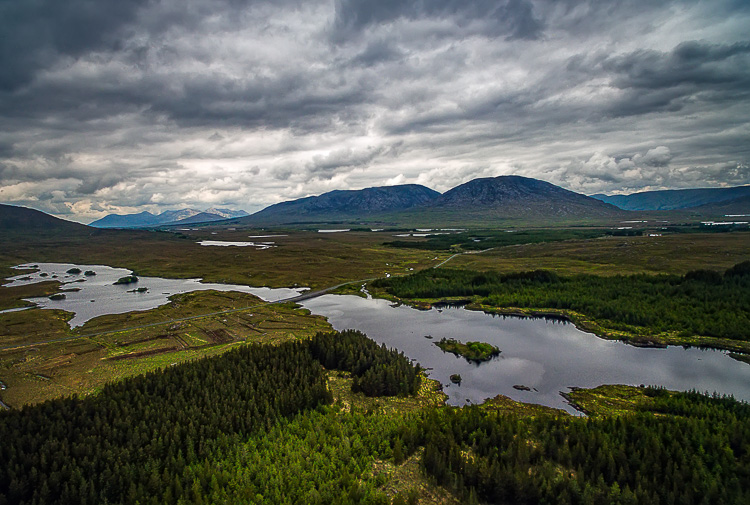

Digital Photography School

 
Comments Off on 4 Tips for Using for Live View to Get Sharper and More Creative Images

Posted in Photography