RSS
 

Posts Tagged ‘Time’

3 Valid Reasons it Might be Time to Upgrade Your Camera Equipment

11 Apr
Ludovic Hirlimann

By Ludovic Hirlimann

For all of you camera enthusiasts, lens aficionados and gear fetishists, hearts race and palms sweat when broaching the subject of camera equipment upgrades. Camera companies keep a constant flow of equipment releases coming to quench the insatiable appetite of those who are convinced they need the latest and greatest.

It’s important to keep in mind that just because the new iteration of your camera body or a new lens with an even longer list of acronyms outlining its features is released, it doesn’t instantly make your equipment obsolete.

All you savvy consumers should strive to be honest with yourselves and carefully consider the tangible benefits that you will enjoy from that upgrade. Certainly most of you will legitimately grow out of that point-and-shoot or entry-level DSLR, however, many make the jump too soon before you’re able to fully exploit the capabilities of your equipment.

Some good reasons to to upgrade:

If you are reading this, you have likely purchased a camera (and possibly additional lenses and other accessories), in which case you are familiar with what could be called the Christmas morning feeling.

#1 Renew your enthusiasm or spark creativity

For photographers, an upgraded body or a new lens can be an important catalyst to revive waning enthusiasm. Many certainly see this as a thinly veiled excuse for coughing up the cash for some new equipment, but it can provide a needed boost to drag you out of the dreaded photographers-block.

For example, adding a large aperture lens – with an f-stop of f/2.8 or greater – to your stable reveals a whole new perspective, enabling you to further blur out backgrounds and isolate your subject.

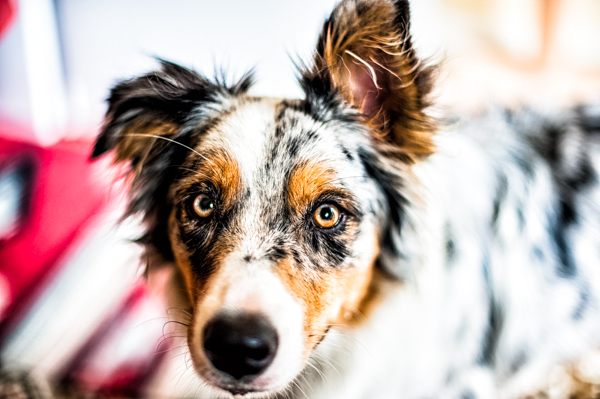
Depth of field 1

Depth of field 2

Similarly, a telephoto lens will enable you to compose tighter shots from farther away, or experiment with closely cropped shots from a short distance. As focal length increases (and with it the distance to the subject), depth of field decreases and background objects appear closer to the subject opening up new compositional opportunities.
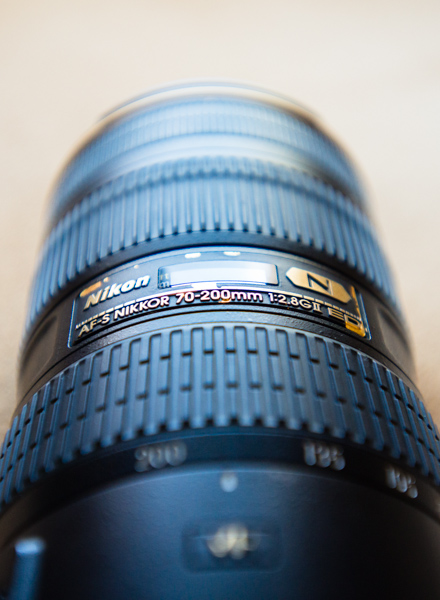
Telephoto by Jeremie Schatz 1

If you are already shooting with a DSLR, depending on the lenses you are using, adding a teleconverter to your bag can be a less expensive option for increasing lens focal length. Teleconverters fit between the lens and camera, and add a certain level of magnification such as 1.5x or 2x. Many lenses are compatible with teleconverters, but not all, so be sure to check with the manufacturer before buying one.
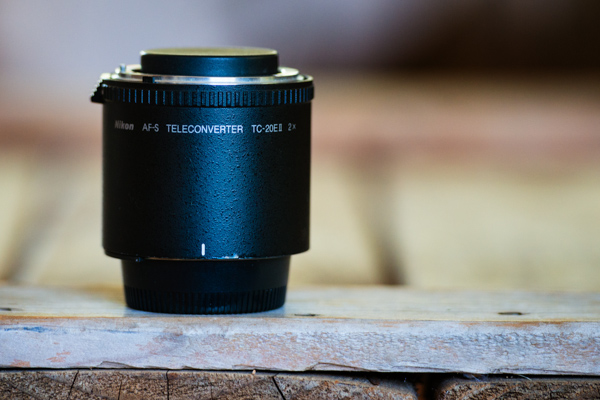
Teleconverter by Jeremie Schatz 1

While some photographers can continue to produce compelling images with a basic body and a 50mm lens, many will discover a new realm of possibilities which unfold with the addition of new equipment.

#2 Your gear is limiting your progress as a photographer

Another way to legitimize an upgrade is if you recognize that your evolution as a photographer is being hindered by your equipment’s limitations.

One advancement which can be gained with a camera or lens upgrade is improved low-light performance. If you find yourself shooting fast-moving kids in your dimly lit house or indoor sporting events, you will quickly discover that shooting at high ISO settings at maximum aperture results in less sharp images riddled with color noise. Color rendition and saturation levels can also suffer greatly in these situations, especially in shadowed areas and with skin tones.

Unfortunately, other than the limited corrections you can make with editing software, an equipment upgrade may be a necessity if you want to get great looking photos in low-light conditions. Point-and-shoot and entry-level DSLR cameras sport better high-ISO performance than just a few years ago, but more advanced models show a drastic improvement in this regard and large aperture lenses can enable you to shoot at lower ISO settings.

In addition to better low-light performance, upgrading your camera body can put a bunch of useful features in your hands such as: a self-cleaning sensor, wireless uploading, increased pixel count, more accurate auto-focusing, faster shooting rates, dual memory-card slots, and more. Be sure to compare your current camera’s specifications with that of a potential upgrade and ask yourself if the added features will have a significant impact on your photography.
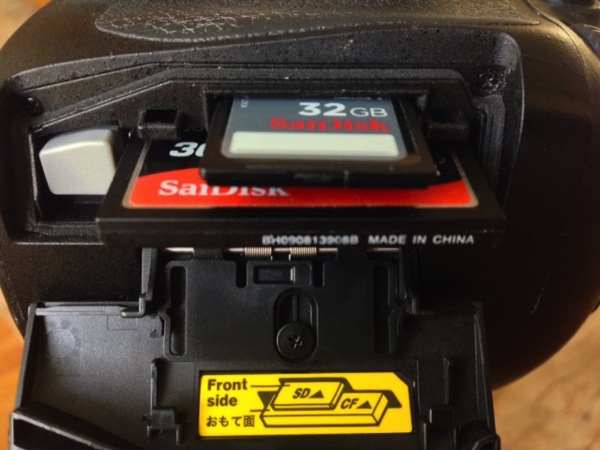
Memory card slots

Although it doesn’t go in your camera bag, upgrading your editing software can be a game changer for your photographic pursuits. Making the leap from using free editing software, to purchasing and learning Lightroom or Photoshop, can make drastic changes to your final images. These programs open up new avenues for stylizing your images, and countless plugins are available which can enable you to have even more control over the look and feel of your work.

Even if you have the software already, an upgrade in your understanding and ability to use it, can go a long way. Investing time in knowing how to use the software properly, may help boost the quality of your images.

Lightroom by Jeremie Schatz 1

#3 The equipment is no longer usable

A more utilitarian reason to upgrade equipment is that it is simply reaching the end of its usable life. Camera shutters are rated for a certain number of actuations, at which point the risk of failure and inaccurate shutter speeds increase.

Even the best lenses have many plastic parts, and most modern ones have internal motors with a finite life span. Stiff or stuttering zoom and focus rings, loud or slow focusing and loose lens mounts are a few indications that a repair or replacement is imminent.

This may be a non-issue for many who live by the “if it’s not broken, don’t fix it” philosophy, however, if you use your equipment for paying gigs or to document important events, you may end up regretting a potentially preventable equipment failure.

There are many reasons to make equipment upgrades and most of you will make that leap at some point, but it is important not to set your expectations too high as to what new gear will do for your photographs. Think about your goals and consider which is the most accessible path to take in order to reach them.
Sergio

By Sergio

I’ll leave you to think about this quote:

“A lot of photographers think that if they buy a better camera they’ll be able to take better photographs. A better camera won’t do a thing for you if you don’t have anything in your head or in your heart.” – Arnold Newman

googletag.cmd.push(function() {
tablet_slots.push( googletag.defineSlot( “/1005424/_dPSv4_tab-all-article-bottom_(300×250)”, [300, 250], “pb-ad-78623” ).addService( googletag.pubads() ) ); } );

googletag.cmd.push(function() {
mobile_slots.push( googletag.defineSlot( “/1005424/_dPSv4_mob-all-article-bottom_(300×250)”, [300, 250], “pb-ad-78158” ).addService( googletag.pubads() ) ); } );

The post 3 Valid Reasons it Might be Time to Upgrade Your Camera Equipment by Jeremie Schatz appeared first on Digital Photography School.



Digital Photography School

 
Comments Off on 3 Valid Reasons it Might be Time to Upgrade Your Camera Equipment

Posted in Photography


10 Inspiring Photo Documentaries Worth Your Time

04 Mar

As we try to find inspiration in our environment that fuels our desire and imagination as artists, we each develop our own style. Sometimes, you may find yourself feeling stuck creatively. Or you might be enthusiastic about taking photos but be unsure where to focus your energy and enthusiasm. If that’s the case, you might profit from a little history Continue Reading

The post 10 Inspiring Photo Documentaries Worth Your Time appeared first on Photodoto.


Photodoto

 
Comments Off on 10 Inspiring Photo Documentaries Worth Your Time

Posted in Photography


21 January, 2015 – Time For A Change

21 Jan


It’s been a long time coming.  Like a reliable car that continues to get you where you need to go Luminous-Landscape has been there and going for quite sometime. During the last few years though things have been changing with internet content delivery and the old reliable LuLa was just keeping up.  We have been working very hard for a while now and today we want to share a preview of the NEW Luminous-Landscape.   

Our latest article Time For A Change will walk you through the new look of the site and what to expect in a few weeks when we launch.  This is an exciting time for us and you as the reader.  Everything we have done is to make the experience you have more enjoyable and to deliver more content your way.  Get a preview of the article and come back on February 14, 2015 when the new Luminous-Landscape makes its debut.


The Luminous Landscape – What’s New

 
Comments Off on 21 January, 2015 – Time For A Change

Posted in News


5 Tips to Cut Your Portrait Editing Time in Half

12 Jan

Editing is the bottleneck part of the workflow for many portrait photographers. We can shoot a great picture in mere seconds, but when it comes to editing dozens of images, it often feels like it takes forever. The biggest editing time saver is of course to get it right when shooting. There are countless things that can’t be “fixed” in Photoshop, but editing images isn’t meant to be the main part of a photographer’s job anyway.

lynseymattingly3

I am always hesitant to talk about editing because I think it gets taken way too far, way too often and in those cases we aren’t talking about photo editing, but rather imagery manipulation (which is an art in and of itself, but an art completely different than portrait photography). All of that said, oh how I wish someone had taught me some tricks, and gave me some tips when I first started. You can learn to pose people, find good light and the ins and outs of your camera in time, but learning to edit is a frustrating and lengthy process that used to make me want to go pick-up an application at McDonalds.

Professional photographers who have had great success are often so hesitant to tell their secrets and explain what they have learned. I have never understood that. I could tell you everything I do, exactly how I do it, and if you went about it the exact same way, you would still end up with a completely different image of your own. So here it is, my five best portrait editing tips (along with a bonus extra five tips below) to make your editing process more productive and hopefully much quicker. Because I use Photoshop, these are all geared in that direction, though there should be equivalents for nearly all image editing software.

lynseymattingly11

#1 – Learn shortcuts and use actions

All editing software offer keystroke shortcuts and actions (or similar) to make the things you do often easier and quicker. I could have a four year degree in Adobe and still likely just be scratching the surface of what can be done with photo editing software like Photoshop and Lightroom. Luckily I don’t have to store all of that in my brain (which is already pretty crowded with song lyrics and useless trivia), because I have memorized the keyboard shortcuts for the tools I use most often and have set up all of my customized actions to run on my F keys. Not only does this make editing ridiculously quick, it also means that I give 100% of my attention to a shoot and when it comes time to be an editing machine, I can sing-along to my terrible music and multi-task straight through it.

lynseymattingly4

#2 – Have one black and white and one color process

Converting an image to a fun vintage or using your skills to cross-process is tempting, and maybe here and there, it’s fun. But the easiest way to scale back the amount of time you sit staring at editing software is to streamline your process and this means doing all of your images in the same manner.

lynseymattingly10I have one way that I do black and white images that I have programmed into a single action. Same with my color shots. I do whatever basic touch-up I’m going to do first, then I hit play for either my color or black and white action. Because I always photograph people, this simple task works for every photo I need to edit. It also has the added bonus of giving my images continuity and a signature look.

My color images look different than yours – and they should! You should have a color process that gives people a hint that you took the image. Same for monochrome; I want someone to look at a black and white photo I took and know “that’s one of Lynsey’s photos”. This not only cuts down on editing time, but also helps define your brand.

#3 – Run auto options

When I get tired because I’ve been editing for hours on end, I can stare at an image forever and know that it needs something but I have no idea what. This is when it’s time for two things: to change the music you’re listening to and to run an “auto” function – auto color, auto tone, or the auto RAW image editor – not typically to use it, but to see what your software, in all its brilliance, thinks you should do. Sometimes it will have good ideas and sometimes it won’t, but it will always gives you a look at the image in a different way, which can be extremely helpful.

lynseymattingly2

#4 – Accept a few universal truths

Everyone has one eye that is larger than the other. Kids will always have a scratch or scab somewhere. Double chins can happen to anyone. Most adults have a physical feature they aren’t 100% happy with.

My husband has a gorgeous head of hair. At an age when many men are shaving their heads to supersede a bald spot, my husband gets asked if he does shampoo commercials. (He should, if only so we can become millionaires already, and get a pool.) You would think this would make for great pictures – not having to work with a shiny head reflecting everywhere – but you’d be wrong; you see, he hates his forehead. Which I think is ridiculous as it’s perfectly proportioned to his head and glorious hairline. But, even though he is my husband and knows I am always right, there is no convincing him on this issue. Nor is it my place to try when taking his picture.

lynseymattingly9

The best thing I can do for anyone who expresses concern for a facial or body feature is give them a picture where they aren’t going to see their perceived flaw immediately. Pull out the great features so that you aren’t trying to both, take good pictures, and also change their mind.

#5 – Aim for people to look exactly like themselves, turned up ONE notch

You are not a plastic surgeon. We all want our clients to love photos of themselves but that shouldn’t come at the cost of you having to spend a great deal of time manipulating an image. My rule is simple: I don’t edit permanent features or make massive changes to faces or bodies. If you have a mole, I’m not going to touch it. But if you happen to have a pimple on picture day, fixing that is the least I can do for you. I sometimes dodge eyes lightly (keyboard shortcut O), but never in an obvious way. I may whiten teeth a bit (using the magnetic lasso and hue/saturation levels), smooth out a chin line (clone stamp and healing brush), or pull in a lumpy bit at the waist or otherwise (liquify and clone stamp), but only in a way that is more flattering and looks the way I know they usually would if they didn’t have a giant camera in their face, uncomfortable clothes on, and were running around after kids, or just generally feeling awkward like people tend to when someone is taking their picture.

lynseymattingly8

Like many other portrait photographers, I use a retouching tool (Totally Rad Pro Retouch action is my preference) that I apply liberally with the brush tool to all faces and then scale back by lowering the opacity. This allows for skin to look natural – normal skin has lines and freckles and areas rosier than others, but takes care of the small bumps and spots that cameras have a way of highlighting and putting on display.

What happens when you blow it? You took shots that no amount of editing could make great? You vow to do it right next time, that’s what. Here is a little lagniappe from me to you:

My five best quick portrait tips for getting it right in camera

1.) Shoot from above

Always have your subject lower than you so you are shooting downward. This can prevent double chins, unflattering angles, and in my husbands case, imaginary big foreheads. Unflattering portraits are most often due to bad camera angles and that is something that can’t be changed in any editing process.

2.) Avoid “dead light”

Shade is a wonderful thing for natural light photography, but large patches of shade, particularly in the morning hours, can often be very cold for color temperature. Everyone looks better with a little warmth, so strive to shoot in shady area that feel more warm in tone (think orange, yellow, red) than cool (blue).

3.) Suggest solid clothing or large scale prints. Small prints on a shirt tend to make people look larger.

4.) Photograph people doing something….anything. Avoid a boring portrait that is “all face” by having moment or action—this can be as small as involving their hands to frame their face or something more significant like leaning on wall or, my favorite, spinning.

5.) Talk honestly with your subjects beforehand. Find out what features they feel most comfortable with and anything they would like you to avoid or watch out for. I’ve heard it all, from people swearing they have tiny heads to people who felt their large feet would throw off the entire photo. The single best thing you can to ensure they will like their photo is listen to them before you even take one. It is not your job to tell them they are wrong about their insecurities–it’s your job to try and show them they are likely being over-critical. Hear their words so you will be mindful of their concerns and photograph them looking beautiful. Or handsome. Or at least like they don’t have a big forehead.

googletag.cmd.push(function() {
tablet_slots.push( googletag.defineSlot( “/1005424/_dPSv4_tab-all-article-bottom_(300×250)”, [300, 250], “pb-ad-78623” ).addService( googletag.pubads() ) ); } );

googletag.cmd.push(function() {
mobile_slots.push( googletag.defineSlot( “/1005424/_dPSv4_mob-all-article-bottom_(300×250)”, [300, 250], “pb-ad-78158” ).addService( googletag.pubads() ) ); } );

The post 5 Tips to Cut Your Portrait Editing Time in Half by Lynsey Mattingly appeared first on Digital Photography School.

Digital Photography School

 
Comments Off on 5 Tips to Cut Your Portrait Editing Time in Half

Posted in Photography


Setting up Lightroom Mobile for First Time Users

11 Jan

I laughed at Lightroom Mobile the first time I saw it. “Why would I ever want to use that stripped down gadget on a small screen?” And now, here I am about help you install and use it. Why is this?

It’s because I have found how totally useful the app is in sorting through hundreds or thousands of images from the world of “any time, any where”. Most notably, in a comfy chair with good light or on a weekly airplane flight. iPads also became lighter and iPhone screens larger.

Let’s start with how to set up Lightroom Mobile on your iPad or iPhone and then give some examples of how I find it useful in managing a huge library. I will be using a Collection of mine that is a work in progress to craft black and white images of the Himalayas.

Setting up Lightroom for mobile use

Connect Lightroom to your Adobe ID

The first step is to make sure you have the right version of Lightroom on your PC or Mac. You need to have version 5.4 or later, you can download the latest version from Adobe here. You also need an Adobe ID (free) for this to all work as it is the hub in the cloud that makes this all spin. If you don’t have one, sign up here.

With Lightroom open, you will notice in the upper left corner the phrase “Get started with Lightroom mobile”

1

Click the triangle next to the words and log in with your Adobe ID

2

You will then see that the top left of the screen has changed to the name you gave to Adobe upon creating your Adobe ID.

3

Great! Now let’s set up Collections to synchronize

Setting up Collections to sync

Lightroom Mobile will currently only work with Collections. If you need help setting up a Collection, the free Adobe video here will help. To enable a Collection for syncronization, simply right click on the Collection and choose “Sync with Lightroom mobile”. Pretty easy!

4

After clicking, you will notice a double arrow appears to the left of the Collection. This indicates the Collection will be syncing when sync is turned on.

5 copy

Now, up in the top left, Lightroom will let you know it is starting the sync of those images.

6

As a first pass, we are done! Simply repeat this process for Collections you have already created. Additionally, when creating a new Collection, there is a box that can be checked to automatically sync the new Collection. It looks like this:

7

Setting up your iPad or iPhone for use

This is the easy part. First, ensure your iPad/iPhone is connected to the Internet. Go to the App Store and search for Lightroom Mobile.

Peter-West-Carey-adobe2014-1217-0225

Install (it’s free) and then start the app.

Peter-West-Carey-adobe2014-1217-0229

You will be presented with an Adobe ID screen after paging through the first time introduction.

Peter-West-Carey-adobe2014-1217-0230

After signing in you will be taken to a page showing all the Collections you have set up to sync on the desktop version of Lightroom.

Peter-West-Carey-adobe2014-1217-0232

Tap the main image and you will be taken to the Collection itself. The first time you run through Lightroom Mobile it will give you helpful contextual hints.

Peter-West-Carey-adobe2014-1217-0233

Tap on any picture to edit it.

Peter-West-Carey-adobe2014-1217-0235

Quick filtering with Lightroom mobile

While there are a lot of features in Lightroom Mobile that make it useful for photographers, this post is going to concentrate on the basics to get you started.

Now that you have a Collection synced to your iPad/iPhone (note: it might take a while to fully sync a larger Collection), you can start filtering. For me, filtering is the best use of this app, currently. I enjoy being able to filter my images from the comfort of my living room or while traveling. I also do some basic edits to images but I usually leave the major edits to my desktop. To filter images, I use both the flags and stars features. You can switch between changing those features by tapping the icons in the bottom left corner.

Peter-West-Carey-adobe2014-1217-0238-2

Peter-West-Carey-adobe2014-1217-0238

When the flag icon is highlighted, as it is here, simply move your finger up or down on the screen to pick, unpick or reject images. These settings will then sync over to your desktop within seconds as long as Lightroom is open on the desktop.

Peter-West-Carey-adobe2014-1217-0237

Peter-West-Carey-adobe2014-1217-0239

I use these two features to sort images. Flags are images I especially like and I know I want to work on back at my desktop. I then use two stars to indicate the image should be used for my stock photography work (the scale then goes up to three stars once edits are done, four stars when title and keywords are done and five stars when completely finished).

There are a lot of editing options available in Lightroom Mobile that can be accessed from tapping the icons at the bottom of the screen on an individual image.

Peter-West-Carey-adobe2014-1217-0241

All of these features are best left for a future post.

Offline use

One last thing; Lightroom Mobile usually needs to ‘see’ your desktop’s version of Lightroom in order to show previews the first time and make edits. Therefor, once I have a Collection fully sync’d, I will then turn on Offline Editing which allows me freedom from wifi to make edits, knowing they will sync the next time I am online.

To do this, click on the three little dots on the bottom of the Collection image:

Peter-West-Carey-adobe2014-1217-0232-2

This brings up a menu with many options.

Peter-West-Carey-adobe2014-1217-0243

Choose to Enable Offline Editing and Lightroom Mobile will now bring across Smart Previews of the images to your mobile device.

Peter-West-Carey-adobe2014-1217-0242

How do you use Lightroom Mobile

Lightroom Mobile has a host of other features such as automatically uploading images shot on your iPhone/iPad into Lightroom on your desktop.

What about you? What have you found useful in Adobe Lightroom Mobile?

googletag.cmd.push(function() {
tablet_slots.push( googletag.defineSlot( “/1005424/_dPSv4_tab-all-article-bottom_(300×250)”, [300, 250], “pb-ad-78623” ).addService( googletag.pubads() ) ); } );

googletag.cmd.push(function() {
mobile_slots.push( googletag.defineSlot( “/1005424/_dPSv4_mob-all-article-bottom_(300×250)”, [300, 250], “pb-ad-78158” ).addService( googletag.pubads() ) ); } );

The post Setting up Lightroom Mobile for First Time Users by Peter West Carey appeared first on Digital Photography School.

Digital Photography School

 
Comments Off on Setting up Lightroom Mobile for First Time Users

Posted in Photography


Weekly Photography Challenge – Spare Time

10 Jan

Earlier we featured 36 images of people engaged in recreational activities, things they do in their spare time.

Josh Hunter

By josh hunter

Weekly photography challenge – spare time

This week for your photography challenge I urge you to think about what ELSE you do in your spare time. Do you read, cook, go bowling, ride a motorcycle, play sports, draw, or walk your dog? How do you spend your free time? What sorts of recreational activities do you participate in?

Next go photograph some of these things. You could do a self-portrait or other people doing the things you enjoy doing as well. Such as:

Elena Bobrovitzkaya

By Elena Bobrovitzkaya

David Yu

By David Yu

Dan Bergstrom

By Dan Bergstrom

Luke Addison

By Luke Addison

Andreas Hans J. Bauer

By Andreas Hans J. Bauer

Jonathan Haeber

By Jonathan Haeber

Share your spare time images here:

Simply upload your shot into the comment field (look for the little camera icon in the Disqus comments section) and they’ll get embedded for us all to see or if you’d prefer upload them to your favourite photo sharing site and leave the link to them. Show me your best images in this week’s challenge. Sometimes it takes a while for an image to appear so be patient and try not to post the same image twice.

googletag.cmd.push(function() {
tablet_slots.push( googletag.defineSlot( “/1005424/_dPSv4_tab-all-article-bottom_(300×250)”, [300, 250], “pb-ad-78623” ).addService( googletag.pubads() ) ); } );

googletag.cmd.push(function() {
mobile_slots.push( googletag.defineSlot( “/1005424/_dPSv4_mob-all-article-bottom_(300×250)”, [300, 250], “pb-ad-78158” ).addService( googletag.pubads() ) ); } );

The post Weekly Photography Challenge – Spare Time by Darlene Hildebrandt appeared first on Digital Photography School.


Digital Photography School

 
Comments Off on Weekly Photography Challenge – Spare Time

Posted in Photography


How to Make the Most of Your Hard-Earned Vacation Time Photography Wise

20 Nov

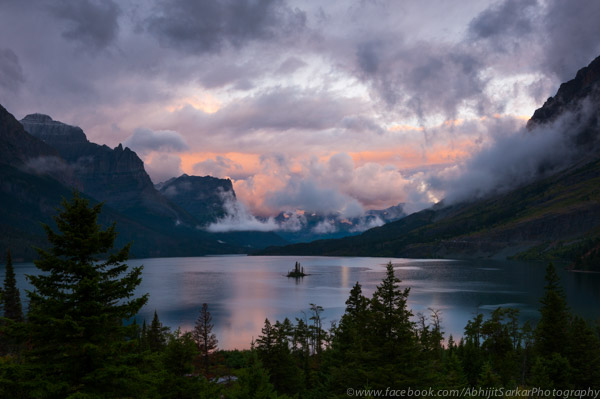
Image 1

You are looking forward to that vacation you have wanted so much? You are not the only one. Amidst our work, family and everything else, we all need a little getaway at times. I travel extensively throughout the United States and based on my experience, I am going give you some tips to make the most of your hard-earned vacation time. Please be advised that I speak from a photographer’s perspective but most of what I say applies to any kind of vacation, not just a photo trip.

Plan, Plan and Plan

I cannot overstate this. Whether you are traveling across the ocean or a place only a few hours from home, the better you plan, the more time you will have on your hands when you arrive. Plan for the time of the year and time of the day.

Allow for more time during peak tourist seasons and in the middle of the day. Most people sightsee between 9 a.m. and 5 p.m. Photographically, that time generally doesn’t yield good light (do not give up, read on) so if you are wondering why the fall colors do not look awesome in your pictures, that is why.

Image 3 1

You could use midday for visiting indoor attractions like museums, cathedrals, barns, checking out the downtown or perhaps do some street photography. I should clarify – I do not mean to say that street photography does not benefit from great light – however, you can often pull off a shot in diffused light or just based on the emotion of the people involved.

If you are into Infra-Red (IR) photography, you have a great advantage over those who are not. IR can be shot in strong daylight, often requiring long exposures even in the sun.

We live in an age where you can find more information about a place with a few clicks, than was possible by visiting that place twenty years ago. Put Google maps to work for you. Check out sites like Trip Advisor for first hand information from other travellers. Ask questions in forums. If the place you are traveling to offers tourist guides and maps, order those ahead of time and use them in your planning. If you are planning to shoot a famous landmark, check out sun and moon positions for best light. One app I use for that is The Photographer’s Ephemeris (TPE). Look at other photographers’ images made at these locations. I am not suggesting that you plagiarize, but there is nothing wrong in drawing inspiration from well-acclaimed work.

Keep an Eye, or Two, on the Weather

Image 4

Weather plays a crucial role in any outdoor photography, especially landscape. Human beings have yet to invent a softbox that could light a mountain or a diffuser that could soften the harsh light on a forest.

Weather also dictates the choice of subjects. On overcast days, you are better off shooting intimate forest scenes and waterfalls than, say, rocky shorelines. The greenery in the forest can literally glow on overcast days. Break open a polarizer and you have a winner.

Image 5 1

Moving water can be shot with slow shutter speed (long exposure) to get that milky effect. Depending on the available light, you may have to use a neutral density filter to achieve a slower shutter speed.

Bad weather can make for some very compelling images where the ominous clouds, play of light and shadows create a mood and drama that are not found under clear sky.

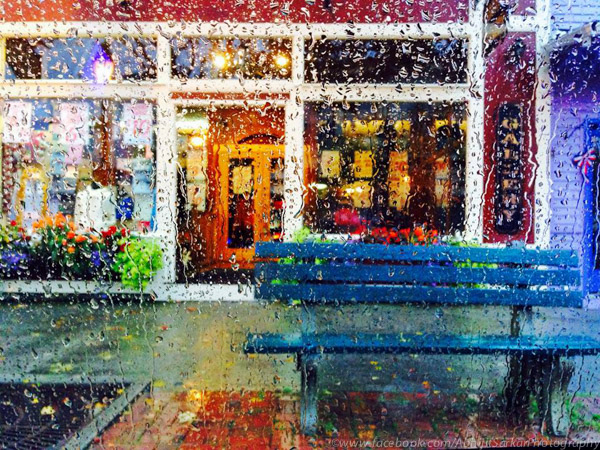
Even if it is raining, you do not need to give up. Unless it is pouring cats and dogs, you could add some macro shots to your portfolio. Colorful storefronts also make great rainy day subjects where you could literally shoot from inside the car letting those raindrops on the windows add drama to the scene.

Be Prepared to Adjust the Plan

Perhaps this is a continuation of what I said earlier about planning, but it is so important that it deserves separate mention. It’s all good if you have a great plan but you cannot control Mother Nature. She may decide to throw a curved ball at you and if you are not ready, it could cause big disappointments. Roads may close unexpectedly, rain could kick in suddenly, and sites could be closed due to increased wildlife activity. Things could happen that are beyond your control. Be open to shuffling your itinerary, adding things that you thought you would not be able to do or see, and giving away on some others. The point is, being flexible is key when you are traveling.

Know Yourself

Image 6 1

This may sound a little odd, allow me to explain. To be able to fully enjoy your time off, you should be very clear about the things that you like to do and those that you do not. If the word “vacation” means to you sleeping in, relaxing by the fire with a drink or taking a boat ride, you may not be happy to pack seven mile hike, rock climbing, or canoeing into your schedule. On the other hand, if you are an outdoor buff, staying indoors could seem like a terrible waste of time. When traveling with family, it is important to know everyone’s preferences, then if they are different, strike a balance amongst them all.

When traveling with a companion, it is a great advantage to have similar likings. That does not only mean way of living. Meal habits are very important too. Perhaps you are one who does not like to spend a lot of time looking for an Italian restaurant in an unknown place. Your companion, on the other hand, could be a strict vegetarian and very picky about where they eat. Unless you are conscious about those differences, you could be spending time resolving conflicts instead of doing what you are there for.

Have Extra Cash Available

Image 7

When you are traveling, being a Scrooge is often not the best way to go. I am not suggesting that you splurge but most vacation spots make their money from seasonal tourism. Thus, everything will be more expensive than usually justified, and that means everything from food, to room rent, to souvenirs. If you are constantly counting pennies, it will occupy your mind, rather than important things. Keep some budget for unforeseen expenses and when those happen, do not sweat it. Enjoying your time matters more than money.

Do not Take it too Hard

Image 8

Sometimes unfortunate things happen even after the best of planning. You cannot do anything about that. I hope not, but should you run into any such situation, just take it in strides. During my trip to the Acadia National Park, I took a fall, twice. I got several deep cuts, hurt a finger so bad that I was afraid that I might have broken it (luckily not), worst of all my camera gear was damaged. I did not lose heart or cancel my vacation. I just dealt with it; got the injuries checked out at an urgent care, did first aid, took painkillers and did what I was there to do – photography. The point is, bad things happen; it’s not the end of life but rather, part of it. Have fun!

The post How to Make the Most of Your Hard-Earned Vacation Time Photography Wise by Abhijit Sarkar appeared first on Digital Photography School.


Digital Photography School

 
Comments Off on How to Make the Most of Your Hard-Earned Vacation Time Photography Wise

Posted in Photography


Time to Go Macro With the Canon EF 100mm f/2.8L Macro IS USM Lens

25 Oct

Just Wait Until Midnight

While the EF 135mm f/2L USM is my favorite Canon L Series lens, one thing it does not do is macro photography.

With a minimum focus distance of 3 feet, the EF 135mm lens can do a great job with a lot of flowers or other traditional macro subjects, but it really cannot do traditional macro work.

If you want a very high quality portrait lens that can also do macro work, the EF 100mm f/2.8L Macro IS USM is the lens for you. Like the EF 135mm lens, this lens is an Image Stabilization lens which is helpful to minimize camera shake when you take those super close very precise macro shots. This is my favorite lens to make abstract macros of flowers with. If you are into shooting insects or flowers or a close up of the human eyeball or really anything macro you can imagine you will love this lens.

What I like most about this lens though is that it is not *just* a macro lens. It takes such nice portraits and is great to use for all other sorts of photography. This makes this lens suitable for use as a primary prime lens for just about every type of photography that can also produce stunning macro work.

Just Wait Until Midnight

Shooting food is one of my favorite subjects these days. I shot the photo of caviar in this post with this lens at Michael Minna’s excellent spot in the Bellagio hotel. Be sure to try the tasting menu there on your next visit to Vegas, it’s worth it!

I also own the earlier non-L series generation of this lens and I’ll say that I’m so much more impressed with the results I get out of the newer L series version.

As a reminder, my analysis of my Canon gear is being done in partnership with Canon and I am receiving compensation for this work with them. More on Canon macro lenses here.

Just Wait Until Midnight

Just Wait Until Midnight

Just Wait Until Midnight

Just Wait Until Midnight


Thomas Hawk Digital Connection

 
Comments Off on Time to Go Macro With the Canon EF 100mm f/2.8L Macro IS USM Lens

Posted in Photography


Had a Great Time Photowalking Last Week at the Microsoft Store #MSStoreWalkSF

25 Oct

Microsoft

I had a great time out photowalking last Thursday night with a great SF crew around downtown SF. The walk was hosted by the always awesome Microsoft store in San Francisco (go check them out in the Westfield Centre in SF).

Thank you to everyone who came out for the walk. It was great to see old friends and also make some new ones. :)

We started out the walk in the center itself and got some nice photos of the great dome. From there we made our way up Powell Street, shooting some of the local color around Union Square and eventually made our way to the very top of Nob Hill. Originally we planned for the walk to take a turn down California Street and head towards downtown, but we were sort of distracted by the always imposing and always grand Fairmont Hotel atop Nob Hill.

I've Got a Room at the Top of the World

I've Got a Room at the Top of the World

We explored the lobby of the Fairmont and an elevator of us also somehow found our way to the top of the hotel with some of the most amazing views of San Francisco that exist.

After our fun at the Fairmont we headed back down California and cut through Chinatown to shoot this distinctive SF neighborhood.

Finally we finished up our way back up Market Street back to the Microsoft store where our ever so gracious host treated us to a spread of food and drinks to finish up an eventful walk.

During the walk folks uploaded their photos from their mobile phones directly to a OneDrive account and we got to watch them in full high res glory on the Microsoft store’s 110 inch LCD display while we refueled on artichoke hearts and chicken skewers.

I was super impressed with so many of the great shots that people got on the walk. If you want to see some of what was shot check out these photos on Flickr here.

I shot with two cameras on the walk. I shot with my trusty Canon 5D Mark III and on mobile I shot with one of the Nokia Lumia 1020 mobile phones.

There Has to Be an Invisible Sun

All of the photos that are in this blog post were shot with the Lumia 1020. The camera on this phone is the best camera on any phone at present. The phone has a 41 megapixel(!) camera that actually shoots in RAW! It’s got a Zeiss lens and I was super impressed with what it was able to do. I liked that the camera could be used in 100% manual mode. Having more granular control over what I was trying to do with it was really helpful. You can pick this phone up for $ 49 with a contract here.

*Disclosure: this walk and post were sponsored by Microsoft and I received compensation for working with them on it.

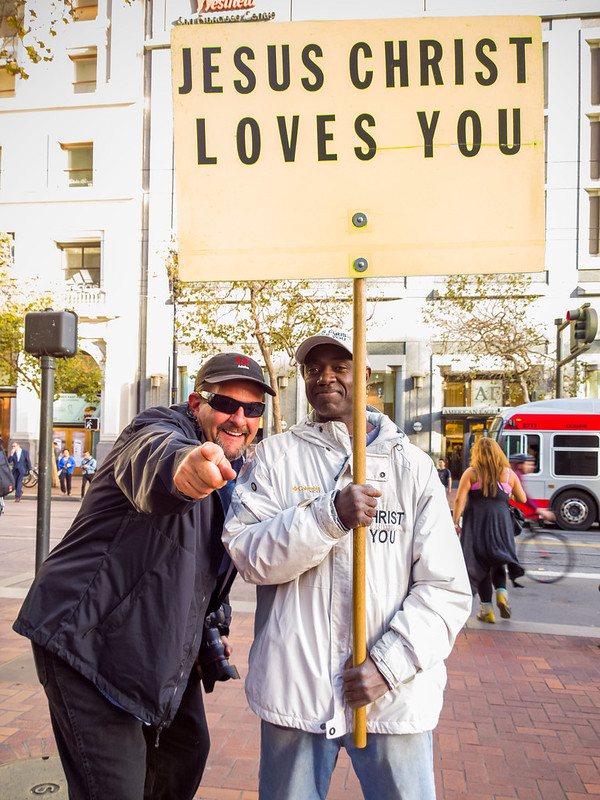
Jesus Christ Loves Barry Blanchard

His New View

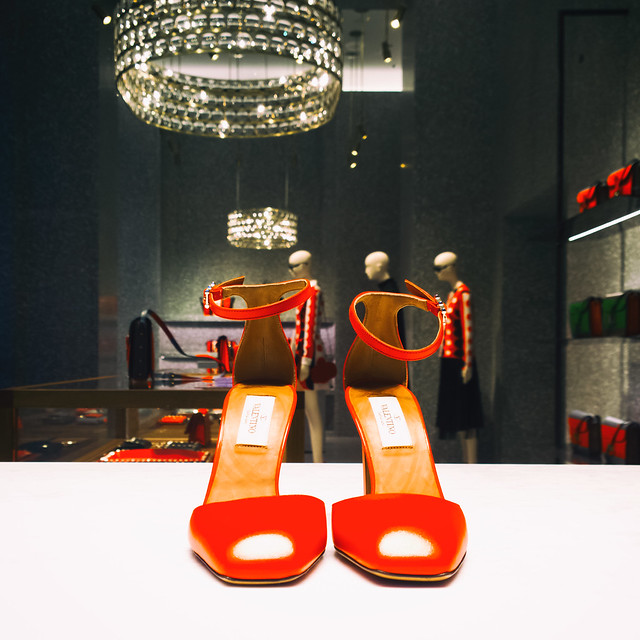
Buy Me Some Red Shoes Baby

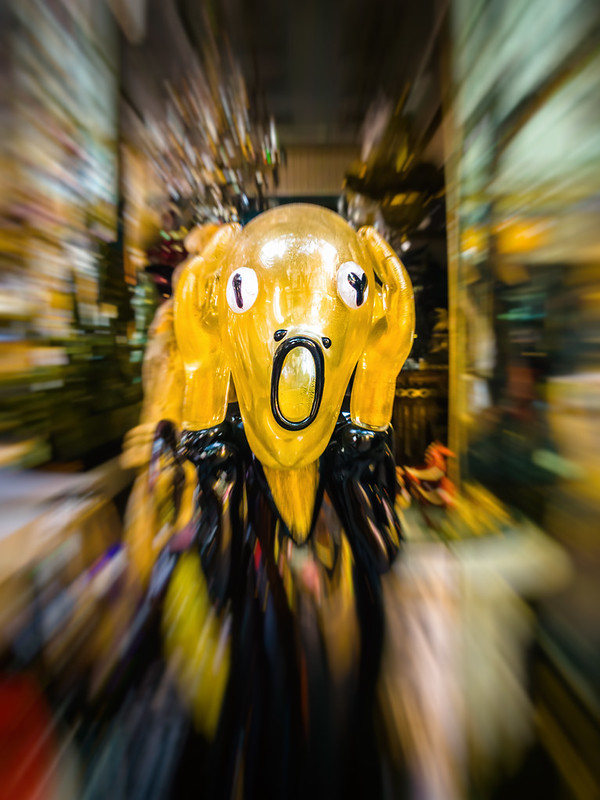
Scream

Escape

Crown

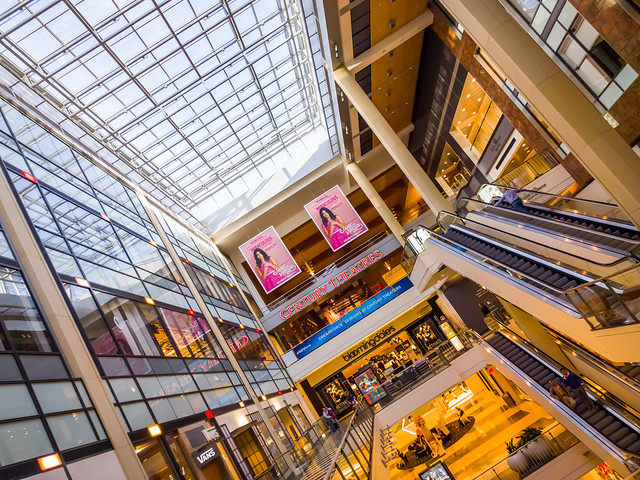
Sky Light

Neon Dancers

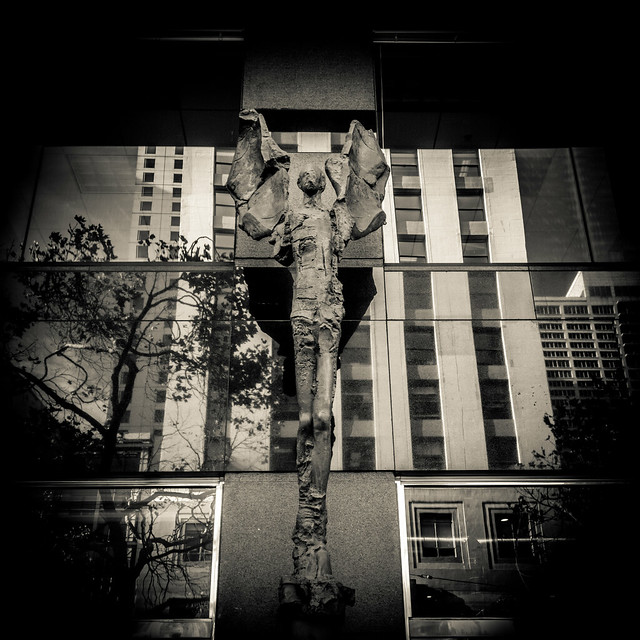
The Angels of Market Street

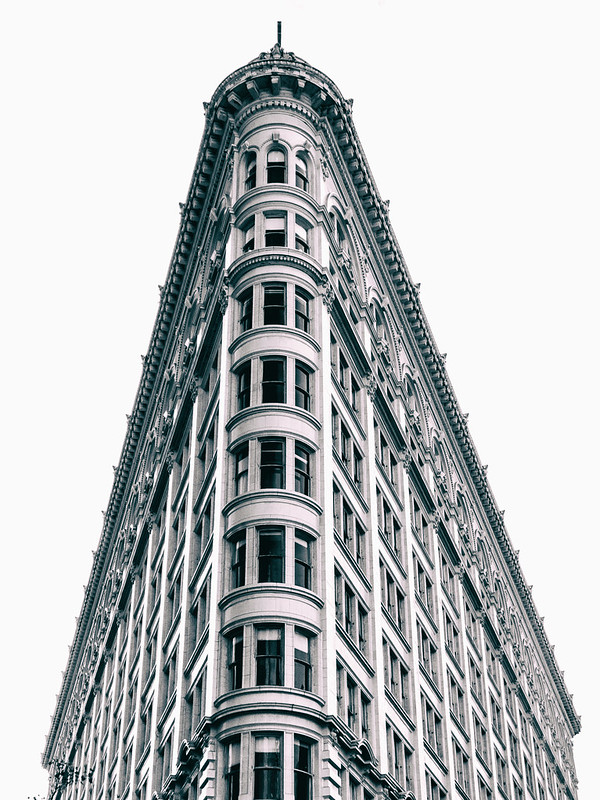
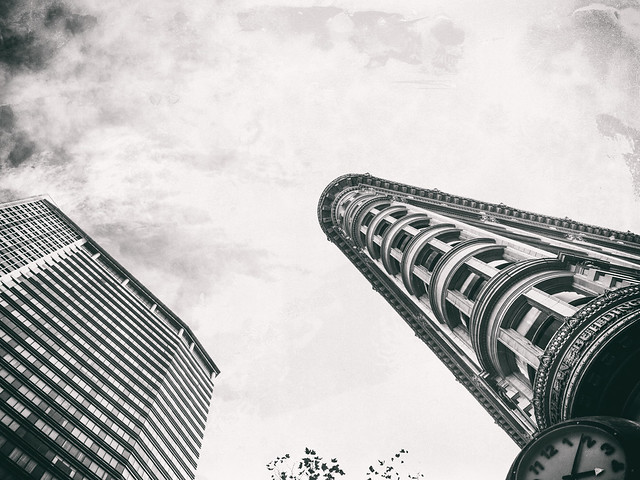
More Time for Architechts

Betty

Baby

Sharp Lines


Thomas Hawk Digital Connection

 
Comments Off on Had a Great Time Photowalking Last Week at the Microsoft Store #MSStoreWalkSF

Posted in Photography


1 September, 2014 – Sigma DP2 Quattro – Not Ready For Prime Time

02 Sep


As the digital photography age matures we are all waiting for the newest big thing. So far this year there hasn’t been anything really big. Many camera makers are upgrading their present camera models without showing any real new innovation. However, there is one company that is bold to say the least and not only introduced a radically different looking camera but also put a Foveon chip inside it.  Sigma, recently introduced the Sigma DP2 Quattro. We had the chance to try this camera out. Our review Not Ready For Prime Time will show where we think Sigma and Foveon missed the mark. Some may not agree, read on and see what you think.

You have to love a Photokina year. The next few weeks are going to be crazy with a large number of anticipated announcements as well as hopefully some big surprises. Both Michael and Kevin will be at Photokina this year and you can expect daily updates on the latest from the show floor. More on this over the next two weeks.


The Luminous Landscape – What’s New

 
Comments Off on 1 September, 2014 – Sigma DP2 Quattro – Not Ready For Prime Time

Posted in News