RSS
 

Posts Tagged ‘Them’

How to Educate Your Clients to Make Them Comfortable and Get Stellar Shots

14 Mar

We’ll never forget the look on one of our earliest client’s faces when she arrived at her photoshoot. She stepped out of her car and saw our smiling faces waiting, cameras in hand, ready to take her photo. Abject terror is an understatement. We spent half of the shoot calming her down, soothing her nerves, and making her feel right at home with the camera. Meaning we had half has much time to get the stellar images we were being paid to get.

Her deer-in-the-headlights expression has stuck with us as a constant reminder, that no matter how comfortable we are as photogs BEHIND the camera, most of our subjects in FRONT of the lens are not used to being there. We think of her every time a new client books with us, because the fault was entirely ours for not properly educating her before her shoot.

client-education

An educated client is a confident one. The onus is on you as the photographer to over-educate the client before their shoot: it doesn’t just create happier, more comfortable photo subjects, it helps you create the images you’re both dreaming of. Our goal is to always become stronger in educating our client at each stage of their shoot. We divide client interaction into four distinct categories, each with its own ideal outcome:

#1 Pre-client phase

This phase is when a future client knows about you, but isn’t necessarily in the market to hire you right away. This is the time to develop an indirect relationship with them, and begin the education process before they ever hit send on your contact page.

Your brand is spread out across multiple locations: everything from Instagram, to your interactions with guests at weddings, is announcing who you are, and what you’re about. One of our biggest goals with clients, is for them to be confident that they can trust us to be really solid humans. Being a genuinely good person, is an increasingly valuable commodity in this complex world of endless information. So, when we first started out, we set the simple plan of introducing ourselves to future clients, with every piece of media we created, no matter how subtle.

client-education-2

We knew we had zeroed in on our voice when we began getting email after email saying things like, “I feel like I know you so well already!” or, “We’ve never met, but I just think you’d be so fun to have at our wedding.” BINGO, this was our goal!

Creating a client who trusts you, begins way before you think it does. It doesn’t only hinge on email conversations, or some copy on your website. People research: your personality, brand, likes and dislikes, are attached to every piece of information you put out there, whether it’s a Facebook post or an interaction with a wedding guest.

If you mention something in a blog post that you absolutely love shooting, whether it’s a location, style, or piece of inspiration, people hear that. We casually mentioned that we love having dogs come with on engagement shoots, and suddenly our next three bookings all brought their pups, as we jaunted around town taking their photo.

client-education-5

This also works in reverse—without getting negative, if there’s something you despise during shoots (for example, we cannot abide jumping shots or fake smiles directly at the camera), talk about the opposite so people subconsciously gravitate away from it. Keep your brand consistent and true to yourself, and your future clients will begin developing trust in you, and understand what you’re all about before they ever contact you.

Education Goal: Let the world get to know your personality and trustworthiness, and in the process, subtly educate people on what you want.

#3 New client, pre-shoot phase

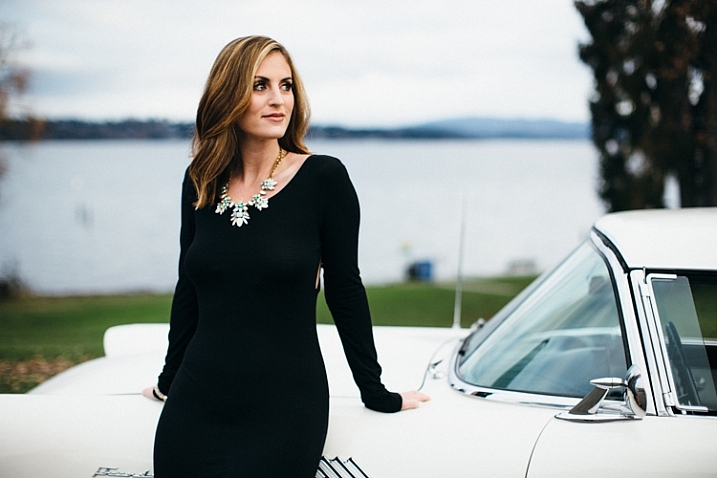
Woohoo! You’ve got a new client who just booked a shoot, and now they’re sitting around twiddling their thumbs while they wait for the shoot date. What are you going to do with them in the interim?
client-education-3

This time frame is solid gold, if you use it well. We realized early on that we could save ourselves a ton of time, and repetitive emails, if we just listened a little more closely to what clients were asking us, and beat them to the punch. The most common questions we get before a shoot are:

  • What should I wear?
  • Where should we go?
  • Do you even KNOW how stupid I look in photos? Wait, this isn’t a question, really. I’m telling you I’m the most awkward human on the planet.

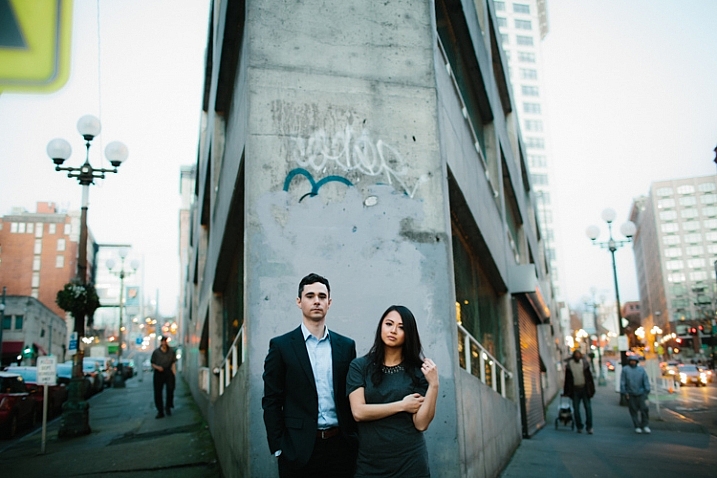
Since we can confidently predict that a client will email us with those questions (and a few more that are more or less consistent depending on the shoot style), we head them off at the pass, and send out a handy little info packet as soon as they put the deposit down on the shoot. In this fun little PDF, we cover clothing options (including How to Put Together an Outfit 101, How to Coordinate with your Lovah, and so on), recommend locations in their area (or lead them to come up with their own ideas by suggesting types of locations that you prefer shooting in), and tell them in no uncertain terms that even Naomi Campbell thinks she’s awkward (probably not a true fact) and that we have our tried and true methods of making anyone look good. At this point, an educated client is a confident client, and confidence is the #1 thing you want when they walk in the door to the shoot.
dpsclienteducpation 1

Education Goal: Have the client prance into the shoot feeling like they brought the right clothes, look bomb as can be, are in capable hands, and won’t seem like a nob on camera.

#3 Current client – shoot day phase

The day has finally arrived, the batteries are charged, the lights are on, the client is taking their first foray into being a model. What’s the best part about being the photographer? You are the one in full control of the mood, atmosphere, and pace of the shoot. Ah, the sweet smell of owning your territory. There’s nothing better, or more important on a shoot.

Okay, so you’re also at the mercy of the person in front of your lens, but the goal for the shoot is to create an ongoing verbal education, so your client is equipped to work with you in creating images together. Every photographer is a unique snowflake, and you’ll have their own methods and style for how you arrange and conduct yourself during a shoot. But the only way to tackle this, is to keep it real by continuing the extension of your brand, that you’ve been putting out there all along.
client education (3 of 1)

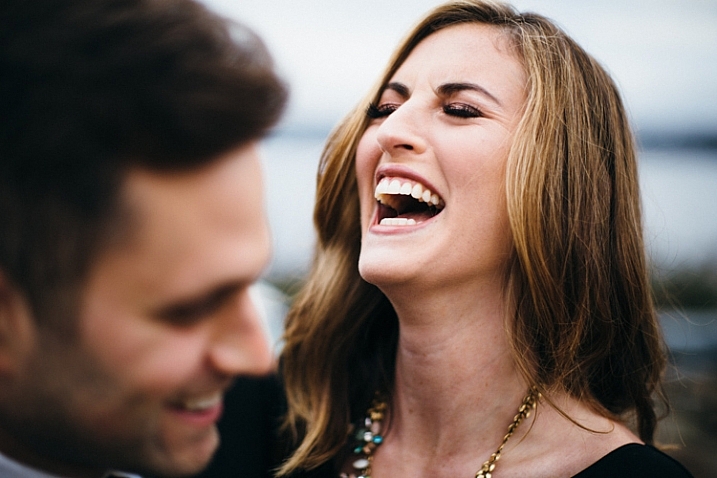
Our personal strategy, honed through shooting each other through long stints of travel (and never wanting a client to look like a deer in the headlights again), is to talk a ton. Keeping the atmosphere light is what suits us best and makes our clients happiest, but that’s not necessarily the best fit for all photographers. We just watched a documentary on Richard Avedon and couldn’t stop laughing because he was SO DARN SERIOUS all the time—talking about dead dogs, and the end of life with his clients, and otherwise basically being silent! His whole methodology gave us cold sweats, but it was completely true to who he was, and more importantly, obviously produced master-level work. We have complete and utter respect for him, because he practiced his craft in the precise manner that got him the results he was looking for, and was truest to his own brand (even if he wouldn’t have described it as such). Be the same way: cultivate your own methods of shooting and own them.

Education Goal: Make the person in front of the camera think like Beyonce. Or a dead dog, depending on what kind of shot you’re going for.

#4 Archived client – post-shoot phase
client-education-4

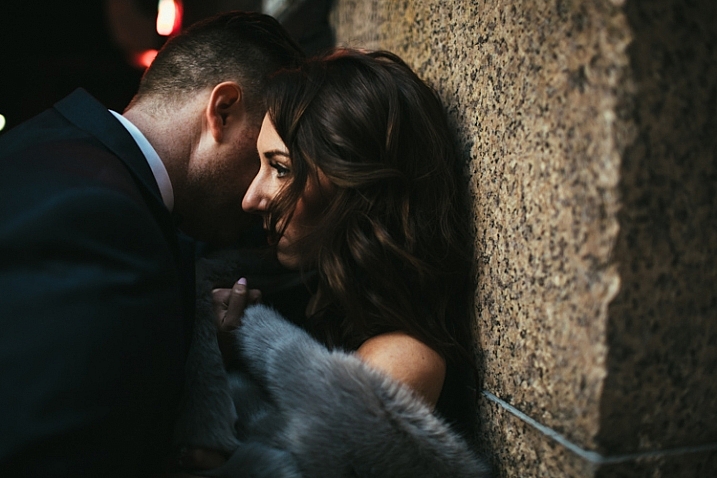
The shoot is over… now what?

Post-shoot is the time when it’s easiest to drop-off in terms of client education. The normal routine is to send the images their way, drop them a little thank you note, and move on with your life. But this is such a great time to step your game up, and help yourself out in the process!

Depending on how you deliver images, sending along a detailed explanation of next steps is a lovely last touch. Explain to your clients how to download, share, and order prints—the things that seem so simple to us, when we deal with them all day long, are surprisingly complex for the first-time print orderer or mother-in-law trying to download a set. We strictly use an online gallery for deliveries, but many photographers are still sticking with a thumb drive or other physical delivery systems. Whatever you choose, make it user friendly and simple, and explain it in detail!

client-education-6

At this point, your client is riding the high of seeing their own images come to life, after so much thought and effort went into them. May we humbly suggest taking advantage of this energy by asking for what you want! In most cases, we are thrilled if a client is happy and recommends us to their friends. At some point, we realized, “Why are we just sitting around hoping that will happen? Why don’t we ask them for help with referrals?”

The key here is to provide excellent service throughout the customer experience, and help educate them towards an experience that benefits not only them, but your business in the long term. Be specific about what you’d like them to do; ask them to like your Facebook page, follow you on Instagram, or tell their friends about their experience with you. This isn’t opportunistic or tacky when it’s done right, and most importantly, when you’ve gone above and beyond in customer service, most people are MORE than happy to pass your name along!

Lastly, sending a thank you note or gift, depending on the client, is a classy little touch that we absolutely adore doing. We look forward to the end of each wedding season, when we sit on our living room floor surrounded by individually-chosen prints and gift boxes and handwritten notes to each of our couples and send a bunch of love out into the world.
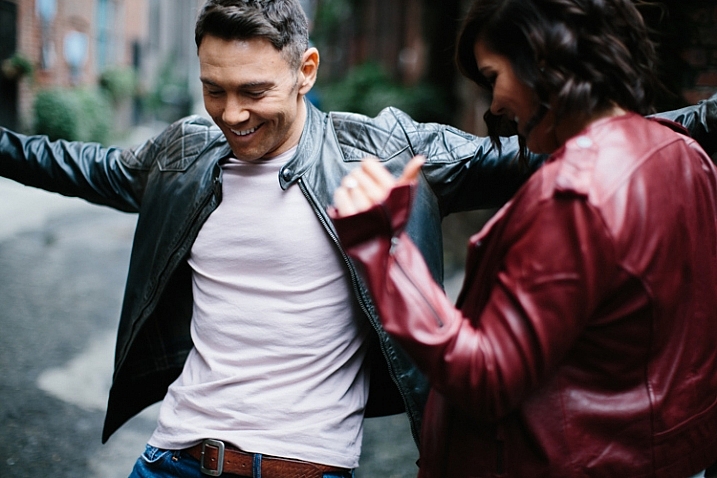
dpsclienteducpation 2

Education Goal: deliver an excellent product and encourage the client to rave about you to their friends.

At the end of the day, the relationships we create through photography never fail to blow us away with their depth and compassion, and educating a client throughout their experience with us makes all the difference. This is a work in progress, and we’re always looking for ways to improve our game, so we’d love to hear your strategies in the comments.

googletag.cmd.push(function() {
tablet_slots.push( googletag.defineSlot( “/1005424/_dPSv4_tab-all-article-bottom_(300×250)”, [300, 250], “pb-ad-78623” ).addService( googletag.pubads() ) ); } );

googletag.cmd.push(function() {
mobile_slots.push( googletag.defineSlot( “/1005424/_dPSv4_mob-all-article-bottom_(300×250)”, [300, 250], “pb-ad-78158” ).addService( googletag.pubads() ) ); } );

The post How to Educate Your Clients to Make Them Comfortable and Get Stellar Shots by Tim Sullivan appeared first on Digital Photography School.



Digital Photography School

 
Comments Off on How to Educate Your Clients to Make Them Comfortable and Get Stellar Shots

Posted in Photography


Tips for Capturing the Holiday Festivities at Home so You Can Enjoy Them Too

21 Dec

If you are a busy parent, you likely rely on your smart phone or pocket camera to capture the events of your daily life, especially at holiday times. But sometimes you want a little bit more than just the usual snaps, without the hassle of your bulky DSLR.

Photo4b details

There are some days when you often wish you had the time and ability to take meaningful photos of your family and capture special, magical times. Not the phone snaps that mostly end up as blurry images, but the ones that evoke emotion and feeling, and make new memories. There may be times when you wish you had a handful of quality photos as opposed to a hundred unrecognizable snaps on your phone or pocket camera.

This article has nothing to do with awesome DSLRs, it is about using the camera that you have with you to document fleeting moments of your family life. But it’s different from just snapping away without a little artistic vision. Instead, it’s about about seeing differently – with a creative eye, and most importantly, having fun doing so.

Note: Of course if you wish these tips can also be applied using your regular DSLR. It’s about whatever works for you so that you can still have fun participating in the activity with your family

Remember preparation is key, even if a lot of it is mental preparation and you only devote a few minutes to it. It gets you thinking and creative juices flowing.

1 photo1a

Christmas is just around the corner so let’s start get started creatively capturing Christmas at home in 10 images using the humble point and shoot pocket camera.

Part one: Capture a mini Christmas story at home in five photographs

Think of a simple theme (decorating a Christmas tree, making a Christmas card or décor, decorating a cake, etc.).
Choose a subject – a person, little or large. Find a location or corner in your own home and de-clutter the area. Choose a spot with ample light, or a light source such as next to a big window, lamps lit up, tree lights, or better yet just outside the house.

Select the macro or close-up scene mode. Turn your camera flash OFF as direct flash flattens the image and removes contrast making your photograph looking very two-dimensional. You want a play of light and shadow going on in your image to make it more interesting. Set the scene up as a fun activity with your family.

Top tip: When taking the photo, tuck both arms in, stay steady or lean on to something if that helps, and hold your breath as you press the shutter (some say press the shutter as you exhale but holding my breath works better for me).

Get ready to take photos. Wait for your moments. Take your time. Don’t snap loads of photos, rather try looking at the scene with an artistic eye. Remember you are only after 5 photos that tell a mini-story.

Photo 1: Get close and cosy

1 photo1

Choose a Christmas decoration in your home. Get really close to it and shoot at an angle so you need to tilt your camera. Shooting very close or with a wide aperture can help achieve nice blur (bokeh) in the background. In macro mode, shooting a scene that has several focal planes helps in achieving some bokeh.

Photo 2: Blur it all

Include beautiful blur in the background, or use blur as the subject of your photo. Make sure your subject is at some distance, and in front of the light source. Press the shutter while your camera is still focusing. This way you get intentional blur even while using the automatic mode.

4 photo4

Photo 3: Capture it

Choose a very simple activity, for example, ask your child to put a decoration on the tree. Tilt your camera, and fill the frame focusing in on the action. Avoid empty spaces in the background. You will have a more dynamic photo if you go close and fill the frame.

5 photo5

Photo 4: Mirror it

Make sure there is ample available light, then photograph a reflection instead of the subject. Try to use a mirror, or any reflective object like a bauble, to frame your subject.

3 photo3

Photo 5: Look straight down

Ask your subject to lie down under the tree and play with the baubles. Crack some jokes or tickle tummy and toes to get some genuine expressions. Make sure that the light from the window is illuminating your subject’s face so there is light in their eyes.

2 photo2

Part two: Capture a Christmas activity and document the process

Set the scene, the photos below show a Christmas decorating activity. Get everything ready. Buy a Christmas cake if you haven’t had the time to bake one.

Choose the look (outfits and colour scheme), as you want some sort of coordination so that there is a focus. For example, if the cake is colourful, you may want to put plainer aprons or outfits on your kids, so that there is contrast and focus, and vice versa. Limit your colour scheme to three or four colors, so there is some sort of harmony and cohesion. Try not to go too matching though.

Make it a fun activity, but explain to the children that there is a process to follow to ensure a successful outcome, therefore they must allow time for each process. In your head, plan to document this process. Give them a sequence of stages so they look forward to the next step.

Set your camera to portrait or macro. The automatic settings for these in-camera include a wide aperture so lots of light enters the lens, and a slower shutter speed which allows in more ambient light. The danger here is blur, but you can use that creatively too. To counteract blur, try to be very still, and hold your breath as you press the shutter. You can also steady yourself against a table or wall.

Get ready to document.

Photo 1: Set the context

Photo1 context

In this case, it’s the bare, undecorated cake. One of the ways you can shoot editorially is to take the photo from a bird’s eye view. To make it interesting, rather than just photographing the cake on its own, get the kids to wave their hands on top of it for some energy and action. The blurry action creates an effective contrast to the still cake.

Photo 2: Introduce the characters

Take a photo of the kids kitted out in their aprons or outfits you planned for earlier, remember to try and capture expressions. You can introduce the kids by taking a more traditional front view image, or employing some creative cropping for a more interesting take.

Photo2 characters

Photo 3: Direct the spotlight on some details

Details are so important in telling a story, enhancing memory, and evoking emotions. Choose special, or key items in the process to focus on, and photograph them close-up. Avoid too many empty spaces in the background. A full frame engages the viewer more in this case.

Photo3 details

Photo3a details

Photo 4: Document some action

Movement and blur add so much dynamic and energy to a photograph. They strengthen a story and allows for fun moments too.

Photo4 action

Photo 5: Add fun

Talking about fun, allow some silliness in the process, such as painting their faces with a bit of flour, writing their names on flour, waving decorations around while singing Christmas tunes, etc. Make it an experience, not just a secret photoshoot!

Photo5 fun

So there you have it, 10 creative photos capturing some Christmas joy in your home.

Do you have any tips for photographing the Christmas spirit in your own home, or images to share? Share them in the comments below.

googletag.cmd.push(function() {
tablet_slots.push( googletag.defineSlot( “/1005424/_dPSv4_tab-all-article-bottom_(300×250)”, [300, 250], “pb-ad-78623” ).addService( googletag.pubads() ) ); } );

googletag.cmd.push(function() {
mobile_slots.push( googletag.defineSlot( “/1005424/_dPSv4_mob-all-article-bottom_(300×250)”, [300, 250], “pb-ad-78158” ).addService( googletag.pubads() ) ); } );

The post Tips for Capturing the Holiday Festivities at Home so You Can Enjoy Them Too by Lily Sawyer appeared first on Digital Photography School.


Digital Photography School

 
Comments Off on Tips for Capturing the Holiday Festivities at Home so You Can Enjoy Them Too

Posted in Photography


How to Identify Three Common Image Problems and Fix Them in Lightroom

06 Dec

I hear it over and over, “I have a nice camera but my pictures just don’t come out as good as I expect.”

What ensues is an interrogation first about equipment selection, settings, and general technique. More often than not when we finally get down to the nitty gritty, the fact is that many people not only have a difficult time identifying what’s wrong with their photos, let alone determining how to prevent it, or fix it in post-processing.

jumping through hoops

Common problems that plague your images might be able to be fixed, but you might have to jump through some hoops to do it.

Although there are two sides to this topic (one side being nailing the shot in-camera), we are going to take a look at some common image problems that might be plaguing your photos, and ways to fix them in post-processing. This may be helpful if you want to revisit images you have in your library that may be salvageable.

I’ll be referring to Lightroom (LR) as the post-processing software, although the general adjustments can be adapted for use in other software.

#1 Washed Out

The term washed out refers to a photo which seems to have been shot through a translucent fabric. There is a uniform haze which reduces color saturation, sharpness, clarity, and contrast. There are several factors that can contribute to your pictures being washed out. It could be anything from poor quality lenses, to ghosting from shooting directly into a light source (lens flare).

The good news is that with the features and power that we have in LR, this problem can often be overcome.

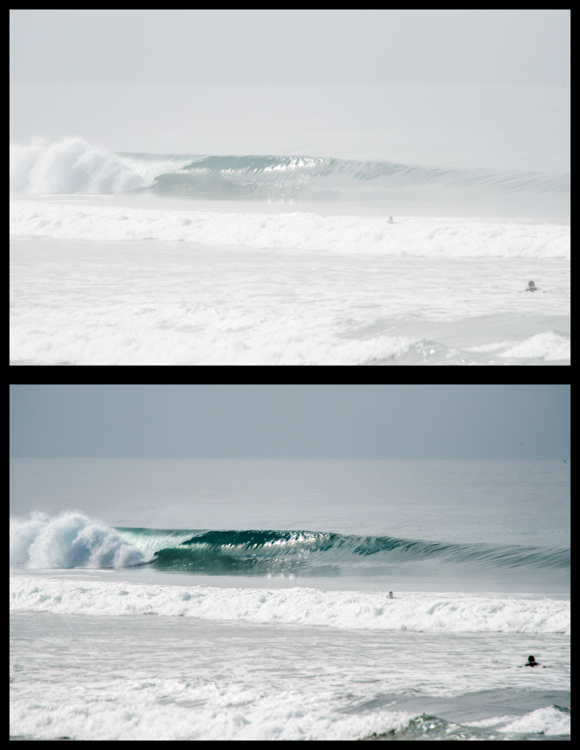
Let’s look at this photo of a beautiful wave, shot early in the morning. It was shot at 200mm with a 2x teleconverter (an effective focal length of 400mm). Teleconverters increase focal length, but are notorious for eating light, and reducing contrast and sharpness.

washed out image

Although teleconverters can wreak havoc on your images, all is not lost.

As you can see, the original shot is not very appealing. In an attempt to bring it back from the brink of unacceptability, I have made the following adjustments:

Basics panel

  • Contrast increased (+)
  • Highlights decreased (-)
  • Shadows decreased (-)
  • Whites increased (+)
  • Blacks decreased (-)
  • Clarity increased (+)
  • Vibrance increased (+)
  • Saturation increased slightly *+)

Tone Curve panel

  • Lights decreased
  • Darks decreased
  • Shadows increased

The trick here is to go back and forth between the different sliders that control darks and lights. For example, I will adjust the Highlights and Whites sliders, go to the Tone Curve panel and adjust the Highlights and Lights, then return to the Highlights and Whites again to fine tune how I want that end of the spectrum to look.

#2 Color or Tint

In my opinion, this is one of the strongest arguments for shooting in RAW format. Shooting in RAW allows you way more control correcting White Balance in post-processing, opposed to other file formats – and incorrect White Balance is the primary cause of off-colored images, or ones with a color tint.

If you haven’t developed an eye for identifying this problem, you might miss it. I see many really nice photos that have a slight tint, which is unintentional. The key is to look at areas of the image which are a neutral color, or white – this is where it is easiest to notice the off-color tint. Note that editing on a monitor which is not color calibrated may limit your ability to achieve correct White Balance.

incorrect white balance and tint

Sometimes noticing if an image has incorrect White Balance, or a color tint, can be tricky. I used LR’s White Balance eye dropper tool where the red square is (top image) – it got pretty close, but still a bit too magenta.

The first line of defence is to give LR’s Auto White Balance tool a shot. I find it to be somewhat inaccurate, but a good starting point nonetheless. Once activating the eye dropper tool, a pop-up window will show a magnified view to allow you to select pixels as close to a neutral color as possible.

From this point, you can use the White Balance and Tint sliders to fine tune the image. If there are people in the photo, your goal should be making the skin tones look as natural, and pleasing as possible.

#3 Too Much Variation in Contrast

Being confronted with a drastic contrast range is one of the most common problems you are likely to face in your shooting. After all, this is why many photographers are equipped with a polarizing filter, and why new camera models strive for an expanded dynamic range.

Luckily, you are not stuck with the image that you download onto your computer. If you are shooting in RAW there is a lot of information about details, color, etc., which you can exploit in post-processing.

Let’s take a look at this photo I snapped from inside a bookstore. It was pretty dark inside with the midday sun shining outside the window. Sure, I could have shot bracketed photos to merge into an HDR (high dynamic range) image, used a flash to balance the dark interior with the lighter exterior, or used a polarizer to darken the window portion of the scene. But I only had my camera with one lens, just grabbing some snapshots while out and about for the afternoon, so I didn’t have the means.

high contrast image

The camera struggled with this high contrast scene, but a little work in LR breathed new life into it.

So to what extent can this image be salvaged?

As you can see, the camera actually captured a lot of information, and it was just a matter of telling LR what to do with it. Here is a list of changes made to this image to give you an idea of how to do this yourself:

Basics panel

  • Contrast decreased slightly (-)
  • Highlights decreased (-)
  • Shadows increased (+)
  • Whites decreased (-)
  • Blacks decreased (-)
  • Clarity increased (+)
  • Vibrance increased slightly (+)
  • Saturation increased slightly (+)

Tone Curve panel

  • Highlights decreased
  • Lights decreased
  • Darks increased
  • Shadows decreased

Lastly, I used the Adjustment Brush to mask off the window portion and made these adjustments:

  • Exposure decreased (-)
  • Contrast increased (+)
  • Highlights increased (+)
  • Shadows decreased (-)
  • Clarity increased (+)

Conclusion

Of course, there are a host of other problems you can run into while out shooting, but these are a few of the most common you’re most likely to encounter. Don’t overlook the fact that you should try and get the best image possible while out in the field. Although editing software is very powerful, you will get best results when you don’t have to push the limitations of your editing software.

Hopefully this article has given you some guidance on how to salvage images that you may once have considered lost. Show us some examples of photos that you have saved in the comments below.

googletag.cmd.push(function() {
tablet_slots.push( googletag.defineSlot( “/1005424/_dPSv4_tab-all-article-bottom_(300×250)”, [300, 250], “pb-ad-78623” ).addService( googletag.pubads() ) ); } );

googletag.cmd.push(function() {
mobile_slots.push( googletag.defineSlot( “/1005424/_dPSv4_mob-all-article-bottom_(300×250)”, [300, 250], “pb-ad-78158” ).addService( googletag.pubads() ) ); } );

The post How to Identify Three Common Image Problems and Fix Them in Lightroom by Jeremie Schatz appeared first on Digital Photography School.


Digital Photography School

 
Comments Off on How to Identify Three Common Image Problems and Fix Them in Lightroom

Posted in Photography


4 Mistakes New Photographers Make and How to Avoid Them

01 Mar

Cameras are complex machines and to get the most out of them you need to know how they work. When you’re a new photographer shooting with a sophisticated camera for the first time, the complexity can be overwhelming. There’s just so much to learn! Now that I’ve been shooting for more than ten years, it’s interesting to go back to my early days and see the mistakes I made.

In this article we’ll have a look at four of my first DSLR photos and I’ll share what I know now that I wish I knew then, so hopefully you can learn from these mistakes.

Mistake #1 – not using exposure compensation

1/250sec f10 ISO100

1/250th of a second,  f/10, ISO100

The camera’s exposure meter will try to make the exposure “middle grey”. Since the camera has no way to tell how bright the subject is, middle grey is a good average bet. But when the subject is much brighter or darker, like the sky in this photo, it ends up getting it wrong. Today if I see a shot like this on the back of my camera, I know why it is under exposed and will adjust it by dialling in some positive exposure compensation. That would have made the clouds much brighter, and brought out details in the dark tree-covered hillside.

Mistake #2 – afraid to increase the ISO

1/30sec f5.6 ISO100

1/30th,  f/5.6, ISO100

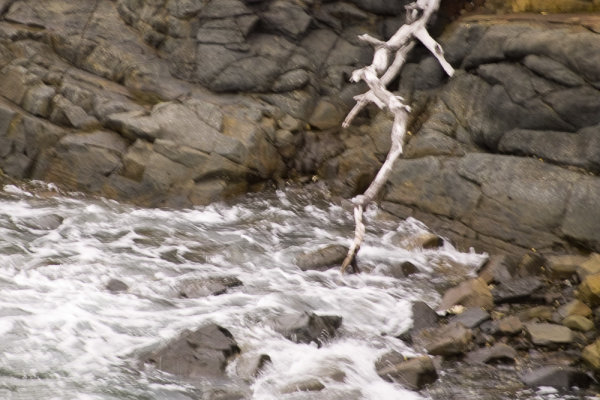
Towards the end of an overcast day, we arrived at a rocky shoreline while on holiday. I liked the texture of the rock, the white dead tree branch, and churning water. However there wasn’t quite enough light. At this stage I didn’t even know how to change my ISO, but even if I had, I’d heard that increasing it made your photo noisy. This was certainly true, especially of DSLRs 10 years ago, but 1/30th of a second at 200mm focal length just wasn’t fast enough. As a result there’s enough camera shake to ruin the photo. Today, even if I was still shooting with the old Sigma SD10 I had then, I’d know that it’s better to increase your ISO to get a shorter shutter speed, even if it results in more visible noise. A noisy photo is better than a blurry one.

Mistake #3 – not exposing for the highlights

1/200sec f10 ISO100

1/200th, f/10, ISO100

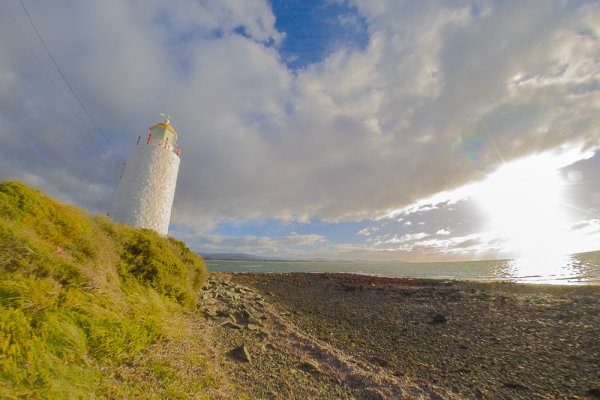
If some parts of the image are very bright, such as the sky and clouds around the sun in this photo, they can be “clipped” by the camera. This means that there is more brightness than the sensor can differentiate, and as such, whole areas of the photo are rendered as white with no detail. Once part of a scene is clipped, nothing can bring that detail back, and it can ruin a shot. Clipped highlights are unattractive and draw the eye in a negative way. In high contrast situations it can be really tricky to capture detail in the highlights and shadows at the same time, but because they draw the eye so much, it’s preferable to preserve detail in the highlights.

While the sun is always going to clip in a photo, preserving details in nearby clouds is possible. For this shot I should have dialled in some substantial negative exposure compensation. Even if this made the rest of the photo too under-exposed, because I was shooting in RAW, I’d still be able to bring out a lot of detail when processing the photo. That way only the sun would be clipped and the clouds and water would look much more natural.

Mistake #4 – not controlling depth of field

1/200sec f8 ISO100

1/200th, f/8, ISO100

I wanted to capture the gorgeous texture on this interesting rock, but still show enough of the background to give it context. The background however, is too in focus and ends up being a distraction, competing for attention with the rock, which should be the star of the photo. I was shooting in program mode (auto), and there was plenty of light. The camera realized this and chose an aperture of f/8. This was narrow enough to increase the depth of field so that the background wasn’t nearly blurry enough. If I was taking this shot today I would put the camera into aperture priority mode with the mode dial, and open the aperture wider. Possibly to its full width, which on this lens was only f/5.6. This would have blurred the background more, letting the rock get all the attention.

If I could go back and tell myself something when I was starting out, I’d emphasize the importance of shooting as often as possible, not to worry about making mistakes, and keep looking to other photographers (both online and in person) as a source of inspiration and learning. Finally, I’d tell inexperienced me that you will never ever stop learning.

How about you? What are the biggest things you learned (or are still learning about) to improve your photography?


pnbvideo_box.pngNeil is so invested in helping others to become confident with their cameras that he has created dPS’s very first online video course Photo Nuts and Bolts. From shutter speed, to aperture and exposure, Neil explains clearly so that you can start shooting with confidence…

googletag.cmd.push(function() {
tablet_slots.push( googletag.defineSlot( “/1005424/_dPSv4_tab-all-article-bottom_(300×250)”, [300, 250], “pb-ad-78623” ).addService( googletag.pubads() ) ); } );

googletag.cmd.push(function() {
mobile_slots.push( googletag.defineSlot( “/1005424/_dPSv4_mob-all-article-bottom_(300×250)”, [300, 250], “pb-ad-78158” ).addService( googletag.pubads() ) ); } );

The post 4 Mistakes New Photographers Make and How to Avoid Them by Neil Creek appeared first on Digital Photography School.


Digital Photography School

 
Comments Off on 4 Mistakes New Photographers Make and How to Avoid Them

Posted in Photography


10 Common Photography Mistakes and How to Overcome Them

25 Feb

You’ve got your DSLR and you are excited to test it out. You might have gone out for the first few days or perhaps weeks and then all of a sudden the excitement wears out. Why?

Because you don’t seem to get what you want out of your mighty DSLR, right? You may have spent countless hours in your college, office, or at home in search of a best DSLR that can take the best photographs you want. All your efforts have gone in vein and you have a frustrating backlog of your actual work.

Next time you feel such frustration about your photography remember this quote:

“You will only fail to learn if you do not learn from failing.” – Stella Adler, The Art of Acting

So, get ready to learn about the 10 common photography mistakes that you may have committed and how to overcome them.

1. Wrong White Balance (WB)

The first and foremost mistake is setting the wrong White Balance. We see white as white under all lighting conditions, but the camera doesn’t. You have to guide the camera to know the light source of the current scene you are photographing.

Say you are shooting in daylight; if you set the camera’s White Balance to Cloudy then the scene will have orange cast. On the other hand if you are shooting in cloudy light and the camera White Balance is set to Daylight then the scene will have blue cast.

Here’s an easy way to remember this:

  • White Balance Temperature (K) setting = Actual light source = No Cast
  • White Balance Temperature (K) setting < Actual light source = Blue Cast
  • White Balance Temperature (K) setting > Actual light source = Orange Cast

Solution: Set the correct White Balance in the field or shoot in RAW mode. If you shoot RAW, you have a choice to set the correct White Balance in post-processing.

1 Common Kingfisher blue bird Bokeh Effect Bharatpur Bird Sanctuary Keoladeo National Park Nature Wildlife Bird Photography by Prathap

2. Overexposed Highlights

Remember that the dynamic range of your eyes is far greater than the camera’s dynamic range. Dynamic range is the ratio between the brightest elements to the darkest elements in the scene.

You might see the details in both brighter as well as darker regions, but the camera wouldn’t be able to record those details. As a photographer, it is your responsibility to make an exposure that is pleasing to the viewer’s eyes.

Humans are more sensitive to the highlights than the shadows. Overexposed highlights (white patches in a photograph) are more unacceptable to our eyes than underexposed shadows (black patches).

Solution: Expose for the highlights so that nothing gets overexposed, unless you are doing it intentionally. Almost every DSLR will have a blinking indicator (highlight warning, also simply called The Blinkies) that shows overexposed regions in your photograph on the LCD monitor during image playback.

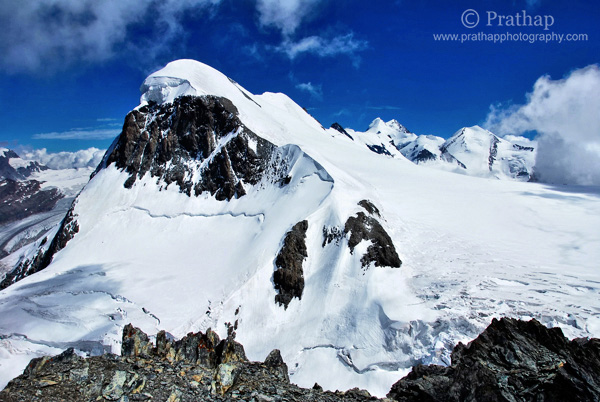
2 Magnificent Swiss Alps Switzerland Mountains Nature Landscape Wildlife Bird Photography by Prathap

If there are blinkies, then go ahead make exposure compensation (underexpose the scene by the required amount) to get that right.

3. Subject in the Center

It is a common tendency of a beginner photographer to keep the subject in center of the frame, which yields a boring, static composition. The viewer has nothing else to look for his/her eye goes straight to the subject and is stuck there.

Solution: Use the Rule of Thirds and keep the subject out of the middle of the frame. An off-centered subject makes the photograph dynamic and uneven negative space creates interest.

3 Jungle Babbler Shallow Depth of Field Bharatpur Bird Sanctuary Keoladeo National Park Nature Wildlife Bird Photography Prathap

4. Wrong Focus

No matter how good your photograph is technically, if the focus is not sharp enough, then your photograph doesn’t work. The main subject of interest needs to be in sharp focus, otherwise viewers will get distracted and will not find a point to rest on in the image.

We see objects sharp in reality so we expect them (at least one) to be in sharp focus to make any sense.

Solution: Make sure you check the focus by zooming in on your subject after you take a photograph (zoom feature in playback mode). Make sure there is enough light or color contrast between the subject and the background so that autofocus is able to lock the focus properly.

4 Perfect Reflection of Frog submerged in Water Nature Wildlife Bird Photography by Prathap

If you are making a portrait, then focus on the eyes of the person (or bird or mammal), because the viewer needs to make eye contact.

5. Breathing Space

It is quite common to fill the frame with your favorite subject so that it looks big in the frame. But how often does it feel that they are squeezed in the frame? They look suffocated because there is no place to move, forget about the movement there is no place to breathe!

Sometimes there will be enough space around the subject, but in the wrong direction – which is no good either.

Solution: Rule of Thirds is the best composition technique that helps you to give enough space around the subject. Think about the image border as a concealed box where there is no ventilation, you don’t want your favorite subject to suffocate.

5 White tailed Kite Taking Off in Bharatpur Bird Sanctuary Keoladeo National Park Best Bird Sanctuary Rajasthan Nature Wildlife Bird Photography by Prathap

6. Cluttered Background

This is probably the most common mistake of all. Why? Because, it’s a common tendency to take photograph the moment you see something beautiful or interesting. So, what’s wrong with that you may ask.

Nothing. But have you paid attention to the background? Probably not. You are so overwhelmed by the subject, that you hardly notice anything around it.

A cluttered or distracting background plays the major role in ruining photographs.

Solution: The real photography starts after you choose your subject. Once you’ve done that, forget about it. Pay attention to the rest of the scene; include only those things that complement your subject and exclude everything else.

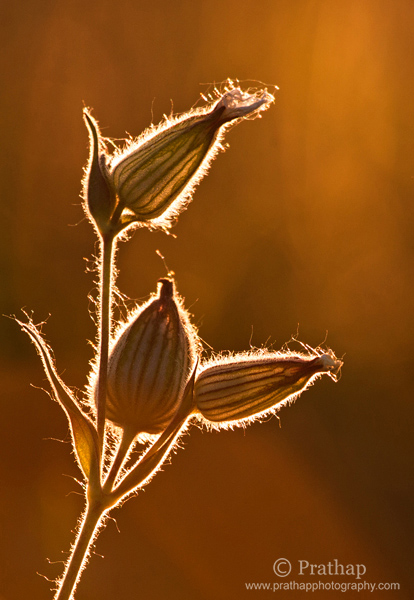
6 Painting with Light Art in Nature Backlit flowers in Golden Hours of Sunset Nature Wildlife Bird Photography by Prathap

The background makes the picture. Cleaner background makes the subject stand out making it the primary focus for a viewer.

7. Skewed Horizon

Another mistake that I see quite often is that horizon is not perfect. This is such a simple thing to notice but still a whole load of photographs have skewed horizons.

How can you miss that? Viewers feel uneasy when the horizon is skewed. It also indicates that the vertical subjects should be perpendicular to the ground. A person, building, bird, or tree tilted to one side makes them vulnerable to fall (unless of course they are tilted in reality like the Leaning Tower of Pisa).

Solution: Use the grid overlay while composing in the field, or correct the horizon using the Crop and Straighten Tool in the post-processing stage. Find a subject in the scene/photograph that should be horizontal or vertical in reality, and use it as a reference when you straighten the image.

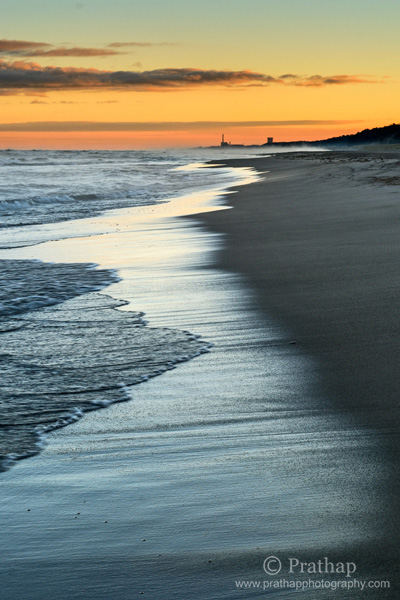
7 Beautiful Sunrise in Indiana Dunes State Park Beach in Golden Hours Nature Landscape Seascape Wildlife Bird Photography by Prathap

8. Lack of Depth

Remember, Photography is two dimensional medium but we see everything in three dimensions. Photographers often miss the depth that is inherent in photography.

You saw that most beautiful scene in 3D and you captured it, but you wonder what went wrong as you stare at your monitor, right? Something is missing. This is not what you saw.

Why? You didn’t realize that you are capturing a 3-Dimensional scene in a 2-Dimensional photograph.

Solution: There are lots of ways to create depth – include a foreground object, use leading lines, use perspective distortion, change the point of view, and so on. But the most important thing to remember when you are out in the field is that a photograph is 2-Dimensional.

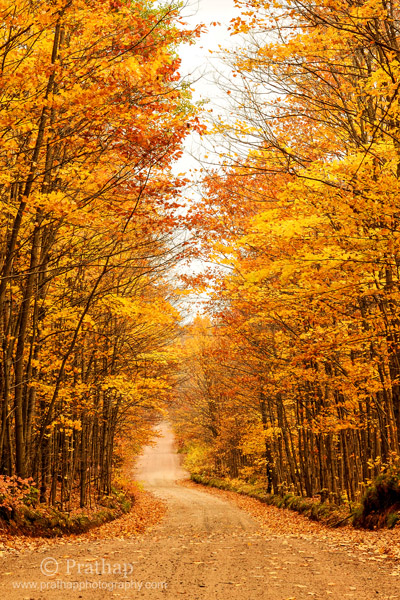
8 Beautiful Fall Foliage on the way to Agate Falls in Upper Peninsula Michigan Autumn Colors Nature Landscape Wildlife Bird Photography by Prathap

9. Too Much in the Photograph

Too much of anything is bad. When you see a scene, you see it as whole, which is natural. But if you try to include everything that you saw in one image then you end up with a photograph that has too much.

When you looked at the scene, were you really looking at the entire scene at once? Think about it. If you do this exercise of how you actually consume a scene you will know a whole lot more.

Solution: Try simple compositions. Instead of making one photo of the entire scene, ask yourself what interests you the most? Then pick that subject and make a photograph that emphasizes only that subject.

9 Backlit Flowers in Golden Hours in Sunset Rollins Savannas Forest Preserve Gryaslake IL Nature Macro Wildlife Bird Photography by Prathap

What is in a photograph is just as important as what is not in there. Once you master these simpler compositions you will be able to take grand landscapes in a much simpler, but more interesting ways.

10. Bad Light

Photography is all about Light. No light means no photography. But light has quality and direction. The best photographs are normally done in the golden hours and just few hours before and after sunrise and sunset when the light is at its best.

Many photographers don’t seem to care about the direction and the quality of light at all. Either the light is so harsh that there are multiple patches of light and shadows in the scene, or the subject’s eyes are in dark shadows, or light is just flat making the photograph 2-Dimensional, and so on.

Solution: Remember that photography is all about Light. More you learn to see the light better photographer you will become.

10 Double Crested Cormorant Golden Hours Sunset Bharatpur Bird Sanctuary Keoladeo National Park Best Bird Sanctuary Nature Wildlife Bird Photography by Prathap

The best way to appreciate light and its amazing qualities to transform a scene, is to go to the scene before sunrise and stay beyond sunset.

Final Thoughts

Still waiting to hear more?

Go ahead and correct the mistakes now. You will see yourself becoming a better photographer when you take control over these common mistakes.

Good luck!

googletag.cmd.push(function() {
tablet_slots.push( googletag.defineSlot( “/1005424/_dPSv4_tab-all-article-bottom_(300×250)”, [300, 250], “pb-ad-78623” ).addService( googletag.pubads() ) ); } );

googletag.cmd.push(function() {
mobile_slots.push( googletag.defineSlot( “/1005424/_dPSv4_mob-all-article-bottom_(300×250)”, [300, 250], “pb-ad-78158” ).addService( googletag.pubads() ) ); } );

The post 10 Common Photography Mistakes and How to Overcome Them by Prathap DK appeared first on Digital Photography School.


Digital Photography School

 
Comments Off on 10 Common Photography Mistakes and How to Overcome Them

Posted in Photography


Natural Style Newborn Photos: The Way I Like to Remember Them

03 Feb

246

Why natural lifestyle newborn photography?

There are lots of different styles of photography when it comes to capturing a newborn baby. Some people love to use lots of props, and introduce many fun things into every photo. Some are experts at posing the baby in unique and whimsical positions.

Although I can appreciate all the different styles, I prefer to capture a newborn baby the way that I remember my three newborns. My kids are almost all grown up now, and it’s hard to remember exactly what they were like when they were brand new. Every once in awhile, I have sweet memories of how they were once upon a time. The sweet smell of a newborn’s head. The skinny knees stretching out. The reflex grasp of those tiny fingers. The perfect little toes and wrinkly feet. The million different expressions that could keep me entertained for hours. The soft cheek, and even the peeling skin that inevitably showed up for a little while.

These are the things I remember. These are the memories I cherish. These are the moments I try to preserve with my camera with natural newborn photos.

187

Keep it real

One of the wonderful things about photographing babies more naturally, is that you can let so many ideas of perfection go. If your baby loves a pacifier, photograph him with a pacifier. If she’s having a fussy day, grab a few crying photos. It’s okay, because it’s life. Real life. We’re not trying to create an illusion that the baby is something other than who he is, that very moment.

Be patient and flexible when photographing newborns, and leave lots of time to stop for feeding, burping, or changing a diaper. If your goal is to just capture baby as she is, you don’t have to be as worried about getting a whole session in within the two week old time period. It’s okay if baby isn’t quite as moldable if you aren’t trying to mold them into anything in particular. Since we’re just keeping it real, you can be more relaxed. Shoot another day if the first day you try just doesn’t work out. Also, you don’t have to stress out about keeping the baby sleepy the whole time. If he’s asleep, photograph him that way. If she’s wide awake, capture those eyes. It doesn’t matter.

167

Get the details

I love to photograph little details. I can’t hold a newborn without pulling her socks off to have a peek at her feet. That means that I can’t photograph a newborn without getting a few shots of those perfect little baby feet, either. Find the little details you love, and capture them. Feet, hands, ears, knees, hair; everything is cuter in miniature. It’s a good idea to capture hands and feet with mom or dad’s hands holding them too, because it will help the parents remember exactly how small they were.

Don’t wait for a perfect expression. Those wrinkly foreheads, big yawns, hungry mouths, pouty lips, and even those sad cries can be perfect photo opportunities. Baby faces are fascinating!

171

Shoot wide open

I like to use a pretty wide aperture when I photograph these details. If you can shoot at around f/2, give or take, those details will be the star of the photo. You won’t be distracted by other things, and the part you want to highlight will look especially sharp. Shooting wide open is a good idea when you are capturing other newborn moments, like baby’s bath, putting socks or a hat on, swaddling, or anything that you want the focus to be on or a particular action.

Be careful when you are shooting with a depth of field this shallow that your focus is EXACTLY where you want it, and that you don’t move after you lock in your focus. A slight movement from you or the baby could put your photo completely out of focus, and ruin what you are trying to achieve.

For more help shooting indoors with a wide aperture, you can read my article on Indoor Portraits Using Natural Light.

180bw

Capture baby’s world

You might want to get some photos of your sweet newborn in her carefully decorated crib or nursery. If there’s a rocking chair that he loves to be held in, photograph mom or dad rocking the baby. One of my favorite memories with my babies was getting them out of their crib in the morning, or after nap time. They always seemed so happy to see me, and they looked so sweet and small in those big cribs. I wish I had photos to help me remember those times in better detail. Think of baby’s little world, and photograph him in the places he spends a lot of time in.

You could also take photos of the little things that are part of life with a baby, without the baby in the photo. Stacks of diapers, rubber ducks, teeny shoes, bottles, pacifiers, etc. can be photographed to remember what life was like when your house was overtaken by baby things.

169

Show the love

Don’t forget to capture how the rest of the family feels about the new baby. Photograph sister’s look of adoration. Photograph brother’s fascination with baby’s little toes. Photograph mom’s absolute love for her tiny new being. Photograph dad’s proud protectiveness, and contrasting rough, big hands.

177

Sometimes the relationships the family has with the new baby are my very favorite thing to photograph. The love and bonding that happens so quickly with a new baby in the house is an amazing thing, and those special moments are so important to preserve.

Be careful with young siblings that you keep the newborn safe as you are photographing them. You can capture their natural reactions to the baby while still keeping the baby safe. Let them sit near their little brother or sister if they’re too young to hold the baby. They can pat him, or lightly kiss him on the head. If you have a young child hold the baby, make sure someone is standing right outside the frame to take the baby as soon as little sister is “done”, because sometimes that can happen very suddenly.

188bw

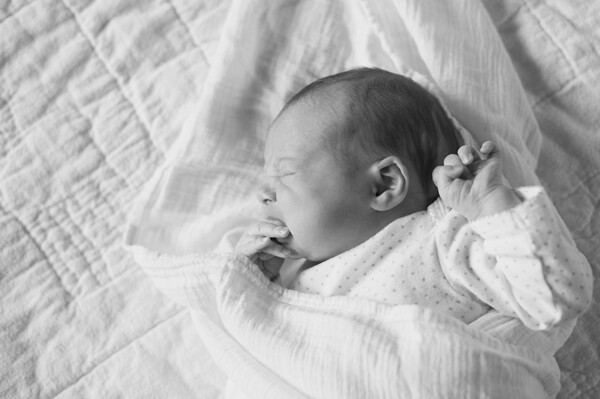
If you’ve always thought that baby photos had to be perfectly posed and creatively propped, give lifestyle newborn photography a chance. Try photographing a new baby swaddled in a blanket. See if you can capture a bunch of funny expressions, or capture “a day in the life” of the newborn. You may decide that these natural, real life photos are your favorite after all.

googletag.cmd.push(function() {
tablet_slots.push( googletag.defineSlot( “/1005424/_dPSv4_tab-all-article-bottom_(300×250)”, [300, 250], “pb-ad-78623” ).addService( googletag.pubads() ) ); } );

googletag.cmd.push(function() {
mobile_slots.push( googletag.defineSlot( “/1005424/_dPSv4_mob-all-article-bottom_(300×250)”, [300, 250], “pb-ad-78158” ).addService( googletag.pubads() ) ); } );

The post Natural Style Newborn Photos: The Way I Like to Remember Them by Melinda Smith appeared first on Digital Photography School.


Digital Photography School

 
Comments Off on Natural Style Newborn Photos: The Way I Like to Remember Them

Posted in Photography


8 Quotes From Master Photographer Ansel Adams and How You to Apply Them to Your Photography

22 Jan

The technology of photography has been evolving at a very rapid rate. Most of our cameras are almost obsolete by the time we purchase them! But one thing about photography hasn’t changed over the years and that is the art of photography. We can learn so much about the that from the masters of yester-years. Ansel Adams was one of these great masters, best known for his iconic black and white images of the American West. Let’s review some quotes from Mr. Adams and consider how we might apply them to modern day photography.

This image was part of a digital display that ran alongside the temporary exhibition, Ansel Adams: Photography from the Mountains to the Sea on at the National Maritime Museum, Greenwich from 9 November 2012 - 28 April 2013.

This image by Bruce Wunderlich was part of a digital display that ran alongside the temporary exhibition, Ansel Adams: Photography from the Mountains to the Sea on at the National Maritime Museum, Greenwich from 9 November 2012 – 28 April 2013.

“Expressions without doctrines, my photographs are presented as ends in themselves, images of the endless moments in the world.”

You surely have heard the expression, “A picture paints a thousand words.” Ansel thought of his images as expressions of how he felt in the moment he released the shutter. These expressions require no words of explanation. He was also quoted as saying “A true photograph need not be explained, nor can it be contained in words.” Likewise, we should look for moments in the world around us worthy of a captured image, which affects us emotionally before we click the shutter.

“Twelve significant photographs in any one year is a good crop.”

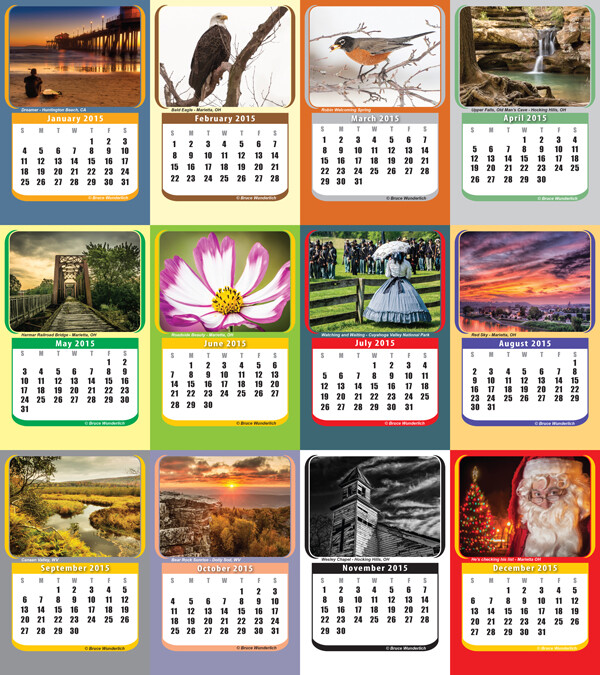
It is always a good idea to keep your portfolio up-to-date. A yearly inventory of your work, examining what you captured well and what you need to improve upon will help keep you focused on your artistic expressions. Photographers with digital technology have the tools to take many more images than Adams could with film and plates, so here’s a suggestion: Perhaps the number 12 suggests aiming for one memorable image each month. Take these most significant images and create a calendar featuring your art that you can give to friends. Regardless, keep your favorite images, your “crop”, organized and ready to share.

My 2014  "crop" in my 2015 desk calendar

2014 “crop” presented in a 2015 desk calendar.

“Sometimes I do get to places just when God’s ready to have somebody click the shutter.”

One favorite story about Ansel Adams centers around the circumstances of one of his most iconic images, “Moon rise over Hernandez”. As he was driving from what was described as a very unsuccessful day of shooting in New Mexico, suddenly Ansel pulled the car off the road when he saw the now famous subject. The light was changing so quickly that he was only able to get one exposure before the light was gone. Never think a day of shooting is a waste, that iconic image might just be around the next bend.

“There are no rules for good photographs, there are only good photographs.”

In a statement for a 1932 exhibit in San Francisco, Ansel listed his two “rules” of photography:

  1. The completed image must directly reflect how the subject appeared in the camera.
  2. He had to see the finished photograph in his mind before the shutter was released.

One of the most important things Ansel Adams left with us was this principle of pre-visualization. This mental vision of what he was expecting to communicate with the images he created is what makes them so prominent even today, some three decades after his death. We see too many photographers out in today’s world just aiming and shooting, not taking the time to think about the subjects before them and how the resulting image will speak to (or not) the viewers of the image.

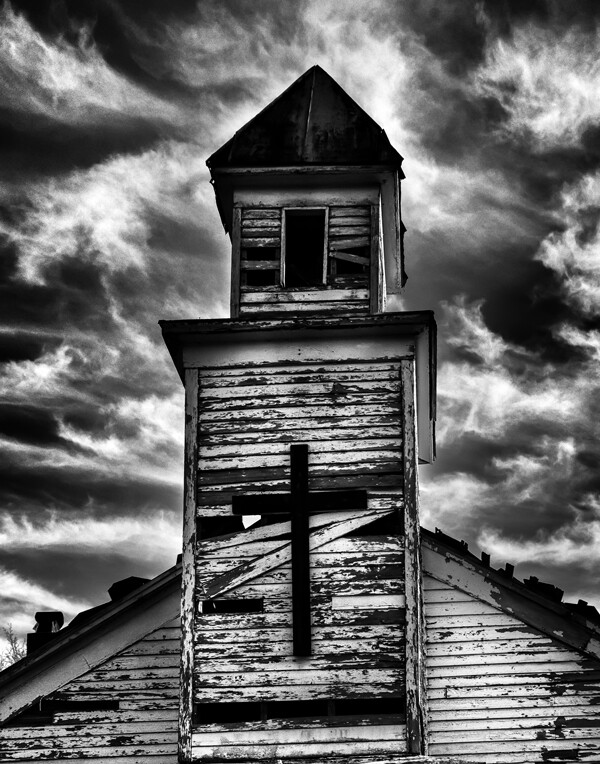
Using Ansel's previsionalization method, When approaching this image I immediately visualizied this image as a black and white by adding a polarzing filter I was able to make the blue sky more saturated which can in handing later during processing to create dark and contrasting sky. I also intentionally under-exposed the image to ensure that the white boards of the abandon church are not to bright, to help convey the abandon feeling of theimage.

Using Ansel’s pre-visualization method when approaching this shot, I immediately visualized this image as a black and white. By adding a polarizing filter, I was able to make the blue sky more saturated which helped later during processing to create a dark and contrasting sky. I also intentionally underexposed the image to ensure that the white boards of the run-down church would not appear too bright, to help convey the abandoned feeling.

 “Ask yourself, “Why am I seeing and feeling this? How am I growing? What am I learning?” Remember: Every coincidence is potentially meaningful. How high your awareness level is determines how much meaning you get from your world. Photography can teach you to improve your awareness level.”

What a powerful quote! “Every coincidence is potentially meaningful”. To develop the creative eye that it takes to create great photos we need to be on the constant lookout for unexpected opportunities. So, must we carry our camera at all times? How many times have you come across a great scene only to find you do not have your camera ready and available? It happens to all of us, but don’t get caught up in the fact that you don’t have your camera with you. Instead, use this opportunity to think about the shot and visualize how you would have shot it, how you would compose it, and what camera settings and filters you might have used to capture the scene. Even though you may have missed the shot, you can use this as a learning experience to be prepared in the future.

By studying the images of great photographers of the past and present we can learn how to approach our own images. This image, captured in the Canaan Valley Resort State Park in West Virginia, reminded me of Ansel's image The Tetons and Snake River.

By studying the images of great photographers of the past and present we can learn how to approach our own images. This image, captured in the Canaan Valley Resort State Park in West Virginia, reminded me of Ansel’s image The Tetons and Snake River.

 “The machine-gun approach to photography – by which many negatives are made with the hope that one will be good – is fatal to serious results.”

With the new digital age of photography it is so easy to take the “spray and pray” approach to photography, but we must learn to slow our approach and think about every piece of the image that we are capturing. One way to take a more deliberate approach with a landscape shoot is to place your camera on a tripod, which will allow you to concentrate more on the composition of your image. There are plenty of situations where the machine-gun approach to photography can be helpful, for example, action subjects such as sports or wildlife, but in other areas this approach can be fatal.

“A photograph is never finished until I burn the corners.”

Ansel considered it important to keep the viewer’s eye in the frame of his images, so he would burn (darken) any light areas near the edges of the image. These adjustments were quite time-consuming and tedious to produce in the darkroom of Adams’ era. Today, however, we can easily accomplish these steps in Photoshop or Lightroom. Be careful not to overdo it, as these changes should be made in a way that is completely imperceptible to the viewer of the image.

“I am sure the next step will be the electronic image, and I hope I shall live to see it. I trust that the creative eye will continue to function, whatever technological innovations may develop.”

Many fans of Adams’ photography ask, “Would Ansel Adams have shot digital?” This quote indicates he would have! Ansel was never overly concerned about the process of taking photos as much as he was about the creative experience and how a photograph made him feel. Ansel Adams would not only be shooting digital, but also he would be a Photoshop guru, probably working closely with Adobe to develop and improve the photographer’s experience.

Where do we go from here?

So in conclusion, has photography changed over the years? Yes, the process has changed, but the art of photography remains the same. By studying the guiding principles of great photographers of previous generations, like Ansel Adams, we can sharpen our skills to become the best photographers of our day. Please leave a comment below: What is your favorite photographer’s quote and how has it inspired you?

googletag.cmd.push(function() {
tablet_slots.push( googletag.defineSlot( “/1005424/_dPSv4_tab-all-article-bottom_(300×250)”, [300, 250], “pb-ad-78623” ).addService( googletag.pubads() ) ); } );

googletag.cmd.push(function() {
mobile_slots.push( googletag.defineSlot( “/1005424/_dPSv4_mob-all-article-bottom_(300×250)”, [300, 250], “pb-ad-78158” ).addService( googletag.pubads() ) ); } );

The post 8 Quotes From Master Photographer Ansel Adams and How You to Apply Them to Your Photography by Bruce Wunderlich appeared first on Digital Photography School.

Digital Photography School

 
Comments Off on 8 Quotes From Master Photographer Ansel Adams and How You to Apply Them to Your Photography

Posted in Photography


7 Things That Keep You From Charging What You’re Worth (and how to get over them)

02 Nov

lynseymattingly6

Charging people money is scary. Having people I’ve never met ask me to produce something I have metaphorically promised the world I can do at a professional level, that may or may not meet their expectations, is terrifying. There is so much I can’t control – the weather, the mood of everyone involved, my camera suddenly deciding to jam without warning, that nerve condition I Googled last night where something snaps in your eyeball without warning and you go blind in mere seconds. Never mind that every single time I leave my house, I’m pretty sure that I am completely out of any possible creativity, creativity that will never renew itself, and it’s only a matter of time before everyone realizes I’m just a fraud that got lucky for a while.

lynseymattingly5And that’s on a good day.

I get hired repeatedly by my clients, seem to be able to pull off a shoot in most elements, and as of yet, that nerve hasn’t snapped in my eyeball. However if you look at my pricing comparatively for my area, my pricing history, or ask my mom, I am not charging enough. It’s not that I don’t want to make money of course, it’s that I feel bad taking it from people. I’m not sure I deserve what I am currently charging for what I do, never mind even more. There is no true way to measure the market rate for a photographer, but there are plenty of reasons that setting my rates – determining my true market value – is enough to make me want to go pick-up an application at McDonalds.

#1 It seems like everyone is a photographer – and even the one’s that aren’t have a fancy camera

At some point I am hoping that all of us can get together and agree that owning a fancy camera does not make someone a photographer by trade. I happen to own a really nice guitar after a gifting incident that took a wrong turn. Sometimes just for fun, I sit at my desk with it and strum like I’m a fledgling musician in a coffeehouse working for tips and free lattes. But all of the strumming in the world isn’t going to change the fact that I completely lack the coordination to have my left hand do about anything and I can’t play a single note.

Get over it

Consider every job that relies on nice equipment – a baker needs a fancy oven, an auto-mechanic requires a collection of expensive tools, a fast car alone doesn’t make anyone a race car driver (though with the right stretch of highway and a good song on the radio, we all have the potential to be a rockstar). Ownership, or even a working knowledge, of a tool does not make someone a professional anything.

lynseymattingly8

#2 You’re stuck in portfolio building mode

Chances are if you are a professional photographer, you’ve done portfolio building of some sort; maybe you did portraits for friends for free, did corporate work for cost, or photographed thousands of landscapes until you felt comfortable putting your work out there for sale. Making the step from being a budding photographer to a full-fledged “real” photographer who charges money for their work is a huge but necessary one. Once you have established that you are a photographer with a body of work to show for yourself, you are no longer building from scratch. If you’ve built the house structurally sound, you’re not going to build another house to put on top of the original that’s better. Build your business to be sturdy, flexible, and confident and instead of tearing down and starting over, you will just remodel from time to time and rearrange the furniture when you need to freshen the place up.

Get over it

Spend a day going through your entire portfolio and honestly reflect on your work. Do you have a nice representation of the type of photography you want to charge for? Can you see noticeable differences in the images you created when you first started to now? Do you have images that you are quite proud of and show what you are all about as an artist? If you answered yes, the truth is you already have a portfolio. You will continue to build on this portfolio as you have more (paying) clients, as your skills improve, and as your style becomes more defined and evolves but charging your honest market rate is what is going to help you to get there.

lynseymattingly3

#3 You’re forgetting about your overhead costs

Admittedly I spend my editing days in pyjamas at my desk. Most days I don’t commute anywhere, I eat lunch in my own kitchen, and I never have to contribute to a coworker’s birthday party fund. On the surface it appears I spend next to nothing to bring in a lot, but what I lack in dry cleaning bills, I make up for in expensive equipment, monthly subscriptions, website maintenance, business collateral, and more. Once a chunk of change has already been spent on that fancy camera, building it into your actual cost of doing business can be quickly forgotten.

Get over it

Come up with a list of every single expense you have from your electric bill to run your computer, to how much you spend in cat treats to keep your cats nearby, giving you someone to talk to all day so you don’t go crazy. Don’t forget to allow for things like wear and tear on your cameras and lenses, new software you may need, and the traveling involved with getting to a shoot. You should also include extra funds for unforeseeable repairs and expenses, increases in printing costs or other regular fees, and any classes or workshops you will attend to support your photography. Divide this total by the amount of days you can reasonably work in a year and what you have is the bare minimum day rate you need just to keep doing it. Know this budget as actual numbers, not just a vague amount and it will become very clear, very quickly, if you are not charging enough to make it worth your while no matter how much you love it.

lynseymattingly7

#4 You don’t yet have a solid work and edit flow

I don’t have a good rebuttal for this one. All I know is that if photographers couldn’t charge money for their work until they had a proven workflow in place, there would be no photographers.

Get over it

Even if you don’t subscribe to the flakey artist bit, your process is going to change often, having to constantly accommodate for seasonal fluctuation, client needs, and your own style. So long as you have a true desire to be a professional photographer and a method to getting pictures out of your head and into your camera, and then into the hands of clients, you have a workflow sufficient enough to charge a reasonable rate and work from there.

lynseymattingly1

#5 You assume you’re not good enough

Do not feed this monster! This monster will come to your door often in your career and just like my kid’s friends, the more candy you give him, the more frequently he will come around and the longer he will stay. Be realistic and competitive, but do not base your entire pricing system on a lack of confidence. Photography, like most creative occupations, is often personal and will never fit firmly in the category of just business.

Get over it

Ask an objective friend to take a thorough look at your portfolio and prices. Show them your competitors and walk them through exactly what it takes you to go from nothing to a finished image, ready for delivery.

lynseymattingly2

#6 Because you couldn’t afford yourself

Rather than being a large business that strives to be the cheapest choice for customers, you are one single person. It’s easy to get hung-up on the idea that if professional photography isn’t in your budget, then it’s not in other people’s either. I haven’t paid for photography in six years – I take pictures of my own children often and when I want family photos or any other picture that actually includes me, I trade with a photographer friend. I am not a good judge of what people are willing to, or can spend on a family photographer.

Get over it

Do you buy art? Do you support artists? This includes musicians, actors, and that guy on the corner that can fold himself into a two foot plexiglass cube and eat fire. I give that guy a dollar every time I see him and I bet you would too. People budget for what they truly want and what is important to them. If they want to invest in your time and talent, who are you to tell them no?

lynseymattingly4

#7 You’re allowing yourself to be paid in kind words and compliments

Ouch, this one stings. Everyone wants to be liked and let’s face it, kind words are better than a sharp stick in the eye. Especially a compliment that is given based on skills you have worked hard to perfect. Confidence is something every photographer needs at least a bit of, but accolades don’t pay the rent.

Get over it

If you aren’t charging them, someone else will be happy to and collect the compliments too.

Besides – I would be a terrible fry cook.

The post 7 Things That Keep You From Charging What You’re Worth (and how to get over them) by Lynsey Mattingly appeared first on Digital Photography School.


Digital Photography School

 
Comments Off on 7 Things That Keep You From Charging What You’re Worth (and how to get over them)

Posted in Photography


Three Types of Light: Diffused, Backlight and Reflected – What are They and When to use Them

26 Aug

Light: it is the main component for every image that you will take. It does however come in many different forms, producing very different results. Some of these types of light are diffused, backlit and reflected. There will be times when each of these types of light is more readily available than another, or even in some cases multiple types of light at once. Some people create their full photographic style by using a certain type more, or less, exclusively in their work. But, knowing how to first spot the different light forms will allow you to take full of advantage of every scenario and add depth, variety and a sense of individuality to your images.

Figure 3

Diffused Light

Diffused light that which is not harsh and direct, it has been softened in some way. A great example is when you are outside and the sun is shining, with no clouds in the sky. The light is harsh and you will notice that there will be a lot shadows falling on or around your subject. But, if clouds are in the sky and they block out some of that harsh sunlight, the light then becomes diffused.

You can use diffused lighting to your advantage in a great way. If you are shooting portraits on an overcast (diffused) day, you are pretty much shooting with nature’s own softbox. You will be able to work with your subject easier, and have different angles to shoot from, because you won’t be limited by the harsh lines and shadows that undiffused light can create. Overcast (diffused) lighting is preferred by many photographers, as it is a flat and even light. If it were a particularly sunny and bright day, shooting in the shade would also offer you some diffused lighting.

Figure 1

This particular image shows the use of diffused lighting, using the shade of the building to soften the light, while also reflecting light shades back to the subject.
Figure 2

Backlight

Backlighting is where you are illuminating your subject from the back, as opposed to from the front, or the side. Working with backlight you can silhouette your subject, or give them a glow. To Silhouette your subject, you would meter for the sky and to create a glow around your subject, you would meter for the subject itself. You need to place your subject in front of your preferred light source and allow that light to illuminate your subject. If you are using the sun as your light source, different times of the day will give you different types of backlighting. The lower the sun falls, the softer the light will feel. You may find that sometimes you will have to move yourself into a position where your camera can autofocus or switch to full manual, as the light can be so strong that your focusing point struggles to find what it is you want to focus on.

Figure 4

Reflected Light

Reflected light can be found everywhere, on most surfaces. Reflected light is literally the light that is reflected from a particular surface or material. If you were to shoot a portrait next to a white building, the light hitting the building would be reflected on to your subject, creating a soft light. If you were in the middle of the red Moroccan Atlas Mountains and you were to shoot a portrait, there would be a softer red reflection coming onto your subject from the ground. Or, if you were doing a portrait session outside and you wanted to bounce some additional light into your subject’s face, you could use an actual reflector. They normally come in two colours; one side gold, and one side white.

Reflected light tends to be quite soft and takes on the colour of the surface/material that it is being bounced off.

Figure 5

The reflector was being used with the gold side to reflect a warm glow onto the subject’s face.

Figure 6

  • How To: Silhouette Photography / Self Portraits
  • Tips for Photographing in Different Weather Conditions
  • Let’s Talk About Light – 3 Types of Lighting Conditions and how to Use Them
  • Choosing the Right Color Reflector for Your Photography

The post Three Types of Light: Diffused, Backlight and Reflected – What are They and When to use Them by Natasha Cadman appeared first on Digital Photography School.


Digital Photography School

 
Comments Off on Three Types of Light: Diffused, Backlight and Reflected – What are They and When to use Them

Posted in Photography


5 Not-So-Obvious Mistakes Photographers Make When Starting a Business and How You Can Avoid Them

29 Jun

By plantoo47

When starting your photography business it’s easy to get caught up in how good your portfolio looks, buying new equipment, or how many followers you have on social media. While these tasks are important, you risk overlooking some crucial numbers that will help you to hold yourself accountable and succeed as a result.

Large corporations have whole departments tracking data to help their CEO’s make better business decisions. So why is this completely overlooked in one-person businesses?

In this article you will learn the Five not-so-obvious mistakes photographers make when starting a business. I will also give you some handy tips on how you can avoid these mistakes in the future.

Mistake #1 – Not knowing your income goal

One of the most common mistakes you can make as a freelance photographer is not setting any targets around how much money you want to make. I think we can all agree that it is an amazing feeling to be able to earn enough money to support yourself.

An effective way to grow your income is to first be aware of how much you’re currently earning so that you can figure out how much you want to earn in the future. Have a good solid brainstorming session about the next 12 months and really ask yourself, “How much do I want to realistically earn this year?”

By Simon Cunningham

Making a million dollars a year photographing would be fantastic, but you have to be realistic about your financial goals. You don’t want to set a figure that is so high that you feel discouraged. You also don’t want to set a figure that undervalues your talent. You want to choose a figure that makes you feel a little stretched but is still achievable with some hard work.

A good place to start is to look at how much income you made in the last year, and then add 30% on top of this amount to calculate how much you’d like to make in the next year. For example, if you earned $ 15,000 last year, your goal this year should be $ 19,500 ($ 15,000 x 1.3).

If you don’t have any income records from last year, just choose a figure that you feel comfortable with, and that is attainable.
After you’ve worked out your target income for the year, the next thing to do is calculate your average fee. You can calculate this by dividing your total income by the number of sales (clients) you had over the last year.

So now that we know what your target income and average fee is, we can move on to calculate the number of photo sessions required to reach your target income goal.

By Historias Visuales

Mistake #2 – Not knowing how many photo sessions you need to do

The number of sessions that you need to do in the next 12 months is dependent on your target income and average fee. For example, to make $ 20,000, you will need to do 40 sessions within the next 12 months to reach your income goals. This is calculated by dividing your income goal of $ 20,000 by your average fee, which in this example is $ 500.

Your required number of sessions may feel daunting at first. It’s important to break it down into smaller increments so that you can visualize these amounts so it appears more attainable, so 40 sessions for the year turns into 3.3 sessions per month. This is calculated by dividing 40 sessions by 12 months.

When you’re setting your income goal, think about how much time you want to take off for the year. You need to give yourself leeway for traveling, illness, recovery, planning and so forth. Just because you’re a business owner doesn’t mean you don’t need
to have time off like the rest of the world.

Going back to the example, the number of sessions required is 3.3 per month. Let’s round this down to three sessions to make things cleaner. This means you need to do 0.75 sessions per week.

By Korry Benneth

If you’re not comfortable with the volume, you could tweak your targets. For example, if you were to get more skilled at charging higher fees, we could set your average fee to $ 1000 instead of $ 500. How would this impact your volume? Well $ 20,000 divided by $ 1000 is 20. That’s 20 less photo sessions you have to do for the year, which equals out to just 1.6 sessions per month or only one photo session every couple of weeks.

So the next question is, should you focus on doing more sessions, or should you learn how to effectively increase your fees? The choice is ultimately up to you, but this example illustrates the importance of knowing your numbers so you can make the necessary adjustments in your business that will help you succeed.

Mistake #3 – Not knowing how many inquiries you need

Inquiries are the first point of contact you have with potential clients. Your main goal when you receive an inquiry is to convert it into a booking.

Measuring the number of required inquiries in your photography business can be a little challenging as some of the people that contact you initially don’t end up booking for various reasons. So as a rule of thumb I like to use a 50% conversion rate. This means that to get three bookings for the month, you need to get at least six inquiries.

As you can see, generating inquiries is easily one of the most important steps in the sales process. When it comes down to it, if you want to achieve your goal of $ 20,000, you need to generate six inquiries per month with an average fee of $ 500. Once again, you will only know this if you are aware of the important numbers in your business, which I’m sure, most of your competition is overlooking.

Mistake #4 – Not knowing how many bookings you need

Converting enquires into bookings is another often overlooked part of the photography sales process. Not only do you get the opportunity for income now, it gives you an opportunity to book future business through referrals.

By Ken Teegardin

The number of bookings required in your business should match the number of sessions required. So if you need to do three photo sessions per month, then you also need to book three clients per month.

Obviously the bookings you get today could help get you more sessions in the future. However, I have found that these numbers tend to correct themselves if you focus on getting your target bookings each and every month. So if you’re not doing enough sessions, you have to revisit your bookings and see how you can increase your inquiries.

Mistake #5 – Not having a method of keeping track of your numbers

Hopefully by now you have a better understanding of the relationship between different targets in your photography business. It is clear that more inquiries lead to more bookings, which lead to more sessions, which ultimately leads to more income.

It’s all well and good to be aware of the numbers, but to make significant change in your photography business requires you to hold yourself accountable and ensure that you’re following through on your goals. There are a couple ways you can do this.

One way is to draw a table in your notebook that displays each target for the month. You then record a dash next to the target when you get it done. So if you have a target of three sessions for the month, every time you do a session you draw a dash next to this target. You can also break this down into weeks if that makes it easier for you to update.

By Wendy House

You could also track your numbers by drawing up your targets on a whiteboard in your home office or studio. This is an excellent idea as you’re constantly looking at it.

Another way to do this is to create a spreadsheet. I know a lot of creative professionals cringe when they hear the word “spreadsheet”. However I encourage you to push through your barriers and use a spreadsheet to track your numbers.

The advantage of a spreadsheet is that it does all the work for you. All you have to do is input your progress and the spreadsheet can tell you how you’re doing. I can just hear what you’re saying at the moment. “Michael, this sounds great, but how do I actually create this spreadsheet you’re talking about?” I thought you might ask, so I’ve prepared a spreadsheet for you to download for you to use in your business. I initially created this spreadsheet for my partner’s photography business to track her numbers, and it really helped change her mindset in her business.

Before using my tool she couldn’t tell me what percentage of inquiries were converting into bookings. After she started tracking her numbers, she felt empowered and knew exactly how her business was going at any given time. Sometimes it was a pleasant surprise to know that she smashed her targets, other times she knew that she had to find ways to generate more business.

You don’t have to look at your numbers daily. I recommend updating your numbers at the end of each week. I also suggest that at the end of each month you send your numbers to an accountability partner. Knowing that you have to submit your numbers will only motivate you more. Choose someone you trust and you’re comfortable enough with to share your goals. This could be your spouse, sibling, good friend or business buddy. Sometimes all you need is some encouraging words to keep you focused in your business.

Bonus mistake #6 – Not tracking your expenses

It can be somewhat soothing to plan and think about how much money you’re going to make. Having said that, it’s just as important to understand how you’re spending your income.

Lots of new and even seasoned professional photographers overlook this highly important step. Reducing your costs is another method of making more money so you can spend it on more important things, like a new lens or a holiday.

By Jorge Franganillo

So how can you go about tracking your expenses? Well it’s quite simple, use accounting software. There are many accounting solutions on the market that are both free and paid. Personally, I recommend going with Wave (because it’s free) or Xero (because it’s awesome). Both systems allow you to automatically pull your transactions from your business account bank statement directly into your accounting software. This means you don’t have to spend hours entering your expenses. Pretty cool huh?

Most photographers get overwhelmed when they think of financial management. But investing time in this area will do wonders for your business.

By far the most important feature of accounting software, is the ability to create reports that allow you to see where, and how much, money you are spending in your business. From there you can make necessary adjustments to cut back on your costs.

By M.Kemal

Bringing clarity to your business

The whole purpose of this article is to bring clarity into your business. A lot of photographers like yourself start a business because you want to earn a living doing something that you enjoy. But you soon come to realize that making a living and growing your business is not easy. It can be overwhelming thinking about how you’re going to get through tomorrow’s to-do list while keeping all of your existing clients happy. This overwhelming feeling often leads to “fog brain” and prevents you from having clarity in your business.

Being aware of your numbers will ultimately help you make better decisions. Instead of spending one hour on Facebook today, you could spend that time contacting potential referral partners for your business.

At the end of the day, activities that generate more inquiries are much more important than getting bogged down with emails, packaging, social media, design and other administrative activities, especially when trying to reach higher income targets. Get someone else to do those things so you can focus on what’s important: servicing your clients, doing sessions, finalizing bookings and generating so you can fund the lifestyle that you want and deserve.

For more photography business tips read these articles:

  • The Ultimate Guide to Going Pro as a Photographer
  • How to Calculate Your Cost of Doing Business – And Other Necessary Numbers
  • 5 Things to Consider Before Starting Your Photography Business
  • 30 Things you Should Know to Help you Start a Photography Business

The post 5 Not-So-Obvious Mistakes Photographers Make When Starting a Business and How You Can Avoid Them by Michael Ofei appeared first on Digital Photography School.


Digital Photography School

 
Comments Off on 5 Not-So-Obvious Mistakes Photographers Make When Starting a Business and How You Can Avoid Them

Posted in Photography