RSS
 

Posts Tagged ‘SUPER’

A Super Simple Way to Make Landscape Photos POP Using Lightroom

17 Jan

It seems like virtually all outdoor or landscape photographs suffer from the same illness when they come out of the camera. The symptoms are:

  • An overly bright sky
  • Foreground that is too dark
  • A general lack of color and contrast.

Sound familiar?

Fortunately, there is a cure for this ailment. Actually, as anyone who has worked with post-processing software for any length of time knows, there are a lot of different cures. But I want to show you a super simple way to fix pictures with these problems. I performed these fixes in Lightroom, but you can also do them on the Adobe Camera Raw screens of Photoshop or Photoshop Elements.

Colorado road photo with Lightroom adjustments

The quick-fix shown here will involve nothing more than moving six sliders, each of which is in the Basic panel of Lightroom’s Develop module. The edits will take less than 30 seconds of your time. I performed these edits – and only these edits – to the pictures you see throughout this article to show you the effects.

The Steps

Let’s not dally with a lot of explanation just yet. Here are the steps to perform a quick-fix of landscape photos. The first three steps are the most important, where you will see about 90% of the changes to your pictures. After walking you through these steps I will explain the process in a little more detail.

  1. Decrease the Highlights: Just pull the highlights slider to the left as much as is needed to add more detail to your sky.
  2. Increase the Shadows:  Pull the Shadows slider to the right to brighten the foreground. Don’t worry if it looks a bit washed-out after this step.
  3. Reduce the Blacks: Pull the Blacks slider to the left. This will add contrast back to the picture, and will fix the washed-out look that might have crept into your picture after the last step.
  4. Increase Vibrance: Pull the Vibrance slider to the right a bit to add more color to the picture.
  5. Increase Contrast: Pull the Contrast slider to the right a little bit to increase overall contrast. Don’t go too far, or it might start to undo the changes you just made above.
  6. Increase Clarity: Pull the Clarity slider to the right to add some clarity (edge contrast) to your photo and make it appear less soft.

That’s it. Just move these six sliders and you should see a vast improvement in your landscape pictures. This might seem more complicated than it actually is, because there are six steps. But after a while you will be able to do all of it in a matter of seconds.

Bass Harbor photo with Lightroom adjustments

What’s Going on Here

Now that I’ve shown you the steps and a few examples, let’s talk about this process.

What you are doing first is reducing the tones in the sky by using the Highlights slider. The sky is typically the brightest part of landscape photos. The Highlights slider will ONLY affect the brightest tones in the image, so decreasing it should tone down your sky but not touch the darker portions of your picture. Decreasing the highlights will not only keep the sky from being too bright, but will also add detail and texture to the clouds.

After the change to the sky, step 2 is to increase the brightness of the foreground. The foreground is almost always too dark in outdoor photos, and you need to brighten it up and add detail there. As you pull the Shadows slider to the right, you should see your foreground brighten up. The sky, which is not among the shadows of your photo, should remain largely unaffected. Your photo should be looking a lot better at this point.

Many times, when you make the change to the foreground in step 2, that area starts to look a little bit washed-out. Therefore, step 3 is the pull the Blacks slider to the left. Whereas the previous step brightened the shadows, we are now taking the very darkest tones in the photo and bringing them closer to black. The shadows were made brighter in the last step, and now the blacks are made even blacker. That adds more contrast to the foreground and eliminates that washed-out look. It often adds a little bit more contrast to your sky as well.

Note: For a handy tip on using sliders, read The Magic Alt Key article here. 

At this point, your photo should be looking pretty good. In fact, about 90% of the effect is applied to your photo after step 3. Now you will just clean up by making the photo a little clearer, and more colorful.

Texas field photo with Lightroom adjustments

In step 4, we will just increase the vibrance of the photo to add more color to the scene. The Vibrance slider is just below the sliders you have been working with.  Pull it to the right to add more color to the picture. You can adjust this slider however you want, but don’t overdo it.

You might wonder why you should use the Vibrance slider instead of the Saturation slider. The answer is that vibrance is designed to have a higher impact on less saturated colors. Saturation adjustments apply to all colors equally, so an increase in saturation can make certain highly saturated colors look garish. Vibrance, by focusing on colors that are less saturated, lets you increase the overall saturation of your colors without overdoing any colors.

Next, you add a little contrast. Pull the Contrast slider to the right a little bit. You have to be careful here because essentially what you did in the first three moves of this process was reduce overall contrast (making the bright sky darker and the dark foreground lighter). If you crank the contrast up now using the Contrast slider, you will be working against the moves you previously made. A small or moderate increase in contrast, however, can add more texture to the photo, so I recommend you do that.

Finally, a small to moderate increase in Clarity usually makes the photo look sharper and clearer. Don’t overdo this, as clarity is a powerful tool. Just add a little bit by pulling the Clarity slider to the right, and this final step can really make your photos pop.

After having gone through this process, there is nothing stopping you from continuing with additional editing, if you wish.  You can take your photo into Photoshop and make a lot of other changes, or you can use the plug-in of your choice. But even if you decide to do additional editing, the process I have described in this article can still be a good starting point for your landscape photos. It also works really well when you are in a hurry or you’d like to process a lot of photos at once.

Head Harbor Lighthouse photo with Lightroom adjustments

Bonus Tip

I want to keep this process as simple as possible and not confuse it with a bunch of other things, but there is just one more tip I want to pass along in this article. It is a way to add more contrast to your skies in Lightroom (or in ACR in Photoshop).

Scroll down to the HSL/Color/B&W panel in Lightroom’s Develop module, where you will see sliders for eight different colors. Go to the Blue slider and make sure the Luminance tab is selected just above the colors. Decrease the luminance of the blues in your picture by pulling the Blue slider to the left. This will make the color in your sky a deeper, richer blue.

Recall that Step 1 of the process above was to decrease the highlights in an effort to tone down and add detail to your sky. If you decrease the luminance of the blues, you might find that you don’t need to do Step 1 (or at least that you do not need to pull down the highlights as much). In fact, keeping the highlights nice and bright, while decreasing the luminance of your blues, can really add some nice contrast to your skies.

Colorado National Monument photo with Lightroom adjustments

Conclusion

This is one simple way to make super fast changes to your landscape photos. After you have done it a few times, you can make these changes in mere seconds. I know we are all sensitive to falling into ruts and doing the same thing over and over again, so you don’t want to do this process all the time. But it is great when you just want high impact in a short amount of time, or as a quick baseline for further changes.

googletag.cmd.push(function() {
tablet_slots.push( googletag.defineSlot( “/1005424/_dPSv4_tab-all-article-bottom_(300×250)”, [300, 250], “pb-ad-78623” ).addService( googletag.pubads() ) ); } );

googletag.cmd.push(function() {
mobile_slots.push( googletag.defineSlot( “/1005424/_dPSv4_mob-all-article-bottom_(300×250)”, [300, 250], “pb-ad-78158” ).addService( googletag.pubads() ) ); } );

The post A Super Simple Way to Make Landscape Photos POP Using Lightroom by Jim Hamel appeared first on Digital Photography School.


Digital Photography School

 
Comments Off on A Super Simple Way to Make Landscape Photos POP Using Lightroom

Posted in Photography


Don’t Throw Stones: Modern Glass House is Super Sharp

06 Jan

[ By Steph in Architecture & Houses & Residential. ]

modern glass house 1

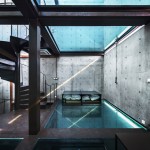
People who live in glass houses shouldn’t throw stones, or forget that they’re literally living in a fishbowl, if they have any modesty at all. Designed for a steep plot in Zurich, this ultramodern angular residence by L3P Architekten boasts all-glass, entirely transparent exterior walls that give the outside world more than a glimpse into the life of the family who lives there.

modern glass house 2

modern glass house 3

Naturally, you can’t be too concerned about privacy if you live in a house like this, but the architects have taken a few steps to provide a few spaces that prying eyes can’t see. One is setting the house into the earth to create a ground floor that’s partially walled in black exposed concrete, accessible from a subterranean entrance that opens onto the hillside.

modern glass house 4

modern glass house 5

modern glass house 7

The concrete continues throughout the interior, blocking off certain areas of the home without disturbing the views provided by all of that shimmering glass and adding a sense of weight and balance. The interior walls, floors and ceilings are all hewn in this solid material for contrast.

modern glass house 6

modern glass house 8

“This work on the vineyard slope copies the logic of a vine: a supporting middle wall, platforms and non-bearing windows follow the structure of the stem, the trunk and the hanging fruit,” says architect Boris Egli.

Share on Facebook


[ By Steph in Architecture & Houses & Residential. ]

[ WebUrbanist | Archives | Galleries | Privacy | TOS ]


WebUrbanist

 
Comments Off on Don’t Throw Stones: Modern Glass House is Super Sharp

Posted in Creativity


Spines of Steel: 12 Super Strong Exoskeleton-Inspired Designs

30 Dec

[ By Steph in Gadgets & Geekery & Technology. ]

exoskeleton design

Durable and strong, protecting the soft flesh contained within them, exoskeletons in nature have inspired innovative designs for everything from wearable personal mobility vehicles to full-scale skyscrapers. In these 12 futuristic designs, exoskeletons expand the range of human movement, change the way architecture bears weight, shield vulnerable gadgets from damage and just plain look cool.

Human-Controlled Exoskeleton Anti-Robot

Man creates Prosthesis the first human-piloted racing robot, Vancouver, Canada - 21 Jan 2014

exoskeleton design robot vehicle 2

prosthesis_robot

The developers of ‘Prosthesis’ call it an ‘anti-robot’ because it was built ‘by humans, for humans,’ meaning it’s not going to take off on its own, functioning more as an extension of the body. Dependent on the driver strapped into its cockpit, the vehicle stands 16 feet tall and runs like an animal. Says project leader Jonathan Tippett, “Prosthesis is neither a weapon, nor a tool. It is a sports machine, and the pilot is the athlete. It’s Formula One, meets the future.”

Exo Prosthetic Leg

exoskeleton design prosthetic leg 1

Not only is this 3D-printed artificial limb by Adam Root faster and less expensive than conventional prosthetics, it’s way cooler looking. The technique uses a combination of 3D scanning, printing and modeling software to create a custom-fit prosthetic inspired by exoskeletons that’s essentially an accessory, “a customizable intimate addition to your body taking on your form.”

Exo iPhone Case

Exoskeleton design iphone case 1

exoskeleton design iphone case 2

This smart protective phone case design absorbs impact without interfering too much with the visual profile of your phone – important for those Apple fans who love the slimline look of the iPhone. Exo by Lucidream snaps onto the back of a phone in seconds with a spring-damped impact absorption system and non-snagging bezels.

Lobster-Inspired, Robot-Created Pavilion

exoskeleton design lobster pavilion 1 exoskeleton design lobster pavilion 2

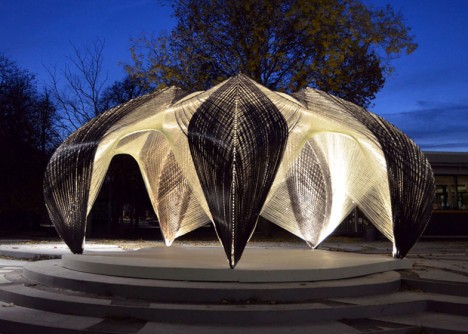
Researchers programmed a robot to wind carbon fiber into a full-scale pavilion inspired by a lobster exoskeleton. The resin-saturated glass and carbon fibers used to create it are based on research into the load-bearing efficiency of the layers of chitin in protein that make up a lobster shell. The glass fibers act as a framework while the carbon fibers take on most of the weight. The pavilion was wound around a steel frame, which was later removed.

Next Page – Click Below to Read More:
Exoskeleton Inspired Design

Share on Facebook


[ By Steph in Gadgets & Geekery & Technology. ]

[ WebUrbanist | Archives | Galleries | Privacy | TOS ]


WebUrbanist

 
Comments Off on Spines of Steel: 12 Super Strong Exoskeleton-Inspired Designs

Posted in Creativity


Easy Peasy Photoshop Actions – 71 Super Premium Actions for Only $24

18 Dec

You have heard of Inky Deals which is one of the leading deals websites in the design community, with an extended family of more than 300,000 design enthusiasts. They’re the only ones who offer a 200% money back guarantee on every product. This means that if you’re not happy with it, you get your money back and you also get Continue Reading

The post Easy Peasy Photoshop Actions – 71 Super Premium Actions for Only $ 24 appeared first on Photodoto.


Photodoto

 
Comments Off on Easy Peasy Photoshop Actions – 71 Super Premium Actions for Only $24

Posted in Photography


Super Stable, Super Fly-X3

27 Oct

Extra photos for bloggers: 1, 2, 3

Your methods for recording videos are impressive, but also complicated and terrifying. Using a skateboard and moon boots to capture smooth video? It’s not safe.

Grab the Fly-X3 Handy Motorized Phone Stabilizer instead and your vids will be smooth as can be.

The Fly-X3 is easy to use on the go. It’ll cradle your phone and automatically adjust to get level videos every time.

As you move, run, or jump the Fly-X3 keeps adjusting for the smoothest results.

Now you can use those moon boots along with the Fly-X3 for extreme action videos without the shake.

Hold steady with the Fly-X3
$ 299 at the Photojojo Shop


© Britta for Photojojo, 2014. |
Permalink |
No comment |
Add to
del.icio.us

Post tags:


Photojojo

 
Comments Off on Super Stable, Super Fly-X3

Posted in Equipment


Small Spaces Make Super Studios!

25 Oct

Home is where the heart is. Home is wherever you lay your hat. And home is a great place to snap some awesome photos!

We’ve gathered up five inexpensive and impermanent ways to transform little home spaces into the perfect settings for pictures.

You don’t need a lot of square footage. You just need a little creativity.

So whether you want your own homemade photography studio or just want to take better photos in your home as it is, these tips will help make your room of choice photo-ready!

Stay in Your PJs and Shoot from Home (…)
Read the rest of Small Spaces Make Super Studios! (519 words)


© Taylor for Photojojo, 2014. |
Permalink |
No comment |
Add to
del.icio.us

Post tags:


Photojojo

 
Comments Off on Small Spaces Make Super Studios!

Posted in Equipment


The Desertron: World’s Largest Super Collider Lies Abandoned

12 Sep

[ By WebUrbanist in Abandoned Places & Architecture. ]

super collider tunnel digging

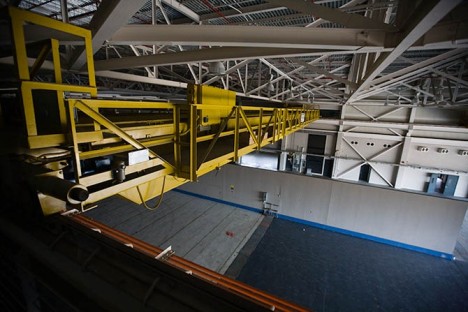
Designed to break records held by the Large Hadron Collider at CERN, the Superconducting Super Collider built (and abandoned) in Texas features fourteen miles of unseen and unused underground tunnels.

abandoned tunnel surface complex

abandoned super collider complex

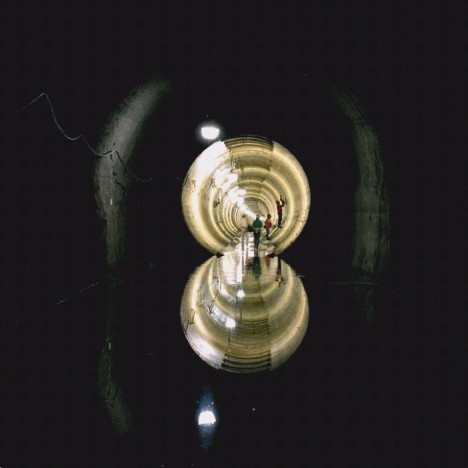
Construction on what was to be the largest particle accelerator in the world started in the early 1980s but funding cuts in the early 1990s caused the entire project to be shut down. By that time, billions of dollars were already spent and the expected tag had tripled from 4 to 12 billion, 17 shafts were dug and 14 miles of tunnel excavated (out of a total of 51 planned).

abandoned particle ssc texas

abandoned underground tunnels texas

abandoned tunnels urban exploration

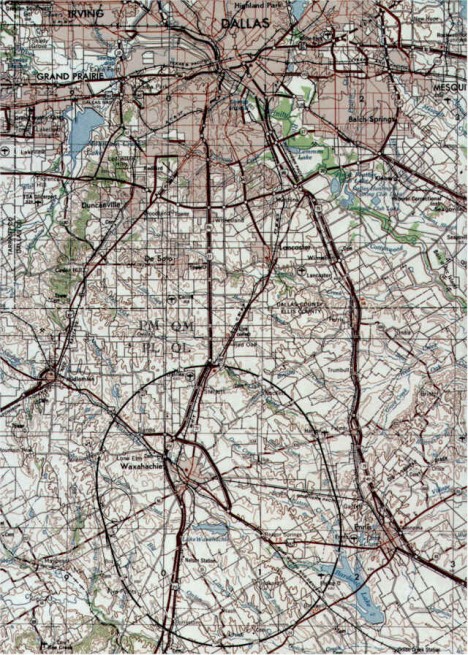
Located on a site near Waxahachie, Texas (south of Dallas, shown on a map below) without existing tunnels (which helped in the building of the LHC), removing millions of tons of soil proved to be a budget-breaking expense for the SSC. The complex has since gained the apt nickname ‘Desertron’ for obvious reasons.

abandoned subterranean super collider

supercollider particle accelerator map

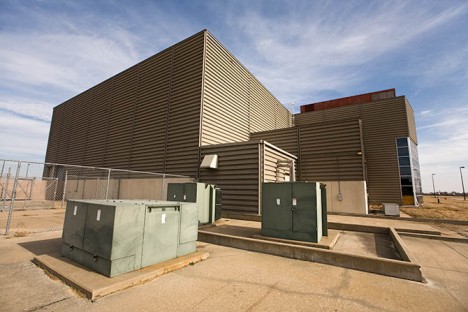
Except for underground generators, most of the major machinery was removed from the site before it was deed to the local county, which in turn sold it to a private corporation planning to turn it into a data center. With an independent power grid and dedicated fiber optic line it seemed like a good fit, but when its would-be developer died in an accident the plans were scrapped. Since then it has remained empty, but has again been purchased, this time by a chemical company.

super collider exploration

super collider complex interior

super collider abandoned inside

Many factors have been cited as contributors to its abandonment, including the end of the Cold War with Russia and the comparable amounts being budgeted for the United States’ contribution to the International Space Station – at the time, it seemed to many to that spending as much on the SSC as the ISS would be folly (images via Jim Merithew, AmusingPlanet, Wired and Wikipedia).

Share on Facebook


[ By WebUrbanist in Abandoned Places & Architecture. ]

[ WebUrbanist | Archives | Galleries | Privacy | TOS ]


WebUrbanist

 
Comments Off on The Desertron: World’s Largest Super Collider Lies Abandoned

Posted in Creativity


Super Sized: Panasonic Lumix DMC-FZ1000 First Impressions Review

12 Jun

preview-beautyshot.jpg

Up until now, the Sony Cyber-shot DSC-RX10 was the only game in town for those seeking a big zoom camera with a larger-than-average sensor. Panasonic has thrown its hat into the ring with the Lumix DMC-FZ1000, which offers a 1″-type, 20.1MP CMOS sensor, plus a longer (but slightly slower) zoom lens. The FZ1000 is also the first compact camera to support 4K video recording. Perhaps the biggest story is the price: $ 899. We’ve gotten our mitts on a product model and have some initial thoughts to share. Find out more

News: Digital Photography Review (dpreview.com)

 
Comments Off on Super Sized: Panasonic Lumix DMC-FZ1000 First Impressions Review

Posted in Uncategorized


Super Rockers: Familiar Heroes Get Edgy Modern Makeovers

24 May

[ By Steph in Art & Drawing & Digital. ]

Rocking League 1

See all of your favorite Marvel and DC superheroes like you’ve never imagined them, covered in tattoos and wearing skin-tight hipster jeans. New York-based illustrator Andrés Moncayo gave Superman, Batman, Wonder Woman, Wolverine and many more edgy makeovers that are still evocative of their classic looks.

Rocking League 2

Rocking League 3

Superman, for example, is rocking an undercut, neck tattoo and ripped t-shirt. Wonder Woman’s gone a bit rockabilly, while Batman is wearing a hoodie with ears. Thor is clearly the lead singer of a metal band.

Rocking League 4

Rocking League 5

The characters are split up into ‘The Rocking League’ and ‘The Avengers Band.’ Other characters featured include Sue and Johnny Storm, The Flash, The Hulk, Spiderman and Iron Man.

Rocking League 6

Rocking League 7

The artist studied how bands pose in photographs to make each superhero look like they’re too cool for everything. Can you pick out what style of music each one would perform?

Share on Facebook


[ By Steph in Art & Drawing & Digital. ]

[ WebUrbanist | Archives | Galleries | Privacy | TOS ]


WebUrbanist

 
Comments Off on Super Rockers: Familiar Heroes Get Edgy Modern Makeovers

Posted in Creativity


How to Get Super Sharp Landscape Photography Images

15 Apr

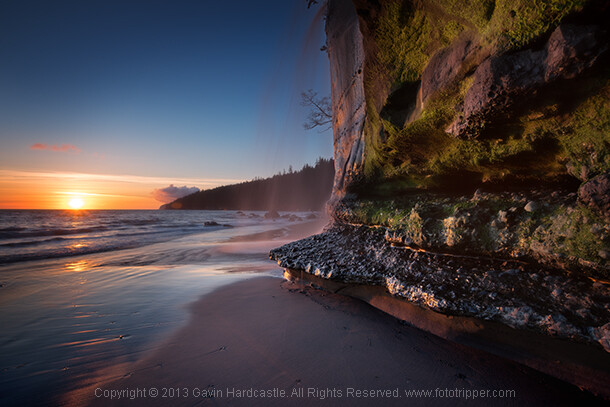
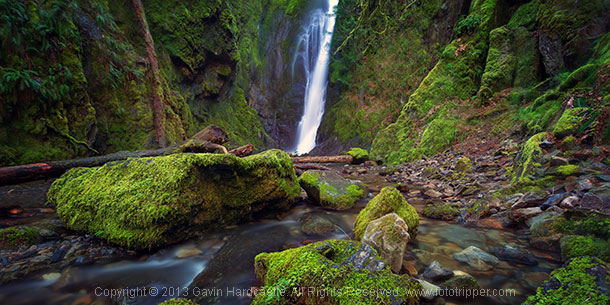
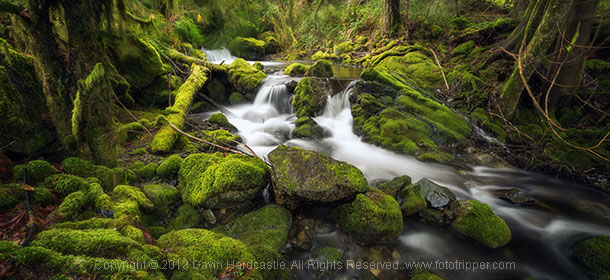
The most common question I get asked by my workshop students is ‘how do you get such sharp images?’. It’s actually really simple. Basically, avoid movement of any kind while the shutter is open, focus well and choose the right aperture for your creative vision. Mostly it’s just plain old common sense with a couple of technical elements thrown in, so if you want to learn how to get super sharp landscape photography images, here’s my list of top tips.

Top tips for sharper landscape photography

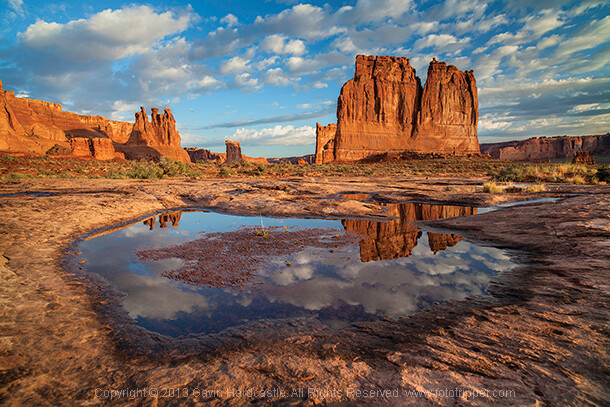
How to take sharp landscape images - Gavin Hardcastle

1 – Use a good tripod with a sturdy ball head and make sure everything is TIGHT

Seems obvious, but time and time again I see students using decent tripods and they often don’t have everything clamped down tightly. For example, the attachment that is screwed to the underside of your camera should be as tight as you can get it, eventually it’ll work its way loose. Make sure that ball head is completely locked down once you’ve composed your shot.

2 – While taking the shot, don’t place your hands on your tripod

The vibrations of your hands will blur the shot. When that shutter opens, your hands should be nowhere near the camera.

How to get ultra sharp landscape shots - Gavin Hardcastle

3 – Use the 2 second timer or a remote shutter release

This insures that the shutter won’t open until you are completely hands free.

4 – Cheap lenses will defocus while you rotate your circular polarizer

This is another one that seems obvious but I’ve seen it happen a lot. Let’s say you’ve achieved perfect focus on your landscape composition and now you’d like to rotate the polarizer which is attached to your perfectly focused lens. Guess what, as you rotate that filter, the lens is now losing its focus because of the movement and pressure you’re exerting on the filter. This rarely happens with high end lenses but I’ve seen it happen a lot with cheaper kit lenses that are poorly engineered. When this happens simply remember to refocus before hitting the shutter.

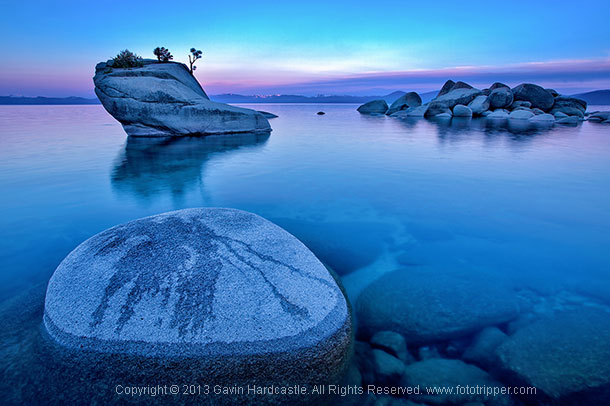
How to get tack sharp landscape images Gavin Hardcastle

5 – Enable the mirror lock-up if you have a DLSR

Using mirror lock-up ensures that the mechanical shock induced by the cameras mirror mechanism has dissipated by the time the shutter opens.

6 – Remove your camera strap

In windy situations it will act like a sail and induce vibration.

7 – Add some weight to your tripod’s central column

If the conditions are windy, it will also help reduce vibration.

8 – Place a small but heavy bean bag on your camera and lens

Do this just before taking the shot to further eliminate movement from shutter shock.

How to get very sharp landscape photos - Gavin Hardcastle

9 – Choose a Mid-range to Narrow Aperture

This one should be an article in itself but for now it’s important to understand that if you want corner to corner focus in your landscape images you’ll need to select an aperture that gives you a wide depth of field. Using f/2.8 is pointless, so pick an aperture like f/11 or f/16 depending on how close you are to your foreground subjects. Be aware however that the narrower the aperture (larger number like f/22) the less sharp your image will be due to light diffraction so experiment with your lenses to discover their sweet spot for wide depth of field.

Side Note: Shallow depth of field in landscapes can be beautiful when done well, in which case you’ll need a wide aperture like f/2.8 and ideally a lens that delivers beautiful bokeh – most super wide angle lenses don’t do bokeh well.

How to get really sharp landscape photographs

10 – Focus In the Distance

Don’t focus on the object closest to you. Pick an object in the middle distance that has a clear contrasting line and focus on that. You could focus to infinity but beware that most of the wide angle lenses I’ve used actually focus beyond infinity so I often have to focus to infinity and then carefully rotate the focus wheel back so that it’s just slightly before the ‘infinity’ mark.

11 – Put Your Glasses On

If you need glasses in order to see clearly and focus on things, it should go without saying that you might need to put on your stylish and expensive bifocals in order to achieve clear focus in your photography. Besides, everyone knows that glasses make you look cool and more intelligent, so why not put them on?

12 – Use Live View or EVF magnification

If you have a DLSR with an optical viewfinder I highly recommend that you use your cameras ‘Live View’ mode and then magnify it to your point of interest and use your manual focus ring to achieve sharp focus  If your camera has an EVF (Electronic View Finder)  you can do the same thing while looking in the EVF. I actually prefer this because you don’t get distracted by glare on the LCD or external light sources. Either way, remember to disable auto focus if you decide to focus manually with Live View.

How to get super sharp landscape images

I use every single one of these techniques in my Vancouver Island photo workshops and I teach them to all of my students. If you follow these tips every time you shoot landscapes, you’ll be sure to get much sharper images. If you’ve got some of your own tricks and tips for getting super sharp landscape images please leave a comment below and share your knowledge.

The post How to Get Super Sharp Landscape Photography Images by Gavin Hardcastle appeared first on Digital Photography School.


Digital Photography School

 
Comments Off on How to Get Super Sharp Landscape Photography Images

Posted in Photography