RSS
 

Posts Tagged ‘Subject’

How to Improve Composition by Placing your Subject Off-Center

29 Jun

You may be wondering – shouldn’t you always place your subject or main point of interest off-center? Isn’t that what the rule of thirds is about? If so, I suggest you refer back to my earlier article about creating strong compositions with a centrally placed subject. It makes the point that it’s perfectly possible to create a well composed image with the subject placed centrally.

Central composition

Equally, there are times when you should place the main point of interest away from the center of the frame. Not necessarily on a third, but anywhere between the centre of the frame and the edge, centered neither vertically nor horizontally.

I firmly believe that you should never ask yourself whether you should place the main subject or focal point on a third when you take a photo. There are much better questions to ask, such as:

  • Is there enough space around the subject to give it room to breathe?
  • Are there any highlights near the edge of the frame that take the viewer’s eye out of the photo?
  • How does the viewer’s eye move through the photo? This question may be partly answered during post-processing, where you can darken or lighten parts of the image to guide the viewer’s eye.
  • How do I make this photo as interesting as possible?

The answers to these questions influence the decisions you make in composition, and help you decide where to place the main point of interest. Let’s look at some examples.

Examples of off-centered compositions

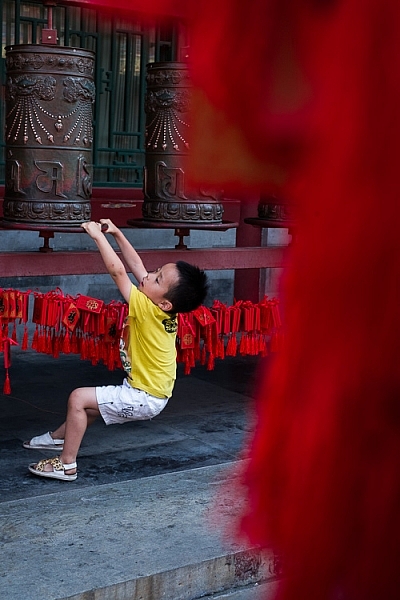
I took the following photo in a historical building in Beijing called Prince Gong’s mansion. There was a courtyard inside, with Tibetan prayer wheels down one side. As people walked into the courtyard, most of them walked down past the prayer wheels, spinning them as they went. This boy decided to join in the fun.
Composition and placement

I placed him off-center because was shooting through some red tags (like the ones you see behind the boy) hanging from another structure. I used an aperture of f/5 to make sure the tags were out of focus. They create a frame that adds a sense of depth, and also pushes the eye towards the boy. It helps that his yellow T-shirt contrasts with the surrounding red hues.

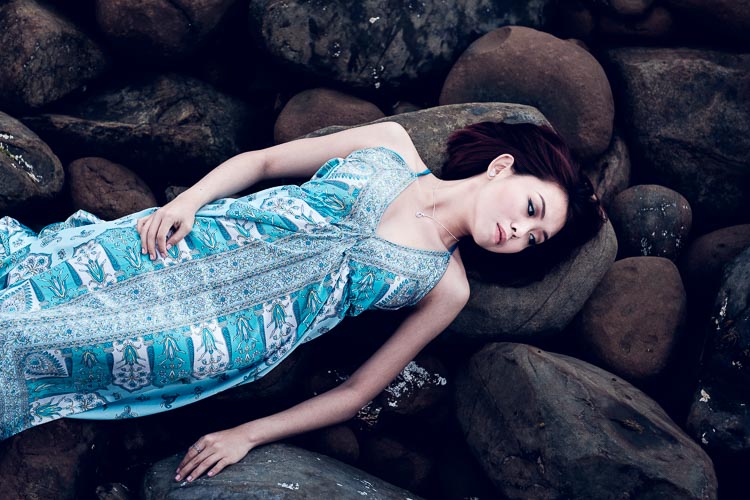
The next image was taken in New Zealand. I found these beautiful stones by the sea, and asked my model Ashley to lay down on them.

Composition and placement

I liked the way the blue dress contrasted against the more subdued colors of the rocks. I framed the photo so that Ashley’s body formed a diagonal that takes the viewer’s eye from the right side of the photo, to the left. Her face, which is the main focal point of the image, had to be placed off-centre. If it was central there would be lots of empty space on the left-hand side of the image, and it would be unbalanced.

Incidentally, there is an idea that it is better to compose photos to work with the natural tendency to read a page from left to right. As this photo does the opposite and takes the eye from the right of the frame to the left, I flipped it so that you can see the difference.
Composition and placement

Which version of the photo do you think works best? If you have an opinion please let me know in the comments below. I know which version I think is better, but I’d be interested to hear it from people seeing the photo with fresh eyes.

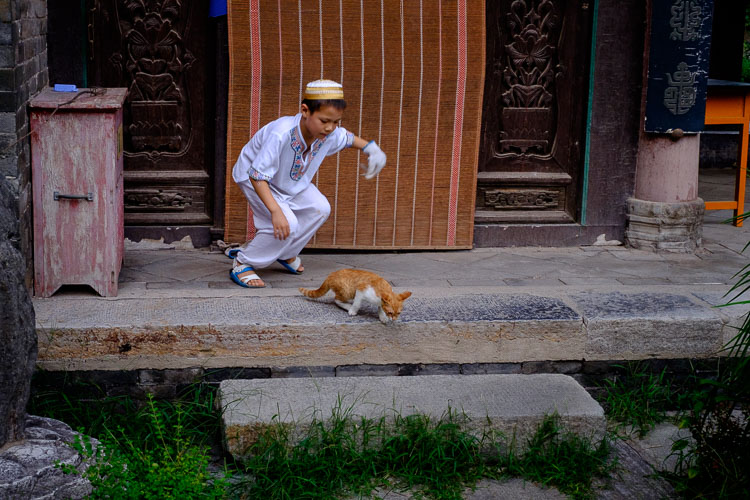
The next photo was taken in the Great Mosque in Xi’an, China. The boy was trying to catch the cat, and I took a photo as he ran after it.
Composition and placement

The boy is the focal point of the image, and because he is moving from left to right in the frame he needs some space to move into – the empty space on the right of the frame provides this. If the boy was centered in the frame there would be too much space on his left.

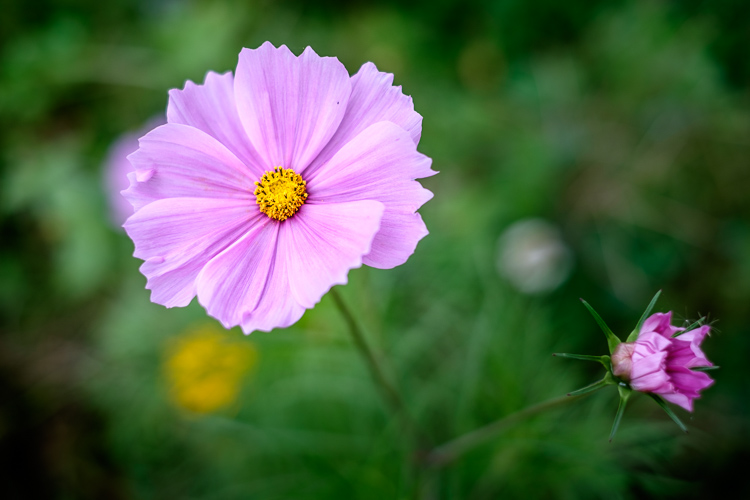
The next photo, a close-up of a flower, is interesting because it has two focal points.
Composition and placement

The main focal point is provided by the open flower on the left. But the closed flower on the right is a second focal point that also pulls the eye. The result is that the viewer’s eye moves back and forth between the two points. When you have two focal points in a photo like this, it makes sense for them to be on opposite sides of the frame, and therefore off-centre, so that they fill the frame adequately.

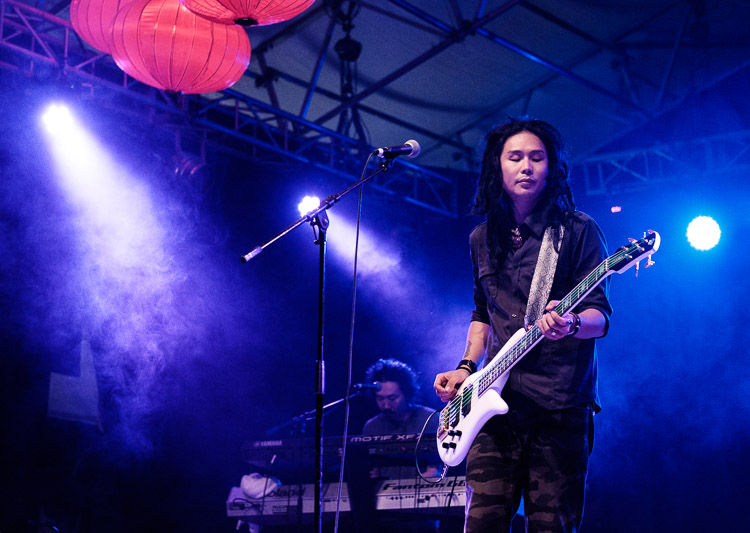
I took the next photo at a concert in Auckland, New Zealand.
Composition and placement

I placed the guitarist off-centre so that I could show him in context. Behind him you have another band member on the keyboard, and three spotlights. You can also see some Chinese lanterns (this photo was taken at the Chinese Lantern Festival in Auckland). The lights also provide leading lines to draw the viewer’s eye to the guitarist.

For the next photo we return to Beijing, this time to the Forbidden City.

Composition and placement

I was sitting on a bench resting, when I realized that the doors and pillars you see in the photo lined up nicely when viewed through my 35mm lens. I waited, and took photos as people passed through, hoping to get a good image. Until finally the little boy you see in this image walked through the doorway and hid. A few seconds later he jumped out to surprise someone – as a man, presumably his father, walked through the doorway.

The boy is so small in the frame that you may not have noticed him right away. It is good for photos to contain surprises like this, as a kind of reward for the viewer when they finally spot it.

The colors in this photo also harmonize well. The yellow of the boys’ shorts echoes the yellow around the door frame, and the yellow tiles on the pillars. This is purely luck, but it’s the kind of luck that presents itself when you are present with your camera.

What do you think? What factors do you consider when deciding where to place the main focal points? Let me know in the comments.


Mastering Composition

If you’d like to learn more about composition then please check out my ebook Mastering Composition: A Photographer’s Guide to Seeing.

googletag.cmd.push(function() {
tablet_slots.push( googletag.defineSlot( “/1005424/_dPSv4_tab-all-article-bottom_(300×250)”, [300, 250], “pb-ad-78623” ).addService( googletag.pubads() ) ); } );

googletag.cmd.push(function() {
mobile_slots.push( googletag.defineSlot( “/1005424/_dPSv4_mob-all-article-bottom_(300×250)”, [300, 250], “pb-ad-78158” ).addService( googletag.pubads() ) ); } );

The post How to Improve Composition by Placing your Subject Off-Center by Andrew S. Gibson appeared first on Digital Photography School.


Digital Photography School

 
Comments Off on How to Improve Composition by Placing your Subject Off-Center

Posted in Photography


How to Create a Strong Composition by Centring the Subject

24 Jun

Central composition

I’m a strong believer that there are no rules when it comes to composition in photography, only guidelines. The rule of thirds is misnamed (but guideline of thirds is not nearly so catchy), and while it is helpful for newcomers to photography realize that you can often improve composition by placing the subject off-centre, it is not a rule.

The rule of thirds, and other similar guidelines that you may read about (golden section, golden triangle, Fibonacci sequence, etc.) are really about placement. The question you are looking to get answered is, where in the frame should the main subject be placed? Secondary questions are how large should the subject be in the frame, and how does it relate to other elements that may be included?

In simplistic terms: sometimes the best place for the subject is in the centre of the frame, and sometimes it is not. In this article we’re going to look at some examples where the subject is centred, and talk about how that central placement actually makes the image stronger, not weaker.

Central composition

In the photo above I placed the girl in the centre of the frame (horizontally) because that was the best way to include the metal statue she was sitting on. If I moved the camera to the left (to place her on a third) then the statue’s head would be cut off. If I moved the camera right then there would be an empty space to the right of the statue’s head.

Here, the question of whether or not to place the subject (the girl) on a third, is the wrong question to ask. A better question is – What’s the best way to include everything that needs to be in the frame, and nothing more? Different question, and a different thought process.

The image also shows a strong use of tonal and color contrast. The girl’s white clothing contrasts against the surrounding dark tones, pulling the viewer’s eye to her. The eye also moves between the girl and the pink umbrella lying on the ground. The pink tones (umbrella, shoes, wristband, hair ribbon) stand out because the rest of the scene is fairly monochromatic.

Central composition

The photo above is interesting because it utilizes symmetry. I asked the model to stand at the corner of concrete structure, built into the base of the cliff. The sides of the walls, the textured pattern on them, even the way the pebbles lie against the base of the walls all mirror each other. She is placed in the centre of the frame (horizontally) so she doesn’t break the symmetry of the background. The model, however, is not symmetrical. I asked her to put her weight on one foot, creating an S-curve with her body, to break the symmetry created by the background.

Consider also the size of the subject within the frame. If I had placed her on a third by moving the camera to the right or the left, I would have both broken the symmetry and been left with a large area of empty space. This can work when there is something interesting in that space, but it doesn’t always, and should be considered when deciding where to place the subject.

Central composition

In this portrait you can see that the model’s sharp eye, is right in the centre of the frame. There’s a good reason for that – I took the photo with an EOS 5D Mark II, which has just one cross-type autofocus (AF) point in the centre of the frame. When you are using wide apertures, as I was in this case (f/2.5), it’s essential to use a cross-type autofocus point, as it’s the most accurate. One of the weaknesses of this camera is that it forced me to base my composition of portraits around its central AF point.

That’s the practical reason for using a central composition, but the portrait works. I moved in close so there wasn’t much empty space in the photo, The central composition takes the viewer’s eye to her face, eyes and hair, which are the important parts of the image. If I had moved back a little and placed her face on a third, then there would be a lot more empty space around her, and less emphasis on her features.

Central composition

This close-up photo of a flower (above) is another example of using a central composition for impact. I focused on the flower’s stamen and let the petals go out of focus. Visually, you can divide the photo into three. At the centre there’s the stamen, which is the sharp part of the image. Around that is the petal of the flower, and around that the green leaves. If I moved the camera further away and placed the flower on a third, rather than the centre, then it would lose impact and be a completely different photo.

Central composition

The final example uses the square format. You’ll see central compositions in the square format, far more than you will with a rectangular aspect ratio, because the square format lends itself to strong, graphic compositions that utilize shape.

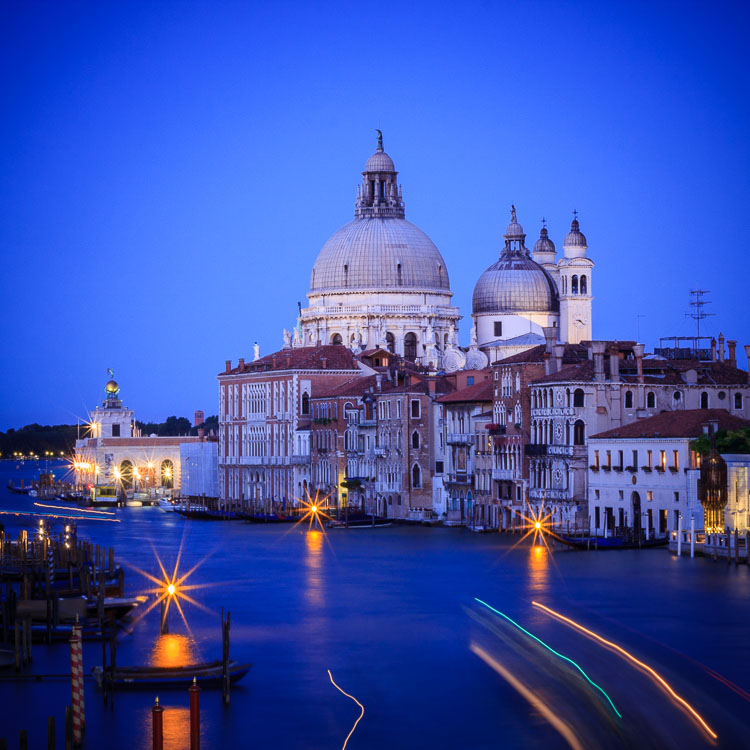
In this example the domes of the Venetian church (centered horizontally) are the strongest shapes, and the focal point of the image. It helps that the lines formed by moving boats from the bottom right of the frame pull the eye towards the church in the distance.

What do you think? Are there times when you use central composition or do you prefer to place the subject off-centre? Let us know in the comments below.


Mastering Composition

If you’d like to learn more about composition then please check out my ebook Mastering Composition: A Photographer’s Guide to Seeing.

googletag.cmd.push(function() {
tablet_slots.push( googletag.defineSlot( “/1005424/_dPSv4_tab-all-article-bottom_(300×250)”, [300, 250], “pb-ad-78623” ).addService( googletag.pubads() ) ); } );

googletag.cmd.push(function() {
mobile_slots.push( googletag.defineSlot( “/1005424/_dPSv4_mob-all-article-bottom_(300×250)”, [300, 250], “pb-ad-78158” ).addService( googletag.pubads() ) ); } );

The post How to Create a Strong Composition by Centring the Subject by Andrew S. Gibson appeared first on Digital Photography School.


Digital Photography School

 
Comments Off on How to Create a Strong Composition by Centring the Subject

Posted in Photography


28 Ethereal Images of a Transparent Subject – Glass

10 Jun

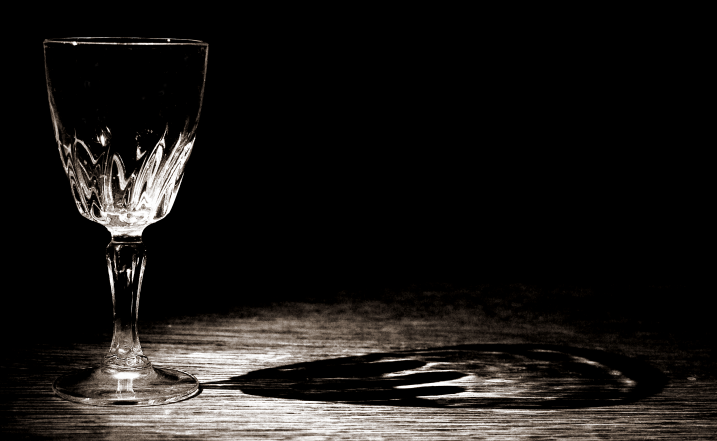
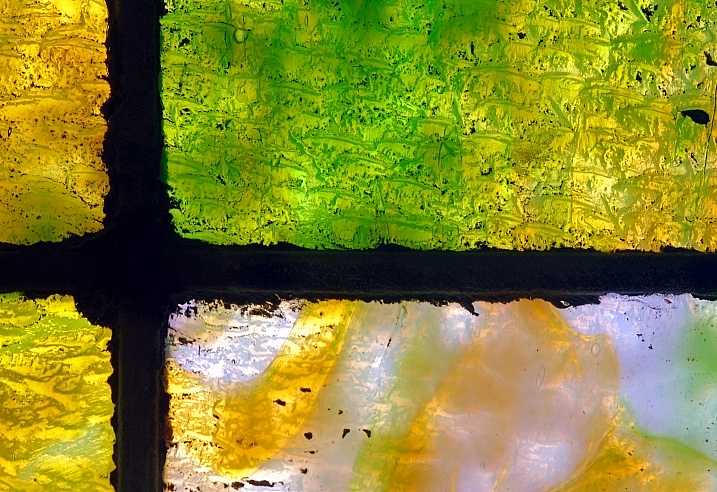
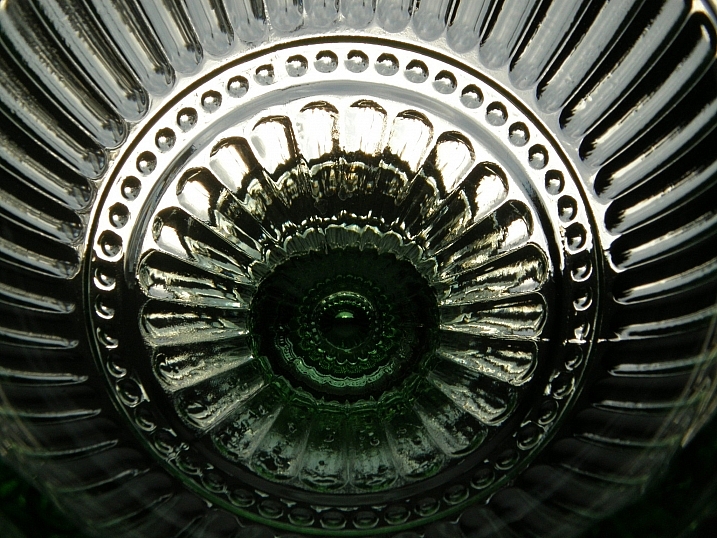
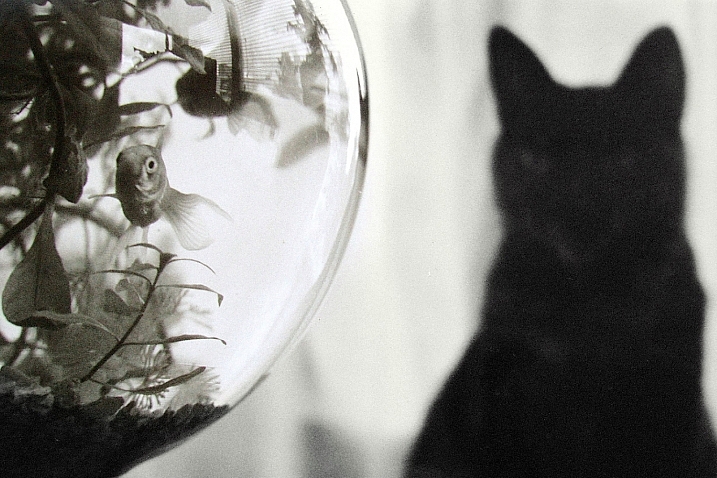
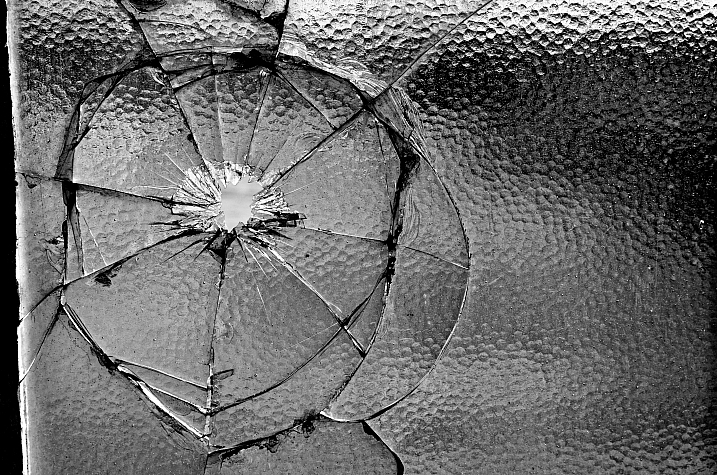
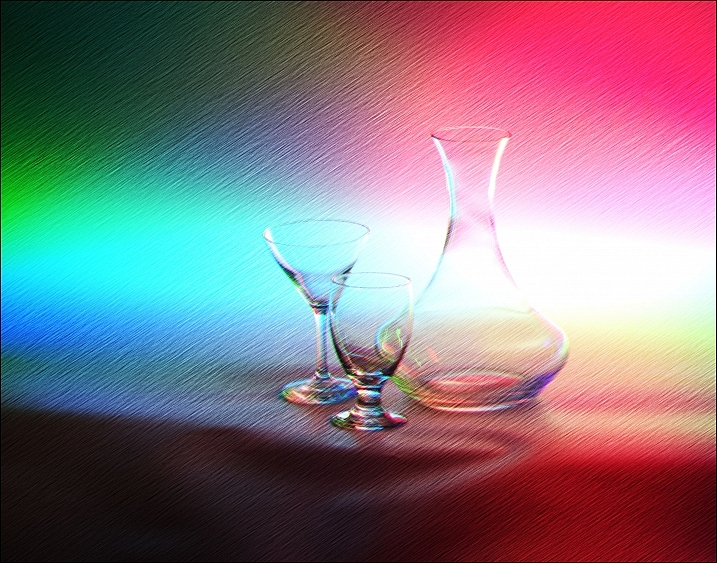
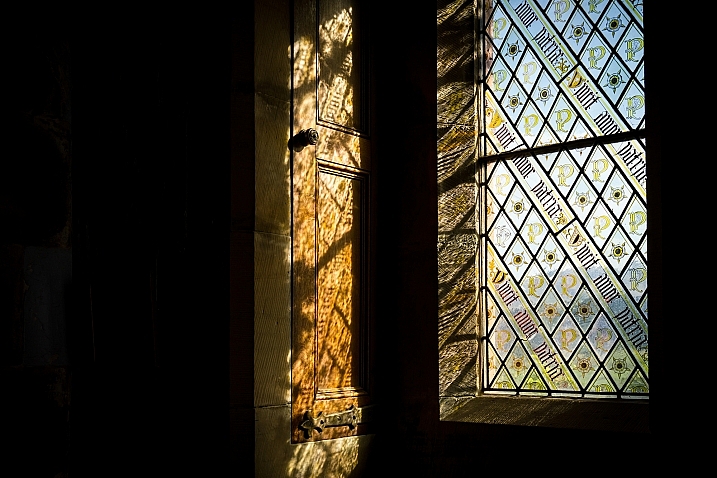
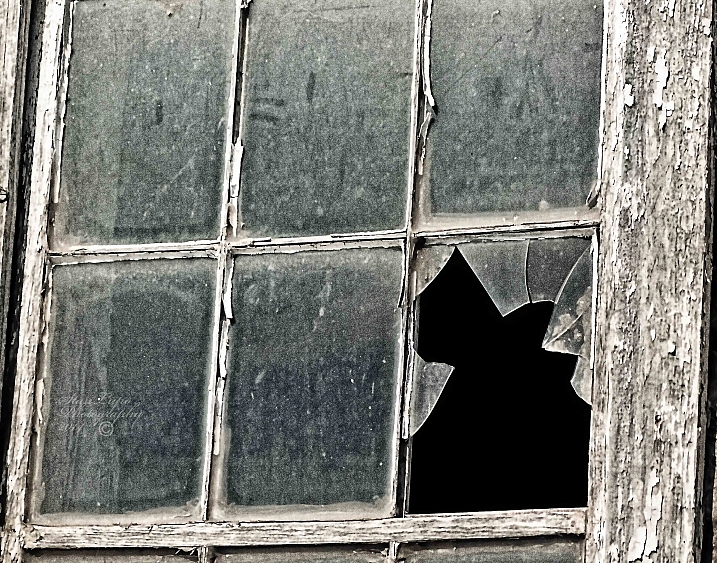
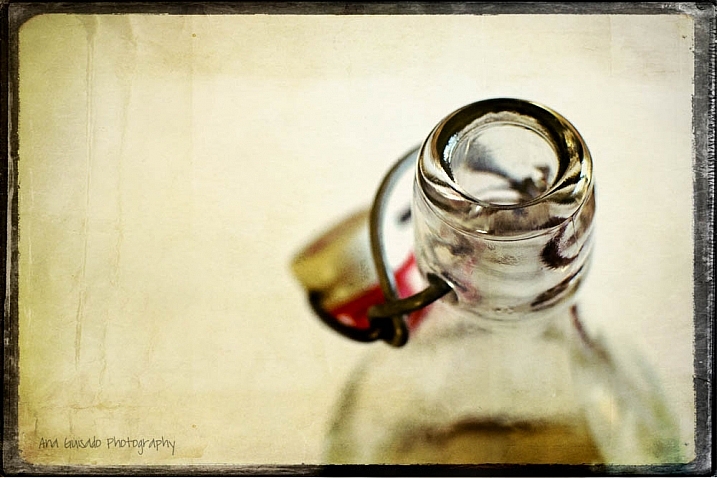
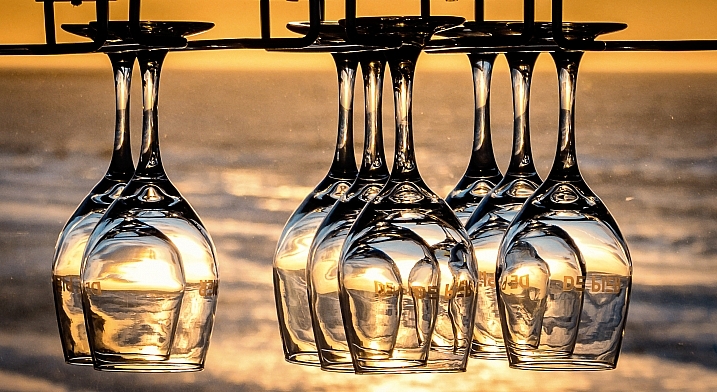
Glass is one of the trickiest subjects to photograph. Trying to avoid reflections, seeing through it, and distortion it causes. It can also help create some dramatic and stunning images.

In this image collection we see how several photographers have handled different kinds of glass subjects:

Ana

By Ana

?aura Tou

By ?aura Tou

Thomas Hawk

By Thomas Hawk

Maurits Verbiest

By Maurits Verbiest

Hellsgeriatric ?

By Hellsgeriatric ?

Martin Brigden

By Martin Brigden

Dean Hochman

By Dean Hochman

Tim

By Tim

Sparkleice

By sparkleice

Jurek D.

By jurek d.

Heike Giesler

By Heike Giesler

Broterham

By broterham

Michael

By michael

Sandy/Chuck Harris

By Sandy/Chuck Harris

Hehaden

By hehaden

Stan Lupo

By Stan Lupo

Chechi Peinado

By Chechi Peinado

Carl R Jr.

By Carl R Jr.

Iahan 13:20

By Iahan 13:20

Andreas Manessinger

By Andreas Manessinger

Neil Tackaberry

By Neil Tackaberry

Chechi Peinado

By Chechi Peinado

Justin Kern

By Justin Kern

R.e. Kittson

By r.e. Kittson

Mister G.C.

By Mister G.C.

Tim

By Tim

Billy Wilson

By Billy Wilson

Jonathan Cohen

By Jonathan Cohen

googletag.cmd.push(function() {
tablet_slots.push( googletag.defineSlot( “/1005424/_dPSv4_tab-all-article-bottom_(300×250)”, [300, 250], “pb-ad-78623” ).addService( googletag.pubads() ) ); } );

googletag.cmd.push(function() {
mobile_slots.push( googletag.defineSlot( “/1005424/_dPSv4_mob-all-article-bottom_(300×250)”, [300, 250], “pb-ad-78158” ).addService( googletag.pubads() ) ); } );

The post 28 Ethereal Images of a Transparent Subject – Glass by Darlene Hildebrandt appeared first on Digital Photography School.

Digital Photography School

 
Comments Off on 28 Ethereal Images of a Transparent Subject – Glass

Posted in Photography


5 Tips to Improve Your Background and Make the Subject Stand Out More

30 May

If you are looking for a quick, simple, hassle-free way to make your images pop more and stand out, this is the article for you!

You don’t have to be a Photoshop genius – in fact, this may help you spend less time in Photoshop. These simple tips can elevate the photos you take. If there was one element in many images I see that could greatly improve it, it would have to be this: backgrounds. An ugly or distracting background can easily reduce the impact of even the best subjects. A clean, un-distracting background will help improve your images and make your subjects stand out even more. The best past is, you wont even have to spend a cent to do this.

Even though the background here works quite well with the subjects, using a wider aperture has ensured that the subjects do not get lost, but stand out. © Daniel Smith / Getty Images.

Even though the background here works quite well with the subjects, using a wider aperture has ensured that the subjects do not get lost, but stand out. © Daniel Smith / Getty Images.

All too often we overlook the background and what is in it. You swear that those power lines weren’t in the viewfinder when you took that picture, and that post, where did that post come from?! That surely wasn’t protruding from your partner’s head when you clicked the shutter button. This occurs for a number of reasons:

  • You’re too focussed on the subject alone that it’s almost like you have blinders on and the subject is all you can see.
  • You may get too obsessed with the camera settings and making sure you nail the photo that you miss all those little annoying things that pop in to the frame.
  • Or you are simply unaware of the importance that a good background can make.

So how can you improve your backgrounds, or at the very least, reduce the negative impact they can have on your images? By following these simple strategies, you’ll be well on your way to a better background and improving your images.

#1 – Location, Location, Location

If you have the option, do try and choose a location that has a nice background – that will make it as easy as it can get. What defines a nice background will depend on your subject, but as a very general guide, look for a spot that has a uniform look to it. Brick walls, corrugated iron roller doors, metal cladding on walls, or even something as simple as a painted white wall, can all make for a nice clean background. Ultimately, what you are not looking for is something that has a lot of other elements in the frame, that do not add to your subject.

If you cannot find a location that has a clean background, looking for somewhere where the background complements – or works with – your subject will also work, too. An example of this would be with sport photography. You simply cannot decide where the game will be played, so you have to work with what you have. In this situation, think about what would look good as a background. Would a stand full of supporters look better than a car park full of cars or a building site? I think it would. The stand full of supports, while not clean, works with your subjects and in fact, has more impact as the supporters add a nice element of atmosphere to the image.

Cluttered BG 1

Even though this image has the stadium in the background, it is a little cluttered. The seats are mostly empty, so it’s not really portraying any sense of atmosphere in the sport.

Clean BG 5

By changing my position, I was able to use a the large black cloth in the background to make the athlete stand out much more. Nothing more than moving was required; much easier.

Here, the backgrounds in these two images are quite plane. They help make the subjects the heroes of the images, as there is nothing else to compete with them.

With this image, the stands in the background have much more people in them. This works nicely to complement the subjects which, in this case, are the players. © Daniel Smith / Getty Images.

While this is a nice action frame, the background is not that fantastic. It’s in between areas of the different stands at this venue. It would look much better if it were against the full stadium, as in the previous image. © Daniel Smith / Getty Images.

You’ve found your location, but a clean background just cannot be had. What do you do?

#2 – It’s All About Perspective

A good backgrounds can be anywhere, and it can change quite a lot depending on the angle at which you photograph your subject. You may be in a very busy space, but within that space will exist areas of calm and peace. By this I mean that your backgrounds can be clean; even when it just looks cluttered in all directions.

When this happens, consider photographing from a different perspective. Photographing your subject from down low will make the sky your background. Conversely, if you’re looking down on your subject, whatever is below them will be the background. So if you cannot find an ideal background, don’t forget to look up and down – that’s where the best one may be hiding.

Relevant BG 1

This rower was photographed from a bridge, making the water the background. in this case, the background works quite well with the subject.

Clean BG 7

This time, I was photographing this plane landing. This meant that I would be looking up, and the sky became the background here. The complementary colour set of the blue sky and yellow light on the plane also help to make the subject stand out more.

You may have the best background sorted. But it’s not always possible to be lucky enough to have that perfect background all the time. So what else can you do to help your subject?

#3 – Camera Craft

There will be times – more often than not – where you simply cannot win with your background. No matter which way you stand, you just can’t seem to find a nice clean backdrop. What now? Here’s where a little camera craft comes in to play and you have a couple of tricks up your sleeve with this.

First point of call is aperture. You know that you can simply open your aperture up a little more, and give that background some nice bokeh (or blur) to reduce its impact. Even when you do have a nice complementary background, it’s still a good idea to use a wider aperture to blur it out a bit and make your subject stand out against it more.

What if you can’t open your aperture any further, though? There’s still hope. Our next strategy is to play with shutter speed and use a panning technique. This can help greatly in rendering a busy background into a nice blurry mess. It also helps to add a great sense of movement and action, as well as give a sense of excitement to an image. If you’re unsure about how to do panning, have a read of this article – it will help greatly. But in a nutshell, panning is the technique of using a slower shutter speed (usually around 1/60th or slower) while tracking a moving subject. The combination of a slow shutter speed, coupled with the panning action, will result in a nice motion blur affecting the background, and if done correctly, the subject will remain sharp.

Cluttered BG 2

This background is clean; there are no real distractions in it, but it could be improved upon.

Clean BG 6

Here’s a different frame but this time, a panning technique has been used to remove all the creases in the blue backdrop. This has made the background cleaner again, and the added motion blur gives a sense of speed which works well with the subject.

Clean BG 8

The use of a wide aperture here has dramatically blurred out the background making it much cleaner. The result is that the subject stands out much more. © Daniel Smith / Getty Images.

#4 – Can You See the Light?

Something that seems to always be overlooked in photography is light. This seems to me like quite a remarkable thing since without light, we don’t have much of a photo. But using light, and the contrast it can provide, is another way to reduce the appearance of a distracting background. With this strategy you need to look for a higher amount of contrast between your subject and the background; that is, you’re subject is (ideally) brighter than the background. By exposing for your subject (the brightest area) you effectively make shadowed areas in the frame darker, thereby affecting your background. This can be achieved with both natural light and flash.

Contrast1

In this image, the flower was in the daylight; whereas the background was in the shade. I exposed for the flower and this made the background darker.

Again, the background here is much darker than the subject; helping to isolate the subject more. © Daniel Smith / Getty Images.

Again, the background here is much darker than the subject; helping to isolate the subject more. © Daniel Smith / Getty Images.

Clean BG 2 Clean BG 1

These photographs were taken in an undercover car park. I used two flashes (both off-camera) as my only light source. This removed any ambient light affecting the image.

#5 – The Final Stop

You’ve done what you can with the background. You’ve tried everything, but your background still doesn’t want to play ball. There will be times when you simply cannot control any of the aspects that have been mentioned. Don’t worry – it isn’t uncommon. Now all you can do is hope that there is something that can be done later, and there is!

If you’ve done everything you can to help improve your background and you’re still not winning, the last port of call is post-processing. You may be thinking, “Hold on, I’m not that great with selecting and masking in Photoshop yet.” but you needn’t worry. There is no selecting or masking with this one. (As a side note, if you intend on making a selection around your subject and replacing the background, you will need to photograph your subject accordingly to make this much easier and more natural).

All you need do is crop your image. That’s it. Cropping is about all you can do now. By cropping, you are effectively removing as much of the background as possible without cropping into your subject. Don’t worry about how much you are cropping out – unless of course you intend on doing a large print. You’d be surprised at how much many photographers are willing to crop.

Do you have any other tips for making the subject stand out, or improving the background? Please share your thoughts and images in the comments below.

googletag.cmd.push(function() {
tablet_slots.push( googletag.defineSlot( “/1005424/_dPSv4_tab-all-article-bottom_(300×250)”, [300, 250], “pb-ad-78623” ).addService( googletag.pubads() ) ); } );

googletag.cmd.push(function() {
mobile_slots.push( googletag.defineSlot( “/1005424/_dPSv4_mob-all-article-bottom_(300×250)”, [300, 250], “pb-ad-78158” ).addService( googletag.pubads() ) ); } );

The post 5 Tips to Improve Your Background and Make the Subject Stand Out More by Daniel Smith appeared first on Digital Photography School.

Digital Photography School

 
Comments Off on 5 Tips to Improve Your Background and Make the Subject Stand Out More

Posted in Photography


How to Cut Out the Subject From the Background in Photoshop

10 Apr

This video by Chris from Spoon Graphics does a good job of going over many of the options available inside Photoshop for cutting things out. The most common use is to cut out the subject from the background, to place it on a different image or background – as in when making composite images.

Watch as he goes over the options for cutting things out:

Quick and dirty selection tools and methods:

  • Eraser tool (not the best choice, this is shown in the video)
  • The Magic Wand tool
  • Quick Selection tool

Pro techniques tools include:

  • Manually drawing the selection
  • Lasso tool (can be frustrating and tricky to use)
  • Pen tool (also using Paths)
  • Tonal selection
  • Channels (plus Curves or Levels)
  • Color range (quick selections based on tones in an image)
  • Layer masks
  • Refine edge tool
  • Defringe to remove halos and outlines
  • Paint hair back in manually
  • Buy a Photoshop plugin like Topaz Remask

Here’s a second video from Glyn Dewis that puts some of those techniques to use to cut out a tree from the background.

Do you know any other methods for doing cut outs? What’s your favorite? Please share in the comments below.

googletag.cmd.push(function() {
tablet_slots.push( googletag.defineSlot( “/1005424/_dPSv4_tab-all-article-bottom_(300×250)”, [300, 250], “pb-ad-78623” ).addService( googletag.pubads() ) ); } );

googletag.cmd.push(function() {
mobile_slots.push( googletag.defineSlot( “/1005424/_dPSv4_mob-all-article-bottom_(300×250)”, [300, 250], “pb-ad-78158” ).addService( googletag.pubads() ) ); } );

The post How to Cut Out the Subject From the Background in Photoshop by Darlene Hildebrandt appeared first on Digital Photography School.


Digital Photography School

 
Comments Off on How to Cut Out the Subject From the Background in Photoshop

Posted in Photography


How To Lead Your Viewer’s Focus to the Subject

05 Jul

Take a look at this photo and remember what your initial thoughts are:

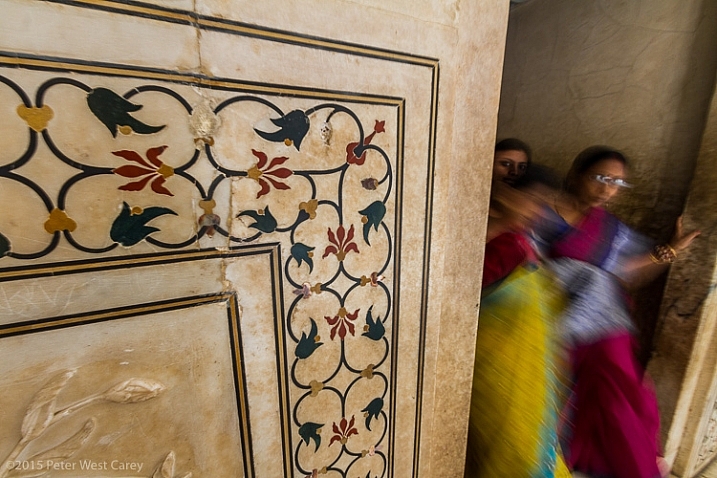
Inlaid Marble Detail Inside Taj Mahal, Agra, India, Asia

Inlaid marble detail inside Taj Mahal, Agra, India, Asia

Where was the first place you looked in the photo? What about the second?

Some of the more interesting photos (and artwork in general) moves your view around the image, and often brings you back for more.

When you take a photo, you know what you’re looking at and what is most important, but this doesn’t always come through in your picture, unless you make a concerted effort to help the viewer see the same thing. Luckily, as a photographer you have more than a few tricks to lead your viewers in your photos.

Leading Lines

The first technique is to simply point the way. As humans, we like lines that go somewhere and we tend to follow them. A trail, a road, repeating patterns; they are all fodder for the technique of leading lines.

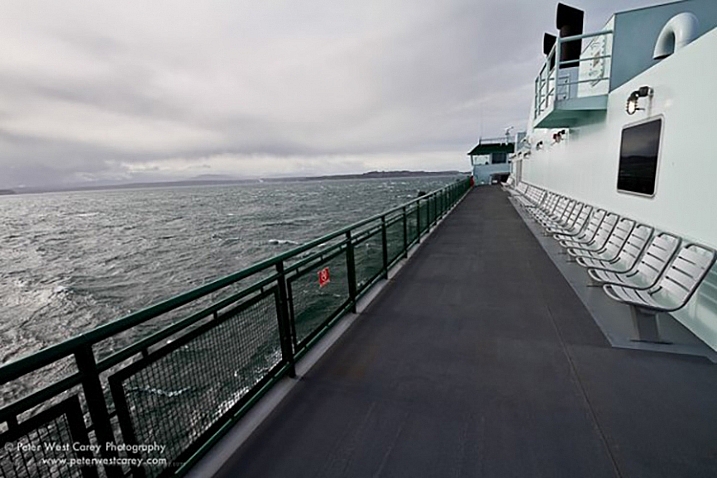
PWC-2011-0207-0588

Crossing to the Olympic Peninsula, Washington, USA

Prayer Wheel Wall, Kathmandu, Nepal

Prayer wheel wall, Kathmandu, Nepal


Leading lines, when stretched far, can also give your image greater depth by taking viewers into your scene. The lines need not be straight. They can be as meandering as a forest path.

PWC-110402-153640-3017

Meandering path, Cascade Mountains, USA

Non-traditionally, I consider a repeating pattern, moving in a particular direction, to be a form of leading line. Such as with this line of bridge braces.

Across The Bridge

Wooden bridge in Olympic National Park, Washington, USA

Selective Focus

Selective focus seems so simple, but can be tricky if you haven’t mastered the use of aperture in your photography. Selective focus is also useful when you have a subject far on the edge of your photo. By habit we tend to look at the middle of a scene first and it’s quite easy to use selective focus to move your viewers to the edge, and the main subject.

PWC-100815-070403-0541

Sunrise on South Sister Mountain, Oregon, USA

It’s also another way to help your viewers ignore the distractions in the scene and find the main subject.

Alaska Rainforest Floor, Glacier Bay National Park, Alaska, USA

Alaska Rainforest Floor, Glacier Bay National Park, Alaska, USA

There is a great article here: How to Use Leading Lines for Better Compositions by Anne McKinnell, that expands on this topic.

Colors

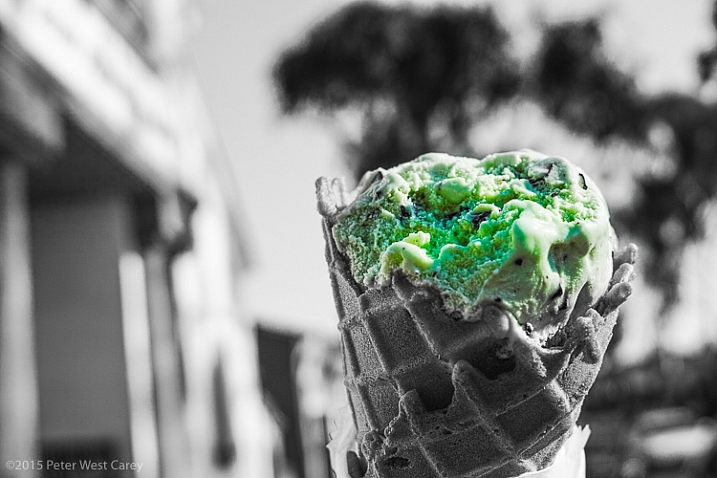
We’ve all seen this technique that became quite popular many years ago.

Chocloate Chip Mint Icre Cream Cone, Balboa Island, California, USA, North America

Chocolate chip mint ice cream cone, Balboa Island, California, USA, North America

You might have just cringed or you might have liked the technique, but there is no doubting where you looked in the photo.

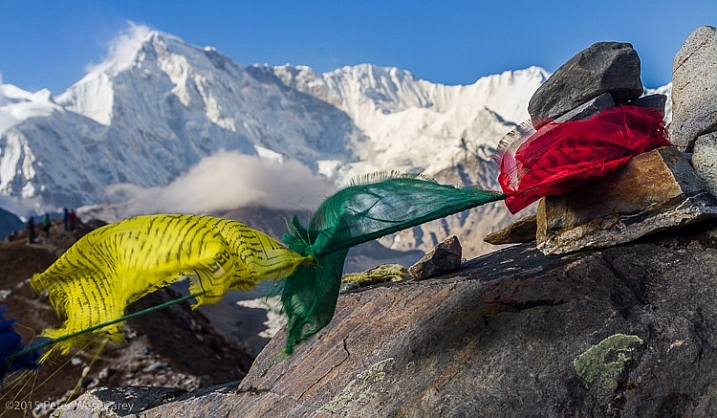
But color need not be a single instance amongst black and white. Simply having a splash of color in a fairly monotone scene helps move the viewer to your main subject.

Prayer Flags And Cho Oyu, Gokyo, Nepal, Asia

Prayer flags and Cho Oyu, Gokyo, Nepal, Asia

Plumeria flowers, outdoors

Plumeria flowers, outdoors

Coffee Cherries Sit Ripe For Picking In Hawaii, USA

Coffee cherries sit ripe for picking In Hawaii, USA

Contrast

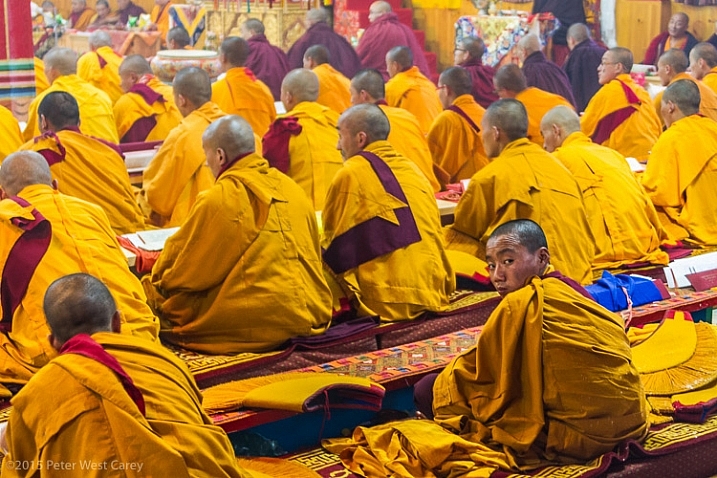
Something or someone going against the grain also brings focus and attention to that point.

PWC-Bhutan2013-0321-6240

Buddhist monks, Jakar, Bhutan

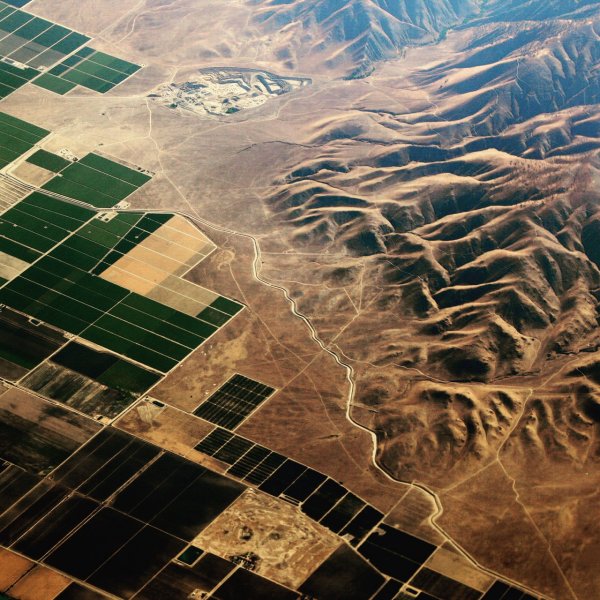
It can also be a contrast in colors or patterns.

High above California's Central Valley, USA

High above California’s Central Valley, USA

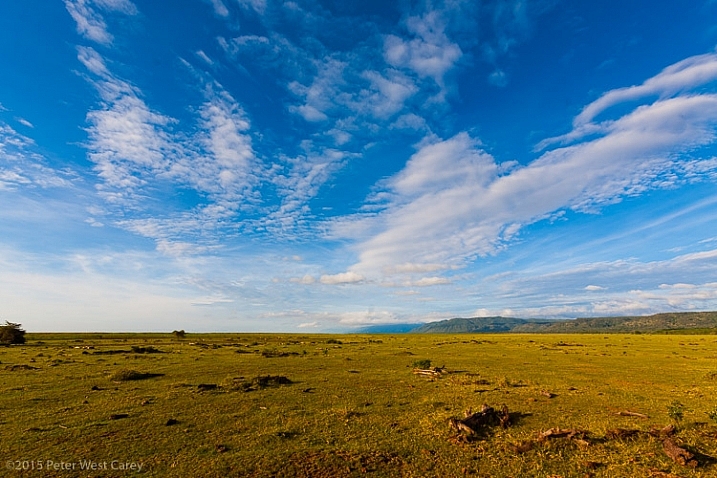
The wide open spaces of Serengeti National Park beckon, Tanzania, Africa

The wide open spaces of Serengeti National Park beckon, Tanzania, Africa

Or it can be a juxtaposition that is the contrast; old and new, youth and elders, fast and slow, etc…

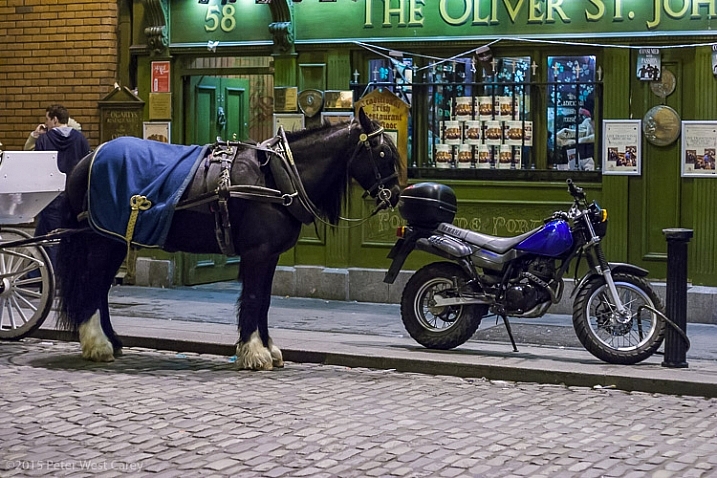
PWC-040318-215251-9790

Old:New; Slow:Fast, Natural:Man-made – Dublin, Ireland

Eyes

Eyes are an easy way to draw focus. So easy, it almost seems like cheating. We naturally connect with eyes, be they human or animal. We can look around a scene and find eyes faster than most objects.

Use that to your advantage!

Close-up of monkey - East Africa - Tanzania

A baboon in the thicket, Serengeti National Park, Tanzania

PWC-India2012-0418-7848

Pygmy owl, Ranthambhore National Park, India

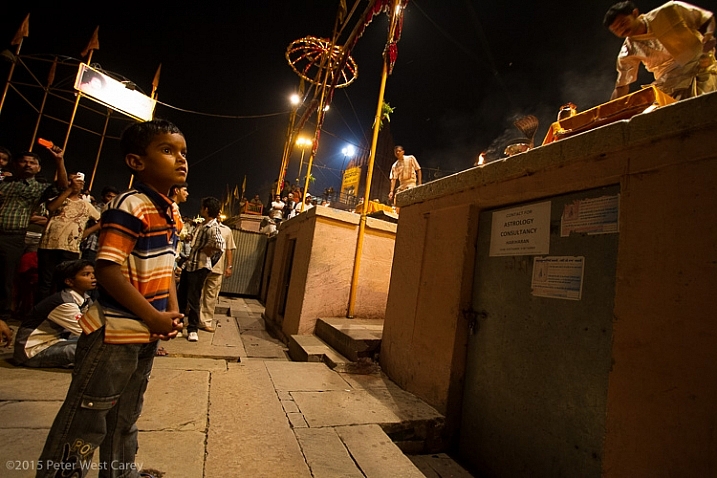
Eyes can also be used to point a way. I have often stated that we don’t like eyes looking off the edge of the photo because we want to know what the person is looking at. But eyes looking toward the middle of an image invite exploration.

PWC-India2012-0422-8911

Child watching Ganga Arti Celebration, Varanasi, India

Frozen Action

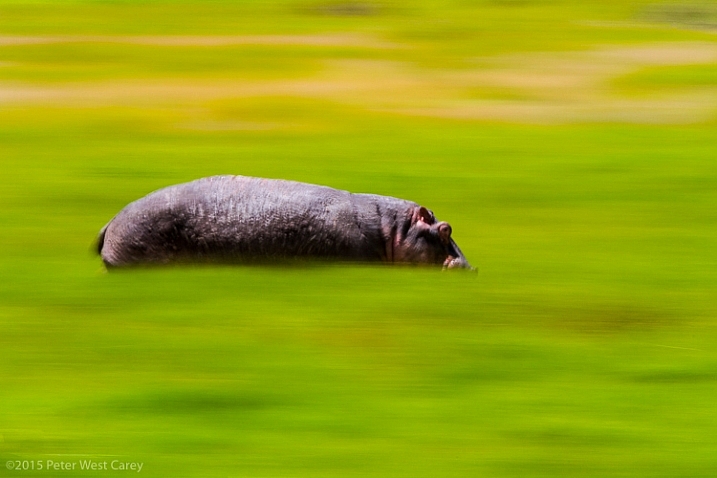
Panning blur is a simple technique to freeze action on your subject, while letting the rest of the image blur. This is a type of selective focus, when we get right down to it, but used in a unique way.

Hippos are amazingly fast animals, deceptively so. I had heard about this before heading to Africa in 2010, but once I witnessed just how fast they can run, and how mean they can be, I made sure my daughter and I were always close to, or in, a vehicle larger than a hippo when they were around. Ngorongoro Conservation Area, Tanzania.

Hippos are amazingly fast animals, deceptively so. I had heard about this before heading to Africa in 2010, but once I witnessed just how fast they can run, and how mean they can be, I made sure my daughter and I were always close to, or in, a vehicle larger than a hippo when they were around. Ngorongoro Conservation Area, Tanzania.

The technique not only leads viewers directly to the main subject as it is the only thing in focus, but also has them looking back where the subject came from, and asking why is there movement.

For more on this technique, check out: Mastering Panning – Photographing Moving Subjects.

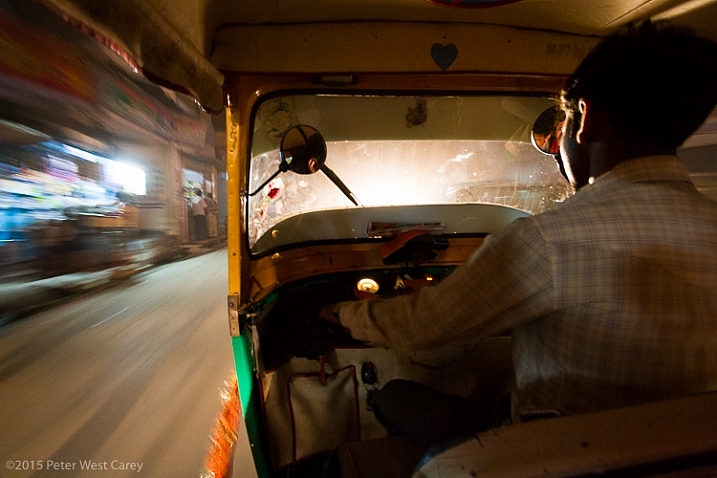
It can also be used when inside a moving object to emphasize speed, while also giving focus to the stationary objects of interest.

Speeding through the night streets of Varanasi, India

Speeding through the night streets of Varanasi, India

Going Into Your Photo

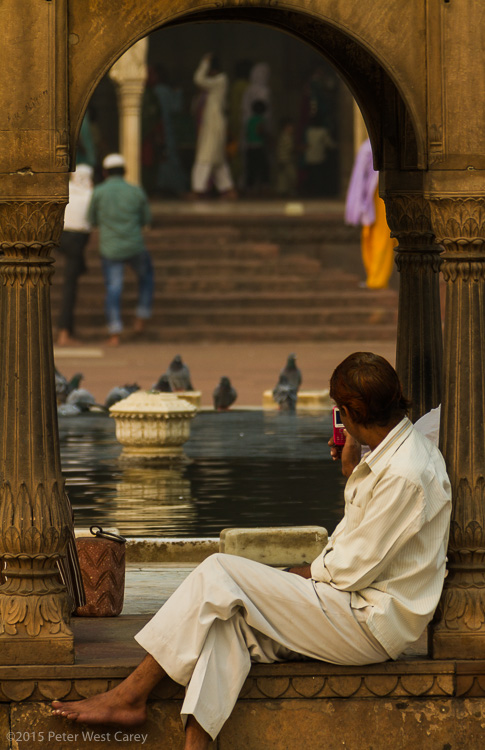
Arches, doorways, tunnels…these are all things that naturally make us want to go “into” a photo. We want to progress from the outside in. Craft your images by having more than one layer, in a three dimensional sense.

PWC-India2011-1031-9584

Taking photos at Masjid-i Jah?n-Num?, Delhi, India

Through The Arch

Arches National Park, Utah, USA

Conclusion

Postcard shots are certainly a fine use of a digital camera. They capture a whole scene and make things static. But if you want to move your viewers around your images and have them coming back for more, think about how you are composing your photos.

googletag.cmd.push(function() {
tablet_slots.push( googletag.defineSlot( “/1005424/_dPSv4_tab-all-article-bottom_(300×250)”, [300, 250], “pb-ad-78623” ).addService( googletag.pubads() ) ); } );

googletag.cmd.push(function() {
mobile_slots.push( googletag.defineSlot( “/1005424/_dPSv4_mob-all-article-bottom_(300×250)”, [300, 250], “pb-ad-78158” ).addService( googletag.pubads() ) ); } );

The post How To Lead Your Viewer’s Focus to the Subject by Peter West Carey appeared first on Digital Photography School.

Digital Photography School

 
Comments Off on How To Lead Your Viewer’s Focus to the Subject

Posted in Photography


How to Isolate Your Subject in Lightroom

06 May

One of my favourite portrait techniques is to isolate the model by using a short telephoto lens and a wide aperture. The idea is to throw the background out of focus and keep the subject sharp, so there is a clear distinction between the two. This creates beautiful bokeh and the illusion of depth.

Isolating the subject in Lightroom

Another way to isolate the model is to place them in the light, against a dark background that is in the shade. The opening photo (above) used this technique. I asked the model to pose in a doorway, and she is separated from the background because there’s no light illuminating the interior of the building.

These techniques are very effective but sometimes the results won’t match what you visualized. It may be that the background isn’t quite as dark as you would like, or not out of focus enough. It may contain distracting colours or highlights. In these situations you can use Lightroom to give you a helping hand.

Take the following photo as an example. The model is an artist who creates artwork from scrap metal. He is lit by daylight coming through open doors to camera left. I originally visualized the scene with the background going dark. Here’s what I was hoping for (the final result, after editing in Lightroom):

Isolating the subject in Lightroom

In the event however, that didn’t happen. The workshop was illuminated by lighting coming through skylights and a window at the rear. The blurred area on the left is the door to the workshop – included to add a sense of depth and to hide a white metal tank in the background. The door is outside, so it came out very bright compared to the interior.

This is the photo, more or less straight out of the camera.

Isolating the subject in Lightroom

Quite a difference! Let’s look at some of the techniques I used to isolate the subject in Lightroom, and complete my original vision of the photo.

  • I added a Radial Filter and moved the Exposure slider left to darken the area around the subject. The Radial Filter is a very flexible tool as you can adjust the size and shape to match your subject.

    Isolating the subject in Lightroom

  • I used a Graduated Filter to darken the out of focus door. Now it doesn’t pull any attention away from the artist, who is the focal point of the photo. You can use Graduated Filters to darken any part of the background in the same way.

    Isolating the subject in Lightroom

  • Next I used the Adjustment Brush to darken some areas that weren’t covered by the Radial Filter. I painted in the area I wanted to adjust (shown by the red mask, below) and moved the Highlights and Shadows sliders left to make it darker. The Adjustment Brush tool is extremely useful for making local adjustments in areas that the Radial and Graduated Filters are unsuitable for.

    Isolating the subject in Lightroom

  • Finally I created another Adjustment Brush, painted over the model and moved the Clarity slider right. This made him look sharper by emphasizing the texture. It’s a technique that works better with men than with women as it affects skin texture, emphasizing wrinkles and other marks. A subtle touch is best. Here, increasing Clarity made the model’s skin brighter, so I moved the Highlights slider left to compensate.

    Isolating the subject in Lightroom

Here’s a before and after comparison so you can see the difference that those four simple adjustments made.

Isolating the subject in Lightroom

I’ve also created a YouTube video that shows how I processed this photo in depth.

You can also experiment with using the Adjustment Brush to select the background and making it softer by moving the Clarity slider left or desaturating it with the Saturation slider. Care is required with both techniques as they are easy to overdo – once again a subtle touch is best. They may come in useful when there are bright highlights or distracting colours in the background.

Isolating the subject in Lightroom

What techniques do you use to isolate the subject in Lightroom? Please let us know in the comments.


The Mastering Lightroom Collection

Mastering Lightroom ebooksMy Mastering Lightroom ebooks will help you get the most out of Lightroom 4 and Lightroom 5. They cover every aspect of the software from the Library module through to creating beautiful images in the Develop module. Click the link to learn more or buy.

googletag.cmd.push(function() {
tablet_slots.push( googletag.defineSlot( “/1005424/_dPSv4_tab-all-article-bottom_(300×250)”, [300, 250], “pb-ad-78623” ).addService( googletag.pubads() ) ); } );

googletag.cmd.push(function() {
mobile_slots.push( googletag.defineSlot( “/1005424/_dPSv4_mob-all-article-bottom_(300×250)”, [300, 250], “pb-ad-78158” ).addService( googletag.pubads() ) ); } );

The post How to Isolate Your Subject in Lightroom by Andrew S. Gibson appeared first on Digital Photography School.

Digital Photography School

 
Comments Off on How to Isolate Your Subject in Lightroom

Posted in Photography


10 Portrait Composition Tips to Frame Your Subject Perfectly

16 Feb

How you compose and frame your portrait is important for creating visual impact and connection with the viewer. It can dictate the mood and feel of the portrait, making it feel inviting or uncomfortable. Knowing a few rules, and how to break them effectively is a good place to start. In this article I’m going to give you some general Continue Reading

The post 10 Portrait Composition Tips to Frame Your Subject Perfectly appeared first on Photodoto.


Photodoto

 
Comments Off on 10 Portrait Composition Tips to Frame Your Subject Perfectly

Posted in Photography


Depth of Field and the Importance Distance to Subject Plays

12 Feb

Let’s say that perhaps you’ve been taking photos for a while now. You’ve gotten yourself a good DSLR camera and have recognized that the standard 18-55mm kit lens that comes with your camera is nice, but just doesn’t give you the shots that you are looking for.

IMG

So you plunk down your money on the ever-popular 50mm f/1.8 prime lens that everybody is talking about, mount in on your camera, change your aperture to its widest (f/1.8) setting and start shooting. You spend all day shooting with this wonderful little lens and then you get home and put them on your computer and realize that 80% of your shots are out of focus.

In the past, when this used to happen to me, I would reason that shooting wide open was just not possible, because I ended up with too many shots that were out of focus. I incorrectly reasoned that I always needed to close down my aperture when shooting portrait subjects, or they would end up out of focus because the shallow depth of field was just too unusable wide open. For a while, I only used my 50mm 1.8 lens at f/4 because it was the widest aperture that I trusted to get the shot in focus. Crazy yes, I know. But then I figured out something that has changed my use of wide-aperture lenses forever.

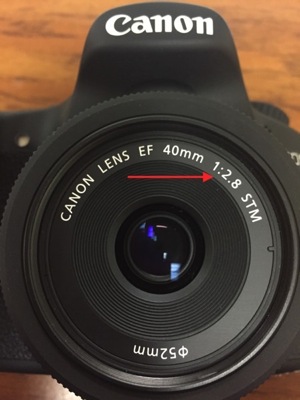
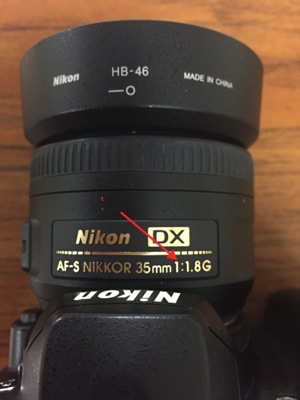
Before we continue, let’s break down the meaning of “wide open” and “fast prime lenses”. To shoot “wide open” means that you are choosing to photograph at your lens’ widest aperture setting or f-stop. On a lot of lenses, the widest aperture is listed somewhere on the lens itself with Canon usually listing it on the front of the lens, and Nikon listing this information on the body of the lens. Generally the ration looks something like this: 1:2.8 or 1:1.8. (See photos)

IMG 4418 IMG 4419

A “fast prime lens” is one that has one focal length (does not zoom) and has “fast” light-gathering ability (due to its wider apertures). Most photographers consider a fast lens to be one with an aperture number of f/2.8 or wider (the smaller the number, the wider the aperture). Two of the most popular features of fast prime lenses are their ability to obtain beautiful out of focus backgrounds and shallow depth of field, as well as their ability to handle low-light conditions because of the aforementioned large apertures.

Let me let you in on a little secret about shooting wide open – it’s about the distance to your subject. Most people learn that wide-aperture lenses blur the background and let in more light, but they never understand that the really neat shallow depth of field created by their lens is also affected by another factor; how close they are to the subject.

You won’t find many manuals on subject to camera distance. It’s kind of an assumed topic that doesn’t get enough attention. Let’s look at it as simply as possible: the closer you are to your subject, the shallower the depth of field is relative to your chosen aperture. In other words, if you are shooting at f/1.8 and you are 20 feet away from your subject, you will have MORE depth of field than you will if you are shooting 2 feet away from your subject.

To get more mathematical, if you’re using a 50mm lens at f/1.8 and photographing something at 4 feet, your depth of field will be around 1.5 inches deep. But if you photograph that same subject from 10 feet, you will have a depth of field of just under 10 inches deep.

2ft 35mmP

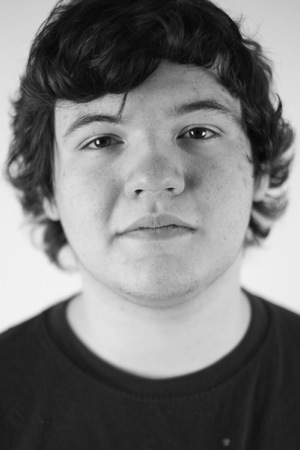
Shot at 2ft with a 35mm lens at f/1.4.

9ft 35mmP

Shot at 9ft with a 35mm lens at f/1.4. 

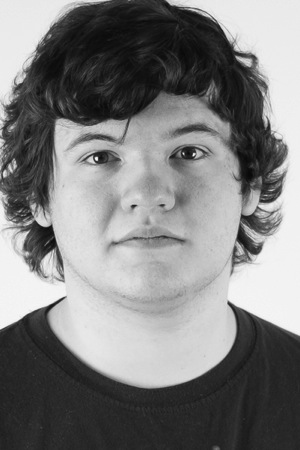
The right image cropped to similar framing as the left. Notice the increase in depth of field on the hair and ears, and also the reduction in lens distortion.

2ft 35mm

Shot at 2 ft with a 35mm lens at f/1.4.

9ft 35mm

Shot at 9ft with a 35mm lens at f/1.4. Cropped to similar framing. Notice how the pencils in the back row come into focus.

With this information, it is also very important that you get to really know your lens and its abilities. For instance, if you happen to know that you shoot a lot of portraiture close to your subjects, be aware of how much depth of field your lens gives you at three feet, four feet, and so on, when shooting wide open. In time, with experience, you will be able to immediately predict the depth of field your lens will give you based on the distance you are away from your subject.

5ft 85mmP

Shot at 5ft with an 85mm lens at f/1.4.

12ft 85mmP

Shot at 12ft with an 85mm lens at f/1.4.

The depth of field does increase slightly in the right image, but not as dramatically as the 35mm lens due to the 85mm longer focal length.

In conclusion, you can see that the reason your photos might be coming out blurry would be because of your distance to your subject when shooting wide open. So the next time you find yourself frustrated at your results shooting with that wide-aperture lens at its widest aperture, take a step or two back. You might like the results.

googletag.cmd.push(function() {
tablet_slots.push( googletag.defineSlot( “/1005424/_dPSv4_tab-all-article-bottom_(300×250)”, [300, 250], “pb-ad-78623” ).addService( googletag.pubads() ) ); } );

googletag.cmd.push(function() {
mobile_slots.push( googletag.defineSlot( “/1005424/_dPSv4_mob-all-article-bottom_(300×250)”, [300, 250], “pb-ad-78158” ).addService( googletag.pubads() ) ); } );

The post Depth of Field and the Importance Distance to Subject Plays by Al Jurina appeared first on Digital Photography School.

Digital Photography School

 
Comments Off on Depth of Field and the Importance Distance to Subject Plays

Posted in Photography


Sony a6000 promises world’s fastest AF and 11 fps subject tracking

12 Feb

ILCE-6000_wSELP1650_flush_up_black-1200.png

Sony has released its new a6000 mirrorless camera, which is the replacement to the NEX-6. This midrange mirrorless features a 24MP CMOS sensor, Sony’s latest Bionz X processor, and a refined Hybrid AF system that covers 92% of the frame with phase-detect points. The new AF system allows for continuous shooting at 11 fps with subject tracking, and also promises the ‘world’s fastest autofocus’, according to Sony. Video enthusiasts will be pleased to see that the a6000 offers a zebra pattern and clean HDMI output, though it lacks headphone or mic ports. Read more.

News: Digital Photography Review (dpreview.com)

 
Comments Off on Sony a6000 promises world’s fastest AF and 11 fps subject tracking

Posted in Uncategorized