RSS
 

Posts Tagged ‘Started’

Real Estate Photography – a Guide to Getting Started

20 May

real-estate-photography-home-front-lighting

Photography has never been more important to selling real estate than it is today. The markets are heating up again and demand for real estate creates demand for photography. This is good news to photographers, but like any business, there is plenty of competition. If you are new to real estate and architecture photography, here are some general guidelines to start you on the right path.

Camera Equipment

A camera, lens, and tripod, are all that is required to get started, but you might quickly learn that many competitors are very proficient at using supplemental lighting and Photoshop techniques.

Your camera should allow you to add a cable release, a flash, different lenses, and wireless triggers. Wide angle lenses are required. For cropped sensor cameras a lens around 10-22mm or 12-24mm is perfect, and for full frame sensor cameras, a lens around 16-35 mm will do the job.

Tilt-shift lenses help avoid converging vertical lines such as wall edges and door frames leaning in or out. There are several tilt-shift lenses available from Canon’s 17mm, the 24mm from Canon and Nikon, and others. While these lenses are wonderful to use, they are fixed focal length so if you need  a perspective that is for example; 19 mm or 27 mm or somewhere in between, a 16-35mm zoom lens is a great companion to a tilt-shift lens.
real-estate-photography-converging-lines

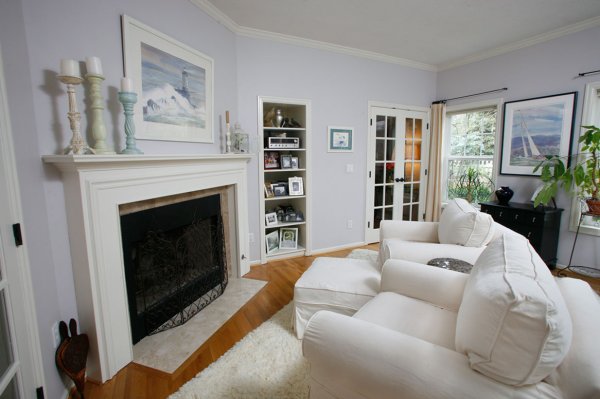
This image before processing shows diverging vertical lines, seen best by the edge of the fireplace, from using a 16-35mm lens tilted down to add foreground and minimize ceiling.

Shooting techniques vary from exposure blending, HDR, wireless flash, and light painting with multiple exposures. No matter your shooting style the camera should not be moved to guarantee image alignment of multiple exposures. The camera’s self-timer, a cable release, or wireless triggers insure no camera movement. The iOS App or Camranger also triggers the camera and provide a preview of the photo on a smart device.

Approaching the Property

The first image a potential buyer sees (usually) when reviewing properties online is an exterior photo. That photo is important so take the time to find the best angle and best light. Ask the realtor what are the important features to highlight. They usually want exterior photographs from front and rear, a deck or patio, landscaping and gardens, pool or hot tub, a barn, shop, or other outbuildings. Each feature should be emphasized in the composition by using the surroundings, like beautiful gardens leading to a cool garden shed.
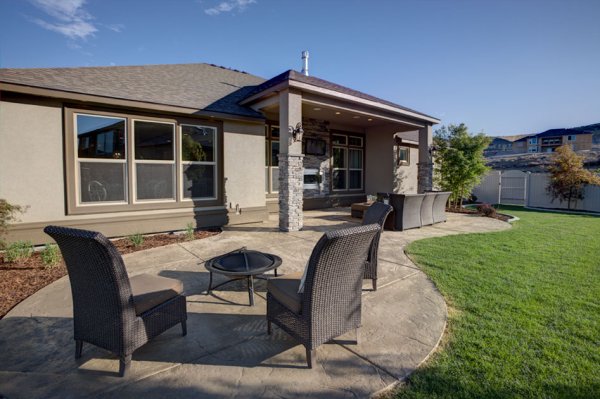
  The client was most interested in the outdoor theater under cover on the back porch, which I captured, but I also captured this image showing the patio furniture and giving a broader view of the backyard.

The client was most interested in the outdoor theater under cover on the back porch, which I captured, but I also captured this image showing the patio furniture and giving a broader view of the backyard.

Exterior Lighting

Most outdoor subjects benefit from early or late day lighting, including real estate. Using Google Maps and Google Earth can help you determine the best time of day prior to the photo shoot.  Searching only takes minutes and provides an idea whether a home faces the sunrise or sunset, or neither.

Light hitting the front of a home is perfect as seen here after sunrise. In winter, some homes facing south never have the sun hitting the front of the home To avoid shooting into the sun, photograph from the same end of the house as the sun.
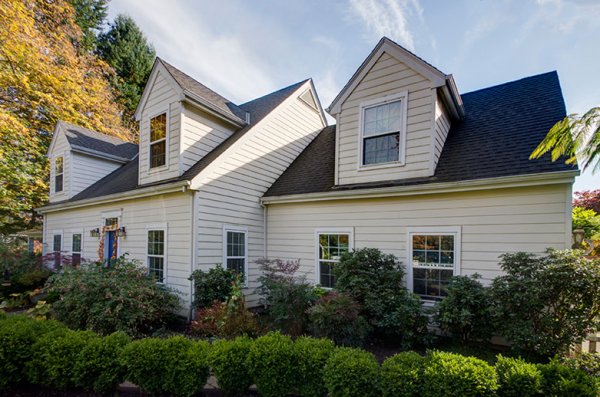
Light hitting the front of a home is perfect as seen here after sunrise.

In winter, some homes facing south never have the sun hitting the front of the home To avoid shooting into the sun, photograph from the same end of the house as the sun.

 This home has a huge yard and a street lined with cars. Photographing from the left put the sun right above the roof but moving to the right side was a better perspective and the sun was out of view.

This home has a huge hedge behind the camera and a street lined with cars. Photographing from the left put the sun right above the roof but moving to the right side was a better perspective and the sun was out of view.

Overcast skies can eliminate any problems with sun’s position, but shooting on poor days is a decision best discussed with the realtor.  The advantage is you can shoot any time of the day but the disadvantage is white skies can lessen the impact of an otherwise great exterior image.
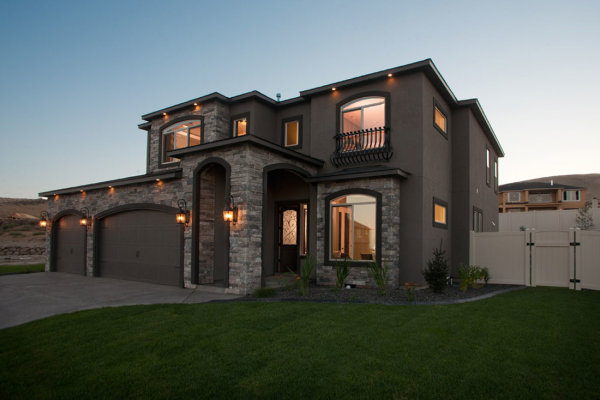
The dusk/dark technique

The dusk/dark technique

The dusk/dark technique is often requested by clients because it helps sell properties. The image is photographed outside and from the best angle to showcase the house. The technique is to turn on all the lights in a room and shoot at a certain time. After sunset the sky’s exposure will balance with the room lights’ exposure. A better approach is to add lights to the rooms creating even lighting, and working this way means not having to wait for that perfect balance between room lights and outdoor light.

Interior Photography

Homes come in all shapes, sizes, styles, and conditions. I always tell my clients that I am not in the house cleaning business, so I send them a task list with my suggestions on prepping the home prior to the photo session. Once inside, I set out to photograph the main rooms: the living room, kitchen, dining area, master bedroom, master bath, are all ‘must shoot’ rooms. There could also be a library, office, large walk-in closet, and more. The client can often tell you what they deem important. Next, seek the best perspective for each room.
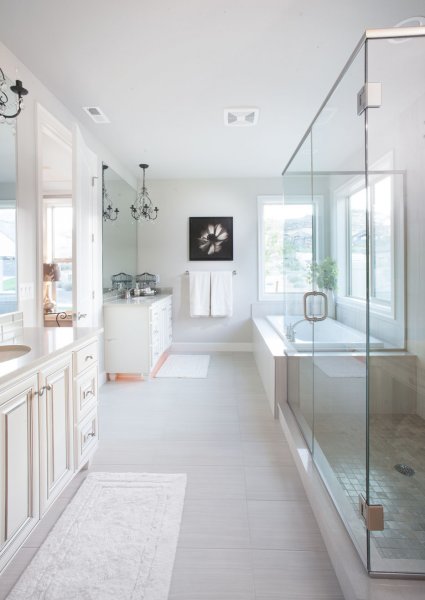
The master bathroom

The master bathroom

I describe my approach as using the inside elements: furniture, windows, and room layout, to create visual flow. I generally try to avoid composing something large in the foreground that prevents the eye from flowing through the room.
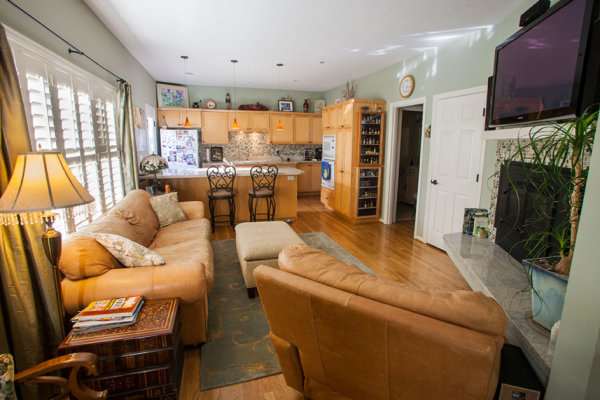
This is the first test shot I took of this room and the foreground chair blocked the flow through the room.
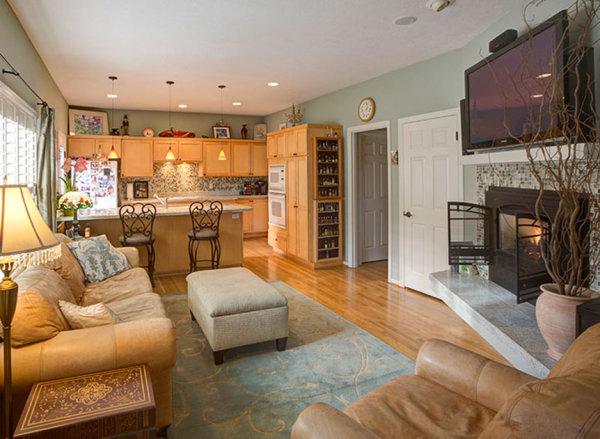
This is the first test shot I took of this room and the foreground chair blocked the flow through the room.

real-estate-photography-interior-after

By rotating the chair and lowering the camera height slightly, the eye can flow through the room easier. This image also has the vertical lines corrected.

Camera Height and Vertical Edges

There is broad agreement among clients and photographers, that if there is to be a rule it will state: verticals must be correct! In most interiors there are edges and corners of walls, door frames, and windows that have vertical sides and these edges need to truly be vertical. When you use a tilt-shift lens this problem is solved, but tilting the camera up or down with a non-TS wide angle lens makes vertical edges converge or diverge and they no longer appear straight.

One widely used approach is to level the camera using a hot shoe bubble level, making edges straight. While this is a simple solution, it is not always the best solution when using a non-TS lens. A level camera at chest height can result in foreground subjects, like furniture being cutoff at the bottom with too much ceiling at the top. Lowering the camera height will improve this problem but how low can you go and still have an effective photo?
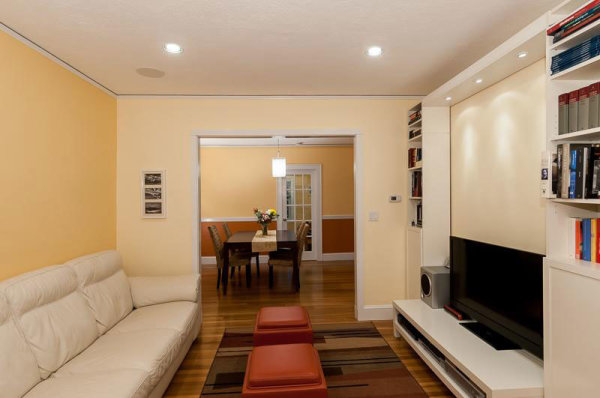
This image by one of my online course students; Simone Brogini, illustrates this point. His camera is chest high and his camera is leveled to avoid diverging lines. The problem as I mentioned to him was that the foreground furniture is cutoff and there is too much ceiling that lacks interest.

This image by one of my online course students; Simone Brogini, illustrates this point. His camera is chest high and is levelled to avoid diverging lines. The problem as I mentioned, is that the foreground furniture is cutoff and there is too much ceiling that lacks interest.
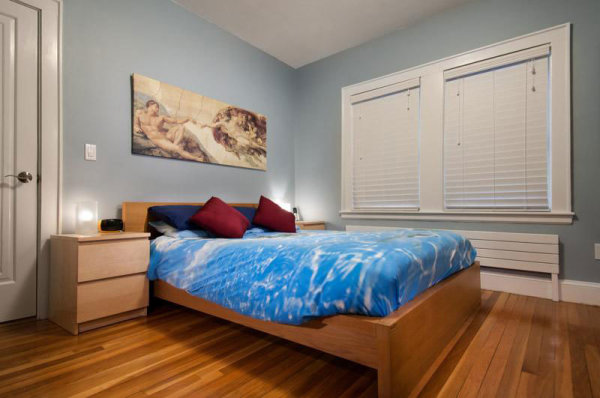
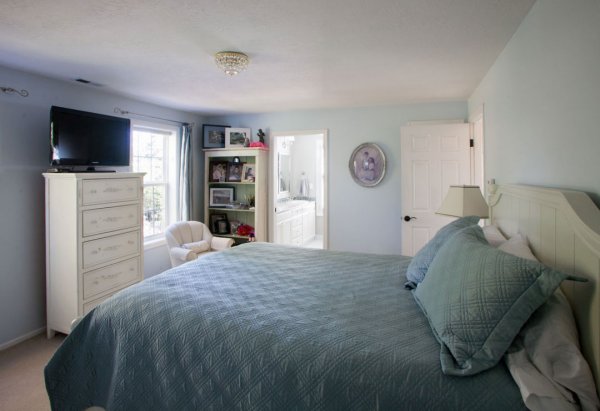
 Simone also shot this bedroom image the same way. It looks pretty good but I advised him again that in my that camera height might be just a little too low as the bed and furniture get only about 1/3 of the frame and the wall and windows uses 2/3 of the frame.

Simone also shot this bedroom image the same way. It looks pretty good but I advised him again that in my opinion the camera height might be just a little too low, as the bed and furniture get only about 1/3 of the frame and the wall and windows use 2/3 of the frame.

So what is the perfect camera height? There are many opinions. Some suggest chest height while others suggest door knob height or even lower, all to avoid diverging verticals lines. I prefer chest height or close and correcting vertical lines using other methods like a tilt-shift lens or the Lens Correction Tool in Photoshop (or Lightroom).
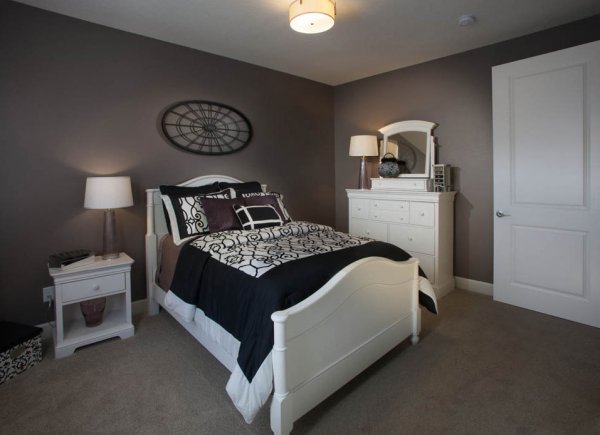
This image shows the use of the Lens Correction Tool. The bed and furniture consume 2/3 of the frame and provide a fuller view of the room.

This image shows the use of the Lens Correction Tool. The bed and furniture consume 2/3 of the frame and provide a fuller view of the room.

Getting Good Exposure

The perfect interior exposure is challenging when balancing bright window light, with darker interiors. You can deal with scene contrast many ways; one is to shoot when outdoor light levels are lower. Midday light will be much brighter outside than during or after sunset, or on a cloudy day. Turning on every light inside increases the interior brightness, and if the outdoor brightness is lower a RAW file can often capture the scene in one frame.
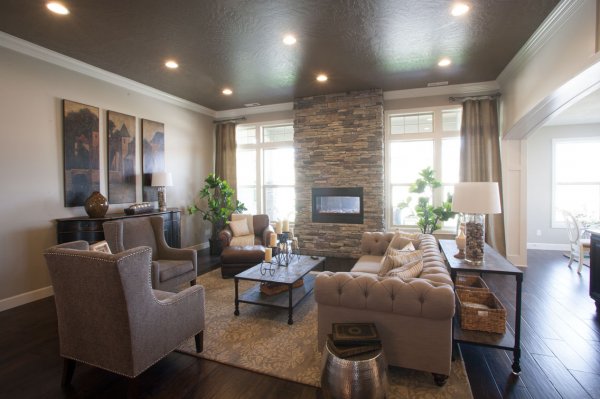
  This room has a dark ceiling, dark furniture, and window flare and hot spots. To much contrast for one capture.

This room has a dark ceiling, a dark floor, a window flare and hot spots with too much contrast for one capture. (see corrected version below)
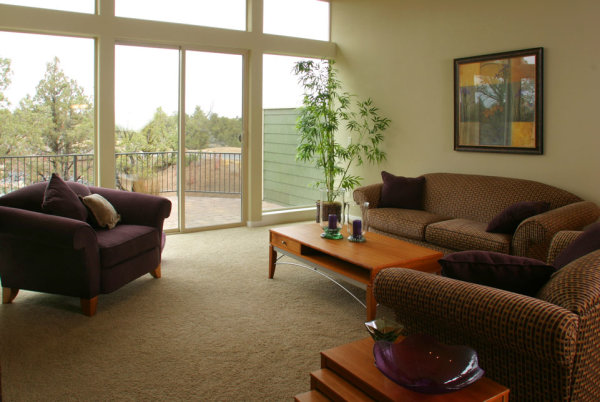
  On a overcast day, the interior exposure is quite good as well as the window exposure. A flash was bounced off the ceiling on the right.

On a overcast day, the interior exposure is quite good as well as the window exposure. A flash was bounced off the ceiling on the right.

To make sure I have all the exposures for a great image, I determine my ‘base exposure’, the image that has most of the data centred in the histogram. Then I bracket widely in +/- one stop increments of varied exposures so I have variety just in case I need them. Lightroom and Photoshop, and certainly other programs, allow selective lightening and darkening of shadows and highlights on a single image, but if the contrast is too much, I can blend those bracketed images into a great final image.
The Adjustment Brush was used to bring down the brightness of the left window. There is still a little flare around the window, but this worked for the real estate website.

The Adjustment Brush in Lightroom was used to bring down the brightness of the left window.

Interior Lighting

Just like a finely lit portrait, interiors can benefit greatly from nicely styled lighting. HDR can manage scene contrast but it does not create highlights and shadows in areas that have no directional light. If you have a dark cabinet against a dark wall, adding supplemental light can bring out that needed detail.

Most interiors have two light sources: window light and interior lights, both constant light sources. You can add constant lights or use strobe or flash. Constant lights, unlike flash, are like the lamp on the table or window light. Changing your exposure to darken window light also changes the exposure brightness of your constant lights. Flash is not a constant light! If you change your shutter speed to darken the window light exposure, flash exposure will not change and for this reason; flash or strobe provides flexibility when lighting interiors.

Photographers shooting for architects or magazines often have plenty of time to photograph a property with finely crafted lighting techniques, but a real estate photographer’s time is usually limited, making flash the perfect tool. Some photographers have mastered the balancing act of using direct on-camera flash to fill in a scene while others use on-camera flash in a bounce capacity.
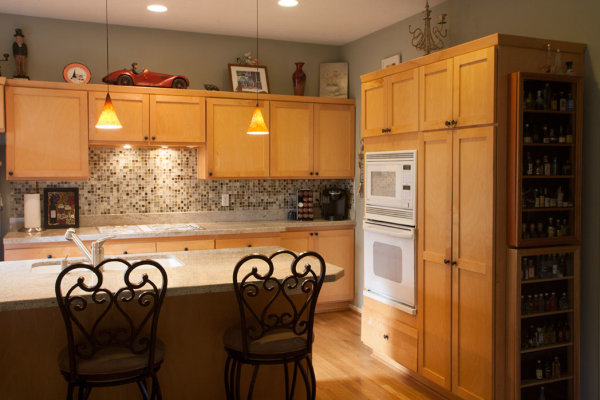
Here the only light is coming from a window on the left and the ceiling fixtures, leaving dark areas in front.
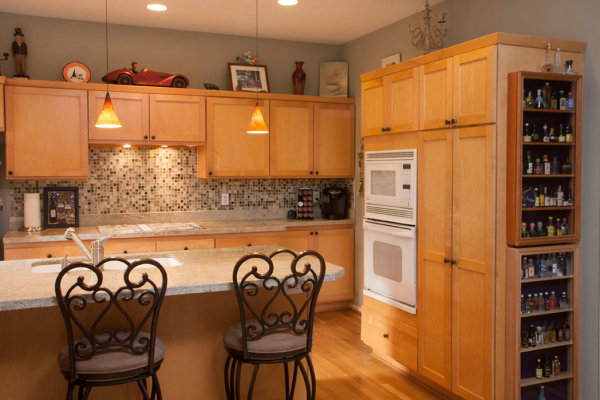
Here the only light is coming from a window on the left and the ceiling fixtures, leaving dark areas in front.

Adding bounce flash, hand held just to the right of the camera, filled in those darker areas effectively.

Adding bounce flash, handheld just to the right of the camera, filled in those darker areas effectively.

Also popular are multi-flash wireless set ups allowing the flash to be placed around a room for styled lighting. Also growing in popularity is the ‘light painting’ approach where areas are selectively lit and the exposures are blended.

This image utilizes the Light Painting approach to interior lighting.

This image utilizes the Light Painting approach to interior lighting.

One side effect with outdoor lighting mixing with interior lighting is ‘lighting color balance‘. This is different than camera White Balance settings. Camera White Balance is set to either specific areas of your scene or set to average all light sources together.

There is a blue color cast above and right side of the window as well as the floor on the left.

There is a blue color cast above and right side of the window as well as the floor on the left.

When you have mixed light, such as daylight colored window light mixing with tungsten colored ceiling lights, and then throw in a fluorescent kitchen light, you have a veritable palette of different colors mixing together. Walls closest to windows will be blue while the wall closest to a lamp will be amber and the ceiling in the kitchen will have a green tint.
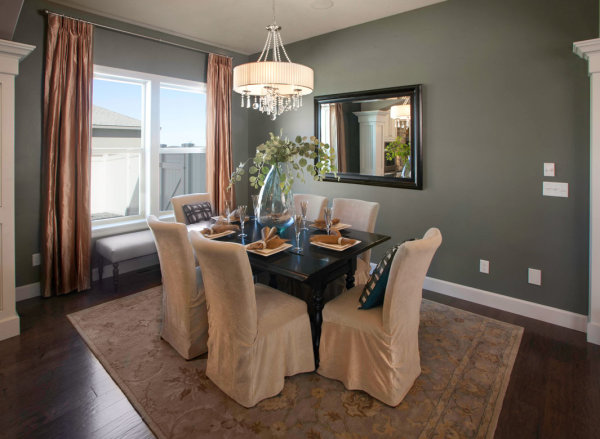
The final image shows color correction in those areas as well as verticals and window flare.

The final image shows color correction in those areas as well as corrected verticals and removal of window flare.

In some cases the effects of mixed light will be minimal and other times require attention. You can prevent mixed color in many cases by color matching the inside lights to the same color or use Photoshop color correction techniques to change color of specific areas.

The End Product

Once you have completed the assignment you will need to deliver the image files. Clients may have different preferences, but mine usually request low resolution for the web and high resolution for print publication.

Be sure to save your files in the proper file format and size for the intended use. Most Multiple Listing Service’s specify what is accepted format and acceptable sizes. I use Photoshop and the Save for Web option for the low resolution and TIFF format for high resolution.  Then final delivery of the files is made by Dropbox or a comparable online service.

Summary

Things to remember doing real estate photography:

  • You are not photographing for yourself; you are photographing for clients who will expect professional quality work.
  • Don’t get ALL the best gear, get only what is required to do the job well.
  • Master the creative side of photography such as angles, perspectives, and composition.
  • Master the technical side of exposure, HDR, supplemental lighting, color matching, and exposure blending.
  • Be careful when processing real estate images, like removing power lines, to avoid misrepresenting the property. 

There are many styles and techniques you can use to photograph architecture and real estate and you should master them all. Real estate photography is architecture photography and you can photograph a home for a real estate agent for $ 200 or photograph a model home for a home builder for $ 1000 or more.  Start small, plan big!

The post Real Estate Photography – a Guide to Getting Started by Charlie Borland appeared first on Digital Photography School.
Digital Photography School

 
Comments Off on Real Estate Photography – a Guide to Getting Started

Posted in Photography


Time-Lapse Photography Equipment Guide to Getting Started

04 May

Currently for a limited time only get the Stage R Versatile Motion Control for Timelapse and Film and get FREE eBook – on now at SnapnDeals!

“Never forget that all the great photographs in history were made with more primitive camera equipment than you currently own.” – Brooks Jensen

No doubt that first time you said “Hey, wouldn’t it be fun to dabble in DSLR photography? You know, just as a hobby.” Your financial counsellors, or your spouse for that matter, broke out in budget busting hives.

There probably isn’t a more gear focused group of enthusiasts out there, but don’t worry, taking that step into time-lapse photography doesn’t require much gear to begin – and the extra gear that can really take your time-lapse to the next level is more affordable and easier to use than ever before.

Whether you are a brand new time-lapse photographer or an experienced shooter looking to unleash full creativity with time-lapse motion control, this article will provide a launch pad for your next steps into one of the most emotionally connecting, and at the same time freeing, creative photographic endeavours.

Steven Michael Photography 600

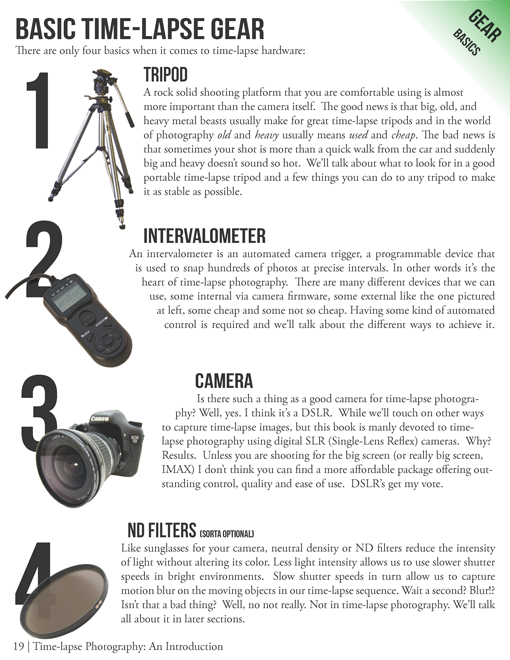
Your minimum gear checklist for time-lapse photography

Chances are good if you’re already a DSLR shooter you almost have everything you need to get started. These four things are essential.

  1. A tripod
  2. An intervalometer
  3. A Camera
  4. An ND filter

timelapse-gear.png

A closer look at a good time-lapse support system

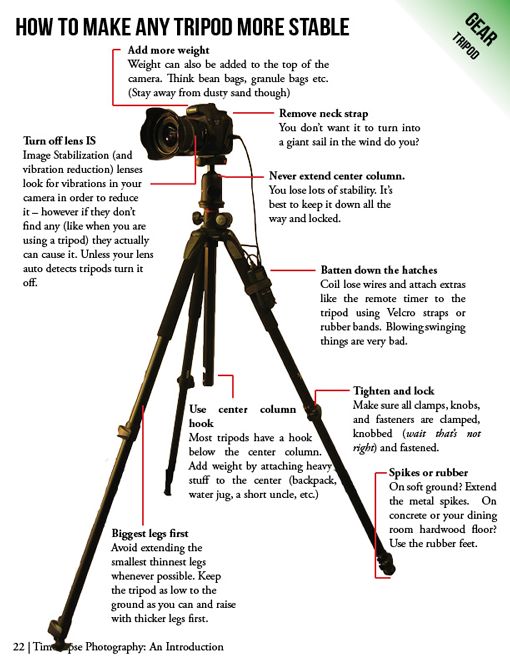
Rock solid stability (or precise controlled movement) is just about the most important and most essential component for good time-lapse photography. Keep in mind a good tripod that meets your needs will outlast several cameras so consider budgeting a little more time and possibly cash to this category.

  • Consider the materials used – weight and strength
  • Check the load weight – avoid sagging and flexing
  • Height – eye level without using the centre column
  • The right tripod head for your work – ball heads versus pan and tilt

timelapse-tripods.png

Unleashing your creativity with advanced time-lapse equipment

Time-lapse photography is benefiting from a dramatic flow of new ideas. The level of innovation, especially over the last few years, is incredible. Not only are we quickly fixing problems that have plagued photographers for years, but advanced camera controls and processing tools that used to be cost prohibitive, are now becoming affordable for the most basic hobbyist.

Advanced camera exposure control

The Timelapse+ can operate as a universal intervalometer for nearly any camera that supports a remote shutter release, and IR remote, or USB tethering. Bulb-ramping is its claim to fame. The Timelapse+ can perform keyframe-based, guided, or fully automatic bulb ramping – and for cameras supported by USB control, the Timelapse+ can also seamlessly integrate ISO control to smoothly ramp across a wide exposure range, making the “holy-grail” transition from day-to-night or night-to-day easier to achieve. Extended and long-exposure HDR sequences are also made easy with the Timelapse+.

Simple and powerful advanced time-lapse sequence rendering with LRTimelapse:

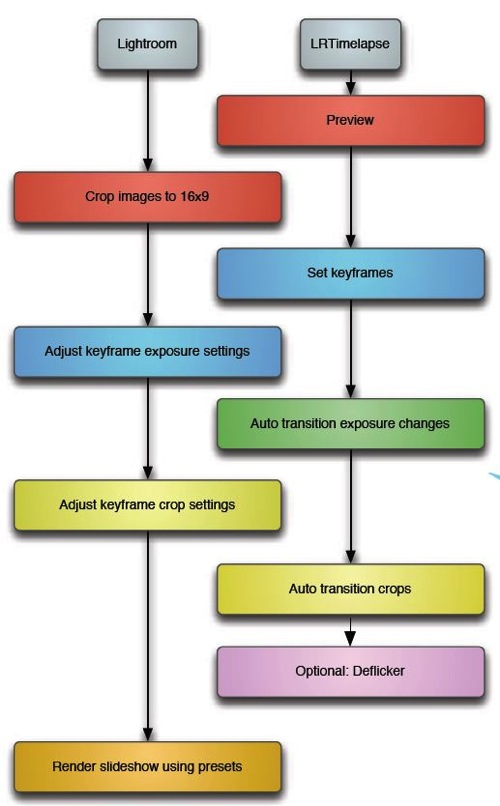
In a nutshell LRTimelapse takes changes and corrections you make in Lightroom and then smoothly applies them throughout the entire time-lapse sequence. By altering either the first and last image, or several images throughout the sequence, LRTimelapse can quickly fade the changes we need to only the parts we want. Deflickering can also easily be accomplished in the exact same way by flattening out big exposure jumps.

Here’s a simple workflow for editing timelapse images and rendering a movie using Adobe Lightroom and LRTimelapse.

Lrtimelapseworkflow

Advanced motion control

The last few years have shown incredible advances in the field of manual and controlled camera movement, so much so that the
average photographer can now afford motion control devices that were once only available to big budget productions. We’re talking precise, rugged and lightweight panning (left and right), tilting (up and down), and dolly movements with simple controls, such as a smartphone app, that make setup easy and intuitive. Control over motion and time combined with an interesting subject can produce what I believe to be an awesome trifecta of emotion eliciting imagery – some of the most engaging and lasting photography you’ve seen.

Yosemite HD II, an incredible example of time-lapse and motion:

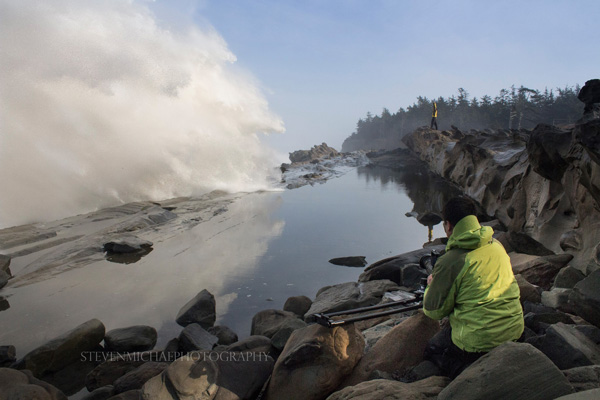
Dolly motion shots can add multiple points of interest by highlighting components of a scene’s unchanging foreground and the larger time-altered background. The movement shots in the wave video move the camera along the jagged rocks, while the waves are slowed in the background. Some of the most popular time-lapse clips feature this kind of extreme moving contrast in many shots too. By moving the camera slowly from left to right on a horizontal track, or flipping the track system almost vertically to instead change the elevation of the camera, we can highlight stationary foreground objects in incredible ways.

The next two axes of movement can be accomplished by camera rotation – aptly named a motorized panning and tilting head. Then combining panning and tilting on a camera slider to achieve 2, or 3 axis of movement simultaneously can dramatically elevate the interest level in a shot.

zion 3axis motion control

2 axis motion control

Do you think advanced time-lapse work should be left to the pros?

Eric Warren of Matadornetwork.com posed a related question:

“Pros are the guys you call when you want to put a time-lapse in your car commercial. And while we tend to put pros up on a pedestal, they are often bogged down by their clients’ needs. Most commercial advertising doesn’t push the envelope of an art form.

That job often falls to the independent artists, building their own equipment, and often not [caring] about whether their work is going to sell. Not that I want to be too demanding here, but I want to see something mind-blowing. Either something I’ve never seen before or something familiar, shown in a new way (one thing time-lapse excels at.) ….

Consider this a call to all you independent filmmakers out there ready to push the limits of one of the most striking visual art forms.”

Time-lapse has a way of slowing the world for the photographer while at the same time accelerating it for everyone else. Shooting time-lapse alters the way you think, it challenges your view of the world and teaches you things about our world you can bring back and share with everybody else.

Get out and start shooting. Render some footage and break some rules. Most importantly know that you are not alone. The time-lapse community is more connected today than ever before. You have friends all over the world ready to help you get the shots you imagine.

Currently for a limited time only get the Stage R Versatile Motion Control for Timelapse and Film and get FREE eBook – on now at SnapnDeals!

The post Time-Lapse Photography Equipment Guide to Getting Started by Ryan Chylinski appeared first on Digital Photography School.

Digital Photography School

 
Comments Off on Time-Lapse Photography Equipment Guide to Getting Started

Posted in Photography


Mastering Self-Portraiture: What You Need to Get Started

12 Mar

With the rapid increase in the immediate smartphone-picture “selfie,” it’s hard not to start taking your own. Self-portraits are, after all, the new trend . They are almost always the default profile picture, and super convenient when you have nothing else to do . For photographers, this poses another question: Should I take a professional self-portrait? Have you ever thought Continue Reading

The post Mastering Self-Portraiture: What You Need to Get Started appeared first on Photodoto.


Photodoto

 
Comments Off on Mastering Self-Portraiture: What You Need to Get Started

Posted in Photography


Getting Started in Newborn Photography

19 Feb

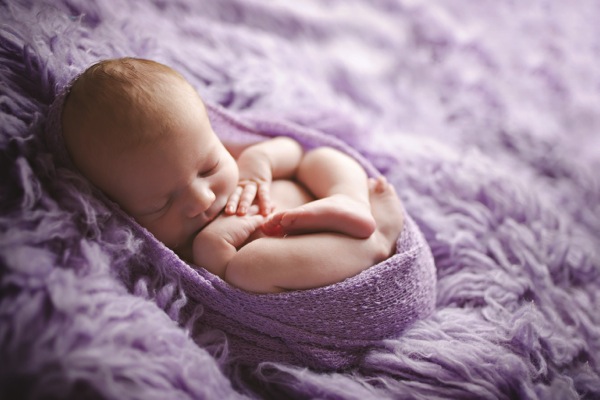
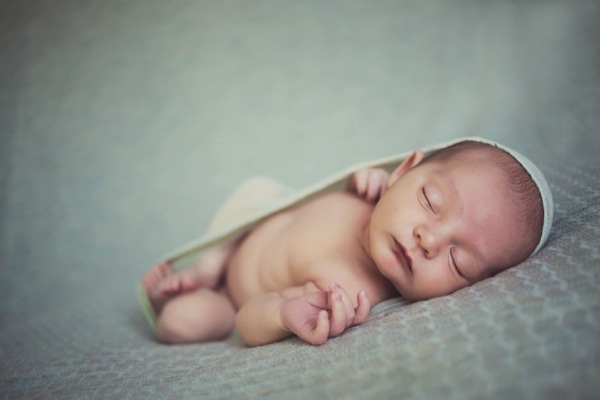
Newborn photography has been around in the United States for fifteen or so years, but it’s only taken hold here in the UK in the last three to four. And take hold it certainly has!

All professional photography involves a multitude of skills and newborn photography is no different, with one very important exception. It is the only area of photography that involves the photographer being completely responsible for the safety and welfare of the subject – the baby. As a newborn photographer you will hold, comfort, soothe, pose, wrap, and often even feed and clean up after your subject, even with the parents present.

Newborn photography tips 06

It is because of this difference that it is so specialized, and requires the right set of skills. Not having those skills is about more than the risk of poor images – someone’s safety is at stake.

So having decided it’s for you, you’ll have a huge number of questions. Here I aim to answer some of the biggest, and most important ones.

Newborn photography tips 02

DO I REALLY NEED TRAINING?

The short answer is yes. It doesn’t matter how skilled you are at photography, because the skills required to be safe and of a good standard as a newborn photographer are really very different than anything you have done before. If you decide to become a wedding photographer with no training, the worst that may happen is you let down a couple on their big day. As bad as that could be, no one will get hurt.

Newborns are delicate and must be handled correctly. They can suffer circulation problems, are poor at regulating their temperature, and cannot tell you when they are feeling uncomfortable, which means they are relying on you to take care of them at all times. The correct training will teach you safe handling techniques, how to spot signs of baby not being happy for many reasons, as well as general safety and other important areas.

Newborn photography tips 03

WHY DOES A SESSION TAKE SO LONG?

The average session is 3-4 hours, and you will soon realize why when you have done a couple of your own. The session is taken up by everything BUT taking photos. When I do a session my camera is in my hand for less than ten minutes the entire time. The session will involve settling, cuddling, reading baby, soothing for sleep, and gentle posing. They baby runs the show, of that there is little question, and as each baby is different, so is each session. Try to rush it and clock watch, and you’ll put yourself under huge pressure, and babies pick up on stress, which could cause you to have an unsettled baby on your hands. As a general rule, most newborn specialists will do just one session a day.

Newborn photography tips 04

WHAT IS THE BEST AGE FOR A NEWBORN SESSION?

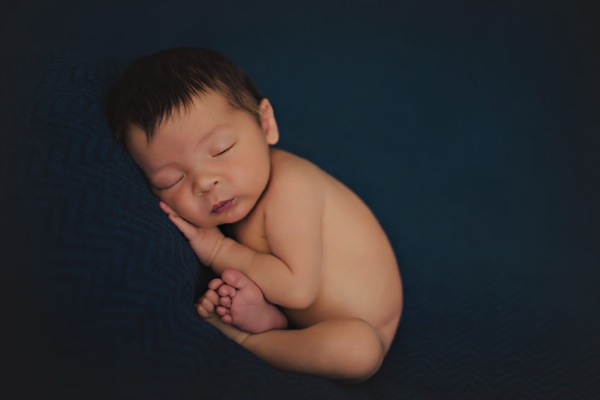
If you have children, you may well remember that newborns sleep a lot, at least through the day, and seem able to sleep through pretty much anything too. But that changes really quickly, and by week three babies are waking more easily, and spending more time awake each day. You cannot pose a baby that is awake, so a sleeping newborn is what you need, meaning you need to aim for under two weeks, and under ten days is even better.

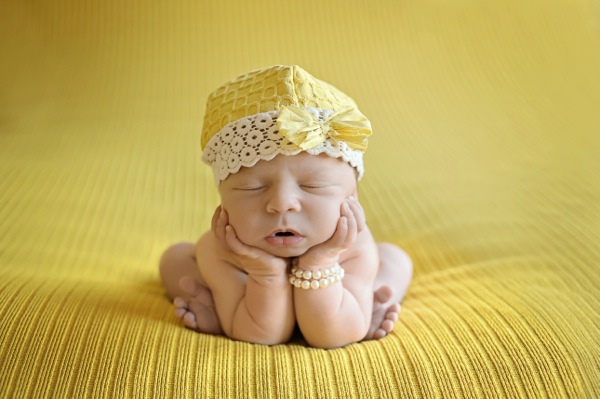
Sleep isn’t the only issue that dictates though. Newborns are gorgeously squishy, floppy and bendy under ten days old, which, coupled with being sound asleep, makes them perfect for gently posing into those adorable positions parents love. Much after two weeks and they begin to gain muscle tone, which means they lose the flexibility that makes such posing possible.

So that covers not doing a session too late, but you need to know why doing it too early isn’t good either. Newborns don’t usually look their best after birth, and it can take time for their faces to settle. Also, feeding needs to be established because until a baby is feeding well, he won’t sleep well. My advice would be don’t do a session under 5 days of age.

Newborn photography tips 01

HOW DO I MARKET NEWBORN PHOTOGRAPHY?

You are selling emotions. That is really the bottom line with newborns. The parents are melting with wonder and love at their new baby, and emotions are running their lives completely. If you can build a relationship with your clients that taps into their emotions, and leaves them feeling that you can truly relate to them and their baby, they will be more inclined to not only book you, but trust you.

Talk in a way that shows their baby means almost as much to you as he does them. Ask them lots of questions about their baby, and life since his arrival. New parents can talk all day about their baby, so showing he interests you will really endear you to them. Use emotive language on your site and Facebook page. Rather than saying “I like doing baby shoots” say “I simply adore capturing images of beautiful, squishy babies!”

Look after the parents when they are with you. Provide drinks and snacks, and comfortable seating. Mum will be sore and they are both likely to be exhausted.

Word of mouth is one of the best marketing tools in this genre. Mums talk, and will recommend you if they came away feeling that their baby was safe, respected and adored. The testimonials that will get you more bookings will not be the ones where mum says the pictures are good, but rather the ones where she gushes about how lovely the experience was while with you.

Newborn photography tips 05

WHAT WILL I NEED AS A BEGINNER?

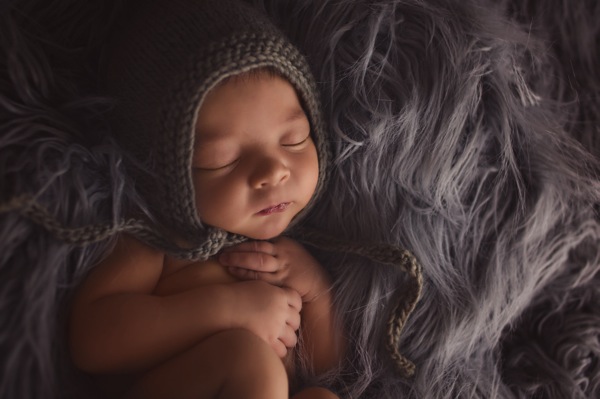
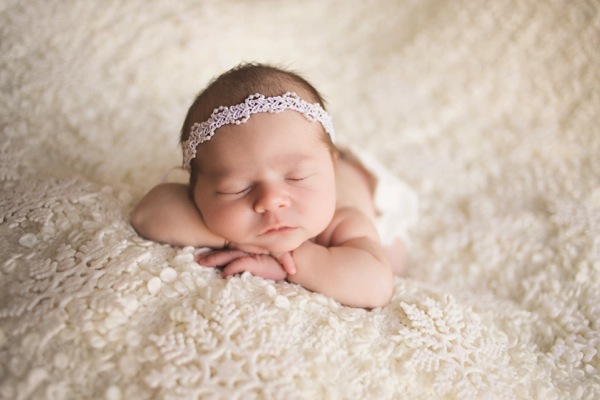
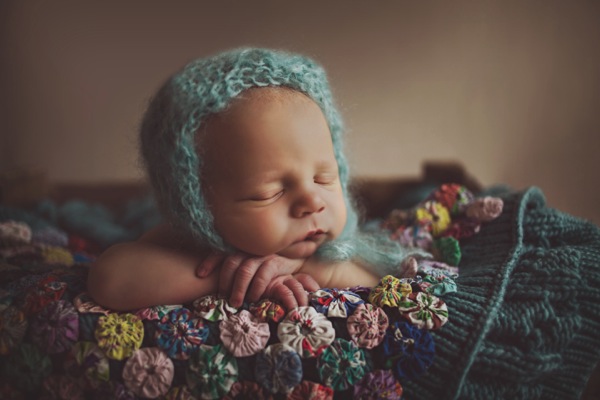
Keep it simple. Training will show you the basic equipment you’ll need, like beanbag and backdrop stand, as well as a small selection of throws, hats, headbands, and wraps. The most important area for your development as a newborn photographer will be developing safe handling of the baby in your early months. The confidence in posing takes time, and that is where your focus should be, not on having all the props and the biggest selection of hats. What will set you apart as a top newborn photographer will never be the amazing set up you design – it will be how good your posing is, and how comfortable your baby looks in the images.

So in summary, I would suggest you take your time setting up as a newborn photographer. Research good training, and consider that in this area especially, you get what you pay for.

Newborn photography tips 07

For more on newborn photography and business see these articles:

  • The Ultimate Guide to Going Pro as a Photographer
  • How to Photograph Newborns
  • Newborn Photography Tips for Beginners
  • Different ways to Photograph your Baby
  • The Sensitive Side of Newborn Photography

The post Getting Started in Newborn Photography by Maddy Rogers appeared first on Digital Photography School.


Digital Photography School

 
Comments Off on Getting Started in Newborn Photography

Posted in Photography


Get Started with the Beautiful World of Film Photography in 7 Easy Steps

27 Sep

Ahh, film photography.  The cool kid on the block.  The “old” thing that’s suddenly the “new” thing.  In recent years, it’s been popular opinion that it was an identifying trademark of hipsters, and only then for an artistic flair that digital photography has failed to capture for them.  The reason Instagram has been such an enormous success recently is our Continue Reading

The post Get Started with the Beautiful World of Film Photography in 7 Easy Steps appeared first on Photodoto.


Photodoto

 
Comments Off on Get Started with the Beautiful World of Film Photography in 7 Easy Steps

Posted in Photography


Studio Portraits – Getting Started With One Light

07 Feb

Working with studio lights can be a daunting process for many photographers. Many find the studio to be a place of fear and anxiety where the sanctity of natural light has vacated and the hauntingly, horrific wasteland of light stands, strobes and modifiers is all that remains.

So how does one meander there way through this alien landscape and find a corridor of comfort in which they can relax? The simplest and often most powerful way to navigate this network of nerves is with a go to one light set-up that will provide a never ending reservoir of great imagery.

Early on when I started shooting with studio lighting, I was always overly concerned with the light. Sounds like a strange comment, huh? You must be thinking, “Of course he should be concerned with the light, it is studio lighting.” As intuitive as that thought might sound, I was always so focused on my light source that what I never paid attention to was the shadows created by the light.

In studio lighting, it is the transition of light to shadow that provides depth, beauty and interest to your photos.

Is this a hard transition with a distinct line and harsh contrast separating the two? Or is it a soft, gradual melting of the light into the shadow? This transition zone is what should be the focus of your attention when getting into studio lighting.

How do these shadows change with a large, soft light close to your subject or a small, harsh light placed several feet from your subject? These are concepts that need to be experimented with and understood and the best way to do it is to practice.

So let’s go ahead and give you a place to get started and begin to nurture your studio skills.

Keep it Simple

The best way to get started with studio lights is to keep it simple. This means one light and one light only.

That way if you don’t like what you see while you are shooting, you only need to adjust, move, or tweak one thing. You will not be fiddling around with everything and getting lost in the set-up. You will be able to keep your attention on your subject and the shoot. Also, use a large, diffuse light modifier that throws light like a hand grenade at your subject such as a shoot through umbrella (no smaller than 36 inches).

Light Source

My favorite go to light modifier for these cases is a Westcott 5 foot Octabox. I recommend using a large light source so that you can light both your subject and your background at the same time. Also, I recommend a diffused light source to soften the quality of the light and prevent extreme hot spots on your subject. Make it big, cause really, its okay if the light seems to go everywhere when you are starting out.

Okay, we have picked a light source, now where do we place it?

Light Placement

Without getting into too much physics, basically the closer the light source is to your subject the softer the light will be, giving you a nice gradual transition from light to shadow.

Subsequently, the farther the light source is from your subject, the more harsh the light gets and you get a harder transition form light to shadow.

Ultimately, you should try both scenarios to learn more about how it changes the look of your portrait. To start with, however, I recommend keeping the light source within three feet of your subject as a softer, more diffuse light is more flattering to your subject.

Also, in terms of light direction, you cannot go wrong with a traditional loop lighting pattern (named for the shadow created by the nose on the cheek) where the light is placed at roughly a 45 degree angle to the side and a 45 degree angle above your subject.

Loop Light Shadow

Loop Light Shadow

Here is a basic diagram of a simple set-up I frequently use.

Basic Set-up

Think Before You Shoot

Now before you set the power on your lights, think about what you want the portrait to look like and what sort of depth of field you will need.

If it s a simple head shot and you want a nice shallow depth of field with the eyes in focus and the rest of the photo gently blurring into a beautiful bokeh, then choose a wide open aperture of f/4.0.

If you have props and other elements in the portrait that you need in focus, then choose a smaller aperture and a broader depth of field of f/11. ISO should be set as low as possible to prevent noise. Shutter speed is not much of a factor with studio strobes as the flash is illuminating everything, so I would keep it set just below your sync speed at something like 1/160 sec. Thus, let the aperture you want dictate the shot.

Now, you can either adjust the power of the strobe till it reaches the proper exposure for your shot, or if you want to get even more detailed you can go ahead and use a light meter to set the strobe at the exact aperture you require.

Experiment and Learn

Now go to town! Shoot away! Move the light a little to the left or a little to the right. Bring the light farther form the subject or so close it is almost touching the subject. Experiment and learn. Stop worrying about making mistakes. That is how we learn and get better.

What is the worst that can happen? We get a series of horrible captures?

I do not know about you, but as a photographer I have had plenty of shoots that have been disappointing. Big deal!

Study the bad shots to figure out what went wrong and try again. Learn to embrace your mistakes and I promise you that improvement is not far away.

Katie Make-up-159(sRGB-websize)

Post originally from: Digital Photography Tips.

Check out our more Photography Tips at Photography Tips for Beginners, Portrait Photography Tips and Wedding Photography Tips.

Studio Portraits – Getting Started With One Light


Digital Photography School

 
Comments Off on Studio Portraits – Getting Started With One Light

Posted in Photography


Selling Your Images As Art: 5 Tips To Getting Started

14 Jan

As photographers, the highest compliment we can be paid is to have someone pay us for our vision and creativity.  For some, this means becoming wedding or portrait photographers, getting paid per event or session.  But what about those of us who enjoy shooting landscapes, or wildlife? Subjects that aren’t often paid for in advance? Aspiring photographers are often told they should try selling their work, but are unsure where to start. It’s relatively easy to set up a website, but getting potential customers there can be difficult.  So how do you get your work seen? What are the options?  Here are five tips to getting started.

1. Establish an Online Presence

This allows you to get customers when you aren’t otherwise selling your work.  The secret here is to go with a web presence that will allow you to be found when others don’t even know they are looking for you.  I use FineArtAmerica.com to host my website.  The beauty here is that all of my work gets entered into their database. I keyword my images, so they appear in pertinent searches by people who’ve come to the site looking for art to purchase. Visitors who know of me can use my own URL, but my guess is that few, if any of my sales actually have come from people visiting my personal URL.  There are other websites out there- Zazzle.com and RedBubble.comare two others. 

I will admit I know very little about how they operate, so do some research before you commit to any of these websites.  One of the beautiful things about the online presence is that it can work with the other outlets I mention below.  It will allow you offer other sizes and products, such as canvas prints, that you may not keep in stock at an art show or be displaying in a gallery. It allows someone who saw you at a show, but wasn’t prepared to purchase, place that order a day, a week, or a month later.  With any of these sites, depending on how quick you are to upload your work, you can be selling within hours.

Horton Point Sunset

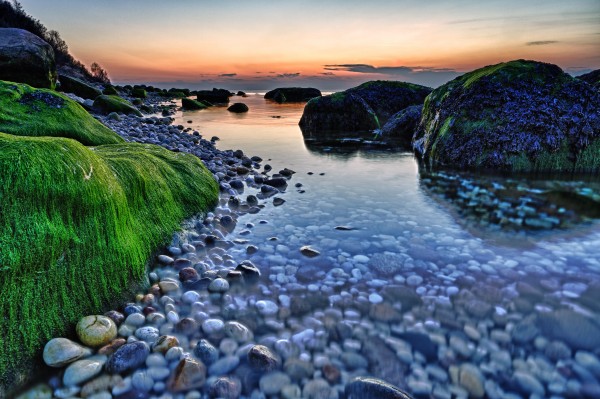
This image of a local point of interest on Long Island, NY would do well in a local restaurant, cafe, or art show but would probably not garner interest in a more national setting.

2. Look Locally

There are opportunities to sell your work everywhere.  That coffee shop on the corner. That new restaurant down the block.  Many local banks will occasionally show local artists’ work.  The local library will as well.  Prepare a portfolio and ask who to speak with at the establishment. 

Be prepared to have your images printed, matted, and framed.  Work with the establishment to set up guidelines, commissions, and payment for the images.  The best images for this kind of use are images of local landmarks that compliment the restaurant, or images that work well with the restaurant or establishment’s theme.

3. Besides local restaurants and cafes, local art galleries and framing shops are also a good bet

Contact the gallery owners for their guidelines and ask how they like to review new submissions. I’ve found they all seem to work a little differently. Some galleries will charge a membership fee, or a rental fee for space. Most will have specific requirements for digital files, and commission structure will vary- the usual range is from 40%-60%

4. Local art and Craft Shows

These can be tricky, because you never know what kinds of buyers will show up.  It’s best to avoid shows that may be more crafty than artsy, but you’ll have to evaluate each show on it’s own merits. These are a good way to get your feet wet, as they tend to have low entry fees and less stringent requirements, but at the same time, you don’t get the kind of buyer who is necessary looking for fine art and is willing to pay top dollar for it.

Local shows, like local eateries, tend to look for more local art.  My first show I showed up with lots of images from around the country in my travels.  The stuff that got the most interest was all stuff local to where I lived. You’ll want to have a variety of sizes, with most images matted and a few framed images.  While the larger images look great, it’s generally the smaller sizes that will sell better.

5. A-list Art Fairs are the “Big Time”

I have not ventured into this arena yet but have researched it thoroughly.  Sunshine Artist Magazine(subscription required) is pretty much the definitive resource for these larger art fairs. Each fair is different, with artists required to apply and be accepted into the show.  Application fees can be in the hundreds of dollars and apply to your booth fee if accepted. The applications are generally accepted months in advance, so planning is required.

There are requirements for your booth layout as well.  Nothing about these shows is just thrown together at the last minute.  It is virtually a full time job to do such fairs, so be prepared for a commitment.  It is an expensive proposition as well.  You must have a stockpile of prints, framed and unframed, as well as a way to display them.  Several artists I know well have spent well over $ 1000 just on displays. That said, they can be lucrative as there are many who do make a good portion of their income doing such shows.

An image of a national park or other nationally known landmark will have broader appeal.

As I mentioned, it’s incredibly gratifying when someone is so taken with your work that they actually pay for it.  There are various outlets for you to get started in selling your work. All it takes is some commitment, and some time to get started.  Remember, ultimately,

Post originally from: Digital Photography Tips.

Check out our more Photography Tips at Photography Tips for Beginners, Portrait Photography Tips and Wedding Photography Tips.

Selling Your Images As Art: 5 Tips To Getting Started


Digital Photography School

 
Comments Off on Selling Your Images As Art: 5 Tips To Getting Started

Posted in Photography


Fuji Guys – Fujifilm X10 – Getting Started

12 Jan

(Intro) Billy (the Fuji Guys) walks you through how to load and start shooting with your Fujifilm X10 For more information visit www.fujifilm.ca Follow the Fuji Guys on Twitter: www.twitter.com
Video Rating: 4 / 5


Photoshop Getting Started Tutorials

11 Jan

Learn Photoshop CS6 video tutorials

Adobe TV (Jul. 11, 2012)

video-tutorial

Layers 101

Infinite Skills (Aug. 9, 2012)

video-tutorial

Introduction to layers and the Layers panel

What is Photoshop?

Lynda.com (May. 7, 2012)

video-tutorial

An introduction to the essential digital imaging application.

Adobe Photoshop CS5/CS6 tutorials

article (Dec. 19, 2012)

Enhancing Raw images

video2brain (May. 7, 2012)

video-tutorial

Draw upon the full range of image data.

Selecting areas of a photo

video2brain (May. 7, 2012)

video-tutorial

Discover the basic building block of image editing.

Straightening a crooked image

video2brain (May. 7, 2012)

video-tutorial

Define the horizon line.

Any suggestions, ideas? Feel free to comment on this article!

Back to Top

BlogPhoto

 
Comments Off on Photoshop Getting Started Tutorials

Posted in Equipment


? Vox Talks – Episode 1! Let’s get it started.

17 Dec

??? Enjoy the video? Subscribe! bit.ly ??? ???? CLICK HERE! ????? READ DESCRIPTION!! ???? Attempt at a talk show after a previous stream. Episode 0 available on Twitch. twitch.tv —– Thanks for watching!! I appreciate all your support! Stay up to date! Follow us!! ? Twitter @EposVox twitter.com ? ? Twitter @Chu__ twitter.com ? ? Live Stream twitch.tv ? ? Photography & GFX d3m0l1sh3r.deviantart.com ? ? Let’s Play Together, Epos & Chu Channel youtube.com ? ? Chu’s Channel youtube.com ? The Bros: mVito: www.youtube.com EposVox: www.youtube.com Ditty: www.youtube.com BBK DRAGOON: www.youtube.com Mr. Random: www.youtube.com ????? SUBSCRIBE TO ALL!! ????? —– Special thanks to Catghost for doing the art for our faces! Check her out! catghost.deviantart.com midorea.com —– If you want 10% off any KontrolFreek product, be sure to use my link or promo code “EposVox”!!!! www.kontrolfreek.com Want me to do some vocal work for you? Have an indie game you’d like featured? Interested in working on some graphics, audio, etc., for me? Co-Op map suggestions? CONTACT ME at: eposvox [at] gmail [dot] com . Tweet me @EposVox —–