RSS
 

Posts Tagged ‘Shooting’

Gallery update: shooting basketball with the Sony a99 II

06 Feb

The Sony a99 II boasts some serious sports shooting capabilities including 12 fps continuous shooting with AF-C. That coupled with its impressive AF system and 42MP full frame sensor make the a99 II essentially the only high-resolution/high speed full frame camera on the market. So to get a sense of just how powerful this beast is, we took it to a University of Washington vs University of Southern California NCAA Division 1 basketball game.

See our a99 II sample gallery update

$ (document).ready(function() { SampleGalleryStripV2({“galleryId”:”7596962474″}) })

Sample photoSample photoSample photoSample photoSample photo

Articles: Digital Photography Review (dpreview.com)

 
Comments Off on Gallery update: shooting basketball with the Sony a99 II

Posted in Uncategorized


Shooting the moon: behind the shot with Peter Alessandria

14 Jan

Shooting the moon: behind the shot with Peter Alessandria

I planned this shot out two weeks in advance. I knew I wanted the moon to encompass Lady Liberty’s crown and torch. I love the ferry passing in front. This is a single exposure.

Peter Alessandria is not only an award winning, full-time professional photographer but he also happens to be a resident DPReview community member. He recently submitted an image of the moon aligned with the Statue of Liberty, which we selected as a Top 10 image for our 2016 Reader’s Best Shots (Places), that garnered quite a bit of praise – as well as some skepticism. Many people wanted to know just how he could accomplish such a shot and if it was indeed the ‘real deal’.

With that in mind, Peter got in touch with us and we worked with him to create a ‘behind the shot’ guide to shooting the moon. As you can imagine, quite a bit of planning and dedication goes into getting any of the shots that are presented here in this how to guide.

To see more of Peter’s work check out his Instagram and the following websites:

www.greatproductshots.com
www.superstarheadshots.com
www.peteralessandriaphotography.com

What kind of equipment do you use to get those incredible moon photos?

Strawberry Moon rising above the World Trade Center. Shooting just after sunset left plenty of light in the sky for this single exposure. Taken from about five miles out.

Peter Alessandria: I currently shoot with a Canon EOS 6D and 70D. I like the 6D for its relatively low noise, high ISO files and the 70D for the swivel screen and the extra reach (at a given focal length) the APS-C sensor gives. My current lens of choice for most of my moon shots is the Sigma 150-600mm F5-6.3 | C.

You also need a sturdy tripod and cable release. Since you’re shooting at night, a head lamp or flashlight can also be helpful if there’s no ambient light. And of course depending on the time of year, weather protection for you and your camera may be necessary.

Do you have any apps or websites that you use to plan out where the moon will rise or set?

This photo (single exposure) was taken during the Super Moon we had in Nov. 2016. The moonrise came just after sunset meaning there was still a lot of light in the sky and on the Statue.

The main app I use to get my moon shots is The Photographer’s Ephemeris (TPE). The web browser version is free to use on your phone or computer while the app for Android and iOS is $ 4.99. Two additional apps that track the moon are “PhotoPills” (iOS) and “PlanIt!” (Android), these two Apps are also useful for shooting the Milky Way which I do a lot of.

TPE works by showing me where and when the moon (and sun) will rise and set based on my location. It includes moon phases and other useful information and allows me to plot the trajectory of the moon as it moves through the night sky. This is helpful since I want to identify where the moon’s path will intersect with my target. Lining the moon up with iconic landmarks such as the Empire State Building or Statue of Liberty, makes for dramatic and unusual photos.

Editor’s note: Star Walk is another excellent App that can be used to help plan shots of this nature.

Apps and gear aside, how do you go about planning to get to a prime vantage point or location to get the shot?

Moonrise Empire State Building (single exposure). This shot was taken last summer from seven miles out and required setting up in an old abandoned landfill in New Jersey.

Planning a shot with TPE is only the first half of the process. The second part is to find accessible locations on the ground that have clear lines of sight. This is where Google Map’s Street View comes in. Once I find the trajectory line I want, I use Street View to go to potential locations and see if there are any obstructions on the ground. This part can take hours since my optimal location is often to be as far away from my landmark as possible.

A couple of things to keep in mind when using Street View: images may be several years old so even though it looks good on the computer, when you arrive it may not end up being a good location. And Street View obviously only provides info on streets which Google has photographed. Sometimes when making these shots, the best location isn’t on a public street. Thus I sometimes end up in places I am not supposed to be, and as a result I was stopped by law enforcement eight times in 2016. Thankfully, the police have always been reasonable – and even helpful – once they found out what I was up to.

Once you’ve found out the time and the approximate position in which the moon will rise, what steps do you need to take to make sure that you nail the shot?

This is a photo (single exposure) of the full moon rising behind the Statue of Liberty in New York Harbor took a couple of weeks of planning.

The moon rises and sets at different times every night. Over the course of the month, rise/set times progress about 45-50 mins per day. This means you’ll need to check your charts carefully to make sure you aren’t late. You usually only have a few seconds to capture the exact moment of perfect alignment so it pays to be ready. Also, due to fluctuations in the Earth’s rotation and the Moon’s orbit, the spot on the horizon where the moon appears to rise/set also changes every night. In the long term certain locations repeat, but in the short term this means I have to make a new plan for almost every shoot.

Next, the moon doesn’t travel in a straight line (relative to the rise and set points) as it passes overhead. In the Northern Hemisphere the moon arcs to the south as it rises and then arcs back to the north as it sets. The arc is more dramatic the farther north you go and it arcs in the opposite direction in the Southern Hemisphere. This means to get my shots, I have to anticipate the path of the moon along its arc relative to the height of my landmark (TPE does give elevation and angle information but I’ve never quite figured out how to use it).

So if I want a shot of the moon atop the spire of the Empire State Building, I need to anticipate the moon’s path and how long it will take to reach that point. I often end up ‘leading’ the moon (like a skeet shooter does with a clay target) since I have very limited time to reposition if my calculations are off.

Of course none of this matters if clouds or rain are in the forecast, so make sure to check the weather ahead of time.

Since camera settings are often a topic of discussion when it comes to photos like these; what settings do you find yourself using most often?

Living in New Jersey means seeing the Statue of Liberty from behind. To see her face means traveling to Red Hook, Brooklyn and paying as much as $ 30 in tolls from NJ!

There are lots of factors that determine the proper exposure for these shots. Generally speaking, I try to keep my shutter to less than 2 seconds – and closer to 1 second or less if possible – to avoid motion blur of the moon (a sharp landmark is more important than a sharp moon but you still need to be conscious of this). My aperture is usually wide open (F5.6-6.3) on the Sigma 150-600. Even at 600mm, the lens is sharp enough to get good shots. My ISO is generally in the 160–320 (or occasionally higher) range.

One advantage of shooting the moon when it’s low on the horizon is that it is easier to get everything properly exposed in one shot. The general rule is the higher the moon gets the brighter it gets (assuming clear skies). Even though my NYC landmarks are usually pretty well lit, they are no match for the moon once it gets above 30-40 degrees on the horizon. Since the moon is reflecting sunlight, it is by far the brightest thing in the scene which exceeds the dynamic range of most cameras. Therefore, once it gets above a certain point, you will probably need to bracket your shots and combine them later in post. This is also why I prefer shooting the moon around sunrise or sunset. The ambient light in the sky makes it easier to capture everything in one exposure.”

The moon looks unusually large and colorful in your images, why is that?

Moonrise behind the World Trade Center (single exposure). This is an extreme example of how distance affects the relative size of the moon. This photo was taken from 23 miles away making the moon appear huge.

There are three factors that determine the size of the moon:

  • Most of my photos are shot when the moon is low on the horizon and the moon appears larger when it is on the horizon than when it is overhead.
  • I am often at 300-600mm FF equivalent on these shots. The telephoto compression enhances the apparent size of the moon.
  • I try to find locations as far away from my landmarks as I can. This is because the greater the distance I am from the landmark, the larger the moon appears relative to the landmark. Of course the farther away you are the more difficult it becomes to find a clear line of sight. I usually look for elevated locations for this reason.

When it is low on the horizon the moon appears red or yellow for the same reason the sun does: its light has more atmosphere to travel through than when it is directly overhead. Particles in the atmosphere (moisture, dust, pollution) tend to scatter the blue (shorter) wavelength of light while allowing the longer red wavelength light to pass through to our eyes. As the moon rises there is less atmosphere to contend with so the light we see becomes more white.

Anything else you’d like to say?

New Year’s Day 2017 Crescent Moonset – taken from Brooklyn, NY.

First I want to give a shout out to the readers and staff of DPReview. Back in 2002, when I was new to photography and had a question, it was the amazing DPReview forum members that helped me out. And for the last 15 years I’ve relied on the great, in-depth news and reviews the DPReview staff provides. I still visit here several times per week to stay up to date on the world of photography. Thank you DPReview for being such an important part of my photography career! (Editor’s note: Thanks Peter, your check is in the mail.)

I also want to thank my friend and colleague Jen Khordi. Jen founded the New Jersey Photographers Facebook group (closed – 1,600+ members) and brought myself and Jo Hendly on as co-admins. Jen introduced the TPE app to the group and was one of the first to see its potential in connection with NYC landmarks. If you live in the NJ/NY/PA area send us a Facebook request so we can add you to the group.

I’ll close by saying you don’t need to live near New York City to capture cool moon photos. Look for familiar landmarks in your own town or city and then plan your shot the next time the lunar cycle allows it. Your friends and neighbors will love it!”

To see more of Peter’s work check out be sure to check out his website and to find out just how Peter got his start as a professional photographer check out this video and give his about me section a read on his website. 

Articles: Digital Photography Review (dpreview.com)

 
Comments Off on Shooting the moon: behind the shot with Peter Alessandria

Posted in Uncategorized


Magic Lantern proof-of-concept shows in-camera DNG shooting

04 Jan

Magic Lantern, the free software add-on for some Canon cameras, may one day offer in-camera DNG shooting, at least per a proof-of-concept that has appeared on the company’s forums. The proof-of-concept comes from forum administrator ‘a1ex,’ who details a way in which he got Magic Lantern to produce an in-camera lossless 14-bit DNG file that Adobe’s dng_validate accepts. Although most high-end Canon cameras shoot Raw, files are recorded in Canon’s proprietary .CRW and .CR2 formats.

This proof-of-concept is not a feature currently offered by Magic Lantern, so current users will not be able to access it, and there is no indication at this time whether the software will ever add this feature.

Magic Lantern forum user ‘Danne’ went on to provide sample DNG images taken using this encoder mod; a direct download is available here.

Via: PetaPixel

Articles: Digital Photography Review (dpreview.com)

 
Comments Off on Magic Lantern proof-of-concept shows in-camera DNG shooting

Posted in Uncategorized


5 Tips for Shooting Glass to Enhance Your Street Photographs

20 Dec

As any studio photographer will tell you, photographing translucent and reflective objects like glass for product work can be an ordeal. It’s not impossible, but it sure isn’t easy, with plenty of variables and tricky reflections to minimize and avoid.

Naturally, you can imagine my foray into street photography was both a welcome change and a culture shock. Stepping out of the studio and into the realm of street photography, I went from an incredibly controlled environment to anything but! That’s when I began to view glass in a different light. Yes, the very bane of many a studio photographer’s existence can actually be a street photographer’s blessing.
Shooting through glass

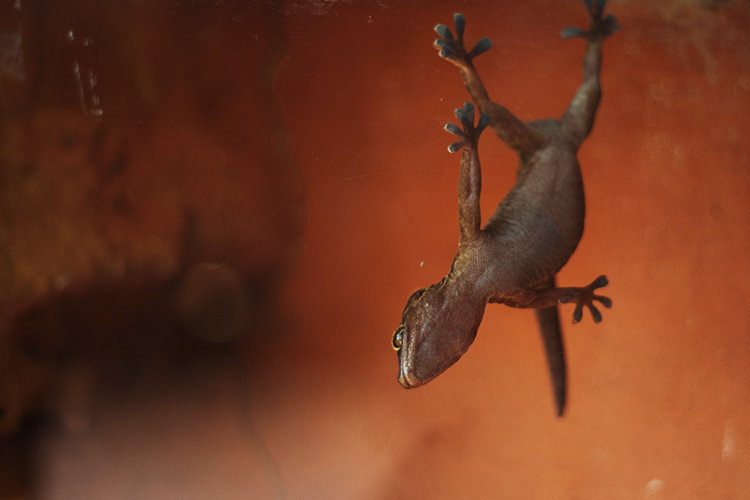
Photographing through glass lends unique perspectives, like this photo of a gecko hanging upside down on a glass enclosure.

There aren’t many fixed objects that pose opportunities as readily to a street photographer as glass. As photographers, we all (mostly) use glass in our lenses as its inherent properties focus light and correct optical aberrations, allowing us to record sharp images. Glass surfaces in the street, however, present a variable and volatile abundance of opportunity. It can soften, reflect, highlight, disguise, frame, and transpose. Glass constantly changes with the environment yet it behaves as a physical barrier between the photographer and subject, allowing for a degree of ease between the two.

For the sake of this article, I’ve narrowed the benefits of glass to only the most obvious and dramatic – color, pattern and texture, reflections and depth, glass as a physical barrier, framing and finally, distortion and perspective. Okay, so I combined a few points, but you’ll soon see that glass isn’t just for selfies and reflections. Shooting through glass can actually change up your practice and give you a whole new perspective on street photography.

1 – Color
photography-through-glass05

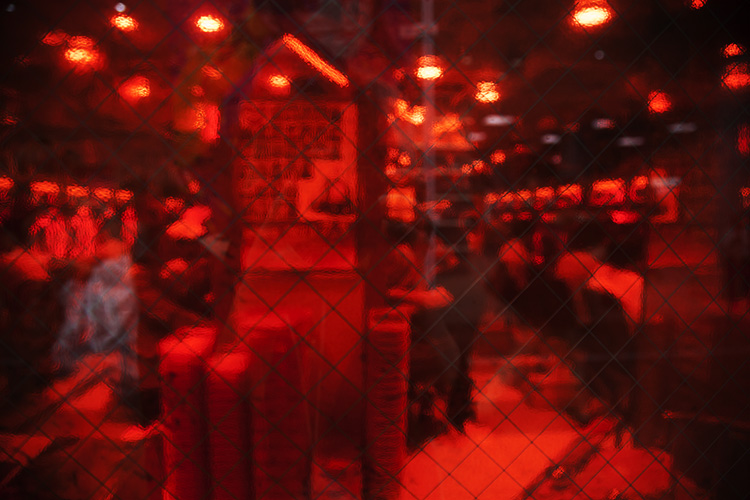
The saturated red of the glass between the subject and I adds a sense of voyeurism.

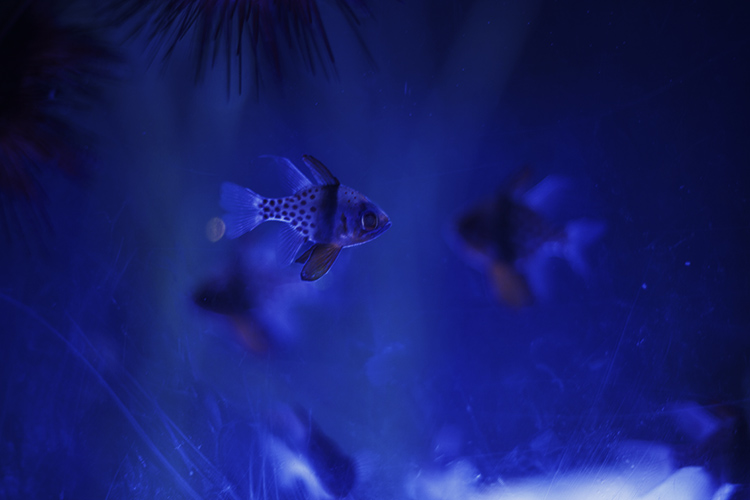
Color greatly influences how a viewer reads an image. Shooting through colored glass is a great way of adding atmosphere to your photographs without post-production. Red glass, like that found on decals or nightclubs, suggests a sense of intimacy or passion, whereas blue could suggest an aquatic or daylight setting. Color eludes to the time of day a photograph was taken and a highly saturated image can also take on a surreal appearance, distancing the viewer from the photograph and creating a feeling of voyeurism. Try photographing subjects through tinted feature walls at late-night shopping malls or through the aged glass of old windows.
photography-through-glass06

2 – Pattern and texture

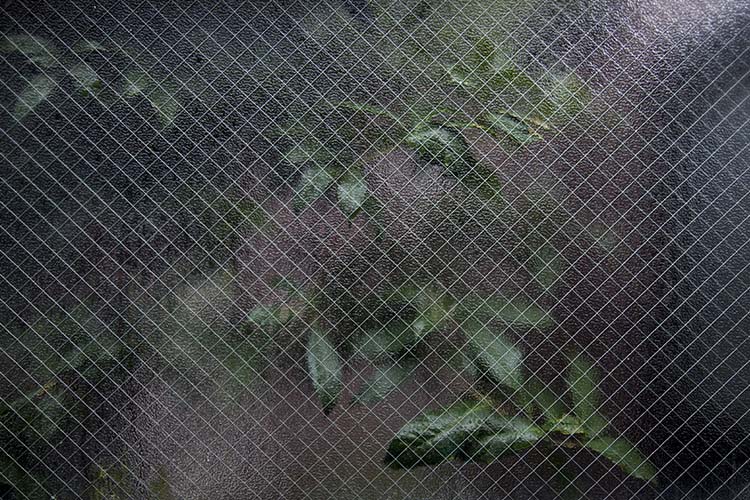
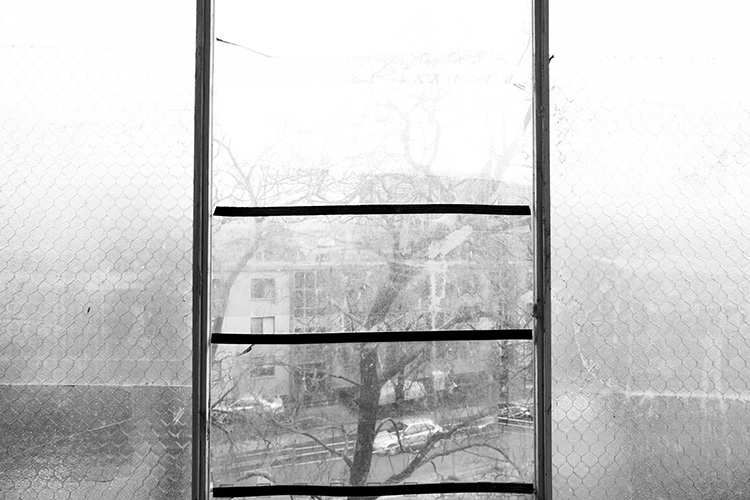
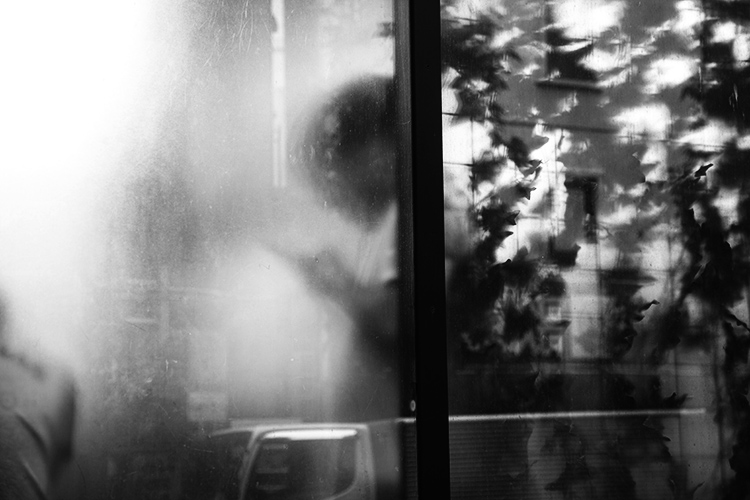
Using pattern and texture in a photograph explores how an image feels as well as how it looks. Textural images appeal to our sense of touch and it allows photographers to form greater connections with an audience. Photographing textured, semi-opaque and reinforced glass divides an image into smaller sections. This prompts a viewer to dissect an image in pieces to gain a greater understanding of the whole.

Different textures are great for images with organic and inorganic subject matter too. Creating juxtapositions that draw attention to subjects that are usually discounted creates engaging subject matter. Texture also affects the way light interacts with glass, softening the subject matter behind it and emphasizing form and shape over content.
photography-through-glass04

The rough, reinforced glass in the foreground of this image highlights the soft, organic form of the plant in the background.
photography-through-glass07

3 – Reflections and depth

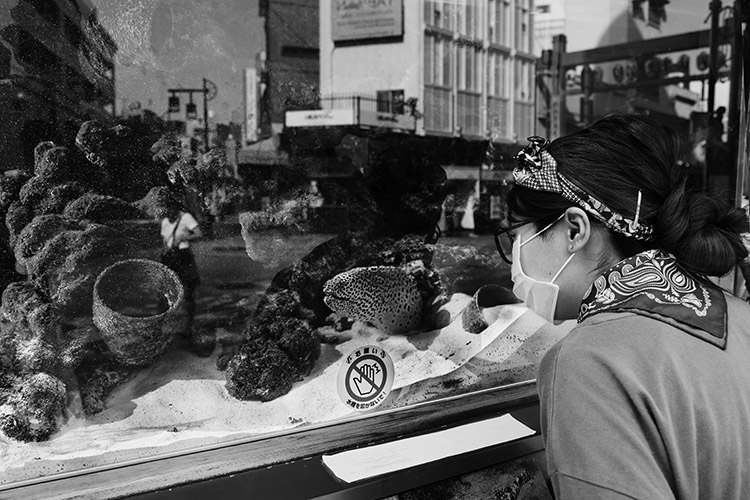
Want to add context to a portrait but running low on legroom? Reflective glass windows are a great way to add depth to a photograph. Reflections in glass create a greater sense of atmosphere and give the viewer more information about an image. The characteristics of reflected light add tonal variety to a photograph, drawing a viewer in for a closer look. The closer you are to a glass surface, the less it will reflect, try stepping back or shifting the camera angle. Stepping back also has the added bonus of minimizing your chances of disturbing a potential subject.
photography-through-glass02

This photograph features a woman inspecting an eel in a shop window, but also includes a reflection of the street, adding depth and a greater sense of context.

4 – The invisible wall

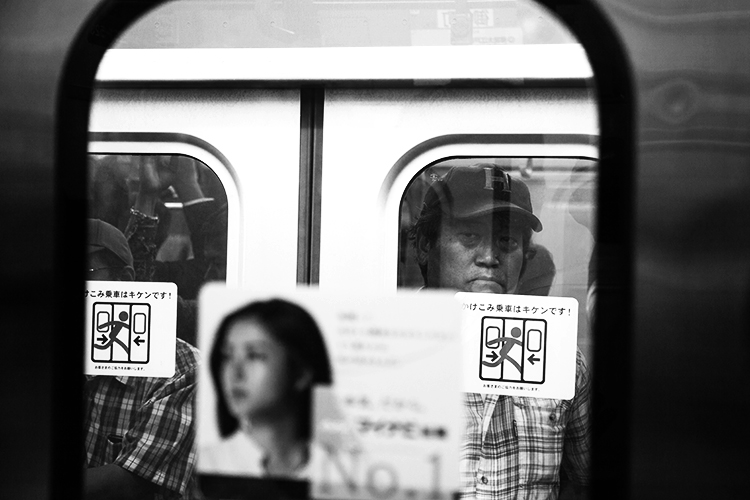
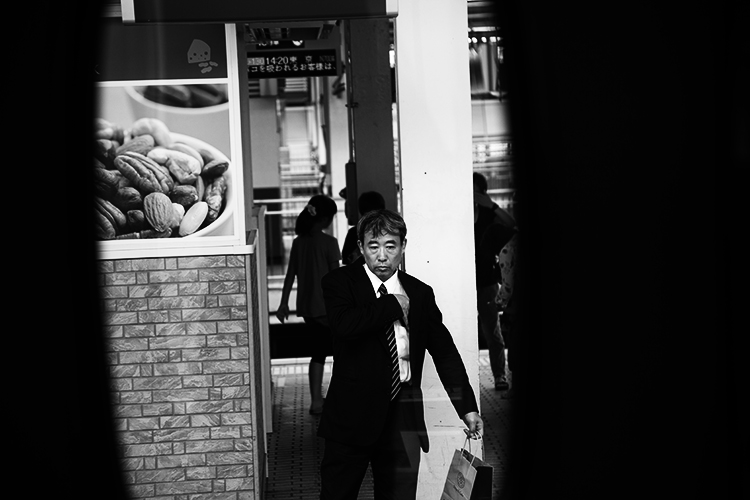
In my time as a street photographer, I’ve noticed an interesting psychological phenomenon. When I’m photographing subjects through transparent panes of glass – people are much more at ease. Photographing people through a glass window or panel seems to add a degree of separation. My theory is that when there is a physical barrier between you and the subject, people subconsciously feel more comfortable. Glass reduces noise and light, creating a physical partition that lures people into a sense of security.

I find that when separated by a pane glass people are more likely to look directly into the lens too, allowing their curiosity to run a little freer behind a physical partition. Some of the most natural street portraits I have taken have been through glass partitions and windows. Train rides offer an excellent opportunity for unencumbered street photography.
photography-through-glass12

Taken from a train window, the subject and I had a bit of a stare-off before I took this shot.
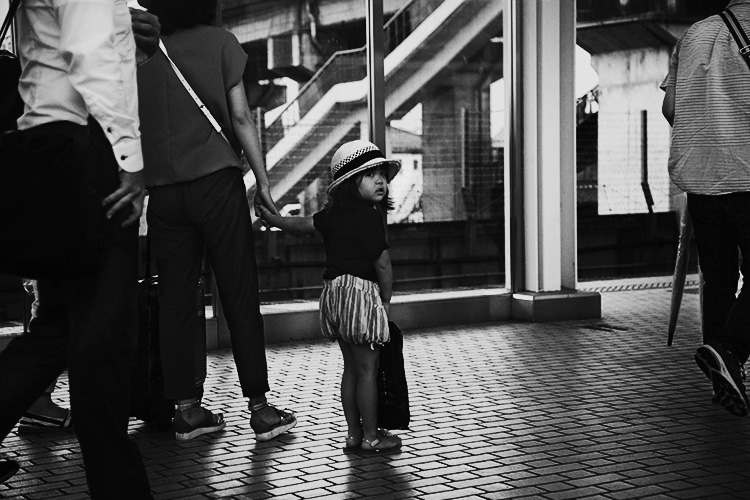
Also taken from a train window, this child was watching my train leave the station. I was quick enough to place my camera against the glass to capture her looking back at me.

5 – Framing and perspective

Emphasizing the photographer’s point of view can lend a voyeuristic atmosphere to an image. Framing is the use of shapes in the environment to guide the viewer’s eye to a point in a photograph. Photographing through glass partitions or windows emphasizes that you have captured a moment without prompting a subject, like looking through a keyhole.

Viewing a subject photographed from above feels different to viewing a photograph taken from below. One great way to take advantage of glass’s transparent nature is to focus on various animals’ attraction to transparent surfaces. Inhabitants of urban landscapes such as lizards, frogs, spiders, snails and insects all negotiate glass surfaces with ease.

A photographer with a keen eye can exploit these opportunities to capture unique perspectives of our fellow city-dwellers. Like humans, animals seem more at ease with a wall of glass to separate them from potential predators, allowing you the chance to capture a more natural photograph.
photography-through-glass13
photography-through-glass11

photography-through-glass03

Distortion

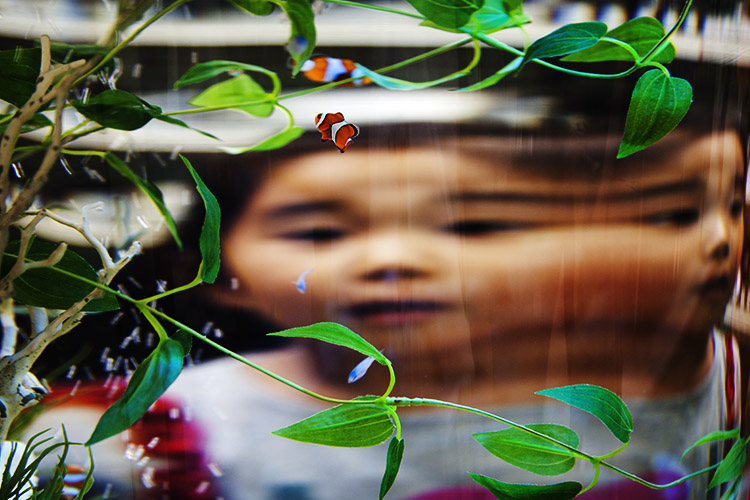
Light traveling through glass often behaves in surprising and interesting ways. If light touches even the most minute curved surface it refracts, distorting anything viewed through it. Planning a shot in front of a pane of glass can yield fascinating and surrealistic photographs.

Try experimenting with different thicknesses of glass at varying degrees of curvature. Aquariums and aquatic displays are good for honing this technique because the water inside the glass containers amplifies the distortion. Holding variously shaped prisms over the front of your lens can yield some surprisingly effective and interesting results too.
photography-through-glass08

Conclusion

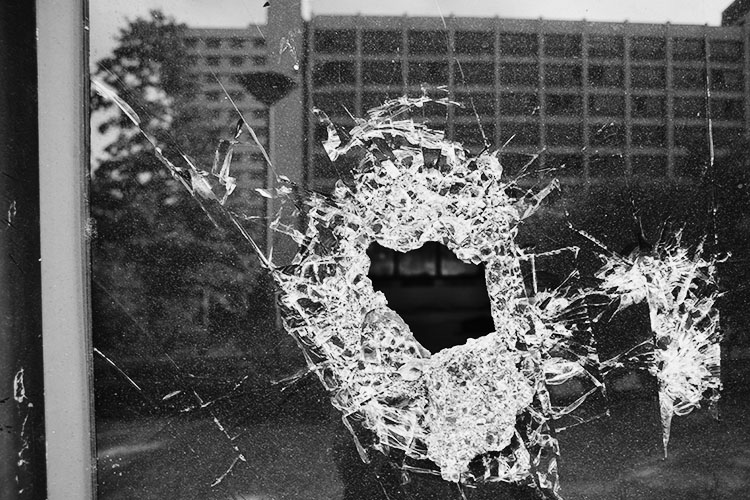
Transparent, opaque, tinted, laminated, textured, reinforced… there are endless varieties of glass and each presents a unique opportunity for you as a photographer. Although I’ve tried to list a few of the more dramatic ways to use glass in street photography, the potential is limitless and exciting.
photography-through-glass14

They key to taking great street photographs is to be open to opportunity and quick on the shutter button. With limited time to capitalize on the moments that are presented to you, focusing on surfaces like glass that can yield fascinating results quickly and is a fool-proof way of enhancing your craft.

googletag.cmd.push(function() {
tablet_slots.push( googletag.defineSlot( “/1005424/_dPSv4_tab-all-article-bottom_(300×250)”, [300, 250], “pb-ad-78623” ).addService( googletag.pubads() ) ); } );

googletag.cmd.push(function() {
mobile_slots.push( googletag.defineSlot( “/1005424/_dPSv4_mob-all-article-bottom_(300×250)”, [300, 250], “pb-ad-78158” ).addService( googletag.pubads() ) ); } );

The post 5 Tips for Shooting Glass to Enhance Your Street Photographs by Megan Kennedy appeared first on Digital Photography School.


Digital Photography School

 
Comments Off on 5 Tips for Shooting Glass to Enhance Your Street Photographs

Posted in Photography


New Leica SL firmware improves tethered shooting, SL 50mm F1.4 goes on sale

14 Dec

German photo brand Leica has announced new firmware for its full frame SL mirrorless camera, making it fully compatible with the latest version of the company’s tethered shooting and remote control applications. Firmware 2.2 bolsters the camera’s ability to operate with both Leica Image Shuttle 3.5 for Mac and Windows, as well as Tethered Plug-in 1.1.0 for Mac. Image Shuttle is the company’s application for controlling the camera remotely, while Tethered Plug-in allows images to be drawn directly into Adobe’s Lightroom when connected via a USB cable.

The firmware also removes the restriction on long shutter speeds for those using 6-bit M lenses with the M-Adapter T/SL, as well as some mystery improvements to the camera that are not specified.

The company has also today released the Summilux-SL 50mm F1.4 ASPH for sale. Announced alongside the SL itself the lens should offer a very slightly more compact alternative to the 24-90mm F2.8-4 and 90-280mm F2.8-4 zoom lenses the company has released so far. It costs $ 5295/£4080.

For more information visit the Leica website.

Press release:

Firmware update 2.2 for Leica SL with improved support for Leica Image Shuttle software and Leica Summilux-SL 50mm f/1.4 ASPH. lens – available today

Leica Camera has released Firmware Update 2.2 for the Leica SL mirrorless system camera, improving support for the Mac versions of Leica Image Shuttle 3.5 and Tethered Plug-in 1.1.0., as well as supporting the new Microsoft Windows version of Leica Image Shuttle 3.5.

Registered Leica SL owners can download the new software and firmware updates from the Leica Owners’ Area (https://owners.leica-camera.com) or take their camera to their local Leica Store or Leica Customer Care in the UK for a complimentary installation.

Leica Image Shuttle 3.5 improves workflow efficiency for tethered shooting with the Leica SL and allows the camera to be controlled from a computer via a USB 3.0 cable connection. All relevant exposure parameters such as shutter speed, aperture, ISO value and autofocus can be set and controlled from the computer, and exposures can be displayed directly on a large monitor screen for assessment.

The Leica Tethered Plug-in 1.1.0 (for Mac) – also available as a download from the Leica Owners’ Area – establishes a direct connection between the Leica SL and Adobe Photoshop Lightroom 6 / CC for Mac via USB cable. The camera’s shutter release can be activated from the plug-in and the images captured can be displayed directly in Adobe Photoshop Lightroom 6 / CC (for Mac), making the workflow even faster and more reliable. The corresponding firmware update is required for the use of Leica Image Shuttle and the Leica Tethered Plug-in.

Firmware update 2.2 also removes the shutter speed limitation when shooting with 6-bit coded Leica M-Lenses, while further optimising the performance of the Leica SL system.

Available from today, the Leica Summilux-SL 50mm f/1.4 ASPH. is the first prime lens for the Leica SL-System and sets a new standard in its class. Its large maximum aperture makes this high-performance lens ideal for photography in challenging lighting conditions, and enables the use of shallow depth of focus as a creative tool. Furthermore, the fast, precise and reliable autofocusing ensures that photographers can concentrate fully on composition and creativity. The lens’ combination of resolving power and soft bokeh in unsharp areas clearly isolates subjects from their background, particularly when shooting at maximum aperture.

For additional product specifications, please visit: Leica Summilux-SL 50mm f/1.4 ASPH.

Articles: Digital Photography Review (dpreview.com)

 
Comments Off on New Leica SL firmware improves tethered shooting, SL 50mm F1.4 goes on sale

Posted in Uncategorized


Medium-format meets the modern age: Hasselblad X1D-50c shooting experience

12 Dec

Hasselblad’s X1D-50c caused quite a stir when it was announced over the summer, as its mirrorless design and relatively tiny size defied what we thought we understood about the relationship between sensor size and body bulk in digital cameras. All previous digital medium-format models, other than the Leica S series, have been DSLRs with spacious mirror box housings and forward projecting architecture, but the X1D-50c breaks that mold and harks back to the Mamiya 7/Bronica RF compact rangefinder style. More exciting perhaps is the adoption of the features that we associate with mirrorless compact system cameras, such as touch focusing and an electronic viewfinder, that bring this usually lumbering format into the modern age.

Although the price of the system is higher than those centered around 35mm-style DSLRs, it is also a good deal less than we have come to associate with the 6×4.5cm digital format. The combination of the X1D’s design, features and price made the camera popular immediately. Hasselblad has said that it took more orders in the first ten days than it had expected to take for the year – but now, of course, it has to actually deliver the product to those who pre-ordered it. My understanding is that it is almost ready and I’ve been able to shoot for a short while with the latest pre-production X1D with a 45mm F3.5 lens.

The camera itself is finished but the firmware is still being added to and refined. As such, this article should give you a good general idea of what the camera will be like when it is all done and a pretty clear idea of the image quality we can expect from the finished product.

Body and handling

The Hasselblad X1D-50c isn’t all that much bigger than a Panasonic Lumix GH4 and it will displace less water than the Nikon D810 (don’t try that at home). Size-wise, then, it feels very much like a standard DSLR. The grip is well pronounced which makes the camera very comfortable to hold and to carry, and which makes it feel secure in the hand. The controls feel quite chunky, deliberate and designed to reduce the chances of pressing something by accident. Although the dials are in slightly different places it seems as though they and the shutter release button came out of the same parts bin as those used on the H6D body. These exaggerated features lend the X1D-50c the feel of a big camera but without the size.

I’m pleased Hasselblad has adopted new buttons for the top plate instead of the slightly spongy ones used around the info panel LCD of the H6D, and it has changed the feel of those running down the side of the rear screen. The exterior of the body houses only nine control buttons plus a depth of field preview and the on/off button, so the space feels un-cluttered and simple to navigate.

The menu system is very much the same as that used in the backs for H6D, with bold icons and a large shouting print that will require reading glasses less often than the GUIs of most DSLRs. All the features are activated by touch and options can be scrolled through using the touch screen or the traditional control wheels.

Those used to traditional DSLR and CSC menus might find that of the X1D-50c sparsely populated when it comes to features and options – and it is. The menu will be gradually fleshed out as Hasselblad develops the camera, but don’t expect it to have the same number of options as a regular DSLR.

The 3″ rear LCD is clear and bright, and its 920k-dot resolution makes the display useful when focusing manually. The EVF is also very clear and its 2.36 million-dot display feels very detailed. The firmware version I was using didn’t allow playback in the viewfinder so I couldn’t check to see what that would look like, but Hasselblad tells me that will be coming soon in a further update.

Articles: Digital Photography Review (dpreview.com)

 
Comments Off on Medium-format meets the modern age: Hasselblad X1D-50c shooting experience

Posted in Uncategorized


Shooting in the Cold – Tips for Winter Photography

06 Dec

Just because it’s cold doesn’t mean you should stop doing any photography. Winter photography can be magical, here are some tips for shooting in the cold to help you.

The weather

It’s easy to go out and shoot when the weather is nice and the weather God’s smile down with big fair sky grins. Summer, Spring, and especially Autumn are popular times for photography because there’s no shortage of photo opportunities – comfortable photo opportunities at that.

Winter Photography 2

Seasons change, though, but that doesn’t mean that you have to be discouraged, or worse, stop shooting just because winter comes around and the weather outside turns cold.

Winter Photography 5

That’s not to say that making photographs in winter doesn’t come with its own set of problems – well, not really problems. Let’s just say that making photos in the colder months is more challenging than it is when at warmer times of the year.

Winter Photography 4

There are still quite a few reasons to venture out into the cold with your camera. Here are a few tips that will help you stay productive (and safe) during those frosty months between Fall and Spring.

Winter Photography 7

Protect yourself

All the know-how and skill in the world won’t do you much good if you’re too cold and miserable to actually make photographs. Always be aware that you and your well-being, above all else, is the most important thing to protect while shooting in frigid temperatures, doing winter photography.

Winter Photography 6

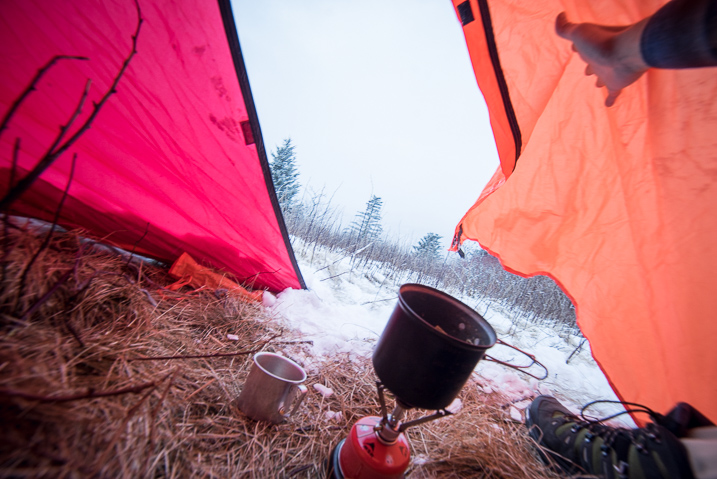
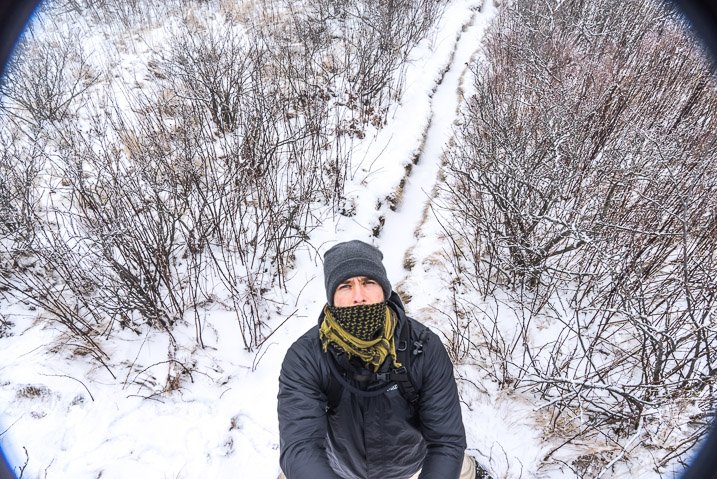
Keep a well updated on current and future weather conditions and dress accordingly. Wearing layers of clothing will help you adjust your body temperature based on your level of activity while shooting, to prevent sweating which can lead to hypothermia. Protect your face, hands, and feet.

Winter Cold Weather Protection

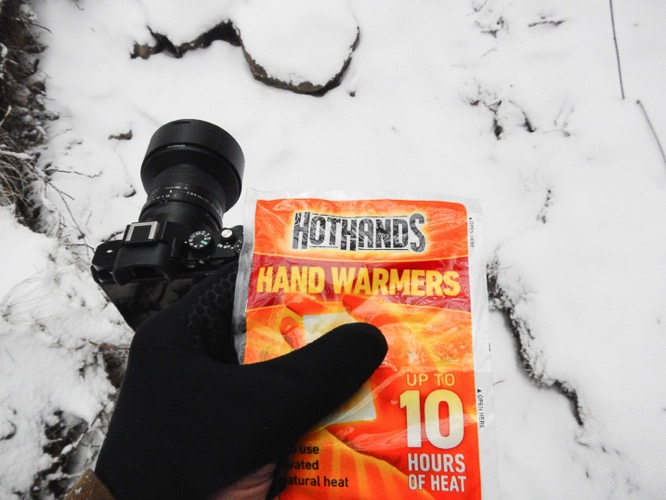
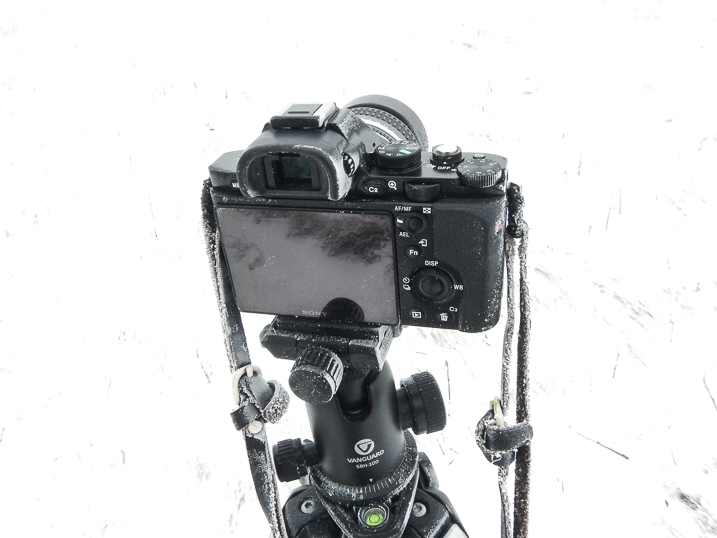
This includes wearing warm gloves that allow good finger movement so you don’t have to constantly remove them before using your camera. Also, a face wrap or scarf goes a long way to shield your face from the wind but also to protect your camera from freezing condensation of your breath. More on that oh so wonderful phenomena a little later.

Protect your batteries

Yes, we all know most of our cameras are electric and that means batteries. Batteries are essentially little chemical reactors that produce electricity. High or low temperatures affect batteries to varying degrees (temperature humor). Cold batteries discharge themselves faster than do warm ones. So basically, the cold temperatures faced when shooting winter photography can drain your batteries.

Winter Batteries

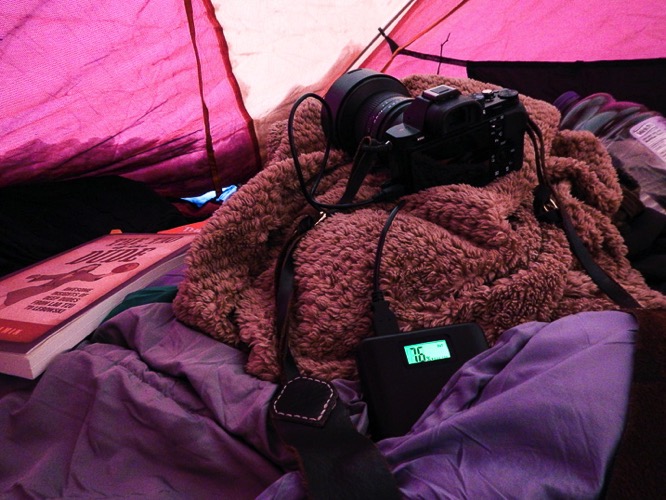
Take this into account and bring an extra battery or two when you venture out for some chilly winter shooting. If you can, carry your extra batteries in your pocket or closer to your body to keep them warmer and working more efficiently. There have been times when I was working in single digit temperatures when I put my battery in the camera only immediately before composing in order to maximize my shooting time.

Don’t breathe

Well, breathe of course, just not on your camera, or lens for that matter. Your breath contains a relatively high amount of moisture and heat. When the temperature outside drops, the very air you exhale can spell disaster for your winter photography. If you breathe directly onto your camera or lens condensation forms. Just like blowing your breath on a mirror. When it gets cold (below freezing), that condensation WILL FREEZE. This means that lens elements can glaze over with your own brand of self-made ice and viewfinders become unusable.

Winter Frozen Camera 2

To combat this frosting effect, remember to never carry your lenses close to your body and never blow your breath on them. For that matter don’t hold them in your hand for extended amounts of time because this too will warm them up which can lead to condensation. When composing your images, it’s a good idea to hold your breath.

Winter Frozen Camera 1

It only takes a few moments and will prevent a buildup of frost and ice on your camera.

Understand your tripod

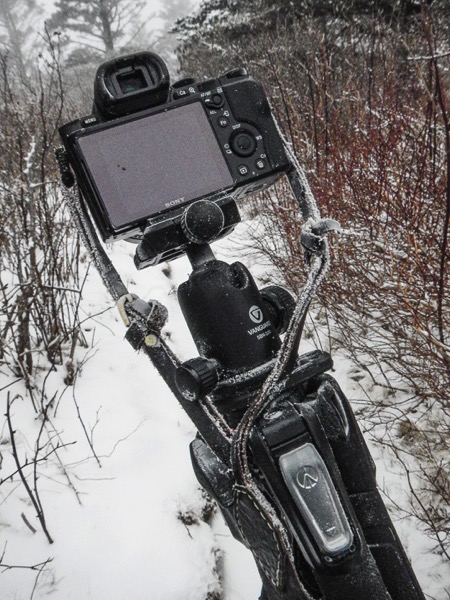
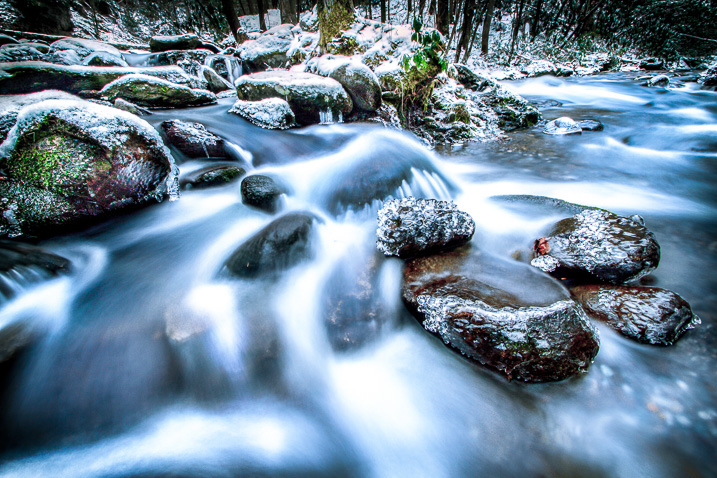
I remember one late afternoon of shooting, a few winters back on a secluded stretch of a mountain stream. I was standing in the water with my tripod, making exposures until the light was gone and then packed everything up to drive back to the hotel. The temperatures were hovering somewhere in the lower twenties F (-4 to -6c). I carried my gear inside but left the folded tripod in the car.

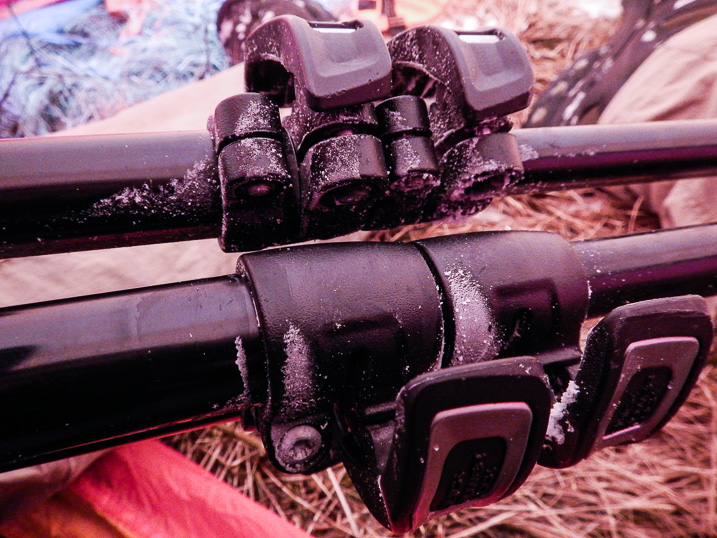
The next morning found me beating on my now frozen tripod with a boot in order to break it free of the ice caused by leaving a wet tripod in a car overnight.

Winter Photography 1

I learned my lesson that day and there are a few things you can do to prevent my mistake from happening to you.

Winter Frozen Tripod

If your tripod gets wet, do what you can to remove as much water as possible. This will reduce the ice buildup. If you find yourself unable to store your tripod in a warmer place after shooting, leave the legs fully extended and be sure not to lock the legs. By leaving the legs unlocked you will have a much easier time making the tripod usable if it does freeze.

Leaving the legs fully extended may be cumbersome but it will keep water from being introduced further into legs. The key factor to remember when using your tripod in winter is that water and moisture are your enemies. Anything you can do to reduce the moisture will help ensure your tripod functions more easily when things get really cold.

Summary

Cold weather shooting and winter photography can be an extremely rewarding experience. Winter time transforms landscapes and locations into dream-like scenes different from any other time of year.

Winter Photography 3

Be sure you understand how to cope with the winter temperatures so you can protect yourself and your gear. Here’s a quick recap of the things you can do to make your sure your winter shooting is a great experience.

  1. Dress yourself according to the conditions. If you feel you’re not adequately prepared don’t risk it.
  2. Bring extra batteries and keep them warm. Carry your batteries close to you in order to extend their life.
  3. Don’t breathe on your gear. The condensation from your warm breath will freeze on your camera and lens. Hold your breath when composing.
  4. Be mindful of your tripod. If it gets wet the water may freeze making it difficult to use. Keep it as dry as possible.

Please share any other winter photography preparedness tips in the comments below. Of course, share your winter images as well!

googletag.cmd.push(function() {
tablet_slots.push( googletag.defineSlot( “/1005424/_dPSv4_tab-all-article-bottom_(300×250)”, [300, 250], “pb-ad-78623” ).addService( googletag.pubads() ) ); } );

googletag.cmd.push(function() {
mobile_slots.push( googletag.defineSlot( “/1005424/_dPSv4_mob-all-article-bottom_(300×250)”, [300, 250], “pb-ad-78158” ).addService( googletag.pubads() ) ); } );

The post Shooting in the Cold – Tips for Winter Photography by Adam Welch appeared first on Digital Photography School.


Digital Photography School

 
Comments Off on Shooting in the Cold – Tips for Winter Photography

Posted in Photography


How Shooting Photos Based on a Theme Can Improve Your Work

05 Dec

In this article we’re going to talk about how having a theme before you go out to shoot can improve your images.

I used to go out on the street, in order to find the perfect shot. Months in a row I did that. I knew that I loved this lack of control, but something didn’t match. I wasn’t as excited as I thought and even my images weren’t good enough, I couldn’t understand why.

So, I took a small break from hunting beautiful images and I started to watch how others worked. I looked at many professional photographers, to find what makes them click.

Image 001

That was when I realized my big mistake. My problem was that every time I went out, I had nothing to focus on. My eyes were looking for pictures everywhere, but my mind wasn’t able to sort out all these images. Something was missing, and that was a theme.

Taking pictures based on a theme has a lot of benefits and it can change your shooting approach in a very positive way. That’s why many photographers work like this because it makes their life much more easy and practical.

Elimination is the key

Imagine yourself in a very crowded place, let’s say a musical festival. The possibilities for images and angles are infinite. You may take pictures of the whole crowd, of a couple spending time together, or a detail on someone’s jacket. Or maybe you can take pictures of the musicians only. How can you do all these things and not get tired or confused?

Image 002

You need to remove the things that are not important for your ideas or style of shooting. Therefore, you have to know what you’re looking for before you go out to shoot.

Let’s say you decide that your theme at that music festival should be about ladies dancing. Now, you will focus all your attention only on them, taking pictures of details on their hands, clothes, etc., and mix it up with portraits and action shots. Try different angles and perspectives, because now you have something to focus on. As a result, you eliminate all the things that might get you disorganized, such as big crowds, couples, general landscapes of the festival, etc.

Elimination is the key.

You will save time

Before working on themes in my photography, I spent many hours searching for wonderful movements and scenes to capture with my camera. On an average day, I would walk in the city for eight to nine hours and shoot for only a half hour. Why? Because I didn’t know what I was looking for.

Image 003

By choosing a specific theme or subject before you go out, you will know where to look. For example, if you want to take portraits of dog owners, as a first step you can try going to the park where people walk their dogs and ask them to pose for you. On the next day, you may go at a dog grooming place, and so on.

Working on themes is a very good time-saving habit that can help you remove the gap between finding the perfect shot and actually doing it.

Targeting specific clients

Regarding the topics you may choose, your interest can grow in time. You will start to understand more about what you’re photographing and after few months, you may find yourself with a strong body of work.

Image 004

Image 005

Image 006

For example, if you have a passion for street fashion and you build a portfolio with great images on that theme, you can use that portfolio to find your future clients. You may try fashion magazines, agencies, or even online publications. Also, you can enter those images in a competition to see if they are good enough to grant you some recognition or a prize. But I don’t suggest you take pictures only for getting recognition because then you could end up working on things you may not like that much.

Theme shooting helps style development

We all think about style, it’s an artist’s signature. We want people to recognize our pictures just by looking at them and say, “These are John’s images because they look this specific way.” We want our name out there in the best way possible.

Image 007

Developing a style is a matter of time. You don’t have to fight for it because it will come by itself after years of hard work.

By working on themes and the things you care about, you’ll start to notice what things you like to photograph and how you like to do it. You will begin to understand and see yourself in your work. In this growing process, your style will evolve. It’s not a matter of conscious decision, but of knowing yourself.

If you are in a hurry to stamp your work with your style, then find a theme you are interested in and photograph that. You can’t go wrong.

Conclusion

So if you feel like your work isn’t progressing and you’re stuck, try shooting around a theme for a while. See how it helps you focus, improve your style and in the end become a better photographer.

Please share your thoughts and questions in the comments below.

googletag.cmd.push(function() {
tablet_slots.push( googletag.defineSlot( “/1005424/_dPSv4_tab-all-article-bottom_(300×250)”, [300, 250], “pb-ad-78623” ).addService( googletag.pubads() ) ); } );

googletag.cmd.push(function() {
mobile_slots.push( googletag.defineSlot( “/1005424/_dPSv4_mob-all-article-bottom_(300×250)”, [300, 250], “pb-ad-78158” ).addService( googletag.pubads() ) ); } );

The post How Shooting Photos Based on a Theme Can Improve Your Work by Cosmin Cimil appeared first on Digital Photography School.


Digital Photography School

 
Comments Off on How Shooting Photos Based on a Theme Can Improve Your Work

Posted in Photography


Fujifilm X-T2 tethered shooting firmware arrives, also adds button lock

30 Nov

Fujifilm has released its much anticipated new firmware for the X-T2 that enables tethered shooting with the forthcoming Tethered Shooting Plug-in Pro application, but has added a number of other fixes and a new feature.

Fujifilm X-T2 users will now be able to set up a function button to lock all the body buttons of the camera so that they don’t get pressed by accident during shooting. Users can determine which button they want to use for this purpose via the custom settings menu.
As with previous updates for the X-T1 and X-Pro2 this new firmware fixes an AF reliability issue when using the longer end of the XF 18-135mm F3.5-5.6 R LM OIS WR and a problem that meant that Nissin’s i40 flash unit wouldn’t fire.

Further fixes include issues around exposure in very specific conditions, connectivity and the high speed burst mode when used with flash.

For more information see the Fujifilm website.

Manufacturer’s release notes

X-T2 Camera Body Firmware Update Ver.1.10

Detail of the update

The firmware update Ver.1.10 from Ver.1.00 incorporates the following issues:

1.Tether shooting is available by USB connection.

One of the application software below is required to use the tether shooting function.

  • Tether Shooting Plug-in PRO for Adobe® Photoshop® Lightroom® Ver.1.3 or newer *1
  • Tether Shooting Plug-in for Adobe® Photoshop® Lightroom® Ver.1.3 or newer *2
  • Tethered Shooting Software HS-V5 Ver.1.3 or newer *3

[How to set the PC shooting]
Before connecting your camera to a computer, set the PC SHOOT MODE of the CONNECTION SETTING in the SET UP menu to USB AUTO.
*If the USB AUTO is selected, the camera mode will automatically change to tether shooting mode when the camera is connected to a computer via a USB cable.
*If the USB FIXED is selected, the camera always work as tether shooting mode. Therefore, the camera doesn’t work as normal shooting mode when the USB cable is not connected.

*1: “FUJIFILM Tether Shooting Plug-in PRO” will be available from Adobe Add-ons website.
The launch of the Mac version is scheduled for release around the end of November 2016, and the Windows version is scheduled for release around the beginning of December 2016.
*Separately, you need to purchase Adobe® Photoshop® Lightroom® 6 / CC.

*2:”FUJIFILM Tether Shooting Plug-in” is available from Adobe Add-ons website. X-T2 will be supported with Ver.1.3 upgrade.
For Mac
For Windows
*Separately, you need to purchase Adobe® Photoshop® Lightroom® 6 / CC.

*3: You need to purchase the HS-V5 and download the latest version from the site below to upgrade it.

  • Tethered Shooting Software HS-V5 for Windows® Updater
  • Tether shooting function of X-T2 will be supported with HS-V5 Ver.1.3 or later.
  • Tethered Capture Plug-in for Adobe® Photoshop® Lightroom® Ver.1.3, which will enable the tether shooting function of X-T2, will be available for free download to those customers who purchased HS-V5.
  • Tethered Capture Plug-in for Adobe® Photoshop® Lightroom® Ver.1.3

2. Lock function during shooting mode is added. The update will let users prevent from the unexpected dial/button operation.

[How to set]
First, select the function you wish to lock in BUTTON/DIAL SETTING>LOCK>FUNCTION SELECTION” in the Setup Menu. And then, select the function in BUTTON/DIAL SETTING>LOCK>LOCK SETTING>SELECTED FUNCTION” in the Setup Menu.

*Select “ALL FUNCTION” to lock all the buttons and dials. This lock function can be allocated to a function button.

3. The shutter speed will be displayed in a preview image with the setting of SHUTTER AE OFF, ISO AUTO and Aperture-Priority.

4. The phenomenon is fixed that overexposure could happen with the setting of AF-C mode, AF-C PRIORITY SELECTION and FACE DETECTION ON.

5. The phenomenon is fixed that AF function doesn’t work well in the tele-photo area with XF18-135mmF3.5-5.6 R LM OIS WR.

6. The phenomenon is fixed that hung-up could happen when carrying out SELECT FROM NETWORK LIST of MANUAL SETUP in PC AUTO SAVE SETTING.

7. The phenomena is fixed that CH HIGH SPEED BURST (continuous high speed) doesn’t work well with fixed exposure and fixed amount of flash luminescence (TTL-L or flash M mode) while used with FUJIFILM Shoe Mount Flash (excluding EF-X8)

8. The phenomenon is fixed that Flash i40 made by Nissin for FUJIFILM doesn’t fire.

Articles: Digital Photography Review (dpreview.com)

 
Comments Off on Fujifilm X-T2 tethered shooting firmware arrives, also adds button lock

Posted in Uncategorized


Video: Shooting Dog Portraits with the Sony a6300

28 Nov

Here at DPReview, we love dogs. They’re great. But they’re notoriously hard to photograph. Even the best-trained are unpredictable and fast-moving, and when they’re not running around they’re unable to sit still.

In this video, DPReview’s Sam Spencer takes one of our favorite cameras – the Sony a6300 – to shoot some of our favorite pups. During a busy day of shooting, we gave both the animals and the a6300 a good workout, culminating in a studio portrait session for the lucky dogs at the Motley Zoo animal rescue center, in Seattle.


This is sponsored content, created in partnership with Sony. What does this mean?

Articles: Digital Photography Review (dpreview.com)

 
Comments Off on Video: Shooting Dog Portraits with the Sony a6300

Posted in Uncategorized