One of this summer’s biggest hits is undoubtedly ‘Mad Max: Fury Road’. Its narrative is built around an extended car chase, brought to life through physical stunts and visual effects work. We spoke with a few of the film’s visual effects supervisors about the gear used to shoot the film (from an Arri Alexa to an iPhone 6) and the impact it had on their work. Read more
Tag: Shoot
-
QA: How to Shoot Events Without TTL Flash
Technology is great. But it can also make us its slave.
For instance, TTL flash is pretty good at solving lighting problems on the run. (See, McNally? I'm open-minded…) But those problems existed long before we had TTL flash—or TTL exposure metering, for that matter.
And yet, we solved them on a regular basis. Even without feedback on the backs of our cameras. Or autofocus. While walking five miles to school barefoot in the snow. Uphill. Both ways.
Read more »
Strobist -
How To Shoot Fashion Shows Easily With These 6 Simple Tips

Hi there FashionPhotographyBlog.com readers, today we have a special guest joining us. Based in the Netherlands, Sander Van Leeuwen, has worked in fashion and commercial photography as well as film. He’s also been a loyal follower of FPBlog for many years now and had taken the time to write to us in a response to an article we had previously posted on how to shoot fashion shows.
We thought what he wrote was so insightful and it listed factors that the original post oversaw, that we decided that it would benefit a lot of you who may be trying to shoot fashion shows for the first time and not quite sure what to expect of the experience. We have invited Sander Van Leeuwen to share with us his 6 simple tips that can make shooting through the commotion of a fashion show just a little bit easier by being prepared for the experience.
We do want to want to make a disclaimer though before we start, and remind everyone that fashion shows are live events, and can be, by nature, a stressful affair. Like in wedding photography, if you miss the moment, you miss the moment. There is no going back! The buzzing environment of fashion shows may not be everyone’s cup of tea, (perhaps not even for Sander) though some people thrive in these kind of situations. We just want you to be prepared, so you can be on your game and not miss those moments photographing powerful shots of the models on the runway. Take it away, Sander!
Hi folks, actually it’s kind of stupid that a lot of camera people (were) shooting the same show… the craziness during a show I did (the Amsterdam International Fashion Week 2009)… It was my first big show. I actually liked some of the parts (the parties and being with a lot of famous people (and) designers), but I hated the actual shooting, since it was kind of stressful. My experience:
1. Professional shows have good light: especially with the good high ISO performance, nowadays this is not an issue.
2. 70-200 mm is a good range. The only thing is most of the time you can’t shoot full body on the turn. But with 200 mm you can shoot nice full body shots during the whole runway and you can make some nice close ups of accessories.
3. DON’T USE FLASH! With a lot of photographers the chance is big you’re ruining someone else s picture with your flash, or someone else is ruining yours. Good organizations even officially forbid to use flash (if not other photographers will look at you (like) they are going to kill you).
4. A monopod is a must have. It happens that there is very little space and you can stand steady between all other photographers.
5. Take a bottle of water with you since waiting can be really make you tired and thirsty.
6. If it’s a multiple show even, try to make friends with some of the photographers so you can help each other when this is needed (save good spots for example) and you can have a nice chat while waiting… Did I mentioned waiting already? 😉
I hope this helps some photographers a little!
Kind Regards, Sander
Savale.nl
Did you find these tips useful? Please share this post on social media if you did 🙂
Also, if you have your own tips not covered in this list, please write them in the comments box. We will love to hear what tips you have.
Lastly, if you would like to be featured as a guest writer like Sander Van Leeuwen did, do send us a message and get in touch with us. We would like to hear from you. For more details on how to contribute to FashionPhotographyBlog.com click here –> CONTRIBUTE TO FPBLOG HERE
-
How to Shoot and Process a Time Lapse Movie – Quick Method
The other day I was in the city and I was watching the clouds because they were moving so fast. It was a sign that bad weather was on the way, but I also knew the clouds would be a good opportunity to try some time lapse photography.
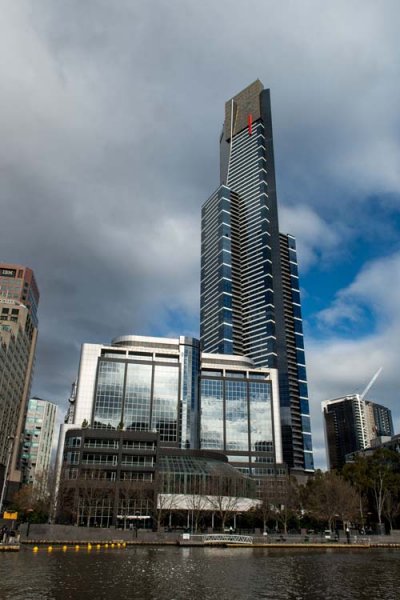
There are many ways of taking a series of images to use for time lapse photography. My camera was setup on a tripod and set to take a photo every five seconds over 10 minutes. In total 120 images were taken, however that number is up to you. The other day I took 300 images to use for one.
You can do this in various ways and it is best to check your camera manual to see if you can take photos at intervals. If you can’t then you may have to use something like an intervalometer or just manually take a photo every five seconds or whatever interval you choose.
When I got home I did some research and found a fairly easy way of putting the images together to get a quick time lapse. Follow along a I show you how you can do this as well.
Lightroom
The 120 images were imported into Lightroom. If you are unsure of how to Import photos then look at this article: Quick Tip: Importing to Lightroom Made Easier.
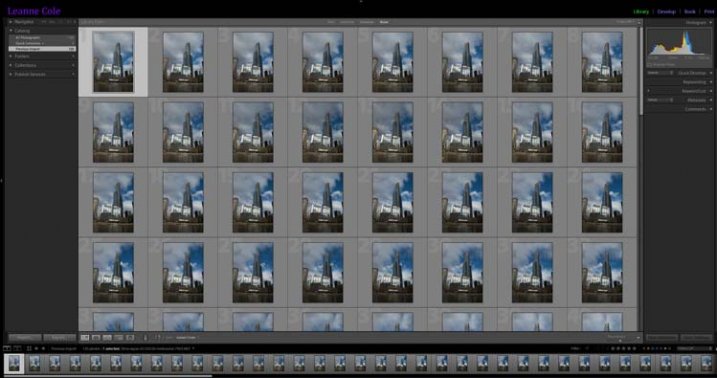
The images for the time lapse in Lightroom
Choose the first image and you do some basic processing to it in the develop module. I straightened, then cropped, a bit of a building out of the side of it, brought out the shadows and highlights.
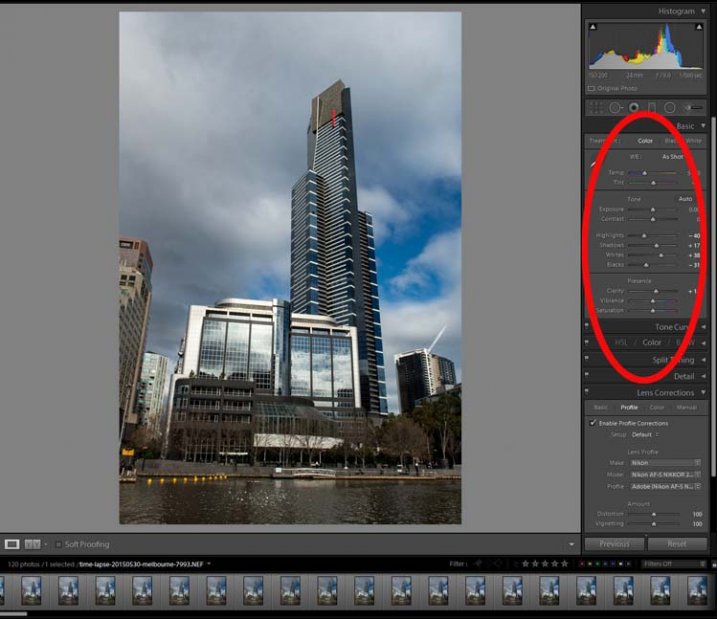
Processing done to the first image.
Select all images for the time lapse and click Sync, in the bottom right of the Develop module.
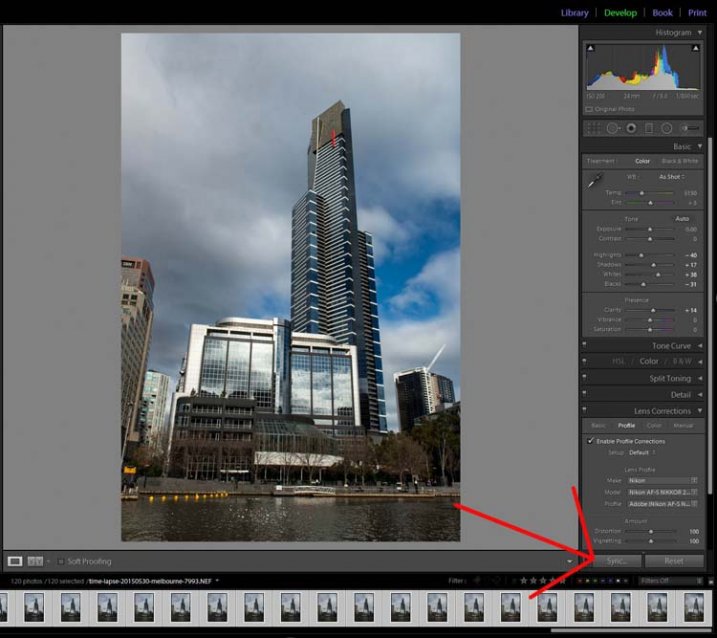
The Sync Button
When the window to Synchronize Settings comes up, tick the box at the bottom to Check All. You want all the changes that you made to the first image to be applied to all of them. They are basically all the same image except for the changes that you want to use for the time lapse.
Press Synchronize in the bottom right of the window. You will see that all the images change and are now ready to be exported.
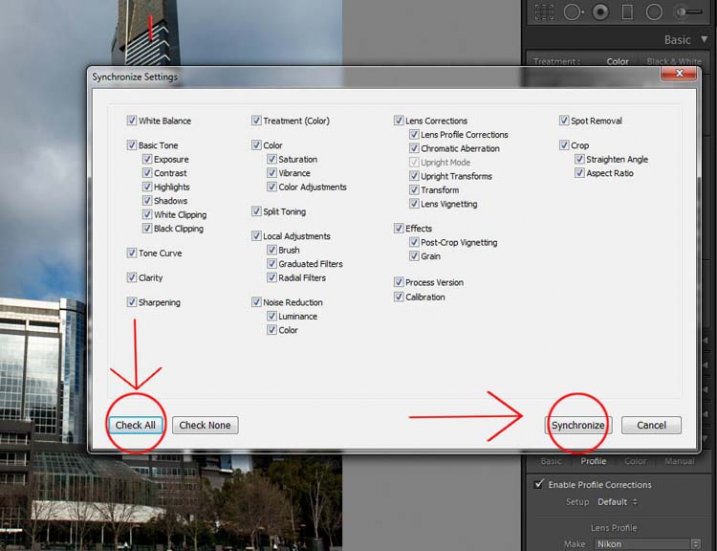
Synchronizing the images.
Exporting the Sequence
There are a few things to consider when you export them, one is the way you rename them. If the number or sequence isn’t at the front of the file name then there may be software problems to put them in the right sequence. It doesn’t make a difference with Photoshop CC.
The images should be changed to jpeg. It is only for the internet so you can use a low resolution, 72 dpi is okay. The size of the image was changed to 1980 pixels for the longest side, which is a good size for videos and for HD.
In the following image you can see which export settings I used for the Time Lapse sequence images.
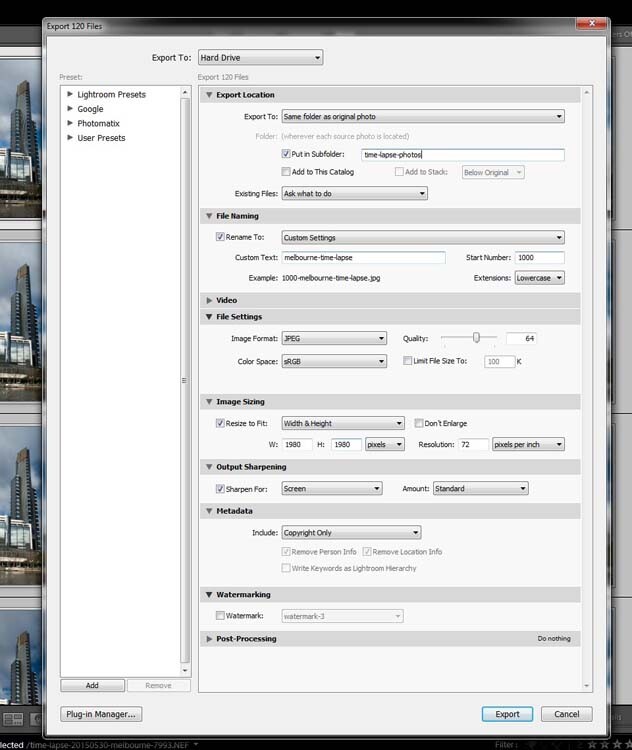
Exporting the images.
Press Export. Then, to put the images together to make the time lapse you will need to move into Photoshop.
Photoshop CC
In Photoshop you need to go to File and Open. (File > Open) Go to the folder with the exported images and select the first one in the sequence. In the same window, before you press Open, make sure you check the box that says Image Sequence which is down near the bottom.
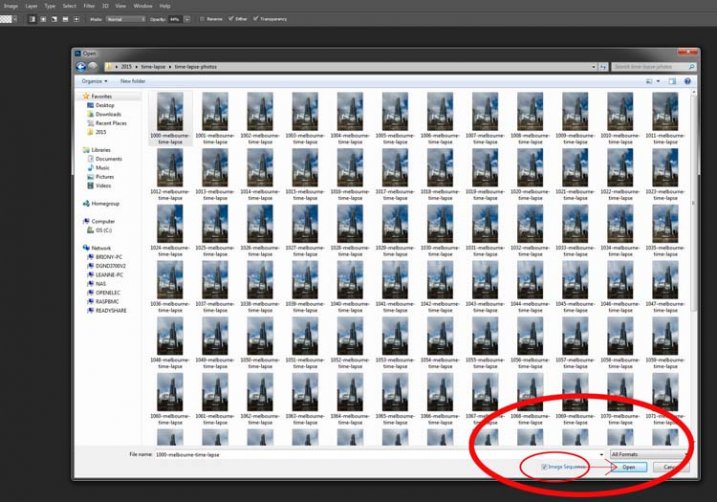
Getting the images ready for the time lapse.
Once you have checked it, select Open.
Before Photoshop opens them a new window will come up asking you how many frames per second you want to use.
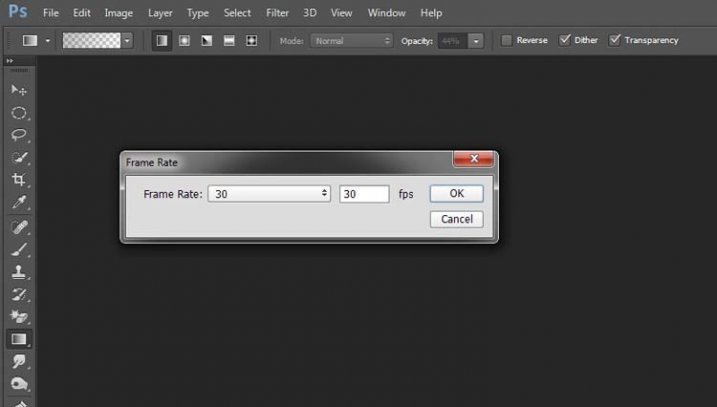
Setting the frame rate.
At this stage you can just click OK; you will have a chance to change it later on if you want to make it slower or faster.
To make it a time lapse you need to open another window in the Photoshop main window. Go up to Window in the main menu at the top, and then down to Timeline and select it. (Window > Timeline)
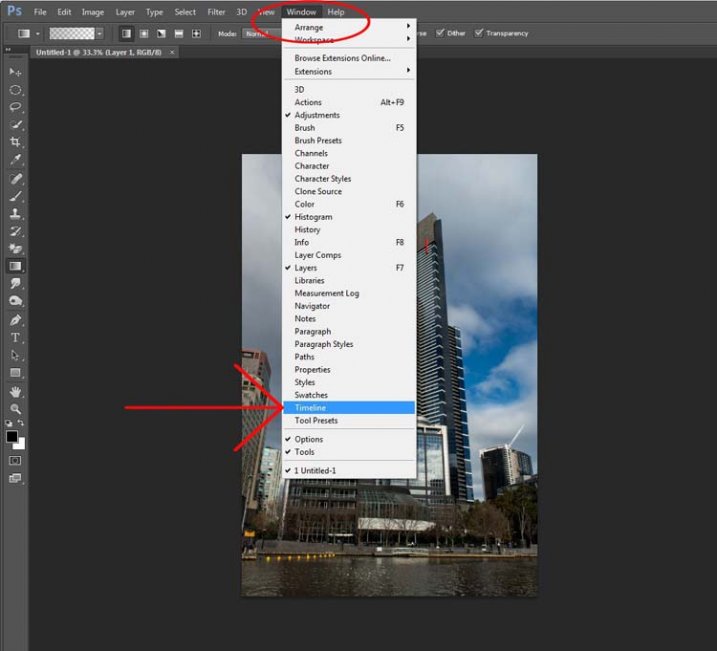
Opening the Timeline.
You will see a new window appear down the bottom. Look at the following image:
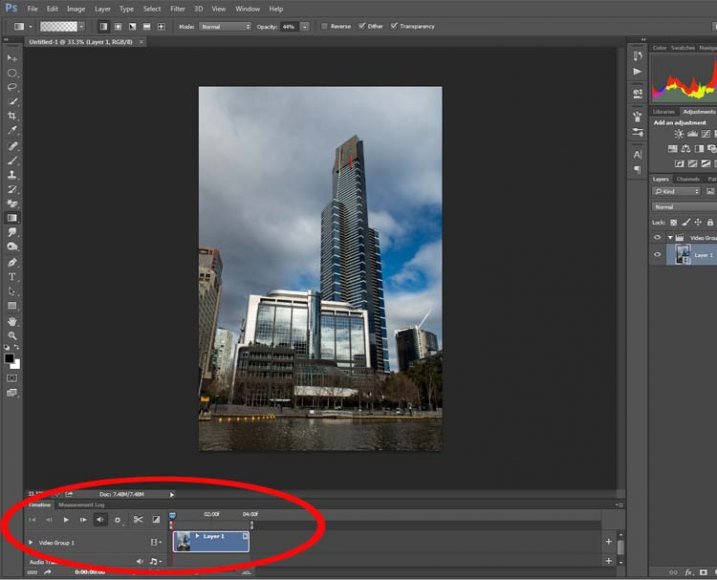
Looking at the Timeline.
If you press the play button you will see your time lapse run.
If you want to change the Frame Rate this is the time to do it. In the Timeline Window, up in the top right corner, you should be able to see a down arrow with lines next to it, click on that and a drop-down menu will appear. Go down and select Select Timeline Frame Rate…
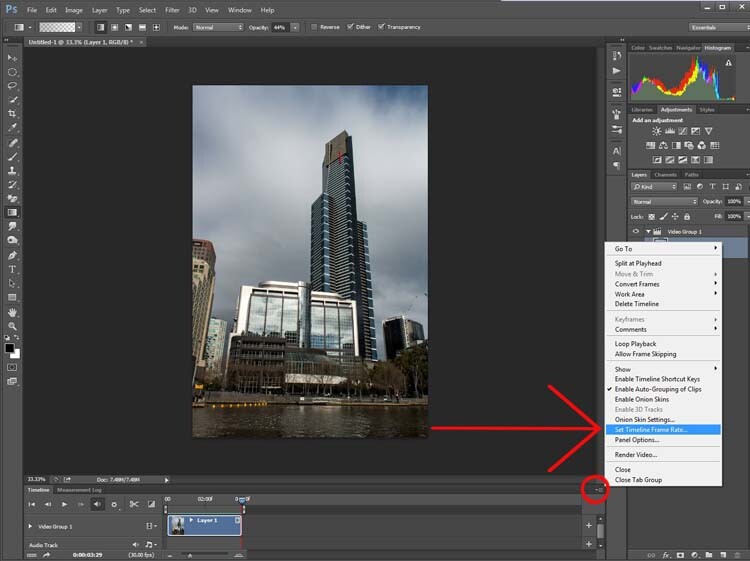
Changing the frame rate.
You can change this as many times as you like. Keep doing it until you get a frame rate you like. Once you are happy with how long it runs for, you can render the video.
Go up to File, then select Export. In the drop down menu choose Render Video. (File > Export > Render Video)
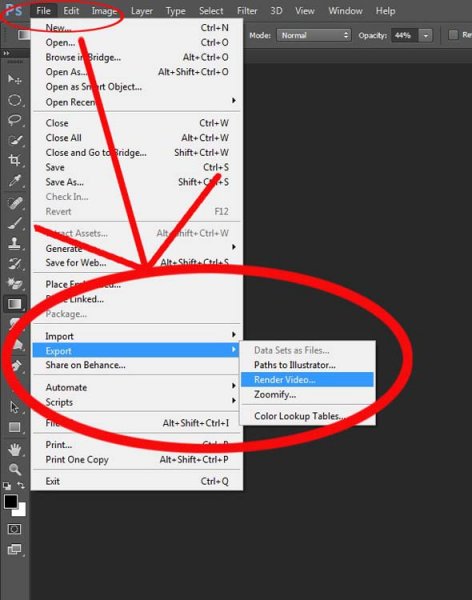
Exporting the video.
After initializing, the Render Video window will come up. In this Window you can name your video and decide in what format you want it saved.
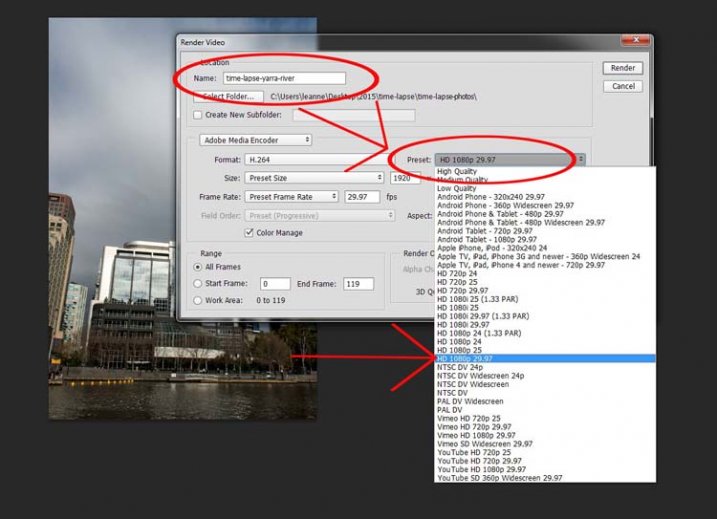
Working out the video type.
Set it on one of the HD settings and you will get an MP4 video. It gives you quite a good video.
If you decide you really like doing them there are lots of other methods, this is just a quick way to do time lapse movies using Lightroom and Photoshop CC.
googletag.cmd.push(function() {
tablet_slots.push( googletag.defineSlot( “/1005424/_dPSv4_tab-all-article-bottom_(300×250)”, [300, 250], “pb-ad-78623” ).addService( googletag.pubads() ) ); } );googletag.cmd.push(function() {
mobile_slots.push( googletag.defineSlot( “/1005424/_dPSv4_mob-all-article-bottom_(300×250)”, [300, 250], “pb-ad-78158” ).addService( googletag.pubads() ) ); } );The post How to Shoot and Process a Time Lapse Movie – Quick Method by Leanne Cole appeared first on Digital Photography School.
-
How to Shoot Images and Use Merge to HDR in Lightroom 6
Master teacher Phil Steele brings us a video on how to shoot bracketed images and merge them into and HDR image using the new Merge to HDR function in Lightroom 6 (or CC).
HDR is something that gets a bit of a bad rap and people seem to either love it or hate it. It’s one of those extreme things like opera and sushi. But the new Merge to HDR feature, inside Lightroom, makes it easy to try it and make realistic looking images in a snap – without the need for any other software or plugins.
Let’s have a look at Phil’s HDR shooting and LR processing tips:
If you enjoyed that and want to learn more about Lightroom you can check out Phil’s Lightroom course here.
googletag.cmd.push(function() {
tablet_slots.push( googletag.defineSlot( “/1005424/_dPSv4_tab-all-article-bottom_(300×250)”, [300, 250], “pb-ad-78623” ).addService( googletag.pubads() ) ); } );googletag.cmd.push(function() {
mobile_slots.push( googletag.defineSlot( “/1005424/_dPSv4_mob-all-article-bottom_(300×250)”, [300, 250], “pb-ad-78158” ).addService( googletag.pubads() ) ); } );The post How to Shoot Images and Use Merge to HDR in Lightroom 6 by Darlene Hildebrandt appeared first on Digital Photography School.
-
How to Shoot in Low Light – 9 Commonly Asked Questions

This image of Moon Rise over Marietta, Ohio was taken 20 minutes after sunset during the Blue Hour when the sun had set and the sky was a dark blue. Here the city lights make a great warm glow over the city.
According to British photojournalist Donald McCullin, “There is no such thing as bad light, just misunderstood light.” Many photographers consider low light to be bad light. The purpose of this article is to encourage you to not consider low light as inferior or unusable, but rather to look for subjects to photograph that react well to the available light.
Keep in mind that low light photography is not exclusively night photography. Low light photography opportunities may appear any time of the day as well. For instance, shooting waterfalls in low light allows you to shoot with a slow shutter speed, prevents over-exposure of the white water of the falls, and thereby creates a beautiful silky effect capturing the moving water. Using a flash will light up any subject, of course, but let’s take a look at how to improve your photography in naturally occurring low light. Some frequently asked questions about low light photography are addressed below.
Low Light Photography FAQs
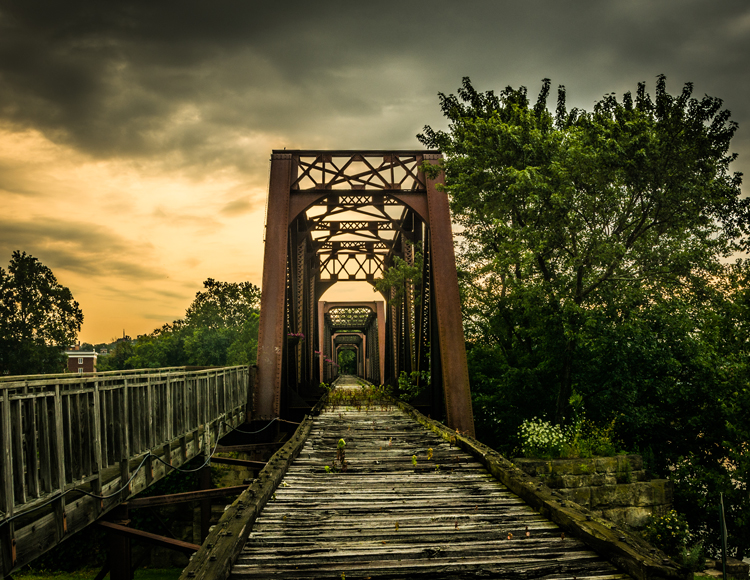
Low light create very dramatic scenes. Dark storm clouds turned this potential sunrise into a great low light opportunity
My low light images are blurry. Would a better lens alleviate the blur?
The short answer to this question is YES, a fast lens with maximum f-stop of 1.8 for instance, will give you better results than a kit lens with a maximum f-stop of 3.5 or 5.6. But even the faster, more expensive lens, will give you undesired results with the wrong settings. The wider aperture opening will allow you to use a faster shutter speed resulting in a sharper image. These lenses with larger maximum apertures are called “fast” because they allow you to shoot with faster shutter speeds, due to more light that is entering your camera through the bigger opening.
What are the best camera settings for shooting in low light?
Manual Mode
Shooting in manual mode is paramount to successful low light photography as it allows you to control every functional aspect of your camera. You basically have three ways to get more light on your camera sensor: Shutter speed, Aperture and ISO. These three controls are called The Exposure Triangle, and each of these can have a positive or negative result to your image’s exposure. Therefore, learning how to use them for the best result is the key to low light photography. Your in-camera light meter will reveal where adjustments should be made to the camera settings, and well-exposed images will be the result.
Shutter Speed
If you are shooting handheld, a good rule of thumb is to set your shutter speed to match your focal length. For example, if you are shooting at 50mm your shutter speed shouldn’t be any slower than 1/50th of a second. Of course, if the subject of your photo is moving, then you will need to increase your shutter speed to be fast enough to freeze the action. Therefore, choosing a slower shutter speed will allow more light into your camera, but with that setting, the possibility of a blurry picture occurs.
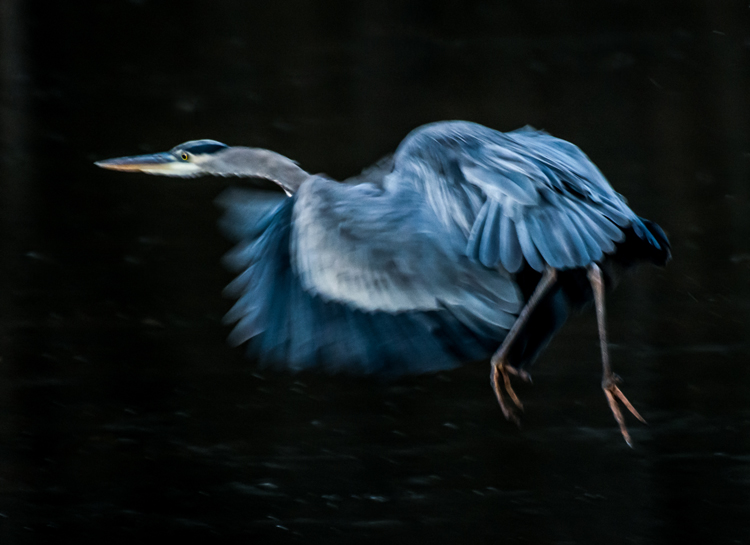
Great Blue Heron in fight was the subject of this low light image. Exposure 1/250 of a second, f/5.6, ISO 1250. Using the combination of slower shutter speed and a higher ISO to create the blur of the wings and panning to match the speed of the fight of the heron.
Aperture
In most low light situations you will probably need to shoot with your aperture wide open. But if there is enough light to allow you to shoot with a smaller f-stop, it will increase your depth of field. The principle to consider: choosing a wider aperture will let more light into your camera, but will decrease your depth of field, which could lead to an important portion of your image being out of focus.
ISO
The higher the ISO number the more light your camera will record. The trade-off here is, the higher the ISO, the more digital noise you are adding to your image. Keep your ISO as low as possible and only increase your ISO after you have maxed out your shutter speed and aperture.
Shoot in RAW
For best results, shooting in RAW is recommended, for the simple reason that your camera will save more shadow detail in RAW format compared to the compressed format of jpg.
It is very helpful to learn how to check your histogram, and not just rely of what you see on your camera’s LCD screen. Use the histogram to check your exposure, and avoid clipping the highlights and shadows.
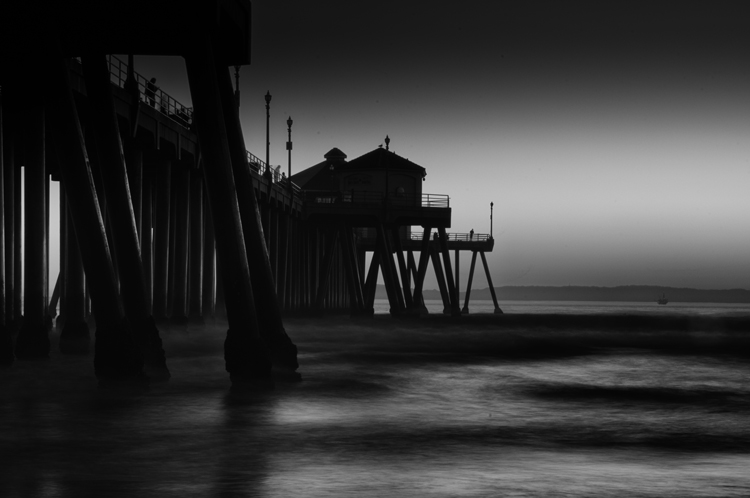
Using the low light at Huntington Beach California to create this black and white image with a five second exposure.
How do I take low light action shots?
Shooting action in low light can be very challenging and is almost always going to require you to shoot with your aperture at its widest setting. When your aperture is set, then your shutter speed should be adjusted to match the action that you are trying to freeze. Of course, depending on how low of a light situation you are shooting within, there may simply not be enough light. If this is the case, adjust the ISO to a higher setting until a good exposure is set. If your ISO setting is so high that you are getting an unacceptable amount of digital noise, you have two options: either add light with a flash or some other source, or live with the noise and try to remove some of it in post processing. Sometimes with the noise issue, it comes down to getting the shot with noise, or not taking the shot at all.
How do I reduce the digital noise level in low light images?
The simple answer to this question is to shoot at the lowest ISO that you can. But it is also a good idea to know the ISO at which your camera produces noise that you consider unacceptable. Always make sure that your exposure is correct. Even at a low ISO, if your image is underexposed you will have some noise in the shadowed areas.
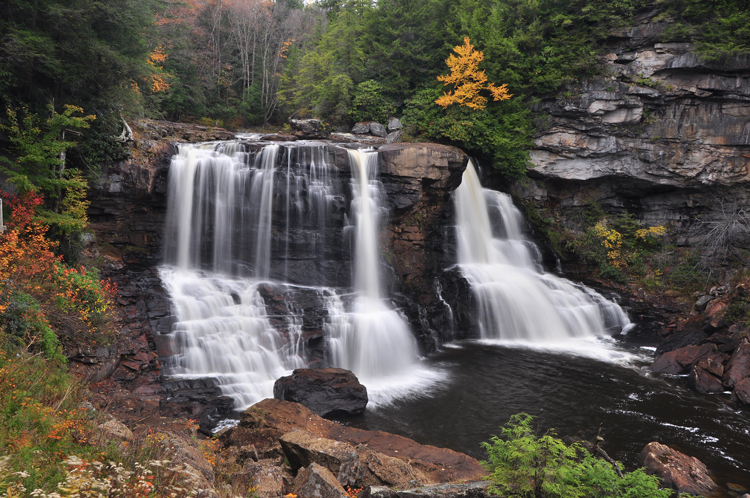
An over casted cloudy day at Blackwater Falls West Virginia allowed for this long exposure without blowing out the highlight.
How do I focus in low light?
Another reason for blurry images in low light is the fact that some cameras just aren’t manufactured to focus properly with less light. Try shining a light on your subject to give your camera enough light to focus. You also may use you manual focus ring to fine-tune your focus. Using the center focus dot may also help as it is usually a cross-point type which focus faster and more accurately than others.
How can I take pro-like images in low light?
Four things that most pros are going to do in low light:
- Use a tripod
- Shoot in RAW
- Shoot in Manual Mode
- Use the histogram

Low light makes great silhouettes.
How do I choose the best white balance for low light?
Set your white balance to match you environment – Tungsten for indoors with light from a regular lightbulb, Fluorescent for light from fluorescent bulbs, Cloudy for low light created by an overcast day, and Shade for shooting in a shaded or shadowy area. But, one thing to remember if you are shooting in RAW format is that you can adjust your white balance later in post-processing. But if you are shooting JPGs it is very important to get your white balance correct in-camera. For this reason you should not shoot Auto white balance, it’s very hard, sometimes impossible, to correct later from a JPG.
Should I raise my ISO or lower my shutter speed in low-light?
Assuming that you are shooting with your aperture wide open, in most situations this is an easy one to answer. Adjust your shutter speed and raise your ISO as a last resort. Remember that raising your ISO is going to add more noise into the image. Most new DSLRs do a much better job with the noise levels in their higher ISO settings, but as mentioned earlier, it is a good idea to know at what noise level you are unwilling to accept, and what ISO that is for your camera. In situations where your subject is moving, it may become necessary to adjust the ISO to keep your shutter speed fast enough to freeze the action.
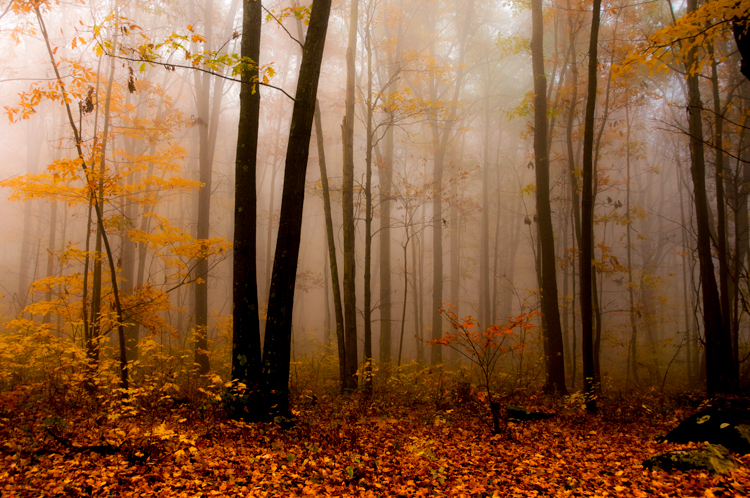
Fog created the low light in this fall image.
Why aren’t my low light shots sharp even when I shoot using a tripod?
Remember in most low light you will be shooting with your aperture wide open (or nearly so), hence your depth of field will be very shallow. Be extra careful to lock your focus (even try back-button focus) on the part of your image that needs to be in sharp focus. Case in point: when shooting a low light portrait, it is important to have the subject’s eyes in focus. If your subject is in motion, increase your shutter speed until it freezes the motion of the image. Also, make sure your camera’s vibration reduction is turned off, as this can actually create blur in your image even if shooting with a tripod.
Bonus tip
In low light the LCD screen on the back of your camera is going to look much brighter than the actual conditions. So, if your camera has an adjustment for the brightness of your LCD screen, turn it down so that your image will not appear to be overly bright when you view it, even if it is underexposed.
Conclusion
The trick to low light photography is to take control of your camera, and know that every action or setting will have a reaction. So, how is that different than photography in any light? It’s not, really. Just consider photography in low light as an opportunity to be creative. What subjects do you like to shoot in low light?
googletag.cmd.push(function() {
tablet_slots.push( googletag.defineSlot( “/1005424/_dPSv4_tab-all-article-bottom_(300×250)”, [300, 250], “pb-ad-78623” ).addService( googletag.pubads() ) ); } );googletag.cmd.push(function() {
mobile_slots.push( googletag.defineSlot( “/1005424/_dPSv4_mob-all-article-bottom_(300×250)”, [300, 250], “pb-ad-78158” ).addService( googletag.pubads() ) ); } );The post How to Shoot in Low Light – 9 Commonly Asked Questions by Bruce Wunderlich appeared first on Digital Photography School.
-
When a shoot turns magic
-
Mirrorless, DSLR or Point and Shoot: Which Camera is Best for Macro Photography?
Editor’s Note: This is part a series on macro photography this week. Look for a new one each day. The next newsletter will have them all if you miss any!
Macro photographers have a plethora of choices when it comes to selecting a camera with this feature. From DSLRs to even cell phones, the macro function is becoming a standard add-on to most forms of digital photography. But, when put to the test, which type of camera will give you the best macro photography results? This article compares the macro photography functions of a DSLR, mirrorless, and point-and-shoot camera to evaluate the pros and cons of using each to shoot extreme close-ups.
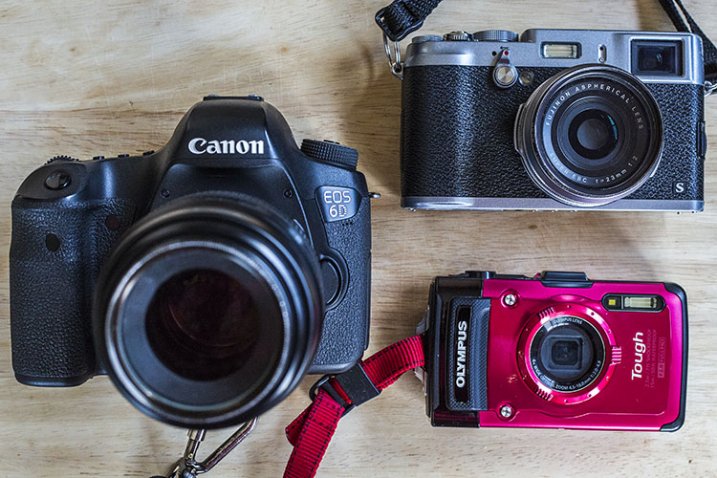
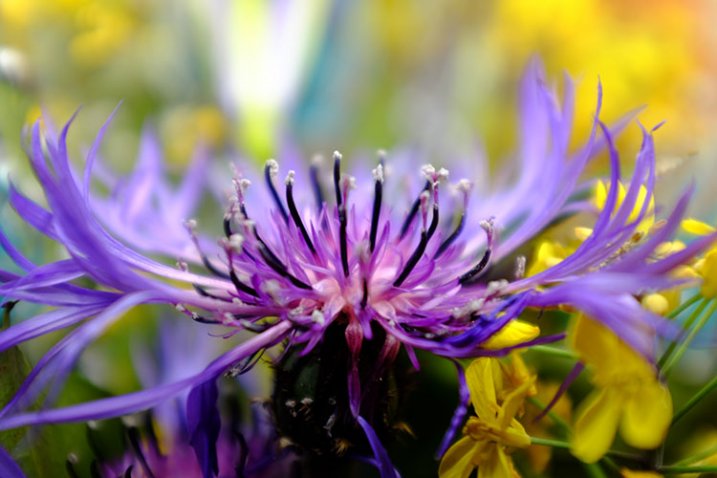
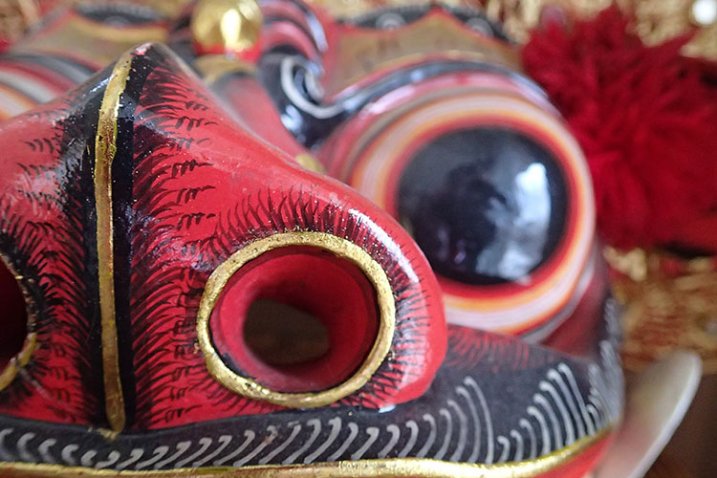
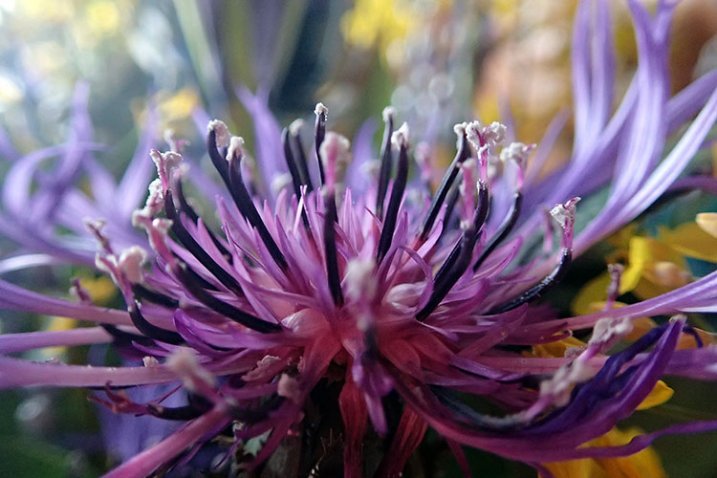
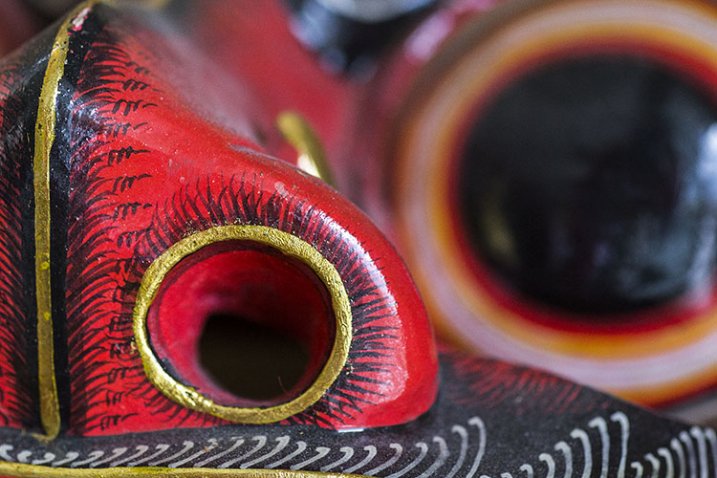
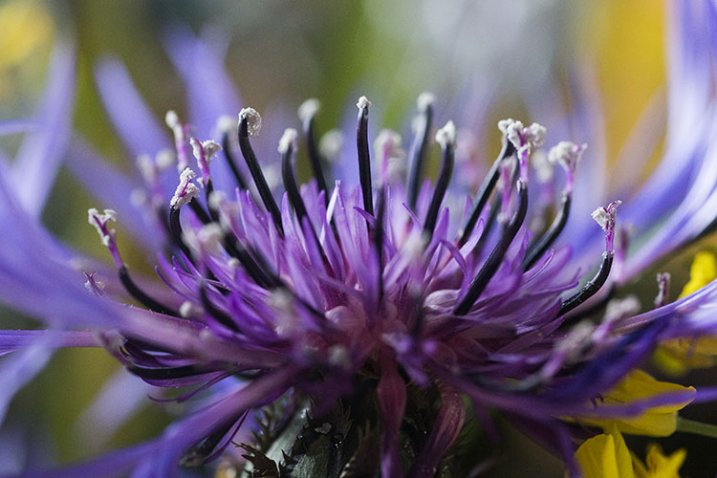
To start, can you tell which of the below images were shot with either a DSLR (Canon 6D with 100mm f/2.8 macro lens), mirrorless (Fujifilm x100s), or point-and-shoot (Olympus Stylus TG-2 Tough)? The answers, listed in sequential order below the image, may surprise you.

1) Fujifilm x100s
The image on the far left in the above montage was shot using the macro function of the Fujifilm x100s mirrorless camera. The x100s has a macro mode and can shoot images as close-up as 3.9 inches (10 cm). Accessing the macro mode is simple, requiring just a quick dial turn; the results can be seen below.
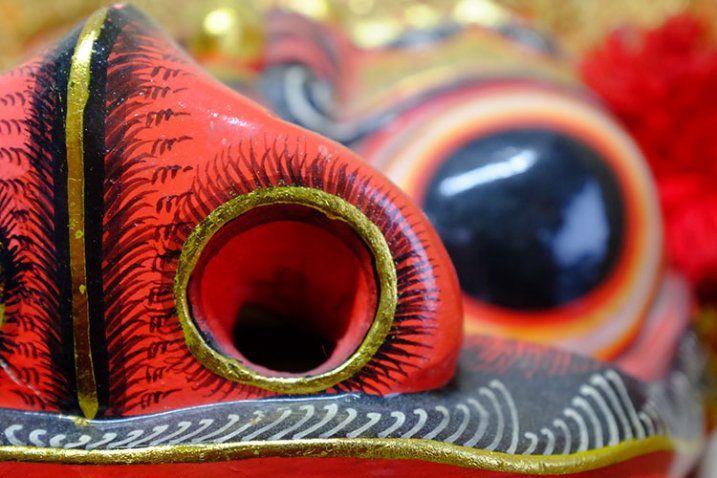
Pros:
Besides being an attractive camera with its retro body, the x100s has become popular among both professional and amateur photographers, thanks to its high quality features and ability to produce stunning images with its fixed Fujinon 23mm f/2.0 lens. At 15.7oz (445g), this camera is significantly smaller and lighter than a DSLR, yet it is relatively more affordable costing around $ 900. It also offers a unique hybrid viewfinder, meaning shots can be taken using the built-in optical viewfinder, or an electronic one.
Cons:
The fixed lens might bug some photographers since it can’t be swapped out, and the 23mm focal range means you have to get really close to your photo subject. This could produce shadows or block natural lighting, which can’t be overridden without purchasing the optional external flash unit. An additional possible grievance is the 3.9 inch maximum focusing distance. Some of the other cameras mentioned below allow you to get much closer.
These shots were taken at an aperture of f/2.8 using natural lighting, in JPG format (RAW shooting is also available) with no post-processing.
2) Olympus Stylus TG-2 Tough
This little camera shot the middle image in the above photo montage. One of the most sophisticated, prettiest, and most durable point-and-shoots on the market today is the Olympus Tough line. It is your best friend for taking high quality photos while engaging in extreme outdoor adventures, and it has a superb macro mode.
Pros:
Waterproof, freeze-proof, crushproof, and shockproof, the TG-2 also has a 12 megapixel BSI CMOS sensor and a high-speed f/2.0 lens. It is pocket-sized, although a little bulkier than most other point-and-shoots, and it only costs around $ 350 (TG-4 is the current model). This camera also has many shooting modes including two macro options: Super Macro and Underwater Macro. Both allow you to get as close as 1 cm to the photo subject, and additional magnification of up to 7x with the optical zoom, and 14x with Super Resolution zoom, which is closer than either the x100s or Canon 100mm f/2.8 macro lens offer. Its unique 5:1 magnification really makes macro photography a joy on this little camera.
Cons:
This is the only camera of the bunch that doesn’t offer RAW shooting or an optical viewfinder, but it is the only one that has a built-in flash. While the flash produces a balanced output in most situations, it isn’t helpful when shooting in macro mode since it tends to blow out the image due to being too close to the photo subject. Along those lines, shooting in macro mode on the TG-2 does require the camera to be very physically close to the subject, again making it easy to obstruct lighting.
3) Canon 100mm f/2.8 Macro Lens
The final image on the far right of the montage above was snapped with the Canon 100mm macro lens. A newer version of this lens recently debuted featuring Image Stabilization and extra goodies, but the older model still boasts spectacular, sharp optics at a relatively lower price ($ 549 versus $ 899).
Pros:
Canon has a small but mighty line of macro lenses, and the 100mm is arguably the best choice. Its longer focal length causes images to be rendered at 1:1 magnification, giving you more working distance so you don’t scare away your living photo subjects, or cast shadows. Since this lens is paired with a DSLR, image resolution can be up to an astounding 50.6 megapixels if it is used with the Canon 5DS. That’s a huge number compared to the 16.3 megapixels on the Fujifilm or 12 megapixels on the Olympus.
Cons:
At 20.6 oz (584.2 g), the 100mm macro lens is by far the bigger, heavier, option of the three. With a cost of $ 550-899, and the requirement of using it with a Canon DSLR, this is also the most expensive macro photography tool.
Conclusion
So which camera option is the best for macro photography? It truly depends on how you define “best.” In moments when you need a compact option, the Fujifilm x100s or Olympus Tough point and shoot are the better options, the latter being the better deal for budget or extreme sports shooters. However, if high-quality, professional imagery is your goal, a DSLR with a macro lens is your best bet.
 Want to learn more about macro photography? Check out Ed Versosky’s Introduction to Close-Up & Macro Photography ebook – just $ 10 (over 30% off) this week with coupon code: DPS. You will need to enter the code to apply the discount.
googletag.cmd.push(function() {
tablet_slots.push( googletag.defineSlot( “/1005424/_dPSv4_tab-all-article-bottom_(300×250)”, [300, 250], “pb-ad-78623” ).addService( googletag.pubads() ) ); } );googletag.cmd.push(function() {
mobile_slots.push( googletag.defineSlot( “/1005424/_dPSv4_mob-all-article-bottom_(300×250)”, [300, 250], “pb-ad-78158” ).addService( googletag.pubads() ) ); } );The post Mirrorless, DSLR or Point and Shoot: Which Camera is Best for Macro Photography? by Suzi Pratt appeared first on Digital Photography School.
-
How to Shoot in Low-Light Conditions Without Using Flash
Photography is all about capturing the subject beautifully in the available light. Sometimes as the photographer you have more than optimum light (e.g., bright sunlight, halogens, etc.) to work with while some other times you have to work in suboptimal or low-light conditions. If you are not a pro photographer then it is always a great challenge, and sometimes it’s a nightmare, to capture great shots in low-light conditions.
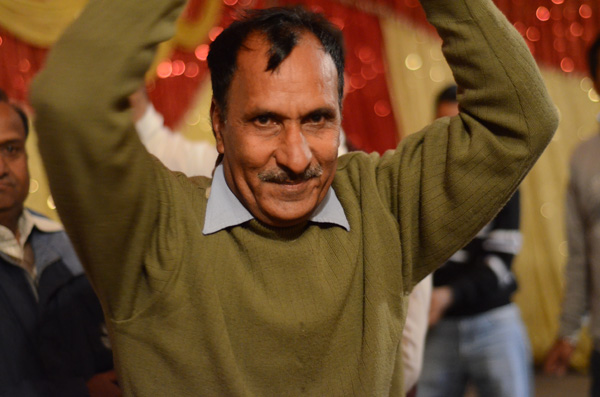
Exposure info: f/1.8, 1/50th at ISO 3200
In order to face the challenges that low-light conditions come with, I will be sharing five techniques that you can use to capture your subjects, effectively. For better understanding, I have divided these techniques into two categories: technical and non-technical considerations.
Technical considerations
- Use of high ISO
- Use of large aperture
- Use of slow shutter speed
Non-technical considerations
- Capture image(s) in raw format
- Use of remote shutter and a tripod
Use of high ISO
ISO is the sensitivity of your camera (sensor) towards available light. It is measured in numbers (for example 80, 100, 200, 400 etc.) The higher the number, the greater the sensitivity of your camera is towards light and thus, more light can be captured.
The amount of light captured is directly proportional to the selected ISO. In other words, at ISO 200 you can capture double the light than you can at ISO 100. Similarly, at ISO 800 you can capture 8 times more light than at ISO 100. Thus, in low-light conditions, you should use a higher ISO in order to capture your subject effectively.
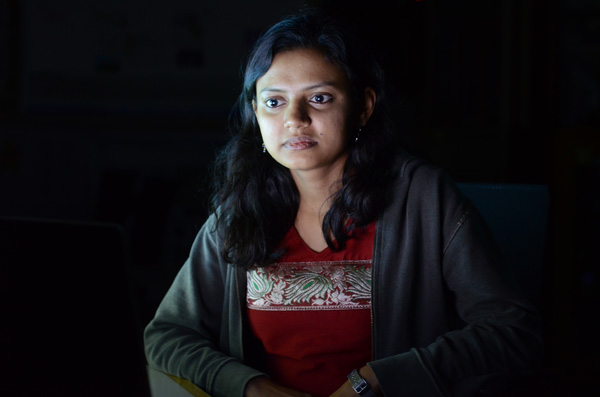
Exposure info: f/3.2, 1/5th at ISO 1600
Limitations of using a high ISO
As it also impacts the image quality that your camera (sensor) produces, ISO comes with its own limitations. By image quality, I mean, the ability of your camera to produce noise (grain). At a higher ISO your camera will always produce more noise (grain) than at a lower ISO. So, you will have to test and check what the ideal ISO setting is (for your camera) at which you can capture your subject with optimum light, along with maintaining good image quality.
NOTE: ISO is a feature of the camera and not the lens that you are using.
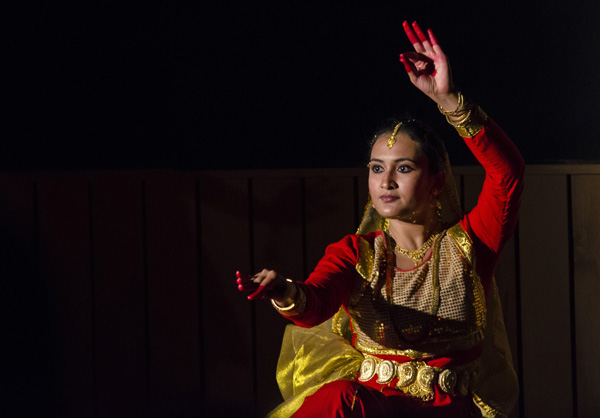
Exposure info: f/5, 1/125th at ISO 2500
Use of large aperture
Aperture is the opening (eye or hole) in the lens, through which light enters into the camera. Aperture size is also represented in numbers (for e.g., f/1.4, f/1.8, f/2.2, f/2.8, etc). The smaller the number, the wider the opening is and thus, more light can be captured.
The amount of light captured is inversely proportional to the selected aperture. Say, for a lens with aperture values of f/1.4, f/1.8, f/2.2, f/2.8, f/3.3, f/4.0 etc., the amount of light captured at f/1.4 will be double the light than at aperture f/1.8. Similarly, at f/1.4 you can capture 8 times more light than at f/2.8. Thus, in low-light conditions, you should use a larger aperture (smaller value) in order to capture your subject effectively.
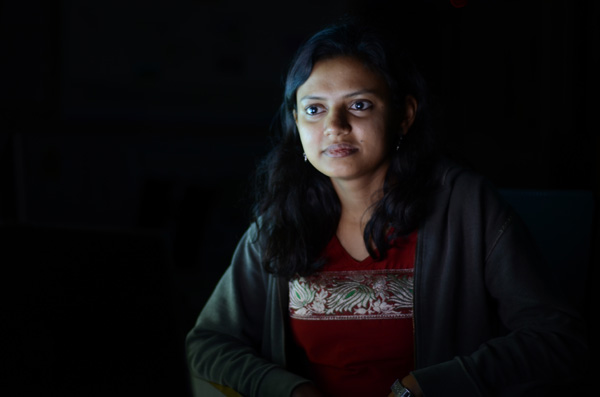
Exposure info: f/1.8, 1/5th at ISO 400
Limitations of using a large aperture
As it also impacts the depth of field (sharpness or clear visibility) of the subject in your image, aperture comes with its own limitations. By depth of field, I mean, the ability of your lens to keep the subject in focus.
Generally, using a small aperture (higher f/number) you will be able to keep your entire subject in focus which is not possible using a large aperture (lower f/number). Again, you will have to test and check what the ideal aperture size is at which you can capture your subject with optimum light, keeping it in focus.
NOTE: Aperture is a feature of the lens and not the camera that you are using.
Use of slow shutter speed
Shutter speed, also known as camera exposure, is the length of time a camera shutter remains open in order to capture the light. Shutter speed is also represented in numbers (for e.g. 1/2, 1/4, 1/8, 1/16, 1/32, 1/64, 1/125, 1/250, etc.) The higher the number, the longer the camera shutter remains open and thus, more light can be captured.
The amount of light captured is directly proportional to the selected shutter speed. For a camera with shutter speed values of 1/4, 1/8, 1/16, 1/32, 1/64, 1/125 etc., the light captured at 1/2 second is double the amount of light than that at a speed of 1/4 second. Similarly, at a shutter speed of 1/2 you can capture 8 times more light than at a shutter speed of 1/16th. Thus, in low-light conditions, you should use a slower shutter speed in order to capture your subject effectively.
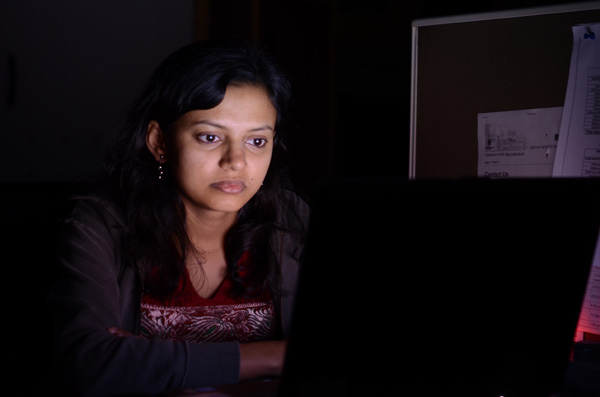
Exposure info: f/3.2, 1 second at ISO 400
Limitations of using a slow shutter speed
As it also impacts the motion or movement of your subject, shutter speed comes with limitations. If you want to freeze the motion of your subject then you should use a higher shutter speed (e.g., 1/250, 1/500, 1/1000, etc.) While if you want to capture your subject with a motion blur then you should use a slower shutter speed (e.g., 1/8, 1/4, ½, etc.) Once again, you will have to test and check what the ideal shutter speed is at which you can capture your subject with optimum light, freezing or blurring its motion.
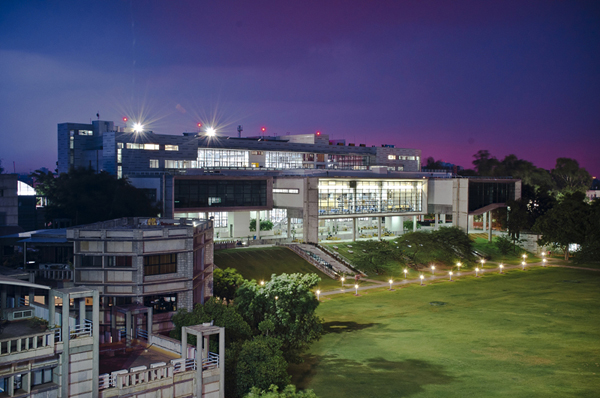
Exposure info: f/10, for 8 seconds at ISO 200
NOTE: Shutter speed is a feature of the camera and not the lens that you are using.
Capture images in Raw format
A Raw image captures much more detail and information about the subject that you are shooting than a JPEG file. You get the luxury of improving the exposure, color, sharpness, etc., of the subject (using an editing software like Adobe Photoshop or Lightroom) while still preserving all the detail of the subject which is usually not possible while editing a JPEG file.
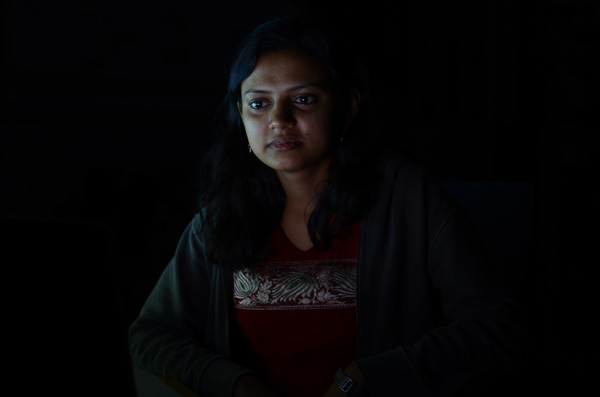
Exposure: f/3.2, 1/5th at ISO 400, before editing
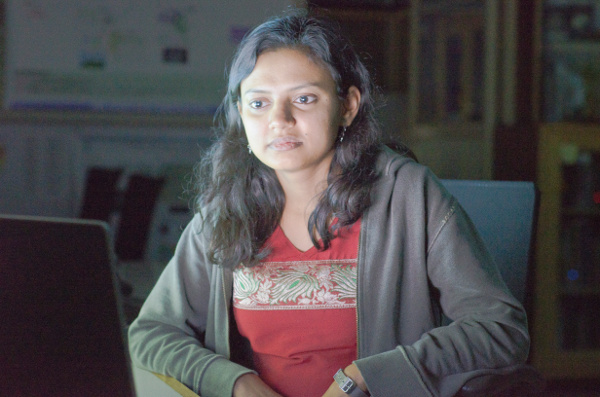
Exposure: f/3.2, 1/5th at ISO 400, after editing
Note: the editing has been taken overly far just to show you the amount of detail in the Raw file.
Limitations of capturing images in raw format
- Not all cameras can produce images in Raw format. Only selected higher-end cameras can. Most SLRs and Mirrorless camera can shoot Raw format as well as a few point and shoot models (check your manual if you are unsure, look for file formats)
- Size of a Raw image is usually 4-5 times larger than the JPEG file that the camera produces. Thus, you will need more space for storing these images.
- Only a handful of software can read and recognize Raw format files. Thus, you need specialized software (like Adobe Photoshop, Lightroom, etc.) to edit these images.
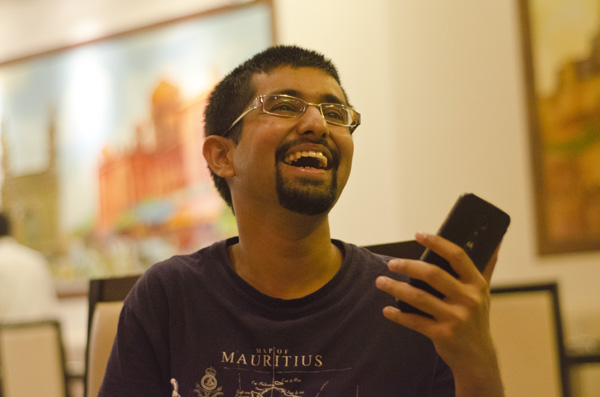
Exposure: f/2, 160th at ISO 2200
NOTE: I believe that capturing images in raw format comes with more advantages than disadvantages and that it is always better to shoot in Raw format.
Use of remote shutter release and a tripod
If you want to capture a stationary or slow moving subject in low-light conditions then it is always better to do so using a remote shutter release and a tripod. This will help you avoid possible camera shake and you will have a greater chance of capturing your subject, effectively.
NOTE: While most of the cameras can be mounted on a tripod, a smaller fraction of them can be used syncing with a remote shutter.
Conclusion
I have discussed in this article five techniques which you can use in order to take great photographs in low-light conditions. These techniques are: use of higher ISO, use of larger aperture, use of slower shutter speed, capturing images in Raw format and use of a remote shutter and a tripod. Almost all these techniques come with limitations, but they are also very effective, if tested properly for the camera and lens combination that you are using.
Which particular technique do you use for taking those challenging shots in low-light conditions? Did I miss any other technique which can be equally effective? I would love to have your thoughts regarding this issue.
googletag.cmd.push(function() {
tablet_slots.push( googletag.defineSlot( “/1005424/_dPSv4_tab-all-article-bottom_(300×250)”, [300, 250], “pb-ad-78623” ).addService( googletag.pubads() ) ); } );googletag.cmd.push(function() {
mobile_slots.push( googletag.defineSlot( “/1005424/_dPSv4_mob-all-article-bottom_(300×250)”, [300, 250], “pb-ad-78158” ).addService( googletag.pubads() ) ); } );The post How to Shoot in Low-Light Conditions Without Using Flash by Anshul Sukhwal appeared first on Digital Photography School.
-
Wedding Couture: How to Shoot Brides
Ok, I must admit, I’ve been shooting weddings for the past 22 years, but I can’t say that they’re my favourite thing to shoot. It’s a lot of pressure, there are a lot of emotions, my feet hurt at the end of the day, and I shoot pretty heavily, so it means a lot of work after the shoot, but Continue Reading
The post Wedding Couture: How to Shoot Brides appeared first on Photodoto.
