RSS
 

Posts Tagged ‘Right’

Looping Bicycle Bridge Lets Cyclists Ride Right Over a School Roof

06 Apr

[ By SA Rogers in Architecture & Cities & Urbanism. ]

bike bridge 1

Many a cyclist has fantasized about being able to bike right over the chaos of a city, avoiding traffic, intersections and trouble areas so they can just enjoy the ride. A Dutch architecture firm has made this fantasy into a reality with a continuous bike bridge that crosses the Amsterdam-Rhine Canal in Utrecht and then loops right over an adjacent university building’s roof. Officially open this week, ‘Dafne Schippers Bicycle Bridge’ by NEXT Architecture reclaims urban space for people who aren’t driving vehicles.

bike bridge 2

It’s unusual to see a bridge so seamlessly integrated into adjacent infrastructure on land in a way that’s interactive with the public, while also performing an important service. Measuring 360 feet long, the bicycle bridge connects the old Oog in Al section of Utrecht with new district Leidsche Rijn.

bike bridge 3

Open to both cyclists and pedestrians, it lifts up off the ground in Victor Hugo Park, reaches a pinnacle of nearly 115 feet above the surface of the water, and continues onto the roof of a local Montessori school.The bridge then loops around a public garden before once again reaching ground level.

bike bridge 4

bike bridge 5

Commissioned by the city of Utrecht, the structure will save more than 7,000 cyclists time on their route each day. The architects wanted the bridge to connect the bicycle route, park and school in a single fluid movement, creating a cohesive landscape. With the bicycle bridge on the south side, space for a recreational area is created on the north side, oriented toward a park.

bike bridge 6

It would be cool to see architects take inspiration from NEXT’s creation to the next level, building something even more complex that’s lifted above the busy streets of an urban center.

Share on Facebook


[ By SA Rogers in Architecture & Cities & Urbanism. ]

[ WebUrbanist | Archives | Galleries | Privacy | TOS ]


WebUrbanist

 
Comments Off on Looping Bicycle Bridge Lets Cyclists Ride Right Over a School Roof

Posted in Creativity


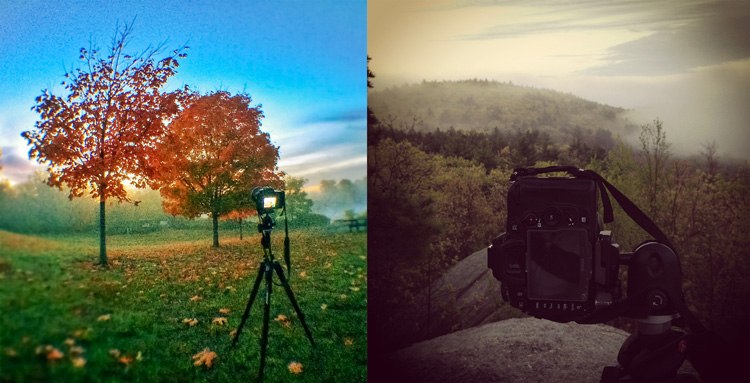
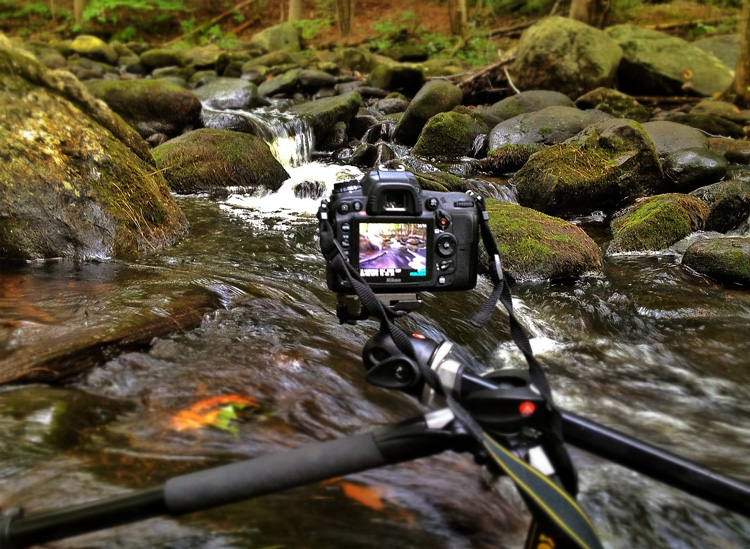
When is the Right Time to Upgrade Camera Gear?

21 Jan

Knowing when to upgrade camera gear can be a little tricky. Picking the right time to upgrade is about knowing who you are as a photographer, and who you want to become.

When is the Right Time to Upgrade Your Camera Gear?

What makes upgrading tricky is the pace at which technology advances. New form factors, features, and capabilities will continue to be innovated over the years to come. It’s certainly possible that new trends could make traditional photography obsolete. For example, 360 degree photography is one new trend that has garnered a lot of interest.

If that wasn’t enough, the amount of money that companies spend on marketing their innovations is continuing to increase. This means that there are more deals, more packages, and more attempts to convince you that it is the right time to upgrade your gear.

So how do you know when you are actually ready to upgrade your photography gear?

Five Signs you’re ready to upgrade your camera gear

Your needs and wants will be different from mine and from that of your neighbor’s so it’s difficult to offer a blanket “This is when you should upgrade” statement. But, there are at least five key things to consider when upgrading your gear.

When is the Right Time to Upgrade Your Camera Gear?

1. Your current gear is struggling to keep up with your creative needs

It’s a good sign that you are ready to upgrade your gear when your current gear fails to give you the results you are looking for.

When this might be the case is if you are trying to take portraits of people with sharp focus in the foreground and creamy bokeh in the background. If you’re still using the kit lens that came with your camera, odds are the results you’re getting aren’t meeting your needs. In a case like this, buying a new lens might be worth considering.

2. If you’ve decided to go to a more professional level of work

When you decide to make the move from hobbyist to being a professional photographer, upgrading could become a viable option. Higher quality gear tends to be more durable and offers more flexibility, both of which are important in a professional setting.

As an added bonus once you start working professionally you will be able to deduct the costs of your gear from your taxes making the cost of upgrading more bearable.

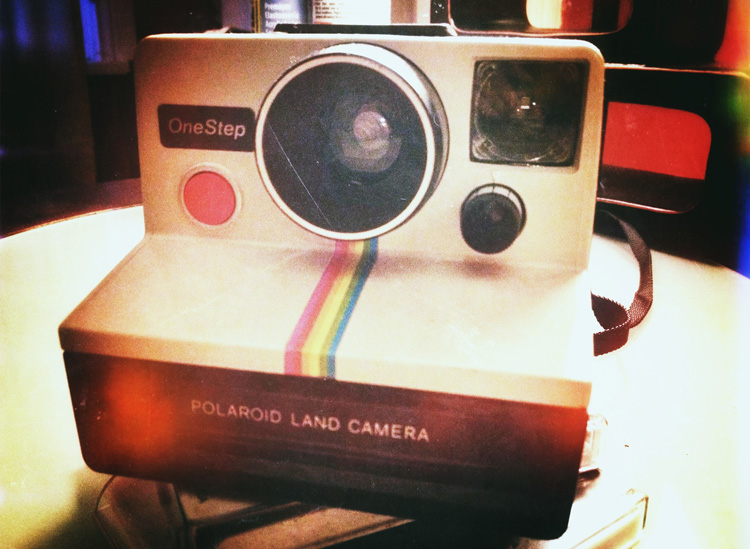
3. Your gear is showing its age

While tomorrow’s technology will always make today’s look old, and upgrading to stay current is not usually the right choice – there will come a time when you gear does get so dated, that upgrading is actually your best option.

You may even be able to save some money by upgrading to generation body or lens that is a year or two old. This will still allow you to make a leap in terms of the technology that you are using, at a fraction of the cost of jumping to the current generation technologies.

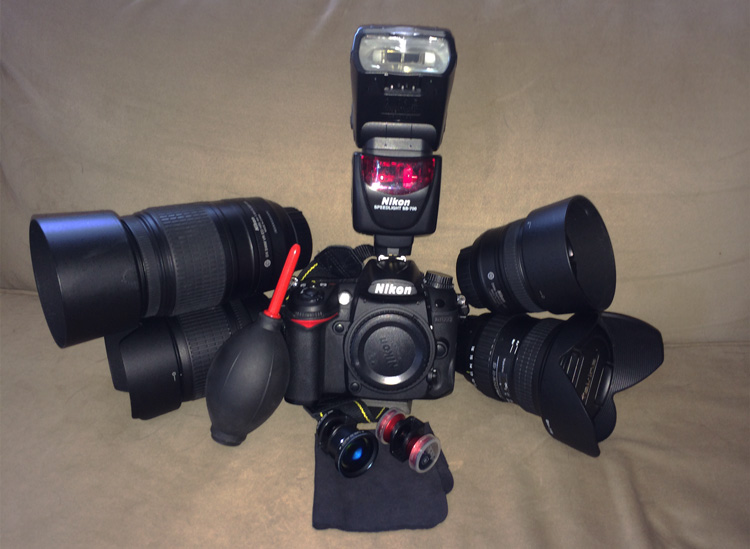
When is the Right Time to Upgrade Your Camera Gear?

4. The manufacturer has dropped support

Sometimes you’ll find out that the manufacturer has dropped support for the product you own. In cases like this, it might be time to consider upgrading. (Note: this means you ignored point #3 above and kept using your aging gear until it effectively died).

5. Your current gear is “hacked” together to meet a need

Finally, let’s say that your current gear does what it needs to do to achieve the photographs that you want, but it does so in a way that requires a cumbersome process or a jerry-rigged system. If there’s a solution available that would simplify your current process in a way that saves you time and frustration it’s certainly worth considering an upgrade.

Two good reasons you are not ready to upgrade

When is the Right Time to Upgrade Your Camera Gear?

1. Upgrading when a new model is released

New model releases are always going to tempt you into upgrading. Marketing teams do a fantastic job at showcasing the new improvements, and how they will enhance your photography. However, rarely will these improvements have a substantial impact on your overall photography. It’s not about whether the new features are better than the ones that you currently have, but will they actually impact the results that you can not achieve with your current camera.

More concisely – does the new model help justify one or more of the reasons listed above? If not, then it’s probably not worth upgrading at this point in time.

2. Keeping up with your friends

As if you need another reason to upgrade – your best photography buddy just did – so now you have to as well. If the reason you’re buying something is because you’re trying to outdo, or one-up someone you know – it’s the wrong reason to upgrade your gear.

What are other valid reasons to upgrade?

Read more here:

  • 3 Valid Reasons it Might be Time to Upgrade Your Camera Equipment
  • Ready to Upgrade Your Kit Lens? Tips for Which Lens to Invest in Next
  • Do You Need to Upgrade to the Latest Camera?

When have you felt the need to upgrade your camera gear? Let us know in the comments below.

googletag.cmd.push(function() {
tablet_slots.push( googletag.defineSlot( “/1005424/_dPSv4_tab-all-article-bottom_(300×250)”, [300, 250], “pb-ad-78623” ).addService( googletag.pubads() ) ); } );

googletag.cmd.push(function() {
mobile_slots.push( googletag.defineSlot( “/1005424/_dPSv4_mob-all-article-bottom_(300×250)”, [300, 250], “pb-ad-78158” ).addService( googletag.pubads() ) ); } );

The post When is the Right Time to Upgrade Camera Gear? by John Davenport appeared first on Digital Photography School.


Digital Photography School

 
Comments Off on When is the Right Time to Upgrade Camera Gear?

Posted in Photography


Tips to Help You Find the Right Photography Studio Space to Rent

06 Dec

Are you looking to up your portrait, fashion, or product game but are running out of space in your home? Maybe you are on the cusp of having a steady stream of clients but small droughts here and there have you worried about signing a lease for more space. Or perhaps you are curious about what you could do with some professional equipment and a dedicated space? Renting photography studio space is often a perfect solution for any of these situations and more.

Ravenshoe Group

By Ravenshoe Group

Casual studio renting sounds ideal; no need to own extra gear, no monthly rent, no lighting/heating/insurance costs. But it can have some drawbacks if you’re not careful. Here are some tips to help you find the right photography studio space to rent.

What do you need in a photography studio?

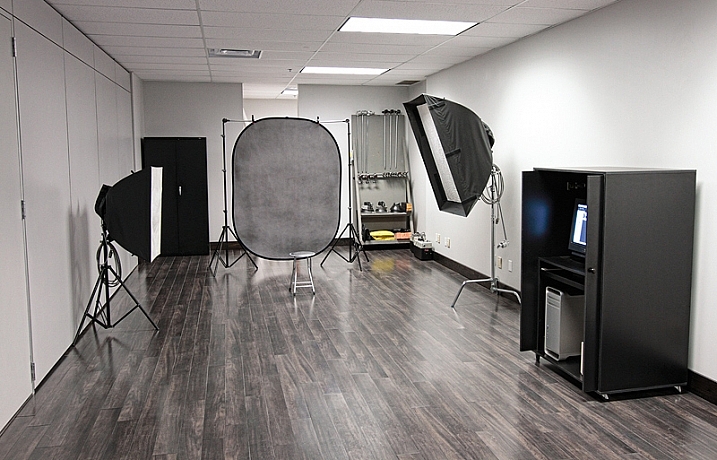
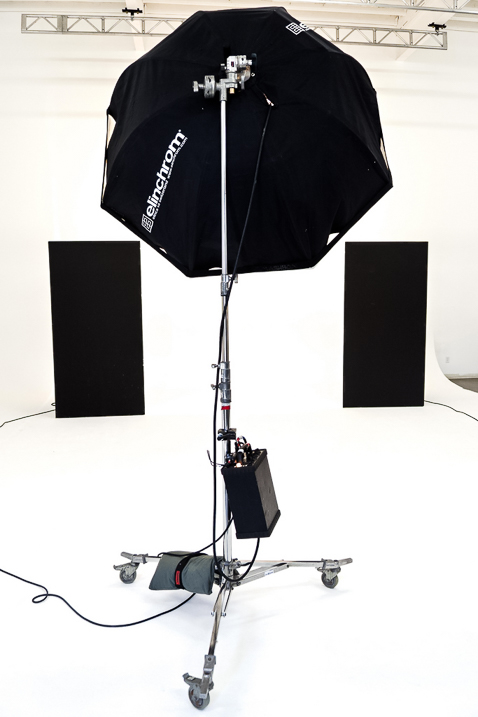
Some studios have all the gear you would ever need; C-Stands, professional strobes and modifiers, and a gaggle of backdrops. Others will give you a heated space and an outlet, that’s all.

The right photo studio equipment can make magical images

Image by Erik Söderström/Flickr

Your first step before renting a space is to figure out just what you need. Having a list of items you require will help you in the next phase (searching for your studio) as you file through website after website.

For those totally new to studio shooting, I’d suggest finding a class to help you become familiar with handling the expensive gear in a studio space. I know I was intimidated the first time I was given an Alien Bee light and told to set it up.

If you are only showing up with a camera, you’ll need to make sure the studio has it all. But if you like your strobes (yes, you can use a typical camera flash, with or without modifiers, in a studio) maybe you only need a dry space with a variety of backdrops.

Resources for your search

Google Maps works as a starting point but shouldn’t be your only stop. I use search terms like “Photo Studio”, but you have to be careful how you use the word “studio” otherwise you’ll start getting all kids of apartment listings.

Getting setup for a photo studio shoot

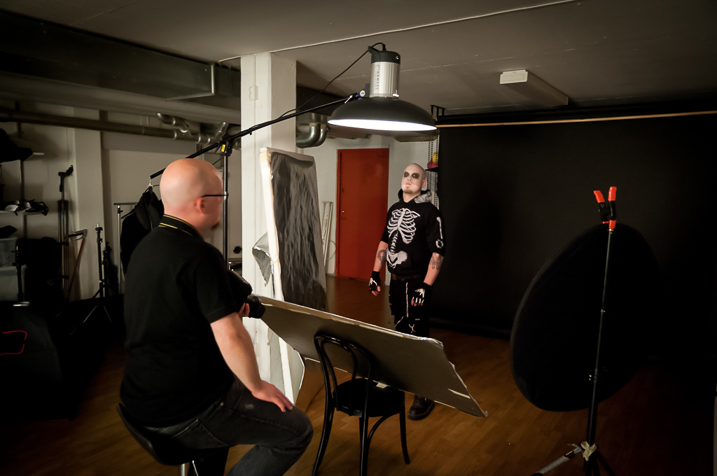
Image by Heisenberg Media/Flickr

I’ve found Yelp to be useful for all the normal Yelpy reasons, but also because the photos help me get a sense of the space.

Facebook groups are another excellent place to find space but make sure you do a little research first. Chances are someone has already asked your question, so search the results in your area. These groups are often run by local photography clubs, so a search for the likes of “Nashville Photography Club” will point you in the right direction. I find that photography club members are usually quite helpful finding most any photo resource when I am visiting a new location as well. They can also be a good source if you are looking for a mentor or assistant to help in the studio.

Knowing what you’re getting

Read the studio’s website very carefully if when in doubt, ask. Keep your emails that describe what you’re getting and what’s not included. Know when you can show up and if they will let you tour the space before your reservation date.

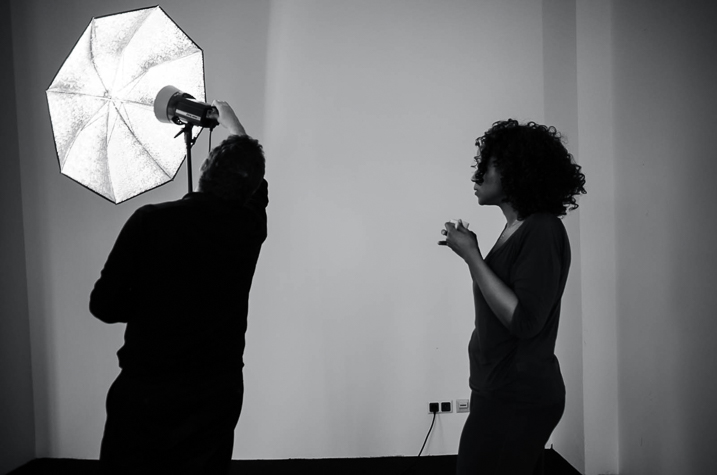
Lots of space can be an advantage when renting photo studio space

Image by jm3/Flickr

This is just a business transaction; don’t be afraid to ask for what you need. If you want a fog machine, ask if one is included. Will a changing room be available? Will remote triggers for any flashes be included or should you bring your own? If you like a specific modifier for the lights, make sure they can provide it.

These all seem like simple things but they will trip you up if you make an assumption that turns out not to be true. If the space has plenty of daylight but no good draperies to cover the windows, you should know this before you show up with clients.

Be prepared

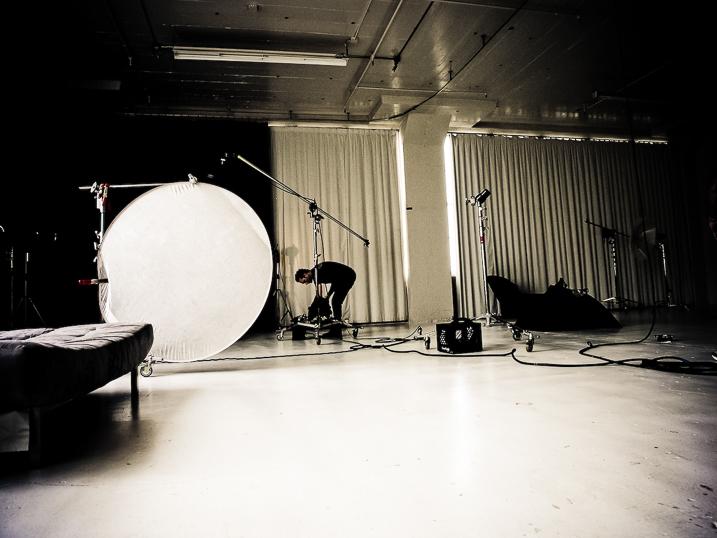
Know which gear is available when renting a photo studio

Image by a kindly stranger/Flickr

Assume nothing. While the list of items may be complete and you received guarantees in email, be prepared to have vital items with you or a backup plan in place. What if the backdrop color you want got damaged just before your session by another patron? What if you really need music for your shoot (such as playback for a music video) and their system breaks?

Have backups and backup plans. Carry extras of your own gear, as much is as practical, in case you are the cause of a breakage. Such as a lens cracks or your own wireless transmitter freaks out. You’ve spent time and money on the shoot; make sure it is not scrubbed because of something that can be backed up.

Depending on the level and importance of the shoot, you may want to rent backup gear if there isn’t a shop close to your rental studio. Studio space can range from $ 30-$ 150 per hour or more, and if you are bringing in hair and makeup professionals or maybe a model or two the costs add up. It’s worth the slight extra cost to make sure that money isn’t wasted because you ran out of batteries or gaffers tape or can’t find your 50mm lens.

Conclusion


Renting studio space to expand your skills and resources is a great option as your photography grows. Getting in with a local group, via Facebook or an internet search, is a great way to find space and people who might be good mentors. Make sure you know what you are getting yourself into and what is and is not, included with the rental.

Most of all, have fun shooting!

googletag.cmd.push(function() {
tablet_slots.push( googletag.defineSlot( “/1005424/_dPSv4_tab-all-article-bottom_(300×250)”, [300, 250], “pb-ad-78623” ).addService( googletag.pubads() ) ); } );

googletag.cmd.push(function() {
mobile_slots.push( googletag.defineSlot( “/1005424/_dPSv4_mob-all-article-bottom_(300×250)”, [300, 250], “pb-ad-78158” ).addService( googletag.pubads() ) ); } );

The post Tips to Help You Find the Right Photography Studio Space to Rent by Peter West Carey appeared first on Digital Photography School.


Digital Photography School

 
Comments Off on Tips to Help You Find the Right Photography Studio Space to Rent

Posted in Photography


How to Choose the Right Camera Mode to Get the Shot You Want

02 Dec

When starting out in photography, one of the scariest and most confusing things for a beginner is deciding which camera mode to use. While the automatic modes provide a bit of a safety net for those just starting out, there will come a time when you either want to or have to, take greater control of your camera to get the results you desire. But how do you know what camera mode to use?

Aperture Priority Mode

Aperture Priority mode is a perfect choice for a scene like this where you know you’ll want deep depth of field to keep the entire scene in focus.

First off, I won’t discuss any of the automatic modes here. A full discussion of what those do can be found here: Camera Modes Explained for Newbies. What I’d like to do here is discuss specific situations and the appropriate mode for each. Before we dive into that, I’ll explain the basics before we move forward.

Aperture

The aperture is the opening of the lens, which determines exactly how much light enters the camera and strikes the imaging sensor. The aperture also affects the field of focus from foreground to background, otherwise known as depth of field. A shallow depth of field is one that has a sharp focus on the subject, while objects in front of or behind the subject are out of focus. Deep depth of field is when the entire image is in sharp focus from foreground to background. And of course, you can have a depth of field that is somewhere in between those two.

Aperture is shown as a number on your lens, usually as a ratio. For instance, lenses with a maximum (widest) aperture of f/1.8 will have a very shallow depth of field. That same lens set to f/16 will have a deeper depth of field. An easy way to remember this is smaller numbers give you less and higher numbers give you greater depth of field.

Aperture Priority

When you know you want the background blurred, setting a wide aperture to create a shallow depth of field is key. Aperture Priority mode can be used in cases like this (keep reading to learn more on that a bit later).

Shutter Speed

Shutter speed determines the amount of time light strikes the sensor when it enters the camera. The faster the shutter speed, the less light strikes the sensor. In addition, shutter speed is directly responsible for how movement is rendered in an image. Shutter speeds are referred to in fractions of a second, such as 1/125th, 1/60th, or 1/1000th. Faster shutter speeds, such as 1/500th, freeze motion, while slower shutter speeds, such as ½, 1 second, or even 30 seconds,  will show motion as more of a blur. The longer the shutter speed, the more blur motion will create.

ISO

Your camera’s ISO determines how sensitive it is to light. Lower numbers such as ISO 100 or 200 mean your camera is less sensitive to light and are used in bright situations, such as in direct sunlight. When there is less light, such as in shade, or indoors, you might use a higher ISO such as 800, 1600, or 3200 to make your camera more sensitive to light. ISO plays an important part in the various situations I will discuss going forward, so always keep in mind that you can change this setting, and don’t be afraid to raise your ISO if needed.

Camera Modes

Before going any further, I want to clarify that there are multiple ways to get a specific desired result with your camera, using any of these modes. Once you understand the relationship between shutter speed, aperture, and ISO, you’ll be able to do whatever you like in any of these modes.

But which mode is best for which situation? You’ll have to visualize your image to decide.

Program Mode

"<yoastmark

Program Mode resides on the advanced side of the camera mode dial, usually denoted by a P. In this mode, the camera will set the aperture, ISO, and shutter speed for you. So when should you use Program Mode?

Program Mode is good when you’re not looking for any effect in particular. Your camera, when set to Program Mode, will attempt to give you a proper exposure that can be handheld, meaning you won’t be required to use a tripod to steady your camera. This is a good mode for when you’re just casually photographing and just want to be sure your exposures are right.

It is a lot like Automatic Mode in that regard, except that you have the ability to override, or shift, the exposure the camera sets, as well as many other settings such as white balance and picture style. In addition, while in Auto mode, the camera will pop your flash up when it thinks it needs more light. But in Program Mode the flash will not pop up unless you tell it to.

Aperture Priority

On some cameras, this mode is simply denoted by an A on the mode dial, while on Canon cameras it is denoted as Av, meaning Aperture Value. In any case, in this mode, you set the aperture and ISO you want and the camera will set the appropriate shutter speed for you. So when should you use Aperture Priority mode?

Aperture Priority

When you want a shallower depth of field, such as in a portrait, using Aperture Priority and setting a wide aperture is an excellent choice.

To determine the answer, visualize your finished image in your mind’s eye. What do you want it to look like? Generally speaking, if you’ve decided that the most important factor in your image is a specific depth of field, you’ll want to use Aperture Priority Mode so that you can force your camera to give you the depth of field that you want. For instance, if you’re making a portrait, you probably want your subject in sharp focus, but you may also want the background to be a little blurred, to keep your viewer’s focus on the subject. An out of focus background can create a setting without distractions for the viewer. So you might decide you want to use a fairly wide aperture such as f/4, to create enough depth of field to keep your subject sharp, but let the background blur nicely.

But watch your shutter speed too

It’s important to note, however, that you also need to keep an eye on the shutter speed setting. While the camera will set this for you, unlike in Program Mode, the camera is not going to try and give you a fast enough shutter speed to handhold. If there isn’t enough light, this will result in a slower shutter speed that may not be fast enough to freeze any subject movement. This could result in a slight blur due to unsteady hands or slight movement by your subject. If the shutter speed chosen by the camera (based on the aperture you’ve set) isn’t fast enough to freeze motion in this situation, you’ll need to raise your ISO. Raising your ISO will effectively increase the shutter speed given for the aperture you’ve set.

Aperture Priority Landscape

Aperture Priority is a great choice when photographing a landscape where you want a deep depth of field, and the shutter speed doesn’t need to be set at anything specific to capture motion a certain way.

For landscape photography

Another situation for Aperture Priority would be a landscape photo, where you may want greater depth of field to keep the entire scene in focus. In this situation, your primary goal is to get lots of depth of field to keep the entire scene in focus, so you’d set an aperture of f/11 or even f/16 to capture a greater amount of the scene sharply. In this situation, if you’re using a tripod, the shutter speed may not be as big of a factor for you.

But if you’re handholding the camera,  you will want to pay attention to the shutter speed the camera sets to ensure it’s fast enough to avoid camera shake. In addition, if there is moving water or clouds, or the wind is blowing the trees or grass, you’ll want to ensure that the shutter speed the camera sets is appropriately stopping that movement to your liking. If not, you’ll want to adjust your ISO so the camera sets a more appropriate shutter speed.

Shutter Priority

Panning using Shutter Priority

When you know you need a specific shutter speed, such as this image where a panning technique was used, Shutter Priority is often the best choice.

Shutter Priority is usually denoted using an S on most cameras, while Canon uses Tv, representing Time Value to denote Shutter Priority mode. Shutter Priority Mode is just the opposite of Aperture Priority. In this mode, you set the shutter speed you want, as well as the ISO, and let the camera choose the appropriate aperture.  This mode is an excellent choice when you’ve decided that rendering motion in a certain way is the key component of your image.

Shooting sports

For example, suppose you are photographing a sporting event. Most likely, you’ll want to freeze the action of the athletes on the field. To do so, you need a fast shutter speed, such as 1/500th or even 1/1000th. In shutter priority, you’ll need to again keep an eye on your ISO to ensure that the camera is giving you a proper exposure. Usually, the exposure indicator in your viewfinder will flash to show that at the current settings, proper exposure cannot be achieved. In this case, raise the ISO to achieve the correct exposure for the shutter speed you want.

Shutter Priority for Fast Action

You might want to use Shutter Priority Mode when you know you need a fast shutter speed to stop action, such as when photographing sports.

As another example, let’s say you want a slower shutter speed to create a panning effect. Again you would set the correct shutter speed to create the effect, and let the camera adjust the aperture. Any time the primary concern is the appearance of motion in an image, Shutter Priority is a good choice for shooting or camera mode.

Panning in Shutter Priority mode

Another example of using a slow shutter speed to create a panning effect in Shutter Priority Mode.

Manual Mode

Once you’re comfortable with changing settings and you really want to take control of your camera, Manual mode is the way to do that. You will set all of your settings according to how you want your final image to look. There is one caveat, however. Your settings will also be dependent on the available light in the scene. So if you want a fast shutter speed, and deep depth of field, you’ll probably need to raise your ISO a bit. Or compromise on one of the other settings as well.

Watch the meter

Just keep an eye on your camera’s meter and it will help you find the right combination of shutter speed, ISO, and aperture. The other modes do a nice job of taking some of the load off your brain by allowing you to choose one setting to have priority, but sometimes you just need to take full control.

Silhouette in Manual Mode

Manual Mode is the best choice when you want to create an effect that the camera’s normal exposure modes just don’t normally do, such as this silhouette.

Exposures long than 30 seconds

One instance where you’ll need to do this is when creating an exposure longer than 30 seconds. Today’s cameras don’t have shutter speeds for longer than that, so you would need to calculate in your head how long to keep the shutter open, and then use the Bulb setting to do so. Any time the camera can’t properly calculate exposure is a good time to use Manual Mode.

manual-mode-long-exposure

When creating images using a long exposure, such as this one with an exposure time of two minutes, Manual Mode is the best (or possibly only) choice.

Another time to use Manual Mode is when the lighting in a scene is especially challenging, such as when there are a lot of dark shadows. Your camera will try to expose for the deep shadows, causing the highlights to overexpose. Using a manual setting to override the camera’s choices will work well in achieving a satisfactory exposure.

Summary

As I mentioned, there are many ways to capture an image and arrive at similar settings. But each time I’m out photographing, I go through the following checklist in my head:

  1. Do I want deep or shallow depth of field?
  2. Do I want to stop action or is some motion blur okay?
  3. Which of the above two choices is more important for this image?
  4. Is one of the priority modes suitable for the available light of the scene?

The answer to those four questions should lead you to the correct mode for the shot you want.

Shutter Priority for fast action

Shutter Priority can be used when photographing sports to set a fast shutter speed to stop action.

googletag.cmd.push(function() {
tablet_slots.push( googletag.defineSlot( “/1005424/_dPSv4_tab-all-article-bottom_(300×250)”, [300, 250], “pb-ad-78623” ).addService( googletag.pubads() ) ); } );

googletag.cmd.push(function() {
mobile_slots.push( googletag.defineSlot( “/1005424/_dPSv4_mob-all-article-bottom_(300×250)”, [300, 250], “pb-ad-78158” ).addService( googletag.pubads() ) ); } );

The post How to Choose the Right Camera Mode to Get the Shot You Want by Rick Berk appeared first on Digital Photography School.


Digital Photography School

 
Comments Off on How to Choose the Right Camera Mode to Get the Shot You Want

Posted in Photography


Spoilt for choice: which Sony RX100 is right for you?

14 Nov

Introduction

Okay, some of our RX100’s have seen better days.

Now that we’ve pulled the wraps off of our Sony RX100 V review, we couldn’t help but reflect a bit. After all, the RX100 lineup is extensive, offering potential buyers five models that range from $ 450 all the way up to $ 1000. The lack of any price overlap allows them to sit fairly comfortably alongside each other, but for users not so well-versed in their spec differences (and since they all look nearly identical at first glance), we’ve put together this short primer to help you pick the RX100 that’s just the right fit.

These are the headline changes between models, but there’s some interesting specifics that vary between them that we’ll delve into.

  RX100 RX100 II RX100 III RX100 IV RX100 V
MSRP $ 450 $ 600 $ 750 $ 900 $ 1000
Sensor (resolution/size) 20MP CMOS 20MP BSI-CMOS 20MP BSI-CMOS 20MP stacked BSI-CMOS 20MP stacked BSI-CMOS
Lens 28-100mm F1.8-4.9 28-100mm F1.8-4.9 24-70mm F1.8-2.8 24-70mm F1.8-2.8 24-70mm F1.8-2.8
Viewfinder No Optional 2.36M-dot 1.44M-dot 2.36M-dot 2.36M-dot
Video 1080/60p, line skip 1080/60p, line skip 1080/60p full-sensor readout 4K/30p, HFR 4K/30p, HFR
Autofocus Contrast Detect, 25-points Contrast Detect, 25-points Contrast Detect, 25-points Contrast Detect, 25-points Phase Detect, 315-points
Burst w/ continuous AF 10 fps 10 fps 10 fps 16 fps 24 fps
Screen type 3″ 1.23M-dot fixed 3″ 1.23M-dot tilting 3″ 1.23M-dot tilting 3″
1.23M-dot tilting
3″ 1.23M-dot tilting
Max shutter speed 1/2000 sec 1/2000 sec 1/2000 sec 1/32000 sec (elec.) 1/32000 sec (elec.)
Hot shoe No Yes No No No
Wi-Fi No Yes Yes Yes Yes
Battery life 330 shots 350 shots 320 shots 280 shots 220 shots

Sony RX100

Key specs:

  • 20MP 1″-type CMOS sensor
  • 28-100mm F1.8-4.9 zoom lens
  • 1080/60p video
  • 10fps burst shooting
  • CIPA rated to 330 shots per charge
  • 3″ fixed rear display
  • Slimmest RX100 of the line

The original RX100 was the first camera to put a relatively large 1″-type sensor into a camera you could consider pocketable, and it started a revolution. Today, not only do you have five 1″-sensor models from Sony, but you have multiple competitors from the likes of Canon and Panasonic, too (and, hopefully, Nikon at some point).

At the time of this writing, the RX100 can be had brand-new for $ 450, making it the cheapest 1″-sensor compact out there (the Canon G9 X is slightly more expensive still, but with a different feature set and even slimmer size). That makes it a great option for budget-conscious folks that still want to have a camera with them all the time. This model produces a bit softer and noisier JPEGs than the others, albeit not by much (image quality is largely determined by sensor size, common across all models). AF is can be challenged in low light, particularly with low-contrast subjects like facial features, and the screen doesn’t tilt like it does with all subsequent RX100s, and there’s not even an option to add a viewfinder. But hey – that’s why it’s the cheapest.

So if you can live without some added niceties and don’t need top-level low-light image quality, the RX100 is still a perfectly competent compact in 2016 for a great price. 

Sony RX100 II

Key updates:

  • New Bionz X image processor
  • Multi-function hot shoe for a flash or electronic viewfinder
  • 3″ tilting display (90 degrees up, 40 degrees down)
  • Wi-Fi built-in

The multi-function hot shoe, which could work with either an electronic viewfinder or external flashes, was only seen on the RX100 II.

For an extra $ 150, you can get the second RX100, which added an impressive number of new features without appreciably increasing exterior dimensions.

The RX100 II has the highest-rated battery life of all the models in the range (CIPA rated at 350 shots), so if you want to avoid carrying extra batteries around, this is likely the best bet. There’s a modest improvement in image quality, with more detail in low light JPEGs and less noise at the highest ISOs in Raw thanks to the BSI sensor. The RX100 II also has a multi-function hot shoe, which can be used for an external flash unit, or Sony’s grotesquely expensive FDA-EV1MK electronic viewfinder (at least it’s high quality – which it should be, for $ 450 MSRP). The LCD can tilt, and its at this point where Wi-Fi with NFC was introduced to the lineup. The Mark II was the last RX100 to have the 28-100mm zoom lens, so if you value the reach of this model over the speed of later iterations, this is your best bet (or, of course, you can check out other manufacturers’ offerings).

If you can swing the extra cost and size – the Mark I is appreciably slimmer and lacks the hotshoe hump – the RX100 II offers quite a bit over the original model, with Wi-Fi in particular being a valuable addition (though the original RX100 was Eye-Fi compatible). But it’s not as massive a leap as comes later in the series. If you can’t live life without a viewfinder, it’s best to skip this model and go for the next one, which has a viewfinder built-in – but with some other changes that you may want to consider.

Sony RX100 III

Key updates:

  • New 24-70mm equiv. F1.8-2.8 zoom lens with built-in ND filter
  • Pop-up 1.44M-dot EVF
  • New Bionz X image processor
  • Full-sensor readout 1080/60p video with higher bitrate
  • 3″ screen now tilts 180 degrees for selfies
  • Battery life drops to 320 shots
  • Hot shoe eliminated
  • Improved customizable Function menu
  • Greatly improved JPEG engine
  • Removed hot shoe

Sony’s innovative pop-up electronic viewfinder has found its way into a few other models, and we’re big fans.

The RX100 Mark III was a big jump for the series. As you can see at right, there’s a substantial list of changes (mostly improvements) that you get for an additional $ 150, with this model’s MSRP jumping to $ 750.

The biggest changes from a usability standpoint are the addition of an industry-first pop-up electronic viewfinder, which will make sunny-day shooting much easier, and a much needed custom Fn menu for quick access to most features. The new 24-70mm equiv. F1.8-2.8 lens is a showstopper as well, providing excellent optical performance and faster speed compared to the previous lens, though it gives up quite a bit of zoom reach. Whether you value the extra speed over the extra reach is a profoundly personal decision, but we often felt just a bit limited with this newer, though brighter, design. Note, too, that this is the beginning of some significant battery life reductions that only continue on later models.

Beyond that, there are some impressive leaps forward in image quality as well. Raw files are largely unchanged over the Mark II, but JPEGs throughout the ISO range are sharper (albeit with some haloing) and less noisy. Full-sensor readout for 1080/60p video results in much sharper footage with fewer artifacts. 

Sony RX100 IV

Key updates:

  • New 20MP stacked BSI-CMOS sensor
  • 16fps continuous shooting
  • 4K/30p video with Log gamma
  • Up to 1000/960fps high-speed video
  • Up to 1/32000 sec exposures with electronic shutter
  • Pop-up 2.36M-dot EVF
  • Improved Auto ISO control
  • Eye AF-C and faster, more accurate AF performance
  • Battery life drops to 280 shots

The RX100 IV is shown here sandwiched between the III and V, which are virtually identical in terms of body and design elements.

The fourth iteration of the RX100 series brings the MSRP an additional $ 150 higher, to $ 900 (though it launched at $ 999). After three iterations of (albeit, slowly) evolving physical design, Sony has changed literally nothing about the outer design and handling with the IV.

On the inside, though, you get a new sensor that’s ‘stacked,’ meaning it has memory chips built right onto the back of the sensor itself, giving it incredibly fast read-out speed and buffering capabilities. Almost all the improvements you see at right, including some significant improvements to autofocus speed and low light accuracy, come from this industry-leading sensor technology.

Of course, with more power but the same battery, it’s no surprise that battery life dips to 280 shots, though you also get a significantly higher resolution electronic viewfinder, faster burst rates, and completely silent shooting. Usability improvements include instant 1:1 magnification of the AF point in playback, and best-practice Auto ISO control that allows you to more finely dial in how you want the camera to bias the ISO as related to shutter speed. Stills image quality isn’t drastically improved (though JPEGs are more intelligently sharpened), but 4K video and a host of video support tools like log gamma put it a significant step ahead of the Mark III if you’re looking for more of a hybrid shooting experience, as opposed to just stills.

Continuing on, we see the addition of new features like continuous Eye-AF and high frame rate video, which really start to overwhelm the RX100’s controls and menu more than ever before. The RX100 IV clearly epitomizes Sony’s new priorities regarding the RX100-series, with vast technological improvements under the hood, but only limited improvements to usability. 

Sony RX100 V

Key updates:

  • New ‘Front-end LSI’ processor for more speed
  • 24fps burst shooting with full autofocus and auto exposure
  • 315-point on-sensor phase detection autofocus system
  • Oversampled 4K video with almost no rolling shutter
  • HFR clips can now be twice as long as before
  • Battery life drops to 220 shots

As with the previous model, the RX100 V soldiers on with nary a change to the physical design, but with some big upgrades under the hood.

The newest RX100 comes at a $ 100 premium over the previous model bringing us back to an MSRP of $ 1000, for which you get even more speed, even better 4K video, and a phase detection AF system that is the most advanced in its class.

The RX100 V offers little image quality advantage over the RX100 IV, but 4K video, now oversampled from 5.5K, offers greater detail, though the significant reduction in rolling shutter in 4K is going to offer the biggest benefit to your footage.

This is definitely a camera for speed freaks (not a criticism). 24 fps burst shooting with autofocus tracking and Eye AF is a first for the industry, helping you nail the decisive moment. The doubling in length of high frame rate video clips makes them eminently more usable. For many of us, though, there’s just more speed than we even knew what to do with.

Unfortunately, that the RX100 series has become so powerful has thrown its handling into harsher light than ever before. We find that the controls and customizability do a disservice to the sheer capability of the camera (especially one so expensive), encouraging one to use the camera as a point-and-shoot. The world’s best point-and-shoot, to be sure, but the fact that this is the second RX100 in a row with few real usability updates (the pop-up viewfinder was genius, so Sony is capable of great innovations here), is a disappointment. But if you really need 24 fps burst shooting, and can look past these shortcomings, the RX100 V is an incredibly powerful machine.

What’s the right RX100 for you?

Now, the important part. Which one is a fit for whom?

RX100 – the budget option

If you’re on a tight budget, the original RX100 is a fantastic value and is capable of excellent results, even now, four years after its introduction. It obviously loses out on some niceties of the later models, but it still offers a good sensor, great reach from its zoom lens, and is the smallest of the bunch. And though Wi-Fi isn’t present, you can always add an Eye-Fi mobi card. Read our review

RX100 II – the travel option

The RX100 II is going to be perfect for those that want the best RX100 they can get, but find a 24-70mm zoom reach to be limiting – and built-in Wi-Fi and the best battery life of the bunch all combine with the zoom reach to make this a great choice for travelers. Image quality is slightly improved over the original RX100 thanks to the BSI sensor, and the hot shoe makes it a great choice for lightweight strobist work. If you need a viewfinder (and remember, this one includes a tilting LCD that will help with framing as well), we can’t help but recommend you skip this model, as the add-on unit is an expensive $ 450 proposition. Read our review

RX100 III – for the stills purist

There are, and always will be, photographers who just want a camera that takes great stills – and the RX100 III has noticeably improved JPEGsover the previous version, and with a brighter lens, offers you shallower depth of field and greater low light performance, so long as you don’t miss the extra zoom reach. The built-in ND filter allows you to use that fast aperture in broad daylight. And even if you do want to take the occasional video clip, this model’s 1080p is still a big step ahead of the first two RX100’s (and the series’ video image stabilization is remarkably effective). Meanwhile, the clever pop-up viewfinder makes this model a better value than the Mark II if you have to have an EVF. So if you’re mostly going to be shooting stills and have your eye on an RX100 of some sort, save yourself some money over the IV and V and grab this one. Read our review

RX100 IV – all-around capability

If you’ve been eyeing the RX100 IV, now is a great time to pick one up, with a recent $ 100 price drop. It offers improved stills capability in the form of nicer JPEGs and better AF performance, particularly in low light and during bursts, and for candid portaiture thanks to continuous Eye AF. 16 fps continuous shooting (albeit without AF) makes it easier to catch just the right moment. The real story comes with impressive 4K, high frame rate output and a slew of impressive tools (Log gamma, for instance), making this possibly the best pocket video camera out there. Well, until we get to the V, that is. Read our review

RX100 V – for when you have to have the best

At a steep $ 1000 MSRP, we have to admit that the RX100 V is worth that price for those that need it. There’s no other camera out there – none – that will shoot 24 fps bursts of Raw + JPEG with full autofocus and autoexposure. And as we saw in our review – the new autofocus system is easily capable of keeping up. Video quality is improved, though mostly due to impressive suppression of rolling shutter, more so than the oversampled 4K output (which was already very detailed on the IV). Read our review

What about the rest?

If you’re in the market for a new large-sensor compact, well, even though there’s five RX100 models, there’s finally some compelling competition in the marketplace. Though image quality lags a bit and the burst shooting, AF, and video capabilities are less impressive, we found Canon’s G7 X Mark II to be a much better handler, and an overall more enjoyable experience (the Canon G9 X also remains on the market for a good price, if you can get along with the touchscreen-centric controls). If you’re looking for even more reach, there’s Panasonic’s ZS100 (TZ100 outside of North America) which offers this sensor size with an impressive 25-250mm equivalent, albeit slower zoom lens. And like the Canon, we also enjoyed its handling quite a bit.

As always, it’s best to try to get your hands on the camera model you’re thinking about to see for yourself, but in case you can’t, we try to address these options – and more – in our roundup articles.

Articles: Digital Photography Review (dpreview.com)

 
Comments Off on Spoilt for choice: which Sony RX100 is right for you?

Posted in Uncategorized


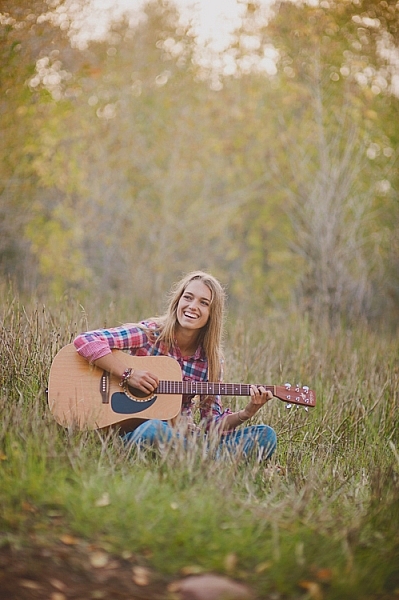
5 Tips for Portraits of Musicians That Will Help You Hit All the Right Notes

25 Oct

I’d like to share a few tips for portraits of musicians that will help you avoid the awkward photos that make any musician cringe.

portraits of musicians

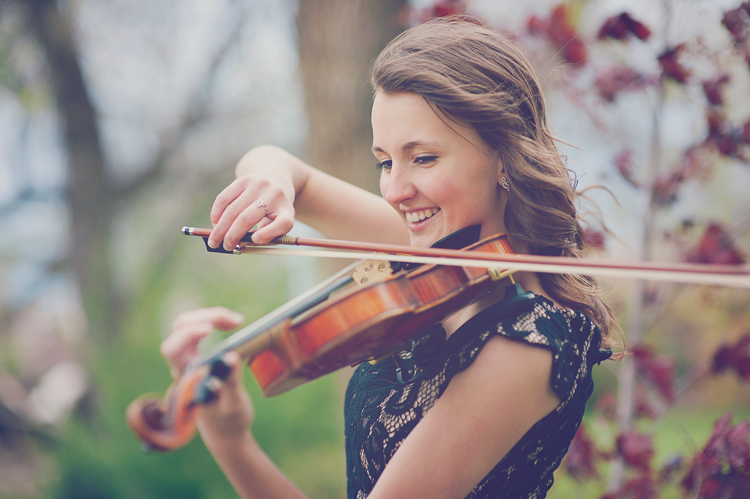
Sometimes we are lucky enough as photographers to be asked to photograph someone with one of their most prized possessions: their musical instrument. Most people that want to be photographed with their instrument really and truly love it, and it’s a part of who they are. As a musician myself, I love photographs with gorgeous instruments in them, and I am especially bothered by photos that don’t capture those instruments naturally. Sometimes I’ll come across a photo that makes me cry out, “Why?? Nobody would EVER hold their instrument like that!!” You can still be creative with your photos without making them awkward.

portraits of musicians

1. Trust the musician

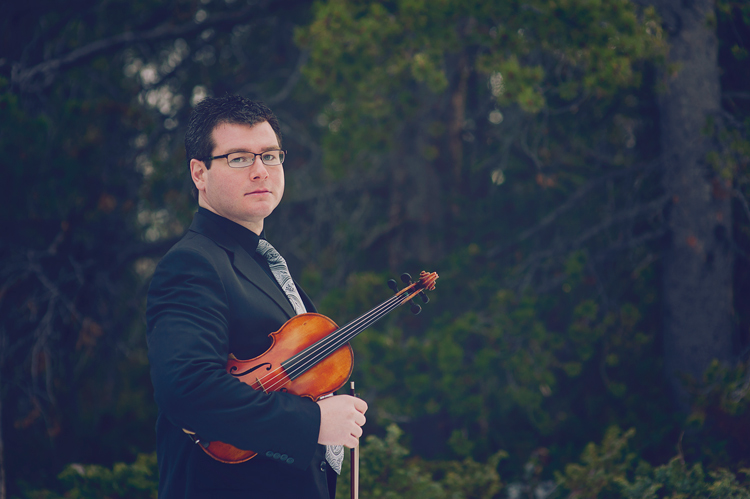
If you aren’t familiar with the instrument you’re photographing, it is especially important to trust the musician. This isn’t the time to try every posing trick that you can come up with, ending up with flutes on top of the head, or cellos held under the chin.

Ask your subject how they hold their instrument naturally. You can ask how they hold their instrument while playing, or when they’re relaxing between songs. If it’s a big instrument, like a piano, ask them how they would stand next to it before they perform, or how they sit by it when they’re thinking about what to practice. Ask them to demonstrate how they carry their instrument from one place to another. These might seem like silly questions, but you can really get a sense of what positions and holds are natural, then you can build from there.

portraits of musicians

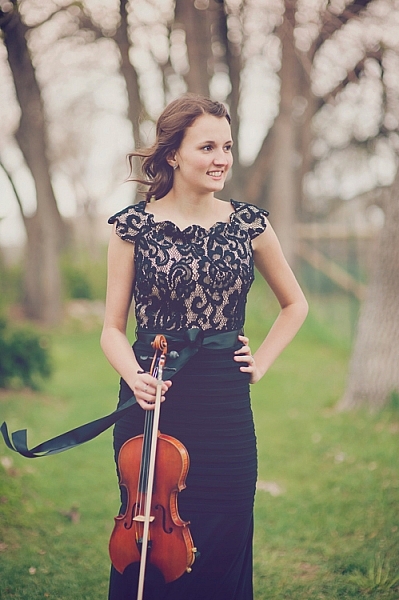
As an example, a violinist may tell you that she holds her violin under her right arm when resting. You could take that position, ask her to sit on a chair in a formal pose holding the violin under her arm and get a beautiful portrait of a girl and her violin. The key is to remember that they are much more expert at how to naturally pose with their instrument than you likely are. However, if you do happen to know their instrument well, feel free to use your knowledge to get beautiful natural poses.

2. Do your homework

portraits of musicians

Before a session with a musician, you could watch some videos on YouTube to see how people interact specifically with the instrument you’ll be photographing. Find a professional musician who plays the same instrument. Look at their website to see what kind of photos they have with their instruments. You may have a client who is very shy and need more guidance posing, so it’s helpful to have a few ideas ahead of time. Be prepared for challenges that an instrument might bring, such as unwanted reflections in brass, immobility of harps or pianos, sensitivity to temperature or weather, and have a plan.

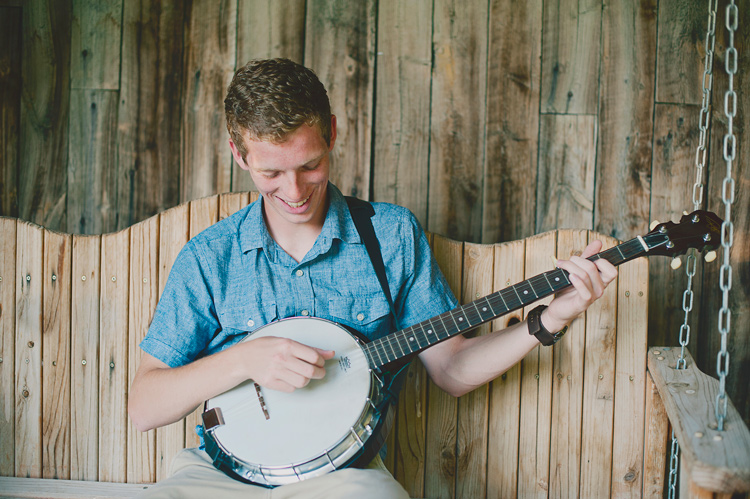
3. Ask the musician to play for you

portraits of musicians

If you can get your subject to give you a little performance during the photo session, you will get some great action shots. It usually helps loosen them up a little bit too, and brings out some natural smiles. Remind them that it doesn’t matter if they make mistakes because your camera doesn’t catch any audio. It will only capture the perfect moments of their playing. Also, remind them that you aren’t there to judge their skill, you just want to capture the relationship they have with their instrument. Move around as they play, and catch the beautiful moment from every angle you can, close, and far.

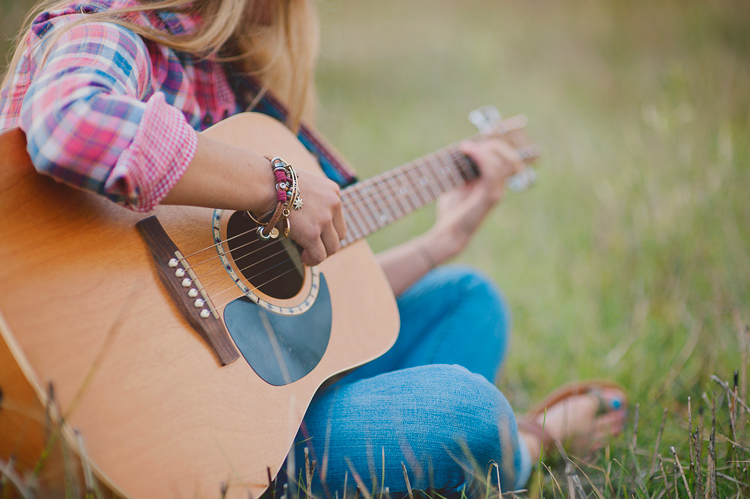
4. Get close-ups of the action

portraits of musicians

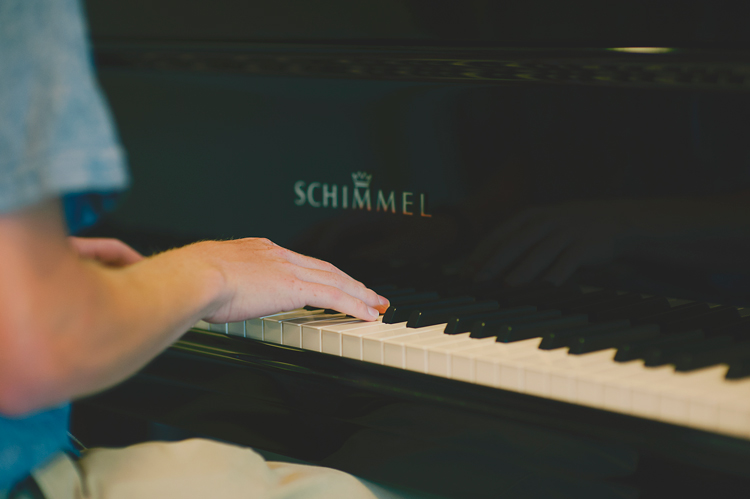
Hands are the main part of playing most instruments. Get in close on the hands as they play. These shots often end up being some of my very favorites. Try focusing on the hands as you shoot down the neck of a guitar, the fingers on a flute, or hands that are frozen in mid-air during a drum solo. Getting in close on these details can create beautiful action photos that really tell the story. If their hands are moving too quickly for you to focus, ask them to freeze for a moment in that position while you get the shot.

5. Make the instrument the star

portraits of musicians

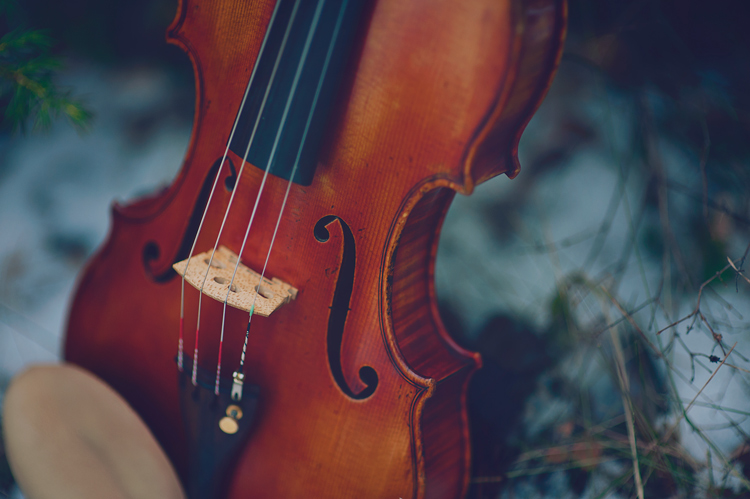
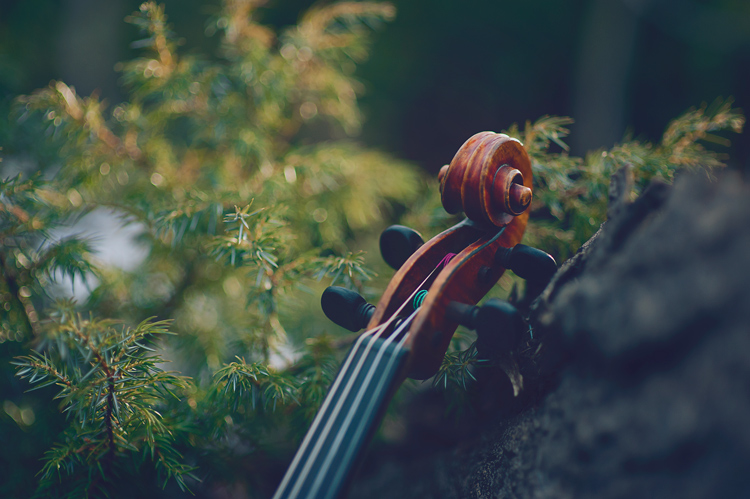
Take a few photos of the instrument by itself, too. Musicians love their instruments, and they will love photos that show their beauty. Make sure to ask permission to touch their instrument, and to set it down, move it, or anything you might want to do for the shot that could potentially harm it in any way. You can even ask the owner to do all of the touching and moving, and you can move yourself around to get the photo that you want.

Tell the musician what you have in mind, and they will most likely be on board, and be happy to help you get some amazing instrument photos. Instruments can be extremely expensive, and even more importantly, can have sentimental value that can never be compensated. Keep this in mind throughout the session, whether your subject is in the photo with the instrument, or not. Never ask them to do something that could harm or damage the instrument.

portraits of musicians

portraits of musicians

Conclusion

Every time I’ve been asked to create photos for album covers for musicians, head shots for websites, art to print and frame, or just to capture someone’s favorite hobby, my goal is to create a photo that they will love. One that will stay true to what they would naturally do with their instruments.

I hope these tips can help you create beautifully genuine musician portraits too. I would love to see your musician portraits in the comments!

googletag.cmd.push(function() {
tablet_slots.push( googletag.defineSlot( “/1005424/_dPSv4_tab-all-article-bottom_(300×250)”, [300, 250], “pb-ad-78623” ).addService( googletag.pubads() ) ); } );

googletag.cmd.push(function() {
mobile_slots.push( googletag.defineSlot( “/1005424/_dPSv4_mob-all-article-bottom_(300×250)”, [300, 250], “pb-ad-78158” ).addService( googletag.pubads() ) ); } );

The post 5 Tips for Portraits of Musicians That Will Help You Hit All the Right Notes by Melinda Smith appeared first on Digital Photography School.


Digital Photography School

 
Comments Off on 5 Tips for Portraits of Musicians That Will Help You Hit All the Right Notes

Posted in Photography


Just a Reflector: Upside-Down Mural Looks Right in the Water Below

18 Oct

[ By WebUrbanist in Art & Drawing & Digital. ]

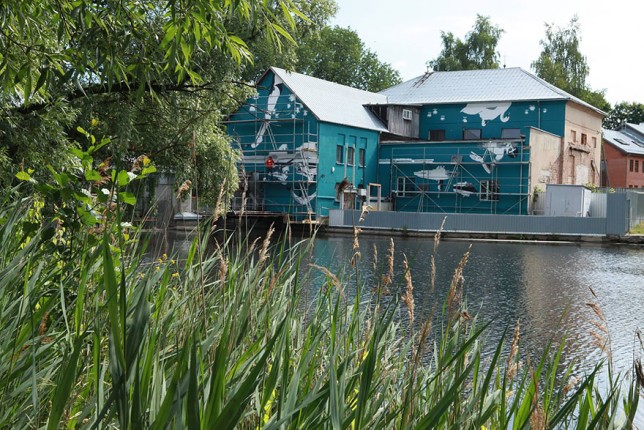
mural painting actual

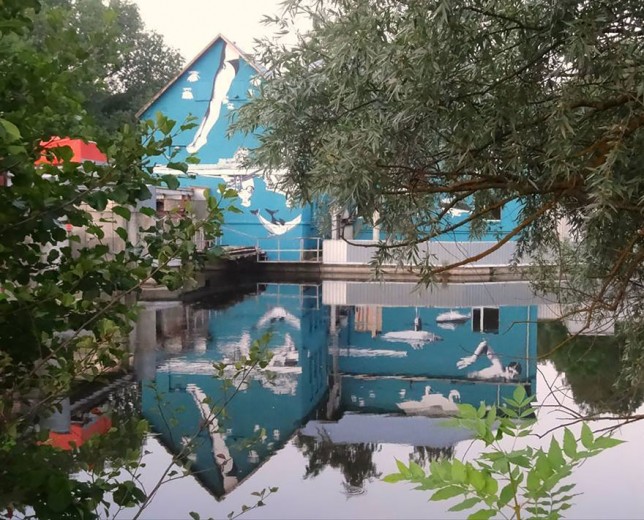
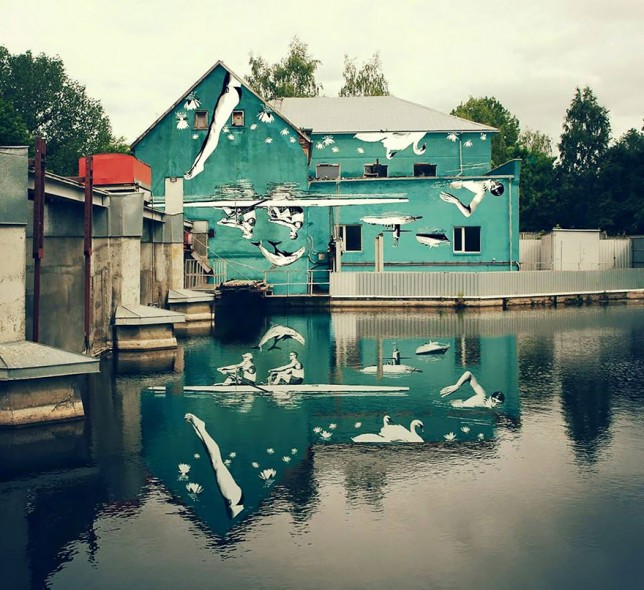
Designed to look right-side-up when reflected off the water below, this series wall murals features a series of nautical themes, including depictions of swimmers, rowers and swans. While the image above is accurate and untouched, a modified photo (shown below) shows a more idealized version that does not really reflect reality.

photoshopped reflective water mural

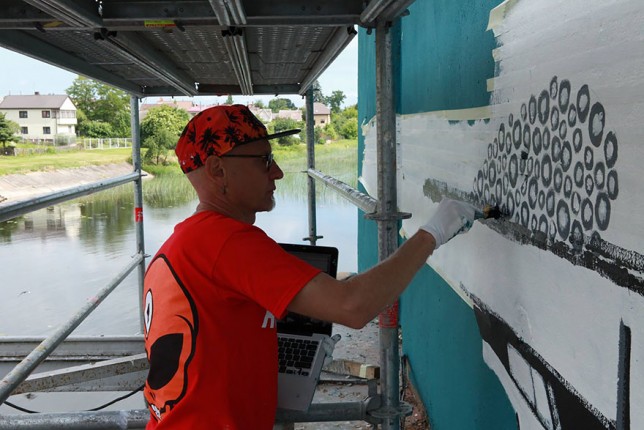
New York-based Ray Bartkus made this mural for the Lithuanian city of Marijampole, set alongside the river Šešupe, which flows through the city’s center. The artist is known for other works that rely on mirrors and reflections as well.

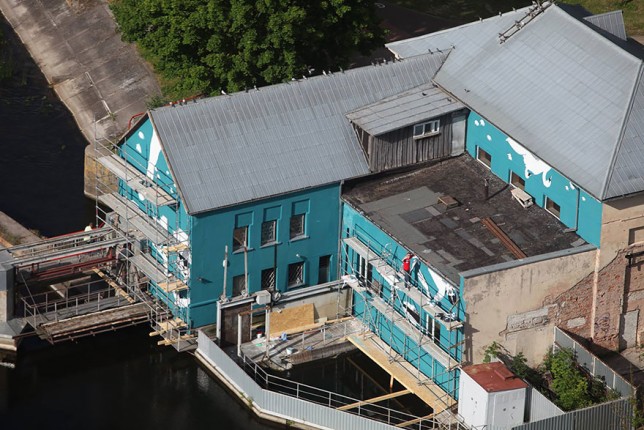
mural artists work

mural under construction

mural painting process

A bit like a trompe l’oeil illusion, the viewer’s position changes the composition, and their is an ideal spot for the optical effect in relation to the various vertical planes onto which the murals were painted.

Share on Facebook


[ By WebUrbanist in Art & Drawing & Digital. ]

[ WebUrbanist | Archives | Galleries | Privacy | TOS ]


WebUrbanist

 
Comments Off on Just a Reflector: Upside-Down Mural Looks Right in the Water Below

Posted in Creativity


Tips for Getting the Image Right In Camera

17 Oct

I suspect if asked the question “Would you rather be editing your images, or out there photographing that what you love?” only a select few of us photographers will raise our hands for the former! Photography is an incredibly creative art form and as artists, we want to be able to create beautiful imagery every time we click the shutter. For the most part, we want to spend more time creating and less time editing our images. There are several simple steps we can take to try and get the images as close to perfect (as we imagine it), right in camera a.k.a SOOC (straight out of camera).

#1 Pre-visualize the shot you want to achieve

Having an idea of what you want to shoot and planning for the shot can go a long way in helping you achieve the right results the first time around. Like anything else in life, have a plan of when you want to shoot, where you want to shoot, and what kind of image you want to create.

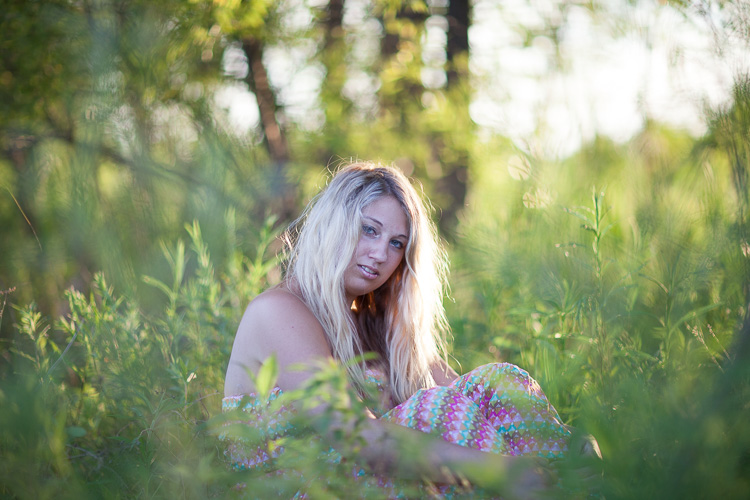
memorable-jaunts-getting-it-right-in-camera-article-for-digital-photography-school-1-sooc

A golden hour shoot where I knew the kind of image I wanted this to be – this is SOOC and a little bit cool but I liked the halo effect on her hair and the framing with the tall grass.

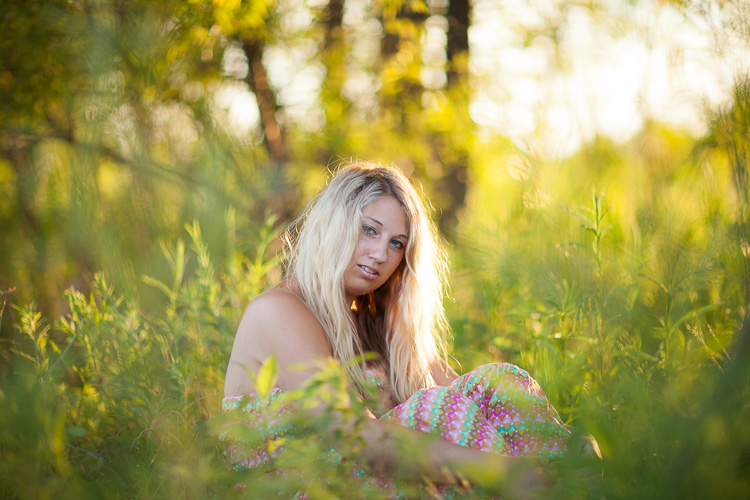
memorable-jaunts-getting-it-right-in-camera-article-for-digital-photography-school-1

With a few simple edits of temperature, contrast, tint and spot removal for some rogue blades of grass, I got the image that I envisioned when I clicked the shutter.

Do you want an image that is light and bright? Then plan on shooting during the day in a wide open space with lots of sunlight. Do you want to create an image that is dark and moody? Then look for locations that are not in direct sunlight, ones that have texture and tones that are on the darker side.

Resist the temptation to arrive at a location and immediately start clicking the shutter just because you want to take a picture of something. This does take some discipline but it can save you a lot of time and effort in the long run. Not to mention the hassle of storing images that really don’t convey a story and are really random in nature.

#2 Limit yourself to a select number of frames

This is a concept that transfers over from film days and I strongly encourage you to go out and shoot a roll or two of film (even a small disposable point and shoot camera). Challenge yourself to really tell a story in a limited amount of frames (typically 24 to 36 for 35mm cameras and even less for medium format cameras). You will immediately feel restricted and limit yourself to only shooting that which is interesting. And you will find yourself paying more attention to composition, lighting ,and technique when you limit yourself to a small number of frames like 16, 24 or 36.

#3 Go into Single Shot drive mode on your camera

If your DSLR has a burst mode capability, deactivate that functionality or change it to Single Shot. When you press the shutter, only one shot will be taken. The ability to hold down the shutter and fire away 5-6 frames is deactivated. Again this will help you focus on technique, technical

memorable-jaunts-getting-it-right-in-camera-article-for-digital-photography-school-2

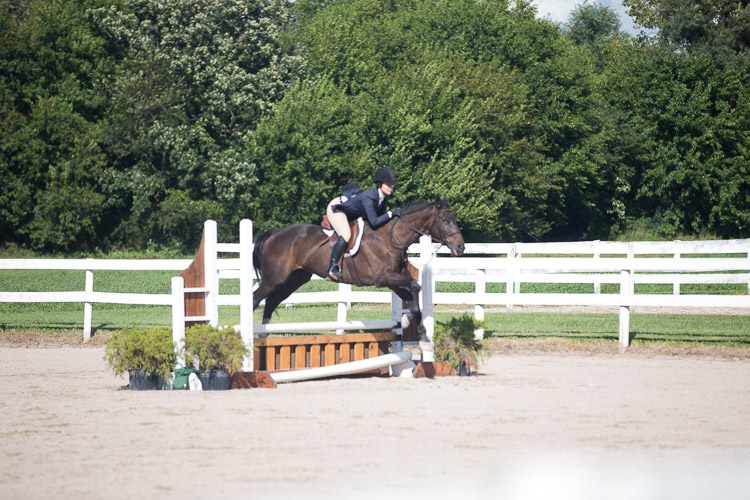
The image of the horse jumping the poles is soft as I missed the focus on the moving horse.

memorable-jaunts-getting-it-right-in-camera-article-for-digital-photography-school-2-2

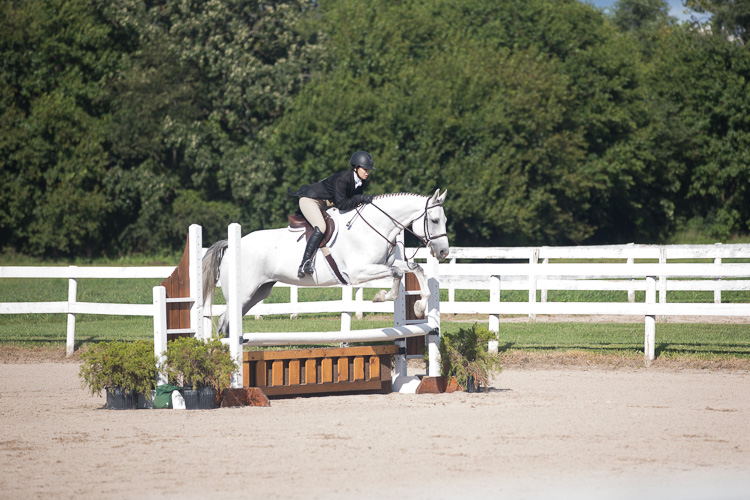
But the next rider was caught at the right moment of the jump. And by tracking the previous rider, I knew the general path of the jump and was able to get a sharp image.

Again this will help you focus on technique, technical aspects, and composition of each shot which in turn forces you to slow down and be more intentional with what you shoot. Yes, you may run the risk go having a blurry image, especially if your subject is moving. But after a few tries, you will learn to anticipate and track your subject at exactly the right time to get a sharp image (as seen below).

#4 Utilize the full capabilities of your camera

Most DSLRs today are sophisticated pieces of equipment with advanced computing technology built-in. They are built to read, analyze the scene, and make decisions based on what they have been programmed to do. But at the end of the day, they can still make mistakes by making incorrect decisions. You can avoid these errors by taking control of your camera.

A) Learn to shoot in Manual mode

By shooting in Program or Auto mode, you are relinquishing control to the camera and allowing it to make all the decisions. Shooting in Manual mode gives you, the user, the most amount of control and forces you to think about all the aspects of a good image like light sensitivity, depth of field, and movement before you click the shutter.

memorable-jaunts-getting-it-right-in-camera-article-for-digital-photography-school-3-1

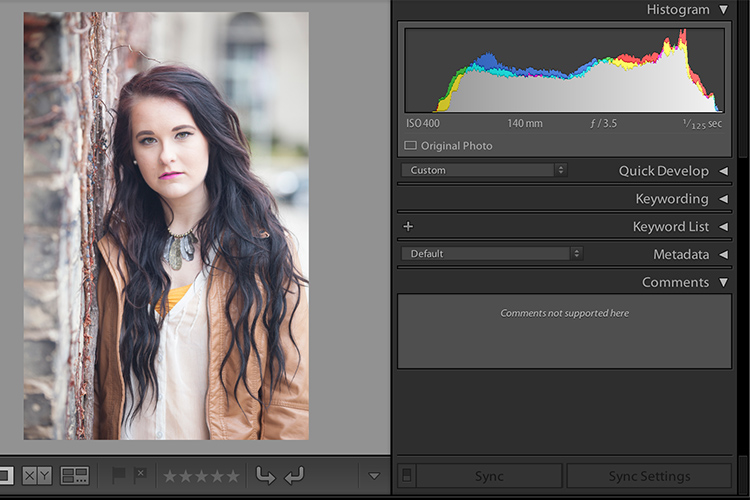
Over time, shooting in Manual mode where all the core elements like ISO, f-stop and shutter speed are adjusted by you the photographer and not the camera, will lead to images that are (almost) perfect right out of the camera. The histogram is a great way to validate if the image is structurally correct (subjective to your shooting style).

B) Use the preview function (LCD screen)

If your camera has a preview function (also known as the playback function), use that to view and analyze the image you have just taken. Is it sharp and in focus? is the properly litm, or is it too dark? If the composition is incorrect, the image is blurry, or the exposure is completely off, you can fix the problem, delete the image and retake the shot. The more you practice fixing the image right then and there, the fewer bad images you will take back with you to try and edit and salvage later in post-processing.

C) Use the histogram

You can take the review functionality up a notch by checking the histogram (if your camera has that information available) via the LCD screen. The histogram shares information like the quality of the shadows and highlights of the scene.

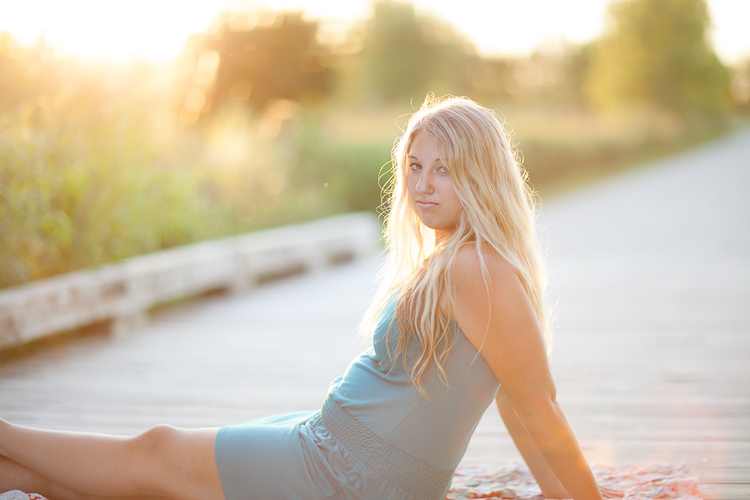
This image was intentionally shot this way - overexposed because I was almost shooting into the sun and I really wanted that sun flare in the bottom right of the image.

This image was intentionally shot this way – overexposed – because I was almost shooting into the sun and I really wanted that lens flare in the bottom right of the image.

I will throw out one caveat here – make sure you practice the art of reading and reviewing the histogram when you are shooting just for yourself or during test shoots, not during paid client gigs. On a client shoot, if you are messing with histograms and excessive review of the LCD, you may appear very unprofessional to your clients. They may perceive it as you don’t know what you are doing and that you lack confidence in your technical abilities. The good news is that by practicing enough on your own time, you will be confident to nail the shot right on the first go!

D) Get out of the mental mindset of, “I will fix it in post-production”

This is one of the worst dialogues you can have with yourself (I too have done this in the past). It encourages a mentality of laziness and the attitude of “spray and pray”. Firing away what appears to be hundreds of shots in the hope that at least a few will be worthwhile. Let post-processing be only for any artistic touches and not as a fix for basic things like exposure, color temperature (white balance), and tonality.

memorable-jaunts-getting-it-right-in-camera-article-for-digital-photography-school-5

I absolutely love this image and the use of negative space. This is how I saw the scene in front of me and I had less than three seconds to take the shot. This is almost SOOC. I only cleaned out some traffic signs and brightened the highlights, an easy 2-second edit in Lightroom.

Conclusion

The basic premise of this article is actually quite simple. If you want to have a perfect or near-to-perfect image right out of the camera, learn how your camera works and behaves. And learn to use it to create images that you envision as representing your true artistic abilities.

googletag.cmd.push(function() {
tablet_slots.push( googletag.defineSlot( “/1005424/_dPSv4_tab-all-article-bottom_(300×250)”, [300, 250], “pb-ad-78623” ).addService( googletag.pubads() ) ); } );

googletag.cmd.push(function() {
mobile_slots.push( googletag.defineSlot( “/1005424/_dPSv4_mob-all-article-bottom_(300×250)”, [300, 250], “pb-ad-78158” ).addService( googletag.pubads() ) ); } );

The post Tips for Getting the Image Right In Camera by Karthika Gupta appeared first on Digital Photography School.


Digital Photography School

 
Comments Off on Tips for Getting the Image Right In Camera

Posted in Photography


DSLR or Mirrorless Cameras Which is Right for You?

10 Oct

Have you considered switching to a mirrorless camera system from your DSLR? Or are you upgrading fro a point and shoot and want to know which system is the right choice for you? This video from Phil Steele may help you understand the differences and make a decision that’s sound.

If you found that helpful you can learn more from Phil over on his website Steele Training.

Soe Lin

By Soe Lin

You can also see more info on mirrorless cameras and the differences between them and SLRs in these dPS articles:

  • 3 Reasons Why Mirrorless Cameras are Better than Digital SLRs for Focusing
  • Does the Camera Matter? SLR versus Mirrorless versus Smartphone
  • 8 Factors to Look at Before You Choose a New DSLR or Mirrorless Camera
  • The 19 Most Popular Compact System and Mirrorless Cameras with Our Readers
  • 5 Lessons Learned Switching from DSLR to Mirrorless for Travel Photography
  • How the Switch from DSLR to Mirrorless Changed How I Edit Photos
  • 10 Reasons Why a Pro is Using a Mirrorless Camera for Personal and Paid Jobs

You can also vote and see the results of our poll on mirrorless cameras here.

googletag.cmd.push(function() {
tablet_slots.push( googletag.defineSlot( “/1005424/_dPSv4_tab-all-article-bottom_(300×250)”, [300, 250], “pb-ad-78623” ).addService( googletag.pubads() ) ); } );

googletag.cmd.push(function() {
mobile_slots.push( googletag.defineSlot( “/1005424/_dPSv4_mob-all-article-bottom_(300×250)”, [300, 250], “pb-ad-78158” ).addService( googletag.pubads() ) ); } );

The post DSLR or Mirrorless Cameras Which is Right for You? by Darlene Hildebrandt appeared first on Digital Photography School.


Digital Photography School

 
Comments Off on DSLR or Mirrorless Cameras Which is Right for You?

Posted in Photography


Getting the Right Timing for Great Outdoor Photographs by Planning Ahead

09 Sep

There is more to taking great outdoor photographs than a pleasing composition and the correct exposure. There is another important aspect. One that is too often overlooked when trying to capture a beautiful scenic subject or vista. The right timing is required to get great photographs.

Often on social media sites, images are posted that show ideal composition and exposure. But they are not photographed at the best time of day to capture the most attractive and interesting image. Some say that taking the most eye-catching photos is only about luck; being in the right place at the right time. But with the proper preparation, the odds of creating an exceptional photo can be increased. Certainly, without any pre-planning, you may be able to create “okay” images on a regular basis, but let’s examine the role timing takes in capturing more stunning images.

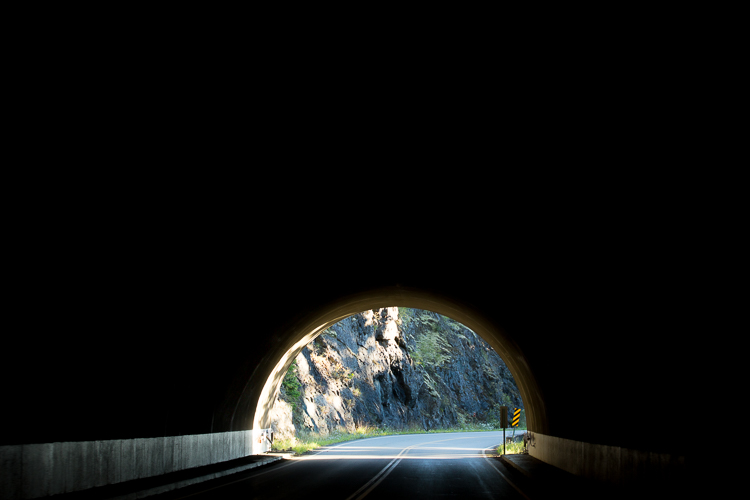
Here shooting toward the east in the evening produced some nice light on this image.

Shooting toward the east in the evening produced some detail-revealing light on this image.

Research

Much preparation for an outdoor photo shoot can be done from your computer, before even leaving the house. Listed here are three very effective tools that can help you find great shots. They can show you where you want to be, and when you want to be there:

  • Google Earth: The Google Earth software provides street views of any location on earth. This is very useful, as you can literally see and plan a shot from your computer before leaving to shoot. Google Earth gives you the ability to determine the best location, and its ideal angle to capture before even arriving!
  • GPS: Use GPS devices to help navigate to the exact location where you plan to shoot.
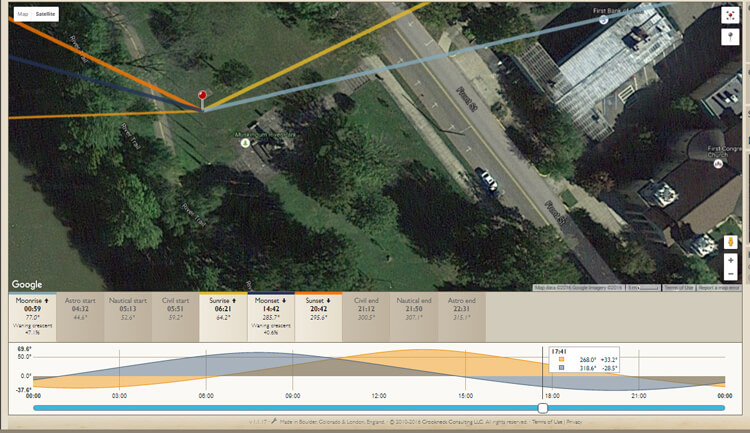
  • The Photographer’s Ephemeris: TPE is a very useful on-line tool to help plan outdoor photography. Its maps show how natural light falls on the earth both day and night for any location on earth, and for any time or day in the future!

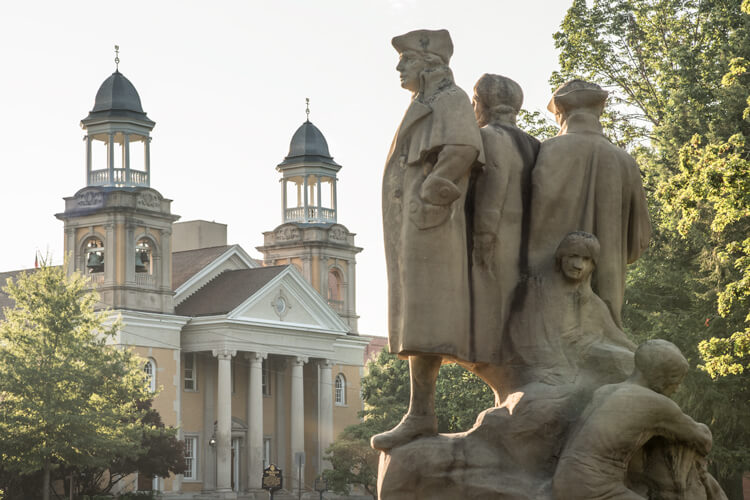
    Screen capture from TPE showing the direction of the sun at the time the image of the statue and church was captured.

    A screen capture from TPE shows the direction of the sun when the above image of the statue and church was captured.

Time of day

Photographing at the right time of day is a big factor to getting the right light for a special image. It is a well-known fact among serious art-driven photographers, that some of the best light for making great outdoor images, happens early in the morning and late in the afternoon. These are called the “golden hours”.

But in addition to shooting during those times, notice should be taken as to where the sun is casting its light. Shooting into the light will mean that your subject will be in the shadows, or even silhouetted. Yes, the exposure can be compensated in this situation, but watch what happens to the sky in the image. It will be blown out and colorless. There are times when this shot may work, but the point here is to always be aware of the direction of light.


Same location as above, but this time it was shot in the morning. Notice how the sky is completely blown out when getting the exposure on the statue. Even tho this is nearly the same image as above, it doesn't have near the impact.

Same location as above, but taken facing into the morning sun. Notice how the sky is completely blown out when the exposure is set for the statue. Even though this is almost the same image as above, it doesn’t make near the same visual impact.

Don’t leave this factor to luck. When planning a trip, try to schedule the day around good light. Shoot westward in the morning, and toward the east in the late afternoon and early evening. Midday light in most cases is very harsh, and produces very contrasty images and deep shadows. Again, producing arresting images in this light is possible, but is also definitely more challenging.

So what does one with a camera do in the middle of the day? Rest or travel! The bottom line is, that if you are on vacation, with an open agenda, and are looking to take great photos of the sights, plan around the light to get the best results.

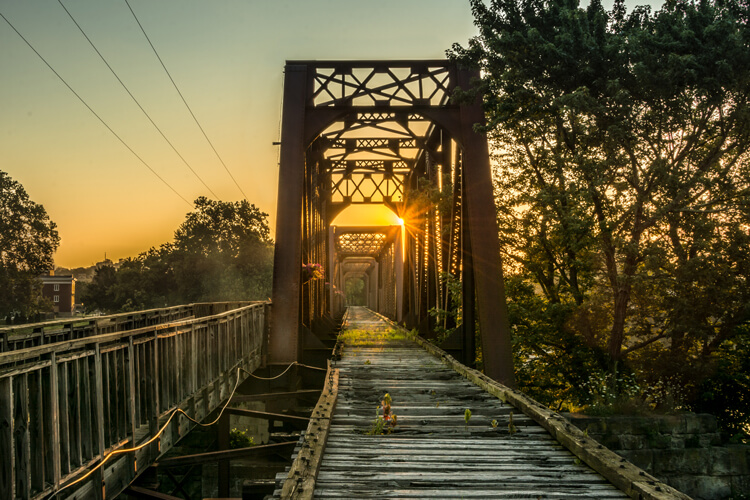
Using TPE I was able to determine the exact day that the sunrise would aline with the bridge to capture a one of a kind image.

Using TPE I was able to determine the exact day that the sunrise would aline with the bridge to capture a one of a kind image.

Season

Considering the season of the year can make a great difference in your photos. The angle of the sun changes from season to season. For instance, photographing a deep canyon in the winter will produce a much different image than one taken in the summer. Because of the lower angle of winter sun, light won’t reach the canyon floor as it would in summer.

Besides the change in light, there is the obvious a variation of foliage colors (or the absence thereof) from one season to the next, that can completely change the image captured at a given location. Sometimes it is fun to capture a four-season image of the same subject and location.

Weather

Weather conditions are a great factor when it comes to capturing the perfect scene. They should always be considered, even though they can’t be planned.

Overcast days, while not great for sky images, often produce very nice even lighting. This is ideal for shooting things like waterfalls. Bright sunlight can make it almost impossible to capture the scene without blowing out the water, and making it necessary to use a Neutral Density filter. Don’t look at dreary weather as always being a negative; rather, turn those negative conditions into a positive result. For instance, a foggy morning may mess with a pre-visualized image in one location, but an alternative location nearby may be perfect for foggy conditions.

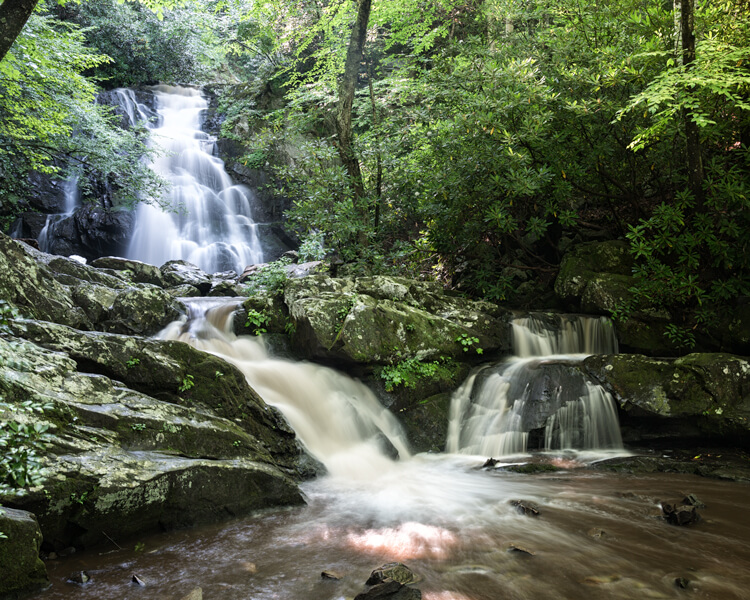
This waterfalls was captured while the sun was shining. Notice the hot spots created by the sun on the water.

These waterfalls were captured while the sun was shining. Notice the hot spots created by the sun on the water.

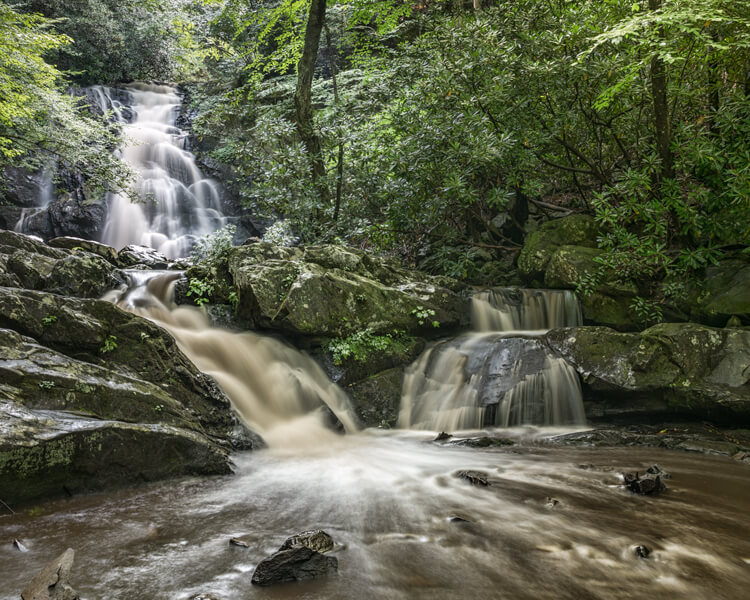
Same waterfalls as above by this time captured in cloudy conditions allowed for a long exposure with out the hot spots or a ND filter.

Cloudy, overcast conditions allowed for a long exposure of the same waterfalls, removing the hot spots or need for an ND filter.

Rainy conditions may also produce pleasing effects on the subjects being photographed, darkening bright rocks and saturating foliage. However, it may be necessary to use a polarizing filter to reduce glare.  Also, when faced with unexpected weather conditions, be patient! Some rather fantastic shooting conditions occur following storms. Watching and waiting for just the right weather-related effects can provide an opportunity to capture a unique image, of even the most commonly photographed locations.

Special Occurrences

You could be out all night. Your tripod and camera all set up to watch the skies to photograph a meteor shower, and not see a single streak of light!  But with a little research you can ascertain when the next large meteor shower will occur. Thus the chance to capture the desired photos will be increased. To take the meteor shower experience one step farther, look for a night without a moon. This will help the stars to appear more vividly in the photographs. Use The Photographer’s Ephemeris to find special occurrences of the moon or sun, or look for times when the sun or moon rise or set may be in line with a special location. This a fun and creative way to produce a fascinating image, instead of an ordinary one.

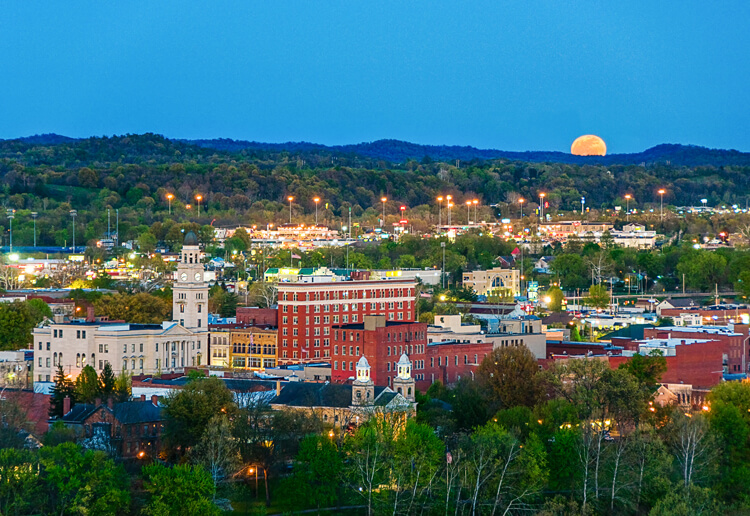
Using TPE to reseach is image I knew the exact time an location of the full moon rising. What really made this image was the sunset at my back that was casting some fantastic light on the city. Knowing this facts allowed me to create a one of a kind image of Marietta Ohio. One that I have sold many times.

Knowing when and where the moon would rise allowed me to plan and be ready to capture a unique image of Marietta, Ohio. Using TPE to research this image, I knew the exact time and location of the full moon rising. The sunset light behind me cast fantastic light on the city, that absolutely defined the shot, prints of which I have successfully marketed.

Day of the week

Every photo event timing factor considered so far has had something to do with light and lighting. But timing also includes the aspect of planning a less stressful, more convenient, and possibly more productive photo shoot. The day of the week is one such factor.

Time off from day-to-day activities often happen for many individuals and families on the weekends. Many are out visiting popular locales en force on those days. High traffic photo sites are best visited mid-week. There will be a better chance of having more room to work, free of other photographers attempting to get the same shot.

Conclusion

To wrap up this article on timing and preparation, remember the five P’s of capturing that great image:

Proper Planning Prevents Poor Photographs

Whether just taking a day trip or a long vacation, planning your photographs around the best available light will increase your chances of capturing a memorable image.

Do you have any tips for planning for the best light? Please leave them in the comments below.

googletag.cmd.push(function() {
tablet_slots.push( googletag.defineSlot( “/1005424/_dPSv4_tab-all-article-bottom_(300×250)”, [300, 250], “pb-ad-78623” ).addService( googletag.pubads() ) ); } );

googletag.cmd.push(function() {
mobile_slots.push( googletag.defineSlot( “/1005424/_dPSv4_mob-all-article-bottom_(300×250)”, [300, 250], “pb-ad-78158” ).addService( googletag.pubads() ) ); } );

The post Getting the Right Timing for Great Outdoor Photographs by Planning Ahead by Bruce Wunderlich appeared first on Digital Photography School.


Digital Photography School

 
Comments Off on Getting the Right Timing for Great Outdoor Photographs by Planning Ahead

Posted in Photography