RSS
 

Posts Tagged ‘REVIEW’

Digital Still Life Photography [Book Review]

30 Jul

Digital Still Life PhotographyThis is a sumptuous book in a number of departments: it’s large, beautifully printed and full of useful, easily navigated information.

So why the word ‘digital’ in the book’s title?

Author Sint explains ‘I hate using Photoshop to correct my mistakes because I feel the time required to do so is both unproductive and unprofitable. … what I really love more than Photoshop is downloading pictures that I find pretty close to perfect the moment I open the image’s file.’

The book’s style is thoroughly disarming and direct to the point: when approaching a still life photograph the first step, Sint suggests, ‘is to spend a moment thinking about what type of photograph you are trying to create.’

He then describes the techniques in shooting simple setups on a plain background, the need for speed and the need to plan your shoot efficiently. After all, time is money and the more shots you can pack in per hour the higher your financial return. This book Sint affirms is about ‘how to make a living taking pictures …’

An initial step is to select a suitable shooting space. It should ideally be a big space, one that includes an office, shooting area, storage for props etc, conference area, makeup room and maybe a kitchen. However, in an effort to describe how little you really need, the author describes his own first studio: a room 250 square feet in area, containing his own twin bed, a dresser, small nightstand … with the remaining 225 square feet dedicated to the studio!

Next, you should assemble the necessary tools to make the space work: timber and the necessary power and hand tools; some form of canned compressed air or even a compressor and more. This is followed by three simple building projects: building a simple set flat; a diffusion screen; a light table.

The important subject of lighting gets serious attention, with tips on how to assemble and use a continuous light array, electronic flash, reflectors, barn doors and snoots, hair lights, scrims, a lighting umbrella etc. The variations in continuous and flash light are explained thoroughly and examples given as to which type suits what subjects.

To give an idea of the depth of detail found in the book, just go to pages 150 and 151 on clamps but not just ordinary clamps but ‘super clamps’! These can do so many more things on a still life shoot than merely position a light as they come in handy to build backgrounds etc.

More follows on soft and hard lighting, the colour of light sources, how to vary a lamp’s colour balance and filtration plus a useful primer on working with fluoro lighting and how to mix it with flash. Fluoros may be 20-30 per cent green in hue so you may filter the flash output with green gels and then add a magenta filter to the camera lens to bring everything back to a daylight balance.

A superb eight page section takes you step-by-step through the shoot of an expensive Cartier watch: how to pose it, light it, position fill lamps. And then there is the fundamental advice never to perform post editing on the original digital file: duplicate! And only work on a copy.

This book will be invaluable to the photographer who wants to move into the studio. Big time!

Author: S Sint.
Publisher: pixiq.
Distributor: Capricorn Link.
Size: 28x22x2cm.
Length: 271 pages.
ISBN: 978 1 4547 03273 3.
Price: Get a price on Digital Still Life Photography at Amazon (currently 50% off).

Post originally from: Digital Photography Tips.

Check out our more Photography Tips at Photography Tips for Beginners, Portrait Photography Tips and Wedding Photography Tips.

Digital Still Life Photography [Book Review]


Digital Photography School

 
Comments Off on Digital Still Life Photography [Book Review]

Posted in Photography


Just Posted: Fujifilm X100S Review

30 Jul

specs-1.jpg

We’ve just posted our long-awaited review of the Fujifilm X100S – Fujifilm’s flagship fixed-lens compact. The 16MP X100S offers a fixed 35mm equivalent F2 lens, and builds on the appeal of the popular but quirky X100 by adding improved automatic and manual focus, an overhauled interface and a 16MP X-TRANS sensor. Do the on-paper refinements add up to better real-world performance? Click through for a link to the full review, and a note from the editor.

News: Digital Photography Review (dpreview.com)

 
Comments Off on Just Posted: Fujifilm X100S Review

Posted in Uncategorized


Yongnuo YN622C TTL Flash Trigger Review

28 Jul

Phil Steele from Steele Training has put together this good review of the Yongnuo YN622C TTL Flash Trigger.

Get more from Phil Steele in his great course – How to Shoot Professional looking head shots on a budget with Small Flashes.

Post originally from: Digital Photography Tips.

Check out our more Photography Tips at Photography Tips for Beginners, Portrait Photography Tips and Wedding Photography Tips.

Yongnuo YN622C TTL Flash Trigger Review


Digital Photography School

 
Comments Off on Yongnuo YN622C TTL Flash Trigger Review

Posted in Photography


Just posted: Sony Cyber-shot DSC-TX30 Review

27 Jul

front-sony-news.jpg

We’ve just posted the sixth and final review in our round-up of compact rugged cameras. This review is of the Sony Cyber-shot DSC-TX30, which offers a much thinner body than its peers. It also has a large 3.3-inch touchscreen OLED display, a host of fun features, and a 1080/60i movie mode. Next week we’ll be publishing an article comparing all of the cameras, but while you’re waiting, check out the TX30 review after the link.

News: Digital Photography Review (dpreview.com)

 
Comments Off on Just posted: Sony Cyber-shot DSC-TX30 Review

Posted in Uncategorized


Just posted: Canon EOS 100D / Rebel SL1 review

26 Jul

sl1news.jpg

We just posted our Canon EOS 100D / Rebel SL1 review. Canon’s smallest SLR to date was built to take on mirrorless cameras while maintaining the optical viewfinder and compatibility with the company’s existing suite of EF and EF-S lenses. We put it through its paces in a busy family environment to see how well it held up in the type of setting it’s most likely to encounter. Click through for our review.

News: Digital Photography Review (dpreview.com)

 
Comments Off on Just posted: Canon EOS 100D / Rebel SL1 review

Posted in Uncategorized


Phottix Mitros [Nikon] Review: The Real Deal

26 Jul

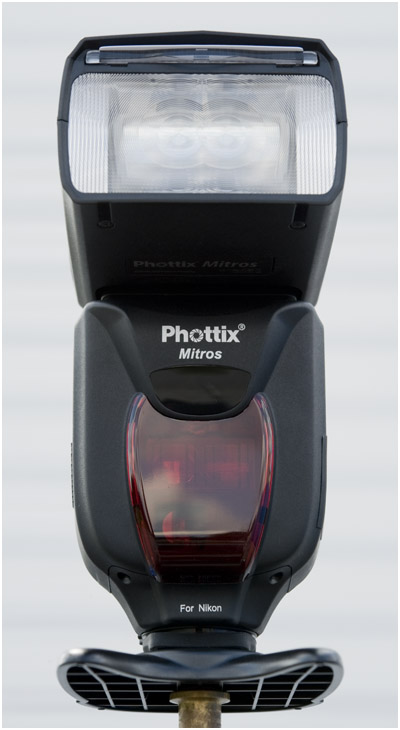
Big changes continue to ripple through the high-quality, 3rd-party flash industry this month. To wit: I've been testing a new $ 300 Phottix Mitros [Nikon] flash for several weeks now.

Here's the five-word short version: "Nikon, you should be very afraid."

Why? Because this solid, Manual/TTL/CLS/HSS flash delivers all of the punch and practically all of the functionality of your flagsship Nikon SB-910 for about half the price. With twice the warranty.

Put differently: as soon as word gets out, the days of the high profit margin OEM speedlights are numbered.

(More words, getting out, below…)

Read more »
Strobist

 
Comments Off on Phottix Mitros [Nikon] Review: The Real Deal

Posted in Photography


Sony Cyber-Shot DSC-HX50V Review

25 Jul

Sony Cyber-Shot DSC-HX50V Review.jpg

I’ve had lots of experience with these mega zoom cameras: some enjoyable, some not so much.

If you’re new to the field, approach them with caution: the zoom range is appealing, impressive and somewhat frustrating.

For one, you simply cannot use them handheld at the full tele end: at best, use a tripod; at worst, lean them on something substantial, like a fence or a wall.
If you’re crazy enough to want to shoot video with the zoom working mid shot … practice, practice.

Sony Cyber-Shot DSC-HX50V Rear.jpg

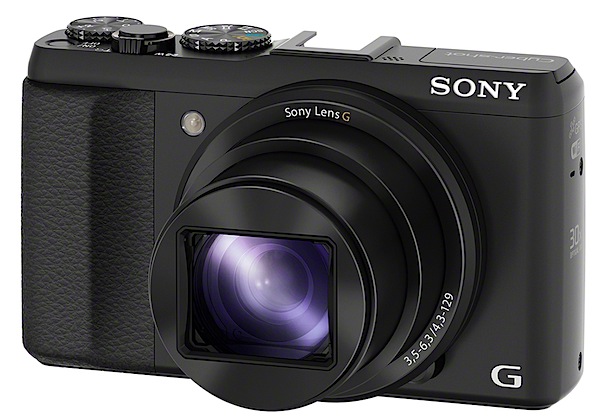
The HX50V initially surprised me: feels solid, pocketable, well-balanced in the hand, thanks to a prominent speed grip.

At rest, the camera is only 38mm deep; powered up, the lens protrudes and the depth increases to 73mm; with the zoom fully extended, it reaches 100mm depth.

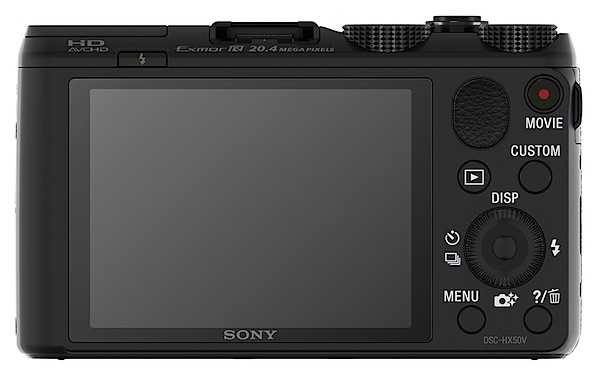
Most external controls are id’d in white but some are rendered in off-white text. Designers: make ‘em all white next time!

Bridge and ferry wharves Full wide.JPG

Bridge and ferry wharves Full tele.JPG

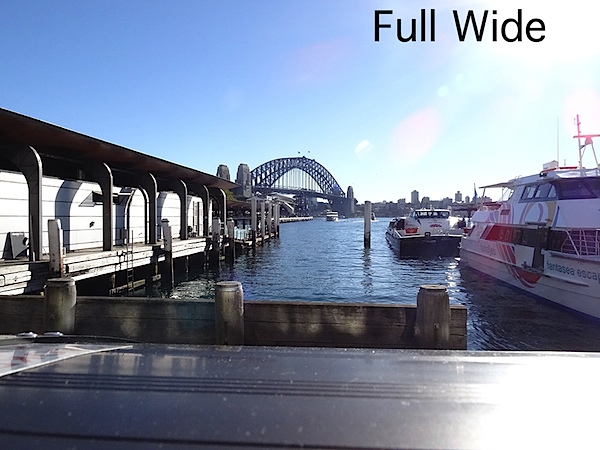
Sony claims it’s the world’s smallest 30x zoom, a claim with which I have no argument. The zoom range has a 35 SLR equivalent of 24-720mm, which makes it a very powerful shooting tool.

What sets it apart from most other mega zoom cameras is it ability to capture 20.4 million pixel images. This large image size is of course burdened by a small CMOS size, so noise will be a factor in large prints.

Bridge and ferry pano 1.JPG

Maximum image size is 5184×3888 pixels or as a 44x33cm print.

Video can be shot in either MPEG4 or AVCHD formats up to Full HD 1920×1080 pixel resolution. You can’t shoot stills while recording video.

Opera House.JPG

For what it’s worth the HX50V model offers enhanced Optical SteadyShot image stabilisation that is claimed to be about twice as effective as the HX200V high-zoom model of last year. It seems to me that each HX model raises the bar in image stabilising. Where will it end?

Sony Cyber-Shot DSC-HX50V Features

At first glance I felt the camera had minimal external controls. Anything missing?
No, as far as I could tell, everything appeared to be on deck.

Top surface: at left is the flash cell, with activating button just below; mid-surface is the multi interface shoe to attach electronic viewfinders, flashes or mics.

Moving further right is the power button, zoom lever, leading to the mode dial, with positions for intelligent and superior auto, PASM, scene modes, video, sweep panorama, memory recall. And a dial for exposure compensation.

Scene.jpg

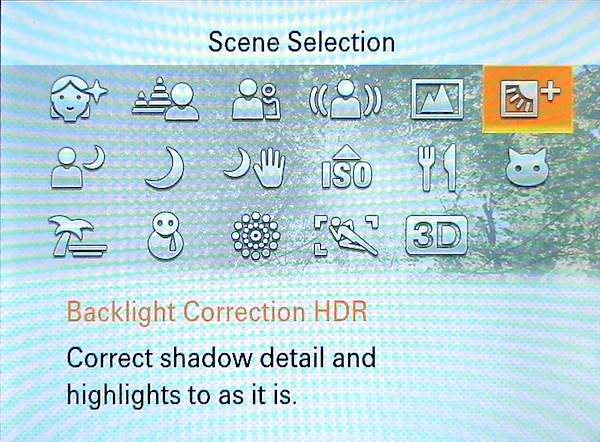
The scene modes (17 in all) include positions for 3D shooting, fireworks, night portraits etc. Nine picture effects are accessed via the finder menu and these include HDR painting, rich tone mono, pop colour etc.

Rear: buttons for video record, replay, menu and trash. The four position control wheel gives access to self timer/burst shooting, flash options, display and ‘photo creative’ options. There is also a custom button that takes you directly to ISO, white balance, metering mode and smile shutter choices.

The finder menu is graphically clear and not at all intimidating.
The PDF manual I found to be sufficient bot no more than that. For a beginner, it’s poorly laid out and a little jumbled in access to important features.

Sony Cyber-Shot DSC-HX50V ISO Tests

Sony Cyber-shot DSC-HX50V ISO 80.JPG

Sony Cyber-shot DSC-HX50V ISO 400.JPG

Sony Cyber-shot DSC-HX50V ISO 800.JPG

Sony Cyber-shot DSC-HX50V ISO 1600.JPG

Sony Cyber-shot DSC-HX50V ISO 3200.JPG

Sony Cyber-shot DSC-HX50V ISO 6400.JPG

Sony Cyber-shot DSC-HX50V ISO 12800.JPG

Only at ISO 6400 did noise become a problem. At ISO 12800 noise was well up and definition down.

Distortion

No problems at either end of the zoom.

Startup

About two seconds from power on I could shoot the first shot; follow-ons as fast as I could tap the button.

Sony Cyber-Shot DSC-HX50V Review Verdict

Quality: above average.
Why you would buy it: compact; powerful zoom range; integrated WiFi; GPS functionality.
Why you wouldn’t: no RAW capture; no optical finder; no vari-angle finder.

Having already bought a couple of mega zoom compacts, I am loathe to invest more hard-earned shekels in acquiring another one, but this baby is enormously appealing. Please, mummy, can I raid the piggy bank one more time?

Sony Cyber-Shot DSC-HX50V Specifications

Image Sensor: 20.4 million effective pixels.
Metering: Multi pattern, centre-weighted, spot.
Sensor Size: 11mm CMOS.
Lens: Sony G f3.5-6.3/4.3-129mm (24-720mm as 35 SLR equivalent).
Shutter Speed: 4 to 1/1600 second.
Memory: Memory Stick Duo, PRO Duo/PRO-HG Duo/SD/SDHC/SDXC and Micro SD/SDHC cards plus 48MB.
Image Sizes (pixels): 5184×3888 to 640×480.
Movies (pixels): 1920×1080, 1440×1080, 1280×720, 640×480.
Rear LCD Screen: 7.6cm LCD (921,600 pixels).
File Formats: JPEG, AVCHD, MPEG4.
ISO Sensitivity: Auto, 80 to 12800.
Interface: USB 2.0, HDMI, WiFi, DC.
Power: Rechargeable lithium ion battery, DC input.
Dimensions: 108.1×63.6×38.3 WHDmm.
Weight: 272 g (with battery and card).
Price: Get a price on the Sony Cyber-Shot DSC-HX50V at Amazon.

Post originally from: Digital Photography Tips.

Check out our more Photography Tips at Photography Tips for Beginners, Portrait Photography Tips and Wedding Photography Tips.

Sony Cyber-Shot DSC-HX50V Review


Digital Photography School

 
Comments Off on Sony Cyber-Shot DSC-HX50V Review

Posted in Photography


Photographic Lighting [Book Review]

23 Jul

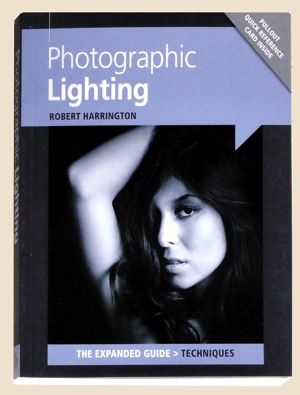
Photographic LightingIf you’re looking for a book that takes you through the mysteries of natural light, shadows and highlights … this is not the one.

Instead, it gives:

‘Expert advice on the basics of on-camera and off-camera flash photography. Professional guidance on choosing flash equipment and accessories. Advice on setting up a photographic studio in the home. Tips on postprocessing techniques to get the best results from flash photography.’

And not a moment too soon for many people. Let’s face it, flash is one of the most misunderstood and misused technologies in photography. Bar none!

And then again, you wouldn’t put a raw amateur into a situation where he or she has access to a battery of studio lamps. Even more chaos.

The book’s chapters:

  • The basics
  • On-camera flash
  • Off-camera flash
  • Using off-camera flash
  • The home studio
  • Putting it into practice
  • One speedlight, 13 looks
  • Postprocessing

The help begins in the first chapter by spelling out the basics of flash: Guide numbers; on camera TTL; the inverse square law explained; reading a histogram; white balance; the RAW format explained; using on-flash colour gels. And we’ve only touched on the basics.

Although the book is relatively small, I was surprised at the depth of info passed on within its pages.

By the time we reach the second chapter we begin to learn how an on-camera flash is set up, power output, battery needs, operational modes, use of diffusion and bounce operation, shutter sync etc.

Matters get even more serious when author Harrington explains ‘Getting the flash off your camera is one of the best things you can do to advance your photographic skills.’ Hear, hear! He goes on to describe the various accessories such as boom arms, flash umbrellas etc. One very useful section recommends using a dummy styrofoam head (purchasable from art supply stores) to run test sessions on how to light a portrait.

Actual off-camera flash shooting situations are discussed and mention is made of some interesting devices which may help: such as Radio Poppers and Pocket wizards that can fire your flash from a distance with no need to use a connecting PC cord.

Also touched on are convertible flash umbrellas: these can be used in a reflective style or in shoot-through style; when used as originally intended, the former can deliver ‘beautiful contrasty light …’, while the latter allows you to shape light ‘and add or subtract softness.’

The degree of detail in the book is admirable and, IMHO, would take the photographer up a notch or two in skills level.

With each chapter there are multiple illustrations to support the text of sufficient size and quality that you quickly see what the info is all about.

Another chapter on choosing lenses will be of help when expanding your optical arsenal. Take heed: ‘buy the best you can afford until you can afford better.’

And then, right in the middle of the book is the sage advice that ‘Film is not dead.’ This is supported by the advice to play around with fun film cameras like the Holga and its ilk.

Creativity is foremost in the book’s pages, with ideas on how to extract the utmost, even when flying with one engine, or even one flash and one reflector.

An important factor in any photography and most especially with flash is post processing; the book deals with file formats and software choices and then gets into detail on white balance as ‘one of the main reasons photographers shoot in RAW format.’

A pair of pop out hint cards at the back of the book suggest the maximum shooting range, f stop, shutter speed and ISO setting with varying flash Guide Numbers.

All in all, a very useful, pocketable guide book.

Author: R Harrington.
Publisher: Ammonite Press.
Size: 18x15x1cm.
Length: 192 pages.
ISBN: 978 1 90770 875 6.
Price: Get a price on Photographic Lighting at Amazon (currently 23% off).

Post originally from: Digital Photography Tips.

Check out our more Photography Tips at Photography Tips for Beginners, Portrait Photography Tips and Wedding Photography Tips.

Photographic Lighting [Book Review]


Digital Photography School

 
Comments Off on Photographic Lighting [Book Review]

Posted in Photography


Just Posted: Pentax WG-3 GPS Review

20 Jul

front-news.jpg

We’ve just posted our review of the Pentax WG-3 GPS. This uniquely shaped camera can handle whatever nature throws at you, and the fast F2.0-4.9 lens doesn’t hurt, either. There’s one more review left in our waterproof camera series, followed by a wrap-up article that will help you pick the best one. In the meantime, you can read more about the WG-3 GPS after the link.

News: Digital Photography Review (dpreview.com)

 
Comments Off on Just Posted: Pentax WG-3 GPS Review

Posted in Uncategorized


Panasonic Lumix DMC-LF1 Review

18 Jul

Panasonic Lumix DMC-LF1 Review.jpg

Over the years I’ve owned a number of digicams just like this one and each has been damned useful. Pop in the pocket. Pull it out. Shoot. And enjoy.

However, in the last 2-3 years they have become really fearsome beasts with tech specs that ring with power.

Not only can these more recent arrivals shoot big, big stills but some have enormous zoom ranges and all can shoot Full HD video.

So who needs a DSLR or a MILC?

This little number from Panasonic is a good example of shooting power but with a certain finesse.
Panasonic Lumix DMC-LF1 BACK.jpg

Panasonic Lumix DMC-LF1 TOP.jpg

Panasonic Lumix DMC-LF1 Features

The lens in particular screams quality: an f2 Leica DC Vario-Summicron 7.1x zoom that equates to a 35 SLR optic of 28-200mm range. The only downer is that you cannot enjoy the full f2 all the way through the zoom range; it soon shrinks to f5.9. But it does mean you can enjoy limited focus effects at the f2 aperture.

Bokeh.JPG

This shot was made at full wide on the zoom and at f2. Notice the limited depth of field.

However, it would be easy to miss the standout feature of this diminutive picture maker: beside the large 7.6cm LCD screen at the camera’s rear, there is also an electronic screen tucked away on the camera’s left top corner (as viewed from the rear). This will win many hearts!

The LF1 offers Wi-Fi connectivity so that users can connect the camera to their smart phone or tablet with one touch to share an image. You can also use a smart phone or tablet as a remote shutter with a monitor.

The CMOS captures a maximum image size of 4000×3000 pixels, enough to make a 34x25cm print.

Video can be shot in either AVCHD or MEG4 formats at Full HD 1920×1080 pixel quality. You can shoot stills mid video recording at a reduced size. If you shoot in AVCHD the maximum recording time is 29 minutes and 59 seconds.
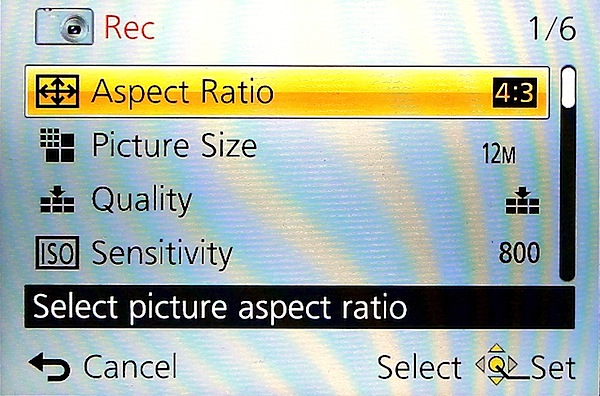
Menu.jpg

Scene modes.jpg

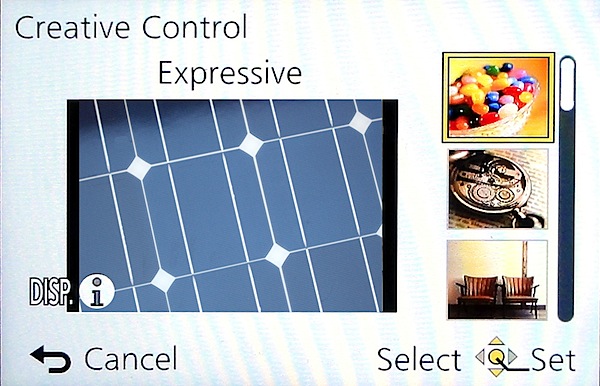
Creative Control.jpg

The control layout is very straightforward:

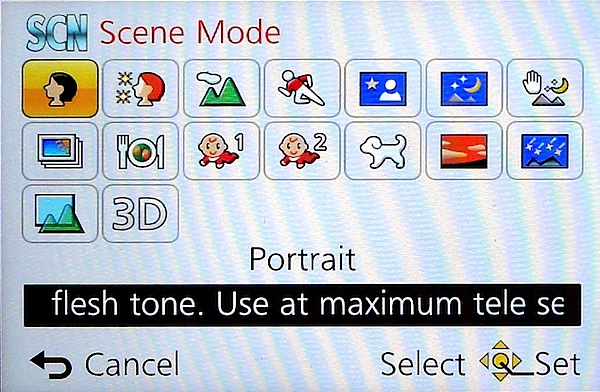
Top deck has the viewfinder mentioned earlier, with dioptric adjustment; then there’s the mode dial with positions for intelligent auto, PASM, two custom modes, panorama shooting, scene modes (16 in all) and creative control with 11 settings, including retro, old days, high and low key etc.

Pano 6.JPG

Panoramas can be shot laterally and vertically left to right, right to left, up or down and stitched in-camera. With the creative panorama function you can apply filter effects of retro, expressive, high or low key etc. The camera does not shoot horizontally panned panos with the camera held vertically, unlike some other cameras … notably Sony’s.

Next to the mode dial is the shutter button set within the lever for zooming; the power switch is at the extreme right end.

Rear: at the extreme left is the button to switch from rear screen to turret viewfinder; next is the WiFi button.

Beneath it is the video record button, shielded from accidental triggering by a protective slice of leatherette; adjacent is the Function and replay buttons.

Lower is the four way control dial with positions for macro shooting, exposure compensation, flash options and continuous/self timer. The menu button is central.

Lower still is a button for display options and one for trash.

Overall, a good layout but one that is badly let down by all the identifying text being too small, printed in off-white and almost impossible to read in dim light. Why not white text?

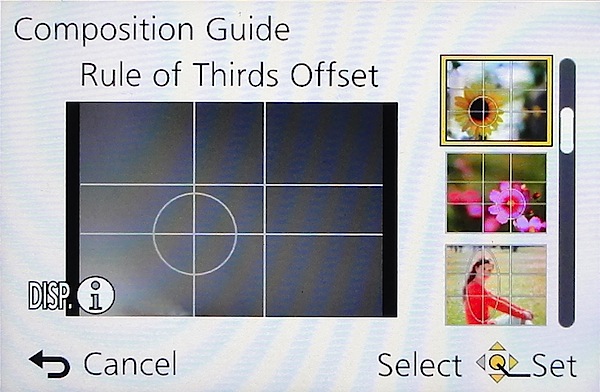
Composition Guide.jpg

Tap the Function button and you gain access to a rather novel aid: a Composition Guide that makes it easy to shoot a photo with good composition, by choosing from a range of on screen examples: Rule of Thirds Offset, Diagonal Lines, Tunnel etc. A big help for those beset with poor visual acumen. It’s unlikely to prevent cut off heads or feet … but at least your shots will be visually balanced!

Distortion

No distortion evident at either the wide or tele ends of the zoom.

Start Up

In two seconds from startup you can shoot the first shot; follow-ons nearly as fast as you can hit the button.

Panasonic Lumix DMC-LF1 ISO Tests

Panasonic Lumix DMC-LF1 ISO 80.JPG

Panasonic Lumix DMC-LF1 ISO 400.JPG

Panasonic Lumix DMC-LF1 ISO 800.JPG

Panasonic Lumix DMC-LF1 ISO 1600.JPG

Panasonic Lumix DMC-LF1 ISO 3200.JPG

Panasonic Lumix DMC-LF1 ISO 6400.JPG

Panasonic Lumix DMC-LF1 ISO 12800.JPG

Only at ISO 3200 did noise become apparent. At ISO 6400 overall quality declined while noise increased and odd artefacts appeared. Useable? Maybe.

At ISO 12800 the shot was unusable.
Marina.JPG

(insert Marina)

Panasonic Lumix DMC-LF1 Review Verdict

Quality: average.
Why you’d buy it: small, sufficient zoom range for most purposes; shoot RAW files.
Why you wouldn’t: LCD screen is not vari-angle.

A great little number for easy, high quality photography. Available in silver or black.

Panasonic Lumix DMC-LF1 Specifications

Image Sensor: 12.1 million effective pixels.
Metering: Multi zone, centre-weighted, spot.
Lens: Leica DC Vario-Summicron f2.0-5.9/6.0-42.8mm (28-200mm as 35 SLR equivalent).
Exposure Modes: Auto, Program AE, shutter and aperture priority, manual.
Sensor Size: 15mm CMOS.
Shutter Speed (stills): 60 to 1/4000 second.
Continuous Shooting: 10 fps.
Memory: SD/SDHC/SDXC plus 87MB internal memory.
Image Sizes (pixels): Stills: 4000×3000 to 640×360.
Movies: 1920×1080, 1280×720, 1440×1080 and 640×480.
Viewfinder: 7.6cm LCD screen (920,000 pixels).
File Formats: JPEG, RAW, JPEG+RAW, MPO (3D), AVCHD, MPEG4.
Colour Space: sRGB, Adobe RGB.
ISO Sensitivity: Auto, 80 to 12800 (with boost).
Interface: USB 2.0, HDMI mini, WiFi.
Power: Rechargeable lithium ion battery, DC input.
Dimensions: 103x62x28 WHDmm.
Weight: 192 g (inc battery).
Price: Get a price on the Panasonic Lumix DMC-LF1 12 MP Digital Camera (White) or Panasonic Lumix DMC-LF (Black).

Post originally from: Digital Photography Tips.

Check out our more Photography Tips at Photography Tips for Beginners, Portrait Photography Tips and Wedding Photography Tips.

Panasonic Lumix DMC-LF1 Review


Digital Photography School

 
Comments Off on Panasonic Lumix DMC-LF1 Review

Posted in Photography