RSS
 

Posts Tagged ‘REVIEW’

Nikon Df test scene samples added to first impressions review

28 Nov

ImOnMyWay.jpg

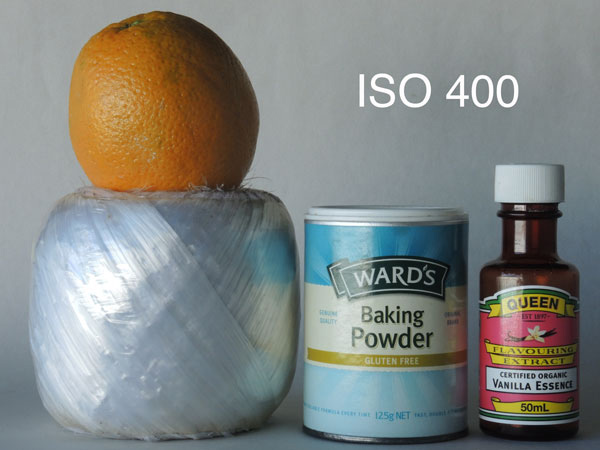
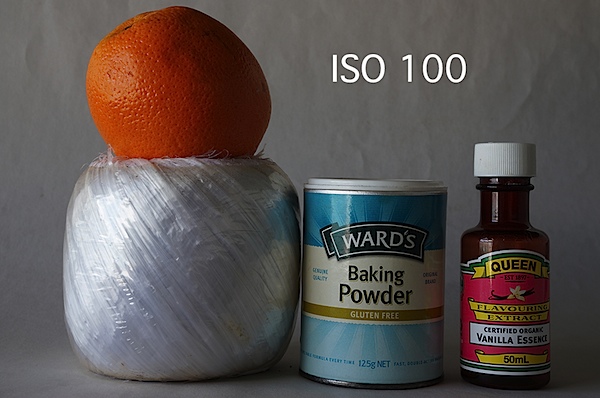
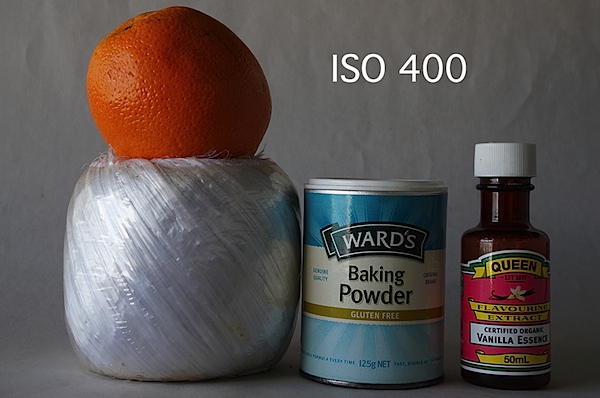
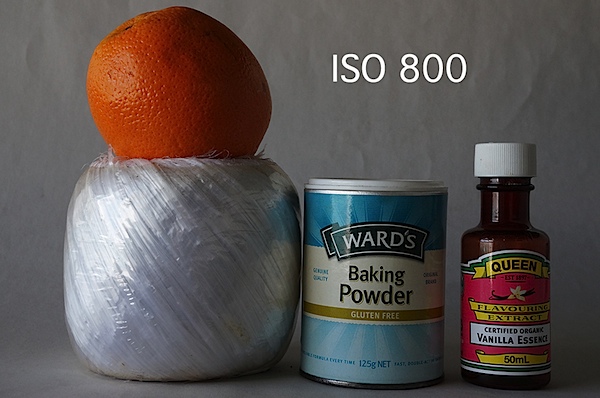
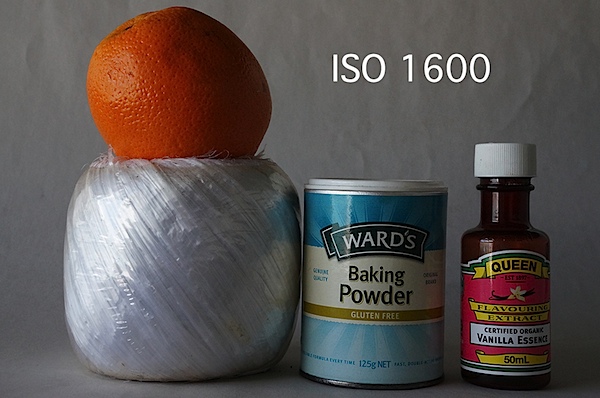
Having spent a little more time with a full production unit, we’ve updated our Nikon Df coverage with images from our studio test scene and some more handling impressions. Nikon’s thoroughly retro full-frame Df uses the same 16MP chip first seen in the D4, and provides an unprecedented level of support for legacy lenses. The new scene shows its performance in both daylight and low light, with downloadable image files. As always, you can compare the Df to the increasing number of cameras in our test scene.

News: Digital Photography Review (dpreview.com)

 
Comments Off on Nikon Df test scene samples added to first impressions review

Posted in Uncategorized


Nikon Coolpix P7800 Review

27 Nov

Nikon Coolpix P7800 digital camera review

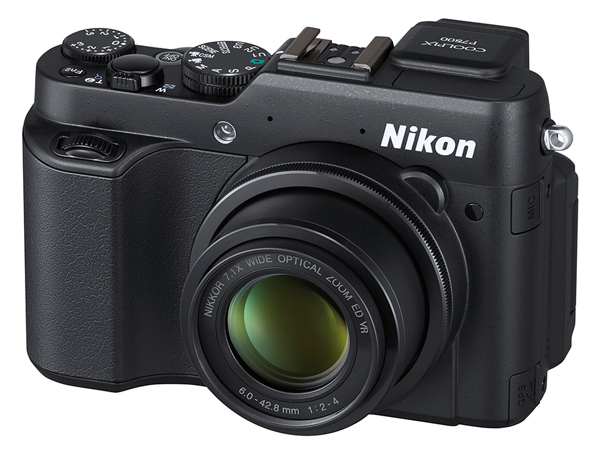
It helps now and then to look around the market and see what’s out there. Occasionally, a downscale camera that has escaped your notice can precisely answer your needs. Successor to the COOLPIX P7700, reviewed only six months ago, the P7800 delivers full-scale manual shooting, with some functions normally available only in DSLRs.

Features of the Nikon Coolpix P7800

Zoom lens

It has a 7.1x optical zoom that runs a 35 SLR equivalent range of 28-100mm. Sure, it’s not in the same territory as Sony’s 30x zoom model, the DSC-HX50V, nor Canon’s SX50 HS with a 50x zoom lens. But, as many have found out, these maxi zoomers need a considerable amount of TLC to bring home the picture bacon: steady hands, a firm support for the camera and a shooting environment that does not cloud distant views with atmospheric haze.

Personally, I’ve found compact digital cameras with zooms up to 10x to be practical picture takers so, with a 7.1x zoom like the P7800, you’re well within handheld territory. Along with this is a pocketable size and manageable weight.

Maximum aperture

Another bonus is the lens’ fast maximum aperture at f/2.0. This drops to f/4 as you head towards maximum telephoto but becomes no smaller.
Nikon Coolpix P7800 digital camera review

Eye level viewfinder

Another plus is an eye level viewfinder, so you can aim at the view in full sunlight and not have to battle with a washed out LCD screen. You may not have noticed it, but there are fewer and fewer digital cameras coming to market with such a viewfinder. This situation, I figure, is one that tips many photographers into the arms of the DSLR type of camera and ensnares people who are bereft of the skills to drive such a complex camera. Sure, the view in daylight is much better but if the technology is above your talent … well!

Image size

The maximum image size is 4000×3000 pixels or 34×25.4cm (13×10″)as a print at roughly 300 dpi.

Video

The Nikon Coolpix P7800 can capture Full HD video at 1902×1080 pixel resolution. Here is a sample video taken with the P7800:

If you’re looking for the red button to record video … stop! There isn’t one. You must engage the video position on the mode dial and press the shutter button. This means you can’t shoot stills mid video recording. This absence of a red button to record, is rare amidst digital cameras.

Burst rate (frames per second)

For what it’s worth, the camera can fire off a burst of six full size images at a maximum rate of 8 fps.

Handling

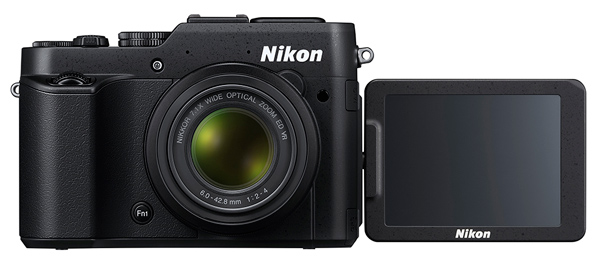
As I said, the P7800 is an agreeable size and weight, made even more comfortable thanks to a prominent speed grip and good balance. The viewfinder is useable, although a little murky and lacking in definition – but it does frame your shot and confirm focus and level, plus such matters as; selected aperture, shutter speed, ISO setting, camera level, white balance etc.

For more precise viewing (in ambient light less challenging than broad sunlight), you must use the rear LCD screen, which is variable in angle vertically and horizontally.

Top deck controls
Nikon Coolpix P7800 digital camera review

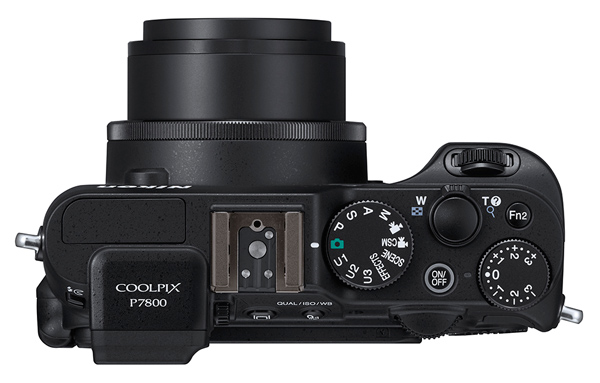
Top deck controls: at extreme left is the pop up flash and across to the right is the mode dial with settings for auto, P,A,S,M, scene mode (portrait, beach, sunset, panorama etc), special effects (mono, painting appearance, cross processing etc), three user settings, movie and movie custom setting modes.

Farther to the right are the power and shutter buttons, zoom lever, exposure compensation and the Function 1 button that switches the screen display options. Oh and I nearly missed this one: the Function 1 button is tucked away on the front panel, next to the lens. A bit puzzling and poorly explained in the manual, but I figured out that it can directly adjust the ISO setting, RAW, AWB amongst other matters.

But there’s a trap with this button: press it with your forefinger and your thumb naturally applies a back pressure that unfortunately may well cause you to accidentally press one of the rear panel buttons.

There are two command dials (one at front and rear) that can spin you through aperture and shutter speed options or roll through menu options.
Nikon Coolpix P7800 digital camera review

Rear controls

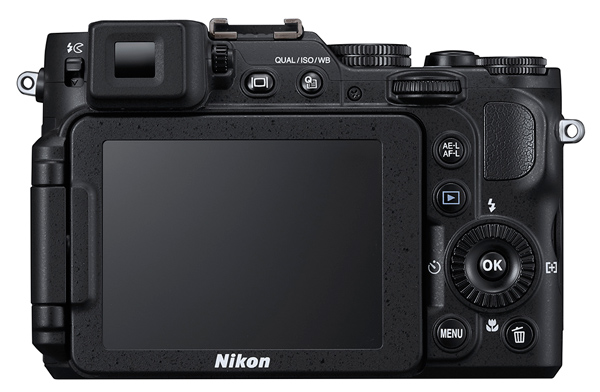
On the top level of the rear are two buttons: one triggers the turret finder or LCD screen; the other takes you into a quick menu situation. Beneath these is the replay button. Lower still is the four position jog wheel that takes you to flash options, macro shooting, self timer and AF area choices. Beneath this are the menu and trash buttons. At the right edge are the access terminals for USB, HDMI mini and AV outputs.

Card slot and battery compartment are in the camera’s base.

By using the WU-1a Wireless Mobile Adapter, you can transmit images from the P7800 to a WiFi equipped device such as a smartphone or tablet. You can also shoot through your mobile device using the Live view function.

ISO tests

Nikon Coolpix P7800 digital camera review ISO test

Nikon Coolpix P7800 digital camera review ISO test

Nikon Coolpix P7800 digital camera review ISO test

Nikon Coolpix P7800 digital camera review ISO test

Nikon Coolpix P7800 digital camera review ISO test

Nikon Coolpix P7800 digital camera review ISO test

Nikon Coolpix P7800 digital camera review ISO test

ISO 6400 cropped to actual pixel size

Noise rose slightly at ISO 1600. By ISO 3200 noise was up further and definition was suffering. Forget ISO 6400 equivalent.

Startup time

About a second after startup I could shoot the first shot, a little over a second per shot subsequently.

Distortion

No problems at either end of the zoom.

Sample images and settings

ISO 800, f/2, 1/50th of a second

ISO 800, f/2, 1/50th of a second

Nikon Coolpix P7800 digital camera review image sample

ISO 800, f/8, 1/4000th of a second, spot metering mode

Nikon Coolpix P7800 digital camera review image sample

ISO 800, f/5, 1/250th of a second, Matrix metering mode

Nikon Coolpix P7800 digital camera review image sample

ISO 800, f/4.5, 1/1250th of a second, Matrix metering mode

Nikon Coolpix P7800 digital camera review image sample

ISO 800, f/5.0, 1/1600th of a second, Matrix metering mode

Comments

Quality: above average, with accurate colour rendering.

Why you would buy it: you want a ‘proper’ viewfinder (like a DSLR); it’s pocketable.

Why you wouldn’t: buy it you want a maxi zoom.

FWIW I had a ball of fun with the P7800 shooting around the city; the zoom range was perfect for this, with the telephoto end of the 200m equivalent ideal for the longer reach. Mind you, it won’t suit sports photographers … not long enough (or fast enough).

Technical specs

  • Image Sensor: 12.2 million effective pixels
  • Metering: Matrix, centre-weighted and spot
  • Sensor: 15mm CMOS
  • Lens: f2-4/6-42.8mm (28-200mm as 35 SLR equivalent)
  • Exposure Modes: Program AE, shutter and aperture priority, manual
  • Shutter Speed: 60 to 1/4000 second
  • Continuous Speed: 8 fps
  • Memory: SD/SDHC/SDXC cards plus 86MB internal memory
  • Image Sizes (pixels): 4000×3000 to 640×480
  • Movies: 1920×1080, 1280×720, 640×480
  • Viewfinder: 0.5cm turret plus 7.5cm LCD (both 921,000 pixels)
  • File Formats: JPEG, NRW (RAW), MPO (3D), WAV, MPEG4
  • ISO Sensitivity: Auto, 80 to 6400
  • Interface: USB 2.0, AV, HDMI mini, mic input, accessory, WiFi, DC input
  • Power: Rechargeable lithium ion battery, AC adaptor
  • Dimensions: 118.5×77.5×50.4 WHDmm
  • Weight: 399g (including battery and SD card (just under 1 pound)

Price: approximately $ 550 US 

Web: Nikon Coolpix P7800

DPS Rating: 4


Post originally from: Digital Photography Tips.

Check out our more Photography Tips at Photography Tips for Beginners, Portrait Photography Tips and Wedding Photography Tips.

Nikon Coolpix P7800 Review

The post Nikon Coolpix P7800 Review by Barrie Smith appeared first on Digital Photography School.


Digital Photography School

 
Comments Off on Nikon Coolpix P7800 Review

Posted in Photography


Trade Secret Cards by Nice Industries – a Review

22 Nov

What’s the Most Important Part of Photography?

The Chase Jarvis Portraits set takes you behind the scenes on the lighting solutions for several national and international campaigns.

Trade Secret flash cards by Nice Industries – lighting tips on the go! 

If you talk to five different photographers, you’ll get five different answers to the question, “What’s the most important part of photography?” One might tell you proper exposure, while another might insist that it’s composition. Numbers three and four might debate the need to connect with the subject, but as the self-appointed fifth photographer in this roundtable, I’ll have to insist on lighting.

Obviously, there is no right answer. The truth is, they all play a vital role in successful photography. We can debate the meaning of “successful” another time, but for me it really does come down to knowing how to see the light and make it work for you.

Lighting is Key

As both photographer and photography teacher, I’ve reviewed a lot of books on lighting over the last several years. Some have been amazing and truly elevated my photography, becoming well-worn friends on the shelf. Others have been epic disappointments. Regardless of success or failure, though, I applaud them all for the effort. They all tried to bring something new to the conversation.

An unfortunate reality that all of these books share, however, is that you really can’t take them with you on a shoot. Think about it. The very last thing you need is to be standing there in front of a client, basically saying, “I’ll be with you in a minute. I just have to look something up.” Secondly, even if you’re experimenting on your own for future client work, dragging a lighting book along with you out on location is just plain cumbersome and inconvenient.

That’s why I love these Trade Secret Cards from Nice Industries.

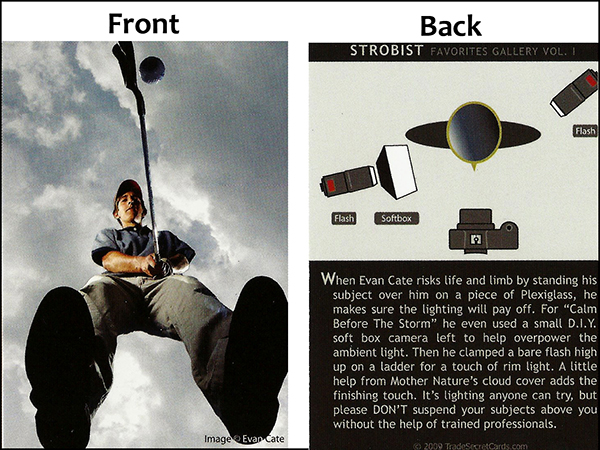
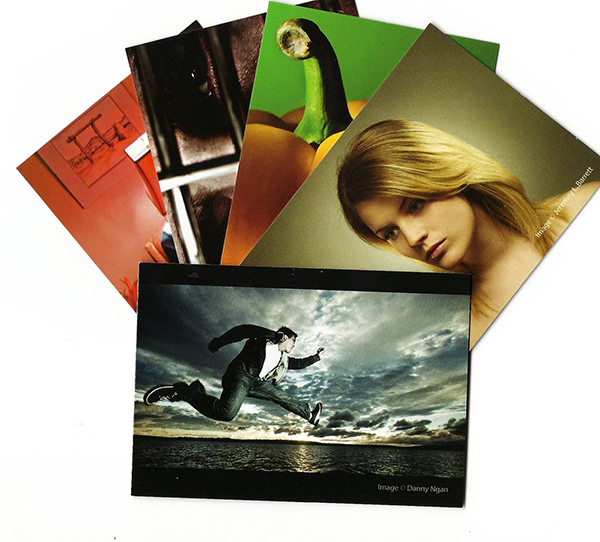
trade-secret-cards-001These books we’ve been talking about are full of helpful lighting diagrams, set side-by-side with anecdotes and instruction from the photographers about how they set up the shots. But what if you could have all that great information in a more convenient, user-friendly package?

Trade Secret Cards provide just such a package and are available in two sets:  Strobist or Chase Jarvis Portrait Sessions. Each contains 24 high-gloss “trading cards” with a photo on one side, along with the lighting diagram and a “How-They-Got-the-Shot” story on the other.

The Strobist set runs the gamut from portraits to products to landscapes to light painting, and lots of cool stuff in between. Each of the 24 photographers’ lighting diagrams and tips were carefully selected to help take your lighting to the next level. The Chase Jarvis set gives you a front-row seat, as he walks you through a collection of portrait sessions he designed and shot for both his personal work, as well as several national ad campaigns, including the Hasselblad Masters Series.

trade-secret-cards-004

Each deck of 2.5″ x 3.5″ wallet-sized cards gives you instant access to quality tips and information aimed at a single goal– making you a better photographer. Printed on thick, semi-durable card stock, each image has been reproduced with a high-quality resolution and UV finish. With the photo on one side and all the info you need on the other, these easy-to-follow cards are also perfectly portable, making it easy to drop a card or two or ten in your bag and head out to tame the lighting beast.

If you’re a photographer who really knows your lighting, these trading card-sized refresher courses are a great way to stay sharp. If you’re still learning, these images will inspire you to experiment and see why lighting really is the most important element of photography.

Post originally from: Digital Photography Tips.

Check out our more Photography Tips at Photography Tips for Beginners, Portrait Photography Tips and Wedding Photography Tips.

Trade Secret Cards by Nice Industries – a Review

The post Trade Secret Cards by Nice Industries – a Review by Jeff Guyer appeared first on Digital Photography School.


Digital Photography School

 
Comments Off on Trade Secret Cards by Nice Industries – a Review

Posted in Photography


Sony Alpha 7 test scene samples added to first impressions review

22 Nov

shared:TestScene2.jpg

We’ve updated our first impressions review of the Sony Alpha 7 with our studio test scene showing image quality for both JPEG and Raw files, making it easier to see the differences between it and its sister model, the Alpha 7R. The new scene also offers downloadable Raw samples of both daylight and low light scenes. As always, you can compare the A7 to the increasing number of cameras in our test scene.

News: Digital Photography Review (dpreview.com)

 
Comments Off on Sony Alpha 7 test scene samples added to first impressions review

Posted in Uncategorized


LG G2 review: First Android with optical image stabilization

15 Nov

lgg2.jpg

The G2 follows the Optimus G/G Pro as LG’s flagship smartphone, with plenty of tech spec to warrant a second look. From its huge 5.2-inch IPS LCD display to its 13MP CMOS sensor with optical image stabilization system, there’s a lot here for mobile photography fanatics. We tested out the smartphone’s camera capabilities as only Dpreview can: check out our in-depth 10-page review on connect.dpreview.com.

News: Digital Photography Review (dpreview.com)

 
Comments Off on LG G2 review: First Android with optical image stabilization

Posted in Uncategorized


Sony Alpha 7R test scene samples added to first impression review

15 Nov

TestScene2.jpg

We’ve updated our first impressions review of the Sony Alpha 7R with our studio test scene showing image quality for both JPEG and Raw files. The new scene also offers downloadable Raw samples of both daylight and low light scenes. As always, you can compare the A7R to the increasing number of cameras in our test scene.

News: Digital Photography Review (dpreview.com)

 
Comments Off on Sony Alpha 7R test scene samples added to first impression review

Posted in Uncategorized


Digital Exposure Handbook: Book Review

11 Nov

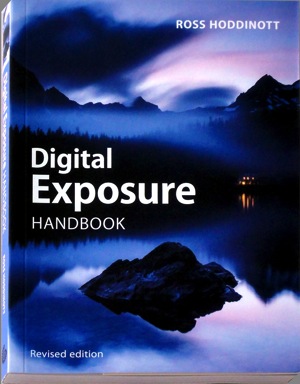
Digital Exposure HandbookThis revised edition of ‘Digital Exposure Handbook’ could well be the only book you’ll ever need in your digital photography adventures.

It begins as a guide to understanding camera settings and the basics of exposure, then moves on to putting this info into practice in a variety of situations. It teaches you how to cope with the quality, quantity and contrast of natural and artificial light, how to effectively use on-camera and external flash illumination, how to apply polarising and ND digital filters and concludes by teaching you how to enhance exposures in the digital darkroom.

Many enthusiasts buy advanced digital cameras, such as DSLRs, with little more knowhow than they had with their earlier cameras, most likely of the compact point-and-shoot variety. And the first thing that brings them unstuck is the matter of how to set the appropriate and/or correct exposure. This book will put you on the straight and narrow.

Author Hoddinott describes exposure as ‘the heartbeat of photography.’ He adds that ‘Understanding and being able to control exposure us critical to successful photography.’

Basically, exposure to a digital camera’s sensor is a combination of the length of time and the level of illumination impinging on the camera’s sensor. This depends on three settings: shutter speed, lens aperture and ISO setting.

While today’s digicams make the task of correctly exposing a shot a simple task, leaving the camera to do all the work removes you as the creator of the final image and result in your image making efforts becoming little more than ‘pleasing snapshots.’

Subjects covered: the book begins by explaining exposure basics; metering reflected and incident light with the camera’s own TTL system or a separate handheld meter and the differences between centre-weighted, spot and partial metering; image sensor types — from CCD to CMOS to Foveon and sensor size; dynamic range and its control; understanding histograms and how to manipulate them. At this point the book offers the little known fact that images saved in RAW format tend to have a greater latitude than the histogram indicates …

There are many tricks of the trade in the book’s pages: one is that by saving in RAW and exposing to the right of the histogram will lead to the image containing the majority of tonal values. The downloaded image will look too bright and washed out but final processing will leave the image looking correct.

High and low key images are discussed and the advice given that these types of images are best served by adjustment of the original exposure and not leaving the final rendering to software tweaking.

Also discussed: ISO sensitivity; understanding f stops; depth of field; hyperfocal distance; the use of shutter speeds when rendering motion; avoiding camera shake, how to blurr and how to freeze action; second guessing metering systems and how to adjust exposure compensation.

Many will get help from advice on understanding exposure mode programs such as auto, shutter and aperture priority as well as manual settings. Hoddinott claims that using manual exposure is the most flexible exposure mode but also ‘the one that relies most heavily on the photographer’s knowledge and input.’

I reached about a third of the book’s length and slowly became aware that it was far more than a basic guide to exposure and more a general primer to the ins and outs of digital photography, with chapters on viewfinders, file formats, composition, dealing with landscapes, architecture, wildlife, people, still life, abstracts and patterns, close ups,.

Then there follows detailed help in shooting subjects in ambient light, silhouettes, white balance, using reflectors, flash, filters, calibrating monitors, printing and the overall role of the digital darkroom.

While it is obvious from the latter two paragraphs that the book wanders off topic, it also results in it becoming more than just a primer on exposure.

As I’ve said, it could also be the only book you’ll ever need for digital photography!

Plenty of useful pictures. Perhaps some may find the 7 point type a little small!

Author: R Hoddinott.
Publisher: Ammonite Press.
Size: 15x21x1cm.
Length: 192 pages.
ISBN 978 1 90770 895 4.
Price: Get a price on the Digital Exposure Handbook at Amazon (currently 29% off).

Post originally from: Digital Photography Tips.

Check out our more Photography Tips at Photography Tips for Beginners, Portrait Photography Tips and Wedding Photography Tips.

Digital Exposure Handbook: Book Review

The post Digital Exposure Handbook: Book Review by Darren Rowse appeared first on Digital Photography School.


Digital Photography School

 
Comments Off on Digital Exposure Handbook: Book Review

Posted in Photography


Sony A3000 Review

09 Nov

Sony A3000 Review.jpg

If you hanker for a DSLR and don’t have the budget for a high end full frame camera nor even enough $ $ $ for an APS-C sized sensor job, look this way… the news suddenly has suddenly got brighter.

Most of the early action in mirrorless interchangeable lens cameras was in the area of models that offered viewing only via a rear screen, sometimes with an add on turret finder.

But they just didn’t look like a DSLR!

ILCE3000_Phantom01.jpg

Now Sony has come up with an appealing answer to a mirrorless interchangeable lens camera that has the appeal of a DSLR … with maybe a few less bells and whistles.

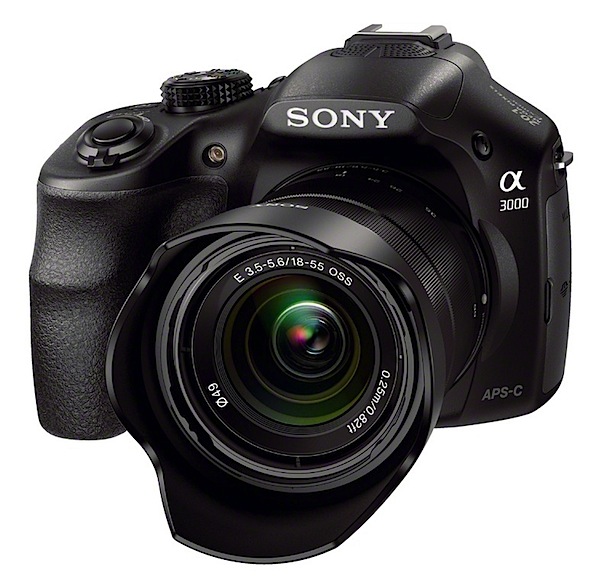
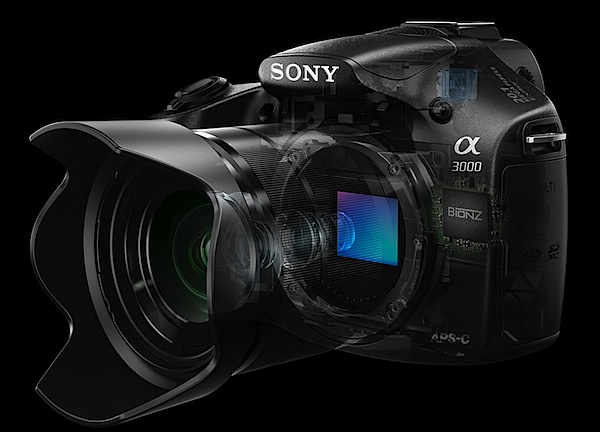
The A3000 indeed has a traditional DSLR look and feel with a simple user interface.

For one thing, you know you’re holding a DSLR with a traditional DSLR body shape and speed grip.

To whet your appetite further, you can choose from 16 interchangeable E-mount lenses from Sony and Zeiss for a range of shooting options.

The camera can shoot a maximum image size of 5456×3632 pixels, sufficient to make a 46x31cm print.

Video can be shot in MPEG4 or AVCHD, with the latter offering Full HD 1920×1080 pixels.

I was unable to shoot stills while recording video.

Handling

The camera is surprisingly small, easy to hold and well-balanced, at least it felt well-balanced with the f3.5-5.6/18-55mm OSS kit lens that was supplied with the review camera. Bear in mind that this is the package that is usually offered: body and 18-55mm lens.

One Sony exec made the statement that ‘newcomers are often daunted by the complex settings found in traditional DSLR products … The 3000 user interface has been inspired by our easy to use NEX range of cameras.’

There are many key DSLR features in the camera, including a hot shoe and an eye level viewfinder. I ventured out in bright sun and at first found the viewfinder to be a dim alternative to the LCD screen, but then managed to successfully lift the brightness of both via a menu helper.

To minimise total size and weight the A3000 accepts existing E-Mount lenses from the NEX family of products.

Cables 2.jpg

Church ext 2.JPG

Church int 2.jpg

Sony A3000 Controls

At this point I have to disagree with the Sony spokesman. Firing up the camera with nary a glance at the instruction manual (thankfully available online) I found my early hours a mess of confusion.

You can find the PDF of the full manual here.

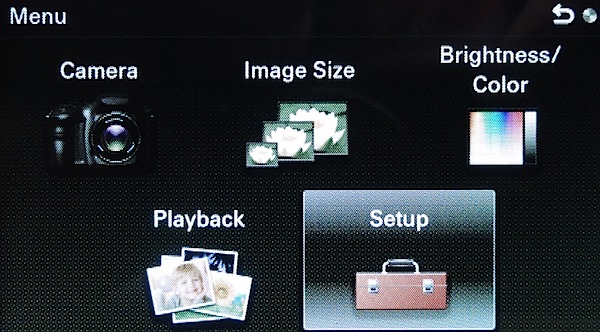
Confusion? For one thing there was no menu button, at least there was no button labelled ‘menu’.

But let’s look it over.

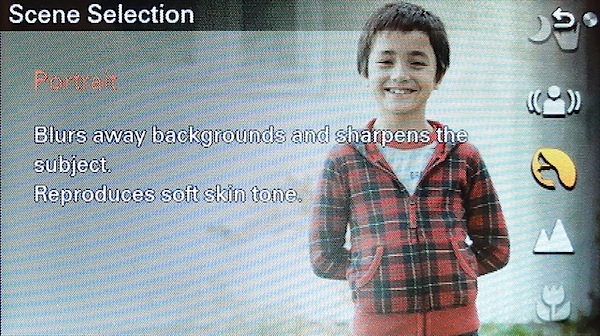
Scene selection.jpg

Top deck: familiar territory, with the mode dial housing positions for intelligent and superior auto exposure, PASM, movie, sweep panorama and scene selection (presets for portrait, sports, macro, fireworks etc).

Forward are the power and shutter buttons. At one corner is the replay button.

Rear: just over the edge is the movie record button, which I feel could have been better placed at the camera’s far right corner.

Then there are three unlabelled ‘soft keys’ — A, B and C — which take care of menu choices. Here’s how Sony describes the functions of these keys:

‘The soft keys have different roles, depending on the context. The assigned role (function) of each soft key is shown on the screen. To use the function shown at the upper right corner of the screen, press soft key A. To use the function shown at the lower right corner of the screen, press soft key B. To use the function shown at the center, press the center of the control wheel (soft key C). You can assign the functions to the soft key B.’

By careful inspection of the manual you can eventually suss out the functions of these three buttons but I found them to be a bit bewildering at first.

Anyway … the control wheel has positions for burst shooting and the self timer, ISO setting, display options plus exposure correction and AF options.

Menu.jpg

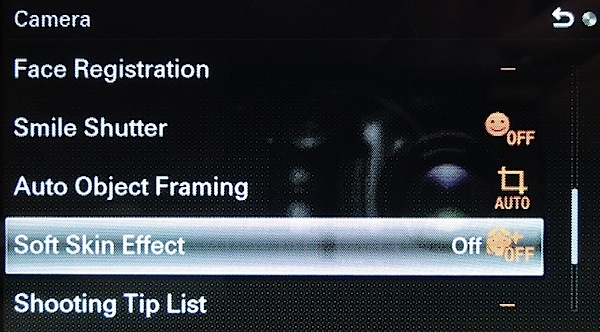
Menu 2.jpg

Fifteen picture effects are accessible from the menu (soft key A). These include ‘artistic treatments’, like retro photo, miniature and partial colour.

Pano 2.JPG

Sony’s sweep panorama feature is included that can shoot panos up to 12,416 x 1856 pixels in size.

One note: unlike most interchangeable lens digicams, you need to manually blow away any dust on the sensor. Like this: ‘After turning off the camera, remove the lens and blow off dust on and around the image sensor surface using a blower.’ Careful!

ISO Tests

Sony Cyber-shot A3000 ISO 100.JPG

Sony Cyber-shot A3000 ISO 400.JPG

Sony Cyber-shot A3000 ISO 800.JPG

Sony Cyber-shot A3000 ISO 1600.JPG

Sony Cyber-shot A3000 ISO 3200.JPG

Sony Cyber-shot A3000 ISO 6400.JPG

Sony Cyber-shot A3000 ISO 12800.JPG

Sony Cyber-shot A3000 ISO 16000.JPG

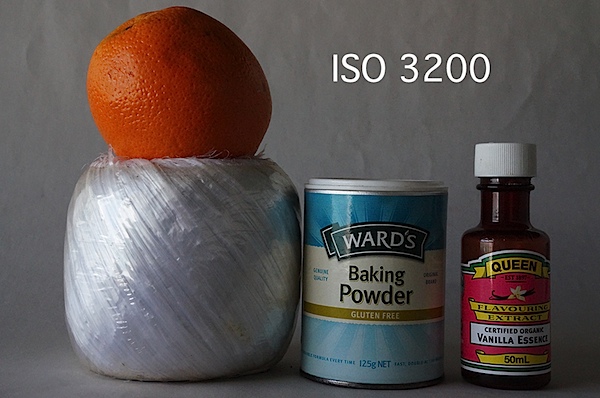
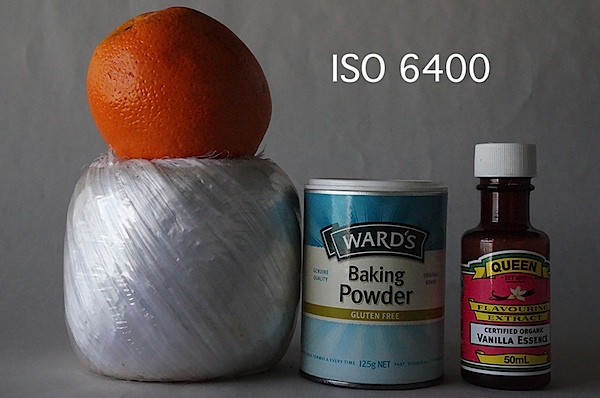
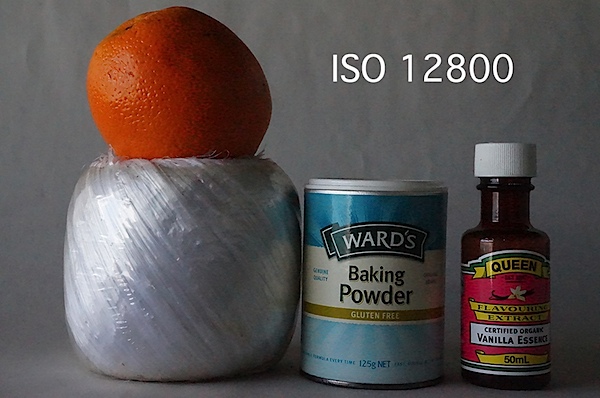
Only at ISO 3200 was noise beginning to rise. At ISO 6400 noise up slightly but sharpness acceptable. At ISO 12800 noise up further, sharpness noticeably down and ugly artefacts evident.

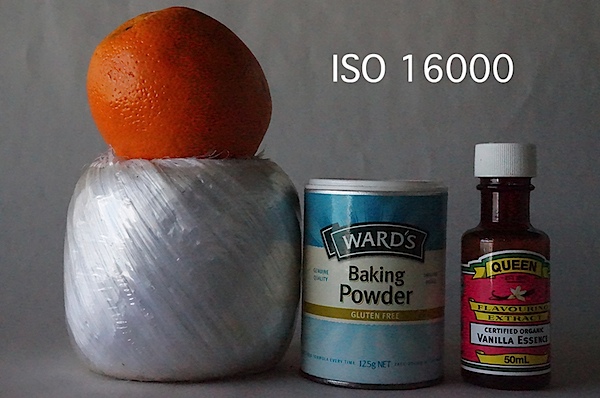
At ISO 16000 the show was over: noise up, sharpness down and ugly artefacts worse.

Sony A3000 Review Verdict

Quality: above average. Accurate colour.

Why you’d buy the Sony A3000: small DSLR-like camera; access to lots of lenses.

Why you wouldn’t buy the Sony A3000: menu access confusing.
An attractive camera for the newcomer. Lots to like. Especially the price.

Sony A3000 Review Rating: 4 stars

Sony A3000 Specifications

Image Sensor: 20 million effective pixels.Metering: Multi segment, centre-weighted, spot.
Lens Mount: Sony E-mount.
Exposure Modes: iAuto, Superior Auto, Program AE, shutter and aperture priority, manual.
Effective Sensor Size: 23.5×15.6mm APS-C CMOS.
35 SLR Lens Factor: 1.5x.
Shutter Speed (stills): 30 to 1/84000 second and Bulb.
Continuous Shooting: 3.5 fps.
Memory: SD/SDHC/SDXC, Memory Stick Pro Duo/Pro-HG Duo cards.
Image Sizes (pixels): Stills: 5456×3632 to 2736×1824.
Movies: 1920×1080, 1440×1080, 640×480.
Viewfinder: Turret electronic plus 7.5cm LCD screen (230,400 pixels).
File Formats: JPEG, RAW (Sony ARW), JPEG+RAW, MPEG4, AVCHD.
Colour Space: sRGB, Adobe RGB.
ISO Sensitivity: Auto, 100 to 16,000.
Interface: USB 2.0, HDMI mini, remote.
Power: Rechargeable lithium ion battery, DC input.
Dimensions: 128x91x85 WHDmm.
Weight: 411 g (inc battery).
Price: Get a price on the Sony A3000 with 18-55mm Lens or the Sony Alpha A3000 with 18-55mm Lens and 55-210mm Lens + 32GB Card + Battery + Case + Flash + 3 Filters + Tripod + Tele/Wide Lenses Kit.

Post originally from: Digital Photography Tips.

Check out our more Photography Tips at Photography Tips for Beginners, Portrait Photography Tips and Wedding Photography Tips.

Sony A3000 Review

The post Sony A3000 Review by Barrie Smith appeared first on Digital Photography School.


Digital Photography School

 
Comments Off on Sony A3000 Review

Posted in Photography


A different point of view: Our Panasonic Lumix DMC-GX7 Review

07 Nov

gx7.jpg

We’ve just posted our full review of the Panasonic Lumix DMC-GX7. With a 16 megapixel Four Thirds sensor, in-body image stabilization, and built-in articulated EVF, the GX7 boasts a lot of refinements to tempt enthusiasts away from similar Olympus and Sony offerings. Panasonic engineers have thrown just about everything they’ve got into this mid-range mirrorless camera, will it find a loyal audience the way its GF1 predecessor did? Click through and read our review.

News: Digital Photography Review (dpreview.com)

 
Comments Off on A different point of view: Our Panasonic Lumix DMC-GX7 Review

Posted in Uncategorized


Fujilfilm XM1 Review [and XA1/XE2 Thoughts]

06 Nov

A review of the Fujifilm XM1 by Ben Evans from www.EnglishPhotographer.com.

I knew mirrorless cameras were the future when Fujifilm launched their X-Pro1. Small and light like a Leica but with the practicality of autofocus, it had the image quality to live up to its name. When Fujifilm put the same innovative X-trans sensor in the X-E1 I recommended it over its bigger brother.

Fujilfilm XM1 Review 1

Well, they’ve just done it again; the new X-M1 has the same amazing sensor in a smaller, lighter, cheaper camera body. Don’t confuse it with the X-A1, which doesn’t have the X-trans sensor. Or with the X100s, which can’t change lenses. Or with the XE-2, which is better but more expensive. We’re paying less, so we get less. What’s missing; and what do we miss?

The X-Pro1 had a hybrid optical and electronic viewfinder and the screen. The X-E1 lost the optical viewfinder so action and low-light photography was trickier, but gave us an upgraded electronic viewfinder (apparently from Sony’s top-end RX1). The X-M1 has no viewfinder so you have to compose with the screen. In practice this means less battery life, shakier pictures and poor visibility in bright light. But now the screen tilts, which I like.

Fujilfilm XM1 Review 2

Gone also is the svelte metal toughness of the X-Pro1, replaced with pretty plastic. But gone too what little weight was there before. I carry too much, so lighter wins every time. If I wanted tough I’d get a Pentax.

The kit lens is back to being a kit lens; cheap and slow with a maximum aperture from f3.5 to f5.6. This also means slower focussing in low light. There’s no aperture control on the lens nor switches for manual focus or stabilization. It’s pretty small and image quality is okay. But better to buy a proper X mount lens; the 35mm f1.4 beats all of Leica’s (it has autofocus!) and Zeiss now supports the system too. Fuji have a sensible roadmap for new lenses, which makes building a kit viable.

With the same lens, the image quality of the X-M1 should match its pricier siblings. Reading around, it seems the different chip may diminish quality slightly, but this could be that the jpegs are tuned to the consumer’s taste for stronger noise reduction and more sharpening.

Fujilfilm XM1 Review 3

You also lose out with the controls. The X-M1 is a machined metal dial short of a immersive user experience. You’ll get used to it but its no X-Pro1. But for people who’ll just be using auto or program it’s really excellent and the quick menu is very helpful.

Technology gets faster, and technology gets smaller. The X-M1 is as small as we’d want to go. Some manufacturers have made the mistake mobile phone makers made a few years ago; sacrificing usability for diminutive size.

Fujilfilm XM1 Review 4

This points to a characteristic of Fujifilm; they seem to understand what photographers want. Why? They listen. The XE1 had slow autofocus; the XE2 addresses this. The X Series cameras were a bit pricey for many people; the XM1 and XA1 were launched. It’s a pleasure to see a tiltable LCD screen on both.

But there’s a flaw in that clichéd Capitalist aphorism, ‘give the people what they want’ – as Steve Jobs made a billion proving, often they don’t know until you show them. And so it is; the rush to flesh out the X system has led Fujifilm to launch too many cameras, too quickly.

Fujilfilm XM1 Review 5

Looking at the images, for the bodies are almost identical, the XM1 has only a small advantage over the XA1. So why pay more? Looking at the XM1, it’s difficult to ignore the similarly priced XE1s rendered obsolete by the XE2. They’re all great cameras, but what’s to choose between them?

It comes down to how you’ll use it. Photographing an international event for charity that required social media engagement, the XM1 with its built-in wifi was the right choice; it’s simple enough to edit the images on a phone using Snapseed them upload them. The wifi is useful then; but surely it would be worth hiring an app developer to enable proper remote control of the camera too.

Fujilfilm XM1 Review 6

If you’re able, spend a bit more on the XE2 or the X-Pro2 if/when it’s announced. The quality will be a bit better, and you’ll benefit from faster focussing. Otherwise, compare the used/ end-of-line price of an XE1 against the XM1 and XA1, weighing up wifi and a tiltable LCD on the XM1/XA1 against slightly better quality and a viewfinder (XE1). Ultimately, it’s the quality problem of too much choice; pick one and just photograph with it!

Fujilfilm XM1 Review 7

Check out the new Fujifilm X-Series Video

Ben Evans is the author of Photography: The Few Things You Need To Know, available at www.GreatBigBear.com. He is an English-speaking Barcelona photographer – www.EnglishPhotographer.com teaching photography with www.BarcelonaPhotographyCourses.com.

Post originally from: Digital Photography Tips.

Check out our more Photography Tips at Photography Tips for Beginners, Portrait Photography Tips and Wedding Photography Tips.

Fujilfilm XM1 Review [and XA1/XE2 Thoughts]

The post Fujilfilm XM1 Review [and XA1/XE2 Thoughts] by Guest Contributor appeared first on Digital Photography School.


Digital Photography School
 
Comments Off on Fujilfilm XM1 Review [and XA1/XE2 Thoughts]

Posted in Photography