RSS
 

Posts Tagged ‘REVIEW’

Samsung Galaxy S6 / S6 Edge camera review

16 Jun

With a 16MP BSI CMOS sensor, faster F1.9 lens and the addition of an optical image stabilization system the Samsung Galaxy S6 Edge camera is, at least on paper, a clear improvement on the already very well performing module in the Galaxy S5. Our full review takes a look at the device from a photographer’s perspective. Read review

Articles: Digital Photography Review (dpreview.com)

 
Comments Off on Samsung Galaxy S6 / S6 Edge camera review

Posted in Uncategorized


Return of the Super Rebel: Canon EOS Rebel T6s (760D) in-depth review

15 Jun

Canon’s EOS Rebel T6s (760D) is easily the most advanced model yet to enter the company’s beginner-friendly DSLR lineup. It offers a new 24.2MP sensor and improved AF and metering systems compared to its predecessor. Its top plate LCD display, quick control dial and continuous AF in live view elevate it above its near-twin, the T6i, while Wi-Fi/NFC round out a solid set of features. We put its improvements to the test in our lab and in the real world. Read review

Articles: Digital Photography Review (dpreview.com)

 
Comments Off on Return of the Super Rebel: Canon EOS Rebel T6s (760D) in-depth review

Posted in Uncategorized


Review: Voeloon V58 Speedlight for Canon

13 Jun

I’m going to start with a small admission… I’ve always been about brand-name stuff. There, I said it…

I have had Canon cameras since the a5 (it was the small, boxy predecessor of the Ixus range) and before that, Nikon film cameras (and during, come to think of it) and have always had the mindset that I should purchase Canon lenses for my Canon cameras, always thought that I should buy well known lights and tripods and… (the list, it goes on and on)

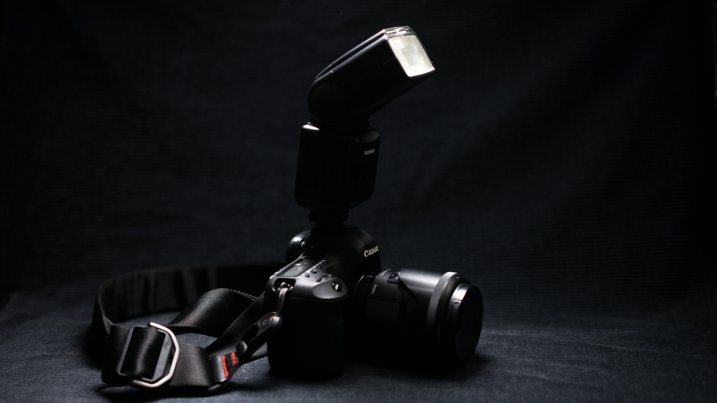
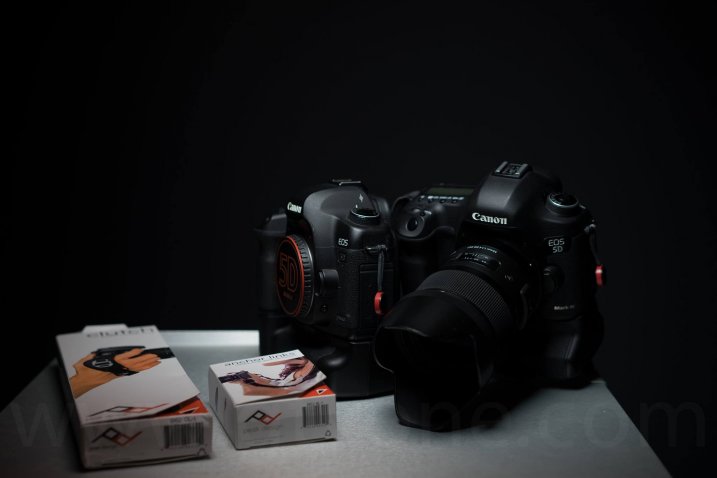
Simon_Pollock_Canon_Cameras_Sony_PeakDesign
More recently though, I’ve had less disposable cash (kids! yay) and when you add that to getting increasingly more creative through experience and needing different gear to try the ideas in your head, well, you hit walls. One of those walls I’ve found a way to work with – that’s the “but it costs so much” wall, there are a couple of non-big-brand products that do what you need and, in this case, do it quite well.

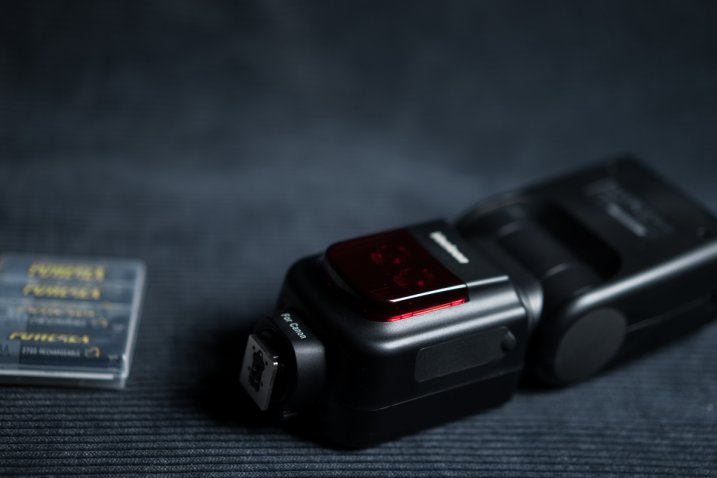
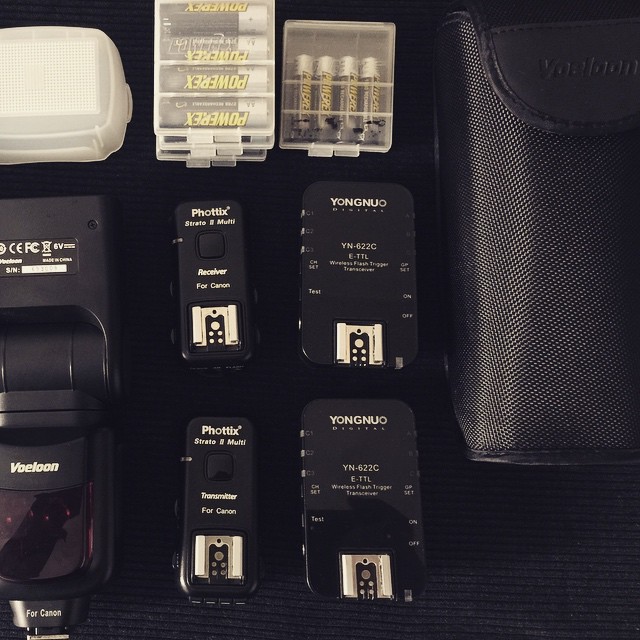
camera_flash_review_gtvone

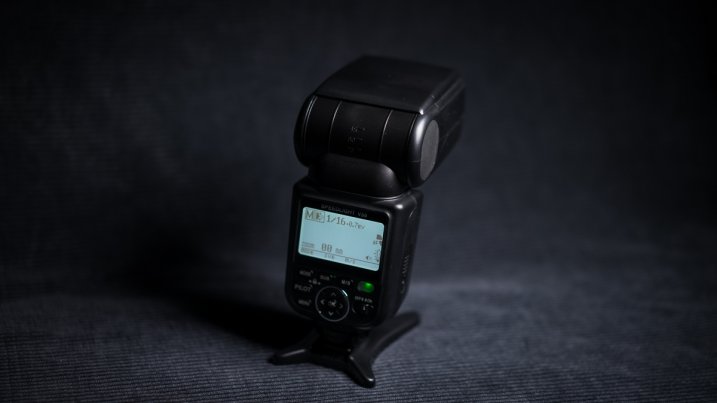
Below is the Voeloon V58 camera flash, it’s a flash unit with a guide number of 58, it can high-speed sync up to 1/8000th of a second, and it comes in at just under half the price of a name brand unit. Should you buy one?

Simon_Pollock_Voeloon_V56_Flash_Review

Looking for alternatives to big brands, ones with more affordable price tags, the question that was frequently popping up in my mind was “but if I only spend $ 200 on a flash rather than $ 499, will it simply fail and be thrown away?”  Or there was the “but, the more expensive flash does more things, will I regret my choice?” and, honestly, for some people the answer will be yes, you will regret your choice – but that’s life I suppose.

The answer to my first question “will it simply fail and be thrown away” well, I’ve only had the flash unit for a bit over a month and I’ve had my Canon 580EX for almost 10 years – so I guess the answer to that is “ask me in 10 years”. To be fair, the Voeloon unit has an almost identical build to the 580EX, with a few differences in the battery door and a couple of other small bits and pieces, but it feels sturdy and each button feels good under thumb, all of the features work exactly as described, etc.

Simon_Pollock_Gtvone_Flash_Review_Voeloon

The V58 is HSS capable (High-Speed Sync – that basically means that you can use the flash over 1/200th of a second, and not get half of your frame all black – more on HSS here). The Voeloon V58 that I have is a Canon version, I have also used it on my Sony a7 in manual mode (clunky, but it worked). It’s a 24mm to 200mm zoomable hotshoe mounted flash that does everything my Canon flash does, and hasn’t limited me in anything I wanted to do. The guide number is similar to the 580EXII.

Manufacturer’s Specs

  • Guide number of 58 at ISO 100 at 200mm
  • Built-in wide angle diffuser and reflector card
  • Supports eTTL II and manual settings
  • Repeating (RPT) flash / Stroboscopic for capturing movement
  • Advanced Wireless Lighting
  • Audible and LCD display with backlight
  • Auxiliary Light for autofocus
  • Good protection against overheating
  • Solid metal hotshoe connector

What’s in the box

  • The flash unit
  • Soft case
  • Instructions
  • The plastic shoe foot thing
  • Warranty card (1 Year)
  • Flash diffuser (not sure if was in the box, or is always included, but I got one in the box)

I did something very unlike me and wandered through the instructions manual! There are a couple of sensible warnings in there, like don’t use stroboscopic more than 10 times in a row without letting your flash have a little rest. There are also helpful tips right throughout the manual, which I found quite sweet – basic stuff, but helpful.

Anyways, stats and rhetoric aside – the bottom line for me when I decided to have a go at reviewing this Voeloon V58 was “Will it perform like a brand-name unit” and “will it allow me to do what I need to do for my clients, if I have a gig where I use a flash”

Voeloon_Simon_Pollock_Gtvone_Flash_Review_dPS

Yes, it does perform just like my Canon 580EXII, though I prefer the menu on the Canon, but as I mentioned, I’ve used that for 10 years, so that’s really just personal preference. It has enough power, recycles quickly and hasn’t broken – we’re certainly off to a good start.

I’ve not had a shoot where I’ve needed a flash unit in the last month and a bit, so I’ve recreated a few scenarios myself (mostly tested running around the house after my kids, isn’t that punishment enough!) with the Voeloon performing as it should each time with no obvious downsides to my Canon flash.

The bottom line is “would I recommend this flash to people looking for a cost effective way to get into flash photography?” – Yes, I absolutely would…  I see this as a good sturdy unit with all the features a photographer would need from a single, portable flash unit.

Budget Tip: If you can’t afford a flash ($ 200 is still a wad of cash, I get it!) there’s a great array of desk lamps on eBay that you can buy for under $ 30, and sure – some of them might be a weird color temp, they might be flimsy and annoying, but they’re going to help you understand direction of light and help you learn how to control light – start making light modifiers from things you find around the house! 

I award the Voeloon V58 five stars – Cost and functionality deserve these stars.

googletag.cmd.push(function() {
tablet_slots.push( googletag.defineSlot( “/1005424/_dPSv4_tab-all-article-bottom_(300×250)”, [300, 250], “pb-ad-78623” ).addService( googletag.pubads() ) ); } );

googletag.cmd.push(function() {
mobile_slots.push( googletag.defineSlot( “/1005424/_dPSv4_mob-all-article-bottom_(300×250)”, [300, 250], “pb-ad-78158” ).addService( googletag.pubads() ) ); } );

The post Review: Voeloon V58 Speedlight for Canon by Sime appeared first on Digital Photography School.


Digital Photography School

 
Comments Off on Review: Voeloon V58 Speedlight for Canon

Posted in Photography


Week in Review: Sony FTW

13 Jun

What kind of week was it? Oh, just the kind when Leica announces a full-frame compact and that’s not even the most exciting news of the week. Sony went public with three major product announcements Wednesday, refreshing its RX- product lines and blowing our tiny minds with a 42MP full-frame BSI sensor-toting a7R II. Relive the highlights of an extremely busy week with us. Read more

Articles: Digital Photography Review (dpreview.com)

 
Comments Off on Week in Review: Sony FTW

Posted in Uncategorized


Wait for the Q: Leica Q First Impressions Review

10 Jun

Despite the naming similarity with Pentax’s tiny mirrorless cameras, the Leica Q, with a 24MP full-frame sensor and fixed 28mm F1.7 stabilized lens it’s not quite like anything we’ve seen before. It has all the good looks of an M-series rangefinder, adding modern features like a 3″ 1.04M dot touchscreen and built-in Wi-Fi. Our first impressions review takes an in-depth look Leica’s new enthusiast compact. Read more

Articles: Digital Photography Review (dpreview.com)

 
Comments Off on Wait for the Q: Leica Q First Impressions Review

Posted in Uncategorized


Enthusiast stalwart: Nikon D7200 in-depth review

04 Jun

Following up the success of Nikon’s D7100 is no easy task, but the D7200 promises some notable feature upgrades. Its 24.2MP APS-C sensor is complemented by an updated 51-point AF system that claims sensitivity down to -3EV. Other enhancements include an increased buffer depth, 1080/60p video, built-in Wi-Fi with NFC and improved battery life. We’ve put Nikon’s claims to the test in our in-depth review. Read more

Articles: Digital Photography Review (dpreview.com)

 
Comments Off on Enthusiast stalwart: Nikon D7200 in-depth review

Posted in Uncategorized


Seeing is believing: Panasonic Lumix DMC-CM1 camera review

27 May

Panasonic’s Lumix DMC-CM1 smartphone goes above and beyond the typical mobile device camera specs with a 20MP 1″-type sensor, F2.8 lens and 4K video capture. With its impressive camera specification and unusual design it’s the closest thing to a true hybrid device we’ve seen yet in the current marketplace. Read on to find out how it performs in our full review. Read more

Articles: Digital Photography Review (dpreview.com)

 
Comments Off on Seeing is believing: Panasonic Lumix DMC-CM1 camera review

Posted in Uncategorized


Macphun Noiseless Pro Software Review

25 May

I hate digital noise. I’ve been a stickler about keeping it out of my images for years and have tried just about everything under the sun to aid in that process. So when Macphun offered to send over their new Noiseless Pro app I jumped at the opportunity (especially after seeing the promo video for it).

Before we get started, let’s go over the basics of noise for those who are just dipping their toes in this area of post-processing. Noise is basically an unwanted side effect of shooting at high ISO levels or super long shutter speeds (long exposures). Without getting into photodiode leakage currents and other super-techy jargon, just know that noise is the little salt and pepper type specs that show up in your low light images.

Noise reduction is a give-and-take process, just like anything else in photography. It comes at a cost most of the time, and the cost is some amount of detail. Because of the way the noise reduction algorithms work, and because of the nature of high noise images, you just can’t remove noise without losing some of the sharpness in your photo. So the task at hand for software companies who want to tackle noise is to eliminate as much as possible, without screwing up the image and making it unusable.

Enter Macphun

Screen Shot 2015-05-11 at 9.32.00 PMMacphun came onto the photography scene fairly recently; although only for the Macintosh users as evidenced by the first three letters of their name. Each app they have created comes in two versions: A simple, easy to use version that usually goes for around $ 20, and a pro version with more features that goes for around $ 60. With any software that has the word “pro” in it, I am going to expect it to perform at a pro level. So with that said, let’s go over some of the key features that I personally expect to see in a brand new noise reduction program, as well as how Noiseless Pro measured up.

Video Review

For those who prefer video content over reading, here’s a walkthrough of Noiseless Pro and how it stacked up to DeNoise from Topaz Labs with a couple different images. For those who prefer reading, or can’t watch the video at the moment, read on below!

Differences Between Noiseless and Noiseless Pro

Each product that Macphun offers comes in a basic version as well as a pro version. The base version of Noiseless is $ 17.99 and the pro version is $ 49.99. So what does the extra $ 32 get you?

Each version comes with all the algorithms that were created to reduce noise in your images, as well as advanced algorithms for smart phones and GoPro cameras. The pro version comes with a few extra noise reduction presets, Adobe RGB/ProPhoto color space support, a navigator view to easily peruse the image when zoomed in, more advanced controls in the Adjust panel, as well as the ability to use the app as a plugin with programs like Adobe Lightroom and Photoshop (this is how I use it).

So, in my opinion, it’s well worth the extra bit of cash to go with the pro version. Photo editing software has come down in price by leaps and bounds over the past several years, so $ 49.99 seems like a great deal to me.

Ease of Use/User Interface

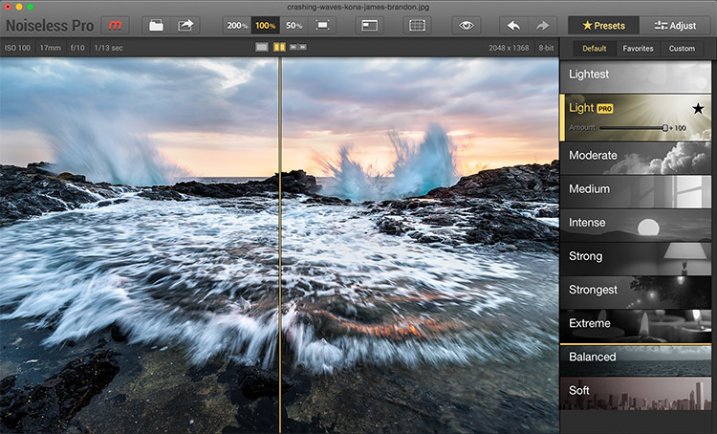
This is where all of Macphun’s programs shine. By targeting a Mac-specific audience, they had to kill it in the UI department, and they have with each product I’ve seen. The program is both incredibly fast and incredibly clean in its layout.
Screen-Shot-2015-04-18-at-12.38.53-PM

You can either drag an image right into Noiseless Pro, or you can use the program as a plug-in with Photoshop or Lightroom. The program opens immediately, and by default, opens up with the image zoomed in to 200%. This works well because it really lets you see what the noise looks like in the image, so you can see what needs to be done to combat it. It does throw you off a bit at first, but I think I like it.

From there, all you have to do is choose a preset on the right hand side (which couldn’t be easier). Just select the strength level that your image needs and make fine adjustments if needed. Each preset you select will have an “amount” slider appear once it’s been selected. Just use that to dial back the noise reduction strength if needed.

If you need to make even finer adjustments, just click the “Adjust” button up in the top right corner. Here you can adjust color noise, luminance noise, structure, details, etc.

Clouds and Skies

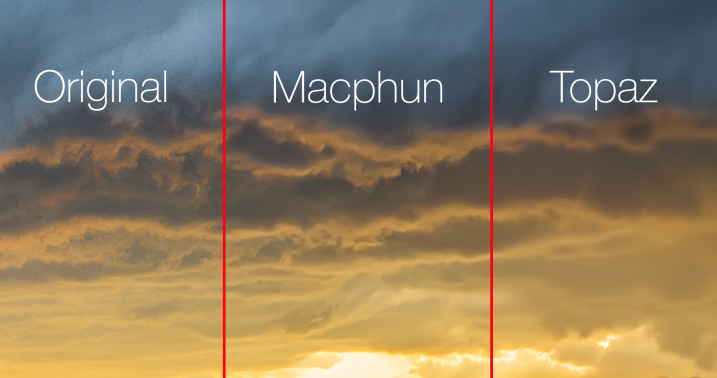
This is where Noiseless Pro exceeded my expectations. It really does a great job at reducing noise while still managing to maintain some detail in your clouds. Skies are the main thing I use noise reduction on and this is an important tip to those who are new to the idea of reducing noise in your images: Never do it globally! This is the problem with noise reduction in programs like Lightroom. They apply the reduction to the entire image, sacrificing detail in every single pixel of your image. Sure, they have some sort of intelligence built-in to preserve some details, but you’re still make a global change to the image.

Monstrosity | Somewhere Near Ardmore, OK

Using Noiseless Pro side by side against Topaz Labs DeNoise was pretty impressive. I’ve been using DeNoise exclusively for years now really wasn’t expecting Noiseless Pro to outperform it, or even come close. After all, Topaz has been in this game for years. However, after running the minimal amount of noise reduction necessary to get rid of the noise with both programs, I was stunned to see how much more detail Macphun retained in the clouds beneath the storm.
Screen Shot 2015-04-29 at 1.11.16 PM

Landscapes

This is one of the less common areas where I apply noise reduction. It really just depends on the image, but if I’m going to reduce noise in a foreground area, it’s usually going to be a body of water, windows on a building, the finish on a car or some other kind of flat surface that should be smooth.

Noiseless did a great job in this area, and again, it’s so fast and easy to use. It literally just works like a breeze right out of the box.

Mobile Photography

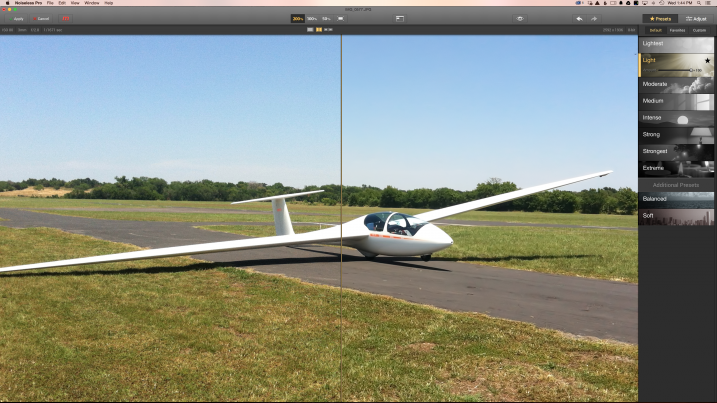
One of the pro features mentioned in the marketing materials for Noiseless is “advanced algorithms for mobile photography.” I ran a few of my random mobile images through the program and it did seem to do pretty well. I think the biggest question here is, “Why?” I mean, it’s a nice feature and all but I doubt that personally will ever care enough about a mobile photo to reduce noise in it. That could of course change in the future, as our phones will likely continue to get closer to being capable of what our SLR’s do, but that’s not going to truly be the case any time soon (no, not even with the new LG phone that shoots RAW and offers manual controls). Of course, this is just my opinion.
Screen Shot 2015-04-29 at 1.44.30 PM

Astro Images

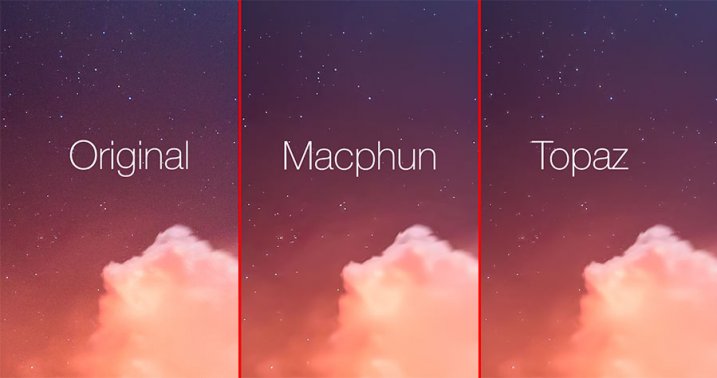
Well, every fairy tale has its villain and astro photography, unfortunately, seems to be the enemy of Noiseless at this point in the game. I was really bummed to see this, but it’s true. Here’s one of the high ISO images containing stars that I used.

Kilauea's Glow | Volcanos National Park

Using Noiseless side by side with Topaz Labs DeNoise was pretty telling to say the least. But then again, Noiseless also did surprisingly better with clouds and skies. DeNoise seems to have something built into their software that detects the stars in an astro/night sky image and masks around them. Noiseless, on the other hand, just completely degraded the stars in every night sky image I threw at it. The good news is this is a known issue and one that has already been brought up to the team at Macphun by several other photographers/beta testers. Macphun seems to be a solid company with solid people running it, so I am pretty confident they will address this and create something for the astro photography community in a future iteration. Fingers crossed.
Screen-Shot-2015-04-29-at-2.02.08-PM

Conclusion

While Noiseless may not perform as well as I’d like with astro/night sky images, it has still found a home in my post-processing workflow, especially for images containing clouds (which tends to happen quite often with landscapes). I’m certainly looking forward to where this program goes in the future, and really hope they will incorporate some better algorithms to handle stars.

googletag.cmd.push(function() {
tablet_slots.push( googletag.defineSlot( “/1005424/_dPSv4_tab-all-article-bottom_(300×250)”, [300, 250], “pb-ad-78623” ).addService( googletag.pubads() ) ); } );

googletag.cmd.push(function() {
mobile_slots.push( googletag.defineSlot( “/1005424/_dPSv4_mob-all-article-bottom_(300×250)”, [300, 250], “pb-ad-78158” ).addService( googletag.pubads() ) ); } );

The post Macphun Noiseless Pro Software Review by James Brandon appeared first on Digital Photography School.


Digital Photography School
 
Comments Off on Macphun Noiseless Pro Software Review

Posted in Photography


Tamron SP 15-30mm f/2.8 Di VC USD Lens Review

19 May

Tamron SP 15-30mm F/2.8

digitalphotographyschool-1-42

Background

While I was at WPPI this past year I got to meet our illustrious managing editor Darlene Hildebrandt. We walked the expo floor for a bit and I was introduced to a number of people by Darlene. We talked with some of the people over at Tamron and had some of their snacks and coffee that they offered at their booth. One of the perks of writing for Digital Photography School is gaining access to new equipment and software for review. It was there at WPPI that I got to see the Tamron SP 15-30mm F/2.8 for the first time (to be perfectly honest, I didn’t even know it existed!). A few weeks later, a loaner lens arrived at my apartment in Brooklyn, and I spent the next week taking it to a wedding, a travel trip to Seattle, a portrait session with a ballerina, a shoot with a fashion blogger, a corset ball, and a yoga party. Here are some my thoughts in this mini lens review:

digitalphotographyschool-1-43

Tiffany the ballerina (@glitteringpointe) looking lovely on the other side of the Tamron SP 15-30mm f/2.8. Taken at 1/1000 of a second at f/2.8, ISO 250

What do all the letters and numbers mean?

This is a Tamron SP 15-30mm f/2.8 Di VC USD. Let’s define some of the named elements of this lens so we know what we are dealing with:

  • Tamron: A Japanese company manufacturing photographic lenses.
  • SP: Superior Performance. This is Tamron’s version of an L Series lens for Canon. These lenses have superior sharpness compared to their other lenses, as well as a larger maximum aperture and other elements that make it a cut above.
  • 15-30mm: This is sometimes referred to as an “ultra-wide” lens. These types of lenses can give you a very wide angle of view, and often have some distortion when at its most extreme focal length (15mm). These lenses are typically used for landscape photography, some event photography, and interior shots.
  • f/2.8: The lens has a maximum aperture of f/2.8, at whatever focal length you use within its range.
  • Di: Digitally Integrated. This lens is made for full frame cameras (but can also work on cropped sensor cameras as well).
  • VC: Vibration Compensation. This is Tamron’s version of IS (Image Stabilization) on a Canon lens and VR (Vibration Reduction) on a Nikon lens. There are motors inside the lens that will auto-steady the lens as you shoot at slower shutter speeds, allowing for you to get sharper images.
  • USD: Ultrasonic Silent Drive. A USD designation means the lens has faster, and noiseless focusing.

Basically this lens is a beast. It’s at the top of the food chain in terms of quality, build, and performance.

digitalphotographyschool-1-44

Tarisa the bride descending the spiral staircase at the Santa Barbara Courthouse. Taken at 1/640th at f/2.8, ISO 1000.

How it feels and performs

This lens feels like a tank. It is super solid, heavy, and durable. I had no worries about bringing it out in some weather in NYC (and Seattle) since it has lens coating and moisture resistant construction to keep water away (still – don’t drop it into a pool). The front end has an enormous bulbous lens element that looks impressive when on the camera.

As I used the lens throughout my various shoots there was one funny thing that I had to get used to, and that was that the direction that I twisted the lens to zoom in or out was opposite that of my Canon lenses. There was some “learnability” involved when using the lens.

One thing I like about wide angle lenses, and shooting with a wide open aperture at f/2.8, is the natural vignetting that occurs. I think it is moody, cool looking, and natural.

1/4000 of a sec at f/2.8, ISO 100, at 15mm. Notice the natural vignetting around the edges of this unedited photo.

1/4000th at f/2.8, ISO 100, at 15mm. Notice the natural vignetting around the edges of this unedited photo.

One area that I think the lens performed spectacularly was shooting in low-light environments, when I had to focus in the dark. I really noticed this because every other lens I use always ends up “searching” a bit in the dark before focusing, or it just doesn’t focus at all. So it was extremely satisfying pressing my focus button and having the lens lock in right away. There is nothing more embarrassing than telling people to wait a moment while you try to focus in the dark, then ending up with a blurry picture anyway.

digitalphotographyschool-1-48

Focusing in the dark was a breeze at this corset and gown ball.

My last observation was that this is a big, heavy lens. This is not a lens I would take traveling around the world. For this New Yorker, who doesn’t have a car and travels with everything on his back, I could definitely feel the weight of this lens throughout the day as I went up and down the stairs into subways, airports and gigs. For the rest of you non-urban travellers, throw this in your bag, put it in your car and you’ll be fine.

Sharpness

Although this is not something I normally notice on a lens, the Tamron SP 15-30mm is consistently sharp from edge to edge. Lack of sharpenss around the edges is a complaint heard often with regards to ultra wide lens. They perform fairly well in the center of the image, but tend to get a bit fuzzy as you move closer to the edges. You can see in the ballerina picture and the accompanying cropped in photos how consistent the lens is across the image (below). Again, another point in favor of the Tamron SP against the big names debate.

digitalphotographyschool-1-4 digitalphotographyschool-1-2

digitalphotographyschool-1-3

Pros and Cons of the Tamron SP 15-30mm f/2.8

View of Seattle through the eyes of the Tamron SP 15-30mm f/2.8

View of Seattle through the eyes of the Tamron SP 15-30mm f/2.8

Pros:

  • Great low-light focusing ability.
  • Maintains aperture at f/2.8 all the way through its focal length range (I believe this is the only ultra-wide angle lens to do this with image stabilization).
  • It’s weather resistant.
  • It has a solid, durable body.
  • Price: This lens is about $ 400 cheaper than its Canon rival, the 16-35mm L f/2.8, almost $ 500 less than the Nikon version.

Cons:

  • It’s heavy.
digitalphotographyschool-1-45

Tiffany the ballerina hanging out in an empty fountain. Taken at 1/400th at f/4.5, ISO 100, 15mm.

Overall Thoughts

This is really a great lens and Tamron is making a point to set itself apart from the competition by it being the least expensive lens with the widest aperture, fastest focus, while also incorporating image stabilization. I would definitely use this for interior photography all the time, and for great urban or natural landscapes. I would not bring this along for long travel trips abroad because of its size and weight.

On Amazon.com you can find the Canon mount here or the Nikon mount here.

digitalphotographyschool-1-50

googletag.cmd.push(function() {
tablet_slots.push( googletag.defineSlot( “/1005424/_dPSv4_tab-all-article-bottom_(300×250)”, [300, 250], “pb-ad-78623” ).addService( googletag.pubads() ) ); } );

googletag.cmd.push(function() {
mobile_slots.push( googletag.defineSlot( “/1005424/_dPSv4_mob-all-article-bottom_(300×250)”, [300, 250], “pb-ad-78158” ).addService( googletag.pubads() ) ); } );

The post Tamron SP 15-30mm f/2.8 Di VC USD Lens Review by Phillip Van Nostrand appeared first on Digital Photography School.


Digital Photography School
 
Comments Off on Tamron SP 15-30mm f/2.8 Di VC USD Lens Review

Posted in Photography


The week in review: Coming into focus

17 May

It was a week of lens announcements, sample galleries and updates to our existing content for one of the year’s most notable new cameras – the Canon EOS 5DS R. And if that wasn’t enough, we went and added a second installment of our series exploring the source of noise. Catch up on any photography news you may have missed over the busy week, here and elsewhere. Read more

Articles: Digital Photography Review (dpreview.com)

 
Comments Off on The week in review: Coming into focus

Posted in Uncategorized