RSS
 

Posts Tagged ‘REVIEW’

Sony SLT a99 II first impressions review

31 Jan

Photokina 2016 proved to us, with the announcement of the a99 II, that A-mount isn’t dead: it was just waiting for the right tech to show up for its next big release, like the 42MP BSI-CMOS sensor that debuted in the a7R II. So much more than an a99 with a new chip, the a99 II’s improved specifications aim to put it in the same company as DSLRs like the Nikon D810 or Canon 5D IV, and full-frame mirrorless cameras like Sony’s own a7r II.

Key features

  • 42MP BSI CMOS Imaging sensor
  • 399 on-sensor PDAF points + dedicated PDAF sensor with 79 points
  • Dual SD card slots [UHS I]
  • 12fps continuous shooting in Raw with C-AF
  • 4K UHD 100Mbps recording, and 8-bit 4:2:2 4K output over HDMI
  • Picture Profile settings with Log gamma curves
  • 5-axis in body image stabilization
  • Wi-Fi with NFC

The weather-sealed body features a dedicated PDAF sensor separate from the imaging sensor that has light directed to it via a mirror, like a traditional DSLR. Unlike a DSLR, this mirror doesn’t ever flip out of the way. Instead, it is semi-transparent and sends only part of the light to the dedicated AF sensor, and lets the rest of the light pass through to the imaging chip. The camera can use both of these AF systems where they overlap, creating a Hybrid Cross Type AF system that should deliver both speed and accuracy that Sony hopes will match the best systems out there.

Also, the fixed mirror means AF readings can be taken with the dedicated sensor even while the shutter is firing, which should result in high ‘hit’ rates even at the maximum 12 FPS burst shooting. The downside is the loss of around 1/2 stop of light, something that the impressive 42MP sensor shouldn’t mind too much.

The a99 II also boasts some impressive video specs, which should be enhanced both by the camera’s ability to continuously autofocus in video and by its in-body image stabilization.

All of these features are controlled via a re-worked menu system that color codes sections and categorizes settings by which aspect of the camera they are adjusting, like Flash or Autofocus. Do all of these improvements transcend the inherent pitfalls of SLT technology?

Review History
31 Jan 2016 Introduction, Specifications, Body & Design,
Operation & Controls, and Image Quality pages published.

Articles: Digital Photography Review (dpreview.com)

 
Comments Off on Sony SLT a99 II first impressions review

Posted in Uncategorized


Review of the New Flagship DX Camera – The Nikon D500

20 Jan

Everyone thinks they need a full frame camera but are they really that much better? Most people feel the only reason they have cropped sensor cameras is because they can’t afford a full frame one. Then you have to wonder why Nikon have produced one that is not full frame and comes with an expensive price tag. So who would be interested in the new Nikon D500? There are a lot of people who would love this camera and what it has a lot to offer.

Earlier this year Nikon released the new flagship D500 camera as part of their DX range or cropped sensor line-up. It is fast and designed with a specific user in mind. It is also one of the first cameras Nikon has produced that is using Snapbridge, the new phone app that allows you to take photos and upload them to your phone for sharing on social media straight away.

Nikon D500 review

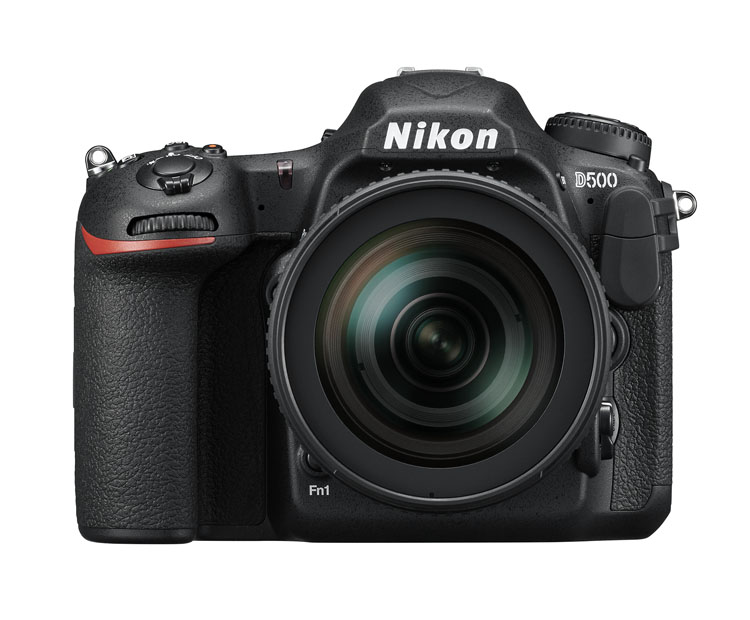
The Nikon D500 – image courtesy of Nikon.

Price out the Nikon D500 on Amazon or B&H Photo’s site.

First impressions

Unlike many of the other DX cameras, it is quite large. People tend to think that cameras with cropped sensors are smaller, but the D500 is in the Pro range and you can see that just by looking at it. It looks like a camera that a professional photographer would use, and many indeed do.

One of the first things I noticed was how similar many of the controls and the layout is to the D800. In many ways, it seems like a cropped sensor version of that camera. This also means that most of the buttons are around the camera body, so you don’t have to keep going back to the menu to change settings. There are everywhere, but it doesn’t make it confusing. You can make changes without really having to stop and look at what you are doing.

Nikon D500 review

Sunset image shot with the Nikon D500.

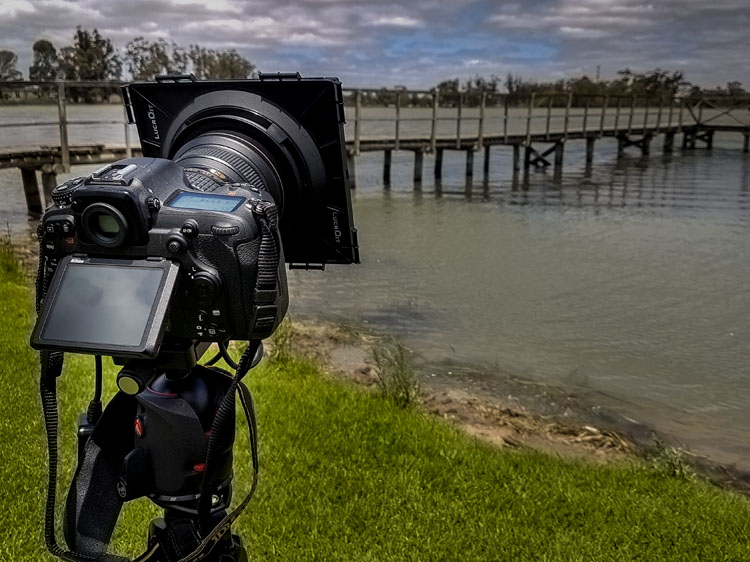
If want to do long exposure photography there is a small blind in the viewfinder that will close to stop light leaking into your image. It means you never have to worry about whether or not you have the cover for it. You just need to remember to use it when doing long exposures. Very handy.

ISO and noise

The D500 is Nikon’s replacement for the popular D300 range that they stopping making a few years ago. The D300 was fast and great for many types of photography, however, the ISO range was not good. As soon as you increased the ISO the images became very noisy.

It also didn’t go very high, with ISO 3200 being the maximum. The D500 ISO goes up to 512,000, so it will get you images no matter the shooting conditions. The level of noise in the images is also significantly better and not as noticeable.

Review of the New Flagship DX Camera - The Nikon D500

Image shot using a tripod with the Nikon D500 at ISO 200.

Review of the New Flagship DX Camera - The Nikon D500

Image shot with the Nikon D500 hand held at ISO 6400.

Megapixels and image size

The camera is 20 megapixels, which is enough for most people. A RAW image is around 25 MB. Not as large as some cameras, but still large enough that you have to consider how you will store them. Jpegs are a lot smaller, but you don’t get as much information to work with as shooting RAW.

Battery

The battery is very similar to the battery for the D800 but it is a new version, so should only be used in the D500. If you have similar batteries for other cameras it is a good idea to mark them in some ways so they don’t get mixed up. You don’t want to be putting the wrong battery in the camera. While the battery is different the charger is the same.

The battery lasts a long time and you can safely go out for a day of shooting and not use much. Like most Nikon cameras you can go out and shoot for a few days without having to recharge it. Though that is dependent on how many photos you take. Of course, if you do a lot of chimping (image review on the camera) or use LiveView frequently the battery will run out faster. Likewise, if you’re shooting in the cold.

The batteries do typically last a long time as well. You can use a battery for quite a few years before you start noticing that it doesn’t last as long.

Remote shutter release

Review Nikon D500 DX camera

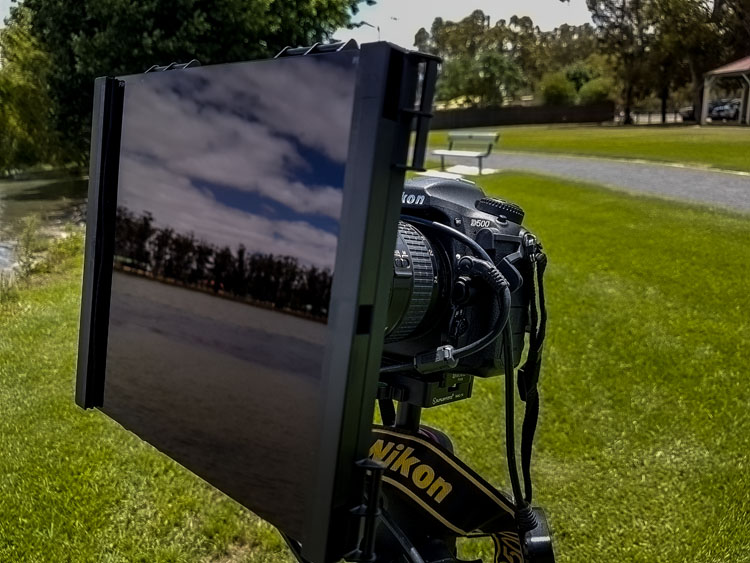
Using some ND filters and the MC-36 remote shutter release on the Nikon D500 for some long exposures.

When you are looking at a new camera you need to be aware of all the accessories and whether or not you will have to buy a lot of new ones. The remote shutter release that I purchased for the D300s, the MC-36, was fine for the D800, and it is also good to use on the D500. That makes it a good match for the gear I already have. It is something you need to consider anytime you are buying a camera, it isn’t just the expense of the camera, but what other equipment you may need as well.

Review Nikon D500 DX camera

A long exposure of some recently painted silos using the D500.

Focusing area

The focusing area takes up larger space in the Nikon D500 than it does in other bodies. It has the same focusing center as the Nikon D5, their top pro model, but on the cropped sensor of the D500. In practice, that means you can focus on subjects almost up to the very edges of the viewfinder. You can focus on a much larger area than other DX cameras.

If you want to use spot focusing, but have found it hard in the past because you couldn’t focus on subjects at the side, it is now possible to do that. Any camera that makes focusing easier for you has to be good.

Memory card


The D500 has two slots for memory cards. You can put an SD card in one, and the other is for XQD cards, which are reasonably new but only needed for a few Nikon cameras. It is mainly used in the higher end bodies that are fast and shoot a lot of frames per second, which is why the card is used. Normal cards would find it hard keeping up with the speed and writing the images. If you are taking photos at 10 frames a second it is important.

Apparently, you can buy the cards at all good camera stores. Though, you would also need a memory card reader for it as well.

Touchscreen

The screen at the back is a touchscreen which makes it easy to scroll through your images. It works a lot like your smartphone. You can make the images bigger or smaller and flip through them with your fingers.

leannecole-nikon-d500-review-15

The back screen of the D500 can be moved for better viewing and is also a touchscreen.

Crop factor

The Nikon D500 has the 1.5x crop factor. Basically, that means that if you have a full frame lens, like the 70-200mm, when you use it on the D500 the lens becomes essentially like a 105-300mm. It is the advantage of using a DX camera body with high-quality lenses.

Nikon D500 review

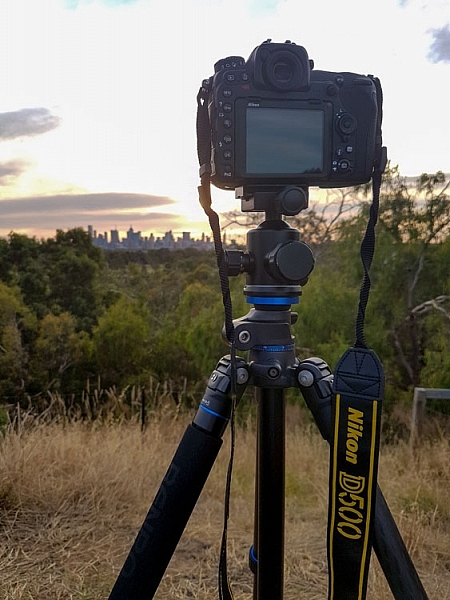
It is all set up to take some sunset photos of the city of Melbourne.

Who is the Nikon D500 for?

The most likely person to buy this camera is someone who is interested in the 1.5x crop factor. Photographers who can’t afford those great big long lenses, but want to be able to get as close as they can to the action. Having the ability to make a 300mm lens go to 450mm is fantastic. The longer the telephoto lens, the more expensive it is, so the cropped sensor is great for that reason.

leannecole-nikon-d500-review-20

The sunset shot with the Nikon D500. The DX camera allowed me to get a lot closer with the 80-200mm, this was at 277mm.

Sports photographers would also be interested where speed and getting closer to the action is very important. Full frame is great, but to get a camera that is fast enough to shoot lots of frames per second you would need to spend around $ 6500 on a Nikon D5 or similar. If you don’t have that kind of money, $ 2000 USD will get you the Nikon D500 which will do many of the things that the others can, but you also get the cropped sensor.

There are many other kinds of photographers who would benefit from the D500 as well. Bird and wildlife photographers would love being able to get more length with their lenses. The 10 frames per second capability of this camera would also be an advantage for capturing birds and animals on the move.

Macro photographers will get a lot closer to their subjects with their lenses, and when you put on extension tubes, a whole new world will be seen.

leannecole-nikon-d500-review-23

Taken using the D500 and the Nikon 105mm macro lens, with the cropped sensor you can get in a lot closer than you can with a full frame.

Snapbridge app

This is a new app that Nikon has developed that makes it possible to connect your smartphone with the camera. It is unlike others that use Wi-Fi to do it, Snapbridge stays connected to your phone all the time. You can upload photos, use it to take your photos, and it also keeps your camera’s firmware up to date.

It is available for Apple iPhones and Android, though it is a little harder to use with an Android.

Using the camera

I found the camera easy to handle and work my way around. Then again, I’ve been using Nikon cameras for many years, and as previously stated I found a lot of similarities with the D800. I found the weight fine, but others who picked it up thought it was heavy. Then again, you would expect a camera of this quality to be that heavy. Good quality cameras of this caliber are always a bit hefty.

The fast frame rate blew me away and as someone who always likes to bracket photos to get more options, I really enjoyed it. With the D800 I would never do more than three shot hand holding, but with the D500 I felt there was enough speed to let me do five. I also really enjoyed just listening to how fast it was.

leannecole-nikon-d500-review-14

Using the D500 for night photography in Melbourne.

If I had one criticism, it would be that there is an overall blue cast and how, in some cases, it made the blues far bluer than they really were. I’m not a fan of blue in images, so I didn’t like it, but I know a lot of other photographers would.

Overall

The Nikon D500 is a great camera and anyone who purchases it will really enjoy using it. Full frame is great, but if you are a photographer who likes to zoom in, then the DX may suit you more. If you shoot sports, birds, wildlife or macro, look at this camera, it could be just what you need.

Price out the Nikon D500 on Amazon or B&H Photo’s site.

leannecole-nikon-d500-review-19

The sun as it sets and the camera taking photos.

googletag.cmd.push(function() {
tablet_slots.push( googletag.defineSlot( “/1005424/_dPSv4_tab-all-article-bottom_(300×250)”, [300, 250], “pb-ad-78623” ).addService( googletag.pubads() ) ); } );

googletag.cmd.push(function() {
mobile_slots.push( googletag.defineSlot( “/1005424/_dPSv4_mob-all-article-bottom_(300×250)”, [300, 250], “pb-ad-78158” ).addService( googletag.pubads() ) ); } );

The post Review of the New Flagship DX Camera – The Nikon D500 by Leanne Cole appeared first on Digital Photography School.


Digital Photography School

 
Comments Off on Review of the New Flagship DX Camera – The Nikon D500

Posted in Photography


The M U want: Leica M10 First Impressions Review and Samples

19 Jan

The Leica M10 is a 24MP, full-frame, manual focus camera with an archaic coupled rangefinder focusing system, a tunnel-type optical viewfinder, no video mode and not even so much as a USB socket. And it’s absolutely lovely.

Leica M10: Key Features

  • ‘Newly developed’ 24MP full-frame CMOS sensor
  • 1.04 million-dot rear LCD (with Corning Gorilla glass)
  • 5 fps max continuous shooting for up to 30 Raw frames
  • ISO 100-6400 (extendable to 50,000)
  • Center-weighted (RF), spot and ‘multi-field’ (LV) metering modes
  • Revised menu system (including customizable ‘favorites’ menu)
  • Automatic lens corrections with 6-bit coded lenses
  • Compatible with ‘Visoflex’ 2.4m-dot EVF for eye-level live view shooting
  • ~210 shot battery life (CIPA)
  • Built-in WiFi

Leica is a refreshingly unusual company in the modern camera industry – weird, wonderful, gleefully anachronistic but never, ever, boring. As such, Leica is one of those companies that I’ve always enjoyed writing about.

This is the kind of picture that generally, I don’t take. But being handed a Leica to review spurred me to make a bit more effort to get ‘street’ shots on a recent trip to New York. I used live view to capture this waist-level image without drawing attention to myself.

35mm F1.4 Summilux ASPH. F2.8 (ish), ISO 500. (Converted from Raw)

In fact, the very first camera that I ever reviewed right at the beginning of my career was a Leica. This was more than ten years ago, around the same time that the M8 was released, but I wasn’t (yet) trusted with such a prestigious product. The camera that I was handed to review was one of those rebadged Panasonics that the German company still officially maintains in its lineup, but doesn’t really talk about anymore. I forget the exact model, but it wasn’t particularly good. I seem to remember high noise levels, lens aberrations and clumsy, detail-destroying noise reduction being the main areas of complaint, all of which were enough to take the (figurative) shine off what was physically a beautiful camera, and all of which I dutifully reported in my review.

While the camera was forgettable, more than a decade on, that review still sticks in my mind. It was shortly after filing my draft that my editor at the time pulled me over, the printout in his hand, to explain that ‘there are certain words we do not use about Leica’. Apparently, ‘disappointing’ was one of those words, indicated (ironically) with large red rings of ink, wherever I had used it.

My draft was massaged accordingly, and I didn’t review another Leica camera for a long time.

For a great many years, there really was a kind of ‘reality distortion field’ around Leica, and to some extent there still is. With some exceptions (the Q being one of them), the company specializes in high-cost nouveau-classic products with few objective advantages over their competitors. It’s all about the look. It’s all about the feel. It’s all about the magic. It’s all about Das Wesentliche1.

When on occasion Leica has tried something genuinely new, like the brushed-aluminum touch-sensitive experiment that was the Leica T2, it typically hasn’t made quite the same impact on the group psychology of photographers and photography writers as its M, R and (more recently) S-series.

‘The Leica Effect’

I’m not immune to the ‘Leica effect’ myself. I owned and used an M3 for years, and wildly impractical as it was (considering I was attempting to make a career as a 21st Century music photographer3) I’ve always regretted selling it. There’s just something about the M series, some intangible magic when compared to the average mass-produced camera, regardless of whatever new and wonderful technologies they might lack by comparison.

I still maintain that if you can accurately focus on a human subject with a fast Leica prime wide-open, you’ve earned the right to call yourself a photographer. It’s not easy – and that’s the point.

It’s been a long time since I shot live music, too. I didn’t expect much when I took the M10 to a rock concert, but apparently my focusing gets better after a couple of beers. 

35mm F1.4 Summilux ASPH. F2 (ish), ISO 3200. (Converted from Raw) 

For all that, I’ve never really enjoyed the digital M-series models. The M8’s APS-H sensor felt like a compromise, and both that camera and the full-frame M9 always felt a little bloated, their shutters a bit too loud, their images a bit too noisy. Things got better – the Typ 240 and Typ 262 are very good cameras, and the Monochroms are fun – but neither they nor their predecessors ever really truly felt like a continuation of the classic film models. Leica claims that adding a movie mode to the Typ 240 was in response to demand from its customers, but the idea of shooting video on a rangefinder always seemed a bit silly to me.

The M10 can’t shoot video – let’s just get that out of the way. If you really need video in an M-series body, the Typ 240 is still available.

Personally, as you might be able to tell, I like the M10 a lot more than the Typ 240 and 262. There’s no single major change which makes all the difference, but rather a raft of little tweaks which add up to (in my opinion) a more attractive product than the the digital Ms which came before it. 

First Look: Leica M10


1. Which roughly translates as ‘The pure / the essential / the heart / the bits that really matter’.

2. With original firmware, I should make that clear. It got better.

3. Ask me how that worked out. 

Articles: Digital Photography Review (dpreview.com)

 
Comments Off on The M U want: Leica M10 First Impressions Review and Samples

Posted in Uncategorized


Fixed-lens filmmaking: Panasonic Lumix DMC-FZ2500/FZ2000 Review

17 Jan

Key Features

  • 20MP 1″-type BSI-CMOS sensor
  • 24-480mm equiv. F2.8-4.5 lens
  • Depth from Defocus AF
  • Large electronic viewfinder
  • Fully articulating LCD
  • Built-in variable ND filter
  • 4K video capture (DCI/UHD)
  • 10-bit, 4:2:2 output over HDMI

At Photokina 2016, Panasonic released its high-end 1″-type superzoom, known as the DMC-FZ2500 (FZ2000 in some regions). It retains the same sensor as the excellent FZ1000 that came before it, while gaining a totally new lens, larger EVF, easy-to-adjust ND filter and even more customizable buttons.

While offering several new stills-related features (such as focus stacking), the FZ2500 is really all about video. It shoots both Cinema and UHD 4K, can output 4:2:2 10-bit video over its HDMI port, supports V-Log L recording (for an extra $ 99) and much, much more. In essence, the FZ2500 is the little brother to the DMC-GH4 ILC, which is one of the most capable video capture cameras on the market.

At this point in time, the only other fixed-lens cameras that truly competes with the FZ2500 is the Sony Cyber-shot RX10 III. The Sony has many features in common with the FZ2500, such as 4K capture, zebra pattern and a flat picture profile (S-Log2), but boasts a longer, faster lens and high speed recording at up to 960 fps.

Compared to Panasonic DMC-FZ1000 and Sony DSC-RX10 III

Speaking of specs, let’s take a look at how the FZ2500 compares to its predecessor as well as Sony’s Cyber-shot DSC-RX10 III, which we consider its closest competitor.

  Panasonic FZ2500 Panasonic FZ1000 Sony RX10 III
MSRP $ 1199 $ 799 $ 1599
Sensor 20MP 1″ BSI-CMOS 20MP 1″ BSI-CMOS 20MP 1″ Stacked CMOS
Lens focal range 24-480mm equiv. 25-400mm equiv. 24-600mm equiv.
Lens max aperture F2.8-4.5 F2.8-4.0 F2.4-4.0
ND filter Variable No No
ISO range (expanded) 80-25600 80-25600 64-25600
Top shutter speed
(mech/elec)
1/4000 sec, 1/16000 sec 1/4000 sec, 1/16000 sec 1/2000 sec, 1/32000 sec
LCD size/type 3″ 1.04M-dot fully articulating 3″ 921k-dot fully articulating 3″ 1.3M-dot tilting
LCD touchscreen Yes Yes No
EVF resolution/type 2.36M-dot OLED 2.36M-dot OLED 2.36M-dot OLED
EVF magnification 0.74x 0.7x 0.7x
Top burst speed (S-AF) 12 fps 12 fps 14 fps
4K video capture Cine/UHD 4K @ 30p/24p UHD 4K @ 30p/24p UHD 4K @ 30p/24p
High speed video 120 fps @ 1920 x 1080 120 fps @ 1920 x 1080 960 fps @ 800 x 270
480 fps @ 1136 x 384
240 fps @ 1824 x 1026
120 fps @ 1920 x 1080
Top bitrates 4K: 100MBps
Full HD: 200Mbps

4K: 100Mbps
Full HD: 28Mbps

4K: 100Mbps
Full HD: 50Mbps
Flat profile V-Log L ($ 99 extra) No S-Log2
Live HDMI output 4:2:2, 10-bit 4:2:2, 8-bit 4:2:2, 8-bit
Mic/phone jacks Yes / Yes Yes / No Yes / Yes
Wi-Fi Yes, without NFC Yes, with NFC Yes, with NFC
Battery life (CIPA) 350 shots 360 shots 420 shots
Dimensions 138 x 102 x 135 mm  137 x 99 x 131 mm 133 x 94 x 127 mm
Weight (CIPA) 966 g 831 g 1095 g

In most respects, the FZ2500 comes out on top – and that’s without including the myriad of video features that just don’t fit in the table.  The RX10 III does have a longer, faster lens and the ability to shoot at very fast frame rates, but it also costs a lot more. It’s battery life is also considerably better. That said, it costs $ 400 more than the FZ2500, which is nothing to sneeze at.

Lens Comparison

The chart below breaks down the equivalent aperture for each camera, as you work your way through the zoom range. Our article here explains the concept of equivalence, but at a high level all you need to know is that the lower the line is on the graph below, the blurrier the backgrounds you’ll be able to get and, typically, the better the overall low-light performance.

LensEquivalentApertures([“Equivalent focal length (mm)”,”Panasonic FZ1000″,”Sony RX10 II”,”Panasonic ZS100″,”Sony RX10 III”,”Panasonic FZ2500″], [[24,null,””,7.6363636363636367,”Sony RX10 II at 24mm: F7.6″,null,””,6.5454545454545459,”Sony RX10 III at 24mm: F6.5″,7.6363636363636367,”Panasonic FZ2500 at 24mm: F7.6″],[25,7.6363636363636367,”Panasonic FZ1000 at 25mm: F7.6″,null,””,7.6363636363636367,”Panasonic ZS100 at 25mm: F7.6″,6.8181818181818183,”Sony RX10 III at 25mm: F6.8″,7.9090909090909092,”Panasonic FZ2500 at 25mm: F7.9″],[26,7.9090909090909092,”Panasonic FZ1000 at 26mm: F7.9″,null,””,7.9090909090909092,”Panasonic ZS100 at 26mm: F7.9″,null,””,null,””],[27,null,””,null,””,8.1818181818181834,”Panasonic ZS100 at 27mm: F8.2″,null,””,null,””],[28,null,””,null,””,null,””,7.6363636363636367,”Sony RX10 III at 28mm: F7.6″,8.1818181818181834,”Panasonic FZ2500 at 28mm: F8.2″],[30,8.1818181818181834,”Panasonic FZ1000 at 30mm: F8.2″,null,””,8.7272727272727284,”Panasonic ZS100 at 30mm: F8.7″,null,””,8.454545454545455,”Panasonic FZ2500 at 30mm: F8.5″],[32,null,””,null,””,9.0,”Panasonic ZS100 at 32mm: F9.0″,null,””,8.7272727272727284,”Panasonic FZ2500 at 32mm: F8.7″],[34,8.454545454545455,”Panasonic FZ1000 at 34mm: F8.5″,null,””,9.2727272727272734,”Panasonic ZS100 at 34mm: F9.3″,null,””,null,””],[35,null,””,null,””,null,””,8.7272727272727284,”Sony RX10 III at 35mm: F8.7″,9.0,”Panasonic FZ2500 at 35mm: F9.0″],[36,null,””,null,””,9.5454545454545467,”Panasonic ZS100 at 36mm: F9.5″,null,””,null,””],[39,null,””,null,””,null,””,null,””,9.2727272727272734,”Panasonic FZ2500 at 39mm: F9.3″],[41,8.7272727272727284,”Panasonic FZ1000 at 41mm: F8.7″,null,””,null,””,null,””,null,””],[43,null,””,null,””,null,””,null,””,9.5454545454545467,”Panasonic FZ2500 at 43mm: F9.5″],[47,9.0,”Panasonic FZ1000 at 47mm: F9.0″,null,””,null,””,null,””,null,””],[49,null,””,null,””,null,””,null,””,9.81818181818182,”Panasonic FZ2500 at 49mm: F9.8″],[51,9.2727272727272734,”Panasonic FZ1000 at 51mm: F9.3″,null,””,null,””,null,””,null,””],[56,null,””,null,””,null,””,9.5454545454545467,”Sony RX10 III at 56mm: F9.5″,10.090909090909092,”Panasonic FZ2500 at 56mm: F10.1″],[58,9.5454545454545467,”Panasonic FZ1000 at 58mm: F9.5″,null,””,null,””,null,””,null,””],[63,9.81818181818182,”Panasonic FZ1000 at 63mm: F9.8″,null,””,null,””,null,””,null,””],[69,null,””,null,””,null,””,null,””,10.363636363636363,”Panasonic FZ2500 at 69mm: F10.4″],[70,10.090909090909092,”Panasonic FZ1000 at 70mm: F10.1″,null,””,null,””,null,””,10.636363636363637,”Panasonic FZ2500 at 70mm: F10.6″],[79,null,””,null,””,null,””,null,””,10.90909090909091,”Panasonic FZ2500 at 79mm: F10.9″],[84,10.363636363636363,”Panasonic FZ1000 at 84mm: F10.4″,null,””,null,””,null,””,null,””],[91,null,””,null,””,null,””,null,””,11.181818181818182,”Panasonic FZ2500 at 91mm: F11.2″],[100,null,””,null,””,null,””,10.90909090909091,”Sony RX10 III at 100mm: F10.9″,null,””],[102,null,””,null,””,null,””,null,””,11.454545454545457,”Panasonic FZ2500 at 102mm: F11.5″],[105,10.636363636363637,”Panasonic FZ1000 at 105mm: F10.6″,null,””,null,””,null,””,null,””],[144,null,””,null,””,15.818181818181818,”Panasonic ZS100 at 144mm: F15.8″,null,””,null,””],[151,null,””,null,””,null,””,null,””,11.727272727272728,”Panasonic FZ2500 at 151mm: F11.7″],[157,null,””,null,””,16.090909090909093,”Panasonic ZS100 at 157mm: F16.1″,null,””,null,””],[170,10.90909090909091,”Panasonic FZ1000 at 170mm: F10.9″,null,””,null,””,null,””,null,””],[200,null,””,7.6363636363636367,”Sony RX10 II at 200mm: F7.6″,null,””,null,””,null,””],[208,null,””,null,””,null,””,null,””,12.000000000000002,”Panasonic FZ2500 at 208mm: F12.0″],[250,null,””,null,””,16.090909090909093,”Panasonic ZS100 at 250mm: F16.1″,null,””,null,””],[262,null,””,null,””,null,””,null,””,12.272727272727273,”Panasonic FZ2500 at 262mm: F12.3″],[400,10.90909090909091,”Panasonic FZ1000 at 400mm: F10.9″,null,””,null,””,null,””,null,””],[480,null,””,null,””,null,””,null,””,12.272727272727273,”Panasonic FZ2500 at 480mm: F12.3″],[600,null,””,null,””,null,””,10.90909090909091,”Sony RX10 III at 600mm: F10.9″,null,””]])

Focusing just on the FZ2500 vs RX10 III, you’ll see that the latter gets a headstart, as its max aperture starts at F2.4, versus F2.8. The RX10 III is always a tiny bit ahead, until it levels off at F4 for the rest of its focal length. When the FZ2500 reaches its maximum telephoto position it’s equivalent aperture is about 1/3-stop slower than the Sony. The camera with the fastest equivalent aperture in the group is the Sony RX10 II, which has a constant F2.8 aperture throughout its focal range (which ends at 200mm.)

Articles: Digital Photography Review (dpreview.com)

 
Comments Off on Fixed-lens filmmaking: Panasonic Lumix DMC-FZ2500/FZ2000 Review

Posted in Uncategorized


Mom Photographer’s Best Helpers: Review of the Peak Design Everyday Bags

14 Jan

I bet at least one bag from the Peak Design Everyday series is on maaany wishlists this year. And if it’s still not, there are good chances you’ll want to add another item to yours after reading this review. Wondering what made me sound as if I’m earning commission from the bag producer? Watch the video below to get a Continue Reading

The post Mom Photographer’s Best Helpers: Review of the Peak Design Everyday Bags appeared first on Photodoto.


Photodoto

 
Comments Off on Mom Photographer’s Best Helpers: Review of the Peak Design Everyday Bags

Posted in Photography


Fotodiox LED100WB-56 quick review

11 Jan

The LED100WB-56 is a wall-powered, dimmable LED light source with that should be a little bit different. Fotodiox has done quite a bit, not just to negate the issued of using LEDs for continuous lighting but also to address some inherent issues of using continuous lighting in general. This is enough to warrant a closer look, as it could make these more useful for a wide number of users.

Included with the 3-light kit that we tested are three lights, reflectors, slip-on diffusion covers, ballasts/power adapters with XLR cables (not pictured), and a set of remotes. The kit also includes a set of light stands as well (not the short one pictured above), making the 3-light kit an entirely complete set for those getting started, as you are given more flexibility with three lights for a key, fill, and hair light, than you are with two.

One inherent issue with LED lights is the source itself. Bright LEDs are never a single diode: they’re often an array of diodes arranged closely together. At first we saw LED panels grow in popularity, which spread single individual diodes in a grid to create a big and bright source. The issue is the individual diodes when spread out act like a series of point light sources, with each diode creating its own set of shadows. These complex shadows get distracting very quickly, and the bare bulbs are tough on the eyes.

As time has moved on, the diodes have shrunk down to a tight grid on a wafer, much like the chips in our cameras, just not quite as dense. Fotodiox has taken a panel like this and then put it back behind a glass lens with a frosted back. The back of this lens becomes the single light source instead of the hundreds of individual LED spots, creating an even light source with a single shadow, much like a classic tungsten source. 

Speaking of ‘classic’ tungsten sources, one of the biggest advantages of LED lights over these sources is heat production. Anyone who has used even a120-watt modeling light knows these things get extremely hot. So hot, in fact, that any skin contact with the bulb will leave behind oil residue that creates a hotspot – eventually resulting in the bulb’s failure. While the Fotodiox does produce some heat, a small quiet fan keeps inside temperatures steady. During use, no outside part of the light becomes hot to the touch.

Another historic issue with the LEDs as a photographic light source is color – or lack thereof. This handy YouTube video dives a bit more in to the issue:

The Fotodiox is rated at 95+ CRI, which is quite a high rating for the price. This is also a drastic improvement over Fotodiox’s own LED100WA, which is only rated at 85 CRI. CRI isn’t a perfect way to assess color output but the spectrum Fotodiox shows for the lamps shows a fairly consistent output across most colors, with the only significant spike being in the blue region, meaning there shouldn’t be any nasty surprises.

So these lights promise to take care of the light source and color issues, what else? How about flicker? All lamps flicker to some degree if they’re powered by the alternating current of mains electricity but different lighting technologies have different dimming characteristics during the ‘off’ half of the power cycle. Tungsten bulbs stay fairly hot (and hence bright) throughout the cycle while poorly-designed LEDs abruptly switch on and off as the power cycles. You won’t always notice this with the naked eye but set your shutter speed faster than the frequency of the lights and the difference can become apparent.

This effect can be seen with the Sony a7R II in ‘low light’ mode with ‘electronic shutter’ and maximum ISO in our studio scene – the line-by-line readout of the sensor happens at different parts of the light’s power cycle, resulting in exposure differences that render as bands across the frame, despite the use of a tungsten bulb.

Fotodiox claims its LED100WB lights are flicker free, so we tried it out for ourselves by shooting some super slow-motion with two of the lights and a Sony RX10 III.

In these clips, the lights were at full power with their intensity controlled by their distance from the subject. When the lights are partially dimmed banding does begin to happen at 960fps/1000sec shutter speeds, but at full power there was no banding to be seen.

So, these lights are looking pretty good so far right? They also work quite well for portraits, especially when diffused or modified. The mount is the classic Balcar type, better known as the Paul C. Buff mount. This mount not only has a lot of affordable modifiers from Paul C. Buff, but also has adapters made for mounts like Bowens (which is what we own).

In use:

You’ll find this shot on the back of Dan’s debut bestseller novel (if he ever writes one). Olympus E-M1 Mark II, 75mm F1.8 lens, 1/200 sec, F2.2, ISO 200

This portrait of Dan was lit with just one LED100WB shot through an adapted Bowens mount beauty dish and two sheets of foam core: black for the background, and a white ‘fill card’ to the left of the camera. The light was at full power, and wasn’t placed very far from Dan’s head. That short distance meant the light was intense enough for a short shutter speed and soft enough to be flattering and smooth. However, the requirement for the short distance means that a lot of the light’s output was being lost in the beauty dish, so those hoping to use existing light modifiers may find the LED100WB lacking in power in certain scenarios.

Using the lights outdoors on a dim day can also be an interesting experience, especially when a camera is left in any sort of priority mode where it can control either shutter speed or aperture automatically. Here’s why: It essentially makes the ‘B’ button on the light’s remote an overall exposure control. Let’s look at this shot of Carey to explain further:

The lights can easily balance with lower light conditions, and the 5600K temperature balances relatively well with daylight and overcast conditions. Sony a6500, 50mm F2.8, ISO 100 1/60sec F4

What I wanted to achieve with this shot was to combine an F4 portrait (where this particular lens is very sharp) while also bringing attention to the shape of ‘bokeh’ balls in the background. After putting one of the LED100WB’s with its diffusion sock where I wanted it relative to Carey (just over my head and a little to the left), I let the camera control shutter speed as I adjusted the light with the remote and watched the exposure change through the viewfinder.

When the lights were dimmed the camera’s evaluative metering was mostly reading the brightness of Carey’s face, and as the light was turned down the background got brighter. As the lights were brightened, the background got darker as the camera shortened the exposure time to keep Carey’s face from over exposing. I ended up somewhere in the 25-50% power area to brighten up the ‘bokeh balls’ in the background.

While these lights can be used in limited cases for stills, the best application for the 3-light kit is for video. A 3-light kit gives photographers or videographers a key, fill, and hair light ready to go. Plus, their extremely quiet operation means they don’t get in the way of a simple sound setup. We ended up using them when shooting our Game Boy Camera video a few months back:

One frustration we encountered was with the remotes. Having them was extremely handy but the implementation is a little clunky: each light has its own dedicated remote, which can make using multiple lights at once a bit fussy to use. Also, the buttons are just labeled alphabetically, with no indication of their function. The ‘A’ button works as on/off. The ‘B’ button cycles through 25%, 50%, 75%, and 100% power levels. The ‘C’ and ‘D’ buttons act as an incremental adjustment up and down, with ‘C’ being brighter and ‘D’ being dimmer. That said, they’re better than nothing, and came in handy several times while using the lights.

Conclusion

At the end of the day these lights are some of the easiest to use continuous lights we’ve encountered. Their nearly flicker-free output allows use of extremely high shutter speeds. Their lack of heat output means they can be used with any Balcar mount light modifier, not just special expensive ones made to withstand the heat of a tungsten bulb. Plus, the remotes make it easy to adjust power level, even when the lights have been placed out of reach.

For beginners, continuous light is a great option for mastering studio work, as you get to see the light as you shape it, and with mirrorless cameras you get to preview the results constantly. For photographers that need to match or even overpower bright ambient light, these lights aren’t always powerful enough, so strobes would be a better choice. However, in the studio where ambient light can be controlled, these LED lights find many uses quite quickly, and for photographers looking for a set of lights to accompany them on a foray in to the video world, this 3-light kit is a great place to start.

Articles: Digital Photography Review (dpreview.com)
 
Comments Off on Fotodiox LED100WB-56 quick review

Posted in Uncategorized


Review of the New Sigma 500mm F4 DG HSM OS Sport Lens

10 Jan

The Sigma 500mm F4 is a big lens. I shoot with bigger lenses because I need the longer focal lengths when I’m on the wild horse ranges but this is a really big lens – the biggest I’ve ever used, actually. It’s a big ticket item too, as my dPS editor Darlene gently reminded me. Be extra careful.

Sigma has their lens safely back and I didn’t trip, fall, drop or dunk it so I guess it’s okay to share now that I’m very hard on my gear. This lens withstood two weeks with me and emerged unscathed. Bonus points to Sigma. This lens is built like a tank.

Sigma 500mm F4 Sport Lens Review 7

Finch on feeder, Chicago Botanic Garden, Glencoe, IL
Canon 5DIII, Sigma 500mm F4, ISO 6400, 1/1000th, f/8, monopod with a gimbal head.

What I really wanted to know when I tested this lens

When I tossed my name in the hat as a reviewer for this lens, what I really wanted to know was if a large 500mm prime lens is a practical focal length for the rigors of photographing horses, birds, and wildlife? How is it to shoot using support, rather than hand held as I normally do? Is the autofocus responsive? Does the lens make ultra sharp images?

I tested it in as many situations as possible in the limited time that I had it, starting with a few birding trips to the Chicago Botanic Garden. Birding was followed by visits to the Lincoln Park Zoo to get up close with the lions and tigers. I wrapped everything up by using it for the “at liberty” portion of an equine portrait session with four polo ponies. I love my results. Read on to find out why.

Sigma 500mm F4 Sport Lens Review 5

Striding goose, Chicago Botanic Garden, Glencoe, IL
Canon 5DIII, Sigma 500mm F4, ISO 400, 1/1000th, f/6.7, monopod with a gimbal head.

A few technical specs

  • Weight/Size: 7.3 pounds (3.3 kg), approximately 5.7″ wide x 15″ long (144.8 x 380.3 mm)
  • Focal length: Fixed 500mm prime, the lens does not extend further when focusing.
  • Maximum aperture: F/4.
  • Filter: Rear drop-in, 46mm.
  • Mount: Available for Canon, Nikon, and Sigma
  • Recommended uses: Nature, wildlife, sports and action
  • Price: $ 5999 USD
  • Release date: December 2016, shipping January 2017.

You can read more detailed specifications here.

Shop for the Sigma 500mm F4 for Canon or for Nikon mount at B&H Photo Video.

Sigma 500mm F4 Sport Lens Review 11

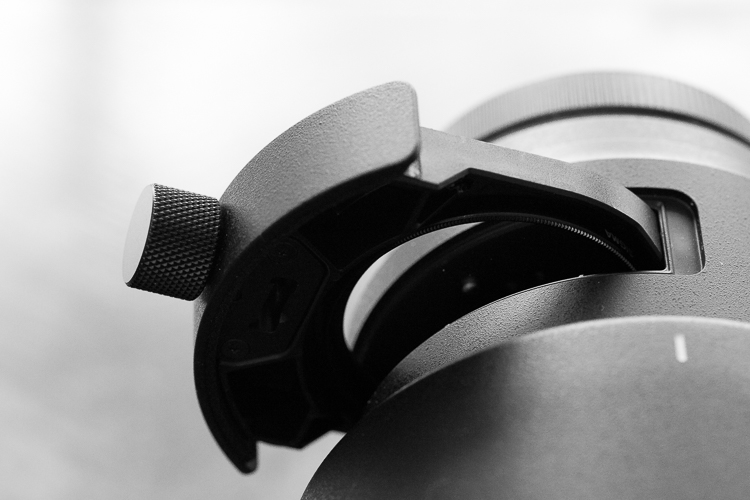
Detail of Sigma 500mm drop-in rear filter slot.

Supporting the lens

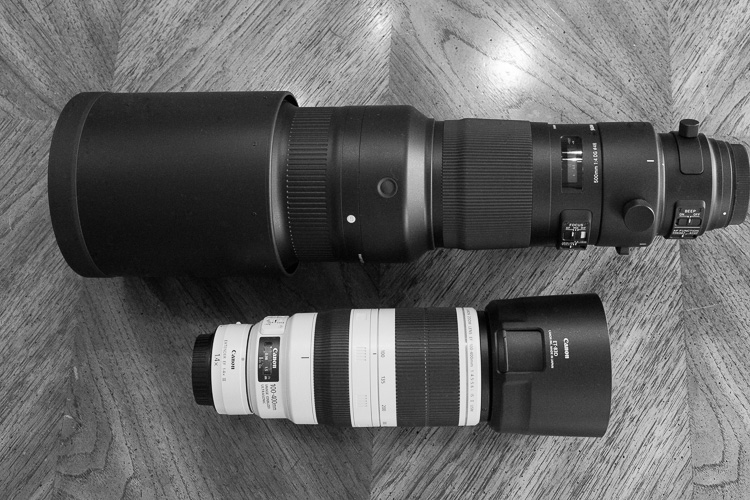
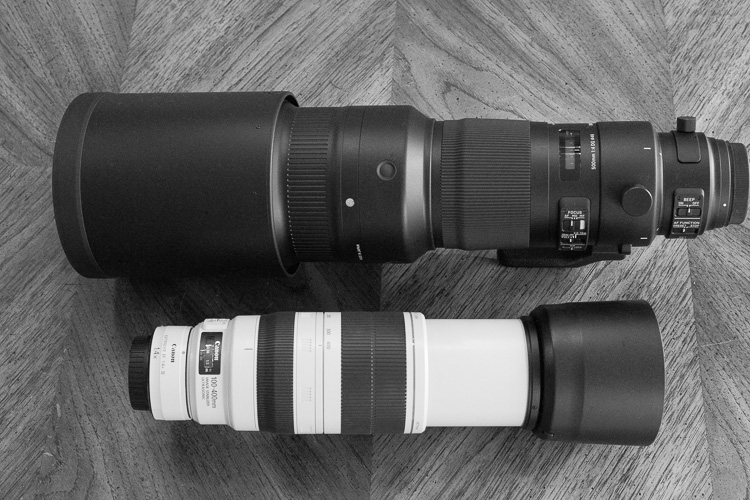
When photographing animals, birds, and wildlife, your typical gear is probably similar to mine. I mostly use the affordable Canon EF 100-400mm f/4.5-5.6L IS II USM lens with either the Canon 7D Mark II or Canon 5D Mark III. If I’m a bit further from my subject, I add a Canon Extender EF 1.4X III. Normally I shoot handheld.

Sigma 500mm F4 Sport Lens Review 9

Comparison of my 100-400mm lens with the Sigma 500mm F4.

Sigma 500mm F4 Sport Lens Review 10

Comparison of my extended 100-400mm with the Sigma 500mm F4.

The Sigma 500mm lens with my Canon 5D Mark III (which also has an L-bracket on it) weighed approximately 10 pounds. That’s about three pounds more than my typical gear. It initially seemed possible to hand hold but fatigue and a resulting loss of sharpness set in quickly. My solution was to use a quick release plate to attach the foot of the Sigma 500mm F4 DG HSM OS Sport lens to my heavy-duty Feisol monopod with a Jobu gimbal head.

This combination supported the weight of the lens/camera combination while allowing me to position the lens exactly where I wanted it. It wasn’t as flexible as hand holding, but far more so than using a tripod.

Sigma 500mm F4 Sport Lens Review 6

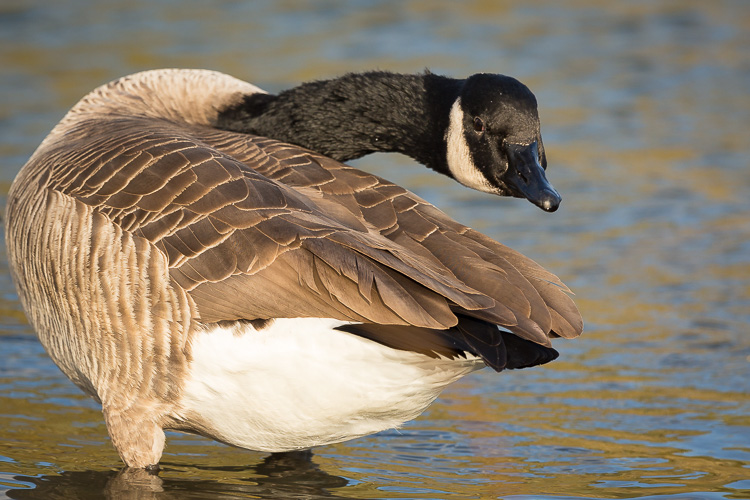
Backward glancing goose, Chicago Botanic Garden, Glencoe, IL
Canon 5DIII, Sigma 500mm F4, ISO 400, 1/1000th, f/6.7, monopod with a gimbal head.

Using support, I was able to shoot for a lot longer without fatigue – and without the shaky shots that come from fatigued hands. I also found the gimbal/monopod combination very portable and easy to maneuver when using this lens.

I would recommend using a sturdy tripod (rather than a monopod) to anyone setting up in a blind, with the intention of waiting for wildlife to approach a known watering hole or feeding spot. Over time, balancing this lens and camera combination on a monopod did take its toll on my shoulders. You wouldn’t want to miss a shot that you’d been waiting hours for, because your body was too fatigued from supporting your gear on a monopod, so use a tripod in that situation.

Sigma 500mm F4 Sport Lens Review 14

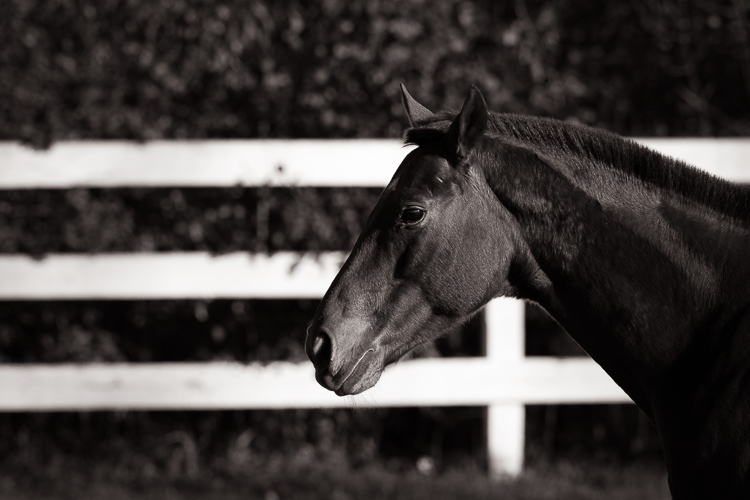
Horse profile with fence, Somewhere in Suburbia, IL
Canon 5DIII, Sigma 500mm F4, ISO 500, 1/1000th, f/8, monopod with a gimbal head.

Sigma 500mm F4 Sport Lens Review 15

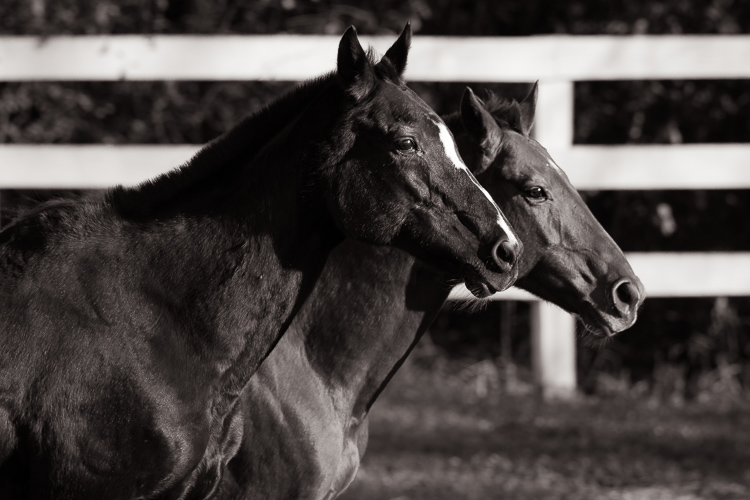
Profile of two horses with fence, Somewhere in Suburbia, IL
Canon 5DIII, Sigma 500mm F4, ISO 500, 1/500th, f/8, monopod with a gimbal head.

Sigma 500mm F4 Sport Lens Review 17

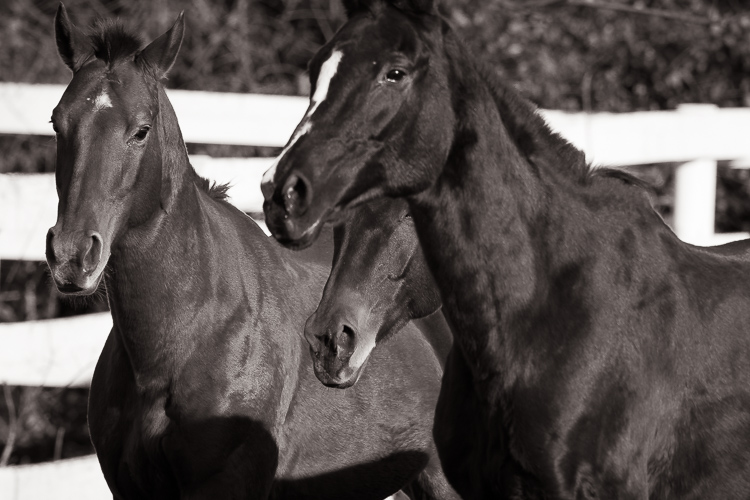
Three “guilty” horses II, Somewhere in Suburbia, IL
Canon 5DIII, Sigma 500mm F4, ISO 500, 1/500th, f/8, monopod with a gimbal head.

Performance in adverse weather

Illinois in the fall is mainly cool. It’s rainy sometimes but more dry than humid. It is also often very windy. I did not have a chance to test the Sigma 500mm F4 DG HSM OS Sport lens in rainy conditions but it shot flawlessly in the cold (the coldest temperature tested was about 30 degrees Fahrenheit, -1 celsius). Wind was more of a factor because of the large profile of the lens. Some gusts would really grab it and that movement caused a loss of sharpness.

Of course, this isn’t an issue specific to this lens – any larger, longer focal length lens will be affected by gusty winds. Solutions would be to shoot in a more protected area, to use higher-than-normal shutter speeds, or to wait for a less windy day to shoot (which is what I would have done if I wasn’t reviewing the lens in a limited timed frame).

Sigma 500mm F4 Sport Lens Review 8

Japanese Macaque (Snow Monkey), Lincoln Park Zoo, Chicago, IL
Canon 7DII, Sigma 500mm F4, ISO 800, 1/100th, f/10, monopod with a gimbal head.

Autofocus performance

The autofocus on the Sigma 500mm F4 DG HSM OS Sport lens is flawless.

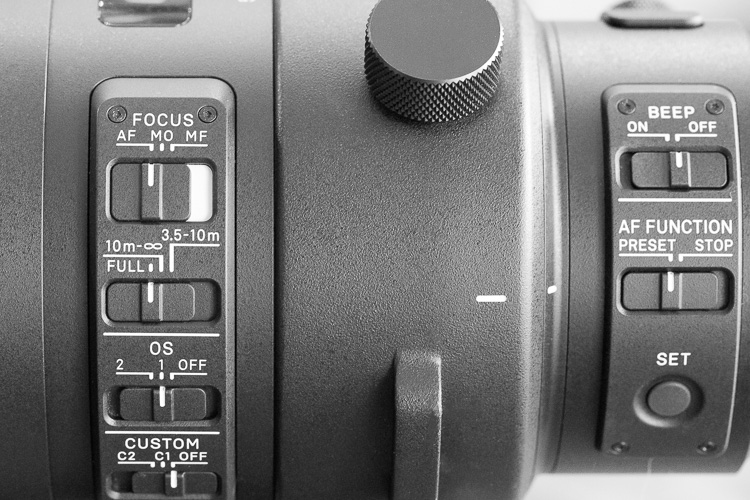
First, you can turn the annoying autofocus beep off with a simple switch right on the barrel of the lens. Turning the autofocus beep off is essential when photographing wildlife since the noise can make your subjects anxious. Thumbs up to Sigma for putting this feature in such an accessible location.

Sigma 500mm F4 Sport Lens Review 13

Detail of Sigma 500mm F4 option switches.

There are also settings for autofocus, manual focus, and manual override. The point of the manual override mode is to have the lens in auto but be able to easily switch it into manual by grabbing the focusing ring. Because I could manually override the autofocus at any time, even when the lens was in auto mode, that’s the mode I preferred to use.

Stabilization

I tested the Sigma 500mm F4 DG HSM OS Sport lens with and without the stabilization turned on. There are two options; OS1 for handheld photography, and OS2 for panning and tracking. While using my monopod and gimbal head, I didn’t see a noticeable difference in sharpness between OS1 and OS2. There was, however, a noticeable difference in sharpness when OS was turned to the off position. Ultimately I switched it to OS1 and left it there.

More convenience at your fingertips

In addition to the stabilization, beep, and autofocus options there is a “focus limiter.” This switch allows you to choose within which range you need the lens to focus. For example, if you know you aren’t focusing on anything close to you, you can set the lens to focus only from 10 meters to infinity. Setting this limiter allows the lens to focus a smidge faster and that gives you a better chance of sharply capturing fleeting moments.

My favorite feature

Sigma 500mm F4 Sport Lens Review 12

Detail of the Sigma 500mm F4 Recall Button.

Perhaps my favorite feature is the group of four rubber buttons circling the front of the lens.

To use them, find a location you want to have as a primary focusing point, hold down one of the buttons and hit the set button on the lens barrel. This action programs the lens to focus on the specific point you selected. The focus lock on that point is based on distance so if you move, you need to reset your buttons.

If you are stationary, sitting in a blind photographing birds or wild animals, this is an amazing feature. You can essentially compose four different shots in four different locations by assigning one of these buttons to each location. When a bird lands in one of your four locations, press the button for that focus point, press the shutter and grab your shot. I tested this with some of the spunkier zoo inhabitants and it worked like a charm.

Again, the advantage here is that this is a little faster than asking the lens to refocus. That millisecond is a precious advantage when photographing wildlife.

Sigma 500mm F4 Sport Lens Review 4

Approaching lion, Lincoln Park Zoo, Chicago, IL
Canon 7DII, Sigma 500mm F4, ISO 1000, 1/640th, f/8, monopod with a gimbal head.

Image quality

Image quality is a subjective thing but without it, state-of-the-art features and well-placed buttons don’t mean a thing. I was blown away by the images I produced with this lens.

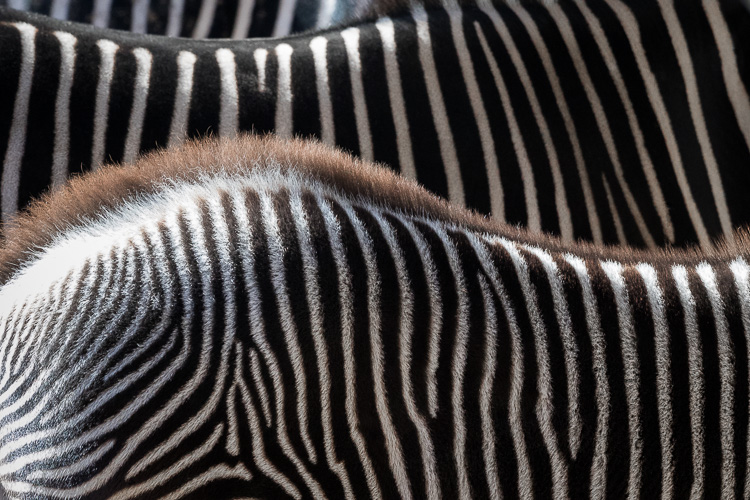
Straight out of camera the colors rendered beautifully. They were soft, nuanced and creamy. Backgrounds blurred softly away creating a clean canvas for wildlife compositions. The separation between elements was also phenomenal. I had a lot of fun experimenting with “layering,” like the series of four monochrome equine images above and the zebra image below.

Sigma 500mm F4 Sport Lens Review 3

Layered zebras, Lincoln Park Zoo, Chicago, IL
Canon 7DII, Sigma 500mm F4, ISO 2500, 1/640th, f/8, monopod with a gimbal head.

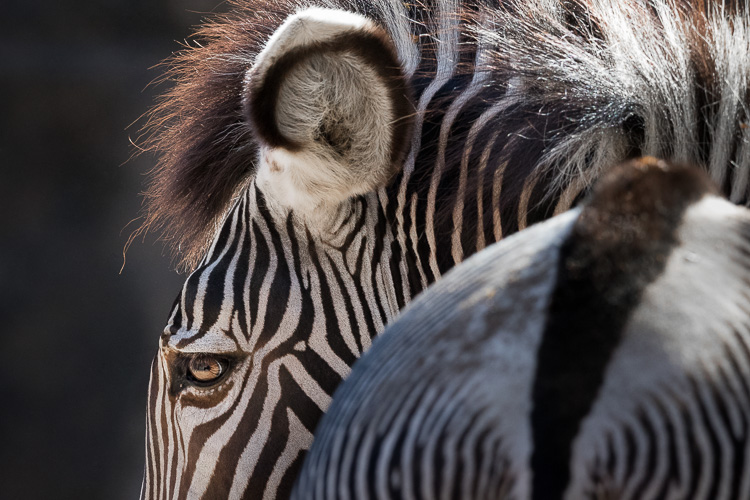
Images made with this lens are tack sharp. Details of eyes, fur, and feathers are crisp and well-structured. There is no visible distortion and only very minimal vignetting. For wildlife images, I prefer the  range of f/8 to f/11 but I didn’t find any unusable apertures. I could have happily shot at f/4 if the circumstance called for it.

Because I was so happy with the quality, all of the wildlife and bird images included in this review were very minimally processed in Lightroom CC. I sharpened the RAW files, adjusted the white balance, and made a few targeted adjustments to enhance details.

Transporting and carrying the lens

While the weight and length of Sigma’s 500mm F4 lens aren’t unusual for this lens category (the Canon version is almost exactly the same weight and dimensions, and also $ 3000 more!) it is a factor when using it. First, you need to be careful about how you carry a large lens like this to prevent damaging your camera’s lens mount. During a typical shoot you might normally hold your camera by its grip, and let the weight of the lens hang off of the camera body. With a lens this large, that isn’t recommended. Instead, make it a habit of holding onto a lens of this size by the foot, and support the camera’s weight with your other hand. You can also cradle the lens like a baby, which I did often (I didn’t sing it any lullabies, though).

You also need to consider carefully the logistics of hiking to your destination with such a large lens. Investing in a special large lens backpack like this one might be a solution for ease of carrying. Lastly, if you have weight and bag restrictions when you travel, you’ll have to find a workaround for that.

Sigma-500mm-F4-Sport-Lens-Review-2.jpg

Baby zebra portrait, Lincoln Park Zoo, Chicago, IL Canon 7DII, Sigma 500mm F4, ISO 1600, 1/640th, f/8, monopod with a gimbal head.

Sigma 500mm F4 Sport Lens Review 1

Zebra with turned head, Lincoln Park Zoo, Chicago, IL
Canon 7DII, Sigma 500mm F4, ISO 2000, 1/640th, f/8, monopod with a gimbal head.

Bottom line

This lens performed very well for me. Images were sharp and overall quality was excellent. For me, because I am often hiking (or recently, biking!) to locate and then keep up with very mobile herds of wild horses, the size and weight of the lens were a bit difficult to manage. Horses are also unpredictable and I often need a shorter focal length to capture all of their behaviors as their curiosity overcomes them and they start to approach me.

If you’re like me, I’d recommend the Canon 100-400mm I mentioned earlier in this review. For an affordable option with an even longer focal length, try Sigma’s own 150-600mm that weighs in at around 4 pounds for under $ 1000.

I would recommend the Sigma 500mm F4 DG HSM OS Sport lens for a birder, or any type of wildlife photographer that stations herself in a blind, and waits for the animals to come into view. If you’re that photographer, sign up at B&H to be notified when this lens will ship (here for Canon mount, or click here for Nikon) to ensure you get one of the first copies. You won’t be disappointed.

googletag.cmd.push(function() {
tablet_slots.push( googletag.defineSlot( “/1005424/_dPSv4_tab-all-article-bottom_(300×250)”, [300, 250], “pb-ad-78623” ).addService( googletag.pubads() ) ); } );

googletag.cmd.push(function() {
mobile_slots.push( googletag.defineSlot( “/1005424/_dPSv4_mob-all-article-bottom_(300×250)”, [300, 250], “pb-ad-78158” ).addService( googletag.pubads() ) ); } );

The post Review of the New Sigma 500mm F4 DG HSM OS Sport Lens by Lara Joy Brynildssen appeared first on Digital Photography School.


Digital Photography School

 
Comments Off on Review of the New Sigma 500mm F4 DG HSM OS Sport Lens

Posted in Photography


Google Pixel XL camera review

21 Dec

$ (document).ready(function() { SampleGalleryV2({“containerId”:”embeddedSampleGallery_1207849172″,”galleryId”:”1207849172″,”isEmbeddedWidget”:true,”standalone”:false,”selectedImageIndex”:0,”startInCommentsView”:false,”isMobile”:false}) });

For its latest smartphone generation, Google has dropped the Nexus moniker of previous models and used Pixel branding borrowed from the company’s top-end Chromebooks and tablets. The Pixel XL is the larger of two models and comes with a 5.5″ QHD-screen that uses AMOLED technology. 

In terms of technical camera specifications, not much has changed compared to last year’s Nexus devices. A 1/2.3″ 12MP sensor is paired with an F2.0 aperture but offers no optical image stabilization. However, Google has flexed its muscles on the software side of things and added a new gyroscope-based video stabilization system that reads gyro data 200 times per second for smoother panning and shake-free handheld video recording.

Additionally, thanks to more powerful processing and zero shutter lag the excellent HDR+ mode is now on by default, using an image stacking approach to reduce noise, capture better detail and increase dynamic range. While the Pixel XL’s camera hardware looks promising, it is these innovative algorithms that make the Google device one of the most interesting smartphones for photography released this year. 

Key Photographic / Video Specifications

  • 1/2.3” 12MP CMOS sensor with 1.55µm pixels
  • F2.0 aperture
  • AF with on-sensor phase detection and laser-assistance
  • Dual-tone LED flash
  • 4K video at 30 fps
  • 1080p slow-motion at 120fps, 720p at 240fps
  • Manual controls and Raw-support with third-party camera apps
  • Gyroscope-based video stabilization
  • 8MP front camera, 1/3.2″ sensor, 1.4 µm pixels, F2.4, 1080p video
  • Unlimited cloud storage for full-resolution images and videos

Other Specifications

  • 5.5-inch Quad-HD AMOLED screen
  • Qualcomm Snapdragon 821 chipset
  • 4GB RAM
  • 32/128GB storage
  • 3,450mAh battery
  • Splash and dust resistant
  • Fingerprint reader

DPReview smartphone reviews are written with the needs of photographers in mind. We focus on camera features, performance, and image quality.

Articles: Digital Photography Review (dpreview.com)

 
Comments Off on Google Pixel XL camera review

Posted in Uncategorized


Modern Mirrorless: Canon EOS M5 Review

21 Dec

Introduction

The Canon EOS M5 is the most enthusiast-friendly EOS M yet. It’s a 24MP mirrorless camera built around a Dual Pixel APS-C sensor, giving it depth-aware focus across most of the frame. On top of this it adds a built-in electronic viewfinder, a good number of external controls (including twin control dials) and a well implemented touchscreen.

This level of direct control puts it comfortably ahead of Sony’s a6000 and a6300, and more on par with Panasonic’s GX85 (GX80 in some markets) and GX8 enthusiast models. All of these cameras aim to offer stills and video capabilities in relatively small bodies but with a reasonable level of direct external control.

Key Specifications

  • 24MP Dual Pixel APS-C CMOS Sensor
  • 2.36M-dot OLED electronic viewfinder
  • 1.62M-dot tilting rear touchscreen
  • Electronic video stabilization combines with in-lens IS to give 5-axis IS
  • 7 fps continuous shooting (9 fps with focus and exposure locked)
  • Wi-Fi with always-connected Bluetooth

The Canon EOS M5 is a very approachable camera, despite all those buttons and dials. In fact, it’s the implementation of this touchscreen that, in general, we’re most impressed with. Much like the system developed by Panasonic, the M5 not only lets you use the rear touchscreen to position focus, it also allows its use as a touchpad to move the focus point when you’re shooting through the viewfinder. This, combined with decisive autofocus, has proven to be significant for both stills and video shooting. 

The camera has four dials in total: two main dials on the top of the camera, a dedicated exposure compensation dial and a fourth dial encircling the four-way controller on the back of the camera. This is a much higher level of direct control than offered on the simpler EOS M-series models offered previously, suggesting Canon expects the user to take more hands-on control of the shooting experience.

Three of the four control dials on the M5 are on the top plate, giving users easy access to exposure parameters.

While the lack of 4K video capability is a disappointment, the ability to use the touchscreen to re-position the focus point with a high level of confidence that the camera will smoothly glide the focus to the right point is highly desirable.

The touchscreen-plus-Dual-Pixel-AF combination is also useful for stills shooting – you can not only use the touchscreen to drag the focus point around the screen but also use it to select between available faces if shooting or recording in face detection mode.

The other significant benefit of the M5 finally receiving Canon’s Dual Pixel AF system is that it is now able to focus adapted EF and EF-S lenses very effectively – overall performance isn’t quite the same as an 80D in Live View mode, but it’s leaps and bounds ahead of any previous M camera. You’re also no longer limited to the small central focus area offered when using comparable Rebel / EOS x-hundredD DSLR models, and focusing is almost DSLR-quick and decisive.

Compared with its peers

The enthusiast photographer has a good number of choices when looking for a reasonably sized mirrorless camera with a good degree of direct controls. Sony offers the a6000 and a6300 (the higher-specced a6500 comes in at a significant premium over the EOS M5), depending on how much you need 4K video and how demanding your AF needs are. Meanwhile, Panasonic offers both the GX85 and GX8, with the more expensive model offering higher resolution and a better viewfinder. Olympus’s E-M5 Mark II offers a broadly similar feature set and form factor. All of these models are extremely capable, with ease-of-use being the Canon’s most obvious response to their broadly higher video specifications.

  Canon EOS M5 Sony a6300 Panasonic GX8
MSRP $ 1099 with 15-45mm lens $ 1149 with 16-50mm lens $ 1199 body only
Pixel count 24MP 24MP 20MP
Focus method ‘Dual Pixel’ on-sensor PDAF On-sensor PDAF Contrast detection*
EVF 2.36M dots 2.36M dots 2.36M dots
 Dials Two on top plate
Exposure Comp
Four-way/dial
Top plate
Four-way/dial
Two on top plate
Exposure Comp
Continuous shooting 9 fps
(7 with live view and C-AF)
11 fps
(8 with live view)
8 fps
(5.5 with live view)
Video specifications 1080/60p 4K/30p
1080/120p
4K/30p
1080/60p
Peaking/Zebra Yes/No Yes/Yes  Yes/Yes
Touch focus in video Yes No  Yes
Battery life
Screen/EVF
295/295 shots 400/350 shots 330/310 shots

* When using Panasonic-branded lenses the GX8 adds distance prediction based on the out-of-focus characteristics of the lens (A system the company calls ‘Depth From Defocus’).

So, is the EOS M5 the mirrorless tour de force we’ve been expecting from Canon? It’s no secret that we found it to be an incredibly promising camera, even if it is a bit late to the party. To find out just how compelling an option the M5 is, let’s press on.

Articles: Digital Photography Review (dpreview.com)

 
Comments Off on Modern Mirrorless: Canon EOS M5 Review

Posted in Uncategorized


Updating a classic: Canon EF 16-35mm F2.8L III USM lens review

20 Dec

The Canon 16-35mm F2.8L II has been one of the most coveted lenses amongst landscape photographers for a fairly long time. The legendary sunstar was one of the major selling points of the lens and it was one of the major characteristics that really separated the Canon lens from the rest of the field.

When we first heard that Canon was going to release an updated version of the lens we were pretty darn excited. The Mark II was a fantastic piece of glass, but struggled in terms of corner sharpness and control of chromatic aberration along the edges and in the corners of the frame. The upgraded version of the Canon lens promised to correct a number of those issues while still holding onto some of the characteristics of the previous version that made it so appealing to landscape shooters around the world.

With that said, the real question is; how does the updated Canon lens compare to its predecessor? The previous iteration of this lens had a number of issues that we will discuss in this review while we compare and contrast the two versions. The fundamental questions that we will be addressing in this review is; if the upgrade warrants the price increase and if the performance from the new design is convincing enough to justify the upgrade.

APS-C

With an equivalent focal length of 25.6-56mm and an equivalent aperture of F4.5 there are better wide-angle APS-C options on the market such as the Tokina 11-16mm F2.8 AT-X116 Pro DX II Lens or the Sigma 18-35mm F1.8 Art DC HSM that can really take advantage of a fast aperture for a fraction of the price. For this reason we’re not going to consider this lens for use on the APS-C platform in this review.

Canon 16-35mm F2.8L III USM Headline Features

  • Fully weather-sealed construction
  • F2.8 maximum aperture
  • 16-35mm focal range
  • Sub-wavelength Coatings (SWC) and Air Sphere Coatings (ASC) to eliminate lens flare and ghosting
  • Two large-diameter double-surface GMo lenses plus a ground aspherical lens to help decrease distortion, curvature of field and astigmatism
  • Two UD lenses help to reduce chromatic aberration

Specifications Compared

  Canon 16-35mm F2.8L II USM Canon 16-35mm F.28L III USM
MSRP $ 1599.00 $ 2199.00
Lens Type Wide-Angle Zoom Wide-Angle Zoom
Focal Length  16-35mm 16-35mm

Filter Thread 

82.0mm 82.0mm
Image Stabilization  No No
Lens Mount Canon EF Canon EF
Aperture Ring No No
Maximum Aperture  F2.8 F2.8
Minimum Aperture F22 F22
Minimum Focus  0.28m (11.02″) 0.28m (11.02?)
Diaphragm Blades 7 (rounded)  9 (rounded)
Elements  16 16
Groups  12 11
Special Elements/Coatings 2-Ultra-low dispersion glass lenses, 3 high-precision aspherical lens elements; ground, replica and GMo, Super Spectra lens coatings 2 large-diameter double-surface GMo lenses and a ground aspherical lens, Sub-wavelength Coatings (SWC) and Air Sphere Coatings (ASC)
Autofocus  Yes Yes
Motor Type Ring-type Ultrasonic Ring-type Ultrasonic
Full Time Manual  Yes Yes
Focus Method Internal Internal
Distance Scale  Yes Yes 
DoF Scale No No
Full Weather Sealing Yes Yes
Zoom method  Rotary (internal) Rotary (internal)
Weight  635 g (1.4 lb) 790 g (1.74 lb)
Dimensions

111.6mm (4.39″) x 88.5mm (3.48″)

128 mm (5.02?) x 89 mm (3.48?)
Hood Included (EW-88D) Included (EW-88D)

Articles: Digital Photography Review (dpreview.com)

 
Comments Off on Updating a classic: Canon EF 16-35mm F2.8L III USM lens review

Posted in Uncategorized