RSS
 

Posts Tagged ‘Remote’

Shooting an Olympic sailor in action using remote high speed sync

12 Nov

This article was originally published on Luminous Landscapes, and is being republished in full on DPReview with express permission from Terry McDonagh.


In January of last year, I was commissioned to shoot some dramatic action shots of an Olympic sailor; however, I did some image research and wasn’t overly impressed by any images I found, so I decided that a good approach would be to try and light the subject and by doing so I could afford to underexpose the available light.

This would help add to the drama, plus in doing so I would be able to get some light into the water spray coming off the boat. In order to get this shot, I needed to freeze the action using a high shutter speed and combine that with flash, so how was I going to achieve all that?

Obviously, I needed to use flash, but I knew I would be shooting at a high shutter speed, so it had to be high-speed sync (HSS). The beauty of HSS is that it allows you to shoot at a high shutter speed whilst still syncing the flash, which was unheard of a few years ago.

I decided that I would use two flashes, both for the extra power and to avoid any redundancy due to the high risk of this particular situation. I was attaching a flash to a boat which could easily capsize, and I was doing it in January when, due to it being 3°C, the batteries weren’t going to last too long. In other words: I was only getting one chance to nail this job, so I had to minimize the chances of anything going wrong.

Flashes facing Starboard

I had used HSS before, but never remotely and not on the water, which was all a bit daunting.

To prepare, I did a bit of research on trigger systems and decided on a Phottix Laso trigger for a couple of reasons. Firstly, it would trigger my Canon 600EX-RT directly, via the built-in radio on the flash. Second, it came with a separate receiver for my Canon 580 EX-ll, which meant I could control both units remotely from one base unit. And finally, the receiver had a metal hot-shoe mount, which I wanted, as I knew that the gear was going to get bounced around out there so I wasn’t risking any plastic hot-shoe mounts.

Flying along flashes pointing to starboard

The next part of the jigsaw puzzle was the batteries, as HSS is really hard on batteries and the faster the shutter speed, the higher the power drain. I did some more research and came across some ‘Panasonic Eneloop pro rechargeable’s’, apparently the best. I purchased a few sets of them, tested them in the cold, and found they were amazing.

Which brought me to my next major problem: waterproofing the flash units. There was a strong chance that they would be submerged if the boat capsized, and having sailed a Lazer, the boat that I would be shooting, a few times, I knew that these boats flip over very easily. To counter this issue, I developed a triple bagging system using some freezer bags.

When I submerged the flash in a bucket of water to test, it stayed watertight: Happy Days!

The trick was to place one bag over the complete unit and then mount it to the hot-shoe. Then I placed another bag over this, but upside down, and a third one over the spigot so that it was completely sealed.

Flashes bagged up and tethered.

Then it was just a matter of pushing the spigot into the Manfrotto clamp which was attached to the boom of the boat.

Flashes pointing to port.

I headed down to the yacht club to do a technical recce and try to attach the gear to the boat and figure out all my settings.

I settled on mounting the units upside down, firstly so that the sail would not damage them, and also because I was afraid they might rotate with any impacts, plus I reckoned there would be fewer forces on them if they were not top heavy. I used a Manfrotto super clamp as it has a secondary safety lock, so I was able to instruct Annalise how to open the clamp and rotate the speed-lights.—every time she did a tack she rotated the units so they were always facing her, and she was brilliant at doing it. Her sailing wasn’t too shabby either.

Total control

So, I had designed a system that I could remotely fire, adjust exposure and rotate, and it was waterproof… pretty cool! Next thing was to get out there and see how it all worked.

On the day of the shoot, conditions were perfect: overcast, but with some nice contrast. I was getting a light reading of around 1/640 @ F3.2 iso 500. I underexposed by around two stops to try and get some drama into the images but without making it look too much like nighttime.

We headed out to sea about 4 km out as that’s where the wind was and I wanted little or no background buildings etc. in the images. To preserve the batteries I left the units off until we reached our destination, This proved to be a bit of a mistake as the boats were dancing around a lot, so much so that I almost fell in trying to locate the switches on both speed-lights and the receiver, and through the Ziploc bags it proved very tricky.

Luckily my very quick-witted boatman spotted this and grabbed me at the last moment, otherwise I honestly would have gone into the water with a 5DSr and a 70-200mm lens plus my phone etc. Thank god is all I can say.

We shot for approximately an hour, as that was long enough for both Annalise and me, and the batteries were getting very low on energy. I reckoned I had the images I needed in the bag.

Annalise loving the conditions.

I was shooting on a Canon 5DSr with a 70-200mm lens. Final settings were 1/640 @F3.2 and iso160. I had considered using a faster camera but the flash wouldn’t have kept up with it so I just stuck with the higher 50MP camera, which was important as we were using the image on billboards etc. so the higher the quality the better.

The shoot worked out brilliantly. The hardest bit was trying to maintain focus on Annalise, and trying to keep the horizon level; plus, watching all the other elements meant that after an hour of this type of thing you’re pretty burnt out.

When we finished, Annalise nearly fainted when she heard that there was approximately €2k worth of gear attached to her boat. She said had she known she wouldn’t have sailed so hard! I didn’t believe that for one minute.

Wind just died, time for home.

Based in Dublin, Terry works for leading advertising, design and architectural agencies throughout Ireland and often abroad in the areas of industry, architecture, products, people and food.

He provides a fast and reliable digital retouching and manipulation when required, and shoots live action commercials too. Feel free to contact Terry for more information.

Articles: Digital Photography Review (dpreview.com)

 
Comments Off on Shooting an Olympic sailor in action using remote high speed sync

Posted in Uncategorized


Profoto is bringing TTL and HSS to Fujifilm cameras with new Air Remote TTL-F

08 Sep

Profoto is expanding its AirTTL product family for Fujifilm cameras, the company has announced, with the release of a new Profoto Air Remote TTL-F. This wireless radio transmitter is designed for use with a Fujifilm camera’s hot shoe, lending full HSS and TTL support with the Profoto Pro-10, D2, B1, B1X, and B2 flashes.

This version of the Air Remote TTL was optimized for Fujifilm cameras in collaboration with Fuji itself, joining a lineup that includes Air Remotes for Sony, Canon, Nikon and Olympus cameras. The Fujifilm variant will retain all of the features of the existing Air Remote TTL models, meaning the Air Remote TTL-F will work from as far away as 1,000ft (300m), is capable of remote manual firing, and will offer three groups per channel with eight frequency channels.

Profoto plans to start shipping the Air Remote TTL-F by the end of 2017.

Press Release:

Profoto TTL and HSS now for Fujifilm – Empowering your creativity

Profoto today announces collaboration between Profoto and Fujifilm to offer optimized compatibility between Profoto flashes and Fujifilm cameras.

When the unique Profoto AirTTL was first announced in November 2013, it revolutionized the photography industry by enabling a lean workflow and making it possible to seamlessly merge your camera with your flash. Now we are proud to include Fujifilm shooters in the AirTTL family, empowering photographers to be more creative and focus less on settings.

“Together with Fujifilm, we are proud to announce our latest family member – the Air Remote TTL-F. Light is the essence of every image and the Profoto AirTTL makes light shaping easier. It unlocks new creative possibilities and helps you go from idea to final image faster. We are happy to help the world’s most ambitious image creators turn their ambition into reality,” says Anders Hedebark, President of Profoto.

Profoto Air Remote TTL-F is a small, wireless radio transmitter that can be attached to the Fujifilm camera’s hot shoe. The remote offers full TTL and HSS capability with Profoto’s B1X, B1, B2, D2 and Pro-10 lights.

The Air Remote TTL-F will start shipping at the end of the year.

Key Features

  • Attach to your Fujifilm camera’s hot shoe to wirelessly connect camera and AirTTL light into one.
  • Shoot in TTL Mode for fully automatic point-and-shoot shots.
  • Shoot in HSS Mode to shape light in broad daylight.
  • Switch from TTL Mode to Manual Mode with the automated TTL settings intact – a huge time saver.
  • Sync and manually control any Profoto light that is compatible with Air.
  • Intuitive and easy to use user interface.
  • Long operating range of up to 300 m (1,000 ft).
  • 8 digital channels.
  • Controls up to 3 groups of lights on each channel.
  • USB port for firmware upgrades.
  • Collaboration with Fujifilm for future proof compatibility with new cameras.
  • Approved for world wide use.

Articles: Digital Photography Review (dpreview.com)

 
Comments Off on Profoto is bringing TTL and HSS to Fujifilm cameras with new Air Remote TTL-F

Posted in Uncategorized


FAA may develop a remote drone identification system for law enforcement

05 Jul

Despite present drone regulations in the US, identifying the operator of any given drone in the sky is nearly impossible, making it difficult for law enforcement to deal with drones that are being misused. To address this issue, the Federal Aviation Administration has developed the new UAS Identification and Tracking Aviation Rulemaking Committee (ARC), which just recently wrapped up its first meeting.

According to the FAA, this initial meeting was used to discuss law enforcement concerns related to drones, to present regulations concerning drone tracking and identification, as well as possible legal issues and air traffic drone management. Existing drone ID tech was reviewed, and ‘preliminary…identification parameters’ were created.

Speaking on the behalf of unnamed sources, Recode reports that law enforcement agencies are concerned about their inability to identify drones from the ground; this concern has reportedly delayed an FAA proposal related to flying drones over people. The FAA is said to be using this committee to develop a system in which law enforcement will be able to identify a drone from the ground, addressing the agencies’ concerns.

Such a system may involve the drone itself broadcasting its identification to a law enforcement system, enabling police to ID the drone’s operator or, at the very least, its owner. Such an identification system would likely require small non-commercial drones to be registered, however, marking a deviation from current drone regulations.

At the moment, only commercial drones must be registered with the FAA.

Articles: Digital Photography Review (dpreview.com)

 
Comments Off on FAA may develop a remote drone identification system for law enforcement

Posted in Uncategorized


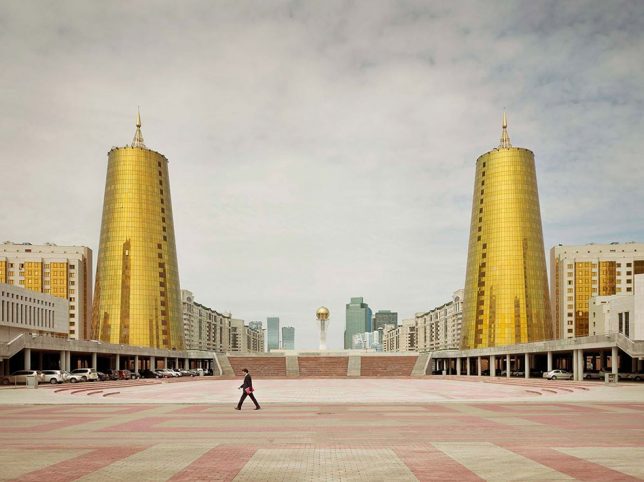
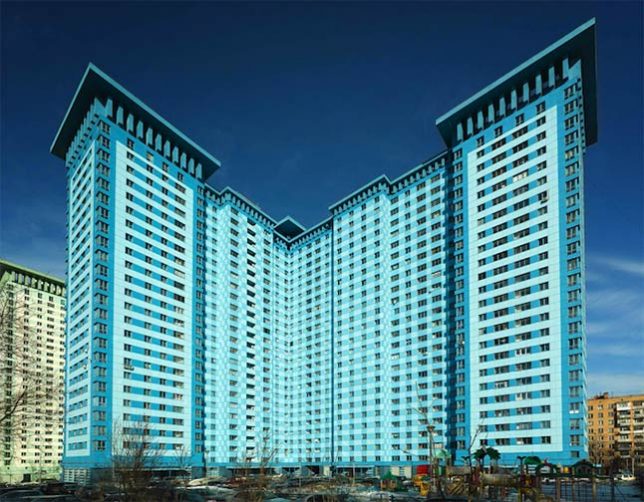
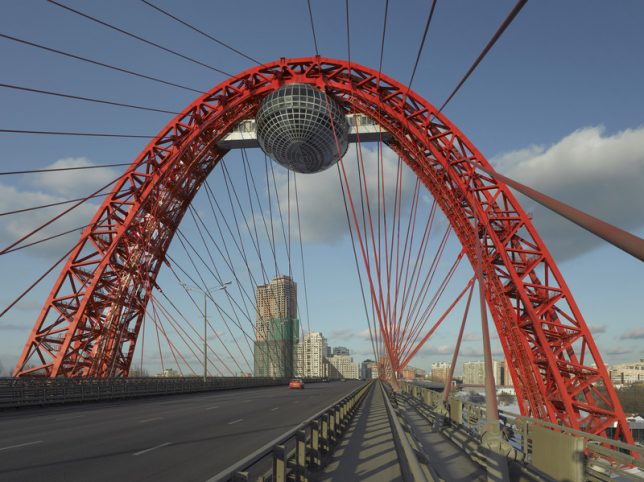
Imperial Pomp: Strange Post-Soviet Skyscrapers in Remote Russia

01 Jun

[ By SA Rogers in Culture & History & Travel. ]

Deep in the most remote reaches of the Soviet Union, strange skyscrapers glitter against the sky, made all the more out of place by their sleepy rural settings and lack of similarly scaled surroundings. Photographer Frank Herfort calls them ‘Imperial Pomp,’ monstrous and overly ostentatious structures that sprung up throughout the nation and the former Soviet Union in the decades since the collapse of the USSR. Traveling to places that might not otherwise draw many foreign visitors, Herfort captured the skyscrapers in all their strangely proportioned glamour for his photo book ‘Imperial Pomp – Post Soviet High-Rise.’

“After exploring Moscow’s structures I realized, that in all cities and former Soviet countries you can find such buildings,” says Herfort. “So I traveled to Vladivostok, to Blagoveshchensk on the Chinese border on River Amur, to Astana in Kazakhstan, to Baku in Azerbaijan, to Sochi and to St. Petersburg. And everywhere in between. I was always impressed by these huge constructions while driving through Moscow. Moscow doesn’t have a big skyline or big houses in the cityscape, and then I was even more impressed when suddenly there appeared one of these big new colored buildings. They are standing like single flowers cropped in the landscape.”

The German photographer notes that he feels like the buildings are “used to manipulate the humans and try to make them feel small.” He says the buildings rarely have infrastructure or real access built around them to invite the public to experience and interact with them, because they weren’t built with a care for anything other than showing off. That would certainly fit with the American perspective on Russia and its strongman fascination.
The buildings do feel like modern iterations of the strange Soviet-era monuments that still litter much of the former Soviet Union, though they’re nowhere near as creative and sculptural as the wondrous and bizarre relics of what used to be Yugoslavia.

Herfort’s book is out of stock at the publisher’s website, but a few copies are still available on Amazon, and you can see more of his work at his website.

Share on Facebook


[ By SA Rogers in Culture & History & Travel. ]

[ WebUrbanist | Archives | Galleries | Privacy | TOS ]


WebUrbanist

 
Comments Off on Imperial Pomp: Strange Post-Soviet Skyscrapers in Remote Russia

Posted in Creativity


Olympus firmware update brings support for Profoto remote and more to E-M1 II, EM-5 II and PEN-F

08 May

Olympus has announced major firmware updates for its E-M1 Mark II, E-M5 Mark II and PEN-F, as well as a pair of lenses. The camera updates add support for Profoto’s TTL flash system and provide plenty of new features, detailed below.

The first new feature is support for the Air Remote TTL-O (‘O’ for Olympus) radio trigger from Profoto. Pop it on the hot shoe and you can use a simple interface to control off-camera Profoto Air TTL flashes in both TTL and HSS modes.

Other major features include AF Target Spot Metering (E-M1 II only), the ability to set a minimum shutter speed in Auto ISO (PEN-F only), improvements to the AF touchpad function on the PEN-F for left-eye shooters, the ability to use High Res Shot and Focus Stacking modes when shooting with non-Olympus flashes, improved color reproduction on the E-M1 II’s EVF, and more.

Two lenses also receive updates: the 12-100mm F4 IS Pro and 300mm F4 IS Pro. The updates boosts sequential shooting performance when IS is turned on when using the E-M1 II and also improve 5-axis Sync IS with the E-M5 II and the original E-M1.

The updates are available immediately from the Olympus support website in your region. See the press release below for all of the changes in these updates:


Press Release:

PLUG IN AND POWER UP: OLYMPUS® FIRMWARE UPDATE DELIVERS NEW CAPABILITIES FOR OM-D® AND PEN® CAMERAS

Expansive New Performance Updates for the OM-D E-M1 Mark II, OM-D E-M5 Mark II and PEN-F Include TTL and HSS Compatibility with Profoto AirTTL Flashes

CENTER VALLEY, Pa., May 8, 2017 — Today, Olympus announces a series of powerful new firmware updates that enhance the performance of the Olympus OM-D E-M1 Mark II, Olympus OM-D E-M5 Mark II, Olympus PEN-F and select M.ZUIKO® PRO and PREMIUM lenses. The updates are available immediately and are designed to bolster Olympus cameras and lenses with the latest functionality, including true compatibility with the new Profoto Air Remote TTL-O, to strengthen the performance for the professional and enthusiast photographer.

Olympus is dedicated to providing ongoing product functionality and performance improvements to expand the capabilities of their cameras. The E-M1 Mark II, Olympus’s latest flagship camera designed to withstand the rigors of professional use and deliver outstanding images, is upgraded to Version 1.2. The E-M5 Mark II, a high-performance compact system camera that features Olympus’s advanced in-body 5-Axis Image Stabilization, is upgraded to Version 3.0. And the PEN-F, a beautifully crafted camera with creative functions ideal for street shooters and those with an affinity for sophisticated industrial design, is upgraded to Version 2.0.

The recent updates are comprehensive and go beyond compatibility with the Profoto Air Remote TTL-O. The E-M5 Mark II has been enhanced with features that include “Save Settings and Mysets” for saving camera settings on a computer, and a midtone adjustment function has been added to Highlight & Shadow Control for even greater control over the tonal quality of images. The PEN-F now offers touch-to-select Art Filters while viewing the effect in real time, and users can set the slowest shutter speed allowed before the camera raises the sensitivity in ISO AUTO. For the E-M1 Mark II, High Res Shot and Focus Stacking Modes are now compatible with non-Olympus flashes, and AF HOME settings are saved when the camera is turned off.

Firmware Version 1.1 for the M.ZUIKO Digital ED 12-100mm f/4.0 IS PRO and Firmware Version 1.2 for the M.ZUIKO Digital ED 300mm f/4.0 IS PRO improves silent sequential shooting performance when image stabilization is active on the E-M1 Mark II. Firmware Version 1.1 for the M.ZUIKO Digital ED 12-100mm f/4.0 IS PRO also improves 5-Axis Sync IS performance when paired with the E-M5 Mark II and the E-M1 Mark II.

Main Features

  1. Compatibility with Profoto Air Remote TTL-O

The latest firmware upgrade delivers compatibility between the Profoto Air Remote TTL-O and the E-M1 Mark II, E-M5 Mark II and PEN-F models. The Profoto Air Remote TTL-O wirelessly integrates the Profoto Air TTL Flash with these cameras, providing Olympus users with seamless integration with products from one of the leading manufacturers of lighting and light-shaping tools.

Simply attach the Profoto Air Remote TTL-O to the hot shoe for quick remote control of all functions. For more information on which functions can be used, please see the Profoto website: http://profoto.com

  1. “Save Settings and Mysets” function saves camera settings on the user’s computer

The convenient “Save Settings and Mysets” function has been added to the E-M5 Mark II and PEN-F to easily save the user’s customized settings on their computer and restore them on the camera when necessary. This feature is useful for applying the same settings to multiple cameras and saving complex settings when upgrading firmware.

  1. Midtone adjustment function added to Highlight & Shadow Control

The new midtone adjustment function has been added to the Highlight & Shadow Control on the E-M5 Mark II to provide control over bright and dark sections of a subject and to give users complete control over the tonal properties of the image.

  1. AF Target Spot Metering provides spot metering at the focus point

AF Target Spot Metering is now available on the E-M5 Mark II to effectively link the AF Target position and spot metering area.

  1. Touch to select Art Filters while viewing sample images on the screen

Sample images that demonstrate the effects of the Art Filter are now shown at the bottom of the PEN-F’s screen. Users can simply view and touch the sample Art Filter image on the screen to instantly activate that option.

  1. Set the shutter speed to begin raising the ISO sensitivity in ISO AUTO

It is now possible to control the lowest shutter speed setting on the PEN-F. This allows users to predefine a minimum shutter speed so that the ISO sensitivity increases in low-light situations rather than slowing down the shutter speed. This is convenient for handheld shooting in low-light environments.

  1. Improved AF Targeting Pad on the rear LCD monitor

The firmware update makes it possible to use touchpad operations on the PEN-F even if your nose touches the rear LCD monitor while looking through the viewfinder. The AF Targeting Pad provides the freedom to move the AF point on the rear LCD monitor using touch operations while keeping your eye on the viewfinder.

  1. High Res Shot and Focus Stacking Mode compatibility on non-Olympus flashes

The E-M1 Mark II’s powerful 50MP High Res Shot and Focus Stacking Modes are now supported with both Olympus flashes and flashes from other manufacturers.

  1. Automatic switching to rear LCD monitor when shooting with the viewfinder

When shooting through the E-M1 Mark II’s viewfinder during Rec View, the camera now automatically switches to the rear LCD monitor for image playback when the eye is moved away from the viewfinder.

  1. AF HOME settings saved when camera is turned off

Previously, AF HOME settings were reset after the E-M1 Mark II was turned off. The firmware upgrade saves the user’s AF HOME settings even if the camera is turned off. 

Additional Improvements

  • Improved viewfinder color reproduction during shooting for the E-M1 Mark II lets users compose their image while viewing color more accurately.
  • Improved stability for battery level display for the E-M1 Mark II.
  • Lens firmware upgrade improvements:

(1) M.ZUIKO Digital ED 12-100mm f/4.0 IS PRO Firmware Version 1.1 and M.ZUIKO Digital ED 300mm f/4.0 IS PRO Firmware Version 1.2 improves silent sequential shooting performance when image stabilization is active on the E-M1 Mark II.

(2) M.ZUIKO Digital ED 12-100mm f/4.0 IS PRO Firmware Version 1.1 improves 5-Axis Sync IS performance when paired with the E-M5 Mark II and E-M1 Mark II.

Camera Bodies – New Functions and Improvements

  E-M1 Mark II
Ver 1.2
E-M5 Mark II
Ver 3.0
PEN-F
Ver 2.0
Compatibility with Profoto Air Remote TTL-O X X X
“Save Settings and Mysets” for saving camera settings on a computer Already available X X
Midtone adjustment function added to Highlight & Shadow Control  Already available  X Already available
AF Target Spot Metering provides spot metering at the focus point Already available X Already available
Touch to select Art Filters while viewing sample images X
Set the shutter speed to begin raising the ISO sensitivity in ISO AUTO  Already available X
Improved AF Targeting Pad on the rear LCD monitor Already available X
High Res Shot and Focus Stacking Mode available on non-Olympus flashes X Already available Already available
Automatic playback on rear LCD when using Rec View in the viewfinder X Already available Already available
AF HOME settings saved when camera is turned off  X Already available Already available
Improved viewfinder color reproduction X
Improved stability for battery level display X

M.ZUIKO Lenses – New Improvements

  E-M1 Mark II  E-M5 Mark II E-M1
M.ZUIKO Digital ED 12-100mm f/4.0 IS PRO Firmware Ver 1.1 and M.ZUIKO Digital ED 300mm f/4.0 IS PRO Firmware Ver 1.2 improves silent sequential shooting performance when image stabilization is active  X*
M.ZUIKO Digital ED 12-100mm f/4.0 IS PRO Firmware Ver 1.1 improves 5-Axis Sync IS performance Already available X X

* E-M1 Mark II must be upgraded to firmware v1.2

Articles: Digital Photography Review (dpreview.com)

 
Comments Off on Olympus firmware update brings support for Profoto remote and more to E-M1 II, EM-5 II and PEN-F

Posted in Uncategorized


10 Reasons to Use a Shutter Remote

21 Feb

The Shutter Remote is pretty much the magic wand of the photography world.

Being able to snap a photo without touching your camera or EVEN BEING NEAR IT is downright magical.

Consider us your owl. We’re here to deliver ten reasons you should be using a shutter remote of your own.

(…)
Read the rest of 10 Reasons to Use a Shutter Remote (209 words)


© laurel for Photojojo, 2017. |
Permalink |
No comment |
Add to
del.icio.us

Post tags:


Photojojo

 
Comments Off on 10 Reasons to Use a Shutter Remote

Posted in Equipment


Canon announces Bluetooth remote and 20% smaller EF-S 18-55mm F4-5.6 kit zoom

15 Feb

$ (document).ready(function() { SampleGalleryV2({“containerId”:”embeddedSampleGallery_0950359575″,”galleryId”:”0950359575″,”isEmbeddedWidget”:true,”standalone”:false,”selectedImageIndex”:0,”startInCommentsView”:false,”isMobile”:false}) });

Alongside its updated DSLRs, Canon is offering a new, smaller kit zoom lens and a Bluetooth wireless remote control. The EF-S 18-55mm F4-5.6 IS STM is nearly 20% smaller than the 18-55mm F3.5-5.6 IS STM currently offered by Canon, but sacrifices 1/3-stop of light. Like its predecessor, it offers four stops of shake correction and a minimum focusing distance of 0.25m/9.8in. It will go on sale in April for $ 250. 

Also new is the Wireless Remote Control BR-E1, Canon’s first Bluetooth-enabled remote. It will work up to 16 feet (~5 meters) away from a connected camera. At launch it will only be compatible with the EOS Rebel T7i and EOS 77D; it will go on sale in April for $ 50.

NEW CANON EOS REBEL T7i AND EOS 77D CAMERAS POSSESS STUNNING AUTOFOCUS CAPABILITIES

New DSLR Additions are Joined by New Compact EF-S Lens and Canon’s First-Ever Remote Utilizing Bluetooth® Technology3

MELVILLE, N.Y., February 14, 2017 – Developed and designed to meet the varying needs of entry-level and advanced amateur photographers, Canon U.S.A., Inc., a leader in digital imaging solutions, today announced two new additions to the celebrated EOS system – the EOS Rebel T7i DSLR camera, which adds to the popular Rebel series of entry-level DSLR cameras, and the EOS 77D DLSR camera, which represents a new category of cameras for advanced amateur photographers. Canon also introduced today the new EF-S 18-55mm f/4-5.6 IS STM lens and Wireless Remote Control BR-E1, as well as added functionality for the Canon Connect Station CS100. “In what marks the 30th year since the introduction of the Canon EOS System, the announcement today of these two new DSLR cameras exhibits Canon’s commitment to providing our customers with the tools they need to grow their passion for capturing the best possible pictures of the moments in time that mean the most to them, or inspire them to one day shoot professionally,” said Yuichi Ishizuka, president and COO, Canon U.S.A.

Focused on Innovation

The EOS Rebel T7i and EOS 77D both feature an optical viewfinder with a 45-point All Cross-type AF system* to help enable more precise focusing. In live view mode, both cameras utilize Canon’s Dual Pixel CMOS AF to deliver the world’s fastest AF focusing speed of 0.03 seconds.1 This technical achievement allows users to find their subject, focus accurately, and capture the shot more quickly than ever before. Both models also have built-in Wi-Fi®2, NFC3 and Bluetooth®4 technology for easy transfer of images.

In addition to the focusing enhancements, common features of the EOS Rebel T7i and EOS 77D cameras include:

  • Optical Viewfinder with a 45-point All Cross-type AF System*
  • Fast and accurate Dual Pixel CMOS AF with Phase-detection
  • 24.2 Megapixel CMOS (APS-C) Sensor
  • DIGIC 7 Image Processor, ISO 100–25600
  • Built-in Wi-Fi®2, NFC3 and Bluetooth®4 technology
  • Vari-angle Touch Screen, 3.0-inch LCD
  • Movie Electronic IS
  • HDR Movie & Time-Lapse Movie
  • High-speed Continuous Shooting at up to 6.0 frames per second (fps)

Canon EOS Rebel T7i Camera

The EOS Rebel T7i is the first camera in the EOS Rebel series with a 45-point, all cross-type AF system* within the Optical Viewfinder. It is also the first in the series with Dual Pixel CMOS AF with Phase-detection and the first with a DIGIC 7 Image Processor. Creative filters for both still images and video will allow users to customize the look and feel of their content in new and imaginative ways.

When designing the new EOS Rebel T7i, Canon took into consideration feedback from entry-level photographers who expressed interest in learning to go beyond the program mode of a DSLR camera. Users will now be able to see on-screen how switching modes on the mode dial or tweaking settings can alter the image they are about to capture, guiding photographers on their way to capturing more compelling images, such as ones with a shallower depth-of-field or being able to give moving-subjects a frozen or flowing look.

The Canon EOS Rebel T7i is scheduled to be available in April 2017 for an estimated retail price $ 749.99** for the body only, $ 899.99** with the new EF-S 18-55mm f/4-5.6 IS STM lens and $ 1,299.00** with the EF-S 18-135mm f/3.5-5.6 IS STM lens respectively. For more information please visit, usa.canon.com/eosrebelt7i.

Canon EOS 77D Camera

For advanced amateur photographers looking to expand their knowledge and experience with DSLR cameras, Canon’s new EOS 77D is the ideal next step camera for them. The EOS 77D represents a new category of advanced amateur EOS cameras, a step above the Rebel series. Users of the EOS 77D DSLR camera will benefit from features like the 7650-pixel RBG+IR Metering Sensor, similar to the one found in the EOS 80D camera and Anti-Flicker shooting mode to help combat the on-and-off repetitive flickering from artificial lights found in high-school gyms or auditoriums. The EOS 77D also features a top LCD panel and quick control dial for photographers who desire quicker and easier access to changing and controlling settings on the camera.

The Canon EOS 77D is scheduled to be available in April 2017 for an estimated retail price $ 899.99** for the body only, $ 1,049.00** with the new EF-S 18-55mm f/4-5.6 IS STM lens and $ 1,499.00** with the EF-S 18-135mm f/3.5-5.6 IS USM lens respectively. For more information please visit, usa.canon.com/eos77d.

EF-S Lens and Remote Accessory Utilizing Bluetooth® Technology

The new Canon EF-S 18-55mm f/4-5.6 IS STM lens is nearly 20 percent smaller than the EF-S 18-55mm f/3.5-5.6 IS STM lens, without sacrificing image quality. Features of the lens include:

  • Compact-size, Standard Zoom Lens with High Image Quality
  • Lead Screw-type STM
  • Image Stabilization at up to 45 Stops of Shake Correction
  • Stylish Design

The Canon EF-S 18-55mm f/4-5.6 IS STM lens is scheduled to be available in early April 2017 for an estimated retail price of $ 249.99**. For more information please visit, usa.canon.com/efs1855stm.

In addition, Canon is introducing it’s first-ever remote utilizing Bluetooth® technology3, the Wireless Remote Control BR-E1. This new remote allows photographers to capture images from within a 16-foot radius of the camera. This camera accessory is useful for photographers who are looking to capture images remotely in situations where there could be issues with signal reception or line-of-sight to the camera. The Canon Wireless Remote Control BR-E1 will be compatible with both the EOS Rebel T7i and EOS 77D cameras. The Canon BR-E1 is schedule to be available in April 2017 for an estimated retail price of $ 50.00**.

CS100 Firmware Update
Both the EOS Rebel T7i and EOS 77D cameras are compatible with the Canon Connect Station CS100 device, a go-to-photo and video hub that allows family and friends a way to quickly and easily store, manage view and share unforgettable memorable moment’s wirelessly6. Canon is also announcing today a firmware update to the Canon Connect Station CS100 device and mobile application. The firmware update includes the following improvements:
  • Compatibility for select Canon and non-Canon cameras, with a wider range of supported file formats7
  • Support for video playback of computer-edited movies8
  • Improved smartphone connectivity and compatibility

For more information about the Canon Connect Station firmware update, please visit usa.canon.com/cs100mobile.

* The number of AF points, cross-type AF points and Dual cross-type AF points vary depending on the lens used

** Availability, prices and specifications subject to change without notice. Actual prices are set be individual dealers and may vary.

1 Among all the interchangeable lens digital cameras incorporating the APS-C size image sensors with phase-difference detection AF on the image plane As of February 14th, 2017 (Researched by Canon). Calculated based on the resulting AF speed measured according to the CIPA guidelines. (Varies depending on the shooting conditions and the lenses used.) Internal measurement method. [Measurement conditions] Focusing brightness: EV 12 (room temperature, ISO 100) Shooting mode: M Lens used: EF-S18-55mm f/4-5.6 IS STM (at focal length of 55mm) Live View shooting AF method: Live 1-point AF (with Center AF point) AF operation: One-Shot AF

2 Compatible with iOS® versions 8.0/8.1/8.2/8.3/8.4/9.0/9.1/9.2/9.3/10.0, Android™ smartphone and tablet versions 4.1/4.2/4.3/4.4/5.0/5.1/6.0/7.0. Data charges may apply with the download of the free Canon Camera Connect app. This app helps enable you to upload images to social media services. Please note that image files may contain personally identifiable information that may implicate privacy laws. Canon disclaims and has no responsibility for your use of such images. Canon does not obtain, collect or use such images or any information included in such images through this app.

3 Compatible with Android™ smartphone and tablet versions 4.0/4.1/4.2/4.3/4.4/5.0/5.1/6.0/7.0. 4Compatible with select smartphone and tablet devices (AndroidTM version 5.0 or later and the following iOS® devices: iPhone 4s or later, iPad 3rd gen. or later, iPod Touch 5th gen. or later) equipped with Bluetooth® version 4.0 or later and the Camera Connect App Ver. 1.3.20 or above. This application is not guaranteed to operate on all listed devices, even if minimum requirements are met.

5 Based on CIPA (Camera & Imaging Products Association) standards. Testing performed using the EOS 7D Mark II digital SLR camera at a focal length of 55mm, 35mm-equivalent 88mm. The number of stops may vary based on the camera model used.

6 Compatible with iOS® versions 8.4x/9.2.x, Android™ Smartphone and tablet versions 4.4.x, 5.0.x/5.1.x, 6.0.x. Data charges may apply with the download of the free Canon Connect Station app. The application is available in the apple app store or google play store.

7 Support for playback of all images on this device cannot be guaranteed.

8 JPEG and RAW (CR2) still images, and MOV/MP4 and AVCHD movies are supported.

Canon EF-S 18-55mm F4-5.6 IS STM specifications

Principal specifications
Lens type Zoom lens
Max Format size APS-C / DX
Focal length 18–55 mm
Lens mount Canon EF-S
Aperture
Maximum aperture F4–5.6
Aperture ring No
Optics
Elements 12
Groups 10
Focus
Minimum focus 0.25 m (9.84)
Autofocus Yes
Motor type Stepper motor
Full time manual Yes
Distance scale No
DoF scale No
Physical
Weight 215 g (0.47 lb)
Diameter 67 mm (2.64)
Length 62 mm (2.44)
Sealing No
Zoom method Rotary (extending)
Filter thread 58.0 mm

Articles: Digital Photography Review (dpreview.com)

 
Comments Off on Canon announces Bluetooth remote and 20% smaller EF-S 18-55mm F4-5.6 kit zoom

Posted in Uncategorized


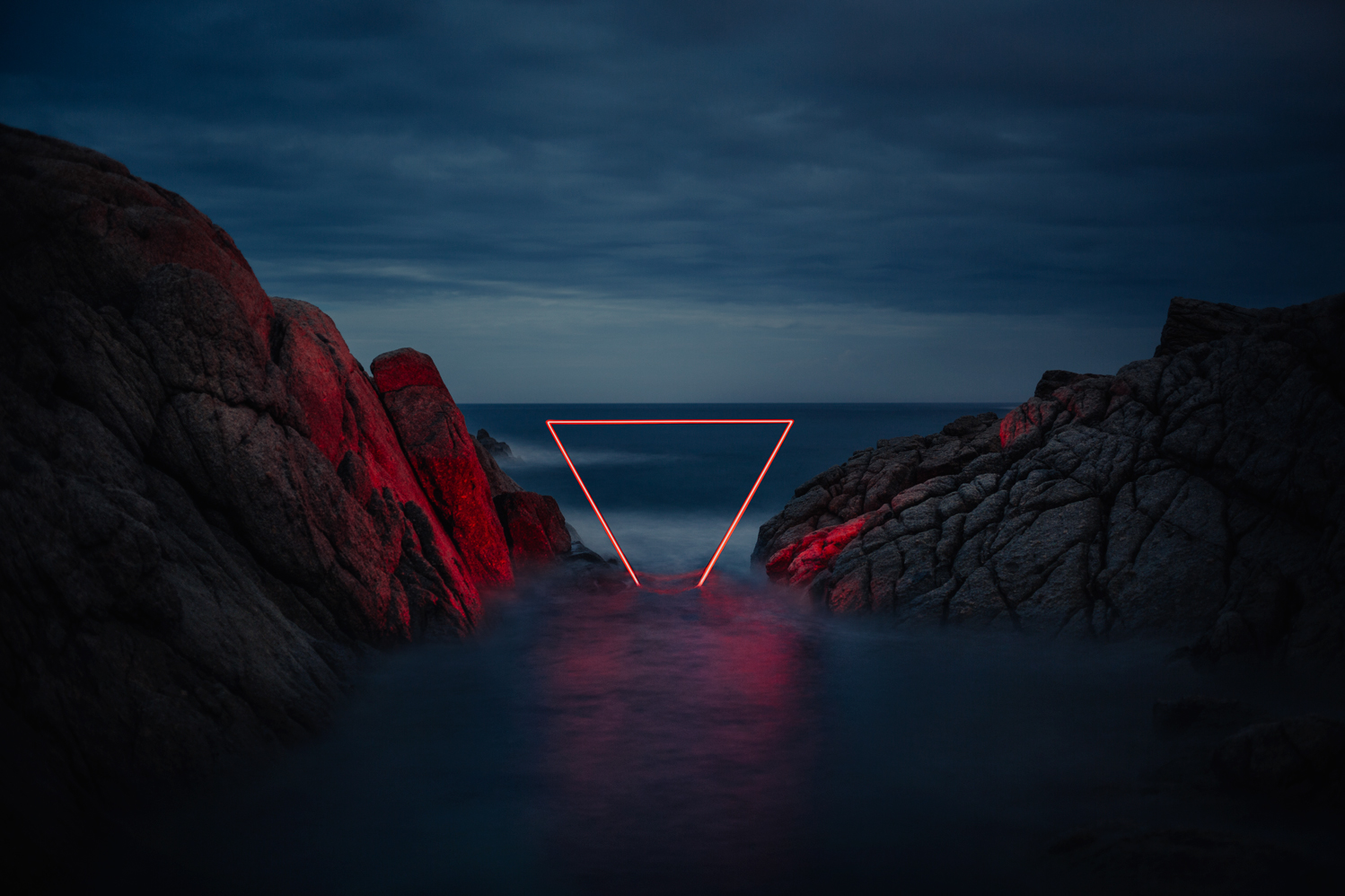
The Red Line: Moody Neon Light Installations in Remote Places

26 Nov

[ By SA Rogers in Art & Installation & Sound. ]

La Linea Roja

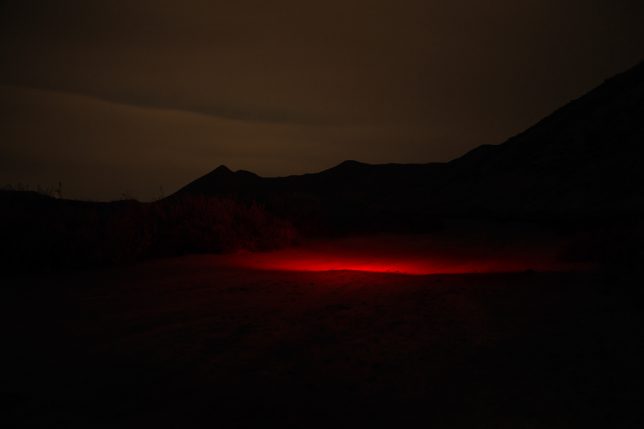
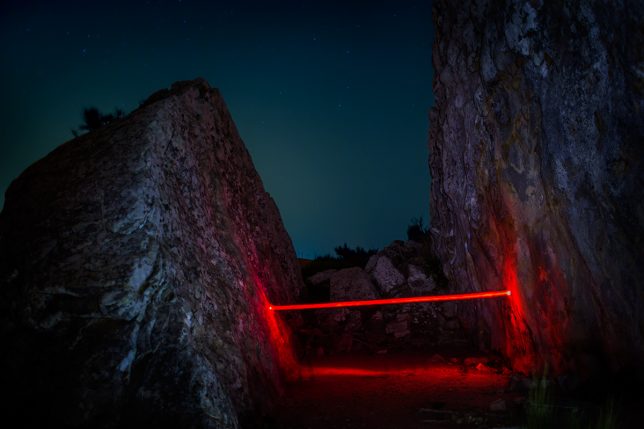
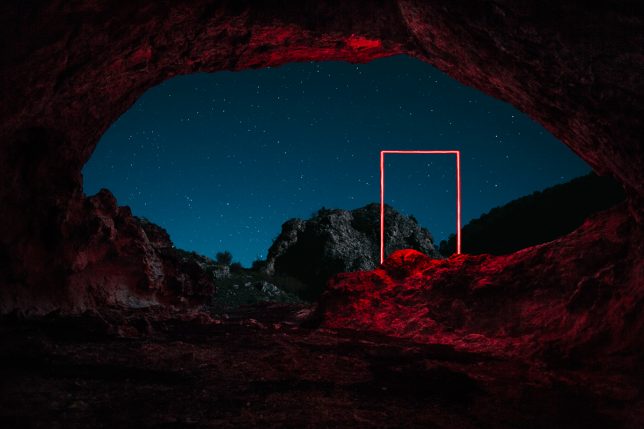
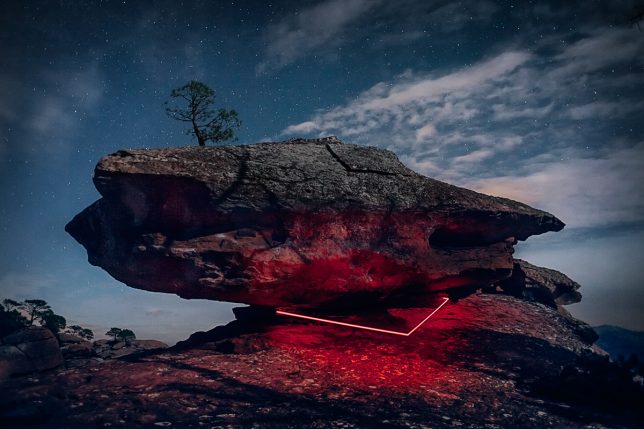
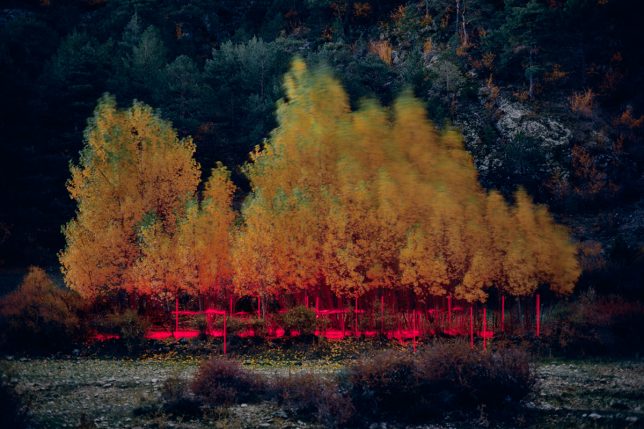
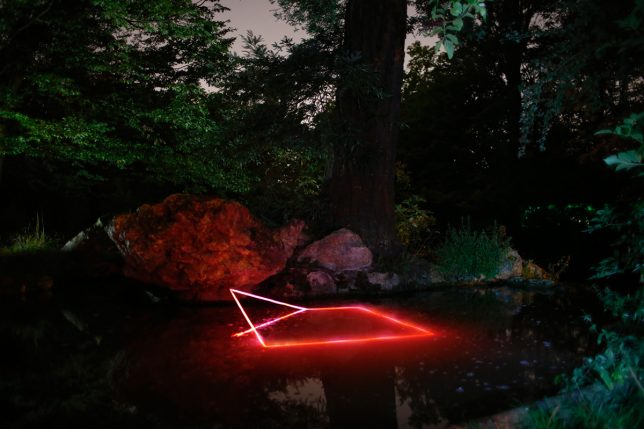
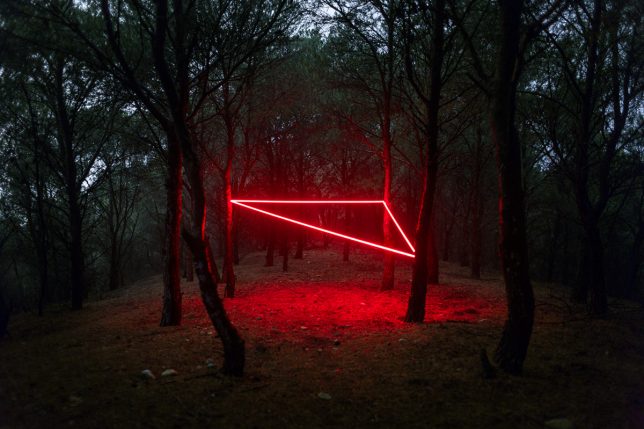
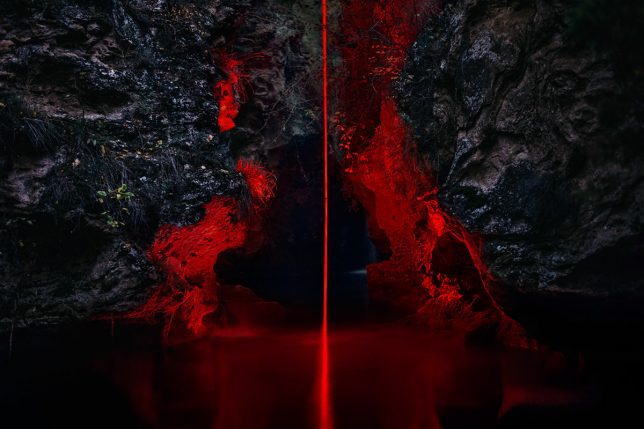
Red neon lights arranged in geometric shapes or casting eerie illumination onto darkened trees almost seem like a natural phenomenon in the vein of the aurora borealis, captured by photographers who manage to be in the right place at the right time. A glow coming from a slit in a snowy landscape or just under the surface of the sea hints at the presence of life forms just out of sight.

red-line-2

red-line-4

red-line-3

‘La Linea Roja’ by photographer Nicolas RIVALS carries on a longstanding tradition of introducing artificial lights to natural spaces for high-impact temporary art installations, but adds a little something extra in the form of a strikingly limited color palette, moody skies, black lines of tree silhouettes and surprisingly natural-looking compositions.

La Linea Roja

red-line-7

La Linea Roja

La Linea Roja

The Paris-based photographer installed the lights in various landscapes while on a trip through Spain, capturing the effect using long-exposure photographs.

La Linea Roja

La Linea Roja

red-line-12

Here’s what RIVALS has to say about the series:

“A red line woven over a journey through Spain, to connect Man with nature. A red line to fix a moment of poetry. Unreal scenes which existed for a night to disappear in the morning. An installation left as a proposition to the natural world. A luminous harmony between will and chance. Between tribute and sacrilege. Between the beautiful and the range. An aesthetic research on shapes engaging in dialogue with an asymmetrical nature.”

Share on Facebook


[ By SA Rogers in Art & Installation & Sound. ]

[ WebUrbanist | Archives | Galleries | Privacy | TOS ]


WebUrbanist

 
Comments Off on The Red Line: Moody Neon Light Installations in Remote Places

Posted in Creativity


Fujifilm launches ‘Pro’ tethered shooting plug-in for Lightroom with live view and remote control

03 Nov

Fujifilm X-T2 owners will soon be able to shoot tethered to Adobe’s Lightroom image manipulation software application using a new plug-in that will be sold through the Adobe Add-ons website. Tether Shooting Plug-in Pro is an upgrade from the existing version of the company’s Tether Shooting plug-in that is now compatible with the X-T2 as well as the X-T1. The new version brings a Control Panel display that allows users to check their imported images more quickly and to preview the image in live view mode while at the same time being able to control the camera’s settings.

The plug-in features two shooting modes that allow the user to control settings at the camera or via the computer screen, with both modes allowing the captured images to be transferred directly to the computer by USB connection.

The X-T1 and X-T2 cameras both need the relevant firmware to be able to operate with the plug-in, and Fujifilm has announced that v1.10 for the X-T2 will be available on 8th November. This firmware also makes the camera compatible with the standard version of Tether Shooting Plug-in and Tethered Shooting Software HS-V5.

The camera firmware will be free to download, but the Tether Shooting Plug-in Pro will cost $ 79.

For more information visit the Fujifilm website.

Press release:

Tether Shooting Plug-in PRO for Adobe® Photoshop® Lightroom®

PC tethered shooting support for FUJIFILM X-T1/X-T2

FUJIFILM Corporation (President: Kenji Sukeno) is pleased to announce the launch of “Tether Shooting Plug-in PRO for Adobe® Photoshop® Lightroom®” to enable tethered shooting of FUJIFILM X-T1(hereafter X-T1) and FUJIFILM X-T2(hereafter X-T2)* to a compatible computer.

“Tether Shooting Plug-in PRO for Adobe® Photoshop® Lightroom®” is a tethering software plug-in that allows Lightroom users to connect X-T1 / X-T2 to a computer via USB cable for direct saving of captured images onto computer, and controlling the camera from the computer**.

“Tether Shooting Plug-in PRO for Adobe® Photoshop® Lightroom®” will be available from Adobe Add-ons website*** for US$ 79. The launch of the Mac OS X / macOS Sierra version*4 is scheduled for release around the beginning of November 2016, and the Windows version*5 is scheduled for release around the beginning of December 2016. The detail launch schedule will be informed on this page.

(1) Featuring the “Camera Mode” and “PC Mode” to control shooting on camera or from computer
In Camera Mode, the camera is held in hand or set up on a stand. The images taken will be transferred directly and saved onto computer for use in Lightroom. Adjustment of exposure and other shooting settings as well as the shutter release is carried out on the camera. In PC Mode, users can check the viewfinder image of a remotely-setup camera in the LIVE VIEW window, operate the camera and adjust its settings on the computer screen. The user can also take images and have them transferred directly and saved onto a computer for use in Lightroom. Adjustment of exposure and other shooting settings and the shutter releases are carried out from the connected computer.

(2) Featuring the “Control Panel” to check captured image and to control camera
In addition to the features of “Tether Shooting Plug-in for Adobe® Photoshop® Lightroom®” (standard version)*6, “Tether Shooting Plug-in PRO for Adobe® Photoshop® Lightroom®” has Control Panel which can check captured images and to control the camera. The Control Panel PREVIEW window allows users to check transferred images in quicker than before.

The Control Panel also allows users to check shooting angles with LIVE VIEW, to set shooting conditions from computer, to operate interval/bracketing shootings and to backup/restore all the camera settings*7.

* * X-T1 and X-T2 must be upgraded to the tethering-compatible firmware (X-T1: Ver. 3.10 or later, X-T2: Ver.1.10 or later). Internet connection is required for downloading compatible firmware.
* ** Adobe® Photoshop® Lightroom® 6 or CC is required.
* *** https://creative.adobe.com/addons/
* *4 The compatible OS is same as that of Lightroom. To use on macOS Sierra, Lightroom should be upgraded to 6.7 or later / CC 2015.7 or later.
* *5 The compatible OS is same as that of Lightroom.
* *6 The current version (Ver.1.2) of “Tether Shooting Plug-in for Adobe® Photoshop® Lightroom®” (standard version) is compatible only with X-T1. X-T2 will be supported with upgraded version (Ver.1.3) or later.
* *7 Backup/restore is only compatible with X-T2.

Articles: Digital Photography Review (dpreview.com)

 
Comments Off on Fujifilm launches ‘Pro’ tethered shooting plug-in for Lightroom with live view and remote control

Posted in Uncategorized


Remote Shutter Release Versus the Built-In Delayed Shutter

21 Oct

It’s no secret that being a photographer, amateur or professional, can be quite expensive. We both travel and we want the latest and best equipment but we can’t always afford it all. Being selective with the equipment we choose to purchase can be wise as it’s better to spend a few dollars extra purchasing something of quality. A lot of the gear we have isn’t essential and can easily be done inside the camera itself. Let’s look at using a remote shutter release versus the delayed timer built into the camera.

SelfieVoringsfossen

A self portrait captured by using a remote shutter

A remote shutter is something you may have heard repeatedly that you need to purchase, especially if you’re into landscape photography. One of the main uses of a remote shutter is to minimize the vibration when taking a image to get a sharper result. What you also may know is that your camera has a delayed shutter function, typically of 2 and 10 seconds. So do you really need to purchase a remote shutter when you can do it in the camera? Let’s look at some pros and cons of using each – a remote shutter release and delayed shutter.

Delayed Shutter

Most digital cameras have a Delayed Shutter function. In fact, even smartphones have it.

Since I was close to the camera I could use a delayed shutter

Since I was close to the camera I could use a delayed shutter

A delayed shutter is, in simple words, a function that tells the camera to wait a few seconds after you push the shutter before it takes the picture. This allows you to either run in front of the camera and take a selfie or reduce the amount of vibration. This function is especially useful when you’re using a slow shutter speed and have your camera mounted on a tripod. If you use a shutter speed of 0.5 seconds and press the shutter you’ll see that the image will come out less sharp than if you use a delayed shutter.

Pros of the Delayed Shutter:

  • It’s a standard function in most digital cameras and smartphones.
  • It’s free.
  • It reduces vibration and leads to a sharper image.
  • You can choose between a short delay or a longer delay.
  • You have the time to position yourself in the image after pressing the shutter.

Cons of the Delayed Shutter:

  • It’s not flexible.
  • If you’re photographing something with motion it’s hard to time the shutter release perfectly and you might miss the shot.
  • In some cameras, the function is found deep in the menu.

Remote Shutter Release

Remote shutter release can vary in form, shape, and price. Some are tiny and inexpensive, while others are larger, with more options but also a less attractive price tag.

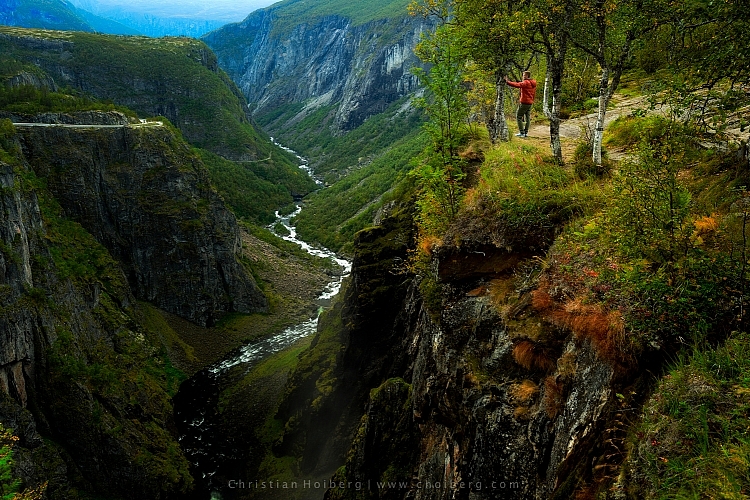
I used a remote shutter and interval timer to photograph myself on the edge

I used a remote shutter and interval timer to photograph myself on the edge.

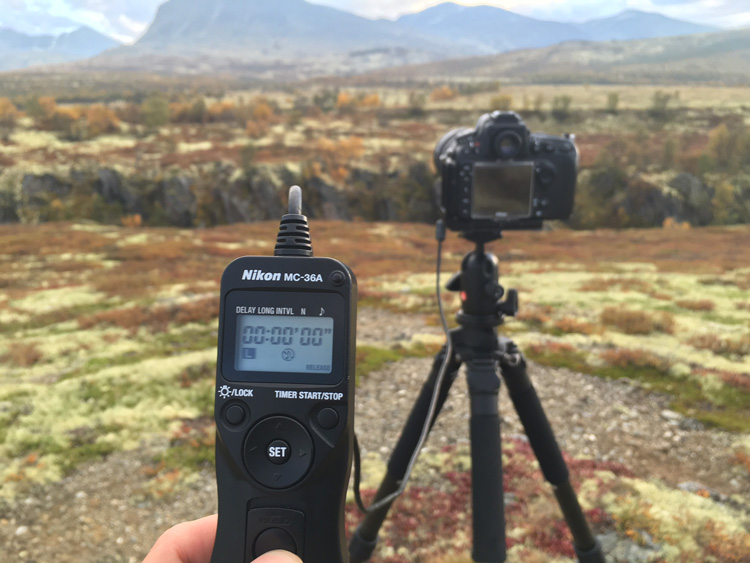
Choosing the right remote shutter release can be a hassle sometimes as you may not know your needs. You may only need a simple one to avoid any motion when taking the image, or may need something more advanced that lets you do interval timing or perhaps something that has a “Bulb lockup”.

Once your needs are established, you have to sort out if you want a cable release or wireless. I won’t get into the topic of which is better, but again you need to consider your needs for a remote.

remote-timer-nikon

Pros of remote shutter releases

  • Wireless remotes allow you to stand far away from the camera and take pictures.
  • Advanced models have many options such as interval timers.
  • You can use “Bulb Mode” without having to hold the camera’s release button and cause vibration.
  • Many models have LCD screens with a timer.
  • Take a picture at the exact moment you need.
Freezing the exact moment with a cable release

Freezing the exact moment with a cable release

Cons of remote shutter releases

  • More advanced models can be very pricey.
  • It takes extra space in your bag.
  • It might be hard to choose the right model.
  • Cables break quickly on low-end cable releases.
  • Small, wireless remote shutters are easy to loose.

What is best?

To be honest with you, they both have their advantages. It would be wrong to say that one is better than the other in any case.

That being said, as a landscape photographer, I am dependent on my remote shutter. A lot of the time I can’t wait the extra two or three seconds before the image is taken, as the moment is gone by then. When I’m photographing rushing waves I need to capture the image at the exact moment I want, ergo I need a remote shutter. If I’m in the woods and not photographing anything that might move, I don’t need the remote shutter (even though I use it by habit).

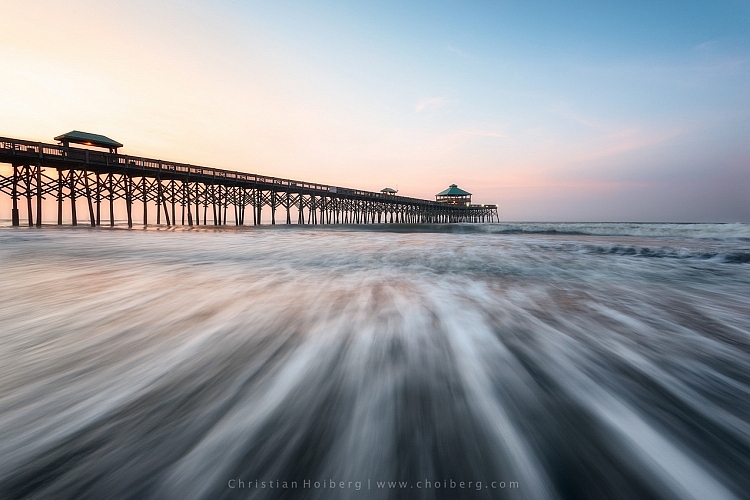
Shutter speeds over 30 seconds requires a remote shutter

Shutter speeds over 30 seconds require a remote shutter

If you only photograph still landscapes and you don’t need a shutter speed of more than 30 seconds, I don’t see a reason to purchase a remote shutter. If you photograph anything with motion or need a shutter speed of more than 30 seconds I recommend you to purchase one.

googletag.cmd.push(function() {
tablet_slots.push( googletag.defineSlot( “/1005424/_dPSv4_tab-all-article-bottom_(300×250)”, [300, 250], “pb-ad-78623” ).addService( googletag.pubads() ) ); } );

googletag.cmd.push(function() {
mobile_slots.push( googletag.defineSlot( “/1005424/_dPSv4_mob-all-article-bottom_(300×250)”, [300, 250], “pb-ad-78158” ).addService( googletag.pubads() ) ); } );

The post Remote Shutter Release Versus the Built-In Delayed Shutter by Christian Hoiberg appeared first on Digital Photography School.


Digital Photography School

 
Comments Off on Remote Shutter Release Versus the Built-In Delayed Shutter

Posted in Photography