RSS
 

Posts Tagged ‘portraits’

How to Use Sunset Light to Light Portraits

24 Mar

Sunset is arguably the most beautiful time of day for portrait light. But you don’t want to simply take your subject outside and start shooting. Take a few moments to identify “how” to use your light and your portraits will be dreamy.

Here are three ways you can use the light by setting your subject in relationship to the setting sun.

1. Front Light:

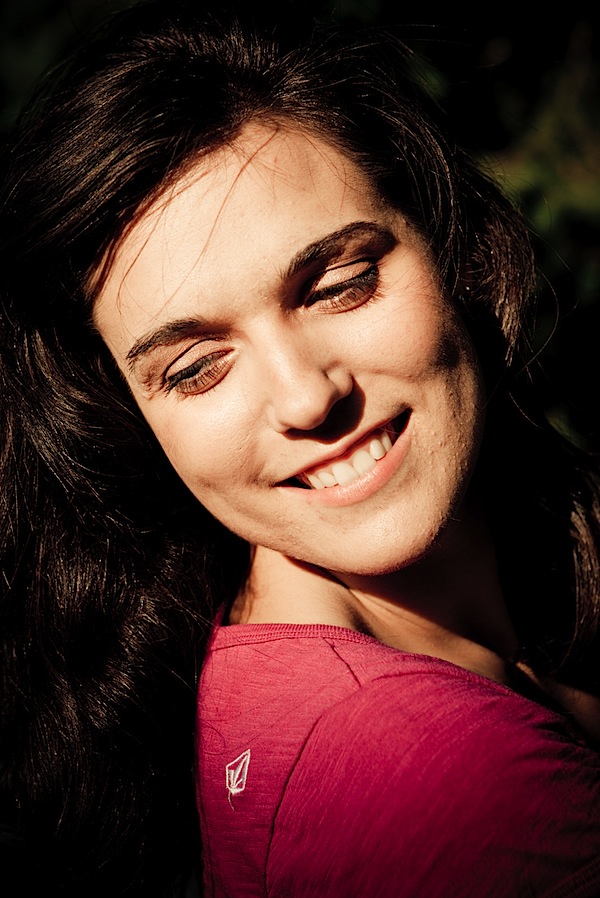
Place your subject facing the light. Shoot facing your subject with your back to the light. The light will brightly illuminate your subject, bringing out stunning catchlights. Take note: if the light is too bright for your subjects eyes, simply have them close thier eyes until you are ready to snap the shot – and make that moment count.

sunset 1 - Front Light.jpg

2. Side Light:

Turn your subject so that only one shoulder is facing the light. Then turn thier face 3/4 degrees into the light. This side angle will give you soft transfer edges between the highlights and shadows. This lighting will also add depth to your portrait. Shoot facing your subjects lit shoulder.

sunset 2 - Side Light.jpg

3. Back Light:

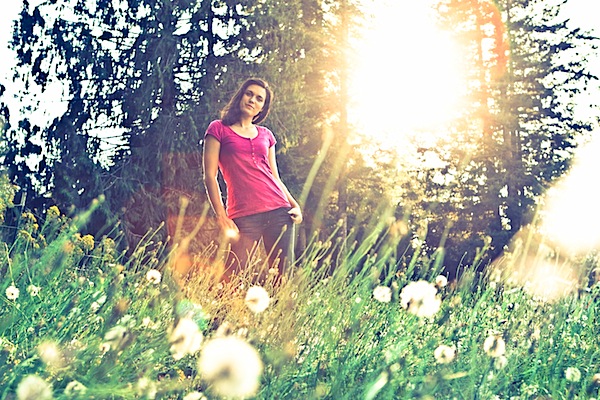
For a most unique and artistic shot, place your subject with thier back to the setting sun. On Manual mode, overexpose the portrait so your subject is evenly lit. Remember this will cause your background to be overexposed and your highlights will be blown out.

sunset 3 - Back Light.jpg

Experiment with the angle at which you place your subject to the sun and you will be more than pleased with the creative results.

Post originally from: Digital Photography Tips.

Check out our more Photography Tips at Photography Tips for Beginners, Portrait Photography Tips and Wedding Photography Tips.

How to Use Sunset Light to Light Portraits


Digital Photography School

 
Comments Off on How to Use Sunset Light to Light Portraits

Posted in Photography


10 Techniques for Amazing Portraits

06 Mar

A guest post by San Diego Wedding Photographer, Wayne Yuan

As full-time photographers shooting 30+ weddings a year, we have to admit, sometimes it’s easy to fall into the same old formulas when it comes to portraits. Even with new poses, taking portraits can become very mundane if the same compositions and angles are used for every couple–we’ve definitely been through that creative rut where our pictures start looking very familiar. Throughout the years, we’ve challenged ourselves to stay on top of our game with a few useful techniques. Here are some of our best tips to help keep things fresh and unique for each couple.

1. Use a longer lens.

A lot of photographers out there say that their 50mm is a “must-have” portrait lens, but what a mid-range lens offers is a very familiar perspective, something that our eyes are used to seeing all the time. To create a more interesting image, we avoid shooting portraits in mid-range because the images look too ordinary. Most of our portraits are shot at 200mm or 85mm to create beautiful image compression that a 50mm would not be able to produce. The compression will not only flatter your subjects with less feature distortion, but shooting at a longer focal length will also create more dramatic background blur (bokeh) and brings the background closer to your subject. It may be more difficult to communicate with your subjects while shooting at 200mm, but the difference will be apparent and well worth it. Our solution to this problem was to have one of us interact with our couples at close range while the other shoots from a distance.

best_wedding_photos_01.jpeg

best_wedding_photos_02.jpeg

best_wedding_photos_03.jpeg

2. Find angles that aren’t eye level.

Many times we are stuck seeing what is right in front of us. It is, after all, the easiest answer to everything. Challenge yourself to find a different angle from above or below eye-level to bring a new perspective to the image. This technique can also be used to flatter subjects of different body types and heights. In the image below, we asked the bride to sit on the ground in order to focus on her face and hair ornament while blurring out the rest of her body. It makes a more interesting image than the typical straight-on bridal portrait.

best_wedding_photos_04.jpeg

3. Use off-camera flash.

During a wedding, our speedlites are never on-camera, even during the reception. Flash rarely flatters a person’s face when it is straight on, and the image looses its dimensionality. Using flash to light our subjects from the side, we are able to create both light and shadow on our subjects, flattering their features and bringing a greater range of highlights and shadows to the image. It also helps us bring out details in the background to create a more dramatic landscape.

best_wedding_photos_05.jpeg

4. Overpower the sun with flash.

Shooting at mid-day is no easy task when using natural light. But with some artificial lights, something as simple as a couple of speedlites can diminish the power of the sun and darken the image for better exposure. We use this technique especially when we are trying to create environmental portraits that focus on the landscape. Using our speedlites, we are able to overpower the sun and underexpose the sky while only lighting up the subject. To create this amount of artificial light, we have to use 2-4 off-camera speedlites (with no diffuser) in order to generate enough light to overpower the sun. Holding the speedlites closer to the subject (to the side) also helps put more light on the subject and allows us to underexpose the background even more for dramatic effect.

best_wedding_photos_06.jpeg

best_wedding_photos_07.jpeg

best_wedding_photos_08.jpeg

5. Find back-light.

It takes time and practice to train your eye to find great light. Once you learn how to “find the light” in any situation, it will help you master taking some amazing portraits. Lighting is, after all, the essence of photographic images. Whether you are using the sun, a window, or an ordinary light bulb, these light sources can be used to create beautiful edge light (a.k.a. hair light, rim light) when the light source is place behind your subject. The effect that rim light creates can enhance the dimension of your image by separating your subject from the background, outlining and focusing on your subject.

best_wedding_photos_09.jpeg

best_wedding_photos_10.jpeg

6. Look for silhouettes and reflections.

Learning to look for reflective surfaces and silhouetting opportunities will greatly enhance your images both visually and in depth. For silhouettes, it is key to find a strong light source and place it behind your couple; this could be anything from the sky to a window or even a patch of light on a wall. For reflections, try to be creative with the different types of reflective surfaces; sometimes, the best reflections are found in unexpected places like floors, glass, puddles, and granite walls.

best_wedding_photos_11.jpeg

best_wedding_photos_12.jpeg

best_wedding_photos_13.jpeg

7. Shoot through objects.

When objects are in our way, we like to use them to our advantage. In fact, many times we are purposely trying to find elements to place in the foreground of our image. Learning to find holes between tree branches, abstract objects, or even ordinary household items are simple, everyday things that will help enhance your images by bringing an interesting, and sometimes colorful, element to your composition. Using a longer lens will help blur out the foreground objects to frame the subjects in a more intimate way.

best_wedding_photos_14.jpeg

best_wedding_photos_15.jpeg

8. Use the sun as a light source.

It is not uncommon for photographers to avoid shooting in the sun and run for the open shade for an easier and even exposure. We covered back-lighting earlier as a solution for shooting in harsh sun-lit situations. But sunlight can also be used as a direct spotlight on your subject. By exposing for the areas directly in contact with the sun, the background and surrounding shadows will dramatically darken, drawing focus and light to your subjects. Applying this technique to different lighting situations will create varying visual effects.

best_wedding_photos_16.jpeg

best_wedding_photos_17.jpeg

9. Use video light for night portraits.

Video lights are very useful when no light source is available to light up your subject in dark situations. The great thing about video lights is that they are a constant light source so you can see what the image will look like in camera. We use LED video lights, which give us enough power to last 2+ hours. They are a great alternative to speedlites for low light situations and are quicker to adjust for dark situations.

best_wedding_photos_18.jpeg

best_wedding_photos_19.jpeg

10. Use gels on your speedlites.

Adding CTO (orange) or CTB (blue) gels to your speedlites will change the mood of your image. Sometimes shooting in an environment which is overcast and very blue, adding a CTB gel will warm up the whole environment if you adjust the white balance correctly. CTO gels can also be used to emulate sunlight.

best_wedding_photos_20.jpeg

For more examples of on how to take great images, check out our website: San Diego Wedding Photographer – Wayne Yuan

Wayne and Angela are photographers/owners of Wayne Yuan Photography. They live in San Diego and New York area, but shoot weddings worldwide.

Join our Facebook Fanpage | Ask a question on our Formspring | Contact Us

portrait-tips.jpg

Post originally from: Digital Photography Tips.

Check out our more Photography Tips at Photography Tips for Beginners, Portrait Photography Tips and Wedding Photography Tips.

10 Techniques for Amazing Portraits


Digital Photography School

 
Comments Off on 10 Techniques for Amazing Portraits

Posted in Photography


Portraits: Geister und ein Kind

20 Feb

In der Ausstellung „Portraits“, die demnächst in der aff Galerie in Berlin anläuft, werden Arbeiten aus der Serie „Geister“ unserer Redakteurin Marit Beer gemeinsam mit Bildern aus „One Child“ von Dvorah Kern präsentiert. Anlass genug, sich Gemeinsamkeiten und Unterschiede der Arbeiten beider Fotografinnen anzusehen.

Zuerst einmal lassen sich Eckdaten ausmachen, die Grund genug sein könnten, gerade diese Bilder nebeneinander zu zeigen. Marit Beer und Dvorah Kern sind beide junge Frauen, die in Berlin leben, arbeiten und analog fotografieren. – Das allein macht aber noch keine zwei Stile, die sich unbedingt vertragen müssen.

Es gibt auch genug Unterschiede. Spannung entsteht durch Nähe, Intimität, ständigem Zusammensein auf der einen und Fremdheit, Herantasten, nur einzelnen kurzen Treffen auf der anderen Seite. Die eigenen Innenwelten finden beide Fotografinnen von ihren Gegenübern reflektiert und halten diese neben den Geschichten, die sich vor der Kamera abspielen, ebenfalls auf Film fest.

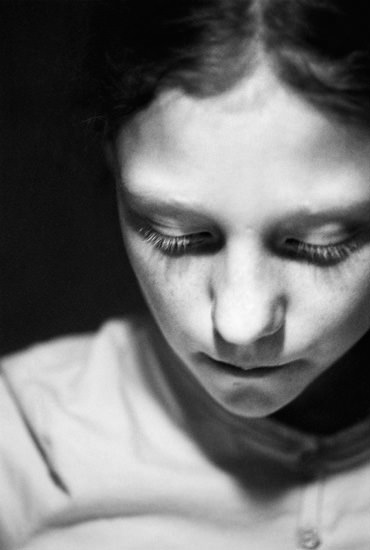
Dvorah Kern begleitete die Entwicklung ihrer kleinen Schwester im Alter von etwa 7 bis 14 Jahren fotografisch. Es gab dabei kein gestalterisches Konzept, keinen Anspruch auf Vollständigkeit oder objektive Dokumentation. Stattdessen finden sich Fragmente spontaner Beobachtungen, ungestellter Momente, kindlicher Koketterie auf dem Weg zum Erwachsenwerden.

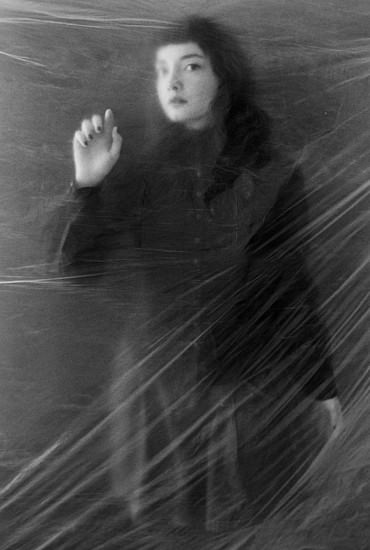
Die wie selbstverständlich vorhandene Nähe zwischen Geschwistern, die nur schwer und selten zwischen völlig Fremden entsteht, fehlte bei Marits Arbeit mit Modellen vollkommen. Durch das Hinzufügen einer noch stärker verfremdenden Ebene – der Folie – machte sie sich auf die Suche nach Nähe zu den fremden Menschen vor ihrer Linse.

Ghosts © Marit Beer

Sie verbergen sich auf Nebelfeldern im Morgengrauen oder des Nachts in unseren Zimmern außerhalb des Lichtscheins der Leselampe, wenn wir die Seiten des Buches weiterblättern. Manchmal erzählen wir ihre schönen, manchmal auch traurigen oder sogar grausamen Geschichten weiter. Und manchmal versuchen wir, sie festzuhalten.

Sie suchte die Details der Geschichten, die sie nur wage von den Fremden kannte. Durch die ort- und zeitlose Struktur der Folie hindurch kann der Betrachter diese Geschichten nun selbst fortsetzen. Inspiriert von den Gefühlen, die die Fremden mit Marit im Bild zwischen den Zeilen eingefroren haben.

So entstehen ähnliche Stimmungen mit Andeutungen des Suchen und Findens von Nähe und Fremdheit, Vertrauen und Kennenlernen, gemeinsamen Jahren oder Momenten – trotz unterschiedlicher Herangehensweisen zwischen Spontanität und Inszenierung, zufälligem Ort und Licht oder arrangierter Stimmung im Nichts.

Ghosts © Marit Beer

Eine Schwester, so nah und vertraut wie einem nur jemand sein kann, wird durch die Entwicklung, durch erwachsenes Anderswerden fremd. Fremde, deren Lebensläufe sich nur für wenige Stunden treffen, um dann wieder auseinanderzudriften, kommen sich für den Hauch eines Augenblicks so nah, dass eine tiefere Verbundenheit in den Graustufen zwischen Schwarz und Weiß festgehalten werden kann – bevor sie mit dem nächsten Windhauch, der durch die Folie fährt, wieder aus Raum und Zeit getragen wird.

~

Ausstellung

Portraits: „Geister“ von Marit Beer, „One Child“ von Dvorah Kern
Zeit: 2. – 24. März 2013
Vernissage am 1. März 2013 um 19 Uhr
Ort: aff Galerie, Kochhannstrasse 14, 10249 Berlin
Link


kwerfeldein – Fotografie Magazin

 
Comments Off on Portraits: Geister und ein Kind

Posted in Equipment


LAST CHANCE to Get these Free Bonuses with Our new Portraits eBook

20 Feb

Portraits_cover-3501.jpegOver the last few weeks we’ve launched our brand new Portraits eBook – Portraits: Making the Shot – written by Aussie celebrity photographer Gina Milicia.

But our launch special is about to end in the next 48 hours (details below).

The eBook has already become one of the best-sellers in our library and we’ve had some lovely bits of feedback like these:

“Absolutely brilliant book – I am so glad I bought it! It was worth every penny. There are so many good things in it and I feel completed validated as a new photographer, spending the last 3 years learning as I go! Just lovely! And so helpful. Thank you.” – Christina Dithmar

“Just finished reading your ebook and really enjoyed its simplicity. It’s a great place to start for those new to portrait photography and something I will refer to often for good overall basic knowledge. Thank you.” – Tracy Wilkinson

“just wanted to let you know l really enjoyed your book – especially your style of writing and the way you de-mystified lighting especially!” – Gabbie Hine

We’ve also seen some great coverage on other blogs and even in the media about the eBook. Here’s one we saw in the Sydney Sunday Telegraph:

MTS_ST_FEB2013.jpeg

Launch Special: Ending in 48 Hours

As a launch special we have two bonuses on offer that both end in 48 hours:

  1. We are throwing in a free bonus eBook from Gina called ’14 Recipes for Amazing Portraits’ in which Gina walks you through 14 of her favourite shots and gives you tips and techniques on how to recreate them.
  2. Everyone who picks up Gina’s eBook goes in the draw to win $ 1000 worth of lenses (you choose what you want to the value of $ 1000) PLUS 3 hours of personal mentoring with Gina to help you improve your portrait photography

Both of these bonuses end at midnight US Eastern time on Friday 22nd February.

Grab Your Copy Today

As with all our eBooks Portraits: Making the Shot is covered by a 60 day money back guarantee (if you don’t find it helpful just let us know and we’ll refund your money) so you can have confidence that it and the bonus Recipes eBook will be a worthwhile investment in your photographic learning.

Learn more about the eBook here or pick up a copy by clicking the ‘Download it Now’ button below.

// < ![CDATA[ function EJEJC_lc(th) { return false; }

// ]]>

Post originally from: Digital Photography Tips.

Check out our more Photography Tips at Photography Tips for Beginners, Portrait Photography Tips and Wedding Photography Tips.

LAST CHANCE to Get these Free Bonuses with Our new Portraits eBook


Digital Photography School

 
Comments Off on LAST CHANCE to Get these Free Bonuses with Our new Portraits eBook

Posted in Photography


Studio Portraits – Getting Started With One Light

07 Feb

Working with studio lights can be a daunting process for many photographers. Many find the studio to be a place of fear and anxiety where the sanctity of natural light has vacated and the hauntingly, horrific wasteland of light stands, strobes and modifiers is all that remains.

So how does one meander there way through this alien landscape and find a corridor of comfort in which they can relax? The simplest and often most powerful way to navigate this network of nerves is with a go to one light set-up that will provide a never ending reservoir of great imagery.

Early on when I started shooting with studio lighting, I was always overly concerned with the light. Sounds like a strange comment, huh? You must be thinking, “Of course he should be concerned with the light, it is studio lighting.” As intuitive as that thought might sound, I was always so focused on my light source that what I never paid attention to was the shadows created by the light.

In studio lighting, it is the transition of light to shadow that provides depth, beauty and interest to your photos.

Is this a hard transition with a distinct line and harsh contrast separating the two? Or is it a soft, gradual melting of the light into the shadow? This transition zone is what should be the focus of your attention when getting into studio lighting.

How do these shadows change with a large, soft light close to your subject or a small, harsh light placed several feet from your subject? These are concepts that need to be experimented with and understood and the best way to do it is to practice.

So let’s go ahead and give you a place to get started and begin to nurture your studio skills.

Keep it Simple

The best way to get started with studio lights is to keep it simple. This means one light and one light only.

That way if you don’t like what you see while you are shooting, you only need to adjust, move, or tweak one thing. You will not be fiddling around with everything and getting lost in the set-up. You will be able to keep your attention on your subject and the shoot. Also, use a large, diffuse light modifier that throws light like a hand grenade at your subject such as a shoot through umbrella (no smaller than 36 inches).

Light Source

My favorite go to light modifier for these cases is a Westcott 5 foot Octabox. I recommend using a large light source so that you can light both your subject and your background at the same time. Also, I recommend a diffused light source to soften the quality of the light and prevent extreme hot spots on your subject. Make it big, cause really, its okay if the light seems to go everywhere when you are starting out.

Okay, we have picked a light source, now where do we place it?

Light Placement

Without getting into too much physics, basically the closer the light source is to your subject the softer the light will be, giving you a nice gradual transition from light to shadow.

Subsequently, the farther the light source is from your subject, the more harsh the light gets and you get a harder transition form light to shadow.

Ultimately, you should try both scenarios to learn more about how it changes the look of your portrait. To start with, however, I recommend keeping the light source within three feet of your subject as a softer, more diffuse light is more flattering to your subject.

Also, in terms of light direction, you cannot go wrong with a traditional loop lighting pattern (named for the shadow created by the nose on the cheek) where the light is placed at roughly a 45 degree angle to the side and a 45 degree angle above your subject.

Loop Light Shadow

Loop Light Shadow

Here is a basic diagram of a simple set-up I frequently use.

Basic Set-up

Think Before You Shoot

Now before you set the power on your lights, think about what you want the portrait to look like and what sort of depth of field you will need.

If it s a simple head shot and you want a nice shallow depth of field with the eyes in focus and the rest of the photo gently blurring into a beautiful bokeh, then choose a wide open aperture of f/4.0.

If you have props and other elements in the portrait that you need in focus, then choose a smaller aperture and a broader depth of field of f/11. ISO should be set as low as possible to prevent noise. Shutter speed is not much of a factor with studio strobes as the flash is illuminating everything, so I would keep it set just below your sync speed at something like 1/160 sec. Thus, let the aperture you want dictate the shot.

Now, you can either adjust the power of the strobe till it reaches the proper exposure for your shot, or if you want to get even more detailed you can go ahead and use a light meter to set the strobe at the exact aperture you require.

Experiment and Learn

Now go to town! Shoot away! Move the light a little to the left or a little to the right. Bring the light farther form the subject or so close it is almost touching the subject. Experiment and learn. Stop worrying about making mistakes. That is how we learn and get better.

What is the worst that can happen? We get a series of horrible captures?

I do not know about you, but as a photographer I have had plenty of shoots that have been disappointing. Big deal!

Study the bad shots to figure out what went wrong and try again. Learn to embrace your mistakes and I promise you that improvement is not far away.

Katie Make-up-159(sRGB-websize)

Post originally from: Digital Photography Tips.

Check out our more Photography Tips at Photography Tips for Beginners, Portrait Photography Tips and Wedding Photography Tips.

Studio Portraits – Getting Started With One Light


Digital Photography School
 
Comments Off on Studio Portraits – Getting Started With One Light

Posted in Photography


Natural Light Portraits: Weekly Photography Challenge

26 Jan

This week with the launch of our brand new Portraits eBook I thought it might be fun to run our weekly challenge with a Portrait theme but focus in on portraits that are ‘naturally lit’ – as it is a very accessible theme (all you need is a person… and some daylight).

Natural Light

Hopefully it’ll make a great practice exercise for those of you who picked up the eBook but also be a fun one for those who have not yet grabbed it.

Feel free to be creative with the theme – you might like to shoot shot of someone indoors by a window, to head into the great outdoors, you might like to shoot a headshot, or a full body shot – whatever you like.

Also remember that while you’re shooting with only natural light for this challenge that that doesn’t mean you can’t use some kind of reflector to help light your subject (as in the illustrating picture above by Ed McGowan.

Once you’ve taken and selected your best natural light portrait upload it to your favourite photo sharing site and either share a link to it or – embed it in the comments using the our new tool to do so.

If you tag your photos on Flickr, Instagram, Twitter or other sites with Tagging tag them as #DPSNATLIGHTPORTRAIT to help others find them. Linking back to this page might also help others know what you’re doing so that they can share in the fun.

Also – don’t forget to check out some of the great shots posted in our last challenge – Best Shot of 2012 challenge where there were some beautiful shots submitted.

To help you with this challenge don’t forget to pick up the new Portraits eBook (do so this week and you get a free 2nd Portraits eBook). You might also like to check out our Natural Light eBook too which will have some relevant tips too.

Post originally from: Digital Photography Tips.

Check out our more Photography Tips at Photography Tips for Beginners, Portrait Photography Tips and Wedding Photography Tips.

Natural Light Portraits: Weekly Photography Challenge


Digital Photography School

 
Comments Off on Natural Light Portraits: Weekly Photography Challenge

Posted in Photography


27 Beautiful Black and White Portraits

25 Jan

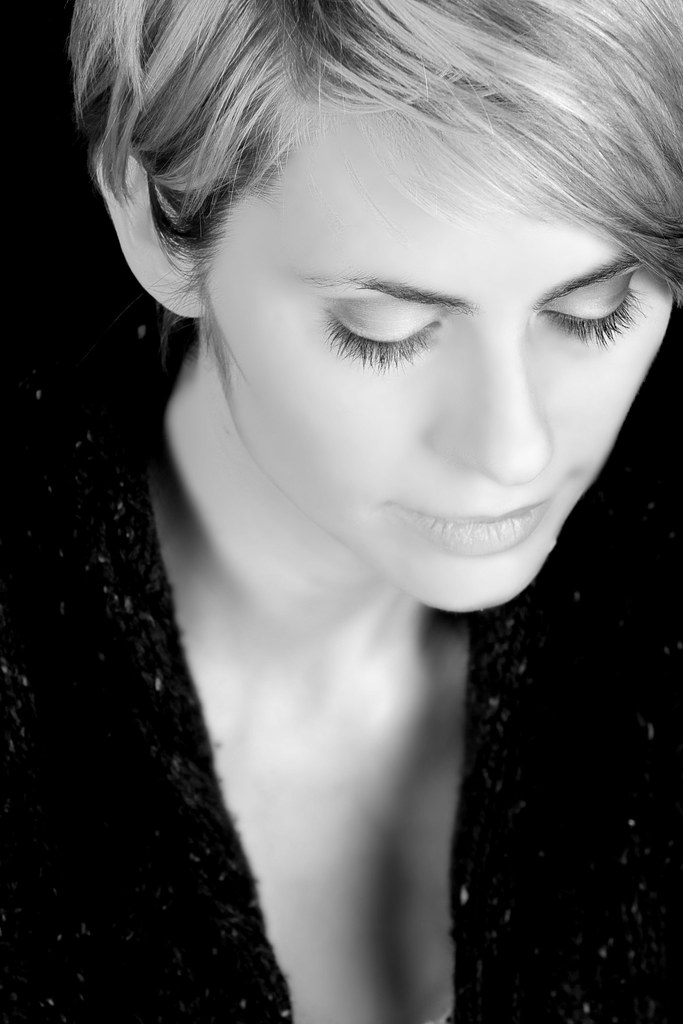
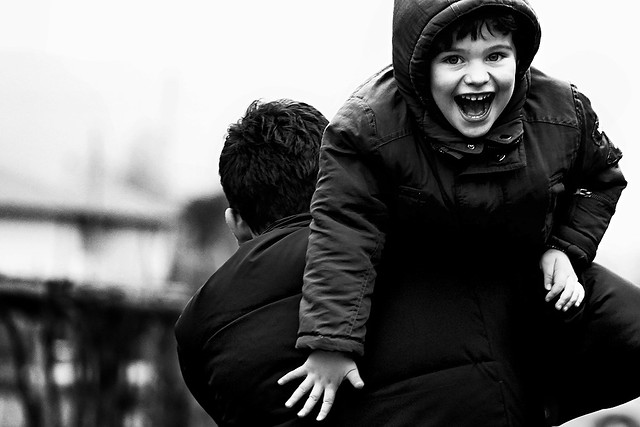
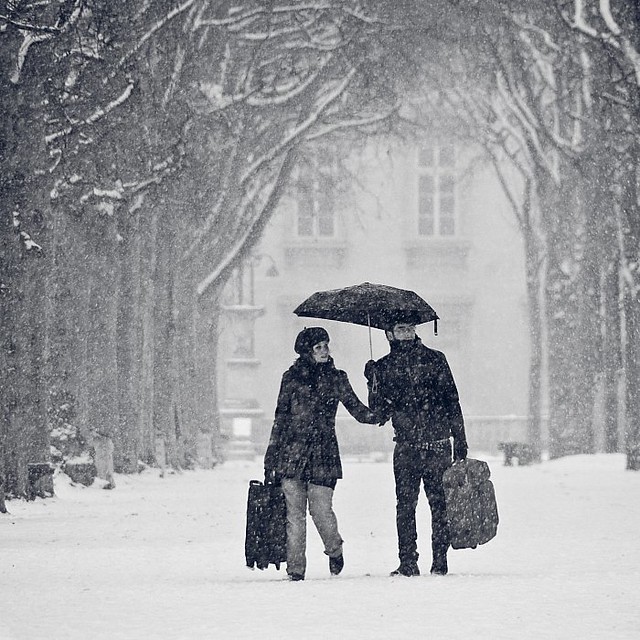
Following are 27 beautiful black and white portraits to inspire you to take some portraits this week – enjoy!

Click on images to learn more about it and the photographer behind it on their Flickr page.

Still Moment B&W

Paris under the snow
This little piggy (EXPLORED)
Shopaholic.
Portrait de rue - Tattoo, percing, etc.
lolita
Portrait de rue - Zeghdoud
Serie "Life is" #1 (unfair)
It's Just a Number
Reflection
Rockstar Teri
81/365, l'ombra del vento

Portraits_468x190px.jpeg

288/365 - Dotty
the tatoo man
That Newsie Smile
Pentecost
Angel
Thomas in the rain.
Fun Contrast and Light
JHC
Face to Face
Construction Worker
gotische damen

Laissé pour compte
workstation

Post originally from: Digital Photography Tips.

Check out our more Photography Tips at Photography Tips for Beginners, Portrait Photography Tips and Wedding Photography Tips.

27 Beautiful Black and White Portraits


Digital Photography School

 
Comments Off on 27 Beautiful Black and White Portraits

Posted in Photography


Fill flash portraits

23 Jan

Fill flash portraits www.proamimaging.com


Stunning Portraits: Manipulating White Balance

17 Jan

I am always looking for more interesting and unique ways to take interesting and beautiful portraits. It is a personal challenge for me to push my own creative envelope as much as possible so that I am constantly broadening my own bold and colorful style. There are so many ways to take a portrait the possibilities are almost endless and the range of emotional and psychological expressions that can be achieved are truly spectacular. Portraits can be editorial, lifestyle, fashion, glamour or extremely creative in style and the true wonderment of any portrait is the amazingly, maddening ability of the human face to portray expression in so many captivating ways. So let’s look at a more creative way to take a portrait that I think gives the final photo a simply stunning look.

Before we get into the details of shooting, I think a little review of white balance is in order as this technique involves a basic understanding of the topic. Every light that we take photographs in, whether it be an incandescent light bulb indoors or the bright shining sun outdoors, is made of of a different spectrum of colors. Now when we look at objects under these light sources with our own eyes, we take it for granted that our vision compensates for all the different color casts of these lights amazingly well and we get a pretty standard representation of all colors in the scene. Basically, when we look at something that is supposed to be white in varying light conditions, our brain interprets the situation and our eye sees it as white. The camera works a little bit different.

The camera sees color in a much different way and has a less sophisticated way to interpret colors under different lighting situations. This is where the white balance setting helps us out. Many photographers that I know tend to keep there cameras white balance on the automatic setting. With the automatic white balance setting, your camera searches for a white reference point in the scene you are shooting. Then all of the other colors are set to this reference point. Therefore, your camera tries to make an educated guess to ensure the colors are represented correctly in your photo. The problem is that sometimes the camera is wrong and we have to bypass the automatic settings and go to that very scary place of setting the white balance in a more manual way, either by using the preset settings that the camera contains or even, heaven forbid, we might have to use some sort of white balancing device to help set our colors. There is a wealth of knowledge on this subject and I encourage you to pursue this topic at your leisure. You can also click on the following links for a decent explanation and breakdown of white balance (DPS-Intro to White Balance and White Balance in Digital Photography). The take home message is simply that we have to be conscious of how our camera views color and understand that we might have to give it some help by changing our camera’s white balance setting.

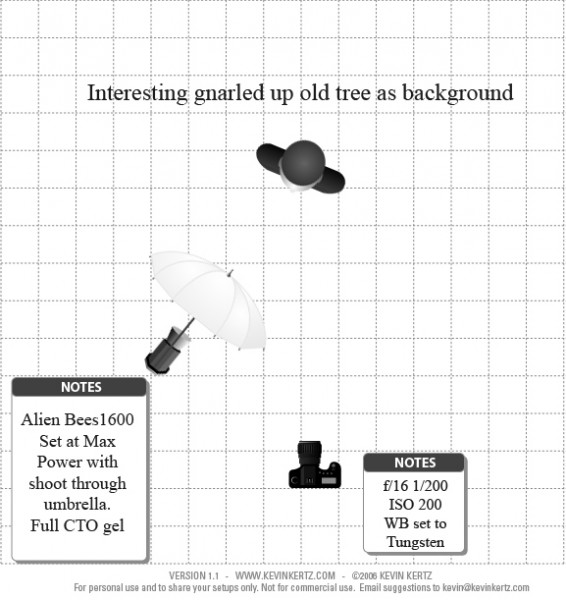
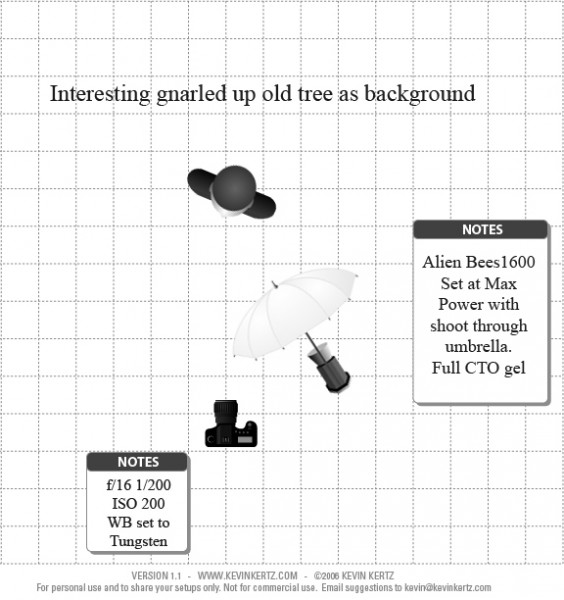
Now that we have introduced the concept of white balance let’s turn the tables on this subject and manipulate it to create some drama and eloquence in a portrait. The lighting setups for these portraits can be seen in the following diagrams:

Essentially, both diagrams are the same with the only difference being the placement of the light with the shoot through umbrella. I switched it from one side to the other just to see what sort of difference it made and concluded that both light placements worked just fine.

The overall concept for the shot was to contrast the old, decayed tree with the young beautiful model (Brittney) and to highlight each with some warm and cool tones for effect. So where does one start with getting the camera settings and flash setup properly?

First, lets talk about the manipulation of the white balance. I used an Alien Bees 1600 flash unit set at full power, covered with a full CTO (color temperature orange) gel, and modified with a shoot through umbrella. The CTO gel is commonly used to balance the color of light from the flash to that of a tungsten light bulb. Thus, when one is shooting flash in an indoor setting, the color of the flash matches the color of the light bulbs in the room and a camera white balance setting switched to tungsten will create a wonderfully balanced color palette in the photo. When used outdoors, a CTO gelled flash, combined with a white balance setting to tungsten, will balance the colors for anything upon which the flash falls. However, this tungsten white balance setting will also cause the sky and anything not receiving light from the flash to take on a majestic deep blue color cast that can be captivating. Compositionally, this simple white balance manipulation creates a mix of cool blue tones with warm orange tones that works fantastically well and makes the image pop.

Now, if you find yourself a little anxious about using flash outdoors you should go ahead and relax cause you can definitely pull off this shot. Before you start shooting with any flash at all, the very first thing you want to do is meter the scene and reduce your exposure about 2 stops so that the background is underexposed. Doing this in full daylight requires a few considerations and I recommend shooting either in the morning or the evening so that the sun is not too high in the sky, otherwise you will have a hard time getting your flash to overpower the sun. Camera settings are pretty easy to figure out. First, the white balance needs to be set to tungsten to get the desired effect. You are shooting in daylight and want the background underexposed so low ISO is a must which in my case was 200. The shutter speed cannot be too fast as it can only be that of your flashes sync speed which in my case was 1/200 seconds. What does this mean exactly? If you set your shutter speed faster than your flash can fire, the shutter will open and close before any light from the flash can be seen by the camera and you will never capture your flash in the image. So the only real variable was the aperture in this case which in order to get 2 stops underexposed for the background had to be at f/16. Basically, the environment for the shoot had already dictated my camera settings.

Since my camera settings were already determined, the only thing I needed to do was to turn on my CTO covered flash and adjust the power until I could see the effect in the image. Since I am shooting in daylight and trying to overpower the sun I knew I would need a lot of power from my flash and actually had brought a second flash unit just in case I needed more power then one flash head had to offer. I started with one flash about 5 feet from the subject at full power and took a few sample shots and it was just a little shy on power. I moved the flash as close to the subject as I could without it being in the frame (about 2.5 feet) and took a few more shots and it looked great. A few outfit changes and a serendipitous bit of sun flare from behind the tree and I had the makings for a stunning set of portraits. I hope this post encourages you to not only push your creative boundaries, but also to take a small step further into the excitingly surprising realm of flash photography.

Post originally from: Digital Photography Tips.

Check out our more Photography Tips at Photography Tips for Beginners, Portrait Photography Tips and Wedding Photography Tips.

Stunning Portraits: Manipulating White Balance


Digital Photography School

 
Comments Off on Stunning Portraits: Manipulating White Balance

Posted in Photography


Face Books: 4 Written Portraits form 3D Autobiographies

16 Jan

[ By WebUrbanist in Design & Guerilla Ads & Marketing. ]

Move over, Facebook. A hybrid celebration of the written word, printed page, physical sculpture and possibilities of cutting-edge technologies, these conceptual creations breath new life into old volumes.

Featured in full three-dimensional form, with internal text conforming to exterior shape, are Anne Frank, Vincent van Gosh, Louis van Gaal and Kader Abdolah, designed to promote regional literature in the Netherlands.

Each page is only a little different from the last, but as those changes propagate, a shape is revealed – while only concepts illustrated to celebrate reading, one has to wonder what it would be like to pick one up and flip through the pages.

From Van Wanten Etcetera in Amsterdam (with artwork by Souverein): “Each year CPNB (Collective Promotion [of] Dutch Literature) organizzes the Dutch Book Week to promote Dutch literature. And every year a specific genre is being profiled. This year the (auto) biography is featured. This is translated in the theme ‘Geschreven Portretten’, which translates in ‘Written Portraits’. “

Share on Facebook


[ By WebUrbanist in Design & Guerilla Ads & Marketing. ]

[ WebUrbanist | Archives | Galleries | Privacy | TOS ]


WebUrbanist

 
Comments Off on Face Books: 4 Written Portraits form 3D Autobiographies

Posted in Creativity