RSS
 

Posts Tagged ‘Photos’

How to Optimize Photos for Search Engines

18 Nov

When I first started in journalism a few lifetimes and two careers ago, a writer had three things to worry about: writing a solid story, getting it in on time, and keeping your editor happy. That was basically it. Today, that list of concerns has grown to include things like keywords, meta tags, headings, titles, internal links, externals links, and– of course– images. It’s almost enough to make someone who typed NBC news copy in the early 80s on a manual typewriter shake his head and abandon all hope of reaching any kind of audience.

seo optimization for photos

Since I’m not that fresh-out-of-college journalist anymore, writing for online photography magazines requires a pretty firm grasp of search engine optimization (SEO)– that is if I hope for anything resembling a decent-sized audience to read my ramblings once I click the “publish” button. If you write your own blog or are responsible for any kind of website content, SEO should be at the top of your list of priorities, too. By now, most people understand the idea and importance of keywords in their web content. A search engine’s basic function is to match your website or blog with peoples’ searches in order of relevance. It accomplishes this task, in part, based on keywords and text from throughout your site. You may think you have a fantastic headline for a post, for instance, but it may not be enough to drive traffic to your site if the language doesn’t match up with typical searches. While sensational headlines may attract print readers, it might be the boring, just-the-facts-ma’am headline that attracts web readers through effective SEO. Had I named this article “Finding a Needle in a Haystack,” nobody researching photography SEO would ever be able to find it.

Since we are photographers, though, making sure our text is SEO-friendly is only half the battle. Yes, we want people to read our blogs or find our professional websites, but we have an added hurdle to cross. We need people to find our photos as well. Think about the millions upon millions of websites dancing around on the web in all of their binary glory. Our SEO choices help search engines like Google understand what is on our websites, hopefully drawing the distinctions that will place our sites above the competition’s in the results list. In order for photographers to do that effectively, however, we also have to be careful about how we name our images.

Search engines primarily work from text and links. Words. That makes it difficult– but not impossible– for them to differentiate between photographs. Think about the last time you searched Google Images and wondered by something totally unrelated to your search popped up in the results. It was, in all likelihood, a result of poorly named images. Since the name may contain the only words associated with an image, it is vital that you give it a name which is optimized for search engines. Let’s face it– IMG_2468.jpg isn’t going to cut it. There is absolutely nothing unique about it, and chances are there a lot of other images out there with the same ineffective name. Even if you rename your photos for your own archival purposes, their new names aren’t going to be much more helpful. When you stop to think about how many searches take place on the internet every day– and how many of them are for images only– you might as well do what you can to make sure they find you and not somebody else.

While this is not an exact science, there are some tried-and-true steps you can take to help your images get the notice they deserve, and– by extension– help direct the traffic to your website that will hopefully lead to more business.

What’s in a Name?

Like I said, DSC_0042.jpg is not your friend. This is, unfortunately, not one of those situations where less is more. When it comes to optimizing your photos for the web, more is more. You have to give each image on your site a unique name which is specific for its intended use. Since DSC_0042.jpg doesn’t tell Google anything about the photo’s content, I have to name it in such a way that the search engine knows (1) something about the content, (2) that I took it, and (3) where it can be found on the web. Suddenly, a simple cookbook photo is no longer DSC_0042.jpg, but has assumed its new identity as “guyer-photography-atlanta-food-photographer-polenta-recipe,” or something similar. Even rearranging the words can have an impact. Choose your words and their order carefully.

guyer-photography-atlanta-food-photographer-polenta-recipe

Word Separators: Hyphen/Dash v. Underscore.

Word separators help make sure that search engines know what you are trying to tell them. Obviously, we type our searches with spaces between words. The problem is that search engines don’t really know what to do with spaces, so they close them. That’s why things like URLs and image titles (which get linked to URLs) need a dash/hyphen between words. So “food photography” becomes “food-photography,” rather than foodphotography. Until last year, there had been a debate over whether dashes/hyphens were preferable over underscores. In 2012, however, Google definitively answered the question, stating that their search engines treated underscores like spaces, turning “food_photography” into the spaceless “foodphotography.” While it does not have a huge impact on search results, it does have one, so it obviously makes a difference. This, apparently, is one of the few SEO debates that truly does have a right or wrong answer.

Alt Text

Sites like WordPress, and other platforms with visual editors allow you to insert Alt Text into your photos. You should use this field to attach key words, helping to ensure that your images pop up when people search for those words or phrases.

Talk About the Photo on the Page Where it Appears.

Search engines pull data not only from the image URL itself, but also from surrounding text. This is why you may have a better chance of your blog images finding their way to a higher ranking on a search than portfolio or gallery images. If you’re blogging about them you’re talking about them, adding more information for the search to find, rather than gallery images which have no accompanying text.

Size Does Matter.

This is one of those areas where bigger is better. Larger images rate higher in search engine rankings than thumbnails. You should have a good working knowledge of how your site displays images, as well as what its optimum pixel dimensions are. Besides taking full advantage of your site’s ability to display images at their best, you want to make sure you are doing all you can to promote your photos.

Don’t Forget About Social Media.

If you are managing your social media presence properly, it should be a natural extension of your website. Before Facebook, someone looking for a photographer sat down at the computer and used a search engine. While that is still true today, just as many people begin their search on social media, quite often not getting to a photographer’s website until after they’ve checked out their Facebook page. Make sure that you’re not only discussing your photos on social media, but make sure that it points back to the original images on your website as well.

Google Changes Things Up.

Do you remember how in January of this year Google changed how it displays images in it search results?  Suddenly, we went from low-res thumbnails that took you straight to the web pages on which they appeared, to sleek grids of high-quality thumbnails. Gone are the embedded links that automatically launch the pages that host and license the images, offering the best of both world to photographers and the people looking for them. Now, in an effort to make things easier for the person typing in the search, clicking on an image search result opens a second window that gives the choice of whether to click through to the full site. While this might make things easier for people searching for images, it adds another layer of necessity for the photographer to make sure that images are properly optimized for search. If not, the potential client may never click through to the main site.
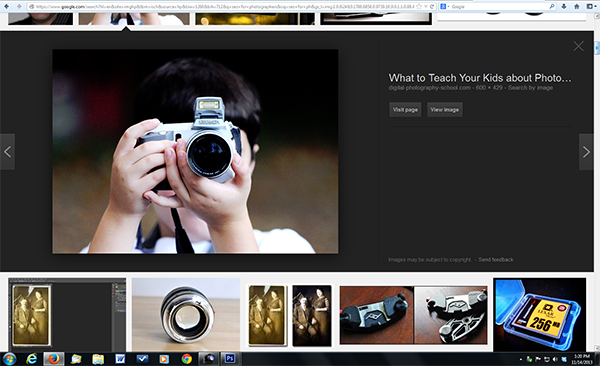
Google Images' new layout adds another hurdle to cross for effective photo SEO.

Google Images’ new layout adds another hurdle to cross for effective photo SEO.

Wrap-Up

If you’ve ever asked a photographer to pick their favorite photo from their archives, you probably got some reply along the lines of, “That would be like picking my favorite child.” We can debate the accuracy of the metaphor, but it carries a lot of weight. We protect our photos with copyright laws. yet we are so proud of them that we want to share them with the world. It’s a great goal, but one that has to be approached with an eye towards making sure they are properly optimized to show up in the very searches that can meet– and hopefully exceed– the goal. Optimize photos on your site and you should see a marked difference in where you rank on search engine results.

Post originally from: Digital Photography Tips.

Check out our more Photography Tips at Photography Tips for Beginners, Portrait Photography Tips and Wedding Photography Tips.

How to Optimize Photos for Search Engines

The post How to Optimize Photos for Search Engines by Jeff Guyer appeared first on Digital Photography School.



Digital Photography School

 
Comments Off on How to Optimize Photos for Search Engines

Posted in Photography


Rare photos of Rolling Stones emerge from estate sale

17 Nov

Mick_Jagger_Untitled_65.jpg

Photos of the Rolling Stones are not hard to find, but the majority of images from the height of the band’s career consist of on-stage performances and posed publicity shots. That’s why a stack of photos uncovered at a Southern California estate sale have attracted a lot of attention recently. See gallery

News: Digital Photography Review (dpreview.com)

 
Comments Off on Rare photos of Rolling Stones emerge from estate sale

Posted in Uncategorized


In Photos: Portraits of the living legends of blues

16 Nov

Unknown-2.jpeg

Since 2008, photographer Lou Bopp has made regular trips down Mississippi’s Route 61 — known as ‘The Blues Highway’ — to document the lives of unknown musicians who have made important contributions to the classic American musical genre. In this work, he recorded the juke joints, roadhouses, and the culture that has supported Mississippi Delta style blues. See gallery

News: Digital Photography Review (dpreview.com)

 
Comments Off on In Photos: Portraits of the living legends of blues

Posted in Uncategorized


Woodhouses: Photos Envision Tiny Urban Life in the Forest

15 Nov

[ By Steph in Art & Photography & Video. ]

Woodhouses Miniature Urban Forest 1

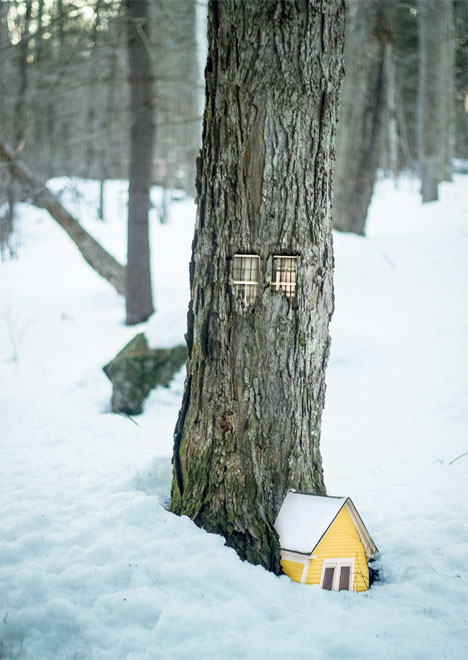
What tiny universes might exist behind the bark of trees deep within the forest? You’re most likely envisioning the grubs, ants, beetles and other creatures that actually live out their (sometimes fascinating) life cycles there, but artist Daniel Barreto sees something else altogether. His digitally composed ‘woodhouses’ imagine tiny urban worlds that could be visible to the human eye if only we looked a little closer.

Woodhouses Miniature Urban Forest 2

Barreto photographed trees in a snowy landscape in New Hampshire, as well as doorways, windows and other urban architectural elements from Boston, combining the different sets for an ethereal result.

Woodhouses Tiny Urban Forest 3

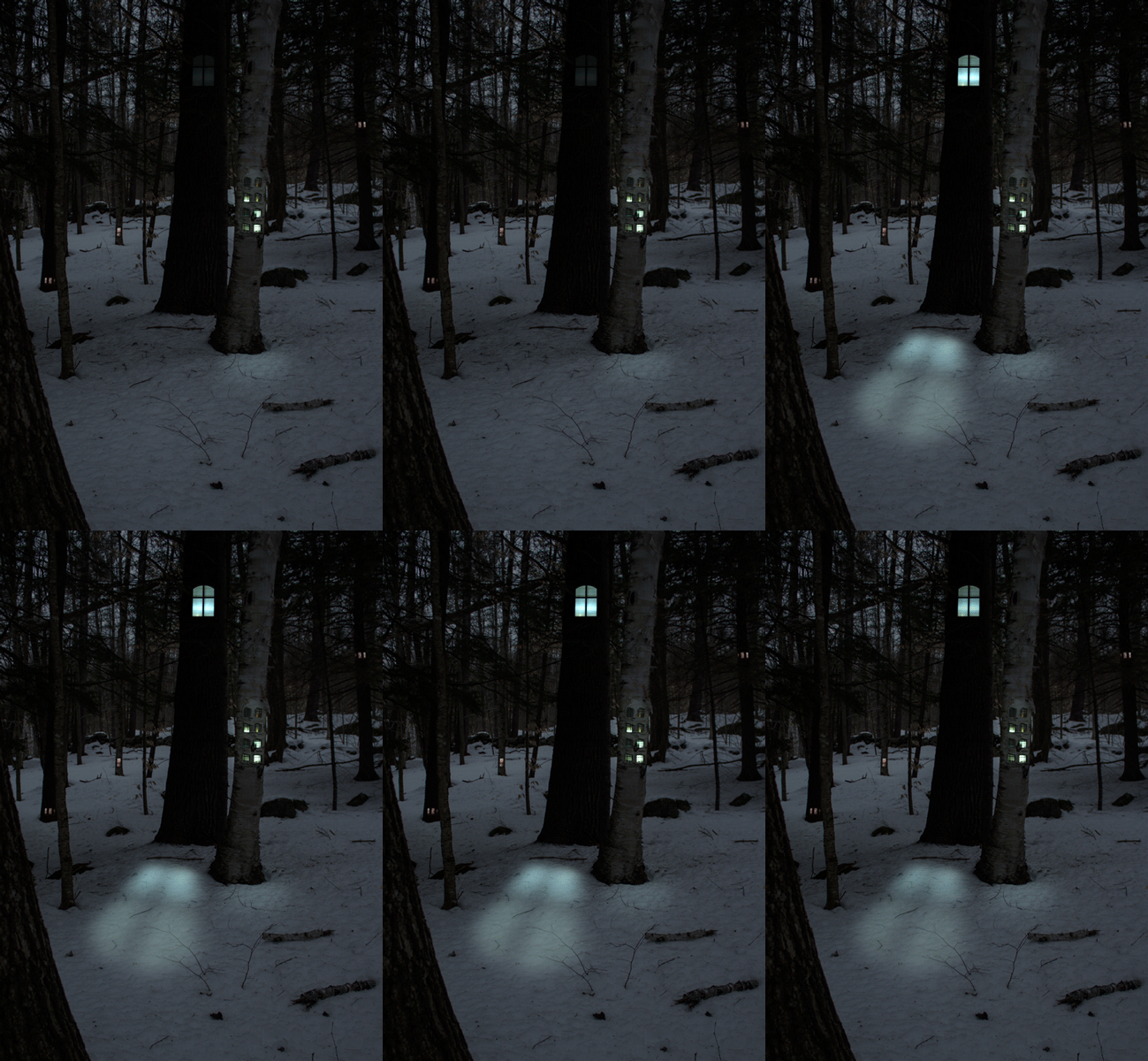
Illuminated entrances with intricate ceilings beckon passersby to ascend into the higher branches of a birch tree from within the trunk. Stained glass windows glow, and restaurants offer refuge from the cold.

trees

The flickering lights of gif images from Barreto’s series make the illusion even more convincing, and might just make you want to take a walk around the woods to see what you can spot yourself.

Share on Facebook


[ By Steph in Art & Photography & Video. ]

[ WebUrbanist | Archives | Galleries | Privacy | TOS ]


WebUrbanist

 
Comments Off on Woodhouses: Photos Envision Tiny Urban Life in the Forest

Posted in Creativity


Lytro adds 3D viewing capability to its photos

13 Nov

lytro_lfc16gb.png

Lytro, the tiny camera that allows you to choose your focus point after your image has been shot, has announced a software update to its desktop and iOS app that allows photos taken with the device to be displayed in 3D. The update lets users show off Perspective Shift processed images in 3D when connected to a 3D-capable TV over HDMI or Apple AirPlay.

News: Digital Photography Review (dpreview.com)

 
Comments Off on Lytro adds 3D viewing capability to its photos

Posted in Uncategorized


Do you Edit or Post Process your Photos?

09 Nov

It is time for another reader poll – this time we’re going to talk ‘post production’.

Every time we talk about processing images we get a diversity of responses from readers. Some process every image, others some and some never edit any of their images – either because they don’t have the tools, are nervous or don’t believe in it.

So we thought we’d ask the question – do you edit or post process your photos?

Note: There is a poll embedded within this post, please visit the site to participate in this post’s poll.

Please tell us about your response in comments below – particularly if you’re in the ‘no’ camp.

Post originally from: Digital Photography Tips.

Check out our more Photography Tips at Photography Tips for Beginners, Portrait Photography Tips and Wedding Photography Tips.

Do you Edit or Post Process your Photos?

The post Do you Edit or Post Process your Photos? by Darren Rowse appeared first on Digital Photography School.


Digital Photography School

 
Comments Off on Do you Edit or Post Process your Photos?

Posted in Photography


Award-winning wildlife photos capture candid moments

09 Nov

35_Greg-du-Toit-_South-Africa_-Essence-of-elephants.jpg

An owl in mid-flight, a polar bear peering from under icy waters, to a monkey being blasted by snow are some of the winning images from this year’s Wildlife Photographer of the Year competition. Elephants surrounding a watering hole in Botswana by South African photographer Greg du Toit was the overall winner. See gallery 

News: Digital Photography Review (dpreview.com)

 
Comments Off on Award-winning wildlife photos capture candid moments

Posted in Uncategorized


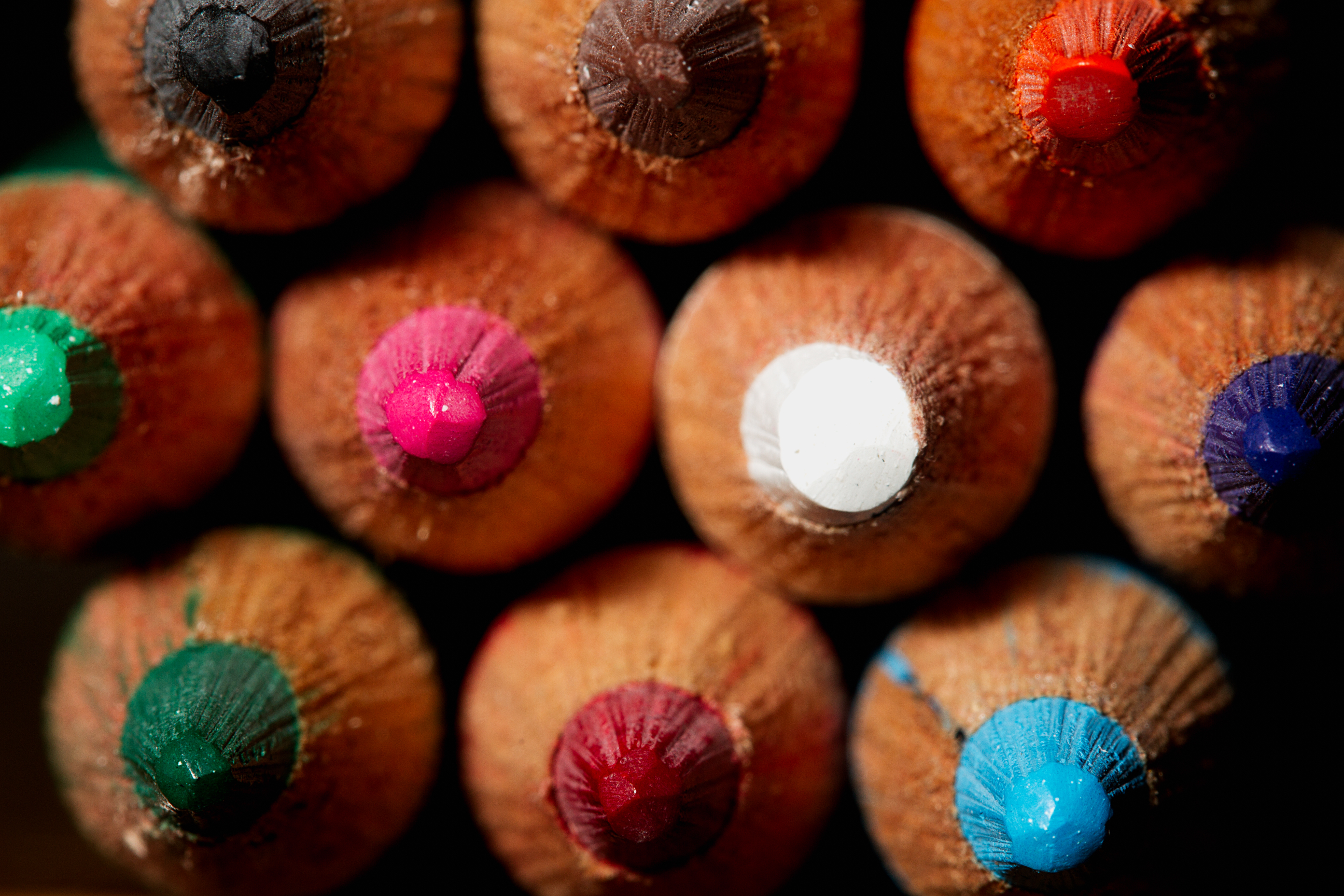
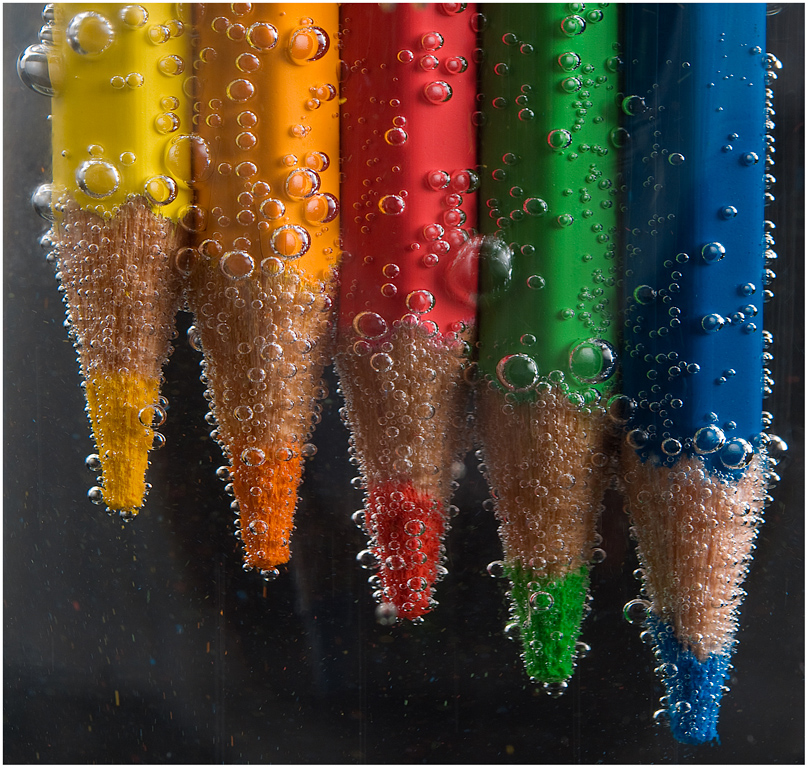
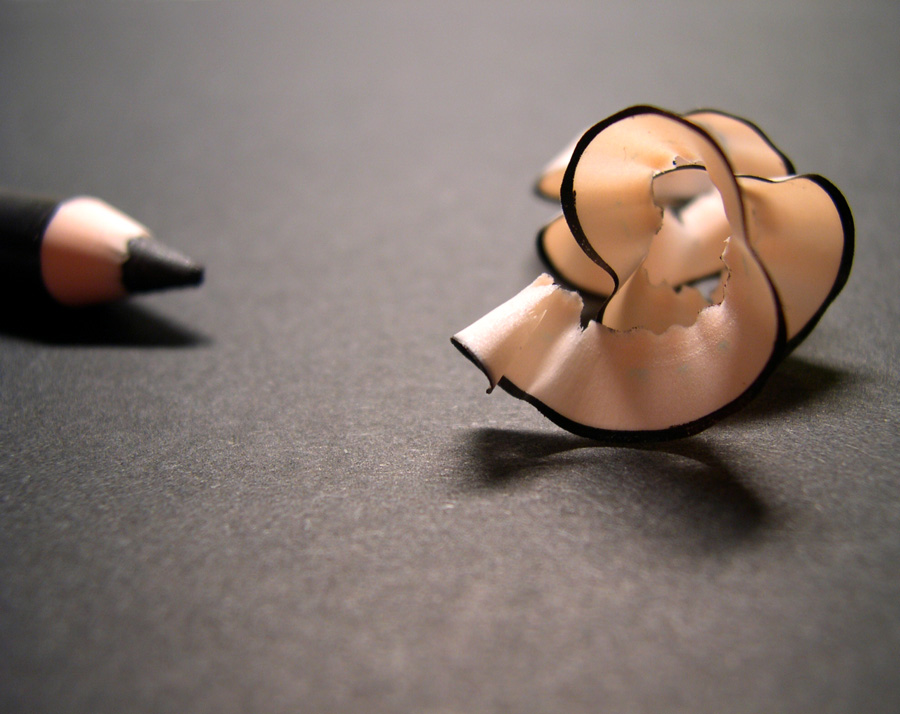
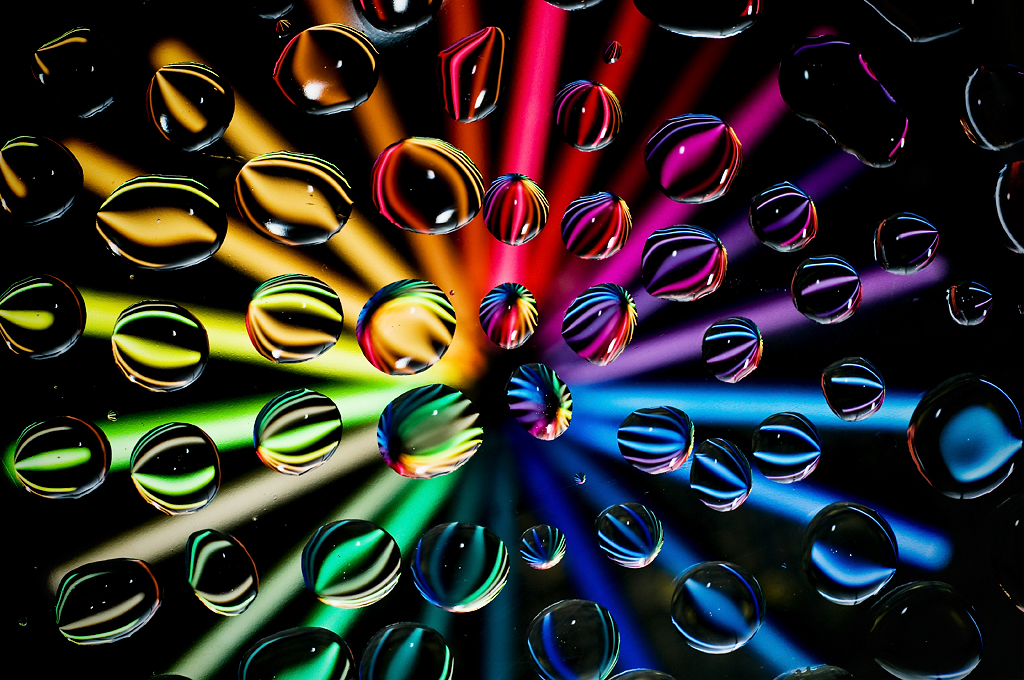
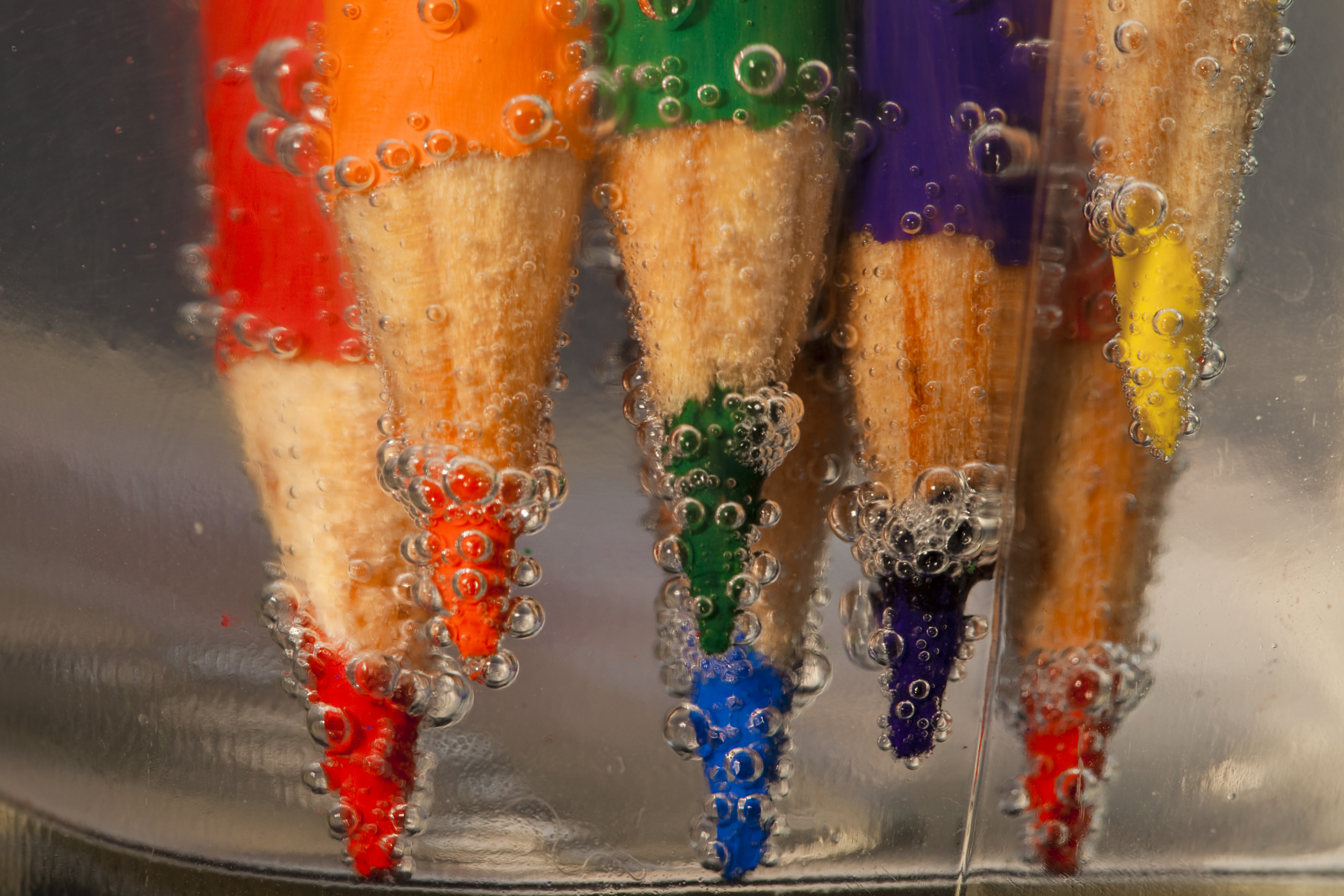
30 Fabulous Photos of Pencils

08 Nov

By Rilind Hoxha

It is going to be a rainy weekend where I live and I’m looking for a photographic project to amuse myself with.

One challenge I love setting myself on such weekends when I’m trapped inside is to take an everyday item and to photograph it. Take the humble Pencil. It is something that most households would have… particularly those of us with kids. We probably see them every day – so why not make it the focus of your attention for the weekend.

Here’s how 30 other photographers have tackled the challenge of photographing pencils!

By Bernat Casero

By Manjari Gopal

By Rex Boggs

By J L

By J L

By Jen Son

By Yann Gar

By David Blaikie

By @Doug88888

By Vineet Radhakrishnan

By Pietro Izzo

By Shane Mayer

By Arjan Almekinders

By Christian Yves Ocampo

By Emi Yañez

By Kabilan Subramanian

By Lynda Giddens

By Marc Dezemery

By becca.peterson26

By D. Sharon Pruitt

By Bada Bing

By Manjari Gopal

By Jeff Carson

By Natalie

By Michael Chen

By Andrés Nieto Porras

By Jason Hickey

By Nico Cavallotto

By Petri Damstén

Post originally from: Digital Photography Tips.

Check out our more Photography Tips at Photography Tips for Beginners, Portrait Photography Tips and Wedding Photography Tips.

30 Fabulous Photos of Pencils

The post 30 Fabulous Photos of Pencils by Darren Rowse appeared first on Digital Photography School.

Digital Photography School

 
Comments Off on 30 Fabulous Photos of Pencils

Posted in Photography


Turn Your Photos Into Beautiful Photo Narratives With Exposure

07 Nov
Extra photos for bloggers: 1, 2, 3

There are plenty of places on the web to post a photo your friends will “like.”

Our pals at Exposure have created a way to share photos that’ll make your friends straight up marvel!

Exposure is a super simple way create a photo narrative with your photos. Drag and drop your very best shots onto the page and an algorithm arranges them for you.

Type in a few words and you have a beautifully laid out photo story ready to share.

It takes the tricky out of making a stunning spread so you can concentrate on having adventures and taking great shots.

For inspiration, check out the very best Exposure photo stories already created.

Exposure is rolling out invites as we speak and we’ve got a link that’ll get you to the front of the line.

Sign up for Exposure, Share Your Photo Stories

Related posts:

  1. Turn Your Photos into Beautiful Glass Etchings! Extra photos for bloggers: 1, 2, 3 Before printers spewed…
  2. DIY: Turn Photos Into Beautiful Watercolor Portraits Extra photos for bloggers: 1, 2, 3 Photography and stencil…
  3. Black and White Conversion: The Best Ways to Turn Color Digital Photos Into Beautiful B&W ~Have a cool photo product or site? Reach 270,000 photo…


Photojojo

 
Comments Off on Turn Your Photos Into Beautiful Photo Narratives With Exposure

Posted in Equipment


The Science of Selecting Photos

06 Nov

By Annie Tao

The business of photography is a complicated matter. I spend hours after each photo shoot culling, processing and sorting the photos to tell the story of the day.

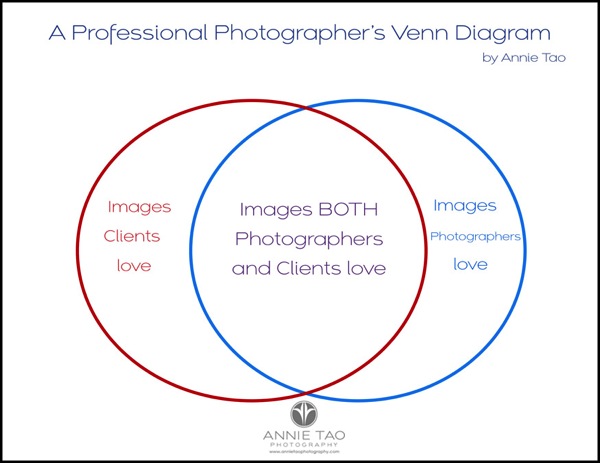
From a recent session of one of my own children, I realized that choosing the final photos can be described as a Venn Diagram! One circle represents images photographers love and the other circle represents images clients love. Some images overlap and some don’t.

To be successful, you want the largest area to be the one that overlaps: images both photographers and clients love. It is important, however, to be aware of what images may fall into the other areas.

Here is an example.

Professional Photographers Venn Diagram by Annie Ta bg

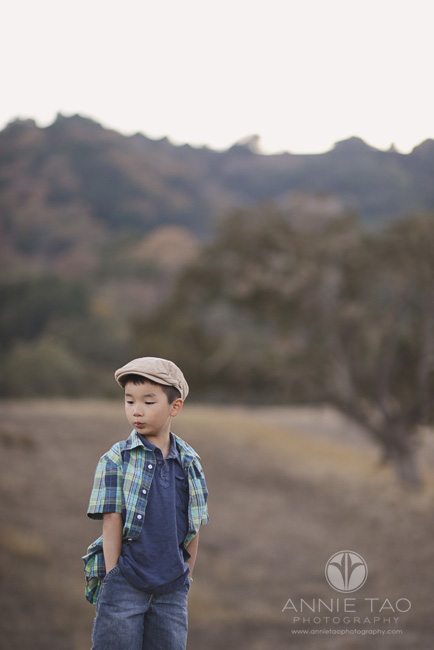
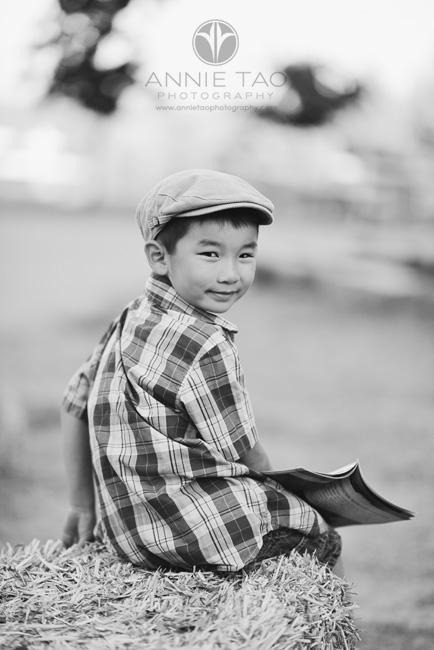
I had a photo shoot of my son just last week. He recently turned 6 years old, so this mini shoot was to capture how he loves reading, loves playing with Legos, and still has hints of having a baby face.

After the shoot, I went through the images as though this was a regular client gallery, but found myself saving a few images that I know would NOT have made it into a client gallery!

That got me thinking.

Are there photos that I’ve left out of a client gallery that should have been in it?

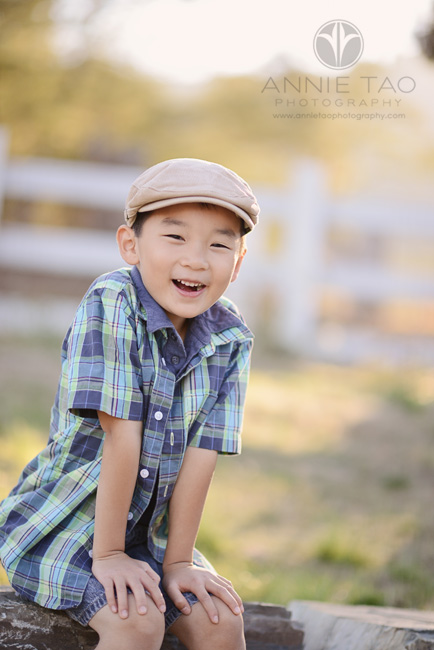
Below are examples of photos from this recent shoot that would make it into a client gallery…

Annie Tao Photography The Science of Selecting Photos article image that would make it into client gallery 2

Annie Tao Photography The Science of Selecting Photos article image that would make it into client gallery 1

Annie Tao Photography The Science of Selecting Photos article image that would make it into client gallery 3

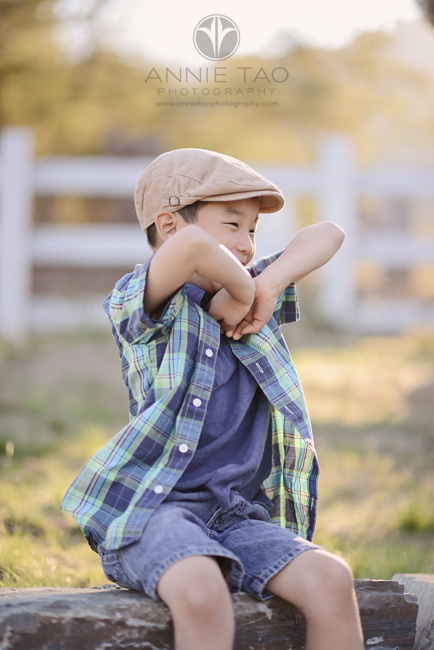
Below are examples of photos that would NOT have made it into a client gallery, but I love…

Annie Tao Photography The Science of Selecting Photos article image that would NOT make it into client gallery 2

Above: he is playing with his hands and arms, which he does when he’s nervous.

Annie Tao Photography The Science of Selecting Photos article image that would NOT make it into client gallery 1

Above: he is chewing gum (I can even see it in his mouth – Oy!), which is his favorite treat.

What does this mean?

Note: I am writing this for Children and Family Photography, but this can apply to any portrait session.

  1. During the session, pay attention to the children’s behavior. What are the little things they do when they’re happy, nervous or excited?
  2. Have an open dialogue with the parents. If they feel comfortable with you, they will share details about what they love or the little quirks that represent their child. It could be something you wouldn’t have guessed.
  3. Remember your client when selecting your final images. Think about what images your clients may like that perhaps didn’t make it into your selection. There may be something you’d want to include in the final images that may bring a tear to their eyes or make them laugh, but isn’t “perfect” in your eyes.

In terms of photo selection, your job as a Photographer is to choose photos that represent your artistic style. You are also a Service Provider whose ultimate goal is to make your clients happy.

Annie Tao is a Professional Lifestyle Photographer in the San Francisco Bay Area who is best known for capturing genuine smiles, emotions and stories of her subjects. You can visit annietaophotography.com for more tips or inspiration and stay connected with her at facebook.com/annietaophotography.

Post originally from: Digital Photography Tips.

Check out our more Photography Tips at Photography Tips for Beginners, Portrait Photography Tips and Wedding Photography Tips.

The Science of Selecting Photos

The post The Science of Selecting Photos by Guest Contributor appeared first on Digital Photography School.

Digital Photography School

 
Comments Off on The Science of Selecting Photos

Posted in Photography