RSS
 

Posts Tagged ‘Photos’

Google Art Camera uses robotic system to take gigapixel photos of museum paintings

19 May

The Google Cultural Institute, an online virtual museum with high-quality digitizations of artifacts from across the globe, recently added more than 1,000 ultra-high-resolution images of classic paintings and other artwork by Monet, Van Gogh and many others. A new robotic camera system Google has developed called ‘Art Camera’ has made it possible for the organization to add digitizations faster than ever before.

Previously, Google’s collection included only about 200 digitizations, accumulated over approximately five years. Art Camera, after being calibrated to the edges of a painting or document by its operator, automatically takes close-up photos of paintings one section at a time, using a laser and sonar to precisely adjust the focus. This process results in hundreds of images that are then sent to Google, where they’re stitched together to produce a single gigapixel-resolution photo.

Instead of taking the better part of a day to photograph an item, as the old technology did, Art Camera can complete the process in less than an hour; speaking to The Verge, Cultural Institute’s Marzia Niccolai said a 1m x 1m painting can be processed in half an hour. Google has built 20 Art Cameras and is shipping them to museums around the world for free, enabling the organizations to digitize their artwork and documents. The resulting gigapixel images can be viewed here.

Via: Google Official Blog
 

Articles: Digital Photography Review (dpreview.com)

 
Comments Off on Google Art Camera uses robotic system to take gigapixel photos of museum paintings

Posted in Uncategorized


Improve Your Middle of the Day Photos By Doing Black and White

16 May

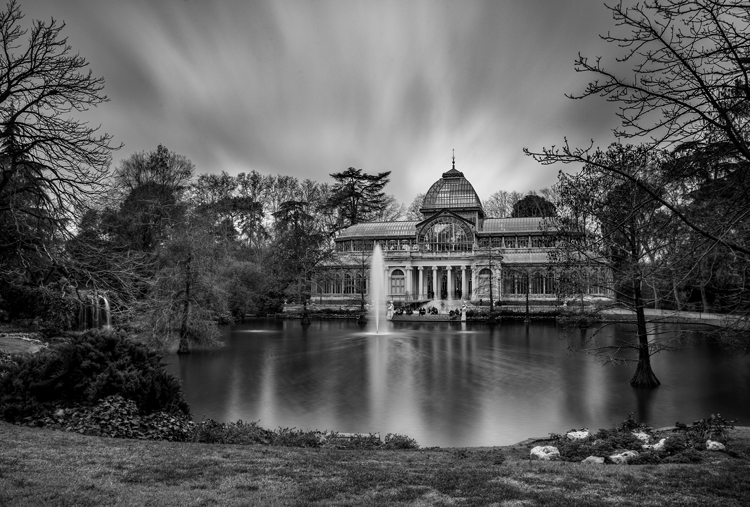
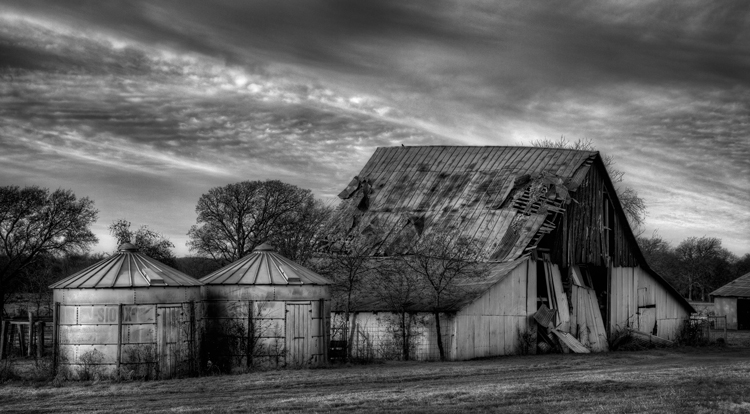
Crystal-Palace

Sometimes beginning photographers ask me to look at their photos and tell them how they can make the photos better. Nearly every time this happens I end up saying the same thing, “You need to stop taking your pictures in the middle of the day.”

I have previously written about how and why photos taken at dawn and dusk are vastly superior to those taken at midday, so I won’t do so again here. I have also talked about a few things you can do to mitigate the damage of the midday sun. But that’s all you are doing – mitigating the problem – not solving it.

At the same time, I understand that you cannot always photograph at dusk or dawn. Family and work commitments limit us all. We cannot always get up so early or stay out so late.  Some places aren’t even open or accessible at dawn. Is there anything else that can be done if you have to shoot in the middle of the day?

There is one way that you can still take great photos in the middle of the day. That way is to convert them to black and white. Black and white photos frequently work much better than color photos in this regard.

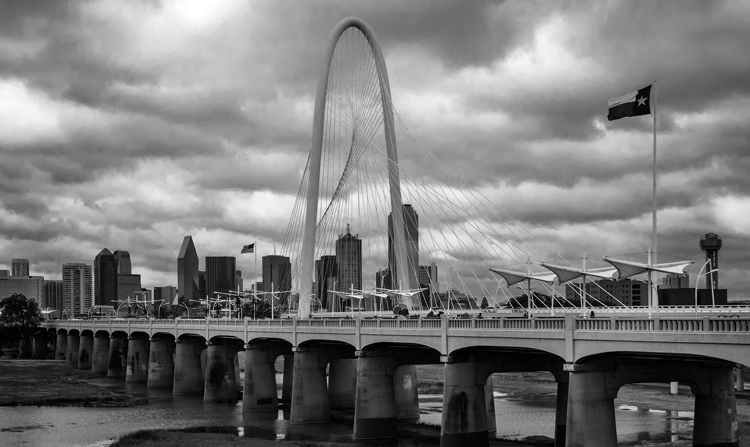
Dallas-1

Look to the old masters

If you don’t believe me, just to check out the work of photography masters. I initially noticed this when looking at the work of Ansel Adams, who many – myself included – consider the greatest photographer ever. A large number of his photos are obviously taken at midday. For example, check out Monolith, the Face of Half Dome (1927). Yosemite Winter Valley (1940), Canyon de Chelly National Monument (1942), Mount Williamson (1944). and Half Moon and Clouds (1968).

All of these photos were obviously taken at midday. You can tell by the bright light and shadows. But they are all still great pictures. In fact, some of them are among his best. Why is that?

Reason #1: High contrast works well in black and white

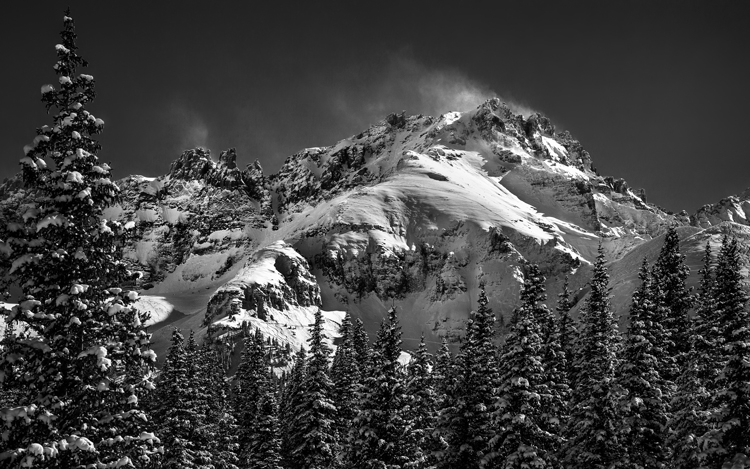
Why does the same picture taken at midday look horrible in color, but pretty good as a black and white? One reason is that black and white pictures handle high contrast really well. That is not to say their dynamic range is any different, but that these pictures look great when there is high contrast within them. In fact, black and white pictures crave high contrast. Color pictures, on the other hand, don’t always do well with stark contrasts. Therefore photographing at midday – with all of its bright areas and dark shadows creating high contrast – can look really nice as a black and white photo.

Mountain-1

Reason #2: Pushing the processing

The other reason why black and white photos taken at midday can still look great, is that they seem to handle processing better than color photos. In other words, you can push the processing further with a black and white photo and get away with it. This was true in the darkroom, and it is also true today with digital tools.

Why is that? I think it is because black and white photos are already unnatural; obviously, the world is not black and white. When you look at a black and white photo, your mind knows that it is not an accurate representation of reality. If the processing is pushed a little further, your mind accepts it more readily.

That is not to say that you cannot over do processing in black and white, you can. But it does offer you a little more flexibility.

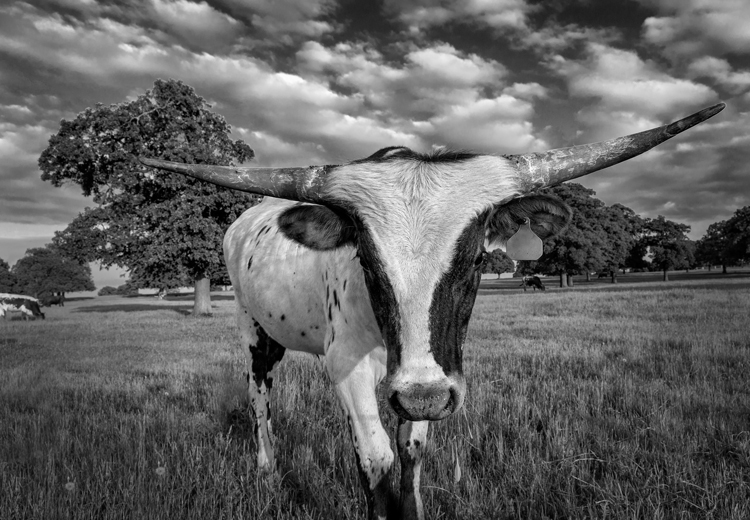
Longhorn

A reason for HDR?

Perhaps, for this reason, this is one area where HDR can still be a really useful technique. There is much discussion these days about HDR being dead. To be sure, almost no one in photography likes the HDR look (oddly, 100% of non-photographers do like that look). In addition, there are a lot of great tools these days for dealing with dynamic range problems without resorting to HDR. Nevertheless, black and white photos are one area where HDR is still very useful. Since there is no color, part of the surreal nature of HDR is avoided. In addition, the same phenomena mentioned above about being able to push the processing further in black and white is at work.

Barn-2

Break out the Neutral Density filter

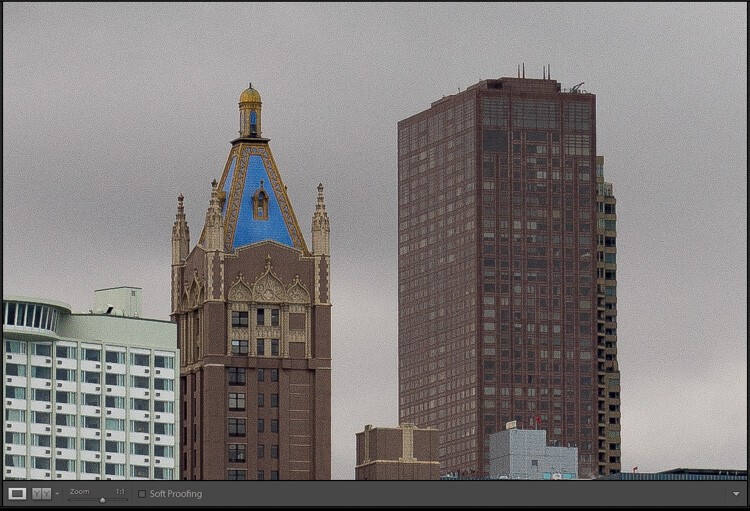
Another way to improve your black-and-white photos taken at midday is to break out your 10-stop neutral density filter. If there are clouds in the picture, it will give them a sense of movement. If there is water in the picture, it will smooth it out. You can see and example of this in the top picture in this article, which has both clouds and water. Of course, this works for color pictures as well, but it seems to work particularly well with black and white images.

Conclusion

I still maintain that the number one thing you can do to improve your photographs is to start shooting at dawn or dusk. It costs nothing, and you don’t even have to increase your skills to make vast improvements. You just have to get up earlier, or stay out a little later. But for those occasions when that is just not possible, try converting some of your photos to black and white. The high contrast might look good on your photo. In any case, you’ll be able to push the processing a little further. It might prove an easy way to make your photos better.

Please share your black and white midday photos in the comment below.

googletag.cmd.push(function() {
tablet_slots.push( googletag.defineSlot( “/1005424/_dPSv4_tab-all-article-bottom_(300×250)”, [300, 250], “pb-ad-78623” ).addService( googletag.pubads() ) ); } );

googletag.cmd.push(function() {
mobile_slots.push( googletag.defineSlot( “/1005424/_dPSv4_mob-all-article-bottom_(300×250)”, [300, 250], “pb-ad-78158” ).addService( googletag.pubads() ) ); } );

The post Improve Your Middle of the Day Photos By Doing Black and White by Jim Hamel appeared first on Digital Photography School.


Digital Photography School

 
Comments Off on Improve Your Middle of the Day Photos By Doing Black and White

Posted in Photography


Facebook announces support for 360 degree photos

13 May

Only a few years ago capturing a 360 degree sphere was quite an involved and lengthy process, even more so when recording moving images. In 2016, 360 degree imaging has made it to the consumer level, with affordable 360 degree cameras such as the Ricoh Theta, Samsung Gear 360 or LG 360 Cam available in abundance. Clearly the web’s largest social network does not want to miss out on the trend – after integrating 360 degree videos in its news feed last year, Facebook will now the support of 360 degree photos on mobile and web.

The feature, called ‘360 Photos,’ is expected to arrive within the next few weeks and will allow users to upload and view 360 degree photos in their news feed. Users will be able to view the content by dragging the image with their finger on a mobile screen or by using the mouse on a desktop web browser. Of course there’s also the option to use a virtual reality headset, such as the Samsung Gear VR or Facebook’s own Oculus Rift, and get an even more immersive experience. 

Facebook supporting the new technology could be an important moment for 360 degree imaging. The ability to share spherical images and videos straight from capture should make this new type of imaging even more popular than it already is. Keep an eye on your news feeds; it’s only a matter of time before your friends and contacts will post the first 360 degree photos.

Via: The Verge

Articles: Digital Photography Review (dpreview.com)

 
Comments Off on Facebook announces support for 360 degree photos

Posted in Uncategorized


How to Make Your Photos Shine Using Clarity, Sharpening, and Dehaze in Lightroom

01 May

The goal of any photographer is to make each and every photo stand out from the crowd. Making an image that pops is something that we all strive to achieve, but it’s not always easy to do. Luckily, there are tools at our disposal in Adobe Lightroom that can go a long way to help us achieve an image that we can be proud of, and that catches the attention of the viewer. What are these tools? They are many and varied, but there are three central processing techniques that can make your images transcend the average, and reach the potential you intended. They are Clarity, Sharpness, and Dehaze.

These three tools are deceptively simple and subtle. When used properly, the enhancements they will make to your photos will be nearly imperceivable. They can take your image from good to great, with just a few simple clicks of the mouse. In this tutorial, I will show you how each one of these processing tools affect your photos, and how they can be put to best use, so that your photographs really stand out from the rest. Let’s get started!

After CSD

Clarity

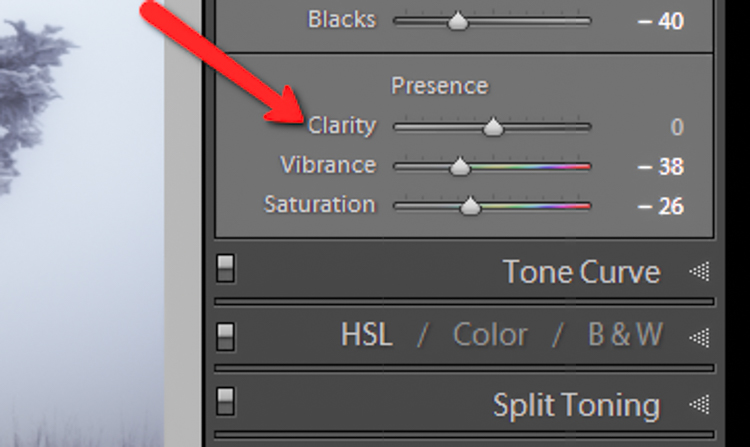
The clarity slider has been around virtually since the inception of Lightroom. You can find it in the Basic panel of the Develop module. It functions to add definition and well, clarity, to your images. It accomplishes this by darkening the lines surrounding the perimeter of objects within your photo. Think of it as contrast on steroids. The clarity slider can really add a lot of punch to your photos, and add drama.

Clarity

Tips for Using the Clarity Slider

  • Don’t add too much. If you push the clarity slider too far to the right, you can begin to see unattractive halos around objects within the frame, resulting in a fake or unnatural looking photograph. If using it globally (applies to the entire image), do so judiciously. Be careful when applying the clarity slider to an entire image, most areas of your photo probably won’t need to be clarified.
  • It’s best to apply clarity after everything else. Since the clarity tool will add a good amount of contrast to your photo, it’s best to apply it towards the end of your workflow. While this is not always true, it is a good guideline to follow in order to avoid the need to backtrack.
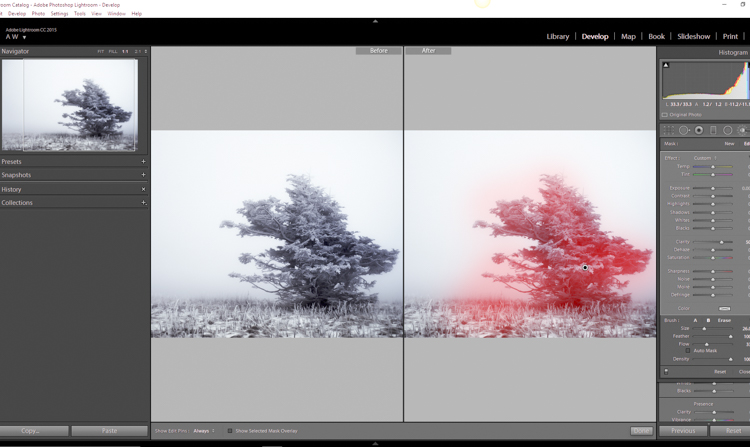
  • Use the Adjustment Brush or Graduated Filter tools to apply it to select areas of your image that need clarity. This will enable you to apply clarity only to foregrounds or backgrounds and to specific points you want to emphasize in the image.

Clarity Adjustment

Clarity applied, viewing at 1:1

Clarity applied at +30, viewing at 1:1

Clarity slider taken too far, viewed at 1:1 (100%)

Clarity slider taken too far, viewed at 1:1 (100%)

Sharpness

The art of sharpening an image can often make or break the composition. Sharpening is one of those awesome features of Lightroom which has been around from the beginning, and it only seems to be getting better with time.

Sharpening

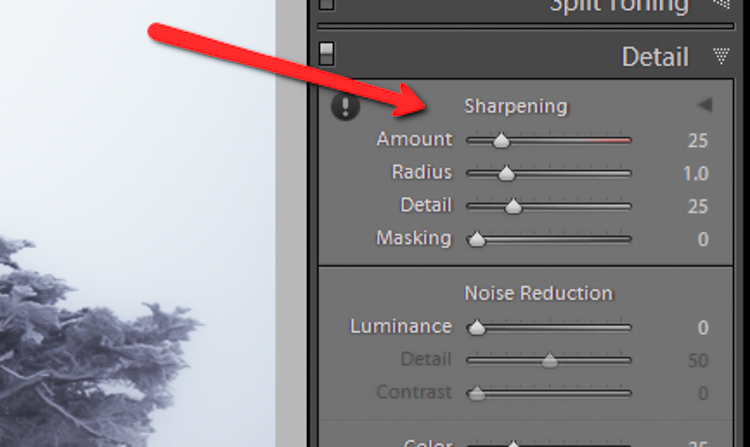
The sharpening tool is located under the Details panel in the Develop module. Basically, sharpening is accomplished by adding contrast between pixels so that the area being sharpened appears to have more definition, compared to its surroundings. There are a few key tweaks that you can perform in order to get the most from the sharpening panel.

Make use of the radius slider. The radius controls how many pixels around the perimeter of objects are affected by the sharpening. Think of this as the halo of sharpness. The greater the radius, the more apparent the sharpening will become. Don’t over do the details. You might think the more details you preserve in your sharpening, the better quality your image will be. This is not true. Usually, the farther you move the detail slider to the right, the more grainy and gaudy the image will be. Find a happy medium here and you will be happy in turn.

Global sharpen at +50

Global sharpen at +50

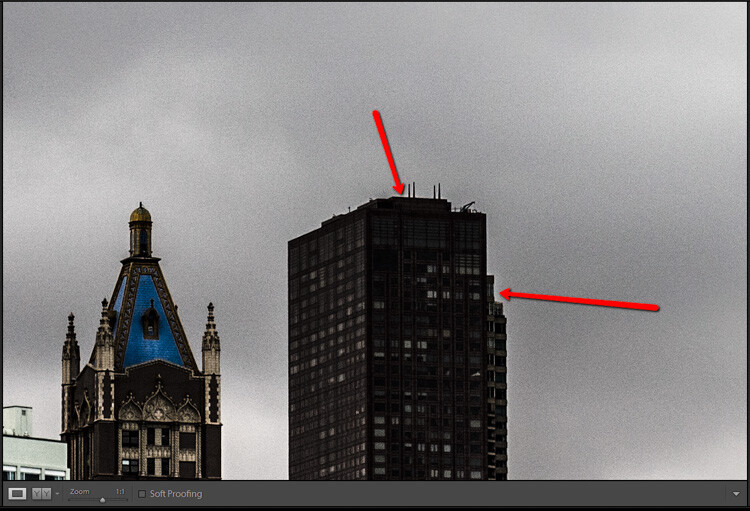
Over sharpened

Over sharpened – this is what too much sharpening looks like at 1:1

Apply sharpening only to the areas you need to sharpen. It’s easy to simply sharpen an entire image instead of taking the time to selectively apply the edit. Rest assured though, if you apply your sharpening using the Adjustment Brush tool you will have a much more aesthetically pleasing result. Much like clarity, you usually do not need to sharpen the whole photograph.

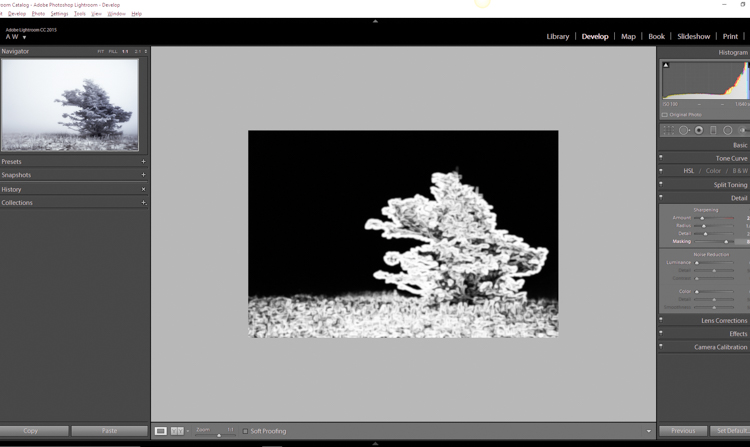
Use the masking slider with the Alt key (Option key on Mac). The masking slider can be considered the most underrated asset in the sharpening panel. It dictates what areas will be sharpened. However, by itself the masking slider is rather lacklustre. This is where the Alt key comes into play. Hold down the Alt key while you adjust the masking slider.

Sharpening Mask

You will see that the image is transformed into a black and white relief image. The areas in white are where the sharpening will be applied; the areas in black will not be sharpened. This is a great way to fine tune your sharpening when adjusting globally. (Note: to keep people’s skin from becoming overly sharp and showing every pore and bump, move the masking slider until the skin areas are black and therefore unaffected by the sharpening adjustment)

Dehaze

This is a feature that was introduced very recently in Lightroom CC. It is a magical little function that people seem to either hate or love.

Dehaze Slider

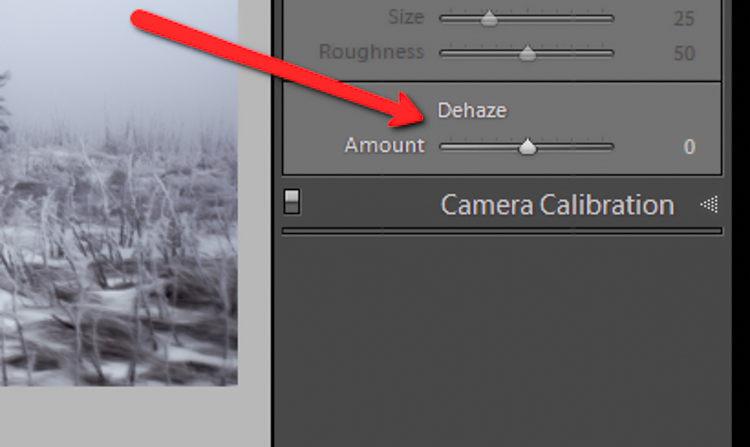
I for one love this little guy. It’s located under the Effects panel. The explanation of how exactly it works is somewhat cryptic. Here is an answer pulled directly from Adobe Blog:

The Dehaze technology is based on a physical model of how light is transmitted, and it tries to estimate light that is lost due to absorption and scattering through the atmosphere.

Simply put, the dehaze slider can reduce haze within your images. It can also add a mystical fogginess as well if you choose (just slide it the other way).

Dehaze

Basically, it will make an otherwise hazy photo more clear. This comes in handy for photographs of the night sky when your want to make the stars more pronounced, or when you have to deal with physically dense atmospheric conditions.

Tips for Using the Dehaze Slider

  • Keep an eye on your black points within the image. The dehaze slider can cause loss of shadow detail if you push it too far. Use the J key to show highlight and shadow clipping in order to preserve details.
  • Perform your white balance adjustments BEFORE you apply dehaze. The dehaze tool can do some incredible things for your photo, but it can also cause some funky color distortions if you adjust white balance after the fact. As always, strive to obtain optimal white balance before you ever begin to post-process an image.
  • Sometimes an image will benefit from added haze instead of dehazing. Experiment with adding a small amount of haze by moving the dehaze slider to the left. This can add an ethereal glow to some landscapes and even portraits.
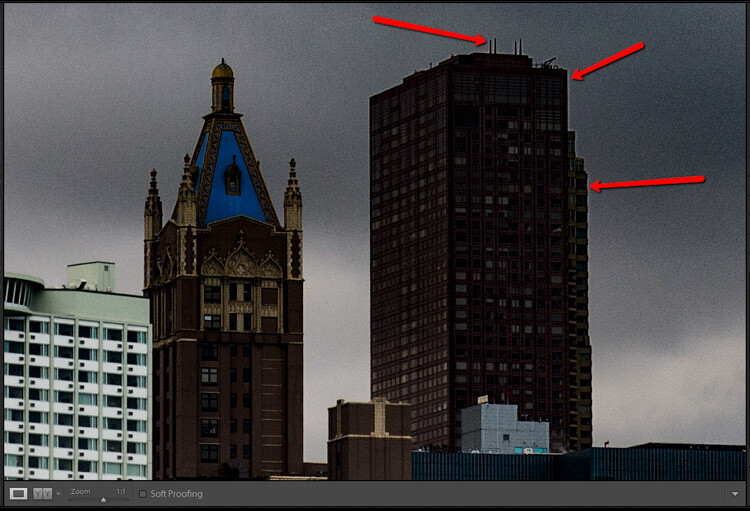
Dehaze +20 at 1:10 view

Dehaze +20 at 1:10 view

Dehaze pulled too far

Dehaze pulled too far

As with all post-processing, the less you have to adjust after the image has been made, the better off you will be. The tools in Lightroom are a fantastic way to bring out the true power of your photographs, if you use them deliberately, and with good judgment.

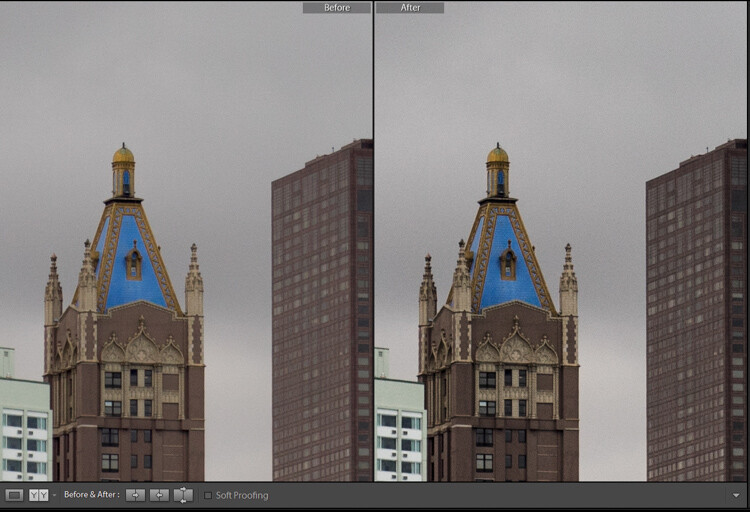
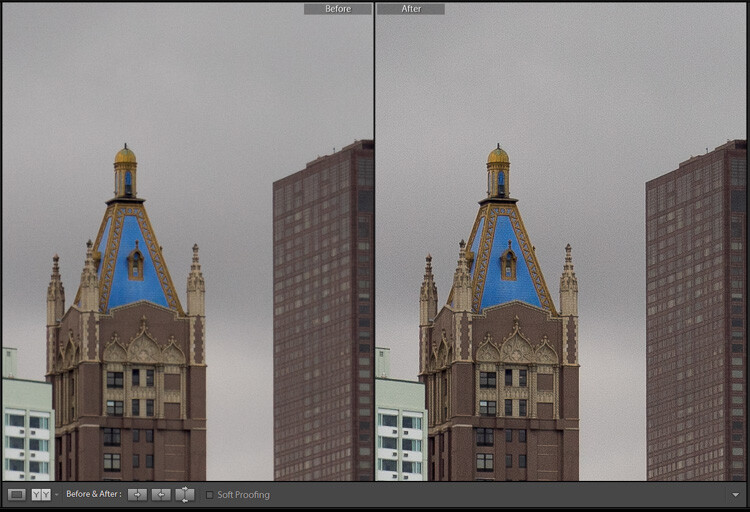
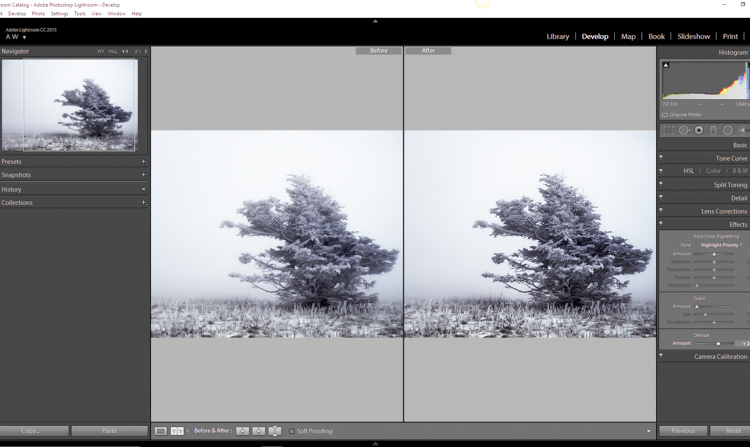
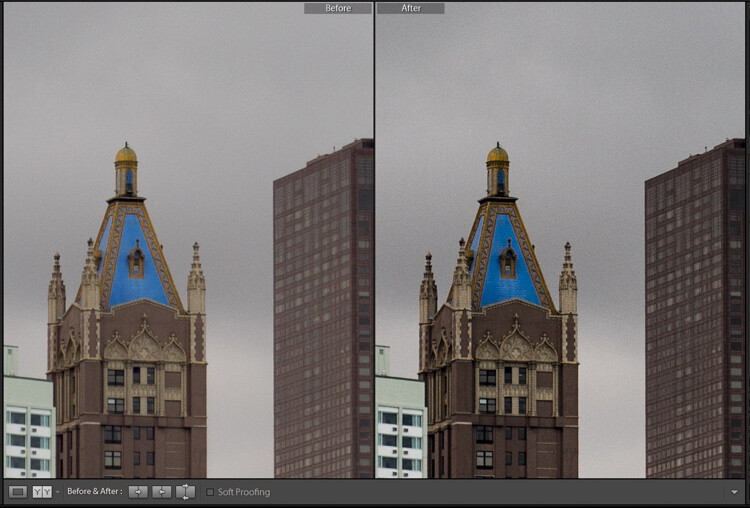
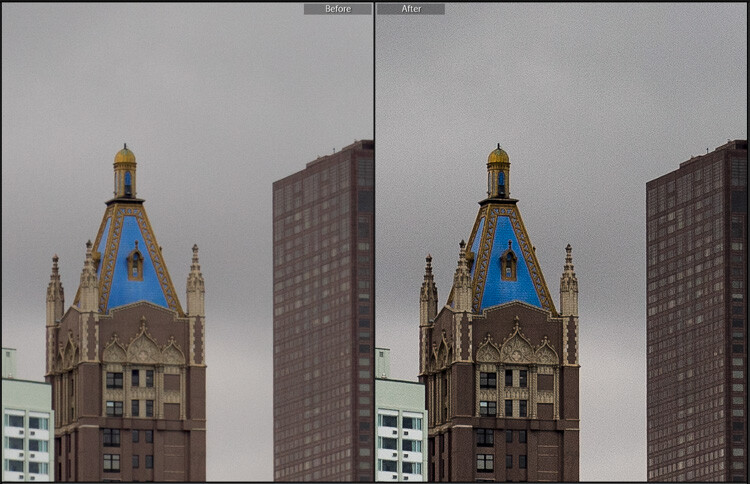
Before clarity, sharpening and dehaze

Before clarity, sharpening and dehaze

After

After

After clarity, sharpening and dehaze were applied

After clarity, sharpening and dehaze were applied

Any adjustments you make to the clarity and sharpness of your photo should never make them appear unrealistic (with exceptions) or detract from your original vision. Even the dehaze tool should be used sparingly and only when required. Just as the saying goes that one brush stroke can ruin a painting, so too can one more click of the slider. The goal of post-processing is to enhance a photograph to the point of meeting your pre-visualzation. No more and no less. Experiment with the tips you’ve learned here and witness the hidden potential within your own photographs!

googletag.cmd.push(function() {
tablet_slots.push( googletag.defineSlot( “/1005424/_dPSv4_tab-all-article-bottom_(300×250)”, [300, 250], “pb-ad-78623” ).addService( googletag.pubads() ) ); } );

googletag.cmd.push(function() {
mobile_slots.push( googletag.defineSlot( “/1005424/_dPSv4_mob-all-article-bottom_(300×250)”, [300, 250], “pb-ad-78158” ).addService( googletag.pubads() ) ); } );

The post How to Make Your Photos Shine Using Clarity, Sharpening, and Dehaze in Lightroom by Adam Welch appeared first on Digital Photography School.


Digital Photography School

 
Comments Off on How to Make Your Photos Shine Using Clarity, Sharpening, and Dehaze in Lightroom

Posted in Photography


MacPhun launches Filters for Photos free app for Mac users

30 Apr

Software developer MacPhun has announced a new app for Mac OSX users that comes with 30 photo filter effects, and which is being offered as a free download. The Filters for Photos application can be downloaded as an extension to Apple’s own Photos program or as a standalone product. It provides one-click effects in a similar way to Instagram, and comes with sketch, oil painting, color tones, black and white, and grain styles – among others. Once applied the filters can be down-played and adjusted according the characteristics of that effect, and users can apply multiple filters to a single image.

When finished, filtered images can be exported directly to social media or other MacPhun and Adobe software programs, or they can be saved to the hard drive.

Filters for Photos can be downloaded from: macphun.com/filtersforphotos.


Press release:

Macphun’s new extension for Photos makes Photos for Mac more creative and fun

Filters for Photos adds 30 creative photo filters, and is available for free

Macphun, a leading photography software developer has today launched a new free app, Filters for Photos. The new software works as a Photos for Mac extension, as well as standalone software? it gives users the ability to add sketch, analog, vintage, and many other filters to their photos in a single click.

The software is the next step in Macphun’s continued support for Photos for Mac. Macphun was the first software developer to launch the Photos extensions in September, 2015. And now all the bestselling Macphun apps work as extensions (Aurora HDR, Intensify, Tonality, Snapheal, Noiseless).

About Filters for Photos
Filters for Photos is available as a free download exclusively from the Macphun Store. It introduces 30 creative filters to suit every hobby photographers’ style? from sketch to oil painting, vintage to rainbow palette. Users can adjust and tweak every filter, plus apply the filters to a certain part of the photo, quickly export their creations to other photo editors, or share via the social media and email.

Apple Photos for Mac is the default photoediting software for every Mac user, and Macphun aim to accelerate the user experience with this exciting new extension. There are 8 default filters in Photos for OS X with limited styles. Filters for Photos by Macphun is changing that.

In addition to 30 new filters, users will be able to:

  • Selectively apply filters with the custom brush
  • Preview all the changes in real time
  • Adjust and tune filters
  • Mix filters, creating new creative styles
  • Export to social media
  • Export to other photo software by Adobe, Apple and Macphun

Why Filters For Photos?
Macphun have introduced Filters For Photos in response to the popularity of oneclick presets and filters in Macphun’s other software. FX Photo Studio by Macphun (available for both iOS and Mac OS) features over 170 different filters? it has over 2 million monthly active users, and a total of over 25 million downloads. Over 65% of people, who use Aurora HDR, Intensify and Tonality, use oneclick presets to give their photos the necessary look in no time. So there’s definitely a high demand for editing tools that allow a quick change of the look of the photo.

Filters for Photos integrates with the Photos for Mac user experience, and helps more people be creative with their photography, without spending anything. Filters for Photos is available as a free download from macphun.com/filtersforphotos

Articles: Digital Photography Review (dpreview.com)

 
Comments Off on MacPhun launches Filters for Photos free app for Mac users

Posted in Uncategorized


How to Take Better Wildlife Photos: Be a Naturalist First

29 Apr

I love birds. In fact, I’ve dedicated much of my adult life to the study of birds. In college, I spent days exploring the beaches, forests, and wetlands surrounding southern Puget Sound, strictly in the interest of finding and watching birds. Birds lured me north to current home in Alaska, when I took a job banding songbirds in Denali National Park. My interest in migrant birds carried me into graduate school where I spent several years studying the spring migration in the Sierra de Los Tuxtlas of eastern Mexico. After grad school, I took a job as a Research Biologist here in Fairbanks, where I looked into all kinds of questions about breeding and migrating birds around the state.

Now, though I no longer work as a full-time research biologist (writing, photography, and guiding now rule my life), my passion for feathered creatures is no less strong.
AK-FAI-CreamersField-Migration-Aug2009-39

I give you these biographical tidbits, because I want you to understand something about me: I care about, and understand birds. Knowledge and passion are the two most important tools I know of for better wildlife photography.

Ask someone what a wildlife photographer needs and the first thing you are likely to hear is a big lens. That helps, make no doubt, but it’s hardly the most important. No, the most important thing is an understanding of the critters you want to photograph. It doesn’t matter if your lens is as long as your leg, if you can’t find the animal you’re after.
AK-FAI-RUBL-17

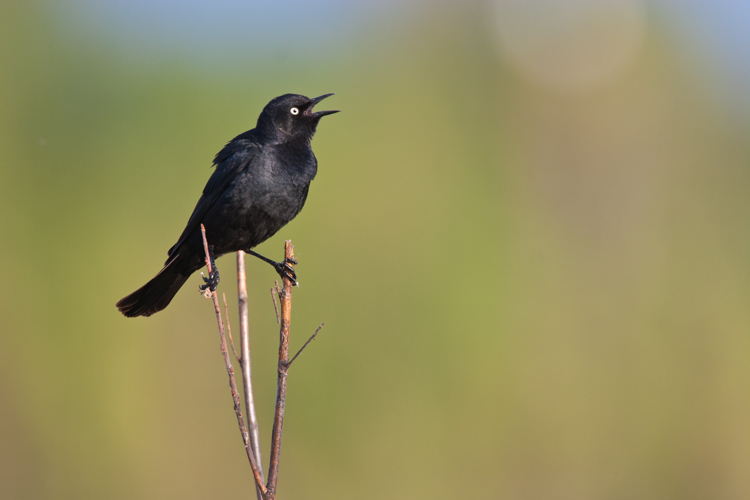
An example: During my years as a Research Biologist, I spent several seasons studying an imperiled species of songbird that breeds in the wetlands of the Boreal Forest, the Rusty Blackbird. This species has been declining in abundance across its range for the past 50 to 100 years, and no one really knows why. In the winter, they are easier to find, when they mix with flocks of other blackbirds in the south-central United States, or forage in small groups in the wetlands of the southern Mississippi basin.

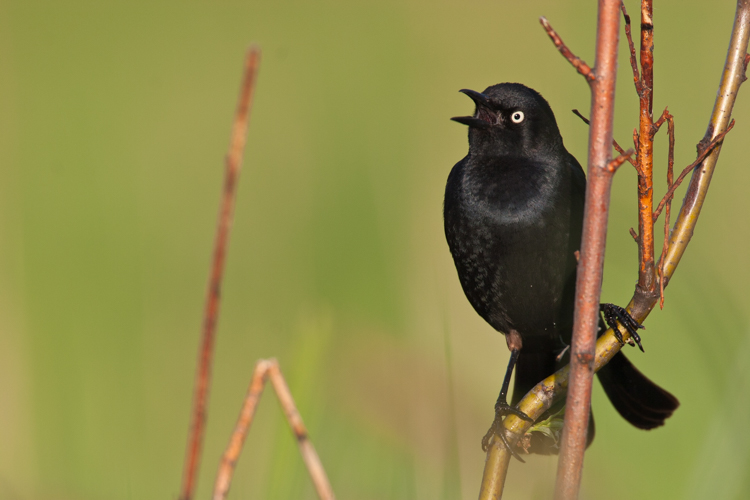
In summer, however, when the males are attired in their crisp, shiny, black plumage, they are very difficult to find. Rusty Blackbirds nest in some pretty unpleasant places: thick, mosquito-infested swamps in the northern forest of Alaska, Canada, and the northeastern states.
AK-FAI-RUBL-44
Having studied them for years, I had a distinct advantage when I set out to photograph this species. I knew where to find them, right down to a specific pair of birds, and I knew where to position myself for the best chance of getting foraging birds to appear within the range of my camera.
AK-FAI-RUBL-48

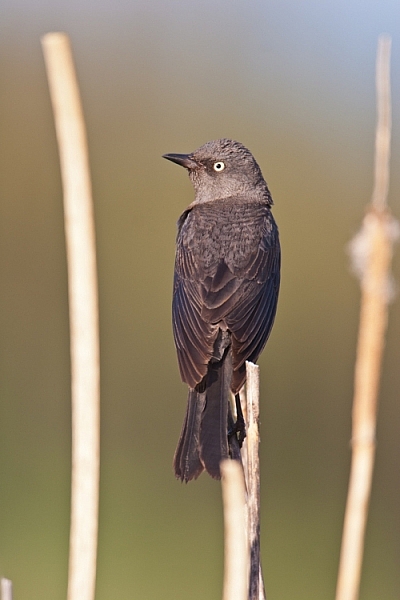
Thanks to that personal knowledge, I got some great photos of both males and females in breeding plumage, and the rarity of these images has made them some of my most published wildlife photos.

Though it helps, you don’t need the extensive personal knowledge that I was lucky to have of Rusty Blackbirds. You do, however, need a basic understanding of your quarry.

Some things to consider:

Seasonality

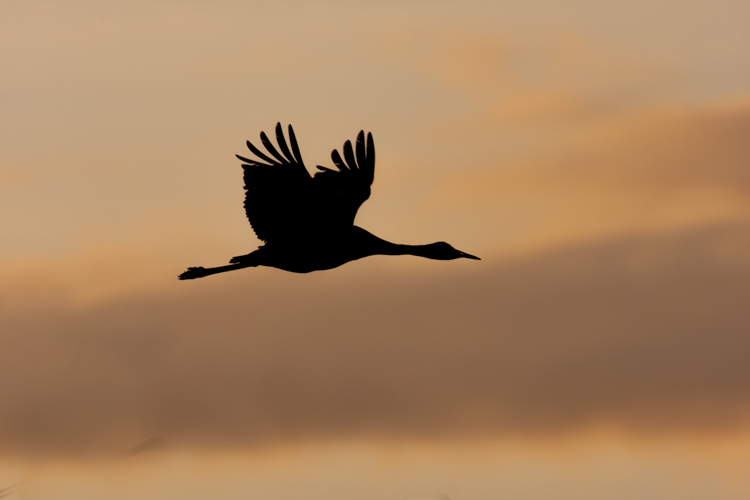
Many species migrate, or are difficult (or easy) to find during certain times of year. Birds are an obvious example. If you want to photograph congregations of migrating Sandhill Cranes and waterfowl, then you need to know when the birds are going to be present. A hint: It isn’t during the summer.
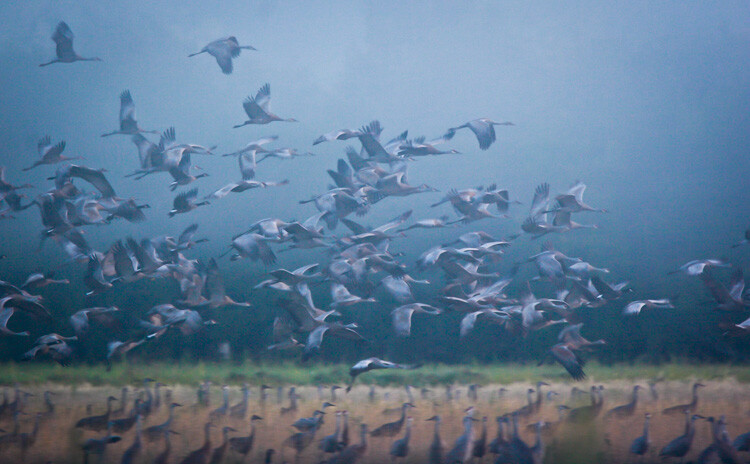
A flock of Sandhill Cranes during migration. You only get a few weeks each years to catch big flocks of this species, so you need to be ready.

A flock of Sandhill Cranes during migration. You only get a few weeks each years to catch big flocks of this species, so you need to be ready.

Seasonality isn’t limited to birds, many mammal species may only be available during a narrow time window. The Brooks River in Katmai National Park, Alaska is a famous spot to photograph bears. Though bruins are present in the area just about anytime from May to early October, if you want to photograph them catching salmon at the falls, you are likely to be disappointed if you schedule your trip in any month but July.
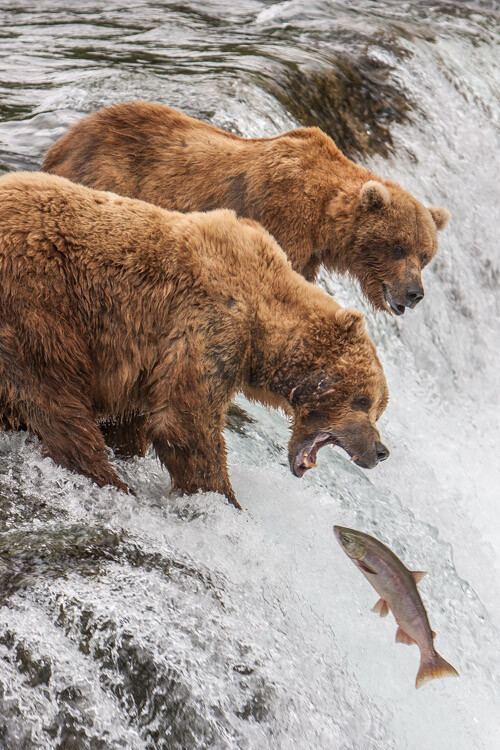
Red Salmon, which run up the Brooks River and leap the falls, are most abundant in July. If you don't catch the run, you won't see the bears trying to catch them at the falls.

Red Salmon, which run up the Brooks River and leap the falls, are most abundant in July. If you don’t catch the run, you won’t see the bears trying to catch them like this.
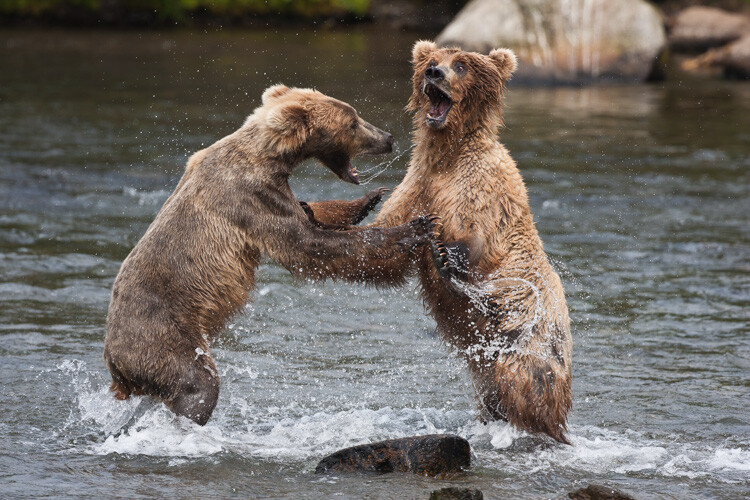
During the salmon run, the bears get close together and juveniles like these, are forced to bicker for a good fishing spot.

During the salmon run, the bears get close together, and juveniles like these are forced to bicker for a good fishing spot.

Range and habitat

Some species have a continent-wide distribution, others may be extremely limited. Almost all wildlife has preferred habitat that will dictate where, within their larger range, they are likely to be found. The range of Pronghorn includes the better part of the American west, but their habitat, intact grass and sagebrush prairie, is much less abundant. Pronghorn habitat also changes with the season, so you can see how range, habitat, and seasonality, all interact to guide you to the best place at the best time.
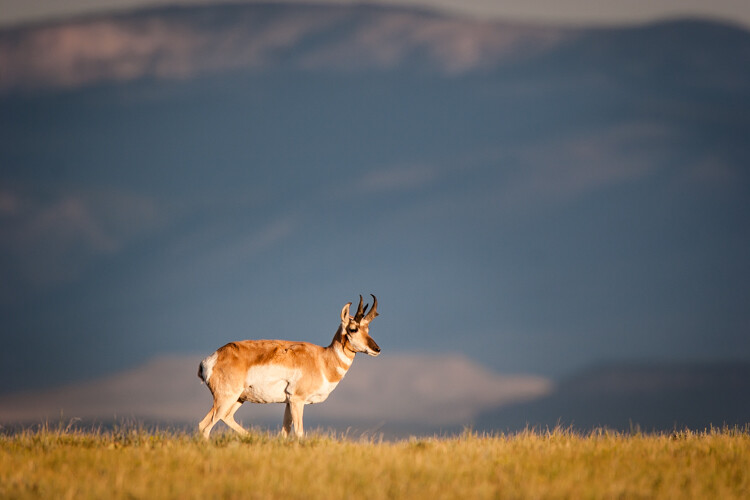
A Pronghorn in southern Wyoming, first light.

A Pronghorn in southern Wyoming, first light.

Behavior

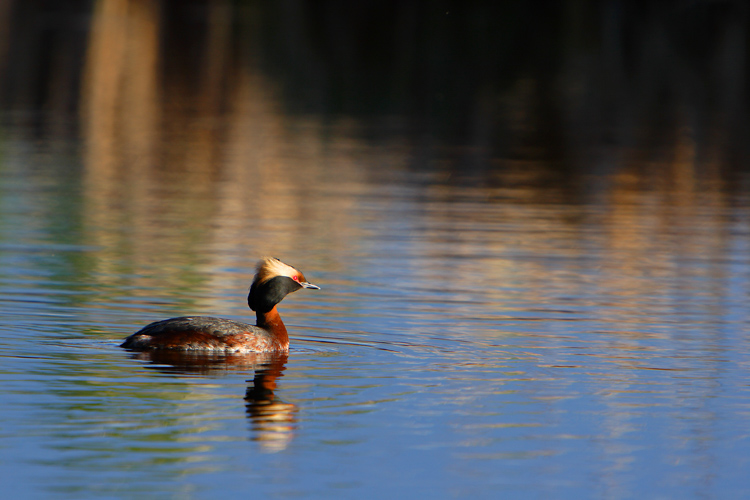
You may have particular behavior that you’d like to observe or photograph. Many bird species look their best, and are most active during the breeding season, but for some species, that season can be very, very short. Where I live in the interior of Alaska, the courtship period is extremely short, lasting only a few days to a couple of weeks depending on the species. Birds like the Horned Grebe are commonly found on small boreal forest ponds near my home, but they are most easily photographed during a couple of weeks in late May, when the males are setting up territories.
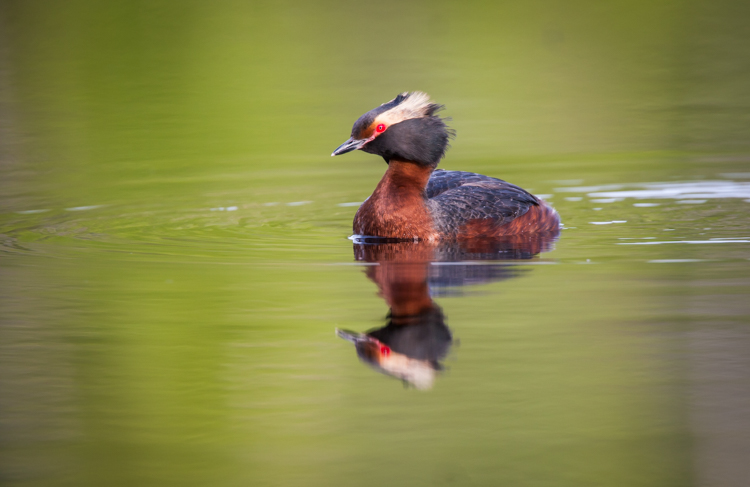
AK-FAI-HOGR-10

Resources

Thanks to the internet, most of the information you need to explore your target species is available right at your finger tips. In fact, they are so numerous, that there isn’t nearly enough space here to list them all, but I do want to make not of a few of my favorites:

  • eBird:  This site, run by the Cornell Lab of Ornithology is a citizen science site where you can document your sightings of birds. While great for birders, it is also a useful tool for photographers. You can explore data here submitted by birders from across the country and world. The mapping function allows you to look, in very close detail, about where different species are found during the year.
  • iNaturalist:  Though put together in a similar way to eBird, iNaturalist is not limited to birds. Here you can find sighting and identification information on plants, mammals, insects, birds and just about everything else.
  • Field Guides:  Classic paper, or digital field guides are still one of the best sources of information on distribution and behavior of wildlife. I’ve got dozens in my collection, and I use them all.
  • Experts:  You can outsource your research by hiring an expert guide to get you where you need to go. If you want to photograph bears or caribou in Alaska, or the wildebeest migration in Africa, there are people who can help you decide on the best time to do it, get you where you need to go, and even point your camera in the right direction for you. Local expertise is very valuable, and though it saves time, it costs money, and may not be as rewarding as learning about, then finding and photographing your target species on your own.
AK-Tflats-HOGR-02

Ethics

Though a discussion of ethics in wildlife photography warrants a post of its own, I want to emphasize the importance of being respectful of the animals you are trying to photograph and the people with whom you share the view. Don’t disturb the animal, if it moves away, bolts, or flushes, you have gotten too close. Such impacts, when they occur again and again, can cause stress, low reproductive success, nest abandonment, or any number of other problems for wildlife. The animal’s welfare matters more than your image, so please, please, please be careful and respectful.

Conclusion

I take great pleasure in being a naturalist. I’d say I’m a naturalist first and foremost, and a photographer second. That might sound strange, but for me, the two go hand in hand. I find a greater understanding of the creatures I photograph leads to better images, and just as importantly a much more rewarding experience. To be a better wildlife photographer, put down the camera, and pick up a book.

googletag.cmd.push(function() {
tablet_slots.push( googletag.defineSlot( “/1005424/_dPSv4_tab-all-article-bottom_(300×250)”, [300, 250], “pb-ad-78623” ).addService( googletag.pubads() ) ); } );

googletag.cmd.push(function() {
mobile_slots.push( googletag.defineSlot( “/1005424/_dPSv4_mob-all-article-bottom_(300×250)”, [300, 250], “pb-ad-78158” ).addService( googletag.pubads() ) ); } );

The post How to Take Better Wildlife Photos: Be a Naturalist First by David Shaw appeared first on Digital Photography School.


Digital Photography School

 
Comments Off on How to Take Better Wildlife Photos: Be a Naturalist First

Posted in Photography


Blog Project: Your Best Photos From 2015

27 Apr
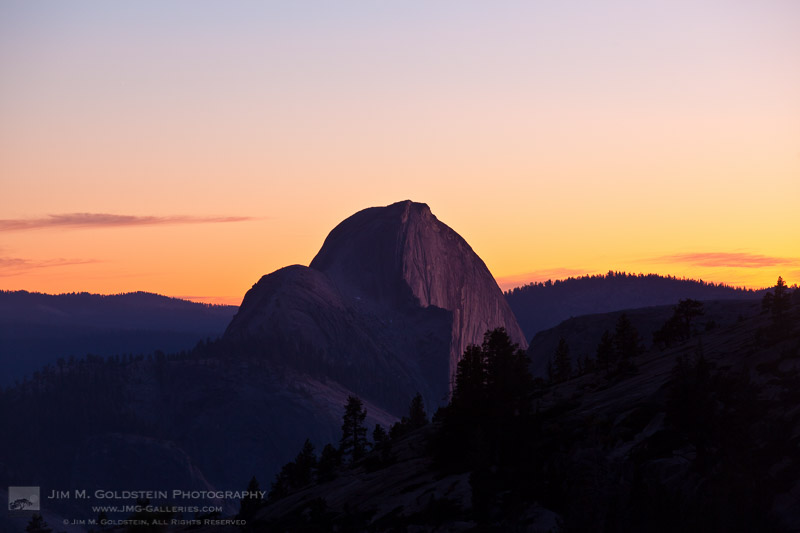
Half Dome Sunset from Olmstead Point, Yosemite

It’s that time of year again and if you’re a regular JMG-Galleries reader that means one thing…
it is time to kick off the 9th annual best photos of the year blog project. This is by far my most popular blog project with over 200 participants taking part last year (see Best Photos of 2014, 2013,  2012, 2011, 2010, 2009, 2008 and 2007). Around this time of year people start to ask if I’d be running this project again. The answer clearly is always YES!
1. I love this project and I love that so many people get excited about it.
2. It’s a great way exercise to improve your photography (10 Ways to Top Your Best 20xx Photographs).
So with out any further delay here is how you take part to submit your best photos of 2015.

How to Participate (Read Carefully)

  1. Review & select your best photos from 2015.
    Note: Photo edit carefully narrowing down your results to your best 10 or 5 photos. Reference Pro Tips: Photo Editing with Gary Crabbe for pointers.
  2. Create a blog post on your web site or a Flickr/500px set containing your best photos from 2015.
  3. Complete the form below by Saturday JANUARY 2nd at 11:59PM PST to take part. The following Tuesday, or there about, I’ll post a link to all submitted sites and photos on my blog. Through out the week I’ll also share the results across all my social media accounts.

Spread the Word!
Feel free to spread the word of this project on Twitter, Facebook, Google+, photo forums you frequent and/or your blogs. All who are interested in taking part are invited.


Loading…

The post Blog Project: Your Best Photos From 2015 appeared first on JMG-Galleries – Landscape, Nature & Travel Photography.


JMG-Galleries – Landscape, Nature & Travel Photography

 
Comments Off on Blog Project: Your Best Photos From 2015

Posted in Equipment


Best Photos of 2015 by Jim M. Goldstein

26 Apr

As is my ritual I’ve compiled my best photos of the year. Similar to last year much of my efforts have been focused on stoking my 5 year old son’s curiosity about nature.  It would be very easy to focus on my photography, but the reason I pursue outdoor photography is because of my deep appreciation for it. I’d like to pass that on to both my boys and with that in mind most of my outings this year were to share the experience exclusively with my son rather than my camera. That said unlike last year my best photos are not Instagram photos (jimgoldstein), but a mixture of DSLR and medium format film via a newly acquired Fuji GX617. Having taken a hiatus from film photography for over 10 years it’s been a great challenge to rexperience the joy and pain of it as I’ve begun sharing in a shot series Revising Film Photography.

To this years best photos in no particular order…

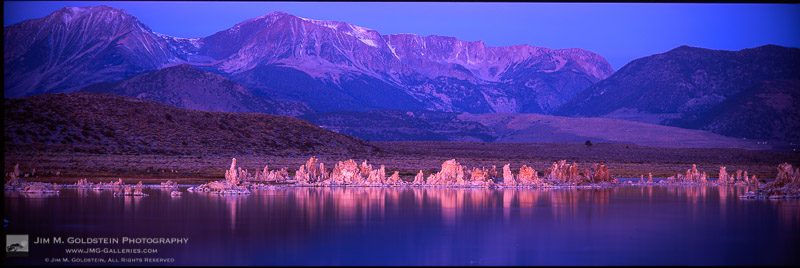
Early morning light falls on tufas at Mono Lake County Park/State Natural Reserve

Early morning light falls on tufas at Mono Lake County Park/State Natural Reserve

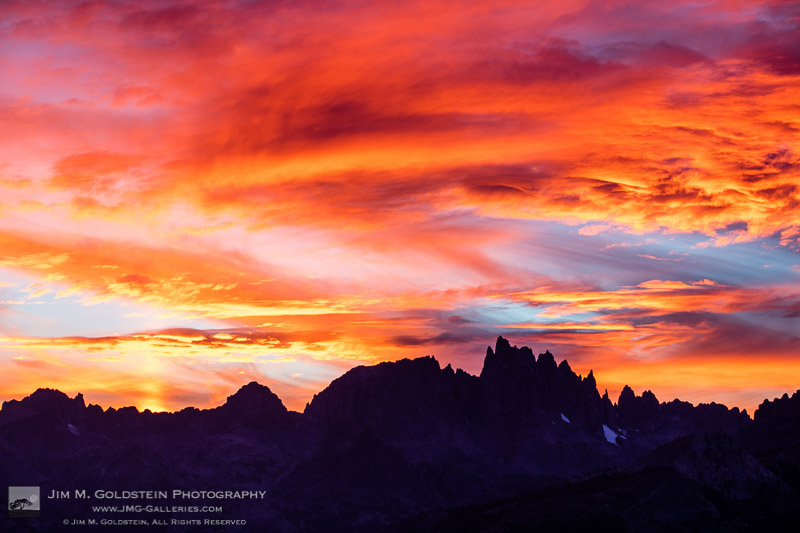
Sunset light with a partial Sun Pillar over the Minarets

Sunset light with a partial Sun Pillar over the Minarets

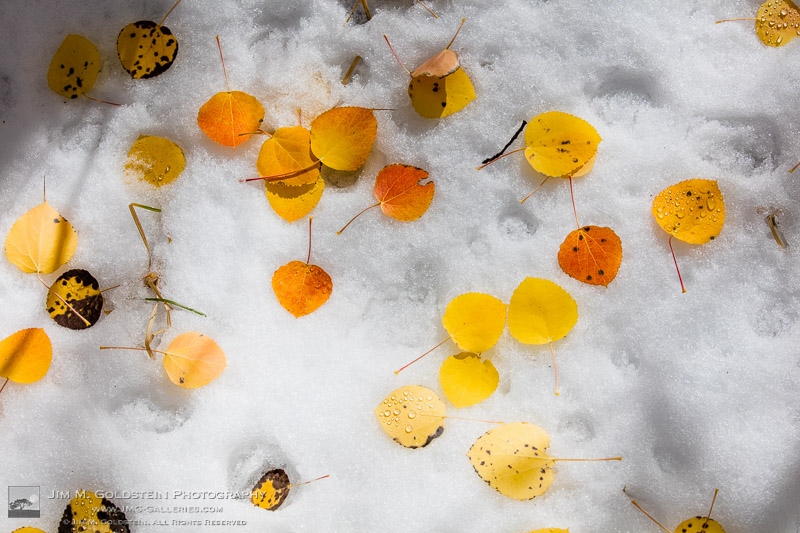
Brightly colored Aspen leaves rest on snow

Brightly colored Aspen leaves rest on snow

300+ foot Redwood trees reach to the sky as seen from the Founders Grove

300+ foot Redwood trees reach to the sky as seen from the Founders Grove

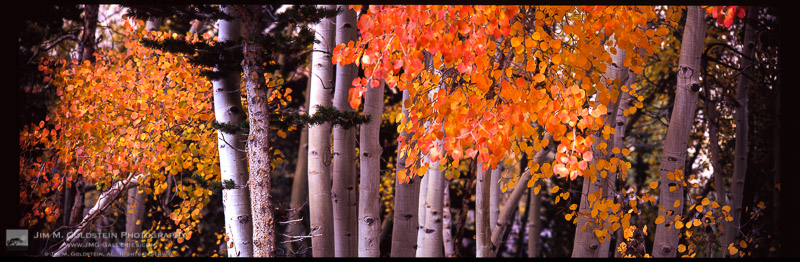
Brightly colored Aspen leaves cling to branches as Fall comes to an end in the Sierra Nevada mountains.

Brightly colored Aspen leaves cling to branches as Fall comes to an end in the Sierra Nevada mountains.

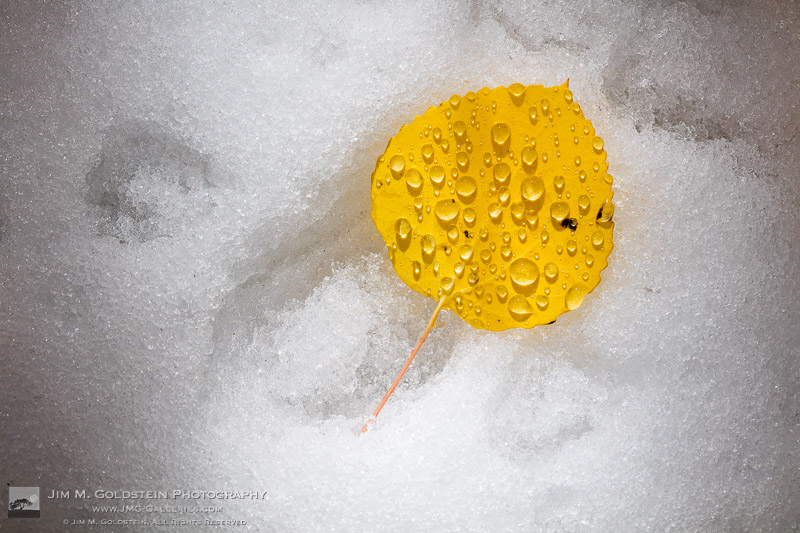
A yellow Aspen leaf with water droplets rests on the snowy ground

A yellow Aspen leaf with water droplets rests on the snowy ground

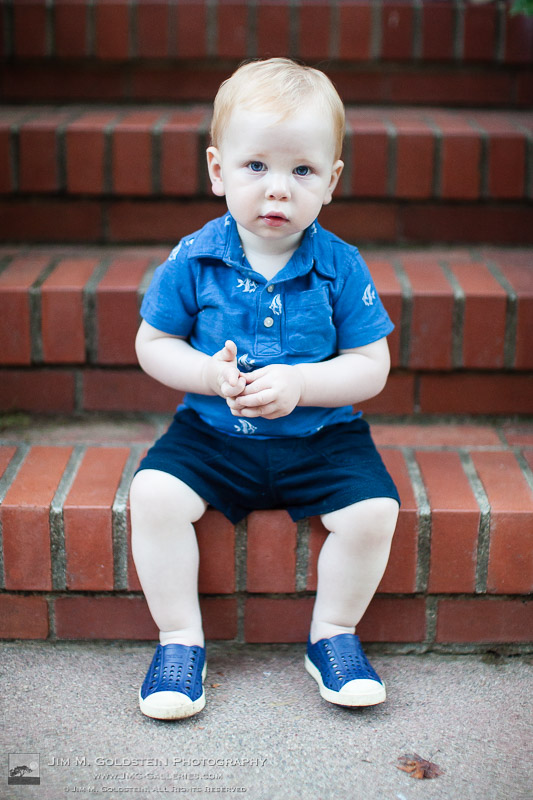
Grant at 15 months of age.

Grant at 15 months of age.

Blake smiling under the Redwood Trees

Blake smiling under the Redwood Trees

5 year old celebrating a birthday in a colorful plastic ball pit

5 year old celebrating a birthday in a colorful plastic ball pit

1 year old boy makes a serious face in his high chair waiting for his birthday cake

1 year old boy makes a serious face in his high chair waiting for his birthday cake

An honorable mention…
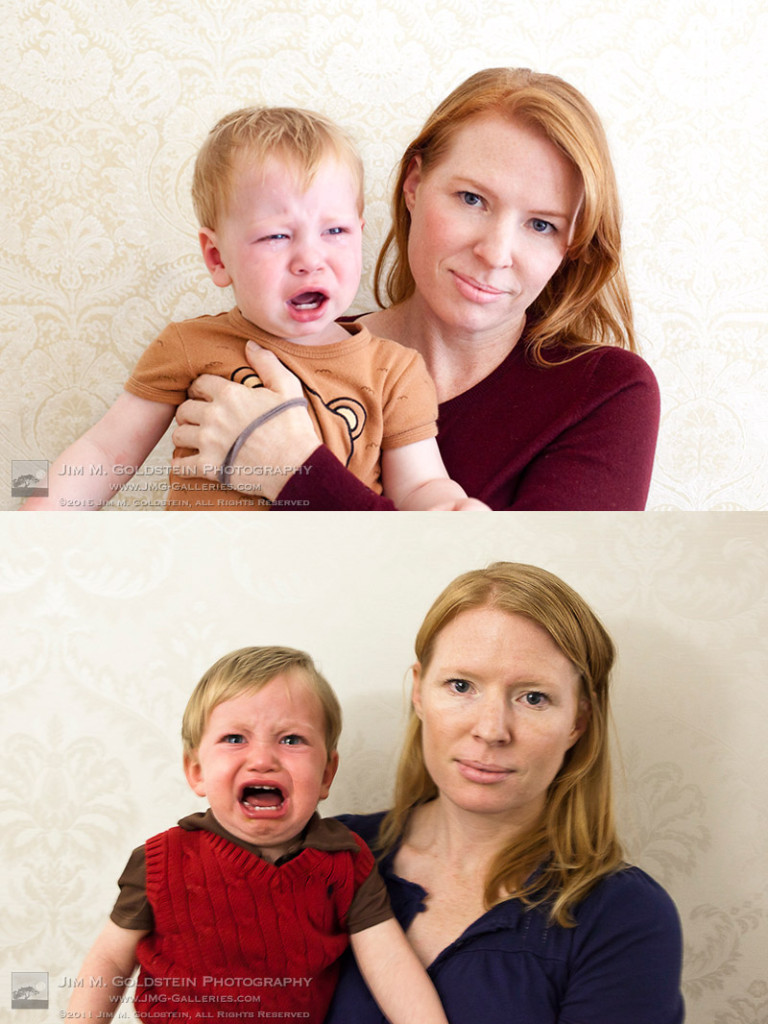
My youngest son now has a matching photo to his older brother featured in my Best of 2011 photos.
trying_times_joint_JMG_7206

The post Best Photos of 2015 by Jim M. Goldstein appeared first on JMG-Galleries – Landscape, Nature & Travel Photography.


JMG-Galleries – Landscape, Nature & Travel Photography

 
Comments Off on Best Photos of 2015 by Jim M. Goldstein

Posted in Equipment


Best Photos of 2015 by JMG-Galleries Blog Readers

26 Apr

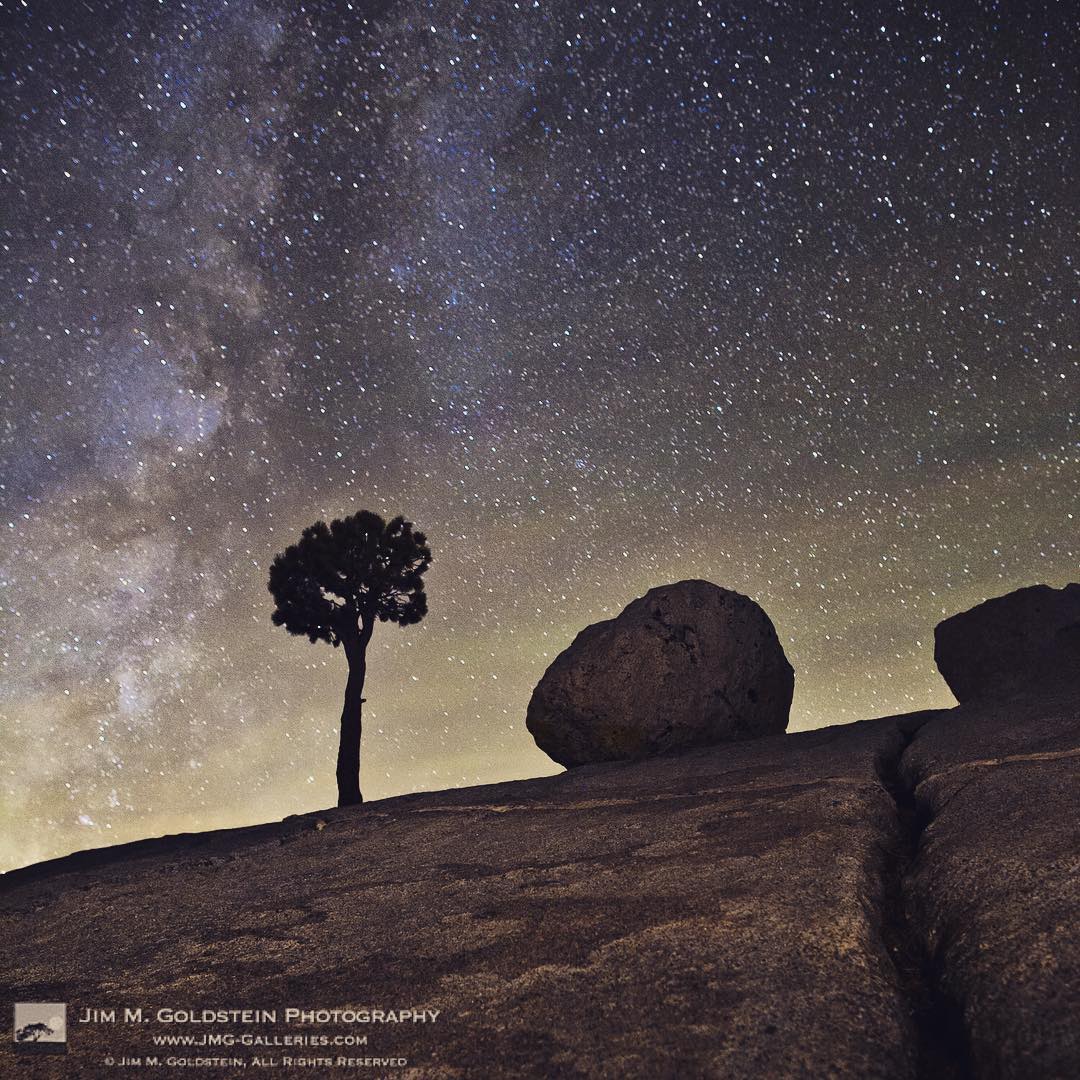
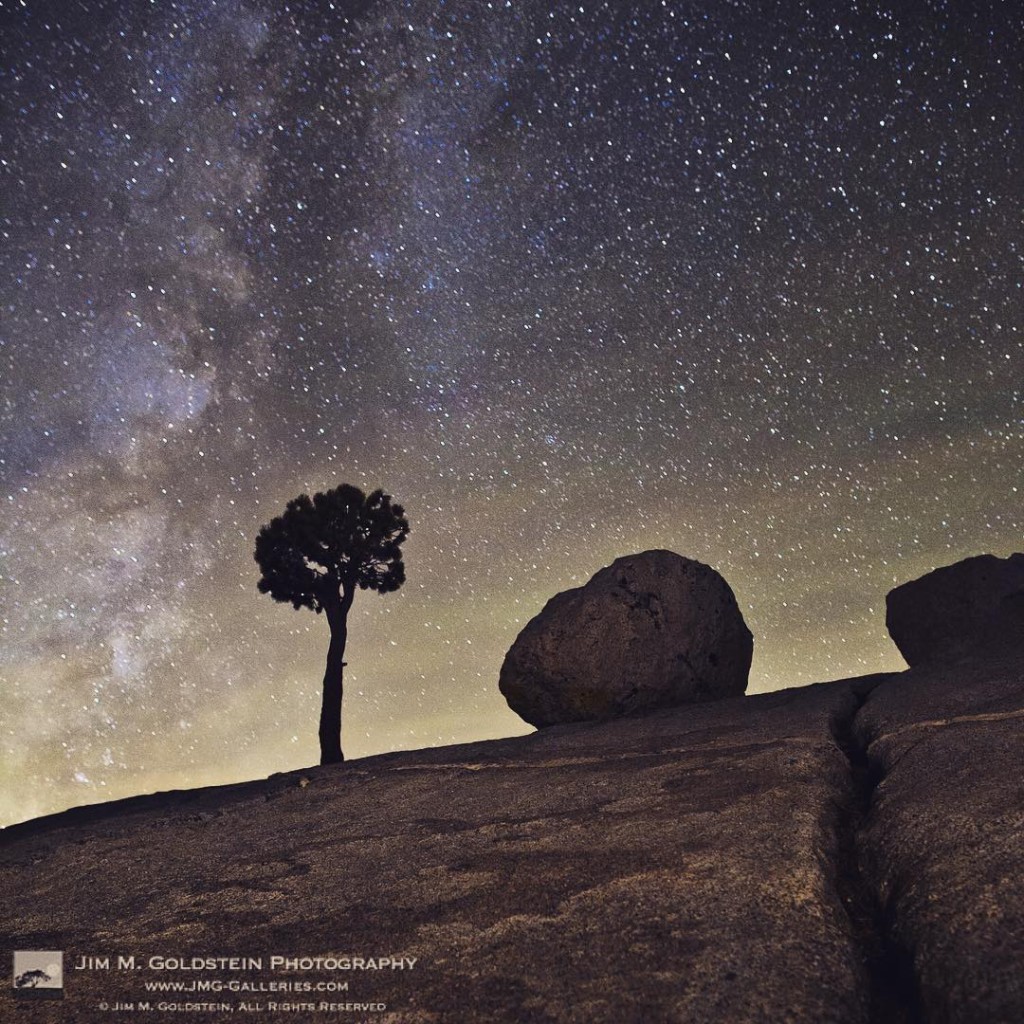
Olmsted Point Stars

Every year I like to start off by providing a roadmap of inspiration for myself and those that read my blog by compiling a list of great photos from my blog readers. I am very thankful to everyone that takes part as their enthusiasm has enabled me to turn this into a tradition that is now on its 9th year. It is amazing to think that so many people have embraced this and find it as invigorating as I do. Thank you!  If you’re just discovering my Best of Photos project you’ll find in the list below very talented and passionate photographers of all skill levels. Participants span a spectrum of skill level from hobbyists to professionals and cover a wide variety of genres including landscape, macro, nature, photojournalism, portraiture, event, wildlife, fine art photography and more.  Some names you’ll recognize as being famous and others  you won’t. I invite you to visit each link below as I have and introduce yourself to many of the participating photographers.

If you’d like to take part next year and be informed when submissions open for the “Best Photos of 2016? blog project add your name to my mail list. You won’t be spammed. I send out newsletters quite infrequently.

Thank to everyone who took part! I hope reviewing your best photos of the year and comparing them to years pasts keeps you inspired and aware of your progress as a photographer.

Best Photos of 2015

  1. Jim M. Goldstein – Best Photos of 2015
  2. Scott Wyden Kivowitz – Best and Favorite Photographs of 2015
  3. Chris Moore – Exploring Light – Top Ten Photos of 2015
  4. Nilesh Patel – Best of 2015
  5. Dave Wilson – Best of 2015 – Dave Wilson Photography
  6. Michael Russell – My 10 Favorite Photographs of 2015
  7. Jim Campbell – In My Image
  8. Salter C Ballard – my 2015 best photos
  9. Rachel Cohen – 2015 My Year in Review
  10. JJ RAIA – 2015 Jim Goldstein Blog Project
  11. Andrew S. Gibson – My Ten Favourite Photos from 2015
  12. Russ Bishop – 2015 – The Year in Pictures
  13. Randy Langstraat – ADVENTR.CO – My Ten Favorite Photos of 2015
  14. Clint Losee – Top 10 of 2015 – My 10 Best Landscape and Scenic Photos
  15. Mike Cavaroc – Free Roaming Photography
  16. Richard Murphy – Best of 2015
  17. Franka M. Gabler – Franka M. Gabler Photography – Favorite Images from 2015
  18. Isabel and Steffen Synnatschke – 2015 – Our favorite images of the year
  19. Johann A. Briffa – 2015 Retrospective – Flickr Album
  20. Carl Donohue – Expeditions Alaska Favorite Photos of 2015
  21. Alexander S. Kunz – Twelve favorite photos from 2015
  22. Richard Wong – Favorite Photos From 2015 – Richard Wong
  23. Matt Anderson – MATT ANDERSONS BEST PHOTOS OF 2015
  24. Patricia Davidson – My Top Favorite Photos of 2015
  25. Joseph W. Smith – Favorites from 2015
  26. Martijn van der Nat – Best of 2015
  27. El Paisaje Perfecto – Landscapes of the year. 2015 Edition.
  28. Jenni Brehm – Changing Perspectives – Best of 2015
  29. Pete Miller – USKestrel Photography – uskestrelphotography – My Favorites of 2015
  30. Gary Crabbe – Enlightened Images – My Favorite Photos of 2015 – A Year-End Retrospective
  31. Greg Russell – Alpenglow Images – 2015 Year in Review
  32. Paul Conrad – 2015: A Look Back – My Year in Photos
  33. Philip Esterle – Philip Esterle Photography
  34. Suzy Walker-Toye – Best of 2015 and year in review
  35. Mike Matenkosky – My Favorite Photos from 2015
  36. Alan Majchrowicz – Photo Highlights 2015
  37. Rob Tilley – Best of 2015 – My Favorite Images of the Year
  38. Jon Gresham – The Sun Shines and the Igloo Melts
  39. Mike Cleron – 2015 Favorites
  40. Adrian Klein – Best Photos of 2015
  41. Björn Göhringer – Top 15 From 2015
  42. Chris Tucker – My Best Photos of 2015
  43. Greg A. Lato – latoga photography – My Favorite Photos of 2015
  44. Greg Clure – Greg Clure Photography – Best of 2015
  45. Alister Benn – Alister Benn – Best of 2015
  46. John Fujimagari – The Stentorian Image – Best Of Twenty Fifteen
  47. SkyVista Photography by Steve Luther – Photographic Journeys – SkyVista Photography 10 Favorite Images of the Year
  48. Mike Chowla – My Ten Best of Images of 2015
  49. Björn Kleemann – Best of 2015
  50. Phil Colla – Natural History Photography – Best Photos of 2015
  51. Edith Levy – Edith Levy Photography – 2015 My Year in Review
  52. Andre Krajnik – MyBlog by solaner – a photographer’s view to the world a traveler’s blog
  53. Fred Mertz – BEST OF 2015
  54. Harold Davis – Harold Davis Best of 2015 – Backwards and Forwards
  55. David Leland Hyde – Landscape Photography Blogger – My Favorite Photographs of 2015
  56. Anne and Frank Klug – Ten Favorite Images from 2015
  57. Scott Thompson – Scott Shots Photography – My 10 Best Tahoe Photos of 2015
  58. Jim Stamates – My 10 Best of 2015
  59. Daniel Leu – Favorites of 2015
  60. Tim Newton – 2015 Favorites
  61. Pat Ulrich – Favorite Photographs of 2015
  62. Caleb Weston – Dubland.net
  63. Lon Overacker – Lon’s Favorites of 2015
  64. Brent Huntley – photographyandtravel.com
  65. Jean Day – Jean Day Photography Best of 2015
  66. Denise Goldberg – top photos 2015
  67. Dan Baumbach – 2015 Favorites
  68. M.C.Andrews – The Aerial Horizon
  69. Alex Filatov Photography – Top Photos of 2015
  70. Martin Quinn – Martin Quinn – 2015 Favorites
  71. Anja Eichler – ae.i – travel photography and social media for shutterbugs
  72. Brian King – Brian King Images
  73. QT Luong – Year 2015 in Review: Water Favorites
  74. Amanda Sinco – Favorite Images from 2015
  75. G Dan Mitchell – G Dan Mitchell’s 2015 Favorite Photographs
  76. Bryan William Jones – Top Photos of 2015
  77. Kevin Ebi – Living Wilderness – Best of 2015
  78. Dayne Reast – 2015 Highlights
  79. Bryn Tassell – Bryn Tassell – Favourites of 2015
  80. Michael Bainbridge – 50 of the Best Photographs of 2015
  81. Catalin Marin – My favourite shots of 2015
  82. J.T. Dudrow – A Glimpse Back at 2015
  83. Laurie Buchwald – My 2015 Photography Year in Review
  84. Andrew S. Gray – Abstract Landscapes 2015 – Andrew S. Gray Photography
  85. Anthony Quek – Bugs and Insects of Singapore
  86. Stephen G. Weaver – Stephen Weaver 2015 Favorites
  87. Chuq Von Rospach – 2015 in Review: My Favorite Images
  88. Milan Hutera – 2015 in Pictures
  89. Derrald Farnsworth-Livingston – Journey Of Light Photography – Top 10 Favorite Images from 2015
  90. Floris van Breugel – Floris van Breugel Best of 2015
  91. Andrew Thomas – Best Aerials of 2015
  92. Nick Fitzhardinge – 2015 – a review
  93. Tom Whelan – Twelve from 2015
  94. Jeff E Jensen – A Few Favorites from 2015
  95. Sara M. Skinner Photography – My Top 10 Favorites of 2015
  96. Mike Christoferson – MLCreations Photography
  97. Mark Graf – Michigan Nature Photos – Twenty Fifteen
  98. Navin Sarma – Navin Sarma Photography
  99. Mark Garbowski – 2015 – A Gallery of Favorites – Mark Garbowski Photography
  100. Torsten Muehlbacher – Best of 2015
  101. Rick Holliday – My Favorite Images from 2015
  102. Tony Wu – Favorite Photos of 2015
  103. Jon McCormack – “2015: Ethiopia
  104. Wendy M. Seagren – Thruthelensephotography – Best of The Best
  105. Stephen L. Kapp – Top 10 Images of 2015
  106. Richard Peters – The year of the wildlife photo without a subject in the frame.
  107. RJ Wilner – 2015 Favorites
  108. Stefan Baeurle – Top 10 Favorites of 2015
  109. Brian Knott – FMKPhoto – 2015 year in review
  110. Christian Cueni – My top pictures in 2015
  111. David Richter – Favorite Images of the Year – 5 of 2015
  112. Patrick Endres – 100 Favorite photos from 2015
  113. Dennis Gingerich – My favorite 5 in 2015
  114. Madeline Pain – Best Photos of 2015
  115. Harley James – Backcountry Bibles – Tramping in New Zealand
  116. Tom Poole – My Favourite images from 2015
  117. Wednesdays in Marblehead – Wednesdays in Marblehead – Best of 2015
  118. Jo West – Jo West Images – Photo Blog
  119. Jeff Sullivan – Top 10 Favorite Travel and Landscape Photos from 2015
  120. Mark Hespenheide – Favorites of 2015
  121. Scott F McGee – Under Pressure Photography 10 Favorites of 2015
  122. Mike Walker – Mike Walker 2015 Top 10
  123. Susan Taylor – Susan Taylor’s Best of 2015
  124. Deb Snelson – Favorite Photos 2015
  125. David J Grenier – 2015 Top Twelve Photographs
  126. Colleen Miniuk-Sperry – CMS Photography – Colleen Miniuk-Sperry Photography – Favorite Photos and Poem From 2015
  127. Michael Zapata – Top Photos From 2015
  128. Roy Kropp – Roy Kropp 2015 Favorites
  129. Daniel Gauss – Dan’s Shot On Site Google+ Page
  130. Tina R Schell – 2015 Favorites and Weekly Photo Challenge-Circles
  131. Drake Dyck – Top Ten Favourite Images of 2015
  132. Jeremy Freshwater – 2015 Best
  133. Rob – NeverHappen – Best of 2015
  134. D. Ottar Flack – RedStormPhoto – Best of 2015
  135. Robin Black – Robin Black Photography
  136. Elizabeth Hahn – EM Hahn Photography
  137. Steve Cole – 2015 Retrospective
  138. Kurt Lawson – Kurt Lawson Photography
  139. Michael Burkhardt – Wilderness Adventure Images – Best of 2015
  140. Derek Fogg – British Landscapes Photography – Looking Back on 2015
  141. Charlotte Gibb – Best of 2015 – A Year of Photography
  142. Eric E Photo – Top 10 of 2015
  143. Will Burrard-Lucas Wildlife Photography – 2015 Year in Review
  144. Vaibhav Tripathi – My favorite 12 photos from 2015
  145. Hugh Sakols – Hugh Sakols Photography
  146. charles barnwell – My Best Images of 2015
  147. Burt Gearhart – Best of 2015
  148. Robert H Clark – 2015 Images – A Year In Review
  149. Deborah Zajac – Top 10 2015 Images
  150. Michael Frye – My Top Photographs of 2015
  151. Les Taylor – Les Taylor Photography – Top 10 Photos of 2015
  152. Phil Slade – Best Images of 2015
  153. Brad Goldpaint – 2015 Letting Go and Allowing Life
  154. Ron Niebrugge – Photo Blog – Niebrugge Images
  155. Greg Vaughn – Favorite Photos of 2015
  156. Seán Duggan – Sean Duggan Photographics – Best of 2015


Special thanks to Holger Elhard for his technical assistance!

The post Best Photos of 2015 by JMG-Galleries Blog Readers appeared first on JMG-Galleries – Landscape, Nature & Travel Photography.


JMG-Galleries – Landscape, Nature & Travel Photography

 
Comments Off on Best Photos of 2015 by JMG-Galleries Blog Readers

Posted in Equipment


Time Travel in China: Photos Reveal A Century of Dramatic Growth

15 Apr

[ By Steph in Culture & History & Travel. ]

time travel china 1

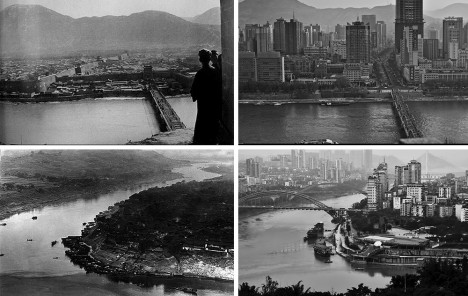
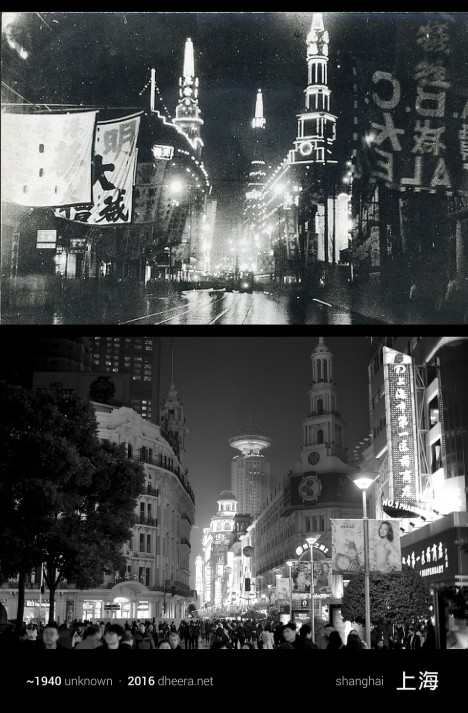
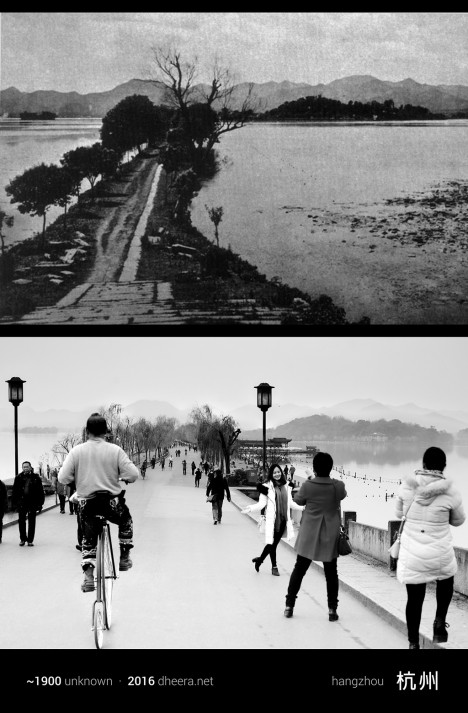
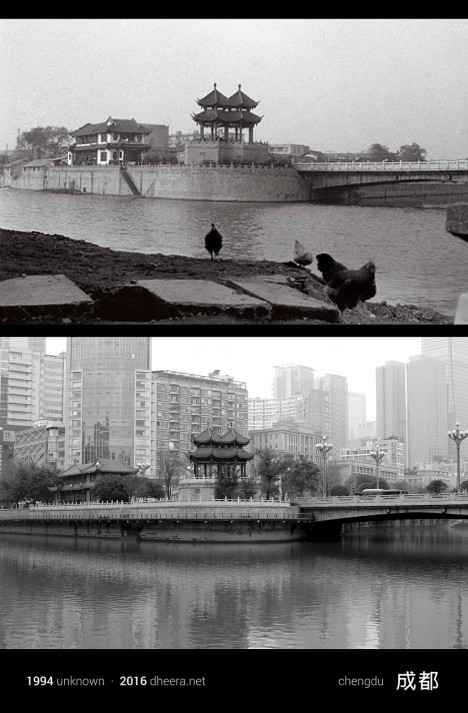
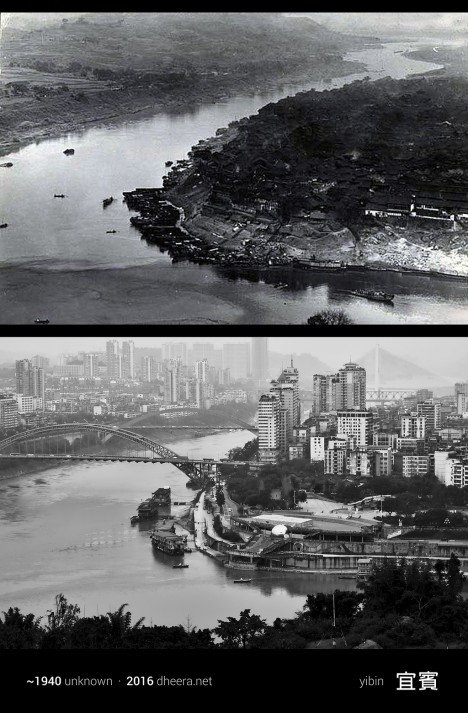
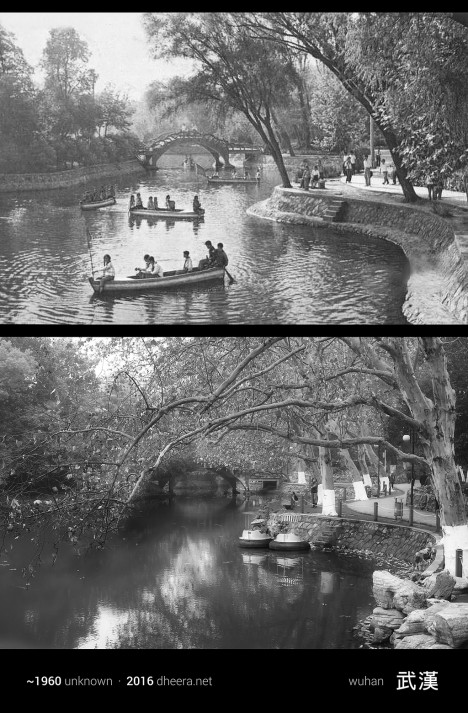
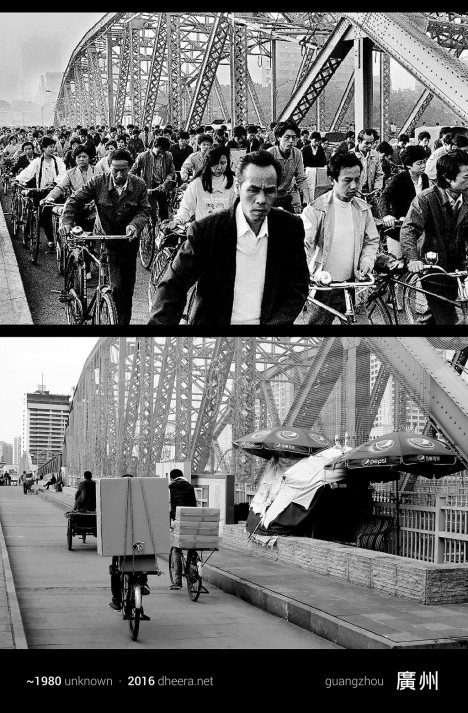
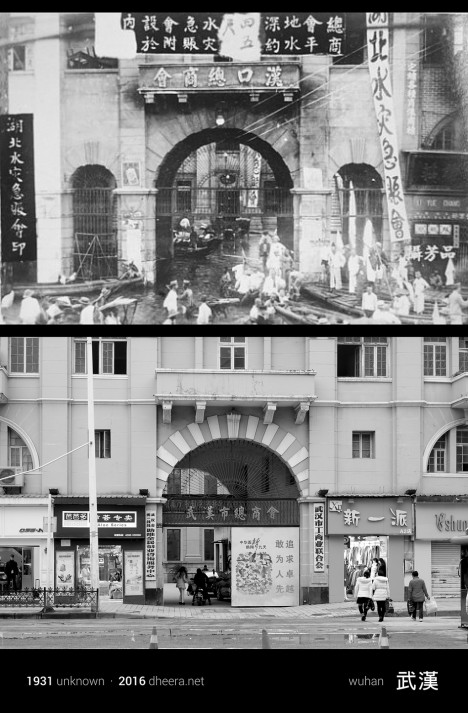
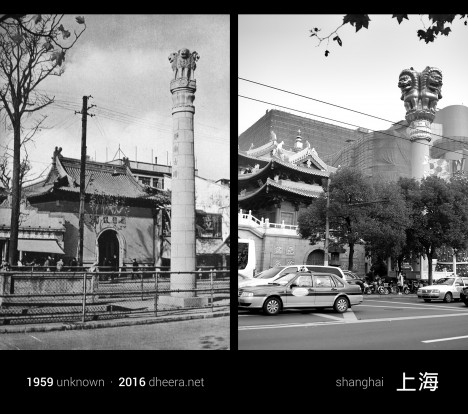
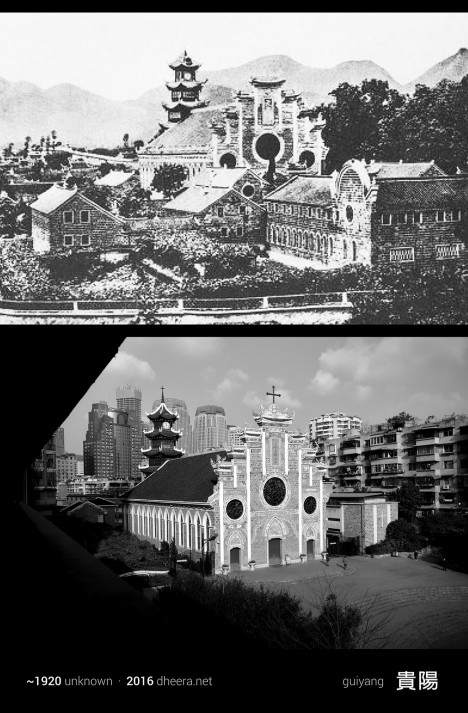
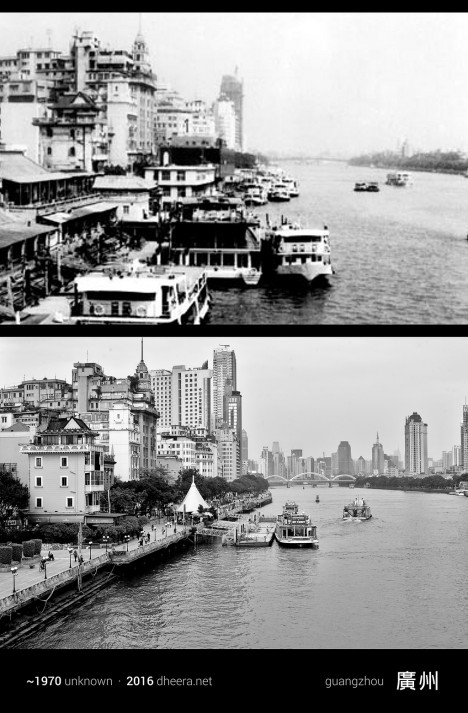
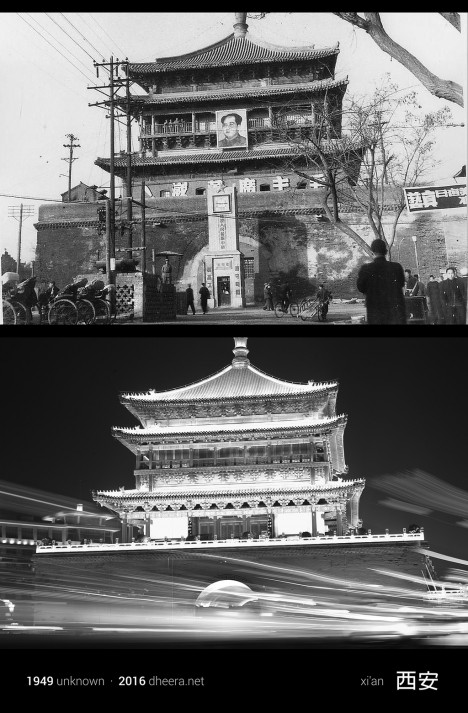
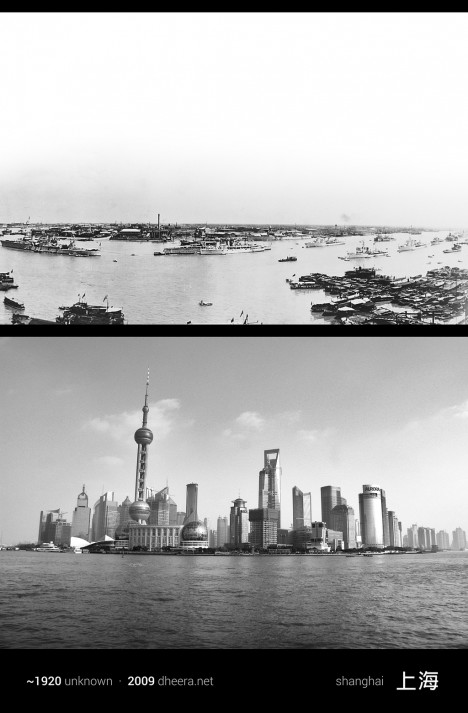
Few nations have experienced quite the explosive rate of growth over the last century as China, and a new photo series shows us just how dramatic those changes actually look on the ground. Photographer, computer scientist and MIT alum Dheera Venkatraman pored through books and archives to find images taken in the 20th century and then went out and re-took them, shot by shot, attempting to frame them exactly as they were originally photographed. All of the new imagery has been converted to black and white to highlight what’s different and what has managed to survive after decades of frantic industrialization.

time travel china 11

time travel china 5

The result is a series called Time Travel in China, creating pairs of images that Venkatraman likens to a ‘spot-the-difference’ game. Agricultural fields become towns, skyscrapers shoot up into the air, bridges stretch across waterways, dirt roads are paved, infrastructure becomes more complex.

time travel china 6

time travel china 7

time travel china 2

Yet not only do the contours of the land and the silhouettes of the mountains remain the same, a surprising number of buildings do, too, especially temples and historical structures. In some cases, the only notable shifts in a forty- or even eighty-year period are the vehicles, some lights and a handful of modern towers.

time travel china 12

time travel china 14

time travel china 3

time travel china 10

“When most people travel, they think of traveling in space,” she says. “Whether it’s hiking through a national park or learning about a distant culture, it’s usually about the destination. This time, I decided to travel in time.”

time travel china 8

time travel china 9

time travel china 4

“It wasn’t always easy to get that perfect angle match,” she continues in a post on PetaPixel. “In some places, the vantage point ended up being in a private location, and in some cases there was a large obstruction or building preventing me from getting the same view. But nonetheless, I managed to capture several shocking contrasts over the past century of Chinese history.”

Share on Facebook


[ By Steph in Culture & History & Travel. ]

[ WebUrbanist | Archives | Galleries | Privacy | TOS ]


WebUrbanist

 
Comments Off on Time Travel in China: Photos Reveal A Century of Dramatic Growth

Posted in Creativity