RSS
 

Posts Tagged ‘Photos’

Study finds that yes, you can take photos and enjoy an experience too

15 Jun

As smartphone picture-taking has become ubiquitous, so has criticism of it. It’s become a common refrain to hear that taking pictures detracts from fully enjoying and experiencing an event, whwther that’s a concert or a papal visit. To be truly in the moment, you shouldn’t be taking photos.

Depressing stuff, but a new study presents a different view, one that photographers would probably agree with: taking photos enhances enjoyment of experiences, rather than detracting from enjoyment.

A previous and much-cited study looked at the effect of photo-taking on memory, and found that people taking photos of objects at a museum were more likely to forget what they’d seen than people who hadn’t taken photos. This new research focuses rather on enjoyment rather than recall. 

According to lead author Kristin Diehl, ‘unlike checking your email or texting, […]  photo-taking actually directs you towards the experience’.

The research mostly focuses on use of a simple camera for taking snapshots, both in real-life situations like a city bus tour, and simulated scenarios. Again and again, participants in the study who were directed to take photos reported higher enjoyment of the experience than those who could not take pictures. 

Articles: Digital Photography Review (dpreview.com)

 
Comments Off on Study finds that yes, you can take photos and enjoy an experience too

Posted in Uncategorized


Apple Photos gets smarter in iOS 10, macOS ‘Sierra’

14 Jun

On the first day of its annual Worldwide Developers Conference, Apple has announced new features for its Photos app on both iOS 10 and macOS ‘Sierra,’ scheduled for release this fall.

The updated Apple Photos apps will use ‘advanced computer vision technology’ to identify people, objects and scenes in order to allow for intelligent searching and automatic sorting based on content. Most notably, a new Memories feature will use this information to automatically create movies and shareable collections of photos based on data such as people, places and events such as a trip or holiday.

Additional features leveraging the new technology include a People album, which automatically groups photos based on who is in the shot, a Places album, which plots your photos on an interactive world map, and Intelligent Search, which allows searches based on the content of photos.

Although Google has provided similar features through its Google Photos service for some time, Apple’s offering includes one feature that may appeal to many users: instead of sending photos to the cloud for analysis, Apple will use on-device intelligence to analyze and categorize photos in order to protect user privacy.

For more information about the new Photos apps head on over to Apple’s website.

Articles: Digital Photography Review (dpreview.com)

 
Comments Off on Apple Photos gets smarter in iOS 10, macOS ‘Sierra’

Posted in Uncategorized


STG Uploader app allows Sony cameras to upload directly to Google Photos

14 Jun

A new unofficial app called STG Uploader enables Sony cameras compatible with PlayMemories Camera Apps to upload content directly to Google Photos. Running the application will prompt the user to set up a Wi-Fi access point, after which the user will authorize the app to place an oAuth token on the camera’s SD card, a safer alternative to saving the user’s Google username and password on the camera.

Full instructions on installing the app are located on the Sony-PMCA-RE Github. Once installed and set up, users are presented with a simple screen that shows how many photos are ready to be uploaded to Google Photos and how many have already been uploaded. An upload status bar is provided, as well as an option for erasing the upload database.

According to a user at SonyAlpha Rumors, the app uploads photos in full resolution. Images uploaded directly will appear in Google Photos with the name ‘SonyUpload’ followed by the date. Note that formatting the SD card will cause the oAuth token to be erased and the app setup process will have to be repeated.

Via: SonyAlpha Rumors

Articles: Digital Photography Review (dpreview.com)

 
Comments Off on STG Uploader app allows Sony cameras to upload directly to Google Photos

Posted in Uncategorized


6 Tips on How to Create Abstract Photos

29 May

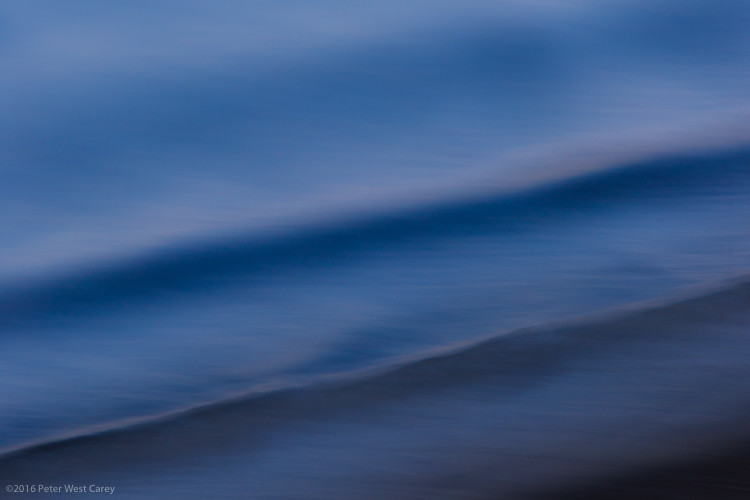
It’s time to have some fun with your camera, and pop you out of the realistic rut you may not even know you’re in. It’s time to create some images based on color, light, emotion, and a lack of concern for sharpness or details.

It’s time to play around with abstract photography!

PWC-Travel2015-1229-0212

Abstract | ab-stract | adjective | of art : Expressing ideas and emotions by using elements such as colors and lines without attempting to create a realistic picture.

You already have all the tools you need (a camera or even a smartphone),  so let’s take a look at some methods of creating emotive and abstracted images.

Techniques

1 – Move Your Camera

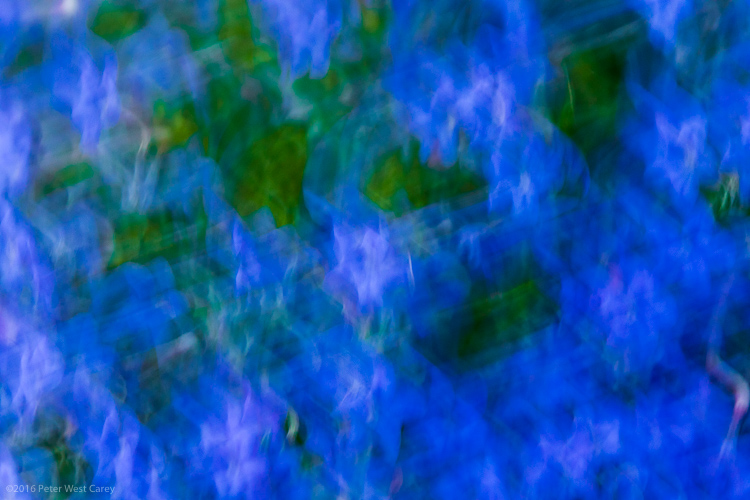
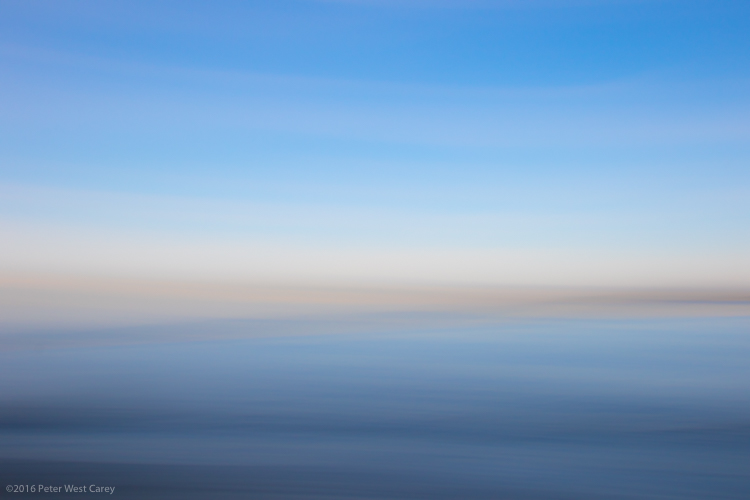
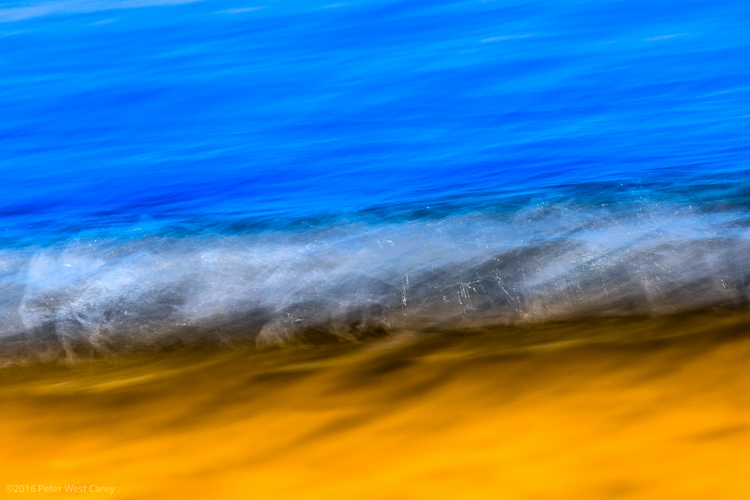
The simplest method for creating images filled with color and lines, is to blur the snot out of everything. This is a liberating concept for most of us. “I get to move my camera and not worry about staying super steady? Heaven!” I can hear you shout.

All of these techniques are paths of self discovery, but I can give some tips on where to start.

PWC-Travel2016-0323-3539

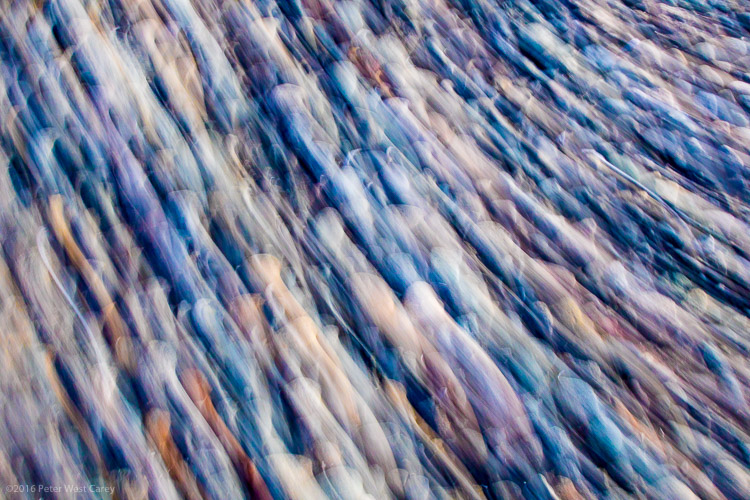
First, slow your shutter speed down to 1/10th of a second or slower. As with panning blur, this is where things get interesting. You can do this in Shutter Priority mode, or if you know how to adjust your camera in Aperture or Program modes, you can use those to get the same shutter speed. You’ll also be helped with a low ISO, such as 100 or lower.

Second, look for things in the shade. That slow shutter speed needs a lack of light to work well, otherwise your shots will be blown out (overexposed).

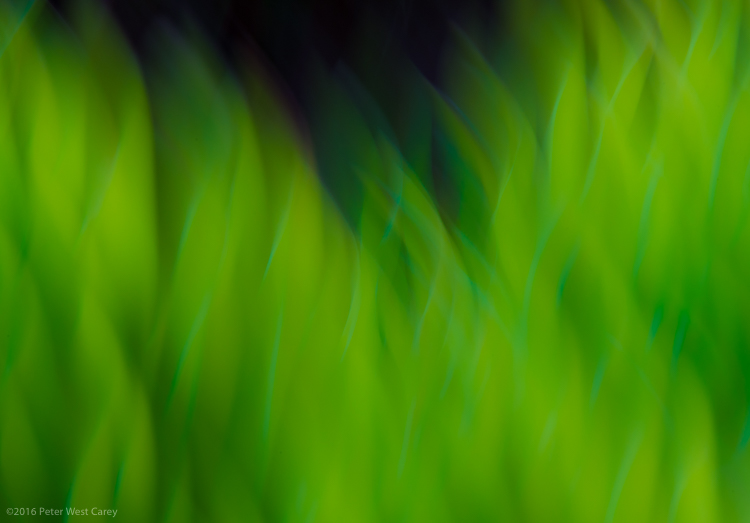
Third, take some sample shots moving your camera in one direction, then another. I know, this sounds like lame advice, and is simplistic, but it starts out that way. You have to start seeing what the scene in front of you does when you move one way or the other. Then start moving in circles or random wiggles.

PWC-Abstract2016-0420-4743

Sometimes straight lined objects look best when you go with their grain and direction. Sometimes circular items (flowers being an easy target) look best with some random wiggle. This is your official “Get out of photography-jail free card” to experiment and make some ugly images. But you may also make some that pique your interest.

PWC-Abstract2016-0419-4286

2 – Move the Subject

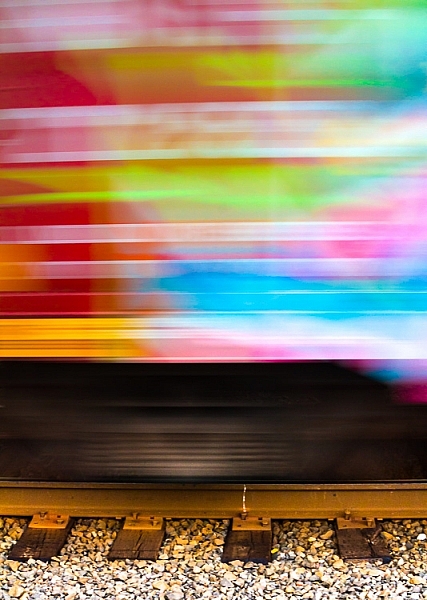
I used to hate see tags on train cars, until I realized the magic of all those random colors screaming by at 40 miles per hour (65 km/h).

Now I often look for all kinds of colorful items, just for their color alone. The shape, subject, or intent may not be what I want, but if I can use that color and get it to move just the way I want…I can capture the colorful essence.

PWC-Oregon2012-0630-8954

This can be a lot like light painting, but without the subject emitting the light. Think of other things that can be moved around, and go for bold colors.

WARNING: Watch out for white, yellow and other super bright colors. Their properties mean they will fill your sensor with too much data too fast, and they will washout/cover over any other colors you may have in your shot.

3 – Remove Reference

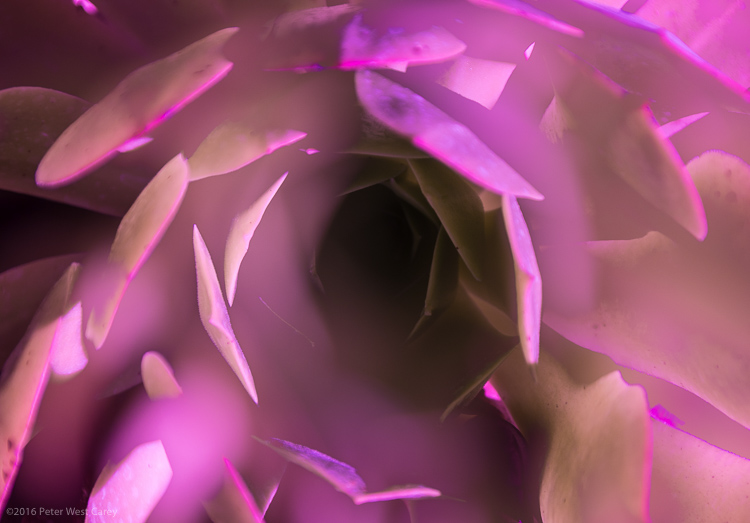
A zoom lens will be your best friend here. Wide angle shots, even with ample blur, often allow us to ground ourselves in the scene, not the colors or emotion. It’s breaking out of what we can recognize, and can relate to, that helps the abstract images.

Let me show you an example. What do you see here (below)?

PWC-Abstract2016-0419-4328

Now let me show you the larger context.

PWC-Abstract2016-0419-4309

The more you zoom in and pick apart details, the more you can play with abstraction.

4 – Shoot Through Things

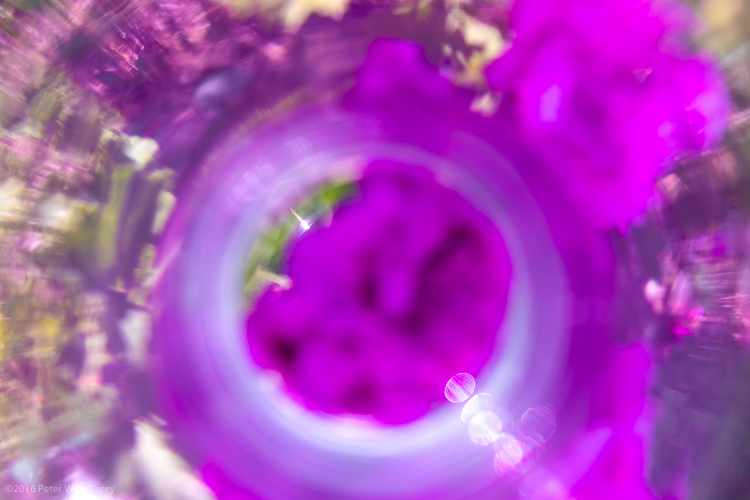
I have yet to experiment heavily with shooting through objects, but there is much fun to be had here too. Having a way to hold the object helps, and a clamp on a light stand would be handy. Otherwise, start with everyday objects and work your way through colored glass, a glass block, or even smear various gels and liquids (Vaseline, olive oil, etc.) on a clear sheet of glass or plexiglass.

PWC-Abstract2016-0428-4858

5 – Multiple Exposure

Using in-camera multiple exposure techniques can sometimes leave too much of the original, recognizable subject, for some photographers’ tastes. I have found the Average setting on my Canon to work well in combining shots. If you want to get funky, go for the Dark setting, and prepare to shoot a lot of tests.

My method is to take one shot, mostly in focus. Then I shoot two more in varying degrees of out of focus. This sometimes ends up with more of a soft focus look, and that’s where the argument can be made that these images are not abstract enough. That’s why I’ll choose to zoom way in, to hopefully make the subject a little more out of context.

PWC-Travel2016-0323-3621

6 – Post-Processing as a Playground

You know how people tend to complain about too much post-processing of some artists’ work? Now’s the time to cast off those bonds and have some fun. You can soften scenes to make them even more ethereal.

PWC-Abstract2016-0419-4585

Or you can try on different versions of the same image, but with vastly different color renditions (in this case, I simple moved the White Balance Temperature and Tint sliders in Lightroom).

PWC-Travel2016-0323-3463-3

PWC-Travel2016-0323-3463

PWC-Travel2016-0323-3463-2

Once your images are in the computer, let your impulses go wild!

Conclusion

PWC-Abstract2016-0419-4467

The thing I like most about abstract photography is that it plays on the “This is something I really like, but I’m not sure why” nerve inside all of us. I can possibly breakdown each of these images and tell you why I picked them, but in the end, it doesn’t really matter. It’s about creating art for art’s sake. It’s about getting back to the basics of attraction to art. It’s about being surprised by what you see on your LCD while breaking a few of the rules you used to hold so dear.

Now go experiment and show me what you can create!

googletag.cmd.push(function() {
tablet_slots.push( googletag.defineSlot( “/1005424/_dPSv4_tab-all-article-bottom_(300×250)”, [300, 250], “pb-ad-78623” ).addService( googletag.pubads() ) ); } );

googletag.cmd.push(function() {
mobile_slots.push( googletag.defineSlot( “/1005424/_dPSv4_mob-all-article-bottom_(300×250)”, [300, 250], “pb-ad-78158” ).addService( googletag.pubads() ) ); } );

The post 6 Tips on How to Create Abstract Photos by Peter West Carey appeared first on Digital Photography School.


Digital Photography School

 
Comments Off on 6 Tips on How to Create Abstract Photos

Posted in Photography


How to Improve Your Night Photos – Add Reflections

24 May

Reflections can be great things to add to your photographs at any time, but they are particularly cool at night. Adding reflections can solve compositional problems you face at night. Further, the steps you have to take to capture photos at night – such as having your camera on a tripod and using a slow shutter speed – actually make it easier to capture reflections.

How so? I’m glad you asked. Let’s take a look at the use of reflections in night photography.

Lakehouse2

Why use reflections in your night photography?

Why would you want to use reflections in your nighttime photos? There are many reasons, but in this article I want to concentrate on two.

1 – Adding a reflection adds interest to the composition

First adding a reflection allows you to turn a straight-ahead photo of a single thing, into an interesting composition. For example, common subjects of nighttime photos are things like well-lit buildings, bridges, and fountains. If you take a picture of just a building, it might not be terribly interesting. It’s just a building. The same goes for pictures of bridges and fountains.

Adding other items to the picture can be a challenge. Everything around the subject is likely to be very dark. Adding more space just results in a sea of blackness around your subject that doesn’t add anything to your photo, it just detracts from your subject. If you add a reflection, however, it adds a compositional element to your picture. Now your picture isn’t just a single thing (like a building, bridge, or fountain). The reflection adds interest to the photo.

2 – Adding a reflection gives you a good foreground element

Secondly, adding a reflection to your picture also solves a common problem for all pictures. That problem is what to do with the foreground. Often the subject and background are clear, but the foreground can be difficult to ascertain. However, particularly when you are using water to create the reflection, the reflection will be on the bottom portion of the picture. Therefore it provide you with a ready-made foreground. Problem solved.

Dallas

When to use reflections

You could use reflections in your nighttime photos whenever possible. The limitation on their use is typically not lack of desire, but lack of opportunity. There isn’t always a large shiny surface for you to use to capture a reflection.

Note: if that is the case, you can always create one in Photoshop!

So what circumstances create the opportunity to use reflections? Obviously, water works great. It is available for you to use in a lot of different contexts. Here are some of them:

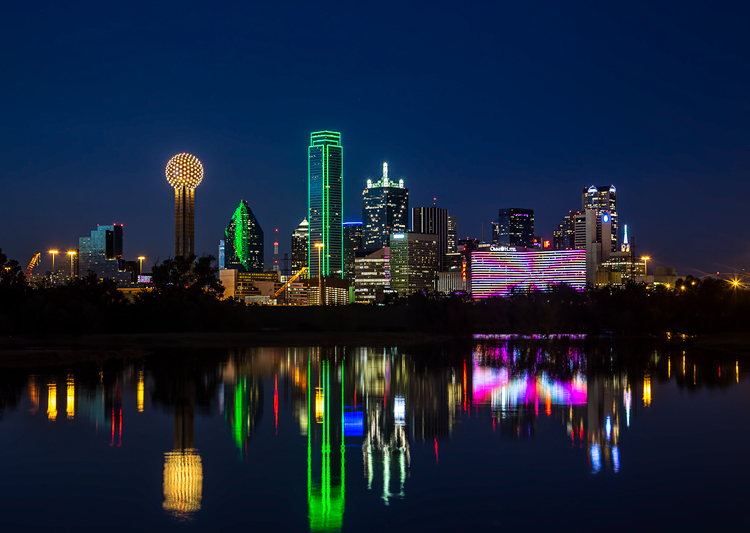
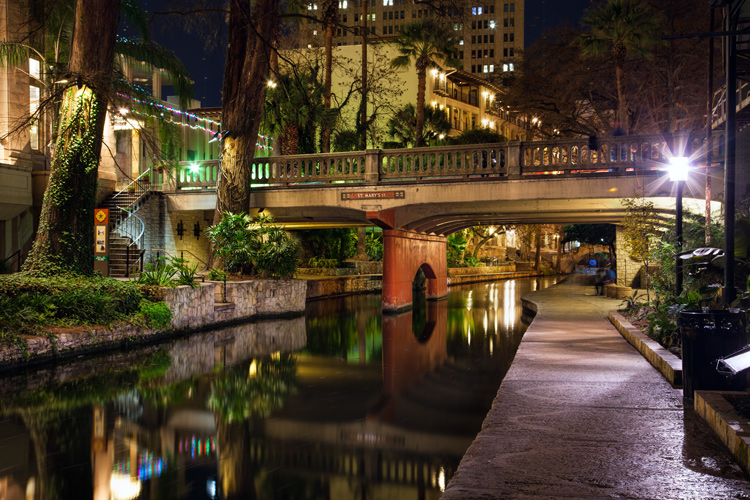
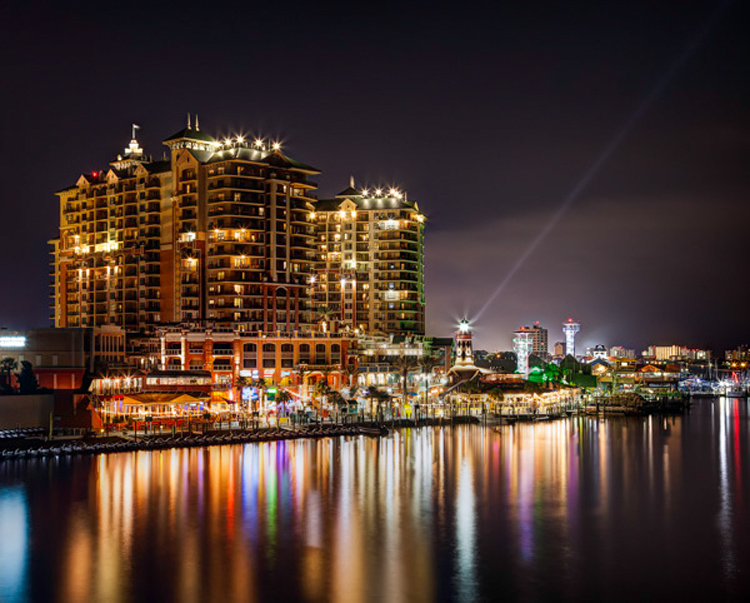
  • Skylines: Most cities are built on a bay or a river that you can use to create a reflection. (By the way, don’t worry about making it a sharp reflection – just a blurry set of lights in the water can provide what you need.)
  • Bridges: A common nighttime photographic subject are bridges, which are almost always over water.
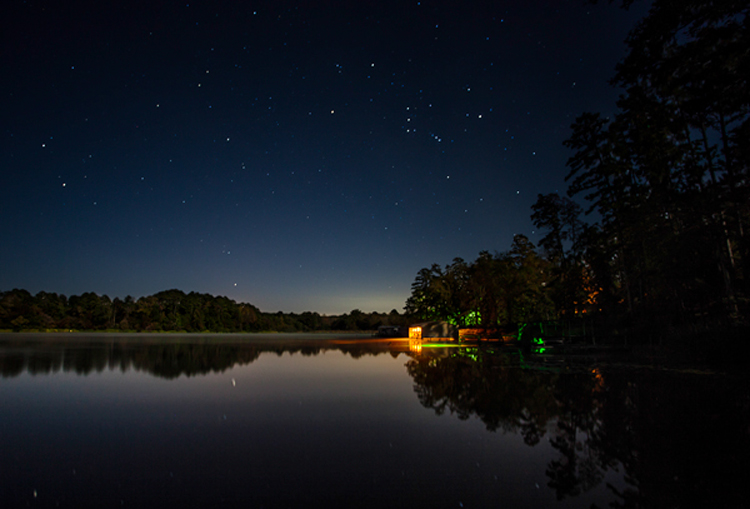
  • Lakes: There are lakes everywhere. You can capture reflections of nearby objects. On clear nights you can also capture the reflections of the stars.
  • Puddles: They provide a great opportunity for using reflections where you might not otherwise expect them. Keep in mind there doesn’t actually need to be a puddle but often a wet surface will reflect light from nearby sources. See Using Rain Puddles to Create Unique Reflection Photos.
  • Fountains: Since fountains are filled with water, they also provide great opportunities for making reflections.

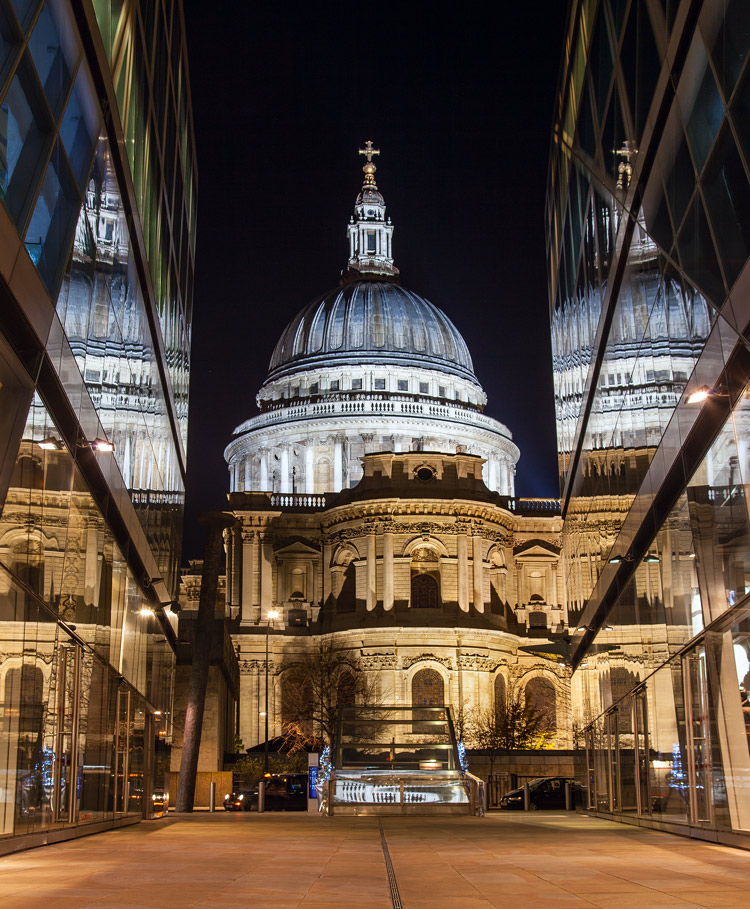
Besides water, any shiny surface will do. Most cities have many modern office buildings built of steel and glass. While not generally sought out as photographic subjects in and of themselves, they do provide great opportunities for capturing reflections of anything nearby.

StPaulMirror

How to capture reflections

Here is some good news: you probably don’t need to do anything different in terms of exposure to capture reflections in your picture. For reflections of most shiny surfaces, you simply set the exposure as you normally would, and take the picture. While using water to create the reflection does require that you smooth the water out, this is probably already happening because of the inherent challenges of exposure in night photography.

Night photography requires slow shutter speeds. Because it is dark, your camera needs to hold the shutter open a long time in order to gather sufficient light for the exposure. This is true even if you are using a wide aperture and high ISO. This long shutter speed is what smooths out the water. Therefore, the mere fact that you are taking the photo at night, probably means you are already creating a picture with smooth water. If not, just be sure to slow down your shutter speed.

Riverwalk

Enhancing the effect

The most common problem when using reflections in your nighttime photos, is that the reflection does not show up as much as you would like. The way to fix that is to brighten the reflection. If you apply a global brightening to the picture, however, you risk blowing out the highlights of other parts of your picture. In any case, you will probably end up brightening other parts of the picture more than you want. Therefore, you will need to apply selective brightening to the photo. Here is how to do that, depending on the software you are using:

  • Lightroom: In Lightroom, use the Adjustment Brush (keyboard shortcut K) to apply selective brightening to the reflection. Select the brush, and using the controls that appear, increase either the Exposure or the Whites slider (or both) to make the reflection stand out. At the same time, you will need to maintain contrast in your picture. Do that by decreasing the blacks in the picture (pull the Black slider to the left). Just paint it in and you are all set. You can also adjust the effect after you have painted it in.
  • Photoshop: In Photoshop or Photoshop Elements you can use the same process as described above in the Adobe Camera Raw (ACR) screen that pops up when you open the picture. Once you are in Photoshop, the best way is to use Curves adjustment layers and then mask out the effect everywhere except in the reflection. To do that, just create a Curves adjustment layer, then pull up the line on the right side of the curve (or pull in the white point) to increase the brightness of the reflection. To maintain contrast, pull down the left side of the line (or pull your black point to the right). If you’re not familiar with Curves adjustment layers or masking check out this or this tutorial to get you started with the process.

Destin2

The other common problem when using reflections in your night photography, is enhancing the clarity or sharpness of the reflection. Much of the work here is done in the capture phase, and keep in mind that you cannot fix a blurry picture. But you can enhance the effects a bit. Here are some ways to go about that:

  • Lightroom: As with the selective brightening above, use the Adjustment Brush (either in the same step or as a separate step as the brightening). Within the controls of the brush, increase the Clarity slider. Brush in the area of the reflection to add the clarity. You can also increase the Sharpness slider, but beware of doing this too much as it tends to increase digital noise.
  • Photoshop: Within Photoshop or Photoshop Elements, you can use the ACR screens to increase the clarity of the reflection. Once the image is opened in Photoshop though, there is no Clarity slider. The best way to increase clarity is to use the High Pass filter. This article explains how to increase clarity and walks you through the use of the High Pass filter.
  • Plug-Ins: There is also third-party software available that allows you to increase the clarity of your photos. One such program is Topaz Clarity, which works really well. For the best results, apply this effect on a new layer within Photoshop so that you can use masking to apply the effect exactly where and how you want.

Of course, there will probably be other edits you want to make to the photo in addition to these. You can, and should apply your standard workflow to your pictures. These are just the common issues you will experience when you add reflections to your photos.

Conclusion

Reflections can add great compositional interest to your pictures. They also allow you to add context to your nighttime photos, which is not always easy since much of the surrounding area will be dark. They are readily available once you start looking for them. In addition, they are easy to apply. Once you start adding reflections, I think you will find they will help add interest to your night photos, and might even take them to the next level.

googletag.cmd.push(function() {
tablet_slots.push( googletag.defineSlot( “/1005424/_dPSv4_tab-all-article-bottom_(300×250)”, [300, 250], “pb-ad-78623” ).addService( googletag.pubads() ) ); } );

googletag.cmd.push(function() {
mobile_slots.push( googletag.defineSlot( “/1005424/_dPSv4_mob-all-article-bottom_(300×250)”, [300, 250], “pb-ad-78158” ).addService( googletag.pubads() ) ); } );

The post How to Improve Your Night Photos – Add Reflections by Jim Hamel appeared first on Digital Photography School.


Digital Photography School

 
Comments Off on How to Improve Your Night Photos – Add Reflections

Posted in Photography


Photo Composition Tips from Bob Holmes – Composition in Travel Photos

23 May

Who better to get photo composition tips from than four-time Travel Photographer of the Year award-winner, Bob Holmes? He shares some techniques you can use to work with composition and take better photos, no matter where your travels may take you.

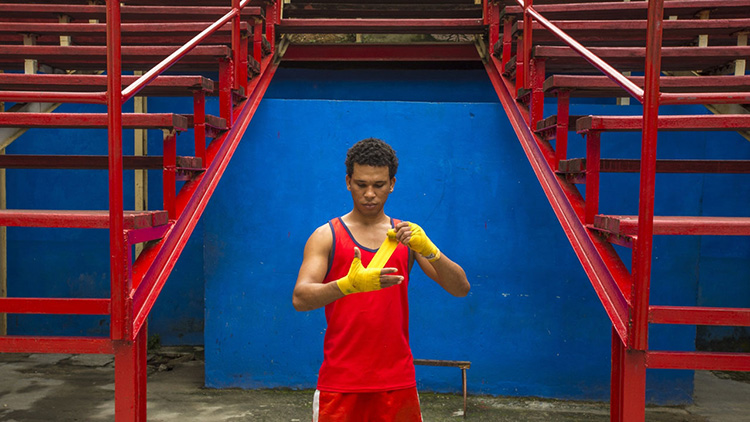
Havana 012016 1314 Thumb dPS

Bob has been all over the world, and his travel photos have appeared in National Geographic, Departures, and 46 books as the sole photographer. Working outdoors on most of his trips, Holmes is an expert at using natural lighting in photos.

He loves looking for composition that grabs you, and his unique tip is that you need to “get in the zone” and be fully responsible for everything in the frame. The key to learning composition is to practice – you can’t become a great photographer in a week, but you will get there by shooting as much as you can.

Bob Holmes dPS

Watch this video interview I did with Bob Holmes, then look below the video for more helpful resources.

Check out these dPS resources for more info:

  • LIFE IN NATURAL LIGHT- The Ultimate Guide to a photographer’s most powerful tool
  • NATURAL LIGHT – Mastering a Photographer’s Most Powerful Tool
  • TRANSCENDING TRAVEL – A guide to captivating travel photography

googletag.cmd.push(function() {
tablet_slots.push( googletag.defineSlot( “/1005424/_dPSv4_tab-all-article-bottom_(300×250)”, [300, 250], “pb-ad-78623” ).addService( googletag.pubads() ) ); } );

googletag.cmd.push(function() {
mobile_slots.push( googletag.defineSlot( “/1005424/_dPSv4_mob-all-article-bottom_(300×250)”, [300, 250], “pb-ad-78158” ).addService( googletag.pubads() ) ); } );

The post Photo Composition Tips from Bob Holmes – Composition in Travel Photos by Marc Silber appeared first on Digital Photography School.


Digital Photography School

 
Comments Off on Photo Composition Tips from Bob Holmes – Composition in Travel Photos

Posted in Photography


Your First 100,000 Photos are Your Worst

22 May

Henri Cartier-Bresson once said that your first 10,000 photos are your worst. The point of that statement was that photography ought to be an art that is perfected with practice, hard work and repetition. It takes time before a photographer feels as one with their camera. Over time though you eventually learn your camera backwards and forwards, the two of you are old friends and you handle it with the skill of an expert. Likewise, after enough experience you begin to develop your own style. You find what works for you compositionally. Light and color take central stage as you do what you do best, naturally, borne out of habit and experience.

I would change Cartier-Bresson’s quote in the modern digital age to say that your first 100,000 photos are your worst. Maybe it really ought to be your first 1,000,000 photos are your worst.

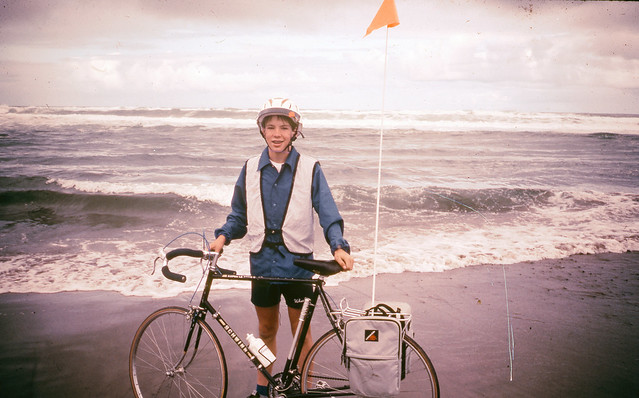
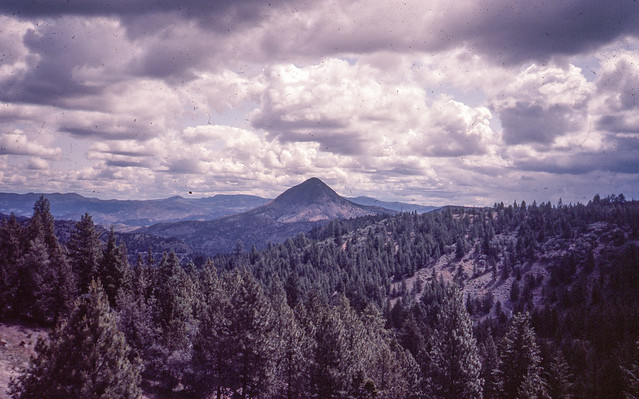
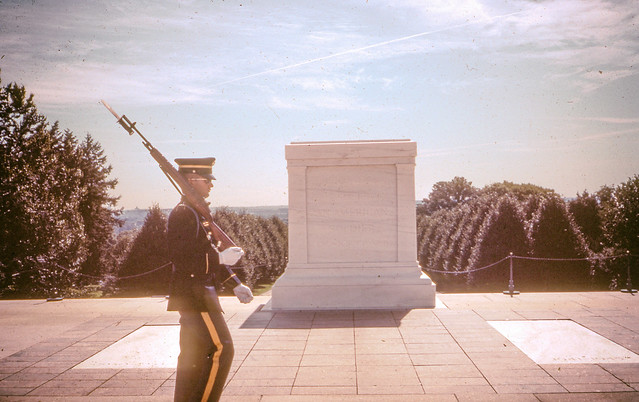
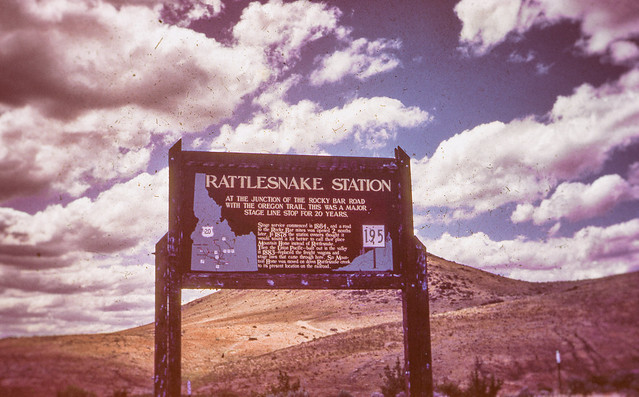
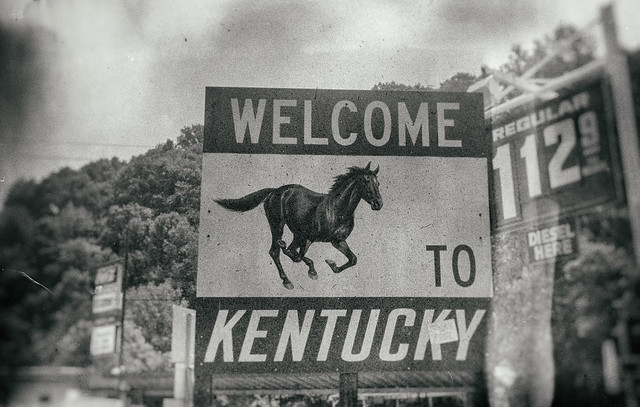
America Coast to Coast Bicycle Trip, First Photos with an SLR, 1983

My love affair with photography began early when I was given my first camera, a Kodak Instamatic at the age of 7 or so. When I really became most interested in photography though was at the age of 15 when my parents bought me my first SLR. It was a Sigma camera with a zoom lens. The very first photos I took with that camera were the Summer between 9th and 10th grade when I rode my bicycle across America. I did the trip with a group called Wandering Wheels out of Taylor University. I rode my bicycle from Lincoln City, Oregon to Rehoboth Beach, Delaware over the course of about six weeks. It was one of the best things I did in my youth and seeing and photographing America in my youth has carried on with me as I continue documenting America now at the ripe old age of 48.

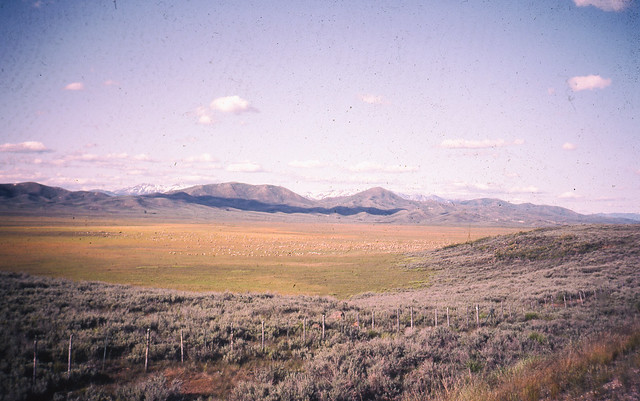
On my coast to coast trip in 1983 I shot Kodak slide film. I had the slides developed back in 1983 but I’ve never scanned or published any of these images. Today I finally got around to spending some time with Epson V700 and scanned in the 100 or so images I took on that trip. The slides are old, dirty and scratched, but here are some of my first 100,000 images.

America Coast to Coast Bicycle Trip, First Photos with an SLR, 1983

America Coast to Coast Bicycle Trip, First Photos with an SLR, 1983

America Coast to Coast Bicycle Trip, First Photos with an SLR, 1983

America Coast to Coast Bicycle Trip, First Photos with an SLR, 1983

America Coast to Coast Bicycle Trip, First Photos with an SLR, 1983


Thomas Hawk Digital Connection

 
Comments Off on Your First 100,000 Photos are Your Worst

Posted in Photography


Striking: Photos from a lightning hotspot in Venezuela

21 May

$ (document).ready(function() { SampleGalleryV2({“containerId”:”embeddedSampleGallery_2035541136″,”galleryId”:”2035541136″,”isEmbeddedWidget”:true,”standalone”:false,”selectedImageIndex”:0,”startInCommentsView”:false,”isMobile”:false}) });

For landscape photographer and storm chaser Jonas Piontek, Lake Maracaibo in Venezuela is practically paradise. The lake’s proximity to the Andes and the Caribbean Sea set the conditions for a so-called ‘never ending storm,’ with lightning storms occurring almost 300 days of the year. You’d even notice it from space apparently, as NASA has named it the ‘Lightning Capital of the World.’

You can see a few of his photos here, and over at Resource Travel Piontek describes what it’s like photographing Maracaibo’s daily light show.

Articles: Digital Photography Review (dpreview.com)

 
Comments Off on Striking: Photos from a lightning hotspot in Venezuela

Posted in Uncategorized


8 Quick Tips to Improve Your Photos of Architectural Details

19 May

When you’re photographing architecture, it’s easy to get lost in the grandeur of some buildings. That’s not a bad thing. That’s how they were designed, to be a spectacle. Cathedrals, palaces, opera houses, and state buildings are all examples of architecture that’s meant to impress.

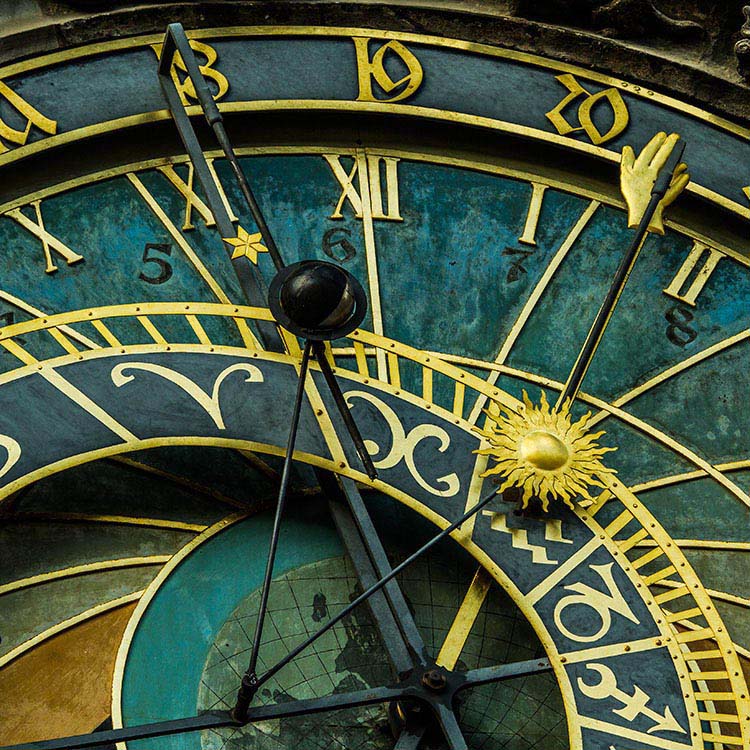
That’s the bigger picture. In terms of photography, however, it can be better to pull away from the grand, and look for opportunities in the details. All buildings and structures are sums of smaller parts, and it’s these parts that can often lead to visually interesting photos. Photographing these details comes with its own set of considerations. This article will point out a few things to look out for while you are out and about looking for the smaller picture, and 8 tip on how to improve your photos of architectural details.

#1 – Low contrast lighting

If the weather is poor and the sky is a drab, colorless grey, it may seem like a less than worthwhile opportunity for photography. That may be the case for some subjects, however, overcast days provide incredibly soft light that is quite suited for architectural details. This softness allows you to capture subjects with a lot of fine detail, that would normally be lost in the contrast.

8-tips-architectural-details-2448

Overcast days will help to bring out details that would have been lost in contrast.

Likewise, keep an eye out for photo opportunities in areas of shade. You may need a tripod to take advantage here, but the extra effort is worth it.

8-tips-architectural-details-1927

Photographing subjects in the shade provides soft, even lighting.

#2 – Side lighting

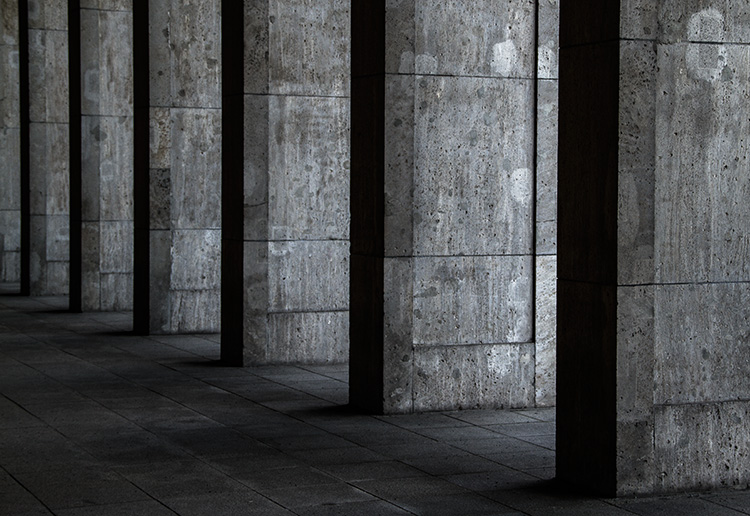
For bold images, look for scenes with strong light coming from the side. This type of lighting will increase contrast, especially in texture, and it will help to emphasize the shape of your subject.

8-tips-architectural-details-9763

Side lighting helps to emphasise texture and shape.

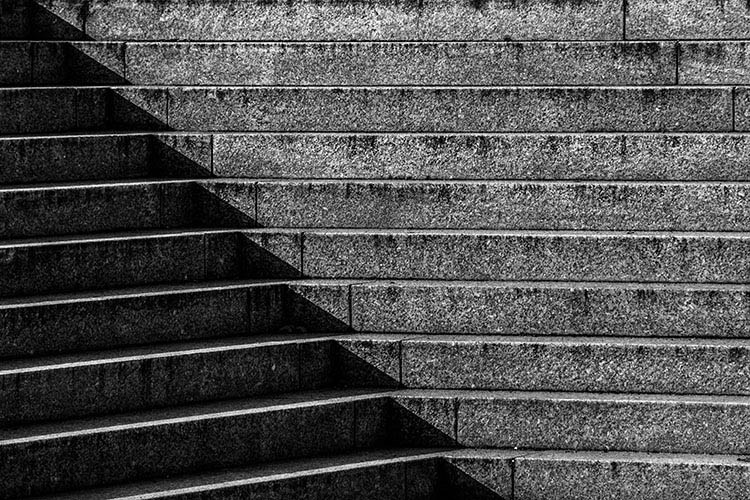
#3 – Patterns in light and shadow

Pay close attention to how light falls on various subjects. When you’re photographing details, shadows and highlights can, themselves, become an important compositional element.

8-tips-architectural-details-9709

Shadows and highlight can become graphic elements in their own right.

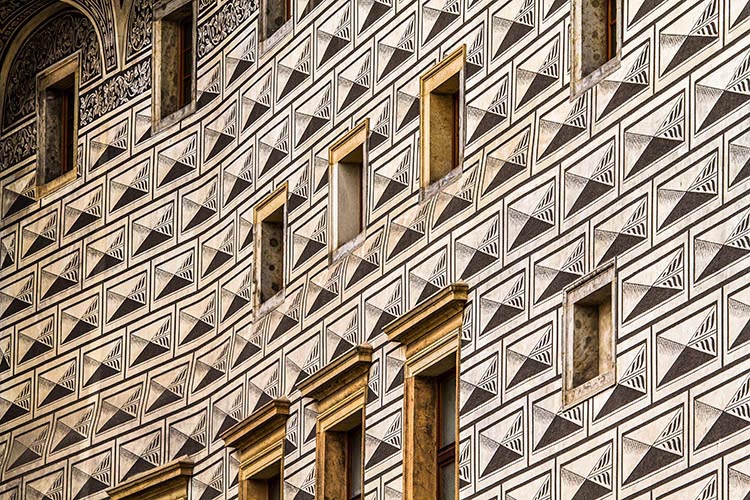
#4 – Patterns

8-tips-architectural-details-1864

Repeating patterns can make for bold imagery.

To me, the best part of photographing architectural details is the wealth of compositional possibilities. Man-made structures are full of patterns and shapes that can be exploited for photos. Take advantage of them by filling the frame for an abstract feel.

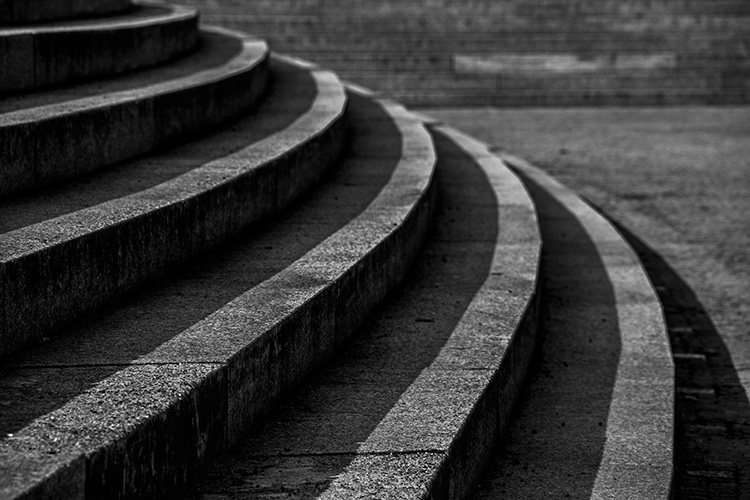
8-tips-architectural-details-9717

The curve in these stairs made for natural leading lines.

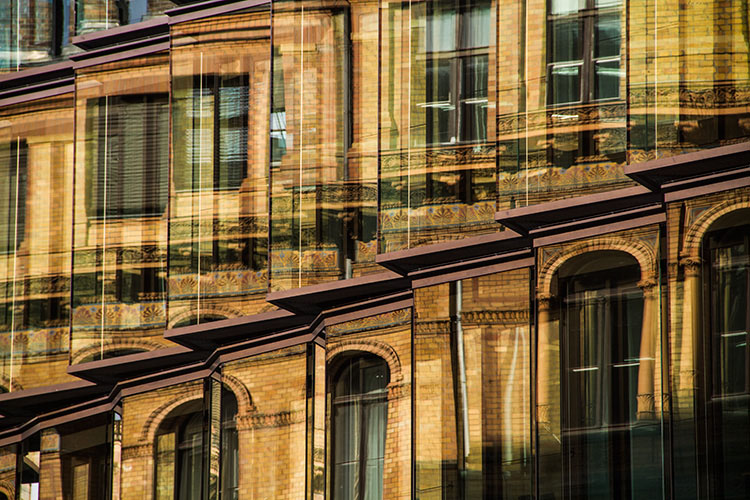
#5 – Reflections

For all of the wonderful architecture in the world, there’s at least as many drab and ugly buildings that appear to have little to offer photographers. They often do have something worth captuing, but it takes work to figure it out. One way to add interest to these subjects is to look for reflections. Reflections can add visual interest and color, to an otherwise lifeless and boring subject.

8-tips-architectural-details-9752

Reflections can add a boost to an otherwise lifeless scene.

#6 – Fixtures

It’s not always about the buildings, and only the buildings. Fixtures can often be overlooked, yet they can prove to be as compelling a subject as the architecture. When you’re considering a location, do look out for interesting fixtures like signs, light fittings, and security cameras.

8-tips-architectural-details-1903

Keep an eye out for interesting fixtures that other may overlook.

#7 – Statuary and monuments

When you think of architecture, statues are probably the last thing on your mind. However, they are a key element to a lot of buildings and monuments. For example, the Charles Bridge in Prague has 30 large, and very detailed, statues that beg to be photographed.

8-tips-architectural-details-2250

Statues are a common architectural features. Don’t neglect them with your camera.

8-tips-architectural-details-2470

#8 – Black and white

This last tip is for when you’re back at home. If your images are full of texture or strong patterns, consider a black and conversion. Stripping the color element out of those images will help to emphasize your compositional elements, and can lead to much stronger photos.

8-tips-architectural-details-2595

Black and white processing can help to emphasise texture in a scene.

Experiment

These tips are hardly exhaustive, and only scratch the surface of the possibilities available to you when photographing architectural details. If there’s something man-made, there’s a photograph to be had somewhere. Just keep going until you find it.

Do you have a tip of your own? Please share it below!

googletag.cmd.push(function() {
tablet_slots.push( googletag.defineSlot( “/1005424/_dPSv4_tab-all-article-bottom_(300×250)”, [300, 250], “pb-ad-78623” ).addService( googletag.pubads() ) ); } );

googletag.cmd.push(function() {
mobile_slots.push( googletag.defineSlot( “/1005424/_dPSv4_mob-all-article-bottom_(300×250)”, [300, 250], “pb-ad-78158” ).addService( googletag.pubads() ) ); } );

The post 8 Quick Tips to Improve Your Photos of Architectural Details by John McIntire appeared first on Digital Photography School.


Digital Photography School

 
Comments Off on 8 Quick Tips to Improve Your Photos of Architectural Details

Posted in Photography


How Making Horrible Photos Will Lead to More Keepers

19 May

I make a lot of really, really, horrible photos. It’s an odd thing to say isn’t it? But I do. Thousands of them every year, and that is totally okay with me.

I know that most (even all) of those really terrible, poorly composed, exposed, or focused shots, are just practice. They are practice for the next image, and the next, and the next, each building until I find that one keeper in a long string of wasted pixels, and more keepers overall at the end of the day.

As I scrolled through my Lightroom catalog looking for images to accompany this piece, I found in my unedited photos many near-lookalikes. As I edit, I scroll through them one at time. Some get deleted right away because they are soft (out of focus), or the exposure is too far off the mark. Others get deleted because the composition was clearly wrong, unbalanced, or awkward. I often wonder, “What was I thinking?”
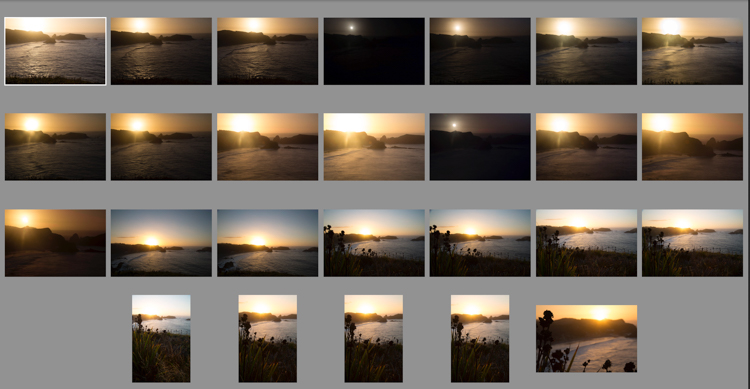
Chiloesketch

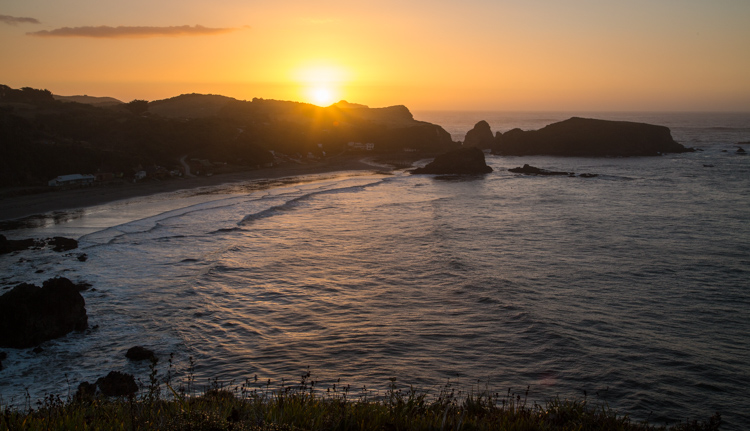
Sometimes, it takes a lot of shots to find the one you are looking for. I was shooting the sunset on Chiloe Island, Chile, and eventually I found two that made the final cut (below).
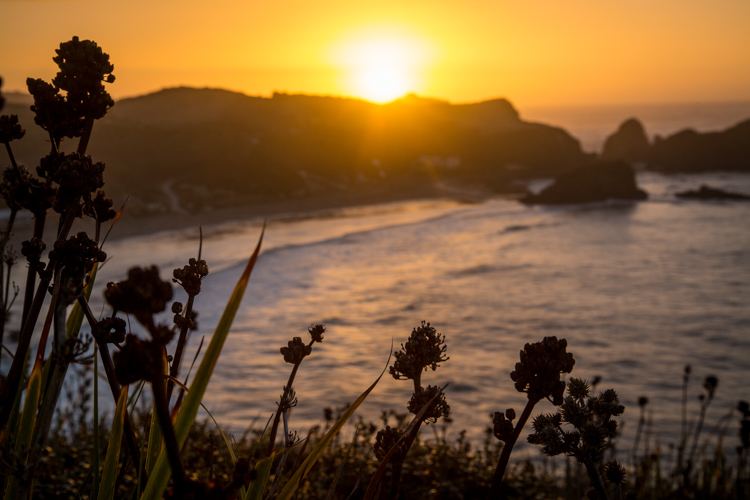
Chile-Chiloe-Pinihuil-103085-57

Chile-Chiloe-Pinihuil-103085-61

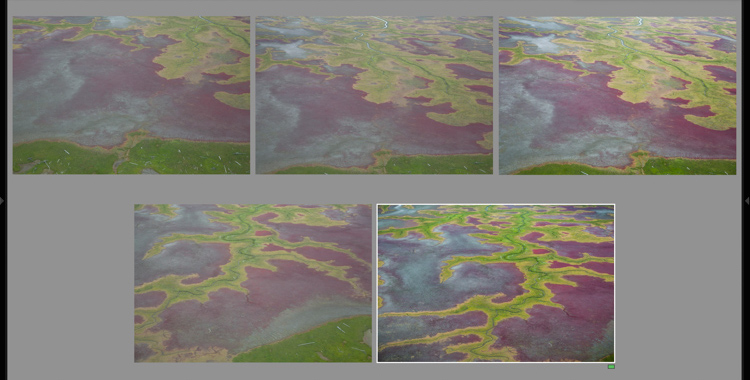
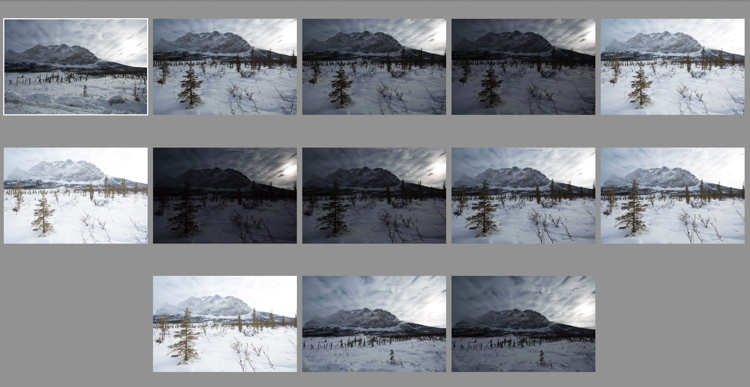
Most of the time the answer to that question, is that I wasn’t thinking at all. I had found a subject that intrigued me, and I started making photos, and thought had not yet worked its way into the equation. Scroll a few images further into the series, and things start to come together. The distracting elements, one at a time, disappear from the image. The exposure and focus are corrected, and by the time the last shot in the series appears, it’s technically decent, and maybe even a good photograph.
aerial sketch

AK-KatmaiCoast-AW-1075-660

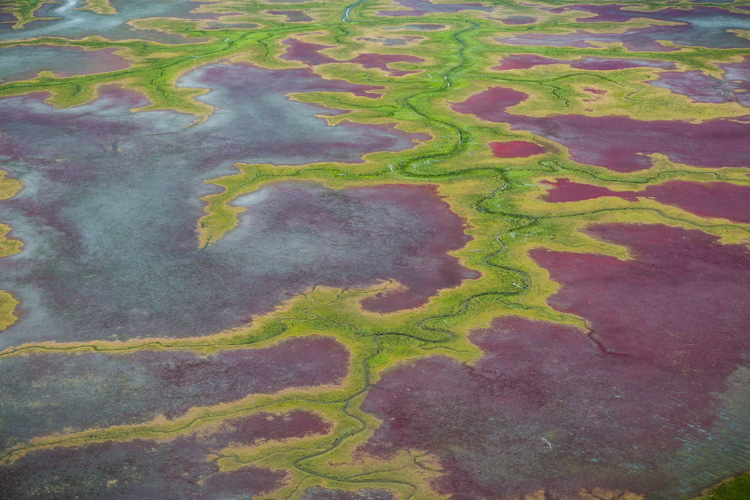
Shooting out of the window of a small airplane flying low over the coastal mudflats of Cook Inlet, Alaska made exploring a single view difficult. But as I shot the first few images, I got a sense for what I was looking for, and when it appeared a few moments later in my viewfinder, I was ready for it.

Those first shots are sketches, and they happen when my mind is still at play, too immature to recognize the scene for what it should be. Eventually, as I settle into the moment, the scene evolves and matures, as I begin to recognize what should and should not belong in the image.

The Freedom of Digital

With digital cameras, there is no harm in playing with a scene this way. Pixels are free, and we can shoot and shoot until our fingers are sore, or we get the right photo. When I’m shooting film however, (which believe it or not, I still do occasionally), there is no such luxury. Every time I release the shutter it’s a few bucks in film, processing, and scanning fees. If I shot with my film camera the way I do with digital, I’d be broke inside of a month.
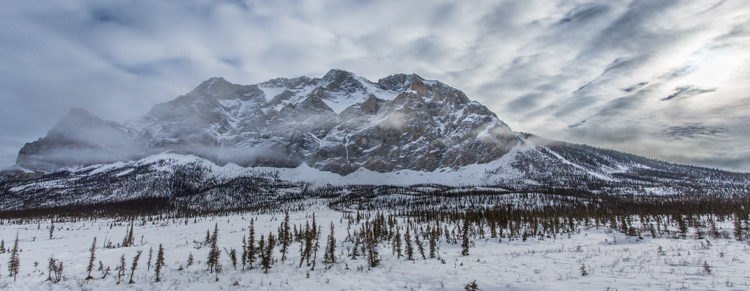
brookswintersketch

AK-Wiseman-Sukukpak-104025-23

This contrasty Brooks Range scene, made finding both the proper exposure and composition a challenge. Many images later, I settled on this one. I still think I could have done better.

Instead, when shooting film, I’m forced to make those sketch images in my head, and in my viewfinder. I adjust tripod heights, I inch forward and backward, I focus and refocus, and I watch my light meter like a hawk. Then, once I’m sure I’ve got what I need, I click the shutter, and cross my fingers that I’ve got it right.
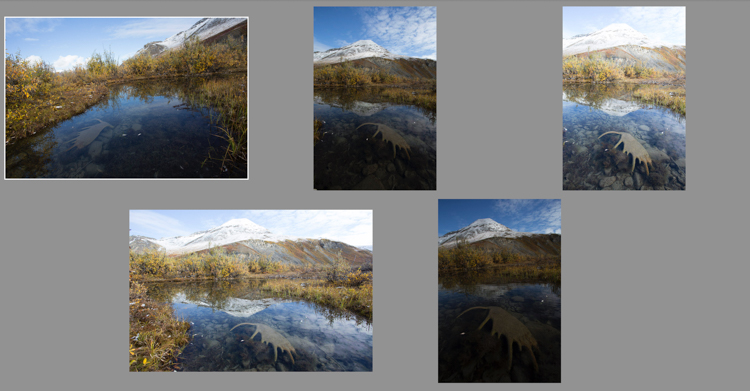
antlersketch

AK-ANWR-Kongakut-108094-1065

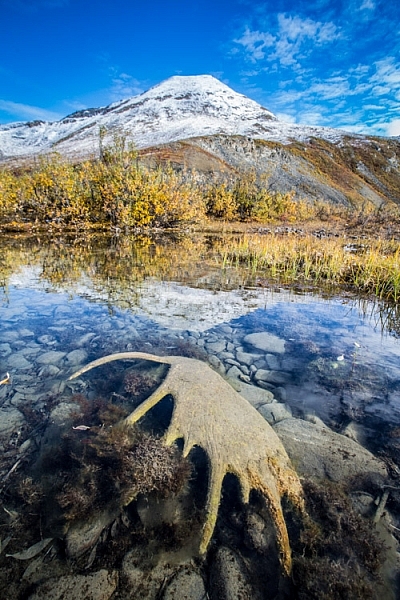
Above are just a small number of the preliminary images this final shot required. At one point I even hiked off from the scene, thinking that I’d captured it. When I realized 10 minutes later that it could still be improved, I ran back, found the spot again, and made the image I should have made the first time around. My clients were less than pleased. (Arctic National Wildlife Refuge, Alaska).

Whether you make the sketch images as a digital file, or as a mental one, the result is the same. Those preliminary frames, are just that, preparatory. Embrace them, but most importantly don’t stop at the first, or second, or even third shot. Keep exploring your subject, and you may find something you weren’t expecting.
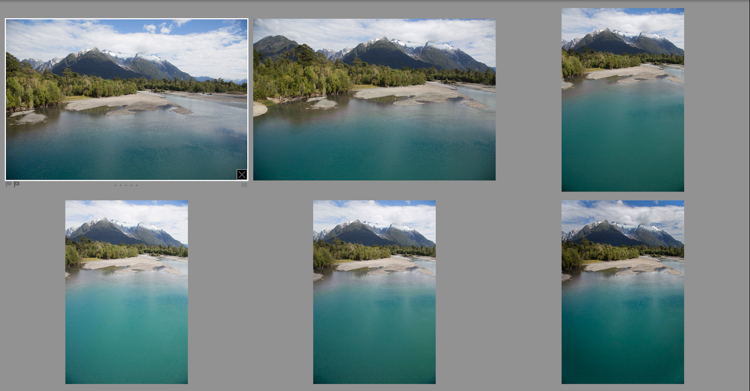
Patagoniasketch

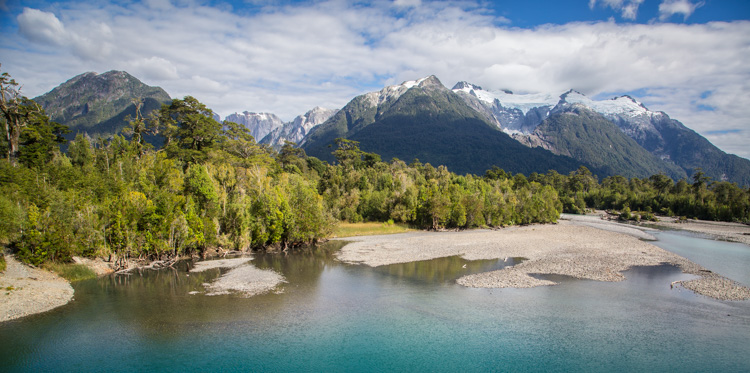
Chile-Patagonia-landscape-103125-7

I often find myself playing with both vertical and horizontal compositions as I sketch my way to a final composition. In this case, a horizontal one. (Chilean Patagonia).

Exploring

A few years ago, I was approaching the end of a ten day wilderness canoe trip in Gates of the Arctic National Park in the Brooks Range of northern Alaska. I was guiding, and so I was mostly concerned about keeping my clients safe, warm, well fed, and helping them make their own photos. My photography took a back seat. But after dinner, as my clients were heading off to their own tents on the tundra, I would often wander off with my camera and tripod. On that evening, as the trip was coming to its end, I ambled up the gravel bar away from camp. It was mid-August, and for the first time in months, the sun, for an hour or two each night, was actually dropping below the mountains that surrounded us.

The river flowed past in a gentle riffle, washing over the stones with a shushing sound, that hushed my thoughts as quickly as librarian with a finger to her lips. As the sun made its long low dive toward the mountains, the light grew sweeter, illuminating the tundra and mountains in light so beautiful I could hardly bear to look at it.
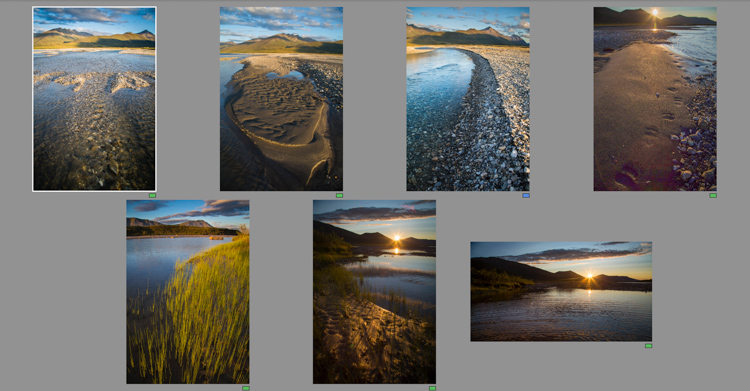
noataksketches

Though several of the images I made as the evening progressed are good, they more importantly allowed me to get comfortable with, and involved in the changing scenery.

Slowly, and it took a long time, I started making images. For a while, I let my myself play with the landscape, making photos here and there, pointing this way and that. I made images of a tributary river flowing over the rocks, the winding cut gravel banks, bear tracks, and sedges growing along quiet shores. Some of those images are decent, even good, but they were still leading me somewhere. Eventually I found myself by the main stem of the river when the sun was about to disappear behind the silhouetted mountains. There, after an hour or more of play, I found the image that I had ventured away from camp to make.
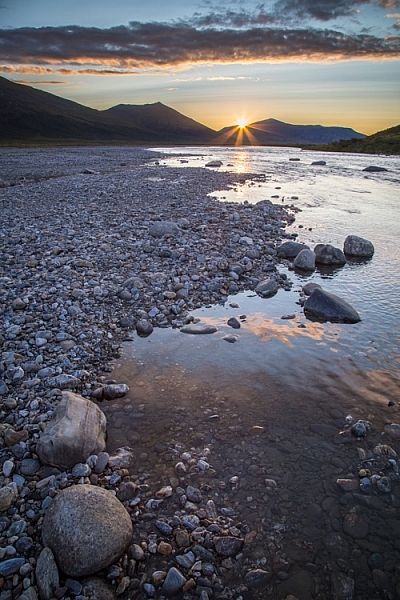
AK-GAAR-Alatna-Noatak-1083-890

Be There-There

I got it right, because I was there-there. I wasn’t just existing with a camera in my hand, worried about f-stops and ISOs. I was present, because all those previous images over the past hours allowed me to put aside the technical worries, and permitted me to focus on the scene at hand – the way it felt, the way the breeze moved the surface of a quiet backwater, the sound of the water hushing over stone, and the way the river’s edge wandered away toward the setting sun.

All those sketch images not only gave me permission to focus on the scene the way it needed to be, they gave me access to the moment when I needed it.

As you can see, perfecting exposure and focus is just one part of what it means to work through your practice photos. These preliminary images allow your mind to get away from all that other stuff, and concentrate on what matters. Like me, you’ll end up with lot of really horrible photos, but occasionally, they will lead up to something meaningful. 

googletag.cmd.push(function() {
tablet_slots.push( googletag.defineSlot( “/1005424/_dPSv4_tab-all-article-bottom_(300×250)”, [300, 250], “pb-ad-78623” ).addService( googletag.pubads() ) ); } );

googletag.cmd.push(function() {
mobile_slots.push( googletag.defineSlot( “/1005424/_dPSv4_mob-all-article-bottom_(300×250)”, [300, 250], “pb-ad-78158” ).addService( googletag.pubads() ) ); } );

The post How Making Horrible Photos Will Lead to More Keepers by David Shaw appeared first on Digital Photography School.


Digital Photography School

 
Comments Off on How Making Horrible Photos Will Lead to More Keepers

Posted in Photography