RSS
 

Posts Tagged ‘Photos’

How Shooting Photos Based on a Theme Can Improve Your Work

05 Dec

In this article we’re going to talk about how having a theme before you go out to shoot can improve your images.

I used to go out on the street, in order to find the perfect shot. Months in a row I did that. I knew that I loved this lack of control, but something didn’t match. I wasn’t as excited as I thought and even my images weren’t good enough, I couldn’t understand why.

So, I took a small break from hunting beautiful images and I started to watch how others worked. I looked at many professional photographers, to find what makes them click.
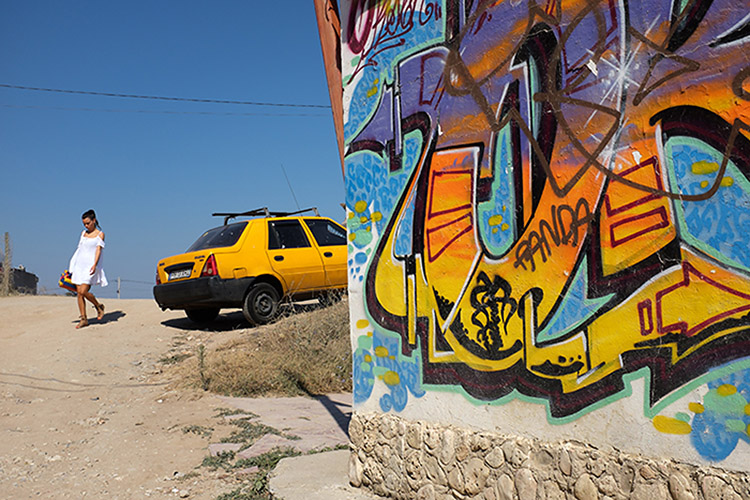
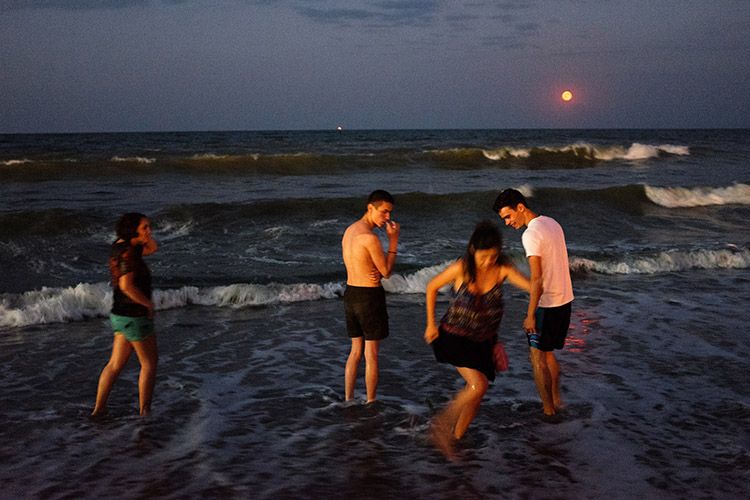
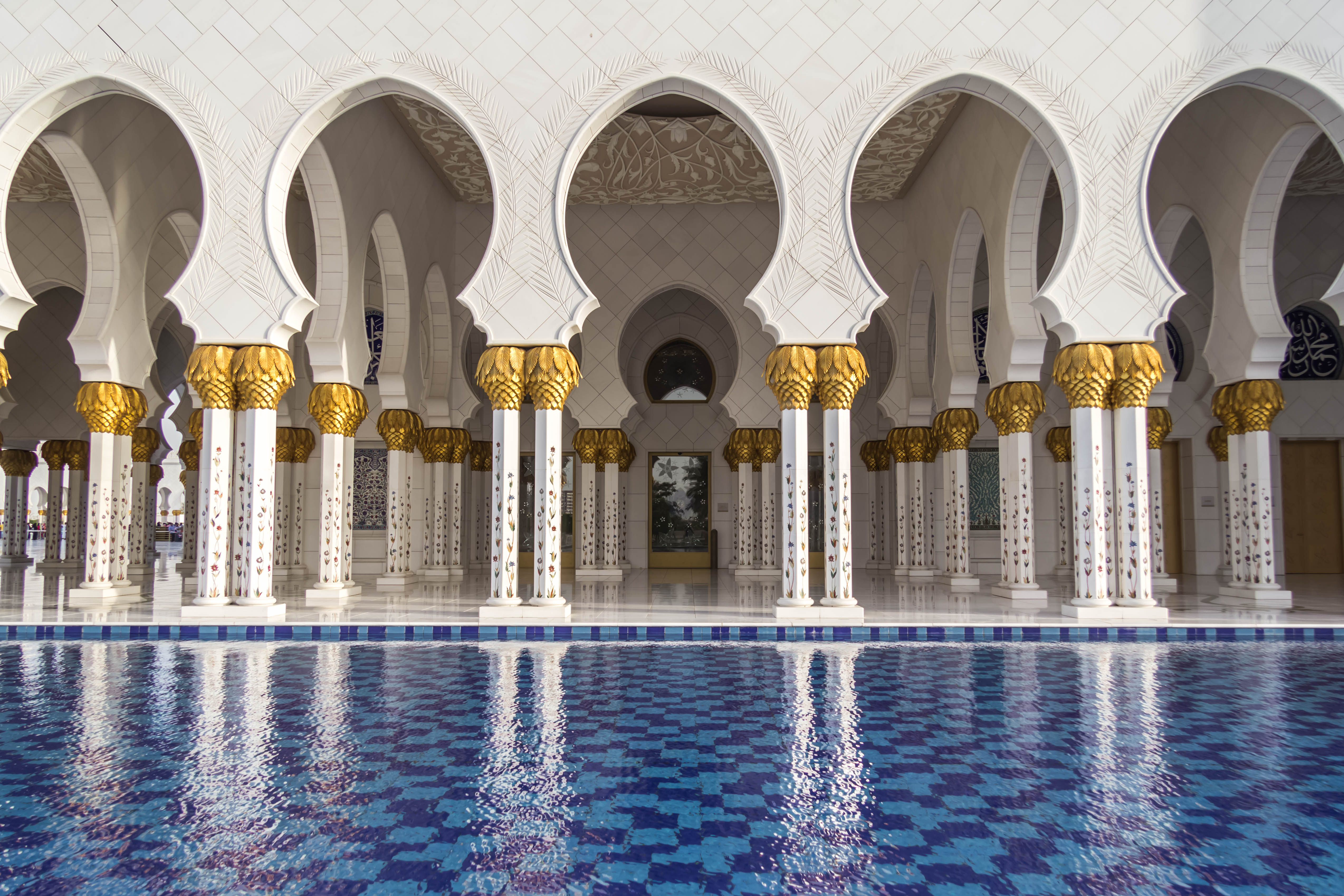
Image 001

That was when I realized my big mistake. My problem was that every time I went out, I had nothing to focus on. My eyes were looking for pictures everywhere, but my mind wasn’t able to sort out all these images. Something was missing, and that was a theme.

Taking pictures based on a theme has a lot of benefits and it can change your shooting approach in a very positive way. That’s why many photographers work like this because it makes their life much more easy and practical.

Elimination is the key

Imagine yourself in a very crowded place, let’s say a musical festival. The possibilities for images and angles are infinite. You may take pictures of the whole crowd, of a couple spending time together, or a detail on someone’s jacket. Or maybe you can take pictures of the musicians only. How can you do all these things and not get tired or confused?

Image 002

You need to remove the things that are not important for your ideas or style of shooting. Therefore, you have to know what you’re looking for before you go out to shoot.

Let’s say you decide that your theme at that music festival should be about ladies dancing. Now, you will focus all your attention only on them, taking pictures of details on their hands, clothes, etc., and mix it up with portraits and action shots. Try different angles and perspectives, because now you have something to focus on. As a result, you eliminate all the things that might get you disorganized, such as big crowds, couples, general landscapes of the festival, etc.

Elimination is the key.

You will save time

Before working on themes in my photography, I spent many hours searching for wonderful movements and scenes to capture with my camera. On an average day, I would walk in the city for eight to nine hours and shoot for only a half hour. Why? Because I didn’t know what I was looking for.
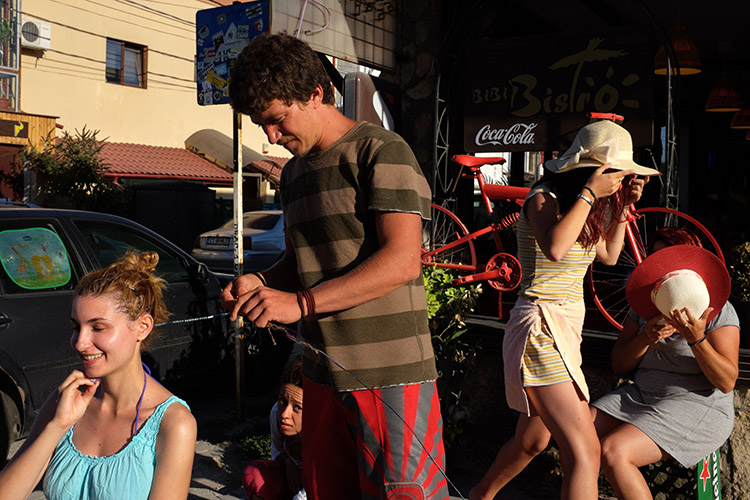
Image 003

By choosing a specific theme or subject before you go out, you will know where to look. For example, if you want to take portraits of dog owners, as a first step you can try going to the park where people walk their dogs and ask them to pose for you. On the next day, you may go at a dog grooming place, and so on.

Working on themes is a very good time-saving habit that can help you remove the gap between finding the perfect shot and actually doing it.

Targeting specific clients

Regarding the topics you may choose, your interest can grow in time. You will start to understand more about what you’re photographing and after few months, you may find yourself with a strong body of work.
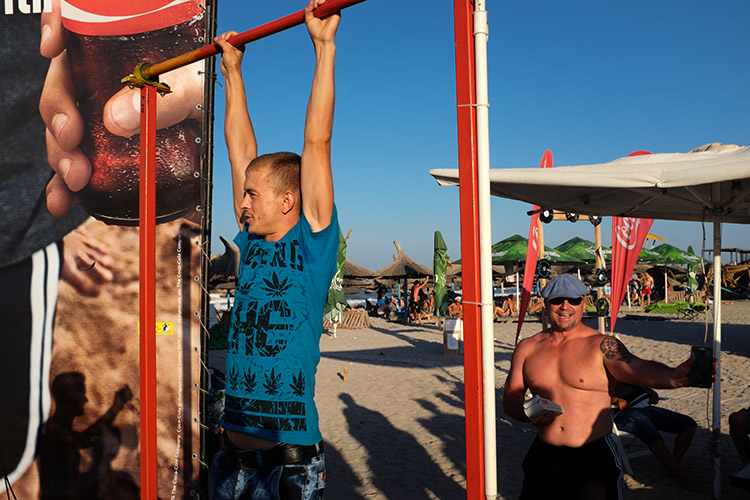

Image 004

Image 005

Image 006

For example, if you have a passion for street fashion and you build a portfolio with great images on that theme, you can use that portfolio to find your future clients. You may try fashion magazines, agencies, or even online publications. Also, you can enter those images in a competition to see if they are good enough to grant you some recognition or a prize. But I don’t suggest you take pictures only for getting recognition because then you could end up working on things you may not like that much.

Theme shooting helps style development

We all think about style, it’s an artist’s signature. We want people to recognize our pictures just by looking at them and say, “These are John’s images because they look this specific way.” We want our name out there in the best way possible.
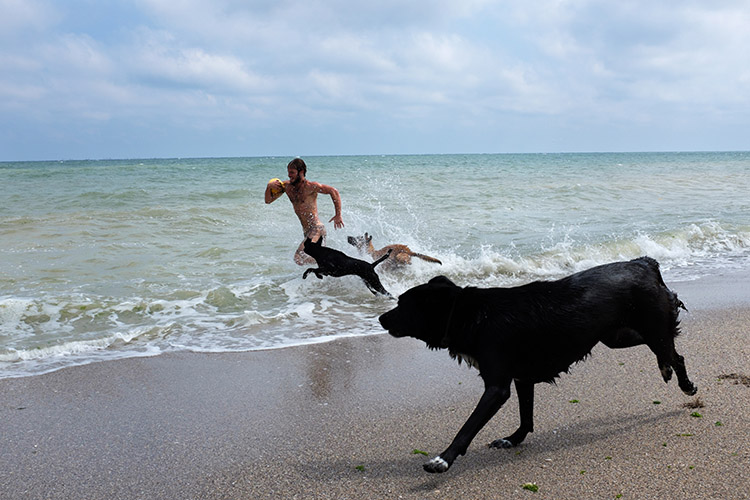
Image 007

Developing a style is a matter of time. You don’t have to fight for it because it will come by itself after years of hard work.

By working on themes and the things you care about, you’ll start to notice what things you like to photograph and how you like to do it. You will begin to understand and see yourself in your work. In this growing process, your style will evolve. It’s not a matter of conscious decision, but of knowing yourself.

If you are in a hurry to stamp your work with your style, then find a theme you are interested in and photograph that. You can’t go wrong.

Conclusion

So if you feel like your work isn’t progressing and you’re stuck, try shooting around a theme for a while. See how it helps you focus, improve your style and in the end become a better photographer.

Please share your thoughts and questions in the comments below.

googletag.cmd.push(function() {
tablet_slots.push( googletag.defineSlot( “/1005424/_dPSv4_tab-all-article-bottom_(300×250)”, [300, 250], “pb-ad-78623” ).addService( googletag.pubads() ) ); } );

googletag.cmd.push(function() {
mobile_slots.push( googletag.defineSlot( “/1005424/_dPSv4_mob-all-article-bottom_(300×250)”, [300, 250], “pb-ad-78158” ).addService( googletag.pubads() ) ); } );

The post How Shooting Photos Based on a Theme Can Improve Your Work by Cosmin Cimil appeared first on Digital Photography School.
Digital Photography School

 
Comments Off on How Shooting Photos Based on a Theme Can Improve Your Work

Posted in Photography


6 Tips for Capturing Action in Your Wildlife Photos

29 Nov

Even with the fastest lenses and top-end DSLR cameras, catching fast movement in your wildlife photos can be tricky. The physical speed of your autofocus may not be able to keep up with and track a moving subject. Away from the limitations of your equipment, you may find that you miss a flutter of wings or fight between two animals.

action-wildlife-photos-6

Luckily, there are some things you can do to overcome both problems. Here are my top tips for successfully capturing action in your wildlife photos.

#1 Pay Attention to Behavioural Cues

Animals are great at giving away information about what they are going to do next. If you pay real attention to the subjects you a photographing, then chances are you’ll be able to predict the future and have a better chance at capturing something awesome on camera. You can often apply a general rule to a class of animals, rather than having to learn hundreds of different cues from all sorts of different species. For example, when a bird is about to fly off, most will first lean forwards and appear “twitchy” before taking flight.

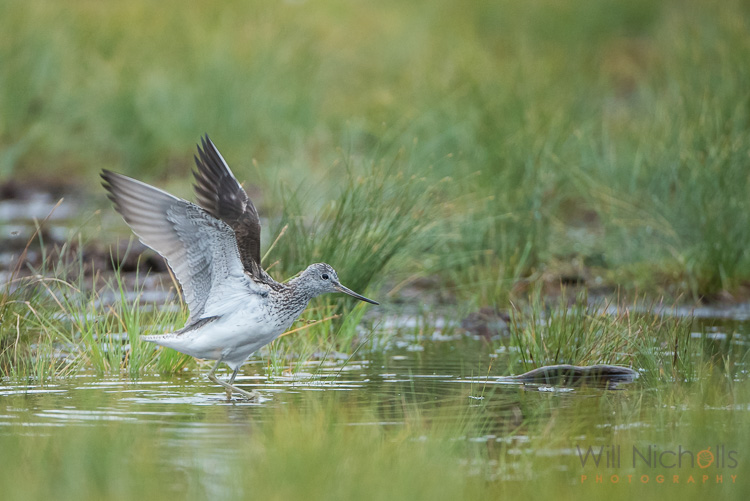
When photographing this greenshank, I saw it bathing in a puddle in a field. From my experience, I know that birds will fluff their  feathers or shake off water after bathing and preening. I composed the image properly then sat in wait with the subject in focus and my finger on the trigger. Eventually, probably after about 20 minutes of waiting, the bird stretched out its wings and I clicked the shutter.

wildlife photos

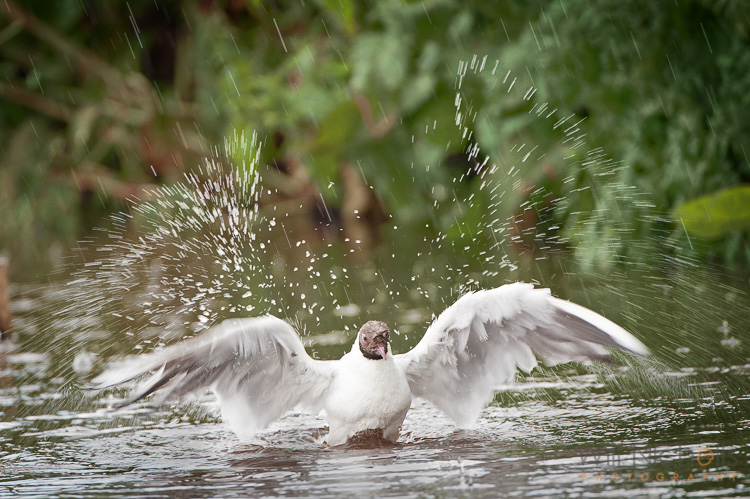
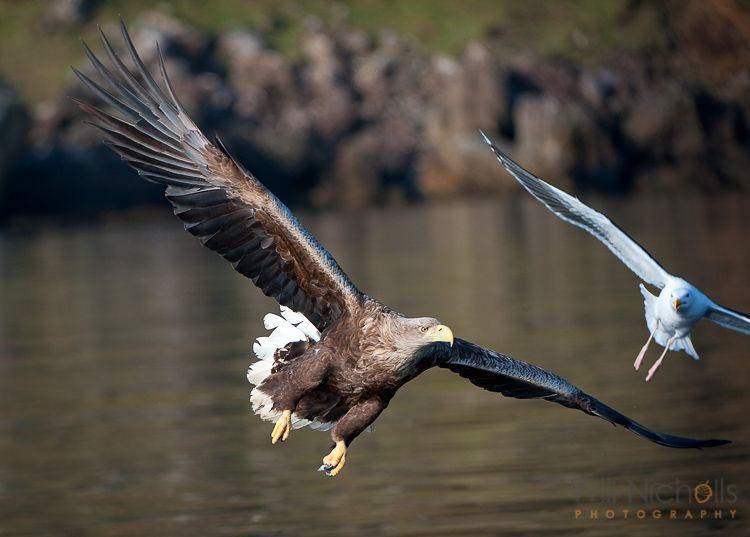
Being able to anticipate this behaviour made catching this moment possible. If I had tried to jump into action having seen the stretch, the action would have been over before I could even focus the camera. The same principle applied to the following image. I saw a black-headed gull dipping its head underwater washing itself. Soon after it finished, it threw droplets up into the air. Waiting in position made it possible.

action-wildlife-photos-7

#2 Don’t Use Live View

The live view mode on your DSLR camera shouldn’t be touched with wildlife photos. It makes tracking very difficult, and whenever you engage autofocus the live view goes off as the mirror flips down. Because of the way you end up holding the camera, things become unstable too. Instead, stick to using your viewfinder. It is so much easier to react quickly and track your subject that way.

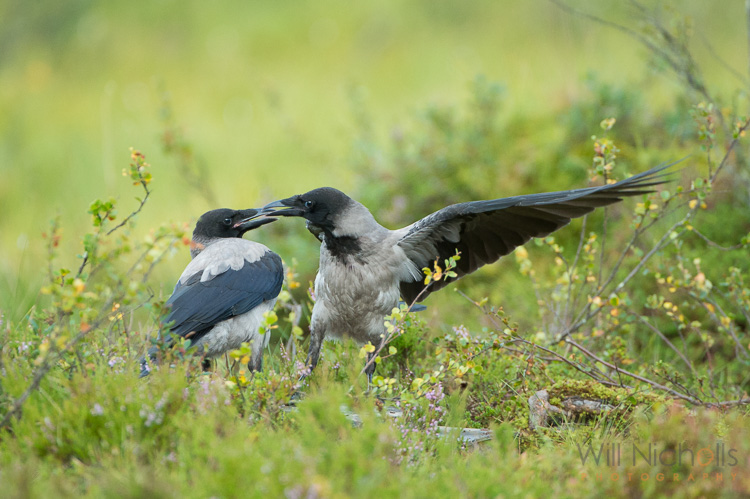
Two hooded crows engaged in a scrap.

Two hooded crows engaged in a scrap.

#3 Use a Sufficient Shutter Speed

It goes without saying that if you have enough available light, then you should use a fast shutter speed to freeze movement. A general rule to avoid camera shake is 1 over the focal length of your camera. For example, a 400mm lens should have a shutter speed of at least 1/400th second to avoid camera blur.

However, this rule may not give you a shutter speed fast enough to freeze the subject. Animals often move quickly, so adjust it as required. 1/1000th second or more is a good bet for fast running or flying creatures. It’ll depend on what you are photographing, and how exactly you are shooting it, as to what shutter speed you should go for.

action-wildlife-photos-5

1/2000th, f/4, ISO 320

A good tip is to review your images, when possible, to check that your shutter speed is fast enough. Zoom in on the LCD and look for motion blur. If you spot any, then just increase your shutter speed.

#4 Don’t Stick to Your Tripod

If you are comfortable with handholding, then maybe you can ditch your tripod. Some tripod heads, like ball heads, can make things restrictive when you’re trying to follow a moving subject that stops and starts. Having to undo knobs to be able to move the camera slows you down.

Releasing your camera from the grips of your tripod will allow you to move freely. If you have it, then engage vibration reduction on your lens. This will help to get rid of camera shake, but you should be using a fast shutter speed so that shouldn’t prove a problem at all.

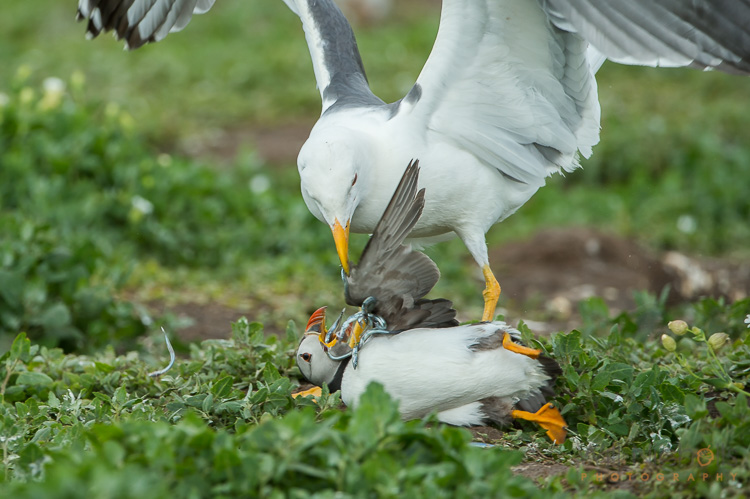
A lesser black-backed gull pins down an Atlantic puffin and steals its catch of sandeels.

A lesser black-backed gull pins down an Atlantic puffin and steals its catch of sand eels.

#5 Use Continuous Focus

Switch your camera to continuous focus mode so that you can track focus with a moving subject. If you continually have to refocus manually because your camera locks onto a spot once it achieves focus, then you’ll probably find you’re always one step behind the animal. Continuous focus mode will keep the plane of focus shifting.

Be sure to dive into your camera’s menu and find the setting which chooses whether achieving focus or pressing the shutter gets priority. Set it to the shutter, and then you can ensure you are able to fire off frames at the opportune moments.

#6 Lay in Wait

If you find that your equipment’s focusing motors are too slow and you can’t keep up with a moving animal, then you should change your approach. Look for patterns of behaviour, such as a route an animal may take regularly. Chances are there will be places where they pause. Focus there, and point your camera straight at it. Lay in wait, and once the animal moves into view, fire the shutter.

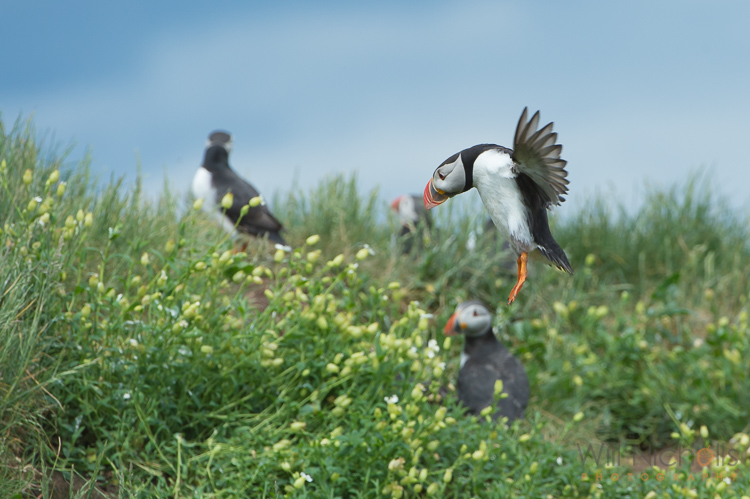
An Atlantic puffin (Fratercula arctica) coming into land at its burrow on the Farne Islands, Northumberland.

An Atlantic puffin (Fratercula arctica) coming in to land at its burrow on the Farne Islands, Northumberland.

If you’re following a bird in flight, try setting your focus to a plane the bird will pass through. Pan along with the animal (you’ll need to be in manual focus by this point), and hold down the shutter to utilise burst mode as it passes you. Hopefully, one of the shots will be in focus if you’ve timed it right. You’ll need to do this a number of times to adjust the focal plane to the optimum distance, and then have a bit of luck on your side!

googletag.cmd.push(function() {
tablet_slots.push( googletag.defineSlot( “/1005424/_dPSv4_tab-all-article-bottom_(300×250)”, [300, 250], “pb-ad-78623” ).addService( googletag.pubads() ) ); } );

googletag.cmd.push(function() {
mobile_slots.push( googletag.defineSlot( “/1005424/_dPSv4_mob-all-article-bottom_(300×250)”, [300, 250], “pb-ad-78158” ).addService( googletag.pubads() ) ); } );

The post 6 Tips for Capturing Action in Your Wildlife Photos by Will Nicholls appeared first on Digital Photography School.

Digital Photography School

 
Comments Off on 6 Tips for Capturing Action in Your Wildlife Photos

Posted in Photography


How to Avoid Blurry Photos of Kids

29 Nov

One of the most frequent questions that I see on the Digital Photography School Facebook Group is some variety of this: “Help! Every photo of my kid is blurry! What am I doing wrong?!” If you’ve found yourself wondering the same thing, I’ll walk you through five things that you can do to help you avoid taking blurry photos of kids.

photographing-kids

1. Mind Your Aperture

When it comes to photographing children and experiencing blur, many issues can be solved by either stopping down or opening up your aperture. That said, if you’re relatively new to photography, it can be difficult to know which direction you need to go.

sharp-kid-photos

If you’re currently shooting with a large aperture and notice some issues. Like an aperture of f/1.4 or f/1.8 and only part of your child’s face is in focus, or only one of several children in the image is in focus even when they’re fairly close together. Then, you might want to try stopping down (making it smaller) your aperture (in other words, make the number larger like f/4 or f/5.6).

If you’re currently shooting with an aperture of f/5.6 or greater (like f/8 or f/11) and you notice a lot of camera shake or motion blur, you may want to try opening up your aperture (make the number smaller like f/4 or f/2.8) if you can. That will allow in more light, which can help create a better balance between the aperture and shutter speed.

2. Utilize Shutter Priority Mode

photograph-moving-kids

If you’re using one of your camera’s shooting modes and are currently photographing kids that are moving, you may want to try shooting in Shutter Priority Mode with your shutter speed set at 1/500th or even faster. By using Shutter Priority Mode, you’ll set the shutter speed, and your camera will select the other settings to balance out the shutter speed that you’ve selected.

Keep in mind that you can still select your ISO in Shutter Priority Mode. You will definitely want to watch your exposure make sure you’re making adjustments to your ISO (or set it to auto). Often, leaving your ISO at 100 in Shutter Priority Mode with a fast shutter speed can result in very dark, or even black images.

3.Use Burst Mode Selectively

photos-moving-kids

In the photography world, the practice of “spray and pray” where you take a series of images using burst mode and hope that one of them turns out, has received a lot of negative attention lately. Certainly, we shouldn’t use burst mode through the entirety of every session, but there are some instances when it comes in handy photographing kids.

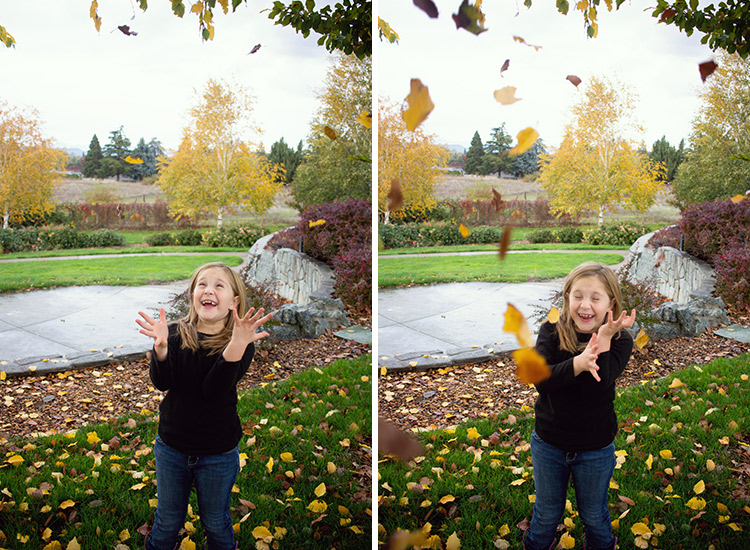
The other day, we took my girls to the park. They were having a blast tossing piles of leaves into the air and letting them fall down onto their heads. In that instance, I chose to use burst mode because it allowed me to capture an event in which the action/movement changed very quickly, as did their expressions.

I sometimes use burst mode in a short series of images to capture kids twirling, running, or any time they’re moving very quickly for a limited period of time. It’s never a bad idea to practice capturing those same events without using burst mode. But when I know that my opportunity to capture a particular event is limited (a child attempting a goal in a soccer game for example), I choose to use burst mode to my advantage.

4. Don’t Be Afraid of Autofocus

sharp-images-moving-kids

Somewhere along the way, a rumor was started that you’re not a “real” photographer unless you shoot in full Manual Mode all the time. I don’t know how that particular rumor got started or why it has taken such a hold on the photography world, but it’s garbage.

If you’re trying to photograph really active kids, please don’t be afraid to use autofocus! It will make life so much easier! If you’re already using autofocus but are still experiencing problems, there are two other things to try adjusting. First of all, it has been my experience that selecting a single focus point for my camera yields far more in-focus images than allowing the camera to auto-select one. If you have the ability to select a focus point for your camera, you may want to try selecting a single point (start with the center point if you’re unsure where to begin) for your camera, and see if the focus improves.

moving-kid-photo2

Focus modes

Another option when it comes to autofocus is to change the autofocus mode. If you’re trying to photograph moving children, and your autofocus mode is currently set to One Shot (Canon) or AF-S (Nikon), try switching to continuous autofocus mode – Al Servo (Canon) or AF-C (Nikon).  One Shot mode is designed to focus on objects that are largely inanimate, and consequently it’s not the best choice when you’re photographing quickly moving children.

When you switch to Al Servo, you’re selecting continuous autofocus. In continuous autofocus mode, you can push down the shutter halfway and let the camera focus, but the camera will continue to track that subject and recompose focus (even as the subject moves) until you depress the shutter button all the way.

moving-kid-photo-2

Some camera models also have a hybrid setting called AI Focus (AF-A for Nikon), which is designed to fluctuate between an object that starts out as stationary but then begins to move. I have been less satisfied with the images I’ve captured in AI Focus than other modes. But each camera model works a little differently, so it’s certainly worth experimenting with the hybrid autofocus mode if your camera has that option.

5. Use a Flash (Sparingly)

fix-blurry-photos

Though I prefer to shoot without a flash whenever possible, there are certainly instances in which using a flash can help to freeze the action, and help you avoid blurry images. When it comes to using a flash, my best advice is to use it sparingly.  Balance it with the available/ambient light (use only the strength of flash you absolutely need), and diffuse or bounce the flash whenever possible in order to create an image that looks crafted rather than like a snapshot.

Photographing children can certainly be a test of patience. These five tips will help you eliminate the blur, and begin to capture photographs of your children that you’ll treasure for years to come! Do you have any other tips? Please share them, and your images of kids in the comments below.

googletag.cmd.push(function() {
tablet_slots.push( googletag.defineSlot( “/1005424/_dPSv4_tab-all-article-bottom_(300×250)”, [300, 250], “pb-ad-78623” ).addService( googletag.pubads() ) ); } );

googletag.cmd.push(function() {
mobile_slots.push( googletag.defineSlot( “/1005424/_dPSv4_mob-all-article-bottom_(300×250)”, [300, 250], “pb-ad-78158” ).addService( googletag.pubads() ) ); } );

The post How to Avoid Blurry Photos of Kids by Meredith Clark appeared first on Digital Photography School.

Digital Photography School

 
Comments Off on How to Avoid Blurry Photos of Kids

Posted in Photography


How to Use Light Painting to Take Incredible Car Photos

28 Nov

Whether you drive a beat up station wagon from the 80s or a finely tuned Porsche, light painting is an excellent way to photograph your car and truly make it shine! Light painting results in incredibly unique and impressive images. With a bit of persistence and creativity, you can create pictures that look like commercial photoshoots – even without heavy editing.

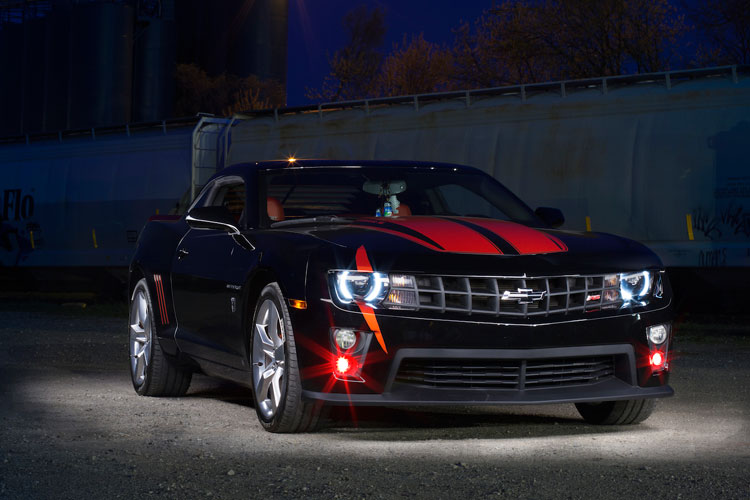
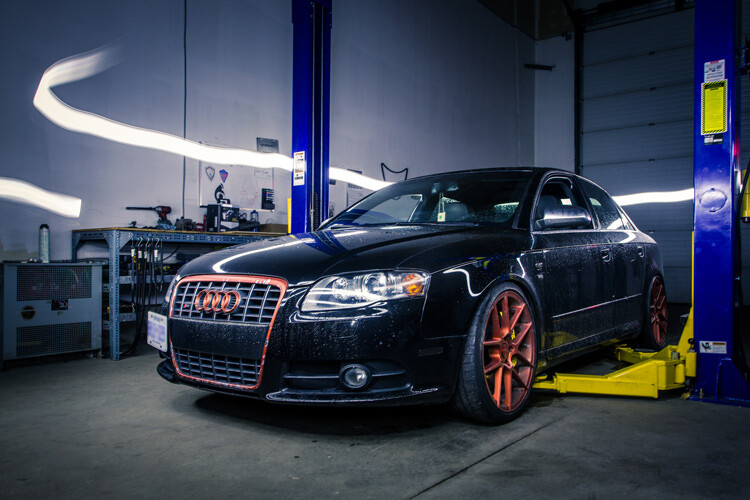
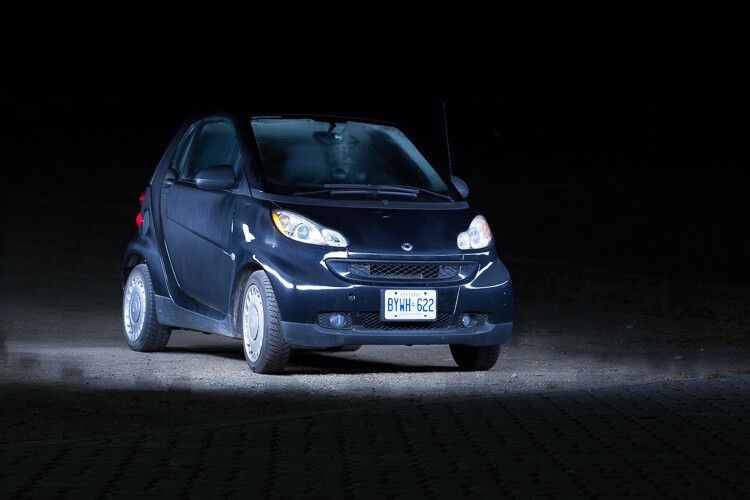
A photo of a car taken using the light painting style

The reason that a light painted picture looks so incredible is because the light is literally wrapping around the subject. Normally, we see objects lit from only one angle, often the sun, which can get a bit dull at times. In addition, there will be cool reflections on the body of the car that trace the path of your light, giving the shot a highly commercial look.

Getting started

What’s the first step? Clean the car! Light makes every speck of dirt and grime become immediately visible. Unless you are going for a grungy style, you’ll want to make sure the car is squeaky clean.

Since light painting involves leaving the shutter of the camera open for some time, you will need to wait until it is dark outside. If you try light painting during the day, you will get a completely white image as the sensor collects all the sunlight.

Alternatively, if you have room in your garage, you could park your car in there and cover all windows so that there is no ambient light.

Your light source

One of the cool things about light painting is that you don’t need to invest thousands or even hundreds of dollars in equipment to get started. Literally, any light source can be used, whether it is a professional video light or simply a flashlight app on your mobile phone.

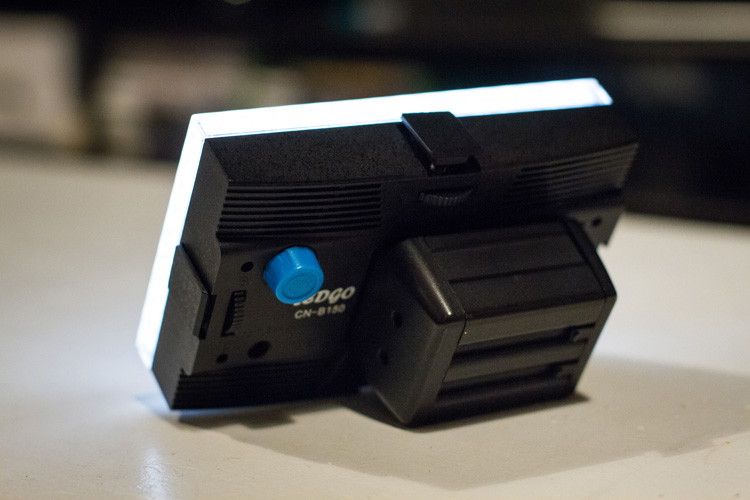
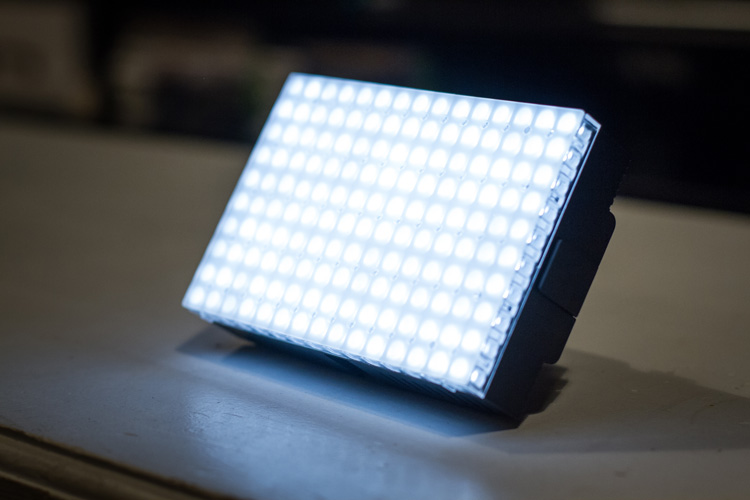
For my example picture, I will be using an LEDGo Portable Video Light, which is a small but powerful light that I can hold in my hand.

video-light-for-light-painting-1

video-light-for-light-painting-2

One drawback of this type of light source is that it throws light everywhere, including back at the camera. If possible, you will want to find some way to shield the light so that it is directed only at your subject. Professional light painting lights, like the Westcott Ice Light, have flaps that prevent the light from spilling everywhere.

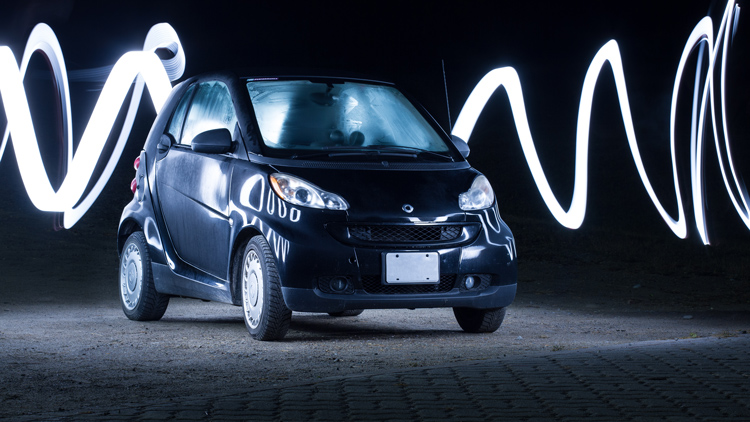
A light painted car where the light source is visible

In this example, the light source was seen by the camera, which created a unique halo effect around the car.

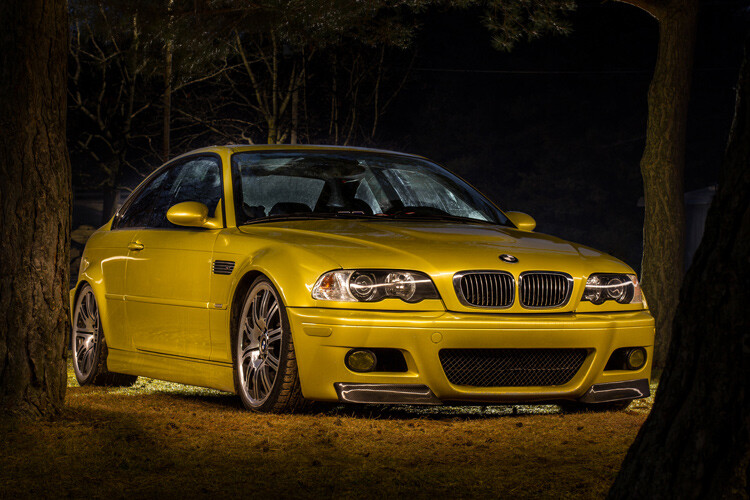
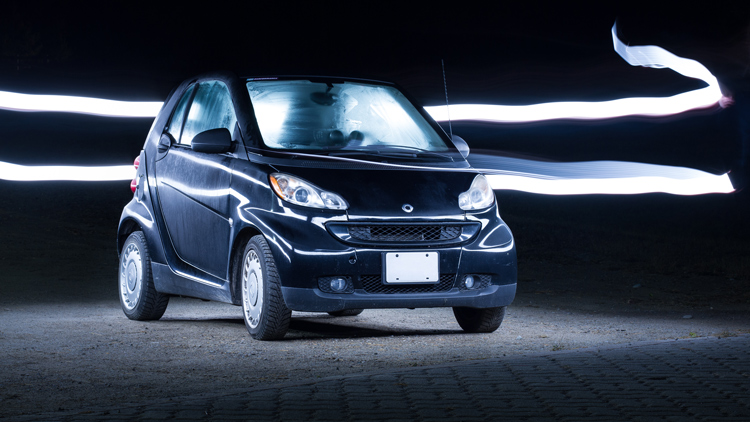
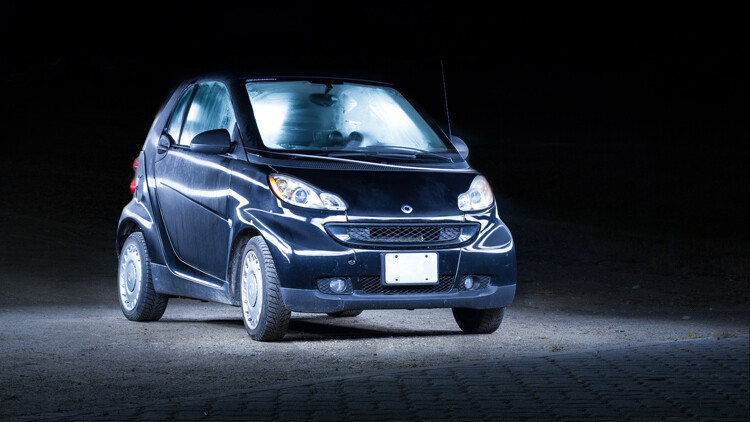
A light painted car with the light source not visible in the final image

In this image, the light was shielded from the camera and pointed only at the car, so that the light path isn’t visible.

Setting up the shot

Perhaps the most important piece of equipment you will need for light painting is a sturdy tripod. This is because you will be taking a picture that lasts for many seconds. A tripod that shifts over the course of the picture, or that is blown around by wind, will result in some serious frustration and blurry images.

You don’t need a special or expensive lens for light painting – any lens will do! When you are setting up your tripod, remember how zoom influences a picture. Shooting from close with a wide angle lens will make the car look fatter. Shooting from a distance with a bit of zoom will lessen the distortion.

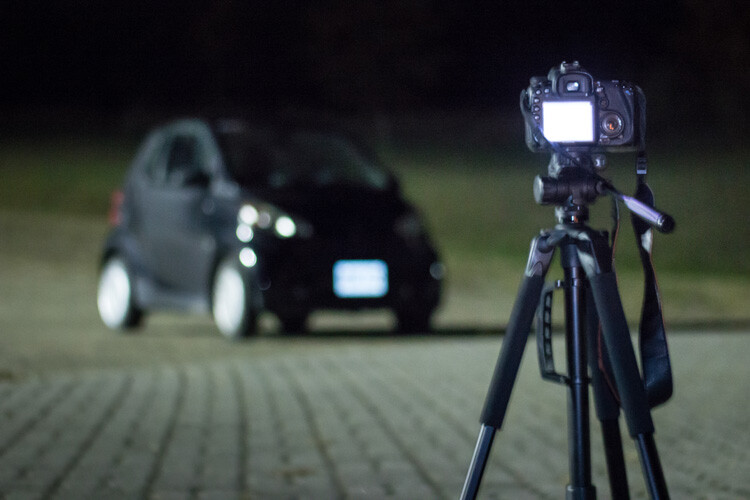
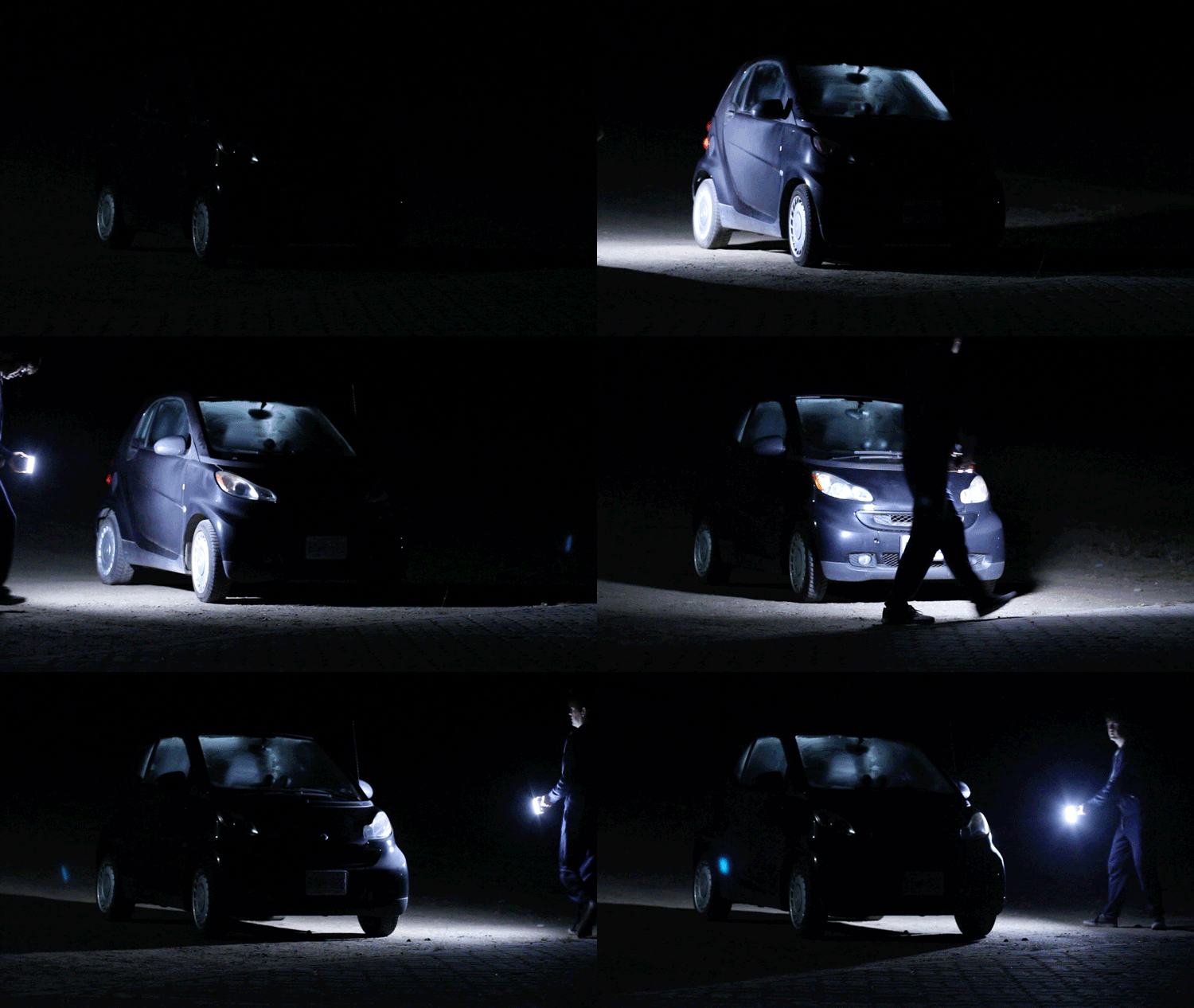
Behind the scenes of light painting car photography

Behind the scenes of the setup. There is some light filtering in from the left from a streetlight, but I can use my camera settings to reduce the effect of that ambient light.

Exposure settings

The first goal will be to get a base exposure. This requires that you go full manual on the settings. If you leave the camera on auto, it will try to compensate for the low light and may pop up the flash.

To make an image with a black background like the one in my example, you will want your base exposure to be very dark. If you want more of the surroundings to be visible, you can make your base exposure lighter. Be aware, however, that will mean that you are more likely to show up in the final image as you walk around the car with your light.

  1. First, select a low ISO so the sensor doesn’t collect much light from the surrounding area. As an added benefit, using a low ISO will also result in a very high-quality image.
  2. Next, you will want to choose a fairly narrow aperture. This will keep a large portion of the image in focus. It will also help to make the image darker, as needed.
  3. Last, choose a shutter speed that gives you a bit of time to paint the car. For my purpose, I chose 25 seconds.

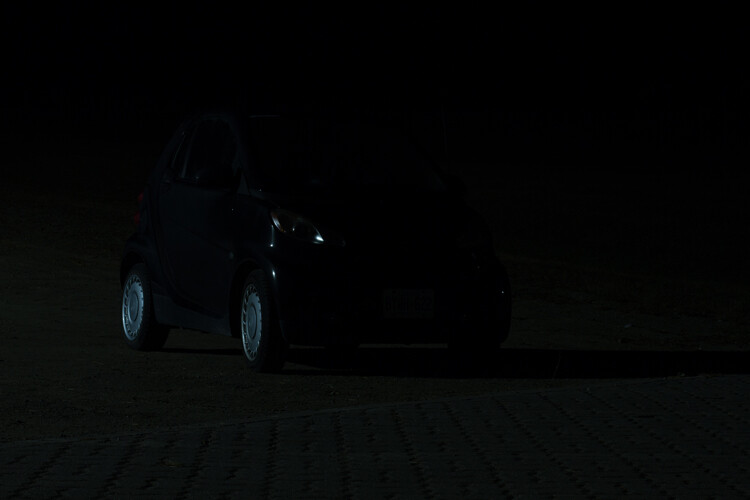
As you can see below, this base image is nearly completely dark. This is perfect. Now the final image will only be what I paint with my light.

The base exposure for a light painting car image

The base exposure for my image was ISO 100, f/9, 25 seconds.

Let there be light (painting)

Now we’re ready to start painting!

You can either have a friend press the shutter button, or you can put the camera on a short timer so that you can start light painting immediately after the shutter releases.

There will inevitably be a bit of trial and error as you try to find the right angles at which to paint the car. Pay close attention to how the light is reflecting in the body of the car and try to find ways to make it look flattering. Typically this involves moving the light at a uniform level so that there is a clean and crisp line of light reflected on the car.

light-painting-example

Chances are you’ll have to throw away a lot of images because parts of the car weren’t lit well enough, or the reflections looked messy. Don’t let this discourage you. The more you practice, the more you will get a feel for how to move the light.

Don’t forget to play a little bit. Waving your light around in circles, for example, can make some cool light trails and some memorable images.

A light painted car with light trails

A light painted car with light trails

How come you don’t show up in the final image?

A camera can only see objects that have light shining on them. When you aim the light source away from yourself and keep moving the entire time the picture is being taken, you simply won’t be in one place long enough for the camera to record your image.

If you do see yourself faintly in the final image, this can be due to one of three things:

  • You might have been caught in the light reflecting off of the car (or accidentally lit yourself up).
  • There might be too much ambient light. Try adjusting the settings to make your base exposure a bit darker.
  • You stood still in one place for too long, keep moving.

Typically, these ghostly appearances can be fixed easily enough with Photoshop later on, though you may want to adjust some settings to save yourself some time in the editing room.

Controlling the power of your light

If you find that your light isn’t having so much of an effect on the final image, there are two ways to control this.

To effectively make your light more powerful, you can choose a wider aperture (lower f-stop number) or raise the ISO. Either of these options will make the camera more sensitive to all light, including the light in your hand. Be aware that these changes will also affect your base exposure for the ambient light conditions. So you may also need to change the length of the shutter speed in order to keep the image properly dark.

If all else fails, your last option might be to simply to purchase a more powerful light. Yes, it is possible to do light painting with a small flashlight, but if you are serious about light painting, it might be a good idea to upgrade to something with a bit more power and control.

Making some final edits

Often, light painted pictures look pretty awesome right out of the camera. By pulling the picture into an editing program like Lightroom, you can make some simple tweaks to complete the image.

The original, straight from camera image of a light painted car

This is the image straight from the camera. It has a really unique look, even before we do any edits. You can see that my feet were caught in the reflected light and will need to be edited out.

It’s a good idea to shoot your light painting images in RAW. Shooting in RAW as opposed to JPG gives you some extra flexibility when it comes time to edit.

General adjustments

First, you’ll want to find a nice looking white balance. Light painted cars often look very sleek with a steely, cold white balance, but you can experiment to find a nice balance for the car you are working with.

As I mentioned earlier, it’s important to make sure the car is clean before you photograph it. Any minor imperfections or dirty spots that might still be visible can be removed using the spot healing tool in Photoshop or similar editing programs. You may also want to use this tool to reduce or remove bright and distracting glare reflecting off the car. I used this method to remove a harsh reflection in the example picture just above the front wheel.

Selective adjustments

Next, you may want to take some time to selectively lighten or darken parts of the image. In the course of your light painting, it is possible that you might have spilled some light into an area of the picture that you wanted to leave dark. You can control this by using gradients or adjustment brushes to precisely control the amount of light on different areas of the image.

For my picture, I wanted the light to quickly fall off around the car. I was able to emphasize this by using gradients and a vignette to darken the edges of the image.

The final edited image of a light painted car

As you can see, the final image isn’t drastically different than what came out of the camera! This final image in a combination of two of the images, borrowing some features from both shots.

Get out there and start light painting

Light painting is a very fun, simple and rewarding style of photography. It doesn’t take any special equipment to get some incredible and truly creative results that will amaze your friends. Give it a try and share your light painted car images in the comments below.

googletag.cmd.push(function() {
tablet_slots.push( googletag.defineSlot( “/1005424/_dPSv4_tab-all-article-bottom_(300×250)”, [300, 250], “pb-ad-78623” ).addService( googletag.pubads() ) ); } );

googletag.cmd.push(function() {
mobile_slots.push( googletag.defineSlot( “/1005424/_dPSv4_mob-all-article-bottom_(300×250)”, [300, 250], “pb-ad-78158” ).addService( googletag.pubads() ) ); } );

The post How to Use Light Painting to Take Incredible Car Photos by Frank Myrland appeared first on Digital Photography School.

Digital Photography School

 
Comments Off on How to Use Light Painting to Take Incredible Car Photos

Posted in Photography


Google updates Photos app with advanced editing features

17 Nov

Yesterday, Google introduced its pretty impressive new PhotoScan app and presented RAISR, an upsampling method that uses machine learning. You would think that was enough innovation in imaging for one day, but no, Google also implemented some pretty interesting upgrades to its Photos app that be found pre-installed on most Android smartphones and is also available for iOS devices and on the web.

A new auto enhance function balances exposure and saturation in order to maximize detail at the tap of a button. For those who prefer more manual input, advanced editing controls for light and color allow you to fine tune your images using a range of sliders for highlights, shadows and warmth among others. The Deep Blue parameter allows for partial adjustment of the blue tones in images of sea and sky and there is an equivalent slider for fine-tuning skin tones. 

In addition there are 12 new smart filters that Google calls looks. Looks use machine learning to analyze the contents of an image and then make edits based on brightness, darkness, warmth, or saturation before the final filter is applied. If you want to try the new features you won’t have to wait. The upgraded Google Photos app is rolling out today across Android, iOS and the web. 

Articles: Digital Photography Review (dpreview.com)

 
Comments Off on Google updates Photos app with advanced editing features

Posted in Uncategorized


27 Structurally Sound Photos of Architecture

16 Nov

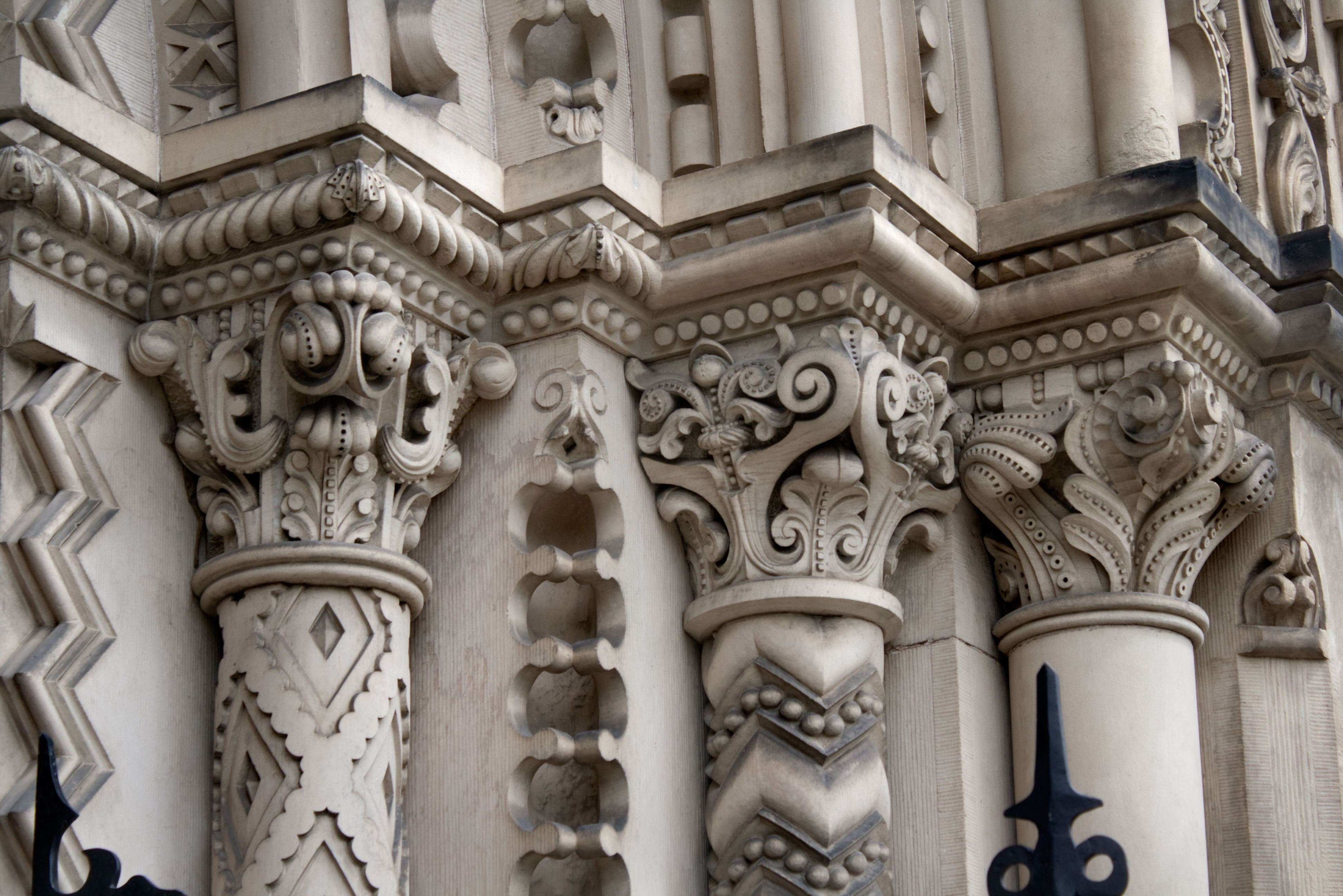
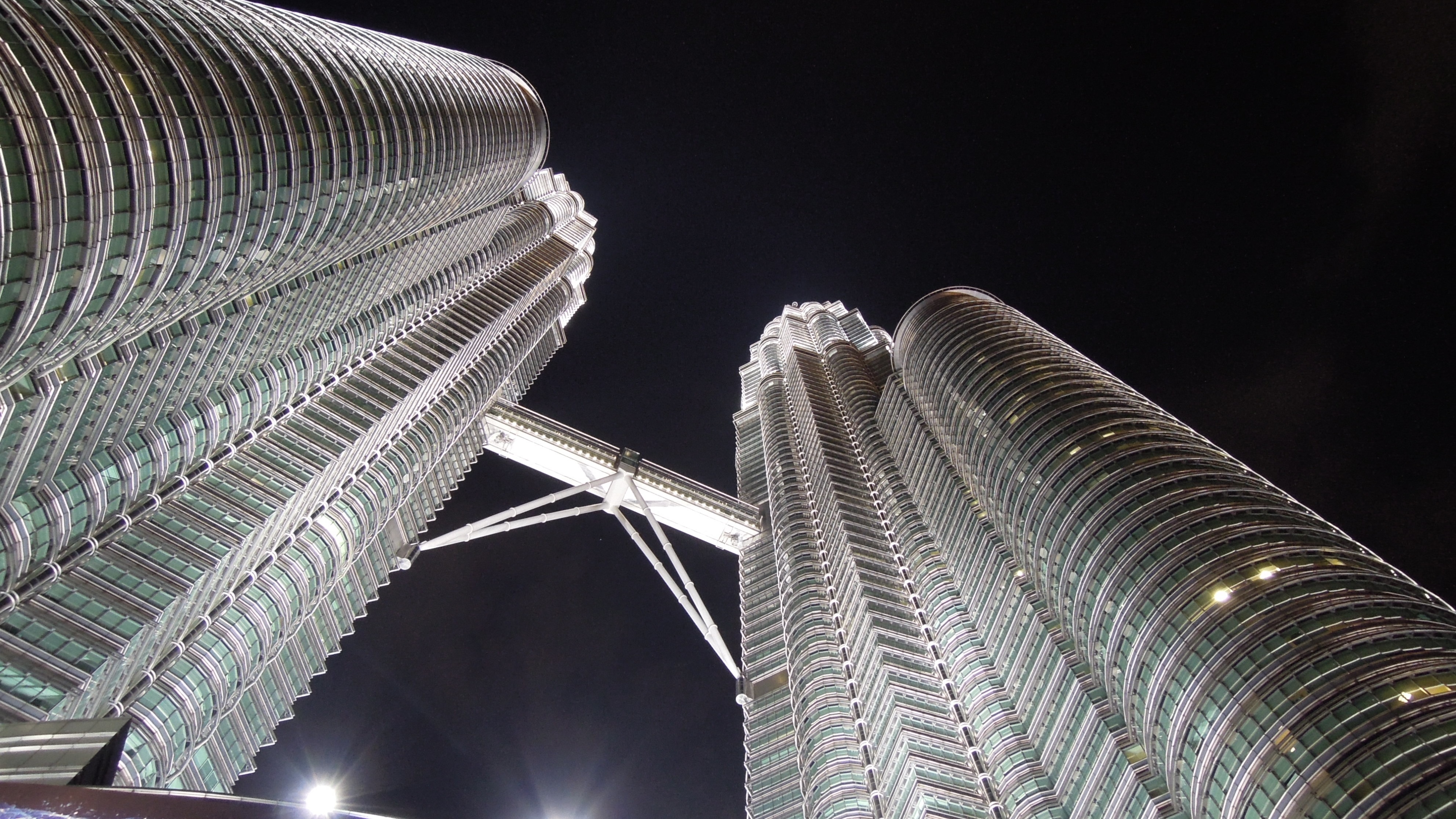
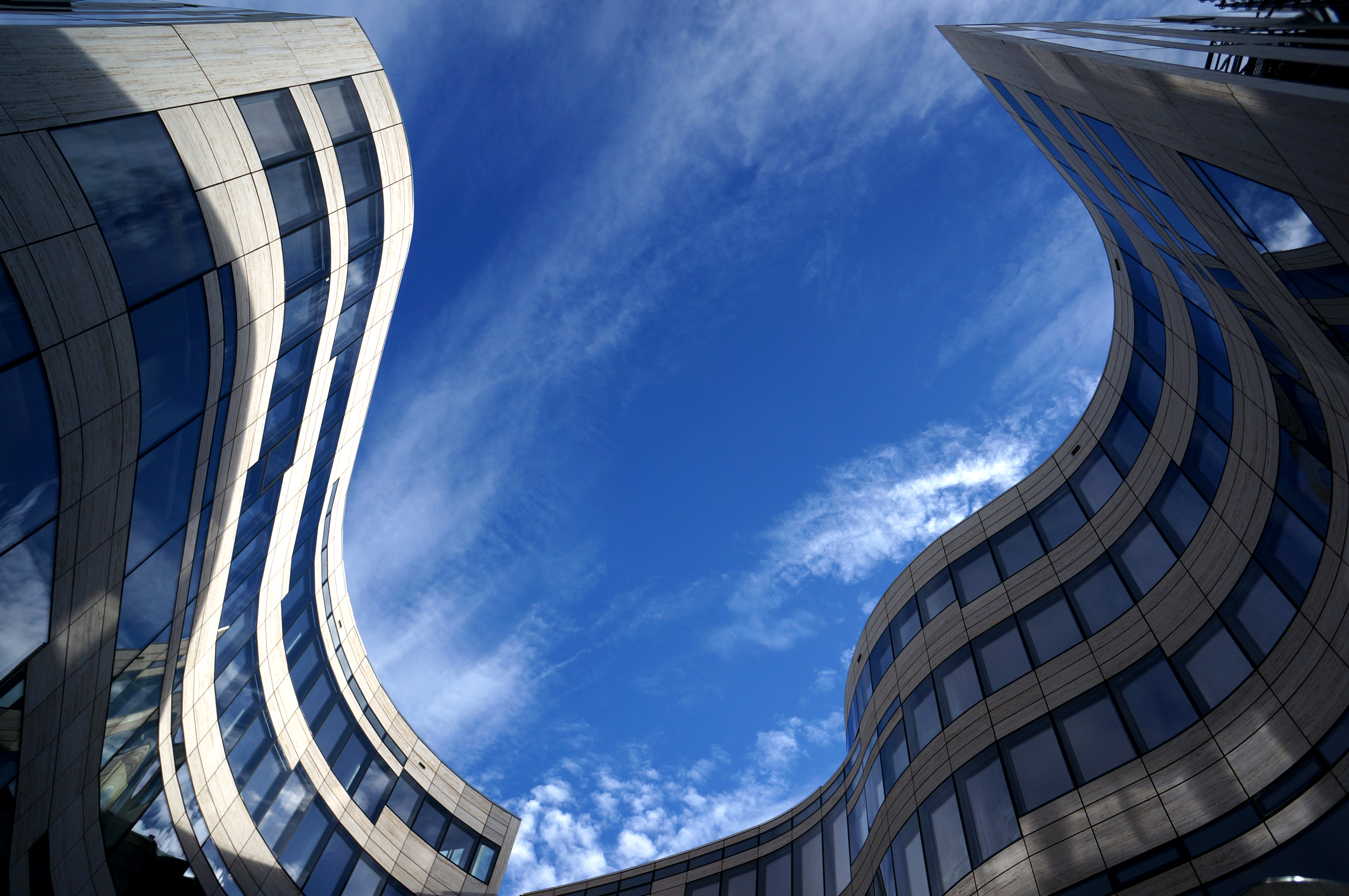
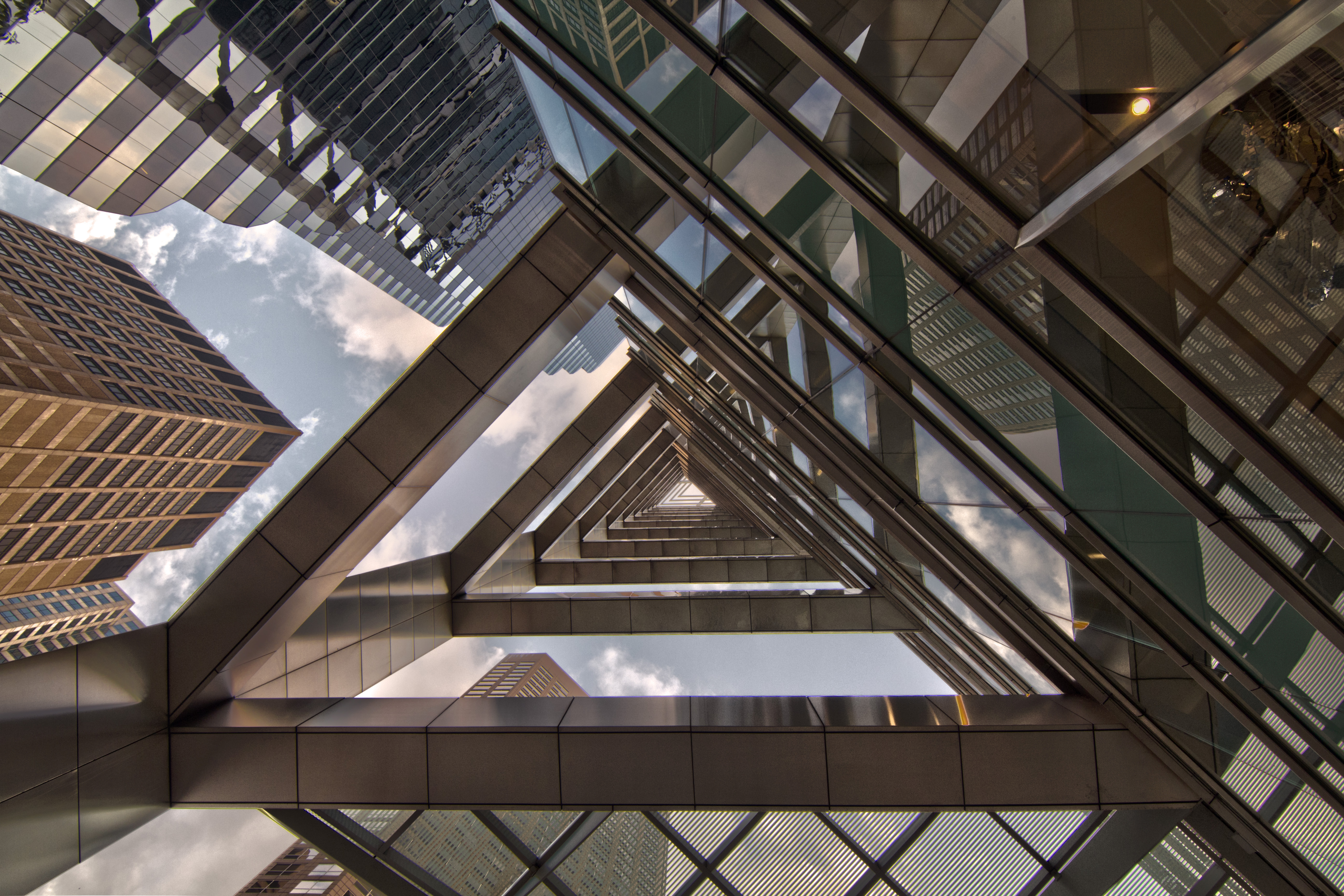
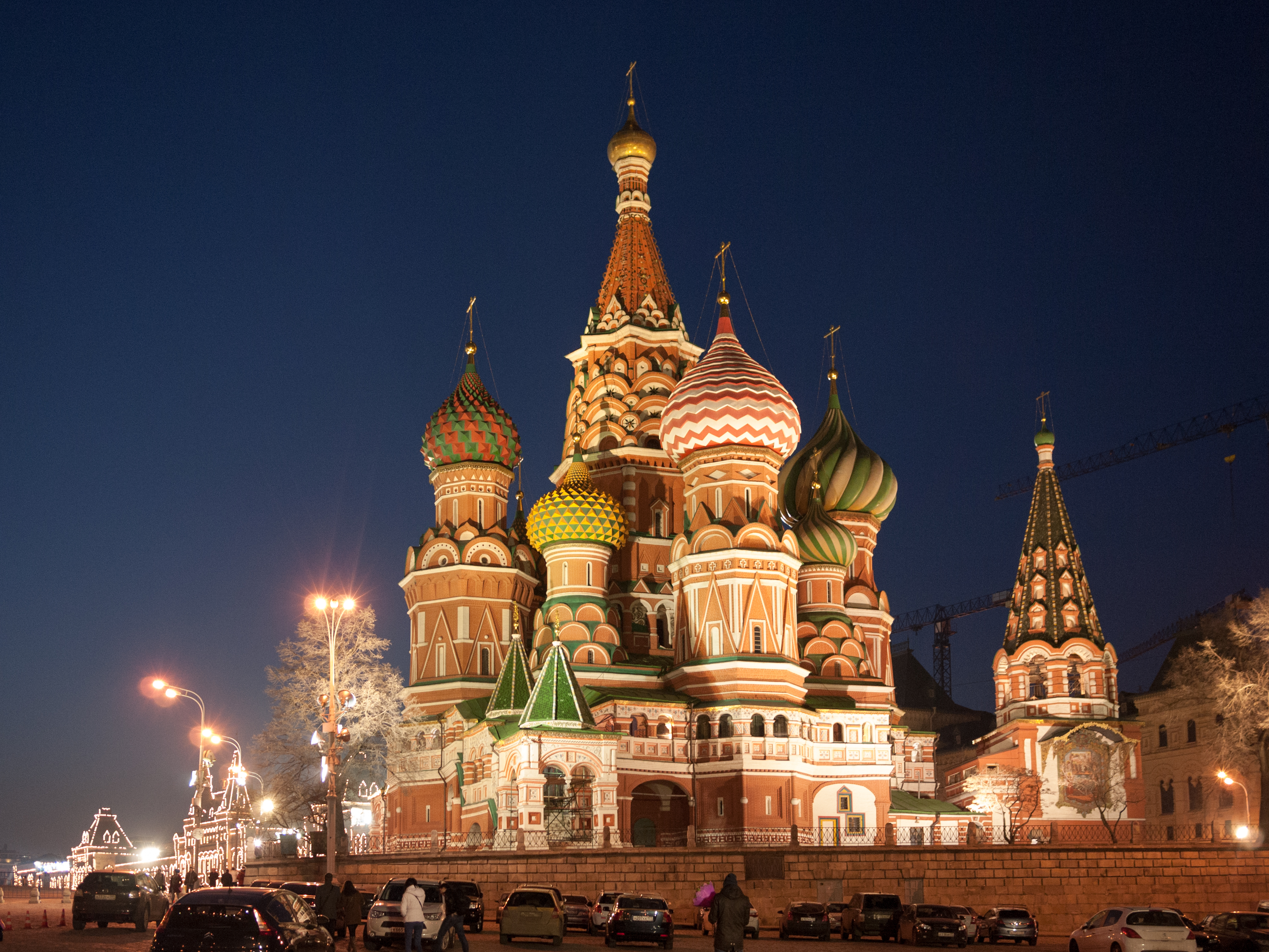
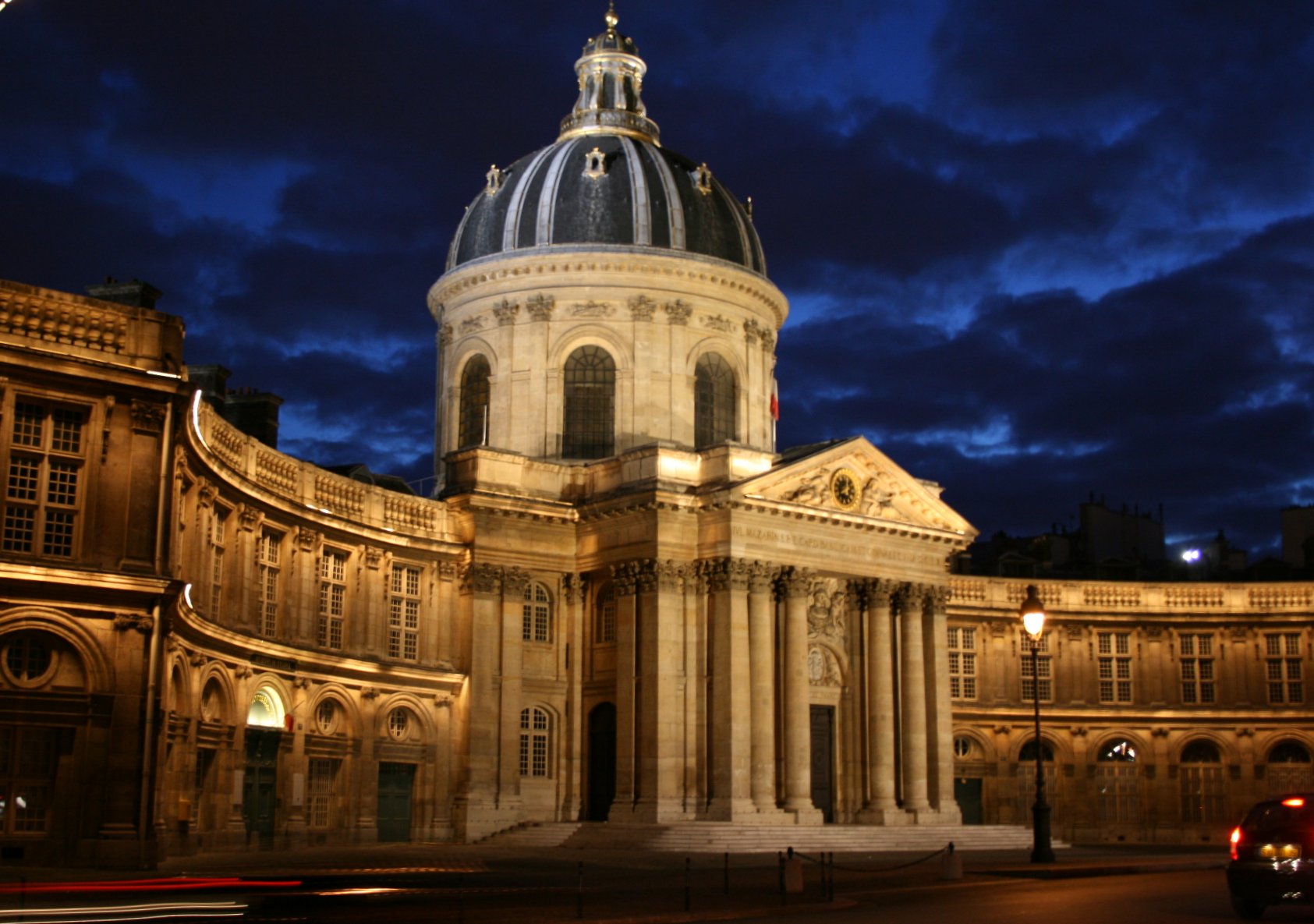
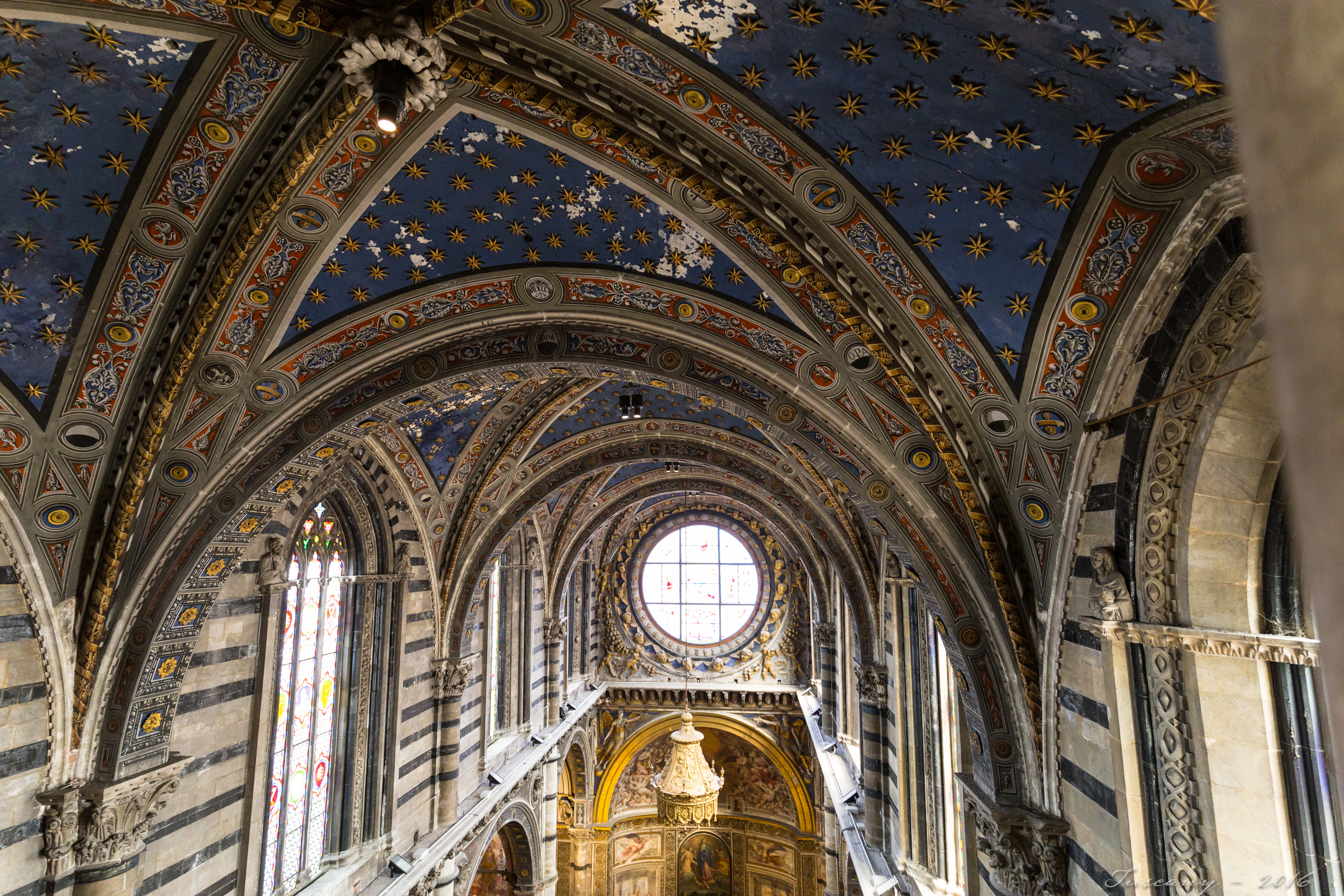
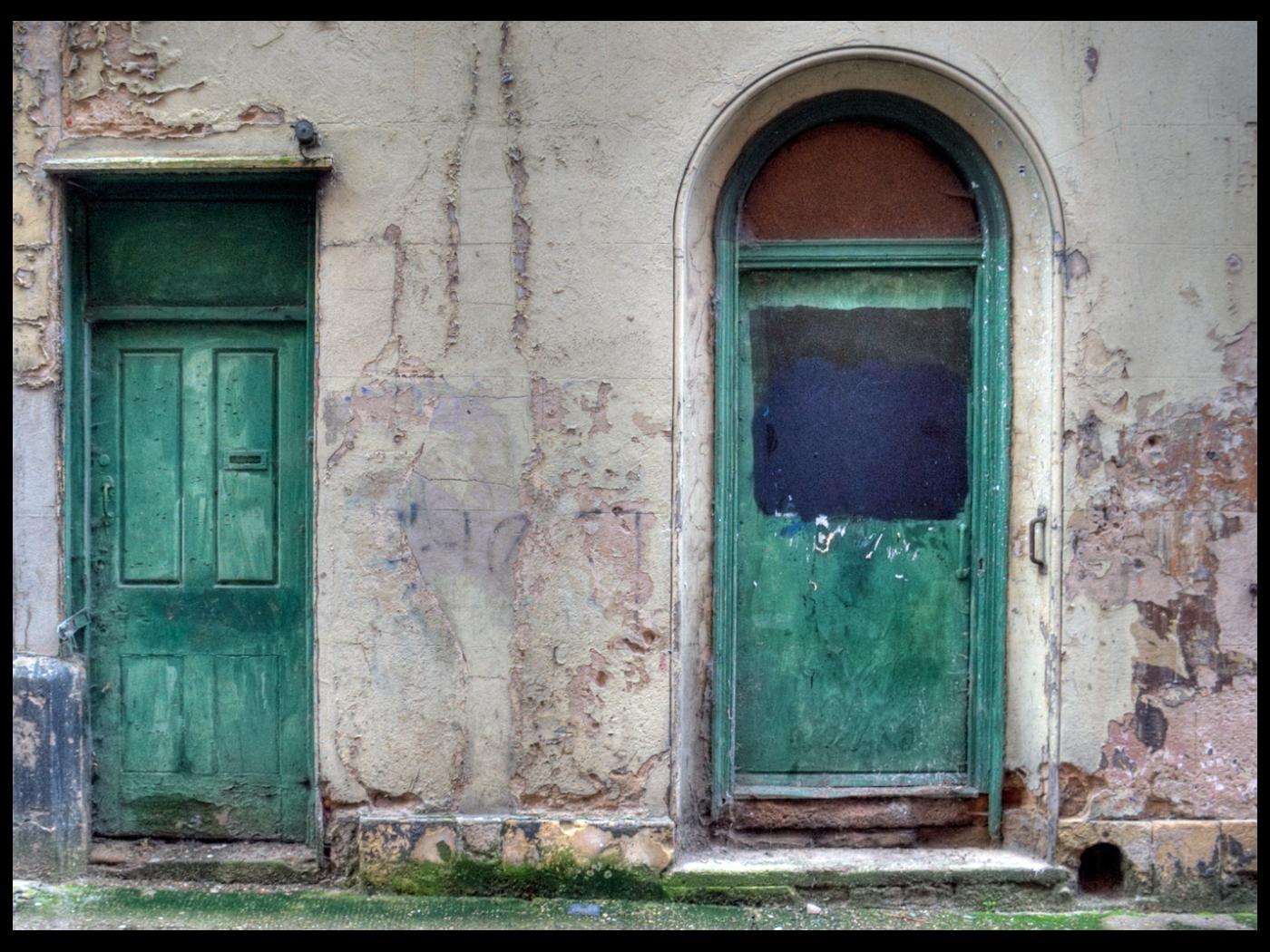
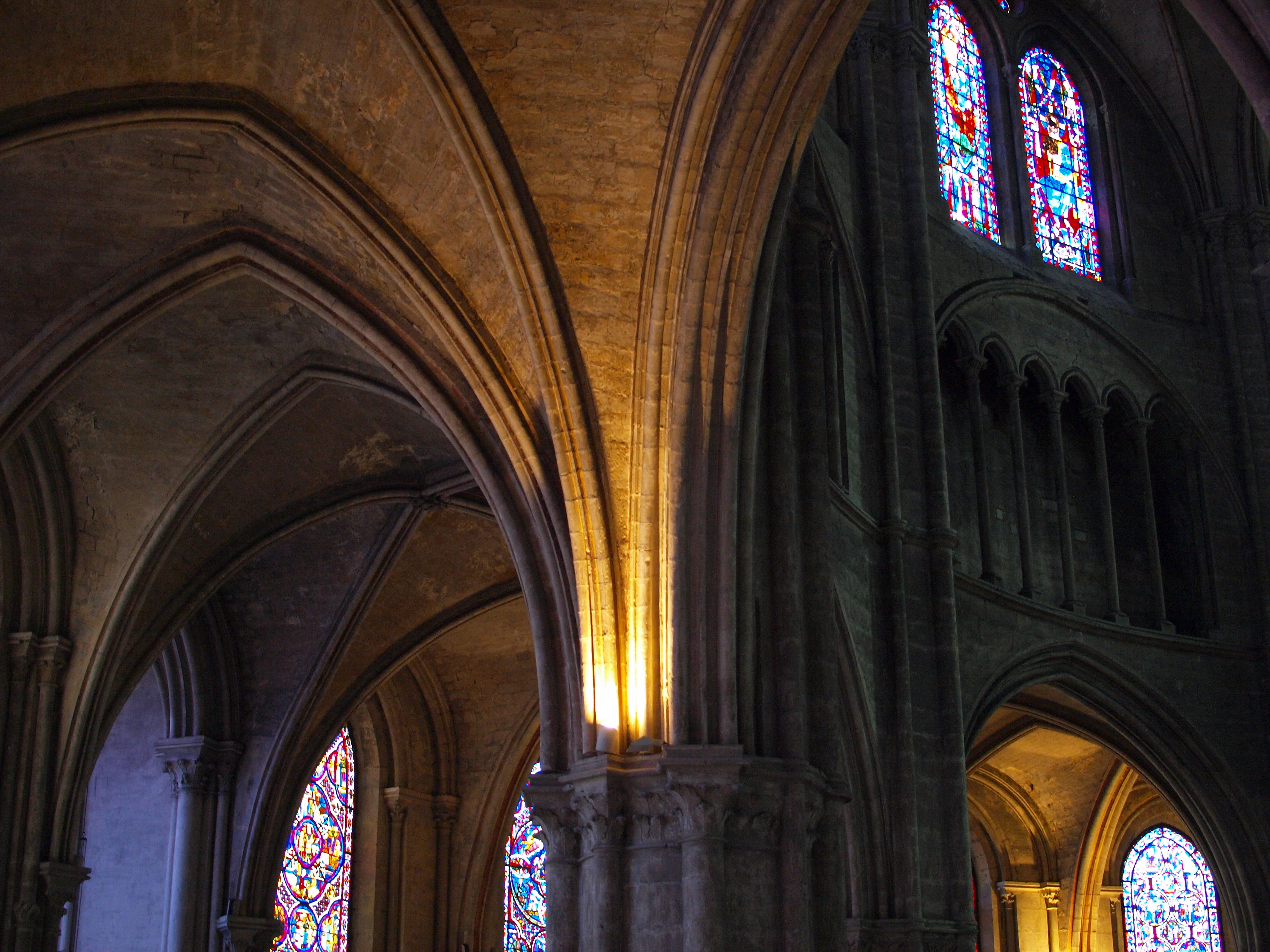
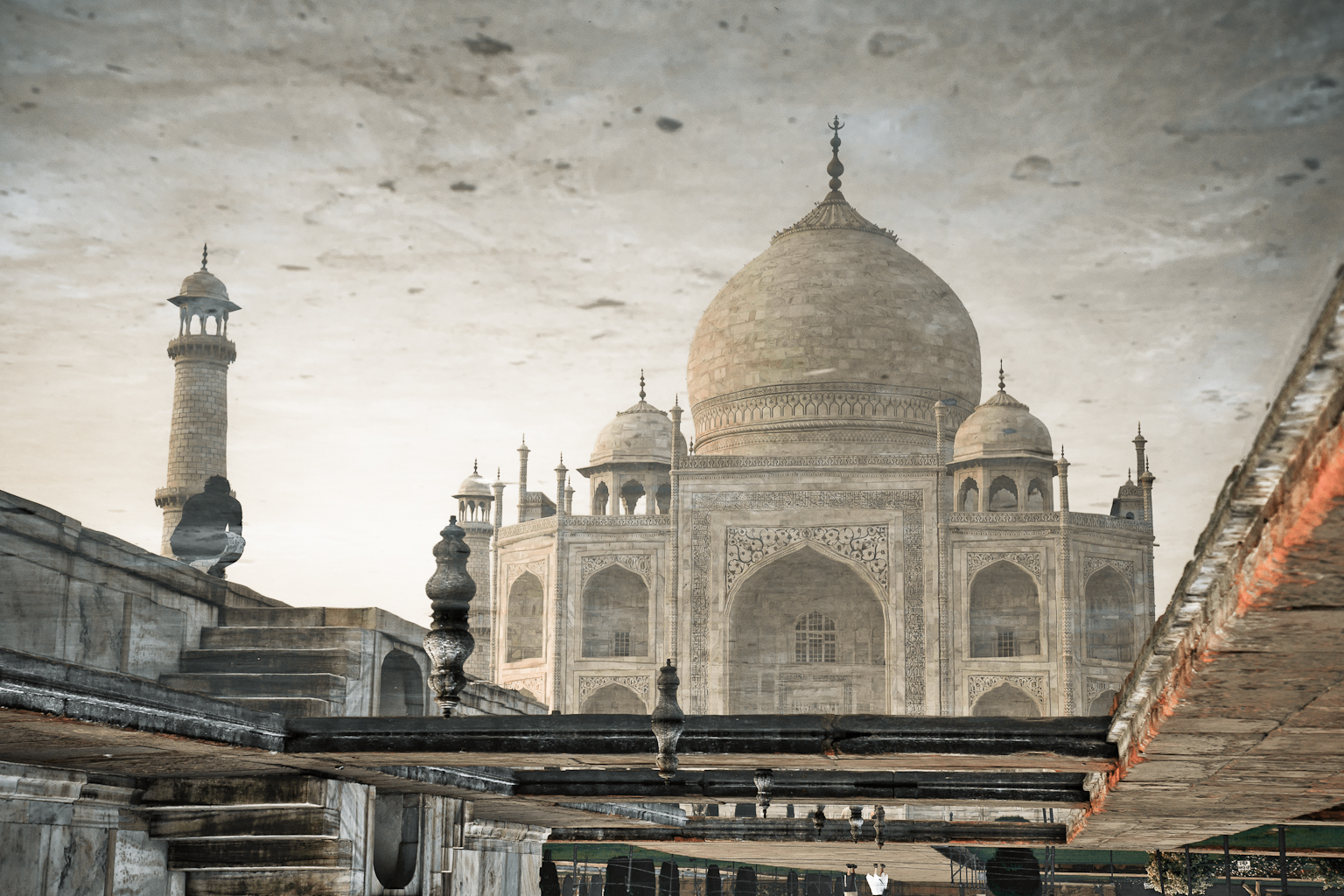
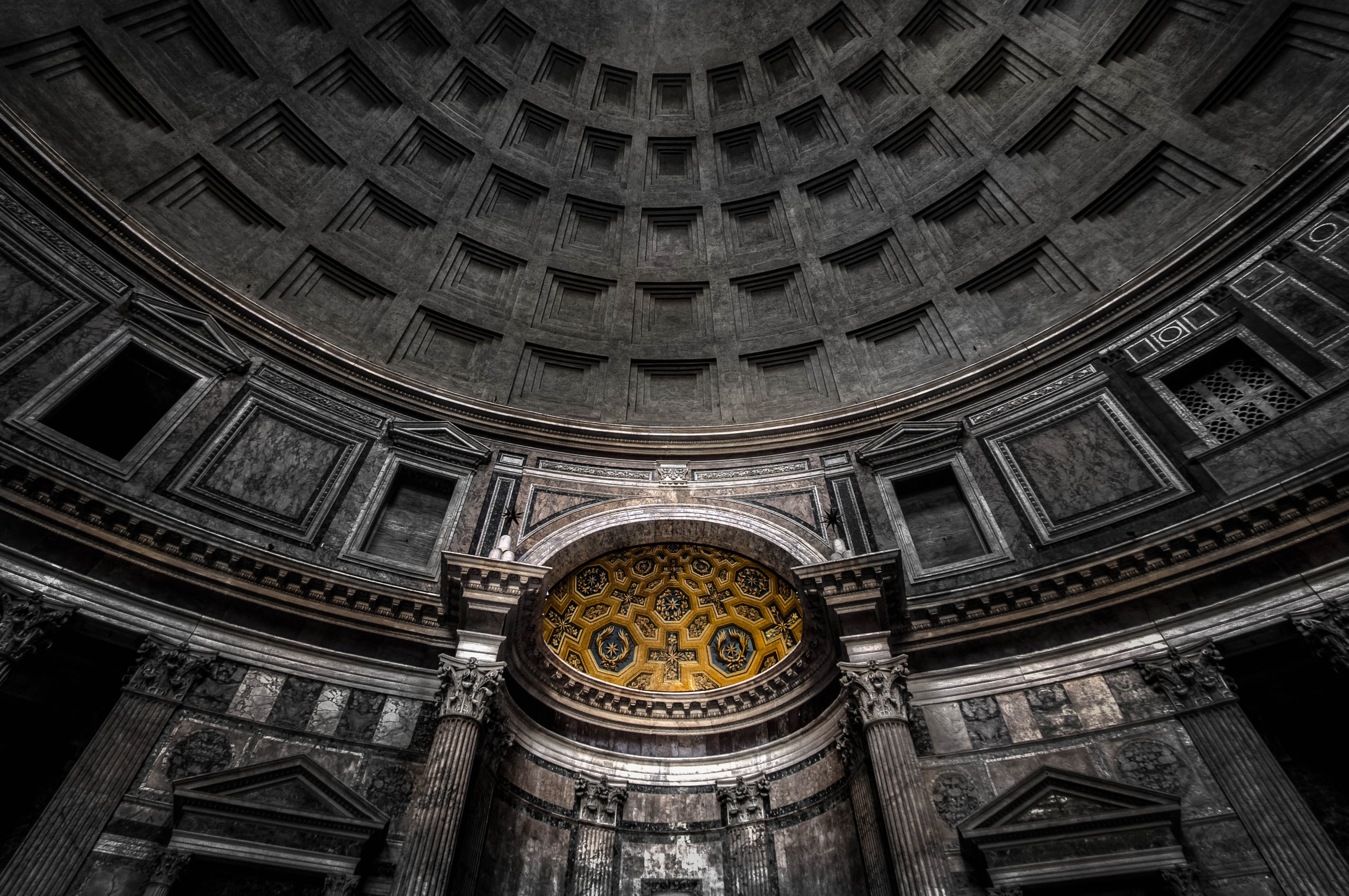
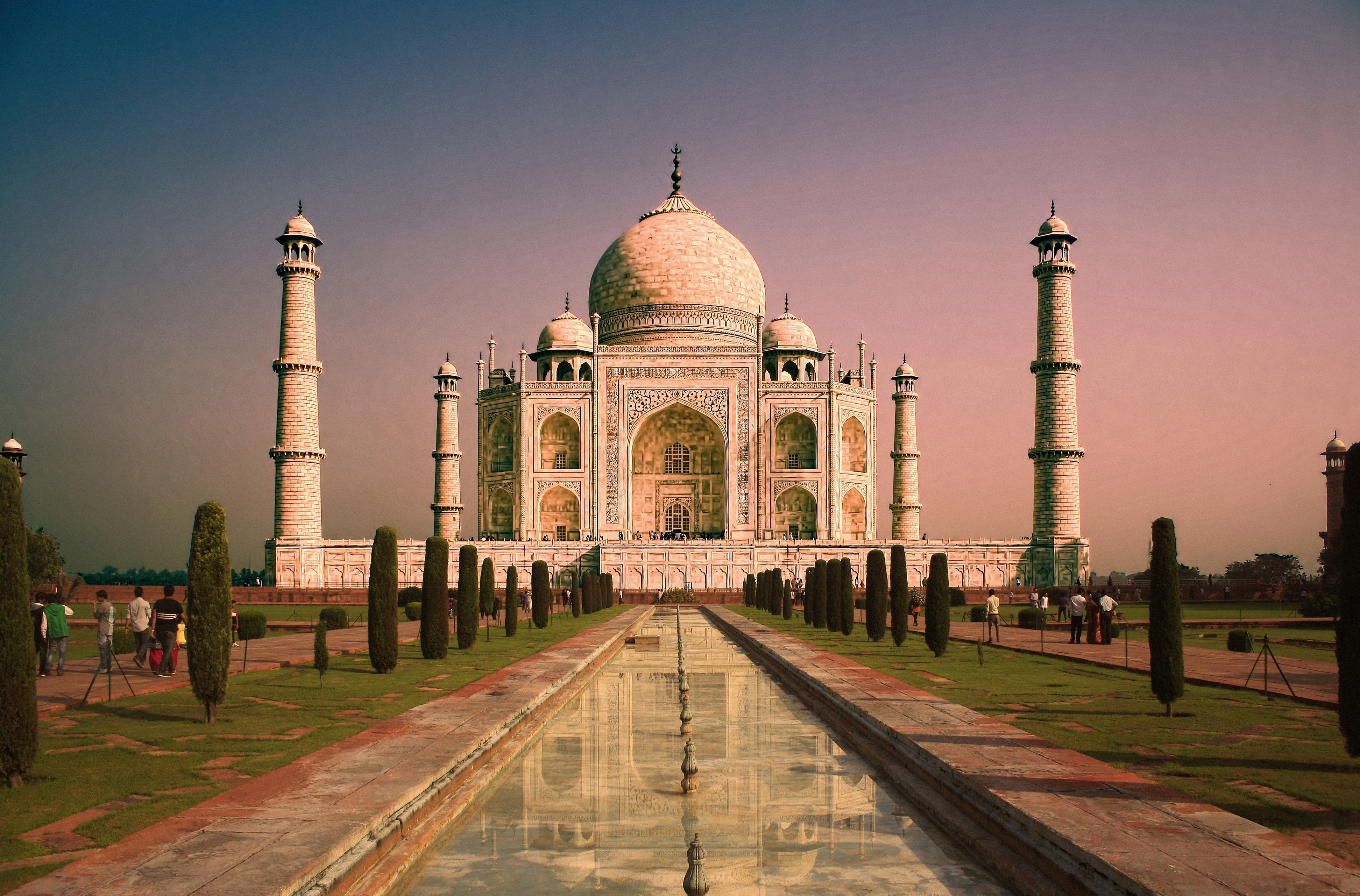
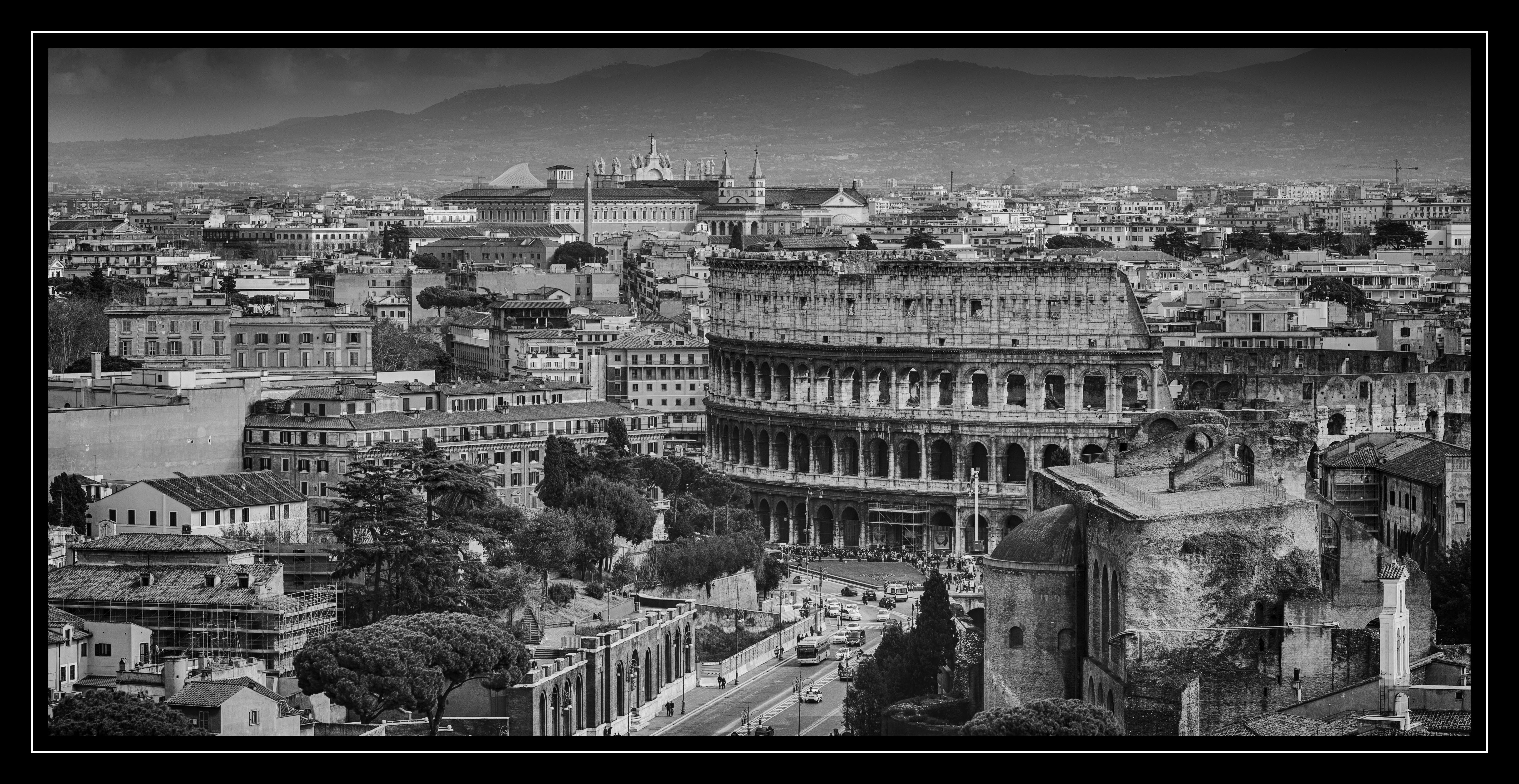
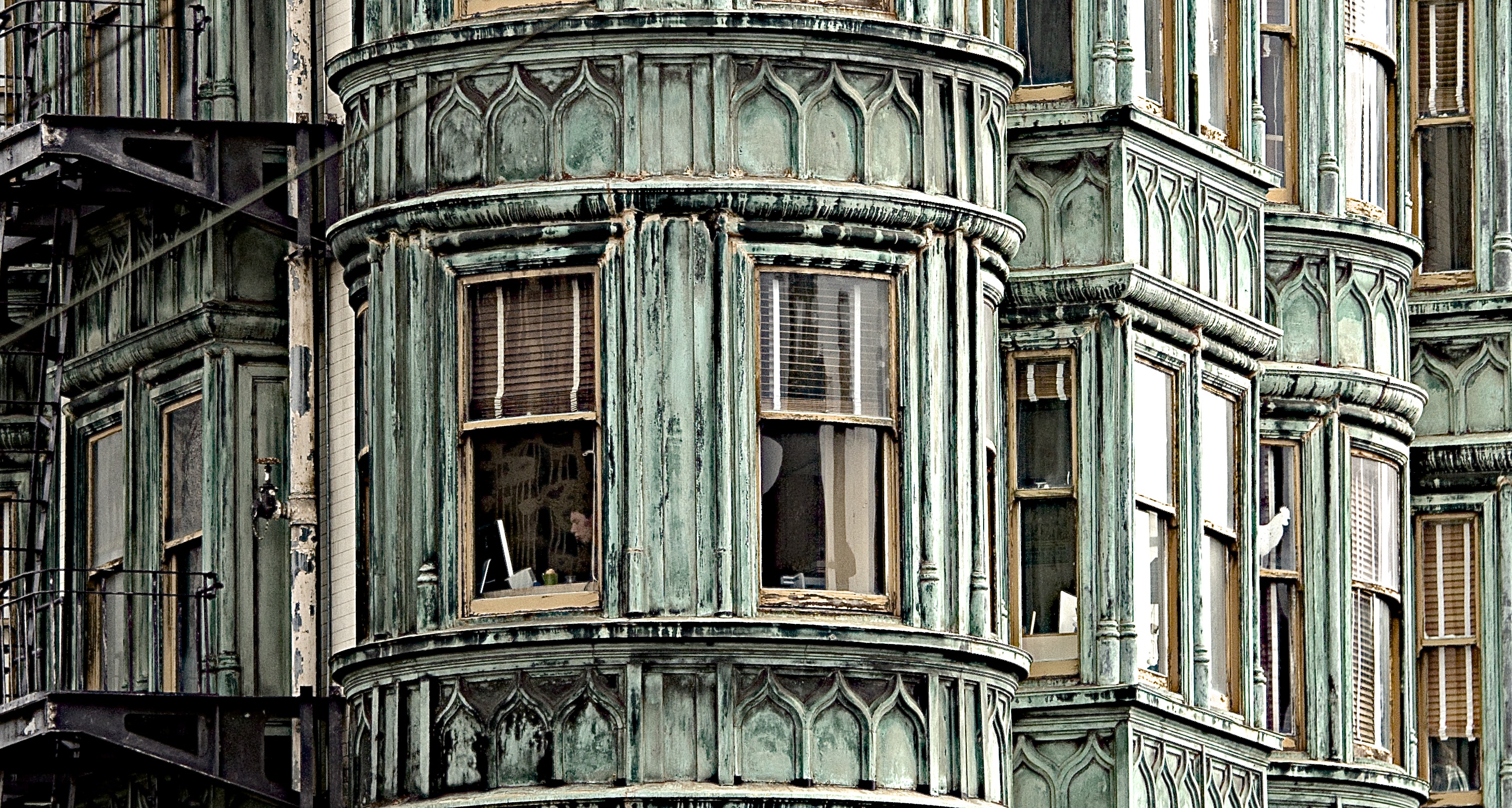
Buildings and architecture can tell you a lot about a location. Whether it’s urban or rural, an ancient city, or modern metropolis, and a lot more. It can be full of clean elegant flowing lines, or intricate details.

How you capture architecture in your photography depends on your style and likes. Let’s see how these 27 photographers chose to capture it in their images.

Alexcoitus

By alexcoitus

Pablo Fernández

By Pablo Fernández

Billy Wilson

By Billy Wilson

David McKelvey

By David McKelvey

Premnath Thirumalaisamy

By Premnath Thirumalaisamy

Perceptions (off)

By perceptions (off)

Perceptions (off)

By perceptions (off)

Dave Graham

By dave graham

Perceptions (off)

By perceptions (off)

Jovan J

By Jovan J

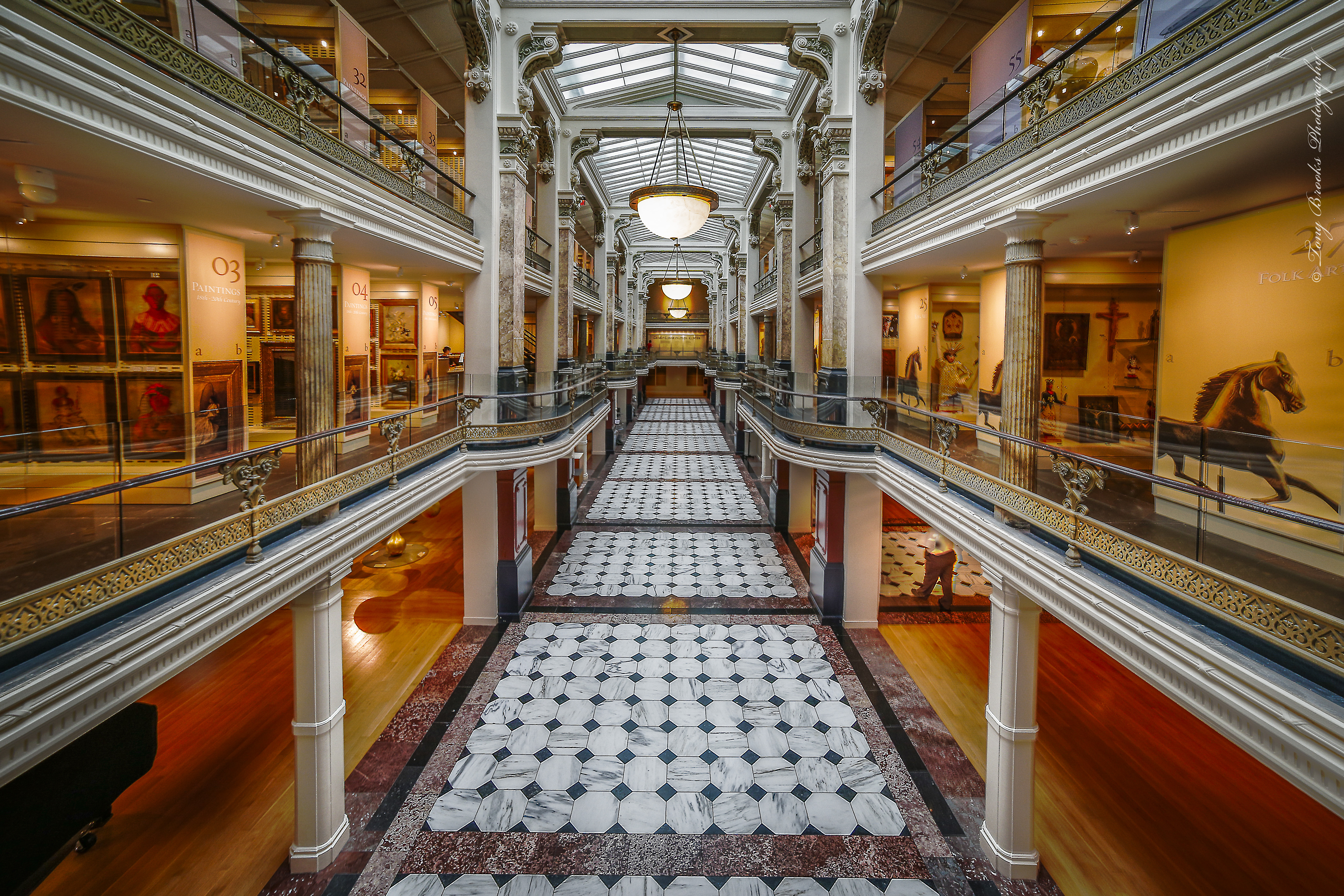
Tony Brooks

By Tony Brooks

GorVlad

By GorVlad

Karol Franks

By Karol Franks

Daryl Sawatzky

By Daryl Sawatzky

Jonathan Gill

By Jonathan Gill

Mark Weston

By Mark Weston

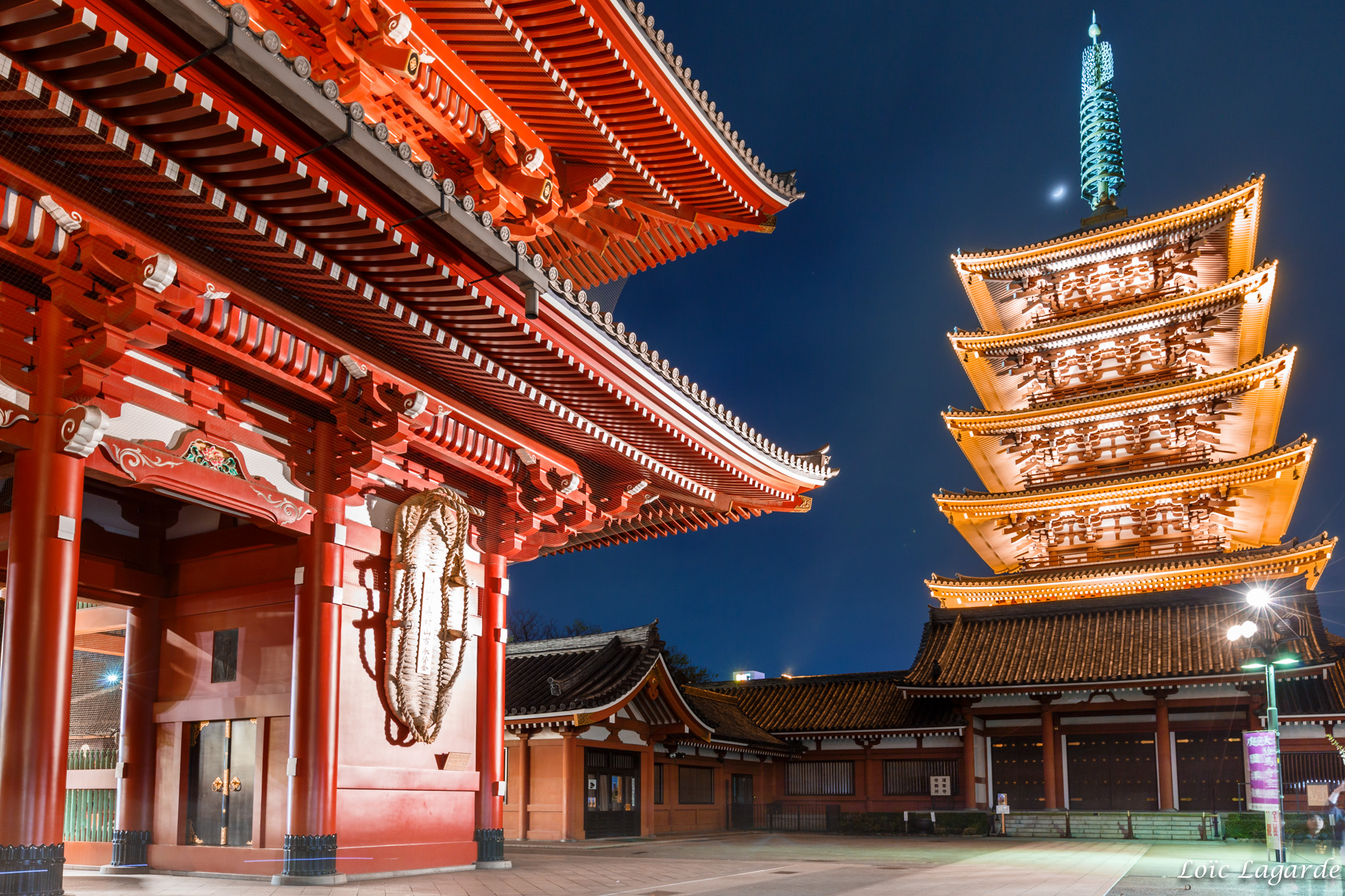
Loïc Lagarde

By Loïc Lagarde

Henrik Johansson

By Henrik Johansson

Perceptions (off)

By perceptions (off)

Mike

By Mike

Thomas Hawk

By Thomas Hawk

Daniel Mennerich

By Daniel Mennerich

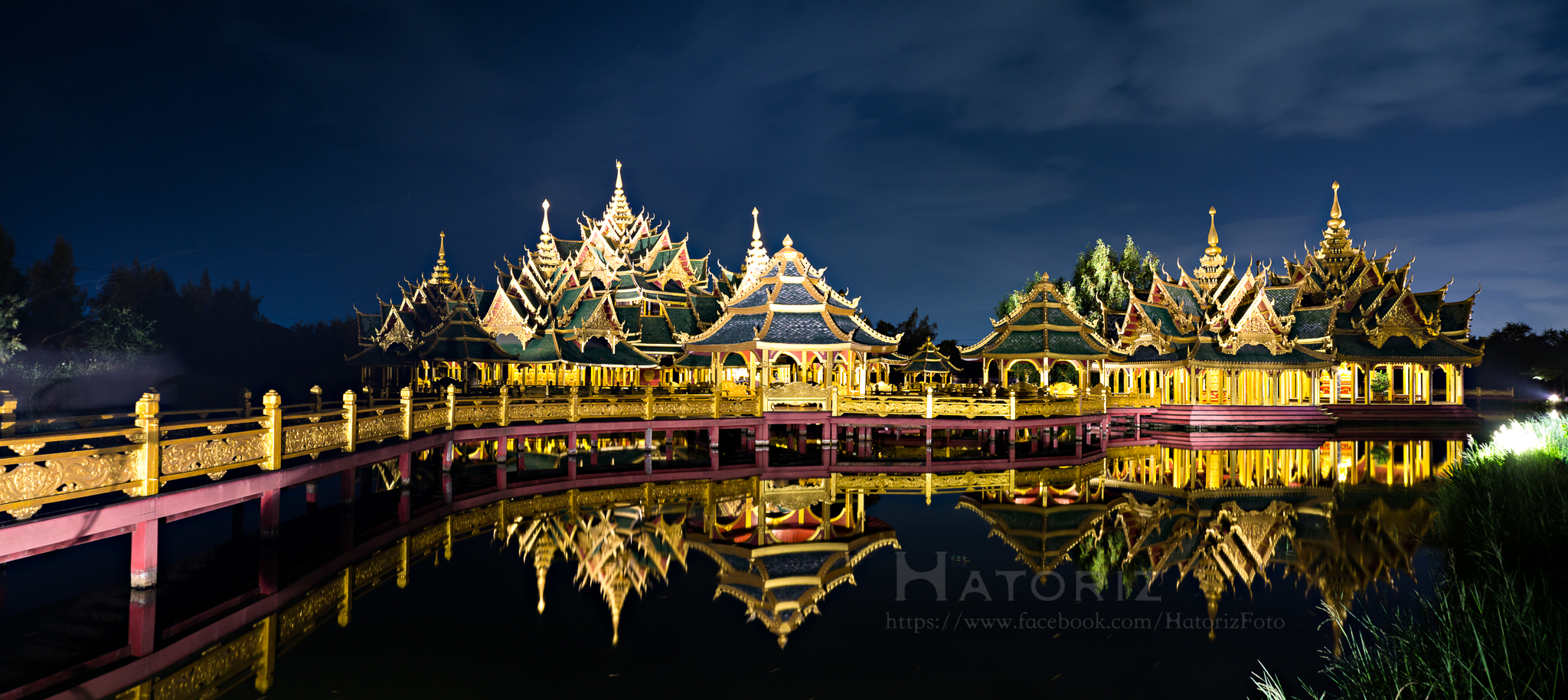
Hatoriz Kwansiripat

By Hatoriz Kwansiripat

Martin Wölfle

By Martin Wölfle

Sswj

By sswj

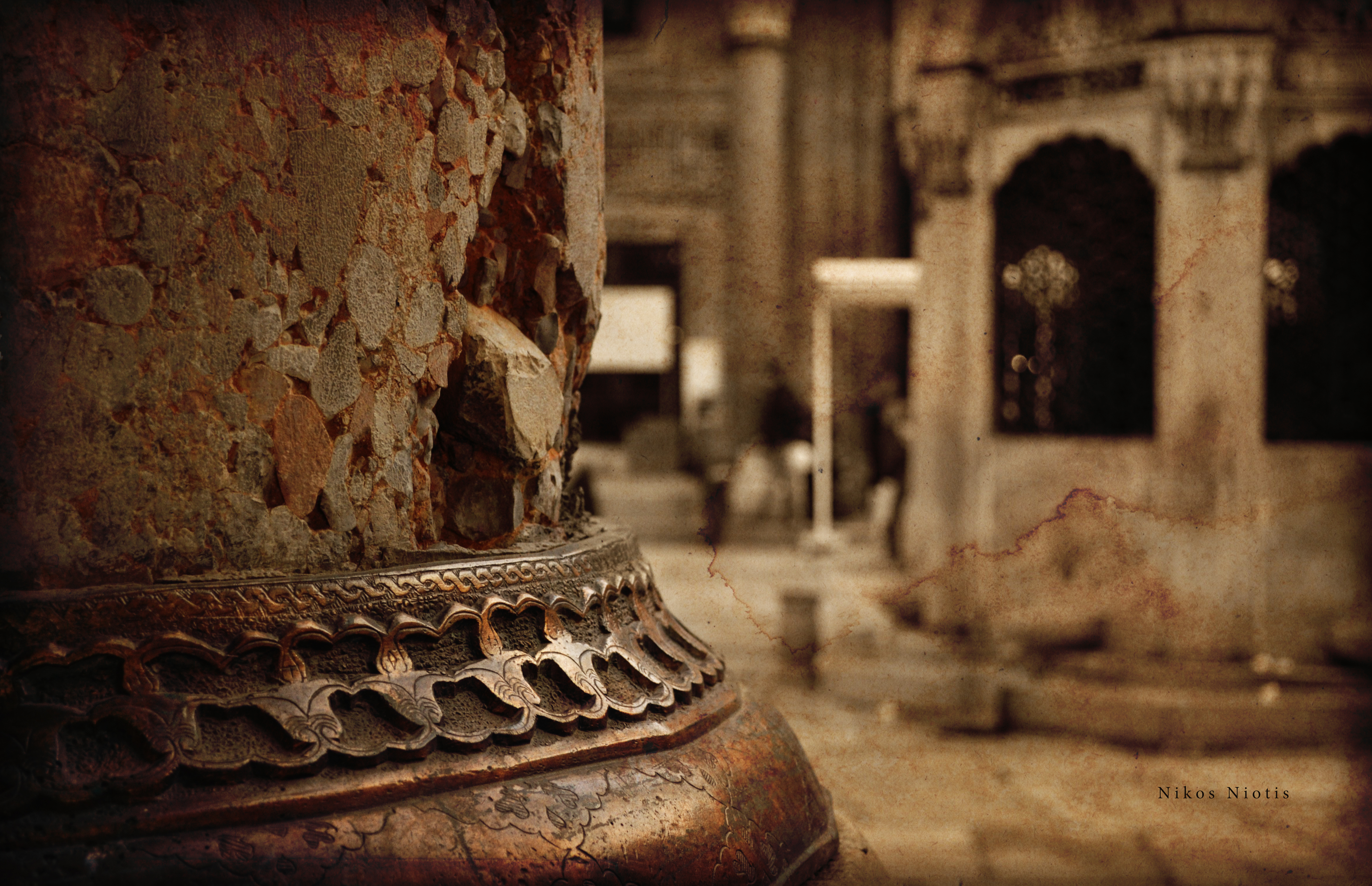
Nikos Niotis

By Nikos Niotis

Andrew Moore

By Andrew Moore

googletag.cmd.push(function() {
tablet_slots.push( googletag.defineSlot( “/1005424/_dPSv4_tab-all-article-bottom_(300×250)”, [300, 250], “pb-ad-78623” ).addService( googletag.pubads() ) ); } );

googletag.cmd.push(function() {
mobile_slots.push( googletag.defineSlot( “/1005424/_dPSv4_mob-all-article-bottom_(300×250)”, [300, 250], “pb-ad-78158” ).addService( googletag.pubads() ) ); } );

The post 27 Structurally Sound Photos of Architecture by Darlene Hildebrandt appeared first on Digital Photography School.

Digital Photography School

 
Comments Off on 27 Structurally Sound Photos of Architecture

Posted in Photography


Tiny marvel: Panasonic LX10 sample photos

11 Nov
Out of camera JPEG shot using the pop-up flash. You can definitely have a lot of fun shooting shooting around with the LX10. ISO 6400, F2 1/60 sec. Photo by Dan Bracaglia

The Panasonic Lumix DMC-LX10 is a premium compact camera sporting a 20MP 1″-type sensor and a F1.4-2.8 24-72mm equivalent zoom lens. It is both capable and easy to bring anywhere, making it an attractive option for those seeking a pocket camera. It does face some stiff competition from other 20MP 1″-type cameras like the Canon G7 X Mark II and Sony RX100 IV (and V), but so far we’ve had a great time shooting with it.

Articles: Digital Photography Review (dpreview.com)

 
Comments Off on Tiny marvel: Panasonic LX10 sample photos

Posted in Uncategorized


How to Give Your Landscape Photos Extra Punch in One Easy Step

09 Nov

Have you ever felt that your landscape photography is missing a little punch? You look at other photographers’ images and their colours have a very appealing amount of contrast. But no matter how much you play around with HSL (Hue, Saturation, Luminance), Contrast, Vibrance or Saturation, your colours just don’t get the same depth and contrast and end up looking fake and oversaturated.

The quality of the lens being used affects color greatly (more expensive lenses generally give a much better colour contrast than entry-level lenses). But there is a step that you can do when post-processing your recent landscape photos to give the colours an extra little bit of punch and contrast and more importantly, keep them from looking overcooked.

before-after

Color space

You may be aware of a term Colour space which essentially determines how devices represent colour. The two most common colour spaces are Adobe RGB and sRGB. Adobe sRGB is used on the web and for many smart devices. Adobe RGB is a little bigger than sRGB and can show more colors. However, these are not the only colour spaces around. Lightroom, for example, uses one of the largest (able to produce a larger amount of colours) called ProPhoto RGB.

But enough about colour spaces! I can already see your eyes glazing over, mine are already as I type this. But knowing that there are different colour spaces can be helpful. Knowing exactly how they work isn’t necessarily all that important.

Convert to Lab Color

The colour space that you’ll want to recognize is LAB Color. How does it work? Doesn’t really matter. But how can you use it give your images that extra punch? In this article, I’ll explain how a very simple step (and I mean simple!) that will help give your images that extra punch using the LAB colour space in Photoshop.

Okay, so first up you’re going to want to bring your image into Photoshop. Before you do this, you may need to develop the image a little in Adobe Camera Raw or Lightroom. Fix up any exposure issues, correct the white balance, etc.

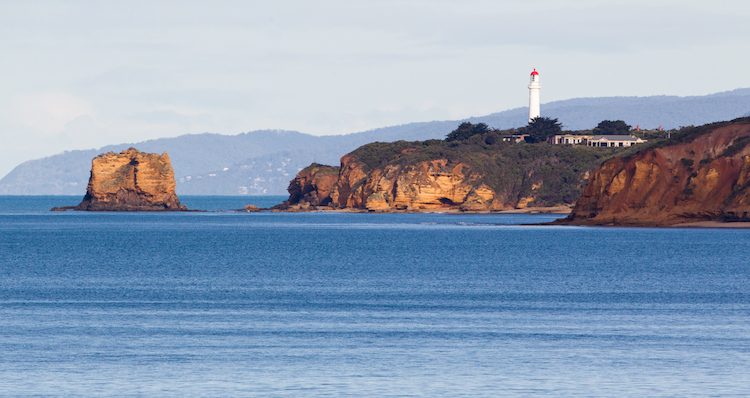
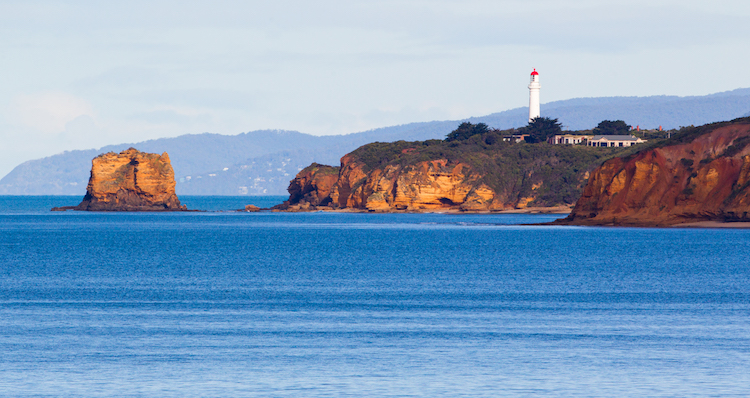
This is the image that I’ll use as an example.

before

This image has had very little done to it prior to Photoshop. A simple crop, general contrast and exposure correction were all that was applied.

Now that your images is open in Photoshop, the very first thing you need to do is convert it from Adobe RGB or sRGB (depending on what you have set as the working colour space in Photoshop) to LAB Color.

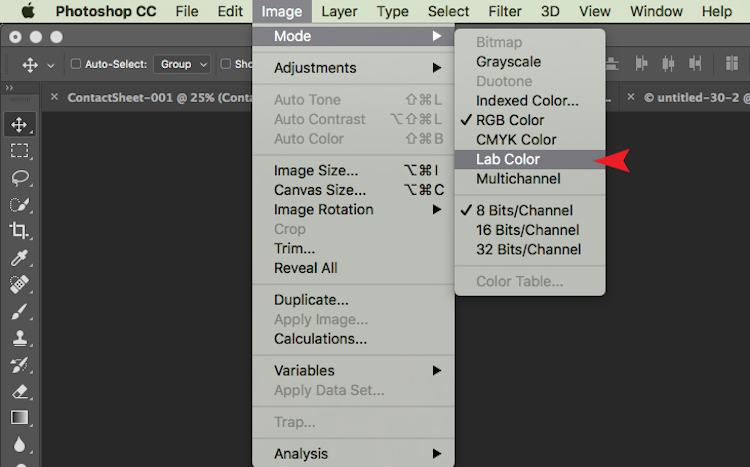
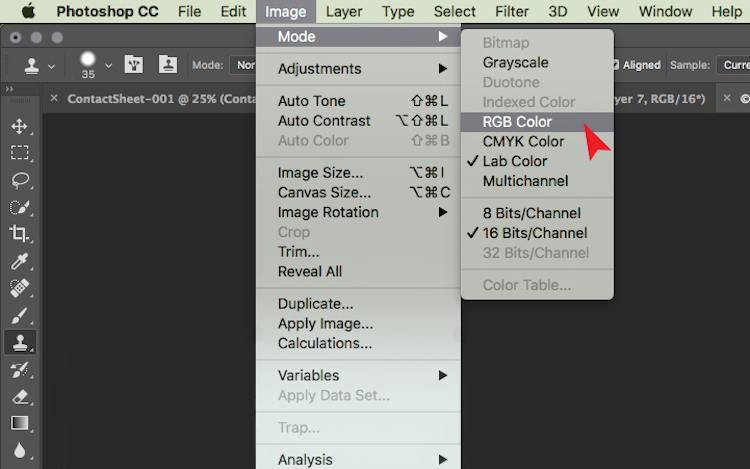
To do this, go to: Image > Mode > Lab Color.

The tick next to RGB Color means that Adobe RGB is currently being used.

The tick next to RGB Color means that Adobe RGB is currently being used.

Now Photoshop is using LAB instead. You won’t notice a change at all at this step because nothing has changed on your end. All you have simply done is tell Photoshop which method to use to display colours.

Add a Curves Adjustment Layer

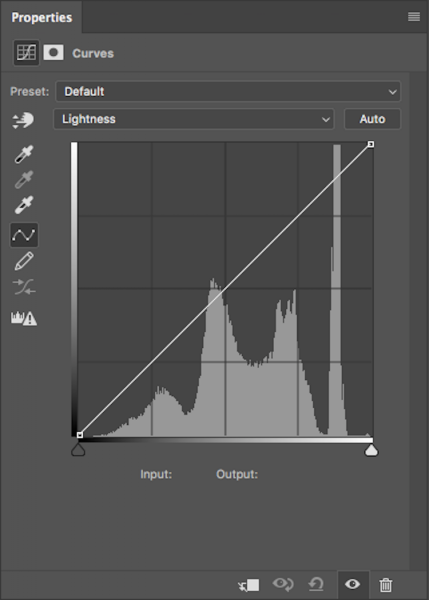
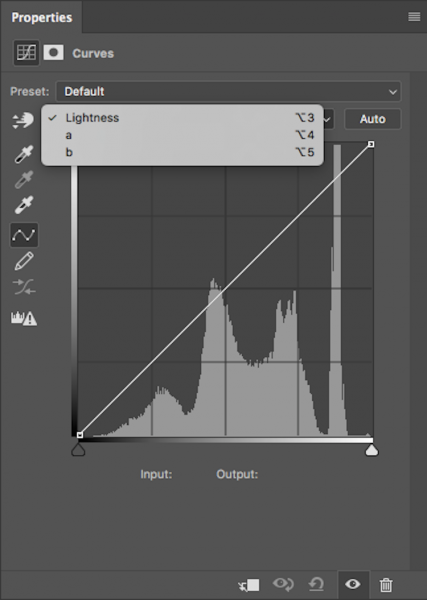
With your image in LAB Color, the next step is to create a Curves Adjustment Layer. Once this layer has been created, you should see something like this:

lab-curves1

Generally, this doesn’t look any different to any other Curves Adjustment Layer except for one thing. Instead of having RGB in the drop down menu, you will see Lightness.

With this adjustment layer created, the next step is to click on the Lightness drop down menu. This brings up Lightness, A, B; which is what LAB is short for!

lab-curves

Adjust Channel A

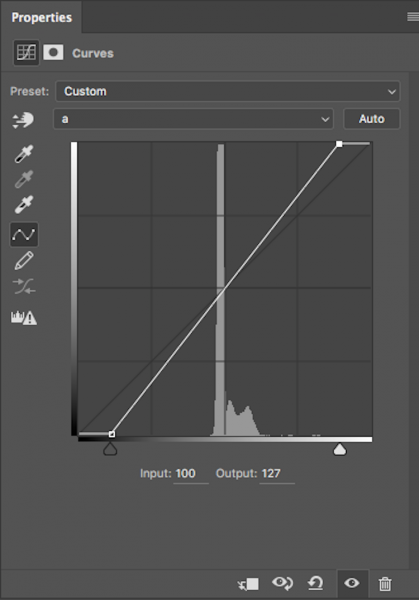
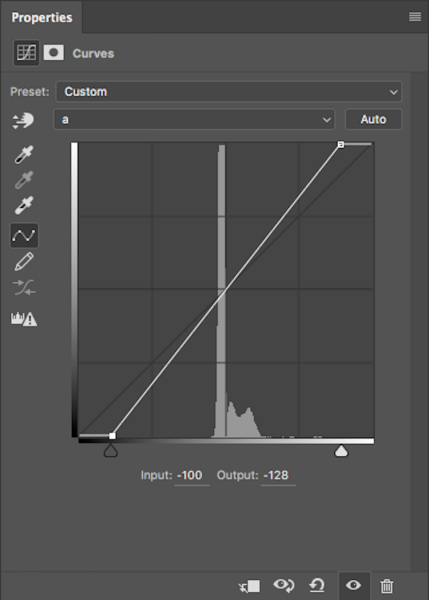
Now, you need to select the A-channel. With the A-channel selected, bring in the shadows anchor point at the bottom-left corner toward the bottom-centre. You will notice the Input numbers increasing from -128. As a starting point, I like to bring this value to -100. Now, find the highlight anchor point (top-right) and bring that toward the top-centre by the same value; for -100 set it to 100.

Notice the anchor points have moved toward the centre equally?

Notice the anchor points have moved toward the centre equally?

You’ll notice strange things happening to your colours as you slide the anchor points along. Don’t panic – this is supposed to happen.

Adjust Channel B

Now do the same steps by the same values for both shadows and highlights for the B-channel.

Same steps have been done for Channel B

Same steps have been done for Channel B

NOTE: make sure your Output value remains at -128 for the shadows and 127 for the highlights. If these numbers are altered it means that the anchor point is being lifted from the bottom for shadows and dropped from the top for highlights. You just want to drag the sliders along horizontally (not move them up or down).

With both A and B channels having been done now, the colour and colour contrast of your image should look different from the original. This is how my original image looks after these steps.

This is after setting A/B shadows to -100 and highlights to 100.

This is after setting A/B shadows to -100 and highlights to 100.

Fine tuning

For me, that is looking a little overdone. But no problem! To change this, all you have to do is reduce the amount you moved the anchor points in both A and B channels. I generally find going by increments of 10 is most helpful.
If you feel your image needs more punch, then you will want to bring the anchor points closer to the centre. Just remember to keep each value across the shadow/highlight, A/B channels the same.

After increasing the numbers in my images, I felt that -110/110 in A/B worked the best (see below).

after-110

Convert back to RBG

Once you are happy with how your image looks, it’s time to change it back to RGB. To change your image from LAB to RGB, go to: Image > Mode > RGB color.

change-to-rgb

You’ll be alerted that changing modes will discard adjustment layers, but that is fine. Select OK and you’ll be brought back into RGB. You’ll notice that the Curves Adjustment layer is now gone and that your image is now the background layer. However, the effect on the colours should remain. Now you’re free to go about editing the photo as much as you like.

So that’s a very simple technique to add more colour punch in your images. Just remember these two points:

  • This is something that you should do at the beginning of editing your image in Photoshop and not the end as you will lose all your adjustment layers when changing modes.
  • Remember to alter the anchors points from A/B b by the same value to eliminate strange things happening to your colours.

googletag.cmd.push(function() {
tablet_slots.push( googletag.defineSlot( “/1005424/_dPSv4_tab-all-article-bottom_(300×250)”, [300, 250], “pb-ad-78623” ).addService( googletag.pubads() ) ); } );

googletag.cmd.push(function() {
mobile_slots.push( googletag.defineSlot( “/1005424/_dPSv4_mob-all-article-bottom_(300×250)”, [300, 250], “pb-ad-78158” ).addService( googletag.pubads() ) ); } );

The post How to Give Your Landscape Photos Extra Punch in One Easy Step by Daniel Smith appeared first on Digital Photography School.

Digital Photography School

 
Comments Off on How to Give Your Landscape Photos Extra Punch in One Easy Step

Posted in Photography


How to Create Stronger Photos by Working the Subject

07 Nov

One way to create better compositions, and thus stronger images, is to do something called working the subject. Generally speaking, there are two ways to approach taking photos. Let’s take a look at both, and how you can learn to work the subject to improve your photography.

The first is to take as many photos as you can, in the hope that some of them turn out well. This is called machine-gunning, or spray and pray. It’s easier to do with digital cameras than it ever was with film cameras, as you are no longer limited by the number of frames on a roll of film.

Working the subject

Incidentally, this is one of the reasons often cited as a benefit of using film cameras. Knowing that every time you press the shutter button it adds to the cost of the shoot (processing plus film) is a good incentive to be more intentional and think carefully before you take a photo.

The second way is to take plenty of photos, but in a way that is more purposeful. The idea is to think about what you are doing and spend your time exploring the possibilities and potential of the subject. This is called working the subject.

Try new photography techniques

The dividing line between the two methods is sometimes a thin one. An example of this may be when you are trying a new technique, such as panning. Panning is a bit of a hit and miss technique. If you’ve chosen a good subject you should create some interesting photos, but you’re also going to get a lot of misses along the way.

The difference in this situation is that the photographer who is working the subject looks at the photos they have taken already, evaluates what works and what doesn’t, and adjusts their techniques and camera settings accordingly.

Another way of looking at it is that they are using the earlier photos as stepping stones to get to the more interesting images. A photographer who is machine-gunning, on the other hand, doesn’t think a lot about what they are doing and relies on serendipity rather than their own skill.

This is where the instant feedback of digital cameras is a useful tool for learning and improving.

Panning in Spain

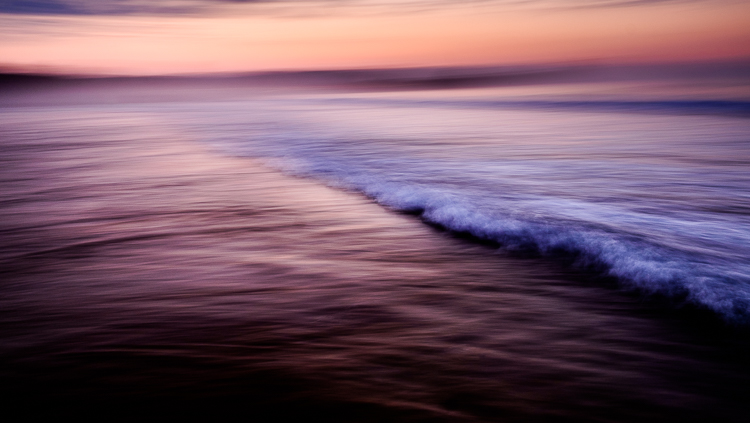
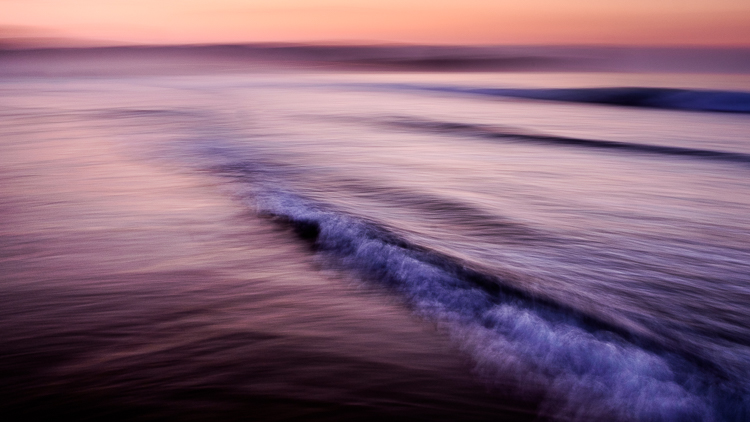
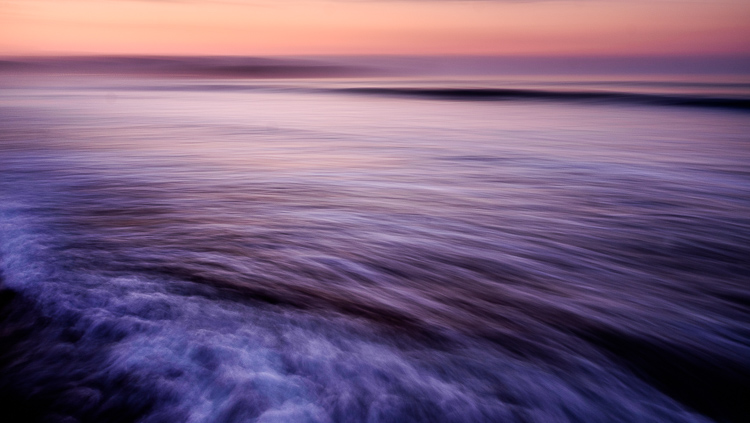
Let me illustrate the point with some photos I made in Spain. I stood in the sea at sunset and panned with my camera as the waves came by. I took a lot of photos, and these are some of my favorites.

working-subject-1

Working the subject

Working the subject

These images were created by working the subject. Doing so helped me figure out where to stand, what angle to use, how slowly to pan the camera, and the best shutter speed to use.

Photographing an old car

Working the subject doesn’t necessarily mean that you take lots of photos. Let me give you an example.

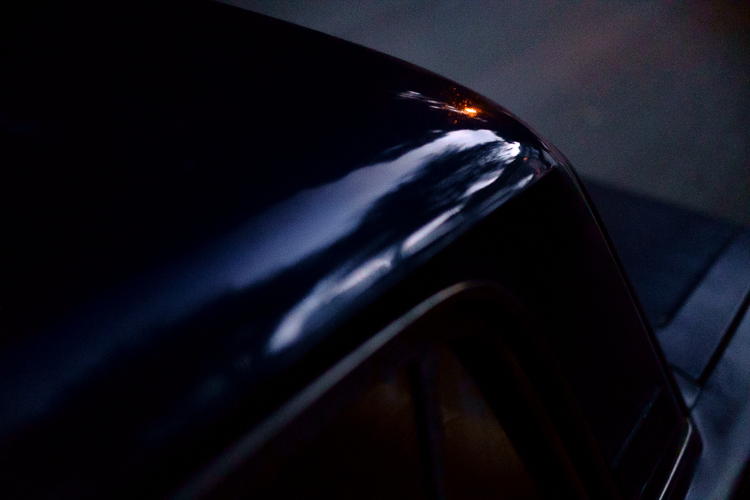
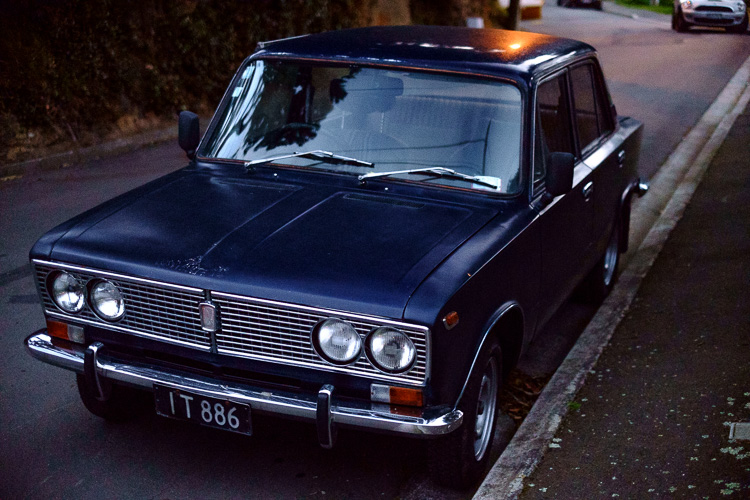
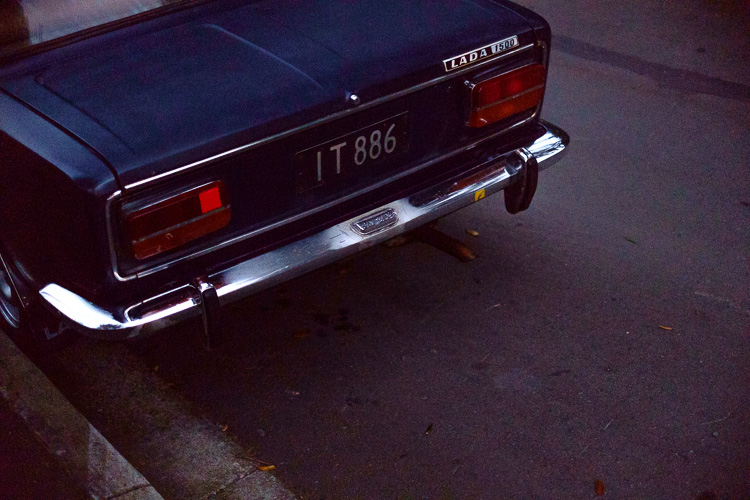
I bought a Fuji X-Pro 1 camera a couple of years ago and took it out one evening at dusk with the intention of shooting at high ISO in low light to see how it performed (the answer – very well). As I was walking around my local neighborhood I noticed an interesting car parked on the street. Intrigued (and wondering how a Lada ended up in New Zealand) I took this photo.

Working the subject

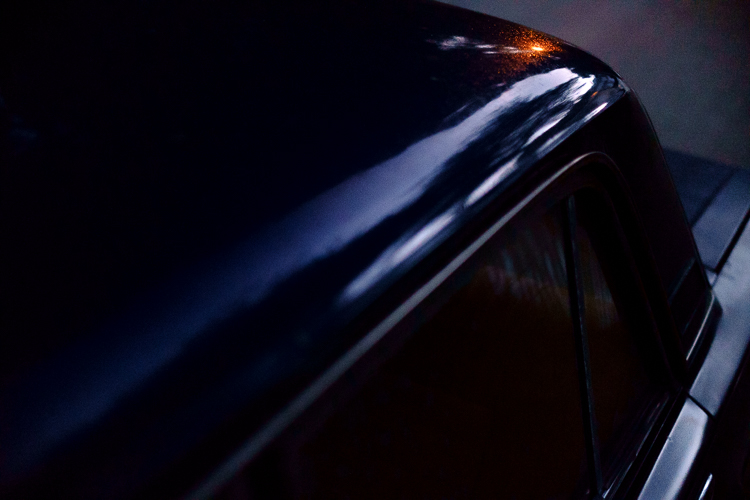
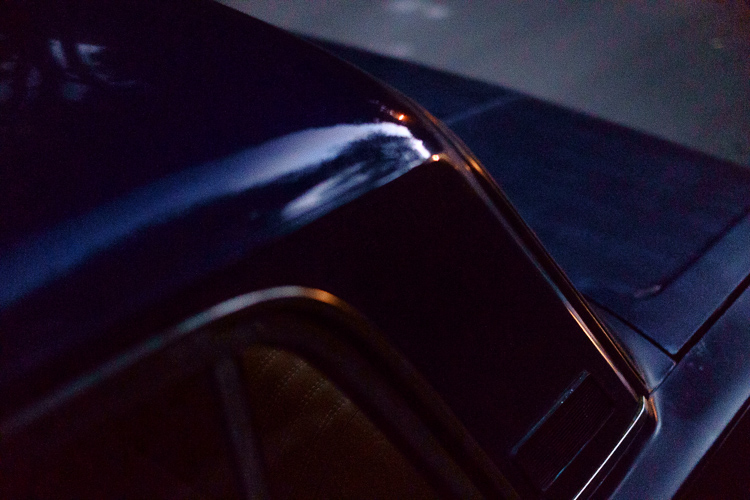
It’s nothing special, but I knew there was a better picture there. I kept looking and realized that what had really caught my eye was the way the light from the street lamp reflected off the roof of the car. So, I moved in closer and created the following images. They all contain the reflection of the street lamp and just part of the car rather than all of it.

Working the subject

Working the subject

Working the subject

Then I took another photo of the rear of the car.

Working the subject

Analysis of the shoot

I only made five photos, but I was still working the subject. When I break it down and think about what happened the process went something like this.

  1. I saw something interesting and took a photo. That was just my first impression. My gut feeling told me that there was a better photo to be had.
  2. I looked closely until I realized that the real subject, the thing that really interested me, was the way the street light was reflected in the car’s paintwork. So, I moved in close and made several photos that showed that.
  3. Lastly, I moved away from the car and took another photo, which was okay but not as good as the others. I understood that I had gotten what I wanted and decided to move on to look for another subject.

The last point is crucial because one of the differences between working the subject and machine-gunning is that the photographer who is working the subject knows when to stop.

Working the subject in China

Here’s another set of images taken in Beijing. We were visiting a historic site called Prince Gong’s Mansion, made up of a series of interconnected buildings, courtyards, and gardens.

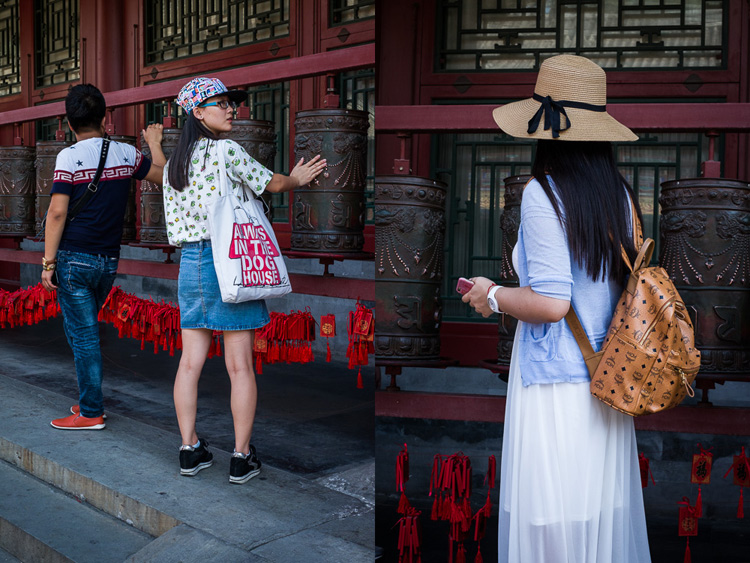
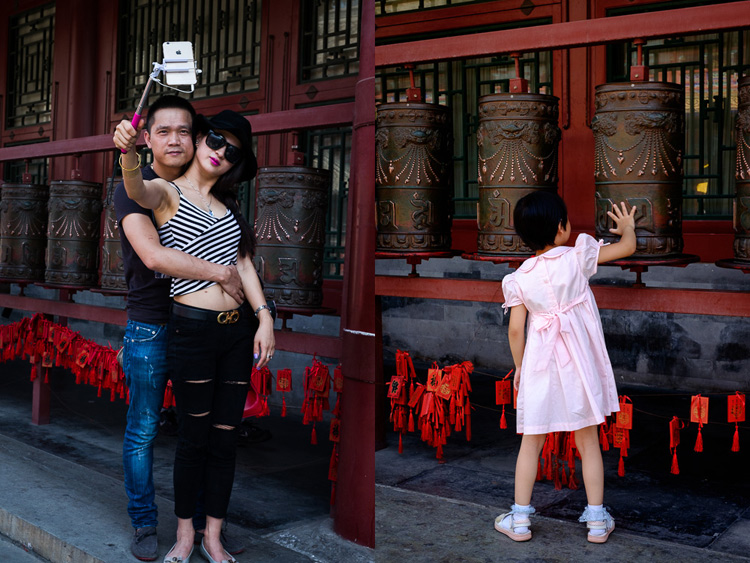
One of the courtyards contained some Tibetan style prayer wheels. I noticed that as people walked into the courtyard most of them passed by the prayer wheels, turning them as they went. I stood nearby and took some candid portraits of people doing so.

Working the subject

Of course, some of the photos are better than others, and I’m going to show you some of my favorites below. But there were also many times that I looked at the scene through the viewfinder and it wasn’t quite right, so I didn’t press the shutter.

One benefit of this method is that you don’t have as many photos to sort through and edit afterward. But it also shows discipline and an awareness of the subject. A machine-gunning photographer would take photos of everyone, without thinking about it much.

The photographer who is working the subject, and being more purposeful, is thinking about how to make each photo better than the one before. They may also be thinking about how the images are going to work together, or whether they should use a different technique, a different lens, or find a different point of view to add variety to the sequence of photos.

Working the subject

Conclusion

One of the key steps involved in learning to be a better and more creative photographer is knowing when to work the subject rather than machine-gun, and become more purposeful and intentional in your approach to making photos.

Can you think of any other examples of when working the subject can help you to create better images? Please let us know in the comments below.


Mastering Composition

If you’d like to learn more about composition then please check out my ebook Mastering Composition: A Photographer’s Guide to Seeing.

googletag.cmd.push(function() {
tablet_slots.push( googletag.defineSlot( “/1005424/_dPSv4_tab-all-article-bottom_(300×250)”, [300, 250], “pb-ad-78623” ).addService( googletag.pubads() ) ); } );

googletag.cmd.push(function() {
mobile_slots.push( googletag.defineSlot( “/1005424/_dPSv4_mob-all-article-bottom_(300×250)”, [300, 250], “pb-ad-78158” ).addService( googletag.pubads() ) ); } );

The post How to Create Stronger Photos by Working the Subject by Andrew S. Gibson appeared first on Digital Photography School.

Digital Photography School

 
Comments Off on How to Create Stronger Photos by Working the Subject

Posted in Photography


How to Go Beyond the Hero Image and Get Real Storytelling Photos

02 Nov

Good photography is really about telling stories, and that’s where all the lessons of composition, juxtaposition, lines, and focus fall short. Compelling images tell compelling stories, but the hard part is recognizing that story. I’ll tell you a story of how I missed the opportunity to do that, and look at some ways you can add more storytelling into your photography.

A bear story with a moral

I was camped on a low tundra bench above a swift blue river in Alaska’s western Arctic. Our green canoes lay upside down next to the kitchen tent, and the willows along the river were flecked with the first autumn yellow. It was early when I crawled from my tent, stood and stretched. While still reaching skyward I saw another form rise from the tundra a stone’s throw away, a young grizzly giving me a curious look. I dropped my arms and turned just in time to see its sibling offering me a similar stare from a bit farther back. These bears were three-year-olds, spending their first summer away from their mother, ursine-teenagers, and just as troublesome. Unlike the many adult bears we’d encountered on our journey down the river, these two didn’t yet know to give humans a wide berth.

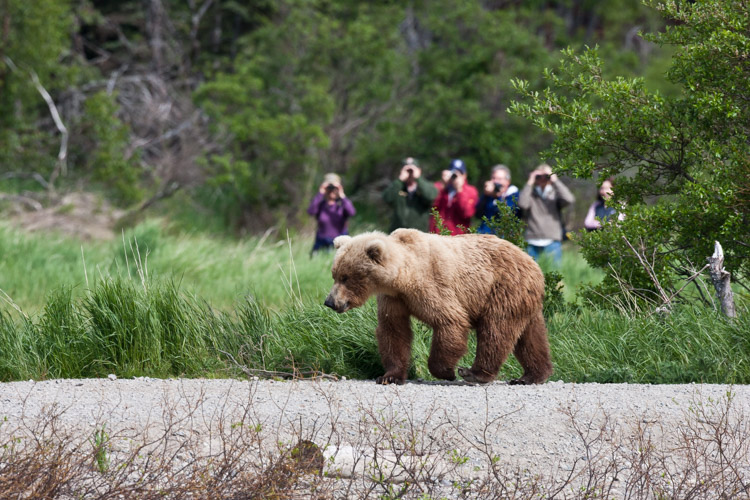
In Katmai National Park at the famous Brooks Falls tourists are inescapable. In this image, I embraced that part of the story of being there.

In Katmai National Park at the famous Brooks Falls tourists are inescapable. In this image, I embraced that part of the story.

Safety first

They backed off, after I shooed them with a wave of the arms, though not far enough. I woke my co-guide, and together we herded them away from camp and down onto the gravel bar below. One of the two young bears, rather than wandering off, decided to push my buttons and walked straight over. When off hiking or away from camp, you always give bears the right of way, but in camp, you can’t do that. Bears cannot learn that camps are places to explore.

Standing on the low bench, I knew that I could not let this mischievous youngster enter our camp. I stepped forward as he approached, right to the edge of the cut bank, and started speaking to the bear in a low steady voice. “I can’t let you up here, you have to back off. Back off. Now.” The bear paused in its approach, then stepped forward again. I raised a can of strong pepper spray, and held it up, ready to fire. The bear took another step forward, and then another until he was just eight feet away.

Hard lesson learned

And that’s when I felt a sudden moment of regret. Not for my behavior around this young, dumb bear, (in that, I knew I was doing the right thing) but for the fact that my camera lay in my tent. This beautiful (if troublesome) beast was so close I could count his whiskers. What a photo-op I was missing! But I pushed that aside, and spoke again, “One more step and you are getting it in the face. Don’t do it”, I said. “I’ll give you a count of three, then you are getting sprayed. One. Two…” before I could say three the young bear thought better of his situation, turned and ambled back to the river, swam across with his sibling, and disappeared.

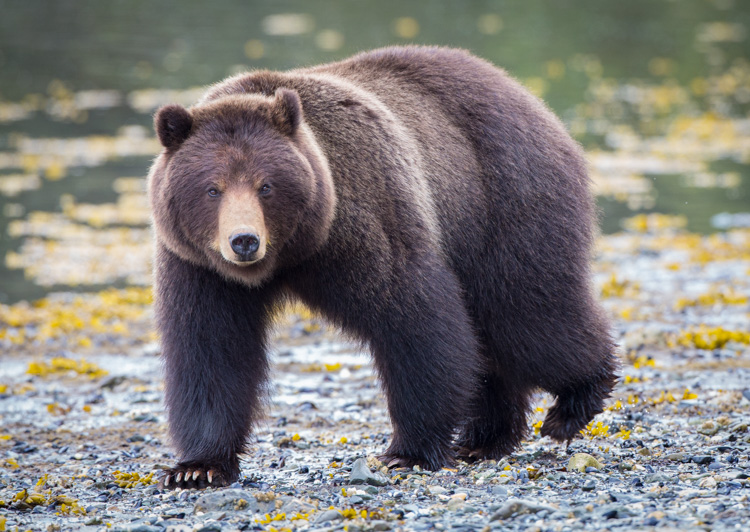
Similar to the story I related above, this bear approached a group of photographers I was a part of on Admiralty Island, Alaska. He came very close, and I regret not taking a moment to show a wider shot with the group of us in the frame.

Similar to the story I related above, this bear approached a group of photographers I was a part of on Admiralty Island, Alaska. He came very close, and I regret not taking a moment to show a wider shot with the group of us in the frame.

Think outside the frame – the moral

In retrospect, as I thought about the images I missed, I realized that it wasn’t the frame-filling portraits of the bear that would have been so spectacular about that moment. It was the story that went with it. Facing the bear down with a can of pepper spray, the bear testing us, and his eventual retreat. That’s where the compelling images were, not in the missed photos of the bear, but in the missed story that went with it.

If I had a camera in that moment with the bear, even if I’d been on the sidelines, I know I would have blown it and gone for the wildlife portraits, missing the much more interesting interaction that was taking place.

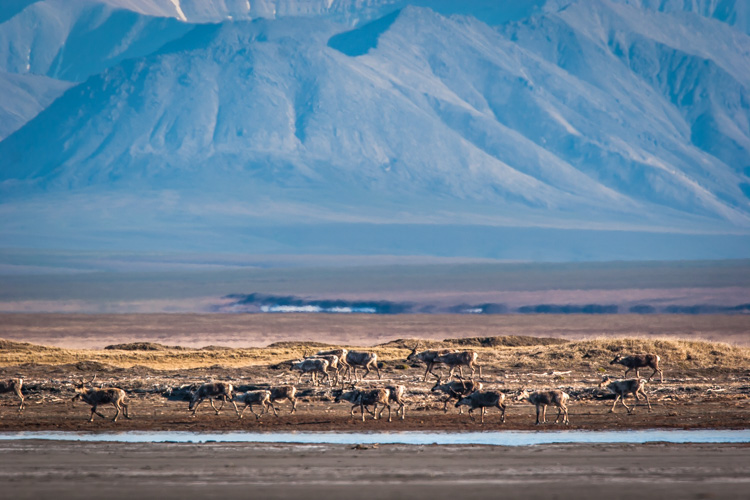
Here a herd of caribou is seen migrating across the coastal plain of the Arctic National Wildlife Refuge in Alaska. This image tells a more important story of movement, landscape, and perspective than a more typical portrait of an animal would.

Here a herd of caribou is seen migrating across the coastal plain of the Arctic National Wildlife Refuge in Alaska. This image tells a more important story of movement, landscape, and perspective than a more typical portrait of just an animal would.

Learn from the best

Take a look at any issue of National Geographic. Many, even most, of images that are selected are storytelling images, not illustrations. The compositions are atypical, often showing the interaction of people or animals within the scene. Those photographers stepped back from a typical composition and explored their surroundings in a way that most of us, myself included, usually forget to do.

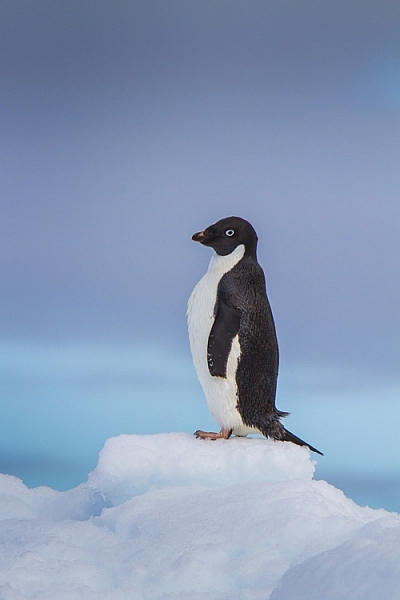
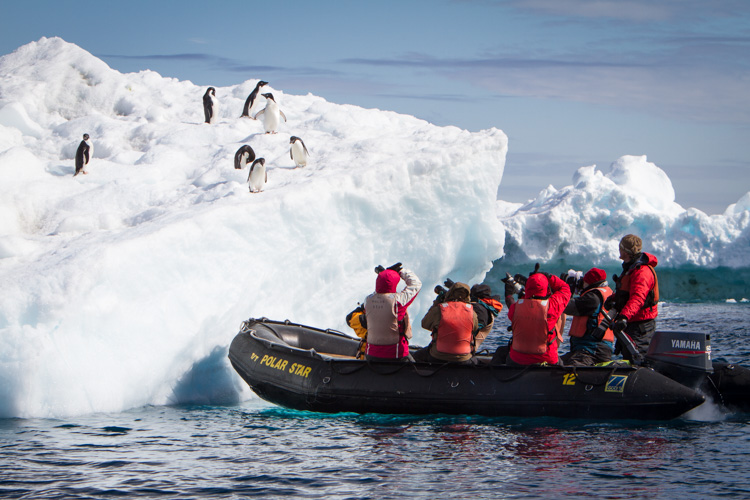
This image of an Adelie Penguin on an iceberg, I made in Antarctica. Getting close to wildlife is easy there, and the following image provides information to see just how easy.

This image of an Adelie Penguin on an iceberg, I made in Antarctica. Getting close to wildlife is easy there, and the following image provides information to see just how easy.

A zodiac pull right up to an iceberg with Adelie Penguins.

A zodiac pulled right up to an iceberg with Adelie Penguins.

Look around

This is an easy lesson to say, a much harder one to perform in the field because the real story is often easy to miss.

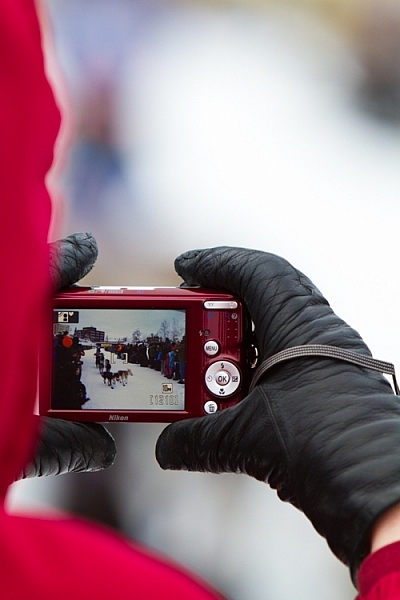
Another example: I was photographing the start of the Yukon Quest sled dog Race in Fairbanks, Alaska, where I live, a few years ago. I’d been concentrating on the passing dogs, the smiling mushers, and been studiously avoiding the crowds of people that surrounded me. At one point a spectator raised a point and shoot in front of my shot, I was irritated, but in that moment I was forced to pause. It clicked, and I realized that the real story was the crowd of mushing fans, out on a cold morning to watch the race. I changed my composition and made an image of the spectator’s camera. That shot is much more telling of the experience than any of my previous photos.

Here, the scene of the dog teams seen through a spectator's camera is more telling of the experience of the start of the Yukon Quest.

Here, the scene of the dog teams seen through a spectator’s camera is more telling of the experience of the start of the Yukon Quest.

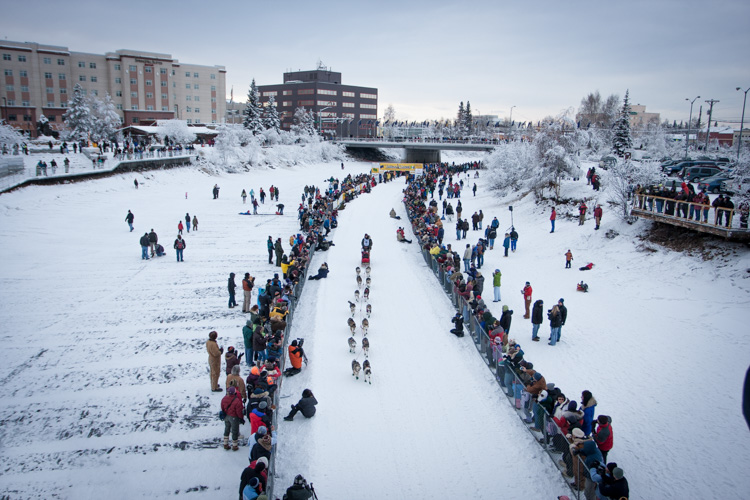
This broad perspective is also an effective way to tell the story, showing the rows of spectators and the buildings of Fairbanks in the background.

This broad perspective is also an effective way to tell the story, showing the rows of spectators and the buildings of Fairbanks in the background.

Sometimes it’s a sudden realization like mine at the mushing race, but often, you have to put some effort into the real story. You need to break away from the scene you think you should be photographing, pause, and look around. Consider not just the scene, but the experience. What are you, or those around you, feeling, seeing, and doing?

Stay open to your surroundings

While being focused on your subject is vital to creating good images, it’s important not to close yourself off too much. Take the time to look around. Literally step away from your tripod, and turn 360 degrees while paying attention. What else is out there? Have you been missing anything as you’ve been staring through your viewfinder? What happens if you back up and show the surroundings?

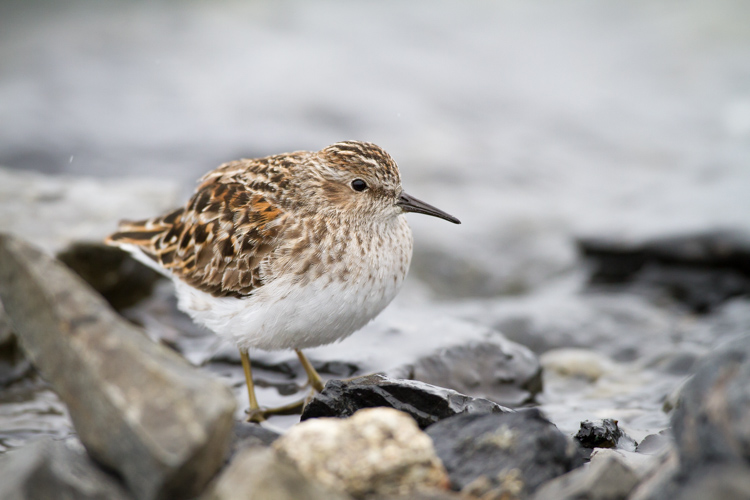
While an image of single bird, in this case a Least Sandpiper is nice portrait, it is more of an illustration than a story.

While an image of a single bird, in this case, a Least Sandpiper is a nice portrait, it is more of an illustration than a story.

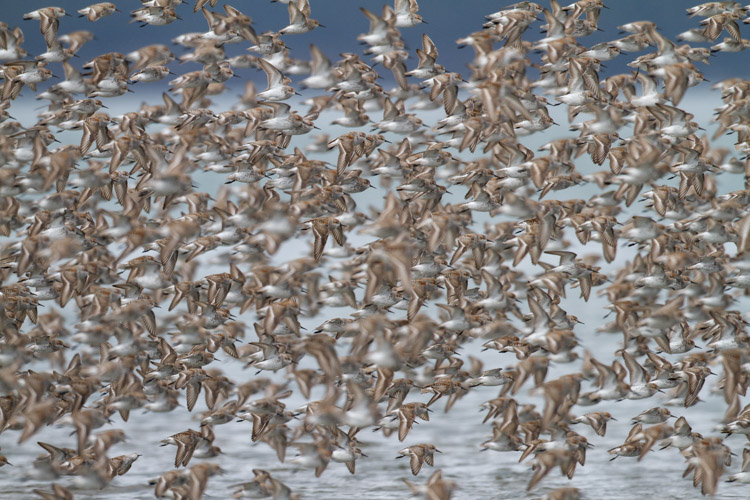
A large flock of shorebirds, when compared to the single-bird portrait, is more telling of the lives of the birds, and their epic migrations.

A large flock of shorebirds, when compared to the single-bird portrait, is more telling of the lives of the birds, and their epic migrations.

Think in terms of stories

That real story can be told within a single image, but there are also other strategies. Though an entire article is required to discuss the photo essay (5 Tips for Creating a Photo Essay with a Purpose), I do want to note that you can always think through your story using a series of images. This is also a good way to make the classic images you strive for while simultaneously capturing the storytelling ones as well.

Telling the real story is important not just for the quality of our images, but also for the quality of our experience. These storytelling images may not have the flash and glamor of a bear portrait or a sprinting sled dog, but it will help your viewers know the story, and that really is where the real excitement lies.

googletag.cmd.push(function() {
tablet_slots.push( googletag.defineSlot( “/1005424/_dPSv4_tab-all-article-bottom_(300×250)”, [300, 250], “pb-ad-78623” ).addService( googletag.pubads() ) ); } );

googletag.cmd.push(function() {
mobile_slots.push( googletag.defineSlot( “/1005424/_dPSv4_mob-all-article-bottom_(300×250)”, [300, 250], “pb-ad-78158” ).addService( googletag.pubads() ) ); } );

The post How to Go Beyond the Hero Image and Get Real Storytelling Photos by David Shaw appeared first on Digital Photography School.

Digital Photography School

 
Comments Off on How to Go Beyond the Hero Image and Get Real Storytelling Photos

Posted in Photography