RSS
 

Posts Tagged ‘Photos’

Travel Like A Pro, Take Travel Photos Like A Pro

17 Oct

Travel is the best excuse to pull out your camera and take photos until your memory is full. The sights, people, culture, food — everything about going to a new place calls for a photo opportunity, one that you wouldn’t want to miss. Taking the perfect travel photo, however, isn’t just a simple click. Sometimes, it can be challenging to Continue Reading

The post Travel Like A Pro, Take Travel Photos Like A Pro appeared first on Photodoto.


Photodoto

 
Comments Off on Travel Like A Pro, Take Travel Photos Like A Pro

Posted in Photography


Five Powerful Ways to Get Your Photos Noticed

15 Oct

Managing to get your photos some attention is one of the biggest hurdles that you may face as a new photographer in the market. The situation becomes even tougher when there are well-known and well-established photographers available. Thousands of photographs are being clicked on a daily basis, so what will make your photographs stand out from them? How will you Continue Reading

The post Five Powerful Ways to Get Your Photos Noticed appeared first on Photodoto.


Photodoto

 
Comments Off on Five Powerful Ways to Get Your Photos Noticed

Posted in Photography


Report: Stalker used eye reflections in online photos to locate, assault pop star

15 Oct
Screenshot from the NHK World-Japan newscast.

A news report from NHK World-Japan claims a crazed fan used eye reflections in images uploaded to social media, among other things, to track down a famous Japanese pop star’s condominium in Tokyo where he allegedly assaulted her.

The report claims Hibiki Sato admitted to figuring out which train station the star left to walk home by studying the light direction visible in some of her videos, as well as a reflection of the station visible in her eyes in an image she uploaded to social media. Equipped with those details, Sato allegedly waited at the station for the pop start to arrive, followed her to her residence, and assaulted her.

Though the situation is bizarre, the idea of high-resolution images inadvertently revealing information via eye reflections isn’t new. In 2013, for example, a study published in PLOS revealed that it is possible to extract images of identifiable bystanders from eye reflections captured in high-resolution images. The technique was presented as a potential tool for helping law enforcement gather data as part of investigations, but it’s clear the concept can be used by anyone for nefarious reasons as well.

Articles: Digital Photography Review (dpreview.com)

 
Comments Off on Report: Stalker used eye reflections in online photos to locate, assault pop star

Posted in Uncategorized


Try Out These Awesome Photography Printing Mediums for Fantastic-Looking Photos

14 Oct

The post Try Out These Awesome Photography Printing Mediums for Fantastic-Looking Photos appeared first on Digital Photography School. It was authored by Erin Fitzgibbon.

photography-printing-mediums

An awful lot of blog posts focus on the mechanics of the photograph. They discuss composition, shutter speed, aperture, etc.  Other posts talk about post-processing and making an image into a piece of art. Do a search and you’ll find hundreds of articles that show you how to clone, or how to use HDR. There’s a third section to this whole process of photography that so many forget to discuss. The digital age and social media have given us another way to share our art. We post the photograph online-only worrying about how it appears on the screen. We’ve forgotten that part of the beauty of our work is more concrete. We have forgotten how amazing it is to print our work, so this article will look at photography printing mediums.

Photography-Printing-Mediums

Image by andreas160578 from Pixabay

If we do print our work, we tend to choose something standard. We upload our work and look for a cheap frame. It’s done. We don’t think very much about the photography printing mediums we use when printing our work. There’s so much we can do now. The media used to print a photograph is just as important when creating art as the first two stages of the process. We should consider all three as vital to the process.

Let’s consider some of the following photo printing mediums and the effect they can have on your work. The same photograph print on two different types of photo printing mediums can have a totally different look.

Luster photo paper

Luster paper has a slight sheen to it. The paper is similar to the idea of semi-gloss paint. Luster paper is easy to find in standard photo printing locations. The paper will produce beautiful colors, and it’s cost-effective. There is a subtle texture to the paper, and when framed, there’s less glare.

These factors are important when considering the look you want to create. Luster works well for portraits. Quite often family and wedding photographers recommend it to clients.

Glossy photo paper

Glossy used to be the go-to photo paper. Most of the photographs around my parent’s house are printed on glossy paper. Glossy tends to produce colors that are richer than luster. The details are also very sharp. In general, the image feels bright.

Many people don’t like the glossy feel of the paper. The sheen, depending on the angle can make it hard to see the photograph. Glossy also has a tendency to show scratches.

Portrait photograph printed on lustre paper

For family photos like this one, I usually recommend a luster or matte paper.

Matte photo paper

Matte paper has no sheen. The look is flat. That’s not to mean it’s boring. Matte paper can be very beautiful. It tends to create a somewhat softer look. Prints on matte paper tend to age better than those on luster and glossy paper, and the paper doesn’t show fingerprints the way glossy products will. You can also get some very beautiful prints from matte papers.

Uses for these papers

These papers tend to be used for nature photography, portraits, and weddings. Some photographers also use them for art prints. It’s important to consider the effect you want to create.

As an example, I printed the image below on a glossy paper. The fabric of these ribbon skirt has a natural sheen to it. If I had used a paper with no sheen I would have lost this element, and I wanted to represent the skirt as accurately as possible.

A woman's traditional ribbon skirt

If you notice the sheen on the fabric you’ll see why I specifically chose gloss paper for printing.

Textured art paper

I will admit that textured papers are my favorite type to use when printing art photographs. I love the effect the paper creates. My favorite brand is Epson Cold Press Natural, but there are many available. A little experimentation will help you find your favorite.

Epson Cold Press is a textured matte paper that feels similar to watercolor paper. It’s thick and it absorbs a lot of ink. This paper tends to evoke an emotional response from viewers. I know that sounds strange, but I find the colors richer, and they have more depth. As a result, people tend to be drawn to the work. People often ask how the colors in the work are so rich. Good quality paper really helps produce a striking image.

Photography-Printing-Mediums

In the following photograph, you’ll notice the rich black background. Printing on this paper lets me lay down a lot of ink to create an intensity I wouldn’t be able to otherwise produce.

Photography-Printing-Mediums

This still life was shot with a piece of black velvet in the background. The intense black is important to the composition.


Still life photographs on black velvet

Printing on wood

This is a unique process.

You’ll have to look online to find a company that prints right onto the wood. I’ve used Posterjack in the past.

Photography-Printing-Mediums

I’ve used Posterjack to do wood prints.

The effect is interesting. The wood grain will show through your images. It’s a unique look that can elevate the right photograph to new levels. One artist used wood prints quite effectively for an exhibition. The exhibition focused on the destruction of the rainforest for the production of beef. He photographed cattle then used the wood prints to help emphasize his message. In this case, the wood medium added to his exhibition.

While you may not be creating an exhibition for a gallery, the medium could still enhance your photographs. The wood grain works nicely with nature images as well as something with a retro feel to it.

Photography-Printing-Mediums-Rocks and birch bark for a nature photograph

This image works well with the wood grain. Images with limited texture that needs boosting, also work printed on wood.

Acrylic prints

Beautiful rich colors with sharp details work brilliantly on acrylic.

The images will pop and get noticed by anyone who walks into the room. The downfall with acrylic is you have to be very careful – it’s easy to chip the corners on an acrylic print.

Acrylic works very well with images shot at night. The bright lights of a city set against a dark sky can be breathtaking in acrylic.

Night image

This image works so well on acrylic. The glossy nature brings out the intensity of the city lights.

Metal prints

Metal prints, when used with the right image, can create amazing, jaw-dropping images.

Wherever an image has pure white, the silver of the metal will show through.

When used with black and white images, this creates a very unique look. The image also feels very modern. Content like urban landscapes or abstracts of machinery looks striking on this type of media.

Industrial feel to this image

This image looks awesome on metal. The silver works so well and adds depth to the image.

In conclusion

There are loads of photography printing mediums out there for your photographs.  I haven’t even mentioned canvas prints or printing on fabric. Both are pretty awesome options as well.

The reality is, the sky’s the limit.

It’s more important to consider what each medium could do for your work. You should also think about how the medium affects the look of your work. Do you want a retro feel? Maybe you want something muted and understated? Think of a photograph as something with its own unique voice. Let the image, and the message you want to convey, speak to you then consider how you can make the work shine. As I’m sure Yoda told Luke at some point in Starwars, “Choose wisely, have patience, the answer will come to you.”

Do you have any other photography printing mediums tips you’d like to share with us? Do so in the comments!

The post Try Out These Awesome Photography Printing Mediums for Fantastic-Looking Photos appeared first on Digital Photography School. It was authored by Erin Fitzgibbon.


Digital Photography School

 
Comments Off on Try Out These Awesome Photography Printing Mediums for Fantastic-Looking Photos

Posted in Photography


Using Creative Zoo Photography for Awesome Animal Photos

13 Oct

The post Using Creative Zoo Photography for Awesome Animal Photos appeared first on Digital Photography School. It was authored by Rick Ohnsman.

creative-zoo-photography

Wildlife photographers are a dedicated bunch.  They spend money to travel to exotic places, brave miserable conditions, deal with whatever light conditions are present at the time and then sometimes don’t even see the animals they came to photograph.  Pandas in China, tigers in India, lions on the Serengeti, polar bears in the frozen Yukon or maybe gorillas in the Congo.  You could spend a lifetime photographing wild animals in their native lands.

creative-zoo-photography

Bengal Bath – Photographed in the wilds of India or in a zoo? You tell me.

Or, you could take a cue from Simon and Garfunkel –

“Someone told me it’s all happening at the Zoo”

                     – “At the Zoo” – Paul Simon and Art Garfunkel

I’ll grant you, photographing a lion in the zoo doesn’t have the same thrill as being on safari. If you have the time and the money to do such things, by all means, go for it.  For many of us though, the zoo offers a chance to photograph animals we’d never see otherwise and, using the tips we’re about to cover, you can still make some very nice images.  You don’t have to tell your friends where you took them, right?

creative-zoo-photography

It’s hard to make a zoo photo look like it was taken in the wild with a chainlink fence in the background. Go with a wide aperture to throw the background out of focus if you can.

Challenges

In the bush, the challenges of photographing wildlife are likely finding the animal you’re seeking and, depending on the species, perhaps trying not to get eaten.  At the zoo, there are cages, glass or at least barriers designed to separate you and the creatures.  Safer, yes, but also a little frustrating when you’re trying to make a nice photo.

Let’s look at some workarounds for zoo photography.

Image: Sometimes this is what you encounter when trying to do zoo photography. When the animal is ri...

Sometimes this is what you encounter when trying to do zoo photography. When the animal is right up against the wire, there’s not much you can do.

Image: Get a little separation between the animal and the cage, get close to the wire, use a large a...

Get a little separation between the animal and the cage, get close to the wire, use a large aperture, and you can do this. This could probably be cleaned up further with the cloning tool in post-production.

Cages

Zoos are getting better at designing structures so that the animals aren’t always behind bars or chainlink fences, but sometimes you will still have to deal with this.  If the animal is up close to the fence, you might have no choice but to include it in the shot.

But, if you can wait until the beast moves further away from the barrier, this trick can work.  Get close to the fence if you can, then use a wide aperture.  Zoom into and focus on the animal.  You may find that the limited depth of field pretty much renders the fence as a blur, barely showing up at all.  Often you can clean up what remains of the fence or bars when editing.

Image: Having to work through the glass, the top image is straight out of the camera. But, with some...

Having to work through the glass, the top image is straight out of the camera. But, with some editing, a pretty nice Panda Portrait results.

creative-zoo-photography

An aquarium is a zoo of sorts where all the animals will be behind glass. Note how I rescued the turtle image with editing and monochrome conversion.

Glass

Sometimes the barrier between you and the animal will be glass.  You’ll have to deal with grime, scratches, and reflections.  Carry a cloth in your bag when you go to the zoo and clean a spot on the glass where you’ll be shooting.  Get as close to the glass as you can, again with a wide aperture to help blur any scratches.  If reflections are a problem, consider throwing a jacket or cloth over your head or perhaps just the camera to help eliminate them.  Later in editing, the dehaze tool can be your friend with photos made through glass.

Using Creative Zoo Photography for Awesome Animal Photos

Distance

Many times I’m glad there’s some distance between the animal I’m photographing and I. (The Komodo dragon was a scary guy for sure!). The difficulty becomes making the animal in your photo more than just a speck in the shot.

You’ll have even more difficulty with this if you’re visiting a wild animal park where instead of the animals being in smaller cages or enclosures, they roam a wide area, and you drive through the park on a tour bus. There’s only one solution here – longer telephoto lenses.

More about lenses in a bit, just know that to get those nice portrait shots, you’re often going to need some bigger glass.

Image: Frame tightly as you would with a human portrait, be sure the eyes are in focus and you...

Frame tightly as you would with a human portrait, be sure the eyes are in focus and you’ll capture a more engaging image.

Backgrounds

Though you’ll be photographing animals at the zoo, you’d prefer to have your images look like they were taken in the wild.  Your story about photographing zebra on the Serengeti plains will fall apart if there’s an obvious chainlink fence in the background.  So, a couple of possible options here:

  • Fill the frame with the animal, including as little of the background as possible in the shot.
  • Zoom in and use a wide aperture so the background blurs.
  • Consider your vantage point when composing your shot.  Could you move a little to put natural vegetation, rocks, or something not manmade in the background to better simulate the animals’ natural habitat?
creative-zoo-photography

Watch, wait and be ready, and you can capture animals behaving as they do in the wild.

Capturing behavior

A photo of a lion just standing there might be okay, but a shot of a lion roaring…that’s the one you’d like.  Images that capture animal behavior are the prize winners.  The difference is waiting for the moment. Waiting, waiting, and perhaps waiting some more.

Perhaps you’re not up to being another Dian Fossey living with the mountain gorillas so you can get that unique photo.

Or there’s Guido Sterkendries, who spends weeks in the stifling heat of the Brazilian rainforest on a perch in the treetops to photograph poison dart frogs.

But, rather than just taking the minute or so the average zoo visitor views each exhibit, you might have to wait, watch, and be ready when the animal does something interesting.  Also, watch for animal interactions and make photos that tell a story.

creative-zoo-photography

Mamas and babies can make good photos. Look for animal interactions that tell a story.

Set up, be ready, and perhaps have continuous mode and servo-focus activated. Then, when it happens and the subject does that intriguing behavior, fire off a burst of shots to guarantee you’ve got that one really great shot.

After all, would you rather go home with a boring photo of every animal in the zoo or just one superb shot of one animal engaging in some really interesting behavior?

When to go

Sometimes you get to a particular animal exhibit at the zoo and the animal is nowhere to be seen. Or maybe he’s over in the corner, zonked out and sleeping – hardly a great photo subject.

Often the trick is to go early in the morning or late in the afternoon when it’s cooler, and the animals are apt to be more active.

Photographers are also quite familiar with the “golden hour.” Not only will the light be better during these times, but the animal’s up, about, and ready for their closeup. Feeding time can also provide some action.

If you can, talk with the zookeepers to find out the best time to come, especially if you have your sights set on shots of particular animals. They will be a great source of information.

Including people

Sometimes the action at the zoo can be on the other side of the cages, the antics of people reacting to or aping for the animals.  Keep an eye out for these kinds of behaviors too.  Sometimes people are the funniest animals.

Equipment

If you’re going to spend a day at the zoo, you may not want to bring your whole photo kit. Firstly, it’s not much fun schlepping it around. Secondly, while you’re intent on making a shot, an unscrupulous bandit could help themselves to some of your gear.  Thirdly, you really don’t need that much for zoo photography.

Here are some things you might want:

Camera

Something with the ability to go manual if necessary and, of course, shooting Raw is almost always better.

creative-zoo-photography

A Canon 100-400 zoom was a great lens to have to allow these bird portraits. Wildlife photographers use long lenses and at the zoo, they can help too.

Lenses

You might very well be able to get by with a good wide-range telephoto for zoo photography. Something like a 70-200mm, or if you have something longer like a 70-300 or 100-400, better still.

You’re not apt to need a wide-angle lens at all.

The only other possibility is for zoos that have a butterfly exhibit where a macro could be useful.  One or two lenses should have you covered.

Image: Sometimes zoos will have a butterfly exhibit. If where you’re going has one, take a mac...

Sometimes zoos will have a butterfly exhibit. If where you’re going has one, take a macro lens.

Tripod

You may find that some zoos prohibit tripods, so it would be a good idea to check before you go.  A monopod can be a good substitute.

Flash

Probably not.  Again, some zoos will prohibit them, they spook the animals, and you’re not apt to want a “flash look” anyway.

Polarizing filter

This can be a good idea.  The fur of many animals is shiny and a polarizer can help tame that, also giving you richer colors.

Cloth

Cloth is great for cleaning the glass on animal enclosures that use that.

Settings

You will encounter a variety of lighting situations at the zoo, from dark animals lying in the shade to light animals in the sun, to the dreaded speckled light situation.

Some animals may barely move while others may leap wildly about.

There’s no substitute for knowing your camera and how to deal with varied conditions.  Often going fully manual, both for exposure and focus will be your best option.

Fences or glass in the foreground can too easily fool the autofocus, so be careful there.

Image: Some zoos will have a walk-in aviary. If so, it’s a great opportunity for bird photogra...

Some zoos will have a walk-in aviary. If so, it’s a great opportunity for bird photography. Again, have a long lens and if you’ll be handholding the camera, keep the shutter speed high.

In general, a wide aperture to blur the background, coupled with a fast shutter speed to freeze any animal movement, is good.  You may also be dealing with a long focal length, and having to handhold is a recipe for camera shake/blur.

Try to keep the shutter speed as fast as possible.  Also, keep the ISO low to minimize noise.  In varied lighting conditions, you may also want to consider Auto ISO if you understand how it works with your particular camera.

Continuous mode can be a good option so that when an animal does something interesting, you can fire a burst of shots, helping guarantee you capture the moment.

Composition

If there’s any mistake I see beginners making, it’s not filling the frame with their subject. Of course, not every shot needs to be a tightly cropped “portrait,” but the problem comes in when the subject in the image is so small it’s barely identifiable. Alternatively, the shot is so cluttered with other things that one questions what the real subject is. This is where a long lens can help with zoo photography.

Real wildlife photographers must sneak up on their subjects in places where enclosures don’t restrict the animals. So, often they will use – really – long, (and really expensive), glass. You need not go to that extreme, but you do want to make the animal in your shot the star, so frame accordingly.

Image: The eyes have it. You can have parts of the animal out of focus if you must, but the eyes nee...

The eyes have it. You can have parts of the animal out of focus if you must, but the eyes need to be sharp.

As when making portraits of people, when photographing animals, keep the eyes in sharp focus. Having other parts of the animal out of focus or a very limited depth-of-field is forgivable, but if the eyes are not in focus, the shot is probably a candidate for the delete button.

Use manual focus or learn you use your focus points to force focus on the animal’s eyes. Simply using the default center-focus point will likely fail you almost every time. Be the master of your camera’s focus.

This is a tricky one because enclosures, cages, and places where the animal will be won’t always allow this, but where possible, try to get on the same level as the animal.  Looking down on the subject just won’t be as impressive.  Perhaps you’ll have to put your camera on the ground or use something like a Gorillapod, (appropriate for the zoo, yes?) but do what’s needed to improve your shot.

Image: This could have been even better if I could have got down at the same level as the beast. The...

This could have been even better if I could have got down at the same level as the beast. Then again…

Editing

As with any photo editing, you want to use the tools and tricks in your editing program to improve your shot. Always consider whether a crop may help eliminate distractions or better highlight the animal. Use the exposure, highlights, shadows, whites, and blacks sliders (if editing with Lightroom), to bring out the color and detail of the animal.

The Dehaze option may help, especially where you made a photo through a glass enclosure.

The new Texture slider can also work wonders, bringing out details in an animal’s fur.

Image: Monochrome can give a classy look and in the case of this cheetah, emphasize his spotted camo...

Monochrome can give a classy look and in the case of this cheetah, emphasize his spotted camouflage in his environment.

Don’t forget to take a look at going monochrome with some of your images.  Sometimes a black and white version of an animal image can be especially striking.

Go zoo it!

So grab your gear and get down to your nearest zoo.  You’ll have a great time, get some nice images, and if the song is right, “the animals will love it if you do.”

Do you have any other zoo photography tips? Share with us in the comments! Also, share with us your zoo photography photos.

The post Using Creative Zoo Photography for Awesome Animal Photos appeared first on Digital Photography School. It was authored by Rick Ohnsman.


Digital Photography School

 
Comments Off on Using Creative Zoo Photography for Awesome Animal Photos

Posted in Photography


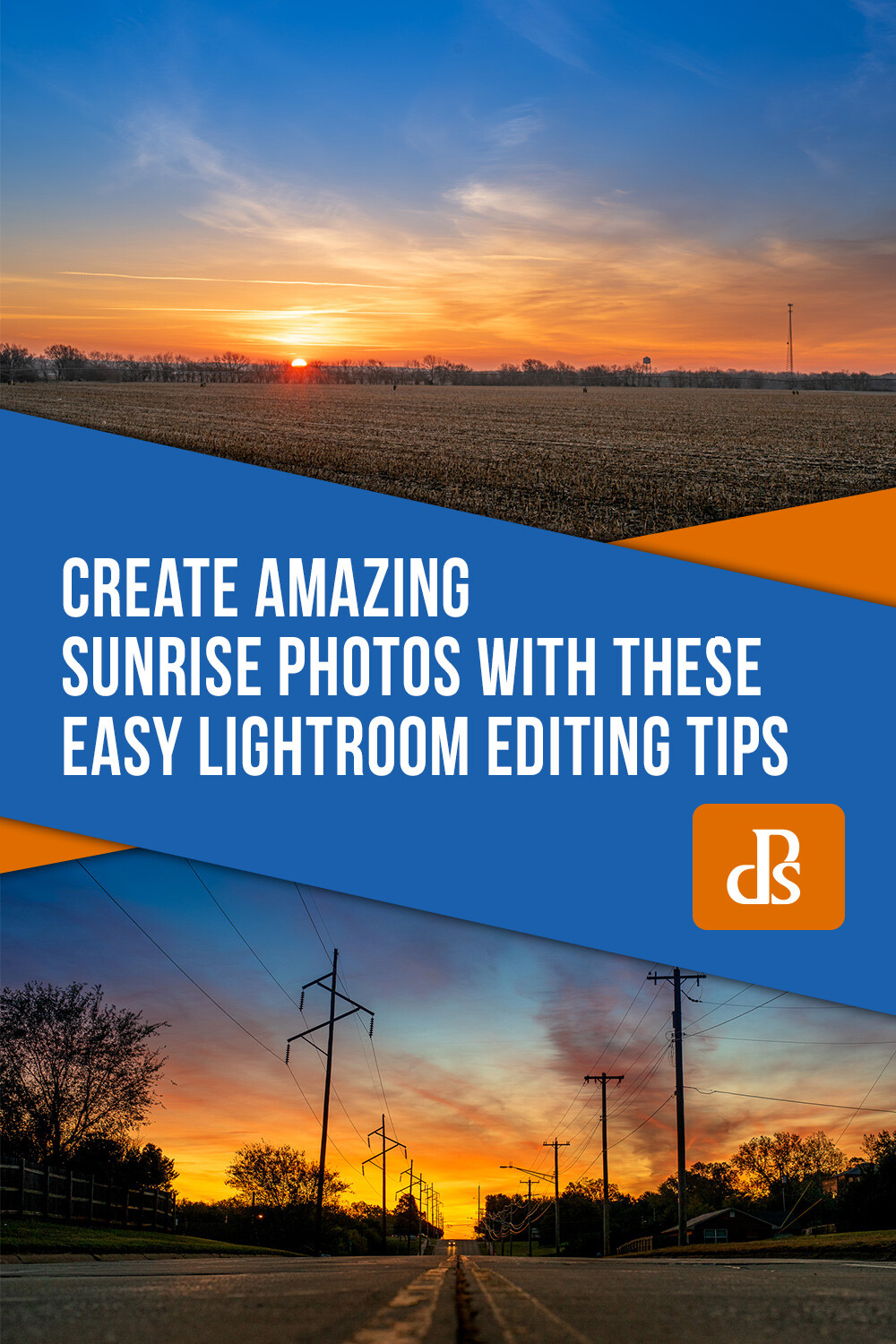
Create Amazing Sunrise Photos with these Easy Lightroom Editing Tips

09 Oct

The post Create Amazing Sunrise Photos with these Easy Lightroom Editing Tips appeared first on Digital Photography School. It was authored by Simon Ringsmuth.

Sunrise pictures can be tricky. Even the most dedicated photographer can get frustrated with sub-par results, often with foregrounds that are too dark or a nice round sun that appears white and washed-out. While things like timing and technique are critical for taking good sunrise pictures, another element is the editing. With a few Lightroom sunrise photo editing tips, you can take a boring, bland sunrise and turn it into a work of art.

Create Amazing Sunrise Photos with these Easy Lightroom Editing Tips

To get a good finished photo you need a solid starting point. That means your initial sunrise photo needs to meet a few basic parameters:

  • It must be shot in RAW.
  • The sky should be properly exposed, which means the foreground will be dark.
  • It’s helpful to shoot with low ISO values to give you as much headroom as possible when editing.

If you start with a sunrise photo that meets these parameters, you can use a few sliders and options in Lightroom to bring out the colors and brilliance that you saw with your eyes when you shot it.

To illustrate this process, I’m going to walk through an example of sunrise photo editing. The picture below is a RAW file straight out of my camera.

sunrise-photo-editing-tips

Original RAW file straight from my camera. Nikon D750, 50mm, f/4, 1/180 second, ISO 320.

This picture might not look very impressive, but that’s the point. If I had exposed for the foreground, the dark areas would be bright and natural. The trade-off is that parts of the sky would be so bright they would be unrecoverable in Lightroom.

Everything needed for a beautiful sunrise photo is fully intact in this dark, underexposed image. I just need to coax out the colors with a little sunrise photo editing.

Step 1: Shadows

The first thing to do is brighten the foreground by adjusting the shadows. Locate the Basic Panel in the Lightroom Develop module and push the Shadows slider all the way to the right.

Image: Boosting the shadows will make the dark foreground a lot more usable.

Boosting the shadows will make the dark foreground a lot more usable.

This makes the foreground much brighter. It is very close to how the scene looked when I shot the picture. I was on my bike, and there’s no way I would have ridden to work that morning in the complete pitch black!

sunrise-photo-editing-tips

With the shadows lifted, the foreground is brighter. You can also see that there is plenty of image data captured in the RAW file to work with.

Step 2: White balance and graduated filters

After bringing up the shadows, the next step is to tweak the colors of the sky and foreground. The graduated filter is perfect for this since your edits are applied gradually, as the name implies.

Image: Graduated Filters are ideal for sunrise photos.

Graduated Filters are ideal for sunrise photos.

The values you use for this will depend greatly on the look you want in your picture. For a good starting point, I recommend lowering the Temperature, raising the Whites, and increasing the Saturation. Feel free to tweak the other settings to your liking, but I recommend being a little conservative at this point. You can always go back and change things later. If you have objects protruding into your sky like trees, buildings, or mountains, you can use the Range Mask option. Then your edits are only applied to the sky and nothing else.

Image: When using a Graduated Filter on the sky, I like to lower the color temperature and increase...

When using a Graduated Filter on the sky, I like to lower the color temperature and increase saturation. You might find other tweaks to be helpful as well.

After adjusting the sky, use a second Graduated Filter to perform a similar operation on the foreground. Click the New button at the top of the Graduated Filter panel, and click-and-drag on the picture to apply your filter.

Move the Temperature slider to the right so the foreground is a little warmer. Then adjust other options like Exposure, Texture, and Sharpness as needed.

Image: A second Graduated Filter in the opposite direction can be useful for giving the foreground a...

A second Graduated Filter in the opposite direction can be useful for giving the foreground a warmer white balance.

There’s no correct way to do this next step because everyone has unique taste and preferences. I used the following values on the image above, but your results will vary depending on your picture.

Image: When applying a second Graduated Filter to the foreground, it can be useful to edit some othe...

When applying a second Graduated Filter to the foreground, it can be useful to edit some other parameters as well, especially Exposure and Shadows.

Step 3: Crop the picture

Some will debate the exact stage in the process where you need to crop your picture. Others will say that a good photographer should use what comes out of the camera and never crop anything! I say it’s your picture and if you want to crop, go right ahead. I recommend cropping after your basic adjustments are in place. Those operations can bring out things formerly hidden and give you a better sense of how you really want to crop the image.

In the image I’m working with for this example, I don’t like the “Speed Limit 35” sign on the right side. If I crop that out, then I need also to re-frame the picture, so the sun is in the middle.

sunrise-photo-editing-tips

You can use cropping to get the dimensions and proportions of your picture just right.

Step 4: General Color Adjustments

After making your initial set of adjustments, and cropping the picture to your liking, it’s time to head to the HSL/Color panel to tweak the individual colors of the sunrise. Bring up the Saturation level of orange, blue, and red while also adjusting the Hue and Luminance to get just the right look. As before, be careful not to go overboard since too much tweaking makes your picture look unnatural.

For the picture below, I adjusted the Hue and Saturation of Blue by +20 each, and the Saturation of Orange by 14.

Image: Adjusting the blues and oranges can really bring out some of the vivid colors of a sunrise pi...

Adjusting the blues and oranges can really bring out some of the vivid colors of a sunrise picture.

Image: Don’t overdo your adjustments or your image will look fake and over-saturated.

Don’t overdo your adjustments or your image will look fake and over-saturated.

Step 5: Detailed enhancements

As with cropping, some photographers have varying opinions on when to do this step while others skip it entirely. I like to do it near the end of the editing process after I have made my other adjustments. However, you might find it better utilized at an earlier phase. Head back to the Basic panel where everything began and fine-tune a couple of other sliders like Highlights, Whites, Texture, and even Exposure if you need to.

sunrise-photo-editing-tips

Final tweaks help put the finishing touches on your sunrise.

At this point, you’re really just putting the finishing touches on, almost like adding a pinch of salt or garlic powder to a pot of soup that’s ready to eat. I sometimes get lost down an image-editing rabbit hole at this step. I find myself endlessly tweaking the sliders in a vain attempt to chase perfection. If that happens to you, walk away from your computer for an hour. When you return, you may be pleasantly surprised at how good your picture looks, with no additional tweaking required.

Create Amazing Sunrise Photos with these Easy Lightroom Editing Tips

You can also use the Spot Removal tool to clean up dust or dirt on the lens as well as fix other imperfections. There are also several Sharpening options to make your sunrise a little more clear and crisp.

From good to great

As with most photo editing situations, your results will vary greatly depending on a variety of factors. I have found that this same process, with different degrees of adjustments to the sliders, works quite well for me. It would probably work as a good starting point for you too. Still, I encourage you to experiment and develop your own editing style over time.

For one more example of how this process can yield good results, I started with the following RAW file. I shot this picture just as the sun was coming up in rural Nebraska.

sunrise-photo-editing-tips

RAW file straight out of my camera. 50mm, f/8, 1/180 second, ISO 100. As with the other image at the top of this article, the original is severely underexposed but contains all the data needed when editing in Lightroom.

I used the exact same process described in this article to vastly improve the picture in less than two minutes.

sunrise-photo-editing-tips

Two minutes later and it’s been transformed into a frame-worthy midwestern sunrise.

I hope these sunrise photo editing tips help you achieve some epic photos!

I’d love to see some of your sunrise shots and hear about the editing process you use as well. Leave your thoughts, as well as any pictures you’d like to share, in the comments below.


sunrise-photo-editing-tips

The post Create Amazing Sunrise Photos with these Easy Lightroom Editing Tips appeared first on Digital Photography School. It was authored by Simon Ringsmuth.


Digital Photography School

 
Comments Off on Create Amazing Sunrise Photos with these Easy Lightroom Editing Tips

Posted in Photography


Five Foot Lens and 3.2 Gigapixel Camera Produced for Night Sky Photos

08 Oct

The post Five Foot Lens and 3.2 Gigapixel Camera Produced for Night Sky Photos appeared first on Digital Photography School. It was authored by Jaymes Dempsey.

Image: L1 Lens of the camera polished and coated with a broadband antireflective coating by Safran-R...

L1 Lens of the camera polished and coated with a broadband antireflective coating by Safran-Reosc. LSST Project/NSF/AURA.

Last month, engineers packaged up the largest optical lens ever created, before shipping it 17 hours from Tuscon, Arizona to the SLAC National Accelerator Laboratory in central California.

The lens is five feet in diameter and four inches thick; it required a truck to transport it. It was attached to an additional (3.9 foot) lens element when shipped, and it will soon be followed by another.

Together, these three lens elements will be mounted to a camera that, when finished, will be the largest digital camera in existence. And the camera-lens duo will ultimately be attached to a telescope: the Large Synoptic Survey Telescope, which is over ten years in the making.

Note that the camera itself is constructed out of 189 sensors which, when combined, will create pictures of an astonishing size: 3.2 gigapixels. It’s still in production at the SLAC National Accelerator Laboratory, but will likely be finished in 2021. The cost of the camera alone is a whopping $ 168 million dollars.

The purpose of this huge setup is to capture detailed photos of the night sky. The full telescope will be placed on Cherro Pachon mountain in Chile, where the camera will take exposures at 20-second intervals.

As explained in a press release by one of the laboratories involved in the lens construction:

This data will help researchers better understand dark matter and dark energy, which together make up 95 percent of the universe, but whose makeup remains unknown, as well as study the formation of galaxies, track potentially hazardous asteroids and observe exploding stars.

We recently reported on Xiaomi’s 108-megapixel smartphone, with its wrap-around screen, but a 3.2-gigapixel camera blows this out of the water. Even a recently announced security camera, which made waves when it was unveiled at the China International Industry Fair, topped out at 500 megapixels. Equipped with facial recognition technology, there are major privacy concerns when it comes to how this may be used in a country that already heavily monitors its citizens.

But, the high resolution of these cameras does bring to light something that is conveniently forgotten by tech advertisers: More megapixels will only produce greater detail if you have a lens that can resolve that detail. If your lens can only resolve 12 megapixels worth of detail, then you’re not going to gain from slapping a 108-megapixel sensor onto the camera. That’s why the Large Synoptic Survey Telescope requires ultra-precise optics if scientists want to gather meaningful data.

Of course, you don’t need a lens costing millions of dollars to produce highly-detailed 108-megapixel photos. But my suspicion is that the current optics used by smartphones (Xiaomi, but also Huawei, Apple, and Google) just aren’t up to the task of generating 108-megapixel photos.

So don’t fall prey to the megapixel myth. And keep your eye out for photos from the Large Synoptic Survey Telescope!

What are your thoughts on these new lenses and cameras? Share with us in the comments!

The post Five Foot Lens and 3.2 Gigapixel Camera Produced for Night Sky Photos appeared first on Digital Photography School. It was authored by Jaymes Dempsey.


Digital Photography School

 
Comments Off on Five Foot Lens and 3.2 Gigapixel Camera Produced for Night Sky Photos

Posted in Photography


How to Make Your Photos Awesome in Lightroom or Photoshop Camera RAW

05 Oct

The post How to Make Your Photos Awesome in Lightroom or Photoshop Camera RAW appeared first on Digital Photography School. It was authored by Caz Nowaczyk.

In this video tutorial, Nemanja Sekulic will show you how to make some dramatic editing changes to your RAW photos using Lightroom or Photoshop Camera RAW.

?

During the process, you will learn the following in Lightroom (which you can also translate to Photoshop Camera RAW):

  • How to use the Basic Panel including the Exposure Slider, Highlight Slider, Shadow Slider, Color Temperature Slider,
  • The shortcut for viewing before/after (\)
  • How to use the Radial Filter tool – how to make multiple radial filter selections, reposition, and make adjustments to the selection.
  • How to use the Adjustment Brush Tool – including changing your brush size, flow, and feather amounts.
  • How to use it to make selective adjustments in your image, including color, temperature, exposure, highlights, shadows, clarity, etc. to fine-tune your image.
  • How to use selective color with your Adjustment Brush.
  • How to make new Adjustment Brushes to fine-tune the details in the eyes.
  • How to use Hue and Saturation Panels as well as the Split Toning Panel.
  • How to add a vignette.
  • How to go back and readjust any of your Radial Filter, and Adjustment Brush settings.

You can apply these techniques across any image you choose, or you can download Nemanja’s image file here.

You may also find the following helpful:

  • Photoshop vs Lightroom – the Power of Photoshop
  • Four Lightroom Tips to Enhance Your Landscape Photos
  • Lightroom Texture Slider vs. Skin Smoothing
  • Lightroom Shortcuts Every Photographer Needs to Know
  • 10 Tips to Make Lightroom Classic CC Run Faster


The post How to Make Your Photos Awesome in Lightroom or Photoshop Camera RAW appeared first on Digital Photography School. It was authored by Caz Nowaczyk.


Digital Photography School

 
Comments Off on How to Make Your Photos Awesome in Lightroom or Photoshop Camera RAW

Posted in Photography


How to Take Epic Sunrise Photos with a Zoom Lens

04 Oct

The post How to Take Epic Sunrise Photos with a Zoom Lens appeared first on Digital Photography School. It was authored by Simon Ringsmuth.

epic-sunrise-photos-with-a-zoom-lens

Taking a beautiful sunrise picture might seem simple: just point your camera or mobile at the sun as it creeps over the horizon and you’re good to go. While this can certainly result in an interesting image, you can take sunrise pictures to a whole new level with a zoom lens and a bit of camera knowledge. If you have a lens with a longer focal length that goes to 200 or 300mm, you can get some epic sunrise pictures with a zoom that showcase the majesty of nature in the morning.

Sunrise-Photos-with-a-Zoom-Lens

200mm, f/11, 1/500 second, ISO 100

Seek the sun

Before you can take a good sunrise picture, you need to do a bit of planning, so you know when the sun is going to come up. It also helps to know where to look so you’re ready when the moment hits. A quick internet search with your location and the words “sunrise time” will help you know what time to take pictures. As far as where to look, that’s up to you.

Of course, the sun always rises in the east, but it’s necessary to know exactly where it will come up relative to your specific location and time of year. To get the best results, you want to snap your pictures right as the sun appears on the horizon. If buildings obstruct your view, you’re going to need to find a location that offers an unobstructed view in the right direction.

To show how precise this process is, look at the picture below. I shot it as the sun was coming up, but the result is boring, bland, and entirely unremarkable.

Image: 200mm, f/6.7, 1/500 second, ISO 800

200mm, f/6.7, 1/500 second, ISO 800

This was shot precisely one minute and 48 seconds before the picture at the top of this article. Why is it so boring? The answer is a simple truth of the business world: location, location, location. While I looked east for the sun, I didn’t realize it had already crested the horizon behind a grove of trees. I was able to take a vastly improved picture just by repositioning myself 100 meters from this point.

When you go out to take sunrise photos, make sure you can actually find the sun!

Expose for the sun

Nailing the exposure on a sunrise picture is quite tricky. Imagine taking a picture of a flashlight in a dimly-lit room. You’ll end up with one of two results: 

  • The room will be properly exposed while the flashlight is super bright.
  • The flashlight will be properly exposed while the rest of the room will be entirely dark.

 It’s nearly impossible to get a properly-exposed flashlight and a properly-exposed room.

Image: 200mm, f/8, 1/30 second, ISO 280. Aside from being hidden behind the trees, this is also a po...

200mm, f/8, 1/30 second, ISO 280. Aside from being hidden behind the trees, this is also a poor shot because the sky and sun are just too bright. The foreground is fine, but all the color detail in the sky is mostly gone.

That is precisely what it’s like to take a picture of the sunrise, especially with a telephoto lens. What you want is a picture where the bright parts (i.e. the sun and sky) aren’t too bright, and the dark parts (i.e. the foreground) aren’t too dark. Basically you want an HDR image, but rather than shooting on a tripod and combining multiple exposures in post-production, you can do it with a single image by shooting in RAW.

Since RAW files capture much more picture data than JPEG files, you can fix many issues in Lightroom, Photoshop, Luminar, and other editing applications. The trick is to make sure you don’t lose any data to clipping, which happens when bright things are so bright that it doesn’t record data. The same can happen with dark areas too, but it’s usually not as much of a problem.

Image: 200mm, f/8, 1/1000 second, ISO 280. Exposing for the sun gave me a lot more wiggle room to fi...

200mm, f/8, 1/1000 second, ISO 280. Exposing for the sun gave me a lot more wiggle room to fix the darker areas of the picture in Lightroom.

There are a couple of ways to expose for the sun so it’s not too bright. You can set your camera to Center-Weighted metering, which ensures the middle of your picture is not too bright or too dark. Another method (and the one which I prefer), is to have your camera evaluate the entire scene but use exposure compensation to under-expose by roughly two stops.

Regardless of how you meter the scene and set your exposure, the end result is the same. In your resulting image, you want the sun to be visible and not too bright. This means the foreground will be dark, but remember that you can recover everything you need when you process the RAW file.

Use a small aperture

If you have a high-end zoom lens like a 70-200 f/2.8 or a 300mm f/4, you might be tempted to shoot sunrise pictures with the largest possible aperture. Blurry foregrounds and backgrounds are great, right? So why wouldn’t you shoot wide open?

Contrary to what you might think, smaller apertures are better when taking sunrise photos. First, it helps make sure your entire picture is sharp. Bokeh is great on portraits but not so desirable on most landscapes. A blurry foreground (thanks to a wide aperture) can distract the viewer and leave the scene feeling kind of mushy as a result.

Image: 200mm, f/11, 1/250 second, ISO 100

200mm, f/11, 1/250 second, ISO 100

Another reason to use smaller apertures, like f/8 or f/11, is that it gives you more control over your exposure. Remember, the sun is really bright, so you don’t need to worry about not getting enough light in your picture! On the contrary, you actually want to limit the amount of light, especially since you want the foreground to be underexposed. A small aperture helps with this.

Use a fast shutter speed

The sun moves fast – really fast. Or, rather, the earth spins fast. That’s what is actually happening when you see the sun come up. And just like any time you want to capture motion, you need to use a shutter speed that’s up to the task. Slower values like 1/30th and 1/60th will not only make exposure tricky, but result in a blurry sun as it speeds upwards on the horizon.

Sunrise-Photos-with-a-Zoom-Lens

200mm, f/2.8, 1/4000th of a second, ISO 100. I broke my own rule about small apertures here, specifically because I wanted the vehicle in the foreground to be out of focus. The trade-off for such a wide aperture was a very fast shutter speed.

I recommend a minimum shutter speed of 1/250th, and even faster if possible. 1/500th is even better. If you are exposing for the sun, you might even use ultra-fast shutter speeds like 1/1000th or more. Of course, the foreground will be dim, but that’s fine since you can recover those shadows in post-production.

One nice thing about this is it means you don’t need to use a tripod. So that means one less thing for you to bring with you to your sunrise photo shoots. Handheld will work fine, even when zoomed all the way in. That’s because you should have a shutter speed that will compensate for any motion blur due to camera shake.

Be patient, but act fast

Once you have the technical aspects figured out, and you know where you want to position yourself to capture a sunrise, the final piece off the puzzle is patience. I recommend arriving early so you can make sure everything is situated properly. Bring some music or a podcast because you might be waiting a little while. However, it’s better to arrive early than scramble at the last minute.

Sunrise-Photos-with-a-Zoom-Lens

190mm, f/2.8, 1/180th of a second, ISO 250. The sun wasn’t up yet, but I really liked the rich purple and blue colors of the sky – an added bonus of arriving early and waiting. Note the large aperture. It was required to let plenty of light in since there just wasn’t much light available.

As soon as you start to see the sun peek over the horizon, you only have a few minutes to get your shots. Remember to use a small aperture, expose for the sun, and shoot in RAW, and you should be fine. Go ahead and snap a few pictures with your mobile phone too. You’ll be amazed at how much more dramatic and impactful your pictures are with a zoom lens!

Sunrise-Photos-with-a-Zoom-Lens

200mm, f/8, 1/1000th of a second, ISO 100. The sun isn’t in this picture but you can clearly see the morning light on the clouds. I liked the silhouette of the tower against the glowing morning sky too. You can’t get this shot with a mobile phone!

Do you have any other tips for sunrise photos with a zoom lens? Share with us in the comments. Also, I’d love to see your sunrise photos, and I’m sure the rest of the DPS community would also, so please share them in the comments too!


The post How to Take Epic Sunrise Photos with a Zoom Lens appeared first on Digital Photography School. It was authored by Simon Ringsmuth.


Digital Photography School

 
Comments Off on How to Take Epic Sunrise Photos with a Zoom Lens

Posted in Photography


Leaked Pixel 4 photos show new and improved astrophotography, portrait and Night Sight modes

03 Oct

The Google Pixel 4 is just around the corner, expected to be announced at the Made by Google Event on October 15. We’ve already seen what the Pixel 4 will look like, thanks to both Google and third-party leakers, but today we’re getting more than a hardware leak. 9to5Google has obtained exclusive images that it claims Google will use to promote the new camera capabilities of its impending device.

9to5Google has kindly given us permission to share the full-resolution images directly from their source and only saved once with a watermark over them. The images, as you’ll see below, are a combination of images captured with the front-facing selfie camera and the rear-facing cameras (rumors point to there being a 12-megapixel main camera and a 16-megapixel telephoto camera). The images appear to include photos shot in multiple camera modes, including the improved Night Sight mode and a new star-shooting mode that’s been rumored for some time now.

First up are a few photos that appear to show off the portrait mode of the front-facing camera onboard the Pixel 4. Interestingly, these photos measure in at 4.5-megapixels, nearly half the resolution of the 8-megapixel onboard the Pixel 3, so we’re not sure whether these are simply resized or from a larger sensor that’s been supersampled, but whatever the case is, they look impressive. The faked bokeh looks both realistic and smooth, while the outline, even around hair, seems to be precise, with only a few notable exceptions (specifically the arm on the white jacket).

Next up are more portrait mode shots with what we presume to be the rear-facing camera on the Pixel 4. These shots measure in at 7-megapixels and were taken with the main camera (the Pixel 4 will feature multiple camera modules). Like the previous shots, the fake bokeh appears to be incredibly accurate, even on difficult subjects, such as a long-haired pet and flyaway hairs.

Moving along, we have three photos (two 9.2-megapixels and one 5.2-megapixels) that appear to be taken with Google’s Night Sight mode. Based on the EXIF data embedded in some of the images, the photos were taken with the main 27mm (35mm equivalent) F1.7 camera onboard the Pixel 4. The actual lighting scenario in the scene isn’t known, but the images appear both bright and vibrant with nice dynamic range, even in the images that have multiple light sources at different color temperatures.

Along the lines of Night Sight, it appears a pair of photos showing off the much-rumored night sky camera mode expected to be onboard the Pixel 4. Based on the EXIF data, these images (the header image of this article and the below image) were also captured with the main camera unit and the GPS data reveals the shots were captured at Pinnacles National Park in Central California along State Route 146. For being captured with a smartphone, the amount of detail captured in the night sky is absolutely incredible. It seems as though stars get lost around the silhouette of the trees in the frames, but the rest of the sky showcases countless stars in the Milky Way.

The remainder of the photos showcase a number of scenes, but it’s not clear what specific camera modes are being used to capture these images. As noted by 9to5Google, it’s been rumored there will be a ‘Motion Mode’ with the Pixel 4, but that’s not yet confirmed, even though a few action-style shots are seen in the following images.

$ (document).ready(function() { SampleGalleryV2({“containerId”:”embeddedSampleGallery_6823414838″,”galleryId”:”6823414838″,”isEmbeddedWidget”:true,”selectedImageIndex”:0,”isMobile”:false}) });

Plenty still remains to be seen, but with the Made by Google Event less than two weeks away, it won’t be long before we know just what the Pixel 4 is capable of. 9to5Google has also detailed a new ‘Dual Exposure’ mode that’s believed to be avaialble on the Pixel 4.

Articles: Digital Photography Review (dpreview.com)

 
Comments Off on Leaked Pixel 4 photos show new and improved astrophotography, portrait and Night Sight modes

Posted in Uncategorized