RSS
 

Posts Tagged ‘Photography’

Mirrorless Cameras are Going to Change Photography Forever

24 Aug

According to Jared Polin from Fro Knows Photo, the photography world is about to “explode.” With mirrorless technology making its way to the forefront of the industry, albeit slowly, it seems that things are about to get very interesting. Is it time to drop your DSLR camera for a new mirrorless body?

In the next two months, Nikon and Canon are both about to release “at least one mirrorless camera.” In Polin’s opinion, the two DSLR giants are looking to compete specifically with the Sony A7R III. That means we can expect cameras around the $ 2,000 price region, piled up to the brim with exciting new features.

?

Nikon and Canon have been around for a long time, and experience is on their side when it comes to producing cameras. As Polin points out, they have “millions and millions” of lenses out in the wild already, meaning there are a huge number of options to pair with a new mirrorless camera from either of these two manufacturers.

Polin believes that the upcoming Nikon mirrorless camera is going to need an impressive autofocus system to work well with video, alongside 4K video resolution and faster frame-rates for stills.

“The whole world is going to change,” says Polin. “You’re going to see high megapixel versions, and maybe a sports version from both.”

Check out the full video above to see all of Polin’s thoughts on this exciting change coming to the photography industry. What do you think? Let us know in the comments below.

Have you gone mirrorless already? Read: DSLR or Mirrorless Cameras Which is Right for You?

The post Mirrorless Cameras are Going to Change Photography Forever appeared first on Digital Photography School.


Digital Photography School

 
Comments Off on Mirrorless Cameras are Going to Change Photography Forever

Posted in Photography


Five Tips for Creative Pet Photography

24 Aug
pet photography creative black dog profile

Creative Pet Photography

How do you capture beautiful and unique photographs of your pets? While social media is littered with average snapshots of dogs and cats, it is possible to take your pet photography to the next level. In fact, it’s very simple.

In this tutorial, you’ll learn five ways to create incredible, unique photographs of your pets. These tips will allow you to capture unforgettable images of your beloved cat or dog, while at the same time preserving priceless memories.

husky dog - Creative Pet Photography

Tip #1: Get down to your pet’s level

When doing pet photography, it’s important that your camera is eye-level with your pet.

All too often, pet photographers shoot from an upright position, looking down. While this can sometimes work (we’ll discuss one example in Tip #3 below), it generally results in an unflattering pet portrait. This is because the ground makes for an unpleasant background.

Instead, crouch, kneel or lie down in front of your pet.

dog - Creative Pet Photography

I got down on my knees to photograph this dog (named Cookie Monster).

Notice the way the background changes from hard ground to a softer bokeh. You might even get a beautiful image of your pet’s head lying in the grass.

This is exactly what you want. It will make people stop and look twice. It will make your pet pop off the page.

So, when photographing your pet, get down low.

husky dog Creative Pet Photography

I photographed this husky mix, Penny, from a low angle.

Tip #2: Use a wide-angle lens

You can capture beautiful images of your pet no matter your equipment. However, it’s pretty standard to use a portrait lens, somewhere in the 50-85mm range, to photograph pets.

If you want a unique image, switch it up and pull out your wide-angle lens.

wide-angle Creative Pet Photography

With such a lens, the opportunities are endless. You can take an environmental portrait, one that shows off your pet in a stunning environment.

Or you can show your pet from a more intimate perspective by getting in close.

Regardless, you won’t go wrong using a wide-angle lens. You’ll capture beautiful pet portraits that will make your friends jealous.

Tip #3: Use the cute pose

The cute pose is my name for the pose that dogs often show. You know the one: in a sitting position, big eyes, looking up. The sort of pose that makes your heart melt.

cute pose - Creative Pet Photography

Lincoln exhibiting the cute pose.

How do you actually capture the cute pose?

I like to hold a treat just above my camera and tell my dog to sit. That way, he strikes the pose without any other prompting. His head points up to follow the treat. His eyes plead.

If you want a special image of your pet, the cute pose is an excellent way to go.

cute dog Creative Pet Photography

Tip #4: Get close

Do you want intimate pet portraits? I know I do.

One of my favorite ways to do this is to get close.

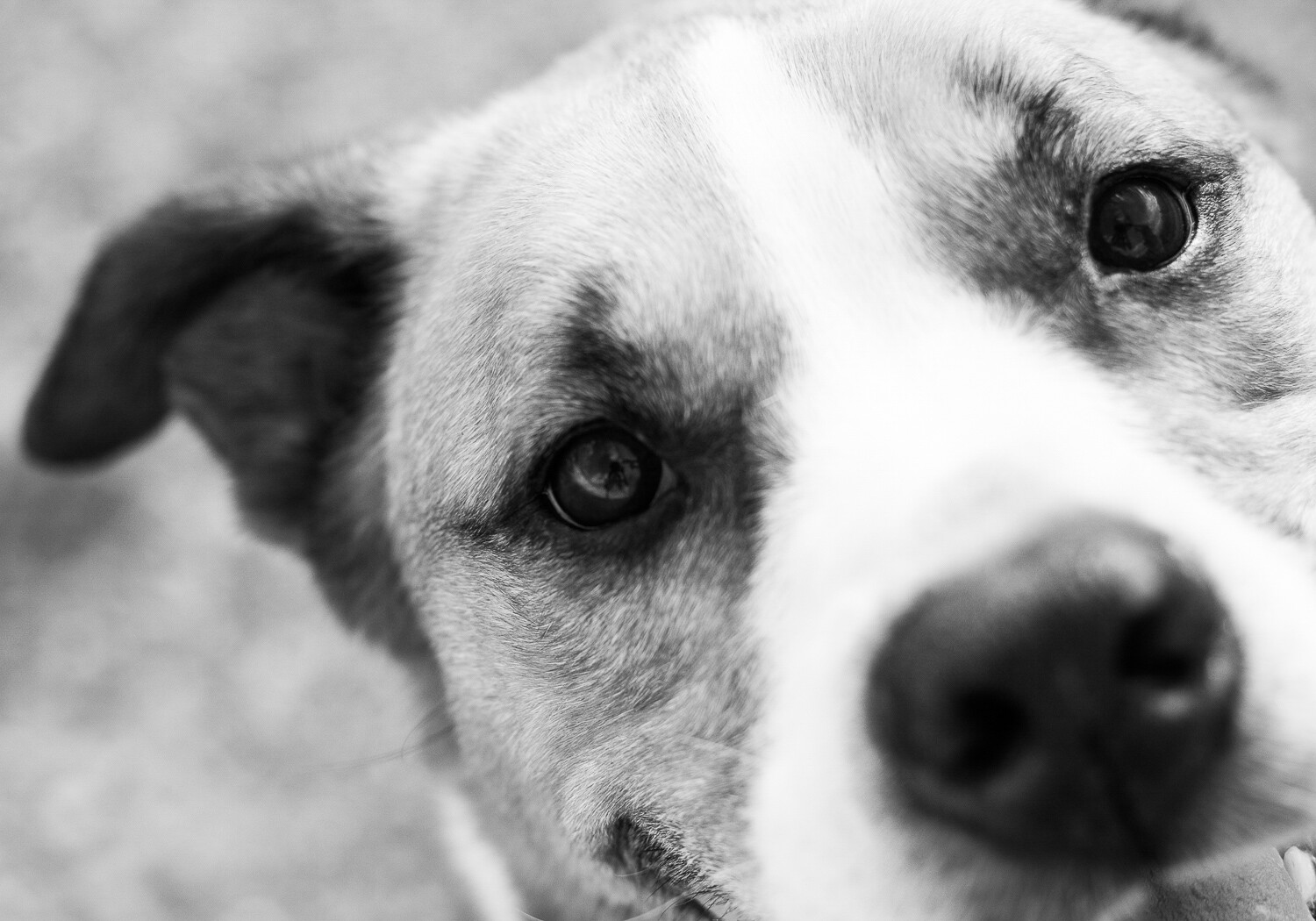
dog eye - Creative Pet Photography

I focused on the eye of this beautiful dog.

Many pet photographers often aim to capture the whole of their pet. But for a different image, try zooming in, getting close. Focus on a small part of your pet: their head, eyes, nose, or teeth.

The resulting image will be both intimate and unique. You’ll capture the details of your beautiful pet. And you’ll make more artistic, aesthetically pleasing images.

dog nose - Creative Pet Photography

I wanted to focus on the colorful fur of this dog, Hamilton.

To create intimacy in your pet photography, get close.

Tip #5: Capture the tongue

My final tip for unique pet photography is one of my favorites: capture your pet’s tongue in action.

People often strive to create static, formal images of their pets. These are nice, but sometimes you want to loosen up a little. You want to portray not just the physical features of your pet, but their personality.

That’s where the tongue comes in.

dog tongue - Creative Pet Photography

This involves a lot of waiting and watching. Some pets do more with their tongue than others. I like to wait for my dog to yawn. When his mouth is open, tongue lolling out, that’s when I press the shutter.

If you can capture your dog or cat with their tongue out, I guarantee you’ll love the resulting image. First of all, you’ll feel a connection to your pet, one that a formal portrait doesn’t really provide.

Second, viewers will feel a connection to your pet. They’ll start to understand his or her quirks better. They’ll start to appreciate your pet the way that you do.

licking tongue - Creative Pet Photography

To sum up: To capture unique images of your pets, make sure you photograph their tongue.

Conclusion

With so many photographs of pets in the world, it may seem impossible to distinguish yourself from the pack. It may feel like you’re getting the same photographs over and over again. Like you’re capturing photographs that aren’t intimate, photographs that don’t really give a window into the life of your pet.

However, if you follow the five tips above, your images will look beautiful, and they’ll also be more unique.

dog panting Creative Pet Photography

Capturing these unique pet portraits is simple.

  1. Start by getting low.
  2. Then whip out that wide-angle lens.
  3. Next, experiment with the cute pose.
  4. Fourth, get close. Really, really close.
  5. Finally, capture your pet’s personality by showing their tongue.

Once you get more experienced, you can mix and match different tips. You might photograph your dog in the cute pose with her tongue out. You might get low while using a wide-angle lens.

The possibilities for unique and stunning pet portraits are endless. So just get out there with your best friend, and start shooting. Do you have any other tips for unique pet portraits? Please share them in the comments below.

dog with blue collar - Creative Pet Photography

The post Five Tips for Creative Pet Photography appeared first on Digital Photography School.


Digital Photography School

 
Comments Off on Five Tips for Creative Pet Photography

Posted in Photography


Cameras for Real Estate Photography

23 Aug

As a photographer, you need to invest in the right gear for your business. Your cameras are your tools for capturing the photos that your clients will love. These are also going to be your partners in making money throughout your career.  The goal is investment in gear that will allow you to capture great quality photos while making sure Continue Reading

The post Cameras for Real Estate Photography appeared first on Photodoto.


Photodoto

 
Comments Off on Cameras for Real Estate Photography

Posted in Photography


6 Ways to Improve Your Street Photography

23 Aug

Street photography is an exciting genre of photography that interests many people. Although it has many meanings, in its simplest form, it is candid photography of life and people. Street photography encapsulates everyday life, not just in roadways, as the name suggests but within our surroundings.

It can be demanding to capture good pictures that tell the viewer about the daily moments we encounter. Here are six tips to help you improve your street photography.

Street photography 01 - graffiti artist working

#1 – Walk around

Have you ever felt uncomfortable at the thought of photographing random people in public places?

My first tip is to just walk around and get comfortable with your surroundings. Look for interesting things to photograph in the everyday life that encompasses you. Once you have taken some pictures, move on to another location and capture a few more images of another subject that pleases you.

Street photography 02 - old lady in Peru in traditional attie

I saw this elderly lady walking through an old town while out taking photos during my travels and thought she would make an interesting photo.

#2 – Shoot in crowded places

With life at the core of street photography, it makes perfect sense to capture pictures of people amongst crowds going about their everyday lives.

Capturing life around us in different situations can be a challenging undertaking.

Street photography 03 - 2 ladies walking past street art

You may feel uncomfortable at the thought of taking photos of people in busy areas. However, it can be very rewarding to get out of your comfort zone and photograph in crowded places. From a busy marketplace to photographing the general public attending a sporting event, these are just some examples of where you can capture street style photos in crowded areas.

Next time you go on holiday or visit your local neighborhood, visit the park to practice your street photography.

Street photography - Asian men playing a board game

#3 – Photograph people on the streets

Street photography as a subject can take many forms from scenes depicting human nature to interesting moments in everyday locations. To enhance your street photography images, try and capture scenes that evoke different emotive responses such as happiness or humor, for example.

Street photography 05 - street dancers

While on a city break, I came across an interesting scene where I captured these guys enjoying dancing to music.

#4 – Consider color

Street photography is very popular as black and white images because the contrast can emphasize light, shadow, and form. It can also reduce the elements of a busy scene down to its most vital shapes and narrative. Although black and white pictures can look great, I encourage you to shoot in color.

Color can be a great visual element to consider and it has the advantage of adding another layer of narrative.

Color shows the world as it truly is and is a more honest reflection of how we see the world. Anything from radiant buildings to transport or street lighting can provide an element of luminosity that may help to elevate your photos. Street art and graffiti is another aspect that could provide some vibrancy to your street photography.

Street photography 06 - graffit artists working

#5 – Shoot spontaneously

Street photography is all about spontaneity. It is at the opposite end of the spectrum to say landscape photography where the approach to capturing images is pre-planned and everything related to the shot can be set up in advance.

Shooting spontaneously to photograph an intriguing moment can happen at any time from the minute you leave your house to getting your morning coffee. This cannot be taught and is entirely an intuitive and instinctive process. Practice is the way to develop this skill.

Allow yourself to shoot freely in order to make interesting pictures of the world around you and your everyday life.

Street photography 07

#6 – Shoot an event

Lastly, local events are great places to try your hand at street photography. This could be a sports match, a local event with some interesting activities or even an annual festival, where you can capture compelling shots of the participants.

Festivals provide great subjects for street photography as you have the opportunity to capture pictures of street parades, performers in action and candid portraits of interesting characters on location. Find out if an event is happening near you, find some engaging subjects to photograph and put these tips to the test.

Street photography 08

Conclusion

It’s now time for you to go out and practice your street photography skills by photographing a person on the street or a local event near you. What tips and images do you have to share with us?

The post 6 Ways to Improve Your Street Photography appeared first on Digital Photography School.


Digital Photography School

 
Comments Off on 6 Ways to Improve Your Street Photography

Posted in Photography


How to Avoid Distracting Backgrounds in Street Photography

23 Aug

Have you ever been excited that you captured a really cool street portrait only to notice later that there’s something growing out the side of the person’s head? You were so excited that you caught the moment and the expression but you just did not see that street sign that looks like it’s growing out of your subject’s ear.

In this article, I want to run through some of the techniques and tricks I use to help avoid distracting backgrounds when doing street photography.

Kayan girl playing with bubbles. Photo by Kevin Landwer-Johan (copyright) - How to Avoid Distracting Backgrounds in Street Photography

Fill Your Frame

Fill the frame. This was drummed into me when I started working as a newspaper photography cadet. I was instructed, rather than taught, that whatever is in the frame must be relevant to the story the photo was illustrating.

This is still the most important aspect of composition I follow strictly.

Look at the edges and into the corners. Whatever is in the frame needs to support, not distract from, whatever it is you are photographing. If you keep this in mind, you will find the distractions most of the time.

With a lot of street photography what’s in your frame will be changing rapidly so you must be attentive. You must anticipate what’s going to happen next.

Market scene with Thai flag and samlor. Photo by Kevin Landwer-Johan (copyright) 7 Tips for Avoiding a Distracting Background in Street Photography

The Decisive Moment

Wait for the action to peak. Capture your photos when all the elements fall into place, not just some of them. If you have a photo lined up and someone you didn’t see coming walks into your frame, wait until they have moved away. If you take the photo with them visible in your frame you will most likely delete it later anyway.

So much of the best street photography is about waiting and being patient. Anticipate when the action will be at its best, then take the photo.

With this photo of the samlor (tricycle taxi) rider, I waited a while for the traffic to clear. The street behind him is typically quite busy and cars in the background did not enhance the photo at all. So, I waited and chatted little with the rider.

I knew he would not be moving off quickly and that he was comfortable with me photographing him. I wanted to include the shadow in a horizontal composition and anything like a passing car or motorcycle would have been distracting.

tricycle taxi and rider at a Thai market by Kevin Landwer-Johan (copyright) - 7 Tips for Avoiding a Distracting Background in Street Photography

Concealment

If whatever is passing by in the background is small enough, you might try to time your photo so the offending distraction is hidden behind the subject. To make this work your timing has to be just right.

First, your subject will need to be large enough in the frame. Getting closer to them can be to your advantage. When there is no way to avoid passing pedestrians just wait until they are behind your subject.

With this young girl performing in a street parade there was a constant stream of people moving behind her. I had taken a few photos from further back but was having trouble isolating her in my frame. I noticed she was quite enjoying being photographed so I moved in a little closer.

From this angle, she filled more of my frame and I was able to hide people passing by behind her.

Dancer at a parade in Thailand by Kevin Landwer-Johan (copyright) 7 Tips for Avoiding a Distracting Background in Street Photography

Prevail With Your Position

Pick your spot carefully. When you’re concentrating on a single subject, move around it, or them, until you are satisfied with the background. Don’t just stand and take a photo from the first position you think of as often it is not the best.

As you move about, watch the background in relation to your subject. Often you will be able to avoid distracting elements by cropping them out our obscuring them behind your subject.

This Kayan girl was sitting outside her home. The front of the home has a small stall where they sell trinkets. I did not want that clutter in my portrait, so I moved. I got creative with my point of view so I achieved the clean background I wanted.

Portrait of a Kayan girl photo by Kevin Landwer-Johan (copyright) 7 Tips for Avoiding a Distracting Background in Street Photography

Scout About to Get Minimal

I love a minimalist background. This can be a challenge in street photography.

Look around where you are photographing. Find a place where there’s contrast in the light. Maybe where people are walking in the sun and the background is in the shadows. If you expose for the brightest areas the background will fall into darkness in your photo and disappear.

Alternatively, look for a situation where your main subject will be in the shade and the background is in bright sunshine. This will produce the opposite effect if you expose well. Set your exposure to be correct for the shadow area and the bright background will overexpose, isolating your subject. Or you can expose for the background and make a silhouette.

When conditions are right the contrast doesn’t have to be extreme for this technique to work. With this photo of the steamed fish vendor at the market the background actually was quite distracting to the eye. It does not appear this way in the photo because the light on her and the lack of light in the background is sufficient enough to render the background dark.

Tweaking this a little during post-processing to make the background darker does enhance the effect. We do not see this scene naturally with our eyes like this. We see all the detail, but the camera does not. If you look for situations like this you will be able to create images with your subject isolated from the background.

fish vendor at a market in Chiang Mai photo by Kevin Landwer-Johan (copyright) 7 Tips for Avoiding a Distracting Background in Street Photography

Lens Selection Strategy

The focal length of your lens makes a difference. Working with a wide lens, you will see more of the background. With a longer lens, you will capture less of the environment.

Often with street photography, you want to include the surroundings for context, so a long lens may not be best. Using a wide lens may include too much and be distracting.

Experiment with different lenses to find a balance in your compositions. If a wide-angle lens is producing pictures which include too much background try a longer one. Move back from the spot you were photographing with a wide lens so your subject is still the same size in your frame with the longer lens. Can you see how different the background is then?

The narrower field of view of a longer lens will include less background than the wider lens. Read How to use Focal Length and Background Compression to Enhance Your Photos.

With the women at the bus stop (below), I only wanted to see them and the advertisement behind. With a wide lens I was seeing too much of the surroundings, so I changed lenses and moved back a bit. From further back with a 105mm lens, I was able to capture exactly what I wanted.

women in a bus stop in Thailand. Photo by Kevin Landwer-Johan (copyright)

Brave the Bokeh

I know a lot of street photographers prefer to use a narrow aperture so focus is easier. This means distracting backgrounds are more common. Be brave, capture some bokeh. Open up you aperture and get precise with your focus.

You don’t need to work with your widest aperture setting. Find the sweet spot where the background is sufficiently blurred and still discernible. I can’t tell you what f-stop that will be, as other factors come into play too. Your lens choice, the distance between you and the subject, and subject to background will determine the amount of blur.

I like using prime lenses as it’s easier to get a feel for how much of the background will be in focus at various settings. This photo was made with my 35mm f1.4 lens set at f/4. If I had opened the lens up to its widest aperture setting, the background would be completely blurred and the context lost.

market porter at a Chiang Mai market. Photo by Kevin Landwer-Johan (copyright) 7 Tips for Avoiding a Distracting Background in Street Photography

Conclusion

One of the most frequent mistakes I see students in our workshops make is not being aware of what’s in the background. It’s understandable that you want to totally focus on getting your subject looking the best.

But if you do not pay enough attention to the background you will often find it protrudes, interferes, clutters and bombs where you least expect it. Compose so that everything in your frame is relevant and adds to the picture you are making.

The post How to Avoid Distracting Backgrounds in Street Photography appeared first on Digital Photography School.


Digital Photography School

 
Comments Off on How to Avoid Distracting Backgrounds in Street Photography

Posted in Photography


Making the Best Use of HDR in Landscape Photography

22 Aug

Do you love landscape photography? It provides ample rewards for those who are drawn to the outdoors. Chasing the light can be very exciting but it also poses some significant challenges. What you see versus what the camera sees can be two very different things.

Making the Best Use of HDR in Landscape Photography - two images of a forest

What is High Dynamic Range and why it matters

Much of the best light comes with difficulties related to exposure, and all cameras have limitations when it comes to exposure. The problem is High Dynamic Range or HDR.

Your eyes have an immense dynamic range when it comes to scenes with extremes of bright and dark. Your eye adjusts so quickly you don’t notice it. But your cameras sensor, on the other hand, has a fixed dynamic range. If the scene you’re photographing exceeds that, the camera can’t capture all the details at both ends of the contrast range.

There are several methods for dealing with this limitation:

  • You can underexpose the image and allow the darker elements to become silhouettes. But that only works in a few situations.
  • You can use a graduated neutral density filter. This works best when there is a straight dividing line between the bright and dark areas of the image. Otherwise, the tops of foreground objects like trees become darker than the bottoms.
  • Or you can use a method that works in all situations and the solution is simple. If the sensor can’t capture the full dynamic range in a single shot, take several shots at different exposures that span the dynamic range. Later, in the digital darkroom, blend the images together to make a single image.

Lower Antelope Canyon - Making the Best Use of HDR in Landscape Photography

There are two parts to the HDR process – capturing the image in the field and processing it in the digital darkroom. Let’s start in the field.

Setting up an HDR shot

Here are the things you need to do to set up an HDR shot for landscape photography. The starting point is your normal landscape configuration.

  • It’s customary to use a tripod for landscape photography and this applies to HDR as well. However, with the exciting advances in alignment technology in applications like Photomatix Pro, more and more HDR photography can be done hand-held.
  • Set your camera mode to Aperture Priority. You want all your exposures to maintain the same depth of field.
  • Set your focus to manual (or use back button focus); you don’t want the focal point changing between shots.
  • Use a remote release and set your drive to continuous mode. That way, you don’t inadvertently jiggle the camera when you press the shutter button. This way, one press of the remote‘s button takes all your shots.
  • Set your exposure bracketing, you’ll typically want 2 stops difference between shots.
  • Set the number of shots, typically 3. But be aware that in extreme conditions you may need 5 or more shots to capture the full dynamic range of the scene.

Note: Your camera may have restrictions on exposure bracketing and/or the number of shots, so you will need to work with that. The important thing is to get enough shots to cover the entire dynamic range.

Now you’re ready to go. For a more detailed introduction, see this article “Setting up Your Digital Camera for HDR Shooting”

How to know you need to do HDR

Your histogram will tell you if you need to use HDR. Here is an example of what you’re looking for.

Histogram - Making the Best Use of HDR in Landscape Photography

The histogram spans the range of brightness from maximum dark on the left to maximum bright on the right. For each level of brightness, the graphs shows you how much of your scene has that tone.

The histogram above clearly shows a situation where HDR is needed. The histogram pushes up against the left side, which indicates the shadows are clipping and there is a loss of shadow detail. Similarly, the histogram pushes up against the right side where you have highlight clipping, again, with a loss of detail.

When checking your histogram for potential HDR problems, you only need to look at the left and right sides. What it looks like in the middle doesn’t matter.

For a full explanation of histograms, check out “How to Read and Use Histograms”.

Capturing the images in the field

You’ve identified a shot that requires HDR. Next, you’ve set up the shot and taken your set of bracketed exposures.

Riverside Walk - Making the Best Use of HDR in Landscape Photography

You got it. Or did you?

How do you know your shots spanned the entire dynamic range? If you’re thinking it’s the histogram, you’re right. You don’t need to check the histogram for every one of your shots, just two – the most underexposed (the darkest one) and the most overexposed (the lightest one).

Over and underexposed histograms - Making the Best Use of HDR in Landscape Photography

The histogram on the left is the most underexposed shot. It is well away from the right side. In fact, there’s very little beyond the middle. You may think this is too underexposed, but experience shows that the best practice is to underexpose by too much rather than not enough. There can be areas that are extremely bright but too small to register. It’s better to play it safe.

The histogram on the right is the overexposed shot. Because it is pulled away from the left side, you can be confident you have captured detail in the shadows. Regardless of how many shots you took, these are the only two histograms you need to check.

Making the Best Use of HDR

In landscape photography, you have no control over the light. You need to work with what nature serves up. Sooner or later you will run into HDR situations.

With experience, you begin to anticipate when you need to use HDR. Here are some of those situations, with the before and after images displayed for each. The after image, by the way, is the result of the HDR blending and nothing else. More work will be done in Lightroom and Photoshop later.

Twilight

HDR conditions occur during twilight, the hour before sunrise and just after sunset. During most of this time, the dynamic range is well within your camera’s limits. But there is a period of about 10 minutes or so when the sky becomes very bright while the land is still dark.

This moment captured in Joshua Tree National Park, California, illustrates this issue.

Twilight before and after - Making the Best Use of HDR in Landscape Photography

The image on the left is the before image; a single exposure that captures detail in the foreground. Notice how the dramatic sky is lost. With HDR you get it all – foreground, sky, everything. And besides capturing the sky, look at the enhanced detail in the foreground.

Sunrise and sunset

Often during sunrise and sunset, you want to have the sun in the composition. The bright sun can create an extreme dynamic range, however, and can also confuse your camera’s light meter. The sky may get washed out or the foreground can be darker than you’d like.

Sunrise before and after - Making the Best Use of HDR in Landscape Photography

Look at this photograph of Thor’s Hammer (above), captured at sunrise in Bryce Canyon National Park, Utah. The hoodoo to the right is an important part of the composition. Getting the starburst of the rising sun through the window adds to the interest.

But the before image without a sky misses another key element. With HDR, however, it all comes together and the moment is recreated.

Full moon at twilight

As it rises through the Venus Belt, a full moon makes an exciting image, with the band of color that sometimes appears in the eastern sky as the sun sets. The best time to capture this is one or two days before the actual full moon.

You may not think of this as an HDR shot. The dynamic range of the earth and the darkening sky is well within your camera’s capabilities. The moon, however, is in full sunlight. It is as bright as midday. So, the challenge is to capture the detail in the moon.

Full moon before and after - Making the Best Use of HDR in Landscape Photography

The before image has no detail in the moon or the shadows. But the HDR image captures the moon and can be worked with to produce a beautiful photograph. You might like to see how this turned out (below).

Bristlecone moon - Making the Best Use of HDR in Landscape Photography

Dappled sunlight

In a woodland or forest on a sunny day, the sun’s rays pierce the canopy to create enchanting bright patches. It’s beautiful, but it presents a serious exposure problem. In the days of film with a limited dynamic range, you would likely pass it by.

Dappled sunlight before and after - Making the Best Use of HDR in Landscape Photography

This before image (above) has a problem that often goes overlooked; the foliage in the background is blown out. And not just that, but the fern at the bottom is also in the sun and it too is overexposed. But the HDR image handles both areas beautifully and, as a side benefit, produces richer colors.

This is just the beginning

There are a lot more situations where HDR can save the photograph. Slot canyons come to mind or rays of light in a redwood forest, as you saw above. The trick to avoiding HDR problems is to always check your histogram.

Another good practice is to do brackets shots even when it’s not obvious that the scene requires it. It’s good insurance. If you don’t need the bracketed images, you lose nothing. But if you need them and don’t have them you lose the photograph.

Processing in the digital darkroom

There are many tools that can blend your bracketed files. Even Lightroom and Photoshop now have very rudimentary HDR options, albeit without any significant controls. You get what you get.

The premier HDR tool is HDRsoft’s Photomatix Pro. HDRsoft has been around since the dawn of HDR photo editing. All they have ever done is HDR processing, and they are very good at it. Photomatix Pro provides a robust and powerful set of adjustments that enable you to create photographs ranging from natural to surreal, and even black and white.

Suppose you were photographing in Zion National Park, Utah at sunrise, and you took these three shots bracketed by 2-stops.

3 bracketed exposures - Making the Best Use of HDR in Landscape Photography

None of these photographs are very good on their own. The middle image, the underexposed one, captures the blue of the sky that isn’t in any of the other images. And the image on the right captures all the detail in the foreground. However, this is exactly what you want for HDR.

Let’s pick up the workflow where you have already uploaded your images into Lightroom and selected the files you want to process.

1. Initial Lightroom processing

Don’t do anything to your files before you do the HDR blending other than capture sharpening. In the Develop module, make sure all your settings in the Basic, Tone Curve and HSL groups are set to zero.

2. Export the files to Photomatix Pro

When you install Photomatix Pro with the Lightroom extension, an Export preset is created automatically. With all the files selected, in Library mode, click the Export… button in the lower left-hand corner. In the Export dialog, select the Photomatix Pro preset and click Export.

3. Make setting selections in the Export dialog

There are a number of settings in the export dialog box. The two most frequently used are Align images and Automatically re-import into Lightroom Library.

  • Align images – Always click the Align source images checkbox. In the Preset pull-down menu select whether you captured the images on a tripod or hand-held. It’s a good idea to also click Crop aligned images.
  • Automatically re-import into Lightroom library – Check this box because you will want to continue your workflow in Lightroom once you have your HDR image. In Output Format: be sure to select TIFF 16-bit. Also, click Stack with selected photo.
  • Other Settings – You can explore the other settings for further control. The Show dialog with options to remove ghosts setting is like magic if any elements in your composition moved between exposures. It’s called ghosting. You have a tremendous amount of control in removing ghosting with this option. Check it out. Sooner or later you’re going to need it.
  • When everything is set the way you want, click Export.

Lightroom converts the selected files to TIFFs, launches Photomatix Pro and exports the files. Photomatix Pro will do the initial processing and display the blended image.

4. Refine the image in Photomatix Pro

The image is already looking so much better. But you can do more.

The best place to start is the presets. Try out the various presets. There are over 40 of them, not counting any that you might have created. Everything from natural to surreal is covered. Detailed seems to work best for this photograph.

Check the histogram. Check the luminance, red, green, and blue histograms. The point of using Photomatix Pro is to eliminate clipping, especially highlight clipping and the histogram tells you how you’re doing.

Here, luminance has a small amount of highlight clipping. Red is fine but green and blue have a lot of clipping. That can be fixed with the White Point adjustment in the HDR settings group (you need to scroll down to see it).

White Clip – Set this to 0 and check your histograms again. The luminance and green clipping is totally gone but there’s still blue clipping. That’s not really a problem, though, because most of the blue has no detail.

Other HDR SETTINGS

Try the other adjustments in the HDR SETTINGS group. At the bottom of the panel is an explanation of what each does, so refer to that. After a little experimenting, setting Strength to 65 and Tone Compression to -4.0 produces a very favorable result with this image.

COLOR SETTINGS

Color Settings are fairly new and a great addition. Bumping both Saturation and Temperature to 4.0 is very pleasing.
It would be nice to draw more attention to the trees in their autumn colors. To do that, select Yellow from the Image Colors drop down and adjust the Brightness slider to 5.0, Saturation to 2.0 and Hue to -2.0.

5. The Results

Here’s how the image looks now. Looking good.

Photomatix pro ending point - Making the Best Use of HDR in Landscape Photography

6. Finishing up

Click Next: Finish to continue. Photomatix Pro applies all of the adjustments you’ve made and gives you the option of a few more – Contrast, Sharpen, Crop, and Straighten. These are handy when you’re using Photomatix Pro to create the final image. But if you intend to do more processing in Lightroom or Photoshop, you might want to do your tweaks there instead.

7. Save and Reimport

Click Save & Reimport. Photomatix Pro will create a TIFF file and save it to the same drive as the original files. It will also add the new file to the Lightroom catalog so you can continue editing it there.

8. Finish your workflow

Continue your normal workflow with the file that’s just been imported. You could end up with something like this.

Final thoughts

Sometimes I’m asked if my photographs are what the camera saw. My response is, “No, because the camera doesn’t know what I’m feeling.”

Landscape photography can be so much more than just documenting experiences. It has the power to convey the emotions and states of mind that come upon us when we stand in the presence of such majestic scenery as this.

But there are times when nature challenges us. And with techniques like HDR and powerful tools like Photomatix Pro, our creative expression is unleashed, and we are able to make photographs that go beyond simply capturing the moment but hold a deeper meaning.

Do you have any questions about using HDR in landscape photography? If you do, please let me know in the comment area below and I will be happy to answer them.

Disclaimer: HDRsoft is a paid partner of dPS

The post Making the Best Use of HDR in Landscape Photography appeared first on Digital Photography School.


Digital Photography School

 
Comments Off on Making the Best Use of HDR in Landscape Photography

Posted in Photography


8 Elementary Travel Photography Mistakes to Avoid When Starting Out

19 Aug

Starting out in photography may seem like a daunting task. There are so many things to learn and practice that sometimes it can seem like an impossible task. Unfortunately, there are no shortcuts and if you want to take better photos then you need to be willing to put the hours of practice and learning in.

The good news is that these days there are lots of resources online that can help you. To get you started here are 8 elementary travel photography mistakes to cut out when starting in photography.

temple in asia in golden light -  Travel Photography Mistakes

Mistake #1 – Setting Your Camera On Auto

It always amazes me when I see newbie photographers with the latest expensive DSLR, using the auto mode. Besides capturing better quality photos from a resolution point of view, the other main benefit of DSLRs is the amount of control that you have over the photo taking process.

Admittedly auto functions on cameras are a lot better these days. But often it means compromises which are not necessarily best for the image. For example, if your camera is setting your ISO too high you will get a lot of noise in your photo. Instead, you may decide that actually underexposing your image slightly, which you can then adjust in post-production, will be a better compromise than extra noise.

But the biggest reason you should avoid auto mode when starting out is that it will stop you from learning. You need to learn to be able to set your shutter speed and aperture. You need to learn when and how much to raise your ISO by because it’s the only way that you can have full control over the final outcome.

auto mode on DSLR -  Travel Photography Mistakes

Mistake #2 – Shooting in JPEG

I can’t see any reason why anyone would want to shoot in JPEG format with a DSLR camera. Unless you are on a specific brief that requires instant upload of the images to the client, capturing JPEGs shouldn’t be an option. The only reason that people use JPEG mode in the camera is to save disk space.

But ask yourself if it’s worth compromising the quality of the photo for the sake of buying a couple more memory cards?

If your camera has RAW files (which all DSLRs and most mirrorless and compact cameras do these days) that’s what you should use. It gives so much more flexibility when it comes to post-processing, supplying images to clients, and even printing them out.

Even if you plan to only use your images on social media you are better off capturing the images in RAW, post-processing them and then saving them as JPEGs.

raw setting on a DSLR menu -  Travel Photography Mistakes

Mistake #3 – ISO Too High

A few years ago I remember bumping into an amateur photographer in Vietnam. As we got talking it became apparent that he didn’t understand what ISO actually was and how it affected his photos. He just assumed it was a number that allowed him to take photos in most conditions. So while his ISO was at 6400, his shutter speed was 1/4000th.

For those of us who were photographing in the days of film, ISO was the sensitivity of the film to light. So if you wanted to capture photos in darker conditions you would use a roll of film with a higher ISO.

This concept is exactly the same now in digital photography. The higher your ISO the more sensitive the camera’s sensor is to light. The downside of this is that the higher your ISO is, the more noise you will get in your image.

So while the amateur photographer I met was able to capture photos in any and lighting conditions, all of his images when zoomed-in were soft and grainy. So one of the biggest tips for any aspiring photographer is to always keep your ISO as low a possible and only increase it as much as you have to in order to get the shot.

The Kremlin -  Travel Photography Mistakes

Image taken at 4000 ISO means noise and an image lacking sharpness.

Mistake #4 – Shutter Speed too Slow

One of the biggest struggles for newbie photographers is often capturing sharp images. One reason could be that the camera has been focused on the wrong part of the image. The other big reason is often that the photographer didn’t use a fast enough shutter speed.

At slow shutter speeds of 1/60th or slower, you simply will not be able to hold the camera steady enough for sharp photos. Even 1/60th for some people might be too slow so it’s worth testing this when you are starting out.

Start capturing photos of the same subject at 1/100th all the way down until the image is blurred. You’ll then know how slow you can go. But your shutter speed is also dependent on how fast the object that you are photographing is moving and the lens you’re using.

For example, you might be able to capture a photo of someone running with a shutter speed of 1/250th. But a fast-moving car would need a faster shutter speed to freeze it. If you’re using a 300mm lens you will also need a faster shutter speed (keep the shutter speed as a reciprocal of the focal length so 1/300th).

With experience you will learn what shutter speed you will need so make sure you practice photographing different moving objects.

blurry trumpet player -  Travel Photography Mistakes

Shot at 1/40th of a second. This was not fast enough to freeze the action so the image is blurred.

Mistake #5 – Photographing at Midday

For any outdoor photography, light is often the key component of turning an okay image into a great image. As such photographing at midday when it’s bright and sunny will usually mean your images will look flat as the harsh light washes out shadows. So try to avoid photographing around midday and instead build your shoot around early morning or late afternoon/evening.

 Travel Photography Mistakes - two guys by a lake

The light is too harsh and so the image looks flat.

Mistake #6 – Not Being Ready

One of the great satisfactions for photographers is capturing those fleeting moments that would otherwise be missed. But to do that you have to be ready.

That means having your camera out of your bag, turned on, with the lens cap off. You should also get into the habit of adjusting your settings as you are moving around to cater for the conditions so that you are ready to capture the image when the opportunity arises.

rural farm with pigs in Asia -  Travel Photography Mistakes

Mistake #7 – Highlights / Shadows Clipped

One of the key tools for you as a photographer is the histogram. Even if you don’t fully learn or understand how to read one, the one thing you should know is how to use it to see if your highlights and shadows are within an acceptable range.

Highlights are bright areas in your photos and shadows are dark areas. If your highlights are too bright they may actually be completely white with no detail at all. Similarly, if your shadows are too dark they will be completely black. This is called “clipping”.

The best way to check this at the time of taking the photo or in post-production is to use your histogram. If any part of the histogram is cut off on the left there are pure black areas in your image and if it is cut off on the right there are pure white areas in your image.

By spotting this on your histogram you can either adjust your settings to avoid clipping or fix any issues in post-production.

photo with clipped areas -  Travel Photography Mistakes

The areas highlighted in red are pure white and the areas highlighted in blue are pure black. In other words, those areas are “clipped” and will have no detail.

Mistake #8 – Photo Not Straight

Whether you are an advocate of post-processing or someone who doesn’t believe photos should be altered, the one thing that you should always do is to ensure that your images are straight.

Of course, it is best to get things right in-camera when you are taking the photo. Some DSLRs have various elements to help you get your image straight when you look through the viewfinder or on the LCD screen.

But if you find that your image is not straight, make sure you fix it in post-production.

grid view on a DSLR screen -  Travel Photography Mistakes

Conclusion

Most people who start out in photography will make some of these mistakes along the way. The important thing is to learn from them and move on. But if you can cut these mistakes out from the start you’ll be well on your way to capturing better photos.

Have you made any mistakes that others should avoid? Please share your experiences below.

The post 8 Elementary Travel Photography Mistakes to Avoid When Starting Out appeared first on Digital Photography School.


Digital Photography School

 
Comments Off on 8 Elementary Travel Photography Mistakes to Avoid When Starting Out

Posted in Photography


6 Quick Tips for Low Light Smartphone Photography

18 Aug

The team over at COOPH consistently come up with some great video tips. In this one, get 6 tips doing some creative low light smartphone photography.

Low Light Smartphone Photography Tips

Summary of the tips:

  1. Backlit portraits
  2. Light painting portraits
  3. Dark object photography
  4. Side-lit portraits
  5. Ghostly exposures
  6. Nighttime cityscapes

?
We have articles here on dPS covering those topics in more detail if you want to try them out with your smartphone or your regular DSLR or mirrorless camera.

  • The dPS Ultimate Guide to Taking Portraits and Photographing People
  • How to Create a Dynamic Light Painting Portrait
  • Five Essentials of Doing Dark Food Photography
  • Why You Should Make Dark Images
  • 6 Portrait Lighting Patterns Every Photographer Should Know
  • How to Take Unique Double Exposures Without Using Photoshop
  • How to Create a Luminous Look for Your Photographs
  • How to Find the Best Possible Time to Shoot Cityscapes at Blue Hour
  • How to do Long Exposure Photography and Light Trails at Night

Want more info on smartphone photography? We got a few on that too:

  • Equipment List for Making Better Smartphone Videos
  • Tips for Better Smartphone Photography
  • 9 More Great Apps You Need for Your Smartphone
  • Review: Struman Lenses for Mobile Phones
  • How to Use a Cell Phone for Dramatic Night Photography
  • 8 Ways to Use Your Smartphone for Photography
  • How to Get Stunning Macro Photos with Your Mobile Phone

Tell us, do you haul your main camera with you everywhere you go? Or do you use what you have on you at the time, your smartphone? Do you have any additional tips for better low light smartphone photography? Let us know in the comments below.

The post 6 Quick Tips for Low Light Smartphone Photography appeared first on Digital Photography School.


Digital Photography School

 
Comments Off on 6 Quick Tips for Low Light Smartphone Photography

Posted in Photography


Weekly Photography Challenge – Low Light Photography

18 Aug

Shooting in low light can be challenging, especially for newbie photographers. So now is the perfect time for you to practice so you can master it and be ready for anything!

Weekly Photography Challenge – Low Light Photography

Need help? Try these dPS articles:

  • Tips for Better Results When Shooting in Low Light Conditions
  • 6 Tips To Help You Shoot In Low Light Without a Tripod
  • 6 Tips for Getting Consistent Results Shooting in Low Light
  • How to Shoot in Low Light – 9 Commonly Asked Questions
  • Cheat Sheet: What Gear and Settings to Use for Low Light Photography

Simply upload your shot into the comment field (look for the little camera icon in the Disqus comments section) and they’ll get embedded for us all to see or if you’d prefer, upload them to your favorite photo-sharing site and leave the link to them. Show me your best images in this week’s challenge. Sometimes it takes a while for an image to appear so be patient and try not to post the same image twice.

Is it noisy? Yes but not outrageously so (shot with a Canon 5D Mark III). But without the use of the 50mm lens and high ISO, this shot isn’t even possible.

Share in the dPS Facebook Group

You can also share your images in the dPS Facebook group as the challenge is posted there each week as well.

The post Weekly Photography Challenge – Low Light Photography appeared first on Digital Photography School.


Digital Photography School

 
Comments Off on Weekly Photography Challenge – Low Light Photography

Posted in Photography


How to do Light Painting and Illuminate Your Photography

17 Aug

The first time I did light painting was by mistake. It was New Year’s Eve, it was cold and dark, my brother was holding a sparkler, and I was playing with my camera.

Midwinter light painting - How to do Light Painting and Illuminate Your Photography

I was immediately fascinated by the result. Until then, I had always thought of and used photography as a way to capture what I saw. But there was a photo of something ephemeral I hadn’t perceived with my eyes but could see only thanks to the camera.

That was a long time ago, but it’s when I started appreciating the camera not just as a tool to record what I saw, but as an additional sense that could help me see even more. My appreciation of light painting has only grown since then.

Light painting with lights from a broken monitor - How to do Light Painting and Illuminate Your Photography

What is light painting?

Light painting is a pretty broad term that includes everything from using a light source to illuminate specific parts of a scene, to using the light itself as the main subject.

The light source can be everything from a flashlight or a phone to light panels or headlights or even the moon! Basically, it can be anything that emits light.

Light painting with the moon - How to Write with Light and Illuminate Your Photography

The light source in this photo is the moon; instead of moving the light source, I moved the camera.

Light painting is a fun way of taking your photography to the next level. Even if it isn’t something that you think would fit your style of photography, it’s worth trying both for the fun of it and for the things you’re guaranteed to learn about your tools and the art.

In this article, I hope to give you some inspiration and the basic information you need to start experimenting. I’ll be focusing on the kind of light painting where the light itself is the main subject, and specifically on something that might more accurately be described as light scribbling. You’ll see what I mean.

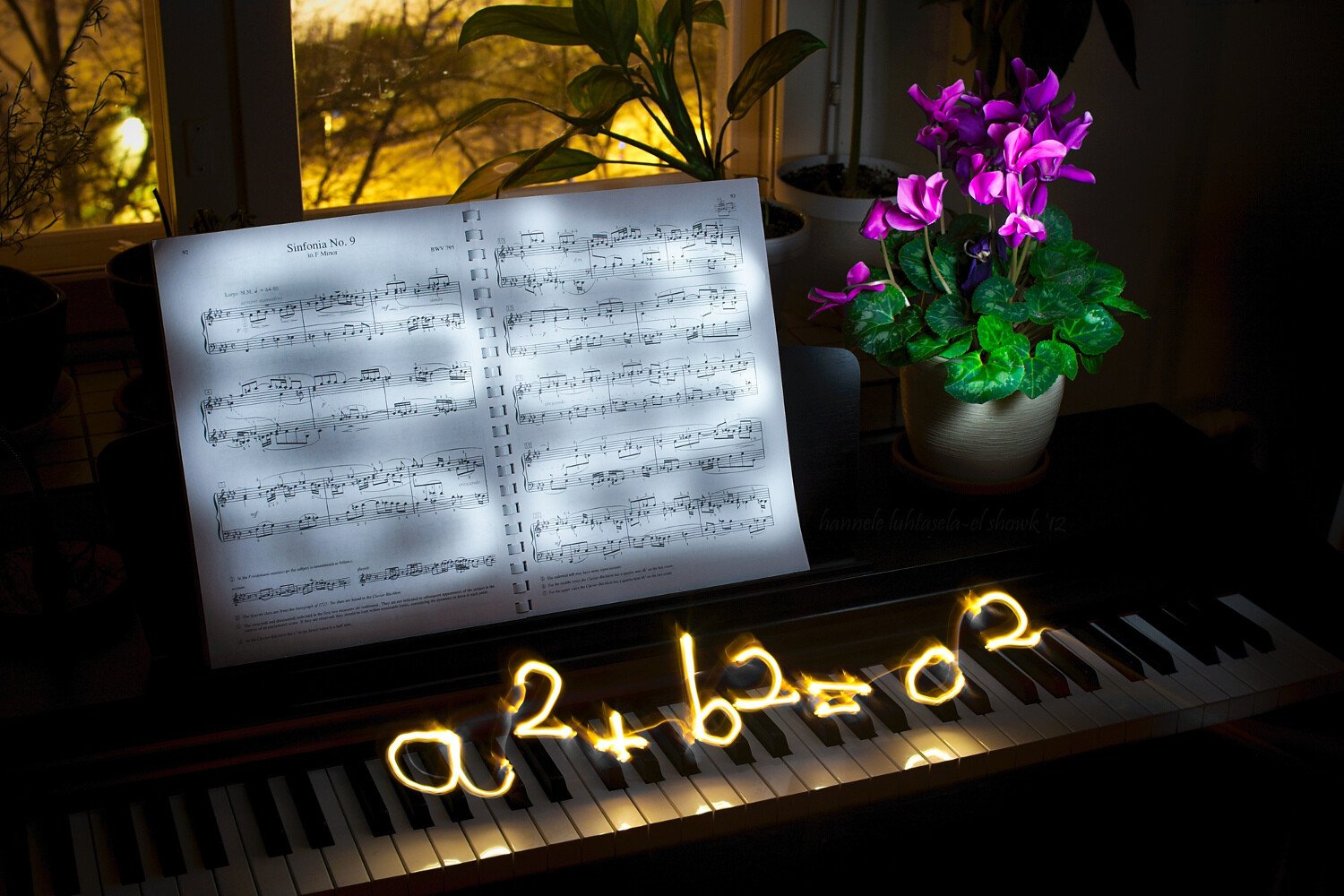
Light painting and light scribbling on a piano: the Pythagoras theorem

What’s the point?

There is always a point to try something you’re going to learn from, and that you’re going to enjoy doing.

I’m mainly illustrating this article with some light scribbled equations that I made some time ago. What was the point? Geeking out, finding something to do on a dark winter’s night, getting familiar with my new tripod, practicing manual exposure, and getting better at writing backward.

I accomplished most of it.

Einstein's famous equation made by light painting.

Doing light painting is indeed a great way to learn about camera modes and settings you might not commonly use. For most kinds of light painting, you’ll need darkness, and darkness brings with it a whole new set of challenges.

You’ll need to do quite long exposures and to find a way to illuminate the parts of the scene you want while avoiding capturing yourself in the picture. You’ll often also need to focus manually and figure out the best exposure for your photo, which can be quite different from that for most other scenes.

A physiogram made with a head lamp. - How to do Light Painting and Illuminate Your Photography

A physiogram is made by hanging a light source and photographing its movement.

I’m mostly using light scribbled equations in this article, but the technique can also be used for creative birthday cards, unique wedding portraits, and a non-permanent kind of street art.

Your imagination is the limit!

How complicated is it?

It’s surprisingly easy to get started with light painting or scribbling, and the basic tools are nothing fancy. At its most basic, you’ll need a camera, a tripod, and a mobile light source. That’s all.

To get you started, I’ll be using my equations to explain the process and the tools. Use this as a starting point to extrapolate from and to experiment with to get what you want.

Light painting an equation: the circumference of a circle

Setup

To get a photo like the one above, you’ll need your camera and a tripod (or a stable surface to keep your camera on), and a dark night. Since it takes a while to write, your shutter speed should be on Bulb, which means that the shutter stays open until you close it.

Making many of these long exposure photos will use up your battery quite quickly, especially if it’s also a bit cold outside, so bring an extra battery or two. You need to change the drive mode to self-timer/remote, so you don’t shake the camera when it starts exposing and to help you with focusing.

Often you don’t need to stress about standing ready to scribble, though. Uou can just walk into the frame after you start the exposure.

Capturing fire with a long exposure. Light painting tips

Focusing

Focusing takes a bit of effort, but it’s nothing too tricky. The difficulty comes from the darkness of the scene, which means that the camera might have a hard time focusing automatically.

You can focus manually, but what I usually do is let the camera focus automatically. I mark the spot where I’m going to stand to do the scribbling, go to that spot in front of the camera (or ask a helper to do it), turn on my light source and use the remote trigger to take a test shot.

Then, before doing anything else, I turn the focus to manual so the camera doesn’t start focusing again when I want to take the real photo. This way the camera will stay focused on the spot you chose, as long as you don’t touch the lens.

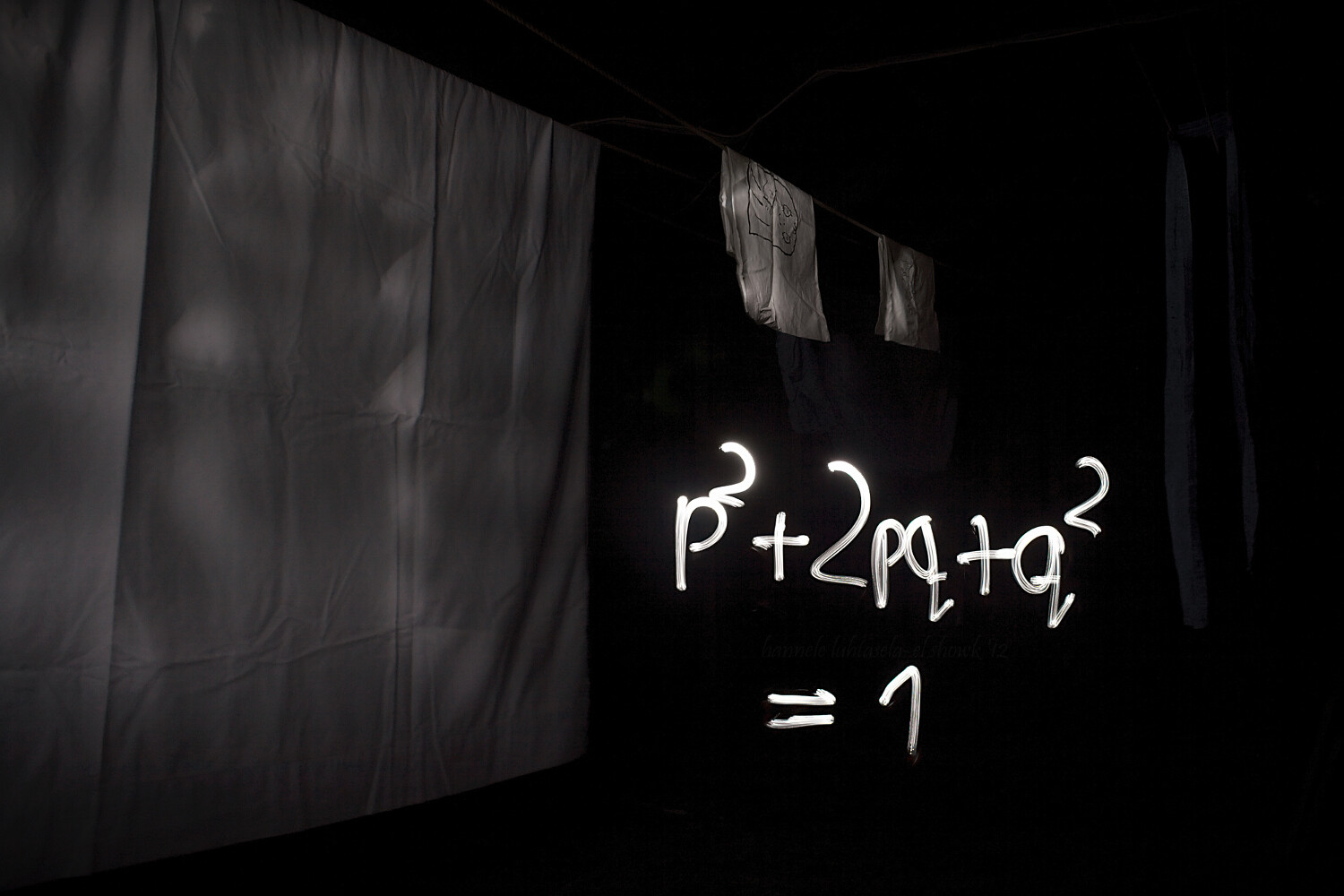
Light painting scribbling in the attic: the Hardy-Weinberg equation.

After that, all that’s left to do is the scribbling!

Make sure to wear something dark if you don’t want to be visible in your photo. For writing, you want a light source, such as a flashlight, that can be easily turned off and on. This way, you can make separate symbols without too much effort.

Before you open the shutter and start taking the photo, think about what you’re doing. If you’re writing something, practice the motion you want to do in the air so you get a feel for it. Then start taking the photo, scribble, draw, paint or do whatever it is you want to with your light, and stop the exposure.

It will probably take a few tries to get it right, so be patient and enjoy the process. You’ll definitely be creating something unique.

NOTE: You don’t necessarily need to write backward. If there is nothing else in the scene with words you can simply flip the image later on the computer. 

Light painting equations at night: the Lotka-Volterra equation.

In this one, the boat worked as a canvas: instead of drawing in the air I could draw straight onto the boat.

Conclusion

Drawing or painting with light is a really fun and rewarding exercise that requires some patience, but not much else.

I’d love to see your photos of light painting and scribbling and hear your thoughts in the comments below.

The post How to do Light Painting and Illuminate Your Photography appeared first on Digital Photography School.


Digital Photography School

 
Comments Off on How to do Light Painting and Illuminate Your Photography

Posted in Photography