RSS
 

Posts Tagged ‘Photographs’

6 Steps to Edit and Deliver Wedding Photographs in One Day

23 Mar

This is exactly how I process every wedding that I photograph. I am now on my fifth year of shooting weddings and have shot roughly 70 of them. I am a big fan of working smart and not hard. Every step of my workflow is thought out, and belongs for very specific reasons. Most of the time I am finishing and delivering my wedding photos within four to five days. If it wasn’t for attention span and the internet, I should be able to finish wedding photographs in 24 hours every time.
digitalphotographyschool-1-31

1/100, f/5.0, ISO 2000, 15mm fisheye

 Step #1 – Import and backup (1-3 hours)

I first import all images (1500-2000) via Lightroom into a folder (titled bride’s name and groom’s name, in alphabetical order) on my 1TB portable Lacie Porsche drive.

I work on the go a lot, and I am often editing in a coffee shop, friend’s place or co-working space, so I have my 13 inch Macbook Pro (retina display) and portable drive to work from. The drive currently holds about six months of images, or 80,000 photos.

I have a big gripe about people who organize their photos by date. In my opinion, it’s a terrible system when it comes to finding photos at a later date. When your bride Tiffany asks for a change in a photo from color to black and white, how do you find that folder with her wedding? On my drive it would be under “Weddings,” and in a subfolder titled “Jeremy & Tiffany.”
digitalphotographyschool-1-12

1/400, f/6.3, ISO 2500, on a Canon 135mm f/2

While my images are uploading I will be posting a Facebook album of the same day slideshow that I produced at the wedding, and tagging the bride and groom in it. This is usually 30-50 images that I’ve edited during dinner or during any sort of down time, like the end of cocktail hour.

Note: This means I have already added the bride and/or groom on Facebook, which is standard practice for me. Being friends with my clients is probably one of the greatest perks of my job, and it also guarantees tons of referrals. I have a competitive side that always wants to post the pictures faster and better than any friend, uncle or cousin at the wedding. Whoever posts first on Facebook will get the most attention. 
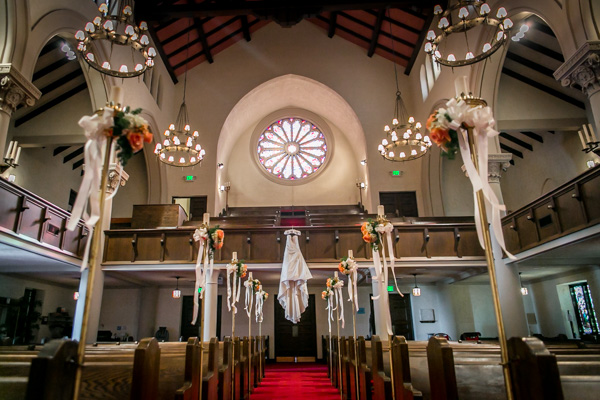
digitalphotographyschool-1-36

1/50, f/2.8, ISO 2500, 24mm with the Canon 24-70 2.8

I then plug in my backup 3TB drive, go to sleep and let my computer backup via Time Machine overnight.

Losing photos is the greatest fear of most photographers, and for that reason alone many professionals have multiple backup systems in place. I don’t usually format my memory cards until the wedding has been delivered or backed up, if I can help it. I also use Backblaze, a cloud-based backup system that constantly backs up files whenever I am online.
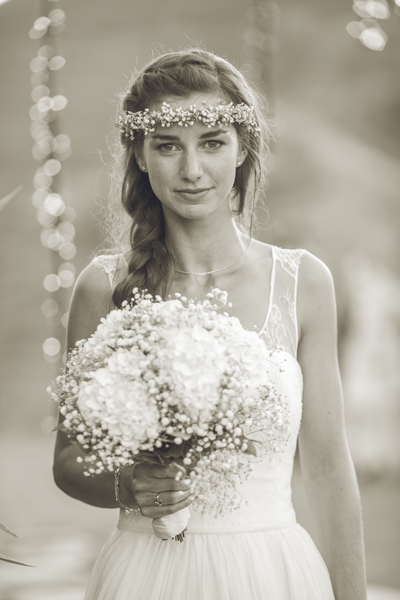
digitalphotographyschool-1-23

1/400, f/2.5, ISO 400 with the Canon 135mm f/2

Step #2 – Culling (30 min an hour)

In Lightroom I go through all 1500-2000 photos and select every photo that looks good, unique, and usable. I use the star rating system in Lightroom, by pressing the “1” key on the photos I like. I usually end up with about 800 photos after this. If you focus and know what you are looking for, this should only take about 30 minutes to an hour, maximum. No agonizing over which photo is best between two very similar ones. Just trust your gut and go.

One “trick” I’ve unconsciously been doing is usually selecting the last photo in a series of similar photos. If you’re like me, you take two or three photos of each thing you are photographing. I move on when I think I’ve got it, and that means the second or third photo in a series should be my selection.
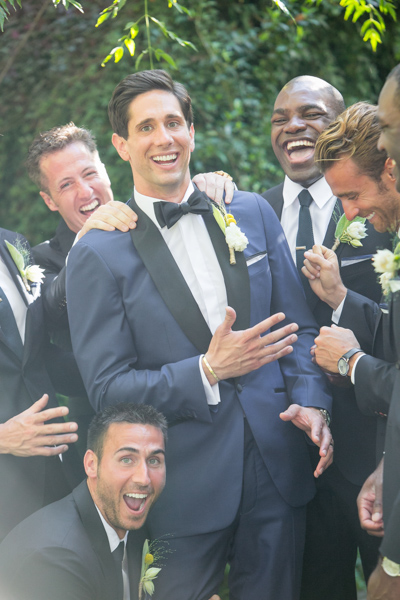
digitalphotographyschool-1-17

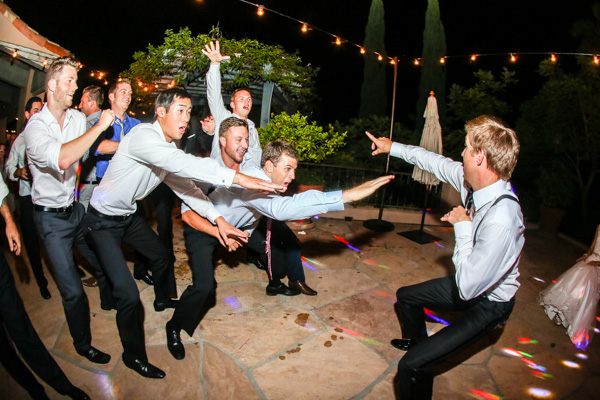
To get photos like these, I usually have the guys grouped together in a friendly way, and then I tell them to “harass the groom.”

Next I go through and do my two-star selects. These are the best photos from the day that tell a clear story from beginning to end. They are images that would likely end up in a photo album (besides family photos). I almost always end up with 100 photos, give or take a few. This should take about 10-15 minutes, since you are selecting from a much narrower field of photos. Also, you really have to trust your gut on which photos are winners here.

Step #3 – Editing and retouching (three hours)

After I’ve selected my favorites, I edit them first. I actually enjoy editing these ones, because I am proudest of them, and they are all different. I edit everything in Lightroom. I never open photoshop unless I’m making a diptych or doing heavy changes to a photo. Sometimes I start with a base preset in Lightroom, one I called “Typical Phil.” I hand edit all of these photos. This should take about an hour or two tops. These are then exported at 2500px, 300dpi, 88 quality, (and also renamed Highlights-0001.jpg, Highlights-0002.jpg, etc.), into a folder called Highlights which has been created inside the the main folder of images. I upload the Highlights into a PASS gallery, and deliver this immediately, so the clients don’t have to wait any longer to see some of their wedding images.

Never spend more than 30 seconds on a photo. If you do, you are editing for yourself and other photographers, not the client. Most clients won’t be able to tell the difference between good, great, and perfect. Aim for great.

My export settings make each of my images only about one or two megabytes in size, but they are able to be printed up to 11×14″. Anything larger and I’m happy to provide a specific file to my client directly. I do this in the interest of hard drive and cloud storage space. Also, clients are usually only printing at most one or two photos extra large, so I don’t see the need to make every photo 30 inches on the long edge.

PASS is a phenomenal application that is incredibly intuitive and easy to use for delivering digital photos to clients. Pixieset is another popular competitor. PASS charges per album of photos; Pixieset charges for bandwith/storage.
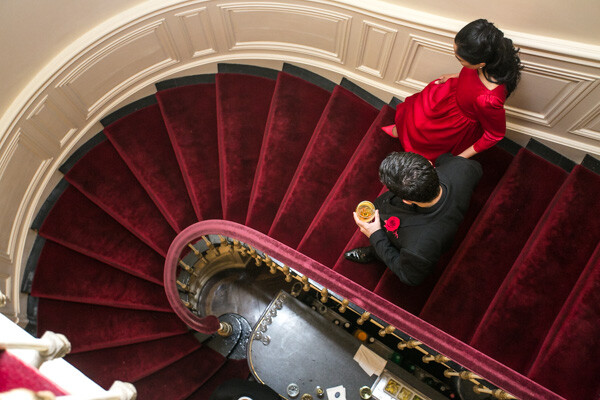
digitalphotographyschool-1-13

This next part is the secret to my rapid editing and turnaround of images. Take each of the favorite images that you’ve edited (two-star images), and copy each edit onto surrounding photos with a similar light source. If your exposure is consistent in this range of photos, the edit you do for one image should look great for every other image in that scene. This should take about two hours straight through.

Lightroom speed tip

Here is a Lightroom secret to make the copying and deselecting of images extra fast. With your main image selected, hold down Command and select all the other images you want to copy the edit to. In Develop mode, hold down the option key and press sync. This automatically copies the edit onto all the other photos (to make sure you are copying the appropriate edits across all photos, you can simply press sync and a dialogue box will pop up showing which edits are going to be copied).

Now that the edits are synced, you can deselect each image and check for consistency by pressing “/” which is the shortcut for deselecting the current image. I do this to make sure I’ve seen and checked each image for perfect exposure.

digitalphotographyschool-2-3

Remember, you’re not retouching every face, every sky, every element of a picture. You can spend a little more time doing that on the favorites, but chances are your couple isn’t going to be printing every single photo from their wedding, so why are you retouching random shots from the reception?

Step #4 – Exporting (45 minutes)

Export all images from each section of the wedding into their own folders. Folders and images can be named according to which part of the wedding they belong to (Getting Ready or Pre-Ceremony, Ceremony, Family, etc.). These can all be exported with these settings: 88 Quality, 2500 px long edge, 300dpi. This should take about ten minutes to start doing, and maybe an hour for the computer to finish (depending on number of images and your computer’s power and speed).
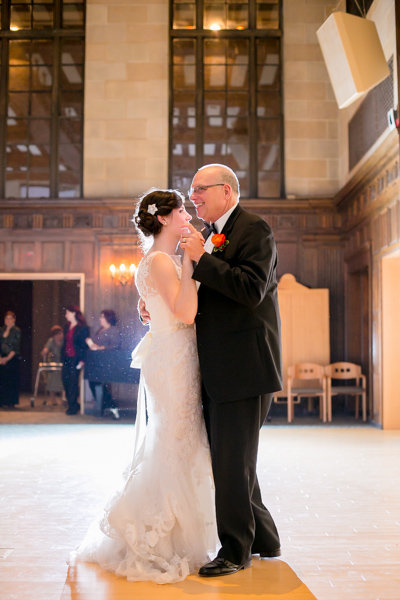
digitalphotographyschool-3-6

Step #5 – Uploading (one hour)

Upload all your files to your photo sharing service of choice (PASS, Pixieset, Zenfolio, Pixifi, etc.). Ideally, the first gallery that a viewer will see is the Favorites, or Highlights gallery. No need to overwhelm them with every photo from the Getting Ready series. Your top 50-100 photos makes for an excellent opener in an online wedding gallery, like this.

That should take about 10-30 minutes (up to an hour or so), depending on how fast your internet connection is.

digitalphotographyschool-1-15

Step #6 – Delivery (10 minutes)

Email the bride/groom the following:

“Hi! How is everything going? I know I said it would be a couple of weeks until the photos are finished, but I have good news for you! I’ve finished and edited ALL the photos and they are ready for you to see and download in this gallery here.

Simply click on the download button to create a zip file with all of the high resolution images to your computer. This will save you time having to wait for me to mail you a disk or thumb drive, which would have all the exact same files in it.

As a special surprise, I am gifting you $ 50 of print credit! Simply put in “bridegroomname” in the checkout section of ordering prints under coupon code. This should buy you up to X amount of 8×10’s, or X amount of 5×7’s.

Let me know if you have any questions about anything! Enjoy the photos :)

-Phil”

digitalphotographyschool-1-34
I recognize this doesn’t involve an in-person sales meeting, delivery of albums, or anything of that nature. This is simply the fastest way you can do business and work smart, not hard. I regularly book weddings between $ 3000-4000 doing exactly this. I have sold wedding albums, and that’s room for more profit, but also more headache and work. Write to me and I’ll let you know how to make album making a painless, quick process as well. It’s all about guiding your clients’ expectations.
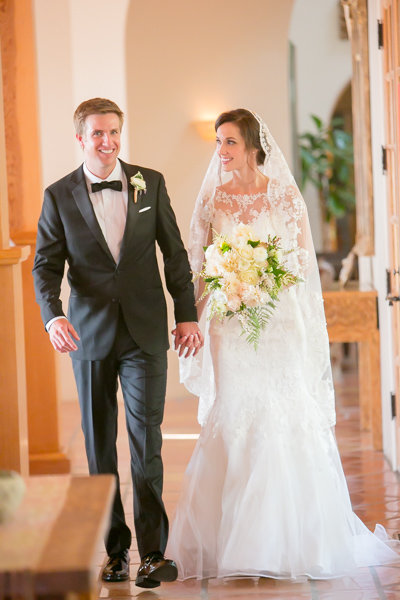
digitalphotographyschool-5-2

Do you have any other workflow tips for weddings?

googletag.cmd.push(function() {
tablet_slots.push( googletag.defineSlot( “/1005424/_dPSv4_tab-all-article-bottom_(300×250)”, [300, 250], “pb-ad-78623” ).addService( googletag.pubads() ) ); } );

googletag.cmd.push(function() {
mobile_slots.push( googletag.defineSlot( “/1005424/_dPSv4_mob-all-article-bottom_(300×250)”, [300, 250], “pb-ad-78158” ).addService( googletag.pubads() ) ); } );

The post 6 Steps to Edit and Deliver Wedding Photographs in One Day by Phillip Van Nostrand appeared first on Digital Photography School.


Digital Photography School

 
Comments Off on 6 Steps to Edit and Deliver Wedding Photographs in One Day

Posted in Photography


37 Ethereal Almost Supernatural Long Exposure Photographs

30 Jan

Landscape photographers use a technique involving long exposures to create those milky smooth waterfalls, and misty images of coastlines. But what other ways are long exposures used?

Here are a few long exposure photographs that seem almost otherworldly or supernatural in their appearance for you to ponder and enjoy:

Photograph Smoking Jungle by Karim Nafatni on 500px

Smoking Jungle by Karim Nafatni on 500px

Photograph Snake on a Train by Brian Donovan on 500px

Snake on a Train by Brian Donovan on 500px

Photograph Skipping Rocks by Michael Shainblum on 500px

Skipping Rocks by Michael Shainblum on 500px

Photograph Autumn Swirl by Andrew Kumler on 500px

Autumn Swirl by Andrew Kumler on 500px

Photograph 49 Shades of Grey by Dylan Toh  & Marianne Lim on 500px

49 Shades of Grey by Dylan Toh & Marianne Lim on 500px

Photograph The Proposal by Ryan Buchanan on 500px

The Proposal by Ryan Buchanan on 500px

Photograph Children of the Atom by WK Cheoh on 500px

Children of the Atom by WK Cheoh on 500px

Photograph Stars over Teton homestead by Royce's NightScapes on 500px

Stars over Teton homestead by Royce’s NightScapes on 500px

Photograph Cascading Levels by Jason Hatfield on 500px

Cascading Levels by Jason Hatfield on 500px

Photograph Beach Morning by Mobeen Mazhar on 500px

Beach Morning by Mobeen Mazhar on 500px

Photograph Timeless by Stefan Mitterwallner on 500px

Timeless by Stefan Mitterwallner on 500px

Photograph Erosion of an Iceberg by André Alessio on 500px

Erosion of an Iceberg by André Alessio on 500px

Photograph Trollstigen light trail by Attila Roszjár on 500px

Trollstigen light trail by Attila Roszjár on 500px

Photograph Forever Strong by Max Rive on 500px

Forever Strong by Max Rive on 500px

Photograph Machu Picchu by Jacky CW on 500px

Machu Picchu by Jacky CW on 500px

Photograph Onshore by Dave Cox on 500px

Onshore by Dave Cox on 500px

Photograph Long WayTo Sun by Mostafa Ammar on 500px

Long WayTo Sun by Mostafa Ammar on 500px

Photograph Persistence - Blue Boat Shed, Perth. Western Australia by Luke Austin on 500px

Persistence – Blue Boat Shed, Perth. Western Australia by Luke Austin on 500px

Photograph Colosseum Lite Trails by Yhun Suarez on 500px

Colosseum Lite Trails by Yhun Suarez on 500px

Photograph Startrails by Kittikorn Nimitpara on 500px

Startrails by Kittikorn Nimitpara on 500px

Photograph Time by David Watson on 500px

Time by David Watson on 500px

Photograph Grand Central by Conor MacNeill on 500px

Grand Central by Conor MacNeill on 500px

Note: long exposures of busy places full of people can help make all the people disappear magically!

Photograph Dubai 2014 Happy New year by Dalia Al Ameen on 500px

Dubai 2014 Happy New year by Dalia Al Ameen on 500px

Photograph Viva sant'Agata! by Giuseppe Torre on 500px

Viva sant’Agata! by Giuseppe Torre on 500px

Photograph SkyWheel in Niagara Falls, Canada by Roberto Machado Noa on 500px

SkyWheel in Niagara Falls, Canada by Roberto Machado Noa on 500px

Photograph Carnival by Photo Bones on 500px

Carnival by Photo Bones on 500px

Photograph C A R N I E by Matthew James on 500px

C A R N I E by Matthew James on 500px

Photograph L I G H T | S P I N by Matthew James on 500px

L I G H T | S P I N by Matthew James on 500px

Photograph Spinning by Benjamin King on 500px

Spinning by Benjamin King on 500px

Photograph fountain of fire by Zachary Voo on 500px

fountain of fire by Zachary Voo on 500px

Photograph The Spin by Bipphy Kath on 500px

The Spin by Bipphy Kath on 500px

Photograph Fire show amazing at night by Sasin Tipchai on 500px

Fire show amazing at night by Sasin Tipchai on 500px

Photograph Insane Crazy by Ben Hirst on 500px

Insane Crazy by Ben Hirst on 500px

Photograph Flurry II. by Christopher Chung on 500px

Flurry II. by Christopher Chung on 500px

Photograph THE WINDMILLS OF YOUR MIND, LES MOULINS DE MON COEUR... by Magda Indigo on 500px

THE WINDMILLS OF YOUR MIND, LES MOULINS DE MON COEUR… by Magda Indigo on 500px

Photograph Tunnel of Fire by Luc De La Mare on 500px

Tunnel of Fire by Luc De La Mare on 500px

Photograph The Tunnel by Dave Brightwell on 500px

The Tunnel by Dave Brightwell on 500px

googletag.cmd.push(function() {
tablet_slots.push( googletag.defineSlot( “/1005424/_dPSv4_tab-all-article-bottom_(300×250)”, [300, 250], “pb-ad-78623” ).addService( googletag.pubads() ) ); } );

googletag.cmd.push(function() {
mobile_slots.push( googletag.defineSlot( “/1005424/_dPSv4_mob-all-article-bottom_(300×250)”, [300, 250], “pb-ad-78158” ).addService( googletag.pubads() ) ); } );

The post 37 Ethereal Almost Supernatural Long Exposure Photographs by Darlene Hildebrandt appeared first on Digital Photography School.


Digital Photography School

 
Comments Off on 37 Ethereal Almost Supernatural Long Exposure Photographs

Posted in Photography


11 Tips for Creating Stunning Photographs of Cities at Dawn

30 Jan

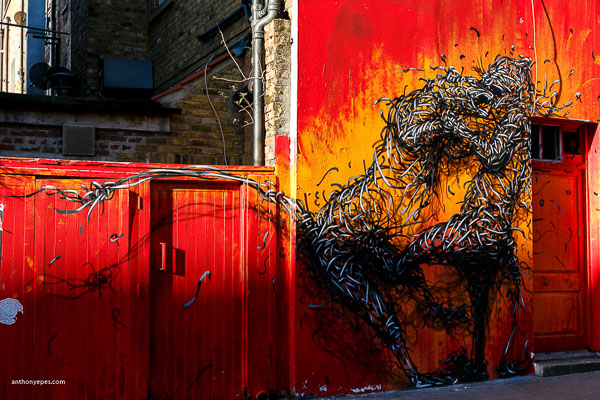
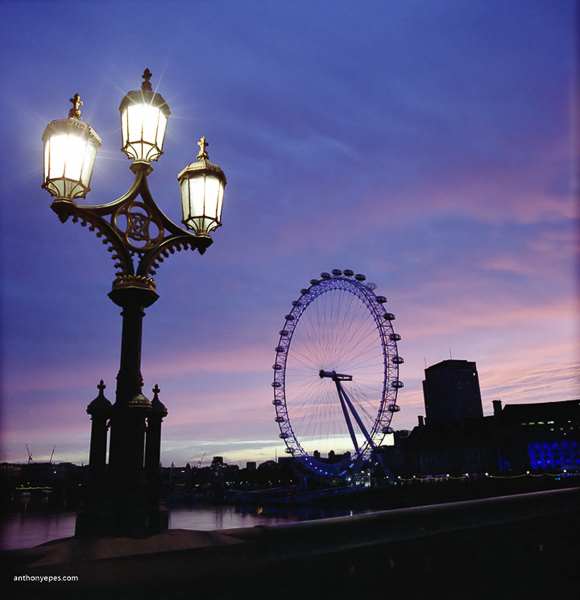
We’ve all seen hundreds of gorgeous photos of sunrises over beaches and beautiful landscapes. Of course they have the capacity to wow and inspire, but I would argue that it’s far more interesting to photographs cities at dawn. You have so much more to work with – buildings, graffiti, debris, rivers, glass, the odd person, roads, and greenery in the midst of all of this urban-ness. The possibilities to create unique photos are endless. So, if you combine all this intense city landscape with the wonderful and quickly-changing light of dawn, you have an amazing combination.

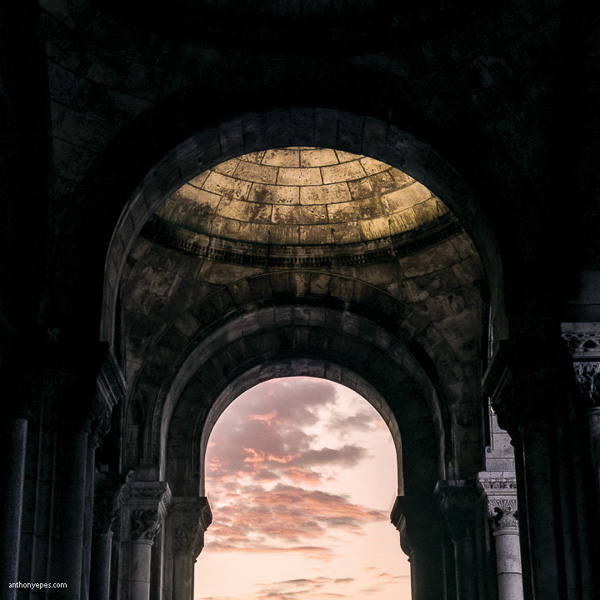
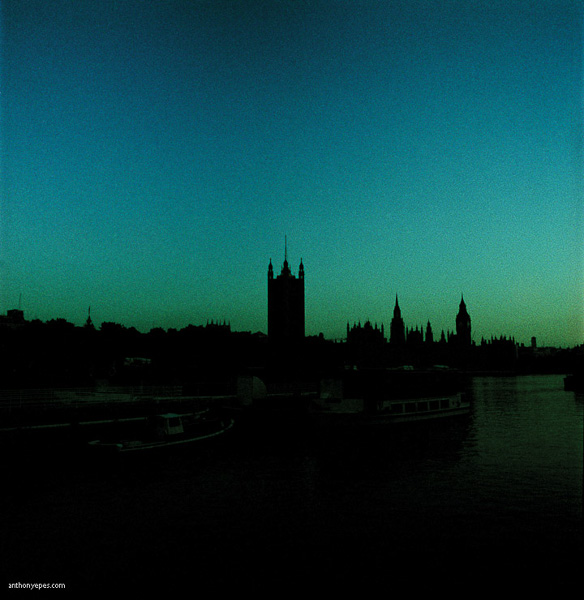
Anthonyepesphotography DPS 1

I’ve been shooting cities at dawn for over a decade now. For me cities are at their most inspiring when they are empty of people, traffic, and chaos and bathed in the beautiful light of dawn.

Here are 11 tips on how to create stunning photographs of cities at dawn:

1. Sunrise

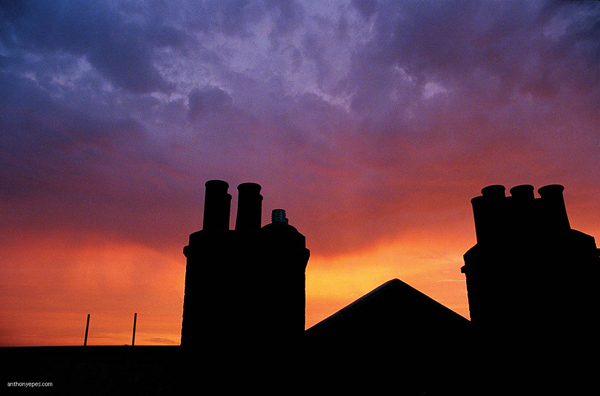
Sunrise, especially when it’s an epic one, is obviously the focus for any early morning shoot. But it shouldn’t be just about capturing the sunrise.

  • Clouds: To me what is special about any given morning is what kind of clouds are in the sky. Clouds are what make mornings different from day to day and are one of the reasons to keep going back to the same place again and again.
  • Other elements: Think about other elements you can use to enhance the photo. Try framing the sunrise, and the sky, to create an interesting contrast (see photo above).
  • Foreground: Find an interesting subject for your foreground, using the sunrise like a tapestry.

Anthonyepesphotography DPS 2

2. Emptiness

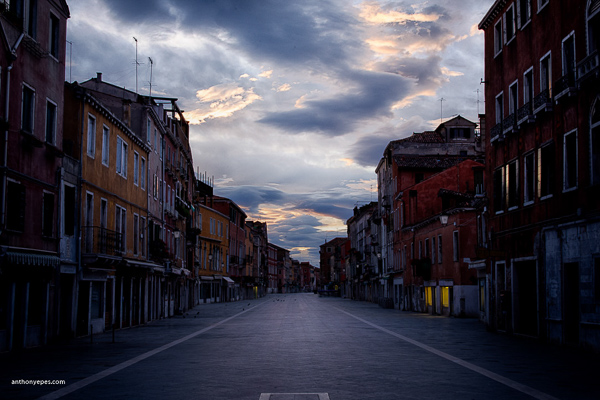
Being in a city (which is usually densely packed with people) suddenly deserted, creates a feeling that you are in a different world. You see the city as it really is, and it changes what you see but also what you photograph.

This sense of emptiness is made especially impactful when you photograph:

  • Tourist attractions
  • Roads
  • Monuments
  • Public squares

Anthonyepesphotography DPS 3

3. Varying types of light

The sunrise may be the shining moment of the morning, but don’t forget other unique qualities to early morning photography.

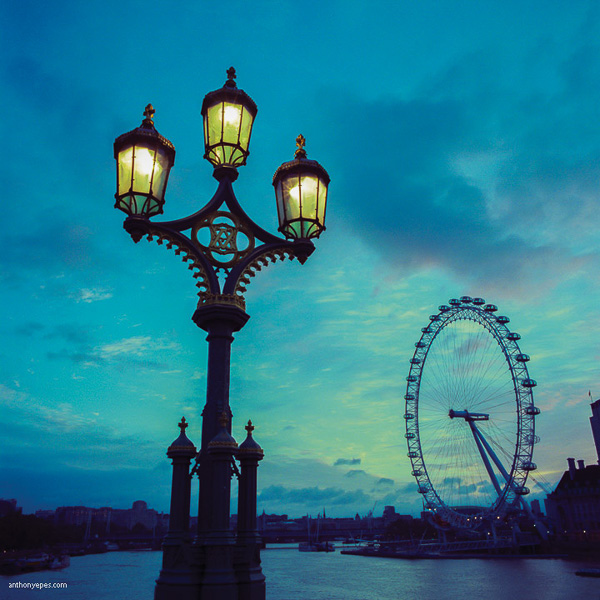
  • Blue hour: Is a very short time between night and sunrise, when the sky changes quickly from dark to light. It happens again before sunset, but at dawn the beauty of the blue hour is enhanced by the emptiness and stillness of the city. When you are shooting during the blue hour, be prepared as the light changes very quickly. Get your camera set up on a tripod and have your scene already composed, so that when it arrives and the light is changing, you won’t miss it. If you have a shot you really like, be patient, and shoot slowly as the light changes. Slowing down like this also creates the opportunity to relax enjoy the view and look around for the next shot.

Anthonyepesphotography DPS 4

  • Artificial and natural light: Contrasting artificial and natural light. There is a very short time at dawn when you have both, and the effect is beautiful.
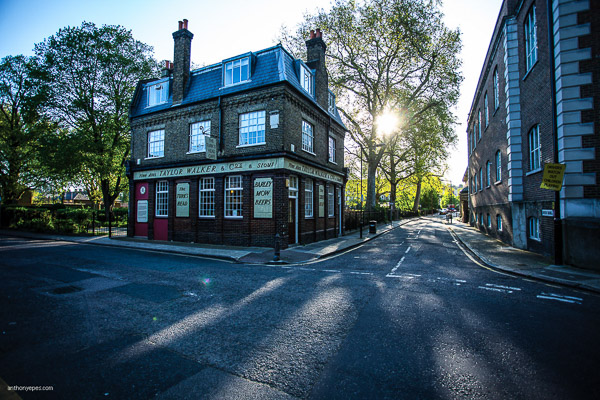
  • Low sun, long shadows: At dawn the sun rises from below the horizon and moves up into the sky at a height dependent on the time of year (and what part of the world you are in). The effect of a low sun is that it creates long shadows, which are stunningly effective with the low light of dawn. Stick around for a few hours after sunrise to capture the light falling over the streets and buildings like this:

Anthonyepesphotography DPS 5

4. Look for light sources

A bundle of different elements like buildings, roads, glass, and windows with the light falling onto them creates a myriad of opportunities for light to bounce, reflect, bend and distort. If you see light falling onto a wall, or reflecting onto a piece of glass, look for its source. It could be that the source is more interesting than the effect the light is creating.

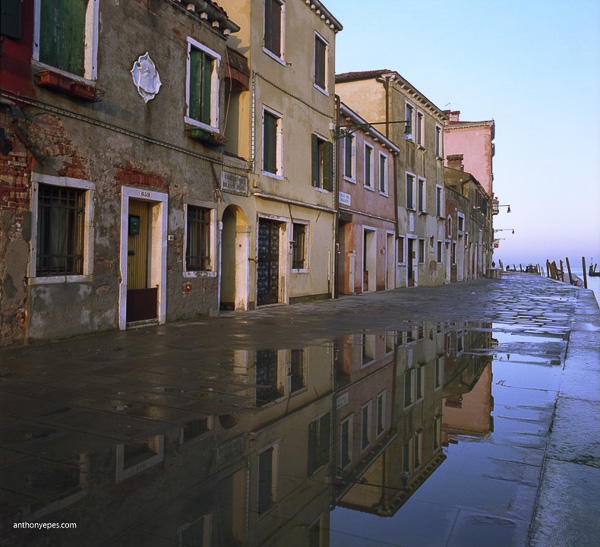
  • Reflections: Are a gem to photograph and dawn is such a brilliant time because there aren’t people crowding around disturbing them. Search out water as it’s usually still – puddles, canals, ponds and my favourite – glass buildings.

Anthonyepesphotography DPS 6

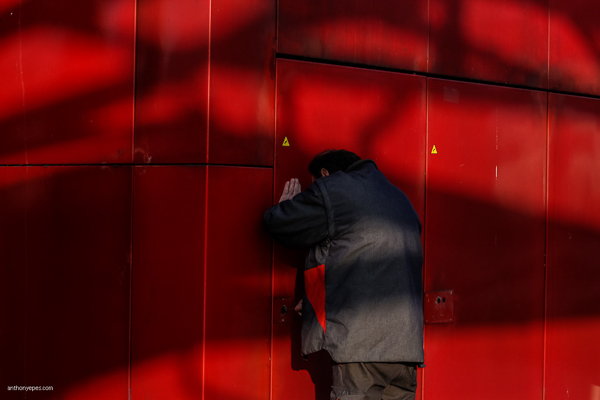
  • Light effects: The low sun creates a myriad of effects as it filters through trees, buildings and other city architecture. Look at this man, locking up, and how the shadows enhance the mood and meaning of the photo.

Anthonyepesphotography DPS 7

  • Use the light for contrast: Search out the unusual. I love the contrast of some of the rougher, decaying edges of a city with the vibrant light of dawn.

Anthonyepesphotography DPS 8

5. Seek out people – they are usually doing interesting things at dawn

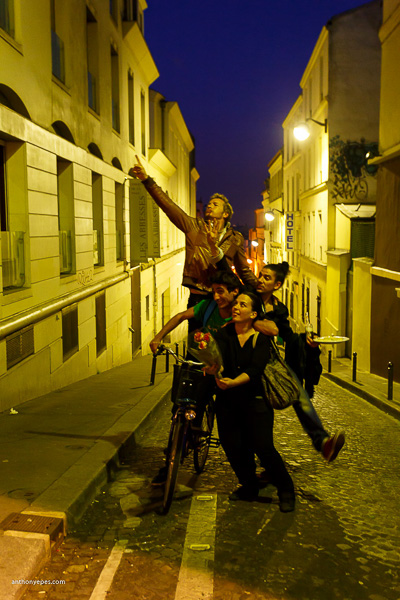
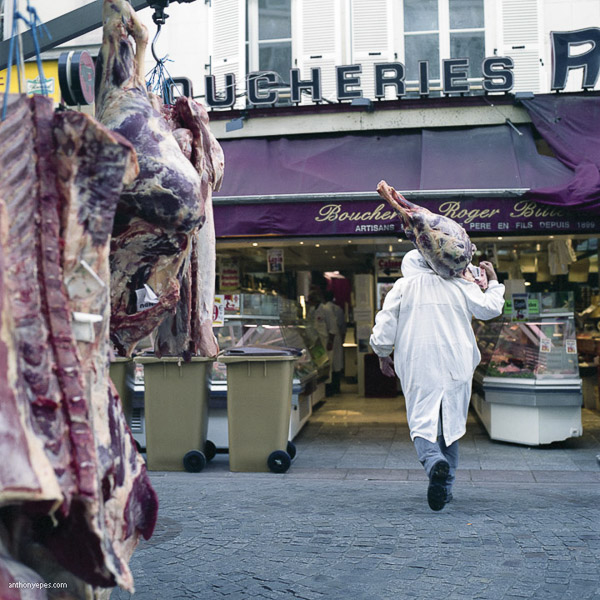
Most people out at dawn are either working or they’ve been out all night enjoying themselves. They make interesting, and often very willing subjects!

Anthonyepesphotography DPS 9

Anthonyepesphotography DPS 10

6. Return to your favourite spots

No two sunrises are the same. So, if you have a favourite spot, go back and photograph it on a different day, during different seasons. The quality of the light will be different, perhaps there will be changes in the cityscape (London is never the same year to year), you will notice contrasts. Give yourself a challenge, ask yourself: How can I make this same scene a distinctive photograph? What else can I do? Push yourself to create more unique photographs every day.

Anthonyepesphotography DPS 11

Anthonyepesphotography DPS 12

7. Explore

Go off the beaten track. Photographing the iconic sites is amazing in any city (it’s iconic for a reason, right?) and having St. Mark’s Square in Venice to yourself at dawn is a heady experience. But there are always so many areas of any city that are not so frequently photographed. It could be the docklands in London’s East End, the rough and run down area east of Paris’s Sacre Coeur or the eastern edge of Venice, where I found abandoned buildings and ancient fortresses. Everything seems other-worldly at dawn and worth exploring.

8. Look behind you (and above, below, around and everywhere)

When you are going out to shoot, it’s important to really look around you. Doesn’t this sound like a simple task that we spend all of our lives doing? Actually no! You will be surprised by how much we all miss as we rush around in the little bubble of our minds, distracted by our thoughts and our tasks for the day.

Don McCullin says it brilliantly: “You can feast your eyes on a daily basis, although I suspect the average man on the street goes through life with narrowed vision, not seeing the whole scope of what’s going on around him.”

If you want to create images with a WOW factor you have to pay attention to what’s around you. What the photo world calls, “The art of seeing”.

I find being out at dawn helps me see, because there isn’t the usual distractions, our senses are more heightened, it’s an unusual time of day to be awake (for most of us) and we are seeing our familiar streets and places in a new light.

9. Get started early

I like to have found my location before I go out. From there I wander, but it’s good to have a initial place so you don’t waste time. I like to be in this first location at least an hour, sometimes an hour and half, before sunrise. There are some incredible opportunities to photograph the blue hour.

10. Be prepared with your kit

The light changes very quickly at dawn, and you definitely don’t want to miss that spectacular sunrise. My essential kit list for dawn shooting includes:

  • A small torch (flashlight) for setting up your camera in the dark
  • A plastic bag for my camera in case it rains (cheap but it works!)
  • A visor or hat as walking into the sunlight is hard on the eyes
  • Gloves (it’s often cold at dawn, even in summer)
  • A light, but sturdy tripod, (you’ll need this for the first couple of hours, but then you’ll be carrying it, hence it should be light)

11. Get yourself acquainted with your camera

This may seem a bit obvious but it is something most people don’t do; know your camera. Lack of camera knowledge can turn a simple shoot into a difficult one (especially in the dark)! Know what all those buttons do, some may make your life easier.

Does that give you some ideas for photographing your city at dawn? Or perhaps getting up early on the next trip? Share your comments below please.

BIO
Photographer Anthony Epes is currently publishing a series of photo books on Cities at Dawn, with instalments on London, Paris, Venice, New York and Istanbul. Inspired by his books Anthony runs photo workshops at dawn in some of the world’s most interesting and beautiful cities. His work has been featured on BBC World, French Photo Magazine, The Economist, Hyperallergic and CNN. He blogs about photography on his website.

SOCIAL MEDIA
• https://plus.google.com/u/0/+AnthonyEpes/posts

Twitter
• https://www.facebook.com/londonatdawn
• https://www.flickr.com/people/anthonyepes/
• https://www.linkedin.com/in/anthonyepes

googletag.cmd.push(function() {
tablet_slots.push( googletag.defineSlot( “/1005424/_dPSv4_tab-all-article-bottom_(300×250)”, [300, 250], “pb-ad-78623” ).addService( googletag.pubads() ) ); } );

googletag.cmd.push(function() {
mobile_slots.push( googletag.defineSlot( “/1005424/_dPSv4_mob-all-article-bottom_(300×250)”, [300, 250], “pb-ad-78158” ).addService( googletag.pubads() ) ); } );

The post 11 Tips for Creating Stunning Photographs of Cities at Dawn by Anthony Epes appeared first on Digital Photography School.


Digital Photography School

 
Comments Off on 11 Tips for Creating Stunning Photographs of Cities at Dawn

Posted in Photography


Tips for Better Composition of Seascape Photographs

23 Jan

I do not believe that in photography there are absolute rules of composition, but it is undeniable that certain compositions work better than others.

Why? Probably because our brain is the result of millions of years of evolution, and as in two dots and a line we recognize a face (you don’t believe me? Have a look here.), in the same way we recognize some images as more pleasant to look at than others.

So let’s look at a few tricks to keep in mind during your next visit to the seaside.

Start following rules

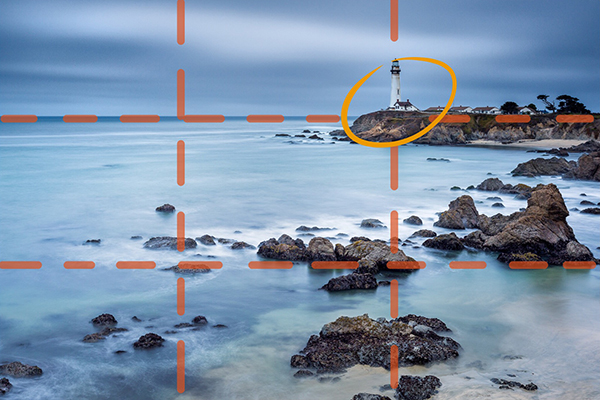
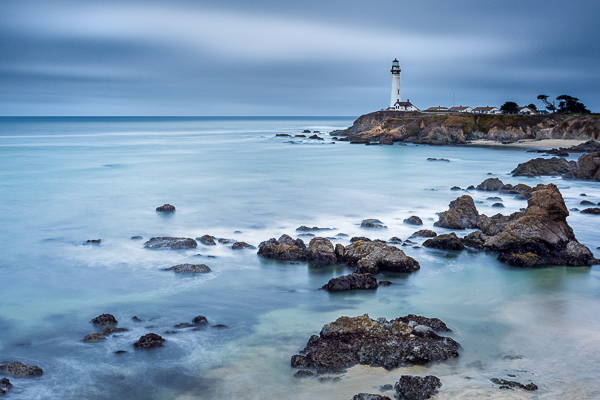
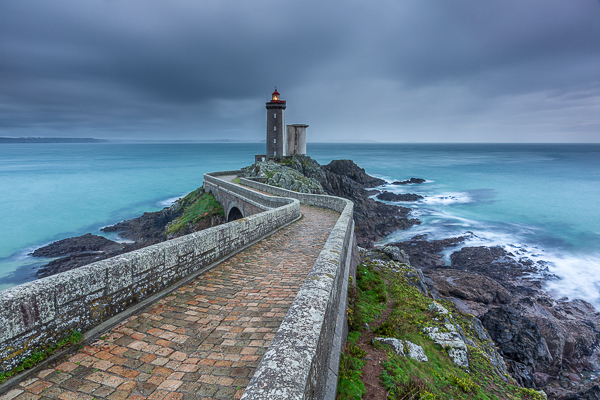
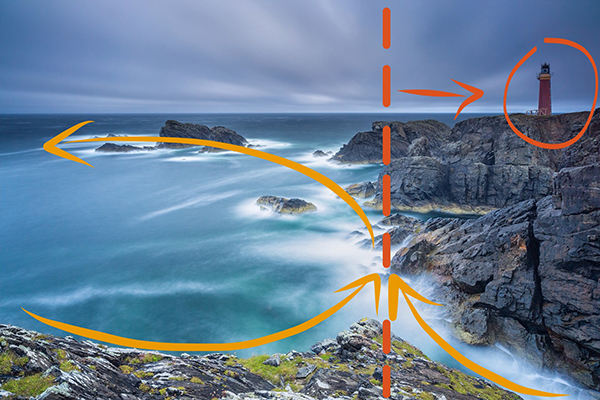
Before trying to break rules, try to follow them. Start with the Rule of Thirds: divide your image into nine equal parts by two equally spaced horizontal lines and two equally spaced vertical lines. Then place important compositional elements along these lines or their intersections. The result will be that your photo becomes more balanced. In a seascape shot, for example try to put a Lighthouse on one of the vertical lines and the horizon on one of the horizontal ones.

1 post

Important elements (the lighthouse and the horizon) are positioned along the lines and at the intersections

1 ante

Choose the leading actor

If you follow the Rule of Thirds, you’ll never again put the horizon in the middle of your image, and that’s a great thing unless you have a perfect symmetrical reflection.

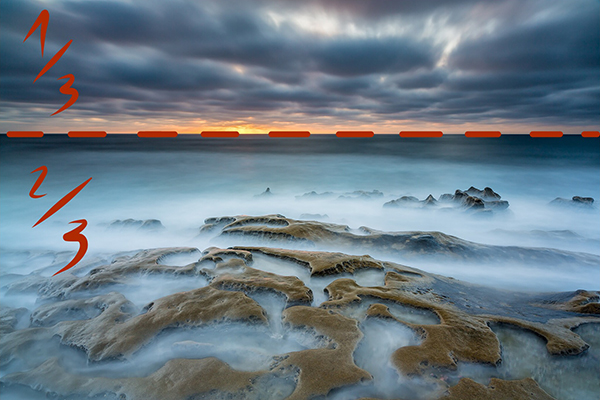
Decide next if the leading actor of your seascape is the sky or the sea, and place the horizon line accordingly. For example if the leading actor is the sea, the image portion under the horizon line will be 2/3 of the whole image.

2 post

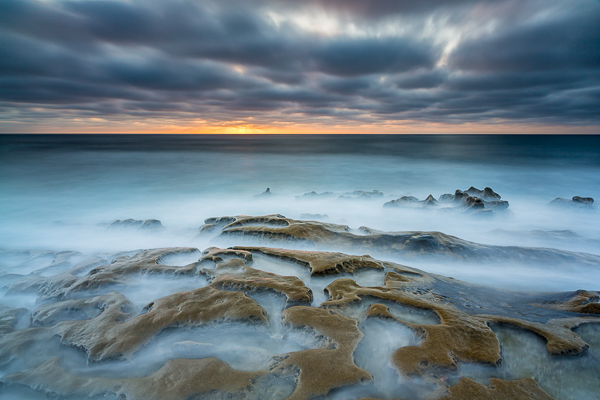
The rock formation in the foreground is really interesting with this tide. I wanted to emphasize it and so I give ? o the image to the sea in this the image.

2 ante

Check the horizon

There is nothing more annoying than seeing a crooked horizon. Use the built-in level of your camera, or for few cents buy an external hot shoe level (the yellow one with an air bubble inside). Why? Because every time you fix the horizon in post-production you will lose a portion of the image. Finally, remember that if you publish an image with a crooked horizon, the horizon will be the leading actor of your image.

Choose your focal length wisely

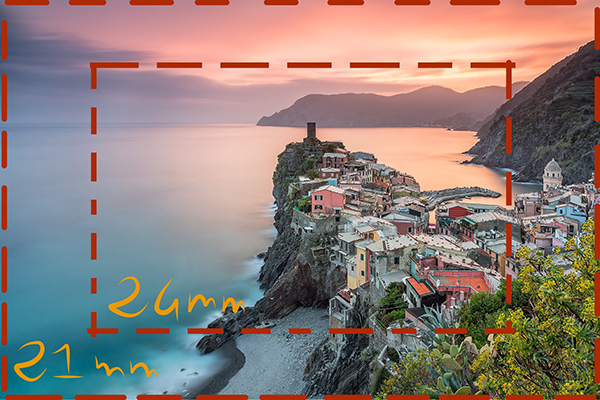
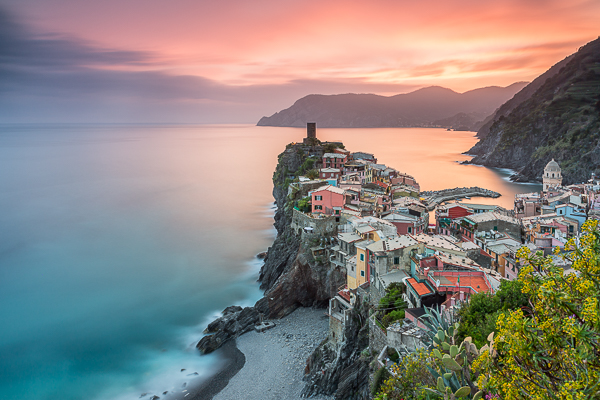
Sometimes you might believe that a certain focal length is perfect for the scene you have in front of your eyes. Think wider! If you’re using a 24mm lens, try with an 18mm or a 21mm lens – don’t be lazy. Remember that in post-production you can always crop your 21mm image to a 24mm image, but you’ll never be able to do the opposite.

3 post

A 21mm lens was perfect here as it let me put inside the frame the spring flowered plant on the bottom right.

3 ante

Use leading lines

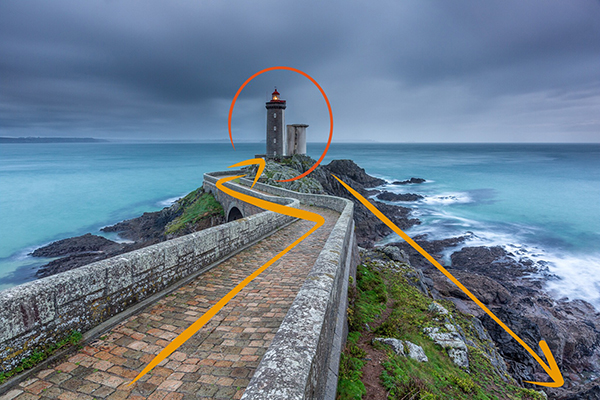
An image is like a book, and to really enjoy it you should be able to read it from the begin to the end. To do that, try to use lines and curves to guide the eyes through a path. You can use a road or the natural line of the coast for example. Keep in mind that you should avoid interrupting that path because it’s like skipping a line in a book; you lose the sense of the story that you’re telling. Also try to avoid lines that guide the eyes of the reader outside the image. You want attention given to what is inside the image, not to what is outside.

4 post

I used the road to drive the eye of the viewer from the margin of the image to the main character.

4 ante

Avoid straight objects in the margin

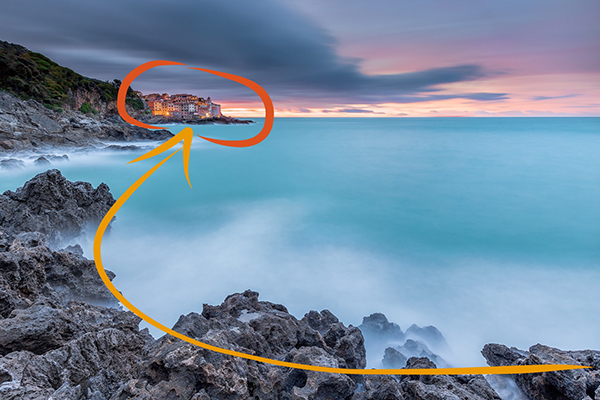
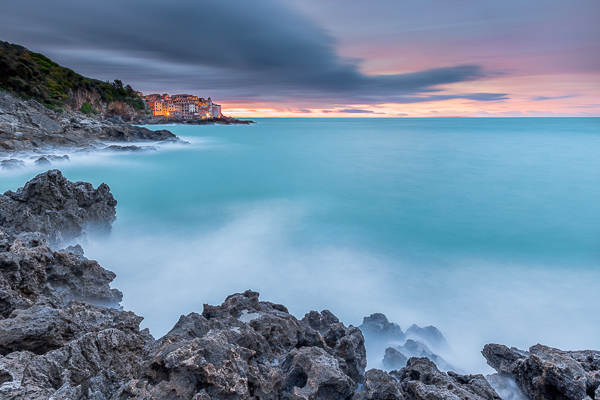
One common problem of wide angle lenses is the perspective distortion when the camera is not aligned perpendicularly to the subject. In other words buildings like lighthouses appear to be falling if you (correctly) place one according to the rule of thirds. Well, the bad news is that there is no an universal solution. The best one is obviously to buy a lens with excellent optical quality, but they are very expensive and in any case the perfect lens does not exist. So we need to correct the distortion in post-production. There are a thousand ways to do that, but most of them require an image crop. For that reason, if you have a straight object in your frame, don’t put it exactly on a vertical line of the Rule of Thirds, but slightly closer to the image center. In that way, after correcting the distortion, your lighthouse will be nearer the vertical line of the third.

5 post

If I had put the small village too close to the frame edge, it would be affected by perspective distortion and to correct it in post production probably I would have lost the nice leading line with a crop.

5 ante

Add dimension and scale

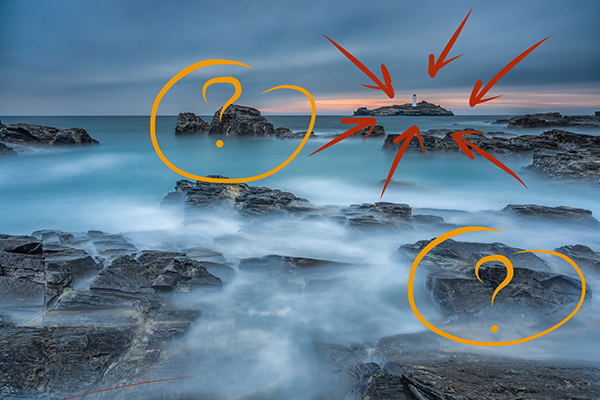
When I started taking seascape pictures, I was a purist: no humans or human artifacts were allowed inside my frame. If humans are still not allowed to join, sometimes I think it’s a good idea to put some artifacts in my composition. The main reason is that even if you exactly the dimensions of the rock formations in front of you, viewers of your image may have no idea if they have never visited that place. When you look at a image, your brain tries immediately to define the dimensions comparing the unknown to something known – help it and use something like a lighthouse, bridge, church to give an idea of scale. A reef is even more beautiful if it is perceived as high and massive.

6 New
The lighthouse give a dimension to the other rocks in the image (try to cover the lighthouse with your finger.)

6 ante

Use negative space

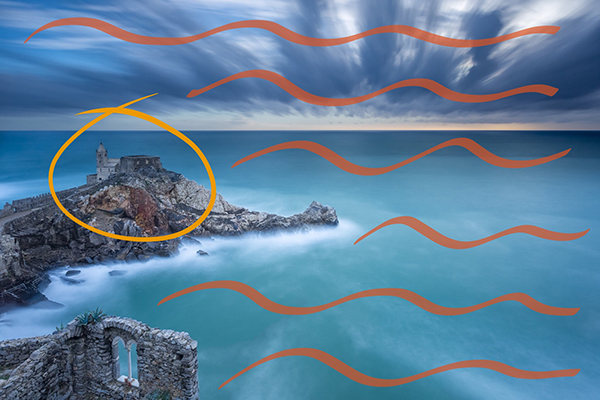
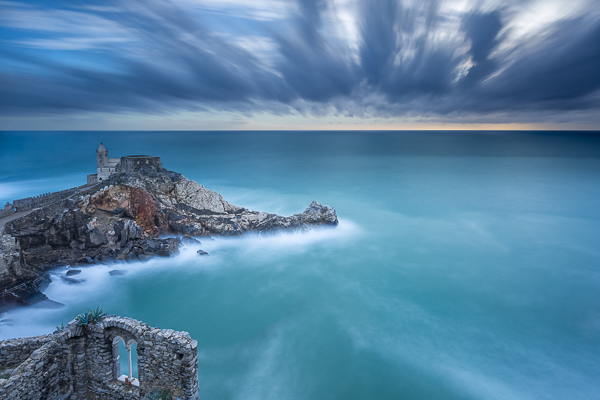
I’m a big fan of using negative space. But what exactly is that? Easy – it is nothing but the space around, and between, the subject of an image. Yes, basically they are “the” nothing. So, how can that be useful? Negative space is perfect to emphasize the subject. A lonely church on the top of a cliff is even more brave if it seems that it challenges the vastness of the sea.

7 post

This old church reminded me a solitary sentinel who scrutinizes the sea.

7 ante

Have fun

Finally, remember that every rule is made to be broken. If the horizon is not perfectly in one third because the sky lacks of clouds, put it above the upper horizontal line of rule of thirds. If you need to put a lighthouse near the margin of the frame to use leading lines, just do it.

The real goal of a picture is not to follow the rules, but to arouse emotions in the viewer. Keep this in mind and there is no composition that can overcome you.

8 post

The lighthouse is on the right vertical line of rule of thirds. Unfortunately I didn’t have a wider lens with me and I had to put it there in order to use leading lines in the foreground and not to cut the nice wave trails in the upper left side of the image.

8 ante

googletag.cmd.push(function() {
tablet_slots.push( googletag.defineSlot( “/1005424/_dPSv4_tab-all-article-bottom_(300×250)”, [300, 250], “pb-ad-78623” ).addService( googletag.pubads() ) ); } );

googletag.cmd.push(function() {
mobile_slots.push( googletag.defineSlot( “/1005424/_dPSv4_mob-all-article-bottom_(300×250)”, [300, 250], “pb-ad-78158” ).addService( googletag.pubads() ) ); } );

The post Tips for Better Composition of Seascape Photographs by Francesco Gola appeared first on Digital Photography School.


Digital Photography School

 
Comments Off on Tips for Better Composition of Seascape Photographs

Posted in Photography


Better Star Trails Photographs with StarStaX

28 Oct

Long, swirling star trail photography is on the bucket list of many photographers. In the film days, this required leaving your shutter open for one continuous exposure on the order of hours and hoping that everything would turn out just right. In the digital era, many photographers rely on a process known as stacking to take a large number of individual frames and combine them into the final image. This article will lay out how to capture incredible star trail photographs and combine them using the free program StarStaX.

StarStax, star photography, stacking, star trails, how to, astrophotography

Shooting Your Individual Star Trails Photographs

Many detailed posts have been written about how to capture individual photographs for star trails stacking, so this article will only provide a quick overview. Check out the linked posts at the end of this article for additional details.

For equipment, you will need your camera, a fast wide angle lens, a sturdy tripod, a remote shutter release, and a full battery or two. A red headlamp or flashlight as well as a folding chair can also come in handy. I recommend a wide angle lens, like 18 mm (or wider), so that you can capture a larger expanse of the sky. A fast lens (one with a wide aperture, like f/1.8) is also preferred so that you can capture more light with each frame. (Most of the photographs in this article were shot at 18 mm and f/3.5 on my Tamron 18-270 mm lens.)

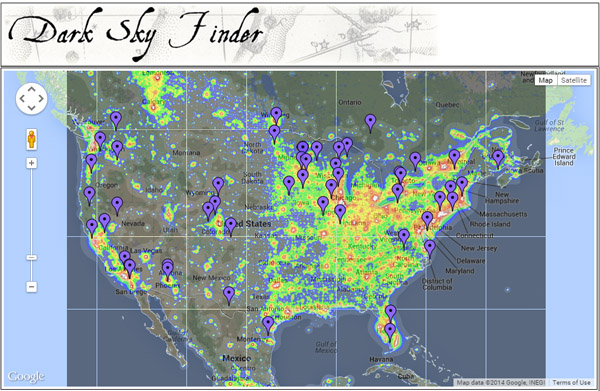
dark sky finder, star trails, astrophotography

Choose your location and timing carefully. Capturing star trails around the time of the new moon is preferable, so that bright moonlight does not wash out all the stars from the sky. You also want to get as far from artificial lights as possible. You can use the web site Dark Sky Finder to look for possible dark sky locations near you. Once you have chosen a location, you can use the web site Clear Dark Sky to check their 48 hour forecasts about the potential for clear sky in a given location.

Once you are on location, spend some time choosing your final composition. Think about a position that will provide an interesting foreground – an unique tree, a geologic formation, or a body of water – as well as an expansive view of the night sky. If you want an image of the stars swirling around a complete circle, then be sure to include the North Star in your viewfinder (in the Northern Hemisphere). If you want extremely long swirls in less time, then compose for a view farther away from the North Star.

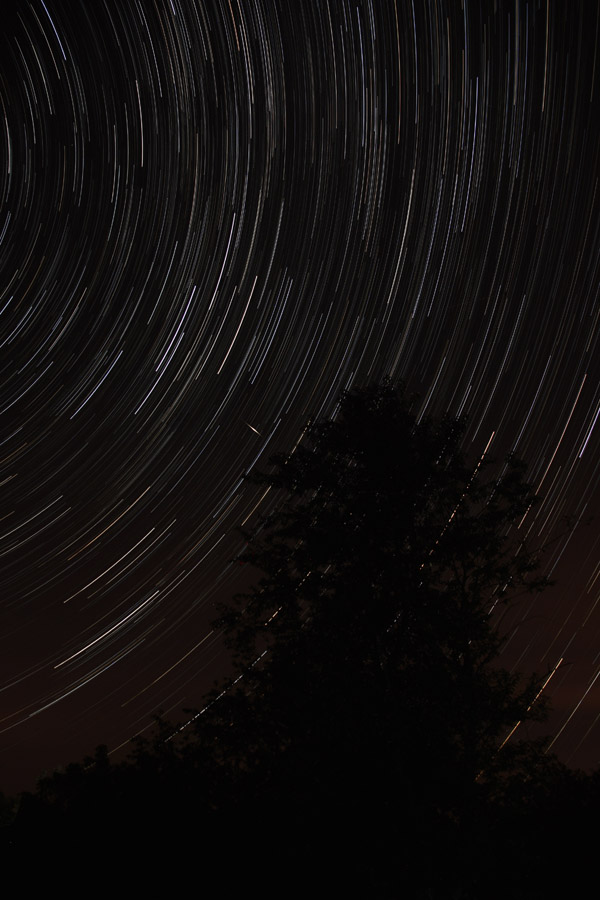
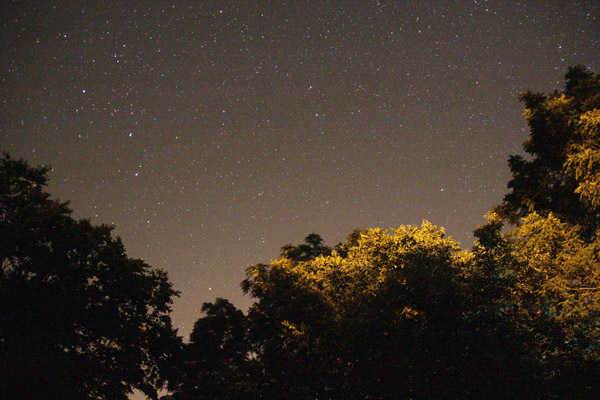
star photography, star trails, astrophotography

Shoot one photograph with your widest aperture and a fairly high ISO value for 30 seconds. (The image above was shot at 30 seconds, f/3.5, and ISO 6400.) Your image will be quite noisy, but you should get a strong sense for your overall composition.

Once you have your composition nailed down, you want to dial in your final settings using manual mode. Choose your widest aperture (like f/1.8 or f/3.5), a 30 second shutter speed, and a mid-range ISO like 800-1600. (Newer cameras have less noise at higher ISO values, but you may want to use an ISO of 400 or 800 with an older or entry-level camera.) Turn off the autofocus and use manual focus to focus on infinity.

Before you start shooting, cover your lens with a lens cap or piece of black paper and shoot a few frames. These will be your dark frames when you process the images in StarStaX. Dark frames allow the program to subtract digital noise and hot pixels from your final image.

star photography, star trails, astrophotography

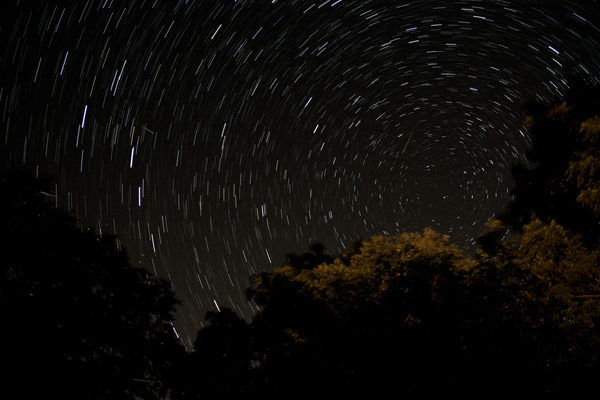
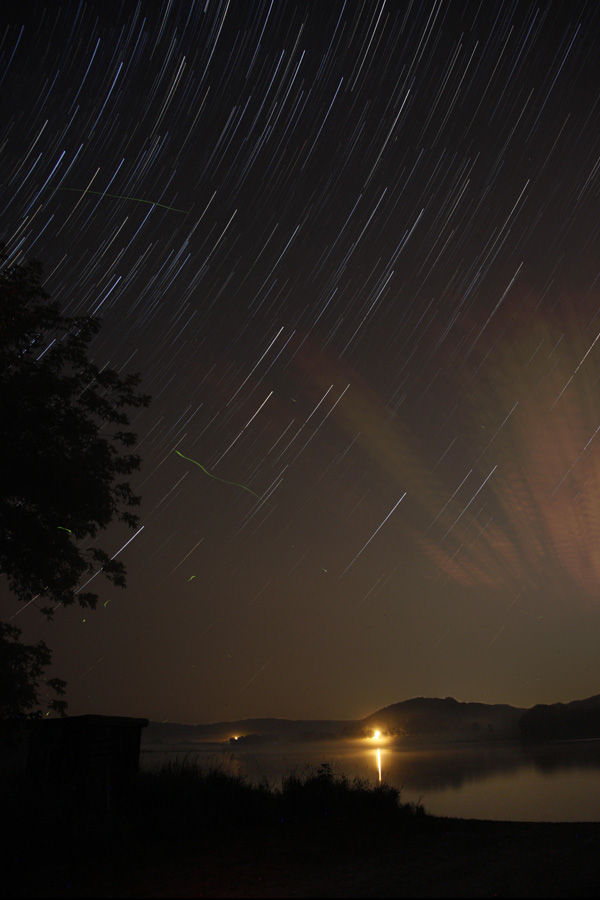
This image is a stack of 26 images shot with 18mm, 30 seconds, f/3.5, ISO 800. The green squiggles are fireflies.

Use your remote shutter release to lock down your shutter. As soon as your camera finishes taking the first 30 second picture, it will start taking the next, and so on. Then pull out your folding chair, sit back, and enjoy the wait. An hour’s worth of shots is a good goal to aim for. The more photographs that you take for your stack, the longer and more defined your final star trails will be.

Once you have finished capturing your shots, remember to take a few dark frames again at the end. Leave your settings the same but cover the lens with the lens cap and shoot a couple more frames.

Preparing Photographs for Stacking

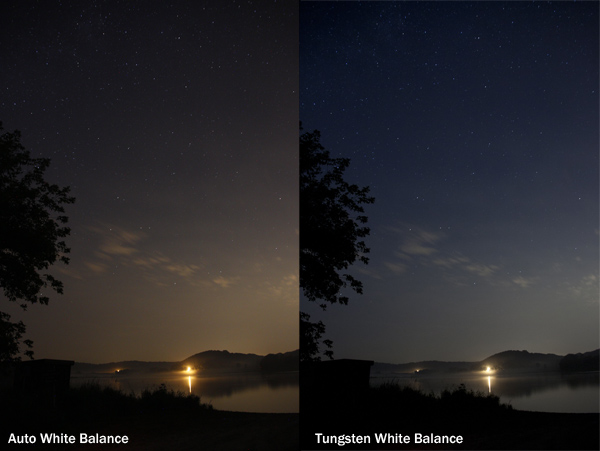
Depending on your photographs and the end result you are envisioning, you may want to do some post-processing on your individual frames before loading them into StarStaX. Whether you use Lightroom, Photoshop, or another post-processing software, you will want to apply a similar treatment to all your images if you choose to do any corrections, such as adjusting the white balance or fixing the colors.

star photography, star trails, how to, astrophotography

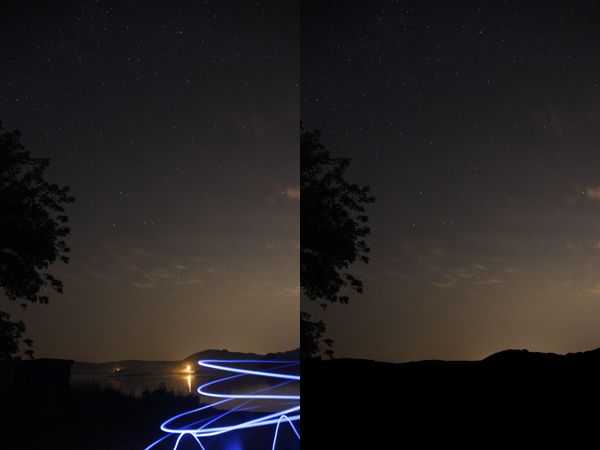
You may also need to do some quick editing of individual shots, especially if you were shooting at a location with unwanted stray light. In the photographs below, you can see that this frame captured the light from passing cars on the far side of the lake. The quickest solution to problems like these is to open these individual frames in Photoshop, set the brush tool to black, and paint over any unwanted light.

star photography, star trails, how to, astrophotography

You can see a big difference in the foreground between these two stacks of the same individual star trails. Painting out the stray light trails in those few individual pictures allows for a more seamless and less distracting foreground, once you stack all the photographs together.

star photography, star trails, how to, astrophotography, StarStax, stacking

Alternatively, you can choose one frame in Lightroom or Photoshop and make any adjustments needed until the non-sky portions of your image are just right. Then, after creating your star trails in StarStaX, you can combine your ideal foreground with your stacked sky using layers and masks in Photoshop.

Stacking Your Star Trails Photographs Using StarStaX

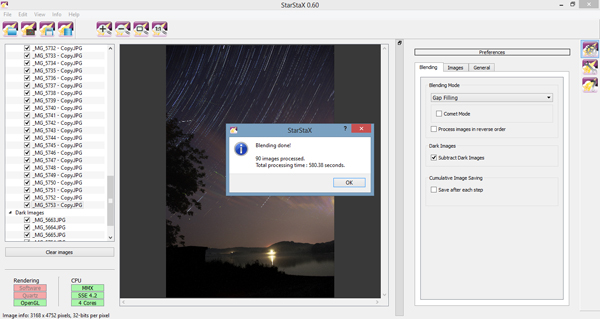
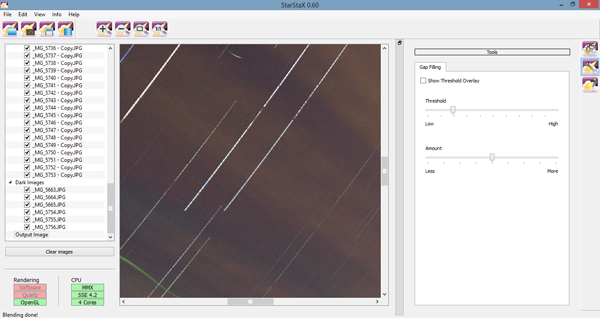
StarStaX was developed by Markus Enzweiler and is available as a free download for Windows, Mac, and Linux computers. (Screen shots courtesy of the Windows 0.60 version.) After downloading and opening the program, the first thing you need to do is load your individual photographs by going to File -> Open Images or hitting the Open Images button. You may select JPEG, TIFF, bitmap, or PNG file types. After selecting your star trails shots, you need to load your dark frames by going to File -> Open Dark Frames or hitting the Open Dark Frames button.

StarStax, star photography, stacking, star trails, how to

Once you have both types of files loaded, it is time to run your first stack. The default options are a good starting point: try lighten mode and check the button for subtract dark frames, if you have uploaded some. Click Edit -> Start Processing or the Start Processing button. The amount of time it will take the program to complete the stacking will vary based on your computer and the number of individual photographs, but it should be on the order of a few minutes at most.

After the program has finished stacking your images, click File -> Save As or the Save button and save your stacked image. Stacks will not save automatically. You can use the zoom tools to look more closely at your stack and see if the results match your expectations.

StarStax, star photography, stacking, star trails, how to, astrophotography

You may notice that there are some gaps in your star trails, which result from the time between one photograph ending and another beginning. In that case, you may want to run the stack again. Your individual photographs and dark frames are still loaded, so just change the blending mode to Gap Filling and start processing your files again.

After your gap filling version has finished processing, there are a few options you can use to adjust the amount of gap filling applied. Click the Images tab and experiment with the different sliders to minimize the appearance of any gaps. Click the 1:1 button to zoom into the pixel level, as in the image below, to see the impact of the Gap Filing sliders.

StarStax, star photography, stacking, star trails, how to, astrophotography

Want a really unique shot? Run the stack again in either Lighten or Gap Filling and click the checkbox for Comet Mode. Your final star trails will each take on the appearance of a streaking comet.

star photography, star trails, how to, starstaX, astrophotography

Stack of 90 images including six dark frames, each shot at 18 mm, 30 seconds., f/3.5, and ISO 800.

Now You Try

Now that you have the basic idea, you need to find a great location and give it a try! Do not feel discouraged if you are far from any suitable dark sky locations. You might be surprised at what you can capture even under less than ideal settings.

StarStax, star photography, stacking, star trails, how to, astrophotography

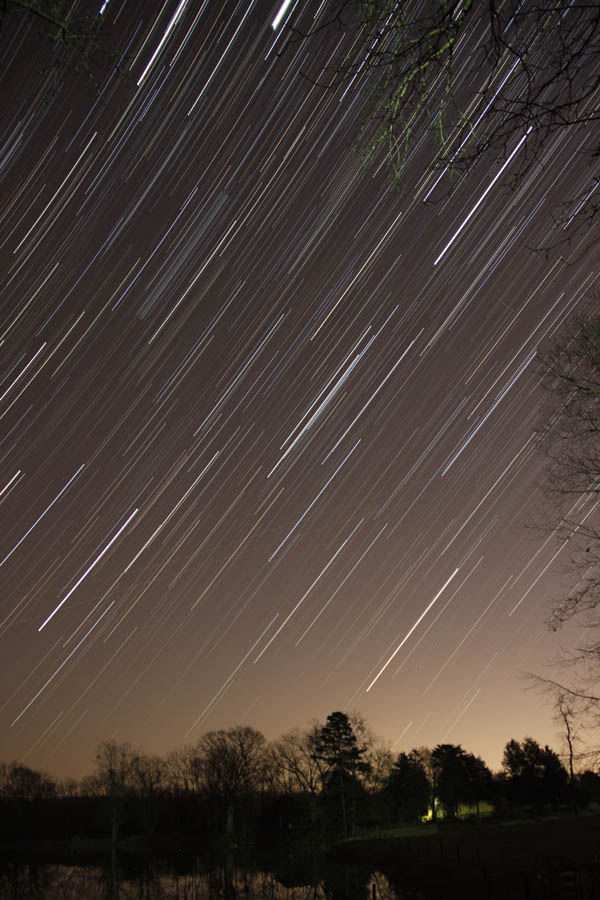
Thus photo was taken just outside a city in North Carolina and was a stack of 78 images and seven dark frames, each taken at 30 seconds, f/3.5, and ISO 800.

Have you used StarStaX to capture star trails? Share your thoughts or favorite images in the comments below!

Need more help for shooting your star trails images, try these articles:

  • Tips for Photographing Star Trails
  • How To Photograph Star Trails
  • Photography Under the Stars

The post Better Star Trails Photographs with StarStaX by Katie McEnaney appeared first on Digital Photography School.


Digital Photography School

 
Comments Off on Better Star Trails Photographs with StarStaX

Posted in Photography


Give Your Photographs The Stage They Deserve – Make Sure Your Website is Mobile Ready

12 Oct

If you post amazing professional-quality photographs to your website and nobody can access them, are they really that amazing? Nobody will know. All that hard work, focus, determination, and artistic ability -POOF – all for nothing. This is exactly what is happening to many very talented photographers. They pour their heart and soul into their art form and then entrust it to outdated technology that doesn’t adequately display their work on mobile devices.

ResponsivePortfolioSite

How important is being mobile friendly?

With the proliferation of mobile devices, it’s no surprise that many people do most of their web browsing on the go. Consider the following eye-opening statistics found on visual.ly:

  • Mobile search queries have grown five times in the past two years.
  • Nine out of 10 mobile phone searches result in a purchase or visit.
  • Three out of every five searches are conducted on a mobile device.
  • 99% of Smartphone owners use their mobile browsers at least once a day.
  • 52% of all local searches are conducted on a mobile device.
Mobile Search Statistics

Those are startling numbers, especially if you’re not keeping up with the changing face of the web. Unfortunately, it seems that there has been a lag in photographers adopting the appropriate web technology to showcase their work in a way that accommodates mobile users. To ensure that your site and your photography work are presented in an impactful way, it must be optimized specifically for mobile viewing.

Desktops and mobile devices don’t always play nice

Just building a site for the desktop doesn’t guarantee that the results will transfer to phones and tablets, or even the new smart watches. You do not want interested viewers to open your site on a mobile device and find a helter-skelter layout with distorted or inaccessible images. If this happens, it puts you in a difficult spot – you’re left hoping that they remember and desire to seek out your site for a second time when they’re back at a desktop computer. That’s wishful thinking considering the deluge of distractions we all encounter every day and the somewhat shrinking attention spans of the high-definition, high-speed digital generation. Here today, gone tomorrow, or maybe sooner in the case of your hard work and aspirations.

One of the worst-case scenarios you could be in is with a portfolio site that is completely based on Adobe Flash, leaving you to lose a whole group of mobile users who will rapidly look elsewhere when your site doesn’t load on their device. No one likes seeing a blank screen or a message saying, “This content cannot be displayed on your device.”

FlashOnlySite

Mobile devices often will not play Flash websites

Making your work accessible

It’s vital to give your audience exactly what they want – fast, fluid access to your dazzling work anytime anywhere. If they can’t clearly navigate your web site, it raises questions in their minds about your professionalism and your commitment to viewers and to your art form. This is not a good place to be for a proud, ambitious photographer. The good news, however, is that there are readily available solutions that you could leverage whether you already have an existing site or are starting one from scratch.

The key to optimizing the mobile user’s experience is to have a site that uses responsive web design or adaptive web design. These are two types of site programming that ensure a seamless transition of your content from the desktop to all mobile devices, regardless of screen size. Anything less than that, and you’re severely limiting exposure for your work and jeopardizing your chance of making a significant first impression. Negative experiences can turn into negative reviews. These travel fast in the digital age, and it’s difficult to change those perceptions once they’re public.

Using an adaptive design, you get a site that is specifically designed for particular browser sizes found on most mobile devices. In a lot of cases, the mobile site almost looks like a native app. Problogger.net (also run by dPS owner Darren Rowse) is an example of such a site. With this type of design, the experience on a mobile device is a bit different than that of a desktop, but you could still access the content in a readable format. This results in a fast and easy to read site that is user-friendlier on small web browsers.

ProBlogger Adaptive

Example of an adaptive design

A Responsive site is even better in that it is flexible in displaying the same content across a large array of devices while keeping much of the same styles. It maintains a fluid layout by using elements that are automatically resizable and could be placed where they fit best on the screen. This even works great on desktops when you want to shrink the browser window.

A perfect example of a website with a responsive design is Digital Photography School’s own site. If you’re accessing the site from a desktop browser, notice how the site responds fluidly as you resize the window. If you’re reading this from a mobile device, you’re still able to read the content just fine without having to manipulate the browser by zooming in and out or doing a lot of horizontal scrolling.

ResponsivePhotoSite

dPS is a responsive site

Simple changes make a HUGE difference

Updating your site from a clunky old format is quite simple, and the tools are readily available. Most people who have a blog use a Content Management System (CMS) such as WordPress, Joomla, or Drupal. These systems allow you to change the overall look and feel of your site by offering different designs or themes. There are plenty of available themes that are already responsive or adaptive right out of the box. These range in cost from free up to $ 100. A simple web search will reveal many sites that specialize in offering a variety of this type of themes. I’ve had great success using Theme Forest.

In addition to themes that are optimized for mobile browsing, these CMSs also allow you to install plugins that display the same content in a mobile-only theme. In some cases, especially if you already have an existing site, this might be the easier route to take.

Rock the mobile web

At some point, we’ve all experienced the disconnect between the artistic or creative world and the technology world. But in the modern age, you really can’t draw a distinction without suffering the consequences. It’s much wiser to embrace the role of technology in displaying art – in this case photography – and use it to your advantage.

With just a bit of effort, you can make sure that you nail that vital first impression with your fans and give your work the digital stage that it deserves!

The post Give Your Photographs The Stage They Deserve – Make Sure Your Website is Mobile Ready by Jorge Hassan appeared first on Digital Photography School.


Digital Photography School

 
Comments Off on Give Your Photographs The Stage They Deserve – Make Sure Your Website is Mobile Ready

Posted in Photography


City Cinemagraphy: Animated Photographs of Urban Motion

07 Oct

[ By WebUrbanist in Art & Photography & Video. ]

urban puddle test

With compelling attention to depth, detail and movement, French photographer Julien Douvier uses cinemagraphic techniques to capture everything from fleeting moments to frustrating routines that define life in bustling contemporary cities.

urban freeze frame photo

endless escalator

urban leaf bench motion

nature path fall leaves

urban puddle reflection

Working both in black-and-white as well as color, depending on what he is trying to depict, many of his works are simple loops of short time periods – typical cinemagraphs – but others go beyond that basic typology, too.

urban daily grind loop

urban walking routine

urban walking route

urban routine two

urban routine

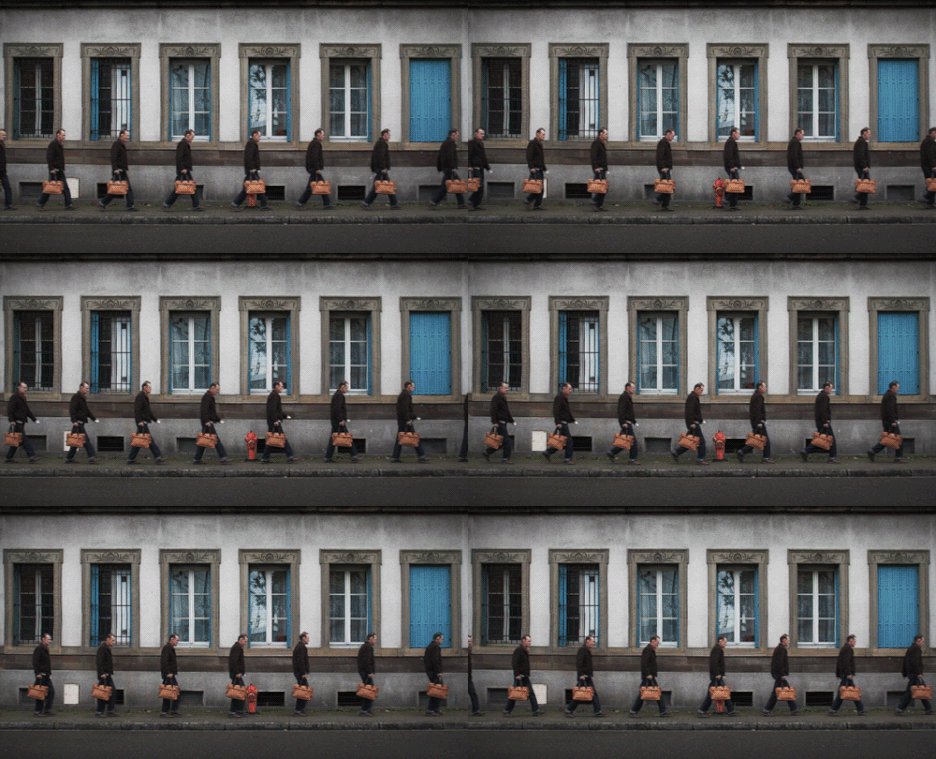
In his Routine series, for instance, individuals are looped but also overlaid in multiples within the frame, creating a sense of infinite or endless repetition – in other sets (examples shown below) he utilizes transparency, nature and reflections to enrich each frame.

Next Page – Click Below to Read More:
City Cinemagraphy Animated Photographs Of Urban Motion

Share on Facebook


[ By WebUrbanist in Art & Photography & Video. ]

[ WebUrbanist | Archives | Galleries | Privacy | TOS ]


WebUrbanist

 
Comments Off on City Cinemagraphy: Animated Photographs of Urban Motion

Posted in Creativity


29 September, 2014 – Critiquing Photographs

30 Sep


I have been practicing photography in one form or another my whole adult life.  One of the best ways I have learned to be a better photographer is by partaking in print critiques.  Michael and I do this with each others work a lot.  Today’s article by regular contributor Alain Briot, How To Critique Photographs Constructively is all about the process of a photographic critique.  I’m sure you’ll learn a few things from this article.  I particularly enjoyed the illustrations towards the end of the article.  

Our friend Sean Reid just published his report on the Leica M Edition 60.  Sean’s site is a paid site but well worth the investment and his reviews are very thorough.  Check it out.

Michael has published a new image in his Phlog, The Blue Hotel.  Have you seen the Luminous-Endowment site?  Take a look at the site and be part of the effort to give grants to photographers by purchasing Michael’s 20 Year Photography Retrospective .


The Luminous Landscape – What’s New

 
Comments Off on 29 September, 2014 – Critiquing Photographs

Posted in News


Beyond the Postcard – 14 Tips for Creating Unique Photographs in Iconic Locations

28 Aug

Photography has been around since the early 1820’s. Of course, back then the technology of “picture taking” was not accessible to the common person. But have things ever changed! With the availability of digital cameras ever present, even in our cell phones, take a moment to consider these facts. Every two minutes today there are as many photos taken as were taken in the entire 19th century (1800s), and ten percent of all the photos ever taken were snapped within the last twelve months!

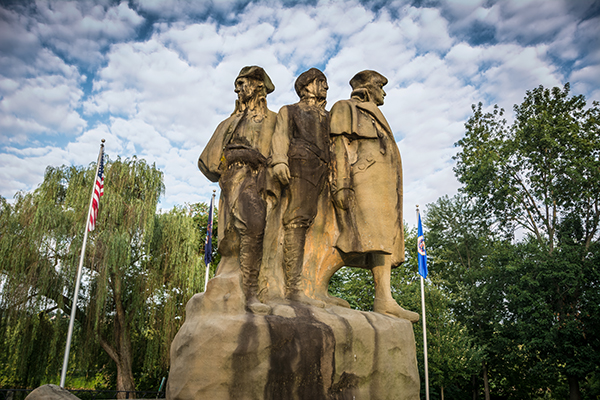
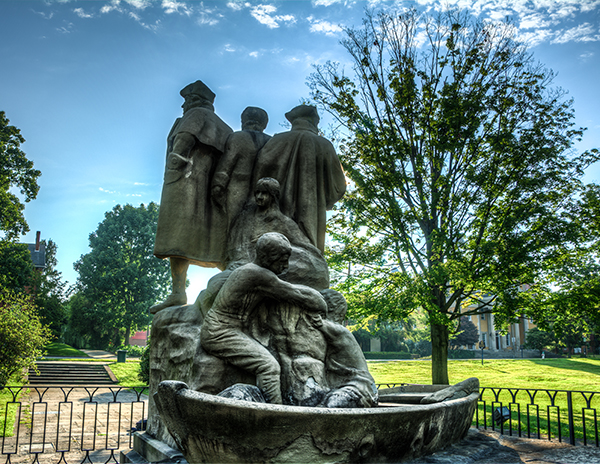
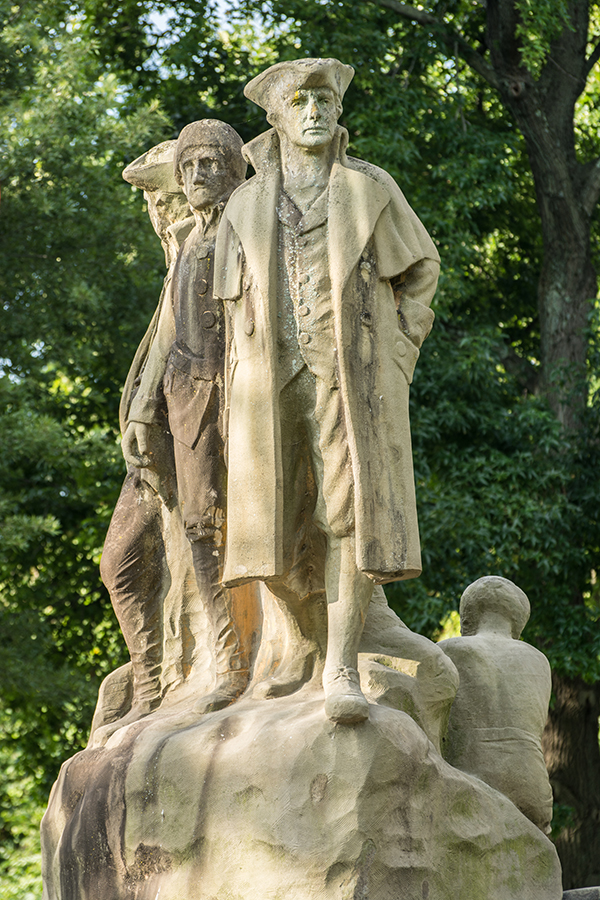
The Postcard: The Start Westward Monument in Marietta, Ohio.  (18mm 1/80th of a second at f/5, ISO 100)

The Postcard: The Start Westward Monument in Marietta, Ohio. (18mm 1/80th of a second at f/5, ISO 100)

So, with nearly 200 years worth of photographs in our collective albums and portfolios, it has become challenging to find an iconic view or subject that hasn’t been overdone by millions of photographers, especially when it comes to state and national outdoor landmarks. In order to look beyond the “postcard shot”, you need to research unique perspectives and techniques to capture that popular subject in a way that creates an original image. But first, go ahead and take that “postcard shot”. (You know you want to!) Then consider the following 14 different suggestions for creating unique photographs of the most popular spots.

#1 Check the internet

This is a resource past generations would have loved to have! By searching Google, Flickr, 500px and other photo sharing sites you can see how other photographers have captured most popular scenes. Besides seeing the images that have already been done, this will give you an idea of the layout of the location before you arrive. You may also find ideas that other photographers have tried and notice something that you might do differently to make the same image better.

#2 Get to know your location

Research the area by downloading maps and brochures from the internet. If your destination is only open certain days and hours, be sure you’ve garnered that information before you head out on your shoot. Stop at the visitor centers and ask questions.

#3 Talk to the locals

Talking to a “local” can often lead you to all kinds of special photo opportunities that may have never been visited before, such as discovering a special lighting effect that only happens at a certain time of the day or year, or maybe a waterfall that is hidden from view.

#4 Shoot at popular sites during the week

Avoid the weekends when the crowds can make it almost impossible to get an image, especially if you are looking for a shot free of human presence.

#5 Look for new angles

While looking for different angles, don't forget to explore all sides of your subject.

While looking for different angles, don’t forget to explore all sides of your subject.

Try to avoid the obvious straight-on shot that presents itself right in front of you,(the typical postcard shot), but look around for other angles instead – high, low or from the right or left. If you must shoot straight in front, try to include a foreground object.

Caution: If you are in a state or national park, be sure to abide by all park rules! Photographers sometimes tend to think that rules do not apply to them, but you will find that most park rangers will not agree with this point of view. These rules are put in place for your safety or to preserve the beauty of the area you are photographing.

#6 Photograph in different seasons

Photograph the scene or subject in all four seasons. Mother Nature provides amazing changes to scenery, from the different angles of the sun to the different colors of the leaves on the trees.

#7 Look for special events in nature

Some natural happenings can make your image unique, such as a full moon which may be included in the image if you are into nighttime photography. Special weather conditions can be conducive to producing a once-in-a-lifetime image. For example, some photographers may reject shooting on rainy days, but if you have the protective gear for your equipment, the rain can add special visual effects such as reflections or rainbows. Ice and snow coatings are often quite striking additions to outdoor objects both in nature or manmade.

#8 Look for special lighting

Of course the best light of every day will come during the golden hours, following the early morning sunrise and just before evening sunset. If you must shoot in the harsher lighting of midday, consider black and white images which can often produce some visually appealing contrast. If you are out on a heavily overcast day, you may be able to shoot all day, but in most of these cases avoid including the sky in your image. If you have the option, research natural lighting sources by using computer software, such as The Photographer’s Ephemeris, that show the position of the sun and moon to help you determine when the lighting will be best, and what time to arrive to capture your shot. These kinds of software can allow you to anticipate exactly when and where the best lighting may fall, on just the right spot, to create that once in a lifetime image.

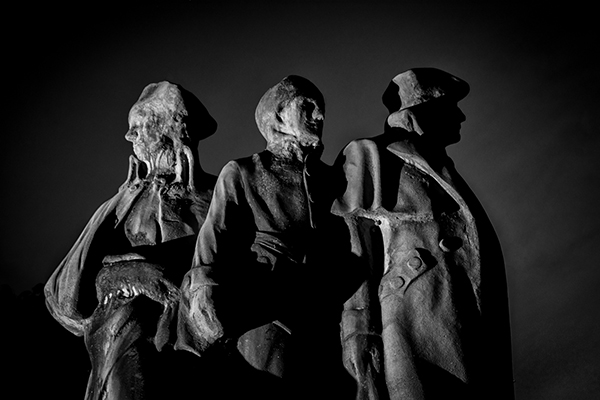
Black and white image shot after dark was lit with an off camera flash from the left side of the image.

Black and white image shot after dark was lit with an off camera flash from the left side of the image.

#9 Add the human element

Including a person in the scene not only will add a sense of scale, but can also add excitement and fun to your photo, which will make your image much more interesting to your viewer.

Special events present an opportunity to include a human element, which add extra excitement to your image.

Special events present opportunities to include human elements, which add extra excitement to your images.

#10 Focus on details

Narrowing your focus to capture details can be an especially effective way to create a unique photo. Whether zeroing in on the part of the vista that makes that site unique, or the feature of the statue that expresses its purpose, an original visual story may be captured in your image.

#11 Include a foreground element

Incorporating a foreground object to frame the subject can add depth to your scene and also enhance the image. A foreground object can also be used to lead the viewer’s eye to the subject of your photo.

#12 Use special effects

Two filters that could help make that standout image are the polarizing and neutral density filters. Use of a polarizing filter will enhance the blue of the sky and add color saturation. Use of a neutral density filter will cut down the light entering your camera, which allows you to slow down shutter speeds to capture interesting motion effects with the sky or water. Experimenting with your white balance can also create some interesting results.

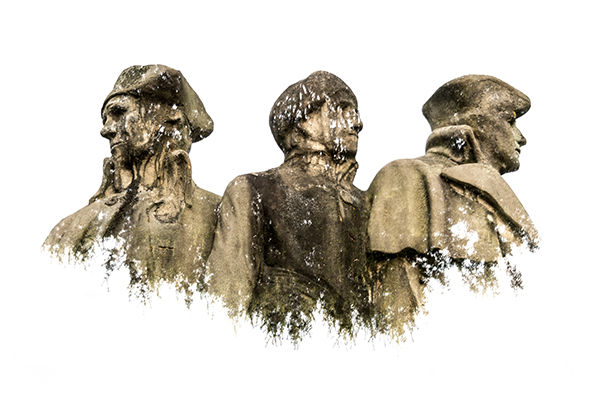
This image was created by using multiple exposures. the first image was of the monument against the sky, in the second the camera was turned upside down and captured the top of some nearby tree tops. In each image the sky was overexposed creating the white background.

This image was created by using multiple exposures. The first exposure was of the monument against the sky.  In the second exposure, the camera was turned upside down, capturing the top of some nearby trees. The sky was overexposed in each image, creating the white background.

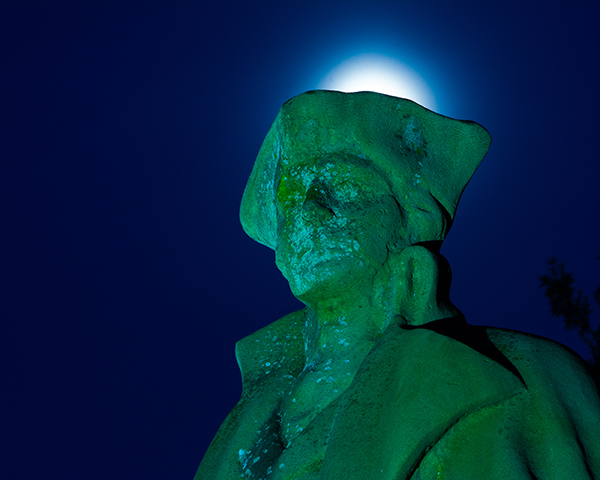
In this image shot at night the white balance was changed to Tungsten, which causes the monument to have a teal color. The glow above the head was created by the moon glow.

This image was shot at night the white balance was changed to Tungsten, which caused the monument to have a teal color. The glow above the head was created by the moon’s glow.

#13 Vary your focal length

Try different lenses to get varied results, for instance a telephoto lens will not only bring the scene closer to you, but will also compress the scene. On the other hand, a wide-angle lens allow you get more of your subject in the view, make background objects appear farther away, which adds depth to the scene.

In this image the monument is captured just after sunrise giving the monument a nice glow. Also by using a telephoto lens at 150 mm @ f4.8 we compress the photo and the background is out of focus to make the monument stand out

In this image the monument is captured just after sunrise giving it a nice glow. Also by using a 150mm telephoto lens at f/4.8 we compress the photo and the background is out of focus to make the monument stand out.

#14 Experiment with DOF

To narrow your depth of field, open your aperture to a lower number, such as f/ 2.8, and make your subject stand out from the background. A distant landscape requires more depth of field to keep objects in focus, so you may want to close your aperture to something like f/16 to sharpen your image.

Researching your options and incorporating some of these tips will enhance the creative bent so many photographers already possess! Just don’t settle for the easiest, most common photographic result if you can take the time to shoot a more memorable image. Think and imagine your own photographic creations “beyond the postcard”. You’ll be glad you did!

Have any unique photographs from iconic locations or landmarks? Please share in the comments.

The post Beyond the Postcard – 14 Tips for Creating Unique Photographs in Iconic Locations by Bruce Wunderlich appeared first on Digital Photography School.


Digital Photography School

 
Comments Off on Beyond the Postcard – 14 Tips for Creating Unique Photographs in Iconic Locations

Posted in Photography


What’s Really Missing from Your Photographs?

27 Aug

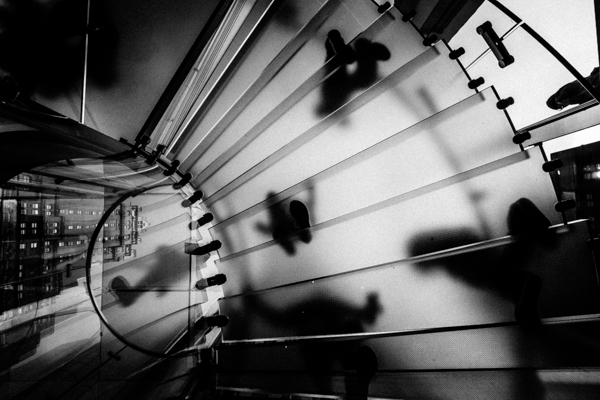
01 cover apple store glass step

Ever felt that your images are missing a certain je-ne-sais-quoi? I remember when I was a proud young shooter, I showed my images to my photography 101 teacher, ready for him to crown me the next best photographer he’s ever seen (Hey I was young). He looked at them, and politely said “They are coming along”.

What. The. Heck dude!? I looked at him in disbelief. I tried some Jedi mind tricks on him; trying to juice some positive note out of him. After a while, it was evident he didn’t want to offend me, I tried pressing him a last time and he gave me the same answer…that my photos were coming along. After thanking him I went my own way, still fooling myself that my stuff I was amazing.

Truth is, he was right, I felt there was something missing from my photographs, I couldn’t put my finger on it, but I knew it. I could see it in other’s images but not mine. I knew my technical photography, I knew the subtleties of composition, I was a graphic designer after all, but there was something that eluded me in photography and I couldn’t figure out what…until something terrible happened.

RRrrrring! A few years ago, I got a call from my aunt, she asked me to call my brother. Apparently my mom had some health issues. I was cool about it, my mom was a cancer survivor, and she sometimes failed here and there, having seizure but never anything major. I dialled my brother promptly.

Yo man! Heard there’s something wrong with mom, what’s up? I asked, ready for the news that she had a seizure episode or something.

He quickly blurted out three words in a rage. I heard the three words I was always afraid of hearing. She. Is. Dead…………. I dreaded hearing those words for years, ever since I knew she had cancer when I was 10.

I remember going to her room hundreds of times, just making sure that her belly was going up and down, meaning she was breathing, still alive. Mental preparedness didn’t mean jack in that moment. She survived cancer, but the Haitian earthquake claimed her.

Palm tree 1
Typical image before my mom passed away

Way to go brother to break the news, right, right? But I’m digressing. So, why am I telling you this? Well, after the storm calmed a bit, eventually, it dawned on me: I never made any photographs of her.

Before my mother went back to Haiti, she was in the US, but instead of spending time making photos of her, I chose instead to take pictures of buildings and flowers. I then understood something a little too late: My photographs didn’t mean anything to me. I shot because I saw other people shooting (thanks internet!), not because I cared for what I was doing. That “thing” I was missing? It was simple: connection. Connection to my work. I could have made a photograph of my mother that showed how much I loved her, how much I cared. A photograph that only I could have made, but I kept shooting things I didn’t care about.

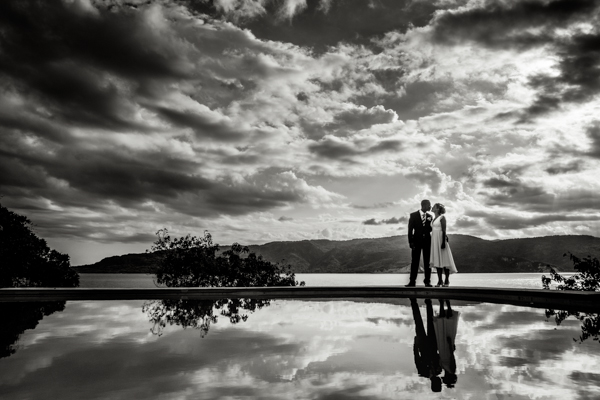
02 haiti wedding

Please don’t misunderstand, I’m not putting down making photos of flowers and buildings, I’m only saying to be emotionally connected with what you are doing. If you find yourself into photos of flowers and whatnot, by all means do it! Many photographers did, especially later in their life. You have to find your connection to your work. If you think that many landscape photographers fall short of Ansel Adam’s work, it’s really not because he had somehow special gear, it’s because he had a strong, borderline religious connection with Yosemite National Park, he came alive when he was there. Most modern landscape photographers are only interested in the physical landscape, Ansel was interested on making images that recreated the sense of awe and majesty that he felt.

It’s not the technical, the gear, the sharpness that will make you a better photographer. It’s your connection to your work. That’s the magic that no one can replicate. So what’s really missing from your photography? You. Nothing more and nothing less. So far we can’t just plug our brains into another’s to transfer the feelings and emotions we are feeling inside, but can hardly express with words. The closest thing we have to transferring our emotions directly is photography (or art in general), so why spend our time shooting things we don’t care about in the first place?

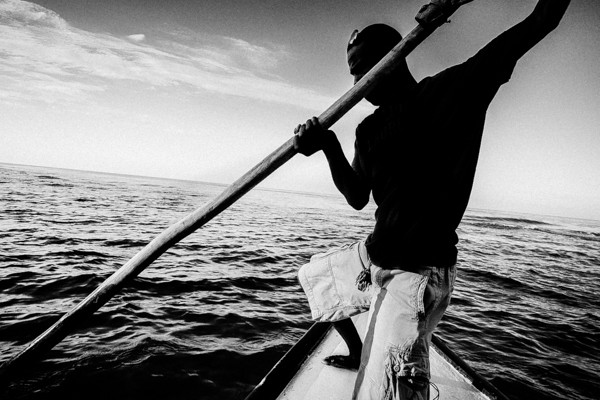
03 haitian fisherman

You can’t fake connection, shooting something that doesn’t mean anything to you will show in the work. What we feel while looking at a photograph is proportional to what the photographer felt when making it…..the big idea is that connection transcends the photograph.

When someone looks at your images, do they see something distinctively you or do they see yet another photographer? It might be easy to get likes by shooting what is expected of a photographer, but it’s much more rewarding to be yourself and connected to your work as a photographer. Trust me, been there, done that!

Be yourself, stay focused and keep on shooting.

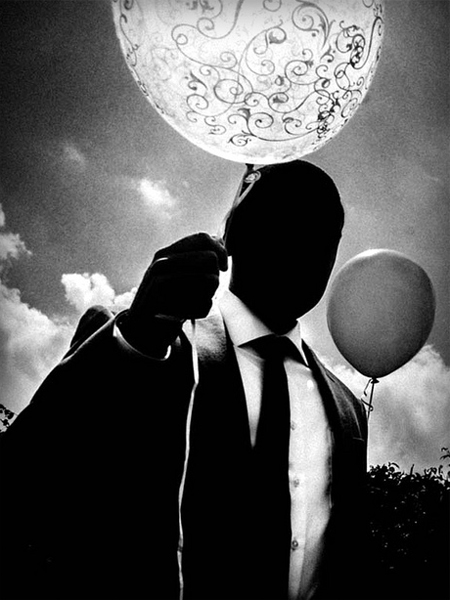
04 surrelist photo

The post What’s Really Missing from Your Photographs? by Olivier Duong appeared first on Digital Photography School.


Digital Photography School

 
Comments Off on What’s Really Missing from Your Photographs?

Posted in Photography