RSS
 

Posts Tagged ‘Photographs’

Frozen in Motion: 24 Stunning High Speed Photographs

14 Aug

[ By Steph in Art & Photography & Video. ]

High Speed Reugels 1
Spectacular forms that come together and dissipate far too quickly for human eyes to perceive are captured permanently using high-speed photography techniques. The elusive and temporary shapes created when liquid is thrown into the air or pellets are shot at strawberries become momentarily sculptural.

Floating Sculptures by Floto + Warner
High Speed Floating Sculptures 1

High Speed Floating Sculptures 2

High Speed Floating Sculptures 3

Ephemeral sculptural forms that shift and change by the nanosecond are captured against stark landscapes in particular chaotic arrangements that will never be seen again. The final theatrical photographs in this series by Floto + Warner momentarily make elusive forms within colored liquid seem three-dimensional and static. Getting these dramatic images just right is no easy task; many attempts are made to toss the fluid into the air so that it looks just right against the hills and desert of northern Nevada.

Liquid Orchids: Paint Splash Flowers
High Speed Liquid Orchids 1

High Speed Liquid Orchids 2

High Speed Liquid Orchids 3

Colorfully streaked, blossom-like forms come into being just for a split second when artist Fabian Oefner drops a sphere directly into a tank filed with layers of acrylic paint in various shades. The explosion that results from the impact of the object in the tank, which often happens too quickly for our eye sot properly take it in, is permanently preserved via high-speed photography.

Exploding Food by Alan Sailer
High Speed Exploding Food 1

High Speed Exploding Food 2

High Speed Exploding Food 3

Avocados, popsicles, strawberries and chocolate bunnies are ripped apart in spectacular patterns and forms when photographed just at the instant of an impact from a pellet or marble. Photographer Alan Sailer uses a micro-second guided spark flash to get the images, and a PVC or copper cannon to launch the food-destroying objects.

Black Hole: A Visual Demonstration of Centripetal Force
High Speed Black Hole 1

High Speed Black Hole 2

High Speed Black Hole 3

High Speed Black Hole 4

Physics and art come together in another project by Swiss artist Fabian Oefner, appropriately titled ‘Black Hole’ for the visual effect that’s achieved. The images are created using a drill and a high-speed camera that can create flashes as brief as 1/400000 of a second; a sensor connected to the drill sends an impulse to the flashes to freeze the paint in motion.

Next Page – Click Below to Read More:
Frozen In Motion 24 Stunning High Speed Photographs

Share on Facebook


[ By Steph in Art & Photography & Video. ]

[ WebUrbanist | Archives | Galleries | Privacy | TOS ]


WebUrbanist

 
Comments Off on Frozen in Motion: 24 Stunning High Speed Photographs

Posted in Creativity


Bird Photography Tips – How to Make Your Bird Photographs Stand Out

02 Aug

Have you ever been disappointed when browsing through the bird photographs in your own portfolio? I was, in fact many times! Even today I get disappointed to see several of my own bird photographs and keep thinking why did I take that photograph in the first place?

In most cases, the reason for failure of not appealing bird photographs is the boring or distracting background.

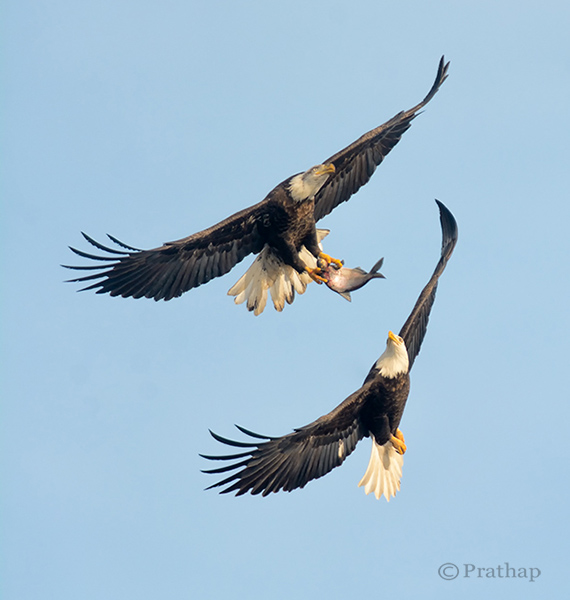
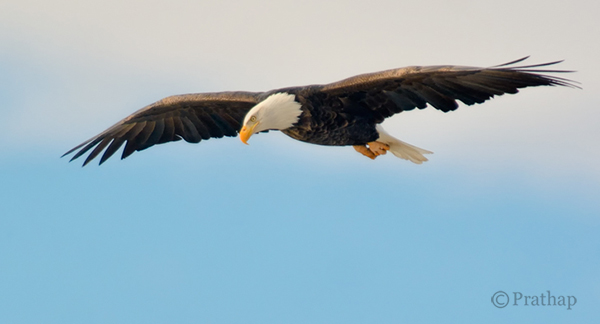
Nature Photography Simplified Bird Photography Bald Eagle Fight In Flight

Take a look at your portfolio again and see if the culprit is the background. You will be surprised, shocked, and probably start thinking why did I take this photograph? What was in my mind?

The reason is very simple. It’s our natural behaviour. We are accustomed seeing only what we want to see. Imagine a situation like this. You have your camera and a decent telephoto lens, when you see a magnificent bird like a Bald Eagle perching on a lone tree.
What do you do? You will most likely start capturing photographs in burst mode. Don’t you? We all do! The urge to capture the beauty, and the fear of losing that opportunity doesn’t allow us to think. Unless. . .

By following these very simple bird photography tips, and making a few changes before you press the shutter, you will be able to create bird photographs that stand out.

Your Background Makes the Picture

Remember that we see our world different than the Camera. We tend to see only what we want to see. Meaning, we are so tuned to looking at the world using filters. Our brain passes only the information which is very important to us filtering out all the unimportant things. So, we see only the bird and its beauty, but don’t see the background, or the distracting elements in the background.

But the camera doesn’t filter, it records everything that it sees.

No matter how beautiful the bird is, you have to make sure that the background is either clean, or interesting enough that it will complement the bird, which is your main subject of interest.

Nature Photography Simplified Bird Photography Eagle Flight Distracting vs Clean Background

Use Your Legs

Do you use your legs when you are photographing? Does this question sound crazy? Think again. Once you get to see the bird, it is a common tendency to capture it immediately. In that urge to capture, you generally forget to move around.

In order to get a clean and appealing background you have to move around sometimes, or rather most of the time. But remember to move very slowly. Most of the time moving just few feet to the left, right, forward or backward will give wonderful results.

Nature Photography Simplified Bird Photography Bald Eagle Flight

After all you are not a tripod!

Patience Always Pays Off

There is no substitute for patience when it comes to achieving anything worthwhile in your life. It is no different in the case of bird photography.

Why do we want to always move? Why can’t we sit in one place for several minutes to hours?

If you think deeper about it, you will understand that we are almost always restless. Also, we believe in the future or something that is non-existent. Learn to live in the present. Learn to embrace what is there in front of you. Rather than moving on in search of the next bird, spend time with the bird in front of you.

I would recommend you to spend hours to days in succession. You will fall in love with the bird and ultimately with nature. Patience is the key to making great photographs of any bird.

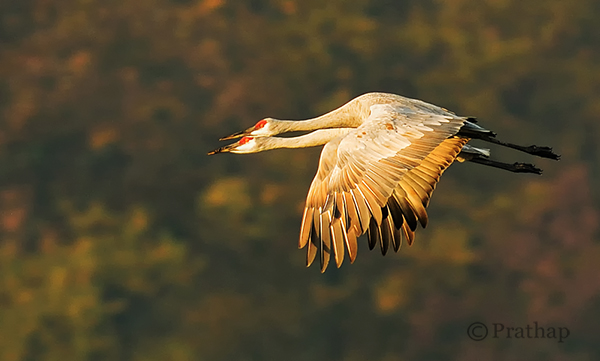
Nature Photography Simplified Sandhill Cranes Pair In Flight Jasper Pulaski Fish And Wildlife Refuge Indiana

Use Depth of Field (DOF) to Your Advantage

Depth of Field plays a major role in making your bird photographs look beautiful. By using DOF you can either isolate the subject from its background by using shallow DOF, or give importance to both the bird and its background by using deep DOF.

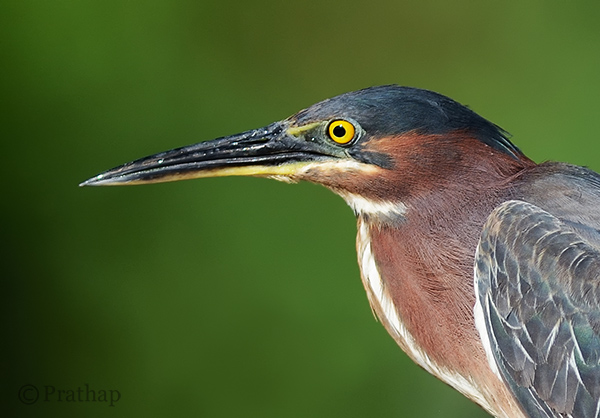
If the background does not convey anything about bird’s habitat, then using larger apertures like f/2.8, f/4, f/5.6 yields a pleasing bokeh in the background helping the bird to stand out in the frame.

Nature Photography Simplified Bird Photography Green Heron Portrait Bokeh Effect

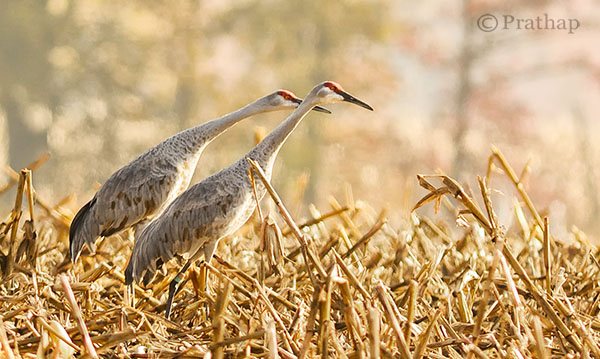
Otherwise, including the habitat by using smaller apertures like f/8, f/11, etc., helps to narrate a story to the viewer.

Nature Photography Simplified Sandhill Cranes In Jasper Pulaski Fish And Wildlife Refuge Medaryville Indiana

Fill the Frame

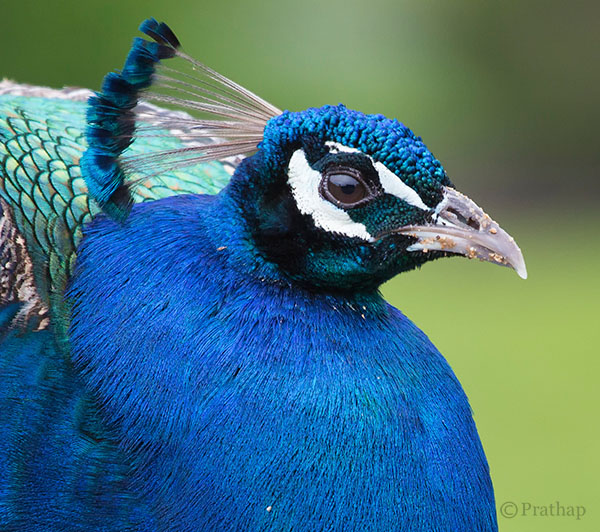
If you go through the bird photographs across the net, you will find that the majority of bird photographs will have the bird filling the frame.

Nature Photography Simplified Bird Photography Peacock Portrait

There are three main reasons for filling the frame with the bird:

  1. Most of the times, it’s all about the bird and its beauty. So, there is no reason why something else should be occupying the frame.
  2. The bird will be lost in the frame if it occupies only a part of the frame. Unless it is in its habitat, or there is a directional light illuminating it more than anything else in the frame.
  3. Filling the frame with the bird avoids any distractions in the background which is usually the case.

Remove Distractions in Post-Processing

This is a debatable topic for sure. Is it ethical or unethical? It depends really.

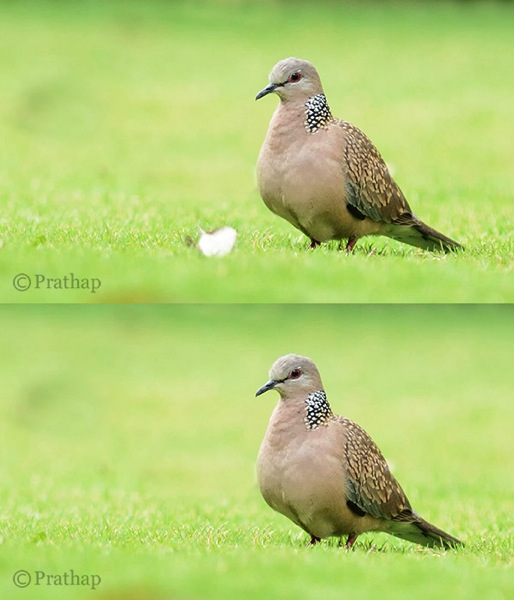
Are you sharing it only on social media sites? It shouldn’t bother you much. If you feel that removing distraction makes it a more pleasing image, it should be fine. However, it should not be overdone. Also, you should never do that if you are submitting your images to competitions or bird ID sites or any other place where it is not allowed.

You should always try to achieve a distraction free image in the field. But, that is not always possible. My suggestion is to remove only the distractions that are by no means possible to remove in the field. Things like a tiny branch running across the bird, bright elements like aluminum foils, papers, etc., could be removed as they don’t contribute to the final result.

Nature Photography Simplified Bird Photography Beautiful Dove Background After Removing Distraction In Background

Cropping is another way to remove distractions and recompose the scene. It is an essential tool for the bird photographer since it is not always possible to have the longest telephoto lens.

Conclusion

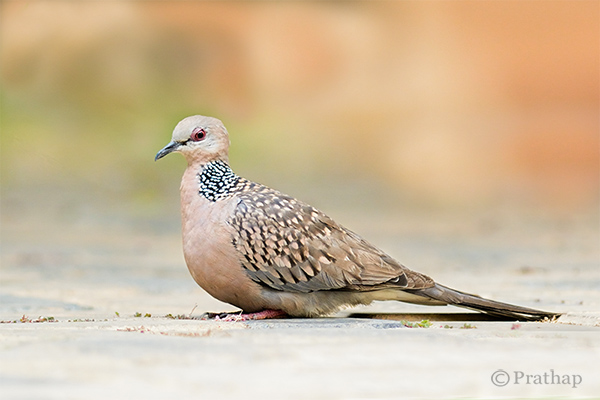
Keep the background clean and make the bird stand out in the frame

Nature Photography Simplified Bird Photography Dove Clean Background

You will make excellent photographs by following the above simple tips on bird photography. Now go out and shoot. That’s the best tip I can give if you want to seriously improve you bird photography, enjoy!

The post Bird Photography Tips – How to Make Your Bird Photographs Stand Out by Prathap DK appeared first on Digital Photography School.


Digital Photography School

 
Comments Off on Bird Photography Tips – How to Make Your Bird Photographs Stand Out

Posted in Photography


Set of Photographs of Beverages to Quench your Thirst

25 Jul

Everyone enjoys a good beverage, right? If you’re currently in the Northern Hemisphere and it’s summer a cold one on a patio with friends might be in order. Or if you’re down under and it’s a bit chillier perhaps a hot mug of tea or coffee will be your beverage of choice.

Whatever your pleasure, here are some photographs of beverages for you to enjoy. Grab a cup or mug full first as you might get a bit thirsty!

Photograph Cure of thirst by Mazin Alrasheed Alzain on 500px

Cure of thirst by Mazin Alrasheed Alzain on 500px

Photograph Vision by Tamás Mészáros on 500px

Vision by Tamás Mészáros on 500px

Photograph Hot coffee by Dean Saunderson on 500px

Hot coffee by Dean Saunderson on 500px

Photograph open your mind by bshayere th on 500px

open your mind by bshayere th on 500px

Photograph Rum's Suite 2 by Joan Roca Febrer on 500px

Rum's Suite 2 by Joan Roca Febrer on 500px

Photograph New morning by Ivana Vasilj on 500px

New morning by Ivana Vasilj on 500px

Photograph Smokey Splash by Joshua Geiger on 500px

Smokey Splash by Joshua Geiger on 500px

Photograph Devil's Cut - Inferno by Joshua Geiger on 500px

Devil's Cut – Inferno by Joshua Geiger on 500px

Photograph Beer by Ryan Carter on 500px

Beer by Ryan Carter on 500px

Photograph Blue Martini by John Adkins on 500px

Blue Martini by John Adkins on 500px

Photograph Scotch Whisky by Edward Leschinsky on 500px

Scotch Whisky by Edward Leschinsky on 500px

Photograph Jagermeister by Martin Urbánek on 500px

Jagermeister by Martin Urbánek on 500px

Photograph Butterfly Drink by Jackson Carvalho on 500px

Butterfly Drink by Jackson Carvalho on 500px

Photograph Fresh by Miguel Angel Oliva on 500px

Fresh by Miguel Angel Oliva on 500px

Photograph Wake me up by Kevin Clarke on 500px

Wake me up by Kevin Clarke on 500px

Photograph wine bottles and oak barrels in background by Christian Delbert on 500px

wine bottles and oak barrels in background by Christian Delbert on 500px

Photograph Pilsner Sunset by Ty  on 500px

Pilsner Sunset by Ty on 500px

Photograph Cookies and Cream Milkshake by Brent Hofacker on 500px

Cookies and Cream Milkshake by Brent Hofacker on 500px

Photograph Sunset cocktails by Ivanka Zagorska on 500px

Sunset cocktails by Ivanka Zagorska on 500px

Photograph Ginger tea by Ivana Vasilj on 500px

Ginger tea by Ivana Vasilj on 500px

Photograph It's a Party by Donna Corkum-Ivany on 500px

It's a Party by Donna Corkum-Ivany on 500px

Photograph Colors -2  by Mazin Alrasheed Alzain on 500px

Colors -2 by Mazin Alrasheed Alzain on 500px

Photograph Vintage Look by Ioana  Bogdan on 500px

Vintage Look by Ioana Bogdan on 500px

Photograph Honey Let's have drink 2gether.... by Ram Iyer on 500px

Honey Let's have drink 2gether…. by Ram Iyer on 500px

Photograph Thinking of you by elena timossi on 500px

Thinking of you by elena timossi on 500px

Photograph “Laughter is wine for the soul - laughter soft, or loud and deep, tinged through with seriousness -  by ieatstars on 500px

“Laughter is wine for the soul – laughter soft, or loud and deep, tinged through with seriousness – by ieatstars on 500px

Photograph hands preparing mojito cocktail by Luis Mario hernandez Aldana on 500px

hands preparing mojito cocktail by Luis Mario hernandez Aldana on 500px

Photograph Cocktails by Jeremie Montessuis on 500px

Cocktails by Jeremie Montessuis on 500px

Photograph Ice cocktails by Costin Lazarescu on 500px

Ice cocktails by Costin Lazarescu on 500px

Photograph Summer Cocktail by Maryam Al Nasser on 500px

Summer Cocktail by Maryam Al Nasser on 500px

Photograph BEER by Sergey Adamoff on 500px

BEER by Sergey Adamoff on 500px

The post Set of Photographs of Beverages to Quench your Thirst by Darlene Hildebrandt appeared first on Digital Photography School.


Digital Photography School

 
Comments Off on Set of Photographs of Beverages to Quench your Thirst

Posted in Photography


How to Take Pretty Photographs in Bars & Nightclubs

25 Jun

There’s something about a dimly bar that gets my muse excited. The old guys hunched over their beers, talking about the weather. The tattoo-covered dudes confidently working over the pool table. The colorful ladies, often wearing their most eye-catching clothing and makeup…For most people, it’s the highlight of their week. Whether they are kicking back, cutting loose with friends, or Continue Reading

The post How to Take Pretty Photographs in Bars & Nightclubs appeared first on Photodoto.


Photodoto

 
Comments Off on How to Take Pretty Photographs in Bars & Nightclubs

Posted in Photography


5 Creative Ways to Process Infrared Photographs in Photoshop

21 Jun

Digital cameras have made the process of infrared photography relatively simple and very accessible, compared to the days of shooting with infrared film. No darkroom is required and all you need to get started is an infrared filter on your lens (click through to read my article on How to do Surreal Digital Infrared Photography Without Expensive Gear or Camera Conversions) and to mount your camera on a tripod. Maybe you’ve tried digital infrared photography already. You’ve learned all the correct infrared shooting and compositional techniques so you know you have great images in your camera, but how do you transform those strange looking red or violet frames into stunning infrared photographs?

Here are 5 creative ways to process your digital infrared images in Photoshop to create arresting photos in color, and Black and White.

1) Color infrared one-click post-processing method
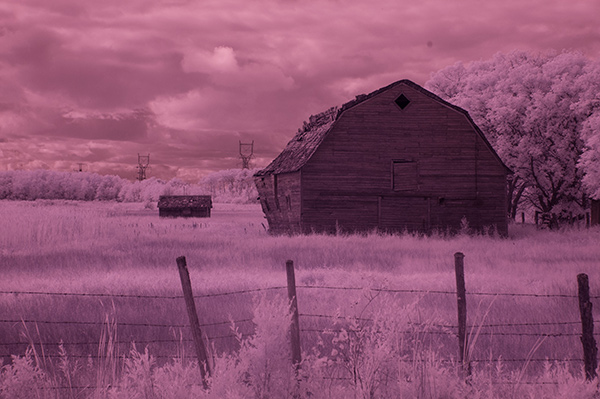
_DSC5456AsShot

As shot, before Auto Tone

This is the quick and instant method. Open your image in Photoshop and go to Image> Auto Tone. Look at the difference this one click makes! In fact Auto Tone should be the first thing you do to all your infrared images.
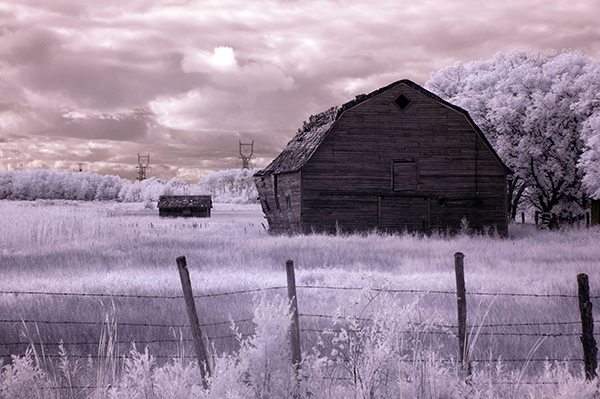
infrared image with autotone applied

Same image after Auto Tone has been applied

This has become a perfectly delightful infrared image. It has a variety of textures and colors for interest. However you may want to further process it to add more WOW and impact. The next step adds a few more tweaks that will help you do this.

 2) Color infrared gradient method

After you apply Auto Tone, you can also apply a Gradient Layer and set the blending mode to Soft Light, or Hard Light – you’ll need to experiment a bit depending on the tonal qualities of your original image. You can also adjust the opacity of this gradient layer.  If you are familiar with layer masks, you may want to mask out any areas where the gradient might be too strong.

Here is the same image with the Gradient Layer added. Can you see how it adds a little more depth and drama?
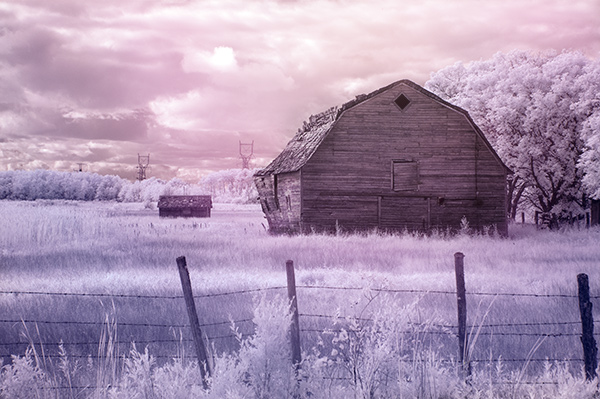
infrared image with post processing added.

Infrared Image with a Gradient Layer Added
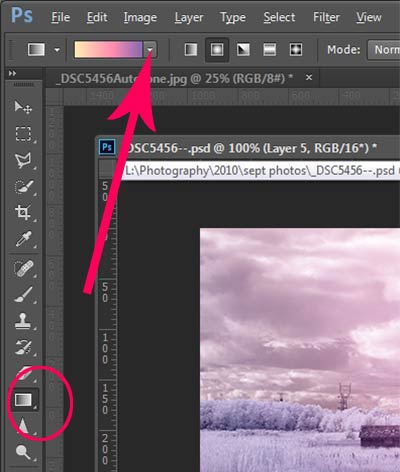
gradient-toolTo add a Gradient Layer, go to your Layers palette, and click on the new layer icon at the bottom (it’s the one that looks like a sheet of paper with the corner turned up) or you can use  the keyboard shortcut Shift+Ctrl+Alt+N.  I find it quicker to use the icon in this case. While this new layer is active, go to the Tools palette and select the Gradient tool. On the context menu on top of the window you’ll see the Gradient library and you can select your pre-set gradient from there.

Now, back on your layer, drag your mouse to get the gradient on your image.  Select the blending mode to soft light or hard light and then adjust the opacity. This is where your artistic eye comes into the picture.  Play around with these settings until you have something you like.

Here is another infrared image processed the same way. You don’t have to use the same gradient each time – experiment a bit and see how things turn out. It’s art after all!
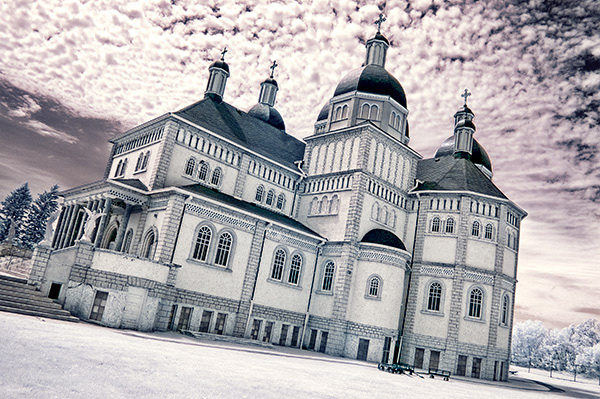
infrared image with a gradient texture.

3) Using the Camera Raw filters and the Channel Mixer

One of the key concepts in infrared photography is to have a very distinct separation of color tones between the sky, and your high infrared reflecting subjects. This is usually the grass and foliage in your scene, or it could be buildings or other subjects that reflect infrared light because of their paint or construction materials.  But it’s important to have this separation because you need the sky to be dark, and you’ll want the foliage to be light, if not pure white.

Happily, in Photoshop you can give a tonal boost to your images in a couple of way,s in addition to the Auto Tone setting.  After you’ve applied Auto Tone, look for the Camera Raw Filter under Filters. If your image is not a RAW file you can still use these adjustments, although it is best to shoot RAW when capturing infrared photos.

In the Camera Raw Filter, to get this color separation between the light and dark areas of your image, use the the Basics filters and  HSL/ Greyscale Slider to adjust the colors until you get a clear difference between the cyan and red shades.

 Original image as shot:
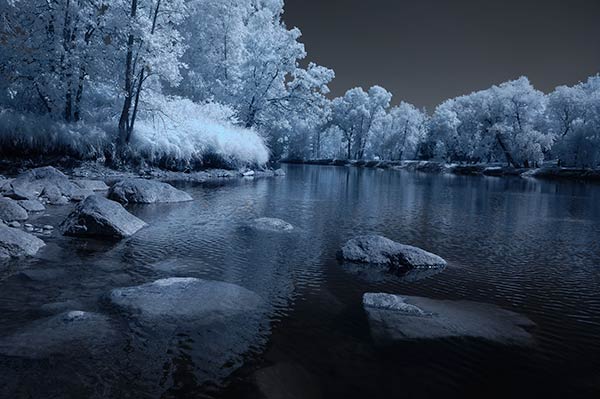
1as-shot-infraredimage

After applying Auto Tone and Using the Camera Raw Filters:
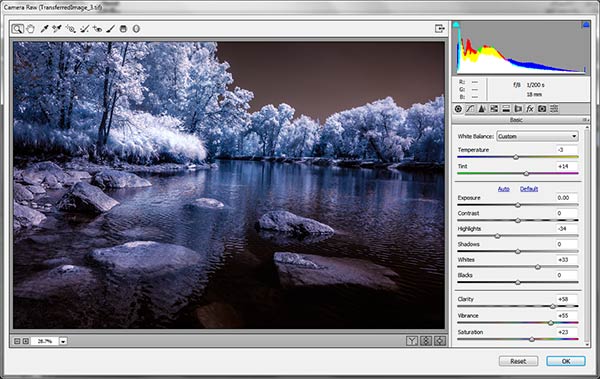
2cameraraw

Notice how these adjustments bring out the red in the sky and the blue in the leaves.

Now to the Channel Mixer

Go to Image>Adjustments>Channel Mixerchannelmixer
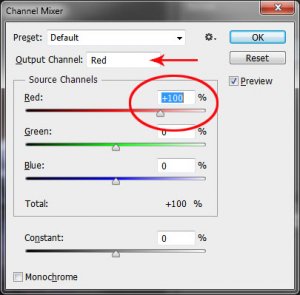
Here we will “swap” the channels to get a nice  blue sky and red or purple, and in a few quick steps, white foliage. Your Channel Mixer will look like this:

In the Red Output Channel, change the Red slider from +100 to 0, and the Blue slider from 0 to +100. Change the Output Channel drop-down to Blue, and make the Blue slider +100 and the red slider 0.  Your image will look something like this:
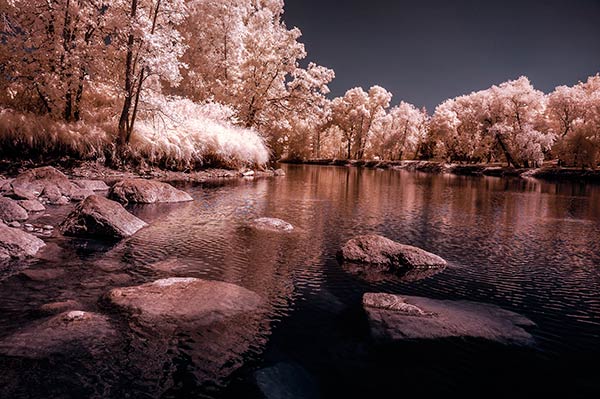
3infraredwithchannelmixer

There is a clear color difference now between the blue sky and the red foliage.  It doesn’t matter if the foliage of your image is purple and  the sky blue, as long as you can see a clear difference in colors with the sky having some shade of blue.

Now the last part. Go back into your Raw Filters, and in the Basic panel, move the White Balance Color Temperature slider to the left to get a nice blue sky.  In the HSL/ Greyscale tab, use the sliders in the Saturation tab to desaturate the colors of your foliage.  Your image should have a blue sky and white leaves and grass. Gorgeous!

The final image

4infraredwithcameraraw2-FINAL

 4) Instant Black and White infrared processing

This is a “quick and dirty” method for getting the classic infrared look from your captures. You’ll get the tell-tale light colored foliage, and dark skies. For best results your image should have a clear sky with some clouds for effect. Overcast skies detract from the image, leave things without enough contrast, and very flat. No clouds make the sky seem like a vast black void – not too interesting.
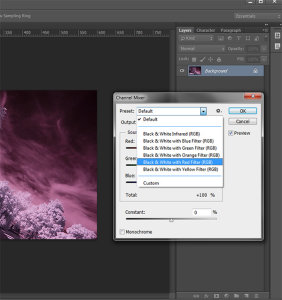
2StepprocessingblackandwhiteinfraredClassic black and white infrared images tend to be non-contrasty, so from an artistic perspective a blue sky with wispy or puffy clouds can really add interest to your image, create a powerful story, and keep that soft contrast intact.

  1. Open your image in Photoshop
  2. Go to Image>Auto Tone
  3. Next go to Image>Adjustments>Channel Mixer>Black and White with Red Filter (From there you can adjust the sliders to get the effect you want)
  4. To get the classic infrared glow, check to make sure that in the Tools palette the colors are set to the default – black foreground and white background. To be sure, a simple way to set this is to hit the letter D to reset the colors to the default state.
  5. Then duplicate your layer (Ctrl J), and go to
  6. Filters>Filter Gallery>Artistic>Diffuse Glow
  7. In the Diffuse Glow filter, set the sliders so you can see some halo glows around the white areas of your image. You will have to adjust these to suit your image but it will create the classic graininess and glow of film infrared photos.

If the glow amount is too strong and you’re getting blown out highlights, you can decrease the opacity of your glow layer in the Layers Palette. A little experimentation goes a long way. Remember your History palette in case you want to go back a few steps.
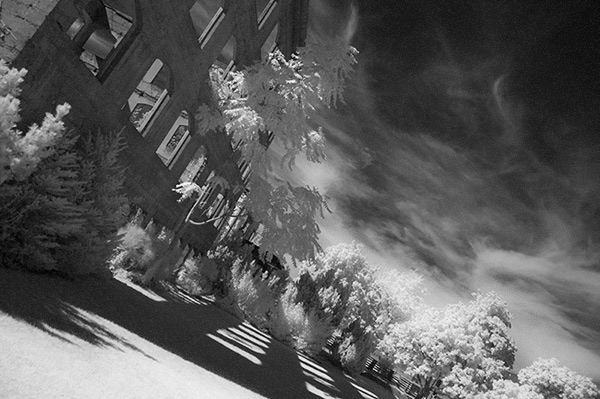
4blackandwhiteinfraredFianlwithglow

5) Advanced Black and White infrared processing

This is the method I use most for processing Black and White infrared images. It’s easy and it gives you far more control of your final result.

  1. Open your image in Photoshop
  2. Go to Image>Auto Tone
  3. Now create an adjustment layer for Color Balance.
  4. Layer> New Adjustment Layer> Color Balance

Again, the idea is to get as much color distinction between the sky and any foliage. Color Balance provides an addition method of doing this – in Black and White processing, as well as for color.

  • Move the sliders for Midtones, Shadows and Highlights until you have a nice, distinct separation of your color tones betweeb your foliage and your sky.
  • Finally add a new adjustment layer for Black & White
  • Layer> New Adjustment Layer> Black & White
  • Now use the sliders to get the full range of Black and White tones, paying special attention to maintaining detail in the white highlights in the trees, while making sure that the dark areas also have some detail
  • To apply the infrared glow, follow from Step 5 in the first method.

This image is called CREEP. Can you see why?
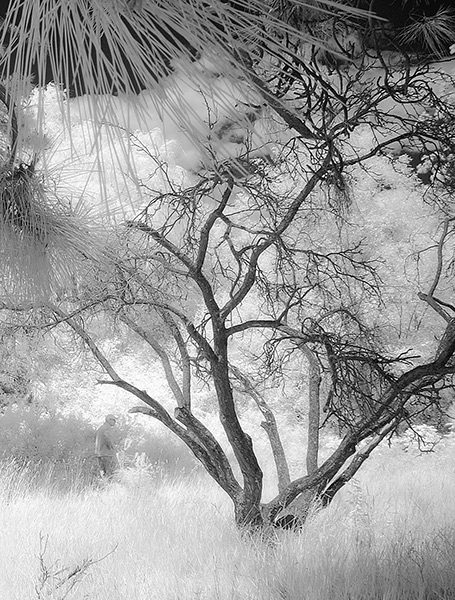
blackandwhiteinfrared

flowerheartCW

I love the softness and translucency of Black and White, infrared photography. Post-processing really brings out all the infrared characteristics that draw viewers in, and gets the emotions flowing. Using these five processing techniques will get you off to a fine start, but these are only five of many ways you can process your digital infrared images in Photoshop. If you have a favorite post processing formula I’d love to see how you do it. Post your infrared shots too.

The post 5 Creative Ways to Process Infrared Photographs in Photoshop by Alex Morrison appeared first on Digital Photography School.


Digital Photography School

 
Comments Off on 5 Creative Ways to Process Infrared Photographs in Photoshop

Posted in Photography


4 Tips for Taking Better Photographs of Trees

20 Jun

Can’t see the wood for the trees? I’ve often struggled with the challenge of photographing trees in a way that captures the imagination and takes the viewer on a journey. I’ve learned that for me, there are two very effective ways to consider and photograph trees. Try asking yourself these two questions:

  • Which tree is the leading actor?
  • Which tree/trees are the supporting actors?

I have to thank my mother for this interesting perspective. As a boy I was dragged to many a theatrical play and so I tend to look at my images as a stage on which there are certain characters that play out a scene. There’s always a lead character, some supporting roles and some cool props. Understanding the hierarchy of your characters will really help to improve your compositions in general.

How to Photograph Trees

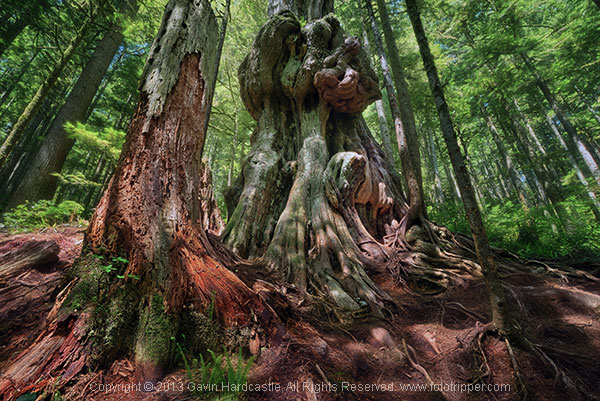
1 – When a single tree grabs your attention

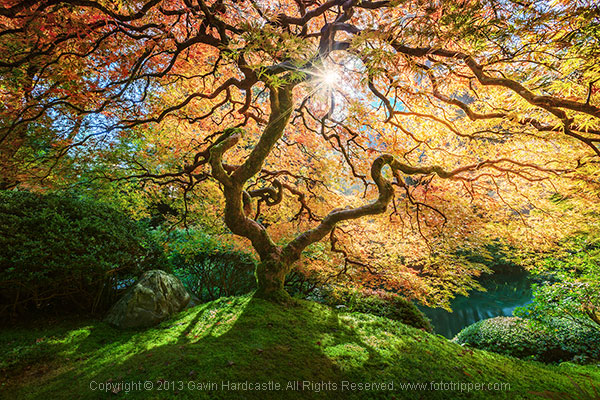
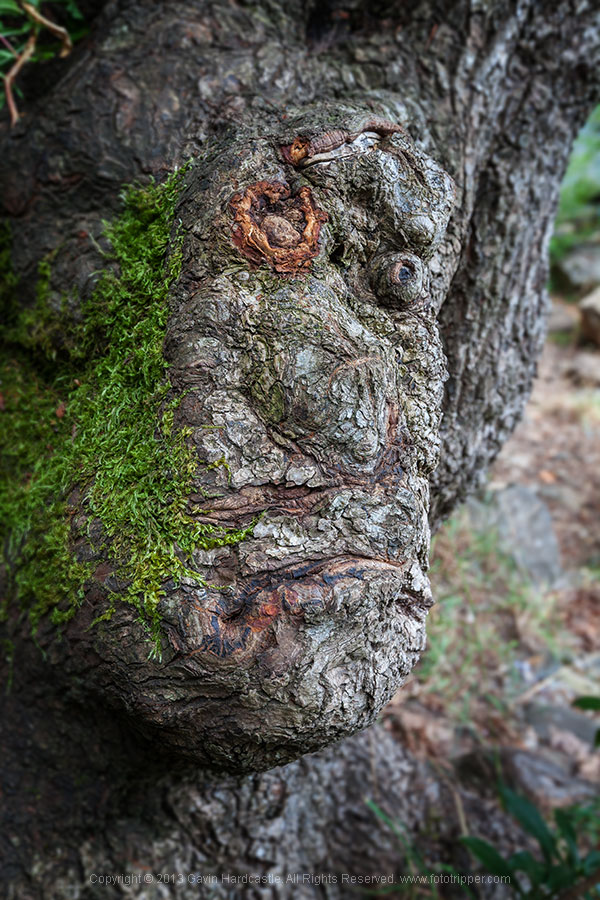
Decide who is the lead and make that your most important subject. With the image above, it’s pretty obvious who the lead character is in this scene. That huge knotted cedar tree is my leading actor, so I place him centre stage and place all other trees around him.

Using an aperture of f/22 means that my entire image (stage if you will) is in focus and the only reason I can get away with this is because my central character is so obvious that I don’t need to accentuate his presence with shallow depth of field.

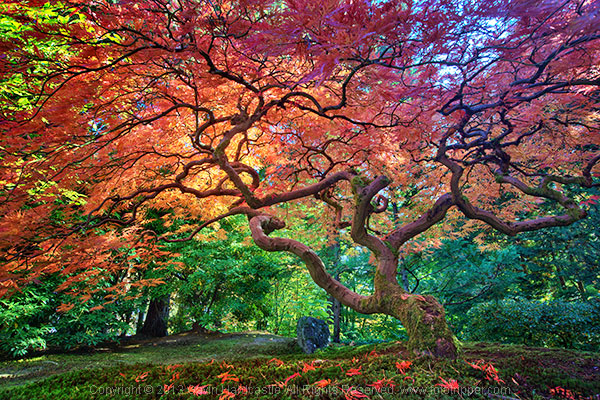
Here’s another example of a very obvious leading actor in my scene. It’s pretty much ALL one tree with the supporting actors being a sun flare, the shadows on the foreground and the Koi Carp gliding through the pond in the background. Again, I used a very narrow aperture of f/16 to ensure maximum focus throughout the image.

How to Photograph Trees - Gavin Hardcastle

2 – When trees play supporting roles

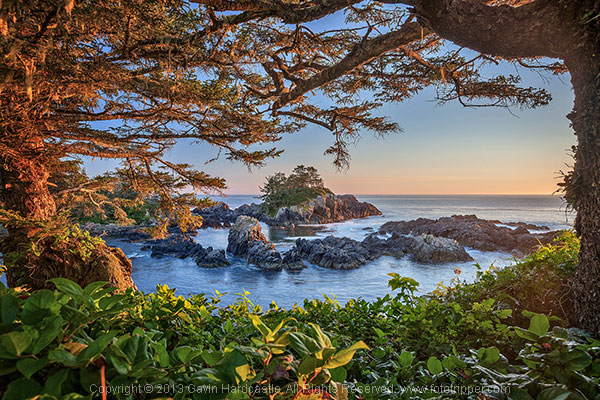
Let’s face it, not all trees are A-list actors, but they don’t need to be. You can use trees to frame another, more interesting character, in your image. When you’ve found an interesting subject such as a waterfall, lake reflection or sea stack, take a look around and see if there are any trees that would make a nice frame or leading line that directs the eye towards your main subject. If there are, place them in your foreground.

In the image below, I used the trees and shrubs to create a frame for my sea stack. I used an aperture of f/8 to create a subtle bokeh effect in the foreground shrubs because I wanted to draw the viewer’s eye towards the central sea stack.

How to photograph trees

Here’s another example of where the tree was used as a supporting actor in my scene. Once again the tree creates a frame, and although we don’t see the entire tree, the image would be nothing without it.

Tree Photography

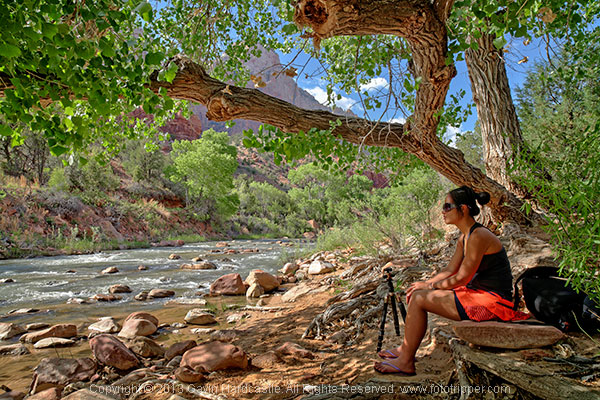
3 – When NOT to include people for scale

How to photograph trees in landscape photgraphy

How big do you think that tree above is? Well, let’s just say that only a toddler would be able to stand under the canopy.

There’s often a temptation for photographers to get a person to stand in their tree photograph for scale. That’s a great idea if your tree is massive, it really emphasizes the immense size of your subject. For smaller trees such as the maple shown above, it would have been a disaster to include a person for scale because that tree is tiny. In fact, it’s so small that I was laying prone on the ground in order to get the shot.

4 – When to use shallow depth of field

Sometimes it’ll be really obvious that in order to accentuate and bring attention to a certain tree or feature of a tree, you can use a wide open aperture like f/2.8 to create shallow depth of field. This is a creative decision, there’s no right or wrong, only what works for your vision. I rarely use shallow depth of field in my landscape photography, but occasionally I’ll want to bring attention to a certain feature of a tree like this guy below.

Photography tips for shooting trees

Whether you shoot huge landscapes or intimate nature scenes, using these four tips should improve that way that you photograph trees. Try them out and capture your own beautiful tree photographs.

The post 4 Tips for Taking Better Photographs of Trees by Gavin Hardcastle appeared first on Digital Photography School.


Digital Photography School

 
Comments Off on 4 Tips for Taking Better Photographs of Trees

Posted in Photography


How to Make Stronger Photographs Through the Process of Visual Design

18 Jun

Sails 600

Photography is an art that relies on light. It also relies heavily on the visual message. You have no way of communicating anything to your viewer except through the visual language you use. If you use strong visual elements, your images will be effective and people will stop and look. If you want to convey a message, use the most powerful visual imagery you can: color to enhance your scene, light to punctuate it, and use shapes and texture to fill in the details. Doing this will not only be more satisfying for you as a photographer, but will make your visual language stronger and your message more compelling.

It is right to assume that photography is about being able to see a scene, and then photograph it. I am going to challenge that assumption, and say that there is something vastly more important that comes after you “see” the scene, and before you photograph it. Most often, the next step is called composition.

Loosely defined, composition speaks about how the image is put together, what the components are in the scene, and how they work together. Very often, the first thing that we think of when we hear composition is, you guessed it, the Rule of Thirds. I truly believe that the Rule of Thirds is a good place to start, but it is by no means the only compositional tool. In fact, some of the most iconic images of our time have broken this very rule. So, the next step after you have decided on a scene is not to just snap away. Put some serious thought into how you will visually design your image, and then capture that scene photographically. After that, grab the camera!

Forest-Canopy-600b

What is visual design?

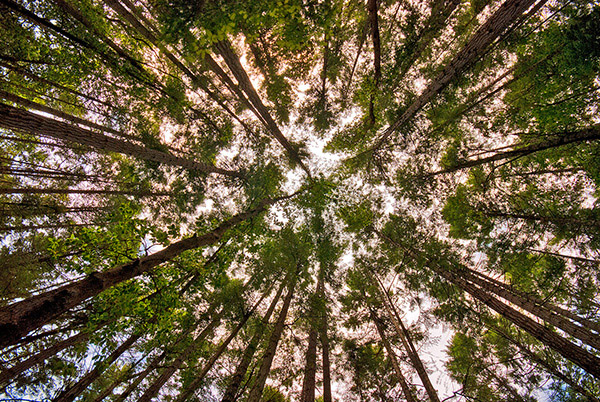
Visual design sounds like a fancy word for composition, but in reality it takes composition to the next level. It is not simply about making sure everything is aligned on a grid à la the Rule of Thirds. Rather, it is about working with the flow and dynamic elements in your scene. In this article I will discuss the nuances and tools you can use to improve your composition to get the most out of any scene.

There have been many times when I have looked at a photograph and I could almost feel the wind in the scene or smell the salty sea air. The photographer captured the image in such a way that when I looked at the scene, it evoked my memory of similar scenes I had witnessed in real life. At a very high level, people relate to images in a few different ways.

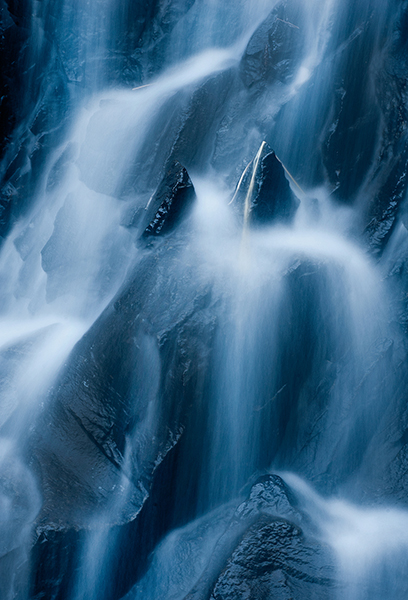
Waterfall 600Photographs evoke emotions, memories or feelings based on what the person sees in the image. In many ways, the viewer’s perception is their reality. So, if the image is of a loved one, the person looking at the photograph will immediately be transported to a memory of that person, good or bad. That memory could cause them to be quite emotional. The reaction to the image could be utterly visceral depending on what emotion is recalled. The same is true in a landscape scene or a seascape scene. The goal of every photographer should be to visually translate the scene in such a way that the viewer can either relate to the scene or would like to be in that scene.

The goal here is to change your perception on composition, to help you break out of the mental constraints of the Rule of Thirds, and open up new pathways to explore in photographic visual design. Don’t get me wrong, I am not suggesting that the Rule of Thirds is bad; it is still a very relevant and useful tool. All I am saying is that it should not be your only tool.

What do we have to work with?

Light, color, and shape all play an integral role in visual design. Using these tools is a good start; however, now we will discuss some details about making more powerful visual design choices. The idea here is to move your images from good to spectacular. The new elements we will be talking about are:

  • Form
  • Color and color relationships
  • Texture
  • Unity
  • Coherence
  • Balance and rhythm
  • Space (positive and negative)

Form and texture

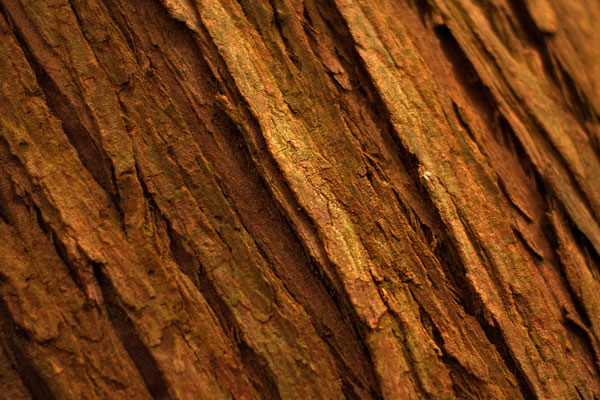
Form is similar to shape, but in this context I am referring to form in a more three-dimensional sense. Form is enhanced when there is side light to emphasize the shape of the object in the image. When the sun lights a rounded, polished rock from one side, the rounded form of the rock is emphasized. This gives the viewer some critical information about the object. Side light also emphasizes texture and that too is a key piece of information. With side lighting, you can emphasize the object’s shape and form to the point that the viewer can almost “feel” the three-dimensional aspects of the image. This is a really strong way to communicate visually.

009

At a higher level, when you want to communicate form and texture, side lighting is your best friend; soft side lighting is even better. The important idea to remember here is that side lighting adds dimensionality to your image. Try this on your next photo shoot: take a look where the sun is and take a photo of the subject with the sun over your shoulder. Then move to the side of the subject and take another shot. The difference will astound you. If you do this in the soft glow of sunrise or sunset, your results will be that much better.

Using color in your design

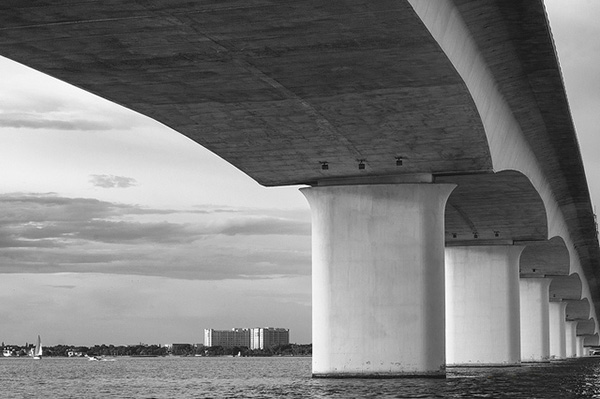
We all know how important color is. Think of your favourite image in color, then strip that color out and somehow it is not necessarily as impactful. That’s not to diminish the fact that black and white photography can be equally impressive – it absolutely is, however, to keep this article in context, we’ll leave black and white for a future article.

004

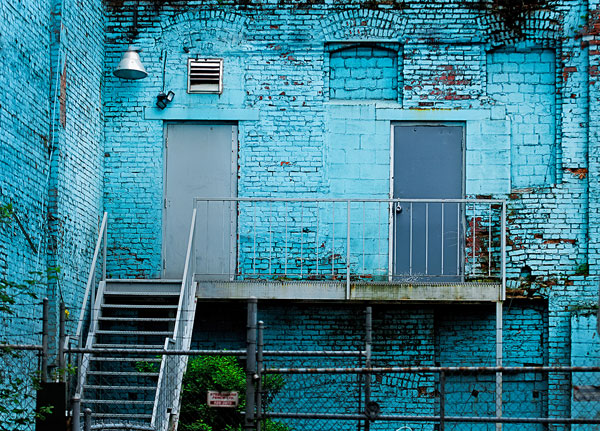
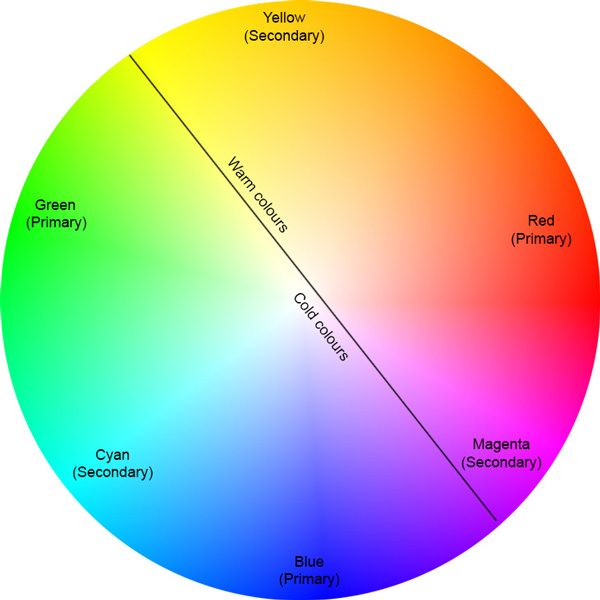
color gives the viewer crucial information about the scene. The warm colors of a fiery sunset or the cold blues of a glacier convey critical information about the scene. The overall color in your scene can determine how the viewer interprets it, so be purposeful with your use of color. If you want to convey warmth, choose reds, oranges, and yellows for your scene. If you want to convey cold, use blues, grays, and greens in your scene. You can see which colors are warm and which colors are cold if you look at the visual color wheel.

Colour Wheel

Certain colors draw the viewers’ eyes into the scene. Reds and yellows in particular cause the viewer to look at those colors (it’s not arbitrary that emergency vehicles are painted red and yellow warm colours,as they demand your attention). Be careful when you see anything that is red or yellow in your scene. It can either add value to the scene, if it is the subject of your image, or it could be distracting if it is not the subject of your image (in the background).

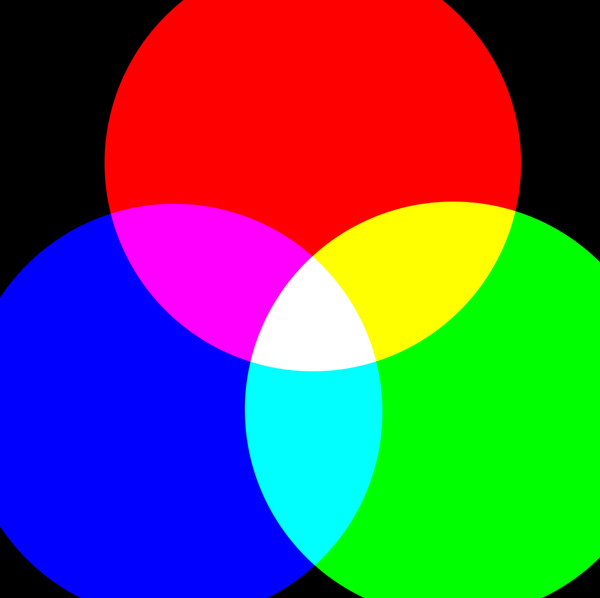
Rgb cmy

Let’s talk about color theory briefly. This is by no means an exhaustive guide to color theory, rather a quick introduction into it. Your camera can “see” three colors: Red, Green and Blue (RGB). These three colors are the primary colors in the visual color wheel (different to the color wheel used when painting). There are secondary colors too, namely, Cyan, Magenta and Yellow. These six colors and their combinations make up the visual color wheel. The hue (color) and saturation (richness or intensity) of all of these colors give us multitudes of combinations of colors. Understanding this aspect color theory will help you make better choices about color when photographing.

Using primary and secondary colors together makes your images compelling. So, looking at the color wheel, images that have red and yellow in the scene make very interesting photographs. Images with red and green in the scene work well too. The next time you look at a scene to photograph, try and look at what predominant colors are in the scene and try to photograph those colors only. This alone can make your images much more striking and visually interesting.

Take some time to practice intentionally composing your images using these techniques.

Ipad 005


The preceding article is a full-length excerpt from the CLARITY eBook series. Join other dPS readers today and dramatically improve your photography by learning the step-by-step process of visual storytelling and techniques for making stronger photographs. Get your CLARITY photography eBooks today!

The post How to Make Stronger Photographs Through the Process of Visual Design by Barry J Brady appeared first on Digital Photography School.


Digital Photography School

 
Comments Off on How to Make Stronger Photographs Through the Process of Visual Design

Posted in Photography


Tips for Shooting and Processing Better Black and White Photographs

01 Jun

Photography, as you know, is fundamentally the capturing of light; you are not taking pictures of objects as much as you are recording the light that is bouncing off of them. In the early days of photography, the only medium available to capture this light was monochromatic film, commonly known as black and white. In the 1930s, the invention of Kodachrome, the first successfully mass-produced color film, ushered in an age of color to the art form.

Bw article3 NEW

Instead of fading away, however, black and white photography remained throughout the birth of color, and even increased in popularity in the following decades, due to its simplicity and ability to display tones more dramatically than color usually can.

What makes black and white photography retain its timelessness? A compelling picture is always based on the same fundamentals; lighting, tonal range, shapes, patterns and textures. A black and white photo breaks these fundamentals down to their basics, and is not hindered by the distraction and complexity that color can sometimes contribute. It is truly an art form. The reality of a scene depicted in color is transformed into an artistic interpretation when shown in shades of grey.

So what do you need to understand in order to produce a great monochrome photo?

Visualize in Black and White

One of the most helpful things you can do is something that takes place before you even click the shutter button. Training yourself to envision a scene in black and white will help determine if it will work in that state, or if it would be better left to color. Since you won’t have color in the final shot, you’ll need to visualize the core of the scene instead:

  • How is the light behaving on the objects in the scene?
  • What forms are involved?
  • Are there lights, darks, and shades in between, giving you a good tonal range?

Scenes that contain contrast and texture will usually provide a good end result when converted to black and white. Fortunately, you can apply monochrome to almost any type of photography, including landscape, portrait, and street photography. The resulting feel of the image depends on the subject; landscape shots of the ocean will have more highlighted textures of the waves, and street portraits done in black and white can have a grittier, more dramatic feel.

031814 siestaguarshack2 sized

Taking the Shot

Many of the basic principles of photography apply when shooting for black and white as well. You’ll need to compose the scene properly, utilizing the rule of thirds where applicable, and properly expose the shot. As always, you’ll want to shoot in RAW, so that any necessary adjustments can be made such as exposure and levels before you begin post-processing.

When composing, pay special attention to the lines and shapes in the image. These components are even more important when the photo is desaturated.

Finally, you may benefit from using a polarizing filter. This lens attachment will reduce, or remove, reflections that may be apparent in water or other shiny surfaces. Since these reflections could take away focus from your subject matter, it’s best to do this during the shooting process rather than post-production.

040613 siesta feet sized

Post-production

The most important step in this process is actually converting the shot into black and white. While almost all DSLRs have the ability to shoot in black and white initially, you’re losing an important advantage; the photo will permanently be monochrome. Photographers sometimes think that a poor image can somehow be “saved” by being converted into black and white; this is not always the case. If you shoot in JPG format and the black and white (monochrome) setting on your camera, you’ll be producing a black and white JPG image, and lose the ability to convert to color or take advantage of RAW adjustments. BUT if you shoot in RAW in this mode you will still have all the colour data but have the advantage of seeing a black and white preview on the camera screen.

Black and white conversions in an image editor such as Photoshop can usually be categorized in two ways; destructive, and non-destructive. Obviously, destructive methods actually modify pixels and cannot be easily adjusted. Converting directly to greyscale is a long-used example of this method. Preferably, you want to use a non-destructive method that will allow you to make continued adjustments to the image until you have the tone and shading desired.

The easiest method (and the one that I prefer) is to use the Hue/Saturation/Luminosity tab in the RAW importer in Photoshop (the HSL panel in Lightroom also does the same thing). Alternatively, you can accomplish the same thing (albeit with a bit less control) by using a Channel Mixer adjustment layer after you’ve imported the RAW file into Photoshop.

Converting to Black and White with the RAW HSL Controls

Not only does this method offer more control than simply desaturating the image, it keeps the color profile loaded into the RAW (.CR2) file, allowing you to reopen and adjust it as you see fit. To convert using this method follow these steps:

  • Select the RAW file you wish to convert and open it. The file will open within Adobe’s RAW import dialog.

Bw article ps1 FINAL

  • Click the HSL/Greyscale tab on the right side of the dialog box (this should be the 4th tab).

Bw article ps2 FINAL

  • Tick the “Convert to Greyscale” box.

Bw article ps3 FINAL

  • You will be presented with eight color sliders. Adjust these sliders individually (ensure the “Preview” checkbox is ticked near the top) to see real-time changes in those color channels, and how those changes impact your desaturated image. With a color image, moving the “yellow” slider would modify the yellow in your image, but here, it will make the portions of the image that were yellow change in shading, either lighter or darker depending on which direction the slider is moved.

Bw article ps4 FINAL2

That’s it, you’re all done. Few accomplishments in photography are as satisfying as producing a well-done black and white image. You have discarded color, and envisioned your story instead with shapes, lines, shadows, and textures. You’ve opened up a new world of imagery to yourself, and exponentially expanded your repertoire.

Now…what will you do with it? Share in the comments below if you have anything to add or would like to show us your new black and white images.

The post Tips for Shooting and Processing Better Black and White Photographs by Tim Gilbreath appeared first on Digital Photography School.


Digital Photography School

 
Comments Off on Tips for Shooting and Processing Better Black and White Photographs

Posted in Photography


Three Methods of Making Stunning Photographs in Bright Sunlight

26 May

Location Lighting Masterclass – The Art Of Shooting Into The Sun

Shooting directly into the sun may not be the first thing that pops into your mind when creating a photograph, but the effects it can have on your final image when done correctly can border on magical.

1

#2 The Dreamy Look

There are three primary looks that can be achieved by shooting into the sun.

  1. The first of these takes advantage of lens flare and aims to over-expose the image drastically, creating a ‘dreamy’, almost glowing look. (see image above)
  2. The second ignores the foreground entirely, exposing only for the brightly lit sky and creating foreground silhouettes.
  3. The third comes somewhere in between, exposing for the brightly lit sky and simultaneously using reflection or fill flash to overpower the foreground shadows.
The Silhouette Look

#2 The Silhouette Look

#3 The Balanced Look

#3 The Balanced Look

Let’s work through each of these in turn, how to make stunning photographs in bright sunlight.

#1 – the Dreamy Look

This is not a photographic style I typically aim to produce, however it is nonetheless popular with many photographers. The style aims to expose for the skin tones predominantly, allowing the background to become significantly overexposed; and in the process, create a soft glow around the subject. This style can also take advantage of lens flare (the rings of light that appear in your shot when you shoot directly at bright sunlight) and the varying types of lens flare that different lenses create. To achieve this look, ensure that you have spot metering selected on your camera and measure directly for the skin (you will need to be in aperture priority mode for this). It doesn’t matter if the background overexposes; the primary aim is to expose for the skin and facial features. The brightness of the background will typically create a haze across the rest of the image.

4

#2 – the Silhouette Look

Again, using the camera’s spot meter in Aperture Priority mode, you will need to meter and expose for the background. Select an area (not directly on the sun itself) of sky near to the sun. You can lock the exposure using the AE lock function (usually the “*” button on Canon cameras) to enable recomposition of the image. Alternatively, note the shutter speed reading where you metered on the sky, switch to manual mode and set the camera up with the given shutter speed and aperture manually. Here, the aim is to darken everything in the foreground so be sure to think about the kind of silhouette you’re creating. Less is usually more. Too much in the foreground just creates clutter and loses the focal point.

5

#3 – the Balanced Look

The final, and arguably the most powerful is partway in between, and utilizes flash to fill the image exposure correctly.
Just like the silhouette style, you should meter on the background sky. If you don’t use flash, you’d end up with another silhouette. Instead, crank up the power of the flash as far as it will go (it takes a fair amount of flash power to overcome direct sunlight). About 600w (watt seconds) is preferable, and ensure that the subject you want to light up remains relatively close (due to the inverse square law, light fall-off will very quickly erode the power of the flash). Some post-production boost to the shadows and recovery of the background highlights may be necessary to properly balance the exposure.

6

A few general hints to help with direct sunlight shooting:

1) Autofocus often struggles in direct sun. Try first shading the end of your lens with your hand, focussing on your subject, then switching off autofocus and taking the shot without shading the lens.

2) Colors and white balance can often be thrown by bright sunlight. Be sure to shoot in RAW so that you can true up any color differentials later on.

7

3) Use a polarizer or ND (neutral density) filter where you can. Really bright direct sunlight and long exposures are not good for your camera’s sensor over time, just as they are not good to stare at with your naked eye.

4) Think about the time of day – you want light to fall behind your subject, not on top of it. Therefore, early mornings and late afternoons are best for this type of photography. It is also when the sunlight is weakest, resulting in less overexposure and less risk of damage to the sensor.

8

5) Think about alternative fill light sources. Consider reflective windows, white walls, metallic surfaces – effectively anything that can bounce the direct sun back into the subject to naturally add fill light. This means you will need to have your back to the reflective source.

10

6) Consider some post-production magic, if too much flare is coming into the shot. Mount the camera on a tripod so that the image doesn’t shift, then take two shots of the same scene with the same exposure settings. For one shot, leave the image as is, but for the second, shade the end of the lens with your hand. It doesn’t matter if your hand appears in the image because during post production, you simply join the half from the shaded shot that doesn’t have your hand in it, with the bright half from the unshaded shot. This technique will leave the full effect of the flare around the sun, but enable you to remove the surplus flare from the rest of the image.

9

The post Three Methods of Making Stunning Photographs in Bright Sunlight by Leo Edwards appeared first on Digital Photography School.


Digital Photography School

 
Comments Off on Three Methods of Making Stunning Photographs in Bright Sunlight

Posted in Photography


A Collection of Stunning Landscape Photographs

04 Apr

This week’s collection of images to inspire you comes from 500px! Thanks to Evgeny Tchebotarev (founder of 500px) for letting us use these images, and for housing such a great website full of amazing images. To view any of them larger in all their glory, just click on the photo credit below the image.

Enjoy these amazing landscape photographs!

Photograph stille wasser by Ralf Thomas on 500pxstille wasser by Ralf Thomas on 500px

Photograph Firewood by Ildiko Neer on 500px Firewood by Ildiko Neer on 500px

Photograph blue dreams by dpicture on 500pxblue dreams by dpicture on 500px

Photograph Mysterious Hallway by David Thompson on 500pxMysterious Hallway by David Thompson on 500px
Photograph Time Lapse by Danny Velasco  on 500px Time Lapse by Danny Velasco on 500px
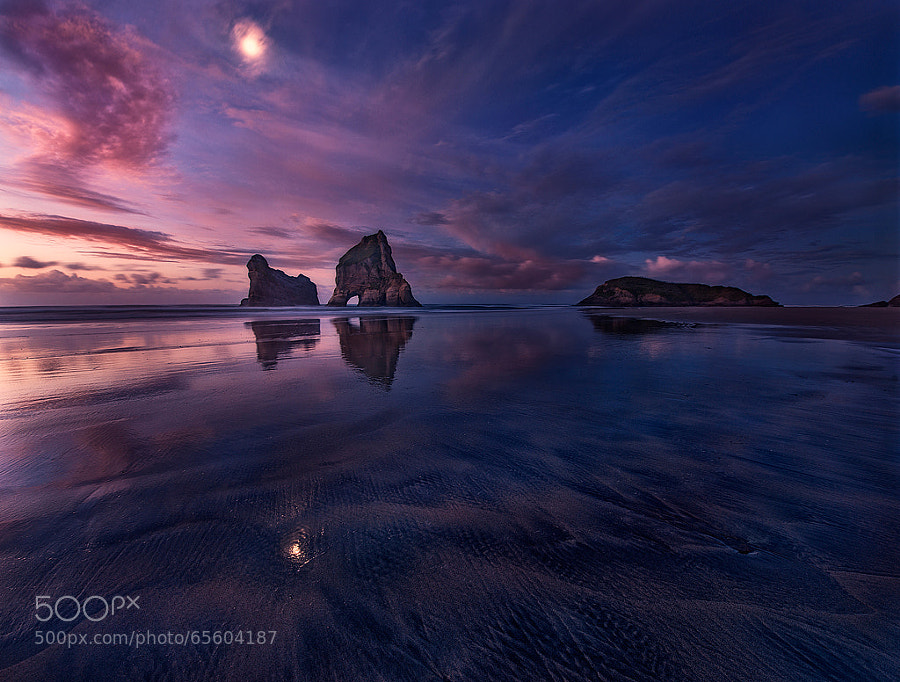
Photograph Golden Bay: When Night Falls by Yan Zhang on 500px Golden Bay: When Night Falls by Yan Zhang on 500px
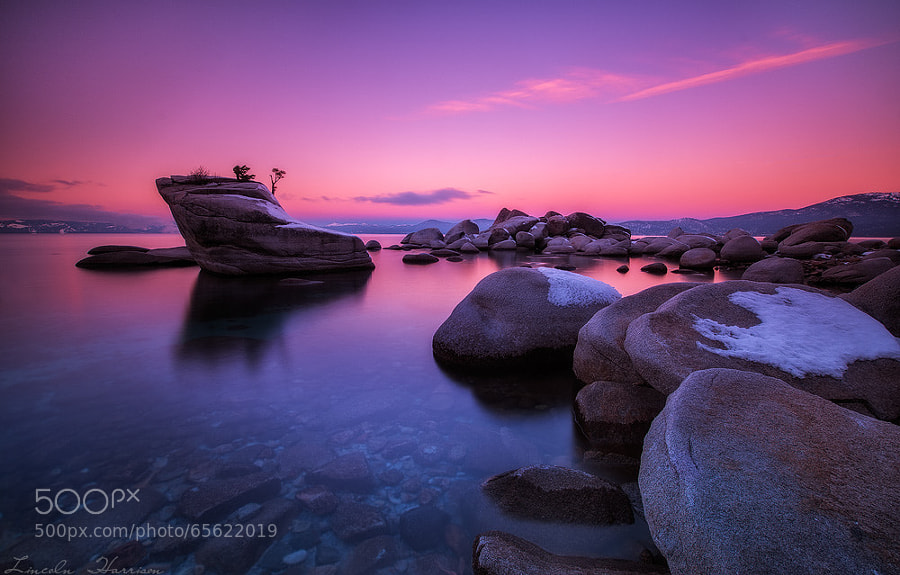
Photograph Tahoe by Lincoln Harrison on 500pxTahoe by Lincoln Harrison on 500px
Photograph Sweet Tuscany by Marcello  Spiazzi on 500pxSweet Tuscany by Marcello Spiazzi on 500px
Photograph Spring has Sprung by Iron Scaggs on 500px
Spring has Sprung by Iron Scaggs on 500px

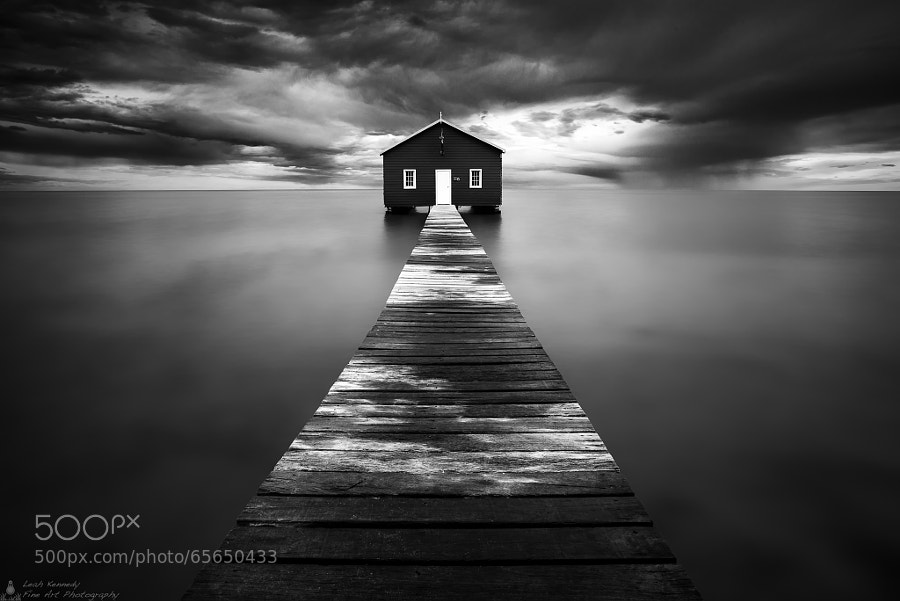
Photograph The Boatshed by Leah Kennedy on 500pxThe Boatshed by Leah Kennedy on 500px

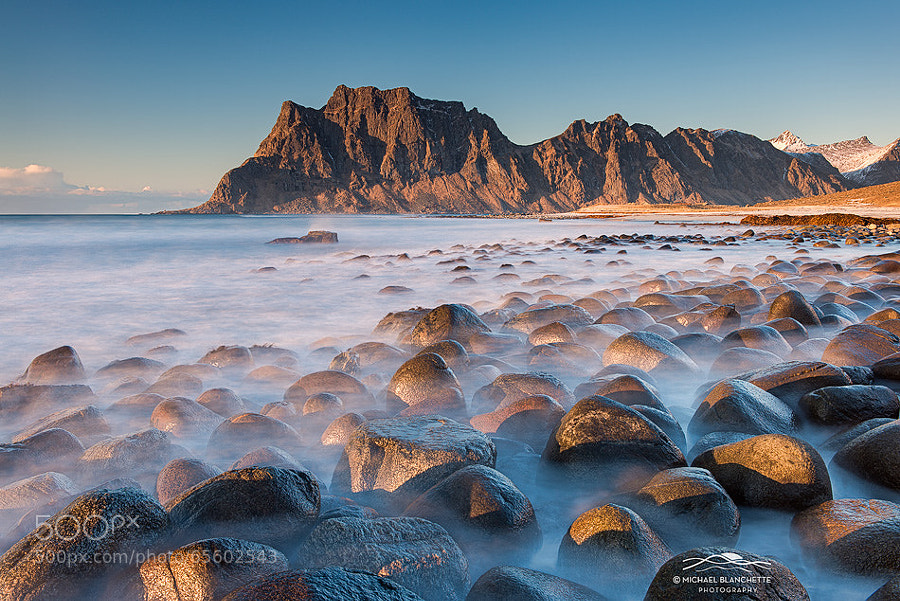
Photograph Ghostly Rocks by Michael Blanchette on 500pxGhostly Rocks by Michael Blanchette on 500px

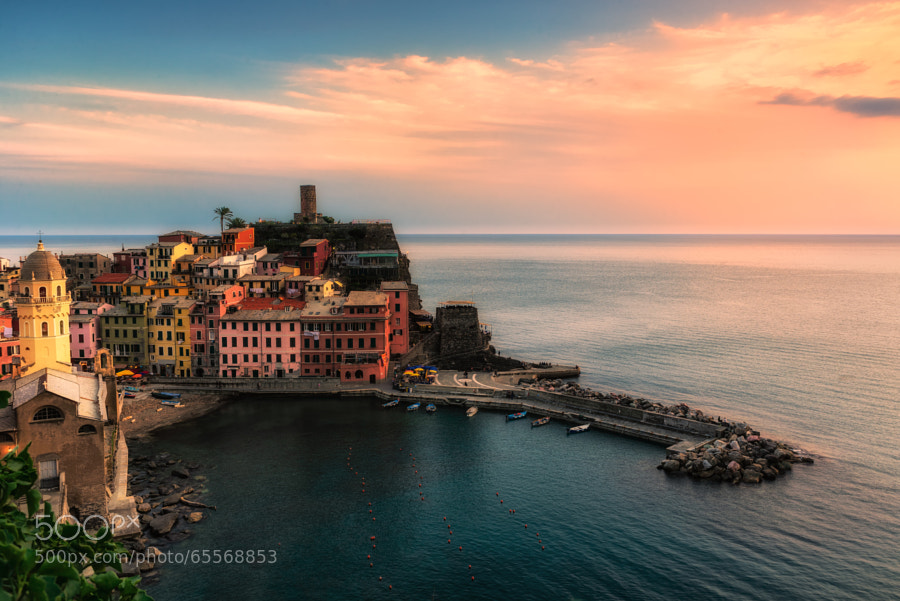
Photograph Vernazza at sunset by Fabrizio Lunardi on 500pxVernazza at sunset by Fabrizio Lunardi on 500px

Photograph Heaven on Earth by Hartono Hosea on 500pxHeaven on Earth by Hartono Hosea on 500px
Photograph Breaking Through by Michael Woloszynowicz on 500pxBreaking Through by Michael Woloszynowicz on 500px
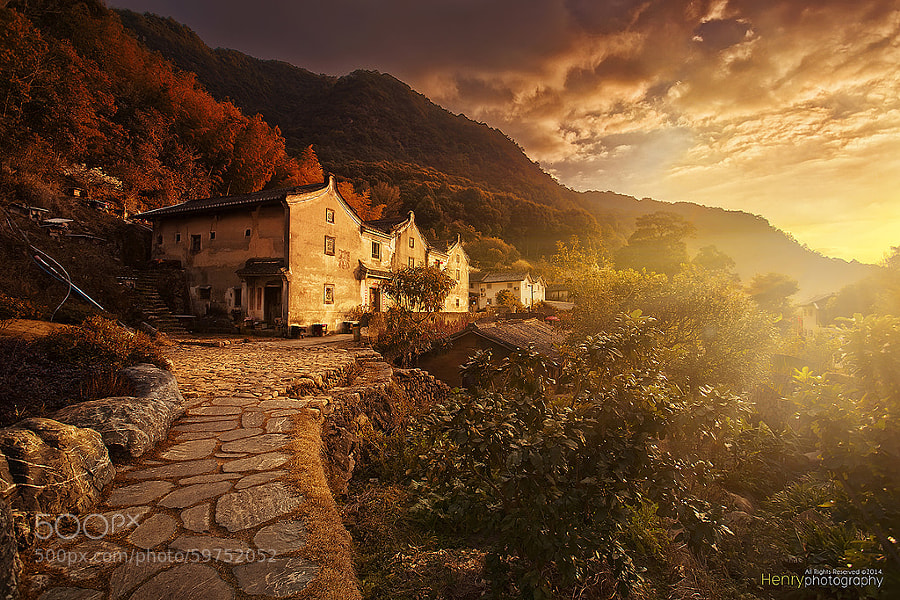
Photograph Sunset in Old Village by Henry Wang on 500pxSunset in Old Village by Henry Wang on 500px
Photograph Golden Hour at its Finest by Michael Matti on 500pxGolden Hour at its Finest by Michael Matti on 500px
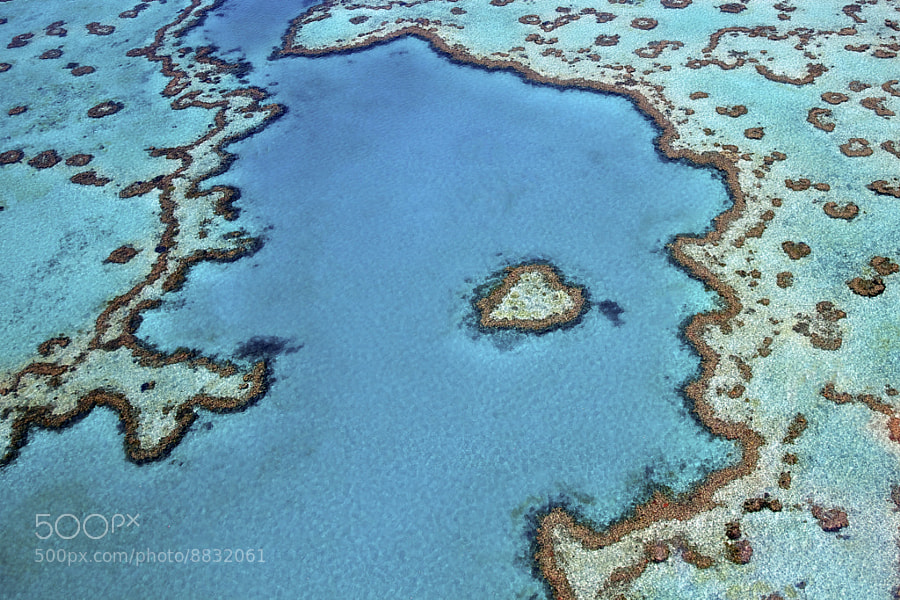
Photograph Heart Reef by Tanya Puntti on 500pxHeart Reef by Tanya Puntti on 500px

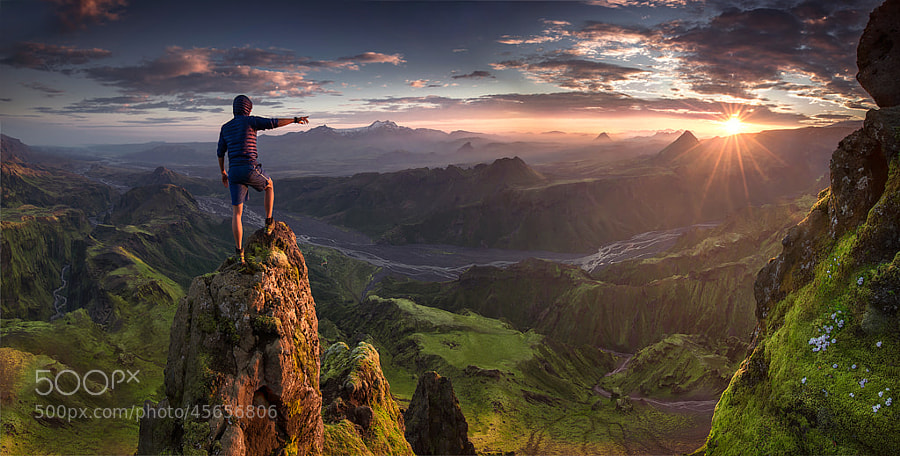
Photograph First Contact by Max Rive on 500pxFirst Contact by Max Rive on 500px

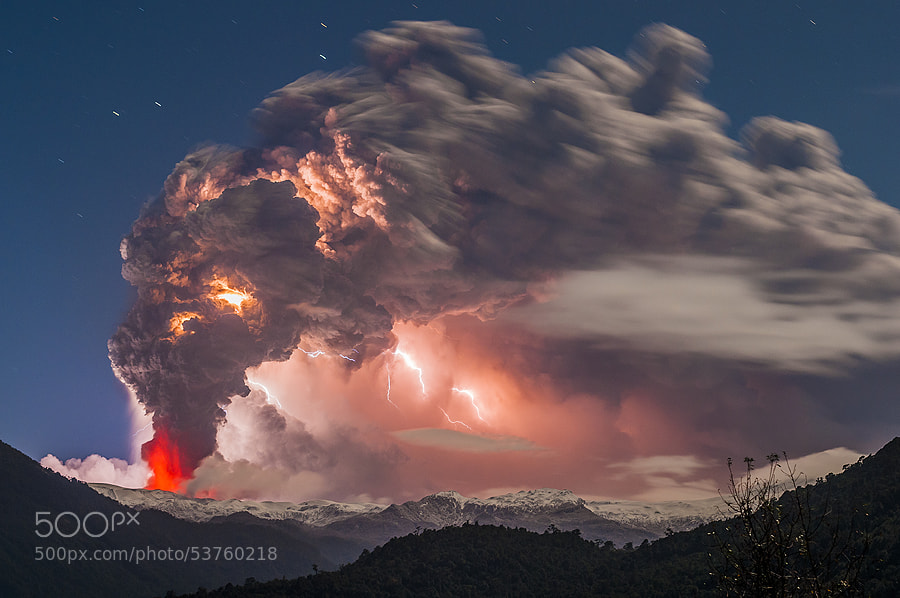
Photograph Postcard from hell by Francisco Negroni on 500pxPostcard from hell by Francisco Negroni on 500px
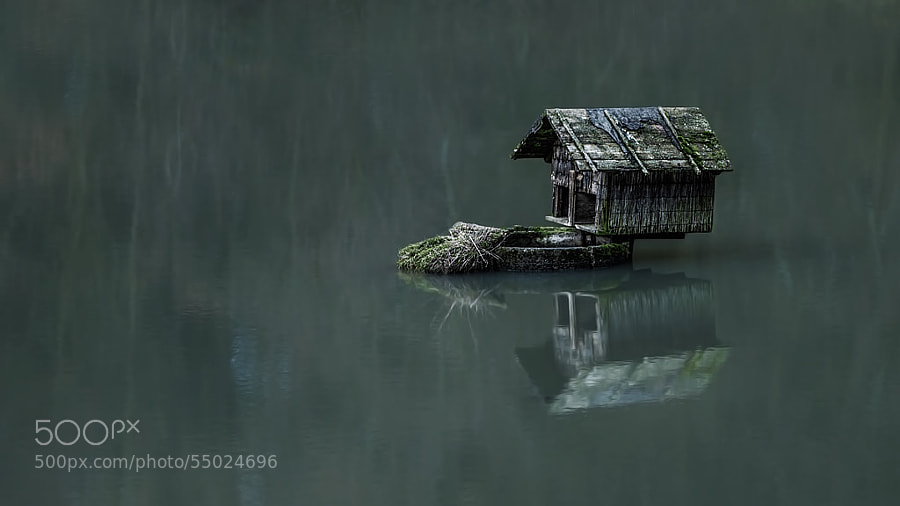
Photograph house of the duck by Ronny Engelmann on 500pxhouse of the duck by Ronny Engelmann on 500px
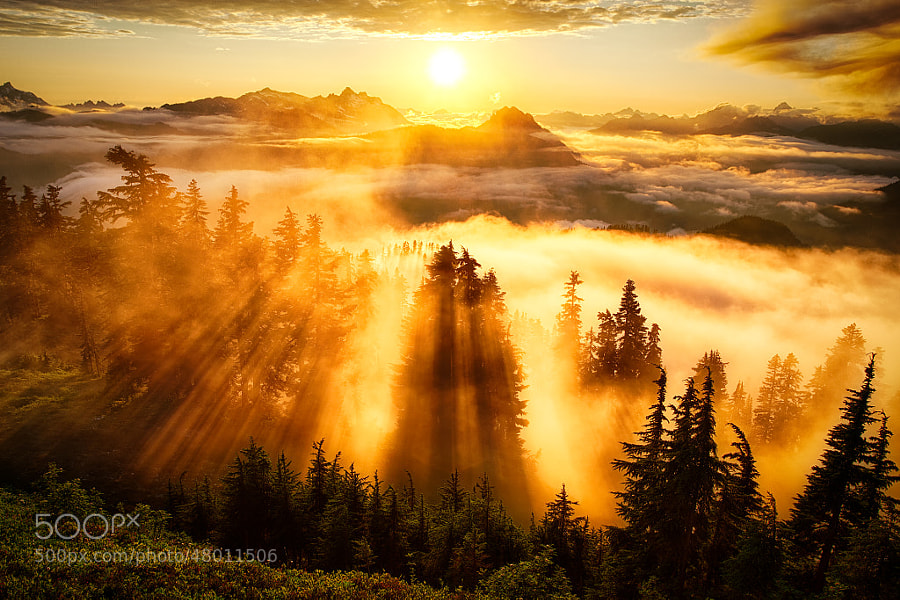
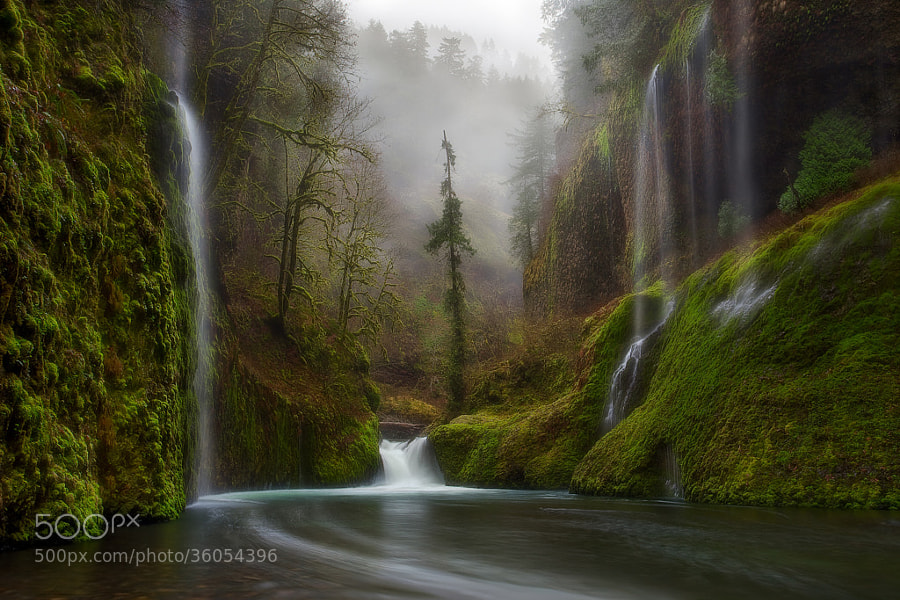
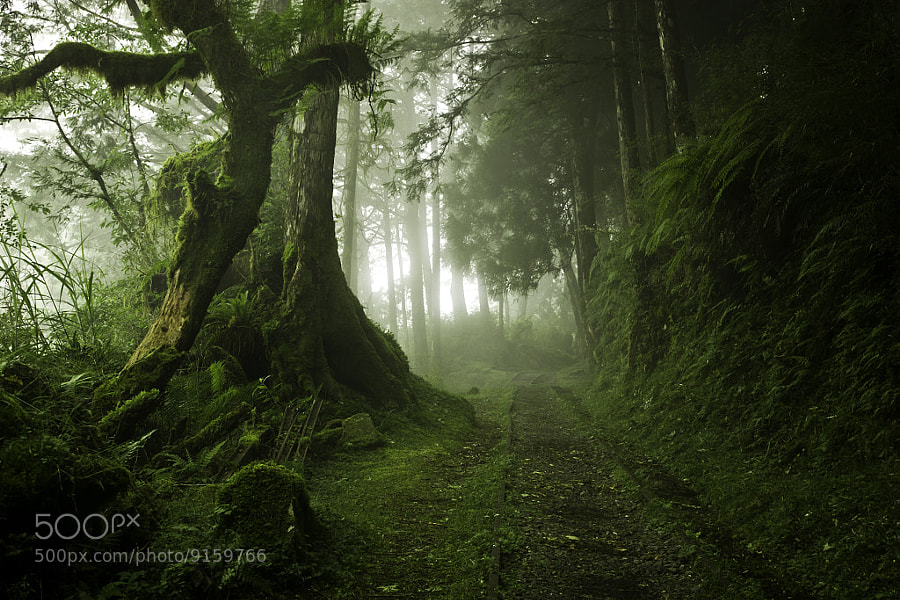
Photograph Curtains in the Fog by Miles Morgan on 500pxCurtains in the Fog by Miles Morgan on 500px
Photograph Heaven on Earth by Marc  Adamus on 500pxHeaven on Earth by Marc Adamus on 500px

Photograph To Hogwarts! by Daniel Korzhonov on 500pxTo Hogwarts! by Daniel Korzhonov on 500px

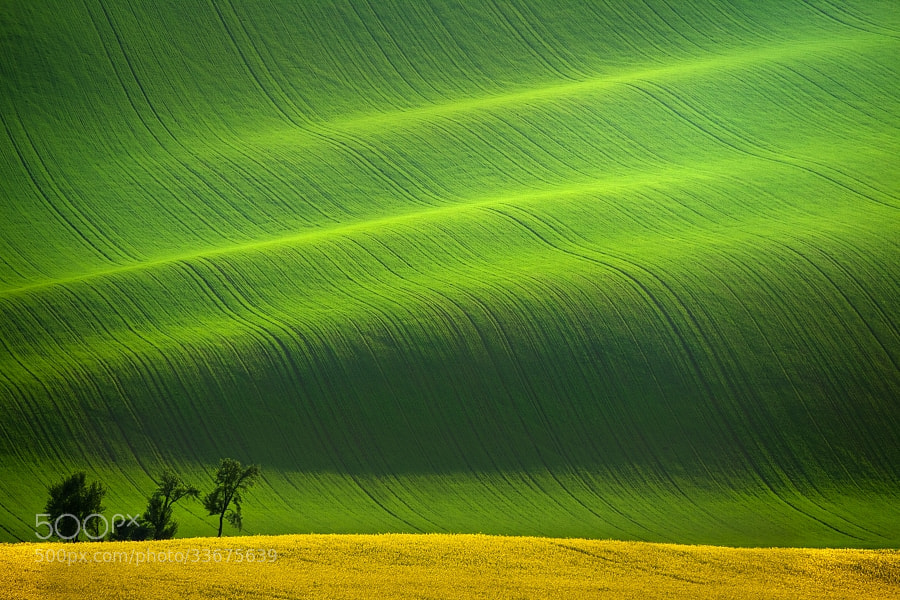
Photograph South Moravia II by Daniel ?e?icha on 500pxSouth Moravia II by Daniel ?e?icha on 500px

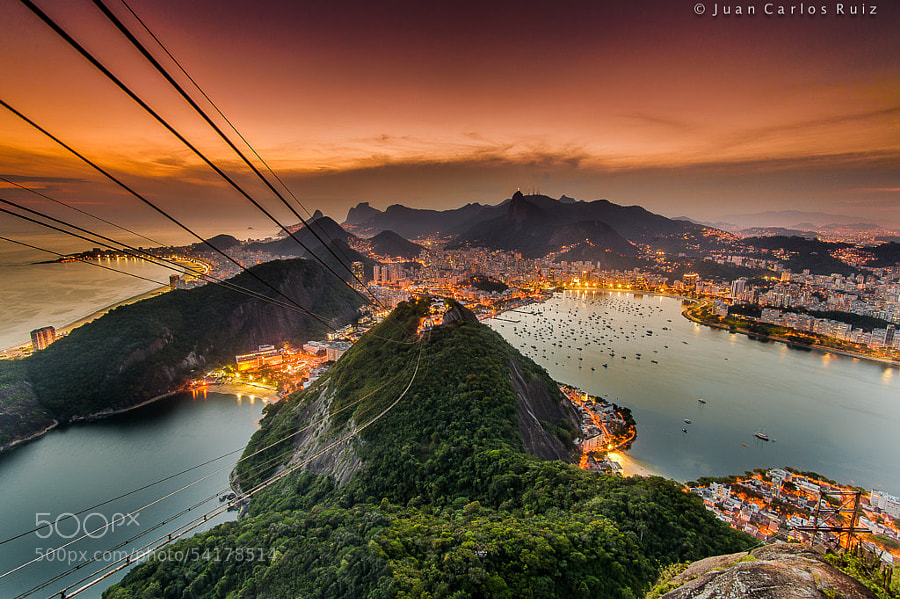
Photograph Amazing Rio by Juan Carlos Ruiz on 500pxAmazing Rio by Juan Carlos Ruiz on 500px

Photograph Squaw Rock Falls in the Fall by debbiedicarlo on 500px

Squaw Rock Falls in the Fall by debbiedicarlo on 500px

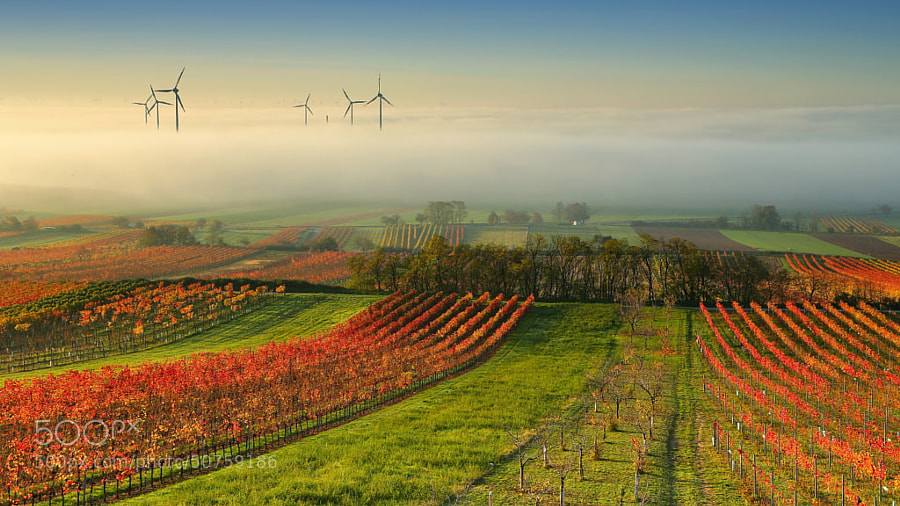
Photograph Wine Country in the mist by Matej Kovac on 500pxWine Country in the mist by Matej Kovac on 500px

Photograph Wood Cart Rail #1 by Justin Jones on 500px Wood Cart Rail #1 by Justin Jones on 500px
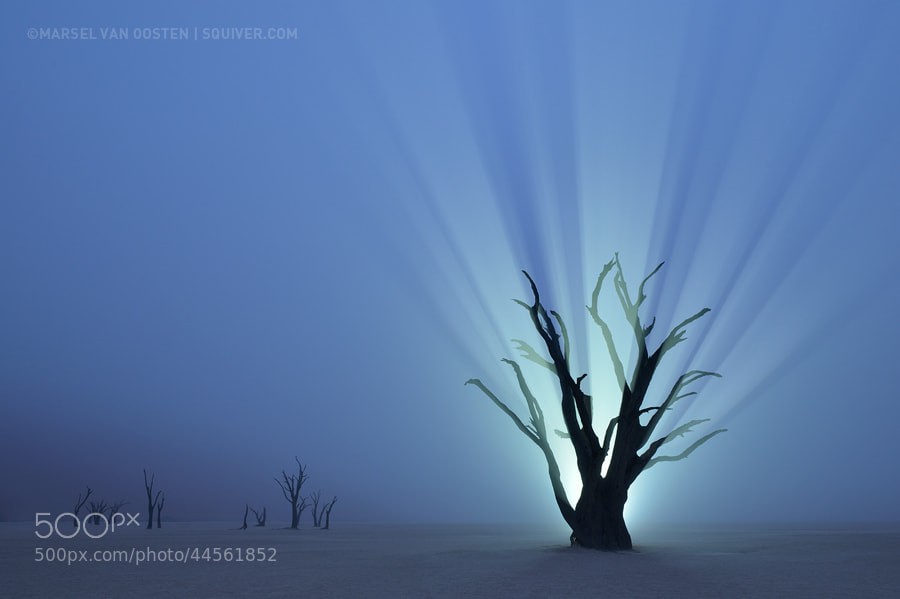
Photograph Resurrection by Marsel van Oosten on 500px Resurrection by Marsel van Oosten on 500px
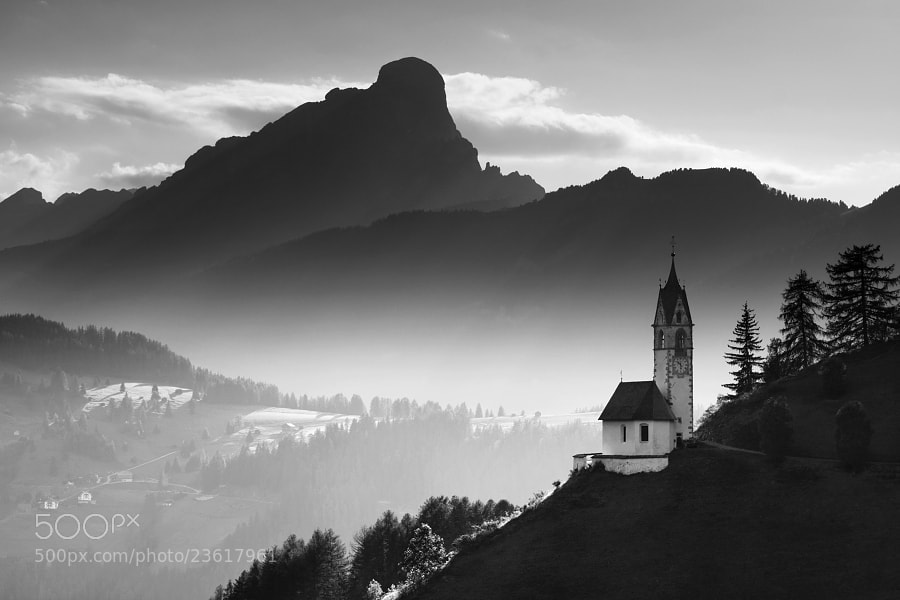
Photograph Alpine Church  by Daniel ?e?icha on 500pxAlpine Church by Daniel ?e?icha on 500px
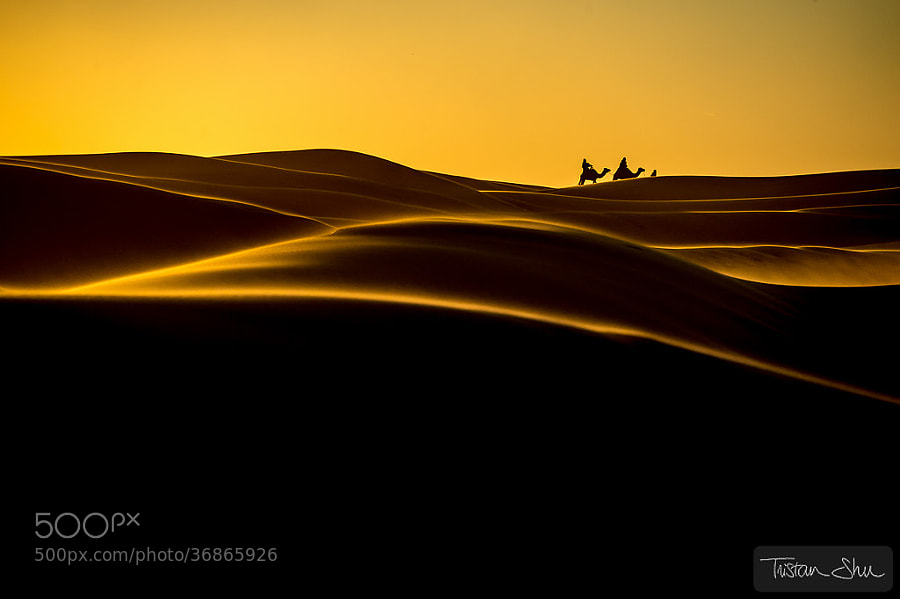
Photograph The Desert Life by Tristan Shu on 500pxThe Desert Life by Tristan Shu on 500px
Photograph Zaanse Schans by Iván Maigua on 500px Zaanse Schans by Iván Maigua on 500px

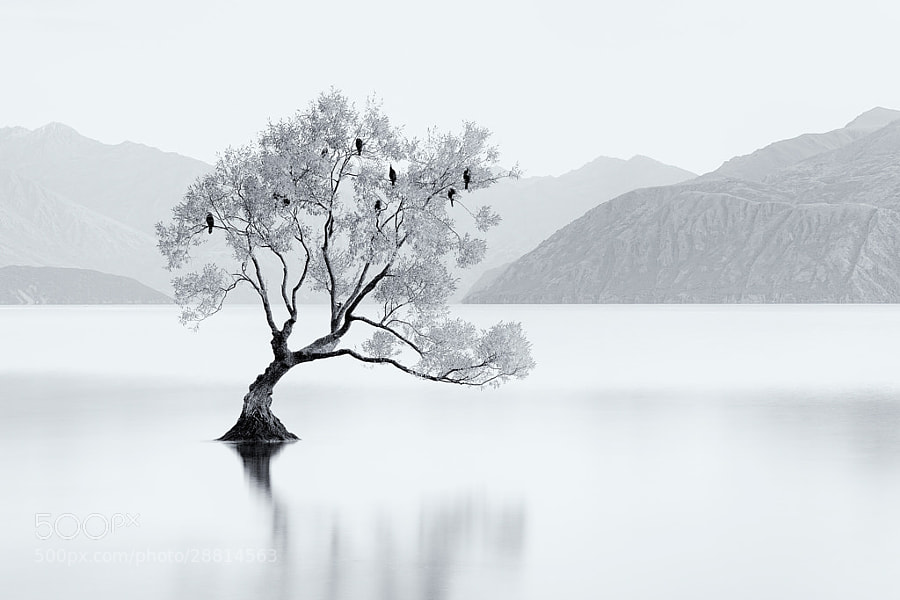
Photograph Bird Tree by Jordan Ek on 500pxBird Tree by Jordan Ek on 500px

I hope you notice something about many of these images. What is it that makes them great photographs? I can think of at least THREE qualities exhibited by some or most of the images above that make them a cut above the average landscape photo. Can you tell me what those three things are? What do you see that makes them stand out?

Share in the comments if you think you know what I’m thinking!

The post A Collection of Stunning Landscape Photographs by Darlene Hildebrandt appeared first on Digital Photography School.


Digital Photography School

 
Comments Off on A Collection of Stunning Landscape Photographs

Posted in Photography