RSS
 

Posts Tagged ‘Photographers’

Another 15 Cheat Sheets, Printables and Infographics for Photographers

19 Aug

Editor’s note: Last week we shared a list of some great resources for photographers. It was so popular we thought we’d bring you another set compiled for dPS by Julia May, enjoy.

More Photography Tech and Creative Process

The basics every photographer must know. Click the links to see the original article and source.

Continued from #15 from last weeks: 15 of the Best Cheat Sheets, Printables and Infographics for Photographers

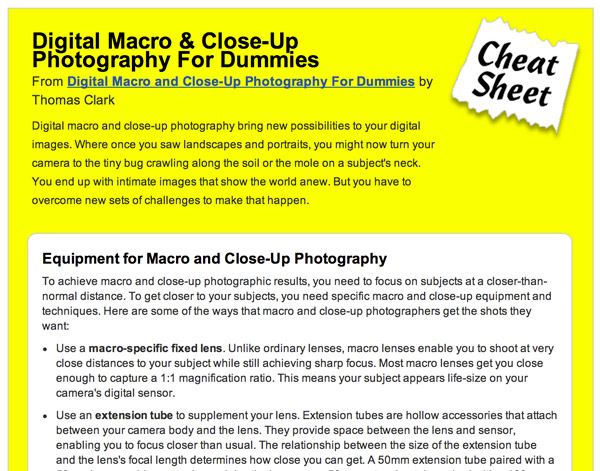
#16 Digital Macro and Close-Up Photography for Dummies

(click the link to read the full summary and see the whole sheet)

18 macro dummies

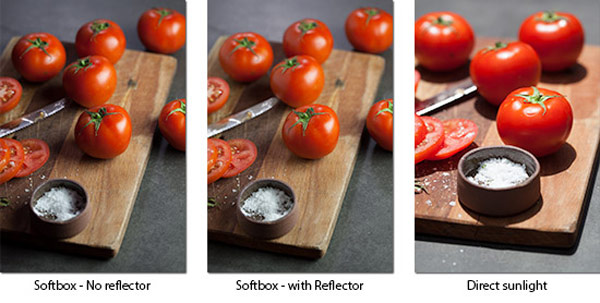
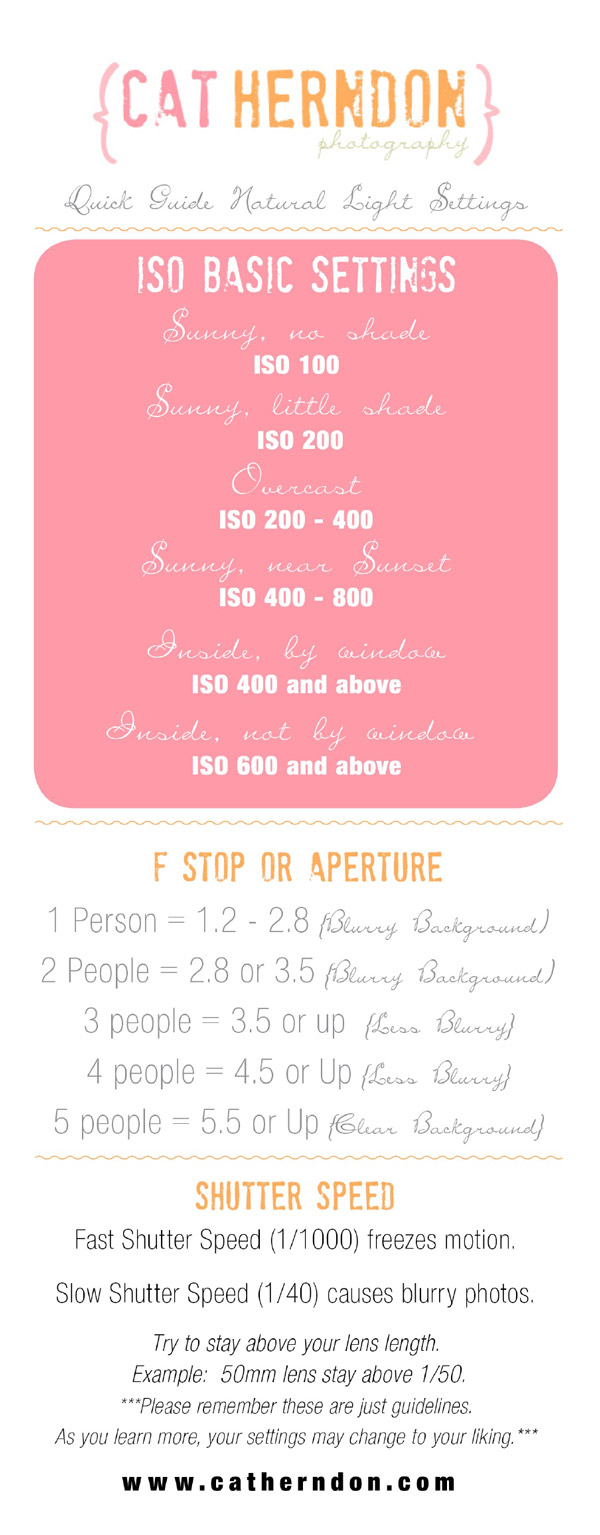
#17 Quick Guide Natural Light Settings

(Click the image to get a larger view of this graphic)

18 natural light 600

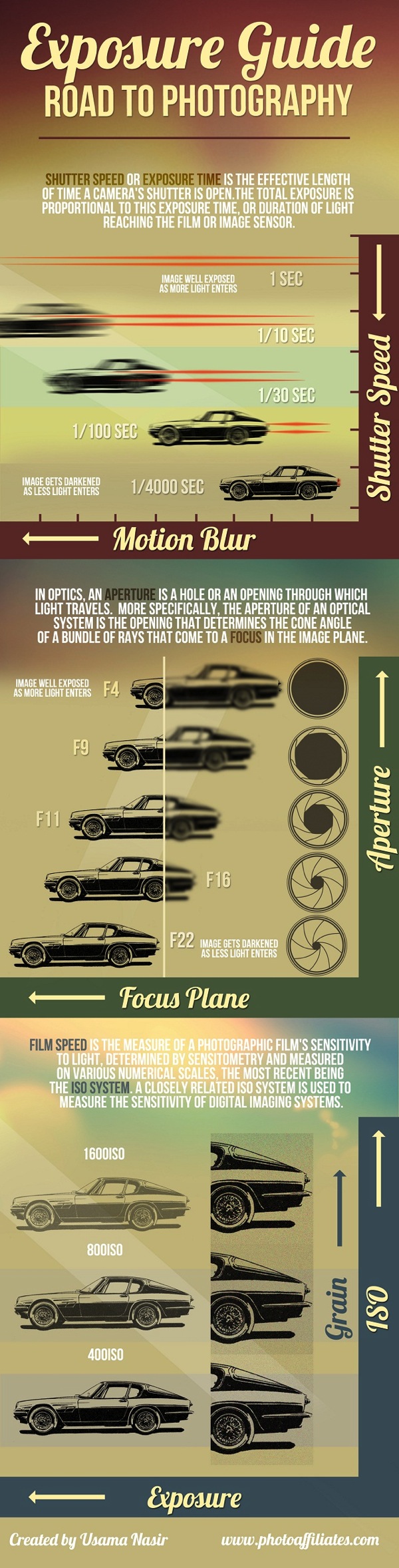
#18 Exposure Guide: Road to Photography

19 digital photography exposure guide

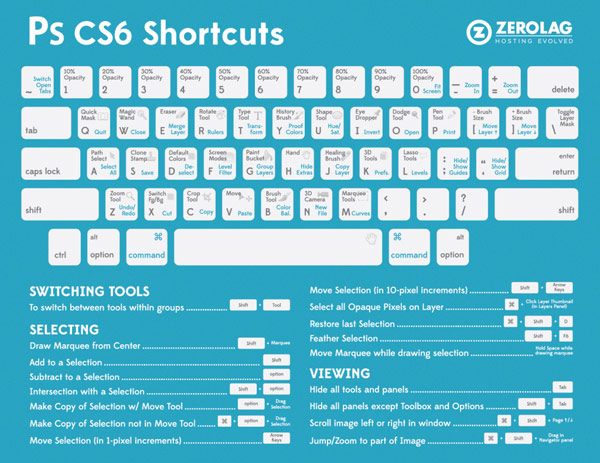
#19 Photoshop CS6 Shortcut Cheatsheet

20 photoshop cs6 shortcuts

#20 How to Take Pictures Like a Pro

(Click the image to get a larger view of this graphic)

21 photography pro 600

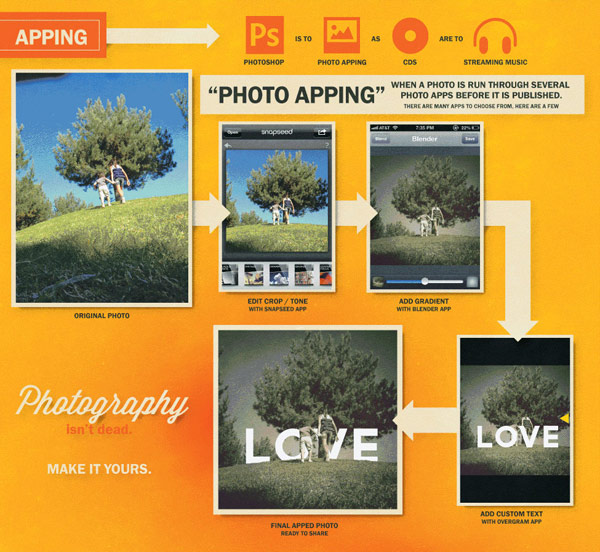
#21 Is Photography Dead? Mobile Photography Explosion

(Click the image to see the full graphic)

22 mobile photography

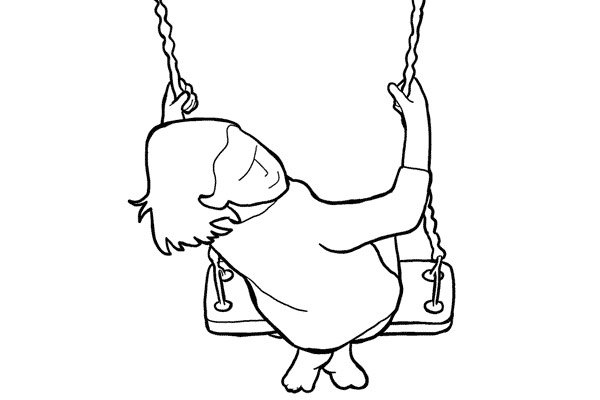
#22 21 Simple Poses to Get You Started With Photographing Children – a dPS article!

(Click the link above for the full article and all images)

23 posing guide children

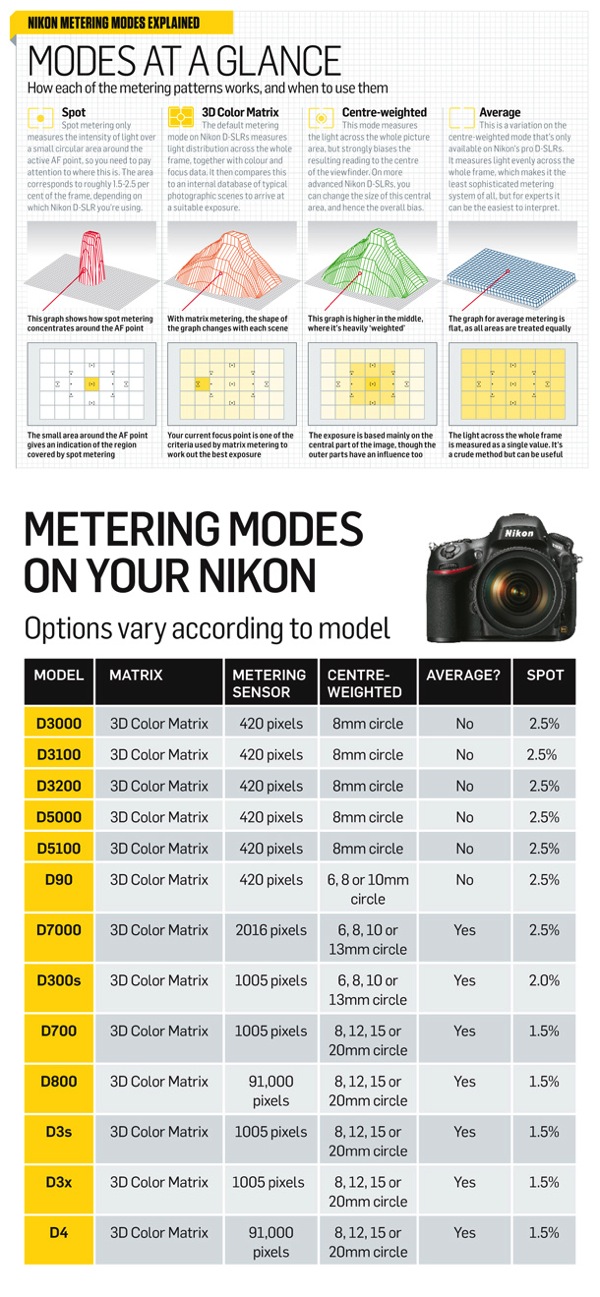
#23 Using Nikon Metering Modes

24 Nikon DSLRs metering modes full

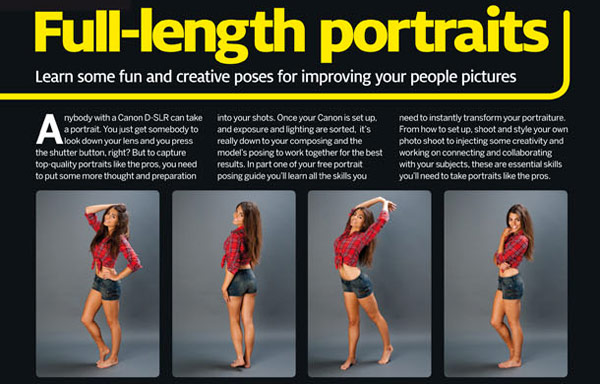
#24 Portrait Posing Ideas (Printable)

  • Part One 54 Portrait Ideas – posing guide

(Click the image to see the full graphic)

25 Portrait Ideas

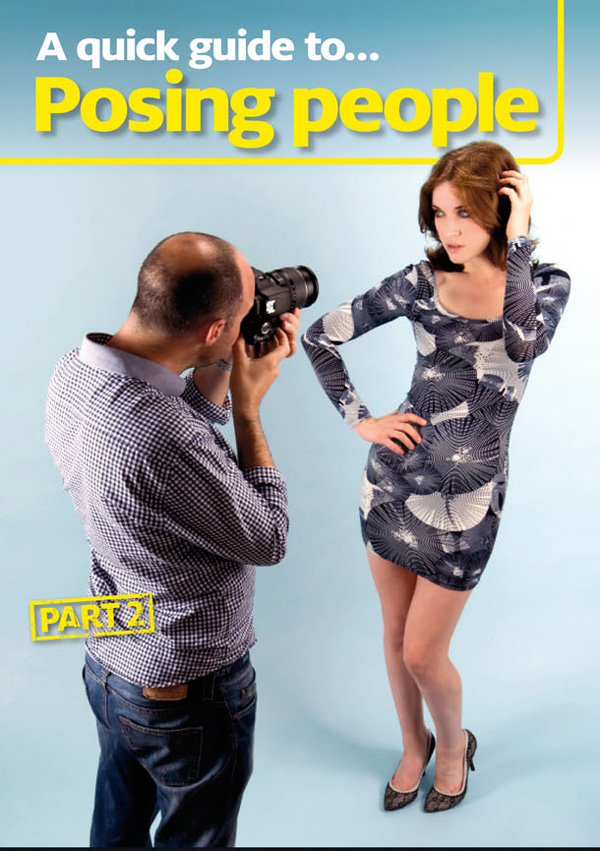
  • Part Two 40 More Portrait Ideas – posting guide

(Click the image to see the full graphic)

25 Portrait Ideas part2 cropped

Photography Business and Legal

Learn how to get started with your own photography business and check if your marketing strategy includes all the latest techniques.

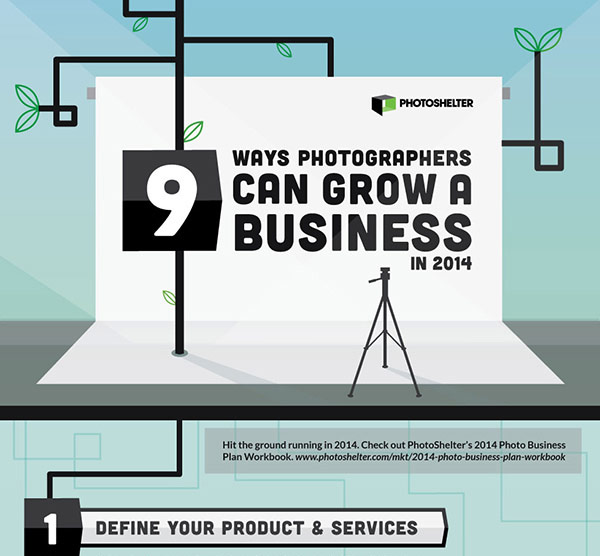
#25 9 Ways to Grow Your Photography Business in 2014

(Click the image to see the full graphic)

26 photography business plan

#26 9 Free Photography Contracts

(Click the link above for the full article and get the contracts)

27 photo contracts

#27 Creating a Marketing Plan That Works (Printable Worksheet)

(Click the link above for the full article – click the image below for the full printable sheet)

28 marketing photo worksheet

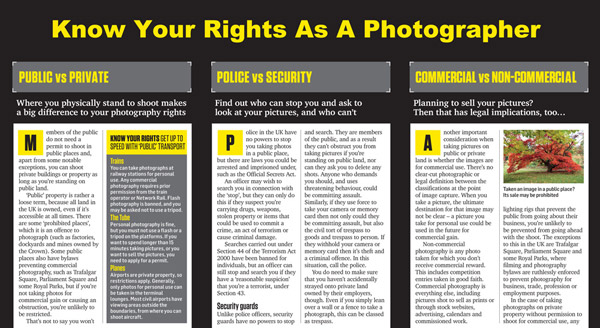
#28 Know Your Rights As a Photographer

(Click the image to see the full graphic)

29 Photographers rights

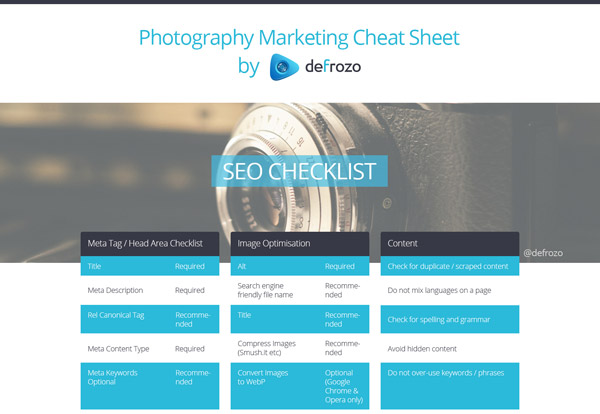
#29 Photography Marketing Cheat Sheet (SEO, Social Media, Classic Marketing, Email Marketing)

(Click the image to see the full graphic)

30 defrozo photography marketing cheat sheet

#30 Top 15 Photographers Under 25 by Defrozo

(Click the image to see the full graphic)

30 photographersunder25 600

Any useful resource I missed? Share your suggestions in the comments below.

The post Another 15 Cheat Sheets, Printables and Infographics for Photographers by Julia May appeared first on Digital Photography School.


Digital Photography School

 
Comments Off on Another 15 Cheat Sheets, Printables and Infographics for Photographers

Posted in Photography


New Photographer’s Guide to Blue Hour

14 Aug

Among the many tips and tricks new photographers get with regards to lighting, the time of day is an essential concept, which for getting some shots of landscapes and some dynamic shots of natural light and artificial light, is the time at dusk or dawn. This time is just before the appearance of the sun or just after it, when the light is soft enough to emphasize most of the dark of the scene, and yet not so dark that it necessitates the use of additional light source. This is a guide to Blue Hour, that natural time frame which is so poplar among photographers.

Blue hour 03

What is Blue Hour?

Blue Hour can be defined as the period of the day when the colour of the sky ranges from blue to dark blue, followed by black sky or vice versa depending upon the time of day it is being considered (i.e. for sunrise or sunset). It is termed as BLUE HOUR based on the consideration that the blue hue in the sky lasts for about an hour. In reality it lasts between 30 to 40 minutes approximately. Its duration also depends upon the geographical location and the season.

Rule of Thumb for Blue Hour times

The rule of thumb for Blue Hour is when exactly it starts and ends:

  • Sunrise: during this part of the day the Blue Hour starts around 30 minutes prior to sunrise. The peak of it can be 10 minutes before the sunrise. During sunrise, the blue hour diminishes very fast towards the sun rising on the horizon.
  • Sunset: during the sunset the Blue Hour roughly starts 10 to 15 minutes after the sun has set. I personally prefer to capture Blue Hour during the sunset as it gives me added time to setup my equipment, or change my location before the actual Blue Hour starts.
  • There are websites available where one can find out the approximate blue hour duration at any location so that you can plan your trip accordingly.
  • If the sky is overcast then the duration of Blue Hour will shorten and in some instances the clouds can be too dense soas to wash out the complete Blue Hour.

What to capture during Blue Hour

Blue hour 04

Blue Hour is best to capture cityscapes, landscapes and scenic beaches. The shots require long exposure or slow shutter speed thus making it difficult for taking pictures of people or moving bodies, as a slight movement can make the picture blurry but yet the light is optimum to bring out the vibrance of the landscapes.

Why to capture Blue Hour pictures

#1 Creativity in capturing motion

Since, Blue Hour photography requires long exposures or fairly slow shutter speed, depending upon the scenario the long exposure can be creatively used to capture motion. The best part about Blue Hour is to capture light trails of vehicles while also capturing cityscapes, and if it is partially cloudy then the movements of the clouds can be used to create a drag effect. When capturing scenic beaches the movement of water appears to be dreamy. All of these effects add to the dynamics of the photograph.

#2 Easy control of parameters in dim light

I personally find capturing shots during Blue Hour fairly easy and interesting as compared to bright light conditions. With the availability of the right gear (e.g. tripod, remote trigger or shutter release) it’s easy to control various parameters to compose your shots. In comparison to this during a bright sunny day there are chances of getting overexposed images or burnt spots if there is no proper control of the light source with regards to the subject. However, every photography technique has its own pros and cons.

Blue hour 05

List of Equipment for Blue Hour

The following are the essentials which can be considered as a must for Blue Hour photography:

  • DLSR – a must for taking any pictures. The better the DSLR, the better will be the noise performance for long exposures.
  • A rigid tripod – this as a must and the reason being long exposure/slow shutter speed during blue hour. So handheld shots maximize the chances of blurry images.
  • A cable or wireless remote shutter release – this is also one of the essential items which can help you in avoiding camera shake. An alternative to this is self-timer mode but at times you may need to use Bulb (exposures longer than 30 seconds) mode to capture the surroundings (for multiple layer blending) when shooting Blue Hour.
  • A handy flash light – to look around the surrounding areas when setting up your tripod in case the place is a bit dark.
  • A stop watch – this is now available in most of mobile phones, and comes very handy when you need to monitor the duration of shutter release in case your DSLR or remote doesn’t do that.
  • A wide angle zoom lens or lens suitable for composition – not a must but a wide angle zoom lens will help you in composing your frame properly as you can zoom in and out depending upon what you need to see in your picture.
  • Lens cleaning cloth and blower – this is one of the essentials to keep the lens clean in case of fingerprints or dirt. Although this isn’t specifically a Blue hour essential, it is a photography essential nevertheless.
  • Miscellaneous bits – these things can be handy and will make your photography comfortable. If you are setting up your camera around grass then a bug repellent will be useful and also if the weather is hot don’t forget to carry a small towel to wipe off the sweat rather than dripping onto your DSLR or lens.

Blue hour 02

How to capture Blue Hour

Step one: Setting up your equipment

The first and foremost is to setup your camera on a tripod, on firm ground, to avoid any camera shake. Place the tripod on the ground and give a firm press against it, to make sure it is set in position. Place your camera on the tripod and make sure it is properly locked on. Take a look from the viewfinder and compose your frame, and also make sure that the camera is properly aligned using a bubble level or electronic level (if available in your camera). Do make sure that you are not directly under a source of bright light, which can make lens flare.

Connect the remote to the DSLR if it’s a wired one, or keep a wireless remote ready to be used. Looking into the viewfinder, try and use the autofocus to lock focus on any of the bright objects in your frame. Once the focus has been locked put the focusing switch on your lens to Manual Focus in order to avoid any re-focusing and lost focus.

Try capturing picture in RAW format, rather than JPEG, as it gives us more flexibility and details when post-processing the image. Double check that your focus is covering the complete frame properly by taking a couple of test shots. I always try and make sure that I am there well before Blue Hour so that I can take my sweet time to setup my equipment and be ready to take pictures.

Blue hour 01

Step two: Taking multiple exposures

Once your equipment has been setup, and the lens has been focused properly, set the aperture between f/8 and f/16 to make sure you have a good depth of field. My personal preference is that I keep a balance of ISO and shutter speed to control the noise in the picture. The preferred setting for ISO is between 100-200, and the rest I leave to the shutter speed which ranges from five seconds to over a minute, depending upon the foreground details or any light show I need to capture. I prefer shooting in full manual mode so that I can control all the parameters.

If you have set a frame of the shot which contains trees and grass, try and capture couple of exposure in well lit condition so that you may use those during the post-processing. This will also give you an idea of what shutter speed you will need to capture the sky.

Keep taking shots at different intervals during the Blue Hour in order to use the best exposure during the post-processing of the image. If your composition contains any light shows or any other architecture which has a lot of light, you can adjust the shutter speed to suit, and prevent it from being overexposed. At the same time you should keep reviewing your shots to make sure they are correctly exposed for post-processing.

Post-processing of exposures

This can be a separate article on “Multiple Layer Blending in Adobe Photoshop” but I will give a brief description about it here.

I use Adobe Photoshop for multiple layer blending of my photographs of Blue Hour. If the picture is a RAW file format then you can change the basic parameters like Exposure, Clarity, Vibrance, Temperature, etc., when you open the file. Once you have done that, the actual image opens up in Adobe Photoshop. Select and open multiple images on the basis of exposure of sky, foreground, etc. Select one image that has the best Blue Hour exposure and create a blank “New Layer” to copy the other image which has good exposure of the foreground.

Layer blending

Arrange the different layers as per the priority of coverage in the example image the layer having a major section of the sky to be set as top layer followed by the foreground layer. Use the Erase tool to remove the underexposed areas from the top layer to reveal the correctly exposed layer for the foreground (you can also use a layer mask). Adjust the parameters like Selective Colour, Shadow/Highlights, Contrast, etc., of every layer to have an even colour effect. Merge these layers to form a single layer upon completion and you have got your final image ready.

I personally don’t merge the layers which gives me the flexibility to alter any of the layers if required in future.

Feel free to drop your suggestions and comments, if you have any, as I am always eager to learn more and more.

The post New Photographer’s Guide to Blue Hour by Ausaaf Ahmad appeared first on Digital Photography School.


Digital Photography School

 
Comments Off on New Photographer’s Guide to Blue Hour

Posted in Photography


Nikon D810: A sport photographer’s impressions

13 Aug

UK-based sports photographer Guy Swarbrick specializes in shooting cycling events, but this summer he got the opportunity to shoot the Commonwealth Games in Glasgow Scotland. Just before the games he took delivery of Nikon’s latest full-frame DSLR the D810, and in this article he shares his experiences of using the camera. Click through to read his impressions of the D810, and take a look at some of his pictures. 

Articles: Digital Photography Review (dpreview.com)

 
Comments Off on Nikon D810: A sport photographer’s impressions

Posted in Uncategorized


15 of the Best Cheat Sheets, Printables and Infographics for Photographers

12 Aug

Everyone loves cheat sheets, and photographers are no exception. Squeezed into a set of short tips, schemes, and definitions, a cheat sheet is a quick way to learn something, as well as refresh your knowledge about any particular subject. Moreover, now that infographics are an extremely popular format of delivering information on the Internet, cheat sheets can also be a source for visual inspiration.

Here is a large collection of some noteworthy cheat sheets, infographics, and printables for photographers. From shooting basics to photography marketing tips, every aspect of photography is covered in this round-up. No matter whether you’re an amateur or an experienced professional, below you can find some really helpful resources, all presented as easy-to-read checklists, infographics, and printable cheat sheets for your advantage.

Enjoy this compilation and don’t forget to bookmark this page for quick access to this exhaustive cheat sheet list. Note, you need to click on screenshots below in order to view the full cheat sheet since most images were cropped for proper fit.

Photography Tech and Creative Process

Learn the basics every photographer must know and save some useful tips and camera settings for quick reference. Click the links to see the original article and source.

#1 Photography 101 – Cheat Sheet and Camera Basics

01-full

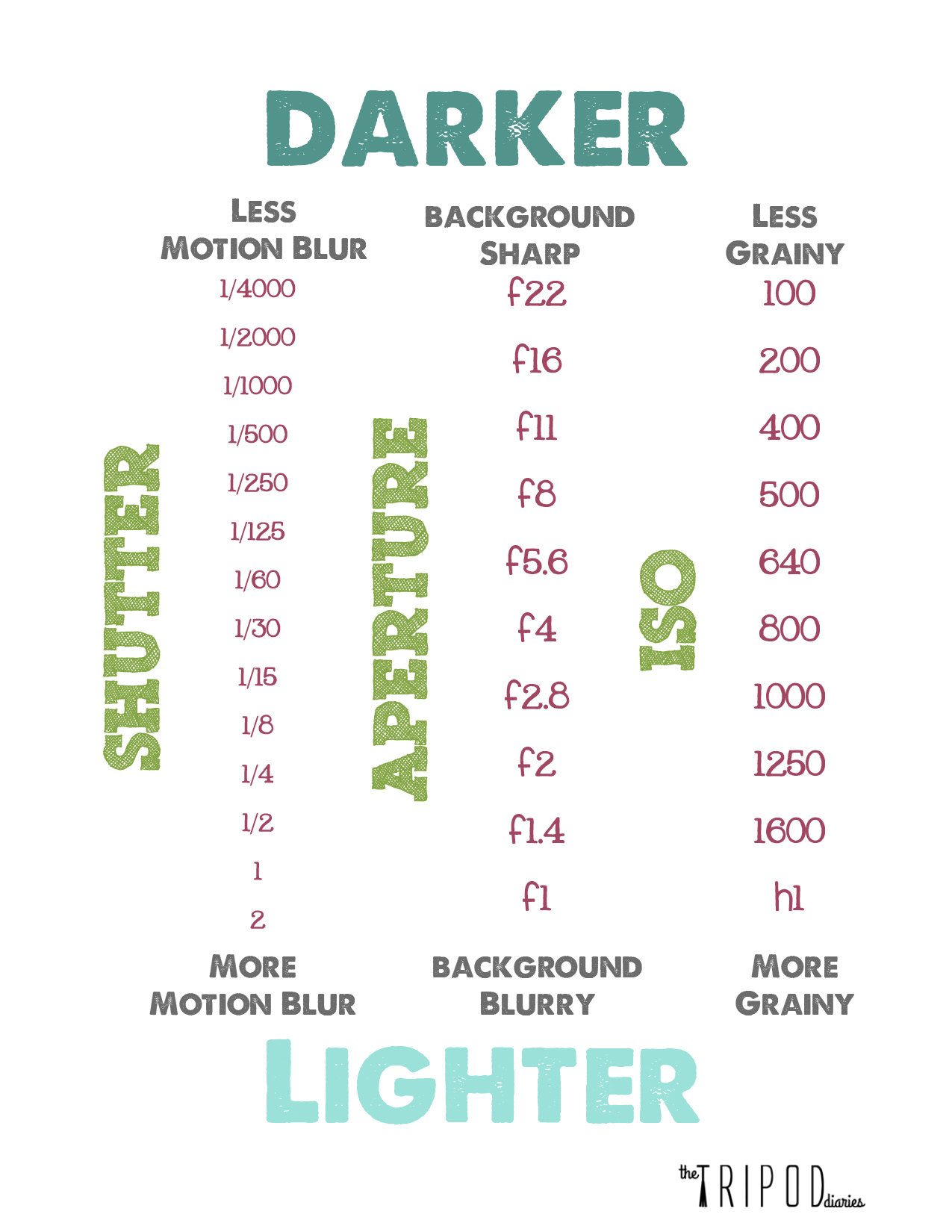
#2 Shutter, Aperture, ISO Explained

02-shutter-apperture-iso-full

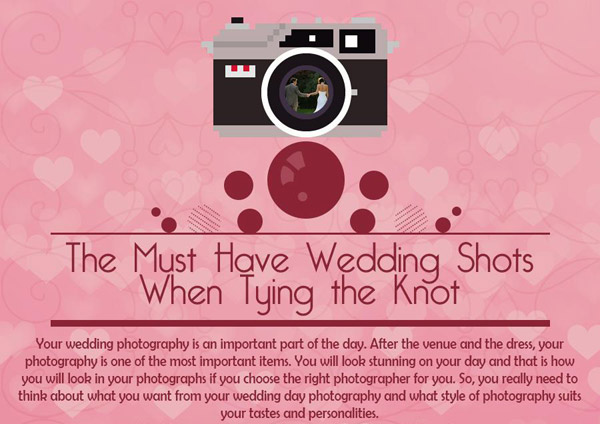
#3 10 Must-have wedding shots for every bride

(Click the image to get a larger view of this graphic)

04-wedding-shots-bride.jpg

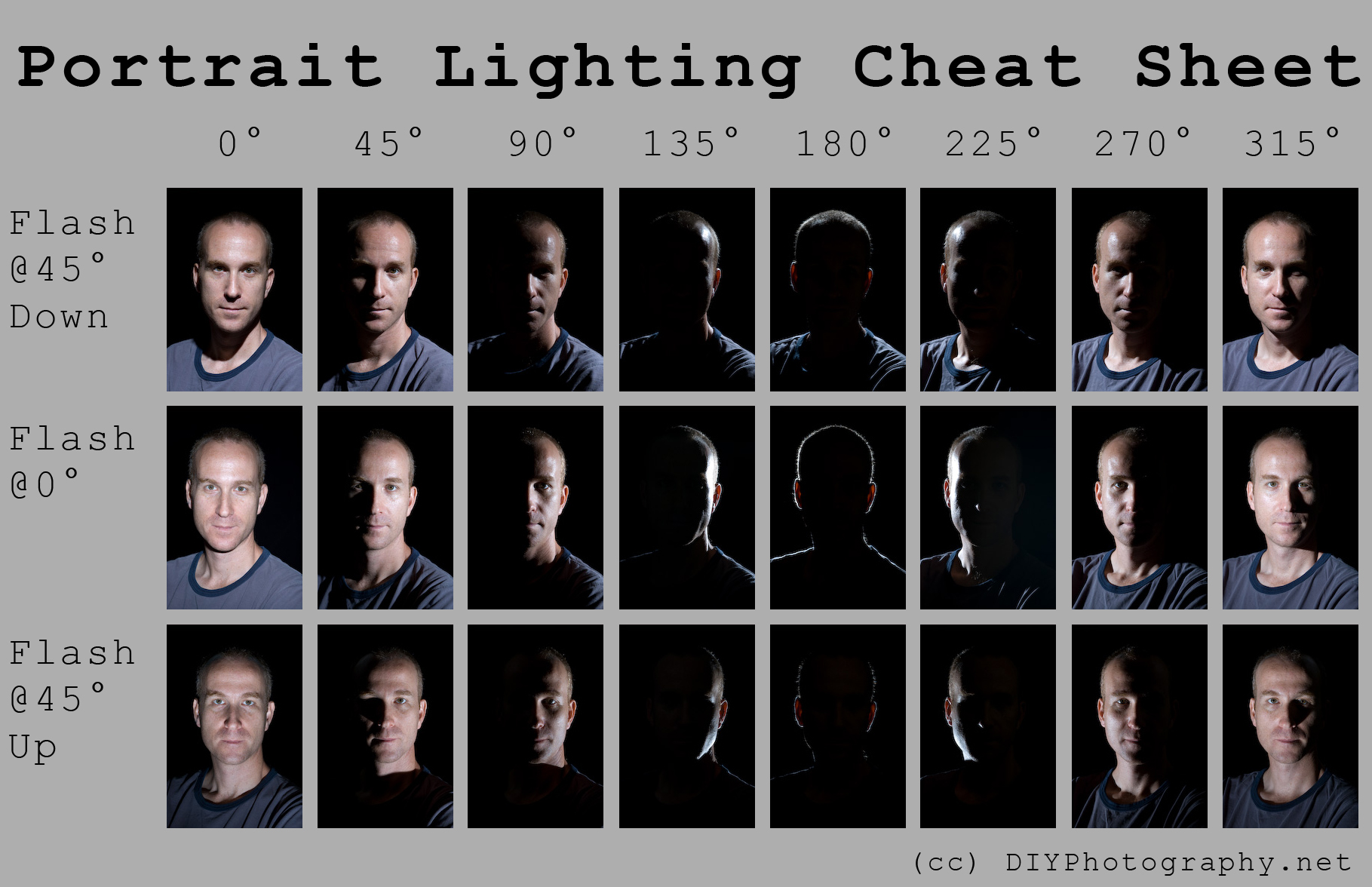
#4 Portrait Lighting Examples

(Click the image to get a larger view of this graphic)

05-portrait-lighting-full

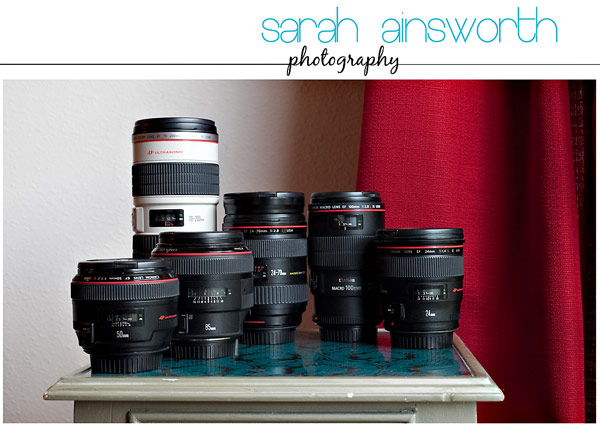
#5 Focal Lengths Cheat Sheet (click to see the whole article and cheat sheet)

06 focal lengths

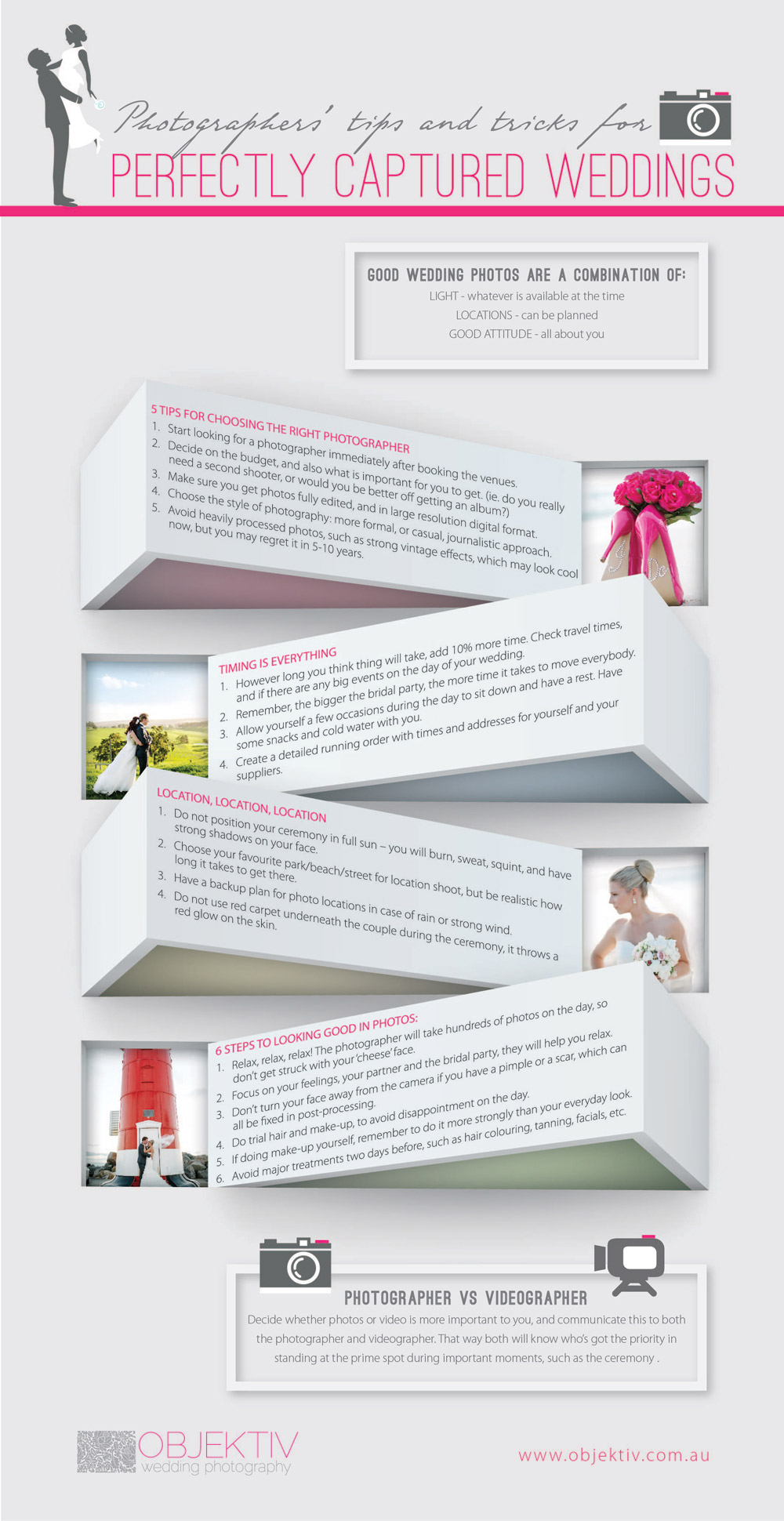
#6 Capturing Perfect Wedding Photos

(Click the image to get a larger view of this graphic)

07-wedding-photos-perfect-full

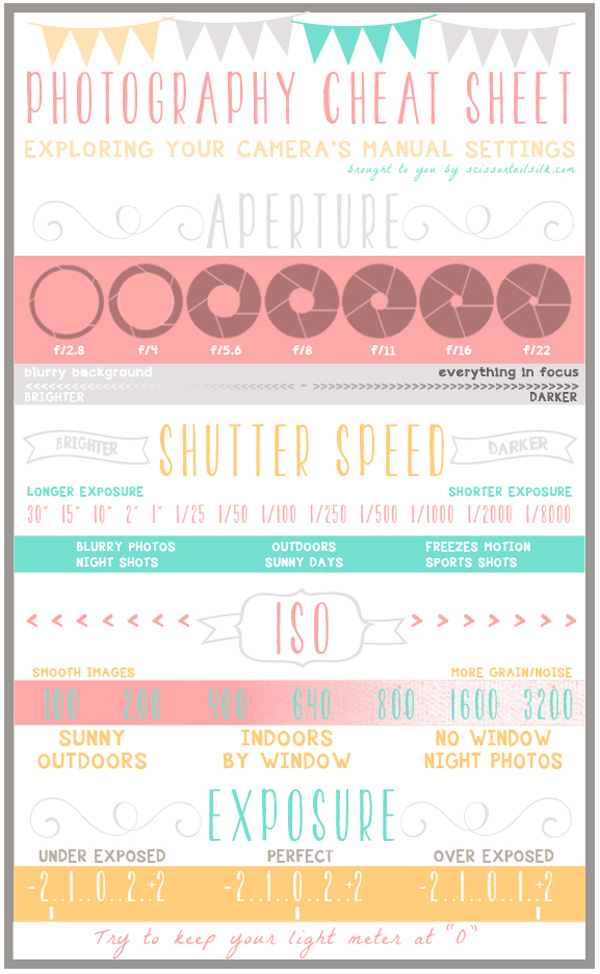
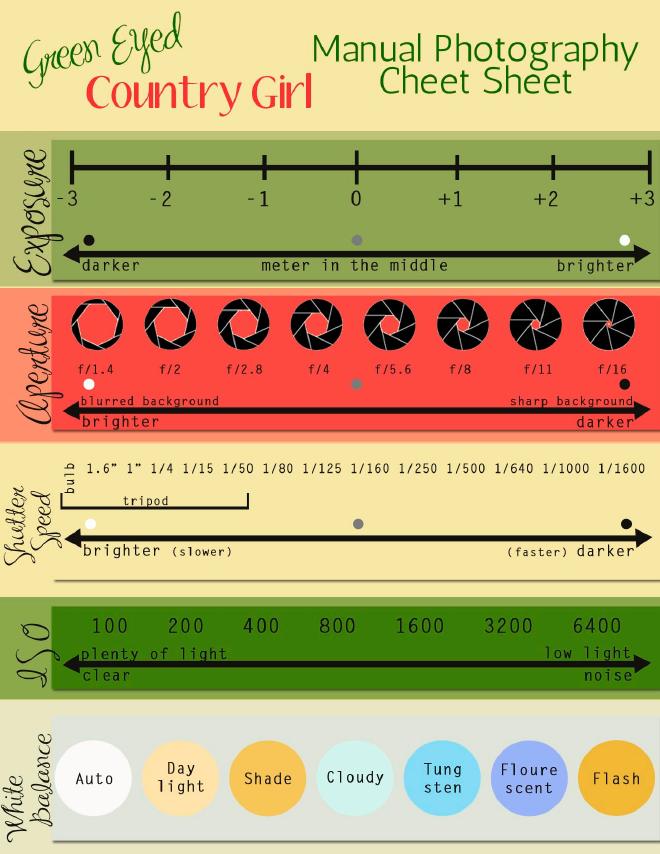
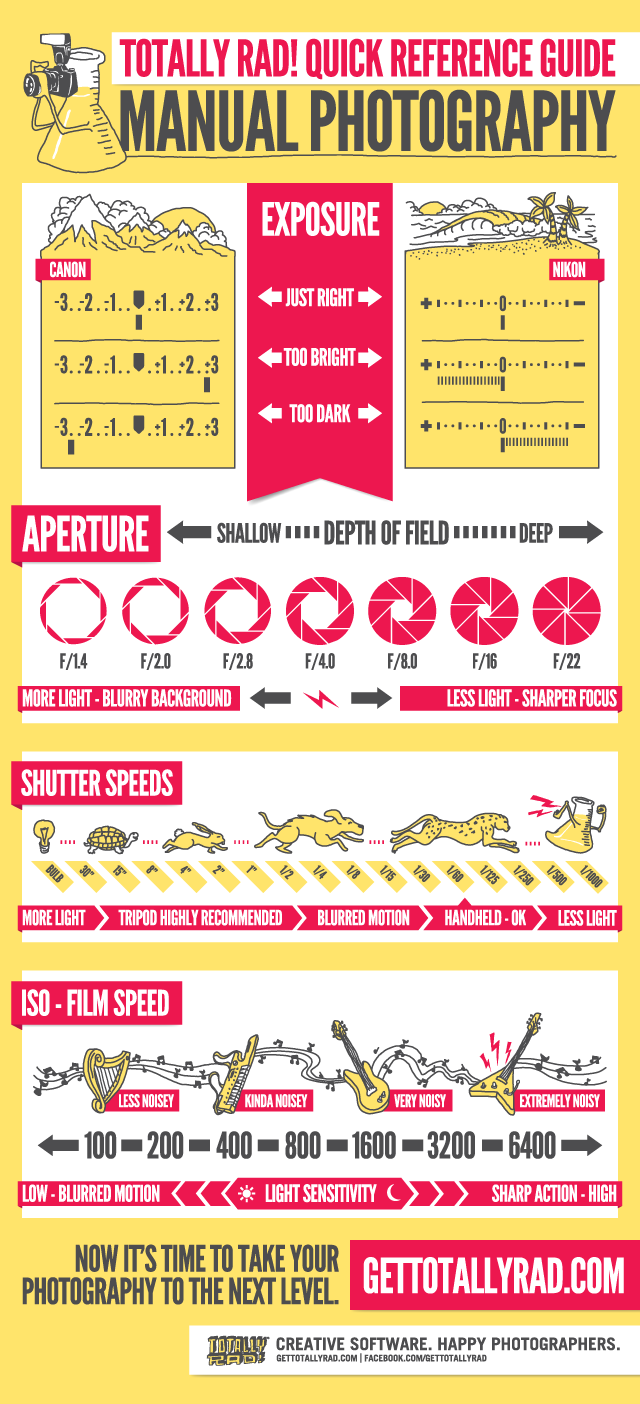
#7 Manual Photography Cheat Sheet

(Click the image to get a larger view of this graphic)

08-manual-photography-full

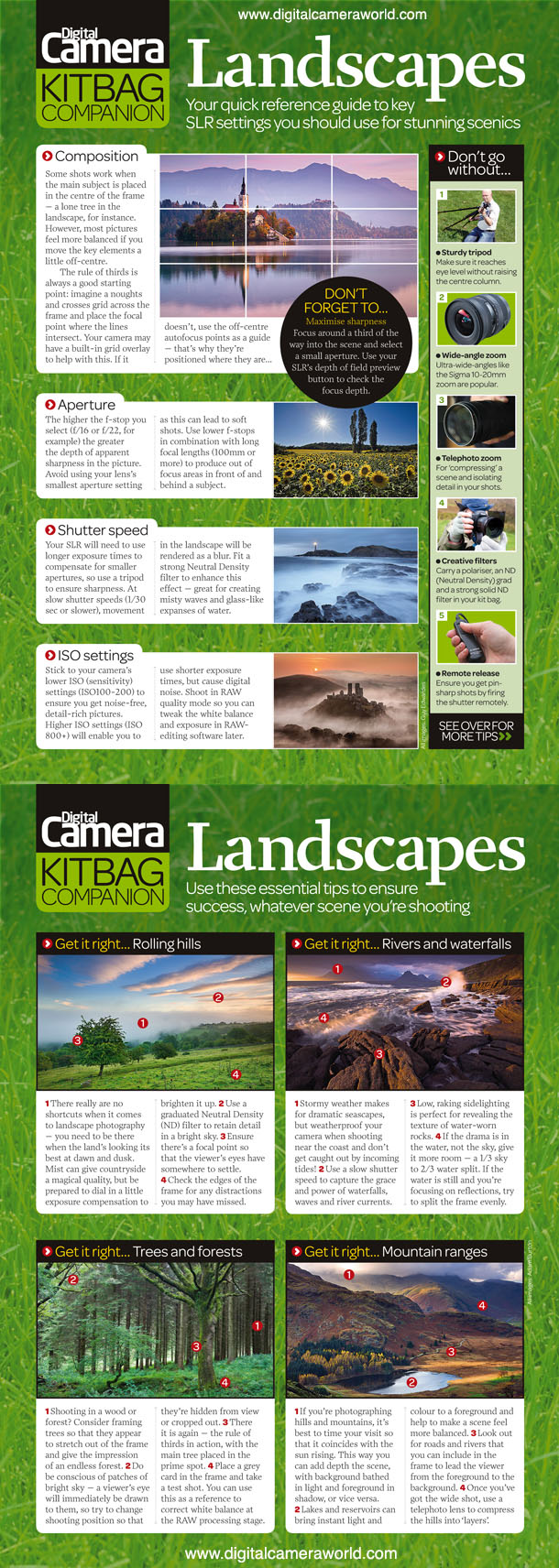
#8 Landscape Photography Tips

DCM104.tips_cards

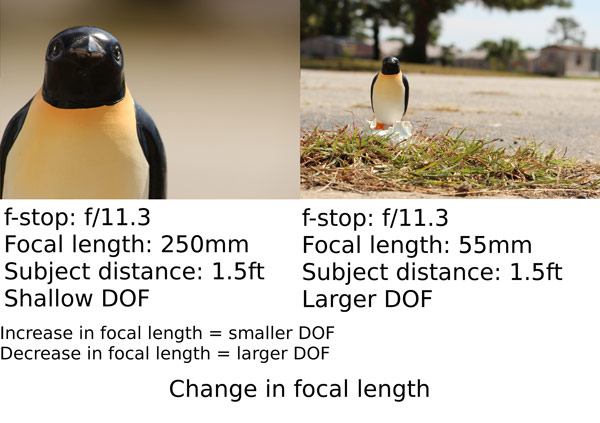
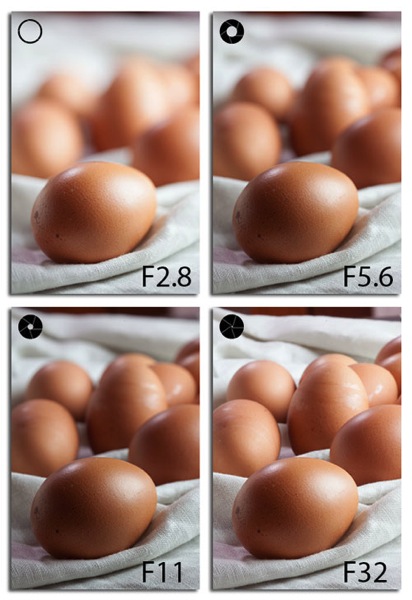
#9 Depth of field: Quick Memory Cheat Sheet

(click the link to read the full summary and see all the images)

10 depth of field

#10 Food Photography Guide

(click the link to read the full summary and see all the images)

11 food photography 01

11 food photography

#11 Photography Basics: Metering and Exposure

(Click the image to get a larger and full view of this graphic)

12 metering exposure

#12 Low Light Photography Tips

low light photography
Snapsort’s Low Light Photography Infographic – See more at: http://snapsort.com/blog/2011/04/05/low-light-photograph/#sthash.Sqx4QMsQ.dpuf

#13 Free Printable: Backlight and Sunlight

Backlight and Sunlight Cheat Sheet www.lightroompresets.com

#14 Guide to Manual Mode Magic

(Click the image to grab the PDF Printable file)

15-m-mode

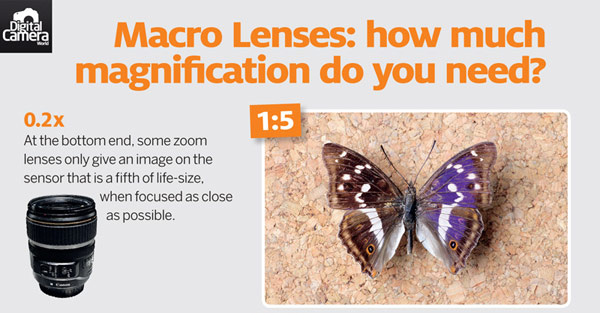
#15 What is a macro lens? Magnification and minimum focus distance explained

(Click the image to get a larger and full view of this graphic)

16-macro-nes

Any useful resource I missed? Share your suggestions in the comments!

The post 15 of the Best Cheat Sheets, Printables and Infographics for Photographers by Julia May appeared first on Digital Photography School.


Digital Photography School

 
Comments Off on 15 of the Best Cheat Sheets, Printables and Infographics for Photographers

Posted in Photography


Collaboration – 8 Ways to Work With Other Photographers

08 Aug

In an industry where marketing strategy and professional branding are needed to survive and to “make it” fiscally, we are missing something that should define our artistic craft. Just like in any other industry, collaboration is not an ideal that limits photographers, but one that can propel us personally and professionally. Understanding that photography is not usually seen as a “team sport”, how can we collaborate with each other while retaining our individuality as visual artists?

Here are 8 ways to work with other photographers

#1 Photos – create something together
Photos

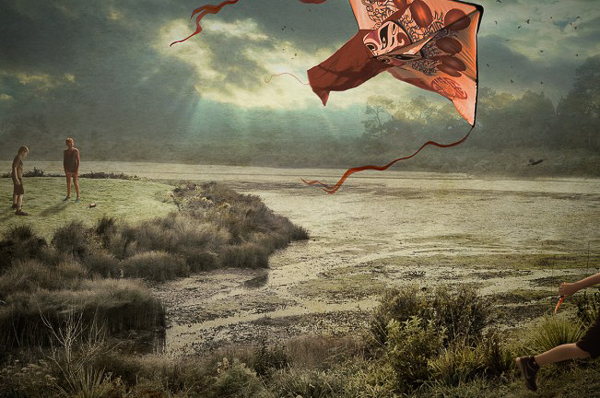
The Kite (created by Francisco Diaz and Deb Young)

To varying degrees, we are each protective of our images. We watermark. We utilize Google’s image search function to ensure that our work is not being borrowed. We even occasionally check to see that the photographer down the road is not emulating our brand, or photographic style. Yet, with a bit of deep thinking and reflection, we should understand that there is little in the photographic world that is fresh or new. Realizing this, we are able to detach a bit from our work and open our minds to the possibility of collaborating in the production of photographs.

One example of collaborative creation can be found in the work of Francisco Diaz (USA) and Deb Young (New Zealand). The pair work continually on their appropriately titled The International Collaboration Project that crosses borders and photographic norms. Frank “wondered if disparate individuals from countries halfway around the world could work together in real time as a positive model for creation rather than destruction.” Diaz and Young’s project proves that not only a positive model of creation exists, but that photographers can work together to produce meaningful imagery collaboratively.

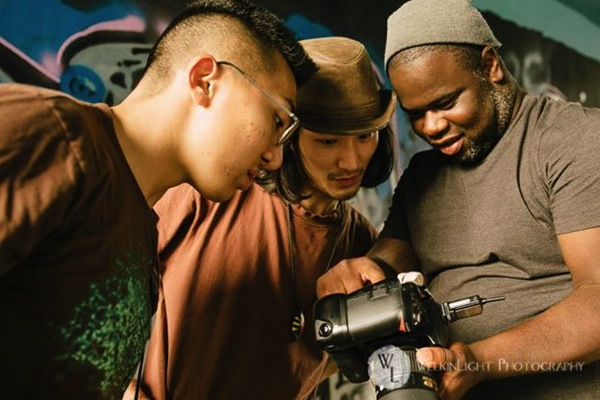
#2 Assist another photographer

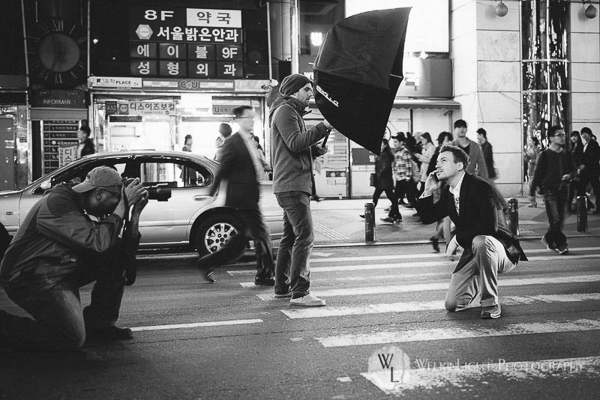
Owning your own photography business has many perks. Yet, working for someone else does not mean that you have degraded yourself or your position as a pro shooter. Working for someone can be likened to helping. By assisting a fellow photographer, you not only have the chance to learn a new technique, you have the opportunity to give back to the photographic community. With the right attitude, experienced shooters can prove to be amazing assistants and can aid their comrades.
Assist

Photo courtesy of Welkinlight Photography

#3 Pose for another photographer

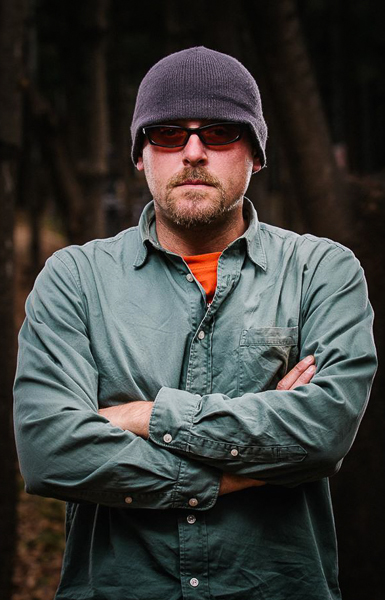
You don’t have to be a hundred pound, six-foot bombshell to be a model. Posing for a fellow photographer is incredibly helpful for both you and the shooter. Your collaborator will be able to test new techniques (such as posing and lighting) with a patient model. Moreover, as a photographer, you will be accepting, and let faux pas like chimping (reviewing the screen after every click of the shutter) slide. Perhaps the most important perk of modelling is that you get the opportunity to see how your own clients feel posing and being directed by a photographer. This empathetic exercise will have immediate benefit as you transition back to photographer.
Model

Glen Riley of GTR Photographic Images modelling

#4 Constructive Critique

Fairly regularly, friendly photographers and I sit down with a coffee or beer to share and critique our recent work. In addition, each participant shows work that they are currently inspired by. In this way, members of the group gain valuable feedback from their respected peers, and have the chance to view their work from an alternate perspective. Additionally, there is an opportunity to learn about inspirational industry professionals (or hobbyists). By constructively acknowledging one another’s work, we collaboratively prompt each other to improve our craft.

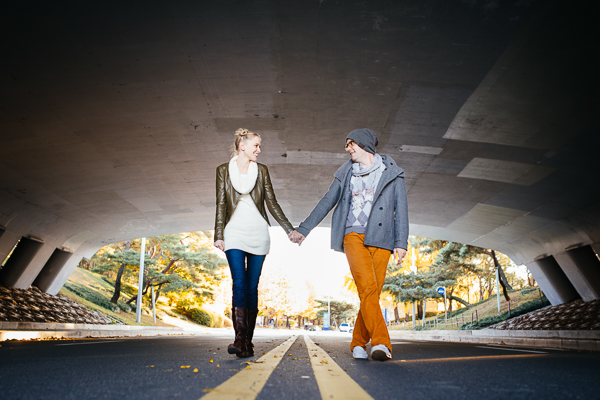
#5 Trade services with another photographer

Every weekend we clean and pack our kits to meet clients for sessions, or to head out to shoot personal work. Yet, when was the last time the camera was pointed at you and your loved ones? Sure, quality photographic services can be expensive (just check your own pricing guide). Why not reach out to other photographers and propose trades? Fellow photographer Dylan Goldby (Welkinlight Photography) and I do just that. We both receive portrait packages of our loved ones that would normally cost hundreds of dollars. Yet, with a collaborative mindset, those lifestyle packages become free.
Trade

Photo courtesy of Welkinlight Photography

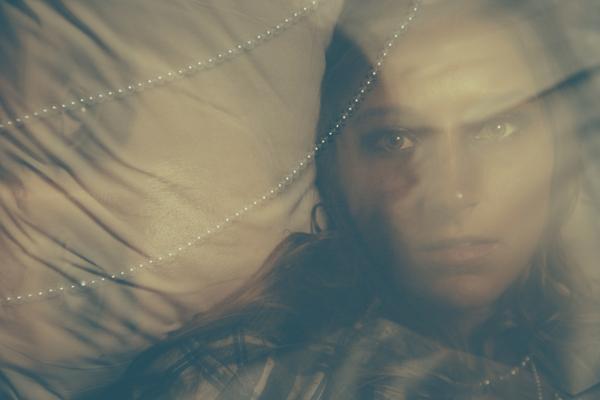
#6 Send referrals to other photographers

It is important to try multiple genres of photography (landscape, architecture, lifestyle, fashion, nudes, etc.). However, if you have already honed your craft and identified your photographic niche, don’t gobble up every assignment that comes your way. If approached by a client but your “competition” shoots the genre or project better than you, send the client their way. I repeat, send your competition assignments! I promise that practicing this habit will come back to benefit you in the end. Your competition will remember your kindness and return the favor. Generally speaking, those photographers who are considerate of their colleagues have an easier time filling their calendar.
You Are Soft

Portrait of a client that was referred to me by a fellow photographer

#7 Share – gear and links

Gear is expensive and anyone with GAS (gear acquisition syndrome) can testify that it is easy to see a zero bank account balance with one trip to B&H or your local camera store. There is a more economical option of renting gear from a photographic supply store, or better yet, borrow gear from fellow photographers. Need a Wescott Apollo Orb for a studio session? Simple, ask a fellow photographer. Keep in mind that it will soon enough be your turn to lend.

Hint: Under no circumstance should you lend gear to shooters you don’t trust or know well. Also, be sure to add extra care when handling gear that is not yours.

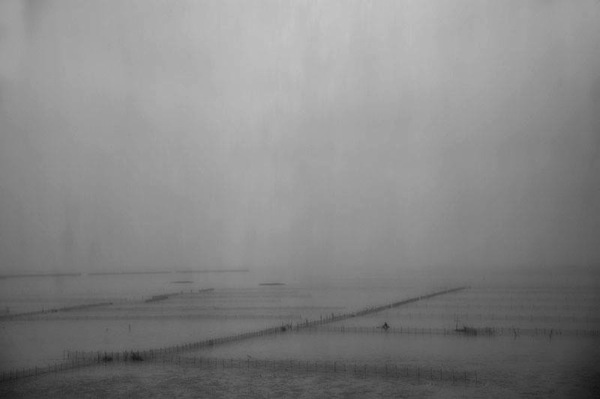
Yet, sharing isn’t limited to material goods. From name-dropping in casual conversation, to displaying the work of others on your Facebook photography page, spread the work of others. By sharing the work of fellow photographers, you are helping generate camaraderie and showing that you are not solely self-interested. An excellent model of this practice can be found in the fine art photographer Mark Eaton. Pulling up Mark’s blog, it is immediately obvious that Mark cares just as much about supporting his fellow photographers, as he does his print sales.
Vision Reduced by Mark Eaton

Vision Reduced by Mark Eaton

#8 Teach

When was the last time you taught someone something? There is an indescribably satisfying feeling gained when you share knowledge. Let’s face it. Everything we know about photography, we were taught. There is no such thing as a “self taught” photographer. Learned about lighting on YouTube? Guess what, a fellow pro took the time to make that YouTube tutorial.

We each have the responsibility to pay knowledge forward. Teaching photographic skills and strategies to others will not increase competition (remember, it takes more than technical expertise to distinguish an accomplished photographer). Take an amateur, or less experienced photographer, on a photo walk. Write a tutorial detailing a technique you use. Instruct a workshop at a local community center. Who knows, you might enjoy teaching so much that this aspect of collaboration becomes part of your business plan. Examples of photographers turned teachers can be found in the great workshops offered by Flash Light Expeditions or the tailored Southeast Asian tours led by fellow dPS contributor Etienne Bossot.
Teach

Students learning at a course offered by Flash Light Expeditions

While many of us feel that photography and artistic creation are solitary actions, we should be careful not to isolate ourselves in our vast industry. No man (or woman) is an island. By collaborating with fellow photographers, the opportunity to grow, both personally and professionally, is limitless.

Have you tried any of these things? Do you have other ideas of tips on how to collaborate? Please share in the comments below.

The post Collaboration – 8 Ways to Work With Other Photographers by Andrew Faulk appeared first on Digital Photography School.


Digital Photography School
 
Comments Off on Collaboration – 8 Ways to Work With Other Photographers

Posted in Photography


Monkey photo copyright in question as Wikipedia denies photographer’s takedown request

07 Aug

On a trip to Indonesia in 2011, photographer David Slater was photographing a black crested macaque when it grabbed his camera and proceeded to take hundreds of pictures of itself. The resulting ‘monkey selfie’ did the rounds on the internet, winding up in Wikimedia Commons. Mr. Slater has asked that the photo be taken down, but Wikimedia sees things differently. Read more

Articles: Digital Photography Review (dpreview.com)

 
Comments Off on Monkey photo copyright in question as Wikipedia denies photographer’s takedown request

Posted in Uncategorized


The New Photographer’s Ephemeris Desktop Beta Version Announce

07 Aug

The Photographer’s Ephemeris for Desktop: All Change!

Some important news for users of The Photographer’s Ephemeris (TPE) for Desktop: on 2 September 2014, Google will switch off the Google Maps for Flash API. On that date TPE for Desktop will stop working.

When TPE for Desktop was first launched in 2009, we still lived in a pre-iPad world and Steve Jobs had yet to write his thoughts on Flash. Building on Adobe AIR provided a convenient cross-platform technology that allowed users on Windows, Mac and Linux to run the same application.

Since then, the popularity of Flash has declined significantly and Adobe AIR was repurposed towards mobile development. It has served TPE for Desktop well, but it’s time for a change.

A New Photographer’s Ephemeris Web App

01-new-tpewa-screenshot

The new web app is already live

Happily, this hasn’t come as a total surprise! We have a new TPE for Desktop ready to step into the breach. The new TPE web app is already live and available at app.photoephemeris.com. You can start using it right now. We’re keeping it in Beta until September 2nd, and will continue to refine it over the coming weeks as you send us your feedback.

The web app runs in a variety of modern browsers. It has been tested in the current versions of Safari, Chrome, Firefox, Internet Explorer (11) and Opera. As with the old TPE, it is designed for use on desktop computers or laptops equipped with a mouse or track pad.

One advantage of the web app: you no longer need to install additional software or to continually update to a new version of Adobe AIR. You get the latest version automatically each time you visit the site.

New Features

TPE has a loyal following and this is going to be a big change for some. The user interface may look different, but the new web app includes the same functionality as the old desktop version and comes with a number of enhancements.

Celestial events for the day are displayed in the events timeline below the map. At a glance, you can see the day’s information chronologically.

A chart of the sun, and moon’s, journey throughout the day is displayed at the bottom of the screen. Scrolling the time slider changes sun and moon information relative to your selected pin position and date.

02-600x373-tpewa-graphic

Same features as the old desktop version, but with some great additions.

New features include:

  • Sharing: look up locations; set date and time, then share the URL of the web page
  • Saved locations can be used to set the grey pin position as well as the red – great for planning both camera and subject placement
  • Six degree shadow circle: this new feature shows sun and moon shadows, and highlights, when the sun or moon sit between +0° and +6° above the horizon – times when there’s often good light (so-called “golden hour”) or when the moon can be photographed against features in the landscape
  • Use Google Street View directly from the map
  • Timeline and chart toggle on and off to increase map “real estate” – great for users with small screens
  • Support: you can submit feedback or a support request directly from the app

Look after your locations!

Locations stored in the old desktop version can be exported and saved as a KML file, and then imported into the new web app. We’d encourage you to do this now ahead of the September 2nd deadline.

Once imported, the web app saves locations in your browser’s local storage. In order to ensure you don’t inadvertently lose your locations, we advise exporting and saving the KML files as backups. Look after your saved locations the way you look after your photos.

It’s time to switch

03 old tpe desktop screenshot

Say goodbye to the old TPE desktop app, it’s time to switch (caption)

Just like the original TPE for Desktop, the new desktop web app remains free to use.

You can send feedback to TPE at any time using the support tab in the web app. TPE is used by so many professional and amateur photographers around the world, and this is a great opportunity for you to help shape this useful tool.

We’re adding updated tutorials to the TPE website in the weeks leading up to September 2nd. There is also a Quick Start Guide you can download directly from the web app page. It outlines the major functionality along with a list of useful keyboard shortcuts.

Go ahead and try it out today!

Get The Photographer’s Ephemeris available free of charge. Tutorials are available.

Here’s a few dPS articles that mention TPE so you can try it out:

  • It’s all about the light: The Photographer’s Ephemeris
  • Finding New Photography Locations Just Got Easier With ShotHotspot
  • 8 Simple Guidelines for Capturing Spectacular Sunrise and Sunset Images
  • 5 Hot Tips For Improving Your Summer Photography

The post The New Photographer’s Ephemeris Desktop Beta Version Announce by Stephen Trainor appeared first on Digital Photography School.


Digital Photography School
 
Comments Off on The New Photographer’s Ephemeris Desktop Beta Version Announce

Posted in Photography


24 July, 2014 – Hiking For Photographers

24 Jul


Want to take better landscape photographs? Get out there and find them. In this new article by Skip Spitzer, this experienced hiker explains how photographers can make the most of the hiking experience.


Available Photographic Workshops

We have a number of new workshops on offer, and a very few places in some exciting upcoming ones. Visit our Workshop page to find out more.


The Luminous Landscape – What’s New

 
Comments Off on 24 July, 2014 – Hiking For Photographers

Posted in News


Meet Defrozo, the Free Marketing Platform for Photographers

23 Jul

We here at Photodoto are excited to introduce you to our new awesome partner – Defrozo. Founded by Demetrio Fortman (the guy who also invented the mighty Moto CMS), Defrozo is the ultimate, online workspace enabling photographers to manage their workflow and business online, using a single login. Let’s take a closer look at this new player on the oh-so-crowded Continue Reading

The post Meet Defrozo, the Free Marketing Platform for Photographers appeared first on Photodoto.


Photodoto

 
Comments Off on Meet Defrozo, the Free Marketing Platform for Photographers

Posted in Photography


15 Influential Photographers Share Their Quotes for Inspiration

21 Jul

Pursuing a career doing something you really love could be a terrifying thing, so people often look at the ones who already “made it” in their field as a source of inspiration. Having a chance to hear famous photographers talk about how exactly they made it and what it costs to be a successful photographer inspires us to work harder Continue Reading

The post 15 Influential Photographers Share Their Quotes for Inspiration appeared first on Photodoto.


Photodoto

 
Comments Off on 15 Influential Photographers Share Their Quotes for Inspiration

Posted in Photography