RSS
 

Posts Tagged ‘Photographers’

The 5 Biggest Mistakes Newbie Car Photographers Make

12 Jul

It’s true, we all make mistakes, that’s what makes us human, right? Well yes, but there are some mistakes that can, and should be avoided, when it comes to photography. In this article we will be talking about automotive photography in specific. You could be shooting cars for years but if you don’t fix your mistakes, how do you expect to get some great shots?

These are the 5 biggest mistakes that car photographers make when first starting out. Don’t worry, I will tell you how to fix those mistakes so other car photographers stop calling you a newbie, and they might actually ask “HOW?”

1. Not paying attention to the background
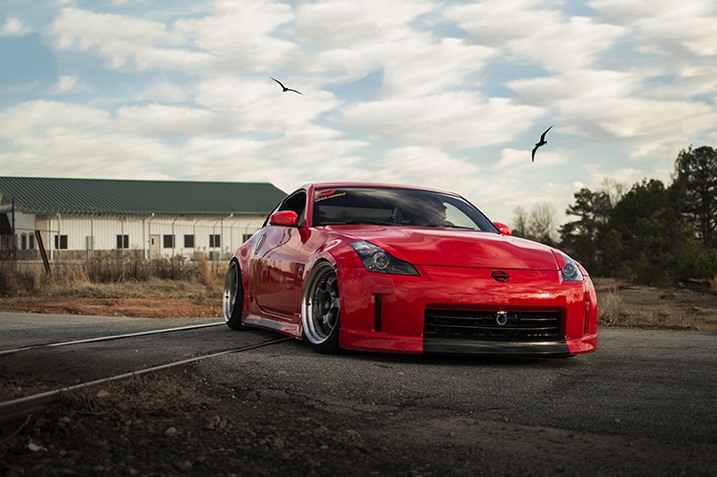
IMAGE1

This is a really big no no. If you are striving to be a professional photographer, or even if you’re just shooting for fun, you must pay attention to your surroundings. I have seen way too many pictures where a tree is growing out of a car, or there is trash on the ground, and other annoying little objects that take away from the focus of the car.

If there is a tree in your way, move around. Walk around the car and find a better angle or even move the car if you have to, just make sure there isn’t anything growing out of top of the car. If there is trash on the ground, pick it up and move it (I recommend carrying gloves with you in case you have to deal with some nasty trash).

If there is something that you just simply can’t avoid then don’t worry, you can still remove it in post-processing using the Clone Stamp Tool or Content-Aware fill, but use those as the last resort. You should try to get the best shot that you can in the camera so you don’t have to waste precious time cloning out all that stuff later.

2. Not making sure the car is spotless

If you’re an avid car photographer then you MUST carry a rag of some sort (preferably lint-free) that you can use to wipe any dirt off the car. Yes, you can take out little dirt specks in post-processing, but it will make your life much easier to just take care of it on the spot. It’s not hard to just take the rag and wipe down any dirty areas. This will not only make the car look better/cleaner, thus making your shots look that much more professional, but it will also save you time in post-processing so you can worry about more important stuff.
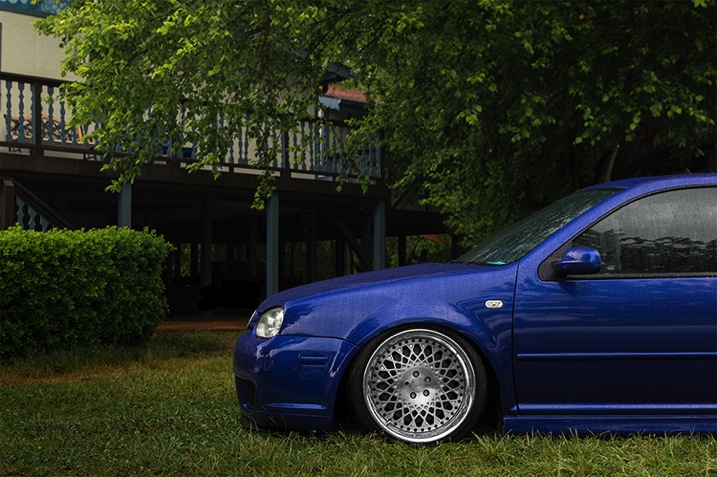
IMAGE2

3. Not having a circular polarizer

When it comes to shooting cars, it’s like shooting into a mirror; EVERYTHING is reflected off the car. You don’t want that, especially if you have some annoying stuff going on back there like trees, other cars, etc.

That’s where the handy circular polarizing filter comes into play. This will probably be one of your most used pieces of equipment, and should be the very first investment you make if you’re thinking about shooting cars.

Everyone has mixed feelings about polarizers when doing other types of photography, but in car photography there’s no point in even talking or arguing about it, you NEED a circular polarizer. Just don’t buy a cheap one because they will only ruin your images, instead go for a well known B+W circular polarizer, that’s what I, and many other car photographers use, and I haven’t heard any complaints about it.

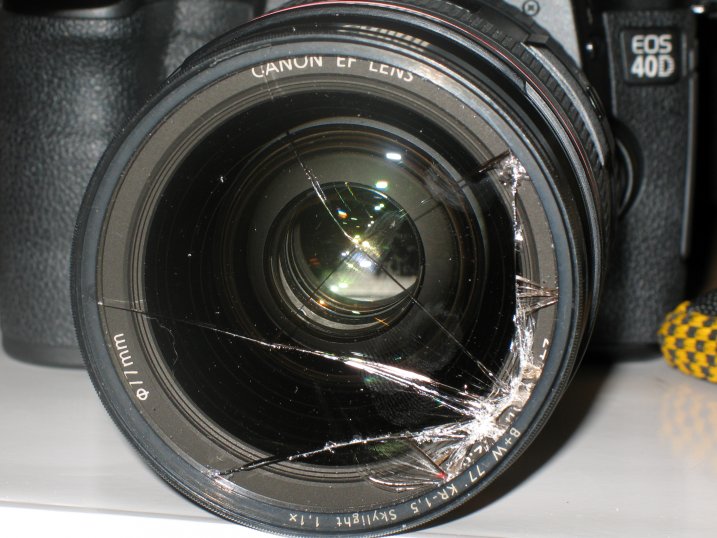
What is a circular polarizer? Well, it’s basically a little filter that you screw onto the end of your lens, which you can then turn to block off reflections in any part of the frame. What’s cool about it is that you can take multiple shots with different reflection points by using a tripod and then just combining all the images in post-processing to get the best results. Just make sure you don’t go too far, you still want to keep some reflections to show the lines and curves of the car.

IMAGE3

4. Not using a tripod

Speaking of tripods, you need one of those as well. Not just because of the reflections, but to get the cleanest and sharpest shots possible. If you’re like many beginner photographers you have a hard time keeping your hands steady, and it will take some time to master that. If you have a tripod, you can minimize camera shake, which in return, gives you the sharpest images.

Another awesome reason to use a tripod is to do light painting at night. Simply set your exposure to a few seconds, walk around the car with a light source, and in minutes you will have a pretty sick looking shot of the car. Everything you painted over will be visible, and everything else will probably be dark, creating a pretty cool effect that you can’t do without a tripod.

Taking multiple exposures can only be done with a tripod, unless you’re amazing at keeping your hands steady and in one position for multiple shots, which is pretty hard to do. Why would I take multiple exposures? Well, let’s say you take a picture and the car looks amazing, but your sky is blown out. Problem? No problem, if you have a tripod. Just take another shot but this time crank up the shutter speed so you can capture more detail in the sky (don’t worry about anything else for that shot). Now, since you have one image of the car perfectly lit, and another image of the sky looking beautiful you can combine those two in post-processing to get the best looking image, people will be curious how you did it so make sure you tell them. Share the knowledge.

IMAGE4

5. Not getting down low for the best angles

Have you ever seen an image where the car was shot at normal, eye level height? Can you say “boring”?! We all see cars from that point of view on a daily basis, so it gets pretty boring. If you want your shots to stand out, you must try different angles. Get down low, get up high, lay down, just make sure you move around and try different stances so you can get a better angle of the car.

This can get dirty, so make sure you don’t wear your brand new pants and shirt. Don’t be afraid to get down on the ground and capture the car from down there, it will give it a more aggressive look. Who cares if you get dirty, at least your shot will look great.

The best pictures I have seen are of those that are not taken at eye level, but are usually down lower than the normal person is willing to go. But you’re not normal, you’re a car photographer (we’re special).
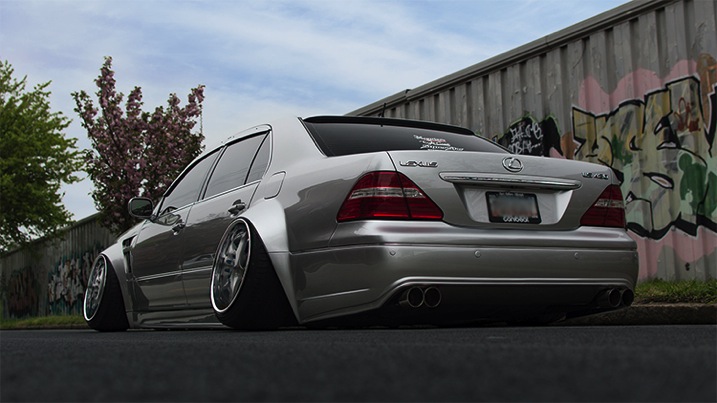
IMAGE5

That’s all folks

So, there you have it fellow photogs. The five biggest mistakes beginner car photographers make, and how to avoid them. You have been given ways to make your shots look much better – but you will not improve just by reading this, you must go out and shoot, shoot, shoot! The best way to improve your photography skills is to go out, take the skills you learned here, and put them to the test in the real world. But don’t leave without your rag, circular polarizer, and tripod!

Do you have any other tips on shooting cars? Have any of these helped you get better at car photography? Please share in the comments below.

googletag.cmd.push(function() {
tablet_slots.push( googletag.defineSlot( “/1005424/_dPSv4_tab-all-article-bottom_(300×250)”, [300, 250], “pb-ad-78623” ).addService( googletag.pubads() ) ); } );

googletag.cmd.push(function() {
mobile_slots.push( googletag.defineSlot( “/1005424/_dPSv4_mob-all-article-bottom_(300×250)”, [300, 250], “pb-ad-78158” ).addService( googletag.pubads() ) ); } );

The post The 5 Biggest Mistakes Newbie Car Photographers Make by Elvis Pasic appeared first on Digital Photography School.
Digital Photography School

 
Comments Off on The 5 Biggest Mistakes Newbie Car Photographers Make

Posted in Photography


Options and Choices for Photographers To Help You Avoid Injury

10 Jul

Have you been noticing little aches and pains lately, especially around your arms and back? If you do a decent amount of photography, your camera may be the culprit. While photography is largely seen as a hobby or art form, make no mistake about the fact that lugging gear around can be serious physical activity, especially as you accumulate more gear over time.

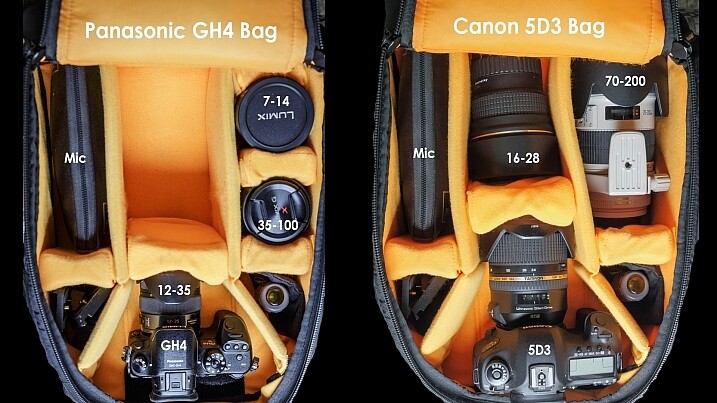
Consider this: a Canon 5D Mark III body only weighs 1.9 lbs (860 grams), and a Canon 70-200 f/2.8 telephoto lens weighs 3.28 lbs (1.49 kg). Combine the two, and you’ve got over 5 lbs of gear to tote, not to mention the added weight of extra lenses, tripods, lighting gear, etc. As a result, it’s not uncommon for longtime photographers to develop chronic pain in their backs, wrists, shoulders, and arms due to the stress of carrying so much gear. The bottom line is that being a photographer can slowly, but surely, lead to chronic injuries over time if you don’t take proper precautions. Here are a few tips to help keep your body in top shape while toting camera gear around, and avoid injury.

Dave Dugdale

By Dave Dugdale

Choose the right gear

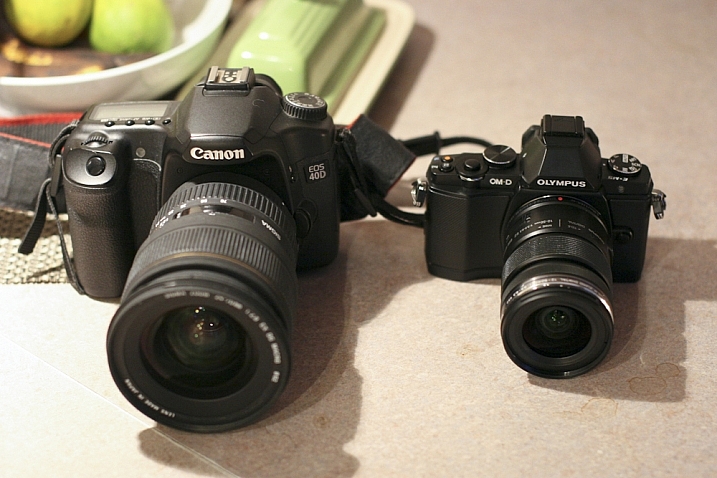
If you’re just starting out in photography or considering replacing your current camera gear, keep in mind that there are many smaller, lighter camera systems that may be easier on your body. Mirrorless cameras from camera manufacturers such as Sony and FujiFilm (as well as Olympus and Panasonic) are becoming renowned by both amateurs and professionals for their superior image quality and significantly smaller camera bodies and lenses. Depending on your photography needs and budget, you may want to invest in smaller, more ergonomic gear, that won’t weigh your body down.

Peter Anderson

By Peter Anderson

Select the best bag and accessories

Camera bags come in all flavors today, ranging from messenger bags, backpacks, and even stylish purses. While fashion can certainly impact your camera bag choice, be sure to also consider how comfortable that bag will be in the long run. Medical professionals often recommend selecting bags with symmetrical designs that equally distribute the weight across your body. This usually means opting for a backpack, or rolling bag with wheels, to move large amounts of equipment from one photo shoot to the next. If you choose a bag that will be carried on your shoulders or some part of your body, be sure not to overload it with too much gear. As a rule of thumb, a truly ergonomic bag you carry on your body should not weigh more than 10 percent of your body weight, and you should not carry a heavy bag for longer than 20 minutes at a time.

Think Tank Changeup Bag photographer ergonomics

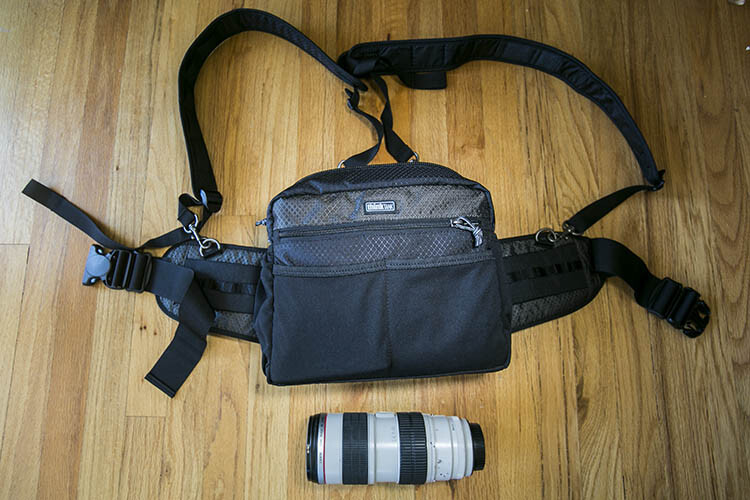
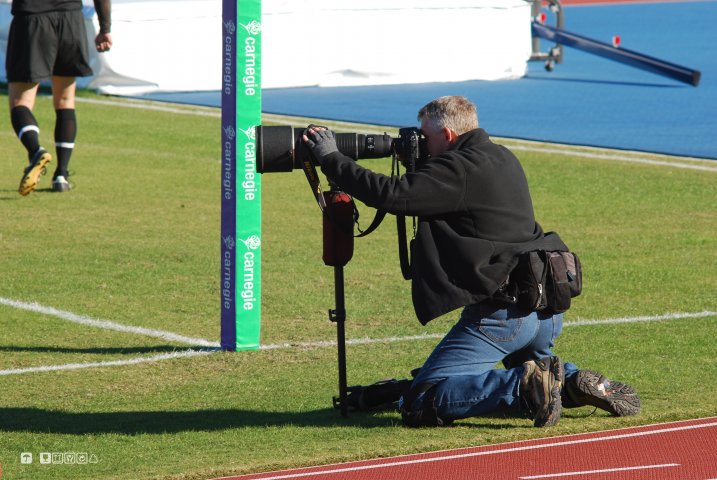
While actively shooting, consider investing in camera accessories that will help alleviate camera weight in the long run. Some options include monopods for sports or wildlife photographers, ergonomic camera or wrist straps, and holster or belt pack systems (like the ThinkTank one shown above). In summary, choose one or several accessories that will help distribute your gear’s weight between your hips and shoulders so that one part of your body doesn’t bear the bulk of the burden.

Practice good ergonomics while shooting

1. Correct your posture

One of the leading causes of injury among photographers is poor posture. If you plan to spend long hours at a photo shoot, keep the following posture tips in mind:

  • First, always make sure to protect your lower back by keeping your pelvis in a neutral position and your core muscles (abs, side, and back) taut.
  • Secondly, make sure your knees are slightly bent (not locked) and your feet are spread at least shoulder-width apart, forming a wide base of support, not unlike the legs of a tripod.
  • Finally, always be mindful of your shoulders, making sure they are dropped down and pulled back, and keep your chin tucked in. These two posture tips will help avoid common neck and back pain as well as headaches that commonly arise among photographers.
DeusXFlorida (7,110,780 Views) - Thanks Guys!

By DeusXFlorida

2. Take frequent stretching breaks

When you have a moment to rest during a shoot, don’t just sit down. Remove your gear, and stretch your muscles and joints.Rotate your head in a clockwise and counterclockwise motion to stretch out your neck. Do the same movement with your hips to loosen your lower back. Reach high into the sky and rotate your arms like a windmill to reach your shoulders and upper back. Finally, do some squats and lunges to keep your quadriceps and legs supple. Above all, remember to not just focus on your arms and wrists. If you’re a photographer who likes to shoot from every possible angle, this means you’re likely squatting, kneeling, bending, and rotating nearly every part of your body to get those shots. As a result, pay equal attention to stretching out all the major muscle groups in your whole body.

Chris Hunkeler

By Chris Hunkeler (stretch often)

Don’t forget about post-processing ergonomics

Good posture and ergonomics shouldn’t be forgotten once you’ve put the camera down. Considering all of the time you spend in front of your computer, offloading memory cards, sorting and editing photos; you’ll want to make sure your work station is also suited for maximizing your posture. Suggested accessories include a standup desk, computer monitor risers, ergonomic mouse and keyboard, and foot stools to elevate and correct your posture while in a seated position.

Take care of your body as well as you take care of your gear. You can replace a broken camera, but not a broken you. If you have any other tips for avoiding injuries please share in the comments below.

googletag.cmd.push(function() {
tablet_slots.push( googletag.defineSlot( “/1005424/_dPSv4_tab-all-article-bottom_(300×250)”, [300, 250], “pb-ad-78623” ).addService( googletag.pubads() ) ); } );

googletag.cmd.push(function() {
mobile_slots.push( googletag.defineSlot( “/1005424/_dPSv4_mob-all-article-bottom_(300×250)”, [300, 250], “pb-ad-78158” ).addService( googletag.pubads() ) ); } );

The post Options and Choices for Photographers To Help You Avoid Injury by Suzi Pratt appeared first on Digital Photography School.

Digital Photography School

 
Comments Off on Options and Choices for Photographers To Help You Avoid Injury

Posted in Photography


Samyang 100mm macro lenses for stills and video photographers

07 Jul

Korean lens manufacturer Samyang has announced two versions of a new 100mm macro lens. The 100mm F2.8 ED UMC Macro is designed for stills photographers, while the 100mm T3.1 VDSLR ED UMC Macro is aimed at those shooting video. The lenses are essentially the same internally, using 15 elements in 12 groups but the VDSLR version is fitted with an uncoupled aperture ring and gears around both aperture and focus controls. Read more

Articles: Digital Photography Review (dpreview.com)

 
Comments Off on Samyang 100mm macro lenses for stills and video photographers

Posted in Uncategorized


7 Incredible Tips for Beginner Photographers

02 Jul

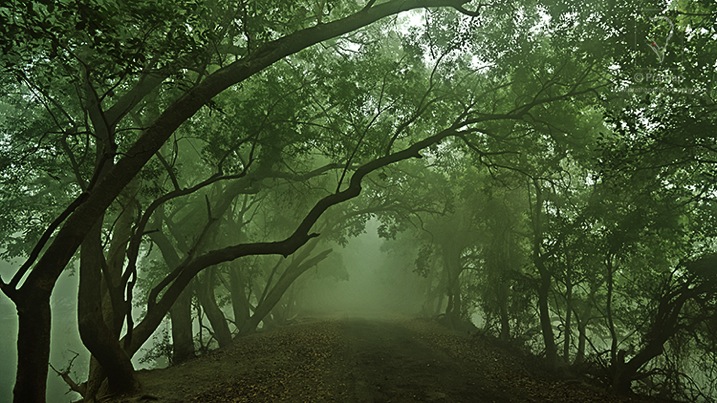
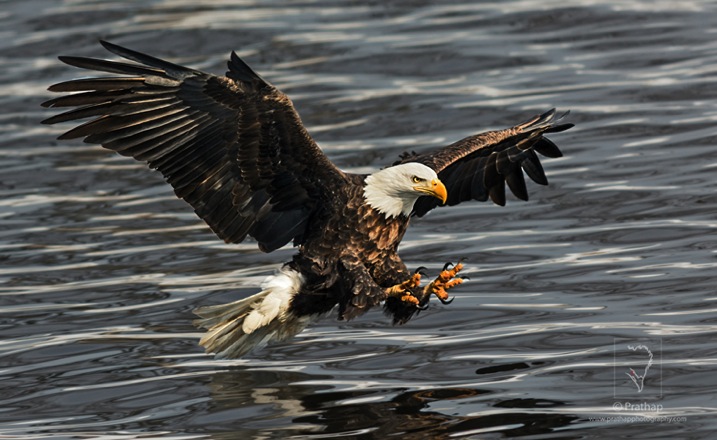
19 7 Photography Tips For Beginners by Prathap Photography Nature Phootography Simplified

As a beginner photographer, I was swaying around too much at times not knowing what was good and what was not. It took me several years, and countless hours, to really understand the right path and to focus my energy on the right techniques. If this sounds familiar to you, then here are seven incredible tips that will help relieve you of the dilemma a beginner faces in photography.

Note: These tips are in no way comprehensive but are definitely a good starting point

1. Buy an Affordable Camera

One of the biggest mistakes you could do is to invest all your savings to buy expensive gear. It will soon prove to be a burden and you might end up selling it if you are not able to pull out photographs that are good enough.

Will you be able to make good photographs from the very beginning? Chances are quite low. Even if you do, you may not be able to justify your purchase, because you do not know if it was the right choice for you or not. Only with experience, will you know which is the best camera or the lens for your photographic needs.

01 7 Incredible Photography Tips For Beginners by Prathap Photography Nature Phootography Simplified

My recommendation would be to buy a camera that is affordable to you, and focus your time and energy in building your photography skills as a beginner. That will go a long way in your photography journey.

2. Learn the Basic Settings

Settings found on cameras, especially DSLRs, can be overwhelming. To be honest, I haven’t used more than handful of settings to date. Why? Because that’s all I have needed to know!

Most important of the settings are:

  • Focusing Modes – AF-S (Nikon)/One-Shot AF (Canon), AF-A (Nikon)/AI-Focus AF (Canon), AF-C (Nikon)/AI-Servo (Canon)
  • Camera Metering Modes – Evaluative (Canon)/Matrix (Nikon), Center-weighted Average, Spot, and Partial (Canon)
  • Auto ISO Settings
  • Shooting Modes – Manual, Aperture Priority and Shutter Priority

If you learn to use the above settings without even thinking, then you will make your camera an extension of yourself, thereby having much more time for creative expression.

02 7 Photography Tips For Beginners by Prathap Photography Nature Phootography Simplified jpg

3. Understand Exposure

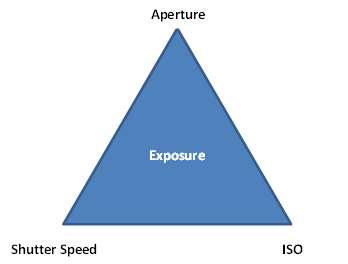
Making a proper exposure under any conditions is the key to making good quality photographs. Exposure is a combination of three pillars of photography called Aperture, Shutter Speed, and ISO. Exposure Triangle below depicts it in an easier way.

02 5 7 Photography Tips For Beginners by Prathap Photography Nature Phootography Simplified jpg

The amount of light passing through the lens opening (Aperture) for a specified duration of time (Shutter Speed) for which the camera sensor, set at a particular sensitivity (ISO), is open is called the Exposure.

03 7 Photography Tips For Beginners by Prathap Photography Nature Phootography Simplified jpg

Changing the value of any of these parameters, results in a change in exposure. That is why it is very important to understand aperture, shutter speed, and ISO to get a strong hold on exposure.

4. Make Use of Semi-Automatic Modes

DSLRs are generally precision machines that give you more control than other compact cameras. You must take control of it, and get it to work the way you want.

Learn semi-automatic modes like Aperture Priority or Shutter Priority to get out of Auto mode. Aperture Priority mode allows you to change the aperture while the other settings like shutter speed and ISO (if it is on Auto ISO mode) are chosen by the camera. Learn the effects of aperture on the end results using Aperture Priority. See the impact of depth-of-field as you change the aperture.

04 7 Photography Tips For Beginners by Prathap Photography Nature Phootography Simplified jpg

Shutter Priority mode allows you to change the shutter speed while the other settings like aperture and ISO (if it is on Auto ISO mode) are chosen by the camera. See how Shutter Priority helps you to change shutter speeds and see the effect of motion blur and freeze the action.

05 7 Photography Tips For Beginners by Prathap Photography Nature Phootography Simplified jpg

Sometimes, you may end up getting an overexposed or underexposed image while using semi-automatic modes. Exposure compensation technique allows you to compensate for the exposure.

Once you are comfortable with Aperture and Shutter Priority, getting proficient with Manual mode is quite easy. Manual mode gives you complete control of all three parameters – aperture, shutter speed, and ISO – to make an exposure.

5. Shoot in RAW Mode

One of the most overlooked feature of DSLRs, and some advanced compact cameras, is the RAW file format mode. In RAW mode, there is no compression applied to the sensor data, nor there is processing done (except little bit in some cases) like color saturation, contrast and sharpness.

JPEG format, the default mode, is compressed with different settings offering FINE to NORMAL quality. Compression means there is loss of data since it reduces the size of the photograph (or data) drastically. For instance, if your camera RAW file is 24 MB then you might end up getting a 8 or 9 MB file if you use FINE JPEG mode and it may be just 4 or 5 MB in NORMAL JPEG mode.

The amount of detail that a RAW file has may give you best possible result in terms of details in the shadow as well as in the highlight regions, considering that you have exposed the scene properly. Though there is an overhead of post-processing needed to convert a RAW file to a readable format like TIFF or JPEG in software, the end result is well worth the effort.

Another important aspect of using RAW format is that you can set the exposure compensation (within limits) and the white balance in post-processing without actually losing any data.

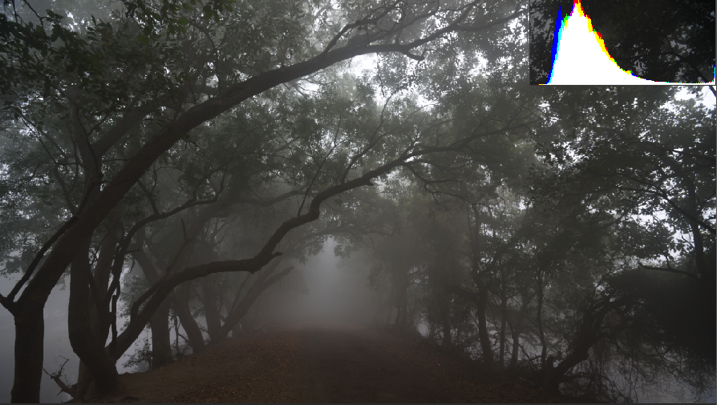
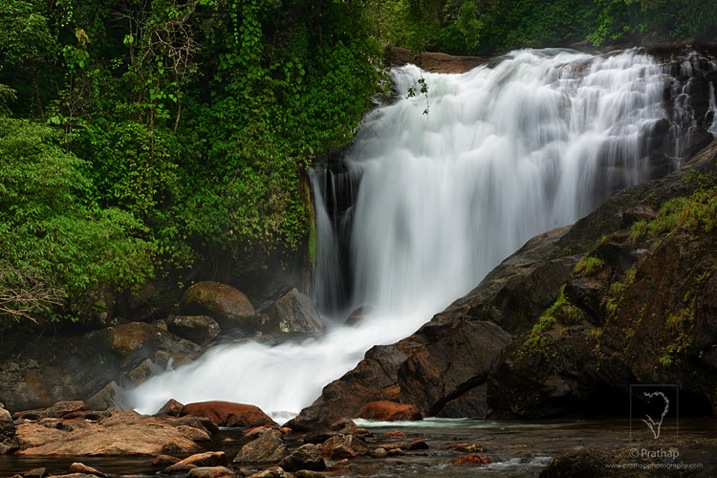
The image below has overexposed highlights as shown in the histogram.

06 7 Photography Tips For Beginners by Prathap Photography Nature Phootography Simplified jpg

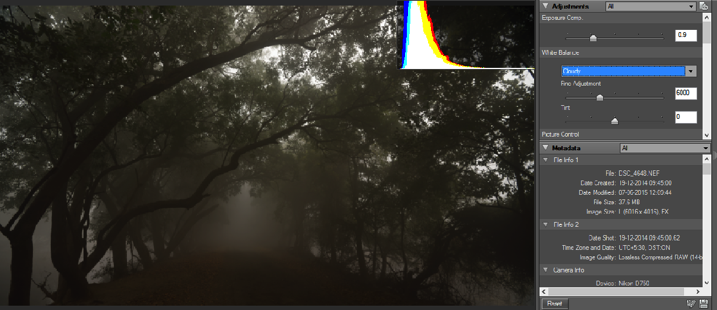
Using the Exposure Compensation tab I have recovered all the highlights, keeping the details in shadow intact. Also, I have changed the White Balance to Cloudy to get a warmer tone to the entire photograph.

07 7 Photography Tips For Beginners by Prathap Photography Nature Phootography Simplified jpg

Here is the processed photograph from of the RAW file shown above. Isn’t it amazing to see how much information a RAW file can hold!

08 7 Photography Tips For Beginners by Prathap Photography Nature Phootography Simplified jpg

As a beginner photographer, this might sound overwhelming but it is very easy if you consider the numerous advantages of using RAW format over JEPG format.

6. Learn to Use Histograms

Histograms are probably the most useful tool, apart from TTL (Through The Lens) metering, that digital cameras possess.
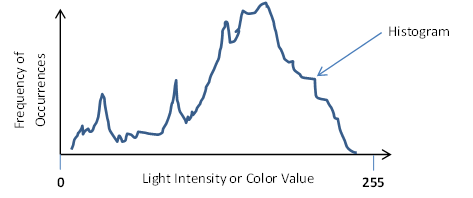
A histogram is a graphical representation of the light or color distribution in a photograph. It is a plotted with x-axis showing the light intensity value or the color value (usually a number between 0 and 255) and y-axis showing the frequency of occurrences of that particular value.

09 7 Photography Tips For Beginners by Prathap Photography Nature Phootography Simplified jpg

Your camera’s LCD shows the histogram next to each photograph that you’ve taken. Though you could make out if the photograph is properly exposed or not by looking at it, it does not always tell you the details present in different areas of the image. Also, it isn’t possible to make out the clipped blacks (no details in the darker regions) or washed-out highlights (no details in the brighter regions) on the small LCD display, especially on bright sunny days.

10 7 Photography Tips For Beginners by Prathap Photography Nature Phootography Simplified jpg

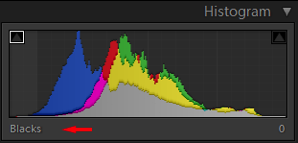
The histogram, on the other hand, gives you a fair idea of the distribution of the details in dark, shadow, mid-tone, highlight and bright regions. Below screenshots show one such example:

11 7 Photography Tips For Beginners by Prathap Photography Nature Phootography Simplified jpg 12 7 Photography Tips For Beginners by Prathap Photography Nature Phootography Simplified


13 7 Photography Tips For Beginners by Prathap Photography Nature Phootography Simplified 14 7 Photography Tips For Beginners by Prathap Photography Nature Phootography Simplified


15 7 Photography Tips For Beginners by Prathap Photography Nature Phootography Simplified

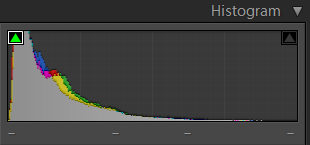
If the histogram is skewed towards the extreme left, then the image is underexposed.

16 7 Photography Tips For Beginners by Prathap Photography Nature Phootography Simplified

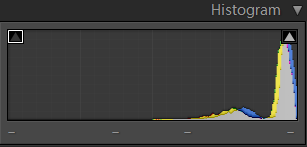
If the histogram is skewed towards the extreme right, then the image is overexposed.

17 7 Photography Tips For Beginners by Prathap Photography Nature Phootography Simplified

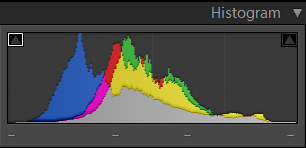
A properly exposed histogram is the one which does not have the clipped blacks (extreme left) or overexposed highlights (extreme right).

18 7 Photography Tips For Beginners by Prathap Photography Nature Phootography Simplified

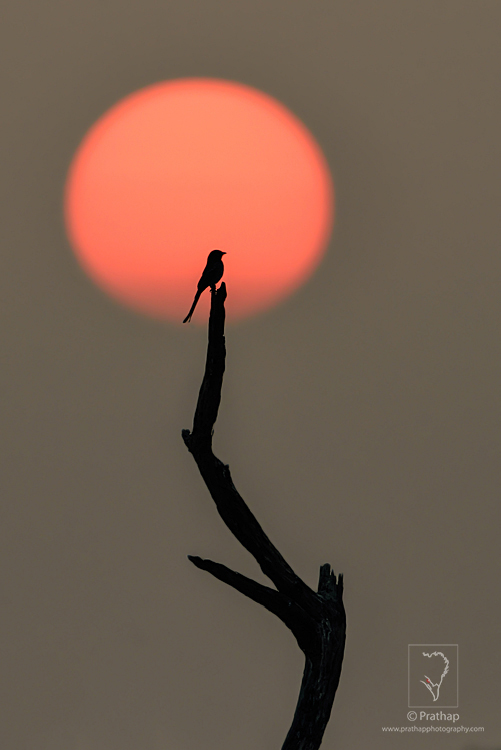
Though at times an image could be intentionally underexposed (to get a dark background in case of portraits) or overexposed (in case of sunrise/sunset photography where capturing details in the sun is not be possible) to get certain artistic impact.

7. It’s All About Light and Composition

One of the most often committed mistakes of beginner photographers is to spend a whole lot of time reading, debating, dreaming about the camera and accessories.

But photography is all about light and composition. If there is no light, there is no photograph. No matter how advanced or expensive your equipment is, at the end of the day it is you who have to take the photograph. At the end of the day, how you take the photograph, matters more than the camera or the lens you use.

If you see a masterpiece of Ansel Adams, would you ask which equipment did he use, or would you immerse yourself in the beauty of the photograph?

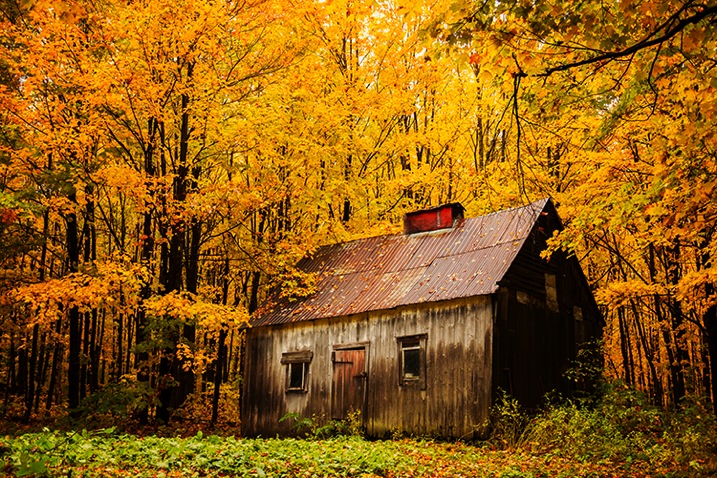
The skillful use of light and composition is what makes a great photograph. Learning to see the light and how it models the scene around you should be the first step in learning photography. Take note of how light changes the look and feel of the same subject in the course of the day.

Light has quality and direction.

Quality of light is best during early (two hours post sunrise) and late hours (one hour before sunset) of the day. Pre-dawn and post-dusk hours can help you witness, and photograph, some of the most spectacular landscape photographs.

Direction of the light could be frontal, side or backlit depending on where the sun is located relative to the subject. Each has its own application and should be studied thoroughly.

19 7 Photography Tips For Beginners by Prathap Photography Nature Phootography Simplified

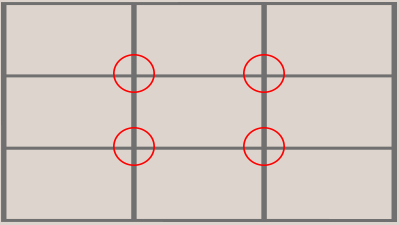
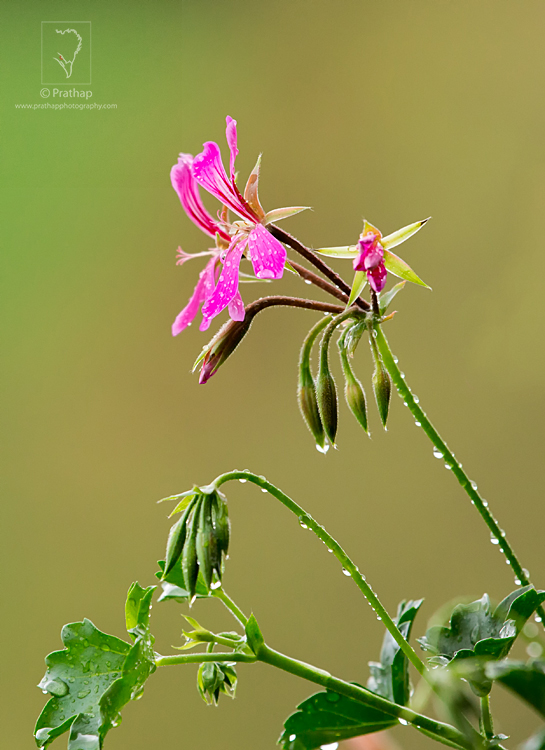
Composition is the key differentiator between a bad and a good photograph. A photograph that is carefully composed demands viewers’ attention as opposed to a snapshot. Photography composition is a way of organizing the elements in a scene to make a statement that is understood by the viewer. The Rule of Thirds is one of the best photography composition techniques that will quickly improve your photography.

20 7 Photography Tips For Beginners by Prathap Photography Nature Phootography Simplified

By keeping the subject on one of these four power points (circled in red) will yield a more dynamic photograph, because there is a visual tension created due to uneven negative space.

21 7 Photography Tips For Beginners by Prathap Photography Nature Phootography Simplified

Conclusion

I hope you enjoyed reading this article and got some good ideas about the concepts that you should focus on as a beginner in photography. Have a great time!

googletag.cmd.push(function() {
tablet_slots.push( googletag.defineSlot( “/1005424/_dPSv4_tab-all-article-bottom_(300×250)”, [300, 250], “pb-ad-78623” ).addService( googletag.pubads() ) ); } );

googletag.cmd.push(function() {
mobile_slots.push( googletag.defineSlot( “/1005424/_dPSv4_mob-all-article-bottom_(300×250)”, [300, 250], “pb-ad-78158” ).addService( googletag.pubads() ) ); } );

The post 7 Incredible Tips for Beginner Photographers by Prathap DK appeared first on Digital Photography School.

Digital Photography School

 
Comments Off on 7 Incredible Tips for Beginner Photographers

Posted in Photography


The Photographers Ephemeris (TPE) Versus PlanIt! for Photographers

22 Jun

Note: I have no affiliation with either program.

TPE is probably the best known ephemeris application used by photographers. There is, however, a new kid on the block, PlanIt! for photographers.

While TPE does a good job of being a basic ephemeris, it ends there.

Shortcomings or challenges with TPE

Like all good photographers, you’re planning a future shot of the moon rise. You consult TPE for the rise time at your selected location and, in due course, set off with plenty of time to prepare your gear. Comes the appointed time and the moon doesn’t show! TPE got the moon rise time over the horizon right, but didn’t note the hill in the way. TPE can, however, find the hill. It’s a fairly complex process that involves many steps and some calculation on your part, and the potential for getting it wrong is high.

How PlanIt! picks up the slack

PlanIt!, on the other hand, goes much further. Not only does it give you the rise and set times of moon, sun, Milky Way and many stars but it lets you know if there is an obstruction and when the desired celestial object will clear that obstruction. All you need to do is read the information off the screen.

Moon over Half Dome

There are three major menus in PlanIt!: Ephemeris Features, Tools, and Backgrounds. By combining the features of these menus there are more than 500 possible variations of the information available to you, the photographer. All the features in Planit! are location and time specific. You set them to your requirements.

With 12 separate Ephemeris Features, see below, PlanIt! pretty well has it all covered.

Ephemeris menu

With a few exceptions, the Ephemeris Features are self-explanatory.

Milky Way:

By zooming out on the map you will be able to use the Milky Way Center and Finder functions. In the Milky Way Center function you will see the times of visibility, the angle above the horizon and the bearing of the centre. If it is visible at the time and place entered, you will see an arc of red dots with a row of green dots representing the center of the Milky Way. The Finder function, on the other hand, will produce a list of times, between starting and ending dates, when the Milky Way will be visible at the selected location.

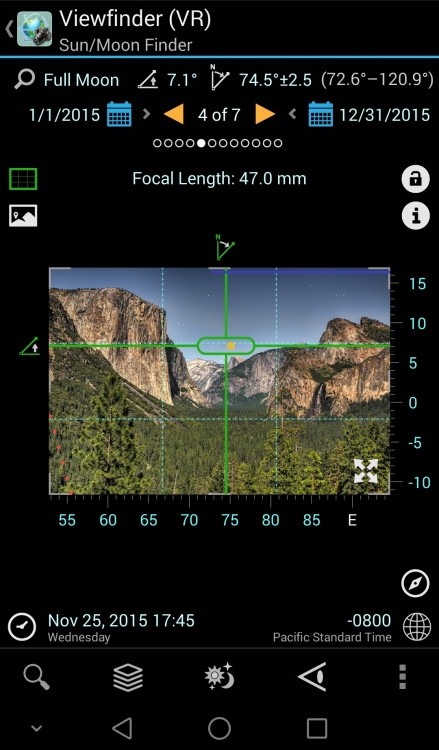
The screen shot below shows the Milky Way over the Half Dome. This screen shot is in Panorama mode with the background in Viewfinder (VR) and graphically shows the relative heights of the mountains in the background. The broken lines at the bottom of the picture tell you that with a focal length of 24mm, a resulting field of view of 40 degrees, and an overlap of five degrees you will need five shots, at the centres shown, to create this panorama.

Milkyway

Dark Sky:

This function uses the 1-9 Bortle Scale to indicate where you are most likely to get the best showing of stars. A one on the scale indicates a very dark sky, in other words no city lights and lots of stars, while nine means forget the star shots and photograph the brightly lit buildings instead.

Time-lapse:

Calculates the various parameters for a time-lapse film strip. You insert up to three of the four criteria, and PlanIt! calculates the rest. If you are doing star time-lapse, and the sun or moon will affect your plans, then PlanIt! will alert you to the fact and correct your timings.

Time lapse

The example above reads, from right to left, as: To make a 30 fps clip of 10 seconds duration, and you decide to take a shot every three seconds, it will take you 15 minutes in total and 300 photos will be taken.

Exposure:

Calculates the exposure triangle based on current light conditions as detected by your phone. Various Neutral Density filter values, and light measuring methods, are available via a drop-down menu.

Light and shadow:

Light and shadow gives you a graphical representation of where the light and the shadows will fall on a scene.

That covers the ephemeris part.

On my Samsung phone, pressing the bottom left key brings up, among other things, the Settings Menu. Scroll all the way down until you come to the Camera Settings. By entering your camera type, especially the sensor size, you enable the full strength of the scene planning features of PlanIt!.

These features are selected in the Tools Menu and, coupled with various ephemeris and background features, a whole new world of scene and equipment planning is yours.

Tools

Tools menu

Once again the menu items are mostly self-explanatory.

Location:

Allows you to enter a location by name or latitude – longitude. Provided you have internet coverage, and have enabled location services on your phone, PlanIt! will centre the map on your selection and, if necessary, automatically correct the time zone to the new location.

Distance:

Calculates the distance between the camera and scene icons. If the view is obstructed the green sight line will include a red section indicating where the obstruction is located. This feature gives you the opportunity to reframe your shot before going on location. The screen shot below shows the camera (the blue pin) just west of Yosemite Creek. The scene pin (red one) is off-screen but still located at the Half Dome. The shot cannot be made from this location because the ridge marked Yosemite Point rises higher than the sight line, hence the red section.

Distance  obstructed  view

The scene pin shown here with an exclamation mark indicates that the actual pin is off-screen. The camera pin will also be shown this way if it is off screen. Both pins can be left floating (will always be shown on-screen) or can be locked to their selected positions on the map, as is the case above.

Focal Length:

Part of planning your shot is knowing what lens to use. Here is where PlanIt! really shines.

In the screenshot below, the green shaded area represents your Field of View for a given focal length. By altering the width of that view, PlanIt! immediately calculates the focal length necessary to achieve the shot. Conversely, altering the focal length will change the Field of View. So, by using PlanIt! you will always have the correct lens in your kit for any shot. Coupled with focal length, you can also see Depth of Field, and hyperfocal distance.

Focal Length Horizontal

Depth of Field:

The aperture setting is ignored in every setup except Depth of Field. Here you are able to alter the aperture setting, and read off the Depth of Field limits as you do so.

Panorama:

As the name suggests, it calculates the number of shots, the focal length, the Field of View, and the overlap required to produce a cohesive set of shots with which to create your panorama.

Backgrounds

PlanIt! uses Google Maps as the basis for its various displays. This means the usual Google Map functions are available, plus a few others.

Backgrounds menu

The Map (Picture) background allows you to use a downloaded, or photographed map, e.g., a picture of a tourist map in a park. This requires correct orientation of the map to be of any real use.

The various Viewfinder backgrounds allow the scene to be depicted in a number of ways, each giving different details of the scene. The (Picture) option actually uses the phone viewfinder as the background. Obviously this requires you to be on location, and your phone to have compass and GPS capabilities.

It goes without saying, in such a comprehensive piece of software, that camera orientation, portrait or landscape, can be selected and this, in turn, affects the view presented. The change between horizontal and vertical focal length being a classic example.

Compare the almost bewildering array of possibilities in Planit! with the ephemeris features of TPE and I think there is a clear winner. Planit! for photographers is available for Android 4 and above in Google play store and has recently been ported to iOS. My thanks to David Qiao of Yingwen Technologies for the screenshots.


googletag.cmd.push(function() {
tablet_slots.push( googletag.defineSlot( “/1005424/_dPSv4_tab-all-article-bottom_(300×250)”, [300, 250], “pb-ad-78623” ).addService( googletag.pubads() ) ); } );

googletag.cmd.push(function() {
mobile_slots.push( googletag.defineSlot( “/1005424/_dPSv4_mob-all-article-bottom_(300×250)”, [300, 250], “pb-ad-78158” ).addService( googletag.pubads() ) ); } );

The post The Photographers Ephemeris (TPE) Versus PlanIt! for Photographers by John Sharples appeared first on Digital Photography School.

Digital Photography School

 
Comments Off on The Photographers Ephemeris (TPE) Versus PlanIt! for Photographers

Posted in Photography


Guide to Growing a Large Online Audience for Photographers

16 Jun

In this article, learn about how you can grow an online following that will enable you to profile your work, make important new contacts, and eventually monetize your photography.

TravelPhotographyMonetizedResized

Through growing my online following I have successfully monetized a career in travel photography, visiting amazing destinations like Quebec, Canada.

First, you need to decide on the best way to share your work. Is it a blog, a social media platform, or a combination of the two? Which social media platforms lend themselves best to photography? How many should you have? There are slight nuances between all social media platforms but the core ways to share remain the same.

Choosing your platform

The best advice for choosing your platform is to follow your heart. You should put your time and effort into the things that you enjoy. A great rule of thumb is to use a platform that you love, religiously, and then supplement it with one or two others. The best way to figure out what you love is to try everything, and I mean really try it. Give different platforms a few weeks each as you learn how to share content, how to engage with the community there, and how to navigate the different features. Look at how much momentum you can pick up in that time, how many users you connect with, and the sort of feedback you are receiving on your photography.

Some great platforms for you to try are Facebook pages, Instagram, Steller, Trover, Google+, Flickr, 500px, Tumblr, Pinterest, Ello and of course, your own blog. Each social media platform is different with its own benefits and limitations. Make some effort to learn about each as you try them and remember that social media is social! If you’re not sure of something, just ask someone that you follow.

ThePlatformILoveResized

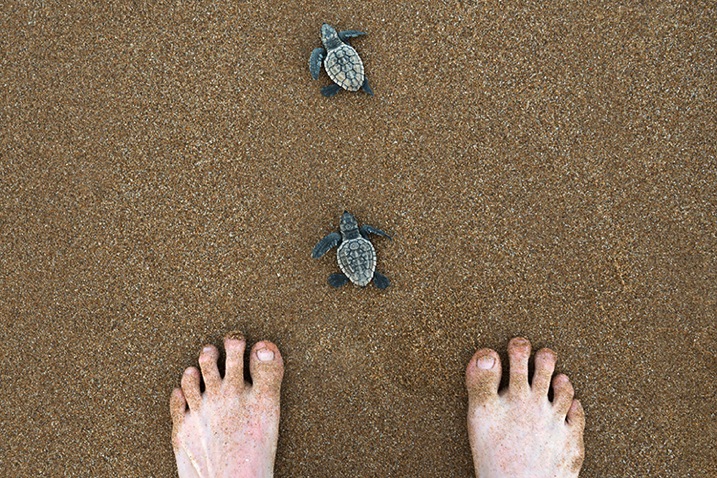
The platform that I love the most is Instagram because it lends itself well to the simple compositions I favor, plus users love uncomplicated images and subject matter such as these baby turtles in Bundaberg Australia.

Sharing content

Each platform is a little different, as are the ways of sharing your photographs, but despite subtle differences the core of sharing remains the same. Share your best work, network within the platform to get that work seen, and engage with the people who are engaging with you.

What is your best work? From any shoot or session that you do, whether it is landscape, portraiture, a family shoot, wedding, macro, food photography, etc., choose a handful of favorites and feed them out slowly, as opposed to all at the same time. Build a story into your posts and talk about the work. You might wish to share your camera settings, a gaff you made during the shoot, some information about the subject matter, or maybe even ask for feedback or advice. Again this comes down to online sharing being social. Put yourself out there and you will be amazed at what can happen.

ChooseTheBestResized

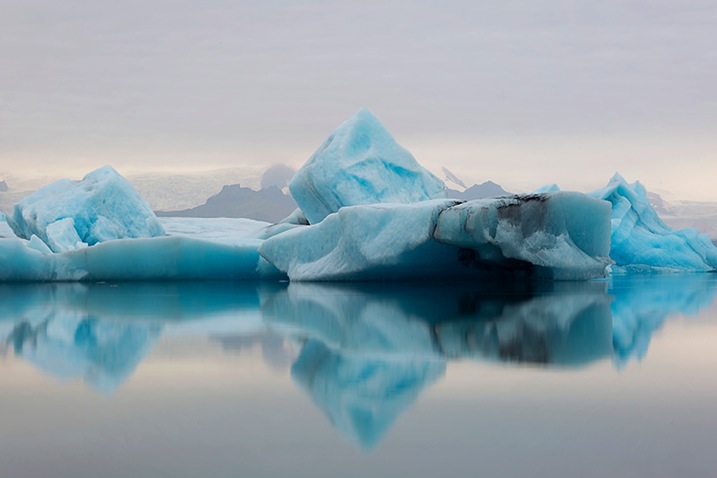
I must have taken 500 photographs of the icebergs in Jökursárlón but I only shared a coupe online, and I made sure they were perfect for my audience, uncluttered with my trademark simple composition.

Networking can be as easy as discovering photographers that you admire and commenting on their work, or using hashtag searches to find inspiration or even liking streams of images that you’re into. When another user receives a notification that you’ve engaged with their work they’re likely to come and check out yours. If they don’t, find others who will. Sharing your work online to grow an audience requires time and persistence as well as a genuine love and passion for what you’re doing. That’s why it’s important to use the platforms that you enjoy.

WhyIEnjoyResized

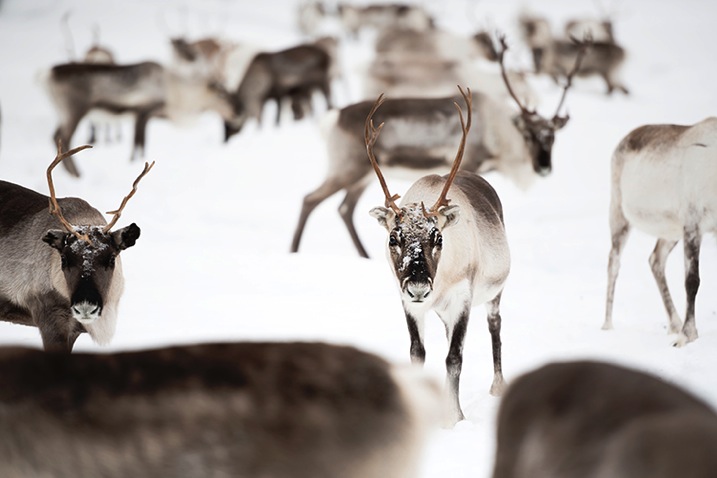
Another reason why I enjoy Instagram is because it is so populated. I can find any type of image, any destination, and many people with similar interests by sharing there. Reindeer fan anyone?

Engaging can be done in several different ways but one of the most important ways is to thank people that have commented on your work or reply to questions as they’re asked. You don’t need to dedicate your life to it, but you will find that a little effort will enable you to snare new followers and build new connections.

Over time, you may notice that you receive more likes and comments on a certain type of image. For example, if your macro photography is getting double the likes of your portrait photography then your followers are telling you what they really love. You can choose to give them more of what they love, or continue to diversify. In my experience the biggest social media accounts often have quite consistent subject matters. You will start to get people following you just for your macro photography, and perhaps you’ll notice a dip in engagement when you post anything else. It’s up to you how to manage this, but the best advice is to always stay true to your passions.

StarTrueResized

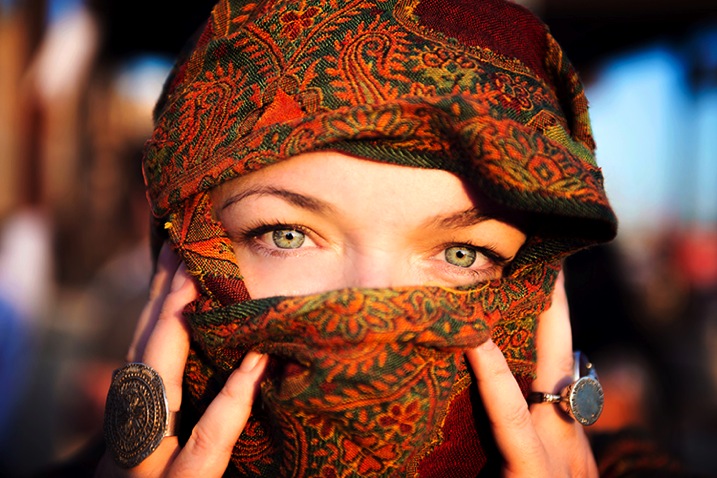
Although I am well known for travel photography and landscapes I also love portraiture, and despite the lower engagement I continue to post the work that resonates with me.

Networking

It’s a funny thing networking on social media; so many people do it badly. If you want to do well with people online then simply remember to be a person! You are not a faceless photographer pumping out uploads; you are a person with feelings, opinions, humor and personality, so you should let that shine through. Whatever platform you are using, you should have a profile photo that looks like you and a bio with a little information about yourself. Each time you upload a photograph you should write an engaging caption, and when people talk to you, talk back as you would in real life. You may be astonished at how many amazing people there are using social media, and they are all at your fingertips.

ProfileShotResized

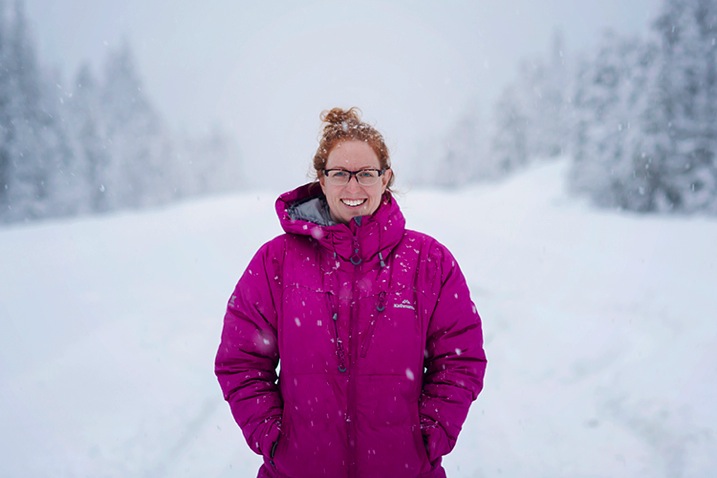
A strong profile shot of you looking like yourself, doing something you love, in a scenic but uncluttered background, will help people engage with you.

Over time you may realize that brands you admire use the same platform you do, and you should treat them the same way you would treat others. Engage with the brand and offer real feedback on what they’re doing in that space. Share your personality and you may find them discovering you back. The same goes with potential clients if you are trying to break into a certain photography industry. Just be yourself, share great work, network, engage, and persist.

Monetize

If you ever get to the stage where you have a large online following on any platform, then the time may be right to monetize. There are various ways of doing so. This can be really dependent on the type of photographer you are, and the kind of work you are doing. You may be a wedding photographer you has stylists offering you money to promote them on your channels. You might love travel photography (like me) and find a way to promote destinations to your online followers. Maybe you’re into lifestyle photography and brands pay you to include their product in shots in exchange for a fee. With an audience you will find that the photography industry will open up to you as more and more businesses are hiring based on both photography style and online reach.

OnlineReachResized

It’s not a complicated image, perhaps any decent photographer could have taken it, but combine this image with a 400,000 strong audience and I get a foot in the door thanks to my online reach. (Follow Lauren on Instagram here)

If not the above, then having an online following will expose you daily to an audience that may one day need a photographer. Online sharing gives you a chance to be seen by everyone from businesses, to journalists, to tourism boards, and of course potential clients and friends. By finding the platform that you love and sharing great work; by putting your best foot forward and networking and by keeping an eye out for opportunity, you can definitely go places no matter the level of your photography.

WeAllStartSomewhereResized

We all start somewhere. Online sharing has enabled me to take my photography to places I never would have believed possible and having an audience makes me proud and accountable for every image I share.

googletag.cmd.push(function() {
tablet_slots.push( googletag.defineSlot( “/1005424/_dPSv4_tab-all-article-bottom_(300×250)”, [300, 250], “pb-ad-78623” ).addService( googletag.pubads() ) ); } );

googletag.cmd.push(function() {
mobile_slots.push( googletag.defineSlot( “/1005424/_dPSv4_mob-all-article-bottom_(300×250)”, [300, 250], “pb-ad-78158” ).addService( googletag.pubads() ) ); } );

The post Guide to Growing a Large Online Audience for Photographers by Lauren Bath appeared first on Digital Photography School.

Digital Photography School

 
Comments Off on Guide to Growing a Large Online Audience for Photographers

Posted in Photography


What it Takes to Go Pro – Lessons from 10 Professional Photographers

26 May

The decision to go pro with your photography business is a big step. It’s a time when the future is ripe with possibility and fears tend to run high. In what we call a “crisis of confidence,” you may find yourself comparing your work to other photographers and wondering, “am I really good enough?” or “will people give me a chance?”

When you begin experiencing these thoughts, take a deep breath and remember this; almost everyone feels this way before they begin a new journey – especially if their dreams are on the line. In fact, those super successful photographers you keep comparing yourself to likely experienced those same emotions when they decided to go pro themselves.

I asked 10 experienced professional photographers to reflect on the early days of their careers – from finding their first clients, to marketing strategies they used to establish their brands. Read on to see how each of them was able to find success as a professional photographer — and how you can, too.

It all starts with relationships

750 CaseyKelbaugh

Photo by Casey Kelbaugh

When you decide to offer your photography as a professional service, you’ll need to find a few clients who are willing to take a chance on you. For many photographers, this means starting with friends and family members who already like and trust them. “In my 15 years in the business, I have never gotten a job out of thin air,” NYC-based photographer Casey Kelbaugh said. “ Every single break, every assisting gig, every big campaign, every meat-and-potatoes job has come to me through some kind of relationship.”

Alfred Eisenstaedt, famous Life Magazine photographer said, “It’s more important to click with people than to click the shutter.” and “People hire you because of the quality of your work, but will hire you again and again because they enjoy your attitude and manner both on and off the set.” says landscape and commercial photographer Michael Zide.

Steve Hansen, a headshot photographer from Los Angeles also began his career by leveraging his personal network. “My first client was actually a friend who needed headshots,” he said. “He couldn’t afford some of the more pricey photographers, and I needed clients, so we struck a deal.”

According to photo and video educator Marlene Hielema, networking is also critically important. “You have to get out and meet people! People like to work with people they like, so you need to make connections with people who need the type of work you want to do. Have your elevator pitch ready, because I have met a lot of future clients at parties.”

Marlene hielema 0347

Photo by Marlene Hielema

When networking, Kelbaugh also recommends looking beyond photo editors and art directors, since they’re already being bombarded with photography pitches. “Clients can be found anywhere, so think about reaching out to your friends that work at startups, universities, law firms and restaurants” she said. “When building your clientele, try to think outside of the box.”

Speak up

In addition to utilizing the power of your existing network, don’t forget to take advantage of opportunities as they arise – no matter the time or place. Take Cappy Hotchkiss, a New York-based wedding photographer who met her first buyer at a dog run (a park where dogs can run off-leash). “I had photographed weddings for a few friends and absolutely loved it” Hotchkiss said. “Someone at the dog run overheard me talking about it and asked me to shoot her wedding. I still remember what a thrill it was – and how scary and fabulous it was.”

750 CappyHotchkiss

Photo by Cappy Hotchkiss

Sports photographer Chris Marion had a similar experience when he happened to meet the editor of a local sports magazine. “I asked him if they had a need for additional photographers” Marion said. “He said yes and gave me what was most likely a test assignment. The assignment went well and it went on to become my first real sports job.”

Small wins lead to big ones

As your portfolio and word-of-mouth referrals begin to grow, so will the likelihood that you’ll land that one, great assignment. These assignments can be game changers for some professional photographers – leading to high-profile work and long-term relationships that ultimately lead to even bigger projects in the future. “I got my best client, Google, by landing a smaller event for them and delivering photos that they just loved” photographer Andrew Federman said. “Word spread and they asked me if I would come shoot the inaugural Google Science Fair out in Mountain View, California at Google HQ.”

750 AndrewFederman2 GoogleScienceFair

Photo by Andrew Federman

Marion landed his best client, the NBA, in a similar way. “My hometown of Springfield had an NBA development league and I was their team photographer for five years,” he said. “Through that experience I was able to capture the attention of the NBA, which then led to freelancing opportunities with Sports Illustrated, as well as others.”

Professionalism counts more than you realize

Sometimes that great assignment comes simply from being available. “One day I was at the library and got a phone call from a weird number,” said James Brosher, an editorial, commercial and wedding photographer in Bloomington, Indiana. “I answered, and I was glad that I did; it was a great job that paid my bills for an entire month. The client said he had called a couple other people but I got the job because I answered the phone. Ever since then, I’ve made a point to always answer my phone. You never know when a great client will call.”

Brosher has also landed several jobs because of his flexibility to take on last-minute projects. “One day I was on the couch and got a call from the Indianapolis Star needing an event covered in 15 minutes,” he said. “Being around, available, and being able to anticipate when a publication might need you goes a long way.”

Marlene hielema cycling 703

Photo by Marlene Hielema

According to Christina Van Dyke, the owner and founder of Van Dyke Design & Photography, something she’s found incredibly important is a focus on providing both great work and a great customer experience. “My best client found out about my photographic services from a word-of-mouth referral,” she said. “The lesson I’ve learned is to always treat each and every client as if they are your ONLY client. In return, your clients will reward you with wonderful referrals that keep your business growing and thriving.”

Play the long game

Hansen recommends focusing more on building your name, and less on your paycheck – at least in the beginning. “Don’t be afraid to take a pay cut in the early stages of building your business and name,” he said. “Yes, you may be worth a lot more, but having your work out there is invaluable to building a solid client list.”

750 AndrewFederman1 YouTubeBrandCast

Photo by Andrew Federman

“My advice for young photographers is to remember that it’s the photographs you actually deliver to your clients that set you apart – not how slick your website is, how many Instagram followers you have, or how many blog hits you get,” Federman said. “Marketing is important, but delivering photos that blow away your clients will generate a powerful word-of-mouth force.”

View the complete interviews on SlideShare (below)

Thanks to our contributing photographers:

  • Casey Kelbaugh
  • Michael Zide
  • Steve Hansen
  • Marlene Hielema
  • Cappy Hotchkiss
  • Chris Marion
  • Andrew Federman
  • James Brosher
  • Christina Van Dyke

googletag.cmd.push(function() {
tablet_slots.push( googletag.defineSlot( “/1005424/_dPSv4_tab-all-article-bottom_(300×250)”, [300, 250], “pb-ad-78623” ).addService( googletag.pubads() ) ); } );

googletag.cmd.push(function() {
mobile_slots.push( googletag.defineSlot( “/1005424/_dPSv4_mob-all-article-bottom_(300×250)”, [300, 250], “pb-ad-78158” ).addService( googletag.pubads() ) ); } );

The post What it Takes to Go Pro – Lessons from 10 Professional Photographers by Kelly Kingman appeared first on Digital Photography School.

Digital Photography School

 
Comments Off on What it Takes to Go Pro – Lessons from 10 Professional Photographers

Posted in Photography


15 More Free WordPress Themes for Photographers

15 May

Are you looking for free photography themes? Here you’ll find 15 incredible designs developed especially for the purpose. Who can use them? We guess these WordPress themes will be useful for artists, designers and developers. In a word, for everybody who wants to save some money on his/her future website design. Free themes don’t have 24/7 support like their premium Continue Reading

The post 15 More Free WordPress Themes for Photographers appeared first on Photodoto.


Photodoto

 
Comments Off on 15 More Free WordPress Themes for Photographers

Posted in Photography


The Biggest Legal Mistake Photographers Make

11 May

Whether photography is your bread and butter, or something that you’ve started out doing casually with machinations of eventually picking up a few paid gigs, you’ll want to acquaint yourself with a sexy little document we lawyers like to call, the Client Service Agreement (or CSA, for short).

Lucas

By Lucas

CSAs are, as their name suggests, agreements that you, as a photographer, make with anyone who wants to pay you for your photography. Again, we’re not just talking to the professionals here. We’re also talking to those of you with your entry-level DSLRs shooting your friends’ weddings or head-shots on the occasional weekend. Food, selfies, and your niece’s birthday party might be the only things in front of your lens at the moment, but as your skills improve, so will recognition for your photography. It might not be long before folks start offering you money here and there for your work. When that moment comes, you want to be prepared to accept the gigs offered to you, while presenting yourself as a professional, and covering your rump in case things go wrong. How do you do that? You guessed it – with a CSA. It is a huge legal mistake photographers make not having a formal agreement or contract.

Why we all need CSAs. Yes, even you, part-timer.

Before we get into what a CSA should contain, let’s first take a brief trip down scenario lane so you get a good idea of what we mean about covering your tuckus in case things go wrong. If we lawyers know anything (and we don’t know much), it’s that everything’s all smiles and giggles until somebody’s wedding photos get lost in the cloud storage ether, or someone else demands a full refund because the head-shots you spent three hours shooting and imaging “just don’t look right.” Take it from us, whenever somebody is paying somebody else for a service, especially a service like photography where the outcome can be pretty subjective, things can get all Judge Judy real fast. People have certain expectations about the outcomes of products and services that they pay for (as they should), and unfortunately, sometimes those expectations are unreasonable. If you have your policies clearly set forth in a CSA, you’ll have something concrete to point to when someone comes complaining about the work that you produced, making unreasonable demands.

But, CSAs aren’t just for governing complaints from unreasonable clients. CSAs also exist to inform your clients – at the get-go – of how your engagement as their photographer will proceed, and what they should expect from the relationship. By having a CSA in place, your client has some peace of mind in knowing when, how, and at what cost you will perform your services and deliver your product. Likewise, you have peace of mind knowing that you have a legal document to lean on if their payment is late, or you make a mistake, or a seagull makes off with your lens during a beach wedding shoot.

Mirsasha

By mirsasha

Okay fine. We all need CSAs. But how do I make that happen?

Now that we’ve scared you into getting a CSA (we lawyers feed on fear and gummy-bears, as you probably know), here’s a list of what a decent CSA should contain, so you can draft it yourself if need be. This is just a general list of the most important points, there may be other things relevant to you that aren’t included here. At a minimum, make sure you include this stuff. Because, as important as CSAs are, a crappy CSA can really cramp your style.

  • What happens when a client fails to show up at their appointment?
  • How many calls/emails/meetings with you can the client expect?
  • When and how will the photos be delivered?
  • When and how will the client pay you?
  • What happens if payment is late?
  • Will you provide hair and makeup?
  • What rights to the photos is the client purchasing?
  • What are the terms of the client’s license to use the photos?

But what about all that legal gibberish?

You know when you are asked to sign a contract, or some kind of release, and you skim through the top bits, then you get to the bottom part, where the words get long and tiny and sound like they were written four hundred years ago, so you just stop reading and sign the damn thing already? Well, all of that stuff – the stuff you never read – that’s called “boilerplate” and it’s actually a really important part of your CSA. The boilerplate bit is the bit that controls what happens when the parties to the agreement (that’s you and your client) disagree.

Judit Klein

By Judit Klein

Important examples of boilerplate clauses include:

  • Limitation of Liability Clause, which limits the amount of liability you could have if an issue arises with your client. In other words, this is the bit that might keep you from having to pay crazy amounts of money if you lose a lawsuit.
  • Recovery of Litigation Expenses (aka Attorney’s Fees), which usually allows the winning party of a lawsuit to recover their attorney’s fees and other costs incurred to bring the lawsuit to enforce the agreement. In other words, as long as the judge is cool with it, the winner of the suit has their attorney’s fees paid by the loser. Which is awesome, because attorneys aren’t always cheap.
  • No Guarantees Clause, which states that you can’t guarantee a particular outcome (for those, “these photos just don’t look right” moments).
  • Transfer of Intellectual Property, which states how, and under what circumstances, the intellectual property is transferred from the service provider to the client (i.e. who owns the photos). This one is really important for photographers. Typically, you want to maintain ownership of your photos and merely grant your client a license to use the photos in limited ways (like display them in their home or on their website).
  • Entire Agreement; Modifications; and Waiver. This clause states that what is written in the contract is the entire agreement between the parties. So, whatever else you agreed with the client outside of the contract via email, in conversation, etc., doesn’t apply. This section also requires that any modifications to the agreement be done in writing.

One other thing

The terms of your CSA should be reasonable, and the way you deal with clients is an important part of building your reputation and your business. So, try to strike a balance between protecting yourself and respecting your time, and pleasing somewhat picky clients. It’s okay to go above and beyond what you’ve promised in your CSA from time to time (so long as it isn’t to the client’s detriment).

P.S. What to do when you forget to bring a pen

24oranges.nl

By 24oranges.nl

Here’s one last tip to make this CSA thing super easy: use HelloSign or a similar app to have all of your clients electronically sign your CSA. Electronic signatures are totally legit and they’ll help you get your agreements signed quickly by every single client.

Now, go get your Client Service Agreement together. Your conscience (and your bank account) will thank you.

Rachel Rodgers is a New Yorker, wife, mama to 2 toddlers and IP lawyer (not necessarily in that order) who works with creative professionals in her online-based law practice, Rachel Rodgers Law Office P.C. Rachel co-authored Legal Nunchucks: For Photographers, THE resource for making sure your photography business is protected, legit, and overflowing with moola. Download her FREE cheat sheet on the 10 most common legal mistakes that photographers make.

googletag.cmd.push(function() {
tablet_slots.push( googletag.defineSlot( “/1005424/_dPSv4_tab-all-article-bottom_(300×250)”, [300, 250], “pb-ad-78623” ).addService( googletag.pubads() ) ); } );

googletag.cmd.push(function() {
mobile_slots.push( googletag.defineSlot( “/1005424/_dPSv4_mob-all-article-bottom_(300×250)”, [300, 250], “pb-ad-78158” ).addService( googletag.pubads() ) ); } );

The post The Biggest Legal Mistake Photographers Make by Rachel Rodgers appeared first on Digital Photography School.

Digital Photography School

 
Comments Off on The Biggest Legal Mistake Photographers Make

Posted in Photography


Epson International Pano Awards open for panoramic photographers

30 Apr

Entries are now being accepted for the Epson International Pano Awards competition that celebrates and rewards outstanding panoramic photography. In its sixth year, the contest which is sponsored by Epson Australia, has a prize fund of $ 50,000, including a single prize of $ 5,000 for the Jeff Mitchum Fine Art category. Read more
Articles: Digital Photography Review (dpreview.com)

 
Comments Off on Epson International Pano Awards open for panoramic photographers

Posted in Uncategorized