RSS
 

Posts Tagged ‘Photograph’

Epson’s FastFoto FF-640 scanner can digitize a photograph in one second

17 Sep

The newly unveiled Epson FF-640 is, according to Epson, the fastest photo scanner in the world. The model can scan photographs as rapidly as 1 image-per-second, doing so at 300dpi, or more slowly at a higher quality 600dpi resolution. Unlike flatbed scanners, the new FastFoto model features a 30-photo auto feeder, scanning the images to a hard drive and then providing the option to upload the files to online destinations including Dropbox, Google Drive, or Facebook.

The rapid scanning rate is made possible in part by technology that scans both the front and the back of a photo simultaneously. In addition to the scanning capabilities, the related Epson software organizes image files in such a way that they’re easy to find using searchable metadata, ‘recognizable file and folder names,’ and a capture date that, when possible, uses the date the photo was taken rather than the date it was scanned.

FastFoto also includes Epson’s Smart Photo Fix Technology; with it, users can press a related button and allow the software to automatically restore their photos, applying things like red-eye reduction, fade correction, and ‘enhancements.’ This is complemented by Dynamic Skew Correction, a technology that works with multi-roller scanners to auto-correct the angle at which the photo is scanned.

Finally, the FF-640 has what Epson describes as a ‘special handling sheet’ that is used to scan old or otherwise fragile photos. The Auto Size Detection tech means differently sized photos can be scanned in the same stack, while Double Feed Detection works with an ultrasonic sensor to help ensure no photos are skipped during the scanning process.

The Epson FF-640 is now available from Epson’s online store and some major retailers for $ 649.99.

Via: Epson

Articles: Digital Photography Review (dpreview.com)

 
Comments Off on Epson’s FastFoto FF-640 scanner can digitize a photograph in one second

Posted in Uncategorized


How to Photograph the Northern Lights or Aurora Borealis

16 Aug

Tips for seeing and photographing the Northern Lights:

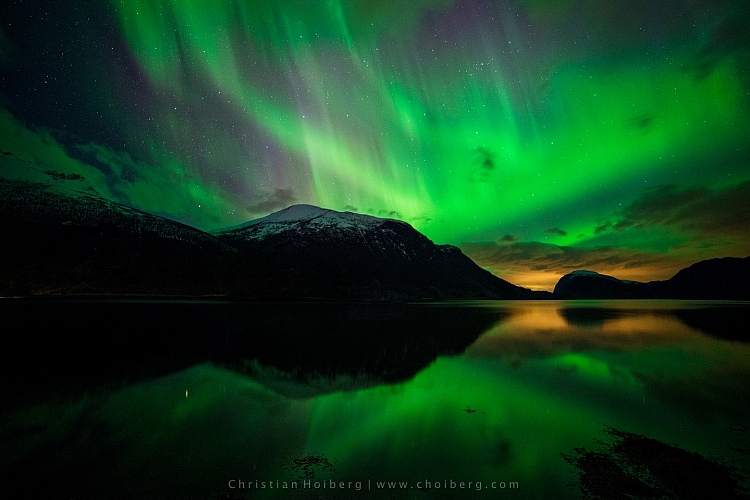
Northern Lights, also known as Aurora Borealis, might be one of the most fascinating phenomena to photograph during the night. Watching the sky turn green, blue, pink and even red, is something that will change you forever. After seeing The Lady in Green countless times, I still find myself shouting in awe when she’s elegantly dancing in the sky.

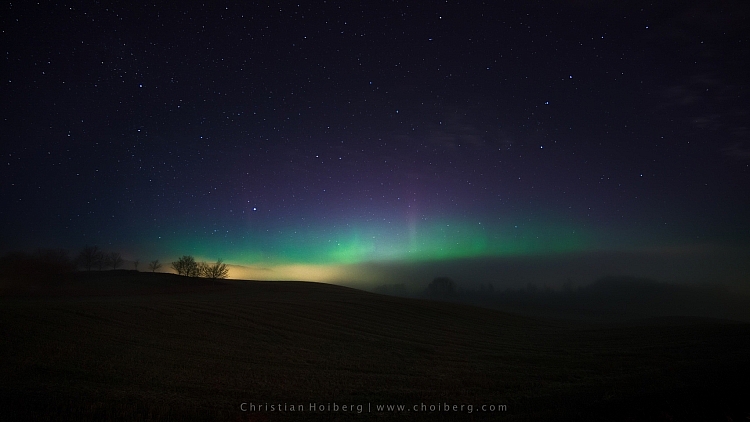
Innfjorden-Aurora-Horizontal-Reflections

Seeing, and photographing, the Northern Lights aren’t something you can do all over the world. The truth is that even if you’ve booked a flight to northern Norway or Iceland, there’s no guarantee that you will see the northern lights at all.

How to see the Northern Lights

Be in the Northern Hemisphere

Unfortunately, the Northern Lights aren’t visible all over the world. As the name might indicate, they are a phenomenon visible in the northern hemisphere. Places such as northern Norway, Iceland and Alaska are typical areas where people travel to witness the Aurora Borealis.

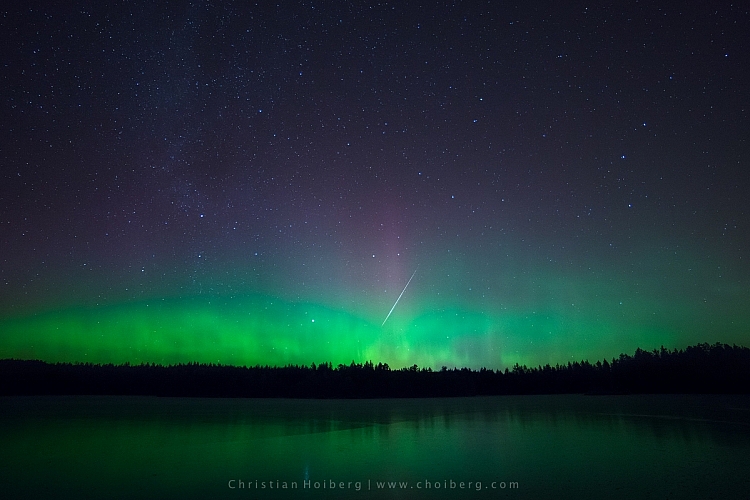
Lauarvann-Aurora-Metorite

That being said, during extreme solar storms your might be able to see the phenomenon further south too, but not as powerful as in the north.

So, the first step in seeing the Northern Lights is to travel to the north. Remember that the Aurora Borealis is a night phenomenon and since summers in the north have up to 24 hours of sun, you should plan your visit for late fall or winter.

Get away from light pollution

It’s nearly impossible to see the Northern Lights if you’re standing in the downtown of any larger city with light pollution. Yes, it is possible; if the KP Index (the strength indicator for Northern Lights) is at its highest. However, to increase the chances of seeing, and capturing a good shot of the Northern Lights, you should get away from light pollution, and find a location where you can clearly see the stars.

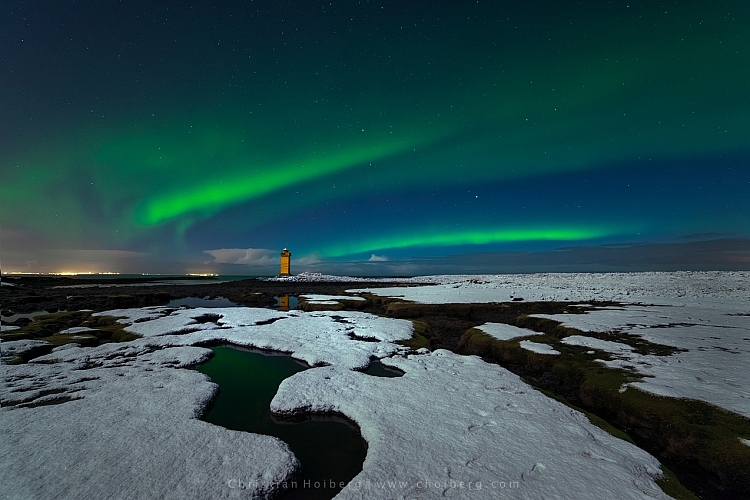
vatnsleysustrandar-aurora-borealis

I have lived in a small town not far away from Oslo, Norway for most of my life. Yet, it wasn’t until a few years ago I realized that even here in southern Norway we can see the Northern Lights. In fact, it happens more often than you realize.

There are a few different tools you can use to see what area close to you is dark enough to see the stars, and possibly the Northern Lights. Dark Sky is a great website for this exact purpose, and it shows a detailed map of the light pollution.

How to photograph the Northern Lights

Now that you know where, and how to discover the Aurora Borealis, let’s see how you can capture it with your camera.

Use a tripod and remote shutter release

Since you will be photographing in the dark you’ll be working with long exposures (long shutter speeds), and it’s therefore essential that you use a tripod to ensure you get a correctly exposed image that is still of usable quality.

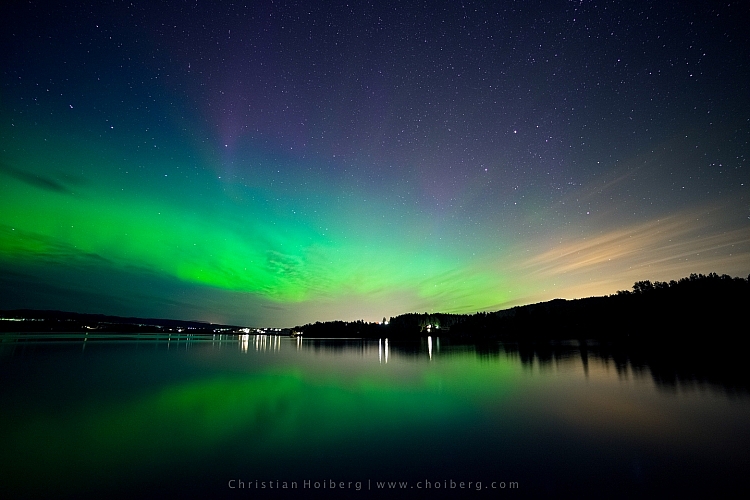
fiskumvannet-northern-lights

You should also consider using a remote shutter when you’re photographing the Northern Lights. This removes any chance for vibration caused by pressing the shutter. Optionally, you could use the 2-second timer, but sometimes you want to capture the image at that exact moment with no delay.

Use a wide angle lens at a large aperture

When photographing the Northern Lights you want to use a wide angle lens. This lets you capture both the landscape and the sky in one shot. When the Northern Lights are strong you’ll also notice that they stretch all over the sky and it’s impossible to capture all of it in one image, unless you use a wide angle.

northern-lights-hedenstad

During nighttime photography you want to use an open aperture such as f/2.8 to allow enough light to reach the sensor. When using my 14mm I more or less always have it at f/2.8, as I rarely use it at any other time than during the night.

Set the shutter speed according to the KP Index

The shutter speed depends on the strength of the Northern Lights. I’ve experienced when one second at ISO 400 has blown out the green (I’ve never seen the Aurora as powerful as that since) but then it can be barely visible at ISO 3200 and a shutter speed of 20 seconds at other times.

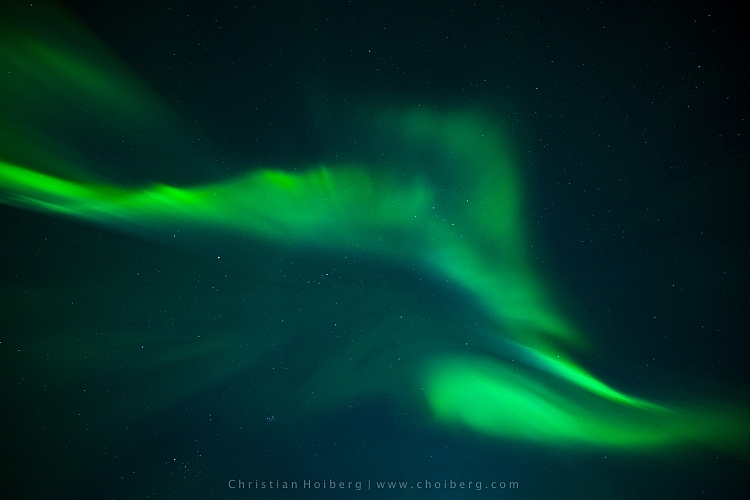
You should also keep in mind the movement of the Northern Lights. If they area quickly changing shape, a long exposure might blur them out too much, and you’ll lose detail. It’s better in that instance to increase the ISO, and lower the shutter speed, so you freeze the motion and capture all its textures.

corona-aurora

Another factor you should keep in mind when you choose the shutter speed is the movement of stars. If you go beyond 25 seconds you’ll start seeing small startrails. Sometimes this can give an interesting effect, but if you want to have a sharp and crisp image, be sure to use 25 seconds or less as your shutter speed.

Set a cool white balance (3000-4000K)

I’ve experienced that the ideal white balance is somewhere between 3000-4000 Kelvin when photographing at night. This results in a cooler, and more natural look in the dark sky. If you go above 4000K you’ll also notice that the green in the Northern Lights gets a muddy look, which you want to avoid.

Avoid using Automatic White Balance and other preset modes such as cloudy. While these often do a great job during the day, they’re more of a gamble at night. You could get some okay results with AWB but generally you won’t.

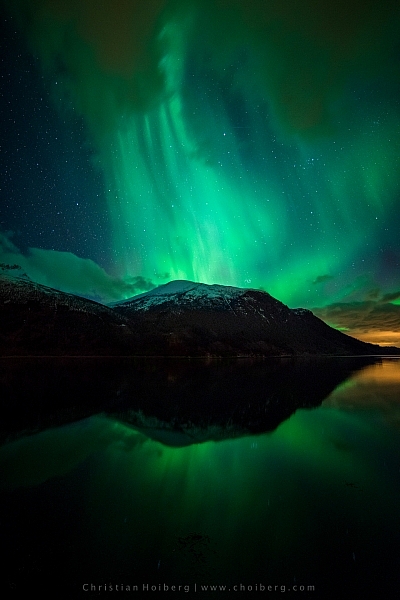
Innfjorden-aurora-vertical

Bring something warm to drink!

I had to include this last tip. Remember, when you’re photographing the Northern Lights that it’ll most likely be winter or late fall. That means that temperatures drop, and since you’ll be out during the night, there’s no sun to warm you.

Bringing a thermos with something warm to drink could be wise during these long winter nights. Especially if you’re planning to stay out for a while or even make a timelapse.

googletag.cmd.push(function() {
tablet_slots.push( googletag.defineSlot( “/1005424/_dPSv4_tab-all-article-bottom_(300×250)”, [300, 250], “pb-ad-78623” ).addService( googletag.pubads() ) ); } );

googletag.cmd.push(function() {
mobile_slots.push( googletag.defineSlot( “/1005424/_dPSv4_mob-all-article-bottom_(300×250)”, [300, 250], “pb-ad-78158” ).addService( googletag.pubads() ) ); } );

The post How to Photograph the Northern Lights or Aurora Borealis by Christian Hoiberg appeared first on Digital Photography School.


Digital Photography School

 
Comments Off on How to Photograph the Northern Lights or Aurora Borealis

Posted in Photography


4 Easy and Unique Ways to Light and Photograph Wedding Rings

10 Jun

Snapdeals Sale: If you’d like to learn more about how David and Patrick photograph weddings you may want to check out their 14 hour tutorial on all things wedding photography. It’s currently $ 100 off at SnapnDeals.

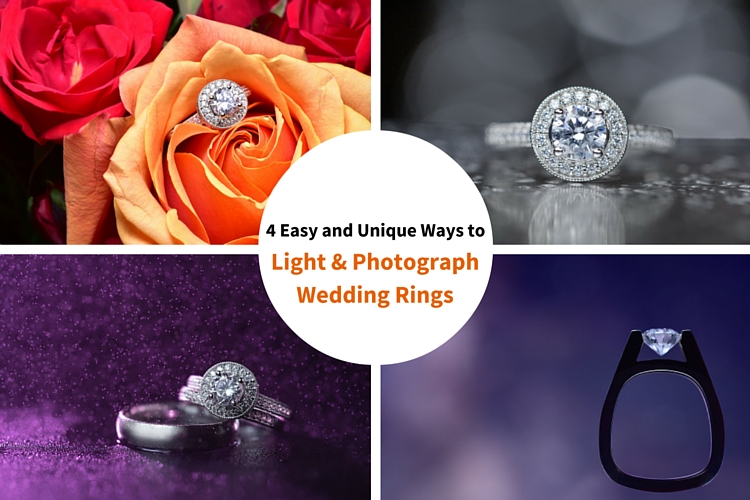
Wedding photographers are expected to capture every aspect of a wedding day and in many cases we only have a couple minutes to work. The wedding rings are an important detail that many photographers either overlook completely or over think. Over the years I’ve taught some practical ways to improve your wedding business and shooting skills. Let me show you four quick and unique ways to photograph the wedding rings.

4 Easy and Unique Ways to Lightand Photograph Wedding Rings

You’ll Need a Macro Lens

04.jpg

To capture wedding rings properly you’re going to need a macro lens. Without one, you simply won’t be able to zoom in and focus close enough. Yes, you could shoot wider and crop in but you will be losing tons of resolution. Luckily basic macro lenses are not that expensive.

If you’re shooting Nikon I would suggest the Nikon Micro 55mm f/2.8 or the Micro 60mm f/2.8. These lenses are very small and will easily fit in your bag. If you’re shooting Canon I would suggest the 100mm f/2.8L IS USM Macro. This one actually does have auto focus.

If you’re anything like me, you’re not going to use a macro lens very often, so you won’t want to spend a ton of money on extra features like vibration reduction (image stabilization). If you want to save even more money, buy the lens used. Amazon is actually great for used lenses. Simply click used at the bottom of any description on Amazon. You can get them cheap and they will hold their value for years to come.

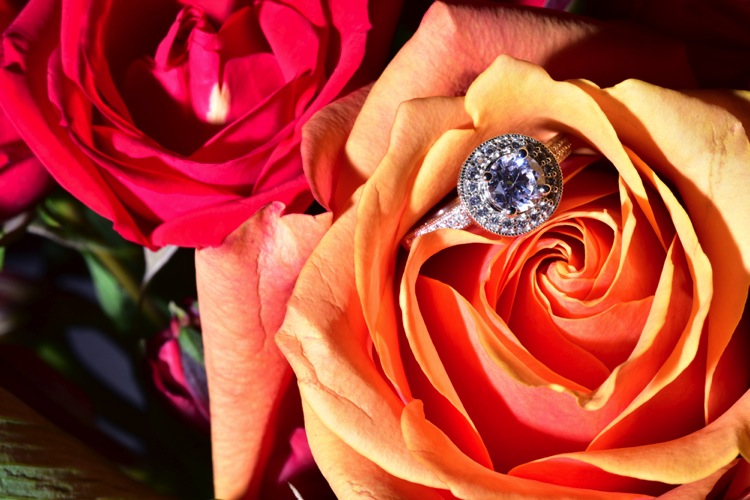
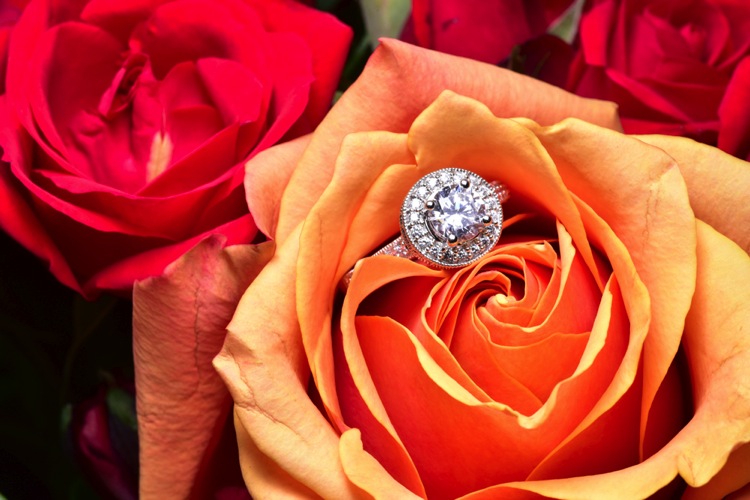
Technique #1 Wedding Rings in Flowers

The absolute easiest shot to capture, and one that I’m sure to get at every single wedding I photograph, is one or more of the wedding rings placed inside, or on top of flowers. I don’t think I’ve been to a single wedding where flowers weren’t easily available. This shot is overdone and boring to a lot of photographers, but keep in mind that your clients will (hopefully) only get married once. So, to them, this shot is unique. It shows off the wedding rings, and it also captures the flowers, which they spent a lot of time and money picking out.

Sometimes I will use the bouquet of flowers and lay them down on the table, but I usually find it easier to work with flowers that are standing up. For this I will often use a vase of flowers, usually found in center of the tables at the reception.

For lighting this first shot I’m going to use a speedlight, any type will work. If you don’t have enough money to buy a name brand-name speedlight, then I would highly suggest checking out Yongnuo flashes, the base version is only 70 bucks. If you shoot Canon, you may want to spend a bit more, and buy the YN600EX-RT, that will communicate with radio signals for $ 129.

1 flowers direct flash

Holding the camera in one hand and the flash in the other, you can see that we can get a decent result (image above), but it would be much better if we could soften the light.

If you didn’t bring a modifier with you, you can use anything nearby that’s white. I’ve used a white plate, paper napkin, white t-shirt, and a tablecloth in the past. For this shot we will use a white paper towel. By bouncing the light off of, or through the paper towel, we can get much larger, softer light.

Having my assistant move the flash with each picture I take, ensures that we will get a lot of variety, without wasting time looking at each shot individually. Remember, this is all taking place during a wedding, so I really don’t want to spend more than a minute or two on these shots. After taking 10-20 shots in rapid succession, I can quickly review them and confirm that I have a keeper.

2 moving soft light

I consider this to be my safety shot because I can get it in under two minutes at every wedding I do, and the client always loves it. After I knock it out, if I have time, I’ll try some more complicated and creative shots.

Adding Multiple Lights and Water

For this next shot we are going to complicate things a bit in terms of gear, but we are also going to be able to do it without the help of an assistant.

First, find an interesting surface to place the rings. It could be a tablecloth, wood grain, granite, or anything you find around the reception site. We took our picture on a black, glass-top table.

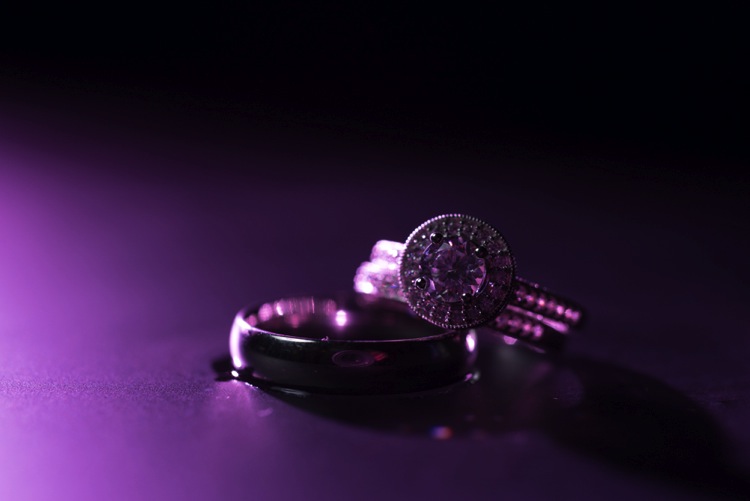
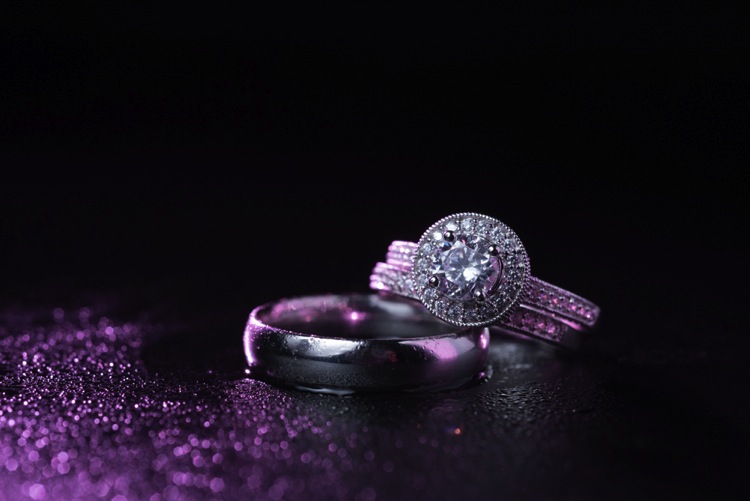
First I setup the camera up on a tripod so that I could keep my hands free. From behind the ring, I added the first speedlight, to create a rim light on the back of the subject. To add a bit of interest I used a purple gel, and to confine the light, the Magmod grid.

3 Final Back Light Only

Now it’s time to light the rings from the front. Instead of using a paper towel, I decided to use the Fstoppers FlashDisc. It’s basically a collapsible softbox that can used with just one hand. When it’s collapsed down, it’s small enough to fit in your pocket, which makes it extremely convenient at weddings.

Read: Review: Flash Disc Lighting Modifier by Fstoppers for more information on this product.

4 Final backlight and flashdisc

To add one more interesting aspect to this shot, I used a miniature spray bottle to add mist behind the rings. The purple light coming from the back, lights up the water, and takes this shot to the next level.

5 Final best 1 retouched

Building Your Own Set and Using Continuous Lighting

If you like to be prepared for any situation, you’re going to want to travel with a few props that you know you can work with, if the items around a wedding aren’t cutting it as a background. I travel with a pack of metallic foils that can be used to place the rings on. I also brings along cheap reflective jewelry that I can use to create bokeh effects.

Instead of using a strobe for this shot, a cheap LED panel was used as a continuous light source. These panels can be extremely handy, but keep in mind that you will probably want to use a tripod if you are going to use them to light the rings so that you can keep everything sharp (the shutter speed may be slow). If you want extremely blurry bokeh, you’re also going to want to shoot at a wider aperture than you normally might.

6 Final Image 2

Using a Screen to Create Your Own Background

For this final shot, we are going to use a computer screen to create our own background. If you don’t travel with a laptop, you could use an iPad, or maybe even a smartphone screen instead.

I would suggest practicing this shot at home before you ever get to a wedding. You don’t want to be fiddling around with your setup, or searching for different backgrounds while the wedding is going on. If you are prepared though, this shot can be extremely easy to pull off.

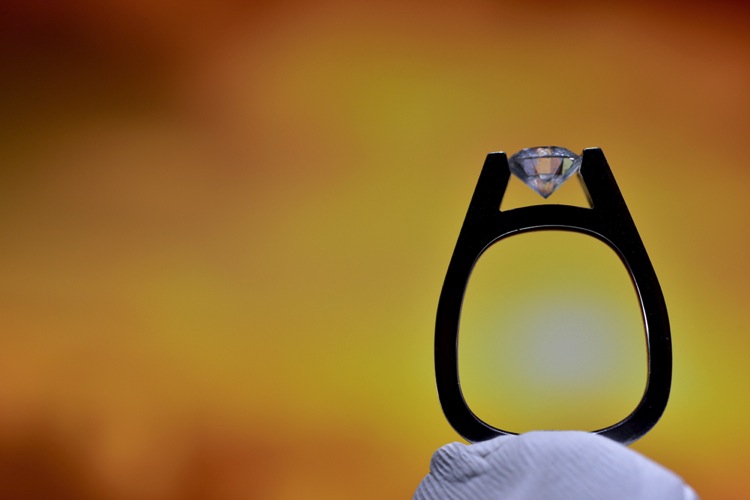
First I placed the ring on bit of putty to get it to stand up. I then set my computer screen to its brightest setting, and exposed for the screen itself. At this point the shot is a silhouette of the ring.

7 Screen backlit

To light the ring itself you could use your smartphone’s flashlight, or you could use any cheap LED flashlight. If your flashlight doesn’t dim, you can simply move it closer or farther away from the ring to get a correct balance of light, with the screen in the background.

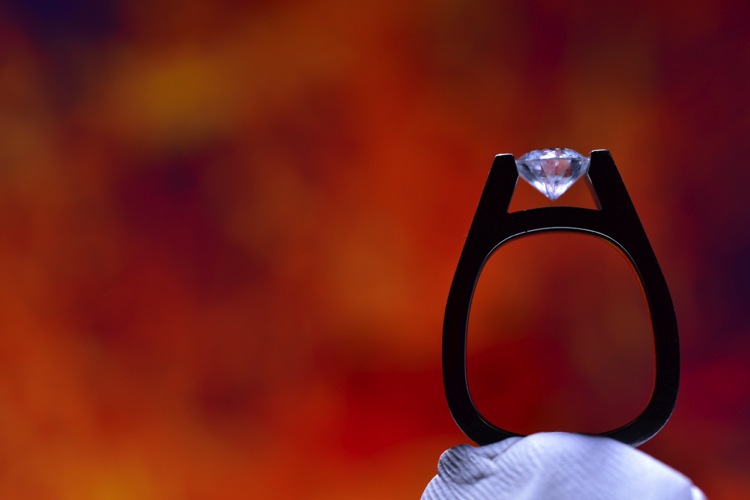
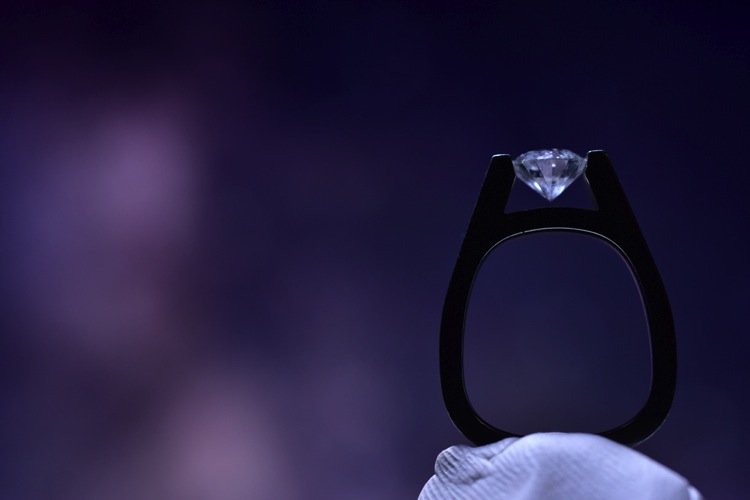
Because your background will be so blurry, it really doesn’t matter what is on the screen in the background, you are basically looking for certain colors, and large shapes that will create an interesting mood.

8 screen shot 1

9 screen shot 2

10 screen shot 3

11 screen shot 4

In the post-production you can either zoom-in past the putty (crop it out) or you can Photoshop the putty out and have a floating ring effect.

12 Final Edit 4

You can also watch us go through these techniques in the following video:

Snapdeals Sale: If you’d like to learn more about how David and Patrick photograph weddings you may want to check out their 14 hour tutorial on all things wedding photography. It’s currently $ 100 off at SnapnDeals.

googletag.cmd.push(function() {
tablet_slots.push( googletag.defineSlot( “/1005424/_dPSv4_tab-all-article-bottom_(300×250)”, [300, 250], “pb-ad-78623” ).addService( googletag.pubads() ) ); } );

googletag.cmd.push(function() {
mobile_slots.push( googletag.defineSlot( “/1005424/_dPSv4_mob-all-article-bottom_(300×250)”, [300, 250], “pb-ad-78158” ).addService( googletag.pubads() ) ); } );

The post 4 Easy and Unique Ways to Light and Photograph Wedding Rings by Lee Morris appeared first on Digital Photography School.


Digital Photography School

 
Comments Off on 4 Easy and Unique Ways to Light and Photograph Wedding Rings

Posted in Photography


5 Tips to Take Better Sunset Photos – and Why Not to Photograph the Sunset Directly

31 Mar

As a landscape photographer, I participate in many online groups, and I also teach classes where I get the opportunity to see less experienced photographers’ work. I often see some very good work, but many times I also see missed opportunities. Newer photographers just getting started photographing landscapes often times become so enamored by the colors in the sky, that they neglect other areas of the image. I often see images with weak, underexposed foregrounds, and poor compositions that keep them from being good photos and relegates them to being just pretty snapshots.

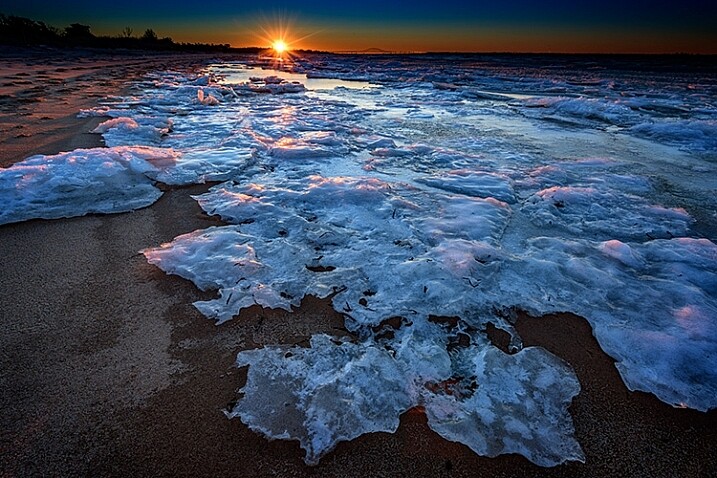
Sunset in the background with a starburst

Don’t get the wrong idea. I often photograph at sunrise or sunset. But, the sun or sky is rarely the subject of the photo. It may be an element in the image, but the subject is generally something else. In many ways, it can be more difficult to make a great image at sunset or sunrise, because there is a tendency to be drawn to the pretty colors in the sky. But as photographers, we really need to pay attention to the other elements in the image to ensure we’re creating a complete composition. So below are a few tips to help improve your sunset or sunrise photos.

1- Put the sun in the background

This tip is the most obvious. Sunsets make great backgrounds, but rarely do they make great subjects. You need to find a good foreground. The gorgeous colors in the sky can be so vibrant that they really allow us to see our surroundings differently. The play of light and shadow over objects in the foreground, due to that great directional light given off when the sun is lower in the sky, helps create interest that might not be there in the middle of the day when the sun is higher.

A sunrise in the background adds interest

The best way to do this is to find something of interest right in front of you. Use a wide angle lens, such as the 16-35mm or something around that range, zoom out to as wide as you can, and put your foreground object a few feet in front of you. Stop down and set your aperture to f/11 or smaller, and focus on your foreground object to ensure that it’s sharp. If you want to add some extra interest, try stopping your lens down as far as you can. This will help create a starburst where the sun is, which will add a little extra interest in your scene.

One thing to keep in mind, is that the exposure for your foreground subject and the background exposure, are likely going to be very different. You have a few options here. The first would be to expose once for the foreground, and once for the background, and then blend them together in Photoshop. A great article on blending exposures is 5 Easy Steps To Exposure Blending for High Contrast Landscapes. Next, and generally my preferred method, is to use a graduated neutral density filter to try and darken the bright sky in the background, so that it is more balanced with the foreground subject. Read Using Graduated Neutral Density Filters for Landscape Photography for more on ND Grads.  The last, and easiest option, is to create a silhouette of the foreground objects, while properly exposing the colorful sky and sun in the background.  This works best with a singular object with a distinctive form, such as a bridge, a tree, a distinctive building, or a person in a distinctive pose.

2 – Photograph with the sun at your side

Photograph with the sun at the side

In this case, the sun itself won’t be in your scene at all. The magic of sunsets or sunrises is the soft, warm, directional light they offer. This light can create tremendous light and shadow play within the scene, making textures in your foreground especially desirable. Rocks, logs, trees, grasses, and undulations or patterns on the ground, will create interesting shadows and highlights that draw your viewer’s eye into the scene. In this case, it’s often best to put the sun to your side, so that it rakes across the scene, letting the shadows and highlights play from one side to the other.

Use-Textures-To-Catch-light

With a scene like this, a polarizing filter may help as well, as they are most effective when the camera is aimed 90° from the sun. This will help deepen blue areas of the sky, enhance other colors, and reduce any haze that may be in the scene. You may need to make some choices about exposure, if the contrast between highlight and shadow in the foreground is too great. A graduated neutral density filter can help keep the sky under control if it is still too bright against the foreground.

3 – Keep the sun at your back

Put the sun behind you

At sunrise or sunset, that soft warm light that I mentioned as being great from the side, is also great from behind you. This will help create a soft frontal light on your scene, illuminating all of the details. This is likely to be the easiest exposure of the three situations, in that the light will be very even, with no bright highlight or deep shadow areas in the scene. You’ll likely get soft, warm pastel colors if there are any clouds or haze in the sky to reflect the sun’s light.

Be careful when composing your image, as the sun behind you will cast a long shadow, and you may end up with your own shadow in the photo. To minimize this, try crouching down low, and setting your tripod as low as possible to help shorten the shadow. Also, if using filters for longer exposures, on DSLRs with optical viewfinders, the sun can enter the camera from the rear, affecting your exposure. Take care to cover your viewfinder in these instances.

Sun-At-Your-Back

4 – Arrive early, stay late

You’ll want to get there early for sunrise. The color in the sky can start half an hour, or more, before the sun actually rises, with clouds first showing subtle traces of pink and purple before the red, orange, and yellows appear as the sun breaks the horizon. You’ll want to be set up and ready when that happens, which means trekking through the dark to your location. Advance scouting can be helpful for this.

Stay Late

The same is true at sunset, but in reverse. Just because the sun has gone down, doesn’t mean that the show is over. Generally speaking, the sky will continue to light up, and colors will continue to change for about 30 minutes after the sun goes down. Many photographers have packed up and gone before this happens. Patience will reward you with more subtle color changes, such as reds going to purples and blues, rather than the vibrant yellows and oranges you get during the initial phases of the sunset.

5 – Shoot RAW

More than any other time to shoot, sunset or sunrise creates dramatic colors and fantastic play between light and shadow. Because of that, it can be difficult to try and capture the detail in the shadows or highlights, depending on which way you bias your exposure. A RAW file contains much more information than a JPEG, which will allow you to bring out the details in shadow and highlight areas that may be lost if shooting JPEG files. In addition, shooting RAW files allows you to adjust your white balance in processing to give you better control over the overall tone of the image.

For more on processing RAW files, check out Understanding the Basic Sliders in Adobe Camera RAW, and for more on why you might want to consider photographing in the RAW format, see 5 Reasons To Shoot Your Landscape Images in RAW.

What’s your favorite sunrise or sunset photography tip? Please post your tips and images in the comments below!

googletag.cmd.push(function() {
tablet_slots.push( googletag.defineSlot( “/1005424/_dPSv4_tab-all-article-bottom_(300×250)”, [300, 250], “pb-ad-78623” ).addService( googletag.pubads() ) ); } );

googletag.cmd.push(function() {
mobile_slots.push( googletag.defineSlot( “/1005424/_dPSv4_mob-all-article-bottom_(300×250)”, [300, 250], “pb-ad-78158” ).addService( googletag.pubads() ) ); } );

The post 5 Tips to Take Better Sunset Photos – and Why Not to Photograph the Sunset Directly by Rick Berk appeared first on Digital Photography School.


Digital Photography School

 
Comments Off on 5 Tips to Take Better Sunset Photos – and Why Not to Photograph the Sunset Directly

Posted in Photography


How to Photograph Sun Flares: 14 Tips for Beginners

29 Mar

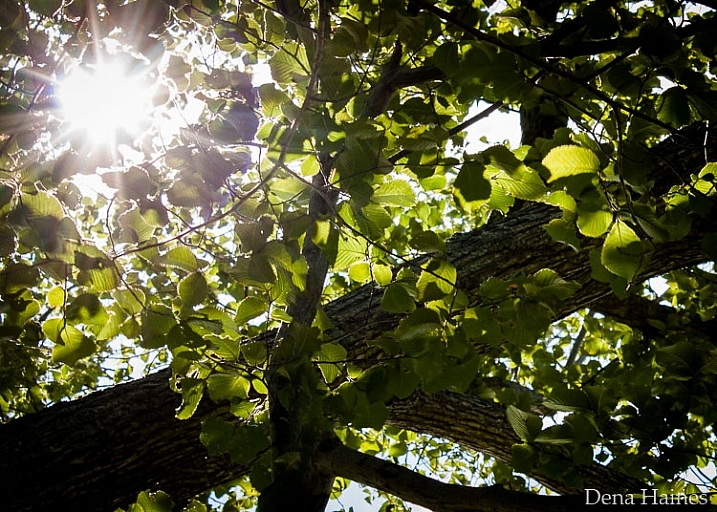
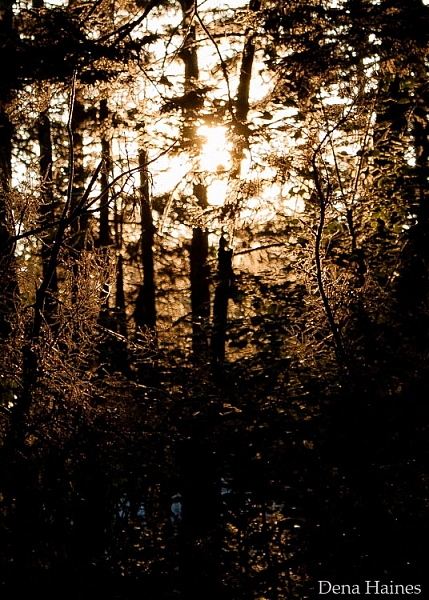
Sun flares can add beauty and drama to your photos. Cameras and lenses are designed to cut down on flare – so when it comes to sun flares, you are a rule breaker right from the start.

In this article, I share 14 tips to help you get started photographing sun flares:

photographing-sun-flares-tips-for-beginners

Photographing sun flares: 14 tips for beginners

There are no rules with sun flares, they’re all about creativity. You can capture them at any time of day, and with these easy tips you’ll be out experimenting in no time.

1. Try various aperture settings

Have you noticed that in some photos sun flares look soft and diffused, while in others they look bold and defined? That has a lot to do with which aperture setting was used.

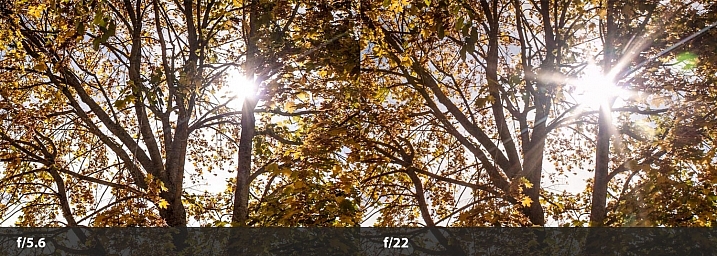
If you use a fairly wide open aperture, like f/5.6, you’ll get soft flares. But, if you use a small aperture, like f/22, you’ll get stronger, more defined flares.

sun-flare-tips-wide-narrow-aperture

In the split image above, the f/5.6 shot is a softer looking flare, and the f/22 is more defined. The points of the flare are created by the blades of the aperture inside your lens. When they come closer together (as with narrow apertures like f/22) you get more defined points on your flares.

Using different apertures will give you a variety of looks to choose from when you’re editing. You’ll also learn which type of sun flare you prefer, depending on the setting and feel you want in your photo.

2. Use Aperture Priority Mode

The easiest way to use tip #1 is to put your camera in Aperture Priority Mode (AV on a Canon, or A on a Nikon). This way, you’ll be able to easily switch the aperture setting. With your camera set to auto ISO, it will automatically choose the ISO and shutter speed settings for you.

Now you’ll be able to quickly switch apertures and see the difference it makes to your sun flares. Learn more here: Aperture Priority and Shutter Priority: Exposure Lesson #1

3. Partially hide the sun

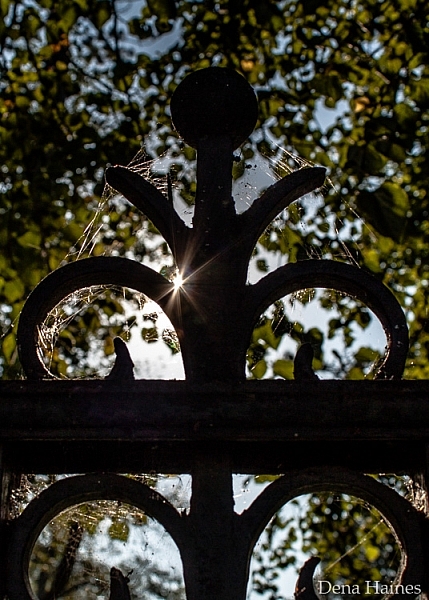
Use an object (such as a fence post, building, tree, etc.) to partially hide the sun. This will allow you to capture flare, and add an artistic touch to the object you’re shooting.

sun-flare-tips-for-beginners

Move around the object, let the sun peek out at different locations as you keep taking photos. I love doing this, and I always come away with something unique.

4. Move around and take lots of pictures

When shooting sun flares it really helps to move around – a lot. If you are partially hiding the sun (as mentioned above in #3) a slight movement to the right or left will cause a big change in the flare. Your photo could be flooded with too much light, or you might miss the flare altogether. Or it could reveal the flare in just the right spot, and create exactly the look you want.

sun-flare-tips-move-around

It’s important to take lots of pictures. You’ll learn how much sun to include, in relation to the amount of flare you want.

sun-flares-creative-photography-tips

Sun flares can be unpredictable, that’s part of what makes them fun to work with.

5. Try using some filters

When photographing sun flares, filters can also be helpful:

  • UV filter: This is a good idea because you will be shooting into the sun. Some photographers feel that a UV filter will protect your camera’s sensor.
  • Polarizing filter: This will help you get different effects as you rotate it. This filter can help increase color saturation and decrease reflections. If you have one, play around with it and see how it affects the flares.
  • Graduated neutral density filter: These filters are darker at the top, and become lighter near the bottom. They can prevent part of the image from looking blown-out, from shooting into the sun.

sun-flare-tip-graduated-neutral-density-filter

In the above image, I used a graduated neutral density filter for the photo on the right. It helped control the light, which kept the colors richer. Learn more about polarizing and graduated neutral density filters.

6. Shoot during different times of day

Around sunrise and sunset, the sunlight comes in at a unique angle. This creates a warmer, golden color., whereas during midday, there is a cooler (bluish) or more neutral color.

In the following image, two of the photos were taken around sunset, and the other two were taken a few hours after sunrise. Can you guess when each photo was taken?

sun-flare-tips

I bet you got it right – the ones on the left were taken near sunset. They have a warmer feel, don’t they?  The ones on the right have a cooler feel. Learn more here: Understanding Natural Light Part 2: Color of Light.

7. Divide the sun with your camera

You can get a softer, more diffused look by composing your photo so that the sun is not fully in your frame. Try cutting the sun in half, or only including its bottom third.

sun-flare-tips-for-beginners-2

Play with it. Create different effects and see which you prefer.

8. Use a tripod and a remote shutter release

As mentioned earlier, a smaller aperture setting (higher number) will give you a sharper, more defined flare. But, using a small aperture also means that your camera will require more time to take the photo. The longer it takes, the more chance there is for camera shake to cause blur in your photo.

If you are hand-holding your camera, this could be a problem. When your camera is on a tripod, there is much less chance of camera shake.

sun-flare-tips-use-a-tripod

Using a tripod will help keep your photos looking sharp and your sun flares crisp. By using a remote shutter release (or your camera’s self-timer) you’ll reduce camera shake even more.

9. Keep the sun at your model’s back

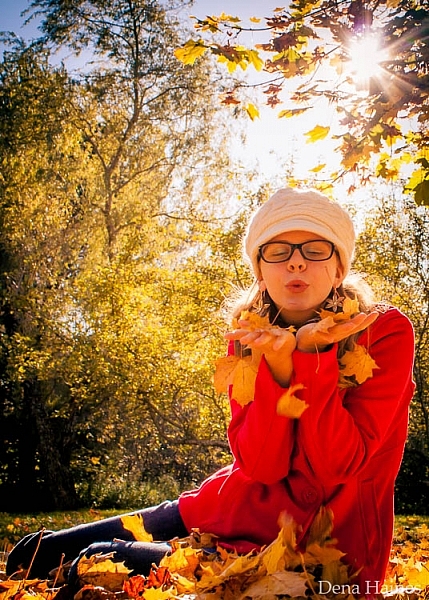
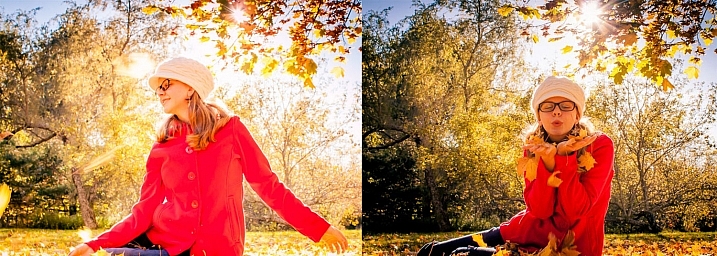
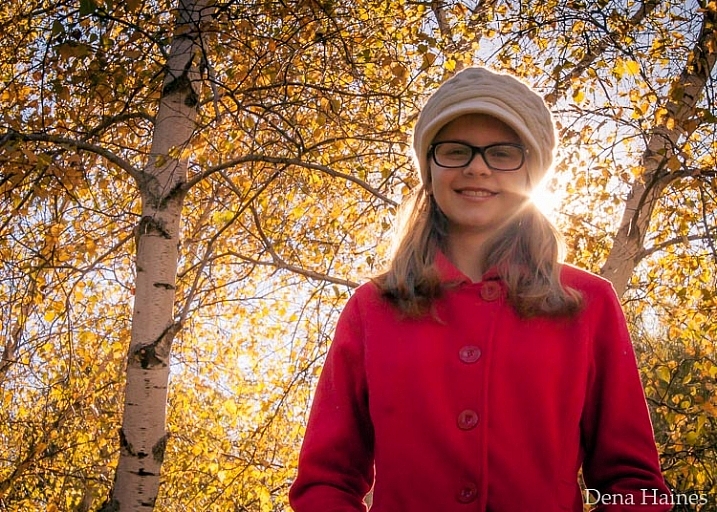
By keeping the sun at your model’s back, you’ll allow the light of the flare to spill out around them in interesting ways.

photographing-sun-flares-tips-2

Depending on the time of day, you might need to lay down, and have your model sit or lay down. The above image was taken around 3:00 p.m. in the afternoon, and I was laying on the ground.

The higher the sun is, the lower you’ll need to be in order to place the flare at your model’s head, or shoulder level. Having your model sit down will make it easier for you. When the sun is lower in the sky, positioning becomes easier for both of you.

10. Use a reflector

A reflector is used to reflect the light back onto your subject. Reflectors are usually made of fabric (white, silver or gold) and can be hand-held, hung from a freestanding base, or placed on the ground.

Using a reflector could be helpful if your model is in the shade. It would help to brighten their face, making the photo look more pleasing.

11. Cover the sun with your hand to focus

It can be hard to focus when shooting sun flares. There is so much light, that your camera may struggle to lock on where you want. When this happens, hold up your hand to cover the sun, compose your photo, and press your shutter release halfway. Once your camera focuses, take your hand down and press the shutter the rest of the way.

You may have to try this a number of times until you get exactly what you want.

12. Place the sun out of the frame

To get a really soft flare effect, without a bright point, try placing the sun out of your frame.

sun-flare-tips-3

I love how this adds soft light to the above photo, and how the eye is drawn up to the source of light.

13. Use Spot Metering

Spot Metering handles bright light really well, so if you’ve got the choice, go with this metering mode. All but one of the photos in this post were taken using it. If your camera does not have Spot Metering, then Partial Metering would be your next best choice. I use autofocus, with the focus point set to the center.

14. Have fun

This last tip is probably the most important. When photographing sun flares, it’s time to experiment and have fun.

Don’t be afraid to take tons of pictures, try different aperture settings, and move around. Sun flares are wild and unpredictable. Be creative and use different objects to block (or diffuse) the light. You’re bound to get lots of over, and under exposed photos, but you’ll get lots of gorgeous results as well.

Learn more about Using Sun Flares and Starbursts to Create Stunning Images.

Now it’s your turn

I would love to see your sun flare photos and hear your tips! Please share them below.

googletag.cmd.push(function() {
tablet_slots.push( googletag.defineSlot( “/1005424/_dPSv4_tab-all-article-bottom_(300×250)”, [300, 250], “pb-ad-78623” ).addService( googletag.pubads() ) ); } );

googletag.cmd.push(function() {
mobile_slots.push( googletag.defineSlot( “/1005424/_dPSv4_mob-all-article-bottom_(300×250)”, [300, 250], “pb-ad-78158” ).addService( googletag.pubads() ) ); } );

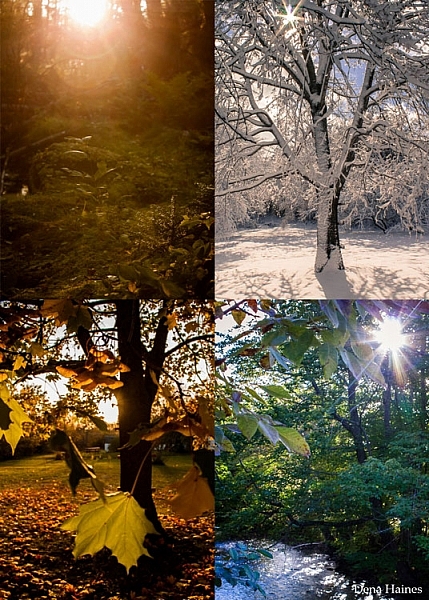
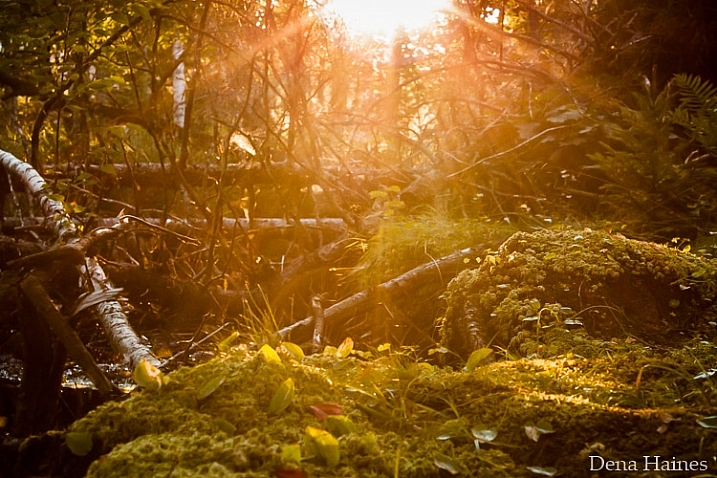
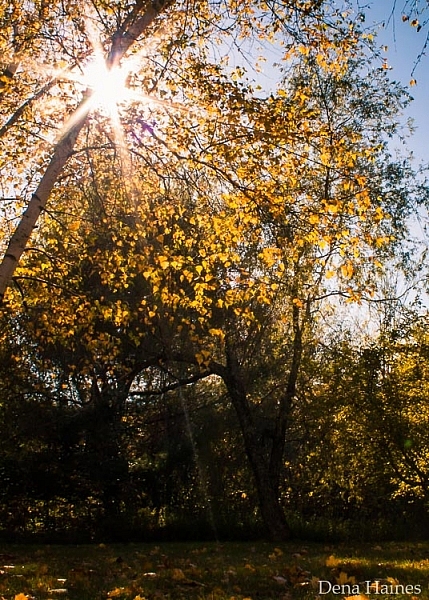
The post How to Photograph Sun Flares: 14 Tips for Beginners by Dena Haines appeared first on Digital Photography School.


Digital Photography School

 
Comments Off on How to Photograph Sun Flares: 14 Tips for Beginners

Posted in Photography


How to Photograph the Full Band of the Milky Way

16 Mar

Get Grant’s three video instructional series Guide to Post-Processing Night Photos – currently available at 59% off through the SnapNDeals for a limited time only.

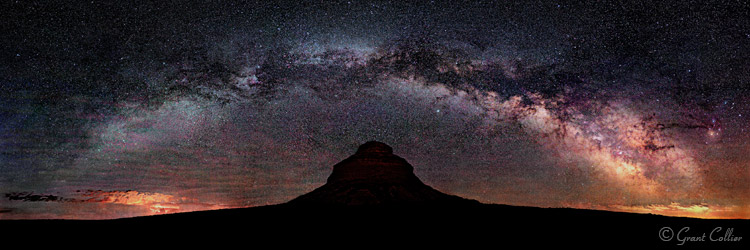
Pawnee Buttes

Our small blue planet is located on a spiral arm, far out from the center of the Milky Way Galaxy. When we look towards the galactic center, we can view one of the most spectacular sites imaginable. Thousands of stars are clustered together, to form a hazy band in the sky, known simply as the Milky Way.

If you enjoy photographing the Milky Way, the winter months can seem especially long. During this time, the Earth is pointing away from the center of the galaxy at night, and you can only see the fainter parts of the Milky Way. It can still be photographed, but the shots won’t likely be as dramatic as they are at other times of the year.

Fortunately, the bright galactic center becomes visible again in the spring. In March, it rises shortly before dawn in the Northern Hemisphere. So you will need to stay up all night or get up very early to photograph it. Every day, it rises a little earlier in the night, and by June it will be rising about the same time that the sun sets.

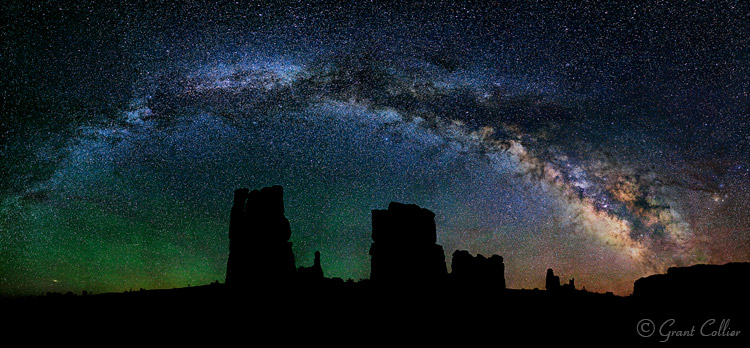
Determination Towers

The great thing about photographing the Milky Way in the spring and early summer months, is that you can capture the full band of the Milky Way arcing across the sky. By August, the Milky Way will appear too high in the sky, in the Northern Hemisphere, to capture the full arc.

If you’re shooting from the Southern Hemisphere, you will have a longer time frame to see the full band of the Milky Way. From about February to June, you can capture it in the southern part of the sky, just after the galactic center rises above the horizon. From about June to September, you can capture it just before it sets in the west.

Since the Milky Way spans such a large portion of the sky, you will need to stitch together multiple images to capture all of it in one photograph. I explain how to do this below.

EQUIPMENT

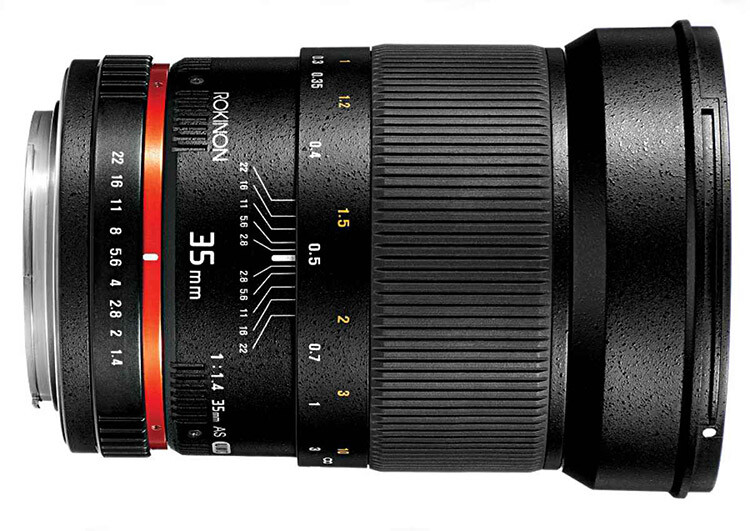
Rokinon35

The Rokinon 35mm f/1.4, all manual lens, works great for this kind of photography.

There is some specialized equipment you can use to capture stitched images of the Milky Way, such as a panoramic tripod head, a leveling base, and even a robotic camera mount. However, the majority of the time you won’t need any special equipment. Anyone with a good tripod and a DSLR can capture the full arc of the Milky Way.

You can use any lens from about 14mm to 50mm to capture your images. If you use a longer lens, like 50mm, you’ll need to take, and stitch, a lot more images together. This can be more time-consuming, but you will also capture much larger image files, with greater detail and less noise.

Ideally, you’ll want to use a lens with a very wide aperture, like f/1.4 or f/2.8. It is also helpful to have a tripod with a bubble level on top of its legs, and a tripod head that has a rotating base.

PLANNING YOUR SHOTS

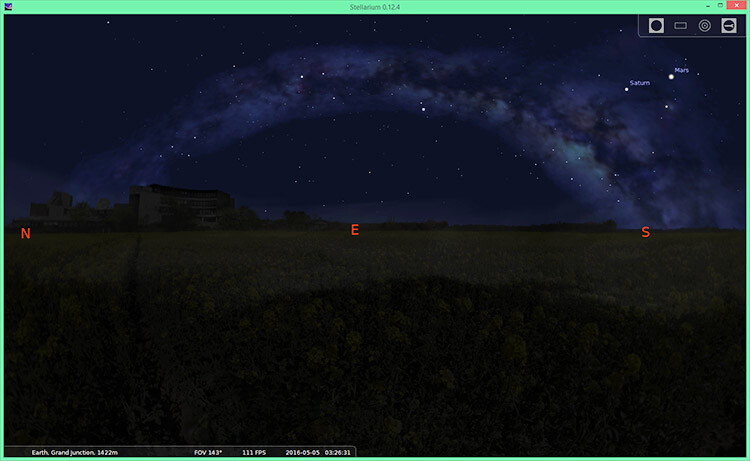
You can pre-visualize how the Milky Way will appear at any time and location using a program called Stellarium. This program can be downloaded for free, it can also be purchased as an iTunes or Android app, or you can use other apps like PhotoPills or Sky Safari.

Stellarium

Stellarium

You will usually want to shoot images of the Milky Way under no moon. If the moon is out, it will obscure the stars, and the Milky Way will not look as impressive. One exception to that, is if you want the moon to illuminate the foreground. You can shoot with a waxing crescent moon that is about 20% illuminated. You’ll need the moon to be directly behind you so it obscures the stars as little as possible. The moon will be in a good position for this shortly after it gets dark on July 8-9th, 2016.

You will want to get far away from any city lights when shooting images of the Milky Way. Light pollution can create an unnatural color cast in the image and it can obscure the Milky Way. And, of course, you should check the weather forecast to make sure there will be clear skies.

COMPOSITION

Once you know how the Milky Way will appear, and have determined the best time to shoot it, you need to decide where to take your photograph. Although the full band of the Milky Way can be spectacular on its own, your images will be more compelling if you include an interesting foreground. If you’re in the Northern Hemisphere, you should find a composition facing east, since that is where the shallow arc of the Milky Way will be visible shortly after it rises. If possible, I recommend arriving before it gets dark to set up your shot. It’s much easier to determine the best composition, and focus your camera, when it’s still light out.

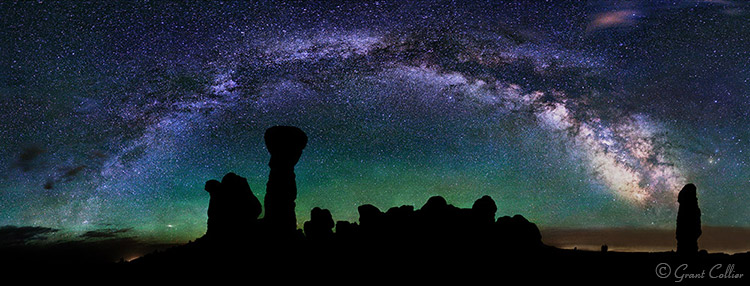
Milky Way Arches National Park

CAMERA SETTINGS

You can use the rule of 500 to calculate the exposure time for your images. Simply take 500, divided by the focal length of your lens, to get the number of seconds to expose the shot. For example, if you’re using a 50mm lens, take 500, divided by 50 = 10 seconds per exposure (this will give you long enough exposures to get good quality images at night without small star trails starting to appear in your shots).

You’ll typically want to use the widest aperture on your lens when shooting stitched images. You’ll also want to use the highest native ISO, that doesn’t cause any highlights to be blown out. As long as you don’t have any close foreground objects in the shot, you can focus at infinity.

You can do this by autofocusing on the moon if it is out, or by focusing on a very distant object before it gets dark. Switch to manual focus afterwards to make sure the focus stays set at infinity. Alternatively, if you have Live View on your camera, you can use it to zoom-in on a star on your LCD screen, then adjust the focus manually until the star appears as a small, sharp point of light.  Don’t rely solely on the infinity marker on your lens, as it isn’t always accurate.

I’ve found that a white balance of about 3800K works well at night with no moon out. However, as long as you’re shooting in RAW (or if you do not have the K setting on your camera), you can set it to Daylight and adjust the white balance later.

Turn off Long Exposure Noise Reduction, as it can take too long, causing the stars to move too much between the exposures, and making it difficult to stitch the images together seamlessly.

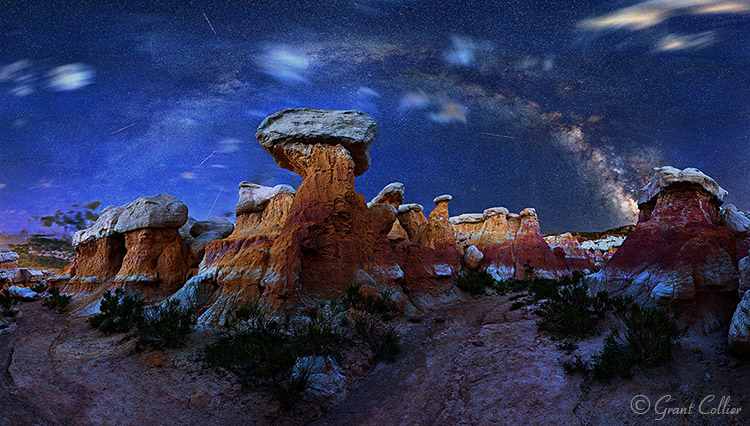
Calhan Paint Mines

TAKING THE PHOTOS

You will need to make sure that your camera is straight, using a bubble level or your camera’s built-in levelling feature. Ideally, you’ll also want to make sure your tripod head is mounted on a level surface by using a bubble level on top of your tripod legs, or a levelling head. This will ensure that your camera remains level as you turn it.

Before beginning the stitched image, I recommend taking a test shot. Point your camera towards the brightest part of the scene you will be photographing, and take an image using the camera settings you have chosen. Check the histogram to make sure you are not overexposing the image. If you are, lower the ISO until you are not clipping any of the highlights. You’ll also want to zoom in on your shot, and make sure everything is in sharp focus.

If everything looks okay, you can start taking your stitched image. I always recommend capturing a wider view of the scene than you want in your final image. You’ll have to crop the image afterwards, since the stitched images will never be perfectly rectangular. So it’s always better to capture too much of the scene, than too little.

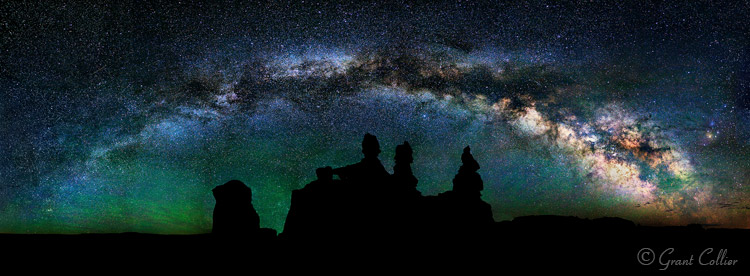
Goblin Valley

Position your camera to take an image of the far, bottom left corner, of the scene you want to capture. After you take the first shot, you’ll need to quickly rotate your camera to the right before taking the second shot. Make sure and leave plenty of overlap (about one third of the scene) between the images to make it easier for the software to stitch the images.

Now, continue taking shots, and rotating the camera to the right, until you’ve captured the entire horizontal field of view that you want. To get the full band of the Milky Way, you’ll typically need to shoot a multi-row panorama. You can rotate the camera up and then shoot a second row of images. Keep doing this until you’ve captured the entire vertical field of view you want.

STITCHING WITH LIGHTROOM

Lightroom Preview

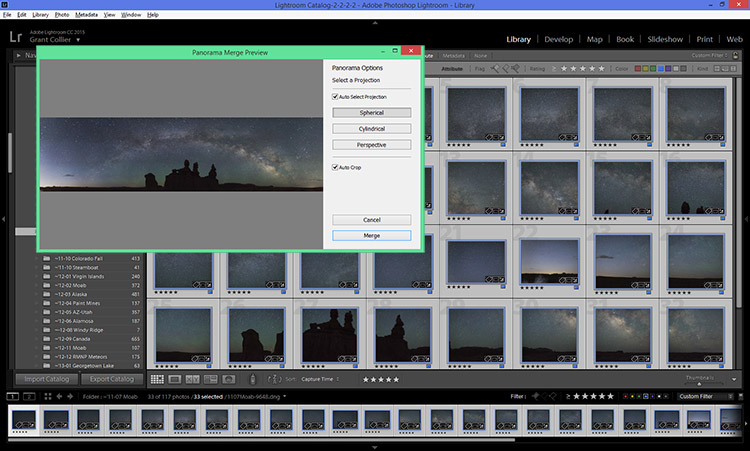
You can stitch images within Lightroom CC. Simply select all of the images you want to stitch, right-click on them, and select Photomerge > Panorama. Lightroom will then attempt to stitch the images. Occasionally, Lightroom will be unable to stitch them together. If this happens, I recommend trying a free program for PCs called Image Composite Editor.

Once the images are stitched, you can process them like any other image. I’ve provided detailed information on post-processing night photos in my instructional videos, which are currently available at 59% off through the SnapNDeals for a limited time only.


googletag.cmd.push(function() {
tablet_slots.push( googletag.defineSlot( “/1005424/_dPSv4_tab-all-article-bottom_(300×250)”, [300, 250], “pb-ad-78623” ).addService( googletag.pubads() ) ); } );

googletag.cmd.push(function() {
mobile_slots.push( googletag.defineSlot( “/1005424/_dPSv4_mob-all-article-bottom_(300×250)”, [300, 250], “pb-ad-78158” ).addService( googletag.pubads() ) ); } );

The post How to Photograph the Full Band of the Milky Way by Grant Collier appeared first on Digital Photography School.


Digital Photography School

 
Comments Off on How to Photograph the Full Band of the Milky Way

Posted in Photography


3 Easy Steps to Photograph Glassware with Minimal Gear

22 Feb

Photographing glass objects is always a complicated task because of the reflective surface, and at the same time translucent nature, of this material. The catalogue images with great glassware perfectly illuminated, are usually done with complicated setups, in studios that allow the control of reflections, and lighting equipment with accessories that are not accessible to most photographers.

In this article I will show you how photograph a glass on both white and black backgrounds, with minimal equipment, and a fairly simple lighting setup.

01

The techniques used here are known as black-line and white-line lighting, and are defined by the way light is shown at the edges of the glass, in contrast to the color of the background. This is usually done with a light placed behind and above the object, with softboxes or diffusion panels to create the transparency in the glass, black and white cardboard to create the edges, and black and white acrylic panels to create the bottom reflection.

Equipment needed

Well, you may not have a studio and lighting equipment with accessories available, but it doesn’t mean you can’t give this kind of photography a try. Here is what you will need:

02

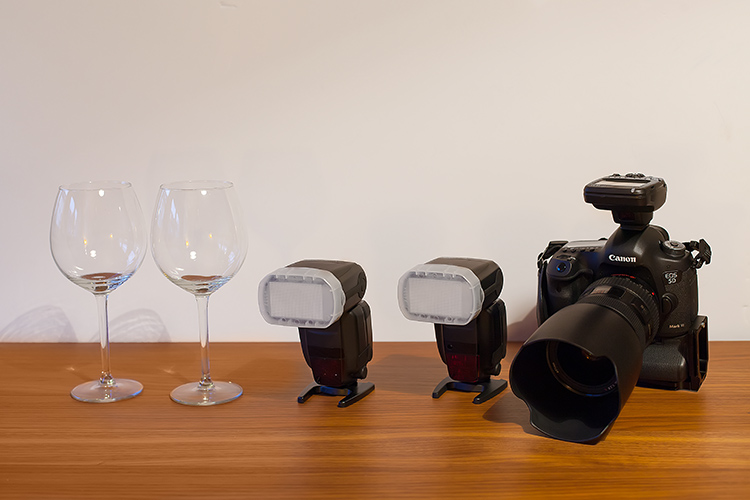
Besides the camera body and the lenses of your choice, you will need two flashes with diffusers, a trigger to fire them, some white cardboard, and two identical glasses (you will see why you need two of them later).

Step one: Clean the glasses

The first step, and a really important one may I add, is to clean the glasses really well, as any dirt in the glass will be visible in the image. Toilet paper and glass cleaning fluid are a good choice to get rid of spots or smudges, and a compressed air can be a good choice to get rid of dust specks.

03

Step two: Prepare your set

In these images, instead of an acrylic panel to create a reflection effect, I decided to use an old school technique to simulate the same effect – with the use of another glass turned upside down, under the main photographed glass. I use this technique a lot, as it allows me to have a pure white or black background, without a horizon line created by the base that holds the object, which can give ghost reflections sometimes, and is hard to keep clean due to electrostatic.

Step three: set up your lights

Even though camera flashes (speedlights) are very low power compared to studio units, they have more than enough power for this kind of setup, and are an accessible and simple solution.

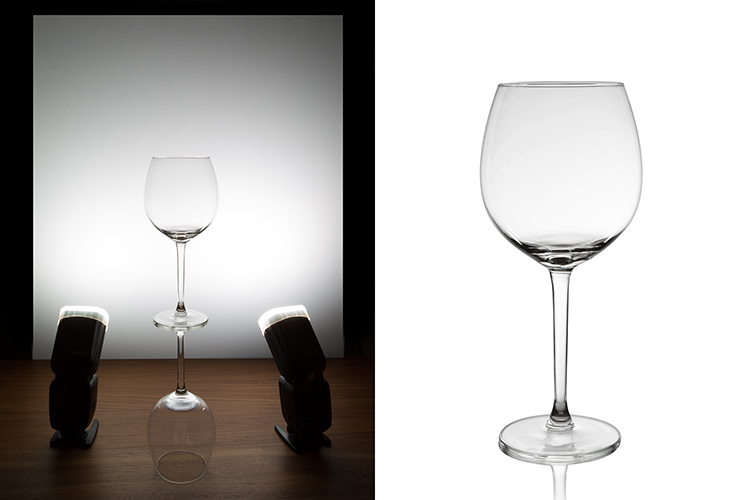
You will need to use the white cardboard as the background, and one flash with a diffuser on each side of the glas, illuminating the background evenly. This simulates the use of a softbox as backlight in a really simple way.
Here is the behind the scenes image showing the setup:

04

Voila, here is a perfect white background glassware image. It’s amazing what you can get straight out of the camera with such a simple setup. The camera settings used were: f/22, 1/200th (flash sync speed), ISO 50. Both flashes were on 1/2 power with a 50mm zoom setting.

It is important to have a large depth of field to get well-defined glass edges (including the back side of the glass), and to use the highest sync speed for your flash/camera combination to avoid the ambient light making a reflection and changing the color temperature of the image.

Bonus step: Black background setup

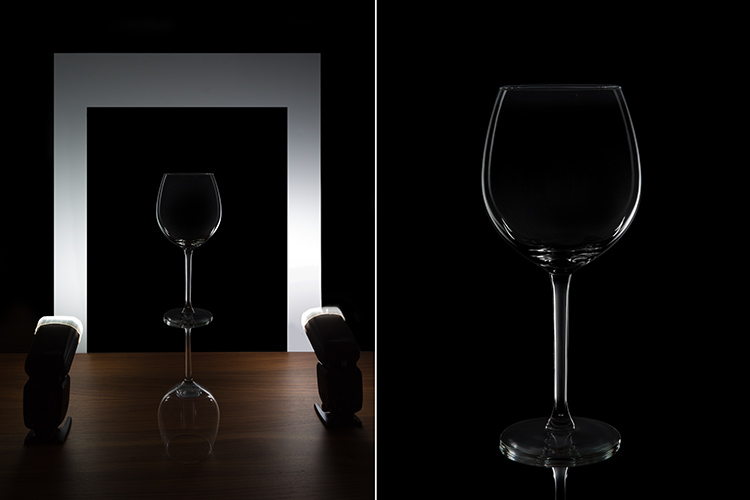
The black background image might seem a lot more complicated, but actually it’s as simple as cutting a hole in your white cardboard, that will function as an open window for the black background. Here is the behind the scenes image for that setup:

05

Here is the black background glass image.

The camera and flash settings are the same, but the white cardboard acts as a reflector, defining the white line around the glass. Just be sure not to have anything behind the cardboard or use some black velvet as the background, which doesn’t reflect light and guarantees you a pure black.

So, there you go, a simple, yet highly effective technique to produce amazing glassware images with white or black background, and bottom reflection effect – without a studio, fancy lighting equipment, or a ton of accessories.

Give it a try, I’m sure you’ll get great results! Please share your images in the comments area below.

googletag.cmd.push(function() {
tablet_slots.push( googletag.defineSlot( “/1005424/_dPSv4_tab-all-article-bottom_(300×250)”, [300, 250], “pb-ad-78623” ).addService( googletag.pubads() ) ); } );

googletag.cmd.push(function() {
mobile_slots.push( googletag.defineSlot( “/1005424/_dPSv4_mob-all-article-bottom_(300×250)”, [300, 250], “pb-ad-78158” ).addService( googletag.pubads() ) ); } );

The post 3 Easy Steps to Photograph Glassware with Minimal Gear by Ivo Guimaraes appeared first on Digital Photography School.


Digital Photography School

 
Comments Off on 3 Easy Steps to Photograph Glassware with Minimal Gear

Posted in Photography


How to Photograph Reflective Surfaces

01 Feb

Photographing reflective surfaces and objects is usually quite challenging, and can easily turn the work of the photographer into a frustrating task.

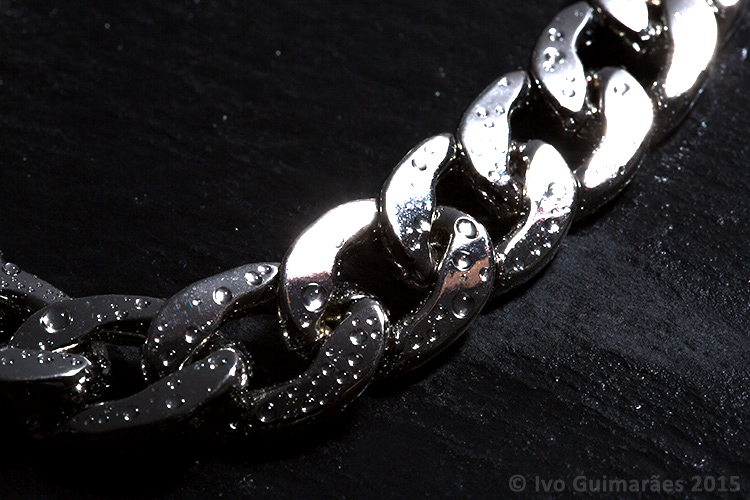
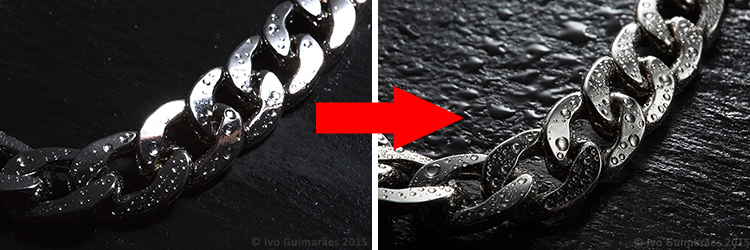
Reflections are a hard to tame beast, but it gets easier to control if you know the rules. So, in this article I will show you how to create a high impact image with controlled reflections, like the one below, with a really simple, but highly effective, technique and using equipment you most certainly already own.

01

A reflective surface acts like a mirror reflecting light, so if the light source of your image comes from the same direction as the camera, it causes specular highlights resulting in blown out spots without texture, and an overall poor looking image like the following one photographed with the flash mounted on camera.

02

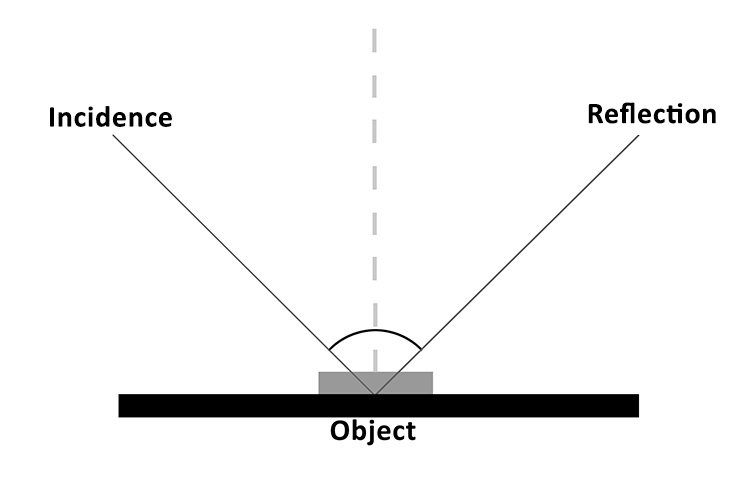
It all comes down to the basic principles of light and the way it behaves, which is in fact very predictable. The law of reflection explains this phenomenon. If you project a ray of light on a flat reflective surface like a mirror, then the angle of incidence equals de angle of reflection, like the following diagram illustrates:

03

So, physics apart, what this really means is that if you are trying to photograph a reflective surface you should never light it from the same angle as the camera, otherwise you will only get light bouncing straight back at you (depending on the angle of the object).

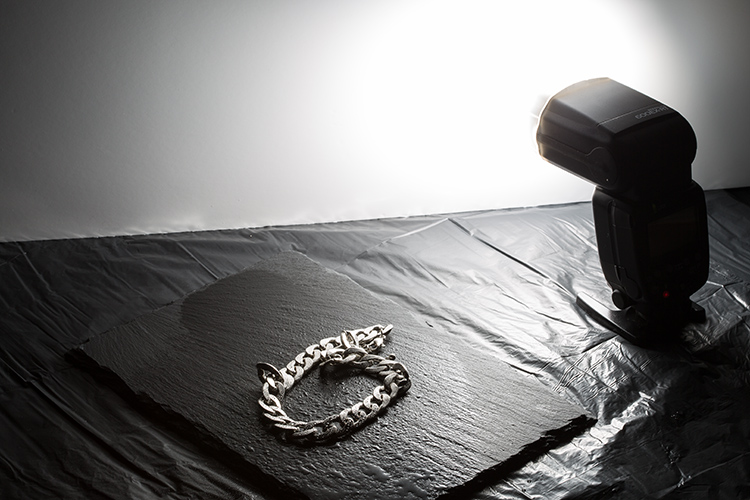
The trick here is to use a big light source, and position it in the same opposite angle of your camera, in relation to the photographed object (behind it).

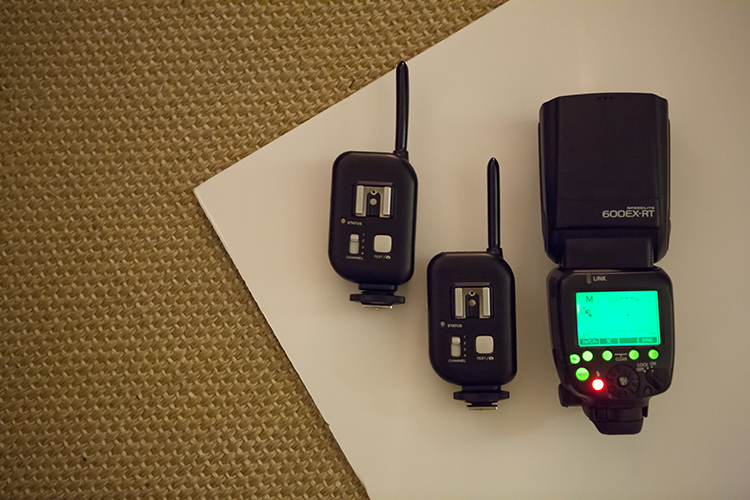
You can do this with a studio flash head and a big softbox, but there is a much simpler and cheaper way of doing it. You just need some white cardboard, a flash, and trigger system to fire it off-camera.

04

Here is how you can use this lighting setup:

05

The light from the flash bounced off the cardboard is a much bigger light source, allowing you to control the reflections on your image, creating gradients that shape the object, and avoiding specular highlights. Notice it also creates texture on the rock background.

06

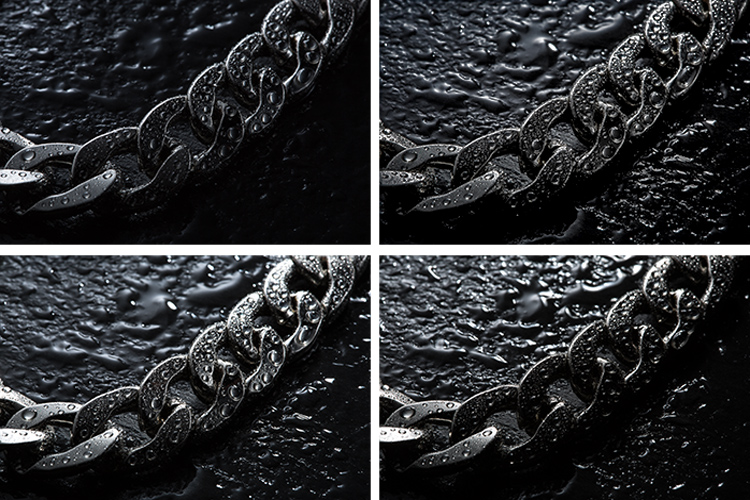
This simple technique allows you to create a lot of different lighting effects in your image, depending how you position your flash, and angle the cardboard in relation to the photographed object, which also creates texture on the background stone and water drops.

Here are some examples of light variations on this imag,e with just some small adjustments to the cardboard positioning.

07

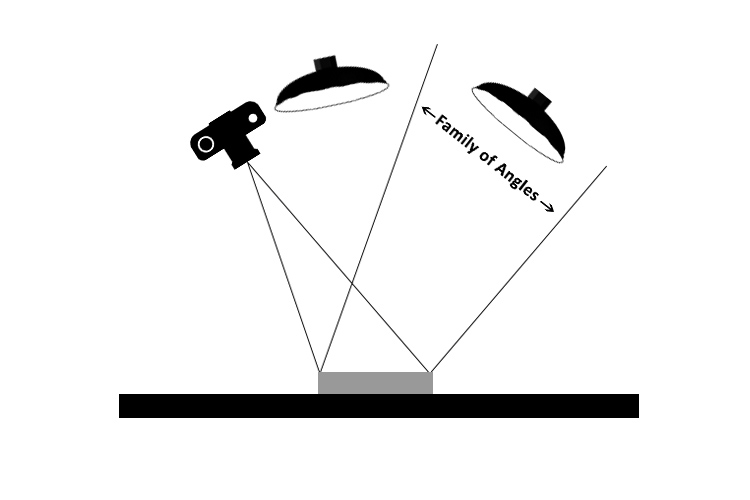
Knowing that light rays will always bounce from a reflective surface, at the same angle at that at which they strike it, makes it possible to determine the best positioning for the camera and the light source, taking into consideration the family of angles as you can see in the next diagram.

08

The light positioned within the family of angles will produce a direct reflection and the light outside of the family of angles will not light a mirror-like subject at all, from the camera’s point of view.

Even though the reflections on these images are not direct, but rather diffused reflections (which makes difficult to calculate the light angle as it is being bounced and dispersed in different directions) the family of angles can give you a good estimate of how to position your light in relation to the camera angle, in order to control the reflections in your image.

All this technical information about light physics may seem overwhelming at first, but it will all make sense when you start playing around with it. So, give it at try, I’m sure you will get great images. Please share any questions and your images of reflective objects in the comments section below.

googletag.cmd.push(function() {
tablet_slots.push( googletag.defineSlot( “/1005424/_dPSv4_tab-all-article-bottom_(300×250)”, [300, 250], “pb-ad-78623” ).addService( googletag.pubads() ) ); } );

googletag.cmd.push(function() {
mobile_slots.push( googletag.defineSlot( “/1005424/_dPSv4_mob-all-article-bottom_(300×250)”, [300, 250], “pb-ad-78158” ).addService( googletag.pubads() ) ); } );

The post How to Photograph Reflective Surfaces by Ivo Guimaraes appeared first on Digital Photography School.


Digital Photography School

 
Comments Off on How to Photograph Reflective Surfaces

Posted in Photography


The gift of connection: A pair of friends photograph Cuba

24 Jan

$ (document).ready(function() { SampleGalleryV2({“containerId”:”embeddedSampleGallery_4273504315″,”galleryId”:”4273504315″,”isEmbeddedWidget”:true,”selectedImageIndex”:0,”startInCommentsView”:false,”isMobile”:false}) });

As a destination for street photographers and photojournalists, there’s no place quite like Cuba. The natural beauty of the island is plain to see, but for photographers and good friends Susan Roderick and Kenna Klosterman, the real pulse of the country can be found talking to its inhabitants. Klosterman and Roderick have been traveling together since they met in 2008, and have made a habit of getting to know the local culture and people of the far-flung destinations they visit. That was certainly the case on their recent visit to Cuba. See a sample of their images here, read more about their trip on Resource Travel and find out how they made a connection with a Cuban hip hop duo.

Articles: Digital Photography Review (dpreview.com)

 
Comments Off on The gift of connection: A pair of friends photograph Cuba

Posted in Uncategorized


How To Photograph With Meaning

19 Jan

DSCF0798web dps

There comes a point, or a plateau, as in every photographer’s career (whether you are an intermediate or professional photographer) where you hit a wall. It’s a crisis of self that you are faced with when you have reached a certain point of technical proficiency. Well, basically you hit a plateau because you already know all the elements of photography from composition, to technical skills, to editing images, but somehow something is missing — substance, meaning, emotional connection, and finding your own style.

So I invite you to forget what you know for a second, and take a look at your photography in a different light. Composition and technical prowess are certainly important factors in creating good photographs, but how do you create great photographs with meaning?

To realize that there is more behind a photograph than just a visual representation of time, place, and subject, and it can be much more rewarding when you challenge yourself to find your voice, your perspective, and create an emotional connection for the viewer.

Your photographs show your viewpoint and perspective of how you see the world. For example, if you put six photographers in a room and asked them to create a unique image, each photograph would turn out different. You already photograph with meaning, you just haven’t realized how much your subconscious adds your perspective onto your images.

Meaning in action

DSCF0867 dps

Now that you’ve realized that photography is more than a GAS (Gear Acquisition Syndrome) stage, where you’re buying up the latest and greatest cameras, lenses, software, and miscellaneous items for photography, it’s time to evolve into a better photographer — one with purpose.

“The real question is not what you look at but what you see.” – Henry David Thoreau

So how do you separate yourself from the technical nature of photography? The skills you have inherited through tutorials, articles, classes, workshops, online videos, etc., are still there in the back of your mind. You are finally comfortable shooting in different lighting, setting up different lighting schemes, knowing your way around your camera, and all this will come in handy when you are cooking up your own voice or style of shooting.

By setting those aside, you need to learn a new way of photographing, and that will take dedication and hard work, but ultimately it will be the most rewarding endeavor, especially if this is what you want to do for a living.

Mimicry is the greatest form of flattery
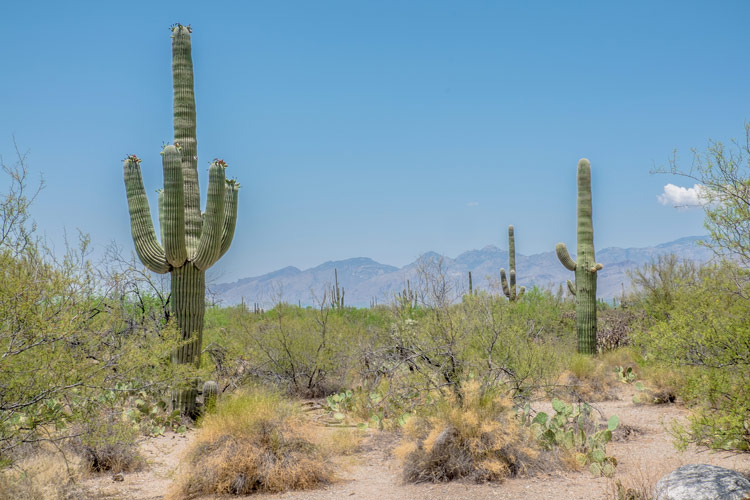
DSCF0966 dps

Step one is to try to shoot in the style of your favorite photographer. By learning how they craft their images, you will be clued into their vision, which will inspire your own creative insights. You don’t have to exactly recreate an image perfectly like them, but just try to understand what they are doing, then try to recreate it.

Step two is to take photo challenges. A photo challenge or assignment is a way to test out your technical, and artistic sides, combined to create a homework assignment that others will judge. Being peer reviewed by other photographers will not only give you helpful advice, but provide you with thick skin for future critique of your work.

You may have a certain style of shooting that you are drawn to, like landscapes or street photography. But what if someone challenges you to do some macro shots, architectural, portraits, or anything different from what you’re used to? It takes you out of your comfort zone, and challenges your knowledge as a photographer, while also providing you with ideas to incorporate into your own work.
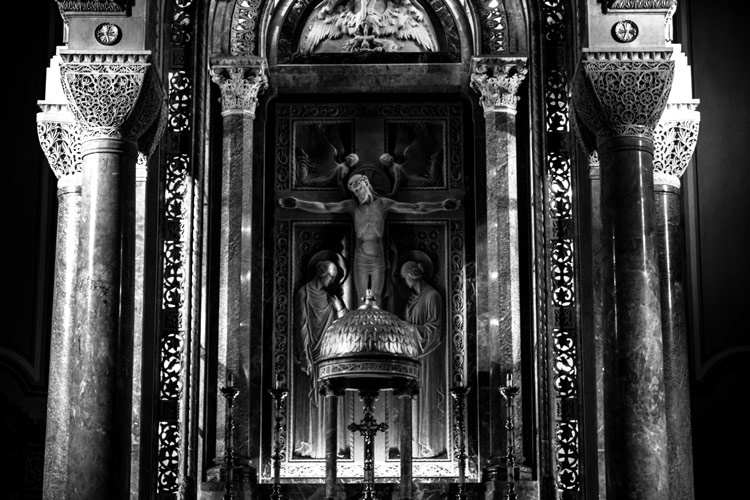
20150315 DSCF0491 dps

You are now using all your technical photography education, and putting it into practice. It finally makes sense that you need to know these technical skills to create something with more meaning. It’s just like a doctor fresh out their residency, learning how to become a surgeon. Would you trust this person to cut you open without learning from other, more experienced surgeons? It’s the same with photography, it’s on the job training.

You need to learn it all, test it all, and learn different styles. Then, you can start to see your style peeping through, because you’ve slowly learned how to create your own vision, by studying those whose work you have a connection.

Meditative composition

I realized early on, my method was to find a subject, compose, take in the atmosphere, and wait patiently. While waiting, I absorbed all the things going on around me, without any sort of preconceived notions, but instead, just letting the world happen around me without trying to control it. It was a meditative state, where I had set up my easel (camera on a tripod) and waited for the decisive moment to shoot (putting the brush to the canvas).
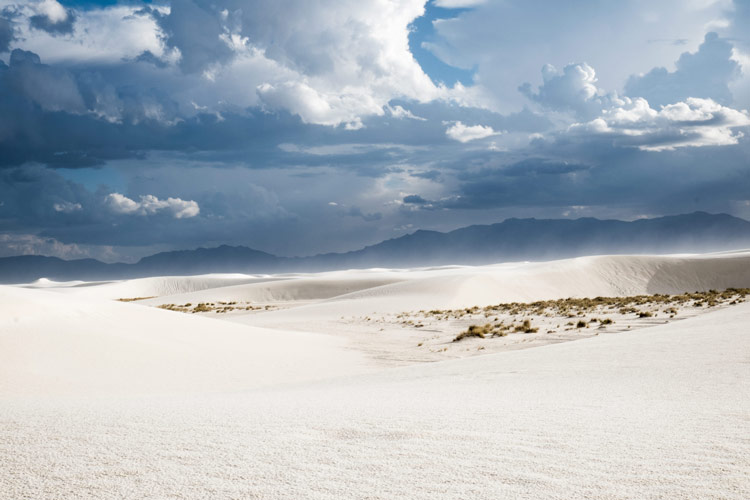
DSCF0902 dps

I was in the White Sands National Monument near Alamogordo, New Mexico this past summer, sitting on a white sand hill, watching the sky turn from a deep hue of blue, to a dark sky, forming into a lightning storm. The winds began to pick up and the white sands began blowing. In my frame I saw the sky change into this deep magenta, and the sands moving almost in a tornado like swirl. I knew at the moment I must click the shutter, and was able to capture a special moment by composing and waiting.

“But there is more to a fine photograph than information. We are also seeking to present an image that arouses the curiosity of the viewer or that, best of all, provokes the viewer to think – to ask a question or simply to gaze in thoughtful wonder. We know that photographs inform people. We also know that photographs move people. The photograph that does both is the one we want to see and make. It is the kind of picture that makes you want to pick up your own camera again and go to work.” – Sam Abell

Equivalence
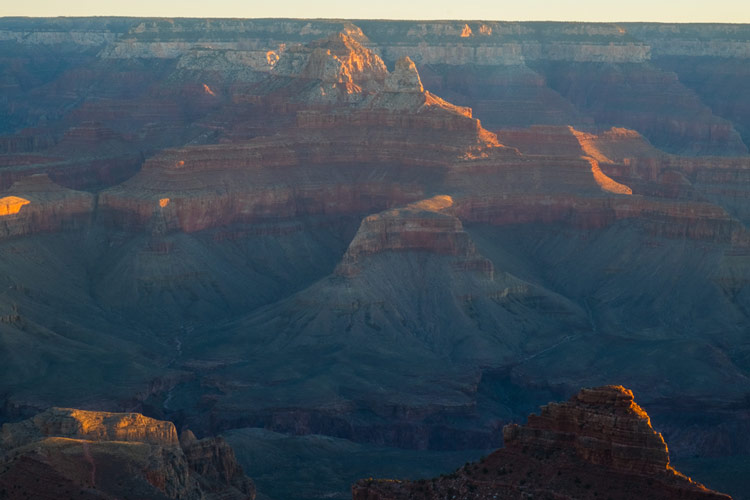
DSCF2084 dps

Equivalence is a term that has been used since Alfred Stieglitz first started expressing his work as more than just a capture of reality, but instead the things he captured were emotionally connected to him, whether they were geometric patterns, people, etc.

The term equivalence comes from the abstract painter, Wassily Kandinsky. His mission was to create more emotion with his painting, so that the audience who viewed his work could find, and feel, an emotional connection to his work. It was Stieglitz, who during a time where photography was simply documentation, incorporated the idea of equivalence into his photographic process. Boiled down to its simplest form, equivalence is the belief that colors, shapes, and geometric lines reflect one’s inner emotions. By studying Kandinsky he found meaning in his own work.

So what does that mean for you, a photographer trying to create photographs with meaning? Photographic meaning isn’t a literal translation of an image. Instead, it is a way in which you use your voice or perspective, to create a work that doesn’t need to be explained, which also evokes something/anything in the viewer.

This equivalence is what many great photographers have found, and when we see Dorothea Lange’s “Migrant Mother” or Robert Capa’s “The Falling Soldier” photographs we are instantly affected by them, and we don’t have to understand what is going on. We see the horror of war, and the look of uncertainty in a mother’s eyes as she holds her children.

Connect the dots
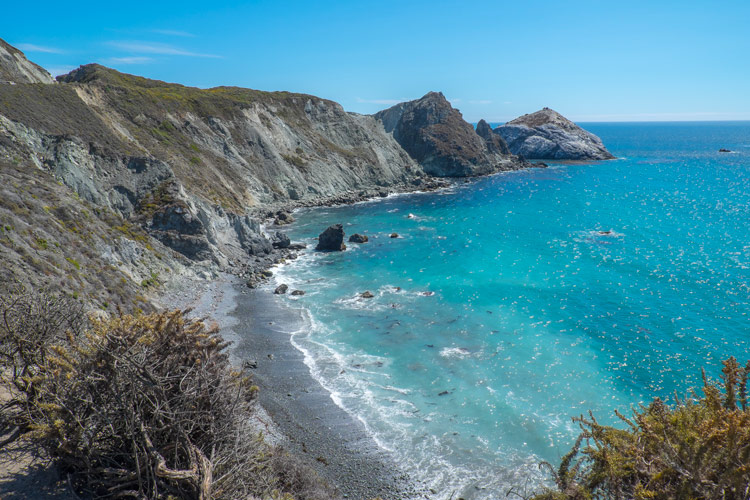
Bigsur dps

The beauty of photography is that a single image can tell an entire story, or a photographic essay can piece together an important narrative. A story worth telling, is the same as photographing with meaning. Photographs are your way of showing your point-of-view, or that of your subjects, to an audience.

We capture the human experience, whether that be a genocide, or the coming home of soldiers from war. It can be pain, beauty, grace, disgust, but photographs are visual storytellers, and those who understand how to make a story with their images become the most successful.

“As far as I am concerned, taking photographs is a means of understanding which cannot be separated from other means of visual expression. It is a way of shouting, of freeing oneself, not of proving or asserting one’s own originality. It is a way of life.” — Henri Cartier-Bresson

Each great photographer’s work was influenced by those who came before them. Some of us have a natural eye for composition and great timing, but does that mean that hard work won’t help those who lack these skills, to gain them?

To photograph with meaning, there is a literal route to find this discovery. To hurry up that process it takes hard work, dedication, and humility. You need to burn up your memory cards, and take a look at each of your frames to see what works and doesn’t. You need to look at photo books of the masters to see their vision, to help cultivate your own, by recreating their works.

DSCF2117 dps

You need to be patient, reflective, and willing to subject yourself into uncomfortable, and sometimes even dangerous situations, to really push yourself toward to becoming a better photographer.

Creating an emotional connection with your work is finding the equivalence that will speak volumes to your audience, without you even having to explain yourself. So, to make it clear, to find meaning in your photographs you must be willing to study, try, fail, and explore other genres of photography to find your place, your vision, and to take a deeper look inside yourself and the work you intend to create.

By studying the forefathers of photography you can create something new that was influenced by powerful, meaningful photographs. It’s not plagiarism to combine techniques or processes of others. Besides that would be like telling someone who never read a book, and doesn’t understand plot, to write the great American novel.

You must learn to walk before you can run.

googletag.cmd.push(function() {
tablet_slots.push( googletag.defineSlot( “/1005424/_dPSv4_tab-all-article-bottom_(300×250)”, [300, 250], “pb-ad-78623” ).addService( googletag.pubads() ) ); } );

googletag.cmd.push(function() {
mobile_slots.push( googletag.defineSlot( “/1005424/_dPSv4_mob-all-article-bottom_(300×250)”, [300, 250], “pb-ad-78158” ).addService( googletag.pubads() ) ); } );

The post How To Photograph With Meaning by Adam T Crawford appeared first on Digital Photography School.


Digital Photography School

 
Comments Off on How To Photograph With Meaning

Posted in Photography