RSS
 

Posts Tagged ‘most’

4 Quick Tips For Getting The Most Out of Lightroom Presets

25 Jul
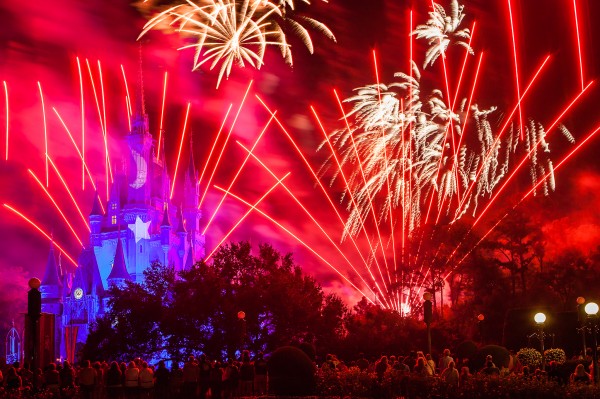
Image created with Daylight to Sunset preset

Image created with Daylight to Sunset preset

This post was written to coincide with my latest deal over at the DPS sister site – Snapndeals. Over the years I’ve created and stockpiled tons of presets in Lightroom, just for personal use. I finally made them available to the public earlier this year at the request of many of my blog readers and the feedback has been amazing! The collection on Snapndeals includes all of the presets I have released (80 total in 7 different groups) and they are all, of course, fully customizable. I put a ton of work into these and I really think you will love them!

So Lightroom presets are something I’ve become really obsessed with. I use them with pretty much 100% of my family photos and about 70-80% of my other images. Sometimes it’s just one click and I can take an image from it’s RAW state to a completely post processed and finished image. Other times I can apply a preset and be about 80-90% finished. From there it’s just a few minor adjustments to get the image looking great but the total time saved by adding the preset is still incredibly valuable. So here’s a few tips for using my new JamesB Lightroom Presets to help your workflow and create amazing images. Let’s go!

1) Spend Some Quality Time Familiarizing Yourself With The Presets

I’ve found that using presets becomes more efficient the more you use them. If you use them rarely, you aren’t very familiar with the presets you own. Therefore, when it comes time to use one you have to wade through them all to find the right one which can take a lot of time (especially with a collection of 80 presets like this one). When you use presets regularly you memorize where each one is, you know where your favorite presets are and how to get to them fast, you know which presets will work better for certain images. When you get into this mindset, your workflow in Lightroom really becomes optimized. And who among us doesn’t need more time on our hands?

I broke the presets into 7 different groups and each group has presets that were specifically designed for different genres/styles of photography. That doesn’t mean you can’t use a portrait preset on a landscape image, I’ve done that several times. But more often that not, I use travel presets for travel images. Portrait presets for portrait images.

2) Create A New Folder For Your Absolute Favorite Presets

Screen Shot 2013-06-21 at 10.10.11 AMOver time, you’ll discover that there are certain presets that you use quite often. Feel free to create a new folder in your presets catalog and the drag your favorites into that one. A few of my favorites are Day At The Zoo and Bright and Sunny from my “Family Lifestyle” set, B&W Film Grain and B&W High Contrast from my “Monochrome” set, Sweet Pea Vintage in my “Nostalgia Film” set and Rome in my “Travel” set.

Creating a new folder in the presets panel is easy, although not very intuitive if you haven’t done it before. Clicking the + mark at the top right won’t do it, that’s just for creating new presets. You have to hover over your presets and right click, choose New Folder and then give the folder a name. Then it’s as easy as dragging the presets from one folder to another.

3) Don’t Be Afraid To Fine Tune

The Develop module can be pretty intimidating to those who haven’t used it before. There are a LOT of options over there. A lot of ways to make a photo look great, and a lot of ways to make a photo look terrible! When you add a preset, you’ll be able to see the changes that it made over on the right side of Lightroom. If the photo doesn’t look just how you were hoping, go over and play around with the sliders a bit to get it just where you want it. The truth is, there’s no preset out there that will work perfectly for every photo, so most of the time you will have to make slight adjustments.

4) Create Your Own!

Once you’ve used presets for a while, you will start to get more and more comfortable tweaking and fine tuning them to your taste. The more comfortable you get, the more you will start using certain looks time and time again. Feel free to use some of my presets as a base or a starting point. Then add to it, change it up, tear it down and rebuild it, then create new preset that’s all your own. I do this quite often and not only is it a great learning experience, to see how much work goes in to creating a great preset, it’s also a lot of fun!

Be sure to grab a set of the presets for yourself, I promise you’ll love them!

A Few Samples Of Images Created Using My Presets

_MG_2302 1DS_3478 1DS_5603 1DS_6004 Death_Valley_Cactus-X3


Post originally from: Digital Photography Tips.

Check out our more Photography Tips at Photography Tips for Beginners, Portrait Photography Tips and Wedding Photography Tips.

4 Quick Tips For Getting The Most Out of Lightroom Presets


Digital Photography School

 
Comments Off on 4 Quick Tips For Getting The Most Out of Lightroom Presets
Posted in Photography


In case you were curious, here are the 10 most expensive photos ever sold.

23 Jul

expensive05.jpg

Photography has been around for almost two hundred years, but amazingly, it’s only in the past couple of decades that it has gained widespread acceptance as an artform. These days, images by significant photographers command very high prices. But How high is ‘very high’? Internet community FreeYork.org has published a list of the ten most expensive photos ever sold. Click through for the list.

News: Digital Photography Review (dpreview.com)

 
Comments Off on In case you were curious, here are the 10 most expensive photos ever sold.

Posted in Uncategorized


Colour Contrast: Making the Most of Orange and Blue

29 Jun

Colour contrast: using orange and blue

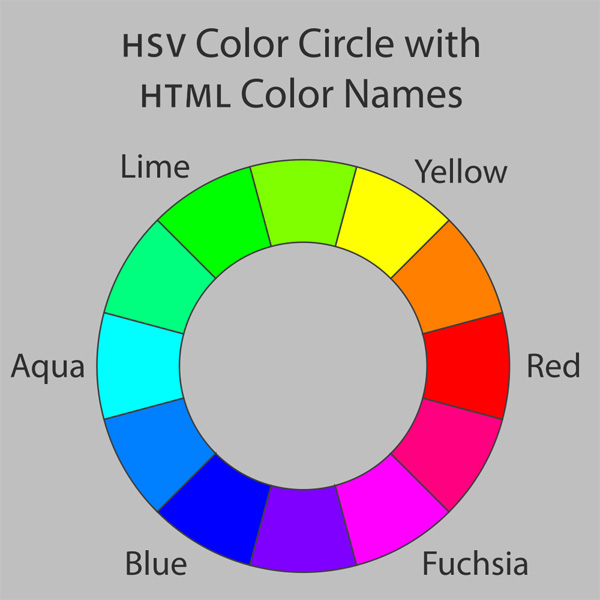
One of the principles behind using colour in photography is that of using contrasting colours. To understand the concept we need to look at a colour wheel – a type of diagram used by designers to show the relationships between colours:

Colour contrast: using orange and blue

Diagram by Wikipedia contributor Jacobolus

Contrasting colours are those that appear on opposite sides of the colour wheel. Today I’m going to look at two specific colours, orange and blue.

Why these two? They happen to be very useful colours to work with because they appear a lot in nature (even though you might not be aware of it). It’s all to do with the colour of the ambient light, which ranges from cool blue to warm orange, depending on the light source.

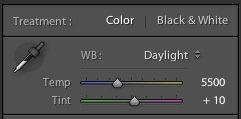
Incidentally, this is reflected by the colour temperature slider in Lightroom. One end is blue, and the other is orange:

Colour contrast: using orange and blue

Blue light

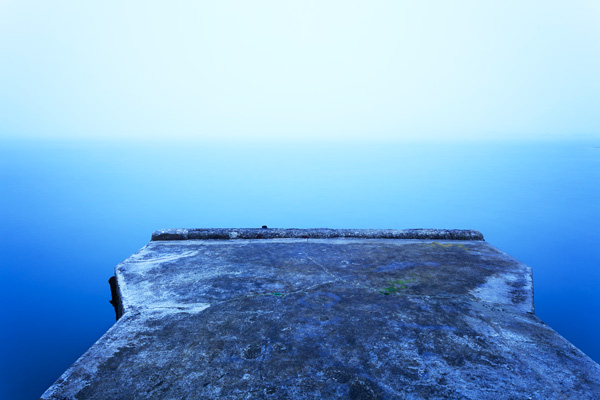
In low light, in fog or rain, or at twilight the natural colour of the light is blue. In these conditions, any photo you take has a blue colour cast.

The easiest way to see a colour cast in your photo is to set white balance to daylight. If the colour of the light is blue, then it will come out blue in your photo.

If you use auto white balance the camera will warm the photo up to compensate for the blue colour cast of the light. That’s useful sometimes, but it’s not desirable if you want to create a moody image.

Blue light is atmospheric. That’s because some colours evoke an emotional response, and blue is one of them. It is a cold colour – it connotes cold, misery, bad weather, even depression.

Colour contrast: using orange and blue

I took this photo in thick fog.The natural colour of the light is blue. The blue colour cast in this photo creates mood.

Orange light

Orange coloured light also occurs naturally. Light originating from the sun in the late afternoon, early evening or at sunset has an orange colour cast. So does light emitted by tungsten bulbs and burning flames.

Anything lit by these light sources will have a warm orange colour cast. Again, you will see it clearly if you set white balance to daylight.

Orange is another colour that evokes emotion. It is the colour of warmth and energy. It reminds us of things like the heat of summer or emotional warmth. Like blue, the psychological effect can be quite powerful.

Colour contrast: using orange and blue

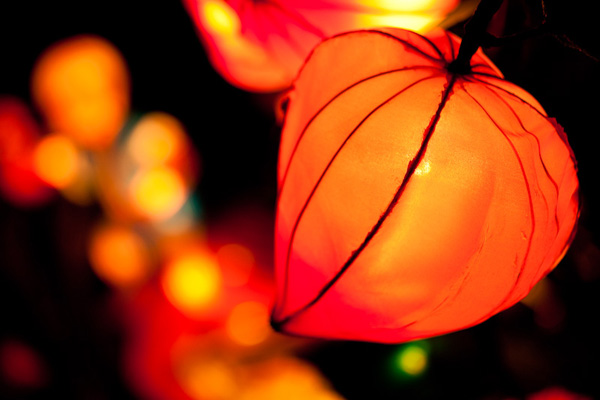
The light source in this photo is the tungsten bulbs inside the lanterns. The natural colour of this light is orange.

You can see that blue and orange are opposites in many respects. They are opposites on the colour wheel, and also in the emotions and feelings that they represent.

Combining blue and orange

One way to show contrast between two things is to place them together. There is a famous photo by Annie Leibovitz of a jockey and a basketball player, side by side (you can see it here). Placing both sportsmen side by side emphasises their respective height, and the difference in stature between them.

It’s the same with blue and orange. Include both in the same image to add to the power of this colour combination. The coldness of the blue tones emphasises the warmth of the orange ones, and vice versa. Here are a few examples:

Colour contrast: using orange and blue

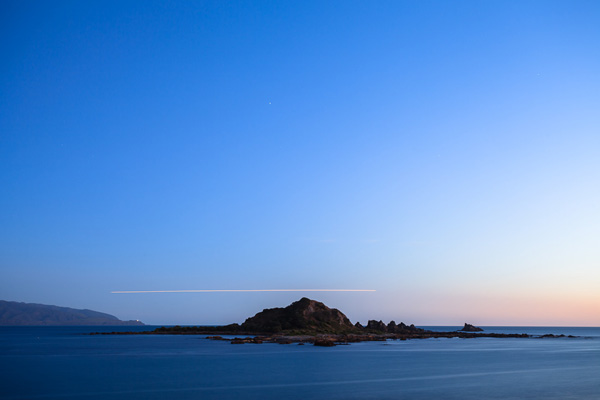
Most of the scene is lit by fading daylight, which has a natural blue colour. There is some warm light coming from the right, where the sun has set. The orange streak of light over the horizon comes from a plane flying by during the exposure.

Colour contrast: using orange and blue

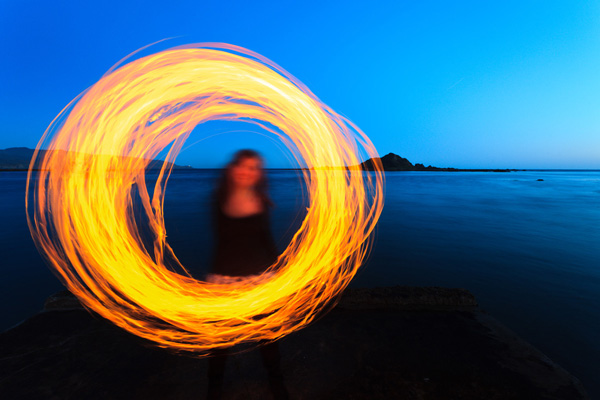
This photo was taken when it was nearly dark. The landscape is lit by the fading light, which has a natural blue colour. My model is whirling a burning object around. The light from the fire is orange.

Colour contrast: using orange and blue

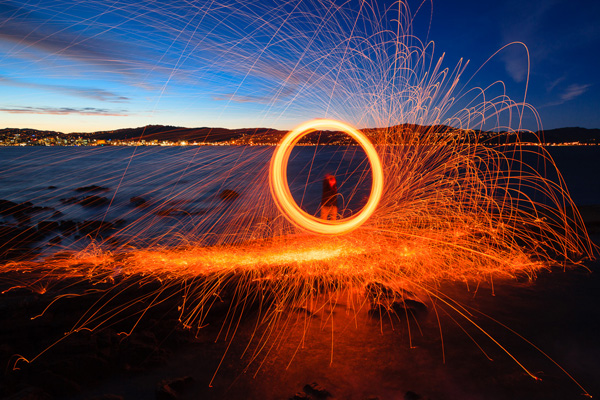
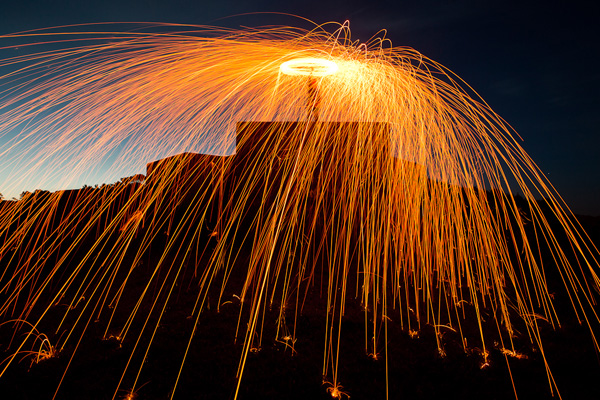
Finally, here is a photo created using the steel wool spinning technique. It’s taken at dusk, and the landscape is lit by the blue coloured light of the fading daylight. The light from the burning steel wool is orange, and so are the lights from the distant city buildings over the water.

If you want to try steel wool spinning yourself, click the link to read an article I wrote about it on my website. Please pay attention to the safety instructions in the article – steel wool spinning is potentially dangerous.

Mastering Photography

Colour contrast: using orange and blue

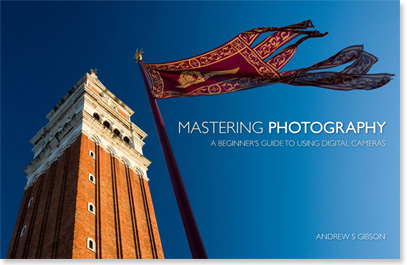
My latest ebook, Mastering Photography: A Beginner’s Guide to Using Digital Cameras introduces you to digital photography and helps you make the most out of your digital cameras. It covers concepts such as lighting and composition as well as the camera settings you need to master to take photos like the ones in this article.

By the way, the cover photo is another great example of using the orange and blue colour contrast. The building and flag are lit by the setting sun, so they have an orange colour cast. The summer sky is deep blue. You can take this sort of photo just about anywhere during the golden hour at the end of the day.

Post originally from: Digital Photography Tips.

Check out our more Photography Tips at Photography Tips for Beginners, Portrait Photography Tips and Wedding Photography Tips.

Colour Contrast: Making the Most of Orange and Blue


Digital Photography School

 
Comments Off on Colour Contrast: Making the Most of Orange and Blue

Posted in Photography


Expand Your Arsenal with the 5 Most Popular Photography Techniques Today

13 Jun

Photography is like anything else in our culture; it tends to hold certain trends for periods of time, then changes based on variables around us.  Some trends can reappear, such as we’ve seen with the influx of “vintage” post-processing in the last few years. The style wasn’t imposed directly during the 60′s and 70′s, it was a result of the Continue Reading

The post Expand Your Arsenal with the 5 Most Popular Photography Techniques Today appeared first on Photodoto.


Photodoto

 
Comments Off on Expand Your Arsenal with the 5 Most Popular Photography Techniques Today

Posted in Photography


Top 10 Ways to Get the Most Out of the New Flickr

25 May

Earlier this week, Flickr rolled out the most significant changes to their service since purchased by Yahoo back in 2005.

In addition to a major web redesign and a new Android app, Flickr also changed the basic fee structure of their account types and storage limits.

Former Pro users are being allowed to retain their $ 24.99 year fee structure for unlimited, ad free service. If you are a Pro account user, nothing changes if you want to keep it.

Free account users were all given 1 terabyte of free high res photo storage. Free accounts are still ad supported, as they have been in the past, but now you are no longer limited to only viewing your 200 most recent uploads to the site.

Despite the typical torch and pitchfork mob rage emanating from the Flickr Help Forum*, (a group of super negative Flickr users representing less than .01% of all Flickr users), I’ve found over the past week that engagement on my own photos is up dramatically. More specifically, based on my Flickr stats page, engagement (as measured by comments and favorites) is up approximately 294% on my own photos since the new release.

*Dear Marissa Mayer, PLEASE, give us the ability to block users on Flickr, it would make it a much nicer place for those of us who want to enjoy it. :)

I have no way of knowing, more broadly speaking, if the stats numbers look this good for Flickr in general, but if they do, I suspect that they are very happy indeed with the success of this week’s new features.

This post is not meant to be a debate about the new changes; this post is for those of you who are ok with the site design and are now looking for ways to get the most out of it.

On with the list.

Tip #1, Make The Last Photo You Upload in a Batch Count

1. Consider a strategy for uploading your batches of photos. I upload two batches of photos to Flickr a day — one in the morning and one in the evening. Your upload strategy and the ordering of your batch uploads matters. With the new Flickr redesign, photos on the flickr.com homepage are really, really, big. Big photos get far more engagement. However, the only photo that gets shown ginormous on the flickr.com homepage is the very last one that you upload. The 5 before that are shown as small thumbnails there.

So, if you are uploading a batch of photos to Flickr, make sure the one that is uploaded last is the best of the batch. Also, landscape oriented and square photos show up much larger on the flickr homepage than portrait oriented crops. So, all other things being equal, consider making sure your last photo uploaded in a batch to Flickr is one of your strongest square or landscape oriented photographs.

Tip #2, Flickr is Your New Cloud Photo Back Up

2. Anyone who ever complains about losing photos on a crashed hard drive again is just dumb. While you, of course, should not depend on Flickr as your sole backup strategy, everyone now has a free 1TB drive in the sky for photos.

Even if you don’t want to share certain photos, or you only want to share them with your very close friends and family, upload them to Flickr anyways and mark them private or friends/family only. If nothing else, you will have a backup of last resort if you need to go get those photos later. I don’t know of anyplace else on the web where you can get 1TB of free storage. Take advantage of that not only for the photos you want to share publicly, but all your photos.

Hunt Peck

3. This is not necessarily a tip new to the new Flickr, but it’s one everyone ought to know about — keyboard commands..

On Flickr you can use the F key to fave a photo, the C key to comment on a photo, the G key to add a photo to a group, and the T key to tag a photo. This will make your Flickr experience much faster. For those complaining that, with larger photos, they now have to scroll down the page to comment, no you don’t — simply press the C key and you will jump right there, with your cursor right in place and ready to type.

Tip #4, More

4. … = MORE! This is a universal symbol on the internet for more. Anytime you see … anywhere, this means that there are things hidden underneath the … that you may want to find. It’s a good way for a site to de-clutter. I’ve seen many people ask where their favorite lesser used Flickr feature went (EXIF data, gallery functionality, all sizes, etc.). Just click on the … and you’ll find it all there.

Tip #5, Make Sure Your Sets Are in the Order You Want Them In

5. Make the most out of your sets. By default, Flickr puts your sets in the order created. Your most recent sets are shown first, and older sets are shown last. This may not be the best way to present your sets though. One of my most viewed sets is one of my oldest, my 10 faves or more set. If I didn’t manually move this to the top of my sets page, it would be buried in the over 1,800 sets I have on Flickr. Go to the Flickr organizer page here and make sure that your sets are in the order that you want them in.

If you have a lot of sets and find it cumbersome to move them around in the organizer (like I do). Shrink your browser view to super small and it will make more and more thumbnails in the organizer that are easier to move around.

Make sure your sets page shows your best sets on the first page. This will give people a great first impression of what your albums are all about.

Consider making a few “best of” sets on Flickr. If you use Jeremy Brooks’ SuprSetr app it will automatically tag all of your photos that have been favorited 10 times or more fav10. It can then build an album for you of just these popular photos of yours that you can highlight on your sets page.

Just Re-Upped for 2 More Years of Flickr PRO!!!

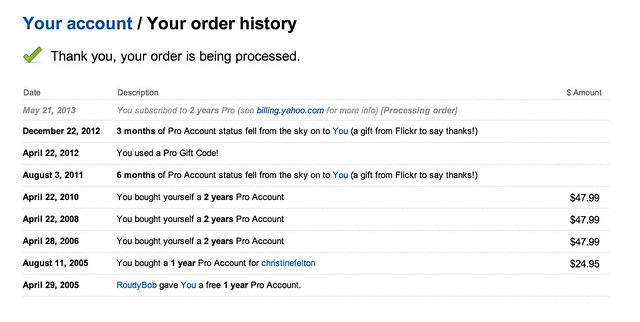
6. If you have a Flickr Pro account, do NOT let that expire. Your Flickr Pro account is worth more than it’s ever been worth in the past. It’s pure gold. Getting unlimited, high res, ad-free photos was the deal of a lifetime. Although Flickr is no longer offering this extraordinary deal anymore, if you have it, you get to keep it.

Go here to check on the status of your Flickr Pro and I’d recommend both renewing it now AND making sure you are set up as a recurring Pro so it automatically charges your credit card in the future. Don’t lose this awesome benefit.

Tip #7, Reupload Your Avatar

7. Make sure you reupload your Flickr avatar on the new Flickr. The old Flickr used a smaller version of your avatar, so you might notice that you have sort of this weird small avatar over a larger, dimmed out version of your old avatar on your Flickr page. You can reupload a better sized version of your avatar which will override this and make your new, larger avatar look much better.

Tip #8, Make Sure to Personalize Your Cover Photo

8. Change your cover photo. Flickr added a number of new cover photos by default with the new page design. Go to your page and change your cover photo to something new. Find a photo of yours (or a portion of a photo of yours) that uses an extreme landscape crop and will fit there and work well. I used a mosaic strip of photos for mine.

Tip #9, Review Who Calls You a Contact

9. Make sure to review your “who calls you a contact” page. This is a page that shows everyone on Flickr who has contacted you. You may be surprised that some of your friends have contacted you that you are not aware of. Review this list to see if you’ve missed any old or new friends on Flickr and add them back if you want.

Tip #10, Mobile

10. Make the most out of mobile. Although 95% of my own personal Flickr time is spent on the web version, don’t forget about mobile. Earlier this week, Flickr rolled out their Android app, which is every bit as good as their previous iPhone app and probably even better.

One of the easy things to do with this app is to favorite photos by your friends. Simply pull up your contacts photostream on the app and tap/tap to fave a photo. You can scroll down and see different friend’s photos or you can scroll sideways and see more photos from a single friend. When you have down time on the bus, or are waiting for your table at Bob’s Big Boy or wherever, use that time to favorite photos of your friends. They will see that and favorite your photos back most likely. :)

Ok Glass, Get Dogfood

Bonus tip: Get the new Flickr app for Google Glass. It’s awesome! ;) Just kidding. There’s no new Flickr app for Google Glass…

…yet.

You can find me on Flickr here.


Thomas Hawk Digital Connection

 
Comments Off on Top 10 Ways to Get the Most Out of the New Flickr

Posted in Photography


The 13 Most Popular DSLRS Among dPS Readers [May 2013]

14 May

It has been 4 months since we updated our ‘Popular Cameras and Gear’ list here on dP – a list of the hottest selling cameras and accessories among our readers (based upon what they are buying on Amazon*).

So today I have updated the most popular DSLR list of cameras. What follows is the most popular camera DSLR bodies.

It is topped by Canons Rebel T4i which tops the list for the first time after quite a long reign of the T3i (now in #2 spot).

1. Canon EOS Rebel T4i

61W0knoTL2L._SL1500_.jpeg

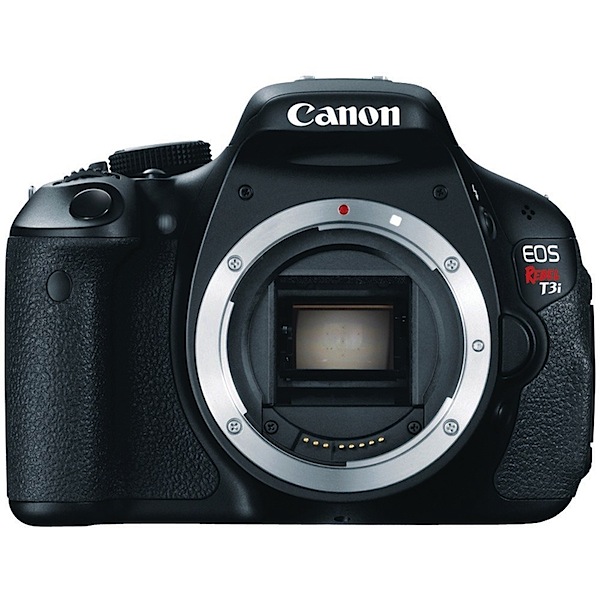
2. Canon EOS Rebel T3i

_images_I_71lbwO52tvL._AA1000_.jpg

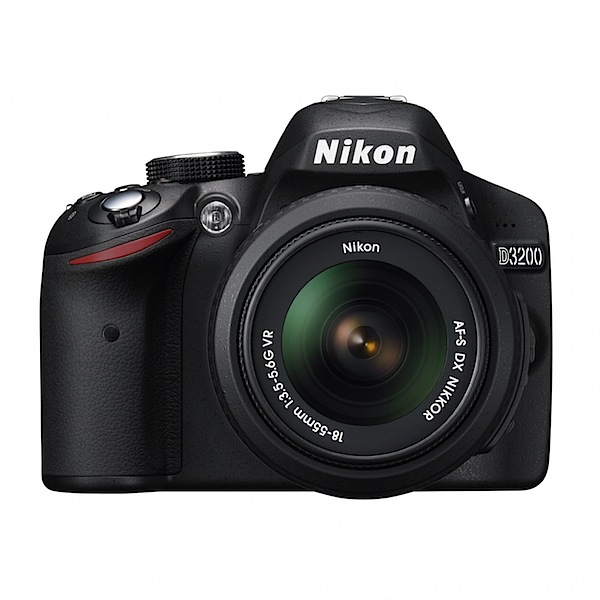
3. Nikon D3200

_images_I_91WSe2OKasL._AA1500_.jpg

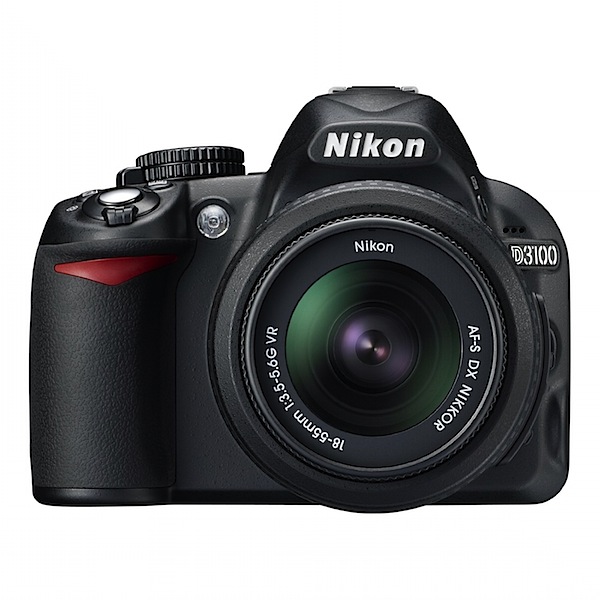
4. Nikon D3100

_images_I_713u2gDQqML._AA1500_.jpg

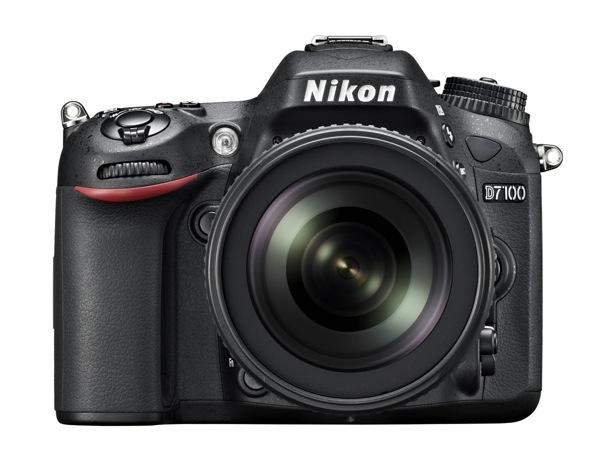
5. Nikon D7100

91Ns138GTAL SL1500

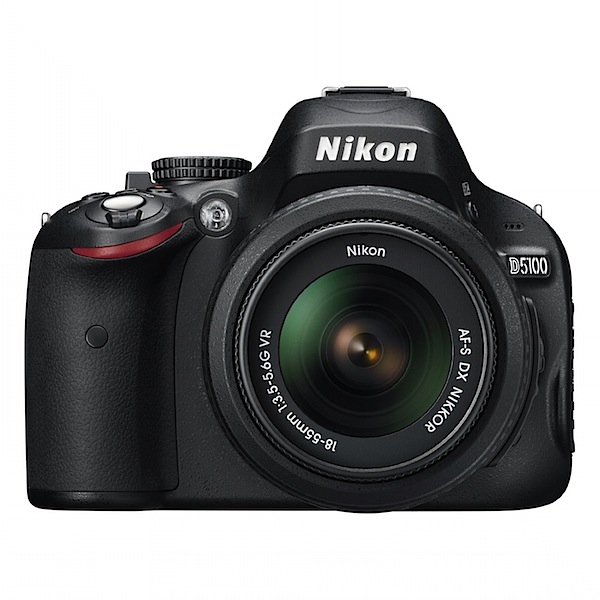
6. Nikon D5100

_images_I_81PnDu4O7tL._AA1500_.jpg

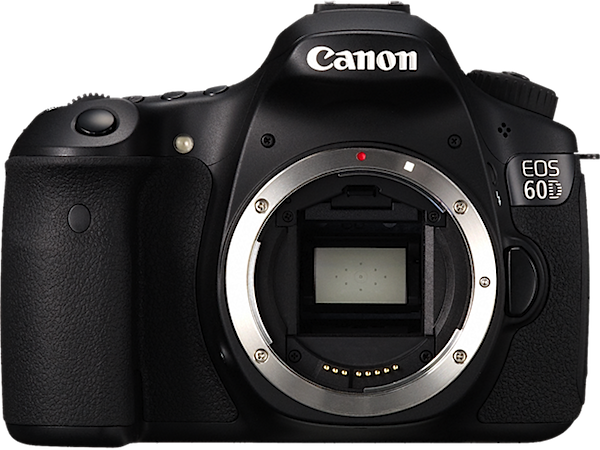
7. Canon EOS 60D

60D_07_AUS.png

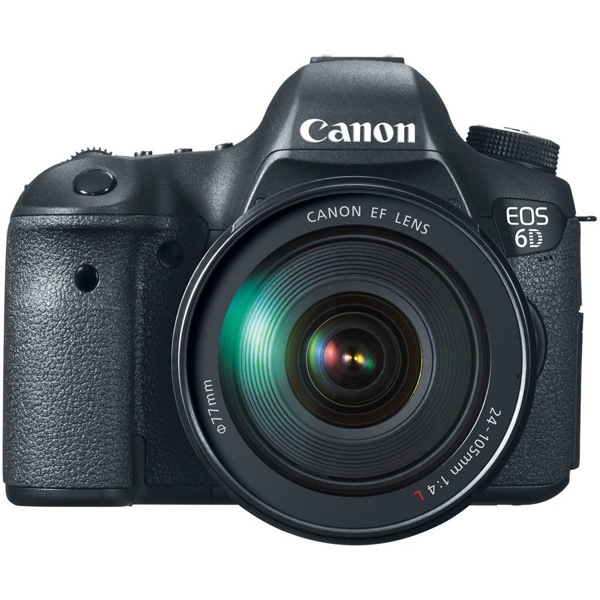
8. Canon EOS 6D

71lm0i0NUiL SL1000

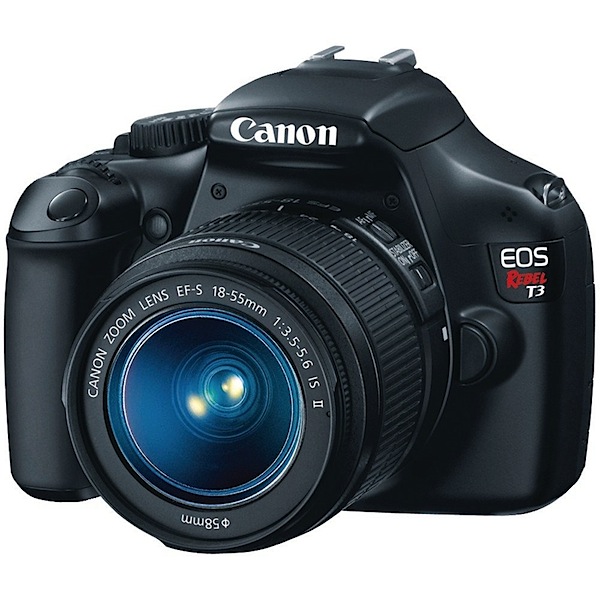
9. Canon EOS Rebel T3

_images_I_71AKBVTvZdL._AA1000_.jpg

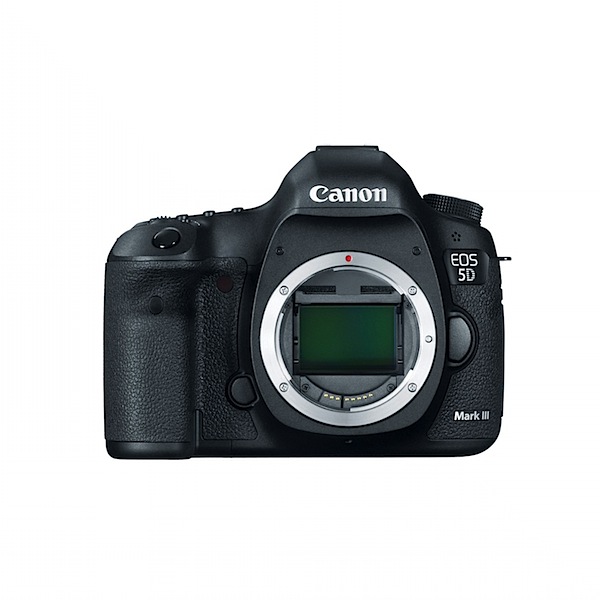
10. Canon EOS 5D Mk III

_images_I_71X9b9JhO8L._AA1500_.jpg

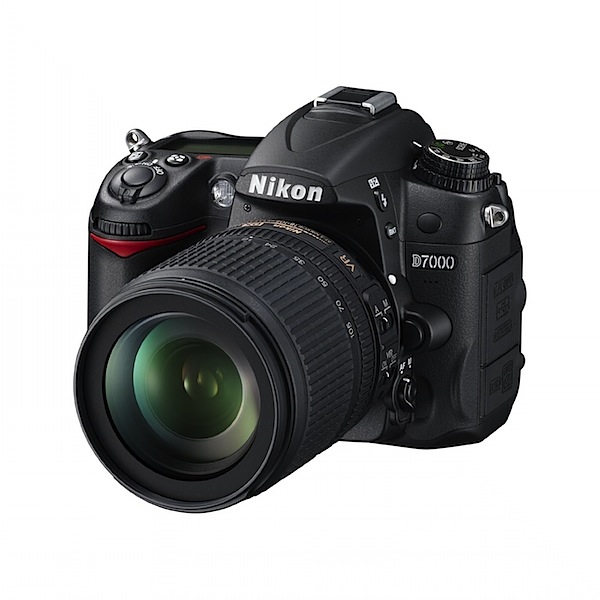
11. Nikon D7000

_images_I_71yf785aBmL._AA1500_.jpg

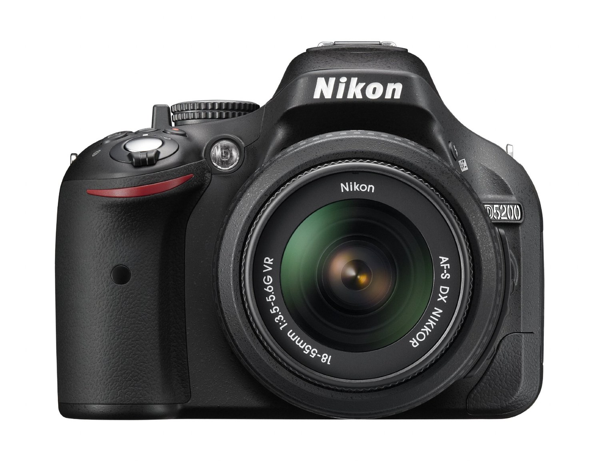
12. Nikon D5200

NewImage

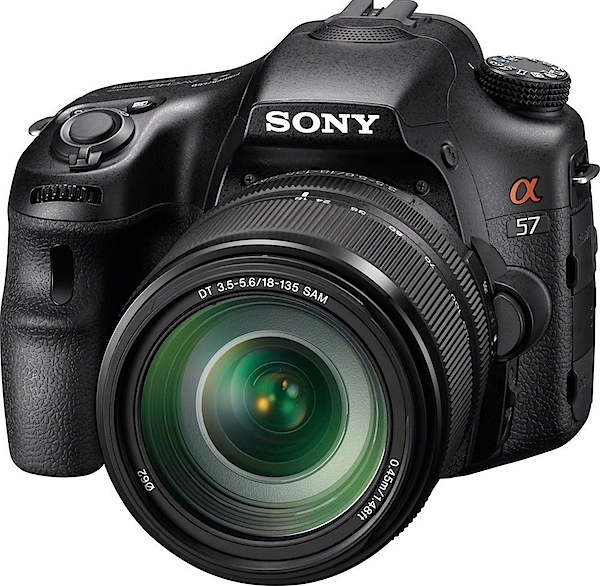
13. Sony Alpha SLT-A57M

71-X96zbUiL._SL1000_.jpeg

As usual, this list isn’t a list of the ‘best’ cameras – just what people are buying on Amazon right now.

**Note: this list was compiled from reports supplied to us from Amazon.com where we are affiliates. One of the ways dPS is able to cover its costs and be a sustainable business is that we earn a small commission when readers make a purchase from Amazon after clicking on our links (including those above). While no personal details are passed on we do get an overall report from Amazon about what was bought and are able to create this list.

Post originally from: Digital Photography Tips.

Check out our more Photography Tips at Photography Tips for Beginners, Portrait Photography Tips and Wedding Photography Tips.

The 13 Most Popular DSLRS Among dPS Readers [May 2013]


Digital Photography School

 
Comments Off on The 13 Most Popular DSLRS Among dPS Readers [May 2013]

Posted in Photography


How to Master Sunrise Photography in the Most Effective Way Possible

13 May

Sunrise photography is underappreciated. Heck, many people take the sunrise for granted; after all, it happens every day! If this is the way you actually feel, you are missing out on a golden opportunity to capture some of the most breathtaking pictures on Earth. People seem to be more captivated by sunsets, but that’s really regrettable when you think about Continue Reading

The post How to Master Sunrise Photography in the Most Effective Way Possible appeared first on Photodoto.


Photodoto

 
Comments Off on How to Master Sunrise Photography in the Most Effective Way Possible

Posted in Photography


Poll: What concerns you most about Adobe’s move to subscription software?

09 May

AdobeCClogo.png

Adobe’s decision to move to a subscription-based model for its professional creative software has prompted probably  the most impassioned response we’ve ever seen to a news story on dpreview.com. There’s a risk that the sheer volume of comments might prevent a clear message being heard, so we’ve prepared a poll of the most common complaints, to help establish what your biggest concerns are.

News: Digital Photography Review (dpreview.com)

 
Comments Off on Poll: What concerns you most about Adobe’s move to subscription software?

Posted in Uncategorized


My Most Common Portrait Mistake

05 May
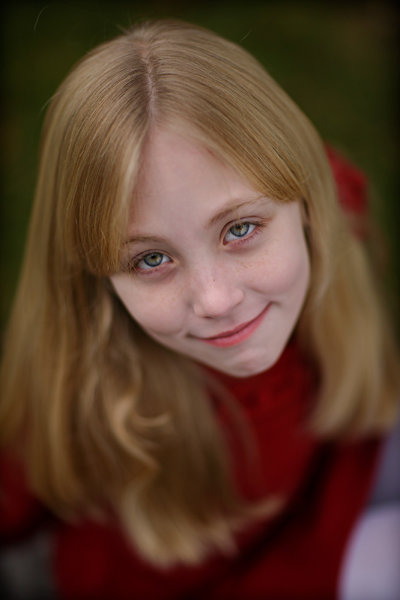
Here, I managed to avoid making the mistake, by having my subject keep both eyes on the same plane.  The look is striking, in that the depth of field drops off immediately and the image softens dramatically after the area of sharp focus around the eyes.

Here, I managed to avoid making the mistake, even though I shot the lens wide open at f/1.2,  by having my subject keep both eyes on the same plane. The look is striking, in that the depth of field drops off immediately and the image softens dramatically after the area of sharp focus around the eyes.  Exposure was 1/6400, f/1.2, ISO 200. Camera was EOS-1Ds Mark III, with EF 85mm f/1.2.


We all make mistakes.  Even the best photographers I know make a mistake now and then. And usually, we all have one we can’t get seem to stop making. For me, it’s a different mistake for each type of photography, whether it’s a portrait, a landscape, or some other type of photography.  The secret to getting better as a photographer is overcoming these mistakes and to stop making them.

When shooting portraits, my biggest problem isn’t lighting, or posing.  My problem is with my own settings, especially when using my favorite portrait lens. That would be the Canon EF 85mm f1.2L II.  This is a lens with incredibly smooth bokeh, and a unique look, especially when shot wide open. And I do love to shoot it wide open.  But it does require some extra care when doing so, which leads to my most common mistake.

When shooting the 85mm f/1.2 wide open (or even close to wide open), and close up, your depth of field is paper thin. If you were to focus on an eyelash, the eye itself would be out of focus. It’s that unforgiving. When done right, it creates a beautiful image, where the eyes are the sole focus. When done wrong, it ruins the image beyond repair.  The mistake is easily fixed; it just requires that you pay attention as the pose shifts, adjusting the aperture to give you the proper depth of field. In addition, if that paper-thin depth of field is what you want, simply adjust the pose so that it works for the shot.

This is probably my least favorite mistake, in that it’s not something that can be fixed in post.  Sometimes things happen quickly and it’s not possible to turn the dial that quickly. But sometimes taking a deep breath, and mentally running through the settings, is a good way to ensure you get the shot you want.  Is my shutter speed fast enough? Or slow enough? Do I have enough depth of field? Or too much? Is my ISO too high for the lighting conditions?  Or not high enough? It’s a mental checklist that can take only a second, but can ensure that you get the image you want.

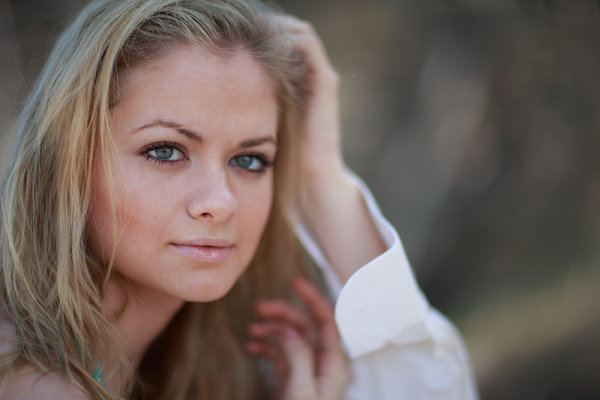
In this image, also shot at f/1.2, because the model's eyes are not on the plane, the right eye drops out of focus.  The effect is disconcerting, and a mistake I make more than I'd like. It would be so easy to turn the aperture dial and stop down enough to give me the proper depth of field. I just need to remember to do that.

In this image, also shot at f/1.2, because the model’s eyes are not on the plane, the right eye drops out of focus. The effect is disconcerting, and a mistake I make more than I’d like. It would be so easy to turn the aperture dial and stop down enough to give me the proper depth of field. I just need to remember to do that.  Exposure was 1/4000, f/1.2, ISO 100. Camera was the EOS-1D X, with EF 85mm f/1.2L II lens.

For this image, I stopped the lens down to f/5.6. This game me enough depth of field to keep both eyes sharp, while the background remained out of focus.

For this image, I stopped the lens down to f/5.6. This game me enough depth of field to keep both eyes sharp, while the background remained out of focus. Exposure for this one is 1/100, f/5.6, ISO 100. EOs-1D X with EF 85mm f/1.2L II.

Post originally from: Digital Photography Tips.

Check out our more Photography Tips at Photography Tips for Beginners, Portrait Photography Tips and Wedding Photography Tips.

My Most Common Portrait Mistake


Digital Photography School

 
Comments Off on My Most Common Portrait Mistake

Posted in Photography


3 Stupidly Simple Reasons Why Most People’s Photography Does Not Improve

01 May

Image by Darwin Bell

I’m presuming that this article will not apply to most of us… but after 3 conversations in the last week which revealed the same photography problems in 3 different people – I thought I’d better jot them down.

Warning: none of this is rocket science sometimes the basics need to be said!

1. You don’t Take Your Camera With You

If you don’t practice using your camera you’re unlikely to ever grow in your understanding of and skill in photography and if you rarely have it with you – you’ll not get that practice.

Does that mean you need to lug your DSLR and all your cumbersome gear around with you all the time?

Maybe – I have friends who are never without their main camera – but if that’s just not practical, at least make sure you have a smaller point and shoot or even a decent camera phone with you at all times. While the quality of the images you take might not be as great with these cameras – at least you’ll be practicing your composition, thinking about light, color and other aspects of photography.

2. You’re Going too Fast

Many of us lead life at such a fast pace that we rarely stop to see the opportunities right before us to take wonderful images.

You can carry your camera around with you 24/7 for the rest of your life but unless you learn to slow down and to look at the world a little differently you may never actually use it.

As a result – I guess one of the tips I find myself giving to some that I talk to is to find ways to slow down – or at least slow down temporarily to set aside time to be a bit more intentional about photography. It might start by taking a walk with the main objective of doing some photography but could also be something bigger like a weekend away with your camera or even taking a photography class or tour.

For me its about building photography into your daily rhythm and in time it starts to become a more natural thing as you get in the habit of seeing life a little differently.

3. You are Worried what Others Will Think

I’ve come across quite a few people lately who suffer from ‘framing paralysis’.

They take their camera with them and they even slow down enough to see the photographic opportunities around the – but there’s just something that stops them lifting their camera up to frame the shot.

When I dig a little I’ve found in most of these instances the person is simply worried about what others around the will think if they use their camera. Will they look stupid? Will people think that they’re photographing them?

Its a feeling I’ll admit to having myself in the past and when I asked about it on our Facebook page the other day it seems that it’s quite common.

I guess the key to moving through framing paralysis is to grow your confidence as a photographer. For me the more photos I took and the more I began to exercise the discipline of taking images the easier it got. Another friend of mine got over his paralysis by finding a photography buddy to go out with – two of the taking shots somehow seemed less confronting than him doing it alone.

What do You Think?

Of course the above are very simple things that hold many people back and there are bound to be others that readers here at dPS might have experienced. I’d love to hear from you on two fronts:

  1. what other simple things hold you (or other photographers) back from improving?
  2. what tips and solutions would you give others facing these problems?

I’m looking forward to hearing more from the dPS community on this!

Post originally from: Digital Photography Tips.

Check out our more Photography Tips at Photography Tips for Beginners, Portrait Photography Tips and Wedding Photography Tips.

3 Stupidly Simple Reasons Why Most People’s Photography Does Not Improve


Digital Photography School

 
Comments Off on 3 Stupidly Simple Reasons Why Most People’s Photography Does Not Improve

Posted in Photography