RSS
 

Posts Tagged ‘More’

How to Use Portrait Angles More Creatively: A Visual Guide

11 Jul

When it comes to creating a successful portrait, there are a lot of moving parts! We talk often about finding the light, composition, and camera gear when it comes to portraits. While all three of those things are important in creating your final image, they aren’t the only variables at play.

Another important aspect in capturing portraits is angles. Understanding and making good use of angles in portrait photography, allows you to capture images of your subjects in the most flattering way, unique to each person you’re photographing.

portrait-angles1

Under the umbrella of “angles” are two different aspects – facial view, and camera angle. Facial view simply refers to how much of a person’s face is visible in the photograph. Whether or not you recognize the term facial view, you probably understand that there’s a visual difference between a photograph of someone looking directly into the camera, and a photograph of them in profile. These are examples of both ends of the facial view spectrum. In addition to facial view, you’ll also want to learn to utilize camera angle in portraiture. Camera angle refers to whether you’re holding the camera at eye level, or above or below the eye level of your subject.

The concepts themselves are pretty simple, right? However, the difficult part is learning how each of these variables interact with each other, and your subject. Let’s walk through some visual examples of different facial views and camera angles using the same gear, subject, location, and same time of day, while observing how different angles change the look and the feel of each image.

Camera Angles

portrait-angles2

Eye Level

One of the most common camera angles for portraits is to place the camera at the subject’s eye level. This camera angle results in a final image that is balanced, and proportionate between head and body. It also allows for the subject to look directly into the lens, which tends to create the feeling of connection in a portrait. This is a flattering camera angle for most people.

portrait-angles3

High Camera Angle – Above Eye Level

Shooting from a high camera angle (with the camera above the subject’s eye level) is another great option to try in your portrait photography. With this angle, the focus is on the face rather than the body and can be a very slimming angle for adults. I’m not at all concerned with making children seem slimmer than they really are, but find that I use this angle a lot when photographing children because I like the way that it emphasizes the childlike qualities of kiddos. I find that parents tend to really enjoy photographs of their children taken from a high camera angle, and I believe that’s because parents see their children from this angle quite often in their day-to-day life, so it feels very natural and candid.

As a bonus, shooting from a high angle makes it really easy to achieve good catch lights in their eyes, and can also help to camouflage a less than desirable background. On the other hand, this camera angle may not be to your advantage in some situations; if your subject is very thin, shooting from above can sometimes make your subject look like a bobble-head, which is very rarely flattering.

portrait-angles4

Low Camera Angle – Below Eye Level

Shooting from a low camera angle (with the camera placed below the subject’s eyes and tilted up) can make people seem tall and authoritative, but can also tend to make people (their body in particular) look larger than they really are, which is not very flattering for most people.

This is particularly important to keep in mind if you’re photographing someone who is taller than you. If you’re 5’2″, and the person you’re photographing is 6’4″, you may need to be creative to make sure that you’re not photographing the whole session from a low camera angle. Have your subject sit, crouch, or find something that you can climb on to create a more even plane, for at least some of the photos – it really will make a difference.

I’ve used this camera angle a handful of times with newly walking babies, and could envision using it with a wider angle lens (to capture more of the body) if I were photographing a politician, a football player, or someone who wished to appear particularly powerful. Overall though, this is usually not the most flattering angle for portraits.

portrait-angles7

Don’t be afraid to experiment. Try capturing the same image from two different camera angles. The image above demonstrates how the same subject and pose appears from eye level, as well as from a high camera angle. If you did a poll, I bet you’d find that some people prefer the eye level shot, and some prefer the high camera angle. This is largely a matter of taste and preferred aesthetic, so I frequently make a point to include both sorts of angles in my portrait sessions.

Facial Views

portrait-angles6

Photographing a subject full-face means that their face is pointing directly towards the camera lens – you can see both ears, and both sides of the face in equal amounts. Full-face portraits often convey a sense of confidence and assertiveness, especially when the person being photographed is looking directly into the camera with their eyes also.

portrait-angles8

Other facial views include 3/4 view, 2/3 view, and profile view. With 3/4 view, the subject has turned just enough so that one of their ears is no longer visible to the camera. With 2/3 view, the subject has continued to turn so that their nose is just about to break the plane of their back cheek. For a true profile portrait, the subject’s face is turned 90 degrees, and is perpendicular to the camera.

Shooting with the subject’s face turned to 2/3 view or 3/4 view tends to convey a more casual, and less assertive portrait. Images shot with a 3/4 facial view, and the subject looking just off camera, are often the most successful candid images, because the facial expressions are still easily visible to the viewer. Similarly, shooting in profile allows for portraits that feel unposed, while also being graceful and demure (particularly when shot in silhouette).

portrait-angles5

The best way to begin to learn, and really understand angles, is to grab a friend and go experiment. Take photos from every camera angle you can think of, including non-traditional angles like a bird’s eye or worm’s eye view. Then, take a photo with every facial view – full face, 3/4 view, 2/3 and profile. If you’re really feeling ambitious, try combining facial views and camera angles – does the feel of the portrait change if you shoot full-face from eye-level versus from a high camera angle?

Chime in below, do you find that you gravitate towards images with a particular facial view and/or camera angle? What tends to be your preference and why?

googletag.cmd.push(function() {
tablet_slots.push( googletag.defineSlot( “/1005424/_dPSv4_tab-all-article-bottom_(300×250)”, [300, 250], “pb-ad-78623” ).addService( googletag.pubads() ) ); } );

googletag.cmd.push(function() {
mobile_slots.push( googletag.defineSlot( “/1005424/_dPSv4_mob-all-article-bottom_(300×250)”, [300, 250], “pb-ad-78158” ).addService( googletag.pubads() ) ); } );

The post How to Use Portrait Angles More Creatively: A Visual Guide by Meredith Clark appeared first on Digital Photography School.


Digital Photography School

 
Comments Off on How to Use Portrait Angles More Creatively: A Visual Guide

Posted in Photography


Avast Photo Space lets you store more photos on your iPhone

18 Jun

Software maker Avast is known by most users for its mobile and desktop anti-virus products, but now the company has launched an app with a totally different use case. Avast Photo Space allows you to increase the number of pictures you can store on your iPhone by up to 7 times. 

It does so by reducing the resolution of the images that are stored on your device down to the resolution of the screen. At the same time, the app connects to your personal cloud service – currently Dropbox or Google Drive are supported –  where it stores the full-size versions. So you can always access the original files when needed, but still have a usable smaller image on your device. 

Avast Photo Space also comes with its own camera app which automatically transfers, optimizes and syncs your images right at the point of capture, for a totally seamless user experience. Given the iPhone does not offer any local storage expansion options the app sounds like a good idea for those users who are constantly on the verge of running out of photo storage space and don’t rely much on image magnification while viewing. Avast Photo Space is now available as a free download from the Apple App Store. 

Articles: Digital Photography Review (dpreview.com)

 
Comments Off on Avast Photo Space lets you store more photos on your iPhone

Posted in Uncategorized


5 Tips to Improve Your Background and Make the Subject Stand Out More

30 May

If you are looking for a quick, simple, hassle-free way to make your images pop more and stand out, this is the article for you!

You don’t have to be a Photoshop genius – in fact, this may help you spend less time in Photoshop. These simple tips can elevate the photos you take. If there was one element in many images I see that could greatly improve it, it would have to be this: backgrounds. An ugly or distracting background can easily reduce the impact of even the best subjects. A clean, un-distracting background will help improve your images and make your subjects stand out even more. The best past is, you wont even have to spend a cent to do this.

Even though the background here works quite well with the subjects, using a wider aperture has ensured that the subjects do not get lost, but stand out. © Daniel Smith / Getty Images.

Even though the background here works quite well with the subjects, using a wider aperture has ensured that the subjects do not get lost, but stand out. © Daniel Smith / Getty Images.

All too often we overlook the background and what is in it. You swear that those power lines weren’t in the viewfinder when you took that picture, and that post, where did that post come from?! That surely wasn’t protruding from your partner’s head when you clicked the shutter button. This occurs for a number of reasons:

  • You’re too focussed on the subject alone that it’s almost like you have blinders on and the subject is all you can see.
  • You may get too obsessed with the camera settings and making sure you nail the photo that you miss all those little annoying things that pop in to the frame.
  • Or you are simply unaware of the importance that a good background can make.

So how can you improve your backgrounds, or at the very least, reduce the negative impact they can have on your images? By following these simple strategies, you’ll be well on your way to a better background and improving your images.

#1 – Location, Location, Location

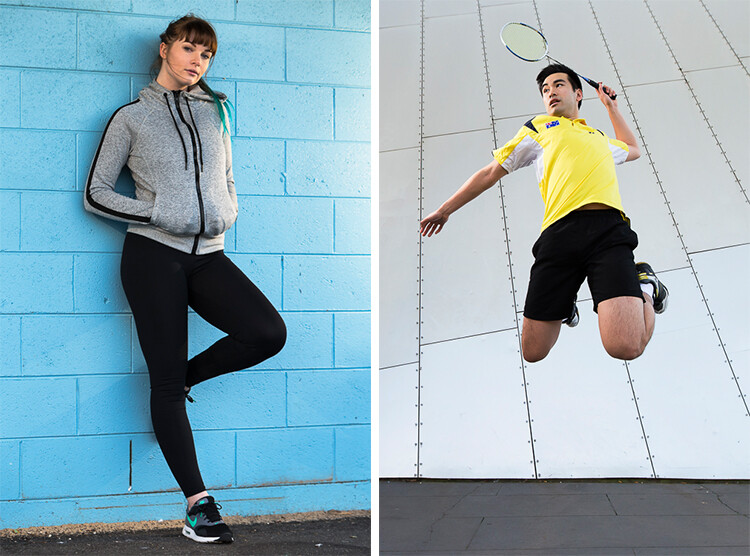
If you have the option, do try and choose a location that has a nice background – that will make it as easy as it can get. What defines a nice background will depend on your subject, but as a very general guide, look for a spot that has a uniform look to it. Brick walls, corrugated iron roller doors, metal cladding on walls, or even something as simple as a painted white wall, can all make for a nice clean background. Ultimately, what you are not looking for is something that has a lot of other elements in the frame, that do not add to your subject.

If you cannot find a location that has a clean background, looking for somewhere where the background complements – or works with – your subject will also work, too. An example of this would be with sport photography. You simply cannot decide where the game will be played, so you have to work with what you have. In this situation, think about what would look good as a background. Would a stand full of supporters look better than a car park full of cars or a building site? I think it would. The stand full of supports, while not clean, works with your subjects and in fact, has more impact as the supporters add a nice element of atmosphere to the image.

Cluttered BG 1

Even though this image has the stadium in the background, it is a little cluttered. The seats are mostly empty, so it’s not really portraying any sense of atmosphere in the sport.

Clean BG 5

By changing my position, I was able to use a the large black cloth in the background to make the athlete stand out much more. Nothing more than moving was required; much easier.

Here, the backgrounds in these two images are quite plane. They help make the subjects the heroes of the images, as there is nothing else to compete with them.

With this image, the stands in the background have much more people in them. This works nicely to complement the subjects which, in this case, are the players. © Daniel Smith / Getty Images.

While this is a nice action frame, the background is not that fantastic. It’s in between areas of the different stands at this venue. It would look much better if it were against the full stadium, as in the previous image. © Daniel Smith / Getty Images.

You’ve found your location, but a clean background just cannot be had. What do you do?

#2 – It’s All About Perspective

A good backgrounds can be anywhere, and it can change quite a lot depending on the angle at which you photograph your subject. You may be in a very busy space, but within that space will exist areas of calm and peace. By this I mean that your backgrounds can be clean; even when it just looks cluttered in all directions.

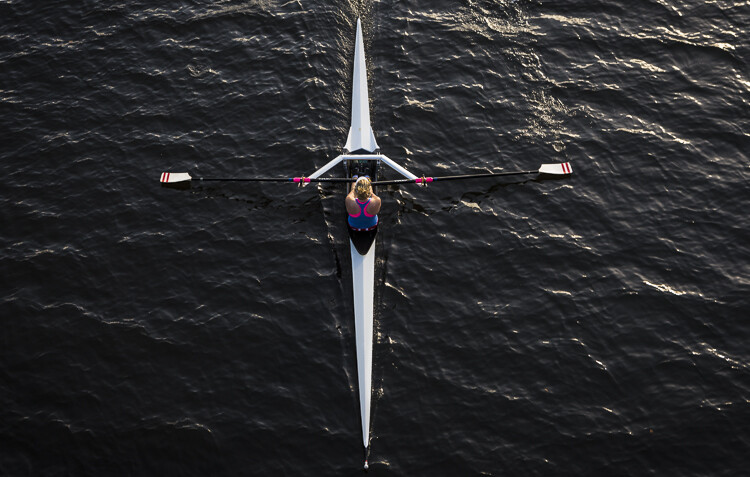
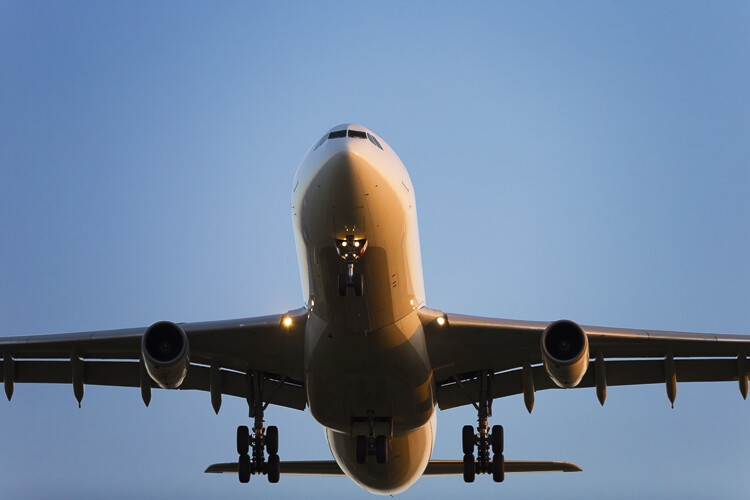
When this happens, consider photographing from a different perspective. Photographing your subject from down low will make the sky your background. Conversely, if you’re looking down on your subject, whatever is below them will be the background. So if you cannot find an ideal background, don’t forget to look up and down – that’s where the best one may be hiding.

Relevant BG 1

This rower was photographed from a bridge, making the water the background. in this case, the background works quite well with the subject.

Clean BG 7

This time, I was photographing this plane landing. This meant that I would be looking up, and the sky became the background here. The complementary colour set of the blue sky and yellow light on the plane also help to make the subject stand out more.

You may have the best background sorted. But it’s not always possible to be lucky enough to have that perfect background all the time. So what else can you do to help your subject?

#3 – Camera Craft

There will be times – more often than not – where you simply cannot win with your background. No matter which way you stand, you just can’t seem to find a nice clean backdrop. What now? Here’s where a little camera craft comes in to play and you have a couple of tricks up your sleeve with this.

First point of call is aperture. You know that you can simply open your aperture up a little more, and give that background some nice bokeh (or blur) to reduce its impact. Even when you do have a nice complementary background, it’s still a good idea to use a wider aperture to blur it out a bit and make your subject stand out against it more.

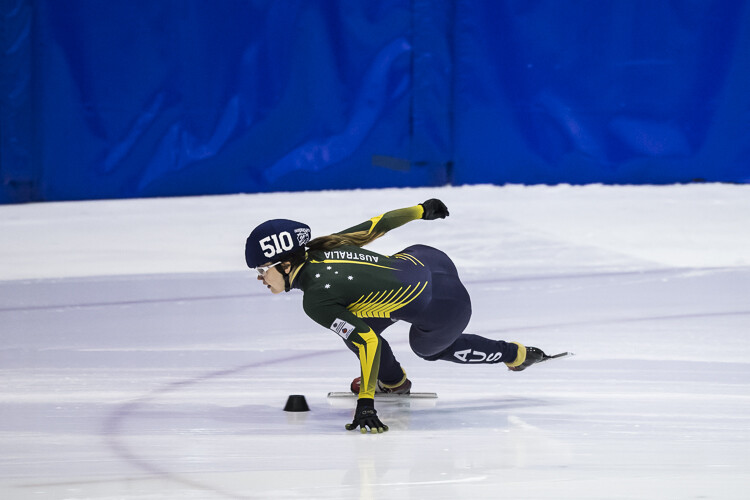
What if you can’t open your aperture any further, though? There’s still hope. Our next strategy is to play with shutter speed and use a panning technique. This can help greatly in rendering a busy background into a nice blurry mess. It also helps to add a great sense of movement and action, as well as give a sense of excitement to an image. If you’re unsure about how to do panning, have a read of this article – it will help greatly. But in a nutshell, panning is the technique of using a slower shutter speed (usually around 1/60th or slower) while tracking a moving subject. The combination of a slow shutter speed, coupled with the panning action, will result in a nice motion blur affecting the background, and if done correctly, the subject will remain sharp.

Cluttered BG 2

This background is clean; there are no real distractions in it, but it could be improved upon.

Clean BG 6

Here’s a different frame but this time, a panning technique has been used to remove all the creases in the blue backdrop. This has made the background cleaner again, and the added motion blur gives a sense of speed which works well with the subject.

Clean BG 8

The use of a wide aperture here has dramatically blurred out the background making it much cleaner. The result is that the subject stands out much more. © Daniel Smith / Getty Images.

#4 – Can You See the Light?

Something that seems to always be overlooked in photography is light. This seems to me like quite a remarkable thing since without light, we don’t have much of a photo. But using light, and the contrast it can provide, is another way to reduce the appearance of a distracting background. With this strategy you need to look for a higher amount of contrast between your subject and the background; that is, you’re subject is (ideally) brighter than the background. By exposing for your subject (the brightest area) you effectively make shadowed areas in the frame darker, thereby affecting your background. This can be achieved with both natural light and flash.

Contrast1

In this image, the flower was in the daylight; whereas the background was in the shade. I exposed for the flower and this made the background darker.

Again, the background here is much darker than the subject; helping to isolate the subject more. © Daniel Smith / Getty Images.

Again, the background here is much darker than the subject; helping to isolate the subject more. © Daniel Smith / Getty Images.

Clean BG 2 Clean BG 1

These photographs were taken in an undercover car park. I used two flashes (both off-camera) as my only light source. This removed any ambient light affecting the image.

#5 – The Final Stop

You’ve done what you can with the background. You’ve tried everything, but your background still doesn’t want to play ball. There will be times when you simply cannot control any of the aspects that have been mentioned. Don’t worry – it isn’t uncommon. Now all you can do is hope that there is something that can be done later, and there is!

If you’ve done everything you can to help improve your background and you’re still not winning, the last port of call is post-processing. You may be thinking, “Hold on, I’m not that great with selecting and masking in Photoshop yet.” but you needn’t worry. There is no selecting or masking with this one. (As a side note, if you intend on making a selection around your subject and replacing the background, you will need to photograph your subject accordingly to make this much easier and more natural).

All you need do is crop your image. That’s it. Cropping is about all you can do now. By cropping, you are effectively removing as much of the background as possible without cropping into your subject. Don’t worry about how much you are cropping out – unless of course you intend on doing a large print. You’d be surprised at how much many photographers are willing to crop.

Do you have any other tips for making the subject stand out, or improving the background? Please share your thoughts and images in the comments below.

googletag.cmd.push(function() {
tablet_slots.push( googletag.defineSlot( “/1005424/_dPSv4_tab-all-article-bottom_(300×250)”, [300, 250], “pb-ad-78623” ).addService( googletag.pubads() ) ); } );

googletag.cmd.push(function() {
mobile_slots.push( googletag.defineSlot( “/1005424/_dPSv4_mob-all-article-bottom_(300×250)”, [300, 250], “pb-ad-78158” ).addService( googletag.pubads() ) ); } );

The post 5 Tips to Improve Your Background and Make the Subject Stand Out More by Daniel Smith appeared first on Digital Photography School.


Digital Photography School

 
Comments Off on 5 Tips to Improve Your Background and Make the Subject Stand Out More

Posted in Photography


Western Digital acquires SanDisk as more data moves to solid state memory

27 May

Hard disk drive giant Western Digital has completed its acquisition of flash manufacturer SanDisk in a deal that will create a partnership that WD hopes will help it leap into the future of computer memory. The company announced plans to buy SanDisk last fall.

Western Digital’s reliance on spinning disk technology in a world that is swiftly moving towards solid state drives has been a cause for concern for the company that currently claims 44% market share for HDDs. Acquiring the world’s largest producer of NAND flash memory should settle some nerves.

Western Digital is said to be interested in cloud storage and computing solutions as PC sales continue to decline, so SanDisk’s know-how in flash data center technologies that provide more capacity in a smaller space, with less heat and faster communication have proven attractive. 

All told, the deal cost Western Digital $ 17 billion in cash and shares, $ 2 billion short of initial estimates. The company expects to be able to make significant savings through economies of scale, expecting combined revenue of almost $ 20 billion with a better position to compete against Samsung and Micron.

For more information visit the SanDisk and Western Digital websites.


Press release:

WESTERN DIGITAL COMPLETES ACQUISITION OF SANDISK, CREATING A GLOBAL LEADER IN STORAGE TECHNOLOGY

Western Digital® Corporation (NASDAQ: WDC) today announced that its wholly-owned subsidiary Western Digital Technologies, Inc. has completed the acquisition of SanDisk Corporation (NASDAQ: SNDK). The addition of SanDisk makes Western Digital Corporation a comprehensive storage solutions provider with global reach, and an extensive product and technology platform that includes deep expertise in both rotating magnetic storage and non-volatile memory (NVM).
The Company also indicated that the debt financing associated with this transaction has been consummated and that the previously obtained funds from this financing have been released from escrow to Western Digital Technologies, Inc.

“Today is a significant day in the history of Western Digital,” said Steve Milligan, chief executive officer of Western Digital. “We are delighted to welcome SanDisk into the Western Digital family. This transformational combination creates a media-agnostic leader in storage technology with a robust portfolio of products and solutions that will address a wide range of applications in almost all of the world’s computing and mobile devices. We are excited to now begin focusing on the many opportunities before us, from leading innovation to bringing the best of what we can offer as a combined company to our customers. In addition, we will begin the work to fully realize the value of this combination through executing on our synergies, generating significant cash flow, as well as rapidly deleveraging our balance sheet, and creating significant long-term value for our shareholders.”

The integration process will begin immediately through the joint efforts of teams from both companies. As previously announced, Steve Milligan will continue to serve as chief executive officer of Western Digital, which will remain headquartered in Irvine, California. Sanjay Mehrotra, co-founder, president and chief executive officer of SanDisk, will serve as a member of the Western Digital Board of Directors, effective immediately.

“As a combined company, we will be best positioned to address the demands for data storage, which is growing exponentially every year,” said Sanjay Mehrotra. “Growth and change go hand in hand, and we couldn’t be happier to grow and change together with Western Digital. I look forward to contributing to realizing the potential of this combination as a member of the board.”
Under the terms of the transaction, each outstanding share of SanDisk common stock was converted into the right to receive $ 67.50 per share in cash and 0.2387 shares of Western Digital common stock.

SanDisk shareholders looking for information with regard to the payment of the merger consideration should review the Public FAQ available in the Investor Relations section of our website at investor.wdc.com or click here.

Articles: Digital Photography Review (dpreview.com)

 
Comments Off on Western Digital acquires SanDisk as more data moves to solid state memory

Posted in Uncategorized


Choosing the Right Camera Bag – and Why You May Need More than One

22 May

You’ve just bought yourself a new camera, or perhaps a new lens. Now you find yourself wanting to get a new bag for new purchases – after all, a good bag will protect your equipment, and can serve as an ideal place to store your photography gear when not in use.

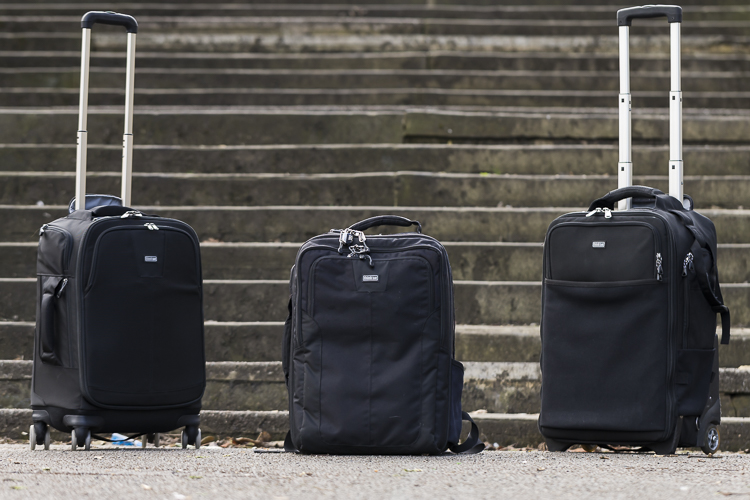
camera bags

These are some of my bags. The two end ones are both roller bags. From left to right: ThinkTank Roller Derby; ThinkTank Airport Accelerator; ThinkTank Airport Security.

However, choosing a camera bag that’s right for you may not be as straight forward as it seems, but it is something that some thought should be given to. Choosing the right bag can make photography more enjoyable for you, as it can help carrying your equipment easier and more comfortable.

The days of buying the generic shoulder bag are gone! Now we are spoilt for choice with offerings of backpacks, shoulder bags, sling bags, belt packs, roller bags; the list goes on. But which one is right for you? Which one is the best fit for you and your equipment needs?

1. Camera Bag Size

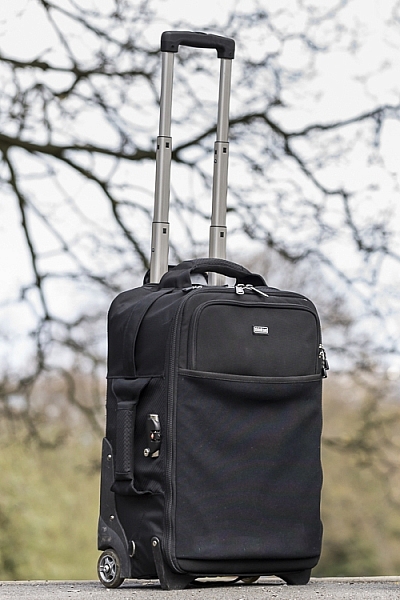
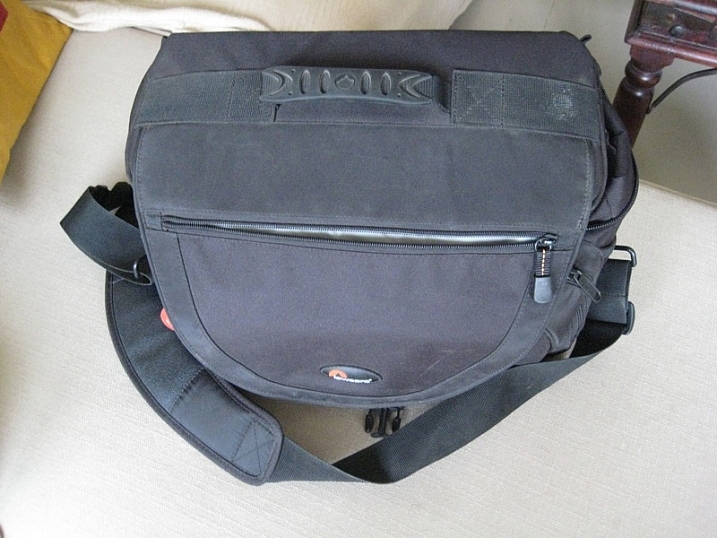
This is my largest camera bag. I use this bag when I need to carry more equipment than normal.

This is my largest bag. I use this bag when I need to carry more equipment than normal.

How much equipment do you have, and will you want to carry all, or only some of it with you? This will help you decide on which size bag you need to look at. Also, think ahead; will you be buying more equipment such as additional lenses or camera bodies? Will you be adding a flash system, etc.?

All of these will obviously increase the size of your kit, and influence the size of the bag you purchase if you wish to use the bag for all of your stuff. But, do bare in mind that the more kit you carry with you, the heavier the bag will be. Also do be aware that if you use a pro-sized or gripped body, some bags may not fit your camera as the bag is not deep enough to accommodate such sizes. Generally, bag manufacturers will give a list of what can fit into a bag, and list so you can see if pro-sized or gripped DSLRs are suited to that particular bag.

2. Camea Bag Style – The Personal Part

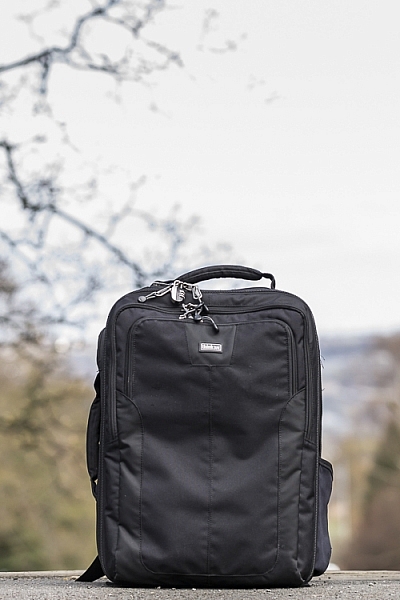
camera bag backpack

Choosing the size of your bag is relatively easy. It’s choosing the style of bag that I think is the most challenging, and this is where most people can get a little stuck. There are just so many choices available, it really does come down to personal choice.

I take my backpack, the ThinkTank Airport Accelerator (left), to nearly every job I do. I use this bag to carry my laptop, laptop accessories (charger, internet hub, card reader, etc.) and any other bits and pieces I may need such as wet weather gear. If I need it, I also put my modular set (not pictured) inside this bag to use on site.

You may prefer to use a shoulder bag, where the next person may prefer to have a backpack. It’s important to consider just how much equipment you want to carry around in your bag, as this can influence the style of bag you end up purchasing. Below is a small table with a short list of pros and cons to each style of bag.

Let’s have a look at some of the pros and cons of the following bag types:

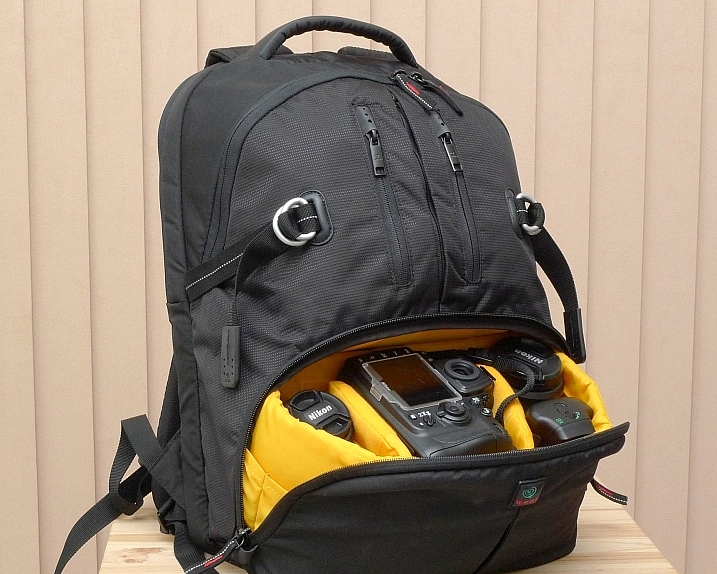
Backpacks

Backpack style camera bag

By ????? KhE ?

Pros:

  • Completely frees your hands, enabling you to use your phone, change lenses, etc.
  • Varying levels of carrying capacity.
  • Weight is moved from one shoulder (on a shoulder bag) to both shoulders, and your lower back.
  • Can be more comfortable that other options.
  • Can be ideal for storing equipment when not in use.

Cons:

  • Can be slow to access your equipment and/or change lenses etc
  • Bags can have the ability to carry too much equipment and become too heavy
  • Can become uncomfortable with sustained activities; especially in warmer climates

Roller Bags

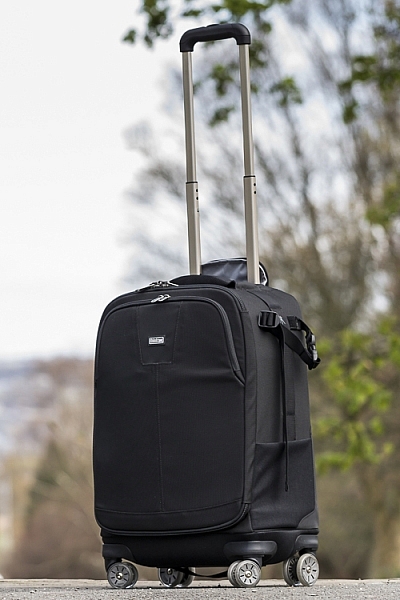
Roller bag style camera bag

By See-ming Lee

Pros:

  • Can carry the largest volume of equipment easily.
  • Easy to transport equipment, as you are not required to carry anything; simply roll the bag along.
  • Perfect for keeping all of your gear in one bag, and storing equipment when not in use.

Cons:

  • Not well suited if you require more mobility whilst out photographing.
  • Require somewhere secure to be left when no longer needed on a shoot.

Modular Systems

modular camera bag system

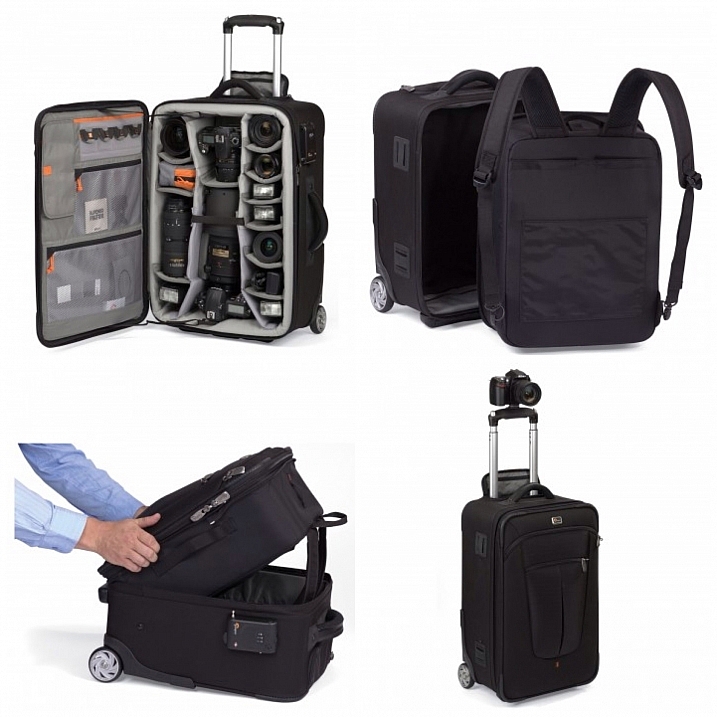
Image courtesy Lowepro

Pros:

  • Ideal for photographers who want maximum mobility.
  • Smal pouches that attach via a belt sit on your waist, thereby removing the weight off your back and shoulders, and transferring it to your hips.
  • Ideal for carrying extra pieces of equipment without the need for a bag on your back.

Cons:

  • Not ideal for transportation as the pouches to not offer enough protection.
  • Each pouch has a very limited carrying capacity, so not suited to carry all of your equipment.
  • Not suited for storing equipment as each pouch can only hold a very limited number of items.

Sling Bags

Pros:

  • A hybrid of backpack and shoulder bag; these bags sit on your back via a single strap.
  • Can be more comfortable for prolonged use than a shoulder bag.
  • Quickly and easily access your equipment without take the bag off.
  • Perfect for storing smaller amounts of equipment.

Cons:

  • Generally have a lower carrying capacity than other bag styles.

Shoulder Bags

Thomas Wanhoff

By Thomas Wanhoff

Pros:

  • Easy access to equipment as it’s by your side.
  • Can look more casual, allowing you to blend in easier.
  • Varying levels of carrying capacity to suite your equipment.
  • Can be great to store equipment when not in use.

Cons:

  • Weight of equipment is on one shoulder and can cause discomfort.
  • Not ideal if you have larger lenses (greater than ~200mm for example).

3. Active or Passive Bag Concept

Personally, over the years I have used pretty much every style of bag around from backpacks, sling bags, shoulder bags, to roller bags and modular belt systems; you name it and I’ve most likely used it at some stage!

What I have learned from this experience is that one style of bag is no better than the next and that what works on one adventure, won’t necessarily work as well on another. I have also learned that generally, one bag will not fit every situation. This brings us to an interesting concept that I have called Active Bag and Passive Bag.

An Active Bag is a one that allows you to easily carry equipment with you and be more mobile; one that can go with you all the time. The styles of bag that are suited to this are: backpacks, sling bags, modular systems and shoulder bags.

This roller bag - the ThinkTank Roller Derby - is the bag that I take to pretty much every job I have. It's small enough to easily fit in the car, yet carries everything that I need on a job.

This roller bag – the ThinkTank Roller Derby – is the bag that I take to pretty much every job I have. It’s small enough to easily fit in the car, yet carries everything that I need on a job.

Passive Bags are great at transporting all your equipment to and from your shooting location and even providing a great storage solution for storing your kit whilst it’s not being used. But these bags are not ideal for the photographer who is constantly on the move. What I have found to work best is having a combination of both Active and Passive Bags with me. I use my roller bag to transport my kit to my shooting location and it provides great protection during the transport phase – not to mention a great portable desk to sit my laptop on! I then compliment this by using an Active Bag, usually a modular belt system or backpack, to carry the extra lens and flashes that I may need.

I already have two cameras over my shoulders, each with a lens, so the bags I have are there to carry what I cannot hold in my hands, or do not need right at that moment. It is a little more expensive, yes, but the benefits are great. This is something worth considering if you’re find yourself in a similar situation where you want/need to carry a larger amount of equipment, but do not need that bag once you are at your location.

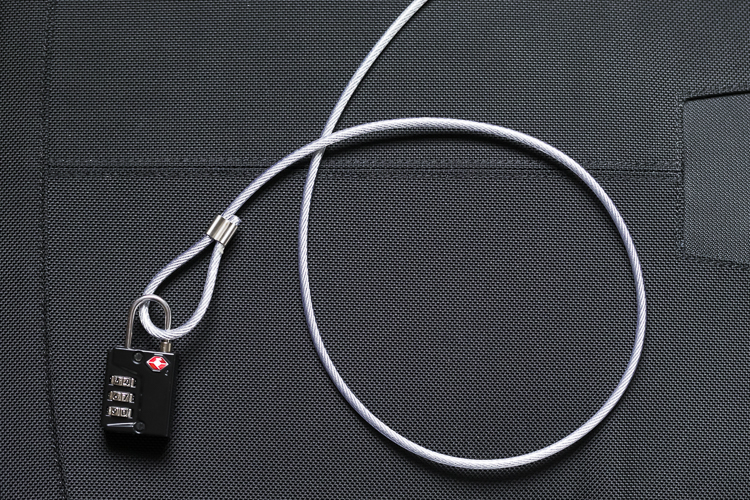
Cable Lock

Some manufacturers also include a cable that is made in to the bag. This is ideal to lock the bag to an immovable object; perfect for Passive type bags.

4. Bag Quality

So you’ve decided on the size and style of bag you wish to purchase; but please do not overlook quality. You’ve spent a small fortune on your equipment, and the last thing you should do it cut corners on what protects it.

A good camera bag should have nicely padded, removable inserts inside. The removable inserts will allow you to customize the bag to best suit your equipment, and the padding will provide greater protection and help prevent your equipment from crashing into each other.

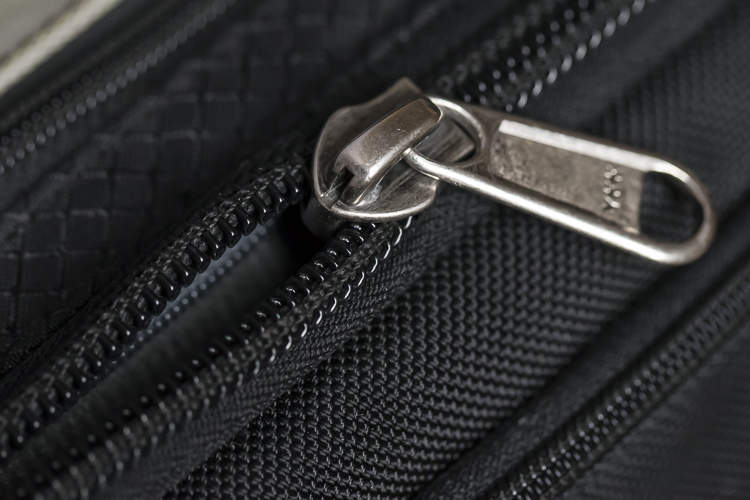
Generally, the first thing to fail in a camera bag are the zippers, so looking for a good feeling zipper (especially for the main camera compartment) is very important. A poor quality zipper can unexpectedly fail, and potentially cause your equipment to fall out and break.

You also want your bag to last, so make sure the exterior fabrics used are tough and wear resistant. Personally, I use ThinkTank Photo products and to be honest, I cannot fault them at all. They’re extremely well made and have withstood everything that I have thrown at them.

Zipper

A close up of the zipper on the main camera compartment on one of my bags. The zippers used on this bag are YKK Fuse zippers.

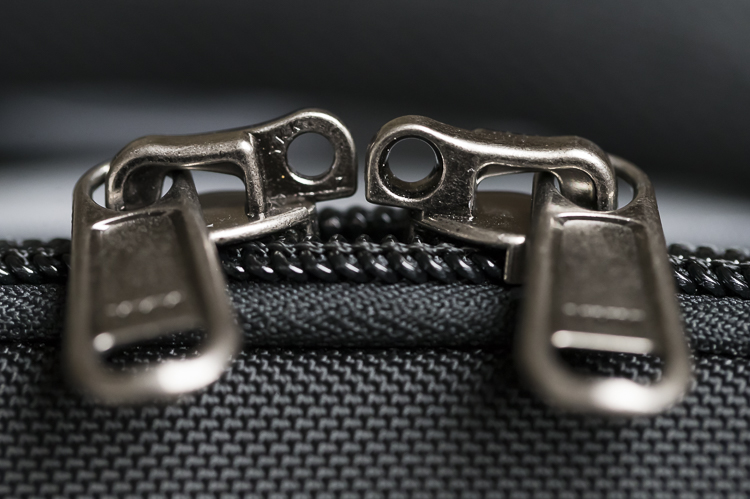
Lockable Zipper

Some bags also offer zippers that are lockable; ideal for that little bit of extra security.

Conclusion

Whilst this is an introduction into buying a bag for your camera, by no means is this exhaustive and you will still need to do a little research before you make a purchase. But, this article should offer some guidance on which bag may be right for you. You will find that most of your decisions will be based upon your own requirements. I would highly recommend you go in to a store, and bring your kit with you to try the various bags to help you find the best one.

I’d love to hear if you have anything else you want to add and offer some advice based on your own experiences. What kind of bags do you have?

googletag.cmd.push(function() {
tablet_slots.push( googletag.defineSlot( “/1005424/_dPSv4_tab-all-article-bottom_(300×250)”, [300, 250], “pb-ad-78623” ).addService( googletag.pubads() ) ); } );

googletag.cmd.push(function() {
mobile_slots.push( googletag.defineSlot( “/1005424/_dPSv4_mob-all-article-bottom_(300×250)”, [300, 250], “pb-ad-78158” ).addService( googletag.pubads() ) ); } );

The post Choosing the Right Camera Bag – and Why You May Need More than One by Daniel Smith appeared first on Digital Photography School.


Digital Photography School

 
Comments Off on Choosing the Right Camera Bag – and Why You May Need More than One

Posted in Photography


How Making Horrible Photos Will Lead to More Keepers

19 May

I make a lot of really, really, horrible photos. It’s an odd thing to say isn’t it? But I do. Thousands of them every year, and that is totally okay with me.

I know that most (even all) of those really terrible, poorly composed, exposed, or focused shots, are just practice. They are practice for the next image, and the next, and the next, each building until I find that one keeper in a long string of wasted pixels, and more keepers overall at the end of the day.

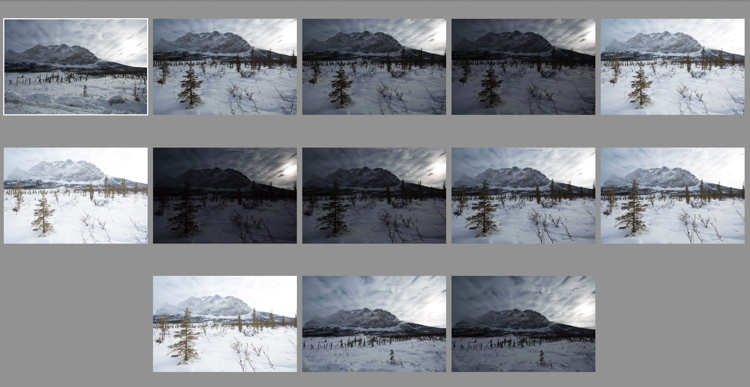
As I scrolled through my Lightroom catalog looking for images to accompany this piece, I found in my unedited photos many near-lookalikes. As I edit, I scroll through them one at time. Some get deleted right away because they are soft (out of focus), or the exposure is too far off the mark. Others get deleted because the composition was clearly wrong, unbalanced, or awkward. I often wonder, “What was I thinking?”
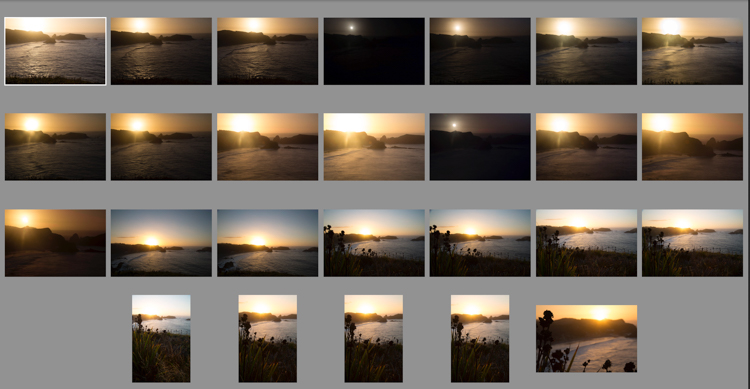
Chiloesketch

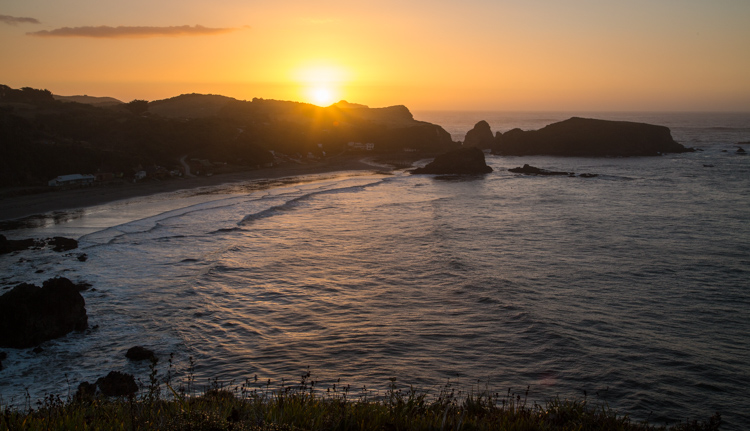
Sometimes, it takes a lot of shots to find the one you are looking for. I was shooting the sunset on Chiloe Island, Chile, and eventually I found two that made the final cut (below).
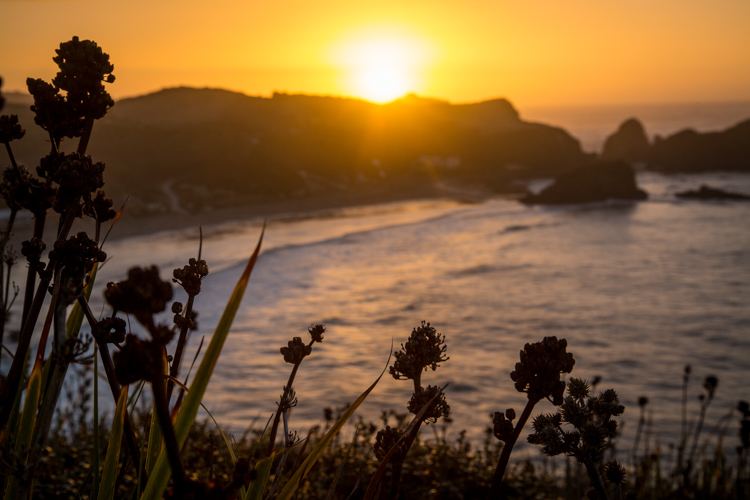
Chile-Chiloe-Pinihuil-103085-57

Chile-Chiloe-Pinihuil-103085-61

Most of the time the answer to that question, is that I wasn’t thinking at all. I had found a subject that intrigued me, and I started making photos, and thought had not yet worked its way into the equation. Scroll a few images further into the series, and things start to come together. The distracting elements, one at a time, disappear from the image. The exposure and focus are corrected, and by the time the last shot in the series appears, it’s technically decent, and maybe even a good photograph.
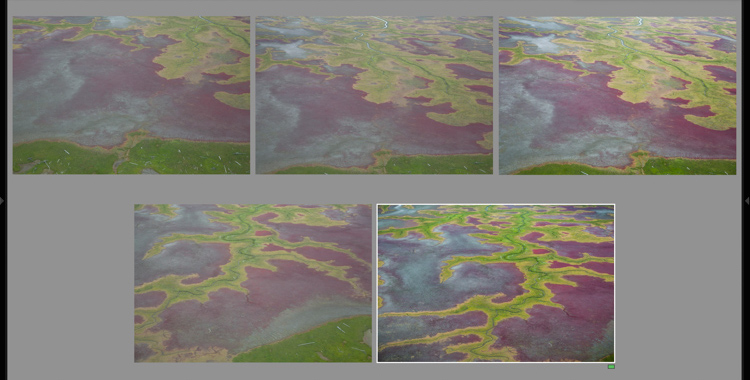
aerial sketch

AK-KatmaiCoast-AW-1075-660

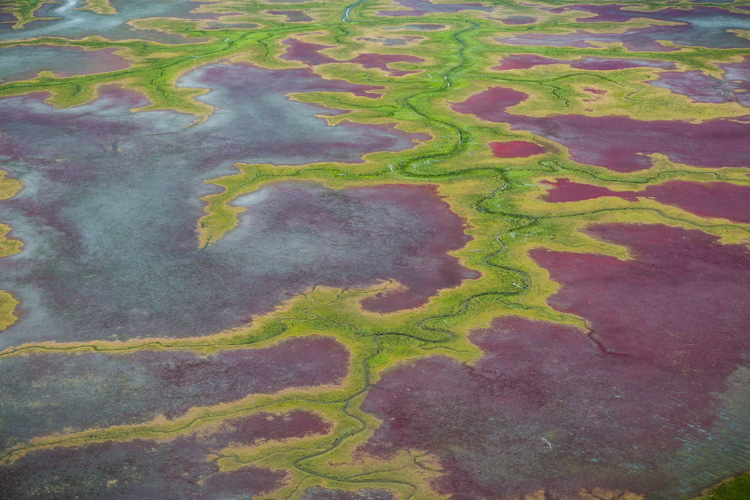
Shooting out of the window of a small airplane flying low over the coastal mudflats of Cook Inlet, Alaska made exploring a single view difficult. But as I shot the first few images, I got a sense for what I was looking for, and when it appeared a few moments later in my viewfinder, I was ready for it.

Those first shots are sketches, and they happen when my mind is still at play, too immature to recognize the scene for what it should be. Eventually, as I settle into the moment, the scene evolves and matures, as I begin to recognize what should and should not belong in the image.

The Freedom of Digital

With digital cameras, there is no harm in playing with a scene this way. Pixels are free, and we can shoot and shoot until our fingers are sore, or we get the right photo. When I’m shooting film however, (which believe it or not, I still do occasionally), there is no such luxury. Every time I release the shutter it’s a few bucks in film, processing, and scanning fees. If I shot with my film camera the way I do with digital, I’d be broke inside of a month.
brookswintersketch

AK-Wiseman-Sukukpak-104025-23

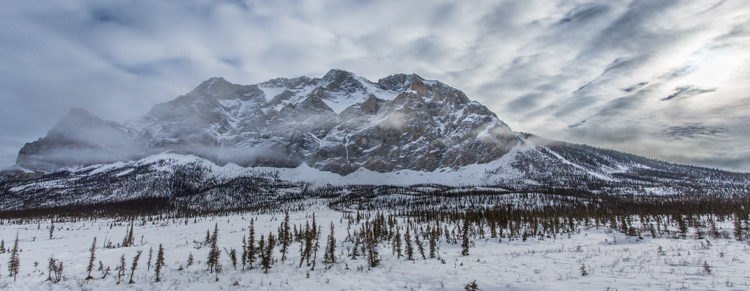
This contrasty Brooks Range scene, made finding both the proper exposure and composition a challenge. Many images later, I settled on this one. I still think I could have done better.

Instead, when shooting film, I’m forced to make those sketch images in my head, and in my viewfinder. I adjust tripod heights, I inch forward and backward, I focus and refocus, and I watch my light meter like a hawk. Then, once I’m sure I’ve got what I need, I click the shutter, and cross my fingers that I’ve got it right.
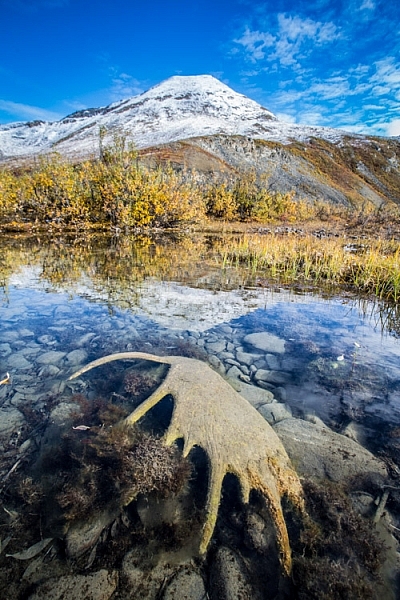
antlersketch

AK-ANWR-Kongakut-108094-1065

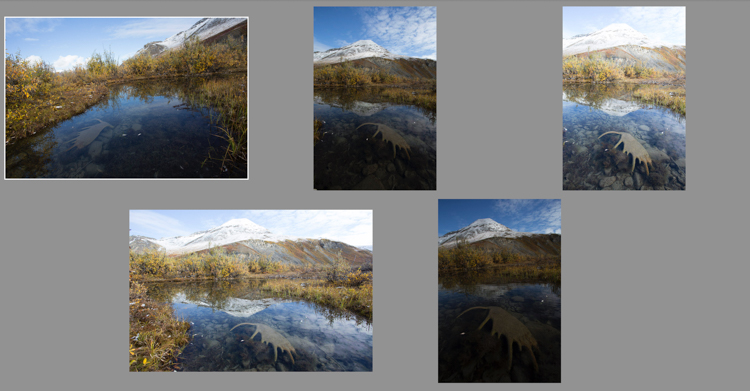
Above are just a small number of the preliminary images this final shot required. At one point I even hiked off from the scene, thinking that I’d captured it. When I realized 10 minutes later that it could still be improved, I ran back, found the spot again, and made the image I should have made the first time around. My clients were less than pleased. (Arctic National Wildlife Refuge, Alaska).

Whether you make the sketch images as a digital file, or as a mental one, the result is the same. Those preliminary frames, are just that, preparatory. Embrace them, but most importantly don’t stop at the first, or second, or even third shot. Keep exploring your subject, and you may find something you weren’t expecting.
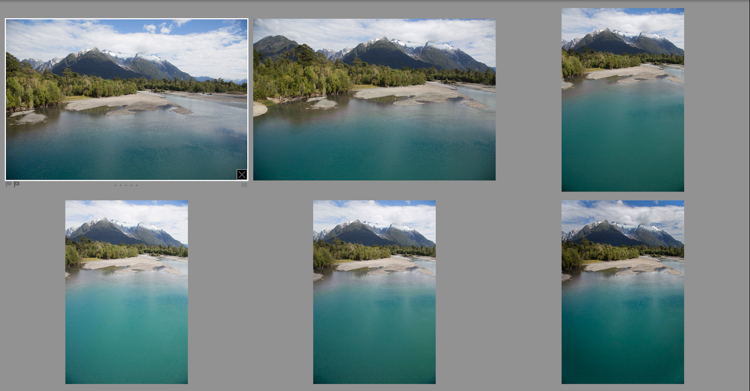
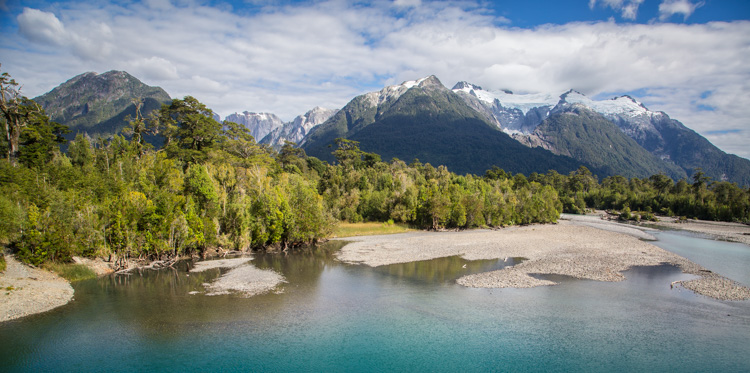
Patagoniasketch

Chile-Patagonia-landscape-103125-7

I often find myself playing with both vertical and horizontal compositions as I sketch my way to a final composition. In this case, a horizontal one. (Chilean Patagonia).

Exploring

A few years ago, I was approaching the end of a ten day wilderness canoe trip in Gates of the Arctic National Park in the Brooks Range of northern Alaska. I was guiding, and so I was mostly concerned about keeping my clients safe, warm, well fed, and helping them make their own photos. My photography took a back seat. But after dinner, as my clients were heading off to their own tents on the tundra, I would often wander off with my camera and tripod. On that evening, as the trip was coming to its end, I ambled up the gravel bar away from camp. It was mid-August, and for the first time in months, the sun, for an hour or two each night, was actually dropping below the mountains that surrounded us.

The river flowed past in a gentle riffle, washing over the stones with a shushing sound, that hushed my thoughts as quickly as librarian with a finger to her lips. As the sun made its long low dive toward the mountains, the light grew sweeter, illuminating the tundra and mountains in light so beautiful I could hardly bear to look at it.
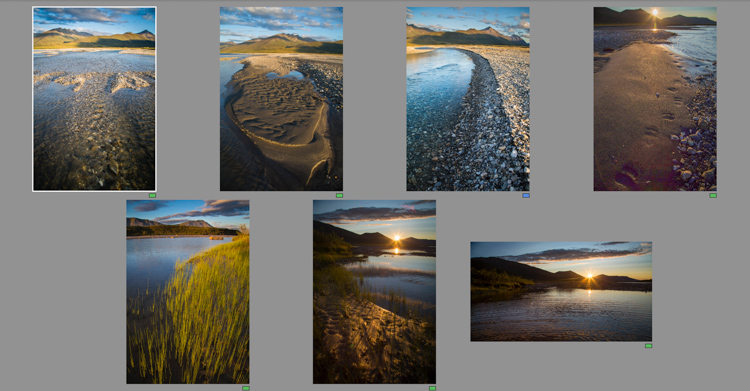
noataksketches

Though several of the images I made as the evening progressed are good, they more importantly allowed me to get comfortable with, and involved in the changing scenery.

Slowly, and it took a long time, I started making images. For a while, I let my myself play with the landscape, making photos here and there, pointing this way and that. I made images of a tributary river flowing over the rocks, the winding cut gravel banks, bear tracks, and sedges growing along quiet shores. Some of those images are decent, even good, but they were still leading me somewhere. Eventually I found myself by the main stem of the river when the sun was about to disappear behind the silhouetted mountains. There, after an hour or more of play, I found the image that I had ventured away from camp to make.
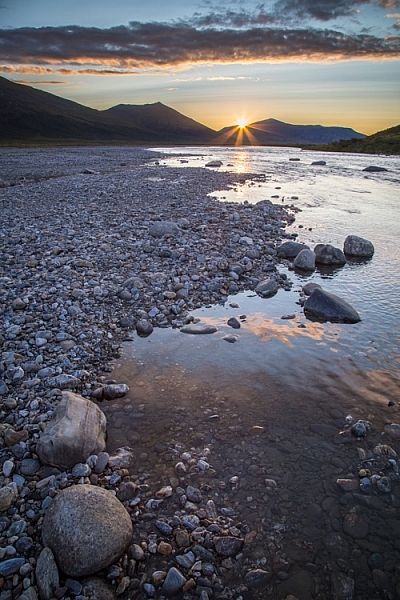
AK-GAAR-Alatna-Noatak-1083-890

Be There-There

I got it right, because I was there-there. I wasn’t just existing with a camera in my hand, worried about f-stops and ISOs. I was present, because all those previous images over the past hours allowed me to put aside the technical worries, and permitted me to focus on the scene at hand – the way it felt, the way the breeze moved the surface of a quiet backwater, the sound of the water hushing over stone, and the way the river’s edge wandered away toward the setting sun.

All those sketch images not only gave me permission to focus on the scene the way it needed to be, they gave me access to the moment when I needed it.

As you can see, perfecting exposure and focus is just one part of what it means to work through your practice photos. These preliminary images allow your mind to get away from all that other stuff, and concentrate on what matters. Like me, you’ll end up with lot of really horrible photos, but occasionally, they will lead up to something meaningful. 

googletag.cmd.push(function() {
tablet_slots.push( googletag.defineSlot( “/1005424/_dPSv4_tab-all-article-bottom_(300×250)”, [300, 250], “pb-ad-78623” ).addService( googletag.pubads() ) ); } );

googletag.cmd.push(function() {
mobile_slots.push( googletag.defineSlot( “/1005424/_dPSv4_mob-all-article-bottom_(300×250)”, [300, 250], “pb-ad-78158” ).addService( googletag.pubads() ) ); } );

The post How Making Horrible Photos Will Lead to More Keepers by David Shaw appeared first on Digital Photography School.


Digital Photography School

 
Comments Off on How Making Horrible Photos Will Lead to More Keepers

Posted in Photography


5 Camera Bag Hacks to Help You Curb the Temptation of Buying More

04 May

There has been quite a parade of camera bags launched on the market recently. Peak Design’s latest in their line of products with the Everyday Messenger Bag, achieved an incredible target on Kickstarter.

Check out Simon Ringsmuth’s review of the bag. ThinkTank Photo followed with the Lily Deanne bag, in the same price league but targeted more for women. Another Kickstarter venture by Progo gear successfully launched their carry-on/camera backpack in January of this year.

title

5 Hacks to curb the temptation to buy another camera bag

But, this article isn’t about reviewing yet another camera bag. Instead, it got me thinking no matter what camera bag that you may have, one fit doesn’t suit all. I’ll admit, I have a weakness for camera bags. There is such a vast array of camera bags on the market to suit every photographer’s needs. The types range from shoulder bags, backpacks, and rolling cases, to name just a few. However, when choosing a bag, the following factors should be considered:

  • Materials: I have a preference for man-made, hi-tech materials like ballistic nylon as opposed to natural fabrics, such as cotton or leather – simply because they are lighter and generally offer better water resistance.
  • Protection: Obviously, you want the best protection for your gear. This will mean a bag that has sufficient padding on the inside, and a material on the outside which protects against inclement weather. This can be the inherent material that the camera bag is made from, or a waterproof cover which you can pull over the bag if it rains.
  • Capacity: This will be very subjective to the type of photographer you are. A travel photographer’s gear and bag(s) will be in sharp contrast to a photographer on a fashion shoot in a studio.
  • Comfort: This is a very important factor. If you have to carry your bag at all, it should feel comfortable, and you shouldn’t really be aware of it. If you are, it’s a nuisance.

I do like features on so many different bag, and I wish that the sum of all these features were all rolled into one bag. But I am asking a lot here. So I thought, rather than buying another bag, why not customize or hack a bag that you already own?

Here’s my five hacks that may help you curb the temptation to go out to buy another camera bag – at least for now:

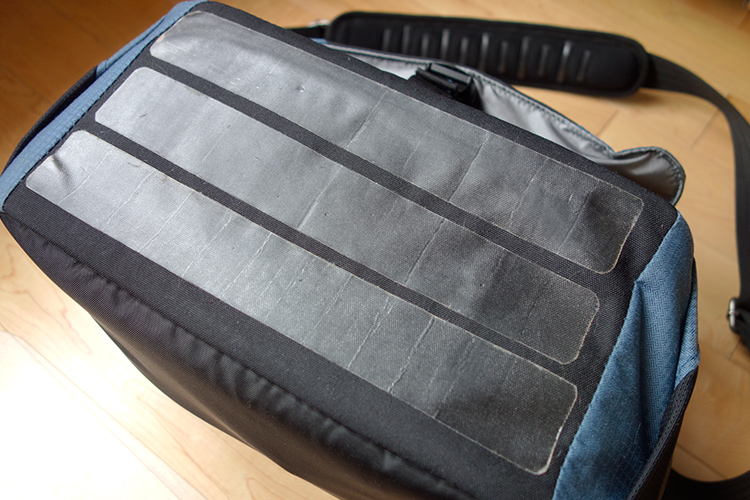
#1 Tent repair tape

The bottom of my camera bag isn’t really at all abrasion resistant, or waterproof. This was an initial concern for me when I was buying the bag. Most camera bags should, in my opinion, offer some degree of ruggedness to ensure the bottom of your camera bag will be protected for a number of years.

However, in the end, I decided to buy it, as it ticked most of the boxes for the type of bag I wanted. I came up with my own solution to safeguard the underneath part of the bag for general wear and tear.

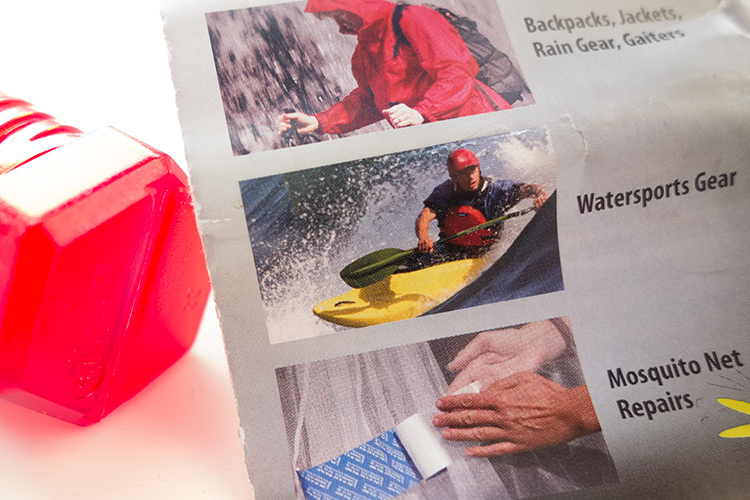
Tent Repair Tape – found in most camping outdoor retail outlets.

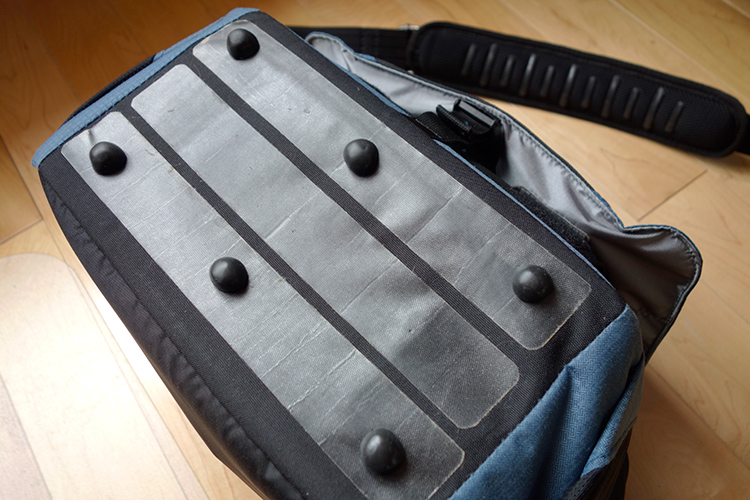
I cut 3 strips of the tent repair tape to suit the dimensions of my camera bag.

Cut strips of tent repair tape the same length as your bag and apply them length ways across the bottom. This tape is super strong and waterproof. I also added feet to the bottom, like you would see on most bags, not just camera bags. I have a neat way to add feet to the bottom of your bag, without taking away from the aesthetic look. See #5 below for more details.

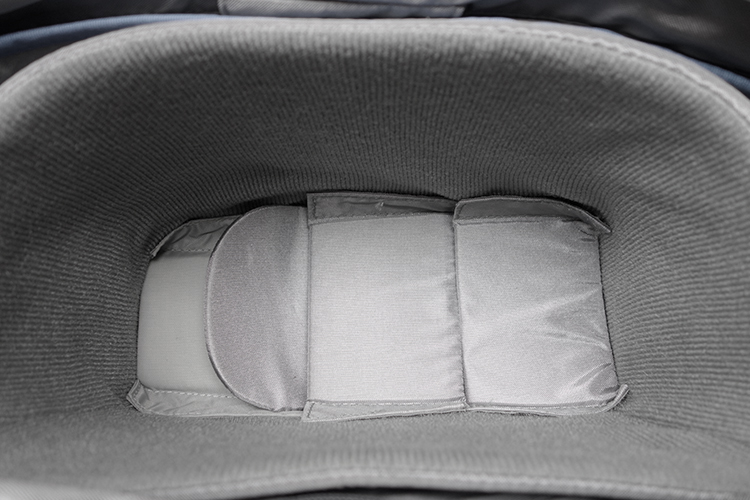
Tip: By putting another layer of cell foam dividers flat across the inside bottom of your camera bag helps to give more padded protection. I seem to have gathered a collection of these over the years!

Inside-padded-insert

I added another layer of spare foam cell pads at the bottom of my already padded insert.

#2 Carabiner Rings

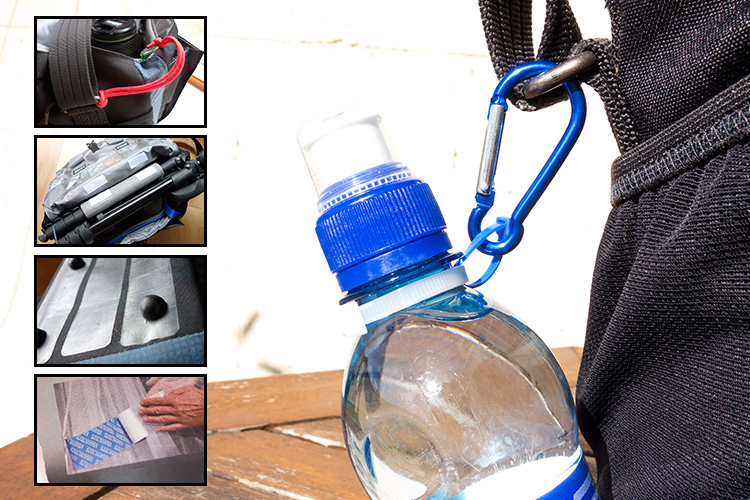
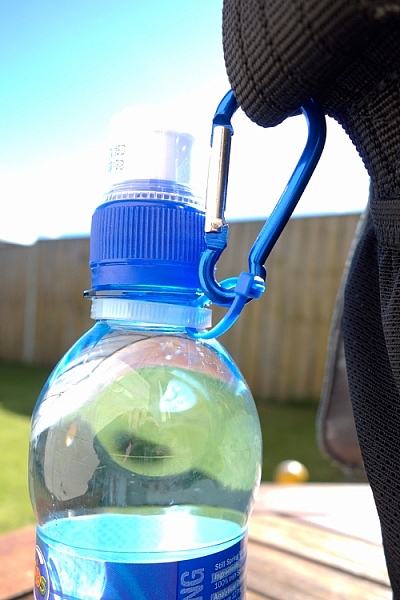
These aluminium rings are so versatile for attaching extra accessories, that you simply can’t fit inside the bag. For example, side pockets are great for adding a flash gun or a drink bottle. But, what if your camera bag doesn’t have a side pocket?

This solution should work for any type of drink bottle. You will need two cable ties, one longer than the other. Secure the longer one around the neck of the bottle and the smaller one acts as a ring to attach to the carabiner, which is then looped around one of the metal rings on the bag’s strap.

carabiner-water-bottle

Water bottle attached to the camera strap, via the metal ring using two cable ties.

Tip: Water bottles can also serve as an extra weight to stabilize your tripod.

#3 Paracord

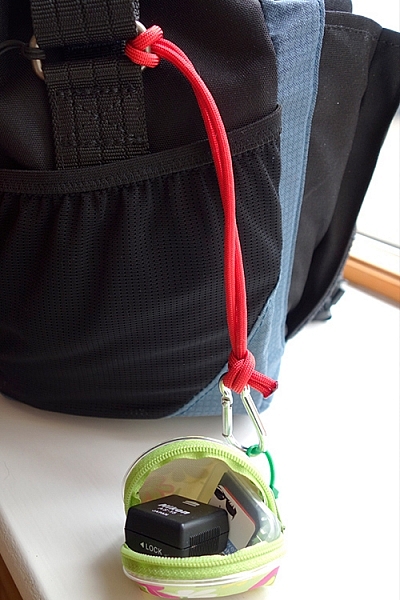
I wish every camera bag would come with at least two key fob straps. Of course, I don’t use mine for keys. Key fob straps are great for attaching the likes of SD/CF memory card wallet holders or other items that you may need to hand, without looking like a badger who is burrowing out of his nest.

My hotshoe adaptor and spare SD card attached to my paracord strap, which also doubles up as a wrist camera strap.

My hotshoe adaptor and spare SD card attached to my paracord strap, which also doubles up as a wrist camera strap.

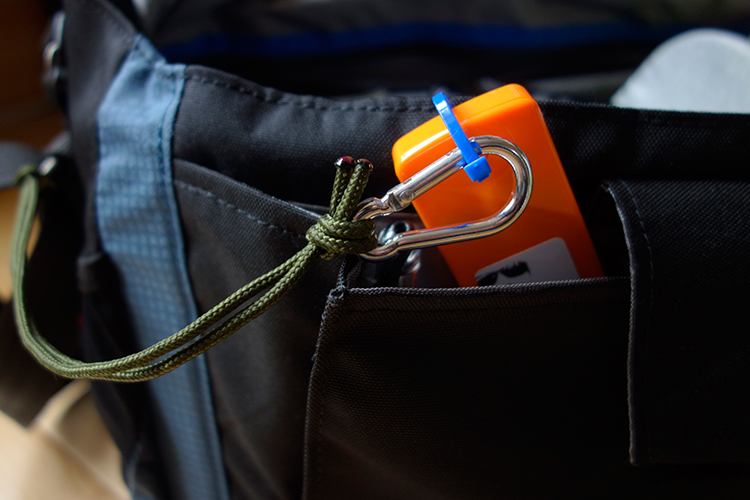
This is a very simple method to add an extra key fob strap to any bag. Measure a length of a Paracord, in my case 27 inches. Tie both ends together. You will need to burn the ends of the cord, after the knot, to stop it from fraying. Loop one end around the bag’s strap ring on the outside and secure a plastic carabiner to the other end. See photo.

I used a plastic carabiner, as I don’t particularly like metal rings inside my camera bag. I have my business cards secured in their holder, attached to the carabiner. These are quick and easy to hand. No foraging around in your bag for what seems like an age looking for them!

A key fob strap made from paracord, using a plastic carabiner (even though it looks aluminum) attached to my business cards.

Tip: This strap can also double up as a camera wrist strap. See my other article for this tip and other DIY hacks.

#4 Insulation Foam Sleeves

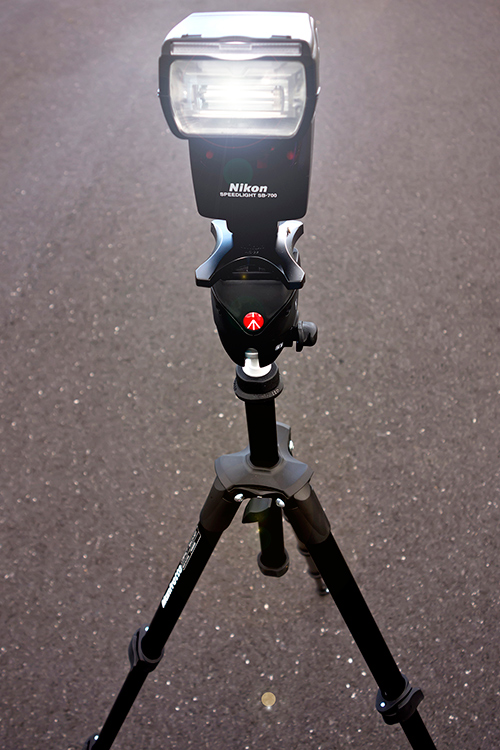
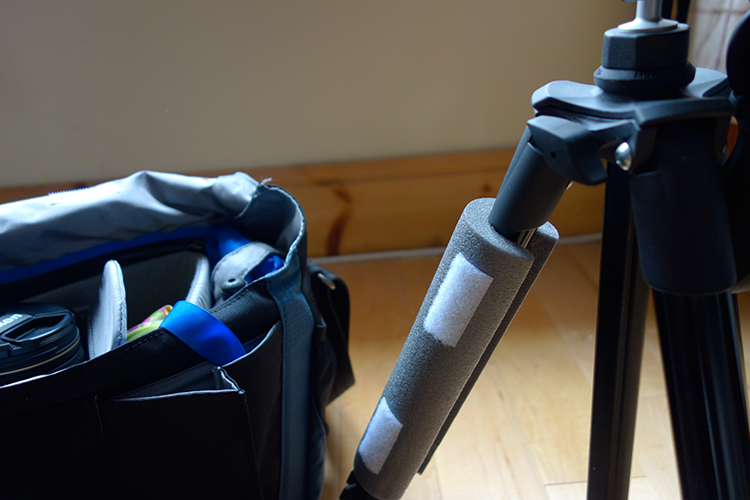
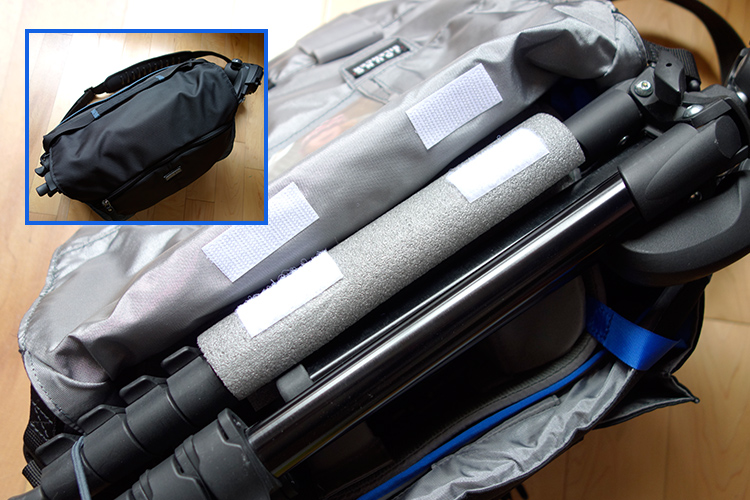
I like the option to be able to carry my travel tripod with me, as it also doubles up as a light stand. But there isn’t a designated tripod holder on this type of bag. However, as it has a big front flap. I came up with this idea of using a foam insulation sleeve.

My travel tripod which I also use as a light stand.

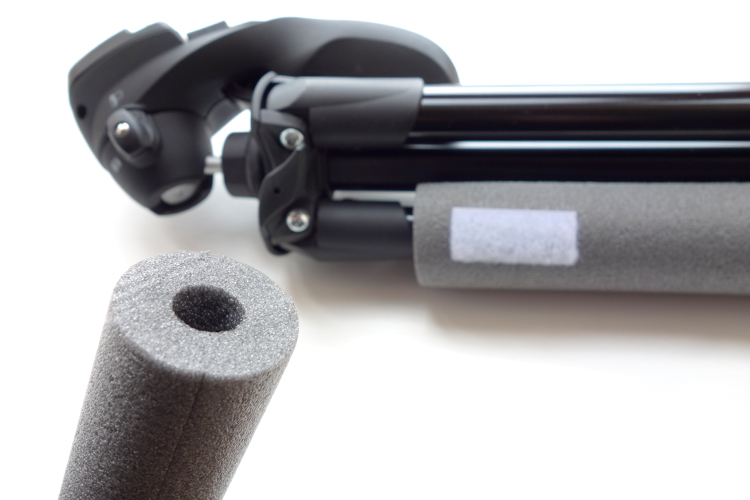
These Economiser Polyethylene Pipe Insulation sleeves can be purchased at most DIY stores. Their function is to insulate heating pipes. I bought this 1/2″ Cosy Sleeve, 1 Metre length (3′ approx.) for less than $ 2.00 USD. It has a pre-cut slit down the length. To cut to the desired length is simple and quick.

Foam insulation sleeve for heating pipes, found in DIY stores.

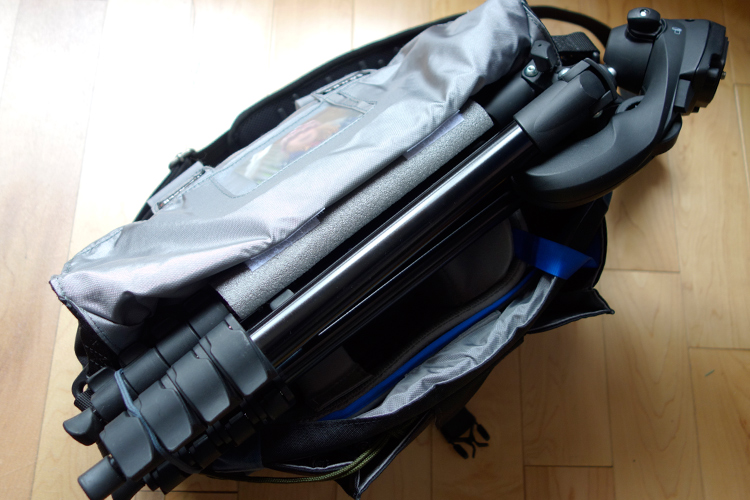
Place the sleeve around one of the tripod legs. Cut two small strips of self-adhesive velcro strips and stick them onto the foam sleeve and then under the front flap of the bag. The tripod is resting on top of the removable padded insert. When the front flap is closed, the sleeve acts as a cushion to keep it place.

Foam insulation sleeve attached to one of the tripods legs. Velcro adhesive strips are used to secure to the underneath part of the front flap.

The tripod felt very secure, as it is resting on the inner padded insert, and when it is closed the sleeve acts as a cushion for a snug fit.

Tip: the foam sleeve can also be left on the tripod while in use to act as a cover (nicer on fingers in cold weather).

The foam sleeve can be left on the tripod when in use to act as a cover.

#5 Sugru

If you haven’t come across this product before, it’s simply brilliant, a DIYer’s dream. The company’s tagline is, “Mouldable glue that turns into rubber”. The methods or ways that it can be applied as fixes or hacks, are only limited to your own imagination.

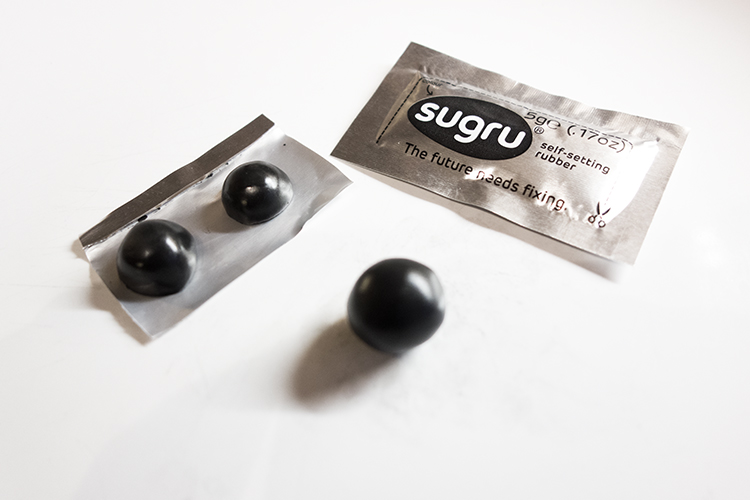
You can create your own rubber feet for the bottom of your camera bag, to protect it against general wear and tear. I used a three pack ($ 13.50 for 3 packs) of pitch black Sugru to create these feet. Roll each one into a ball, and with a sharp kitchen knife, then cut each ball in half. Allow these to cure (set) for a day or two. In order to secure the feet to the bag, you will need some extra Sugru. (You can buy 8 packs for $ 22, which works out cheaper than 2 x 3 packs).

Sugru-balls-rubber-feet

Rubber feet moulded from Sugru, for underneath my camera bag as added protection.

Sugru-rubber-feet-attached-to-bag

The rubber feet attached to my camera bag along with the tent repair tape.

Here’s another tip for using Sugru. If your camera bag strap has a cushion pad but no silicone strips to prevent it from sliding off your shoulder, or they have simply worn away, you can make your own by rolling out strips of Sugru and stick them firmly on to the pad.

Do you any other camera bag hack ideas that you would like to share? Leave a comment below.

Disclaimer: I was not approached or sponsored by any of the companies mentioned in this article. All opinions are by the author.

googletag.cmd.push(function() {
tablet_slots.push( googletag.defineSlot( “/1005424/_dPSv4_tab-all-article-bottom_(300×250)”, [300, 250], “pb-ad-78623” ).addService( googletag.pubads() ) ); } );

googletag.cmd.push(function() {
mobile_slots.push( googletag.defineSlot( “/1005424/_dPSv4_mob-all-article-bottom_(300×250)”, [300, 250], “pb-ad-78158” ).addService( googletag.pubads() ) ); } );

The post 5 Camera Bag Hacks to Help You Curb the Temptation of Buying More by Sarah Hipwell appeared first on Digital Photography School.


Digital Photography School
 
Comments Off on 5 Camera Bag Hacks to Help You Curb the Temptation of Buying More

Posted in Photography


5 Tips for More Professional-Looking Food Photography

01 May

In an age where iPhones are shooting stellar images and high quality DSLRs are coming down in price, it’s becoming increasingly challenging for food photographers to make a living as professionals. As a food photographer in Seattle, I’ve noticed that many of my clients have become opinionated about what makes a good photo, and in many cases are shooting right next to me with their iPhones. I take it as a positive sign that clients, and most people with smartphones, are becoming more informed and educated about photography, but there is of course the notion that this could very soon make professional photography even more undervalued.

So, what’s a professional food photographer to do? Here are some tips to help make sure you capture quality food photography images that attest to the value of paying you, a professional, to do the job.

Tip #1: Don’t use natural lighting

Food photography tips

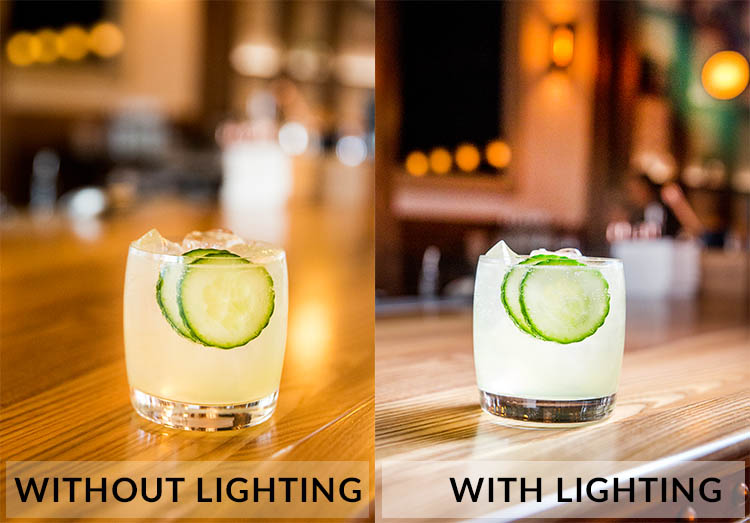
Natural lighting is fantastic, and I still try to use it as often as possible. However, many of my clients have realized the value of using natural lighting and tend to shoot their iPhone photos in naturally lit areas. Taking into account the quality of iPhone photos these days, it’s not unusual that their cell phone photos look pretty darn good, even compared to my DSLR shots. To make sure your photos always look unquestionably better than those taken with a cell phone, use natural lighting less and do some experimenting with strobes and off-camera flash.

Tip #2: Shoot in dark spaces

Taking tip #1 into consideration, take full advantage of your professional-grade camera’s low lighting capabilities, and/or your strobe lighting knowledge, by shooting dishes of food in spaces where iPhones have a slim chance of performing well. This is also a good opportunity to incorporate some of the unique features of the restaurant’s interior spaces, into your main shot.

Food photography tips

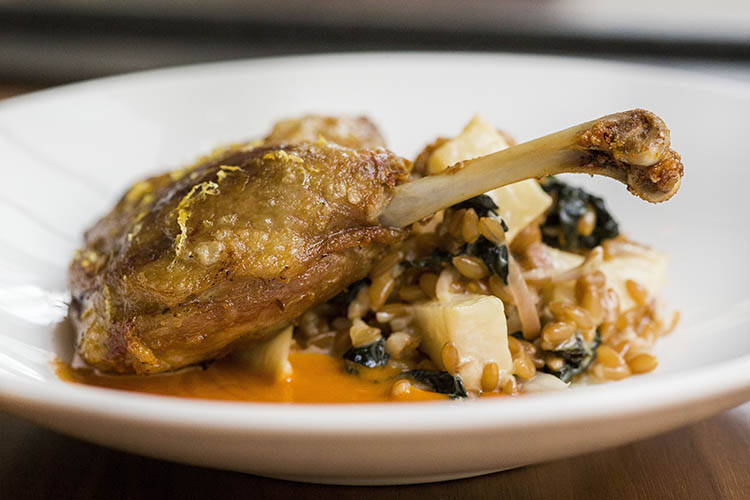
Photographed in an extremely dark space, this photo wouldn’t have been possible without a DSLR and strobe.

Tip #3: Use a macro lens

While cell phone cameras are becoming equipped with better features with every new release, many still can’t shoot quality macro photos the way that DSLRs can. Use this fact to your advantage and make a macro lens your best friend when shooting food photos. Don’t be afraid to get up close and personal, and capture the details of the dishes you’re shooting. These photos may not be exactly what your clients have in mind, but at the very least it’s always a good thing to show them an alternative perspective that reminds them why they hired you.

Food photography tips

Tip #4: Be a creative director and/or food stylist

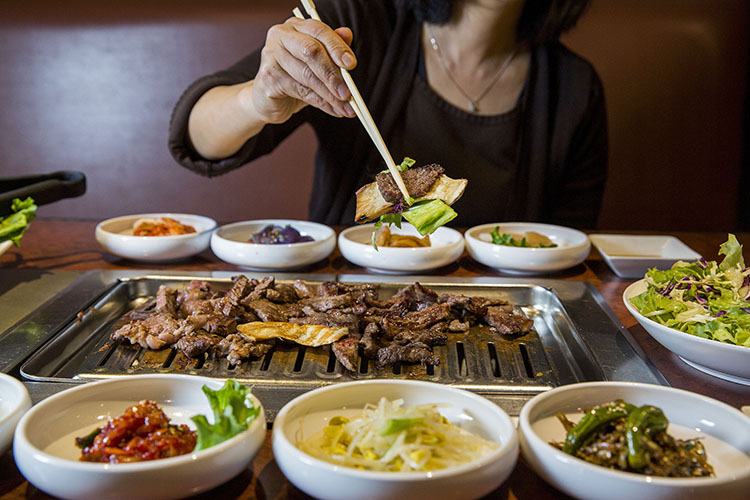
Most amateurs approach food photos very statically, opting to shoot dishes from a seated position or overhead. Very few will get creative and incorporate people, props, or activity in their shots. This is your opportunity to shine as a food photographer. Move beyond standalone food photos and use your creativity to make a more dynamic shot. Ways to do this might be capturing action shots, adding a beverage or extra silverware in the shot, or even working with chefs to help them plate dishes in ways that will be photographically appealing. These skills are also part of the reason your client is hiring you, so don’t be afraid to exert your creative authority.

Food photography tips

Tip #5: Shoot tethered

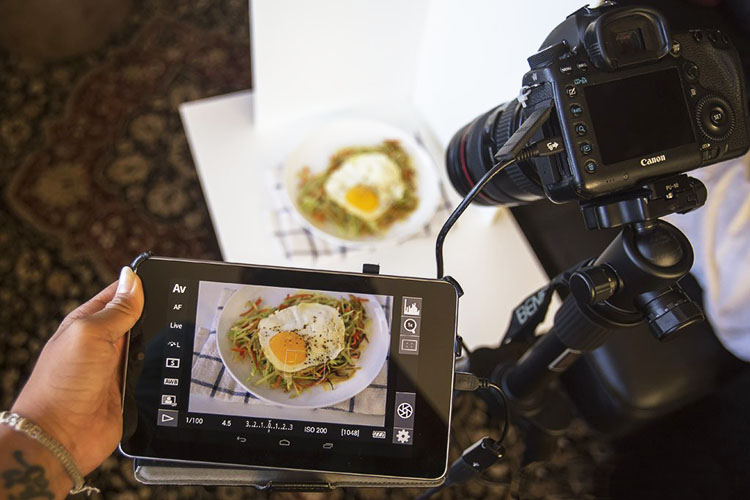
A very simple, yet highly effective, way to come off as a polished, professional photographer is to shoot tethered. If you’re unfamiliar with tethered shooting, it is basically the act of connecting your camera to a computer or tablet, which allows your clients to see your shots on a screen just seconds after you’ve pressed the shutter. This might sound intimidating, but it’s a very simple way to make sure that you and your client are on the same page throughout the photo shoot. It also invites your client to actively participate in the shoot and give you feedback and their own ideas. Tethered shooting is very easy to do using a USB cord or even Wi-Fi technology if your camera has this capability. If you have the means to shoot tethered, definitely consider offering this service to your clients.

Food photography tips

Tip #6: Transmit photos via Wi-Fi

If you have a client who is shooting alongside you with their iPhone, chances are it’s because they want access to photos for immediate posting on social media. Do yourself and your client a favor and offer to send them images on the spot using in-camera Wi-Fi, or do a few quick edits and transmit some shots directly from your computer if you’re shooting tethered. Depending on your agreement with your client, you could even charge a little extra for these services.

Over to you

Do you have other tips for offering more professional-looking food photography that outperforms iPhones and other amateur cameras? Let me know in the comments below!

googletag.cmd.push(function() {
tablet_slots.push( googletag.defineSlot( “/1005424/_dPSv4_tab-all-article-bottom_(300×250)”, [300, 250], “pb-ad-78623” ).addService( googletag.pubads() ) ); } );

googletag.cmd.push(function() {
mobile_slots.push( googletag.defineSlot( “/1005424/_dPSv4_mob-all-article-bottom_(300×250)”, [300, 250], “pb-ad-78158” ).addService( googletag.pubads() ) ); } );

The post 5 Tips for More Professional-Looking Food Photography by Suzi Pratt appeared first on Digital Photography School.


Digital Photography School
 
Comments Off on 5 Tips for More Professional-Looking Food Photography

Posted in Photography


Shunned Shine State: 10 More Abandoned Wonders Of Florida

25 Apr

[ By Steve in Abandoned Places & Architecture. ]

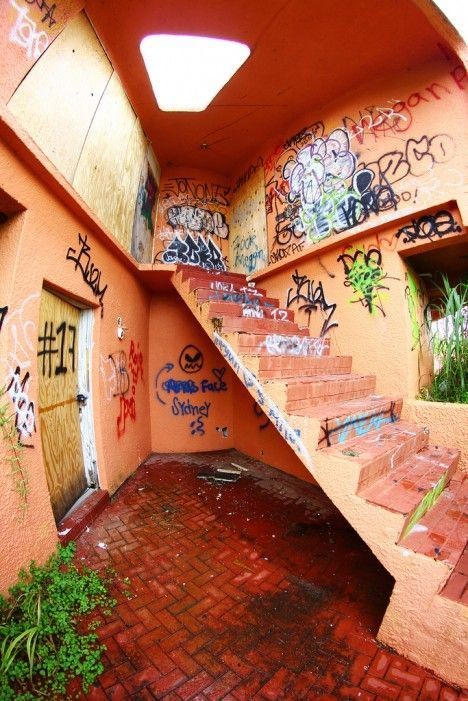
abandoned-florida-1a
Florida may be America’s Sunshine State but these odd abandoned wonders reveal a darker side to the land of oranges, alligators and retirement communities.

abandoned-florida-1b

abandoned-florida-1d

Speaking of ‘gators, who ever thought that primeval, carnivorous reptilian monsters would make an alluring and enduring tourist trap? Lotsa folks, actually, though often as not their efforts were unsuccessful – more on that later. Jungleland Zoo in Kissimmee, Florida was one such failed alligator-themed attraction. Originally established in the 1970’s as “Alligator Safari Zoo”, the place changed both its name and its management in 1995.

abandoned-florida-1c

abandoned-florida-1e

The more things change, the more they stay the same… such was the case with Jungleland. Criticism from state and federal wildlife and animal welfare agencies punctuated by the widely-publicized escape of a 450-lb lioness led the the place being shut down and abandoned in 2002. The 126-foot long alligator statue which stood in front of the on-site Gator Motel was demolished in October of 2014. Flickr user amysusanne’s photo set dating from August of 2012 allows us to recall the singular glory of an enormous artificial alligator eating a car.

Heart Of Glass

abandoned-florida-2a

Let the Space Age begin! The First Federal Savings and Loan Association of Cocoa, Cocoa Beach Branch opened in 1962 and featured the Sky Room restaurant – a likely hangout for Major Nelson and Jeannie.

abandoned-florida-2b

abandoned-florida-2c

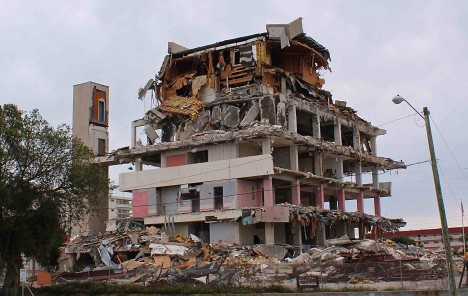
Dreams must confront reality sometime, however, and in 2004 Hurricane Frances damaged the Glass Bank‘s lower floors so severely it never re-opened. Shattered windows enabled ingress by vandals and encouraged the spread of toxic mold. By 2014 the City had had enough: demolition (watch it here) was approved and within a year this iconic building was no more.

Flying Saucerful Of Secrets

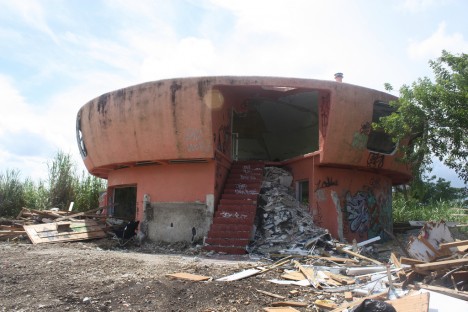
abandoned-florida-3a

abandoned-florida-3b

The so-called “Alien House” in Homestead, Florida, was built in 1974 – purportedly by a big-time drug trafficker whose cover was being a big-cat exotic animal importer. Sounds legit!

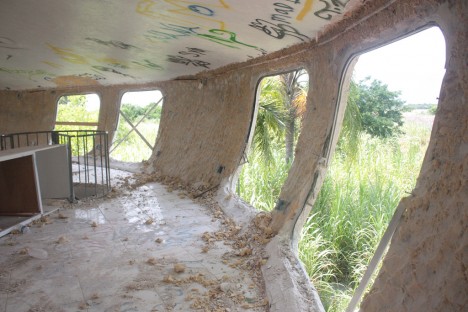
abandoned-florida-3c

abandoned-florida-3d

The house was purchased by a doctor from New York shortly before Hurricane Andrew struck in 1992; the powerful storm rendered the unconventional abode uninhabitable by man or beast. The structure then sat abandoned, accumulating an abundance of graffiti, until late 2013 when it was finally demolished.

To The Bat Tower!

abandoned-florida-4a

abandoned-florida-4c

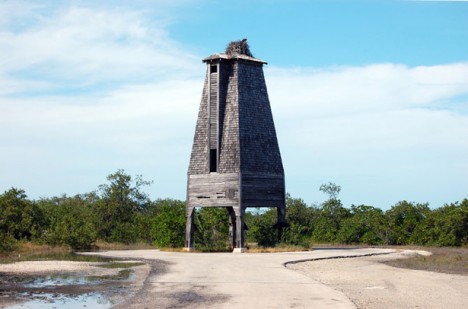
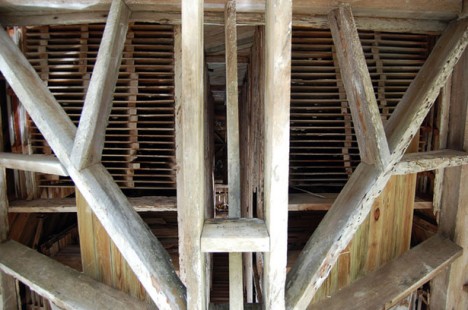
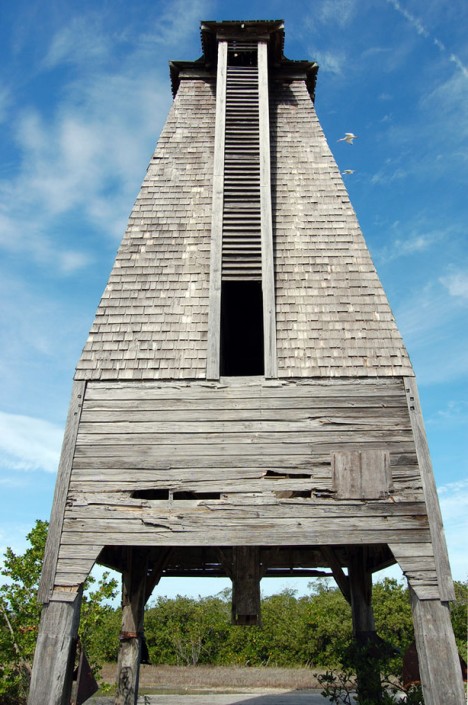
When the late great Robert Burns wrote “the best laid schemes of Mice and Men oft go awry, leaving us nothing but grief and pain,” he could have been describing the sad saga of the Sugarloaf Key Bat Tower (also known as the Perky Bat Tower) in Monroe County, Florida.

abandoned-florida-4b

Built in 1929 at a (for the time) staggering cost of $ 10,000 in a well-meaning effort to house mosquito-eating Mexican Free-Tailed bats, the 30-foot-tall tower was immediately abandoned by the hundreds of bats procured to stock it. Great depression then ensued – in more ways than one. Over 80 years later the still bat-less tower still stands on Sugarloaf Key, mocked by man and mosquito alike.

Next Page – Click Below to Read More:
Shunned Shine State 10 More Abandoned Wonders Of Florida

Share on Facebook


[ By Steve in Abandoned Places & Architecture. ]

[ WebUrbanist | Archives | Galleries | Privacy | TOS ]


WebUrbanist

 
Comments Off on Shunned Shine State: 10 More Abandoned Wonders Of Florida

Posted in Creativity


Tips for Getting Yourself to Relax as a Photographer and Have More Successful Portrait Sessions

24 Apr

When I first got started in photography I thought I had things all figured out regarding cameras, lenses, exposure, and even some post-processing. However, the first time I greeted a client on location for an actual photo shoot, I realized just how clueless and ill-prepared I really was, and found myself nervous to the point of almost being nonfunctional. I was so uptight and anxious about the whole photo session, that I’m still not sure how I managed to get any good pictures, but thankfully things have gotten much better in the subsequent years.

Even though I have greatly expanded my knowledge and experience, I still get a little nervous when meeting with clients. I have found several tips that work well to calm the butterflies in my stomach and help make for much more enjoyable and productive portrait sessions, both for me and my clients. I’m going to share them with you.

relaxing-for-portrait-session-couple-farm

Even after doing this type of work for years, I can still get nervous going into a photo session.

The Three Phases of Portrait Anxiety

While this triad of temporal distinctions is entirely nonscientific in nature, I have found that my stress and anxiety regarding a given portrait session generally can be divided into three discrete phases:

  • Phase 1 – The days or weeks leading up to a photo session. This lasts the longest, but thankfully doesn’t require impromptu decisions and instead gives you time to be thoughtful, analytical, and reflective. The downside is it lasts the longest! This unfortunately means you have way too much time to over-think and over-analyze everything.
  • Phase 2 – The short time before you start the session. This is usually five or ten minutes, interacting with the client at the session but before you start taking pictures. This period is brief but critical, as it can set the tone for the entire photo session and if you’re not properly relaxed things can go downhill quickly.
  • Phase 3 – The photo photo session itself, which usually lasts about an hour, unless you are doing a wedding or other type of protracted engagement. Things can get very tricky here, but if you have taken the time to properly relax during Phases 1 and 2 you will probably find Phase 3 to be smooth sailing.

Here are my tips for helping yourself relax, take things easy, and get mentally prepared for the photo session. While not all of these may apply to you, I do hope they are general enough to be useful to you in similar situations.

relaxing-for-portrait-session-child-looking-up

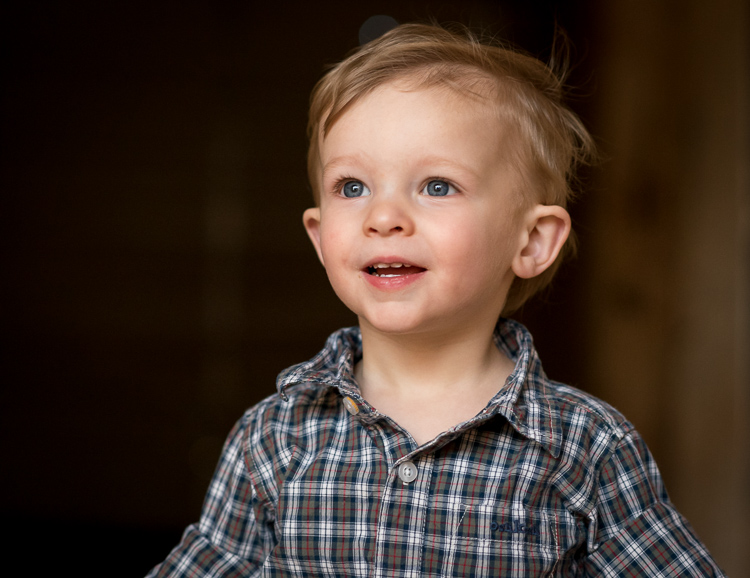
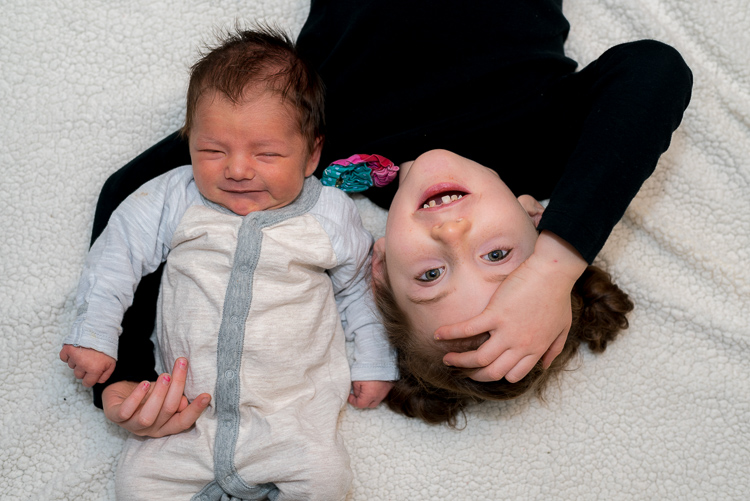
If you aren’t relaxed the kids won’t chill out either, and neither will their parents.

Phase 1: Preparing for the Session

Adele, one of the most popular singers in the world, recently told Rolling Stone that she gets stage fright. “I’m scared of audiences,” she said. “I don’t like touring. I have anxiety attacks a lot.” As a photographer this gives me some degree of comfort knowing that my nervousness leading up to a photo session is not all that different than world-famous singers and actor,s who perform in front of thousands of people every day. Even though I have done many portrait sessions, I still get nervous beforehand, but have found a few tips and tricks to help calm myself down and relax in order to clear my head and do the best job I can.

Talk to someone supportive

Whether it’s a friend, a coworker, a family member, or even a former client, spending time talking about the upcoming session is one of the best ways to clear my head and get some reassurance. For me it’s my wife, who is a solid rock and a constant reminder that I can do the job. She and I discuss my goals for the session, look at examples from other photographers, and talk about what has worked and not worked in past sessions. These conversations always help me calm down, while also giving me a big boost of confidence that goes a long way towards a successful photo session.

relaxing-for-portrait-session-baby-sister

In the days leading up to this session, my wife and I spent a long time discussing the shoot and planning things out. This did wonders to calm my nerves and helped me do a better job at the session.

Look at your own successful images

Look at your own past images as a reminder that you are fully capable of doing the job. Sometimes in the days leading up to a photo session I start to wonder if I really have what it takes to get the shots I want, but looking through my own portfolio always offers enough reassurance to bring me out of that funk and back to reality. Yes, each session has its own unique challenges, but reminding myself of what I have done before, is a great way to relax and prepare for what is about to come.

Have a plan

Have a plan for the session and make a list of poses and shots you want to get. It can be a mental list, but a physical list will help you be sure to get everything you want, and will allow your clients see that you are prepared if you cross items off it during the shoot. One of the last things you want is to get back to your computer and realize you forgot to get a shot of grandma holding her new grandbaby, the happy couple underneath their special tree, or little Timmy in his special new cowboy boots that his mother emailed you about the day before. Making a list will help you avoid this scenario while also helping you to de-stress before the session.

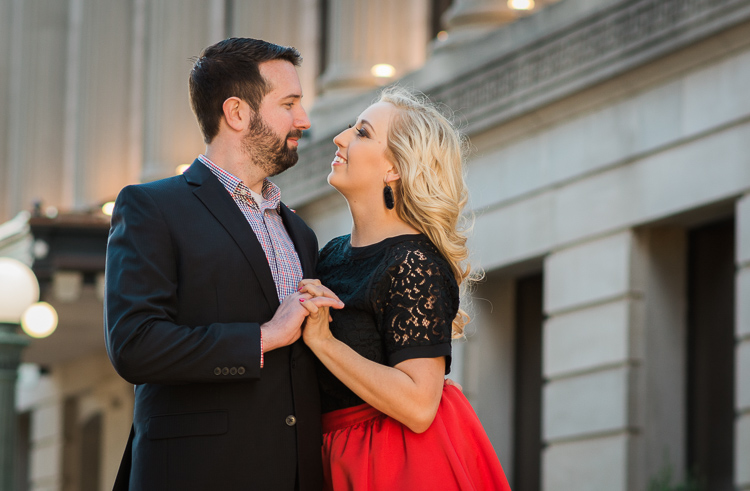
relaxing-for-portrait-session-couple-downtown

This couple sent me a few ideas for different shots, and since the location was 60 miles away I used Google Maps Street View to investigate things beforehand.

Scout the location ahead of time

Visit the location to make sure you know what it’s like, and how you can use it to frame your shots. Ideally this would be at the same time of day as your photo session, so you can make sure you know what the lighting will look like on the day of the shoot. This will help you see all sorts of things you might miss if you just show up the day of the session, and it will make you look like a confident professional as you direct your clients.

Know your gear

Know your gear inside and out. It sounds silly but you don’t want to freeze up in the middle of a session because you can’t find the menu that lets you change white balance, or you forgot which dial changes the shutter speed. If you find that you need a quick refresher re-read the manual, watch online tutorials, or just spend 15 minutes poring through the menus and buttons. When it comes time to do the photo session, you can rest assured that these planning efforts will have been put to good use.

You don't want to scramble trying to locate menu options and camera buttons. Make sure you know your gear beforehand so you can focus on your clients when you're on the job.

You don’t want to scramble trying to locate menu options and camera buttons. Make sure you know your gear beforehand, so you can focus on your clients when you’re on the job.

Practice with test subjects

If you’re going to do a newborn session, practice with stuffed animals. If you’re on location, get a friend or family member to go out with you a week beforehand and do some test shots, so there are as few surprises as possible when you go out there with the client.

Make a gear packing list

Make a list of all the gear you need and check it off one-by-one as you pack up for the session. You don’t want to get to the location and realize you forgot something at home, or left a battery on the charger. I once did an outdoor shoot and realized all too late that I forgot my lens hoods, and almost immediately started hyperventilating into my camera bag when the clients asked for some shots with the sun behind them, just out of the frame. Things ended up working out, but a simple list would have prevented a great deal of stress during the shoot.

Phase 2: On your mark, get set…

relaxing-for-portrait-session-couple-barn

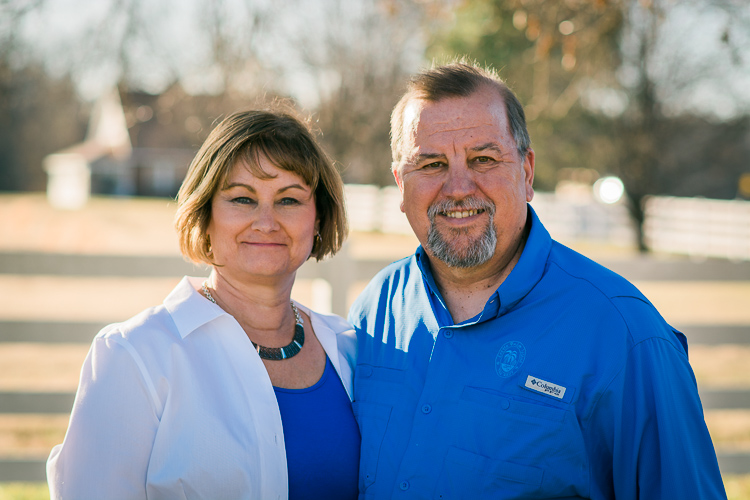
Chatting with this couple as I set up my gear helped put everyone at ease, including myself.

One of the weirdest parts about a portrait session can be the few minutes when you are visiting with the client before you start actually taking pictures. What do you do? What do you talk about? How do you strike a balance between friendly and professional? It’s enough to send even the most seasoned photographer’s blood pressure to the top of the charts, and messing up this brief pre-session period can send the rest of the gig into a tail spin.

In my experience one of the best ways to help you and the client relax is to go on the offence instead of playing defence. Don’t stand around waiting for people to talk to you, as they are probably feeling just as awkward, and are likely waiting for you, the person in charge, to take the lead. Even if smalltalk is not your forté, you need to be willing to strike up a conversation and have a few things ready to talk about as you are getting set up. In a nutshell, make this time all about the client, and helping them feel comfortable.

As you are getting ready to start taking pictures talk to your clients about their life outside of the photo session, and find out what hobbies they have, what they like doing in their spare time, or even what they are doing over the coming weekend. Ask questions to show you are interested, and use this time to also run some ideas past the client in terms of what you will be doing. This helps build a sense of rapport and respect, and can go a long way towards putting everyone at ease. Your clients might be just as nervous as you, but getting the chance to get to know each other will help put everyone at ease and also help them feel comfortable if you have lots of lighting, lenses, or other gear. If there are kids involved, bring some toys or snacks (nothing crumbly as it will get on their clothes) to win them over. At my most recent family session I gave the two-year-old a fake toy camera and asked if he could help me get some photos. This not only won him over but his parents too, and a week later, before they had even seen their photos, they were telling some friends about how much they enjoyed the picture session.

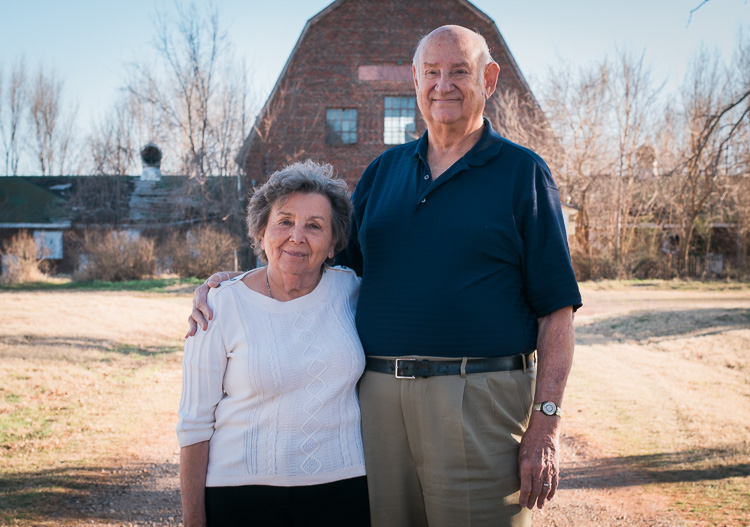
relaxing-for-portrait-session-family

A few minutes chatting sports with the grandparents and playing with the kids went a long way towards a more successful photo session.

Phase 3: Here we go!

Even though you have done everything in your power to chill out, relax, and put your mind at ease leading up to the photo session, things can still be a little nerve-wracking as you go about the process of actually taking pictures. At any moment there are a thousand decisions to be made, and trying to balance everything can be enough to make your palms sweat. My favorite trick for relaxing during a photo session is to simply make things fun. Don’t bark out orders, but instead have your clients do silly things like make faces or try just-for-fun poses. This will help you loosen up, and also give you a chance to build on the rapport you have already established at the beginning. Clients can tell if their photographer is wound up tight and needs to chill out, and if you make things more fun and lighthearted as opposed to all business, you will find yourself loosening up, relaxing, and getting much better results.

These are just a few of my favorite tips and tricks to help me calm my nerves before and during a photo session, but what about you? How do you approach your portrait sessions and what do you do to help yourself relax? Share your thoughts in the comments section below!

People photography week

This week on dPS we’re featuring articles all about different kinds of people photography including portrait, event and travel photography. See all the previous ones below, and watch for more people photography articles over the next few days.

  • How to Take Low Key Head-shots
  • How to Do a One Light Portrait Setup and Use it as Your Back-up Plan
  • Travel People Photography – Tips and Pitfalls
  • 8 Tips for Photographing Men
  • 24 Diverse Images That Showcase People Photography
  • Weekly Photography Challenge – People Photography

googletag.cmd.push(function() {
tablet_slots.push( googletag.defineSlot( “/1005424/_dPSv4_tab-all-article-bottom_(300×250)”, [300, 250], “pb-ad-78623” ).addService( googletag.pubads() ) ); } );

googletag.cmd.push(function() {
mobile_slots.push( googletag.defineSlot( “/1005424/_dPSv4_mob-all-article-bottom_(300×250)”, [300, 250], “pb-ad-78158” ).addService( googletag.pubads() ) ); } );

The post Tips for Getting Yourself to Relax as a Photographer and Have More Successful Portrait Sessions by Simon Ringsmuth appeared first on Digital Photography School.


Digital Photography School
 
Comments Off on Tips for Getting Yourself to Relax as a Photographer and Have More Successful Portrait Sessions
Posted in Photography