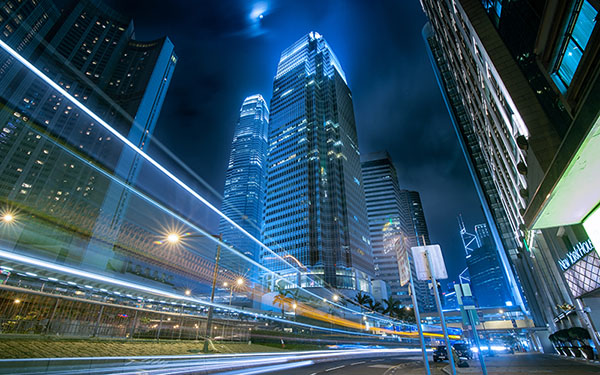
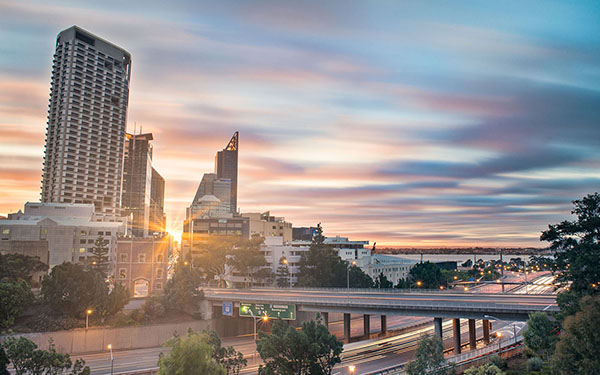
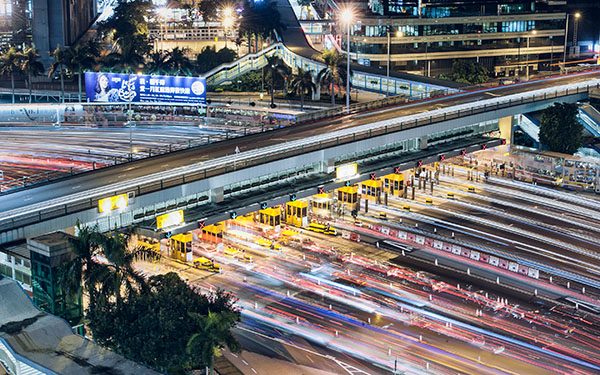
RSS
 

Posts Tagged ‘Long’

3 Tips for Waterfall Photography Beyond Just Using a Long Exposure

30 Oct

JacksonFalls-3

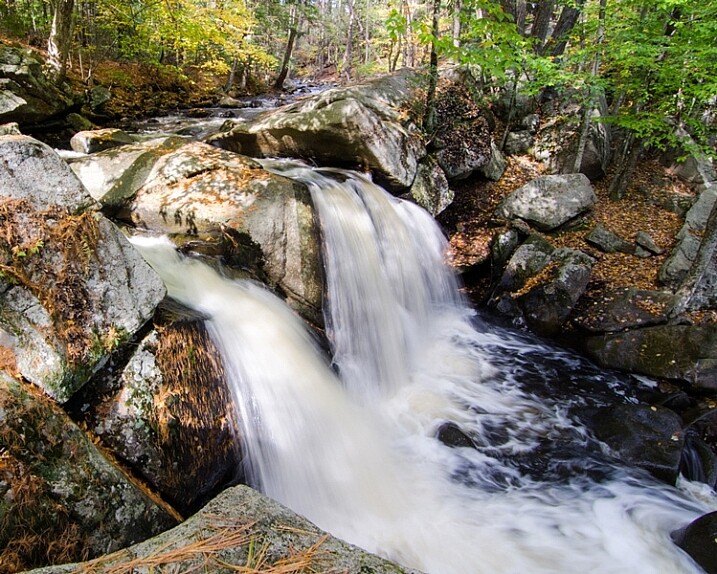
Of course, shutter speed plays an essential role in creating silky smooth waterfall photographs, but does it get a little too much attention in tutorial articles? I think so.

In this article you’ll learn about three other key elements to creating a successful silky smooth waterfall photograph, and when you put it all together, all you’ll need to do next is find a waterfall to photograph.

JacksonFalls-5

ISO 100 | 62mm | f/16 | 1/3

Composing waterfall photographs

Like many landscape photographs, composition plays a huge role in whether or not the final photograph you capture is more than just a snapshot. Even if you nail the shutter speed, have perfect lighting, and just the right amount of depth of field, a poorly composed image will still fall flat.

In the video below I take you through the thought process behind a waterfall photography session I went on last year. I try to drive home the point that getting the best composition of a scene involves more than just moving the camera, but also includes thinking about why the choices you make matter to the photograph itself.

When composing a waterfall scene you’ll have to take into account not just the waterfall itself, but the direction of water flow, the rocks and debris that make up the foreground, the trees in the background, and everything in-between. Next time you’re photographing a waterfall, try just moving the camera around, get high, get low, pay attention to what you see through the viewfinder, and take as many different photographs as you have time for.

Importance of light in waterfall photography

As with most photographs, light is key in setting a tone or mode of the scene, however with waterfalls it can arguably be even more important.

Not only does light determine the mood of the scene you’re photographing, but it may downright determine whether or not you can get a slow enough shutter speed on your camera for the silky smooth water that you want to create. On top of that, you’ve got to absolutely watch out for photographing on a sunny day or this might happen – look at all those hot spots!

trapfallssun-2

ISO 100 | 11mm | f/11 | 0.5 sec

There’s no amount of highlight recovery or post production magic that will bring this image back, and give it a more refined tone. The light simply makes the photograph feel harsh, and while the snapshot showcases the falls, it does little to make the photograph interesting.

Due to the nature of waterfalls often being off the beaten path, and being dangerous to get to, it can be difficult to photograph at sunrise or sunset if you’re not a seasoned hiker. Therefore, as a second best option, I’d highly recommend planning your waterfall adventures for cloudy day. At the very least this will reduce the occurrence of hot spots on the water, and at best it will give you a few extra stops of shutter speed to work with if you need it.

dianesbaths-2

ISO 100 | 11mm | f/14 | 0.4 secs

Don’t forget about water flow

When it comes to creating the silky smooth waterfall effect, the amount of water actually flowing through the waterfall plays an important role in the end result. A powerful current has more movement to it than a small stream, and as a result this high flow waterfall may not require an exposure as long to achieve the desired result.

Take a look at the following two photographs, they are from the same waterfall one year apart. the first image is during a drought resulting in a waterfall that had almost no water flowing over it, while the second image was taken after Hurricane Irene came through the area dropping more than 10 inches (25cm) of rain in some locations. As you can see, the two images offer quite a different view of this waterfall.

Trap-Falls

ISO 100 | 11mm | f/11 | 5 seconds

Trap-Falls-2011

ISO 100 | 11mm | f/11 | 0.5 secs

In most cases it’s probably better to photograph smaller waterfalls with a light flow of water when you’re looking to create the silky smooth waterfall effect, as it tends to work best with those. Often, high flow waterfalls, will simply overpower the look that you’re trying to achieve, and as a result are often better photographed at a faster shutter speed in order to freeze the motion, and showcase their power.

Overall, waterfall photography is a lot of fun, the experience of hiking to the waterfall is often just as rewarding as the photographs themselves, so be sure to enjoy the entire experience.

googletag.cmd.push(function() {
tablet_slots.push( googletag.defineSlot( “/1005424/_dPSv4_tab-all-article-bottom_(300×250)”, [300, 250], “pb-ad-78623” ).addService( googletag.pubads() ) ); } );

googletag.cmd.push(function() {
mobile_slots.push( googletag.defineSlot( “/1005424/_dPSv4_mob-all-article-bottom_(300×250)”, [300, 250], “pb-ad-78158” ).addService( googletag.pubads() ) ); } );

The post 3 Tips for Waterfall Photography Beyond Just Using a Long Exposure by John Davenport appeared first on Digital Photography School.


Digital Photography School

 
Comments Off on 3 Tips for Waterfall Photography Beyond Just Using a Long Exposure

Posted in Photography


How to Improve Your Long Exposure with Photo Stacking

06 Oct

Recently long exposure photography has been quite popular, mainly in the landscape photography arena. One of the reasons (among the others) is that through a long exposure it is possible to visualize a scene with much more softness and harmony in respect to a standard exposure.

Thanks to the rapid evolution of digital cameras, we are now able to take really long exposures without getting so much digital noise, due to sensor overheating. Moreover, the improvements in neutral density filter quality allow us to take pictures with almost no color cast, and no decrease in sharpness.

Dps les venezia

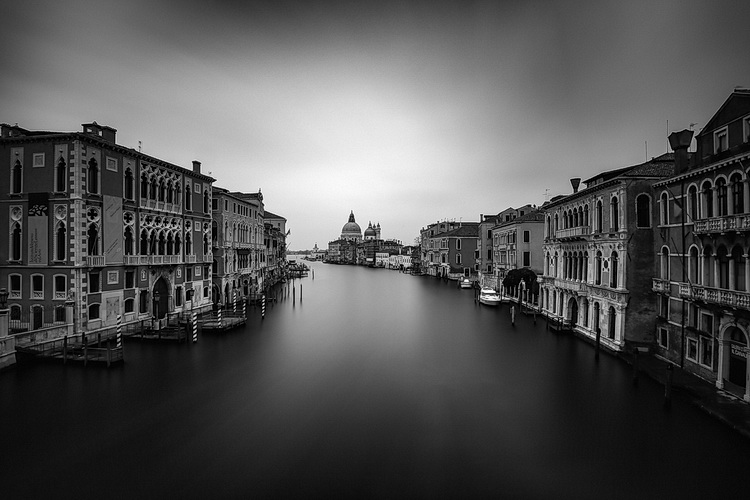
Venezia by Luca Libralato: stacking of 3 x 260s exposures for a total of 780s (13 minutes)

If you love long exposure photography and you would like to push the exposure time to the edge, this technique of long exposure photo stacking is for you.

Here is the quick explanation of the Long Exposure Stacking technique: by taking several pictures (usually at least 30 seconds each for the purpose of this technique) you can blend them to get a result the equivalent of a long exposure photo with a total exposure time equal (or almost equal) to the sum of the single exposure frames.

This technique is mostly useful, and recommended for landscape photography, but some of the benefits may also be used in other types of photography, where you need maximum quality with several minutes of exposure. The step by step guide will be focused on landscape photography.

The advantages of using this approach are several:

  • Increase the total exposure time.
  • Reduce digital noise and hot pixels (shorter exposure pictures have less digital noise and hot pixels).
  • Reduce vignetting (you will be using a lower ND power per shot with this technique, resulting in less vignetting).
  • Minimize the risk of wasting time and photos (tripod shocks, sudden light change, etc.).
  • Possibility to decide later on the strength of the long exposure effect.
dps_les_manarola

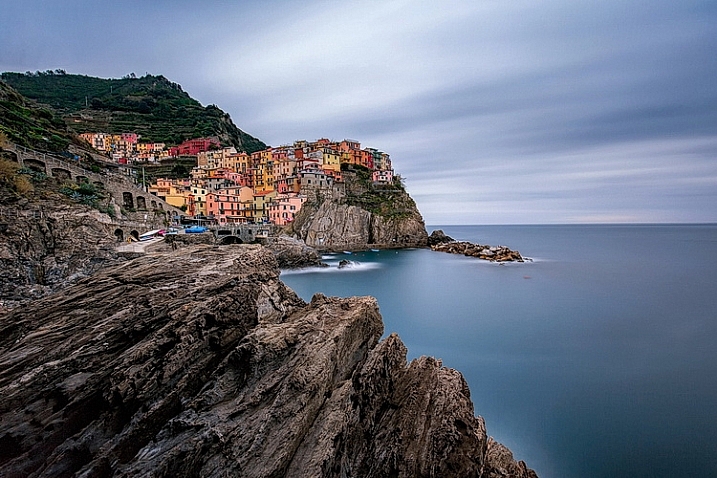
Manarola by Luca Libralato: stacking of 3 x 260 second exposures for a total of 780 seconds (13 minutes)

The disadvantages are:

  • You don’t have a single exposure and this is something which some competitions/contests rules don’t like.
  • Some post-processing skills are required to blend the several exposures.
  • If you are a purist – you may not like this technique.

When this technique should be used:

  • If you want to push the exposure time to some really high values.
  • If your camera sensor is adding a lot of digital noise due to overheating.
  • If you are not sure about the final result of a very long exposure. Since this techniques is based on the sum of several short exposures, you can easily decide later how long the final exposure shall be (check also here for a similar approach: Long Exposure Photography Without a Tripod).
  • With hostile ambient/weather conditions, you can use this technique to minimize the risk of wasting exposure time.
  • If you want to maximize the probability to not miss the right moment in a fast changing light (the right moment can last few seconds, if you are exposing for several minutes, you can miss it for wrong exposure time for example).

Before going over the explanation of the technique, there are at least a couple of required skills you should have (apart from the basics for taking pictures with your camera):

  1. How to perform standard long exposure photography: you can check this awesome tutorial by Francesco Gola to improve your long exposure skills: Step-by-step Guide to Long Exposure Photography.
  2. Basic knowledge of Adobe Photoshop or similar photographic software which allows you to work on images using layers.

Let’s get on with the fun part: the implementation of Long Exposure Stacking!

dps_les_punta_aderci

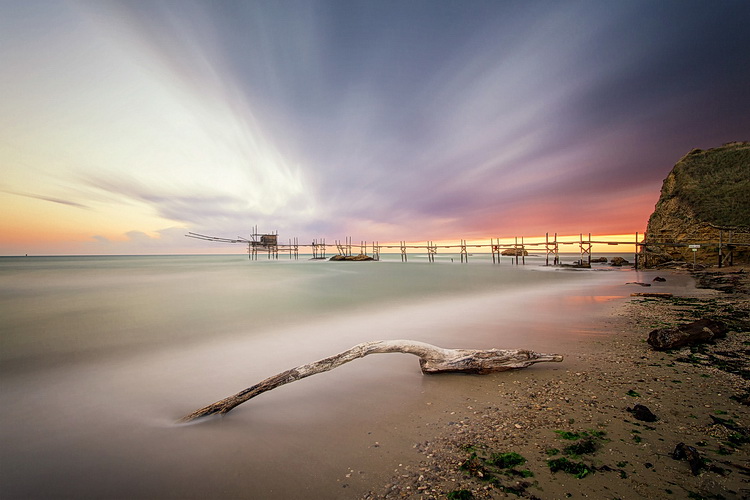
The Magic Of Punta Aderci by Luca Libralato: stacking of 2 x 260 second exposures for a total of 520 seconds (8:40 min)

Step 1: Gear

The photographic gear needed for this technique is luckily the same gear needed for taking long exposure photos. So if you are already familiar with long exposure photography, you are set. Otherwise here is a short list of all the tools:

  • Digital Camera (which allows long exposure) + Lens (which allows you to mount neutral density filters)
  • Tripod
  • Remote trigger (optional, but suggested)
  • Neutral density filters (optional if you shoot when it’s dark)

For further details about taking long exposure photography, you can check the related resources listed at the bottom of the article.

Step 2: Plan the shot

Never hit the shutter without having properly planned the photo. Of course there are a lot of variables involved, but planning can really play the most important part in a good photo. Do not underestimate the power of accurately planning a landscape photo – because luck can help you once, but planning your photography consistently, will increase the probability that you’ll be ready when the right conditions are present.

dps_les_santa_marinella

Rips Of Darkness by Luca Libralato: stacking of 5 x 120 second exposures for a total of 600 seconds (10 minutes)

Step 3: Take the shots

Once you have planned your photo and you are on location, you should then decide the two most important things in any photo (at least this kind of photo): composition and exposure (supposing you are taking landscape photography, depth of field should not be a variable in most cases). Composition is up to your taste, while exposure is a complex matter and depends upon different factors.

First thing every landscape photographer usually does before taking any picture, is metering the light to decide the exposure time. The final exposure time depends on several factors, such as strength of the wind, the movement of the clouds, water flow, and so on. The question at this point is, “How long shall I expose for?”.

If the light is changing suddenly, or there is a strong wind which can shake your camera/tripod during exposure, you may decide to avoid really long exposures (to avoid wasting shots or missing the right light). This is where this technique comes to your rescue.

Suppose you would like to have a total of eight minutes of exposure, instead of taking one single long exposure file you can split the total exposure time into four consecutive shots of two minutes each (for example). You can freely decide the final length of each exposure and the total number of shots, just keep in mind that you should keep the gap of time between the different photos to a minimum, if you are planning to do stacking. Needless to say that you should be careful in avoiding moving the tripod and the camera between each shot of the sequence. Once you have your consecutive shots, in the next step you will understand what to do in post-processing.

Before you start shooting: make sure you focused correctly and your tripod is stable (avoid sand or uneven floors where possible).

After the shot: make sure your histogram is fine and your picture is properly exposed, or exposed to the right.

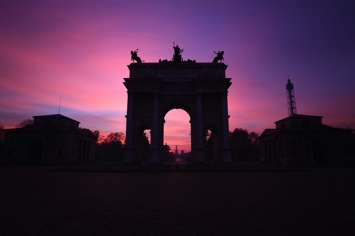
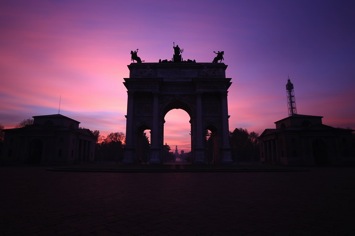
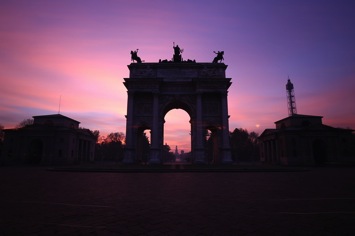
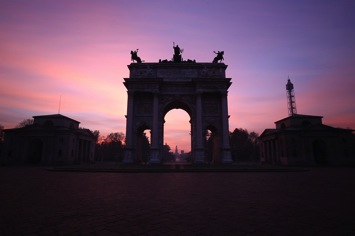
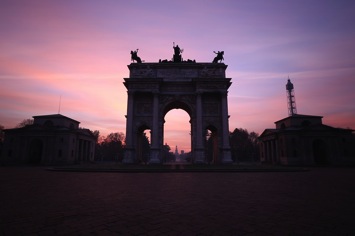
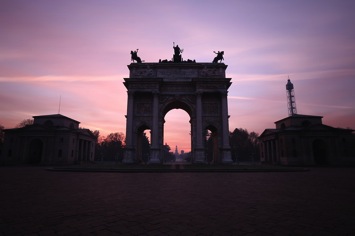
Dps les 01 Dps les 02
Dps les 03 Dps les 04
Dps les 05 Dps les 06

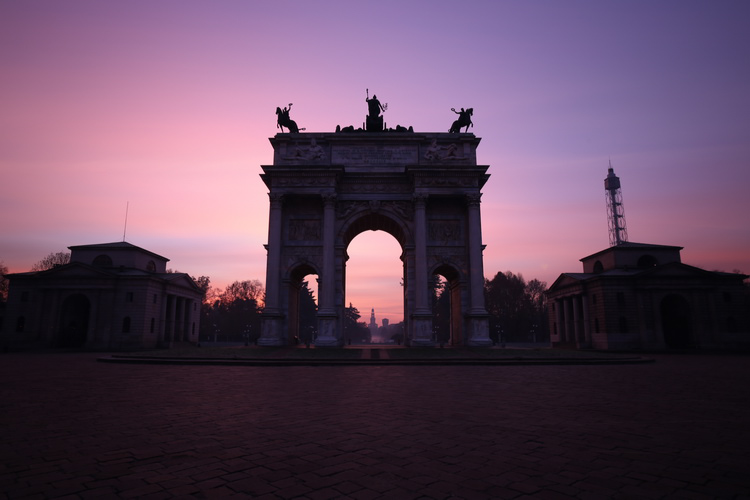
Arco Della Pace by Luca Libralato: 6 x 130 second exposures, for a total of 780 seconds (13 minutes)

Step 4: Image Stacking

You should now be at home, or in your favourite cafe/pub with your laptop, and hopefully a coffee/beer. You should have downloaded all of your shots and selected the ones you would like to stack.

The stacking process will be shown for Adobe Photoshop (almost any version supports the feature) but you can use any software of your choice, which allows the use of layers. In Photoshop there are two different methods that can be used to stack files, with the goal to merge them into a simulated longer exposure:

  1. Load files into stack function (Files > Scripts > Load Files into Stack)
  2. Manual stacking

4.1 Load files into a stack

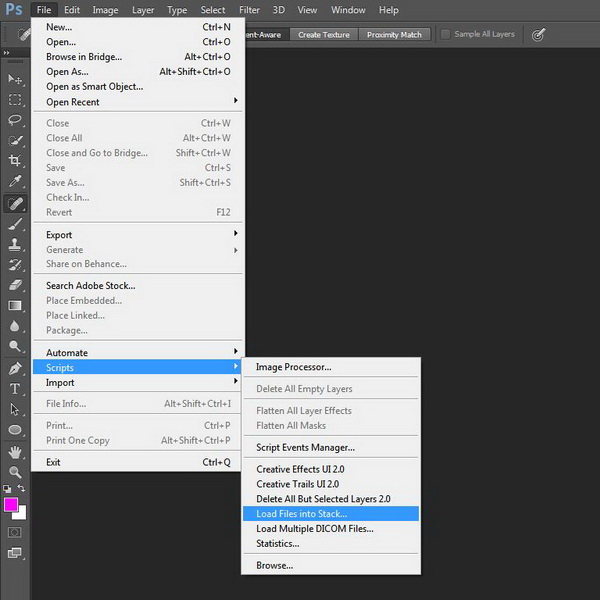
With the first method the procedure is semi automated, since you just need to go to Files > Scripts > Load Files into Stack

Dps les ps stack 01

Photoshop: Load Files into Stack

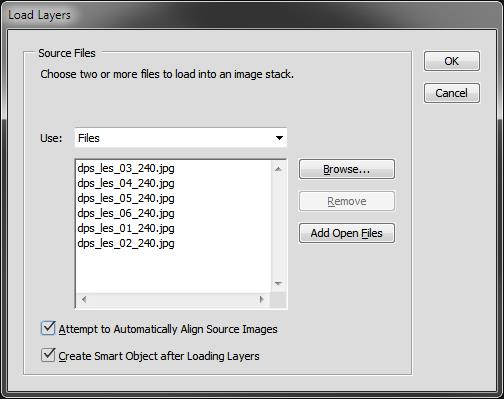
All you have to do is then select the single long exposure, flag the boxes to Automatic Align Source Images and Create Smart Object.

Dps les ps stack 02

Photoshop: Select files and create Smart Object

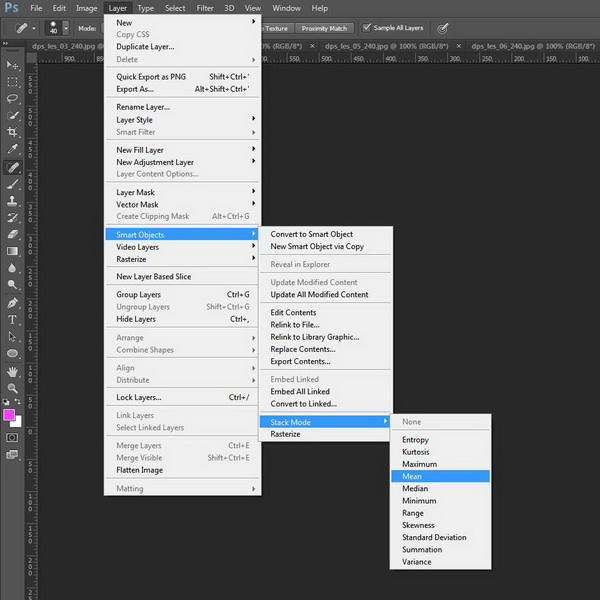
Once you have a new document with the Smart Object selected, all you have to do is go to menu Edit > Smart Objects > Stack Mode > Mean. This will weigh all images embedded into the Smart Object, rendering them as a new image which similar to what you would have obtained with a single long exposure of a total time equal to the sum of the single exposure.

Dps les ps stack 03

Photoshop: Set Stack Mode to Mean

You can check the result on the image below.

Dps les ps stack result

Photoshop: Result after stacking

4.2 Manual stacking

By using the second method (which I trust can be used with every software which allows layers) the blending process is manual. The rule is that you have to fine tune the opacity of each layer by decreasing it after each shot.

The mathematic rule is as follows: each shot should have an opacity equal to 1 divided by its position in the stack. Here is a table which shows the rule:

  • First photo (the one at the bottom) 100% (1/1)
  • Second photo 50% (1/2)
  • Third photo 33% (1/3)
  • Fourth photo 25% (1/4)
  • Fifth photo 20% (1/5)
  • Sixth photo 17% (1/6)
  • Nth photo 1/N

This process will exactly replicate the first method (the result will be identical to an automatic Stack in Mean mode).

Step 4: Post processing workflow

At this point, all you have to do is follow your typical post-processing workflow:

  • Clean dust spots, straighten the image, crop
  • Adjust dynamic range with other exposures (3 or 5 bracketing shots for static underexposed parts)
  • Adjust exposure and contrasts
  • Adjust colors
  • Add finishing touches to suit your taste
  • Export

Here is the final result of the example

Dps les arco della pace

Arco Della Pace by Luca Libralato: stacking of 6 x 130 second exposures for a total of 780 seconds (13 minutes)

Conclusions

This technique is very useful sometimes because of its flexibility. Moreover you should consider the benefit in increasing the final quality of your file because of the stacking. It has been proven that by stacking images you can benefit by reduction in random digital noise equal to the square root of the total photos used. So for example if you use four photos, you will have in static part of the photo a reduction by half of the total random digital noise, which is a great achievement especially for underexposed portions. This technique is used a lot (even if with some different variations and implications) in astrophotography or in other fields when increasing the exposure time of a single shot is not suitable.

Don’t hesitate to ask questions in the comments box below if you need help or further explanations.

Related Resources:

  • Step-by-step Guide to Long Exposure Photography by Francesco Gola
  • Long Exposure Photography Without a Tripod by Viktor Elizarov
  • How to do Long Exposure Photography and Light Trails at Night by Barry J Brady
  • 11 Accessories for Long Exposure Photography by Scott Wyden Kivowitz
  • 5 Tips for Better Long Exposure Landscape Photography by David Cleland
  • 8 Tips for Long Exposure Photography by Elliot Hook
  • 5 Tips for Getting Sharper Images When Doing Long Exposures by Kevin Choi

googletag.cmd.push(function() {
tablet_slots.push( googletag.defineSlot( “/1005424/_dPSv4_tab-all-article-bottom_(300×250)”, [300, 250], “pb-ad-78623” ).addService( googletag.pubads() ) ); } );

googletag.cmd.push(function() {
mobile_slots.push( googletag.defineSlot( “/1005424/_dPSv4_mob-all-article-bottom_(300×250)”, [300, 250], “pb-ad-78158” ).addService( googletag.pubads() ) ); } );

The post How to Improve Your Long Exposure with Photo Stacking by Luca Libralato appeared first on Digital Photography School.


Digital Photography School

 
Comments Off on How to Improve Your Long Exposure with Photo Stacking

Posted in Photography


Long and short of it: Tamron 16-300mm F3.5-6.3 Di II VC PZD Macro review

15 Sep

Tamron’s 16-300mm F3.5-6.3 takes the superzoom concept it made famous a few steps forward. It offers a significant increase in telephoto range, and also goes wider to bring real wide-angle capability to the superzoom category for the first time. It’s also earned a ‘Macro’ designation with its close focusing ability. Is it truly a super zoom? Take a look at our analysis. Read more 

Articles: Digital Photography Review (dpreview.com)

 
Comments Off on Long and short of it: Tamron 16-300mm F3.5-6.3 Di II VC PZD Macro review

Posted in Uncategorized


10 Common Mistakes in Long Exposure photography

27 Aug

On all the 2015 Workshop I held here in Italy, I introduced a little game, where at the end of the workshop the attendees had to write down on a paper three mistakes that they used to make before taking the workshop. So I decided to collect all these lessons learned papers and make a list of the 10 most common errors in long exposure photography so you can learn from this also:

FG 1

Mistake #1 – Vibration reduction system is set to ON

There are some lovely technologies that can help get much sharper images minimizing the blur caused by camera shake, which are extremely useful in low-light conditions where slow shutter speeds are required. Every brand calls this technology something different, but the aim is the same. They can be lens-based (like for Nikon and Canon cameras) or camera-based (like for Sony, Olympus and Pentax cameras), but at the end the result is that this vibration reduction can give you the same image quality up to four shutter speed stops slower than usual.

They use some movement sensors to detect motion and try to compensate for it by moving an element group in the lens, or on the sensor itself.

The point is that if the camera is on a sturdy tripod (and if you are shooting a long exposure, your camera is definitely on a tripod!), you shouldn’t expect any vibration. You may know this, but your camera doesn’t, so even if there is no movement, it can happen that this anti-vibration system tries to compensate anyway moving a lens group (or the sensor), and this will actually result in an introduction of a vibration (and blur) instead of a removal.

So, if your camera is on a sturdy tripod, turn the anti vibration system to OFF!
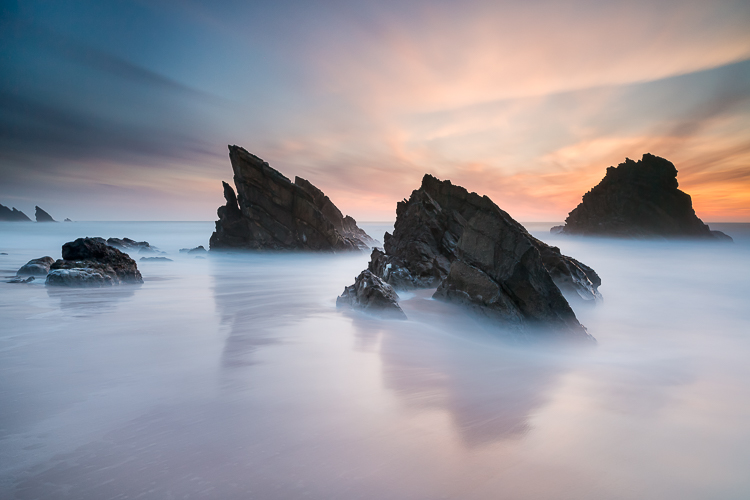
FG 2

Mistake #2 – Forgetting to use Mirror Lock-up

In a DSRL camera, light travels through the lens and is sent to the viewfinder by a mirror. When you press the shutter button, the mirror flips up so that the light goes directly onto the image sensor. This movement introduces a small vibration that will cause slight blurring in the photo.

To avoid this vibration, you can activate the Mirror Lock-up function in your camera. After its activation, the first time you press the shutter button, your camera will lift the mirror; the second time it will open the shutter. If you wait a couple of seconds between the first and the second press, you will avoid the vibration!

Yes, if you have a mirrorless camera, you can skip this advice!

Mistake #3 – Not using a GND filter because they are expensive

In some situation (in places where there is not a big difference in the exposure between different areas of the scene), just a Neutral Density filter can allow you to get the desired result. However, in many situation the light condition require the use of a Graduated Neutral Density filter to balance the exposure.

If you are using a screw-on ND filter, you may believe that the only chance you have is to try to apply a GND filter in post-production – but you’d be wrong!

FG 3

You can just hold the filter with your hand in front of the lens. For a shot with a shutter speed up to few seconds, your only problem will be the correct alignment of the filter. For shots which are minutes long, even if your hand is not perfectly still, the final result will be more than great – try it if you don’t believe me. The holder is required if you want to use multiple filters together (or when you start having cramps in your hand).

Mistake #4 – Setting the aperture to f/22 to increase the exposure time

The rule was simple: if you decrease the aperture, you increase the exposure time.

With this rule in mind, you may think that you can transform your 30 second exposure to a two minute exposure just moving from f/11 to f/22. Theoretically, you’re right. Unfortunately there is a physical phenomenon called optical diffraction that above f/16 is enough intense to ruin the sharpness of your image.

If you are already at f/11 and you need a slower shutter speed, decrease ISO if possible or use a stronger filter.

FG 4

Mistake #5 – Forgetting to adjust the ISO

ISO can be a powerful ally in a long exposure. Sometimes you forget the possibility of changing the ISO setting, and you only play with filters and aperture. Remember that every camera has a range of ISO where the output quality is almost the same. In high-end cameras this range is usually between ISO 50 and 200.

This means that you have two stops to play with, and in a long exposure shoot, two stops mean minutes of exposure.

Mistake #6 – Shooting like you’re in a studio

FG 5

When you shoot pictures at home or comfortably seated in a studio, no external agent can affect the quality of your image. But if you are perched on a rock in front of the sea, on a beautiful stormy day, quite soon your filters will be completely wet.

Remember to fill your bag with cleaning cloths. A a thin layer of water on your outer filter will result in a high diffraction, and this will irremediably ruin your image. Never underestimate nature, even on a sunny day, the weather conditions can change very quickly.

Mistake #7 – Choosing a low quality filter

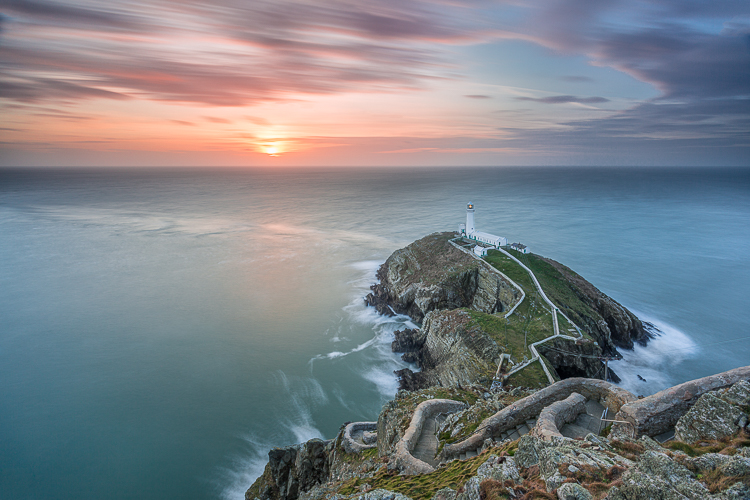
Every time you add a filter in front of your lens, you inevitably decrease the overall quality of the optical system. Yes, some well-known filter brands are quite expensive, but do you believe it is worth puttting a 5$ filter in front of a camera of thousand dollars? No, it isn’t – so focus on quality: fewer filters but better! You don’t need the whole set of density ranges for ND and GND filters. Try to understand which filters you will probably use more often, then remember that you have ISO and Aperture to play with to cover the gap between. Finally, remember that a lot of good quality filters are available at incredibly affordable prices. Check in advance for filter reviews on internet.
FG 7

Mistake #8 – Underestimating the wind

When you take a long exposure shoot, you camera is exposed to possible external vibration agents for minutes. Even a wind gust of a few seconds can ruin your image. Invest on a sturdy tripod, and then set it firmly on the ground. If needed, hook an additional weight to the tripod to make it even sturdier and solid.

Avoid using the tripod’s central column too – if you raise it up, you raise the center of gravity of the system and it will be less stable.

Mistake #9 – Not covering the viewfinder

You took a three minute exposure, and the preview is full of strange purple lines and halos. Why?

It is because light, like water, loves to find a way – always.

FG 9

Your camera is intended to allow light through only from the hole in your lens, but unfortunately there are some other accesses that can potentially harm your images.

The most common of them is the viewfinder. To avoid infiltration of light from it, cover it after composing the image. If your camera is not provided with a cap, you can even use some black tape. If you forgot the black tape, use a chewing gum. The typical result of viewfinder infiltration is a strange purple halo. Yes, if you have a mirrorless camera, you are also free of this issue!

If you use slot-it filter system, another possible source is the gap between one filter to another (this is one of the reason why many photographers love screw-on filters). In this case, the best solution is to cover that gap with black tape. The typical result of filter infiltration is a vertical purple line on the opposite side of the sun.

Finally, if you use a tilt-shift lens, or a lens adaptor, you may have an infiltration from the lens body. The best way to avoid this is to cover the lens with a black neck warmer.

Mistake #10 – Believing the filter vendor

FG 8

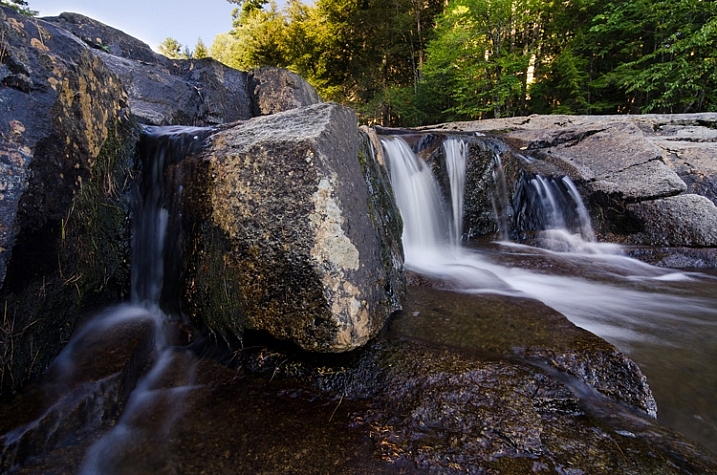
When you buy a six stop ND filter, you expect that it has exactly the optical density to get a six stop reduction. Unfortunately, you are wrong. In my life I never found a filter with the exact intensity stated by the manufacturer. Of course, the difference usually is minimal, but remember that even ½ stop of difference, in a long exposure means minutes of error.

To avoid errors when you are on field, test it in advance by following these steps:

  • Choose a room in your home, turn on the lights and close the windows (you need a place where the lighting is perfectly constant).
  • Mount your camera on a tripod and take a photo of the room until you get a shot with a good histogram. Note down all the parameters (ISO/Aperture/Shutter speed) of the shot.
  • Mount the ND filter and compensate the shutter speed obtained before, according to the f-stop reduction introduced by the filter.
  • Take a picture with the ND filter.
  • Look at the histogram of the photo taken with the filter, and compare it to one taken without. If they are approximately superimposable (exactly the same), the filter intensity stated by the manufacturer is accurate. If the new histogram has shifted to the left, your filter has an intensity greater than that the one declared; if it is moved to the right, it has a lower intensity.
  • If the two histograms are not superimposable, take another shoot changing the shutter speed to obtain a histogram approximately similar to the one of the picture without the filter.

FG 6When you have found the exact optical density, build your own shutter speed conversion table. Another possibility is the PhotoPills app for your iPhone, the only one that allows you to convert the shutter speed for non-standard f-stop reductions.

That’s the ten mistakes to avoid when doing long exposure photography. Have you got any others you’ve made and learned along the way you’d like to share? Please do so in the comments below.

googletag.cmd.push(function() {
tablet_slots.push( googletag.defineSlot( “/1005424/_dPSv4_tab-all-article-bottom_(300×250)”, [300, 250], “pb-ad-78623” ).addService( googletag.pubads() ) ); } );

googletag.cmd.push(function() {
mobile_slots.push( googletag.defineSlot( “/1005424/_dPSv4_mob-all-article-bottom_(300×250)”, [300, 250], “pb-ad-78158” ).addService( googletag.pubads() ) ); } );

The post 10 Common Mistakes in Long Exposure photography by Francesco Gola appeared first on Digital Photography School.


Digital Photography School
 
Comments Off on 10 Common Mistakes in Long Exposure photography

Posted in Photography


28 Wondrous Images of Long and Winding Roads

15 May

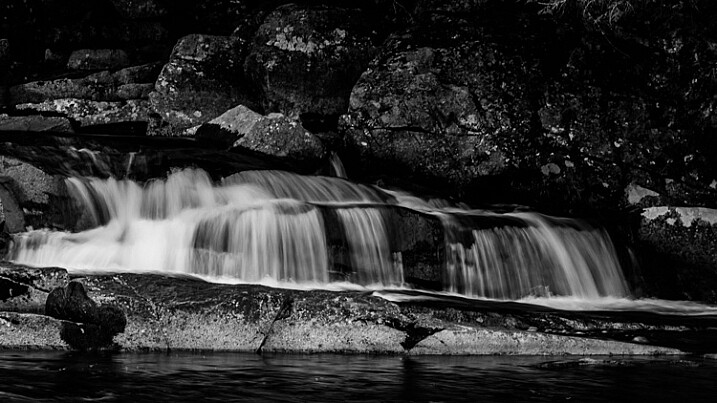
Leading lines are a powerful element in composition. Nothing makes better lines in photos than roads and pathways. leading

Let’s take a look at a few images using these to create strong compositions. Keep in mind light is also important so it all comes together.

Photograph A ribbon of light by Dino Marsango on 500px

A ribbon of light by Dino Marsango on 500px

Photograph The road of kings by Jorge Maia on 500px
The road of kings by Jorge Maia on 500px

Photograph Road To The Heavens by Tristan O'Tierney on 500px

Road To The Heavens by Tristan O’Tierney on 500px

Photograph VIP Bridge #2 by Marek Kijevský on 500px
VIP Bridge #2 by Marek Kijevský on 500px

Photograph Road to... by Aydin Palabiyikoglu on 500px

Road to… by Aydin Palabiyikoglu on 500px

Photograph Fairy Castle Walkway by Paul O' Hanlon on 500px
Fairy Castle Walkway by Paul O’ Hanlon on 500px

Photograph Wooden catwalk by Roberto D'Antoni on 500px

Wooden catwalk by Roberto D’Antoni on 500px

Photograph Road to Cave Point by Scott Norris on 500px
Road to Cave Point by Scott Norris on 500px

Photograph Aurora Road by Christopher Waddell on 500px

Aurora Road by Christopher Waddell on 500px

Photograph Leading lines by Simon Roppel on 500px
Leading lines by Simon Roppel on 500px

Photograph The Way by Pablo Belastegui on 500px

The Way by Pablo Belastegui on 500px

Photograph Senbon Torii, Kyoto by Zachary Voo on 500px
Senbon Torii, Kyoto by Zachary Voo on 500px

Photograph Pathway by Mikko Lagerstedt on 500px

Pathway by Mikko Lagerstedt on 500px

Photograph Never Crossings by Philip Avellana on 500px
Never Crossings by Philip Avellana on 500px

Photograph The pathway by Jorge Maia on 500px

The pathway by Jorge Maia on 500px

Photograph Path to Serenity by Eva Lima on 500px
Path to Serenity by Eva Lima on 500px

Photograph magic autumn landscape in park by Sergiy Trofimov on 500px

magic autumn landscape in park by Sergiy Trofimov on 500px

Photograph Rise & Shine by Philip Escott on 500px
Rise & Shine by Philip Escott on 500px

Photograph The Way by Pat Teglia on 500px

The Way by Pat Teglia on 500px

Photograph Tree on a Path by Carlos Gotay on 500px
Tree on a Path by Carlos Gotay on 500px

Photograph Wood & water II by Ramón Menéndez Covelo on 500px

Wood & water II by Ramón Menéndez Covelo on 500px

Photograph Boshar's golden curves by Randy Legaspi on 500px
Boshar’s golden curves by Randy Legaspi on 500px

Photograph Zigzag by Gerald Macua on 500px

Zigzag by Gerald Macua on 500px

Photograph Zig Zag by Jeff Wallace on 500px
Zig Zag by Jeff Wallace on 500px

Photograph Dark Tube by Thiemo Hesse on 500px

Dark Tube by Thiemo Hesse on 500px

Photograph Route to Exit by Pete Lebow on 500px
Route to Exit by Pete Lebow on 500px

Photograph Red and white snakes by Kristian D. Hansen on 500px

Red and white snakes by Kristian D. Hansen on 500px

Photograph Out Of Sight by Ivor Sheehan on 500px
Out Of Sight by Ivor Sheehan on 500px

googletag.cmd.push(function() {
tablet_slots.push( googletag.defineSlot( “/1005424/_dPSv4_tab-all-article-bottom_(300×250)”, [300, 250], “pb-ad-78623” ).addService( googletag.pubads() ) ); } );

googletag.cmd.push(function() {
mobile_slots.push( googletag.defineSlot( “/1005424/_dPSv4_mob-all-article-bottom_(300×250)”, [300, 250], “pb-ad-78158” ).addService( googletag.pubads() ) ); } );

The post 28 Wondrous Images of Long and Winding Roads by Darlene Hildebrandt appeared first on Digital Photography School.


Digital Photography School
 
Comments Off on 28 Wondrous Images of Long and Winding Roads

Posted in Photography


The Long Journey of ‘The Long Night’: Tim Matsui’s work to document underage sex trafficking in the US

14 May

We spoke with photographer and multimedia artist Tim Matsui last year about the making of his feature documentary, The Long Night. A year later the film has won some of the top awards in photojournalism and the work hasn’t stopped for Matsui. We caught up with him again to discuss what it took to make and distribute this film and what comes next for him. Read more

Articles: Digital Photography Review (dpreview.com)

 
Comments Off on The Long Journey of ‘The Long Night’: Tim Matsui’s work to document underage sex trafficking in the US

Posted in Uncategorized


5 Reasons You Should Learn Long Exposure Photography

12 May

Long exposure imagery is an interesting and highly satisfying technique of creating images. It requires you to use the manual mode or sometimes shutter priority mode to control your shutter speed.

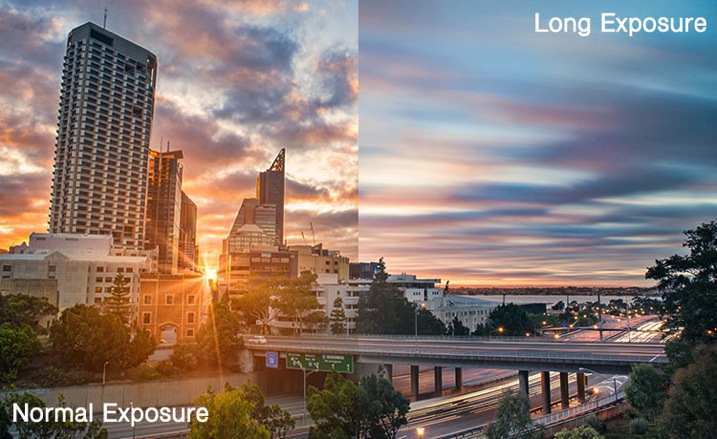
Normal vs Long exposure

Shutter priority mode is marked on Nikon camera with ‘S’ and on Canon systems with ‘Tv’. They mean the exact same thing. When you switch to shutter priority mode you can select the shutter speed while the camera selects the appropriate aperture.

Obviously if you need a bit more flexibility, you should use the manual mode, where both shutter speed and aperture value are in your control. That helps you to maintain a long shutter speed while also controlling the depth of field.

At this point you would probably be asking yourself why you would need to shoot long exposure images. Wouldn’t shooting such exposures risk your images to be washed out? This is because there are some other tools and techniques involved in the process as well. Such as using ND filters or using exposure compensation to find the right aperture / shutter speed combination that allows sufficient light over a long period of time without risking a washed out image.

So why should you learn how to shoot long exposure images?

1. You can record an image over a long period of time.

Something that evidently means an action is recorded as it unfurls in front of the camera. For example, clouds moving across the sky in a landscape image creates a beautiful blurred effect that gives the hint of time passage. The same thing happens when you shoot an image of a pier and the surf coming back and forth is recorded over a long period of time. The final result will be a beautiful misty look.

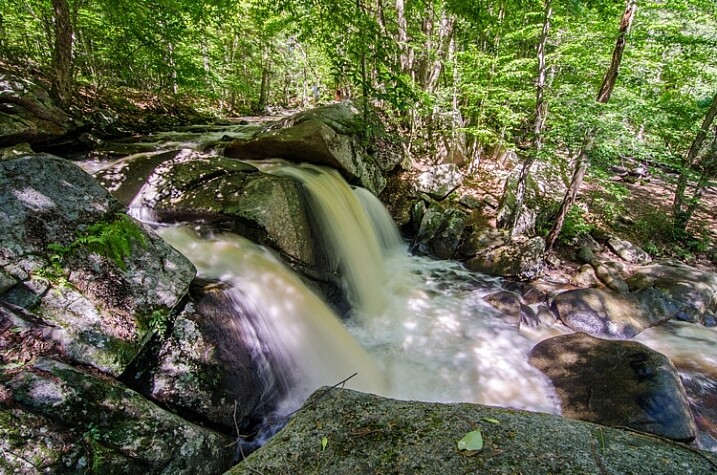
2. You can make waterfalls become silky.

Water fall

If you love nature photography there are probably a million different subjects that you could shoot using the long exposure technique. Waterfalls are often shot using a slow shutter speed which basically results in a long blurred line of water and accentuates the overall surreal look of the image. I call this “silky waterfalls”.

3. You can capture trails of lights.

Light trail

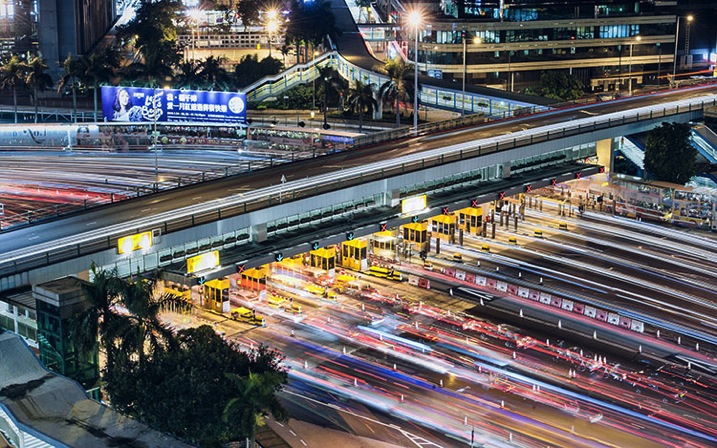
Long exposure technique is perfect for night time photography as well. You can shoot star trails, light trails, light painting, or even fireworks. All of these subjects require a long shutter speed which allow the sensor to be exposed to the light movement. These topics, when doing right, can capture a beautiful pattern of light in the final image easily.

4. You can make the annoying pedestrians disappear.

There are certain unique perspectives to get if you are prepared to use the long exposure technique in broad daylight. It is not difficult, you will just need an ND filter. What I have in mind primarily is street photos. Let’s say you are photographing a busy street at noon. You want a look when nobody is around. On a busy street right in the middle of the day, it is seemingly an impossible task. Not if you know how to use an ND filer.

A ten stop ND filter, something like a Lee big-stopper, is what you need. You can first meter for the scene, then attach the filter to the front of the lens. A ten-stop filter will allow you to use a shutter speed of up to 10 stops slower than what you metered initially, without the filter. That will make everybody simply disappear. If you do it the right way, what you will get in your image is a city completely devoid of people! Like a postapocalyptic
scene, it will be an amazing image.

5. You can easily create B&W fine art photographs.

Another reason you would want to shoot long exposure photos is to enhance your black and white compositions. Black and white images are somehow more powerful than color images.

Sydney bridge

It is the contrast, the different shades of grey, ranging from pure white to pure black, the shapes, the forms, everything seems to appear more interesting. The greatest disadvantage of B&W images is that, well, they are devoid of color. That, however, is also the greatest advantage. Because without color, the essential aspects of composition and the underlying story comes to the forefront.

Do you have any other compelling reasons to do long exposure photography? Please share in the comments below.

googletag.cmd.push(function() {
tablet_slots.push( googletag.defineSlot( “/1005424/_dPSv4_tab-all-article-bottom_(300×250)”, [300, 250], “pb-ad-78623” ).addService( googletag.pubads() ) ); } );

googletag.cmd.push(function() {
mobile_slots.push( googletag.defineSlot( “/1005424/_dPSv4_mob-all-article-bottom_(300×250)”, [300, 250], “pb-ad-78158” ).addService( googletag.pubads() ) ); } );

The post 5 Reasons You Should Learn Long Exposure Photography by Kevin Choi appeared first on Digital Photography School.


Digital Photography School
 
Comments Off on 5 Reasons You Should Learn Long Exposure Photography

Posted in Photography


Flickr Users Unable to Upload Photos All Weekend Long While Flickr Staffers Take the Weekend Off

11 May

Flickr Weekend Upload Problems

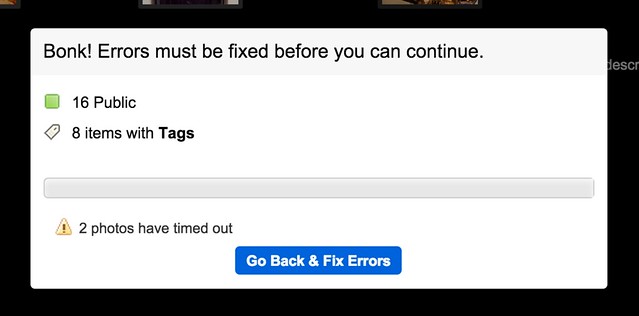
Usually I publish photographs to Flickr twice a day, in the morning and in the evening — random batch of 16 photos in the a.m. and in the p.m. This morning I cannot upload a single photo. For the entire weekend I have not been able to batch upload to Flickr at all and have resorted to uploading photos one by one by one with consistent upload failure with each new attempt.

If this were happening at Facebook, it would be the top story on Techmeme — but because it’s just Yahoo and Flickr, it doesn’t get that sort of attention.

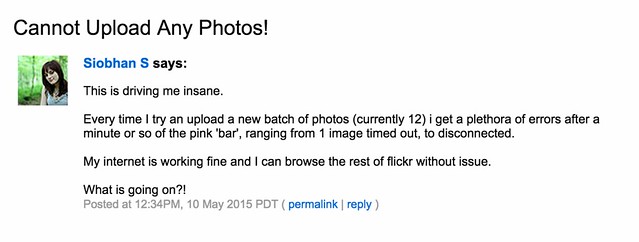
It’s not just me that this is happening to. The Flickr Help Forum has been littered with threads all weekend long where users are angry about not being able to upload photos to the site.

Failed to Upload

Cannot Upload Any Photos!
Video upload problems
Consistent upload failures and disconnect errors
Very slow upload speed
Uploadr gives error when attempting to Sign in
UPLOAD Servers speed DOWN to 3 %(max)
Can’t Upload Photos with Mac Yosemite
Upload Problems
Uploading not possible at 2/3 it stops
[BUG] Upload speed
Can’t upload

These are all Flickr discussions in their help forum active over the course of the last 3 hours. If you go back further, you will find that for the entire weekend a large chunk of Flickr users have been able to upload images reliably to Flickr.

Files Not Uploading

While being unable to upload photos to a photo sharing site is a problem, to me the bigger problem is that at a company with Yahoo’s resources not a single Flickr staffer seems to be assigned to review their active and public help forum.

While I get that Flickr staffers deserve a weekend off like everyone else, someone at Flickr should be assigned to the company’s very public help forum 24/7. An acknowledgement from staff that they are aware of the problem and working on it goes a long way — but to leave frustrated users twisting in the wind all weekend long just makes a bad situation that much worse.

This uploading problem is a bad technical problem to deal with I’m sure, but basic customer service should be something that Flickr is capable of given the deep resources of Yahoo behind them. Flickr/Yahoo can and should do better.

The only thing that in any way resembles any source of staff involvement comes from one of the help forum threads where a Flickr staffer who goes by the name “Alex” reportedly claims in response to a service inquiry that everything is fine on his end and that he’s able to upload 100 photos in under 5 seconds.

Even when Flickr was at it’s peak, you cannot upload 100 photos in under 5 seconds. No service on the internet would do such a feat, not Google, not Facebook, nor any other site. The fact that this is allowed to stand as the closest thing to staff response is unfortunate.

Flickr just rolled out a wonderful new version of Flickr this past week. Especially the weekend after a major new effort such as this, Flickr/Yahoo should be watching things closer and be much more responsive to their users. Hopefully Flickr doesn’t now let an entire Monday go by without acknowledging such a disruption to their service.


Thomas Hawk Digital Connection

 
Comments Off on Flickr Users Unable to Upload Photos All Weekend Long While Flickr Staffers Take the Weekend Off

Posted in Photography


Long Exposure Photography Without a Tripod

01 May

For me, as a travel photographer, the size and the weight of the photography equipment that I carry around is very important. Over the years, I learned how to carry only the items absolutely necessary for shooting in order to eliminate anything unessential.

Long_Exposure_Photography_Without_Tripod_Photo-2

Long exposure photo shot without a tripod, using the Align+Blend technique.

I was able to replace some of the pieces of equipment with software. For example, I stopped using ND Graduated filters a few years ago. For me, it was easier to take bracketed shots and blend two images in Photoshop or simply use the graduated filter in Lightroom. Next, I left behind the remote trigger because I learned that using the two second delay function on the camera allowed me to achieve the same result without an extra piece of equipment.

A couple of months ago, I pulled the trigger on the biggest change in my photography universe when I switched from a Canon DSLR to a Sony Mirrorless (read my article here 5 Lessons Learned Switching from DSLR to Mirrorless for Travel Photography). That drastic switch resulted in cutting the weight and the size of the equipment I carry around by more than half.

During my latest photography trip to Hawaii and Northern California, I did quite a bit of hiking and realized that, after the switch to mirrorless, the biggest and by far the bulkiest, piece of equipment I carried was my tripod. I love my Feisol tripod because it is light, tall, and steady like a rock. But, sometimes it is just impossible to bring with me.

Even though I learned how to take bracketed shots handheld and merge them effectively to HDR in Photomatix and Photoshop HDR Pro (read Natural Looking HDR in Photoshop and Lightroom in 5 Easy Steps), without a tripod I still could not accomplish one of the most important types of photography, which is long exposure photography.

Long_Exposure_Photography_Without_Tripod_Photo-1

Long exposure photo – shot with a tripod.

I use long exposure photography quite a bit, especially when shooting seascapes, and of course, I have plenty of seascapes in my portfolio. Longer shutter speed allows me to achieve beautiful, smooth and silky looking water plus, it works just as well for the sky.

Lately, I’ve been experimenting with a few techniques in an attempt to achieve the same long exposure effect in the water and the sky by shooting handheld without a tripod. After I started to produce predictable results on a consistent basis, I am now ready to share the technique with you.

Shooting

Below is the effect I achieved using my new technique that I call Align+Blend.

Normally, I shoot in bracketing mode, taking at least three exposures. In order to use the Align+Blend technique, I had to switch from bracketing mode (AEB) to the Single Shot Mode. I shot 10 consecutive shots of the scene, trying to be as steady as possible, without too many movements. I was shooting at an approximate speed of one shot per second and, it took me nine seconds to complete the series. In order to get the sharp images, I used a shutter speed of 1/200th of a second.

Long_Exposure_Photography_Without_Tripod_Photo-22

Single RAW image, unprocessed (1/200 sec).

That was it. The shooting part was done. The rest was accomplished in post-processing.

Processing

Step 1 Import

I imported the 10 RAW files into Lightroom.

Step 2 Process in LR

I applied one of my landscape presets to the entire set making sure that each image had an identical look (If you are interested you can download my free preset collection on my blog).

Step 3 Open as layers in Photoshop

I selected 10 images in Lightroom and opened them in Photoshop as layers in the same document (right/option click).

Long Exposure Photography Without Tripod Photo 3

Step 4 Align Layers

I used the Auto Align Layers feature in Photoshop to align all 10 layers with Projection set to AUTO. The Auto Align is a fairly sophisticated tool, and Photoshop had no issue aligning all of the 10 individual layers.

Long Exposure Photography Without Tripod Photo 4

Step 5 Convert to one Smart Object

I converted the 10 layers to one single Smart Object (right/option click).

Long Exposure Photography Without Tripod Photo 5

Step 6 Set Stack Mode

I used the following command to blend the 10 original layers inside of the Smart Object. Layer > Smart Object > Stack Mode > Mean. This resulted in a long exposure effect by moving elements of the scene (water, sky).

Long Exposure Photography Without Tripod Photo 6

Step 7 Fix any areas with issues using a layer mask

At the same time, the windy weather created some unwanted effects by moving tree branches and the grass in the foreground. To fix the blurry effects I placed one of the 10 original RAW images on top of the Smart Object layer and blended together two layers with the help of transparency (layer) masks. I used the area of the water and the sky from the smart object layer and, the rest of the scene from the single RAW layer.

Long Exposure Photography Without Tripod Photo 7

I managed to achieve the long exposure effect without a tripod and without sacrificing the quality of the final image.

This technique also works as the replacement for Neutral Density filters. In broad daylight, even when you have a tripod but the smallest aperture (f/22) is still not small enough to slow down the shutter speed, take multiple shots and blend them together later in Photoshop in a similar manner.

Here’s the final image again:

Long Exposure Photography Without Tripod Photo 2

googletag.cmd.push(function() {
tablet_slots.push( googletag.defineSlot( “/1005424/_dPSv4_tab-all-article-bottom_(300×250)”, [300, 250], “pb-ad-78623” ).addService( googletag.pubads() ) ); } );

googletag.cmd.push(function() {
mobile_slots.push( googletag.defineSlot( “/1005424/_dPSv4_mob-all-article-bottom_(300×250)”, [300, 250], “pb-ad-78158” ).addService( googletag.pubads() ) ); } );

The post Long Exposure Photography Without a Tripod by Viktor Elizarov appeared first on Digital Photography School.


Digital Photography School
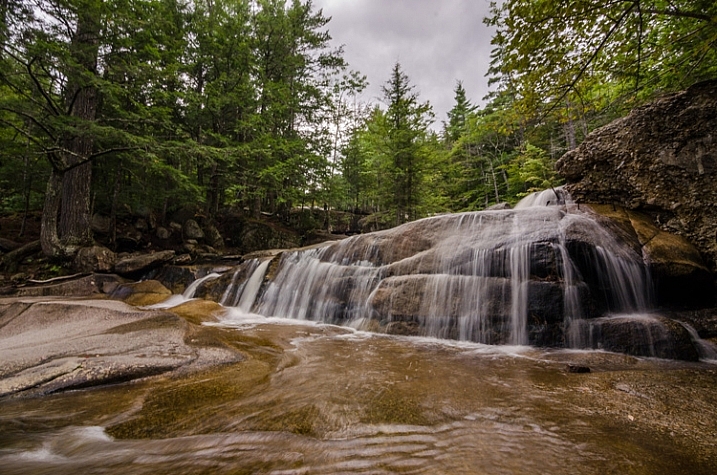
 
Comments Off on Long Exposure Photography Without a Tripod

Posted in Photography


5 Tips for Geting Sharper Images When Doing Long Exposures

29 Apr

Long exposure photography makes it possible to show the passage of time in a still photograph. It does this by blurring moving elements and sharpening the static parts. But there is a downside to long exposures – any camera movement blurs the static elements. Here are four simple ways you can prevent unwanted blurring.

Salt Lake Sunset at Mandurah

1. Use a Good Tripod

For very short exposures there are ways to hold yourself and your camera steady, like: How to Reduce Camera Shake – 6 Techniques. However, when you’re taking an exposure of a few seconds, you need something steadier than your hands to hold your camera. You may set the camera on a table, or a rock but risk dropping the camera or accidental movement that can ruin your shoot.

The most common way is to put it on a sturdy tripod. You have to get at least a decent tripod as El Cheapo tripods are going to give you camera shake too.

Light Trail Central

2. Use a Remote Shutter Release

Even with a tripod the act of snapping the shutter can cause the camera to shake. There are a couple of ways to combat this problem.

One is to set the delay on the camera (2-sec timer) so any movement is done by the time the shutter snaps. The other is to get a remote shutter release.

Remotes can be connected to the camera by a cable or wireless – either one snaps the shutter without shaking the camera. They are also called remote cable releases. This is a small and cheap accessory which can help you get rid of camera shake.

Rockingham Sunset

3. Use Manual Focus

Autofocus is a wonderful thing. Most of the time it does exactly what you want, making it easier to take great photos. But there are times, especially when shooting long exposure, that it can have the opposite effect.

In low light situations autofocus has trouble finding something to focus on. Even when it seems focused it can readjust when the shutter is snapped. Using ND filters can cause the same problem.

Light Trail IFC

Fortunately, there is a simple solution. When shooting in low light you can use manual focus, or use a flashlight for focusing and once the focus is set, turn autofocus off so it won’t change once the light is off.

For ND filters set the focus manually (either before or after mounting the filter) or autofocus first, turn it off and mount the filter. The shot will stay focused, the picture sharp.

Moving Cloud Sunrise at Kings Park

4. Lock the Mirror Up

If you are using a DSLR camera – and you probably are since you are shooting long exposure – it has a mirror that reflects the image from the lens to the viewfinder. It is between the lens and the camera sensor, so it has to move before the shutter snaps.

That small movement causes vibration. When you turn on the mirror lockup it turns the shutter button into a two stage button. The first click lifts the mirror and the shutter doesn’t open until the second click. The time between the two clicks allows the vibration of the moving mirror to stop.

Light Trail Hong Hum

5. Use Your Aperture Sweet Spot

Closing down the aperture can make you shoot longer. However, when your aperture is too small, it will start to have a diffraction effect which lowers the sharpness.

In most lenses, the sweet spot of the lens aperture is between f/5.6 to f/8. In other words, you will get the sharpest images when using this range.

When you step down to f/16 or smaller, you will get images like that seem out of focus. You can learn the physics about diffraction in the below video by Steve Perry:

Conclusion

Taking long exposure photographs is a science and an art. Like any art, taking long exposure pictures with the right balance of sharpness and blur takes both skill and intuition. These five tools will help you use your skills to turn intuition into great photographs.

googletag.cmd.push(function() {
tablet_slots.push( googletag.defineSlot( “/1005424/_dPSv4_tab-all-article-bottom_(300×250)”, [300, 250], “pb-ad-78623” ).addService( googletag.pubads() ) ); } );

googletag.cmd.push(function() {
mobile_slots.push( googletag.defineSlot( “/1005424/_dPSv4_mob-all-article-bottom_(300×250)”, [300, 250], “pb-ad-78158” ).addService( googletag.pubads() ) ); } );

The post 5 Tips for Geting Sharper Images When Doing Long Exposures by Kevin Choi appeared first on Digital Photography School.


Digital Photography School
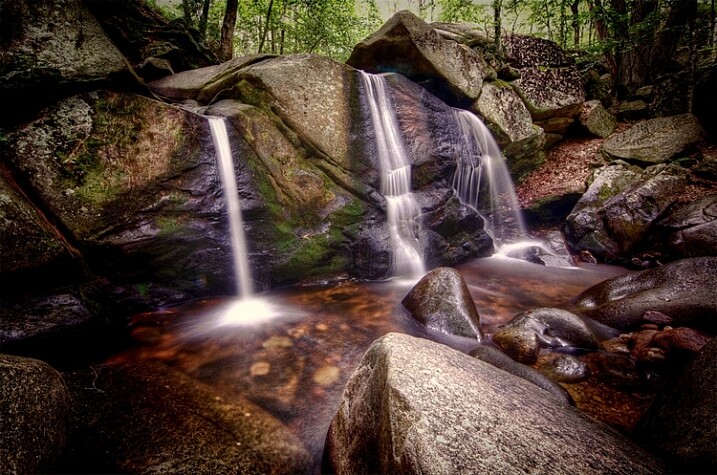
 
Comments Off on 5 Tips for Geting Sharper Images When Doing Long Exposures

Posted in Photography