RSS
 

Posts Tagged ‘Light’

Natural Light Versus Artificial Light: Which is Better?

06 Jun

Light is the backbone of photography. Without light, there are no photos. After all, the word photo means light. However, which type of lighting is best: natural or artificial? There are a lot of proponents for either camp, but this article will try and dissect the argument from both perspectives, and give you a chance to add your opinion at the end.

Natural Light
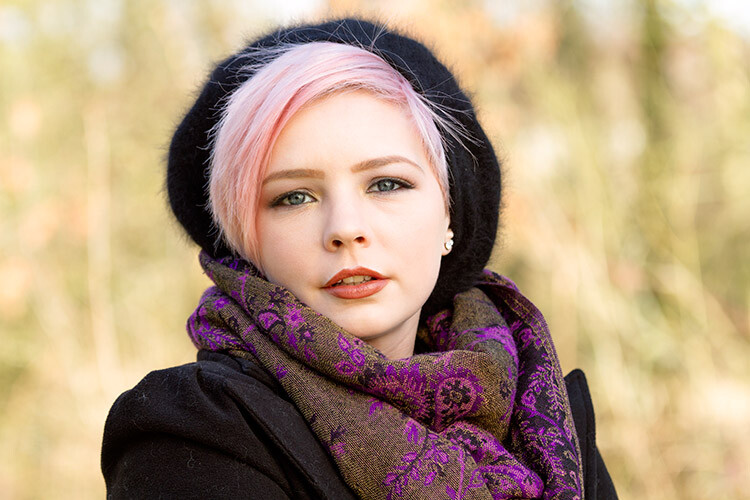
natural-light-versus-artificial-light-2689

The arguments in favor of natural light are many, which means it’s not difficult to see why it is attractive to many photographers.

The pros of natural light

Cost

Natural light costs nothing to make use of; there are plenty of gadgets and accessories available, such as reflectors and diffusers, that do help to maximize results, but even without them, it is easy enough to get beautiful results using natural light, without spending any money. This apparent lack of a financial entry barrier makes it much easier for most photographers to immediately assume a preference for natural lighting.

Learning Curve
natural-light-versus-artificial-light-0729

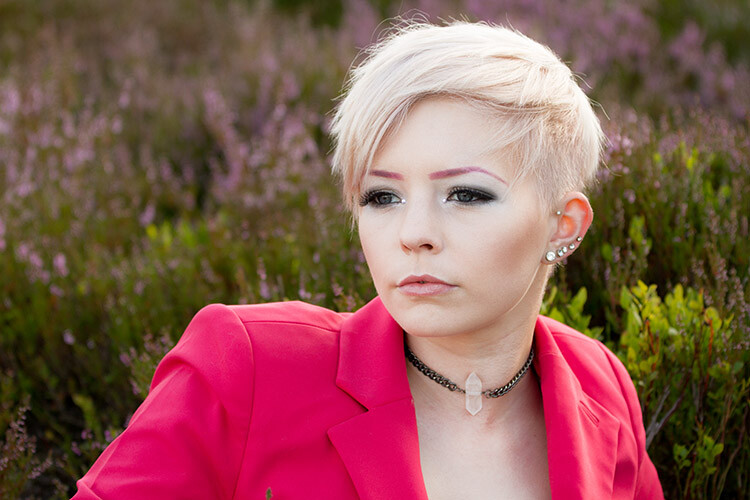
Learning how to see, manipulate and utilize light, whether natural or artificial, is the most critical skill set for a photographer to learn. Fortunately, these break down into many individual skills that can be learned one at a time. In terms of natural light, a lot of these skills are easy to learn and put into practice. For example, you can read a tutorial on using an area open shade to diffuse and soften the light, then put it into immediate practice ten minutes later.

Another thing to keep in mind here is that cameras are designed for use in natural light first. So, a new photographer working their way through the technical basics of their camera, such as metering, aperture and shutter speed, is almost certainly learning with natural light, thereby improving both their camera and lighting skills simultaneously.

Semantics

This point may seem a bit strange, but I have seen it crop up in various conversations, and it does affect some people’s perceptions. We live in a world that is currently obsessed with the word natural. It seems difficult to go more than five minutes without seeing words like organic, all-natural and free from. Of course, most of this applies to food and health products, but the mindset and lifestyle that go with it have become so expansive, that it has seeped into all manner of other aspects in our lives. Whether or not you buy into that sort of thing, try to ask yourself what sounds better and more appealing: natural or artificial? This may not seem rational in terms of photography (an inorganic, mechanical medium), but the appeal is more of an emotional one, and more often than not, emotion trumps rationale.

The biggest concern here is one of marketing. A photographer who refers to themselves as a natural light photographer may very well simply be attempting to appeal to the quite large demographic that holds value over that kind of thing.

The cons of natural light
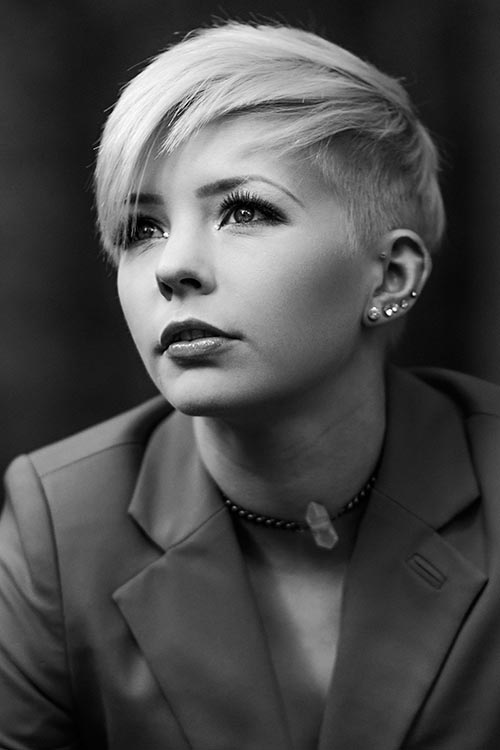
natural-light-versus-artificial-light-0962While natural light has its advantages, it is not without its own set of shortcomings.

Unpredictability

While the sun is a near constant during daylight hours, the availability of light is only one factor that needs to be taken into account. Clouds and other weather conditions are just a couple examples of things that will alter specific qualities of the light you are trying to work with. Softness, intensity, and color can all change in a split second at the whim of mother nature. If you are attempting to work towards a specific goal, these changes can be a nightmare.

Night

After sunset, what do you do if you’re in a situation where you still want (or need) to take photographs. If you’re relying solely on natural light, the answer is: not a whole lot. Many photographers have no problem with this limitation; however, try to imagine what you can achieve with just another hour or two a day working towards your photography.

Environment
natural-light-versus-artificial-light-2691

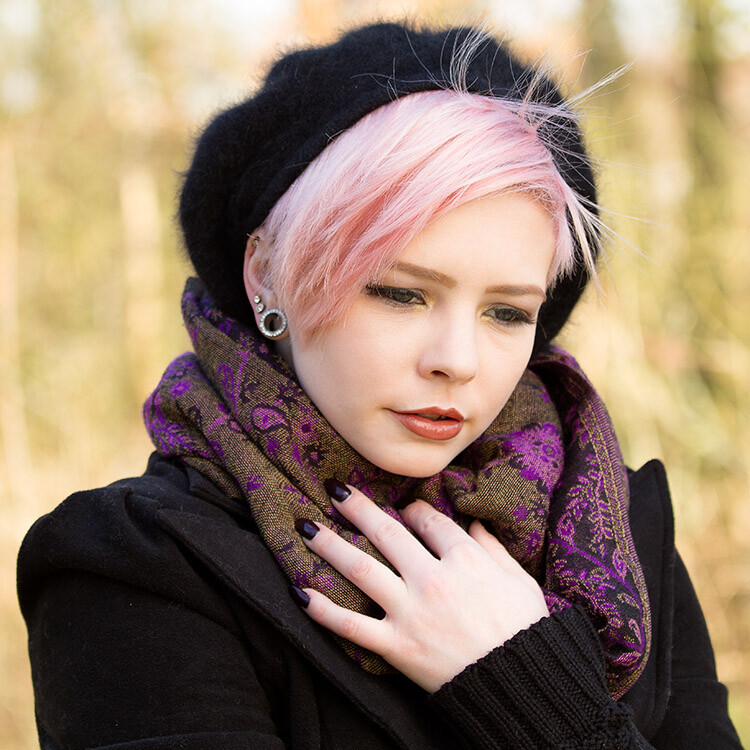
Aside from its effect on light, shooting outdoors means you are at the constant mercy of the weather. Cold temperatures, rain, snow, and wind can all make for some uncomfortable experiences for both you and your subjects or clients.

If you’re photographing in areas open to the public, you may be subject to the whims of passers-by. This can lead to an unwelcome audience, or even worse, hecklers. Believe me when I relate, that nothing kills the general mood of a session for both the subject and the photographer faster than excessive and undue attention from strangers.

These environmental problems can often be solved by finding an indoor location and using window light. While the effects of weather and other people are gone, this solution is not without its own limitations. Window light, while often beautiful for photography, can be quite dim and may require slower shutter speeds than you might like for portrait photography. A lack of space is also a common problem when shooting indoors.

Artificial light
natural-light-versus-artificial-light-3213

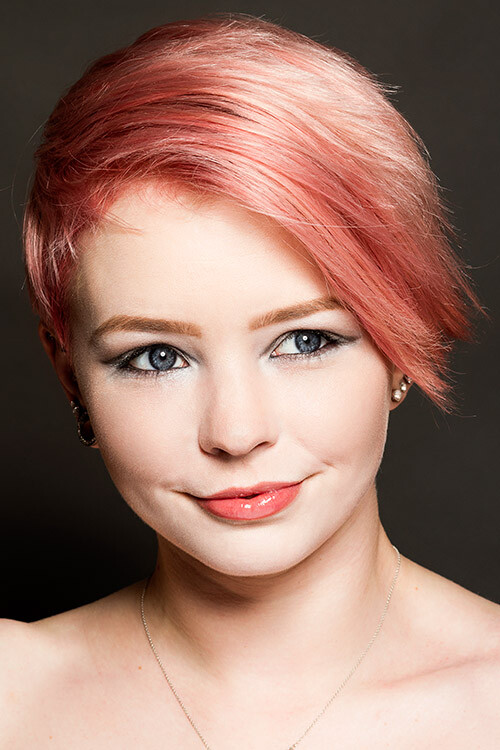
Like natural light, artificial light, whether strobes, flashguns or continuous lighting, has its own set of advantages and shortcomings.

The pros of artificial light

Convenience

By owning an artificial lighting solution, you have the means to take photographs at any time day or night, indoors or out, and the weather has no effect on you. If for some reason you want to do food photography at midnight, by all means, go for it.

If you own a set of flashguns (speedlights), they are not only convenient, but portable as well, and can be taken just about anywhere and set up with ease.

Versatility

With studio strobes and the like, the sheer number of ways that they can be used for a vast array of creative results is their strongest selling point. These range from simple one light setups that mimic natural light, to complicated setups with seven or more lights.

Control

Another great strength of studio lighting is the control it offers you over your final photograph. By controlling every bit of light in your scene, artificial lighting negates the unpredictability that you get with natural light. If you want a particular look or mood, all that you have to do is set up the lights, and take photos until you have your results. There’s no worry that a cloud will move in and block your light.

Reliability
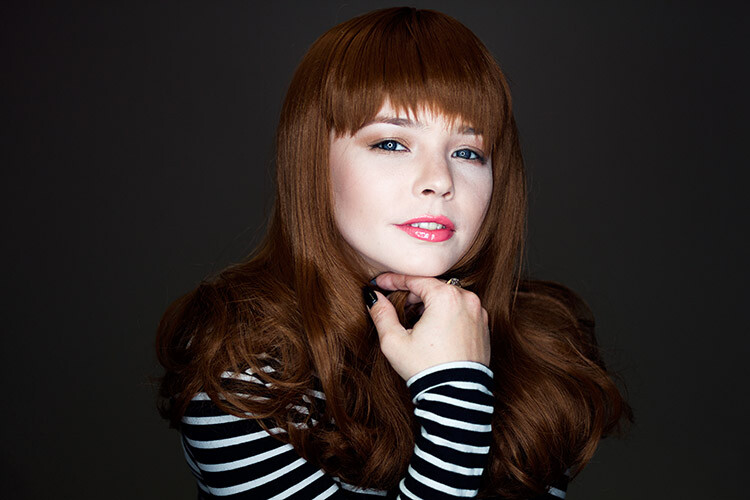
natural-light-versus-artificial-light-4689

Apart from removing the environmental issues associated with natural light, studio strobes and flashguns are quite reliable. Most models in the moderate price range, and above, are very well made. This means that the power output, as well as color output, is consistent every time it fires. This a huge advantage over the fast changing conditions of natural light.

The cons of artificial light

Cost
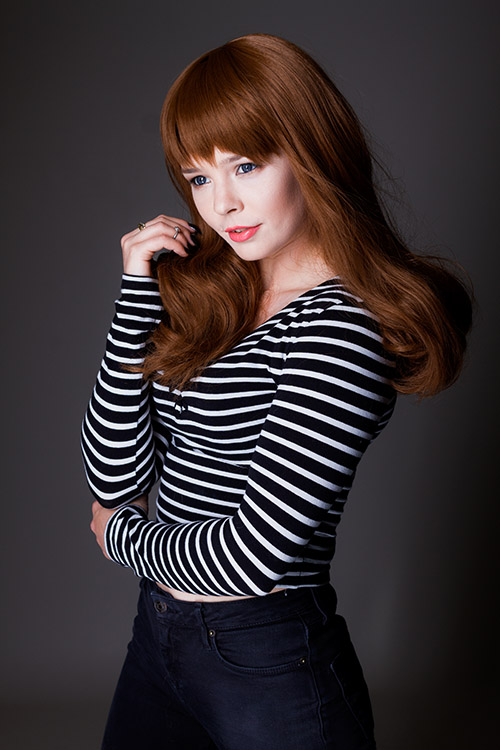
natural-light-versus-artificial-light-4563Probably the most off-putting aspect of studio lighting is cost. It doesn’t matter whether you choose studio strobes, flashguns (speedlights), or continuous lighting; decent quality lighting equipment does not come cheap and a good set, along with modifiers, can easily cost over $ 1000. With natural light being a free and capable resource, it’s easy to understand why so many photographers steer clear of artificial lighting.

Learning Curve

Another initial disadvantage of studio lighting is the amount of knowledge you have to gain, in order to start using it. It’s very possible to accidentally take a beautifully lit photo in natural light. With artificial light, that’s next to impossible.

A lot of photographers, me included, would probably gladly tell you how atrocious their first attempts with studio lighting were. To get good results, you have to spend an enormous amount of time reading and practicing. This involves things like new aspects of aperture and shutter speed in relation to flash, qualities of light, effects of modifiers and the dreaded inverse square law.

So, which is better?

In my opinion? Neither and both are better.

It depends on the job at hand. Both are just tools to be used at each photographer’s discretion. After all, nobody walks into a newly built house and waxes lyrical about the type of hammers that were used. Good photography is good photography, no matter how it was made. If something screams out to be lit with natural light, then natural light is better. Likewise with artificial light.

Each method is capable of stunning results and I would rather have a full toolkit to use for every opportunity, than miss out on something because I restricted myself from using the right tool for the job.


Editor’s Note: This is one of a series of articles this week that are Open for Discussion. We want to get the conversation going, hear your voice and opinions, and talk about some possibly controversial topics in photography.

Give us your thoughts below on the article above on natural versus artificial, and watch for more discussion topics this week.

See all the recent discussion topics here:

  • 7 Commonly Accepted Photography Beliefs Debunked
  • Is HDR dead? Some dPS Writer’s Thoughts on this Controversial Topic
  • How to Find your Personal Photographic Style
  • Why You May be Failing to Reach Your Potential as a Photographer
  • To Process or Not To Process? Let’s Discuss
  • How much do you process your images? – a dPS POLL
  • Does the Camera Matter? SLR versus Mirrorless versus Smartphone

googletag.cmd.push(function() {
tablet_slots.push( googletag.defineSlot( “/1005424/_dPSv4_tab-all-article-bottom_(300×250)”, [300, 250], “pb-ad-78623” ).addService( googletag.pubads() ) ); } );

googletag.cmd.push(function() {
mobile_slots.push( googletag.defineSlot( “/1005424/_dPSv4_mob-all-article-bottom_(300×250)”, [300, 250], “pb-ad-78158” ).addService( googletag.pubads() ) ); } );

The post Natural Light Versus Artificial Light: Which is Better? by John McIntire appeared first on Digital Photography School.

Digital Photography School

 
Comments Off on Natural Light Versus Artificial Light: Which is Better?

Posted in Photography


Broncolor launches range of softbox edge masks for rim light effect

26 May

$ (document).ready(function() { SampleGalleryV2({“containerId”:”embeddedSampleGallery_2696643628″,”galleryId”:”2696643628″,”isEmbeddedWidget”:true,”standalone”:false,”selectedImageIndex”:0,”startInCommentsView”:false,”isMobile”:false}) });

Swiss lighting brand broncolor has announced a range of diffuser panels for its softboxes that help to create a rim light effect when the subject is positioned in front of the softbox. The Edge Masks feature a large black panel in the center of the diffuser that prevents light from passing, but leaves strips all the way around the panel for the flash to pass through. The idea is that people posed in front of the panel will appear on a black background but highlighted with a rim of light all around them.

The panels are designed to replace the usual white diffuser of the softbox, which is removed when the Edge Mask is in place. The effect is relatively easy to achieve using any softbox and a panel of black material, but these are a bit more convenient and look more professional.

The company has also launched a 110cm parabolic umbrella that can be used to vary the focus of the reflected light. The umbrella has a particularly long arm that allows the light source to be placed at a range of distances from the reflective material.

The Edge Masks come in a range of sizes and are available now, as is the Focus 110 umbrella. The Edge Masks are priced from £42/$ 54 to £84/$ 113, while the umbrella costs £150/$ 210.

For more information visit the broncolor website.


Press release:

New Light Shaping Tools – Edge Masks & Focus 110

Hot on the heels of the new Siros L battery powered studio monobloc, broncolor have also released two brand new lights shaping tools – the Edge Mask diffuser and Focus 110 umbrella.

Edge Masks
Using the broncolor range of softboxes just became even more creative and flexible. The new Edge Mask helps turn the rectangular sizes of the softboxes in to a rim light, allowing for subjects to be photographed in-front of and against the softbox, with the light wrapping around the subject from behind. This is a popular technique previously only created by flagging off the softbox with a board, but the Edge Mask provides a professional, easy and uniform method for creating the effect. Simply attach the Edge Mask to your existing softbox as you would an external diffuser.

Focus 110
The new parabolic Focus 110 umbrella (110cm diameter) provides a quick an easy way of producing a focusable parabolic light effect. Simply pop it up and use the lamp heads umbrella holder to slide and focus the shaper.

Pricing and availability
The new Edge Masks and Focus 110 are ready and available to ship now!

33.612.00 – Edge Mask for Softbox 35 x 60 – £35 ex. VAT
33.613.00 – Edge Mask for Softbox 60 x 100 – £40 ex. VAT
33.614.00 – Edge Mask for Softbox 90 x 120 – £50 ex. VAT
33.615.00 – Edge Mask for Softbox 120 x 180 – £70 ex. VAT

33.576.00 – Focus 110 – £125 + VAT

Articles: Digital Photography Review (dpreview.com)

 
Comments Off on Broncolor launches range of softbox edge masks for rim light effect

Posted in Uncategorized


How to Create Catch Lights in Your Natural Light Portraits

19 May

What is a catch light, and why you should have it in your portraits?

A very popular technique in portraiture – a catch light is a spark of light in your subject’s eyes. This spark will help you to draw your viewer’s attention to your subject’s eyes, making them full of life and, well, sparkling.

04
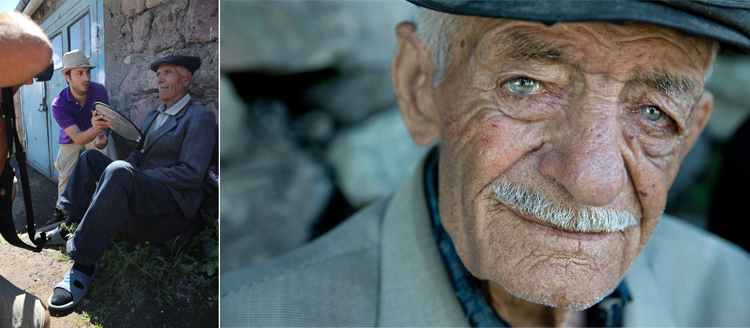
For this portrait, I made recently in Cienfuegos, Cuba, I used the light from the setting sun to create a catch light, even without having the subject looking up.

How to create a catch light in portraits?

To create a catch light, all you need is a source of bright light to reflect in your subject’s eyes. This source can be artificial, like a flash, or natural, like sunlight. In this article, I will focus on creating catch light in portraits using natural light.

Creating a catch light – indoor

To create a catch light in an indoor location, all you need to do is to make sure there is a visible source of light, which will be reflected in your subject’s eyes.

Position your subject near an open window or door, during daylight, and make sure there is a direct line between the source of light and the subject, without blocking objects like furniture. Your subject does not have to look directly into the source, as it might be too dazzling or uncomfortable. The important thing is that the light source must be visible as a reflection in the subject’s eyes.

01

I met the lovely Nagina at her home in a small village of Roma people, outside Bukhara, Uzbekistan. Although she was only 10; she was very busy caring for her small brothers, along with few other neighbors’ children. She asked me to take her photo, and I was drawn to her gaze right away, choosing to go for a close-up portrait. The house was completely dark, except a large window, which was position at a 45-degree angle to her face, which created that catch light in her eyes.

Good to know: The closer your subject is to the light source (open window or door) the larger and more dominant the spark of catch light will seem.

Taking it to the next level: Think carefully about the location of your subject to the light source, as that will not only affect the size and visibility of the catchlight in the subject’s eyes, it will also control the entire Illumination of the subject’s face. To read more about how the direction of light will affect your portrait, check out: Understanding Natural Light Part 3: Direction of Light.

Creating a catch light – outdoors

For achieving the best results in an outdoor shooting, all you need to do is aim your subject to look at the largest light source – the sky. DO NOT instruct the subject to gaze at the sun, even for a brief moment, as it can lead to pain and damage to his or her eyes.

If you do not want to stage your subject, or if there is a language barrier, a great technique of aiming your subject’s gaze up, is by simply positioning yourself a bit above your subject. While they gaze it your lens, the sky (behind you) will reflect in their eyes. This is why I photograph many of my outdoor portraits at an angle, which is a bit higher than my subject.

Mordecai is Jewish Orthodox, from the old city of Jerusalem. I was very surprised that he agreed to be photographed, even with joy. To give a spark to those amazing eyes I told him to look into my lens, while I positioned myself slightly higher than him, and the lovely skies of holy Jerusalem were reflected in his eyes.

02

Good to know: On a sunny day, I recommend positioning your subject in the shade, as gazing at sunny skies might be uncomfortable.

Taking it to the next level: If you want it or not, it is almost sure that apart from that spark of light, your own image (the photographer) will also be visible in the subject’s eyes. You can turn this fact into a creative portrait (of your subject) and a self-portrait (of yourself) in the same frame. Just do not forget to move the camera a bit, to let your face be visible. You can also use this technique for less narcissistic reasons, as with really tight close-up, as almost anything in front of your subject’s face will be reflected in his eyes. It is a wonderful technique for making a landscape shot, or an image of an iconic place, with a twist.

Creating a catch light – while using a reflector

Using reflectors in portrait photography is a wonderful technique (a more in-depth explanation about using reflectors in portrait photography, in this article: Reflectors: Your Secret Weapon for Amazing Portrait Photography), that can help you to create catch lights in almost any situation, indoor or outdoor, sunny or cloudy.

Not only do reflectors allow you to create that spark of catch light almost anywhere; but they will allow you much more control, over the intensity, color, and direction of that spark.

A pocket size silver reflector was the best tool for the job for this portrait, photographed in a very hot afternoon in Armenia.

03

Good to know: Reflectors come in many sizes and colors. For the best results, use a small pocket-sized silver reflector. Why? Because you do not need anything larger or heavier. Those small reflectors are the perfect weapon of choice, for creating a catch light in close-up portraits. Position the reflector just under the chin of your subject. You can hold the reflector with your left hand, or ask the subject to hold it.

Taking it to the next level: Although using a silver reflector will give you the most notable catch light, you can add warmth to the portrait by using a golden one, which will result in a golden catch light.

A mix of shade, slightly higher camera angle, and gaze upward toward the sky, helped create the catch light in these portraits photographed in India and Israel.

05

See how the eyes are alive in their portraits? The catch lights help add the sparkle you see there, and without them the portraits wouldn’t feel as alive, vibrant.

Now it’s your turn, show me your portraits with great catchlights. Please share in the comments below.

googletag.cmd.push(function() {
tablet_slots.push( googletag.defineSlot( “/1005424/_dPSv4_tab-all-article-bottom_(300×250)”, [300, 250], “pb-ad-78623” ).addService( googletag.pubads() ) ); } );

googletag.cmd.push(function() {
mobile_slots.push( googletag.defineSlot( “/1005424/_dPSv4_mob-all-article-bottom_(300×250)”, [300, 250], “pb-ad-78158” ).addService( googletag.pubads() ) ); } );

The post How to Create Catch Lights in Your Natural Light Portraits by Oded Wagenstein appeared first on Digital Photography School.

Digital Photography School

 
Comments Off on How to Create Catch Lights in Your Natural Light Portraits

Posted in Photography


How to Do a One Light Portrait Setup and Use it as Your Back-up Plan

21 Apr

one-light-beauty-setup-3320

When photographing people, every session is different and every subject is different. This leads to a lot of scope when it comes to lighting choices and experimentation. This variety is fantastic, and it’s a large part of why portraiture is such a rewarding pursuit.

Unfortunately, with too much experimentation, it is all too possible to end a session with a collection of sub-standard images. Yes, this exactly how to grow and develop as a photographer, but where does that leave your subject? Often enough, this situation means that you’ve gotten what you need from the session, chiefly experience, but the subject is left with less than stellar photos for their time. This isn’t much of a problem if you’ve wrangled your kids to sit for you, or if you have paid someone else to pose for you. If you’ve been paid for this portrait session, however, this becomes problematic and can be devastating to your future efforts.

A good way to alleviate this is to always include a technique that you’ve practiced thoroughly. Doing this may not ignite your creative spark, but once it’s done, you can experiment until your heart’s content, while safe in the knowledge that you will still have something usable at the end of the day.

one-light-beauty-setup-3251

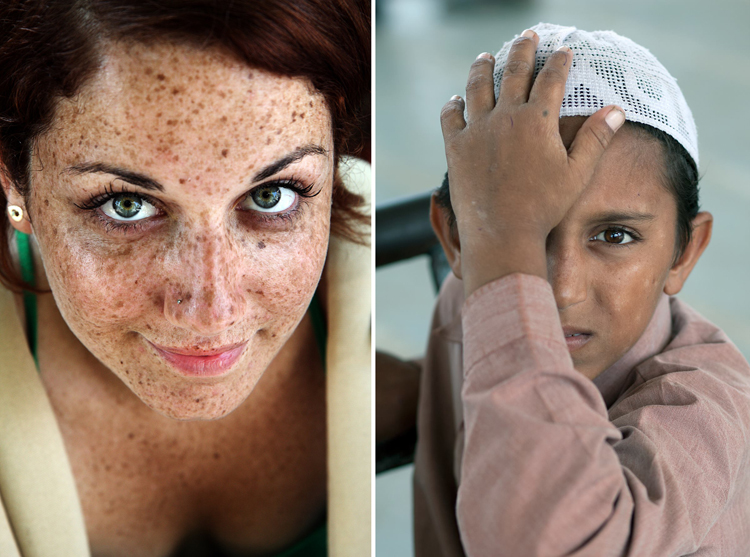
This article will give you a simple, yet solid, one light technique that works with strobes, flashguns (speedlights) and even window light. It will work with just about any modifier and suits men, women, children, and other subjects just fine.

Equipment

Here’s a list of what you need:

  • A light source: Either flash or window light will work. In terms of modifiers, beauty dishes and softboxes are a great starting point.
  • A white reflector: Don’t have a dedicated reflector? A sheet of white poster board or foam core is a perfect and cheap substitute.

Set up

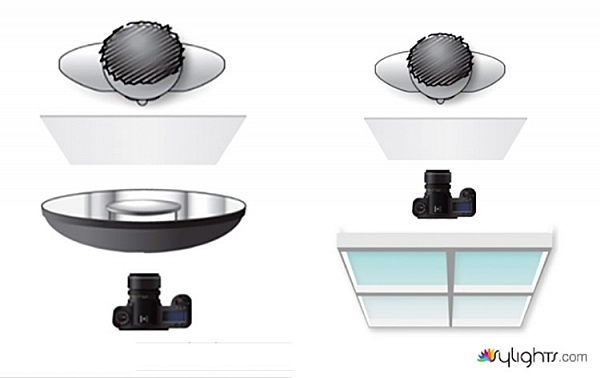
First, have your subject stand or sit where you need them. If possible, keep them at least five feet from the background. Place your light source directly in front of them, between two and four feet away (60-120cm). Angle the light source (if using flash) so it’s pointing directly at your subject. Watch the shadows falling under their nose and mouth. For this technique, you’re looking to minimize the contrast on your subject’s skin. If the shadows are too long, lower your light source until they are minimized (also make sure you can see the light in their eyes as a catch-light).

Place your reflector directly against your subject, and parallel to the ground at waist level. For ease, you can place it on a stool or a card table. If your subject is sitting, just have them hold it across their knees.

one-light-beauty-setup-diagram

Because the light source will be so close to your subject, you will need to shoot from directly underneath it. Calculate or meter your exposure and take a test shot. If all is well, you should have a good, clean portrait with soft light.

one-light-beauty-setup-3205

Backgrounds

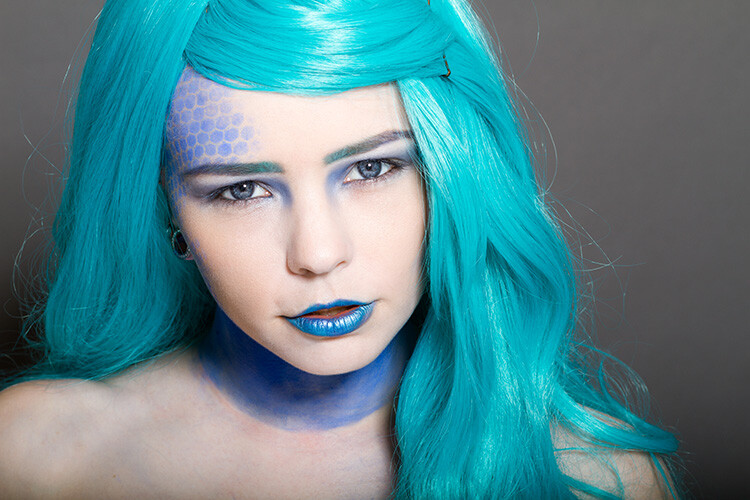
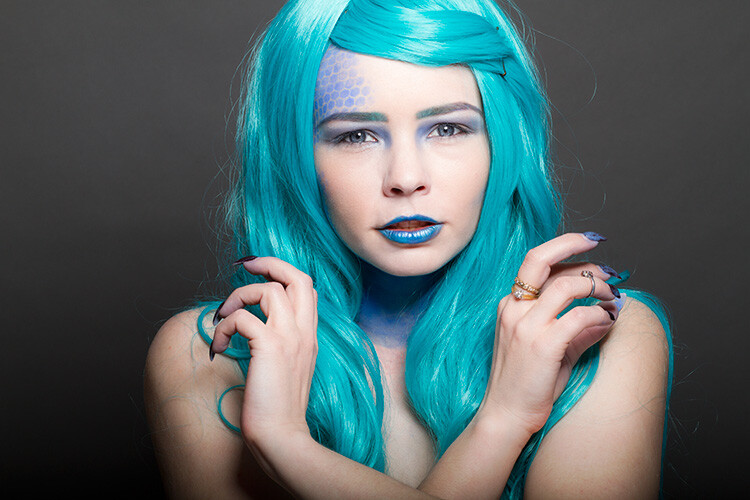
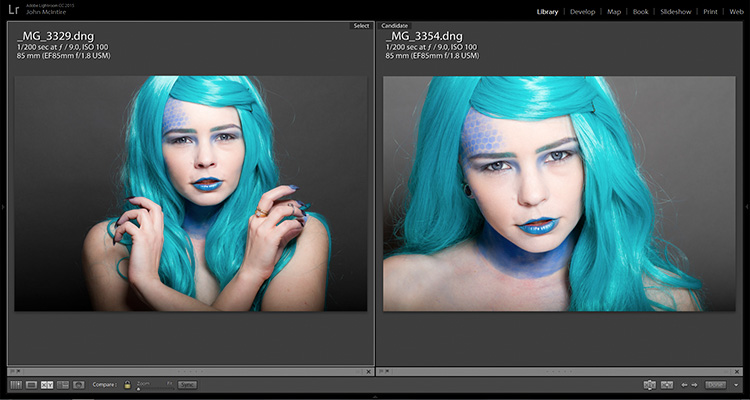
You can change the way your background appears in the image by moving your light source if you’re using flash, or by moving your subject if you’re using window light.

With flash, to get a darker background, you simply move your light source closer to your subject. To get a lighter background, move your light source away from your subject. Moving your light source will require you to change your exposure. You can do this with your aperture settings or on the flashes themselves (turn the power up or down accordingly); it’s your choice.

With window light, you’re forced to move your subject instead. For a darker background move your subject closer to the window. For a lighter background, move them farther away. As with flash, this will also result in changes to your exposure. This time you can choose between shutter speed and aperture.

one-light-beauty-setup-3354-2

Farther from the window

one-light-beauty-setup-3329

Closer to the window

one-light-beauty-setup-comp

You should also be aware that the softness of the light is changed when you adjust the distance between your subject and the light source. If the distance between your light source and your subject decreases, the light will be softer. If that distance increases, the light will be harder.

Tip: If there are shadows falling on the background in your frame, your subject is too close to the background. Try moving your whole setup away from the background a few feet.

Angle of light

You can place your light as high as you want and still get good results; however, for really soft, bright skin you will want to minimize the contrast in blemishes and skin texture. To do this, make sure your light is only slightly higher than your subject, and pointing directly at them. As above, watch for the shadows under the mouth and nose. If they’re long and pronounced, try lowering your light until they disappear.

Window light

If you’re using window light for this technique, the biggest thing to watch out for is you. Because you are lighting your subject from the front, it is all too easy to find yourself blocking your light source. With extremely large windows, this isn’t much of a problem, but with a window in an average home, it can be a pain. One way to sort this is to have your subject sit. That way you can sit, squat or kneel and avoid blocking any light.

In the end

one-light-beauty-setup-3318

This technique may seem simplistic in writing, but it is effective and it yields good results. It also takes only a few attempts to nail down. By adding this technique to your toolkit, you’ll be giving yourself something solid to fall back on, should things not go to plan in other ways.

If you decide to give it a go, please feel free to share your results or ask any questions you may have.

People photography week

This week on dPS we’re featuring articles all about different kinds of people photography including portrait, event and travel photography. See all the previous ones below, and watch for more people photography articles over the next few days.

  • How to Take Low Key Head-shots

googletag.cmd.push(function() {
tablet_slots.push( googletag.defineSlot( “/1005424/_dPSv4_tab-all-article-bottom_(300×250)”, [300, 250], “pb-ad-78623” ).addService( googletag.pubads() ) ); } );

googletag.cmd.push(function() {
mobile_slots.push( googletag.defineSlot( “/1005424/_dPSv4_mob-all-article-bottom_(300×250)”, [300, 250], “pb-ad-78158” ).addService( googletag.pubads() ) ); } );

The post How to Do a One Light Portrait Setup and Use it as Your Back-up Plan by John McIntire appeared first on Digital Photography School.

Digital Photography School

 
Comments Off on How to Do a One Light Portrait Setup and Use it as Your Back-up Plan

Posted in Photography


Blue Light Special: Colored Streetlamps Precede Decline in Crime

20 Apr

[ By WebUrbanist in Architecture & Cities & Urbanism. ]

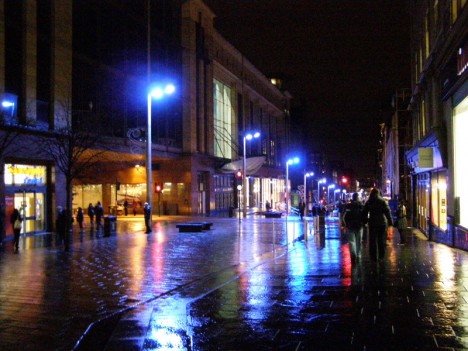
blue lights glasgow downtown

In the early 2000s, the city of Glasgow, Scotland, changed over to blue street lighting in an effort to improve the appearance of the city, but areas with the newly blue lights saw an unexpected and disproportionate decrease in crime.

blue lights street japan

No one could say for sure whether there was a causal correlation, but half a world away another city followed suit – Nara, Japan, experimentally began turning their street lamps blue. They also saw a decrease in crime.

blue light highway signs

In  the years that followed, similar deployments were tested, including the addition of over 150 blue lights to an expressway near Tokyo, aimed at reducing accidents.

blue lights underground

The Keihin Electric Express Railway Co. even changed the color of eight lights on the ends of platforms at Gumyoji Station in Yokohama, Japan, to curb track-jumping suicides. A subsequent report showed that in the years following, the station saw no suicide attempts (after previously being the site of multiple suicides per year).

There are a number of theories about why the blue light could be causing a decrease in criminal behavior.

Some argue the association of blue with police presence, except: Japanese police use mostly red lights.

Another theory posits that blue light has a calming effect, feeling more pleasant than orange or red. Indeed, studies have shown that blue lights (associated with calm waters and open skies) can reduce stress responses in fish and be used to treat SAD (Seasonal Affective Disorder) in humans.

blue light versus red

Of course, it is also possible that the new colored lights are simply different and unfamiliar enough to cause people to feel awkward engaging in illicit or dangerous behavior where they are present. And if that is the case, changing all the public lights in the world to blue might be at best temporary fix, working until people get used to the new blue lighting. Experts have warned not to read too much into the effect, regardless, since the causal mechanism or connection has not yet been definitively determined.

Share on Facebook


[ By WebUrbanist in Architecture & Cities & Urbanism. ]

[ WebUrbanist | Archives | Galleries | Privacy | TOS ]


WebUrbanist

 
Comments Off on Blue Light Special: Colored Streetlamps Precede Decline in Crime

Posted in Creativity


How to do Light Painting Photography Art with Endless Possibilities

19 Apr

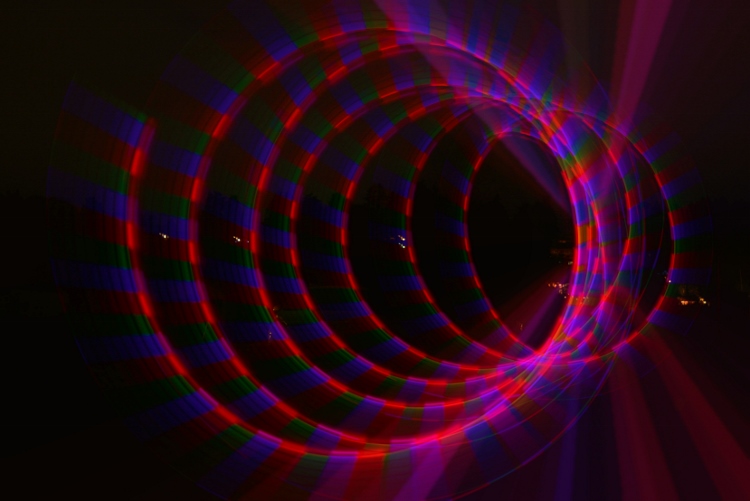
Wikipedia defines light painting as “A photographic technique in which exposures are made by moving a hand-held light source while taking a long exposure photograph, either to illuminate a subject or to shine a point of light directly at the camera.” In essence, with a basic DSLR, a tripod, and a light source of some kind, you have endless possibilities to create unique images. This technique is a way to unleash your imagination and inner artist – this article will show you how to do it.

Photo 7c (750x501)

When I realized this artistry had endless possibilities and creativity, I was in. Who wouldn’t be, right? Light painting always amazes me as to how you can create beautiful photos by simply capturing light. I started doing light painting for fun, but then it became a very therapeutic regime for me. If I was having a tough or bad day I would grab my gear, wait for it to get dark, and start painting.

Some basics before you begin:

  • You don’t need any fancy equipment.
  • Wear dark clothes if you don’t want to be seen in the image.
  • Typical camera settings for long exposure light painting are: Manual Mode, aperture f/3.5-5.6, exposure 10-30 seconds, ISO 100-125, lens 18-55mm.
  • Bring a friend. While you can do light painting solo (and I often do), it’s a lot more fun with a buddy.

Beginner DIY light painting tools you can make

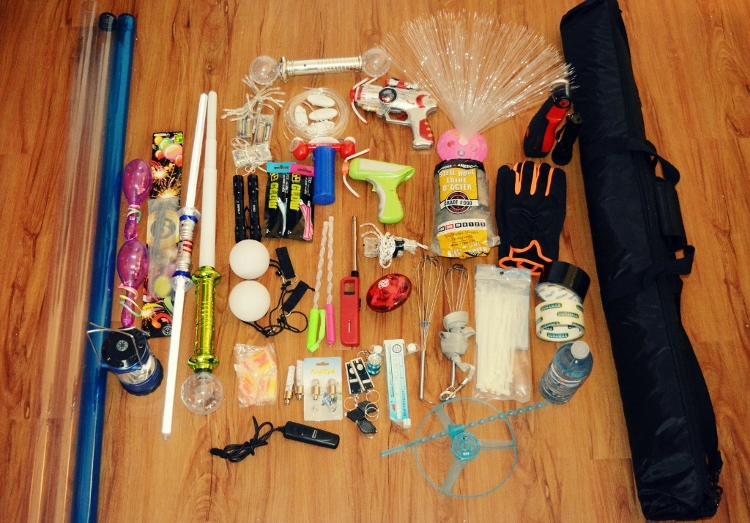
I bought all of my supplies from the dollar store, ebay, or home depot. In my kit, I currently have:

  • Basic DSLR + wireless remote (optional) + tripod
  • Flashlights (all different sizes)
  • Mini keychain flashlights
  • Glow sticks
  • LED battery operated fairy lights (variety of colors)
  • Hoola-hoops (regular and small)
  • Sparklers (variety of sizes) + a lighter
  • Steel wool kit (wire whisk, dog leash, gloves, lighter, steel wool grade #000)
  • A variety of light sabres and flashing rave toys

Photo 1 750x523

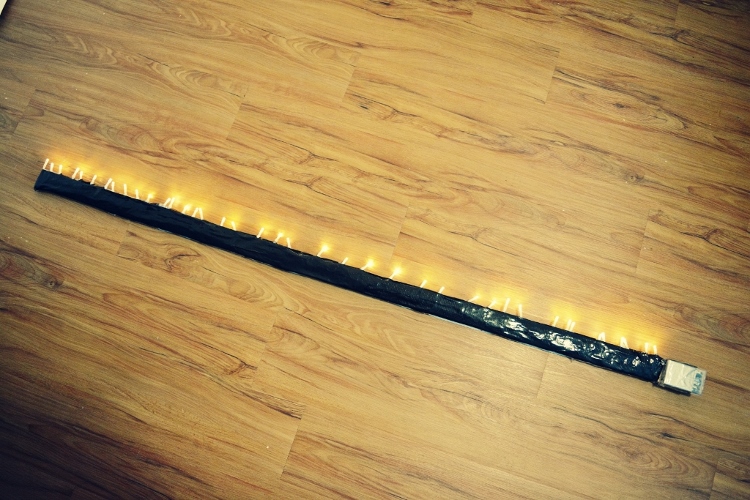
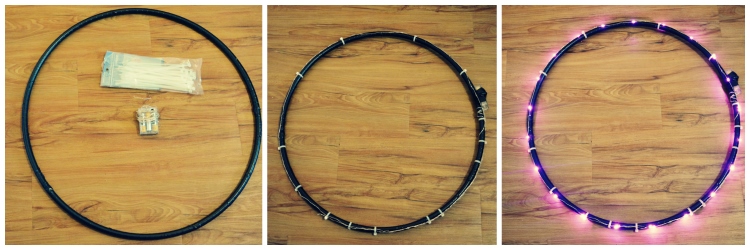
The first two tools that I ever made were a light stick and a light hoola-hoop. They both serve me well. For the light stick you need a piece of wood (any size you want, mine is 57×2″), tape, and one string of battery operated fairy lights.

Lay out your lights next to your piece of wood and tape them on. Viola! A home-made light stick. If you use white lights, you can tint your photo with your basic windows photo gallery editor. I have two, one with white lights and one with multi-colored lights.

Photo 2 750x500

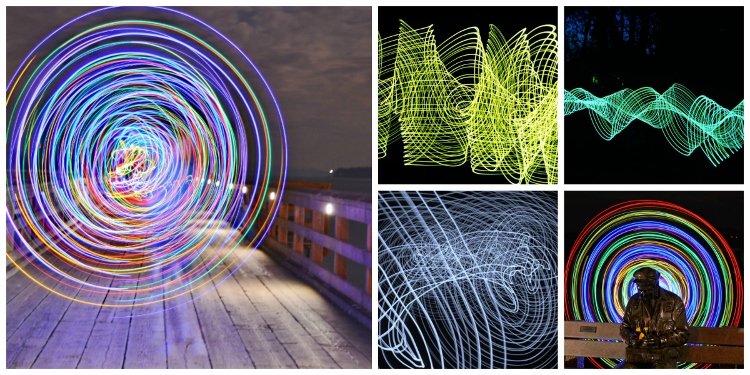
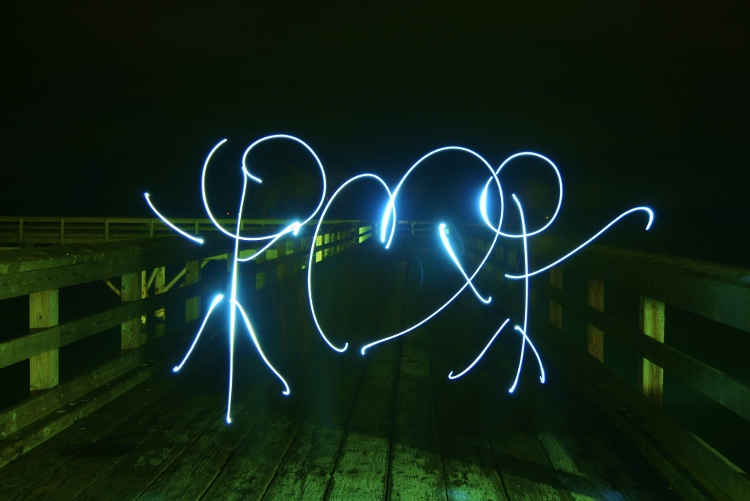
Here are some of my top photos using just a light stick.

Photo 3 750x375

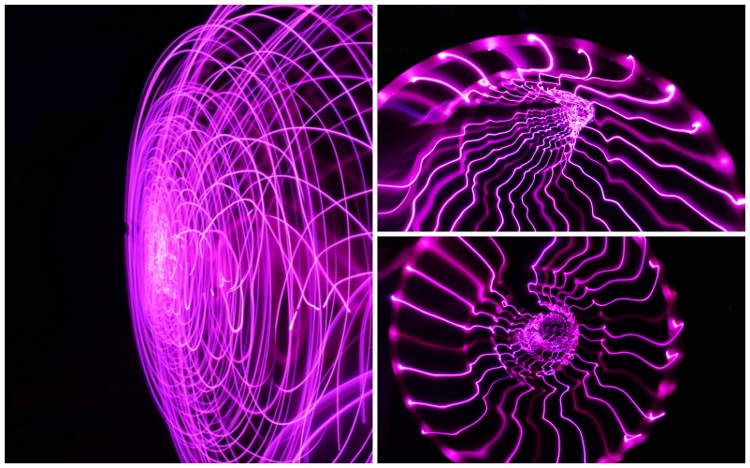
For the second tool I made, the light hoola hoop you need: a hoop, one string of battery operated fairy lights (approximately eight feet long or less, depending on how big your hoop is) and some tape or zip ties. Tape or zip tie your lights around your hoola-hoop. Bam!

Photo 4a 750x250

Photo 4b 750x468

Advanced light painting tools (The Pixelstick)

For those of you who have had experience with light painting, you might be asking, what’s next? Well, that’s where the Pixel Stick from Bitbanger Labs comes in. I recently purchased one on sale from Photojojo.com (thank you Boxing Day sales!).

Each one of pixelstick’s 200 LEDs acts like a pixel on a screen, displaying your image one vertical line at a time as you walk. These vertical lines, when captured by a long exposure, combine to recreate your image in mid-air leaving pixelstick (and the person using it) invisible. – according to Bitbanger Labs.

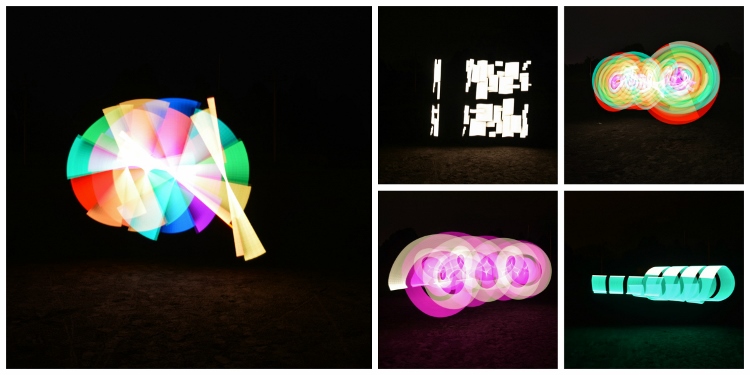
Let’s just say, it’s the ultimate light painting artist’s tool. It takes a bit of practice to get used to, but once you have, you can create some pretty incredible photos. Here are a few of my favorite pictures that I was able to do with the pixelstick.

Photo 5 750x375

Ideas for light painting from abstract to using your city as inspiration

You can pretty much light paint anywhere however, please be respectful of your environment. Never damage, negatively impact, or harm a location in pursuit of light painting.

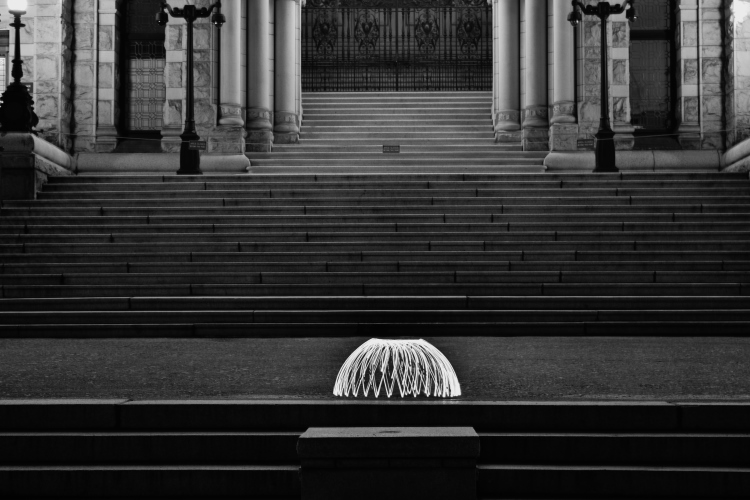
Having the right background or location can give your picture the right ambience, and add some dimension and feel to your photo. My preference is to use a black background most times so I usually find an empty dark field, but sometimes it’s nice to incorporate your surroundings.

Photo 6 750x395

Photo 7a

Photo 7b
Photo 7d

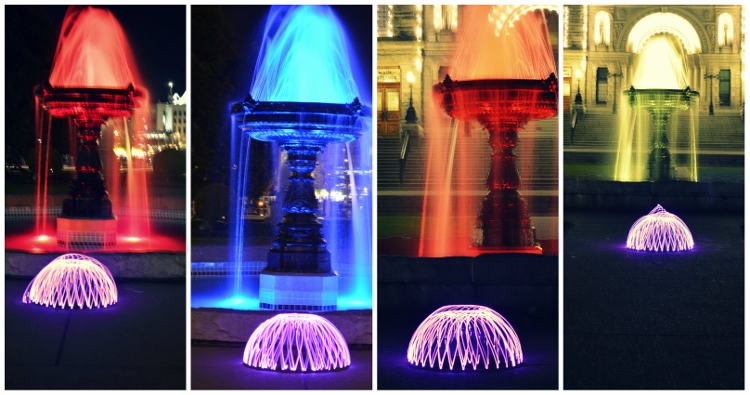
Photo 8 750x500

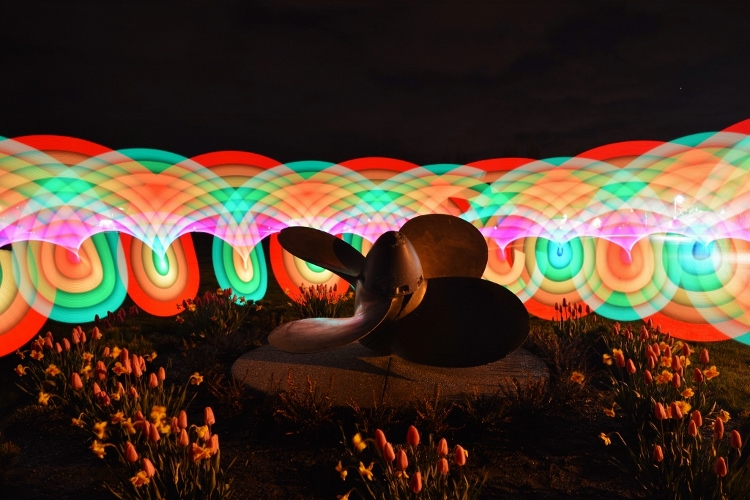
As you can see in this photo, I used a local anchor to center my picture around.

Inspiring light painting artists

When I was getting into the light painting community, I came across some great resources and artists that you may not know about.

  • Light Painting World Alliance
  • Light Painting Photography
  • Rob Tourney Visuals
  • Darius Twin
  • Denis Smith creator of the ball of light

So now that you know about light painting photography why not go out there and create some unique images yourself? Up for the challenge?

See more light painting articles here on dPS:

  • How to Make Unique Portraits Using Light Painting
  • Beginner’s Guide to Light Painting
  • Light Painting Part One – the Photography
  • Light Painting Part Two – Photoshop
  • How to Build an LED Light and Make an Orb
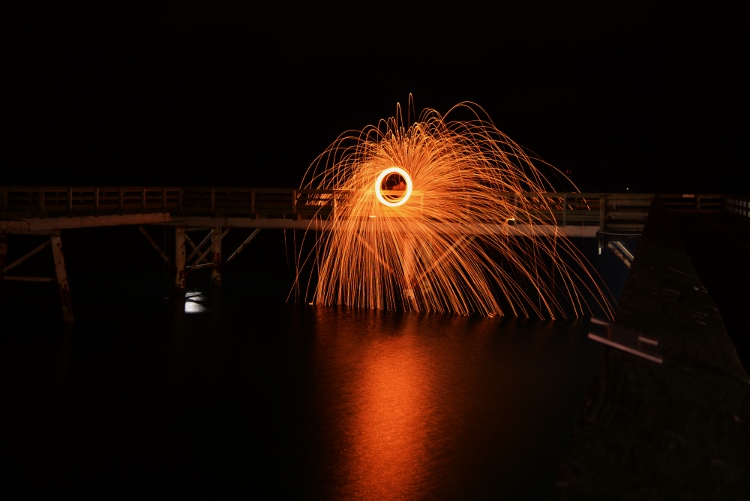
  • Fire Spinning with Steel Wool – A Special Effects Tutorial

googletag.cmd.push(function() {
tablet_slots.push( googletag.defineSlot( “/1005424/_dPSv4_tab-all-article-bottom_(300×250)”, [300, 250], “pb-ad-78623” ).addService( googletag.pubads() ) ); } );

googletag.cmd.push(function() {
mobile_slots.push( googletag.defineSlot( “/1005424/_dPSv4_mob-all-article-bottom_(300×250)”, [300, 250], “pb-ad-78158” ).addService( googletag.pubads() ) ); } );

The post How to do Light Painting Photography Art with Endless Possibilities by Jennifer Dowd appeared first on Digital Photography School.

Digital Photography School

 
Comments Off on How to do Light Painting Photography Art with Endless Possibilities

Posted in Photography


Change of focus: 755 MP Lytro Cinema camera enables 300 fps light field video

12 Apr

Lytro is bringing its Light Field technology to the world of cinema and visual effects, shortly after its CEO announced in a blog post Lytro’s intention of abandoning the consumer stills camera space. Lytro Cinema turns every frame of live action into a 3D model, capturing intensity, color, and angular information of light rays. Coupling light field with a 755 MP sensor capable of capturing images at 300 fps, Lytro Cinema promises extensive post-production freedom, including adjustment of focus, depth-of-field, shutter speed and frame rate, as well as the elimination of green screens.

Although Lytro experienced some difficulty in adoption of light field technology in stills, the technology had, and continues to have, immense potential for imaging. Saving creative decisions for post-processing allows for more creative freedom, and allows a photographer or DP to focus on other elements during capture. Nowhere will this be more appreciated than in cinema, where the realities of production mean that any technology aimed at saving certain creative decisions, like focus, for post-capture are welcome.

Focus and aperture sliders in post-production. In video. No joke. I wish my Raw converter had this (Lytro’s Raw converter already does). Photo credit: Lytro

And that’s exactly what Lytro Cinema aims to do. By capturing directional information about light rays and essentially sampling multiple perspectives behind the aperture, Lytro Cinema allows for adjustment of focus placement, depth-of-field (via aperture adjustment), perspective, and more in post-processing. And since a depth map is rendered for every frame of video, Lytro claims Cinema will make it easier to combine CGI with live footage, no longer requiring green screens to extract elements or subjects from a scene. You’ll be able to just extract a subject based on its depth, which Lytro shows in a convincing example below:

Since light field cameras effectively sample multiple perspectives from behind the lens, you can even simulate camera movement as if it were moved on-set. The degree of motion is of course limited, but the technique can be very effective, as demonstrated in this haunting music video shot entirely on the stills-focused Lytro Illum. As Lead Engineer for Light Field Video Brendan Bevensee explains: “You have a virtual camera that can be controlled in post-production.” That means there’s also nothing stopping one from simulating short dolly motion or perspective shifts in post, with nothing but a static camera at the time of capture. “You can shift the camera to the left… [or] to the right, as if you had made that exact decision on set. It can even move your camera in and out” says Head of Light Field Video, Jon Karafin.

Imagine small, smooth, meditative camera movements that don’t even require a complicated motion rig to set up.

Furthermore, by precisely recording X, Y, Z, pitch, roll, and yaw, Lytro Cinema even offers automated camera tracking, which makes it easier to composite and mat CGI elements. And just as the Illum paired with Lytro Desktop software allowed one to select various objects and depths to throw them in and out of focus for selective depth-of-field and background blur, one can do the same in video with the Cinema, choosing, for example, to marry live footage from minimum focus to, say, 10m with different footage, or CGI, for everything beyond those distances. In other words, control over not just single planes, but ranges of planes.

Beyond just light field benefits, Lytro is also addressing another common headache: the selection of shutter angle (or shutter speed). Often, this is a decision made at the time of capture, dictating the level of blur or stuttering (a la action scenes in ‘Saving Private Ryan’ or ‘Gladiator’) in your footage. At high frame rates of capture, though, high shutter angles are required, removing some of the flexibility of how much motion blur you can or can’t have (e.g. 300 fps cannot be shot with shutter speeds longer than 1/300s, which inevitably freezes action). By decoupling the shutter angle of capture from the shutter angle required for artistic effect, a DP can creatively use motion blur, or lack thereof, to suit the story. The technology, which undoubtedly uses some form of interpolation and averaging in conjunction with the temporal oversampling, also means that you can extract stills with a desired level of motion blur. 

Lytro claims that by capturing at 300 fps, they can computationally allow for any of a number of shutter angles in post-production, allowing a cinematographer to decouple shutter angle required for capture from that required for artistic intent. Photo credit: Lytro

With every development over at Lytro, we’ve been excited by the implications for both stills and video. The implications for the latter, in particular, have always been compelling. Along with the announcement of the Lytro Immerge 360º virtual reality light field rig, we’re extremely excited to see light field video becoming a reality, and look forward to what creatives can produce with what is poised to be an unimaginably powerful filmmaking platform. Filmmakers can sign up for a demonstration and a personalized production package on Lytro’s site. For now, Lytro Cinema will be available on a subscription basis, understandable given the complexities involved (the immense data capture rates require servers on-set).

Head over to the Lytro Cinema page for more in-depth information. Lytro will be demo-ing “Life”, a short film shot using Lytro Cinema at NAB 2016.

Lytro Brings Revolutionary Light Field Technology to Film and TV Production with Lytro Cinema

  • World’s First Light Field Solution for Cinema Allows Breakthrough Creative Capabilities and Unparalleled Flexibility on Set and in Post-Production
  • First Short Produced with Academy Award Winners Robert Stromberg, DGA and David Stump, ASC in Association with The Virtual Reality Company (VRC) Will Premiere at NAB on April 19

Lytro unlocks a new level of creative freedom and flexibility for filmmakers with the introduction of Lytro Cinema, the world’s first Light Field solution for film and television. The breakthrough capture system enables the complete virtualization of the live action camera — transforming creative camera controls from fixed on set decisions to computational post-production processes — and allows for historically impossible shots.

“We are in the early innings of a generational shift from a legacy 2D video world to a 3D volumetric Light Field world,” said Jason Rosenthal, CEO of Lytro. “Lytro Cinema represents an important step in that evolution. We are excited to help usher in a new era of cinema technology that allows for a broader creative palette than has ever existed before.”

Designed for cutting edge visual effects (VFX), Lytro Cinema represents a complete paradigm shift in the integration of live action footage and computer generated (CG) visual effects. The rich dataset captured by the system produces a Light Field master that can be rendered in any format in post-production and enables a whole range of creative possibilities that have never before existed.

“Lytro Cinema defies traditional physics of on-set capture allowing filmmakers to capture shots that have been impossible up until now,” said Jon Karafin, Head of Light Field Video at Lytro. “Because of the rich data set and depth information, we’re able to virtualize creative camera controls, meaning that decisions that have traditionally been made on set, like focus position and depth of field, can now be made computationally. We’re on the cutting edge of what’s possible in film production.”

With Lytro Cinema, every frame of a live action scene becomes a 3D model: every pixel has color and directional and depth properties bringing the control and creative flexibility of computer generated VFX to real world capture. The system opens up new creative avenues for the integration of live action footage and visual effects with capabilities like Light Field Camera Tracking and Lytro Depth Screen — the ability to accurately key green screens for every object and space in the scene without the need for a green screen.

“Lytro has always been a company thinking about what the future of imaging will be,” said Ted Schilowitz, Futurist at FOX Studios. “There are a lot of companies that have been applying new technologies and finding better ways to create cinematic content, and they are all looking for better ways and better tools to achieve live action highly immersive content. Lytro is focusing on getting a much bigger, better and more sophisticated cinematography-level dataset that can then flow through the VFX pipeline and modernize that world.”

Lytro Cinema represents a step function increase in terms of raw data capture and optical performance:

  • The highest resolution video sensor ever designed, 755 RAW megapixels at up to 300 FPS
  • Up to 16 stops of dynamic range and wide color gamut
  • Integrated high resolution active scanning

By capturing the entire high resolution Light Field, Lytro Cinema is the first system able to produce a Light Field Master. The richest dataset in the history of the medium, the Light Field Master enables creators to render content in multiple formats — including IMAX®, RealD® and traditional cinema and broadcast at variable frame rates and shutter angles.

Lytro Cinema comprises a camera, server array for storage and processing, which can also be done in the cloud, and software to edit Light Field data. The entire system integrates into existing production and post-production workflows, working in tandem with popular industry standard tools. Watch a video about Lytro Cinema at www.lytro.com/cinema#video.

“Life” the first short produced with Lytro Cinema in association with The Virtual Reality Company (VRC) will premiere at the National Association of Broadcasters (NAB) conference on Tuesday, April 19 at 4 p.m. PT at the Las Vegas Convention Center in Room S222. “Life” was directed by Academy Award winner Robert Stromberg, Chief Creative Officer at VRC and shot by David Stump, Chief Imaging Scientist at VRC.

Learn more about Lytro Cinema activities during the 2016 NAB Show and get a behind-the-scenes look on the set of “Life” at www.lytro.com/nab2016.

Lytro Cinema will be available for production in Q3 2016 to exclusive partners on a subscription basis. For more information on Lytro Cinema, visit www.lytro.com/cinema.

Articles: Digital Photography Review (dpreview.com)

 
Comments Off on Change of focus: 755 MP Lytro Cinema camera enables 300 fps light field video

Posted in Uncategorized


Beta: try out our new ‘light’ color scheme

06 Apr

We’ve been working behind the scenes for the last few weeks on one of the most-requested changes to DPReview.com – the option to switch to a lighter color scheme with white background. Today we’re pleased to be able to launch the first phase of this project as a public beta. It doesn’t yet include every page on the site (we’ve concentrated on the text-heavy articles, news, homepage and reviews sections), but we will continue to work until we have as near to 100% coverage as possible. Please try it out and let us know what you think!

To try the new color scheme simply click on the toggle at the very top of the page (above the main menu bar) – your choice will be remembered until you revert to the old (black) color scheme using a cookie.

As of today the new color scheme has been enabled for the homepage, all news pages, articles and reviews, some index pages and search results, for desktop and mobile users. You’ll also note that we’ve made the default body text font a bit bigger too, which should help readability. 

The new theme has not yet been implemented for several popular sections of the site including Forums, Product Pages, Profile pages, Galleries & Challenges. We will continue to refine the design (some pages are still pretty basic) and to work towards full coverage over the next month or so.

Please try out the new look and let us know what you think, and send us any bugs you find, using the ‘report a issue’ link at the top of the page.

Edit: we’ve already had a lot of feedback from users asking us not to get rid of the black background. Before doing so, please read the following, very important, paragraph:-

Note that we will not be retiring the ‘classic’ (black) theme – if you like your color scheme you will be allowed to keep it. This is a new user OPTION. Sending us feedback saying ‘don’t get rid of the black background‘ is a waste of your time… We’re not getting rid of it.

Articles: Digital Photography Review (dpreview.com)

 
Comments Off on Beta: try out our new ‘light’ color scheme

Posted in Uncategorized


12 Tips For Indoor Natural Light Photography

05 Apr

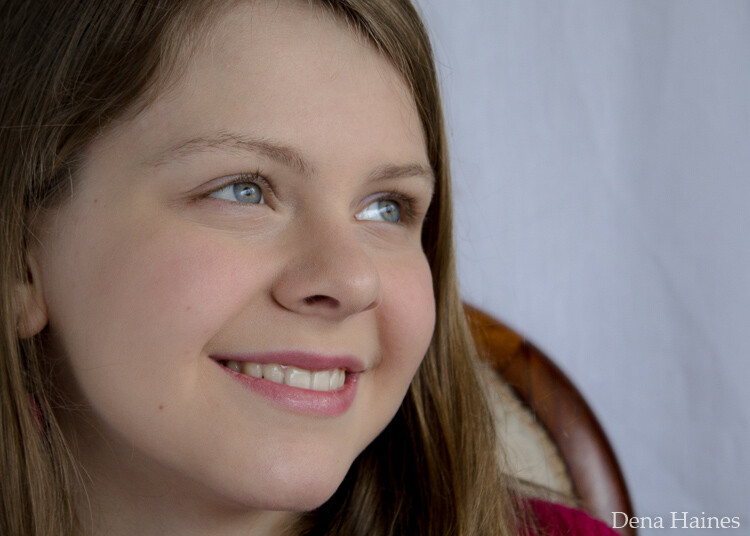
Feeling frustrated with indoor photography?

Harsh shadows and weird skin tones are common problems. In this article, you’ll learn how to improve your indoor photography.

natural light photography indoors

8 tips for indoor natural light photography

Working with natural light indoors can be a little tricky. These beginner tips will help you create beautiful photos using natural light.

1. It’s all about the windows and doors

You’ll want to get to know the light that comes through them. Sometimes it floods the room softly. Other times it beams in, bouncing off the walls and floor.

Soft light will add a soft glow, and harsh light will give a dramatic or moody look.

indoor natural light photography tips 2

Take note of what kind of light enters each room throughout the day.

The color of light also changes during the day. It has a warmer look at sunrise and sunset. During midday, it has a cooler or neutral color. Use this to add different effects to your photos.

2. Turn off the lights

Natural light doesn’t like competition. Electric lights can affect your white balance. This is because the color of light varies with the source. Skin tones can look odd when artificial light mixes with natural light. The easiest way to fix this problem is by turning off all electric lights.

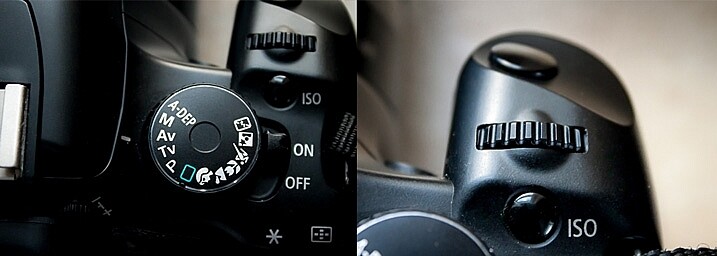
3. Shoot in Aperture Priority mode

In Aperture Priority mode, you choose the aperture. With indoor natural light photography, you need to let in as much light as possible. To do that, you’ll want a wide open aperture. The lower your aperture number (f-stop), the wider your aperture is open.

When you use a wide aperture, your depth of field will be shallow. So your subject will be in focus, while your background is left soft and blurry. This adds a beautiful effect to portraits and product shots.

indoor natural light photography

For portraits, an aperture of around f/5 or f/6 will keep the entire face in focus. Focus on the eyes for best results.

Note: Also shooting in RAW is better than JPEG for indoor natural light. RAW files give you a lot more to work with when editing.

aperture priority for indoor natural light photos

Aperture Priority is marked with either an AV (Canon cameras, pictured above) or an A (Nikon cameras). To adjust the setting, you’ll turn the small dial (pictured on the right).

4. Choose your White Balance

To get good white balance take your camera out of Auto White Balance (AWB). The button for changing white balance is usually marked with a WB somewhere on the back of the camera (or use your Canon Quick menu if you shoot that brand).

For proper skin tones choose Daylight (the one with the picture of the little sun). This will give good results, not too blue and not too yellow. If you want to warm things up a little, choose Cloudy. This will add more yellow. Try a shot with Daylight, then one with Cloudy, and see which looks right or which you prefer.

You can adjust your White Balance while editing (if you shoot in RAW) but getting it right while shooting makes editing easier.

5. Use a light catching backdrop

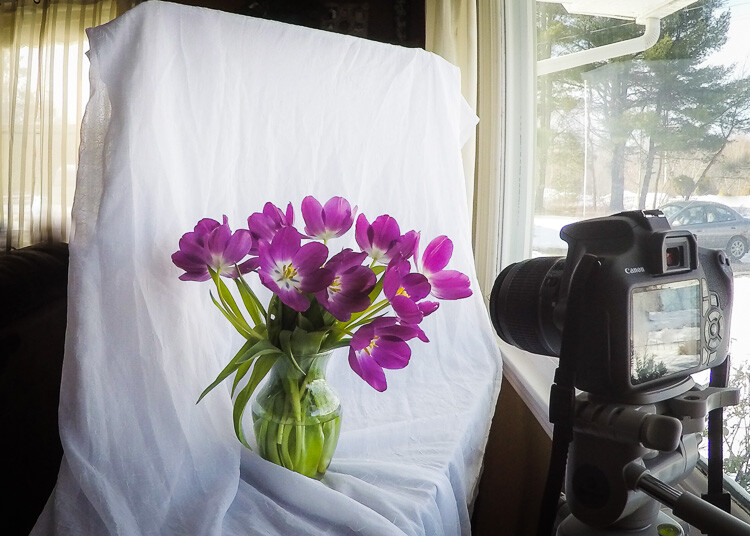
A backdrop will help catch the light and bounce it back on your subject.

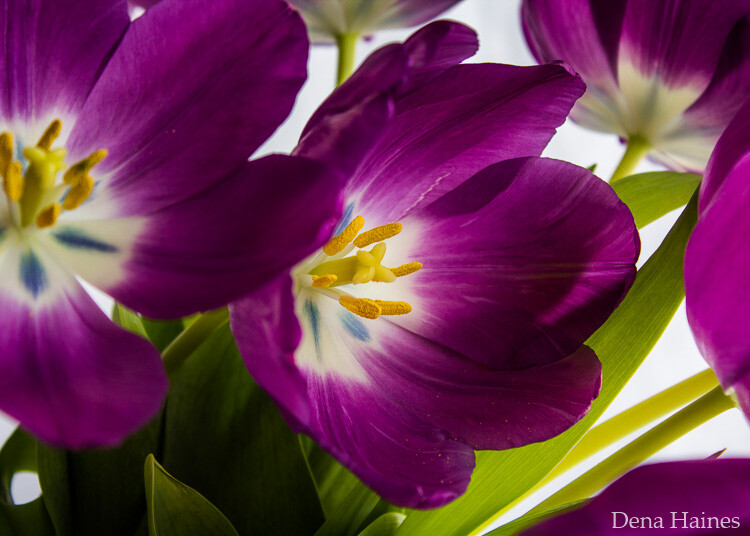
light catching backdrop for natural light photography

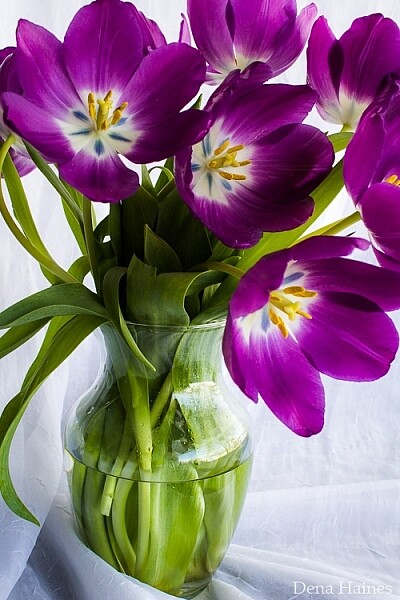
In the above image, the white material helps to cradle the light around the flowers.

catch natural light with a backdrop

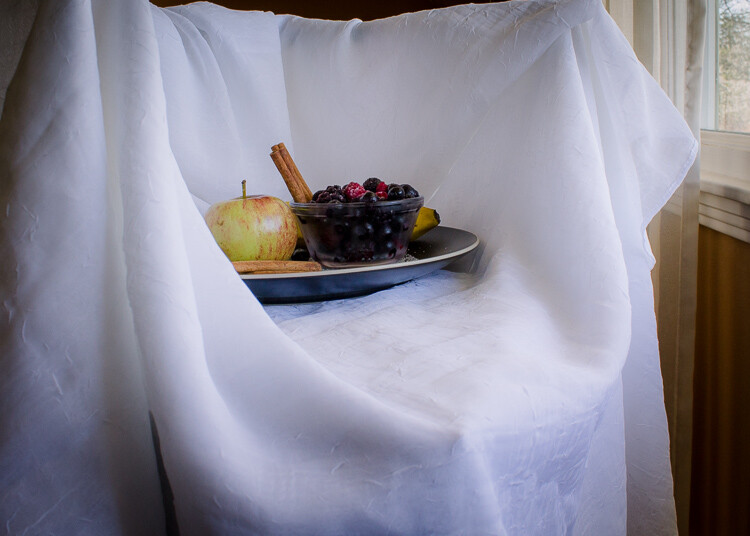
This backdrop is made with a freestanding collapsible clothes rack and a long piece of white material. I love how easy it is to set up and move around.

6. Use a light box

A light box will create a similar effect as the backdrop, but it will help control the light even more.

use a natural light light box for indoor photos

I made this light box out of Lego and used the same piece of white material pictured in tip #5.

tips for natural light photos

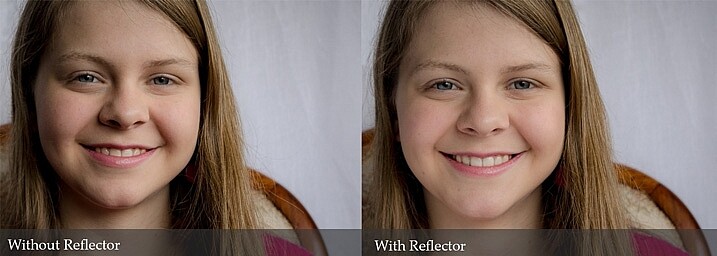
 7. Use a reflector

A reflector is used to bounce natural light back on your subject.

use a reflector for natural light photography

tips for indoor natural light photography

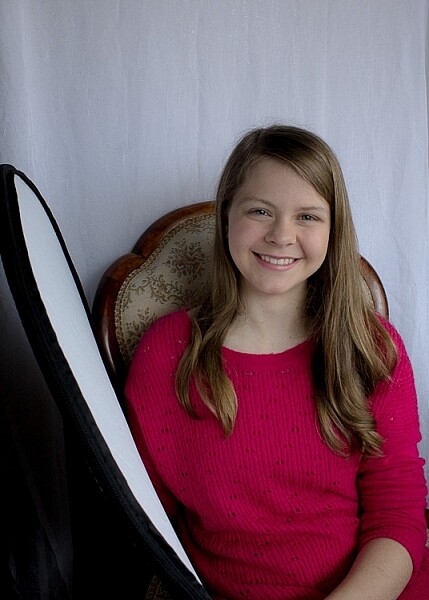
For these shots, I used a reflector and the backdrop. My daughter was sitting with her left side facing the window. She was holding the reflector in her right hand, which helped lighten the shadows.

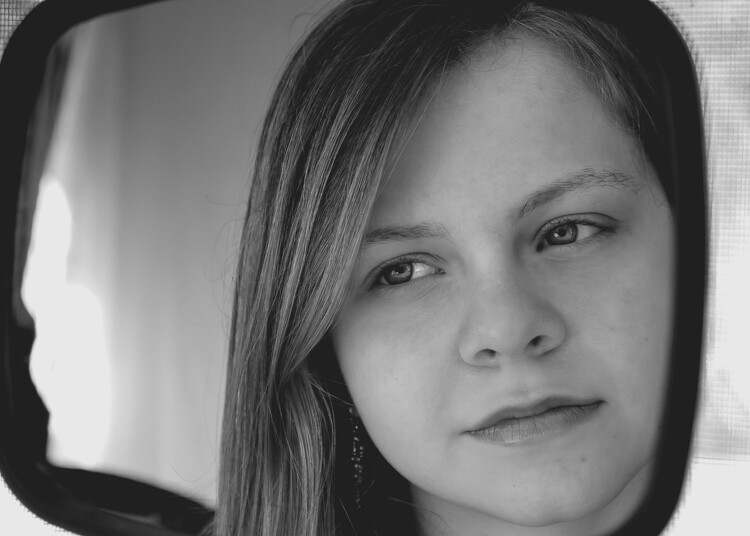
8. Use a mirror

A mirror is another great way to control natural light. Hang a mirror in the window. I used a large suction cup with a hook to hang the mirror.

indoor natural light photography tips

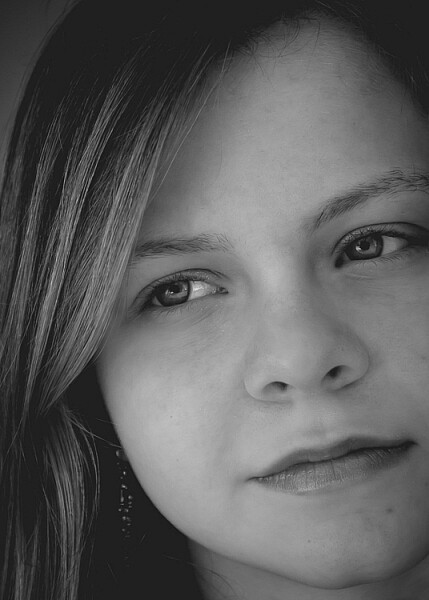
Have your model look in the mirror. As you take your shot make sure your reflection is not in the mirror. It can take some patience to get the angles and reflections under control, but it’s worth it.

I used a small handheld mirror for this shot. A larger mirror would require less cropping.

tips for indoor natural light photos

9. Tidy up

There are often things lying around the house, especially if you have kids. This clutter can be distracting in a photograph. It’s worth taking a couple minutes to tidy up before you start shooting.

In a small space, a backdrop can serve a double purpose. It will control light and create a blind to background clutter. It can help make a small space more workable. For most of the photos in this article, I pushed our sofa and table into the middle of our living room, so I could set up in front of our largest window. Without the backdrop, this location wouldn’t work.

natural light photography indoors 2

10. Place your subject close to the window

Place your subject a foot or two away from the light source. This way you’ll make the best use of the natural light, and avoid the harsh contracts that can be created by being too close to the window/door. Try backlit, side lit, and full light by having your model face different angles to the window. 

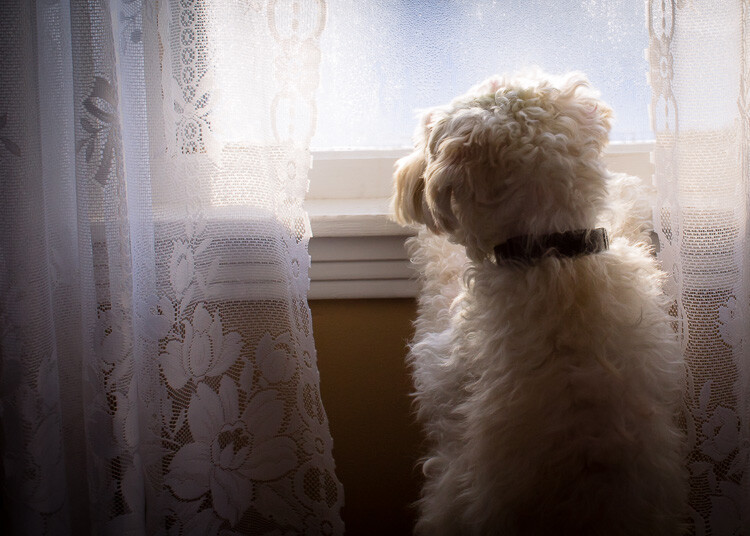
11. Use the curtains

Use curtains or blinds to help diffuse harsh light. When the sun is beaming into the room, the light can blow out your photos. Pulling the curtains can soften the light and help with proper exposure. If the curtains are not suitable, you could use a sheer piece of material to hang over existing curtain rods.

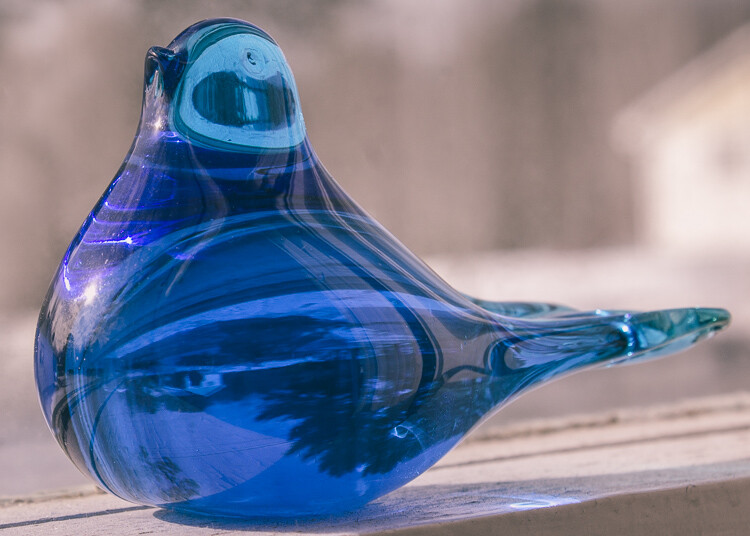
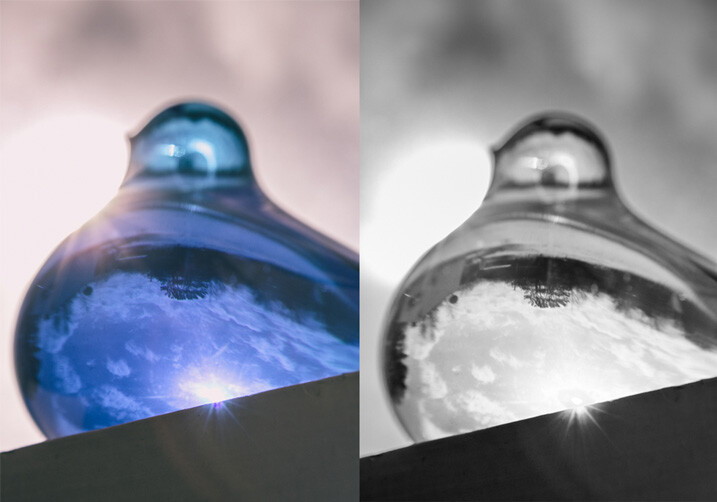
12. Shoot reflective objects

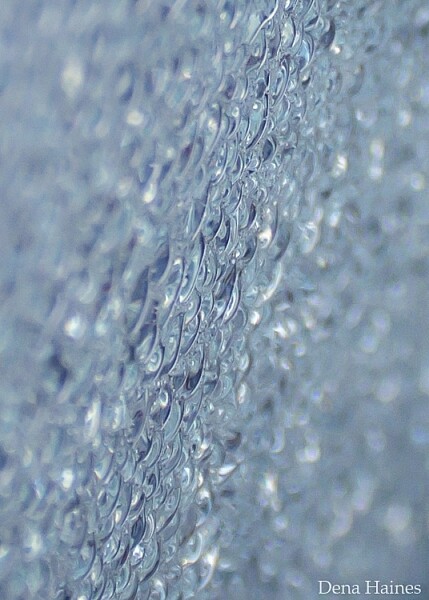
Natural light can turn the most common thing (like the moisture on the window pictured below) into something beautiful.

natural light on glass objects

natural light on reflective objects

natural light through water on the window

Have fun playing around with reflective objects and natural light. I love the way light creates reflections and glistens on shiny/iridescent objects.

You’ve got to love it

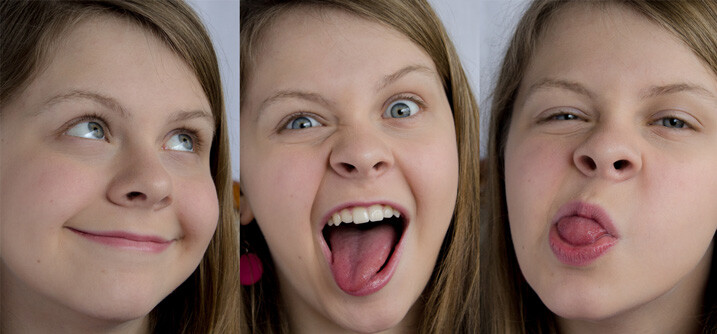
It’s easy to love indoor natural light photography.

The setup is inexpensive, portable, and easy; and you can create beautiful photos no matter the weather or time of day. Don’t forget to have fun, and let that inner beauty shine through.

have fun with natural light

Your turn

Let me know how your experimenting goes by commenting below. I can’t wait to see what you create. Please share your photos as well.

googletag.cmd.push(function() {
tablet_slots.push( googletag.defineSlot( “/1005424/_dPSv4_tab-all-article-bottom_(300×250)”, [300, 250], “pb-ad-78623” ).addService( googletag.pubads() ) ); } );

googletag.cmd.push(function() {
mobile_slots.push( googletag.defineSlot( “/1005424/_dPSv4_mob-all-article-bottom_(300×250)”, [300, 250], “pb-ad-78158” ).addService( googletag.pubads() ) ); } );

The post 12 Tips For Indoor Natural Light Photography by Dena Haines appeared first on Digital Photography School.

Digital Photography School

 
Comments Off on 12 Tips For Indoor Natural Light Photography

Posted in Photography


Weekly Photography Challenge – The Light of Dawn

02 Apr

This set of images of dawn shared earlier are great examples of using the magic light of dawn to take stunning images.

Susanne Nilsson

By Susanne Nilsson

Weekly Photography Challenge – the light of dawn

Your challenge this week is to get up early , get out of your comfy bed, and photograph with the first light of the day, dawn. Sunrise photography can be tricky as you’re usually heading out in the dark. So you may need to plan ahead and scout some locations and shots the night or day before.

Get there early so you can capture the first light – it’s magical. Landscapes are the obvious choice for this challenge, but there are so many other subjects you can work with – so think outside the box a little. What about some macro photography? A blade of grass with morning dew, for example. Go urban and hit the city streets to see how the light plays off the buildings and early risers heading to work. There are a ton of possibilities.

Pierre Metivier

By Pierre Metivier

Andreas

By Andreas

Joe

By Joe

Share your images below:

Simply upload your shot into the comment field (look for the little camera icon in the Disqus comments section) and they’ll get embedded for us all to see or if you’d prefer upload them to your favourite photo sharing site and leave the link to them. Show me your best images in this week’s challenge. Sometimes it takes a while for an image to appear so be patient and try not to post the same image twice.

Jeff Wallace

By Jeff Wallace

57Andrew

By 57Andrew

googletag.cmd.push(function() {
tablet_slots.push( googletag.defineSlot( “/1005424/_dPSv4_tab-all-article-bottom_(300×250)”, [300, 250], “pb-ad-78623” ).addService( googletag.pubads() ) ); } );

googletag.cmd.push(function() {
mobile_slots.push( googletag.defineSlot( “/1005424/_dPSv4_mob-all-article-bottom_(300×250)”, [300, 250], “pb-ad-78158” ).addService( googletag.pubads() ) ); } );

The post Weekly Photography Challenge – The Light of Dawn by Darlene Hildebrandt appeared first on Digital Photography School.

Digital Photography School

 
Comments Off on Weekly Photography Challenge – The Light of Dawn

Posted in Photography