RSS
 

Posts Tagged ‘Light’

Review: Light Painting Brushes – Tools for Creativity

20 Jul

If you enjoy light painting photography, I think this review of tools from Light Painting Brushes (LPB) will interest you. All photographers know that light is essential to taking a successful photograph. At night, when light is limited, light painting can be a fun and artistic form of photography that may stretch a shutter-bug’s creativity by creating light, solely for the purpose of photographing light. If you are new to light painting please read my article – Beginner’s Guide to Light Painting for some ideas to get started.
Light-Painting-Brushes-10

Also, Light Painting Brushes has a great online presence, full of ideas, examples and tutorials. Check out this example of the great tutorial video available:

There are two main types of light painting:

  1. Off-camera painting, by which a light source, unseen to the camera’s view, is used to illuminate a scene or objects so as to make them appear out of the dark in an image. Here the light is only showing the subject and is not part of the image.
  2. Secondly, on-camera painting, in which the light source is seen by the camera and is a subject to be photographed. So here the light IS the subject.

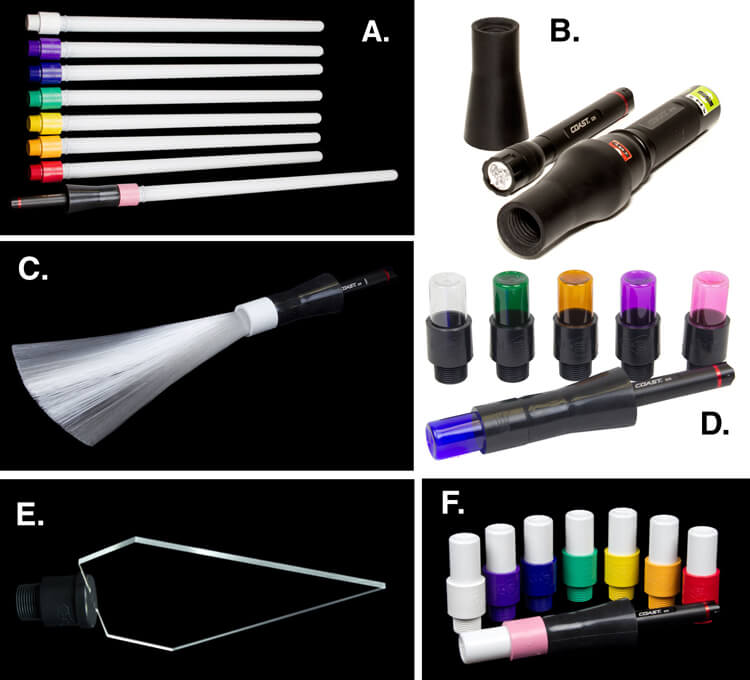
The tools I am reviewing in this article are used for on-camera light painting. With Light Painting Brushes, most of the tools are used to add a graffiti-type light to a scene. This can be lots of fun (especially in social situations) and the creative options are endless! Listed here are the items from Light Painting Brushes that I will be reviewing in this article. (Spoiler alert. they are really cool!)

  • Universal Connectors
  • Set of 8 Opaque Light Writers
  • Set of 6 Translucent Light Writers
  • White Fiber Optic
  • Black Fiber Optic
  • Plexiglass Diamond
  • 22″ Light Sword
Light-Painting-Brushes-Tools

A. – Light Sword, B. – Universal Connectors, C. – White Fiber Optic, D. – Translucent Light Writers, E. – Plexiglass Diamond, F. Opaque Light Writers

Universal Connectors

The universal connector is the glue that literally holds this whole system together. Made of a durable rubber, the universal connector allows any flashlight with a diameter of .975″ to 1.5″ to connect to any of Light Painting Brushes’ tools. The end of the universal connector appears to be threaded, but don’t try to screw the brushes into the connector. The thread’s function is to just grip the brush and hold it tightly it in place.Light-Painting-Brush-Universal-Connector-2-750px
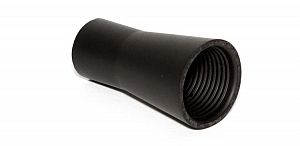
Flashlights will easily insert into the other end, but never hold the whole thing by just the flashlight, as the brush may slide out. Instead, hold it by the universal connector. The universal connector may also be used to connect a “brush” of one’s own making, such as a pop bottle, to a light source (your flashlight).

Opaque Light Writers (Set of 8)

Use the universal connector to connect these opaque colored lights to your light source. The set is available in eight hues including white, purple, blue, green, yellow, orange, red, and pink. The opaque color makes them excellent tools for light writing, drawing or graffiti, and creative uses limited only by one’s own imagination. Because of the opaque colors of these light brushes, a very crisp drawing or writing source results. After some practice with this tool, I am sure some very detailed light drawings can be captured within a photograph.

Translucent Light Writers (Set of 6)
Light_Painting_Brushes_Translucent_Light_Writer_Set-750px

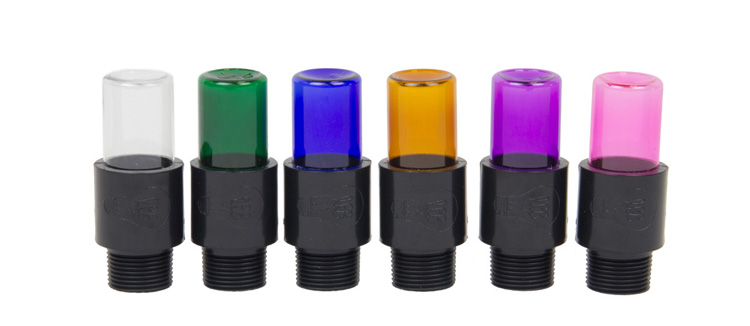
These attachments are very similar to the opaque light painting brushes, but because they are translucent the lights create a more textured effect than the opaque lights. Another tool for artistic expression lighting up the night!

White Fiber Optic
Light-Painting-Brushes-9

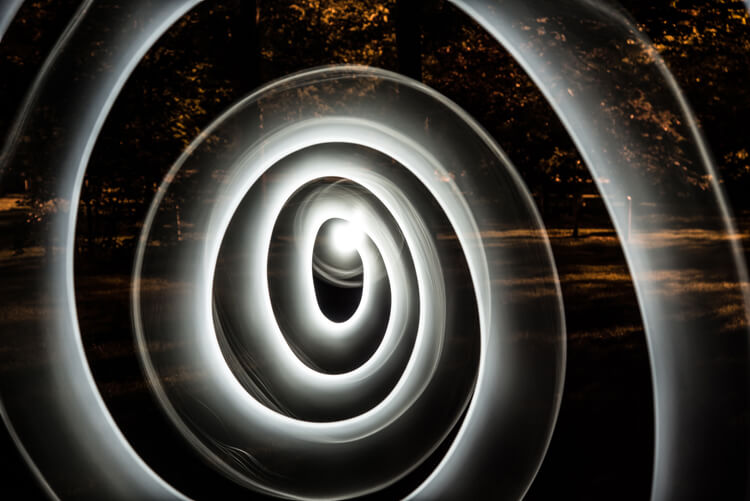
Spiral design created using the White Fiber Optic brush

The fiber optic brush connected to a light source really makes some awesome wispy lines. The white light has great depth as the whole strand of the brush lights up. This tool really gave me the feeling that I was actually painting with light! The white fiber optics is so much fun to use, creating some great effects and can be used for many light painting applications.

Black Fiber Optic
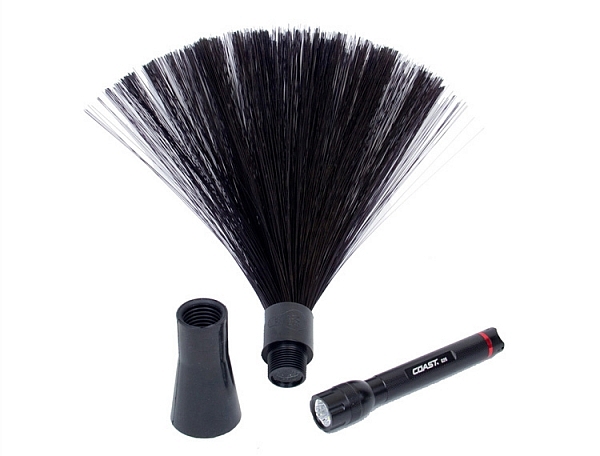
Light-Painting-Brushes-Black-Fiber-Optic-02-750px

The black fiber optic tool only lights up the ends of the brush, great for use in portraits. However, I feel it has a more limited use for other types of light painting, since it puts out a lesser amount of light.

Plexiglass Diamond
Light-Painting-Brushes-11

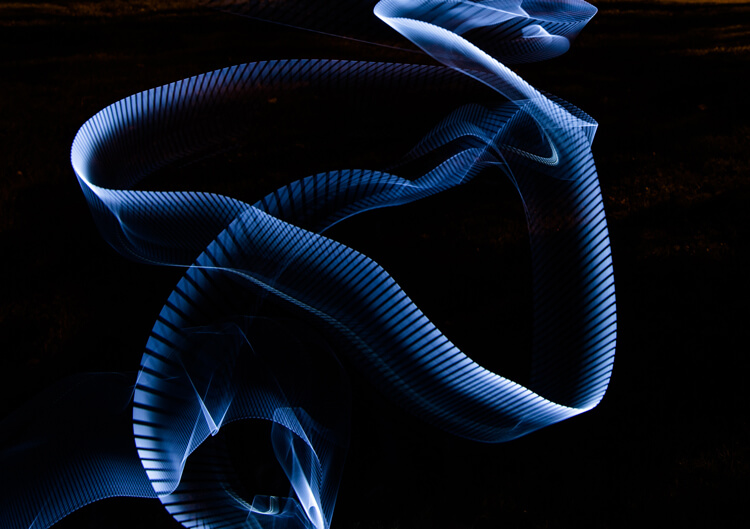
Abstract design created using the Plexiglass Diamond brush

The 9” Plexiglass Diamond shines light out through the cut edges, creating interesting and unique textures when waved about as the image is being shot. This tool is great for light graffiti, portraits, and abstract designs. It is my favorite tool of all the ones I’ve reviewed in this article!

22″ Light Sword
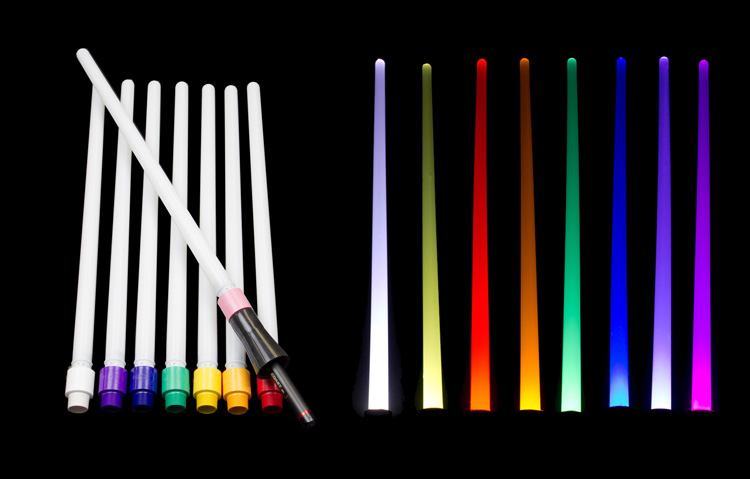
22in-Light-Swords-Illuminated-750px

These tools create a very wide path of light, and are available in 8 different colors: blue, green, orange, pink, purple, red, yellow and white. The colored swords cause some stunning effects, but while the white sword can make some nice strokes of light, in my opinion its results are not as exciting as the colors.
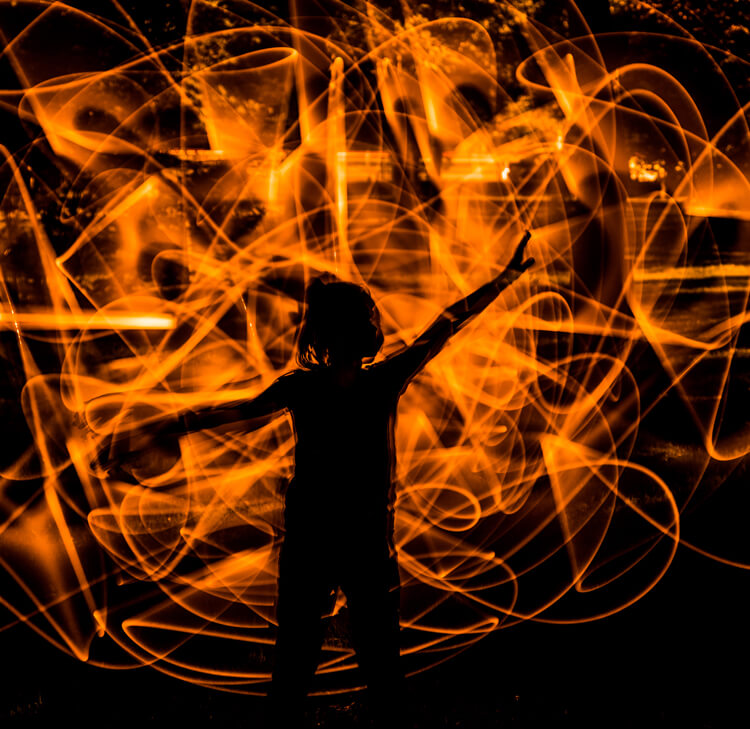
Light-Painting-Brushes-8

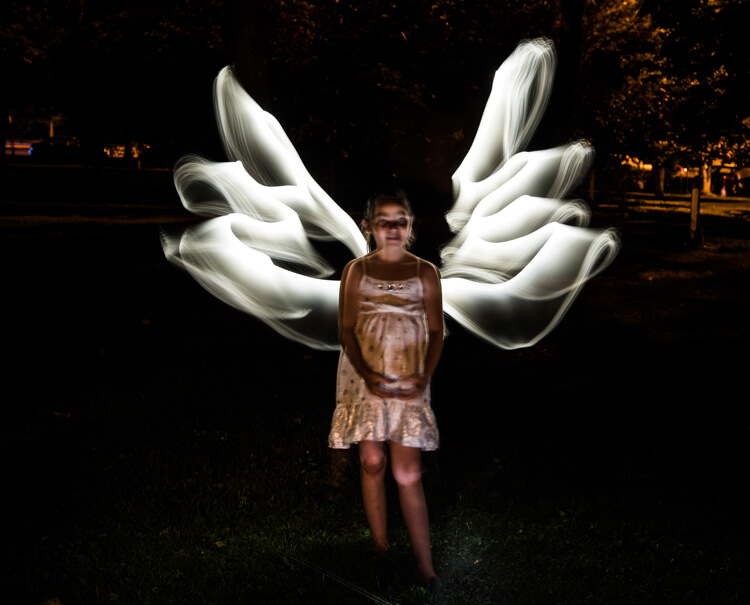
This silhouetted image of a girl was created using the orange 22″ sword brush

Tips:

  • To remain as invisible as possible when trying to photograph a light painting, wear dark colored clothing, keep moving, and avoid holding the light source too close to your body.
  • Speed of motion can make a big difference with many of these tools: the slower the motion, the more vibrant and textured the effect; the faster the motion, the smoother but fainter the effect.

First impressions
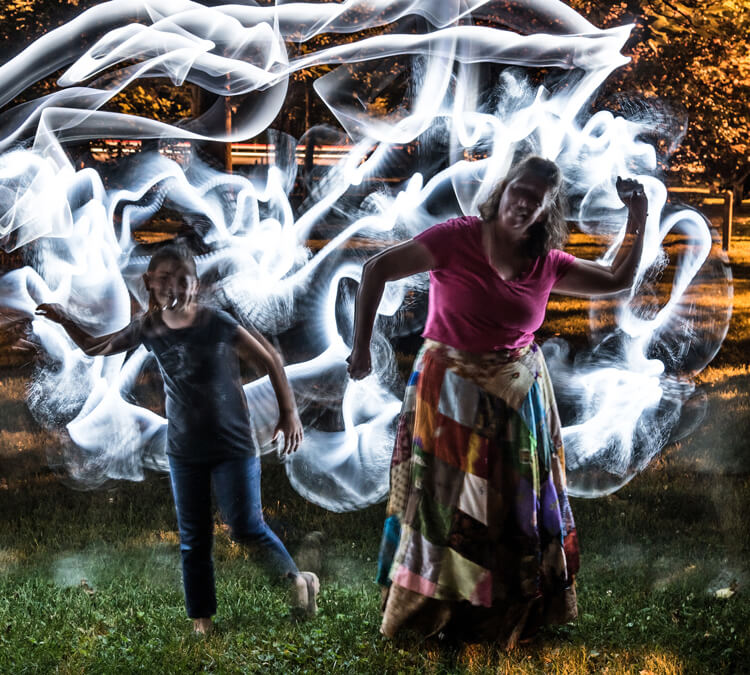
Light-Painting-Brushes-7

I recently had the privilege to lead a light painting workshop with some local photographers, so I introduced the Light Painting Brush system to them during our course. The following feedback comes from a few of the participants:

  • “I felt like a kid, amazed and surprised with all the images we shot and with the numerous options we used to create and express ourselves as we played with the Light Painting Brushes. My favorite was the colored ones because they made things and shapes look like I was using chalk, and the colors were great in the pictures! It helped me to express and to imagine numerous things. I just wish we’d had two more hours!”
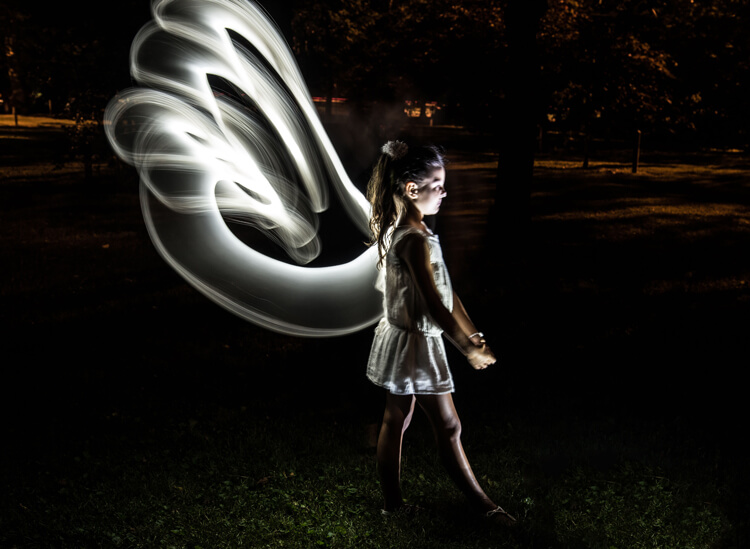
  • “Several lighting methods were demonstrated, but my favorite was using light painting brushes to create an angel figure out of a beautiful little girl.”
  • “My favorite was the white fiber optic, as it made a really pretty effect and I felt I could be more creative with it.”
  • “I was very impressed with the quality and the different possibilities of the light painting tools! I love that it gives you the ability to add your own personal unique touch to a photo!”

The brushes were easy to use, even for beginners, and cast a new “light” giving night photography a new perspective and dream like world.
Light-Painting-Brushes-13


Conclusion

Whether you are an experienced light painter or just wanting to give this technique a try for the first time, these tools from Light Painting Brushes are a fantastic addition to your accessory arsenal. They are designed by light painters who create and use their products. If you watch their tutorials online you’ll see that they have a passion to create tools that are to be used to create works of art in Light Painting.

Here’s another really cool thing you can do with these tools – make a spirograph!

The Universal Connector is the essential tool for using the actual brushes. I really like the unique textures and shaping possibilities of my two personal favorite brushes, the White Fiber Optics and the Plexiglass Diamond. My previous experience with light painting has mostly been of the off-camera type, but after using these Light Painting Brushes my interest has really been piqued to pursue on-camera light painting.

googletag.cmd.push(function() {
tablet_slots.push( googletag.defineSlot( “/1005424/_dPSv4_tab-all-article-bottom_(300×250)”, [300, 250], “pb-ad-78623” ).addService( googletag.pubads() ) ); } );

googletag.cmd.push(function() {
mobile_slots.push( googletag.defineSlot( “/1005424/_dPSv4_mob-all-article-bottom_(300×250)”, [300, 250], “pb-ad-78158” ).addService( googletag.pubads() ) ); } );

The post Review: Light Painting Brushes – Tools for Creativity by Bruce Wunderlich appeared first on Digital Photography School.


Digital Photography School

 
Comments Off on Review: Light Painting Brushes – Tools for Creativity

Posted in Photography


Crystal Universe: Digital Maze Invites You to Immerse Yourself in Light

14 Jul

[ By SA Rogers in Art & Installation & Sound. ]

Screen Shot 2016-07-13 at 5.05.53 PM

A kaleidoscopic space filled with reflected and refracted light in all shades of the rainbow makes you feel like you’ve somehow immersed yourself inside a crystal at the DMMPLANETS exhibition in Odaiba, Tokyo. Dreamed up by the art collective teamLab, ‘Wander through the Crystal Universe’ is one of three major interactive installations in place through the end of August for the inaugural show. The work uses accumulated light points to create a sculptural body, “similar to the way distinct dots of color form an image in a pointillist painting.”

crystal universe 2

crystal universe 4


As you walk through the three-dimensional light space, your movement affects the light particles, creating changes in the installation. Each person’s action or change affects the way everyone present experiences the space. The lights are constantly moving and shimmering, going dark to mimic the effect of floating in space and then shifting into new color palettes. Visitors can further interact with the exhibit using their smartphones, selecting certain elements and enhancing them.

crystal universe 3

Screen Shot 2016-07-13 at 5.05.53 PM

crystal universe main

“In Crystal Universe, the particles of light are digitally controlled, and change based on the viewer’s interactivity with the work. The result is an installation consisting of an accumulation of lights, forming a sculpture that expresses the universe.”

floating

floating 2

Equally enchanting is ‘Drawing on the Water Surface Created by the Dance of Koi and People – Infinity.’ In this case, visitors are walking into a pool of water, influencing the movement of projected koi.

floating 3

“When the fish collide with people they turn into flowers and scatter. The trajectory of the koi is determined by the presence of people and these trajectories trace lines on the surface of the water. The work is rendered in real time by a computer program, it is neither a pre-recorded animation nor on loop. The interaction between the viewer and the installation causes continuous change in the artwork. Previous visual states can never be replicated, and will never reoccur.”

Share on Facebook


[ By SA Rogers in Art & Installation & Sound. ]

[ WebUrbanist | Archives | Galleries | Privacy | TOS ]


WebUrbanist

 
Comments Off on Crystal Universe: Digital Maze Invites You to Immerse Yourself in Light

Posted in Creativity


How to Create Beautiful Light Painting Images With an Illuminated Hoop

12 Jul

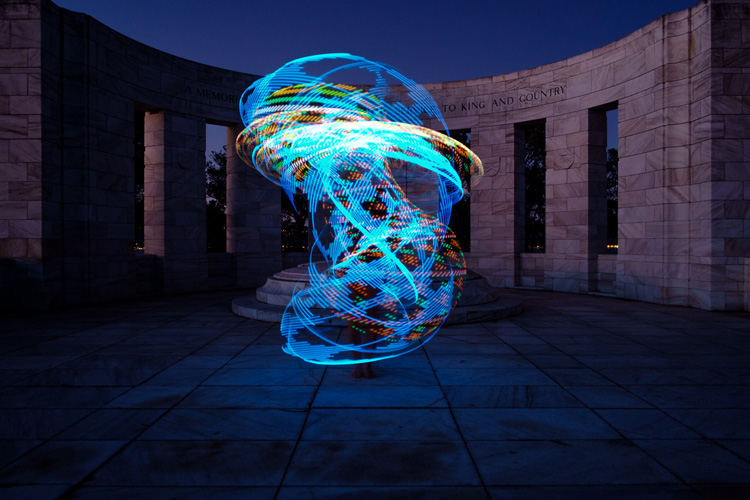
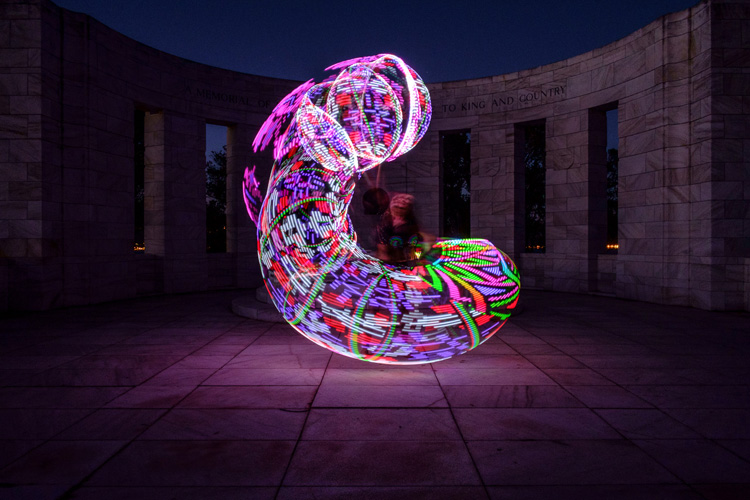
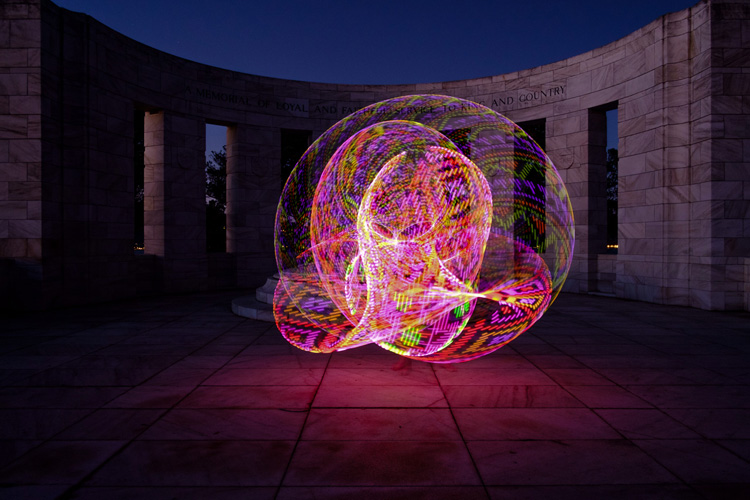
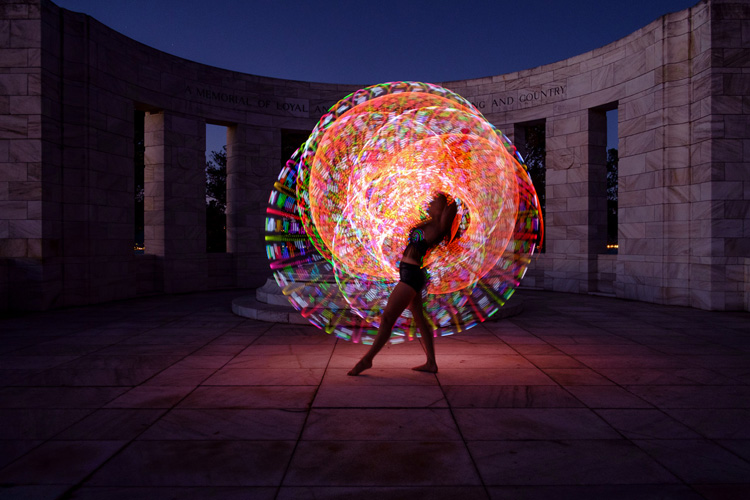
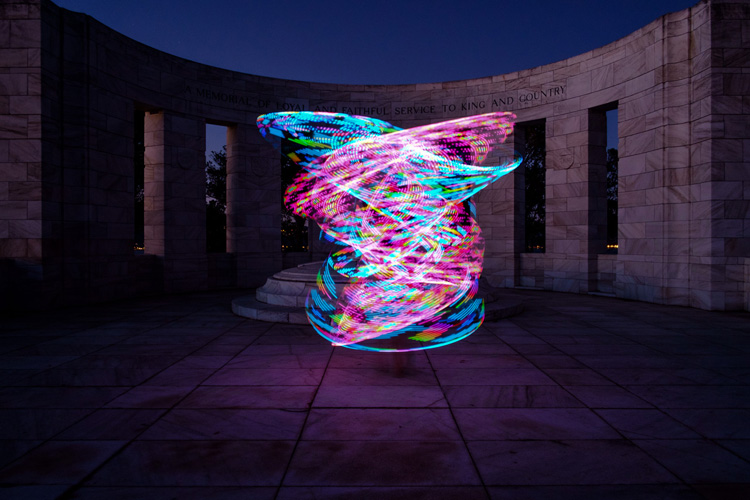
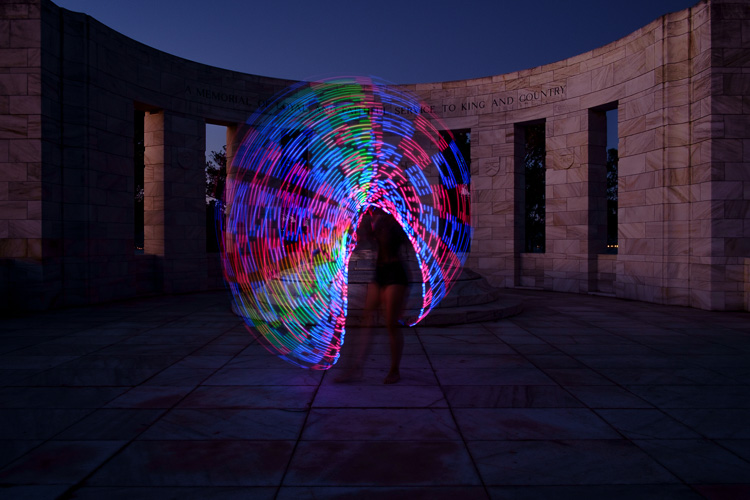
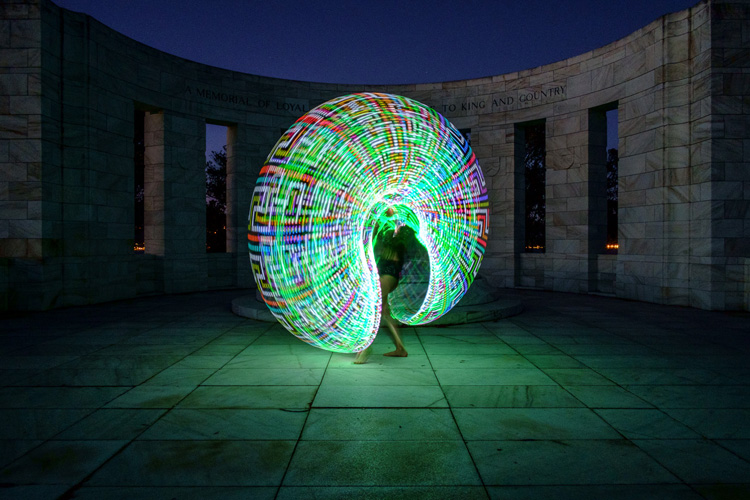
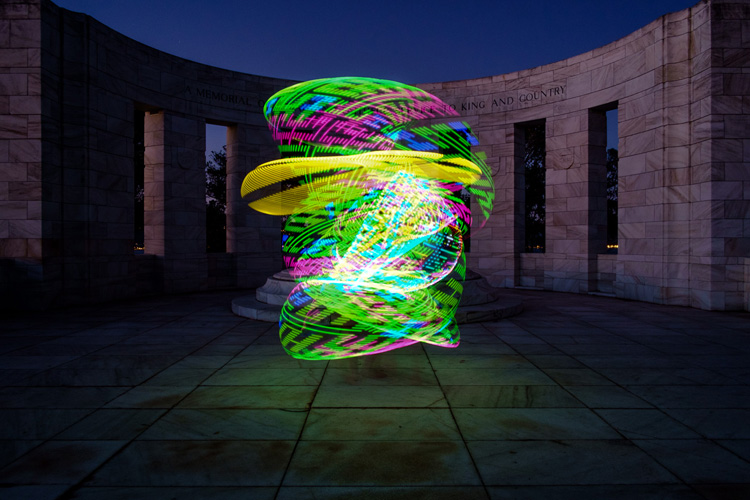
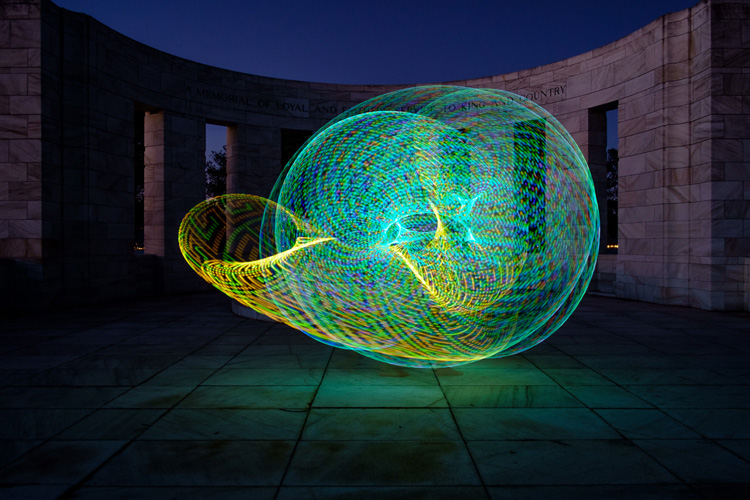
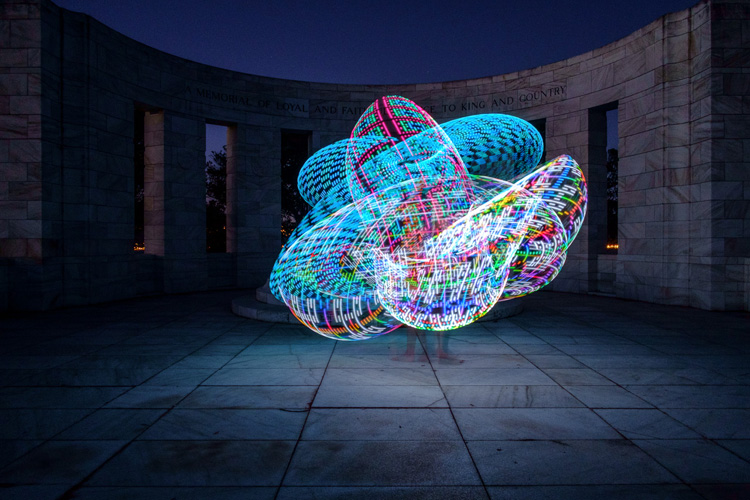
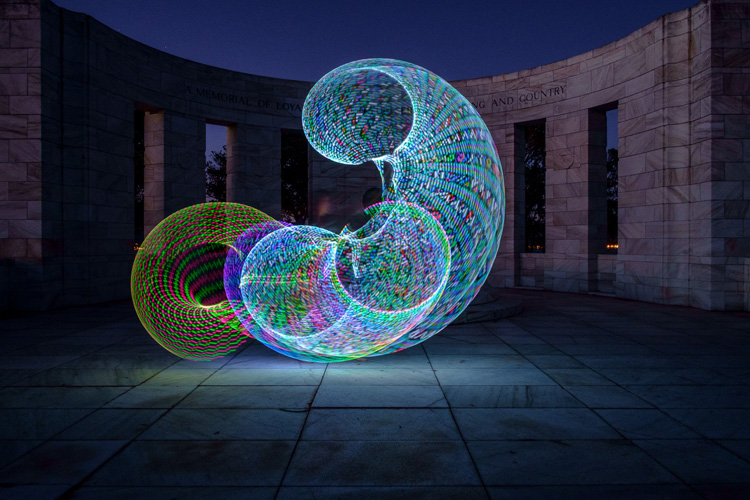
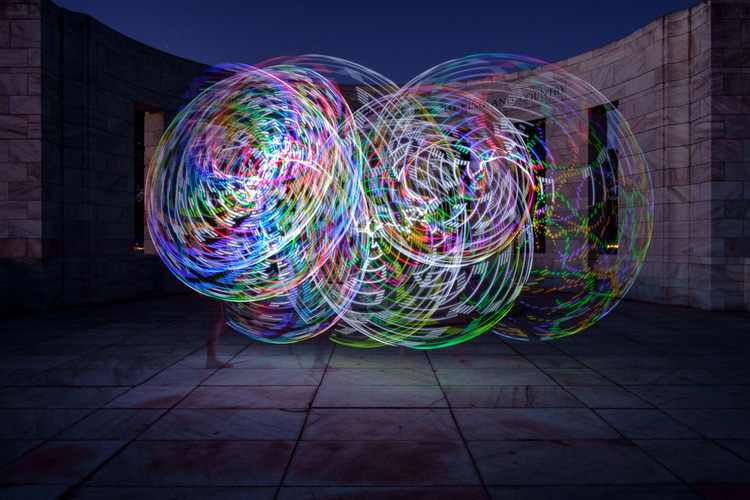
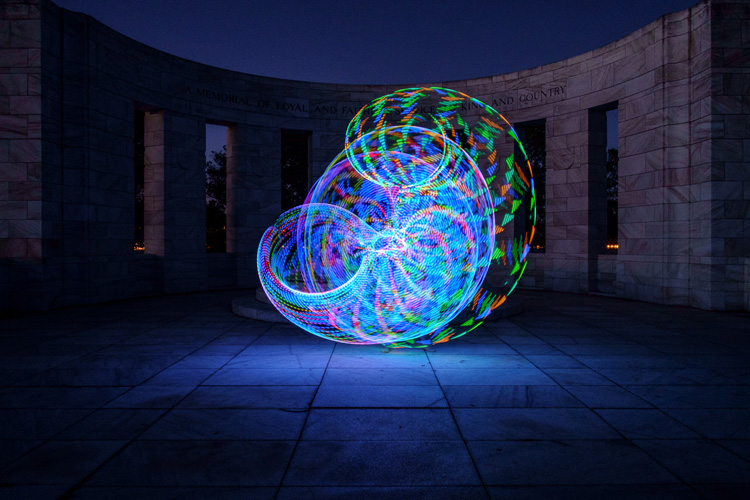
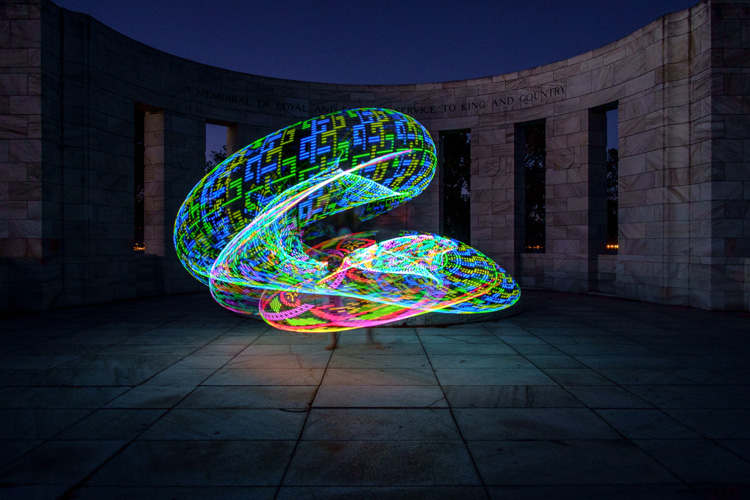
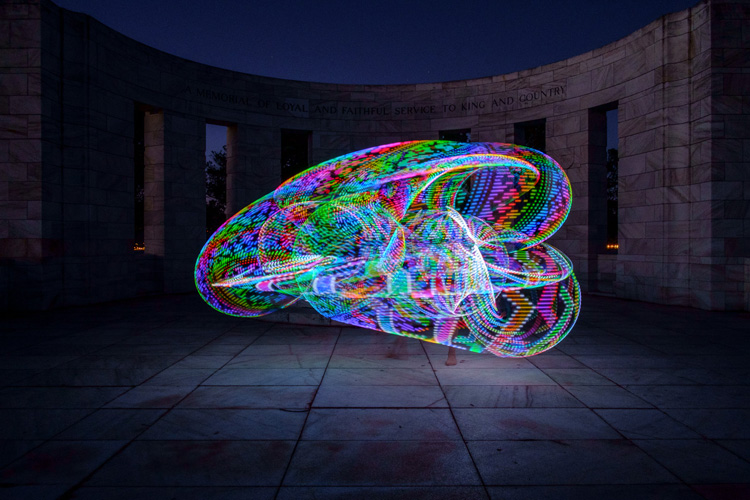
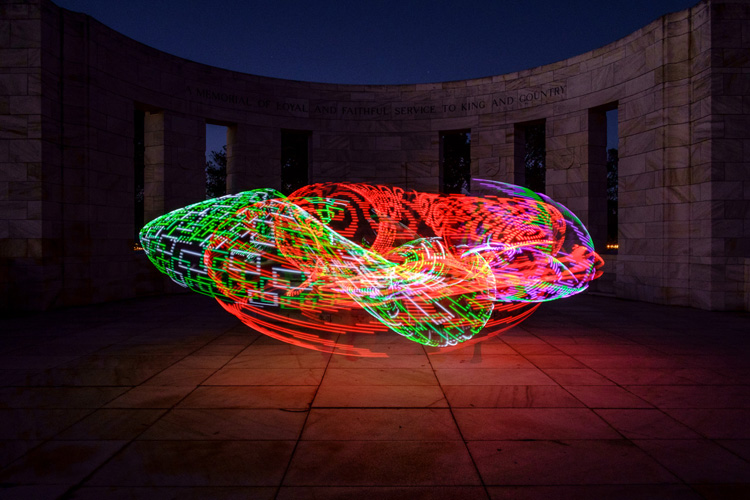
Early last year I collaborated with a friend who is a professional circus performer and hula hooper to create the unique images that you see in this article.

There are lots of good light painting photos around, but the factor that sets these ones apart is that my friend Tess used something called a FutureHoop – a transparent hula hoop that has built-in lights that can be programmed to flash in different colors and patterns. It helps that Tess is a trained dancer and hooper, so she was able to create some beautiful patterns with the FutureHoop.

painting with light

You can try this technique yourself – if not with a FutureHoop then with any number of colored light tubes or similar devices that are available (or make your own). Do a search on Amazon to see what you can find, and use your imagination to reveal their potential.

Whatever you end up using for your painting with light experiments, there are a number of things you need to consider to get the best results. Take care of these and you should be able to create some strong images.

Choose a Location

painting-with-light-7

Pick a good location. You need a dramatic background that complements the painting with light technique you choose to use. For these photos we went to Massey Memorial, built in remembrance of a past New Zealand Prime Minister on a hill in Wellington. I knew it would be a great place to take the photos because the marble pillars form a dramatic background. There was also plenty of room for Tess to move and dance with the FutureHoop.

Take the practicalities into consideration when choosing a background. For example, beaches often make good locations for painting with light photos, but you need to make sure your model can walk around safely in the near dark without tripping over rocks (or falling into the sea). Incidentally, isolated beaches are also a great place to try steel wool spinning, another form of painting with light.

painting with light

Pick a model

Pick the right model. Tess is a professional performer and I couldn’t have created these photos without her. She had the appropriate costume, including an illuminated bra that can also be programmed to give different color displays.

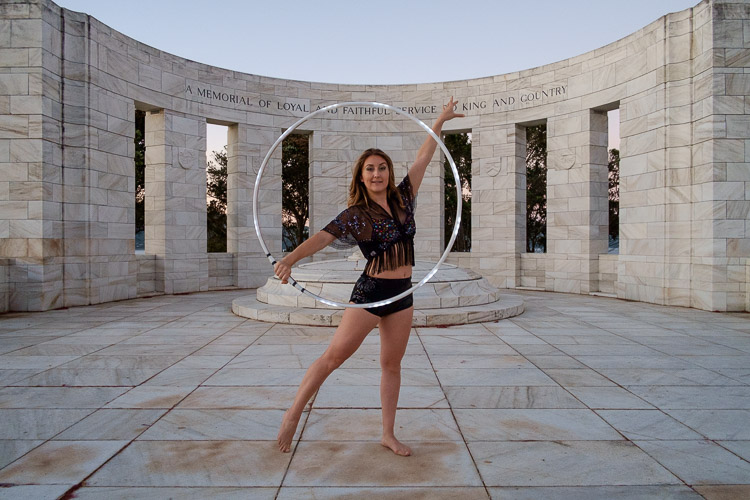
Her training also meant that she could strike professional poses. The following photo demonstrates this perfectly. Look at the arch of her back, the way her feet are positioned, and how the toes on her left foot are pointed. You can even see the flashing bra.

painting with light

The other thing that helped is that Tess thought about the patterns she would use on FutureHoop, and how she would move the hoop before the shoot. That helped us nail the shoot the first time.

Ask your model to practice, and be prepared to reshoot if necessary. It is possible that you won’t create your best images during the first attempt. During the shoot, look at the photos on the camera’s LCD screen and see what works and what doesn’t. Then you can suggest things that your model can try, or ask her to do something again if you didn’t quite time the photo correctly. Use feedback to refine the images and work towards something beautiful.

painting-with-light-15

Time of Day

Choose the right time of day. The best time for painting with light is twilight, as it is dark enough for the lights to show, but there is still enough ambient light to subtly illuminate the background, and maintain some color in the sky.

The only difficulty with twilight is that the light fades rapidly, so you have to keep up by changing the exposure settings as you go along. The photos you take earlier on in the shoot, will be different from the ones you take later, as the light is fading. The ratio between the light from the FutureHoop (or whatever devices you are using), which stays constant, and the ambient light, which is fading, changes.

painting with light

painting with light

The two photos above show the difference. The first was taken early in the evening, the second one when it was nearly dark. The pillars in the background in the first are lit by the light of the setting sun. The FutureHoop seems much brighter in the second because the ambient light levels are lower. Note that I darkened the background of the first image in Lightroom to match that of the second one.

This photo shows Tess warming up at the start of the shoot. It was still too bright as this stage for the painting with light photos – you can barely see the light of the FutureHoop.

painting with light

If you shoot at night the exposure should remain constant, but the sky will lack color. On the other hand, the light from the device your model is using could light up the background beautifully if it is close enough. So there may be advantages to working at night, rather than twilight, but in most cases the light during twilight will be better.

Technique and Camera Settings

Get your technique right. You need slow shutter speeds to take this type of photo, so a good tripod to support the camera and a cable release are necessities. I used shutter speeds between two and four seconds for these photos – you may need longer exposures depending on how long it takes your model to move the device you are using through the air. Tess moved quite fast, so the shorter shutter speeds we used worked better.

painting-with-light-16

Set your camera to Manual mode so that the exposure remains constant throughout the series (the moving lights will confuse your camera’s light meter in an automatic exposure mode). It is easy enough to open the aperture, or raise the ISO, if you need to as the light fades.

Use the Raw format to give you maximum leeway in post-processing. Shooting Raw simplifies the shoot greatly as you don’t have to worry about settings such as color profile until you sit down to process the photos.

In this shoot, once the camera was set up, I kept the aperture at f/8 or f/11 and raised the ISO as the light faded. I set the White Balance to Daylight so I could see the natural colors of the FutureHoop and the ambient light. Using auto White Balance may result in some strange color casts as the camera tries to compensate for the colored lights.

painting-with-light-14

Above all, have fun. If you both enjoy the process you create better images. If your model enjoys it she will want to collaborate with you on future ideas. Below are a few more images from our shoot – enjoy and hopefully they give you some ideas.

painting-with-light-6

painting-with-light-13

painting-with-light-12

painting-with-light-11

painting-with-light-10

painting-with-light-9

painting-with-light-8

Any questions? Let us know in the comments and I’ll do my best to answer.

And if you’d like to learn more about the basics of photography, then please check out my ebook Mastering Photography: A Beginner’s Guide to Using Digital Cameras.

googletag.cmd.push(function() {
tablet_slots.push( googletag.defineSlot( “/1005424/_dPSv4_tab-all-article-bottom_(300×250)”, [300, 250], “pb-ad-78623” ).addService( googletag.pubads() ) ); } );

googletag.cmd.push(function() {
mobile_slots.push( googletag.defineSlot( “/1005424/_dPSv4_mob-all-article-bottom_(300×250)”, [300, 250], “pb-ad-78158” ).addService( googletag.pubads() ) ); } );

The post How to Create Beautiful Light Painting Images With an Illuminated Hoop by Andrew S. Gibson appeared first on Digital Photography School.


Digital Photography School

 
Comments Off on How to Create Beautiful Light Painting Images With an Illuminated Hoop

Posted in Photography


Light raises $30M and provides update on L16 multi-lens camera

08 Jul

Light, the startup that is developing the L16 multi-lens computational camera, has raised $ 30M in venture capital in a series C round of funding led by GV (formerly Google Ventures). The company says it will use the additional funds to scale its global supply chain in order to deal with customer demand.

The company has also announced some changes to the L16’s specification after listening to feedback from its pre-order customers. Many voiced a preference for a wider angle of view at the short end of the zoom range, and the L16 will now provide a 28-150mm optical zoom equivalent instead of the initially announced 35-150mm.

Additionally, the camera will ship with 256GB of built-in memory instead of the 128GB listed in the original specifications. You can see the fully updated L16 specifications here and watch the video below to see how the prototype cameras are being manufactured.


Articles: Digital Photography Review (dpreview.com)

 
Comments Off on Light raises $30M and provides update on L16 multi-lens camera

Posted in Uncategorized


How to Use Light to Create Moody Images

04 Jul

It isn’t difficult to take sharp, well-exposed photos with modern cameras. But how do you take it a step further and create moody images that capture the spirit of a place?

What is mood?

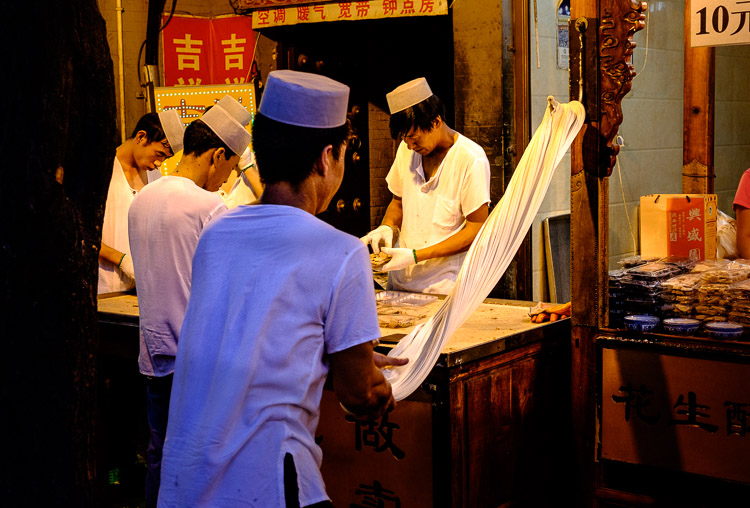
I define mood as a feeling or emotion you get while experiencing something. For example, while travelling through Xi’an, a city in China, last year I spent some time in the city’s Muslim Quarter. I felt a mixture of things – overwhelmed by the crowds and the sticky heat, fascinated by the sights and smells coming from stalls selling home-made street food, and claustrophobic while wandering down hutongs (alleyways) connecting the main streets. Then there was the paradox of the city’s ancient open air mosque – a peaceful paradise amongst the noise and dirt of the old city.

Mood and light

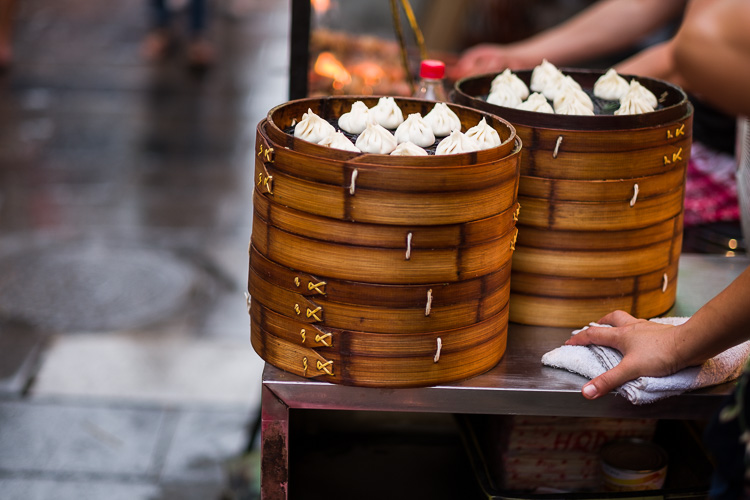
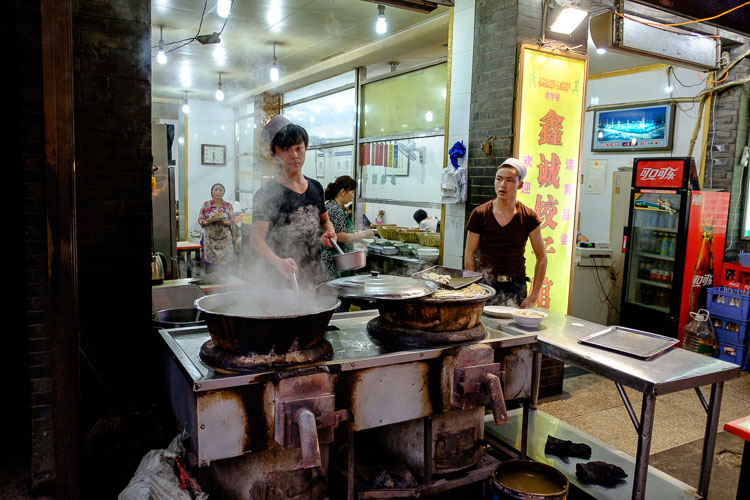
The mood in this photo was created by the mix of artificial and natural light. The lights in the market stall bathe the scene in an orange glow, while the blue light of early evening creeps in at the edges.

Once you have the sense of the mood of a place, you can start thinking about how to capture that in a still frame. Part of the answer lies in composition and the subject. In this example it is obvious that well composed images taken amongst the hubbub of the Muslim Quarter in Xi’an will help capture the atmosphere. But the one thing you really have to pay attention to, the thing that will elevate your photos above the ordinary, is light.

How light and time of day affect your images

Most photographers are familiar with the idea that the moodiest, most evocative lighting comes at either end of the day, close to sunrise and sunset. Golden hour is the name for the time when the sun is close to the horizon, casting golden light that creates long, raking shadows. The blue hour is the time at dusk, or just before sunrise, when there is light in the sky and the natural color of the ambient light is deep blue.

The light at both these times is incredibly moody. Once you have found an interesting place to photograph, and identified with the spirit of the place, then you really can’t go wrong by venturing out at these times to take photos. Yes, you can take interesting photos at other times of the day, but the light won’t be as evocative.

One of the challenges of working in moody light, especially during dusk, is that light levels are low. This is less of a problem than it used to be because high ISO performance on modern cameras is so good you can easily raise the ISO to work with a hand-held camera in low light. It also helps if you have a prime lens, as this lets you use wider apertures which let more light in, enabling you to use lower ISOs or faster shutter speeds (or both). Image Stabilization in its various forms may also be useful.

Mood and light

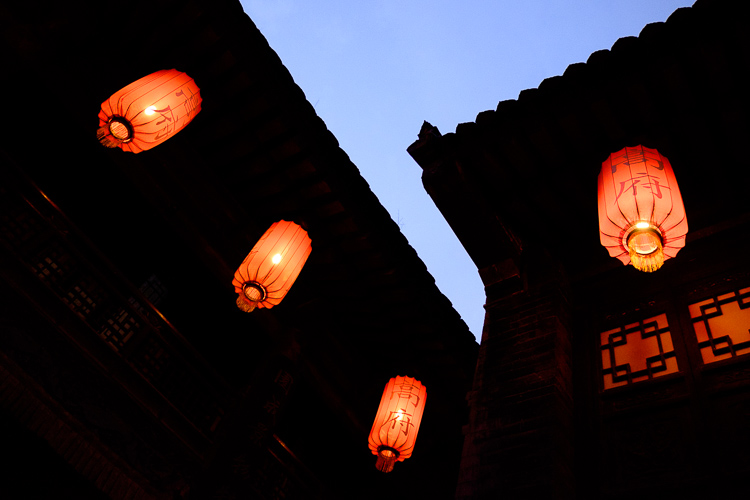
This photo balances the orange glow from the lanterns against the fading blue light of the evening sky. I used an ISO of 6400 to work in low light shooting without a tripod.

If you are a landscape photographer, these points aren’t so important, as you would simply use a tripod to support the camera, allowing you to use small apertures, low ISO settings, and long shutter speeds (another tool for creating mood in the landscape) without camera shake.

Returning to my example of taking photos in Xi’an, I didn’t bother going out with my camera in the middle of the day (when the light was too harsh). Instead, I visited it in the late afternoon, when the fading light and encroaching artificial lights added to the mood, and helped me create a sense of place. This was as interesting time to work, as the low light and the crowds created various challenges to be overcome.

Mood and light

Look carefully at this image and you’ll see that the ground is glistening after a rain shower. Together with the out of focus orange lights in the background, this helps to add mood to the photo.

Mood and light

The green fluorescent lights in this image create a different type of mood. The fluorescent light is ugly, rather than beautiful.

Using color contrasts for more drama

One of the key aspects of light at the end of the day is that it often utilizes the contrast between orange and blue. It is something you see a lot in the landscape, with the orange light from the setting sun contrasting with the blue of the sea. Or you may have a photo taken during the blue hour, with a corresponding contrast created by an artificial light source. Sadly, the practise of using fluorescent or white LED lighting is making this less common, but it is something to look out for.

Mood and light

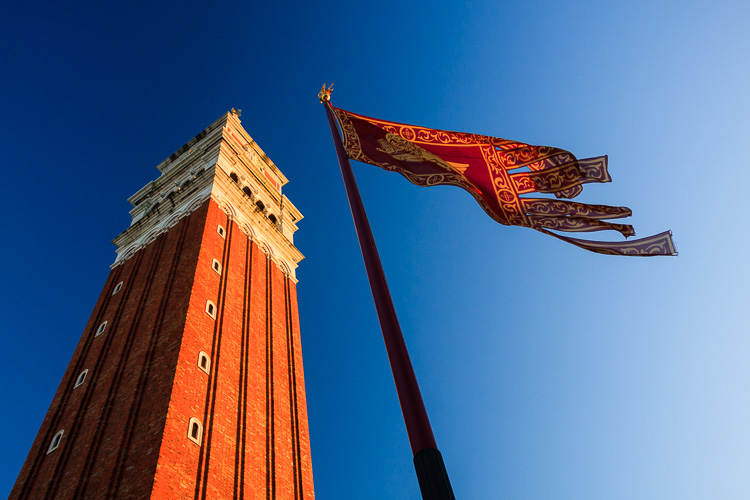
This photo, taken during the golden hour, shows the contrast between the orange light casty by the setting sun on the tower and flag, and the blue sky.

I recently came across an example of this color contrast in a blacksmith’s forge in Lincolnshire, UK. The forge is a historical building, and the people who work there use techniques that were used in the forge over a hundred years ago. The interior has changed little in that time – one of the blacksmiths told me that they are visited by people who remember the forge from childhood over 50 years ago, and say it still looks exactly as they remember it.

There were two types of moody lighting in the forge. One was daylight coming through the small windows, the other was orange light coming from the fire in the forge, and sparks cast by the blacksmith as he worked. I chose to emphasize these even more in post-processing, by using a split tone to give the background a cold blue color.

Mood and light

What examples of moody lighting can you think of? Please let me know in the comments.


Mastering Photography

If you’d like to learn more about creating beautiful photos with light then please take a look at my ebook Mastering Photography: A Beginner’s Guide to Using Digital Cameras.

googletag.cmd.push(function() {
tablet_slots.push( googletag.defineSlot( “/1005424/_dPSv4_tab-all-article-bottom_(300×250)”, [300, 250], “pb-ad-78623” ).addService( googletag.pubads() ) ); } );

googletag.cmd.push(function() {
mobile_slots.push( googletag.defineSlot( “/1005424/_dPSv4_mob-all-article-bottom_(300×250)”, [300, 250], “pb-ad-78158” ).addService( googletag.pubads() ) ); } );

The post How to Use Light to Create Moody Images by Andrew S. Gibson appeared first on Digital Photography School.


Digital Photography School

 
Comments Off on How to Use Light to Create Moody Images

Posted in Photography


Living Light: Human Figures Dance Inside 3D-Printed Zoetrope

02 Jul

[ By SA Rogers in Drawing & Digital. ]

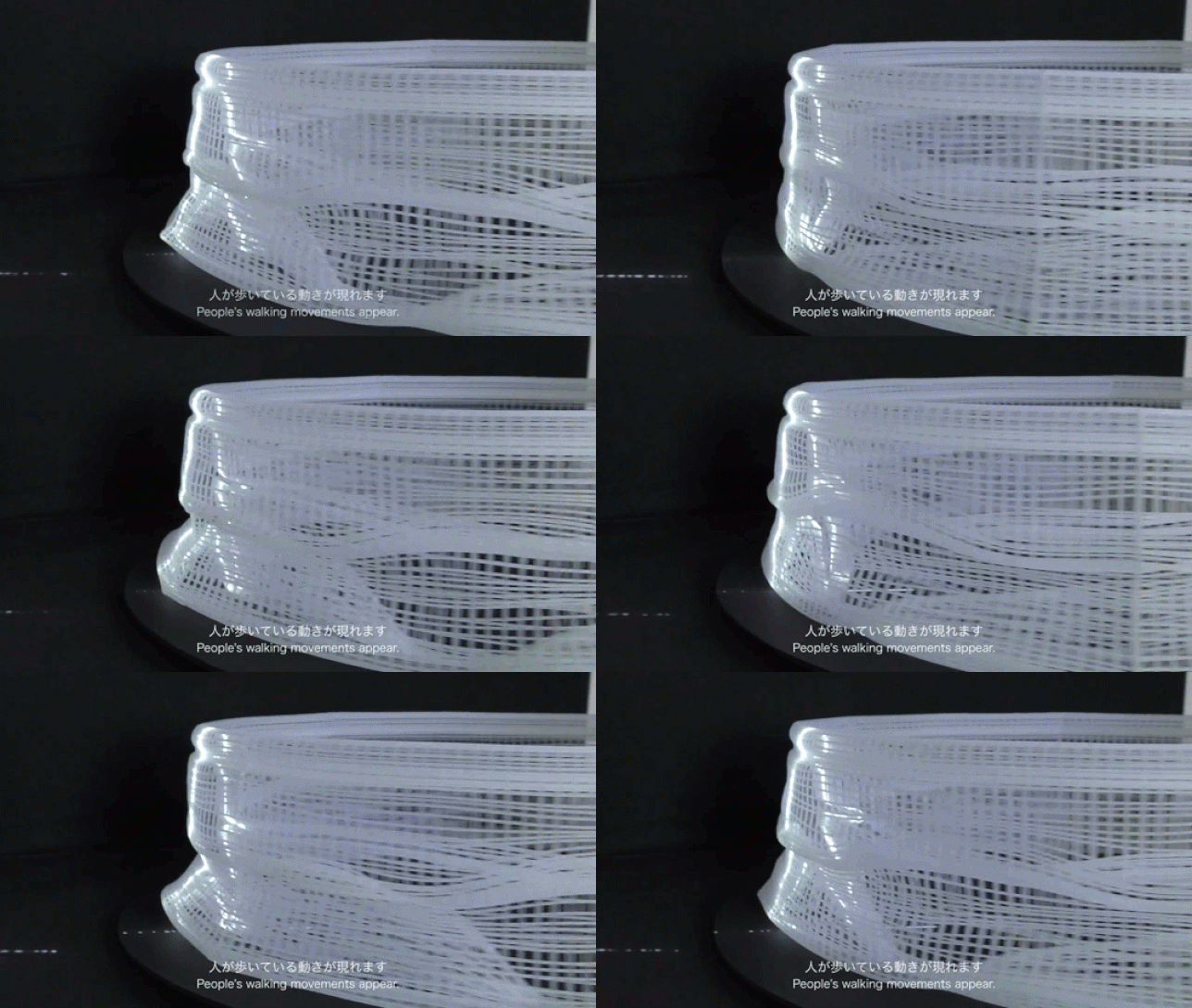
zoetrope gif main

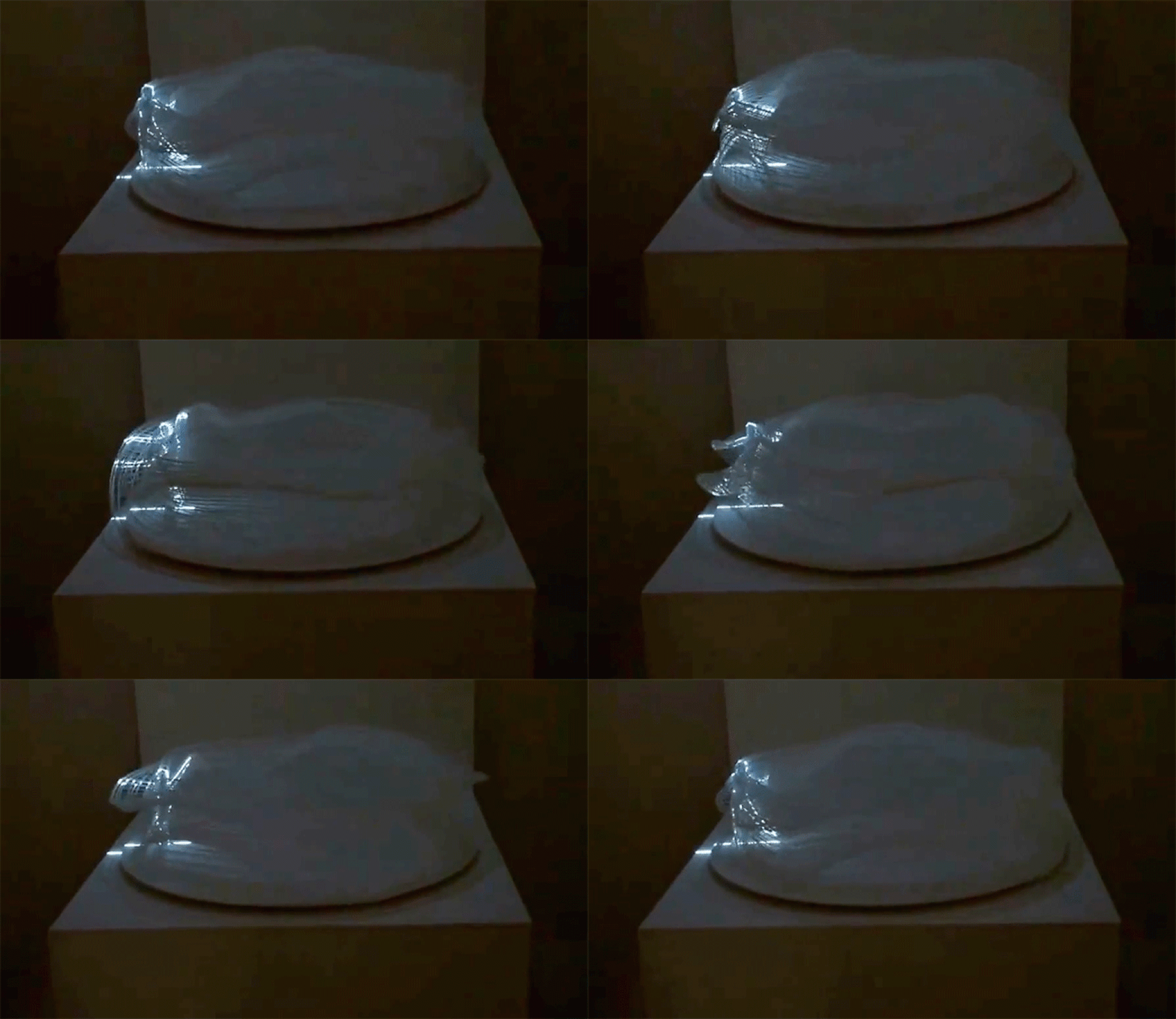
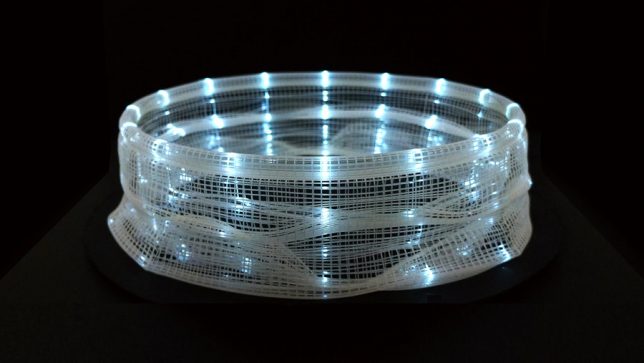
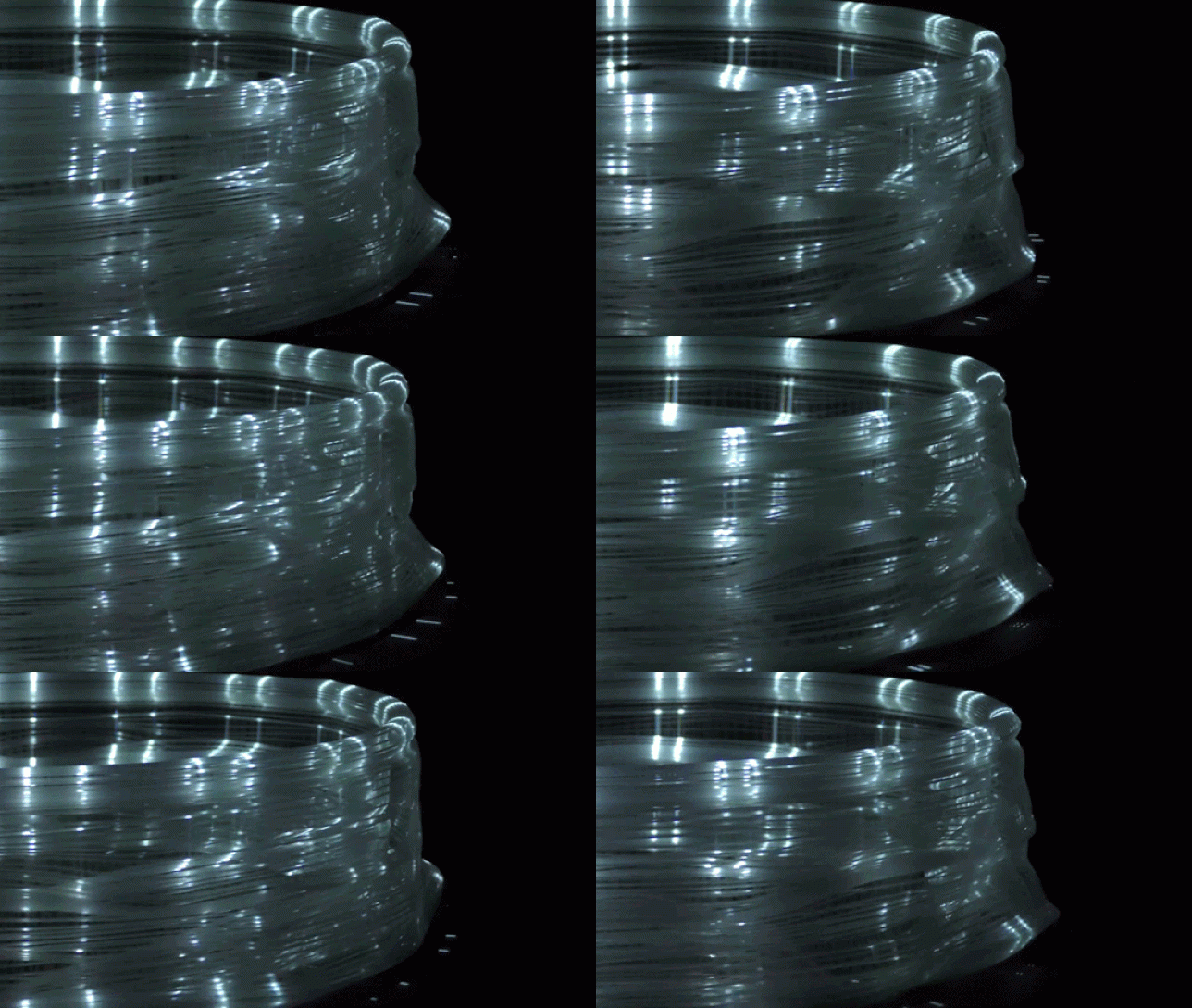
All it takes are a few highly focused beams of light and a spinning zoetrope to make a human figure spring to life, walking or even dancing in a barely-visible translucent circle. ‘Process and WALK’ explores the relationship between time and movement, taking a two-dimensional image of a person and applying it to a three-dimensional object. In effect, the person’s movements are stretched out to take up the entire circle, each fraction of an inch containing its own particular shifts of the arms and legs.

zoetrope gif 2

zoetrope light 2

Artist Akinori Goto lays out the whole process in the video above, showing how he transforms a animation of a person walking into a 3D axis that can then be translated into data for a 3D printer. The result looks like no more than a warped piece of plastic mesh, with no discernible shapes embedded within it. Place it on a turntable and it still won’t look like much – until beams of light highlight just one segment of the edge.

zoetrop gif 1

Once that happens, the walking figure appears. Every few seconds, the illuminated figure seems to multiply, sending additional figures to other points along the zoetrope. It’s simple and complex at the same time, pairing a pre-film animation device that’s been in use for centuries with cutting-edge small-scale manufacturing technology

Share on Facebook


[ By SA Rogers in Drawing & Digital. ]

[ WebUrbanist | Archives | Galleries | Privacy | TOS ]


WebUrbanist

 
Comments Off on Living Light: Human Figures Dance Inside 3D-Printed Zoetrope

Posted in Creativity


Silence Of The Lamps: 10 Abandoned Light Bulb Factories

26 Jun

[ By Steve in Abandoned Places & Architecture. ]

abandoned_lightbulb_factory_1a
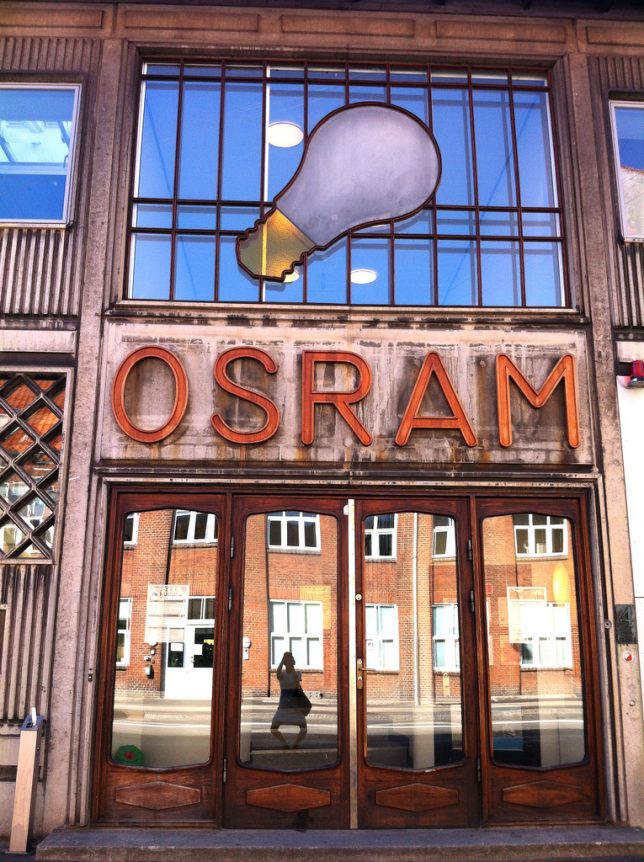
Things may look dim for these abandoned light bulb factories but hopefully the last worker out the door remembered to flip the switch on their way out.

abandoned_lightbulb_factory_1b

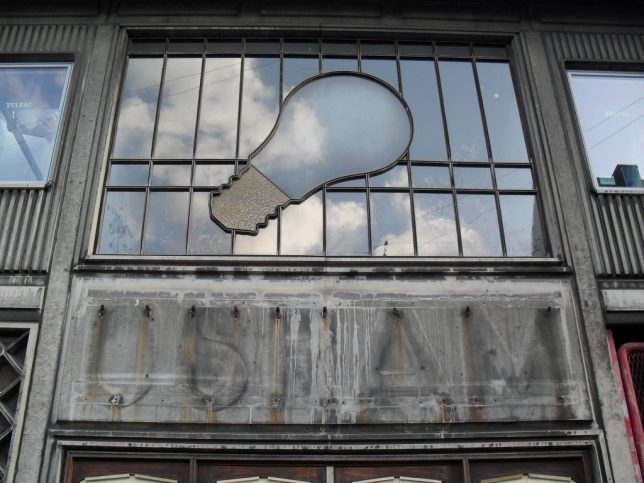
What’s the deal with the above OSRAM light bulb factory facade in Copenhagen, Denmark? Flickr user Stine Linnemann (stine_maskine) snapped the first photo on August 30th of 2009 while Flickr user maya weeks (mayaweeks) snapped the same – yet magically de-aged – facade almost three years later.

Back In The GDR

abandoned_lightbulb_factory_2b

abandoned_lightbulb_factory_2c

abandoned_lightbulb_factory_2d

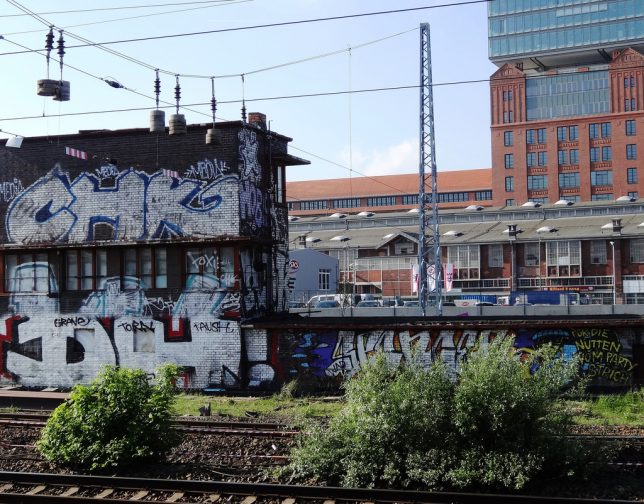
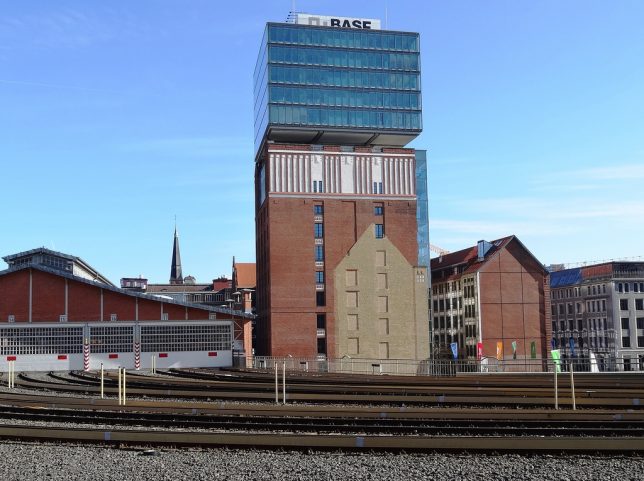
Twenty-five years after the Berlin Wall tumbled, grungy relics of the GDR (German Democratic Republic, aka “East Germany”) linger on like a bad case of heartburn after too much currywurst. Take the distinctive building above, centerpiece of the former VEB Kombinat Narva Berliner Glühlampenwerk which was the main manufacturer of incandescent light bulbs in the GDR. Flickr user Mondrian Graf Lüttichau (Mondrian-Berlin) captured the semi-restored and partially re-purposed main building in 2014 and 2015.

Alien: Resurgence

abandoned_lightbulb_factory_3a

abandoned_lightbulb_factory_3c

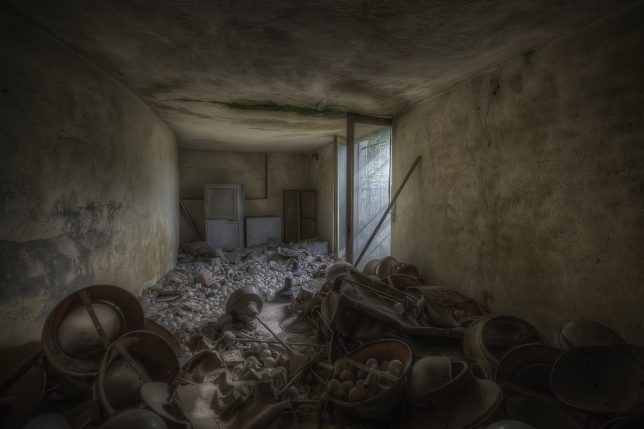
Stay outta there, Ripley!! This unnamed abandoned light bulb factory would make an ideal location shoot for some future Alien movie sequel, would it not? Kudos to Flickr user Andrea Pesce (Opissse) for not disclosing the site’s details – vandals would stomp those scattered light bulbs like so much bubble wrap.

Next Page – Click Below to Read More:
Silence Of The Lamps 10 Abandoned Light Bulb Factories

Share on Facebook


[ By Steve in Abandoned Places & Architecture. ]

[ WebUrbanist | Archives | Galleries | Privacy | TOS ]


WebUrbanist

 
Comments Off on Silence Of The Lamps: 10 Abandoned Light Bulb Factories

Posted in Creativity


Meike iPhone lens adapter case takes ring light and Sony QX1

18 Jun

$ (document).ready(function() { SampleGalleryV2({“containerId”:”embeddedSampleGallery_5756523953″,”galleryId”:”5756523953″,”isEmbeddedWidget”:true,”standalone”:false,”selectedImageIndex”:0,”startInCommentsView”:false,”isMobile”:false}) });

Hong Kong accessory manufacturer Meike has introduced a new case for the Apple iPhone 6/6s that accepts three accessory lenses and offers a mount for a ring light and Sony’s ILCE-QX1 E-mount ‘lens-style camera’. The MK-H6S PRO comes with a hand grip that has a Bluetooth-enabled shutter release button to deliver a more camera-like experience for mobile phone photographers.

The kit includes three lenses – a 0.65x wide-angle adapter, a 180° fisheye and a 2.5x macro lens – that screw into a mount over the device’s built-in camera. A larger mounting ring in the middle of the case accepts an optional ring light with built-in mirror for selfies. The same ring is also compatible with Sony’s 20MP APS-C QX1 adapter so users will be able to fit Sony E lenses to the device, preview the image on the phone’s screen and control capture via the grip’s shutter release.

The Meike MK-H6S PRO will cost £45/$ 65. For more information visit the Meike website.

Articles: Digital Photography Review (dpreview.com)

 
Comments Off on Meike iPhone lens adapter case takes ring light and Sony QX1

Posted in Uncategorized


Light Touch: Sensual Installation Lets Visitors Feel Luminescence

12 Jun

[ By WebUrbanist in Art & Installation & Sound. ]

light art shimmering walls

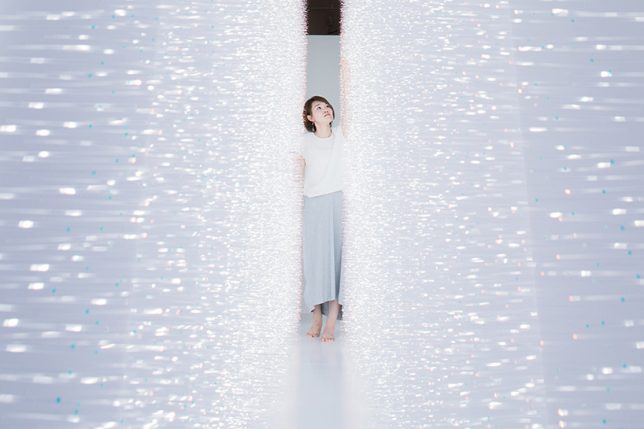
In a new light art installation dubbed Sense of Field, Tokyo artist Hitomi Sato lets visitors simultaneously see, touch and shape shimmers of light all on sides.

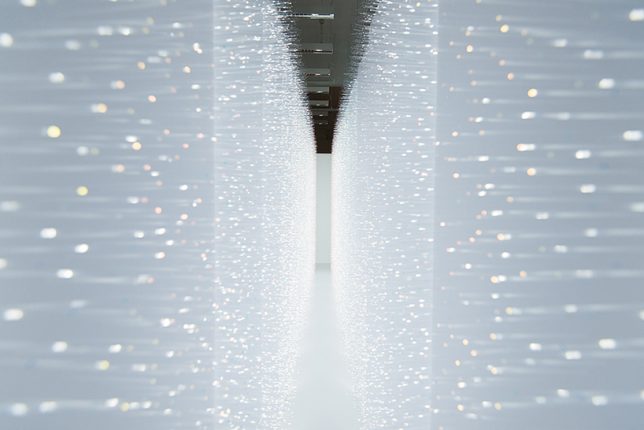
The immersive experience is facilitated by thousands of transparent tendrils extending from two walls opposite one another. Each visitor walking between them,touches bristles on both sides, creating waves of motion that can be both seen and felt.

light art hallway installation walls

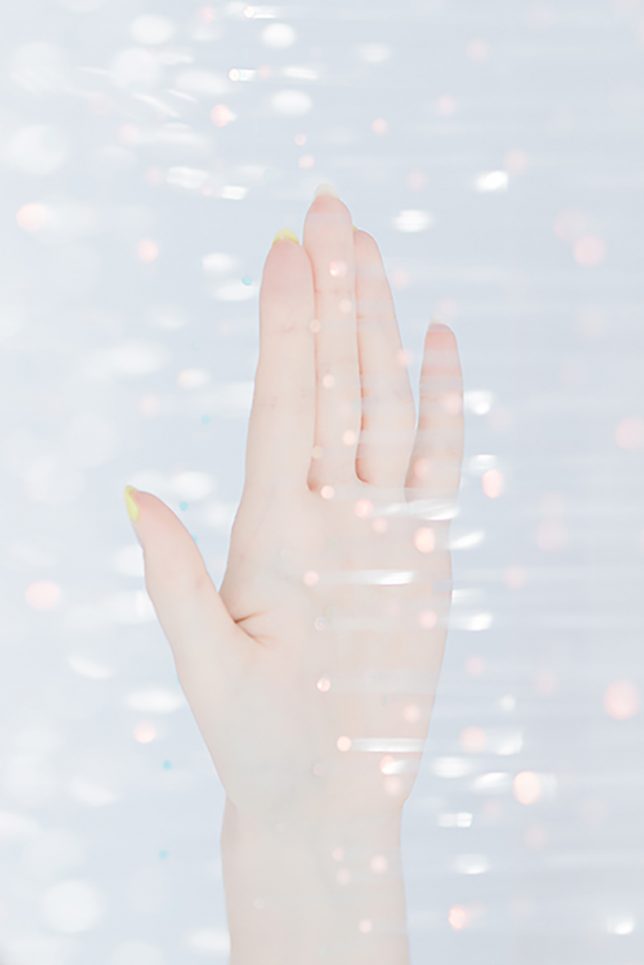
Perspective matters: observers outside the installation see it all from another angle, experiencing the setup differently primarily as a function of gleaming luminosity. Once engaged through physical contact, sensations multiply as clothing and skin brush beads of heat and illumination.

light art installation tokyo

Of her work, the artist says that “when [she] sees the shimmer of light, images of various natural light comes to her mind. For example, ripples on the water’s surface, sunlight through the leaves of trees, rays from a break in the clouds, and the reflections on window’s glass.”

Share on Facebook


[ By WebUrbanist in Art & Installation & Sound. ]

[ WebUrbanist | Archives | Galleries | Privacy | TOS ]


WebUrbanist

 
Comments Off on Light Touch: Sensual Installation Lets Visitors Feel Luminescence

Posted in Creativity


4 Easy and Unique Ways to Light and Photograph Wedding Rings

10 Jun

Snapdeals Sale: If you’d like to learn more about how David and Patrick photograph weddings you may want to check out their 14 hour tutorial on all things wedding photography. It’s currently $ 100 off at SnapnDeals.

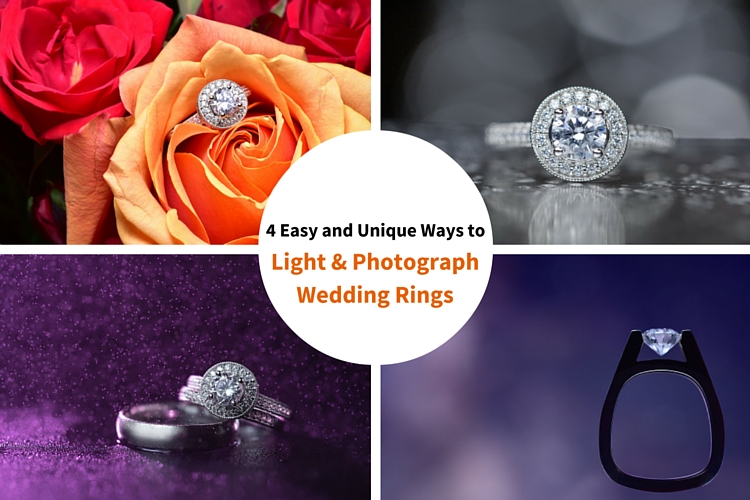
Wedding photographers are expected to capture every aspect of a wedding day and in many cases we only have a couple minutes to work. The wedding rings are an important detail that many photographers either overlook completely or over think. Over the years I’ve taught some practical ways to improve your wedding business and shooting skills. Let me show you four quick and unique ways to photograph the wedding rings.

4 Easy and Unique Ways to Lightand Photograph Wedding Rings

You’ll Need a Macro Lens

04.jpg

To capture wedding rings properly you’re going to need a macro lens. Without one, you simply won’t be able to zoom in and focus close enough. Yes, you could shoot wider and crop in but you will be losing tons of resolution. Luckily basic macro lenses are not that expensive.

If you’re shooting Nikon I would suggest the Nikon Micro 55mm f/2.8 or the Micro 60mm f/2.8. These lenses are very small and will easily fit in your bag. If you’re shooting Canon I would suggest the 100mm f/2.8L IS USM Macro. This one actually does have auto focus.

If you’re anything like me, you’re not going to use a macro lens very often, so you won’t want to spend a ton of money on extra features like vibration reduction (image stabilization). If you want to save even more money, buy the lens used. Amazon is actually great for used lenses. Simply click used at the bottom of any description on Amazon. You can get them cheap and they will hold their value for years to come.

Technique #1 Wedding Rings in Flowers

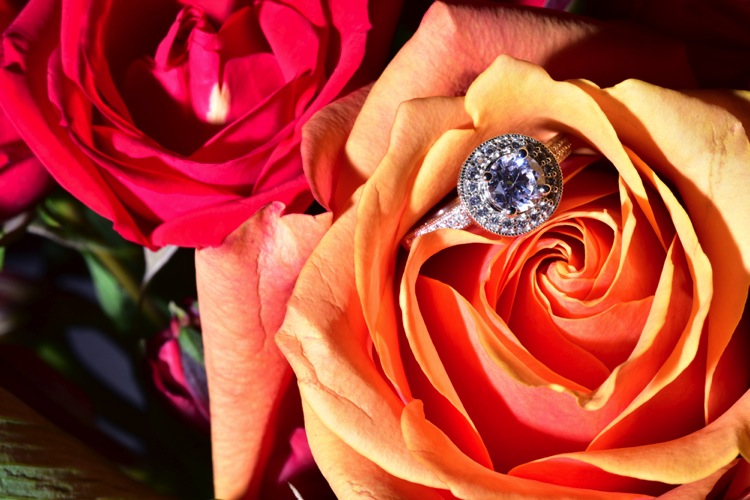
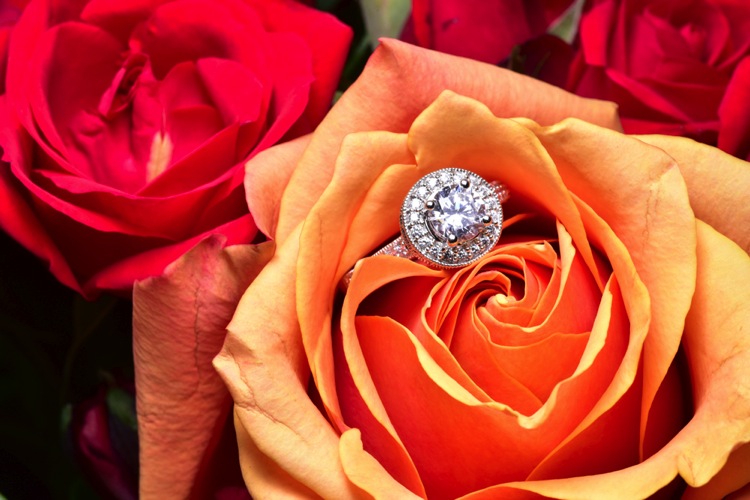
The absolute easiest shot to capture, and one that I’m sure to get at every single wedding I photograph, is one or more of the wedding rings placed inside, or on top of flowers. I don’t think I’ve been to a single wedding where flowers weren’t easily available. This shot is overdone and boring to a lot of photographers, but keep in mind that your clients will (hopefully) only get married once. So, to them, this shot is unique. It shows off the wedding rings, and it also captures the flowers, which they spent a lot of time and money picking out.

Sometimes I will use the bouquet of flowers and lay them down on the table, but I usually find it easier to work with flowers that are standing up. For this I will often use a vase of flowers, usually found in center of the tables at the reception.

For lighting this first shot I’m going to use a speedlight, any type will work. If you don’t have enough money to buy a name brand-name speedlight, then I would highly suggest checking out Yongnuo flashes, the base version is only 70 bucks. If you shoot Canon, you may want to spend a bit more, and buy the YN600EX-RT, that will communicate with radio signals for $ 129.

1 flowers direct flash

Holding the camera in one hand and the flash in the other, you can see that we can get a decent result (image above), but it would be much better if we could soften the light.

If you didn’t bring a modifier with you, you can use anything nearby that’s white. I’ve used a white plate, paper napkin, white t-shirt, and a tablecloth in the past. For this shot we will use a white paper towel. By bouncing the light off of, or through the paper towel, we can get much larger, softer light.

Having my assistant move the flash with each picture I take, ensures that we will get a lot of variety, without wasting time looking at each shot individually. Remember, this is all taking place during a wedding, so I really don’t want to spend more than a minute or two on these shots. After taking 10-20 shots in rapid succession, I can quickly review them and confirm that I have a keeper.

2 moving soft light

I consider this to be my safety shot because I can get it in under two minutes at every wedding I do, and the client always loves it. After I knock it out, if I have time, I’ll try some more complicated and creative shots.

Adding Multiple Lights and Water

For this next shot we are going to complicate things a bit in terms of gear, but we are also going to be able to do it without the help of an assistant.

First, find an interesting surface to place the rings. It could be a tablecloth, wood grain, granite, or anything you find around the reception site. We took our picture on a black, glass-top table.

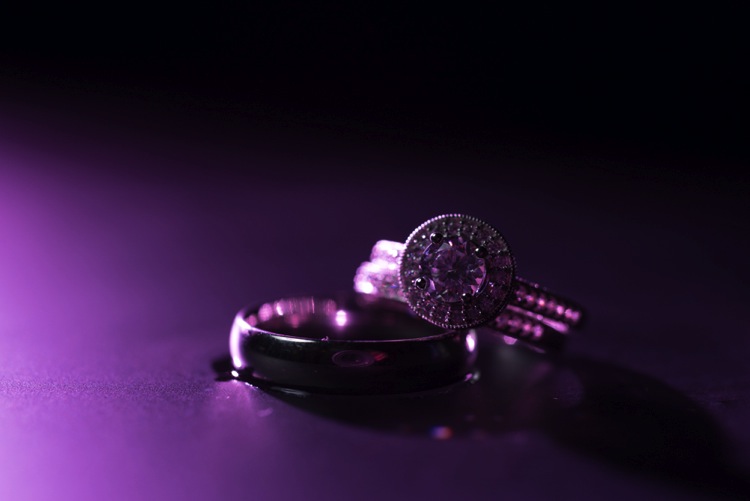
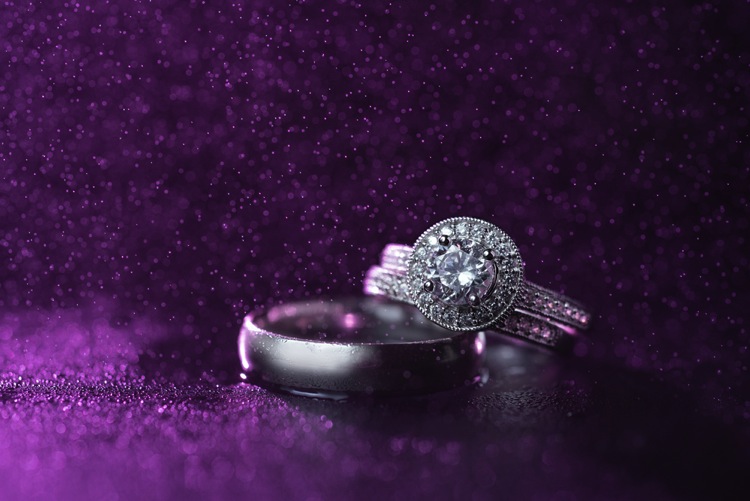
First I setup the camera up on a tripod so that I could keep my hands free. From behind the ring, I added the first speedlight, to create a rim light on the back of the subject. To add a bit of interest I used a purple gel, and to confine the light, the Magmod grid.

3 Final Back Light Only

Now it’s time to light the rings from the front. Instead of using a paper towel, I decided to use the Fstoppers FlashDisc. It’s basically a collapsible softbox that can used with just one hand. When it’s collapsed down, it’s small enough to fit in your pocket, which makes it extremely convenient at weddings.

Read: Review: Flash Disc Lighting Modifier by Fstoppers for more information on this product.

4 Final backlight and flashdisc

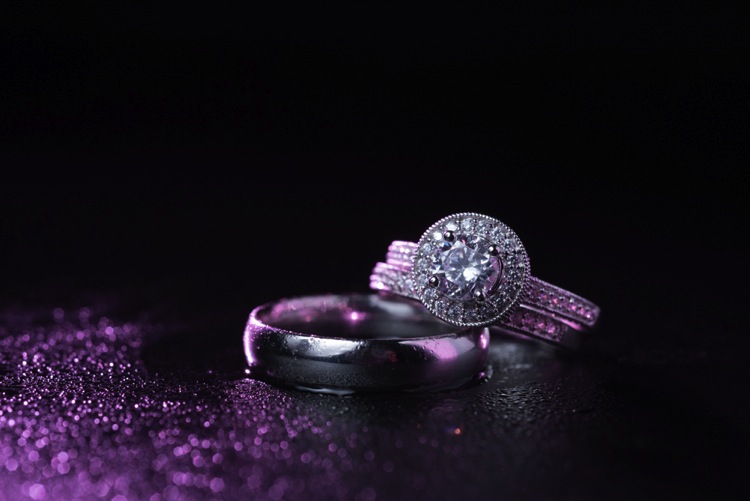
To add one more interesting aspect to this shot, I used a miniature spray bottle to add mist behind the rings. The purple light coming from the back, lights up the water, and takes this shot to the next level.

5 Final best 1 retouched

Building Your Own Set and Using Continuous Lighting

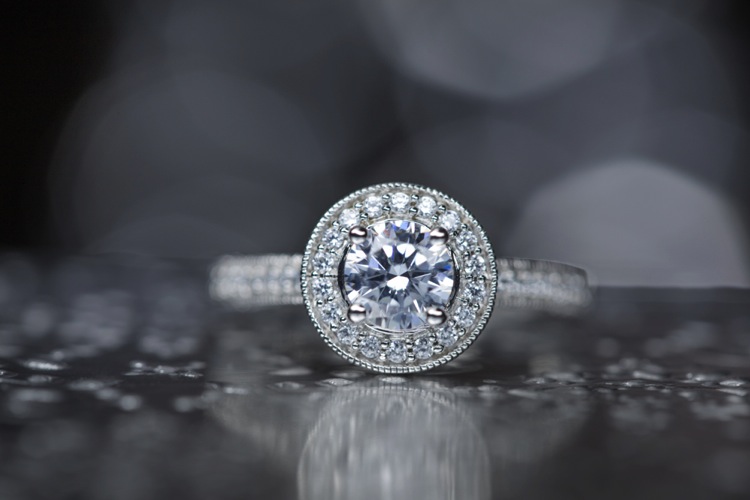
If you like to be prepared for any situation, you’re going to want to travel with a few props that you know you can work with, if the items around a wedding aren’t cutting it as a background. I travel with a pack of metallic foils that can be used to place the rings on. I also brings along cheap reflective jewelry that I can use to create bokeh effects.

Instead of using a strobe for this shot, a cheap LED panel was used as a continuous light source. These panels can be extremely handy, but keep in mind that you will probably want to use a tripod if you are going to use them to light the rings so that you can keep everything sharp (the shutter speed may be slow). If you want extremely blurry bokeh, you’re also going to want to shoot at a wider aperture than you normally might.

6 Final Image 2

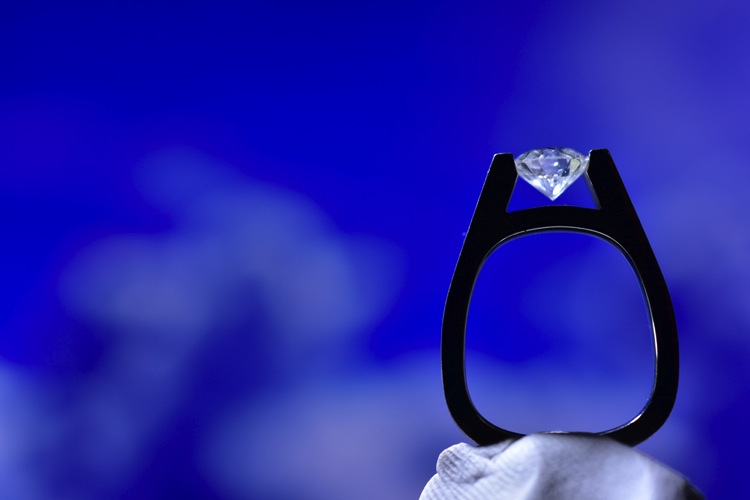
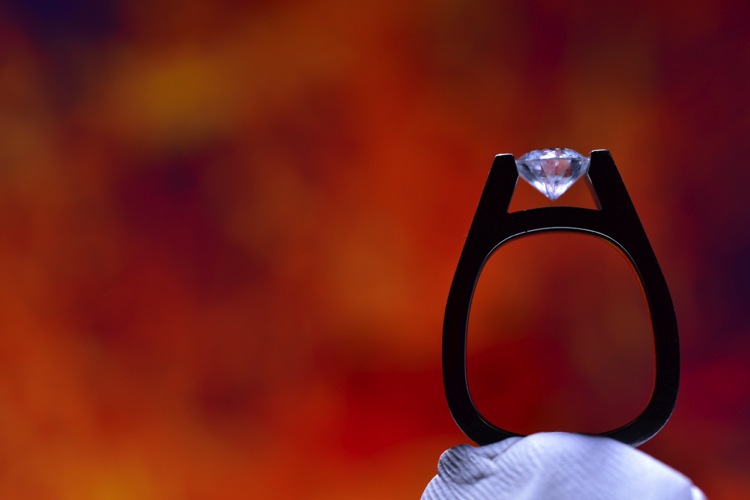
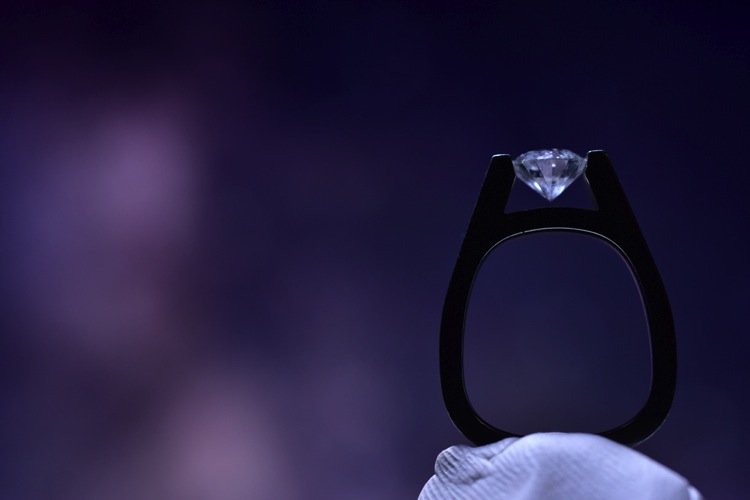
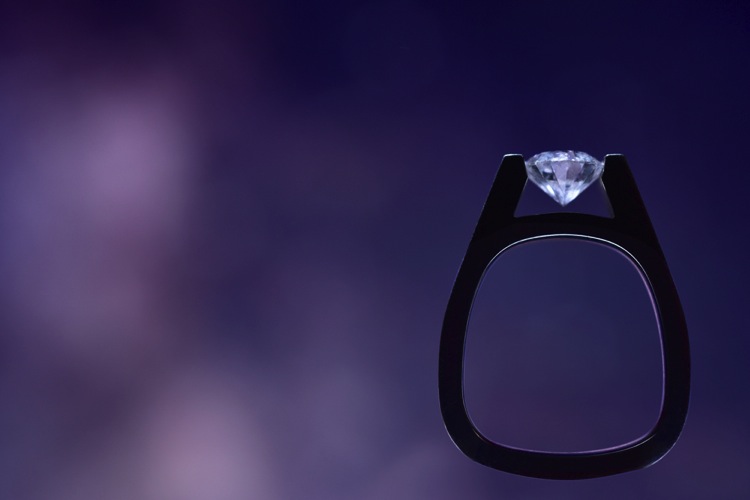
Using a Screen to Create Your Own Background

For this final shot, we are going to use a computer screen to create our own background. If you don’t travel with a laptop, you could use an iPad, or maybe even a smartphone screen instead.

I would suggest practicing this shot at home before you ever get to a wedding. You don’t want to be fiddling around with your setup, or searching for different backgrounds while the wedding is going on. If you are prepared though, this shot can be extremely easy to pull off.

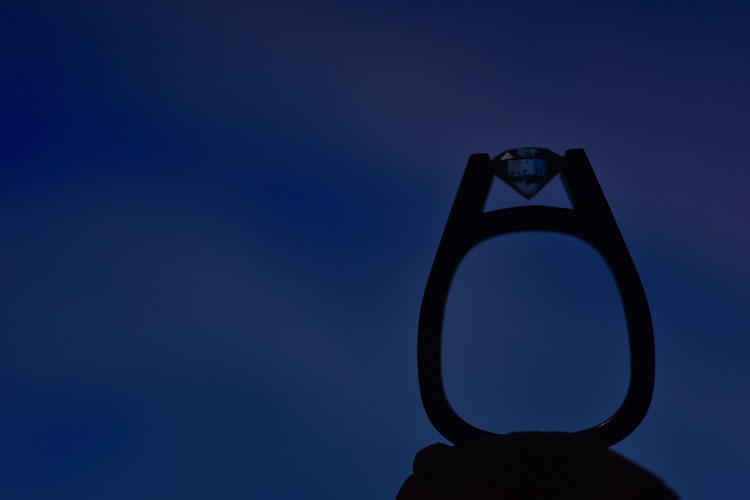
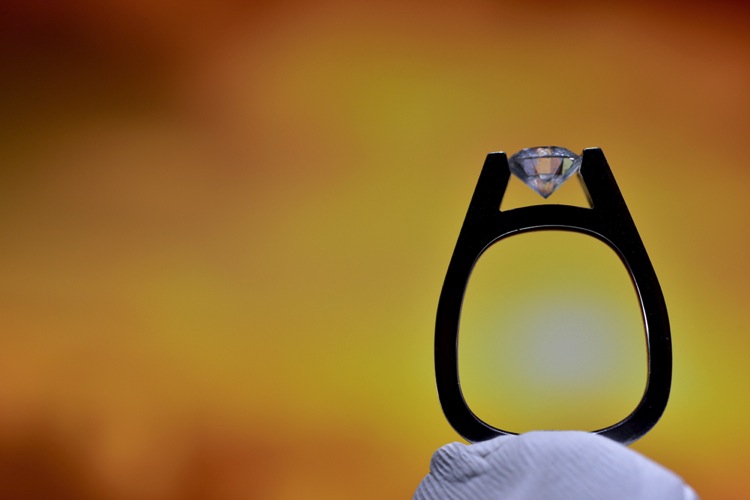
First I placed the ring on bit of putty to get it to stand up. I then set my computer screen to its brightest setting, and exposed for the screen itself. At this point the shot is a silhouette of the ring.

7 Screen backlit

To light the ring itself you could use your smartphone’s flashlight, or you could use any cheap LED flashlight. If your flashlight doesn’t dim, you can simply move it closer or farther away from the ring to get a correct balance of light, with the screen in the background.

Because your background will be so blurry, it really doesn’t matter what is on the screen in the background, you are basically looking for certain colors, and large shapes that will create an interesting mood.

8 screen shot 1

9 screen shot 2

10 screen shot 3

11 screen shot 4

In the post-production you can either zoom-in past the putty (crop it out) or you can Photoshop the putty out and have a floating ring effect.

12 Final Edit 4

You can also watch us go through these techniques in the following video:

Snapdeals Sale: If you’d like to learn more about how David and Patrick photograph weddings you may want to check out their 14 hour tutorial on all things wedding photography. It’s currently $ 100 off at SnapnDeals.

googletag.cmd.push(function() {
tablet_slots.push( googletag.defineSlot( “/1005424/_dPSv4_tab-all-article-bottom_(300×250)”, [300, 250], “pb-ad-78623” ).addService( googletag.pubads() ) ); } );

googletag.cmd.push(function() {
mobile_slots.push( googletag.defineSlot( “/1005424/_dPSv4_mob-all-article-bottom_(300×250)”, [300, 250], “pb-ad-78158” ).addService( googletag.pubads() ) ); } );

The post 4 Easy and Unique Ways to Light and Photograph Wedding Rings by Lee Morris appeared first on Digital Photography School.


Digital Photography School

 
Comments Off on 4 Easy and Unique Ways to Light and Photograph Wedding Rings

Posted in Photography