RSS
 

Posts Tagged ‘Landscape’

Architecture as Landscape: 15 Terrain-Inspired Buildings

01 May

[ By Steph in Architecture & Cities & Urbanism. ]

Mountain Architecture Main

These skyscrapers, homes and city concepts eschew typical architectural silhouettes, taking inspiration from cliffs, mountains and hills to create artificial landscape features of their own. Whether attempting to blend into the surrounding landscape or rising defiantly from the flattest of environments, they seek a sense of harmony with the natural world.

Walkable Green Roofs on a Mountainous Mixed-Use Complex

Mountain Architecture Walkable Roofs 1

Mountain Architecture Walkable Roof 2

The Bjarke Ingels Group (BIG) is behind the vast majority of recent terrain-inspired architectural concepts, including this stunner commissioned by a Taipei developer. The mixed-use complex of housing, restaurants, cafes, pedestrian walkways, gardens and more features unparalleled vertical accessibility with walkable green roofs.

Glacier-Inspired Hungerburg Train Station by Zaha Hadid

Mountain Architecture Glacier Hadid

Architect Zaha Hadid wanted her glacier-inspired design for the Hungerburg Train Station in Innsbruck to merge with its snow-covered surroundings in winter. The structure contrasts heavy concrete with light, airy, amorphous glass overhangs that seem to float.

Chaoyang Park Plaza by MAD Architecture

Mountain Architecture Chaoyang

Gleaming like polished black basalt, the towering structures that make up MAD Architects’ Chaoyang Park Plaza explore the relationship between architecture and the natural landscape. The silhouettes are an interpretation of mountains and other shapes in classical Chinese paintings.

Wroclaw Mountain by Vicente Guallart/Guallart Architects

Mountain Architecture Wroclaw

Guallart Architects designed this mountain-inspired structure to represent Wroclaw, Poland in the race to host the 2012 Olympic Games.

The Berg by Jakob Tigges

Mountain Architecture The Berg

The skyline of Berlin would be dramatically altered if this wild vision by Jakob Tigges ever came to be. The Berg is a 1,000-meter mountain partially bounded by the Tempelhof Airport. While Tigges says the proposal is more symbolic than a serious idea, it’s meant to provoke thought about how architecture can be integrated with the land to provide natural habitats for wildlife and recreation space as well as places to live, shop and work.

Next Page – Click Below to Read More:
Architecture As Landscape 15 Terrain Inspired Buildings

Share on Facebook


[ By Steph in Architecture & Cities & Urbanism. ]

[ WebUrbanist | Archives | Galleries | Privacy | TOS ]


WebUrbanist

 
Comments Off on Architecture as Landscape: 15 Terrain-Inspired Buildings

Posted in Creativity


How to do Dreamy Landscape Photography with a Neutral Density Filter

18 Apr
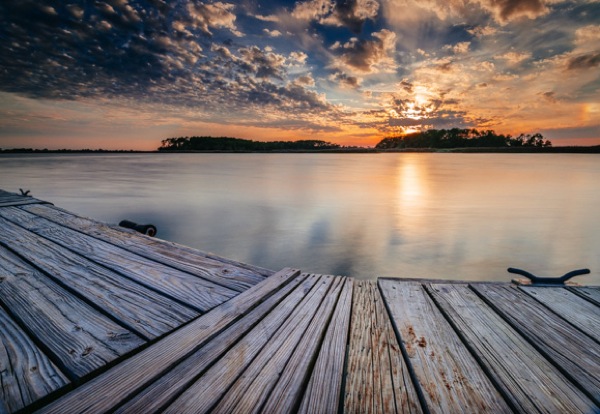
Neutral density filter 01

16mm lens, ISO 100, f/13, 2 second exposure

Perhaps one of the most overlooked and undervalued tools you can own as a photographer is a Neutral Density filter (ND Filter) or Graduated ND Filter. In fact, if photography is considered painting with light then a ND filter would be considered the brush tip. You see, different paint brush tips can be used to regulate, if you will, the amount of paint you apply with each stroke – just like different Neutral Density or Graduated ND filters can be used to regulate the amount of light you allow to enter your camera.

What is a Neutral Density Filter?

A Neutral Density filter reduces the intensity of all wavelengths or colors of light equally. That’s just a fancy way of saying it lets less light into your camera. They come in different intensities and styles. One such style is the Graduated Neutral Density filter which blocks light on half of the filter, and gradually transitions to the other half which is clear.

neutral-density-filter-07

Same scene as above without the Graduated Neutral Density Filter. Notice however that it is the same exposure – 16mm lens, ISO 100, f/13, 2 seconds

Mastering the ND Filter or Graduated Neutral Density filter does not take a degree from Hogwarts School of Witchcraft (though it couldn’t hurt). Below I’ll show you the dynamic photographs you are able to capture with the proper tools and then I’ll show you a technique to replicate the ND filter in the off chance that you don’t already own one, or can’t afford one due to the fiscal restraints your significant other has put in place to reign in your “hobby budget”. Remember, there is often more than one way to achieve the desired results in photography.

The neutral density filter is probably best recognized by its ability to slow your camera’s shutter speed to the point that fast moving water looks calm and silky.

Neutral density filter 02

23mm lens, ISO 200, f/16, 2.3 seconds

Anytime you are working with slow shutter speeds you need to be careful of camera shake so it’s always recommended that you use a tripod and either a remote shutter release, or set the self-timer. Depending on the neutral density filter you use, you may be leaving your shutter open for many minutes at a time. Shooting in RAW is highly recommended as most ND filters leave a color cast on your photograph and you’ll want the flexibility to fine-tune your white balance in post processing.

The Difference

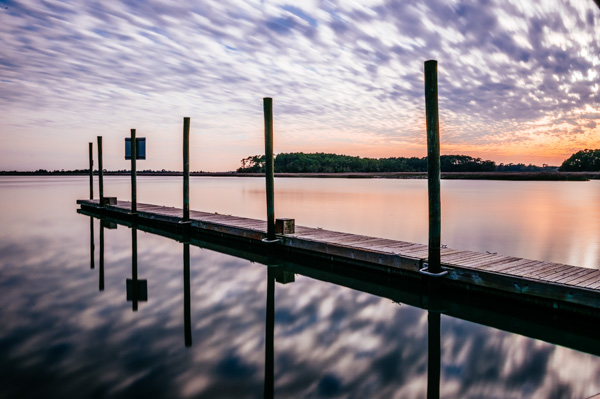
Neutral density filter 03

26mm lens, ISO 100, f/18, 25 seconds

The above photograph was taken with a 10 stop neutral density filter in order to enhance the reflections on the water. The ND filter slows the shutter speed significantly allowing the water to look like glass. This is a more subtle example than the first photograph, but either way the end result is more unique than what you’d be able to do without it.

Think Outside the Box

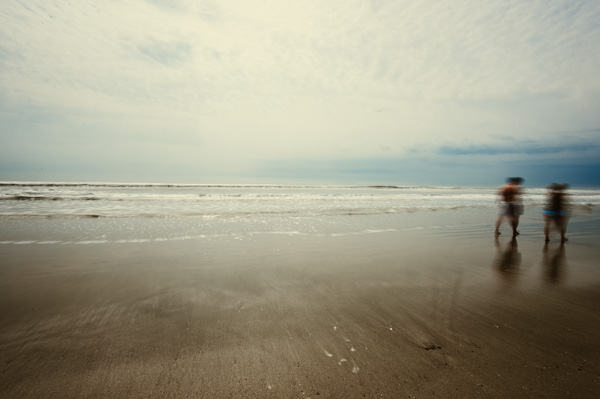
Neutral density filter 04

16mm lens, ISO 100, f/16, 0.6 second

By now, if you’re a regular reader, you’ll have learned that there is more than one way to photograph a subject or scene. There are many articles that talk about the harsh light during the afternoon – the neutral density filter tames that light and allows you to create some really interesting photography. The shot above was also taken with a 10 stop neutral density filter, on a very bright day. The ND filter allowed me to slow the shutter speed just enough to blur the couple who walked in front of me. The end result ended up being one of my favorite shots that day.

Fine Art

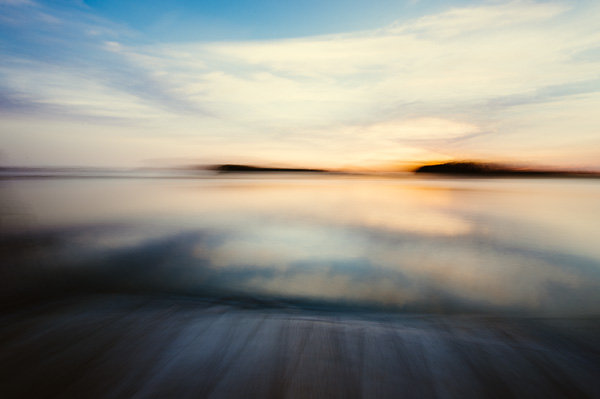
Neutral density filter 05

16mm lens, ISO 3200, f/4, 30 seconds

Fine art photography is created within accordance of your own vision as the artist photographer. Sound vague? It is, but that’s the great thing about fine art, you can express yourself through your photography without following anyones rules, not even your own. The photograph above is actually classified as Intentional Camera Shake (or ICM) and it’s created by moving your camera while the shutter is open. I used a 6 stop neutral density filter for this shot and panned the camera to the left, and then back to the right while the shutter was open. If you are new to Intentional Camera Shake, the ND filter will give you more time with the shutter open in order to make deliberate movements.

What if You Don’t Have a Neutral Density Filter?

If you don’t already have a neutral density filter, but you’d like to improve the look of your photographs right now, there is a little trick you can tuck away in the recesses of your mind for the next time you’re out and about. Remember how your shutter speed and aperture are so closely related? Well, you can slow your shutter speed enough to make choppy water look smooth even without a neutral density filter by making a couple of adjustments.

Note:  I’m going to recommend that you to close your aperture (smaller f-number) to the narrowest setting your lens will allow and you must be aware of the trade off. When you shoot with the smallest aperture your lens allows, you may cause lens diffraction. Lens diffraction is where your images will be less sharp due to light disbursement when passing through the small aperture opening of your lens. This is the tradeoff when trying to replicate the effects of a neutral density filter without having the actual filter.

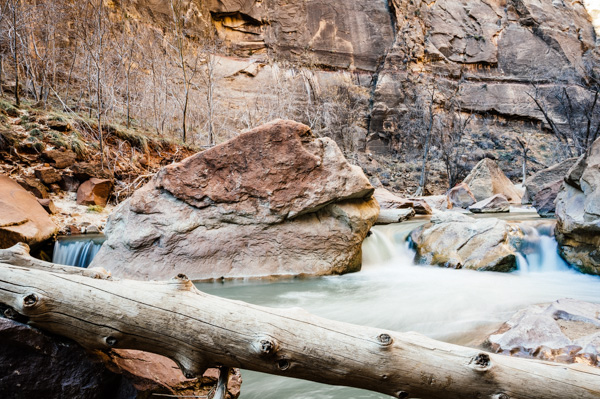
For this example we are going to talk about fast moving water, the Virgin River to be precise. The photo below was taken at Zion National Park in rather bright conditions. The brighter the scene, the harder it will be to use this technique. In order to smooth the water you need to slow your shutter speed, right? Right. In order to slow your shutter speed without overexposing the image you need to compensate by reducing the amount of light that enters the camera another way. Opening your aperture (smaller f-number) lets more light in, while closing your aperture (larger f-number) will reduce the light, so we must close the aperture.

Neutral density filter 06

34mm lens, ISO 100, f/22, 1.3 seconds – no filter

Close the aperture as far as you can, and make sure your ISO is as low as possible as well. Slow your shutter speed (if you are shooting in aperture priority mode the shutter speed will adjust automatically). Be sure to use a tripod or you’ll have blurry photographs. You will want a shutter speed around 1/4th to 1.3 seconds.

Note: this will be pretty much impossible if you’re in full bright sunlight as the “Sunny f/16 rule” will apply and best you can do without a filter is 1/50th at f/22. So you’d need at least a 3 stop ND filter to slow down more than that, 6 stop would be even better in that situation. 

Finally

Remember, not all neutral density filters are created equally and the glass you put in front of your cameras sensor will directly impact the image quality of the photographs you take. You should strive for the best quality you can afford. The best ND filters can be purchased for $ 50-$ 200+ depending on the size and materials.

When shopping for a neutral density filter I’d recommend purchasing the screw on type to fit the size of your largest lens (the size of filter you need will be written on the lens with a little circle with a line through it next to it, and inside the lens cap). You will save yourself money if you stick with the largest lens size, as you can purchase cheap metal adapters, (called step down rings) generally less than $ 10, to accommodate your smaller lenses.

Let me leave you with this final tip. Your camera lets light in through the lens (and sometimes leakage around the lens) as well as through the viewfinder. When you shoot with fast shutter speeds this is not noticeable but when shooting with longer exposure times you’ll find that the light that comes through the viewfinder will cause brown areas to pollute your image. Cover your viewfinder when using a neutral density filter and you’ll eliminate this phenomenon. Enjoy.

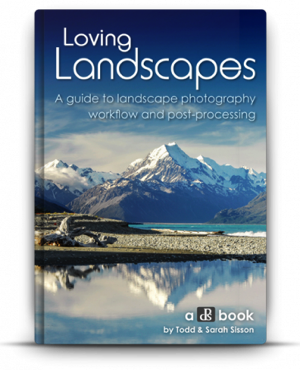
Check out the newest dPS ebook – Loving Landscapes A guide to landscape photography workflow and post-production – a brand new dPS ebook by the authors of Living Landscapes

The post How to do Dreamy Landscape Photography with a Neutral Density Filter by John Barbiaux appeared first on Digital Photography School.


Digital Photography School

 
Comments Off on How to do Dreamy Landscape Photography with a Neutral Density Filter

Posted in Photography


The Power of Post-processing for Landscape Photography

16 Apr

Embracing the power of creative post-processing can transform your landscape photography from dull and lifeless, to lustrous and vibrant overnight!

We’re acutely aware that the preceding statement reads suspiciously like the voiceover script for a ‘next generation, nano-organic hair care’ commercial, but it’s true – digital post-processing can be a transcendent experience for your landscape images.

1 intro 001

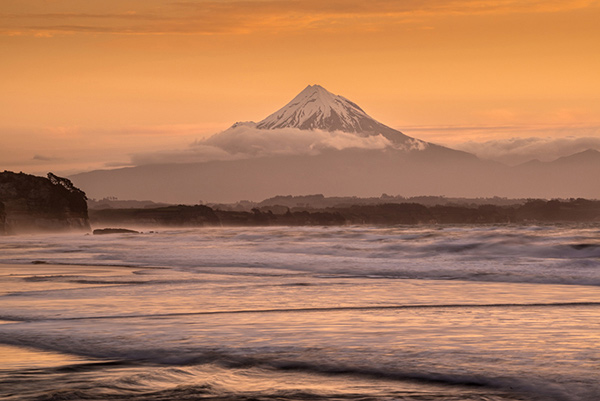
Sunset over the Mount Egmont from Wai-iti Beach, Taranaki Coast, New Zealand (by Sarah). Post-processing doesn’t always have to be complex to be effective. This image has received some basic adjustments to color, contrast and exposure to enhance its visual impact.

Why we need to post-process our landscape images

In the days of film photography we never performed any post-processing on our landscape images. Doing so entailed spending a small fortune on drum scanning and knowing someone with access to a supercomputer. Most landscape photographers were restricted to capturing everything in-camera and living with the results.

That state of affairs meant we needed to make decisions in the field that had permanent repercussions;

  • Which film stock and ISO to use?
  • Which color filters to apply?
  • How to achieve perfect exposure?

It is likely fair to assume that, for most dPS readers, film photography is either a distant memory or something that needs to be looked up on Wikipedia. We digital landscape photographers can gleefully wallow in the knowledge that RAW image capture and robust digital workflow allows us to make most of these decisions from the comfort of an office chair well after the time of capture.

The problem with RAW capture is that it usually produces really, really bland and unappealing images straight from camera. If you want to maximize the visual impact and creative options contained within a RAW file you need to post-process your images. It’s that simple.

2 before after

Sunset at Gentle Annie Beach (by Todd) West Coast, South Island New Zealand. This scene has all the ingredients of a successful landscape image, interesting visual elements, motion, and a nice blend of textures throughout the scene. However, the RAW file delivers an image that is bland, cold and lacking in contrast. Some simple post-processing of a single image file in Adobe Lightroom has resulted in an image that is visually inviting and makes the most of the tonal and color data contained within the image file.

2a intro 002

Lake Matheson and the Southern Alps at dawn (by Todd). Three distinctly different results were achieved from this one (bleak looking) RAW file! Long gone are the days where your creativity is restrained by in-camera results.

Two types of post-processing

In our latest dPS eBook Loving Landscapes – a guide to landscape photography workflow and post-production we break down landscape photography post-production into two distinct approaches:

  • Single exposure post-processing
  • Multiple-exposure post-processing

Let’s take a quick look at these two different approaches enhancing landscape photos.

Single exposure post-processing

As you will have figured from the name, this approach creates the finished image by processing a single image file. This is primarily accomplished within Lightroom and is the simplest approach to post-processing – if you read our first eBook, Living Landscapes, you will know that we love simplicity, particularly when it comes to post-processing!

We always attempt to capture a scene in a single file if possible, as it reduces the time spent in front of a computer and introduces less technical barriers to creativity than are found in multiple exposure post-processing.

3 se at 12

Lake Alexandrina (by Sarah). Single exposure landscape photography offers huge creative scope. Combining in-camera single exposure techniques such as long exposure with post-processing (black & white conversion) can create results that are stunning.

Multiple exposure post-processing

Occasionally it is impossible, for technical or creative reasons, to achieve the desired result with a single image file. Cue multiple exposure workflow – where the final image results from processing and merging elements from two or more image files. Multiple exposure landscape photography is a significantly more complex approach – both in the field and during the post-processing workflow. We use a combination of Lightroom and Photoshop to combine multiple images into a single final result.

One of the most common uses of multiple-exposure post-processing for landscape photography is exposure blending – where two or more exposures are combined to overcome high dynamic range in a scene.

4 exposure blending

The dynamic range of this high contrast scene (image above) exceeded the camera’s capabilities. Exposure blending allowed us to create a technically excellent result from two exposures. We detail three different approaches to exposure blending landscape scenes (including the making of this image) in Loving Landscapes.

5 mi wf 16

Misty sunrise at Castle Hill (By Sarah). HDR is another multiple exposure post-processing approach that resolves technical limitations as well as offering creative options.

In addition to providing solutions to technical challenges, multiple exposure landscape photography allows creative options that are simply impossible to achieve in a single frame. A good example of this is the merging of ‘best elements’ from multiple shots of the same scene taken at different times. This allows us to composite different elements together to create an image that exceeds the results achievable in a single exposure.

6 best elements

Lake Pukaki (by Todd), merging best elements in this scene allowed us to combine the best sun starburst and clouds, with the most dramatic waves and shoreline from the field sequence (of over 20 images). Covering the sun in another frame also allowed us to minimize the appearance of lens flare on the cliff face.

Give it a go!

Post-processing opens up a world of creative opportunities that allow you to better express your vision of the world around you. The technology is there, it is easy to use and the results can be spectacular – why wouldn’t you want to post-process your images?

Post-processing may seem a little overwhelming at first – and it can be – but you don’t require an art school diploma to start making dramatic improvements to your images. Our oft repeated advice is to keep it simple when you are starting out. Take the time to learn about the post-processing tools that affect the fundamental variables of photography: color, exposure and contrast and your images will improve dramatically.

Once you have those mastered, start experimenting with more complex tasks in Lightroom’s wonderfully non-destructive editing environment (there is nothing that can’t be undone in Lightroom) before transitioning to the more complex realm of multiple exposure Photoshop.

We hope that this has been of interest to you and we look forward to your feedback in the comments section.

*Note: photo-puritans can still experience some of the old school ‘thrill’ of making a finished image in-camera by shooting in JPEG-only mode. All of the color, tone and quality decisions can be set by messing around in the bowels of your camera menu. These settings are then baked into the finished JPEG, leaving much less scope for post-processing than with RAW capture. Why anyone would choose to do this deliberately is unclear – apparently, some folks love a challenge.


Check ou the newest dPS ebook – Loving Landscapes A guide to landscape photography workflow and post-production – a brand new dPS ebook by the authors of Living Landscapes

The post The Power of Post-processing for Landscape Photography by Todd Sisson appeared first on Digital Photography School.


Digital Photography School

 
Comments Off on The Power of Post-processing for Landscape Photography

Posted in Photography


Guide to Creative White Balance for Landscape Photography

16 Apr

If you’ve been using a digital camera for any length of time, you’ve probably heard about White Balance. You may still be wondering exactly what it is, and how to use it; or you may be using it right now and be wondering how it can possibly be something “creative”.
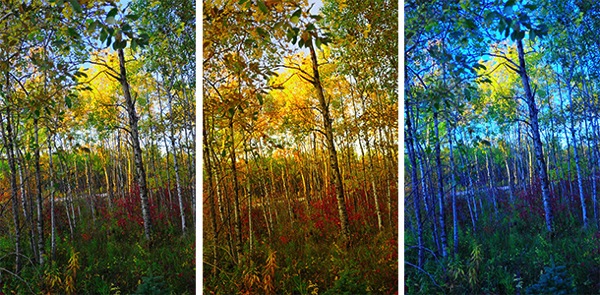
Creative white balance landscape photography

Different white balance settings create different looks

I’m going to show you some of my techniques for using White Balance to creatively enhance your landscape photography and with a few simple steps you can unlock the remarkable power of creative White Balance. Don’t worry, this is not a technical discussion, there are lots of references about that aspect of White Balance online. This article explains a simple shooting technique you can start using right now.

The Color of Light

Creative white balance landscape photography daylight

Daylight setting

Have you ever taken photos in an office, and been dismayed to see that your results had a sickly green cast to them? Or taken photos under cloudy, lifeless, skies only to see your images appear cold, flat and a little blue?

This happens because light comes in a variety of colors. The reasons for these colors is a result of wavelengths of light and the light spectrum. But we’re not going to get into this too deeply here. Just know that all light has different colors, and even the sun has different colors at different times of the day. Every landscape photographer knows about the “sweet light” or the “magic hour” – the times around sunrise and sunset when the color of the light is perfect for photography.

The crazy thing is that your eyes usually adjust to compensate for these color shifts, especially the subtle ones, so you won’t necessarily perceive these color differences, and in some cases your eyes are not as sensitive to color shifts as are the sensors in your camera. So you snap that office photo and the result isn’t as great as you had expected. Because of the color, those fluorescent bulbs cast a green pall over everything but you didn’t see it because your eyes “adjusted” the color for you.

This is where your White Balance settings play an important role in correcting potential problems by adjusting the color of the light in the camera. It is really important when you’re taking images of people, because the skin tones will be unattractive and far from natural looking.

But, if you are a landscape photographer, armed with the knowledge that light has color and your camera has a tool that can change the color of light, you can use this knowledge to do more creative landscape photography.

White Balance for Landscape Photography

Creative white balance landscape photography hicolour fluorescent daylight

Fluorescent setting

I shoot a lot of landscapes, in fact I pretty much ONLY shoot outdoors. Thankfully I almost never have to deal with those ugly green fluorescent lights. But what I do deal with are sunsets, sunrises, autumn colors, mountains, flowers, etc. – all those good things we find in nature.

I noticed that sometimes my sunset images just didn’t pack the punch the way I SAW it at the location. Sure, I could go back to my computer and make adjustments. Or, without degrading any pixels, I could punch up my images in camera by purposely fooling it into using a different White Balance. In other words I don’t use White Balance to correct color casts, I use it to ADD color casts! I deliberately use the “wrong” White Balance setting.

Landscapes created at sunset or sunrise, snow and winter scenes, and those with night sky dominating lend themselves well to creative White Balance techniques.

Sunsets can become more warm, or more soothing, with violet overtones if you use the Cloudy White Balance setting. Autumn foliage pops with yellow and orange when you use Shade as your White Balance! The Aurora Borealis (Northern Lights) becomes a rich alien green, rolling through a deep royal blue sky, by changing your White Balance setting to Incandescent or Tungsten. Please note, that you use these settings regardless of actual light colour.

Creative white balance landscape photography hicolour fluorescent daylight

Fluorescent daylight camera setting

Creative white balance landscape photography customA3 M3

Custom white balance setting A3 M3

Creative white balance landscape photography auto

Auto white balance setting

Creative white balance landscape photography direct sun

Daylight white balance setting

Creative white balance landscape photography shade

Shade white balance setting

How to use Creative White Balance

To use creative White Balance, there are just a few things to understand about using White Balance in general.

Since White Balance is designed to correct color casts, the setting on your camera will compensate, or change the light, to be the opposite of the shooting situation. In other words, incandescent lights are too warm (orange), so changing your White Balance setting to Incandescent or Tungsten will add a blueish tinge. The light in the shade is blueish, so changing the White Balance setting on your camera to Shade adds warmth, orange and red.

To get creative with White Balance you’ll need to find the dial or menu for changing your White Balance settings. Most cameras have presets for Flash, Shade, Cloudy, Incandescent (Tungsten), Fluorescent, Sunny (or Daylight), and Auto.

Look for the ICONS – a cloud (cloudy), a house (shade), a sun (full sunlight), a fluorescent bulb – long and skinny (fluorescent), an old school light bulb (incandescent or tungsten), a lightning bolt (flash), and AUTO or A for automatic.

Next you’ll need to know how to set your White Balance for a specific type of shot. The best way is to experiment by trying all of your White Balance settings for the same scene. So if you want to ramp up your warm colors, say in an autumn scene or sunset, change your White Balance to Shade, Flash, and Cloudy! Compare your results.

Shooting the night sky or the Aurora Borealis, change to Tungsten or Incandescent to make the colors cooler, make that Aurora really pop! The added blue tones give the night sky a rich royal blue tone, while the green light of the Aurora turns an eerie alien glowing green.

Here’s a handy chart I made for you – so you can literally “dial it in”. All you need to do is change your settings according to the type of landscape scene, using the chart. This will give you a great place to start.

Chart

Supercharge your Creative White Balance

Depending on your camera, you may also be able to fine tune and supercharge your custom White Balance once you find one that provides the boost you like.

In Nikon DSLRs you may see this graph that enables you to make your own custom White Balance presets. It’s typically in your shooting menu under the White Balance tab. Consult your camera manual to see if your camera has this option, and how to apply it.

2customWB1

1customWB

Custom white balance in camera

By selecting a specific color balance presets, you can ramp up the warmth and impact for sunrise and sunset, as well as boost the coolness for winter snow landscapes.

Easy Experimentation

If you shoot RAW, and can’t switch White Balance in the field, you can also easily adjust your White Balance in post-production. Lightroom, Photoshop, Nikon Capture and most other image editing programs have a RAW White Balance setting. Nikon shooters note that you’ll get the best results adjusting RAW [NEF] White Balance if you use Nikon Capture, as Nikon encrypts its White Balance “formula”. Other software can only read parts of the White Balance data so your results may not be as high impact as they could be.

If you have some landscape sunset or sunrise shots on your computer, give creative White Balance a try right now. Here are few of my Lightroom White Balance edits so you can see how much control you have over the drama and mood of your lighting.

Creative white balance landscape photography auto

Auto white balance in Lightroom

Creative white balance landscape photography cloudy custom

Cloudy custom white balance in Lightroom

Creative white balance landscape photography auto adjustments 2

Auto white balance adjustment in Lightroom

Creative white balance landscape photography auto adjustments3

Auto white balance adjustment in Lightroom

Do you have some other tips you can share on using White Balance creatively? Please tell us about them in the comments below and share your images as well.

For some other landscape photography tips try some of these articles:

  • 5 Steps to Help you Take Better Landscape Photos
  • 10 Most Common Mistakes in Landscape Photography – and How to Overcome Them
  • So you Want to Shoot Landscapes? [Top 12 dPS Landscape articles from 2013]
  • Living Landscapes – A Guide To Stunning Landscape Photography – a dPS ebook
  • Loving Landscapes A guide to landscape photography workflow and post-production – a brand new dPS ebook by the authors of Living Landscapes

The post Guide to Creative White Balance for Landscape Photography by Alex Morrison appeared first on Digital Photography School.


Digital Photography School

 
Comments Off on Guide to Creative White Balance for Landscape Photography

Posted in Photography


A Guide to Landscape Photography Workflow and Post-Processing

15 Apr

NewImageToday is an exciting day at dPS HQ because we’re releasing an eBook that has been asked for many times by readers – LOVING Landscapes, a Guide to Landscape Photography Workflow and Post-Processing by Todd and Sarah Sisson.

Early in 2013 we looked at our growing library of photography eBooks and realised that we had a big hole to fill – we were yet to publish a Landscape Photography eBook.

We began the hunt for a photographer to create a guide.

After much searching we came across the photography of husband and wife team Todd and Sarah Sisson and fell in love with their images. We began to talk to Todd about creating an eBook with us and mid last year released a guide to Landscape photography called LIVING Landscapes.

The eBook was a huge success and became one of our fastest selling eBooks ever.

That first eBook from Todd and Sarah received some amazing reviews and we still get positive feedback about it almost a year later. But alongside the praise was a request – a request for a guide to post processing landscape photos.

While the first eBook touches on some post production techniques it was not the place for comprehensive teaching on the topic – so… we began to talk with Todd and Sarah about a followup eBook that explored the topics of Workflow and Post Processing.

What they produced in LOVING Landscapes is pretty amazing. Inside you’ll find over 200 pages of practical information that leads you through 12 chapters of advice to help you bring the images that you take to life with a little post processing love.

Here’s the table of contents which will give you a feel for what’s covered.

NewImage

What I LOVE about this eBook is that it is packed with heaps of actionable information that you can apply immediately to the photos you’ve already taken.

Alongside that information are inspirational examples of the techniques in practice.

You’ll come away not only inspired but informed and ready to apply what you’ve learned.

NewImage

An Ideal Companion Bundle or a Great Standalone Guide

With the launch of Loving Landscapes we now feel like we’ve got a great complete guide to both ‘taking’ and ‘processing’ beautiful landscapes.

These eBooks are designed to be useful separately if you’re just interested in one of those topics – but together they also make an incredibly comprehensive guide through the whole topic of creating beautiful landscape images.

Grab Your Copy Today and Save 33%

Our Loving Landscapes eBook will retail for $ 29.99 but as a limited time Early Bird Special you can pick up a copy today for just $ 19.99 USD (33% off).

If you want to pick up both Living Landscapes and Loving Landscapes eBooks together you can bundle them together today for the special price of just $ 39.99 (normally $ 59.99 so today it’s also 33% off).

Want more information about this eBook? Get the full lowdown here.

The post A Guide to Landscape Photography Workflow and Post-Processing by Darren Rowse appeared first on Digital Photography School.


Digital Photography School

 
Comments Off on A Guide to Landscape Photography Workflow and Post-Processing

Posted in Photography


How to Get Super Sharp Landscape Photography Images

15 Apr

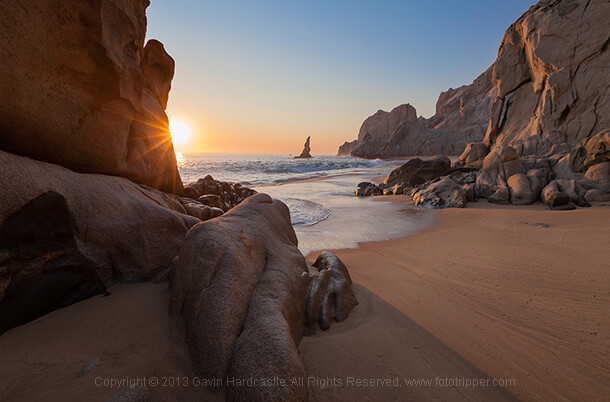
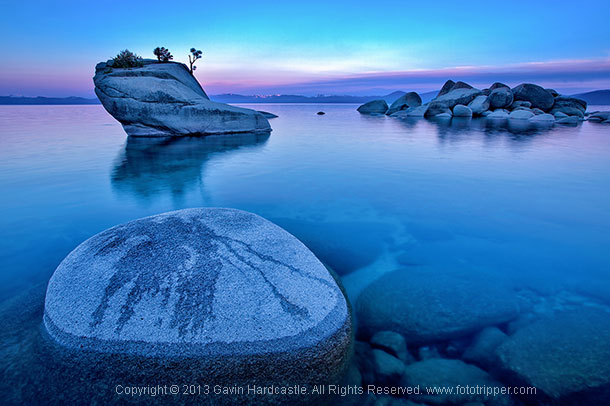
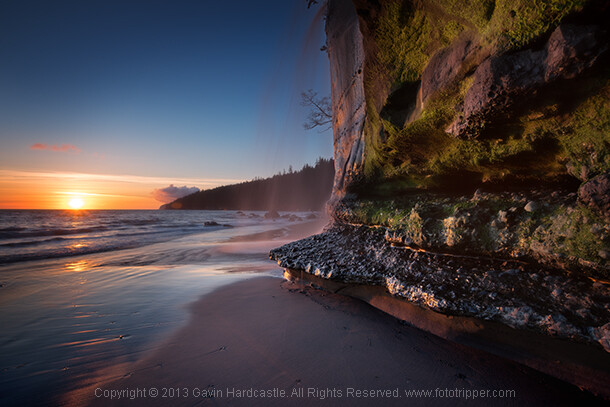
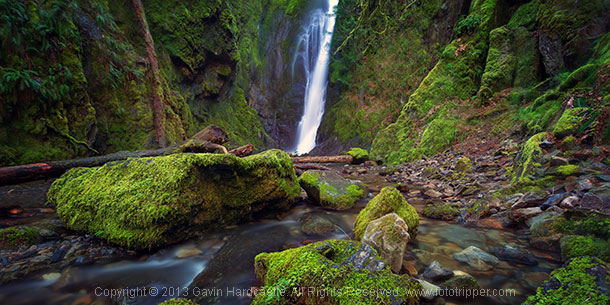
The most common question I get asked by my workshop students is ‘how do you get such sharp images?’. It’s actually really simple. Basically, avoid movement of any kind while the shutter is open, focus well and choose the right aperture for your creative vision. Mostly it’s just plain old common sense with a couple of technical elements thrown in, so if you want to learn how to get super sharp landscape photography images, here’s my list of top tips.

Top tips for sharper landscape photography

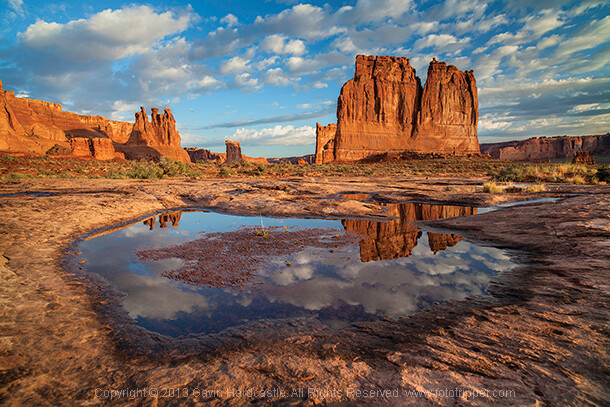
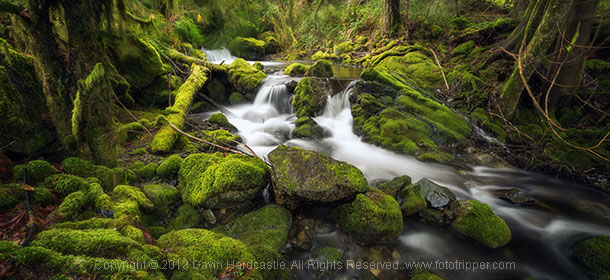
How to take sharp landscape images - Gavin Hardcastle

1 – Use a good tripod with a sturdy ball head and make sure everything is TIGHT

Seems obvious, but time and time again I see students using decent tripods and they often don’t have everything clamped down tightly. For example, the attachment that is screwed to the underside of your camera should be as tight as you can get it, eventually it’ll work its way loose. Make sure that ball head is completely locked down once you’ve composed your shot.

2 – While taking the shot, don’t place your hands on your tripod

The vibrations of your hands will blur the shot. When that shutter opens, your hands should be nowhere near the camera.

How to get ultra sharp landscape shots - Gavin Hardcastle

3 – Use the 2 second timer or a remote shutter release

This insures that the shutter won’t open until you are completely hands free.

4 – Cheap lenses will defocus while you rotate your circular polarizer

This is another one that seems obvious but I’ve seen it happen a lot. Let’s say you’ve achieved perfect focus on your landscape composition and now you’d like to rotate the polarizer which is attached to your perfectly focused lens. Guess what, as you rotate that filter, the lens is now losing its focus because of the movement and pressure you’re exerting on the filter. This rarely happens with high end lenses but I’ve seen it happen a lot with cheaper kit lenses that are poorly engineered. When this happens simply remember to refocus before hitting the shutter.

How to get tack sharp landscape images Gavin Hardcastle

5 – Enable the mirror lock-up if you have a DLSR

Using mirror lock-up ensures that the mechanical shock induced by the cameras mirror mechanism has dissipated by the time the shutter opens.

6 – Remove your camera strap

In windy situations it will act like a sail and induce vibration.

7 – Add some weight to your tripod’s central column

If the conditions are windy, it will also help reduce vibration.

8 – Place a small but heavy bean bag on your camera and lens

Do this just before taking the shot to further eliminate movement from shutter shock.

How to get very sharp landscape photos - Gavin Hardcastle

9 – Choose a Mid-range to Narrow Aperture

This one should be an article in itself but for now it’s important to understand that if you want corner to corner focus in your landscape images you’ll need to select an aperture that gives you a wide depth of field. Using f/2.8 is pointless, so pick an aperture like f/11 or f/16 depending on how close you are to your foreground subjects. Be aware however that the narrower the aperture (larger number like f/22) the less sharp your image will be due to light diffraction so experiment with your lenses to discover their sweet spot for wide depth of field.

Side Note: Shallow depth of field in landscapes can be beautiful when done well, in which case you’ll need a wide aperture like f/2.8 and ideally a lens that delivers beautiful bokeh – most super wide angle lenses don’t do bokeh well.

How to get really sharp landscape photographs

10 – Focus In the Distance

Don’t focus on the object closest to you. Pick an object in the middle distance that has a clear contrasting line and focus on that. You could focus to infinity but beware that most of the wide angle lenses I’ve used actually focus beyond infinity so I often have to focus to infinity and then carefully rotate the focus wheel back so that it’s just slightly before the ‘infinity’ mark.

11 – Put Your Glasses On

If you need glasses in order to see clearly and focus on things, it should go without saying that you might need to put on your stylish and expensive bifocals in order to achieve clear focus in your photography. Besides, everyone knows that glasses make you look cool and more intelligent, so why not put them on?

12 – Use Live View or EVF magnification

If you have a DLSR with an optical viewfinder I highly recommend that you use your cameras ‘Live View’ mode and then magnify it to your point of interest and use your manual focus ring to achieve sharp focus  If your camera has an EVF (Electronic View Finder)  you can do the same thing while looking in the EVF. I actually prefer this because you don’t get distracted by glare on the LCD or external light sources. Either way, remember to disable auto focus if you decide to focus manually with Live View.

How to get super sharp landscape images

I use every single one of these techniques in my Vancouver Island photo workshops and I teach them to all of my students. If you follow these tips every time you shoot landscapes, you’ll be sure to get much sharper images. If you’ve got some of your own tricks and tips for getting super sharp landscape images please leave a comment below and share your knowledge.

The post How to Get Super Sharp Landscape Photography Images by Gavin Hardcastle appeared first on Digital Photography School.


Digital Photography School

 
Comments Off on How to Get Super Sharp Landscape Photography Images

Posted in Photography


A Collection of Stunning Landscape Photographs

04 Apr

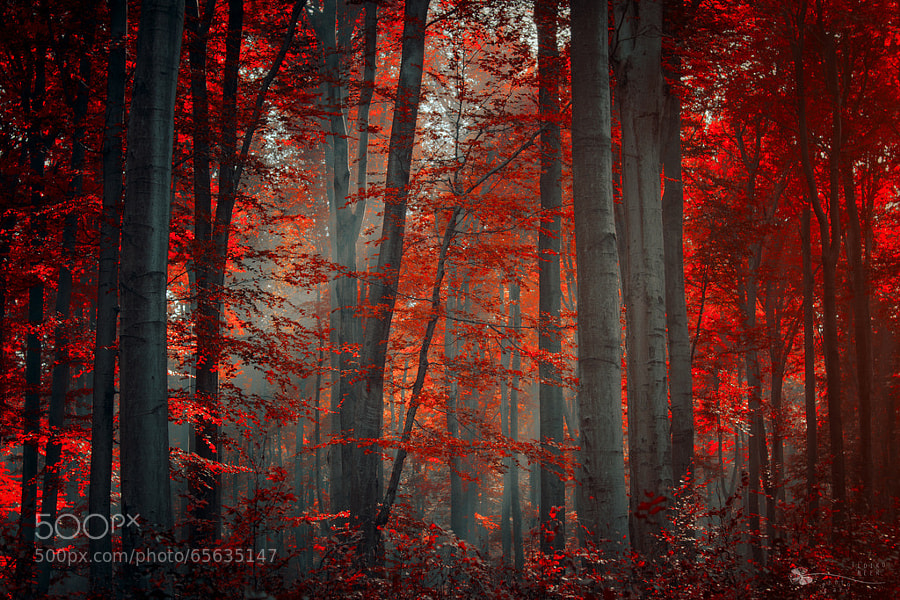
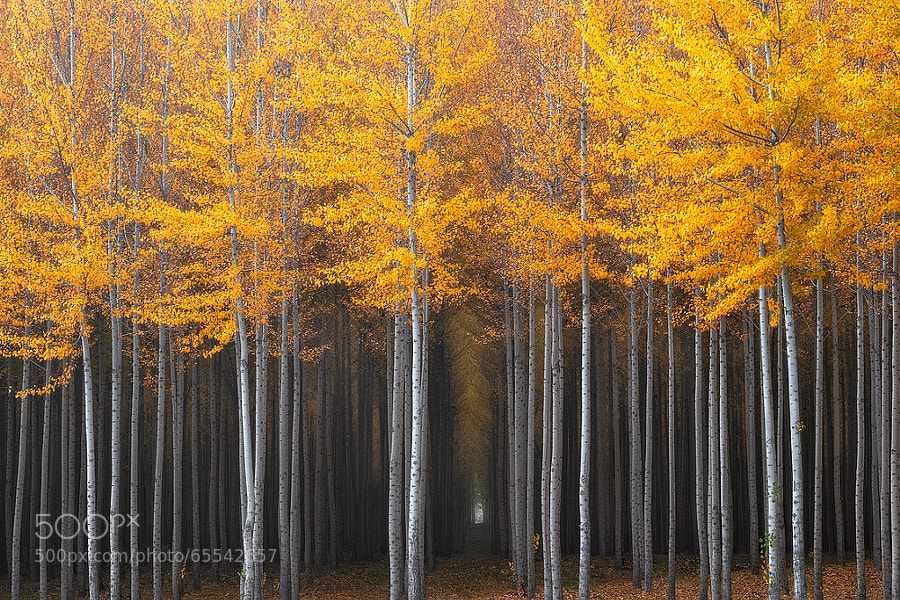
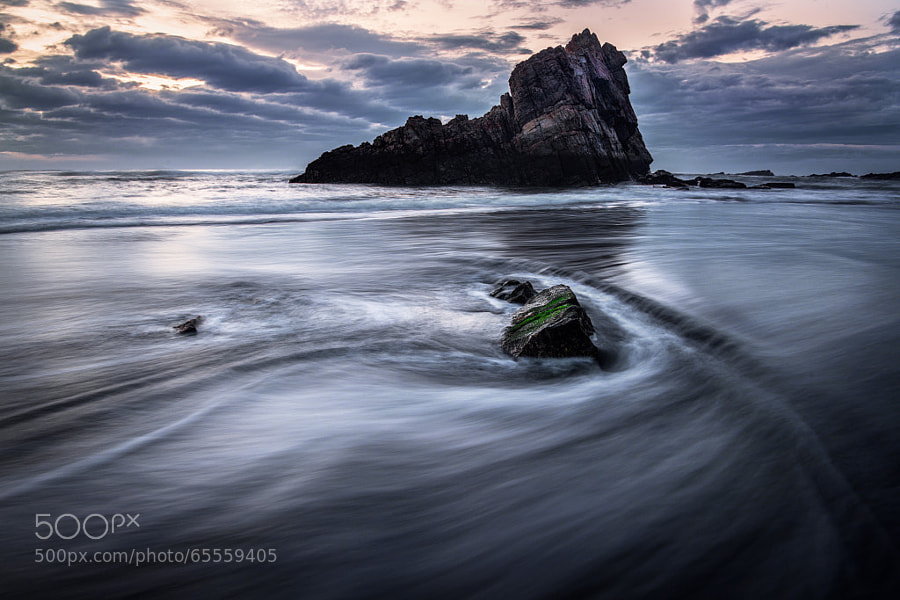
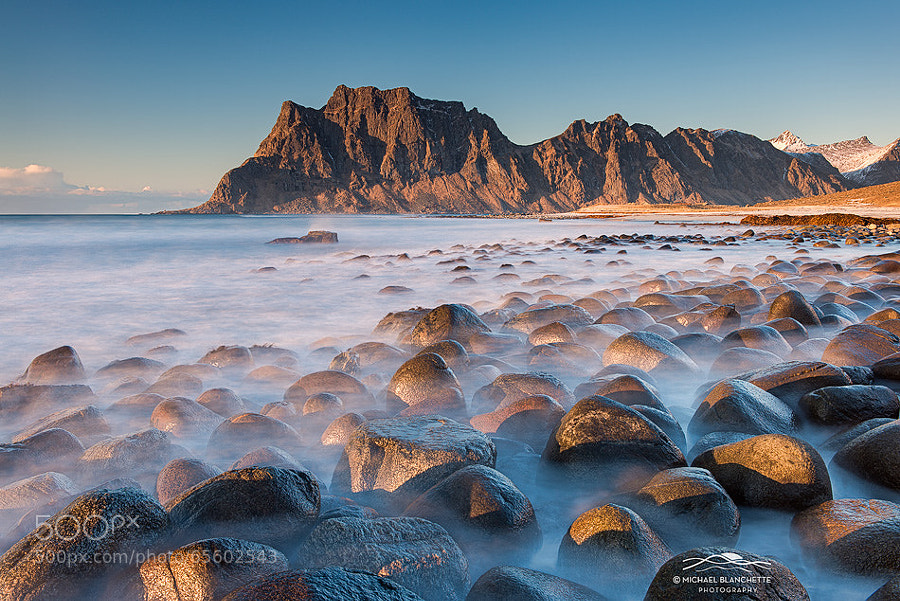
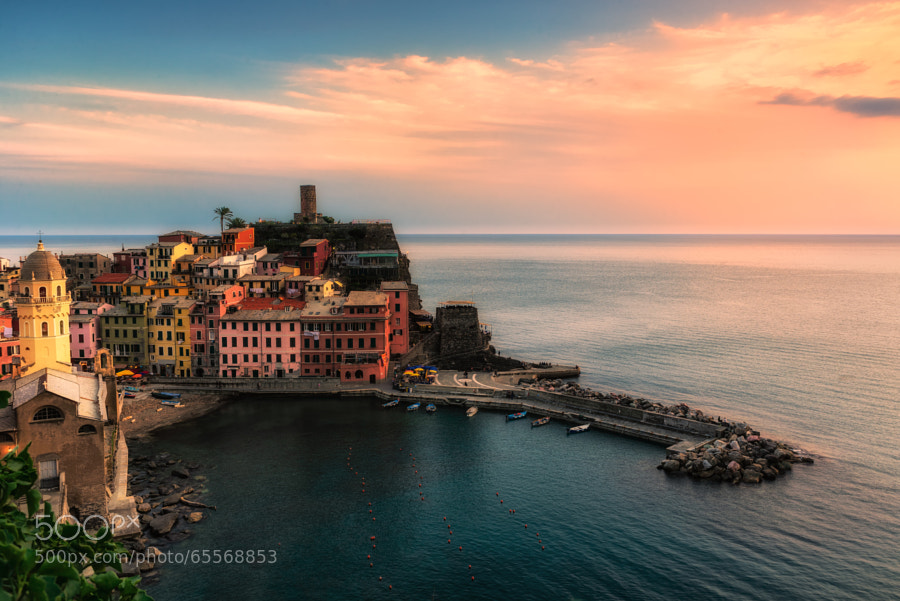
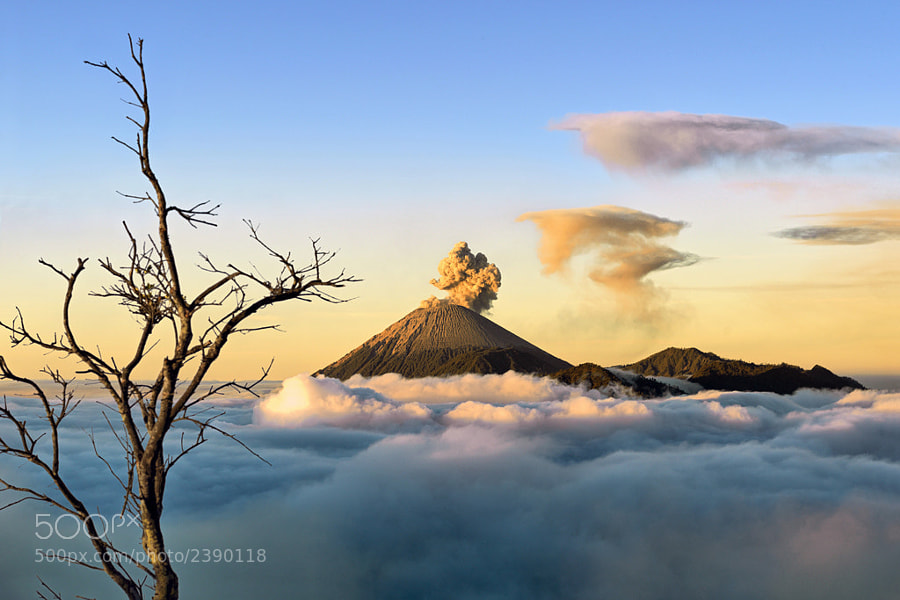
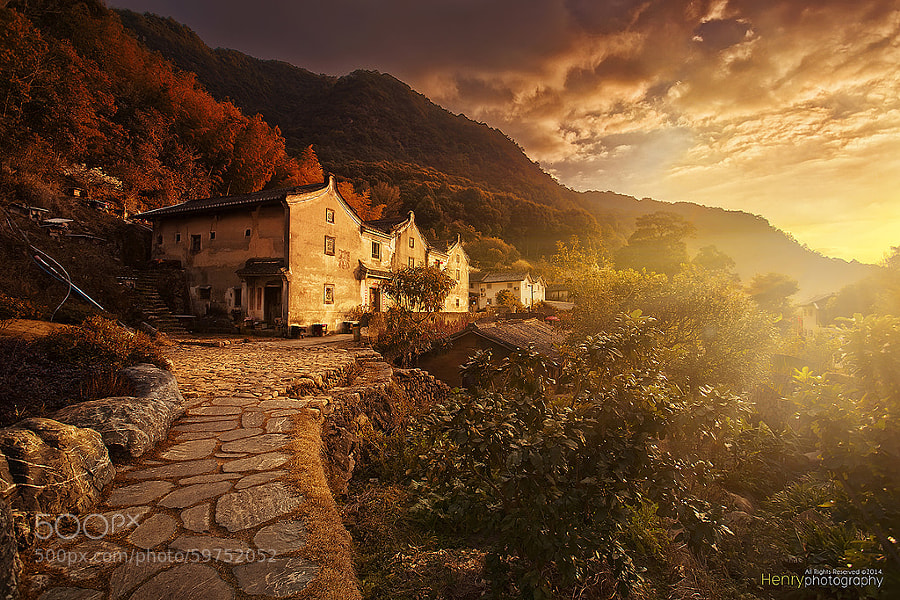
This week’s collection of images to inspire you comes from 500px! Thanks to Evgeny Tchebotarev (founder of 500px) for letting us use these images, and for housing such a great website full of amazing images. To view any of them larger in all their glory, just click on the photo credit below the image.

Enjoy these amazing landscape photographs!

Photograph stille wasser by Ralf Thomas on 500pxstille wasser by Ralf Thomas on 500px

Photograph Firewood by Ildiko Neer on 500px Firewood by Ildiko Neer on 500px

Photograph blue dreams by dpicture on 500pxblue dreams by dpicture on 500px

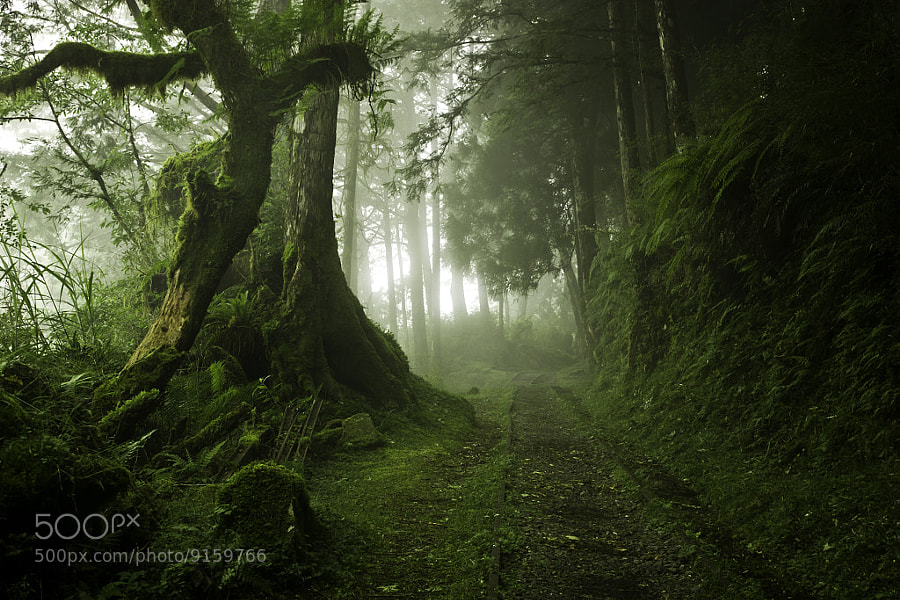
Photograph Mysterious Hallway by David Thompson on 500pxMysterious Hallway by David Thompson on 500px
Photograph Time Lapse by Danny Velasco  on 500px Time Lapse by Danny Velasco on 500px
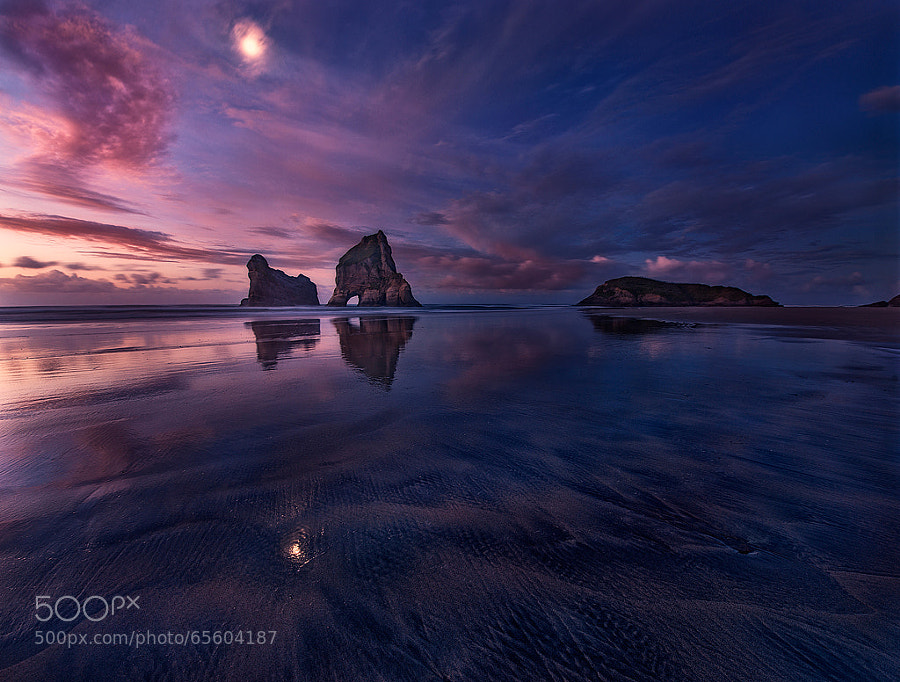
Photograph Golden Bay: When Night Falls by Yan Zhang on 500px Golden Bay: When Night Falls by Yan Zhang on 500px
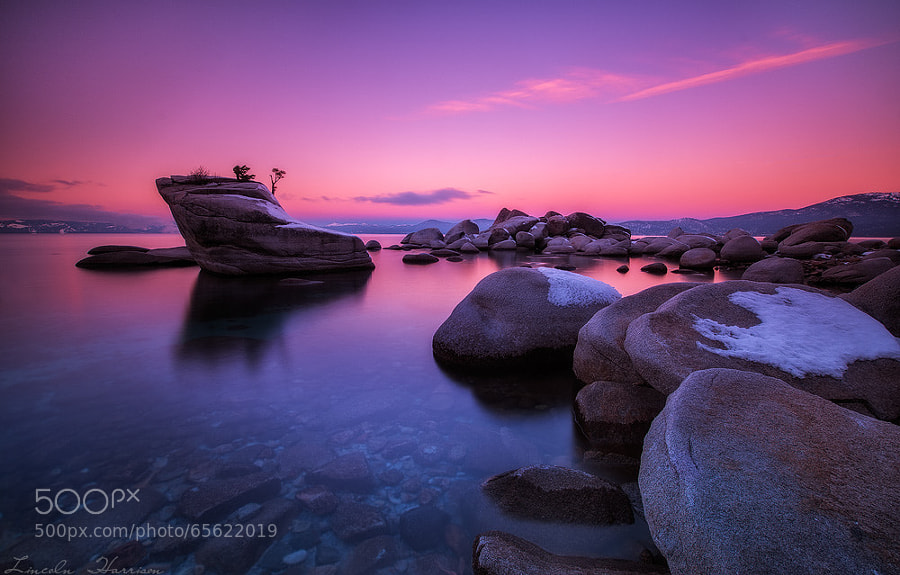
Photograph Tahoe by Lincoln Harrison on 500pxTahoe by Lincoln Harrison on 500px
Photograph Sweet Tuscany by Marcello  Spiazzi on 500pxSweet Tuscany by Marcello Spiazzi on 500px
Photograph Spring has Sprung by Iron Scaggs on 500px
Spring has Sprung by Iron Scaggs on 500px

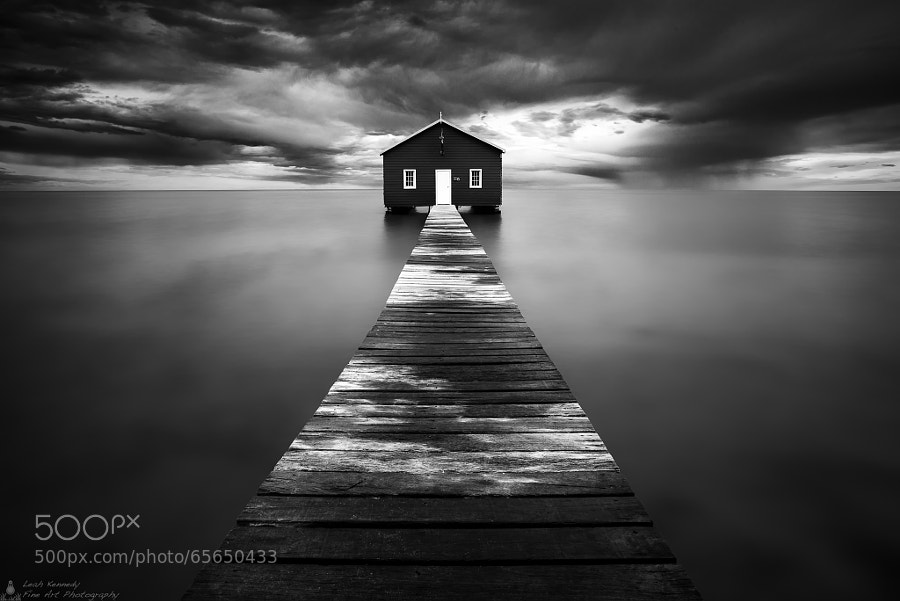
Photograph The Boatshed by Leah Kennedy on 500pxThe Boatshed by Leah Kennedy on 500px

Photograph Ghostly Rocks by Michael Blanchette on 500pxGhostly Rocks by Michael Blanchette on 500px

Photograph Vernazza at sunset by Fabrizio Lunardi on 500pxVernazza at sunset by Fabrizio Lunardi on 500px

Photograph Heaven on Earth by Hartono Hosea on 500pxHeaven on Earth by Hartono Hosea on 500px
Photograph Breaking Through by Michael Woloszynowicz on 500pxBreaking Through by Michael Woloszynowicz on 500px
Photograph Sunset in Old Village by Henry Wang on 500pxSunset in Old Village by Henry Wang on 500px
Photograph Golden Hour at its Finest by Michael Matti on 500pxGolden Hour at its Finest by Michael Matti on 500px
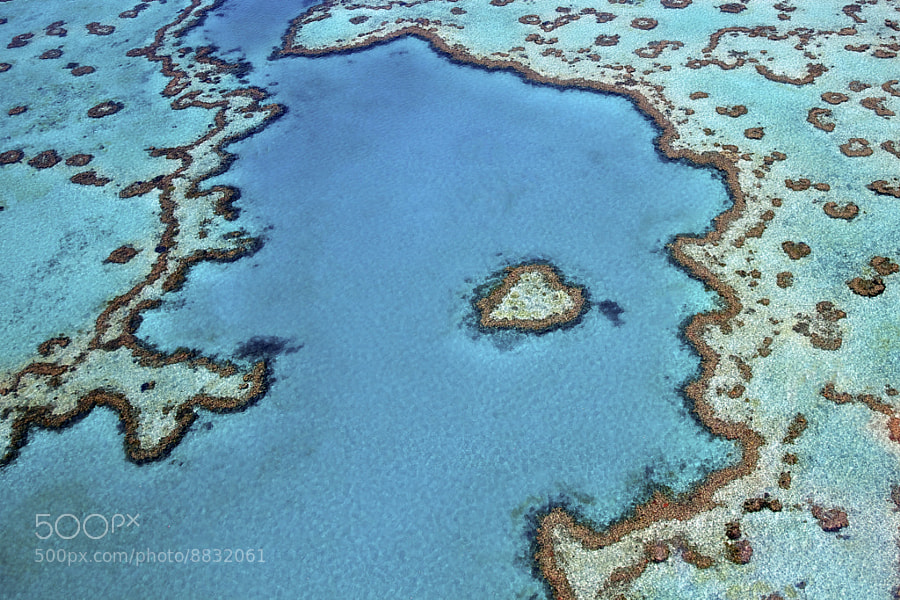
Photograph Heart Reef by Tanya Puntti on 500pxHeart Reef by Tanya Puntti on 500px

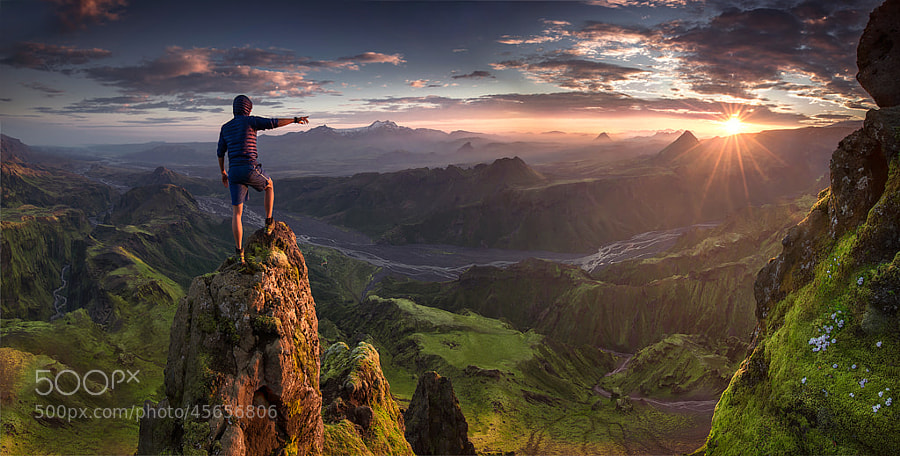
Photograph First Contact by Max Rive on 500pxFirst Contact by Max Rive on 500px

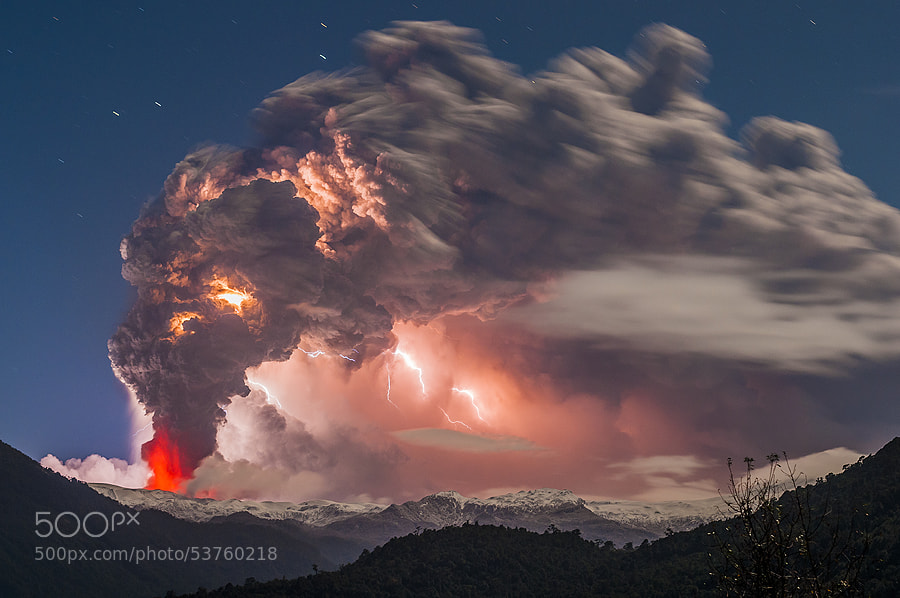
Photograph Postcard from hell by Francisco Negroni on 500pxPostcard from hell by Francisco Negroni on 500px
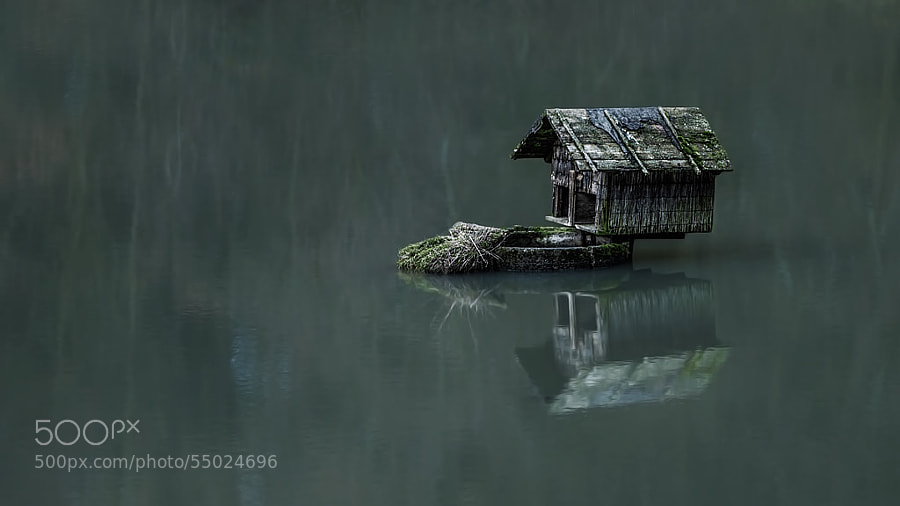
Photograph house of the duck by Ronny Engelmann on 500pxhouse of the duck by Ronny Engelmann on 500px
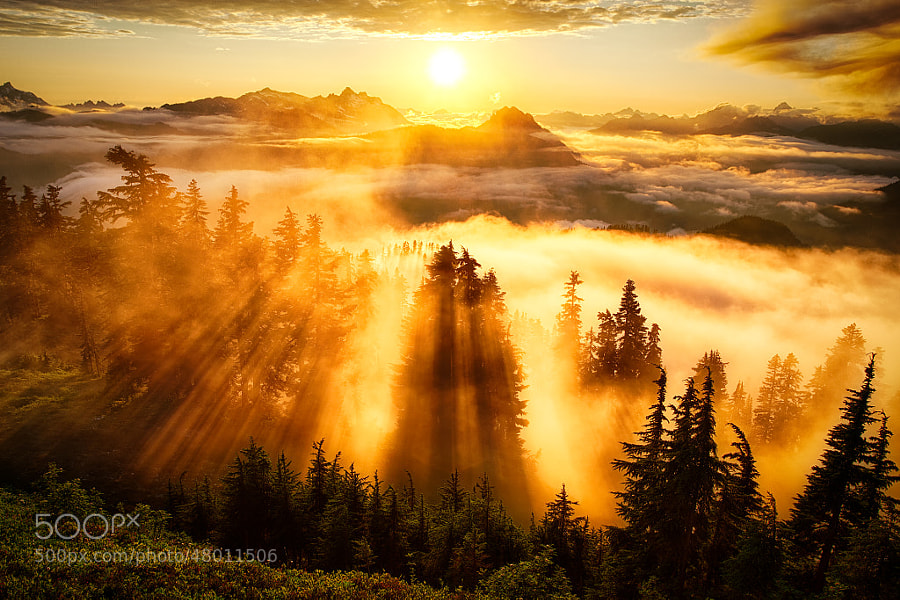
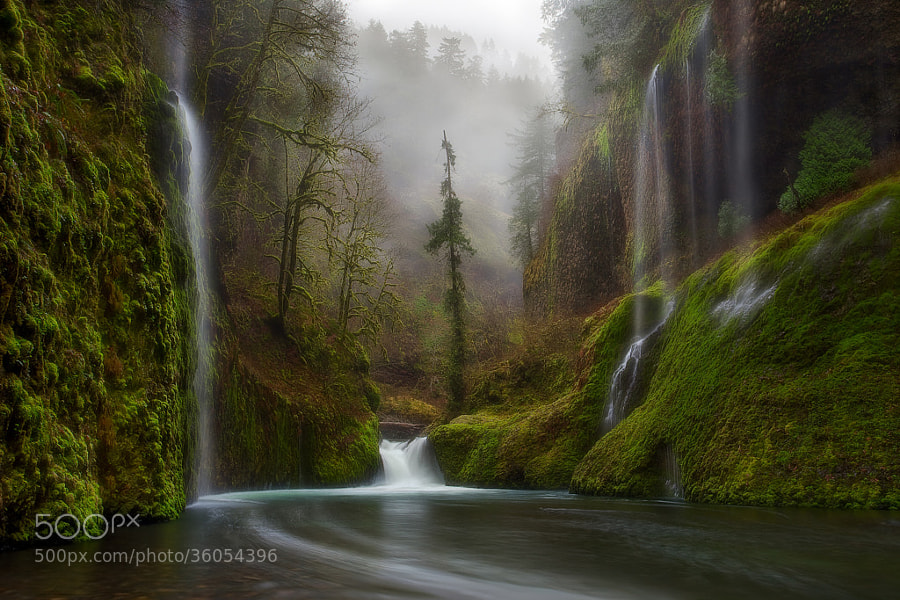
Photograph Curtains in the Fog by Miles Morgan on 500pxCurtains in the Fog by Miles Morgan on 500px
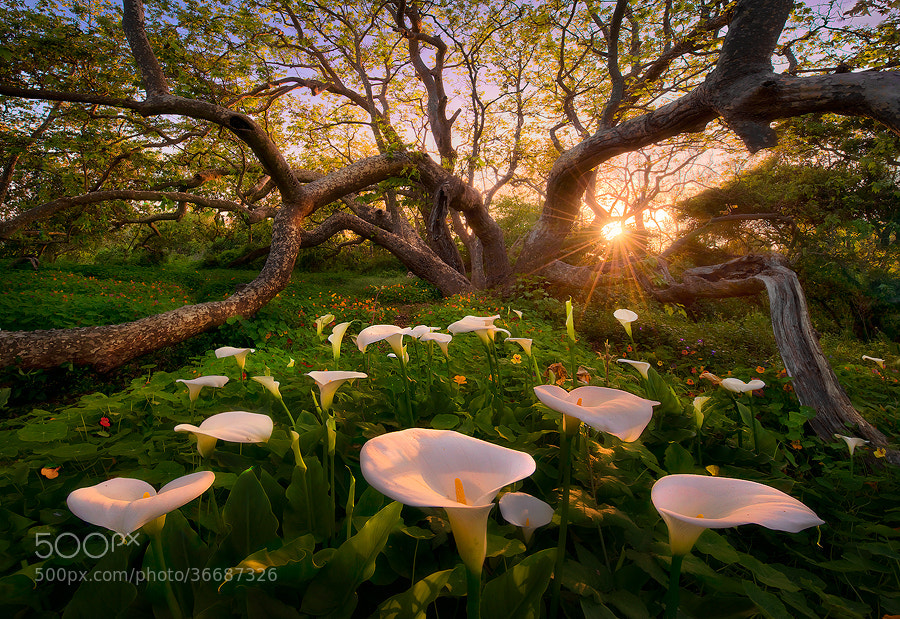
Photograph Heaven on Earth by Marc  Adamus on 500pxHeaven on Earth by Marc Adamus on 500px

Photograph To Hogwarts! by Daniel Korzhonov on 500pxTo Hogwarts! by Daniel Korzhonov on 500px

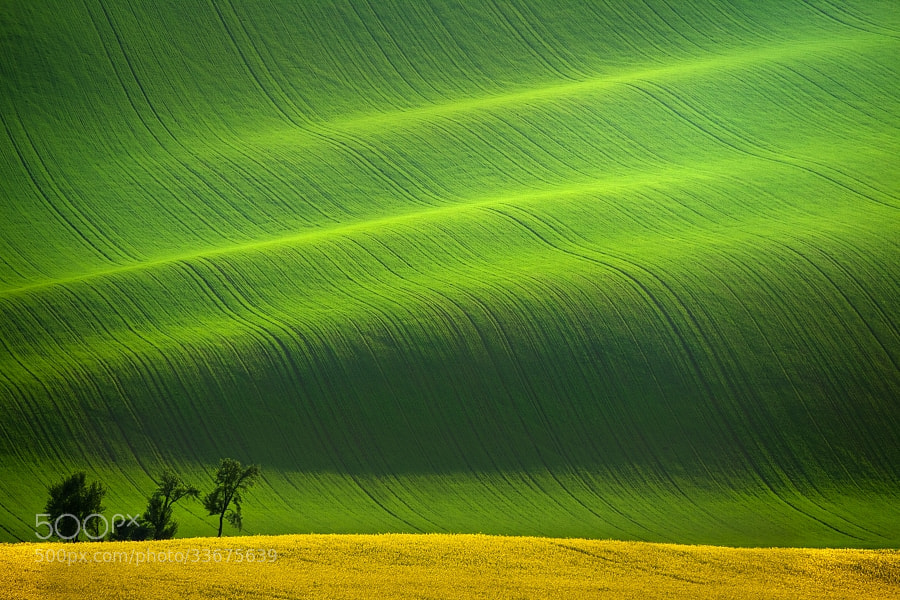
Photograph South Moravia II by Daniel ?e?icha on 500pxSouth Moravia II by Daniel ?e?icha on 500px

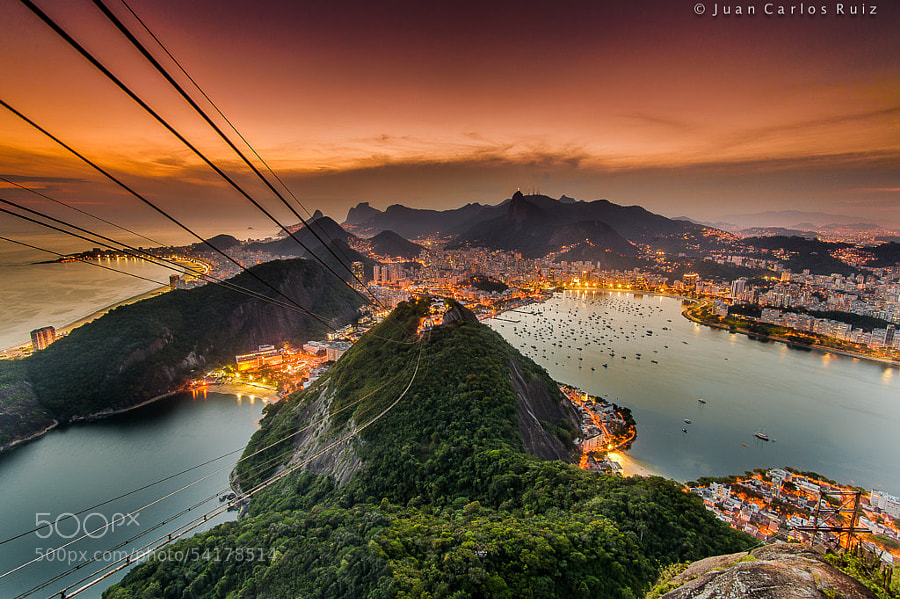
Photograph Amazing Rio by Juan Carlos Ruiz on 500pxAmazing Rio by Juan Carlos Ruiz on 500px

Photograph Squaw Rock Falls in the Fall by debbiedicarlo on 500px

Squaw Rock Falls in the Fall by debbiedicarlo on 500px

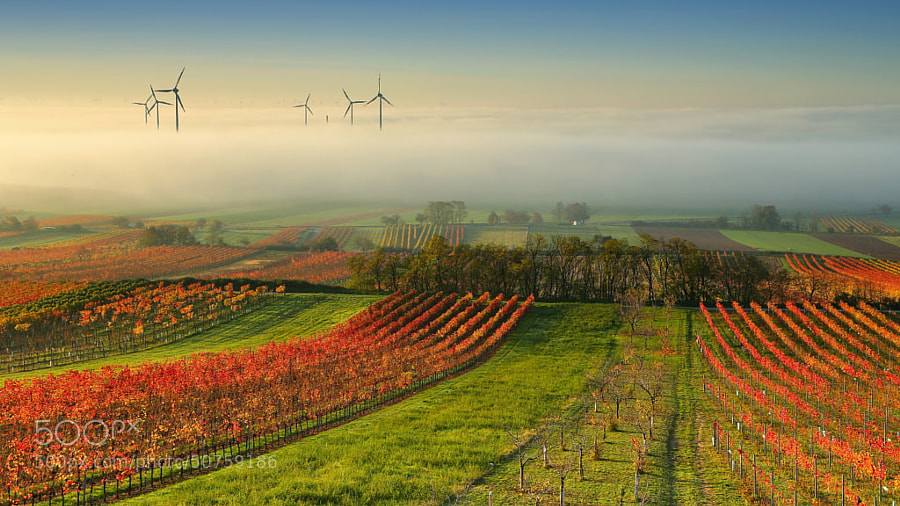
Photograph Wine Country in the mist by Matej Kovac on 500pxWine Country in the mist by Matej Kovac on 500px

Photograph Wood Cart Rail #1 by Justin Jones on 500px Wood Cart Rail #1 by Justin Jones on 500px
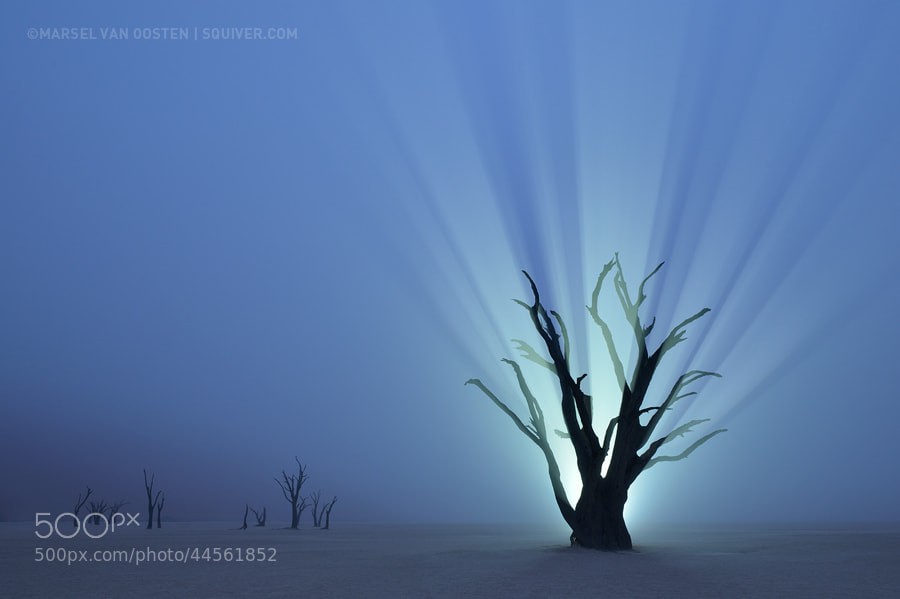
Photograph Resurrection by Marsel van Oosten on 500px Resurrection by Marsel van Oosten on 500px
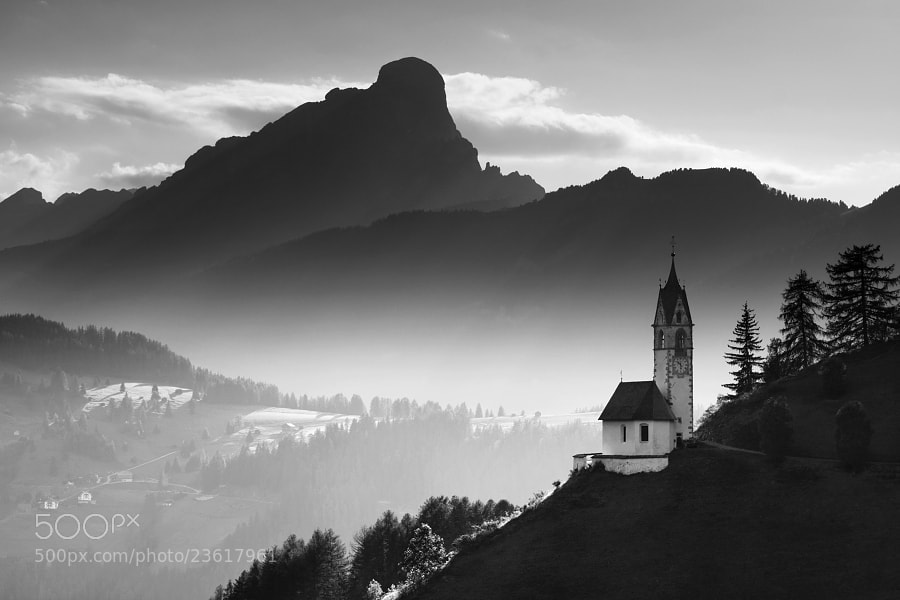
Photograph Alpine Church  by Daniel ?e?icha on 500pxAlpine Church by Daniel ?e?icha on 500px
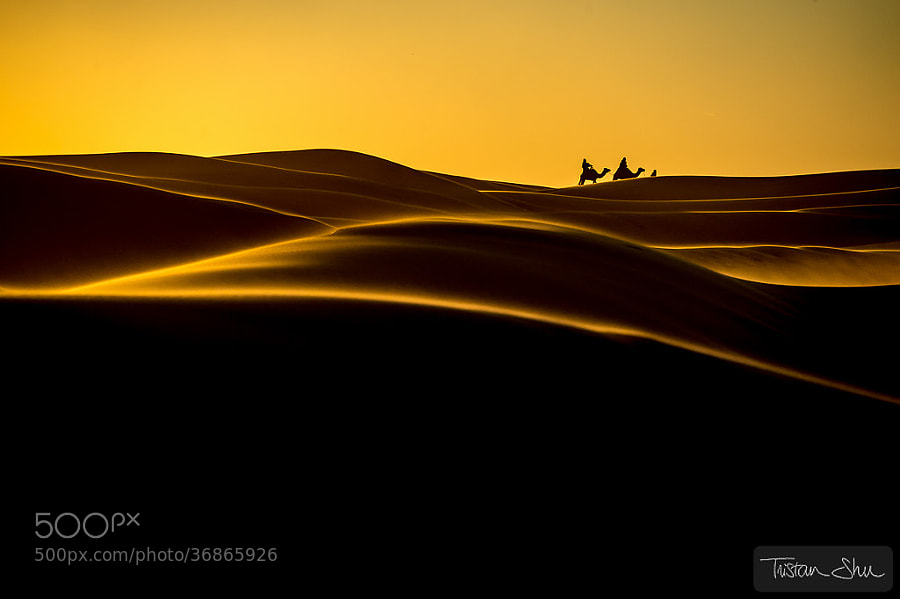
Photograph The Desert Life by Tristan Shu on 500pxThe Desert Life by Tristan Shu on 500px
Photograph Zaanse Schans by Iván Maigua on 500px Zaanse Schans by Iván Maigua on 500px

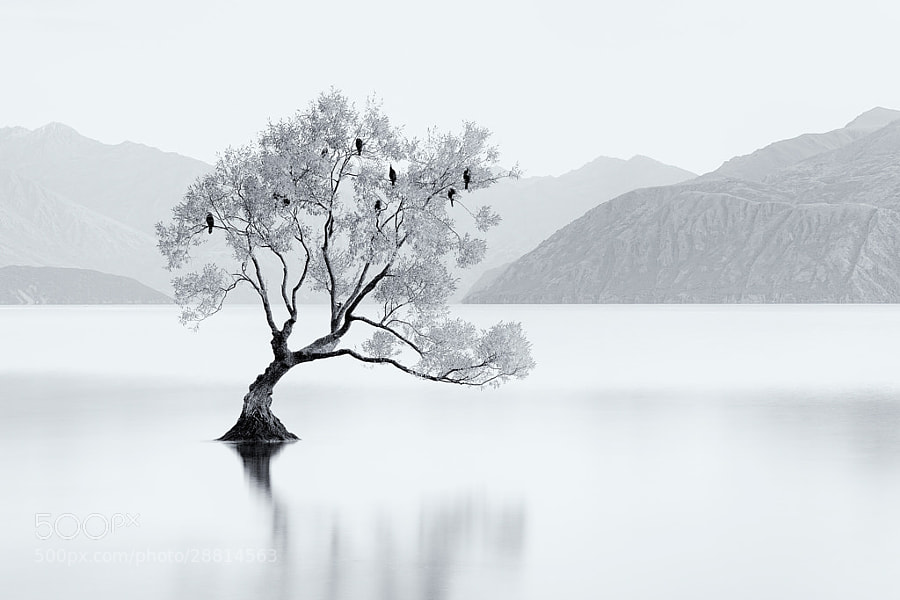
Photograph Bird Tree by Jordan Ek on 500pxBird Tree by Jordan Ek on 500px

I hope you notice something about many of these images. What is it that makes them great photographs? I can think of at least THREE qualities exhibited by some or most of the images above that make them a cut above the average landscape photo. Can you tell me what those three things are? What do you see that makes them stand out?

Share in the comments if you think you know what I’m thinking!

The post A Collection of Stunning Landscape Photographs by Darlene Hildebrandt appeared first on Digital Photography School.


Digital Photography School

 
Comments Off on A Collection of Stunning Landscape Photographs

Posted in Photography


101 Landscape Visionary Insights Not To Miss – A New eBook & Video Series

02 Apr

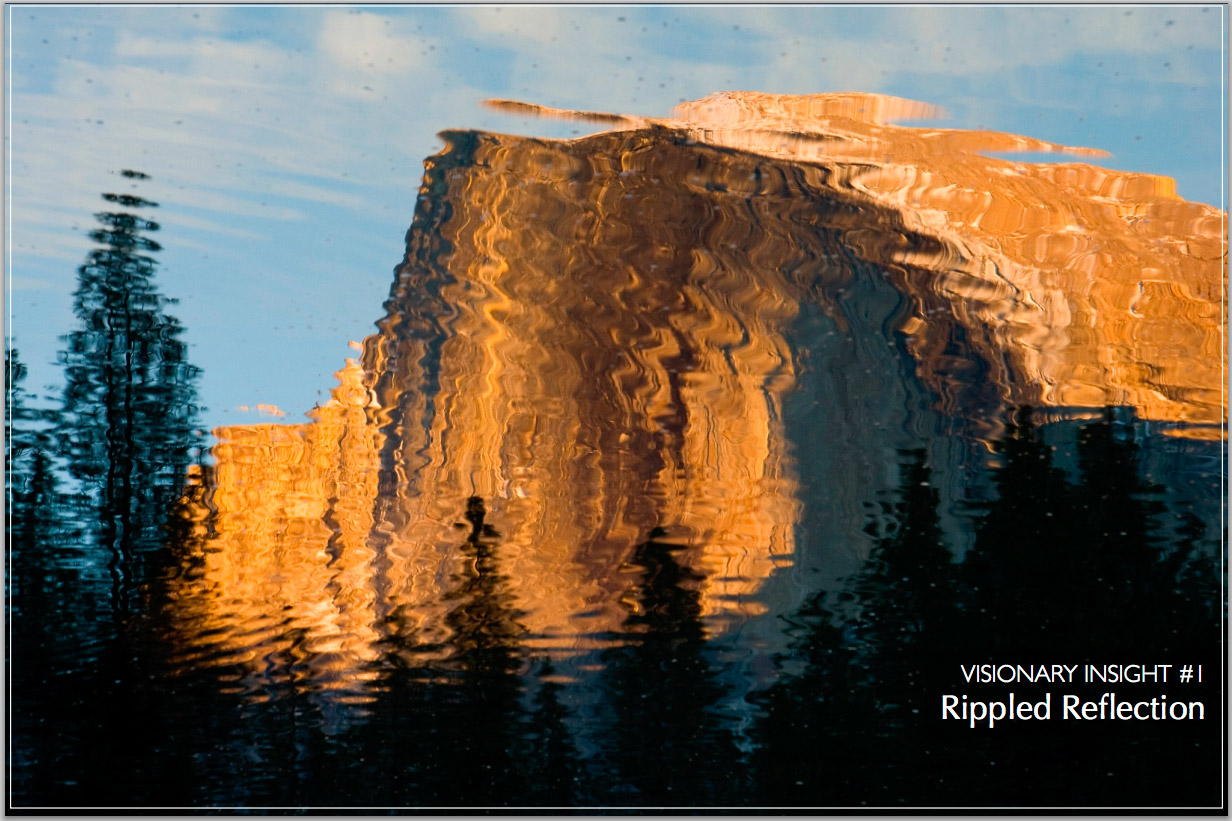
If you love outdoor photography and are hungry to learn more from seasoned professionals then there is a great eBook and video series that has just been launched: 101 Visionary Insights. 10 professional photographers, including myself, discuss inspiring and creative techniques to improve your photography and get the most out of your time in the field.

Download a free eBook with 10 tips today

If you like what you see in the sample eBook linked above be sure to purchase the full ebook and video series for as little as $ 12. You’ll find insights from myself Jim M. Goldstein, Gary Crabbe, Ian Plant, Bob Holmes, David H. Wells, Jay & Varina Patel, Karen Hutton, Moose Peterson and Joshua Holko. A sample page from the eBook can be found below and to see more sample content grab the free 10 tip eBook linked above.  I highly recommend the video course as I put together some important tips that I’ve yet to share publicly on my blog, podcast or social media updates. Enjoy and happy shooting!


101 Visionary Insights eBook & Video series - featured Jim M. Goldstein


Copyright Jim M. Goldstein, All Rights Reserved

101 Landscape Visionary Insights Not To Miss – A New eBook & Video Series

The post 101 Landscape Visionary Insights Not To Miss – A New eBook & Video Series appeared first on JMG-Galleries – Landscape, Nature & Travel Photography.


Related Stories

  • Save 25% on my eBook and Star Trail Webinar Now Through Dec. 2nd
  • Save 25% on my eBook and Star Trail Webinar Now Through Dec. 2nd – Enclosure
  • Extreme X-Class Solar Flare Is Erasing Digital & Film Photos Worldwide
Feed Ads by FeedBlitz
powered by ad choices


JMG-Galleries

 
Comments Off on 101 Landscape Visionary Insights Not To Miss – A New eBook & Video Series

Posted in Equipment


Better Landscape Photography Tips and Video Tutorials

30 Mar

This week I’m going to turn the focus to landscape photography. Your photography challenge this week being “Flora” it’s a good time to get out and there go find some great landscapes. So I’ve actually found not one, but three, short video tutorials with some really good landscape photography tips.

#1 Top 10 pro landscape shooting tips

As the title eludes to, this video shares 10 quick tips to help you get going. At just over four minutes you don’t have to waste any time before you get out shooting. The tips include: focal point, tripod, time of day, rule of thirds and more.

#2 Low Light Landscape Photography Tips

This one is by Stuart Low Photography and he goes over some tips for shooting when the light maybe isn’t so great like a gray gloomy day, and how to create interesting compositions. Besides, I just love his accent!

#3 The Australian Photography Show Ep1 – Landscapes

Last but not least is a really good video by Zulu Media. They go on a location photo shoot with landscape photographer Adam Monk at the famous Australian landmark, The Pinnacles. You don’t have to live in Australia to be able to use his tips though, you can apply these to any location and use them immediately. Some really good stuff in here as the two photographers show different ways of approaching the same subject matter and talk about lenses, camera settings and composition for impact.

I hope you enjoy these landscape photography tips. If you want more you can check out the Best landscape articles of 2013 here on dPS, or Living Landscapes, one of our most popular eBooks!

The post Better Landscape Photography Tips and Video Tutorials by Darlene Hildebrandt appeared first on Digital Photography School.


Digital Photography School

 
Comments Off on Better Landscape Photography Tips and Video Tutorials

Posted in Photography


5 Steps to Help you Take Better Landscape Photos

10 Mar

When photographing landscapes, it can sometimes be difficult to produce a an image that is focused in its content, that leads the viewer’s eye exactly where you as the artist want it to go.   Sometimes, even though you may be presented with a beautiful vista, an image may not present itself and you have to work to find it.  Here are five basic steps to help you take better landscape photos. I follow these any time I’m looking to create a landscape image.

#1 Find your subject

Sometimes it’s easy. You choose a building, or a rock formation, or a tree, and it all just comes together.  Other times, it becomes more difficult.   Sometimes nothing in particular stands out.  Look around the scene, find something that draws your eye. Look through your viewfinder, and see how things frame up through your camera’s eye.  Once you have found your subject, you have more decisions to make.

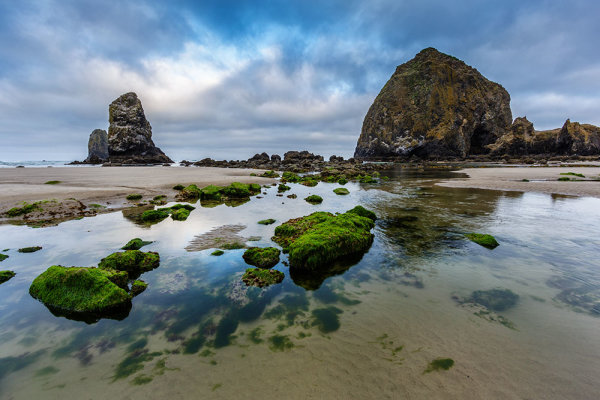
Haystack Rock is a fairly obvious subject. But there are myriad options when it comes to photographing it.  For this image, I decided to use a tidal pool and some rocks in the foreground, but also wanted to include plenty of sky since there was so much interest in the clouds.

Haystack Rock is a fairly obvious subject. But there are a myriad options when it comes to photographing it. For this image, I decided to use a tidal pool and some rocks in the foreground, but also wanted to include plenty of sky since there was so much interest in the clouds.  The rocks and water create some nice lines leading right to Haystack Rock.  EOS 5D Mark III with EF 14mm f/2.8L II, at f/16, ISO 100.

#2 Where is your subject in the composition?

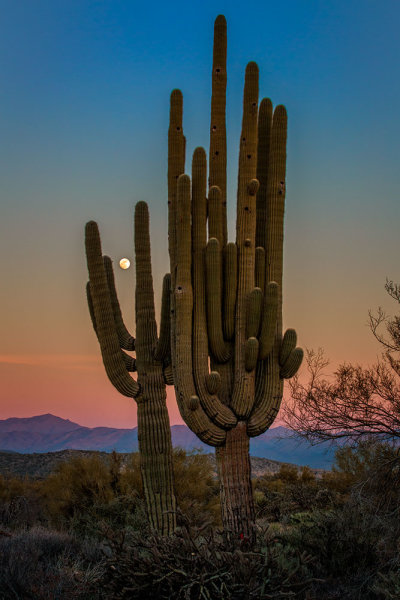
There was no real foreground to speak of here. Just a lot of sand and some uninteresting brush.  What I did see was the way the moon was rising between the arms of the saguaro, and the soft gradation from orange to blue as the sun set behind me.  Taken with EOS 5D Mark III, EF 70-200 f/2.8L IS II, 1/20 @ f/22, ISO 1000.

There was no real foreground to speak of here. Just a lot of sand and some uninteresting brush. What I did see was the way the moon was rising between the arms of the saguaro (cacti), and the soft gradation from orange to blue as the sun set behind me. Taken with EOS 5D Mark III, EF 70-200 f/2.8L IS II, 1/20 @ f/22, ISO 1000.

This will partly be dictated by its location in relation to you, but also by what else is in your scene. Look for interest in relation to what you’ve chosen as the subject. Is there an interesting object or pattern in the foreground, which could lead the viewer’s eye to the subject? Is there something in the foreground that frames your subject or otherwise adds interest without being distracting?  I will often use water or rocks in the foreground if I can.  If it’s water, can you get a reflection of your subject in it?  Sometimes it’s leaves, sometimes trees or a fence.

If there is nothing in the foreground, try minimizing it by putting the subject as the foreground, and looking for background interest.  Interesting clouds or sky, buildings, or trees, can all create a backdrop for the landscape. Sometimes, you’re lucky enough to get both an interesting background AND foreground. These are the times to play with your composition and vary the amounts of foreground and background to see what works best, or what doesn’t work at all.   Generally speaking, if the sky is flat and lacks interest, I will place it in the top third of the frame, using the rule of thirds.  If the foreground lacks interest, I place that in the bottom third.

#3 Tie it together

Once you decide where your subject goes in the frame, what’s in the foreground and what your background will be, it’s time to find a way to tie it all together. Are there leading lines that will lead your viewer from foreground to background?  Leading lines are an easy way to tie your composition together.  Framing is another way, which I included in my discussion of choosing your foreground.  Without tying your composition together, it can often seem like you have two separate images in one.  Creating a composition that pulls the viewer through it and leads them where you want them to look is the best way to create an effective landscape image.

For this image of Kaaterskill Creek, I knew the small cascade was my main subject.  There were some rocks to create interest in the foreground, and the water creates a nice leading line back to the cascade in the middle ground, and then to the foliage in the background.  EOS 5D Mark III with EF 16-35mm f/2.8L II. I was zoomed into 35mm on this one. Exposure was 1.6" at f/20, ISO 100.

EOS 5D Mark III with EF 16-35mm f/2.8L II. I was zoomed into 35mm on this one. Exposure was 1.6″ at f/20, ISO 100.

For this image of Kaaterskill Creek (above), I knew the small cascade was my main subject. There were some rocks to create interest in the foreground, and the water creates a nice leading line back to the cascade in the middle ground, and then to the foliage in the background.

#4 Read the light

Are you at your location at an optimal time? Some locations are better in the early morning, some in late afternoon.  Some are good no matter what time you are there. The difference in the light at these times can mean the difference between a dramatic landscape image, or a snapshot of a pretty place. To find out where the sun will be in a given location at a given time, use an app such as The Photographer’s Ephemerus, or Sunseeker Pro, which will show you the sun’s exact location.  This will enable you to plan when to be a location for optimal light.

Side lighting will create dramatic shadows and show off textures. Backlighting will help create silhouettes, which can be very effective for dramatic images with prominent features breaking the horizon. Front lighting will reveal detail everywhere. Often, I will photograph the same location at different times, as different light will create a variety of images from the same location.

Montauk Point is a great location with lots of photo opportunities, but it's a much better location at sunrise than later in the afternoon or at sunset, due to the shadows created by high cliffs. At sunrise, it can be magical. EOS 5D Mark II, EF 17-40 f/4L. Exposure was 15 seconds, f/11, ISO 800.

EOS 5D Mark II, EF 17-40 f/4L. Exposure was 15 seconds, f/11, ISO 800.

Montauk Point (above) is a great location with lots of photo opportunities, but it’s a much better location at sunrise, than later in the afternoon or at sunset, due to the shadows created by high cliffs. At sunrise, it can be magical.

#5 Choose your shutter speed

Finally, think about what your shutter speed will do to the image.  If you’re shooting water, shutter speed has a lot to do with the water’s appearance in your image. If there are trees, and it’s a breezy day, a faster shutter speed will be necessary to freeze the leaves and avoid motion blur. These are things to be aware of when composing your image.  Learning to visualize these effects in your mind before pressing the shutter button will go a long way toward making you a better photographer.

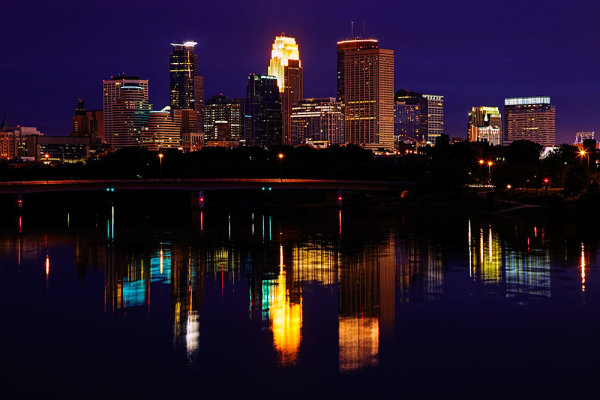
The Minneapolis skyline was an obvious choice for subject here. But the sky was flat for a background, so I pushed the skyline to the top of the frame.  Thankfully, I caught the Mississippi River on an uncharacteristically calm day and was able to get a nice reflection for foreground interest.  EOS 5D Mark II with EF 24-105 f/4L IS. Exposure was 10 seconds at f/11, ISO 400.

EOS 5D Mark II with EF 24-105 f/4L IS. Exposure was 10 seconds at f/11, ISO 400.

The Minneapolis skyline was an obvious choice for subject here. But the sky was flat for a background, so I pushed the skyline to the top of the frame. Thankfully, I caught the Mississippi River on an uncharacteristically calm day and was able to get a nice reflection for foreground interest. I used a slow shutter speed  (or long exposure) to smooth the waters even more.

Do you have some great landscape tips you’d add to this list? Please share in the comments below.

The post 5 Steps to Help you Take Better Landscape Photos by Rick Berk appeared first on Digital Photography School.


Digital Photography School

 
Comments Off on 5 Steps to Help you Take Better Landscape Photos

Posted in Photography