RSS
 

Posts Tagged ‘know’

Get to know the Compass Camera, an ultra-compact pocketable film camera from 1937

31 Jan

The quest to make a ridiculously small, yet still fully-featured camera is not a new one. For historical examples, look no further than the Compass Camera. Made by Swiss watchmaker LeCoultre, it was designed by Englishman Noel Pemberton Billing and sold by Compass Cameras of London starting in 1937. It features a collapsible design and accepts 24x36mm plate film (a roll film back was later introduced).

Take a look at the video above for a full tour of the camera. Only around 5000 were produced, and they’re now highly sought after by collectors. In fact, you can pick one up now on ebay if you have $ 7450 to spare.

Articles: Digital Photography Review (dpreview.com)

 
Comments Off on Get to know the Compass Camera, an ultra-compact pocketable film camera from 1937

Posted in Uncategorized


Google’s Pixel phones: What you need to know

06 Oct

Everything you need to know about Google’s new Pixel phones

Google’s 2016 smartphones have dropped the Nexus moniker and, in line with the company’s high-end Chromebooks and tablets, have instead adopted the Pixel brand. Despite being made by HTC the Pixel and Pixel XL are marketed as Google devices and only differ in terms of screen size and resolution as well as battery capacity. A 5″ 1080p AMOLED display and a 2,770mAh battery can be found on the standard Pixel, while the XL comes with a 5.5″ QHD-screen and a 3,450mAh battery. 

Both devices are powered by Qualcomm’s top-end chipset Snapdragon 821 and 4GB of RAM. The metal body with glass inlays on the back also houses a fingerprint reader, USB Type-C port for quick charging and a 3.5mm headphone-jack. In the US the devices will be available in black, silver and blue, with pricing starting at a fairly steep $ 649 for the standard Pixel with 32GB of built-in storage. 

The Pixel and Pixel XL have generated a lot of buzz for their imaging capabilities in a short amount of time – click through to see what else you should know about the new Google Pixel phones.

New camera hardware

Google says the camera stack used by the Pixel has been redesigned, even though on paper the camera specifications are similar to last year’s Nexus models. A 6-element lens with F2.0 aperture is placed in front of a 1/2.3″ 12.3MP sensor with 1.55µm sized pixels. On-sensor phase detection is on board as well and a laser-beam helps measuring the subject distance in low light for even better AF-accuracy. A dual-tone LED flash should make for pleasant skin tones when shooting with the built-in lamp in very low light.  

On the video side of things the Pixel phones can record up to 4K video at 30fps. In slow motion mode you can shoot Full-HD footage at 120fps or 720p video at 240fps. Perhaps the most notable new feature is a gyroscope-based electronic video-stabilization system that looked very promising in Google’s demonstration video during the launch presentation. It reads the gyroscope 200 times per second in order to correct for any camera movement and also helps reduce the “jello-effect” that is often noticeable on CMOS-sensors when panning the camera.

The front camera specification would not have looked out of place on a main camera only a few years ago. A 1/3.2″ 8MP sensor with a 1.4 µm pixel size and F2.4 aperture should allow for decent selfies in most conditions and the front camera is also capable of recording 1080p video. 

Imaging software

While the Pixel’s camera hardware is pretty much in line with other high-end smartphones, it’s the imaging software that really sets the Google devices apart. Thanks to more powerful image processing and a zero shutter lag the camera can now use Google’s excellent HDR+ mode, which has been available in the Google Camera app for a while, by default, without any noticeable processing delays for the photographer.

Instead of taking one longer exposure, HDR+ captures multiple images, aligns them algorithmically and merges them. This results in improved dynamic range, lower noise levels and better detail at all light levels but is especially helpful in low light conditions. Additionally, Smartburst captures several frames just before and after you press the shutter button and then, thanks to Google’s image recognition technology, selects the sharpest and clearest photos with the most pleasant facial expressions to display. Google also says the Pixel is quicker than any other smartphone in getting ready to capture a picture.  

Best ever DxOMark Mobile score

It appears the Pixel’s high-end camera hardware and Google’s clever imaging algorithms are working together very well. DxO has already tested the Pixel camera before its launch and with a score of 89 the Google device is the best smartphone ever tested. It takes the top position in the DxOMark rankings ahead of such illustrious competition as the new iPhone 7, the Samsung Galaxy S7 and the HTC 10.

The DxO testers were impressed by the great detail and low noise levels across all light situations. They also found exposure to be spot on and the autofocus to be very accurate, both in still in video mode. You can read the full report on DxOMark.com.

Unlimited cloud storage for photos and video

Like previously the Google Nexus devices, the Pixel phones do not come with a microSD memory expansion slot. This is something many mobile photographers won’t be too happy about but the Pixel is meant to be a cloud device and Google is emphasizing that by offering free unlimited cloud storage for full-resolution images and even 4K video in Google Photos.

A Smart Storage option will upload images and videos storage to your personal cloud and delete them off your phone automatically when your local storage starts to get full, similar to the Nextbit Robin. So nothing is stopping you now from recording that feature film in 4K resolution – just make sure you’re close to a reasonably fast internet connection. 

Android Nougat 7.1

The Google Pixel devices are not the first smartphones to come with Android 7 Nougat – that honor went to the LG V20 – but for its own devices Google has launched version 7.1 which comes with a few modifications, some of which are specific to the Pixels. 

One of the most notable differences is the new launcher that comes with an opaque shelf and round icons and folders. Other cosmetic differences include blue accents and custom navigation bar icons. In addition to unlimited photo storage Pixel users will also enjoy Google’s 24-hour tech support service. You can call or chat with a trained representative right from the device settings.

New features that are not exclusive to the Pixel phones are fingerprint gestures, which for example let you swipe down on the sensor to open the notification tray and the Night Light feature, a blue light filter that is activated at night. Seamless Updates downloads and installs updates in the background while you keep working on the device. They are then activated after a restart, similar to what you’re used to from a Windows PC.

Of course version 7.1 also offers the new features we’ve already seen on the original Nougat, such as ‘Project Doze’ which makes the phone use less battery while it’s not in your hands with the screen on and the ability to reply directly to notifications from the notification tray, without opening the corresponding app first. 

Google Assistant

Google Assistant is Google’s Version of Siri or Cortana and a much more intelligent version of Google Now. Assistant uses machine learning to become more useful the more you use it and in the future will come with different “personalities” for different types of tasks.

The version in the Pixel phones is already able to set and send calendar reminders, search for and book restaurants, find gas stations while you are on the road or play music while you are at home among many other things. It remembers every interaction and is therefore capable of having conversations rather than just receiving commands. Google Assistant uses data from your personal Google account in combination with voice and image recognition technologies, the built-in sensors in the phone and machine learning methods to offer its services.  

Daydream View VR-headset

The Pixel and Pixel XL are the first devices ready for Google’s Daydream VR technology that was first demonstrated at the I/O conference in May. Together with the smartphones Google has now also unveiled the Daydream View headset, which at $ 79 is meant to bring VR to the masses. The headset is made with a soft and breathable fabric that allows for extra comfort and makes it easy to use the headset over glasses. As a side-effect it is approximately 30% lighter than similar devices, for example Samsung’s Gear VR. 

Phone and headset come with an auto-alignment system, so once the Pixel is dropped in the Daydream VR you don’t need to worry about any cables or other connections. Daydream VR comes with the Daydream controller remote control that lets you interact with the virtual world you are moving in. It has a number of sensors to interpret your gestures and movements and offers high levels of precision. When not in use it slides into the headphones, reducing the risk of losing it. 

Articles: Digital Photography Review (dpreview.com)

 
Comments Off on Google’s Pixel phones: What you need to know

Posted in Uncategorized


Fujifilm goes medium format: What you need to know about the GFX 50S

20 Sep

Meet the digital medium format Fujifilm GFX 50S

Forget full-frame, Fujifilm is diving head first into the world of digital medium format and we’re frankly pretty excited. The GFX 50S will make use of a 51.4MP CMOS sensor and X-Processor Pro imaging processor. In terms of surface area, the sensor is 43.8 × 32.9mm or about 4 times the size of sensors used in the company’s APS-C cameras (and 1.7x larger than a full-frame sensor.) And if 51.4MP sounds familiar, that’s because it’s the same pixel count as the Pentax 645Z and Hasselbled X1D (though Fujifilm says their sensor is newly developed.)

Meet the digital medium format Fujifilm GFX 50S

The GFX 50S is a mirrorless camera and the body itself looks a bit like a jumbo-sized XT-2. Set to launch in early 2017, several accessories will be available including a pretty cool clip-on accessory EVF ‘prism’ that can be tilted and rotated once affixed.

Meet the digital medium format Fujifilm GFX 50S

Other accessories include a vertical battery grip, which adds an additional shutter release for use in the vertical orientation, control wheel and additional power. Like the camera, the grip is weather and dust-sealed by design. The camera is also freezeproof down to 14°F. Though we’ve yet to hold it, Fujifilm claims the GFX 50S is much lighter than traditional digital medium format cameras and also a good bit smaller. 

Meet the digital medium format Fujifilm GFX 50S

The GFX 50S’ default aspect ratio is 4:3, however the camera can be set to shoot in a variety of other aspect ratios including: 3:2, 1:1, 4:5, 6:7 and 6:17. 

Meet the digital medium format Fujifilm GFX 50S

New sensor size, new lens mount: The GFX 50S uses Fujifilm’s new G-Mount, which has a flange distance of 26.7mm. When the camera launches (sometime in early 2017), three G-Mount lenses will be available. The GF 63mm F2.8 WR, shown above, is one of them. It offers a 50mm equiv. field-of-view (due to a 0.79x crop factor). There’s a possibility Fujifilm will kit that lens with the camera body and according to Fujifilm reps, that kit should cost ‘well under $ 10,000.’

Meet the digital medium format Fujifilm GFX 50S

Also in early 2017, Fujifilm will be releasing a GF 32-64mm F4 LM WR wide to normal zoom with about a 25-50mm equiv. field-of-view. Like the 63mm F2.8 WR (and actually all G mount lenses) the 32-64mm is weather-resistant.

Meet the digital medium format Fujifilm GFX 50S

The third lens to ship around the same time as the camera is the GF 120mm F4 Macro R LM OIS WR lens (bottom, left of center). It offers a 95mm equiv. field-of-view and optical image stabilization.

It’s obviously no small task launching an entirely new system with new lens mount. But as far as glass is concerned for the GFX 50S, a normal fast prime, wide to normal zoom and a macro lens feels like a good start. And there are other lenses that will be coming later in the year, more on that on the next page…

Meet the digital medium format Fujifilm GFX 50S

In mid 2017, Fujifilm hopes to ship the GF 23mm F4 R LM WR and GF 110mm F2 R LM WR lenses. The former offers an 18mm equiv. field-of-view and the latter an 87mm equiv. Also, in late 2017, the company will release the GF 45mm F2.8 R WR lens with a 35mm equiv. field-of-view.

That’s all we’ve got for now. We’ll update this article with more information and images once available. But for now, what do you think, is the Fujifilm GFX 50S a camera you’d buy?

Articles: Digital Photography Review (dpreview.com)

 
Comments Off on Fujifilm goes medium format: What you need to know about the GFX 50S

Posted in Uncategorized


Canon EOS M5: What you need to know

16 Sep

Canon EOS M5: What you need to know

With a 24MP sensor and Dual Pixel autofocus, Canon’s new EOS M5 is the mirrorless camera that a lot of Canon fans have been waiting for. We had the chance to get our hands on a pre-production model earlier this summer and in this article, we’ll give you a quick tour of the M5’s key features and controls.

Canon EOS M5: What you need to know

The DSLR-styled EOS M5 is the most advanced M-series camera yet, and borrows a lot from the EOS 80D, including a Digic 7 processor and equivalent (Canon claims) Dual Pixel AF performance. As such, among other things we’d expect it to be capable of very good image quality, and better Raw dynamic range than its predecessors. 

Canon EOS M5: What you need to know

Despite its small size, the M5 boasts a generous hand-grip, which makes it very comfortable to hold. It doesn’t have the heft of one of Canon’s DSLRs, but we wouldn’t expect it to. That said, the M5’s construction is top notch and at 427g  (15.1oz), the body has a reassuring weight. 

Canon EOS M5: What you need to know

This view gives you an idea of the M5’s compact form factor. Despite packing an APS-C sensor and 2.36 million-dot viewfinder It really is ‘palm-sized’.

Canon EOS M5: What you need to know

This view show’s the EOS M5’s sensor exposed. It’s the same 24MP APS-C format sensor that can be found in the EOS 80D, with the same ISO range of 100-16000, expandable up to ISO 25,600. More significant is the inclusion of Dual Pixel AF – finally bringing one of Canon’s most impressive features to mirrorless.

Canon EOS M5: What you need to know

Dual Pixel AF uses on-sensor phase-detection pixels, covering roughly 80% of the image area. As we’ve seen in DSLRs like the EOS 80D and EOS 5D IV, Dual Pixel is a huge leap forward compared to traditional contrast-detection autofocus systems, both in terms of responsiveness and accuracy. 

Dual Pixel AF can also be used to track moving subjects, and we have high hopes for the M5’s performance in this respect. The M5 can capture images at an impressive rate of 7fps with AF-C, and 9fps when focus is locked. 

Canon EOS M5: What you need to know

From the top, the EOS M5 looks like a true mixture of a G-series compact camera and one of Canon’s midrange DSLRs. There’s the familiar EOS exposure mode dial on the top left, and a PowerShot-style exposure compensation dial on the extreme right.

Between them are twin control dials, one of which encircles the M5’s shutter button. The function of the secondary, rearmost dial can be used in conjunction with the ‘Dial Func’ button to gain quick access to a handful of functions (such as White Balance, ISO, Drive Mode…). 

Canon EOS M5: What you need to know

The EOS M5 has a 180-degree tilting screen, but somewhat unusually, at full extension it tilts out under the camera. You know – for selfies. 

Canon EOS M5: What you need to know

More useful (we think) is the diagonal angling possible when the camera is held pointing away from you. 

Canon EOS M5: What you need to know

The M5’s 3.2in, 1.62 million-dot touchscreen is a pleasure to use, and makes AF point positioning and stills and video framing a breeze, even from low and high angles. Flipping through and zooming into images by touch in playback mode is a nice time-saver, too, and the screen can also be used to position AF point with your eye to the finder (Panasonic style).

Despite its touch-sensitive rear screen, the M5 isn’t short on physical control points, and the cluster of buttons on the back of the camera will be immediately familiar to users of high-end Canon PowerShot cameras. The red movie recording button might look a bit tucked out of the way, but it’s actually in a good position to be activated by the right thumb.

Canon EOS M5: What you need to know

The EOS M5’s LP-E17 battery slots beneath its handgrip, and offers a quoted battery life of 295 shots (CIPA).

Canon EOS M5: What you need to know

The M5’s 1080/60p video spec is pretty middle-of-the-road (and essentially the same as the EOS 80D) but little things like a jack for an external microphone mean that it is capable of being used as a video camera for most applications (provided you don’t need 4K).

Canon EOS M5: What you need to know

On the palm side of the M5’s handgrip you’ll find a small recessed button to initiate the M5’s wireless pairing. Built-in Wi-Fi with NFC and Bluetooth mean that images from the M5 can be sent to a compatible smartphone or tablet, and the camera can be controlled remotely via Canon’s EOS Remote app. 

Canon EOS M5: What you need to know

The EOS M5 will be available in November, kitted with either the 15-45mm (24-72mm equiv) or new 18-150 F3.5-5.6 IS STM (28-240mm equiv) zoom lenses.

What do you think of it? Is the EOS M5 the Canon mirrorless camera you’ve been waiting for? Let us know in the comments.

Articles: Digital Photography Review (dpreview.com)

 
Comments Off on Canon EOS M5: What you need to know

Posted in Uncategorized


5 Things Newbies Should Know About Getting Started in Photography

01 Sep

Getting started in photography can be quite scary. We all start by investing in a DSLR, and think we are going to take amazing images. In reality it is a bit more difficult, because if it was easy… well everybody would sell prints, quit their day job, and live off photography.

Just like any art, photography has to be learned, and practiced – a lot. It is a trial and error process, we all start at the bottom and build our way up.

5 tips photography 1

If your images do not look like you imagined them, then try a different approach. Just do something. Einstein said that the definition of insanity was doing the same thing over and over and expecting different results.

#1 – Gather information and knowledge

Photography is the best hobby you could have, but it is a lot of hard work. I personally don’t believe in talent. The first tip I can give you is to absorb as much information as possible. How do you do that ? Well you have so many free resources on the internet, the only need to take advantage of it. Since you are reading this, then you’re on the right track.

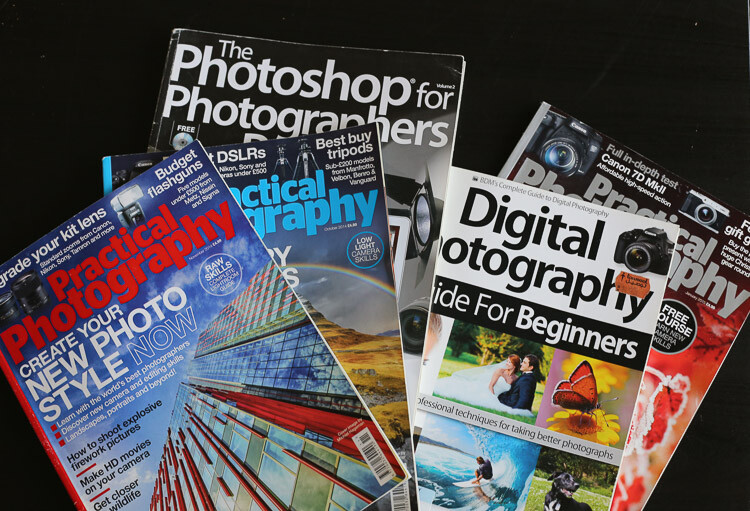
By resources, I mean articles online, magazines, and YouTube tutorials. You can learn so much in less than 30 minutes. One other tip I can also give is to check multiple resources for the same topic.
5 tips photography 2

Read photography magazines. They have amazing stories and tutorials.

For example you want to learn how take portraits – don’t read or watch only one tutorial. The more you research, the more you will learn, because sometimes one article won’t give you all the answers to your questions, but another article will.

You should also anticipate. What I mean by that, is to learn about it, before trying to do something.

For example, say you want to buy a new DSLR. You should learn how to use it before you actually buy it, read reviews and tutorials. If you are planning a trip to the sea, then learn seascape photography before travelling.
5 tips photography 3

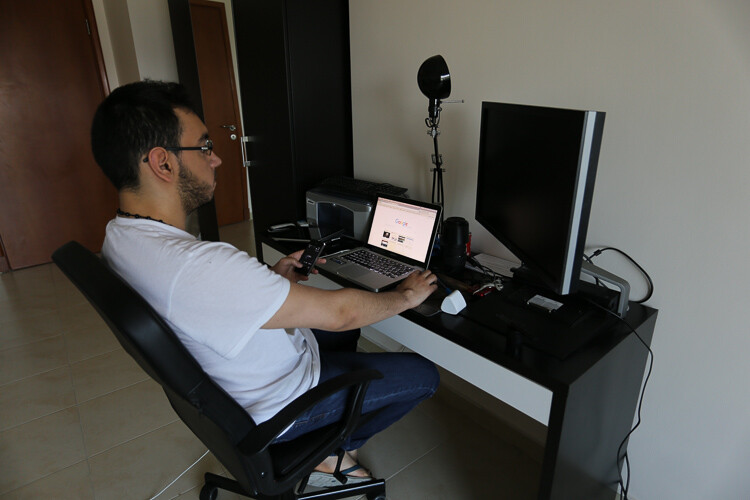
Photography is spending hours and hours on research.

#2 – Try all kinds of photography

This brings me to my second tip: don’t focus on only one type of photography. Of course, if you like portrait photography then do that. What I’m trying to say, is that you should explore all the possibilities, before focusing on only one type of photography. Try to add variation by learning about macro photography, landscapes, portraits, wildlife, etc.

5 tips photography 4

Try super sports car photography. It’s so fun, just protect your ears.

You may be surprised by the results you get, and if you never try, you will never know if you actually like photographing birds or not. From my experience, the more you learn, the more you’ll be able to do things. It’s better knowing how to do five things than only one. Starting photography and only wanting to take portraits is not the right mindset. It’s just like food, if you don’t try new food, you will never know if you like it or not.

#3 – Photography is an investment

The third thing you should know is that photography is a big investment. You will need to buy lenses, camera bodies, tripods, and filters, which will end up being quite expensive. If you are not smart with your decisions, then your bank account can end up in tears.

It may seem confusing when I tell you to try different types of photography, but then warn you about buying too much gear. If you want to try macro photography, don’t buy a macro lens right away. Just buy extension tubes (or close-up filters) until you know if you are serious about macro. They cost a lot less, and increase your focusing distance dramatically.

5 tips photography 5

A very inexpensive $ 30 ND Filter.

For filters, you can buy $ 20 Neutral Density filters for your landscape photography. Of course they won’t have the same quality as the professional ones, but it’s a good place to start.

I started photography with a phone, then moved up to an entry level DSLR, and now I own a full frame camera. But, it took me four years to go from my phone to full frame, so don’t go out and buy the best DSLR ever, find something that will suit where are you starting first.

5 tips photography 6

Phone photography

Make smart decisions, a normal kit lens is enough to get started in landscape photography.

#4 – Post-processing is a good thing

The fourth tip is about post-processing. Most beginner photographers underestimate the power of post-processing. It can make or break an image, that’s why my first point is important. You have to learn and fail in order to succeed – once you learn how to master software like Lightroom and Photoshop, your photography will become more like a process, because you will automatically think about post-production.

5 tips photography 7 5 tips photography 8

For post-production, I also recommend learning about the same topic from different sources. There are a lot of different ways to do the same thing, you just have to find which way works the best for you. It doesn’t matter how you do it, the important thing is the end result.

For example, for dodging and burning an image I prefer using a curves layer with a mask, but that doesn’t mean I don’t know how to dodge and burn using grey layers.

Post-production can be quite scary because there are so many tools, but once you master a certain software, you will be able to work on your worst shots and get the best out of them.

I would say that post-production is almost indispensable. There are a lot of photographers who want natural photography, but that doesn’t exist. Your colours will get interpreted anyway, it’s up to you to decide if you want your camera to do it automatically, or if you want to take control over everything.

5 tips photography 9

Simple snapshot with my own interpretation of colors.

#5 – Good photographers create depth in their images

The last thing you should know is that photography is all about creating depth. There are many ways of creating depth; you can do it with light and contrast, colours, movement, a solid composition, and with depth of field.

You should aim to have at least one of these elements in your images. If you can mix all these elements in one image, then your result will be even better.

With light and contrast you can play around with shadows, and dodging a burning. The main purpose is to have uneven lighting on purpose – try to avoid flat lighting. Some area should be lighter than others, and some darker. You also want to know which lighting conditions will give you the best results. For example, if you like shooting landscapes then you will want to know that you get the best light during the magic hour (blue hour).


Composition is the most important thing, try to use a foreground, middle ground and a background. The rule of thirds is also really useful to frame your subject in a pleasing way.

5 tips photography 10

With colours, the main purpose is to have tones that go together. Always look at your colour palette and see what works best. This is quite difficult to do, but one tip I can give you, is that when the colours do not look good, convert your image to black and white.

For movement, try long exposures, they are a good way to create a surreal images.

The last thing is depth of field. This is very important if you’re taking portraits, the amount of background blur can completely change an image. If you want to learn about it here’s another article I wrote: How to Achieve Background Blur or Bokeh where I explain three easy ways to achieve a nice bokeh.
IMAGE 2

Summary

So if you’re just getting into photography, consider these five things as you begin your journey. Learn everything you can from multiple sources, try different kinds of photography to see what you like, don’t get caught in gear envy, don’t be afraid of post-processing and remember to add depth to make more interesting images.

Are you further along in photography? What other advice would you offer to new photographers? Please share in the comments below.

googletag.cmd.push(function() {
tablet_slots.push( googletag.defineSlot( “/1005424/_dPSv4_tab-all-article-bottom_(300×250)”, [300, 250], “pb-ad-78623” ).addService( googletag.pubads() ) ); } );

googletag.cmd.push(function() {
mobile_slots.push( googletag.defineSlot( “/1005424/_dPSv4_mob-all-article-bottom_(300×250)”, [300, 250], “pb-ad-78158” ).addService( googletag.pubads() ) ); } );

The post 5 Things Newbies Should Know About Getting Started in Photography by Yacine Bessekhouad appeared first on Digital Photography School.


Digital Photography School

 
Comments Off on 5 Things Newbies Should Know About Getting Started in Photography

Posted in Photography


Canon EOS 5D IV: What you need to know

28 Aug

Canon EOS 5D IV: What you need to know

It’s been more than four years since the launch of the Canon EOS 5D Mark III, and just head of this year’s Photokina trade show in Cologne we finally have a successor: the EOS 5D Mark IV.

While externally similar to the 5D III, and the higher-resolution 5DS/5DS R, the new EOS 5D Mark IV offers some significant internal improvements. We got our hands on a pre-production camera recently, and in this slideshow we’ll be giving you a quick overview of the key features. 

The EOS 5D Mark IV will come in three kits: body only ($ 3499), with the 24-70 IS USM lens ($ 4399) or with the 24-105 IS II USM lens ($ 4599).

Canon EOS 5D IV: What you need to know

The Canon EOS 5D Mark IV offers a roughly 30% increase in pixel count over its predecessor, and sits midway in terms of resolution between the EOS 5D III and the EOS 5DS/R, currently ‘best in class’ at 50MP. Nikon’s current ‘resolution’ flagship, the 36MP D810, offers a few more pixels but practically speaking the difference between 30MP and 36MP is likely to be pretty much academic.

The 5D Mark IV’s native ISO sensitivity span extends a touch higher than that of the EOS 5D III, covering ISO 100-32000. Its extended ISO sensitivity span, however, is identical to that of its predecessor, at 50-102400. Both cameras offer greater nominal low light sensitivity than the Nikon D810, which is capped at ISO 12800 natively, and can be extended to 51200.

Canon EOS 5D IV: What you need to know

New (and currently exclusive) to the EOS 5D IV is what Canon is calling ‘Dual Pixel Raw’. This mode uses the sensor’s Dual Pixel photo sites (more on that below) to effectively create two 30MP files from a single exposure. The resulting file can be adjusted in Canon’s Digital Photo Professional Software to slightly shift the point of critical focus.

The technology behind this feature is complex – it isn’t light field imagery, although the user experience is similar – and we’ll be digging into it more when we receive a fully reviewable camera.

Canon EOS 5D IV: What you need to know

Something old, something new, something borrowed… the EOS 5D Mark IV’s AF system is very closely related to that of the EOS 5D III, which itself inherited the 61-point AF array from the (then) flagship EOS-1D X. New in the EOS 5D IV is the addition of Canon’s iTR (Intelligent Tracking and Recognition) system which incorporates data from a 150,000-pixel metering sensor, to assist subject recognition.

In theory this should make the 5D IV better at identifying and maintaining focus on moving subjects, but from our (admittedly limited) use so far it seems to offer roughly the same performance as the EOS 5DS/R. Which is to say: not bad, but not great. The EOS 5D IV might prove somewhat more useful for fast action photographers than its predecessor, but when it comes to tracking, the Nikon D810 probably still offers the most capable autofocus system in this class. Obviously though, this is something we’ll be testing as soon as possible.

Canon EOS 5D IV: What you need to know

One key area where the EOS 5D IV outshines the D810 is autofocus in live view and video. The Mark IV’s Dual Pixel AF system brings rapid and consistently reliable focus in both modes, and unlike the flagship EOS-1D X II, the 5D IV can offer continuous tracking in live view mode, in addition to the incredible capable movie servo AF during video recording. Based on the time we’ve spent with preproduction Mark IV’s, we are very impressed with just how responsive the Dual Pixel system is.

By comparison, the EOS 5D III’s contrast-detection live view and video AF system is slow, prone to hunting, and cannot offer any kind of continuous focusing. The same applies to the D810, which offers a similarly basic contrast-detection autofocus system in these modes.

Canon EOS 5D IV: What you need to know

As far as handling is concerned, the EOS 5D IV offers a broadly similar experience to its predecessor. This is simple common sense on Canon’s part, but the new camera isn’t just a re-heated version of the same old 5D-series ergonomics. For one thing, the 5D IV features a touch-sensitive, 3.2″ rear screen which, unlike the EOS-1D X II, is tightly incorporated into all key areas of the camera’s feature set. 

From touching to focus in live view and video to quickly tapping to zoom into images after a shoot, the EOS 5D IV’s touchscreen makes a real – and very positive – difference to the camera’s handling compared to both the EOS 5D III and also competitive cameras like the Nikon D810 and Sony a7R II.

Canon EOS 5D IV: What you need to know

In classic Canon style, for all of the brand new features that the EOS 5D IV brings to the table, it inherits a few, too. One of the more welcome additions is an EOS 7D II-style AF area selection button, just below and to the right of to the AF joystick on the rear of the camera. As with the 7D II, this button can be customized to fulfill one of various other functions, depending on the preferences of the photographer.

Canon EOS 5D IV: What you need to know

Hiding inside that comfy grip are dual slots for SD and CompactFlash media. As usual, media can be configured so that when two cards are installed, one acts as overflow storage, backup storage, or can be dedicated to either stills or video. 

That molding line on the EOS 5D Mark II’s pentaprism might look like the camera boasts a built-in flash, but it doesn’t. The very top of the pentaprism is polycarbonate, to accommodate the requirements of built-in WiFi and GPS. The EOS 5D IV is fully weather-sealed, and when paired with one of Canon’s L-series lenses, it should withstand shooting in tough conditions.

Canon EOS 5D IV: What you need to know

There are plenty of holes in the EOS 5D IV, but fortunately they’re physical, not figurative. As well as microphone and headphone monitoring sockets you’ll also find HDMI out, USB 3.0 and a conventional flash sync socket. Just under our hand model’s thumb is the port for a wired remote shutter release.

Speaking of video, the EOS 5D Mark IV becomes only Canon’s third DSLR to offer 4K video capture, in addition to a solid HD video feature set. As we’ve come to expect from 4K-capable DSLRs there is a crop factor at play in 4K video mode, though, and it’s fairly aggressive at around 1.7X – somewhat more aggressive than Super 35mm format.

Canon EOS 5D IV: What you need to know

Neither the EOS 5D III nor Nikon D810 offer 4K, of course, and the EOS 5D IV’s combination of high-resolution video, full-time touchscreen interface and Dual Pixel AF make it – at least on paper – the most capable full-frame DSLR for video at this point in time.

Clean HDMI out is possible, not for 4K. Like the EOS-1D X Mark II, 4K recording is only possible in the highly inefficient Motion JPEG format, but according to Canon, this is deliberate, as it offers easy stills extraction from a 4K timeline – essentially enabling 30 fps 8MP capture (assuming favorable shooting conditions).

The Canon EOS 5D Mark II uses the very familiar LP-E6N battery, rated at 900 shots per charge (CIPA).

Canon EOS 5D IV: What you need to know

A new dedicated grip, known as the BG-E20 ($ 349), doubles your battery life and offers additional controls for shooting in the portrait orientation.

Canon EOS 5D IV: What you need to know

The EOS 5D IV is launched alongside a brand new 24-105mm F4 IS L II USM kit zoom, and a Mark III version of the 16-35mm F2.8 (pictured above). These lenses retail for $ 1099 and $ 2199 respectively, and both are scheduled for October availability.

Canon EOS 5D IV: What you need to know

Compared to its predecessor, the EOS 5D IV is improved in virtually every way. Compared to the EOS 5DS/R, while the Mark IV can’t quite match their resolving power, it outpaces them in terms of speed, and of course a much richer video feature set.

Nikon’s D810 is the EOS 5D Mark IV’s most obvious competitor, but although it’s been on the market for quite some time, it’s still very competitive in several areas. Where the EOS 5D IV scores over the D810 is video specification (obviously) and some aspects of handling. Thanks to Dual Pixel AF, the EOS 5D IV much more fun to use in video and live view modes, but the addition of a touchscreen makes some operations – like image review – quicker and easier than they are with the D810’s more traditional button-based ergonomics. 

Let us know what you think of Canon’s new EOS 5D Mark IV in the comments.

Articles: Digital Photography Review (dpreview.com)

 
Comments Off on Canon EOS 5D IV: What you need to know

Posted in Uncategorized


Canon EOS-1D X Mark II: What you need to know

22 Aug

Introduction

The Canon EOS-1D X Mark II is Canon’s flagship DSLR aimed at pro photographers, with a lineage dating all the way back to 2001’s EOS-1D. As usual, this iteration of the line is full of new and updated technologies designed to make it one of the top performing cameras in the world.

A quick glance through the headline features will tell you that this is a pretty amazing camera, and unsurprisingly that’s pretty much what our review uncovered. But let’s take a look at what impressed us most, what surprised us, and maybe even what disappointed us a little bit.

Touch screen innovation – conservative UI

The EOS-1D X II gains a touchscreen, which we’ve seen work well in conjunction with the excellent live view focus that Canon’s Dual Pixel AF can bring. Sadly, and presumably in the name of backwards compatibility, its use is extremely limited.

Thus, you can customize the arrangement of the Q.Menu but can’t operate it by touch. You can use the touchscreen to specify the AF position in live view mode, but the camera can’t then track the subject and, unlike its Nikon counterpart, you can’t double-tap to zoom nor swipe to switch images.

In fairness, the 1D X II is designed as the zenith of what the conventional DSLR can do. It’s a traditional, sports-shooting super camera that will be immediately familiar to existing users of the series. But is that a reason to limit the utility of a feature that its new owners are having to pay for?

Autofocus needs careful configuration

The EOS-1D X II’s autofocus is excellent, as you’d expect for a camera whose first major outing was to cover the multitude different sporting challenges of the Rio Olympics.

Configuration is easier than on the likes of the EOS-1D IV: you now need only choose from six preset use cases, then adjust them if they’re not giving you the results you want, rather than just being confronted with the 75 different combinations that the settings allow.

However, in our testing, we found that it needed a bit more of a hand than Nikon’s D5 for it to anticipate the type of movement it needed to shoot. And that, once suitably configured, it was less adaptable to other shooting situations. Which isn’t to suggest it’s not up to the job, just that it requires a little more user input.

We were also hoping the higher resolution metering sensor would increase the accuracy, of the camera’s iTR focus tracking system. Sadly, the system still felt imprecise and tended to jump off the subject entirely. It works, but it’s not as effective as the 3D autofocus on the Nikon D5, which may leave many users shooting their 1D X II the same way they always have.

Quick, easy video

The 1DX II can shoot DCI 4K video at 60 frames per second. It’s the first stills camera we’ve seen that can do this and we were very impressed with the quality, detail and how little rolling shutter it exhibits. So, while we don’t expect many people to buy this camera for video shooting, it does put very good quality video into the hands of photojournalists and sideline shooters (so long as TV rights deals don’t prohibit it, of course).

And, beyond thinking of it as video, this means the 1D X II can shoot 8MP JPEGs at 60 frames per second with the camera refocusing as you shoot. Suddenly, rather than just using the touchscreen to rack focus between subjects, you can ask it to track subjects as you record and have a great chance of capturing your decisive moment.

Huge files, dual formats

High frame rate 4K isn’t an unalloyed benefit, though. The 1D X II doesn’t (or can’t) compress video into a compact video format, instead taking the unusual route of using the huge, inefficient Motion JPEG format.

It’s true that Motion JPEG gives slightly higher quality individual frame grabs even than All-I H.264 (where each frame is recorded individually), but the size cost for that gain is tremendous.

And this draws attention to the 1D X II’s decision to use two different memory card formats. You’ll need to use a CFast card to capture video at the camera’s highest rate, just as you will to maximize the camera’s buffer when 14 fps shooting. In which case, what do you use the second slot for? Even choosing to record JPEGs to the physically similar Compact Flash format while shooting Raw to a CFast risks slowing the camera down. Perhaps Canon should have been brave and made a dual CFast camera, even if that meant also offering a slower dual CompactFlash version.

Image Quality

The area we had least concern about was image quality (though the JPEGs seemed a little muted, by default.) Despite splitting every pixel in two and increasing the amount of circuitry, the 1D X II outperforms its predecessor in low light. That’s not enough to quite match the best sensors we’ve seen but hey, you also gain that simple autofocus in video.

The other area in which the Mark II gains an edge over the original model is dynamic range. A move to on-sensor analog-to-digital conversion means that you get Raw files will more processing latitude at low ISOs. You can push, pull and manipulate your Raw files more than before without having to worry about noise becoming visible. Which is especially useful in unexpected or challenging light the X is likely to encounter.

Take Home Message

The EOS-1D X II exceeds its predecessor in just about every way, though not without a few compromises along the way.

We love the additional dynamic range we get out of the Raw files on this camera; it makes it a much more flexible tool in challenging lighting. We also love the CFast card slot, though we kind of wish Canon had gone all the way and just put in two of them. Also, while AF is blazing fast, there are enough customization options to make you dizzy at times; practice and familiarity will pay off.

Our biggest surprise was how much we liked the 1D X II as a video camera. Thanks to Dual Pixel autofocus, it’s really easy to capture beautiful footage, even for someone who’s not a video pro. This could be a real game changer for photographers who need to capture both stills and video from the same event.

What’s your experience? Have a favorite feature or surprise from this camera? Tell us in the comments below?

Articles: Digital Photography Review (dpreview.com)

 
Comments Off on Canon EOS-1D X Mark II: What you need to know

Posted in Uncategorized


Fujifilm X-E2S: What you need to know

19 Aug

Introduction

The Fujifilm X-E2S is essentially a Fujifilm X-E2 with firmware updates and some very minor tweaks. That doesn’t mean it’s a bad camera, or that people shouldn’t consider it. Over the course of doing a thorough review (one that focused on its use and its appeal to different users, given how well-known the camera’s performance is), I came away with some observations – some of which you’d miss if you were just skimming the review, or reading through the key specifications.

So in case you missed it, let’s take a quick look back at some of our findings with the Fujifilm X-E2S.

The fun factor

I don’t always want to bring cameras I review to my friends’ barbecues. But I did want to bring the X-E2S. Fujifilm XF 27mm F2.8. ISO 200, 1/250 sec, F2.8.

The most important thing to note about the Fujifilm X-E2S is that it’s a camera that you’ll want to pick up and just go shooting with. Its retro styling isn’t to everyone’s taste, but most people that see it will think it looks ‘cool.’ The buttons have great feedback, and to for the photographer with some experience, the old-school shutter speed, aperture and exposure compensation dials are a natural and easy way to take control of the camera. As for the newbie who just grabbed it because of the new, lower MSRP, the ‘Auto’ button on the back will ensure he or she can enjoy shooting right away, while all those other controls make for an excellent camera to grow in to. Although the menus are a bit laggy, the abundant customizable controls will limit the time you’ll need to spend in them. 

In the end, this camera is just fun to use, which means you’ll want to take it with you more often, which means you’re going to end up taking more photographs. That’s never a bad thing.

The JPEGs

Straight-out-of-camera JPEG using the Classic Chrome film simulation. Fujifilm XF 27mm F2.8 lens. ISO 2500, 1/125 sec, F2.8.

Take a Google stroll across the World Wide Web, and you’ll see heaps of both praise and disdain being hurled at Fujifilm’s JPEG engine. As for us? We’re big fans. Not only do you get lots of adjustment parameters, you can get quick access to them to boot using the custom-settings banks (although these also save your ISO parameters, which we’re not such big fans of). At the core of its appeal is Fujifilm’s selection of film simulations. Don’t be fooled, they won’t necessarily give you transparent, true-to-life colors (Classic Chrome used above is a good example), but they have a certain richness and personality to them that we find oddly addictive. Some people will still struggle with waxy skin tones at higher ISO values, but for the most part, we found we could get away without shooting Raws on the X-E2S by dialing down the noise reduction.

The convenience 

When you pop the XF 27mm F2.8 pancake lens on the Fujifilm X-E2S, you’ll have a combination that’s only slightly bigger than its fixed-lens sibling, the X100T. Sure, you get a slower maximum aperture with the pancake, but you also get a different field of view – and the 27mm is excellent wide-open. It’s a combination that’s unobtrusive and will let you get the X-E2S into venues where cameras with detachable lenses are generally not allowed, and your images will stand out from the masses and their smartphone snaps.

And speaking of smartphones, the built-in Wi-Fi on the X-E2S will allow you to share your images almost as quickly as if you were one of the masses shooting with a smartphone. The size and Wi-Fi implementation alone make the X-E2S a convenient companion that still feels like a real camera.

The great kit lens 

Out-of-camera JPEG using the Provia preset. Fujifilm XF 18-55mm F2.8-4 @ 55mm. ISO 200, 1/1500 sec, F4.

The Fujifilm X-E2S can be had with an XF 18-55mm F2.8-4 kit zoom lens, and although the price premium is higher than other manufacturers’ kit bundles, there’s a few clear reasons why. This kit lens is all metal, optically stabilized and has a solid feel to it without feeling heavy. The zoom, focus ring and aperture rings are all good-sized and well-damped. Lastly and most importantly, its maximum aperture varies from 2/3 of a stop to a full stop faster than most competitors’. Not only will this allow you to keep your ISO values that much lower in challenging lighting conditions, but it also contributes to an increased amount of background blur, and it must be said, the out-of-focus characteristics of this lens are very good. For people who aren’t able or don’t want to swap lenses or invest in a collection, this is a kit lens that could be their only lens without regret.

The whole package

Processed to taste in Adobe Camera Raw using the Pro Neg Hi preset. Fujifilm XF 90mm F2. ISO 1600, 1/200 sec, F8.

There are certainly some aspects of the Fujifilm X-E2S that are starting to show their age – but they may not matter to everyone. The 16MP X-Trans sensor has less resolution than many competitors, but it still offers up good color and noise performance. The autofocus system isn’t great for fast-moving subjects, but for casual shooting, most users will find it’s good enough. The only feature that is really unforgivably bad is its video quality, which actually made me chuckle out loud when I looked at it for the review. But this camera is also very obviously not geared toward video shooters.

So the X-E2S isn’t the most exciting camera that Fujifilm has released recently – the X-T2 and X-Pro2 have both brought some stirring innovations to the Fujifilm ecosystem – but that doesn’t make the X-E2S any less solid. As a decidedly midrange experience being sold at something approaching a more entry-level price, the Fujifilm X-E2S deserves a look.

Articles: Digital Photography Review (dpreview.com)

 
Comments Off on Fujifilm X-E2S: What you need to know

Posted in Uncategorized


6 Ways to Take a Candid Portrait of Somebody You Know

04 Aug

Get Andrew’s The Candid Portrait eBook at 43% off now over at Snapndeals, only until August 9th (AUS time).

The phrase candid portrait is often used to refer to the type of portrait taken when the subject is unaware of the photographer. This is usually seen in street photography, but also applies in other areas such as documentary style wedding photography.

A candid portrait

If you think of a candid portrait as being one that captures someone acting authentically or with a natural expression, as opposed to one where the model has been directed to pose or act in a certain way, then it follows that you can also take candid portraits of people you know. Or even somebody that you don’t know, but have seen in the street and asked for permission to make a portrait.

Here are some tips for taking candid portraits of people with permission.

1. Look for expressions that capture character

If you are taking photos of somebody in a formal situation and you want to capture natural expressions rather than a more forced one (or the sullen expressions preferred by many fashion models) then you need to become a keen observer.A candid portrait

Watch for the moments in-between, the ones where your model is relaxed while you pause before taking another photo. How do they behave while the camera isn’t pointing at them? How do they respond when you talk to them? What expressions do you see when they talk about something that interests or excites them? What unconscious gestures do they make?

I was taking photos of a friend when I noticed that she had a particular gesture that she sometimes made, when the camera wasn’t pointing at her. I waited until it happened again, then asked her to hold the pose while I took the photo (right). The resulting portrait is one of her (and my) favorites from the shoot.

2. Make the most of random encounters

I remember my first evening taking photos in Bolivia. It was late afternoon, quickly fading to dusk, and the streets were lit by a soft red glow, cast by the setting sun.

I raised my camera to take a photo of a mud brick building. From the corner of my eye I saw a small boy running down the street. He passed in front of the camera, stopped, turned towards me, and started waving his hands in the air. He obviously wanted to be in the photo, and a few seconds later he was joined by an older boy, presumably his brother, who also posed for a photo. Then they continued on down the street, and beckoned me to follow them.

Curious, I followed, and they led me to a car parked around the corner, where their father was waiting for them. They explained what had happened, and then the father asked me to take a photo of all of them together. He was a little drunk, and invited me to their house for dinner. I politely declined, although I would have liked to see the look on his wife’s face when I arrived.

A candid portrait

When you are traveling and people are being open and friendly like this, take advantage. Be open to random encounters, and the possibilities that can arise from them. At the very least you will have some interesting experiences and new stories to tell.

3. Use a small camera and lens

A friend of mine is an experienced model. I have photographed her with an EOS 5D Mark II and an 85mm lens, which is a fairly large combination. I have also used a Fujifilm X-T1 and 56mm lens, which is much smaller. She commented afterwards that the experience was different, and that she felt under much less pressure to be a good model with the smaller camera.

Fujifilm X-T1 firmware upgrade

If an experienced model feels this way, then imagine the effect on somebody who is not used to having their photo taken. I’m sure this is one of the reasons that people like to take photos on smartphones, and why the results can be surprisingly good – because the people being photographed feel no pressure to do anything, other than act natural.

The lesson is that camera and lens size matter. Cameras and lenses are tools, and it is up to the photographer to choose the most appropriate one for the job at hand. A smaller set up will help you capture candid portraits, even of people you know.

4. Find a good reason to ask someone if you can make a portrait

If you are not used to asking strangers if you can make a portrait of them, it becomes a lot easier if you can give them a good reason. You don’t always have to search very hard to find one.

For example, a few weeks ago I visited a blacksmith’s forge that uses forging techniques from 100 years ago. The smiths there do demonstrations for the visiting public, and I simply asked if I could take some photos while the smith was doing his demonstration. The result is a very natural portrait of somebody at work.

A candid portrait

At carnival in Cadiz earlier this year there were lots of people dressed in costume, but only a few with face paint. When I saw somebody with interesting face paint I asked if I could take a photo (it helps that I speak reasonable Spanish). Each time I explained that I really liked their make-up, the person said yes, and I took a couple of photos.

This is one of the natural expressions I was rewarded with.

A candid portrait

5. Undertake a project

Early last year I thought it would be interesting to take some photos of people practicing parkour, and got in touch with some local traceurs through a Facebook group. Two of them in particular were interested in a shoot, so we went out into the streets of Wellington and they showed me some of the things that they do. I took photos and portraits as we went along. It was easy to create candid portraits as well as some action photos, because they were enjoying what they were doing and having fun.

I didn’t think about it until afterwards but now it occurs to me that what we were doing was a form of street photography, just one where I was working in a collaboration, rather than trying to take photos of people without them noticing me. That led to a entirely different set of photos than I could have made if I had seen them doing their thing in the street, and just taken some photos without any form of interaction.

A candid portrait

6. Take photos of friends doing interesting things

A friend of mine made her own gypsy caravan to live in. I think this is a fantastic tiny space project, and once it was finished I asked her if I could take some photos of her there. Her natural enthusiasm came across as we talked about it. I asked her to sit outside and play her guitar. While she was absorbed in what she was doing, I made some candid portraits that captured expressions like this.

A candid portrait

Do you have any techniques of your own for taking candid or natural portraits of people that you know? I’d love to hear them – please let me know in the comments.

Get Andrew’s The Candid Portrait eBook at 43% off now over at Snapndeals, only until August 9th (AUS time).

googletag.cmd.push(function() {
tablet_slots.push( googletag.defineSlot( “/1005424/_dPSv4_tab-all-article-bottom_(300×250)”, [300, 250], “pb-ad-78623” ).addService( googletag.pubads() ) ); } );

googletag.cmd.push(function() {
mobile_slots.push( googletag.defineSlot( “/1005424/_dPSv4_mob-all-article-bottom_(300×250)”, [300, 250], “pb-ad-78158” ).addService( googletag.pubads() ) ); } );

The post 6 Ways to Take a Candid Portrait of Somebody You Know by Andrew S. Gibson appeared first on Digital Photography School.


Digital Photography School

 
Comments Off on 6 Ways to Take a Candid Portrait of Somebody You Know

Posted in Photography


Everything You Need to Know to Master Lightroom

03 Aug

Today we launched a brand new dPS course to help you get total control over Adobe Lightroom.

dps-lightroom-mastery-hero-v1b-large

For a short time you can grab it with a 50% off early bird discount.

Are you frustrated with the time you’re spending perfecting your photos in Lightroom?

Perhaps you’re a beginner and just don’t know where to start with the workflow?

Our latest online video training course Lightroom Mastery will have you mastering post processing in hours.

Photographer Mike Newton has created a complete Lightroom Mastery Course specially for dPS subscribers.

Whether you’re a Lightroom novice or an intermediate user, you can take the whole course and work alongside Mike or skip ahead and start on the modules/tools you want to learn.

here’s a little more on what it includes from Mike himself.

Promotional Video from Digital Photography School on Vimeo.

Checkout details on all 15 modules here.

No matter what level of Lightroom user you are, you will walk away with huge improvements in the quality of your edits and the speed of your workflow.

The best part is Mike makes it super easy to understand.

In this course you’ll learn how to:

  • Use the essential editing features of Lightroom
  • Create amazing edits quickly and easily
  • Stitch panorama
  • Add watermarks to your photos
  • Export a selection of photos as a web gallery for displaying your work online
  • Perfect your Lightroom workflow for speedy batch editing
  • Most importantly, learn what to do, when to do it, which tools to use, and have fun while editing!
  • For a limited time, we’re offering this comprehensive Lightroom Mastery course for US$ 49, but in a couple of weeks time it will be going to the regular price of US$ 99.

Learn more and grab Lightroom Mastery with a Limited Time 50% Saving here.

PS: As with all our products this one comes fully guaranteed. If for any reason you don’t find it meets your needs just let us know within 30 days of purchase and we’ll send you a refund.

googletag.cmd.push(function() {
tablet_slots.push( googletag.defineSlot( “/1005424/_dPSv4_tab-all-article-bottom_(300×250)”, [300, 250], “pb-ad-78623” ).addService( googletag.pubads() ) ); } );

googletag.cmd.push(function() {
mobile_slots.push( googletag.defineSlot( “/1005424/_dPSv4_mob-all-article-bottom_(300×250)”, [300, 250], “pb-ad-78158” ).addService( googletag.pubads() ) ); } );

The post Everything You Need to Know to Master Lightroom by Darren Rowse appeared first on Digital Photography School.


Digital Photography School

 
Comments Off on Everything You Need to Know to Master Lightroom

Posted in Photography