RSS
 

Posts Tagged ‘improve’

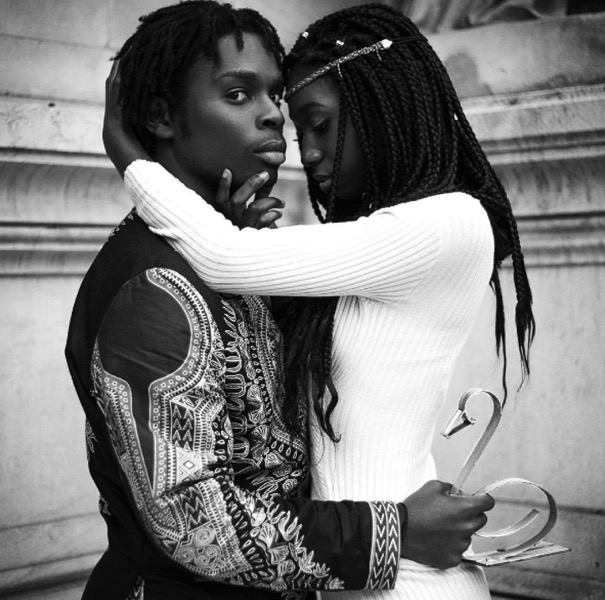
How Shooting Photos Based on a Theme Can Improve Your Work

05 Dec

In this article we’re going to talk about how having a theme before you go out to shoot can improve your images.

I used to go out on the street, in order to find the perfect shot. Months in a row I did that. I knew that I loved this lack of control, but something didn’t match. I wasn’t as excited as I thought and even my images weren’t good enough, I couldn’t understand why.

So, I took a small break from hunting beautiful images and I started to watch how others worked. I looked at many professional photographers, to find what makes them click.

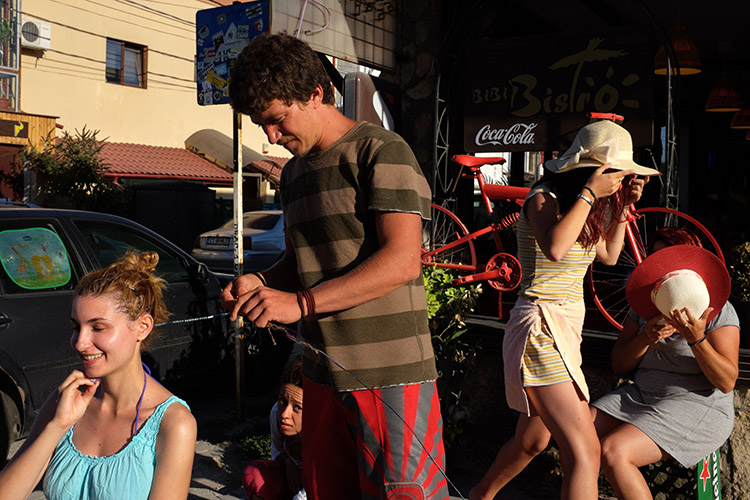
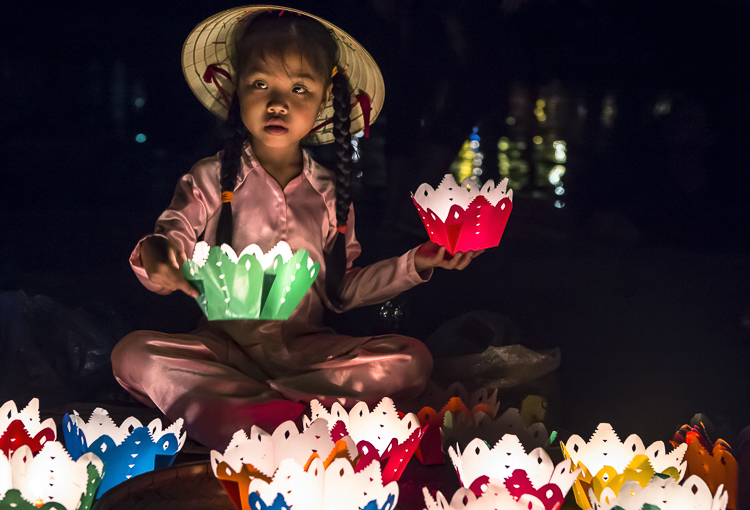
Image 001

That was when I realized my big mistake. My problem was that every time I went out, I had nothing to focus on. My eyes were looking for pictures everywhere, but my mind wasn’t able to sort out all these images. Something was missing, and that was a theme.

Taking pictures based on a theme has a lot of benefits and it can change your shooting approach in a very positive way. That’s why many photographers work like this because it makes their life much more easy and practical.

Elimination is the key

Imagine yourself in a very crowded place, let’s say a musical festival. The possibilities for images and angles are infinite. You may take pictures of the whole crowd, of a couple spending time together, or a detail on someone’s jacket. Or maybe you can take pictures of the musicians only. How can you do all these things and not get tired or confused?

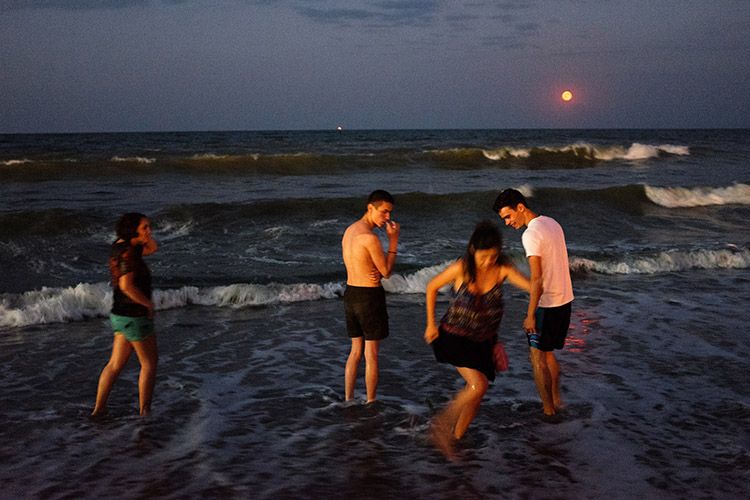
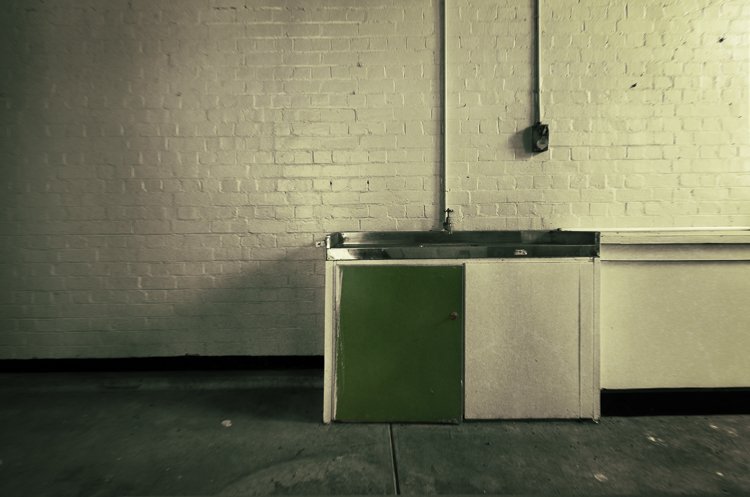
Image 002

You need to remove the things that are not important for your ideas or style of shooting. Therefore, you have to know what you’re looking for before you go out to shoot.

Let’s say you decide that your theme at that music festival should be about ladies dancing. Now, you will focus all your attention only on them, taking pictures of details on their hands, clothes, etc., and mix it up with portraits and action shots. Try different angles and perspectives, because now you have something to focus on. As a result, you eliminate all the things that might get you disorganized, such as big crowds, couples, general landscapes of the festival, etc.

Elimination is the key.

You will save time

Before working on themes in my photography, I spent many hours searching for wonderful movements and scenes to capture with my camera. On an average day, I would walk in the city for eight to nine hours and shoot for only a half hour. Why? Because I didn’t know what I was looking for.

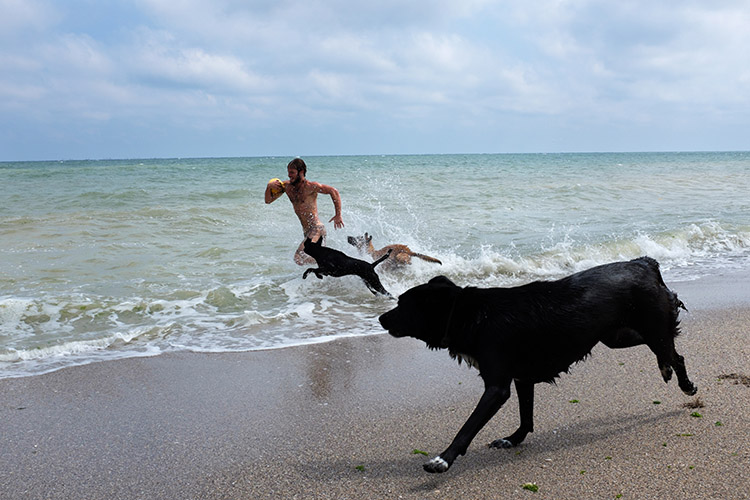
Image 003

By choosing a specific theme or subject before you go out, you will know where to look. For example, if you want to take portraits of dog owners, as a first step you can try going to the park where people walk their dogs and ask them to pose for you. On the next day, you may go at a dog grooming place, and so on.

Working on themes is a very good time-saving habit that can help you remove the gap between finding the perfect shot and actually doing it.

Targeting specific clients

Regarding the topics you may choose, your interest can grow in time. You will start to understand more about what you’re photographing and after few months, you may find yourself with a strong body of work.

Image 004

Image 005

Image 006

For example, if you have a passion for street fashion and you build a portfolio with great images on that theme, you can use that portfolio to find your future clients. You may try fashion magazines, agencies, or even online publications. Also, you can enter those images in a competition to see if they are good enough to grant you some recognition or a prize. But I don’t suggest you take pictures only for getting recognition because then you could end up working on things you may not like that much.

Theme shooting helps style development

We all think about style, it’s an artist’s signature. We want people to recognize our pictures just by looking at them and say, “These are John’s images because they look this specific way.” We want our name out there in the best way possible.

Image 007

Developing a style is a matter of time. You don’t have to fight for it because it will come by itself after years of hard work.

By working on themes and the things you care about, you’ll start to notice what things you like to photograph and how you like to do it. You will begin to understand and see yourself in your work. In this growing process, your style will evolve. It’s not a matter of conscious decision, but of knowing yourself.

If you are in a hurry to stamp your work with your style, then find a theme you are interested in and photograph that. You can’t go wrong.

Conclusion

So if you feel like your work isn’t progressing and you’re stuck, try shooting around a theme for a while. See how it helps you focus, improve your style and in the end become a better photographer.

Please share your thoughts and questions in the comments below.

googletag.cmd.push(function() {
tablet_slots.push( googletag.defineSlot( “/1005424/_dPSv4_tab-all-article-bottom_(300×250)”, [300, 250], “pb-ad-78623” ).addService( googletag.pubads() ) ); } );

googletag.cmd.push(function() {
mobile_slots.push( googletag.defineSlot( “/1005424/_dPSv4_mob-all-article-bottom_(300×250)”, [300, 250], “pb-ad-78158” ).addService( googletag.pubads() ) ); } );

The post How Shooting Photos Based on a Theme Can Improve Your Work by Cosmin Cimil appeared first on Digital Photography School.


Digital Photography School

 
Comments Off on How Shooting Photos Based on a Theme Can Improve Your Work

Posted in Photography


How to Improve Your Photography by Shooting Behind the Scenes of a Short Film Shoot

15 Nov

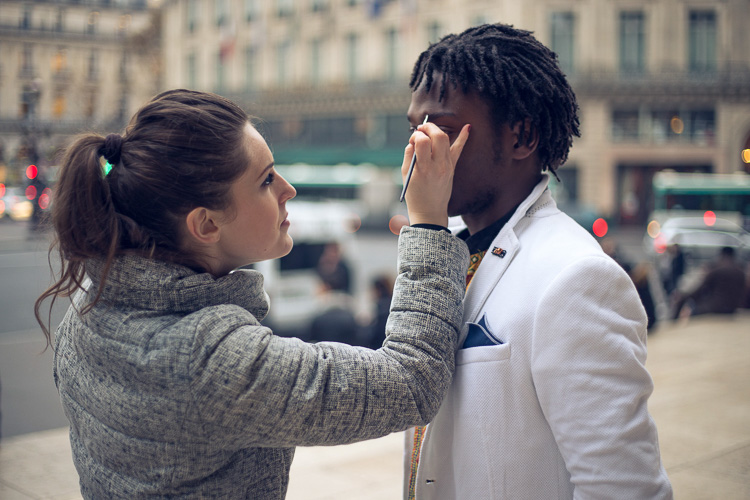
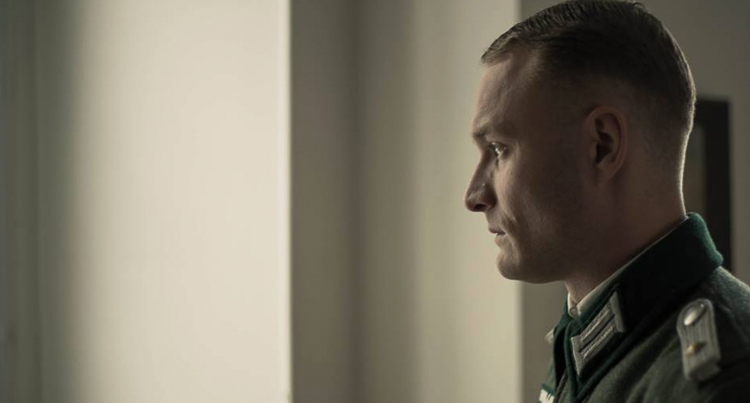
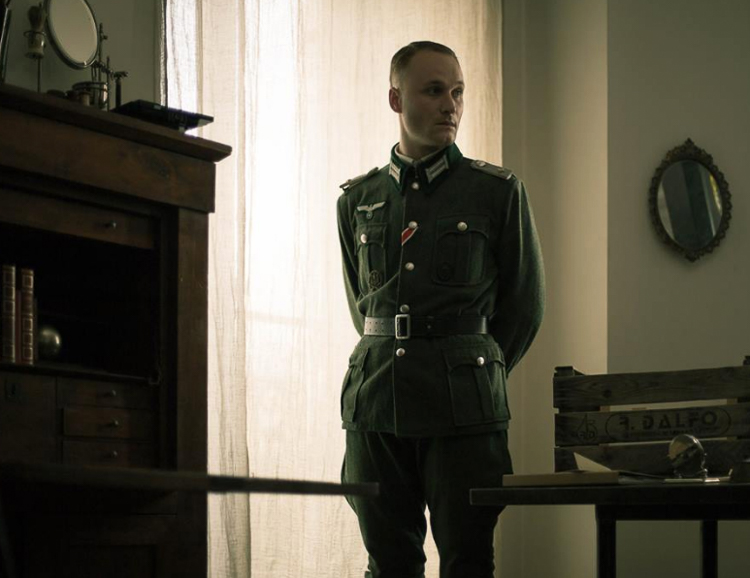
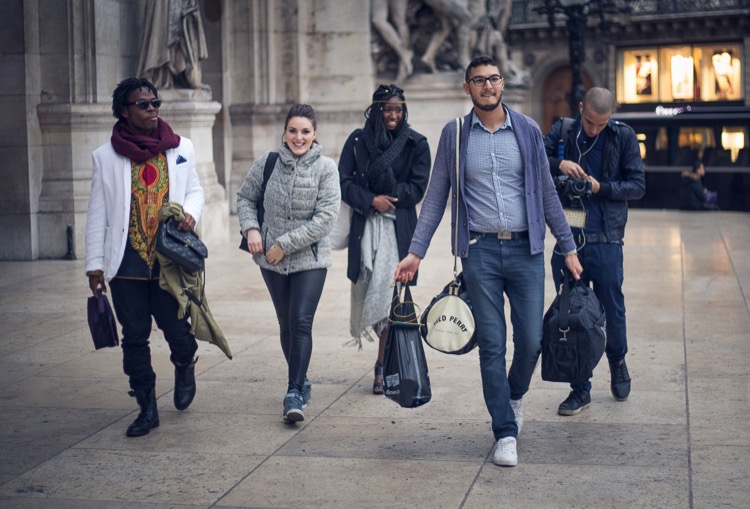
For any creative photographer, shooting behind the scenes of a short film sounds like a boring idea. That’s what I thought until my friend called me to shoot for one of his school projects (he is in a film school and had to shoot three sequences). I wasn’t going to refuse so I showed up that day and little did I know, I ended up learning so many things and got to meet a lot of people. The best part is that I took some of the best images since I first picked up my camera.

Article bts short film

Here are some reasons why you should consider shooting behind the scenes images and how it can benefit your photography:

#1 – It’s an opportunity for a photoshoot

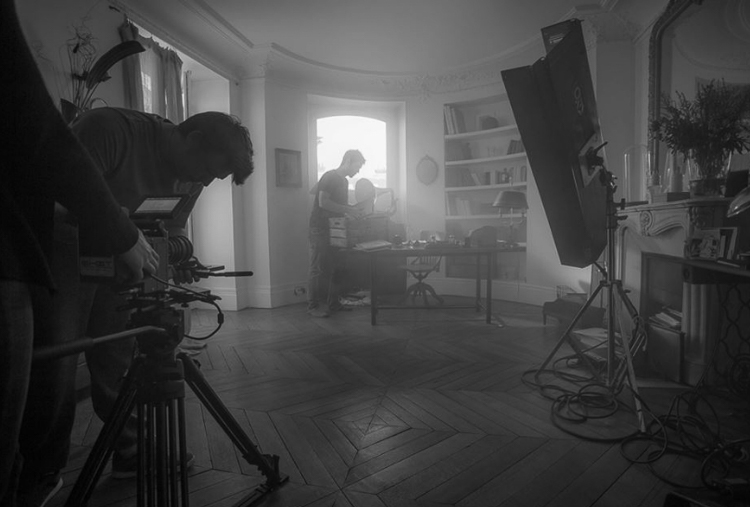
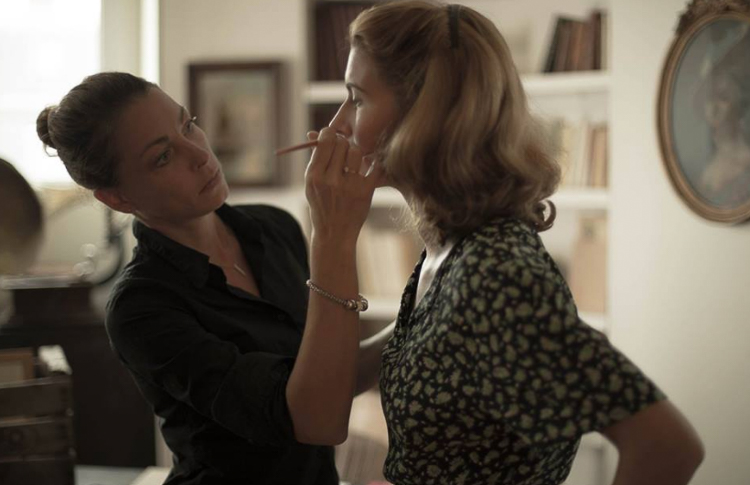
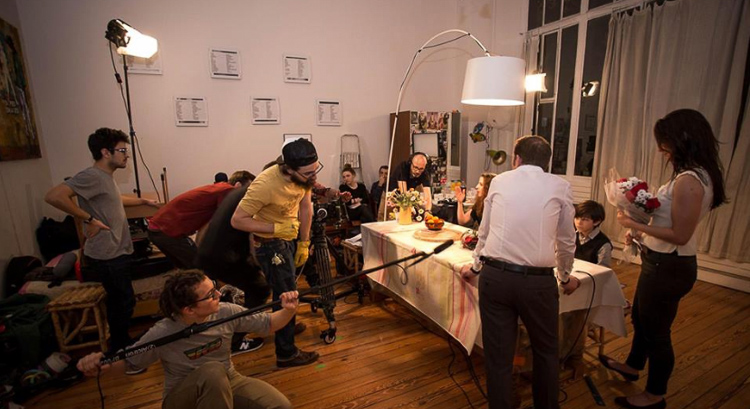
During a shoot for a short film, most of the actors are used to modeling and aren’t afraid of a camera. There is a director of photography who works on the lighting, and there is a make-up artist (of course there are more people on set who take care of the sound, costumes, assistant, etc.). A short film is basically a photo shoot but instead of taking images, people act and they are being filmed.

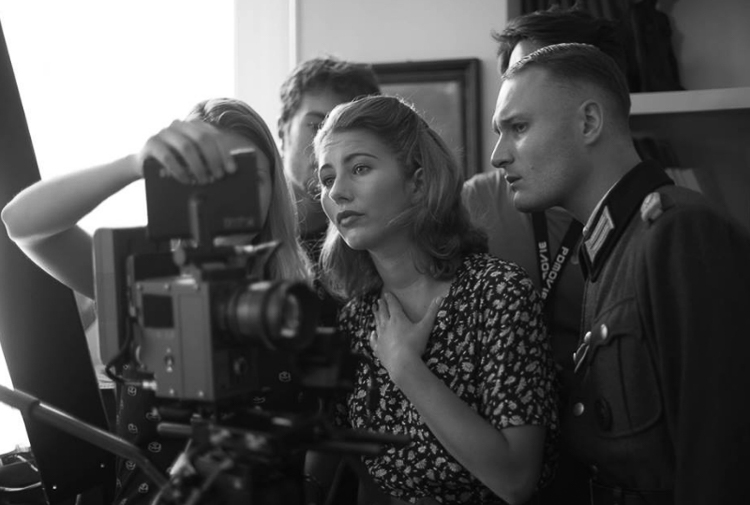
Actors have their costumes, they have had their hair and make-up done, and the director of photography just did the entire lighting for you. You have to see it as an advantage because they spend weeks planning and you’re just here to take beautiful photos with perfect conditions. I took my most beautiful images during short films and I would not have had been able to reproduce the scenes, costumes, and ambience on my own.

Article bts short film1

Article bts short film9

Even if you don’t really like the theme or would rather plan a photoshoot on your own, trying other people’s ideas can also put you out of your comfort zone and help you progress.

#2 – You’re surrounded with creatives

Working with other creatives has helped me so much. The best thing is the shared interest and not wanting to disappoint. Working with people who want to create gives you an extra boost and it pushes you to do your best. Most people on a film crew need these images. Looking at all the work they put into creating their projects, whether it’s for auditions to find the perfect actors, negotiating to borrow super expensive filming equipment, let’s not forget the make-up artists who stay on set all day, and all the detailed planning of the sequences. You can’t really disappoint with average images, so you automatically try to get stunner shots.

Article bts short film12

article-bts-short-film6

It’s quite difficult because you can only take images after the scenes when the actors are briefed by the film director. So they’re not actually posing for you, you just have to walk around without attracting any attention to get some nice images. Do not take any images when the video camera is rolling. The sound of your shutter can throw a whole scene away, and trust me you do not want to be in that situation. Just patiently wait for the director to say cut and then you can start taking your images.

Article bts short film13

When an actor is not included in a scene, you can kindly ask them to pose for you. Most of them need portraits for their website or their portfolios so they will most likely say yes. If they say no, just tell them that if they change their minds, you’re always fine with taking portraits.

Article bts short film3

Article bts short film5

#3 – You may get to work with these people on future projects

A whole day of filming can take up to eight hours or more. You’re going to meet a lot of people (depending on the size of the crew) and you will have a lot of time to get to know everyone. I would highly recommend socializing during the breaks over a cup of coffee and getting to know everyone. Most of them have the same passion as you, whether it’s the assistant or the sound team, you can speak about previous or future projects, have tech discussions about camera gear, you name it.

The actors are the most talkative, especially when they have a few hours without any scenes. Tell them about your photography. If you like their profile ask them if they would like to have a photoshoot with you in the coming weeks. The make-up artists are also great contacts to have, take their business card and contact them for your next photo shoot if you need someone for make-up and hair.

Article bts short film8

One make-up artist I met had a little girl who wanted to start modeling. We met a couple weeks later and I photographed her daughter. I ended up having a solid image that went directly into my portfolio.

Get your images ready to show them quickly

One tip I can give is to work on the images as soon as possible. Once these people see your images they will start spreading the word to other people in their school or entourage, share your images on social media, etc. (that is of course if you had good results). You will probably end up being Facebook friends with most of the crew and you can keep in contact that way.

Article bts short film2

Article bts short film11

Most of them will post on Facebook or directly contact you if they need a photographer. Once you do a good job, they will most likely call you back. Their friends will start calling you then you will meet other actors and make-up artists, and increase your contacts even more.

#4 – You will learn a lot of technical things

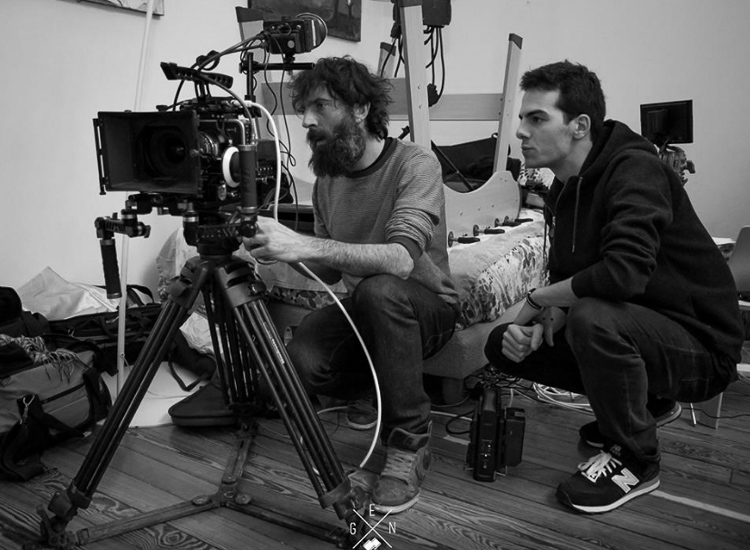
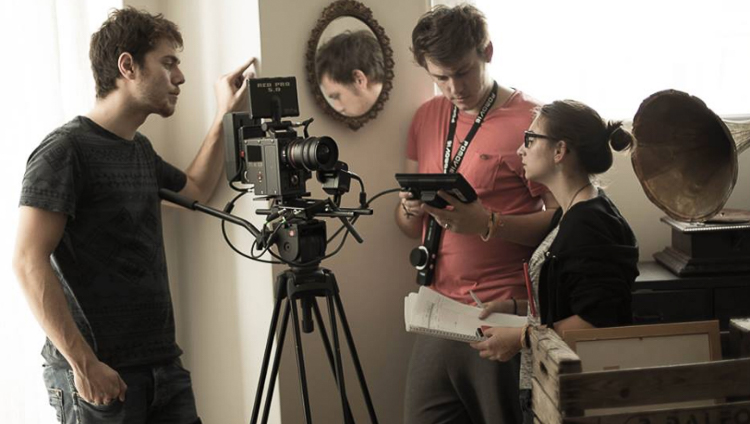
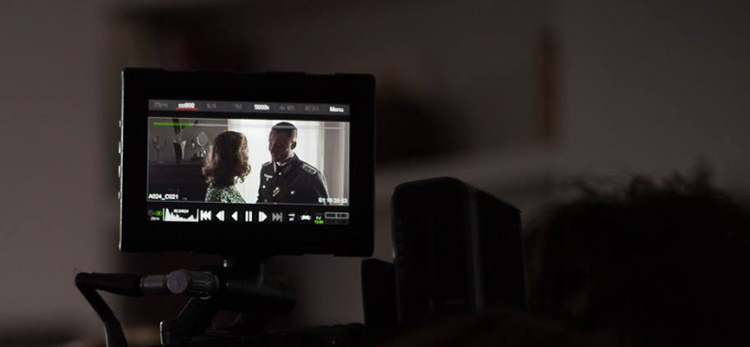
Most film crews use a lot of advanced equipment. By watching them set up everything, you will learn a lot about cameras, the choice of lenses, framing, lighting, sound, communication with actors, team work, tracking shots, and organization. Even if you’re passive in this process, open your eyes and try to absorb as much information as you can.

Article bts short film7

Article bts short film4

Most directors of photography will use different lighting techniques with some hair light, key light, harsh light, soft light, back-light with different modifiers. Pay attention to their work and try to replicate what you see later at home, you can also take images of the light set up to know exactly how each light is placed on set.

Conclusion

Those are just a few ways you can benefit from shooting behind the scenes on a film set. If you’ve had the experience of doing this, please share your thoughts and images in the comments below.

googletag.cmd.push(function() {
tablet_slots.push( googletag.defineSlot( “/1005424/_dPSv4_tab-all-article-bottom_(300×250)”, [300, 250], “pb-ad-78623” ).addService( googletag.pubads() ) ); } );

googletag.cmd.push(function() {
mobile_slots.push( googletag.defineSlot( “/1005424/_dPSv4_mob-all-article-bottom_(300×250)”, [300, 250], “pb-ad-78158” ).addService( googletag.pubads() ) ); } );

The post How to Improve Your Photography by Shooting Behind the Scenes of a Short Film Shoot by Yacine Bessekhouad appeared first on Digital Photography School.


Digital Photography School

 
Comments Off on How to Improve Your Photography by Shooting Behind the Scenes of a Short Film Shoot

Posted in Photography


10 Non-Technical Ways to Improve Your Street Photography

18 Oct

The technical side of street photography is incredibly important to master, because if you do not understand your camera, then you will not be able to do the tips in this article well. You want to be able to know your camera so well that you forget it is even there.

However, it is the non-technical tips, thinking beyond the camera, that can help you to improve to the next level. So here are 10 of my favorite tips to help improve your street photography.

1. Be spontaneous

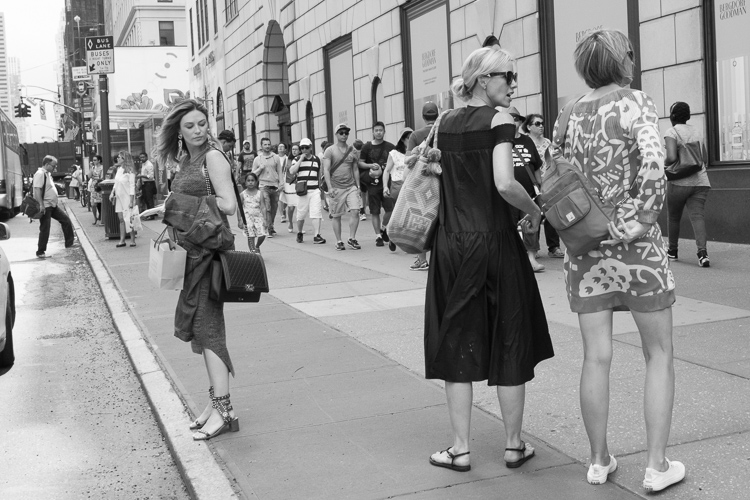
5th Ave, New York Street Photography

While out shooting, I hear photographers all too commonly worry about cutting people’s legs off in the photo, not composing it right, or skewing the photograph by accident. Of course, these are technical issues to keep in mind when you review your work later. They can be important, but wasting your energy thinking about this nitpicky stuff while shooting can kill your ability to notice and capture those quick and wonderful moments that constantly appear.

Try to turn the analytical side of your brain off when you’re out photographing. Enjoy the process, and spend your time seeking out your subjects and looking at the light. Allow some spontaneity and chance in how you compose and shoot your photographs. Let your instincts take over. The more you train these instincts, the better they will become. William Eggleston only takes one photograph of every scene that he comes across. While you don’t have to go that far, many photographers do the opposite, try to ease any tension when you’re out there shooting and let your instincts guide you.

Garry Winogrand skewed more of his photographs than not, and everyone cuts off peoples legs constantly, but none of these factors alone have ever ruined a great photograph. By shooting more spontaneously you might miss a few shots, but the good ones will be even that much better.

2. Slow down and look

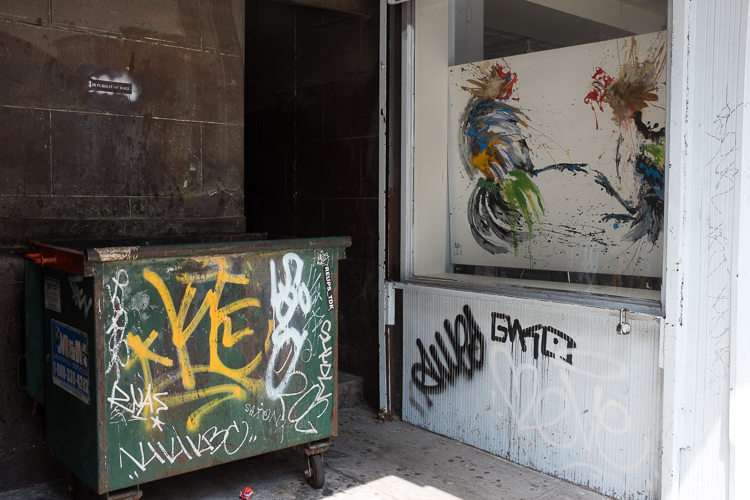
Graffiti and Gallery, 14th Street.

There is no need for a brisk pace when out photographing. Doing this will hurt your ability to notice your surroundings. Many people will come across an area and completely disregard it and move on to the next spot before they give it a proper chance. They just keep moving on and hoping for that magical location. But magical locations usually don’t swoop down on you like that. All of the places that you immediately disregard have a good photograph somewhere, maybe even a great one, you just need to find it. Those elusive photographs can be more interesting than the ones that immediately pop out at you.

Instead of spending your energy walking, spend it looking. Go high, get low, look left, and look right. The more you might disregarding an area, the more you have to ask yourself why you feel that way, and the more you should push yourself to try and get a good photograph there.

3. Do not be afraid of taking bad photographs

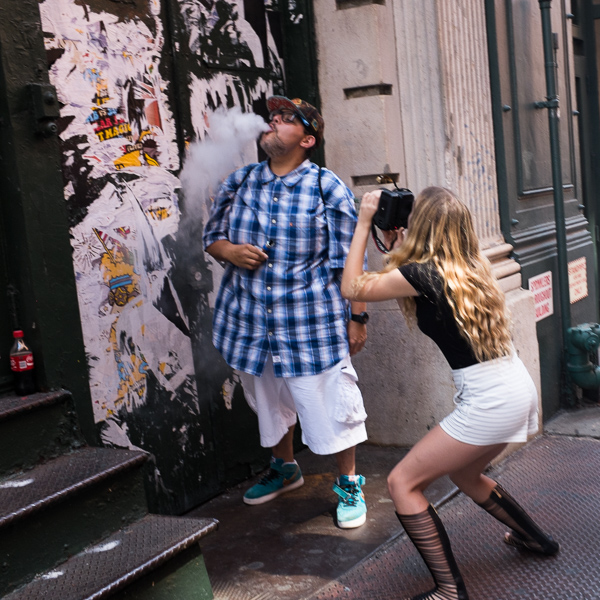
Smoke, Prince Street, SoHo

Photographing this way will yield many bad photographs, and it will also yield incredibly interesting ones that many people will not understand. But try to not let this affect how you photograph and how you feel when you are out shooting. Do it for yourself.

The bad photographs come constantly, but it is important that you spontaneously take them, because it means you are getting yourself ready for the moments when those incredible images will briefly appear before you. Shooting the bad ones will help you to better notice the good ones, and those bad photographs are just practice for those rare and elusive moments that you do not want to miss.

4. Notice the light

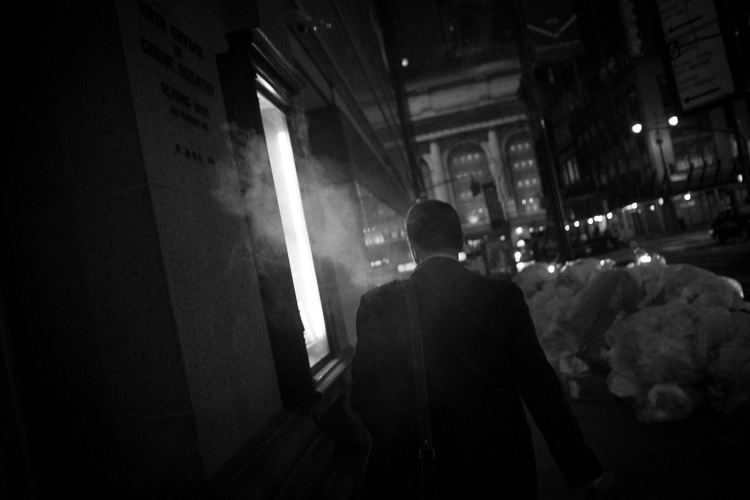
Smoke, Grand Central Terminal

The more you slow down, the more aware you will become of your surroundings. This will help you to better understand and work with light. Light dictates how the scene will look in the camera, so you need to pay attention to its strength, the locations of the light sources and how they hit your subjects, the color of the light, and any contrasty areas with significant differences between the shadows and highlights.

Light is not necessarily the first thing you should notice, though. The subject needs to be the first thing that catches your eye, but you should always be aware of the light when entering a new location. If you are aware of the light, then you can work with it in a spontaneous way as well.

5. Notice people from afar

Sailboat, Manhattan Bridge.

While street photography is not only about capturing people, candid photographs of people are at the heart of street photography. When you slow down and pay attention to your surroundings, you will now find yourself with the ability to pay more attention to everyone walking around you, along with their interactions. Try to go beyond just noticing people as they cross your immediate path. Try to look farther away to see people who might be interesting. The earlier that you notice them, the easier it will be to get the shot when you both intersect.

Really watch people. In street photography, your eyes are the true viewfinder, and the better you do at locating your subjects before you look through the viewfinder, the better your photography will be.

6. How will your work age?

Prince and Broadway, SoHo.

Try not to take anything for granted. We all wish we could go back 50 years in time to photograph for a day. If we were able to do that, everything we saw would look so foreign and interesting to us, but back then they were just going about business as usual. They thought about their surroundings in they way that we think about ours today.

Think about how the photographs you take today will look in 50 years. What do we take for granted that people in the future will love? What will go out of style, what will seem weird and foreign, and will everyone still be staring at a mini handheld computer while walking down the street? These are not the types of photographs that most people take, and so they will stand out much more in the future.

7. Be consistent

SoHo, New York Street Photography

Consistency is the real key. Street photography is such a difficult skill to master, and it’s easy to get rusty if you don’t do it often enough. Try to figure out a way to integrate a consistent shooting schedule. Maybe it’s a half day once a week, maybe it’s 30 minutes a day during your lunch break or after work, or maybe it’s in 10 minute increments constantly throughout your day.

Keeping some level of consistency will not only get you better photographs because you are giving yourself more of a chance to come across them, but you will improve much more consistently. Over time, your style and what you like to photograph will begin to emerge as well.

8. Use the camera as a key

cop_manhattan_bridge

The beauty of a camera is that it acts as a key to new experiences. It forces you to go out at times when you would normally be watching TV. It makes you photograph at night, in the rain, in a snowstorm, and in the worst weather. It makes you want to explore places that you would normally be too tentative to try to get access to. When people see you with a camera, many of them will understand and let you do things that they would otherwise be suspicious of. Use that to your advantage. Try to get access to areas that you would normally not take the effort to see.

In addition, a camera is a key to making new friends. This does not only apply to other photography enthusiasts. People love cameras, so use yours to break the ice. Take a portrait. Make some new friends and get yourself into new situations to photograph. This access will help to improve your photography in profound ways.

9. Expression, gesture, and emotion

Prince Street, New York Street Photography

Photography is about bringing out some sort of emotion in a viewer. Capturing expressions or gestures in people are extremely important ways to achieve this. The look in someone’s eyes or the stance that they hold can create a powerful feeling and make or break a picture.

The surface is so important to a photograph, but so is what lies beneath it. Try to see what might be hiding or hinted at under the surface of your photos. Questions will keep the person interested in the image over the longterm. You do not need to give them the answers. They will come up with some themselves.

10. Photography books

Look for inspiration outside of your own work. Purchase books from the masters to read through at night. This will give you more ideas about what you can possibly achieve when you are out there shooting. Try to find books with all different styles to shake you up a bit, such as one from Garry Winogrand and another from William Eggleston.

Over to you

Do you follow any of these ideas? Or maybe you have some other suggestions that have worked for you. Please share your thoughts in the comments below.

googletag.cmd.push(function() {
tablet_slots.push( googletag.defineSlot( “/1005424/_dPSv4_tab-all-article-bottom_(300×250)”, [300, 250], “pb-ad-78623” ).addService( googletag.pubads() ) ); } );

googletag.cmd.push(function() {
mobile_slots.push( googletag.defineSlot( “/1005424/_dPSv4_mob-all-article-bottom_(300×250)”, [300, 250], “pb-ad-78158” ).addService( googletag.pubads() ) ); } );

The post 10 Non-Technical Ways to Improve Your Street Photography by James Maher appeared first on Digital Photography School.


Digital Photography School

 
Comments Off on 10 Non-Technical Ways to Improve Your Street Photography

Posted in Photography


Six Tips For Using Filters to Improve Your Landscape Photos

05 Oct

One of the secrets to good landscape photography is the way in which you capture various elements of the scene. Sure, you can let your camera do the heavy lifting and figure out the exposure. But a landscape photo doesn’t have to be a literal interpretation of what you see, or of what your camera sees when left to its own devices. While post-processing can help make adjustments to an image so that it’s less literal than what you saw, making certain adjustments at the time of capture is more important, giving you something special to work with when the time comes to edit the image in post. Using filters such as polarizers, neutral density, and graduated neutral density filters can help you capture the scene in more creative ways. These tips for using filters can help you start making these adjustments and creating more dynamic images.

Filter Tips

The following tips can help you start making these adjustments and creating more dynamic images.

1 – Use a polarizer to improve the sky

Using filters - a polarizer to reduce haze in an image.

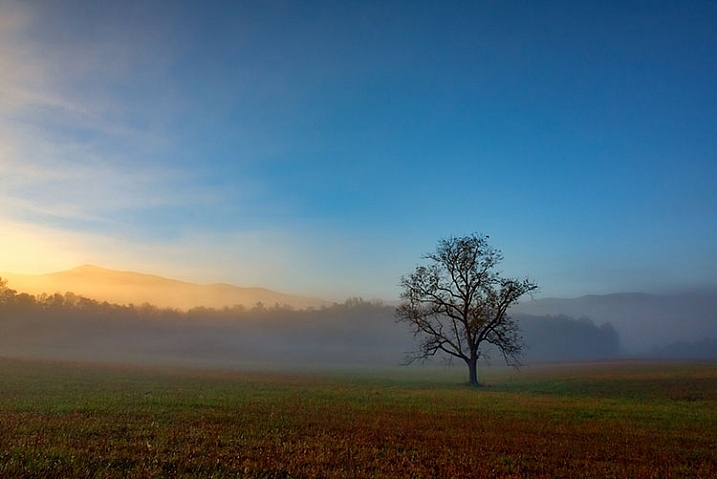
A polarizer cut through the morning mist to reveal blue sky in this shot of Great Smoky Mountains National Park.

I believe every photographer should have a polarizing filter in their camera bag because of how useful they can be. Polarizers work by filtering out light that is reflected directly toward the camera at specific angles. When photographing a landscape with a blue sky, haze can occasionally cause the sky to be less vibrant. Using a polarizer, you can minimize the haze and reveal the true blue of the sky. This will work best when aiming the camera at a 90° angle from the sun; in other words, with the sun to your side.

By rotating the polarizing filter while composing your shot, you can see the effect the filter will have. Be sure you don’t go too far. It is possible to over polarize the scene, creating a darker blue splotch in the sky that will make the use of the filter obvious and the image appear unnatural. This is especially possible with ultra-wide angle lenses that take in a huge expanse of the sky. In the image above, a polarizer was used to reduce the amount of morning mist in the valley and show the blue sky behind the mist.

2 – Use a polarizer to reveal what’s underneath the water

Using filters - a polarizer cut down on reflections on the water's surface.

A polarizer can reduce reflections on the surface of the water to allow you see what’s beneath the surface, and add visual interest to a scene.

Often when photographing a stream or lake, the light may reflect off the water’s surface to such a degree that it’s impossible to see what’s below. However, there may be times when there is something of interest underneath the surface, such as rocks, fish, or logs from fallen trees. Using a polarizer, you can reveal as much or as little of what’s beneath the surface by eliminating the reflecting light.

It doesn’t have to be all or nothing either. You can nuance the effect by rotating the filter just a little bit, to retain some reflecting light while still seeing beneath the surface. In the image above, on the left, no polarizer was used and the reflected light prevents you from seeing below the water’s surface. On the right, a polarizer was used to reduce the reflected light on the water’s surface, allowing you to see the rocks beneath the surface.

3 – Use a polarizer to reduce reflections on wet rocks

using filters - Photographing wet rocks

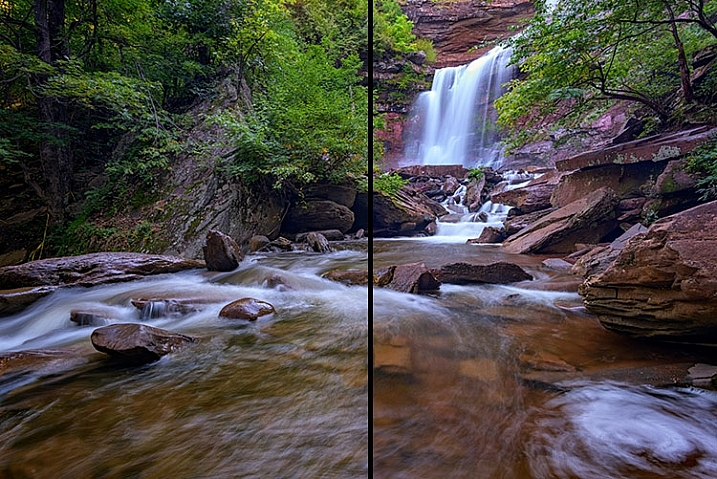
In this image, light reflects off of the wet rocks by the waterfall.

using filters - A polarizer can reduce the reflected light from wet rocks.

In this image, a polarizer was used to reduce the reflected light from the wet rocks.

When photographing a waterfall, where there are generally a lot of wet rocks, light can reflect off of them, making them appear shiny. On occasion, that reflected light may be so strong that it detracts from the image. Using a polarizer can reduce the reflected light and reveal more detail in the rocks, adding interest to the image.

As with the water reflections discussed above, you can nuance the effect by rotating the filter to get the right balance of reflected light and detail underneath. In the images above, you can see how the highlights on the rocks can be reduced if desired by using a polarizing filter. Again, by rotating the filter as you look through the viewfinder, or on the live view screen, you can watch the effect happen and adjust it to your liking.

4 – Use Graduated Neutral Density Filters to darken the sky

Using filters - graduated neutral density filters for a better sky.

The difference when using a graduated neutral density filter can be very apparent, as seen in the comparison of these two images.

When photographing the landscape, especially at sunrise or sunset, there is often a high amount of contrast between the sky and the foreground. That forces you to make exposure choices to determine what will be exposed properly. While digital cameras are much improved with regards to dynamic range in recent years, nature can still push your camera to its limits in terms of how much can be captured in a single image.

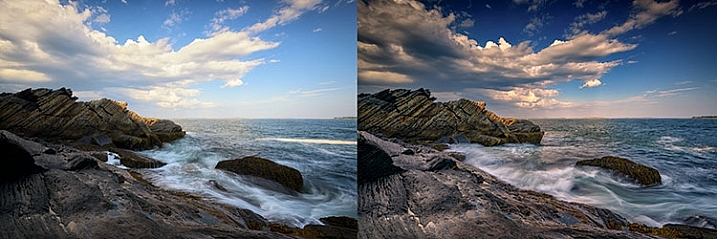
Graduated neutral density filters can help to reduce the dynamic range of an image, by darkening the brighter areas, like the sky, so that it falls within the range of what the camera can capture. Use Live View on your camera to see the positioning of the filter over the lens, especially when using a hard-edged ND graduated filter. Watch the way the foreground exposure changes in relation to the sky, as it is possible to overdo a good thing. If the sky gets too dark in relation to the foreground, try a less dense filter, for instance, a 2-stop ND grad rather than a 3-stop grad. Above, the image on the left was taken without the use of a graduated neutral density filter. On the right, a 3-stop,

Above, the image on the left was taken without the use of a graduated neutral density filter. On the right, a 3-stop, soft-edged graduated neutral density filter was used to darken the sky. Notice it also has the effect of brightening the foreground in relation to the sky, bringing out more detail in the darker area in the bottom left.

5 – Control the motion of water

Using filters - an ND filter to control the motion of water.

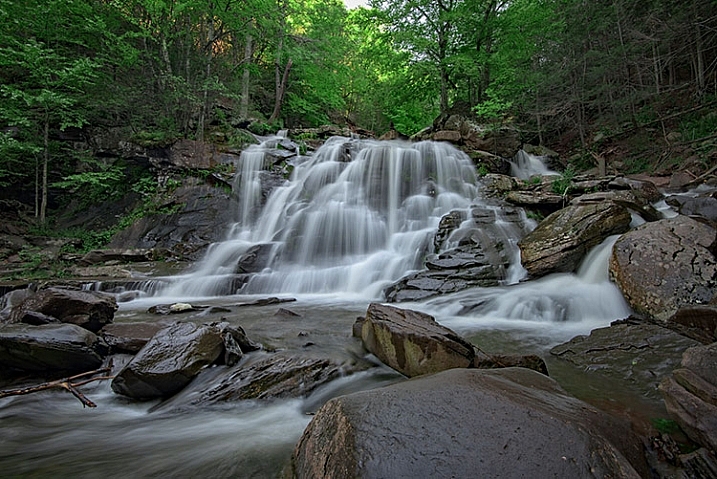
A neutral density filter can be used to help capture the motion of water in a scene.

Because of its nature, moving water is often the most dynamic part of an image. You can create a different mood simply by changing the way you capture water. Longer exposures tend to be more calm and peaceful, while shorter exposures can capture the violence of a crashing wave, or the power of a river going over the falls.

Since shutter speed controls the effect of motion, by using neutral density filters you can evoke both moods by limiting the amount of light that enters your lens. Thus, you can adjust the shutter speed to give you the effect of motion that you want. You may not need a filter for faster shutter speeds, but if it’s a bright day and you want to slow things down, you’ll need a neutral density filter to do that.

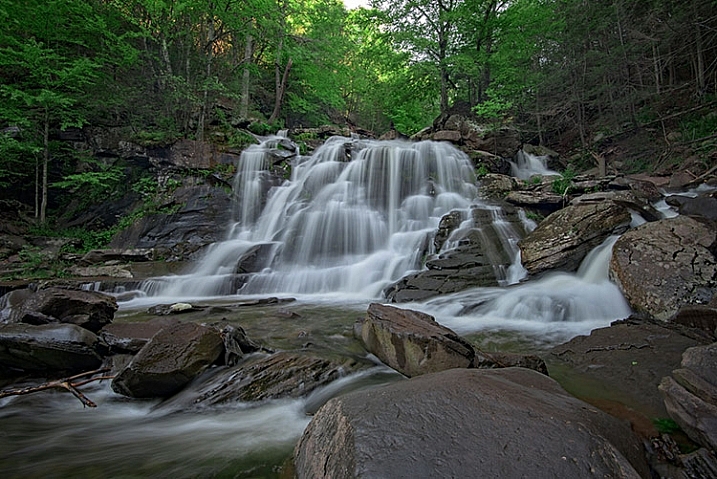
Using a 3-stop ND filter is usually fine for waterfalls to slow them down just enough to get a nice creamy look to the falls, but when capturing waves on the ocean, it may not be enough to get the effect you need. Sometimes four or even five stops of neutral density is needed to get the exposure you need to slow it down to capture water the way you want. Adding a 10-stop neutral density filter will allow you to slow down your shutter speed to a minute or more, eliminating waves completely, creating a calm scene that feels quiet and peaceful as opposed to the crashing waves pounding the rocks or beach.

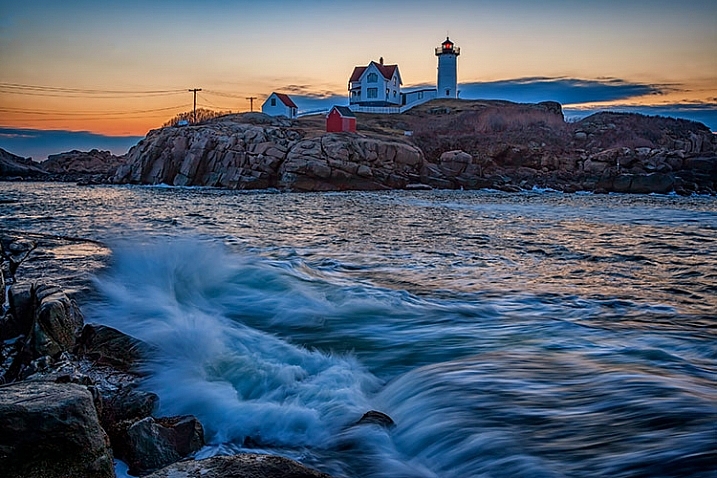
In the image above, a 3-stop neutral density filter was used to slow down the exposure just enough to allow the water’s motion to be captured as it crashed on the rocks. In the image below, a 10-stop neutral density filter was used to slow down the exposure further, to a full 2-minutes, creating smooth water and a calmer looking scene.

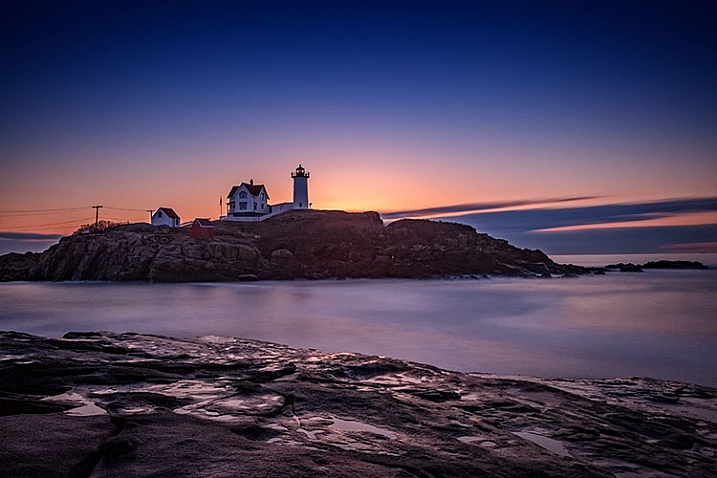
Using filters - a 10-stop ND filter to smooth water during a long exposure.

Using a 10-stop ND filter, you can make water appear calm by using a long exposure. This is a two-minute exposure.

6 – Create motion in clouds

Using filters - Clouds appear as normal when no ND filter is used.

When no neutral density filter is used, clouds are captured as we see them.

Using filters - a 10-stop ND filter to achieve a slower shutter speed of 60 seconds, I was able to capture the motion of the clouds as they passed over New York City.

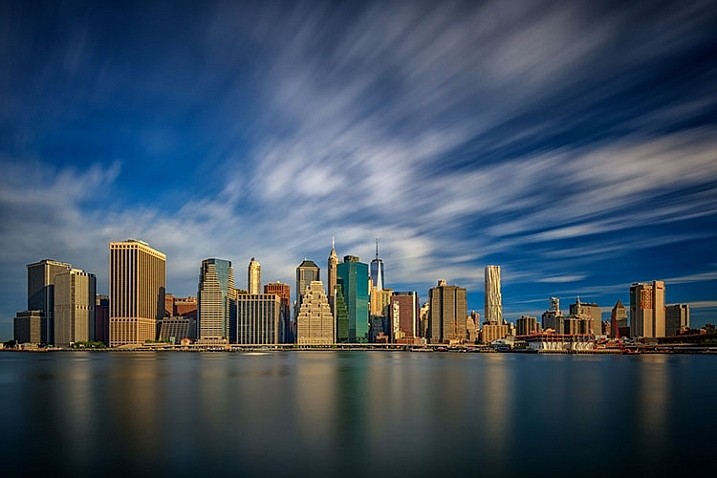
Using a 10-stop ND filter to achieve a slower shutter speed of 60 seconds, I was able to capture the motion of the clouds as they passed over New York City.

As a landscape photographer, clouds are often the focus of an image or at least a strong component in the composition. Clouds add depth and drama to a good landscape, creating background interest. But you can also manipulate the clouds to your creative advantage as well, capturing their movement and blurring them to create a sense of flight and speed in your scene. By using a strong neutral density filter, such as Lee’s Big Stopper 10-stop ND filter or Vü Filter’s 10-stop offering, you can slow down your shutter speed to allow the motion of the clouds to be captured.

The proper shutter speed to capture cloud movement will vary, depending on how fast the clouds are moving. The longer the exposure, the more movement you will capture. An exposure of 30 seconds to one minute for fast moving clouds, such as in the image above, will result in a motion blur where the clouds still resemble clouds. An exposure of two or three minutes will result in the clouds becoming streaks of color across the sky, unrecognizable as clouds anymore.

Conclusion

One of the complaints I hear about using filters is that it takes too much time to put them on the lens, or it slows you down. I prefer to think of it as being deliberate about the shot I am trying to capture, and making sure that my camera captures exactly what I want.

Do you use filters? What’s your favorite technique using on-camera filters? Please share in the comments below.

googletag.cmd.push(function() {
tablet_slots.push( googletag.defineSlot( “/1005424/_dPSv4_tab-all-article-bottom_(300×250)”, [300, 250], “pb-ad-78623” ).addService( googletag.pubads() ) ); } );

googletag.cmd.push(function() {
mobile_slots.push( googletag.defineSlot( “/1005424/_dPSv4_mob-all-article-bottom_(300×250)”, [300, 250], “pb-ad-78158” ).addService( googletag.pubads() ) ); } );

The post Six Tips For Using Filters to Improve Your Landscape Photos by Rick Berk appeared first on Digital Photography School.


Digital Photography School

 
Comments Off on Six Tips For Using Filters to Improve Your Landscape Photos

Posted in Photography


Top 5 Nik Collection Filters to Improve Your Landscape Photos

25 Sep

One of the best image editing programs available right now happens to be free. The Nik Collection by Google is a desktop photo editing software that was recently declared free of charge earlier this year. Today, the Nik Collection makes available over 55 filters that do everything from old camera and film simulation, to image sharpening, noise reduction, and basic retouching and correcting of photos. Of these many filters, there are 5 within the Color Efex Pro 4 toolset  that are particularly useful for landscape photos. This article will highlight these essential filters and why they are so valuable.

Nik Collection Color Efex Pro free photo editing software

Note that all tools and filters within the Nik Collection contain certain points that can be individually controlled to apply the filter effect as little, or as much, as you desire. You can also add the effects of several different filters, so be sure to play around with as many as possible to achieve the look you’re after.

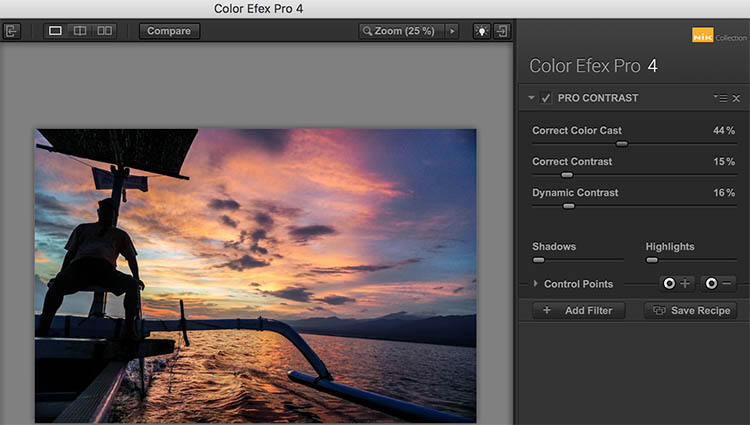
#1 – Pro Contrast Filter

Have a photo that needs higher levels of contrast without sacrificing detail? The Nik Pro Contrast filter tackles this problem with three filter settings that you can tinker with.

  1. Correct Color Cast reduces any inherent color cast in an image, such as the orange hue the sunrise casts onto the water below.
  2. Correct Contrast offers general contrast adjustment.
  3. Dynamic Contrast delivers the most pop by boosting contrast in flat areas of the photo. The latter feature is also demonstrated in the Polarization After photo below.
Nik - Pro Contrast 1

Before

Nik - Pro Contrast 2

After – with the Pro Contrast filter applied

Nik - Pro Contrast

#2 – Polarization Filter

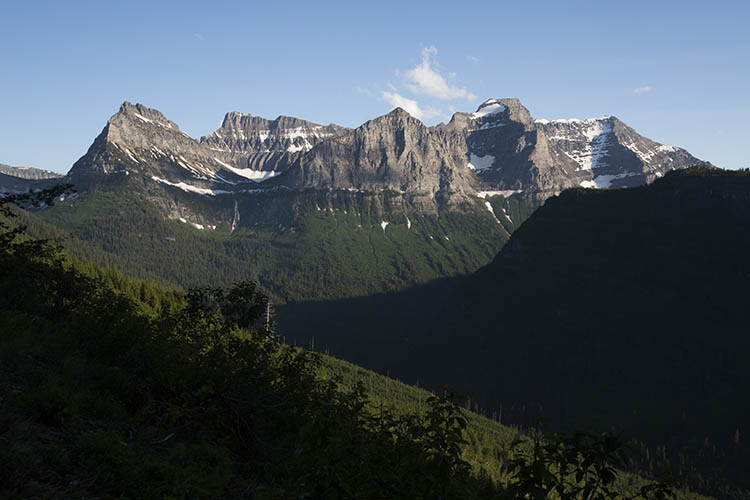
For landscape photographers, the circular polarizer is a must-have glass filter that enhances blue skies and reduces water glare. It is often said that the effects of a polarizer can’t be replicated in post-production. But Color Efex Pro 4 offers a pretty impressive Polarization effect that can be applied to any photo, even if it was taken without a glass circular polarizer.

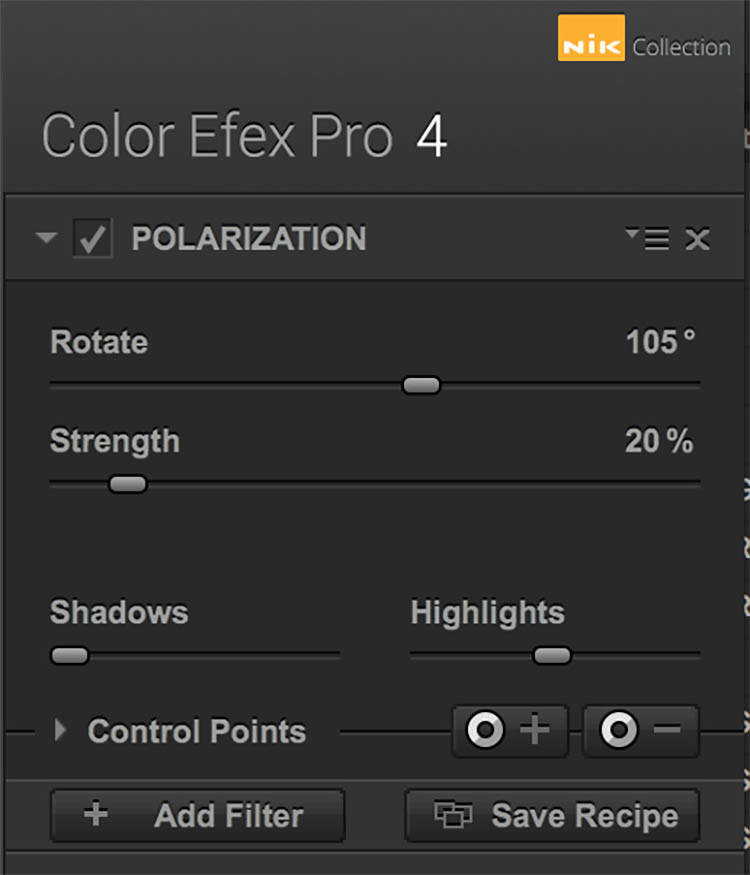
There are two Polarization filter settings that can be tweaked: Rotate, which simulates the effect of physically rotating the glass filter in front of your lens, and Strength, which controls how much of the filter effect is applied.

Nik - Polarizer 1

Before

Nik - Polarizer 2

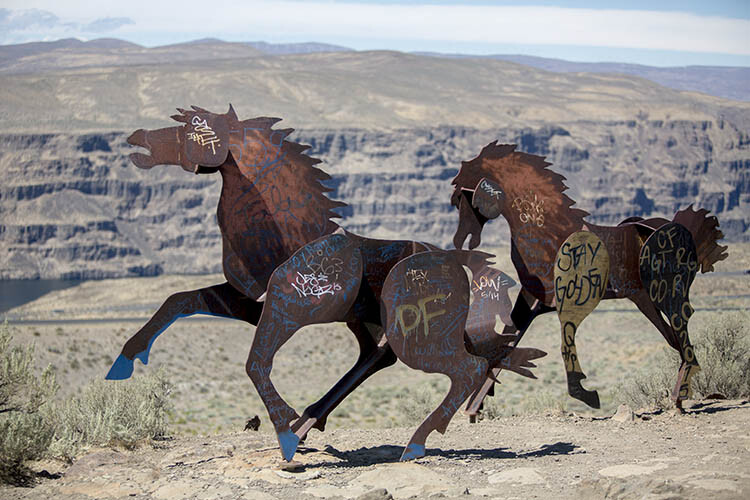
After – with Polarization and Pro Contrast filters applied.

Nik - Polarizer

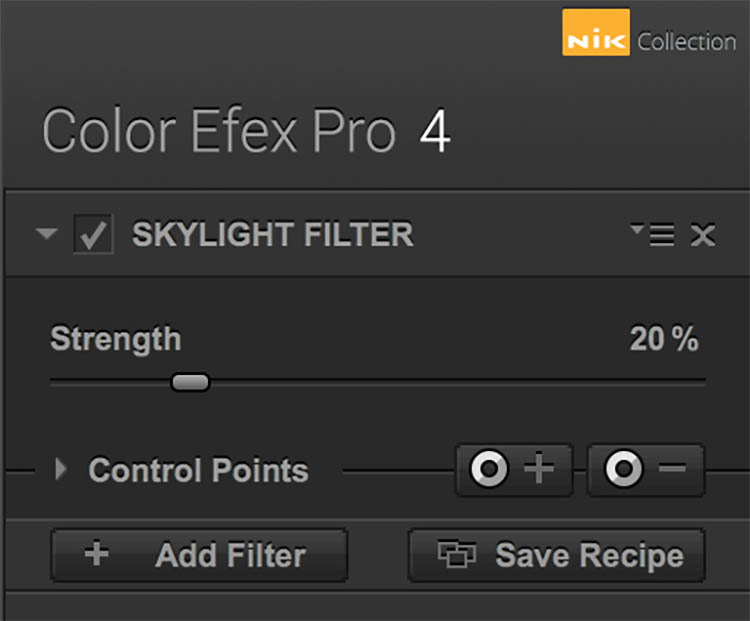
#3 – Skylight Filter

This handy filter simulates a glass warming filter by removing any blue color cast and applying a warming effect to your photo. Control the strength of the filter to determine how much warmth is added.

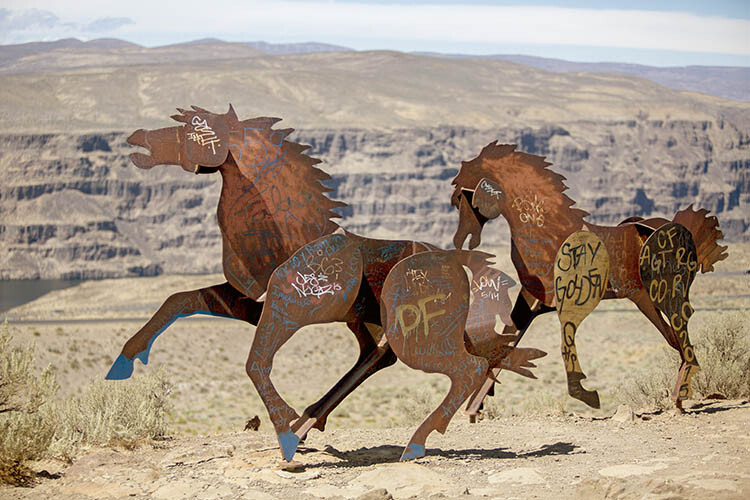
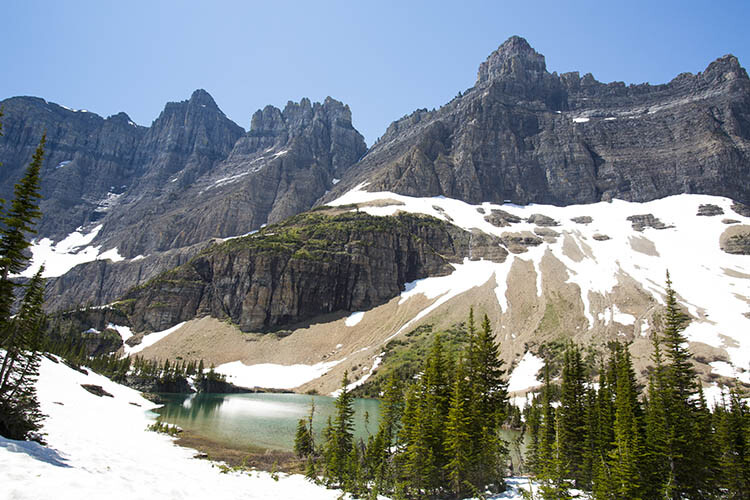
Nik - Skylight 1

Before

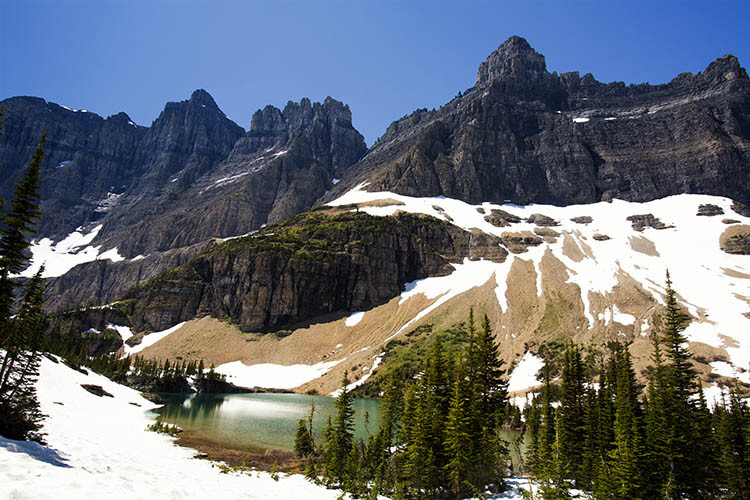
Nik - Skylight 2

After – with Skylight filter applied

Nik - Skylight

#4 – Graduated Neutral Density Filter

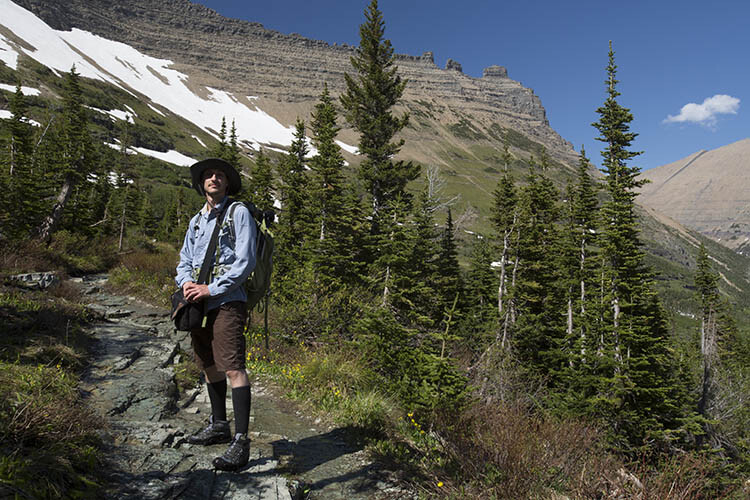
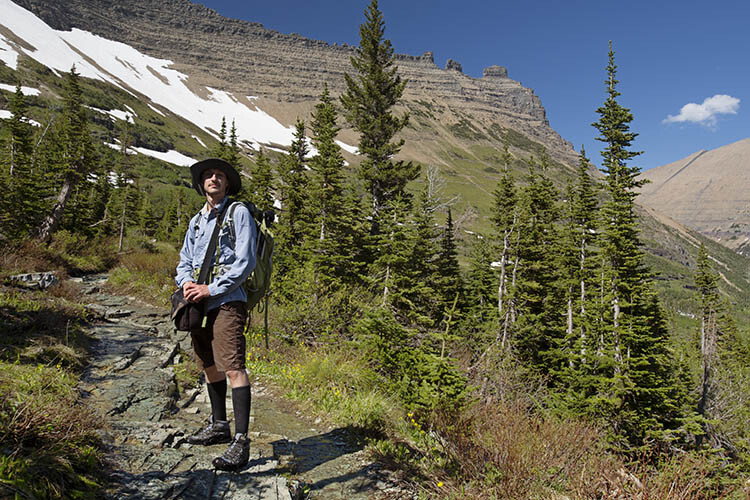
Similar to the glass circular polarizer, the graduated neutral density filter is a staple among landscape photographers as it helps lighten or darken just a portion of an image. Think about a landscape with perfectly balanced land and blown out sky. That is a job for the graduated neutral density filter.

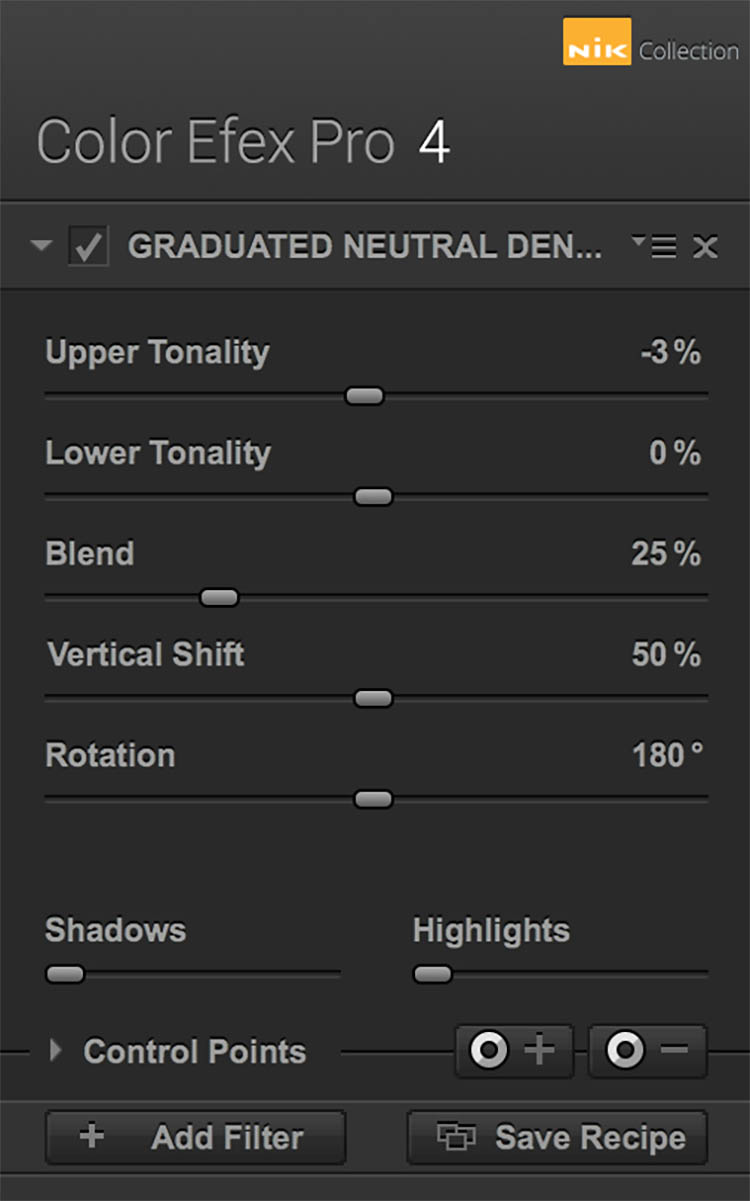
There are five different settings to play with for this filter. Upper and Lower Tonality let you adjust the brightness of the top and bottom portions of the image, Vertical Shift controls the placement of the filter’s horizon, while Rotation adjusts the angle of the horizon filter. Finally, Blend helps integrate the filter effect in a more natural way.

Nik - ND Grad 1

Before

Nik - ND Grad 2

After – with Graduated Neutral Density filter applied.

Nik - ND Grad

#5 – Reflector Efex

Nik - Reflector FX 1

Before

The reflector is a favorite photographer’s tool that has also been simulated by a Color Efex Pro 4 filter. Use this filter to control light in your image and open up shadows.

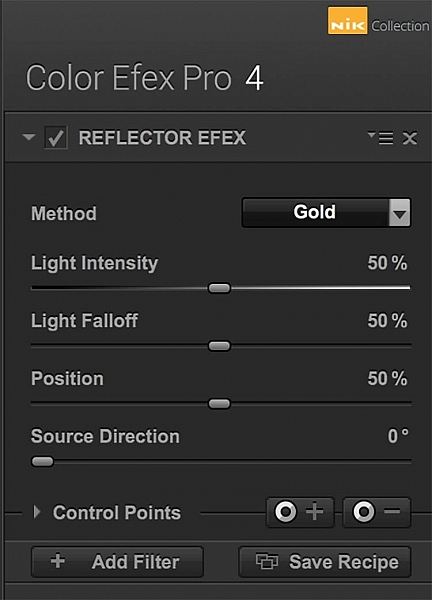
The Method setting allows you to choose from Gold (warm), Soft Gold (milder warm), and Silver (neutral) lighting colors. Light Intensity controls the amount of reflector light added, Light Falloff controls the abruptness of the lighting effect falloff, while Position controls where the falloff starts. Finally, Source Direction lets you choose where the reflector effect begins.

Nik - Reflector FX 2

After – with Reflector Efex Soft Gold filter applied.

Nik - Reflector FX

Over to you

There you have it! Five handy filters within the Nik Collection’s Color Efex Pro. It’s again worth noting that there are many more filters within the software, and each can add as subtle or dramatic an effect as you desire. At the very least, this photo editing software is available for free, so it’s worth trying out if you haven’t already.

What are your most used filters within the Nik Collection for your landscape photos? Let me know in the comments below.

googletag.cmd.push(function() {
tablet_slots.push( googletag.defineSlot( “/1005424/_dPSv4_tab-all-article-bottom_(300×250)”, [300, 250], “pb-ad-78623” ).addService( googletag.pubads() ) ); } );

googletag.cmd.push(function() {
mobile_slots.push( googletag.defineSlot( “/1005424/_dPSv4_mob-all-article-bottom_(300×250)”, [300, 250], “pb-ad-78158” ).addService( googletag.pubads() ) ); } );

The post Top 5 Nik Collection Filters to Improve Your Landscape Photos by Suzi Pratt appeared first on Digital Photography School.


Digital Photography School

 
Comments Off on Top 5 Nik Collection Filters to Improve Your Landscape Photos

Posted in Photography


Why Shooting with the Joyful Abandon Approach Can Improve Your Photography

12 Sep

A few months ago I was at a keynote speech given by a famous photographer and workshop leader (you’d know him). He had a lot of great advice to give, but one thing that he said still bugs me. He told us a story about one of his students who, at the end of a wildlife workshop, exclaimed that he’d captured over 8,000 images. In his keynote speech, this famous photographer laughed at his student for shooting so much, since he himself had only shot 800 images.

W5A4762Joyful Abandon B

Shooting with a goal

I never like it when a workshop leader pokes fun at his students but, as he explained further, his reason for telling us the story was a pretty good one. As a workshop leader he would always set a daily goal. He would decide ahead of time what he wanted to capture and then he’d focus on making those images. He coached his students to work that way too.

I love the idea of setting a goal and having a vision. Setting goals is part of how we improve our photography. Every fall the squirrels descend upon my backyard tree and gorge themselves on nuts. During this time of year, I stealthily make images of the little rascals. I don’t shoot aimlessly when I work on this project. My on-going goal is to capture soft golden light, creamy blurred backgrounds, sharply focused eyes and engaging expressions. Squirrels move fast and I’m neither as speedy nor as stealthy as I’d like to be. I shoot a lot of frames when I work on this project.

W5A2808Joyful Abandon A

1F8B8628Joyful Abandon B1

But…

You knew there was a but, right? The singular vision of this workshop photographer might not work for all of his students. As great a teacher as he is, the first morning you head out together, you probably won’t have enough information to have an instant vision of the work you want to make during the workshop. You might even struggle as you climb the steep learning curve of wildlife photography – and you may shoot a lot as you learn.

Plus, shooting with a goal doesn’t equate to less shutter clicks, it equates to more focus. You might need even more shutter clicks than you usually do, depending on the goal you’ve set yourself.

MG 9090Joyful Abandon C

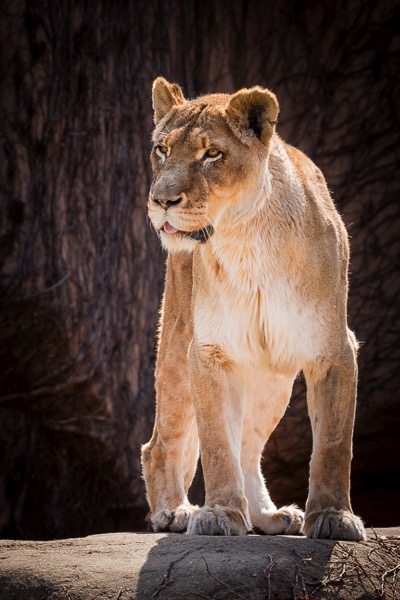
This big cat, photographed at Lincoln Park Zoo in Chicago, is one of the few images I’ve made there that I’ve been pleased with. Most of my images from the zoo don’t fulfill my vision. This one does because the she-lion is engaging with another lion (out of the frame). Her eyes are sharply focused and the background is not only blurred, but it frames her beautifully, and emphasizes her coloring.

I easily shot several hundred images of this lion one afternoon, to get this single image. Shooting my backyard squirrel project helped me define a vision of how I wanted this image to look, but it still took me a lot of frames to reach my goal.

Developing authentic vision

The way the keynote speaker made fun of his student for “over-shooting” bothers me because shooting wildlife images from inside a jeep or blind, elbow to elbow with four other workshop photographers, while steadying a super zoom lens, isn’t exactly easy stuff. Once you start to learn the technical aspects of this type of shooting, your authentic vision might kick in as early as Day 2 or 3 of your workshop. If it takes you all week to get comfortable with wildlife shooting techniques, your vision might not kick in until well after you get home.

Personally, that delayed vision is why I encourage photographers to shoot with what I call the joyful abandon approach. I especially recommend the joyful abandon approach when you’re visiting somewhere you’ve never been, or learning to shoot in a new way. Imagine that you do finally fully develop your vision well after you’ve finished your wildlife workshop. Won’t you want a huge pool of images to ensure that you have the raw materials to realize your vision?

IMG 065320131104Joyful Abandon D

I’ve traveled to Florida dozens of times but up until a few years ago, I’d never visited the Everglades, or ridden in an airboat. Even with an amazing guide explaining the ecosystem and gliding the boat slowly up to known alligator dens, it was a technically difficult shoot. With the movement of the boat and the reeds, my camera struggled to grab focus where I aimed.

The result? I shot. And shot. And shot some more. I’m grateful for all that shooting, since this is the one image I walked away with (above). It has that blurred golden background I love and – key for me when I shoot wildlife – that engaged expression, and tack-sharp focus on the eye.

Build your portfolio

You may never again have a chance to return to that wildlife workshop location, but your workshop leader does. He has the luxury of going annually with his students. He can take years to develop vision, shoot with measured patience, and build a portfolio of the 25 best wildlife images anyone has ever seen.

You, on the other hand, should shamelessly fill memory cards so that when you arrive home, you have access to a massive database of images that might yield 200 shareable gems. It will take work to cull those images and get to those gems, but it’s worth it, isn’t it?

Since your workshop leader has been on this type of shoot over and over, all that familiarity gives him increased comfort, and that increased comfort opens the portal for him to be more focused, and more creative, while shooting fewer frames. Plus, he already owns all of those classic wildlife images that you’ll still want to bring home. He has the luxury of pressing that shutter button once every 15 or 30 minutes. You don’t. You have work to do and a portfolio to build.

W5A4327Joyful Abandon E

W5A4341Joyful Abandon E1

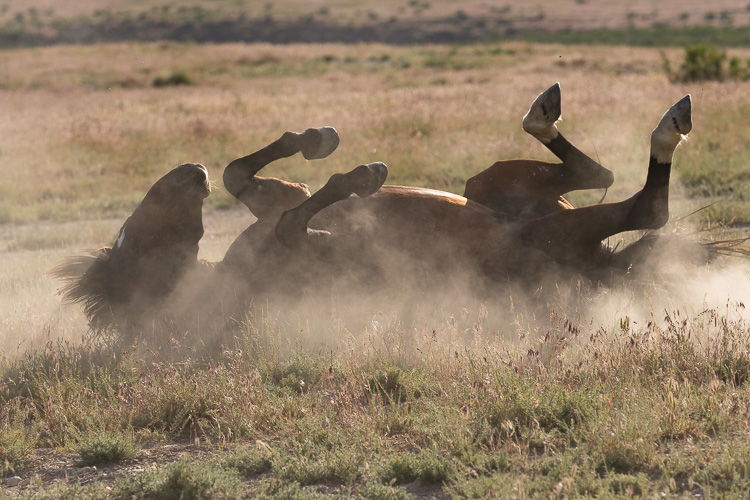
A wild horse rolling in dust is a classic, portfolio-building wildlife image. Over the years, I’ve easily shot a thousand frames of rolling horses, but for me, this is “the one.” The experience I’ve gained from shooting with joyful abandon taught me just where to stand and how to compose my image. To maximize the dust and light beams, while capturing all four legs in the air, a well-defined face, and a highlighted mane.

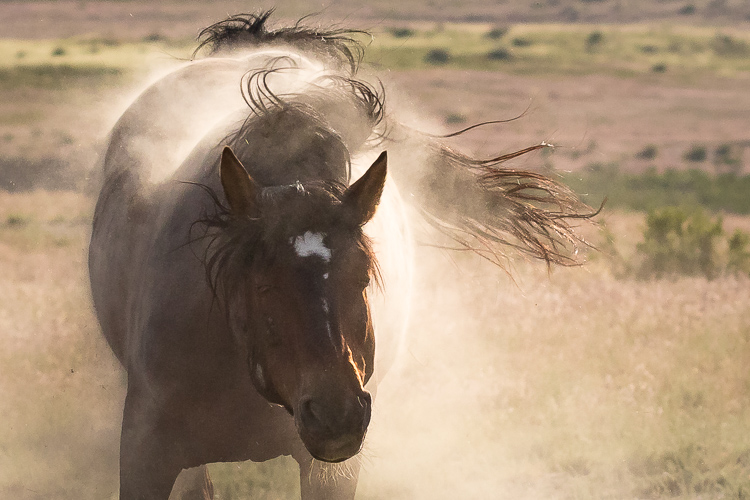
I continued to shoot as this horse lumbered back up to his feet and was rewarded with a glorious, dusty shake too.

Keep shooting with joyful abandon

While I’m using a wildlife workshop as an example, since that was this keynote speaker’s specific remark, this idea of shooting with joyful abandon really applies to any opportunity to shoot, anywhere, even if you’re not on a workshop.

Whenever I travel to a new-to-me wild horse range, I carry massive amounts of memory cards and storage, and I shoot with absolute gleeful, joyful abandon. When I have a chance to return to that same wild horse range, I still have stacks of memory cards and storage, plus a more informed, authentic vision of the images I’d like to capture. I continue to shoot with joyful abandon and I promise you, over the course of a week, I’ll shoot far more than 800 frames.

W5A4799Joyful Abandon F

1F8B2291Joyful Abandon F1

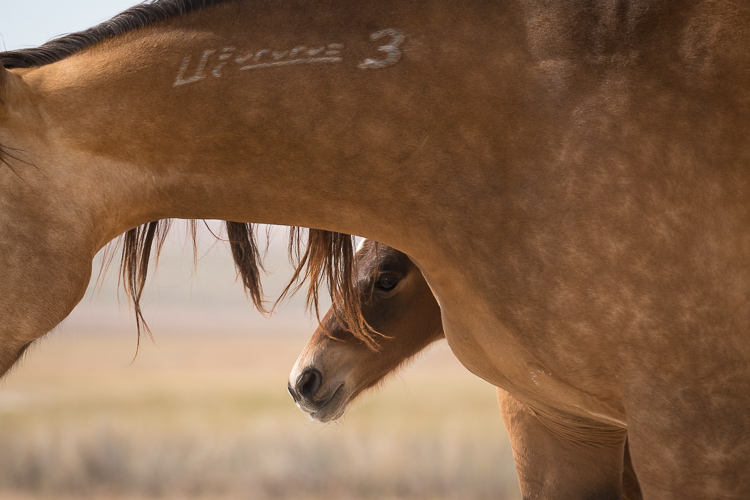
Making images isn’t just about how many frames we shoot, or how many keepers we get, it’s also about the process. Every single frame you shoot is part of your process, and that process helps you develop your unique vision. Whether that vision is focusing on the big picture or honing in on small details, or documenting grand moments or capturing subtle tender ones like these foals with their mothers, shooting with joyful abandon will help you achieve it.

The shooting with joyful abandon approach is how I’ve developed my vision – and how I continue to develop it and stay passionate about shooting. How do you develop your vision and fuel your passion for photography?

W5A4782Joyful Abandon G

googletag.cmd.push(function() {
tablet_slots.push( googletag.defineSlot( “/1005424/_dPSv4_tab-all-article-bottom_(300×250)”, [300, 250], “pb-ad-78623” ).addService( googletag.pubads() ) ); } );

googletag.cmd.push(function() {
mobile_slots.push( googletag.defineSlot( “/1005424/_dPSv4_mob-all-article-bottom_(300×250)”, [300, 250], “pb-ad-78158” ).addService( googletag.pubads() ) ); } );

The post Why Shooting with the Joyful Abandon Approach Can Improve Your Photography by Lara Joy Brynildssen appeared first on Digital Photography School.


Digital Photography School

 
Comments Off on Why Shooting with the Joyful Abandon Approach Can Improve Your Photography

Posted in Photography


Google uses neural networks to improve image compression

27 Aug

A research team at Google has developed a way to use neural networks to compress image files in a more efficient way than current methods, such as the JPEG standard. The team built an artificial intelligence system using Google’s open source TensorFlow machine learning system, and then used 6 million random reference photos from the internet that had been compressed using conventional methods to train it.

The images were split into small pieces measuring 32 x 32 pixels each. The system then analyzed the 100 pieces with the least efficient compression; the idea being that it could learn from looking at the most complex areas of an image, making compression of less complex sections much easier.

After the initial training process the AI system is then able to predict how the image would look like after compression and then generates that image. What makes this method really stand out from others is that the network can intelligently decide which is the best way to compress individual areas of a given photo for the best overall result. The method still needs some work, as final results can sometimes look unpleasant to the human eye and the system are not yet capable of testing for this. Nevertheless, the project looks like an important step into the right direction and if the algorithms can be further refined you might soon be able to save even more images on your memory card or built-in device storage.

Articles: Digital Photography Review (dpreview.com)

 
Comments Off on Google uses neural networks to improve image compression

Posted in Uncategorized


How to Look at Other Photographers’ Images to Improve Your Work

04 Aug

When you’re starting out in photography, it’s quite easy to become obsessed with getting critique and feedback on own work to help you improve. Your peers may suggest a different crop, highlight issues with composition, and help you along your journey with camera settings and post-production techniques. Receiving feedback from your peers also provides a fantastic forum for you yourself to ask questions about specific items that have been brought up in discussion, and clear up any little issues that you may have.

While these are always very helpful methods of improving your photography, they are not the only ways. Another method is to simply look at others photographers’ work and ask yourself questions about it. You can even share websites of other photographers on social media, where you and many of your peers can have fantastic discussions about the work. Here are some tips for learning by reviewing other photographers’ work.

Fig.4

Discussion Points

Some great topics to discuss may be:

How do you think the photograph was made?

For help on this read: 4 Steps on How to Read Images and Learn to Replicate the Results

We all like to discuss camera settings and possible post-production techniques, so this is an important question to ask. Reverse-engineering an image will help you understand how the photograph was made, and give you a better insight. It will help you replicate a particular technique for you to try on your own.

Fig.2

What compositional techniques have been used?

How has the photographer composed the image? Have they used the Rule of Thirds (or as I like to call it, the Guide of Thirds!) or is the subject in the centre of the frame? How has the composition and placement of the subject helped the photograph? From what vantage point have they photographed the subject – straight on, from up above looking down, or down low looking up? How does this vantage point influence the impact of the subject (looking down on someone makes them look more vulnerable, for example).

Fig.6

How does the photo make you feel?

What emotions does the image evoke in you, and why does it make you feel that way? For example, if the image has a blue colour-cast, this could make you feel cold. Or does the image have a lot of vibrant, warm colours which can make you feel warm and happy? How does the composition techniques employed affect how you feel?

For this, if the image has been photographed from above looking down, the viewer will feel more powerful where the subject will look more vulnerable – it is the opposite if the photograph has been taken from down low looking up.
Is the image confronting? Knowing how you feel about and image and why, are very important for you to be able to achieve the same result in your own work.

Fig.1

What elements have been included in the frame?

Has the photographer kept the frame clear of any distractions and gone for a minimalist look, or have they included extra elements in the frame? How do these elements work together with the subject; do they complement it, or do they clutter the frame and distract from the subject?

What is the light like?

Discussing the light will help you see light better in your own work. Is the light hard or soft? To answer this, look for the shadows; the more defined a shadow is the harder the light (sunny day versus overcast day). How much light is there, and in what direction is it coming from? The direction of the light will influence the shape and form of a subject, as well as its colour. For example, if an object is backlit, this can create a silhouette.

Fig.3

Places to Look for Images

Now that you have a list of discussion topics, it’s time to look around for some images to discuss! The internet is full of fantastic websites where you can view the work of other photographers. Websites such as 500px.com, 1x.com and Flickr all have some fantastic images, that span a wide range of genres.

Here is a list of some websites, and photographers, that I often look at: (this list is by no means exhaustive!)

  • Getty Images: fantastic collection of sport, editorial, and entertainment images photographed by some of the world’s best photographers.
  • Time Lightbox: nice collection of images and projects from Time Magazine. The content often changes, so it’s always a good idea to check often.
  • Instagram: I’m not going to give you a list of accounts to follow, but Instagram as some fantastic photographers on it sharing some amazing work. Follow dPS on Instagram here.
  • Adam Pretty: an Australian sports photographer.
  • Trent Parke: an Australian documentary photographer. His style is something that I often like to incorporate in to my own work. He is also a member of Magnum Photos.
  • Clive Brunskill: a UK based sport and commercial photographer and someone I have been luck enough to work with.
  • James Nachtwey: the world’s best documentary and war photographer. He has taken some amazing images across his almost 30-year career!
  • Vladimir Rys: European sports photographer. I really like his style of photographing through objects.
  • Rob Cianflone: Australian based photographer with Getty Images.
  • Quinn Rooney: Australian based photographer with Getty Images.
  • Al Bello: Getty Images Chief Sports Photographer – North America.

Editor’s note: you can also come join the new Digital Photography School Facebook group where we encourage lots of images sharing and commenting. 

Fig.5

Over to You

While feedback on your own work is important, in many ways looking at other photographers’ work will help you more. These are just a few suggestions on what you can discuss about an image, and where to look for images, and they are by no stretch of the imagination exhaustive!

Do you have a favourite place to look at images? It would be great to hear about them in the comments below.

googletag.cmd.push(function() {
tablet_slots.push( googletag.defineSlot( “/1005424/_dPSv4_tab-all-article-bottom_(300×250)”, [300, 250], “pb-ad-78623” ).addService( googletag.pubads() ) ); } );

googletag.cmd.push(function() {
mobile_slots.push( googletag.defineSlot( “/1005424/_dPSv4_mob-all-article-bottom_(300×250)”, [300, 250], “pb-ad-78158” ).addService( googletag.pubads() ) ); } );

The post How to Look at Other Photographers’ Images to Improve Your Work by Daniel Smith appeared first on Digital Photography School.


Digital Photography School

 
Comments Off on How to Look at Other Photographers’ Images to Improve Your Work

Posted in Photography


Using Lightroom’s Transform and Crop Tools to Improve Composition

30 Jul

Everybody loves to get it right in camera. But if you don’t, you have plenty of tools to help you make it right. Lightroom is one of the best available, and the easiest to use. In this article I’ll show you how you can use Lightroom’s Transform and Crop Tools to improve your composition.

The Transform Tab

First, let’s talk about the Transform tab, in the Develop module. Transform is relatively new to Lightroom. It’s an improved version, split-off of the Lens Correction tab. Essentially, Transform helps you straighten crooked or skewed images.

IMAGE 1

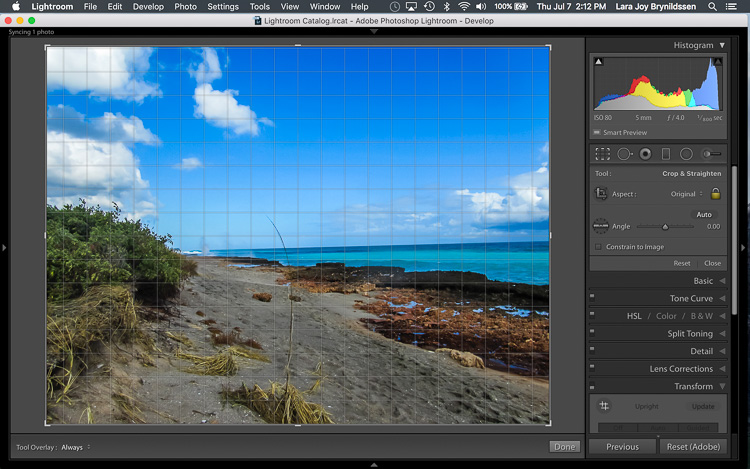
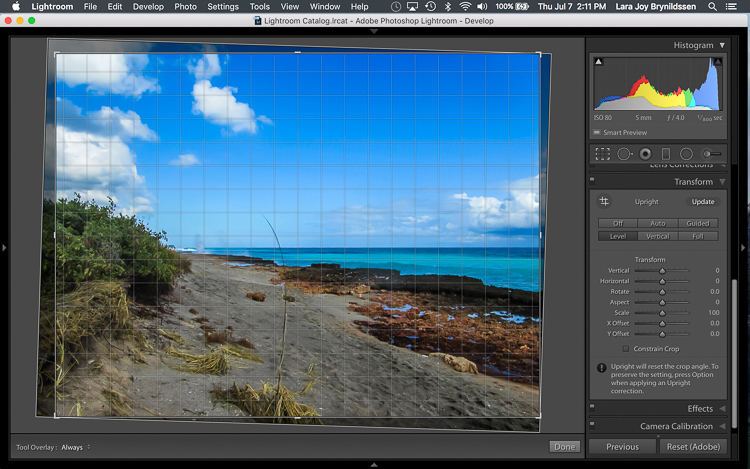
Here, in the first example above – a lovely seascape – there is a crooked horizon. Before opening the Transform tab, press the R key to activate the Crop Tool. Now press the O key (letter not number) to toggle the Grid overlay. With the Crop Tool still activated, click on the Transform tab in Lightroom and choose Level.

IMAGE 2

The Level option is perfect for images like this, when there are no strong vertical lines that need correction. It simply straightens the horizon so it no longer slopes crookedly. With the Grid overlay turned on, it’s easy to verify that the horizon is now straight. Here’s the image after the crop is applied.

IMAGE 3

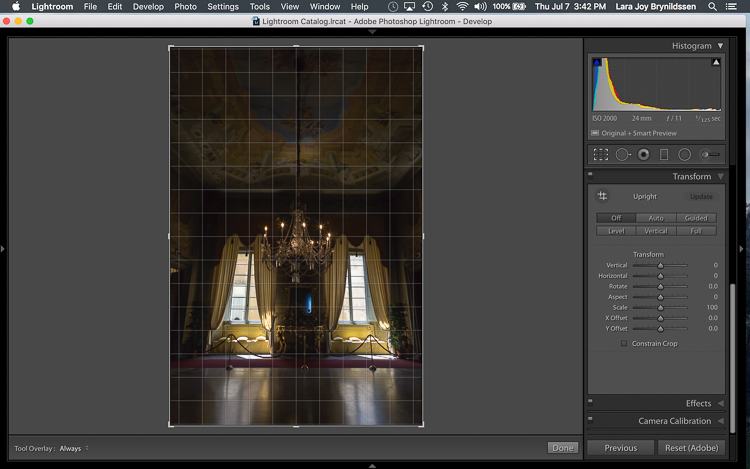
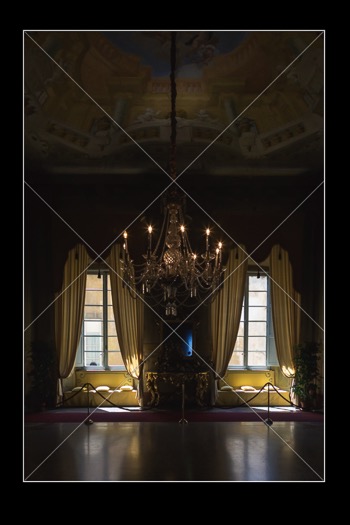
In this next example (below) – an interior image of an old Italian mansion – the windows are falling over backwards.

IMAGE 4

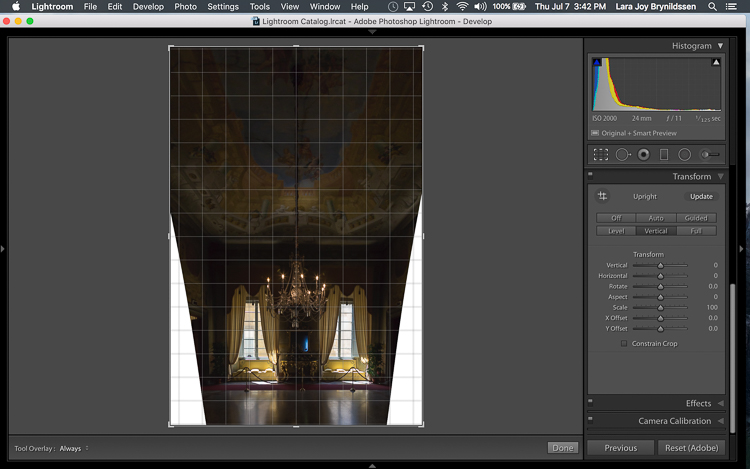
Here the Vertical option in the Transform tab does a great job of straightening the perspective. The windows align perfectly with the horizontal and vertical lines of the Grid overlay.

IMAGE 5

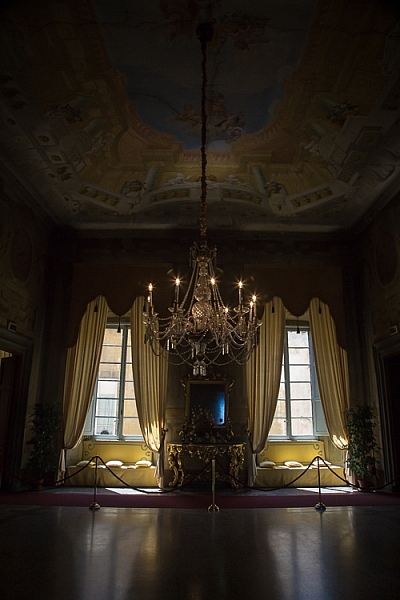
But as you can see, straightening the image has created a few problems. The image was so crooked (perspective distortion) that now there is a lot of white space to crop out. The good news is that when fixing these issues, composition can be improved too.

Composing with the Crop Tool in Lightroom

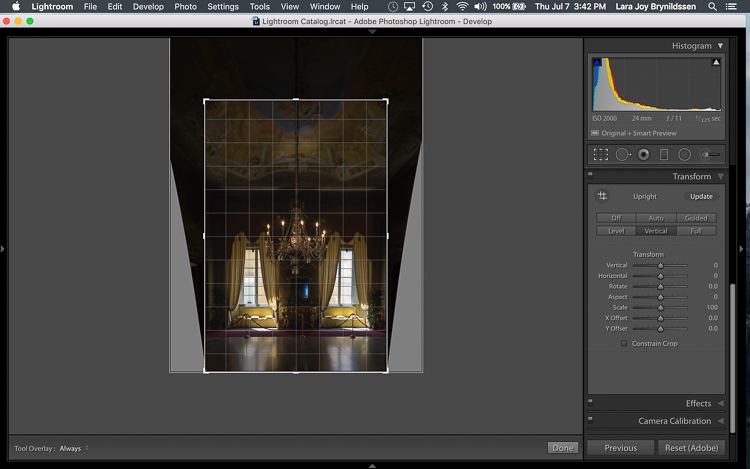
The white space can be eliminated, and the composition strengthened, by creatively using the Crop Tool in Lightroom. The next step is to adjust the composition with the Crop Tool by moving it around the image.

IMAGE 6

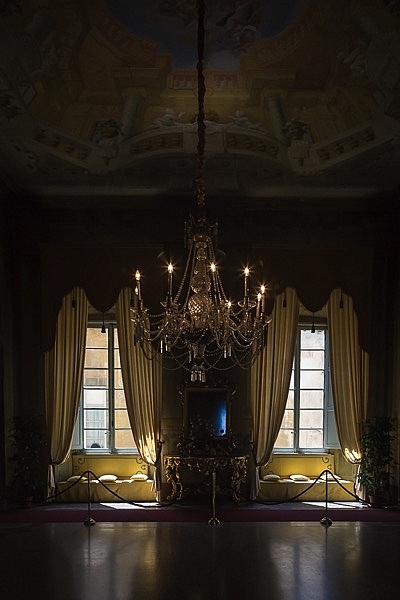
In this image, to eliminate all of the white space and direct the viewer’s focus to the chandelier and windows, grab the Crop Tool at the top centre point, and draw down. This eliminates both the unnecessary ceiling, and the white spaces on either side of the image.

Now that the image is starting to look better, scroll through the Crop Tool overlays and review the newly cropped image to see which ones work. By reviewing your images with different Crop Tool overlays, you can strengthen your intuitive sense of strong composition.

To review each of the overlays, press the O (oh not zero)) key. You’ll toggle through the following:

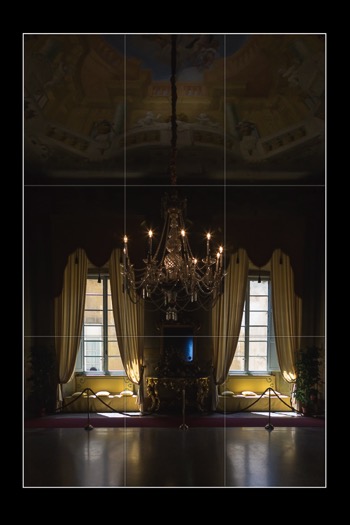
  • Rule of Thirds (below left)
  • Diagonal (below right)
  • Golden Triangle
  • Golden Ratio (similar to the Rule of Thirds overlay)
  • Golden Spiral
  • Aspect Ratios
  • Grid
IMAGE 7 IMAGE 8

In the example images above, both the Rule of Thirds and the Diagonal overlays clearly show that the composition is strong.

Before

Before

IMAGE-9.jpg

Final image.


Here’s the final image (before correction is above left, after is on the right). Now let’s take a quick peek at one more image, and one more feature in Lightroom.

Flipping the Golden Spiral and Golden Triangle Overlays

You’ve probably toggled through the overlays and disregarded both the Golden Triangle and the Golden Spiral because they just never work. Unlike most of the overlays, neither the Golden Spiral nor the Golden Triangle is symmetrical. That means that you need to flip the overlays around a few times to find the orientation that aligns with your image. By pressing the Shift key and the O key at the same time, you can change the orientation of both the Golden Spiral and the Golden Triangle. Changing the orientation makes those overlays a lot more useful.

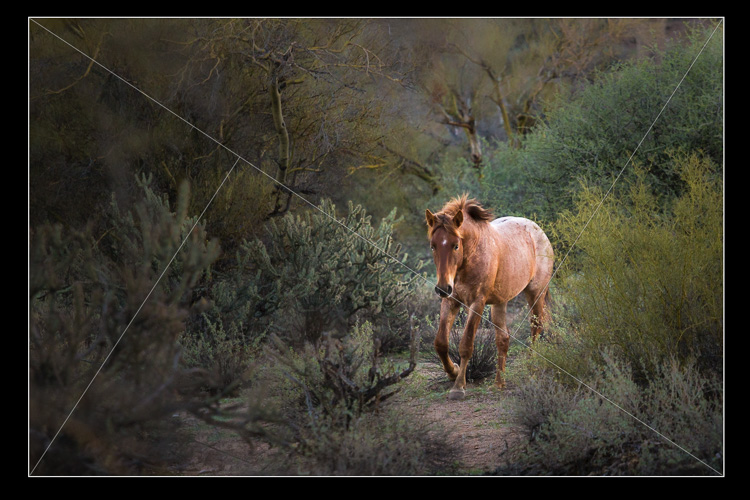
Here, in this image of a wild stallion (below), before flipping the Golden Triangle orientation, this overlay doesn’t work at all. Looking at it you might question whether or not the image had a strong enough composition to start with.

IMAGE 11

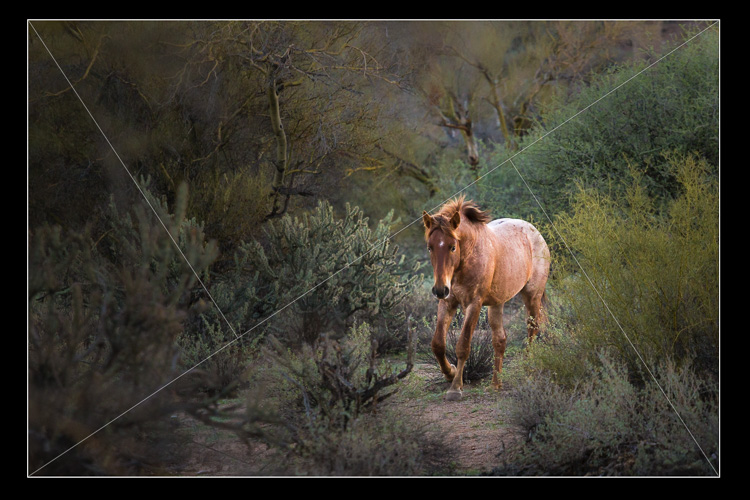
By pressing Shift plus the O key, and flipping the overlay orientation, the stallion fits neatly into his own triangle. His legs and nose are also no longer bisected by one of the diagonals. In addition, he’s positioned towards the back of the triangle. The top diagonal edge of the triangle that contains the stallion shows us that he is moving forward into the composition, towards the viewer, which is naturally pleasing to the eye. The other triangles neatly organize the foliage surrounding the stallion. Even the beam of sunlight highlighting the stallion falls within the main triangle, further confirming that this image is well composed.

IMAGE 12

With a little practice, some judicious use of the Transform tab and Crop Tool, you’ll master composition in no time. How do you use these tools to help you? Please share in the comments below.

googletag.cmd.push(function() {
tablet_slots.push( googletag.defineSlot( “/1005424/_dPSv4_tab-all-article-bottom_(300×250)”, [300, 250], “pb-ad-78623” ).addService( googletag.pubads() ) ); } );

googletag.cmd.push(function() {
mobile_slots.push( googletag.defineSlot( “/1005424/_dPSv4_mob-all-article-bottom_(300×250)”, [300, 250], “pb-ad-78158” ).addService( googletag.pubads() ) ); } );

The post Using Lightroom’s Transform and Crop Tools to Improve Composition by Lara Joy Brynildssen appeared first on Digital Photography School.


Digital Photography School

 
Comments Off on Using Lightroom’s Transform and Crop Tools to Improve Composition

Posted in Photography


Tips for Using Natural Framing to Improve Your Composition

14 Jul

To help you compose more exciting and beautiful photographs, there are certain key composition techniques that you can use. Natural framing is one that is widely known, but needs careful and thoughtful application. Using framing can create extremely impressive and elegant images when done right. Here are some tips to help you.
natural-framing-tips--10

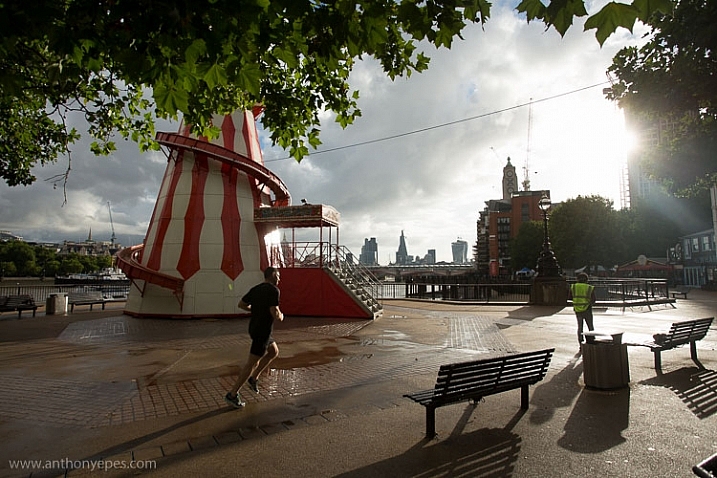
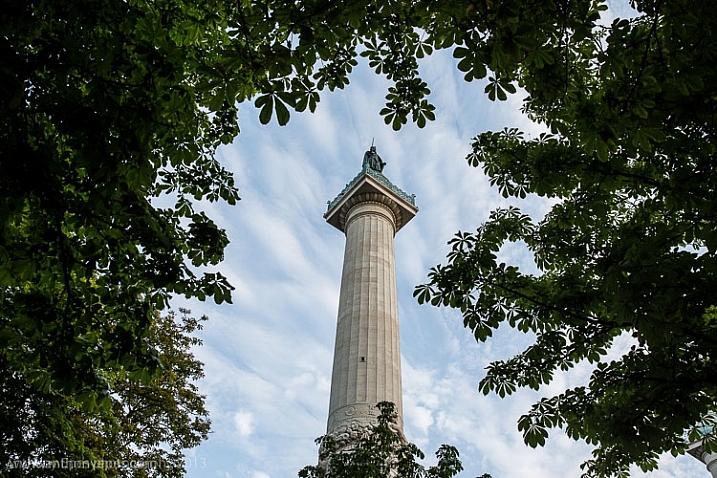
Natural framing is when you use an element within your image to frame the subject. This draws the eye into the photo and highlights the actual subject.

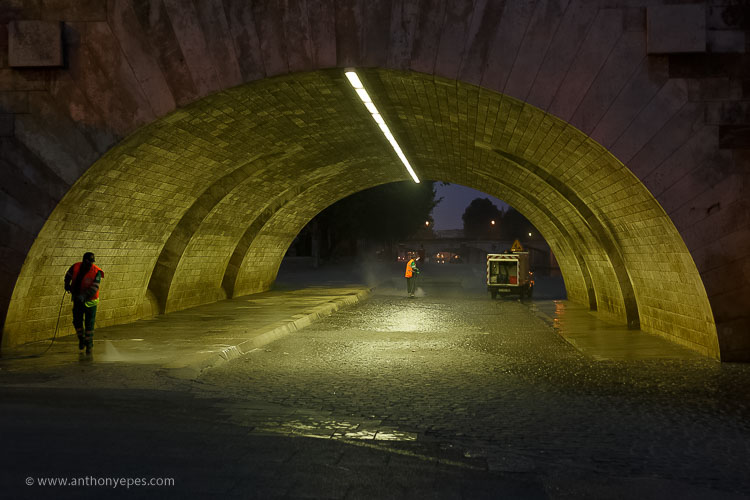
This internal frame can be constructed using a multitude of things you’ll find anywhere – branches, archways, tunnels, door frames etc., as well as things that aren’t solid like light, shadows, rain, fog, etc. – it doesn’t matter what you use.

Framing is a technique to use sparingly – but when it’s totally right, it looks natural. So few people use it well that if you can master it, you can create some fantastic shots.
natural-framing-tips--2
Why you should use natural framing:

  • It easily draws your viewer’s eye into the photo and emphasizes the subject.
  • It isolates and separates your subject from what’s around it.
  • It brings a sense of order and structure to a photo – and the eye loves order.

When to use natural framing

  • To obscure boring sky (my favourite).
  • To add depth to an image – especially when the item acting as the frame is not in focus.
  • To bring contrasting elements into the photo without detracting from the subject.
  • To create structure.
  • To create a feeling of a self-contained image, particularly if you are photographing something quite ordinary and simple, a frame will help give depth to the subject.
natural-framing-tips--12

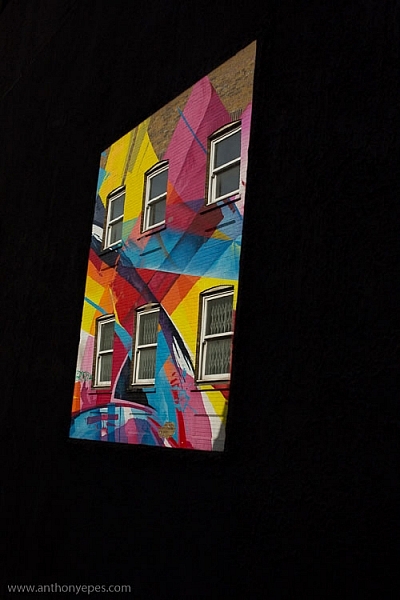
Traditionally the frame should be distinctly separate from the subject, so that it’s not confusing to the eye. But I will also show you where I haven’t done that, and the photo still works. I will show you both how to use this technique as well as where else you can take it – how to let it inspire you to develop your images.

Rules are made to followed, bent and broken

Like anything that is considered a technique or rule, people can feel very passionately for or against their use.

“Consulting the rules of composition before taking a photograph, is like consulting the laws of gravity before going for a walk.” Edward Weston

But for me, it comes down to not using any of the rules so much, that your photos end up all looking the same. Don’t let rules keep you stuck in a box. They are a great springboard for your photography, or a way to help refresh your vision, so that you start composing in a different way.
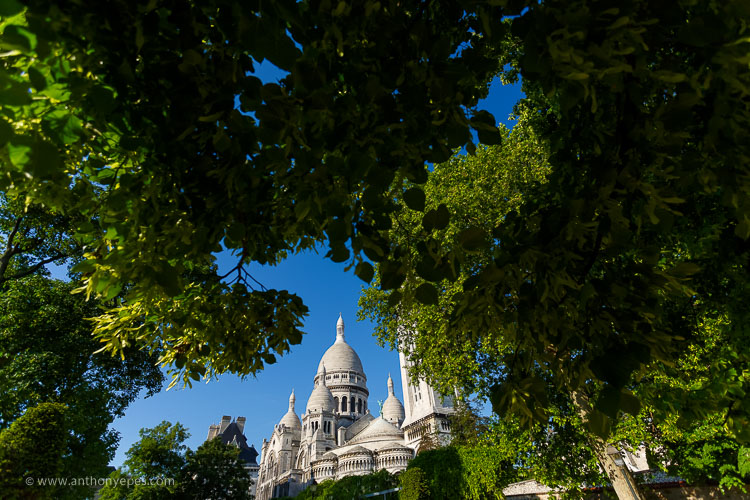
natural-framing-15

When I was starting out, I worked hard to get really familiar with the key compositional techniques, but then after a while, once I’d embedded them, I started to develop my own way of using these techniques, my own style.

I also encourage you to think of all these techniques and rules as opportunities to see and learn to organise the elements within your photos differently. In my workshops I’ve noticed that one of hardest things for people is to break the world down into elements, and then learn how to organise these elements to create striking compositions.

Natural framing isn’t an add-on

Natural framing is one of the harder rules to pull off well. I think many people use it to make a boring landscape or scene more interesting. But to me, if your subject is boring, no technique is going to liven it up. Framing should be used as an additional interesting element – not as an overlay to a mundane scene (just search: “natural framing” on Google images and you’ll see what I mean).
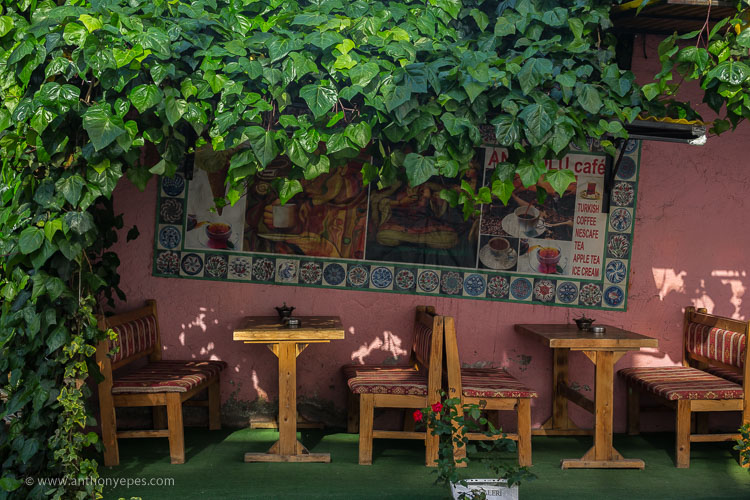
natural-framing-tips--3

I find natural framing is most interesting when used in the loosest possible interpretation. It has to be employed in a way that enhances the photo, and feels like it is a natural part of the composition.

“There is no better time to crop a bad composition than just before you press the shutter release.” Bryan Peterson

With those caveats – now it’s time to relax, have fun, and play with it!

Creating your frame
natural-framing-20

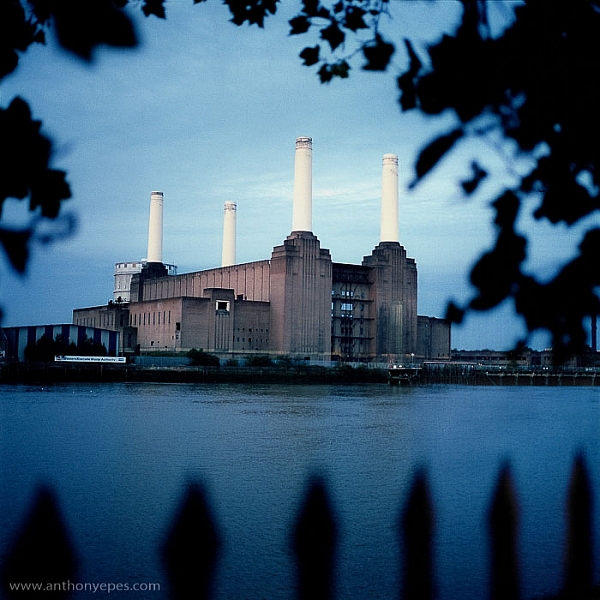
You don’t need to have a frame around all four sides of your photo for it to work – in fact I’d encourage you not to do that. I think more often than not, it looks more natural and pleasing to the eye for the frame to take up just two or three sides of the image. But like every recommendation – use your own personal judgement.

The photo above of Battersea Power station is probably one of my most traditional interpretations of natural framing. I have framed the building with the branches and leaves at the top, and the outline of a fence at the bottom. Two important things to point out in this photo:

  • When the frame is out of focus it create a sense of depth to the image.
  • The frame can be made from different elements: I’ve used two different elements but their colour is the same, and they are both interesting shapes – so they have some common qualities.

Obscuring boring sky
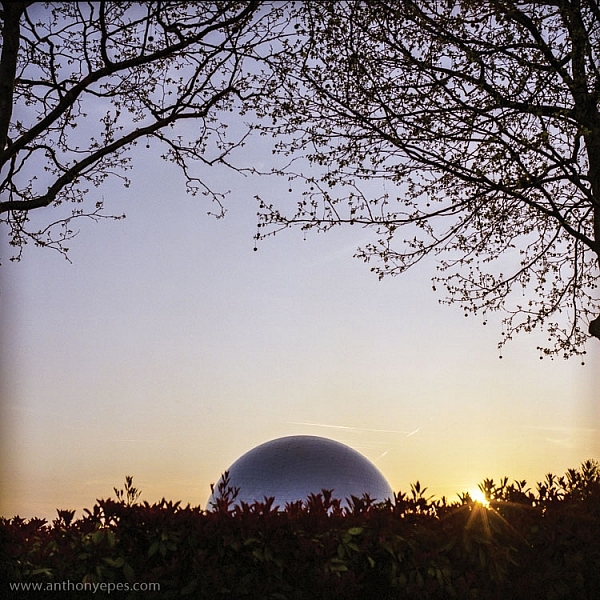
natural-framing-tips--7

In the photo above, I wanted to capture the shiny dome and the rising sun. But that wasn’t enough to make an interesting photo. There was some pretty endless sky, so I added a silhouette of the bare branches above. I seem to use a lot of tree branches in my natural framing compositions. In this case, I love how they create this beautiful, wild, chaotic pattern, above the very clean and shiny dome. Then I’ve added this little almost tuft of leaves below, which balances the photo out.

I love using framing elements that have great texture – again they add depth. Just remember to keep it well organized and clear so people can see what you are trying to do. This photo is really about the simple contrasting shapes – and by using natural framing it creates a nicely ordered photo, constructed from the available elements.
natural-framing-17

So once you’ve got a grasp of the concept you can start using the technique in other ways – have fun!

You are in control of how the viewer sees the image

Naturally framing is a very good way to remember that you are in control of how the viewer’s eye will go around the image. It doesn’t matter how big the photo is, the eye won’t see the complete image all at once. The eye will be drawn to one part and then move around the image depending on where the elements are placed. Your job as a photographer is to direct the eye.
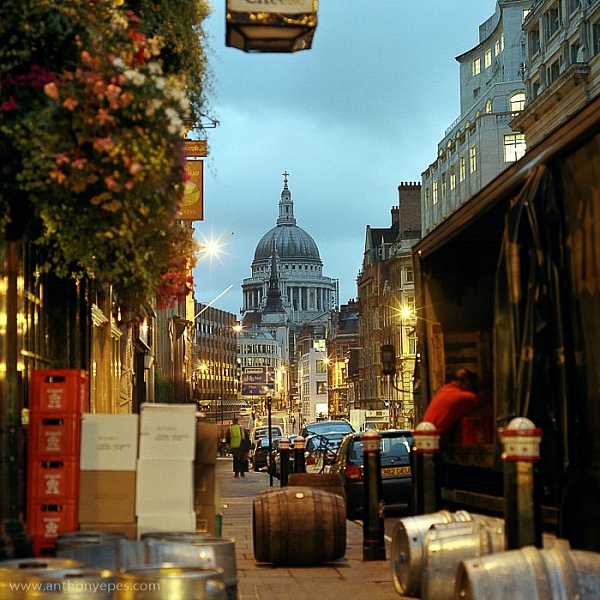
natural-framing-tips--4

Here the subject is St Paul’s Cathedral, bang in the centre of the image. But all around it there are buildings, streets, cars, etc. When you first see the image, all of that other detail bleeds into one, creating a natural frame for the cathedral. But then gradually you start to see the details, so the image becomes something quite different.

This photo is a good example of how you can use framing to create order to a very busy scene, and give the viewer a way into the photo. It’s also a good example of how your eye moves around an image.

The one-sided frame

It is possible to do a one-sided frame, and it works! Below, even though the foliage is only running along the bottom, it creates a great grounding effect, and pushes the eye up toward the moon and the Statue of Liberty. Therefore, in my book, it adheres to the principal of drawing your eye towards the real subject of the photo. This isn’t even a strong line that’s creating the framing element – it’s simply the power of suggestion.
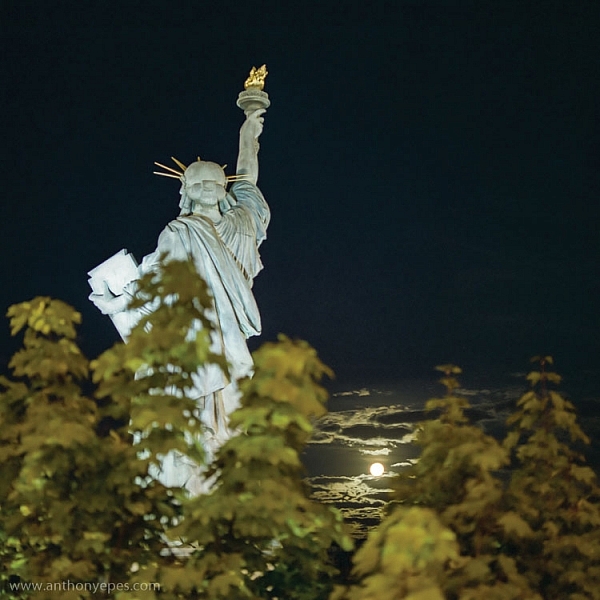
natural-framing-tips--6
In the photo below you’ll see some framing which is going across the corner of the photo. So it’s still drawing your eye to the subject – which is the rising sun and Tower Bridge – but it’s quite subtle. I would perhaps suggest that the bottom elements are creating a second framing element, grounding the photo, and framing the sun. What do you think?
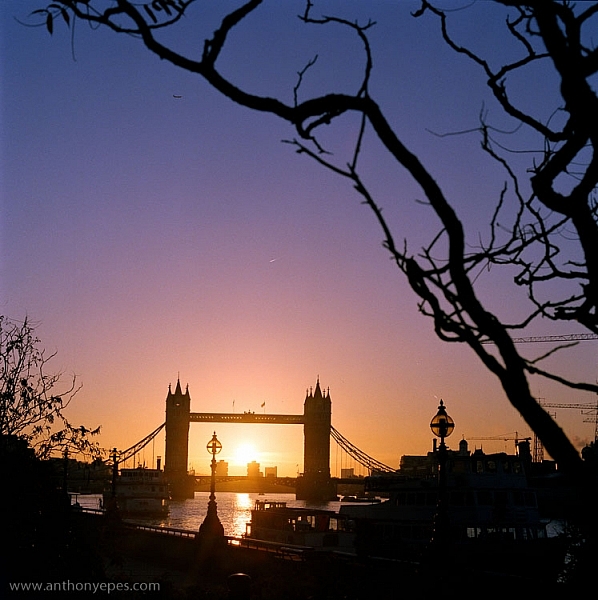
natural-framing-tips--8

When I am shooting photos with big sky – which is favourite subject of mine – what I often do is shoot when small objects appear in the sky, like above. If you look closely you can see a very small plane. Or sometimes a tiny bird appears, or some other random object. People often ask me why I don’t Photoshop it out because it can look like a piece of dust or a mistake, but I love these little surprising elements. It’s great if there can be tiny details that create layers of interest in your shots, so your viewers don’t see everything all at once. (Or as Henri Cartier-Bresson said, “The little, human detail can become a Leitmotiv.”)

Here is another photo that is truly on the edge of being framing. But I think it shows how you can play with the idea (and there is nothing more fun than playing with all these different concepts and ideas, and making them your own).
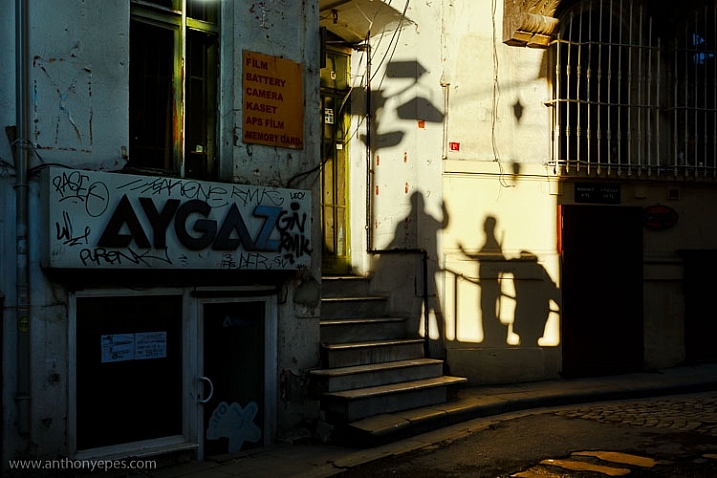
Greeting Shadows

I looked at this photo and thought – wow, I’ve framed the image of the shadows of the people with the surrounding dark shadow. It is doing what natural framing tells us to – which is use a frame to draw attention to the real subject of the photo, so I think it fits.

Use multiple frames within one image

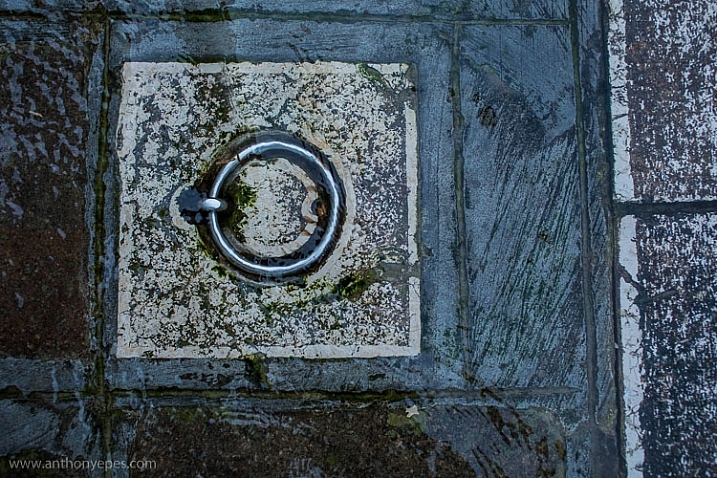
I am a little bit obsessed with photographing things I find on the street. I love photographing very ordinary things – like chewing gum or lines on the road, disconnecting them from their wider context, and just playing with their shapes. This is also another way to help train you to practice breaking the world down into elements, so that you can then start to organize them in a more constructive way.

You can go further still by making the frame within your image just a part of the image, and not the whole thing. It could even be just a suggestion of a frame, like I did here.
natural-framing-tips--5

I love using very simple backgrounds with strong colours for my portraits. This is because firstly, I want the background to not distract from subject, so a simple background is usually best. The camera can’t easily recreate the layers that we see with our awesome 3D eyes. So if, for example, you put a subject in front of a crowd, you will get a flat image without depth.

Homeless World Cup Hasselblad Portraits

Plus, I like to have the colour and texture of the background really fit with the subject – maybe with their clothes, their posture, their expression, etc. This photo is a good example of my philosophy on this point.

Now back to framing! One key reason the photo above works is the added dimension of some framing. Yes, again not a totally traditional use of it, but you can see that the yellow arch shape and the blue strips either side are adding some great structure and form to the image. You’ve also got a sense of them confining the subject, which gives a nice balance to his strong, proud posture. That feeling of being confined is something you can do well with natural framing, and adds a curious feeling to the photo (since the posture of the subject is so proud and strong, you can’t imagine him being confined, right?).

Everything within your frame has a message
natural-framing-19

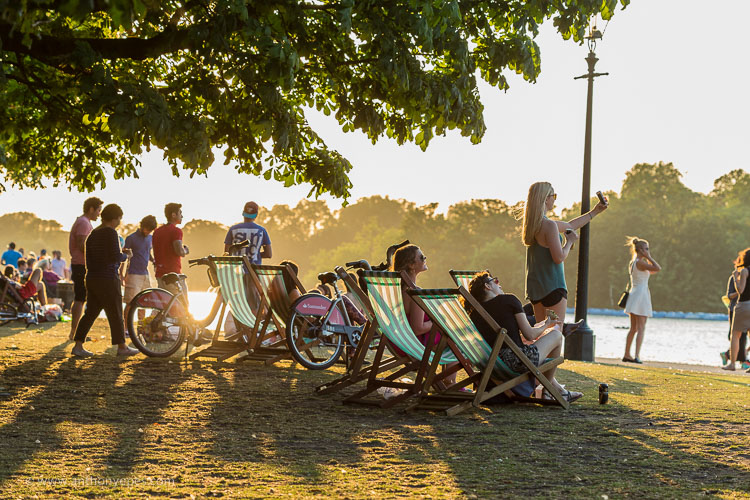
As the photographer, you need to make sure that everything you put in the frame is saying something that you want it to – that the elements are all working together to form the idea and feeling that you seek. If you don’t know what that’s supposed to be – just ask yourself:

  • What am I feeling here?
  • What is interesting to me in this scene?
  • Why is this important?

It’s these feelings that you will be communicating through your images, if you’ve done it well and created a strong photograph.

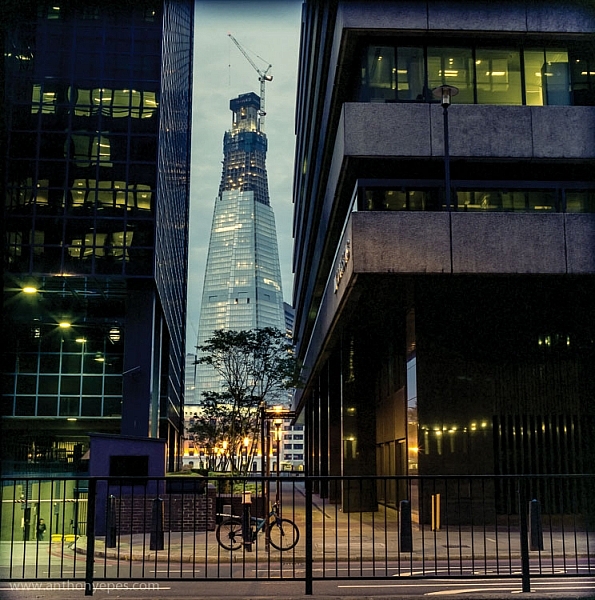
In the image below I framed the Shard, with buildings on the side and a fence along the bottom. There is a risk that it could all have blended in together, but that bright blue sky has created a natural space around the subject.
natural-framing-tips--1

If this is all feeling like a bit too much, don’t worry, as it all becomes instinctive after a while. As a final note, I like this thought from Henri Cartier-Bresson:

“You just have to live and life will give you pictures.”

It’s a great way to live.

I’d love to know what you think of natural framing – do you use this technique? What do you think of the examples I’ve given here? Have you been inspired to try this out if you’ve never used it before? If you have any photos you’d like to post here I’d love to see them.

googletag.cmd.push(function() {
tablet_slots.push( googletag.defineSlot( “/1005424/_dPSv4_tab-all-article-bottom_(300×250)”, [300, 250], “pb-ad-78623” ).addService( googletag.pubads() ) ); } );

googletag.cmd.push(function() {
mobile_slots.push( googletag.defineSlot( “/1005424/_dPSv4_mob-all-article-bottom_(300×250)”, [300, 250], “pb-ad-78158” ).addService( googletag.pubads() ) ); } );

The post Tips for Using Natural Framing to Improve Your Composition by Anthony Epes appeared first on Digital Photography School.


Digital Photography School

 
Comments Off on Tips for Using Natural Framing to Improve Your Composition
Posted in Photography