RSS
 

Posts Tagged ‘Guide’

FroKnowsPhoto’s Video Guide on sale

22 Dec

fronono.jpg

Our friend Jared Polin over at Fro Knows Photo is running a holiday season promotion on his latest video guide, FroKnowsPhoto Flash Guide. Until the end of the year you’ll be able to buy the instant digital download version for just $ 57. Not bad for three hours of practical advice on flash photography delivered in the Fro’s inimitable style.

News: Digital Photography Review (dpreview.com)

 
Comments Off on FroKnowsPhoto’s Video Guide on sale

Posted in Uncategorized


Get 30% Off Jared Polin’s Beginner Training Guide

21 Dec

On the eighth day of Christmas dPS gave to me …

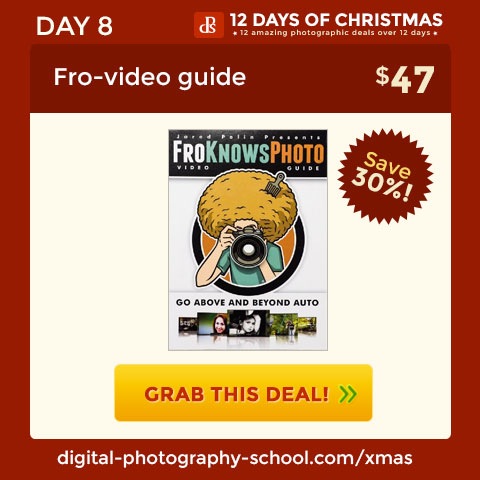
A 30% saving on the FroKnows Photos Beginner Training Guide

book8-single-facebook.jpg

I know many dPS readers are fans of Jared Polin from FroKnow Photos – he’s a big personality in the online photography training space and the deal he’s put together for dPS readers today is big too!

In a style that only Jared can deliver he’s developed a really effective training guide for DSLR owners who are wanting to get out of Auto and get more control of their cameras.

There’s a fantastic run down of what is included in this guide over at Jared’s site here but in short you get 3 hours of video training that covers teaching on everything from composition, the shooting modes on your camera, teaching on shutter speed, aperture, depth of field, ISO, focal length, your camera’s light meter and much more.

You’ll also see Jared shoot a variety of real life shoots which is where all the theory comes together.

Today you can enrol in this fantastic guide for just $ 47 — a bigger discount than Jared has offered ever before.

All the details and a sample of what to expect in these guides can be found here. It’s worth having a look even just for the intro video.

Bundle the Guide for More Fro Knows Photo Goodness

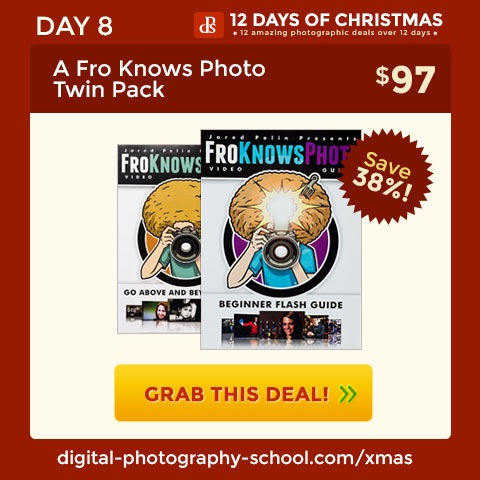
If you want a little more than just Jared’s beginner guide – check out the bundle option that he offers where you can get the Beginner Guide AND his brand new Flash Photography guide.

These two guides make a great set – details of what is included are here.

book8-bundle-facebook.jpg

The post Get 30% Off Jared Polin’s Beginner Training Guide by Darren Rowse appeared first on Digital Photography School.


Digital Photography School

 
Comments Off on Get 30% Off Jared Polin’s Beginner Training Guide

Posted in Photography


Beginner’s Guide to Waterfall Photography

16 Dec

There are few things more majestic than a flowing waterfall, whether it’s on the Niagara river or the little stream behind your house. There are many ways to photograph these natural wonders, and I’ve compiled a few tips, tricks, and techniques to help you get waterfall images that do justice to their elegant beauty.

waterfall-photo-2b

Equipment Choices

The equipment you need will depend on what type of photo you want to make. But you probably won’t make that decision until you are on location, so here is what I usually keep in my camera bag if I’m planning on shooting a waterfall.

  • Tripod – As with most forms of landscape photography, a tripod is your best friend. It will allow you to compose your scene very precisely and give you the flexibility you need if you decide to shoot long exposures.
  • Circular polarizing filter – This is an essential piece of equipment when photographing water to allow you to remove reflections and glare from the water’s surface. You might not need this if the frame is filled with the waterfall, but you will want it handy if you decide to include a pool of water in the foreground. It will remove the reflection and allow you to see through the water to any interesting rocks underneath.
  • Neutral density (ND) filter – If you decide to shoot a long exposure and it happens to be the middle of the day when there is a lot of light, you will need this gray-tinted piece of glass placed in front of your lens. It blocks some of the light from hitting your sensor, allowing you to use a slower shutter speed. These are sold in varying strengths, and can be stacked for different levels of light absorption.
  • Lens cloth – Useful for cleaning water spray off of your lens or filter. I like to use little pieces of ShamWow for absorbing water drops. They are helpful for cleaning water off the rest of your camera too, and even your tripod legs when you are done.

waterfall-photo-1b

Camera Settings

The camera settings you use will depend on what kind of photo you’re after:

Silky waterfalls

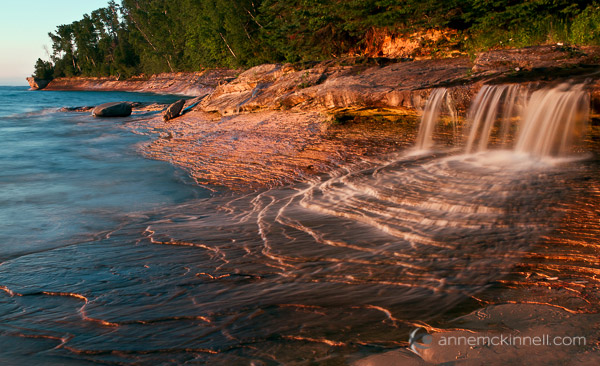
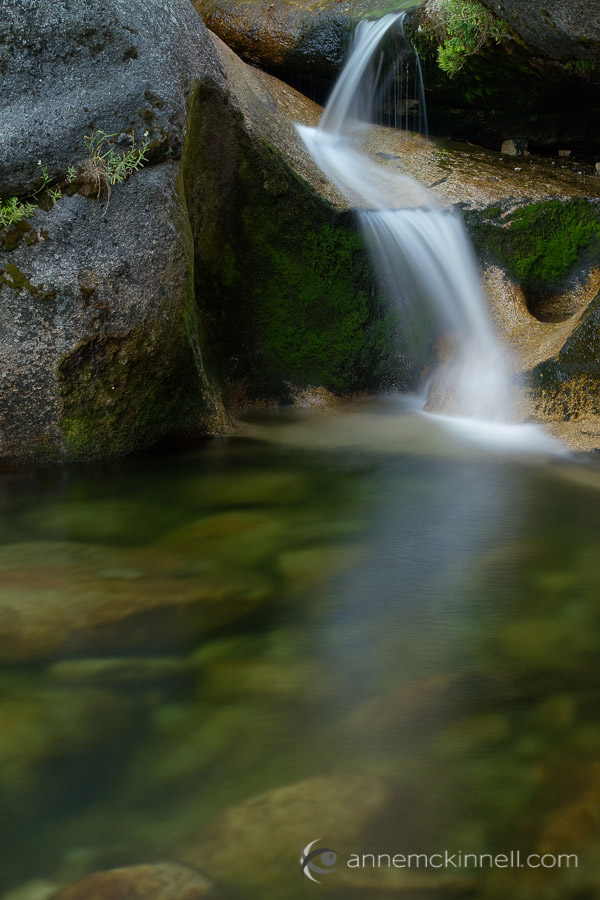
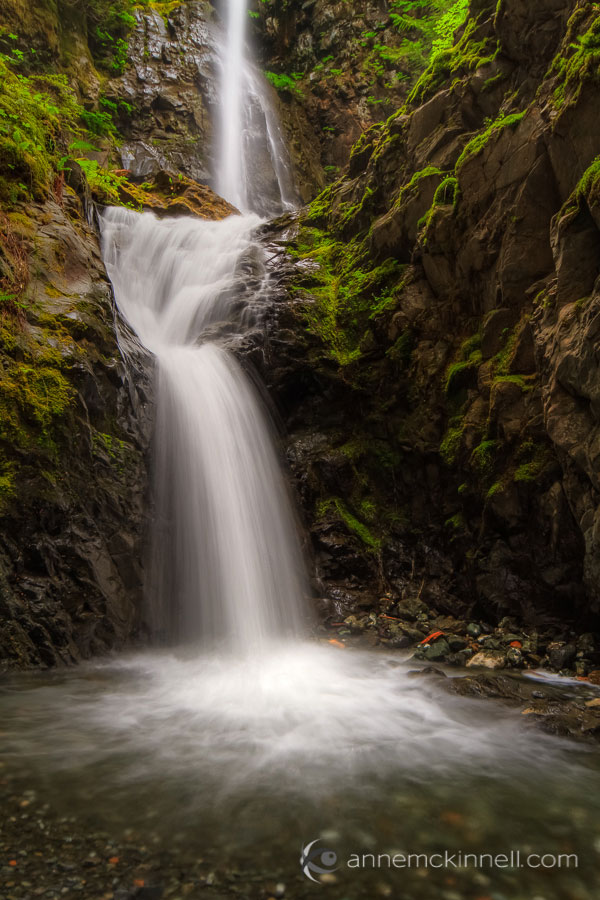
To create that silky smooth blur popular with waterfall photography, you’ll want to use a slow shutter speed for a long exposure. With your camera mounted firmly on a tripod, set it to shutter priority mode (usually “S” or “Tv” on your camera’s mode dial) and set your ISO as low as it will go (usually 100). Then, select a shutter speed between one half second to four seconds to achieve a nice amount of blur.

waterfall-photo-5b

Experiment with different shutter speeds to get the amount of blur you want. The best shutter speed will depend on how fast the water is moving, so getting the shutter speed just right takes a bit of experimentation. If you cannot get a slow enough shutter speed for the effect you want, use a smaller aperture so that less light enters the camera. That will allow you to select a longer shutter speed. If you still need a slower shutter speed, that’s when you can use a neutral density filter to block some of the light.

Keep in mind that when using a long shutter speed, if there are any plants or trees in your frame they may have an opportunity to move if there is any wind, and then everything in the image will be blurry. For this type of a scene, it is usually better to photograph earlier in the day when there is little wind.

Freezing the motion

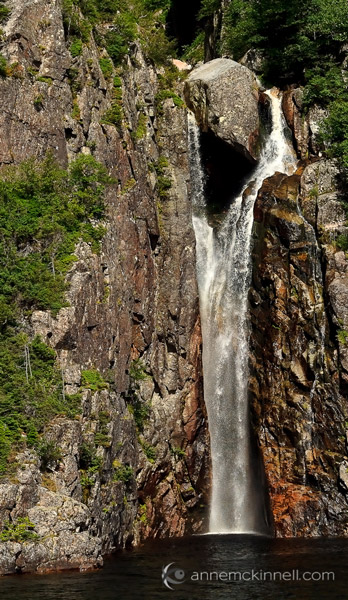
Especially interesting when photographing violent falls, this requires just the opposite technique – you want a fast shutter speed to capture a brief moment and suspend the water’s movement in the air. Use shutter priority mode and select a faster speed such as 1/500th of a second or faster.

waterfall-photo-3b

For this technique you wont need a neutral density filter and you might even be able to get away without using a tripod. If you are in a low light situation, to get a fast shutter speed you may need to use a larger aperture such as f/5.6 to let more light in, and you can increase the ISO to 200, 400 or as high as you need to go to allow a fast shutter speed.

Detail shots

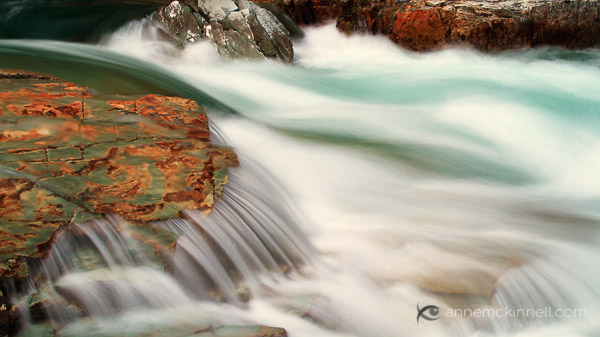
Instead of getting a broad landscape style shot, you might want to close in on an interesting rock, plant, or other detail of your scene. For this, compose your shot (use a tripod if possible) and turn your camera to aperture priority mode – “A” or “Av” on your mode dial. This will allow you to have control over the depth of field, or how much of the picture is in focus from front to back.

The aperture value is shown as an f-stop. F-stop numbers are a little confusing because the smaller numbers represent a larger opening and vice versa. I find it helpful to think of it as a fraction. F/8 is smaller than f/4 because 1/8 is smaller than 1/4.

waterfall-photo-6b

Small apertures let less light in, but they increase the sharpness in the foreground and background. Large (or “wide”) apertures, on the other hand, mean that only part of the picture is in focus, while the rest becomes soft and out of focus.

Look at your scene and decide what you want in focus and what should be blurry. If you want to isolate your main subject, choose a large aperture (small f/number) such as f/4 or f/2.8 to make the background out of focus. If the background is important to the picture, choose a small aperture (large f/number) like f/16 or f/22 to make the entire scene sharp and clear.

Composition

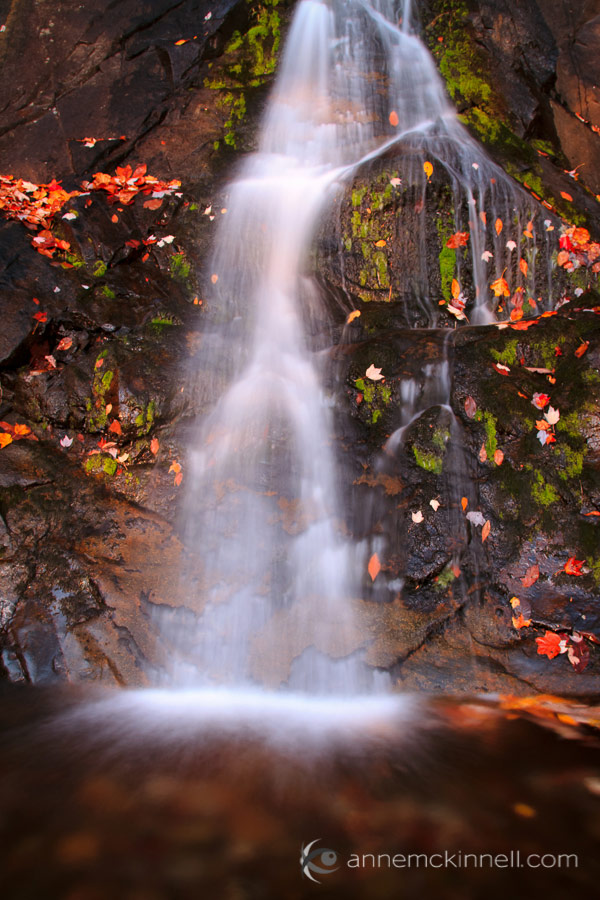
There are many compositional techniques to employ when creating waterfall images. First and foremost, remember the rule of thirds and how your eye is drawn through the image. Use the leading lines inherent in flowing water to create visual pathways for the viewer to follow, remembering that corners are very strong entry and exit points in the frame. Pay attention to both the foreground and background, and don’t forget to pay attention to what’s around the water, as well as the falls themselves.

waterfall-photo-4b

Field techniques and summary

  • When you arrive at any scene, the first thing to ask yourself is, “What makes this place unique?”. Pay special attention to that quality.
  • Bracket your shots to make sure you get the best possible exposure – this means taking several pictures using different apertures and shutter speeds, and also making several different images using the camera’s exposure compensation (+/-) to brighten or darken each shot to a different degree. See your camera’s manual for specific instructions on how to use these features.
  • Shoot in the uncompressed RAW format to allow for more flexible fine tuning in post processing. RAW images must be processed with a compatible photo editing program, or software that was included with your camera.
  • Experiment – most of all, don’t get stuck making the same type of photograph all the time. Try to make a long exposure, a fast exposure, some detail shots, and try different perspectives so you come home with a variety of images from your photo shoot.

Gear mentioned in this article

  • tripods – link to some of the best, and most popular brands
  • neutral density filters – make sure to get the right filter size for your lens, or biggest one and a step down ring to your smaller ones
  • lens cleaning cloth

The post Beginner’s Guide to Waterfall Photography by Anne McKinnell appeared first on Digital Photography School.


Digital Photography School

 
Comments Off on Beginner’s Guide to Waterfall Photography

Posted in Photography


Photojojo’s Holiday Gift Guide 2013, Part 3!

13 Dec

It’s our last all-new gift guide of the year! So we’ve brought out our very finest photo gifts – beautiful camera bags, photo-themed décor and more.

Plus, we’re showing off our top selling products of all-time, that are sure to be a real hit on Christmas morn’.

Order quick and we’ll be sure to beat Santa down the chimney for ya.

Carry your gear in style! The Brooklyn camera bag is handcrafted out of full grain leather, with a plush interior and plenty of room. Nothing but the finest, for your trusty camera.

In the Shop for $ 329


Everything you need to shoot the most creative roll of film you’ve ever shot. A camera, two lenses, rainbow filter and a book of inspiration will spark your love for analogue photography all over again (or, for the very first time).

In the Shop for $ 25


Finally! A huggable camera lens. These limited edition jumbo-sized lens pillows. They’re hand-made with all the detail of your favorite lens (from the f-stops to the auto-focus switch) carefully embroidered by hand into fuzzy fleece.

In the Shop for $ 80


Get awesome technicolor patterns, lens flare and swirly rainbow hues in-camera without an app! These coated glass gradient filters twist and stack for infinite color combinations. And, their sturdy aluminum mount fits on any phone.

In the Shop for $ 35


Take your camera on any and every expedition, in this full-sized adventure proof messenger camera bag. It’s made of water repellent waxed canvas, and has enough pockets and interior space to hold all your gear.

In the Shop for $ 269


Hang your love of analogue on the wall for all to see. The Vintage Film Roll Print features 20 vintage film rolls in their bright and colorful glory. The perfect décor for any photographer’s home or office (just not their darkroom).

In the Shop for $ 15


Your phone cam is great, but you can give it one that’s super-duper. Sony QX series pro-quality lenses that are also full-fledged cameras! They use your smartphone as a viewfinder, settings panel and shutter release. Then, send the pix they’ve taken wirelessly onto your phone.

Starting at $ 250


Lots more amazing gifts…


Everyone Loves Them!We’re sure those folks on your gift list will too.

Photojojo Classic Lens Series

$ 49 ? BUY

Camera Lens Mugs

$ 24 ? BUY

Macro Lens Band

$ 15 ? BUY


iPhone Telephoto Lens Kit

$ 35 ? BUY

Bamboo Solar Phone Charger

$ 35 ? BUY

Smartphone Spy Lens

$ 20 ? BUY


Even more amazing gifts…
 

© laurel for Photojojo, 2013. |
Permalink |
No comment |
Add to
del.icio.us

Post tags:


Photojojo

 
Comments Off on Photojojo’s Holiday Gift Guide 2013, Part 3!

Posted in Equipment


Photojojo’s Holiday Gift Guide 2013, Part 2!

05 Dec

We’ve got gifts galore: A hyper-intelligent camera that takes photos all on its own, deliciously cool looking lens caps, #jewelry for the Instagram lover in your life and more.

With 7 ALL NEW items, it’s our brand newest gift guide yet!

Plus, we’ve just introduced a new shipping option, that we think your nose is really going to like…


The Autographer is a super intelligent wearable camera with 6 sensors (GPS, compass, accelerometer, thermometer, color sensor and motion detector). It logs your life as you live it. Then uploads the photos and data straight to your iPhone.

In the Shop for $ 399


A juicy burger or delish donut protect your lens from scratches and add a bit of fun to your favorite gear. *Warning* Snack caps are not guaranteed to protect your lenses from being licked. In fact, they just might invite it. Yummy. Yummy.

In the Shop for $ 15
 

The latest and greatest Instax Mini Camera straight from Japan gives you more creative control than ever before. It has six shooting modes including long and double exposure that no other Instax cam has!

In the Shop for $ 225


The dreamy look that Diana lenses have been bringing to 120mm film is now available for your DSLR. This glass version of the iconic Diana lens gives you all the dreaminess higher contrast.

In the Shop for $ 60


This remote let’s you take photos on your Android or iPhone from up to 30 feet away! Perfect for outstretched-arm free selfies and starting/stopping videos without wiggling your phone.

In the Shop for $ 40


Bring back the family slide show! The Projecteo Gift Box comes with one mini projector and a gift card to order a wheel of slides from your (or a pal’s) very own Instagram pix.

In the Shop for $ 35 


You’ve hashtagged all of your photos. What next? Your friends! Give them a laser-cut acrylic #selfie, #nofilter or Like icon necklace.

In the Shop for $ 25


If you love something you pin it, right? So pin your love for Photoshop, Instagram and Pinterest onto your sweater, hat, bag or friend.

In the Shop for $ 12


Tiny gifts starting at $ 6They’ll fit well in your budget and in a sock!
 

Phone-o-Chrome Filter

$ 15 ? BUY

Instant Camera iPhone Decal

$ 6 ? BUY

The iPhone Wrist Strap

$ 35 ? BUY

Smartphone Spy Lens

$ 20 ? BUY

Super Fisheye Smartphone Lens

$ 25 ? BUY


Polarizing Smartphone Lens

$ 25 ? BUY


© laurel for Photojojo, 2013. |
Permalink |
No comment |
Add to
del.icio.us

Post tags:


Photojojo

 
Comments Off on Photojojo’s Holiday Gift Guide 2013, Part 2!

Posted in Equipment


The Guide of How to Succeed at Freelance Photography

27 Nov

Many photographers work freelance. It’s just the nature of the industry. You may believe that working freelance is the ideal life since it means no boss, no micromanagement and definitely no annoying co-workers to deal with on a regular basis. Not so fast, there! Working freelance photography also means the potential of no regular paychecks, no support from fellow co-workers Continue Reading

The post The Guide of How to Succeed at Freelance Photography appeared first on Photodoto.


Photodoto

 
Comments Off on The Guide of How to Succeed at Freelance Photography

Posted in Photography


Photojojo’s Holiday Gift Guide 2013, Part 1!

26 Nov

We’ve searched high and low and eye-level too to find six amazing new photo gifts for our friends and fam this holiday season.

Scroll along to see new phonography gear, limited edition Polaroid cameras and more.

Plus, a Sale on some old favorites!

null

These Photojojo Special Edition SX-70s have been restored to perfection by our friends and Polaroid experts at Mint. This limited run features a Photojojo exclusive colorway. So snatch them up quick for the Polaroid enthusiast in your life.

In the Shop for $ 400

null

Meet the all new version of our uber popular best-selling cell lens series! We added a mind (and image) bending Super Fisheye Lens and a glare stoppin’ color poppin’ Polarizing Lens.

Starting at $ 15


The Bolt Charger is a high-capacity backup battery for your phone, that’s also a wall charger. The perfect accessory for anyone who’s preferred method of battery depletion is snapping pix of all they see.

In the Shop for $ 60


The perfectly pocketable Phone-o-Chrome slide is an IRL filter that looks just like an old slide. Move its rainbow gradient in front of your lens to add a pop of color to any scene. Pick one up for your most colorful friend.

Starting at $ 15


Everything you need to take better photos with your phone. A lens, a light, a class at Photojojo University and a cool pouch to carry them all. 60 bux worth of gear for a mere 40 smackeroos. Great for phoneography whizzes and newbs alike.

In the Shop for $ 40


The Handleband holds your phone safe and snug on your bike’s handlebars. Take a traffic timelapse, film your commute, then use your maps app for directions! Just the thing for that special bike ridin’ photo lover in your life.

In the Shop for $ 20

Some of our faves, just got favier.
Hurry up! These deals are only around for one day.

  • The Instax Mini 8 Instant Cam

    $ 85

    $ 80 ? TODAY ONLY

  • Any Bag Camera Bag Insert

    $ 59

    $ 45 ? TODAY ONLY

  • iPhone 10-12x Telephoto Lens

    $ 35

    $ 30 ? TODAY ONLY

  • The Plaid Camera Satchel

    $ 70

    $ 60 ? TODAY ONLY

  • Seat Belt Camera Straps

    $ 25

    $ 20 ? TODAY ONLY

  • Canon and Nikon Lens Bracelets

    $ 25

    $ 15 ? TODAY ONLY


© Aaron for Photojojo, 2013. |
Permalink |
No comment |
Add to
del.icio.us

Post tags:


Photojojo

 
Comments Off on Photojojo’s Holiday Gift Guide 2013, Part 1!

Posted in Equipment


Holiday gift guide for the mobile photographer

22 Nov

2013.png

‘Tis the season for holiday gift guides, including for the mobile photography fanatic in your life. We’ve got gifts for the Instagram enthusiast, serial smartphone documentary photographer and the DSLR-turned-mobile photography convert. See our extensive smartphone photography gift guide on connect.dpreview.com.

News: Digital Photography Review (dpreview.com)

 
Comments Off on Holiday gift guide for the mobile photographer

Posted in Uncategorized


Guide to DIY Photo Booth Backdrops

21 Nov

Extra photos for bloggers: 1, 2, 3

Party time! Excellent!

‘Tis the season for some serious partying and these days no party is complete without a photo booth.

Setting up a photo booth is as simple as providing a backdrop and encouraging your pals to point their smartphones toward it.

We’re here to help you with that first part (you herd your own friends in front it).

We’ll teach you three easy-peasy ways to craft a party poppin’ backdrop.

Give your party photos that extra schwing and have your friends chanting “we’re not worthy! we’re not worthy!”

Learn to Make 3 Simple Festive DIY Backdrops

(…)
Read the rest of Guide to DIY Photo Booth Backdrops (490 words)


© Karla for Photojojo, 2013. |
Permalink |
No comment |
Add to
del.icio.us

Post tags:


Photojojo

 
Comments Off on Guide to DIY Photo Booth Backdrops

Posted in Equipment


Looking to Buy a New Camera or Gear? Check Out Our Brand New Guide

13 Nov

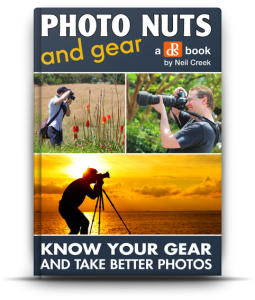
dps_covers_gear2

Are you looking to buy a new digital camera, lens, flash or other gear in the next 12 months?

If so – you’re not alone.

Check out these stats:

In a recent survey of dPS readers we found out over the next 12 months:

  • 31% of you were planning on purchasing a new camera body
  • 71% of you were looking to buy a new lens
  • 26% of readers were in the market for a new flash unit
  • 14% of you were looking to buy studio lighting
  • 24% of you were looking for a new camera bag

In fact over 85% of our readers are currently looking to make a significant addition to their gear in the next year.

If you’re one of them – you really need to check out our brand new Guide to Buying and Looking after your photography gear.

It’s the latest edition in our ‘Photo Nuts’ series and is called Photo Nuts and Gear: Know Your Gear and Take Better Photos.

Add to Cart

Why We Published This eBook

Since starting dPS back in 2006 a question that we see on a daily basis is:

“What Gear Should I Buy?”

It’s a tricky question to answer because each photographer has their own unique needs and there are constantly new cameras and accessories on the market.

One of the other common things we’ve heard from readers repeatedly over the year are stories of frustration and remorse over buying the wrong gear – something that can be a costly mistake.

The camera equipment market is a complicated and ever changing thing. There are some great pieces of gear out there but among them are also a lot of poorly constructed, overpriced or unnecessary things that will waste your time and money.

As a result we’ve long wanted to produce a simple yet helpful guide on the topic of choosing the right gear for your needs.

Our Guide: Neil Creek

creek-130510-055-sqThe author of this guide is Neil Creek, a photographer that will be familiar to many dPS readers as he is someone who has authored 4 previous dPS eBooks (including the 3 best selling Photo Nuts eBooks already in our library).

We chose Neil for this topic for a number of readers.

Firstly, Neil is an experienced photographer who knows his stuff and has an ability to explain it clearly (as readers of his previous eBooks will attest to).

Secondly, Neil knows that it’s not ONLY about the Gear. As he says in his introduction – “Vision, passion, creativity, practice, experience and other qualities are far more important than the gear used to create an image.” This is why we’ve put this eBook in our ‘Photo Nuts’ series – because it is just one element in taking great photos.

Lastly, Neil knows and loves gear. He has his eye on all the latest and greatest equipment on the market – but he’s also a discerning fellow and is committed to helping readers of this guide to not only choose great gear, but to decide if they really need it at all.

The aim of Photo Nuts and Gear is to help you understand what camera equipment can do for you, to hope you decide if you need it and to assist you in finding the best of the many options available. Neil’s the perfect author to help you through that process.

What You’ll Discover in Photo Nuts and Gear

This eBook teaches you how to research and buy camera bodies, lenses, tripods, flashes, light modifiers, camera bags and accessories. You’ll be led through clear and practical teaching on:

Do you really need new gear?

  • A reality check: do you really need to buy more equipment?
  • Can you DIY instead?
  • Reasons for buying new gear and justifying your decision.

Finding the right gear for you

  • How to fully unleash the power of the internet.
  • Community support and the wisdom of the crowd.
  • How to read reviews, read between the lines and know which reviews are garbage.
  • Lists of valuable resources for research.
Camera Gear Explained
  • Extensive in-depth look at a wide variety of camera equipment.
  • Many important features explained, in the context of researching your purchase.
  • Advice and help with determining what’s important and what’s not.
  • Covers core and obscure features you might otherwise overlook.
  • Covers the most equipment including camera bodies, lenses, flashes, tripods and more.

Case studies:

  • Examples of real world gear purchasing decisions.
  • Advice on how to choose and buy a telephoto, flash and more.

A Peak inside Photo Nuts and Gear
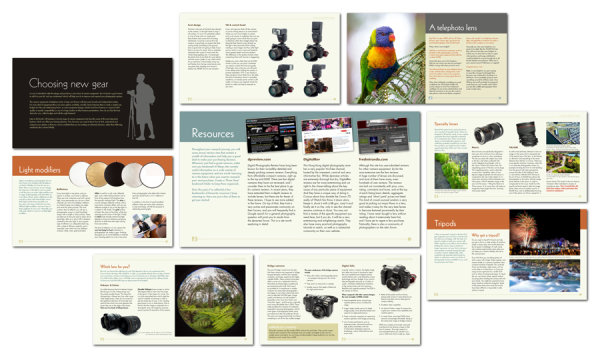
gearpagefan

An eBook Designed to Save You Money

As we planned this eBook one of the wonderful realisations that our team had was that it was something that was going to save those who read it money.

Camera gear is a costly investment and by learning what you really need and buying the right camera, lens, flash or accessory you you’re more than likely to save much more than the purchase price of this guide.

Best of all – coupled with the photographic knowledge that you’re gaining here from dPS and some practice, this eBook will help you to take better photos with gear that is suited to your needs.

Learn more about this eBook or grab a copy by clicking the download button below.

Add to Cart

Post originally from: Digital Photography Tips.

Check out our more Photography Tips at Photography Tips for Beginners, Portrait Photography Tips and Wedding Photography Tips.

Looking to Buy a New Camera or Gear? Check Out Our Brand New Guide

The post Looking to Buy a New Camera or Gear? Check Out Our Brand New Guide by Darren Rowse appeared first on Digital Photography School.


Digital Photography School

 
Comments Off on Looking to Buy a New Camera or Gear? Check Out Our Brand New Guide

Posted in Photography