RSS
 

Posts Tagged ‘Guide’

A Guide to Lighting Indoor Sports

25 Feb

Newspapers may be circling the technological drain at this point, but for 150 years they were king of the hill. And the 20 years I spent there proved to be a great ride as well as a non-stop idea lab.

Today we'll take a look back at how we developed our multi-budget solutions for lighting winter indoor sports—specifically in high school gymnasiums. Lighting indoor sports opens up a whole new world as compared to trying to shoot available light. You can both freeze action and define the quality of the light in a much better way than the spotty existing overheads.

And for the sake of argument, let's assume only one rule: no on-camera direct flash. Because that looks horrible. Other than that, any lighting scheme is fair game for exploitation. Also, I don't have access to all of my sports archives at the papers so we'll be sticking to cookbook-type lighting diagrams to visualize placement and coverage.

Read more »
Strobist

 
Comments Off on A Guide to Lighting Indoor Sports

Posted in Photography


Buyers Guide – Prime Lenses vs Zoom Lenses

16 Feb
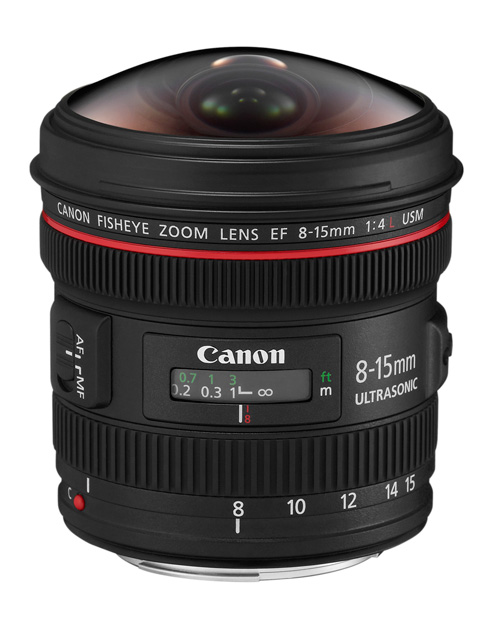
Canon 8-15mm fisheye lens

Canon’s 8-15mm f4L fisheye is an unusual lens, the only fisheye zoom that I know of. Most fisheye lenses are primes.

Following on from my article A Concise Guide to Choosing a New Lens I thought it would be interesting to go a little deeper into the question of whether to buy a prime lens or a zoom.

First, the definitions:

Prime lenses have a fixed focal length. There is no zoom ring and no way to magnify the subject other than moving closer. There are two settings to adjust: aperture (often handled by the camera) and focusing distance.

Zoom lenses have a variable focal length. There are three settings to adjust: aperture, focusing distance and focal length.

Both primes and zooms have benefits. I’m not going to try and persuade you one way or the other. Rather, the goal is to explore the benefits of both to help you decide which is the best for you.

Benefits of prime lenses

Image quality

Generally speaking, prime lenses have better image quality. It is easier to make a lens with good optical performance at a single focal length than it is to make one that performs well through the entire range of a zoom lens. This is especially true with wide-angle lenses where zooms tend to suffer from barrel distortion at the shortest focal lengths. With longer focal lengths (ie. 50mm plus), there is less difference in the performance between zooms and primes.

Barrel distortion

This photo shows the barrel distortion of an 18-135mm zoom lens set to 18mm. The curved lines in the frame should be straight.

Size and weight

Prime lenses tend to be smaller and lighter than zooms covering the same focal length range. This isn’t true all the time, high end primes are bigger because they have wider maximum apertures, which need larger lens elements to let the light in. Anyone who has used Canon’s 85mm f/1.2L prime lens knows what I mean – it’s a monster.

Don’t forget that the size and weight advantage is quickly lost if you end up buying two or more primes to cover the same focal range as a zoom. But if your aim is to use your camera with a single, lightweight lens then primes are the way to go.

An advantage of smaller lenses is that they are less obtrusive for portrait and street photography. It’s interesting how lens size affects the dynamics of a portrait shoot. In my experience models, even experienced ones, are much more relaxed in front of the camera when I use a smaller lens.

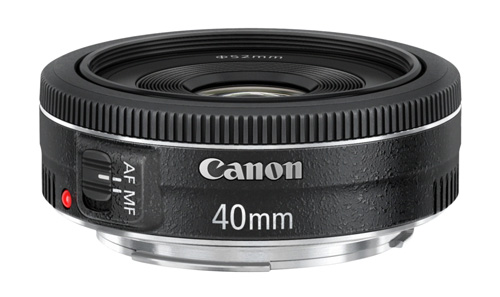
The Canon 40mm f2.8 pancake is about as small and light as you can get. Pancake lenses are the ultimate in unobtrusive lenses.

The Canon 40mm f/2.8 pancake lens is about as small and light as you can get. Pancake lenses are the ultimate in unobtrusive lenses.

Wide maximum apertures

The wider maximum apertures of prime lenses are useful for taking photos in low light or for creating beautiful bokeh. They also let more light into the lens, giving you a brighter image on cameras with optical viewfinders. However, if you have a camera with good high ISO performance you may not be so bothered about the advantages of using primes in low light.

Portrait

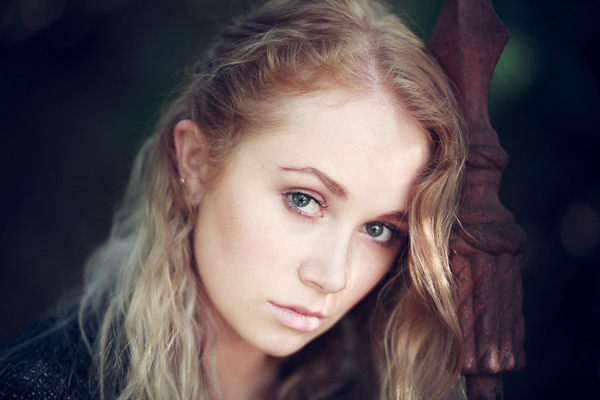
You can only take portraits like this one that have very little depth of field with prime lenses. Shot at f/1.8 with an 85mm lens.

Value for money

Prime lenses often give really good value for money, especially at the lower end of the price range. Most manufacturers have inexpensive prime lenses in their range that give superb image quality, much better than you would get from a zoom lens costing the same.

Benefits of zoom lenses

There was a time when the quality of zoom lenses was so poor that most photographers didn’t use them. Thankfully, things have changed and they have become more popular as the quality has improved. These are the main benefits of zoom lenses:

Convenience

The main benefit of zooms is the convenience arising from covering a range of focal lengths in one lens. This can save you time (swapping lenses) and money (being cheaper to buy one zoom than two or more primes). Zooms are useful as walkabout lenses, or if you are working in dusty or damp conditions where you don’t really want to take the lens off the camera.

With so many benefits, are there any disadvantages? Unfortunately the answer is yes. Here are some things to bear in mind:

The trade-offs for convenience are image quality and size. Zooms tend to be bigger than primes, and if you want one that has good image quality throughout the entire focal length range then you will need to spend some money. One tip is to go for lenses that cover a shorter focal length range, such as a 24-70mm rather than 18-200mm.

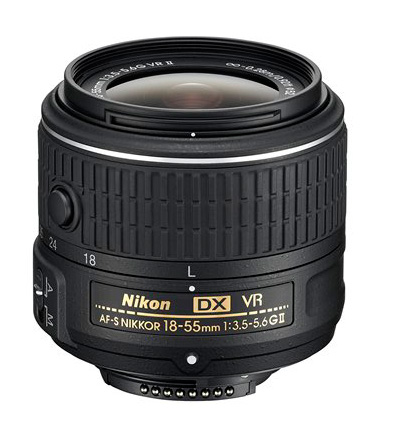
Nikon kit lens

A kit lens with variable maximum aperture. Avoid these types of zooms if you can.

Another thing to watch out for on cheaper zoom lenses is variable aperture. An example: an 18-55mm f/3.5-5.6 kit lens has a maximum aperture of f/3.5 at the 18mm end but only f/5.6 at 55mm. This makes it harder to work in manual mode (what if you have the aperture set to f/4 at 18mm and then zoom in to 55mm?) and is a general hassle all-round. Pay a bit more and get a fixed aperture zoom.

Saves you having to move

While some people will tell you that a benefit of prime lenses is that they make you zoom with your feet (ie. move closer to or further from the subject to change the composition) there are times when this isn’t possible. You may be at a sporting event, and unable to get any closer to the athletes involved. Or you may be standing near the edge of a cliff taking a landscape photo, unable to move further forward because you would fall off. Zoom lenses are invaluable in situations such as these.

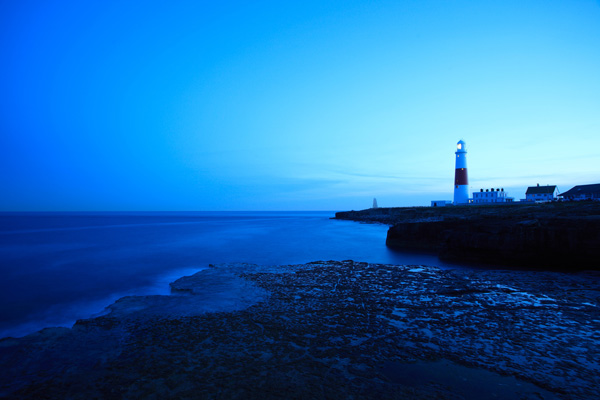
Landscape photo

I took this photo standing near the edge of a cliff. I couldn’t move any further forwards, but was able to frame the image precisely using a 17-40mm zoom lens.

Your view

Now it’s your turn. What lenses do you prefer to use – zooms or primes? Have you bought any lenses recently and why did you decide to buy them? I’m looking forward to reading what you have to say.


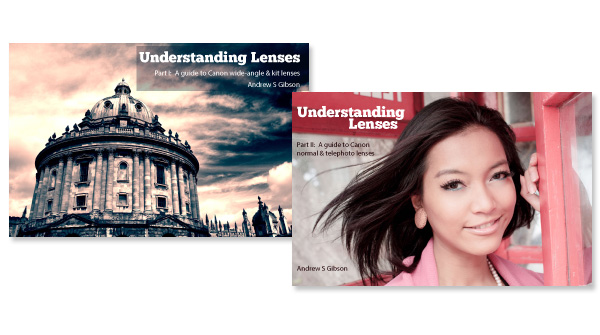
Understanding Lenses ebook bundle

Understanding Lenses ebooks

My ebooks Understanding Lenses Part I and Understanding Lenses Part II will help Canon EOS owners decide what lenses to buy for their cameras. They are both filled with lots of tips to getting the most out of your Canon lenses. Click the links to learn more.

The post Buyers Guide – Prime Lenses vs Zoom Lenses by Andrew S. Gibson appeared first on Digital Photography School.


Digital Photography School

 
Comments Off on Buyers Guide – Prime Lenses vs Zoom Lenses

Posted in Photography


The Ultimate Guide to Going Pro as a Photographer

13 Feb

Going pro is scary.

Let’s just say it. Now that we got that out of the way and we all agree that transitioning from being a hobbyist or a part-timer, into a full fledged professional photographer isn’t easy, let’s talk about how to do it.
DPS Post Picture

Let me start off by saying, YOU CAN DO THIS! It will be hard work but it’s NOT IMPOSSIBLE. Suspend disbelief for once in your life and let’s focus on how you can take the steps forward to going pro already!

I know this is going to be hard to believe, but I will ACTUALLY tell you what you need to do, right now. This guide will get you started properly and I’ll leave you with the next steps as well. I’m not going to waste your time telling you who I am, or giving you a typical backstory. I’m going to just give you the goods and then you can thank me later. Crazy right? Let’s jump right into it.

The Ultimate Guide to Going Pro in Eight Steps!

Step 1: Get your head right

Do you know how to compose a shot decently? Do you understand the concept of exposure and basic lighting? Are your shots in focus? If you answered YES to all three questions, then your skills are far ahead of most people that attempt to take a photo with a camera. That makes what you do, worth money. Granted, your skills are beyond this level but the point is you don’t need to be Chase Jarvis to start charging for your skills. You just need to be better than who’s hiring you.

Many people don’t ever go pro because they never feel they’re good enough to charge money for their skills. At the very least, your time doing any kind of work, is worth money. There are all kinds of budgets out there. Just get started. We’ll talk about your rates later on but if you haven’t charged for your skills as a photographer yet, DO IT NOW. I’m serious. Go to your local pizzeria and tell them you will shoot and edit 10 photos of them tossing pizzas, or whatever, for their website or Facebook page for 50 bucks. Just get it out of your system. That’s the last time you’ll charge $ 50 bucks by the way.

Step 2: Stop worrying about gear
DPS Post Step 2

I live in New York City and pro photographers are everywhere. Want to hear something funny? Many of them don’t even own a camera. And you were worried about not having that Nikon Nikkor 200-400mm lens you might need for the odd chance you’ll need to shoot wildebeest migrating in Tanzania? As they say; it’s not the paintbrush, it’s the painter.

If you have great gear, awesome! If you don’t, it’s not a huge deal. You can always rent equipment and factor that cost into your prices. Got a great camera, but only have the kit lens? RENT. It’s not a problem. My partner and I shoot video for big clients and we have lots of gear but we still rent because we always need something different given the shoot.

Stop worrying that your gear isn’t “pro enough” and remember they are going to pay you on how well you capture moments – not how much gear you own.

Step 3: Put up a website. Have one already? Take another look.

Having an effective website is critical when going pro. The keyword here is EFFECTIVE. You need to clearly communicate who you are and what value you offer quickly and concisely. The most important thing about any website is the content – what and how you communicate to your audience. The job of design is to augment that message.

Make sure your opening headline on your website captures your visitor’s attention. If you are someone that is great with kids as a photographer say something like “Getting a decent photo of your kid can be torture. Let me put you out of your misery.”

If you are confused about the tech or the design side things and you’re on a limited budget, just go with a Squarespace site. Pick a clean and simple theme and start building.

If you already have a website, the above advice goes for you too. Take another look at your site and see if you are communicating effectively.

Step 4: Add value

On your website, you need to offer something your audience will enjoy and find valuable. That’s where your blog comes in.

Remember your visitors will be people who need photography services and the best way to show you are good at what you do is to share your experiences. Share a story about how you were able to capture a great graduation party even though the guest of honor was camera-shy.

Share tips on how you can hang great photos in your home or office. Explain the rational behind your advice.

By creating great content and sharing stories and tips, your visitors get to know you, like you and start to find reasons to hire you. If you’re worried about people finding you on the web, writing useful posts will also help you rank well on Google and other search engines, as others may be searching for topics you write about.

Step 5: Build a portfolio and get some testimonials

At first, if you have no work to display on your portfolio, you will need to approach 5-6 potential clients and offer your services for a heavily discounted price or even for free, to build your portfolio. This is also an opportunity to get feedback from clients on your process of working with them and how to improve it.

You can ask these clients for testimonials in exchange for this incredible deal. They can be written or even video testimonials which you can display on your website. Cool huh? This is just to get you started, you’ll get more testimonials as you take on more clients.

If you already have work to display, you’re good to go, but make sure you have some testimonials. If that means contacting previous clients, go ahead and do that.

Step 6: Set your rates

There are two basic ways to set your rates.

1. Use a market rate

Look at another business that has similar services and experience and use a similar rate. A rate can be an hourly rate or prices for service packages. List three businesses similar to yours and note down their rates.

2. Use your “need to make” rate

First, how many hours can you dedicate to your service-business every week? Divide that by 2. Half of your time will be spent on actually running, marketing and building your business. The other half will be dedicated to your actual service work. This may come as a shock to some – “half the time?!” But yes, you need to factor this in so that you are not setting your rates too low.

Second, how much money do you need to make a week to cover your personal expenses? Everyone is different. Your weekly number may be $ 1000, $ 800 or $ 700.

Third and finally, take your weekly amount of money needed and divide it by the number of service work hours a week. That’s your hourly rate. For Example: $ 1000 / 25 hours = $ 40 per hour

Step 7: Knowing how to deal with clients

Guide going pro clients

Client work is just like any relationship in life. After your first conversation, each party will have already formed an opinion about the other. The client already has imagined what working with you will be like, that’s just human nature.

The good news is that you are in control of how that all happens. The bad news is that YOU are in control of how it all happens – not a typo. Here are your FOUR MUST DO’s when dealing with clients:

Must do #1: Discuss why they are hiring You

Sometimes clients forget when they hire you, that they are not your boss, and you are not their employee. You are a business owner offering a service they need.

Let me state that again. They need you. That’s why they are speaking with you. They are not a photographer, you are. That’s why they took the time to find out about you, and contact you. Whether they actually state it or not, they probably need you badly.

Setting the tone of the nature of your relationship doesn’t have to be mean or condescending but it does need to be done. Here is an example conversation:

  • Client: I really need this these photos for my website to look professional and to show what we are all about.
  • You: I completely understand and you’re completely right. As a business owner myself, I know how important it is to convey my brand. Your reputation is at stake.
  • Client: Exactly! It’s essential.
  • You: That’s why I like to take the time to understand you and your business very well before I begin work. My clients don’t work with me only because I’m a great photographer. They hire me mainly because I know how to communicate their message to their audience creatively.
  • Client: That sounds exactly like what I need.

The point of this whole conversation is to do a few things:

  1. You establish the nature of your relationship. You have something they need. Not the other way around.
  2. You are not just a technician that can operate a camera. You possess skills and talents they don’t, some they might not even comprehend.
  3. It communicates you know your stuff.
  4. It’s understood you’re not an employee. You’re a business owner just like them.

Must do #2: State Your rates or decide on a budget

At some point in your first conversation you have to talk about money. You may prefer to save that until the end of the conversation but it needs to be done. Delaying this will not only potentially waste your time, it also conveys to your potential client, your not sought after and you have no real qualifiers.

If you’re a photographer that will work on any project, of any size, for any given amount of time, for any price, it basically means that you are cool with slavery. I’m not trying to be dramatic here but even Ralph, the $ 10 barber down my street has rates clearly stated. Ever hired anyone and not know how much they cost?

It’s only fair to both parties. Some clients will try to milk you, and try to get 2-3 meetings out of you. They will attempt to discuss their plans for dominating their market and the world in the near future (writing this out of experience) before even discussing money. You are in the services business. Your time IS money. It’s your responsibility to have this conversation with them. State your rates or decide on a budget they are OK with before you move on to meeting number two.

Must do #3: Only start work with a deposit

Unless you have worked with a client in the past and you had a great experience with them, you have no evidence they are committed to you in anyway without a deposit. That’s just reality speaking, not me. A deposit can be whatever you agree on – 25, 50, 60 percent, whatever. Some money needs be put on the table before you roll up your sleeves. Beginning work without a deposit is just flat out asking for trouble. TRUST ME! I didn’t get my grey hair for nothing. A deposit is standard and it’s what professionals do.

Must do #4: Agree on a timeline

You are running a service-based business so time is money for you. So agreeing on a timeline early on is essential. They are looking to you for guidance on this one, so propose a timeline. This timeline includes any payment schedules as well as any given revision cycles if applicable.

Make sure you frame this conversation in a way they know you are doing this to make sure everything is transparent and they know when, and what to expect. This also makes things a whole lot easier for you. This is especially important when it comes to work that needs approval during the process. Make sure clients know there is a deadline for that too.

Another benefit of setting a timeline is it lets your clients know, you’ve got other clients and you’re not just working with them. You are happy to be working with each other but you are a sought after talent.

Step 8: Getting your first clients

In the beginning you just need to get the ball rolling. Here are some tips to get your first regular clients:

1. Make sure everyone and their cat knows you are now offering professional photography services. Contact everyone on your contact list and in your social media circles. You can even offer a referral fee for friends and family.

2. Go to some local shops you frequent and tell them what you can offer them. Let them know their photos will be displayed on your website and their business’s website or Yelp link will be hyperlinked. What business doesn’t like free marketing?
Guide going pro photography local business

3. You can also use some freelance online services like these to get some clients:

  • Freelancer.com
  • Guru.com
  • Elance.com
  • ODesk.com

4. Team up with someone that shares your audience and agree to have them refer clients to you. For example, you may want to approach a web designer. They’ll have clients that need great photos to showcase on the new website.

5. Go where the action is! Go on Eventbrite or sites like it and find out what local events are going on in your area and email the organizer of the event to see if they need a solid photographer to capture their event. If it’s a regular event, they’ll need great photos to market next year’s event.

Let’s Wrap This Up

I’m here to say your art, your craft, can be your business. Your actual livelihood. With that said, understanding and doing business properly is probably going to be the defining factor in your success in going pro. That’s just the truth. But just like you’ve learned how to capture an image properly, you can learn how to run your business properly as well. This guide doesn’t cover every single aspect of building your business, but these are ultimately, the essentials to get you started. You can learn the rest as you build. The point is to start TODAY.

Wow! You made it to end of this post. You are obviously serious about going pro and starting a business around your love for photography so I don’t want your learning to end here. You can click here to get free access to our Building a Service-Based Business course and workbook inside The $ 100 MBA. It’s my way of saying thank you for letting me share what I love, showing others that business is not rocket science and that you can do this!

The post The Ultimate Guide to Going Pro as a Photographer by Omar Zenhom appeared first on Digital Photography School.


Digital Photography School

 
Comments Off on The Ultimate Guide to Going Pro as a Photographer

Posted in Photography


Your Compete Guide to Outdoor Photography – Part Two

10 Feb

Continued from Part One of your guide to outdoor photography. Once you’ve arrived at a good shooting spot it’s time to begin.

Shooting mode

shooting modes outdoor photography

As outdoor photography incorporates a wide selection of genres you’ll find Manual mode will offer you the most flexible and convenient grounds for setting and changing values on the go. But Manual mode isn’t for everyone, so if you’re not feeling confident enough yet, try using a semi-manual mode. Aperture Priority is great if you want to control the depth of field of your image, for example if you want the majority of the scene to be sharp and in focus. This is helpful when you’re shooting a landscape for example, simply plump for a smaller aperture (larger number) such as f/11. However if you want to soften the area around the subject, to focus attention on one part of the scene or subject; such as the centre of a flower or the tip of a mushroom, then you’re better off using a larger aperture (smaller number) such as f/5.6.

Shutter priority is ideal for long exposure landscapes when you want to incorporate some ‘movement’ into the frame, for example clouds travelling across the sky, a river flowing down stream or tree branches swaying in the wind. Opt for a slow shutter speed here (but use a ND or polarizer filter if it’s a particularly bright day so that you don’t risk overexposing). If you want to freeze a subject on the other hand, a wild animal for instance, then dial in a fast shutter speed to avoid blur.

Shoot in RAW if your camera permits, as this will allow greater ability to perfect colours, details and exposure post-shoot.

Avoid camera shake

Using a long exposure means keeping the shutter open for a lengthy period of time, and the slightest knock during this window can result in detrimental camera shake. The first step is to use a tripod or rest your camera on something sturdy such as a wall or bench. Then with your shot composed the next step is to fire the shutter using a remote control rather than pressing the button; as even the lightest of touches can result in the camera moving. Wireless and tethered controls are available, and many contemporary cameras can be fired using a Smartphone or tablet. Alternatively you can program the self-timer to start the exposure. If it’s windy, or you are particularly heavy-handed, then set a longer timer to give the tripod and the attached camera enough time to reset to a stationery position.

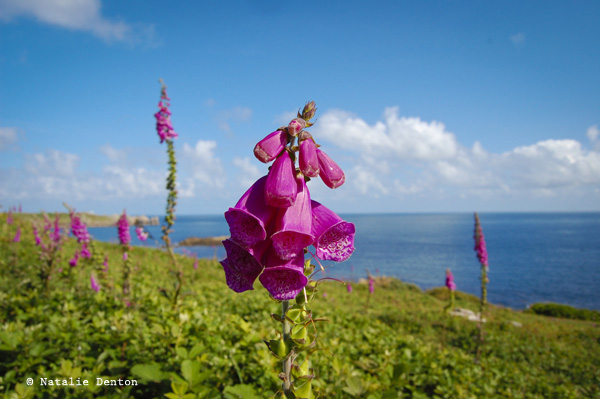
Scilly Isles pink foxglove Natalie Denton

Saving power

If you’re out for the day, or a very long period, but don’t have a spare battery, always consider ways to save power. For starters, if it’s cold out, keep the camera insulated when not in use; wrapped in a spare sweater in the bag, inside your jacket or even under your arm. Avoid using LiveView and rather than use in-camera editing wait until you return home to edit. Minimize the time you spend reviewing shots in Playback mode and use the histogram to nail exposure. It always seem tempting to delete frames on location, particularly if you’re waiting for something to appear (e.g. wildlife, sunset, stars etc) but you’re better off saving the battery for photographing. What’s more – something that seems unworthy on the camera’s LCD may offer some redeeming features on a larger computer screen.

Time of day

Sunrise and sunset can make for some truly arresting images. In order to capture the golden-flame light in all its glory you’ll need to arrive at your shooting location approximately an hour and a half before the actual event. Use half an hour to prepare your kit; attach the right lens, secure your camera on the tripod, decide on the composition, ensure the horizon is straight using the in-camera spirit level (if your camera has one) and program the desired values. If you’re using a tripod, turn the lens’ image stabilisation switch to off; and opt for a suitable ISO (ideally between ISO 200-800).

The best light is born an hour before sunrise and an hour before sunset, which is why you need to be there early – once the sun has risen or set the vibrancy of hues diminish, so enjoy the 60 minute build up with its soft caressing light, and capture the ever-changing colours of the sky and its effect on the land below. To add some extra punch to those tones try using a ‘cloudy’ white balance option for pumped up reds, oranges and yellows.

The great outdoors can offer up some wonderful subjects for night photography, and by using a long exposure the light of the moon will paint in the elements of your scene. Alternatively, if there is no moon or nearby light source, use a flashlight or even the beam from your phone. Simply compose the scene, opt for Bulb mode to keep the shutter open as long as you need, and flick the beam over the nearby subjects; such as a tree, boulder, hay bale, truck, etc. Move the beam smoothly and steadily, trying not to hold it in one place for too long. When you are finished painting with light, simply end the exposure and review the result.

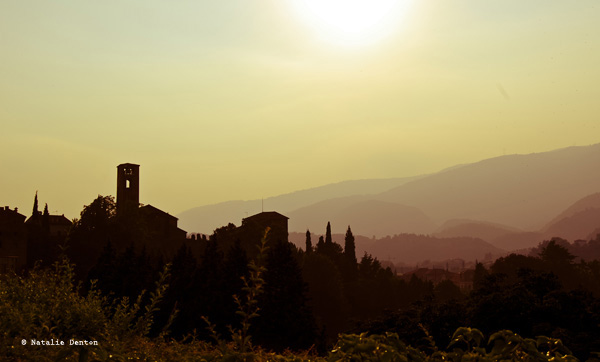
Italian sunset landscape Natalie Denton

Editing

The hard work has been done and now you’re home with a collection of charismatic captures. While many of them are probably perfect straight out the camera, there might be a few ways you can inject a little extra interest into those not quite up to scratch. Here are a few suggestions for adding the ‘great’ into your great outdoors images.

Colours

Editing suites are fantastic for turning the bland into the beautiful; and if you’ve captured your images as RAW files, there’s even more scope for success. Make sure your screen is probably calibrated so that the colours you see onscreen are presented as the same as the ones you’ve photographed.

The majority of editing software will offer an automatic colour correction tool which is great if you feel the colour values are a little off and unrealistic. Usually you will be able to click on a white area of the image and the software will use this as a reading to change the colours in the image. You can do this manually by offsetting hues. For instance, should you feel the tones are looking a little cold, then warm them up by scaling up the yellow.

If you feel your image would benefit from some vivacious colouring, ramp up the power of the hues using the suite’s saturation slider, this works well for flower meadows or landscapes of patchwork-quilt fields. Just be careful not to go too far as it can start to look unrealistic and garish. Likewise you can pull the saturation back to make an image appear more sombre or stark, ideal for winter shots for example.

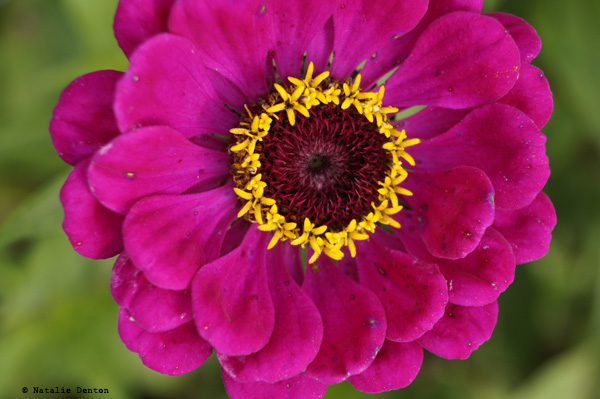
pink flower macro Natalie Denton

Blemishes

Dead pixels, lens spots and smudges can totally distract attention away from the main focus of your picture.  The good news is they are easily rectified. Many suites like Photoshop, Elements and Lightroom offer users the ability to clone out errors. In Photoshop you simply select the Clone tool, hold down Alt and click on an area you wish to copy (i.e. identical colour and shade – the more similar it is the better it will blend in). Next move the cursor to the offending spot and click again. This will cover up the spot and most people won’t be able to notice.

Noise

Most new cameras shoot to sensitivities of ISO 25,600 (or higher), with noise making an appearance as late as ISO 6400, providing better support for low-light, night and sports enthusiasts. For those who aren’t endowed with the market’s latest launches it might be wise to administer some noise reduction software if you’ve shot at high sensitivities and noise is visible. Noise-reduction software plug-ins (add-on features that can be used within your editing suite such as Noise Ninja, Topaz deNoise or Neat Image) are fantastic. After a few simple steps the noise can be muted without over-softening the main subjects within the picture.

Composition

We’ve all been there – you’ve spent ages composing the frame in the field, only to return home to find it falls flat. Composing images effectively takes time and practice or a good eye and natural talent, but there are a few ways to enhance the composition post-shoot. The first is to bring up the thirds grid while editing. Crop into the frame so that the interesting part of the frame or the main subject lies on one of the intersecting points or lines, this will get rid of unwanted negative space and force the eye onto the subject. You can also crop out areas of the frame that clutter the image, thus directing the viewer’s focus onto the important elements. Lock the aspect ratio to ensure the proportions of the image stay the same – especially if you intend to print it.

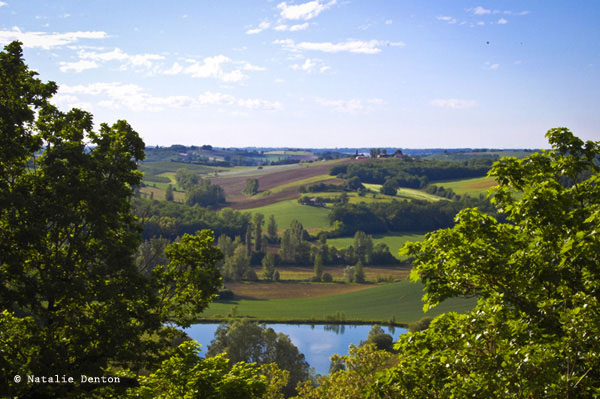
French landscape fields rural Natalie Denton

Exposure

Tools such as Photoshop’s Curves can help photographers correct slightly over or underexposed frames. Using Curves lift the line one third of the way from the top to reveal details shrouded in shadow or drag the line one third from the bottom down to bring edge back details blown out by overexposing.

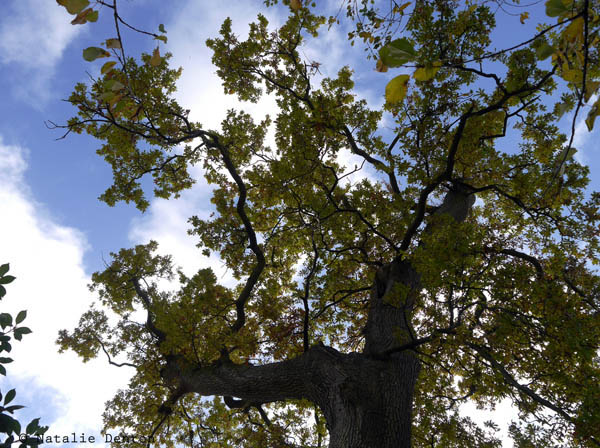
widen dynamic range correct exposure tree Natalie Denton

Black & White

Want to make your images more moody and deep? Simply desaturate them and heighten the contrast. Yes it’s as easy as that; drag the saturation slider down so that all traces of colour vanish from the frame and increase the contrast or tweak using Curves, so that the blacks are richer and the whites are brighter.

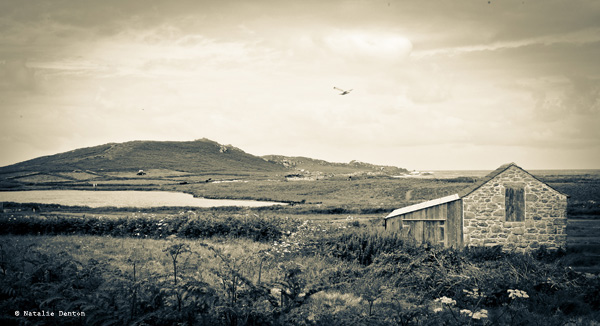
Cornish fallen down cottage Natalie Denton

Save and print

Today’s digital camera sensor’s usually pack an insane amount of megapixels, which means you can print your images at a larger size and still maintain a high resolution quality. Therefore if you want to print your outdoor scenes in all their glory, print using the resolution you shot it at. Alternatively if you intend to share your frames online – either of a social network or your own website reduce the size to 72dpi for quick and easy uploading and viewing. In Photoshop you can do this simply by heading to ‘Image’ on the Menu Bar and then ‘Image Size’ from the drop down menu and change its resolution to 72dpi (and a smaller size in pixels as well for online sharing)

Now we’ve explored the majority of considerations you need to make when pursuing outdoor photography you’ve got no excuse to give it a try. Maybe you have some tips and techniques of your own you’d like to tell us about? We’d love to see them, so please share them here for your fellow photographers to see and try!

The post Your Compete Guide to Outdoor Photography – Part Two by Natalie Denton (nee Johnson) appeared first on Digital Photography School.


Digital Photography School

 
Comments Off on Your Compete Guide to Outdoor Photography – Part Two

Posted in Photography


A Concise Guide to Choosing a New Lens

09 Feb

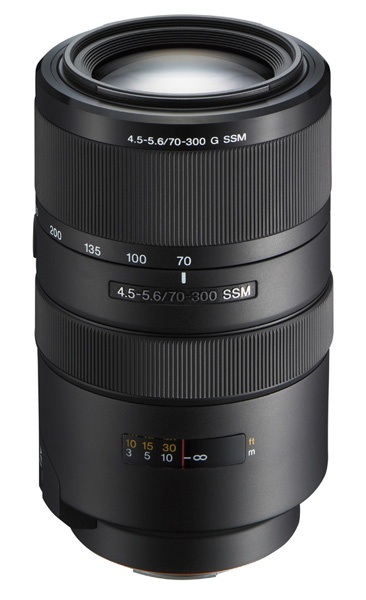
Sony zoom lens

I think it’s fair to say that most photographers buy a kit lens with their first camera. It’s a good place to start, as despite the limitations, a good one is versatile (an idea I explored in my article Why Your Kit Lens is Better Than You Think).

But, however well a kit lens performs in the right hands, at some point you will ask yourself what lens you want to buy next. Or, you might already own more than one lens and be wondering if a new one may improve your photography. I am going to help you answer these questions by outlining some of the things you need to think about when choosing a new lens.

You may find it helpful to think of lenses in categories rather than specific focal lengths. That’s because the field-of-view of a specific focal length depends on the size of your camera’s sensor (learn why in our article Crop Factor Explained).

The benefit of considering lenses this way is that each type suits certain subjects. If you are into landscape photography, for example, then a wide-angle lens of some sort is essential. If you photograph sports, then it is difficult to do without a telephoto lens.

By the way, if you follow the links in the article you will see plenty of photos taken with these lens types.

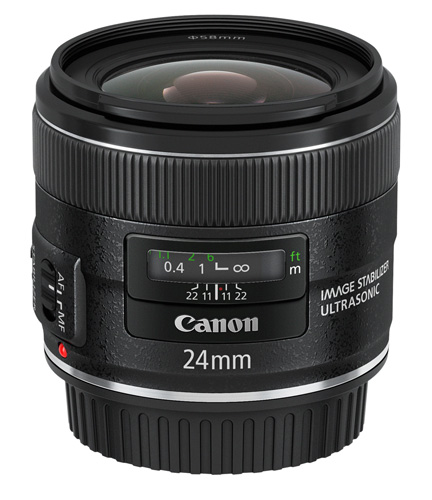
Canon 24mm lens

Wide-angle lenses

A good definition of a wide-angle lens is one with a focal length shorter than the diagonal measurement of your camera’s sensor (or negative if you have a film camera).

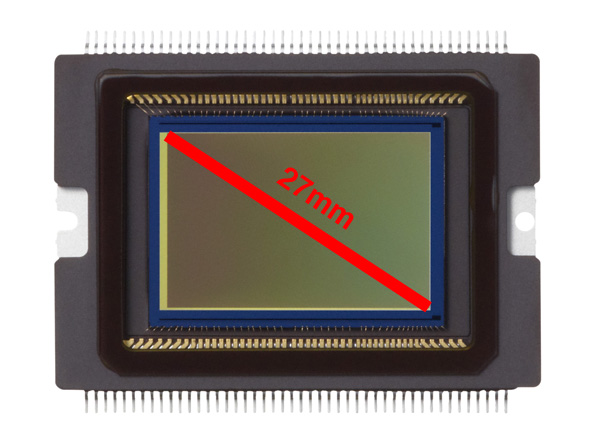
The idea of measuring the diagonal is a useful one for understanding the relationship between sensor size, focal length and field-of-view.

Let’s look at a specific camera to see how that works: the EOS 70D. The corner to corner distance of the sensor is approximately 27mm:

Canon EOS 70D CMOS sensor

From that figure, you can say that any focal length shorter than around 25mm is a wide-angle lens.

Wide-angle lenses are used for subjects like landscape photography and environmental portraiture. My article 7 Ways to Get More Out of a Wide-Angle Lens explores the use of wide-angle lenses in more detail.

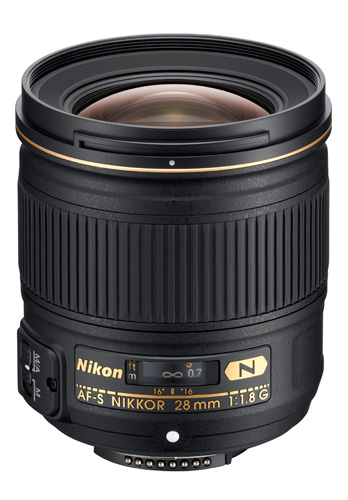
Nikkor 28mm lens

Normal lenses and short telephoto primes

A normal lens is a prime lens with a focal length similar to the diagonal measurement of your camera’s sensor.

In the example of the EOS 70D used above, a 28mm prime lens is a normal lens. A 50mm lens is considered normal for full-frame and 35mm film cameras (despite the diagonal measurement being 42mm – these things are often approximations).

A short telephoto lens is one with a focal length slightly longer than the diagonal measurement of the camera’s sensor.

Normal lenses and short telephoto primes are ideal for portraits, some types of landscape photography, and for close-up photography. Being primes, they have much wider maximum apertures than zoom lenses. This helps limit depth-of-field and create images with lots of beautiful bokeh. It also helps you take photos in low light.

Learn more about the versatility of these lenses by reading these articles Why a 50mm Lens is your new best friend and How A Humble 85mm Lens Became my Favourite.

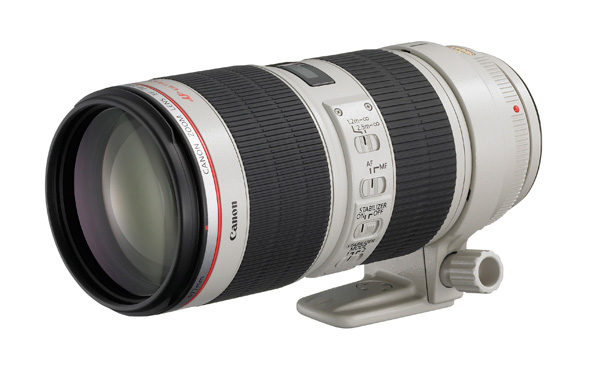
Canon 70-200mm zoom lens

Telephoto lenses

This category includes focal lengths from around double the diagonal measurement of your camera’s sensor and upwards.

There are two main reasons to use a telephoto lens. The first is for the compressed perspective they provide to pick your subject out of the background. Portrait and fashion photographers often use them for this reason.

The other is that you need a telephoto because you are photographing something that you can’t get physically close to. This includes subjects like wildlife and sports.

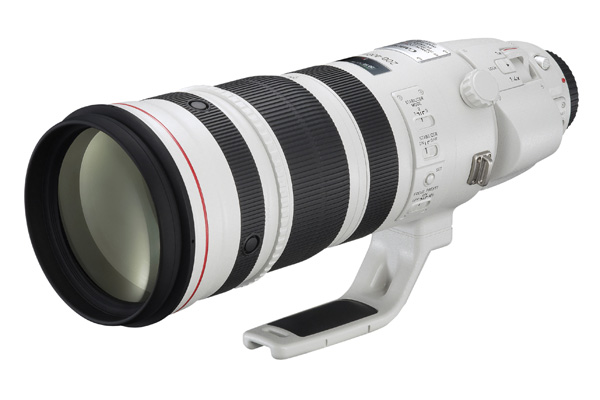
Canon 200-400mm zoom lens

Super Telephoto lenses

These are the large telephoto lenses you often see photographers using at major sporting events. With focal lengths of 300mm and upwards, you will probably want to buy one of these if you are serious in any way about sports or wildlife photography. Be warned – many of these lenses are also super expensive. The new Canon 200-400mm zoom (pictured above) retails for over $ 11,000. Ouch!

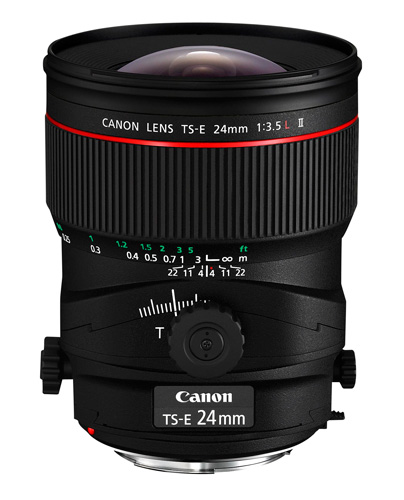
Canon 24mm tilt-shift lens

Specialty lenses

The final category includes other types of lens that you would probably only buy if you really wanted to use them, as they are specialty items, and some of them are pricey. They include macro, fisheye and tilt-shift or perspective-control lenses.

Other factors

Once you have decided which category of lens you are interested in, it’s time to consider other factors:

Image quality: You can say a lens has good image quality if it gives you sharp, contrasty images free from chromatic aberrations, colour fringing and barrel distortion from corner to corner at all aperture ranges of the lens.

No lens is perfect. There is no such thing as the lens that I just described. But good quality lenses come close. Generally speaking, the more you pay for a lens the better the image quality.

You may be wondering how to evaluate the image quality of a lens you don’t actually own. One tip is to read plenty of reviews, including the ones on the sellers’ websites, personal blogs and on Digital Photography School. DxO Mark has tested lots of lenses and posted the results on their website. You will soon get a feel for what people think about a particular lens.

Build quality and weatherproofing: These could be important if you subject your lenses to any kind of rough treatment or want to shoot in adverse weather conditions. The higher end lenses in each manufacturers’ range are the ones that have the best build quality and weatherproofing.

Another benefit of weatherproofed lenses is that they let less dust into your camera to get on the sensor.

Budget: Also important, for fairly obvious reasons. If you’re on a tight budget, consider buying prime lenses rather than zooms. You can get great image quality from relatively inexpensive prime lenses, much better than you would from zoom lenses in the same price range.

You could also consider buying second-hand (our article An Introduction to Buying Used Lenses will help).

Bear in mind that good quality glass should last you a long time. The life span of lenses surpasses that of most cameras. In the words of Sir Henry Royce: “The quality is remembered long after the price is forgotten.”

How many lenses do you need? I prefer to take the simple approach to photography and that includes equipment. The more gear you have, the more it weighs if you carry it all around in one go, and the more it costs to insure. I currently own four lenses and, depending on the subject, I take two lenses with me at the most on a shoot.

Your view

That’s my approach, what’s yours? How many lenses do you own? What are your favourite lenses and what are your recommendations for choosing a new lens? Do you buy new or second-hand? Let us know in the comments. It will be interesting to hear what our readers have to say.

Understanding Lenses ebooks

Understanding Lenses ebook bundle

My ebooks Understanding Lenses Part I and Understanding Lenses Part II will help Canon EOS owners decide what lenses to buy for their cameras. They are both filled with lots of tips to getting the most out of your Canon lenses. Click the links to learn more.

The post A Concise Guide to Choosing a New Lens by Andrew S. Gibson appeared first on Digital Photography School.


Digital Photography School
 
Comments Off on A Concise Guide to Choosing a New Lens

Posted in Photography


Your Complete Guide to Outdoor Photography – Part One

09 Feb

Outdoor photography encompasses a whole host of genres, like:  landscapes, nature, macro, wildlife and even low-light, thus it can be the perfect opportunity to try new techniques and compositions that are outside your traditional comfort zone.  So while you might have set off to capture some fascinating vistas, you might stumble upon a collection of unusual looking fungi and want to photograph that too, which is great as long as you’ve packed the right kit. The key here is preparation, because once you’re out in wild it can be a long trek home if you’ve forgotten something. Whatever you’re heading outdoors to capture, here are a few things to consider before you leave.

Guide to Outdoor Photography

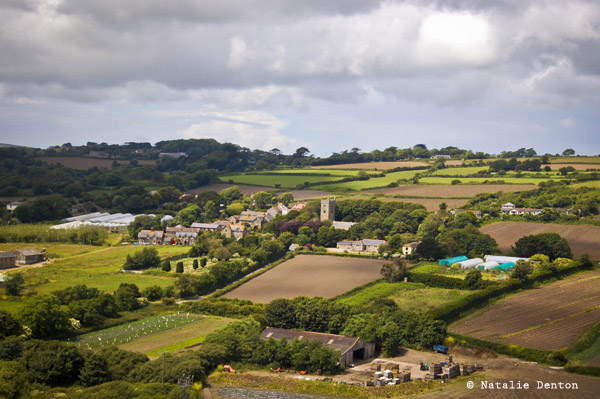
Farm landscape England rural Natalie Denton

Backpack

If you plan on packing everything, including the kitchen sink you’ll need to invest in a large, lightweight yet hard-wearing backpack, ones with Velcro padded dividers are a great choice if you’re planning on packing a selection of cameras and lenses. Ideally waterproofed ones are favourable, for obvious reasons and you’ll be thanking yourself later if you’ve bought one with soft, broad shoulder straps.

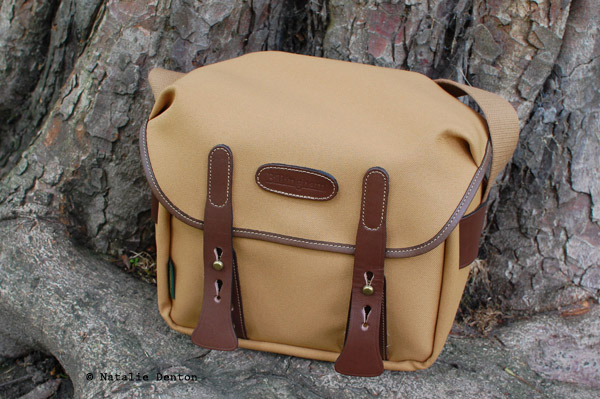
Billingham camera bag Natalie Denton

Accessories

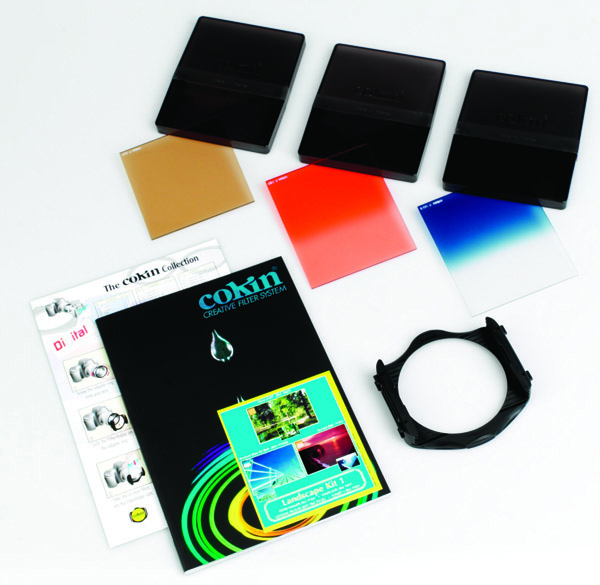
Bags with zippable pockets will ensure you don’t lose your keys and wallet in the wilderness, but they are also great for securing smaller accessories such as memory cards; a handful ranging in capacity, a lens pen and cloth; for smudge-free glass, spare batteries or battery unit, and a selection of filters. It’s also a good idea to carry some small change with you in case you need to use a pay phone, toilets or parking.

Cokin Landscape Kit filter set

Tripod

For most of the subjects that outdoor photography encompasses, a tripod will be necessary. Select a lightweight one such as one made of carbon-fibre, which is not only lighter to carry than most aluminium ones, but is much more rugged and durable. Opt for one that has a low minimum height (i.e. one where the central column doesn’t prevent you from getting down low enough to capture land-level macros).

Lenses

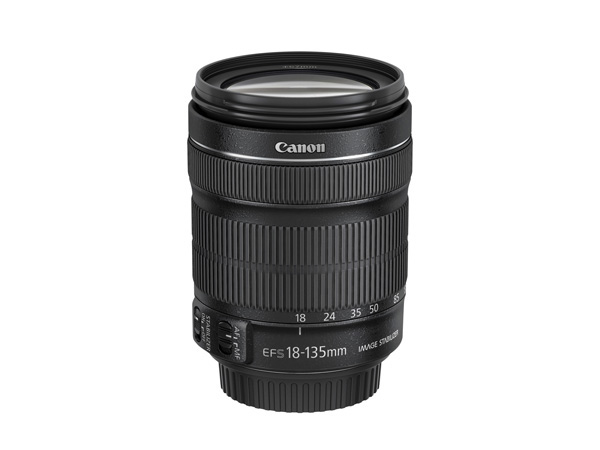
A good selection of lens covering a range of focal lengths will ensure you’re covered whatever the subject, from wide-angle focal lengths for landscapes to telephoto reaches for wildlife. If you’re budget doesn’t allow such luxury than you might want to consider a zoom lens for varying between all focal lengths, and perhaps one sharp prime lens for ensuring macros and nature subjects are captured in stunning life-like detail.

Canon LENS EF-S 18-135mm IS STM FRA w CAP 

Plastic bags

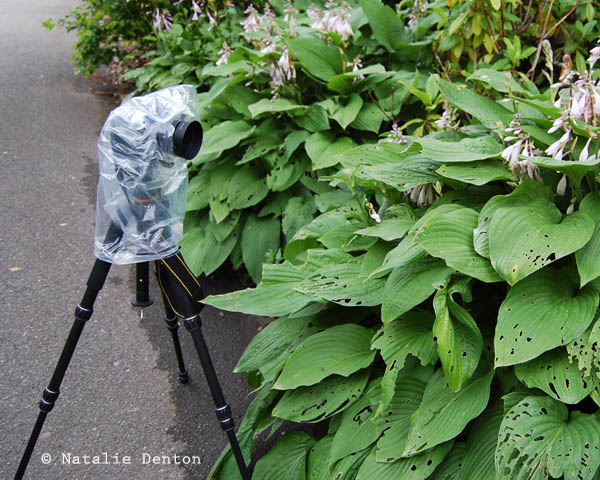
The all important plastic bag, in fact pack a couple. Never has one item been so useful to the outdoor photographer, and what’s more, they are incredible versatile, take up practically no space and most importantly – are free! If you’re caught in an unexpected downpour pull it over your camera, poke a hole in the bottom and slid the lens through the hole, then make a seal with your lens hood from the outside – et voila a waterproof camera shield. Want to lie down to get a close up of those flowers but the meadow is muddy? Lay down a line of plastic bags to stop you’re clothes getting wet and dirty. Want to shoot a long exposure landscape but the wind is blowing the tripod? Collect a few rocks or stones in your bag and attach it to the tripod’s centre column. There are 101 uses for a plastic bag, if not more!

Plastic bag for protecting camera in the rain Natalie Denton

Unless you’re a Bear Grylls (adventurer) type and are used to fending for yourself in the wild, it’s wise to take a few precautionary measures before you leave home, especially if the location you are heading to is dangerous, isolated or you are planning on going at night. These may seem like some obvious precautions, but actually it could make the difference between life and death.

Phone

iPhone 4 Apple

Ensure the battery on your phone is fully charged and to stop it draining in the cold keep it somewhere warm, like close to your body such as an inside jacket pocket. It’s a good idea to put a few helpful apps on your Smartphone too if you can such as Maps, Compass, First Aid, Find My Phone – in case you become lost or injured, plus photography relevant apps such as an app that tells you of your location’s sunset/sunrise times, one that can work out hyperfocal distances or even act as a light meter.

Tell a friend

Tell at least one person where you are going, the route you’ll be taking and when you expect to return. Perhaps offer to text or call them when you arrive at your location and also when you are on your way home again, just to put their mind at rest.

Road worthy

Double check your vehicle is topped up with gas and oil, and that the tires are correctly inflated and are in a good condition. If you are travelling some distance, or off the beaten track, it is a good idea to carry a small amount of fuel in a jerry can, to get you to the next gas station. Check the lights are working and pack a couple of spares. Keep a copy of your breakdown details just in case, but minimise the need of having to call someone out by having a spare tire and jack in your trunk.

Weather forecast

Check the weather forecast before you go to avoid adverse conditions (unless this is what you’re after) and wear/pack the appropriate clothing. Depending on the type of climate you are working in you may want to consider packing a few extra items in the trunk too, such as; a change of clothes and shoes, a blanket, spade/snow shovel, flask of hot tea/coffee, food, water, and sunscreen. A First Aid Kit and flashlight may also come in useful.

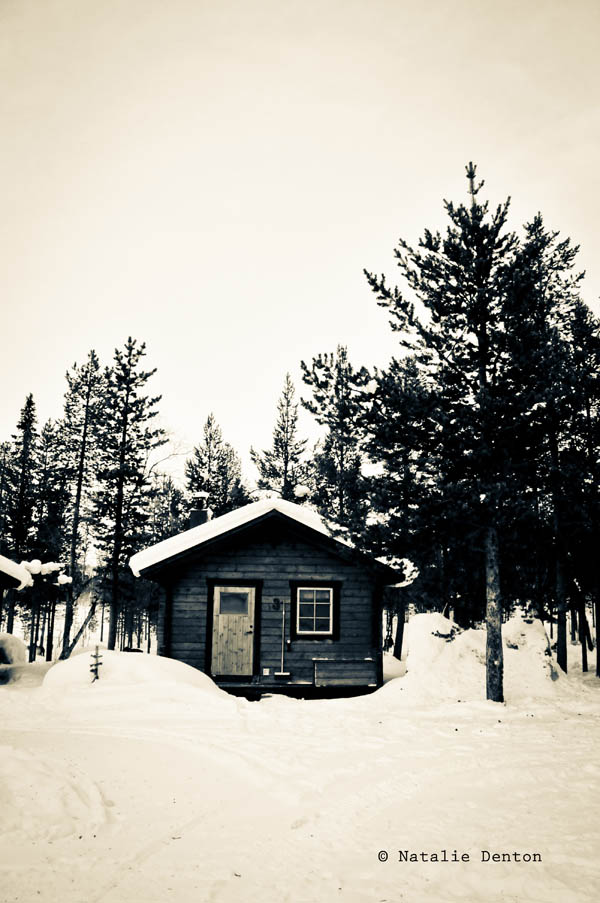
Lapland cabin snow Natalie Denton

What to wear

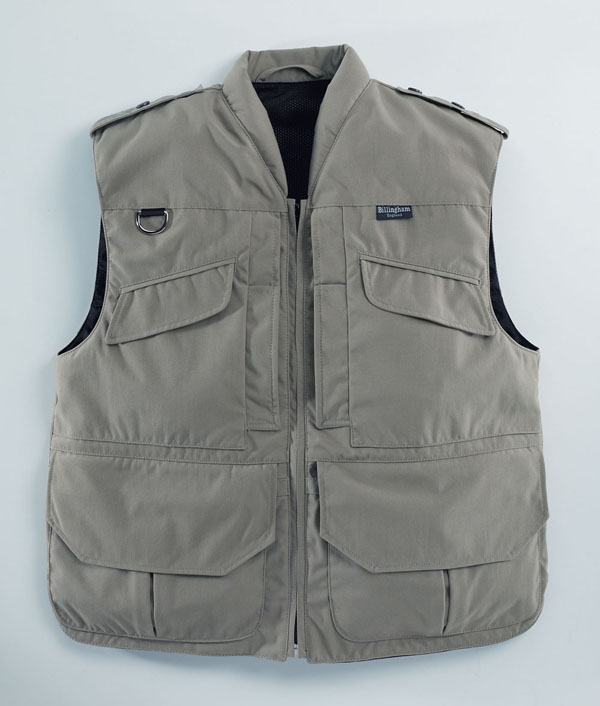
Comfort and safety is the name of the game here rather than looking like a trendsetting explorer. A pair of hard-wearing hiking boots, or shoes with ankle-support, will keep your feet and legs as comfortable as possible when trekking over long distances. Consider the weather and dress appropriately so; waterproof clothing if it’s raining, thermals and insulated clothing if it snows light, bright cottons if it’s hot. Clothing with plenty of pockets is always a bonus as they are ideal and convenient place for keeping lens caps, cards, filters and cloths at arm’s reach. A hat is surely obligatory if it’s super cold or super sunny out, so opt for an insulated woolly one, or a wide brimmed white one respectively. If you’re venturing out after dark and are near roads or highways be sure to wear reflective or bright clothing so that you stand out, warning drivers to veer round you.

Billingham photovest

Read part 2 of our complete guide for tips, tricks and techniques for shooting on location and editing advice, coming tomorrow.

The post Your Complete Guide to Outdoor Photography – Part One by Natalie Denton (nee Johnson) appeared first on Digital Photography School.


Digital Photography School
 
Comments Off on Your Complete Guide to Outdoor Photography – Part One

Posted in Photography


The Definitive Guide to Destination Wedding Photography

05 Feb

Destination wedding photography is hard work but certainly has its rewards. If you can adapt quickly, can thrive on the new and different challenges, and are naturally resourceful this niche may be for you. There are some additional considerations if you are thinking about becoming a destination wedding photographer. It typically requires more planning and expertise. Because the location is Continue Reading

The post The Definitive Guide to Destination Wedding Photography appeared first on Photodoto.


Photodoto

 
Comments Off on The Definitive Guide to Destination Wedding Photography

Posted in Photography


The Definitive Guide on How and When to Use ISO on Your Camera

24 Jan

When people talk about digital camera settings, there are three main ones that pop up: shutter speed, aperture and ISO. They all relate to light and the way your camera captures it: Shutter speed controls the length of time your camera lets in the light, aperture determines the size of the opening in your lens that light travels through and Continue Reading

The post The Definitive Guide on How and When to Use ISO on Your Camera appeared first on Photodoto.


Photodoto

 
Comments Off on The Definitive Guide on How and When to Use ISO on Your Camera

Posted in Photography


The Smart Guide to Creating Your Portfolio the Right Way

15 Jan

Your photography portfolio should be a collection of your work that will encompass your entire career, or it can focus on a single theme or medium. Most photographers who have been at it a while tend to have multiple portfolios that cover a myriad of compositions, mediums and client need aspects. Many of the best will have tens of portfolios, Continue Reading

The post The Smart Guide to Creating Your Portfolio the Right Way appeared first on Photodoto.


Photodoto

 
Comments Off on The Smart Guide to Creating Your Portfolio the Right Way

Posted in Photography


A Concise Guide to Lightroom Develop Presets

05 Jan

 Lightroom develop presets

The Presets panel (found in the left-hand panels in the Develop module) is one of the most useful in Lightroom. The most obvious benefit of Develop Presets is that they can save you time, which is always a good thing. But they do more than that, including help you maintain a consistent approach to post-processing and using creative effects.

Develop Presets tend to fall into one of two categories. The first are what you might call one-shot presets, which seem to work well on one or two images but not many others. A good example is Develop Presets intended to create a vintage or cross-processed look. They tend to improve some photos, but look horrible on most others.

The second category is what you could call genuinely useful presets. They are a bit better thought out, and designed to make post-processing an easier and quicker task. Usually they are created by a photographer that has put them to use over a long period of time and tweaked them until they work well. I will give you some examples of these at the end of the article.

In this guide to Lightroom Develop Presets we’ll go over some your options.

Free Develop Presets

If you haven’t used Develop Presets before then you likely don’t have many to play with. There are some included already with Lightroom, but there are also plenty of websites where you can download good Develop Presets for free. The problem is, as with anything free, sorting out the rubbish, especially as most of these fall into the first category of Develop Presets. We can save you some time by making some recommendations:

OnOne Software Signature Collection

  • One of my favourites is made by OnOne Software. There are a lot of Develop Presets in their set. Some of them will be a bit over the top for most photographers, but there are some good ones, including a set that imitate the filters in the Instagram app. If you’ve ever wanted to use Instagram on photos taken with your digital camera, this is the easiest way to do it. By the way, the link takes you through to OnOne Software’s Lightroom Presets page, where you’ll find lots more free Lightroom Presets.
Lightroom-develop-presets-09

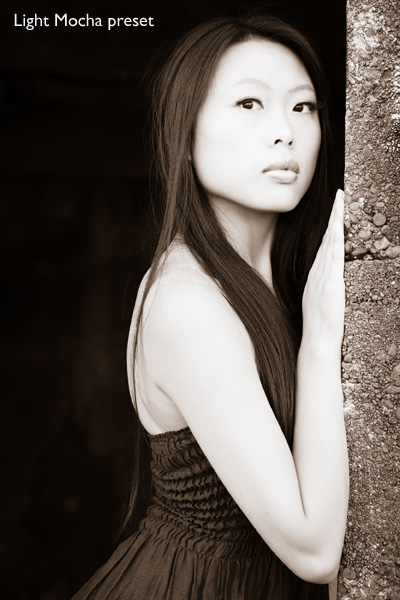
This photo was created with the Light Mocha Preset from OnOneSoftware

Presets Heaven Vintage Presets

  • A nice collection of seven vintage effects for Lightroom 4 and 5. The opening photo above was processed with one of these.

Delicious Freebies

  • A set of free Lightroom Presets from Delicious Presets.

Installing Lightroom Develop Presets

Develop presets are easy to install, follow these steps:

  • Start by downloading them to your computer (the folder you save them in isn’t important at this stage)
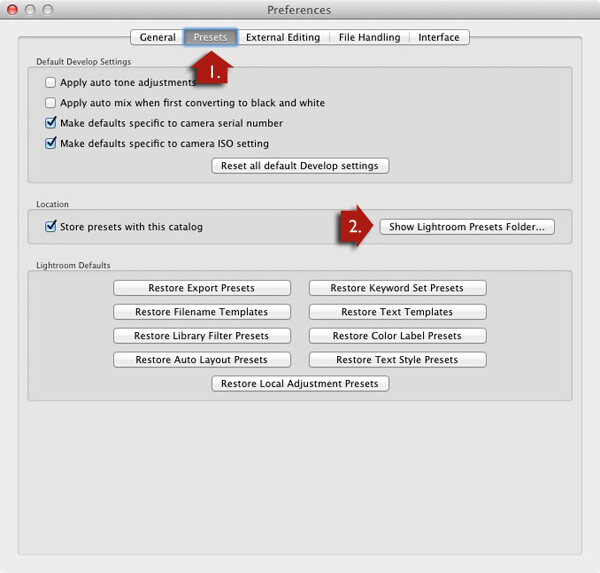
  • Open Preferences, go to the Presets tab (see red arrow #1 below) and click on the Show Lightroom Presets Folder button (see red arrow #2 below)
  • Inside this folder is another called Lightroom Settings, and inside that is one called Develop Presets. Drag the Develop Presets you downloaded earlier to this folder
  • You will need to restart Lightroom before they appear in the Presets panel

Lightroom develop presets

Using Develop Presets

Develop Presets are easy to use:

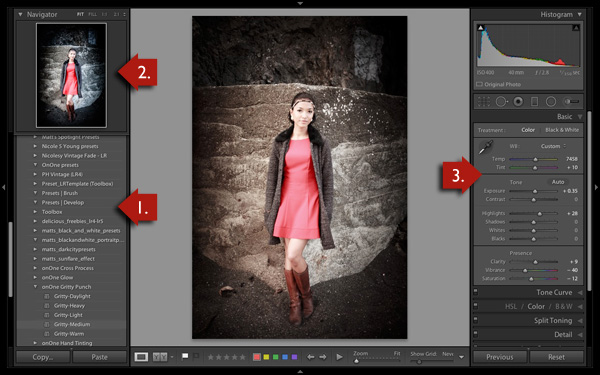
  • The Presets panel contains all Develop Presets that come with Lightroom, ones you have created yourself (listed under the heading User Presets) or downloaded from other sources (see red arrow #1 below).
  • If you hover over any of the presets, the thumbnail in the Navigator panel shows you what your photo will look like with that preset applied (see red arrow #2 below).
  • Click on the preset name to apply it to your photo. The Develop settings in the right-hand panel are updated when you do so (red arrow #3 below).

Lightroom develop presets

You can’t always tell much from the thumbnail in the Navigator panel as it’s so small. You’ll get a better view if you click on the Before/After View icon (#1 below) – the backslash key “\” is the keyboard shortcut, and will toggle before/after on the entire image by turning it off and on. Set the Zoom slider to Fit to show the entire image on the screen (see #2 below).

When you click on a Develop Preset to apply it to your image you will see the original photo and the new version displayed side by side. If you don’t like the result, Undo it using the Cmd+Z (Mac) or  Ctrl+Z (PC) keyboard shortcut.

Lightroom develop presets

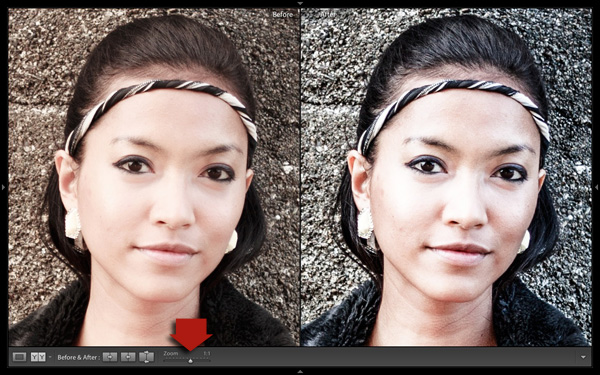
For a close-up look at the effect the Develop Preset has had on your photo, set the Zoom slider to 1:1 (below). Make sure you check important parts of the photo, such as the model’s face in this portrait, to make sure that the newly applied preset hasn’t created any undesirable effects. Some presets do go a little over the top with settings such as Clarity, so it’s wise to double check. You can make adjustments to the appropriate sliders if required.

Lightroom develop presets

One of the interesting things about Develop Presets you download from other sources is that you can look at how the settings have changed after you have applied the new preset to see how the effect is achieved. It’s an easy way to learn new processing techniques.

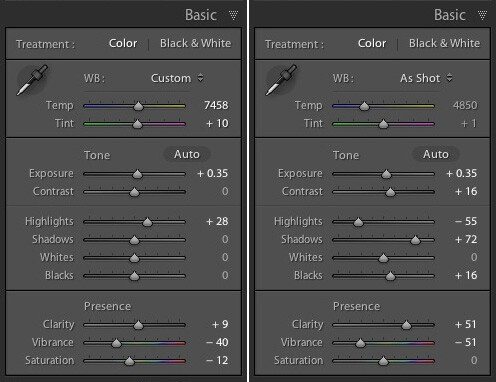
In the example above (the Gritty-Medium preset from OnOne Software), the Develop Preset made all the changes in the Basic Panel. It boosted the contrast by moving the Contrast and Clarity sliders to the right, then negated that effect somewhat in the mid-tones by moving the Highlights slider left and the Shadows slider right (see screenshot below). It also reduced Vibrance and Saturation. The end result is gritty and dramatic, but not so harsh that it’s unsuitable for portraits.

Lightroom develop presets

Settings before preset applied on the left, and after it was applied on the right

Create Your Own Develop Presets

It’s very easy to create your own Develop Presets:

  • Select a photo and make the required adjustments using the right-hand panels of the Develop Module.
  • Go to Develop > New Preset. Alternatively, click the Create New Preset icon in the Presets panel (below)

Lightroom develop presets

  • Give the Preset a name (#1 below) and select the settings that you want to include in the Develop Preset in the New Develop Preset window (#2 below). You don’t have to include every setting. If you did, the Develop Preset would probably only be useful for that specific photo.
  • Press the Create button (#3 below) when you are done. The new Develop Preset appears in the User Presets category in the Presets panel.

Lightroom develop presets

Other Develop Presets

Here is a list of other Develop Presets you may find useful. These are different from the ones listed above as they are not free. If you have any recommendations yourself, please leave them in the comments.

The first two are from the Craft & Vision website

  • David duChemin’s Lightroom Presets
  • Dave Delnea’s Lightroom Presets

The next one is from SLR Lounge

  • It’s a comprehensive system, and so costs more than the others. You can watch the video on the page to see how it works: Lightroom Preset System V5

key-11Mastering Lightroom Book One: The Library Module

My latest ebook Mastering Lightroom Book One: The Library Module is a complete guide to using Lightroom’s Library module to import, organise and search your photo files. You’ll learn how to tame your growing photo collection using Collections and Collection Sets, and how to save time so you can spend more time in the Develop module processing your photos.


The post A Concise Guide to Lightroom Develop Presets by Andrew Gibson appeared first on Digital Photography School.


Digital Photography School
 
Comments Off on A Concise Guide to Lightroom Develop Presets

Posted in Photography