RSS
 

Posts Tagged ‘Guide’

Holiday Guide to Gifting For Photo-Lovers

17 Nov
GG1

It’s time to get festive! Check out our very best gifts for photo-lovin’ folks like yourself and your pals. Including four brand-spanking new items from the world’s cutest and most powerful projector to enamel pins we designed ourselves.

Give your own photos as gifts and maybe even snag yourself an instant camera for those upcoming happy holiday parties.

(…)
Read the rest of Holiday Guide to Gifting For Photo-Lovers (0 words)


© Erin for Photojojo, 2015. |
Permalink |
No comment |
Add to
del.icio.us

Post tags:


Photojojo

 
Comments Off on Holiday Guide to Gifting For Photo-Lovers

Posted in Equipment


Beginner’s Guide to Photographing Festivals

13 Nov

Photographing-festivals-1

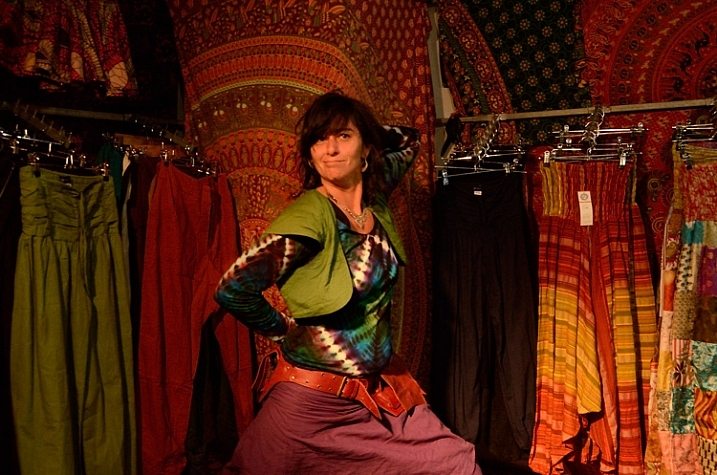
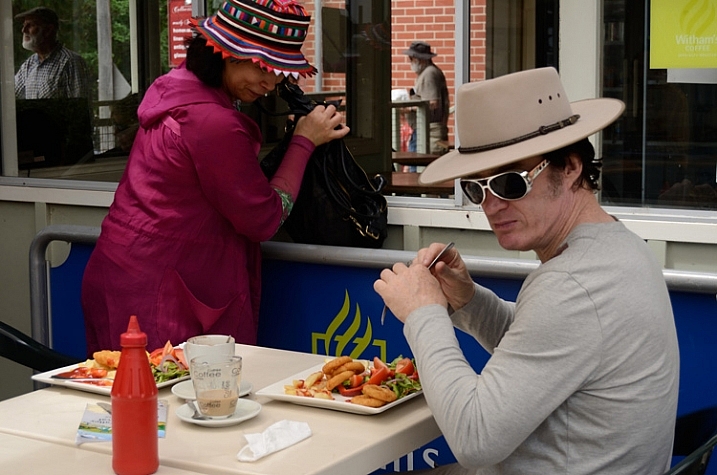
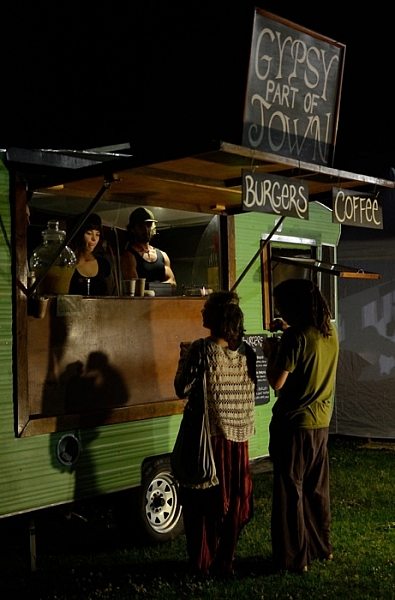
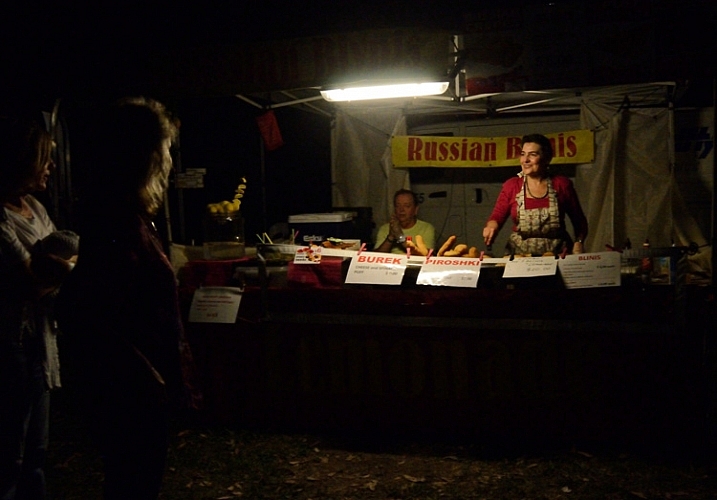
Festivals are a great place to practice a wide variety of photographic disciplines for any photographer. With plenty of action in one central location, often over a couple of days or more, there’s a chance to try your hand at everything; portraiture, street photography, landscape, night photography, fast action, and more, as well as play with all kinds of lighting and subjects, and the chance to tell a photographic story.

So much to learn about photography all in one place.

Festivals are a great place to photograph everything from portraits to panoramas, and pretty much everything in-between.

There is a festival for just about everything from the massive Burning Man Festival, to small food, wine, music festivals, there’s some bizarre festivals like Tunarama in Australia, where the key event is tuna tossing. Unfortunately I didn’t make it to Tunarama, so for this article I have used images from a small country town folk festival. Regardless of the kind of festival you choose, here are some tips to get you started – a beginner’s guide to photographing festivals.

There's so many different festivals for photographers to practice theirs skills at.

Look up a local festival and get out there with your camera.

Camera gear

If you are a beginner reading this, chances are you have a DSLR with a standard kit lens, so you are good to go. I would highly recommend a zoom, but it’s not necessary, you can still get great images while learning a wide variety of photographic skills. For all these images I used either a standard kit 18-55mm lens, or a small point and shoot camera. If you have other lenses, take them, you’ll most likely have a chance to use them.

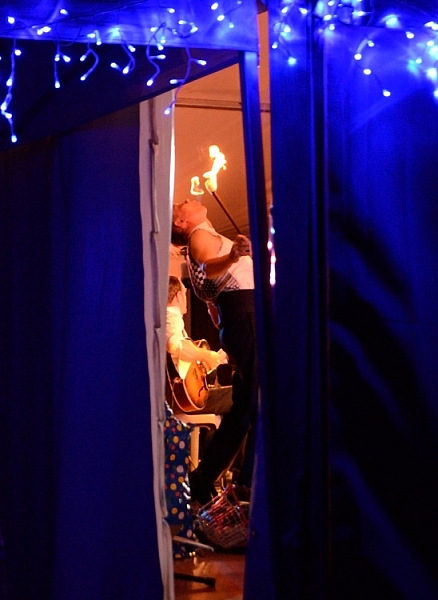
A tripod will also come in handy if you are going to photograph at night. Many festivals have fireworks, or people twirling glow in the dark things, that need long exposures.

Spare memory cards and batteries are pretty much essential, and a polarizing filter wouldn’t go astray for bright daylight.

Photograph your festival with any gear you have, even your phone.

You really don’t need fancy camera gear to get some interesting images at a festival.

Camera settings

If you are a beginner, and not used to rapidly adjusting manual settings on the fly, I would recommend starting with Auto or setting your camera to Program Mode, or pick an appropriate “Scene mode” for night and low light. But also take the opportunity to experiment with manual settings. Read up on low light, street photography, fireworks, etc., before you go. Try to avoid using your flash.

The bottom line though, in order to have a great time photographing a festival, and getting a few images you are really happy with, you don’t need anything more than your mobile phone – everything else is bonus. If you are using your phone, and I recommend you do so as well as use your camera, try looking up some free extra apps to experiment with.

Any gear will do for photographing a festival, even your mobile phone.

This image was photographed using a small point and shoot with its auto filters.

What to photograph

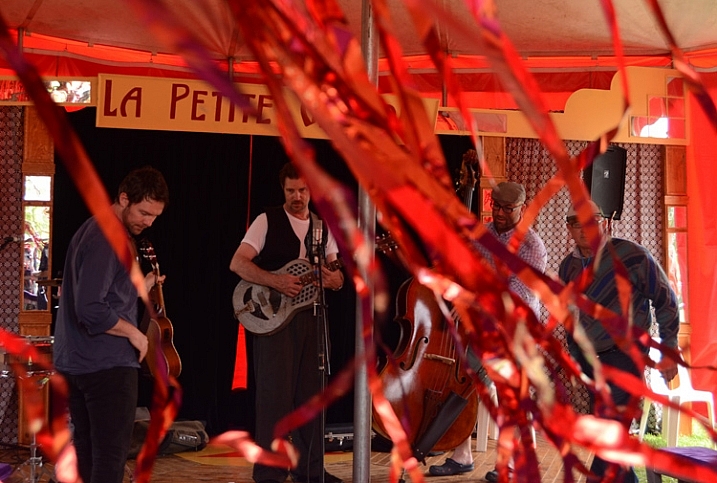
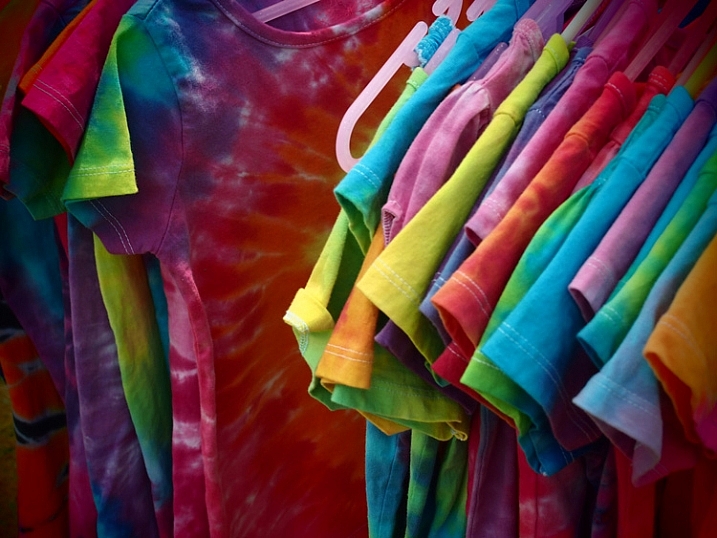
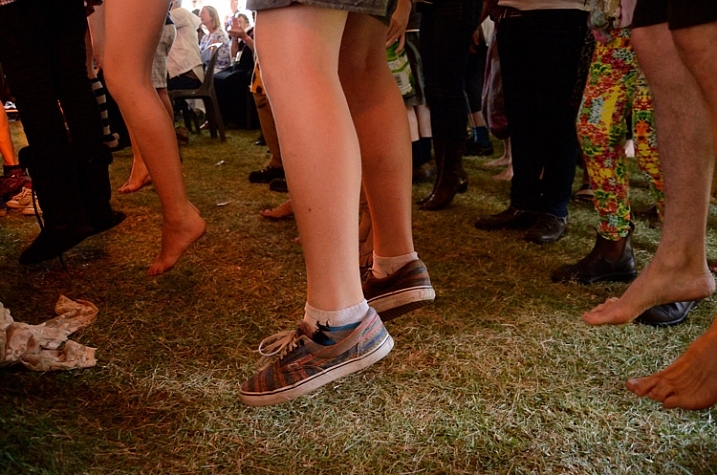
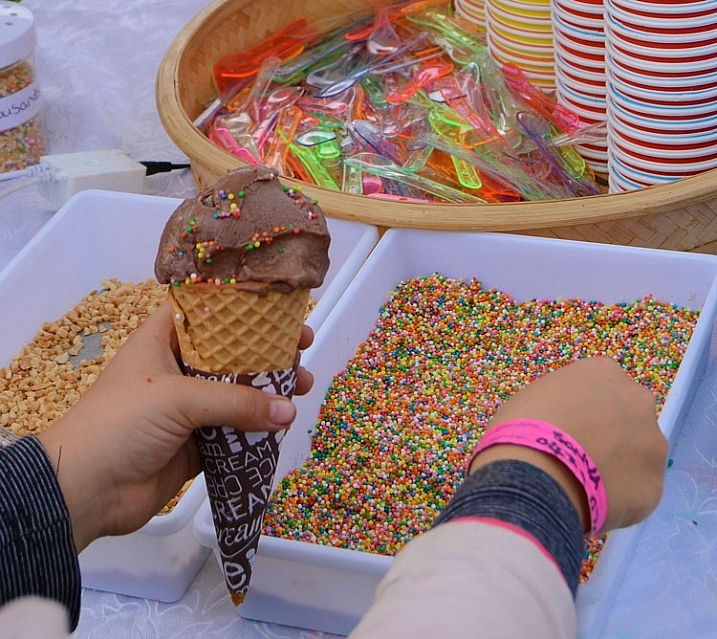
Photography everything. Shoot non-stop from the setting up, to the live acts, parades, stall holders (vendors), the crowd, surrounding landscape, behind the scenes, people in audiences, details, packing up, and even what was left behind. Sometimes shooting from dawn until evening, in close, panoramic, and everything in-between.

Photographing-festivals-12

Photographing-festivals-7

Photogrpahing-Festivals-19

Try to tell a story

You can capture a story in a whole series from a festival, or small series within a series, or within a single photograph.

Photographing-festivals-9b

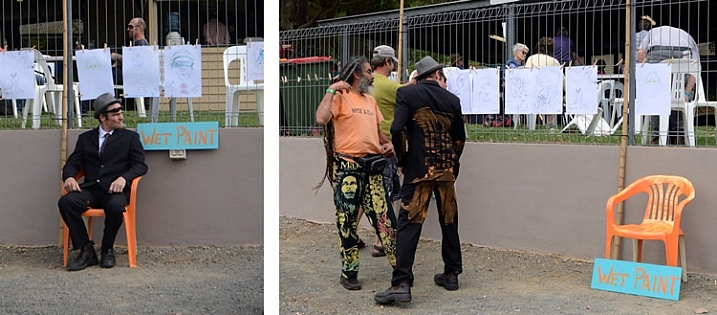
Small festival stories can be fun to capture

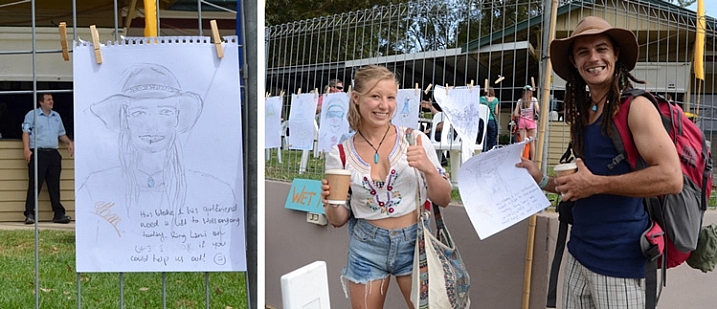
These two pegged a drawing on the fence with a request for a lift to the next station. It worked!

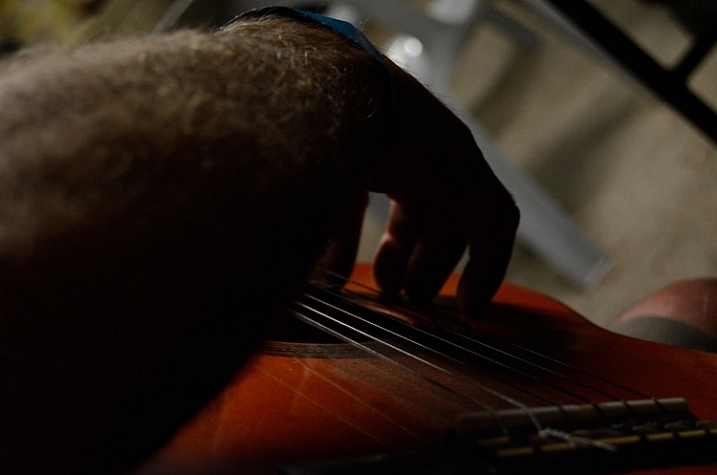
Festivals are great to try capturing a story in one image or over many.

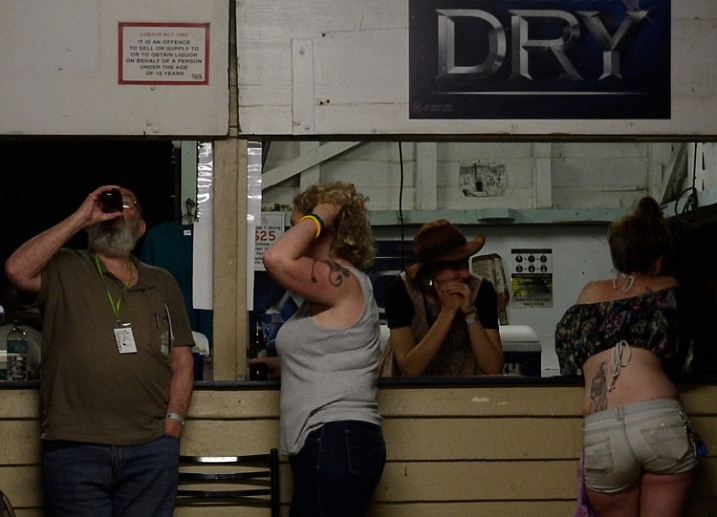
Locals hanging out at the festival bar.

Each festival I have been to, has a different feel. For example, a food and wine festival has a different crowd, and is more relaxed than a rock music festival.

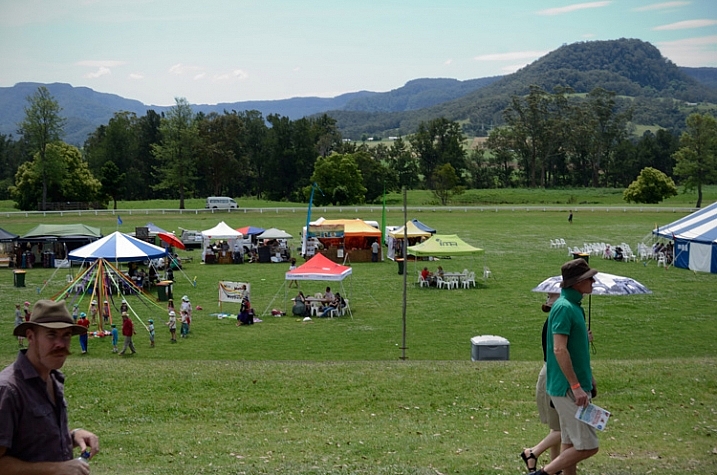
Capturing small details and panoramas set the scene, give the viewer a sense of place. Then, capturing events, acts, and people give a sense of what is going on there. Capturing audience reactions and small details create a sense of really being there.

Photographing-festivals-23

Photographing-festivals-6

Photographing-festivals-11

Getting involved

Festivals are often annual events. Depending on the event, there may be an opportunity to volunteer. While you may spend most of your time helping out, you could have access to back stage, or other areas behind the scenes. When you have a decent portfolio, you could volunteer as photographer to build up an excellent portfolio to apply as official paid photographer.

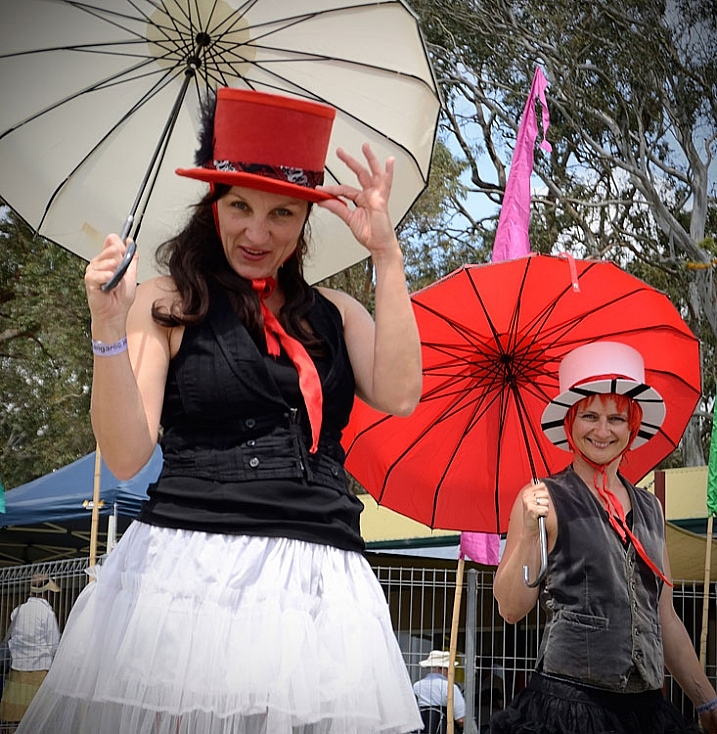
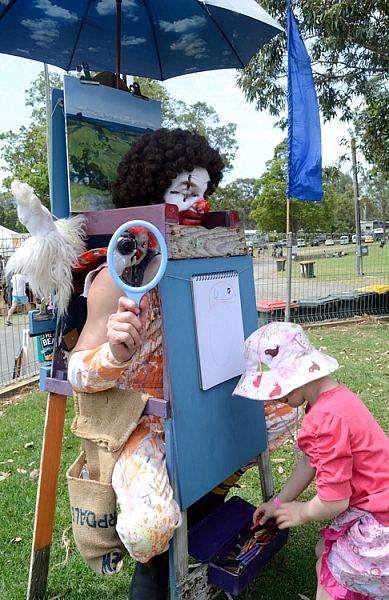
The last festival I went to, I worked as an assistant to the artist in residence, dressed as a clown. This helped me to capture a lot of smiles, and some not so smiley expressions. Not everyone loves a clown.

Get involved in the festival you are photographing.

Photographing as a clown was a new experience!

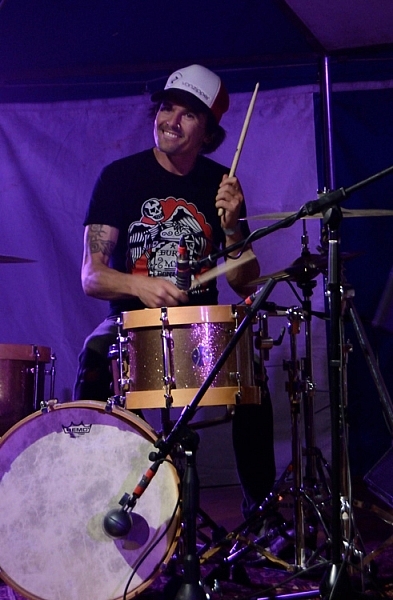
This guy from the band 19-Twenty just noticed he was being photographed by a clown, and he didn’t miss a beat. I certainly wouldn’t have got that shot had I not been in my rather amusing costume.

Don’t be afraid to approach people

People photography is also a great thing to practice at a festival. It can be pretty intimidating approaching strangers, as it is to be approached by a photographer. But most people don’t really mind, and are often flattered.

Don't be afraid to approach strangers, most people are OK about it.

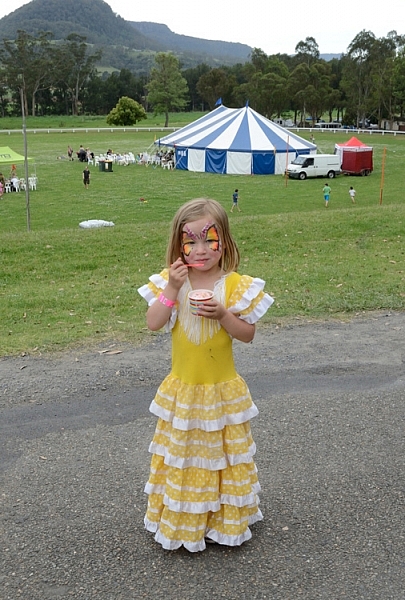
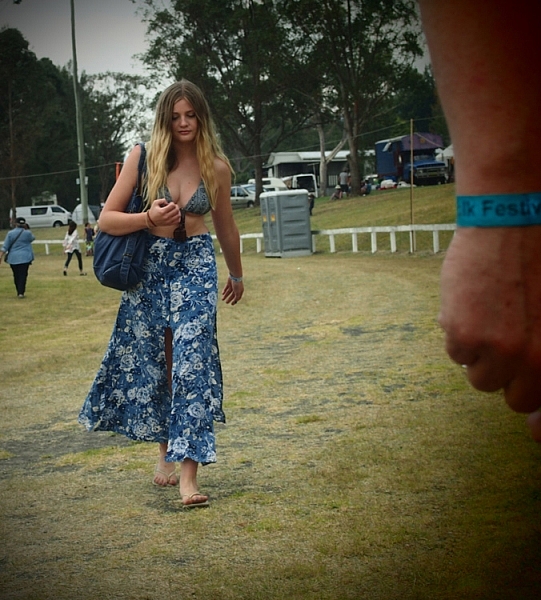
Most people don’t mind having their photograph taken if you are polite about it. Some, like this lass, love it.

So just ask, be honest with them, and let them know you are a beginner practicing at the festival. Perhaps even carry some cards or pieces of paper with your name, and a website, where they can see your images.

If you’re too shy, sometimes a smile and a wave, pointing to your camera and giving them a hopeful questioning look will do the trick. Or you can try a street photography approach, capturing people more candidly, and naturally.

Photographing-festivals-13

Thank you Elvis, thank you very much.

Keep doing the rounds

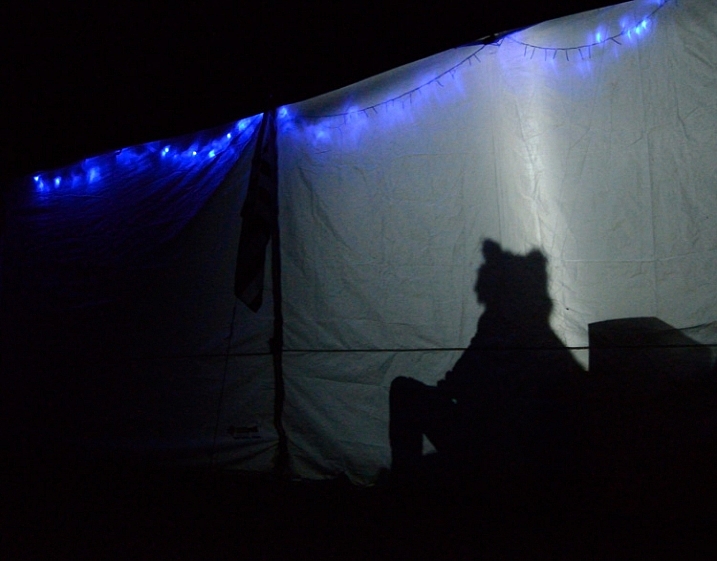
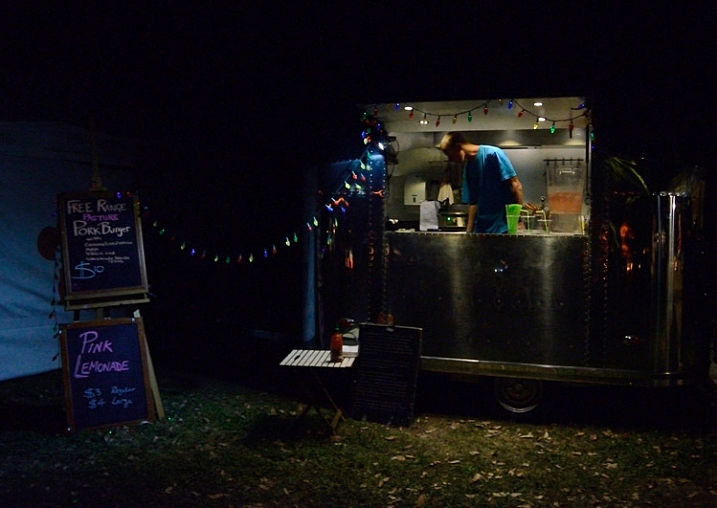
Walking around the entire the festival over different times of day/night, can provide fresh images of the same spot as the light changes, and different people and characters pass by. A stall that doesn’t look like much during the day, could be lit up beautifully at night. Capturing stall holders when busy and quiet, can provide two entirely different moods.
Photographing-festivals-16

Photographing-festivals-24

Photographing-festivals-21

Don’t get in the way

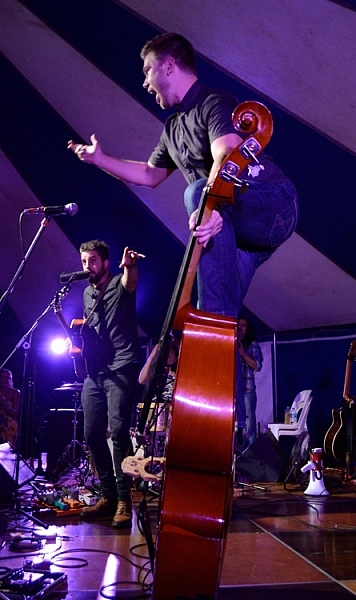
Try not to annoy the live acts, and audience, by photographing all the way through the entire act, or getting in anyone’s way. A good general rule for band photography is to only photograph for the first three songs.
Morris dancer with evil eye.

Keep your eye out for moments, rather than just firing away. Look for different angles and interesting color compositions.
Photographing-festivals-18

Photographing-festivals-17

The best tip I can give you is to have fun. Enjoy the festival, as well as photographing it. So much photographic fodder in one place, often with good food and music as well.

So get out there, find yourself a fun festival, and start photographing. Please share your festival photographs with us in the comments below. Have you any tips to add for our readers? Any great festivals to recommend?

googletag.cmd.push(function() {
tablet_slots.push( googletag.defineSlot( “/1005424/_dPSv4_tab-all-article-bottom_(300×250)”, [300, 250], “pb-ad-78623” ).addService( googletag.pubads() ) ); } );

googletag.cmd.push(function() {
mobile_slots.push( googletag.defineSlot( “/1005424/_dPSv4_mob-all-article-bottom_(300×250)”, [300, 250], “pb-ad-78158” ).addService( googletag.pubads() ) ); } );

The post Beginner’s Guide to Photographing Festivals by Lea Hawkins appeared first on Digital Photography School.


Digital Photography School

 
Comments Off on Beginner’s Guide to Photographing Festivals

Posted in Photography


PhotoShelter releases free professional food photography guide

22 Oct

PhotoShelter has launched ‘The Professional’s Guide to Food Photography,’ a new free guide dedicated to the art and business of photographing food. The guide includes tips for breaking into the industry, in-depth interviews with food photographers and a how-to on building a portfolio. Read more

Articles: Digital Photography Review (dpreview.com)

 
Comments Off on PhotoShelter releases free professional food photography guide

Posted in Uncategorized


A Quick Guide to Email Marketing for Photographers

14 Oct

Photographers are turning to social media these days to try and get their names out there and reach their target audiences. Being active on social media is critically important for small businesses these days, but more traditional online marketing tactics, like email marketing, are still very useful. Ignoring email as a part of your marketing campaign could cost your photography Continue Reading

The post A Quick Guide to Email Marketing for Photographers appeared first on Photodoto.


Photodoto

 
Comments Off on A Quick Guide to Email Marketing for Photographers

Posted in Photography


A Guide to Newborn Photography – Preparation, Posing and Post-Processing

09 Oct

Newborn photography is, in my opinion, one of the most rewarding (and difficult) branches that a photographer can get into. I’ve shot numerous hectic weddings where I was physically exhausted afterwards, and had lifestyle sessions where nothing went right, but nothing has even come close to the process involved when taking photos of a precious newborn baby!

Over the years, I’ve learned some insightful tips from interacting with parents, to posing newborns safely, and also my philosophy when it comes to editing. I want to give all of these tips to you, to hopefully fast-forward your newborn photography aspirations and take you to the next level.

DPSimage 1

Before I dive right in, I want to give you some insight on my background and techniques, so that you can evaluate your style compared to mine, and make adjustments to my tips to suit your photography.

LIGHTING AND SHOOTING PACE

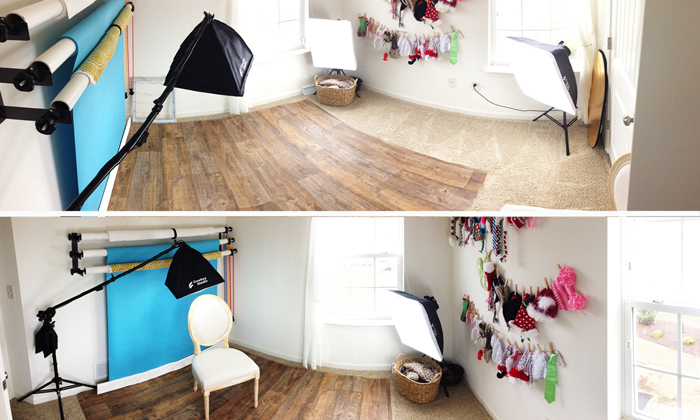
First, I’m a natural light newborn photographer. I will use a continuous lighting system in my studio on the darkest of days, but 99% of the time the only light in my photos is coming from that big fiery ball in the sky. Speaking of studio, I exclusively shoot newborn sessions at my in-home studio space. I’ve converted one of the bedrooms in my home to my shoot-space. You don’t need a huge studio for newborn photography – my small 10×10′ (3×3 meters)room with two windows gives me enough natural light and room to do everything I need to do.

DPSimage 2

SAFETY

Safety is my absolute number one priority for taking photos of newborns, which I’ll talk more about later in the article. It scares me how many pros and amateurs alike don’t make this step important. While on my soapbox, if you don’t make safety an absolute priority, then you have NO business photographing newborns. Whew – I feel better now.

PREPARATION

Whether you’re a photographer inviting newborns and their parents in, or you’re a parent yourself trying to capture beautiful images of your baby, the steps for preparation are virtually the same.

Here are some great tips to keep in mind when you prepare for the session:

  • Warm it up! I close the door to my studio and use a space heater in the corner to warm the room up to about 80-85 degrees F (26-29c). This is usually a great temperature to keep the baby happy, especially if they aren’t swaddled. Be sure to give any clients a heads up about the warmth, and suggest they bring light clothes for themsleves.
  • Wash your hands. Take every precaution not to spread germs, especially for a newborn with a weak and developing immune system.
  • Do NOT wear jewelry. I always take off my rings, bracelets, earrings, and necklaces. While the likelihood of your jewelry falling off is low, it’s not a zero chance. Keep it simple to keep the baby safe.
  • Avoid fragrances. While a newborn’s vision and hearing senses are not too keen, their sense of smell is very sensitive. Don’t wear perfume/cologne, fragrant lotions, or strong hand sanitizers. This can upset the baby quickly.
  • Try to create some white noise. Having some white noise can dull any thuds, shuffles, or the sound of the shutter on the camera that may otherwise wake a baby. My space heater serves to not only provide heat, but also gives me plenty of white noise. You may want to consider an app on your phone if the space heater is too far away, or too quiet.
  • Get all your props, backdrops, blankets, etc., ready before you take any photos. The less you have to move the baby to set up a new shot, the better.


DPSimage-3b

Another aspect of preparation for photographers working with clients, that isn’t talked about as much, is preparing for newborn parents. As a photographer myself, I have met hundreds of parents who are swelling with pride for bringing life into the world, but who are also completely exhausted. I offer my clients coffee when they arrive to let them know that this is a haven for comfort, and to trust me because I know what they are going through.

You’ll also run into two types of parents while photographing newborns: “hover” parents and “passive” parents. Hover parents may clutch and grab for their baby at the slightest sign of a whimper (which is natural human instinct, by the way), and it can impede your ability to take great photos for them. Passive parents are typically those that are the opposite of hover parents, and I’ve found are usually associated with parents who’ve had multiple children and are pretty laid back about the whole process.

The best solution for interacting with all parents is to make sure they’re properly informed before the session begins. Reassure them that their baby’s safety is your number one priority, go over your process with them, and make sure you openly communicate about their baby during the session. This will help ease any concerns a nervous new parent may have.

POSING

I LOVE natural newborn poses, and I try my best to capture the precious little miracle, and show how they are naturally. I do own a newborn posing beanbag (which I highly recommend purchasing) that has curves, allowing me prop the baby up, or lay them down. There are literally hundreds of guides on the internet about how to pose a newborn, so I won’t go into the different specific poses and setups here. However, I will go over the basics, and get into some more in-depth and technical aspects. If you have no idea how to start posing a baby, start with those guides before you ever (read: ever, ever, ever) actually take photos of a newborn!

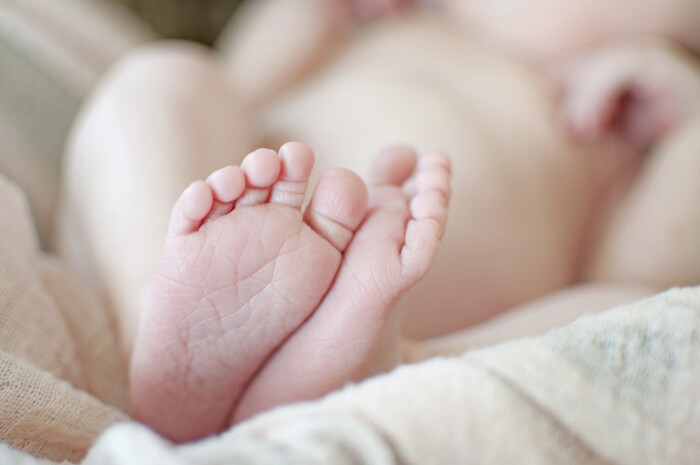
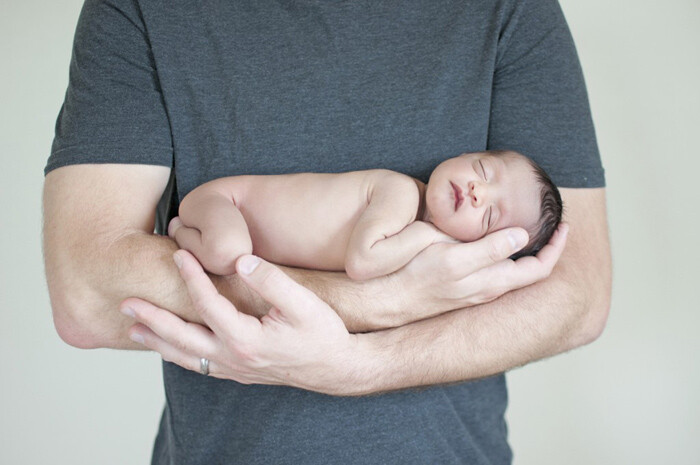
Like I’ve stated numerous times already, MAKE SAFETY FIRST! Natural poses are also safe because there’s very little risk involved if the baby twitches or moves spontaneously. While the baby is posed naturally, I’ll also snag some macro feature shots of the baby’s unique features like their cute little noses, tiny feet and toes, and the adorable little lips they have. Posing the baby naked, or swaddled with blankets, is something that you’ll decide, hopefully after a conversation with the baby’s parents to see what they prefer, and what photo theme they want.

DPSimage 4

You WILL eventually run into a fussy baby at times while posing during the session. It’s pretty rare to have a newborn that gives you no issues at all. That being said, you can prep the baby beforehand to increase your chances of successful posing. I always ask the parents to plan a feeding right before the session begins. Full belly = a happy baby most of the time. However, this isn’t the be-all-end-all solution for some newborns. I’ve been affectionately called the “baby whisperer” by many of my clients because I can typically sense what the baby wants, but I do so by using cues that the baby provides.

A hungry newborn will cry and root, sometimes shaking their heads back and forth and opening their mouths (kind of like a fish) as they look for a food source, i.e. Mommy. Another symptom of being fussy can stem from being cold. Look for tiny goosebumps on their skin to see if they’re too cold. The newborn baby may also be gassy, which can be tough to detect many times, but usually happens in a delay after a feeding. Sometimes it feels impossible to detect what may be causing the baby to be upset. I’ve found that often this is due to the newborn being just slightly uncomfortable or restless. You can calm a a fussy little one by doing some very soft rubs on their forehead or back, or some very light taps on their bottoms. Every baby is different in what they like so it may take some trial and error.

DPSimage-5b

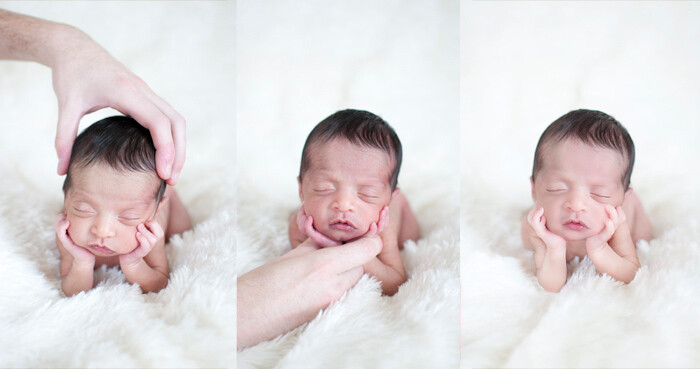
Photo one (left) holding the baby’s head for safety. Photo two (middle) holding the baby’s head from below for safety. Photo three (right) the two combined to make it appear that the baby’s head is resting on its hands.

While I prefer to naturally pose the baby, I will also do a few “risky” shots for variety, and that artistic touch. I put risky in quotes because these photos would be completely unsafe normally, but with composite editing in Photoshop, you can merge safe images together to create the artistic illusion you may be going for. Classic examples of this would be the head propped on hands photo (see above picture), hammock photos, or anything where the baby is perched on some object. By the way, you should never do these photos in one take – use the composite route! Just do a quick Google search for “composite newborn images” for step-by-step instructions on how to pull this off.

POST-PROCESSING

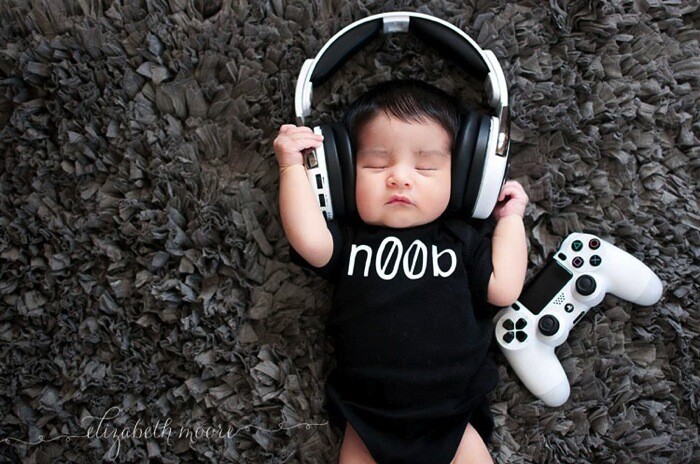
As a natural light photographer, I don’t typically manipulate the light in too many of my photos in Photoshop. I’ll make some tweaks here and there, but my biggest adjustments are typically associated with skin smoothing (although I also do some touching-up in post-processing). Slightly overexposing images helps with smoothing the baby’s skin, and shooting in RAW can help you correct any exposure or color issues along the way.

DPSimage 6

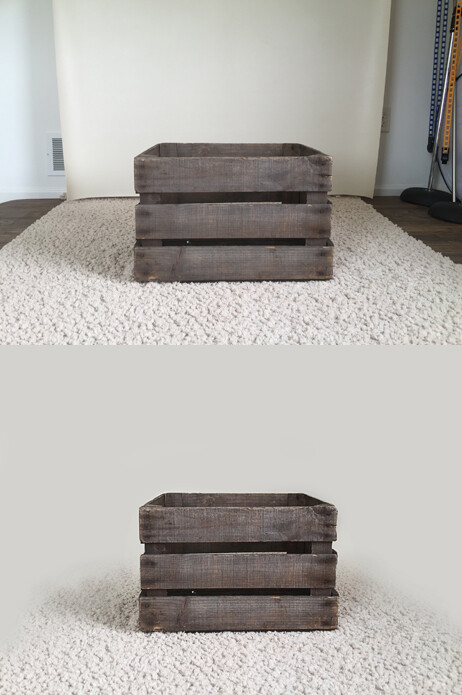
Here’s a tip – you don’t need a massive studio with a huge backdrop to create gorgeous images from far away. Take the example before/after photo above (sans newborn baby) – some minor editing and blending can create fabulous images you’ll be proud of. Just search for some floor/backdrop fading tutorials online for details and step-by-step instructions on how to do it.

Using the clone tool, the blend tool, and creating/manipulating layer masks in Photoshop, you can create exactly what you are after in a “look”. Digital Photography School has some basic Photoshop tips that are fabulous!


DPSimage-7b

In the end, you’ll need to decide what your style is, and what you want your photos to look like. My style includes editing out the skin imperfections on the newborns, but leaving certain features on macro shots (like skin flakes, birth marks, some baby acne, etc.), but there are others in my area that leave the images as they are, with very little touching up. It’s up to you. If someone has hired you, it’s because that person loves your images and the way you edit your photos – stick with it, or try to appeal to a different base.

googletag.cmd.push(function() {
tablet_slots.push( googletag.defineSlot( “/1005424/_dPSv4_tab-all-article-bottom_(300×250)”, [300, 250], “pb-ad-78623” ).addService( googletag.pubads() ) ); } );

googletag.cmd.push(function() {
mobile_slots.push( googletag.defineSlot( “/1005424/_dPSv4_mob-all-article-bottom_(300×250)”, [300, 250], “pb-ad-78158” ).addService( googletag.pubads() ) ); } );

The post A Guide to Newborn Photography – Preparation, Posing and Post-Processing by Elizabeth Moore appeared first on Digital Photography School.


Digital Photography School

 
Comments Off on A Guide to Newborn Photography – Preparation, Posing and Post-Processing

Posted in Photography


A Beginner’s Guide to Buying a Camera

05 Oct
iPhone camera

Sadly, you may one day grow out of your cell phone camera.

So you’ve decided it’s time to buy a real camera? Maybe the cell phone camera just isn’t cutting it anymore, or you read an inspiring travel blog bragging about how they quit their day job, and now roam the planet selling snapshots they take along the way.

Either way, the decision has been made, and now it’s time to take the next step and figure out what gear you’re going to need to support this new endeavour.

The photographic gear market isn’t lacking in options, and it’s all talk about megapixel this and shutter speed that, but without a bunch of technical experience, how do you know where to start? There really isn’t a one-camera-fits-all option or we would all be using it.

Let’s take a look at some of the considerations you are going to want to keep in mind as you attempt to navigate the consumer minefield of cameras and photographic equipment when selecting and buying a camera. We will look at the major features shared among most cameras, and how they may influence your decision.

Price

Expensive camera equipment

Brace yourself: High-quality photography equipment often requires a significant investment.

That’s right, cameras all cost money, and sometimes lots of it. This is a logical place to start, unless, of course, money is of no consequence, in which case order a couple of Leica M Series cameras – one for you and one for me.

The easiest approach to budget is to come up with as narrow a budget window as possible. If you think you want to spend under $ 1,000, you will likely be overwhelmed with choices, while if you decide to look at the $ 800-$ 1,000 range, your options will be much more manageable to compare.

While you’re mulling over your photography budget, note what other accessories you may need or want. Don’t blow your entire budget on a camera body with no lens to mount on it. Do you want to acquire a tripod, external flash or even extra batteries and memory cards?

Types of Cameras

Generally speaking, there are point-and-shoot style cameras, mirrorless cameras and DSLRs (digital single lens reflex), but keep in mind that the lines can be pretty blurry between these.

Nikolaj F. Rasmussen

By Nikolaj F. Rasmussen

Point-and-shoot cameras are mostly compact and convenient. The constant with them is that the lenses are built-in and non-interchangeable, but usually cover a wide zoom range. Quality-wise they run the gamut from cheap with uninspiring quality, to pretty sweet ones like the Canon G1.

Mirrorless systems are all the rage and most of them have interchangeable lenses like the big DSLRs, at a smaller size. They are a great compromise of quality and versatility. Some are super classy like the Olympus OM-D and others deliver high resolution like the Sony A7S.

DSLRs are the classic, fancy-looking cameras, with all the buttons and big lenses (sometimes). Lower-end ones offer good quality, and give users a ton of control. There is a mind-boggling assortment of lenses and flashes available, as well as a myriad of other gadgets to achieve all sorts of creative effects.

Sensor

This is the part of the camera that replaced the film. The reason we care about these is because they range in size, resolution (megapixels) and sensitivity to light.

ZEISS Microscopy

By ZEISS Microscopy

As you’ve probably already deduced, big sensors with high resolution that are more sensitive to light are pricey. The biggest sensors in the camera types we are talking about are called full frame, and are the size of a 35mm negative (film). The majority of cameras on the market use a variety of smaller versions that we usually call cropped frame (DX for Nikon and APS-C for Canon). There are other size but these two make up the lion’s share of the market.

Right now camera companies are in a death match to out-resolution one another. While the average camera might boast 16-20 megapixels, some models are double that.

What do all those megapixels get you? You can think of it as the same as film grain, or the resolution of your TV. If you have a 36-megapixel camera, you can crop out 2/3 of the photo taken with that camera and still have a 12-megapixel photo. Higher resolution=finer grain.

Sounds like the more the merrier, but not necessarily. Lower-megapixel cameras are often more sensitive to light and work better in dark conditions. Also, resolution is directly correlated to file size so you will fill up your memory cards, and computer hard drive much quicker. Often times lenses for full-frame cameras are more expensive as well.

Memory cards

High-megapixel cameras come at a price as they eat up storage on your memory cards and hard drives.

ISO

This may sound familiar because when you had a film camera (if you are old enough) you probably used 400 ISO film. This is a measurement of the sensor’s sensitivity to light (short meaning, the long one is very technical).

If you want good results shooting in low-light conditions without a flash, you want to look at cameras that not only shoot at high ISO (1600 or greater), but can do so while producing decent shots. The Fujifilm X-T1, Nikon D800, Canon 5D Mark 3 and Sony RX100 get high marks in this category, but be warned, it’ll cost you.

Lenses

A sensor is only as good as the lens that you put in front of it. I just made that up but it’s true. Everything has to pass through the lens to get to the sensor.

If you’re going to go with a point-and-shoot camera, compare the zoom range (a number in millimeters) between several cameras. There are some that cover ridiculous ranges like the Nikon Coolpix P610 which zooms from 24-1,440mm. However, don’t be fooled by big numbers as you may never need that kind of range and another camera may have other features that are more useful to you.


The Fujifilm X100T's lens

Some cameras are equipped with a permanent fixed-focal-length lens like the Fujifilm X100T. Some photographers prefer simplicity.

Be aware that there are two types of zoom: optical and digital. Optical zoom is what the actual lens is capable of, while the latter digitally crops the photo and image quality is degraded significantly.

Some cameras like the Fujifilm X100T and the Sony RX1 are quality cameras which have permanently attached 35mm lenses. No changing lenses, no zoom. Some people love them, some people think it’s a stupid idea. In the end, it depends on your shooting style and your personal preference.

With DSLRs, the options for lenses are nearly endless. Original manufacturers make plenty, third party brands abound, and you can even get adapters to attach almost anything to almost anything else. Many DSLRs are offered as kits that come with the camera body and lens. Usually the lenses are of lower quality but can certainly produce good results.

canon-current-EF-lineup-2012

Image courtesy of Canon

Some lenses are big and expensive because they let in a lot of light and work better in low-light conditions, produce very sharp undistorted images, have long focal lengths allowing you to take pictures of far away subjects, and are built to more exacting and durable standards or any combination of these features.

The lens department is where mirrorless cameras fall a little short. For most casual photographers, there are enough good choices to fulfill your needs, but fewer choices for professionals, or those wanting to focus on niche genres like macro or sports.

The Other Stuff

I know you wish the things mentioned thus far were the only things to consider, but there is plenty more. With so much competition out there, even simple cameras keep getting more complex. On that note, if you find a camera you’re interested in, find out how long that model has been on the market as the manufacturer might be about release a new version.

Raymond Bryson

By Raymond Bryson

Other features to look for in a camera:

  • WiFi connectivity
  • Built-in flash
  • Hot shoe (for an external flash)
  • Touch screen
  • Articulating screen
  • Dual memory card slots
  • Image stabilization (in-camera or in-lens)
  • RAW file support (gives you more control in post-processing)
  • Video capabilities (HD, 4K, etc.)
  • External microphone support
  • Shooting speed (frames per second)
  • Minimum focus distance or macro mode
  • Shooting modes (for creative effects)
  • Weather sealing
  • Battery life
  • Weight

Conclusion

Of course this is not an exhaustive list, but it’s a good place to start. These days there are cameras as varied as the photographers using them so it will really pay off to do your research.

googletag.cmd.push(function() {
tablet_slots.push( googletag.defineSlot( “/1005424/_dPSv4_tab-all-article-bottom_(300×250)”, [300, 250], “pb-ad-78623” ).addService( googletag.pubads() ) ); } );

googletag.cmd.push(function() {
mobile_slots.push( googletag.defineSlot( “/1005424/_dPSv4_mob-all-article-bottom_(300×250)”, [300, 250], “pb-ad-78158” ).addService( googletag.pubads() ) ); } );

The post A Beginner’s Guide to Buying a Camera by Jeremie Schatz appeared first on Digital Photography School.


Digital Photography School

 
Comments Off on A Beginner’s Guide to Buying a Camera

Posted in Photography


Work It! A Guide to Taking Astounding Portraits

28 Sep

People are beautiful, and as photographers we have the ability to show that in creative ways!

Photojojo reader and super talented portrait photographer, Hannah Arnzen, has put together her very best tips for snapping portraits.

Read her advice on what it takes before, during and even after a shoot to snap the perfect portrait.

Take it away Hannah…

(…)
Read the rest of Work It! A Guide to Taking Astounding Portraits (509 words)


© Taylor for Photojojo, 2015. |
Permalink |
No comment |
Add to
del.icio.us

Post tags:


Photojojo

 
Comments Off on Work It! A Guide to Taking Astounding Portraits

Posted in Equipment


A Beginner’s Guide to Choosing Shooting Mode

22 Sep

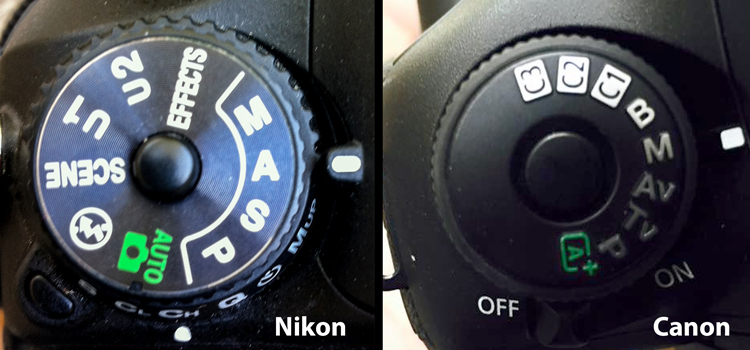
Even the most seasoned veteran photographer may use a pre-programmed mode occasionally in order to concentrate immediately on a shot rather than take the time to calculate exposure and miss the opportunity for the great image. But if you are a beginner at photography or want to advance your photography skills beyond the use of Auto mode, begin by adventuring away from the green box.

When you are setting up your camera to capture an image, there are four basic results to consider: wide depth of field, shallow depth of field, motion blur or freeze motion. How do you know which mode to use to control these basics of photography? Let’s take a look.

Nikon-Canon-mode-dail

Auto (Green box)

In Auto mode, your camera will automatically set the shutter, aperture, ISO, white balance, and even the pop-up flash for you.

Advantages: This is a great option for beginners with a digital camera – but don’t become dependent on it! Only use it until you learn to take control of your camera.

Disadvantages: In certain lighting conditions the auto settings may produce undesirable images. For instance, a portrait that is heavily back-lit might just produce a silhouette. In low-light, you may end up with blurry and grainy images; also in low-light, the camera may choose to fire the flash to give more light and many camera models don’t provide a way to disable the flash if you don’t want it.

When to use: Any time you want to use your camera just as a point and shoot camera, this is your mode.

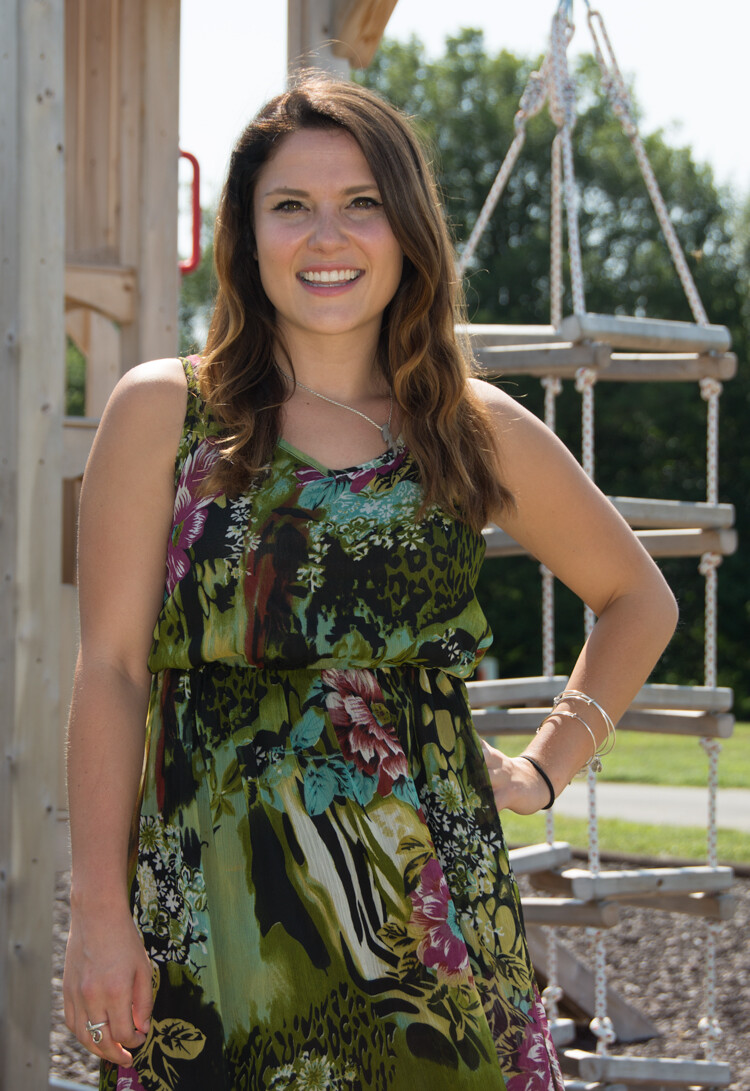
This portrait was intentional shot into the sun in Auto Mode. While the camera did a decent job with exposure, it might be a 1/2 stop under exposed. Auto exposure settings choose by the camera are 1/250th of a second at f/6.3 with ISO of 100. while the shutter speed and ISO are good, a wider aperture would have lessened the DOF and made the background less distracting.

This portrait was an intentional shot into the sun in Auto mode. While the camera did a decent job with exposure, it is a 1/2 stop under-exposed. The auto exposure settings chosen  are 1/250th of a second at f/6.3 with ISO of 100. While the shutter speed and ISO are acceptable, a wider aperture would have lessened the DOF and made the background less distracting.

Program (P)

In Program mode, your camera will automatically set the shutter speed and aperture, but will allow you to choose ISO, white balance, exposure compensation and flash options.

Advantages: This is a great next step for a beginner who wants to take a little more control of their camera and improve their images.

Disadvantages: As in Auto mode, certain lighting conditions may lead to unpredictable results, due to the partial automatic settings which leave some results to chance.

When to use: Use this mode if you want to take a good first step to ultimately taking complete control of your camera’s options.

Shutter Priority (TV – Canon) (S – Nikon)

In Shutter Priority mode, you select the shutter speed and ISO and the camera will automatically choose the proper f-stop for what it determines to be the correct exposure.

Advantages: Great for controlling freeze action and motion blurring of moving objects.

Disadvantages: In this mode you have control of your shutter speed, so you must be careful that your camera can choose an f-stop to give you a proper exposure. The type of lens you have available to use comes into play here. Most cameras can shoot at a very fast shutter speeds, but if your lens doesn’t have a large enough aperture to match that shutter speed the resulting image will be under-exposed.  For example, if you are shooting with a shutter speed of 1/4000th of a second, and the proper exposure for the speed of the subject requires an f-stop of f/2.8, but the widest opening on your lens is f/3.5, the image will be under-exposed.

When to use: Use this mode when you want to control the motion of the object you are photographing. Use a fast shutter speed if you want to freeze the motion or use a slow shutter speed if you want to blur the motion. This mode is also useful when using large mm lenses where you need to set a fast shutter speed to avoid blurred images due to camera shake.

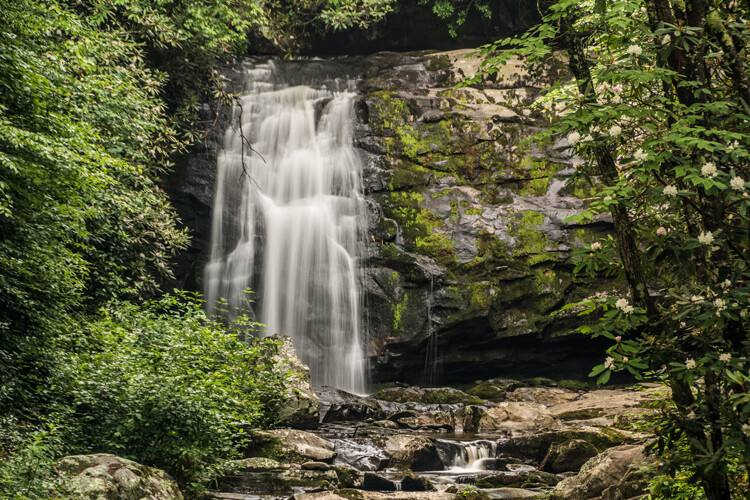
Choosing shutter priority and setting shutter to 1/8th of a second to blur the water.

Shutter priority with a shutter to 1/8th of a second was used to blur the fast moving water.

Here are some suggested shutter speeds for Shutter Priority:

  • Freeze very fast motion – 1/3000th of a second
  • Athletes in motion – 1/500th to 1/1000th of a second
  • Birds in flight – 1/1000th to 1/2000th of a second
  • People walking – 1/250th of a second
  • Panning moving objects – 1/30th to 125th of a second
  • Blurring fast moving water – 1/8th of a second
  • Blurring slow moving water – 1/2 to 1 secondshutter

Aperture Priority (AV – Canon) (A – Nikon)

In Aperture Priority mode, you select the aperture and ISO and the camera will automatically choose the proper shutter speed for what it determines to be the correct exposure.

Advantages: Other than Manual mode (next paragraph), Aperture Priority is the most popular shooting mode photographers use, mainly because it controls what is in focus in your image. And in most cases the item you have in focus is the element that will make or break the success of your image.

Disadvantages: In low-light situations your camera may choose a very slow shutter speed that will produce a blurry image, either because of movement by the subject or camera shake.

When to use: Use this mode when you want to control the Depth of Field (DOF) of your image. The larger the aperture the more light reaches your camera’s sensor and the shallower the DOF. Reversely, the smaller the aperture the less light reaches your camera sensor and the deeper the DOF. Beware that changing your aperture will also affect your shutter speed. More light from large apertures requires a faster shutter speed and less light from small apertures requires a slower shutter speed.

Using Aperture Priority to set a larger aperture to increase DOF

Aperture Priority to set a larger aperture to increase DOF.

Here are some suggested f-stops for Aperture Priority:

  • Landscapes -f/8 or higher for more DOF
  • Portraits – Large aperture  (f/2.8) for shallow DOF to blur the background
  • Macro – f/8 or higher for more DOFaperture

Manual (M)

Manual mode allows you to change both the shutter speed and aperture settings independently from each other. No settings will be automatically set by the camera. Your camera’s built-in light meter will guide you on the exposure it determines to be correct, but you have complete control to adjust the shutter and aperture separately to get the exposure you determine to be correct for the image you are creating. Before you use the manual mode it is recommended that you have an understanding of the exposure triangle (shutter speed, aperture and ISO) and how each will affect your final image.

Advantages: This mode gives you complete creative control of the image you are capturing.

Disadvantages: While this mode has many creative advantages, you must be careful to always check the exposure with every image, especially when shooting in fast changing lighting conditions.

When to use: After you have learned to use this mode and learned the effects and results of the settings and how they work together, you will use this mode almost every time.

Here Manual mode was used to control the DOF and to use a slow shutter speed to blur the waterfalls.

In Manual mode, a small aperture was used to control the DOF while also setting a slow shutter speed to blur the motion of the waterfall.

Scene Modes

Scene mode is very similar to Auto mode. You choose the scene you are shooting and the camera will choose settings for you optimized for that scenario. Different camera models may have different scene modes, but listed here are some of the most popular:

  • Sports – Camera will increase ISO and use a fast shutter speed to capture fast action.
  • Landscape – Camera will use a small aperture to maximize the DOF; flash may also be disabled.
  • Portrait – Camera will use a large aperture to  throw the background out of focus. Some models of cameras will also use face recognition in this mode.
  • Macro – Camera will choose small aperture to give as much DOF as possible.

Advantages: As with the Program mode, these Scene modes are a beneficial starting point for beginners and will often give a better result than shooting in Auto mode.

Disadvantages: While these settings can produce desirable images at times, the results may vary and will not be reliable.

When to use: While these scene modes may be a step up from Auto mode for beginners, use these options as a starting point to learn your camera, understand its workings, and upgrade your photography skills.

Aperture-Shutter


So which mode is the best?

It is completely up to you which mode you feel most comfortable using. But if you are using the Auto, Scene or Program modes and you want to improve your photography, learning how to set exposures using the exposure triangle of shutter, aperture and ISO will help you make the best possible choices to create better images.  The two most popular modes used by professional photographers are Manual and Aperture Priority. Remember, professionals were once beginners too. Enjoy your camera experiences, no matter which mode you choose!

googletag.cmd.push(function() {
tablet_slots.push( googletag.defineSlot( “/1005424/_dPSv4_tab-all-article-bottom_(300×250)”, [300, 250], “pb-ad-78623” ).addService( googletag.pubads() ) ); } );

googletag.cmd.push(function() {
mobile_slots.push( googletag.defineSlot( “/1005424/_dPSv4_mob-all-article-bottom_(300×250)”, [300, 250], “pb-ad-78158” ).addService( googletag.pubads() ) ); } );

The post A Beginner’s Guide to Choosing Shooting Mode by Bruce Wunderlich appeared first on Digital Photography School.


Digital Photography School

 
Comments Off on A Beginner’s Guide to Choosing Shooting Mode

Posted in Photography


A Guide to Black and White Conversion in Lightroom

24 Aug

Vintage, retro, moody, classic are all adjectives that might be used to describe black and white photographs. It may seem counter-intuitive in an age where cameras are lauded for their abilities to render colors and skin tones in super accurate or pleasing ways, to just go and eliminate all the colors in post-processing. Nevertheless, the timeless qualities of grayscale images continue to persist, and the alluring beauty shows no sign of subsiding.

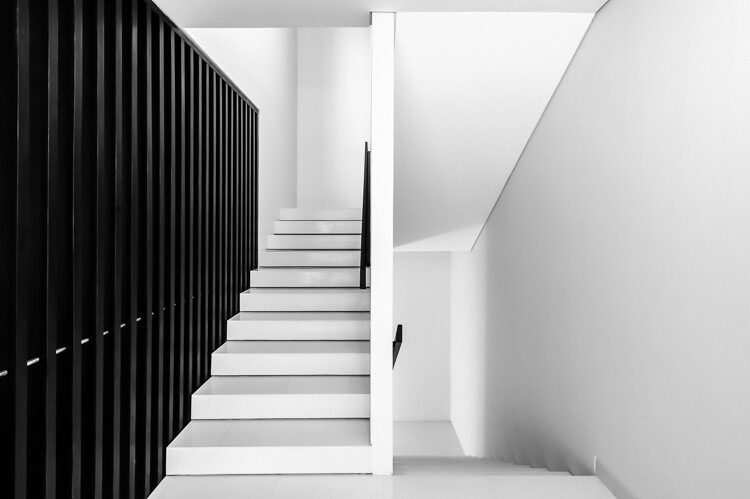
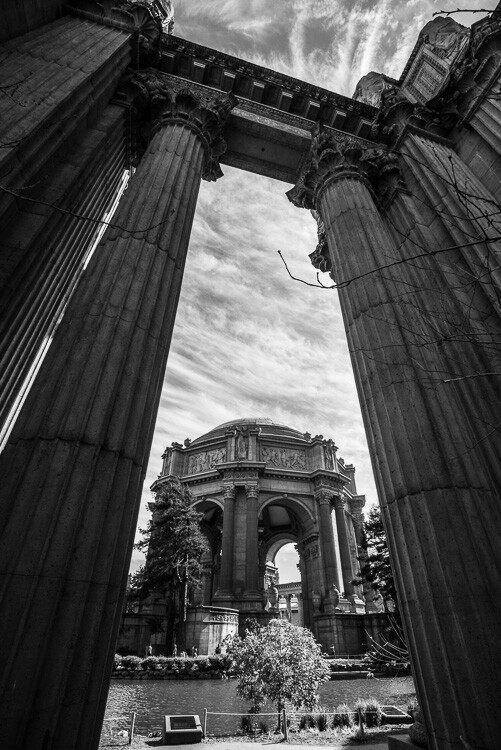
A black and white architectural photo

Since most of us see in color, black and white images seem to be inherently abstract.

In Lightroom (LR), the transformation of a photo from color to black and white is simple – drag the Saturation slider all the way to the left. The end.

I’m only half-joking. Although this will drain all of the color from the photo, there are many other considerations to mull over, various entry points to begin the process, and an immense amount of control and fine-tuning to explore.

Image Selection

Naturally you will need to start with a photo, so the decision as to which photo is a good candidate to make the transformation to black and white is your first task.

There are a few characteristics in a photo that would make it qualify as a good candidate. Obviously any photo that has strong colors, which add strength or appeal may not make the cut. You would be doing yourself a disservice by taking a beautiful, saturated sunset shot only to rob it of its finest feature.

I prefer to convert photos which have a lot of repetitive detail, high contrast, or have an inherent look that would be accentuated by converting to black and white. Architectural shots work well, and sweeping landscapes with puffy clouds against a blue sky stretching off into the horizon can be dramatized tastefully.

Without any colors to lean on, black and white images must have other strengths. Your black and white images just may have to rely a tiny bit more on the subject, composition, emotion or lighting. This is a good thing. Thinking in black and white can help train your eye to look for other photographic strengths which will make your color images that much stronger as well.

Where to Start

In Lightroom there are several features built-in that enable you to control the look of your black and white images. Let’s take a look at their dedicated black and white converter.

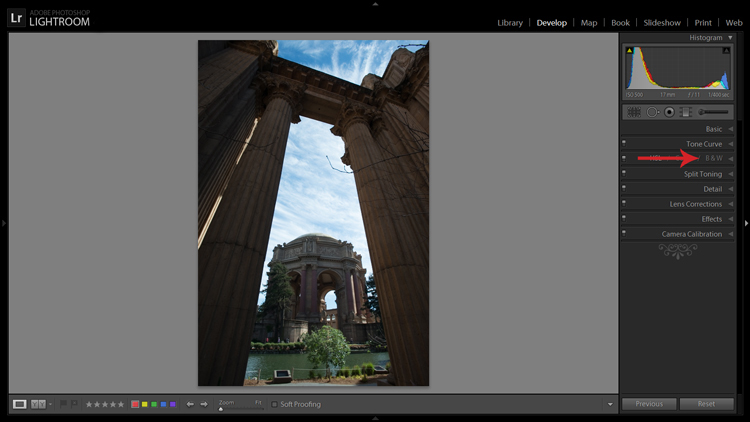
LR-bw-conversion

The B&W sub-panel gets your images to grayscale in one click.

If you simply click on the B&W panel in the Develop module, LR converts the image to gray scale. The same thing can be accomplished at the top of the Basic panel where it says Treatment by selecting Black & White.

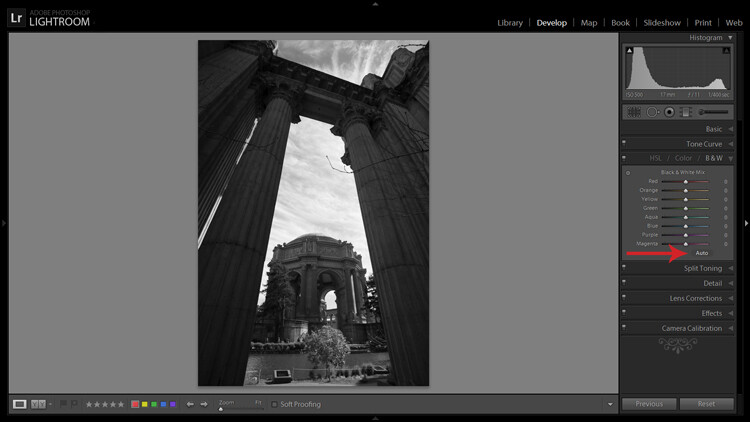
Note that when you do this the eight Black & White Mix sliders are all zeroed out. You may also note that there is a curious little oval-shaped Auto button hanging out underneath the sliders. What might this do? In case you didn’t guess, LR will use its own infinite wisdom to evaluate your image and adjust the color tones to what it thinks is appropriate. I’ve never clicked that button and said “wow” but you never know.

LR-bw-conversion-2

The Auto button adjusts tones as LR sees fit, but I find further editing is usually necessary.

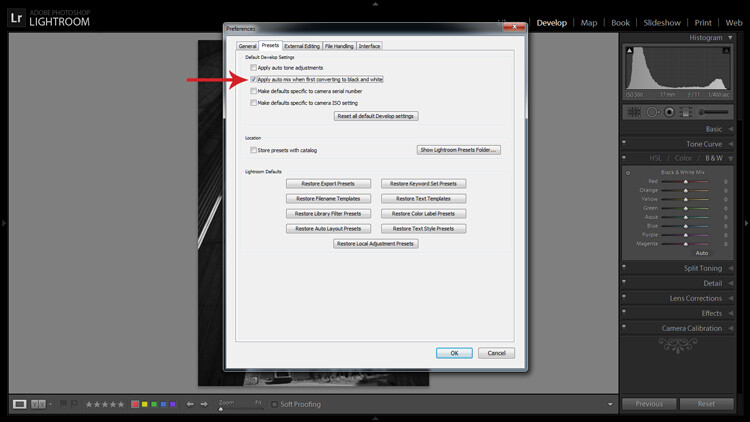
If you like the settings that LR chooses for you with the Auto setting you can have it applied automatically every time you convert an image to black and white by navigating to Edit>Preferences and under the Presets tab, check the box that says: Apply auto mix when first converting to black and white, as shown below.

LR-bw-conversion-3

You can have LR instantly apply its automatic black and white settings upon conversion by navigating to Edit>Preferences and checking the appropriate box.

Filters

Before you open Pandora’s Box and start dragging sliders all over the place, let’s see what other kind of shortcuts LR has to offer.

Within the Navigator panel is the handy Presets menu. The first three selections are dedicated black and white preset menus including Filter Presets, Presets and Toned Presets. The 25 presets found within these menus are pretty cool and are way more powerful one-click options than the Auto button.

A sample of LR's black and white filters

LR is loaded with 25 black and white presets to give you some quick conversion options.

The filters can also be used as jumping-off points from which to work in your editing endeavours.

Start with the Basics

I would like to preface this section with something to keep in mind when converting an image to black and white and processing it: LR edits that may appear to affect colors only, also effect tones and contrast in grayscale images. For example, although I never change them in my black and white processing, the White Balance and Tint sliders are active, and can be used to alter tones in your black and white photo.

The rest of the sliders, in both the Basic and Tone Curve panels, do the same for a black and white image as they do for a color one. You can be more zealous with contrast since there are no colors to be over/under saturated. I also find that the Clarity slider works especially well to tease out tons of detail in black and white images. Beware, however, that it can be unkind to wrinkles and blemishes in portraits, unless that is the look you are going for.

Simply increasing the Clarity on a black and white image can add a lot of drama. No other edits have been made to the above photo except increasing the Clarity to 100 per cent.

Simply increasing the Clarity on a black and white image can add a lot of drama. No other edits have been made to the above photo except increasing the Clarity to 100 per cent.

The HSL/Color/B&W Panel

I briefly touched on this earlier when mentioning the the Auto setting. So what happens when you start messing around with all of those sliders? Well, if you’re anything like me when I was fumbling my way through LR back in the day, you’ve already gone through and started indiscriminately throwing sliders all over the place.

What they do is increase or decrease the luminosity of the corresponding color in the original image, which is now represented in various shades of gray. If you’ve already applied one of LR’s black and white filters these sliders may not be zeroed out any longer.

In addition to adjusting the individual sliders, there is also a click and drag (target adjustment) tool similar to the one found in the Tone Curve panel, and it’s pretty sweet. Once you activate the tool, click on an area in your image and start dragging, you will notice that LR will not only adjust one slider, but will combine multiple sliders to pinpoint the tones you wish to adjust.

LR-bw-conversion-4

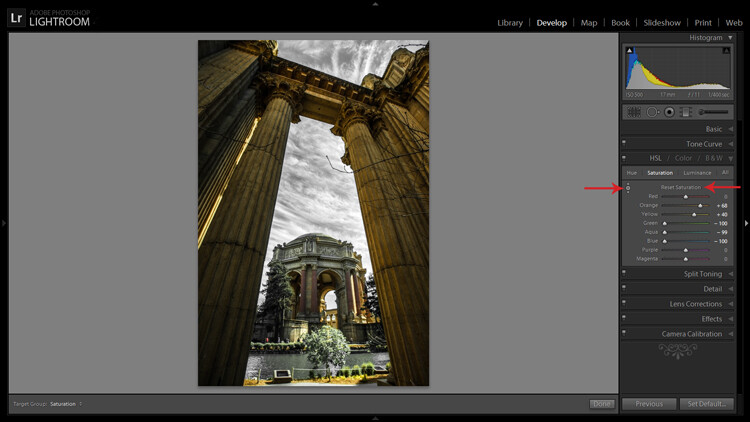
The Targeted Adjustment Tool (left arrow) works well to isolate colors to desaturate. Holding the Alt key presents you with the option to reset all the sliders at once to start fresh (arrow on the right) – this option is available in many of LR’s adjustment panels.

Another approach to this whole black and white post-processing thing can also be initiated in the HSL/Color/B&W panel. If you select HSL and choose the Saturation sub-panel, you will be presented with another set of eight color sliders.

These sliders provide you a quick and easy way to achieve selective color effects. You can start by dragging all of the sliders down to -100 and then add the colors you want to preserve. You also have a click and drag tool that works the same sort of magic as the one mentioned earlier.

You can also select the All sub-menu which reveals all of the Hue, Saturation and Luminance sliders. Adjusting the Luminance sliders gives you control over the brightness of individual colors now represented in black and white.

Utilizing the controls found within the Camera Calibration panel can give you similar, yet much more limited, control over your black and white tones.

Split Toning

If you’re looking to add a radical tint to your black and white images, the Split Toning panel is where you want to be. Okay, so it doesn’t have to be too radical but a little tinting can help alter the mood of your image.

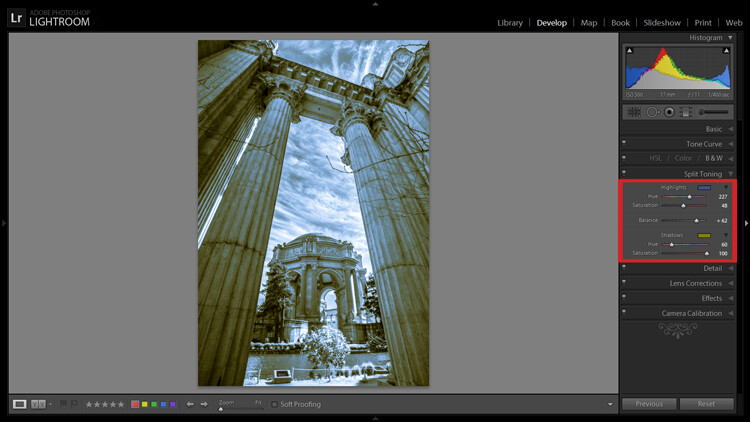
The tool gives you control over the intensity of highlight and shadow tint colors, and the ability to balance the two however you wish. Subtle use of this effect can be a fantastic way to sneak a hint of color back into your photo, while still maintaining the charm of black and white.

Split Toning allows you to tint an image's highlights and shadows different colors.

Split Toning allows you to tint an image’s highlights and shadows different colors.

The Split Toning panel is also where you can apply, and fine-tune, sepia toning effects to get that warm antique look that gives images a grungy and elegant look at the same time.

As you have probably found out by this point, LR does a pretty thorough job at giving you a ton of control processing black and white images – from big global adjustments to small tweaks to tease out just the look you are going for. Don’t forget that you can get really creative by throwing the Adjustment Brush and Gradient tools into the mix, not to mention the plethora of plugins available on the market that give you even more options.

Have you been met with some success in black and white conversion with Lightroom? Show off your results in the comments below.

googletag.cmd.push(function() {
tablet_slots.push( googletag.defineSlot( “/1005424/_dPSv4_tab-all-article-bottom_(300×250)”, [300, 250], “pb-ad-78623” ).addService( googletag.pubads() ) ); } );

googletag.cmd.push(function() {
mobile_slots.push( googletag.defineSlot( “/1005424/_dPSv4_mob-all-article-bottom_(300×250)”, [300, 250], “pb-ad-78158” ).addService( googletag.pubads() ) ); } );

The post A Guide to Black and White Conversion in Lightroom by Jeremie Schatz appeared first on Digital Photography School.


Digital Photography School

 
Comments Off on A Guide to Black and White Conversion in Lightroom

Posted in Photography


A Street Photographer’s Guide to New York City

10 Aug
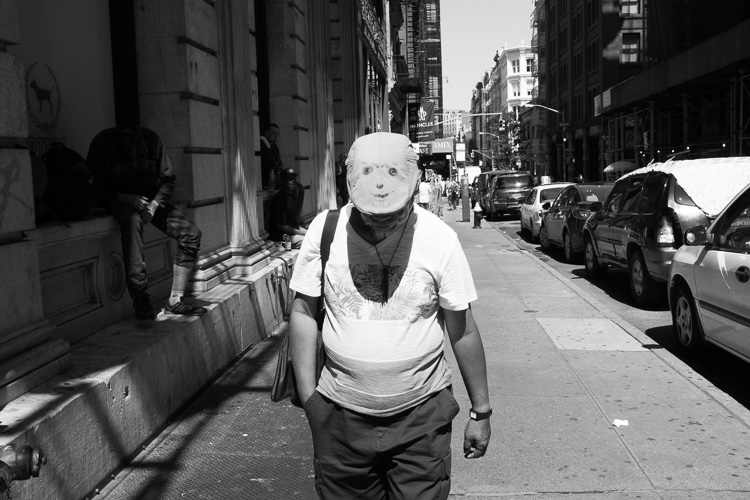
Smiley Face, SoHo, NYC.

Smiley Face, SoHo, NYC.

Street photography and New York City are terms that often go hand in hand. New York is a diverse city of nearly 8.5 million eclectic and vibrant souls, all packed into a tiny island and its surrounding boroughs. Each area of the city has its own unique character and flavor, and there are so many interesting, unique moments that you can see here on a daily basis. It is one of the great locations in the world for this genre of photography.

As a lifelong New Yorker, let me state that it can also be very easy to overrate this city. Street Photography can, and should, be done everywhere and the fact that an image has been taken in New York does not make it any more interesting than an image taken anywhere else. The fact that millions of images are taken here each day makes it that much more difficult to create an one that stands out from the rest, but that is also part of the appeal.

If you live in a less populated place, or are tentative about trying street photography, New York is one of the best places to come to get over those fears. The streets are packed with people who are all in a rush, tourists are constantly photographing so you will not stand out, and most importantly, a lot of people move to, or visit this city, to be noticed. It is an environment ripe to practice and improve street photography.

Here are nine suggestions to keep in mind for doing street photograph in New York City (keep in mind these tip can be applied elsewhere as well).

1. Slow down and don’t try to photograph it all at once
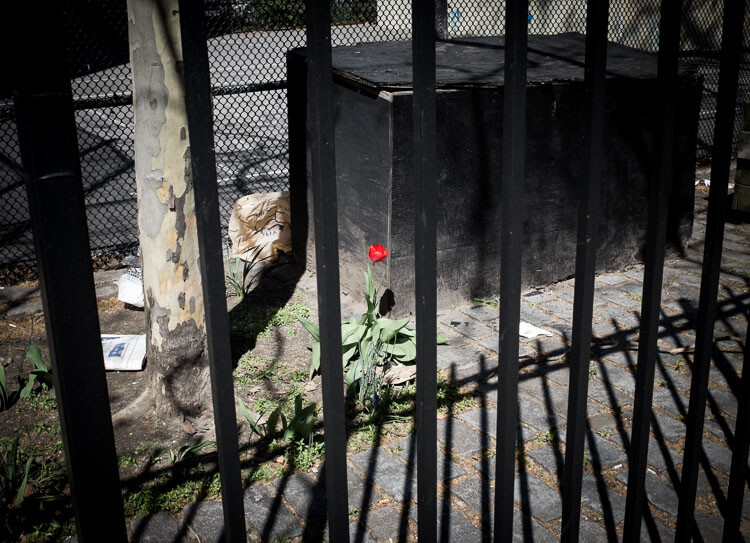
Red Flower, East Village, NYC.

Red Flower, East Village, NYC.

Up, down, left, right, tall buildings everywhere – it is so easy to become trigger happy here. You should experiment and take a lot of images, however, that is also one of the easiest ways to miss the most interesting moments. Sometimes the best moments will be subtle, or they will come upon you in an instant. Look with your eyes first and locate something of interest, then capture it with the camera. Don’t just stick your head in the viewfinder and start shooting away.

Watch your surroundings and take it all in. Explore. Find interesting compositions, look at the light, and get a feel for the people walking around. Try to go beyond only capturing the grand or iconic aspects of the city. Go beyond the images that you have seen in books. Seek out the little details and let the streets surprise you.

2. Put yourself in the middle of the commotion and take what comes to you
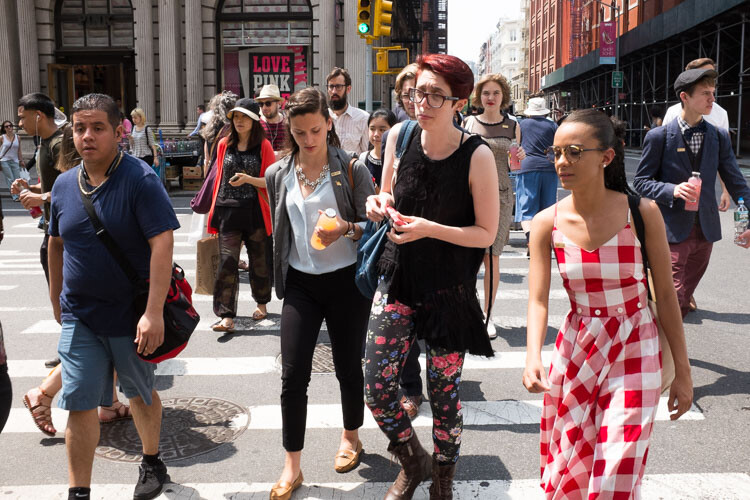
The corner of Prince and Broadway, SoHo.

The corner of Prince and Broadway, SoHo.

Busy street corners are a beautiful thing. Head to one, pick a spot, and suddenly people will start coming at you from every direction. They will start intersecting and interacting with each other. It is what Jane Jacobs referred to as a ballet,

“The ballet of the good city sidewalk never repeats itself from place to place, and in any once place is always replete with new improvisations.”

It you are tentative, choosing a spot in this manner will allow your subjects to enter your personal space, instead of you entering theirs. Since you will not be walking, and your camera will be ready in your hands, it will also make you more able to notice interesting moments and able capture them before they disappear.

Each street corner has a different flavor to it. If you go to SoHo, you will find the trendier crowd. If you go to Wall Street, you will get businessmen. If you go to Times Square, you will get the tourists and people in cartoon costumes harassing young children. Usually, you will get a mix of all types of people, but each corner will have its own identity. Spend a little time each day on a few corners capturing what happens around you.

3. Cut out the preconceived notions of what the city should look like
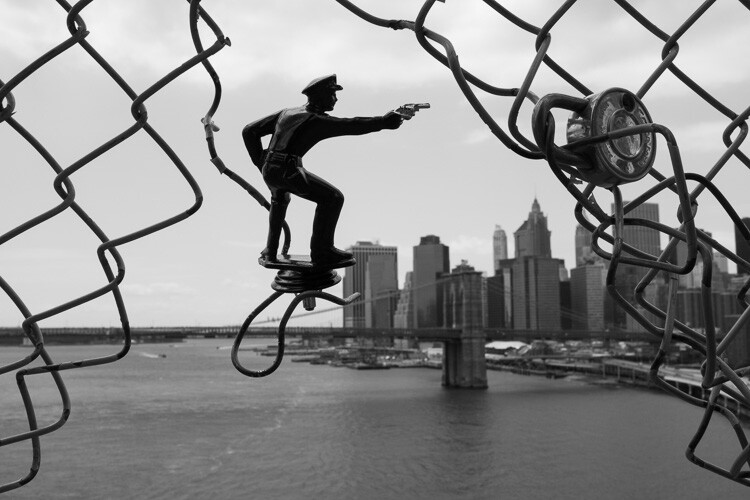
Police, Manhattan Bridge.

Police, Manhattan Bridge.

You’ve probably seen movies and read books about the city, and have expectations for how it is supposed to look and act. The TV shows Friends and Sex and the City are just not realistic interpretations of what New York is actually like.

It can be a good idea to scout images ahead of time, to have an idea how an area looks. It’s also fun to try and recreate images that you love. But on a day to day basis, try to also get those images out of your head. A once in a lifetime image is one that will surprise you, it will be different in some way from all the rest. Allow yourself to notice those serendipitous moments.

There is so much to see here. No matter how much time you have, you can’t see it all. But you haven’t truly seen New York City until you’ve spent at least half a day wandering around, with no end point. Carve out some time, pick a direction or a location, and just walk.

4. Rent a small camera or a prime lens
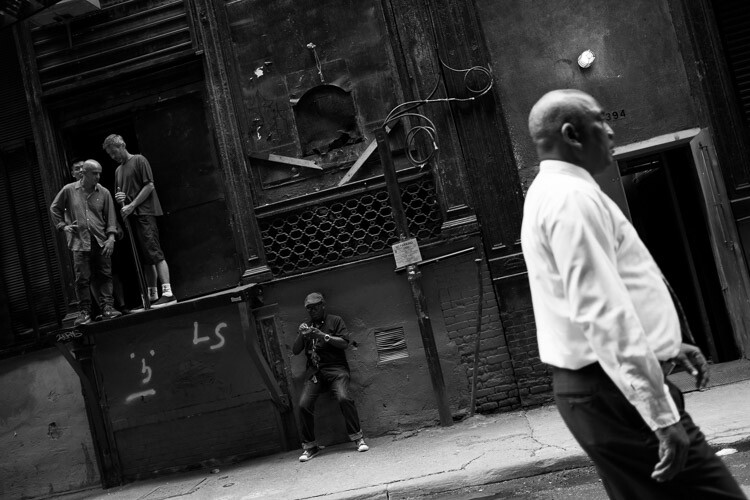
Cortlandt Alley, NYC.

Cortlandt Alley, NYC.

Note: If you have a larger DSLR and a zoom lens, I shot street photography for a long time this way, and it is very possible to do so successfully. However, larger cameras can make it more difficult and cumbersome, and can make things more uncomfortable for your subjects.

New York has an array of great camera shops where you can rent either a light prime lens for your DSLR or am entirely different smaller camera. A light 35mm lens is my favorite tool for street photography. Go for the f/2.8 version over the f/1.8, since it is much smaller and lighter. If you are very nervous about getting close to your subjects, rent a 50mm so you can shoot from a little further away. (Note: If you’re using a cropped or APS-C sensor a 50mm f/1.8 and an 85mm f/1.8 would be equivalent).

Consider trying a mirrorless or micro four thirds camera. See how you like it, and you may never go back. I suggest the Fuji X100 line, but there are a variety of cameras that will do the trick.

Some recommended camera rental shops in NYC are: Foto Care, CSI, and Adorama.

5. Set up your camera to catch fast moving scenes

The streets of New York move quickly. Interesting moments will appear, and disappear, all around you that is why it is important to set up your camera so that it can freeze scenes successfully. You want to set it up in such a way that you no longer have to worry about the settings, and can just shoot with ease.
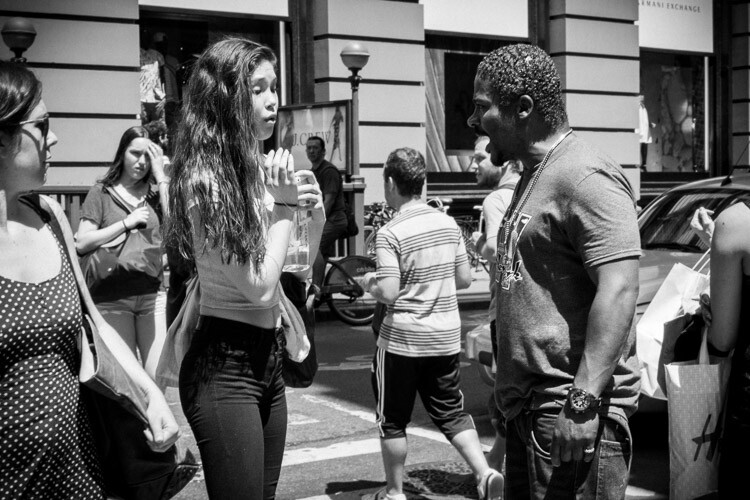
Encounter, SoHo.

Encounter, SoHo.

I prefer using shutter priority for street photography. Many people prefer aperture priority, but the reason for shooting in shutter priority is to have the most control over your aperture. I know that sounds counter-intuitive, but hear me out. To freeze motion, I will usually set the camera to 1/320th or 1/250th of a second. In the bright sun of summer my shutter speed is usually at 1/320th or 1/400th, otherwise I am usually at 1/250th. At dusk and into the night I will go all the way down to 1/125th if it is absolutely necessary. The next step is to raise your ISO. I usually shoot anywhere from ISO 800 to ISO 3200 (and ISO 6400 outside at night). In bright summer sunlight, I am usually around ISO 400.

The goal is to be able to use the smallest possible aperture, while still having a shutter speed that is fast enough to freeze the scene. The smaller the aperture, the more depth of field you will have. This will give you a lot of flexibility if you happen to miss focusing on the subject, which happens frequently. In addition, if you are combining multiple subjects or complex scenes with interesting elements all over the frame, it will make sure that as much of the scene as possible is sharp. Whenever the light is strong enough, I prefer to be at least at f/8, and ideally between f/11 and f/16.

When you become comfortable with all of this, the next step is to try zone focusing. I would suggest that you start with your normal method of focusing until you get comfortable, then give zone focusing a try. When I walk out the door with my Fuji X100S I usually turn the autofocus off and have the camera pre-focused to 2.7 or 3 meters (8.75-9.75 feet). I will then adjust with the focusing ring accordingly (closer or further away) as I come across images, or turn on autofocus to capture scenes where nothing is moving.

6. Try street portraiture

Did I mention that New Yorkers like to be noticed? Find people that catch your eye, and tell them you are creating a photo project of the city. You will be surprised at how many people will allow you to photograph them. This is a great way to get more comfortable on the street, and with portraiture in general. Once you get a couple people to say yes, you will find yourself feeling so much better.

Flattery is always a good idea when asking to take a portrait, and I usually try to spend about 30 seconds getting my shots. Don’t take just one quick photo and run away, but don’t take too long either. Take a quick look at the lighting and the background to make sure that you get a complete image, and try to capture them with an interesting expression if possible.

7. Photograph at night
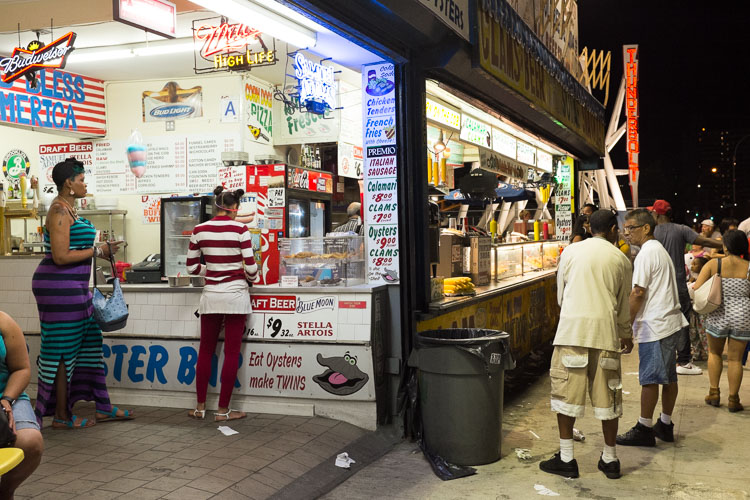
Coney Island at Night.

Coney Island at Night.

Set your camera on 1/160th of a second and ISO 3200 or 6400 and wander. The city glows at night and everything looks more interesting. Forget the heavy tripod unless you are doing architecture images. Instead, find areas that are lit by store signs or street lights, and create your images that way.

New York is extremely safe these days and I photograph at night by myself all the time, but be smart about it. Particularly if you do not know where you are going, it can’t hurt to take a friend along or to stick to high traffic areas. But the areas where most people visit in Manhattan are all very safe at night.

8. Some areas to explore
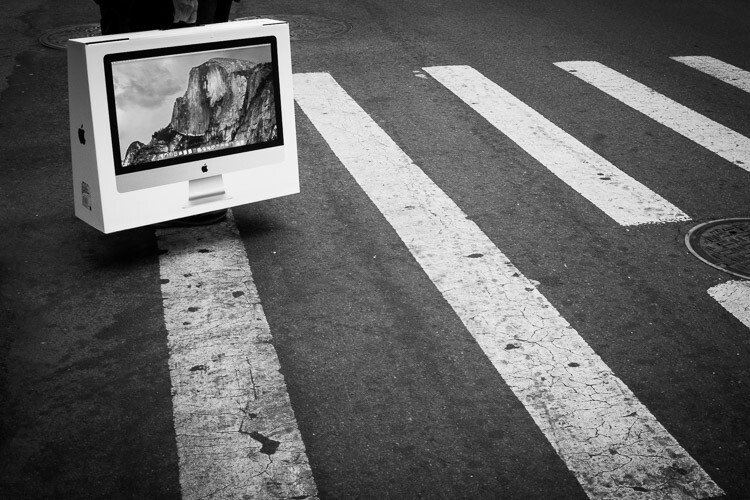
Yosemite, SoHo.

Yosemite, Corner of Prince and Broadway, SoHo.

My favorite locations in NYC are:

  • SoHo: Stop on the corner of Prince and Broadway, one of the busiest and most fashionable corners in the city, and then walk over to Greene Street and head south to see some gorgeous cast-iron architecture.
  • 5th Avenue below Central Park: Stop on each corner from 58th Street to 53rd Street for some of the busiest and most interesting corners in the city. You might bump into the famous fashion street photographer, Bill Cunnigham.
  • The East Village and Lower East Side: Young hipsters, old punk rockers, and about a hundred other demographics gel together in these vibrant neighborhoods. The buildings are old and beautiful, and the streets are interesting and weird. Some great street art is there as well. Stop at VolaVida gallery on 4th Street and Avenue B to purchase an affordable and authentic street art piece.
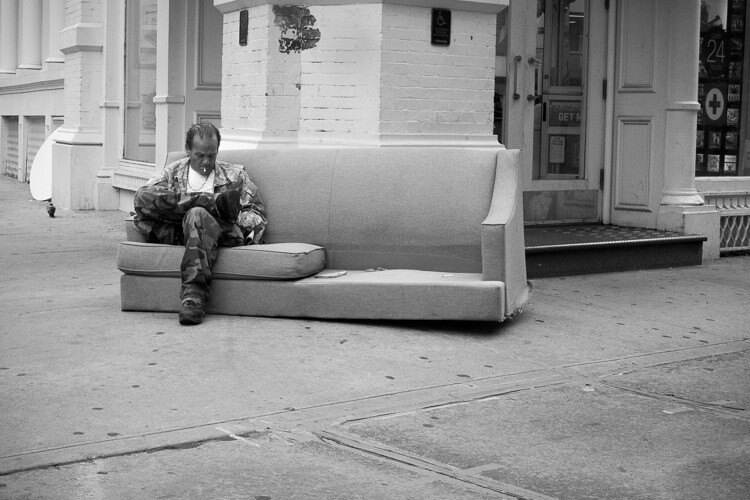
East Village, NYC.

East Village, NYC.

  • Anywhere on Broadway: Literally anywhere. Start at Columbus Circle and walk all the way down Broadway until your feet hurt.
  • Chinatown and Columbus Park: Chinatown has some of the most beautiful streets in New York. Eat dumplings while you photograph and visit Columbus Park, where people go to gamble. Be respectful while you photograph there. Afterward, visit Pell Street and Doyer’s street (nicknamed The Bloody Alley for its nefarious past). These are two of the most beautiful streets in all of New York.
  • Coney Island: One of the most vibrant places in the city, particularly in the warmer months. Photograph the boardwalk and beach, eat a hotdog, and go on a few rides.
  • Grand Central and the 42nd Street subway station: Photograph in Grand Central, then take the shuttle to the 42nd Street station. Walk back, stopping to photograph at Bryant Park and on the steps of the New York Public Library. Pop into the lobby of the Chrysler Building while you are there.
  • Bushwick (Brooklyn): This is one of the centers of street art in New York. Take the L train to Morgan Avenue and explore a handful of blocks in every direction. When you get hungry, stop at Roberta’s for some pizza.

9. Take the typical tourist photos
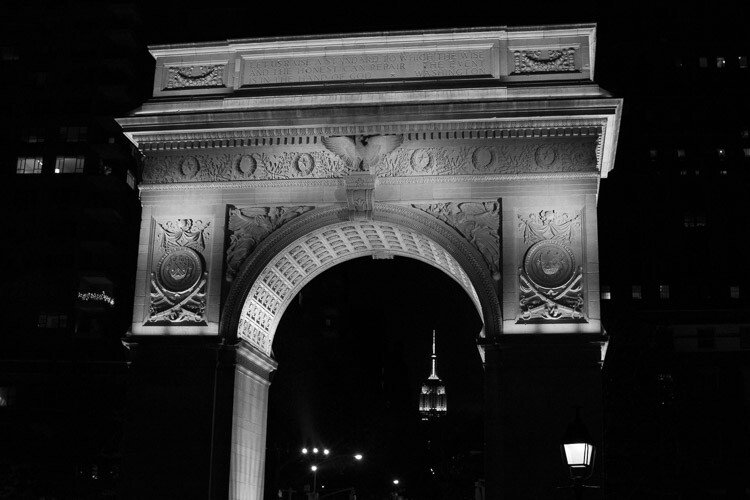
Arch and Empire State Building, Washington Square Park.

Arch and Empire State Building, Washington Square Park.

You are visiting the city for a reason. The architecture and the sites are awe-inspiring, beautiful, and they deserve to be photographed well. History is around every corner. Do not apologize or feel bad, for taking the typical tourist and architecture images of the city. However, whenever possible, try to think of a way to make them stand out in some way. This is not always possible, but occasionally it is, and when you are able to figure out how to take an image like that, it is a special moment.

Just don’t take a selective color photo of a yellow taxi with a black and white background. I beg you. Please, please don’t do that!

googletag.cmd.push(function() {
tablet_slots.push( googletag.defineSlot( “/1005424/_dPSv4_tab-all-article-bottom_(300×250)”, [300, 250], “pb-ad-78623” ).addService( googletag.pubads() ) ); } );

googletag.cmd.push(function() {
mobile_slots.push( googletag.defineSlot( “/1005424/_dPSv4_mob-all-article-bottom_(300×250)”, [300, 250], “pb-ad-78158” ).addService( googletag.pubads() ) ); } );

The post A Street Photographer’s Guide to New York City by James Maher appeared first on Digital Photography School.


Digital Photography School

 
Comments Off on A Street Photographer’s Guide to New York City

Posted in Photography