RSS
 

Posts Tagged ‘Great’

5 Photoshop Tools to Take Your Images from Good to Great

03 Jul
Seascape image - Before and After image editing

Seascape image – Before and After image editing

We hear it all the time, “That photo has been Photoshopped”. Sometimes it sounds like the photo has caught a disease or that Photoshop is some undesirable effect that has been added to the image. Photoshop is the KEY to making your good images look spectacular. Yes, I said “good” images. Photoshop is not about fixing mistakes or trying to rescue a bad shot. It is more about refining your images and making them look amazing without overdoing it. Photoshop is a fantastic tool when it is used effectively but can be your enemy when you overdo it. Depending on what you want to achieve with your photos, this quick guide to five Photoshop tools will help you adjust your exposure effectively and make the colour really pop out of your image.

NOTE: the examples in this article simply show you how to make the adjustments on a separate layer. You could also use an adjustment layer which gives you much more control over the adjustment. The only tool that can’t be used with an adjustment layer is Shadow and Highlights. I will go into more details about adjustment layers in upcoming articles, for now, if you follow these guidelines, your images will look compelling and rich without looking overdone.

1. Shadow and Highlights Tool

This tool will be used to get more detail in the shadow areas of your image. Modern cameras can capture lots of detail, but depending on the light in the scene you are shooting, the shadows may be a little dark. The Shadow and Highlights tool will bring back some of the details in those areas.

Open your image in Photoshop and go to:  IMAGE > ADJUSTMENTS > SHADOW AND HIGHLIGHTS.

Finding the Shadow and Highlights tool

Finding the Shadow and Highlights tool

The tool will pop up and you will see this (as shown below), if you don’t see all these sliders, click “more options” to expand the box. You will use this tool to bring detail back into the shadows and you won’t be making any adjustments to the highlights. I find that the highlights part of this tool does not do a really good job, so I don’t use it at all.

Making adjustments to the Shadows in the image

Making adjustments to the Shadows in the image

The best way to work with the tool is to slide the Amount slider under the Shadows box to about one third across (33%). Then slide the Tonal Width slider to directly under the Amount slider. Lastly  bring the radius slider to directly under it. In most cases, you will want to have these sliders directly under each other (see screenshot below right).

shadows-highlightsThe important thing to remember here is to make the adjustments and take careful note of your image has been affected. Click on the preview button on the right hand side of the tool (you can do this with all the tools in this article) to see the “before and after”. You will be able to see at a glance how your changes are working. If you need to extract more detail from the shadows then slide the Amount slider to the right even more but make sure you line the other two sliders underneath it.

The amount that you decide to adjust the shadows is up to you. Be careful not to overdo it. Once you start seeing a “glow” around certain parts of your image, you may have gone too far. This glow is often referred to as a halo which can be avoided by watching carefully how your adjustments are affecting your image. If you see them appearing, simply drag the sliders back to the left until they disappear. Once you are happy, click OK.

2. Levels Tool

With your image open and the shadows adjusted, you will now adjust the overall exposure in the scene. If your image is a little over or under exposed, the levels tool can fix that. Go to: IMAGE > ADJUSTMENTS > LEVELS on the menu bar (or using the keyboard shortcut Command/Control+L). You will see the LEVELS dialogue box pop up and it will have a graph in it. This graph is called a histogram.

histogram

A histogram is simply a graphical representation of the pixels in the scene. If the graph is pushed over to the left side it means that your image has more darker tones in it, if the graph is over on the right side it means that your image has more brighter tones. There is no right or wrong histogram, it is simply a representation of the light in your scene. There are some great articles about histograms on the dPS site, so if you want to learn more about them, click on one of the links above.

Using the Levels tool to enhance the exposure and boost contrast

Using the Levels tool to enhance the exposure and boost contrast

The important thing to remember when working with levels is to make sure you don’t adjust your image so much that it causes the image to become under or over exposed. Thankfully, Photoshop gave us a way to see if that is happening, which I will explain shortly. Firstly, you will notice there are three sliders on the bottom of the histogram. The slider on the right is white (adjusts highlights) the slider in the middle is grey (adjusts mid tones) and the slider on the left is black (adjusts shadows). The levels tools will help adjust contrast and colour in your image. You can start the process by clicking and dragging the white slider in (move it to the left) to touch the edge of the histogram. Do the same for the black slider (drag it to the right). Your image will already look better.

Using the ALT key to see where the highlights are being overexposed

Using the ALT key to see where the highlights are being overexposed

Then you can move the middle slider to the right or the left to see which works better. Small changes always work best, so don’t make extreme changes on each slider. If you want to see how your adjustments are affecting your image, hold down the ALT key (PC) or OPTION key (Mac) while you click on the white or black slider. When you click ALT and hold down the white slider, the image will go black. As you slide to the left, you will see some red areas in your image (see above). When you see this, Photoshop is showing you which parts of the image will be overexposed, or clipped. The opposite is true for the the black slider. If you hold down ALT and click on the black slider, the screen will go white and as you slide to the right, the areas that come up on the screen will be underexposed, or clipped. It is a good idea to use this function if you are not sure if you have overdone your adjustments in Levels.

3. Colour Balance

This is a good tool to use to change the overall colour in the image. If your image is too blue and want you want it to be warmer, then you can do that by pulling up the red tones. Also, if your image has an undesirable colour cast, maybe the overall colour of the scene seems too green, then you can correct that by using this tool. The colour balance tool is found in the top menu bar under IMAGE > ADJUSTMENTS > COLOUR BALANCE (or using the keyboard shortcut Command/Control+B).

color-balance

Once the dialogue box is open, you will see three sliders (as above). The sliders represent the visual colours in the image, and are set in the middle by default. By moving them to the left or the right you will be able to change the colour in the image. The top slider affects Cyan/Red, the middle slider works on Magenta/Green and the bottom slider is Yellow/Blue. The colour will change according to which slider you choose and how far left or right you move it.

Note: you can also choose which area of your image to affect as in the Shadows, Midtones or Highlights but selecting the appropriate button in the Tone Balance section below the sliders.

You will want make small adjustments here too. A big adjustment can make your image look over saturated with a particular colour and that will look unnatural. The idea is to enhance your image by boosting certain colours in the scene. So, if you have a sunset image (as below) you may want to boost the reds, yellows and magentas. That will make your image look warm and will give the scene some colour boost.

Using Colour Balance to boost the colours in the image

Using Colour Balance to boost the colours in the image

4. Hue and Saturation

One of the most powerful colour tools in Photoshop is the Hue and Saturation tool. To open it go to: IMAGE > ADJUSTMENTS > HUE/SATURATION (or using the keyboard shortcut Command/Control+U). This tool can be used very effectively to adjust all the colours in your image. When you open the tool, you will notice that there are three sliders again, namely Hue, Saturation and Lightness.

hue-saturation

Hue means colour, this is not used very often as it will reassign the colours in your image, what you want to use this tool for is saturation. Saturation controls the richness or intensity of the colours in your image. Above the three sliders you will see a drop down box called Master. If you click on this, you can choose the colours that you want to saturate. This gives you very fine control over each colour in your image. You can select each colour individually and adjust it according to your preference. You may want to saturate the reds and yellows more than the blues, as an example, this tool allows you to do that. It is good to know that you are not adding colour to your image, you are saturating the colours that are there. Again, incremental adjustments are key. Don’t overdo it, small adjustments throughout this process will make your image look more natural and more dramatic

Getting the most out of the Hue and Saturation tool by saturating colours by channel

Getting the most out of the Hue and Saturation tool by saturating colours by channel

5. Vibrance

vibranceThe vibrance tool is found under IMAGE  > ADJUSTMENTS > VIBRANCE (no shortcut). It effectively saturates colours that are not completely saturated. This is a good finishing touch to your image editing to make sure your image gets a final boost. There is no real guideline as to how much you should adjust on this tool, but be aware of how it is affecting your image. Once this step is complete, your image should look remarkably different and if done correctly, the viewers won’t be saying those dreaded “Photoshopped” words.

The final step, boosting the vibrance to get that extra pop in the image

The final step, boosting the vibrance to get that extra pop in the image

In Conclusion

These five tools will help you make your good images spectacular. The important thing to remember in Photoshop is to make adjustments incrementally. As you can see from this process you slowly and incrementally make changes but the overall effect is dramatic without looking overdone. There are many other tools in Photoshop that can add even more enhancement to your images (I will be doing articles on those over the next few months) but start with these and get comfortable with how they work. To summarize, in Photoshop, slower is better and many small adjustments make a more dramatic impact on your image than a few large adjustments. Enjoy and experiment and as always, let me know what you think in the comments below.

The post 5 Photoshop Tools to Take Your Images from Good to Great by Barry J Brady appeared first on Digital Photography School.
Digital Photography School

 
Comments Off on 5 Photoshop Tools to Take Your Images from Good to Great

Posted in Photography


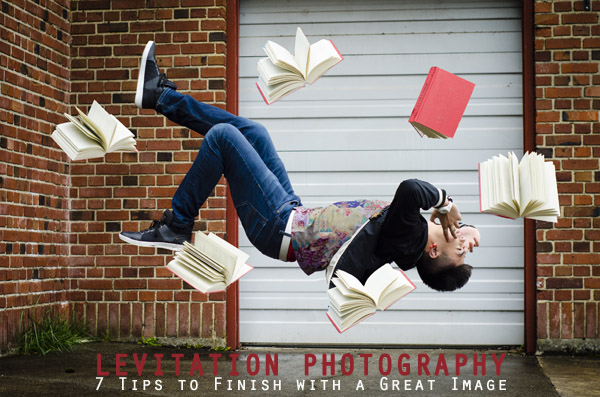
Levitation Photography 7 Tips for Getting a Great Image

11 Jun

Image1

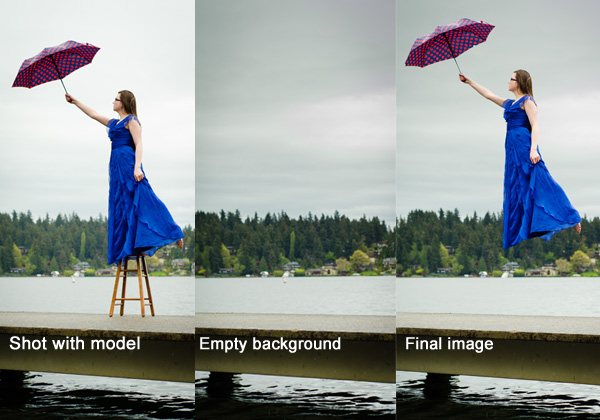
Levitation images are magical! They draw the viewer in and make them think about what’s not quite right. If you search the internet for levitation photography, you will find amazing examples. However, levitation photography hasn’t become wildly popular yet. I assume it’s because levitation photography looks really difficult. I think most people would be surprised to learn that in its most basic form, it’s just compositing two or more images in editing software.

Like most portrait photographers, I shoot what I’m good at, and mostly stay inside my little portrait box. Recently, I decided I needed to get my creative juices flowing again and get out of my comfort zone. Levitation photography caught my eye. I learned the basics of how to create such images from posts like this: How to Shoot a Mysterious Levitation Photo.

My first levitation experiment was rough, to say the least. I knew the basics of how to accomplish a levitation photograph, but the images turned out mediocre. The best part though, was coming home after the shoot and writing down all the things I had learned to make my levitation images better for the next time. Below, you’ll see the lessons I learned, so you don’t have to learn the hard way.

Preparing for the Shoot

Tip #1 – Gather Your Equipment

In order to create a levitation photograph, you must have: a camera (that has manual focus capabilities), a tripod, a willing model, a strong fan (if your model has medium to long hair), and something to prop your model up (a stool, chair, or ladder). If you have a camera remote, bring that along too.

Tip #2 – Tell Your Model What to Wear

Clothing can make or break a levitation image.

  • Solid color clothing is best. Prints and patterns can make it difficult if you need to clone out certain parts of clothing or liquefy fabric.
  • Tell your model not to wear a jacket or sweater. Anytime the model lays upside-down, or sideways, the garment should be hanging down. But if he/she is laying on a stool, the jacket won’t be able to naturally hang leaving the image looking less realistic.
  • If you’re going for a feminine levitation shot, long dresses, skirts, or extra flowing fabric can help create the look you’re going for.

Tip #3 – Shoot on a Cloudy Day

Sun and harsh shadows have the potential to create a lot of extra work for you in post-production. Editing out the stools and ladders, yet keeping a realistic shadow of your subject can turn into a job for Photoshop experts.

During the Shoot

Tip #4 – Shoot from a Low Angle

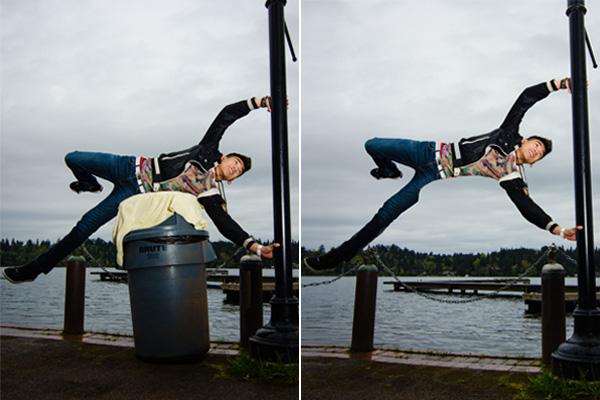
You will want to shoot from a low perspective to give the illusion that your subject is high in the air. However, be mindful of how low you are. If you are lower than the prop your model is standing/laying on, the prop will block parts of his/her body. It is safest to shoot in line with the top of the prop your model is on. Having your model situated at the very front of the prop will also lessen the chance of cutting into the body.

Image2

When I erased the garbage can, parts of the model’s body looks like it went missing since it was hiding behind the garbage can.

Tip #5 – Always Photograph the Empty Background

When preparing to photograph the frames that will create your final levitation image, follow these steps.

  1. Set up your shot with your model in the frame.
  2. Plan the angle you are going to shoot from and set up your camera on the tripod.
  3. When your model is in place, choose the focus point on your subject.
  4. Set your camera to manual focus and don’t touch it!
  5. Take the different shots suggested below, in Tip #6, without moving your focus point or your camera.
  6. After you’re sure you’ve captured all the images you need with your model and props, remove EVERYTHING from the scene. Photograph ONLY the empty background. This is the most important image you will take.

Image3

Tip #6 – Take Multiple Shots to Create One Image

The most basic levitation image is a composition of two or more frames. At the bare minimum, you will need at least a shot of the background and one of the model in that background.

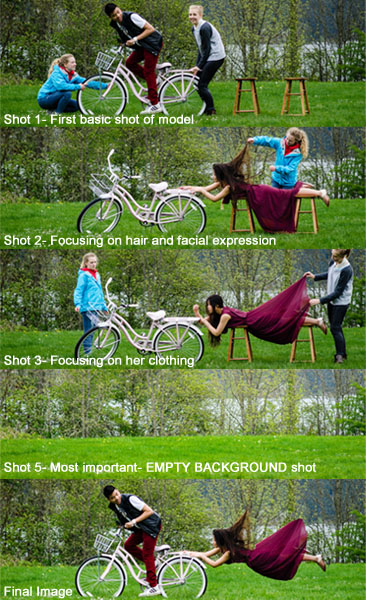
Most great levitation images use a few more frames to add interest and make the final image more provoking. Here is a list of some shots you might want to take all without changing the focus and position of the camera:

  1. Model on the prop(s) – the focus of this shot is on what the arms, legs, and body are doing.
  2. Hair and facial expression – the focus of this shot is to capture the models expression and hair moving like it would naturally if the model was really in that position (floating straight up, blowing behind her, etc.). *Hair dryers and small fans are not strong enough to propel hair in specific directions. The longer and heavier the hair, the more powerful the fan needs to be.
  3. Clothing – the focus of this shot is to capture the movement of the clothing (if needed). If your model is being pulled one direction, what direction should the loose fabric be moving?
  4. Additional props – the focus of this shot is to photograph any extra props you want in the picture (if desired).
  5. Empty background – see Tip #5 above to learn more about the importance of this shot.
Image4

Shot 2 is a perfect example of how a strong fan would have made the shot more realistic with her hair blowing behind her instead of being held up by an assistant. We did not need to photograph additional props for this image, therefore, we did not do a “Shot 4″ for this composition.

After the Shoot

Tip #7 – Putting the Images Together

Many levitation photographers use Adobe Lightroom and Photoshop to create their final images. Regardless of your software choice, it is recommended to first color correct the series of shots so they are all the same. Lightroom has a great “sync” feature to make sure the exact same settings are applied to the entire series of images.

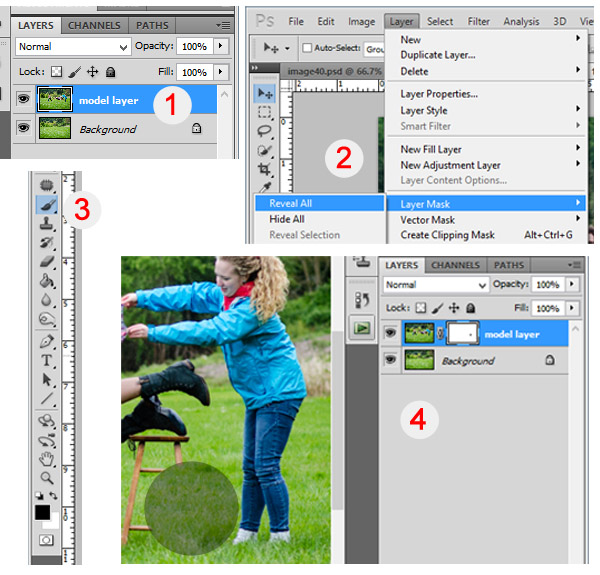
Next, open the images in an editing software like Photoshop. Start with the empty background image. Next, add in the main image of your model as a layer with a “Reveal All” mask. Simply use a black paintbrush on the mask to remove the props supporting your model. The end of this article describes each step in more detail. Repeat those steps for each frame you’d like to add. Finally, you can merge your layers and put the finishing touches on your final image. Then voila, you have a gorgeous piece of levitation art.

Image5

1 – Empty background shot is the bottom layer, with the model image above it. 2 – Select the model image and go to “Layers”> “Layer Mask” > “Reveal All”. 3 – Select the paintbrush, make sure it is black. 4 – Simply brush over the props that you don’t want to show in the final image.

Creating levitation images lets your fantasies become “realities”. Don’t let the laws of physics prohibit you from creating true art For more inspiration, search 500px.com for levitation images. You’ll be amazed.

Your Turn

Have you tried creating a levitation photograph? What was your experience? Do you have any additional tips that would help those getting started? Let us know in the comments. Also, feel free to include a link in the comments to your levitation work. We’d love to see what you create!

The post Levitation Photography 7 Tips for Getting a Great Image by Danielle Ness appeared first on Digital Photography School.

Digital Photography School

 
Comments Off on Levitation Photography 7 Tips for Getting a Great Image

Posted in Photography


10 Great Photography Lessons You Can Learn From a 2 Year Old

06 Jun

Child

Nowadays, fancy shmancy cameras can blast you with gazillion frames per second, but non of these can beat the time honored tradition of observation.

If there is one skill that has safeguarded my butt many times it’s the simple act of observing. If you don’t believe me, ask my wife. Observation is not only good when making images, it’s also good for insights. Well I’ve observed my son since day one, literally, and now that he is 2 years old, he is the one who is offering me great insights into photography.

I’ll make sure he never sees this article. Imagine when he’s 10 and says “You’ve learned so much from me at two, imagine how much more you can learn now that I am 10″. I’ll never hear the end of it. Anyway, here are:

10 great photography tips I’ve learned (and you can too) from my 2 year old, nicknamed Yoki

1) Be amazed at everything

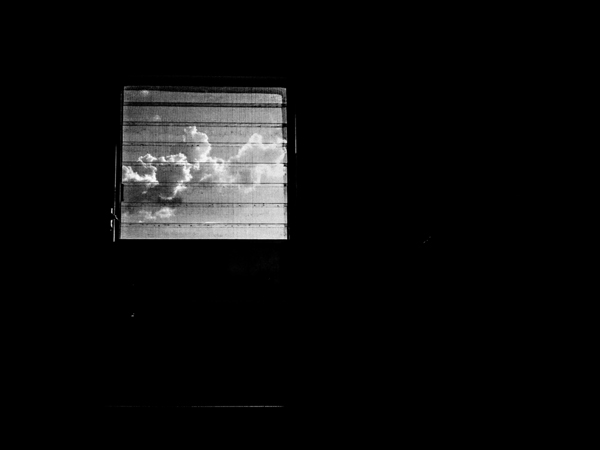
Bathroom window

I was outside a restaurant waiting for the rest of the family, it was raining. Laplwie! (“Rain” in french) Laplwie! Yelled my son. A woman walked in with an umbrella, my son bent his feet and pointed all exited “Bwella!!! Bwella!!!”

An oh-so-cute scene. But it got me wondering. I’ve probably seen a million and a half umbrellas yet look at this kid jumping up and down because of an umbrella. Both of our eyes saw the same thing but our mindset was different.

Humans are by nature creatures that get used to things. When it comes to photography, the location is only interesting after a few days, beyond that it’s boring. If you go out and shoot the same area over and over again, you know what I mean. To freshen things up, the solution is to either seek new locations or things to do – or see things in a new way.

In the first case the transformation is external, in the second case it’s internal. I keep the scene of my son and the umbrella in my mind to remind me to always see things in a new way. Every location eventually gets boring, shooting the same kind of pictures over and over again can get boring, so the solution is to see things in a different way.

There’s the true story of an old woman, she was going completely blind but had an operation that restored her sight. She talks about how much she loves doing dishes and looking at the beautiful colors of the bubbles that get formed when she puts in the soap. How many times do we loathe doing our dishes? What is to be learned from this lady?

If you feel your photography is boring, see things in a new way, always tell your mind to see things as if you see them for the first and last time. Yoki does so, and so does that woman who regained her sight. Light and life is beautiful everyday, but to appreciate it takes a conscious effort. There’s a nice saying I like “Everyday is a new day to a wise man”.

Every time I find myself saying Photography is boring (not often but it happens), I remind myself of my son and the rain. Speaking of which, do you notice how rain can transform a scene? The lower contrast between the sky and the rest of the earth? How reflections of the puddles create interesting shots? Or how the rain hitting the ground makes interesting shapes? Or how a window in a bathroom can be a symbol of being locked in? Or how…

2) Kids enjoy themselves because they are in the present

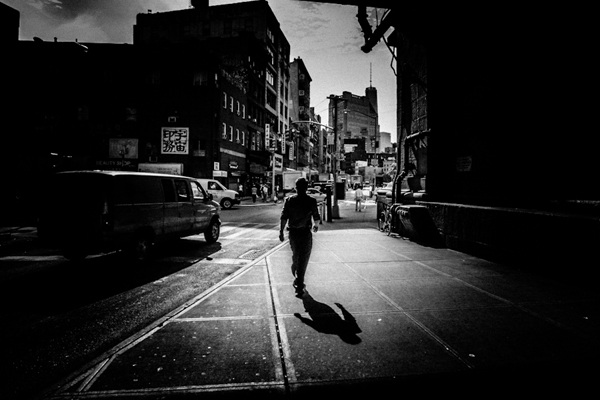
Dark man

I like watching Yoki play, especially with his blocks. He looks so happy. This got me wondering, why don’t photographers have this sort of joy? Isn’t it as simple as enjoying what you do? I observed him even more and looked for what he was doing that photographers were not doing.

The main thing is that kids enjoy what they are doing, all that they care about for the time being is playing with the toy. I’ve been out on the street thinking about what to do the next week, I’ve been on assignment while doing mental financial calculation – exactly what Yoki isn’t doing.

Can you walk a mile? How much less enjoyable would it be if I gave you two nice pieces of luggage to drag while you walk that mile? Unfortunately we do the same thing mentally when it comes to photography. We bring our “stuff” along when shooting and just like dragging real life luggage around, it diminishes the enjoyment of photography.

When shooting, be like a kid with a toy; focus on what you are doing and nothing else. Minor White was adamant about clearing the mind before the act of photography. I listen to music and zone out to zoom into photography. Find what works for you, the important thing is to be lost in what you are doing.

3) Kids enjoy themselves because they don’t care about being the best

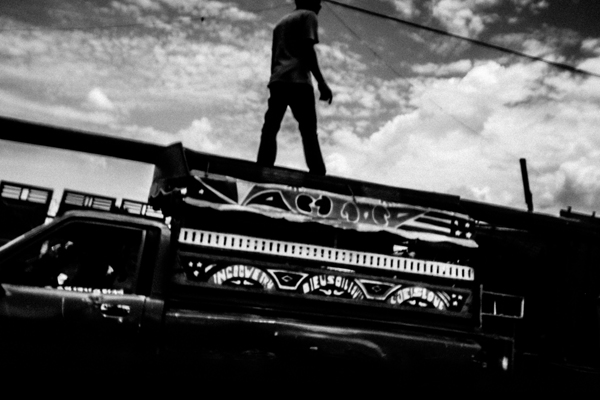
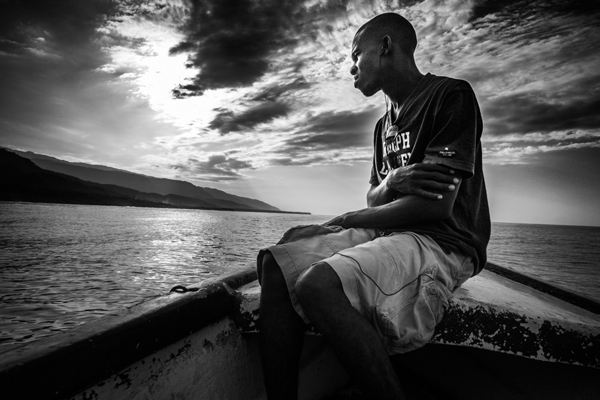
Haiti boat

From time to time Yoki comes in with something he’s done. Bravos, hugs and all around congrats are thrown his way. But you know what? I’ll continue doing so until he is older.

I remember doing my best for grades as a kid and all I could feel from my mom was how short I fell from top of the class. When kids are kids it’s all about doing their best, but as they grow older it’s all about how short they fall of being THE best. How can Yoki enjoy himself doing crafts if all that he thinks about is being better than somebody else?

What matters for kids is to do the best they can and enjoy what they do. That is also valid about photography, all that matters is that you do their best and enjoy making pictures. To enjoy your photography it’s all about enjoying what you are doing, as simple as it sounds. The moment you start ranking yourself is the moment you stop being content, because being in first place will be only thing that will matter at that point. Plus there’s always someone better than you, and someone better than them ad infinitum.

4) Kids enjoy themselves because they don’t care about comparisons

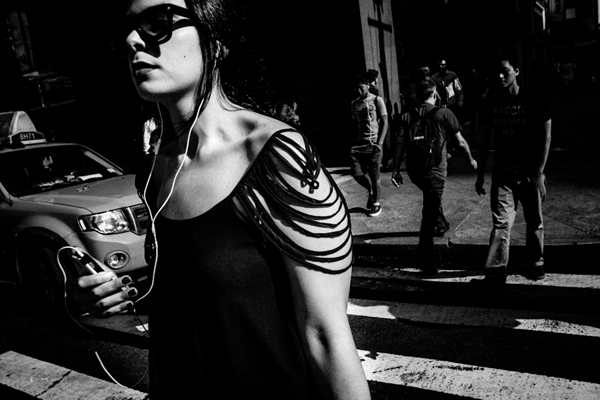
New york woman

I was watching my son finger painting. What came to mind was the fact that compared to how I can draw, his drawings are absolutely bad. But does he care that his dad can outdo him in drawing? No.

He’s too happy with his own stuff to even bother to compare with others. Take any photographer you respect, that person has another photographer they feel jealous of. But very few of them are genuine enough to admit that. When you tend to compare yourself with others, the answer to all this is do like children do – stop it, and focus on your own stuff.

When your work is your focus, everything others do might be better, but it sure won’t affect you. Photography is all about enjoying what you do and not about comparing to others all the while doing your best. Actually, I’ve found that the more you focus on your stuff the better you get. But, the more you compare the worst you get, because it sucks the life and joy out of photography. It’s all about loving what you do, and doing what you love.

5) Don’t get sidetracked

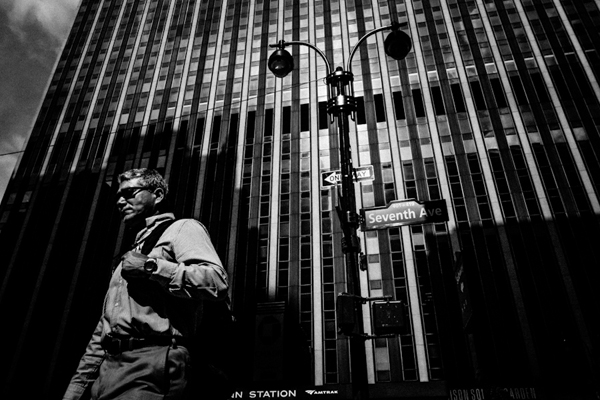
Penn station

One of the parenting tricks I have is to distract my son when I don’t want him to have something. If I don’t want him to use the computer, I pick up his alphabet phone toy and start playing with it. He never fails to forget about the computer. That taught me how easy it is to get sidetracked in photography.

One of the easiest traps of photography is the camera. So many get sidetracked by the camera that photography gets completely lost. I’ve been there, and lost 1000s of $ $ $ . I was addicted to the gear. But that’s a story for another time. If you find yourself googling for accessories instead of going out and making images, you might have a problem.

The second way to get sidetracked is by focusing on other’s photography, and that includes the Masters. I know a few folks that have such powerful photographs, yet instead of developing their own voice they continue copying another photographer’s work. Such a waste – they are distracted from their own photography by copying someone else.

You can also get sidetracked by being too much into the masters. Do you want to be known for knowing the masters, or known for actually making images? One thing that is rarely stated is that no matter how great the masters were, doing your work is more important because it’s your own work.

To recap: photography is not about having the most cameras, that only shows you’ve got plenty to spend. Photography is not about collecting photobooks, that only shows you appreciate art. Photography is about making photographs, that’s when you are a photographer.

If anything has a bigger place in your life than your own photography, you’ve been sidetracked.

6) Pattern recognition

Man surreal

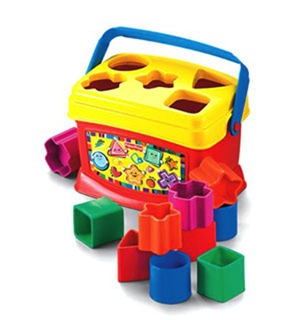
When Yoki was born, I resolved to always observe him, and more importantly to observe how he learns. I was fascinated by my son playing with a particular toy, this one called a shape sorter (see image right)

Shape sorter

How did his little brain work to put the shapes in the appropriate holes? The answer is patterns. The brain is wired to recognize patterns, so when Yoki took the star shape, his brain said “seek star shape” and ordered the eye to look around for that shape. When Yoki is out and starts saying letters and numbers, his brain is not really actively searching for the letters and numbers, the brain compares what he sees with the brain’s database of shapes and alerts itself that it’s a recognized pattern.

The first example is called the top-down mode (Where the brain actively seeks a pattern) and the second the bottom-up (where the brain is in a more receptive mode).

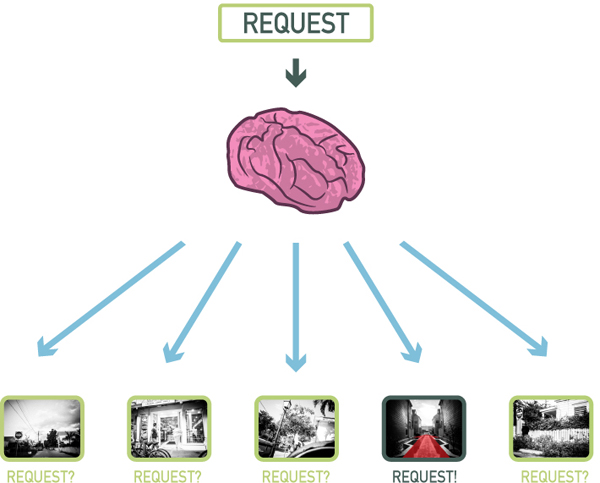
I was struck when I realized that photography on the compositional level was a huge, glorified “shape sorter” toy in real life. Here’s an illustration:

Top down

In my son’s mind the request was “seek star shape”. In my photographer’s mind, the request might be “seek vanishing point“. In the illustration above, I was on the street, but my brain only alerted me when it recognized the pattern I asked for (vanishing point). That is the top-down mode. It’s the process that happens when you are seeking a particular type of image. Here’s another illustration:

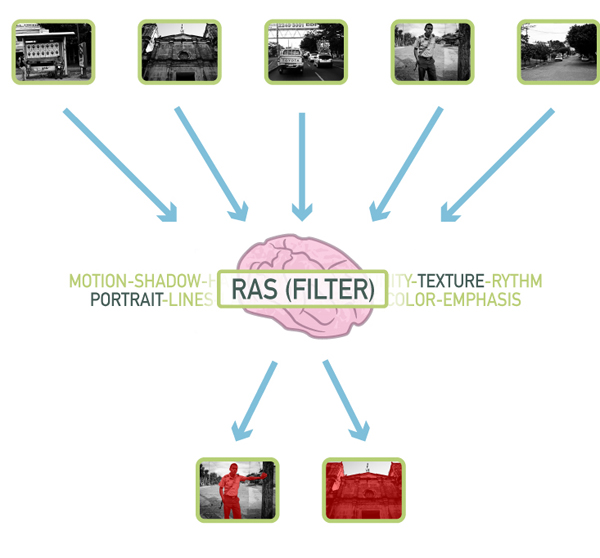
Bottom up

At the base of the brain there’s something called the Reticular Activation System (RAS), or as I like to call it the Really Awesome Secretary. A secretary’s role is to cut the fluff and only alert you when something is important, and that is what the RAS does. What’s important is relative and defined by each person.

What is important to my son Yoki? Letters and numbers, he’s going to see them everywhere, at least it’s going to appear to him that way. For me as a photographer what is important is what I want to see in my photographs. So I was in the streets not looking for anything in particular, but more than once my brain processed what my eye saw and it alerted me when it recognized a pattern (in the case above texture and portrait). That’s called the bottom-up mode.

It’s a frighteningly beautiful system that allows my son to play with his shape toys and me to recognize stuff when I am shooting.

7) You can’t recognize what you don’t know

Man haiti standing

Pattern recognition has it’s limits though, you can’t recognize patterns that you don’t know. Take my son for example, he will cry out “Circle! Oval! Sqwawe.”, but it will be quite a while before I hear him say “Hexagon! Trapezoid! Pentagon.”.

His palette of patterns are limited: square, circle, oval, square, star, heart. My palette is much more expanded to include a bunch more. So in a scene where there is a square and a pentagon shape, he will see the square only, but I will see the square and the pentagon. It’s the same principle at work when two photographers see different things in the same location.

When people who don’t know photography see the kind of pictures that can be produced out of a regular scene, they immediately credit the camera. But fact is that the photographer recognized a good picture (trained to look for certain patterns) whereas the non-photographer (not trained to look for certain patterns) could not see anything. So what’s a pattern? It can be anything from certain compositional types (Golden ratio, etc.), shapes, color, types of pictures (landscape, portrait, etc.), themes that interest you (people, animals, etc.) and more.

8) Everything is basic shapes

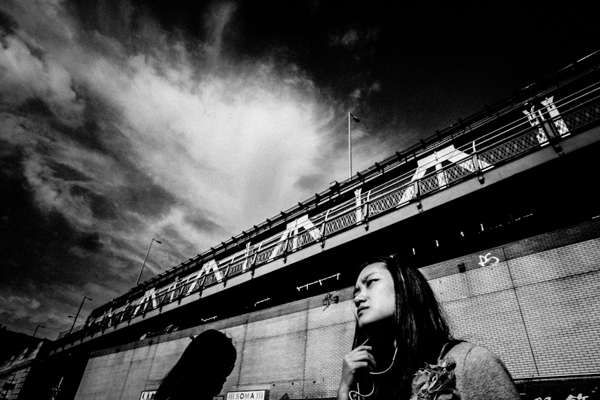
Under bridge

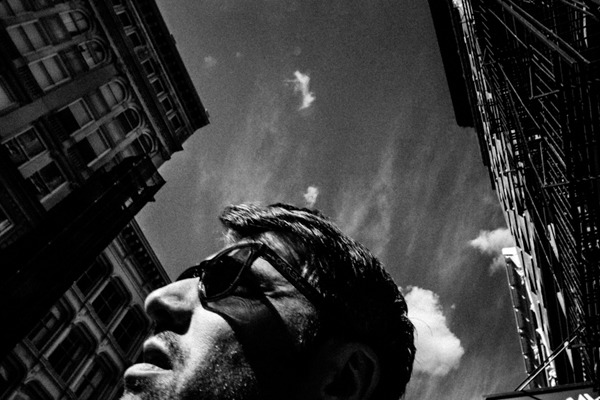
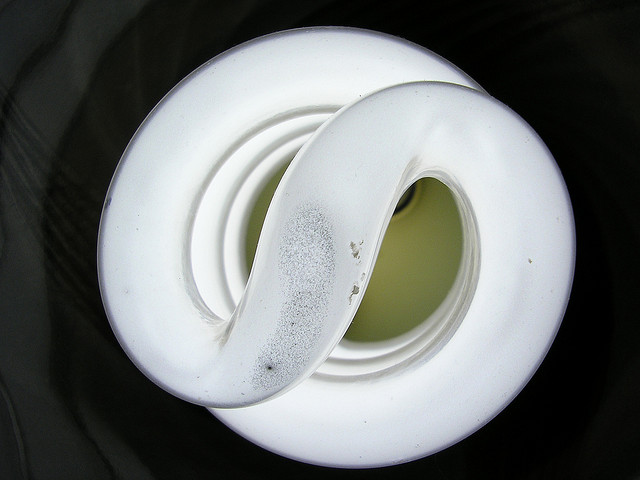
I was on my bed when the kiddo starts saying “S!” “S!” “The wetter S!” Hoho… I was sure he was seeing things because I never saw a prominent S in my room. But the kiddo was right, there was an S in the room, here it was:

By Mathew Bajoras

It was the light bulb. That reminded me how the world is like a glorified “shape sorter” toy. Absolutely everything visual can be broken down into line, shapes, space, color and texture.

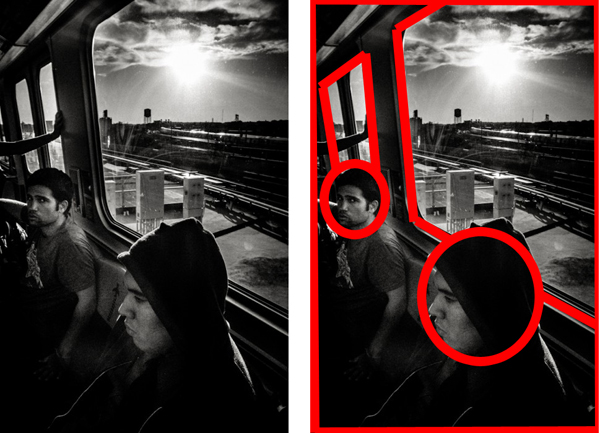
It’s something that painters and artists understand at a fundamental level; everything can be broken down into basic elements. As a graphic designer I also understand this at a basic level because you can break down designs into simple elements. Here’s an example with a shot I made:

Simple elements

All of a sudden a window is a trapezoid, and people’s heads are ovals. This is due to the Gestalt law of perception called “Pragnanz”. Simply stated it says that we perceive complex shapes as simple ones (a face as an oval for example). Yoki recognizing the “S” out of the light bulb always reminds me of that, so I look for basic, broad shapes in my photographs, and more importantly how to arrange them.

9) People are aware of the camera

Lady power

My kid is not even five and he already knows to pose. It’s nuts. How does he know when the camera is up to strike a pose? Are we spoiling our genuineness by asking kids to say “Cheese”? I think so because it teaches kids to stop what they are doing to say cheese and look at the camera. But whatever the case, very early in life kids are aware of the camera. The result? Absolutely everybody in today’s world is aware of the camera.

That pretty much means no one is genuine when a camera is present. For pros this means you have to learn to relax your clients. For everybody else it means you have to be quick to get a genuine pose. The best moment is the split second before the person realize you are photographing them.

One interesting tidbit about the genuineness of the subject when faced with a camera, is that it is proportional to the type of camera. Pull out a point-and-shoot camera in the streets and people won’t care much, you’re probably a tourist in their minds. Pull out a double battery DSLR with 55-200 zoom and people will start acting differently. Pull out a Polaroid camera and people will react as if you are an “Artiste”.

People are conscious of the camera because they are conscious of their image, it’s ingrained since the start. If you can make people believe all you want is a snapshot, they won’t give you a second look. That, my friend is why I can only recommend a point-and-shoot lookalike for the streets.

10) Complacency hinders growth

Older lady

What’s that? I asked pointing to a square in a book. “Square!!!” “Carré” (Square in French) my son said. Good I said, now what’s that? I was pointing a rectangle, he looked at it and then pointed to the square “Square!! Carré!!”. Yes but what’s that? I asked pointing at the rectangle once more. He pointed at the square once more and named it again. Instead of taking a risk at trying to name the rectangle he pointed at what he already knew.

I was quite surprised at what happened, not because of how my son reacted but because I saw myself in it. It’s easy to get complacent in photography, I sure did. It happens when you do something over and over again and don’t challenge yourself. I largely abandoned longer than 35mm focal lengths because of that. The best thing I ever did photographically is to get a 28mm because it’s much harder to deal with.

I could go out with a longer lens and not challenge myself, but I would not grow and I would become complacent. When Yoki did this with his shapes, it taught me to never become complacent and always challenge myself. I’ve grown so much when I decided to go wide angle. Try it, it will not let you make an image without a fight.

To each his comfort zone, for me it was always sticking to fast apertures at 50mm, for you it might be something else. Find where you are too comfortable photographically, then challenge yourself. It’s the trick that pole jumpers use, they put the bar higher every time.

Finals comments

I love my kid, and I love watching him. I love to see how he works and how he thinks. He’s learning from me hHopefully a good thing) but I am also learning a lot from him, as you can see from the 10 tips above. But that stays between me and you, ok?

Be yourself, stay focused and keep on shooting.

Have you learned any photography lessons from your kids? Please share any additional tips in the comments below.

The post 10 Great Photography Lessons You Can Learn From a 2 Year Old by Olivier Duong appeared first on Digital Photography School.

Digital Photography School

 
Comments Off on 10 Great Photography Lessons You Can Learn From a 2 Year Old

Posted in Photography


A Collection of Great Silhouette Photos

30 May

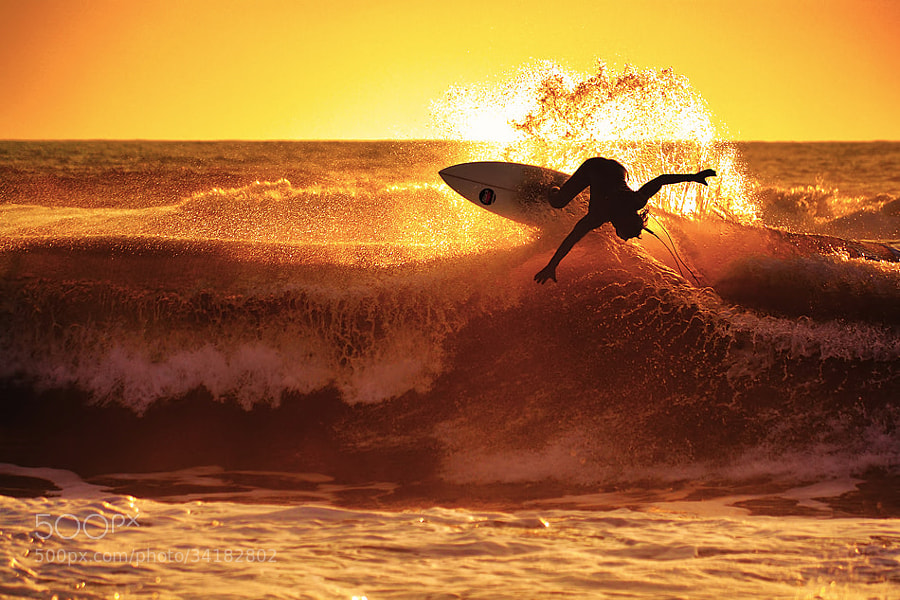
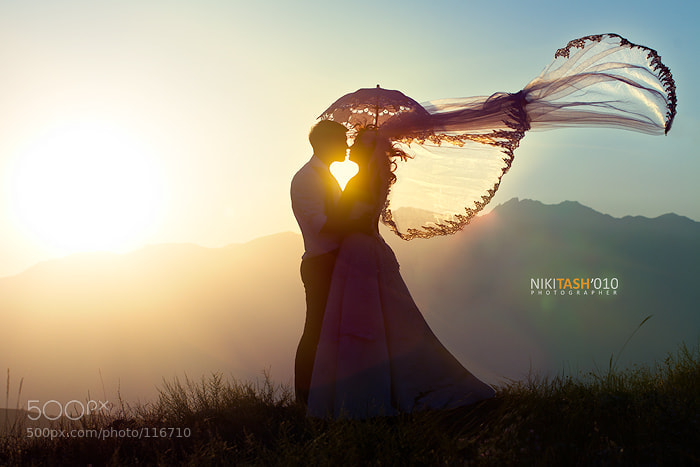
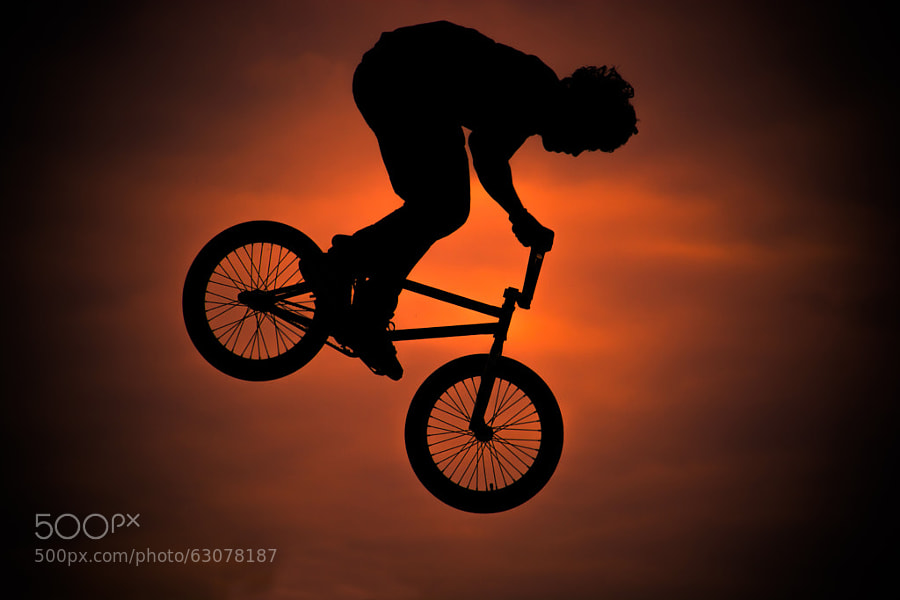
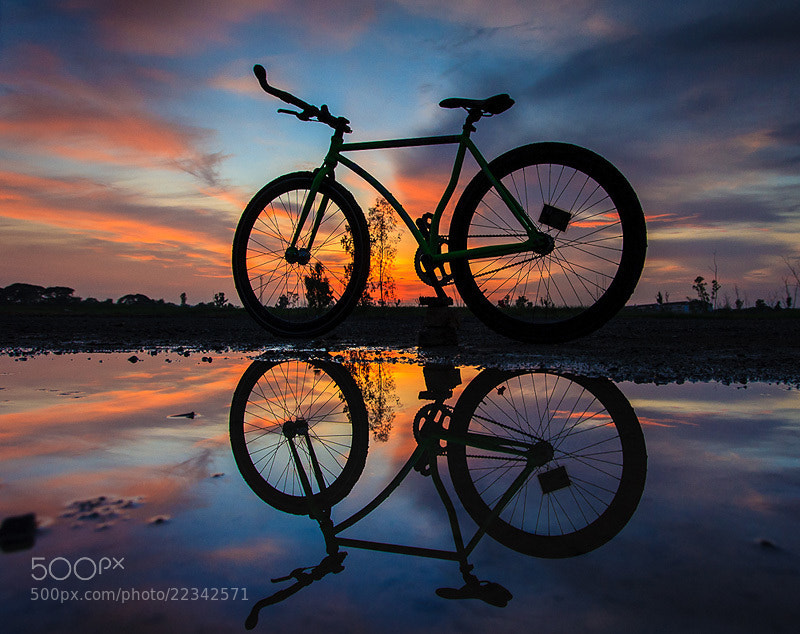
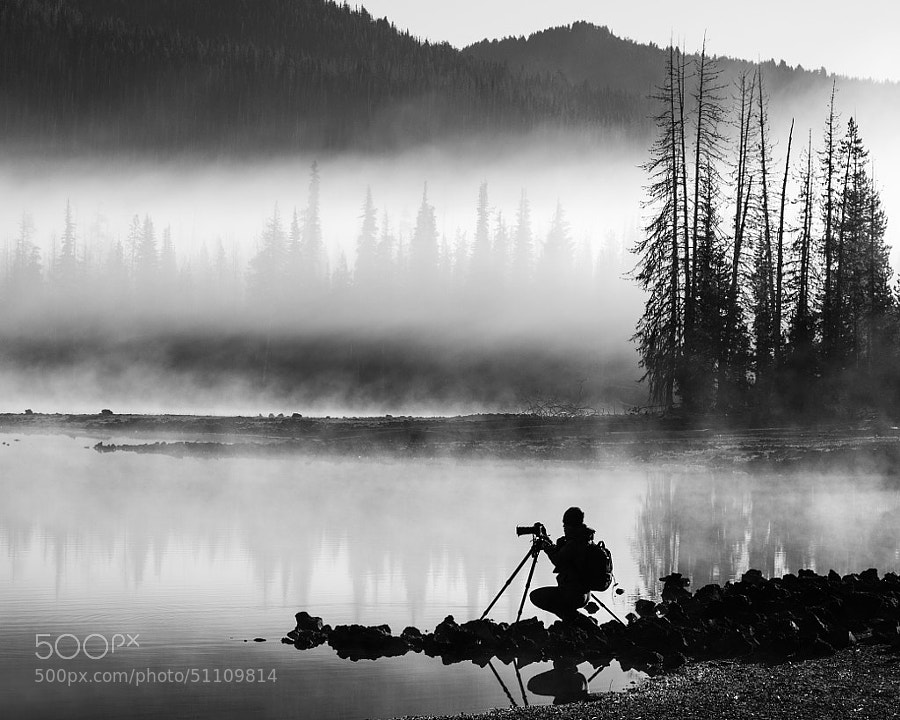
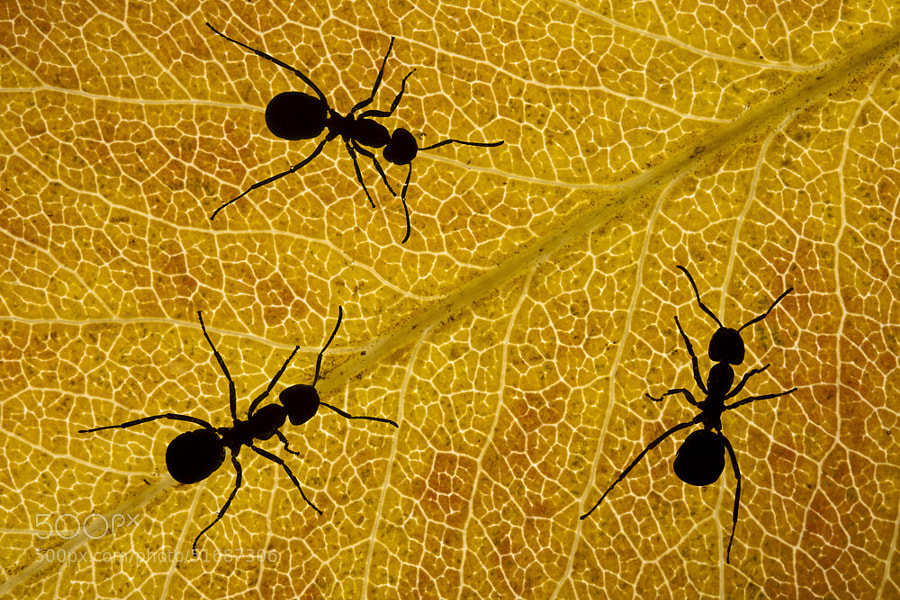
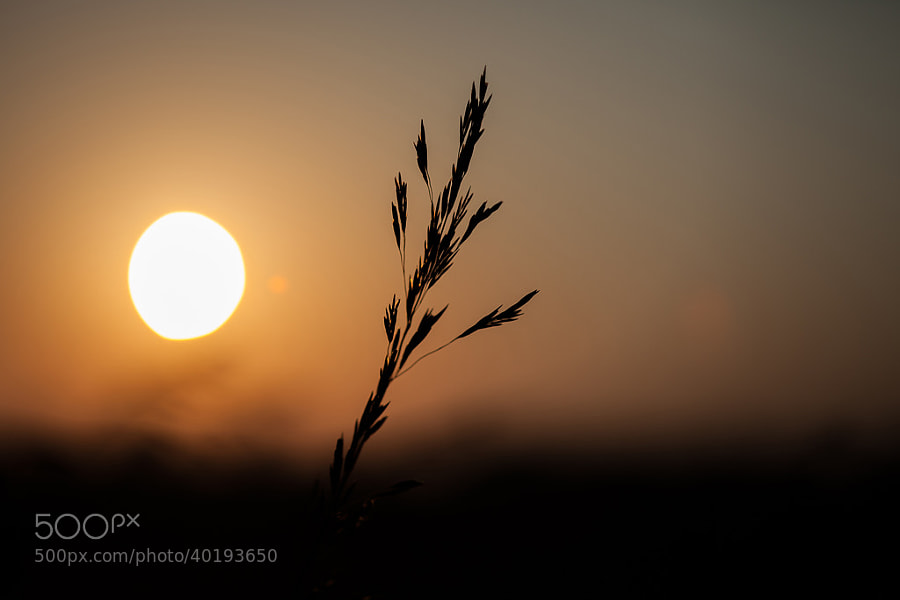
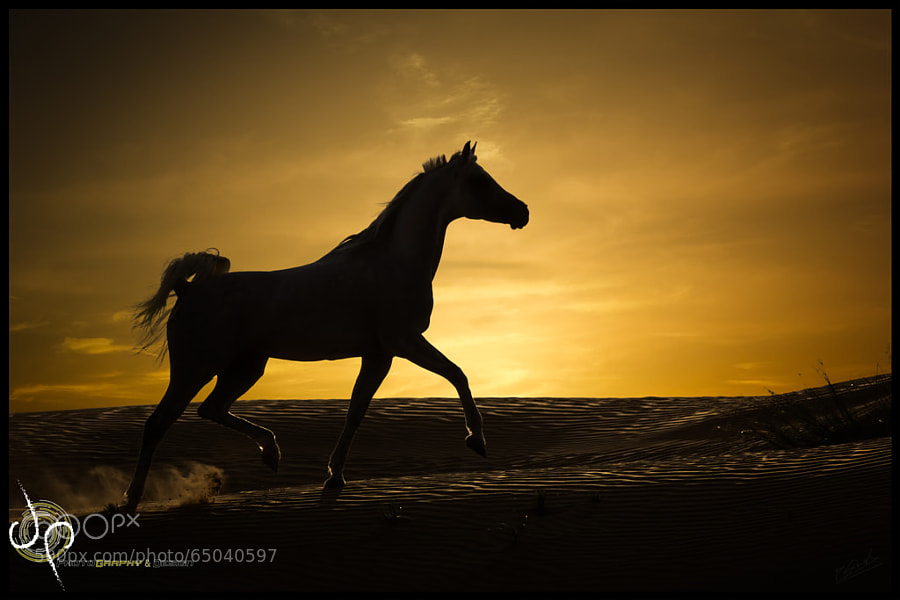
The Merriam-Webster dictionary defines silhouette as: a dark shape in front of a light background. It is a dramatic way to use backlighting to create stunning photos. Silhouettes are often associated with portraits but there are many other forms as well. 

Here’s a selection of a variety of silhouette photos  – enjoy!

Photograph re....magic by Marco Petracci on 500px

re….magic by Marco Petracci on 500px

Photograph *** by Nikita Shirokov on 500px

*** by Nikita Shirokov on 500px

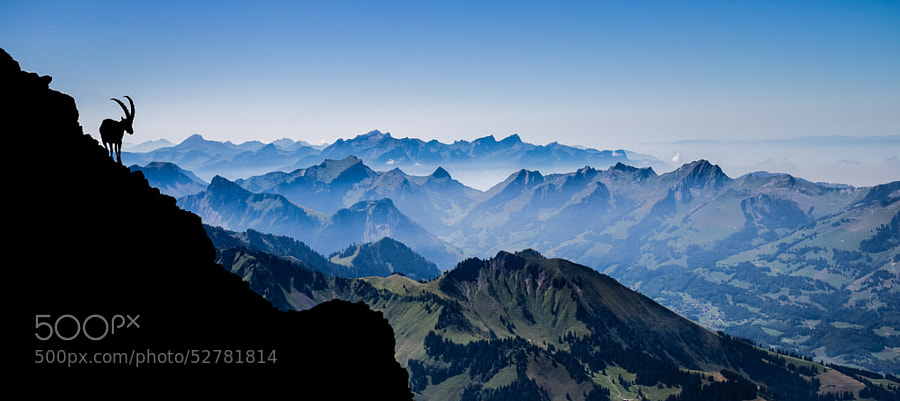
Photograph Shadow of the Ibex by Gilles Baechler on 500px

Shadow of the Ibex by Gilles Baechler on 500px

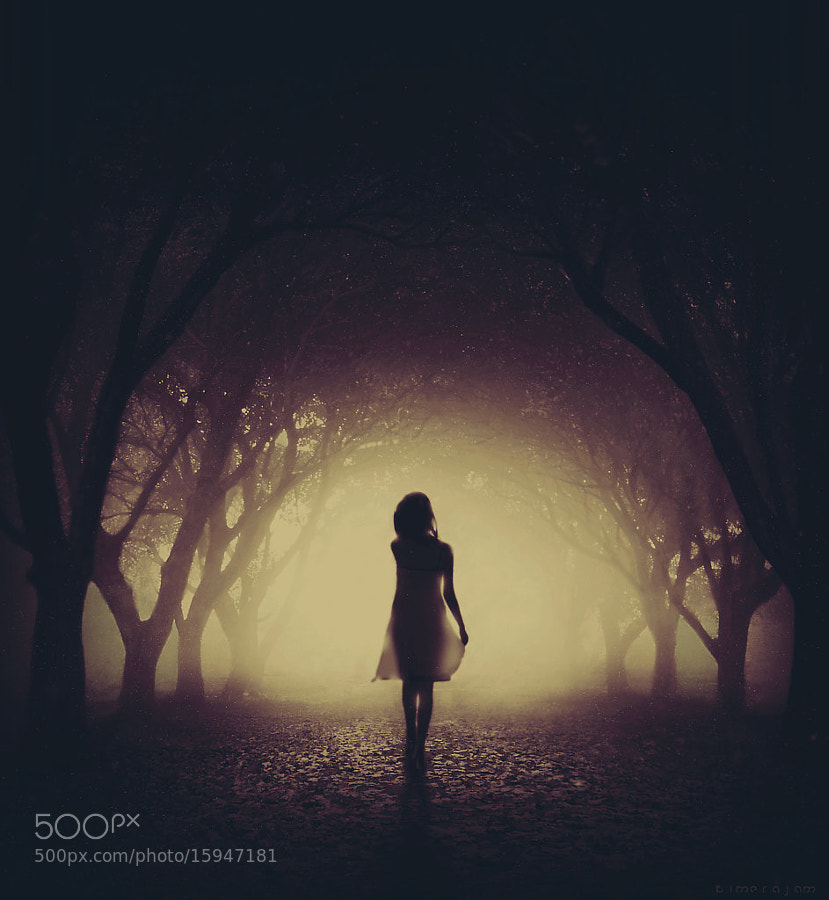
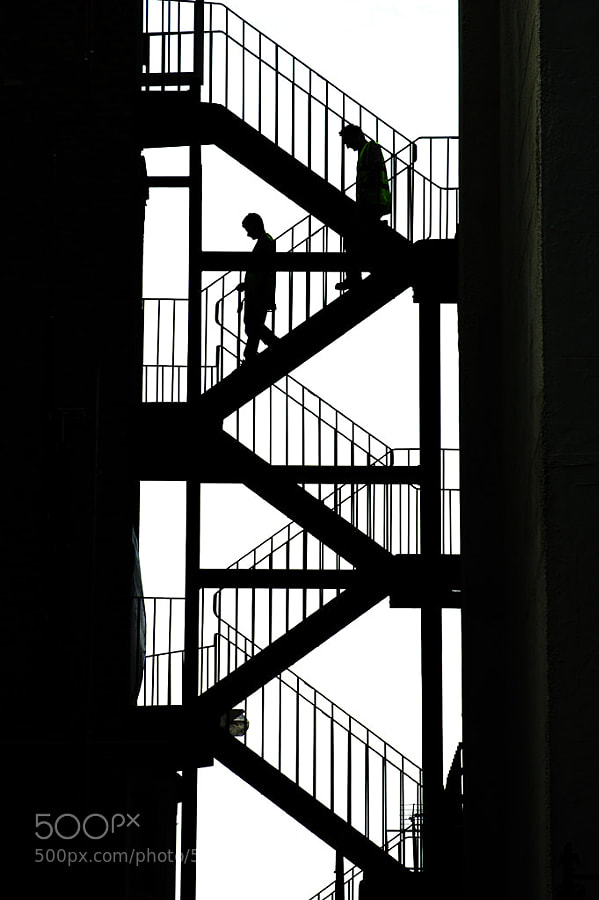
Photograph the dark alley by kimera jam on 500px

the dark alley by kimera jam on 500px

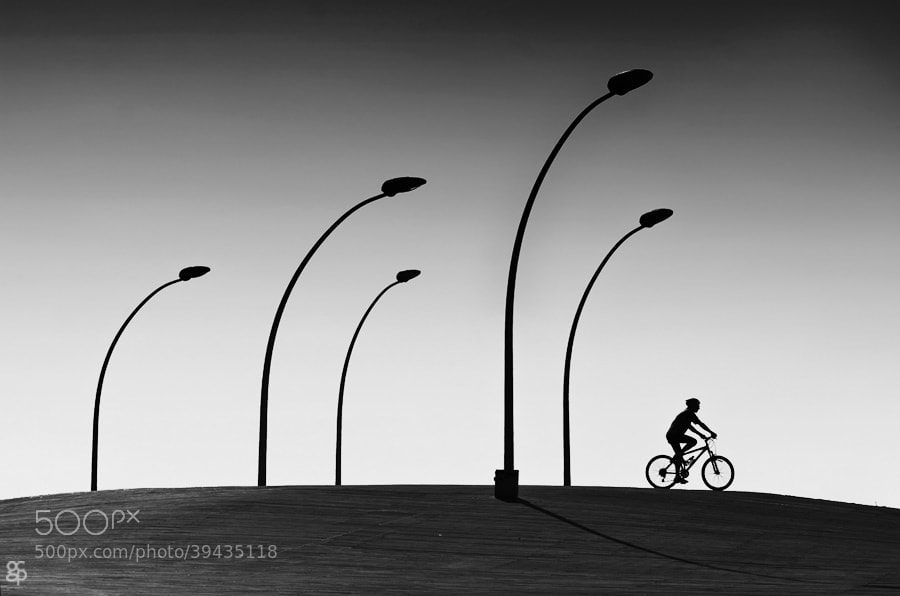
Photograph Right by Guy Cohen on 500px

Right by Guy Cohen on 500px

Photograph Life and Death by Carlos Gotay on 500px

Life and Death by Carlos Gotay on 500px

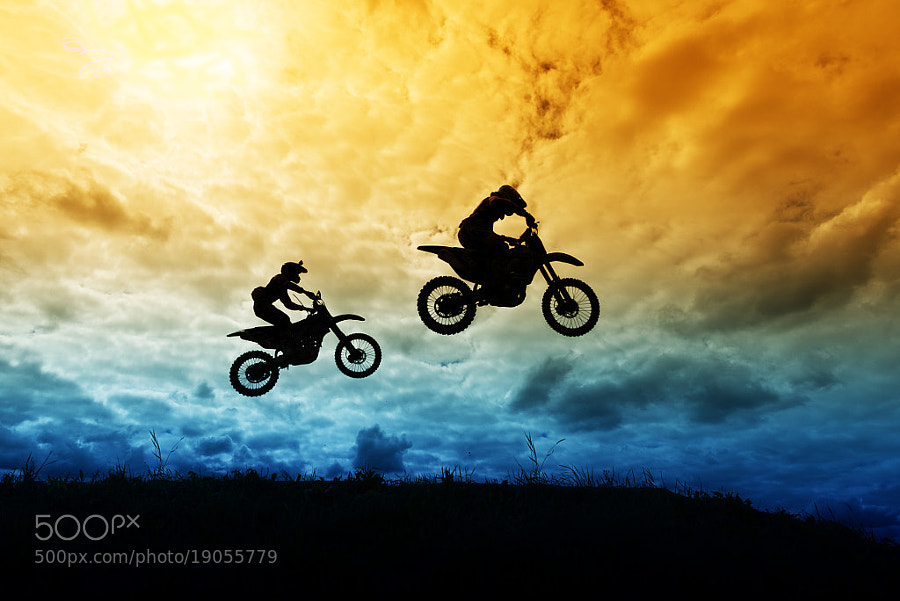
Photograph Motocross by Daniil Lebedev on 500px

Motocross by Daniil Lebedev on 500px

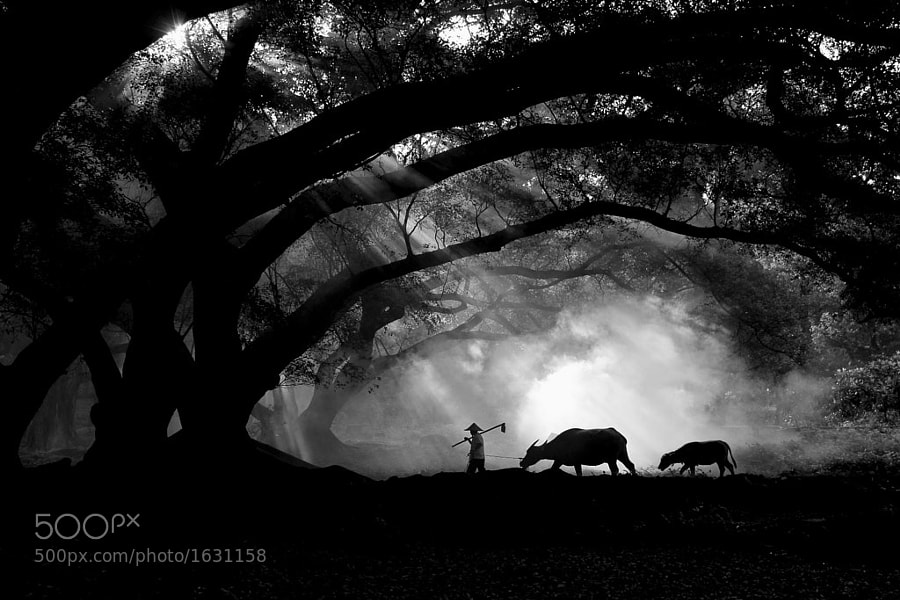
Photograph Farmer with his buffalos by Jinny Tan on 500px

Farmer with his buffalos by Jinny Tan on 500px

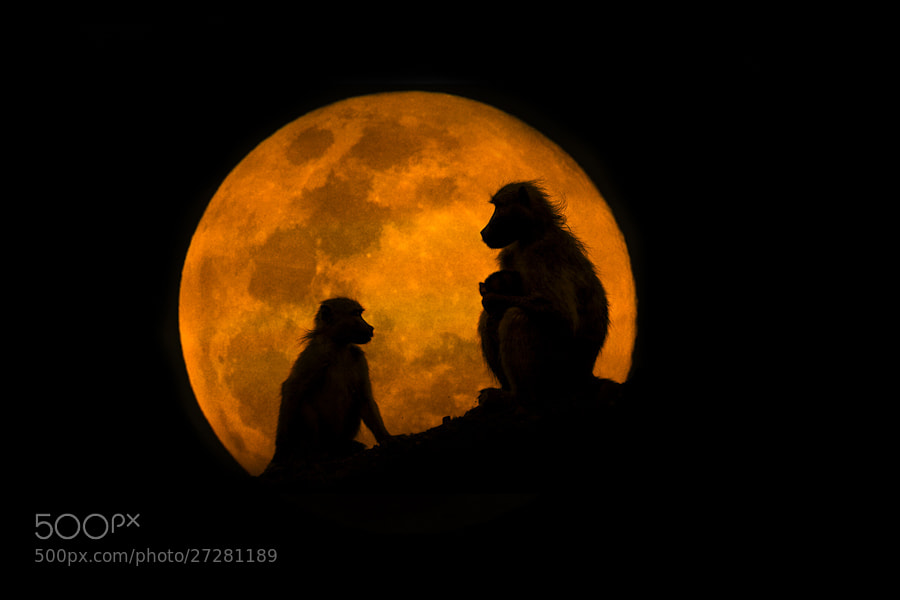
Photograph The Baboons & The Moon by Mario Moreno on 500px

The Baboons & The Moon by Mario Moreno on 500px

Photograph Sunbathing Gekko on Leaf by Leon Dafonte Fernandez on 500px

Sunbathing Gekko on Leaf by Leon Dafonte Fernandez on 500px

Photograph Dont debase and stop,success is not so far...... by Krishna Kumar on 500px

Dont debase and stop,success is not so far…… by Krishna Kumar on 500px

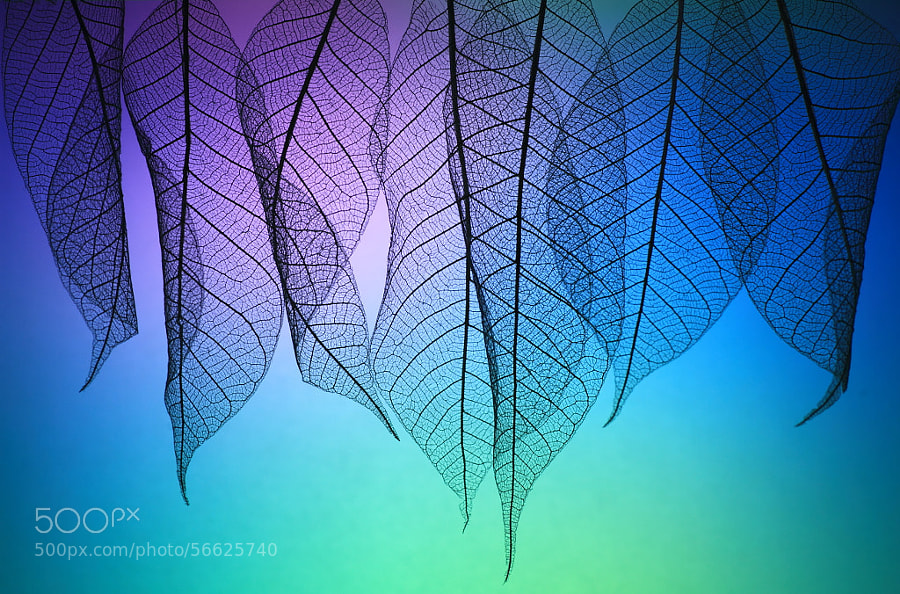
Photograph Prismatic leafs by Shihya Kowatari on 500px

Prismatic leafs by Shihya Kowatari on 500px

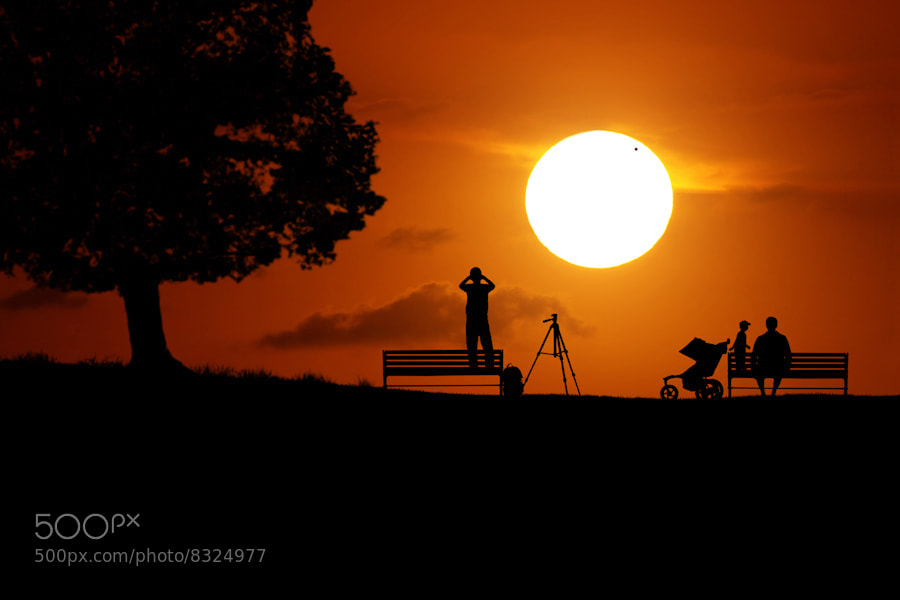
Photograph Venus Transit by Carlos Gotay on 500px

Venus Transit by Carlos Gotay on 500px

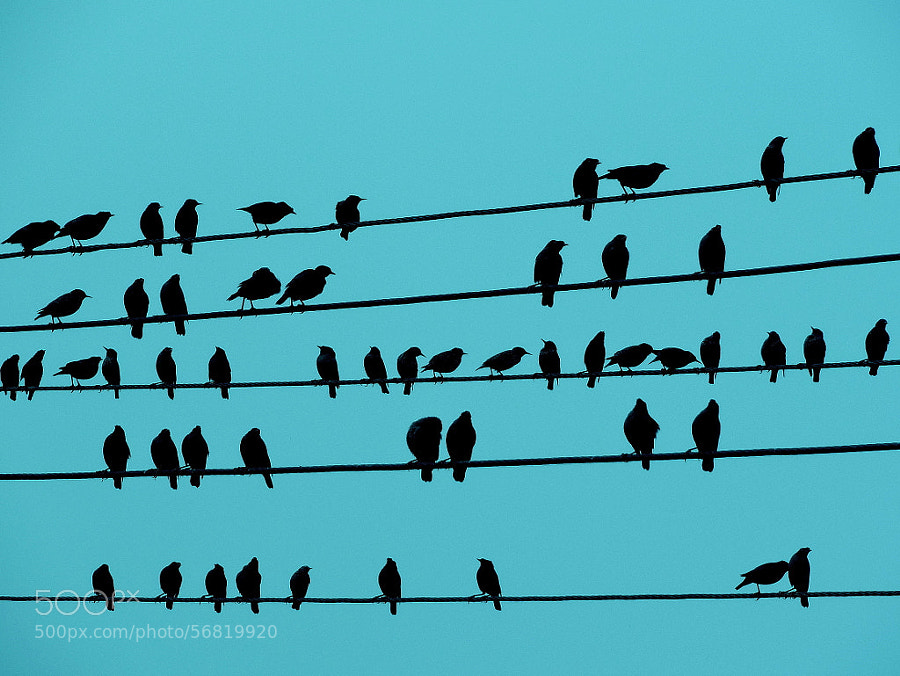
Photograph Music Notes by Rahul Tripathi on 500px

Music Notes by Rahul Tripathi on 500px

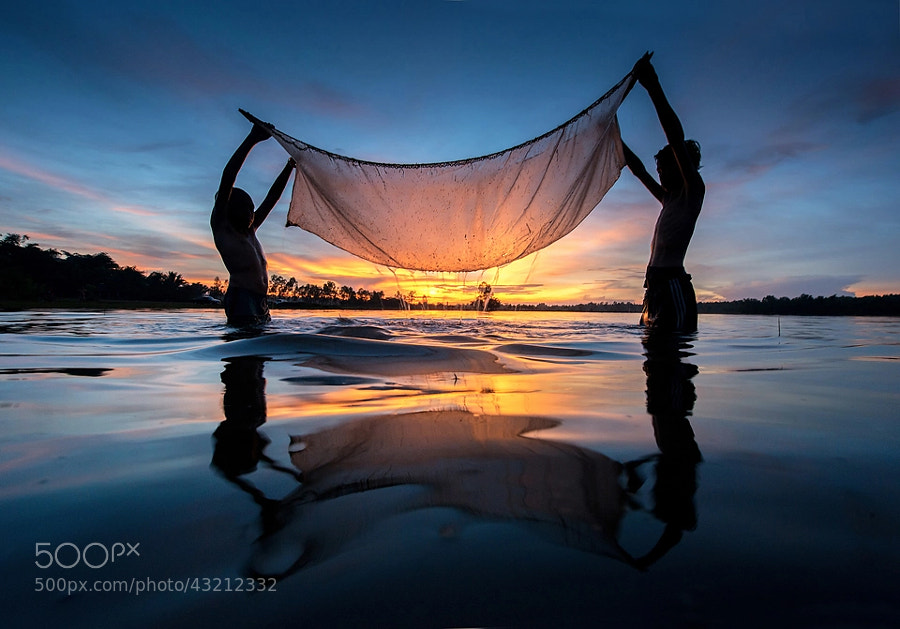
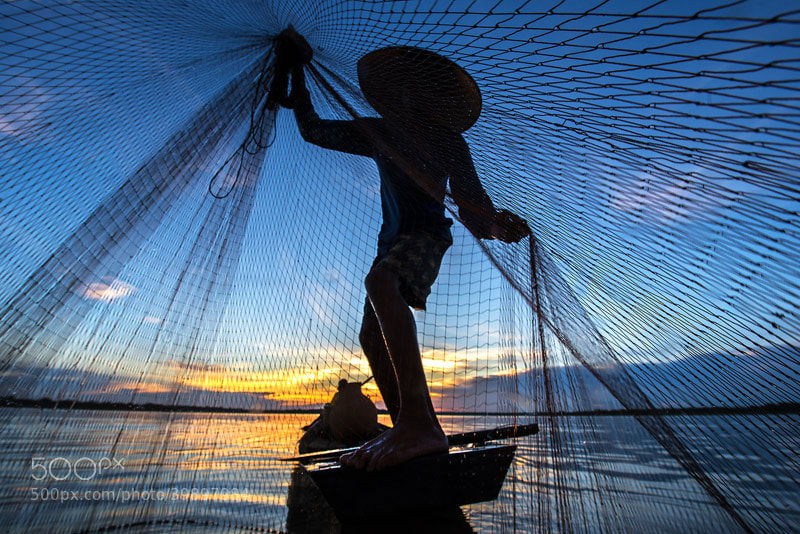
Photograph Young fishing by sarawut Intarob on 500px

Young fishing by sarawut Intarob on 500px

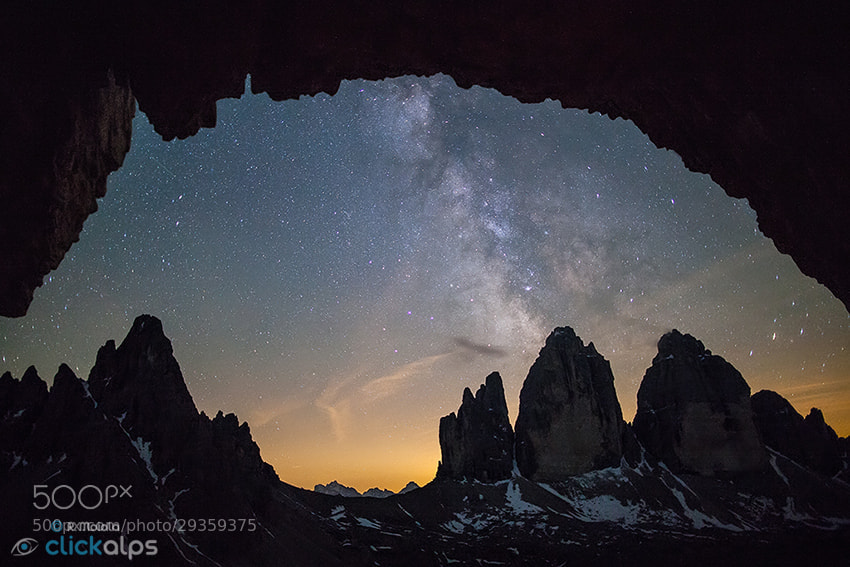
Photograph Dolomites Postcard by SysaWorld Roberto Moiola on 500px

Dolomites Postcard by SysaWorld Roberto Moiola on 500px

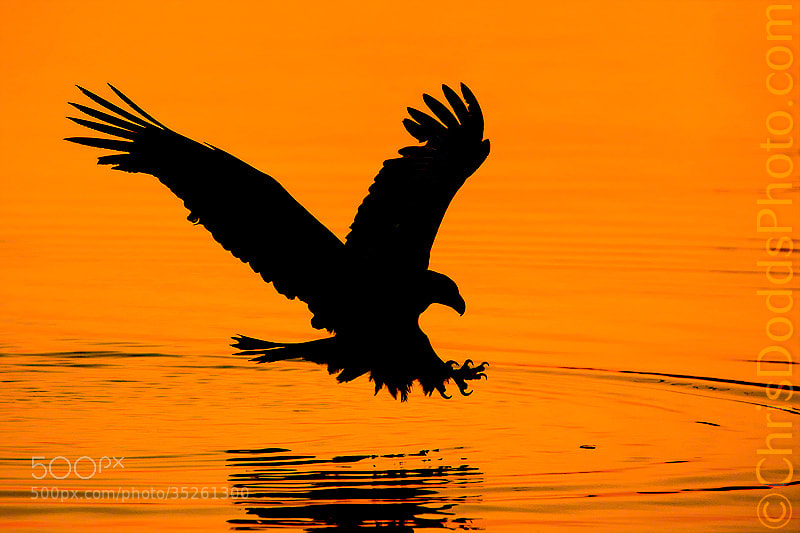
Photograph Bald Eagle Silhouette by Christopher Dodds on 500px

Bald Eagle Silhouette by Christopher Dodds on 500px

Photograph Lunar Landing by Adrienne Elliot on 500px

Lunar Landing by Adrienne Elliot on 500px

Photograph Pale love story by Shihya Kowatari on 500px

Pale love story by Shihya Kowatari on 500px

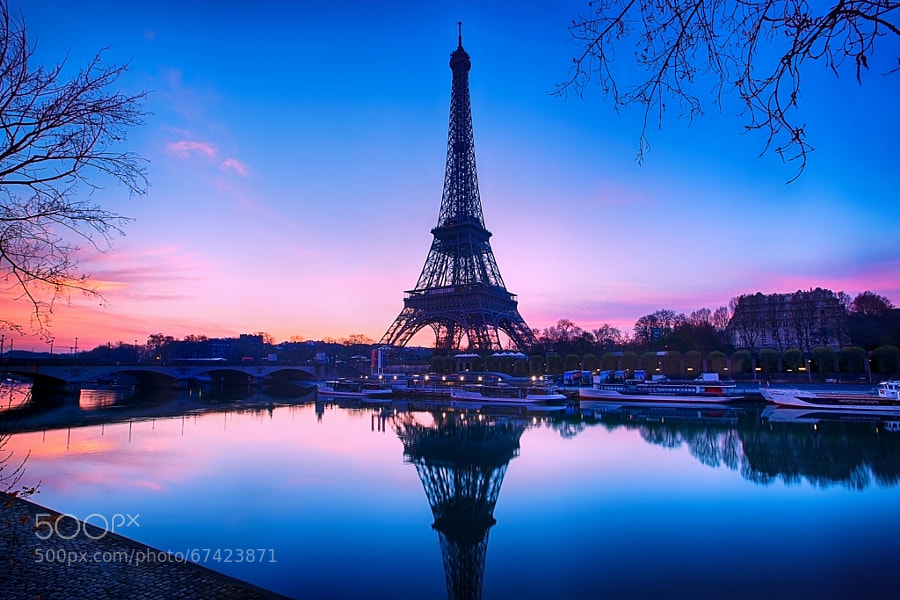
Photograph Pink Paris... by Charlie Joe on 500px

Pink Paris… by Charlie Joe on 500px

Photograph The Silhouette of an Icon by Alister C. on 500px

The Silhouette of an Icon by Alister C. on 500px

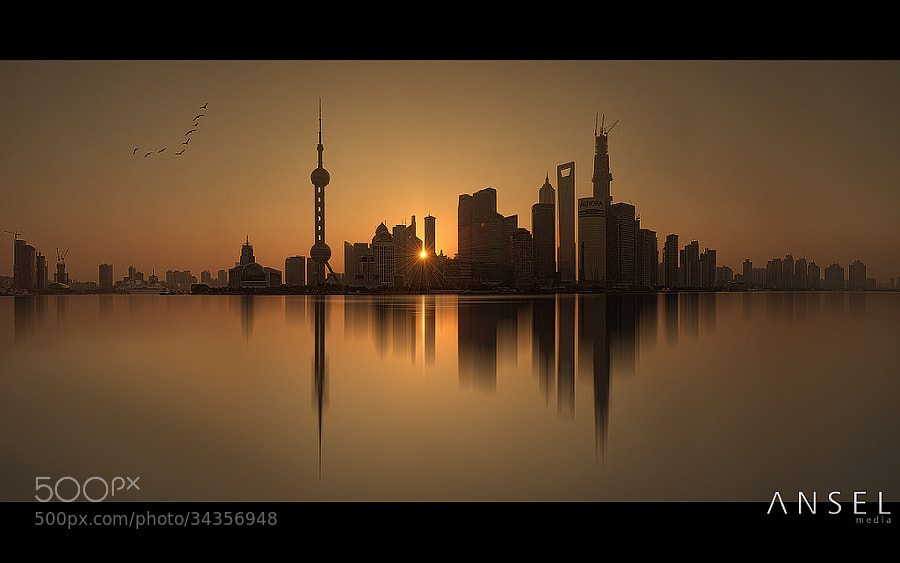
Photograph Shanghai Silhouettes by Jonathan Danker on 500px

Shanghai Silhouettes by Jonathan Danker on 500px

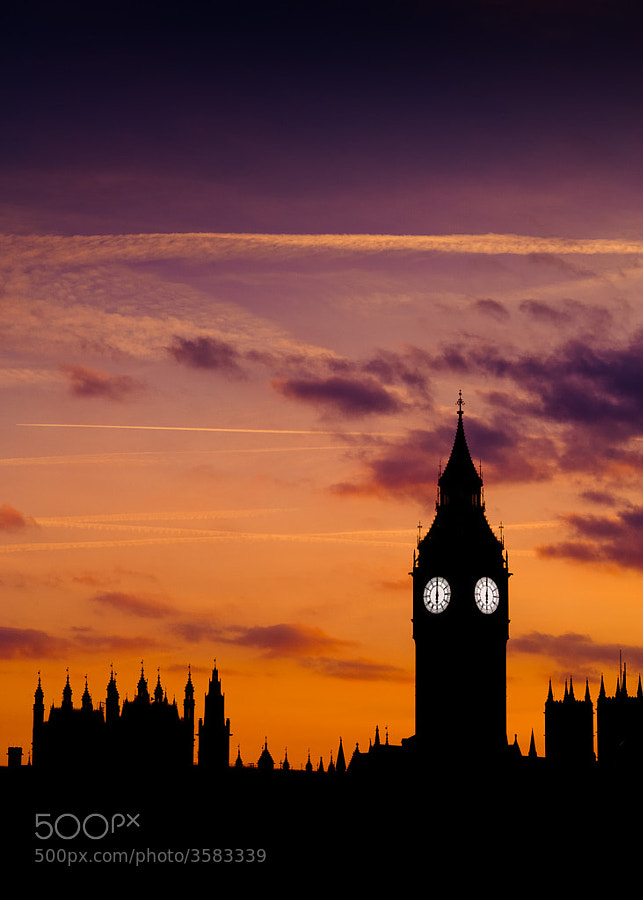
Photograph London by Sémaphore  on 500px

London by Sémaphore on 500px

Photograph Six O'Clock by Sean Molin on 500px

Six O'Clock by Sean Molin on 500px

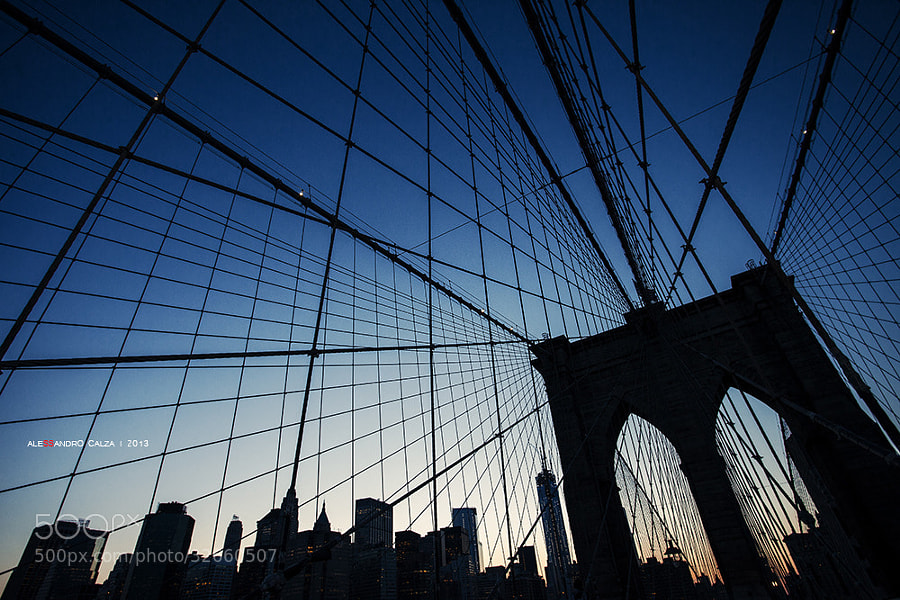
Photograph Brooklyn Bridge by Alessandro Calza on 500px

Brooklyn Bridge by Alessandro Calza on 500px

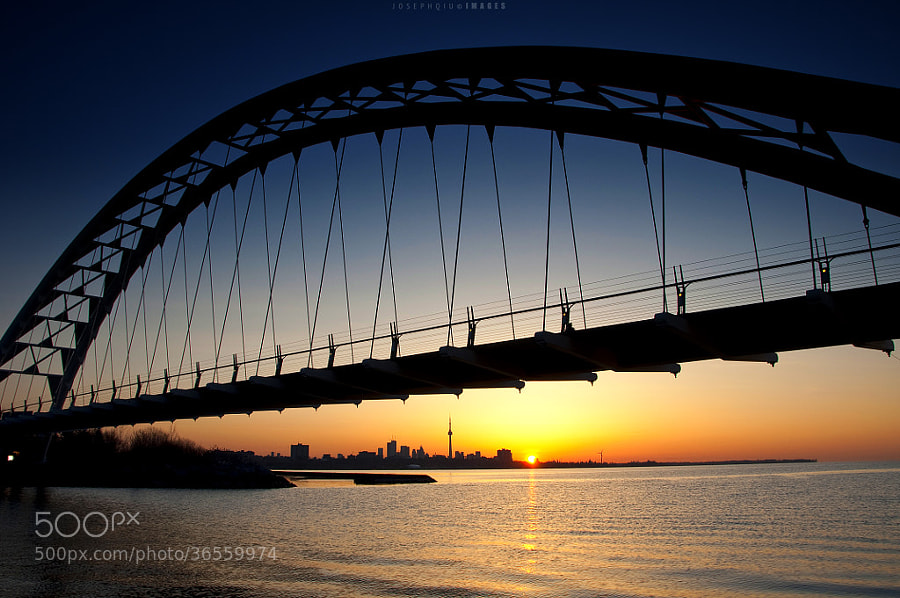
Photograph Bridge the Day and Night by Joseph Qiu on 500px

Bridge the Day and Night by Joseph Qiu on 500px

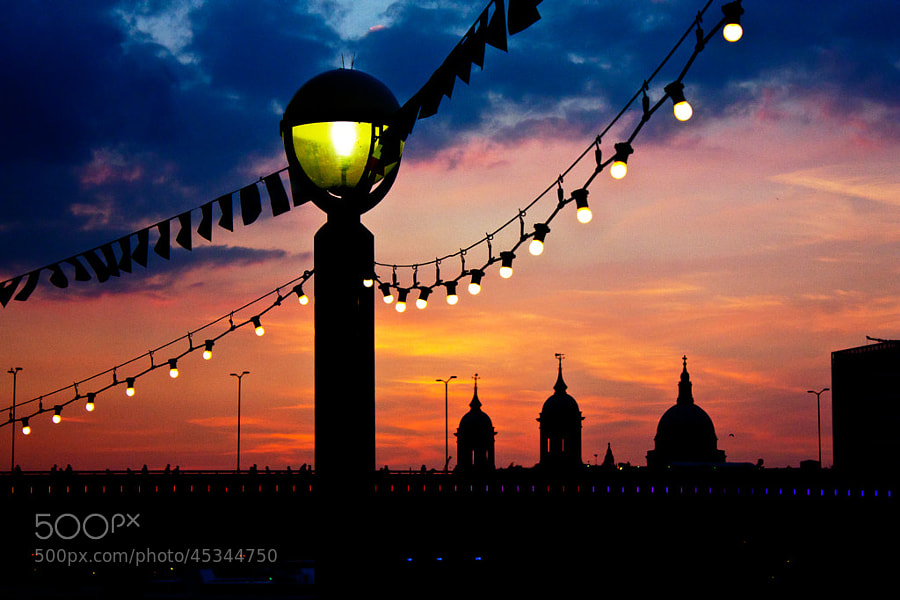
Photograph London Bridge at sunset by Rob Dawkins on 500px

London Bridge at sunset by Rob Dawkins on 500px

Photograph The Legend by Milonean Vlad on 500px

The Legend by Milonean Vlad on 500px

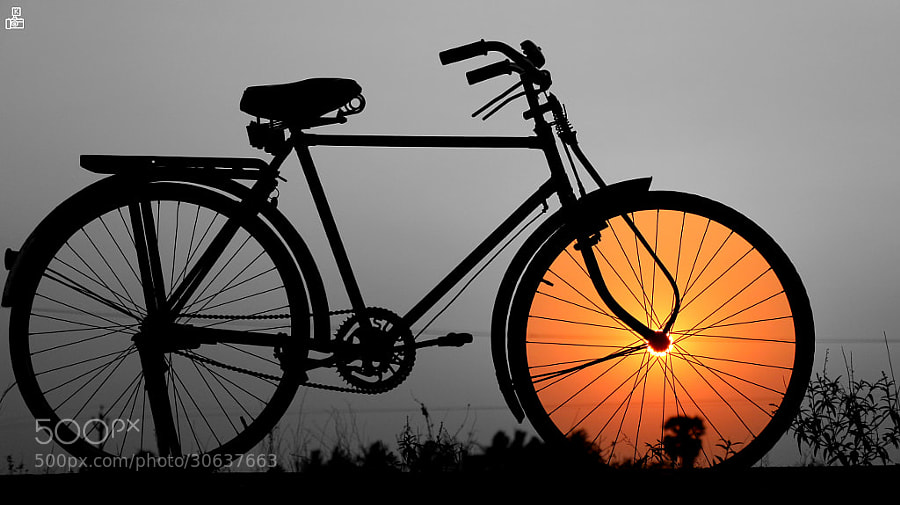
Photograph ?Bike. by Khatawut J on 500px

?Bike. by Khatawut J on 500px

Photograph Moment by Majeed Badizadegan on 500px

Moment by Majeed Badizadegan on 500px

Photograph Ants silhouette by Barni Buslig on 500px

Ants silhouette by Barni Buslig on 500px

Photograph Goodnight by Luke Strothman on 500px

Goodnight by Luke Strothman on 500px

Photograph Whale shark silhouette off Mexico by Simon Pierce on 500px

Whale shark silhouette off Mexico by Simon Pierce on 500px

Photograph Sundowners by Adrian Furner on 500px

Sundowners by Adrian Furner on 500px

Photograph A Kiss Before... by Ray Sanduski on 500px

A Kiss Before… by Ray Sanduski on 500px

Photograph Summer by Bodhi Connolly on 500px

Summer by Bodhi Connolly on 500px

Photograph Photographer is fish by sarawut Intarob on 500px

Photographer is fish by sarawut Intarob on 500px

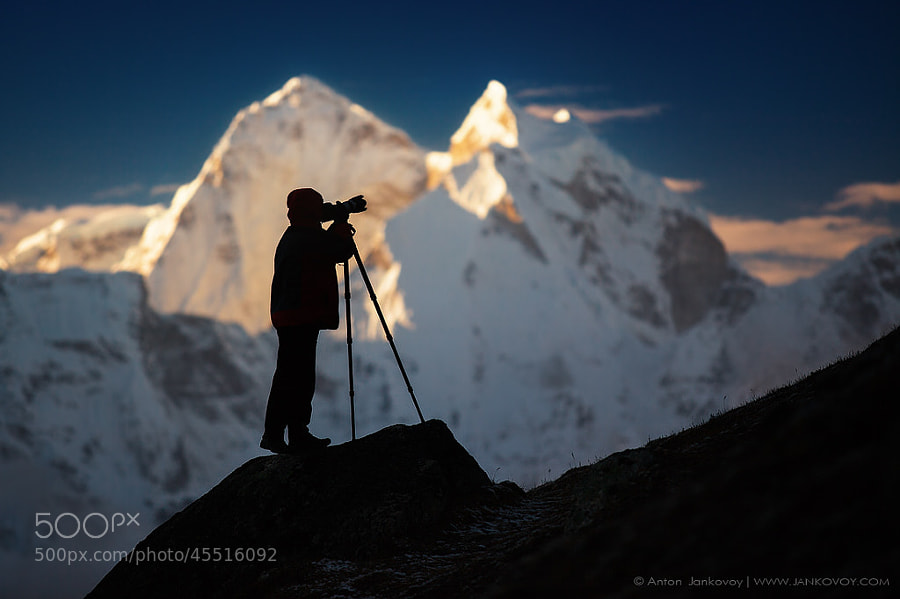
Photograph Photographer and Mountains by Anton Jankovoy on 500px

Photographer and Mountains by Anton Jankovoy on 500px

Photograph Freedom by Prakash singh on 500px

Freedom by Prakash singh on 500px

The post A Collection of Great Silhouette Photos by Darlene Hildebrandt appeared first on Digital Photography School.

Digital Photography School

 
Comments Off on A Collection of Great Silhouette Photos

Posted in Photography


Tips for Great Beach Sunset Portraits

28 May

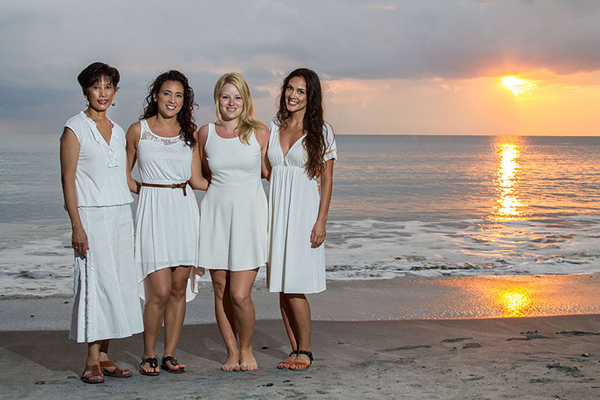
Beach sunset portraits are always so beautiful; they make for a unique backdrop as each sunset is a little bit different from the next. With an hour long portrait session photos with the sunset over and over can sometimes get a little repetitive. This article will show you how to create diverse images out of a beach sunset session, and also explain how to use off-camera flash to expose for the background and capture the true colors that you see.

IMG_9507-600

To plan this right, you first need to know exactly what time the sun dips behind the ocean horizon. The time and date website allows you to look up this exact time for different cities all over the world. For an hour long session, have your clients meet you at the beach 45 minutes before the sun goes out of sight. The lighting at this time is just perfect for photos, it is known as the golden hour because of the warm hues it casts.
The 15 minutes immediately after the sun sets also offers a wonderful soft light.

Before you begin posing your subjects you need to get your exposure right. Turn off all flashes, set your camera to Manual Mode, and simply expose for the sunset. If you take a picture of your subject in front of the background like this you will see that they are very underexposed, if not a silhouette. In order to get a proper exposure for the sunset, and for your subject, we need to add light to the subject. Since the sunset is so far away, your flash will not affect the exposure of the background.

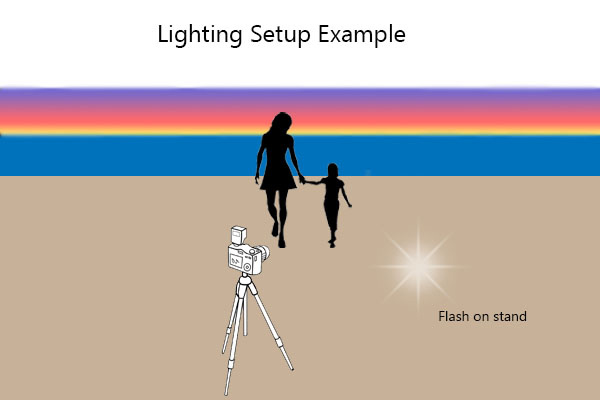
You can use an on-camera flash for this, but an off-camera flash will make the lighting look more natural and is therefore the ideal. To setup an off-camera flash you will need a flash, a light stand, and a way to trigger the flash. There are many different ways to do this, but I would suggest wireless radio triggers. Once you have your light setup, place the stand about 10-15 feet away from where your subject will stand, and about 4-5 feet to the right of the camera position. This will have the light coming at your subject from the side, instead of straight on which will create a much more flattering picture.

diagram-600

Turn your flash on and switch it to manual mode. Set the flash strength to half power and take a test shot. If your subject is too bright try moving the flash back a few feet. If the face is too dark increase your flash power or move the flash a little closer to the person. Adjust the flash power and distance from your subject until they are nicely exposed. Your flash can be bare, without any modifiers, or with a shoot through white umbrella for a softer light.

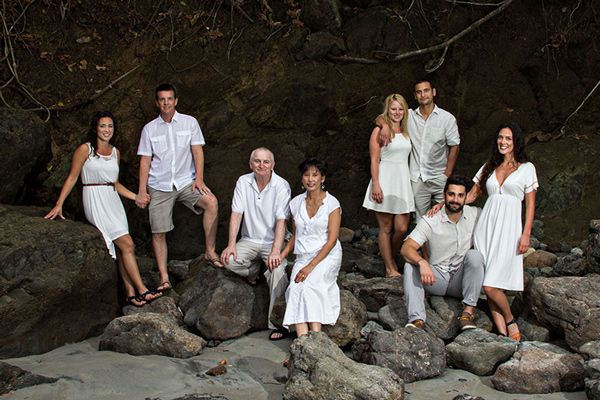
Once everything is setup you can pose your group or subject, facing away from the sunset, and take a set of images. Vary the pose and take a few more. Next look around and see what else is available to use as a backdrop. Large rocks, palm trees, sand dunes or greenery all make for diverse images. A boardwalk leading up the beach can also be a great spot. Aim to use two to three different backgrounds.

015-600

IMG_9360-600

By this time the sun has gone down quite a bit, and the colors have changed a lot from your first set of photos. Adjust your lighting and exposure to match the new conditions and take a few more portraits in front of the ever changing sunset.

IMG_9393-600

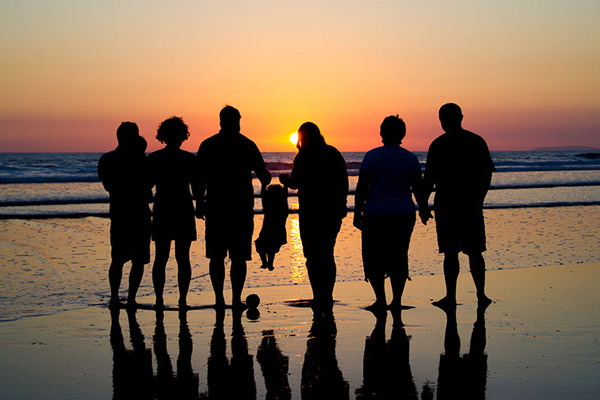
Turn your flash off, adjust your exposure and take some beautiful silhouette images of your subjects.

048-600

Just after the sun dips down below the horizon, turn your subject towards the sunset and capture the beautiful soft light that spills onto their face. Make sure your flash is off for this, as the natural light is perfect, and adjust your exposure as needed. This is a great moment for candid shots of the group walking along the beach and laughing, or of parents tossing their children up in the air.

Lastly, try to look for where your subject’s reflection falls on the water when the tide pulls out. Capture an image with your subject and their reflection, or just their feet and the reflection.

042-600

During a one hour session, at only one location, you can capture a diverse set of images for your customers (or friends) that they will love. Just remember to always be on the lookout for a different background, or unique area of the beach. Also if you will be taking pictures that will get them sandy or wet, make sure to save those for last so they their clothes aren’t wet or full of sand in the rest of the photos.

IMG_9522-600

Have you done any beach portraits? Do you have any other tips you can share, please do so in the comments below.

The post Tips for Great Beach Sunset Portraits by Madison Baltodano appeared first on Digital Photography School.

Digital Photography School

 
Comments Off on Tips for Great Beach Sunset Portraits

Posted in Photography


A Different Angle: 15 Great Geometric Home Accessories

19 May

[ By Steph in Design & Furniture & Decor. ]

Geometric Home Accessories Main

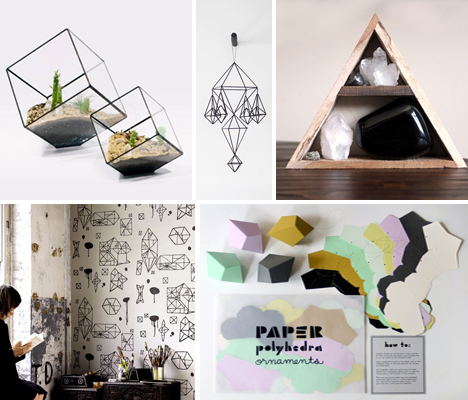
Bring the clean, graphic lines of cubes, pyramids, prisms and other polyhedrons to your home with these (often literally) sharp accessories. Hand-drawn shapes on wallpaper, icosahedron salt and pepper shakers, DIY origami ornaments, modernized Himmeli mobiles and diamond-shaped cookie cutters are among these 15 affordable geometric decorative objects.

Random Geometry Wallpaper by Nama Rococo

Geometric Home Nama Rococo

The imperfect nature of hand-drawing adds a bit of a quirky feel to the ‘Random Geometry’ wallpaper by Nama Rococo. Plaster an entire room with it, create an accent wall or just frame a single sheet for $ 100.

Score + Solder Terrariums & Planters

Geometric Home Score + Solder

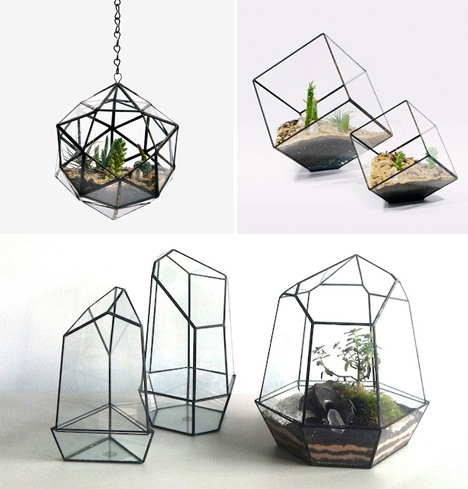
Glassworker Matthew Cleland of Score + Solder creates stunning geometric terrariums, planters, lamps and more, handmade to order from his 13-acre farm in British Columbia.

Octahedron Decorative Objects by Eric Trine

Geometric Home Octahedron Decor

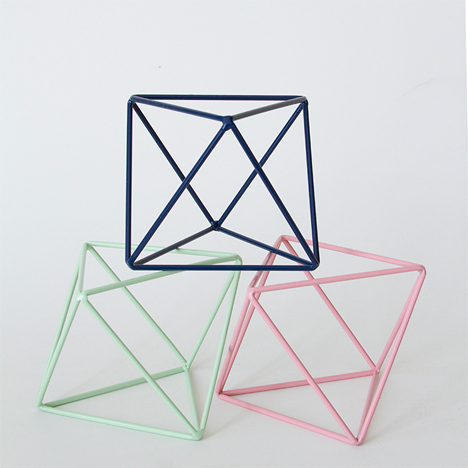
Perfect for the mantle or as a conversation piece on the coffee table, this octahedron decorative object by Eric Trine costs just $ 32.

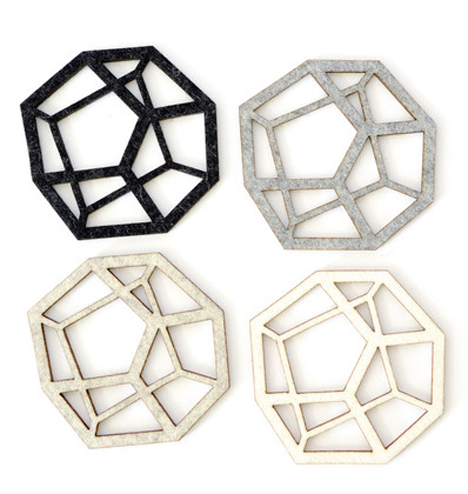
Pentahedron Coasters by Koromiko

Geometric Home Pentahedron Coasters

Protect your table from condensation with this set of four handmade felt pentahedron coasters, handmade in San Francisco by Koromiko, $ 40.

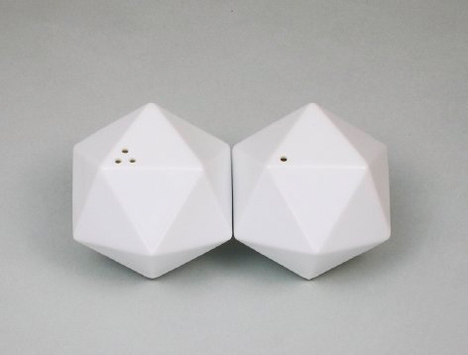
Icosa Salt & Pepper Shakers by Club88inc

Geometric Home Icosa Salt and Pepper

This set of icosahedron-shaped salt and pepper shakers by Club88inc, $ 35, will fit perfectly into the palm of your hand.

Next Page – Click Below to Read More:
A Different Angle 15 Great Geometric Home Accessories

Share on Facebook


[ By Steph in Design & Furniture & Decor. ]

[ WebUrbanist | Archives | Galleries | Privacy | TOS ]


WebUrbanist

 
Comments Off on A Different Angle: 15 Great Geometric Home Accessories

Posted in Creativity


How to do Great Photography Even When Your Surroundings are Boring

07 May
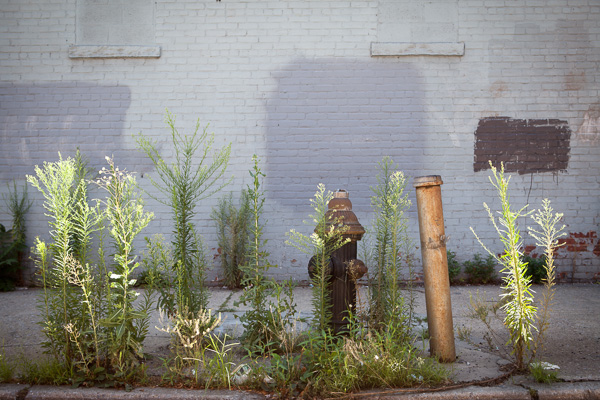
Gowanus Fire Hydrant

Gowanus Fire Hydrant

I have always been fascinated with great photography taken in areas that people might commonly refer to as ‘boring.’

I use the word boring because that is the specific word I most often see used as an excuse for people having trouble with their photography. Someone will say, “I wish I lived somewhere more interesting and beautiful”or “I can’t do interesting work where I live. It’s too boring.”. Can you relate to that?

What these people don’t realize is that what might seem boring and routine to them could seem fascinating to others, and by dismissing where they live they do not even give themselves a chance to try and photograph it in an interesting way.  They take themselves out of the game before they even start.

When someone uses the word boring, I tend to think that they mean quiet and not traditionally picturesque, or maybe there are not many people around and the ones that are around seem uninteresting.  These are not reasons that you cannot take an interesting photo. In fact, these topics all sound fascinating to me. Use these aspects to your advantage and figure out ways to make them interesting, photogenic, and appealing. Also, keep in mind that often the people that seem the least interesting, actually tend to be the most interesting.

Here are some tips to capture interesting photos in ‘boring’ places, and I hope after you read this article you will never use the word boring again.

Capture images of people you come across in everyday situations

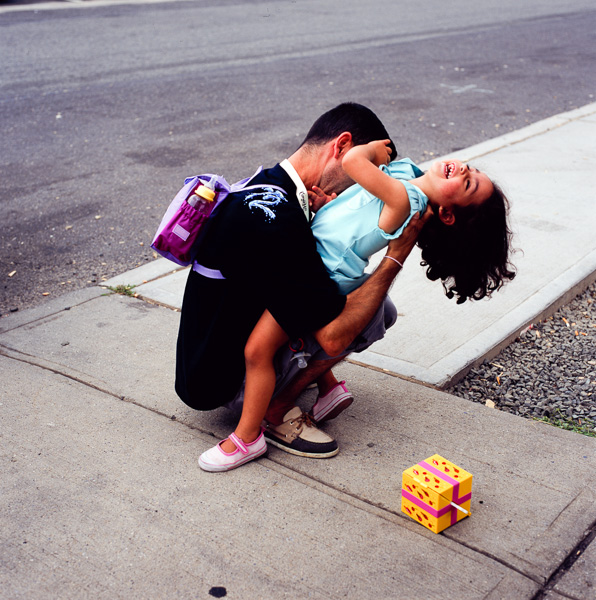
Capture people that you come across in everyday situations

Take a camera with you on everyday excursions

Many people have the habit of only taking their camera out when there is supposed to be a picturesque moment. Maybe it’s a sunset, or to the park, or on a trip. This is a tough way to shoot because you already have the images you want to capture in your mind before you take them.

The goal here is to not stop yourself from taking images before you even start. The more ‘boring’ you think the place is, the more you should bring out your camera. Go into a situation with the mindset that you are going to figure out how to take an interesting photo no matter what happens.

Try to create interesting images in the course of your everyday life. Photograph your neighborhood. It could be at the gas station, at a roadside diner, in a supermarket, in a parking lot, or stopping on a quiet street corner at dusk. For me, this is the true fun of photography. It’s a way of helping you see aspects of your everyday world in an unique way.

Remember, if you have a DSLR that is too heavy to carry around frequently, there are alternatives. The most important one is the cellphone in your pocket. Cellphone cameras have come a long way, and while they are not close to the quality of a camera, you can still make good prints out of them. The most important reason for using a cellphone is that you are training your eye by using them when you otherwise wouldn’t take a camera with you.

Some other alternatives are to purchase a smaller prime lens or a pancake lens to lighten your DSLR for everyday use, or purchasing a mirrorless or micro 4/3rds camera. I personally love the Fuji X100s.

Dancer in Pharmacy

Dancer in Pharmacy. Taken with iPhone 4S.

Find beauty in the mundane

This is the most important point. Try to go beyond the safe photo. Capture something that you find interesting even though many people might not choose to put it on their walls. Don’t be afraid if other people hate it. That’s often a good sign. It only matters if you like it.

Focus on details and use everyday elements to make an image interesting. You don’t have to have a mountain, a stream, or a sunset in your photo to make it interesting. A brick wall, a parking cone, a street sign, or a bare building can all be beautiful when captured in the right way. Capture people that you come across over the course of your everyday routine. These can be the most interesting images since you will already know the subject well.

Aim to capture subtle images as part of your work. Subtle images might not jump out at a viewer right away, but they will stick with them. These images will make someone think and will become more interesting to the viewer over time as they wonder about them. Subtle images can be very powerful when done correctly.

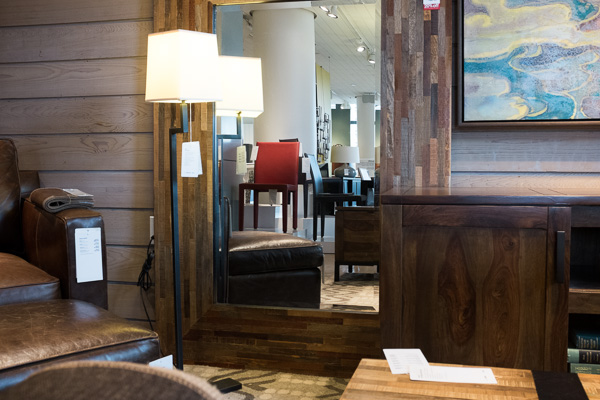
Red Chair, Crate and Barrel

Red Chair, Crate and Barrel

To be honest, the jury is out on what I think about this image above, and I think it will have to age before I figure it out.  But I had to try it.  It might look completely normal and banal, especially if you live in the U.S., but it takes on a different meaning when you compare it to this image taken by William Eggleston in 1984.  The ‘boringness’, the browns and muted tones become the point of this image.

Tell a story

Pretend you have a viewer that knows nothing about where you are from. Maybe you live in a quiet corner of suburbia, where all the houses look the same, or maybe you’re in the middle of a rural area.

Your photos should tell the viewer what it is like to be there. Think about it as though you are talking to the viewer through your images. Use your images to tell the stories that surround you, no matter how big or small.

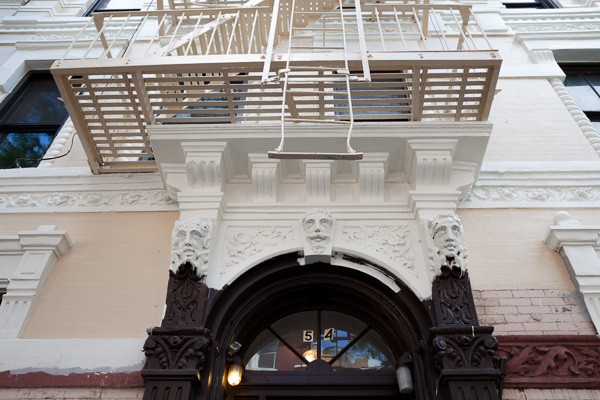
Gentrification

Gentrification

I have walked past this building with my camera every couple of days for almost seven years.  Then, one day there was an interesting image.

Experiment

It is a hard process to learn to photograph this way and you will undoubtedly take many bad photos during the learning process. You will have a hard time figuring out what is good and even asking for feedback might confuse you further. I don’t know about you, but that sounds like fun to me.

Find a friend or two or a fellow photographer that you trust and show them your images over time. Let them grow with your work while you do. This will become invaluable feedback down the road and help you talk out your work with them.

The only constant in this process is that it takes time to succeed and to figure out what you are doing and what you are photographing. There is no roadmap for doing this type of work.

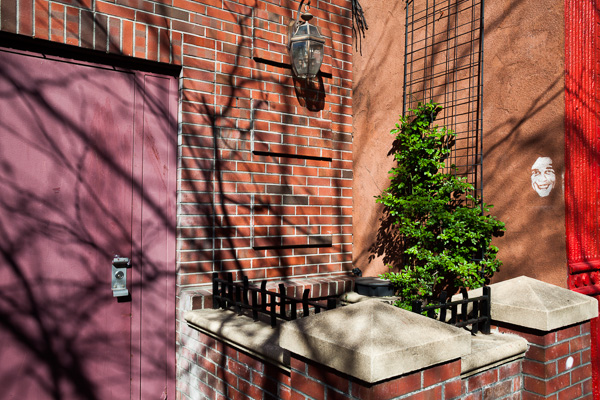
White Face

White Face

Don’t take your area or lifestyle for granted

Just because something does not seem interesting to you, does not mean it is not interesting. The way you do things and your environment are both vastly different from the rest of the world. Keep that in mind. Capture intimate aspects of your world for others and they will find those photographs fascinating, even if they might feel routine or normal to you.

Great photographers can do great photography anywhere, however it sometimes can take a little inspiration to get the wheels turning. The most important thing is to walk out the door frequently. If you think you are not going to capture any interesting images then you are not going to walk out the door.

Take a long walk, anywhere, at anytime, and challenge yourself to capture an interesting image.

A Plant Grows, Chase Bank

Plant, Chase Bank

Further viewing

For further viewing, I highly suggest exploring the work of Williams Eggleston, Lee Friedlander, and Stephen Shore.  They are photographic masters who have spent much of their time photographing in this way.

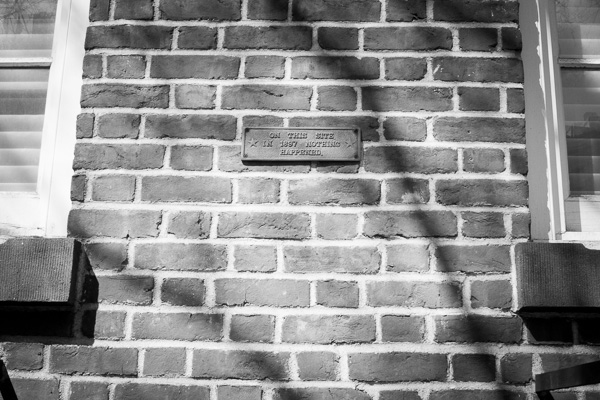
On This Site in 1897 Nothing Happened

On This Site in 1897 Nothing Happened

The post How to do Great Photography Even When Your Surroundings are Boring by James Maher appeared first on Digital Photography School.

Digital Photography School

 
Comments Off on How to do Great Photography Even When Your Surroundings are Boring

Posted in Photography


Versatility – Your Guide to Shooting Great Travel Photography

05 May

Professional travel photographers realize that the key to their business is versatility: to be able to shoot all styles of photography, and to consistently capture great shots even under very trying conditions. To be a strong assignment photographer you must identify your weakness and then work on it.

Instead of concentrating on what you shoot well why not break out of your comfort zone and try something more challenging? Some of the most experienced photographers from The WideAngle network give us their insights into a few of the specialized fields of travel photography.

DPS1 DALE MORRIS

Image by Dale Morris

PHOTOGRAPHING WILDLIFE

British born wildlife photographer Dale Morris has built a reputation as one of the most widely published photographers in South Africa. His background as a trained naturalist allows him to capture aspects of the natural world that many photographers would miss.

I’m a firm follower of the philosophy that wildlife photography is not only about getting a great image but equally about taking time out to observe, and more importantly, really enjoy the experience of being in the company of wild animals. It helps to understand that every animal stands at the center of its own concentric set of invisible circles and if something unusual (a photographer for example) steps across the outermost boundary, the animal will react (usually by becoming more alert to your presence). Move across the next circle in the set too soon and an imaginary alarm is triggered. You are now running the risk of eliciting a flight or fight response. An animal’s rear end vanishing post-haste over the horizon rarely makes for a good photo, nor does a trampled and gored camera. Move slowly and in a non-threatening manner. The secret to wildlife photography is patience, empathy, awe and a true appreciation for your subject matter.

SHOOTING MOVEMENT

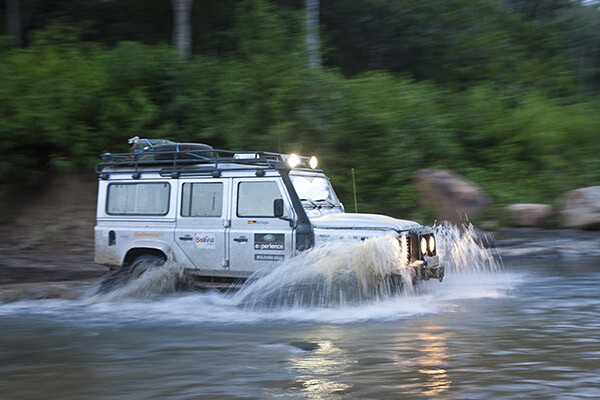
Craig Pusey is a dedicated motoring and expedition photographer, who’s never scared to go the extra mile for a shot. You might see him scaling an Indonesian volcano or lying face down in an Andean stream just to get the perfect angle.

DPS2 CRAIG PUSEY

Image by Craig Pusey

The perfect panning shot takes practice. For people and animals moving perpendicular to you, aim to keep your shutter speed between 1/15th and 1/90th of a second to get a bit of blur. For faster things, like cars or galloping horses, set a speed of between 1/60th to 1/125th. Try to focus just ahead of the moving object and if you have the opportunity shoot a trial pan before your subject even arrives. (This will check exposure and focus but also make sure that no obstacles are going to get in the way of your pan…it also limbers you up!).

It’s best to start with a higher shutter-speed and then work down, but it’s also dependant on distance from you to the subject. The farther away, the lower your shutter speed will need to be to show the effect of panning. With practice you can shoot slower, and will be better be able to judge the object’s speed.

SHOOTING ARCHITECTURE

Laurence Garçon is an experienced Parisian artist, publisher and assignment photographer. She has travelled widely but has retained an unshakeable love affair with her hometown and is recognized as one of the city’s most visionary photographers.

DPS3 Laurence Garcon Misty Morning

Image by Laurence Garçon

Firstly, be aware of the highlights. Play with the speed and the aperture of your camera to avoid over-exposing sunlit walls, etc. Secondly, try to frame a composition that will best display the building. Be prepared to wait a while for something to happen (a passer-by, a vehicle): this could be the element that will be capture the soul of the quarter. Be aware that, in some countries you may need specific permission to photograph some particular buildings (especially airports, military buildings, ministries, embassies, sometimes even bridges). If you plan to publish your photograph of a single (isolated) contemporary building, try to always mention the name of the architect.

PHOTOGRAPHING INDIGENOUS PEOPLE

Axel Fassio left his home in Italy to travel the world (everywhere from Antarctica to Iceland) on assignments. In 2013 he won a first prize at PX3 Prix de la Photograhie Awards in Paris and a 3rd at the International Photographic Awards. He’s currently based in Nairobi.

DPS4 Axel Fassio

Image by Axel Fassio

Ideally, if time allows you should approach a community without a camera and hangout a bit, getting to know the elders and playing with the children. The last thing you would want to do is have to rush to take pictures. Resulting images would lack of spontaneity. A few hours are enough to create a basic ‘relationship’ within the community and the resulting images will benefit hugely.

If your time is limited, always contact the elders and ask permission to take photos. A money arrangement is common when time is tight but it’s not desirable. Negotiating to pay for each images tends only to produce aggressiveness among the people, bad memories for you and usually this shows in the shots.

Longer zoom lenses can be used to “steal” candid portraits and a wide-angle held at waist level often has the effect of bringing the viewer more intimately into the scene. It is always better to avoid clearly aiming at a person unless he/she is very comfortable and is agreeable to being photographed. In this case, a medium-length zoom is perfect for portraits.

DPS5 Wylie Maercklein

Image by Wylie Maercklein

SHOOTING PORTRAITS

Wylie Maercklein is an experienced Texas-based photographer and videographer with a specific talent for powerful portraits.

Portraits are similar to other action shots to me, in that you’re just waiting for the right moment. With a group, that moment is something larger – an externalized emotion. An action. With an individual portrait, it’s an internalized thing – it’s the moment when their defences drop just a little and you see something living behind their eyes.

LOW LIGHT AND NIGHT PHOTOGRAPHY

British photographer Jonathan Perugia has built a reputation as one of the most prodigiously published assignment photographers in the business. In addition to his freelance work he leads photography holidays with Authentic Adventures.

I love the way cities look after sunset, so I shoot a lot in low light. If you want to really explore this kind of photography, then adding a fast prime lens to your collection (if you use a DSLR) is invaluable. I use the Canon 50mm f/1.4, which is pretty good value. Another invaluable bit of kit is a tripod. Go for something as sturdy, but as light, as you can afford. Carbon fibre is ideal. Try to avoid anything flimsy. There are some good mini tripod options too, with bendy legs that will hook around a handrail at a push. Generally I avoid using flash, so I’m often at high ISOs. I recommend testing or researching your camera to see how high it will go without too much noise.

DPS6 Jonathan Perugia

Image by Jonathan Perugia

For cityscapes, the best time to shoot is the period after sunset but before dark, when there is still colour in the sky. On a clear night you can get fantastic electric blue skies with all the city lights illuminated. Note that the brighter electric lights will start to blow out as the sky gets darker, so you may want to choose your frame accordingly. If there are no bright lights in the shot, you can use longer shutter speeds to get colour out of a sky that appears dark to the naked eye. Cloudy skies reflect street lights and can look quite surreal. This is the perfect time to do classic long exposure traffic shots with streams of light from the car lights. Smaller apertures give points of light a kind of starburst effect that looks more natural than starburst filters. You’ll notice that you can start shooting into doorways, shops, windows that wouldn’t work in daylight when the light outside is much brighter than inside.

Experiment and enjoy the different effects and colour casts you get after dark – even ‘painting with light’ with long shutter speeds and no tripod. Look for pools of light from street lamps, windows, street stalls.

SHOOTING LOCAL CEREMONIES

Ingetje Tadros is a Dutch-born photographer who emigrated to Western Australia. She spends much of each year on assignment in various parts of Asia.

DPS7 Ingetje Tadros

Image by Ingetje Tadros

While shooting ceremonies pay close attention to your choice of lens. Personally I like the 35mm prime as I like to be close and look for little moments. But, I also find it important that people feel comfortable with my presence and you need to be aware of personal space. When rituals are taking place it’s important to be aware what the rules are and specifically to know where you should and shouldn’t stand. Take your time and don’t just go in snapping. Try to limit use of flash to an absolute minimum as you should be as unobtrusive as possible.

Do you have any tips on versatility? How do you approach travel photography? Please share in the comments below.

The post Versatility – Your Guide to Shooting Great Travel Photography by Mark Eveleigh appeared first on Digital Photography School.

Digital Photography School

 
Comments Off on Versatility – Your Guide to Shooting Great Travel Photography

Posted in Photography


Life is too Short to be Taking Photos of Great Subjects in Bad Light

10 Apr

Sometimes the lessons are so basic, they are overlooked. This is one I feel needs to be repeated for new photographers as well as a gentle reminder for those of us with decades of shooting experience.

Peter-West-Carey-_MG_5589

Photography is the process of recording light. It is the same with your eyes, every waking moment of every day you use them. You see subjects around you and mentally are so busy classifying and figuring them out (“What a beautiful red Ferrari! Is it slowing down for a right hand turn?”) that when it comes time to lift a camera to your eye, you forget to stop and think about what is really going on.

You make pictures of light first

Of what are you really taking photos? You are taking photos first and foremost of light. Most of the time it is light reflected off of a subject but sometimes it is of the light source itself (e.g. sunsets, light painting, fireworks, etc.). In the case of the former, you need to remember the subject itself might be interesting, but if the light is ‘bad’ then the subject doesn’t stand a chance.

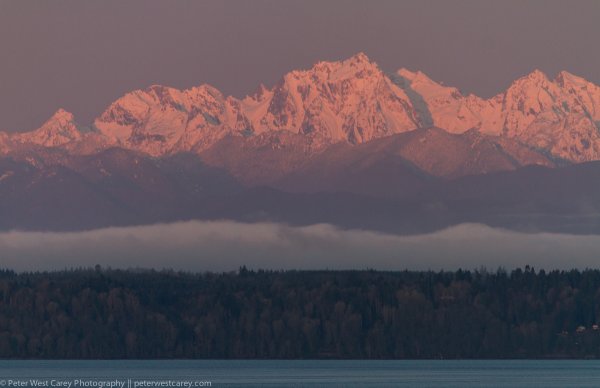
Let me illustrate by example. These images are of the Olympic Mountain Range in Washington State, where I live part of the time. They are beautiful this time of year, when it’s not raining so much we can’t see them, and when they still have a full coating of snow for contrast. I took the pictures at different times of day of the exact same subject, but the results are different each time.

Sunrise 6:12AM

Sunrise 6:12 a.m.

After Sunrise 7:04AM

After Sunrise 7:04 a.m.

Nearing Mid Day 10:28AM

Nearing Mid Day 10:28 a.m.

An Hour Before Sunset 6:10PM

An Hour Before Sunset 6:10 p.m.

The Morning Before At Sunrise 5:59AM

The Morning Before At Sunrise 5:59 a.m.

Light changes throughout the day

The images were all processed exactly the same and while the color balance naturally changed, what is most dramatic is the change in light and effect it has on the impact of the image.

A great photographer always thinks about light, even when she or he doesn’t have a camera up to their eye. It is light that makes the photo. The great thing about it is there is no ‘perfect’ that need be obtained in this regard. There is simply different light which will impart a different feel to the subject and whether or not you like that light.

What if the light is bad?

Sometimes it is the tone of the light, or the angle, or the intensity, or the temperature. The best practice for taking the best picture possible of a given subject, in my mind, goes something like this, “Wow, that’s a beautiful subject! Does the light work right now?”

This process has stopped me from taking more bad pictures than I can count. This is because I have reviewed thousands of my own crappy images with bad light, but great subjects, that this process has been cemented into my mind.

The next time you are enamored by a fabulous subject, ask yourself, “Is this the best light for this subject?” If not, your photos will be lackluster. If the light is not right, find a time or place where it will be better. If the situation won’t allow for great light, set your camera down and just admire the subject that caught your attention in the first place.

Life is too short to be taking photos of great subjects in bad light.

The post Life is too Short to be Taking Photos of Great Subjects in Bad Light by Peter West Carey appeared first on Digital Photography School.

Digital Photography School

 
Comments Off on Life is too Short to be Taking Photos of Great Subjects in Bad Light

Posted in Photography


2 Great Lighting Tutorials with Joe McNally

10 Mar

Joe McNally is a name you have likely heard before. He’s a National Geographic photographer and a master of lighting. He’s also seemingly fearless, or a little bit crazy – doing things like photographing from the very tip (and I do mean TIP as in climbed up tiny ladders on a harness tip) of the worlds tallest towers, and other hair raising stunts.

I’ve seen Joe teach live and he’s as entertaining as he is informative. If you ever have a chance to go to one of his seminars, do it! He’s engaging and you’ll go away having had a lot of fun and learning a ton. I promise.

For today’s video I have two lighting tutorials by Joe. The first is on comparing sizes of the light source and how it effects the final image. He goes from a regular on camera flash direct from camera, to off-camera, to adding diffusers and softboxes.  After each step he shows the resulting image. So if you are having a hard time grasping quality of light and how it is affected by the size of the light source – watch this, it should help.

Comparing sizes – small flash

So? Did you get some clarity from that? Hope so.

The second video has Joe deconstructing a recent shot he did, explaining how it achieved it using both the ambient light from the setting sun and flash.

Combining flash and ambient light at sunset

Want more on lighting and more from Joe – check out these books:

Want more on off-camera flash techniques:

  • Balancing Flash and Ambient Light Using an Incident Light Meter
  • Working with Off Camera Flash and TTL
  • How the Shot was Done: SNK Police Cosplay

The post 2 Great Lighting Tutorials with Joe McNally by Darlene Hildebrandt appeared first on Digital Photography School.

Digital Photography School

 
Comments Off on 2 Great Lighting Tutorials with Joe McNally

Posted in Photography