RSS
 

Posts Tagged ‘gear’

Gear of the Year: Richard’s choice – Fujifilm X-T2

14 Dec

If 2016 has made one thing very clear it’s that not everyone agrees with one another about what is logically sound. Indeed there’s been a considerable trend towards questioning the very value of expertise and facts. So perhaps it’s fitting that my camera of the year wasn’t chosen with the logical, dispassionate approach that is often necessary for my job.

I just chose the one I enjoyed the most.

If technical capability alone were my primary consideration, the Nikon D500 makes a strong case. Its autofocus is jaw-dropping, even compared with top-end sports cameras and its ergonomics are amongst the best I’ve encountered. The Sony a6300 is technically impressive, too, and I loved the video footage I got out of it (though it helped that I shot a series of short clips, so never encountered the temperature limitations that have got parts of the Internet so hot and bothered).

But my product of the year is, without question, the Fujifilm X-T2. Not because it’s unquestionably better (it isn’t), but because it’s the camera the most made me want to get out and shoot, this year.

Completing the picture

Maybe it’s a question of delayed gratification. I loved a lot about the X-Pro2 when I reviewed it at the beginning of the year, not least the image quality. I also really enjoyed shooting on a system with a good range of prime lenses for the APS-C format, rather than one that, through omission, tries to push me into buying a different format.

But that experience didn’t prepare me for just how good the X-T2 was going to be. Looking back, the X-Pro2 gave hints at the video and autofocus improvements Fujifilm had made, but the full impact didn’t really hit me until I got to spend some time shooting with the X-T2, which gives a little more control and flexibility to both.

With the X-T2 it feels like all the pieces have come together: a camera that captures beautiful color with ergonomics I enjoy that can shoot pretty much anything I point it at, without me ever feeling I’m working around its shortcomings. And, as a bonus, that will produce excellent footage when I come up with an idea for a short film, rather than a series of stills. Having something like that sitting in your desk is tremendous encouragement to go out and shoot.

Projects like this video, for instance, shot by some friends and I using the X-T2, battery grip and BlackMagic Video Assist:

Parts of the video were shot in F-Log and graded with the help of the color correction profile (LUT) that the company provides, which gives a hint about how much thought has gone into the T2’s video capabilities. The battery grip improves the battery/heat management for video shooting, though in near 0°C (32°F) conditions, overheating was the least of our problems. I’ll admit that I like the camera less if I have to operate it with gloves on.

A question of style

And, before you think I’ve just been bewitched by the X-T2’s retro looks and handling, I should make clear that, while I think it’s an attractive camera, my reason for enjoying the X-T2 isn’t that I believe camera ergonomics reached their zenith in 1987. For instance I don’t, personally, find the dedicated shutter speed dial especially useful: locking it to ‘A’ for most stills shooting and having to set to 1/60th then spin the rear dial one notch to shoot video at 1/50th of a second.

“I find it as quick and easy to use as the most polished contemporary DSLR”

However, between the AF point joystick, large, well-placed exposure comp dial, lenses with aperture rings and enough custom buttons to give me access to the settings I change most often, I find the X-T2 as quick and easy to use as the most polished contemporary DSLR. Not inherently better, but similarly good, for the way I shoot. And yes, this is all about me.

It’s such a truism that I’m sure I’ve said it before: having a camera you know will give you the results you want can be an inspiration. The X-T2 is not cheap, by any means. Even as an occasional video shooter, I’d also need to shell-out for the battery grip, so the costs would add up pretty quickly. But, if I had to put my hand in my pocket and buy one camera tomorrow, this would be it.

And, as we enter the last week of our loan period, the X-T2 is the camera I’m least looking forward to shipping back. I’ll miss it, and I’ll miss the encouragement that it’s given me. Merry bloody Christmas.

Articles: Digital Photography Review (dpreview.com)

 
Comments Off on Gear of the Year: Richard’s choice – Fujifilm X-T2

Posted in Uncategorized


Gear of the Year: Chris’ choice – F-Stop Tilopa camera bag

09 Dec

F-Stop may not have had the best year when it comes to its public image, but I have to say that the gear they produce is absolutely fantastic. I received the F-Stop Tilopa and the Large Pro ICU as a gift from my now wife about a year ago (after waiting several weeks for it to actually ship; my wife was on the phone with them more than she would have liked) and since then I’ve taken it everywhere from the dense forests and goliath waterfalls of the Columbia River Gorge that borders Washington and Oregon to the freshly formed lava fields on the Big Island of Hawai’i. To say that the bag has exceeded my expectations is an understatement.

The black rock that you see in the foreground is recently hardened lava comprised of silica glass and other types of rock. That rock tore up my ripstop North Face hiking pants and the heat from the lava flow actually melted the soles of my boots, but my F-Stop Tilopa bag surprisingly thrived out on the laval fields with really only minimal wear and tear considering the shooting conditions.

Photo by Chris Williams 

The biggest test that I’ve put the Tilopa through came while I was on my honeymoon with my wife this past August. We were lucky enough to have the opportunity to shoot the G61 lava flow ocean entry point on the big island of Hawai’i thanks to Bruce and Tom from Extreme Exposures. The conditions were dangerous to say the least. The soles of my boots literally melted and my tripod got pretty beat up from the silica glass that was formed by the cooling lava. My F-stop bag on the other hand held up to the extreme conditions and sustained no lasting damage. I’ve owned several camera bags from a variety of companies over the years and I have to say that this is by far the most durable and comfortable camera backpack that I have ever owned.

Pictured here is the ICU that I currently use; this is the F-Stop Large Pro ICU. As you can see there’s plenty of room for lenses and extra gear. I currently have one telephoto, one wide-angle, a prime and midrange zoom along with my camera body and accessories stowed away in this ICU with room to spare.

One thing that makes this bag so useful is the ability to customize how you want to store your gear. There are several ICUs (Internal Camera Units) that you can choose from including one specifically designed for telephoto lenses, one designed for cine lenses and a full range of ‘Pro’ ICUs that are fully customizable to fit wide-angle and telephoto lenses along with filters, camera bodies and any accessories that you might need along the way. They also offer Slope Style ICUs that allow for more room in the top of the pack, Shallow ICUs for those with smaller lenses or the Micro ICUs for those with smaller camera kits. 

One of the main selling points for me was durability and weather resistance. The bag is almost impenetrable to moisture and pretty much any other elements that mother nature decides to throw at you thanks to a combination of oxford-weave ripstop nylon and a proprietary thermoplastic polyurethane film that was developed by F-stop Gear. I’ve put the bag through the wringer in terms of terrible weather conditions; torrential rain, sleet, snow, intense tropical humidity and some pretty darn cold temperatures and I’ve never had a problem with any sort of moisture penetration.

This action shot of me wearing my Tilopa was taken by my good friend and fellow landscape photographer Max Foster. The spray was pretty intense at this waterfall, but my gear stayed dry.

Photo by Max Foster

The Tilopa also has a number of exterior straps that can come in handy for strapping a tent or a sleeping bag to the pack during multi-day backpacking trips. One of the biggest issues that I’ve had in the past with camera bags is that none of them really fit me well. I have extremely broad shoulders, so most bags just don’t fit right and I end up using up almost all of the excess strapping material to make them work (and they’re still pretty uncomfortable). The Tilopa’s design makes it extremely versatile for all body types; I’ve never had a bag that fits as well as this one and it’s super comfortable to wear for long periods of time to boot (even when it’s completely filled to the brim with gear).

Another added bonus is that the bag will fit in nearly every airplane overhead compartment that you will encounter, even with the tripod attached (I just remove my tripod ball head and stow it in the bag). I’ve flown with a handful of airlines over the past year in the US and I’ve had no issues. The same can be said for most international carriers across the world, as the majority of the photographers that I’ve interacted with have had no problems stowing their bags in the overhead compartments on flights to Iceland, Patagonia, New Zealand and the like.

In my opinion the F-Stop line of camera bags, including the Tilopa series, are by far the best on the market. Although the customer service can be fairly bad and the wait times can be disappointing; the bag is worth the wait and the frustrations. 

Articles: Digital Photography Review (dpreview.com)

 
Comments Off on Gear of the Year: Chris’ choice – F-Stop Tilopa camera bag

Posted in Uncategorized


Gear of the Year: Tamron 90mm F2.8 Di VC USD Macro F017

06 Dec

Regular readers of the site have seen more photos from this lens than they might realize.

The new Tamron 90mm arrived on our doorstep at some point in the early spring. I admit at first I wasn’t very excited, it just seemed like a run-of-the-mill ‘check that box’ lens for Tamron to round out their SP lineup. I also wasn’t excited because its EF mount meant getting out a beast: the Canon EOS 5DS R.

I took it along for my first trip to the Skagit Valley Tulip festival. Part of me was excited for this as-close-to-Holland-as-you-can-get-in-the-USA experience, but I wasn’t very happy about the fact that I was going to be doing tripod work.

In public.

With families around.

I’m a bit of a grump.

This isn’t to say I don’t see the value in using a tripod. Believe me, I do. However, most units readily available to me aren’t exactly easy to use when it comes to getting way down low to flower level. Most of them stood slightly taller than a tulip when at their shortest, and the tripods with the ability to turn the center column sideways to get low don’t work well with geared heads (my preference).

So, I was going in to battle with damaged morale, cumbersome equipment and a bit of apathy towards the entire scenario.

My opinions shifted as the day progressed.

Turns out, I really like 1:1 macro lenses, and the latest Tamron 90mm was the first to really help me realize that. Image stabilization, which isn’t new for this type of lens, was a huge assist for handheld shooting, especially with a camera that loves to highlight when you get it wrong.

Autofocus also worked better than I’m used to with macro lenses. The lens’ AF motor is quite quick, even at the closer focal lengths. Moving from minimum focus distance to infinity happens quick enough that it isn’t the end of the world if the lens suddenly decides to do a full hunt – although I rarely encountered that problem with the 5DS R. In fact, I took quite a few shots through the OVF and they came out perfectly sharp, which isn’t always the case when using the 5DS R.

Okay, so I shot tulips with it, who cares?

Sometimes in our articles you’ll see what we call ‘beauty’ shots of cameras headlining pages of our reviews. These images are typically shot outside somewhere pretty around the office, done by various members of the team.

After my positive experience shooting the Tulip Festival with the Tamron 90mm Macro, I started grabbing the lens and the 5DS R any time I went outdoors for product photography. From then on until we had to return the lens, I ended up bringing it with me any time I went to take beauty shots.

The focal length and focus capabilities are great for photographing all cameras, and the VC system means I can stop down for greater depth of field while still shooting handheld. It made the task quick and easy, allowing me to experiment and be creative.

So when I say you’ve seen more images from the Tamron 90mm than you might think, it’s because they’ve been hero images, or ‘beauty’ shots as they’re affectionately called in the office, for our reviews. Professional results, moderate price tag. That is what we’ve seen a few times now in Tamron’s SP series, and the 90 is no exception.

To see our beauty shots without any retouching check out our sample gallery.

$ (document).ready(function() { SampleGalleryV2({“containerId”:”embeddedSampleGallery_5004187909″,”galleryId”:”5004187909″,”isEmbeddedWidget”:true,”standalone”:false,”selectedImageIndex”:0,”startInCommentsView”:false,”isMobile”:false}) });
Articles: Digital Photography Review (dpreview.com)

 
Comments Off on Gear of the Year: Tamron 90mm F2.8 Di VC USD Macro F017

Posted in Uncategorized


Gear of the Year: Carey’s choice – Canon PowerShot G9 X

05 Dec

Introduction

I remember very clearly when the Canon PowerShot G9 X arrived in the DPReview offices. I was a fairly recent hire, and myself and another recent hire took the G9 X and the G5 X out to shoot some samples. As a person who still clings to old full frame DSLRs, I got along with the G5 X much more so than with the G9 X. It had way more controls, a good viewfinder, a brighter zoom lens and a real grip. I really liked that camera (and my first field test was done with one), but never really felt any sort of pull toward its smaller sibling. Until recently.

Typical Tuesday. Processed to taste in Adobe Camera Raw. 28mm equiv., ISO 125, 1/500 sec, F4. Photo by Carey Rose

It’s so darn tiny

It was the recent review of the Sony RX100 V which really helped me appreciate the value of having one of these 1″-sensor cameras always in your pocket. I have a lot of respect for folks who can create beautiful and impactful work using a cellphone, but personally, I still like the idea of using a dedicated device. (Of course, this may change in the future – after all, I don’t carry my iPod Classic with me everywhere anymore).

When it comes to skinny jeans, this is a mighty big difference. Though this is an RX100 IV, it is identical to the V in terms of width.

So while the RX100 V was incredibly powerful, I started to wonder whether there was something that could get me close to that level of stills image quality but was even smaller – like, ‘not worry about slipping it into the back pocket of my skinny jeans’ smaller. And then it hit me – the Canon G9 X.

The G9 X is 10mm thinner than the RX100 V (and IV), which doesn’t sound like a ton until you realize that it’s close to a 25% difference. By contrast, my Ricoh GR slides into a pants pocket much easier than the RX100 V, and it splits the difference in width between the two. The Ricoh GR is also within 1mm of width of the original RX100, as well.

Macro performance is pretty good – but it’s best to stop down a bit. Processed to taste in Adobe Camera Raw. 28mm equiv., ISO 125, 1/640, F2.8. Photo by Carey Rose

Most impressive to me? The G9 X is just a couple of milimeters thicker than a PowerShot S95, and that camera’s sensor was pretty tiny in comparison. Technological progress is great.

In any case – when you’re talking about cameras and pockets, every little bit counts.

The interface is well thought out

One thing that has been near-universally covered and largely condemned across the internet is the G9 X’s heavy dependence on its touch interface. There’s only one dial, which is around the lens (and it’s clicked! Thank the maker!), and there’s not even a four-way control pad on the rear. I read time and time again how the interface works out okay, and the screen is of good quality, but that it can be fiddly in menus, playback and for fine adjustment of controls. However, almost everyone missed something incredibly crucial.

JPEGs can be pretty nice out of the G9 X, after you’ve taken time to set them up. I’m not so big a fan of them at defaults. Out-of-camera JPEG with custom color settings and noise reduction set to minimum. 54mm equiv., ISO 800, 1/125, F4.5. Photo by Carey Rose

The G9 X, despite having one less control dial than the RX100 series, is more responsive to set up in actual use. That’s because you can use the zoom toggle, lens control ring and ‘Set’ button to navigate the menus sans-touchscreen. It’s brilliant, fast and once you realize it’s there, easy. There’s another review erroneously stating that you can’t delete an image without using the touchscreen – also wrong. Just hit the ‘Set’ button in playback, hit it again, and use the front ring to confirm deletion. Sweet.

Swipe functions in playback work great, but again, you can use the control ring for that. While you’re shooting, the control ring manipulates the setting that makes the most sense at the time – in aperture-and-shutter priority, it controls those respective values. In Program Auto, it controls exposure compensation. Admittedly, in full manual, it defaults to aperture, which is fine, and though you can add an on-screen soft button to have the ring cycle through other controls, that just means you do have to use the touchscreen to manipulate other values. So it’s not perfect.

Obligatory sunstar photo, processed to taste in Adobe Camera Raw. 28mm equiv., ISO 125, 1/400 sec, F9. Photo by Carey Rose

The ‘slow’ lens isn’t that slow

Okay, well, it sort of is. I mean, it’s a 28-84mm (focal length equivalent) F2.0-4.9 lens, making it slower on the wide end than the first two RX100’s, and on par with them on the long end, but with less reach. But a fun fact – the newest RX100 models with 24-70mm equivalent lenses are slower than this model by the time they’ve zoomed from 24-28mm (they reach F2.5 by 28mm). Of course, if you need 24mm, then this isn’t quite so valuable. I personally find that 28mm is usually wide enough for a walk-around camera, and I actually appreciate the small amount of additional reach (versus a 70mm limit) on the long end more than I expected.

I tried getting an angle to keep that tree from poking out of the top of the house, but obviously I failed. Processed to taste in Adobe Camera Raw. 84mm equiv., ISO 125, 1/640 sec, F4.9. Photo by Carey Rose

Also, I can’t get too upset about this, because I fully expect the ‘slowness’ of the lens is what really makes the G9 X so much thinner than the competition.

The rest

The image quality is predictably good. It uses the same (or very similar) sensor as the RX100 III. It has typically good Canon color response, and though the noise reduction in JPEGs is pretty sloppy, once you crank it down to its lowest setting, it’s not too bad.

The auto white balance is a bit off here, but the tap-to-focus worked great. Out-of-camera JPEG, 28mm equiv., ISO 320, 1/60 sec, F2. Photo by Carey Rose

The built-in pop-up flash is slick and handy, and operationally, the camera feels much snappier than any RX100 – except, of course, burst shooting, but that shouldn’t be a surprise (it manages less than 1fps in Raw). Despite it being the second-cheapest 1″-sensor compact out there (the original RX100, still available new, takes that crown), it feels very well-built and if it matters to you, the red-and-silver design accents around the dials add ‘a touch of class.’ There’s even the lovely detail of having a tripod thread in-line with the center of the lens.

This isn’t a class-leading video camera by any stretch of the imagination, but Canon’s 1080/60p video with optical and digital stabilization continues to impress, though the fact that the control ring can’t be de-clicked limits its application somewhat (albeit the touchscreen allows silent manipulation of some controls). But here’s one thing this camera can do that the Sony can’t – accurate and easy touch-to-focus-and-track in video, even with a ‘lowly’ contrast-detect only system. 

That’s a wrap

Here’s hoping the sun doesn’t set on the smallest member of Canon’s revamped G-series. Processed and cropped to taste in Adobe Camera Raw. 28mm equiv., ISO 125, 1/125 sec, F4. Photo by Carey Rose

I continue to be a fan of the G7 X Mark II, and I hope that Canon will bring the improvements seen in that model to the G5 X and G9 X as well. If they can shoehorn 4K video and maybe even better burst performance into those as well, the whole RX100 line will have even more competition – which is never a bad thing.

Updated Sample Gallery

Please do not reproduce any of these images on a website or any newsletter / magazine without prior permission (see our copyright page). We make the originals available for private users to download to their own machines for personal examination or printing (in conjunction with this review), we do so in good faith, please don’t abuse it.

Unless otherwise noted images taken with no particular settings at full resolution. Because our review images are now hosted on the ‘galleries’ section of dpreview.com, you can enjoy all of the new galleries functionality when browsing these samples.

$ (document).ready(function() { SampleGalleryV2({“containerId”:”embeddedSampleGallery_7869320616″,”galleryId”:”7869320616″,”isEmbeddedWidget”:true,”standalone”:false,”selectedImageIndex”:0,”startInCommentsView”:false,”isMobile”:false}) });


Articles: Digital Photography Review (dpreview.com)

 
Comments Off on Gear of the Year: Carey’s choice – Canon PowerShot G9 X

Posted in Uncategorized


Grip Gear introduces Movie Maker, a tiny slider for smartphones and action cams

30 Nov

Grip Gear, maker of the handheld smartphone stabilizer IndieSolo, has launched the Movie Maker: a portable, electronically driven slider built for smartphones, action cams and compact cameras.

Powered by AAA batteries or a separate power bank via USB, the Movie Maker includes a rail, motorized head and a clamp to accommodate most smartphones. Eight speeds can be utilized, as slow as 6mm/min up to 300mm/min to create slow motion, time-lapse or real-time stabilized panning shots.

Upon reaching the end of the track, the Movie Maker will automatically bounce back and move in the opposite direction. The motorized head can also be used separately from the rail to pan 360-degrees for panorama. It’s all designed to pack away into a compact kit that can fit into a camera bag or backpack.

The Movie Maker is available now on Amazon for a list price of $ 130.

Press release

Hollywood production tools arrive for smartphones.
Grip Gear launches The Movie Maker tool set

<GripGear. 31 Oct. 2016. For immediate release. > Smartphone movie tool kit company, Grip Gear has upped the ante in video production with the launch of Movie Maker: a set of miniature production tools that puts all the equipment a movie company might use to make a major Hollywood production into a tiny package that will help turn a smartphone into a full-blown movie making resource.

As smartphones become more and more capable, they are becoming one of the most important tools for creating video content for both brands and individuals. By 2019 video will account for almost 80 percent of all consumer Internet traffic. Even now, Facebook experiences 8 billion video views per day. But as video proliferates, standing out from the crowd becomes an increasing challenge.

The Movie Maker helps video makers move up into a new realm of production quality and creativity with gadgets like an 8-speed electronic tracking slider, a 360º panoramic function and suction cups to hold your phone in impossible positions for the most amazing shots.

Co-founder Rhys Bradley said: “As a former grip in the film industry, I’ve long had a vision of creating a film set experience in a smaller format for smartphones and other small cams. With the Movie Maker, smartphone users can now create beautiful movie quality footage that used to take massive pieces of expensive film making equipment with a set of highly portable tools that can fit in a camera bag!”

Co-founder Dean Tzembelikos said: “After 3 years of development and meticulous attention to detail and quality we are proud to launch the Movie Maker. It will enhance the video making experience and bring out the creative juices in everyone. This is a genuine breakthrough in putting movie making into the everyone’s hands”

The Movie Maker will shortly be available on Amazon as well as at www.gripgear.com and cost USD $ 129.

Technical information:

  • Can use 99% of all smartphones, action camera’s and light compact camera’s
  • Folds small and is light weight and backpack friendly • Comes with 2 x 31cm tracks, additional tracks are available for extensions
  • Power Options: Plug into a power bank to extend operating times +36 hours (10400MA), or use 2 AAA batteries for 2 hours
  • Remote control for both speed and direction (8 speeds)
  • Bounce back for continuous motion: When the movie maker reaches the end of track it will not stop but move in opposite direction
  • Motor speeds vary from very slow, mostly used in time lapse 6mm/minute and to a 300mm/minute for real time.
  • Operates as a manual slider
  • Convenient ¼ inch threads allow you to attach The Movie Maker to a tripod, suction cup
  • Can climb 90 degrees
  • Weighs 900g and can hold up to 300g phone/camera
  • Can operate upside down
  • Use without tracks for pans or 360 Panorama shots
  • No vibration, even on full zoom videos are stable
  • Easy to use

Articles: Digital Photography Review (dpreview.com)

 
Comments Off on Grip Gear introduces Movie Maker, a tiny slider for smartphones and action cams

Posted in Uncategorized


How to Travel Safely with Your Camera Gear

08 Nov

One of our favorite things about becoming photographers is the way the entire world seemed to open up once we picked up a camera. We currently live wherever we’re shooting. Over the past year, we’ve visited 10 countries on three continents, and countless cities in between. While we love the freedom of travel, our biggest concern is always how to travel safely with our gear. Whether you’re hopping on flights every other week or want to keep your camera with you to document your kiddos around town, there are some simple hacks to keep your gear in good shape and out of thieving hands.

travel-safely-with-gear-10

Make a list and check it twice

Before you leave the house, make a detailed list of every piece of equipment you’re taking with you, along with all the serial numbers. It’s helpful to be able to tally the list up whenever you’re in transit. There isn’t a worse feeling than hopping on a train and realizing you thought your 50mm lens was in your backpack when it is actually waiting for you on the kitchen table. Make a list, run through it, and save yourself the effort of keeping every piece of gear in your own head. Having the serial numbers recorded will help you report and track them should they ever go missing.

travel-safely-with-gear-1

Our travel gear checklist changes depending on how long and far we’re traveling. When we took a six-month honeymoon in Asia last autumn, our list looked very different from when we fly to say, New York to shoot a wedding. Our two checklists look something like this:

Personal Travel Checklist

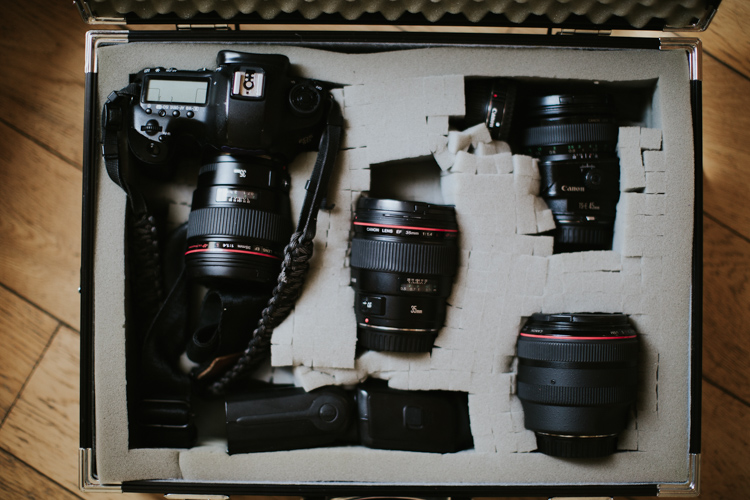
  • 2 Canon Mark IIIs – one for each of us, though sometimes we get crazy and only bring one body.
  • 50mm f/1.2 lens – ALWAYS. We never leave home without this lens as it affords us the greatest flexibility to shoot any scene.
  • 45mm f/2.8 tilt-shift lens – When we travel through cities, having a tilt-shift is ideal for us, and since we also love shooting portraits with it, it somehow became one of our most versatile lenses.

Professional Travel Checklist

  • 2 Canon Mark IIIs
  • 50mm f/1.2 – If pressed, we could probably shoot an entire wedding with it!
  • 45mm f/2.8 tilt-shift – Again, awesome for setting scenes and for individual portraits.
  • 35mm f/1.4 – Shooting couple’s portraits with this one sets a slightly more interesting scene than the 50mm and allows you to get better environmental details. It’s also our go-to for dance floor shots.
  • 85mm f/1.2 – Though we wish this one had a faster focus, it is just nuts how gorgeous this lens is. It takes portraits to an entirely new level. But it also weighs roughly one million pounds, so we use it less often than we’d like because it’s just too heavy for casual personal travel.

travel-safely-with-gear-4

Depending on the size and scope of the project, we may also bring:

  • 70-200mm f/2.8 – This is a battle because we definitely prefer to not carry it. But it’s a great catch-all lens for shooting from the very back of large ceremonies or capturing wedding guests from a distance and staying out of a scene.
  • 17-40mm f/4 (we use this wide-angle lens less and less, but occasionally it provides a good way to grab an entire wedding ceremony or a building from closer up. We’re increasingly turning to our 35mm for the work we used to put on the wide angle.)

Our lighting setups are the most difficult part of travel, and inevitably earn us a long date with security. If we’re bringing our bare minimum, it includes the following:

  • Canon Speedlite 600EX-RTs – We have two matching Speedlites and the ST-E3-RT Transmitter. These serve us well for most weddings, but if we have to bring something a little heftier, we’ll also add . . .
  • Profoto B1 setup – This light is amazing. But it adds one more whole bag to carry on with us and we try to leave it for home studio work as much as possible to reduce our carry-ons. with the Profoto 36″ RFI Octa Softbox. The B1 also requires a . . .
  • C-stand –These are heavy as heck and a huge hassle to fly with, so we normally end up leaving it at home and just renting it wherever we land. For some equipment that is just too bulky, heavy, or awkward, consider the relative costs and benefits of renting it at your shoot location. For us, the $ 20 or so to rent a C-stand far outweighs the hassle of traveling with it.

travel-safely-with-gear-9

Before you leave for any trip, whether personal or professional, it’s imperative to know your ideal outcome for photos. We don’t bring a zoom lens or flashes on personal trips because we don’t shoot wildlife or anything that would require long lenses. We use only ambient light whenever possible and prefer our night photography to only incorporate the light that already sets the scene.

Even for professional projects, we pack very carefully and keep our projects in mind as we put our gear together. Some large weddings or events might require a wide angle lens or a longer zoom, but if we can avoid bringing a lens we will. This requires more work on the planning end, working closely with our clients, and knowing our equipment really well. But it’s worth it when we can pack all of our gear into a little bag and be very confident that we can produce great work with it!

Downsize

On that note, pre-travel is a great time to downsize your gear. Take only what is most important to you, and consider the images you’ll be aiming for while you travel. We never leave home without our 50mm f/1.2, but depending on the kind of trip we may also bring along our tilt-shift lens or our 1950s Yashica film camera as well. You want to have options, but bringing along your entire catalog of gear without a specific plan for it will only add stress to your life. Keep it light, and use what you’ve got.

travel-safely-2

We got this case used for $ 20 at a camera shop and it has the best repackable/removeable foam pads in it.

travel-safely-1


If you’re flying, this is especially true. Keep your gear minimal enough to fit in your carry-on luggage. We would rather crawl to a destination than check a bag containing our most precious gear and let it out of our sight. Yes, it’s a super hassle to run your gear through security (they always seem to be blown away by light sets, old film cameras, and unusual lenses), but it also leads to some good conversations, and the extra time is worth the peace of mind.

Going through customs

A thought on customs forms: If you enter a country that may have an iffy relationship with journalists, lay low and don’t mark “photographer” or “journalist” on their customs forms. Drawing attention to your camera gear and your ability to use it will often create more hassle at the airport when you land. While we don’t encourage anyone to lie on their entry forms, the more you can stay under the radar the better.

travel-safely-with-gear-11

Protect your data

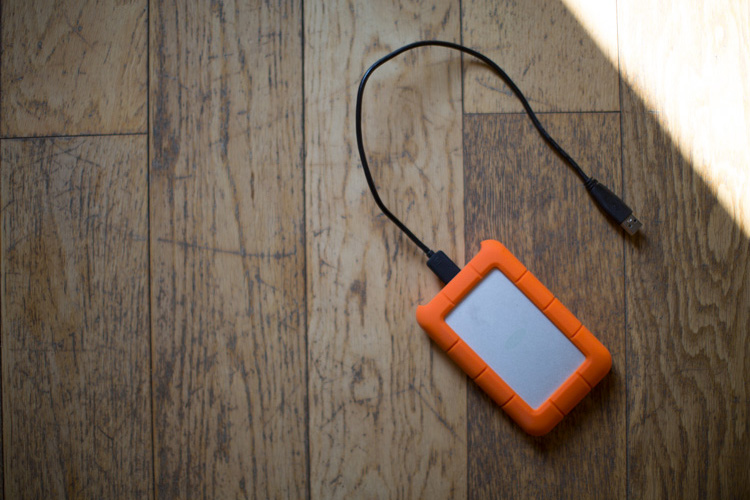
We carry LaCie Rugged hard drives with us everywhere and back up whenever we can. We use online storage when we can find fast internet, but good luck finding wifi strong enough to upload a thousand raw files when you’re high up in the Burmese mountains. I keep track of this thing just as closely as I keep track of my passport. Why LaCie Rugged? The last thing we need is a hard drive failing because the dirt road was too bumpy when it was sitting in the back of some mud covered jeep.

Note: Price LaCie Rugged drives on Amazon.com and B&H Photo’s websites. 

lacie-drive-travel-photography

We also use large memory cards that we back up every night. We always have a backup card in our briefcase, but as long as our cameras are with us, the memory card is as well. 

Make your gear look cheap

Avoid fancy, overdone camera cases and accessories. Anything with brand logos or obviously expensive features will draw attention to you. While you move your gear into your new low-key camera bag (there are lots of solid options out there that look like a regular bag, or you can buy protective inserts to slip into the old backpack that’s already sitting in the back of your closet), make a couple of tweaks to your gear that will instantly make it look less conspicuous:

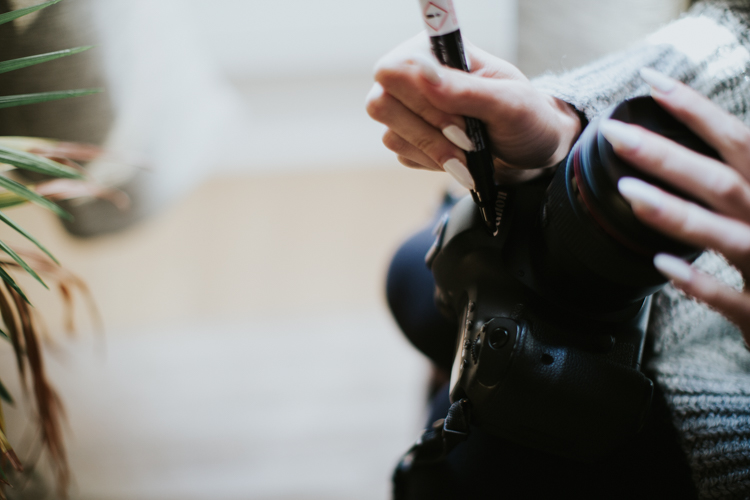
  • Remove your logo-covered camera strap (I mean, unless Canon is paying you to advertise for them, you don’t need their logo on your strap) and replace it with something more personal.Cover up your camera brand on the body with black gaffer’s tape (or even duck tape if you’re super committed). Not having that white print will make your camera look more average and take the attention away from how much you might have paid for it.

travel-safely-with-gear-14

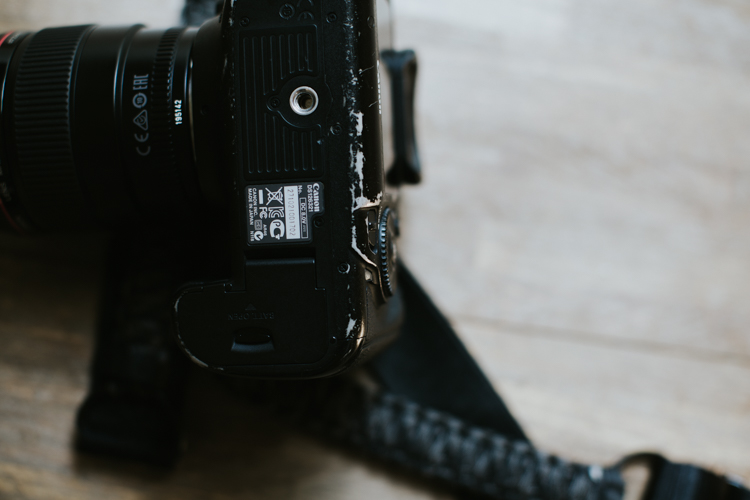
  • Scuff it up, baby! We’ve been shooting on our Canon 5D Mark IIIs for over three years now, and they are certainly showing the wear and tear of being dragged all over the world—and I love it! It’s like that well-worn sweater that everyone else thinks is a bit too beat-up, but you love it more every time you wear it. Those scuffs and marks mean you’re using your gear and that it’s serving you. Don’t rush to polish it up or replace it when it looks old. That charm is hard-earned and will cause anybody eyeing your gear to think it’s worth less than it probably is. Double win.

travel-safely-with-gear-12

Safety at your location

Of course, getting to a place in one piece is only half the battle. Once you’ve landed, you have to keep your wits about you and work wisely. A few brief thoughts on shooting safely once you arrive:

  • Just like at home, don’t display your camera gear in a way that invites attention. Keep it close to your body, on a strap, or zipped into a bag that’s close to you. It’s amazing to me how many people will wander around with their cameras on full display, which doesn’t just make you look like a tourist, it’s inviting thieves to follow you.
  • Don’t talk to strangers about your stuff! We sat next to some drunk and friendly travelers in a bar once who wanted to show us their big zoom lenses they just bought. They made fun of our tiny 50mm, but we couldn’t help but feel like we’d get the last laugh as our camera setup was (though more expensive than theirs) tiny, inconspicuous, and less appealing to thieves who don’t know the difference.travel-safely-with-gear-8
  • A thought on tripods: we never, ever travel with them. They are awkward to set up in public areas, invite unwanted attention, and in 99% of cases aren’t actually necessary. We use makeshift tripods – things like banisters, tables, rocks, bar tops, etc., to get a steady shot when needed. We too often see other photographers making a big deal out of setting up a tripod Hi, thieves! We’re over here!) when they could have gotten just as excellent a shot with a slightly faster shutter speed. Strongly consider whether or not you need a tripod and make the best decision for yourself, and if you do bring one, keep your camera strap around your neck while you shoot
  • While you should always be careful in unsafe neighborhoods, we also recommend that you do not limit yourself to only visiting “safe” areas while you travel. Not only can theft happen anywhere, but you’ll miss some of the best parts of travel if you restrict yourself too much. When shooting in neighborhoods with a higher likelihood of crime, be alert. Walk confidently with your head up and avoid hunching around your gear as if you have something to hide. Keep your bags zipped and always be aware of pick-pockets, no matter where you are. Shoot confidently without inviting too much attention to yourself. 

Conclusion

travel-safely-with-gear-7

Capturing all the beauty and hidden corners of this world is one of the most satisfying things about becoming more proficient with our gear. Though there are risks anytime you leave the house with pricey items strapped to your shoulder, this gear is made to be used, to show some wear and tear, and not to be thought of as so precious that it’s left at home.

How do you protect your gear when you travel? Please share your comments and tips below.

googletag.cmd.push(function() {
tablet_slots.push( googletag.defineSlot( “/1005424/_dPSv4_tab-all-article-bottom_(300×250)”, [300, 250], “pb-ad-78623” ).addService( googletag.pubads() ) ); } );

googletag.cmd.push(function() {
mobile_slots.push( googletag.defineSlot( “/1005424/_dPSv4_mob-all-article-bottom_(300×250)”, [300, 250], “pb-ad-78158” ).addService( googletag.pubads() ) ); } );

The post How to Travel Safely with Your Camera Gear by Tim Sullivan appeared first on Digital Photography School.


Digital Photography School

 
Comments Off on How to Travel Safely with Your Camera Gear

Posted in Photography


Accessory review: MindShift Gear SidePath camera backpack

05 Nov

The MindShift Gear SidePath
$ 99.99 | MindShiftGear.com

MindShift Gear makes a lot of cool bags; I’ve used several over the years and have been impressed with their durability. The most recent bag to join the MindShift Gear family is the SidePath. It caught my attention because it features a near identical design to one of my all time favorite camera backpacks, the Lowepro Hatchback. These ‘hatchback’ style bags consists of two main compartments: an upper area to store personal stuff and a lower area, accessible via the back of the bag, for storing one’s camera gear.

I’ve found this style of bag to be exceptional for everyday use. I almost always have a camera on me (usually a Nikon D750 and 35mm F2), but often need additional room in my bag for carrying my hard drives, extra clothes and a snack. With the SidePath, I have plenty of room to do this. I was also able to keep my camera and hard drives separate from my cloths and food. Also convenient: the bag has a trapdoor to open up the two compartments into one. This makes it a good grocery-getter as well.

The SidePath is available in one size only, and offers a total volume of 14 liters (by comparison, Lowepro has a 16L and 22L version of the Hatchback).

Specifications:

  • Exterior Dimensions 10.6″ W x 19″ H x 5.9″ D (26 x 47 x 15 cm)
  • Camera Compartment: 9.1″ W x 6.7″ H x 5.5″ D (24 x 15 x 14 cm)
  • Tablet Slot: 8.3″ W x 9.8″ H x 0.6″ D (22 x 25 x 2 cm)
  • Weight: 1.6 lbs (0.7 kg) (includes rain cover)

Design and Construction

I live in Seattle and spend a lot of time walking and biking between my apartment, the office and concert venues. I had previously been using the Lowepro Hatchback before swapping it out for the SidePath and found I sacrificed very little in the switch (I have the 16L Hatchback, so I did lose some volume.) After three weeks using the SidePath, including a weekend trip to Santa Cruz California, and I have mostly positive things to say.

What I like most about the design of this bag is how ordinary it looks; it doesn’t scream ‘I’m a camera bag!’ Moreover, I love how well-protected my camera gear is in the hidden lower compartment. Now, I’m not suggesting you sneak your camera somewhere it doesn’t belong, but the lower gear pocket makes doing just that VERY easy. And because the lower compartment is padded, it also doubles as a cooler-like area. Once again, I’m not suggesting you fill the compartment with brews, but it does perfectly fit a six pack of cold beverages.

The exterior of the bag has a water repellent coating while the inside is coated in polyurethane. This helps to keep your stuff dry when not using the dedicated rain cover. More on that later.

The side pockets are impressively stretchy. As you can see from the photo, I was easily able to stuff a water bottle in one and a Manfrotto BeFree tripod in the other. The two bungee cords located on the upper left and right of the bag can be used to further secure any oversized gear, like a tripod or flash stand.

Comfort

I’m 5’10” and have found the SidePath comfortable to wear, even for an extended period of time. It is also perfectly sized for every day out-and-about use (the next slide will give you a better idea of just how much you can lug). The back is well-padded, though the shoulder straps could benefit from some additional padding.

Another benefit of the hatchback-style design is that most hefty items, like your camera and lenses, will be located in the lower portion of the bag, right up against your back. This makes hauling heavy equipment less painful. There is also a chest strap and buckle on the over-the-shoulder straps for added support.

Capacity

You can seriously fit a lot of stuff in this bag, including: a full frame DSLR body (Nikon D700), 2 lenses (Tokina 17-35mm F4, Nikon 85mm F1.8), two film cameras (a Polaroid 300 and Olympus Stylus Epic), a flash, card wallet, rain cover, 11-inch Macbook Air (you could probably squeeze a 13-inch in there instead), laptop charger, water bottle, tripod, US map, sunglasses, extra socks (it rains a lot in Seattle) and various personal items.

Upper Storage

The SidePath has only one interior zippered pocket, which I found disappointing. The more places I can organize and secure my stuff the better. It’s located up against the front inside of the bag. There is also a pocket against the back of the bag that MindShift is advertising can fit a 10” tablet or 1.5L hydration reservoir. I didn’t attempt to fit either of those in the pocket, but did find it a useful space for stowing my notebook, memory card wallet and extra Instax film. I only wish it had some way of securing itself closed, whether it be Velcro or a zipper.

An 11″ laptop can easily slide down into the front portion of the bag. I also used that area to store my iPad while flying to Santa Cruz. There is also quite a lot of space in the open portion of the top area, which I was able to fill up with my flash, laptop charger and Polaroid camera.

Lower Storage

Whether you’re hauling sodas or camera gear, the lower area is well-padded and well-secured. The bag ships with three padded velcro pieces that can be reconfigured to your liking.

One feature the Lowepro Hatchback offers that is missing on the SidePath is the ability to remove the lower gear portion of the bag completely. Still, it is nice that the divider between the upper and lower area can be dropped down to combine the two area into one.

Side Pockets

The ability to haul lightstands or a tripod securely is invaluable. The previously mentioned bungees chords located on either side of the bag are an excellent feature. And one not offered by the competition.

Rain Cover

The SidePath ships with a rain cover. Good thing because I tested the bag during the month of October, which just so happened to be the wettest October in Seattle history. Thankfully, never once did I find myself with wet gear. I’m also quite fond of the clips on the rain cover: they really help secure it to the bag and ensure no moisture is getting in.

Areas for improvement

There are aspects of the bag’s design I feel could be improved upon. The zipper track for the upper compartment allows the bag to open up dangerously wide. On several occasions over the course of this review, I unzipped the bag only to have it flop open and spill the contents of the upper compartment everywhere. If the zipper started and ended an inch or two higher than the bottom of the compartment, I think this would go a long way to rectify this issue. Or maybe I just need to get use to not opening the zippers all the way.

I mentioned it before, but the back pocket could also really benefit from a zipper or velcro to secure itself closed. Because seriously, only one zipper pocket on a camera backpack is not enough, ever.

The bottom line

The MindShift SidePath is not a carbon copy of the Lowepro Hatchback, but the two are strikingly similar in design. There are aspects of each I like better, for instance I love the SidePath’s bungee cords for securing light stands or tripods, and I love the Hatchback’s removal lower compartment.

On its own, the SidePath is an excellent day pack or travel pack. It can haul an impressive amount of gear, all in secure fashion and is well-versed to deal with inclement weather. At $ 100 MSRP it is pricier than the Lowepro Hatchback 16L (and a bit smaller), but it easily gives my favorite camera bag of all time a run for its money.

What we like:

  • Lightweight
  • Spacious design with an impressive amount of room
  • Two compartments, one for personal items, one for gear
  • Camera gear compartment is secured against one’s back when wearing the bag
  • Trapdoor allows the two compartments to be one
  • Exterior of the bag is treated with a water repellent and it ships with a rain cover
  • Side pockets can easily fit a small tripod or light stand
  • Bungee cords allow for tripods or light stands to be easily secured to the bag

What we don’t:

  • Only one interior zipper pocket
  • Camera compartment can not be removed
  • Upper compartment opens too wide, this sometimes lead to its contents spilling out
  • Shoulder straps could use a little more padding

Score:

Articles: Digital Photography Review (dpreview.com)

 
Comments Off on Accessory review: MindShift Gear SidePath camera backpack

Posted in Uncategorized


Voltaic Array and Offgrid solar backpacks charge gear on the go

03 Nov

Voltaic has launched two new backpacks on Kickstarter, the Array and Offgrid. Both models feature integrated solar panels and removable batteries that charge when the bag is in sunlight. The Offgrid model is the smaller of the two, featuring a 6W solar panel and a 4,000mAh battery, while the Array has a larger 10W solar panel and a 19,800mAh battery. Both batteries can be removed and charged using a wall outlet, as well.

The Array model includes Voltaic’s V72 Universal Laptop Battery with selectable 12V, 16V, and 19V options for charging ordinary laptops. It also has a USB port for charging USB devices. The battery takes 12 hours to charge via solar or 4 hours to charge from a wall outlet, and it is suitable for charging a DSLR camera between 3 and 6.5 times, a tablet 2.5 to 3 times, a drone one time, a laptop up to 1.7 times, or a smartphone between 4.5 and 8 times.

The Offgrid bag model is for less demanding devices, featuring a V15 Universal USB Battery with a 5V/1A output. This battery takes 4.5 hours to charge in the sun or 4 hours to charge from USB, and it can recharge a DSLR between 0.7 and 1.5 times. If that’s not substantial enough, however, Voltaic also offers a V44 12,000mAh battery upgrade, enabling it to charge a DSLR between 2 and 4.5 times.

In addition to the solar panel and battery, both models feature easy access channels for the wires, a padded sleeve for a tablet or laptop, space for a camera and lenses, an attachment for carrying a tripod, and external carry straps for attaching other things (such as a sleeping pad) to the bag. The bags are waterproof and described as ‘rugged.’

Voltaic is seeking funding for the bags on Kickstarter, where it offers the Offgrid as an early bird unit for pledges $ 119 or higher, and an early bird Array for pledges of $ 219 or more. The company anticipates the early bird models shipping to backers this December, while non-early bird models are estimated to start shipping in March 2017.

Via: Kickstarter

Articles: Digital Photography Review (dpreview.com)

 
Comments Off on Voltaic Array and Offgrid solar backpacks charge gear on the go

Posted in Uncategorized


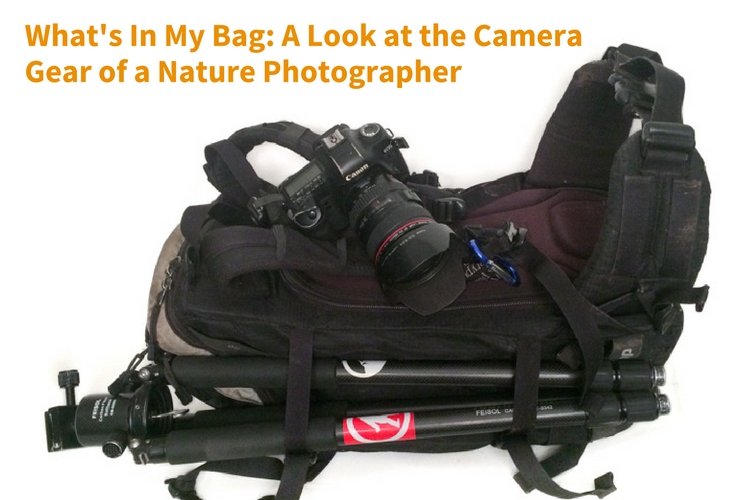
What’s In My Bag: A Look at the Camera Gear of a Nature Photographer

27 Oct

Being a landscape or nature photographer is like enjoying ice cream and having unlimited choice in the ice cream shop. There are so many different kinds of images to make, and different ways of making them in the outdoors, that having a wide variety of gear to choose from is important. This article will take you on a little journey through what’s in my bag. From my own camera gear to the different tools that I use to help me photograph the scenes in nature that capture my attention, and turn ordinary life into extraordinary art.

whats-in-my-bag-a-look-at-the-camera-gear-of-a-nature-photographer

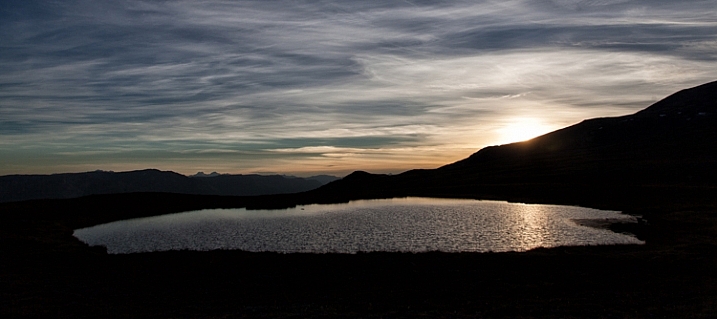
sunset reflected in water

Hudson Bay Mountain Sunset

The Backpack

camera-bag-gear-02

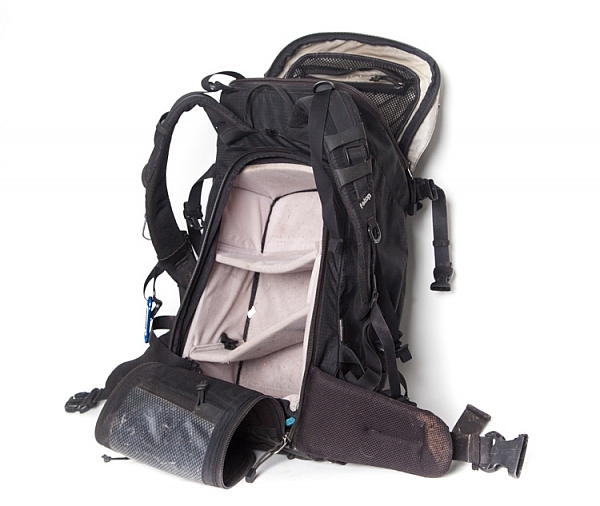
The biggest piece of gear I use is the Tilopa backpack from f-stop. It’s a rugged 50L pack that’s well suited for a wide variety of outdoor scenarios. There are all manner of straps and zippered compartments both outside and inside the pack that are useful for attaching and storing both large and small pieces of equipment. There are three things however that have proven to be especially valuable to me:

  1. Rear Panel Access – instead of just having access to the inside from the top, the Tilopa has a zippered section that allows you access to the bag when you lay it on the ground. This is helpful when you have gear at the bottom of the pack and you don’t want to excavate everything on top of it to get access (as you’d have to do when going in from the top as is typical in a lot of other backpacks).
  2. Internal control unit (ICU) – ICU’s come in different sizes and shapes and allow you to organize and protect your camera equipment. My Tilopa allows for a large ICU with space at the top of the pack for a jacket or food depending on my needs. The backpack also has attachment points that you can use to secure your ICU to the inside of the pack. One really nice feature is that the ICU itself can be zippered shut and removed or carried. If you fly a lot and find that your pack is overweight, you can remove the ICU with your valuable gear and take it with you on the plane while checking the rest of the bag.
  3. Padded Hip Belt – to carry some of the weight on my hips.

Backup Camera Bodies

camera-bag-gear-03

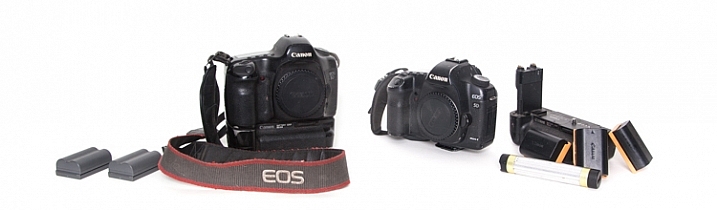
The first digital SLR I owned was the Canon 5D. It was such a huge step up, both in price and quality from its predecessor (a film Canon Rebel). I remember being amazed at how much more of the scene I saw when looking through the viewfinder (thanks to the full-frame sensor). In 2007 I purchased an additional body (Canon 5D Mark II), which meant that I now had a backup. Having two cameras available for use provides a nice sense of security, knowing if one has issues, there won’t be any loss of productivity. The main differences between the two bodies that I appreciate are the live view, greater dynamic range, and higher resolution screen that the 5D MK II provides.

Extra Batteries – Charging Devices

Having spare batteries is especially important when I am out shooting for extended periods of time, or I am photographing winter scenes. I also appreciate having grips for each of my camera bodies that gives me the option of going out with two batteries at a time.

Another situation where a longer battery life is appreciated is when I shoot time-lapse sequences. I can shoot several thousand images at a time and it’s nice to know that I can leave the camera firing away with ample power, and not have to continually come back and check to make sure the battery hasn’t died.

Not only do I have backup camera batteries, but I also had a portable battery charger (Goal Zero Switch 8) for my phone. I say HAD because I used it so much it’s worn out. I am planning on purchasing an upgraded power charger soon. This device can be charged at home by plugging it into a USB port, and then used in the field to recharge a phone (or other devices such as headlamps).

Image Storage

camera-bag-gear-04

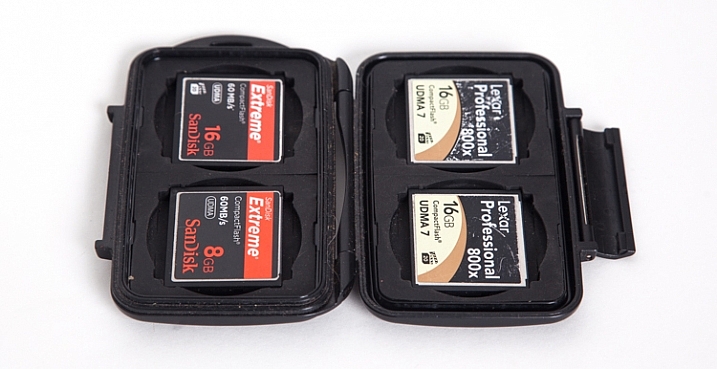
Apart from the Compact Flash (CF) cards in the cameras, I also carry a small (older model) Pelican case with room for 4 CF cards. The majority of my cards are 16GB, but I also carry a 2GB one as an emergency backup in a small pocket in my backpack.

Apart from the flexibility that having multiple cards provides, I sincerely believe in redundancy. You never know when a card might fail, and so to be ready on the occasion that one does, it’s nice to know you can keep shooting. Most of the time I don’t fill the 16GB cards to capacity when I’m out for the day on a photo-adventure. There are occasions however when I’m on a commercial job where having multiple cards is an absolute must.

Lenses

camera-bag-gear-05

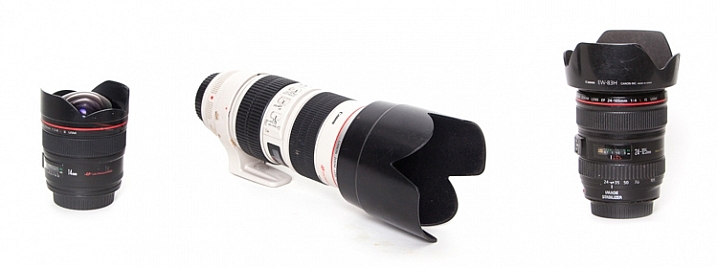
The three lenses I have are all Canon L-series glass.

  • 14mm, f/2.8: This wide-angle prime lens is really useful for capturing wide open vistas. It also comes in handy when you find yourself in tight quarters and don’t have a lot of physical depth between you and your subject. The trick when you’re really close though, is to make sure your main subject is near the center of the frame. Because of the nature of this almost fish-eye lens, objects near the corners of the frame have exaggerated perspectives. It’s almost as if they are unnaturally stretched. (Price it out on Amazon or at B&H)
  • Canon 24-105mm, f/4: This is the lens that I have on my camera the most, primarily because it has the greatest degree of flexibility when it comes to focal length.
  • 70-200mm, f/2.8: Every once and while I go out with the goal of focusing on more detailed aspects of nature, rather than a wide-angle view of a scene. The added focal length as compared to the 24-105mm lens helps me to do that. The large aperture can also provide a nicely blurred background when the need arises.

Tripod

camera-bag-gear-06

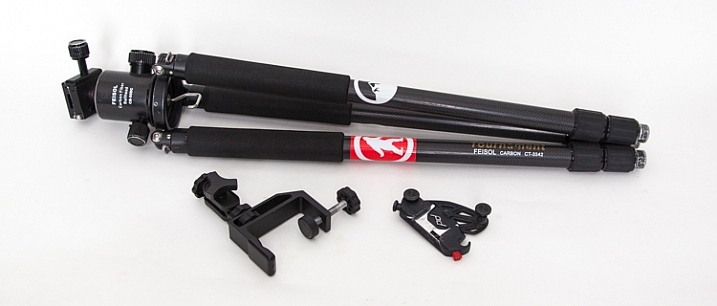
My current tripod is the carbon-fibre Feisol CT-3342 with a Feisol CB-50DC ball head. This allows for flexibility when composing your image and also has the capability to rotate when the camera is locked in place (there are degree markings to help when specific movements are required, for example when doing panoramas). There is a tiny removable hook (which you can hang things from) that screws in underneath the head which is useful when it’s windy and you need that extra measure of stability.

The tripod has 3-section adjustable legs that extend or contract with the simple twist of a rubber ring. One of my favourite features (as I do a lot of winter photography), is the screw-in metal spikes that attach to the bottom of the tripod legs. These come in handy when I’m out on ice, or other slippery situations, to keep the tripod secure during each exposure the camera makes.

I also have a small tripod clamp that comes in handy in situations where using a tripod simply isn’t possible.

A relatively new purchase has been the Capture Pro from Peak Design. This is a device that I attach to the shoulder strap of my backpack and then click my camera (with the appropriate shoe) into it. So the camera is always close at hand when I go out on my adventures. It means every time I want to make a photograph, I can just reach down and release the camera from the clip instead of stopping and getting the camera out of the backpack.

Shutter Release Mechanisms

camera-bag-gear-07

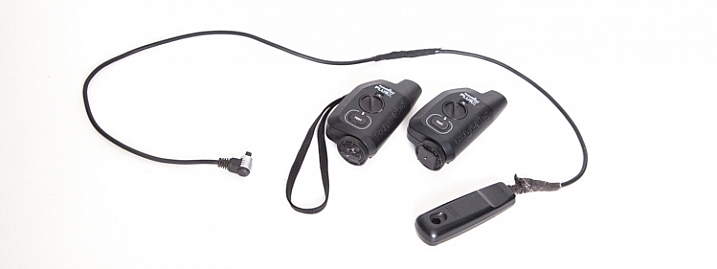
There are two different ways that the shutter on the camera can be activated. First of all, a wired shutter release can be plugged into the side of the camera.

You can accomplish hands-free shutter release wirelessly as well. The Pocket Wizard PlusX transceivers are the ones that I use. One gets attached on your camera’s hot-shoe and plugged into the appropriate port on the side of the camera. Then as long as that device and the second one you can hold in your hand (or even on another camera) are both set to the same channel, when the remote device is triggered, the transceiver on the hot-shoe will fire the camera.

Why remote triggering? It’s very useful in low-light situations where a sharp image is required and hand-holding the camera is not possible. It’s also absolutely essential when doing long exposures.

Promote Control

camera-bag-gear-08

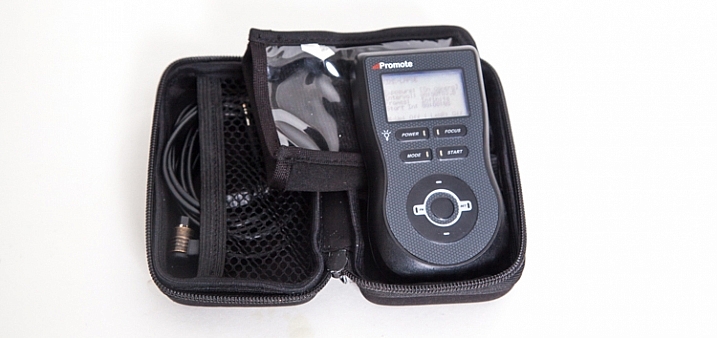
This remote control device can be used for a number of different things, including bulb-ramping and focus stacking. However the most commons things I use it for are my time-lapse sequences and HDR bracketing.

LEE Big Stopper

camera-bag-gear-09

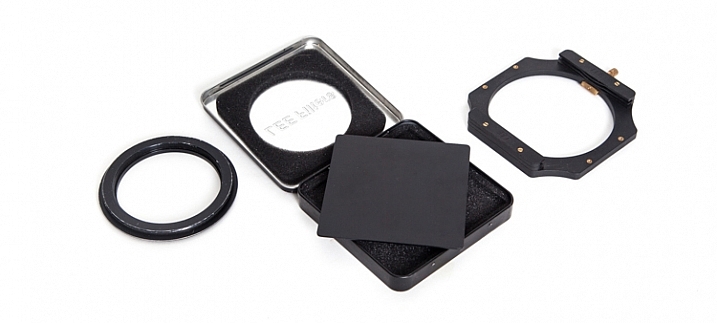
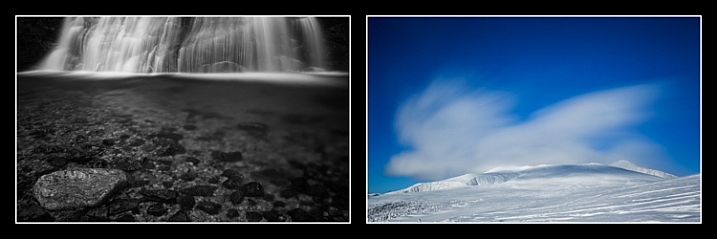
Essentially this is a piece of glass that allows me to make long exposures beyond the normal capabilities of my camera. Practically, it’s a 10-stop neutral density filter that allows me to make a long exposure of a waterfall and turn raging water into silky smoothness. I also use it to capture the motion of clouds in the sky. There is the 4″x4″ piece of glass that slides into a holder, which itself attaches to the camera via a ring that screws into the end of the lens.

Waterfall: 30 seconds, f/4, 12:36pm
Clouds: 30 seconds, f/14, 12:03pm

Other Equipment

There are a few other pieces of equipment that find their way into my pack every once and a while:

camera-bag-gear-10

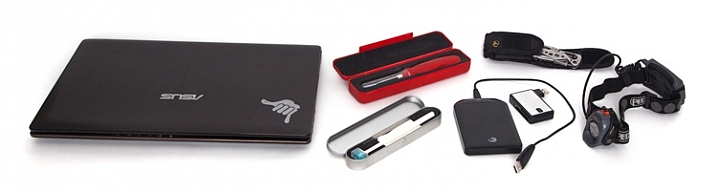
  • Tools for cleaning the camera sensor: I have an older version of the Visible Dust Arctic Butterfly as well as a sensor gel stick.
  • A laptop CF card reader adapter for extended trips where I’m away from my office and need image storage and editing capability.
  • An external hard drive for image backup.
  • Camera battery charging devices
  • Phone for safety
  • Lens cloth
  • Leatherman multi-tool device
  • Headlamp

Final Thoughts on Camera Gear

There you go, a fully-loaded backpack that weighs 35 pounds (15.9 kg). Thankfully not everything comes with me all the time, my back would definitely have something to say about that. With the years I’ve been doing photography, picking and choosing the tools that best suit the goals I have on any given day is what helps me turn ordinary life into extraordinary art.

What tools do you use? Please share in the comments below.

googletag.cmd.push(function() {
tablet_slots.push( googletag.defineSlot( “/1005424/_dPSv4_tab-all-article-bottom_(300×250)”, [300, 250], “pb-ad-78623” ).addService( googletag.pubads() ) ); } );

googletag.cmd.push(function() {
mobile_slots.push( googletag.defineSlot( “/1005424/_dPSv4_mob-all-article-bottom_(300×250)”, [300, 250], “pb-ad-78158” ).addService( googletag.pubads() ) ); } );

The post What’s In My Bag: A Look at the Camera Gear of a Nature Photographer by Curtis Cunningham appeared first on Digital Photography School.


Digital Photography School

 
Comments Off on What’s In My Bag: A Look at the Camera Gear of a Nature Photographer

Posted in Photography


Step by Step How to Clean Camera Gear so it Stays in Good Shape

29 Sep

You may be very aware that photography equipment is not cheap. If you’re not, you’re in for a rude awakening! Camera bodies can cost thousands of dollars and it’s not uncommon for a lens to be even more expensive than a body! Sometimes it’s very tempting to baby your equipment; treat it with extra caution and wrap it up in cotton wool so as no harm will come to it. But with the right care and maintenance, your equipment will last and continue to perform for many years, no matter what, and without the babying!
DANS4206-2

Being a professional photographer myself, my equipment is often subject to some not-so-camera-friendly circumstances. Rain, snow, dust, and even champagne (!) are not uncommon encounters for my equipment. Even though I generally take the right precautions (for example, I use rain covers on for my cameras and lenses if it’s raining) there are times when the conditions are just unavoidable and my equipment gets a little dirty. It’s going to happen. But because I care for my equipment (even though it may look like I don’t!), it keeps on performing and hasn’t let me down. So I thought that I would share some of my tips to help you do care and maintenance on your gear, too.

Supplies needed

The good news about caring for your equipment is that it’s relatively cheap to buy what you need. With so few things in photography being cheap, this comes as a nice relief! Here is a list of what I use to care for my gear.

From a camera store (camera specific tools)
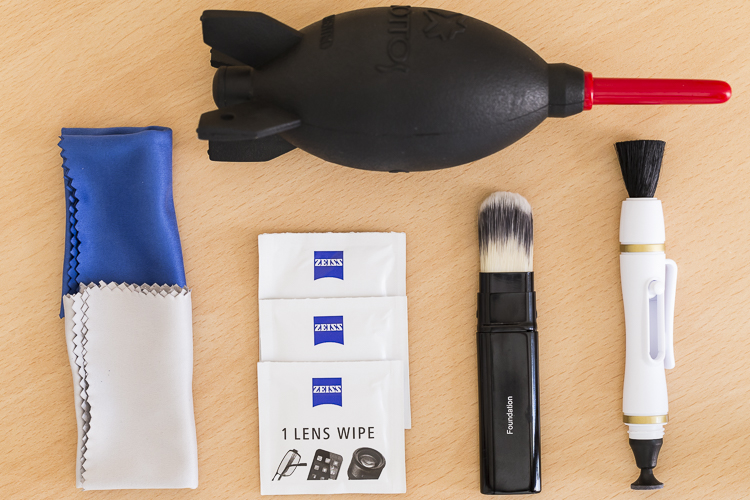
An overview of essential cleaning items.

An overview of some essential cleaning items.

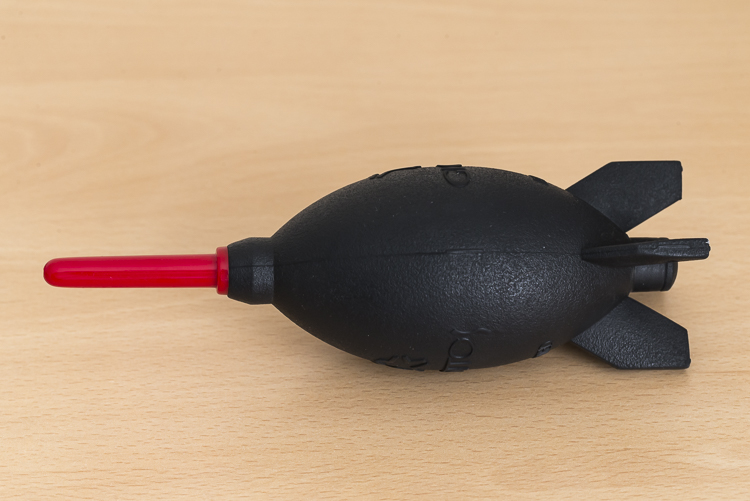
  • Rocket blower: I use this a lot! Squeezing it blasts out a puff of air to blow away any dust.
DANS4199

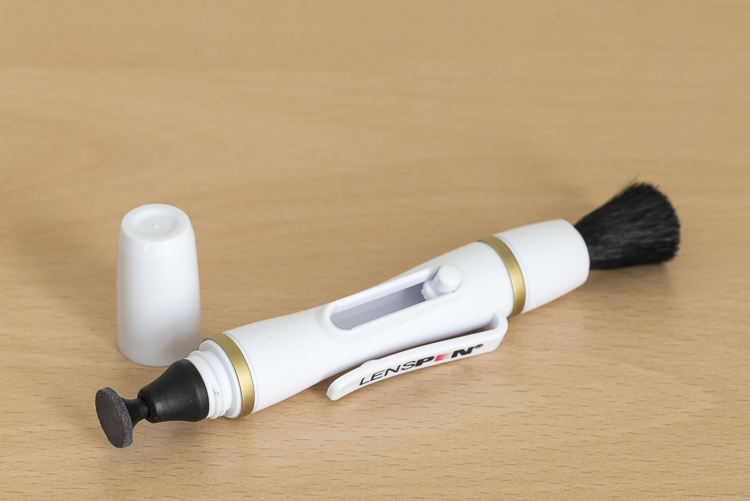
  • LensPen: I have just added one of these to my kit. At one end there’s a small soft, cleaning tip. At the other, is a retractable brush. I haven’t yet used it extensively but have been impressed with it so far. However, the cleaning tip is quite small so it’s not something I use on my larger lenses, such as a 400mm f/2.8; it would take forever.
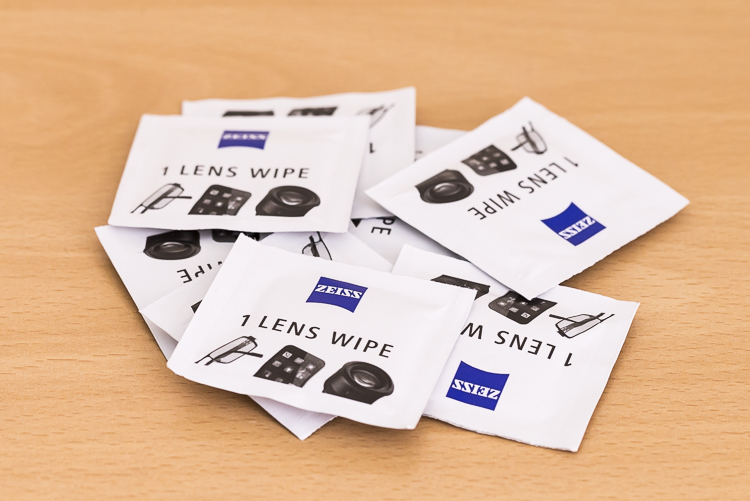
  • Pre-moistened lens wipes: I love these things. These are almost like the refresher towelettes you can get at KFC, but for lenses. They’re pre-moistened with a lens cleaning solution that quickly evaporates from the lens. They’re also dirt cheap. I use the Zeiss brand ones (only ones I’m aware of) which for a pack of 200, cost about $ 13.90USD. (Note: also available by Hoodman especially for camera lenses)
DANS8686

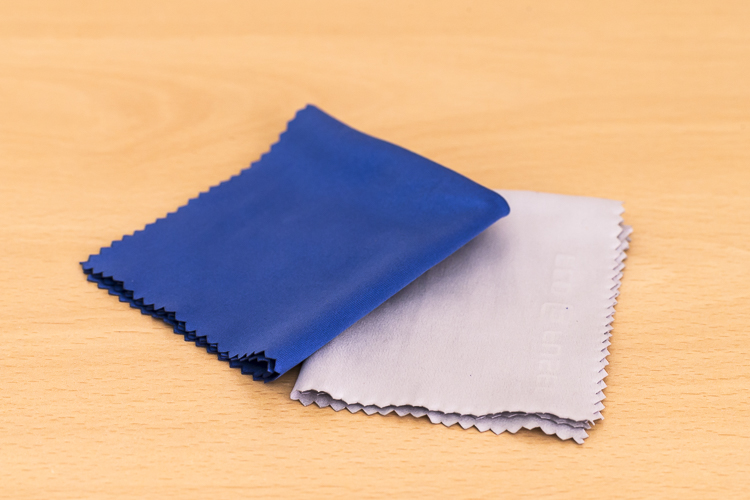
  • Microfibre cleaning cloths: Another cheap must have. I like to have several of these. I reserve one just to buff lenses after using the wipes, and another just for cleaning the lenses without any product at all. I avoid using the same one across many devices, for example, using the same clothing to clean my iPhone screen, then using it to clean my lenses.
DANS8688

From a regular store (non-camera tools):

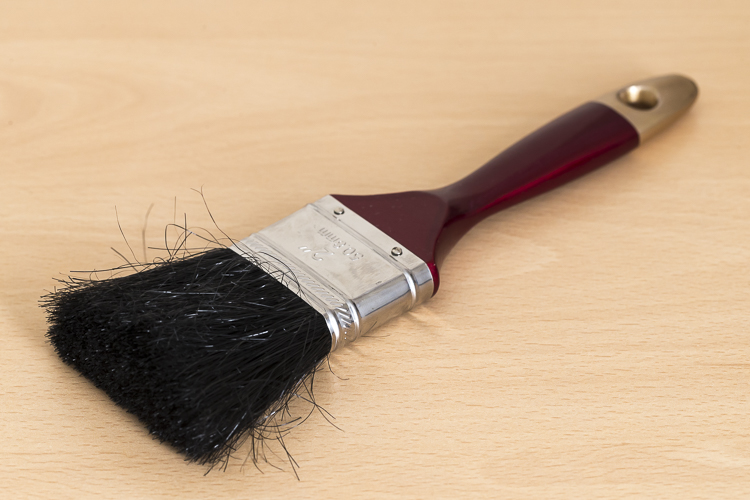
  • A paint brush: These are very handy at removing dust from the surface of camera bodies and lens barrels. Again, buy this brand new. You don’t want this to be super soft either, as it’s just being used on the outside of the cameras and lenses and not on anything that needs to be protected.
DANS4195

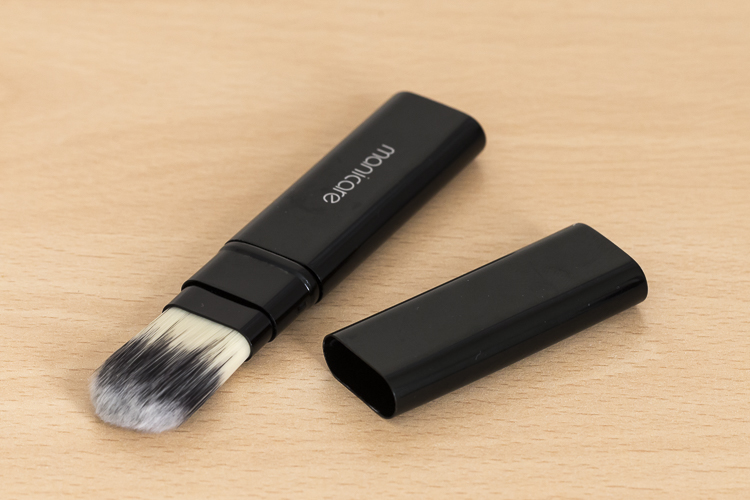
  • Make-up brush: this is something that people often have a laugh at when they see it in my bag. But then think, “Hey that’s a good idea”. If you want to add one to your kit, make sure you buy one brand new. You don’t want your partner’s blush going all over your lens. Generally, the more expensive brushes are better as their bristles are much softer. The one I have is also retractable, which is ideal as it protects the brush.
DANS4193

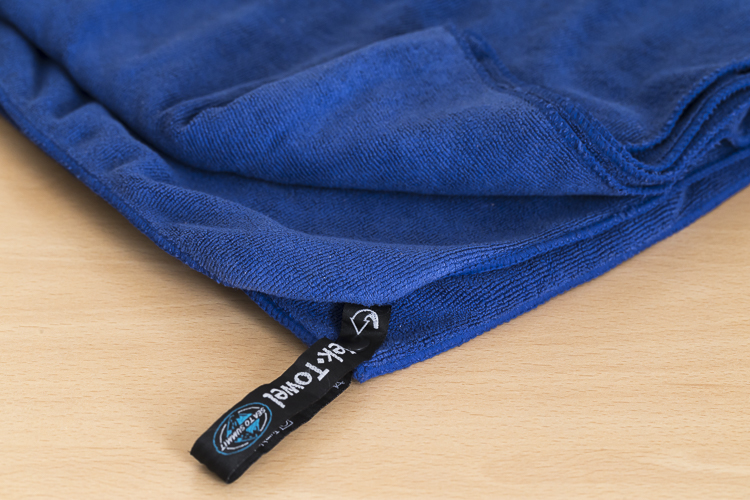
  • Teck Towel: I got a Tek Towel for my birthday years ago and decided to give it a go cleaning my gear. It works brilliantly, but a clean towel will work just as well.
DANS4197

  • Zip-Lock Bag: This is where I store my cleaning gear, to keep it clean and as dust free as possible!

With these items, I am able to keep my lenses and camera bodies looking (almost) like new. Here’s my workflow when it comes to cleaning time.

Lenses

Step 1. Use the Rocket Blower

The first step is to remove any larger bits of dust, etc., from the lens. For this, I use the rocket blower. Squeezing it blows air out of the tip and will blow away larger, loose bits of dust, etc. It’s important not to use a cloth for this step as this can drag dust over the lens and scratch it. This is why the Rocket Blower is very useful.

Step 2. Use the LensPen
DANS4194

Hopefully, the blower was able to remove all the dust. However, there are times when some little specs remain. To remove these, I use the brush on the end of the LensPen. Doing a quick flick of the brush around the lens should do the trick. There shouldn’t be a need to apply much if any pressure at all. This should remove all the dust from the surface of the lens. You may need to do a quick repeat with the blower, though. If you don’t have a LensPen, using a makeup brush works just as well.

If you don’t have a LensPen, using a makeup brush works just as well.

Step 3. Clean the glass

Your lens should now be free of dust and other debris. If there are some marks surface on the lens, this is when to give it a little clean. First off, use the cleaning end of the LensPen. It is very soft and doesn’t damage the glass at all so it is ideal for this. Using a circular motion, work your way around the lens until all the marks have been removed. This may take several passes to achieve. It’s important to not be tempted to push on the lens too hard. Just keep going around in a circular fashion until it’s satisfied. Give the blower another quick go over, too if necessary.If you don’t have a LensPen using a

If you don’t have a LensPen using a clean micro fibre cloth will also do the job. Just use the same circular motion and again, repeating the motion is preferred over applying more pressure.

Step 4. Get rid of stubborn marks

After Step 3, I am normally done cleaning the lens. Step four is completely optional, but sometimes, there is some muck on the lens that just will not budge; no matter how many times it’s gone over. This is when to use the pre-moistened lens tissues.

Using the same circular motion, I work my way around the lens until it’s been completely gone over (I normally go over it two or three times). Then I get a microfibre cloth (generally, a different one that I use just for this purpose) and give the lens a bit of a buff using the same circular motion. I’ll go over it a few times.

I favour these tissues over sprays because I don’t like the idea of having a bottle of liquid inside my camera bag. If it breaks, it can leak into my gear and cause major damage. I also quite like their single-use quality.

For me, using cleaning solutions is an absolute last resort and not something I do each and every time I clean my gear. I also don’t breathe on my lenses (you know, to fog them up to make it easier to wipe off grime) if I can avoid it. If you’re like me and quite a coffee drinker, your breath can be slightly acidic and with repeated use, it can wear down the coatings on your lens. At least that’s what Nikon mentioned a while back in an article I read (ps, I’m a Canon guy).

Step 5. Don’t forget the lens cap

The front element is now clean. But for me, the process is still not yet finished. Before placing the lens cap back on, I have a quick look at it – there could be grit and dust on it that is about to put back on my newly cleaned lens. Giving it a quick once over with the blower and a paint brush will keep it and the lens cleaner.

Step 6. Clean the rear element

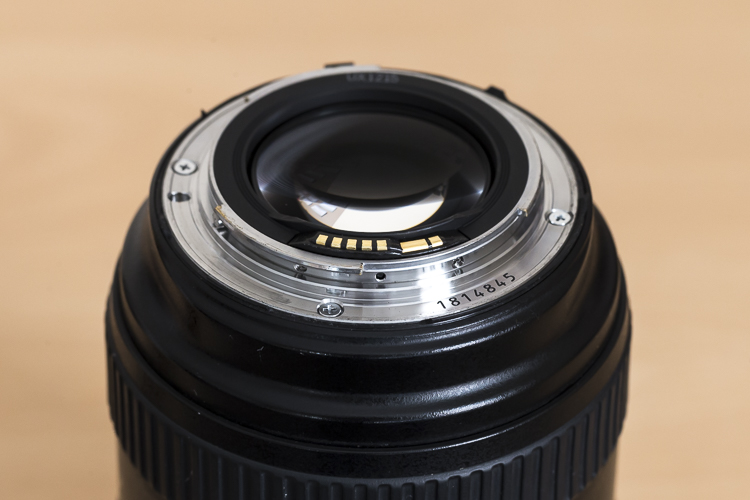
Now it’s time to have a quick look at the rear element – the bit that goes inside your camera. This shouldn’t be too messy; after all, it stays inside the camera. But dust can fall on it, especially when changing lenses and this dust, while it may not show up in pictures, can definitely make its way on to the sensor. I give it a quick once over with the Rocket Blower making sure the bottom of the lens is facing down. Doing so will stop any dust from falling back on it.  Some rear elements are further recessed into the lens than others. With lenses that have the rear element much closer, I also may give it a quick wipe with a micro fibre cloth or LensPen to clean it up.
DANS4207

Notice with this lens, the rear element is very close to the surface. Also, those gold bars are the lens contacts.

Occasionally, I’ll also give the mount a clean up too, as well as the lens contacts. For this, I just use a Tek Towel, although any clean towel will do. Carefully wipe around the mount and go over it a couple of times. A small amount of alcohol on a cotton tip can be used to clean the contacts. Cleaning the contacts every now and then can help to prevent errors between the camera and lens caused by a build up of grime.

Now it’s time to give the rear cap a quick go over. Remove any dust with the blower and put it back on the lens.
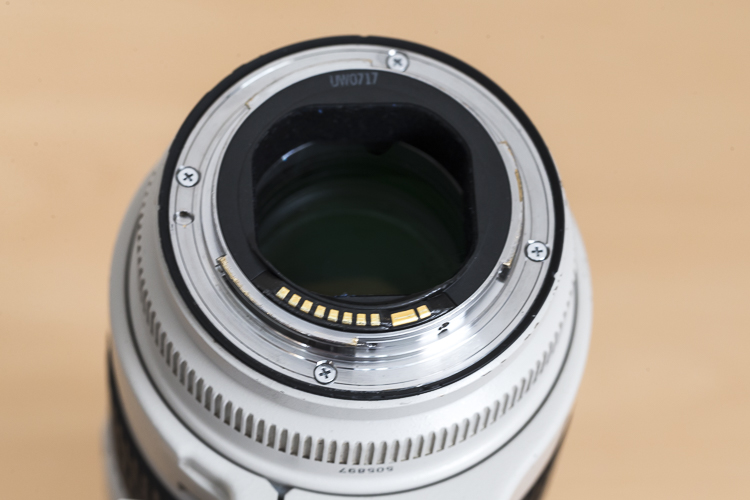
With this lens the rear elements sits deeper in the lens barrel.

With this lens, the rear element is recessed deeper into the lens barrel.

Step 6. Clean the outside of the lens

Now that the elements (both front and rear) and the lens mount are clean, it’s time to give the outside a quick go over. For this, I whisk away any dust with the paint brush and wipe the whole surface area with the Tek Towel. If I’ve been at the beach (salt in the air), or my lens has had a shower, I’ll dampen the towel in fresh water to remove any salt or champagne, etc.

This step, while very quick and simple, has proven to be quite helpful in picking up some things that may need my attention. For example, a while back I was cleaning my 70-200mm lens and I noticed that the end of the barrel was a little loose. I took it into Canon it was fixed in 10 minutes and cost nothing. Prevention is the best remedy.

Camera
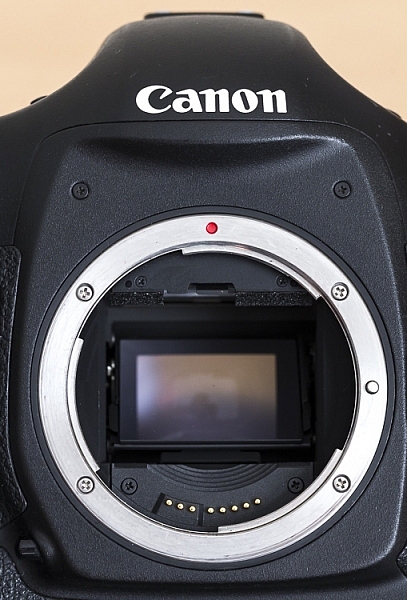
Here is a view of one of my camera bodies without its body cap. Care should be taken when cleaning around the lens mount so as to avoid dust/dirt etc from falling in. It's good practice to do this with the lens mount facing down.

Here is a view of one of my camera bodies without its body cap. Care should be taken when cleaning around the lens mount as to avoid dust, dirt, etc., from falling inside. It’s good practice to do this with the lens mount facing down.

Cleaning the camera is MUCH easier and quicker than the lenses. First off, I start by giving the outside a once over with the paint brush, followed by a thorough wipe down with the towel. I make sure the screens and the viewfinder are all nice and clean, too. As with lenses, I make sure that the mount and the contacts on the body are clean using the same steps and dampen the towel in fresh water if I’ve been at the beach.

While I have the body cap off, I’ll also blow out any dust that may be in the camera with the blower. With this step, I am much more cautious as I don’t want to blow into the body too much. Again, I also have the camera mount facing down to prevent dust from re-entering. This step can help reduce the amount of particles inside the camera which may eventually find their way onto the sensor.

Sensor

For me, this is where the cleaning process stops. I don’t do my own sensor cleaning as I much prefer it be done by the right people. Some people like to do their own sensor cleaning, and that’s completely fine. This is just something I like to give to professionals because if anything goes wrong, I can blame them.

Filters
Cheap-UV-Filters-202px.jpgYou may have noticed that I haven’t mentioned anything about UV filters. The reason for that is simply I don’t use them. I am yet to be convinced that they will actually save a lens from breaking if being dropped and have the view that if a lens is going to break from a fall, it will break; filter or no filter. I always use lens hoods which not only help to reduce lens flare but also provide some protection from objects falling on to the front element. However, if you’re in an extremely dusty environment, for example, then the use of a UV filter could be a smart investment.

Conclusion

So that’s it for my gear cleaning process. This isn’t something I do after each and every shoot, but I do try to get to it at least once a month or after shoots where my gear has been a little abused by the elements. It may seem that there are a lot of steps involved, but it really doesn’t take that long to do it. It’s even quite therapeutic when you get into it.

How do you clean your gear? Do you have any other tools you use? What’s your procedure and how often do you do it? Please share in the comments below.

googletag.cmd.push(function() {
tablet_slots.push( googletag.defineSlot( “/1005424/_dPSv4_tab-all-article-bottom_(300×250)”, [300, 250], “pb-ad-78623” ).addService( googletag.pubads() ) ); } );

googletag.cmd.push(function() {
mobile_slots.push( googletag.defineSlot( “/1005424/_dPSv4_mob-all-article-bottom_(300×250)”, [300, 250], “pb-ad-78158” ).addService( googletag.pubads() ) ); } );

The post Step by Step How to Clean Camera Gear so it Stays in Good Shape by Daniel Smith appeared first on Digital Photography School.


Digital Photography School

 
Comments Off on Step by Step How to Clean Camera Gear so it Stays in Good Shape

Posted in Photography