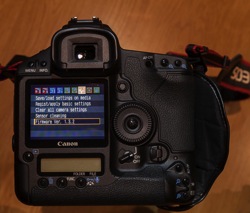
Does your camera have the latest firmware?
This topic is one that I often find myself explaining in more detail, and one that many people aren’t even aware that they can update their camera’s firmware, and how this may affect their digital camera. An analogy is to updating the version of software on your smart phone.
What is firmware and why is it important?
Inside your camera is a microprocessor (small computer), that uses software stored on non-removable flash memory inside your camera. This is called firmware and is the operating system of your camera which allows you to control the features and functions, with the camera’s menus and buttons. Firmware also controls autofocus, exposure, image processing, noise reduction and other important functions within your camera. Without firmware your camera would not be able to operate.
Why check for firmware updates?
Updates generally contain fixes or feature enhancements. Firmware updates aren’t always necessary – some cameras never have updates.
When a new camera is assembled the manufacturer loads the firmware that was designed at that time. After the camera has been released to the public, people may find that there are bugs or problems with the way the camera operates. The manufacturer investigates these problems and produces fixes for them in the form of firmware updates. Some of these fixes can be minor, but some of them fix more serious issues such as autofocus problems, battery-draining issues, or the camera unexpectedly locking up.
Other reasons why firmware updates are released is to include new camera features such as added languages, or to have manually adjustable settings that were once solely automatic. Some updates are to support new optional accessories for your camera (e.g. wireless functions or GPS modules, etc.). I like to think of them as free upgrades to your camera.
When to check for firmware updates?
I recommend checking for updates on a semi-regular basis, every few months or so, and after you purchase a new camera is also a good time to check. There will likely be fewer firmware updates for older cameras but still worthwhile checking, perhaps on an annual basis. If you have never checked your camera for a firmware update then now is a good a time to do so.
Does your camera have the latest firmware?
First check what version of firmware your camera is running. This information is found within one of your camera’s menu options. Finding it is different on every camera and not always obvious. Your instruction manual will help you find where to look in the menus.

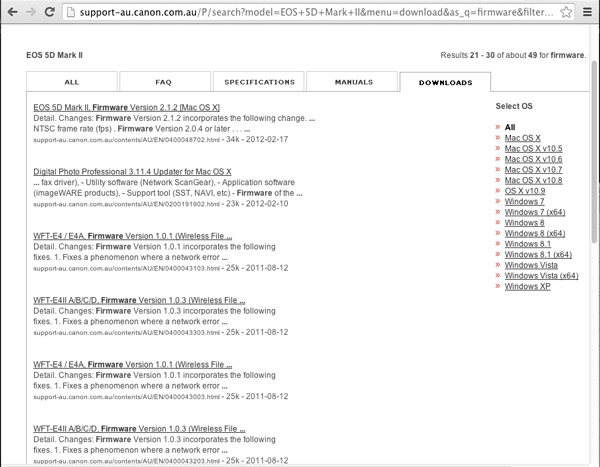
You can check for the latest firmware by looking at the manufactures support and downloads section of their website for your brand and model of camera. Look for higher version numbers than the one found on your camera. If the version numbers are the same, there is no need to perform an update. Please note that some camera models never had new or updated firmware released and therefore new firmware updates may not be listed at all.
Important: You need to know the model of your camera and only use the firmware that is specific to your model.
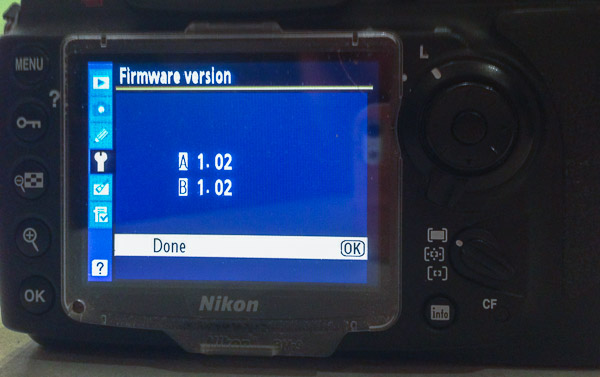
The following links were recently current for the major camera manufacturers and may be of help when checking for releases of newer versions of firmware for your camera.
- Canon
- Nikon
- Olympus
- Sony
- Pentax
- Panasonic
- Fujifilm
- Leica
Why read the instructions carefully before updating your cameras firmware?
Read the instructions very carefully before updating the firmware on your camera – you don’t want to end up having a dead camera! If the battery fails during the firmware update or the update is interrupted in some manner, the risk is having a camera without usable software. Meaning you have a dead camera that you have to take to the manufacturer to fix!
How to find out what has been fixed or updated with the new firmware?
Check the release notes that come with the firmware updates. Usually you will find included a list of the fixes or updates in earlier versions of the firmware too.
Typical steps to update your cameras firmware*
* Sample only – Please read your own firmware update instructions for your camera model
- Check the firmware version on your camera – it will be shown on one of the menu options
- Check to see what the latest version of firmware is available for your camera on the manufacturers web site
- Read the instructions carefully
- Download the firmware
- Install a fully charged battery into your camera
- Format a memory card in your camera (read your manual if you aren’t sure how to do this)
- Place that memory card into a card reader connected to your computer (do not connect via a cord from the camera)
- Copy the firmware update file into the top-level (root) folder of the cameras memory card
- Safely eject the card on the computer
- Place the memory card back into the camera (remember to power off the camera any time you remove a card or open the slot door)
- Follow the instructions to update the cameras firmware
- Unless instructed to do so, don’t touch any buttons, or switch the camera off during the process
- Check to see that the camera is running the newly installed firmware version – as per the first step
If you have a Nikon
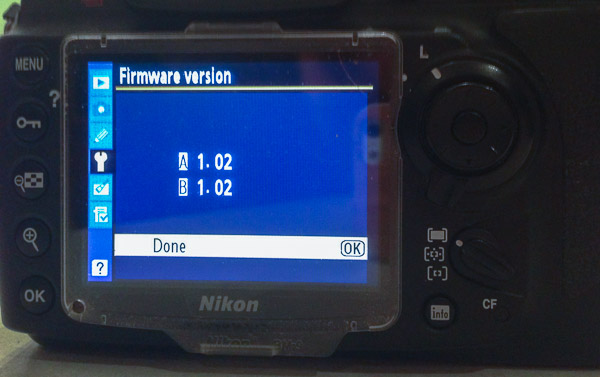
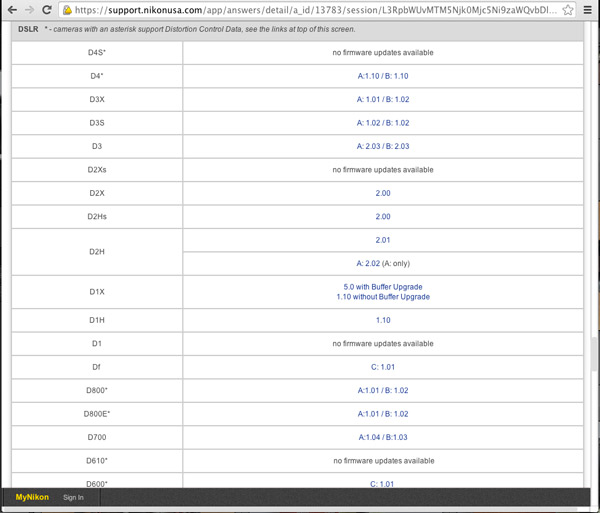
Some Nikon DSLR cameras may have A, B and L firmware – what are these? Nikon A-firmware is for the I/O (Input/Output) processor, B-firmware is for the Control (“Expeed”) integrated micro-controllers and L-firmware is for lens specific updates such as correction for lens distortion. You need not know why they have this scheme, just know what version is the latest for your camera model and use that to keep your camera up to date. Other camera manufacturers generally have just one firmware version to install.
Want more features on your camera – try Magic Lantern! (Canon EOS only)
Believe it or not some people wanted more from their cameras and the only option was to team up with other smart people and write their own firmware! This started back in 2009 after Canon first released the 5D mark II, a full-frame (35mm) sensor body that was also capable of recording full HD video. The users (film makers) wanted to be able to have more control over the 5D mark II for video functions. The camera was much cheaper than buying a $ 25,000 commercial video camera to do the same thing.
Since then, there have been various updates to this firmware that include support for other Canon EOS cameras while also including useful still photography features such as: an intervalometer, custom bulb timer for long exposures, motion detection, voice tags for photos, etc. This firmware runs from your CF or SD card, instead of the factory firmware inside your camera. The Magic Lantern software is only available for certain Canon EOS camera models. For a full list of supported cameras, to find out what it can do and how it works, you may like to visit Magic Lantern’s website.
Please note: running third party firmware is not supported by the manufacturer and may void your warranty. So unless you are very comfortable with what you are doing, using this firmware may not be a good idea, especially if you are new to photography or just bought a brand new camera.
What to do if something goes wrong?
Check the manufacturers instructions again, have you missed a step or misunderstood what is required?
If something is still not quite right after you have done all the troubleshooting you may like to contact an authorized service centre for your brand of camera and ask for their advice and support.
I hope that you are now much better informed about firmware for your camera. Let me know if you have enjoyed reading this article and leave any comments below.
The post Updating your Camera’s Firmware – What is it and Why it’s Important by Roy Vieth appeared first on Digital Photography School.


