RSS
 

Posts Tagged ‘easy’

DEAL: Phil Steele’s ‘Lightroom Made Easy’ Course at 33% Off

15 Mar

NewImageThe new deal over on SnapnDeals this week is one I know many dPS readers are going to enjoy – it’s 30% off Phil Steele’s Lightroom Made Easy Course – that’s just $ 33 (normally $ 47).

Phil’s videos have made regular appearances here on dPS and are always really popular and this course contains 24 videos with hours of great instruction on using Lightroom (it covers both Lightroom 3 and Lightroom 4).

If you’re new to Lightroom or feel overwhelmed by it – this course is for you!

Here’s what you’ll learn in the course:

Create Stunning Images

Make your photos “pop” like the shots you see in magazines.

Get More Done in less time

Dramatically increase your photography output—zipping through photo processing tasks in minutes that used to take hours or days.

Protect Your Copyrights

Automatically embed hidden data in your photos to protect your images from theft or misuse—and to guarantee you get paid.

Never Lose Another Photo

Get your photos organized—whether you have one hundred or 100,000—so that you’ll never lose another image again.

Retouch Portraits Like a Pro

Quickly and subtly retouch portraits to remove imperfections, enhance beauty, and keep clients coming back.

Create Instant Web Galleries

Display your photos for clients or the public in impressive, customized galleries on your own web site—with just a few clicks.

Remove Flaws and Defects

Remove unwanted objects, blemishes, or unsightly sensor dust from photos.

Share Photos Easily

Instantly upload your edited photos to social sharing sites like Flickr, Facebook, Picasa, and more.

Attract Search Engines

Tag your photos with keywords to lure Internet search engines and boost your sales.

Make Beautiful Slideshows

Quickly create stunning slideshows, with music, for friends, clients, or presentations.

Find the Right Photo When You Need It

Use ratings, labels, categories, keywords, and names to make it easy to always find your best shots, or those most suited to a particular job or client.

Do It All From One Easy Place

Easily handle your entire photography workflow all from one place, quickly and efficiently. Use my secret ninja tricks and techniques to boost your productivity even more!

This course is normally $ 47.00 USD but for the next 12 days Phil is offering it for just $ 33 along with a couple of great bonus videos.

Get full details and pick up your copy here.

Post originally from: Digital Photography Tips.

Check out our more Photography Tips at Photography Tips for Beginners, Portrait Photography Tips and Wedding Photography Tips.

DEAL: Phil Steele’s ‘Lightroom Made Easy’ Course at 33% Off


Digital Photography School

 
Comments Off on DEAL: Phil Steele’s ‘Lightroom Made Easy’ Course at 33% Off

Posted in Photography


Easy Blog Collages With MCP Action’s Lightroom Presets

12 Feb

Are you a fan of Lightroom presets?  There are so many Lighroom preset brands out there, but some of them stand above the rest.  MCP Actions is one of them, and recently they’ve released a fantastic set of presets with the purpose of giving photographers an simple way to create blog collages.

As you can see, without leaving Lightroom you’re able to organize and generate amazing blog collages using the new MCP Actions Lightroom presets.

Here is an example:

blog-collages-lightroom-presets

What do you think? Will you be picking up a copy?

Thanks for reading,
Scott

dslrBlog

 
Comments Off on Easy Blog Collages With MCP Action’s Lightroom Presets

Posted in Photography


How to make Easy cap work with Windows XP

18 Jan

This video will show you how to make the Easy cap work with WIndows XP. I take no credit in the making and or helping make modern warfare 2, easycap, and this song is property of Finger Eleven.


Sew Easy Spread

16 Jan

Some cool visual art images:

Sew Easy Spread
visual art
Image by Original Bliss
Geographic Journal #1 "Patterns"
June 18, 2009

For More on this page visit:

Original Bliss

20 Minute Express
visual art
Image by Original Bliss
Soul Journal #12 – Page 2
For more on this entry visit:

Original Bliss – A Howlin’ Wind

Strathmore 400 Series Field Watercolor/Sketch Book – using sketchbook paper (11×14)

Portfolio Oil Pastels

Bordeaux ink written with glass stylus

Altered Images and Photographs

Magazine clippings of colored patterns

Trader Joe’s Paper Bag

Precise ink pen

20 Minutes and a Howlin’ Wind later

 
Comments Off on Sew Easy Spread

Posted in Photographs


How To Approach Street Photography In 12 Easy Steps.

08 Jan

Many photographers are timid about “shooting strangers” on the street which keeps them from even trying.  Street photography is all about telling a story in a single frame and that’s a beautiful thing.  It’s normal to be reluctant or shy, but these 12 steps will gently ease you into the wonderful world of street photography that exists in your hometown or anywhere else your travels take you. There are lots of stories out there waiting to be told.  Get your camera and let’s go!

There are stories waiting to be photographed everywhere you go.

1- Do I need permission?

In most countries, as long as you are in a public place, it is perfectly legal to photograph people for either editorial or fine art purposes. However, if you intend to use any of those images for stock photography, meaning using that photograph in advertising, then you need the proper model release form signed. Each country has its own laws and regulations about this, so please do your research before you photograph strangers in the streets.

2- Hit the streets with a friend.

It’s generally better to shoot street photography on your own.  Why?  You are more invisible that way. But if going on your own is a bit intimidating at first, take a friend along. It will help emboldened you, but also surprise you at how differently two people see the world.

3- Start in a crowd.

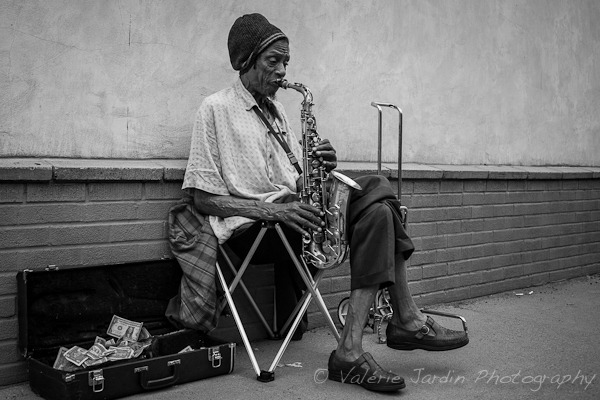
In my workshops I encourage new street photographers to start with a busy public place such as a street market or an outdoor event as a comfortable start.  You are more invisible in a crowd and can more easily overcome your fear of photographing strangers. Street performers are excellent street photography subjects to start shooting. After all, they are there to be seen and are used to being photographed plus they are part of the culture of the place you are visiting. Buskers perform to make a few bucks, so shoot away, and be generous with what you toss in their hat!

4- Find a stage.

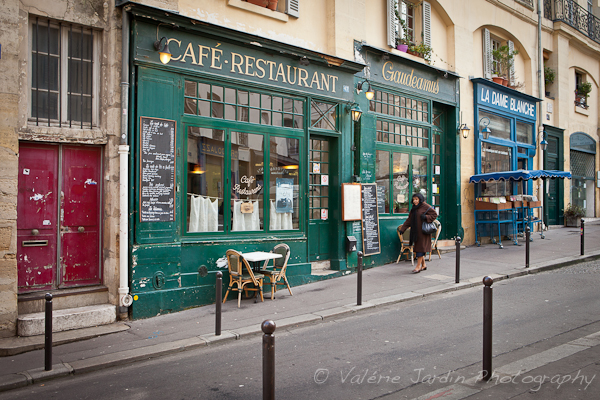
As much as I enjoy walking for hours searching for that special moment, I often do a lot of standing and waiting if I find a really compelling background to use as a stage.  Once you find your stage, be patient and eventually the right people will walk through your frame.  When I am traveling I like to add a sense of place by carefully selecting the architecture in the background or finding signage in the local language.

5- Don’t forget silhouettes

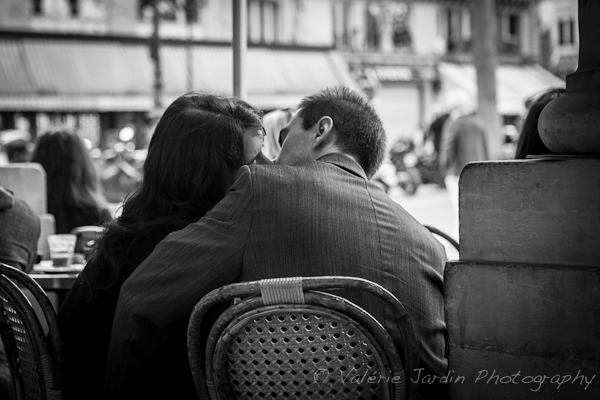
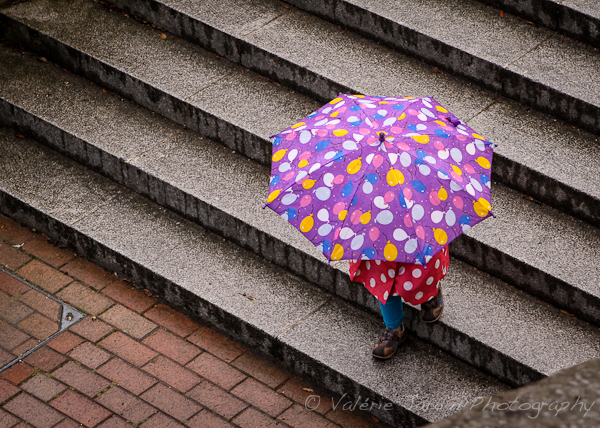
Silhouettes are interesting subjects only if they are easily recognized. There should be no doubt as to what the image is. People with umbrellas, bicyclists or lovers holding hands are terrific silhouette images.

6- Street portraitures

I love the thrill of engaging a subject in a conversation!  For some of you this may be more intimidating than shooting candidly. For others, you can get over the apprehension by asking permission to make a portrait, so they are more at ease with the process. If you ask permission and it is granted, take your time. Then show them the picture on the back of your camera. Tell them why they caught your attention. Everyone enjoys a compliment!

7- Photographing children.

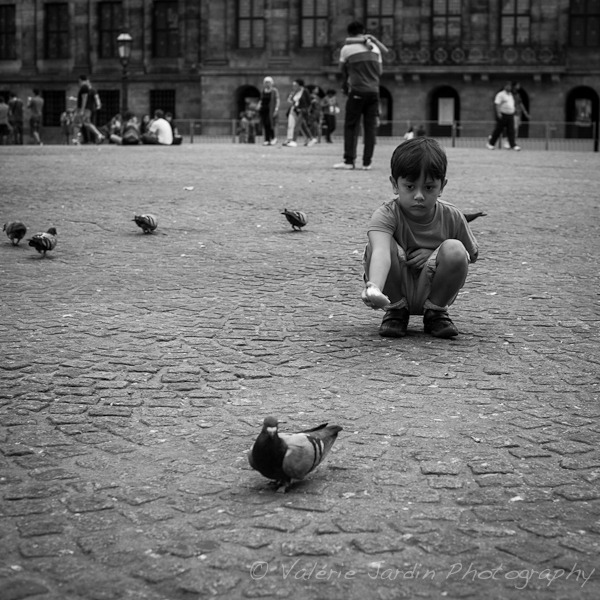
Basically, if they are in a public place, you have just as much right to photograph children as anybody else. Even so, it’s a good idea to get the okay from a parent first. My way is to simply nod towards them, show my camera and wait for their nod back. For the times when no one is around to give you the okay, use your best judgement.

8- Should you give a copy of the photograph to your subject?

When I do candid shots, I occasionally interact with my subject after I make the photograph. But mostly I’m invisible and they never know I took a picture. When I make a street portrait I engage them in a conversation and show them the picture on the back of the camera. If they ask for a copy I give them my card so they can email me for a digital file of their portrait. That’s the least you can do to thank them for their time.

9- Be confident and respectful. 

You are not doing anything wrong, but if someone objects to having their picture taken, don’t shoot! It’s not worth an argument. You may be well within your legal rights, but the most important thing is to be respectful of others. I would also urge you to avoid photographing people in vulnerable or embarrassing situations. Put yourself in their shoes. Would you feel comfortable being photographed that way? If the answer is no, then use your common sense and move on.

10- Follow your gut instinct. 

That’s an important step towards making street photography an enjoyable experience and one I always teach my students right away. If the situation feels wrong or dangerous, then it probably is. Trust your gut.

11- Color or B&W? 

This is totally a personal choice. There is no right or wrong answer. I prefer to process my images in black and white for its timeless quality, but some images are better in color and sometimes the subject is color. Let your artistic eye guide this decision.   But I will say that another advantage of monochrome is its ability to remove any distracting colorful elements from the frame, allowing the viewer to the be more drawn to the subject.

12- It’s your vision. 

Don’t let anyone tell you what does or doesn’t qualify as street photography, or what camera you should use. There are no official rules here. Street photography is all about telling a story, communicating an emotion. Your camera is an extension of your own artistic vision. Be patient. Trust your gut. Go out there and have fun!


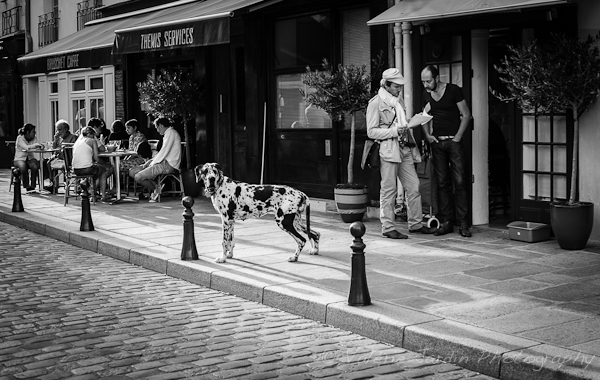
Finding a stage and waiting for the right person to walk through your frame is part of story telling with a sense of place.

Silhouettes are interesting subjects only if the action is easily recognized.

When photographing children, use your best judgement if a parent is not present.

Street photography is about gesture and expression.

Street performers are great subjects, especially when you first get started.

Sometime the subject is all about color!

Street portraits are also part of street photography. I walked by this gentleman and thought he looked cool and told him so. He gave me the ok to make a portrait.

Several stories can happen in one frame.

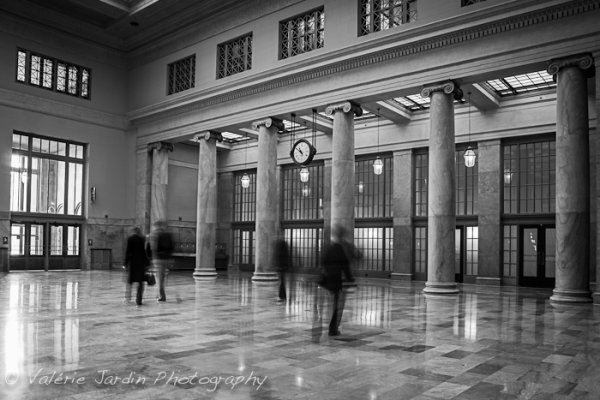
The only time I bother to carry a tripod to do street photography is to shoot long exposures for some motion blur.

Street photography is not only about people…

Are you currently a street photographer or aspire to become one? Please share your experience with the dPS readers.

Post originally from: Digital Photography Tips.

Check out our more Photography Tips at Photography Tips for Beginners, Portrait Photography Tips and Wedding Photography Tips.

How To Approach Street Photography In 12 Easy Steps.


Digital Photography School

 
Comments Off on How To Approach Street Photography In 12 Easy Steps.

Posted in Photography


Sunset Editing – Lightroom 3 Edit Tutorial. Basic beginner lesson. Easy simple trick

14 Dec

photographyequipment.yolasite.com (Budget Equipment) razzi.me www.facebook.com twitter.com


Tutorial | Changing Eye Color In Adobe Photoshop Elements 7 *EASY WAY*

04 Nov

In this techtalker tutorial i show you how to edit eye color, the easiest and best way. Be sure to watch in HD, and please subscribe and check out my other tutorials and reviews. Thanks!!
Video Rating: 3 / 5

Conde’s Tech Support Manager, Vicky Waldrop demonstrates Adobe Photoshop Elements 9 Color Management with ICC profiles on the Mac or PC Platform. Check out www.conde.com for more tips and business supplies for dye sublimation and heat transfer imprinting.

 
Comments Off on Tutorial | Changing Eye Color In Adobe Photoshop Elements 7 *EASY WAY*

Posted in Retouching in Photoshop


Tutorial #6 – Classic Sun Rays Through the Woods Effect in Photoshop [Quick & Easy – Step by Step]

02 Nov

Thanks for the support on the previous tutorials. This is a tutorial showing you how to achieve a powerful sun rays through the trees effect. I add a ‘sun’ to an image and add a few rays from it breaking through the trees. Hope you enjoyed, please rate, comment and subscribe. Let me know what you want to see! Music ‘Take ‘Em On’ by OfficialRandolph: www.youtube.com-user-OfficialRandolph
Video Rating: 3 / 5

 
Comments Off on Tutorial #6 – Classic Sun Rays Through the Woods Effect in Photoshop [Quick & Easy – Step by Step]

Posted in Retouching in Photoshop


iFixit Tears down iPad Mini – finds it’s not easy to repair

01 Nov

ipadminiteardown.jpg

No-one takes gadgets apart quite like the guys at iFixit.com and they’ve just got their hands on Apple’s latest tablet, the pint-sized iPad Mini. Basically an iPad 2 in a smaller form factor, the Mini goes on sale tomorrow in the US. Thanks to a whole lot of glue holding the thing together and expensive battery replacement cost, the iPad Mini earns a low repairability score of 2 out of 10 on the iFixit scale. Click through for some sample images from the teardown and a link to the full, gory experience over at ifixit.com.

News: Digital Photography Review (dpreview.com)

 
Comments Off on iFixit Tears down iPad Mini – finds it’s not easy to repair

Posted in Uncategorized


How to Organise a Fashion Shoot in 5 Easy Steps

25 Oct

A Guest Post by Olivia Vitazkova from www.reverinephotography.com

DSC 4845

Recently I’ve been asked more and more about how I go about organising a photo-shoot.

It was mainly asked by my new flatmates who were surprised at the constant influx of strange, good-looking people in our tiny kitchen. The place would get transformed into a showroom, with enough makeup and clothes to be suspected of robbing a department store. The flatmates would look at me with a mixture of suspicion and curiosity: „Where do you get these people? How do you organise a photo-shoot?“ So I explained and then I thought that some of my knowledge can be useful for new photographers, thinking of planning their first big fashion shoot.

1. Theme

DSC 0882

One of the most important things you need to consider is the theme or the concept of your photo-shoot. This will determine all your other choices including makeup and location. Your theme can be anything. You can start with a simple idea say „romantic picnic in a park“ from which we can already decide that we want an innocent looking young girl with long blond hair and maybe a male model to keep her company. Styling – romantic pastel colours, skirts and dresses. Makeup – natural. Location- park. Nothing too complicated, you just come up with an idea and then organise everything else to fit your vision.

Despite this, I must confess that I rarely start organising a shoot with a precise theme or idea I have to execute. I usually start by getting into contact with a model I find interesting and think about what sort of concept would they suit best, essentially constructing the concept to fit the model. Either way you end up with some sort of a theme or idea, which is great for editorial work/fashion spreads as it will make the series of photographs look coherent and consistent.

But sometimes I don’t even bother with that. That is what I call an improvisation shoot, and these are usually the most fun ones. It usually happens when it’s a last minute casting call and I don’t have much time to think/prepare but want to shoot. I tell the model to bring a big bag full of clothes, and we’ll mix and match on the spot and do the makeup accordingly. This is fairly easy and fun as it doesn’t require much preparation beforehand. However, you need to think on your feet once the team assembles. This can result in either fun and inspired photos or some fairly boring safe ones. The good thing is that there is no one director and everyone can bounce ideas off each other and have an input. You could maybe do two looks wildly different from each other depending on what photos people need. It’s a good way to go about getting portfolio work done but probably not a coherent editorial.

2. Models

DSC 1958

Models can often either make or break the shoot. Depending on your theme you should decide on the look she or he should have. Think whether they should have any specific features (tattoos or no tattoos) or abilities (e.g. dancing) that would be useful for the shoot.

But first of all, how to find models? Professional photographers often go straight to modelling agencies which make the process of choosing models easier, and more reliable. Unfortunately it’s not very budget friendly (unless you already have an amazing portfolio) so let’s explore some free alternatives.

There’s a lot of websites for models and photographers, such as modelmayhem.com which enable you to search and connect with models, stylists and makeup artists in your area. The best thing is to offer a TFP (time for prints/photos) photo-shoot to models on your level of experience, this way you’ll both get something out of it and you’re less likely to be rejected. First make sure you already have some good photos of people uploaded on your profile. If you’re just starting out and have no pictures you can always find a lot of freelance models willing to work for a small fee. Hiring a model might cost you, but you should be getting a model who knows what she’s doing, and is highly motivated not to cancel on you, and with your new amazing photos more people will want to work with you.

Lately however Facebook became more dominant due to the ease of posting casting calls and getting replies instantly, there’s several Facebook groups for models and photographers so try to find and join one for your location, or create a new one.

Your friends and family are another option, even if they don’t look like supermodels, fashion is for people of all ages. You can even stop people on the street if you see someone absolutely incredible. I’ve done it once and had a photo-shoot with a lovely green-haired girl I probably wouldn’t have met otherwise.

Okay, now you’re in contact with your model. Great. It’s always best to get a feel for her experience before the shoot, so you know what to expect. Is she new to modelling as well? Then you’d better read something about posing (the DPS has a great series on posing) or maybe just do a beauty shoot where it’s less about the body and more about makeup (and expression). For the first few photo-shoots I’d recommend working with just one model as posing multiple models can be quite challenging, but nothing wrong with starting big.

3. Fashion Team Assembles – Make-up & styling

DSC 0146

The other person you need the most is the makeup artist, or as we call them – MUA. I love these guys, not only they make the model look more beautiful than before (or crazy, depending on the look you’re going for), but they can often double as assistants. I often make them carry my bags and shine the reflector during the shoot, which is probably not what they thought they’ve signed up to do. Also it’s great to have another pair of eyes on set as they may notice little details that you’ve missed, like hair in the face or wardrobe malfunctions, while you were concentrating on exposure and composition. So yes, makeup artists are indispensable.

DSC 0185

But how do you get hold of these wondrous people? Don’t worry, it’s pretty much like finding a model. A lot of people study makeup these days and need photos for their portfolios so are keen to help out on a TF basis. You can also ask your model about them if they’re more experienced, as they would often have a favourite MUA they can contact for you. Score.

Now it’s time to think about what sort of clothes the model will be wearing. Contact a stylist, local designer or a vintage shop to help you with sourcing clothes for your big photo-shoot. These people are generally quite difficult to reach so don’t get disappointed if you can’t find anyone. You should try and be proactive in the local fashion community, going to vintage fairs, fashion shows and socialising with people there, actually that’s a great way to meet models and MUA’s as well.

Okay, now you’ve gathered a team of people – model, MUA and a stylist, you may also need a hair stylist or an assistant, depending on what your shoot needs. The next step is to think of what makeup and clothes you need based on your idea. „The girl next door“ should not have the same makeup and clothes as „the biker chick“. Look for inspirational images for makeup and clothes in magazines or on the internet and send them to your team, so you know they’re on the right page regarding your idea. You can print these out and make a mood-board that you can use during preparation.

Nothing worse than telling the MUA to do whatever she wants, then deciding after she’s finished an elaborately creative look that you want something more natural. Or not telling the model what clothes she should bring and getting disappointed that nothing fits your vision. Or bringing clothes yourself but realising they won’t fit the model. Communication is key so make sure that everyone is on the same page.

4. Location & Logistics

Regarding communication, the most difficult thing will probably be deciding on the right date and time (unless you send out a casting call with exact time and date and got suitable replies, in which case I applaud you). Hopefully everyone in your team will be free on the same date.

You also need to pick where you’re going to shoot, is it a studio, indoor location or outdoors? Yet again, the location should fit your theme.

You also need to decide where you’ll do the makeup, I usually just gather everyone at my place as it’s convenient and easy to get to, but might not work for everyone. You can use someone else’s flat, studio or a public place – once we had to do the makeup in Starbucks, and we didn’t even order anything, now that’s shooting on a budget…

Anyway, try and keep in mind that the makeup will probably take about an hour and a half, the resulting time will depend on various factors such as model’s skin, intricacy of makeup and just how much fun you’re having while chatting away. Therefore make sure to factor in makeup time, and always give it more time than you think just so you wouldn’t accidentally miss the golden hour, or pay more than you expected if you’re hiring a studio.

5. The Shoot (Preparation & Action)

?DSC 4757

Preparation

Stare at your mood-board obsessively. List in various magazines for inspiration for poses and lighting. If you have already not done so, scout your area for the locations you’re gonna shoot in. Make sure you’ve got your equipment ready, charged and sparkling clean.

Day before the shoot, message everyone to confirm the shoot. Make sure you’ve got everyone’s number and that everyone’s got your number and know where they’re going and when. In case it’s an outdoors shoot and the weather is supposed to be bad decide on a plan B (my plan B usually involves telling people to bring umbrellas, I live in Scotland so I’m more surprised when it’s not raining at my shoots).

On The Big Day
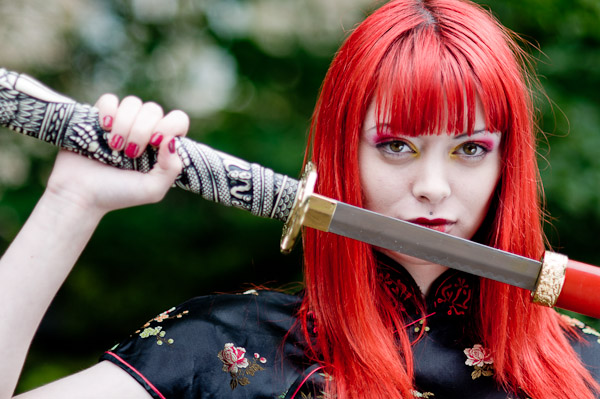
DSC 3826

Be nice. If you’re hosting the event make sure to offer everyone at least a glass of water or a cup of tea. Sometimes things go wrong, trains are cancelled, things forgotten etc. Even if things are not going your way, it’s no use getting upset, and making everyone else in the team feel bad. Instead take it as a challenge.

Make sure to notice the little things, don’t get too trigger happy only to be disappointed by the photos because the model has the same pose on every photo or there’s a bra strap poking out. Your makeup artist or assistant might notice some of these things and fix them, but don’t get too caught up in the moment to forget directing when it’s needed. Expression is also extremely important so make sure you’re communicating with the model, making everyone feel relaxed and content. Your model might look stunning with her makeup and clothes in a gorgeous location, but if she looks awkward the picture won’t work, but don’t worry most people will get right into it after a few frames. Just remember that you’re creating images, not shooting wildlife, although with some models it might as well feel like it.

But most of all, don’t forget to have fun.

Then, what’s next? Edit your pictures and send the best ones to the team, you can then submit to magazines or slap them on to your website… and start planning your new photo-shoot.

Good luck!

Olivia Vitazkova is a fashion photographer based in Glasgow, UK. When she’s not running around with her camera or attempting to travel the world, Olivia can be found annoying her cat, reading books and consuming ungodly amounts of chocolate. You can find her work on www.reverinephotography.com or her blog.

Post originally from: Digital Photography Tips.

Check out our more Photography Tips at Photography Tips for Beginners, Portrait Photography Tips and Wedding Photography Tips.

How to Organise a Fashion Shoot in 5 Easy Steps


Digital Photography School

 
Comments Off on How to Organise a Fashion Shoot in 5 Easy Steps

Posted in Photography