RSS
 

Posts Tagged ‘doing’

A Beginner’s Guide to Doing Black and White Photography

12 Jan

If you’ve never tried black and white photography before, you may be wondering what the appeal is. After all, isn’t it a little like black and white television or silent movies – an anachronism in our modern, high-tech age?

Black and white photography

The answer is no, definitely not. In the photography world, black and white is considered an art form. Some would even say only the best photographers work in monochrome. It’s a medium with a rich history, (look at the work of Ansel Adams, Edward Weston or Henri Cartier-Bresson for examples) and a bright future.

Just as importantly, working in black and white can help you become a better photographer. How? It’s all to do with composition.

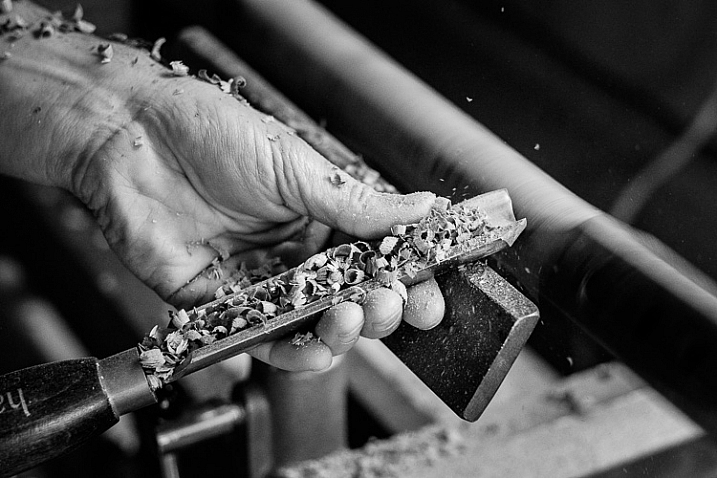
Colour is very powerful, and tends to dominate the photo so much that it’s difficult to see other elements like tonal contrast, texture, shape, form and quality of light. Experienced photographers instinctively see these things, regardless of whether they work predominantly in colour or black and white. But if you’re just starting out, you may need some assistance to do so, and working in black and white photography will help you.

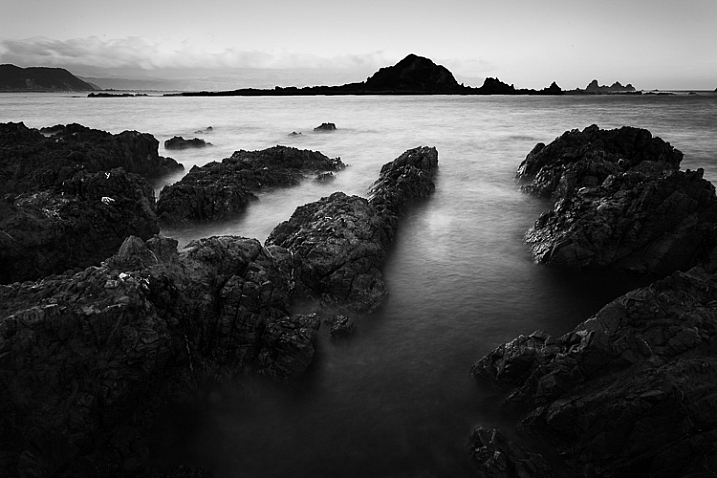
Black and white photography

Black and white emphasizes the textures of the rocks and sea in this landscape photo.

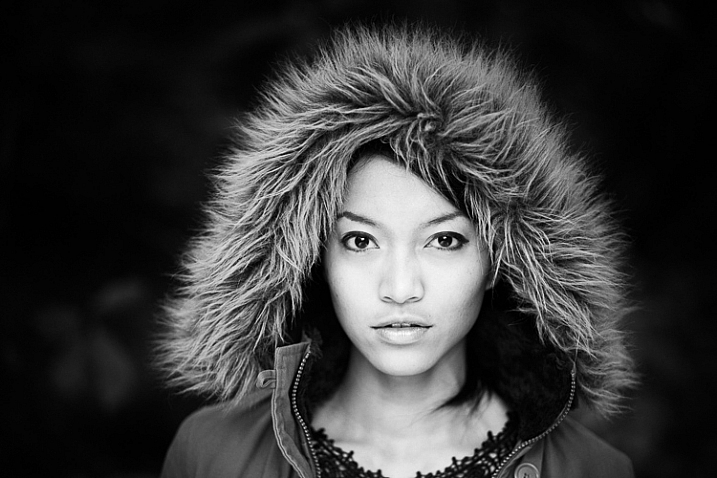
Naturally, there are certain subjects that tend to work better than others in black and white; two in particular are landscapes and portraits. If this is your first time shooting in black and white, then these are great subjects to try out.

Black and white photography

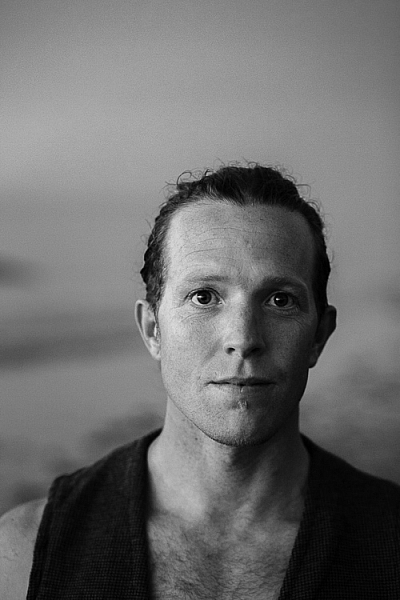
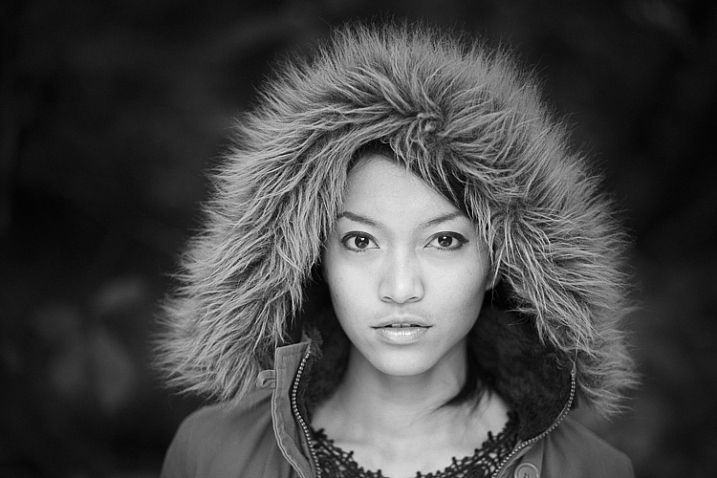
Black and white portraits emphasize expression and quality of light.

Black and white on your camera

Before digital photography the only way to work in black and white was to use black and white film. Thankfully, now it’s much easier to work in black and white, just by switching your camera to Monochrome Mode (check your camera’s manual if you are unsure how to do so, look for Picture Styles settings).

Cameras with electronic viewfinders automatically display the image in black and white, helping you see how the image will look, before you press the shutter. If you have a digital SLR you will get the same effect in Live View. This may be useful if you are working with your camera on a tripod (for instance, taking a landscape photo).

Usually at this point I advise you to use the Raw format. In the long run it’s easier than using JPEG, and gives you better image quality. But I appreciate that if you’re new to photography you may still be working exclusively in JPEG. The rest of this article works on this basis.

Working in Monochrome Mode

Once in monochrome mode you will see some extra options. They help you set your camera up to produce the best results. Again, check your manual if you are not sure where to find them.

Colour filters

The colour filter settings are left over from the days of film photography. Photographers would buy coloured filters, and use them to alter the tones in black and white photos. For example, if your scene includes a blue sky, then using a yellow filter will make the sky a little darker, an orange filter makes it even darker, and a red filter darker still.

Black and white photography

This scene works quite well in black and white, but it’s not nearly as dramatic as it could be.

Black and white photography

Applying the Red filter setting makes the blue sky go much darker, creating a much more dramatic version of the same scene.

There is also a place for green filters, which can bring out more detail in green subjects like leafy forests. Those four coloured filters (red, orange, yellow and green) have made their way onto most digital cameras as black and white settings.

Contrast

If you take a photo in flat light (for example, a portrait of somebody standing in the shade) the photo may look flat (two dimensional). So, you need to compensate by increasing the contrast. You can either do this in Photoshop or Lightroom after the photo has been taken, or you can do it in-camera with the contrast setting.

Black and white photography

The model was standing in the shade when I took this photo. The light lacks contrast, and the black and white photo is flat.

Black and white photography

Increasing contrast creates a much stronger image.

Cropping and the square format

Most modern cameras let you change the aspect ratio. The reasons why you might want to do that are a little complex, but the main one is that it lets you shoot in the square format, something you may already be used to if you use an app like Instagram on your smartphone. If your camera has an electronic viewfinder, it will display a square image for you, making composition much easier.

Black and white photography

Cropping to the square format emphasizes the shapes of the three pots.

Toning

Finally, you may have the option to tone your images. To be honest, unless your camera lets you apply toning affects subtly, I wouldn’t bother with these, as the effect is usually too strong.

Have fun!

Black and white is a beautiful medium to work in, one which you will appreciate the more you practice. In the meantime – have fun and enjoy yourself. You are following a path trodden by some of the most famous names in photography. And of course, if you have any questions about working in black and white, please let us know in the comments.


Masterlng Lightroom: Book Three – Black & White by Andrew S Gibson

Mastering Lightroom: Book Three – Black & White

My ebook Mastering Lightroom: Book Three – Black & White goes into the topic of black and white in depth. It explains everything you need to know to make dramatic and beautiful monochrome conversions in Lightroom, including how to use the most popular black and white plug-ins. Click the link to visit my website and learn more.

googletag.cmd.push(function() {
tablet_slots.push( googletag.defineSlot( “/1005424/_dPSv4_tab-all-article-bottom_(300×250)”, [300, 250], “pb-ad-78623” ).addService( googletag.pubads() ) ); } );

googletag.cmd.push(function() {
mobile_slots.push( googletag.defineSlot( “/1005424/_dPSv4_mob-all-article-bottom_(300×250)”, [300, 250], “pb-ad-78158” ).addService( googletag.pubads() ) ); } );

The post A Beginner’s Guide to Doing Black and White Photography by Andrew S. Gibson appeared first on Digital Photography School.


Digital Photography School

 
Comments Off on A Beginner’s Guide to Doing Black and White Photography

Posted in Photography


6 Tips for Doing a Successful 365 Photo Project

04 Jan

Happy 2016, welcome to the start of a new year. This is a great time to start new projects – be it losing weight, getting fit by regularly exercising, committing to eating right, or improving and growing your photography knowledge and skill.

We all have many different goals when it comes to our passion for photography. A great way to get started is by working on personal and professional photography projects. One simple yet effective way to work on your photography skills is to participate in a 365 Photo Project. Quite simply, a 365, as it is most often called, is a commitment to take a photo a day for 365 days straight. You can get as specific or as general as you like in terms of what you photograph, when you photograph, or even how you photograph. There are no set rules – the only requirement being you must take at least one photo each day, that counts towards your 365.

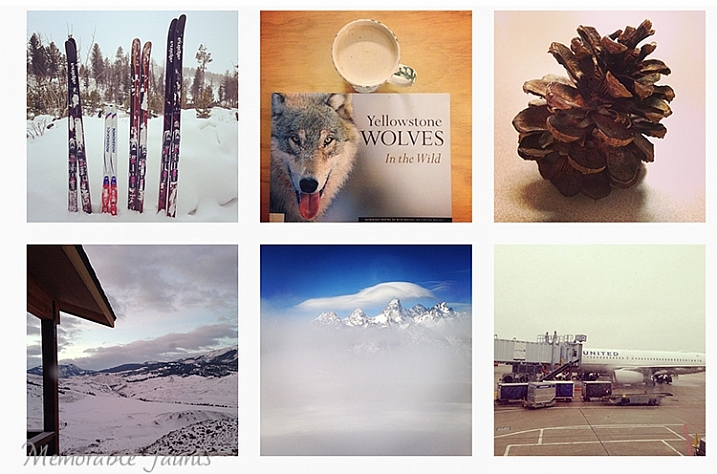
365 Photo Collage

A small collage from my 365 project done in 2014.

That being said, there are some basic guidelines to successfully complete a 365 – a sort of dos and don’ts list, if you will.

#1 Be honest about why you want to do a 365

Talk to anyone, and you are bound to hear many different reasons why you should do a 365 photo project. Some people feel it improves your photography because you are consistently taking at least one picture a day. Others feel it is a fun way to document and record a year in your life. It is also a great way to experiment and learn about light, composition, subject, equipment, and develop and hone in on your observation skills.

Since you know you have to take at least one photo every day, you are constantly looking for good photo opportunities everywhere, and tend to become more observant of your environment. No matter what your reason, be very clear on exactly why you want to start a 365, and document that as part of the process. This will help clarify your goals, and make the process more enjoyable.

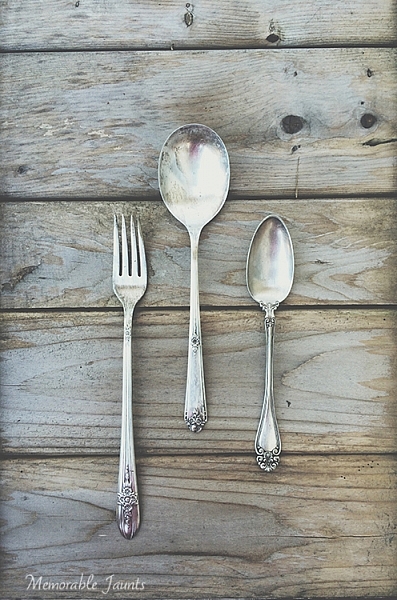
Processed with VSCOcam with t1 preset Memorable Jaunts DPS Article 365 Photo a day article 03

#2 Create a routine for your 365

Just like anything else in life, having a routine provides a sense of organization. Figure out when is your best time to photograph, and stick to that routine. For me, the best time is around 9:00-10:30 a.m. It is early enough in the morning when my brain is quite active, there are no distractions, and the morning light is quite clean and bright. Of course that is not to say that I don’t photograph at other times of the day, but when I am working on a project, or an assignment, that’s my go-to time. And yes, I do treat my 365 as an assignment. The only difference is that I am my own client!

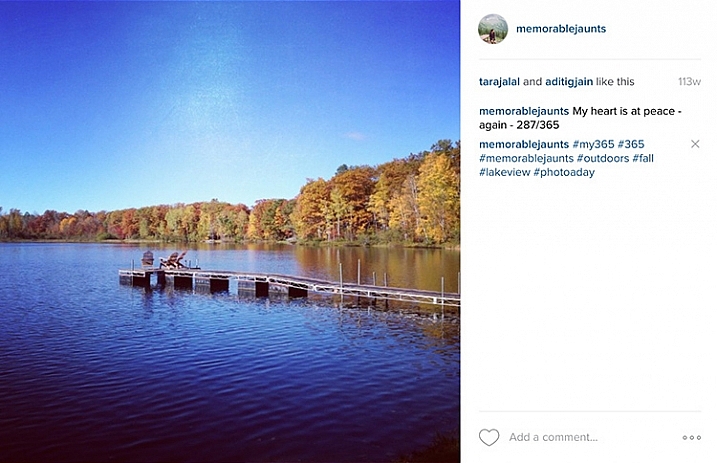
Memorable-Jaunts-365-Example

My general task list for my 365 -generally, all it takes is 10 minutes of my time:

  • Shoot 365 photo – five minutes
  • Edit photo – two minutes
  • Load to Dropbox – 30 seconds
  • Post on Instagram – 30 seconds
  • Write a caption and one line description for the image – one minute
  • Add hashtags – one minute
  • Total – 10 minutes approximately

#3 Set your own prompts or join a 365 group

In my opinion, this is the hardest part of doing a 365. The proverbial, “What do I photograph?”. Luckily there are so many of us doing 365 projects, that there are online groups you can join to get daily or weekly prompts sent to your inbox. Here are a few:

  • Project 365 Flickr group
  • 365 Project website
  • The 365 Make 1 shot per day, for 1 year – Flickr group

The other option is to completely customize the project, and work from your own prompts, or inspirational triggers. You might only want to photograph your breakfast, your pet, or your children. You may want to focus on modes of transportation. No matter what the prompt, I recommend creating a list or a journal to document them. That way you know what you have already photographed, and what comes next.

Memorable Jaunts DPS Article 365 Photo a day article 07

I try to follow this general prompt weekly for my 365. Sometimes, I deviate from it, and for me that’s okay!

  • Monday – Inspire
  • Tuesday – Food
  • Wednesday – Nature of the outdoors
  • Thursday – Indoors
  • Friday – Family
  • Saturday – Personal
  • Sunday – Fun day (anything goes)

Memorable Jaunts DPS Article on 365 photo series 05

#4 Choose the tools of the trade

Choose a camera – any camera! If you want to improve on your mobile camera skills go for it. Did you get a new camera for Christmas? Use a 365 photo project as a great way to learn the workings of your new toy. After all, practice makes perfect, and there is nothing like practicing everyday to get you comfortable with using that new camera.

Regardless of what tool you use, makes sure that it is something achievable. I find my DSLR to be cumbersome at times, and not easy to carry around with me for smaller errands in town. So instead, for my 365 photo project, I use a combination of iPhone and DSLR, which gives me the flexibility I need.

The other common question that most people want to know is how to document the project. My 365 medium of choice is Instagram. I love this platform, as it brings forth a great sense of community and creativity. By posting my images, and using the #365 hashtag, I am instantly part of a large group of people who are in the same project. It keeps me motivated and on track. I know a lot of people who post a collage of images on their social media channels, rather than a picture a day. This does not mean they don’t photograph one picture a day, but rather they just share their images once a week, or a month at a time.

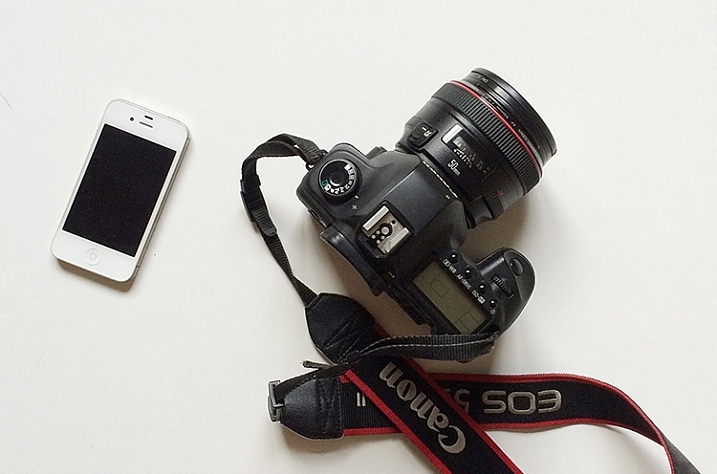
Memorable Jaunts Gear for executing a 365 photo a day series article for DPS

These are the only two tools I use for my 365. When an image is from my DSLR, I can use the #dslr365 in Instagram to separate the two (not a required step but I like to do it just for my reference).

#5 Learn to forgive and move on

Who knew that doing a 365 can also be a great way to learn basic life lessons! The age old adage to forgive and forget is very relevant while participating in a 365. Sometimes things happen and you end up missing a day, or several days in a row. It is not the end of the world. Acknowledge it, accept it and move on. Either you can catch up, and post more than one picture the next day, or just mark it off as missed and go forward. The key here is to keep moving forward. Otherwise days turn into weeks, that turn into months, and before you know it, the 365 has long been forgotten and abandoned.

Memorable Jaunts Photo a day 365 example article for DPS

One of my favorites from my last 365. I did miss a few days here and there but the memories that I was able to capture still make me smile to this day!

#6 Success, completion, and what’s next

A 365 photo project is definitely a commitment. One that takes time and effort on your part, but the rewards are quite satisfying. To me, completing a 365 photo project provides a sense of achievement and accomplishment. In my mind it’s not an easy task, and I do celebrate my success!

Print all, or some of your best images, and create a collage of photos. Create a photo book specific to your 365. The possibilities are endless. My 365 photo project lives on my Instagram feed only, and I like printing my favorites. There are several companies that also provide the option of printing Instagram images. I have used Artifact Uprising in the past, but Blurb and Shutterfly are a few other companies that come to mind.

Memorable Jaunts DPS Article 365 Photo a day article 08 Memorable Jaunts DPS Article 365 Photo a day article 05

Note: If you use Lightroom you can create a Blurb book and order it directly from within the software, all right from your original camera files.

Once you have completed your 365 photo series, my recommendation would be to take a break. Jumping right in to another 365 can be a bit much. That’s not to say that people don’t do it, and be successful. Many people absolutely love doing 365 photo projects, and have consistently done it for several years at a stretch.

Personally, I like a variety of challenges in my photographic journey. After completing a 365 photo project in 2014, I took a break and focused on other things. Now I am ready to get back into the game and will be starting a 365 photo series in 2016 on my Instagram. Join me if you want to and lets motivate each other to take a photo a day for 365 days!

googletag.cmd.push(function() {
tablet_slots.push( googletag.defineSlot( “/1005424/_dPSv4_tab-all-article-bottom_(300×250)”, [300, 250], “pb-ad-78623” ).addService( googletag.pubads() ) ); } );

googletag.cmd.push(function() {
mobile_slots.push( googletag.defineSlot( “/1005424/_dPSv4_mob-all-article-bottom_(300×250)”, [300, 250], “pb-ad-78158” ).addService( googletag.pubads() ) ); } );

The post 6 Tips for Doing a Successful 365 Photo Project by Karthika Gupta appeared first on Digital Photography School.


Digital Photography School

 
Comments Off on 6 Tips for Doing a Successful 365 Photo Project

Posted in Photography


13 Tips for Doing Action Photography in Bad Light

15 Dec

Elizabeth-Bars

Sometimes I feel cursed. Like any parent I want to take pictures of my kids doing their activities. However, I have a daughter who is a gymnast. For a photographer, that is a toxic combination of very fast action with generally poor light. But then it gets worse. My other daughter is very involved with her school’s theatre program. That means I’m trying to take pictures of her acting, singing, and dancing in the worst light imaginable.

As a result, I spend a lot of my time trying to photograph action in bad lighting. Having done so for a while now, I have a few tips to pass along, so hopefully this will be easier for you next time you find yourself in a similar a situation – shooting action photography in bad or low light conditions.

#1. Use Manual Mode

Before you even think about shooting, make sure your camera is set up for success. Let’s start with the shooting mode. No matter what mode you normally use, in this context you are going to need a large degree of control over your camera’s settings. Manual mode gives you complete control, so it is generally a good choice. If you are not comfortable using Manual, or if you face changing light conditions, use Aperture Priority.

Hannah1

Shutter speed: 1/320; Aperture: f/2.8; ISO 3200.

You will be using very specific exposure settings that the camera probably wouldn’t choose on its own. We will get to those settings in a moment, but using Manual (or Aperture Priority) will allow you to use them.

#2. Use Fast Glass

Next, you’ll need to decide which lens to use. Use your longest and fastest lens (fast glass) here. The low light environment means that you will want a lens with a wide aperture, that lets in a lot of light. The fact that your subject is likely to be rather far away from you means that you will also need a longer focal length. I personally use a 70-200mm f/2.8 and it works great. I could see even using a longer lens than that.

You may be inclined to use a teleconverter to get some extra reach. If you aren’t familiar with teleconverters, they are extensions that fit between your camera and lens, which increase the magnification of the lens, usually by 1.4 or 2 times. In other contexts, they work great – in a low light environment, however, they don’t. A 1.4x teleconverter costs you 1 stop of light and a 2x teleconverter costs you 2 stops of light. If you start with an f/4 lens, it is now an f/8 lens. That won’t work here. There just isn’t enough light. If you need the extra reach, you are better off taking the picture without it and then cropping it later.
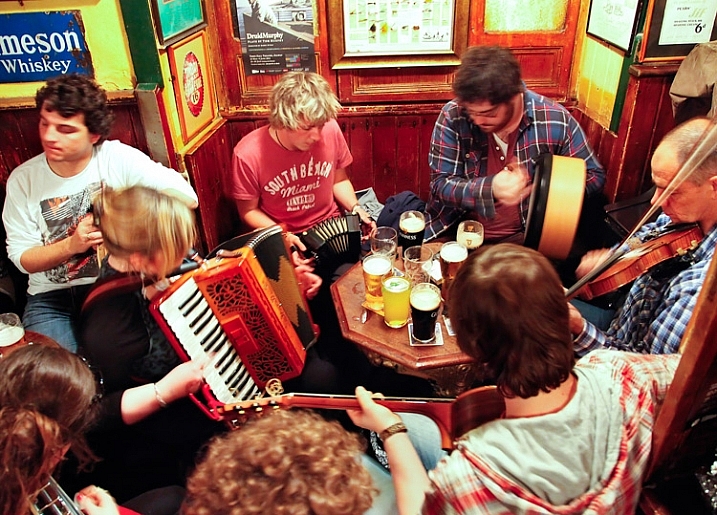
Pub-music

Sometimes a slower shutter speed adds a sense of movement. Shutter speed: 1/10; Aperture: f/4; ISO: 6400.

#3. Shoot Wide Open

Now it is time to prepare the shot. The first exposure setting to make is the aperture. Deciding which aperture to use in this context is easy. Put the aperture at its widest setting, which is the smallest f-number. Doing so lets in the most light. The downside is that you will have a very shallow depth of field. However, in this context that should not matter. You will only want your subject in focus and having some background blur is just fine (sometimes even preferable).

#4. Set a Fast Shutter Speed

Next you will set your shutter speed. The trick here is to make sure you are using a fast enough one. If your subject is not moving, then your minimum shutter speed will be a function of your focal length. The Reciprocal Rule states that your minimum shutter speed for a sharp picture should be the inverse of your focal length. So if you are shooting at 100mm your shutter speed should be 1/100 of a second or faster.

When your subject is moving, things change a bit and you will need to use an even faster shutter speed. I find that 1/200th of a second is a minimum for a moving subject if you want to avoid any blur. Start with that setting, and increase it if you have enough light. Try hard to avoid using a slower shutter speed unless you are trying to add a slight blur to your subject, to show a sense of movement. Otherwise, even if you don’t see any blur when you look at your pictures in the LCD, it might still be there and you will be disappointed when you get back to your computer to find you have a card full of blurry pictures.
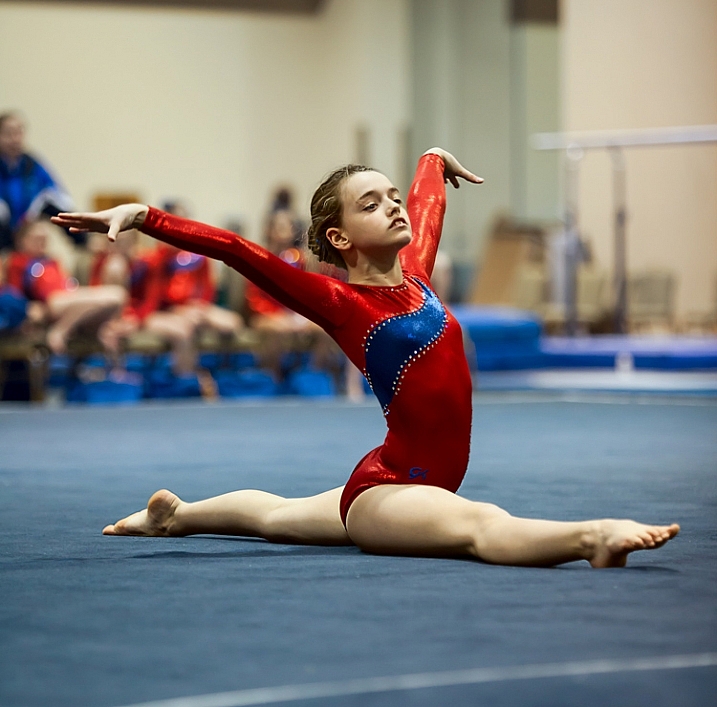
Elizabeth-Floor

In this picture, I was able to get away with a shutter speed of only 1/160th of a second because my subject wasn’t moving. . . (Shutter speed: 1/160; Aperture: f/2.8; ISO: 2000)

#5. Set the ISO (High)

The final exposure setting to make is ISO. Since you have already set your aperture and shutter speed, the ISO just is what it is. Set the ISO to whatever level is necessary to achieve a proper exposure.

Don’t be alarmed if you need to use a very high ISO to get a proper exposure. I routinely use ISO 1600 or 3200, and sometimes I even need to put it to ISO 6400. These are ISOs I would never even think about using in most other situations, but they are often necessary here.
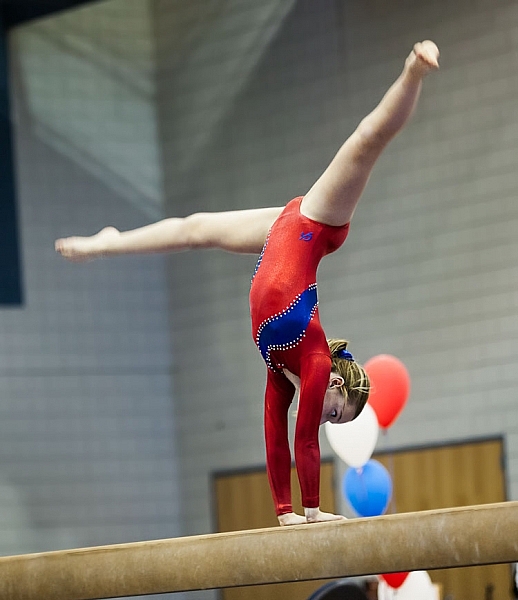
. . . but in this photo where my subject was moving, 1/160th of a second wasn't quite fast enough (Shutter speed: 1/160; Aperture: f/2.8; ISO 3200)

. . . but in this photo where my subject was moving, 1/160th of a second wasn’t quite fast enough. Arguably the blur in the legs implies movement, but it isn’t what I was trying to do (Shutter speed: 1/160; Aperture: f/2.8; ISO 3200).

#6 Test Your Exposure Settings Before the Action Begins

Test your exposure settings before the action starts. Since you are indoors, the light is often unchanging. In that case you can tweak the exposure settings and then more or less forget about them while you concentrate on the action. Where there is changing light, you will need to revisit the exposure settings often. In any case, start by making sure they are right, and do a test.

#7. Zoom In

Now let’s concentrate on the taking pictures part. In composing the picture, the first rule is to fill the frame. Zoom in on your subject. Don’t leave a lot of background. The important part of your picture is your subject, and they should dominate the picture.

#8. Wait for Peak Action
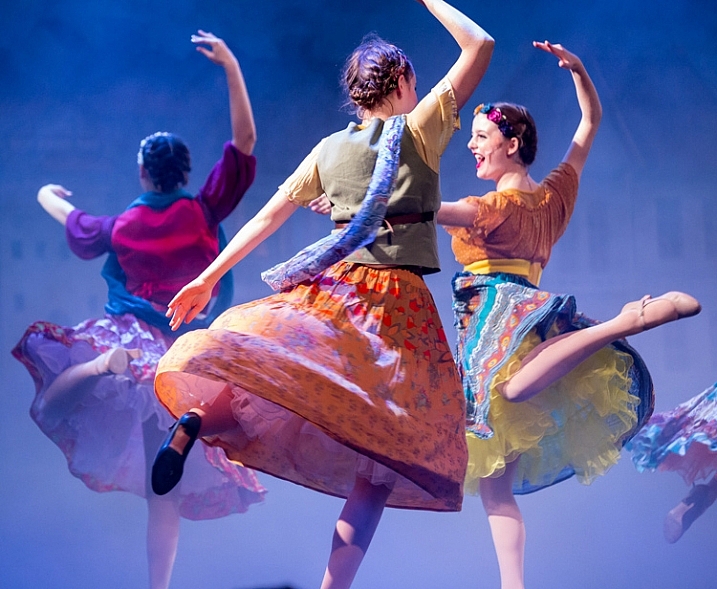
(Shutter speed 1/250th of a second; Aperture f/2.8; ISO 6400).

(Shutter speed 1/250th of a second; Aperture f/2.8; ISO 6400).

You may be inclined to machine gun your subject during the action. I know that there are many photographers who do that with great success, but I find it rarely works for me. Instead, anticipate moments of peak of action and prepare for them. When the peak action arrives take 2 – 4 shots very quickly (make sure your camera is in continuous shooting mode) and then recompose. When something else of interest happens, take 2 – 4 more shots, and so on.

Try to anticipate those moments of peak action. When you do so, and you shoot in a quick burst, you are more likely to get the best shots.

#9. Don’t Overlook Breaks in the Action

It may seem odd, but breaks in the action are often great times to shoot. By a break in the action, I mean two things.

The first is a momentary pause during the event. For example, in gymnastics after a difficult move there is typically a momentary pose. The same holds true in singing and dancing, as they hold a pose after finishing a part of a routine. The pose often makes a great shot, plus they aren’t moving so you won’t have as big of a problem with blur.
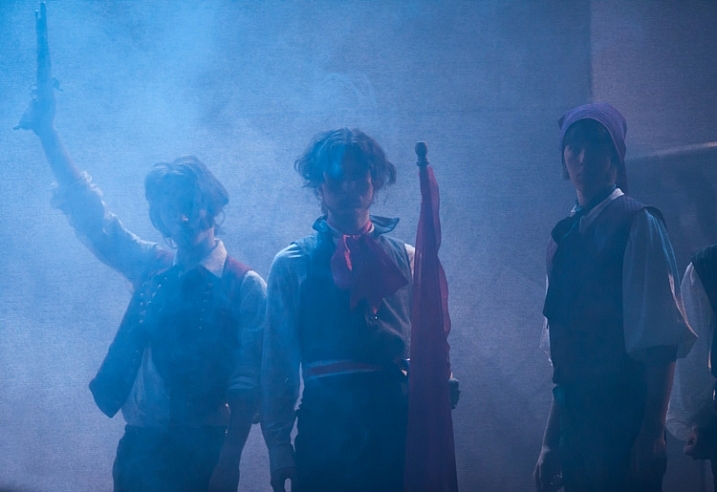
A break in the action will sometimes provide great shots while allowing you to use a slower shutter speed (Shutter speed: 1/50th of a second; Aperture f/2.8; ISO 3200).

A break in the action will sometimes provide great shots while allowing you to use a slower shutter speed (Shutter speed: 1/50th of a second; Aperture f/2.8; ISO 3200).

The second break in the action I am talking about is an actual break, like the end of a period in sports. There are often warm-up drills going on at that time that lend themselves to great shots. Plus you are typically allowed a bit more latitude in terms of your own movements, and you don’t have to worry about getting in anyone’s way. The best part is that no one will know whether you took the shot during a drill or the real game/match/meet. In fact, after a year or two, you probably won’t remember either!

#10. Nail the Focus

Because you are shooting with your aperture wide open, you will have a very shallow depth of field. That means the focus will be unforgiving and if you miss it there is no leeway.

So what should you focus on? Well, the subject, of course. If your subject is a person, then always focus on the eyes. If the eyes are on different planes, focus on the nearest eye.

This is an area where it pays to be comfortable with your camera’s autofocus modes. Your camera will have a mode designed to focus on stationary points (Canon calls this One-Shot and Nikon and Sony call it AF-S). Your camera will have another autofocus mode designed to track moving subjects, which Canon calls AI Servo and Nikon and Sony call AF-C. In the case of a moving subject, this mode will continuously track your initial focus point and readjust as it moves. Most photographers use this mode in the case of a subject that is moving. I personally almost always use the stationary autofocus, but use whichever one you are comfortable with.

Hannah2

Shutter speed: 1/640; Aperture: f/2.8; ISO 3200.

Another decision you should make to help with your focusing is whether to use back button focus. Normally, your camera focuses when you press your shutter button half way down. You can, however, set your camera to focus when you press a button on the back of the camera instead. I prefer this method because the focus will not automatically reset with each picture, Either way is fine, but back button focus gives you slightly more control over your camera’s focus so you might want to give it a try.

#11. Chimp!

That’s right, I want you to chimp. This refers to the act of looking at your photos on the camera’s LCD screen. Some photographers look down on this practice and referred to it as chimping (supposedly because the people looking at the LCD make “oo oo” noises while looking at their pictures, similar to chimpanzees). I actually think you should look at your LCD in any shooting context, but in this situation it is important to do so. There is just too much that can go wrong, and you need to make sure you are getting the shots. You might have the exposure wrong, your focus might be off, the action might be too fast for your shutter speed, and so on. You do not want to get home and discover you were doing something wrong, that could have been corrected while you were shooting.

#12. Additional Noise Reduction

You will have your own workflow for post-processing your pictures, so I will not dwell on that too much here. There are a few things, however, that are particularly important in this context, that I want to pass along. The first is that you will need to do some noise reduction since you will be using high ISOs for these shots, and you should probably do it in a manner that is a little different than you are used to doing.

Start off by using Lightroom’s noise reduction in the usual manner. Push the Luminance slider under Noise Reduction to the right. There is an equivalent slider in Adobe Camera Raw (ACR), if you use Photoshop or Photoshop Elements. Keep the increase moderate at this point, I find that is usually in the range of 10-15.

After that, reduce the noise in the background further. The background of your picture will usually be blurry because you used a large aperture, so the loss of detail from the additional noise reduction will not hurt anything. In Lightroom, use the Adjustment Brush and push the noise slider to the right, painting in where you want the noise reduction. Photoshop users can do the same thing in ACR or create a new layer with noise reduction, while masking off the subject.
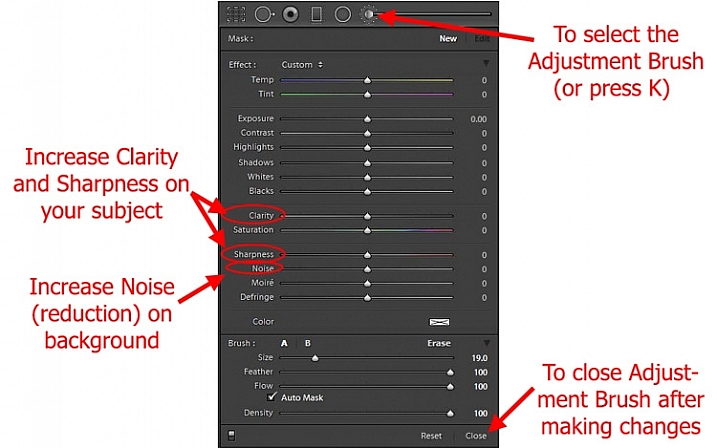
Using Lightroom's Adjustment Brush to Sharpen and Add Noise Reduction

Using Lightroom’s Adjustment Brush to Sharpen and add Noise Reduction – you will need two adjustment brush points added, one for the subject and a second for the background.

Note: you will need to add two adjustment brush points to do this (because you’re making different adjustments to each), one for the subject (to increase Clarity and Sharpness, see below) and a second for the background (to increase Noise Reduction).

#13. Sharpen the Subject

Next, sharpen your photo but, similar to the noise reduction you did above, you should tailor it to this situation. To start off, apply a slight amount of sharpening to the whole image, but not as much as you would usually apply because it will likely also cause an increase in noise.

Then apply sharpening to the subject only. In Lightroom, use the Adjustment Brush again. This time increase the Clarity and Sharpening amounts. Apply the effect only to your subject, while leaving the background alone. In Photoshop you can do the same thing in ACR or create a new layer that you sharpen, and mask off everything but your subject. The extra sharpening will help make your subject stand out a little bit better.

Conclusion

Photographing action in low light is a severe test of your camera equipment and your photography skills. It pays to have fast glass and a camera that performs well in low light. Using the tips in this article, you should be able to set up your camera and make the proper exposure settings. It will take practice to consistently nail the focus. It will take even more practice, and a little bit of luck, to capture the moments of peak action. But when you do, it is priceless.

Do you have any other tips or tricks that you use when shooting action in bad or low light? Please share in the comments below.

googletag.cmd.push(function() {
tablet_slots.push( googletag.defineSlot( “/1005424/_dPSv4_tab-all-article-bottom_(300×250)”, [300, 250], “pb-ad-78623” ).addService( googletag.pubads() ) ); } );

googletag.cmd.push(function() {
mobile_slots.push( googletag.defineSlot( “/1005424/_dPSv4_mob-all-article-bottom_(300×250)”, [300, 250], “pb-ad-78158” ).addService( googletag.pubads() ) ); } );

The post 13 Tips for Doing Action Photography in Bad Light by Jim Hamel appeared first on Digital Photography School.


Digital Photography School
 
Comments Off on 13 Tips for Doing Action Photography in Bad Light

Posted in Photography


The Who What Where When Why How of Doing a Photowalk

23 Nov

Recently I was privileged, for the first-time, to be a walk leader as part of the Scott Kelby Worldwide Photowalk. It was a great experience for me, one I plan to repeat again, and one in which I encourage all photographers of every skill level to participate. While a photowalk is something you may choose to do by yourself, I recommend taking some friends along with you. German photojournalist Alfred Eisenstaedt (1898-1995) once said, “It is more important to click with people than to click the shutter.” I agree! Let’s take a look at some FAQs concerning photowalks.

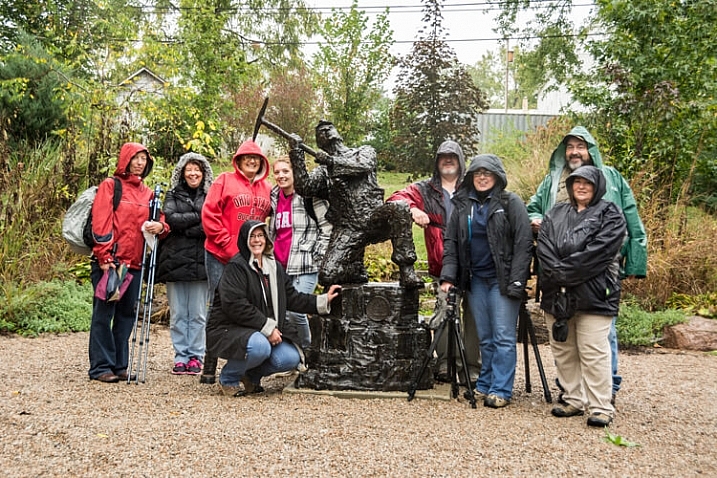
Group picture from World Wide Photowalk. The group is dressed in rain gear as it was raining at the beginning of our walk.

Group picture from the 2015 World Wide Photowalk I led. The participants are dressed in rain gear because it was raining when the event began.

Just what is a photowalk?

Wikipedia defines photowalk as: the act of walking with a camera for the main purpose of taking pictures of things that a photographer might find interesting. Obviously, but a photowalk can be so much more than that! If you invite friends or others who share your passion for photography to walk with you, it can be a social event. It can be a source of inspiration if you feel like you’re in a photography rut, and it can also be a time of learning new techniques and sharing your own knowledge and ideas with fellow photographers.

Look for shapes and colors

Take a close look for interesting shapes and colors.

Why should you attend a photowalk?

One of the main reasons to photowalk is to practice your skills as a photographer, and to stretch your skills by trying new things and learning from others. Photographers of all skill levels can benefit from a photowalk, as participants can observe and learn from those more advanced, or help and encourage those who are just beginning to develop their interest in cameras and photography. Don’t be afraid to experiment and try new accessories or techniques; rather, practice using them on a photowalk! For example, perhaps you have never tried back button focusing before, so use the time on your walk to give it a try and have another photographer that uses it help you to get familiarized with this option.

If you are a member of a photography club, a photowalk can be a memorable outing. Some groups even set them up intentionally as a form of friendly competition. Photowalking can also be an opportunity to network with other photographers who share the same interest, or photography ambition as you.

The act of photowalking needn’t be just about the pictures –  in fact, one activity you might try is a photowalk without your camera. Sounds crazy, I know! As you see things that you would have photographed if you had your camera with you, discuss with others in the group how to photograph the object or scene. Sharing these opinions might help you see the subject more creatively.

After the walk, create a social media page, on sites such as Facebook or Flickr, where the group can share the images they captured during the walk. This is a way of staying in touch with the friends, new and old, you may have made during your walk.

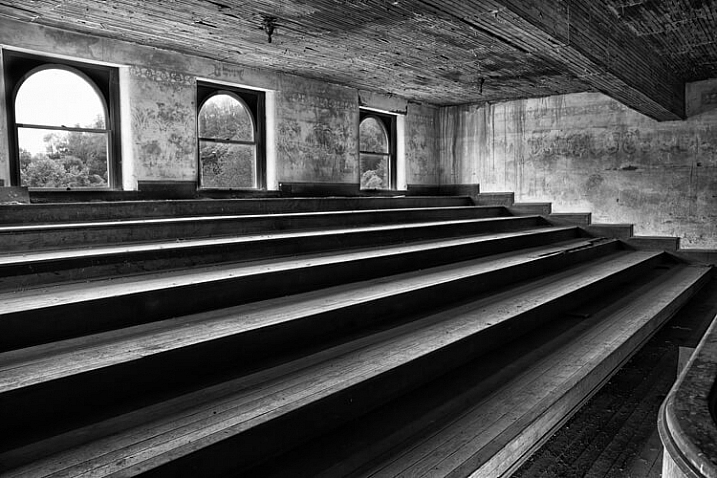
Look for unique angles.

Unique angles create a striking image in an abandoned theater balcony.

What time of day is best?

This is a trick question, because any time of the day is a fine time for a photowalk. You just need to use the elements presented to you, as even the harsh mid-afternoon light can be an ideal time to shoot silhouettes. Or try a night walk in a safe downtown area of a local city, because that can be an opportune time to shoot some really awesome streetlight or headlight images. As American pioneer photographer, Alfred Stieglitz (1864-1946) stated, “Wherever there is light, one can photograph.”

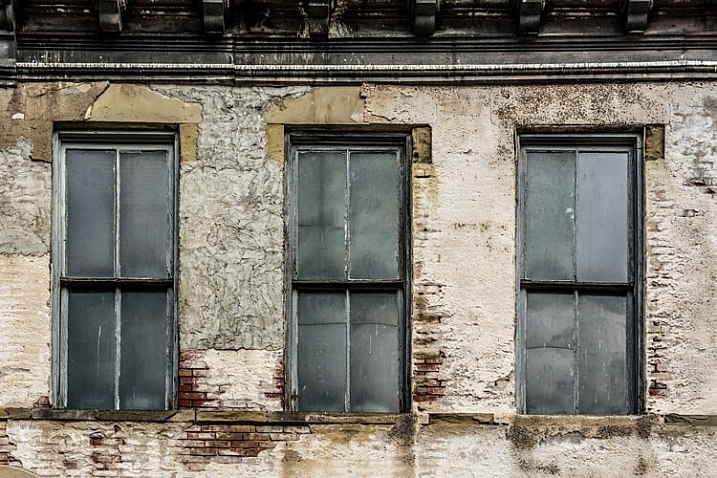
Look for patterns

Patterns appear in aging structures. These three windows lend themselves to a balanced composition.

What are the best locations?

Anywhere there is something interesting to photograph can be a perfect spot for a photowalk, from a city park to one’s own backyard. If you are organizing a more formal photowalk for a group, be sure to choose a venue or area that is spacious enough to handle the number of participants, without making them feel crowded. Look for a location that might present a wide variety of photo ops such as: macro, landscape, architecture, portraiture, still life or even wildlife. Keep the walk to a reasonable time and distance (two hours of shooting is sufficient for a photowalk). Some ideas for locations are:

  • A short sidewalk or street loop in a city or town
  • A city or public park
  • A hike in the woods
  • Walk a long a river or lakeshores
  • A zoo
  • Your own neighborhood

Whichever location you choose for your walk, try to do some pre-shoot scouting, either via internet or with a personal visit, in order to be aware of the area. If you are leading the walk, try to find out as much information about the area before-hand as you can, maybe even enlisting a local guide to show the group the most picturesque spots or points of interest. Remember to give participants maps or other heads-up information so they can make the best use of their time.

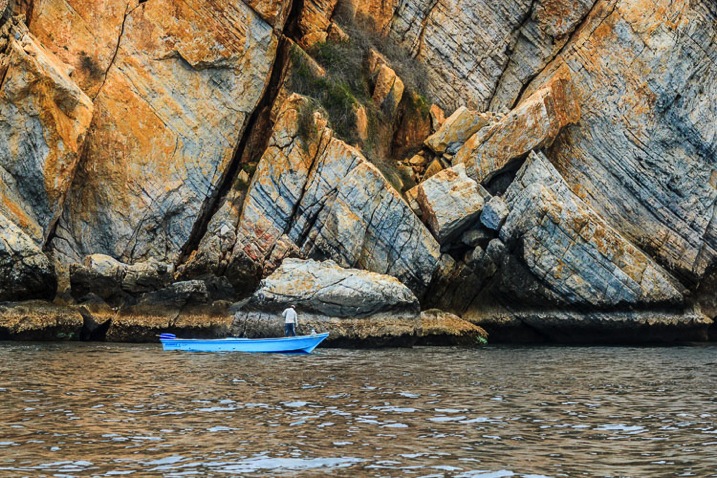
Dramatic details can be found when looking beyond the obvious subject.

What if the weather is bad?

Check the weather forecast before you leave for your walk, and be prepared for adverse weather conditions. If you are leading a walk, making plans for an alternative indoor location could make for a more pleasant experience for everyone participating.

What equipment should you carry?

Well, of course, the most important equipment is a camera! Do you need a high-end camera for a photowalk? Absolutely not! Your camera can range from an iPhone to a point-and-shoot or a DSLR. Challenge yourself to shoot with a limited amount of equipment, and you may find this helps stimulate some very creative shooting.

Pack light, because doing a photowalk with a heavy pack of equipment on your back will not only get old quickly, but will also limit your mobility. Leave the bulky camera bag at home, and take only what you can carry along in your pockets:

  • Camera: Try walking with just one camera and one lens.
  • Tripod: A sturdy light-weight tripod or monopod can do double-duty as a photography tool and as a walking stick.
  • Batteries: Make sure you have a fully charged battery in your camera, or carry an extra in your pocket.
  • Microfiber cleaning cloths: As you will be walking with your lens cap off most of the time, carrying a lens- cleaning wipe in your pocket is helpful to keep the lens dust-free.
  • Extra memory card: If you plan to shoot a large number of images, a spare memory card often comes in handy.
  • Business cards: As photowalks are a great networking tool, be sure to carry business cards with you if you have them.
  • Photography vest: This option allows you to carry a few more items on the walk, such as filters or even possibly a second lens if you feel so inclined.
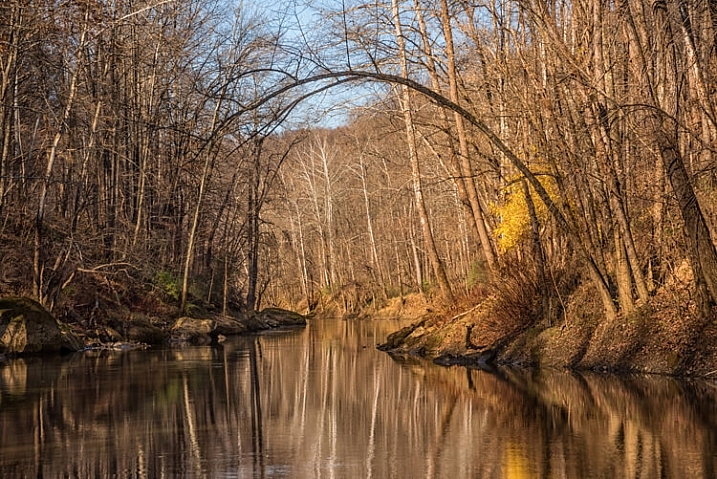
On a fall Photowalk along a river was a great locations for reflections

On a fall Photowalk, a spot along a river was a great locations for reflections

What should you photograph?

Whatever subject you are drawn to as you photowalk, try to look past the obvious and seek out details. Find interesting angles and perspectives to capture images of subjects you’ve never noticed before. Look for objects with unique colors, shapes, textures, patterns or reflections. Challenge yourself and/or your group members to look for certain subject matter, such as: photograph anything red. Also, by all means if you are a walk leader, take a group picture on location so you can share later on social media!

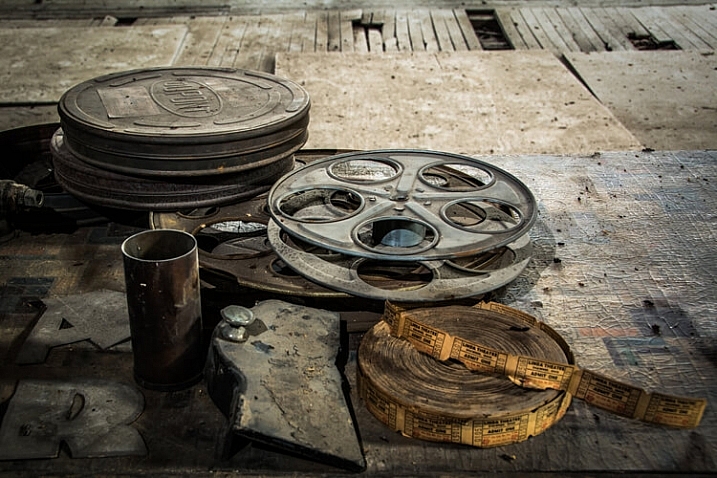
Look for objects that might tell a story about the location of your walk.

Look for objects that tell a story about the location of your walk.

So get out there and walk

Walking is great exercise. Photowalking is also valuable exercise for camera-buffs. Have some fun and experiment with some new techniques, while networking with other photographers.

Have you ever participated in an organized photowalk? If so, what kind of subjects did you shoot, and were you pleased with the results? Please share your experience and pictures in the comments below.

googletag.cmd.push(function() {
tablet_slots.push( googletag.defineSlot( “/1005424/_dPSv4_tab-all-article-bottom_(300×250)”, [300, 250], “pb-ad-78623” ).addService( googletag.pubads() ) ); } );

googletag.cmd.push(function() {
mobile_slots.push( googletag.defineSlot( “/1005424/_dPSv4_mob-all-article-bottom_(300×250)”, [300, 250], “pb-ad-78158” ).addService( googletag.pubads() ) ); } );

The post The Who What Where When Why How of Doing a Photowalk by Bruce Wunderlich appeared first on Digital Photography School.


Digital Photography School
 
Comments Off on The Who What Where When Why How of Doing a Photowalk

Posted in Photography


7 Benefits of Doing Microstock Photography

03 Nov

I have to confess, it took me a while to get myself to do the exercise of actually sitting down and filtering through my old photos, to find those suitable to submit to a microstock agency to start selling. Finally, I did it, but boy how I wished I did it much earlier, back when I heard about microstock photography, the very first time.

DPS 1

But wait a minute, what’s microstock?

Unlike large stock photo agencies like Getty, microstock agencies are where photographers can license their photos to be sold as royalty-free images. This means buyers can use the photos they bought, without having to pay a royalty (or licensing fee) every time they use them. I won’t get into much detail on this, as you’ve probably heard of thing called “Google” by now, go ahead and read more about it.

For us as photographers, what are the real benefits to selling our work as microstock? Below are seven benefits from my own experience. However, you may find even more benefits yourself. So here we go:

1. It improves the overall quality of your photography

The reason for this is simple: Microstock agencies have strict guidelines for accepting submitted photos, in order to maintain quality. Guess what that means? Yep, you will have to actually put some efforts into taking those photos.

Every microstock agency is different, but generally speaking, things like noise, bad composition, bad lighting, weird color cast (wrong White Balance), out of focus, and blurry are pretty common reasons of rejection. This will definitely keep you on your toes as a photographer, and will force you to pixel peep your images carefully before submitting them. If that’s what the reviewers do, why waste time submitting a photo that won’t get approved? I can’t tell you how much it improved me as a photographer.

DPS 2

2. It pushes your creativity to new levels

There comes a point as you go through a microstock website, searching for similar photos when you think, “oh man, is there any idea that’s not thought about already?” This will make force you to actually brainstorm more creative ideas, to come up with images that no other contributor has submitted yet. Do I have to tell you how drastically this will improve your overall photography thinking process? Forget stock, this trains your eyes to see differently, and your brain cells to sprint a little harder.

3. It makes use of unused photos

While some shots you will need to purposely take for stock, others are just what you can find in your archives. If you are anything like me, you probably have hundreds, if not thousands, of unused photos laying around, taking up more disk space, let alone backup drives and cloud services. While these extra hard drives and backup services are becoming cheaper every day, the cost still adds up with time. It won’t be long before you realize you have terabytes of RAW and JPEG files, not to mention the hassle of fiddling with many hard disks.

DPS 4

Have you ever thought about putting your unused photos to a good use? Well, you know the saying, “One man’s trash is another man’s treasure”. You won’t believe how many of those photos can be used by others. They could save someone’s day somewhere on this planet. So, instead of keeping them buried down in the hard drives, dust them off, polish them a little, and if you think they meet the criteria, put them to a good use. Who knows, they might end up paying for their own recurring cloud backup expenses.

4. It gives your hobby a purpose

Hobbyist or not, you are likely into photography because it’s what you love to do. If you are not a pro who is getting paid to do photography, justifying staying up late editing your photos to your non-photographer spouse, or explaining slowing down on that family dream vacation to your kids, can be a little too difficult to do.

DPS 5

Let’s be honest, this is an expensive hobby, so selling your photos to microstock agencies is probably the easiest way to not only make a few extra bucks on the side, but to add a goal and purpose to your photography. On the other hand, if you are a pro, I’m sure those extras shots that you couldn’t sell and don’t need anyone’s approval to use, will hold some commercial value, so why not?

5. It is as demanding as you want it to be

Selling your photos as microstock is, well, almost like running your own mini-business, minus all the struggles that come with a full-blown business, while keeping some of the advantages. As is the case with running your own business, it’s up to you how much time and effort you want to pour into it, and subsequently, how much return you will get. The good news is, you can speed up or slow down as conveniently as you want. You are in complete control of the process, especially when this is not your main income. What’s not to like about it?

DPS 6

6. It can bring you satisfaction and fame

Have you heard of Google Images search? Once you started selling your photos, go ahead and search on Google using one of your images and see for yourself where, and how many times those photos of yours are being used. Your mind will be blown away by the places that your photo might end up. Don’t be surprised if a friend one day sends you a snap of a famous magazine with your photo beautifully used in it. Go ahead and brag about that to your heart’s content, use it to your advantage, and show the world that you have published work.

7. It gives you a little bit of extra cash on the side, almost indefinitely!

I kept this for last for two reasons:

  1. I didn’t want you to just focus on the money part and miss the other amazing benefits.
  2. I wanted to keep the best for last! Not only will selling your photos as microstock make you a better photographer and bring you satisfaction, it will also give you a few extra bucks on the side.

Did you notice how I bolded and underlined the word “few”? Unless you have a big team of professional models, makeup artists, wardrobe artists, and are doing this as your main job, you will probably not make that much money, because after-all, microstock agencies in general don’t pay very much. For instance, as a contributor to shutterstock.com, I only get paid 25 cents per download. Don’t get me wrong, I’m not complaining, in fact, if you think about it, this is only per download per image. If you have enough high quality images, with high commercial value, you will soon witness the numbers add up.

DPS 7

To put things in perspective, if those few extra bucks at least pay the cloud backup charges instead of draining you, or give you some extra cash to buy some accessories online, then this whole thing is very much worth it. Here’s the good news, your portfolio will continue to grow over time and with that, your photos will continue to bring you cash during your sleep almost indefinitely.

Why almost, you ask? Well, because some photos may go out of style, or will be overused by so many designers, blogs, and publications, so you will need to keep updating and adding more photos to your portfolio to keep it fresh. This should keep the income flow somewhat steady, if not improve it over time, especially when you start to analyze and learn the ins and outs and what sells more than others.

Conclusion

I wish I had someone open my eyes to these benefits a long time ago – so here you go, I hope I’m opening yours. If you are already a microstock photographer, or can think of other benefits, I would love to hear and discuss them with you in the comments section below, maybe you will open my eyes to something I’ve not seen before myself.

googletag.cmd.push(function() {
tablet_slots.push( googletag.defineSlot( “/1005424/_dPSv4_tab-all-article-bottom_(300×250)”, [300, 250], “pb-ad-78623” ).addService( googletag.pubads() ) ); } );

googletag.cmd.push(function() {
mobile_slots.push( googletag.defineSlot( “/1005424/_dPSv4_mob-all-article-bottom_(300×250)”, [300, 250], “pb-ad-78158” ).addService( googletag.pubads() ) ); } );

The post 7 Benefits of Doing Microstock Photography by Momen Khaiti appeared first on Digital Photography School.


Digital Photography School
 
Comments Off on 7 Benefits of Doing Microstock Photography

Posted in Photography


Tips for Doing Fall Portraits

16 Oct

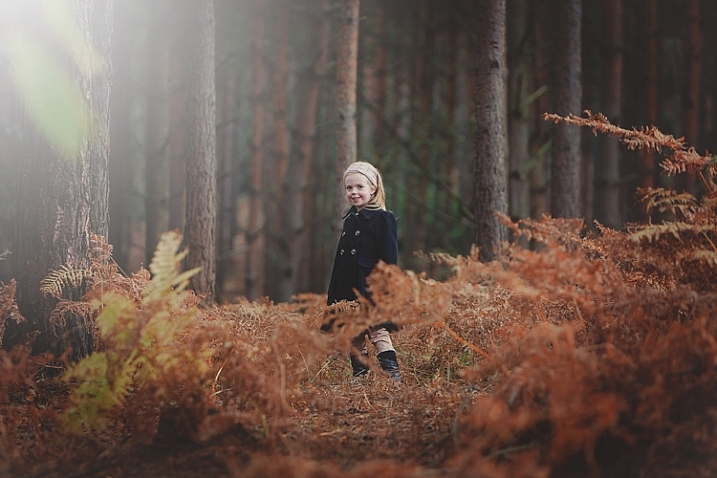
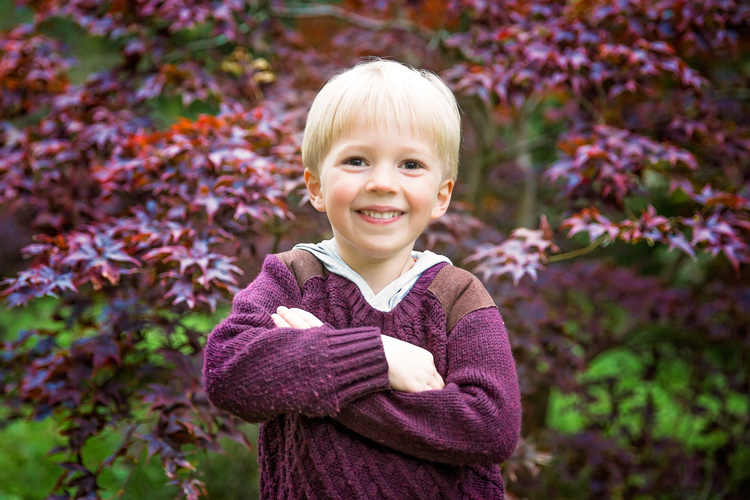
Autumn provides photographers with an abundance of colours and amazing light. When captured right, autumn can create images which are the envy of everyone.

For family photos, autumn can provide you with amazing backdrops, and a variety that can be matched by no other season. For this article, I took my own two children for a walk in the woods to do some fall portraits. Photographing other people’s children is always easier than your own, so I thought it would be a great exercise, and we may also even get some nice pictures of our own children for once. So here are some fall portrait tips to get you started.

Gannon-Studios-2

Autumn Portraits 4

Preparation

Preparation is the key to any successful shoot. Of course ensuring your camera equipment is charged, you have clear cards, and your gear is clean seems like a no brainer, but it’s often the fundamentals that we overlook. Clearing cards can be daunting for those starting out, but just double check that you have downloaded everything, then use the Format function (in the camera) that will give you a completely clear card. There are rumors that deleting single images in-camera can lead to corrupting the card, so it’s best to use the Format function.

Make sure you check the weather. Here in the UK, as well as many other parts of the world, it can change quickly at this time of year. Check with a few sources about local weather. It’s such a pain to get everyone together, get in the car and travel for some time, only to be rained out. Although, even rain in autumn can provide some great image opportunities, if you are dressed correctly.

Gannon-Studios-1

Sunrise and sunset can give us the best light. However, dragging your family out of bed for a photo shoot is always going to be tough. Aim to start your shoot about an hour before sunset. This Golden Hour is favored by many professional portrait photographers, as the light is more flattering and you may even get a great sunset. You can look up sunset times for your local area. It can be surprising how early it gets dark, and you want at least a good hour of shooting before the sun goes down.

Make sure everyone dresses appropriately. It’s getting colder, and it’s one less thing to worry about if everyone is warm during the walk back to the car. While we still think it’s lovely and warm outside, believe me, it gets cold pretty quick when the sun starts to go down. Also have a change of clothing available for everyone. It can be wet and muddy and some of us are prone to falling over!

Make sure you bring snacks and drinks. Especially if you are photographing children. They will get bored and hungry way before you do, so anything to help keep them going while you master that perfect shot the better.

Editor’s note: if you are photographing other people’s kids have the parents bring snacks that the kids like. Never give food to other people’s kids without asking the parents, there may be allergies or special diets.

Clothing advice for portrait photographers:

Clothing choices are always important for portraits, but in fall it can really make a difference to your image. Try and have everyone wear natural tones that will either compliment the colours of the leaves and trees, or blend in. My son wore a dark red sweater, as we knew the area had very vivid reds in the trees. My daughter wore black and white which is a timeless combination that blends in well. My son also wore a grey hood that coordinated with his sister.

Autumn Portraits

Try and avoid clashing patterns or colours amongst your subjects by discussing it in advance, and maybe come up with a colour theme that everyone can include. Also avoid t-shirts or sweatshirts that have dominant logos. If he could, our son would have Star Wars logos on everything. This can of course date an image, and is also very distracting.

Try and have a few changes of clothes available. This will not only provide variety in your images, but in the wet and possibly muddy conditions, you may well need them, especially for any children.

Location

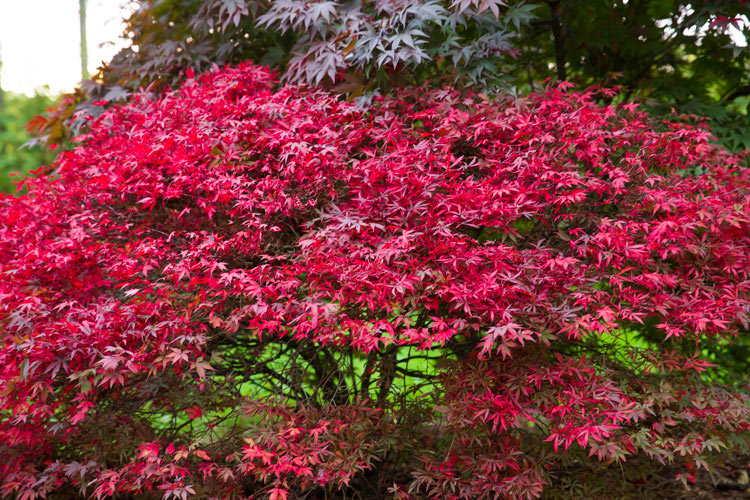
Location is essential for any shoot, but for autumn you want to find the best colours and textures you can. Things can change really quickly. The leaves can change over a couple of days, but it often doesn’t happen until later than you think. For this article, we actually struggled to find autumn colours despite it being early October. You also need to check that the leaves are still there. A heavy wind can take them down overnight, so don’t wait too long after you have scouted your spot to shoot.

We searched online for arboretums, these are great places that have collections of interesting trees. Of course, your local forest would be great too.

Autumn Portraits 2

Use social media for location tags to see what other people have photographed over the last few days, at or near the same location. Instagram, Twitter and even Trip Advisor are fantastic for this. You may also get to see a great place that you may not have found otherwise.

The technical bits

For my shoot, I was using a Canon 5D Mark 3 and took the 24-70mm f/2.8 Mark 2, and the 70-200mm f/2.8 Mark 2. These of course are professional cameras and lenses, but any modern camera whether a DSLR, point and shoot, or even a smart phone should provide great images. In fact, I find the iPhone 6 has great range of colours and light.

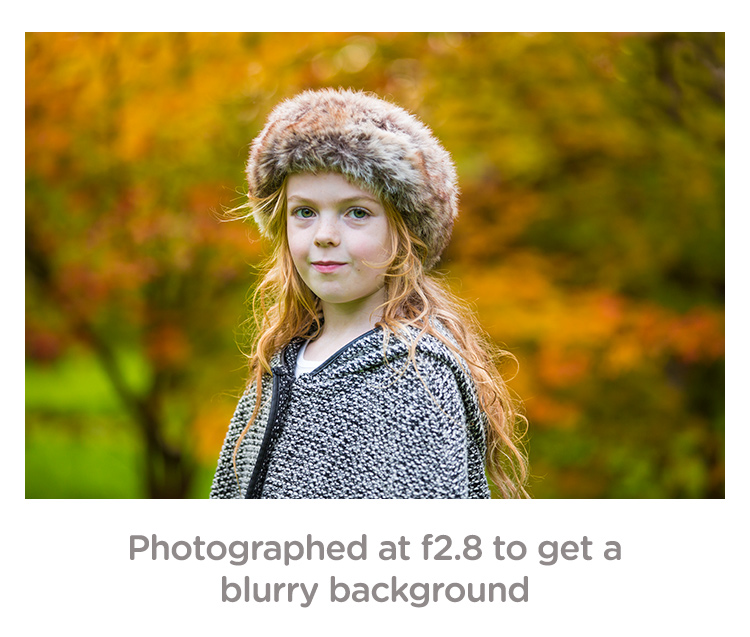
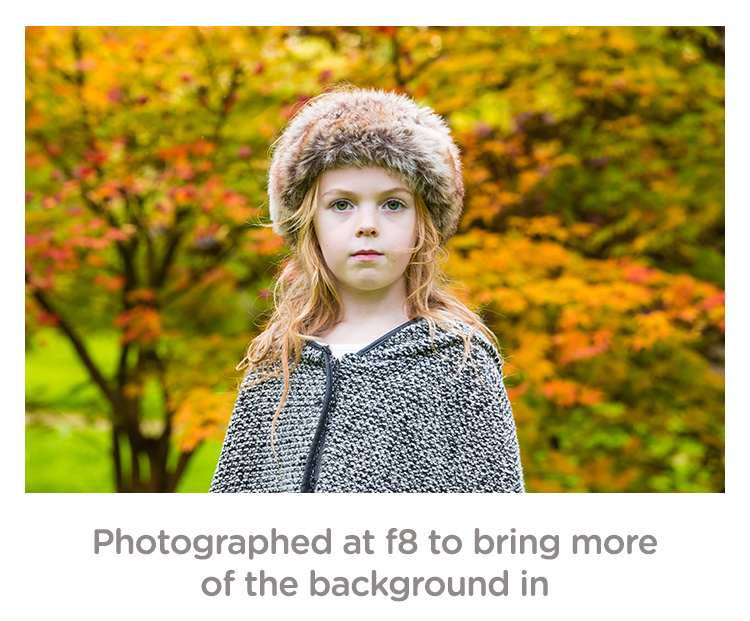
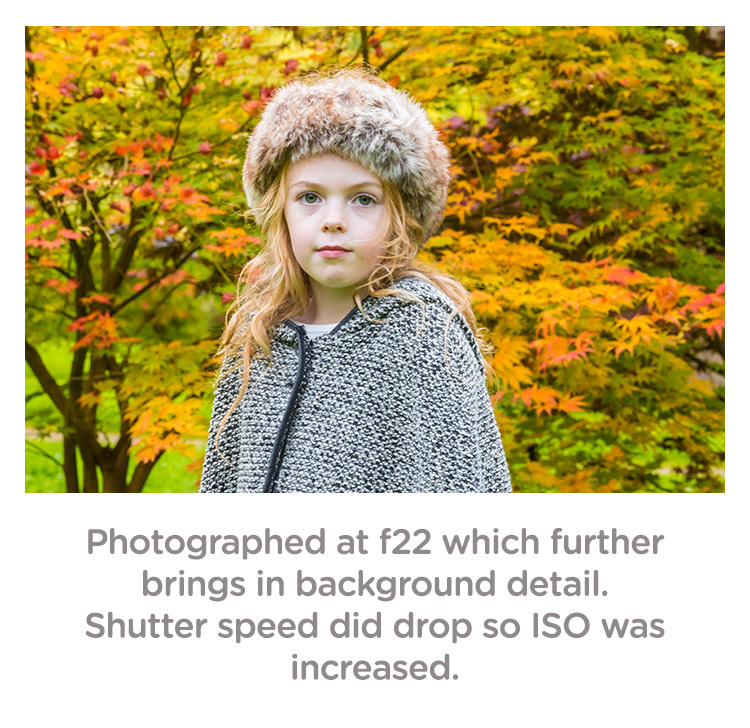
If you are using a DSLR, you can really play with the aperture (f-stops) to get a range of looks without moving location. To get a super blurry background, set your aperture to the lowest number. On my lens, this is f/2.8. Some lenses can go lower and some are limited to higher setting. Even with a kit lens that comes with your camera, you should be able to get to around f/5. If you want the leaves and your family in focus, try increasing the aperture to f/8 or even f/22. Do be careful though because at f/22 your shutter speed will be significantly slower, and you may well need to increase your ISO to compensate.

Depth of field guide f2 8

Depth of field guide f8

Depth of field guide f22

I photographed the images above in Aperture Priority (AV on a Canon, and A on a Nikon). This is when you decide the aperture and the camera sets the shutter speed. Keep an eye that the shutter speed doesn’t geet too slow (1/60 as a minimum). If it does, increase your ISO.

Personally, I always shoot in RAW. For me it just allows me that flexibility afterwards. However, with modern cameras, JPEGs are very versatile, and don’t break up as much as they used to. Some cameras allow you to capture a RAW and JPEG at the same time. This is great so you have the RAW to go to if need be.

White Balance: for these images, I shot in cloudy White Balance. It warmed up the colours, although I did alter these in Camera RAW processing later, it did give me a great starting point. If you are using your manufacturer’s own software, you should be able to change the white balance quite easily.

Getting natural smiles and reactions from children

You know your own children very well. You know the songs they like and what gets them interested. However, they are also very comfortable around you, and may decide to walk off just as you get your camera settings right. Here are a few tips to get a natural reaction.

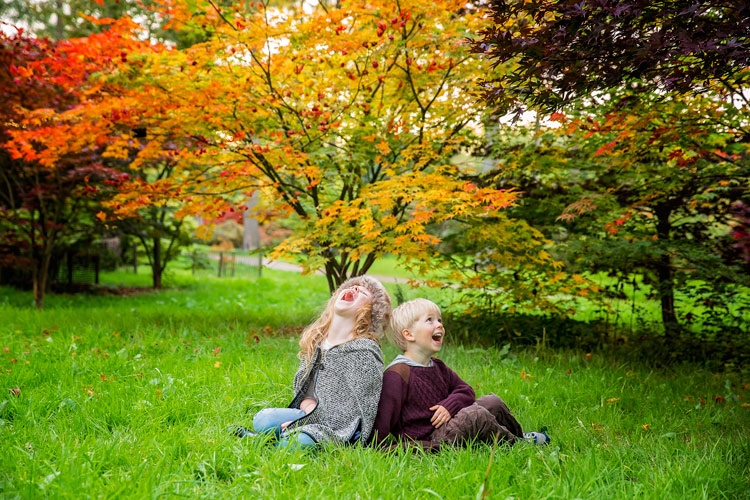
As in the images in this article. I asked my children to laugh hysterically for no reason at all. This got a huge overreaction which although is a great animated image, is not what we were after. What did happen is that as they calmed down from that, they had natural smiles. They thought it was funny and continued smiling naturally.

Posing Idea 1

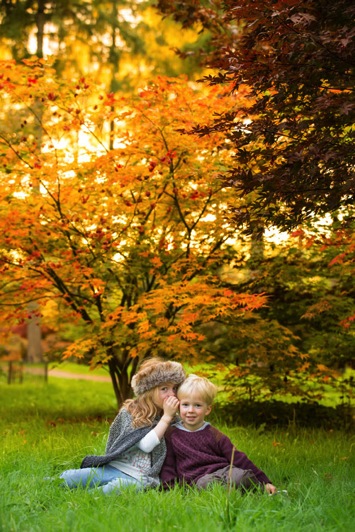
If you have more than one child, ask one to tell the other a secret. This will always get them giggling.

Posing Idea 2 Posing Idea 3

With just one child, ask them to tell you or the camera anything that they are interested in. Our son will talk for hours about anything Star Wars or Marvel. With our daughter we can ask her math questions, which gets a range of reactions.

Sing them a song but get it wrong. For some reason, this is the funniest thing ever to kids. Basically, do anything to distract them or get a reaction, but not by saying CHEESE!

Editing your images

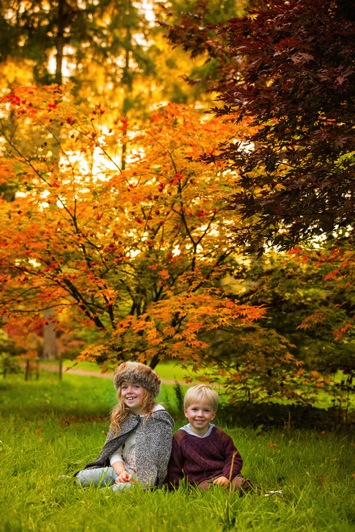
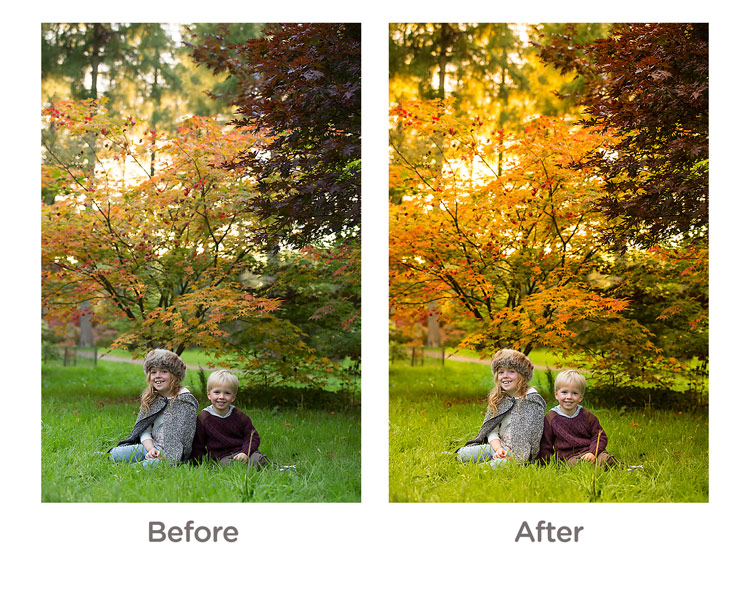
For editing, I used Camera RAW processor which is part of Photoshop. However, most cameras come with editing software, or you can use something like Lightroom which is quite affordable. I actually kept the editing quite simple. The main thing I did was to go to the saturation panel and increased my Reds, Greens and Yellows. This really brought some punch to the image.

Before and After Editing

And finally…

Please print your images in some way. As parents, we are great at taking images, but not doing anything with them. Don’t worry about capturing the most amazing image, just get something that captures your family and print it some way.

googletag.cmd.push(function() {
tablet_slots.push( googletag.defineSlot( “/1005424/_dPSv4_tab-all-article-bottom_(300×250)”, [300, 250], “pb-ad-78623” ).addService( googletag.pubads() ) ); } );

googletag.cmd.push(function() {
mobile_slots.push( googletag.defineSlot( “/1005424/_dPSv4_mob-all-article-bottom_(300×250)”, [300, 250], “pb-ad-78158” ).addService( googletag.pubads() ) ); } );

The post Tips for Doing Fall Portraits by Sean Gannon appeared first on Digital Photography School.


Digital Photography School
 
Comments Off on Tips for Doing Fall Portraits

Posted in Photography


4 Tips for Doing Photography on a Budget

14 Jul

Several times in the past few months people have asked me how to get into photography without spending a lot of money. I must admit the idea of emptying your wallet to get all the camera bodies, lenses, flashes, tripods, and other gear you need to do some serious photography can seem quite daunting, it certainly was for me when I first got bitten by the photography bug.

The good news is you don’t really need the latest, greatest, and most expensive gear to make some stunning images thanks to the magic of modern technology. In many cases all you need to do some serious picture-taking is the camera you probably already have with you: your smartphone. However as good as modern mobiles can be, they do have some serious limitations (particularly due to their small image sensors) like limited low-light capabilities, and non-zooming lenses. If you really want to up your game and take advantage of the bigger image sensors, larger lens selection, and incredible accessories available for DSLR or mirrorless camera without breaking the bank – here are a few options to get you started.

photographing-on-budget-beach-sparks

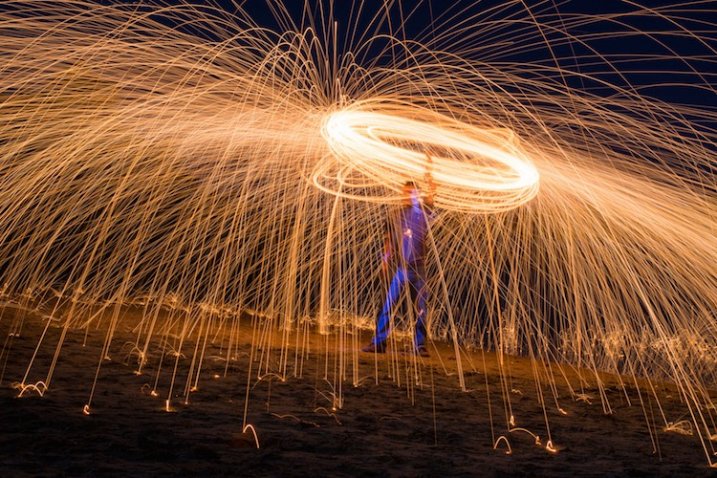
You don’t need a lot of money to take pictures like this. A basic camera and some creativity will do just fine.

1. Buy used gear

New cameras sure are nice, and I can certainly understand the desire to have a model with the most megapixels, best image sensor, highest ISO, fastest autofocus, and coolest bells and whistles. But, before you rush off to drop hundreds or thousands of dollars on a brand new model though, consider this – every picture you have ever seen was taken with a camera older than one you can buy today.

Think of the most famous photographs in history: A man facing down a row of tanks in Tiananmen Square. Muhammad Ali standing triumphant over a defeated Sonny Liston. The 1984 National Geographic photograph of a young woman from Afghanistan. These were all taken on film cameras, with capabilities outmatched in almost every possible way by even the cheapest digital camera today. Certainly new cameras make the act of taking pictures easier in many ways with bright screens, easy-to-use controls, and a host of other features designed to help you get the hang of your hobby. But if you’re pressed for cash buying an older, used camera can be just as good.

photographing-on-budget-cottonwood-borer

Photo of a cottonwood borer beetle taken with my old Nikon D200 that is far less capable than any new DSLR on the market today.

To put my money where my mouth is, I take most of the pictures on my weekly 50mm photo blog not with my new Nikon D7100, but with my ten-year-old Nikon D200, which can be found used online for a fraction of what a brand new camera costs today. It’s only 10 megapixels, and doesn’t have features like wi-fi, a tilting screen, or even the ability to use live view – but it allows me to take beautiful images and that’s often the only thing that matters.

Buying a camera just a few years old can save you significant amounts of money while giving you a high-tech photographic instrument that your photographic forebears from decades gone by would only have dreamed about. Older cameras like the Canon Rebel T2i, the Nikon D80, Olympus PEN E-P2 and many others don’t stack up to modern cameras when you look at marks on a checklist of features, but all of them are capable of producing amazing images, and can be purchased used for much cheaper than any new camera today. This applies to more than just camera bodies, and you can find very good prices on accessories like lenses, flashes, tripods, and other equipment too.

My brother took this shot with a ten-year-old DSLR and a macro lens he found when cleaning out his basement.

My brother took this shot with a ten-year-old DSLR and a macro lens he found when cleaning out his basement.

I prefer buying used equipment from sites that offer some type of warranty or trade-in period if you decide you don’t like what you receive. Two of my favorites in the United States are KEH.com and Adorama Used. Other sellers like B&H offer used cameras, and you can often buy refurbished equipment directly from camera manufacturers that even come with a warranty. Some photographers I know get a lot of high quality gear for cheap on sites like eBay and Craigslist as well. Be forewarned that sites like these often make no guarantees as to the quality of what you are buying, but as long as you are careful you can find some good deals.

For some buying tips read: How to buy used camera gear 

2. Make your own gear

If you’re like me you may find yourself scrolling through websites, or flipping through catalogs, dreaming of all the camera gear that you don’t have, mostly because so much of it is too expensive. While many common photography accessories can be purchased used, you can actually make your own versions for almost no money at all. These won’t stand up the the daily rigors of a professional photography environment, but most offer similar functionality as their full-priced name-brand counterparts for far less cash. From do-it-yourself tripods to homemade lighting kits, the internet is brimming with articles, videos, and tutorials for enterprising photographers looking to fashion their own equipment to save a buck or two. The end result might look the same as a professional product, but you may be quite surprised at what you can come up with to expand your photographic horizons with a bit of searching and a willingness to try making things by yourself.

Read these dPS articles for some DIY projects:

  • Creating Effective DIY Studio Lighting With Household Items
  • 5 DIY Hacks to Have in Your Camera Bag
  • How to Make a DIY Light Panel or Scrim
  • DIY Light Modifier You Can Do With Savage Translum Material
  • DIY How to Build and Use a Reflector to Take Better Portraits
  • How to Make An Inexpensive Light Tent – DIY

As an example, here’s a photo of a toy train I took with my son one morning before I left for work. It required no special equipment, and took about 10 minutes to set up.

A toy train, seen in a whole new light.

A toy train, seen in a whole new light.

You might think a photo like this would require an expensive camera, a fancy studio, and a lot of costly lighting rigs, but in truth it was quite the opposite. I shot this using my trusty D200 on our dining room table with a bit of aluminum foil taped to a board.

No fancy lighting or expensive equipment required.

No fancy lighting or expensive equipment required.

This is only one case scenario out of thousands, and just goes to show that a bit of out-of-the-box thinking, and some creativity, can net incredible results without requiring a trip to the bank. While spending money on additional gear and equipment can certainly boost your capabilities as a photographer, this is just one way to take you skills to the next level without breaking the bank.

3. Learn to use the equipment you already have

Recently I was talking about cameras with a fellow photography enthusiast who was a bit frustrated with his DSLR. He wanted to shoot in Aperture Priority but have his camera also take care of setting not just the shutter speed but the ISO as well. As he told me about the new camera he was thinking about buying and pondering how he could save enough money to get it. I asked if I could look through his camera menus a bit. A minute later I found that his camera did indeed have an Auto ISO setting which did exactly what he was hoping, and saved him hundreds of dollars right there on the spot.

This is only the most recent example of a phenomenon I have encountered many times; the camera you already have can probably do a lot more than you realize. If you’ve never sat down and read the manual for your camera, you might be in for a pleasant surprise when you find out how much it can actually do. You can almost always find online tutorials dealing with your specific camera with a bit of internet searching.

The equipment I used to shoot this was not expensive (a $ 100 pocket camera) but I did have to learn about lighting, posing, focal lengths, background compression, and other aspects of photography.

If you want to seriously enhance your photography skills without buying a single piece of new gear, one of the best routes you can take is to learn from others. Most cities have photography clubs where members meet regularly to teach workshops, share tips, or just gather to talk about their favorite hobby with fellow like-minded individuals. Often these groups and clubs require nothing of new members except a passion for photography. Those that do charge a fee usually keep it reasonable and have a good motive for doing so; membership dues give the group access to better facilities, early sneak peeks at new equipment, or even a notable guest speaker.

If you don’t have one of these groups in your area there are plenty of online forums as well, such as the ones right here at Digital Photography School. Joining a community, whether face-to-face or online, is a fantastic way to learn more about the capabilities of your gear, teach yourself about the principles of photography, and make personal connections that can help you when you need it. No new equipment is required – just a willingness to meet people, stretch yourself, and try something new.

4. Get out and shoot photos!

This might sound a bit silly, which is why I’m leaving this until the very end. I often have conversation with people who want to improve their photography skills but think they can only do it by spending money. One of the best ways to improve as a photographer is to actually go out and take pictures, and if  you already have a camera this requires spending no money at all.

It’s easy to think that buying a new camera, lens, flash, tripod, or camera bag will inspire you to get your creative juices flowing and take better pictures, but after a while all that gear will usually start collecting dust just like the camera equipment you already have. Whether you have a mobile phone, a pocket camera, or a full-fledged DLSR or mirrorless model, you are in possession of equipment that is light years beyond what your forebears had only a few decades ago. The secret to improving your photography is not about spending even more money on an ever-growing cache of equipment, but simply taking what you already have, going out into the world, and using it.

Capturing the beauty of nature with an old and relatively cheap iPhone 5.

Capturing the beauty of nature with an old and relatively cheap iPhone 5.

What about you? What are some of your favorite low-budget tips for improving your photography? Share your thoughts in the comments below.

googletag.cmd.push(function() {
tablet_slots.push( googletag.defineSlot( “/1005424/_dPSv4_tab-all-article-bottom_(300×250)”, [300, 250], “pb-ad-78623” ).addService( googletag.pubads() ) ); } );

googletag.cmd.push(function() {
mobile_slots.push( googletag.defineSlot( “/1005424/_dPSv4_mob-all-article-bottom_(300×250)”, [300, 250], “pb-ad-78158” ).addService( googletag.pubads() ) ); } );

The post 4 Tips for Doing Photography on a Budget by Simon Ringsmuth appeared first on Digital Photography School.


Digital Photography School
 
Comments Off on 4 Tips for Doing Photography on a Budget

Posted in Photography


5 Tips for Geting Sharper Images When Doing Long Exposures

29 Apr

Long exposure photography makes it possible to show the passage of time in a still photograph. It does this by blurring moving elements and sharpening the static parts. But there is a downside to long exposures – any camera movement blurs the static elements. Here are four simple ways you can prevent unwanted blurring.

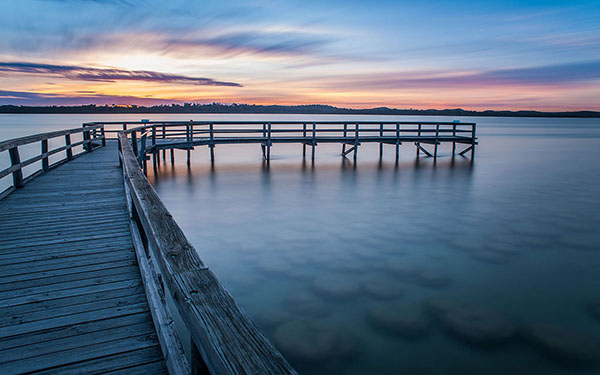
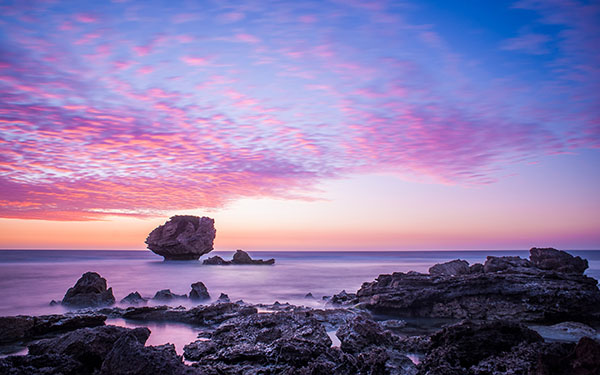
Salt Lake Sunset at Mandurah

1. Use a Good Tripod

For very short exposures there are ways to hold yourself and your camera steady, like: How to Reduce Camera Shake – 6 Techniques. However, when you’re taking an exposure of a few seconds, you need something steadier than your hands to hold your camera. You may set the camera on a table, or a rock but risk dropping the camera or accidental movement that can ruin your shoot.

The most common way is to put it on a sturdy tripod. You have to get at least a decent tripod as El Cheapo tripods are going to give you camera shake too.

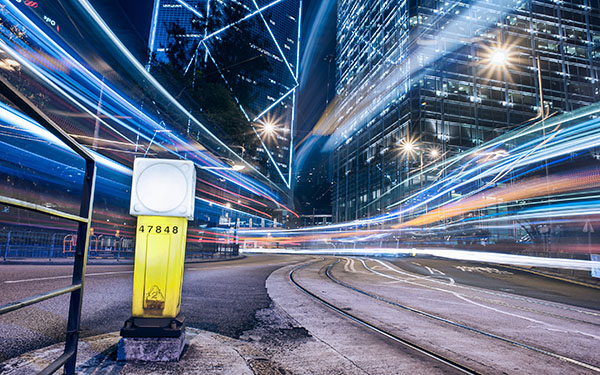
Light Trail Central

2. Use a Remote Shutter Release

Even with a tripod the act of snapping the shutter can cause the camera to shake. There are a couple of ways to combat this problem.

One is to set the delay on the camera (2-sec timer) so any movement is done by the time the shutter snaps. The other is to get a remote shutter release.

Remotes can be connected to the camera by a cable or wireless – either one snaps the shutter without shaking the camera. They are also called remote cable releases. This is a small and cheap accessory which can help you get rid of camera shake.

Rockingham Sunset

3. Use Manual Focus

Autofocus is a wonderful thing. Most of the time it does exactly what you want, making it easier to take great photos. But there are times, especially when shooting long exposure, that it can have the opposite effect.

In low light situations autofocus has trouble finding something to focus on. Even when it seems focused it can readjust when the shutter is snapped. Using ND filters can cause the same problem.

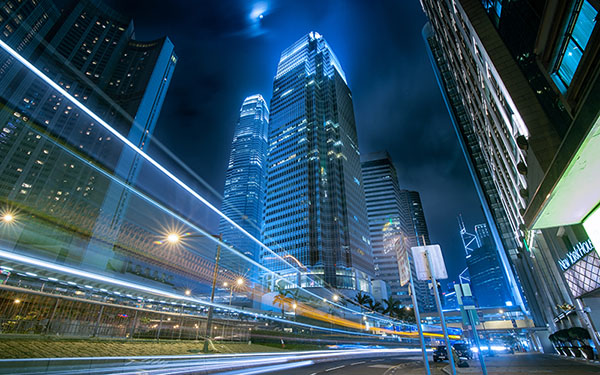
Light Trail IFC

Fortunately, there is a simple solution. When shooting in low light you can use manual focus, or use a flashlight for focusing and once the focus is set, turn autofocus off so it won’t change once the light is off.

For ND filters set the focus manually (either before or after mounting the filter) or autofocus first, turn it off and mount the filter. The shot will stay focused, the picture sharp.

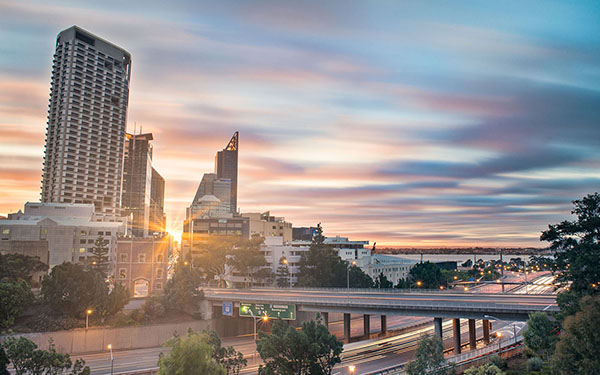
Moving Cloud Sunrise at Kings Park

4. Lock the Mirror Up

If you are using a DSLR camera – and you probably are since you are shooting long exposure – it has a mirror that reflects the image from the lens to the viewfinder. It is between the lens and the camera sensor, so it has to move before the shutter snaps.

That small movement causes vibration. When you turn on the mirror lockup it turns the shutter button into a two stage button. The first click lifts the mirror and the shutter doesn’t open until the second click. The time between the two clicks allows the vibration of the moving mirror to stop.

Light Trail Hong Hum

5. Use Your Aperture Sweet Spot

Closing down the aperture can make you shoot longer. However, when your aperture is too small, it will start to have a diffraction effect which lowers the sharpness.

In most lenses, the sweet spot of the lens aperture is between f/5.6 to f/8. In other words, you will get the sharpest images when using this range.

When you step down to f/16 or smaller, you will get images like that seem out of focus. You can learn the physics about diffraction in the below video by Steve Perry:

Conclusion

Taking long exposure photographs is a science and an art. Like any art, taking long exposure pictures with the right balance of sharpness and blur takes both skill and intuition. These five tools will help you use your skills to turn intuition into great photographs.

googletag.cmd.push(function() {
tablet_slots.push( googletag.defineSlot( “/1005424/_dPSv4_tab-all-article-bottom_(300×250)”, [300, 250], “pb-ad-78623” ).addService( googletag.pubads() ) ); } );

googletag.cmd.push(function() {
mobile_slots.push( googletag.defineSlot( “/1005424/_dPSv4_mob-all-article-bottom_(300×250)”, [300, 250], “pb-ad-78158” ).addService( googletag.pubads() ) ); } );

The post 5 Tips for Geting Sharper Images When Doing Long Exposures by Kevin Choi appeared first on Digital Photography School.


Digital Photography School
 
Comments Off on 5 Tips for Geting Sharper Images When Doing Long Exposures

Posted in Photography


5 Tips for Doing Candid Wedding Photography

30 Mar

Weddings have changed drastically in the past few years. Couples want more from a wedding these days, they don’t want the traditional, normal photography anymore. They frequently ask for documentary or candid wedding photography because it captures the emotions of not only the couple, but also the guests enjoying themselves without lining them up in front of the camera.

IMG 0072

But, candid photography is so much more than just pointing your camera at people and shooting away to glory. You, as a photographer, need to know and understand the finer nuances involved in candid wedding photography; you need to know how to get good candid shots without people noticing you. Here are five tips to shoot a wedding in a lovely, unobtrusive and candid way which would make the entire task much easier for you.

1. Always be ready

The prime tip for candid wedding photography which I can give is, to be always ready. By that, I mean you must always keep an eye out for moments, and keep that camera ready. Your camera needs to be in your hands and ready to shoot at a moment’s notice. You must set the camera according to the light conditions (settings like the aperture, shutter speed, ISO, white balance, etc.) so that you don’t need to fiddle around with the settings while things happen in front of you. (IMG_7211)

IMG 7211

2. Know your equipment

I cannot tell you how many times I’ve seen photographers miss the shot while they are trying to change the camera settings. You must know the equipment that you are using, inside out. It helps to gauge the light conditions and set the camera accordingly, so that you don’t miss the events that would warrant a picture. It might very well be helpful to have a smaller camera handy, in addition to that big bulky DSLR, just incase.

IMG 6243

3. Use a telephoto zoom lens

Candid photography is all about taking pictures of the bride, groom, guests, etc., from a distance without them noticing you. Nothing will be more helpful in achieving this than a fairly long telephoto zoom lens. I regularly use lenses like a 100mm, 70-200mm or even a 100-400mm when I need to capture those emotions, those candid moments. You can, of course, use any lens you want (something like a 50mm could be helpful too!). But, since candid photography is all about being unobtrusive and capturing those emotions in a natural way, I would suggest using a zoom lens. What it essentially does is helps maintain the intimacy of the picture being taken, which is so important in wedding photography.

IMG 7210

4. Do not use flash

One sure-fire way of getting people to notice you is to use a flash (whether it be the onboard one, or an external flash gun). Not only this, light from a flash can be so unflattering and boring, to put it simply. If there is a dearth of light, you as a photographer need to find other ways to brighten up the scene that you are photographing, either by opening up the aperture, increasing the ISO, slowing up the shutter (to an acceptable range), etc. I understand that by increasing the ISO a little too much, you might include a fair bit of noise into the picture, but the idea is to capture the moment, and there are times when noise is actually a good thing.

IMG 2346

5. Foresee or plan ahead

As a candid wedding photographer, it is your job to foresee what is going to happen, or at least take your best calculated guess. If possible, I’d suggest you visit the location before the wedding so that you can scout out some good locations for taking pictures. If you are unable to go visit the location beforehand, then at least reach the venue well before the function is to start. That way you can scout out not only some great locations to take pictures from, but you can perhaps even scope out the main rooms that will be used for the wedding and the reception. A little bit of planning goes a long way in getting some great shots.

I hope these top five tips will help you the next time you are out photographing a wedding in a candid, documentary style.

googletag.cmd.push(function() {
tablet_slots.push( googletag.defineSlot( “/1005424/_dPSv4_tab-all-article-bottom_(300×250)”, [300, 250], “pb-ad-78623” ).addService( googletag.pubads() ) ); } );

googletag.cmd.push(function() {
mobile_slots.push( googletag.defineSlot( “/1005424/_dPSv4_mob-all-article-bottom_(300×250)”, [300, 250], “pb-ad-78158” ).addService( googletag.pubads() ) ); } );

The post 5 Tips for Doing Candid Wedding Photography by Bobby Roy appeared first on Digital Photography School.


Digital Photography School
 
Comments Off on 5 Tips for Doing Candid Wedding Photography

Posted in Photography


Why to Consider Doing Photography Related Volunteering in Your Community

13 Feb

There is so much power in photography, as the old adage goes: A picture is worth a thousand words. Imagine if you did more than just create a photograph? Imagine if you taught a generation of people how to tell a story with a camera? Would you?

I have, and find it terribly rewarding! Well perhaps not an entire generation, but I have worked with some awesome teenagers in the Seattle area. Let me just say, it’s truly wonderful to see what can happen when you work with young curious minds.

I have mentored with a Seattle area non-profit, Youth In Focus whose mission is to empower urban youth, through photography, to experience their world in new ways and to make positive choices for their lives.

OLYMPUS DIGITAL CAMERA

Youth In Focus offers film and digital photography classes at different levels; this includes a full darkroom and a digital lab. It’s a kind of after-school program, providing a lot of these kids an opportunity to have a creative outlet that may not be available to them through their schools. Students are issued a camera, film/media and receive assignments weekly. There are also field trips to local museums and even photowalks.

One of our outings was at Pike Place Market in Seattle. Some of the kids in the group hadn’t been to the market before, this made for a great opportunity to see the market as well for them to have access to us while taking photographs, real time. The bonus was that we teachers and mentors take photos too.

OLYMPUS DIGITAL CAMERA

OLYMPUS DIGITAL CAMERA

During my time with Youth in Focus, I worked with three different groups of students. Each group was amazing and entertaining too! The best moments are a round table discussion of each student’s images. Every week they select, edit, and print their favourite image from the previous week’s assignment. They may ask for guidance in selecting that image, especially in the beginning of the classes, as they’re just learning. You’ll find the best way to help them is to ask questions about the story they’re trying to tell or how they believe the composition could be better, etc. The goal is to get them talking about it, get them involved.

Connecting with the students via the art they’re creating is so powerful; seeing their improvement each week makes you proud. You’re excited for what’s to come and where they’re going to take it. It’s an experience not yet matched by any work I’ve done in my professional life. Perhaps if I were a full-time teacher I’d feel that, every day. I imagine you’ll get as much, if not more out of the experience if you try it.

At the end of each quarter the kids select their best one or two images to display as a part of an open house show. There’s a potluck dinner, and a gallery of images to view from each class. It’s so impressive to see what these kids create.

OLYMPUS DIGITAL CAMERA

Now you’re thinking, “Wow! I want to do that, I want to help kids and teach photography!” but then you think, “I don’t have the time” or perhaps, “I’m not a teacher”. That’s okay, you don’t have to be a teacher, you just need to have a desire to share the knowledge you already possess. As for time, if you really want to do it, you can you can make it happen. I did, and will again.

OLYMPUS DIGITAL CAMERA

Other challenges may be that there’s not a program like this in your city. Do a little research to see if you can find one, or reach out to a local high school and see if you could collaborate with them to put one together. I’d be willing to bet you can find other photographers in your area that would help you make it happen. If you’re in New York City, check out NYC Salt, which offers a similar mission for youth there.

If for some reason you can’t find the time to invest in such an opportunity, but you still want to be involved, you might consider making some sort of donation; old cameras, photo equipment, or of course good old hard cash. These kinds of groups are always in need of cameras, film, memory cards, rechargeable batteries and the like. Youth In Focus uses eBay to sell equipment that is donated but can’t be used in the classroom, then puts that money back into the classrooms.

Working with a non-profit like Youth In Focus or NYC Salt are not the only options. There are projects like Help Portrait, founded by Jeremy Cowart and Kyle Chowning, or The Giving Lens founded by Colby Brown. Those are just a couple, there are so many opportunities available, you just have to seek them out.

OLYMPUS DIGITAL CAMERA

There is great joy in giving back to your community, it’s challenging, educational, and it fills up your heart.

Are you ready?! Get out there and make it happen!

googletag.cmd.push(function() {
tablet_slots.push( googletag.defineSlot( “/1005424/_dPSv4_tab-all-article-bottom_(300×250)”, [300, 250], “pb-ad-78623” ).addService( googletag.pubads() ) ); } );

googletag.cmd.push(function() {
mobile_slots.push( googletag.defineSlot( “/1005424/_dPSv4_mob-all-article-bottom_(300×250)”, [300, 250], “pb-ad-78158” ).addService( googletag.pubads() ) ); } );

The post Why to Consider Doing Photography Related Volunteering in Your Community by Kate Hailey appeared first on Digital Photography School.


Digital Photography School
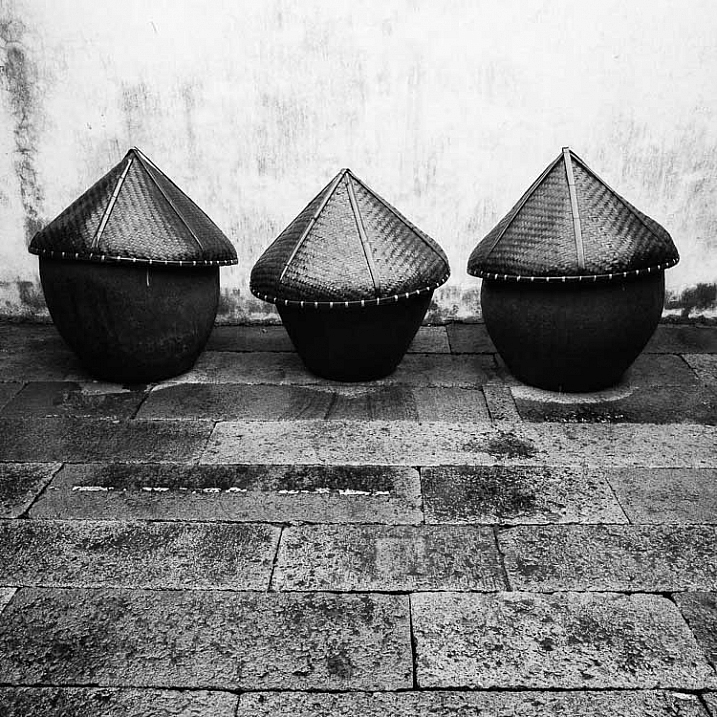
 
Comments Off on Why to Consider Doing Photography Related Volunteering in Your Community

Posted in Photography