RSS
 

Posts Tagged ‘Creative’

Creative Camping: 16 Out-There Open Air Accommodations

30 Jul

[ By Steph in Destinations & Sights & Travel. ]
campers hanging beds 1

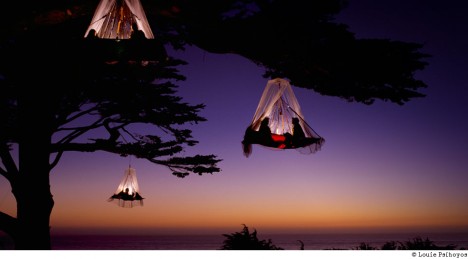
Dangle thousands of feet above the bottom of a canyon, take in the Pacific Ocean from a human nest, view the Northern Lights from a transparent igloo or spend the night in a giant purple sperm. These incredibly creative (and sometimes terrifying) campers, tents and other open-air accommodations are far from your typical hotel experience.

Urban Campsite: 6 Whimsical Capsules
camping urban 1

camping urban 2

camping urban 4

camping urban 5

camping urban 6

camping urban 7

camping urban 8

camping urban 9

camping urban 10

camping urban 3

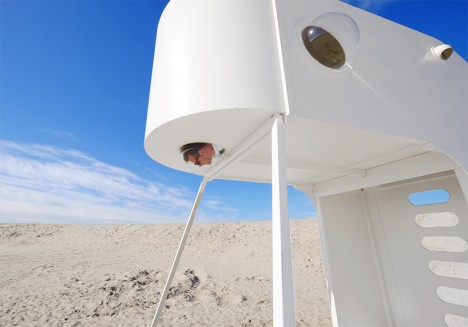
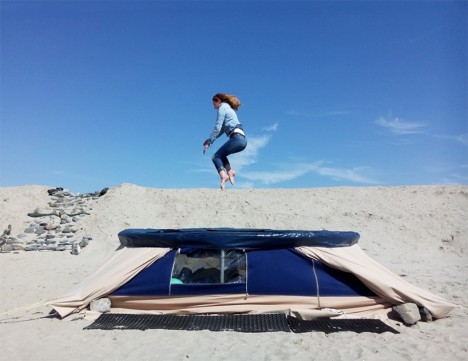
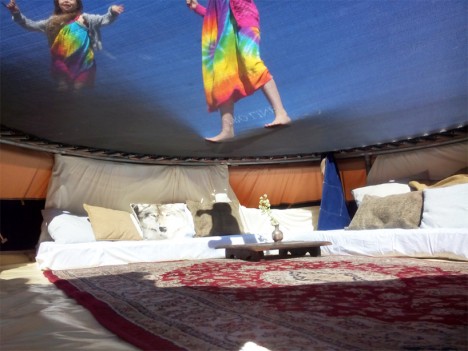
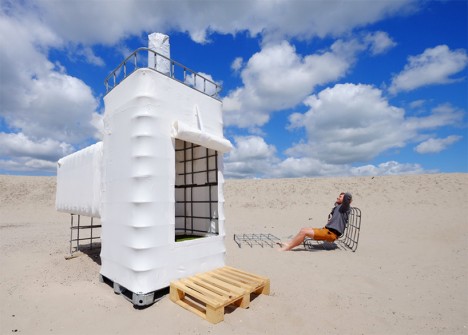
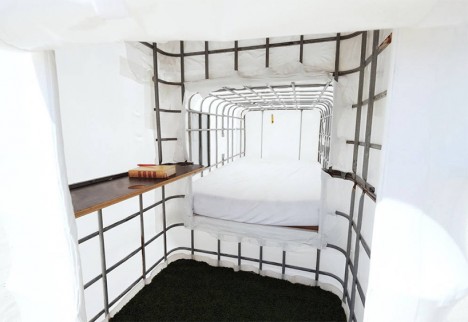
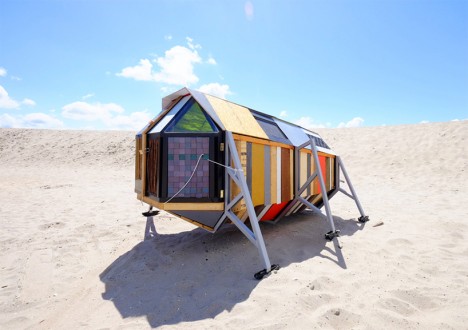
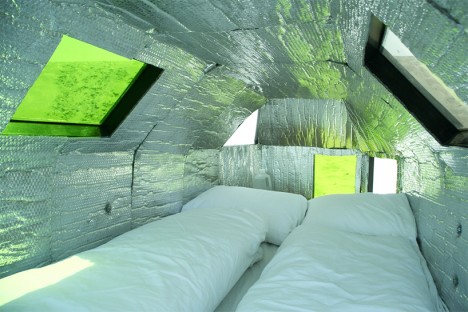
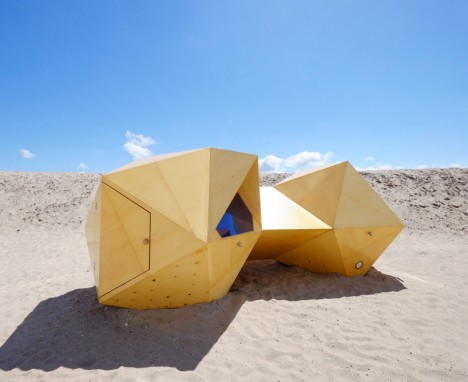
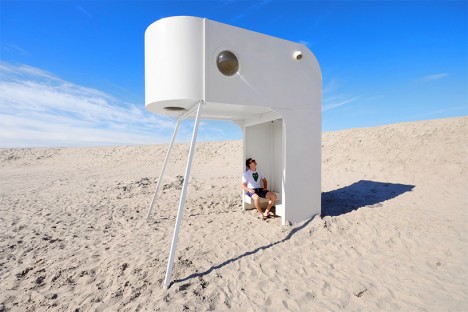
The ‘Urban Campsite’ in Amsterdam is an ‘art-sleep experience’ inviting guests to stay in 14 sculptural mobile camping pods on the beach, ranging from a sailboat-like modern white loft with spherical portholes to a lounge and sleep space built under a trampoline. The pods are all clustered together on the sand plains of Ijburg beside a communal kitchen and ‘tribal toilet tower.’ Some of the creations are more solid and permanent than others, like the wooden icosahedron structure by Boomhuttenfest or the bizarre bottle-shaped ‘Val Ross’ by MUD projects. A shrink-wrap house with a pallet stoop explores the value of waste materials, while the ‘Bedbug’ sits on adjustable legs to adapt to various urban camping environments. The pods can be booked on Air BNB.

Hanging Tree Beds in Bavaria
campers hanging beds 1

campers hanging beds 2

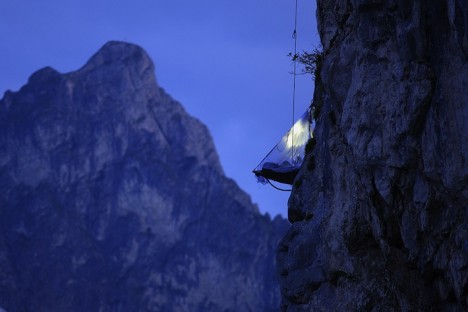
campers hanging cliff

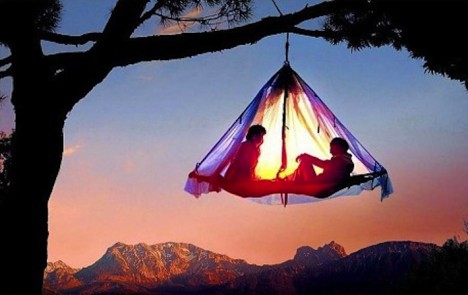
The Waldseilgarten resort in the mountains of Pfronten, Germany requires you to be just a wee bit adventurous with a series of tent platforms perched on cliffs or dangling from trees. All guests receive rope climbing training before spending the night, especially since you’ll have to do some climbing in the dark if you have to go to the bathroom in the middle of the night. The tree platforms offer relatively easy access to the ground, but the cliff platforms can be up to 6,562 feet above the valley floor.

Transparent Igloo for Viewing the Northern Lights
campers igloo 1

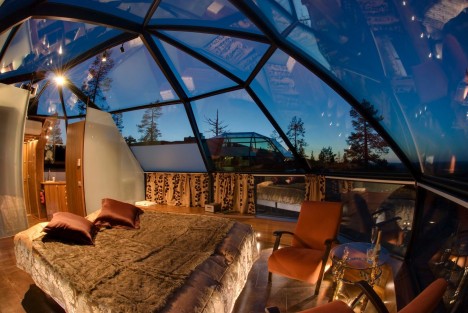
campers igloo 2

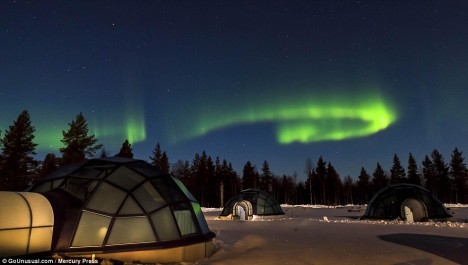
campers igloo 3

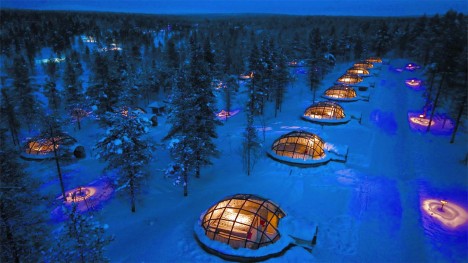
Maintain an uninterrupted view of the Northern Lights from the transparent ceiling of your igloo in Finland. The Kakslauttanen Hotel & Igloo Village boasts 40 igloos for two, each temperature-controlled and equipped with its own sauna. The complex is located near the Urho Kekkonen National Park, which has some of the Arctic Circle’s most impressive views of the Aurora Borealis.

Next Page – Click Below to Read More:
Creative Camping 16 Out There Open Air Accommodations

Share on Facebook


[ By Steph in Destinations & Sights & Travel. ]

[ WebUrbanist | Archives | Galleries | Privacy | TOS ]

WebUrbanist

 
Comments Off on Creative Camping: 16 Out-There Open Air Accommodations

Posted in Creativity


4 Tips on How to Be Creative in Undesirable Photography Conditions

27 Jul

How many times have you arrived at a place and it just is not up to your expectations? There is nothing worse than wasting your time, especially when it was all planned out to be a good day. What a letdown. But, what if you could turn that around and produce something amazing? What if you can do it, and make a great photographic experience out of it? Well you can and it doesn’t take a lot of work, or a lot of camera equipment.

When We Were Young 717px

There are likely many times as a photographer where you have prepared all your gear and scouted your location, only to arrive at your destination and find that it was not all what you thought it was going to be. Maybe the light is not what you imagined, maybe the building was demolished, or maybe there are numerous people when you thought you would be the only photographer there. Many scenarios could come up, and that is why as a photographer you need to think on your toes and improvise.

So, how do you make a bad day of photography, turn into something meaningful that you can still be proud of? Unless you are in a studio, photography is a balance between action and inaction. What are the things you can control and what are the things out of your control? And in the moment of interaction between the two, how do you see and create your vision? The best photographers in the world don’t control more in the situation, they SEE more. So how do you see more in a bad situation?

1. Flip the script

Be flexible in your photographic visions. You may have a favorite type of photography like landscapes or portraiture, but that shouldn’t prohibit you from enjoying other aspects as well. If you expected to shoot people and the streets are empty, then shoot the buildings. If you expected sun and it rains, then shoot the boy playing in the puddles. Don’t struggle to create what the place or situation is not. Change your own narrative to fit the situation. This mindset means you are not always reacting, rather that you can be proactive in a new direction and creative in your story.

001 IBQ 3729 RESIZED

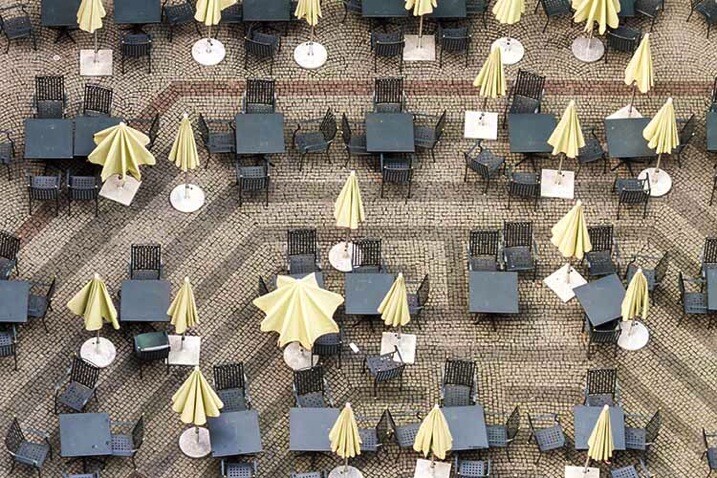
A rainy day in the famous Glockenspiel square of Munich. From the tower above you get a very different feel of the space.

2. Get up close

When you change your perspective there is a new world to be discovered. The easiest way to do this is by getting close, and that means to get down on your knees and elbows. There are always amazing creatures, delicate flowers, and wildly uncommon structures in tiny forms below our feet. So, when heading into unfamiliar environments bring your macro lens. In cases where the scenery or situation is really unappealing, something on the micro level will surely amaze you. The opposite of this would be to get further away to obscure the subject and give it a new setting. The point is to change the perspective.

002 When We Were Young  6 RESIZED

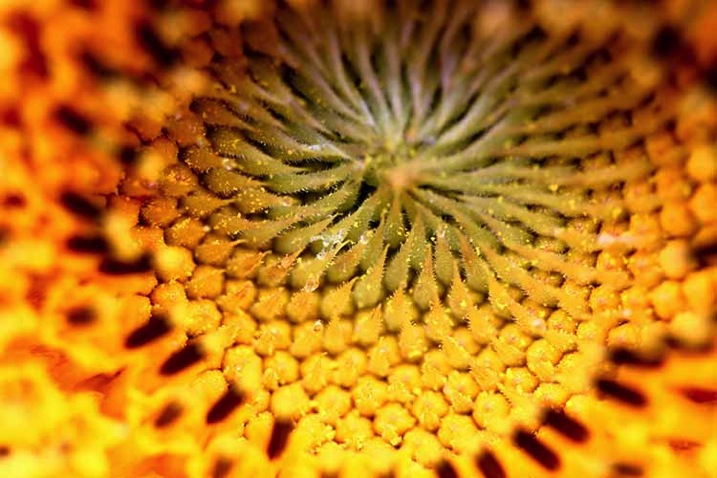
Macro photo of a sunflower in the mountains of NE China. You would never know how awful the weather was for the whole week.

3. Get in touch with your reaction

Allow yourself to feel the letdown or disappointment between what you originally hoped to find and what you are actually presented with. But, don’t let it decide your photographic destiny. This means do find creativity in the presented emotions. What are the emotions that are being portrayed in the scene? This could actually be done figuratively in an abstract way by photographing negative space to define your images. Or it could be done by finding images that literally match your mood. What is most important is that you are open to opportunity, not confined or limited by what your expectations were. By getting in touch with your photographic feelings you are freeing your photographic expressions.

003 IMG 3087 RESIZED

A splendid view of the Taj Mahal from Fort Agra was closed for cleaning. A real disappointment or an opportunity for a new story to be told?

4. Experiment

If you are not working professionally, and don’t need to get a specific shot that your customer has commissioned you to do, then you are free to experiment. When doing so, will you come home with some images that are going straight to the recycle bin? Yes. But, you will also learn something in the process. Thus, you will be increasing your photographic experience, discovering new techniques, and pushing your creative self.

Experimenting might mean going from Aperture Priority mode to fully Manual. Or it may mean that you will take some bracketed exposures even though you really don’t know how to combine them in an HDR software (yet). Or how about focus stacking? It could mean that you are adding light by using a flash. Whatever level you are at, or whatever gear you have purchased, think about how it could be used. When conditions don’t present themselves perfectly, it is a perfect situation to experiment.

004 IBQ 4683 Edit Edit 2 RESIZED

An HDR panoramic in the midday sun in the Austrian Alps. The sun was behind the mountains and high noon is not the best time for landscapes, so HDR was a possibility. A sun flare was also added in post-processing to experiment more with the image.

IMG 3836 Edit 2 Double Dip 717px

Double exposure experimentation

The grass is always greener on the other side of the fence. But that doesn’t mean you must be in the green pasture to get great results. There will always be conditions that are not ideal, and as alluded to above, great photographers don’t see constraints in difficult situations they see creative opportunity. So can you. Creativity is not spontaneous; it is habitual. Any creative person will tell you that their successes are predicated upon effort; so too, is much of photography. There are so many variables, that each time you go out with your camera, you really never know what you will get.

Stop thinking about how lucky you are if you get a perfect sunset, but how incredibly lucky you are when you need to be a constructively creative photographer and how you can turn a bad day of photography into a great series of images. So, no more excuses — go out and be the great photographer you are.

googletag.cmd.push(function() {
tablet_slots.push( googletag.defineSlot( “/1005424/_dPSv4_tab-all-article-bottom_(300×250)”, [300, 250], “pb-ad-78623” ).addService( googletag.pubads() ) ); } );

googletag.cmd.push(function() {
mobile_slots.push( googletag.defineSlot( “/1005424/_dPSv4_mob-all-article-bottom_(300×250)”, [300, 250], “pb-ad-78158” ).addService( googletag.pubads() ) ); } );

The post 4 Tips on How to Be Creative in Undesirable Photography Conditions by Branson Quenzer appeared first on Digital Photography School.


Digital Photography School

 
Comments Off on 4 Tips on How to Be Creative in Undesirable Photography Conditions

Posted in Photography


How to Make Creative Images with a $12 LED Light

22 Jul

Photography is all about the light. As photographers, our aim is to capture and control the amount of light hitting the camera’s sensor to perfect a good photo.

When photographers talk about light, you will hear terms mentioned such as ambient, which is natural light. Note this type of light is always changing, it doesn’t remain constant. Split, Rembrandt, and Butterfly are some of the classic lighting patterns used for portraiture in a studio setup.

torch-shining--against-wall

A LED torch with a paper snoot.

One of my favorite basic setups when I shoot outdoors is when the day is overcast (dull), which makes the light act like one big soft diffuser. The ambient light provides my main source of light (key light) and I use a white, silver, or gold reflector to act as fill.

This is in sharp contrast to shooting in a studio where artificial lights are used. The choice and range of lights will depend on whether you use flash or continuous lighting. The main advantage to this kind of setup is that you have complete control over the lighting, plus it doesn’t rain!

The best method I find in learning about lighting, be it natural or artificial, is to experiment. Recently, I was flipping through a camera magazine when this product caught my eye – The Ice Light 2 by Westcott. It stood out for two reasons: The concept and the price. I really liked the Stars Wars light-sabre appeal to it. It’s different, and has that wow factor, as does the price. It’s not cheap.

This is not a review of the Ice Light, but it did give me some inspiration for an idea. For less than $ 12.00 USD, I purchased this LED light which, surprisingly, has 140 lumen. I set myself a challenge to see how effective this light source could be when used for photography.

Torch-in-hand

A small but powerful LED torch light.

How did I test it? I took some shots outdoors, as well as indoors, just to get some variety and scope to this project.

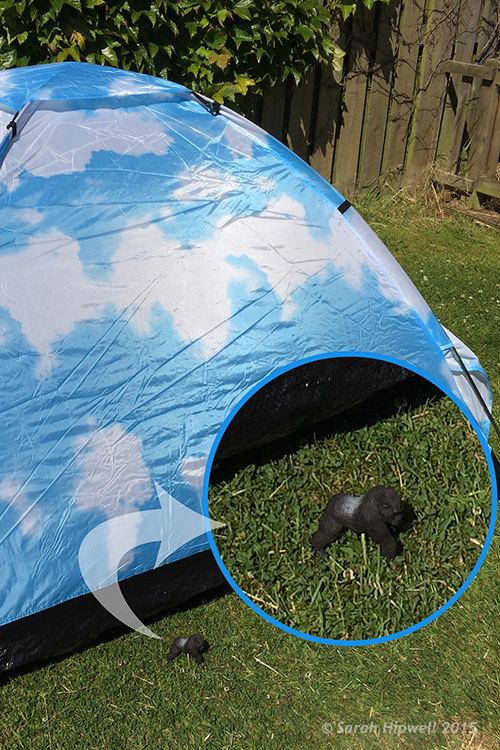
For my initial shots, it was 10:30 p.m. at night, not quite dark, but dusky. I went to a little park near where I live, placed the torch horizontal in the grass, and had the toy plastic Gorilla in a grassy verge, roughly a couple of feet away. I had the aperture at f/2.5, the ISO at 400, and the shutter speed at 1/50th.

Gorilla-in-grass

A toy plastic gorilla in the grass.

Nearer home and again outside, I place this Lego figure on a garden wooden chair with slats. I had the torch underneath standing vertically. Just by moving my camera rather than the light, I was able to get a bit of flare that really added drama to the shot.

Lego-girl-figurine

Cool Lego girl figure.

Torch-under-chair

I placed the torch upright under a garden chair with slats.

Back indoors, I had my daughter hold the torch with paper wrapped around the end to form a snoot.

torch-with-paper

Using plain white printing paper wrapped around the torch to form a snoot.

I got her to move the torch around until I was happy with the light. I really liked the catchlights. The camera settings were: Aperture f/4.5, shutter speed 1/30th, ISO at 800, the focal length was 44mm.

Amy-faraway-look

Interesting catchlights from the torch with a white paper snoot.

Amy-reading-book

The torch was placed in the centre of the book facing towards the camera.

I had the idea brewing for some time of trying to get that shot lit from the inside of a tent; the one that is ubiquitous in great landscape shots. I had a lot of fun doing this shoot, and would highly recommend you try to do the same! The plan was to have my daughter inside and get a nice silhouette of her against the wall of the tent. It didn’t go to plan, which was fortunate for me.

As a last resort, I got my plastic gorilla figurine and placed him inside the tent with the torch lying horizontal on the floor of the tent, only about 6 inches behind him. I was well chuffed (pleased) with the final result. It was even better than I had envisioned; especially as the gorilla is only 3.5 inches tall. I did have the camera on a tripod as it was dark. The settings were: ISO 800, aperture f/4, shutter speed 1/8th, and focal length was 40mm.

gorilla

Fun with a toy gorilla inside a tent with a torch.

Gorilla-scale-to-tent

The gorilla is only 3 and half inches tall, small relative to the size of the tent.

Conclusion

To be honest, I wasn’t expecting this project to yield the results that it did. It has been the best $ 12.00USD that I’ve spent in a long time. It is now another must item to have in my camera bag.

What non-photography light sources have you used in your photography? Please share in the comments below.

googletag.cmd.push(function() {
tablet_slots.push( googletag.defineSlot( “/1005424/_dPSv4_tab-all-article-bottom_(300×250)”, [300, 250], “pb-ad-78623” ).addService( googletag.pubads() ) ); } );

googletag.cmd.push(function() {
mobile_slots.push( googletag.defineSlot( “/1005424/_dPSv4_mob-all-article-bottom_(300×250)”, [300, 250], “pb-ad-78158” ).addService( googletag.pubads() ) ); } );

The post How to Make Creative Images with a $ 12 LED Light by Sarah Hipwell appeared first on Digital Photography School.


Digital Photography School

 
Comments Off on How to Make Creative Images with a $12 LED Light

Posted in Photography


Lensbaby launches Creative Mobile Kit

09 Jul

Lensbaby has launched the Creative Mobile Kit, consisting of a mounting device and kickstand for your smartphone, and two lenses, the LM-20 and LM-30. The former captures a large sweet spot surrounded by gradually increasing blur, and the latter produces images with a sharp center surrounded by reflections. Read more

Articles: Digital Photography Review (dpreview.com)

 
Comments Off on Lensbaby launches Creative Mobile Kit

Posted in Uncategorized


Adobe Creative Cloud trials reset to offer preview of 2015 features

25 Jun

Adobe recently updated its Creative Cloud suite of software, and to give users a chance to test the new features it has reset its product trials. This includes trial versions of Illustrator CC, InDesign CC, and Photoshop CC. Users, even those who have previously taken advantage of Adobe’s 30-day free trial, can start a new trial by opening the software application and clicking ‘Update’. Read more

Articles: Digital Photography Review (dpreview.com)

 
Comments Off on Adobe Creative Cloud trials reset to offer preview of 2015 features

Posted in Uncategorized


Free Little Libraries: 25 Contextual Designs & Creative Reuses

19 Jun

[ By Delana in Architecture & Public & Institutional. ]

antique style little free library

Little Free Libraries have been popping up all over the U.S. – and in other countries as well – since 2009. The movement began in Wisconsin, where Todd Bol built a tiny replica of a schoolhouse and put it on a post in his front yard. The sign on the box read “Free Books,” and anyone passing by was welcome to take a book and leave a book. Above: a library in Toronto.

brown house little free library

green roofed little free library

Over the years, the movement grew. The Little Free Library boxes started popping up all over. The original was made from recycled materials, and Bol eventually teamed up with an Amish carpenter to start making the tiny libraries. You can now buy your own Little Free Library or, like a lot of people have done, get creative with your very own design.

triangular little free library

red cabinet little free library

green parrot little free library

Each official Little Free Library gets its own registration number. In January of 2015, LFL estimated that there were about 25,000 of the tiny lending boxes around the world, with thousands more being built every year. As word of mouth spreads and people get more interested in sharing books with their communities, the libraries continue to pop up everywhere.

Next Page – Click Below to Read More:
Free Little Libraries 25 Contextual Designs Creative Reuses

Share on Facebook


[ By Delana in Architecture & Public & Institutional. ]

[ WebUrbanist | Archives | Galleries | Privacy | TOS ]

WebUrbanist

 
Comments Off on Free Little Libraries: 25 Contextual Designs & Creative Reuses

Posted in Creativity


Adobe Updates Photoshop and Lightroom with Creative Cloud 2015 and Launches Adobe Branded Stock Photography Library

16 Jun

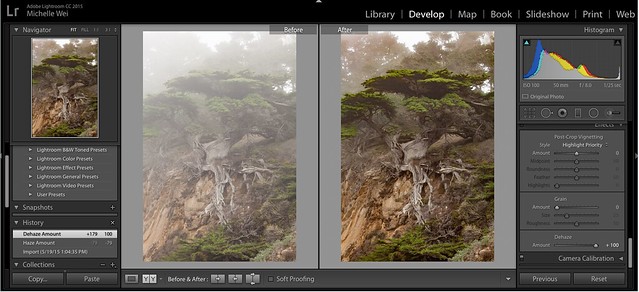
Lightroom Dehaze UI

Today Adobe is announcing updates for their Creative Cloud 2015 Photography package as well as the launch of their new stock photography offering Adobe Stock.

I saw a demo last week of the new Creative Cloud enhancements. The enhancement that I liked the most was a new slider in Lightroom for haze and dehaze. With the haze slider you can now reduce unwanted haze in photos or add haze back in if you want more of an ethereal foggy type mood. I think that this tool will be especially dramatic when working with long exposure photography where you have clouds or low fog and want to get the mix of fog to subject just perfect.

Photoshop is also adding in an additive noise function where you can produce more camera like realistic bokeh and blur noise when desired, making the transition in blur more natural. The Photoshop healing brush also now heals in real time and is faster than previous versions.

These feature enhancements and updates will not be available to the current desktop versions of Lightroom and Photoshop, they will only be available for Adobe Creative Cloud subscribers. This is in line with Adobe’s previous stated goal of providing fast and rapid real time updates and upgrades to their subscription customers. I’m assuming that eventually these new enhancements will make their way to desktop upgrades/updates, but at present Adobe seems to be focused on providing the best and most current features available to their subscription customers.

There are also additional features being launched for the mobile versions of Adobe products including better tone and vignette adjustment for Lightroom mobile and an Android version of Photoshop Mix.

Adobe’s Creative Cloud photography package costs $ 9.99/month and you can subscribe to it here. They also offer a 30 day trial for you to try out Creative Cloud to see if it is right for you.

Adobe Stock

In addition to the improvements in Lightroom CC and Photoshop CC, Adobe is also announcing the launch of their new stock photography service simply called Adobe Stock.

Because Adobe is so widely used by creatives in general, leveraging their software products to sell an Adobe labeled stock photography library seems to make a lot of sense. Adobe’s stock photography service will be featured as a menu item in Photoshop and will allow stock buyers to use watermarked versions of stock photos to create mockups and test design/layout ideas. Once a stock buyer is ready to license an image they can license it directly from Photoshop and download the unwatermarked version of the image.

Images will cost $ 9.99 each to license or Creative Cloud subscribers can purchase one of two different subscription plans. The first plan costs $ 29.99/month and allows a subscriber to license up to 10 images a month and a second plan will cost $ 199.99 per month and will allow a subscriber up to 750 images per month.

Adobe will pay out 33% of their sales proceeds to photographers — photographers interested in applying can apply here.

Because so many stock photography buyers are connected into Adobe’s ecosystem, I think this stock photography offering will end up being very successful and represents formidable competition to the current stock photography giant Getty Images. Earlier this year Adobe purchased the stock photography agency Fotolia, but this new stock offering appears to be a different offering marketed directly under the Adobe brand and available through Adobe’s flagship Photoshop product.

More: MacRumors, The Verge, Engadget, Techmeme.


Thomas Hawk Digital Connection

 
Comments Off on Adobe Updates Photoshop and Lightroom with Creative Cloud 2015 and Launches Adobe Branded Stock Photography Library

Posted in Photography


Adobe Creative Cloud update introduces de-haze feature and speedier healing brush

16 Jun

Adobe has announced a number of updates to its Creative Cloud suite, including some feature enhancements and additions to Photoshop CC and Lightroom CC. A previously demonstrated de-haze tool has been added to CC versions of Photoshop and Lightroom, and the effects of Photoshop’s popular healing brush will now be displayed in real time as the tool is used. Read more

Articles: Digital Photography Review (dpreview.com)

 
Comments Off on Adobe Creative Cloud update introduces de-haze feature and speedier healing brush

Posted in Uncategorized


Drawing Machines: 13 Rivetingly Creative Art-Making Robots

09 Jun

[ By Steph in Gadgets & Geekery & Technology. ]

robot art shapiro 1

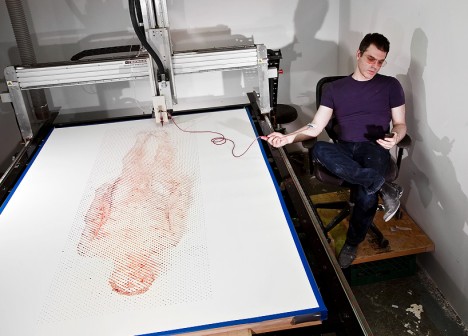
Is it the human element that’s crucial in calling a creation ‘art,’ or does it still count even if it was made by a robot? Adding to the age-old debate attempting to define a fairly abstract concept, robotic art mimics human movements or transcends them altogether using all sorts of computer programs, magnets, pendulums and CNC machines. One even draws blood and uses it as ink to create a portrait of the artist in his own bodily fluids.

Robot Draws Artist’s Portrait in His Own Blood

robot art blood portrait 1

robot art blood portrait 2

robot art blood portrait 3

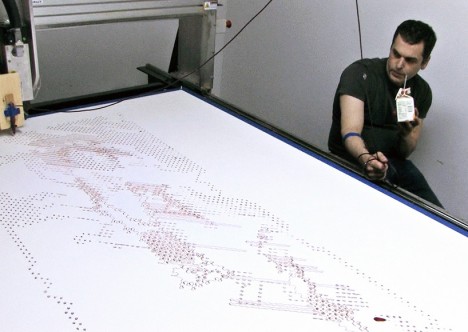
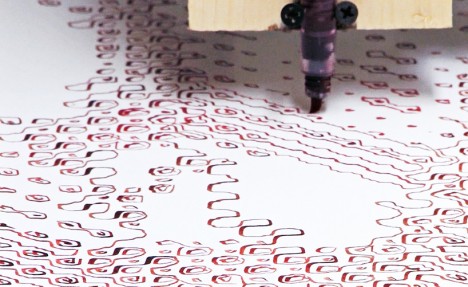
Artist Ted Lawson’s blood was fed intravenously straight to a CNC machine to paint his own portrait for ‘Ghost in the Machine.’ The project uses a robot arm to trace a programmed illustration in squiggly red lines. For Lawson, the experience was… draining. “I want to show the connection between our existential humanity and the ever-expanding technology that we use, are addicted to and rely on, as something deeply personal and very real. I’m trying to repeal the underlying code that is present in all things.”

Kinetic Sand Drawing Machines by Bruce Shapiro

robot art shapiro 3

robot art shapiro 2

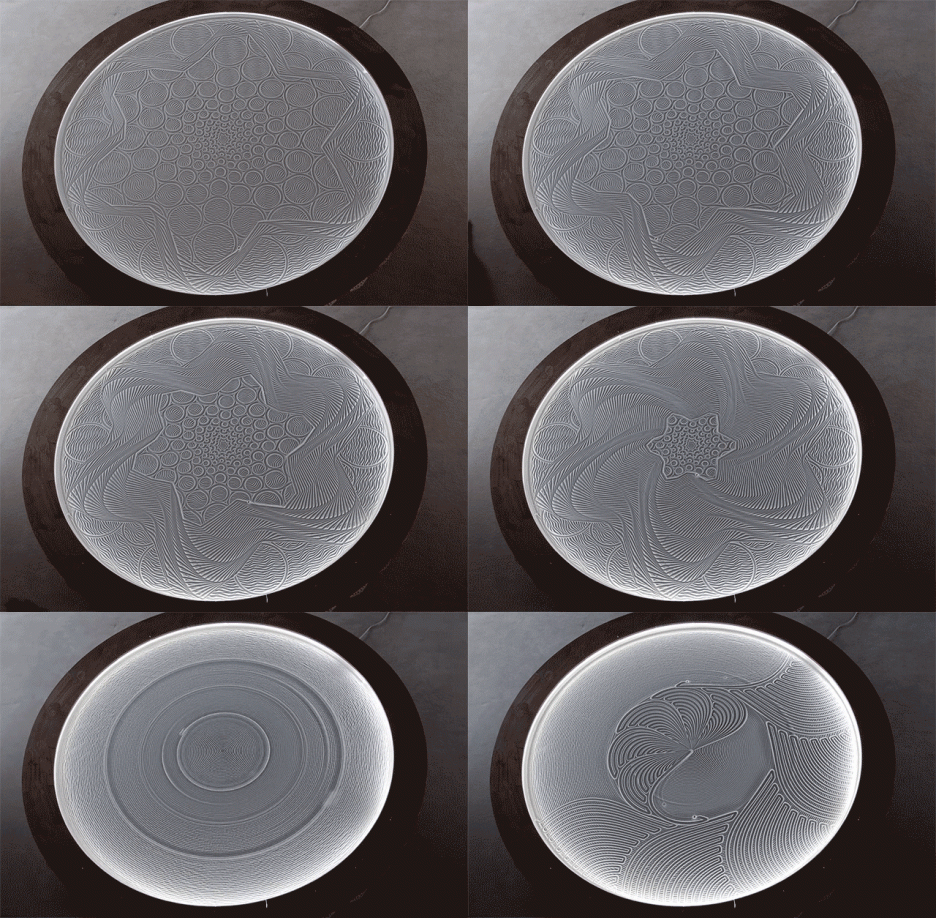
The Sisyphus machine by Bruce Shapiro automatically creates incredibly intricate drawings in sand using magnets, steel marbles and a computerized motion control system. It’s mesmerizing to watch, the patterns seemingly appearing out of nowhere, the steel balls moving all on their own. Shapiro is planning a tabletop consumer version. As Shapiro explains the name, “For the crime of cheating death, Sisyphus must push his boulder up the mountain only to have it roll back down each day. For all eternity.”

Lounge in a Hot Tub and Watch a Robot Build with Salt

robot art salt tub 3

robot art sand sculptures

robot art sand sculptures 2

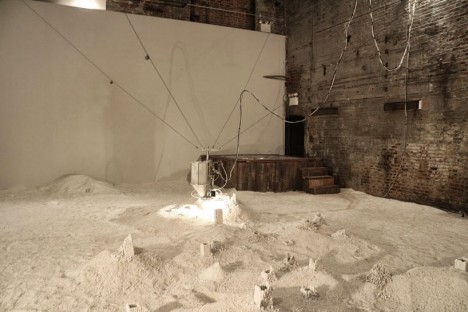
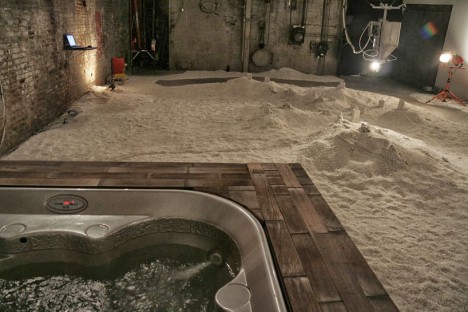
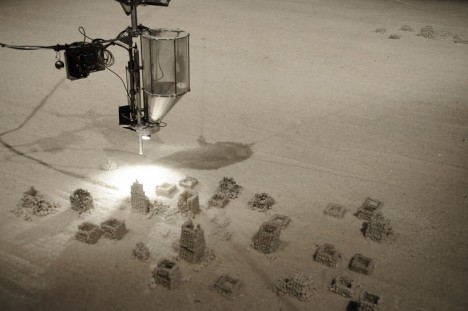
Watch from a hot tub as a robot plays in twelve tons of salt poured onto the entire floor of a gallery space, pushing and extruding it into abstract shapes resembling city skylines. Artist Jonathan Schipper’s installation ‘Detritus’ makes the viewers a destructive element in the scene, as their movement to and from the water destroys what the robot has created. “Objects are continuously being formed but, due to the fragility of the salt crystals used to make them, they deteriorate at nearly the same rate new ones are being built. This installation is an attempt to create a vantage point that is impossible in the real world. A vantage point that both condenses and speeds up time and provides an objective view of the things we value which, at times, we recognize as merely detritus.”

Pinball Prints: Art from Chaos

robot art pinball machine 1

robot art pinball machine 2

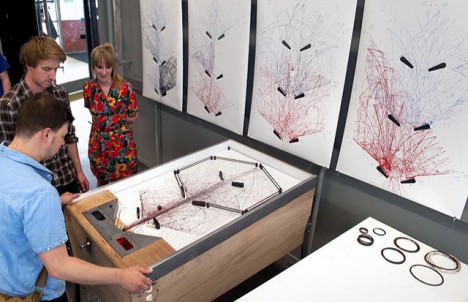
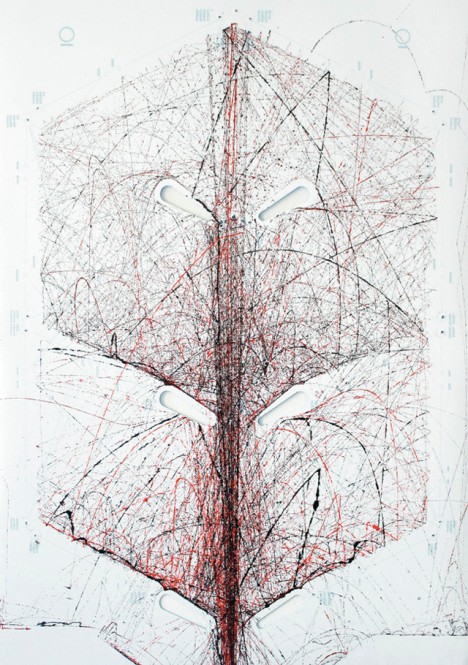
The movement of an ink-colored sphere is captured on a piece of paper, set within the guts of an old pinball machine. STYN by Sam van Doorn creates prints that get more complex depending on how good you are at the game. “In a time of digitization of the work process, you can easily forget the freedom and fun of play,” says the artist. “By creating new tools, you give yourself the opportunity to break free from standards in design.”

3D Drawing Machine Splits Your Vision to Help You Trace

drawing machine 3D 1

drawing machine 3D 2

drawing machine 3D 3

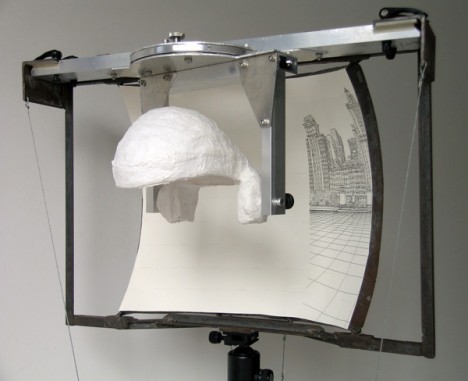
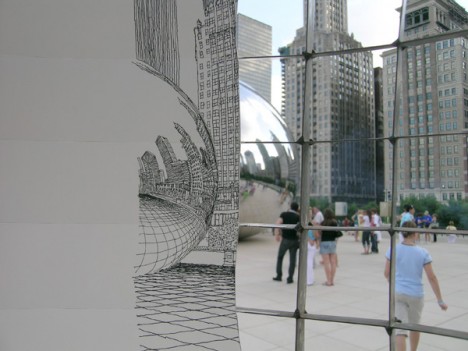
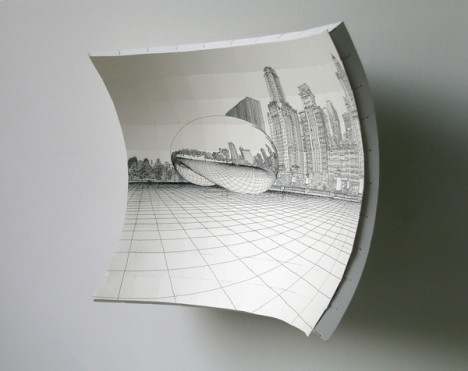
Not so confident in your artistic skills? While it’s not entirely autonomous, this machine will help you produce strikingly accurate drawings by screwing with your brain a little bit. ‘Vision’ splits your ocular system to create two images of your subject, so that you can trace one directly onto the curved surface before you.

Next Page – Click Below to Read More:
Drawing Machines 13 Rivetingly Creative Art Making Robots

Share on Facebook


[ By Steph in Gadgets & Geekery & Technology. ]

[ WebUrbanist | Archives | Galleries | Privacy | TOS ]

WebUrbanist

 
Comments Off on Drawing Machines: 13 Rivetingly Creative Art-Making Robots

Posted in Creativity


5 Creative Macro Photography Ideas that Really Work

25 May

Editor’s Note: This is part a series on macro photography this week. Look for a new one each day. The next newsletter will have them all if you miss any!

Here are 5 quick creative tips to help you with your macro photography:

1) Use Flash for Tiny Details

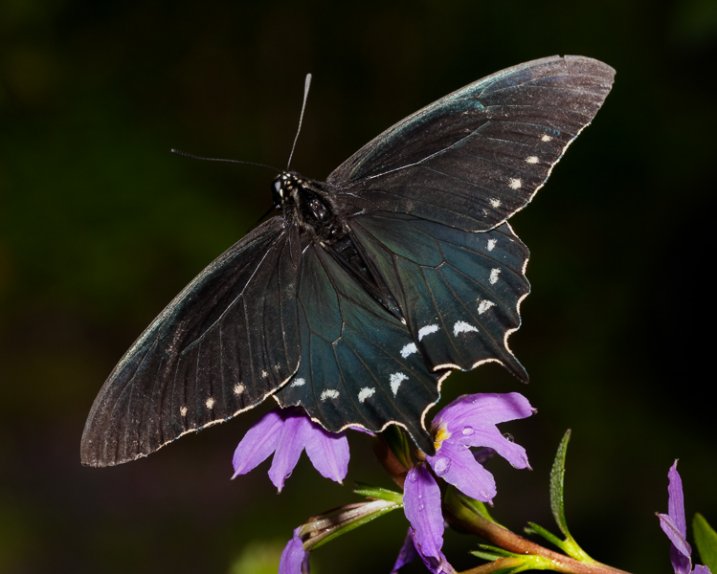
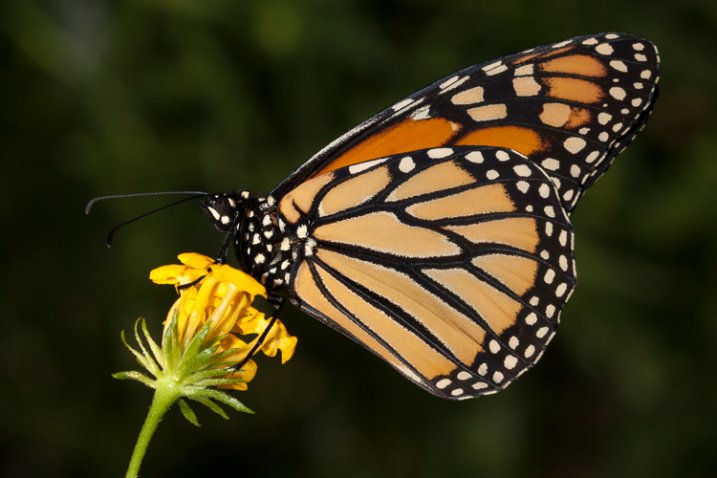
While a macro lens with a 1:1 (one to one) ratio is a terrific tool for close-up work, so too is an external flash. Contrary to what some photographers will tell you, it doesn’t necessarily have to be a ring light for successful results. The trick is to reduce the flash output to approximately -1.75 in TTL mode. This will illuminate the finer detail in your macro work such as a butterfly’s antennae. Should you need even less light, cut the flash intensity further to -2 or -3 stops.

1_butterfly_with_flash
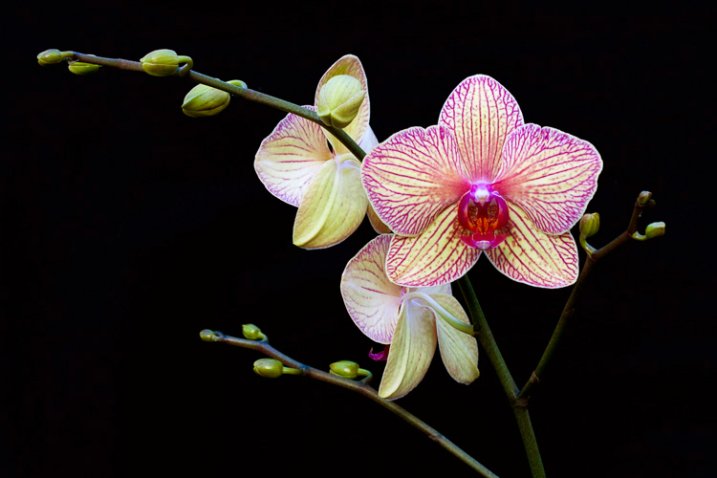
There are times when you’ll want more depth of field to keep the entire subject sharp. This can be problematic, however, as more of the scene remains in focus and can be distracting. Rather than opting for a shallow depth of field, consider using flash. With it, you can illuminate the subject, enjoy great depth of field, and render the background really dark, or even black. To do this, position yourself so there is at least six to 12 inches of separation between the subject and the background. Your reduced flash will effectively expose your macro subject without reaching what’s behind it.

2_orchid_flash

2) Shoot Through a Flower Petal

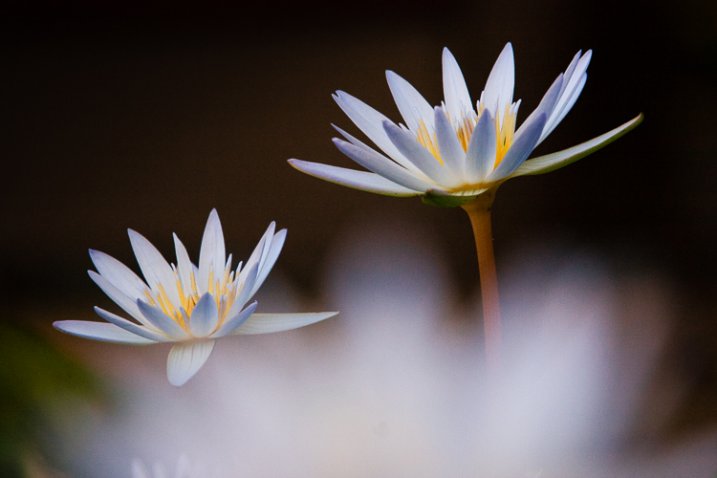
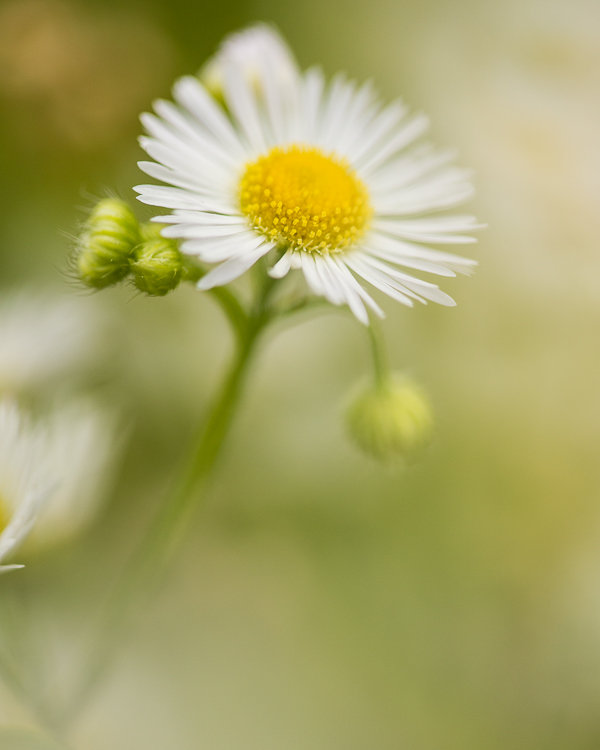
Go beyond the routine snapshot by adding a layer of visual interest to your macro captures. By shooting through a flower petal or leaf, you can create a soft wash of color while keeping the main subject in sharp focus. The technique is simple but yields a sophisticated look that’s reminiscent of an impressionist painting. For this particular method, you may prefer the freedom of shooting without a tripod. By working handheld, it’s easier to position the camera directly into the patch of flowers.

3_shoot_through_petals

Start with your widest aperture, preferably around f/2.8. Locate a flower that’s in front of your subject, and place your lens approximately one inch away from it. Don’t worry if it largely blocks the main subject, as the extremely shallow depth of field will render it nearly transparent. The closer your lens is to the front flower, the more out of focus it will become. Carefully compose so that you can still see your subject in the background. Finally, move your single active autofocus point to the flower you want sharpest.

4_shoot_through_petals

3) Switch to Manual Focus

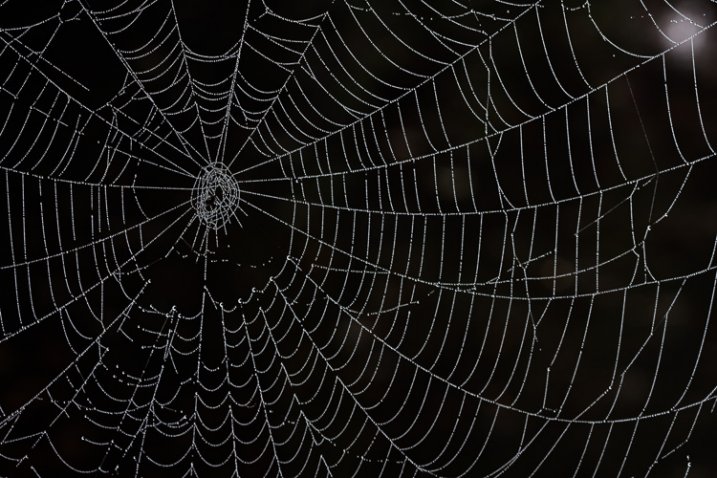
Autofocus is highly effective for the majority of shooting opportunities. In extreme close-up situations however, it can struggle to find its mark. This is particularly true with ultra fine details such as a delicate spider web. A better alternative is to use manual focus aided by Live View or focus peaking. These options take the guess work out of manual focus, allowing you to view the scene at extreme magnifications. At 5x or 10x magnification, it leaves no doubt that something is sharp. On some camera models you can even couple the enlarged view with focus peaking. This works by outlining the portion of subject that’s in focus. While it’s possible to do this handheld, a stable tripod will improve your accuracy.

5_spiderweb

4) Mind the Background

When shooting macro images, the importance of clean background can not stressed enough. If the area behind your subject is cluttered, it draws attention away from your main point of focus. Rather than taking the first vantage point offered, try composing with your feet. This is a deliberate process that forces you to slow down and explore the subject from all possible angles.

6_butterfly_background

Filling the frame with your subject can be an effective way to eliminate distracting backgrounds. With the close focusing ability of a macro lens, you can carefully arrange the scene to only include the flower. This enables you to work with small apertures such as f/16 for maximum depth of field. With sharp detail throughout the frame, there are no areas of soft focus to detract from the subject. For a more dynamic look, try using the rule of thirds instead of a bulls-eyed composition.

7_fill_frame

5) Experiment

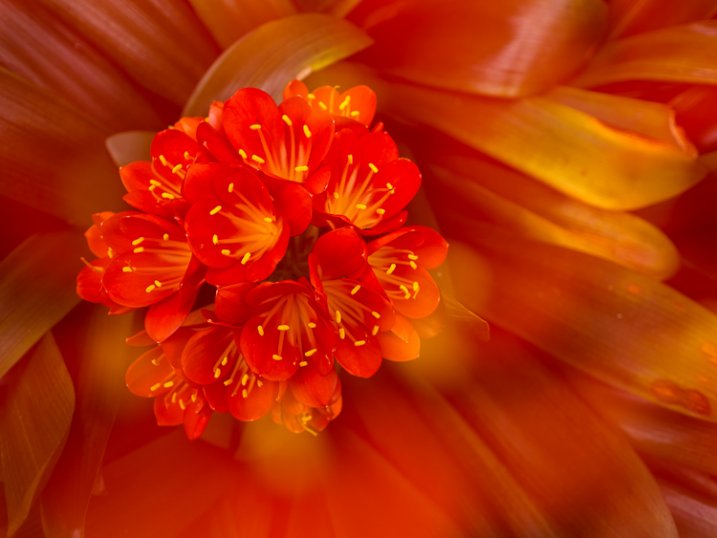
There is something serendipitous about in-camera double exposures that is lost when methodically stacking images in Photoshop. Making exposures this way builds a sense of anticipation that is normally not present in digital photography, with today’s camera’s featuring “instant everything”. Instead, you take the first image, look at it on the LCD and hold that visual in your mind while searching for a second scene to best compliment it. After capturing that, you have to wait a few seconds for the camera to reveal your creation. In that brief pause, suspense builds, and anything seems possible, much like the days of waiting for your film to be processed. Of course with a technique like this, there will be a few misses. Nevertheless, the results can be quite interesting when you get it just right.

OLYMPUS DIGITAL CAMERA

Another creative option is to experiment with slow shutter speeds and intentional camera movement. You don’t even need a macro lens to try it, just a basic zoom. Start by filling the frame with the flower and make sure it’s in focus. For this you can be at the longer end of your focal range. Press the shutter all the way down and start the exposure, then immediately zoom out to a wide-angle perspective. You can also reverse the process, starting with a wide angle and zooming in. The following settings are a baseline to get you started.

  • 1/6th of a second for the shutter speed.
  • f/22 on the aperture.
  • A very low ISO around 100.
  • Based on the existing light you may have to adjust these for the best results.

OLYMPUS DIGITAL CAMERA

Do you have any additional creative tricks to share? Please do so in the comments.


macro-coverWant to learn more about macro photography? Check out Ed Versosky’s Introduction to Close-Up & Macro Photography ebook – just $ 10 (over 30% off) this week with coupon code: DPS. You will need to enter the code to apply the discount.

googletag.cmd.push(function() {
tablet_slots.push( googletag.defineSlot( “/1005424/_dPSv4_tab-all-article-bottom_(300×250)”, [300, 250], “pb-ad-78623” ).addService( googletag.pubads() ) ); } );

googletag.cmd.push(function() {
mobile_slots.push( googletag.defineSlot( “/1005424/_dPSv4_mob-all-article-bottom_(300×250)”, [300, 250], “pb-ad-78158” ).addService( googletag.pubads() ) ); } );

The post 5 Creative Macro Photography Ideas that Really Work by Chris Corradino appeared first on Digital Photography School.


Digital Photography School

 
Comments Off on 5 Creative Macro Photography Ideas that Really Work

Posted in Photography