RSS
 

Posts Tagged ‘Creative’

Adobe slashes Creative Cloud school pricing to just $5 per user per year

04 May
Credit: Adobe

Earlier today, Adobe announced new Creative Cloud educational pricing for K-12 schools (meaning primary and secondary schools, for those outside the US), slashing the price for individual schools and school districts to just $ 5 per license per year with a minimum purchase of 500 licenses for a school, or 2,500 licenses for a school district. Additional licenses can be purchased for $ 50 per 250.

Adobe says the move “underscores Adobe’s commitment to providing students and teachers with the world’s leading digital creative tools and skills,” and is the company’s way of “nurturing creativity and creative problem solving,” both of which, research shows, will be key skills in tomorrow’s job market.

The plans give students access to all of the Creative Cloud applications and 2GB of cloud storage each. But best of all, students won’t have to be in the classroom to use the apps—named user licensing allows students to log in to and install Creative Cloud applications at home or on their mobile devices as well.

“Making Creative Cloud available at $ 4.99 per year, per license—with access in schools and at home—is going to be a game changer, providing students and teachers access to apps that will unlock their inherent creativity in new and exciting ways,” says Adobe’s Mala Sharma, VP and GM of Creative Cloud Product, Marketing, and Community. “Making Creative Cloud affordable is just one of many actions we’re taking to reduce the barriers to teaching these skills in today’s classrooms.”

There is one thing Sharma forgot to mention: providing students with access to the Adobe CC suite starting as early as Kindergarten and Elementary School will also create a whole new generation of Adobe addicts who complain about the subscription costs but are willing to keep paying them anyway… welcome to the club kids.

For more information on the new pricing and Adobe’s other Creative Cloud offers for educators, students, K-12 schools and beyond, click here.

Press Release

Adobe Empowers Educators with New Creative Cloud Offering for K-12

A new offer on Creative Cloud exclusively for K-12 schools and districts underscores Adobe’s commitment to providing students and teachers with the world’s leading digital creative tools and skills

SAN JOSE, Calif. — May 2, 2018 Adobe announced today that, beginning May 15, 2018, Adobe Creative Cloud will be available to K-12 schools for $ 4.99 per license, per year, with a minimum purchase quantity of 500 user licenses for a single school, or 2,500 licenses for a school district. This offer includes unprecedented access for educators and students to all Creative Cloud applications at school, at home and on any device. Adobe is committed to delivering the best tools and resources for nurturing creativity and creative problem-solving skills into the hands of educators and students. This new pricing and licensing, as well as new professional development offerings and lesson plans focused on Adobe Spark and Creative Cloud (details below), and recent release of Spark for Education with premium features free of charge for K-12 students are prime examples of that commitment.

“Strengthening the ‘A’ in STEAM, and making art and creativity core to the student learning experience is Adobe’s responsibility. Digital storytelling is a critical skill for all students, and enabling them to start creating videos, editing photos and publishing websites by grade 6 and earlier is key,” said Mala Sharma, VP & GM of Creative Cloud Product, Marketing and Community, Adobe. “Making Creative Cloud available at $ 4.99 per year, per license—with access in schools and at home—is going to be a game changer, providing students and teachers access to apps that will unlock their inherent creativity in new and exciting ways. Making Creative Cloud affordable is just one of many actions we’re taking to reduce the barriers to teaching these skills in today’s classrooms.”

Creative Cloud for K-12 Lowers Access and Cost Barriers Associated with Teaching Creativity and Creative Problem Solving to Students

A recent study conducted by Adobe, and several other third-party studies, show that jobs of the future will demand both creativity and creative problem-solving skills – two different capabilities that nearly all educators recognize as being essential for students to learn in school. However, research also shows that the biggest barriers educators currently face to nurturing these skills are the lack of access to necessary tools and technologies, and the costs associated with new technologies.

As part of Adobe’s commitment to providing educators with access to the tools and support they need to address these barriers, affordable access to Creative Cloud will encourage educators to develop new projects and lesson plans that bring out the creative skills in their students. Students will have access to all Creative Cloud applications, many Creative Cloud services and 2GB of storage. Adobe has also introduced named user licensing, which allows students to log into their accounts and work on Creative Cloud projects from any location on any device, be it their homes, the library or on the go. These licenses can be deployed by K-12 schools in a way that is consistent with data privacy laws under COPPA—the Children’s Online Privacy Protection Act.

New K-12 Professional Development Offerings Make Adobe Spark a Great Project Tool in Every Class

Adobe is partnering with educators who use Adobe Spark in their classrooms, and will be sponsoring over 100 Edcamps taking place across the United States over the summer until back-to-school 2018. Edcamp leads educator-driven professional development grouped sessions, where educators drive and determine the topics of conversation. In addition, Adobe will be sending Spark experts to a select number of Edcamps over the summer. For more details on Adobe Spark sponsored Edcamps, please visit https://www.edcamp.org/edcamp-locations .

Educators can find new free professional development courses, lesson plans and a complete guide to using Creative Cloud in the classroom on the Education Exchange, Adobe’s free platform where educators can access courses taught by their peers and share teaching materials and curriculum.

Availability and Pricing

This offering is available for purchase starting on May 15, 2018 and will initially be available in the US, Europe, Japan, New Zealand, and India. In the US, school sites are eligible for the offer starting at $ 2,495 per year, which includes 500 user licenses for students and teachers ($ 4.99 per user license), and school districts are eligible for the offer starting at $ 12,475 per year, which includes 2,500 user licenses. Also in the US, additional purchases can be made in increments of 50 user licenses starting at $ 250. Pricing and minimums vary by region.

For more information and to purchase Creative Cloud for their K-12 classrooms, K-12 schools and districts can contact their Authorized Adobe Resellers, and for general information, please visit www.adobe.com/education/k12.html.

Articles: Digital Photography Review (dpreview.com)

 
Comments Off on Adobe slashes Creative Cloud school pricing to just $5 per user per year

Posted in Uncategorized


How to Practice Your Photography Skills by Getting Creative in the Kitchen

26 Apr

Do you ever get trapped in the marketing frenzy? Is the lack of professional equipment or fancy subjects preventing you from improving your photography? It’s easy to make excuses, but it’s better to get creative.

Keep reading to see that you don’t need to go any further than your own kitchen to practice and level up your photography skills. In this article, I’ll show you some tips and tricks to improve your shooting and lighting using things you find in the kitchen.

Improve photography skills creative food photography tutorial

Exposure settings: f/22, 1/60, ISO 4000, focal length 55m.

The basic knowledge you need to understand and master in photography is exposure. This refers to finding the correct amount of light for your photograph. There are three variables that you need to take into account when making a photograph. They are known as the exposure triangle as they are always connected; they are the aperture, shutter speed, and the ISO.

Since they are linked, when you are adjusting one leg of the triangle you have to compensate with one of the others. Having said this, you can also do the exercises I’m proposing even if you are not yet familiar with shooting in Manual Mode.

Aperture and Depth of Field

As I was saying, the correct exposure depends on three related factors, I’m going to start with aperture, but keep in mind that whatever you move here you need to compensate equally with one of the others.

If you’re not confident yet doing this manually, you can set your camera to Aperture Priority Mode (A or Av) and that way your camera will decide the correct settings to fit the aperture you want.

Aperture refers to a hole in your lens through which the rays of light come together and pass towards the sensor. Obviously, the bigger the hole the more light goes in and vice versa.

However, it also has an impact on the depth of field so you need to learn and practice how to control it.

Improve photography skills creative food photography tutorial depth of field

Left image: f/2.8, 1/2500th, ISO 1600, 55mm
Right image: f/11, 1/125th, ISO 1600, 55mm.

When you are closing the aperture, the f-number goes up (like f/16, f/11) which results in a bigger depth of field. As you can see in the examples.

Improve photography skills creative food photography tutorial depth of field aperture

Left image: f/2.8, 1/1000th, ISO 1600, 55mm.
Right: f/11, 1/60th, ISO 1600, 55mm.

Remember that the distance between the camera and the subject as well as the focal length also impact the depth of field, so try out different settings and keep practicing.

Improve photography skills creative food photography tutorial depth of field fstop

Exposure: f/2.8, 1/250th, ISO 1600, 55mm.

Exercise to practice

Try shooting different objects in your kitchen using different aperture settings. See how it looks at f/2.8 or wide open, compared to using a smaller aperture of f/11 or f/16. You may need a tripod to keep the camera steady.

Shooter Speed and Motion

Another factor is the shutter speed. As its name indicates, it’s the speed at which the shutter opens and closes when you take your photograph. This is more straight-forward to understand than the aperture. The more time the shutter remains open, the more trajectory from the moving object will be captured resulting in a blur. The faster you set your shutter speed, the moving object will be sharper as it will appear frozen.

Improve photography skills creative food photography tutorial shutter speed motion

Left: f/11, 1/640th, ISO 5000, 50mm.
Right: f/11, 1/80th, ISO 400, 50mm.

If you’re not confident shooting in Manual Mode, you can set your camera to Shutter Priority (Tv or S). This way your camera will decide the correct settings to fit the shutter speed of your choice.

Improve photography skills creative food photography tutorial shutter speed

Exposure: f/8, 1/125th, ISO 1600, 50mm.

Exercise to practice

Try finding some moving objects in your kitchen; flowing water out of the tap, have a friend pour a liquid into a cup for you, a fan blowing, etc. Shoot it at all kinds of different shutter speeds and see what it looks like at 1/30th versus 1/2000th. Remember to stabilize the camera when using a shutter speed less than your focal length to maintain sharpness.

The last exercises are about controlling the resulting image with the light that you have to work with, but the next step to level up your photography is about manipulating the light. That’s the idea for the next activities.

Quality of light: Hard versus soft

Depending on the distance and size of the light source, as well as the type of bulb or accessories (light modifiers) that you use with it you can have either hard or soft light in your scene.

Hard light is created by direct sunlight, for example. Or if you’re talking about artificial light it refers to small light bulbs with no light modifiers that are placed farther from your subject. It results in dark shadows with clearly defined edges as well as contrasted colors. It’s not necessarily flattering for portraits, but in still life scenes, it can create a very special mood.

Improve photography skills creative food photography tutorial hard light

Exposure: f/8, 1/30th, ISO 400, 50mm. Notice the hard, well-defined shadows of the kitchen tools here. This is hard lighting.

Soft light is therefor the opposite. It casts diffused shadows that fade away gradually instead of having a defined edge. When you’re working with natural light this is what you get on a cloudy day because the clouds work as a giant diffuser.

However, when you are working with artificial light there are many different ways to soften it. You can move the light closer to the subject or use a bigger light source (or modifier). But talking about hacks you can do in your kitchen, you can simply put a sheet of oven paper (also known as baking paper) in front of your light like I did here to spread out the light (diffuse it) and make it softer.

Improve photography skills creative food photography tutorial soft light

Exposure: f/8, 1/15th, ISO 400, 50mm. Notice the lack of well-defined shadows here, this is soft lighting.

Exercise to practice

Pick a subject in your kitchen and photograph it using both hard and soft light. Window light through curtains or which is not direct sunlight is a good source for soft light. A flashlight or bare light bulb can make for a hard light source – try both.

Lighting style – high key

While on this subject, there is a particular style of lighting with soft light called high key. These are images with mostly light colors and white with soft or no shadows in the image. You can also overexpose the white background a bit to enhance the effect.

A quick trick from your kitchen to achieve this look is to use the light from the extractor hood above your stove. Most stoves have one and it usually gives a diffused gentle light. I find this very useful to do high key images:

Improve photography skills creative food photography tutorial high key lighting

Exposure: f/22, 1/125th, ISO 100, 167mm.

Try creating a high key look at home with items in your kitchen.

Reflection

Another way of diffusing light is by using reflectors, however, they can also serve other purposes. In this case, I was using the natural light from the window coming in from behind the bottle and placed a chopping board as a black background, this brings out the contours of glass objects.

The problem was that the lime wasn’t getting much light and this flattened the entire image. By using an aluminum BBQ-oven cooking tray I bounced the light back into the front of the lime and gave the final result that subtle, but needed punch. Look at this before and after.

Improve photography skills creative food photography tutorial reflector

Left: f/8, 1/30th, ISO 400, 50mm.
Right: f/8, 1/30th, ISO 400, 50mm.

Try it at home

So try a few of these in your own kitchen and see what you can learn by playing around and practicing.

As you can see you don’t need any professional equipment or even cooking skills, you only need to be creative! These are just some examples of what you can do but you can also work on your composition, cropping, colors, contrast and much more.

Share any other kitchen hacks or exercises that help you improve your photography in the comments section below.

The post How to Practice Your Photography Skills by Getting Creative in the Kitchen appeared first on Digital Photography School.


Digital Photography School

 
Comments Off on How to Practice Your Photography Skills by Getting Creative in the Kitchen

Posted in Photography


Creative Macro Photography – A Guide to Freelensing

22 Apr

Freelensing is one of the strongest and most underutilized tricks in the macro photographer’s toolkit. It can add diversity to a portfolio, and—when used carefully—generates some truly stunning effects. In this article, I will cover the basics of freelensing, and discuss how it can be used to enhance your macro photographs.

freelensing macro photography bokeh

What is freelensing?

Freelensing is a technique that can be used with any camera that accepts interchangeable lenses. You detach the lens from the camera and focus by tilting the lens in different directions, as well as by moving the lens closer and farther away from the camera body.

How does this change the resultant image? The plane that is in focus is no longer parallel to the sensor. The overall effect is to get both near and far objects selectively in focus, as shown in the photographs below.

freelensing macro bokeh autumn leaves

By tilting my 50mm lens, I was able to selectively focus on these colorful leaves.

How to do freelensing?

First, equipment: I’ve found that macro freelensing works best with lenses in the 50mm range. Lenses much longer than that are going to be hard to focus accurately with, and lenses that are much shorter give a field of view and depth of field that is a bit too broad for macro purposes.

Note: because freelensing involves holding the lens detached from the camera, there is always the risk that you might drop something. Therefore, I like to use lenses that are on the cheaper side; the Canon 50mm f/1.8 is my go-to lens in these situations.

The camera model isn’t important, but I tend to use my backup body, as detaching the lens from the camera does increase the risk of dust and other debris getting inside and onto the sensor.

freelensing flowers macro photography

The freelensing process

Begin by putting the lens on the camera as you normally would. Turn on the camera and set it to Manual Mode. Choose whatever aperture you like; when the lens is taken off the camera, the aperture setting will be rendered irrelevant (it will be wide opened). Focus the lens on a distant object.

NOTE: With some camera makes and models, if you hold down the Depth of Field preview button while removing the lens it will lock the aperture closed to your desired setting. Test and see if your camera has this ability.

Make sure that your camera is not using Live View (as this would increase the exposure of the sensor to the outside world). Then, turn off the camera. Detach the lens, and carefully hold it in front of the camera body, just in front of the sensor. Turn the camera back on.

camera freelensing detach lens

Example freelensing technique with a 50mm lens. The lens is pulled (slightly) away from the camera body.

At this point, the fun begins! There are a few things to consider:

First, the farther you move the lens away from your camera, the greater the magnification.

Second, tilting the lens left, right, up, and down alters the parts of the scene that are in and out of focus. It takes a bit of experimentation to get the hang of this, so don’t be afraid to take many images while honing your freelensing skills.

freelensing nature macro photography

Third, any gaps between the lens and the camera allow for light leaks. This can result in very interesting effects (but be careful not to overdo it!). To minimize light leaks, cup your hand around the lens so as to block out the light.

A note on exposure

When it comes to freelensing, your camera’s metering system is going to be nearly useless. The proper exposure depends on the size of the gap between the camera and the lens, so you will always need to drastically underexpose if you use your camera’s meter. I often take a few experimental shots, incrementally increasing the shutter speed (and checking the image on the LCD), until I reach an exposure that I like.

Freelensing for macro photographers

I’ve given a basic overview of the freelensing process above. But how can freelensing be used by macro photographers?

1. Use freelensing to create spectacular backgrounds

One of my favorite things about freelensing is that it can generate stunning backgrounds. The shifted plane of focus causes greater subject/background separation, so the bokeh can be truly impressive.

Try shooting into the light (with the subject backlit).

freelensing macro photography bokeh backlit

The setting sun (just to the right of the flower) offered some great opportunities for freelensing.

You can also work with a shaded subject and a background lit by direct sunlight.

freelensing poppy flower macro photography

The poppy was shaded, but the background was lit by the setting sun.

2. Find a point of focus

Freelensing can be an exhilarating experience, as subjects that you’ve shot a hundred times will seem brand new. However, it’s important not to get too caught up in the uniqueness of freelensing, and focus on how the effect can be best used to create strong images.

To this end, find a focal point. This might be a flower, an insect, or some leaves. Use this point of focus to anchor your shot. Ensure that you’re tilting the lens so as to render that point of focus sharp, and the rest of the scene out of focus.

freelensing daisy macro photography

3. Use freelensing to isolate a subject from clutter

Adding onto tip number two, one of the advantages of freelensing is that you can order an apparently cluttered scene with a tilt of the lens. Look for the sort of image that would have previously felt too chaotic, then tilt the lens so that only a small part is rendered in focus.

autumn leaves freelensed macro

4. Use light leaks for artistic effects

I mentioned light leaks above, and I want to emphasize their potential. When used right, light leaks can be beautiful.

I like to create small light leaks along the sides of the image by shooting backlit subjects, and by allowing a significant gap between the camera and the lens.

freelensing daisy macro photography

The effect here was created entirely through light leaks; by pulling the lens away from my camera, I was able to give this daisy image a more ethereal feeling.

5. Use freelensing for macro-level magnification

As mentioned, pulling the lens away from the camera increases your magnification. This can allow for detail-oriented macro shots without a macro lens. So experiment by increasing the distance between the camera and lens.

freelensing sunflower macro photography

In conclusion

Freelensing, while unconventional, can be an excellent addition to your toolkit. By detaching the lens from the camera body, you can create unique backgrounds and artistic light leaks while emphasizing the main subject.

With spring flowers just around the corner (hopefully!), now would be an excellent time to start practicing!

freelensing coneflower macro photography

The post Creative Macro Photography – A Guide to Freelensing appeared first on Digital Photography School.


Digital Photography School

 
Comments Off on Creative Macro Photography – A Guide to Freelensing

Posted in Photography


HP unveils powerful new ZBook laptops for creative professionals

06 Apr
The new ZBook Studio G5 family are tailor-made for creative professionals | Credit: HP

HP has refreshed its entire ZBook workstation lineup, packing a ton of power and ‘cutting-edge design’ into five new laptops: two for creative professionals, and three for the technical community. The new “G5” laptops are: the ZBook Studio, ZBook Studio x360, ZBook 17, ZBook 15, and ZBook 15v.

For our purposes, we’re going to focus on the two mobile workstations designed specifically for creative professionals: the versatile ZBook Studio x360 G5 and the next generation HP ZBook Studio G5.

$ (document).ready(function() { SampleGalleryV2({“containerId”:”embeddedSampleGallery_8019303752″,”galleryId”:”8019303752″,”isEmbeddedWidget”:true,”selectedImageIndex”:0,”isMobile”:false}) });

HP ZBook Studio x360 G5

The new ZBook Studio x360 G5 is being hailed as “the world’s most powerful convertible PC.” It combines a convertible design with professional-grade specs so you can “run multiple apps with speed and responsiveness” and “edit high-resolution images without delay.”

The chassis features a 360° hinge so you can use the laptop in five different configurations—laptop, tablet, stand, tent, and dock—and the anti-glare DreamColor touch display covers 100% of Adobe RGB, supports the Wacom AES pen, and boasts an impressive 600 nits max brightness. According to HP, that last spec makes this the world’s brightest 4K laptop display.

Inside, it can be configured with 8th Gen Intel quad-core Core i5 or six-core Core i7 and Xeon E3 processors, and you have a choice between the integrated Intel graphics that come with your chip or a discreet NVIDIA Quadro P1000 card with 4 GB of dedicated GDDR5 RAM. Speaking of RAM, the laptop can handle up to 32GB of DDR4-2667 RAM (or ECC SDRAM if you’re using an Intel Xeon processor), and the laptop’s hard drive slots support up to 5TB of total storage or 4TB of local PCIe NVMe solid state storage.

The ZBook Studio x360 G2 is scheduled to ship in the beginning of May, starting at $ 1,500 for the base model. To learn more about this computer, head over to the HP website.

$ (document).ready(function() { SampleGalleryV2({“containerId”:”embeddedSampleGallery_0476901410″,”galleryId”:”0476901410″,”isEmbeddedWidget”:true,”selectedImageIndex”:0,”isMobile”:false}) });

HP ZBook Studio G5

The ZBook Studio G5 is essentially the same as the x360, minus the 360° hinge and with a little bit more space for configuration on the inside. If you’re not married to the multiple configurations the x360 offers—which are, we’ll admit, better for photo editing using the Wacom pen—you can get a bit more bang for your buck with the regular ZBook Studio G5.

The same 4K DreamColor ‘world’s brightest’ touch display found on the Studio x360 has been installed on the standard Studio laptop as well. Again, you get 100% Adobe RGB coverage, 600 nits max brightness, and an anti-glare design with an ambient light sensor built in.

You can configure the ZBook Studio G5 with the same 8th Generation Intel CPUs mentioned above, the same max of 32GB of DDR4 2667 MHz or ECC memory, and once again you have a choice between integrated graphics or a discreet NVIDIA P1000 with 4GB dedicated GDDR5 RAM. The only real differentiator here is that you can now support up to 6TB of total storage, although you still max out at 4TB of local PCIe NVMe solid state storage.

The ZBook Studio G5 will also be available in early May, starting at $ 1,300. Basically, you get a couple hundred dollars in savings to sacrifice that 360° hinge. To learn more about this laptop or dive into the data sheet, head over to the HP website.

Press Release

HP’s New High-Performance Workstations Push Creative and Technical Workflows to the Limit

World’s most powerful convertible PC and brightest 4K laptop display set new standards for creative and technical professionals

News highlights:

  • HP ZBook lineup features iconic design with precision-crafted machined aluminum and diamond-cut touchpads.
  • HP ZBook Studio x360 G5 – the world’s most powerful convertible PC1 with the world’s brightest 4K laptop display2 – provides premium user experiences for uninterrupted creativity.
  • HP Z Book 17 G5 – the world’s most powerful mobile workstation3 – delivers unparalleled power for users demanding accelerated performance.

PALO ALTO, Calif., April 5, 2018 — HP Inc. today unveiled a range of new, fifth-generation HP ZBook Mobile Workstations designed for creative and technical professionals, executives and students who demand high- performance computing and premium experiences. The new lineup features cutting-edge design, innovative collaboration tools and superb security features to help elevate the creative process.

“Today’s mobile users are looking for premium products with outstanding performance, differentiated design, resilient security and practical collaboration tools to create anytime, anywhere, without limits,” said Xavier Garcia, vice president and general manager, HP Z Workstations, HP Inc. “Whether it’s the game-changing design of the world’s most powerful convertible PC, the world’s most powerful mobile workstation or the world’s most secure mobile workstations, HP is delivering the products that creative and technical workers crave.”

Purposeful Innovation to Excite

By constantly monitoring market trends and customer insights, HP understands that today’s mobile workers surround themselves with a collection of products that speak to their personal design philosophy. They require products that don’t just enable the creative process, but elevate it. HP ZBooks were created with forward- thinking design and versatility, precision inking experiences, the brightest displays, tool-less access and distinct eye-pleasing finishes. This generation of HP ZBook’s tout precision-crafted machined aluminum for enhanced structural integrity, durability and weight-savings, and streamlined narrow border displays allow for more screen real estate in a smaller chassis.

Today, technical workstation users demand accelerated performance to dramatically improve workflows. As boundaries around traditional workplaces are erased, security becomes even more important. Nearly 70 percent of organizations have reported compromised laptops in the past 24 months4, highlighting the need for robust security features that provide constant protection and resiliency in the event of an attack. Therefore, HP designs its HP ZBooks to be the world’s most secure and manageable mobile workstations5.

At the same time, as workplaces become more collaborative, the need for innovative tools is on the rise. The mobile user is at the center of this shift, with laptops/mobile workstations as the most frequently used devices for meetings and collaboration. HP ZBook Mobile Workstation users can collaborate naturally with the world- facing microphone and the HP Premium Collaboration Keyboard. This generation of HP ZBooks also have even richer sound over the previous generation – louder, bigger speakers with a lower bass roll-off.

Premium HP ZBooks Delight Creative Professionals

Today, HP revealed the HP ZBook Studio x360 G5, the world’s most powerful convertible PC1. This versatile laptop gives users the latest convertible design with professional-grade performance needed to run multiple apps with speed and responsiveness. Users can edit high-resolution images without delay, with NVIDIA® graphics and Intel® Xeon® processors. HP’s innovative 360-degree hinge delivers the comfort of a laptop, the convenience of a tablet and the luxury of additional modes to help showcase work. Precision inking with 4,096 levels of pressure sensitivity are realized on the anti-glare HP DreamColor display – the world’s brightest, 4K laptop display2.

Creative professionals will experience the ultimate blend of design and performance in the next generation HP ZBook Studio G5. This premium model is smaller, faster and brighter than ever. Users can bring ideas to life on the world’s brightest 4K laptop display2. The HP DreamColor anti-glare display supports 100 percent Adobe RGB, has 600 nits of brightness, is 20 percent brighter than the Apple MacBook Pro 15-inch Retina display and 50 percent brighter than the Dell XPS UltraSharp 4K display6. The HP ZBook Studio supports up to 6 TB7 of storage, with certified NVIDIA® Quadro® graphics and ultra-fast 6-core Intel® Xeon® processors, with 35 percent higher processing performance than the Apple MacBook Pro8.

Last fall, HP announced the HP ZBook x2, the world’s most powerful detachable PC, to unleash the power of Adobe Creative Cloud with remarkable performance and versatility. This product now includes Intel’s 8th generation of quad core processors that deliver 73 percent higher graphics performance compared to the Surface Pro9.

Performance HP ZBooks Thrill Technical Community

HP ZBook17 G5 delivers the performance of a desktop with the freedom of a laptop. Users will revel over the relentless performance when editing multiple streams of content, manipulating data and developing in VR. The HP ZBook 17 G5, the world’s most powerful mobile workstation3, is packed with 50 percent more cores generation over generation, up to 10 TB storage7, 64 GB memory, NVIDIA® Quadro® P5200 graphics and 20 percent better thermals generation over generation to stay cool and quiet. With up to 50 million different configurations, the HP ZBook 17 G5 can be customized to meet any demand and can be upgraded in seconds without tools.

HP ZBook 15 G5, the number one mobile workstation in the world10, provides extraordinary performance with industry-leading security and is designed to thrive with heavy rendering, engineering and simulation workflows. With 30 percent better thermal performance generation over generation, it stays quiet and cool running at maximum performance workloads. Users can bring projects to life with one billion colors on the stunning 600 nits 4K HP DreamColor display11. Users can also increase productivity with up to 6 TB of storage and 3 drives and up to 4 TB local PCIe TLC storage.7 Engineered for the future, upgrading is made easy with tool-less access. In 2016, NASA purchased 1,200 HP ZBook 15 mobile workstations for use on the ISS and to support ground development and flight support.

HP ZBook 15v G5 is a high-performance laptop, aimed at engineering students and SMBs, with high speed processors and graphics certified for peak performance – all at a low cost. This model has fast response times with 6-core Intel® Xeon® processors12 and 32 GB memory, even when running multiple apps at once. Users can access large 4K files quickly with up to 4 TB of high-speed storage7 and tackle complex 2D and 3D models with certified NVIDIA® Quadro® graphics. The HP ZBook 15v is optimized for stability and peak performance with professional software applications from leading software providers like Autodesk, Revit and SOLIDWORKS. This model features up to 2 TB local PCIe TLC storage.

Visionary Display for Visionary Creators

The HP DreamColor Z27x G2 Studio Display delivers consistent accurate color, features a wide color gamut, high performance IPS Panel and workflow management tools with breakthrough HP DreamColor technology. This 27-inch diagonal display uses an integrated pop-up sensor that calibrates on demand or on a regular schedule. HP worked with leading visual effects studios to create customized solutions for an optimal design process, including onscreen markers, remote management and the world’s first integrated keyboard-based input switching KVM13 to easily switch between devices. Users will experience a broad range of vividly accurate colors from 99 percent DCI P3 coverage, 98 percent Adobe RGB and a 1500:1 contrast ratio. The new HP Z27x joins the HP Z31x DreamColor Studio Display to make a family of the most advanced color-critical displays in the world14.

Pricing and Availability

  • The HP ZBook Studio x360 is expected to be available beginning in May for a starting price of $ 1,499.

  • The HP ZBook Studio is expected to be available beginning in May for a starting price of $ 1,299.
  • The HP ZBook 17 is expected to be available beginning in May. Price not yet available.
  • The HP ZBook 15 is expected to be available beginning in May. Price not yet available.
  • The HP ZBook 15v is expected to be available beginning in May for a starting price of $ 949.
  • The HP DreamColor Z27x G2 Display is available beginning in April for a starting price of $ 1,999.

Articles: Digital Photography Review (dpreview.com)

 
Comments Off on HP unveils powerful new ZBook laptops for creative professionals

Posted in Uncategorized


Tips for Creative Plant Photography

20 Mar

In this article, we’ll discuss the whys and hows of photographing plants. Don’t worry if you’re not a nature nerd, if your fingers are distinctly non-green or if you find plants generally dull. Plants can offer great photographic opportunities to any photographer. Give plants a chance!

01 plant photography tips

If you start thinking about plants and the role they play in our history and our lives, you might find it hard to stop. After all, they produce most of the oxygen we breathe, they provide us with nutrition, we make clothing and build shelter out of them, just to mention a few things; we even print our photos on them!

More relevant to this article, though, they also inspire us with their alien beauty and comforting stillness to create art.

02 plant photography tips

Why photograph plants?

First of all, plants are really convenient subjects. They’re found more or less everywhere, and they don’t run or fly off when you approach them. That makes things so much easier!

But being common doesn’t make them boring – there are so many different varieties to choose from, they change their appearance with the seasons, and the longer you look, the more detail you will find. It would be hard to find a more patient (living) subject!

03 plant photography tips

Plants have inspired artists for thousands of years: they’re in the art of the ancient Egyptians, and the Chinese. Plants are also a central part of a wide variety of more modern art, such as arabesque, still life paintings, Mapplethorpe’s photography – the list goes on and on.

Some of the most aesthetically pleasing shapes and forms in the world are found in plants.

04 plant photography tips

Photographing plants is a rewarding activity for any photographer. If you’re a beginner, you can use plants to learn more about photography: check out some tips for beginners and use these really friendly subjects for your early experiments.

And if you’re a professional wedding photographer, you can always practice your bouquet and decoration photography!


How to do plant photography

Plant photography is perhaps the easiest kind of photography. All you need is a camera and a plant, and you can start your exploration. Yes, it really is that easy!

But sure, there are some tips that can make your experience more fun and your photographs more unique. The most important thing is for you to open your mind, explore the things you find interesting, and have fun.

06 plant photography tips

Some ideas on what to look for in a plant

Flowers may seem like the obvious thing to photograph when it comes to plants, but these living beings offer so much more than just their reproductive structures. They sure are fine-looking, though!

07 plant photography tips

To get the most out of plants, you should also remember to check out the other visible parts such as the leaves, fruit, and bark. Taking group photos also works with plants.

Play with light, focus, and composition – use all of the tricks in your photographic toolbox.


09 plant photography tips

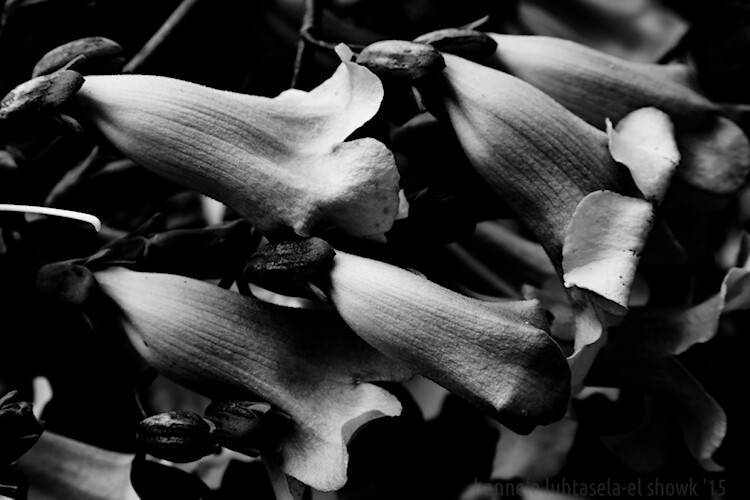
For me, the best plant photos arise when I move beyond just looking at specific parts, and start focusing instead on shapes, textures, and symmetries. Look for interesting patterns in light or texture, experiment with black and white, zoom in and zoom out, find the abstract.

10 plant photography tips


And, as always, try to evoke a feeling and create a story.


Conclusion

Do you enjoy photographing plants? What are your best tips? Do you have any favorite photos to share? I’d love to hear your thoughts and see your art in the comments below.

The post Tips for Creative Plant Photography by Hannele Luhtasela-el Showk appeared first on Digital Photography School.


Digital Photography School

 
Comments Off on Tips for Creative Plant Photography

Posted in Photography


Adobe Creative Cloud prices will increase April 16th, Photography Plan will stay the same

13 Mar

Yesterday, a few of our staffers received an email from Adobe warning them that, in a little over a month, the price of their Adobe Creative Cloud subscriptions would increase on their next renewal date. The email read:

Dear *subscriber*

The price of Creative Cloud will increase on April 16, 2018. However, your price will not change until your next renewal date. Please note that this is the first time in over five years that we’ve raised the base price of Creative Cloud.

The price of Adobe Creative Cloud All Apps will change to US$ 52.99/month on your renewal date of *insert date here*. A reminder email will be sent to you as your renewal date gets closer.

It seems these prices changes were initially announced in October at Adobe MAX, but the email still came as news to us. So when we received the notice, we reached out to Adobe to confirm and to ask if the Creative Cloud Photography plan pricing would also increase.

Here’s what we got back:

As announced in October 2017 at Adobe MAX, for the first time since the introduction of Creative Cloud five years ago, a modest adjustment in commercial pricing will take effect for customers in the United States, Canada and Mexico on April 16, 2018 or at existing customers’ next contract renewal. Beginning April 16, new subscribers will benefit from the current pricing and can lock in a year subscription at no additional charge. Prices will vary by plans—for example, Creative Cloud for Individuals All App annual plans will experience a 6% increase to $ 52.99 per month from $ 49.99 per month. These pricing updates do not impact our Student/Education, Creative Cloud Photography, XD or Acrobat CC plans.

For more pricing details visit: https://theblog.adobe.com/adobe-updates-creative-cloud-pricing/

So, the good news for photographers is that the Creative Cloud Photography plan price is not changing. You will still pay $ 10/month for Photoshop CC, Lightroom Classic CC, and Lightroom CC with 20GB of cloud storage, or $ 20/month to increase that cloud storage quota to 1TB. But if you’re on an All App or Single App plans, you’re going to see a price hike.

In addition to the Individual All App plan increasing in price to $ 53/month (previously $ 50), Creative Cloud for Individual Single App plans will now cost $ 21/month (previously $ 20), and Creative Cloud for Teams All App plans will now cost $ 80/month (up from $ 70).

For more info on this price increase, you can read the original announcement post here.

Articles: Digital Photography Review (dpreview.com)

 
Comments Off on Adobe Creative Cloud prices will increase April 16th, Photography Plan will stay the same

Posted in Uncategorized


6 Creative Composition Techniques to Boost Your Images

12 Mar

I am a huge fan of the Canadian rock band Barenaked Ladies. They were very popular in the 2000s and their songs were creative, fun and edgy. They also came up with a children’s album called Snacktime and it was a blockbuster hit. Now you must be wondering what a music band has to do with photography but just bear (pun intended!) with me and keep reading on.

One of the songs on the kid’s album is called “Crazy ABC’s” and it was not the traditional alphabet song. In fact, the whole song used unique and different words that begin with the traditional letters of the alphabet. Are you still with me here? At the end of the song, the lead singer (Ed) encourages kids to think outside the box when it comes to learning. Everyones knows the typical A, B and C words like Apple, Cat, and Ball. But think outside the box and see what a wonderful world it opens up.

Thi is how that example relates to photography. We all know the basic composition techniques – the rule of thirds, center focus, fill the frame, etc. How about we change things up and look at some of the atypical composition techniques – after all, it really is such a wonderful world out there, why see it from a boring frame of reference!! Let’s get creative.

#1 Look for reflections

Reflections don’t always have to be done with water. Reflections on water are probably the easiest thing to do if you want to get creative. But following the theme of changing things up, try other surfaces as well. Actually, any reflective surface can be used to add an element of creativity to your frame.

6 Creative Composition Techniques to Boost Your Images - reflections

Nothing wrong with the typical reflection in water shot…the fact that I get to see the snow-capped Himalayas twice over was enough to get me to do the typical/traditional shot.

Karthika Gupta Photography - Memorable Jaunts DPS Article-Creative Composition Techniques-reflection 1

But pushing beyond the boundaries of typical and photographing this lovely couple’s first look on their wedding day, with an added reflection in the glass takes it to another level.

#2 Look for symmetry

Just like in point number one above, symmetry does not necessarily mean centered composition of the subject. As long as you can draw a virtual line across the frame and have two exact replicas of the image, symmetry is achieved. Try to think of creative ways to achieve symmetry.

food - 6 Creative Composition Techniques to Boost Your Images

Food is one of those subjects that lends itself to a multitude of different composition techniques. By isolating these appetizers (don’t they look absolutely delicious) in a central composition, I was able to create symmetry horizontally, vertically and maybe even diagonally! Again, think outside the box.

6 Creative Composition Techniques to Boost Your Images - symmetry

One of my favorite clients from a few years ago…here the symmetry is implied – parents on one end of the spectrum and kids on the other.

#3 Use of negative space

I love the use of negative space to add so much more to an image without any additional weight of other subjects. I am always thinking of ways to use negative space to add that extra special “oomph” factor to my images.

6 Creative Composition Techniques to Boost Your Images - negative space

This little Italian car screamed for my full attention – using negative space with a wall exactly the same color as the car was a little different but this image is all about that car and nothing else!

The Vatican - 6 Creative Composition Techniques to Boost Your Images

Negative space can be used for any genre of photography – people, things, and even places. The Vatican deserves everyone’s undivided attention, there’s no doubt about that!

negative space with a model - 6 Creative Composition Techniques to Boost Your Images

My lovely model from an editorial shoot last year. She totally owned that shoot and this image shows her strength, tenacity, and attitude – the only thing in this image is her, simplified by the use of negative space.

#4 Multiple exposures

This is by far one of my favorite ways to add a little creativity to my images. Don’t feel you need to be limited by using only two exposures in the case of multiple exposures. This works great for three or even four exposures and can be done in-camera as well as in post-processing.

6 Creative Composition Techniques to Boost Your Images - double exposure

A typical double exposure using a textured image and a human element.

6 Creative Composition Techniques to Boost Your Images - multiple exposures

But why stop at two exposures? Here I used three exposures to showcase the active, multi-faceted mind of a creative. A lot of thoughts race through our minds at any given point in time – here is a creative way of documenting that!

6 Creative Composition Techniques to Boost Your Images - multiple exposures

Another three exposure frame – an extension of being creative with your composition.

#5 Slow down your shutter speed

By having a long exposure (slowing your shutter speed) you can add some creativity to your shots. Traditionally we see this with waterfalls or flowing water shots. But try and do this with other subject matter as well. Sometimes that intentional blur can be used just as a creative expression, or to create abstract art in your images.

6 Creative Composition Techniques to Boost Your Images - intentional blur

This was actually taken from a car as we were driving along a California highway. The car was too fast for me to get any sort of sunset shot so I decided to embrace the movement and create an abstract version of what I was seeing.

6 Creative Composition Techniques to Boost Your Images - motion blur

Here motion blur or slow shutter speed was much more intentional. I was camping on the beach along the Oregon coast as the fog was just rolling in and people were walking back to their tents. By slowing the shutter, the waves took on this milky look and the people magically faded away from the shot. For this kind of shot, I used a tripod to make sure the sea stacks were sharp.

#6 Creative framing

Try and incorporate frame within a frame within a frame or any combination of that in your photos to add a fun element and lead the viewer into where you want them to focus their attention.

6 Creative Composition Techniques to Boost Your Images - framing

My lovely client backlit and framed within the doorway. The sun was too bright behind her and the rest of the room was dark – a perfect recipe for taking a step back and framing the dark against the bright.

6 Creative Composition Techniques to Boost Your Images - framing

Here the happy couple is being framed by the staircase and steps in a more subtle way. The eye is being led down and around the sides of the railing leading the viewer into the bottom of the frame where the couple is taking a moment to be with each other.

6 Creative Composition Techniques to Boost Your Images - framing

This is one of my favorite images of my kids…one of the few times that big sister is being nice to her little brother! The leaves along with the tree frame them, directing your eyes to the center of the frame where they are interacting.

Conclusion

I hope these tips encourage you to think differently when it comes to photographic composition. Sure you likely know the tried and true rules – things that you know will work when all else fails. But you know what? Embrace that failure to grow creatively.

Experiment and try some of these creative composition techniques. In fact, take a chance and maybe try a couple of them together. Who knows what might happen, but at least you will feel like you explored outside your comfort zone. And the best part is that these tips work well for almost any genre of photography. So get out there and create some magic.

The post 6 Creative Composition Techniques to Boost Your Images by Karthika Gupta appeared first on Digital Photography School.


Digital Photography School

 
Comments Off on 6 Creative Composition Techniques to Boost Your Images

Posted in Photography


5 Creative Indoor Portrait Locations for When the Weather is Blustery

16 Feb

What if I told you that you can find some interesting indoor locations and take photos for free? In this article, I will show you five remarkable indoor portrait locations that you can seek out for your winter shoots.

Winter time is a huge bummer for us portrait photographers. Harsh winds make us (and our models) question our sanity when we step outside for a photoshoot. Sure, we can rent studio space but this can be expensive. Also, let’s be honest, many studio spaces just look bland and uninspiring. Let’s see what else is available.

Editor’s note/disclaimer: The suggestions made in this article do not reflect the views of dPS and are solely the author’s recommendations and opinions. We suggest that you ALWAYS get permission when shooting at an indoor location that is private property (i.e. anywhere other than your subject’s home or yours). Please be aware of the laws in your area regarding photography in private locations, and follow them so you do not find yourself in trouble with the law. 

1. LIBRARIES

5 Creative Indoor Portrait Locations for When the Weather is Blustery - library

Libraries are an excellent place to shoot portraits. Tall shelves of books and impressive architecture provide a variety of wonderful backgrounds.

Seek out public libraries and university libraries that are open to the public. I’ve taken portraits of model friends at the Boston Public Library, Boston College, and MIT.

Some libraries have strict policies about photography, so if you’re unsure just ask a staff member. In many places, “Can I take some photos of my friend in here?” is all it takes to get permission.

2. CONVENIENCE STORES

Convenience stores are one of the easiest places to get permission to shoot portraits. Just walk into the store and politely ask the cashier if you can take some photos of your friend inside. That’s how I got these photos:


When shooting in a convenience store, be aware that the aisles are typically narrow. I recommend bringing a wide-angle lens, such as a 35mm, to allow you to fully capture the setting.

3. UNIVERSITY BUILDINGS

Many universities have academic buildings that are open to the public, which makes them a good option to take photos indoors. Empty classrooms are a personal favorite.

university - 5 Creative Indoor Portrait Locations for When the Weather is Blustery

university - 5 Creative Indoor Portrait Locations for When the Weather is Blustery

I want to emphasize that it’s very important to have respect for the space and its owners. In most instances, the worst case scenario is pretty mild – being asked to leave. If you are asked to leave a property, simply leave without making a fuss. In my experience, it’s not common to get kicked out of places for simply taking photos.

If you’re nervous about confrontation, then ask for permission in advance. Trust me, if you’re polite and transparent, most people will be willing to accommodate your photography (given that you’re not doing it for commercial use or taking photos of their patrons or guests).

4. GROCERY STORES

Filled with colorful vegetables and bright lights, grocery stores are a goldmine for portrait photography. You can capture a wide variety of different scenes reminiscent of everyday life. Have your model interact with different items in the store and use them as props.


Plan to shoot at off-peak hours, such as the middle of a weekday, to avoid throngs of shoppers photo-bombing your pictures. The layout of different grocery stores can vary widely. Some have wide, spacious aisles while others are more densely packed and narrow. Be sure to bring the right lens to properly capture the environment.

It’s useful to scout out the location in advance if you can.

5. LAUNDROMATS

Laundromats are great places to put a different spin on your portraits. If you live in a city, chances are there are plenty of laundromats. If you don’t where to find any near you, start with a simple Google search. Look for self-service laundromats, since these usually don’t have any on-site staff.

It’s rare that laundromats are completely empty, so get used to shooting around other people. When you ignore the side-eyed glances from people drying their socks, then you can get photos like this:

laundromat - 5 Creative Indoor Portrait Locations for When the Weather is Blustery

laundromat - 5 Creative Indoor Portrait Locations for When the Weather is Blustery

Conclusion

Again, it’s important to be respectful of your environment and the people there who are just going about their business.

You don’t need to go to a public park or shoot in a studio to take great portraits. When you think outside the box, then the world can be your photography playground.

What’s are some of your favorite indoor portrait locations? Let me know in the comments section below.

The post 5 Creative Indoor Portrait Locations for When the Weather is Blustery by Dan Bullman appeared first on Digital Photography School.


Digital Photography School

 
Comments Off on 5 Creative Indoor Portrait Locations for When the Weather is Blustery

Posted in Photography


Playing Stuck in the Mud – A Creative Exercise for Photography

15 Jan

Do you remember that game called Stuck in the Mud we used to play as kids? It goes something like this; one kid is elected to be “it” and runs around to tag as many people as possible. When tagged, the other players have to freeze and stand with legs and arms apart, as if they were stuck in some glutinous mud. The only way to get free of the mud is when a non-tagged comrade climbs through the legs of the trapped players. It goes on until everybody inevitably gets stuck in the mud.

I was thinking about this game rather nostalgically over the course of this project.

Playing Stuck in the Mud - A Creative Exercise for Photography

Um… What has mud got to do with photography?

Actually, a fair bit sometimes. Fortunately, this project doesn’t involve wading in sticky mud (unless you want to).  This project is about parking your feet for a few minutes to have a good look around – as if you were stuck in the mud yourself.

Even when going for a dedicated photography walk, you are bound to miss the subtle details of a landscape. You can’t help it. The brain prioritizes images that portend to the mission at hand – surviving. Physical activity, self-preservation – it’s all the ingredients a brain focuses on to sustain its host. That’s why the best way to draw more detail out of a location is to slow down.

We know this because often when we see a potential photograph, we stop in our tracks to take the shot. So rather than halting for a brief second, the idea of this project is to and make a little extra time to investigate an environment. The shapes, colors, people, graffiti, or details in a window sill. There are countless moments that are ready for the taking, they just have to be caught.

Playing Stuck in the Mud - A Creative Exercise for Photography

How to play stuck in the mud with a camera

It sounds terrible, doesn’t it? The thought of my camera even coming near mud makes me sweat. But playing photographic stuck in the mud is easy.

The first step is to grab your camera and head out the door. Wander around, find a place to take a few shots and hold your position. Keep in mind that your spot doesn’t have to appear instantly enticing. In fact, choosing a boring location would be a quicker way to train yourself onto detail.  Plant your feet on the ground and have a good look around. I would recommend holding your position for a good one to two minutes at first. You’ll notice the time tends to go faster each try. In order to concentrate, set an alarm on your phone and get shooting!

Rules of the game

Apart from taking a few minutes to study the spot you’ve chosen, there aren’t any hard and fast rules to the stuck in the mud project. To advance, add a higher photo count or hang out in one spot for a longer period of time.

Want to stop every 100 steps? Do you want to be able to swivel around in a circle? Want to halt at particular points on a map? It’s totally up to you. You could even go out with a friend and compare shots from the same spot after! But I do recommend staying in the one spot for at least a minute or so – to truly get into that state of mindfulness and awareness. Sometimes it can be hard to get into that creative flow, so slowing down your process can help activate what I like to call “The Photography Zone”.

Also, it’s probably obvious, but don’t stop in the way of others or get yourself in a dangerous situation. This isn’t Pokemon Go, okay?

Playing Stuck in the Mud - A Creative Exercise for Photography

This is an example of a street corner I parked my feet on the other day. I was waiting for a friend and decided to take advantage of the surrounds. It doesn’t look like much, right? A fresh construction zone impeded by scaffolding. But, embracing the challenge I honed in on some of details that really make up the urban landscape.

Playing Stuck in the Mud - A Creative Exercise for Photography

This dark blue scaffold retains a sharp contrast in the midday sun.

Playing Stuck in the Mud - A Creative Exercise for Photography

A vibrant red scaffolding hanging just close enough to get a detailed shot.

Playing Stuck in the Mud - A Creative Exercise for Photography

Playing Stuck in the Mud - A Creative Exercise for Photography

You never know what you are gonna find! A cute little button.

Playing Stuck in the Mud - A Creative Exercise for Photography

And of course, don’t forget the selfie!

Pleasant Surprises

This short collection below surprised me a little because I’ve walked the route many so times before. But that’s what is so great about this project. It slows down your photographic practice, making room for unusual subjects to peek through.

Playing Stuck in the Mud - A Creative Exercise for Photography

The black and white conversion was a no-brainer to match tones in this image

Playing Stuck in the Mud - A Creative Exercise for Photography

Playing Stuck in the Mud - A Creative Exercise for Photography

I’ll often use these manholes to mark where I’ll stand next. This time, I decided to photograph one instead. I really enjoy the light filling out the overall image.

Playing Stuck in the Mud - A Creative Exercise for Photography

This tarp has been under construction for weeks but it took me a concerted effort to stop and explore the panorama of the city to capture this picture.

Sometimes the stuck in the mud project yields a cohesive series in itself. This image is the remains of Honeysuckle Creek Tracking Station in Australia. But instead of walking around to hunt out the obvious subject matter, I took a few minutes to plant my feet and take a good look at the detail around me.

It’s the act of staying put in the one space that allowed me to capture a different perspective of the old station.

Playing Stuck in the Mud - A Creative Exercise for Photography

The site of the Honeysuckle Creek Tracking Station. Before I set off to scurry around for subjects I deliberately took a minute or two to survey the details of the overall environment.

Playing Stuck in the Mud - A Creative Exercise for Photography

The results of a few minutes stuck in the mud. The detail of the ground around me lit up like an abstract artist’s canvas.

The variation from one tile to the next is a striking contrast. Perfect for focusing on the historical site in a different light.

Over to you

I would love to see the results of your stuck in the mud sessions. By taking a few moments to truly check out a landscape, odd little moments become clearer. You’ll almost definitely leave your spot thinking, “Wow, I never noticed that before!” So have a go! and share your images in the comments below.

The post Playing Stuck in the Mud – A Creative Exercise for Photography by Megan Kennedy appeared first on Digital Photography School.


Digital Photography School

 
Comments Off on Playing Stuck in the Mud – A Creative Exercise for Photography

Posted in Photography


4 Great Pieces of Camera Equipment to Help You Get Creative

08 Jan

A great way to broaden your horizons in photography is to try out something new. In some cases, that will be a different technique, and in others, this will be using new gear. In this article, you will see four different kinds of camera equipment to help you get creative.

The obvious new gear for you as a photographer is a new lens. But there are other options though, and these will be explored in this article. Of course, it’s not the best idea to get new equipment until you have thoroughly mastered what you already own. But there comes a time when further growth needs some investment. Luckily there are options for all budgets, and there are so many items to explore.

4 Great Pieces of Camera Equipment to Help You Get Creative

The tripod is my number one pick for camera equipment to get creative.

1 – Is the tripod the best camera equipment to get creative?

What the best purchase you’ll ever make as a photographer? If you were to say a tripod you’d not be far off, as bang for your buck this is the best value piece of equipment you can buy. Once you have learned to properly master the various techniques that a tripod opens up for you, it will be a permanent fixture in your bag.

With such an important item it’s worth spending a little more money to get good quality one, and it’s still great value for the creativity this will then offer. So what kind of photographic opportunities does having a tripod open up?

4 Great Pieces of Camera Equipment to Help You Get Creative

For this photo, I used an ND1000 filter, which allowed long enough exposure to capture motion in the sky.

  • Self-portrait – If you want professional level portraits, ditch the selfie stick and use a tripod. This will allow you to join group photos with your friends. Setting the camera on a tripod, and using the camera’s self-timer will allow you to put yourself in the frame.
  • Bracketing your photos – This means setting your camera up to take three or more photos in rapid fire. These photos will usually be one exposure value apart, so typically -1, 0 and +1 EV. This will allow you to experiment with HDR photography or the more advanced skill of digital blending.
  • Long exposure – Any kind of long exposure needs a good quality tripod. There are so many options available to you once you are exposing for one second or longer. Long exposure is the subject of multiple articles, examples of the types of photographs you can take are; Infrared, Astro-photography, light painting and long exposures of moving water.
  • A light stand – A tripod can double as a light stand when using strobes. Using off-camera flash is great for portrait photography, so this is yet another use for a tripod.

2 – Light up your world

4 Great Pieces of Camera Equipment to Help You Get Creative

A strobe combined with a radio trigger is a great creative tool.

As photography is the art of using light to create images, so the strobe is a very good piece of camera equipment to help you be creative. Take care to make sure the strobe is compatible with your camera, the wrong brand can fry the electronics in your camera.

If you are wishing for the best value you can look at the second-hand market, as getting more than one strobe will give you many more options. The title here is lighting gear, as a strobe on its own won’t give you maximum creativity. The purchase of radio triggers and receivers, for doing off-camera flash is also a great idea.

4 Great Pieces of Camera Equipment to Help You Get Creative

The use of color gels in this photo adds more interest to this portrait.

Tips for using flash

  • Enhance those details – Use a strobe (speedlight) to light a surface such as bank notes, or a brick wall. With the light coming in from the side you will get a lot more texture and detail in your photo.
  • Throw shadows – Use your strobe to throw scary shadows, for the night is dark and full of terrors! Alternatively, you could make a heart shape from a ring, by placing it on a book.
  • See the world in color – The addition of color gels to the front of your flash can make for some nice creative photography. How about experimenting with complementary (opposite) colors? This can work nicely for portrait photos, or you can use the gels to color a background wall.
  • Studio level photos – This is an entire genre and whether you’re interested in portrait photos, or still life photography you could do a lot worse than checking out the strobist.

Do you want something to go with your lighting gear that’s travel size? The Rogue Flashbender is a great off-camera lighting accessory that works both as a soft-box, and as a snoot.

3 – Get that creative filter on

4 Great Pieces of Camera Equipment to Help You Get Creative

There are so many filters to choose from, and they are among the most affordable pieces of camera gear.

Prior to Instagram adding a filter to your photo meant adding something to the front of your lens.  This is really camera gear to get creative with. Let’s take a look at some of the most important lens filters you can use in photography.

  • Circular Polarizing Filter – This is often referred to as a CPL. This has the effect of polarizing the light, so only light from one direction enters the camera. This can be used to either enhance reflections or eliminate them from reflective surfaces such as water. The CPL will also give color images more punch, and on cloudy days you can adjust the filter by rotating it and see the clouds pop out of the frame.
  • Neutral Density Filters – As above, these are commonly referred to in shorthand as ND filters. They have the effect of reducing the amount of light coming into the camera. This is useful when you wish to use a large aperture on a bright sunny day. The filters come in gradients, typically ND2, ND4, and ND8. ND2 is the weakest of these filters. At the more extreme end of the scale are filters like the ND110, or even the ND1000 (10-stops). These more extreme filters are used by landscape photographers for daytime long exposures.
  • Graduated filters – The most common of these are the graduated ND filters, used by landscape photographers to balance the light across the frame. The next most common in this category are sunset filters, that color half the sky in a specific color such as orange or red.
  • The best of the rest – Black and white film photographers will often use red, orange, or yellow filters to enhance the contrast in their scene. Another popular type of filter is the starburst, that makes light sources appear like stars.
4 Great Pieces of Camera Equipment to Help You Get Creative

Infrared photography can be great fun to experiment with.

4 – Specialist camera equipment

In addition to the above, there is some very good niche specific camera equipment to get creative with. These will allow you to take outstanding images, with the effect produced in camera.

  • The Pixelstick – This is a great tool for light painting that will take your photos to a different level. This allows you to fully control the light that’s emitted, and even program in your own patterns. The cheaper variant is to use a glow stick, or fairy lights attached to a stick. The ability to fully program the light source though makes the pixelstick a creative beast.
  • A glass ball – A personal favorite of mine is the glass ball. This can be used for refraction photography and could be referred to as an external lens optic that you carry around with you. If you think of this as a lens, it’s, without a doubt, the cheapest lens you’ll ever buy. Those that want to learn more can read my previous article on this, or perhaps follow the links in my bio below.
  • The dripkit – Have you ever tried your hand and water drop photography? If you haven’t you really should, it’s a ton of fun. The next level up here is the dripkit, which allows you to control every aspect of these types of photo. With the dripkit, you can now create some out of this world splash photography. Truly this is a camera equipment accessory to get creative.
4 Great Pieces of Camera Equipment to Help You Get Creative

This photo of Boston was taken through a glass ball.

Which gear is most interesting to you?

There are so many choices when it comes to camera equipment to help you get creative. The choice of gear you use is down to personal taste.

Here at dPS, we would love to hear your experiences. Have you tried any of the above pieces of equipment? Is there any other gear you’ve used that’s not mentioned here, something that really took your photography in a new direction? Let’s hear from you whether you’ve already tried any of these, or if you are thinking about taking the plunge.

This photo was taken in a single frame. The strobe was used to throw a self-portrait shadow on the wall. The tripod was used as this is a long exposure, also freeing me up to both light paint, and be in the frame. Finally, the light painting was produced using a pixelstick.

The post 4 Great Pieces of Camera Equipment to Help You Get Creative by Simon Bond appeared first on Digital Photography School.


Digital Photography School

 
Comments Off on 4 Great Pieces of Camera Equipment to Help You Get Creative

Posted in Photography